#helpdesk-twitch
1 messages · Page 711 of 1
 heady jay
 wary halo
make a alertbox widget on your overlay for all your alerts including the donation ones
then add it to OBS as a browser source
 outer basin
heloo, i neeed help, its very important, my bot doeasnt asnwer to anything, what to do? please, i have a stream and giveaway :<
 round brambleBOT
@outer basin Go to the dashboard -> right side -> part channel -> join channel (https://streamelements.com/dashboard)
 heady jay
So how can I get to the warning box, I couldn't find it in the menu on the left side,
round brambleBOT
@heady jay New to Stream Elements?
Check out our YouTube channel https://www.youtube.com/c/streamelements/videos
with tutorial videos from setting up the basics, to in depth details on how to use our product.
New to OBS? Here is a 4 step quickstart guide
https://obsproject.com/wiki/OBS-Studio-Quickstart
Want to learn even more? Here is an in-depth overview
https://obsproject.com/wiki/OBS-Studio-Overview
outer basin
The bot is currently not in your chat. Not working after addind mod
round brambleBOT
@outer basin If your commands recently stopped working and you're using OBS.Live and a custom bot name do the following:
1.) In OBS.Live, click on the hamburger menu (three stripes) at the top left of your activity feed
2.) Click on Stream Settings -> Custom bot name
3.) In the "Custom bot name" field select "Set custom bot name", not your already existing username (with capital letters)
Note: If you already connected an account that way, the third entry will show as the account name (see image https://i.imgur.com/sO7fWOX.png)
4.) Scroll a bit down and click on the purple "CONNECT CUSTOM BOT ACCOUNT" button
5.) Log in as usual and "Authorize" the custom bot name
6.) Back in the Activity feed, click on the "SEND TEST MESSAGE" button and check if your custom bot name starts working again
 outer basin
i did that also
wary halo
i don't get any response from the bot at all in your channel
outer basin
yes me too xD
wary halo
so it looks like it's not there at all
outer basin
thats the problem
wary halo
well if you go to your dashboard does it say PART or JOIN?
outer basin
its reacting for commands cause i have some tickets bought from the chat
wary halo
ah now it's running
outer basin
haha nope, ones i did it and i checked it out
wary halo
/unmute streamelements
outer basin
Unrecognized command: /unmute
 ionic kelp
!unmute
outer basin
nothing 😦
oooo
i dont know what you did, but its working
🤔
mhm, it was working for 5seconds and gown dowm again
after joining bot "StreamElements bot running " for 10seconds
 dreamy void
Bot doesn't work and won't respond, i have reinvited him and everything timers don't work but i know he is listening as he will pick up giveaway entries just not respond
I have nightbot as well do you think both are confusing eachother?
outer basin
same problem @dreamy void
dreamy void
Been like this for a week
outer basin
for me few days
 jade fern
does anyone know where the tool is to update stream information for twitch on obs?
round brambleBOT
@jade fern There is a bug with setting the stream title in OBS and the Dev team is investigating.
In the meantime you can set the title using the !settitle command in chat (if enabled in your bot command settings)
Or with the Twitch dashboard: https://dashboard.twitch.tv/stream-manager
outer basin
@dreamy void pw
 pale geyser
hi, i'm having trouble with commands i try to add a custom command called kills but its telling me there's already a command called kills but when i look in stream elements there no command called kills
 inland trench
I have a problem. When i press PREVIEW on the "My overlays" tab its going white screen.
after loading
tried it with several browsers
 nimble dune
@inland trench What type of overlay? Is it alert box?
inland trench
all the overlays
 lament blade
Hi, why the Media request is not working ?? https://prnt.sc/tih17x
 inland trench
I can create new ones but the ones i have dont load
 tacit garden
Hi, for some reason the HypeCup doesn't pick up twitch subscribers, I have tried adding it again with the standard settings without any success. I also tried taking away the custom sub icons and that also didn't fix it. Any help would be appreciated.
round brambleBOT
@inland trench Our Dashboard and Overlay editor are Chromium Optimized. We strongly recommend using Chrome. Opera GX and the new Microsoft Edge Chromium might work closest to Chrome as its also Chromium built. FireFox also works, but some things might look a bit different or not work. We do not recommend using Internet Explorer with our Dashboard as it does not support functions.
If the website doesn’t work on chrome, be sure none of your plugins are blocking our website or clear your cookies. You can try if the website works in a incognito tab.
inland trench
tried other browsers
firefox, chrome microsoft edge
only on chrome i have plugins
round brambleBOT
@inland trench OBS -> settings -> advanced -> scroll down -> enable/disable hardware accel. (This does not apply for OBS on Mac)
https://i.imgur.com/ggMe9ZE.png
 nimble dune
@lament blade If you log out and login again? In OBS.
lament blade
@nimble dune ohh workt ty u
 faint sail
Need help please
on activity feed I cant update stream title, cant delete whats there
nimble dune
There is a bug with setting the stream title in OBS and the Dev team is investigating.
In the meantime you can set the title using the !settitle command in chat (if enabled in your bot command settings)
Or with the Twitch dashboard: https://dashboard.twitch.tv/stream-manager
faint sail
I have to do so at twitch dashboard
nimble dune
Or using command.
faint sail
ohhh ok , they know about it
 shut marsh
how do i use obs live souce code on mac
shut marsh
macbook
faint sail
no macbook
shut marsh
well shoot
faint sail
Oh I am sorry I thought you were asking me
wary halo
there is no OBS.Live for macbook
nimble dune
As said no for mac i think also the source code not work.
shut marsh
😩
round brambleBOT
@shut marsh Check out the StreamElements ideas board: https://strms.net/ideas. You'll be able to add ideas, upvote ideas you agree with, and track their progress with email notifications. Adding and upvoting ideas also helps the staff know which ideas should be prioritized so please take some time to upvote.
 civic flint
hi, i am having problems with the message on the streamelements store... everyone is spamming long messages, and i dont find a way to limit the characteres... i already limited on the tip settings (because on the streamelements store says that "rulles from standart tipping will apply"... so i dont really know what to do in order to stop the spamming on my live
 random axle
Does Cooldown amount in cmds section mean seconds or minutes ? I mean there are some numbers like 600 by default so i assume it means seconds. Asking cause in Streamlabs Chatbot mins are used. I'm transfering S.Chatbot's functions to SE so be good to know. If in mins at SE then there's a lot of configuring to do, but gonna do edit all tomorrow w good music playing on background.
 narrow tangle
Hello everyone! Can you explain me please how to whitelist clip links in twitch chat? I offed this function in settings on Twitch and tried to add such links https://clips.twitch.tv/ in streamelement's whitelist in spam-filter. But it still bans the user and deletes the link from chat
 weak delta
Go to the link protection section of your bot.
Click on whitelist and add your links.
Let me see what you have, send screenshot.
Of your whitelist and link protection settings. It sounds like you did everything right.
@narrow tangle ^
 wise zenith
I need help setting up my tips in stream elements dashboard
lament blade
Can someone help me with setting up the streamelements leaderbord?
For some reason they dont show my subs
Just the chat part works
nimble dune
@wise zenith You can setup tips here-> https://streamelements.com/dashboard/tipping-settings
By adding your Paypal email or G2A PAY, SE.pay
weak delta
Gimme your Twitch name, no links.
narrow tangle
project_parad0x
 wary meadow
Hi
round brambleBOT
@wary meadow Welcome to the helpdesk! Please let us know how we can assist you today and a support volunteer or staff member will assist you as soon as they are available. Thank you for your patience.
weak delta
Meet me there @narrow tangle
lament blade
For some reason they dont show my subs
Could someone help me out pls?
In the leaderboard
In the twitch extension
 vital zinc
Hello! I was wondering If someone could help me with MediaShare, how do I add a custom playlist into it?!
 strong kernel
In Media share > Settings, you can add a playlist to the "Backup playlist" field.
@lament blade Please keep all correspondence in the public channels. Thank you.
vital zinc
Thank you!
lament blade
So could you help me out with that pls @strong kernel ?
round brambleBOT
@lament blade Please provide a proper screenshot with the issue visible. If not sure how to take a screenshot, you can check here: https://www.take-a-screenshot.org/
wise zenith
@nimble dune I have tried to do theG2A pay but it wont allow me to
And I dont own a paypal
lament blade
Like I have 3 subs already but they dont get shown
nimble dune
 Could you try log out and login back? And them? @wise zenith
round brambleBOT
@lament blade Please logout of StreamElements at https://streamelements.com/logout and then login again to your account (Twitch/Youtube/Facebook/Mixer)
nimble dune
Also have you crated a g2a account? @wise zenith
wise zenith
No I have not
nimble dune
https://pay.g2a.com/ first crate a account there link and then try connect in StreamElements.
lament blade
Ok works now
 chrome solar
Hello! I just got an ultrawide monitor and I am wondering if I can change my streamelements overlay to fit it
strong kernel
You can edit the canvas size of overlays with the three dot menu on it in the My Overlays section of your account. Note that it only changes the canvas and does not resize or reposition widgets in the overlay.
 silk tapir
You can resize overlays in the overlay editor
chrome solar
so I set it up for 2560x1080 and moved things around
how do I know how it'll look on my stream? I use Streamlabs OBS
 paper hedge
so i did a name change and you guys fixed my streamelements bot. but now i dont have my custom bot name. I keep trying to re add it but i cant get the custom bot name in ground control to get my custome name back?
 dense tulip
My alert box, chat box, and images arent appearing in streamlabs OBS, its not just showing it just doesn't exist in the source
round brambleBOT
@paper hedge If your commands recently stopped working and you're using OBS.Live and a custom bot name do the following:
1.) In OBS.Live, click on the hamburger menu (three stripes) at the top left of your activity feed
2.) Click on Stream Settings -> Custom bot name
3.) In the "Custom bot name" field select "Set custom bot name", not your already existing username (with capital letters)
Note: If you already connected an account that way, the third entry will show as the account name (see image https://i.imgur.com/sO7fWOX.png)
4.) Scroll a bit down and click on the purple "CONNECT CUSTOM BOT ACCOUNT" button
5.) Log in as usual and "Authorize" the custom bot name
6.) Back in the Activity feed, click on the "SEND TEST MESSAGE" button and check if your custom bot name starts working again
@dense tulip We're not able to troubleshoot issues with using our overlays in StreamLabs OBS (SLOBS) as we don't have the tools to support their software. We recommend using OBS Studio or OBS Studio with our plugin OBS.Live.
paper hedge
Thank you....... it worked.
 spark wind
Hello team  . I changed my nickname... again . Transfer my stats from slem_plusw to papa_slem please
round brambleBOT
@gleaming onyx New to Stream Elements?
Check out our YouTube channel https://www.youtube.com/c/streamelements/videos
with tutorial videos from setting up the basics, to in depth details on how to use our product.
New to OBS? Here is a 4 step quickstart guide
https://obsproject.com/wiki/OBS-Studio-Quickstart
Want to learn even more? Here is an in-depth overview
https://obsproject.com/wiki/OBS-Studio-Overview
lament blade
Is it possible to trigger 2 different alerts with 1 purchased item in stream store at the same time?
strong kernel
It is not, no.
 lean lake
I deleted the chat mod of my account and now I can’t seem to get it back on
Can any help
strong kernel
The what?
lean lake
The bot in the chat
round brambleBOT
@lean lake Go to the dashboard -> right side -> part channel -> join channel (https://streamelements.com/dashboard)
lean lake
Is that to get it back in my chat
 broken siren
Hello does anyone know when I retry to stream Valorant , the viewers only see the hud and the map only.and the rest is black?
Sorry I mean *try
round brambleBOT
@broken siren For the best OBS support, please join their Official Discord @ discord.gg/obsproject
 slim flame
I made a new twitch account and when I go onto streamelements it signs me into my old account and I keep trying to sign out and back in but it keeps automatically signing me in and I dont know what to do
strong kernel
Log out of Twitch's site first.
strong kernel
You need to stay logged out of Twitch's site, and then log out of StreamElements and log back in. Login is via OAuth, so it piggy backs off of what you're logged into Twitch with in the same browser.
slim flame
Ok
 hushed hound
Hello, I just want to add donation goal on my obs, I don't know how do I add it, anyone help me ?
 true gazelle
Hello I changed the font of my follower counter but the change doesnt reflect on OBS
round brambleBOT
@true gazelle Google Fonts
More than 900 google fonts are supported at this time. You can preview them here: https://fonts.google.com/
Custom Fonts
Steps:
- Install the font on the streaming PC or choose a pre-installed windows font.
- In the overlay widget settings, select Text Settings
- Enable Custom Font
- Type the name of the font as it appears in the windows font directory (This is usually
C:\Windows\Fonts)
Note: After installing fonts, the browser and OBS must be restarted for the font to appear.
 cursive siren
hello how can i hear the message people send me when they reedem a message item at my store
strong kernel
You'll need to enable TTS in the store redemption widget in your overlay.
 polar thistle
How do I see what I need to be affiliated
 shell verge
How do I see what I need to be affiliated
@polar thistle https://affiliate.twitch.tv/#who-qualifies
polar thistle
Thanks
spark wind
My chat stats is still "404 - Page Not Found". I renamed from slem_plusw to papa_slem. Can anyone help me with this? 
 chrome folio
@spark wind one moment
 quiet totem
i some one available to help me with a streamelements overlay problem
round brambleBOT
@quiet totem Welcome to the helpdesk! Please let us know how we can assist you today and a support volunteer or staff member will assist you as soon as they are available. Thank you for your patience.
quiet totem
Im trying to get my subcount on my overlay to update automatically and its not im not sure how to fix plz help thanks
strong kernel
If you want it to show your total subscriber count, you need to use the Total subscribers widget.
chrome folio
@spark wind fixed. 🙂
round brambleBOT
@scarlet gazelle Please follow our community rules:
- No advertisement or stream promotion
- Respect ALL server members
- No NSFW/NSFL
Thank you
 scarlet gazelle
I had no idea
spark wind
you are the best, thank you  @chrome folio
 jade remnant
you just joined the server, so you would have been tagged in the rules channel. plus this is the helpdesk, so still not the best place for it
 valid yarrow
Hello, I have a little problem with my tips and I was wondering if they were anyone available to talk about it. I'm pretty terrible with that kind of stuff so I take a bit of time to understand
round brambleBOT
@valid yarrow Welcome to the helpdesk! Please let us know how we can assist you today and a support volunteer or staff member will assist you as soon as they are available. Thank you for your patience.
 undone heart
What's the difference between "delay" and "iteration pause" in the asset rotater/slideshow using an example https://gyazo.com/e5884b19728b0f2f59f2f4b1a8eb272a
 strong kernel
Delay is between each item in your asset rotator. Iteration is the specific delay between the last item and the loop back to the first item.
 jaunty dragon
Hello I have a custom widget for when someone follows but when I try and put the text on top the text just doesn't appear?
strong kernel
Look in Text settings>Advanced, play with margins.
jaunty dragon
Thanks!
 sterile marten
is there someone available to do a call with me with screenshare for overlay issue?
round brambleBOT
@sterile marten Welcome to the helpdesk! Please let us know how we can assist you today and a support volunteer or staff member will assist you as soon as they are available. Thank you for your patience.
 dusk plume
hi, i'm a pc streamer but i would like to start doing live from IRL phone, but i can't customize the alert boxes, do i have to keep those or is there any way to change them?
 brisk dock
how do i remove the streamelements bot off of twitch chat?
lament blade
how can I create custom counters for each viewer, like a loyalty variables?
round brambleBOT
@brisk dock Go to the dashboard -> right side -> part channel -> join channel (https://streamelements.com/dashboard)
strong kernel
@lament blade Theoretically ${count ${user}} will make a unique counter for every username that uses the command.
brisk dock
Is there anyway to remove the joint account that was linked to be the bot? I would like the name in chat to go back to just streamelements in the chat
dusk plume
hi, i'm a pc streamer but i would like to start doing live from IRL phone, but i can't customize the alert boxes, do i have to keep those or is there any way to change them?
Is there any way to change the phone app overlays?
strong kernel
@brisk dock That's in OBS.Live, in the menu in the top left of the activity feed.
@dusk plume There is a mobile specific overlay in your account to edit.
dusk plume
I want to put in it another overlay, can i do it? I have imported from streamlabs the tip alertbox, can i put it in the phone overlay?
sterile marten
im still waiting to be helped for a call and screen share with the program
strong kernel
@sterile marten We do not provide one on one voice support.
@dusk plume You can put whatever you'd like into the mobile overlay.
dusk plume
How can i put the streamlabs tip alertbox in it???
strong kernel
When editing any overlay, the duplicate button allows you to send widgets to other overlays.
dusk plume
Ok so i have only to duplicate it in the mobile overlay?
strong kernel
There is no backup function.
 wind surge
I am trying to set up a charity stream through tiltify. How can I connect it? it is just creating the widget.
strong kernel
The widget is how you get Tiltify donations to appear on stream.
What else are you looking for?
wind surge
@strong kernel it is saying that streamelements is not connected so it wont show up when someone donates.
 twilit mauve
How do i get my tipper widget onto my twitch overlay?
strong kernel

StreamElements
The Ultimate All in One Platform for Streamers
@twilit mauve Can you rephrase that question a little more clearly?
round brambleBOT
@twilit mauve To add your overlays to OBS, add a new browser source in your scene. Paste your overlay URL in the browser source properties, set the dimensions to 1920x1080 (unless you changed them on the website), and ☑ “Shutdown source when not visible” https://youtu.be/KDvLynUqXI4
twilit mauve
Im using twitch studio :/
 glossy agate
@lament blade Theoretically ${count ${user}} will make a unique counter for every username that uses the command.
@strong kernel Is it possible create another counters joining the user name whith another name? like ${user}.var1
 sly abyss
I am not sure if it is the right section, but is there any chance to make Event Rotator By CO6STUDIOS showing up only from one side? Not jumping from right to left all the time?
strong kernel
Community created widgets are provided as is. Editing the code to change the styling is up to you.
sly abyss
Well, maybe anyone knows how to edit this code? Because I am a total goofball 😄
twilit mauve
Ive got it to show the tip but it doesnt show the message or the mediashare they add to the tip could someone help me?
jaunty dragon
How do I change the name of the BOT?
round brambleBOT
@jaunty dragon Currently renaming the bot fully works with OBS.Live.
You can follow this video guide to set it up: https://discordapp.com/channels/141203863863558144/494513233416421386/561516184718278676
If you don't want to use OBS.Live and want to stick with Ground Control, please let us know your Twitch username.
twilit mauve
How do i get the tip message and tip mediashare to show on my overlay atm i only have the tip ampunt and the tippers name on my overlay
 mystic forge
Not sure if I’m posting this in the right place but how do use SE pay on stream elements as I do not see the option
 abstract hemlock
@twilit mauve you need to add the media request widget on your overlay
round brambleBOT
@mystic forge SE.PAY is available for streamers who are atleast 18 years old, with bank account under their name in one of the following countries and have at least 101 Follower (Twitch) / 101 Subscribers (Youtube):
Austria, Belgium, Czech Republic, Denmark, Finland, France, Germany, Ireland , Italy, Netherlands, Poland, Portugal, Slovakia, Spain, Sweden, Switzerland, United Kingdom, United States.
If you meet these criteria and don’t see SE.Pay, let us know.
For information on SE.Pay payment methods, their fees, and settlement times see https://streamelements.com/dashboard/tipping/fees.
 zenith sable
How come when i go to streamelements.com, after clicking MY DASHBOARD, why does it redirect me back to the main index page. I can access dashboard through clicking my profile and following the breadcrumbs back to dashboard. But once there clicking on a specific channel i have privilage to sends me out of dashboard
twilit mauve
@abstract hemlock And how could I do that??
round brambleBOT
@zenith sable Please logout of StreamElements at https://streamelements.com/logout and then login again to your account (Twitch/Youtube/Facebook/Mixer)
abstract hemlock
@zenith sable the streamer needs to do it
zenith sable
ok thanks i will try getting the channel owner to mess with my perms
 left canyon
hi
 safe folio
Whenever i try to use the streamelements website it always redirects me to the main page, whenever i try to click on a different part of the website it brings me right back
round brambleBOT
@safe folio Please logout of StreamElements at https://streamelements.com/logout and then login again to your account (Twitch/Youtube/Facebook/Mixer)
safe folio
ty
twilit mauve
@abstract hemlock How could i add the media share stuff?
strong kernel
@twilit mauve https://www.youtube.com/watch?v=17eUkoZ6eIs

StreamElements Media request enables playing songs and videos in your stream. It's an upgrade of StreamElements Song request and Media share features.
Join our discord for live support: discord.gg/SE
Ground Control: https://strms.net/groundcontrolyt
Channel Management ...
strong kernel
Pardon?
twilit mauve
So i have the tipping thing on my twitch studio overlay but it only shows the amount the the persdon donated nad the name of the person that donated it doesnt show the text that they donate with it and also the media they donate with it for example it just shows (User) Donated $(amount)
twilit mauve
?
abstract hemlock
@twilit mauve You will have to enable the "viewer request" and then go to settings and make sure that you have the media request mode with "via tip" or "both" selected
https://streamelements.com/dashboard/mediarequest/general
but you will need tha Media Request Widget on your overlay
twilit mauve
So do i make another browser thing? and then how do i get the media request widget and how do i get the text?
abstract hemlock
Alertbox widget is one thing and Media Request Widget is another
 digital bridge
so I have a video caraseoul (spelling?) on my BRB screen that not only keeps playing after I switch scenes, but when I'm on the actual scene it's in, it skips and lags
twilit mauve
Yea how do i get the media request one? i got the alertbox onealready
 dapper zealot
Is it normal for my bot timers to not post on my chat? Im trying to post a timer where i advertise the tipping link in my Twitch
 lime dagger
Hi there! Having some issues getting text to appear over my custom animated alert. Any thoughts?
abstract hemlock
@dapper zealot check the intervals and the chat lines
@twilit mauve did you already saw the video about Media request?
@lime dagger could you elaborate a little more?
dapper zealot
@abstract hemlock would the online interval count when my status on twitch is online or if im live?
 dry hare
@lime dagger Check the text padding in the alert box settings
@dapper zealot it counts as live streaming
dapper zealot
sweet thank youu. I may need to wait a bit longer. So offline would mean when not livestreaming im guessing
dry hare
Yes
lime dagger
Inserting custom animated .webm file into alertbox. Text does not appear over the .webm file, it seems like it is populating underneath the animation(as in where you can't see it) @abstract hemlock
dry hare
@lime dagger Check the text padding in the alert box settings
 warped portal
is there a way to make slow-mode global? like vips and subs to also be affected?
lime dagger
@dry hare I don't see any text padding settings. Where are they?
strong kernel
Margins.
dry hare
Thanks Nethyr @lime dagger ^^^ margins
@warped portal twitch dashboard settings for slow mode iirc
warped portal
thx
lime dagger
Margins is just moving it around my screen. The text is behind the animation.
dry hare
How exactly did you add the webm to your alertbox?
lime dagger
Alertbox > Subscriber Alert > Change Video
dry hare
how big is your alertbox in comparison to the video?
 ornate hollow
Hey I'm an admin for a channel and the bot isn't working in chat. It worked when offline, but when live it won't respond to anything. Any ideas? I've logged out and back in, banned and unbanned, parted the channel and joined back.
 covert pike
Guys is it not possible to stream gears of war 5
round brambleBOT
@ornate hollow If your commands recently stopped working and you're using OBS.Live and a custom bot name do the following:
1.) In OBS.Live, click on the hamburger menu (three stripes) at the top left of your activity feed
2.) Click on Stream Settings -> Custom bot name
3.) In the "Custom bot name" field select "Set custom bot name", not your already existing username (with capital letters)
Note: If you already connected an account that way, the third entry will show as the account name (see image https://i.imgur.com/sO7fWOX.png)
4.) Scroll a bit down and click on the purple "CONNECT CUSTOM BOT ACCOUNT" button
5.) Log in as usual and "Authorize" the custom bot name
6.) Back in the Activity feed, click on the "SEND TEST MESSAGE" button and check if your custom bot name starts working again
covert pike
With streamelements obs
 nova gorge
Hi how do I get little notifications to pop up in my chat
 prisma relic
check https://streamelements.com/dashboard/bot-modules ; first item 'chat alerts' @nova gorge
lime dagger
@dry hare
prisma relic
does it stream with just OBS studio @covert pike ? probably an OBS question 🙂
covert pike
What do you mean?
I tried using obs streamelements and I couldn’t figure how to get gears 5 on the screen
Jt wouldn’t show up on stream
prisma relic
if you just the 'stream elements' button. then 'swtich to OBS studio' does it work?
The support team at OBS might know best for that specific game
covert pike
Oh alright I’ll check
Btw does anyone know any good third party subscriber goals that will connect with your twitch and sync the amount of subscribers you’ve had
The streamelements one doesn’t show all my subscribers for some reason
Only shows a few
dry hare
@lime dagger again, how big is your alert box? did you expand it or shrink it to fit your custom video? Because most likely you resized the box, and you can't see the text because it's outside the boundaries of the box. See this video which shows the alertbox boundary border and moving the text: https://streamable.com/iscy11

@covert pike it doesn't show all your subscribers that existed before you started using StreamElements? or that your subscriber count is not accurate 100%?
covert pike
The subscriber count isn’t accurate
ornate hollow
I'm an admin for a channel and the bot isn't working in chat. It worked when offline, but when live it won't respond to anything. Any ideas? I've logged out and back in, banned and unbanned, parted the channel and joined back. The suggested fix above did not work
covert pike
I only added the subscriber goal today
dry hare
make sure the commands are enabled for both online and offline in the commands settings @ornate hollow
ornate hollow
It wont even repond when someone follows or to a timer @dry hare
dry hare
@covert pike Are you trying to count existing subscribers? or set a goal for subscribers you want to have?
prisma relic
see the message from @round bramble posted above @ornate hollow
covert pike
I want it to show all my subscribers expired and current ones
dry hare
The only thing that I can think of at this point @ornate hollow would be to have the streamer log out of OBS.Live by clicking StreamElements in the Menu and signing back in. unsure if that can be performed while live (I think so)
ornate hollow
The suggested fix above did not work @prisma relic
I just did that but it didn't work @dry hare
dry hare
@covert pike it won't show expired subscriptions as Twitch doesn't count that data in your current subscriber count.
bot a moderator in the channel?
 clever crypt
Is there any way to have a different alert box to not cut off a different box?
ornate hollow
Yes @dry hare
covert pike
So that means my subscriber count isn’t accurate because on the goal it says I’ve got a higher amount of subs but on twitch it shows less
dry hare
The goal count is correct. You're assuming that the "goal" which is progress towards a total number, is the same as current subscriber counts which reflects the number of people subscribed to your channel.
there is a difference between a goal like when you fundraise for a charity, it starts at 0 and works up towards a total number you want to reach, and a counter which counts existing subscriptions read via the Twitch API to reflect the number of people subscribed to your channel at that point in time.
covert pike
No on streamelements it has a different number it doesn’t show my current subs on twitch it shows more than my current subs
And on twitch my current subs is lower to the version on stream elements
dry hare
by how many?
covert pike
If I changed the number myself will it still update and add more subs if I edited it?
By 4
There are 4 extra on streamelements
covert pike
I can’t right now I’m on my phone lol
dry hare
As explained above, a goal is not the same as a counter
covert pike
Oh sorry my bad
dry hare
Use the Total & All Time if you want to see the number of people who have ever subscribed.
covert pike
Ohhh ok thanks a lot for the help tho
dry hare
np
@clever crypt what do you mean?
do you have overlapping alertboxes?
for say "loyalty redemptions" and "followers/subs"?
you should be able to reposition and resize the alertboxes as needed to fit your overlay so they don't overlap.
ornate hollow
I fixed it @dry hare but no idea how
 clever crypt
@dry hare Is there any way i can get one alert box to not cut off a different box, they are not overlapping, one is subs/donos/bits and the other is follower, the follower one is getting paused when the sus and donos and bits activates.
subs* not sus
dry hare
OHHHH
you mean get them to queue up so they play after the other finishes?
I believe they should by default..................................................(notice the hesitation at the end.....)
clever crypt
No, i would like the follower to still play the alerts while like a dono is on screen
lime dagger
Not understanding how resizing the box is making any difference, because in your example the text is inside the alert box boundary.
I resized the alert box to the entirety of the screen. Just to try it, I reduced it back to initial size. Same result.
dry hare
new alert box, add video, adjust text, see if it replicates. Unless the text is black and matches the custom animation background, it should display.
lime dagger
I have done that already.
clever crypt
@dry hare No, i would like the follower to still play the alerts while like a dono is on screen
dry hare
right, you want them to line up and play after the first one finishes
clever crypt
i can only do that with a dono as a different overlay
dry hare
oh
wait
gotcha
yeah you would have to enable two alertboxes, and disable whichever alerts you don't want to play on one of them, etc.
prisma relic
@lime dagger can you DM the webm you are using? i set it up real quick and show you the settings.
lime dagger
yep!
dry hare
so one has follower alerts enabled (checkbox) and the other one doesn't). You'll run into issues if you have crazy alert sounds it will cause audio chaos
strong kernel
@lime dagger What exactly is the issue?
prisma relic
nm. they got it.
clever crypt
Oh
lime dagger
When I emulate it is not showing the text. @strong kernel
dry hare
what browser are you using?
lime dagger
Chrome
If it is just an issue emulating and it won't be an issue in the stream that is fine with me, I have been pulling some hair out thinking this wasn't working.
clever crypt
@dry hare And what if i dont want a GIF on a certain alert, if i dont have a gif, the alert wont show
clever crypt
just text i want on a certain alert
dry hare
You can also create variations so gifs only play at certain tip/bit thresholds
clever crypt
Okie
lime dagger
@strong kernel thanks for your help! I'll try it when I livestream to determine if there is an issue.
You as well @dry hare
 pliant night
My webcam does not show on my scene, any suggestions?
it was working fine on streamlabs
pliant night
yes
 charred quartz
tried restarting computer and opening obslive right after?
charred quartz
tried opening as administrator?
pliant night
nope
dry hare
Is stream labs still open?
clever crypt
@dry hare got it
dry hare
Yay!
pliant night
still not working 😦
clever crypt
last time i tried it wouldnt show the alert @dry hare
clever crypt
all i did was remove alert, and selected text over image
dry hare
nice
dry hare
huzzah
 fathom mountain
Gente O bot não tá aparecendo no chat
pliant night
haha
dry hare
#🇵🇹︱português @fathom mountain
 faint blaze
Can the countdown timer start when switching to a scene with a countdown timer? right now I have to click "reload overlays" to reset countdown timer
dry hare
set the browser property to refresh source when switching scenes in OBS
faint blaze
perfect thanks
should a person do that on all scenes or just scenes that need to restart when going to a scene
dry hare
i would recommend it on all scenes, but that's my personal preference
I also have a 1.5 second stinger which allows me to load the overlay while the stinger plays
faint blaze
yeah mine is 4 seconds so that works
clever crypt
Oh @dry hare I have one more problem..... When i switch scenes, the scene im switching to.... the overlay takes a few seconds to show up
faint blaze
I can't get a fade in fade out or crossfade. Its just stops and starts any suggestions
clever crypt
@dry hare I can park a frickin 18 wheeler between and & bell
dry hare
umm....idk
i would be there's a setting somewhere that will fix it 😄 I'm not a web guy so idk what all the settings do. experiment and see what works?
clever crypt
Okie
faint blaze
in my countdown it does not look like i cant play an opening song inside the scene on streamlabs, right now I have it playing in OBS when switching to that scene. Looks like if I made it a video file it would be able to do it thought
though
wow grammar much
dry hare
you mean have a song play during the countdown?
faint blaze
yes
right now i am doing it in OBS cause I dont see a way to do it in the steamelents overlay
not that it matters was just looking to get it all on streamelements and off my local machine
clever crypt
@dry hare fixed it, i resized the box a bit
dry hare
yay @clever crypt
clever crypt
dry hare
nice!
faint blaze
😃
dry hare
@faint blaze i'm unsure how to help ya there. I believe you can add media to the overlay which should start on overlay load? You might have to add a video widget and upload it that way
prisma relic
you just want to play a sound when the overlay loads @faint blaze ?
faint blaze
yep
like i said i have it doing that in OBS but was hoping to have it in the streamelements overlay
chrome folio
@livid plover > #🇵🇹︱português
 proper violet
Greetings, I was hoping to get some help with an issue that research has so far failed me on solving... When I receive alerts on my Twitch stream via OBS Studio, I find that the sound plays for the alert, but no image or text is present. If I use the emulator on the StreamElements website, the alert appears on the website perfectly, but does not appear on my stream via OBS Studio. Any help would be most radical :)
So far my troubleshooting has entailed ticking the "Preview LIVE on stream" box, logging out of StreamElements's website / clearing my cache / closing my browser / relogging, and looking creating a new browser source in OBS Studio. Nothing has worked thus far... When I logged out / cleared cache, the alert link I was provided was the same as the original link before clearing cache. I hope this helps.
round brambleBOT
@proper violet OBS -> settings -> advanced -> scroll down -> enable/disable hardware accel. (This does not apply for OBS on Mac)
https://i.imgur.com/ggMe9ZE.png
proper violet
@round bramble Sadly no luck, I found that solution a while ago as well, and had it disabled. I tried re-enabling it again, restarting OBS Studio, Logging out of StreamElements / Relogging, then trying the emulation again with no luck.
I then switched it back, to disabled, did the same, and still nothing.
proper violet
Aye aye, one second please.
 peak estuary
can anyone help me in #helpdesk-youtube
charred quartz
can u please don't use diff channels for asking help @peak estuary ?
that will not speed the proccess but instead it will overload the support team
thanks ❤️
peak estuary
oh sure
charred quartz
yes
charred quartz
so, u probably didn't watched our videos for initial setup unfortunatly, i do recommend u going to our youtube page and watching our university as it will solve most of the common problems like this one,
u are with the wrong res setted up
800 x 600 > 1920 x 1080
proper violet
Ah, that would make sense. I definitely did not, kinda flying by the seat of my pants 🙂 I appreciate the help there Oterrordobot!
I must say, I'm really quite amazed by your support team, here. I have never seen something like this on Discord.
charred quartz
we try our best xD, ok so check if that solves your issue and report here
also after setting the right res this time don't forget to try the ticking hardware accel thing too if it still show a black screen
proper violet
@charred quartz Thank you! I appreciate the nudge in the right direction. Problem solved 🙂 I actually did watch that video, but skipped out at the end, thinking it was only about setting up alerts that activate under special conditions.
charred quartz
😉 no problem, welcome to streamelements, u are free to get help here at any time again if needed
round brambleBOT
@burnt sable Consoles do not have native support for overlays. You would need a capture card and a PC with OBS in order to have Overlays over your console gameplay.
We have an blog post about how to setup console streaming with our essential tools: https://blog.streamelements.com/how-to-stream-on-console-7b620b1c46c3
proper violet
@charred quartz I truly appreciate it, and will keep the server handy! I'll also keep the acceleration thought in mind. Have yourself a wonderful night, and take care!
 jolly osprey
can anyone link me to that web extension that tests your connection to twitch ? my bit rate is literally dog poop no matter what I do
it goes from hours of 6000k perfect no frames dropped to randomly 3k then to zero
prisma relic
round brambleBOT
@jolly osprey Use the Twitch Bandwidth Test to find the best Twitch server to stream to. Set Duration to Medium. You can uncheck any regions you're not near.
After the test completes, click the Share Result button to upload a screenshot, which can then be copied and pasted here.
Get Twitch Test from https://r1ch.net/projects/twitchtest
 rugged shell
I dont see the option to change my bot name in ground control, any ideas?
round brambleBOT
@rugged shell Due to a recent change from Twitch API, these features are affected by the change:
- Ground Control does not have Custom Bot Name
- Subscriber count will count the Channel and any other permanent sub you may have (+1 or +2 or +3 on top).
We are working on fixing both issues, but there is no ETA.
OBS.Live still has Custom Bot name working fine in it.
jolly osprey
how do i know if the connection is good or bad once i have ran the test ?
it says Bandwidth at 10000+kbps and RTT 12ms Quality 99
round brambleBOT
@jolly osprey Please provide a log from your last stream. To do this, in OBS go to Help > Log Files > Upload Last Log File and paste the link to the log file here.
jolly osprey
 cerulean otter
does anyone know if its possible to get a event list like streamlabs?
 zenith widget
We have a default event list in the widgets menu
and also a few custom ones in #widget-share
cerulean otter
ty
jolly osprey
Thanks @zenith widget im going to try and look through it, anything you can think it may be though ?
ionic kelp
Click the plus symbol on the editor and type event to search.
 upper steeple
is Chatstats broke for anyone else? I get a '404 page not found' when I click it
zenith widget
Cuz of the rename
upper steeple
T_T ugh
zenith widget
simplyfluffy was it right?
upper steeple
FluffyWuffie
zenith widget

upper steeple
used to be the one you said a while back
zenith widget
no chatstats on either names
upper steeple
o_o
zenith widget
fresh page then?
upper steeple
no just a twitch username change
zenith widget
i mean
make a fresh page or try and dig out older names?
Wait I found it https://stats.streamelements.com/c/lordfluffybutt2
 upper steeple
transfer please
zenith widget
done
upper steeple
ty
 mossy cipher
StreamElements, how do you get the game play in the background with your video in the forground?
Super new to this.....
round brambleBOT
@mossy cipher New to Stream Elements?
Check out our YouTube channel https://www.youtube.com/c/streamelements/videos
with tutorial videos from setting up the basics, to in depth details on how to use our product.
New to OBS? Here is a 4 step quickstart guide
https://obsproject.com/wiki/OBS-Studio-Quickstart
Want to learn even more? Here is an in-depth overview
https://obsproject.com/wiki/OBS-Studio-Overview
 astral shore
I need to speak with someone regarding sponsored streams.
 hollow finch
Hell the hell do you get overlays to work & fit properly in this software?!
astral shore
Right click the browser source. Set dimensions to 1920x1080
It defaults to 800x something
round brambleBOT
@hollow finch The default resolution for StreamElements overlays (theme and custom) is 1920x1080. Please add them in OBS at their full resolution and use CTRL+F to fit to screen if necessary. You can then downscale your stream in OBS settings > Video if you'd like https://i.imgur.com/6bWXxjR.png
 zenith widget
@hollow finch If that is not the case, then I would need a screenshot to see your OBS preview
@astral shore DM me
hollow finch
Why does everyone keep telling me that. That's exactly what I've been doing. It doesn't change the fact that all the overlays are cut in half. It just makes the cut in half overlay bigger
 cursive lodge
hello. who should i contact about chat stats widget not working, and also about merging chat stats after name change?
zenith widget
Me - need old and new name
cursive lodge
pm or here?
cursive lodge
i'm referring to chatters leaderboard widget
 zenith widget
Its a twitch extension, by their own definition, but its fine - i assume you are referring to the chatstats part of the extenion showing 404 or no data as well, right?
cursive lodge
yes
zenith widget
umm..the old chatstats page is empty
well, i've fixed the page so now you should be good
cursive lodge
thank you! have a nice day!
 cyan latch
Скажите,есть русскоязыная поддержка?
round brambleBOT
@cyan latch Welcome to the helpdesk! The regular helpdesk channels are in English but we do provide multi-language support in the following channels: #🇩🇪︱deutsch | #🇫🇷︱français | #🇪🇸︱español | #🇵🇹︱português | #🇳🇱︱nederlands | #🇮🇹︱italiano | #🇵🇱︱polski | #🇨🇳︱中文語言服務區-chinese | #🇯🇵︱日本語-japanese | #🇭🇺︱magyar | #🇰🇷︱한국어-korean | #🇹🇭︱ไทย-thai | #🇷🇺︱русский | #🇺🇦︱українська | #🇨🇿︱czech
 fluid scaffold
Is it just me or there's a bug with updating twitch stream title from obs.live? when I try to change it it just sends me to the end of the title and nothing changes when I type...
round brambleBOT
@fluid scaffold There is a bug with setting the stream title in OBS and the Dev team is investigating.
In the meantime you can set the title using the !settitle command in chat (if enabled in your bot command settings)
Or with the Twitch dashboard: https://dashboard.twitch.tv/stream-manager
cerulean otter
is there a way to remove the progress bar and name on media request guys
 untold crest
@cerulean otter
cerulean otter
ty
 dusky relic
does anyone know where the tipping panel is cus I don't seem to see it
untold crest
https://streamelements.com/YourUsername/tip This?
You may also find settings here: https://streamelements.com/dashboard/tipping-settings
dusky relic
no where I'm supposed to paste it
untold crest
Oh. Go to your Twitch channel, click "Edit panels" below your stream window and then you will be able to create new panels
dusky relic
okay thank you
cerulean otter
anyone know how to get the !kappagen command to work
untold crest
And then enable a bot command !kappagen
cerulean otter
i have the widget installed and it works with normal emotes and i checked the bot seems to have it enabled
zenith widget
Seems to be working just fine
make sure to refresh the widget if its not working in OBS
cerulean otter
is there a way to test the command via the emulate button
zenith widget
no
cerulean otter
oh i was using the command incorrectly the streamdeck shortcut doesnt add an emote after the command
 cold eagle
Morning gang, quick question, do any of the other paid for streaming services like Pretzel Rocks work within the media request section, I only stream from my xbox and have a mac so only have access to the web version of SE and sadly my YouTube Royality free playlists are starting to become very repetitive now so was hoping for suggestions. Thanks all 🙂 I basically run all my music through the backup playlist.
zenith widget
We don't have integration with pretzel rocks and no plans to have one.
Media Request is built around using Youtube only.
cold eagle
Are there any other workarounds that you could think of for my situation? Thanks
zenith widget
Unfortunately, no.
zenith widget
make sure you remove the [at] symbol
but also do note that Twitter can limit the usage of that bot module due to Twitter API limitation
 little gust
k
cold eagle
Quick question guys, as I'm using the web version of StreamElements (I'm currently using Lighstream as well) if I purchased a capture device (I'm on Apple Mac btw) can I still use the web version of SE and just copy the overlay URL into an opensource obs for the mac would that essentially do the same thing as Lightsream?
 unique cove
Good day. I want to disable the! Donate command, which shows a link from streamelements. I already have such a command assigned in a different way. Can this be done?
zenith widget
@cold eagle well yes in way, but Mac OBS has some issues playing videos assets sometimes
cold eagle
Thanks, is there a better OBS that I should be looking at for MAC (sorry I'm a tech noob)
zenith widget
theres only 1 version of OBS for Mac
 ember parrot
Afternoon!
zenith widget
@unique cove look for !tip in the default command list
unique cove
Thanks!
ember parrot
I have a little issue with my SE Merch store. After I came back to Twitch from Mixer, my store can't be accessed through the Twitch SE dashboard.
zenith widget
checking
ember parrot
ty
 stiff belfry
Okay so I have requested to with draw my S.E. Pay and I sent my bank info and it’s been about 3 weeks when it says it will only take a week to be verified
ember parrot
The Mixer store works fine
zenith widget
The mixer store is separate from the twitch one
round brambleBOT
@stiff belfry Please contact us via email for support with SE.Pay. You can use our contact form here: https://streamelements.com/contact Thank you
stiff belfry
Okay ty
ember parrot
@zenith widget Sure. But I still can't create a Twitch one. It says it will take a few minutes, but it never gets activated.
zenith widget
Yea im looking for a notification on the back end currently, but it may look like I need to ask the devs on this
ember parrot
Can you delete the Mixer store and free up the URL so I can create a Twitch store
zenith widget
You can delete the store your self from the settings of it
ember parrot
Now it says I don't have store items on the Mixer side. lol
ember parrot
nvm my bad
zenith widget
also i'm 
i just noticed that your mixer account holds the unique name, so you are not able to make a twitch store
while the mixer one is live
so yea you will have to reset that store(i mean I can do it as well) before making the twitch one
ember parrot
Ah, go ahead and delete the Mixer and Youtube channels
Everything is moved to Twitch
zenith widget
i can only reset the mixer store
but not delete the accounts
But again, you can reset/delete the store via these 2 buttons
zenith widget
👍
ember parrot
Thanks for the help
lament blade
Could I have my Mixer Account Unlinked?
round brambleBOT
@lament blade There is no easy way to unlink 2 owner type accounts from each other. The only way is to make a closure request from here: https://streamelements.com/dashboard/account/security
WARNING: In submitting a closure request you will delete both linked accounts and loose all data from both accounts. This includes overlays, custom commands, timers and past data(tips, subs, etc). You can still relogin with the deleted account, but you are essentially starting fresh.
lament blade
Mmmm tried that but it gives an error, can i give my JWT Token instead?
lament blade
Ohh dear, does that include My Linked Twitch Account?
zenith widget
yes
cold eagle
If I were to get a capture card say Avermedia for example , will that capture my game video, game audio and my xbox headphone (as that is currently the only way I can capture my own voice) so basically that would go into my Mac OBS and I then can copy and paste my StreamElements overlay URL and take that into my Mac OBS ( I really want to continue using SE as it's by far the best option currently for me)
zenith widget
If I were to get a capture card say Avermedia for example , will that capture my game video, game audio and my xbox headphone
most like - we can't provide support on hardware such as game captures.
I then can copy and paste my StreamElements overlay URL and take that into my Mac OBS ( I really want to continue using SE as it's by far the best option currently for me)
Like I mentioned before, our overlays do work on the OBS Mac version, its just that some things may not work properly.
 gusty halo
What is the image size for the Stream Store items?
zenith widget
235x186
twilit mauve
Is there a way that i could mute a specific application on twitch studio while im live? but i want to still hear it just not the stream
zenith widget
I'm sorry, but we cannot help with Twitch Studio settings. You will have to look it up via Google or some other method on how to do that.
twilit mauve
Damn /
 weak marten
Quick question, on the giveaway section, "subscriber" means subs right? Thinking if it's possible to have it only available for people who follow. Or should I just set it to a cost for that instead?
untold crest
@weak marten It is not possible to check every entrant if that person is a follower, instead it is better to check that after picking a winner (also people can unfollow right after they followed).
 brittle sluice
on some account I am managing. I can't add video source into the overlay. It keeps bugging out and not showing anything on the video collection, uploading a video always ends up failing aswell.
 sudden grove
how can i edit the twitch alerts from the app?
brittle sluice
https://streamable.com/nk6q37 broken video & sound collection, only on 1 account I manage though. He just got affiliated, idk if that info will help.


 untold crest
@sudden grove https://www.youtube.com/watch?v=8LVRd2X4HvU
brittle sluice
oh ok great i didnt mute desktop
 dusty crescent
Can some one help me With my Merch plz
untold crest
@brittle sluice Seems like some JS issue. I would recommend clearing up the cache
@dusty crescent #helpdesk-merch
dusty crescent
This is what it saying
@brittle sluice this is what it is saying it will not let me save it can you help
brittle sluice
um i am not a streamelement staff
@brittle sluice Seems like some JS issue. I would recommend clearing up the cache
@untold crest appreciate the feedback. I did clear cache, still doesn't work. Tried with incognito, same result. Also tried with other browser, doesn't work.
this only happen in 1 account, so my first assumption is that the issue is on the account.
on other account I manage this thing works fine
untold crest
I am asking somebody from staff to take a look there
 slim bridge
Is there any way to get overlays on xbox without a capture card and pc?
untold crest
@slim bridge you can use "Console Companion" on PC
slim bridge
Can you elaborate?
I need something that can run straight from twitch (xbox app) without any need of a pc or capture card
untold crest
Console Companion is a Windows app that allows you to remote play (it means you have game streamed to your PC without capture card)
untold crest
Oh. You can stream from Twitch App, but you won't have on screen widgets like alertboxes, goals and other stuff.
slim bridge
I mean this nicely, but I meant was there a way to stream through the xbox twitch app and have overlays and such without the need of a third party app
untold crest
Unfortunately it is either direct stream or having overlays.
slim bridge
Thank you very much for your help. Im now gonna sleep cuz im smashed. Have a good day/night 🙂
untold crest
You to! Have a great rest ❤️
@brittle sluice I have checked that with staff and this issue is because there are no videos uploaded to that user's library 🙂
brittle sluice
that is weird. since right now there is an overlay that uses a video. also uploading video always ends up in a failure.
let me try to upload video in other account
untold crest
@brittle sluice maybe that overlay uses video from predefined template (they are not hosted in users library)
brittle sluice
on other account uploading video always fail. uploading pic seems to be working fine
untold crest
Is the video you want to upload below 30MB?
untold crest
Is the video webm/mp4 format?
brittle sluice
.mov wont work?
untold crest
Oh. Convert that to webm please
untold crest
No problem. Let me know if that was worked 🙂
lament blade
I have a Question about Widgets, say for example, i got a widget saved in my Overlays and that widget updates, how does the updates work?
brittle sluice
No problem. Let me know if that was worked 🙂
@untold crest yes it is working fine
untold crest
If that widget is native one it is updated automatically, if it is custom widget you need to update it on your own by pasting updated code in editor.
 umbral depot
is there any reason my points given out in raffles doesnt update and is stuck at 5000? I've tried changing to 6000 and 10000, but on stream/in chat it always stays at 5000
lament blade
Mmm, thanks lx
 tacit ledge
Hi, I have a problem with the cheer alert.
When creating and adjusting the overlay, it does not take over the graphics I created and also not the sound settings, because I deactivate the sound.
It always plays only the standard settings. No matter what I add to graphics or video, he does not take over these. Everything remains with the default settings. Even changes like the font size are not taken over.
This error is also in newly created overlays. I have tested everything and it does not get any further.
tacit ledge
Oh, thanks... I was so blind 😄
 storm matrix
Streamelements chatbot does not support giveaways ?
 crisp sun
How to I add a custom alert to my mobile stream?
ionic kelp
#helpdesk-mobile @crisp sun
crisp sun
Oh, didnt see that one, mb
 ebon spear
I've been doing some searching and keep coming up empty. In AlertBox, I've added an animated video for the different alert settings. The text doesn't appear to be showing up and it is going behind the video. Is there something I'm missing to bring the text to front?
Thanks in advance 🙂
ionic kelp
@ebon spear Margins for the text.
 steel pond
Hi i need some help with custom overlays, i just made some and uploaded them to streamelements but for some reason the text over image for alerts doesn't work.
I uploaded my alert everything was working fine until i selected "text over image" becaue that is what i want. The moment i do that the text just disappears.
untold crest
Try to play with "Text margin" settings as they are set to negative number by default so they look nice under image
umbral depot
is there any reason my points given out in multi raffles doesnt update and is stuck at 5000? I've tried changing to 6000 and 10000, but on stream/in chat it always stays at 5000
 scarlet tiger
Try part/join bot
round brambleBOT
Go to the dashboard -> right side -> part channel -> join channel (https://streamelements.com/dashboard)
umbral depot
Just tried that, didn't seem to work
dusty crescent
Can some one help I have it all right but just keep having the blue thing going round and round all help whould be greatly appreciated
ionic kelp
@dusty crescent 2 things.
Wrong channel ( #helpdesk-merch )
Do it on desktop. Mobile isn't the best/viable way.
 reef fjord
How do I avoid this? "Audio for portions of this video has been muted as it appears to contain copyrighted content owned or controlled by a third party. "
ionic kelp
@reef fjord You've got music playing that you can't play on stream usually.
reef fjord
Spotify normally
 clear swallow
None
unless you own the rights to the music
but I've been using Harris Hellers StreamBeats
reef fjord
I credit the artist
clear swallow
copy right free music
ionic kelp
Doesn't work like that.
You don't have permission from the person that owns the music.
jade remnant
i suggest you read twitch TOS regarding copyright music
if you have a no clue what this means you are lucky you are just having portions of your stream muted
ionic kelp
make =/= own.
jade remnant
also read the pinned message in #general-chat
clear swallow
Stream Beats is copy right free created for the sole purpose of streaming music on twitch or youtube.
 high barn
Anyone know why my streamelements is saying its offline?
reef fjord
:/
Problem solved https://www.youtube.com/user/NoCopyrightSounds

YouTube
NoCopyrightSounds is a copyright free / stream safe record label, providing free to use music to the content creator community. We work with artists from aro...
jade remnant
with ncs some songs can change their copyright status, any vods/streams you have with those song will still be effected.. just a heads up
 fresh vigil
Hi. I have a question regarding the displaying of names. As you can see in the image below my most resent donator and top donator is the same person. But why is his name displayed wrong in Top donator? The same thing happens with Bits. All time bitter shows correctly. But if I change it to monthly or weekly, the name is again displayed wrong.
mossy cipher
Is there a YouTube tutorial for adding in game play. Having a hard time figuring it out
 valid solar
Hey there, i changed my twitch name, does anybody know how i can change it on my stream elements, or will it does it from alone when i wait long enough? 😄
nimble dune
If you log out and them again login?
valid solar
but doesnt he think im new on streamelements and get everything new from scratch?
 rancid canyon
Hi good day.
nimble dune
No you not will just log out and login again @valid solar
rancid canyon
Im new and thank you.
valid solar
I just did the relog, everything is fine! Thanks alot for fast answering!!!!!!!!!!!!!!!!!! 😄
 elfin rune
stupid question, is it possible to launch ads from within directly obs live? Thanks in advance!
round brambleBOT
@elfin rune To have Streamelements run ads for you, make sure:
- Streamelements is added as an Editor to your Twitch Channel here: https://dashboard.twitch.tv/community/roles
2.A) To make a timer, go here: https://streamelements.com/dashboard/bot-timers - add a timer with a response "/commercial" and 5/10/30/60 for the duration of the ad - example:/commercial 30
2.B) To make a command trigger an add go here: https://streamelements.com/dashboard/bot-commands/custom-commands and add a command with response "/commercial" and 5/10/30/60 for the duration of the ad - example:/commercial 30
nimble dune
There you have.
elfin rune
ty
oh how stupid, i had already created the command months ago before the affiliation, and he spammed me for no useful reason, now that i am affiliate it is deactivated lol
round brambleBOT
@lime pebble Welcome to the helpdesk! Please let us know how we can assist you today and a support volunteer or staff member will assist you as soon as they are available. Thank you for your patience.
 lime pebble
how can i deactivate streamelements bot in my channel?
lime pebble
i am there now
 elder sorrel

lime pebble
can i just deactivate him for good ? and i want to activate him again i will do it later?
elder sorrel
Yes you can part / join the bot back at anytime from the dashboard. What’s your Twitch username?
lime pebble
TITuF3105
TiTuF3105
if you got to my channel and write !record he will respond
now he is gone
😄
another question
where can i find my JWF code?
nimble dune
You mean JWT Token?
lime pebble
yeah
round brambleBOT
@lime pebble You can find your JWT token on your account channels page ("Show Secrets" to reveal the token): https://streamelements.com/dashboard/account/channels
READ ME:
This is a private security token. Do NOT share this token here or other public places, only with a StreamElements staff member in private.
lime pebble
cool
elder sorrel

lime pebble
thanks guys
nimble dune

lime pebble
If I close my account StreamElements wont join my channel anymore?
elder sorrel
Streamelements bot is not in your channel anymore since you parted it from your channel
Will only be back when you join it back
nimble dune
You not need close the account.
 languid quarry
Why hasn't it been working since I changed my name on twitch streamelements? Can you help me or at least tell me how to solve this problem
nimble dune
@languid quarry What is not working?
languid quarry
it's like he's not in chat
nimble dune
Can you disable the bot then log out and login back and enable.
languid quarry
I have already logged out but nothing
Ok sorry
I must disable the bot and after i must logout
sorry ignorance but i don't know where to disable the bot
@nimble dune can you show me where to disable the bot
 rich salmon
How do i reset my stream up time thingy
nimble dune
@languid quarry sorry for delay , there https://prnt.sc/tj24d0

 dense marten
Hey guys! The volume on my Media Request is very low, and I don't see a volume slider anywhere. I see there's a volume slider in the tutorial, but it's not showing up on mine.. halp please 🙏
 median knot
so like... i can't even get the obs download page to display, and the hard refresh trick isn't working
someone plz haaaalp
 fading belfry
does anyone know if blonde_ambiti029 was sponsored someone said she got sponsored buti see nothing in emails verifying
 wispy smelt
Hey everyone I was recommended to join the server for an issue that I had with my alerts! I can't update my alerts at all or make new variations or put new sounds in them I press save and they won't save? could anyone help me out with this issue?
round brambleBOT
@wispy smelt Please provide your account ID found at the top of this page: https://streamelements.com/dashboard/account/channels This ID is public info and safe to share here.
ionic kelp
@fading belfry Not sure what you're talking about. Where did you see this?
 real lodge
does SE need editor to change category ?
real lodge
yeah twitch
wispy smelt
Do I share my account ID is that ok?
ionic kelp
Yes.
median knot
is there a better helpdesk to post in regarding just getting the streamelements website to display?
ionic kelp
The one specific to your streaming platform.
 ruby hawk
how do i change twitch accounts on obs to switch to my other twitch account?
round brambleBOT
@ruby hawk Streamelements on top of OBS -> Logout -> login
 grim ledge
Hi! Question -- I created my streamelements account yesterday. It populated my recent donations and such because I imported them from streamlabs. However, it hasn't populated any other activity in my activity feed. I assume it's because I just joined and it'll populate it as I go? Right now it's just weird because an overlay that has like, most recent subscriber doesn't have anyone listed.
untold crest
@grim ledge Events from twitch will be acquired since the moment you've joined.
grim ledge
Ok, just wanted to be sure. Thank you!!
 magic isle
how do i start a stream???
untold crest
It all depends on your software. In OBS you have a button like:
round brambleBOT
@magic isle For the best OBS support, please join their Official Discord @ discord.gg/obsproject
ionic kelp
That's something to ask them.
magic isle
ookk
 frigid abyss
I need assistance finding my personal access token. im trying to delete an account so i can link one of my platforms to my main account
 quartz rivet
hey can someone help me changing the font in the css
ionic kelp
You don't need to delete it to merge it.
magic isle
im confused
 neat kernel
A streamer is trying to invite me to controll his streamelements, but I get the error roleplay.missing scope invitations:manager, what to do
frigid abyss
how do i merge it
wary halo
streamer needs to log out and log back in to the website themself
round brambleBOT
@neat kernel Please logout of StreamElements at https://streamelements.com/logout and then login again to your account (Twitch/Youtube/Facebook/Mixer)
@frigid abyss Account Merging - Please note:
- Merging accounts only allows faster ways to switch between accounts
- Merging accounts does not allow data sharing between accounts - different streaming platforms, different type of events
- Merging accounts allows duplicating/sharing overlays between the accounts
If you understand the limitations of merging and want to proceed, please find the JWT tokens (!jwt) from both accounts you want to merge and you will be directed to DM them to a staff member.
ionic kelp
Do note that you can't undo it once it's done.
frigid abyss
i just want all my stuff on one account. im not trynna merge. id rather just have everything under the first account i made
and not even have to think abnout the second one
 slim rampart
Is there an easy way to have a command that will calculate days until a certain date or should I look for an API?
mossy cipher
Too add games in the back ground do I have to create a game@capture?
frigid abyss
??
mossy cipher
I’m just trying to figure this out.
frigid abyss
those question marks are for the support team. they not trynna help me delete me account for some reason
mossy cipher
Ahhh gotcha
dusk plume
Hi, i want to set the media request automatically, i set it but when someone tip me i have to activate manually the media, why? On PC i don’t have this problem but on phone yes, solution??
silk tapir
@mossy cipher Yeah
 hearty jewel
does anyone know how to add the mount of months to the sub label, casue it just says there name
silk tapir
@frigid abyss https://streamelements.com/contact
slim rampart
FYI found an API for my countdown command. All good.
mossy cipher
@silk tapir it’s just showing a black screen when I stream now
silk tapir
@hearty jewel alertbox -> settings -> Subscriber Alert -> Alert message.
Change it from:
{name} just subscribed!
to
{name} just subscribed. {amount} months!
@mossy cipher For the best OBS support, please join their Official Discord @ discord.gg/obsproject
hearty jewel
Thank you @silk tapir
dusk plume
Have anyone the answer??
dusk plume
Hi, i want to set the media request automatically, i set it but when someone tip me i have to activate manually the media, why? On PC i don’t have this problem but on phone yes, solution??
silk tapir
oh. #helpdesk-mobile
dusk plume
Oh, thanks
 elder fjord
Trying to get the giveaway on my twitch chat. None of the commands are working
nimble dune
@elder fjord Have you enabled the commands? !enter
But as well !enter or !ticket would be work
elder fjord
Yeah nothing works
scarlet gazelle
How does this work?
nimble dune
@elder fjord If you disable !enter command and wait minute then re-enable?
round brambleBOT
@scarlet gazelle New to Stream Elements?
Check out our YouTube channel https://www.youtube.com/c/streamelements/videos
with tutorial videos from setting up the basics, to in depth details on how to use our product.
New to OBS? Here is a 4 step quickstart guide
https://obsproject.com/wiki/OBS-Studio-Quickstart
Want to learn even more? Here is an in-depth overview
https://obsproject.com/wiki/OBS-Studio-Overview
nimble dune
@elder fjord Also if you crate giveaway then enable this -> https://prnt.sc/tj4p6o and it will send in to chat if that viewer entered to the ticket.

@elder fjord Also i don't see StreamElements in your chat make sure it is have mod role when have can you disable the bot and wait a minute then enable.
elder fjord
How do I get the bot in there
nimble dune
Have you enabled?
quartz rivet
can someone help with the @font-face tag
im trying everything and its just not working
nimble dune
https://streamelements.com/dashboard in dashboard and click join channel -> https://prnt.sc/tj4uka @elder fjord
@elder fjord Now i see it crate the giveaway and viewers can enter with command !ticket or !enter
elder fjord
Works great now:) thank you a ton
 real creek
Hi there - I've just switched from Streamlabs to StreamElements (a wise decision already, I can tell.) Unfortunately, my Hosting alerts do not show up in Launchpad nor play in the stream... Any ideas? Thanks!
round brambleBOT
@real creek Due to changes to Twitch API, we have filtered out hosts and will only show these ones on your activity feed:
- All hosts coming from an online channel with at least 1+ viewer
- Auto host events with at least 1 viewer - only from a channel that just went offline
Note: If you see "X channel has hosted you" with no viewers on the back, that is considered an offline host or a host with 0 viewers, we do not show these.
nimble dune
Have that last 1 viewer?
@real creek What you have set here? -> https://prnt.sc/tj53tg
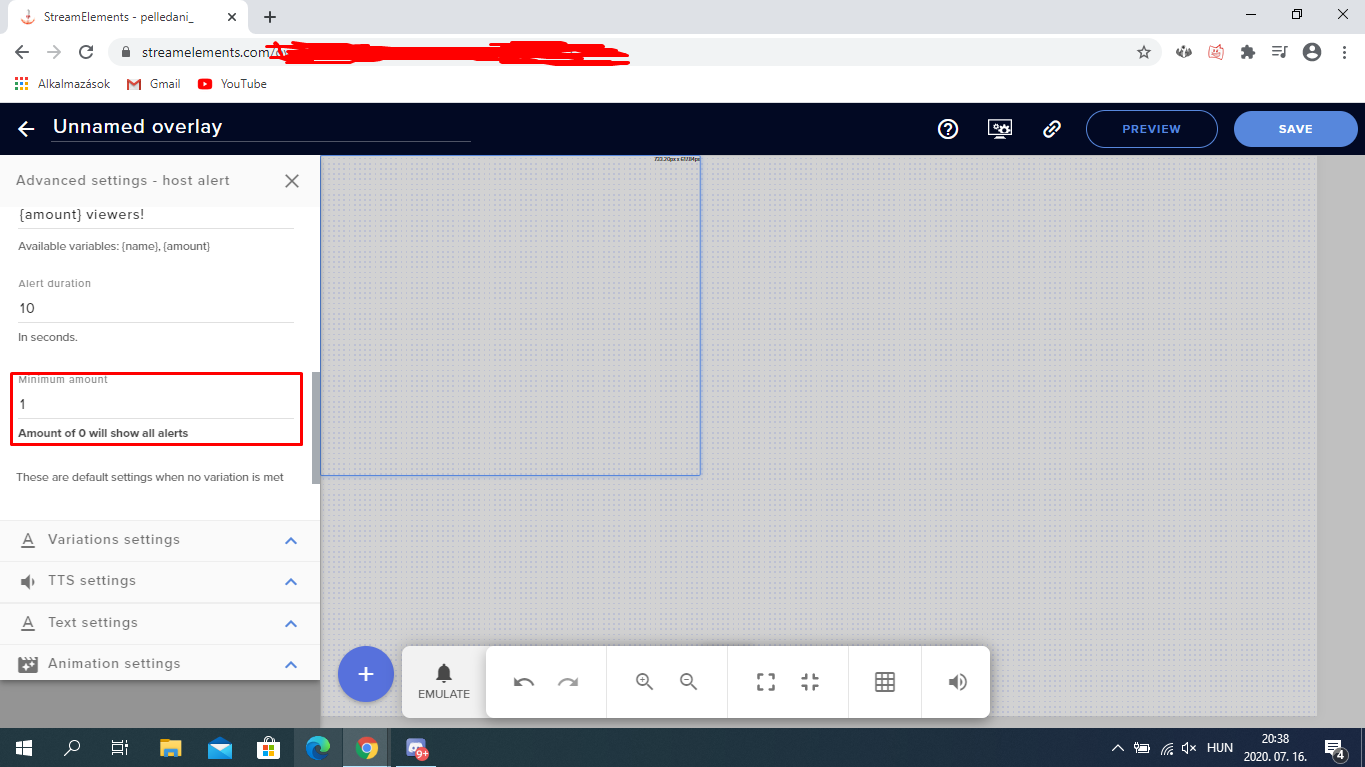 real creek
I have it set to zero currently @nimble dune
nimble dune
@real creek And nothing showed?
real creek
Yep :/
nimble dune
If you test?
real creek
If I 'emulate' the host it shows up in SE
But someone hosted my last stream, and I saw it in chat but not in the alert box. Follows worked fine.
quartz rivet
can someone please help me
silk tapir
@quartz rivet What's the problem?
nimble dune
@real creek Have you enabled the host alerts?
round brambleBOT
@quartz rivet Google Fonts
More than 900 google fonts are supported at this time. You can preview them here: https://fonts.google.com/
Custom Fonts
Steps:
- Install the font on the streaming PC or choose a pre-installed windows font.
- In the overlay widget settings, select Text Settings
- Enable Custom Font
- Type the name of the font as it appears in the windows font directory (This is usually
C:\Windows\Fonts)
Note: After installing fonts, the browser and OBS must be restarted for the font to appear.
quartz rivet
i tried importing google ones
i guess i just dont know how to import them correctly and i really need help
and also when the @round bramble said to enable custom font, i cant see it @silk tapir
real creek
@nimble dune They are enabled in StreamElements. Should they be enabled elsewhere?
silk tapir
@quartz rivet go to #helpdesk-selive I will help you there
quartz rivet
ok
wary halo
why go there?
nimble dune
@real creek Okay this is also for host alert. Due to changes to Twitch API, we have filtered out hosts and will only show these ones on your activity feed:
- All hosts coming from an online channel with at least 1+ viewer
- Auto host events with at least 1 viewer - only from a channel that just went offline
Note: If you see "X channel has hosted you" with no viewers on the back, that is considered an offline host or a host with 0 viewers, we do not show these.
silk tapir
Dani and lil are busy here
wary halo
this is an overlay editor issue 😛
silk tapir
Yeah you didn't say @quartz rivet is it about overlay or obs?
nimble dune

silk tapir
🍪 to @wary halo
wary halo
did you install the font properly? and did you restart the browser after you did? @quartz rivet
real creek
@nimble dune Ah, gotcha. Ok, thanks so much for your help!
 night wren
Sooo, why does my chat bot keep breaking?
nimble dune
@night wren Not working?
night wren
No commands are working.
nimble dune
@night wren Can you disable and log out and wait a minute then login back and enable.
quartz rivet
@silk tapir your fine
nimble dune

quartz rivet
@wary halo yea well i had the font on my computer. then i downloaded it again, but i did not restart my browser, but i feel like that i'm just coding it wrong. cause i dont know how to program
wary halo
you don't need to code anything for a custom font 😛
you just go to text settings and choose the font
from the drop down list
 frosty belfry
Hey is there anyone around to help with SEpay? 🙂
round brambleBOT
@frosty belfry SE.PAY is available for streamers who are atleast 18 years old, with bank account under their name in one of the following countries and have at least 101 Follower (Twitch) / 101 Subscribers (Youtube):
Austria, Belgium, Czech Republic, Denmark, Finland, France, Germany, Ireland , Italy, Netherlands, Poland, Portugal, Slovakia, Spain, Sweden, Switzerland, United Kingdom, United States.
If you meet these criteria and don’t see SE.Pay, let us know.
For information on SE.Pay payment methods, their fees, and settlement times see https://streamelements.com/dashboard/tipping/fees.
quartz rivet
uh i dont know where that is i made a blanke overlay
so i dont know where anything is
round brambleBOT
@quartz rivet We've released our new Overlay Editor revamp. You can check out the changes and how to work with it here: https://youtu.be/X5VzXjqAsjk
Check out our blog post as well: https://blog.streamelements.com/streamelements-overlay-editor-just-got-even-better-c22cb5b4853e

We are thrilled to announce the launch of the remastered StreamElements Overlay editor!
https://p.strms.net/newoverlayyt
Why StreamElements Overlays are better?
😎 Simple: Load your entier setup using only 1 link
⚡ Fast: Cloud-powered Overlays arrive in real-time, say goodb...
quartz rivet
im still very new to stream elements
round brambleBOT
@quartz rivet New to Stream Elements?
Check out our YouTube channel https://www.youtube.com/c/streamelements/videos
with tutorial videos from setting up the basics, to in depth details on how to use our product.
New to OBS? Here is a 4 step quickstart guide
https://obsproject.com/wiki/OBS-Studio-Quickstart
Want to learn even more? Here is an in-depth overview
https://obsproject.com/wiki/OBS-Studio-Overview
frosty belfry
Hey - SE pay says to contact support - personal information invalid
quartz rivet
wow this bot is really good
frosty belfry
what is the next step? this is the 3rd time ive reached out here 🙂
round brambleBOT
@frosty belfry Please contact us via email for support with SE.Pay. You can use our contact form here: https://streamelements.com/contact Thank you
frosty belfry
How do I get StreamReports back to my email?
quartz rivet
@wary halo oh also its a css alert
wary halo
How do I get StreamReports back to my email?
@frosty belfry i'll send a request to staff for you to resub your account to the emails, just need the account id from you:
quartz rivet
thats why im confused
round brambleBOT
@frosty belfry Please provide your account ID found at the top of this page: https://streamelements.com/dashboard/account/channels This ID is public info and safe to share here.
frosty belfry
5a834177143ab400011649af
thanks
hey - i also got an email asking for me to upload my photo ID from sean - but the link doesnt work
wary halo
@wary halo oh also its a css alert
@quartz rivet is it from StreamElements or from a third party like NoD / VBI / Own3d ?
quartz rivet
no i made the alert myself
and made the text and stuff but im trying to change the font to something that i have on my computer
wary halo
Can I get another link to do that?
@frosty belfry reply to the email explaining the link doesn't work. SEpay things can't be handled in Discord due to the sensitive nature of the information.
frosty belfry
OK, so what do I do?
wary halo
and made the text and stuff but im trying to change the font to something that i have on my computer
@quartz rivet ask around in #dev-chat they know a lot about coding 😉
OK, so what do I do?
@frosty belfry reply to the email you got from Sean saying the link didn't work
frosty belfry
thx
 swift imp
So I have received my stream stats from stream elements for weeks now. But this week I have received none. And they would usually show up minutes after I finished steam like clockwork. Has something changed?
round brambleBOT
@swift imp Please provide your account ID found at the top of this page: https://streamelements.com/dashboard/account/channels This ID is public info and safe to share here.
swift imp
Will have that in just a minutes. Getting back to my house in a few.
5ee443a4fc4420ed01041319
wary halo
5ee443a4fc4420ed01041319
@swift imp i've asked staff to resub your account for the emails
swift imp
@wary halo is this a glitch? Or something I had done?
wary halo
it happens sometimes, should be easy to fix like this
 grim otter
is there any way to backup or create a second loyalty currency so I can do something specific for one transmission?
 rain prism
how do put my overlays into obs
round brambleBOT
@rain prism To add your overlays to OBS, add a new browser source in your scene. Paste your overlay URL in the browser source properties, set the dimensions to 1920x1080 (unless you changed them on the website), and ☑ “Shutdown source when not visible” https://youtu.be/KDvLynUqXI4
swift imp
@wary halo I forgot to say thank you. Soooooo thank you. :-)
 fast sandal
is there a way to stop peopel from unfollowing and following again to get the notification to show up?
people*
 calm sleet
Hello. Where can I change the response of default commands like, for example, !roulette command?
 primal sand
how do i change the chat in obs.live to dark mode?
wary halo
how do i change the chat in obs.live to dark mode?
@primal sand check the pinned messages in #helpdesk-selive
 fickle kestrel
Hi. Is it possible to download this on Mac?
wary halo
no, only OBS Studio
fickle kestrel
Is that ever gonna change?
wary halo
not in the near future
fickle kestrel
Thanks! Do you know if it's possible to change the bot name without downloading?
wary halo
no it's not unfortunately
fickle kestrel
Thanks anyway!
 turbid radish
I am unable to change my Stream Title through the Activity Feed Stream Settings. When i try and type or delete it jumps the cursor to the end of what is already in there. I am able to change the game though.
round brambleBOT
@turbid radish There is a bug with setting the stream title in OBS and the Dev team is investigating.
In the meantime you can set the title using the !settitle command in chat (if enabled in your bot command settings)
Or with the Twitch dashboard: https://dashboard.twitch.tv/stream-manager
turbid radish
Thanks!
 floral spindle
hello guys, i'm using streamelements for a while, but since a week ago i'm not able to change title or game with command in tchat, error : "something went wrong while trying to update the title."
test message ok, other command ok, mod ok, editor ok..
does anyone have an idea ? thank you ☺️
lament blade
I need help with adding a overlay of obs live
on*
Any help would be greatly appreciated.
 elder sable
hey guys, im having trouble with being able to enable a timer for a stream, any help would be very appreciated. thanks.
 exotic plaza
right there, my friend
elder sable
sorry i should have been a little more specific, i have the timer set up, all the info and everything, but i cannot enable it for some reason, and i do not know why. that is what im asking about. sorry for the confusion.
exotic plaza
I've got a question about how to use a custom bot name -- can't seem to get it to work / show up in ground control. Just found out about https://twitchapps.com/tmi/ - is this real, should I use this site to do one of the steps? Want to make sure it's safe. Thanks!
round brambleBOT
@vital hawk Please follow our community rules:
- No advertisement or stream promotion
- Respect ALL server members
- No NSFW/NSFL
Thank you
 narrow cedar
nvm
sly abyss
maybe I am stupid, but I can't make my donation variations work
everything went well with follower alerts
but tip alerts just keeping triggering only main one
 brave summit
Hello! I'm wondering if anyone can assist me. My issue is that whenever I'm live using obs.live my streamelements bot doesn't work at all, but when I'm offline, not streaming, it works just fine. Thank you in advance!
Let me know if I'm in the right channel!
round brambleBOT
@brave summit If your commands recently stopped working and you're using OBS.Live and a custom bot name do the following:
1.) In OBS.Live, click on the hamburger menu (three stripes) at the top left of your activity feed
2.) Click on Stream Settings -> Custom bot name
3.) In the "Custom bot name" field select "Set custom bot name", not your already existing username (with capital letters)
Note: If you already connected an account that way, the third entry will show as the account name (see image https://i.imgur.com/sO7fWOX.png)
4.) Scroll a bit down and click on the purple "CONNECT CUSTOM BOT ACCOUNT" button
5.) Log in as usual and "Authorize" the custom bot name
6.) Back in the Activity feed, click on the "SEND TEST MESSAGE" button and check if your custom bot name starts working again
brave summit
I will check that shortly to make sure I haven't done it yet.
I have done that, but the problem is, it all stops working when i'm actually live
 restive crater
Hey there. I am having an issue in OBS where I can't change the title of my stream in Activity Feed > Stream Settings. No matter if I highlight my title, or just drop the curser in, I can't backspace anything or type anything in. I've refreshed the Activity Feed window, restarted OBS, restarted my computer, pretty much everything, and it won't work, so I have to do it from my Twitch Creator Dashboard. Any suggestions?
charred quartz
I have done that, but the problem is, it all stops working when i'm actually live
@brave summit its fixed?
round brambleBOT
@restive crater There is a bug with setting the stream title in OBS and the Dev team is investigating.
In the meantime you can set the title using the !settitle command in chat (if enabled in your bot command settings)
Or with the Twitch dashboard: https://dashboard.twitch.tv/stream-manager
lament blade
yeo
is there a reason why each time i save my alerts it doesn't save and uses the weird default alert?
charred quartz
did u checked the variants @lament blade ?
abstract hemlock
@lament blade I'll will take a look into it