#helpdesk-twitch
1 messages · Page 673 of 1
 random rock
 lusty dragon
@idle scarab sorry you had to go that route but at least it worked :V
 idle scarab
it worked!!!!
random rock
wait sorry i am a dumb shit and don't know what that means when you say "my dms are always open"
XD
?
you there @lusty dragon
lusty dragon
Sorry was elsewhere haha
 subtle sentinel
Hi, trying to get my first stream running. I can start the stream in obs and it shows in the bottom i'm live, but the stream isn't running, when I check twitch
 zenith widget
Check your streamkey
 solid warren
@lusty dragon still not getting any sound through streamelements with the elgato
zenith widget
What is this about? tl'dr' me please
solid warren
?
zenith widget
what is the issue?
solid warren
i cant see the audio meter move up and down and no in game volume through steamelements
the screen shows everything from the xbox but not soun
zenith widget
you mean this?
solid warren
yes
 round brambleBOT
@solid warren For the best OBS support, please join their Official Discord @ discord.gg/obsproject
solid warren
so yall cant help?
 ionic urchin
Did you add the audio output capture for the elgato, I have yet to set my elgato up in streamelements OBS but I know that's some weird thing I did with adding my game audio to a stream
solid warren
where do i find this?
ionic urchin
Click the '+' button at the bottom of Sources to normally add a source, then the second from the top should be Audio Output Capture
From there see if there's an Elgato setting
zenith widget
I want to make something clear here. OBS.Live is a plugin for OBS Studio and sometimes Audio issues or setups is not something we know of.
solid warren
all i see is speaker (elgato sound capture)
zenith widget
OBS.Live does not touch the audio settings and setups in general, so its not something we focus on trying to help with.
ionic urchin
Try that option @solid warren
solid warren
nothing happens
ionic urchin
You're right @zenith widget , it's just that I was having a similar issue and fixed it that way
Can you hear audio through your output monitor for your xbox
zenith widget
If anyone has a possible solution its a welcome one. 👍
solid warren
yea the xbox audio is good just when trying to send it through to streamelements i get nothing
ionic urchin
Which elgato capture card do you have
solid warren
the S
 teal rapids
How do I integrate my Tiltify campaign into my alerts?
ionic urchin
And you have the Game Capture HD software installed?
zenith widget
@teal rapids https://blog.streamelements.com/streamelements-integrations-are-live-starting-with-spotify-and-tiltify-5dac2cb6035f

Medium
As a streamer, you have access to so many great tools to help engage your viewers and grow your revenue.
solid warren
yes
teal rapids
Thanks @zenith widget
ionic urchin
Do the audio bars in the Game Capture HD software show that it is picking up sound
solid warren
no none at all others work fine other than the elgato... it is picking up the screening from my xbox though
solid warren
correct its not muted
ionic urchin
In your OBS' settings, check the Audio tab and make sure the sample rate is 48khz
 signal sand
is iframe not working in overlays>?
ionic urchin
Change it to 48khz
solid warren
44.1 meant typo
solid warren
may i ask whats the difference in the 44.1 and 48
zenith widget
@signal sand We do not allow iframes
signal sand
I see.
solid warren
lol
ionic urchin
just that the elgato is made to use 48khz lmao
and anything else could cause problems
solid warren
ok i wonder what could be the reason why i cant get the audio to work every other audio is fine such as the desktop and my mic is working
ionic urchin
Do you have a mic plugged into your controller at all
solid warren
yea when i game
this not the issue on my pc im able to use it well without and issues
ionic urchin
I found this response on Reddit by u/SilvaShadow1990
"Go into properties for the HD60S in OBS, go down to audio output mode, select 'output desktop audio (wave out)' or direct sound, doesn't matter either way but IMO I go with 'wave out', then check custom audio device, and choose the capture card again...
solid warren
so put it in wave out
ionic urchin
yeah
ionic urchin
When you check custom audio device, is there a box to change which audio device to use
 lament blade
Hello! Sorry for interrupting, I'm currently moderating a chat right now and I'm trying to set up a !time command (since people ask about the streamer's time right now); how can i format the output so it can print out something like, say, "h:mm am/pm"? Thanks!
solid warren
yes i see 2 elgatos which is game captue hd60 s audio #2 and the other is line (elgato sound capure)
ionic urchin
try the first, and if it doesnt work then try the second one
lament blade
@zenith widget Thanks for responding, I have it set up as ${time.Pacific/Auckland} right now and it produces "06:40"; the time is correct but I want it to also output AM or PM depending on the time of day; or if it's possible, convert the time to 24-hour format.
zenith widget
Not possible - thats how the API returns the time
 ionic kelp
You can use a 3rd party api. Gimme a sec to grab the formatting.
lament blade
@zenith widget alright, thanks for the help!
lusty dragon
Hit it with a stick, that's my solution to everything 
ionic kelp
@lament blade Write out the output you want it to give exactly as this is something "fun" to configure.
lament blade
@ionic kelp "The time now in New Zealand for [streamer name] is 06:43 PM."
Hi there, would anyone be able to help me with my chatstats on the streamelements bot?
I'm only given a 404 code when attempting to activate it
zenith widget
old and new name please
lament blade
Old name: RetroStarTV - new name: Retrora
Change of name happened almost a year ago
zenith widget
done
lament blade
Thanks so much!
ionic kelp
@lament blade ATM I'm having a slight bit of trouble getting the format for the response and it's currently returning it 06:52:45 PM NZST. That fine for you or do you wanted it exactly as you wrote in which case I'll have to wait for the api owner to respond.
lament blade
@ionic kelp That's fine by me
ionic kelp
${customapi.https://decapi.me/misc/time?timezone=Pacific/Auckland&H:i%20A/}
Use that where the time goes.
lament blade
@ionic kelp out of curiosity is that custom API...how do i want to say this, "standalone" and not connected to any user or anything somewhere else (i.e. it doesn't lead to the streamer being hacked or whatnot)? sorry for being an absolute noob haha
lament blade
okiedokes!
ionic kelp
It's no different than the one you were trying to use. Difference is that this has customization.
zenith widget
at least, we recommend it sometimes
plus the api link above given doesn't even go near the twitch API endpoints
its a normal time endpoint the dev has implemented
lament blade
gotcha
solid warren
@ionic urchin that didnt work still no sound
im gona try and reinstall the elagto program and see if something happens
could it be a usb port
lament blade
@zenith widget @ionic kelp code works! thanks for the help 👍🏽
ionic kelp
@lament blade It seems I was a tad blind when doing the formatting. This is the correct format you want to get the 24:00 PM response ${customapi.https://decapi.me/misc/time?timezone=Pacific/Auckland&format=H%3Ai%20A}
lament blade
@ionic kelp cheers man, the current command as-is is fine but i'll remember that format slash experiment with the coding on my own in the future 🙂
 dusk cliff
@abstract hemlock Nothing was held for verification. The amount was on my balanace already,streamlabs worked and showed every donation,but streamelements didnt update. Even now - it doesnt show the recent donations, unless i use transfer option, yo import them from streamlabs.
ionic kelp
GFD
 misty jacinth
I found an Alertbox on Streamelements.com but nothing happens when I add it as a browser to ob
ionic kelp
@dusk cliff We can't track donations that aren't made with our donation options.
However looking at your channel and your tipping page it doesn't appear you have donations fully setup with us so you can't receive anything yet.
@misty jacinth Did you properly configure it in the overlay editor?
misty jacinth
What should i do in the overlay editor? I only changed the alert duration
ionic kelp
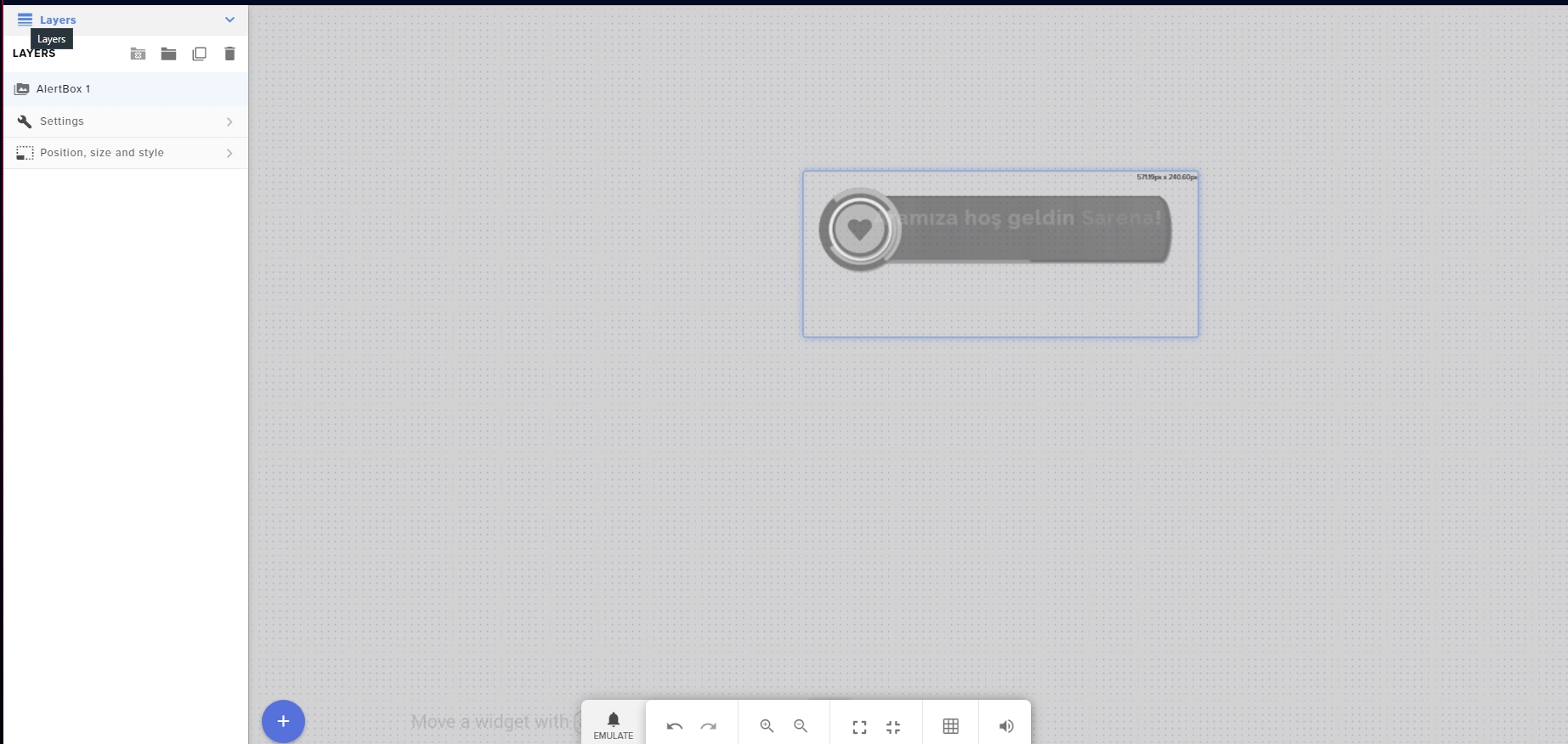
Screenshot the editor without showing the link for it.
I want to see the layers on the left along with the editing are.

 ionic kelp
Yup exactly as I wanted
I assume that was you clicking the emulate button for one of the options?
ionic kelp
You clicked the 🔔 at the bottom to test that right?
misty jacinth
yes
ionic kelp
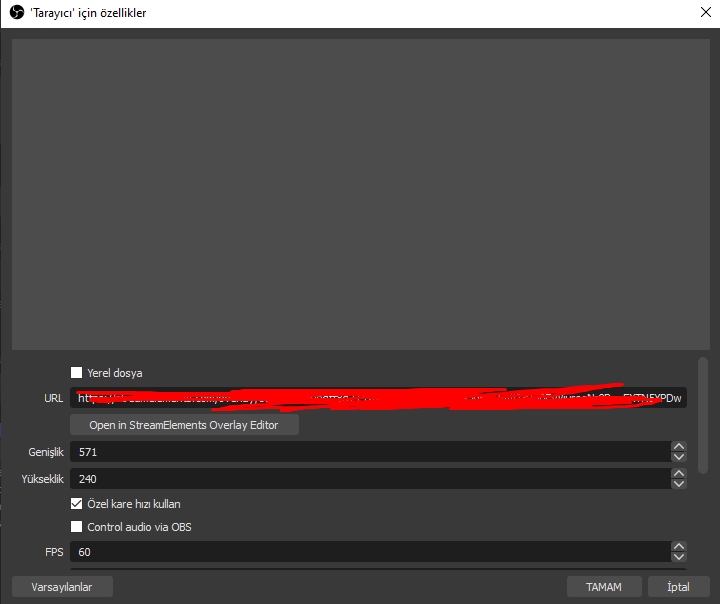
You added it as a browser source in OBS?
misty jacinth
I was using streamlabs and it didn't work then I downloaded obs.live and tried again but still don't work
 ionic kelp
That's exactly what I was looking for.
misty jacinth
I just started using OBS and I don't know how to use it: / So I am here. Thanks for your help
ionic kelp
Gimme a second to type some stuff out since it'll be lost in translation either way 
dusk cliff
@ionic kelp thats also not the case, I even changed the link to the streamelements one, still didnt work.
zenith widget
What exactly is not working?
Is there an error you or your viewers are getting when attempting to tip?
misty jacinth
When I press the Emulate button, nothing work in obs
round brambleBOT
@misty jacinth The default resolution for StreamElements overlays (theme and custom) is 1920x1080. Please add them in OBS at their full resolution and use CTRL+F to fit to screen if necessary. You can then downscale your stream in OBS settings > Video if you'd like https://i.imgur.com/6bWXxjR.png

@misty jacinth You can test Alerts via the Emulate bell on the lower left side of the Overlay Editor. Simply go to your Dashboard -> My Overlays -> Pencil/edit button on the overlay. Make sure the "Preview LIVE on stream" option is on to see the alert in OBS/Xsplit https://streamable.com/vtulg9
 ionic kelp
1920x1080 olarak değiştirin ve "görünür olmadığında kapatma kaynağı" yazan kutuyu işaretleyin. Bundan sonra, kaynaklarda yer paylaşımı seçili olarak Ctrl + R ve Ctrl + F yapın ve önizleme penceresine uyduğundan emin olun.
misty jacinth
@ionic kelp Thank you very much, I am grateful to you. It was all about resolution and I have been dealing with it for a day ahahah
 slim sequoia
Hello, how about a question? How do I overlay if I am transmitting the Stremer from Pley 4 Thank you
ionic kelp
@slim sequoia You'd need to stream via PC. Not possible with just console.
round brambleBOT
@slim sequoia Consoles do not have native support for overlays. You would need a capture card and a PC with OBS in order to have Overlays over your console gameplay.
We have an blog post about how to setup console streaming with our essential tools: https://blog.streamelements.com/how-to-stream-on-console-7b620b1c46c3
 olive frost
hey i was wondering if someone can help me to set up donations and tips
slim sequoia
Thank you :v
round brambleBOT
@olive frost New to Stream Elements?
Check out our YouTube channel https://www.youtube.com/c/streamelements/videos
with tutorial videos from setting up the basics, to in depth details on how to use our product.
New to OBS? Here is a 4 step quickstart guide
https://obsproject.com/wiki/OBS-Studio-Quickstart
Want to learn even more? Here is an in-depth overview
https://obsproject.com/wiki/OBS-Studio-Overview
 low horizon
btw how much minimum bitrate i should have for a 1080p60 stream?
so that i can consider that while getting new internet
rn i can only get 3500
round brambleBOT
@low horizon There are no "best settings".
Please understand that every setup will be very different.
Any guides or videos that claim otherwise are misinforming. Your best option is to start with a base and adjust as necessary.
You can run the OBS auto-configuration tool. To use the auto-config, click on the Tools menu in OBS, select Auto-Configuration Wizard, and then just follow the on-screen directions.
You can use this tool to get baseline settings for your hardware and adjust as necessary from there.
Test, test, and test again. We are happy to offer suggestions for any issues you may be having afterwards, but not a list of settings.
Thank you 
zenith widget
 hoary badger
Hi, when I stream for some reason my frames drop significantly, I’ve tried majority of stuff but just wanted to know if anyone has any decent advice?
round brambleBOT
@hoary badger Dropped Frames usually means that you have a bad connection with the streaming service(Twitch/Youtube/Mixer/Facebook) and most likely something related to your ISP not handling the connection properly.
Speed tests usually cannot help solve this problem and its best to use this guide: https://obsproject.com/wiki/Dropped-Frames-and-General-Connection-Issues
low horizon
wait so i need better bandwidth not speed?
that means fiber can help me get even more bitrate for stream?
ionic kelp
@low horizon And even then doing 1080p60 without getting guaranteed transcoding (Resolution options for viewers) you're going to make it impossible for those with poor internet able to watch if you don't have issues yourself.
low horizon
i tried streaming yesterday with 1080p and twitch had transcoding for me 🙂
ionic kelp
Luck of the draw. But unless you know you will get it doing anything over 900p isn't recommended.
 tacit summit
how use streamelements?
low horizon
@tacit summit obs live or the website?
 peak storm
Hi, Just want to know what I'm missing about the quirks of StreamElements' Regex matching. It claims to use Google's RE2 syntax, however when I type "!mal'ganis" in chat while using the 1st line in the picture below (using "\S"), no match is found; when I replace them for "." as shown in the 2nd line of the picture, the command finds a match. Both these entries should work, so what am I missing here?
tacit summit
the dashboard ive got the obs done
low horizon
@tacit summit you have all options on your left when you go on dashboard, if you want to get overlays you can just copy links from
tacit summit
ive got that
tacit summit
kinda realised i had all i needed
low horizon
nice
peak storm
ok cheers for that.
lament blade
I need help 😞
 quiet wind
Does anyone know the solution to fix double alerts sounds playing even though you removed/deleted the old alert that sounds?
round brambleBOT
@quiet wind Make sure to ☑️ “Shutdown source when not visible” for all browser sources (all OBS scenes). If using studio mode, uncheck “Swap Preview/Output scenes After Transitioning.” Also keep in mind that sound can play from any overlay loaded in the browser (editor or launched). https://i.imgur.com/6bWXxjR.png https://i.imgur.com/yY0wcFl.png

@lament blade If you would like help from the StreamElements support volunteers/staff please post your question in one of the helpdesk channels and someone will assist you as soon as they are available
#helpdesk-twitch | #helpdesk-youtube | #helpdesk-facebook | #helpdesk-mobile | #helpdesk-selive | #651453660810838026 | #helpdesk-merch
Thank you for being patient.
 brave gate
I changed my twitch name a while back and dont have stats anymore, could use some help updating to my current name if possible!
zenith widget
I need your old and new name
brave gate
verstor and vergilyyc
zenith widget
done
brave gate
thanks a lot!
zenith widget
@dusk cliff Would you prefer to handle it here or over the ticket?
I did ask a few questions which it seems you didn't notice
 dire lily
Hello guys, how are you?
I was trying to configure the "Loyalty system" and I searched some videos about it, in all videos there was an feature "Sub multiplier" "Sub bonus", "Cheer bonus". But when I was configuring mine loyalty points, i didnt found this options, there was just follow, tip and host bonus
i dont know if im in the right Thread, but i guess it is on twitch, sorry if im wrong
zenith widget
Are you an affiliate?
dire lily
yes, i'm
zenith widget
logout from our dashboard and login again
zenith widget
logout, clear your browser cookies, login again
dusk cliff
@zenith widget i did reply to the email, but we can do things here. 🙂
will be also faster
to reply
zenith widget
I will reply to the ticket when i get to it
dusk cliff
okey, not a problem!
 ionic kelp
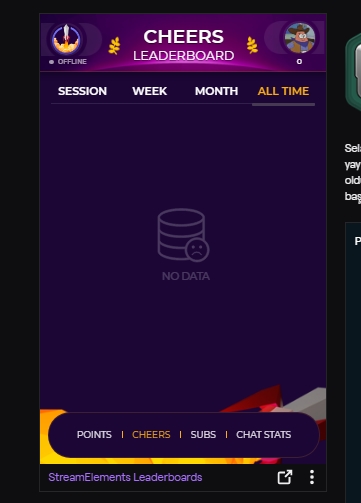
It only counts stuff after adding it.
misty jacinth
@ionic kelp thanks again
lament blade
Is there a way I can flip this video vertically so the text is the correct way, separate from rotating it 180 degrees which causes the text to go upside down? Or is there a way to flip the alertbox text after rotating the alert 180 degrees?
Sorry if this is the wrong helpdesk!
zenith widget
That is a default asset from the themed overlay - no way to rotate it
lament blade
Not even with css? :/
zenith widget
Do you know CSS?
lament blade
Very little...
lament blade
Thank you 🙂
Got a quick question
So I received over 1.5k bits which is said equaled out to be $23 or so, but I can’t find where it’s located
zenith widget
In your Twitch dashboard analytics
 valid cloud
do you need business class internet to stream over on twitch?
 jade remnant
no
 mystic pumice
is it possible to have a bot command that will say something different if a specific user activates it?
like everyone does !foo and it'll say "something" and then if I do !foo it say "something else"?
zenith widget
Not possible unfortunately.
 ebon crypt
Is there any fix on the way for this ?
zenith widget
Checking and most likely will report to the devs
ah it was already reported to the devs
no ETA on a fix, but its something on our side
ebon crypt
Thank you KeiZar, I appreciate. Just knowing that it's noticed is enough for me.
 sleek dock
hi how can ı create alerts for my stream at obs
round brambleBOT
@sleek dock New to Stream Elements?
Check out our YouTube channel https://www.youtube.com/c/streamelements/videos
with tutorial videos from setting up the basics, to in depth details on how to use our product.
New to OBS? Here is a 4 step quickstart guide
https://obsproject.com/wiki/OBS-Studio-Quickstart
Want to learn even more? Here is an in-depth overview
https://obsproject.com/wiki/OBS-Studio-Overview
ebon crypt
I have an issue, one of my Alerts are 1920x1080 - The actual alert overlay is that size, but the alert is scaled down to be very small. I can't seem to find a place to set this one alert variation to be 1080p.
Any ideas ?
 rapid thicket
Does anyone know how to change banking information so that when I withdraw from SEPAY it goes to the right banking account? I recently changed banks and my withdraws are being deposited into my old bank account.
round brambleBOT
@rapid thicket Please contact us via email for support with SE.Pay. You can use our contact form here: https://streamelements.com/contact Thank you
ionic kelp
@ebon crypt The option below that.
ebon crypt
This one is set to this:
but it still looks like this, the .webm file is 1080p and should fill the entire screen
 muted spire
Goodmorning,i have a problem but i think it's an OBS problem,i can't see the overlays on my obs,they don't work,what can i do?
round brambleBOT
@muted spire OBS -> settings -> advanced -> scroll down -> enable/disable hardware accel.
https://i.imgur.com/ggMe9ZE.png

@muted spire To add your overlays to OBS, add a new browser source in your scene. Paste your overlay URL in the browser source properties, set the dimensions to 1920x1080 (unless you changed them on the website), and ☑ “Shutdown source when not visible” https://youtu.be/KDvLynUqXI4
 halcyon path
Hello, a questiom how can i put that whrn someone in my chats puts a word the bot responses with a message
 rustic radish
how do i set the bot to post all commands as me?
 weak delta
@halcyon path Check the advanced settings of the command, there's an option for alias and keywords.
@rustic radish Install OBS.Live plugin on OBS Studio and configure your custom bot name to point to your account.
muted spire
@round bramble
 onyx otter
Hello, my chat that displays on my stream doesn't show bttv emotes and they appear as blank spaces on it.
Any idea how to fix?
muted spire
@round bramble I don't have it
 toxic nexus
Can I check the status of my custom bot name via Ground Control? I messaged the other day but it still appears as "StreamElements" in chat. My twitch bot name is Bertlorbot. Any update/info is appreciated
lament blade
hey guys so i have full access to twitch channel , how can i enable tipping alerts ? i am full access on https://streamelements.com/dashboard
when i setted up tipping the alerts are not showing for tips

StreamElements
The Ultimate All in One Platform for Streamers
before streamelements tip setup the alerts were showing
 sudden turret
ebon crypt
sudden turret
ebon crypt
I posted a question (including images) further up, but still no answer. Would be nice to know if there's a fix or if I have to make a separate browser source with alternate alerts.
 cerulean nexus
hello, my chatstats work sometimes but dont always can you please help
is it because im not live
lament blade
guys how can i add overlay
with link
like i got link from https://streamelements.com/overlay
StreamElements
The Ultimate All in One Platform for Streamers
overlay
and how can i add to stream
round brambleBOT
@lament blade To add your overlays to OBS, add a new browser source in your scene. Paste your overlay URL in the browser source properties, set the dimensions to 1920x1080 (unless you changed them on the website), and ☑ “Shutdown source when not visible” https://youtu.be/KDvLynUqXI4
ionic kelp
@toxic nexus If you have GC open close it and restart.
 celest plaza
I have media request enabled for my subscribers. But on Sunday this stopped working suddenly. It says whenever any song is requested “media mot available in your country”
Please can someone help? Thanks
ionic kelp
@cerulean nexus Chat stats have been a little wonky lately. Just wait it out and you should be good.
cerulean nexus
ok thank you
 jaunty vine
Is there no websocket event for tiltify donations?
lament blade
guys can i add overlays and all that stuff on my computer ?
but my friend is streaming
from his
ionic kelp
@ebon crypt Looking at alertbox options you'd have to use custom CSS to make that fit nicely.
jaunty vine
I asked there. It was ignored. I'll ask again.
toxic nexus
@ionic kelp thanks I'll give it a shot
@ionic kelp Working great! Thanks for the help
weak delta
@lament blade If your friend has given you permissions to his SE then you can.
You need editor access to share something you've created on your account to his.
lament blade
i have fullaccess
weak delta
Otherwise you can create it while acting as an editor on his account.
lament blade
on webpage
weak delta
You can duplicate something you've created under your account to his then.
ebon crypt
@ionic kelp Thank you, I'll try!
ionic kelp
No
If you're wanting to add overlays to OBS you need to have access to the computer it's on.
 cosmic vine
quick question, to recieve donations with stream elements, do you need to have a business account or personal paypal account?
ebon crypt
Sudo, would it be okay if I sent you a DM ?
ionic kelp
If it involves SE stuff I do not help in DM.
@cosmic vine You can use either however it would most likely benefit you to upgrade to a business.
lament blade
i need help
 viscid pebbleBOT
Hi @lament blade, Please ask your question(s) or describe the problem you're looking to solve so staff or a support volunteer can assist you as soon as they are available.
lament blade
When i make a custom name for stream elements when i do a command it keeps repeting it
rustic radish
@rustic radish Install OBS.Live plugin on OBS Studio and configure your custom bot name to point to your account.
@weak delta OK does it cost as I know stream labs does hence why I'm moving the stream elements
 wary halo
@lament blade are you using Ground Control or OBS.Live for custom name?
wary halo
open task manager, kill all instances of Ground Control until there is none in the task manager list
then run Ground Control again
lament blade
can we go in a voice channel and show you what happends
wary halo
no, i can't
lament blade
oh
wary halo
i know what is happening
usually that means that Ground Control is opened more than once
lament blade
thanks alot ive sorted it out
lusty dragon
@rustic radish it doesn't cost anything, no. You can see how to do it and the requirements by looking in the pinned messages in #helpdesk-selive - should be the third down or so
rustic radish
@lusty dragon thanks but is that OBS or the Stream Elements desktop app?
lusty dragon
@rustic radish OBS Studio + the OBS.live plugin you can get on the site
rustic radish
Ok thanks
lusty dragon

 grand basin
Hey. I am streaming right now so I apologize if I don't get back quickly (would like a DM), but anytime I use a donation/bit tracker anytime someone donates it updates to my total earnings of all time. A little weird when someone gives 100 bits and then it shows up with a couple grand LUL
any tips?
weak delta
@weak delta OK does it cost as I know stream labs does hence why I'm moving the stream elements
@rustic radish
It does not!
 versed drift
I'm trying tog get on the website to edit my overlay and it wont let me get past the opening page with the "become a legend" button on it. I'm logged in, but it wont let me do anything. everytime i try to navigate the website it goes back to this. I've tried turning my PC on and off and clear my cache, any ideas?
round brambleBOT
@versed drift Please logout of StreamElements at https://streamelements.com/logout and then login again to your account (Twitch/Youtube/Facebook/Mixer)
versed drift
fixed it XD
 opaque garnet
Hi so I have just got stream elements and would like to get notifications when someone follows I have the thing saved as an overlay but when I went to stream to day the overlays I had done where not there can someone plz help me?
 sturdy jay
Hey quick question, is there a simple way to create a collection of gif files and accompanying sound files and have them trigger with specific commands (ie !scream !cheer etc) using Streamelements?
 molten galleon
guys, my channel is off, nothing is loading, is there any problem with the server?
rustic radish
@lusty dragon i looked at the pinned msg and it also says you need ground control so i downloaded that and went to stream settings but nothing about custom bot name is there.
lusty dragon
@rustic radish you don't need ground control at all. The setting is in the OBS.live activity feed
It's possible you looked at the wrong one, there are dozens outdated by now
rustic radish
I cant find it @lusty dragon
wary halo
I cant find it @lusty dragon
@rustic radish what are we looking for? 😛
 eternal scarab
I need help viewer my subscribers. I’ll be in a game and then someone will subscribe but I’ll have no idea and it doesn’t come up in the feed atall?
lusty dragon
The name change in OBS.live @wary halo - if you remember the command for it be my guest
Typing it out is a pain lol
round brambleBOT
@rustic radish Currently renaming the bot fully works with OBS.Live.
You can follow this video guide to set it up: https://discordapp.com/channels/141203863863558144/494513233416421386/561516184718278676
If you don't want to use OBS.Live and want to stick with Ground Control, please let us know your Twitch username.
rustic radish
found it
round brambleBOT
@opaque garnet You can test Alerts via the Emulate bell on the lower left side of the Overlay Editor. Simply go to your Dashboard -> My Overlays -> Pencil/edit button on the overlay. Make sure the "Preview LIVE on stream" option is on to see the alert in OBS/Xsplit https://streamable.com/vtulg9
 lusty dragon
Whoops lol
rustic radish
So if i close obs.live it auto goes back to the stream elements not my custom name
lusty dragon
@wary halo do you have permissions to delete messages? I used the wrong command because I don't know what any of them actually do lmao
Not the most robust list, just vague command titles that could be interchangeable
 waxen dove
Hej! Sorry to bother again - but I still have issues with my Streamelements stats and the link doesn't work for me. Can someone help me? :(
wary halo
@wary halo do you have permissions to delete messages? I used the wrong command because I don't know what any of them actually do lmao
@lusty dragon it's fine
eternal scarab
Can I add a tip jar even though I stream on console?
wary halo
overlays don't work on console
only when you stream your gameplay to pc but you only have a chromebook so that's a no go
round brambleBOT
@eternal scarab Consoles do not have native support for overlays. You would need a capture card and a PC with OBS in order to have Overlays over your console gameplay.
We have an blog post about how to setup console streaming with our essential tools: https://blog.streamelements.com/how-to-stream-on-console-7b620b1c46c3
rustic radish
OK @wary halo another question how do i see my timers and commands is it only on the website?
lusty dragon
Ye
lusty dragon
@waxen dove what's the issue?
waxen dove
StreamElements
Description Chat Stats tracks emote usage on Twitch in real time. See which emotes are the most popular on every Twitch channel
404
even tho its my chat stats site
round brambleBOT
@waxen dove If you changed your name on Twitch please follow these steps:
🔹 Visit https://streamelements.com/logout and then log in again with by connecting with Twitch.
🔹 On the right side of the dashboard page that opens, select "Join" under bot settings. If it says "Part" select that and then select "Join" to send the bot to the chat. Don't forget to mod the bot by typing /mod streamelements in your channel if you have not already.
🔹 Post your old and your new name here so that we can update your channel's chatstats tracking (must be done by staff).
lusty dragon
Damn Ruben I actually knew that one
waxen dove
ah, perfect! i will do this.
my old name is: littleconfusedbrain
and my new name is: brain
 waxen dove
Alright, I did my part. If you could update it, would be lovely. <3
wary halo
will ping when ready
 naive dirge
Hey lads is there a problem with streamelements atm ? i'm not able to have my alerts pop or even replay alerts
wary halo
Who even has one of those?
@lusty dragon everyone on the blue team 😛
 wary halo
i'll ask around internally
round brambleBOT
@sturdy jay Check out this video guide to learn about the StreamElements overlay editor: https://www.youtube.com/watch?v=LwAfMIR3Cj0&list=PLCDDKlFdScbEwdx5AntcQIS1InkFJwHtv

We recently updated our Overlays, check out new video guide: https://youtu.be/X5VzXjqAsjk
StreamElements Overlays are loaded from a single browser source in your streaming software, making streaming easy. https://streamelements.com/
StreamElements overlay editor enables...
rustic radish
I will be using slobs for my streams and SE for chatbot and tips. is there a way i can get my tips to come through as an alert in slobs via a browser source?
round brambleBOT
@rustic radish We're not able to troubleshoot issues with using our overlays in StreamLabs OBS (SLOBS) as we don't have the tools to support their software. We recommend using OBS Studio or OBS Studio with our plugin OBS.Live.
ionic kelp
But in short add it as a browser source. Anything else requires you speaking with their support.
lusty dragon
If it breaks, it's their fault 
wary halo

rustic radish
how do i get the browser source
round brambleBOT
@rustic radish To add your overlays to OBS, add a new browser source in your scene. Paste your overlay URL in the browser source properties, set the dimensions to 1920x1080 (unless you changed them on the website), and ☑ “Shutdown source when not visible” https://youtu.be/KDvLynUqXI4
 plush ravine
Finished a sponsorship and have sent an invoice as instructed. I was wondering how long that process takes?
Channel name NOOB2PRO01
ionic kelp
@plush ravine Hey there! Your best bet is to DM @strong kernel any questions you have.
plush ravine
Oh ok sounds good
ionic kelp
Seeing as I pinged him as well he'll be aware of it too.
 hearty mica
is there any way to stop one viewer from whispering me and stop them from putting links in my stream on an individual case ?
 tulip wyvern
I think i remember you guys are the only one's who can change ownership of an account right?
lusty dragon
@hearty mica you can ban them 
hearty mica
but i dont want to ban or block them they are good folks just tedious and daunting
ionic kelp
Unfortunately there's no real middle ground.
lusty dragon
Then not really. Sometimes you may need to take your own mental health into account
I've had to block otherwise decent people for being too friendly/forward and not listening when I ask them to stop. It's not ideal but... Ya know
jade remnant
whispering is controlled through twitch, its either fully block until you whisper someone, then they are allowed to message you for 24hr
as for the links, you can either block all link and white list a few sites, like youtube or twitch clips, or fully allow them.
but thats about it, not very much control for user by user or link by link case
hearty mica
okay guessing blocking ban this perdson is sadly the only way to go
lament blade
why is my stream only showing 900p 60fps?
I should have other quality's too since i'm an affiliate
ionic kelp
@lament blade Only partners get it instantly. Anyone else is just luck.
wary halo
Hey lads is there a problem with streamelements atm ? i'm not able to have my alerts pop or even replay alerts
@naive dirge Are you still experiencing these issues?
 inner solstice
How do I add links to a command
lusty dragon
@inner solstice you just add them to the response field when making a custom command
inner solstice
@lusty dragon Ok I’ll see
 steel lance
 sweet socket
#🇩🇪︱deutsch @steel lance
inner solstice
I tried it didn’t work
grand basin
Hey. I am streaming right now so I apologize if I don't get back quickly (would like a DM), but anytime I use a donation/bit tracker anytime someone donates it updates to my total earnings of all time. A little weird when someone gives 100 bits and then it shows up with a couple grand LUL
any tips?
 earnest scarab
My alerts were working last night and now they aren't at all
 gleaming anvil
any tips for twitch prime sub notifications not coming through in streamelements? theyre not showing up in activity feed and arent registering in the overlays
round brambleBOT
@gleaming anvil Twitch prime (new and resub) and paid subscriptions (resub only) must be shared in chat manually by the person subscribing in order for the subscription information to be sent to StreamElements. For twitch prime, the user needs to have sharing enabled on https://www.twitch.tv/settings/prime. For paid subs, if the share box doesn't show up immediately it will when they refresh the page. https://i.imgur.com/VNJN0Uv.gif https://i.imgur.com/2297EA7.png

 earnest scarab
Are resubscribes supposed to be a different alert than a normal subscribe?
I can't find a place to edit a resubscribe
 ruby holly
I've added some links in the link protection module. I am currently offline to test them and it does not work. It allows everything. Only twitch link integrated works if I turn it on. Fix?
lament blade
i've put a TTS for a message on store redemption, could anyone help me on how to find the command to skip the message while it is still playing?
 tawny fractal
lament blade
tawny fractal
lament blade
Is anyone having problems with media request, where every video says, please click here to watch this video on Youtube?
Has YouTube blocked stream elements?
 peak briar
Hello, on my loyalty an item is always on cooldown, even when I turned it off - what can I do?
 chrome folio
@peak briar show us a printscreen with the item settings (first tab: item information)...
but no sound played can u help me please ?
@tawny fractal did you set a sound on the item settings (second tab: item content)?
peak briar
@chrome folio
chrome folio
(printscreen)
@peak briar you indicated for the "action" category to be redeemed every 1 hour... so, if someone redeemed an item participating in this category ("action"), the user will have to wait 1 hour to redeem another item in the same category
peak briar
@chrome folio But I tried it out, even one hour after that I can't redeem it...
But for testing I can delete the cooldown fully, I will try it like that
Still doesn't work
chrome folio
use Chrome to use SE (StreamElements)@peak briar
peak briar
okay
peak storm
is it just me or is the stats website missing all the data atm?
peak briar
Should I try it again now with chrome?
chrome folio
yes, please @peak briar
peak briar
@peak storm my chat stats website is totally away with error 404 :D
chrome folio
try with 1 minute or 2 to test the cooldown category @peak briar
peak storm
ah ok good. not just me
 gloomy fractal
can I just do the Alert Box without the overlay? If yes how?
peak briar
@chrome folio still doesn't work :(
@gloomy fractal Yes, should be possible - create blank overlay > click on the "+" > "alerts" > "AlertBox"
@peak storm I'm not sure but I think it is only if you have changed your username recently
round brambleBOT
@peak briar If your chat stats aren't working it's most likely because you changed your username! If you can give us your old and new username, we will get a chat stat fix for you.
peak storm
I mean i haven't changed my username and it's not my stats i'm trying to view, the whole website isn't functioning
peak briar
@peak storm could you send a screenshot?
round brambleBOT
@gloomy fractal Check out this video guide to learn about the StreamElements overlay editor: https://www.youtube.com/watch?v=LwAfMIR3Cj0&list=PLCDDKlFdScbEwdx5AntcQIS1InkFJwHtv
We recently updated our Overlays, check out new video guide: https://youtu.be/X5VzXjqAsjk
StreamElements Overlays are loaded from a single browser source in your streaming software, making streaming easy. https://streamelements.com/
StreamElements overlay editor enables...
round brambleBOT
We've released our new Overlay Editor revamp. You can check out the changes and how to work with it here: https://youtu.be/X5VzXjqAsjk
Check out our blog post as well: https://blog.streamelements.com/streamelements-overlay-editor-just-got-even-better-c22cb5b4853e

We are thrilled to announce the launch of the remastered StreamElements Overlay editor!
https://p.strms.net/newoverlayyt
Why StreamElements Overlays are better?
😎 Simple: Load your entier setup using only 1 link
⚡ Fast: Cloud-powered Overlays arrive in real-time, say goodb...
lusty dragon
That one is newer
round brambleBOT
@peak storm Please logout of StreamElements at https://streamelements.com/logout and then login again to your account (Twitch/Youtube/Facebook/Mixer)
lusty dragon
If that doesn't work, clearing browser cookies/cache should
peak briar
still doesn't work :(
@peak briar heeelp please :(
peak storm
ok yeh re-log didn't do anything.
and i can see the stats going up from 0 after each refresh, but it keeps going to 0
peak briar
@peak storm what browser are you using?
peak storm
Chrome
peak storm
Just opened the website in Firefox, same result, empty data
wary halo
did you change your name recently?
peak storm
Im looking at sodapoppin's data as a test anyway, and no
peak briar
Hello, on my loyalty an item is always on cooldown, even when I turned it off - what can I do?
Can somebody please answer that? phph went offline or so :(
peak storm
hmmm ok yeh im viewing the website fine on my iPad, so idk what's up with my comp, but I could view the website fine about 6hrs ago. Not sure what changed
ok well it looks like it's back up on my comp too, must have been temporary issue
ruby holly
I've added some links in the link protection module. I am currently offline to test them and it does not work. It allows everything. Only twitch link integrated works if I turn it on. Fix? Is it because it's an offline chat? Streamelement is present in the users of the chat.
lament blade
So I have an alert where its set to exactly a prime subscription. I also have 10 resub variations but when i emulate a 10 month resub, the prime alert gets fired. Am i missing something?
heres what im emulating for a resub
lusty dragon
@peak briar sorry, aside from what phph said I can't offer much - that should've worked as far as I personally know 😦
molten galleon
@peak storm Im having simmilar problems, on my iphone, the site loads normally, but on my computer, chrome wont load bot settings, edge wont load the entire website. I've already cleared all my cache, cookies etc, nothing happens
peak storm
yeh sounds like they're just having server issues or something weird like that, but mine is back up so yours will probably be up and running later on. it's just good to know that it's not your issue
molten galleon
Yes, I was looking if anyone had any similar problem, because it does not seem to be a remote bug.
peak storm
👍
 ocean mesa
not sure who to adk but last night i got a sub on stream after switching to stream elements and i did not get a notification in my stream manager or in my stream elements dash board. there was an alert on my over lays. i dont know how to fix this
peak briar
What does the 1S 2S 3S on top of the site where my mouse is mean?
lament blade
Anyone know why media request not working anymore?
peak briar
@lament blade since when? What isn't working?
lament blade
Everytime I want to play a song, it keeps saying, please click here to watch on youtube?
peak briar
Please send a screenshot of that
lament blade
peak briar
So everytime you add a youtube video to the queue this is coming?
lament blade
Exactly
peak briar
is this screenshot from your browser or directly from obs live?
lament blade
Directly from OBS.live
peak briar
Can you please try if it is the same error in chrome browser?
lament blade
Works fine in the browser
peak briar
Try to log out and log in again maybe, or did you do that already?
chrome folio
What does the 1S 2S 3S on top of the site where my mouse is mean?
@peak briar press CTRL+SHIFT+R to reload the page on the Chrome
lament blade
Same, logged out and back in, same error
peak briar
Huh, sorry - thats where my knowledge ends. Maybe try to reinstall obs live but I would only do that if there is really no other way, maybe some other people can help you...
lament blade
Who should I report this too?
peak briar
I would write the question here again, somebody will answer you soon :)
lament blade
I'm having the same problem with this person on reddit https://www.reddit.com/r/streamelements/comments/f006ru/my_media_request_isnt_working_for_every_song/
reddit
1 vote and 1 comment so far on Reddit
 muted plover
is there a way to add a second Twitch channel to your Streamelements account?
or export your existing older overlays to your new Streamelements account?
I've just made a new Twitch channel, but I don't want to redo all my overlays
EDIT: however, I would like to modify my overlays for the second channel, while keeping the originals intact as it will be a different language channel (stating this, because simply using the same overlay exact won't work)
round brambleBOT
@muted plover Account Merging - Please note:
- Merging accounts only allows faster ways to switch between accounts
- Merging accounts does not allow data sharing between accounts - different streaming platforms, different type of events
- Merging accounts allows duplicating/sharing overlays between the accounts
If you understand the limitations of merging and want to proceed, please find the JWT tokens (!jwt) from both accounts you want to merge and you will be directed to DM them to a staff member.
 rapid robin
Hey team, not sure if it's a twitch thing or SE, but the extension is super laggy today. Yesterday is wasnt as bad, still had a bit of lag and missing elements but not super bad. Today non of the pfp load and switching toggles is taking super long.
 tall raft
Can someone help me?, i just had someone sub to me, but it didnt show in my dashboard, or activity feed?
lusty dragon
@rapid robin the icon issue is something the devs are aware of and actively looking to improve bugs on. I'll assume the surrounding issues may be related
rapid robin
Gotcha! Thank you.
round brambleBOT
@tall raft Please logout of StreamElements at https://streamelements.com/logout and then login again to your account (Twitch/Youtube/Facebook/Mixer)
lusty dragon
Refreshing docks on OBS.live may be needed as well. It kinda depends
lament blade
i am new to streaming, how do I record my screen? never done this before.
round brambleBOT
@lament blade New to Stream Elements?
Check out our YouTube channel https://www.youtube.com/c/streamelements/videos
with tutorial videos from setting up the basics, to in depth details on how to use our product.
New to OBS? Here is a 4 step quickstart guide
https://obsproject.com/wiki/OBS-Studio-Quickstart
Want to learn even more? Here is an in-depth overview
https://obsproject.com/wiki/OBS-Studio-Overview
tall raft
logging out is not working 😦
round brambleBOT
@tall raft Twitch prime (new and resub) and paid subscriptions (resub only) must be shared in chat manually by the person subscribing in order for the subscription information to be sent to StreamElements. For twitch prime, the user needs to have sharing enabled on https://www.twitch.tv/settings/prime. For paid subs, if the share box doesn't show up immediately it will when they refresh the page. https://i.imgur.com/VNJN0Uv.gif https://i.imgur.com/2297EA7.png
lament blade
thanks
muted plover
Will merging my accounts enable me to copy over my overlays?
or this line "Merging accounts does not allow data sharing between accounts"
means that it's completely useless
wary halo
no
it will not share data like subs and followers, but it will let you copy overlays to another account
muted plover
thank god
lament blade
Hello, can someone help me?
round brambleBOT
@lament blade Welcome to the helpdesk! Please let us know how we can assist you today and a support volunteer or staff member will assist you as soon as they are available. Thank you for your patience.
muted plover
overlay export is a highly requested feature for years now, but I'm getting the feeling SE is purposefully "slow" to implement it, trying to make it harder to switch platforms... all the while shoveling the import button on the web UI into your face
 spring viper
is there a way for mods+ to redeem store items without points?
i would like to redeem my own items without being on the leaderboard
wary halo
overlay export is a highly requested feature for years now, but I'm getting the feeling SE is purposefully "slow" to implement it, trying to make it harder to switch platforms... all the while shovel the import button on the web UI into your face
@muted plover export as in download? because StreamElements assets can't be downloaded because it's against TOS
lament blade
Basically in the loyalty options the options for subs are not appearing, and neither bits... can you help me? ( and yes, I am affiliated with twitch, but even so these options do not appear when I set up "loyalty")
 hasty nacelle
If I create animated alerts in After Effects, and then put them into a SE Alerts widget on my overlay - is there an easy way to share those alerts with other people?
Oh wait did you just answer this lol
round brambleBOT
@hasty nacelle Follow these steps to grant managers/moderators access to your dashboard:
- Click on your Channel Name at the top of the dashboard and select Settings
- Create a new invite at one of three access levels (Bot Supervisor, Editor, Full Control)
- Send this invite to a mod/manager to give them access to your dashboard. The link is one-time-use and expires after 72 hours if not accepted
Video tutorial: https://youtu.be/zl_h-ttZDF0
wary halo
tell the person you want to share it with to do that ^
muted plover
@wary halo export as in the same thing competitors are allowing to do, as far as I can tell by this dropdown menu
hasty nacelle
Well I'm more thinking like "I created these alerts, here's a link to add them to your SE overlay" - like in a Tweet or video
I don't really have specific people in mind that I'll be sharing it with, it's just kinda for anyone
 strong kernel
@muted plover An importer does not mean those companies have made exports for their content. It means we've come up with a way to pull that data out.
muted plover
ohhhh, so you're doing that against their will? :D cheeky
wary halo
Well I'm more thinking like "I created these alerts, here's a link to add them to your SE overlay" - like in a Tweet or video
@hasty nacelle that requires special permission to do that, as StreamElements wants to do a small background check to see if the person sharing it isn't doing things to harm others 😉
strong kernel
@muted plover "Against their will" isn't the correct term. Just like we have our own API to access data with, they have theirs, and we can use that to pull information.
hasty nacelle
@wary halo Ah I see. Just because I've seen people share alerts before but was unsure how they did it - since it's not really a #widget-share thing. So once I create my alerts, I just contact SE and see if they approve and give me a link?
muted plover
well, I'm not about to switch, so I'm glad I can import from other platforms, and as far as I can tell I'll also be able to "import" from my other SE account (when I figure out the JWT tokens business), so all good here
round brambleBOT
@muted plover You can find your JWT token on your account channels page ("Show Secrets" to reveal the token): https://streamelements.com/dashboard/account/channels
READ ME:
This is a private security token. Do NOT share this token here or other public places, only with a StreamElements staff member in private.
wary halo
you can DM those to @strong kernel when you get them, specifying which is for which channel 😄
strong kernel

muted plover
:D
 wary halo
ty for both of your time, can I +rep u somehow, Ruben?
@muted plover i can't advertise myself ofcourse
 muted plover
u guys are fun xD
 wary halo
muted plover
becasue of past experiences, I was expecting ppl to barely reply, even when tagged.... and ghost me if I bring up a slightly touchy subject
neither happened
I like SE even more now


 muted plover
even tho the BOT gave me the bare minimum help I needed, u were still here to clear things up
I'm really impressed
strong kernel
Now I miss the !lazy command even more.
 lament blade
Im pretty sure SE is broken today
 lament blade
resubs triggering the prime alert
round brambleBOT
@lament blade Twitch prime (new and resub) and paid subscriptions (resub only) must be shared in chat manually by the person subscribing in order for the subscription information to be sent to StreamElements. For twitch prime, the user needs to have sharing enabled on https://www.twitch.tv/settings/prime. For paid subs, if the share box doesn't show up immediately it will when they refresh the page. https://i.imgur.com/VNJN0Uv.gif https://i.imgur.com/2297EA7.png
lament blade
how to add streamelements to my channel
round brambleBOT
@lament blade New to Stream Elements?
Check out our YouTube channel https://www.youtube.com/c/streamelements/videos
with tutorial videos from setting up the basics, to in depth details on how to use our product.
New to OBS? Here is a 4 step quickstart guide
https://obsproject.com/wiki/OBS-Studio-Quickstart
Want to learn even more? Here is an in-depth overview
https://obsproject.com/wiki/OBS-Studio-Overview
lament blade
which
strong kernel
@muted plover Your channels have been merged. Also, there is no limit to the number of Twitch channels in an account.
 naive urchin
I have an issue with my alerts, they are all fine, except when I get hosted or raided it says "{count} viewers" instead of the actual value, in the overlay editor I have the raid/host alert setup like this: {name} raided my stream with {amount} viewers!
lament blade
Whenever I have my chat open in the obs live app I cant see people chatting or type in my chat
round brambleBOT
@lament blade Streamelements on top of OBS -> Logout -> login
lament blade
ok thnx
I'm having problem with streamelements media request, every video I submit get's error: Please click here to watch on youtube? How do I fix this?
 limber stump
I've noticed that a couple times someone has subbed with twitch prime and it hasnt shown up anywhere apart from twitch analytics. normal subs show up through streamelements and in the alerts and overlays and activity feed but twitch prime subs do not. is there a fix for this?
round brambleBOT
@limber stump Twitch prime (new and resub) and paid subscriptions (resub only) must be shared in chat manually by the person subscribing in order for the subscription information to be sent to StreamElements. For twitch prime, the user needs to have sharing enabled on https://www.twitch.tv/settings/prime. For paid subs, if the share box doesn't show up immediately it will when they refresh the page. https://i.imgur.com/VNJN0Uv.gif https://i.imgur.com/2297EA7.png
limber stump
its not the chat that i want it. it doesnt show up in overlays or alerts through streamelements so i have no idea they sub until they tell me. normal subs work with no issued
issues*
signal sand
is there a way to turn off gifted sub points
strong kernel
@limber stump The above needs to be done for our system to pick it up.
lament blade
Hello! Is there anyway to delete the tipping page url from other platform? I want to use the clean page url without random numbers on other platform. Thank you!
limber stump
@strong kernel thats a bit odd. i dont think normal subs had to do that
lusty dragon
Regular subs aren't dependent on the user sharing the data @limber stump
I blame twitch personally 
strong kernel
Well, yes they are, but they don't have a specific setting like Prime subs do
lusty dragon
Ah, fair play. I suppose my statement was a bit broad 
limber stump
so unless somebody knows about the share button, then it doesnt get displayed? thats not great lol
lusty dragon
I always found it odd that they required a share for it to appear as well. Regardless, no place to rant 
naive urchin
@strong kernel Do you know anything about Raid/Host amount values not showing up?
round brambleBOT
@naive urchin Due to changes to Twitch API, we have filtered out hosts and will only show these ones on your activity feed:
- All hosts coming from an online channel with at least 1+ viewer
- Auto host events with at least 1 viewer - only from a channel that just went offline
Note: If you see "X channel has hosted you" with no viewers on the back, that is considered an offline host or a host with 0 viewers, we do not show these.
Note for Mixer streamers: The above 2 filters currently apply for Mixer and we are aware its actually not how Mixer hosts work. We do plan on changing it, but no ETA on when.
naive urchin
If a channel raids me, that just went offline (with more than 1 viewer) would it still not show the value then?
strong kernel
They should initiate the raid prior to going offline.
 worthy flare
I cant add anything from the website to stream elements like widgets etc! I am changing from SLOBS and i am so lost cany anyone help! It gives me no option to add to elements
 gusty void
A friend of mine wanted me to add as full control to his channel but every time i use the link to get access i get this error, don't know if that's because i've full control already to an other channel or something else? + could you have that for only 1 channel access or for more?
 verbal inlet
hello, I have "%!(EXTRA string=Gragarda)" in the chat from streamelements when I use !addpoints all xxx
I think it is a bug, I don't know how to fix it
please help 🙂
 abstract hemlock
@verbal inlet on your channel?
round brambleBOT
@worthy flare We've released our new Overlay Editor revamp. You can check out the changes and how to work with it here: https://youtu.be/X5VzXjqAsjk
Check out our blog post as well: https://blog.streamelements.com/streamelements-overlay-editor-just-got-even-better-c22cb5b4853e
We are thrilled to announce the launch of the remastered StreamElements Overlay editor!
https://p.strms.net/newoverlayyt
Why StreamElements Overlays are better?
😎 Simple: Load your entier setup using only 1 link
⚡ Fast: Cloud-powered Overlays arrive in real-time, say goodb...
abstract hemlock
@gusty void tell your friend to create the invite link again
round brambleBOT
@gusty void Follow these steps to grant managers/moderators access to your dashboard:
- Click on your Channel Name at the top of the dashboard and select Settings
- Create a new invite at one of three access levels (Bot Supervisor, Editor, Full Control)
- Send this invite to a mod/manager to give them access to your dashboard. The link is one-time-use and expires after 72 hours if not accepted
Video tutorial: https://youtu.be/zl_h-ttZDF0
gusty void
@gusty void tell your friend to create the invite link again
@abstract hemlock the thing is, he did that like 4 times now, forgot to tell it, but that's weird, i'll send him the vid and otherwise i'll send a message again
abstract hemlock
@verbal inlet you are using !addpoints all XX but replacing XX with a number, right?
verbal inlet
yes exactly
 dusty ether
Hello! I wanted to know how to edit or view my se pay banking info.
 cunning trellis
Make sure you're not moderating for anyone when you click the link @gusty void - Try stopping and going to your own default dashboard first
round brambleBOT
@dusty ether Please contact us via email for support with SE.Pay. You can use our contact form here: https://streamelements.com/contact Thank you
verbal inlet
@abstract hemlock it seems to be only with the "all" parameter
 hot snow
Help. My Ressubscriber notification doesnt work when live, but when emulate it, it works
gusty void
Make sure you're not moderating for anyone when you click the link @gusty void - Try stopping and going to your own default dashboard first
@cunning trellis i need to be on my own dashboard right? that's where i am
abstract hemlock
!addpoints all XX works fine
round brambleBOT
@hot snow Please logout of StreamElements at https://streamelements.com/logout and then login again to your account (Twitch/Youtube/Facebook/Mixer)
cunning trellis
@gusty void Yes, that's what eventually worked for me. Still throwing the roleplay error?
verbal inlet
@abstract hemlock on the channel of encremecanique?
gusty void
@gusty void Yes, that's what eventually worked for me. Still throwing the roleplay error?
@cunning trellis thanks it worked, what logged in on my other pc to another dashboard, think that made the problem
round brambleBOT
@worthy flare To add your overlays to OBS, add a new browser source in your scene. Paste your overlay URL in the browser source properties, set the dimensions to 1920x1080 (unless you changed them on the website), and ☑ “Shutdown source when not visible” https://youtu.be/KDvLynUqXI4
@worthy flare We've released our new Overlay Editor revamp. You can check out the changes and how to work with it here: https://youtu.be/X5VzXjqAsjk
Check out our blog post as well: https://blog.streamelements.com/streamelements-overlay-editor-just-got-even-better-c22cb5b4853e
We are thrilled to announce the launch of the remastered StreamElements Overlay editor!
https://p.strms.net/newoverlayyt
Why StreamElements Overlays are better?
😎 Simple: Load your entier setup using only 1 link
⚡ Fast: Cloud-powered Overlays arrive in real-time, say goodb...
cunning trellis
Glad it worked!
hot snow
@round bramble that did not work
gloomy fractal
how can I insert a chat box in my overlay?
lusty dragon
@gloomy fractal watch the video above
lament blade
how do I check if my payment was paid out?? because I didn't get an email saying it was on the way when I pressed withdraw
round brambleBOT
@hot snow Twitch prime (new and resub) and paid subscriptions (resub only) must be shared in chat manually by the person subscribing in order for the subscription information to be sent to StreamElements. For twitch prime, the user needs to have sharing enabled on https://www.twitch.tv/settings/prime. For paid subs, if the share box doesn't show up immediately it will when they refresh the page. https://i.imgur.com/VNJN0Uv.gif https://i.imgur.com/2297EA7.png
worthy flare
@round bramble my dashboard looks nothing like that and doesnt have launch in the bottom ledft corner.
hot snow
@round bramble ok that could possibly be it.. What if it my newly added tip alert didnt work but it does in emulate? i have confirmed minimum ammount to display is $1 and
ammount tipped was $1 as well
lusty dragon
@lament blade on SE dashboard, go to SE.Pay and check the transactions tab. It'll say if you withdrew
strong kernel
@worthy flare Do not go by the video regarding adding an overlay, only read the text. Instead, refer to the second video for navigating the new overlay editor.
lament blade
I know I clicked the withdraw but I didn't get a confirmation email??
 lament blade
how many days do you think it'll take to be in my bank??
lusty dragon
Usually a few. Upwards of 5 average of 3
lament blade
okie
 warm wren
so i was just wondering how to fix stream element alerts if i test them in the overlay editor it shows there and on my obs-streamelements but when im actually streaming non of them will go off
lament blade
they work just fine for me
warm wren
this is so interesting i don't understand why when i'm live they dont work unless i personally emulate them from the overlay editor
lament blade
that's wierd
lusty dragon
Have you attempted a logout, @warm wren ?
round brambleBOT
@warm wren Please logout of StreamElements at https://streamelements.com/logout and then login again to your account (Twitch/Youtube/Facebook/Mixer)
warm wren
i have tried this for both a mixer account and twitch account loging out on the software OBS and even logging out on the browser and then logining back in
round brambleBOT
@warm wren Please ask your question in one helpdesk channel only. A support volunteer or StreamElements staff member will assist you as soon as they are available. Asking in multiple places will only result in confusion, not faster answers. Thank you for your patience.
@warm wren Go to the dashboard -> right side -> part channel -> join channel (https://streamelements.com/dashboard)
 warm wren
my apologies won't happen again ❤️
 half crater
hi. for some reason my chat leaderboards on my leaderboard extension in twitch have no data. can someone help me? 5e7bd4ec84f818334dfe6a85
warm wren
i will test this tonight and see if it works 😄 thank you for your feedback
half crater
and top emotes as well
abstract hemlock
@half crater did you change your username recently?
abstract hemlock
then its probably a hiccup please try again in a few minutes
half crater
oh and the images on my leaderboards are still not loading btw. i already sent a pic here regarding that matter

 slate sky
hi my chat commands dosent work what i have to do?
verbal inlet
I always have the issue with the addpoints all :
half crater
oh right my bad. are there still no update on that matter? thank you
if i uninstall my leaderboard extension and install it again would my leaderboard reset or it will still keep the data?
lusty dragon
I don't think there will be for a bit. There's likely a list of fixes they have to prioritize
It'll be fine, but I can't guarantee it'll fix the issue
lusty dragon
@slate sky make sure you /mod StreamElements in your chat
abstract hemlock
@verbal inlet this most more likely because addpoints its suppose to be use for supermoderator +, and i see that its been changed
verbal inlet
oh okok
slate sky
@lusty dragon i do that and it work until today
round brambleBOT
@slate sky Go to the dashboard -> right side -> part channel -> join channel (https://streamelements.com/dashboard)
lusty dragon

 arctic linden
Hello! I need help with my alerts. I added a GIF and tried to put text over image but I can't see the text. I can only see the text when i use the other options :(((
 long frost
Heyyo everyone, not noticing any reports of issues with services, but wanted to send a note that ${random.chatter} is intermittently returning <no chatters>, not sure if this is on StreamElements end or the TMI from Twitch timing out
lusty dragon
Gonna prod @abstract hemlock for both of these new ones
abstract hemlock
@arctic linden Go to text settings > advance and check the margins
 floral hill
I'm having an issue with the chat command variable ${random.chatter}
lusty dragon
So are others  I'm a bit clueless there
abstract hemlock
@long frost thank you i will pass this to our devs
long frost
No worries, I'll test the TMI to see if I detect any outages (I use it in one of my own scripts)
abstract hemlock
Ty, any update please lmk
 valid charm
hey i was just wondering why the chat box on obs isn`t showing up for me
 charred quartz
ok after a lot of troubleshooting it was the animated cam overlay i did myself, but forgot to crop resolution so it was 1920x1080 instead of just the spot for cam
cpu is now at ~70%
and without any animated stuff it goes to 40%
valid charm
@lusty dragon the twitch chat box
lusty dragon
@valid charm do you use OBS.live or standard OBS Studio?
valid charm
@lusty dragon obs studio
lusty dragon
View > Docks > Chat
valid charm
@lusty dragon where do i find view
lusty dragon
very top of OBS next to Edit
valid charm
@lusty dragon thanks man
lusty dragon

 neat gyro
is there a way to allow streamelements to still gather donation data even if the donation is through streamlabs?
neat gyro
dannggg i use both
strong kernel
Our systems do not communicate.
valid charm
hhahahahahaaaahhahahahahhahahhahhahahhahahhahha
lusty dragon
SE's is better anyway
neat gyro
yea i think it is
well thank u for clearin that up @strong kernel
can i import all my streamlabs commands to stream elements?
valid charm
imagine being a fan of SL
neat gyro
i was for a while haha
valid charm
shame@neat gyro
round brambleBOT
@neat gyro In order to import scenes/overlays from SLOBS, you need to have OBS.Live installed.
After you install OBS.Live, click on "Streamelements" on top, then on "Import from other services" and then click on "StreamLabs - Import Now"
Each scene from SLOBS will be imported as a stand alone Overlay here: https://streamelements.com/dashboard/overlays
neat gyro
i mean like my commands not the overlays
lusty dragon
as for commands, on the SE dashboard there's an import button at the top
neat gyro
i have options to import alertboxs and tips but no commands
lusty dragon
sorry, wasn't sure if the command would include that, my cheat sheet isn't updated and new ones don't have descriptions 
neat gyro

lusty dragon
I could be wrong, but I believe ankhbot is SL now
commands might import through that option :V
https://i.imgur.com/NS1a5eL.png
My theory was fact 
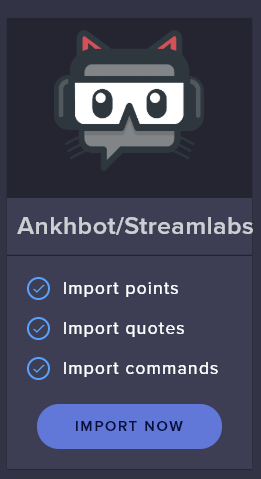
@neat gyro
I tagged the wrong lad 
neat gyro
oo thanks
lament blade
why does an emulated subscription of 11 months fire a twitch prime alert? this is really bugging me.
all day this has been happening
once i disable the prime variation, it fires correctly
lusty dragon
have you made sure your variants are all in place and not stepping each others' toes?
lament blade
thats the prime variation
this is the resub variation. note: there are 9 more from 1-10
i tried putting the prime one after the resubs and vise versa
unless i disable the prime one, when i emulate a resub, it fires the prime one
lusty dragon
Your requirement is 10 on an 11 month variant? 
lament blade
my resub variations are 1-10, 10 being anything from 10 on
lusty dragon
ah
lament blade
i mean, i love the editor, but the emulation could use some work
lament blade
i just dont get how a resub emulation is triggering the prime variation
heres what im emulating
lament blade
no, this is for a friend. im an editor for him
strong kernel
@lament blade When you're not specifying a tier, it defaults to the first option in the menu. Open the menu and take a peek.
Also note that "tier" parameters take priority over "months" parameters.
 summer kestrel
Anyone for stream elements to eval? Like how nightbot can eval java
didn't see anything in the variables page for it
strong kernel
No, there is no eval.
lament blade
@strong kernel me and @abstract hemlock have figured it out for now. it wont work in the emulator but should work as intended when live. thanks for the reply 🙂
strong kernel
Promise you it will, if you properly pick a tier when doing a custom emulation. 🙂
But again, the "tier" variations will always play instead of the "months" variations.
lament blade
see, i tried that also, instead of a resub (which i thought the emulator supported) it just fired a tier 1 sub for x months, not a "resubbed for x amount" one
strong kernel
It does. But you set up tier variations.
And again: tier variations trump months variations.
lament blade
i have 3 tier variations, 1 for each tier
strong kernel
Yes. And those will always play instead of the months variations.
Because they take priority.
lament blade
ok, and live, it should work without the tier variations disabled?
strong kernel
No.
If the tier variations are enabled, then it will play the tier variations, not the months variations
No exceptions.
lament blade
so its literally a "one or the other choice"
strong kernel
Yes, of course. A single variation can't be set with two requirements.
 spark ice
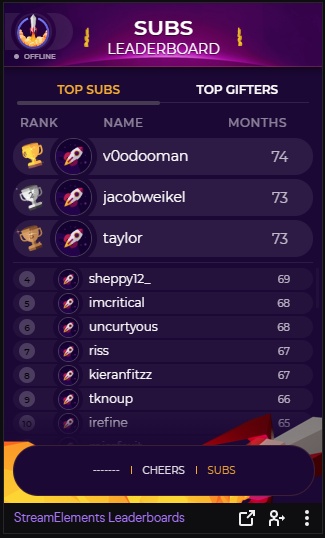
here is my loyalty leaderboard: https://gyazo.com/4c1644b9b8a50b51fceb5fc92280fbd9 ........ but i want it to show the sub leaderboard, and also be able to sort it by cheers/subs/points like this one: https://gyazo.com/d3c1adb8da8bb4d0d5ee2193e329ca10 .... Anyone know how to do this?



 molten galleon
guys, im having this all day, i try to enter obs live, it shows streamelements loading and then white screen. Streamelements is unresponsive for me
strong kernel
@molten galleon Something is preventing the login page from loading, such as a firewall, antivirus program, etc. It's a local issue with your computer.
ionic kelp
@spark ice Known issue that is waiting a "fix".
 dusty crescent
@how do you get Stream elements to work on my Twitch
round brambleBOT
@dusty crescent New to Stream Elements?
Check out our YouTube channel https://www.youtube.com/c/streamelements/videos
with tutorial videos from setting up the basics, to in depth details on how to use our product.
New to OBS? Here is a 4 step quickstart guide
https://obsproject.com/wiki/OBS-Studio-Quickstart
Want to learn even more? Here is an in-depth overview
https://obsproject.com/wiki/OBS-Studio-Overview
dusty crescent
@round bramble How do I add the bot so Streamelements works
How do I add the bot thing to get stream elements to work on my Twitch
spark ice
@ionic kelp how come its working for somme streamers and not others? I dont even see the options. Unless affiliates cant do it, only partners?
 distant kiln
My Tip alerts aren't showing in chat or on stream with my alert box overlay, i don't know whats wrong
ionic kelp
@spark ice Ah. Thought you were talking about the broken profile pics
 rapid siren
lament blade
rapid siren
lament blade
Media request is broken, it doesn't play any song anymore, it always says: please click here to play this on youtube?
abstract hemlock
@lament blade share a screenshot please
lament blade
 prime epoch
I'm not sure if I am typing this in the right channel but I am unable to change my Cloudbot's name to a custom one. I have the account but when I sign into it, the window closes and nothing changes in the "current bot name" box.
 wind citrus
Hi, for the total sub label on overlays, it says 1 more than there actually is, probably because of me. How can I get the number of subs be the ACTUAL number of subs?
round brambleBOT
@wind citrus Due to a recent change from Twitch API, these features are affected by the change:
- Ground Control does not have Custom Bot Name
- Subscriber count will count the Channel and any other permanent sub you may have (+1 or +2 or +3 on top).
We are working on fixing both issues, but there is no ETA.
OBS.Live still has Custom Bot name working fine in it.
prime epoch
Btw for my problem I am using OBS Live.
It still doesn't work even though I am using OBS.Live.
lusty dragon
@dusty crescent Here's a whole playlist to get you started on SE
https://www.youtube.com/watch?v=EpA4eDLMW_I&list=PLCDDKlFdScbH7j6W7OXQQScfFunxed1tP

StreamElements Chat Bot for Twitch and YouTube Live moderates your chat and keeps it clean so that you can focus on what’s important, your stream.
StreamElements Chat bot includes commands, modules, timers and spam filters and is fully integrated with the StreamElements Loya...
round brambleBOT
@twilit hull New to Stream Elements?
Check out our YouTube channel https://www.youtube.com/c/streamelements/videos
with tutorial videos from setting up the basics, to in depth details on how to use our product.
New to OBS? Here is a 4 step quickstart guide
https://obsproject.com/wiki/OBS-Studio-Quickstart
Want to learn even more? Here is an in-depth overview
https://obsproject.com/wiki/OBS-Studio-Overview
 errant wedge
I'm trying to give my viewers extra points, but I'm getting this: %!(EXTRA string=Scardor)
Any idea what I can do about this?
 indigo escarp
Não estou conseguindo ver as lojas da twitch
lusty dragon
@indigo escarp #🇵🇹︱português
 gaunt drift
can sum1 help me
round brambleBOT
@gaunt drift Welcome to the helpdesk! Please let us know how we can assist you today and a support volunteer or staff member will assist you as soon as they are available. Thank you for your patience.
gaunt drift
Well streamelements says that im offline even tho im streaming how can i change that why is it happening
strong kernel
If you're referring to the indicator in the StreamElements dashboard, that is not actually tied to any feature.
strong kernel
If Twitch is showing you as offline, that's not a problem through us.
You'll need to check your OBS settings.
And then if all else fails, contact Twitch.
gaunt drift
i put !UPTIME amd it syas ive been offline for 6 day even tho i streamed today
 wanton shoal
Im using a Display Capture due to one of the games not showing up with a GameCapture on OBS however it isn't capturing my full screen and is cutting a lot of it off
Anyone available to help?
round brambleBOT
@wanton shoal For the best OBS support, please join their Official Discord @ discord.gg/obsproject
wanton shoal
Ahh, thanks!
ionic kelp
@errant wedge What's the exact thing you're using to do it?
 cloud vine
are you having any problems with the alerts? donate and subs alerts are not working
can someone inform me?
round brambleBOT
@cloud vine Please provide your account ID found at the top of this page: https://streamelements.com/dashboard/account/channels This ID is public info and safe to share here.
 mighty shadow
my overlay is in as usual but for some reason on my most recent stream it didn't show up with any of the alerts
round brambleBOT
@mighty shadow Right click on the BrowserSource > Properties > Scroll down a bit > Refresh Cache of current page
mighty shadow
k did it, hopefully it works next time thanks
 mild glade
With streamelement points and the leaderboard, everytime I try to do the command !leaderboard, instead of the link to the leaderboard popping up, all that pops up are 3 stars, can anyone help me with this?
round brambleBOT
@mild glade If links in chat are appearing as ***** either mod the bot or disable block hyperlinks in your twitch channel settings https://dashboard.twitch.tv/settings/moderation
 signal oracle
my OBS wont connect to twitch to stream even though i am connecting my account, if i try with jus the stream key it streams to a beam server and not my channel (i have also tried resetting the key to no luck)
mild glade
ok thank you
 slender yoke
Is SE borked? All of my store SFX keep saying internal error
ionic kelp
@slender yoke How are they being redeemed?
slender yoke
I use a custom SFX, but I've also tried the standard !redeem then command name. I Keep getting error messages. FYI I've used SE for years
I should have said custom command
for example i can use !scream or !redeem scream. I'm live right now but no commands are working
 neon venture
how do I remove streamelements twitch bot from making notifications in chat?
strong kernel
@slender yoke Seems fine to me.
slender yoke
nothing is coming thru thoug
ionic kelp
@neon venture Chat alerts https://streamelements.com/dashboard/bot/modules
slender yoke
and a moment ago it was stating 'netwrok error
 fading parrot
Hi there, I don't think my chat stats are working because I changed my name recently (empty stats on old name, 404 on new name). How would I get them working again, and can I add the chat from the past few days? ty
ionic kelp
@fading parrot Old and new name?
lusty dragon
:V
slender yoke
@strong kernel where did you do that? I'm live and it's not on my chat
fading parrot
old: hazBVGS
new: haz429
lament blade
👍
round brambleBOT
@lament blade Please follow our community rules:
- No advertisement or stream promotion
- Respect ALL server members
- No NSFW/NSFL
Thank you
slender yoke
OMG it was an OBS issue. I hate this new audio for every browser source ugh
 twilit hull
can someone help
round brambleBOT
@twilit hull Welcome to the helpdesk! Please let us know how we can assist you today and a support volunteer or staff member will assist you as soon as they are available. Thank you for your patience.
errant wedge
@ionic kelp I tried !bonus and !editpoints both gave that response
ionic kelp
I mean exactly what you put.
errant wedge
!bonus all 500
twilit hull
ive found a overlay but cant edit the socials or get rid of the face cam area
round brambleBOT
@twilit hull We've released our new Overlay Editor revamp. You can check out the changes and how to work with it here: https://youtu.be/X5VzXjqAsjk
Check out our blog post as well: https://blog.streamelements.com/streamelements-overlay-editor-just-got-even-better-c22cb5b4853e
We are thrilled to announce the launch of the remastered StreamElements Overlay editor!
https://p.strms.net/newoverlayyt
Why StreamElements Overlays are better?
😎 Simple: Load your entier setup using only 1 link
⚡ Fast: Cloud-powered Overlays arrive in real-time, say goodb...
 pale linden
i have a overlay that i want to put in obs but i cant find the lauch button i dont see it
fading parrot
ty for migrating my chat stats, however it only seems to be showing stats from one day last week, when i tested stuff in my channel alone. I've streamed a few times in the past week, is there any way to get the stats from those streams? also, will it track my chat from now on? ty again
ionic kelp
@errant wedge Try !bonusmoses all 500
errant wedge
Hmm same response
strong kernel
@fading parrot There is no way to recover missed streams' chat data.
ionic kelp
Yup
ionic kelp
@errant wedge Gonna have the devs take a look into it. Something might be acting wonky for some reason.
 dry edge
doing !addpoints (!addtickets) in my case to all is returning '%!(EXTRA string=SuperPenguinTV)' instead of actually giving tickets to everyone
strong kernel
See the message immediately above yours.
round brambleBOT
@peak cove Go to the dashboard -> right side -> part channel -> join channel (https://streamelements.com/dashboard)
 peak cove
someone help me pls
is that why they are not getting the signing bonus?
someone to talk to me please
abstract hemlock
@peak cove you already check the procedure that the bot said?
 onyx orbit
ok, any stream elements staff on that can help me delete an account
strong kernel
If it's because you're getting "channel is already claimed" and you're trying to merge channels together, deleting isn't needed.
onyx orbit
nope, just have 2 accts by accident and want to clean up my dashboard
peak cove
@abstract hemlock if I don't press this button, it doesn't send commands in the chat, right?
strong kernel
@onyx orbit What do you mean? Are you saying you have two channels listed in the dropdown in the top left?
@onyx orbit Please keep all correspondence in the public channels. Thank you.
peak cove
@abstract hemlock I entered, the problem is that whoever is signing up does not receive the bonus I set
onyx orbit
yes 2 accts and only use one and chatbots and stuff are linked all over, its just easier to kill it. just need my original username to kill it please . I did this a few months ago and it was never deleted
[9:47 PM]
lol, looks like weve been here before!
round brambleBOT
@onyx orbit There is no easy way to unlink 2 owner type accounts from each other. The only way is to make a closure request from here: https://streamelements.com/dashboard/account/security
WARNING: In submitting a closure request you will delete both linked accounts and loose all data from both accounts. This includes overlays, custom commands, timers and past data(tips, subs, etc). You can still relogin with the deleted account, but you are essentially starting fresh.
onyx orbit
yup have that open but it wont take my username as ive changed it in the past
onyx orbit
no idea my friend, if i knew that this would be over
strong kernel
We don't have a record of past usernames.
And the one good place to look that up was taken down by Twitch.
onyx orbit
so how does one get this taken care of
its actually youtube linked now that i look closer
peak cove
@strong kernel if the person signs up as a gift, does he earn points in the store?
strong kernel
The gifter receives points, not the giftee.
peak cove
certo
all right
@strong kernel streamelements have a mod in the channel for the person to receive the point?
the person has not yet received the bonus points :((
strong kernel
Again: The person who is gifted the sub does not receive the points. The person who gave the gift is the one who receives it.
peak cove
yes, he gave the gift and did not receive
strong kernel
Nobody gets points in the case of an anonymous gift.
lament blade
What happend?
strong kernel
@lament blade Known issue.
lament blade
ok thanks 🙂
peak cove
it was not anonymous
strong kernel
lament blade
LOL
abstract hemlock
@lament blade check your DMs please
peak cove
lol
wait ,pls
@strong kernel are the points updated every 10 minutes? I am receiving messages that are not receiving
strong kernel
Yes.
peak cove
"You have 2,600 SPRAY POINTS" 20 minutes have passed and nothing @strong kernel
@strong kernel I still have 2600 points
 lofty topaz
How do I change the name of the bot I've completely setup all the configurations of SE and followed the steps to get the option to show up but still I'm not seeing it.
round brambleBOT
@lofty topaz Currently renaming the bot fully works with OBS.Live.
You can follow this video guide to set it up: https://discordapp.com/channels/141203863863558144/494513233416421386/561516184718278676
If you don't want to use OBS.Live and want to stick with Ground Control, please let us know your Twitch username.
lofty topaz
Oh I see well that was easy thank you
 dusty grail
so why wont bot allow me to !addpoints all 5000
its %!(EXTRA string=LinkTTV_) giving me this
strong kernel
@dusty grail Known issue.
dusty grail
which i used to do this command all the time
 earnest lagoon
hello guys im setting my loyalty system in streamelements and I would like to know if it is possible to create a command to transfer my points to another viewer, for example:
me (as a viewers, not streamer): !transfer @viewer 1000
viewer: receives 1000 points
 coral python
How to connect Instagram to your url
peak cove
@strong kernel do you know why the points don't come from watching live?
i have 2600 spray points
someone?
lament blade
anyone been having issues with the ${random.chatter} variable on twitch? I Have treid 2 seperate streams and just get <no chatters> for a response thanks for the help
lusty dragon
@lament blade that's a known issue. The devs are aware but no ETA on a fix
earnest lagoon
hello guys im setting my loyalty system in streamelements and I would like to know if it is possible to create a command to transfer my points to another viewer, for example:
me (as a viewers, not streamer): !transfer @viewer 1000
viewer: receives 1000 pointss
lament blade
@lusty dragon wonderful thank you, I will ignore it. I was going crazy thinking it was my making a mistake with it
lusty dragon
@earnest lagoon not as far as I'm aware, but you can give points directly to a viewer with the proper role clearance
@lethal vault I believe the streamer has to add it initially then allow you as an account moderator
earnest lagoon
@lusty dragon i see i was trying to create more interaction between mt viewrs
lament blade
@lethal vault have him go to https://nightbot.tv/ and sign upi and go from there
lusty dragon
@lethal vault Have him go to nightbot.tv, hit login, allow the bot, click his avatar at the top, click settings, add moderator should be the first thing he sees. He can add you
 lethal vault
ill try
peak cove
@lusty dragon do you know why this is happening?
lament blade
streamemelents is better than nightbot anyways in my opinion
lusty dragon
No idea @peak cove sorry - that's out of my knowledge base
lusty dragon
I don't really touch the points system, I don't know much of how it works. Aside from what you were told earlier, I can't offer anything more myself
peak cove
i understand
abstract hemlock
@peak cove try this: disable your loyalty points and enable it again
lusty dragon
The prodigal dad returns 
peak cove
@abstract hemlock where I disable?
abstract hemlock
peak cove
ok
earnest lagoon
how do I give points to all my viewers?
abstract hemlock
@earnest lagoon You could use !addpoints all XX but right now there is a know issue with that command
earnest lagoon
what about !editpoints all XX?
!addpoints all XX
this one I tried today and it didnt work '-'
abstract hemlock
there is a know issue, our dev team is working on it, no ETA
 bleak python
ok quick question, im a fledgling streamer on twitch with obs now here, how do i use a overlay while im live streaming ? for instance i have to step away and i want to put up a animated Be Right Back overlay briefly..how do i do that
while live and all
@everyone
round brambleBOT
@bleak python To add your overlays to OBS, add a new browser source in your scene. Paste your overlay URL in the browser source properties, set the dimensions to 1920x1080 (unless you changed them on the website), and ☑ “Shutdown source when not visible” https://youtu.be/KDvLynUqXI4
bleak python
thanks
 rigid yacht
Hola
lusty dragon

rigid yacht
Español?
lusty dragon
@rigid yacht
no sin el traductor de Google
abstract hemlock
@rigid yacht we try to keep this channels in english, please use #🇪🇸︱español
rigid yacht
Ok
 open nacelle
i need help
viscid pebbleBOT
Hi @open nacelle, Please ask your question(s) or describe the problem you're looking to solve so staff or a support volunteer can assist you as soon as they are available.
open nacelle
I finished my broadcast now and my viewers informed me that nobody won the loyalty points, I want to know what is happening because now I will be charged for them, my command "addpoints all" does not work what do I do?
lament blade
On my slap, hug, and any random viewer commands it says "<no chatters>" where the random would be. I know my variables are right because they've always worked
 astral hearth
people aren't getting there points for watching the stream every 10 minutes
 mystic geyser
What's the command to give my entire chat points. I feel like i'm not entering it correctly
 sick hull
There is a bug right now, its not working.
mystic geyser
the point accumulation? or give all? or both
open nacelle
both
mystic geyser
thank you.
 real sky
UNA Pregunta
Aparte de que no esta dando puntos a espectadores
Como funciona el comando de addpoints?
Estoy queriendo dar pts a espectadores y me sale error
lusty dragon
@real sky #🇪🇸︱español
 mild ridge
Quick lame question what is the recommend width and height for a alert box so that the images and text aren't cutoff?
real sky
Points are not being awarded to spectators and I cannot give points for "all"
Is the bot failing?
zenith widget
There is an issue and we are working on it.
zenith widget
@mild ridge the image size + extra on top
 winter briar
hello everyone..i am having trouble with the streamelements loyalty points.
the issue i am having is nobody is getting points
does anyone know how to fix this?
mild ridge
Nope it's still far right the giphy.
winter briar
ok thank you
also not sure if they know but the !addpoints all is not working either
 little oak
Yes!
winter briar
ok ty
mild ridge
It's like I used the wrong numbers and it cut off the alert image/text.