#helpdesk-twitch
1 messages · Page 651 of 1
 wispy current
 abstract hemlock
@wispy current most likely you need to upgrade your obs
 tulip cloak
I don't see SE Pay as an option. Any help?
 round brambleBOT
@tulip cloak SE.PAY is available for streamers who are atleast 18 years old, with bank account under their name in one of the following countries and have at least 101 Follower (Twitch) / 101 Subscribers (Youtube):
Austria, Belgium, Czech Republic, Denmark, Finland, France, Germany, Ireland , Italy, Netherlands, Poland, Portugal, Slovakia, Spain, Sweden, Switzerland, United Kingdom, United States.
If you meet these criteria and don’t see SE.Pay, let us know.
For information on SE.Pay payment methods, their fees, and settlement times see https://streamelements.com/dashboard/tipping/fees.
tulip cloak
Dang
wispy current
mmk. its just that my alert sounds wont go off if i use a newer version of obs. guess its not a huge problem. thanks
 tepid forge
hi guys new here i added some alerts from streamelements and did everything correctly yet while i test my follower alert only a small part of the alert shows
in my obs
round brambleBOT
@tepid forge To add your overlays to OBS, add a new browser source in your scene. Paste your overlay URL in the browser source properties, set the dimensions to 1920x1080 (unless you changed them on the website), and ☑ “Shutdown source when not visible” https://youtu.be/KDvLynUqXI4
abstract hemlock
check dimensions
 lament blade
hi i need some help
 tepid arrow
hi my twitch live stream is going live perfectly to my dashboard and stream manager and even live to pc and tv appss but no showing at all on mobile devices. is there a way i can fix this?
 oak ore
anyone else getting dropped frames constantly in their stats?
round brambleBOT
@oak ore Please provide a log from your last stream. To do this, in OBS go to Help > Log Files > Upload Last Log File and paste the link to the log file here.
abstract hemlock
@tepid arrow probably is something related with twitch app itself not with StreamElements
 fossil zodiac
Can I make some system to give my mod permision to start bets since chat ?
tepid arrow
@abstract hemlock i was hoping so but i can host others and view my stream via mobile app
abstract hemlock
@oak ore check this link : https://obsproject.com/analyzer/?url=https://obsproject.com/logs/SHGJoFnvFGbxGORT
tepid arrow
i cant view my videos of the last few days via mobile but can be seen just fine on pc or twitch tv apps
oak ore
i was afraid it was my internet, a lot of streamers have issues with their ISP's
tepid arrow
@oak ore Info No Output Session
Your log contains no recording or streaming session. Results of this log analysis are limited. Please post a link to a clean log file.
To make a clean log file, please follow these steps:
- Restart OBS.
- Start your stream/recording for about 30 seconds. Make sure you replicate any issues as best you can, which means having any games/apps open and captured, etc.
- Stop your stream/recording.
- Select Help > Log Files > Upload Current Log File. Send that link via this troubleshooting tool or whichever support chat you are using.
told me this
 fierce trail
My live announcements do not work in my chat when I go live
oak ore
@tepid arrow i'm actually doing a stream right showing people how to troubleshoot OBS issues. When i upload my current log files i reports a Warning: High Audio Buffering
 signal ravine
hello, got a question. is there a soundboard for the bot? As in I wanna trigger sounds as a command in chat.
abstract hemlock
@signal ravine you can add some items as a sound effect
and redeem those using !redeem ITEM
signal ravine
thanks 👍
fierce trail
What to do if my stream Live announcements does not work
abstract hemlock
Check if your twitter is connected, disconect it and connect it again
lament blade
how would I got about making a command only available to mods, using a chat command?
round brambleBOT
@lament blade You can make changes to custom commands in chat with !command add/remove/edit/options/show Valid flags for !cmd options are: -enable -disable -cd (number) -usercd (number) -cost (number) -level (number) -type (say, whisper or reply) -count (number). --- Example: !cmd options twitter -usercd 60 -type reply -level 250
 raw bison
I was streaming with no problem and my cpu was only at like 20% while streaming fortnite. but now its risen to 50% or even more! i have no idea why but can anyone help? i have a gtx 1050 , r7 2700x (i know its a bottleneck but this just started happening) 16gb 3000mhz ram
 edgy helm
the website wont load for me
 dense epoch
does streamelements have an eval command?
 ruby temple
does anyone know how to add personal points to your stream?
 deep yew
Twitch gifted subs not coming through to SE. Viewers seeing withdrawal from their account so it looks like it's not on an issue with Twitch processing the transaction
 merry laurel
hey
i keep changing the alert image but it stays at the shark
only for one variation
the others are fine
 nocturne dragon
Sorry but I'm new to twitch and StreamElements. Does any of you know why the Latest Subscriber doesn't show up when using the "Labels" element in StreamElements? It seems to be working fine with tips portion.
deep yew
Gifted subs just came through, looks like things are working now
nocturne dragon
Ah ok I'll test it out again then. Thank you.
I can confirm that it's working. Thank you.
 scenic nova
Hi there is anybody having trouble with the custom bot name in OBS.live being logged out after streaming for 4 hours. This seems to happen every day in the stream I mod
also I just noticed i should probably ask in the obs.live channel
round brambleBOT
@lament blade If you would like help from the StreamElements support volunteers/staff please post your question in one of the helpdesk channels and someone will assist you as soon as they are available
#helpdesk-twitch | #helpdesk-youtube | #helpdesk-facebook | #helpdesk-mobile | #helpdesk-selive | #651453660810838026 | #helpdesk-merch
Thank you for being patient.
 zenith widget
Maybe I cannot, because i don't know your question or issue
round brambleBOT
@rigid geode The default resolution for StreamElements overlays (theme and custom) is 1920x1080. Please add them in OBS at their full resolution and use CTRL+F to fit to screen if necessary. You can then downscale your stream in OBS settings > Video if you'd like https://i.imgur.com/6bWXxjR.png

 rigid geode
Now it looks like this
Would u know why?
Not trying to be annoying just wondering if anyone saw this??
round brambleBOT
@rigid geode Please provide a proper screenshot with the issue visible. If not sure how to take a screenshot, you can check here: https://www.take-a-screenshot.org/
rigid geode
I figured it out thank you
 north pulsar
quick question, why is the alerta box having only 1 sound? i have selected 1 for followers and 1 for subs
yet the las one chosen overridden the follower one
 chrome folio
quick question, why is the alerta box having only 1 sound? i have selected 1 for followers and 1 for subs
@north pulsar you can select different sounds, images, ... to show/play on each alert
north pulsar
yeah, there's a bug with the edit system
you can get all your alertes syncronized and you have to reload a few times to fix it
the issue is that if you set a follower sound will be applied on all other alerts and even variants
than if you go on to let's say subs that will do the same if you change it
 frozen topaz
how do i change the name of my stream
north pulsar
at the twitch settings
north pulsar
go to creator dashboard
chrome folio
how do i change the name of my stream
@frozen topaz https://www.twitch.tv/logins/new
north pulsar
or to your channel you will see an edit button
well yeah but we know that all follow a basic layout
rigid geode
How do I have remote play showing but also have alerts showing. I created a overlay for the alerts but it doesn’t show overlay the remote play screen in obs
zenith widget
@north pulsar I'm not able to reproduce the audio issue you are referring to, in your overlay editor.
north pulsar
well might have been a seen once issue, i was thinking might be me and i ticked a box that changes sounds to a default
chrome folio
@frozen topaz when you change your stream name profile you can update on SE too, so, if now you have a profile on SE (StreamElements) with a lot of data and you want to use/view it on your new profile, inform Staff (in this chat) so they can correct your old name for the new name.
but this is not required to update, only if you want to take advantage of the data from the old profile in the new one.
How do I have remote play showing but also have alerts showing. I created a overlay for the alerts but it doesn’t show overlay the remote play screen in obs
@rigid geode is this option enabled?
rigid geode
Yes
chrome folio
Yes
@rigid geode what live streaming app are you using?
rigid geode
Twitch
 vestal prism
hi guys, i have a strange problem. I got a twitch prime sub this morning and it's not showing up in streamelements alerts, or on my dashboard. it's also not showing up in the twitch activity pane. however, i got curious and opened up xsplit and presto...it was in the activity log there.
i've tried to go through it with a fine toothed comb, but is it possible that i'm missing a setting somewhere that would cause it to not show up in SE/twitch activity?
 hardy salmon
When someone has a minute, can they please enable custom bot naming for the channel steve_the_enforcer please?
round brambleBOT
@vestal prism Twitch prime (new and resub) and paid subscriptions (resub only) must be shared in chat manually by the person subscribing in order for the subscription information to be sent to StreamElements. For twitch prime, the user needs to have sharing enabled on https://www.twitch.tv/settings/prime. For paid subs, if the share box doesn't show up immediately it will when they refresh the page. https://i.imgur.com/VNJN0Uv.gif https://i.imgur.com/2297EA7.png

 chrome folio
Twitch
@rigid geode right, you are streaming on Twitch using OBS... when do you open the overlay link on internet browser and emulate it... it works?
zenith widget
@hardy salmon done
rigid geode
Yes
But when I have my romote play on it plays the alert but doesn’t show up bc it’s behind the game picture
If that makes sense
vestal prism
the alert has to be "above" the game picture in the scene order?
chrome folio
the alert has to be "above" the game picture in the scene order?
@vestal prism if you want to see an image/message, yes, it is necessary to be above...
but if you don't want and only the sound configured is fine... there is no problem 😄
 fluid galleon
Hi, would it be possible to get a text confirmation or something else in the chat if someone uses !join or one of the alternatives to join a raffle / sraffle? Kind regards Oliver
chrome folio
Hi, would it be possible to get a text confirmation or something else in the chat if someone uses !join or one of the alternatives to join a raffle / sraffle? Kind regards Oliver
@fluid galleon there are an ideia posted here #💭︱feedback-and-ideas > https://discordapp.com/channels/141203863863558144/291555823346384897/500018143050334208 and you can vote or send a new post with your idea.
zenith widget
There isn't a default response to the raffle joining.
 shadow moon
Hello Team
Can we download overlays to desktop
Cuz I want to use some overlays on my twitchstudio backgorund in offline mode
 wary halo
Downloading StreamElements assets is against TOS
shadow moon
or have you any way to setup this overlays to use in offlane on twitch studio
 ionic kelp
No. Our overlays are only meant for usage when you're live.
shadow moon
I want a same style as offline mode
to keep the same concept
Also how we change the tip money icon
I want to use TRY not dolar sign
but cant find it...
 real canyon
Is there a way to troubleshoot timers? I added a few, but despite time elapsed and chatlines, they didn't popup.
wary halo
Also how we change the tip money icon
@shadow moon probably in one of the CSS or JS lines, but if you don't know how that works i would ask that in #dev-chat
if it's even possible in those overlays
 serene vine
Hi! I am having trouble getting my StreamElements leaderboard to load up. twitch.tv/nivvpix I've got the extension installed and it's in my panels. Thanks for the help!
shadow moon
@wary halo There is not any guide to change the money icon.If you have a guid please let me know it 🙂
wary halo
there is no guide for that
 runic sigil
How to I add the gif thing when someone donates
wary halo
you can do that in the alertbox widget

Learn how to customize your alerts and setup different alerts variations with StreamElements Alertbox
Overlay Manager guide: https://youtu.be/X7XrDdRE7Fk
Add HypeCup to your Stream: https://www.youtube.com/watch?v=8LVRd2X4HvU
Got any questions, or just want to say "Hey"...
 marsh geode
I have youtube connected and twitch connetced to streamelements. However, I have twitch account for a stream. I go to settings, stream...connect my account. When I hit,"Star Streaming", the youtube live dash comes up. How do you get streamelements to twitch?
round brambleBOT
@marsh geode Streamelements on top of OBS -> Logout -> login
marsh geode
streamelements on top of obs?
 sweet socket
Yes in the screen of your obs
On the top there are menus
Click the StreamElements menu
marsh geode
I am in streamelements already.
wait gotchya, the stramelements on top
I did that, and set up twitch and hit start streaming and can't see anything. Am I missing a step?
 waxen current
hey, Streamelements overlay stopped working for a few days now. I cant seem to fix it. I use Game Capture HD with ElgatoHD60S on Mac
If I use streamlabs the overlay works but I cant get my capture card showing up there
round brambleBOT
@waxen current If you are having issues with Elgato hardware or software, we recommend reaching out to their support here: https://e.lga.to/help
 empty plover
I have a question about the media request overlay
wary halo
and what is that question? 😛
empty plover
I have 2 options. Show on stream and dont show on stream. When i set it to shop on stream, the audio plays from the overlay and the media request control panel so the audio doubles
wary halo
mute the browser tab
empty plover
what browser tab?
empty plover
the obs live build in media request panel
wary halo
(because some people use the one on the website) 😛
empty plover
and theres only an option to turn the audio down but it still comes from 2 sources
 frigid sluice
 edgy maple
How do i change the streamelements ChatBot name?
round brambleBOT
@edgy maple Currently renaming the bot fully works with OBS.Live.
You can follow this video guide to set it up: https://discordapp.com/channels/141203863863558144/494513233416421386/561516184718278676
If you don't want to use OBS.Live and want to stick with Ground Control, please let us know your Twitch username.
edgy maple
LieutLukas and i dont use obs.live cause last time i tried it frames where always droping and even knowing sound was working good the image was just stuck on place
zenith widget
done, restart GC
 alpine badger
Omg I need help! hopew this is the right channel. I am setting up my alerts in stream elements and I want a different sound for followers and subs. I set up the follow gif and sound, then go to set the subscriber one to a different gif and sound but when I test the follow and subscriber alerts in the emulater the follower alert sound has changed to be the exact same as the subscribe sound even though I set it as something different! how do i stop them from both being the exact same sound even when i attempt to set them as different sounds?
lament blade
I’m trying to play music on Xbox, how do I do that
zenith widget
@alpine badger i see that the same sound is set to both the sub and follower alert.
@lament blade not in an easy way
round brambleBOT
@lament blade Consoles do not have native support for overlays. You would need a capture card and a PC with OBS in order to have Overlays over your console gameplay.
We have an blog post about how to setup console streaming with our essential tools: https://blog.streamelements.com/how-to-stream-on-console-7b620b1c46c3
lament blade
Can I make a overlay? Or what can I do on Xbox?
alpine badger
@zenith widget correct but I will set the follower sound, then navigate to the subscriber alert settings and it shows my follower sound as the chosen sound, I change it then navigate back to the follower alert settings and that has changed to be the same as the subscriber sound. Does that make sense? I want the 2 alerts sounds to be different, but streamelements is auto changing them to be the same. How do i fix it?
ionic kelp
You can only use our bot with chat interactions. Anything else requires a PC to stream on.
zenith widget
@alpine badger yea i reproduced this with a fresh overlay. save the overlay, reload the editor and then start editing.
alpine badger
@zenith widget Thank so much! I'm just going to be extra careful and save after every change hahah
round brambleBOT
@lament blade New to Stream Elements?
Check out our YouTube channel https://www.youtube.com/c/streamelements/videos
with tutorial videos from setting up the basics, to in depth details on how to use our product.
New to OBS? Here is a 4 step quickstart guide
https://obsproject.com/wiki/OBS-Studio-Quickstart
Want to learn even more? Here is an in-depth overview
https://obsproject.com/wiki/OBS-Studio-Overview
 viral cloak
Hi, I'm looking to see if it's possible to have a sound effect trigger when a user joins chat, but I'm not seeing anything that looks like the answer. RegEx got my attention as a possible solution but I haven't got a clue how to use it.
zenith widget
We don't have any tool/feature that notifies you or detects specifically when someone joins your chat.
viral cloak
Is there any way for a command to trigger off someone's username? (without the name being mentioned in chat as a keyword)
 tepid fern
How can you use a command and see people’s watch time?
viral cloak
Alright, no worries. Thank you very much for your help though!
tepid fern
Is it a custom command? Or default
 weary swallow
hi, when i go live streamelements doesnt notify everyone anymore, and when i look it up on my dashboard it sais im offline
 robust gyro
Hi I just tried to go live but my capture card can't see my ps4, any help please?
 warped rover
is there anyway to stream using stream elements through a ps4 without a capture card
 nimble owl
Hello =)
Can some 1 help me out.
I have troubles with the stream Store
round brambleBOT
@warped rover Consoles do not have native support for overlays. You would need a capture card and a PC with OBS in order to have Overlays over your console gameplay.
We have an blog post about how to setup console streaming with our essential tools: https://blog.streamelements.com/how-to-stream-on-console-7b620b1c46c3
nimble owl
I have a video thats supose to play once redeemed. But I only hear the sound
real canyon
Hmm... yup, something is wrong with my bot timers. Despite plenty of chat and time, none of the timers triggered.
nimble owl
@real canyon had the same problem. I dont use timers anymore
3 years ago this #helpdesk-twitch was so active o.o look at it now its dying dude 
what does youre capture card and youre ps4 have to do with streamelements dude xD
wary halo
3 years ago this #helpdesk-twitch was so active o.o look at it now its dying dude
@nimble owlwhat are you even talking about man? this server has over 100k people now
@robust gyro always fire up the ps4 before starting OBS
nimble owl
i mean support came instant. now day I literly have to ask 3 times on 3 difrent days to get an answer 
 remote sentinel
Is it possible to have a chat command trigger something on the overlay?
I'm getting ready to do some boss runs in games, and I'd like to have the boss list display on screen when called and then disappear after sometime.
wary halo
i mean support came instant. now day I literly have to ask 3 times on 3 difrent days to get an answer
@nimble owl if there are 10 times more users in different channels but not 10 times more support members, yeah it can take a bit longer 😉
nimble owl
well do you have any suggestions since youre here about my problem?
wary halo
if you test it in the editor, does the vid show there?
nimble owl
oh sry wait
yea but its just a picture instead of a video
it used to work like a month ago
wary halo
🤔 that's weird
i would suggest to delete the item from the store and add it again, then see if it work as intended. if not, i will send it around internally.
sometimes items bug out for unclear reasons
nimble owl
i tried that already 
wary halo

nimble owl
dont be sad ❤️
wary halo
okay, i'll ask around internally if anyone has ideas about it
nimble owl
ok 
wary halo
can you try 1 thing for me:
round brambleBOT
@nimble owl OBS -> settings -> advanced -> scroll down -> enable/disable hardware accel.
https://i.imgur.com/ggMe9ZE.png
 wary halo

nimble owl

wary halo
have a nice day! 😄
nimble owl
wait o oh

 nimble owl
okey if I restart OBS only the first redeem works with video.
if I redeem something after that only the sound plays
round brambleBOT
@nimble owl Right click on the BrowserSource > Properties > Scroll down a bit > Refresh Cache of current page
wary halo
do that for the one with the store redemption widget on it
nimble owl
ok il try onu momento 
ok so this cache thingy is just like restaring obs.
it works 1 time and after that redeems only play the sound
wary halo
okay, i will send it around, that is weird
nimble owl
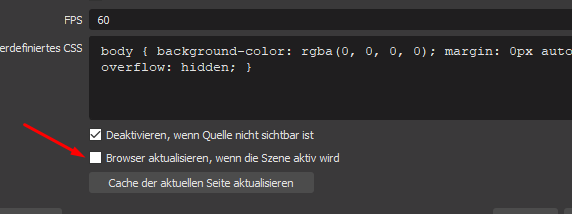
maby this does the trick
when I enable this
but that would mean that I would have to switch scenes every time after 1 redeem  i cant do that
wary halo
yes exactly, that shouldn't be the solution
we're going to take a look at it. but it's the weekend 😦
so might be a while
nimble owl
all good. Can you like DM me or email me once you have the solution?
round brambleBOT
Our Dashboard and Overlay editor are Chromium Optimized. We strongly recommend using Chrome. Opera GX and the new Microsoft Edge Chromium might work closest to Chrome as its also Chromium built. FireFox also works, but some things might look a bit different or not work. We do not recommend using Internet Explorer with our Dashboard as it does not support functions.
If the website doesn’t work on chrome, be sure none of your plugins are blocking our website or clear your cookies. You can try if the website works in a incognito tab.
 dry parcel
Hi,
I went to update my alert box and now all my sounds are the same for follow/sub/raid/dono etc
ive tried deleting and re adding the alert box even doing anew overlay and still happening
round brambleBOT
@flint orbit We're not able to troubleshoot issues with using our overlays in StreamLabs OBS (SLOBS) as we don't have the tools to support their software. We recommend using OBS Studio or OBS Studio with our plugin OBS.Live.
 flint orbit
oh 😦
wary halo
@dry parcel there is an issue with that at the moment, try this: make a new alertbox > add one sound to an alert > save the overlay > refresh the editor (website) > then make the rest
that should be working
 lavish compass
Hello, is it possibal to add different alerts? I try with new overlay but when emolte i can hear both of them
wary halo
what do you mean with 'both of them' ?
do you have multiple alertbox widgets in one overlay?
 weak delta
Whoa whoa whoa. @wary halo That is a confirmed issue now?
Should alerts not be updated until is fixed, or? Because let's say there are like 100 of them.
And you didn't want 100 alerts to be overwritten.
 fathom plover
Hi. I have a kinda weird problem that ive been trying to troubleshoot for a few days ago. ive been streaming for 4 yrs now . used obs, then streamlabs and now made the swap to stream elements but ive had problem after problem since doing the swap. i have amazing internet and have maybe only dropped stream a few times in my 4 years . now with u guys , everytime i stream my main game which is world of warcraft it will crash after a couple hours then reconnect but any other game seems to be fine. is there maybe some sorta compatibility issue? in my troubleshoot i found out spotify sometimes causes a problem for ppl so i stopped playing that in my streams. just hoping to find a solution here cause i honestly cant keep a program that crashes only while playing the game ive built my community around. any advice would be awesome. also ive done things in the obs to limit the cpu any alerts and stuff do. im guessing elements may be a lil more cpu intensive .
wary halo
Whoa whoa whoa. @wary halo That is a confirmed issue now?
@weak delta yes this has been confirmed this morning to us
devs are going to look in to it
weak delta
Oh, ok. I am going to go ahead and create backups ASAP. Thank you.
lavish compass
@wary halo no, i crated 2 diferent ovelays and i want 2 diferent alerts but when I emolat 1 follow i can hear the sound from both alers but is only 1 animation
wary halo
if you are having 2 follow alerts in different alertboxes they are both going to play
unless you 'hide' on of the alertboxes or disable the follower alert in one of them
 native kraken
Help pls, I copy and paste the new overlay URL, in the obs, but the changes don't save. Yes I've saved the changes in the editor
wary halo
@fathom plover OBS.Live is just a plugin with the Activity feed and Media Request for OBS Studio
lavish compass
And then is possibal to have 2 scenes in obs with 2 different alerts?
wary halo
might be best to ask the guys in the OBS server @fathom plover
round brambleBOT
For the best OBS support, please join their Official Discord @ discord.gg/obsproject
fathom plover
it runs fine with just my simple obs but ok thanks for the recommendation anyways
weak delta
I've used up to 8 alert boxes for one event to have 8 effects @lavish compass
wary halo
And then is possibal to have 2 scenes in obs with 2 different alerts?
@lavish compass if you have the 'shutdown when not visible' active on them, yes
lavish compass
I see so on website will always play both when I emolat and in obs i have to shutdown when to use and will show and hear only one, right?
@weak delta how you did that? 😁
native kraken
Help pls, I copy and paste the new overlay URL, in the obs, but the changes don't save. Yes I've saved the changes in the editor.
weak delta
@lavish compass multiple alert box widgets in one overlay, they're independent.
Disable the events you don't want to play in the duplicates.
Modify the ones you do.
When an event is triggered, all alerts boxes with an enabled response will activate.
So
Followers:
Alert box 1 = sound and gif
Alert box 2 = gif, no sound
Somebody follows, it'll show two gif and play one sound.
The editor was filled with alert boxes and it worked every time.
lavish compass
Thx man, this rlly help me!
But if you want to do follow alert with 2 different sounds how you do it?
weak delta
Same way except have a sound in alert box 2.
But you need to make sure you DISABLE all other alerts INCLUDING their variations that you're not intending to have multiple effects.
Not in your main alert box widget but the additional ones.
Two independent alert box widgets with different settings configured for events.
lavish compass
👍👍
 low plover
how often does the top tip label update because im testing it out and its not changing?
 tropic swan
hi there, how do I set my event list to not always show?
 plucky crystal
I set up my Tiltify donation alert in overlays but it isn't working - is there something I'm missing? Have it set as browser source, etc in OBS
 dry hare
@plucky crystal did you select the campaign from the widget settings?
low plover
how often does the top tip label update because im testing it out and its not changing?
dry hare
It changes based on the tip notifications. I’m unsure if it changes when testing via editor
 jaunty ether
my chat tab on stream elements isnt connecting and it sais error loading data
remote sentinel
Is it possible to have a chat command trigger something on the overlay?
I'm getting ready to do some boss runs in games, and I'd like to have a list show up on screen of bosses that have been defeated/still alive based on a user command in chat.
 errant crest
my mediashare plays twice, any tips on how to fix that?
 rustic quiver
How do I get a smaller space between the "username" and "just subscribed" in Custom CSS??
(I'm using CSS because, using default the pic I'm using is OVERLY HUGE)
lament blade
Hello i have an issue with my Donation Goals i got a total of 125 € from 500 € and it shows over 700 € and i cant reset it
Any idea how to fix when i'm livestreaming there is a red square
low plover
how do i change what the text says
 burnt jetty
my watchtime
is not working
 carmine shoal
How do i put the bot working, i write the commands but the bot doesn´t work
carmine shoal
ty
round brambleBOT
@burnt jetty 10 minutes of watchtime are given to those in chat when the loyalty points are handed out (every 10 minutes). Therefore, loyalty must be enabled for watchtime to work properly.
There is no direct link between watchtime and all-time points.
It can’t be calculated from the amount of all-time points a user has because subs may earn points at a faster rate and !bonus all command increases all-time points for users in chat at that time.
Giving points to a single user does NOT affect all-time, only when giving to all in chat.
lament blade
how to get edit
 prisma relic
i don't understand. please give as much information as possible.
do you want to know how to give someone an editor role in Twitch?
 sharp apex
I added in a tip panel but it has now disappeared
wary halo
on your twitch page?
sharp apex
Yes
sharp apex
Thanks
 odd temple
 dusk rampart
Hi! Since yesterday after i deleted my twitch account in my streamelements, i have created a new account and now i dont have any activity feed. not updating at all
 mental girder
Is there any chance to get a Youtube Live Sub Counter on SE OBS ?
wary halo
@mental girder let's hop in to #dreamteam 😉
lament blade
I cannot connect my remote play to a window capture can someone help me please?
dusk rampart
i did remove streamelements connection from my twitch acount, deleted twitch from streamelements again, created a new twitch account in streamelements and still don't get activity feeds
so when someone follow or anything else, alerts don't show and i don't get anything
and streamelements even don't see that i'm online in twitch
lament blade
I lost my 'tip' link, where can i find it back? 🙂
wary halo

StreamElements
The Ultimate All in One Platform for Streamers
lament blade
so sorry, found it! Thank you very much! 😄
low plover
is there away to save an animated overlay and have the text still there cuz I only seem to get the background
 stark citrus
hey how's it going
I just changed my twitch name and the chatstats page no longer works for the new name. is there a fix for this?
I don't mind if the page has to start over completely
round brambleBOT
@stark citrus If you changed your name on Twitch please follow these steps:
🔹 Visit https://streamelements.com/logout and then log in again with by connecting with Twitch.
🔹 On the right side of the dashboard page that opens, select "Join" under bot settings. If it says "Part" select that and then select "Join" to send the bot to the chat. Don't forget to mod the bot by typing /mod streamelements in your channel if you have not already.
🔹 Post your new name here so that we can update your channel's chatstats tracking (must be done by staff).
stark citrus
Cool, everything is done except for the last part.
wary halo
old and new name please
 wintry lynx
Hey is there a way to get media shares to play on your monitor to watch?
instead of watching it through your stream?
much love ❤️
 sage coral
how do you setup a custom chatbot name?
round brambleBOT
@sage coral Currently renaming the bot fully works with OBS.Live.
You can follow this video guide to set it up: https://discordapp.com/channels/141203863863558144/494513233416421386/561516184718278676
If you don't want to use OBS.Live and want to stick with Ground Control, please let us know your Twitch username.
 warm rock
What do I do with a url when I want to add an overlay to my stream
round brambleBOT
@warm rock To add your overlays to OBS, add a new browser source in your scene. Paste your overlay URL in the browser source properties, set the dimensions to 1920x1080 (unless you changed them on the website), and ☑ “Shutdown source when not visible” https://youtu.be/KDvLynUqXI4
warm rock
What if I’m on PS4
wary halo
then you don't 😛
round brambleBOT
@warm rock Consoles do not have native support for overlays. You would need a capture card and a PC with OBS in order to have Overlays over your console gameplay.
We have an blog post about how to setup console streaming with our essential tools: https://blog.streamelements.com/how-to-stream-on-console-7b620b1c46c3
lament blade
how do i add a donation goal?
 analog willow
Hey guys, why cant i see the hosts on my activity feed?
round brambleBOT
@analog willow Due to changes to Twitch API, we have filtered out hosts and will only show these ones on your activity feed:
- All hosts coming from an online channel with at least 1+ viewer
- Auto host events with at least 1 viewer - only from a channel that just went offline
Note: If you see "X channel has hosted you" with no viewers on the back, that is considered an offline host or a host with 0 viewers, we do not show these.
Note for Mixer streamers: The above 2 filters currently apply for Mixer and we are aware its actually not how Mixer hosts work. We do plan on changing it, but no ETA on when.
burnt jetty
my watchtime is not workin stil
wary halo
https://streamelements.com/dashboard/loyalty and this is turned on right?
StreamElements
The Ultimate All in One Platform for Streamers
and you did all the steps the bot told when you were in here earlier right?
 wise delta
how to fix streamelements if i changed my username on twitch? is not working now
round brambleBOT
@wise delta If you changed your name on Twitch please follow these steps:
🔹 Visit https://streamelements.com/logout and then log in again with by connecting with Twitch.
🔹 On the right side of the dashboard page that opens, select "Join" under bot settings. If it says "Part" select that and then select "Join" to send the bot to the chat. Don't forget to mod the bot by typing /mod streamelements in your channel if you have not already.
🔹 Post your new name here so that we can update your channel's chatstats tracking (must be done by staff).
wary halo
and give old and new name here pls
 analog pawn
hey, i've added media request to my overlay on streamelements, copied and pasted the urls to my streamlabs and when i go live everything looks good, but streamelements isn't working. im so lost.
lament blade
hey so last night my friend was trying to help me get an overlay for my stream and he walked me through it all but for some reason the overlay isnt displaying. figured somone here could help me
analog pawn
is it displaying like a little part of the image?
wise delta
@round bramble my new name is MallowDz
round brambleBOT
@analog pawn We're not able to troubleshoot issues with using our overlays in StreamLabs OBS (SLOBS) as we don't have the tools to support their software. We recommend using OBS Studio or OBS Studio with our plugin OBS.Live.
lament blade
in my OBS its displaying a black screen with a little red box in the top left corner
wise delta
old name Mallow__XD
 knotty comet
How do I scrap a merch design
analog pawn
did you set each source to match your native resolution?
wise delta
@wary halo got it?
wary halo
@lament blade make sure the overlay is set to 1920x1080 in the browser source properties
wise delta
thank you guys!
knotty comet
How do I cancel a merch design
lament blade
omg thank you so much
wary halo
@knotty comet a design or an order from an item?
 true palm
Can anyone help me? Why can't I set a countdown
sweet socket
@quaint scroll so did you set up SE.Pay itself?
from which region are you?
 quaint scroll
I live in Norway.
round brambleBOT
@lucid rapids Please provide a proper screenshot with the issue visible. If not sure how to take a screenshot, you can check here: https://www.take-a-screenshot.org/
sweet socket
@quaint scroll Norway is not a supported country, like it tells in the box
round brambleBOT
SE.PAY is available for streamers who are atleast 18 years old, with bank account under their name in one of the following countries and have at least 101 Follower (Twitch) / 101 Subscribers (Youtube):
Austria, Belgium, Czech Republic, Denmark, Finland, France, Germany, Ireland , Italy, Netherlands, Poland, Portugal, Slovakia, Spain, Sweden, Switzerland, United Kingdom, United States.
If you meet these criteria and don’t see SE.Pay, let us know.
For information on SE.Pay payment methods, their fees, and settlement times see https://streamelements.com/dashboard/tipping/fees.
sweet socket
so how did you receive money through our services, so I can check where the money is at
quaint scroll
Okey, can i change my country to Poland now? Since im from Poland and i just live in Norway.
sweet socket
You need to have your main banking account in the country you live in
quaint scroll
I have a bank acc there.
sweet socket
Then I am just going to ask around for you
round brambleBOT
@quaint scroll Please contact us via email for support with SE.Pay. You can use our contact form here: https://streamelements.com/contact Thank you
lament blade
hi i was wondering if anyone knows how to do this? I was watching some guy last night and when someone in chat done !woo something came up on his screen. does anyone know how u do this?
serene vine
Hi! I'm still having issues with my StreamElements leaderboard. It will not load my store items now on my channel. twtich.tv/nivvpix Thanks for all the hard work!
 lucid rapids
I keep getting this message when i go to Start Streaming. SEND HELP. I have not even gotten my stream to work once. And i just want to test some overlays. HELP!!!!
weak delta
Are you logged into Twitch on OBS or using the stream key?
You need to check and double check that.
 jade remnant
settings > stream
disconnect then reconnect
if you have the SE plugin
streamelements > log out
serene vine
settings > stream
disconnect then reconnectif you have the SE plugin
streamelements > log out
@jade remnant didn't work
lament blade
so i figured out the overlay but when i stream my viewers can only see the overlay and not the gameplay. could somoen help me?
 rough plover
hi I am new
 gray pond
Hi! I'm a super moderator on a channel. How can I open streamer's dashboard? I wanna do contests, giveaways etc
 unreal estuary
Hey guys, so I have two Twitch channels and I'd like to import overlays from one to the other, how can I do that ?
lucid rapids
Anybody???? Im desperate at this point.
stream key. ive checked over and over. even reset it
jade remnant
did you try what i said above?
jade remnant
so your account doesnt connect or are you only trying stream key?
gray pond
Or can I get access to dashboard if I'm super moderator?
lucid rapids
hold on imtrying without streamkey
round brambleBOT
@gray pond Follow these steps to grant managers/moderators access to your dashboard:
- Click on your Channel Name at the top of the dashboard and select Settings
- Create a new invite at one of three access levels (Bot Supervisor, Editor, Full Control)
- Send this invite to a mod/manager to give them access to your dashboard. The link is one-time-use and expires after 72 hours if not accepted
Video tutorial: https://youtu.be/zl_h-ttZDF0
lucid rapids
my account is connected. my stream key is correct. i dunno what else to do.....im using the twitch app thru my xbox to stream.....is this the issue?
jade remnant
if you have connected your account then you cant use the stream key, so i have no idea what you have done..
in obs, go to settings > stream
connect your twitch account (do not use stream key)
in obs, go to streamelements > logout
test to make sure you can stream
lucid rapids
ok i will try this
did what you said. i feel defeated lol. connected with my key, logged out, when i went to test. i get the same message...........................
lament blade
hi i was wondering if anyone knows how to do this? I was watching some guy last night and when someone in chat done !woo something came up on his screen. does anyone know how u do this?
always when i want to start a stream cam only 1 Quality i have to end it 10 time
chrome folio
hi i was wondering if anyone knows how to do this? I was watching some guy last night and when someone in chat done !woo something came up on his screen. does anyone know how u do this?
@lament blade give us more details 🙂
lament blade
Is there a solution for this ?
jade remnant
what do you mean only 1 quality?
weak delta
@lament blade One way this is possible: https://discordapp.com/channels/141203863863558144/457957557470887947/684387773121036329
jade remnant
the transcoding options on twitch?
lament blade
@jade remnant https://prnt.sc/sdtti1
weak delta
Only partners are guaranteed.
weak delta
Holy heck, you got that fast.
jade remnant
already had it from the same issue in obs discord
lament blade
@jade remnant no i,m not
round brambleBOT
@rough plover New to Stream Elements?
Check out our YouTube channel https://www.youtube.com/c/streamelements/videos
with tutorial videos from setting up the basics, to in depth details on how to use our product.
New to OBS? Here is a 4 step quickstart guide
https://obsproject.com/wiki/OBS-Studio-Quickstart
Want to learn even more? Here is an in-depth overview
https://obsproject.com/wiki/OBS-Studio-Overview
rough plover
yes I am new on stream elements but I have all configurate and I have a question
How users can win points?
I have the roullette de bingo... (on twitch) but I they don't have at least 1 point they can't gamble
chrome folio
@rough plover you need to enable and set up the Loyalty system https://streamelements.com/dashboard/loyalty
lament blade
@chrome folio so like when someone puts a command in chat something like a gif or a picture comes up in the stream
chrome folio
but the users ignoreds are users that are not going to get points?
@rough plover yes, all ignored users (normal or bots) won't get points
rough plover
thanks :)
 steep goblet
i bought a new overlay from nerd or die and when i try to install it over the script i only can install the green blue colored but i want to install the rainbow colored how can i do this ?
lament blade
How do I add the “Add Stunning Alerts and Overlays” into onto my twitch to be able to use it
 hidden raptor
Got a custom overlay how do i apply it? please help !
 mild flame
hey. im having an issue with the order i placed in the merch store
rough plover
How do I add the “Add Stunning Alerts and Overlays” into onto my twitch to be able to use it
@lament blade you have to use the streamlabs or OBS app, I think
 night path
Hey, im having trouble with an alert/overlay i got and it doesnt seem to be pulling my twitch data or even working. if anybody knows anything, would be dope. the alert/overlay I got is the sub train from Alpha Gaming
rough plover
If I have changed de name of points to another one I have to change the command too? like {nameofchangednamepoints} or {points}?
lavish compass
Hi guys, how I can have 3 different names with first second and 3rd top donation, when i want to crop second name from top all time donation is only croping from bottom of the list, how I can crop also first person so I can only have second and after the 3rd
lament blade
how i can denable the tipping system? when i write !cmd delete !donate it says there is no trigger found
 rare whale
Hey so I'
I'm having issues with setting up my alerts for streamelements. I've never had this issues before but for some reason when I set a sound alert for one alert it changes it for all of them
 dry edge
I changed my twitch name awhile ago and I've noticed since then the chat stats don't work for my new name, is there something special I gotta do for the name change within SE?
abstract hemlock
@dry edge post your oldname and the new one here
dry edge
old Psycoboy15 new SuperPenguinTV
abstract hemlock
@rare whale we are working on it, the workaround currently is to save the overlay, refresh the editor and then edit the sounds/images.
@dry edge done 
@lament blade you don't have a donate command, donate its an alias for the tip command
 prime dragon
hello,
when trying to copy my overlay link and paste on obs nothing shows up. Any clue what might be casuing this?
lament blade
same
round brambleBOT
@prime dragon To add your overlays to OBS, add a new browser source in your scene. Paste your overlay URL in the browser source properties, set the dimensions to 1920x1080 (unless you changed them on the website), and ☑ “Shutdown source when not visible” https://youtu.be/KDvLynUqXI4
abstract hemlock
Read carefully ⤴️
lament blade
Ohhhhhhh thanks
prime dragon
love you
dry edge
ty @abstract hemlock
 hot pelican
Hello i have a question i want to download stream elements but the page on my browser is not loading.
abstract hemlock
@hot pelican Are you on Chrome?
hot pelican
yeah
abstract hemlock
What website are you in? and i'm assuming you are trying to download obs.live right?
rare whale
Ok thanks @abstract hemlock
 heavy panther
Hi, I recently changed my twitch username and now my chatstats are throwing out the 404 error. Can someone help me to fix this?
hot pelican
chrome folio
One way this is possible: https://discordapp.com/channels/141203863863558144/457957557470887947/684387773121036329
@lament blade see this widget shared on #widget-share ... maybe it has what you need 🙂
abstract hemlock
@heavy panther post here your old name and the new one
lavish compass
Hi guys, how I can have 3 different names with first second and 3rd top donation, when i want to crop second name from top all time donation is only croping from bottom of the list, how I can crop also first person so I can only have second and after the 3rd
abstract hemlock
@hot pelican blank site or redirecting to home page?
heavy panther
@abstract hemlock old name = gamerchick_bloodraven. New name = blood_raven85
hot pelican
@abstract hemlock Its white site and in the corner is only HELP
abstract hemlock
@hot pelican Try incognito mode maybe some extension is causing troubles
 compact gust
can i download images that i saved in the cloud for overlays?
 verbal gulch
any Admin from SE.Pay here ? I have a question
round brambleBOT
@verbal gulch Please contact us via email for support with SE.Pay. You can use our contact form here: https://streamelements.com/contact Thank you
abstract hemlock
@heavy panther done
verbal gulch
I already sent a ticket via the help button but not received any answer. I will try to email you now .
heavy panther
@abstract hemlock Thank you so much!
abstract hemlock
@verbal gulch if you already have a ticket please have a little patience, due to the weekend maybe we take a little time to reply 😉
verbal gulch
I sent it over this week not in weekend. I just wanna know how long does it take to verify my details for SE.Pay . I have 5 business days already . On the website shows up to 7 business days but I hope that will no be over that estimated time.
abstract hemlock
@verbal gulch I see, please give me a moment so i can grab my hand on your ticket 😉
 rugged needle
Is there a way that I can have my betterTTV and FrankerfaceZ emotes show in chat on my overlay? I can't find any option to enable it
verbal gulch
@abstract hemlock thank you so much. Email address is freakgames24@gmail.com
abstract hemlock
@verbal gulch Sure, i will take a look into it 😉
wary halo
@verbal gulch might want to remove the email again unless you really want some free newsletters subscriptions in the mailbox 😛
lament blade
so i figured out the overlay but when i stream my viewers can only see the overlay and not the gameplay. could somoen help me?
abstract hemlock
@lament blade Do you see your gamplay on your OBS?
lament blade
no when i open OBS i see the overlay and a black screen behind it
abstract hemlock
try using windows capture instead 😉
lament blade
ok thank you. would you mind telling me where to find windows capture? im a bit slow when it comes to this type of stuff
abstract hemlock
lament blade
thank you so much. you guys have been amazing with the support
wary halo

verbal gulch
@abstract hemlock are you looking now ? just to know if I need to be online right now to check or should I go to sleep :))
abstract hemlock
@verbal gulch We will look into your case and reply asap 😉
prime dragon
has anything changed with putting overlays on game capture hd software? Nothing seems to be showing up when i post link
abstract hemlock
@prime dragon elgato right?
prime dragon
@abstract hemlock yep. it use to work and now today nothing shows up
abstract hemlock
we are working with the elgato support team to fix any issue between our overlays and their software
 hollow anchor
Всем привет. Кто может помочь на Русском?
jade remnant
@hollow anchor you can go here #🇷🇺︱русский
rough plover
If I use ${pointsname} will apear only the number of the points or will apear the number of the points and the name of the points?
ex 1: 34, ex 2: 34 venabiros
abstract hemlock
@rough plover ${user.points} will show the number of points and ${pointsname} will show the name of the points
hollow anchor
ty!
rough plover
@rough plover
${user.points}will show the number of points and${pointsname}will show the name of the points
@abstract hemlock ok thanks :)))
hollow anchor
Where i can find link of donations alert, for use it on OBS? Cant find it..
abstract hemlock
@hollow anchor what are you exactly trying to do?
abstract hemlock
Oh, your overlay url
hollow anchor
ye
abstract hemlock
round brambleBOT
@hollow anchor To add your overlays to OBS, add a new browser source in your scene. Paste your overlay URL in the browser source properties, set the dimensions to 1920x1080 (unless you changed them on the website), and ☑ “Shutdown source when not visible” https://youtu.be/KDvLynUqXI4
hollow anchor
ok, il try to find it.thank you
 weak pasture
how do i add the bot to my twitch?
round brambleBOT
@weak pasture Go to the dashboard -> right side -> part channel -> join channel (https://streamelements.com/dashboard)
 weak pasture
my site does not look like that
wary halo
what does it look like then? 
weak pasture
can i check some how if i have added it cause i dont rembember if i already have it
wary halo
maybe click on the big 'activate' button?
weak pasture
where do you see the big active button?
wary halo
on your screenshot
abstract hemlock
@weak pasture
weak pasture
OMG sorry im dumb
i thought it was soemthing active in the chat not active the bot sorry im so sorry
anyone knows how to add followage?
wary halo
it's a default command that is always on afaik
probably need the loyalty system for tracking though
StreamElements
The Ultimate All in One Platform for Streamers
because it's basically the same as watchtime
weak pasture
okey thx 😄
 nocturne crow
None of my overlays or alerts are working
abstract hemlock
@nocturne crow They work on the web editor?
round brambleBOT
@nocturne crow OBS -> settings -> advanced -> scroll down -> enable/disable hardware accel.
https://i.imgur.com/ggMe9ZE.png
wary halo
disable that ^
nocturne crow
Thanks 👍
ruby temple
anybody know how to give streamelements mod on youtube
 civic cradle
Hi everyone, I have a problem on the Leaderboard extension for Twitch .. I changed the name of my Twitch channel and now the Chat Statistics no longer work, it doesn't mark me anything. I think the part of the nations doesn't work too. Can anyone help me?
abstract hemlock
@civic cradle post here your older username and the new one
civic cradle
@abstract hemlock the old was CostanzoTV, the new NONECOSTANZOSHOW
abstract hemlock
@civic cradle remove the extension and add it again
 vagrant vector
When I try to start streaming through obs it gives me a nvenc error saying I have an invalid version
civic cradle
@abstract hemlock Thanks so much. Now mark me all I had before. By going live they will probably update! Thanks and good job!
abstract hemlock
@civic cradle wil start to pick the new ones 😉
round brambleBOT
@vagrant vector For the best OBS support, please join their Official Discord @ discord.gg/obsproject
 scenic agate
hey can someone help me setup a custom bot name it wont let me connect it
 spice gorge
I have a problem on the Streamelements Dashboard. Do I ask here or somewhere else?
abstract hemlock
@scenic agate Try this
1) Right click on your OBS desktop shortcut -> properties - in the "Target" field add this -> --remote-debugging-port=40404
2) Open OBS(or restart if it was open)
3) Open your browser and type in "localhost:40404"
4) Click on "StreamElements - Activity feed"
5) navigate to the Console tab
6) type in the console this: store.customBot.removeCustomBotIntegration() and hit enter
7) Try setting the custom bot name
8) remove the added addition of step 1
@spice gorge what is the problem ?:)
scenic agate
@abstract hemlock can we call and you help me?
abstract hemlock
Please follow those steps
 prisma grove
 untold estuary
Question: Is there any way to initiate a contest via a command?
scenic agate
@abstract hemlock do I remove everything there and put the remote thing in or put it in with the stuff there?
abstract hemlock
@prisma grove Hi the only way to access the quotes is via commands atm
@untold estuary do to ne nature of the contest , you need to setup on the site
 wanton jetty
Whens the twitch sub count going to be addressed and fixed ? Its not remotely accurate at all, Mine is constantly 2 sometimes 3 higher than my actual sub count.
abstract hemlock
@scenic agate read carefully it says "add this"
untold estuary
@abstract hemlock gotcha, darn. 😦 No way to set it up via command I am guessing then?
wanton jetty
Its been broken for months now so its why I'm asking, isn't the 1st time iv enquired about it aswell 😦
http://thecynicalkitty.com/s/20201044063.mp4
abstract hemlock
@wanton jetty there is no ETA
wanton jetty
:/
abstract hemlock
you could use this widget : https://streamelements.com/dashboard/overlays/share/5e78d6c2b8229921a5bc8292
wanton jetty
Okays 😦 Although ill be honest with how many people use that data etc on streams though it would of been slightly higher on the list.
abstract hemlock
It allows you to set an offset like -2, so displayed number will be lower by 2 than sub count we receive from Twitch.
wanton jetty
the issue is right now is your not "subtracting" our selfs from the sub count.
and im subbed to myself twice because twitch is dumby dumb dumb and cant find the issue as to why its made my sub counts inflated by 2
abstract hemlock
Subscriber count will count the Channel and any other permanent sub you may have (+1 or +2 or +3 on top).
wanton jetty
http://thecynicalkitty.com/s/20201035371.png
See subbed to my self twice :(
+5 = the 7 your site shows, it was accurate until twitch messed with there API a while ago, and has been broken since.
nocturne crow
When viewers request a song it says that the browser can't play it
nocturne crow
It's for songs I've been able to play before
wanton jetty
Are the links the same though
nocturne crow
And I'm in the U.S. I doubt Despacito is region locked
Yes
Official music videos
wanton jetty
Possible API time out 
 dark bear
can someone here help me in vc with alerts?
 noble pawn
I created my new overlay and used on streamlabs, but the alert box is not running, can someone help me?
nocturne crow
Turn off Hardware Acceleration under setting > advanced
chrome folio
can someone here help me in vc with alerts?
@dark bear say your doubt. But try to ask for help only in one channel, pls.
 lethal pebble
hi where can i set up the options for TTS for my chat?
noble pawn
@nocturne crow I did it but the alert box keep not running
chrome folio
I created my new overlay and used on streamlabs, but the alert box is not running, can someone help me?
@noble pawn did you import the overlay link to OBS > Source > Browser?
noble pawn
yeah I did it. The overlay is there, just the alert box is not running
chrome folio
Test the widget (Emulate it) running the overlay link on your internet browser. Did it works? @noble pawn
@dark bear try this, do the same thing that i said above ⤴️
nocturne crow
No one can help with my issue with song request?
 unborn wedge
Hey! i hear my alerts double
can somebody help me figure out why? and how i turn it off??
chrome folio
When viewers request a song it says that the browser can't play it
@nocturne crow what is the error message?
round brambleBOT
@unborn wedge Make sure to ☑️ “Shutdown source when not visible” for all browser sources (all OBS scenes). If using studio mode, uncheck “Swap Preview/Output scenes After Transitioning.” Also keep in mind that sound can play from any overlay loaded in the browser (editor or launched). https://i.imgur.com/6bWXxjR.png https://i.imgur.com/yY0wcFl.png
 abstract hemlock
@nocturne crow could you share a screenshot?
nocturne crow
 unborn wedge
still dounds like its double
can i not have streamelemnts open in browser while streaming?
abstract hemlock
@unborn wedge if you have the web editor open probably you will hear ir double
noble pawn
@chrome folio On the streamelements's site, the emulation runs perfectly, and I also did the correct settings shared on that screenshot sent by the bot
abstract hemlock
@nocturne crow could it be the whole OBS?
@noble pawn You are using StreamLabs OBS?
unborn wedge
@abstract hemlock even while jsut streaming it, i can hear it double. lets say im streaming and get a follow, i end up hearing it twice that might be maybe because i have dashboard open in brower at the same time?
noble pawn
yeah im using Streamlabs OBS
nocturne crow
Wdym @abstract hemlock
abstract hemlock
@noble pawn We're not able to troubleshoot issues with using our overlays in StreamLabs OBS (SLOBS) as we don't have the tools to support their software. We recommend using OBS Studio or OBS Studio with our plugin OBS.Live.
@nocturne crow I wanted to know if you have the lastest version OBS Studio and OBS.live installed
round brambleBOT
@unborn wedge To add your overlays to OBS, add a new browser source in your scene. Paste your overlay URL in the browser source properties, set the dimensions to 1920x1080 (unless you changed them on the website), and ☑ “Shutdown source when not visible” https://youtu.be/KDvLynUqXI4
abstract hemlock
delete the overlay and add it again
abstract hemlock
in order to use the alerts from StreamElements you need to have and alertbox on an overlay and add the overlay on your OBS
unborn wedge
yes thats what i have
wanton jetty
Is there anyway i could upload a 153mb file or naw ? its a 10min video of my logo doing different animations etc, You have a 1gb upload limit but also limit file sizes 
abstract hemlock
@unborn wedge could you share a screenshot of your OBS?
@wanton jetty the maximun upload size is 30MB
wanton jetty
Yeah which is 
chrome folio
@wanton jetty youtube (not listed)
wanton jetty
Youtube wont keep my alpha layer
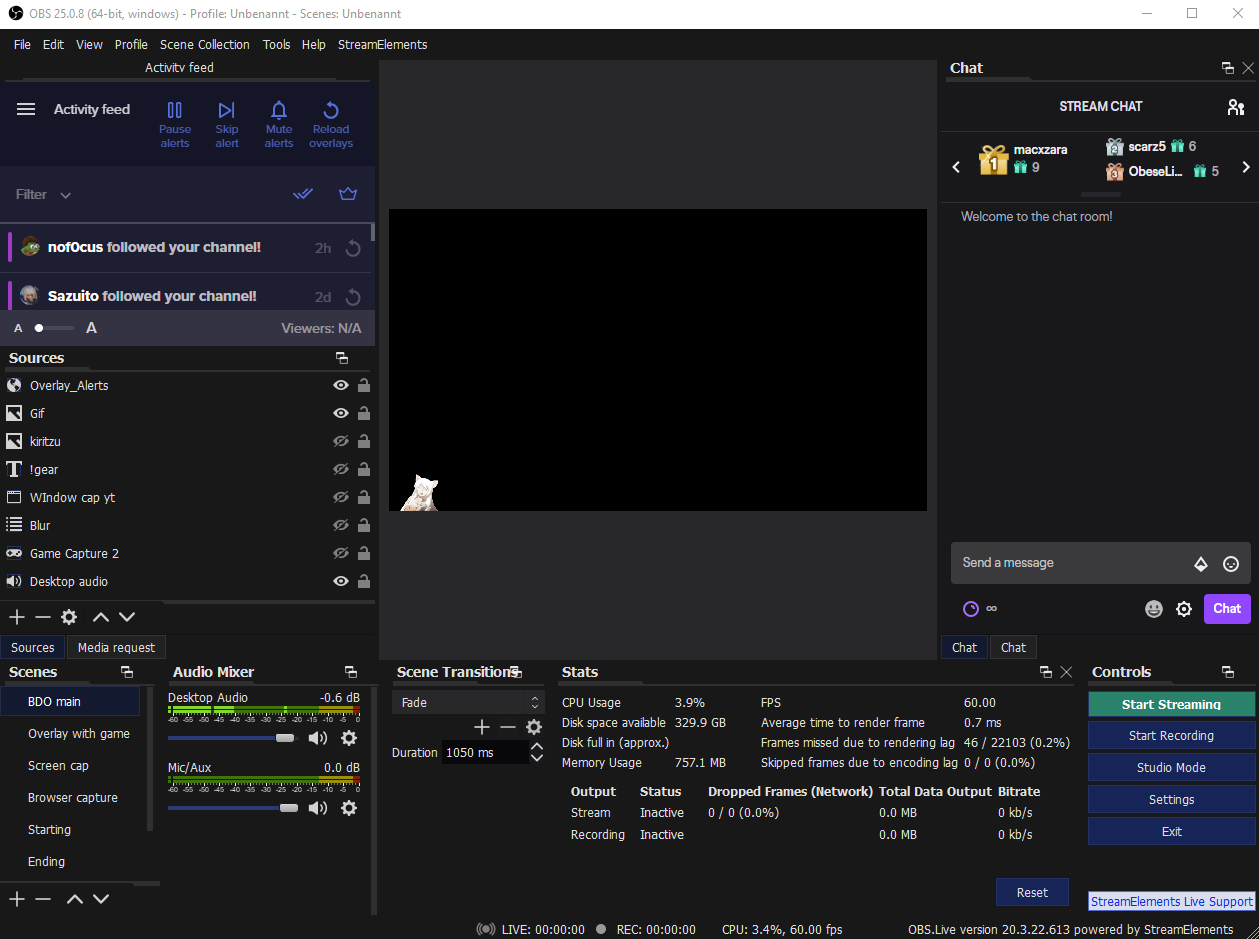 noble pawn
I emulated the follow alert on the streamelements's site and it was on my screen on streamlabs too. I think the emulating widget on streamlabs is the problem
Thanks for the support guys
 native kettle
I just logged into Streamelements for the first time and I'm creating a widget that displays all sorts of follower/sub/donation details. However, It's not pulling the already existing data that I have on my account. How can I get this widget to display the already existing data such as my latest sub/follower etc without having to emulate fake ones?
abstract hemlock
The system will automatically update once you get online and receive new followers/subs/tips etc
native kettle
oh okay, thanks @abstract hemlock 🙂
lament blade
how to put a link or email in the bot's commands
abstract hemlock
@lament blade just paste the link on the custom command response
unborn wedge
@gaunt basin mine looks same as the screenshot
abstract hemlock
@lament blade Make mod streamelements /mod streamElements
lament blade
gives me this below, this is the command response. (Supports variables)
abstract hemlock
you have to type that on your twitch chat
lament blade
ok
Hello! I need help. So i just got a overlay from your website and they gave me links. What do i do with thoese link?
round brambleBOT
@lament blade To add your overlays to OBS, add a new browser source in your scene. Paste your overlay URL in the browser source properties, set the dimensions to 1920x1080 (unless you changed them on the website), and ☑ “Shutdown source when not visible” https://youtu.be/KDvLynUqXI4
spice gorge
@abstract hemlock When I click on the social media tab under more on the stream elements dashboard. Nothing appears.
 bright ibex
Hiya all. I am still hearing duplicate audio through my headphones when I have a media video playing on a stream. If I turn off the video, and just have audio it plays fine, no duplication. I have let obs control audio, and shut off when not visible, but there is a faint echo. THANKS
 celest forum
I've got chat notifications but no sound coming through, why might that be?
Chat alerts that is -- hosts, followers, etc
bright ibex
@celest forum for the alerts, I set mine to NOT HAVE OBS handle the audio for it, and also NOT to shutdown when not visible, and the sound plays for those alerts
and I hear the alerts audio fine
celest forum
I'll look into that, thank you!
abstract hemlock
@spice gorge https://streamelements.com/dashboard/social-media
bright ibex
@celest forum no problem, I had no sound when I had Shutdown source when not visible, and Control Audio via OBS for ALERTS, but as soon as I turned those off and toggled and ALERT, the sound played through the DESKTOP AUDIO source fine.
round brambleBOT
@bright ibex Make sure to ☑️ “Shutdown source when not visible” for all browser sources (all OBS scenes). If using studio mode, uncheck “Swap Preview/Output scenes After Transitioning.” Also keep in mind that sound can play from any overlay loaded in the browser (editor or launched). https://i.imgur.com/6bWXxjR.png https://i.imgur.com/yY0wcFl.png
bright ibex
They always give me the same answer LOL. I've tried that... will recheck
spice gorge
@abstract hemlock Thats the correct URL. But nothing pops up.
 potent ibex
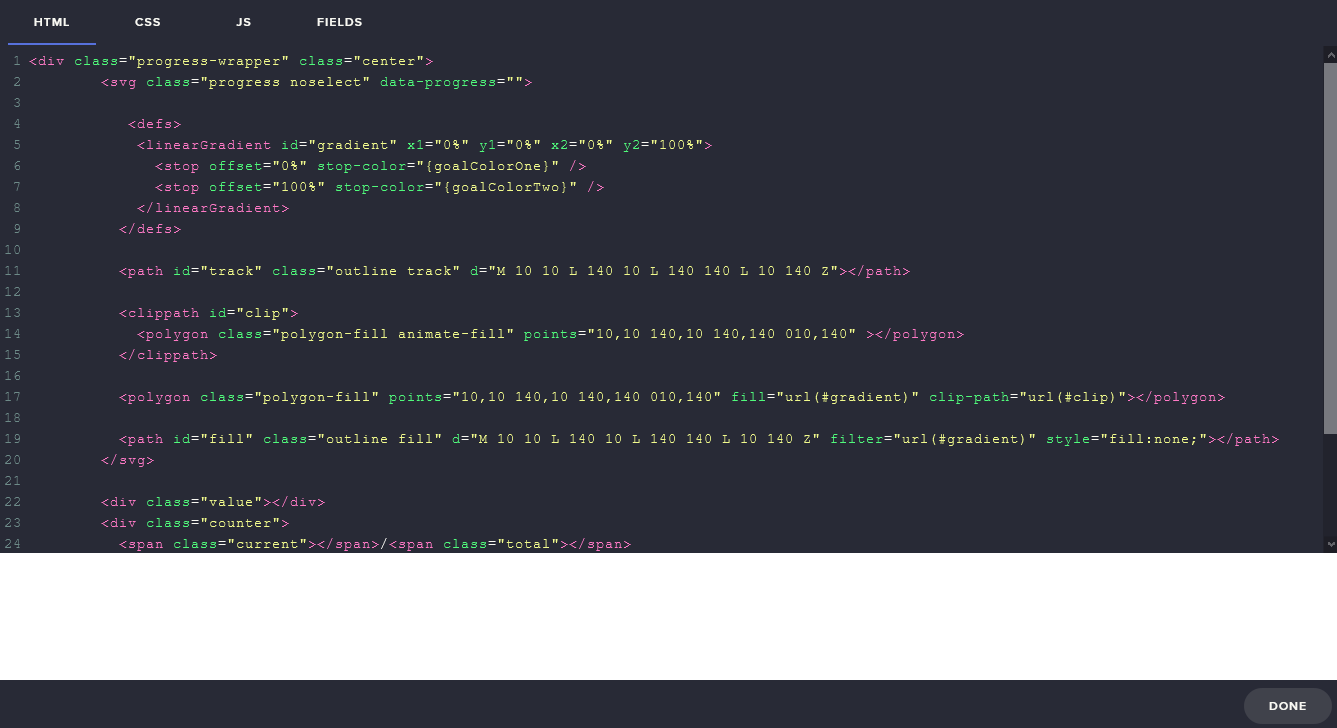
Hi there, having a few issues with the editor in firefox. Anyone know how to fix that white block? It doesn't appear in chrome: https://i.nuuls.com/Bl_xn.png
 abstract hemlock
@spice gorge try incognito mode maybe an extension is causing troubles
@potent ibex Try on google chrome
potent ibex
Yes I tried on google chrome and it works just fine
But that doesn't fix the issue, since I prefer using firefox
abstract hemlock
We recommend using our site with Chrome as it's optimized to work with Chromium
potent ibex
That is terrible advice. Websites should work on all modern browsers
bright ibex
Media player doesn't make much sense then, if you have a VIDEO playing, and also the AUDIO, then you are ALWAYS going to get duplicate audio sources unless you can MUTE / shut one of the two sources off. Either the audio from the video, or the audio from the audio. AM I MISSING something fundamental? Why would both sources be viable for audio???
celest forum
Also, is watchtime down again?
abstract hemlock
@celest forum again? 👀
celest forum
A few months ago StreamElements went down and it restarted everyone's watchtime lol
ionic kelp
That was a different situation. Anything indicating an issue is either bot misbehaving or loyalty not enabled.
If it's the first do this.
round brambleBOT
Go to the dashboard -> right side -> part channel -> join channel (https://streamelements.com/dashboard)
 lunar reef
How and where do i make bit badges and sub badges and add mods
abstract hemlock
@lunar reef On twitch
lunar reef
where
abstract hemlock
@lunar reef first you need to reach affiliate
then you will see the options on your channel dashboard
lunar reef
well how do i add mods
abstract hemlock
maybe its just me, but "thank" and "please" are magic words 😉
type /mod USERNAME replace USERNAME with the username or the user that you want to be your moderator
lunar reef
Thank you:)
 latent turret
Is it possible for other mods that don't have access to bot-privilege to administrate the Spam filters -> Banned Words?
ionic kelp
Nope. They need editor perms.
 fathom zodiac
Hey with the credits widget, can you add names on there if you like? or can you not customize it at all?
abstract hemlock
@fathom zodiac The credits widgets is meant to show the events on the session
if you need some "credits" you can try adding a text static widget with the text that you need and enable the scroll option
real canyon
Anyone have the default backup playlist url? doesn't seem to have reset after I got rid of one I added which I got tired of
abstract hemlock
iirc https://www.youtube.com/channel/UCjerlCIbLPQwSnYlClkjDXg/playlists the default playlist is here 😉
real canyon
That's not the one? There was a default playlist with actual music when I first got stream elements up
native kettle
My webm files aren't working in my custom overlay widget. I made a 7second looping webm file no bigger than 85kb but the file does now show. I have it set on loop within streamlabs, am I missing something here?
real canyon
right order of layers? Not covered by something?
 toxic spire
When I Clicked "Start Stream" On my OBS studios 25.0.8, it said,"Failed to Connect to server"
I dont know what to do about it
native kettle
correction I'm using streamelements..
dry parcel
@dry parcel there is an issue with that at the moment, try this: make a new alertbox > add one sound to an alert > save the overlay > refresh the editor (website) > then make the rest
@wary halo i have tried what you said and still is doing the same issue is there any other ideas you can provide
bright ibex
Can absolutely anyone confirm, that if you add a media request widget to a page, set shutdown source when not visible, then play a youtube video WITHOUT the vid, you hear nice audio, but as soon as you turn on SHOW ON STREAM you hear a slight echo and duplication of the audio??? IS it just me?
 quartz solar
Is there a way to automatically sync between overlays? Thank you in advance!
abstract hemlock
@native kettle do you see it on the we editor?
@toxic spire check the server on obs settings
toxic spire
ok
abstract hemlock
@bright ibex probably your audio setup, do you hear your alerts with that same echo?
toxic spire
You mean like go to "Bind IP"?
abstract hemlock
@quartz solar wdym?
@toxic spire by default obs select (auto) on the server try to change it
quartz solar
I have a lot of (SE)overlays but when I want to change some in the widget I've to change in all manualy (for example message while alert). Is possible to make it easier?
bright ibex
@abstract hemlock no sir, I hear game audio, alerts, everything else fine. As soon as I turn OFF SHOW ON STREAM it is nice and normal with no echo. It's slight, but it is there. The video audio and the regular non-video audio are both playing, but slightly off.
toxic spire
But where in the settings????
abstract hemlock
@toxic spire
bright ibex
and @abstract hemlock it makes sense, the audio in the video is on the overlay, but there must be a method to MUTE that video audio and only have the regular audio, OR, vice versa
 quartz girder
how do i make some one a VIP
abstract hemlock
@quartz solar you could have 1 overlay just with your alertbox widget
@quartz girder type /vip USERNAME on your twitch chat
quartz solar
I had an idea for different followers alerts depends on the game I will be playing.
But when I made an "universal overlay" and put on another overlay with alerts, alerts can play together.
abstract hemlock
@bright ibex have you check if you have other overlays with that widget on your OBS, maybe just need to apply this ⤵️
round brambleBOT
@bright ibex Make sure to ☑️ “Shutdown source when not visible” for all browser sources (all OBS scenes). If using studio mode, uncheck “Swap Preview/Output scenes After Transitioning.” Also keep in mind that sound can play from any overlay loaded in the browser (editor or launched). https://i.imgur.com/6bWXxjR.png https://i.imgur.com/yY0wcFl.png
 vapid portal
hey, ive been trying to stream in twitch and the output is really stuttry. i have been streaming on youtube for a long time and i havent faced any of these situations. i have 50 mbps up down so the requirements are met, idk whats wrong. please help
bright ibex
LOL, @abstract hemlock thats the third time, I've seen that baby. Yes, I've done all that. I am going to setup a new overlay with JUST the media request, and see if it makes any difference. THANKS!!!
abstract hemlock
@bright ibex I have my widget media request on my main overlay and my alerts on other
quartz girder
bright ibex
which is also what I had
quartz girder
what do i do
abstract hemlock
and then my main overlay enable the "Control audio via OBS" so i control the device it on the mixer
vapid portal
@abstract hemlock could you please help me with my problems
bright ibex
@abstract hemlock you really really notice it with something with a beat, it is so duplicated. All the monitors are shut off as well. As soon as the video starts playing, the audio player doesn't stop, so you end up with 2 sources of audio. There must be some other underlying setting on my machine or something that is aggregating the audio. THANKS ANYWAYS, I will keep plugging away
quartz girder
what do i do
abstract hemlock
@quartz girder do you have enable vips on twitch? i don't recall if that is something that you get with the affiliate or some other archieve
quartz girder
how do i do that
abstract hemlock
@quartz girder do what?
round brambleBOT
@vapid portal Please provide a log from your last stream. To do this, in OBS go to Help > Log Files > Upload Last Log File and paste the link to the log file here.
quartz girder
enadle vips
abstract hemlock
@quartz girder i don't recall if its something by default on twitch or you need to get the affiliate
quartz girder
ok sorry
abstract hemlock
if you don't have it maybe you need to get the affialiate, if you are already an affiliate maybe you need to reach the next archievement
vapid portal
abstract hemlock
@vapid portal https://obsproject.com/analyzer/?url=https://obsproject.com/logs/E2uKQ9w3GZqJN1ar Check this
 quasi creek
Not sure where if this is the right place, but I'm wondering if there is a way to keep the audio for an alert, but stop the visual animation (gif) after a certain time, so it doesn't keep looping.
vapid portal
Thanks @abstract hemlock
quasi creek
I see a text offset, but nothing for the image/video.
abstract hemlock
@quasi creek You can create a webm video instead of a gif file
quasi creek
Ahhh OK. I haven't worked with that before, but I will look into now. That will keep the transparent background as well? I had made a video in my program, but it didn't keep the background transparent haha.
toxic spire
@abstract hemlock I tried Auto, and then all of the USA and nothing worked
abstract hemlock
Restart OBS and try again
quartz solar
Any idea for my idea?
abstract hemlock
if you duplicate your alertbox in an overlay with other alertbox they will play together
quartz solar
toxic spire
@abstract hemlock I restarted OBS studios and tried Auto again but it didn't work
quartz solar
and when someone followed me and tipped at the same time
i had 2 alerts at the same time ^^"
abstract hemlock
Yeah that's the expected behavior
abstract hemlock
need to have the same options enable if what you what is that the tip alert wait the follower alert
maybe some webm file transparent with no sound
just to make that other alertbox create a queue
quartz solar
I don't get it.
abstract hemlock
each alertbox create their own queue
abstract hemlock
in your SS the first one will create his own queue with all the follows
and the second one will create the same but for tips and cheers
quartz solar
native kettle
@abstract hemlock When I first upload it on the editor I could but soon after saving, closing, and re-opening I could no longer see the webm loop
abstract hemlock
that is why they won't wait for each other
toxic spire
@abstract hemlock I still can't figure out how to start a stream
quartz solar
Okay I will be a maso and I will do something more strange. Thank you anyways @abstract hemlock
round brambleBOT
@toxic spire Streamelements on top of OBS -> Logout -> login
quartz girder
How
abstract hemlock
@quartz girder how what?
toxic spire
😦 nothing is working, Not even what the AI says, maybe its something with my internet, but everything else works fine so that cant be it, So what can it be?
round brambleBOT
@toxic spire For the best OBS support, please join their Official Discord @ discord.gg/obsproject
 delicate trench
So I'm trying to set up my chat, and in the previewer it looks good. When I see it in the preview though it looks completely different. I've tried restarting the editor, and my preview but it just doesn't change.
Am I just overlooking something?
abstract hemlock
@delicate trench wdym by "preview" ? could you share a complete screenshot? (the whole screen)
delicate trench
abstract hemlock
@delicate trench ok do you have install on your PC the font that you selected on the web editor?
delicate trench
I'm not sure. I'll go check because I thought the font ran off the overlay.
round brambleBOT
@delicate trench Google Fonts
More than 900 google fonts are supported at this time. You can preview them here: https://fonts.google.com/
Custom Fonts
Steps:
- Install the font on the streaming PC or choose a pre-installed windows font.
- In the overlay widget settings, select Text Settings
- Enable Custom Font
- Type the name of the font as it appears in the windows font directory (This is usually
C:\Windows\Fonts)
Note: After installing fonts, the browser and OBS must be restarted for the font to appear.
delicate trench
I selected a font from the dropdown, so I'm assuming it's good since it's a default font.
Archivo Black
abstract hemlock
check if you have it installed if no you need to install it;)
delicate trench
It works now. I feel a stupid for overlooking that, but thanks for the help @abstract hemlock!
bright ibex
hi all, does TEXT SCROLLING not work in OBS ?
abstract hemlock
@bright ibex it works but you need to refresh cache
round brambleBOT
@bright ibex Right click on the BrowserSource > Properties > Scroll down a bit > Refresh Cache of current page
abstract hemlock
 warped anchor
Hey now I have a rookie question
I am setting up the commands for Twitch and I noticed that it says that it supports variables... what are variables?
abstract hemlock
@warped anchor here : https://streamelements.com/dashboard/bot-commands/variables
warped anchor
Thank you
 acoustic holly
Is this where I leave questions on the streamelements merch store?
abstract hemlock
maybe #helpdesk-merch @acoustic holly
acoustic holly
Oh i found it nevermind
quasi creek
@abstract hemlock converted the gif to webm and everything worked out perfect. Thanks for the help!
 quaint yew
Im having an issue with my overlays loading. I see the overlay on the manager page but the scene wont load on my obs. everything is updated and ive refreshed the cache and made new scenes but nothing will load. plz help!!
round brambleBOT
@quaint yew OBS -> settings -> advanced -> scroll down -> enable/disable hardware accel.
https://i.imgur.com/ggMe9ZE.png
quaint yew
so i shouldnt have that enabled?
abstract hemlock
enable/disable try on any of those
bright ibex
@abstract hemlock Thank you for all your support with the duplicate sound.... 🙂 It was something SO dumb on my end.... ALL GOOD
abstract hemlock
@bright ibex share with us
quaint yew
it helped! thank you so much
bright ibex
<---- idiot... DO NOT have STREAMELEMENTS overlay editor open at the same time as OBS.LIVE (the duplicate sound was coming from the audio source in the overlay editor.)
because it duplicates the video source in the editor, and in OBS.LIVE (hence two sources)
whereas I thought it was just duplicating between the media player on the right, and the video... 🙂
quaint yew
so unchucking the advanced option has now disabled my ability to stream...
disabling hardware accel*
error message pops up and says my ip was changed
 warped folio
For my alerts, I have exact cases for 1 month, 2 month, 3 month etc, but the Prime one doesnt work, if someone is prime for 1 month, or 2 etc it does the original months not prime, is this due to ordering in the list or something else? Hopefully someone can help me
 noble plover
How do I copy a widget/layer from one overlay to another?
chrome folio
@noble plover
noble plover
But I want to transfer it from another overlay
For example I have a custom coded chat box on Overlay 1 but want it to be duplicated across to Overlay 2
Does that work
chrome folio
But I want to transfer it from another overlay
@noble plover select the widget and click on that button :) ..
ionic kelp
Yes.
warped folio
do u know if u can help my case phph?
prisma relic
i don't believe you can tell the history of "prime" subs vs "paid" subs
 pure fossil
how do u make somone super mod
warped folio
u can in the sub variations
but the prime doesnt show alert, the months one takes over
pure fossil
@abstract hemlock
prisma relic
not really sure how it works tbh @warped folio but you can drag/drop the variations. maybe that would help if you re-ordered those 🤔
^ like you said originally. my best guess is the list order. but you can re-arrange them
 nimble prism
need help! redeemed sfx store items does not sound
round brambleBOT
@warped folio Twitch prime (new and resub) and paid subscriptions (resub only) must be shared in chat manually by the person subscribing in order for the subscription information to be sent to StreamElements. For twitch prime, the user needs to have sharing enabled on https://www.twitch.tv/settings/prime. For paid subs, if the share box doesn't show up immediately it will when they refresh the page. https://i.imgur.com/VNJN0Uv.gif https://i.imgur.com/2297EA7.png
 scarlet tiger
@nimble prism redeemption widget is in overlay?
Overlay is added correctly into OBS?
round brambleBOT
To add your overlays to OBS, add a new browser source in your scene. Paste your overlay URL in the browser source properties, set the dimensions to 1920x1080 (unless you changed them on the website), and ☑ “Shutdown source when not visible” https://youtu.be/KDvLynUqXI4
scarlet tiger
If yes, try this
nimble prism
@scarlet tiger does this link teaches ?
round brambleBOT
OBS -> settings -> advanced -> scroll down -> enable/disable hardware accel.
https://i.imgur.com/ggMe9ZE.png
marsh geode
Ok, How come even though I log out in streamelements and log back in for twitch, start a new twitch stream with a different title, my old title from previous video takes over?
pure fossil
need help! making somone super mod
warped folio
ahhh ok ty
pure fossil
@scarlet tiger is that how to make someone super mod
marsh geode
under stream information in streamelements, even though I change my title for the stream it stays as the old one?
 meager pelican
anyone can help me fix my twitch stream
the problem is if i stream i get kb/s 2190 and than i dont can play
nimble prism
@scarlet tiger will de sound sfx play only by using de alertbox overlay ? or is it another overlay i need to build ! (my points bought sfx doesn't sound)
will the*
scarlet tiger
Redeemption widget
nimble prism
thank you
scarlet tiger
 meager pelican
anyone can help me fix my twitch stream
the problem is if i stream i get kb/s 2190 and than i dont can play and my wifi normaly need to be perfect
!support
round brambleBOT
Please ask your question in one helpdesk channel only. A support volunteer or StreamElements staff member will assist you as soon as they are available. Asking in multiple places will only result in confusion, not faster answers. Thank you for your patience.
 winged haven
everytime when i try to connect / login this shows up (OBS.LIVE): https://cdn.discordapp.com/attachments/494513233416421386/708921302500507668/unknown.png

 sleek torrent
Hey guys, just have an issue when switching scenes in OBS and using an overlay as browser source from Streamelements. Other sources on the scene (e.g. webcam) are shown earlier than the overlay which is delayed. Any idea?
winged haven
1950 is not enough for streaming
meager pelican
i now how can i get more
winged haven
buy better / faster internet
meager pelican
i got the best internet of this house i got a gamiung routert
round brambleBOT
@meager pelican For the best OBS support, please join their Official Discord @ discord.gg/obsproject
prisma relic
did you use the auto-config @meager pelican ?
meager pelican
no
lament blade
I have repeatedly found a bug with the overlay editor, I would like to report. When making many variations of cheers, at some point 'save' will display 'saving' in the bottom right corner and never complete the save. This time I counted the amount of variations before it occurred, which was 21 variations. The other times it's happened it was probably around this number, not sure if it's always 21 is the max before it fails to save. There's no getting around it from what I see. All variations have different audio, so maybe it has a limit? I guess it also does this with other variations, not just cheers. You might want to look into it. I'm just reporting this, not looking for help as such.
prisma relic
run that config @meager pelican . then go to file -> settings -> stream and enable the test mode.
go to https://inspector.twitch.tv/ and it should show you the stream you are providing.
sleek torrent
Hey guys, just have an issue when switching scenes in OBS and using an overlay as browser source from Streamelements. Other sources on the scene (e.g. webcam) are shown earlier than the overlay which is delayed. Any idea?
any idea?
 ornate sundial
Anyone know how to reset my Donation Goal for streamelements? Everytime I add the goal it's starting at some random number, or whatever my donations are at. I want it to start at $0.
round brambleBOT
To reset goals:
- from the overlay editor -> data on top -> goal tab -> reset progress of desired goal
- from the dashboard -> activity feed on the left -> widget data on the right -> goals tab -> reset progress of desired goal
Note: Goal widgets(progress) only counts up and doesn't go down automatically, if you loose followers/subs
 jaunty steppe
Ty, setting up Stream elements now, I can't get the overlays to import. I have installed the plug in but I keep getting an error msg whenever i try. anyone got any ideas? tia
native kettle
Hello everyone, my webm video files arent working on streamelements overlay menu. The video appeard at the beginning as a loop but soon after disappeared. It no longer appears whenenever I close and open the overlay.. What do I do?
 timid elk
Hey
 paper wasp
i was trying to get an iframe embed to work in an overlay. although the page would never load. is this a StreamElements Limitation?
ionic kelp
@paper wasp For security reasons yes.
paper wasp
security 👀
 merry stream
Hey Guys. I just transferred my Donations from Streamlabs to Streamelements and by accident I did it 3 times. I deleted the extra 2 times of every Donations manually but in my Overlay Top Tipper and Top Tip Donation are still 3 times as high as they should be where do I delete the Donations in order to have it all showing up correctly?
 rugged star
Hey guys back at you with another weird request
Ok so I have this command where if you say the f word it responds “pg-13 only allows one f-bomb you just used ours” now as a joke I’m curious if there’s a way to make it time-out anyone (just for a second or two) if they say anyone says it again in that stream
 heavy forge
Hey, where do i disable the mature filter for my alerts? For example when the word fuck or similar comes in it, it says unicorn instead, how do i disable this? Thanks in advance
ionic kelp
@heavy forge tipping settings and very bottom https://streamelements.com/dashboard/tipping-settings
Be warned this covers both tipping and general alerts.
 exotic creek
problem
ionic kelp
@exotic creek disconnect and reconnect in OBS stream settings.
lament blade
sudo can you help me ?
 hallow sinew
I don't know why !watchtime command doesn't work for me. Every time shows 0 minutes watched.
round brambleBOT
@lament blade Welcome to the helpdesk! Please let us know how we can assist you today and a support volunteer or staff member will assist you as soon as they are available. Thank you for your patience.
@hallow sinew 10 minutes of watchtime are given to those in chat when the loyalty points are handed out (every 10 minutes). Therefore, loyalty must be enabled for watchtime to work properly.
There is no direct link between watchtime and all-time points.
It can’t be calculated from the amount of all-time points a user has because subs may earn points at a faster rate and !bonus all command increases all-time points for users in chat at that time.
Giving points to a single user does NOT affect all-time, only when giving to all in chat.
lament blade
i changed my nick twitch and lost my coins from a streamelements store
so question how do people have a command set to play a sound ?
round brambleBOT
@lament blade If you changed your name on Twitch please follow these steps:
🔹 Visit https://streamelements.com/logout and then log in again with by connecting with Twitch.
🔹 On the right side of the dashboard page that opens, select "Join" under bot settings. If it says "Part" select that and then select "Join" to send the bot to the chat. Don't forget to mod the bot by typing /mod streamelements in your channel if you have not already.
🔹 Post your new name here so that we can update your channel's chatstats tracking (must be done by staff).
merry stream
How do I manipulate my Top Tipper and highest Tip Data in my Overlay. Since I transfered my Donation data from Streamlabs to Streamelements all Donations (history) are showing up 3 times.
wary halo
How do I manipulate my Top Tipper and highest Tip Data in my Overlay. Since I transfered my Donation data from Streamlabs to Streamelements all Donations (history) are showing up 3 times.
@merry stream i'm going to ask around internally since i don't think it was an easy fix but i forgot 😛
so question how do people have a command set to play a sound ?
@lament blade probably by creating items in the stream store
lament blade
@wary halo help mee
wary halo
with what?
did you do everything the bot said?
(the answer is no, since i didn't see your old and new name posted here)

 eager cosmos
Is there a subscriber point widget inside the stream elements overlays at all? I can only find sub total. I may be blind.
weak delta
so question how do people have a command set to play a sound ?
@lament blade
https://discordapp.com/channels/141203863863558144/457957557470887947/664809625169690644
lament blade
Guys how do I get hosted by streamelements
wary halo
yeah, people who are in the StreamElements Stream Team
those are all Staff members and Community Champions like myself 😉
you need to be very active in here and do a ton of support to become one
 vivid radish
So have a little question if I connect streamelements to my twitch and set everything up and then change my twitch name does the name change within streamelements, for example the donation URL does it change to the new name or do I have to disconnect it from twitch and set it up again
wary halo
How do I turn off the following auto response?
@noble plover
StreamElements
The Ultimate All in One Platform for Streamers
noble plover
ty
wary halo
So have a little question if I connect streamelements to my twitch and set everything up and then change my twitch name does the name change within streamelements, for example the donation URL does it change to the new name or do I have to disconnect it from twitch and set it up again
@vivid radish you have to relog to the website then everything will be changed to the new name afaik
round brambleBOT
If you changed your name on Twitch please follow these steps:
🔹 Visit https://streamelements.com/logout and then log in again with by connecting with Twitch.
🔹 On the right side of the dashboard page that opens, select "Join" under bot settings. If it says "Part" select that and then select "Join" to send the bot to the chat. Don't forget to mod the bot by typing /mod streamelements in your channel if you have not already.
🔹 Post your new name here so that we can update your channel's chatstats tracking (must be done by staff).
vivid radish
@wary halo thankyou
noble plover
Anyone a partner here? I've updated my emote prefix but when I go to quick emotes it still has the old prefix.
wary halo
Knowing Twitch, it might take a while to be updated 😛
noble plover
Rip
It shows when I type it in chat, but I just can't click it from the chatbox
Last question
How do I set starting stream delay in OBS/SE?
If it's auto connected
 dry elm
I'm having issues with media request not working for some people not being able to request songs. I also get ads that pop up instead of songs from time to time
 idle thorn
Hello, does anyone know any commands to see the number of people banned in the twitch chat each day, or per day?
noble plover
How do I enable TTS/Youtube links for Stremelements tip page?
weak delta
@noble plover For TTS, edit the Tip Alert settings of your Alert Box and enable TTS here:
 bitter nacelle
Does a capture card improve stream quility
 glossy scarab
Hey!
I'm now using S.E for months and really happy it, but I'm still struggling with the media request widget. All works perfectly fine, but there are a looot of messages from S.E bot when wiewers add songs like " @agile spear added artist - " song title (official music video)" to queue list #1 (playing now) http:// youtube link". Most of the time it results a S.E bot spamming those messages and chat become unreadable 😁
I noticed that in custom commands you can add the option for the bot not to "say" commands but "whisper" it to users. Is it possible for S.E bot to whisper messages to viewers when they add songs to media request ? It will be perfect.
Thanks very much! ♥️
merry stream
@wary halo
@merry stream i'm going to ask around internally since i don't think it was an easy fix but i forgot 😛
@wary halo did u find anything useful?
wary halo
not yet, probably because it's Sunday 😛
lament blade
hello
wary halo



 wary halo
#🇫🇷︱français <<
marsh geode
under stream information in streamelements, even though I change my title for the stream it stays as the old one?
lament blade
Hey Guys i am new to Twitch and i would like to Use Streamelements for it but because of my Internet i have to use my Phone so i downloaded the App.
Could someone help me how i can makr alert Boxes on it
I tried grouping my camera and border so that they'd keep the same size on all scenes, however when pasting them to another scene they resize any way to a bigger sized than originally copied. Any way to fix this?
wary halo
@lament blade the app is for IRL streaming only, overlays need to be made / set up at the website
round brambleBOT
@marsh geode Streamelements on top of OBS -> Logout -> login
 neat widget
Can we have the SE extension in two different panels with different configs? For instance, one for the leaderboard list and another panel for the stream schedule.
wary halo
i don't think so, because it can only be active in one, but feel free to try it out
neat widget
I did, no luck
wary halo
I tried grouping my camera and border so that they'd keep the same size on all scenes, however when pasting them to another scene they resize any way to a bigger sized than originally copied. Any way to fix this?
@lament blade try 'locking' the cam and frame then paste it
I did, no luck
@neat widget i think it's because Twitch only sees one extension
sleek torrent
Hey guys, just have an issue when switching scenes in OBS and using an overlay as browser source from Streamelements. Other sources on the scene (e.g. webcam) are shown earlier than the overlay which is delayed. Any idea?
Any advice?
weak delta
Yeah, Twitch can only see the one extension but a feature of the new Twitch page is scheduling.
wary halo
Any advice?
@sleek torrent use a stinger transition between scenes
or you can use studio mode
to pre-load the overlays for the next scene
 devout glacier
is it possible to edit the default commands?
wary halo
depends on what you want edited
devout glacier
follow age command
sleek torrent
or you can use studio mode
@wary halo i have a stinger transition but the display of the overlay loaded as browser source is still delayed
idle thorn
Hello, does anyone know any commands to see the number of people banned in the twitch chat each day, or per day?
@idle thorn nobody?
wary halo
@wary halo i have a stinger transition but the display of the overlay loaded as browser source is still delayed
@sleek torrent not much we can do about that other than suggestion the studio mode option i'm affraid. or upgrade the hardware 😛
@idle thorn don't think that's possible
never seen it before
idle thorn
Ok, thanks!