#helpdesk-twitch
1 messages · Page 609 of 1
 night scarab
 astral dome
hi, can you help me integrating G2A pay on my streamelements account?
 scarlet tiger
G2A Pay is disabled at this time due to issues they had with new EU regulations.
astral dome
well, I had G2A enabled, but after I disconnected it it dissapeared
it happened in last hour
so is it a real reason why it disappeared?
 zenith widget
@night scarab Can you elaborate what you are trying to achieve and is not working?
@astral dome I enabled it again for you
 shell marlin
Hi, I think this is the best place to ask for. I've been having problems with media request for two days in a row, youtube videos won't play, while youtube is working completely fine. Could it be a problem with bandwidth?
This is how it looks right now after turning it on
Translated from spanish: "An error has occurred. Please try again later."
zenith widget
I believe this is not something we can help with as its might be on the side of Youtube. I've tested some songs from another user and I was able to play them normally.
night scarab
so when you have mediashare, like the guy above me, you can have your viewers pay for it using their loyalty points. i set it all up and it automatically made a Media Share thing in the store, but it doesnt work
shell marlin
Huh
night scarab
you can buy it, but when you bought it it says "thank you for buying" and thats it
shell marlin
Alright, thanks for the help, hope youtube fixes this soon
zenith widget
@night scarab You are not suppose to setup MR via the stream store.
The "tip" option enabled via the tipping link, not the stream store redemptions
night scarab
i dont think i did
it was just automatically there
also you can select either free trough loyalty points, tipping, or both
i selected both
so it should work trough loyalty points, right?
zenith widget
@night scarab yes - via the default command
and you can set the loyalty cost a bit bellow that option in the MR settings
night scarab
what
what has the cost got to do with it?
my issue is that it automatically appeared in the store, and that it doesnt work
zenith widget
Show me what you mean
night scarab
exactly as i said
its in the stream store
there isnt much to show, except it being automatically there for some reason
zenith widget
I can assure you, changing the setting from "both" to "tip" to "free" to "both" or what ever way you want, will not make a redemption item in the stream store
both have nothing in common besides the loyalty points
zenith widget
night scarab
yet it has been there for 3/4 days while i havent even done anything with the stream store
and then again, its a command? i got told that nowhere whatsoever
zenith widget
Its always been a command for the "free" and "both" options
which can utilize the loyalty points
zenith widget
night scarab
but i guess i now know how it works
so the problem is solved
ah yeah, you have to go into a diffrent screen, and go to the tiny bubble to get the important command that controls it all
which, btw, the people who actually will end up using, wont know
unless they search trough an entire list and find this command, and realize it isnt for songs only, and you can buy it using your points
sorry, im just annoyed from how this stuff went earlier
zenith widget
Honestly, this is the first time I find someone not figureing out that there is a command as most people actually ask first how to activate said command as the toggle in the default command list doesn't activate the requests properly sometimes
night scarab
but the problem is solved now, so i guess its all fine
zenith widget
and the toggle in the main MR page is what enables the command fully
night scarab
dude
if people have to ask what the command is, they have indeed not figured it out yet
zenith widget
That being said, this entire conversation will be used as feedback to better the page regardless
night scarab
bleh, im just sorry
this went a bit messy
still dont understand why there was a media share thing in the store, that threw me off the most
because thats the first place people look, and i dont wanna have them feel cheated
but i guess its solved now
 long ermine
Hello I'm not sure if I'm on the right place, but a have a question/problem with my alerts, for some reason if people host my channel and they channel is offline, Stream elements don't detect the host on the activity fee, and by that don't trigger the alert. Is this normal, or is something that i did wrong.
 round brambleBOT
@long ermine Due to changes to Twitch API, we have filtered out hosts and will only show these ones on your activity feed:
- All hosts coming from an online channel with at least 1+ viewer
- Auto host events with at least 1 viewer - only from a channel that just went offline
Note: If you see "X channel has hosted you" with no viewers on the back, that is considered an offline host or a host with 0 viewers, we do not show these.
Note for Mixer streamers: The above 2 filters currently apply for Mixer and we are aware its actually not how Mixer hosts work. We do plan on changing it, but no ETA on when.
 vocal briar
How do u go live on games on mobile with a overlay on
 ionic kelp
Our mobile app is camera only. No game capture.
 shell tundra
hi everyone, i tried what @little oak said to me, but it is still wrong, i reconnected my twitch account in the normal settings, and after this, in the top of left a recconected in the file settings, but nothing, my overlays still the next : "Invalid authorization token'' (OBS.live 20.3.8.603)
vocal briar
How to go live on streemlabs
vocal briar
How do u go love on streemelements sorry I use both
Live
How do u go live on streemelements on pc
shell tundra
i gonna try to recreate my overlays..
vocal briar
My overlays dont work
round brambleBOT
@vocal briar To add your overlays to OBS, add a new browser source in your scene. Paste your overlay URL in the browser source properties, set the dimensions to 1920x1080 (unless you changed them on the website), and ☑ “Shutdown source when not visible” https://youtu.be/KDvLynUqXI4
 halcyon falcon
Anyone know any random fact commands that will pick a random fact from the web?
 twin sentinel
Just an example: ${customapi.https://uselessfacts.jsph.pl/random.txt?language=en}
twin sentinel
Yes.
 robust herald
Can't start it, any way to reload the bot? It works fine, but contests are not.
twin sentinel
You can part the bot from your channel and invite it back to your channel via the dashboard.
robust herald
Alright, thank you, I'll try.
twin sentinel
If that doesn't help, come back here and we'll look into it.
 silent yacht
Hey there! My streamelements leaderboard is not showing any data and i don´t know why, can anyone help me? thank you!
I have bits and subs already
scarlet tiger
@silent yacht Try Ctrl+Shift+R
silent yacht
Didn´t work :/
silent yacht
I tried to uninstall , logged out nothing working
 lament blade
Have you looked into the extension settings? 
silent yacht
I clicked "save"
and it says saved sucessefully
Wait i think it worked
the problem was : i was saving on the twitch configuration page , not on the panel page wth?
 idle solar
The only way my emotes work properly now is setting each scene to refresh everytime it appears. Is anyone else having the same issue?
lament blade
@silent yacht reinstall the extension
silent yacht
i spent hours looking for this and it´s this simple?! 
lament blade
is loyalty active?
silent yacht
@lament blade I did , it wasn´t that , it was what i mentioned above , i had to save it on the twitch panel page on my profile , and not on the extension search bars
lament blade
ah okay! 😄
silent yacht
Thank you anyway! if anyone has this problem that´s the solution ahah
have a great day
lament blade
You're welcome! 
 blissful linden
Hi all, question, for some reason my alerts do not show up (I get the sound though) until I run a test alert from the site. Then they show up properly. The alerts also do not show up in my feed until I do a test alert as well.
idle solar
The only way my emotes work properly now is setting each scene to refresh everytime it appears. Is anyone else having the same issue?
 arctic valley
Hi, we would like to add command that will show my rank in tft
any ideas on how to do it?
 pale python
Hello, where can i found the tips fee?
lament blade
@blissful linden what alerts aren't you seeing?
@pale python https://streamelements.com/dashboard/tipping/fees here

StreamElements
The Ultimate All in One Platform for Streamers
pale python
Thanks
lament blade
@arctic valley it's a custom command that would involve an API pull, you can see how to form that in the variables tab in bot commands
blissful linden
@lament blade I do not get any visible alerts, only the sounds for them until I run a test alert
round brambleBOT
@blissful linden OBS -> settings -> advanced -> scroll down -> enable/disable hardware accel.
https://i.imgur.com/ggMe9ZE.png
 arctic valley
We use similar one on lol, but the on for tft doesn't work @lament blade
lament blade
Which widget do you use? @idle solar
blissful linden
I will give that a shot! Thanks!
idle solar
Kappa
lament blade
@arctic valley maybe it needs to be formatted differently
different APIs require different syntax and all that good stuff
arctic valley
Is there any channel (on discord) where i can find any sort of help? 🙂 @lament blade
idle solar
Kappagen is the widget i am using, benno was trying to help me saturday
arctic valley
@lament blade ok, thank you
 lost cedar
Hey guys, anyone able to help for 5 mins, I've got a theme installed but I can't get my screen capture to input over the theme. If I add the screen capture it overlays the theme. 😦
ionic kelp
Drag on above the other in the sources list @lost cedar
lost cedar
Legend! Simple and useful, thanks!
shell tundra
hi everyone, im the guy with the alerts problem, and i wanna tell to you, i recreate my overlays and it was mybe half an hour, i put it into my OBS 20.3.8.603 and i reconnect my twitch account, and restard mt PC, but nothing, the same "Invalid authorization token'' massage is in my face, and im starting to give up this, i really dont know what can i do more....
*recreated
this new OBS is really bad, before i didnt update this, everything was OK, but now...
lament blade
I'm streaming and still without alerts what is going on?
It has the print as proof.
 ionic kelp
@lament blade If they followed, unfollowed, and followed again we won't pick it up.
idle solar
I will just email support for now on because I will get more help that way
 autumn smelt
lament blade
autumn smelt
lament blade
hey guys, how do i add a quote?
scarlet tiger
For example !quote add dnsfiuabfvyuaknbcluiw -MrJaroslavik
lament blade
thank you
scarlet tiger

 alpine grove
can i somehow simulate a donation to check wheter my alert is working or not?
scarlet tiger
Yes
round brambleBOT
@alpine grove You can test Alerts via the bell on the lower right corner of the Overlay Editor. Simply go to your Dashboard -> My Overlays -> Pencil/edit button on the overlay. Make sure the "Show Emulated events on stream" option is on to see the alert in OBS/Xsplit https://streamable.com/h6qgy
 scarlet tiger
"emulate tip events"
alpine grove
thaaanks ❤️
 steel mist
good afternoon, I cannot get video to play on the media request widget. Audio will play, but the video does not show up
 distant pumice
is there a way to get custom tts
robust herald
How to set custom bot name? Settings in Ground Control seems missing...
I've created new account to work with.
ionic kelp
Unfortunately it has to be done with OBS.Live as some twitch changes broke that feature
robust herald
Can't find it @ionic kelp
ionic kelp
robust herald
Thank you!
 queen ore
Would it be possible to seperate desktop Audio and Media Request in OBS i already tried the tutorial but it didnt add to the overlay
 brazen moon
Hi is it possible to have heist for streamelements chat bot twitch? thanks
ionic kelp
If you're using it in browser it was a required change from youtube. Any features missing on the website are fully in OBS.Live/GC.
lament blade
what is /gc?
i cant control the volume properly from the song request thing anymore because of the change
either plays loudly or not at all
ionic kelp
Ground Control.
lament blade
how do i get access to that? never heard of it
ionic kelp
 karmic plank
Hello, I'm having an issue adding extra variations to my overlay right now. It won't allow me to add more than 9 in total across all of the different alert types. Hello, I'm having an issue adding extra variations to my overlay right now. It won't allow me to add more than 9 in total across all of the different alert types. It won't save if I add 10+. I was directed to the API channel to see if they could solve it and @untold crest mentioned it may be because I was hitting the 1M code limit but I tried moving it over to another overlay and I don't think it's the issue. Help?
 untold crest
Oh. To that one above: You should have two copies of alertbox, one for subs and second for tips probably, and in that with subs - remove custom code for everything else (so it doesn't take space).
karmic plank
remove custom code for everything else (so it doesn't take space).
@untold crest
What would be the best way to do this?
 pallid osprey
@untold crest it a nod alert package. it wont let him save
untold crest
Copy overlay with alertbox only, so you have two overlays with alertbox.
In first one - go to everything except subs, remove all variations, click "open editor" and remove everything there (and also disable that type of event).
On the second one, do the same, but remove subs only (and all of variations)
With that you will have two alertboxes, you have to put one over another, and both will take less space.
@pallid osprey Yup. I know. There's another way to go with that, but this would require hosting some of the files and including them as external reference.
 normal ginkgo
trying to ask for permission to stream on youtube but I'm trying to stream to twitch
lament blade
Hey, when I emulate a follower event to test things out, my follower goal gets changed and I can't reset it back to 0
How do I do that
Does anyone know if my problem with alerts got solved?
ionic kelp
@lament blade I'll ask the staff again and see if they have anything.
lament blade
Thanks man!
ionic kelp
@lament blade If you visit your channel while logged in and go to the followers tab does it load for you?
lament blade
Yes.
ionic kelp
Can you screenshot it please?
 shadow ivy
are there any known issues with SE today? Having trouble with a stream where goals are not updating live unless they are hidden and turned back on again. And alert box not showing up at all
I'm an SE editor and the overlay including alerts seem to be working fine in my own obs...
lament blade
@ionic kelp The recent events?
ionic kelp
No your followers tab on your channel.
lament blade
@ionic kelp When I play something from mediashare and I show it on stream I hear both stream audio and mediashare control panel audio on the right screen, why's that?
@ionic kelp
 lament blade
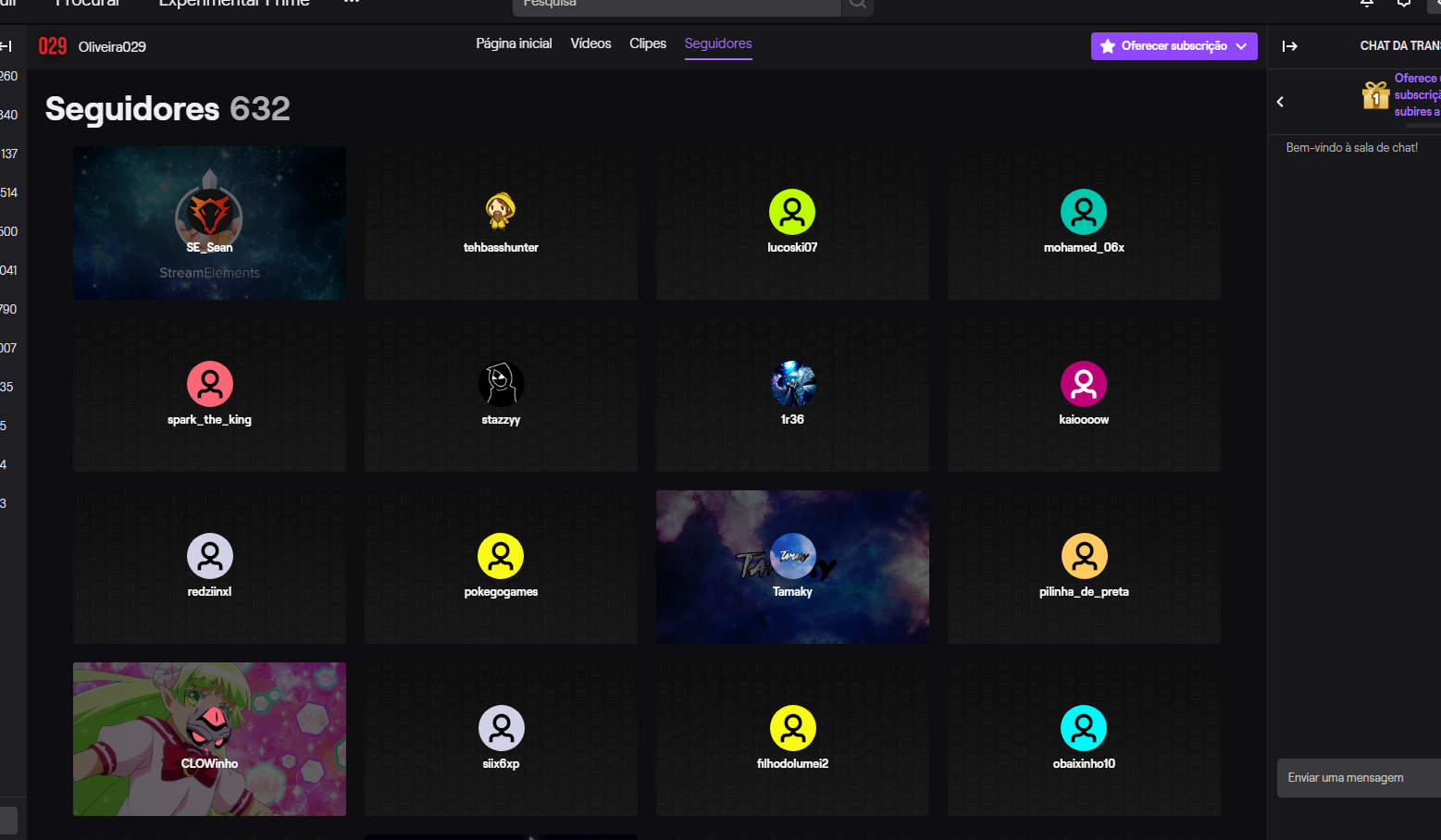 ionic kelp
Can you do that but capture the part with your picture in top right as well?
lament blade
 ionic kelp
And this is regular mode and not incognito?
 brazen moon
hi is it possible to get heist for streamelementsbot on twitch?
lament blade
I would like to stream later with this resolved. :c @ionic kelp
ionic kelp
Unfortunately it seems like it's possibly something beyond our control. We're trying to investigate and see what's going on.
Until then the twitch feed is your best bet.
lament blade
If you receive donations, sub, host and applause appears?
I took that replace the StreamElements? FeelsBadMan

 tight harness
I don't see any donations in your revenue history page, so I don't think you've missed any donations in your activity feed
Hosts only show if they follow certain criteria
round brambleBOT
Due to changes to Twitch API, we have filtered out hosts and will only show these ones on your activity feed:
- All hosts coming from an online channel with at least 1+ viewer
- Auto host events with at least 1 viewer - only from a channel that just went offline
Note: If you see "X channel has hosted you" with no viewers on the back, that is considered an offline host or a host with 0 viewers, we do not show these.
Note for Mixer streamers: The above 2 filters currently apply for Mixer and we are aware its actually not how Mixer hosts work. We do plan on changing it, but no ETA on when.
tight harness
Subs only show if they are shared in the Twitch chat, it's the followers missing that makes me wonder what's going on
We're asking our devs about it currently 👍
normal ginkgo
ugh, in the middle of a sponsored stream at the launch of a game and if I stop the stream and try to restart it is totally not working, asking permission to stream on youtube when I'm already connected via twitch
lament blade
Have I been thinking and disconnecting Twitch streamelements and getting back into helping something? @ionic kelp @tight harness
round brambleBOT
@normal ginkgo Streamelements on top of OBS -> Logout -> login
lament blade
Have I been thinking and disconnecting Twitch streamelements and getting back into helping something?
 late cosmos
my streamelents bot won join my stream
lament blade
I'm trying to find a way to reset goals for daily streams. Is there any way to?
round brambleBOT
@lament blade To reset goals:
- from the overlay editor -> data on top -> goal tab -> reset progress of desired goal
- from the dashboard -> activity feed on the left -> widget data on the right -> goals tab -> reset progress of desired goal
Note: Goal widgets(progress) only counts up and doesn't go down automatically, if you loose followers/subs
karmic plank
thanks for the help @untold crest
 untold marlin
Hi my stream element chat stats is not working for some reason
 dark prism
hey can somebody help me with the kappagen function. I just want to let the emotes appear on screen for my subs. But for some reasons it doesnt work
 muted turtle
GoodMornig, I changed my name on twitch and the chat bot does not work anymore. Can someone help me?
tight harness
@late cosmos It's because you renamed yourself yesterday. Click on Part Channel on the dashboard, click on Sign Out, sign back in and then click on Join Channel on the dashboard
@untold marlin I've fixed that for you
@muted turtle Click on Part Channel on the dashboard, click on Sign Out, sign back in and then click on Join Channel on the dashboard
muted turtle
thank you so much!
tight harness
@dark prism Hey, do they show for every other event? Also, could you confirm your username?
 agile pivot
Hey! ijust got donation yesterday... well it havent gone trough and all my paypal things and streamelement things are done correctly and the money has left this other guys bank account... whats wrong... why didnt notification pop up and why the money isnt in my paypal?
lament blade
do I have to run the same OBS as an administrator?
it is boring to always see the warning xD
tight harness
It's always worth running it as an admin
@agile pivot This can happen if your PayPal account still needs further verification, once you've done that everything resumes as normal
Visit PayPal's dashboard and check your PayPal account has full verification
agile pivot
@tight harness alright so when i have done all the verifications the money will come to me?
tight harness
Yes, PayPal will be holding it until the verification is done, once you've verified your PayPal account it will arrive in your balance
agile pivot
didnt arrive tho...
dark prism
@tight harness hey when a mod sends an emote it shows on the screen...
@tight harnessand do u wanted my twitch name? Or what do u mean
tight harness
Yes
dark prism
So on twitch my name is realeif
 eager hearth
Hi StreamElements! I have been googleling, and they don't have the answer I seek. I mod some channels with SE and I have been trying to find a way to make commands to set games, so its easier for mods and streamer to change the game BUT, is it possible, when making the command, that it automaticlly will be set to mod regulation? So its not for "everyone" in chat? I know it can be changed in Dashboard but don't have access to that in all channels. That will make the streamers job easier and safer 🙂
tight harness
@dark prism You currently have every event set to not trigger any reaction
@eager hearth Currently no, when a command is made via chat the command is by default made for everyone and then needs to be edited to be for mods afterwards
dark prism
but i dont want an emotesplosion i want single emotes from the chat
i mean the chat emotes function
eager hearth
Thanks for the reply @tight harness 🙂
dark prism
realey because there is this only sub mode
tight harness
I will check to see if I am mistaken
dark prism
okay thanks
tight harness
My bad, you're right
Is it that it's working on the overlay editor but not in OBS? Because I see it seeming to work in the overlay editor currently
untold marlin
@tight harness thanks. hey YOU THE BEST !
dark prism
@tight harness it also doesnt work in the overlay editior. When a mod or me as the streamer posts an emote it shows on screen. But when a sub tries to post an emote it doesnt work
tight harness
Have you tried with multiple subs? I ask because a sub needs to share their subscription in Twitch chat to be seen as a sub
dark prism
What do you mean with a sub needs to share their subscribtion. but thanks for ur help 😄
round brambleBOT
Twitch prime (new and resub) and paid subscriptions (resub only) must be shared in chat manually by the person subscribing in order for the subscription information to be sent to StreamElements. For twitch prime, the user needs to have sharing enabled on https://www.twitch.tv/settings/prime. For paid subs, if the share box doesn't show up immediately it will when they refresh the page. https://i.imgur.com/VNJN0Uv.gif https://i.imgur.com/2297EA7.png

 lament blade
How do you add quotes? I am only seeing the option to see quotes
tight harness
You use !quote add <message here>
lament blade
AAAAH, space, that's what was missing, tyvm
dark prism
@tight harness so it just works when a person resubscribes
tight harness
If they have subbed before and not shared the resub, it could be that we don't have the data that shows that they're currently subbed, so they should be sharing it for sure
 south light
ccna someone help me my chat isnt working whenever someone types something it aint popping up and it aint letting me type anything
karmic plank
Hello,
My streamelements panel won't allow me to save changes to the configuration in the twitch extensions page. Any idea why?
dark prism
@tight harness do u have an explanation that also people who are new subs cant use the function
 night ginkgo
Quick question, I just want to confirm this. My streamer wants to know if there is a way to award loyalty points to all of chat for X amount of gifted subs
I told him no
karmic plank
and now it's just stuck doing this, probably because I can't save the config
night ginkgo
Or is there a custom module that can?
 vapid coral
Any update on why the website won’t load?
Just blank screens still
Tried different browsers
Also can’t log in via OBS
Blank loading screens again
Into my third week of it being intermittently like this
lament blade
@karmic plank reinstall the extension 
Your streamer can distribute points to users if they have given away subs @night ginkgo
@vapid coral try with Chrome
karmic plank
@lament blade didn't make any difference. Still won't let me save the coinfig
config*
lament blade
Have you tried another browser?
 jagged crest
the bot in my stream is not working '-'
scarlet tiger
After rename?
jagged crest
yes
 jade remnant
there is no bot in your channel
 harsh harness
I'm not needing help. But thanks to this helpdesk. I fixed my account so I can upload videos after livestream on Twitch automatically.
❤️ 🧡 💛 💚 💙 💜
🤎 🤍 💗 💖 💟
jagged crest
tadpole
that's the problem '-'
round brambleBOT
@jagged crest If you changed your name on Twitch please follow these steps:
🔹 Visit https://streamelements.com/logout and then log in again with by connecting with Twitch.
🔹 On the right side of the dashboard page that opens, select "Join" under bot settings. If it says "Part" select that and then select "Join" to send the bot to the chat. Don't forget to mod the bot by typing /mod streamelements in your channel if you have not already.
🔹 Post your new name here so that we can update your channel's chatstats tracking (must be done by staff).
karmic plank
@lament blade worked on firefox, thanks
lament blade
I'm live and up there appears Offiline I'm streaming at 5mins is it normal?
https://prnt.sc/rm4ybu
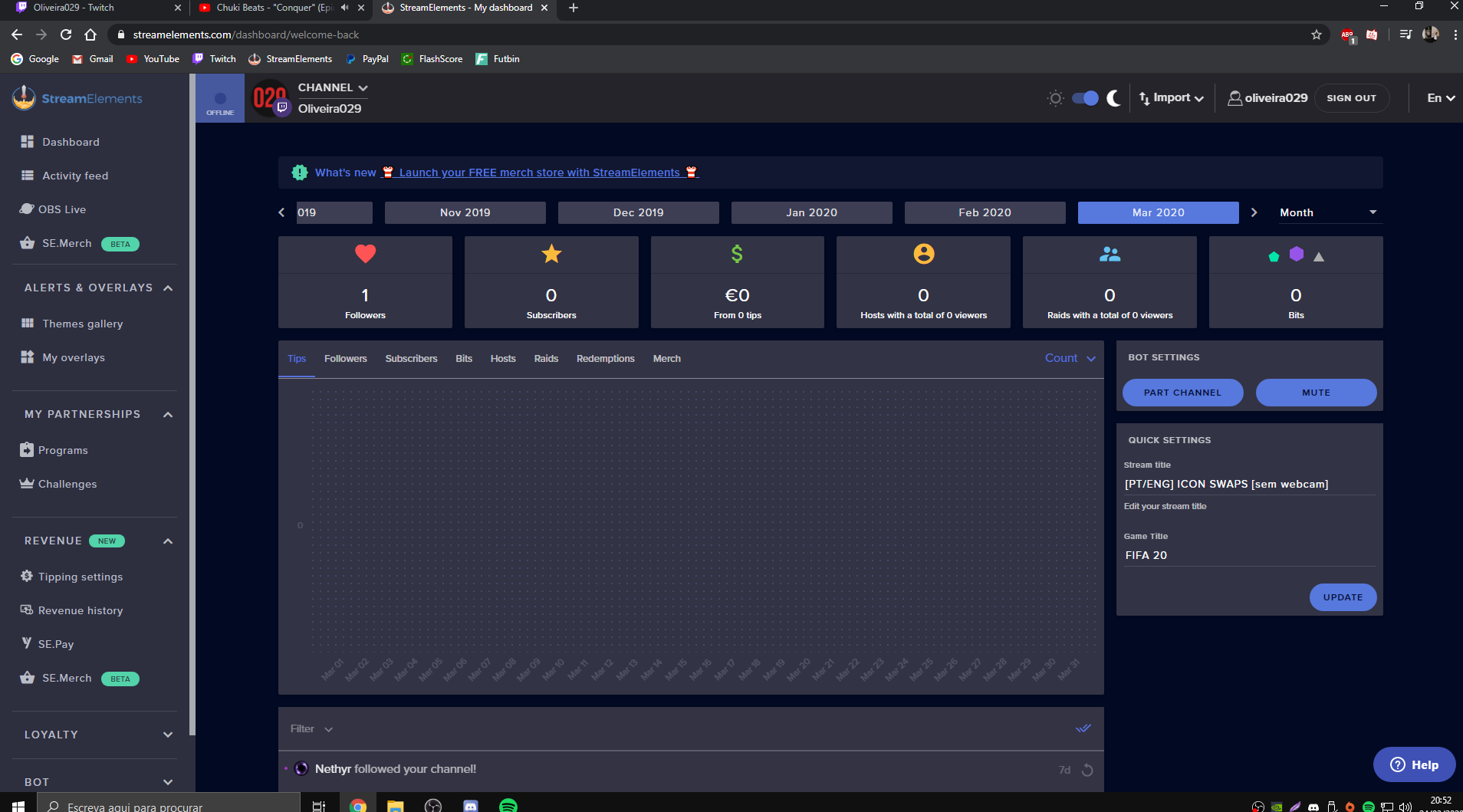
 slender phoenix
I have 3mbps upload, I'm trying for best quality about 1 hour. Could you please help me? What is the best bitrate for me
round brambleBOT
@slender phoenix There are no "best settings".
Please understand that every setup will be very different.
Any guides or videos that claim otherwise are misinforming. Your best option is to start with a base and adjust as necessary.
You can run the OBS auto-configuration tool. To use the auto-config, click on the Tools menu in OBS, select Auto-Configuration Wizard, and then just follow the on-screen directions.
You can use this tool to get baseline settings for your hardware and adjust as necessary from there.
Test, test, and test again. We are happy to offer suggestions for any issues you may be having afterwards, but not a list of settings.
Thank you
twin sentinel
@lament blade If the !uptime-Command gives back an uptime, then the system sees you as LIVE.
twin sentinel
@finite rain Only the bot would need to be in your channel and modded and you can set up a contest. Participants can enter via the command. The default command has to be enabled here: https://streamelements.com/dashboard/bot-commands/default-commands
 crystal tulip
Hi, I have a problem with StreamElements Leaderboards, since I changed my username I don't get the list "chat stats", "top emotes" and "cheers", while all the other lists are seen.
I tried reinstalling the extension but nothing. I also tried to disconnect from the Streamelements site and then reconnect and install the extension but nothing ...
How do I solve it?
Thanks so much-
twin sentinel
What is your old and your new name please?
crystal tulip
My old name is AttilioPH and now is Attilio_90
 finite rain
thank you so much for the quick response time yall are so much easier then streamlabs
crystal tulip
you're welcome 🙂
twin sentinel
@crystal tulip Your chat stats have been fixed.
 restive shadow
greetings SE fam! would there be a reason that even know I have the min viewers required set to 0, host alerts still don't show up?
round brambleBOT
@restive shadow Due to changes to Twitch API, we have filtered out hosts and will only show these ones on your activity feed:
- All hosts coming from an online channel with at least 1+ viewer
- Auto host events with at least 1 viewer - only from a channel that just went offline
Note: If you see "X channel has hosted you" with no viewers on the back, that is considered an offline host or a host with 0 viewers, we do not show these.
Note for Mixer streamers: The above 2 filters currently apply for Mixer and we are aware its actually not how Mixer hosts work. We do plan on changing it, but no ETA on when.
 cursive flame
Quick question, im streaming and it shows im streaming on OBS but not Twitch, I was told it could be my stream key but I dont see where I can check my stream key anywhere on OBS?
 strong kernel
@cursive flame Settings>Stream. Check everything. Then clear and disconnect everything and do it again anyway.
cursive flame
I have
finite rain
so let me tell u a story i had 75 dollar dono in streamlabs i did everything i was suppose to streamlabs was telling me its not there fault and was blaming paypal turns out after 3 weeks is was streamlabs issue and i still didnt get my money so i had to ask my viewers to deny the payments now im out all that money
but i came on here and havent had a single problem i love it
i am a full time streamer so yall make it so easy for me and the quick service today was the icing on the cake
KEEP UP THE GREAT WORK👍
strong kernel
Warning: Kind words may be spontaneously shared. 😛
 copper cairn
Hello, i got a Question, I want to delete my SE Account but it says Invalid Username. What am i doing wrong?
strong kernel
@cursive flame Service has absolutely nothing to do with starting stream and it not appearing on Twitch. That's 100% to do with how you've set things up in Settings>Stream, and if Twitch is accepting the connection.
@copper cairn If you renamed your Twitch account after signing up, use the old name. And type in all lowercase.
copper cairn
Okay!
cursive flame
Its been working until now, and it doesnt do it on any other streaming software
Theres not a stream key setting anywhere in OBS studio settings
strong kernel
I assure you it would if you set it up the same way. We have absolutely nothing to do with that functionality. That's all OBS Studio. And SLOBS is just a fork of OBS Studio.
If you disconnected in Settings>Stream like I told you, you'd see the stream key field.
cursive flame
OBS Studio support directed me here 🙂
round brambleBOT
@sage garden New to Stream Elements?
Check out our YouTube channel https://www.youtube.com/c/streamelements/videos
with tutorial videos from setting up the basics, to in depth details on how to use our product.
New to OBS? Here is a 4 step quickstart guide
https://obsproject.com/wiki/OBS-Studio-Quickstart
Want to learn even more? Here is an in-depth overview
https://obsproject.com/wiki/OBS-Studio-Overview
copper cairn
hmm, Nope it says "Invalid Username" again 😦
 sage garden
ah thank u AI
strong kernel
@copper cairn What is your Twitch username?
Your current one.
@copper cairn Email your username and JWT token to reem@streamelements.com and it'll be taken care of. Before you do, though, might I ask why you're looking to delete? If it's to merge accounts, then deleting is not what you want to do.
lament blade
Hey, how do I make the bot say Thank you for following (channel) in the chat?
I know how to make it pop up but not in chat.
copper cairn
Okay, Thank you men i will do that! I just wanted to delete it because i have another Bot which i have all commands in and i switched
strong kernel
@lament blade Chat alerts module in the Modules section of your account.
lament blade
Is there a way to copy a widget you create on one scene page to another without having to recreate it over and over for each scene?
strong kernel
@lament blade Select the widget and use the duplicate button in the bottom left.
@sage garden Pardon?
sage garden
So u know
when a follow
pops up
i have custom media
so it plays a gif
right
but atm it repeats the gif
strong kernel
Edit your overlay, select your alertbox, change the settings.
Gifs repeat. Videos play once.
strong kernel
Convert your gif to a webm to have it be consistent.
lament blade
Thank you so much @strong kernel
 dusk lily
Any idea why the watchtime command is stuck at 0 secs, loyalty is enabled
strong kernel
When did you enable it?
strong kernel
Well, then that's why.
strong kernel
It counts up every 10 minutes while you're live.
dusk lily
Oookay
strong kernel
It's not retroactive, if that's what you were waiting for.
dusk lily
I don't know what that means
strong kernel
Everyone is starting from 0, from the moment you enabled it.
dusk lily
Ohh
 livid ingot
Had to downgrade OBS just so i could run Div 2 :/ is there a downgrade OBS plugin?
strong kernel
No, there is no downgrade to OBS.Live, but one isn't needed. It doesn't affect game capture.
 fiery sorrel
@strong kernel could you help me out with an issue?
I can't seem to display my game at all but I can with the client
I'm trying to stream League
strong kernel
@fiery sorrel OBS 25 does not play nice with several games. Check with OBS Project to determine which. That's why we had the bot send you there.
fiery sorrel
Oh
 near jasper
I need help hooking up the StreamElements bot to a separate twitch account for a custom name. I did all the steps, but the option hasn't shown up. Not sure if maybe I did a step wrong.
round brambleBOT
@near jasper Due to a recent change from Twitch API, these features are affected by the change:
- Ground Control does not have Custom Bot Name
- Subscriber count will count the Channel and any other permanent sub you may have (+1 or +2 or +3 on top).
We are working on fixing both issues, but there is no ETA.
OBS.Live still has Custom Bot name working fine in it.
lament blade
Hello.. I added a link to my instagram on a command. When I test it, it replays with " **** "
strong kernel
@lament blade This is a Twitch moderation setting in your Twitch account, not in StreamElements. Either disable this setting or make the bot a moderator.
lament blade
Ok
 elfin cape
hello my chat stats have the error 404
round brambleBOT
@elfin cape If you changed your name on Twitch please follow these steps:
🔹 Visit https://streamelements.com/logout and then log in again with by connecting with Twitch.
🔹 On the right side of the dashboard page that opens, select "Join" under bot settings. If it says "Part" select that and then select "Join" to send the bot to the chat. Don't forget to mod the bot by typing /mod streamelements in your channel if you have not already.
🔹 Post your new name here so that we can update your channel's chatstats tracking (must be done by staff).
elfin cape
T1BERIU5
 full ridge
I get this error when i try to stream, but i never changed any stream key.
 midnight granite
I am getting the same thing as @full ridge
I have reset my stream key, changed server from auto to one close to me, restarted computer, same thing
strong kernel
Well, there is no SE OBS anyway.
OBS.Live is a plugin for OBS Studio, not its own version.
full ridge
ohhhhh
midnight granite
ya it's not like SLOBS (I think that's their own, but I could be wrong)
strong kernel
SLOBS is a fork. They took the source code and tore it apart.
 polar cedar
lol yeah i just was going to ask the same question. im also getting the error
midnight granite
yeah, makes sense
full ridge
So probably twitch
midnight granite
copper cairn
Do i get a Notification, when i Delete my SE Account via E-Mail?
 glass wigeon
Do yall have a multistream option yet?
 cosmic minnow
My stream Keeps stoping after 30 seconds?
 fair hound
Any word on any discord integration?
strong kernel
@copper cairn You do not.
@glass wigeon We do not and there are no plans at this time.
@fair hound Not at this time.
round brambleBOT
@cosmic minnow Please provide a log from your last stream. To do this, in OBS go to Help > Log Files > Upload Last Log File and paste the link to the log file here.
cosmic minnow
strong kernel
round brambleBOT
@cosmic minnow 1) Restart OBS
2) Start your stream/recording for about 30 seconds. Make sure you replicate any issues as best you can, which means having any games/apps open and captured, etc.
3) Stop your stream/recording.
4) Select Help > Log Files > Upload Current Log File. Copy the URL and paste the link here.
(Note: If you do not see an obsproject.com URL, you will need to update OBS Studio to version 22+)
cosmic minnow
strong kernel
@cosmic minnow You set an output timer.
lament blade
The UI on the website doesn't allow you to scroll all the way to the bottom of the page.
strong kernel
@lament blade What browser are you using?
 forest mountain
Anyone have any tips for why I'd get FPS drops in-game when stream alerts go off? For example, raid alerts, follow alerts, etc. It's like it hogs all my PC's resources for a few seconds then goes away. I'm a StreamElements OBS user streaming to Twitch.
round brambleBOT
@forest mountain Please provide a log from your last stream. To do this, in OBS go to Help > Log Files > Upload Last Log File and paste the link to the log file here.
forest mountain
lament blade
@strong kernel Chrome
round brambleBOT
@forest mountain OBS -> settings -> advanced -> scroll down -> enable/disable hardware accel.
https://i.imgur.com/ggMe9ZE.png
strong kernel
@lament blade And does minimizing the open timer let you scroll freely and open another?
forest mountain
In response to @round bramble 's suggestion - it is currently enabled. Will disabling it slow the browser sources down in any other way?
And regarding my logs - the first of 3 back-to-back raid events happens at timestamp "17:14:38.805". I noticed some serious frame drops around then.
lament blade
@strong kernel no
 vague tiger
im having issues opening the stream elements website, anyone else?
strong kernel
@vague tiger What browser?
@lament blade Can you screenshot how it looks with all timers minimized?
strong kernel
@vague tiger Answer the question please.
vague tiger
oh microsoft edge
strong kernel
Use Chrome.
 hazy coral
is there a way to stop people other than myself from creating bot commands? Somehow one of my mods is able to just add commands and I have no idea how to stop this, many thanks
 little oak
change the default !command user lever to broadcaster only from there "caster" will be the only one allowed to execute in creating a cmd
 quaint imp
Hola
Redeem stop working
 prisma horizon
Hey, so I'm having a bit of trouble displaying recent subscribers in my overlay, uncertain what the correct variable to use is. Is there any complete list of variables that work for overlays?
strong kernel
@quaint imp Can you be more specific?
@prisma horizon Each widget will generally show you what variables it uses.
 worn bolt
Im trying to remove the StreamElements from my twitch and I cant find the part button
strong kernel
@worn bolt Right side of https://streamelements.com/dashboard
StreamElements
The Ultimate All in One Platform for Streamers
quaint imp
I use Redeem to play commands in my stream. To day everything is working, but now it stop working and sound
round brambleBOT
@quaint imp Please connect your streaming account (Twitch, YouTube, or Facebook) with Discord by going to ⚙ Settings and then Connections here in Discord. https://streamable.com/eg92w
 worn bolt
Thank you very much!
 verbal cloak
hi, I would like to know if there is any way to see with what variables the default commands are built
prisma horizon
ah so I'll be wanting a widget then. Was editing one of the overlays available and noticed subscribers weren't working I'll try re-adding it as a widget
quaint imp
Conected
strong kernel
@quaint imp Make it visible please.
@verbal cloak Not every default command can be replicated with variables. You can view available variables at https://streamelements.com/dashboard/bot-commands/variables
StreamElements
The Ultimate All in One Platform for Streamers
quaint imp
Done
prisma horizon
removing and re-adding the widget fixed the problem. Thanks 😃
strong kernel
@quaint imp Unpause your alerts.
verbal cloak
mmmm okay, so... I need that when using "!Xcommand @username numbers" the StreamElements response "username numbers" (without the @).
How can I do it?
quaint imp
@strong kernel Thank you
verbal cloak
like... user1--> !xcomand @agile spear2 100 /// streamelements response -> user2 100
strong kernel
You're going to have to explain with a specific example what you're trying to accomplish here.
You're still making no sense.
verbal cloak
like...
user1--> !xcomand @agile spear2 100
streamelements response -> user2 100
(without @ )
strong kernel
You're not getting my point here.
What, specifically, are you trying to do?
Don't just give me some random "xcomand" without context.
Tell me what you're trying to do.
Otherwise, if you prefer, you can ask in #🇪🇸︱español and get help in Spanish.
verbal cloak
well, the command "!bonus" does not accept the "@" so, I want to make a custom command that accepts the "@" and give to "!bonus" the user of the "@" but without the "@" symbol
Otherwise, if you prefer, you can ask in #🇪🇸︱español and get help in Spanish.
@strong kernel on the #🇪🇸︱español channel they don't answer frequently :/
strong kernel
Well, people do sleep.
A custom command cannot be made to give points to viewers.
Only !addpoints (which !bonus is an alias for) can do so.
verbal cloak
yeah, so I need the custom command to give the arguments to the "!bonus" command but without the @ symbol
verbal cloak
but the custom command can use "!bonus" command, right?
lament blade
Quick question, is there a way to record my stream through OBS while also taking out specific overlays? Or will everything on my screen appear on my video?
strong kernel
Everything will appear. Selective recording is a feature OBS Studio intends to implement in the future.
lament blade
Fantasic, thank you very much @strong kernel , I appreciate all of the help you're doing for us. :)
verbal cloak
😪 thanks for the clarification
 mossy flower
Where do i get support?
My bot aint working, i recently changed my name on twitch. Suddenly my bots and commands doesnt work anymore
round brambleBOT
@mossy flower If you changed your name on Twitch please follow these steps:
🔹 Visit https://streamelements.com/logout and then log in again with by connecting with Twitch.
🔹 On the right side of the dashboard page that opens, select "Join" under bot settings. If it says "Part" select that and then select "Join" to send the bot to the chat. Don't forget to mod the bot by typing /mod streamelements in your channel if you have not already.
🔹 Post your new name here so that we can update your channel's chatstats tracking (must be done by staff).
 dark gate
Hi!
Today I've received my first donation on twitch , and I just have my tippering setting at 50%
I'm waiting for the email
And I don't know how many it takes to stay on my mail
round brambleBOT
@finite rain Welcome to the helpdesk! Please let us know how we can assist you today and a support volunteer or staff member will assist you as soon as they are available. Thank you for your patience.
finite rain
so i changed the point amount to 10000 on the multi raffle and it wont go about 5000 and i put the single raffle at 5000 and it wont go above 1000
can you tell me how to fix this
strong kernel
@finite rain Type !raffle 10000 if you want a raffle for 10,000 points.
strong kernel
You don't need to run your stream.
finite rain
ok
strong kernel
Your maximum appears to still be 5000.
finite rain
ok didnt know about the !raffle thing cause i changed the 5000 to all kinds of numbers and it stilled stayed at 5000 but ty for the help
ill just use the !raffle from now on
srry just joined like two days ago lol
goodnight all your the best
 glad ferry
hi! I've watch tutorials and read forum posts, but I still can't figure out how to customize the streamelements bot's name, anybody available to help???
ionic kelp
@glad ferry Have you created a second account to use?
glad ferry
yes
glad ferry
okay thanks!
lament blade
Commands
scarlet tiger
?
 weary perch
Hi! I have a question regarding the chat bot spam filters. Can you somehow add incremental timeouts? As in, the first time you write everything in caps, you get 10 seconds timeout and message, the second time 300s and another message... etc TIA! And please everyone take care in these diff times!
round brambleBOT
@weary perch Check out the StreamElements ideas board: https://strms.net/ideas. You'll be able to add ideas, upvote ideas you agree with, and track their progress with email notifications. Adding and upvoting ideas also helps the staff know which ideas should be prioritized so please take some time to upvote.
lament blade
Hey
weary perch
OK, thanks. I will! 🙂
scarlet tiger
@lament blade Hmm? What's your problem?
scarlet tiger
Screenshot?
round brambleBOT
@lament blade The default resolution for StreamElements overlays (theme and custom) is 1920x1080. Please add them in OBS at their full resolution and use CTRL+F to fit to screen if necessary. You can then downscale your stream in OBS settings > Video if you'd like https://i.imgur.com/6bWXxjR.png

 river crown
Can I stream CSGO with an i5 6400?
scarlet tiger
You must test it ;) Propably you can
round brambleBOT
There are no "best settings".
Please understand that every setup will be very different.
Any guides or videos that claim otherwise are misinforming. Your best option is to start with a base and adjust as necessary.
You can run the OBS auto-configuration tool. To use the auto-config, click on the Tools menu in OBS, select Auto-Configuration Wizard, and then just follow the on-screen directions.
You can use this tool to get baseline settings for your hardware and adjust as necessary from there.
Test, test, and test again. We are happy to offer suggestions for any issues you may be having afterwards, but not a list of settings.
Thank you
round brambleBOT
@river crown There are no "best settings".
Please understand that every setup will be very different.
Any guides or videos that claim otherwise are misinforming. Your best option is to start with a base and adjust as necessary.
You can run the OBS auto-configuration tool. To use the auto-config, click on the Tools menu in OBS, select Auto-Configuration Wizard, and then just follow the on-screen directions.
You can use this tool to get baseline settings for your hardware and adjust as necessary from there.
Test, test, and test again. We are happy to offer suggestions for any issues you may be having afterwards, but not a list of settings.
Thank you
 little zodiac
how can i get an image to animate? a static image to have a custom animation
 abstract hemlock
@little zodiac please elaborate,
little zodiac
i have a logo(static image) but i want it to rotate or something like that but idk how to make that
abstract hemlock
@little zodiac you can get someone for #art-marketplace to do a video version for you
lament blade
Hi
little zodiac
i used the asset rotator, worked
zenith widget
Can you elaborate on what that command does?
 azure jasper
I'm trying to look at my chatstats page and keep getting a 404 error
 delicate sphinx
user- followa
zenith widget
@azure jasper fixed
azure jasper
Thanks 😄
zenith widget
@delicate sphinx that still doesn't tell me much
little zodiac
is there a way to get a alert to keep playing as you swap scenes
rn it keeps playing the video but stops the audio
 pallid nacelle
 lusty pendant
Hi, I'm trying to help a streamer who's managed to create completely separate accounts on streamelements, one for her twitch and another for her youtube channel. I'm using remote desktop to help her (she's very very new). I've managed to link her mixer account to her youtube, but I can't link her twitch because the channel is "already claimed". I tried e-mailing you (Actually KeiZar I think you replied but perhaps misunderstood the issue, or I misunderstood the response), basically I need to somehow merge the accounts, so that we can use the same overlays (or copy them from each service - which we can't do right now as streamelements considers them completely separate accounts. I tried deleting the account connected to her twitch account, so I could link the twitch to the youtube/mixer account, but for some reason closing the account isn't working either. Getting quite stressed trying to get this working hehe. Any help on how to merge the accounts would be greatly appreciated.
 dire patrol
same, i have all commands and stuff on my twitch integrated, need to connect my youtube, but it says i already have youtube connected. When i try to delete my other account on streamelements, its not doing anything, just saying ok, but nothing changes
lusty pendant
yeah closing the account will quite happily complain if you get an uppercase/lowercase wrong, but when you get it all right, it just does nothing. Making trying to fix this unwanted-connection harder than it probably ought be hehe 🙂
zenith widget
!mergeaccounts
round brambleBOT
Account Merging - Please note:
- Merging accounts only allows faster ways to switch between accounts
- Merging accounts does not allow data sharing between accounts - different streaming platforms, different type of events
- Merging accounts allows duplicating/sharing overlays between the accounts
If you understand the limitations of merging and want to proceed, please find the JWT tokens (!jwt) from both accounts you want to merge and you will be directed to DM them to a staff member.
 mystic dragon
Hi can someone help me ?
round brambleBOT
@mystic dragon If you would like help from the StreamElements support volunteers/staff please post your question in one of the helpdesk channels and someone will assist you as soon as they are available
#helpdesk-twitch | #helpdesk-youtube | #helpdesk-facebook | #helpdesk-mobile | #helpdesk-selive | #651453660810838026 | #helpdesk-merch
Thank you for being patient.
 fallen depot
I’m using regular obs (not obs live) and everything on every scene from stream elements is suddenly invisible. I can still hear alerts and sound affects, I can still use commands. Visually I can’t see anything on obs from streams elements. I can see it still using the preview button within stream elements.
round brambleBOT
@fallen depot The default resolution for StreamElements overlays (theme and custom) is 1920x1080. Please add them in OBS at their full resolution and use CTRL+F to fit to screen if necessary. You can then downscale your stream in OBS settings > Video if you'd like https://i.imgur.com/6bWXxjR.png
mystic dragon
in my country paypal has banned so im usind mastercard ,do i need paypal to get donation money or can i get with master ?
zenith widget
Which country?
mystic dragon
turkey
fallen depot
I hadn’t touched anything and it had been working fine for months, I just checked another browser source in obs. That isn’t working. Seems like an obs issue
zenith widget
@mystic dragon You can connect Bynogame with us. Simply go to Bynogame, make an account(if you don't have one) and in the settings(not sure where) there is a connect button with us.
round brambleBOT
@fallen depot Right click on the BrowserSource > Properties > Scroll down a bit > Refresh Cache of current page
round brambleBOT
OBS -> settings -> advanced -> scroll down -> enable/disable hardware accel.
https://i.imgur.com/ggMe9ZE.png
zenith widget
from bynogame
mystic dragon
k
fallen depot
That worked! Thanks! I wonder why it suddenly stopped working though.
mystic dragon
@zenith widget do you know any other platforms ?
zenith widget
For Turkey - no
mystic dragon
@zenith widget thanks a lot i did
delicate sphinx
@delicate sphinx that still doesn't tell me much
@zenith widget in need !stats to show user- follows and wievs
zenith widget
We have a default command called "!uptime"
to see how long the stream has been online
delicate sphinx
!stats it shows how many there is on stream- how many there is follow me and how many views there have seeb ne
i use !uptime
zenith widget
We don't have a command that shows all that information at once
delicate sphinx
thx
untold crest
${user} has ${user.points} points, account has been created ${customapi.https://decapi.me/twitch/accountage/${user}} ago,following ${channel} for ${customapi.https://decapi.me/twitch/followage/${channel}/${user}} and has spent ${user.time_online} on stream!
delicate sphinx
where do i put this in
untold crest
Create a new custom command and put that as bot response
delicate sphinx
all what you have write
untold crest
But keep in mind - this doesn't have how many messages were sent by that user
But it has more information there too
delicate sphinx
thats ok
 knotty ibex
I think I broke my bit alerts and no matter what I do I can't fix it
zenith widget
Can you elaborate?
knotty ibex
Ok, so I managed to emulate everything besides being able to replay this specific alert now, which makes me feel like theres a disconnect somewhere
streamlabs shows the alert in my activity feed but it didnt play on stream and I cant make the alert replay
delicate sphinx
hello. is stream elements down. i cant get it in my user list
zenith widget
@knotty ibex is it the cheer from the_bASSman?
knotty ibex
Yes
zenith widget
you have this on
knotty ibex
HAHAHAHAH OH
 knotty ibex
i didnt expect that at all, oof thank you 😯
delicate sphinx
i cant see Se in my user list in obs and my commanfs not working
zenith widget
yes, we catch everything and that settings applies for every alert
round brambleBOT
Go to the dashboard -> right side -> part channel -> join channel (https://streamelements.com/dashboard)
 delicate sphinx
thx
 silver lion
If I wanted to include the date in my overlay, is there a variable like {date} that I can use or will I need to manually update it?
untold crest
You can eiter prepare a custom widget that will display current date or update a text widget manually.
jade remnant
the one i use
silver lion
Okay, thanks
knotty ibex
Is there an easy way for me to get the audio from my alerts? I run a 2 pc setup and I havent run anything from my stream pc back to my game pc for the alert audio
twin sentinel
Not sure if there are better solutions out there, but you can open the overlay with an alertbox widget in a browser in the background.
 vast river
I need help I can't go to my profile on stream elements
When I try to do it I get redirected to the main page
 restive salmon
hi guys how i can change my email on streamelements?
jade remnant
what email are you trying to change?
round brambleBOT
@vast river Please logout of StreamElements at https://streamelements.com/logout and then login again to your account (Twitch/Youtube/Facebook/Mixer)
vast river
Ok
restive salmon
what email are you trying to change?
@jade remnant one my streamelements acc i had my 2nd mail and would to change to my main acc but cant find to change
olol
ok i see its connect with twitch and when i change there then also change on streamelements or?
jade remnant
there is no email log in to change on SE
if you change it on twitch then just log in to the site again
restive salmon
thanks sry dont knwn that
robust herald
Is there any way to give loyalty points for donations?
Something like 50 {currency} = 500 points
 wary halo
yes
robust herald
Where can I set it up? 🙂
robust herald
Oh thank you!
 supple lake
does anyone know, where to disable the viewer count in streamelements OBS?
okay found it, never mind 😄
 cobalt tangle
how do I get clickable links to show up on my timer bots? I have social media links but they show up as ***
ionic kelp
@cobalt tangle Disable block hyperlinks https://dashboard.twitch.tv/settings/moderation
cobalt tangle
ah ok thank you. I was blocking hyperlinks to stop bots from asking me to buy viewers. Thanks!
 arctic stratus
hi how can i delete my account thank u
 lapis spear
Hey, in !commands there's some commands under Super Moderator. How do I make a moderator a super moderator?
twin sentinel
You can do that here: https://streamelements.com/dashboard/bot-commands/user-management
 celest glacier
hi guys is anyone else having problems with !sr?
twin sentinel
@arctic stratus Anything we can help you with?
You can delete your account here: https://streamelements.com/dashboard/account/security
celest glacier
i cant even get the backup playlist to work
the video keeps saying An error occurred. Please try again later. (Playback ID: ulMBi4XpXKLlRSMy)
Learn More
lapis spear
Thanks @twin sentinel ❤️
celest glacier
its been a couple of days now and i've tried relogging and remodding the bot and all of those dont work
 solar kernel
is there chat part of ground control
twin sentinel
@solar kernel No, in Ground control there is no twitch chat.
solar kernel
thanks @twin sentinel why is that im curious seems like it would be good
twin sentinel
You can use the standard twitch chat dock out feature, to dock out your twitch chat.
@celest glacier I believe this is not something we can help with as its might be on the side of Youtube. I've tested some songs from another user and I was able to play them normally.
 crimson vector
guys im new to obs and streaming in general. i wanna stream on twitch. i have a gaming pc (windows) and a developer laptop (macbook) i wanna know if there is a way to share my gaming screen with my laptop and stream to twitch from there
celest glacier
oh noooo alright thanks for at least tryna troubleshoot it for me @twin sentinel ! 😄
solar kernel
do i access that through the browser or obs standard edition? @twin sentinel
twin sentinel
In OBS you can activate a chat dock and in your browser open your twitch channel and use the chat settings to dock out your chat.
silent yacht
Anyone knows how to disable slow mode for subscribers?
twin sentinel
Twitch Partners with a Subscription Button can allow their Subscribers to bypass the slow mode filter if they so wish to do so by going to their dashboard and navigating to their subscriptions tab.
from: https://help.twitch.tv/s/article/chat-commands?language=en_US
 wild jetty
Alert Variations. The text isn't showing when I emulate an alert?
twin sentinel
Check the layout option and the margin settings in the advanced text settings in the alertbox widget.
ionic kelp
@wild jetty there's the variations option below on the side.
 vale moon
hey, does the renameuser command merge chat stats for users?
wild jetty
@ionic kelp Yeah that's the problem I'm having. The variations aren't showing the text
 deft elk
Any way to get the codes for custom widgets? For eample nerd or die advertises custom goal, event, and chat widgets with special animations for when a goal is reached or the like. I like all that SE has to offer and have been using it for sometime now, now I'm looking to expand into making widgets more personal if possible so things aren't so clunky or staticky. I'd love to import some AE elements to spice them up if possible...
deft elk
@twin sentinel oh wow, how neat never noticed the links above. Should be super helpful. Thank you!
lament blade
Hi guys, how to put custom animated overlay? 🙂
finite rain
how to i get the host points to my viewers without adding manually
twin sentinel
@finite rain You can edit that in the loaylty settings: https://streamelements.com/dashboard/loyalty
Only the hosts which show up in the activity feed will get points.
@lament blade Depending on your sources, most likely as video or image widgets.
finite rain
i guess im doing somthing wrong do i need to put a box on my overlay to make it show up
wary halo
no
finite rain
ok so i need to put it as either a video source or an image widget
twin sentinel
The response with image widget and video source was not for you.
finite rain
ok
could you go in and change my settings to what it is suppose to be im not very good at this or could i get some instructions
twin sentinel
You can set up the loyalty settings in the link provided above.
finite rain
ya its not working im in middle of stream ill figure it out later
 mellow pier
streaming on twitch last night using obs, a couple people followed me and nothing showed up in the activity feed so my alerts didn't go like they were supposed to.
 west adder
Hi there. I'm looking if there is a way around for the bot to not spam the "thank you message" when somebody is gifting subs but have 1 message overall saying "Thanks" with the number of subs given?
twin sentinel
You can only disable the message for subs in general, there is no option to get a different message for sub gifts.
@mellow pier Can you part the bot from your channel, log out of the dashboard, log back in and make the bot join your channel again please.
west adder
Would be a cool feature to add because my chat is looking like this when people are gifting 5+ subs xd
round brambleBOT
@west adder Check out the StreamElements ideas board: https://strms.net/ideas. You'll be able to add ideas, upvote ideas you agree with, and track their progress with email notifications. Adding and upvoting ideas also helps the staff know which ideas should be prioritized so please take some time to upvote.
west adder
Thank you for your answer @twin sentinel , have a good day
 stray zealot
Hello, i am confused to how the bot commands work for twitch.
twin sentinel
Take a look at this video: https://www.youtube.com/watch?v=EpA4eDLMW_I
stray zealot
Okay, will do! Thanks 🙂
twin sentinel
If there are any specific questions, let us know and we'll try to assist you.
stray zealot
I will, thanks again!
mellow pier
@twin sentinel I just parted the bot, signed out and signed back in. It's still not showing the new followers from last night on the site.
twin sentinel
Do you see a new follow now on your activity feed?
 slender maple
Hello. im new here. How do i import the overlay to streamlabs app`?
round brambleBOT
@slender maple To add your overlays to OBS, add a new browser source in your scene. Paste your overlay URL in the browser source properties, set the dimensions to 1920x1080 (unless you changed them on the website), and ☑ “Shutdown source when not visible” https://youtu.be/KDvLynUqXI4
stray zealot
What if i want my donations to come through a other donation platform instead of paypal?
 bright anvil
:3
twin sentinel
@stray zealot To use SE.Pay you need at least 101 Followers.
stray zealot
On the platform?
twin sentinel
yes.
stray zealot
Okay. Thanks
 simple girder
I just recently changed my username on Twitch and now my bot commands wont work. I've looked through the settings menu on SE and can't seem to find a way to fix it. Any suggestions?
round brambleBOT
@simple girder Please logout of StreamElements at https://streamelements.com/logout and then login again to your account (Twitch/Youtube/Facebook/Mixer)
lament blade
Hey dudes, my chat is loading for ever in OBS.Live ... Suggestions?
@lament blade i answered your question in #🇩🇪︱deutsch
 lunar jay
I used an overlay template from streamelements but it won't resize to 720p in xsplit. Using 1080P causes a watermark. How can I resize the template?
simple girder
I logged out and back in and it didn't fix the issue with my chatbot
scarlet tiger
Watermark? @lunar jay
round brambleBOT
@simple girder Go to the dashboard -> right side -> part channel -> join channel (https://streamelements.com/dashboard)
lunar jay
yes the free version of xsplit only allows 720P. If I set the viewer to 1080p they put a watermark on my stream. I've tried everything to resize but it basically just crops the scene.
that's why I'm trying to resize it at the source.
crystal tulip
Hi, the loyality of Streamelements does not work well for me, it does not automatically give points to people who follow or host etc. etc. why?
scarlet tiger
@crystal tulip is loyalty system enabled?
crystal tulip
yes
 livid stirrup
I have a command that will not stop spamming in chat. No one is triggering it but it keeps giving the response in chat. I logged out and in of S.E disabled the command and have now even deleted it but it persisits
round brambleBOT
@livid stirrup Go to the dashboard -> right side -> part channel -> join channel (https://streamelements.com/dashboard)
crystal tulip
@scarlet tiger So does it automatically give it to new followers only? Do I practically have to give them to others manually?
livid stirrup
I did that even though it is parted and I have not yet rejoined it is still spamming
crystal tulip
If so it will be a mess when I have a lot of followers ... it will be difficult to manage.
livid stirrup
I have even stopped stream and its spamming it offline now as well
scarlet tiger
@crystal tulip yes
You can add points via !addpoints <username> <points>
Or via leaderboard settings on the website
@livid stirrup i see it, with custom bot name
One moment
crystal tulip
okay. Thanks so much
scarlet tiger
@livid stirrup turn off GC, open task manager -> kill any bot.exe you find
then start GC again
livid stirrup
I don't use GC, I Use OBS Live must I close that?
scarlet tiger
Yes, try this
livid stirrup
All seems ok now thank you so much 🙂
scarlet tiger
lunar jay
if anyone else has this problem, I stumbled upon a fix. For some reason resizing the overlay worked oposite. I had to set my stage at 720, then right click on the overlay, click custom under resolution, and make it 1080. That, for some unknown reason, cause everything to be in the right place. If I tried to make the overlay size 720 it would just zoom in to the top corner of the screen.
using xsplit broadcaster
lapis spear
Hey :)
I may have accidently done !bot part. Is there any way I can add the bot back? I'm not the owner of the Twitch channel.
strong kernel
@lapis spear Not unless you have access to their StreamElements account on the site.
lapis spear
How do I check that?
strong kernel
You'd know if you were given it.
lapis spear
Oh ok
 crude thistle
hello
I have an issue with overlays using OBS studio... can anyone help?
I bought an own3d.tv overlay package and I am trying to set it up using OBS studio. I have streamlabs, however, I would like to figure this out with OBS studio because I use a two computer stream setup
and streamlabs isn't available for mac
I have the overlay added I just don't know how to have the data feed in real time when people follow/donate etc
 azure mica
Hi hi, I have a question. I would like viewers to be able to donate with tipeeestream, which I have linked to my streamelements. If someone donates me via tipeeestream, will I receive a notification in my self-made alert box or will that not work? Thanks in advance.
strong kernel
@lament blade Can you explain what you mean by framed?
@crude thistle Did you add directly to OBS or did you upload to the overlay editor on our site first?
 naive sonnet
guys how i put the command for my viwers can put musics
strong kernel
@lament blade You're adding an entire overlay, not just a single widget. Positioning widgets in your overlay is done on the site, as overlays are 1920x1080 and should fit your whole canvas.
@lament blade In the overlay editor on the site. Not in OBS.
round brambleBOT
@lament blade New to Stream Elements?
Check out our YouTube channel https://www.youtube.com/c/streamelements/videos
with tutorial videos from setting up the basics, to in depth details on how to use our product.
New to OBS? Here is a 4 step quickstart guide
https://obsproject.com/wiki/OBS-Studio-Quickstart
Want to learn even more? Here is an in-depth overview
https://obsproject.com/wiki/OBS-Studio-Overview
strong kernel
@lament blade Can you perhaps rewrite that sentence to be a little bit clearer about what you're asking?
Make your English teachers proud.
Maybe a screenshot will help show what you're trying to describe.
round brambleBOT
To add your overlays to OBS, add a new browser source in your scene. Paste your overlay URL in the browser source properties, set the dimensions to 1920x1080 (unless you changed them on the website), and ☑ “Shutdown source when not visible” https://youtu.be/KDvLynUqXI4
wary halo
like that ^^
 lime goblet
Can someone please help with an explanation of how the !slots work?
strong kernel
@lament blade Look back at the width and height in your browser source properties, in your previous screenshot.
 static basalt
Does Streamelements have a spin the wheel widget? Something like Wheel Decide?
strong kernel
@static basalt Check #widget-share
@lime goblet What about it? It's a slot machine. If three matching emotes come up, they win.
lime goblet
@strong kernel I understand this, I need help in setting up. What exactly is the first slider responsible for? I can’t understand if he is responsible for the chance of winning, or what?
 harsh hare
Allo when i turn the !roulette command to offline only, its still working while stream is online, does it take some time to save the setting or is it bugged?
strong kernel
@lime goblet Payout amount.
The only thing that affects odds is the number of emotes you've added.
lime goblet
@strong kernel That is, if I put 10%, will the bot return only these percentages of the amount spent?
 shut reef
Hello guys
how can i reactivate
Streamelements chat bot ?
round brambleBOT
@shut reef Please ask your question in one helpdesk channel only. A support volunteer or StreamElements staff member will assist you as soon as they are available. Asking in multiple places will only result in confusion, not faster answers. Thank you for your patience.
wary halo
that buton, then log out, log back in and click on JOIN CHANNEL again
on your dashboard on the website
harsh hare
@wary halo hi do you know anything abt my issue? 
shut reef
Thank you very much @wary halo you are the best support in my life ever !!!i can support yuou with nautilus too
strong kernel
@lime goblet No. Consider it like a calculation. 100% means that, on average, the payout will be enough to cover the cost of rolling. As in, if there's a 1 in 10 chance to win, then the payout will be about equivalent to the cost of 10 rolls.
wary halo
@harsh hare i don't see an option to only be active offline
strong kernel
@lament blade Your source is not the same aspect ratio as your canvas.
wary halo
🤔
lime goblet
@strong kernel That is, if I put 50%, the person will lose 50% of his points before winning?
harsh hare
@wary halo that option appears when you go to default chat commands
strong kernel
@lime goblet No. 50% means a win will grant the equivalent of about half the cost it would take to roll as many times as the odds suggest require a win.
It has nothing to do with your current points.
harsh hare
hmm i'll keep testing, thx for trynna help ruben 👍
strong kernel
@lime goblet If it's a 1 in 10 chance of winning, and you make each spin cost 100, then 100% means that the payout would be about 1000, and 50% would make the payout about 500.
@lament blade That's your canvas. Now look at your source.
lime goblet
@strong kernel Does the number of emoticons somehow affect this?
strong kernel
@lime goblet Yes, of course. The number of emotes dictates the odds.
@lament blade In your sources section.
lime goblet
@strong kernel that is, if I put 10 smiley - is it 1 in 10?
strong kernel
@lime goblet No, it's 1 in 100.
lime goblet
@strong kernel 1 smile is 1%?
strong kernel
@lime goblet No. It's math. There are 3 slots. 10 possibilities per slot. 10x10x10 = 1000. 10 possible winning spins. 1000/10 = 100. 1 in 100.
lime goblet
@strong kernel thanks
 tough dawn
Hey guys, so I’ve got the leaderboard up and running. In terms of chat stats, is there anyway to make it update live? I noticed that they only update the numbers with a page refresh or clicking on another tab of the leaderboard and coming back to it. Live would be ideal
strong kernel
@lament blade Then your canvas needs to be 1440x900.
shut reef
Why does streamlabs bot write commands twice and how to fix it !!!!!!! PLEASE BEST SSUPPORT !!
https://prnt.sc/rmtazw
 lament blade
@shut reef you mean Streamelements bot?
shut reef
Yes sorry
strong kernel
@lament blade No links.
twin sentinel
You have one default and one custom !followage command. Disable one of them. @shut reef
shut reef
omg you are the best support ever !
strong kernel
@lament blade Ask in the #🇩🇪︱deutsch channel, you'll probably have a better experience in your own language.
tough dawn
Sorry to ask again, but just curious if anyone knows if the chat leaderboard app on twitch can update stats in real time or if it has to be manually refreshed?
twin sentinel
Afaik they only update after you refresh the site manually.
 brisk grail
So is redeems are disabled?
strong kernel
@brisk grail Pardon?
lament blade
My title command is completely gone & I don't know how to get it back
brisk grail
I am using redeems and it doesnt pop on screen anymore and i heard it is disabled so i come back here for asking if its true or why i cant use redeems? (using OBS btw) @strong kernel
twin sentinel
@lament blade There should be a default command !settitle here: https://streamelements.com/dashboard/bot-commands/default-commands
brisk grail
anyways i found my problem's solution i think thanks anyway stay healty bye
 unreal yew
does the ${time.until} command allow you to countdown to a future date rather than just a time of day?
strong kernel
Yes, if it's formatted correctly. Which can sometimes be difficult to do.
unreal yew
I'll keep playing whack a mole with it then 🙂
 ivory hare
In new to streaming. i'd just like help with putting in overlays and I was sent here by a couple streamers
round brambleBOT
@ivory hare To add your overlays to OBS, add a new browser source in your scene. Paste your overlay URL in the browser source properties, set the dimensions to 1920x1080 (unless you changed them on the website), and ☑ “Shutdown source when not visible” https://youtu.be/KDvLynUqXI4
unreal yew
though I don't suppose anyone happens to know which time/date format is correct :|? I've been trying 2020-03-25T22:56:42Z
strong kernel
@unreal yew Hasn't that time already passed?
unreal yew
oh, nvm, just got it 😄 future date. woop woop
strong kernel
Late by 5 minutes 😉
lament blade
how im gonna create this many commands dude give me a trick ... like 50 command for twitch chat
strong kernel
Why are you creating 50 commands? 🤔
lament blade
For my Streamer friend ...
unreal yew
doesn't everyone need 48 commands just to spam chat with?
strong kernel
I mean 
strong kernel
Okay, well, why 50? Oddly specific.
lament blade
he want https://nightbot.tv/t/mongraal/commands that many commands ....
strong kernel
You know we have a Nightbot import right?
strong kernel
There's an import menu in the top right of the dashboard on our site.
lament blade
realy ?
strong kernel
Yes. If you haven't been given access, tell him to stop torturing you and use that instead.
 lunar wren
Does anyone know if there is a way to eliminate the item redemption command from chat within Stream Elements but continue play the sound clip?
 elder parcel
i'm a little dumb so like how do you start a stream on twitch??
lament blade
@elder parcel With OBS.LIVE
elder parcel
ok
round brambleBOT
@elder parcel New to Stream Elements?
Check out our YouTube channel https://www.youtube.com/c/streamelements/videos
with tutorial videos from setting up the basics, to in depth details on how to use our product.
New to OBS? Here is a 4 step quickstart guide
https://obsproject.com/wiki/OBS-Studio-Quickstart
Want to learn even more? Here is an in-depth overview
https://obsproject.com/wiki/OBS-Studio-Overview
elder parcel
thx
lunar wren
I'm just trying to suppress the BOT response while keeping the ability to redeem the sound clip.
strong kernel
You cannot disable the confirmation message at this time.
lunar wren
Roger that. Thank you @strong kernel
lament blade
did i can play with my gaming pc and Streaming with my lap top by capture card ? it does give me option like with another pc ? MSI GF63 Thin 9SC i7-9750H 16GB 1TB+128SSD 4GB-GTX1650 with this lap top ?! @strong kernel
strong kernel
We can't really advise you on setting up a two-PC setup. If you want to try that with a laptop, which in a very general sense we cannot ever recommend because of laptops' limitations, then you can if you want.
lament blade
my lap top not gonna get any issue ?
 mighty olive
I know this might be a suuuuper basic question but is there like a trick to getting the URL of your uploaded file in your streamelements object library?
i uploaded a sound clip, there's just no obvious way to get it from my "library" to the widget
strong kernel
@mighty olive What widget?
mighty olive
video greet, but all i need is the URL of the sound clip which i can't get anywhere
strong kernel
Video greet?
mighty olive
strong kernel
Did you look at his video?
mighty olive
i did actually. I played it through discord and didn't see the description though.
thanks!
elder parcel
how do i start a stream?
round brambleBOT
@elder parcel New to Stream Elements?
Check out our YouTube channel https://www.youtube.com/c/streamelements/videos
with tutorial videos from setting up the basics, to in depth details on how to use our product.
New to OBS? Here is a 4 step quickstart guide
https://obsproject.com/wiki/OBS-Studio-Quickstart
Want to learn even more? Here is an in-depth overview
https://obsproject.com/wiki/OBS-Studio-Overview
 loud magnet
Not sure if I’m in the right spot but the streamelements website does not load on my computer. I don’t know what’s wrong. Of course my internet is working and literally every other site works ...help! Is it anything with my browser settings by chance?
strong kernel
What browser are you using?
 merry aspen
Hi there...
I have scenes with top cheerers and gifters list. One of the names on the gifters list changed his name a few weeks ago and now his name appears twice. He gifted after changing his name too so there is his original name and then his new/current username which has one more gifted above it. I have tried to find a way to merge or delete the data for the original username. I'm a small streamer. I list the top 10. I don't have that many gifters tbh but the same guy taking up 2 spots is dumb. Is there anyway to fix this? Thanks
loud magnet
At the moment using IE - which sadly I used exclusively before when I used the site more often @strong kernel
strong kernel
Use Chrome.
@merry aspen Send us an email to support@streamelements.com with the details, this will require dev intervention.
merry aspen
@strong kernel right-o thanks
 red flame
I cannot log into Stream Elements.
I click go log in and it takes me back to the home page again. I've cleared my cache as well.
strong kernel
@red flame What browser?
red flame
Chrome
strong kernel
Try it in an incognito window.
red flame
That worked 
strong kernel
Probably a browser extension messing with it. That'd be my guess.
red flame
Alright. Thank you. I'll see what I can find.
 young summit
Hi, when my mods and I try to change the game or title the twitch bot answers this
strong kernel
@young summit Did you make the bot a channel editor?
strong kernel
@young summit Screenshot what it says next to StreamElements at https://dashboard.twitch.tv/u/frankkaster/community/roles
strong kernel
Thankfully those words I can understand
 rotund goblet
Can anyone help me ?
round brambleBOT
@rotund goblet Welcome to the helpdesk! Please let us know how we can assist you today and a support volunteer or staff member will assist you as soon as they are available. Thank you for your patience.
rotund goblet
I need live chat
round brambleBOT
@rotund goblet Please ask your question in one helpdesk channel only. A support volunteer or StreamElements staff member will assist you as soon as they are available. Asking in multiple places will only result in confusion, not faster answers. Thank you for your patience.
strong kernel
@rotund goblet Nobody can help if you don't ask a question.
rotund goblet
Yeah I dont want to type everything
strong kernel
We do not offer one on one voice support.
rotund goblet
How do I edit my Tips etc overlay In stream elements to add my own audio
round brambleBOT
@rotund goblet New to Stream Elements?
Check out our YouTube channel https://www.youtube.com/c/streamelements/videos
with tutorial videos from setting up the basics, to in depth details on how to use our product.
New to OBS? Here is a 4 step quickstart guide
https://obsproject.com/wiki/OBS-Studio-Quickstart
Want to learn even more? Here is an in-depth overview
https://obsproject.com/wiki/OBS-Studio-Overview
strong kernel
@rotund goblet https://www.youtube.com/watch?v=8LVRd2X4HvU

Learn how to customize your alerts and setup different alerts variations with StreamElements Alertbox
Overlay Manager guide: https://youtu.be/X7XrDdRE7Fk
Add HypeCup to your Stream: https://www.youtube.com/watch?v=8LVRd2X4HvU
Got any questions, or just want to say "Hey"...
rotund goblet
I know where to test it but idk where to edit the song I want to add in
young summit
@strong kernel oh also I can't change the chatbot name and I did all the steps
round brambleBOT
@young summit Due to a recent change from Twitch API, these features are affected by the change:
- Ground Control does not have Custom Bot Name
- Subscriber count will count the Channel and any other permanent sub you may have (+1 or +2 or +3 on top).
We are working on fixing both issues, but there is no ETA.
OBS.Live still has Custom Bot name working fine in it.
 viscid pebbleBOT
Hi @lament blade, Please ask your question(s) or describe the problem you're looking to solve so staff or a support volunteer can assist you as soon as they are available.
lament blade
my stream on obs looks scuffed, ints too bright and some times it too dark, also its very choppy. like whne i drag a tab it doesnt shop me dragging it it only showd the tab skip over to the new location
this issue just arose today
round brambleBOT
@lament blade For the best OBS support, please join their Official Discord @ discord.gg/obsproject
 snow peak
Hello, All of a sudden, about 2 hours ago, StreamElements suddenly had difficulty streaming to my Twitch feed. It's been working beautifully for 12 days, now I can barely get a signal out. Not at my limit on my Internet Service, so there shouldn't be throttling. Everything seems to be working fine. I can stream videos without any lag from the internet, I just can't stream out all of a sudden for some reason.
round brambleBOT
@snow peak Please provide a log from your last stream. To do this, in OBS go to Help > Log Files > Upload Last Log File and paste the link to the log file here.
round brambleBOT
@snow peak 1) Restart OBS
2) Start your stream/recording for about 30 seconds. Make sure you replicate any issues as best you can, which means having any games/apps open and captured, etc.
3) Stop your stream/recording.
4) Select Help > Log Files > Upload Current Log File. Copy the URL and paste the link here.
(Note: If you do not see an obsproject.com URL, you will need to update OBS Studio to version 22+)
 stiff nova
So I currently stream on Twitch but I plan to multistream to Mixer and YouTube aswell
Is there I way I can sync the alertd
ionic kelp
Nope.
stiff nova
damn
ionic kelp
Not without multiple things.
strong kernel
@stiff nova StreamElements does not support multistreaming. We're not in the habit of supporting things that are against the agreements you make with these platforms.
 desert gulch
is there any common problem of why my bot isn't working in my chat?
round brambleBOT
@desert gulch If you changed your name on Twitch please follow these steps:
🔹 Visit https://streamelements.com/logout and then log in again with by connecting with Twitch.
🔹 On the right side of the dashboard page that opens, select "Join" under bot settings. If it says "Part" select that and then select "Join" to send the bot to the chat. Don't forget to mod the bot by typing /mod streamelements in your channel if you have not already.
🔹 Post your new name here so that we can update your channel's chatstats tracking (must be done by staff).
desert gulch
d3nvie
snow peak
@strong kernel Still getting the same issue hard wired.
I have no issue streaming 4k from internet.
hardwired and wireless
strong kernel
@snow peak https://r1ch.net/projects/twitchtest
Run this.
snow peak
@strong kernel will do. Like I said, everything was running beautifully for the last 12 days. I know my pc can handle it. Just weird.
strong kernel
To be honest? Not at all weird given the current state of the world.
These issues are popping up pretty regularly on several platforms.
 solar fjord
Will there ever be a Mac port?
strong kernel
For what?
strong kernel
Considering the lack of interest in the Mac version of Ground Control when we still were working on one, it's unlikely until we see much higher demand for it.
solar fjord
oof
snow peak
@strong kernel Yeah, it was the Atlanta server. It's back to normal and my issue went away. Appreciate your help, truly. 👍
But it was bad for about 2 hours
strong kernel
Twitter blew up about 2 and a half hours ago, so that lines up.
 covert stratus
Hey, the host alert does not work at all, and it never has for as long as I've been using streamelements.
round brambleBOT
@covert stratus Due to changes to Twitch API, we have filtered out hosts and will only show these ones on your activity feed:
- All hosts coming from an online channel with at least 1+ viewer
- Auto host events with at least 1 viewer - only from a channel that just went offline
Note: If you see "X channel has hosted you" with no viewers on the back, that is considered an offline host or a host with 0 viewers, we do not show these.
Note for Mixer streamers: The above 2 filters currently apply for Mixer and we are aware its actually not how Mixer hosts work. We do plan on changing it, but no ETA on when.
covert stratus
Okay cool, thanks bot!
 twilit gull
guys.. its possible to use streamelements bot to do twitch automatic ads?
strong kernel
@twilit gull See #command-share
 zinc root


