#pzwiki_editing
1 messages · Page 51 of 1
 digital helm
 proud cobalt
I could put a list in usage and the table in crafting?
Though does the literature parser already do this? I was going to make a new script for it to add to the recipe updater
Or is it specifically for schematics
digital helm
proud cobalt
I could put a list in usage and the table in crafting?
I think that's best. Especially since the game only shows you the recipe name when reading
digital helm
proud cobalt
Or is it specifically for schematics
I'd have to check. I could open it up, so it can be used
proud cobalt
Script is really simple, might just be nicer to keep it seperate
digital helm
proud cobalt
Script is really simple, might just be nicer to keep it seperate
I thought ahead, it's in utility.py get_recipe() at the bottom
 digital helm
proud cobalt
That helps
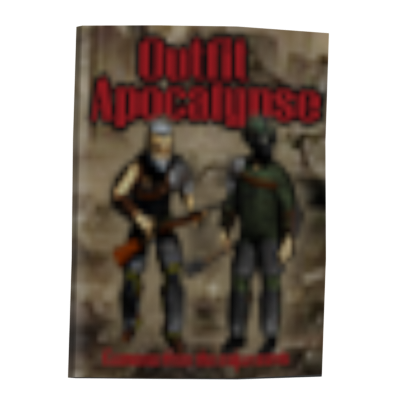
https://pzwiki.net/w/index.php?title=Magazine:_Outfit_Apocalypse&diff...
digital helm
proud cobalt
That helps
https://pzwiki.net/w/index.php?title=Magazine:_Outfit_Apocalypse&diff...
looks good (also, thanks for linking, I broke that blue notice box 😄 )
 undone urchin

 languid kayak
@naive rock is the 5 to 9 pellets here https://pzwiki.net/w/index.php?title=Double_Barrel_Shotgun&curid=14665&diff=937615&oldid=928395 a change in Build 42? If so, I'll update the page version (to 42.6.0 I assume)

 naive rock
languid kayak
<@297790301035298816> is the 5 to 9 pellets here https://pzwiki.net/w/index.php?...
naive rock
languid kayak
<@297790301035298816> is the 5 to 9 pellets here https://pzwiki.net/w/index.php?...
yes, it's for B42
I didn't go over the whole page, I just saw something that looked funky, did some testing, and updated it.
Sorry if that was improper protocol
languid kayak
nah, it's fine 😄 The page still states 41.78.16, but I'll bump it
just wanted to make sure it was a change in b42
languid kayak
yeah, the "Your edit" is clickable, hence the blue one 🙂
languid kayak
https://pzwiki.net/wiki/Server_settings this page seems to be outdated, referencing stuff to 41.6x versions 🤔
41.66 to be exact
languid kayak
is repairing trunks build 42 only or was it on 41.78.16 as well? https://pzwiki.net/w/index.php?title=Mechanics&curid=10501&diff=956831&oldid=751671

@proud cobalt this page https://pzwiki.net/wiki/Animal_Trough has |infobox_version=41.78.16 but it's not categorized under Category:Version 41.78.16, is it intended? Aren't item infoboxes being tracked by infobox version?

I think we had discussio nabout it btw @proud cobalt @digital helm are we keeping this like that? https://pzwiki.net/w/index.php?title=Version_history&curid=309&diff=957809&oldid=822465
Would these edits go to trivia? These seem minor, but might be useful to get in the face of a reader https://pzwiki.net/wiki/Special:Contributions/Yourkiller3
Although unless something changed, it may not be possible to get all the home VHSes in one world without respawning enabled
languid kayak
@flint vapor I added the missing java objects based on category, I alphabetized them, though if you want them to have a different order, be my guest: https://pzwiki.net/wiki/Java_object#Java_objects
languid kayak
gonna remove the https://pzwiki.net/wiki/File:Berry_patch.png now, not sure we'd use it anyway

(though let me know if otherweise, then I can undelete it)
the 9 HP one I added to https://pzwiki.net/wiki/Barricade#Gallery for now
digital helm
languid kayak
<@191537586542608384> this page https://pzwiki.net/wiki/Animal_Trough has `|info...
Infobox version is only a flag for the bot, it doesn't do anything on the wiki, so doesn't add a category, etc.
It should be ignored
digital helm
languid kayak
I think we had discussio nabout it btw <@191537586542608384> <@10965812680590540...
I think we were going to move it to the build 42 page, and leave this page to only be the stable versions. At least that was my suggestion
digital helm
languid kayak
Would these edits go to trivia? These seem minor, but might be useful to get in ...
This could just be mentioned in passing in the opening somewhere. I don't think it needs to go in trivia
proud cobalt
languid kayak
<@191537586542608384> this page https://pzwiki.net/wiki/Animal_Trough has `|info...
Nah this is infobox tile, not infobox item. And we dont track the category with the infobox version number, its just a dummy parameter
digital helm
proud cobalt
Nah this is infobox tile, not infobox item. And we dont track the category with ...
Speaking of which @languid kayak are we happy to remove the version category from the code snip? This was only added originally so it could be tracked, but this is automated now. Will stop pages being categorised under several versions, so they are only categorised by the page version template
languid kayak
digital helm
Speaking of which <@270429416155250690> are we happy to remove the version categ...
That would be sane indeed, yeah
especially now that's pretty much automated
proud cobalt
Trialling having crafting templates start collapsed as part of the lua migration
Example
 proud cobalt
B42 crafting has now been moved to Lua. Suppressed articles is down to just 12 of the largest ones, mostly the sharp knife ones as theyre so common. I believe after navbox and infobox migration these will be unsuppressed too
 lucid junco
@digital helm what happened with my vector

Its 100% different than before the updade
 proud cobalt
lucid junco
<@109658126805905408> what happened with my vector
proud cobalt
lucid junco
<@109658126805905408> what happened with my vector
Vector 22 was updated by the wikimedia foundation and was part of the wiki upgrade to the latest version
lucid junco
Damn, I liked the old black color 
proud cobalt
It was nice but it was only a stop gap while we waited for the update because everything was forced light mode
lucid junco
I should note that for some reason the main menu was light, but settings were dark
In the Light mode
digital helm
lucid junco
I should note that for some reason the main menu was light, but settings were da...
I'll have to look at that. I've only made vector22 useable and haven't looked into it too much
lucid junco
digital helm
I'll have to look at that. I've only made vector22 useable and haven't looked in...
And the "drop files here" is a flashbang
 digital helm
lucid junco
And the "drop files here" is a flashbang
digital helm
lucid junco
And the "drop files here" is a flashbang
Thanks. Anymore like this, let me know. And is this set to dark explicitly? i.e. not auto
 digital helm
That's a good change. That was annoying
lucid junco
@languid kayak shouldnt this be at The Indie Stone Section, rather than Community?

Mad Dan, Binky, Will Porter, Blindcoder(?) are listed as tis members
lucid junco
digital helm
Thanks. Anymore like this, let me know. And is this set to dark explicitly? i.e....
It is set to dark

Not automatic
digital helm
lucid junco
It is set to dark
should be fixed now
lucid junco
What could this possibly reference...

Oh, I know, the "Amnesia was her name" by Lemon Demon 
languid kayak
digital helm
I'll have to look at that. I've only made vector22 useable and haven't looked in...
Although at that point, we're alose to 1 to 1 with what Wikipedia and sister projects use, so you might try looking (or sending) the feedback there too @lucid junco , though we can obviously adjust too
languid kayak
lucid junco
instead of being white, unlinked text
That's actually nice I think?
languid kayak
lucid junco
Mad Dan, Binky, Will Porter, Blindcoder(?) are listed as tis members
Well, they are all in credits technically 🤔 I think Leo too
lucid junco
languid kayak
Although at that point, we're alose to 1 to 1 with what Wikipedia and sister pro...
Cant we use old dark mode colors?
languid kayak
lucid junco
Cant we use old dark mode colors?
technically though it'd require Vail to explicitly add them as overrides
proud cobalt
I've added teachable recipes to items via CalvyBot. These currently arent updated automatically
https://pzwiki.net/w/index.php?title=Seed_Packet_-_Zucchini&diff=prev&oldid=959263
digital helm
lucid junco
Cant we use old dark mode colors?
We could. But it's not something I'll be looking at for a while. I'll jump on issues, but that skin was painful to work with.
I've saved the old stylesheet here just in case https://pzwiki.net/wiki/User:Vaileasys/vector-2022.css
languid kayak
digital helm
We could. But it's not something I'll be looking at for a while. I'll jump on is...
btw, I believe local css are still disabled?
Else sharp could've used that (or whatever) to their use case
digital helm
languid kayak
btw, I believe local css are still disabled?
It is, yeah. Couldn't get it working
 languid kayak
Okay <@&1205891296565268520> – here is the new monthly summary of the wiki activity for you! https://pzwiki.net/wiki/PZwiki:News#March_2025_summary
languid kayak
languid kayak
Okay <@&1205891296565268520> – here is the new monthly summary of the wiki activ...
 still mulch

 dense veldt
Wait what why am I a wiki editor
 grizzled wagon
Because you're here
 calm temple
languid kayak
dense veldt
Wait what why am I a wiki editor
calm temple
languid kayak
dense veldt
Wait what why am I a wiki editor
you took it as a role, see id:customize
dense veldt
I must've done it a while ago to see a channel about the wiki I reckon, I do like me a bit of analysis
 hard knoll
Kudos for information organisation and followups - great community health 🫶
 round iron
Ñ
 lofty onyx

 last tapir
languid kayak
Okay <@&1205891296565268520> – here is the new monthly summary of the wiki activ...
last tapir
languid kayak
Okay <@&1205891296565268520> – here is the new monthly summary of the wiki activ...
Got it
 random nymph
Guess I shall honor my title huh
languid kayak
Did that now, also Plush toys → Plush toy (though maybe we'll revamp that in B42) and Corpses → Corpse. Will move skill books and recipe magazines now.
Electronics I'm not sure about? #pzwiki_editing message @proud cobalt
Links will redirect, but we can slowly update links to just use [[weapon]] instead of [[Weapons|weapon]] now 😄
I guess this should be moved too https://pzwiki.net/wiki/Firearms ?
Then there's furniture pages like https://pzwiki.net/wiki/Appliances
(these are pretty much all pluralized; I guess we want them singular?)
languid kayak
I think that can be safely deleted @proud cobalt btw? https://pzwiki.net/wiki/User:Calvy/sandbox2 only case of https://pzwiki.net/wiki/Special:WantedTemplates
I think it's finally time to part with the https://pzwiki.net/wiki/File:Knox_Country.png indeed – if anyone still needs it, feel free to download it (or one of its old version, one is pre-LV), though I can undelete/share that at request afterwards too. It's outdated now, even for 41.78.16, and more on b42 when coords are different. It originated on #mapping to show coordinates, see #mapping message pinging @flint vapor just in case but I doubt it still have any value for modding
and I think the file is still on forums if someone despeartely needs it too. While space isn't really an issue, wiki isn't the hosting place theoretically, and due to the size, the file can't even be used on the wiki (thumbnail won't generate and the file is too big to show 1 to 1)
languid kayak
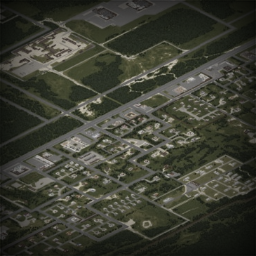
And I believe I had asked a thusand times at this point but just to make sure, https://pzwiki.net/wiki/File:House_OneStory_Muldraugh_E.png is good to go, right @digital helm? It seems to be an old spawn location image, these are used on https://pzwiki.net/wiki/Muldraugh#Starting_locations
We did have talk about spawn points but came to no conclusion (and yeah, these will have to be remade eventually).

 digital helm
languid kayak
I guess this should be moved too https://pzwiki.net/wiki/Firearms ?
digital helm
languid kayak
I guess this should be moved too https://pzwiki.net/wiki/Firearms ?
Yeah, firearm is good. The others I'm not sure about. I think electronics was copied from the game category.
Maybe sticking with all singular is the way to go? Then just use plural for categories
languid kayak
digital helm
Yeah, firearm is good. The others I'm not sure about. I think electronics was co...
singular I think
Also @digital helm are these good to go now after wiki upgrade? https://pzwiki.net/wiki/Category:Wiki_interface_icons
digital helm
languid kayak
And I believe I had asked a thusand times at this point but just to make sure, h...
I guess so, if it's not used.
I don't think screenshots are necessary for spawn locations. The coord links works well
digital helm
languid kayak
Also <@109658126805905408> are these good to go now after wiki upgrade? https://...
Yep. Good to go
languid kayak
I cheated a little https://pzwiki.net/wiki/User:Faalagorn/Unused_files_to_keep (but feel free to know the backstory behind each image, and why I'm not straight up removing them, even if unused)
I wonder if that https://pzwiki.net/wiki/File:H2Quavia_logo.png will be used for anything; and if not was it planned for something?

@proud cobalt do you see any value of these for SYF, or should I straight up remove them? (they are all unused)
https://pzwiki.net/wiki/File:RedDinnerChair.png (was used as a SYF image for leader; it's commented out as we stopped using separate image for members and leaders)
https://pzwiki.net/wiki/File:Turnstile.png
https://pzwiki.net/wiki/File:Sporting_Bar.png
https://pzwiki.net/wiki/File:Low_Metal_Tile.png
https://pzwiki.net/wiki/File:Brick_Wall.png
^ these four are all 1-tile image I exported, some were on https://pzwiki.net/wiki/User:Faalagorn/Other_tiles (then called "unused", before Louisville)
This https://pzwiki.net/wiki/File:Location_restaurant_pie_01_50%2B51.png maybe I'll add to "other tiles" for now


 proud cobalt
languid kayak
<@191537586542608384> do you see any value of these for SYF, or should I straigh...
proud cobalt
languid kayak
<@191537586542608384> do you see any value of these for SYF, or should I straigh...
If they're unused I don't see why not. Can always add new ones if they need to be used
languid kayak
I wonder if that would make the Rosewood construction site McCoy's kinda? Though cars spawning there might mean that McCoy's is bringint the logs too

btw, after some time, you are getting used to, but in templates' parameter's naming there's some weird inconsistencies that developed over time, for example:
-
in https://pzwiki.net/wiki/Template:Infobox_item there's
|model=
|icon=
|icon_name=
|model2=
|icon2=
|icon_name2= -
in https://pzwiki.net/wiki/Template:Building_multi_location
there's
|loc1=
|image1=
|desc1=
|coord1=
|loc2=
|image2=
|desc2=
|coord2=
(where 1 is mandatory) -
then in https://pzwiki.net/wiki/Template:Wiki_task
|task=Completed task.
|task_status=complete
|task2=Started task.
|task2_status=started
(task2_status, not task_status2 like in infobox, I often confuse them)
Not sure if it's worth standardizing @digital helm? Or maybe add fallbacks so all works, but encourage one use over another, so the new editors jumping between the templates won't make mistakes by changing the order of the parameters?
And something to definitely look forward to avoid being all over the place in future templates too
proud cobalt
languid kayak
I think that can be safely deleted <@191537586542608384> btw? https://pzwiki.net...
Blanked, i was using it yesterday for testing
proud cobalt
languid kayak
Did that now, also Plush toys → Plush toy (though maybe we'll revamp that in B42...
I prefer electronics personally but if everything else is singular might as well move it over
proud cobalt
languid kayak
btw, after some time, you are getting used to, but in templates' parameter's nam...
We should try to standardise this as part of lua migration @digital helm
languid kayak
proud cobalt
I prefer `electronics` personally but if everything else is singular might as we...
There were some plans for meta pages as part of SYF, but not sure that's wtill planned? https://pzwiki.net/wiki/PZwiki:Project_Seat_Yourself_Furniture#Phase_2_-_Rework_and_Expand
proud cobalt
languid kayak
There were some plans for meta pages as part of SYF, but not sure that's wtill p...
I had started working on a new version of the furniture page in my sandbox but with B42 its just on hold too. They should all go singular too
digital helm
proud cobalt
We should try to standardise this as part of lua migration <@109658126805905408>
I'm for appending the number to the end. It's so much easier than trying to fit it in the middle. Made my life easier with the item infobox
proud cobalt
digital helm
I'm for appending the number to the end. It's so much easier than trying to fit ...
I agree, i think it was me that added it to the middle 😆
digital helm
proud cobalt
I agree, i think it was me that added it to the middle 😆
Yeah, but I get why that would seem better
languid kayak
@lucid junco red link in https://pzwiki.net/wiki/User:Sharpgolden/sandbox is intentional?
This one is missing image @proud cobalt @digital helm is the icon just not uploaded, or is it some error? https://pzwiki.net/wiki/Improvised_Screwdriver
There's some broken/red images in here too, I assume it's tiles? https://pzwiki.net/wiki/Poppy_(crop)
 proud cobalt
languid kayak
This one is missing image <@191537586542608384> <@109658126805905408> is the ico...
proud cobalt
languid kayak
This one is missing image <@191537586542608384> <@109658126805905408> is the ico...
I dont have an icon for it in my folder
proud cobalt
languid kayak
There's some broken/red images in here too, I assume it's tiles? https://pzwiki....
Interesting, idk what happened here
languid kayak
proud cobalt
I dont have an icon for it in my folder
would have to check that in game
@lucid junco in https://pzwiki.net/wiki/Stars_%26_Stripes#Gallery did you forget to upload the file?

besides that and https://pzwiki.net/wiki/Church which misses two images (should be easy to do, but I'm lazy), the rest of https://pzwiki.net/wiki/Special:WantedFiles is pretty much just missing tiles and some blog images (I'll take another look if I can find them, if definitely not, I'll make placeholders for them I guess)
71 pages are in https://pzwiki.net/wiki/Category:Pages_with_broken_file_links due to this currently
languid kayak
proud cobalt
Interesting, idk what happened here
speaking of crops, this one links to [[Base.Cucumber]] 😄 https://pzwiki.net/wiki/Cucumber_(crop)#Usage
(I think all crops do that?)
languid kayak
https://pzwiki.net/wiki/File:Location_restaurant_pie_01_50%2B51.png seems to be the same as https://pzwiki.net/wiki/File:CakesDisplay.gif (though they differ with shadow in the back for some reason), so I guess I'd change the gif name to that?

 proud cobalt
languid kayak
speaking of crops, this one links to [[Base.Cucumber]] 😄 https://pzwiki.net/wik...
proud cobalt
languid kayak
speaking of crops, this one links to [[Base.Cucumber]] 😄 https://pzwiki.net/wik...
Iirc i was banking on the redirects 😆
languid kayak
Anyone know what location is it? https://pzwiki.net/wiki/File:SFF_RS.png RS would mean Riverside
 digital helm
languid kayak
https://pzwiki.net/wiki/File:Location_restaurant_pie_01_50%2B51.png seems to be ...
digital helm
languid kayak
https://pzwiki.net/wiki/File:Location_restaurant_pie_01_50%2B51.png seems to be ...
I'd just delete the gif and use the normal tile, personally. I highly doubt we'll be doing this more with tiles, also messes with naming
languid kayak
digital helm
I'd just delete the gif and use the normal tile, personally. I highly doubt we'l...
what messes naming, .gif vs .png?
We could remade the animations, but they are PITA with overlays, yeah. PNG works kinda but is PITA to make, WebP would be good, but they don't work for animations flawlessly either 😄
languid kayak
languid kayak
Anyone know what location is it? https://pzwiki.net/wiki/File:SFF_RS.png RS woul...
location's here: https://b42map.com?6362x5311
last unused image from @naive imp btw 😄
oh wait, not last, there's one laundry, but there's more from plastic cheesman
@flint vapor you need that? https://pzwiki.net/wiki/File:Anim_tuto7.png
There's also https://pzwiki.net/wiki/File:Usecases.png by Crhis that is unused

 digital helm
languid kayak
what messes naming, .gif vs .png?
digital helm
languid kayak
what messes naming, .gif vs .png?
Just automation. Any tools scripts would use PNG
digital helm
languid kayak
This one is missing image <@191537586542608384> <@109658126805905408> is the ico...
I'll have to check this... I'm sure I've seen it 🤔
languid kayak
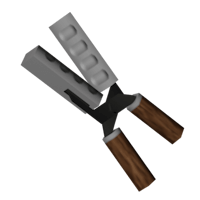
I suppose these four are still unused as of the most recent b42?
https://pzwiki.net/wiki/File:BulletMold_Model.png
https://pzwiki.net/wiki/File:BoxingHeadGear_Black_Model.png
https://pzwiki.net/wiki/File:ShoesTrainersBlack_Model.png
https://pzwiki.net/wiki/File:ShoesSneakers_Model.png


Okay, gonna go sleep now; will wait for replies and sleep through it and will settle these from https://pzwiki.net/wiki/Special:UnusedFiles tomorrow.
Maybe I'll get to create at least some stub for "Stalls" unless @lucid junco wants to and not sure I'm up for the task but there are those https://pzwiki.net/wiki/Annotated_Map_(Louisville) images unless @serene sage will be creative 😄
Then there's some new icons for https://pzwiki.net/wiki/User:Faalagorn/Animal_icons and https://pzwiki.net/wiki/User:Faalagorn/Item_masks and I'll probably start working on a list of unused icons which should take away most of the unused stuff from there

oh yaah and these two I'd love to put somewhere:
https://pzwiki.net/wiki/File:Advertise_Here_Trailer_Advert.png - probably a phone page which maybe I'll get myself to make?
https://pzwiki.net/wiki/File:Citr8_Wave_Billboard_advertising.png - should we made a page for Citr8?

 digital helm
languid kayak
I suppose these four are still unused as of the most recent b42?
https://pzwiki....
digital helm
languid kayak
I suppose these four are still unused as of the most recent b42?
https://pzwiki....
Bullet moulds were removed (maybe they'll come back?).
The others probably the same, but idk
digital helm
languid kayak
oh yaah and these two I'd love to put somewhere:
https://pzwiki.net/wiki/File:Ad...
Re: citr-8, if not, it could go on one of the fluid pages in gallery. I'm sure I saw more branding for it somewhere
lucid junco
languid kayak
oh yaah and these two I'd love to put somewhere:
https://pzwiki.net/wiki/File:Ad...
Citr-8 is in Airport and I didn't get to it yet
But it will get its own page
lucid junco
languid kayak
Okay, gonna go sleep now; will wait for replies and sleep through it and will se...
You can start and I will edit later
There is now like a dozen business category pages that can be made, so Im fine
lucid junco
languid kayak
<@522410419361415198> in https://pzwiki.net/wiki/Stars_%26_Stripes#Gallery did y...
I dont think I forgot?
I do remember taking a pic of the store
Though it was before Ive deleted them all with fresh install of windows
lucid junco
languid kayak
<@522410419361415198> red link in https://pzwiki.net/wiki/User:Sharpgolden/sandb...
Yeah, it was a showcase for ThinkDock about standardization of pic names
I think it can be discussed more in this chat, should we omit from interior pics for business chains, or have some rule that chains with >5 locations will not have interior pics
 serene sage
languid kayak
Okay, gonna go sleep now; will wait for replies and sleep through it and will se...
serene sage
languid kayak
Okay, gonna go sleep now; will wait for replies and sleep through it and will se...
pwease don’t kill my cute wittle stash images 
 quartz bear
project zomboid wikipedia
languid kayak
digital helm
Bullet moulds were removed (maybe they'll come back?).
The others probably the s...
Yeah, I remember the brief talk about the removed mold. I'll make a page, maybe even in main namespace about these, though we're lacking al ot of usual models 😄
Would be nice to at least have a checklist of what's there, including unused ones. Maybe someday ™
languid kayak
digital helm
Re: citr-8, if not, it could go on one of the fluid pages in gallery. I'm sure I...
I think we had a brief discussion about creating pages for other brands, I mentioned Tooks and Incontileve we have
languid kayak
lucid junco
I dont think I forgot?
hm, now that I see it it seems to be moved to https://pzwiki.net/wiki/File:Stars_and_stripes_in_mall.png which is the same image as infobox, so I guess I'll just remove the gallery? Though IIRC ThinkDock wanted to have the images both in the infobox and the gallery IIRC?
 lucid junco
languid kayak
hm, now that I see it it seems to be moved to https://pzwiki.net/wiki/File:Stars...
lucid junco
languid kayak
hm, now that I see it it seems to be moved to https://pzwiki.net/wiki/File:Stars...
Lemme read his mind real quick 
Though Im fine with removing the gallery, for now
We will see when it comes time to update it for real
languid kayak
lucid junco
I think it can be discussed more in this chat, should we omit from interior pics...
I think I discussed wiring some support for https://pzwiki.net/wiki/Template:Building multi location for multiple images but iirc ThinkDock wasn't fan of this, prefering galleries instead
languid kayak
serene sage
pwease don’t kill my cute wittle stash images <:pls:1094451799274045610>
They are preserved on my page now 😄 If someone touches them we'll get https://pzwiki.net/wiki/Special:WantedFiles https://pzwiki.net/wiki/Category:Pages_with_broken_file_links now which I'm working on cleaning and keeping eye on, so it's protected 🛡️
languid kayak
quartz bear
project zomboid wikipedia
Project Wiki
lucid junco
languid kayak
I think I discussed wiring some support for https://pzwiki.net/wiki/Template:Bui...
We've discussed having interior images and got a bit inconclusive in what to do with chains that have a real lot of locations
I think 5 is a good cut off point at which we stop adding in interiors
Since we do something similar with infobox coords
languid kayak
lucid junco
We've discussed having interior images and got a bit inconclusive in what to do ...
Well, I just put pretty much everything that was a location from https://pzwiki.net/wiki/Special:UnusedFiles and were unique, but for the further cleanups, I've always left the decision to Think, as he had the vision for the pages. There's also https://pzwiki.net/wiki/Help:Boilerplate_location – II'm open for ideas obviously, but not asomething that took most of my time of 😄
languid kayak
languid kayak
oh yaah and these two I'd love to put somewhere:
https://pzwiki.net/wiki/File:Ad...
https://pzwiki.net/wiki/Phone_numbers page's created with so far this number. I'll probably contribute to it later, so in case someone want to, feel free, though let nme know you're editing so we're not duplicating the work! (I'll try to get you guys know too)
Pinging @hushed bobcat and @tulip kiln just in case too ^
(wrong ping, sorry :P)
digital helm
languid kayak
This one is missing image <@191537586542608384> <@109658126805905408> is the ico...
Fixed it https://pzwiki.net/w/index.php?title=Improvised_Screwdriver&curid=142233&diff=959957&oldid=929421 the capitalisation was wrong. Icon was misnamed as ScrewDriver_ScrapMetal then patched later to Screwdriver_ScrapMetal

 hushed bobcat
42.7 is out
- Moar flyers from the flyer-factory
Time to batch uploads 😛
proud cobalt
60 or so new items, about 600 new recipes since 42.0.0
proud cobalt
Enormous blacksmithing recipe update
Recipes updated, Tags updated, Item updater working overnight 😴
digital helm
item lists updated too (weapons, literature, clothing, etc.)
proud cobalt
🤖
lucid junco
hushed bobcat
42.7 is out
- Moar flyers from the flyer-factory
Time to batch uploads 😛
Wdym 42.7 is out
my city is in the middle of the apocalipse and tis releases an update
There arent any new fliers
oh wait, hold on
pending update


Nolans flier

Its finally happened
 tulip kiln
lucid junco
Nolans flier
tulip kiln
lucid junco
Nolans flier
YOOO we now get confirmation what year those cars were manufactured
languid kayak
lucid junco
Wellington Heights Park after all?
languid kayak
lucid junco
"What happened here belongs in the past"
languid kayak
languid kayak
I think it's finally time to part with the https://pzwiki.net/wiki/File:Knox_Cou...
asking the source, but @hearty quest you're fine deleting that? See the reply for reasoning – if so, I'll go forward and do that
languid kayak
languid kayak
Anyone know what location is it? https://pzwiki.net/wiki/File:SFF_RS.png RS woul...
forgot to take a look at higher level; it's https://pzwiki.net/wiki/Spitfire_Fashion
hushed bobcat
@lucid junco , I updated the existing fliers with the new versions (still pending to upload the new ones), but I noticed that on the speedway one, the sponsorship were removed from cars, and I remember someone updating info about who were the race sponsors
languid kayak
digital helm
Re: citr-8, if not, it could go on one of the fluid pages in gallery. I'm sure I...
made a new page instead https://pzwiki.net/wiki/Citr-8_Wave since we had https://pzwiki.net/wiki/Slurp_Burp
 hushed bobcat
I'm probably doing something wrong (or just missing something), but it looks like I can't edit some pages anymore... like, I can update existing images that were uploaded, but I can't edit the Fliers page anymore, it doesn't log in at all. Since there were a recent update on the wiki, it doesn't hurts to ask: is there something new going on?
languid kayak
I was thinking of maybe making a page for Pop and Amnesia too
languid kayak
hushed bobcat
I'm probably doing something wrong (or just missing something), but it looks lik...
shouldn't be, but sometimes it might be a cache. Try adding ? at the end of the page maybe?
hushed bobcat
languid kayak
shouldn't be, but sometimes it might be a cache. Try adding `?` at the end of th...
Tried already, even wih random pages (never checked before) but those pages doesn't show me as logged in. Pages like the main one or the upload files are fine, is just the normal content one that doesn't identify it. Pretty sure that if you didn't receive other reports about it it's because is something on my side, so I will figure it out
languid kayak
sometimes it's due to heavy caching, but yous still can edit
languid kayak
languid kayak
made a new page instead https://pzwiki.net/wiki/Citr-8_Wave since we had https:/...
Although there's a Citr-8 Wave factory at Louisville Airport that maybe should be the page 🤔 We'll see, at least it's something for now

 restive adder
quartz bear
and then tis go "oh, sorry, it's cancelled"
restive adder
quartz bear
and then tis go "oh, sorry, it's cancelled"
No chance of that, 42 is merged to trunk
lucid junco
languid kayak
made a new page instead https://pzwiki.net/wiki/Citr-8_Wave since we had https:/...
Didn't think dock protest on adding in fictional products and stuff?
Thats why slurp was marked for deletion
languid kayak
lucid junco
Thats why slurp was marked for deletion
we unmarked it then?
as it wasn't now
was here indeed https://pzwiki.net/w/index.php?title=Slurp_Burp&oldid=234765
and I remreved it apparently 😄 https://pzwiki.net/w/index.php?title=Slurp_Burp&diff=prev&oldid=361255
I also made https://pzwiki.net/wiki/Stalls too, another arguable page 😄

@dull flower I'm clearing unused images on wiki, I noticed you uploaded https://pzwiki.net/wiki/File:Usecases.png but it's not currently used, ist seems to be a part of https://pzwiki.net/wiki/Attachment_Editor – do you have plans on using it by a chance?

 dull flower
languid kayak
<@144332335448326146> I'm clearing unused images on wiki, I noticed you uploaded...
dull flower
languid kayak
<@144332335448326146> I'm clearing unused images on wiki, I noticed you uploaded...
Ohp! If it got removed, probably safe to delete it. I believe Sir Doggy probably went past me and touched up/streamlined the page to be less confusing.
Thanks for checking first!
languid kayak
dull flower
Ohp! If it got removed, probably safe to delete it. I believe Sir Doggy probably...
indeed, seems to be removed there 😛 https://pzwiki.net/w/index.php?title=Attachment_Editor&diff=822725&oldid=760543 I'll go ahead and remove it then (can undelete if it turns out needed, but I think it's not)
@digital helm had to move https://pzwiki.net/w/index.php?title=File:KeyRing_HandsPraying_Model.png&redirect=no – not sure if it was a human error?
Also not sure about these two:
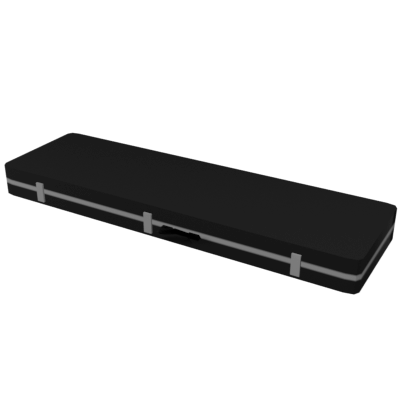
https://pzwiki.net/wiki/File:Guitarcase_Model.png
https://pzwiki.net/wiki/File:Guitarcase_Stickers_Model.png
These seem to be different than https://pzwiki.net/wiki/Guitar_Case ?


and https://pzwiki.net/wiki/File:CanteenMilitaryGreen_Model.png seems to be unused? Or is it an unlisted variant for https://pzwiki.net/wiki/Canteen_(military) ?


I also assumed this: https://pzwiki.net/w/index.php?title=File:ProtectiveCaseBulky_Army_Decals_Model.png&redirect=no as it was unused and both https://pzwiki.net/wiki/Protective_Military_Case and https://pzwiki.net/wiki/Protective_Case_-_Military were lacking model – but please check me if I'm doing it right!

is https://pzwiki.net/wiki/File:ChocolateHeartbox_Open_Model.png and unused model for https://pzwiki.net/wiki/Box_of_Chocolates btw?

 hushed bobcat
languid kayak
sometimes it's due to heavy caching, but yous still can edit
hushed bobcat
languid kayak
sometimes it's due to heavy caching, but yous still can edit
I did an experiment and found something interesting. By changing the appearance in the preferences page (to timeless instead of citizen), the layout looks very different (of course). Now, my login appears on the top right instead of the bottom left. Pages like the main one, or the upload one, or even the wiki tasks, wiki rules, all are under the selected "skin" and those identify me as logged in. BUT, any other content page doesn't get the correct skin, they force somehow the citizen one and that doesn't identify me as logged in. Tested on both web and mobile and the thing looks consistent, so I'm wondering if there is something special on those pages? 🤔
languid kayak
btw, not sure how useful it is, but I added Raccoon icons and skeletons to https://pzwiki.net/wiki/User:Faalagorn/Animal_icons – maybe it will be useful is someone would like to tackle b42 animal pages
languid kayak
hushed bobcat
I did an experiment and found something interesting. By changing the appearance ...
probably caching rules
 sour patio
question about the wiki, does the full page get updated all at once or with smaller parts
languid kayak
sour patio
question about the wiki, does the full page get updated all at once or with smal...
smaller part, some parts are automated but still require human (Calvy currently) to start it and it takes time bot to go through the changes based on the game files.
A lot of aspects of the wiki needs to be manually updated, though. See https://pzwiki.net/wiki/Category:Version for a rough estimate (though currently a lot of pages are present in two categories)
languid kayak
@proud cobalt do you know what happened to the old seed icons like https://pzwiki.net/wiki/File:BagOfCarrotsSeeds.png ? I can't seem to find more of the old ones 🤔

Also @proud cobalt @digital helm what happened with those splits? https://pzwiki.net/wiki/Special:WhatLinksHere/Its_variants We just never proceed to make them? Anything hard about them? Maybe something I could take a look?
languid kayak
Too bad these aren't used btw https://pzwiki.net/wiki/Mushrooms#Gallery – looks real nice

I'm settling mugs now, seems we miss model for the yellow one? Not sure if the unused blue one has one too: https://pzwiki.net/wiki/Mug
 languid kayak
are red and yellow mugs obtainable anymore?

we have 5 colors on https://pzwiki.net/wiki/PZwiki:Item_list though

oh, I see now
IconsForTexture = Mugl;MugRed;MugWhite;MugBlue;MugYellow,
okay https://pzwiki.net/wiki/Mug – yellow model is missing and blue is at different angle
@proud cobalt @digital helm in https://pzwiki.net/wiki/Copper_Saucepan
are these icons used?
https://pzwiki.net/wiki/File:CopperPot_Stew.png
https://pzwiki.net/wiki/File:CopperPot_Soup.png
https://pzwiki.net/wiki/File:CopperPot_Rice.png
https://pzwiki.net/wiki/File:CopperPot_Water.png
We only have https://pzwiki.net/wiki/File:CopperPotRotten.png so far


 digital helm
languid kayak
<@109658126805905408> had to move https://pzwiki.net/w/index.php?title=File:KeyR...
digital helm
languid kayak
<@109658126805905408> had to move https://pzwiki.net/w/index.php?title=File:KeyR...
I'd have to check, but probably because that's the name of the texture in the XML file. All item model names are very specific
digital helm
languid kayak
and https://pzwiki.net/wiki/File:CanteenMilitaryGreen_Model.png seems to be unus...
Unused variant of the US one. I uploaded it in case it's added later
digital helm
languid kayak
Also not sure about these two:
https://pzwiki.net/wiki/File:Guitarcase_Model.png...
I'll have to check them. But my guess is they're supposed to be here https://pzwiki.net/wiki/Flight_Case
 languid kayak
thanks!
digital helm
languid kayak
is https://pzwiki.net/wiki/File:ChocolateHeartbox_Open_Model.png and unused mode...
Yeah. Unsure if it would be used. I'd guess not
languid kayak
I'll add the unused ones on gallery, which I mostly am doing in https://pzwiki.net/wiki/Special:UnusedFiles
I'm kinda sad there are many mixed/unused flier/books/magazine models/icons that are unused; maybe worth re-reporting again 😩
languid kayak
digital helm
I'll have to check them. But my guess is they're supposed to be here https://pzw...
May need a deeper look, the flight case calls for trumpet case? https://pzwiki.net/wiki/File:TrumpetCase_Stickered.png
 digital helm
languid kayak
Also <@191537586542608384> <@109658126805905408> what happened with those splits...
digital helm
languid kayak
Also <@191537586542608384> <@109658126805905408> what happened with those splits...
First we were undecided on how to split them, then they were renamed in b42, so were waiting on getting around to split them. So, now we're probably finally good to split them. 1 per page (sensor ones were the problem because they were all the same name, but they're not now)
digital helm
languid kayak
May need a deeper look, the flight case calls for trumpet case? https://pzwiki.n...
I'll look into it. Once icons and models are added to the page, they don't get updated by the boy, so it may have been a bug
The boy bot 👦🤖
digital helm
languid kayak
I'm settling mugs now, seems we miss model for the yellow one? Not sure if the u...
Yellow mug would be new
digital helm
languid kayak
<@191537586542608384> <@109658126805905408> in https://pzwiki.net/wiki/Copper_Sa...
🤔 something to look into
languid kayak
digital helm
🤔 something to look into
There are these too
https://pzwiki.net/wiki/File:Bucket_Soup.png
https://pzwiki.net/wiki/File:MetalBucket_Milk.png
https://pzwiki.net/wiki/File:Bucket_Milk.png
https://pzwiki.net/wiki/File:Pot_Forged_Water.png
Although these are only one for each container; not sure if they are remnant of the icons pre-fluids and masks 🤔


similar on how https://pzwiki.net/wiki/File:Skull_Raccoon.png might not be used for anything anymore

This might have been a scrapped idea too https://pzwiki.net/wiki/File:RoastingPan_Forged.png

This seem to not be used anymore https://pzwiki.net/wiki/File:Roastingpan_Water.png

or maybe it is? But is it a mask now?


yeah, seems so: https://pzwiki.net/wiki/File:Roastingpan_Mask.png
 digital helm
languid kayak
There are these too
https://pzwiki.net/wiki/File:Bucket_Soup.png
https://pzwiki....
digital helm
languid kayak
There are these too
https://pzwiki.net/wiki/File:Bucket_Soup.png
https://pzwiki....
I'd say so. All icons got uploaded, regardless of their usage. Bucket soup may get used though
languid kayak
digital helm
I'd say so. All icons got uploaded, regardless of their usage. Bucket soup may g...
I think those are all masks now, with the liquid color being applied on the item mask
digital helm
languid kayak
This seem to not be used anymore https://pzwiki.net/wiki/File:Roastingpan_Water....
This one was never used iirc
languid kayak
btw, something to take a deepr look now, https://pzwiki.net/wiki/File:Muffintray_Cooked.png appears as unused, though it's a redirect
 digital helm
It was likely a duplicate in 41, may be worth moving to without _ to avoid the redirect?
languid kayak
it was, though, I'm not sure what is still used? Might be worth keeping the redirect just in case some script still calls the old name
https://pzwiki.net/wiki/File:FryingPan_Forged_EggsCooked.png not sure if it's used for anything, we have https://pzwiki.net/wiki/Frying_Pan_(forged) though


These two btw, I don't know whether were used in the past or never:
https://pzwiki.net/wiki/File:Book1.png
https://pzwiki.net/wiki/File:JamRed.png

 digital helm
languid kayak
it was, though, I'm not sure what is still used? Might be worth keeping the redi...
digital helm
languid kayak
it was, though, I'm not sure what is still used? Might be worth keeping the redi...
Yeah, keep the redirect, just make the other one the main one, which would be, since the automation doesn't add the _. It checks if the icon exists when appending Cooked, then uses that
languid kayak
wonder why it's not used https://pzwiki.net/w/index.php?title=Barley_Sheaf_(Dried)&diff=962145&oldid=926803 (same for a few different crops too)

okay, most of the unused files should be settled, the ones I wonder about are the red sand ones; what would it be used for?
https://pzwiki.net/wiki/File:RedSand.png
https://pzwiki.net/wiki/File:RedSand_Sack.png
https://pzwiki.net/wiki/File:SandCastingBox_Full.png
https://pzwiki.net/wiki/File:SandCastingBox_Empty.png


okay, gonna go sleep anyway 😴 Will try to take care of more things in https://pzwiki.net/wiki/Special:UnusedFiles
proud cobalt
languid kayak
<@191537586542608384> do you know what happened to the old seed icons like https...
Not sure what you mean. They're just not used anymore replaced by the new icons
proud cobalt
languid kayak
Also <@191537586542608384> <@109658126805905408> what happened with those splits...
They just havn't been done yet, more time consuming than hard, and with B42 they might have changed
proud cobalt
languid kayak
<@191537586542608384> <@109658126805905408> in https://pzwiki.net/wiki/Copper_Sa...
They will be, have not updated the evolved recipe pages yet
proud cobalt
Do we think it's worth removing the B42 disclaimer from crafting and just leave the B41 disclaimer for the legacy crafting template. It's becoming quite... Unsightly
 digital helm
proud cobalt
Do we think it's worth removing the B42 disclaimer from crafting and just leave ...
digital helm
proud cobalt
Do we think it's worth removing the B42 disclaimer from crafting and just leave ...
I do. Just leave the b41
 flat sun
i'd vote for removing the disclaimers
languid kayak
proud cobalt
Not sure what you mean. They're just not used anymore replaced by the new icons
as in there are differently named? For some reason I couldn't find them yesterday 🤔
languid kayak
proud cobalt
Do we think it's worth removing the B42 disclaimer from crafting and just leave ...
I don't mind, yeah. We already have b42 notice
proud cobalt
Alright notice removed from B42 crafting
languid kayak
languid kayak
indeed, seems to be removed there 😛 https://pzwiki.net/w/index.php?title=Attach...
gone btw
languid kayak
languid kayak
asking the source, but <@203740183995088896> you're fine deleting that? See the ...
gone too 🫡
proud cobalt
proud cobalt
Do we think it's worth removing the B42 disclaimer from crafting and just leave ...
Much more compact
 proud cobalt
languid kayak
as in there are differently named? For some reason I couldn't find them yesterda...
proud cobalt
languid kayak
as in there are differently named? For some reason I couldn't find them yesterda...
Unless maybe they wernt overwritten. Im at work so can't check
languid kayak
proud cobalt
Unless maybe they wernt overwritten. Im at work so can't check
nvm I think I found them:
https://pzwiki.net/wiki/Carrot_Seeds_Packet
and
https://pzwiki.net/wiki/Empty_Seed_Packet_-_Carrot
seems they are totally different items now, just share the model

I guess I'll add obsolete to the 41.78.16 ones with Build 42 tag in it, similar to the fish
https://pzwiki.net/wiki/Seed_Packet_-_Carrot for full actually
digital helm
languid kayak
<@191537586542608384> do you know what happened to the old seed icons like https...
 digital helm
languid kayak
nvm I think I found them:
https://pzwiki.net/wiki/Carrot_Seeds_Packet
and
https:...
digital helm
languid kayak
nvm I think I found them:
https://pzwiki.net/wiki/Carrot_Seeds_Packet
and
https:...
oh...
proud cobalt
Yeah they're two seperate items now for empty and filled packs
languid kayak
Okay, I added the relevant icons I could find to the relevant pages now and the vast majority of https://pzwiki.net/wiki/Special:UnusedFiles are unused item icons (and a few models; mostly books which I think are indeed unused, you may want to check @digital helm and maybe report to TIS if that's the case, maybe I'll do that eventually, as there's a lot of nice models we're not using now). I'll try to assemble them down on a dedicated page for them.
Then there are a lot of interface icons we're not using, but I'm keeping – I'll probably group them in one page eventually so they won't appear there.
I see there are three new moodles too btw, probably unused?
https://pzwiki.net/wiki/File:Mood_Concentrating.png
https://pzwiki.net/wiki/File:Mood_Dizzy.png
https://pzwiki.net/wiki/File:Mood_Happy.png
Some of your icons @digital helm will probably be used eventually on tables I guess too (they're nice btw as always :D)
https://pzwiki.net/wiki/File:UI_Range_Add.png
https://pzwiki.net/wiki/File:UI_Weight_Min.png
https://pzwiki.net/wiki/File:UI_Weight_Increase.png
Speaking of, we have idea how to replace this to be pixelart instead? https://pzwiki.net/wiki/File:UI_Frequency.png it's used on radios, doesn't look bad, but it's the last one of the bunch



(was supposed to send the message earlier, but I got interrupted :D)
digital helm
languid kayak
Okay, I added the relevant icons I could find to the relevant pages now and the ...
Books: I saw Carina upload a bunch, but I they're following the wrong naming scheme, and I think use the wrong texture (there are a bunch of static models, meshes, and textures for books) e.g. https://pzwiki.net/wiki/File:BookTrapping_Model.png should be https://pzwiki.net/wiki/File:BookYellowBrown_Model.png
Farming mags: These are unused. Some are duplicates, just with a different colour scheme. e.g. https://pzwiki.net/wiki/File:MagazineFarming1_Model.png (used) https://pzwiki.net/wiki/File:MagazineFarming3_Model.png (unused)
Cooking mags: These are unused. There's only cooking magazines for 1 to 6. So, 7 is unused, and 4 is used twice (CookingMag5 should be changed, as it's for sushi)
Paperwork: These are unused. Maybe the others will be a texture variant of https://pzwiki.net/wiki/Paperwork we also have https://pzwiki.net/wiki/Mail
Parcels: These are unused. As we discussed before, there are a LOT of them, so I'm not surprised there's only these left over 😄
Moodles are unused. Future?
UI icons may not be used. There's too many weight icons already that conflict. UI_Range_Add was made after a mix-up with accuracy. UI_Frequency will come eventually 🙂
digital helm
I've added a hover effect to the toggle for the infobox and togglebox. Let me know if any issues (fine tuning colours will come).
Togglebox is now also toggleable when clicking the entire title bar. I've purposely made the effect disappear when hovering a link, to avoid misclicks
example https://pzwiki.net/wiki/Gun_Case
 languid kayak
digital helm
**Books**: I saw Carina upload a bunch, but I they're following the wrong naming...
languid kayak
digital helm
**Books**: I saw Carina upload a bunch, but I they're following the wrong naming...
a.d. Books, does it mean we should replace the current models with the ones you uploaded and remove the previous ones? Seems so for trapping 1 for example:
StaticModel = BookYellowBrown,
if so, I guess I can do that manually.
for cooking, farming, paperwork and parcels, indeed, the icons are unused too. I'll add them to https://pzwiki.net/wiki/User:Faalagorn/Unimplemented_items for now
Moodles I added to https://pzwiki.net/wiki/Moodle and I think I'll proceed with gallery of other and 32px moodles, 32 px are not terribly interesting, but they don't just seem a 1 to 1 rescale, plus old ones still need to be added anyway for the improve tag.
as for the UI_Range_Add does it mean we should remove https://pzwiki.net/wiki/File:UI_Range_Add.png ?
As for the weight, how about just using one format? I find the ones with clear round sharp arrows nicer to look, and they fit with the other icon styles more
Finally, any idea what https://pzwiki.net/wiki/File:Item_Book_Generic.png is used? Is it a mask?

 languid kayak
okay, moodle's are set now
forgot about https://pzwiki.net/wiki/Discomfort

also, not sure if any of these moodles are not implemented by a chance? https://pzwiki.net/wiki/Moodle#Gallery
languid kayak
languid kayak
a.d. Books, does it mean we should replace the current models with the ones you ...
added the model ones to https://pzwiki.net/wiki/User:Faalagorn/Unimplemented_items btw
digital helm
languid kayak
a.d. Books, does it mean we should replace the current models with the ones you ...
Yeah swap over the book models to match the static model.
UI_Range_Add feel free to remove. I may still have a use, but if so, I'll re-upload/undelete
For the weight, they had different meanings. The plain arrows were for max and min, whereas the old encumbrance icon was for reduction. But after typing that, you're right 😄 we could stick with a + or - instead to keep consistent. Take a look at the container page for the issue I was having
Book_Generic is a base for a mask. The mask is recoloured coloured and overlayed. You'll see the skill books that are coloured that I've done manually
languid kayak
also @digital helm did you add more clothing recently? There was more, but now only https://pzwiki.net/wiki/File:BodyPart_Arm_L.png and https://pzwiki.net/wiki/File:BodyPart_Leg_L.png are unused

 digital helm
Also Book_Generic could be deleted because it has the Item prefix
languid kayak
digital helm
Yeah swap over the book models to match the static model.
UI_Range_Add feel fre...
yeah, I got the thing about different meaning 😄 Though yeah, in the end one ended up being used, one not. I'll keep the UI_Range_Add till last, so maybe you'll indeed find an use for it 🙂
digital helm
languid kayak
also <@109658126805905408> did you add more clothing recently? There was more, b...
I noticed these.. I'll have to look at them. Weird that it's only left that is unused.
digital helm
languid kayak
also, not sure if any of these moodles are not implemented by a chance? https://...
I looked for a couple of them and had no result for Lua or Java
languid kayak
digital helm
Also Book_Generic could be deleted because it has the Item prefix
good point, these seem to be a duplicate https://pzwiki.net/wiki/File:Item_Book_Generic.png – duplicate of https://pzwiki.net/wiki/File:Book_Generic.png (size of Calvy's icon is lower, but maybe he optimized the PNG?)
 digital helm
languid kayak
also <@109658126805905408> did you add more clothing recently? There was more, b...
digital helm
languid kayak
also <@109658126805905408> did you add more clothing recently? There was more, b...
Ah, it's things like elbow pads. We currently only have the right item id, not the left. We'll have to fix that. Armour will need another pass
digital helm
languid kayak
good point, these seem to be a duplicate https://pzwiki.net/wiki/File:Item_Book_...
Not sure when I would've uploaded this 🤔 should be deleted
proud cobalt
It all needs a fourth or a fifth pass 😆
languid kayak
I wonder if https://pzwiki.net/wiki/File:Book1.png was ever used for something btw
Also https://pzwiki.net/wiki/File:JamRed.png I'm not sure
proud cobalt
They may end up merged again
languid kayak
languid kayak
good point, these seem to be a duplicate https://pzwiki.net/wiki/File:Item_Book_...
@proud cobalt since you're there, did you compress the png files? I am curious while the size for these two differs 😄
proud cobalt
languid kayak
<@191537586542608384> since you're there, did you compress the png files? I am c...
Don't think so 🤔
languid kayak
I wonder then, was one from TileZed and one ships with the game?
I wonder if they are references to some existing teams? (they are unavailable, though I think they have models)

at least the jerseys seem to
[faalagorn@faalagorn-pc ProjectZomboid]$ grep -rni BasketballJersey*
grep: projectzomboid/media/models_X/WorldItems/Clothing/Bob_SleevelessJumper_Ground.FBX: binary file matches
grep: projectzomboid/media/texturepacks/UI2.pack: binary file matches
grep: projectzomboid/media/texturepacks/UI2.pack.backup: binary file matches
[faalagorn@faalagorn-pc ProjectZomboid]$ grep -rni BasketballShort*
grep: projectzomboid/media/texturepacks/UI2.pack: binary file matches
grep: projectzomboid/media/texturepacks/UI2.pack.backup: binary file matches
That could be it. There are some duplicates in both the textures folder and pack file
languid kayak
2 bytes difference btw 😄


(deleted btw; and yeah, turned out I did mark it as mask before)
Anyway, off to sleep. Will continue adding stuff from https://pzwiki.net/wiki/Special:UnusedFiles to https://pzwiki.net/wiki/User:Faalagorn/Unimplemented_items#Unimplemented_items mostly I guess.
There are some white clothing too, not sure if these are truly unused, or were a base to create the colored ones that for some reason aren't used in code.
I'll also settle the books tomorrow hopefully 🤞
but yeah, getting there slowly 😄 Down to 390 files
proud cobalt
Somehow this is true and not a troll 😆
 proud cobalt
I've been using a little script to help find articles that are missing templates or have incorrect templates. Over the past day or so I've been able to do over 1000 additions/fixes to mostly to the body part, distribution, and crafting templates. I'll be able to use this script in the future (as I did now) to add location and crafting tables to articles that previously did not have it, as its becoming harder and harder to keep track of.
I have also added endurance and discomfort modifiers to item infoboxes (and added the translations to avoid template loops) and these have now been rolled out to all English items.
My next step will be formatting the body part templates on pages to use the centre styling, to help with article layout. There's been a couple hundred articles with extra body part templates added now
languid kayak
proud cobalt
I've been using a little script to help find articles that are missing templates...
Speaking of Discomfort, stub, but better than redirect 😄
https://pzwiki.net/wiki/Discomfort
Just created it yesterday
the moodles need descriptions verified btw; I think we can take them out of the game files? We just never did 😄
as in the levels, as I think descriptions might be still based off Build 41
lucid junco
proud cobalt
Somehow this is true and not a troll 😆
Gas is an item in Project Zomboid
Usage
The gas can be drunk, result is death
proud cobalt
languid kayak
Speaking of Discomfort, stub, but better than redirect 😄
https://pzwiki.net/w...
Much better than a redirect
Have to get to fully doing moodles at some point. All items for me atm
 floral tinsel
jjuweswweet
languid kayak
@lucid junco just as you added the sponsors, we got this 🤔 https://pzwiki.net/wiki/File:Irvington_Speedway_Flier.png
 lucid junco
languid kayak
<@522410419361415198> just as you added the sponsors, we got this 🤔 https://pzw...
lucid junco
languid kayak
<@522410419361415198> just as you added the sponsors, we got this 🤔 https://pzw...
Fuckin hell
We still have sponsors on the worldmap though
Though it both removed sponsors and racer's names
languid kayak
@thin cloud was it intentional? Seems almost like a mistake, and the cars are very bland without them (scroll above for context, but basically it's Irvington cars losing their decals/sponsorships on the flier)
oh and just to make sure @digital helm and @lucid junco (or others, but I think you were the one discussing it), we're keeping this for now? https://pzwiki.net/w/index.php?title=Version_history&curid=309&diff=957809&oldid=822465
digital helm
proud cobalt
I've been using a little script to help find articles that are missing templates...
Really awesome stuff. This will save so much time, and keep things consistent
digital helm
languid kayak
oh and just to make sure <@109658126805905408> and <@522410419361415198> (or oth...
It was @proud cobalt too. Just hadn't gotten around to it yet. I'll do it now
proud cobalt
languid kayak
oh and just to make sure <@109658126805905408> and <@522410419361415198> (or oth...
Removing yeah. Stable only
digital helm
Moved it to b42 page https://pzwiki.net/wiki/Build_42#Versions
 digital helm
Changed the quick links images on the main page to a fun bump animation instead of the scale, and made the text get underlined when hovering the image (and vice versa).
Also added the hover highlight to navboxes, so they can be expanded by clicking anywhere in the title bar
proud cobalt
digital helm
Changed the quick links images on the main page to a fun bump animation instead ...
Could do with a bit of a refresh tbh... Not formatting wise, just content wise. Check all the links, add/remove where needed
languid kayak
digital helm
Moved it to b42 page https://pzwiki.net/wiki/Build_42#Versions
that'd work, yeah 😄
languid kayak
digital helm
Changed the quick links images on the main page to a fun bump animation instead ...
hm, seems they are sharp when hovered over but blurry when not on Firefox at least on this pc 🤔
on chrome it's fine
languid kayak
proud cobalt
Could do with a bit of a refresh tbh... Not formatting wise, just content wise. ...
what I wanted to point, yeah 😄 I only recently added the street names and phone numbers, but the truth is, not many people even click on these links, not sure we have exact stats
digital helm
languid kayak
hm, seems they are sharp when hovered over but blurry when not on Firefox at lea...
fine for me on firefox. Try hard refresh?
languid kayak
the SYF would need adjustements, and no new content is added really.
digital helm
proud cobalt
Could do with a bit of a refresh tbh... Not formatting wise, just content wise. ...
Thought so too when looking at it. The main features has changed a fair bit in b42
Should probably be fine until we get more features though?
languid kayak
digital helm
fine for me on firefox. Try hard refresh?
still seems so, though will dabble later. I think we had a similar situation with the previous effec though?
might be slight difference how Firefox (or Firefox on Linux?) handles stuff
digital helm
languid kayak
still seems so, though will dabble later. I think we had a similar situation wit...
Previous one was slightly blurry on hover, but that was just the nature of scaling. This is just translate, so moves up 4 pixels.
How bad is it?
How is it hovering over the navbar items. That's the same effect https://pzwiki.net/wiki/Item
(although text instead of img)
proud cobalt
digital helm
Should probably be fine until we get more features though?
Agree it's fine for now. Nothing wrong with it. Just a niceity
languid kayak
Wanted to check on mobile but encountered this 😄 (keep in mind it's not logged)
 digital helm
languid kayak
Wanted to check on mobile but encountered this 😄 (keep in mind it's not logged...
digital helm
languid kayak
Wanted to check on mobile but encountered this 😄 (keep in mind it's not logged...
Should be fixed now. I had been meaning to fix that, but forgot. Thanks for reminding me
os pref dark styles weren't applying
lucid junco
languid kayak
"What happened here belongs in the past"
Likely a jason woorhies ... jason whoois... Jason Voorhees reference
Or a uhh
Cal Fairweather
or idk
@hushed bobcat

Was it always Commune?
hushed bobcat
No
That was the Neil's pond snd Neil's farm before
I'm out of ideas on what to do, so any thoughts are appreciated. I can't log in anymore (at least not on some pages). I tried to create a new account, on a new browser (edge 🤮 ) and it just doesn't work. Anonymous tab: nope. Mobile: nope. Different PC: nope. And it's not about the account, since the new one shows the exactly same behavior, and it's not about my cache since I tried different PCs and browsers 😞
Any crazy idea that I can test?
Are you guys able to logout and logging again?
languid kayak
hushed bobcat
That was the Neil's pond snd Neil's farm before
I added that to relevant pages
tulip kiln
hushed bobcat
I'm out of ideas on what to do, so any thoughts are appreciated. I can't log in ...
Ye I actually can't either, whenever I browse a page that isn't the home page, it logs me out and won't let me log back in
languid kayak
hushed bobcat
I'm out of ideas on what to do, so any thoughts are appreciated. I can't log in ...
Might be something bigger then? If so, I think @restive adder might help you / look it up, though might take a while (you might drop him an e-mail too if you can't log in).
hushed bobcat
What I'm wondering is if that could be something related to the new templates. Again, using a different skin for wiki you can see that basic pages like home, upload, etc, works fine, but the content ones forces the layout. Not saying is that, but since I read here about discussions on how to change layouts and templates etc, I wonder if those are somehow affecting some of us
restive adder
Definitely email me please, kirrus@theindiestone.com if you're having login troubles
quartz bear
When the Undisclosed role has a theindiestone.com email
restive adder
quartz bear
When the Undisclosed role has a theindiestone.com email
Because I'm the indiestone's sysadmin 🙂
quartz bear
restive adder
Because I'm the indiestone's sysadmin 🙂
Very Undisclosed
proud cobalt
hushed bobcat
What I'm wondering is if that could be something related to the new templates. A...
It wont be anything to do with templates. But could have something to do with the wiki update
proud cobalt
quartz bear
Very Undisclosed
tulip kiln
proud cobalt
It wont be anything to do with templates. But could have something to do with th...
Good, you'll never convince me to not use the Monobook template
I'll die on this hill
proud cobalt
tulip kiln
Good, you'll never convince me to not use the Monobook template
I dont know how anyone can use monobook in 2025 😆
proud cobalt
If only timeless had a dark mode 
https://pzwiki.net/w/index.php?title=Project_Zomboid_Wiki&useskin=timeless
 tulip kiln
Nah fuck dark mode, I accept my retinas burning as I randomly decide to edit a page at 2AM
proud cobalt
I'm a tier 1 light mode hater
digital helm
tulip kiln
Good, you'll never convince me to not use the Monobook template
Damn. Was thinking of making it default
 ember cloud
To all wiki editors: Thank you all for everything you do. I can't tell you how excited I get to see an new or updated page. 🤩
From all the players that have a hundred PZwiki tabs open while playing, you're fighting the good fight.
lucid junco
tulip kiln
IT LOOK GOOD OK
I will die on me vector hill
lucid junco
hushed bobcat
That was the Neil's pond snd Neil's farm before
I know, but I have a feeling that it was different before 42.7
hushed bobcat
lucid junco
I know, but I have a feeling that it was different before 42.7
Gotcha. But no, my last update on the spawning map was before 42.7 and it was already "Commune" and "WASD"worth lake
 gritty mason
would any of the zomboid wiki omniscients happen to know what the internal id for the animal trailer is?
languid kayak
proud cobalt
I dont know how anyone can use monobook in 2025 😆
that indeed brings memories 🥲
I think Guild Wars wiki still uses it? Or was it TF2 wiki?
 languid kayak
@digital helm I uploaded the models on https://pzwiki.net/w/index.php?title=Butchering_I%3A_"Butchering_Basics"&diff=966737&oldid=927517 https://pzwiki.net/w/index.php?title=Butchering_II%3A_"From_Chuck_to_Shank"&diff=966739&oldid=927519 but I'm not sure it's the right way?
Items
The model for an item is defined in various places and can have 2 variants: ground and equipped. The ground model should be prioritized. The rendered model name should use the value in the following priority:textureChoices value in the ClothingItem file, ensuring to use the capitalization of the texture it's referring to. m_BaseTextures value in the ClothingItem file, ensuring to use the capitalization of the texture it's referring to. WorldStaticModelsByIndex WorldStaticModel WeaponSprite StaticModel
and in code
    StaticModel = BookBrown,
    WorldStaticModel = BookClosedTINT,
Is the WorldStaticModel different than StaticModel for those?

huh, I found some oddity with Carpentry books 🤔
item BookCarpentry3
{
DisplayName = Carpentry III: "Hand Crafted Shelving and Storage",
DisplayCategory = SkillBook,
Type = Literature,
Weight = 1,
Icon = Book8,
LvlSkillTrained = 5,
NumLevelsTrained = 2,
NumberOfPages = 300,
SkillTrained = Carpentry,
StaticModel = BookBrown,
WorldStaticModel = BookBrown_Ground,
}
vs
item BookCarpentry5
{
DisplayName = Carpentry V: "Site Joinery and Architectural Carpentry",
DisplayCategory = SkillBook,
Type = Literature,
Weight = 1,
Icon = Book8,
LvlSkillTrained = 9,
NumLevelsTrained = 2,
NumberOfPages = 380,
SkillTrained = Carpentry,
StaticModel = BookBrown,
WorldStaticModel = BookClosedBrown_Ground,
}
CompareWorldStaticModel

That seems to be the case for all (or at least a set of) skill books apparently

where 1-3 = open book model, while 4-5 = closed
are these different models? The text is different… The BookBrown is from @digital helm and BookCarpentry is from @proud cobalt though the writing seems totally different for both 🤔

 digital helm
gritty mason
would any of the zomboid wiki omniscients happen to know what the internal id fo...
digital helm
gritty mason
would any of the zomboid wiki omniscients happen to know what the internal id fo...
Not without looking it up. I'll update the vehicles list to include them later today, so maybe check back in 24 hours? https://pzwiki.net/wiki/Vehicle
It's probably something like Base.Trailer_Animal. you can also check in debug right-click contextual menu
languid kayak
Carving OTOH uses mask colors

 digital helm
languid kayak
<@109658126805905408> I uploaded the models on https://pzwiki.net/w/index.php?ti...
digital helm
languid kayak
<@109658126805905408> I uploaded the models on https://pzwiki.net/w/index.php?ti...
That one actually looks like it might be BookClosedTINT. WorldStaticModel is when it's placed on the ground, and StaticModel is when it's attached to a body part (such as the reading animation), or something along those lines. I probably should look back through them all
digital helm
languid kayak
are these different models? The text is different… The `BookBrown` is from <@109...
Models and textures were changed. Calvy's is the old one, mine is the new one
digital helm
languid kayak
Carving OTOH uses mask colors
And changed again 😄 by the looks of it
languid kayak
digital helm
And changed again 😄 by the looks of it
seems it's only the new books using mask + color though
digital helm
languid kayak
seems it's only the new books using mask + color though
Models are painful enough to do, but now to add mask tints 😩
gritty mason
digital helm
Not without looking it up. I'll update the vehicles list to include them later t...
i tried to have a look through the files and im not certain if i found the right place but it might be Base.LivestockTrailer, based on how other vehicle names were formatted in the files i found, but i havent found one in game yet so idk if the mod edit i was doing worked with that or not
proud cobalt
gritty mason
would any of the zomboid wiki omniscients happen to know what the internal id fo...
Trailer_Horsebox or Trailer_Livestock
gritty mason
proud cobalt
`Trailer_Horsebox` or `Trailer_Livestock`
thanks
 craggy linden
https://pzwiki.net/wiki/KPATV#Transcript
on this page , the dates go from July 20 to July 9 in a part where I think should be July 21? Can someone confirm if this is correct?
lucid junco
craggy linden
https://pzwiki.net/wiki/KPATV#Transcript
on this page , the dates go from July ...
Checking it now...
Gahh

Its bloody day 0 again

@quartz bear Can you look into how the radio/tv broadcast works?
quartz bear
lucid junco
<@279923592618049536> Can you look into how the radio/tv broadcast works?
gonna need more specifics than that
lucid junco
quartz bear
gonna need more specifics than that
How the game determines which lines to play
Its b42 and it still seems like these lines should overlap
quartz bear
parse the broadcastentry's children and play them in sequence?
why would they overlap if each has a uuid
 lucid junco
quartz bear
why would they overlap if each has a uuid
lucid junco
quartz bear
why would they overlap if each has a uuid
Idk, tis coding 
Though now we have to figure out what date day 0 is
quartz bear
must be relative
digital helm
lucid junco
That statement's not accurate. The day attribute isn't used. The only broadcasts that play are the ones that have startscript, which start from game start day. If it were used, day would've likely only been an offset anyway from its scheduled start day (not defined in xml). timestamp is the same, it's just minutes since the broadcast start day.
The only 'extra' broadcasts that would play are Classified M1A1, pastor and the various Initial Infection, but only play for specific game modes that were removed in b41.
So we don't know when the others, like karnival, started.
If those that aren't the main ones have a date, that'd just be a mistake with the script, since it sets the epoch to 9th July 1993, which should be removed
lucid junco
craggy linden
https://pzwiki.net/wiki/KPATV#Transcript
on this page , the dates go from July ...
As a sidenote Will Power is likely a reference to Willie Porter
lucid junco
lucid junco
As a sidenote Will Power is likely a reference to Willie Porter
Which is a reference to Harry Potter
100%
lucid junco
@languid kayak Do you know where credits are in pz?
Moby games page isnt updated, but I know that in game ones are
or @tulip kiln I think you were the one to send them back in b41
Mainly asking because of this name


 digital helm
lucid junco
<@270429416155250690> Do you know where credits are in pz?
digital helm
lucid junco
<@270429416155250690> Do you know where credits are in pz?
In UI_EN.txt with the UI_credits prefix
lucid junco
digital helm
In UI_EN.txt with the `UI_credits` prefix
Thanks
digital helm
Added a list of all the vehicle ids beneath the vehicle table https://pzwiki.net/wiki/Vehicle#Vehicles just in this format until we can accurately parse the vehicle scripts
languid kayak
digital helm
In UI_EN.txt with the `UI_credits` prefix
wasn't it lua?


 late garnet
w
digital helm
languid kayak
wasn't it lua?
It was. It changed at some point since 42.0
digital helm
lucid junco
Why doesnt it go into the sub category
it has to be at the start of a new line https://pzwiki.net/w/index.php?diff=966805
quartz bear
Terraria
tulip kiln
lmao god damn I keep forgetting how insane that page keeps getting whenever I check it after a while.
lucid junco
tulip kiln
lmao god damn I keep forgetting how insane that page keeps getting whenever I ch...
One day we will have to sort and rewrite these entries
And by we I mean you
Im not doing this shit
lucid junco
tulip kiln
I don't even know what new categories I'd add.
Nah like, just sort them into small groups
Like all Mashie's easter eggs
tulip kiln
oh ye that's what I've done for a lot of the dev easter-eggs.
if they're referenced several times, I just group the easter-eggs together.
when the login issues get fixed, I'll try and fix up the page a bit.
decent amount of easter eggs I gotta add too I think
lucid junco
@tulip kiln Gas 2 Go reference?
 tulip kiln
lmao could you imagine
languid kayak
digital helm
Models and textures were changed. Calvy's is the old one, mine is the new one
Huh, now that I think of it, should we keep the old textures uploaded by Calvy in gallery? If they were replaced, then I guess?
@digital helm shouldn't
https://pzwiki.net/wiki/File:BulletMold_Model.png
be called ShotGunShellsMold?
from items_obsolete.txt
    /******* SMITHING - MOLDS *******/

    item 223BulletsMold
    {
        DisplayName = .223 Bullet Mold,
        DisplayCategory = Ammo,
        Type = Normal,
        Weight = 0.5,
        Icon = BulletMold,
        MetalValue = 15,
        WorldStaticModel = ShotGunShellsMold_Ground,
    }

    item 308BulletsMold
    {
        DisplayName = .308 Bullet Mold,
        DisplayCategory = Ammo,
        Type = Normal,
        Weight = 0.5,
        Icon = BulletMold,
        MetalValue = 15,
        WorldStaticModel = ShotGunShellsMold_Ground,
    }

    item 9mmBulletsMold
    {
        DisplayName = 9mm Bullet Mold,
        DisplayCategory = Ammo,
        Type = Normal,
        Weight = 0.5,
        Icon = BulletMold,
        MetalValue = 15,
        WorldStaticModel = ShotGunShellsMold_Ground,
    }

    item ShotgunShellsMold
    {
        DisplayName = Shotgun Shells Mold,
        DisplayCategory = Ammo,
        Type = Normal,
        Weight = 0.5,
        Icon = BulletMold,
        MetalValue = 15,
        WorldStaticModel = ShotGunShellsMold_Ground,
    }
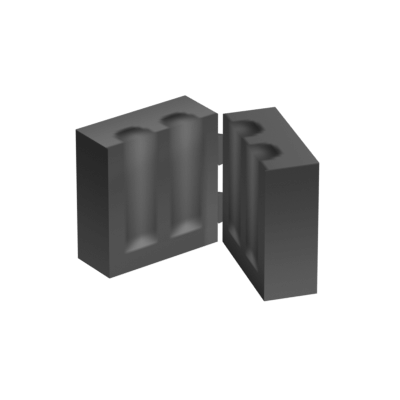 digital helm
languid kayak
Huh, now that I think of it, should we keep the old textures uploaded by Calvy i...
digital helm
languid kayak
Huh, now that I think of it, should we keep the old textures uploaded by Calvy i...
Up to you. I don't really mind either way. Not a whole lot of benefit to keep them both though
proud cobalt
Why is there even an obsolete items file
 thin swan
Any idea how to start edit on pzwiki? I did read the instructions for beginners however most of the pages are limited for User group only and I'm not in this group. I try to do some but don't know where to start because most page are protected to me.
proud cobalt
thin swan
Any idea how to start edit on pzwiki? I did read the instructions for beginners ...
You just have to make an account to edit 😄
thin swan
I did
proud cobalt
When you click the profile in the bottom left what does it say?
 digital helm
thin swan
I did
digital helm
thin swan
I did
You may be having trouble staying logged in. If so, it's a known issue and I'd recommend emailing Kirrus, the sys admin with the details #pzwiki_editing message
 thin swan
digital helm
You may be having trouble staying logged in. If so, it's a known issue and I'd r...
thin swan
digital helm
You may be having trouble staying logged in. If so, it's a known issue and I'd r...
oh you're right, I just checked, and seems like I only logged in to the main page. If I switch pages, I have to login again and when I clicked it, nothing happen
proud cobalt
thin swan
oh you're right, I just checked, and seems like I only logged in to the main pag...
Ahh ok yeah, seems like the login issue. Sorry we just had the wiki updated and this is a new issue. If you could email kirrus with what happened he's looking into it.
kirrus@theindiestone.com
thin swan
Thanks!
languid kayak
digital helm
Up to you. I don't really mind either way. Not a whole lot of benefit to keep th...
it breaks model on build 41.78.16 oldid currently, so might as well undelete them and put into gallery, though it's tedious 😩
languid kayak
proud cobalt
Why is there even an obsolete items file <:drunk:721361533271146537>
Normally it'd be backward compatibility… but with b42 starting from the scratch, I wonder too 🤔
proud cobalt
I would just delete them... oldid is temporary
languid kayak
proud cobalt
I would just delete them... oldid is temporary
I know, how life'd be easier without it 😄
(but there will be folks playing b41 till mp hits)
btw I clarified some one time bot tasks in https://pzwiki.net/wiki/PZwiki:Tasks#One-time_bot_tasks (and added one following renaming skill books and recipe magazines, though probably there's more). The build → Build rename is almost done by hand at this point (which I noted), so I wonder wheter we need it as a task anymore? Though may be worth at least listing the files that have "build #" in lowercase
proud cobalt
languid kayak
(but there will be folks playing b41 till mp hits)
We are offering them the information from the B41 page, i dont think we should avoid deleting things on the basis that viewing an old version of a page will change
languid kayak
proud cobalt
We are offering them the information from the B41 page, i dont think we should a...
I think that's the case with images already, with literally one case (which in the end I removed), we're just replacing b41 image with b42 one (in those cases a stuboorn reader can click the oldid image and scroll down to old version of the image)
but yeah, the side effect of not keeping the models is that, and I wasn't sure if they shouldn't be kept for historical reasons 😄 Though tbf, the writing on the models you uploaded is not legible sadly :/
languid kayak
languid kayak
Carving OTOH uses mask colors
all the skill books layed out; basically just the new ones all are closed books, the rest are 1-3 open, 4-5 closed

Some books are white icons + overlay (same with model), some are just plain old models
digital helm
languid kayak
I think that's the case with images already, with literally one case (which in t...
I agree with Calvy. Same deal with templates. I don't think we should stop moving forward because of it
digital helm
languid kayak
but yeah, the side effect of not keeping the models is that, and I wasn't sure i...
tbh I couldn't say if they were right even back then. There are so many book model and textures. And they're so minor that it wouldn't be missed imo
languid kayak
and yeah, with tailoring book it's messed up 😛
        StaticModel = BookYellow,
        WorldStaticModel = BookClosedTINT,
        ColorBlue = 194,
        ColorGreen = 194,
        ColorRed = 244,
Awesome! I assume they'll eventually all be the new way? (tint mask)
languid kayak
digital helm
Awesome! I assume they'll eventually all be the new way? (tint mask)
I'd say so too? Though it'd be some work for little gain, but if the titles were visible, it'd be sweet. Not sure what TIS plans are on that. We have writing on seeds and magazines and such.
Also, not all skills have books, but IIRC mainteneance got its book in a patch? So maybe skill books for all skills are planned eventually?
digital helm
languid kayak
I'd say so too? Though it'd be some work for little gain, but if the titles were...
I assume they went with the mask to make it easier, and less work for the art department 😄 just get a programmer to change the rgb values rather than ship an entire texture, and new staticmodel entry
languid kayak
Long Blades, Mainteneance, Aiming and Reloading have a book, but not Short Blades, Short Blunk, Long Blunt and Spears
digital helm
So just the melee ones. That could be intentional 🤔
languid kayak
except Long Blades (and Mainteneance)
and Long Blades already got a buff to train compared to b41, as more weapons rather than machete and katana are there to train with (and crafting)
all books can be looted, but no all can be foraged btw
digital helm
languid kayak
_except_ Long Blades (and Mainteneance)
yep. Missed that
Probably are just missing then
languid kayak


also shows which books used icons; seems tailoring is the only exception and new books use masks and old books use icons
oh wait, except Aiming too 😄
and animal care
digital helm
I think some of the ones with masks have the same rgb values too
languid kayak
and mainteneance (and reloading too); so just the new crafting skills
Also tailoring is all mess with different static model and world static model

it's the pages that get the tint 😄

so the model character's reading is a https://pzwiki.net/wiki/File:BookYellow_Model.png with the pink tint on top of it 😄

also tiny minor nit I dislike when it comes to roman letters instead of arabic ones, is that the sorting is messed up if you have similarily named items in between in inventory/item viewer

would be even messier if we'd have 10 volumes with vol. 9 jumping in between 4 and 5 😄
Skill IV
Skill IX
Skill V
digital helm
languid kayak
also tiny minor nit I dislike when it comes to roman letters instead of arabic o...
Oh true. I like the look of it, but yeah, I assumed the main purpose for renaming was so they'd sort better?
languid kayak
and a side effect is the name aligned a tad better with shorter names, as in III is taking more space than 3 even if the font is not fixed size 🙂


although adding extra "Vol. " before each item makes the overall name longer
languid kayak
what was that writing :D?
 languid kayak
it's the pages that get the tint 😄
languid kayak
languid kayak
it's the pages that get the tint 😄
same story with metalwork books 😄

Okay, I updated the book models, currently all the Calvy ones are removed.
This one seems unused though? https://pzwiki.net/wiki/File:BookRed_Model.png

here are the Calvy ones


 languid kayak
Okay, I updated the book models, currently all the Calvy ones are removed.
This...
languid kayak
languid kayak
Okay, I updated the book models, currently all the Calvy ones are removed.
This...
if so, I'll add it to https://pzwiki.net/wiki/User:Faalagorn/Unimplemented_items
 thin cloud
languid kayak
<@663835458605809694> was it intentional? Seems almost like a mistake, and the c...
thin cloud
languid kayak
<@663835458605809694> was it intentional? Seems almost like a mistake, and the c...
Intentional because decorated cars aren't in the game, so could be disappointing
lucid junco
#pz_b42_chat message
@serene sage
Have you tested March Ridge Military apartment stash yourself?
serene sage
nope, haven't opened the game in ages
lucid junco
Multiple accounts of people not finding these things
 serene sage
I should probably check soon though
I still have some coursework to do, once I finish that I'll go and check
lucid junco
serene sage
I should probably check soon though
I also cant check
the zombies are coming to my lawn
I need to place my peashooters
Real busy
serene sage
damn that's crazy
languid kayak
thin cloud
Intentional because decorated cars aren't in the game, so could be disappointing
aw, makes sense then. Can we assume though that whatever was on them befoere that was a sponsor? sharp added them as trivia to each of the businesses
serene sage
@lucid junco the stash spawns fine for me
at least when using debug mdoe to spawn it in
not sure if it spawning naturally will do anything different
lucid junco
serene sage
<@522410419361415198> the stash spawns fine for me
So the loot spawns just find?
serene sage
yep
the loot's just diluted because of B42's loot spawn mechanics and stuff
but it is definitely more loot than usual
 flint vapor
Do you guys know why https://pzwiki.net/wiki/Room_definitions_and_item_spawns doesn't have every entries from this list that Alree retrieved ?
proud cobalt
flint vapor
Do you guys know why https://pzwiki.net/wiki/Room_definitions_and_item_spawns do...
Not sure what list you mean
flint vapor
Wait sorry
proud cobalt
flint vapor
Do you guys know why https://pzwiki.net/wiki/Room_definitions_and_item_spawns do...
Seems this list omits any room that doesn't have item spawns
flint vapor
Could be it yea
Figured this list (that I linked) should be somewhere
But this Room definition page already exists and has basically a lot of these already
proud cobalt
A new article in mapping would be fine
flint vapor
With the same entries ?
proud cobalt
It will have different entries if it has all rooms
Just list the room names and link to the item def page if they want to know what can spawn in each room
flint vapor
Should I use that method to link to pages if they exist ?
Forgot what it was, it's a template no ?
proud cobalt
Not sure what you mean. just a [[link]] works
flint vapor
proud cobalt
Not sure what you mean. just a [[link]] works
No but for that I need to know if the page exists
proud cobalt
I would just link once to Room definitions and item spawns
flint vapor
what ?
Why not link each room the same way that page does it ?
That's why I didn't want to have same informations on different places
Because that's also fucked up to maintain for the future
Anytime there's a whole new ass room being added you're fucked with having to update both lists
Which the room definition page might be fine since you bot it
But the other, there's no plan on botting it currently ?
flat sun
what's the point of listing room names that don't have item spawns?
proud cobalt
I dont bot the room defs pages
flint vapor
flat sun
what's the point of listing room names that don't have item spawns?
Mapping
They use it in mapping
flat sun
for?
flat sun
room names are just random strings, if they correspond to a loot table they spawn items from that one, if they don't they don't do anything
proud cobalt
flat sun
room names are just random strings, if they correspond to a loot table they spaw...
Zombie spawns can be effected
flat sun
there are a couple special case names but they would need manual documentation anyway to say what they actually do
proud cobalt
Just an article with the list of rooms would be fine, no need for some complicated linking system.
 proud cobalt
flint vapor
Also wdym you don't bot them lol ?
proud cobalt
flint vapor
Also wdym you don't bot them lol ?
There's 27 pages i update manually
Theyre made with the parser but i dont use the bot to update them
flint vapor
That makes it even worse having two separate lists then
proud cobalt
Not really
flint vapor
Tbf I just don't get why you'd have two identical informations in two separate pages
flat sun
i honestly don't feel like it's a big problem, they're just lists, there isn't any actual documentation associated with them
proud cobalt
flint vapor
Tbf I just don't get why you'd have two identical informations in two separate p...
Theyre not identical thats the whole point
But they serve two different purposes
flint vapor
But they have shared informations*
You could have the entries that don't have containers in this list too

Then container being empty, if people need the rooms with containers they can sort it
proud cobalt
The script is not set up for that
proud cobalt
It gets the rooms from the distributions files
flat sun
i'm guessing it works from the loot tables and not from the map files
flat sun
so how would it know about rooms that don't have loot tables?
proud cobalt
The rooms you want to add are not in the distribution files
flint vapor
If the issue is getting the list of rooms automatically, Alree probably has the answer to that
Else
You could have just that txt file I linked, open it in Python as a list for each entries
proud cobalt
Ok so use that script to make a new page 😆
flint vapor
proud cobalt
Ok so use that script to make a new page 😆
My point is not making a new page ...
proud cobalt

GitHub
Extracts, processes, and formats Project Zomboid data for PZwiki integration. - Vaileasys/pz-wiki_parser
flint vapor
Am I seriously the only one here who sees an advantage to not doubling such an information ?
flint vapor
proud cobalt
https://github.com/Vaileasys/pz-wiki_parser/blob/main/scripts/roomdefine.py
Ik about the parser
proud cobalt
The Room definitions and item spawns is specifically for the purpose of item spawns
flat sun
flint vapor
Am I seriously the only one here who sees an advantage to not doubling such an i...
i still don't really get what listing rooms with no loot table would actually do, i'm lying less on 'make separate pages' and more 'don't do anything at all'
proud cobalt
flint vapor
Ik about the parser
This is the script used, it's open source if you want to add to it
flint vapor
flat sun
i still don't really get what listing rooms with no loot table would actually do...
To my understand this list is used for mapping. What the application is, idk, but I'm all in to finally have some mapping stuff on the wiki
I remembered also needing this list a while ago, and having to ask the Mapping Discord for it
There's also two lists for B41 and B42
flint vapor
proud cobalt
This is the script used, it's open source if you want to add to it
Yea but if you don't even accept adding these rooms in the txt I don't see myself doing it in your back lol
My idea is that you could simply link both lists together to have a single page with all the entries, and rooms that have containers simply have container entries. Instead of making this room definition then having another page which will basically have every room definition entries + new ones
Easier to maintain
proud cobalt
A second table for empty rooms may be best than, that way you can add it to the script
digital helm
I see the benefit of merging them. I think part of the problem is that no one wants to do it 😄 the problem for me is how is the list generated? Is it simple enough to parse from game files, or would it rely on getting a txt file externally?
It's something I would look into, but I've got far too much on my plate already. So it may be simplest to just create a new page? Even if temporarily
thin cloud
languid kayak
aw, makes sense then. Can we assume though that whatever was on them befoere tha...
Not yet canon!

 quartz bear
Project Zomboid should have a drag strip
lucid junco
quartz bear
Project Zomboid should have a drag strip
If only
flint vapor
digital helm
I see the benefit of merging them. I think part of the problem is that no one wa...
@flint canyon might know
Since he's the one who got that txt file
For context Alree
languid kayak
thin cloud
Not yet canon!
soon ™️
 flint vapor
Added a new optional parameter to CodeBox https://pzwiki.net/wiki/Template:CodeBox to be able to have a custom title
Don't hesitate to change anything or modify the way it's done if I did a fuck up
It SHOULDN'T break existing CodeBox and leave the default text of "This section contains source code from Project Zomboid"
flint vapor
If you're curious about a usage of it
https://pzwiki.net/wiki/Mod_Options#Example
 flint canyon
flint vapor
<@475933140695646209> might know
flint canyon
flint vapor
<@475933140695646209> might know
the RoomDefs file I provide is the "exxtract" of all roomDefs actually used in the map,
Some may have Loots distribution available, some don't
Some have typo, some just doesn't work
It's just the raw list of all roomDefs of the vanilla map
flint vapor
flint canyon
the RoomDefs file I provide is the "exxtract" of all roomDefs actually used in t...
Any way to directly parse from the game files to retrieve them or it requires using the mapping tools ?
flint canyon
it's not even extracted with the mapping tools
But another tools I made, I have a lot of stuff related to PZ data mining/editing for all kind of binary format
flint vapor
flint canyon
it's not even extracted with the mapping tools
But another tools I made, I have ...
Would it possible to implement this in the parsing tools ?
 wicked mica
Might just be me, but redirect to wanted pages doesn’t load.
digital helm
wicked mica
Might just be me, but redirect to wanted pages doesn’t load.
Yeah, it's because there's too many. It includes wanted pages for all languages, so not really that helpful anyway. Better to refer to this page https://pzwiki.net/wiki/PZwiki:Project_Build_42_Update
hushed bobcat
Hey, did anyone received any news in regards of the login issue? I can't help to feel bad seeing so many new accounts being created daily on wiki but none of those are doing changes 😞
wicked mica
hushed bobcat
Hey, did anyone received any news in regards of the login issue? I can't help to...
Not changing much now, currently fetching models and such.
languid kayak
hushed bobcat
Hey, did anyone received any news in regards of the login issue? I can't help to...
I know you're aware @restive adder but probably something to take a look at 🤔. I can edit fine, though I do get a lot of lost sessions messages recently myself (no biggie though, just have to click save again)
languid kayak
digital helm
Yeah, it's because there's too many. It includes wanted pages for all languages,...
I still wish that there would be a way to track them, but yeah, no easy way currently to exclude the non-English pages. They'd all have to be created. Some item pages are autogenerated, but only for some languages, maybe something bigger will be done eventually, but no ETA/solid plans for that
languid kayak
When browsing the unused files and adding to respective pages, I realized that there are a few varieties of clothing that never got added, like
https://pzwiki.net/wiki/Pants_-_Sport#Gallery
or
https://pzwiki.net/wiki/Shorts_-_Denim#Gallery
or
https://pzwiki.net/wiki/Pants_(jeans)#Gallery


I think the clothing in b41 was never fleshed out totally till now, and there are some leftover icons/models and inconsitencies that carried to b42 legacy
or https://pzwiki.net/wiki/File:StockingsFishnet.png (we have fishnet thighs, but not stockings)
 languid kayak
I assumed https://pzwiki.net/wiki/File:ShirtTeeWhite.png is identical to https://pzwiki.net/wiki/File:TshirtGeneric.png but apparently there are some differences imagemagick picks; I wonder what's the case?


They look the same to me
restive adder
hushed bobcat
Hey, did anyone received any news in regards of the login issue? I can't help to...
Most of those accounts are spam bots
And yes, it's still a very high priority item for me
proud cobalt
Found a post from 2015 on the forums while looking for where moodle stuff is calculated. RJ says they'll be moved to lua soon. Still in java 
I have added info for discomfort
https://pzwiki.net/wiki/Discomfort
lucid junco
proud cobalt
Found a post from 2015 on the forums while looking for where moodle stuff is cal...
Soon in tis time
languid kayak
proud cobalt
Found a post from 2015 on the forums while looking for where moodle stuff is cal...
soon™
I have added the On icons to https://pzwiki.net/wiki/Controls#Left-side_HUD_icons using cycle-img, following @digital helm' advice (thanks!)
They are still only up to 41.78.16, so no animals and no new debug icons (not sure but I think other has changed), but can anyone verify the admin icon is present when being an admin on MP?

Also these 5 variants of icons seemed to be old/unused as of 41.78.16 (at least I believe these are the unused variants, maybe worth checking in game files/(Java/Lua/whatever)?
I originally uploaded them, but if they are only used in ancient versions, I'm not sure if they are worth to keep in gallery (maybe for archival purposes I guess? / cut content?)
https://pzwiki.net/wiki/File:HandMain_Off.png
https://pzwiki.net/wiki/File:HandSecondary_Off.png
https://pzwiki.net/wiki/File:Inventory_Off.png
https://pzwiki.net/wiki/File:Inventory_On.png
https://pzwiki.net/wiki/File:Carpentryicon.png


 digital helm
languid kayak
Also these 5 variants of icons seemed to be old/unused as of 41.78.16 (at least ...
digital helm
languid kayak
Also these 5 variants of icons seemed to be old/unused as of 41.78.16 (at least ...
New ones are used now. It gets the TEXTURE_WIDTH for the folder and name. For all sidebar icons. This is latest b42 btw
It's all in ISEquippedItem.lua
For all sidebar icons
Not server icons. pvp, client, safe. These are still defined as the old ones
proud cobalt
Did noxious smell too
https://pzwiki.net/wiki/Noxious_Smell
 digital helm
proud cobalt
Did noxious smell too
https://pzwiki.net/wiki/Noxious_Smell
digital helm
proud cobalt
Did noxious smell too
https://pzwiki.net/wiki/Noxious_Smell
Unless something changed since I looked at it, might be good to mention the 2 distinct types. level 1-3 was only for corpse sickness, and 4 was only for toxic fumes, which generators produce
proud cobalt
digital helm
Unless something changed since I looked at it, might be good to mention the 2 di...
It is mentioned 😄
digital helm
proud cobalt
It is mentioned 😄
Maybe I'm missing something, but I don't see corpse sickness mentioned at all
I guess that brings up the question, should there be a separate page for corpse sickness? Or should that be included in this page?
proud cobalt
There's no difference, it's just the level of the moodle. Level 4 is Deadly Fumes and is from getCurrentBuilding().isToxic()
                && this.isoGameCharacter.getBodyDamage() != null
                && this.isoGameCharacter.getBodyDamage().getHealth() != 0.0F) {
                if (this.isoGameCharacter.getCurrentBuilding() != null
                    && this.isoGameCharacter.getCurrentBuilding().isToxic()
                    && !this.isoGameCharacter.isProtectedFromToxic(false)) {
                    int0 = Moodle.MoodleLevel.MaxMoodleLevel.ordinal();
                } else if (SandboxOptions.instance.DecayingCorpseHealthImpact.getValue() != 1) {
                    float float4 = this.isoGameCharacter.getCorpseSicknessRate();
                    if (float4 > 0.0F) {
                        if (float4 > 0.002F) {
                            int0 = Moodle.MoodleLevel.HighMoodleLevel.ordinal();
                        } else if (float4 > 0.001F) {
                            int0 = Moodle.MoodleLevel.ModerateMoodleLevel.ordinal();
                        } else {
                            int0 = Moodle.MoodleLevel.LowMoodleLevel.ordinal();
                        }
                    }
                }
            }

return this.updateMoodleLevel(int0);```I'll redirect corpse sickness to noxious smell. Corpse sickness only exists internally as far as i can see
languid kayak
digital helm
> For all sidebar icons
Not server icons. pvp, client, safe. These are still def...
Can we check if admin is used if MP is disabled? I guess it technically is (assuming there exist internal ones with it enabled)
digital helm
proud cobalt
There's no difference, it's just the level of the moodle. Level 4 is `Deadly Fum...
Yeah. The point I was making is that it may be beneficial to mention that level 1-3 only apply to corpse sickness, and 4 only applies to generator exhaust. The only mention of corpses is in the infobox.
I can add it back, just not sure if that's still the case from when I looked into it
digital helm
languid kayak
Can we check if admin is used if MP is disabled? I guess it _technically_ is (as...
The old ones are still defined
    o.clientIcon = getTexture("media/ui/Client_Icon_Off.png");
    o.clientIconOn = getTexture("media/ui/Client_Icon_On.png");
    o.adminIcon = getTexture("media/ui/Admin_Icon.png");
    o.adminIconOn = getTexture("media/ui/Admin_Icon_On.png");
    o.warActive = getTexture("media/ui/war_active.png");
    o.warInactive = getTexture("media/ui/war_inactive.png");
    o.warSoon = getTexture("media/ui/war_soon.png");
    o.lockTexture = getTexture("media/ui/pvpicon_clock.png");
For comparison, the new ones are like this
o.debugIconOn = getTexture("media/ui/Sidebar/" .. TEXTURE_WIDTH .."/Debug_On_" .. TEXTURE_WIDTH .. ".png");
Ahh i get what you're saying. I've added some more info to the overview. There was already info on the deadly fumes header. I dont like seperating them as there's no actual seperation
digital helm
proud cobalt
Ahh i get what you're saying. I've added some more info to the overview. There w...
I think that's good. When I made it I wasn't sure how to organise it, since it was different to all the others, which was intended to be temporary anyway
proud cobalt
Body part should be done on all articles now
How do we feel about pros and cons sections overall these days? e.g.
 languid kayak
digital helm
The old ones are still defined
```lua
o.clientIcon = getTexture("media/ui/Cl...
languid kayak
digital helm
The old ones are still defined
```lua
o.clientIcon = getTexture("media/ui/Cl...
Indeed, I think that's what I got the used icons from 😄
digital helm
proud cobalt
How do we feel about pros and cons sections overall these days? e.g.
https://pz...
I've never been much of a fan
proud cobalt
digital helm
I've never been much of a fan
Most of the time I feel the info could be included in the intro/overview/usage if not omitted altogether
digital helm
proud cobalt
Most of the time I feel the info could be included in the intro/overview/usage i...
I agree. I get that it's nice to get a quick overview, but that's also the purpose of the infobox.
pros and cons also feels too subjective
proud cobalt
That too, either subjective or so objective it's just a data point from the Infobox
 ebon pawn
Hey! so i was snooping around looking for old versions of project zomboid, just because i like to play them to see how different the game was, while i did find a post in reddit that archived the 0.1.5d and 0.2.0 2.5RC Versions
i found another reddit post with way more versions archived, however the link to the archive org site was taken down, i stumbled upon the project history wiki where i read this is the channel where i could directly ask for those versions, so i'd apreciate if whoever has these versions stored, if they can send them to me, thanks in advance!
lucid junco
digital helm
I guess that brings up the question, should there be a separate page for corpse ...
Isn't corpse sickness just a food sickness in disguise
lucid junco
ebon pawn
Hey! so i was snooping around looking for old versions of project zomboid, just ...
@languid kayak @proud cobalt should have them
But tbh most of those versions are readily available online
ebon pawn
Nice
i did find a few more versions myself
but they require that desura thing that doesnt exist anymore
so they wont load
lucid junco
ebon pawn
Nice
i did find a few more versions myself
but they require that desura thing th...
Not sure if our own versions dont have desura protection
There is a way to either patch it out or bypass it, but idk anything about it
Our preservation project was more of just having a version of the game
ebon pawn
Oooh i see
languid kayak
ebon pawn
Nice
i did find a few more versions myself
but they require that desura thing th...
hey, i'll ask the person hosting them
lucid junco
Still waiting for tis to drop old version distro's
Asked about them like hald a year ago
And all I got back is partial deletion of my project
ebon pawn
i think its just archive's fault
they'll see a "project zomboid" archive and thinks its piracy
lucid junco
Oh its 100% archive fault
Cant blame them, they are in a really tough spot rn
But I can blame amazon
Mega
ebon pawn
Yep
flat sun
proud cobalt
How do we feel about pros and cons sections overall these days? e.g.
https://pz...
the ones on clothing definitely always felt forced in to me, they really don't have much to go off of, the ones on weapons make some sense at least
proud cobalt
lucid junco
Isn't corpse sickness just a food sickness in disguise
Yes, which causes actual sickness
proud cobalt
ebon pawn
Hey! so i was snooping around looking for old versions of project zomboid, just ...
Hello, we've had some issues with internet archive. Moving to Mega now. Here's the link, some versions are still uploading. There's a readme about the different protection types and how they're bypassed.
Reddit deleted the post for the link 😐
ebon pawn
proud cobalt
Hello, we've had some issues with internet archive. Moving to Mega now. Here's t...
hell yeah, thank you so much!
digital helm
lucid junco
Isn't corpse sickness just a food sickness in disguise
Kind of. It affects food sickness, but it has its own group of variables. The same as how poison is its own thing, but affects food sickness
digital helm
WIP vehicle table https://pzwiki.net/w/index.php?oldid=970757
languid kayak
proud cobalt
Hello, we've had some issues with internet archive. Moving to Mega now. Here's t...
languid kayak
digital helm
WIP vehicle table https://pzwiki.net/w/index.php?oldid=970757
Base.ModernCar_Martin and Base.SportsCar_ez are the ones with openable doors, right? I wonder if we should make pages for them with the {{Future}} on it. May be useful to have
languid kayak
@serene sage is https://pzwiki.net/wiki/File:OForeman.png not used in any story? If it would be, I could add it to some page 🤔
 serene sage
think the construction story uses it
not sure
seen it in game though
just not sure code-wise
languid kayak
@digital helm I guess https://pzwiki.net/wiki/File:Imbox_license-hover.png can go for now? Or do we still want to keep it for now?
 languid kayak
serene sage
just not sure code-wise
languid kayak
serene sage
just not sure code-wise
added it for now https://pzwiki.net/w/index.php?title=Construction_Site_(story)&diff=970813&oldid=456501 – was wondering if I should add {{Verify}} but in the end I did not
 languid kayak
I assumed https://pzwiki.net/wiki/File:ShirtTeeWhite.png is identical to https:/...
languid kayak
languid kayak
I assumed https://pzwiki.net/wiki/File:ShirtTeeWhite.png is identical to https:/...
Every software out there that compares files pixel by pixel says some colors are slightly different, but I can't see them; colors of the pixels are the same 😩
huh, even funnier, when I inspect one of the different pixels in gimp, it's indeed 313131 or 303030 depending on picture, but in browser they are the same 😄
or maybe they are slightly different; I can see it on another monitor. I wonder why Firefox won't pick the difference
languid kayak
I settled this btw, in the end I mostly kept yours as were better quality, but not uniformly 😄
languid kayak
huh, I just realized, shouldn't https://pzwiki.net/wiki/Amethyst use https://pzwiki.net/wiki/File:Amethyst_Raw.png as an icon? Is it a mistake in the game? For some reason there's no code in the page to look it up

 proud cobalt
languid kayak
huh, I just realized, shouldn't https://pzwiki.net/wiki/Amethyst use https://pzw...
proud cobalt
languid kayak
huh, I just realized, shouldn't https://pzwiki.net/wiki/Amethyst use https://pzw...
  | lang = java
  | line = true
  | start = 52
  | source = items_valuables.txt
  | retrieved = true
  | version = 42.7.0
  | code =
item Amethyst
    {
        DisplayName = Amethyst,
        DisplayCategory = Memento,
        Type = Normal,
        Weight = 0.001,
        Icon = Amethyst,
        WorldStaticModel = Amethyst,
        Tags = IgnoreZombieDensity;IsMemento,
    }
}}```I was thinking about them too. They'd only be used internally for testing. And wouldn't, themselves, be future vehicles. Can create pages for completeness, but I might filter them out of the table
languid kayak
Okay, off to sleep but https://pzwiki.net/wiki/Special:UnusedFiles is down to 68 files now, with 31 files being either Build icons or crafting icons and BodyPart icons that will eventually be used.
I'll take a look at tiles tomorrow or so when I'll be uploading missing tiles for https://pzwiki.net/wiki/Special:WantedFiles
languid kayak
@proud cobalt and @digital helm I'm a bit out of the loop with all the crafting logic right no and I know it's being worked on, so errors are to be expected, but as I am starting to going through https://pzwiki.net/wiki/Special:WantedFiles (where a lot of missing images are tiles), I saw some errors, like in https://pzwiki.net/wiki/Nails#What_it_makes_2
- Piano and Pottery Bench are half-tiles. Is the tile names for multi-tiles going to be manually fixed? If so where are these defined? Alternatively I guess we can just uploada double-tile image to the place
- Some names have visible underscores in them; any way to fix them?
- I assume the tile names are correct?
Pottery_Wheelasks forFile:Crafted 01 65.png– but it's see it's 64 that's important too (I gotta see how they are assembled in game I guess)
Also pointer on where should I start with fixing the issues with the modules/new crafting would be nice, as like I've said, it's a totally black magic for me currently 🙂


 digital helm
languid kayak
<@191537586542608384> and <@109658126805905408> I'm a bit out of the loop with a...
digital helm
languid kayak
<@191537586542608384> and <@109658126805905408> I'm a bit out of the loop with a...
Missing build icons use 1 sprite. Piano is an example. In-game it just uses 1 of the sprites.
Not sure what error you're pointing to on the nails page. Either, way, Calvy would be the one to fix it, and would know more
languid kayak
Mianly just a name showed. I found https://pzwiki.net/wiki/Module:Crafting/index but that's only the names of the recipes It seems, not sure where the actual link name is defined 🤔

oh nvm, I think I found it https://pzwiki.net/wiki/Module:Crafting/building_data
that's how the multitiles for these looks like

but piano is funny 😄

pottery stuff looks normal

which would be https://pzwiki.net/wiki/File:Build_PotteryWheel.png and https://pzwiki.net/wiki/File:Build_PotteryBench.png respectively


seems better now 😄 Though I had fixed it manually https://pzwiki.net/w/index.php?title=Module:Crafting/building_data&diff=prev&oldid=970999
@proud cobalt hopefully this isn't something that would be overwritten by a script, right?
Also minor nit, I noticed that there's file: (lowercase) there – doesn't matter, just found it weird 🙂
 languid kayak
I manually updated the https://pzwiki.net/w/index.php?title=Module%3ACrafting%2Fbuilding_data&diff=971015&oldid=960139 building module with the appropriate images and names; something you may want to keep in mind for future @proud cobalt!
Seems it's just piano (which is debug) and barbed wire are the only buildings not using the icons. In addiction, there seems to be "Bounder" and "Bounder2", but these seem not to appar in the game.
Other than that, these seem to be unused:
- https://pzwiki.net/wiki/File:Build_TarpShelter.png (https://pzwiki.net/wiki/File:Build_LeanToShelterTarp.png is called Tarp Shelter)
- https://pzwiki.net/wiki/File:Build_Barrel.png
- https://pzwiki.net/wiki/File:Build_MetalworkBench.png
- https://pzwiki.net/wiki/File:Build_MetalworkTable.png
- https://pzwiki.net/wiki/File:Build_FenceHighWood.png (all are small)
- https://pzwiki.net/wiki/File:Build_WoodPole_Short.png (only tall is used)
- https://pzwiki.net/wiki/File:Build_StickTable.png (could have been a good use of sticks)
- https://pzwiki.net/wiki/File:Build_Loom.png
- https://pzwiki.net/wiki/File:Build_FenceWood2.png


Other than that, while the images refreshed instantly in the actual pages, both https://pzwiki.net/wiki/Special:UnusedFiles and https://pzwiki.net/wiki/Special:WantedFiles are slowly getting updates. Seems to be a cache, but maybe some purging/editing needs to be done, but there's a lot of potentially unneded icons (single-tile ones or the ones that were used instead of Build_ recipe icons – at least until we crteate pages for them, and for sure the ones that are half-tiles.
https://pzwiki.net/wiki/File:Crafted_01_69.png
https://pzwiki.net/wiki/File:Crafted_05_81.png
https://pzwiki.net/wiki/File:Crafted_05_108.png
https://pzwiki.net/wiki/File:Location_farm_accesories_01_6.png
https://pzwiki.net/wiki/File:Crafted_01_58.png
These are the half-tiles I marked for deletion
These are unused, but one-tile we can use for the actual pages:
https://pzwiki.net/wiki/File:Location_farm_accesories_01_15.png
https://pzwiki.net/wiki/File:Crafted_01_72.png
https://pzwiki.net/wiki/File:Crafted_05_73.png
https://pzwiki.net/wiki/File:Crafted_02_45.png
https://pzwiki.net/wiki/File:Crafted_02_40.png
https://pzwiki.net/wiki/File:Crafted_02_85.png
https://pzwiki.net/wiki/File:Crafted_01_56.png


 proud cobalt
languid kayak
<@191537586542608384> and <@109658126805905408> I'm a bit out of the loop with a...
proud cobalt
languid kayak
<@191537586542608384> and <@109658126805905408> I'm a bit out of the loop with a...
As vail said, when no build icon is available it uses a tile, i imagine they will all have icons after unstable. At the moment i am rewriting the entire crafting parser, trying to fix many bugs. Anything you change in the module pages will be completely overwritten
Names have underscores because they dont yet have translations
proud cobalt
languid kayak
oh nvm, I think I found it https://pzwiki.net/wiki/Module:Crafting/building_data
These will all be overwritten
The data pages are purely autogenerated, the issues have to be fixed on the parser side, which is what im working on this weekend
languid kayak
proud cobalt
These will all be overwritten
Maybe the case is the data's old then, as they have both the names (not sure about actual translations) and images now, at least as of 41.7.0.
The script's on repo btw? If so, I can PR at least the [[file: → [[File: change, unless you already did so.
The data should be pretty much similar to what I did by hand, but we'll see I guess 👀
proud cobalt
languid kayak
Maybe the case is the data's old then, as they have both the names (not sure abo...
Total rewrite so no point right now, the old system will be deleted when i'm done
I will change f > F
 languid kayak
Looking at old Mash's blog web archive https://web.archive.org/web/20160309043630/http://crabshackgallery.com/misc/postersamples.jpg – this one I didn't see
the art themselves are for the Steam cards, but this actual screenshot is new for me 🙂
 digital helm
@languid kayak you might like this https://pzwiki.net/wiki/User:Vaileasys/sandbox_3
There's only 236 vehicles. So that multiplied by 8 angles, is only 1,888 renders
languid kayak
digital helm
<@270429416155250690> you might like this https://pzwiki.net/wiki/User:Vaileasys...
and it has wheels!
languid kayak
digital helm
There's only 236 vehicles. So that multiplied by 8 angles, is only 1,888 renders
At least that's less than tiles 😄
But maybe one render would be enough? We have one for models, unless that's not that much of extra work?
still a rotatable javascript 3d models like tf2 wiki would be ideal 😢 https://wiki.teamfortress.com/wiki/Boston_Basher
 digital helm
Just added another one.
Top one is 800x800 which is about 400kb per image, or 70kb when optimised.
Bottom one is 400x400 which is 100kb per image, or 12kb when optimised.
languid kayak
digital helm
Just added another one.
Top one is 800x800 which is about 400kb per image, or 70...
We should go with webp eventually too, that's make them even more lean
digital helm
languid kayak
At least that's less than tiles 😄
But maybe one render would be enough? We hav...
I have a script set up to render them all. Just takes time
languid kayak
btw, found some PAWS material, bu no screenshots https://web.archive.org/web/20090903230126/http://www.xnplay.co.uk/2009/03/19/the-most-beautiful-community-game-yet-hands-on-with-paws/ – though you might have seen it, as it was linked in Mash's blog
Related posts:Paws Paws is an upcoming Xbox 360 Community Game from Lemmy...Echoes+ : The Indie Game That Could Readers, if I were to make a list of...Game Training Volume 1: Dexterity Oh, bums. I’ve already done the “from the creator...Related posts brought to you by Yet Another Related Posts Plugin.
digital helm
languid kayak
We should go with webp eventually too, that's make them even more lean
Do we stick with 400x400? Just disappointing that we lose having it at a high res
languid kayak
digital helm
<@270429416155250690> you might like this https://pzwiki.net/wiki/User:Vaileasys...
btw, this ones comes shortly after I was browsing https://pzwiki.net/wiki/Category:Animated_images today (as I am dealing with tiles now) and thinking of switching them to models eventually 😉
languid kayak
digital helm
Do we stick with 400x400? Just disappointing that we lose having it at a high re...
we can bump to 800x800, I don't mind
digital helm
languid kayak
btw, this ones comes shortly after I was browsing https://pzwiki.net/wiki/Catego...
Yeah, most of those could be switched to cycle img
digital helm
languid kayak
we can bump to 800x800, I don't mind
Do we stick with just 1 or all 8? I'm just not sure where the cycling will be used that it can actually be shown off. Can't use it in gallery. And a lot of vehicles have a lot of variants
languid kayak
digital helm
Do we stick with just 1 or all 8? I'm just not sure where the cycling will be us...
Theoretically one is fine and less distracting (also I think just one is shown in previews like Discord), but OTOH we might not get all the text details if back is not shown for example
digital helm
languid kayak
Theoretically one is fine and less distracting (also I think just one is shown i...
I'll put the script up on github eventually, so we can come back to it. There's a bit of setting up though
languid kayak
huh, I can't find images for this https://pzwiki.net/wiki/Spiffo's_Logo_Large_Sign – has it been removed in Build 42?
Tiles2x105 hosts the remaining ones

They are black in Brush Tool too, with the sign having _13 and seat having _16

Technically they can be spawned, but are invisible


not sure if it's a bug
languid kayak
it's not cycling when pressing [ and ] and it's not visible in chunk debugger btw. Seems to be the case with all tiles that are blank/not present 😄
intertesting nevertheless
digital helm
languid kayak
They are black in Brush Tool too, with the sign having _13 and seat having _16
Not in b41 either. _13 then _16
languid kayak
oh, we have a typo:
[faalagorn@languid kayak-pc projectzomboid]$ grep -rni hodspitality
media/scripts/moveables/moveables_counters.txt:190: WorldObjectSprite = location_hodspitality_sunstarmotel_02_22,
digital helm
Good find. Guessing you meant to paste this? 😄
    item Mov_WhiteHalfCounter
    {
        DisplayCategory = Furniture,
        Type = Moveable,
        Icon = default,
        Weight = 0.5,
        DisplayName = Birch Corner Counter,
        WorldObjectSprite = location_hodspitality_sunstarmotel_02_22,
    }
yeah, it was a quick looking through game files 😄
Built-in trailer fridge seems wrong too? https://pzwiki.net/wiki/File:Location_trailer_02_26.png
 languid kayak
digital helm
Good find. Guessing you meant to paste this? 😄
```
item Mov_WhiteHalfCount...
languid kayak
digital helm
Good find. Guessing you meant to paste this? 😄
```
item Mov_WhiteHalfCount...
no icon in-game, something to report
 languid kayak
Built-in trailer fridge seems wrong too? https://pzwiki.net/wiki/File:Location_t...
languid kayak
languid kayak
Built-in trailer fridge seems wrong too? https://pzwiki.net/wiki/File:Location_t...
this one shows no icon either, not even that tile

I'll remove it from wiki then, it's obviously wrong
There are more like this

okay, gotta go now, but https://pzwiki.net/wiki/Special:WantedFiles is down to 62 and https://pzwiki.net/wiki/Category:Pages_with_broken_file_links is down to 52 now. I'll work on uploading more tiles when I go back today and will take a look at the tiles in https://pzwiki.net/wiki/Special:UnusedFiles
languid kayak
languid kayak
Other than that, while the images refreshed instantly in the actual pages, both ...
Not sure when @proud cobalt would finish working on the script, but if that'd confirm my finding about the unused Build_ I'll add them to https://pzwiki.net/wiki/User:Faalagorn/Unimplemented_items as well
I suppose it'll solve some issues from these as well?
https://pzwiki.net/wiki/Category:Suppressed_articles
https://pzwiki.net/wiki/Category:Pages_where_template_include_size_is_exceeded
There's also https://pzwiki.net/wiki/Category:Pages_with_too_many_expensive_parser_function_calls but I didn't take a look at them (seems it's not related to crafting though, as it's location pages)
 native thorn
do I need to do anything special to start editing the wiki? I made an account but I can't seem to remain logged in so I can't get permissions to edit
lucid junco
native thorn
do I need to do anything special to start editing the wiki? I made an account bu...
@languid kayak @digital helm
You should just be able to edit
The button will show up
native thorn
maybe it's a problem with my browser... but I'm using chrome and disabled ublock
lucid junco
native thorn
maybe it's a problem with my browser... but I'm using chrome and disabled ublock
It just unlogs you?
native thorn
the main page keeps me logged in
but the moment I enter into any other page the user icon, when clicked, prompts me to login or create account
if I press login, nothing happens
lucid junco
native thorn
but the moment I enter into any other page the user icon, when clicked, prompts ...
Oh, its likely a login problem that plagues the wiki since the update
lucid junco
native thorn
maybe I'll check another time and see if it's resolved
Contact kirrus@theindiestone.com and describe the problem
(@restive adder just in case)
languid kayak
native thorn
maybe it's a problem with my browser... but I'm using chrome and disabled ublock
it's sadly a problem we aware is and Kirrus will have to settle. You can drop him an email too kusti case so he's aware you also have an issue
native thorn
ah alright np
languid kayak
languid kayak
Guess it's the same with https://pzwiki.net/wiki/Fancy_Floating_Counter ?
 languid kayak
Seems so yeah, funny they can even have loot!

and it seems to be the case for all of them it seems?


huh, you can pick the invisible ones apparently too

They have the paiting icon
 languid kayak
how is the generic movable icon called?

ah nvm, found it https://pzwiki.net/wiki/File:Flatpack.png

gah, movables are all messed up; Mov_BirchCounter spawns as Cedar Counter lol
not sure if picking up the actual correct names can be automated @digital helm? Ex. the debug Items List Viewer lists Mov_BirchCounter as Birch Counter, but the moment it goes to inventory it's called Cedar Counter
Also, there are some item that are 2 tiles in the world, but are 1 tile in inventory. In this case they get a Flatpack.png icon and (1/1) in paranthes. I am currently redirecting the images manually to the icon so they appear correctly on https://pzwiki.net/wiki/PZwiki:Item_list but not sure if there's automated way for this
The total weight in the infobox is incorrect for those items as well https://pzwiki.net/wiki/Island_Beach_Painting
 languid kayak
not sure if picking up the actual correct names can be automated <@1096581268059...
languid kayak
languid kayak
not sure if picking up the actual correct names can be automated <@1096581268059...
same here (Small Wide Mirror vs Wide Mirror)
 languid kayak
Oak Bench and Baclkess Oak Bench

now that's something 😄

and it is a gold mirror, so the movable name and ID is just wrong

and funnilty the icon is shown from the back https://pzwiki.net/wiki/File:Walls_decoration_01_39.png

https://pzwiki.net/wiki/Wheelie_Bin I prepared this to host a new content, but it lacks infobox and such, but it's stub now.
Looked like that https://pzwiki.net/w/index.php?title=Wheelie_Bin&oldid=971477 with just the ancient info (all moved to trivia/gallery now)
 languid kayak
`Oak Bench` and `Baclkess Oak Bench`
languid kayak
languid kayak
`Oak Bench` and `Baclkess Oak Bench`
Wood Pegboard / Wooden Pegboard

Okay, with that in mind https://pzwiki.net/wiki/PZwiki:Item_list all have icons now
languid kayak
Can anyone check if Poppies are right? I assume the crop gives Poppies bouqet not pods? https://pzwiki.net/wiki/Poppy_(crop)#Agriculture
craggy linden
does anyone have any info on foraging density for the current b42 version or where to look for it?
languid kayak
craggy linden
does anyone have any info on foraging density for the current b42 version or whe...
not sure about density, but https://b42map.com/ shows the zones. Other than that, I don't think foraging got much attention post-b42 on wiki
languid kayak
languid kayak
Guess it's the same with https://pzwiki.net/wiki/Fancy_Floating_Counter ?
I removed these three offending pages:
https://pzwiki.net/w/index.php?title=Special:WhatLinksHere/Spiffo's_Logo_Large_Sign&limit=500
https://pzwiki.net/wiki/Special:WhatLinksHere/Fancy_Floating_Counter
https://pzwiki.net/wiki/Special:WhatLinksHere/Fancy_Counter
but they are still linked in https://pzwiki.net/wiki/PZwiki:Tile_list – I also had the fancy counters in https://pzwiki.net/wiki/User:Faalagorn/Other_tiles#Unknown_names which I removed links from as well.
Not sure if we want to delete or keep these pages? @proud cobalt @digital helm – they will surely pop from time to time, even though the tile images are non existing (they will be picked by various scripts/datamining)
proud cobalt
languid kayak
not sure about density, but https://b42map.com/ shows the zones. Other than that...
These zones are not correct btw, they're b41 zones
proud cobalt
languid kayak
I removed these three offending pages:
https://pzwiki.net/w/index.php?title=Spec...
I wouldn't look at tiles too much yet, theres still a huge amount of work to come for them in unstable
languid kayak
seems there's two White Counters (regular and Sunstar Motel one) btw

 languid kayak
proud cobalt
I wouldn't look at tiles too much yet, theres still a huge amount of work to com...
languid kayak
proud cobalt
I wouldn't look at tiles too much yet, theres still a huge amount of work to com...
That's assuming they will even get that; not sure the movables got a confirmation of being reworked? And the system we have was lackluster sadly, maybe it will be revamped eventually, but not sure if it will happen in B42?
Anyway, we're now down to 43 files in https://pzwiki.net/wiki/Special:UnusedFiles, most of which are Crafted_ images which we will probably use for respective pages when created, as well as some Build_ images waiting for confirmation from @proud cobalt's updated script.
Other than that it's two body part images waiting for new items to be created I guess? Pinging @digital helm for these (had the convo few days ago)
Then it's https://pzwiki.net/wiki/File:Vegetation_foliage_01_04.png and https://pzwiki.net/wiki/File:Vegetation_foliage_01_05.png – not sure they're needed for anything? (I think these two can be safely deleted?)

 proud cobalt
All the tiles are still to be split, e.g. many are still gray lamp
I'm fairly sure this will happen in B42
languid kayak
proud cobalt
I'm fairly sure this will happen in B42
hopefully 🤞
proud cobalt
I will probably also rewrite the tile parser to go along with it
languid kayak
proud cobalt
I will probably also rewrite the tile parser to go along with it
yeah, the tile parser and tile pages are all 41.78.16 and I'm pretty sure by this point you gained much more experience with these 😄
btw @digital helm I added the missing https://pzwiki.net/wiki/Category:Recipe_UI_icons to https://pzwiki.net/wiki/User:Vaileasys/Crafting – this whole concept is waiting for advanced crafting I guess
btw @proud cobalt if you don't mind, I'll remove https://pzwiki.net/wiki/File:Vegetation_foliage_01_04.png and https://pzwiki.net/wiki/File:Vegetation_foliage_01_05.png – not only I'm not sure they were needed for something, they seem not to be present in b42?
languid kayak
With these gone, https://pzwiki.net/wiki/Special:UnusedFiles is down to 37 pages now 🎉
The only two ones that are not crafted_ and Build_ are https://pzwiki.net/wiki/File:BodyPart_Arm_L.png and https://pzwiki.net/wiki/File:BodyPart_Leg_L.png now. I assume we want to split the L/R variants of armor? If so, maybe I'll work on that and other pages with * from https://pzwiki.net/wiki/PZwiki:Item_list tomorrow – maybe then we can redeploy the script.
@proud cobalt no rush, but you mentioned the script you're working on the weekend; any plans on redeploying it as well? I wonder what stays out of my manual edits here https://pzwiki.net/w/index.php?title=Module%3ACrafting%2Fbuilding_data&diff=971425&oldid=960139 so I can at least settle the Build_ icons.
If that would work out, what are we doing with the crafted_ files form https://pzwiki.net/wiki/Special:UnusedFiles ? Are we keeping them until we create all the relevant pages, or will we be uploading them as we go @proud cobalt?
With those settled, that would be all out of https://pzwiki.net/wiki/Special:UnusedFiles.
Other than that, https://pzwiki.net/wiki/Special:WantedFiles and https://pzwiki.net/wiki/Category:Pages_with_broken_file_links are only the old blog posts. If anyone could aid me finding these, it would be much helpful, else I'll probably replace them to Image.png tomorrow to be done.
Here's the list of files, if anyone can track them (I searched thoroughly, but maybe?)
proud cobalt
languid kayak
With these gone, https://pzwiki.net/wiki/Special:UnusedFiles is down to 37 pages...
Re script: Will be deployed as soon as it's ready, im hoping tonight (Easter weekend here still) otherwise this coming weekend
Re Crafted_ I assume they'll be used as the tile pages are created, might as well keep them until we know for sure.
digital helm
languid kayak
not sure if picking up the actual correct names can be automated <@1096581268059...
Yeah, I can get them all for you. There's also some vehicles that I need to report
proud cobalt
 atomic gate
Where general chat?
atomic gate
Where general chat?
#general_chat for non pz related chat #pz_b42_chat for pz relate chat or help with B42 #pz_b41_chat for help with B41
languid kayak
languid kayak
Seems the paws-spiffo.jpg is from https://web.archive.org/web/20090412140624/http://theindiestone.com:80/theblog/games/paws/ (sadly not archived either)
languid kayak
languid kayak
found one mondoidception banner on moddb, I must've missed it 🙂 I'll update the list on wiki soon
btw I just realized that https://pzwiki.net/wiki/File:564287_10151208056038980_1691276.jpg and https://pzwiki.net/wiki/File:15_dron_new.png seem to be different photo and not just cropped?


seeing how the shade and that finger(?) on top-left corner is on different spot
@lucid junco I updated https://pzwiki.net/wiki/PZwiki:Project_History#Blog_posts and added a list of missing images there.
Maybe I'll do some ironing out today still, I'll see
languid kayak
oh, I just realized that the same person who did the music for The Forgotten Element also did it for Carrion Reanimating https://forum.noiz.gr/ips/forums/topic/14436-carrion-re-animating/
I should totally play it someday

Noiz | Μουσική Τεχνολογία
-]http://www.gametrailers.com/player/43224.html Δε φαίνεται το λινκ, αφαιρέστε τους δύο πρώτους χαρακτήρες για να δείτε το trailer! για κάποιο λόγο το gametrailers δε γουστάρει hotlinking. βλακεία του... >:( απο ένα παιχνίδι που βγ...
languid kayak
@digital helm I think the video descriptions doesn't like it being too long 😄 https://pzwiki.net/wiki/First_Ever_In-Game_Footage!#Binky's_Blog
Not sure if we can work around out or should I shorten it?
digital helm
languid kayak
<@109658126805905408> I think the video descriptions doesn't like it being too l...
Add it to the list... 🙄 I'll do something like we did with the item list being to long. Might get to it late tomorrow? I'll set a reminder
languid kayak
btw @digital helm since you are here, I wanted to mess with the script but seems it works only on Windows now, should be not hard to made but left an issue for now https://github.com/Vaileasys/pz-wiki_parser/issues/17
However, as I want to add missing L/R stuff in https://pzwiki.net/wiki/PZwiki:Item_list (stuff marked with *), do I just add the missing ID and let scripts/CalvyBot do the rest?
I saw Calvy added the ID here https://pzwiki.net/w/index.php?title=Bone_Shin_Armor&diff=next&oldid=955953 but the actual GUID for example was added later by a bot https://pzwiki.net/w/index.php?title=Bone_Shin_Armor&diff=prev&oldid=960517
Pinging @proud cobalt too

GitHub
Currently, it appears that the script has hardcoded paths of using slashes backslashes instead of slashes in the paths, so when run on Linux (or macOS or similar), it behaves oddly. It shouldn'...
 lucid junco
languid kayak
<@522410419361415198> I updated https://pzwiki.net/wiki/PZwiki:Project_History#B...
lucid junco
languid kayak
<@522410419361415198> I updated https://pzwiki.net/wiki/PZwiki:Project_History#B...
Alrighty
languid kayak
languid kayak
btw <@109658126805905408> since you are here, I wanted to mess with the script b...
Also not sure if the ClothingItem should explicitly refer the (right) and (left)? It seems it's obvious enough

Also not sure if the text here should be there or not? https://pzwiki.net/w/index.php?title=Bulletproof_Vest_Forearm_Armor&diff=971823&oldid=971821
It's there on https://pzwiki.net/wiki/Bulletproof_Vest_Forearm_Armor_(civilian)#Body_part for example but not https://pzwiki.net/wiki/Bone_Shin_Armor#Body_part


Added https://github.com/Vaileasys/pz-wiki_parser/pull/19 – not sure if it's correct (I believe it should?) Also, not sure why the left parts are missing; are these automatically added?
GitHub
Based on the data https://pzwiki.net/wiki/PZwiki:Item_list
Untested; check if it's right!
languid kayak
Other than that, I added missing L/R versions (just the ID for now) to https://pzwiki.net/wiki/PZwiki:Item_list#Protective_Gear
Guess that'd prompt the new generation elements @proud cobalt? (missing infobox parameters including GUID, second Body Part image, as well as location/history/code sections next time the scripts are run?)
There'd be still some missing variants though, even after my PR of desert ones:
- Magazine Limb Armor (the one we have is Thigh, should be separated further into Greave and Vambrace)
- Elbow Pad types (Sport/Tactical/Workman/TINT – we have Military that is separate)
- Kneepad types (same as above; Sport/Tactical/Workman/TINT – we have Military that is separate)
- Shin Guard (Baseball/IceHockey/Protective/TINT)
- Hockey Goalie Shinpad (Blue/Red/White)
- Soft Shin Pad (Blue/White)
Pinging @digital helm too
 languid kayak
btw @digital helm https://github.com/Vaileasys/pz-wiki_parser/blob/main/resources/item_id_dictionary.csv


GitHub
Extracts, processes, and formats Project Zomboid data for PZwiki integration. - Vaileasys/pz-wiki_parser
languid kayak
@digital helm I think we don't have these names anywhere on the wiki?

There seems to be some naming inconsistencies with how HottieZ is named @thin cloud, depending if it's the regular or new format.
 languid kayak
@digital helm Water Bottle gets renamed to Seltzer Water (Plastic Bottle) too.

Fun fact, different buckets have different Loot Category, only Base.Bucket has a Search Focus and only Base.BucketEmpty has a tooltip.


 languid kayak
https://pzwiki.net/wiki/Special:WantedFiles and https://pzwiki.net/wiki/Category:Pages_with_broken_file_links are clear now btw 🙂
I also changed the missing images to redirecting to Image.png, see https://pzwiki.net/wiki/File:Image.png#filelinks for a list.
I will also make a 300x154 placeholder in lieu of https://pzwiki.net/wiki/File:Kbuse.png for the Lemmy's header images
The actual list of missing images will be kept updated in https://pzwiki.net/wiki/PZwiki:Project_History#Missing_images

 languid kayak
I manually updated the https://pzwiki.net/w/index.php?title=Module%3ACrafting%2F...
languid kayak
languid kayak
I manually updated the https://pzwiki.net/w/index.php?title=Module%3ACrafting%2F...
Okay, I went through the game files, seems these are unimplemented https://pzwiki.net/wiki/User:Faalagorn/Unimplemented_items#Unimplemented_buildings
https://pzwiki.net/wiki/File:Build_MetalworkBench.png
https://pzwiki.net/wiki/File:Build_MetalworkTable.png
as well as https://pzwiki.net/wiki/File:Build_AnvilStone.png are defined in scripts/xui/defaultskin/x_entity_blacksmithfurnace.txt
Not sure how new/old it is, file has 2025-01-15 20:30:14 date, but it seems unimplemented?
Also funny thing about Build_AnvilStone is that it's not used but an item https://pzwiki.net/wiki/File:Anvil_Stone.png is used instead (they are totally different images, despite looking similar, they were redrawn). I think it might be by error.


I also added Arm_L to https://pzwiki.net/w/index.php?title=Template%3ABody_part&diff=972069&oldid=914613 @digital helm – it is mentioned it can be generated by a script, but apparently it wasn't added 🤔.
Also weird how the order of these part is totally mixed up 😄 Maybe something to take a look at the template if we're going to make it autogenerated.
languid kayak
https://pzwiki.net/wiki/File:Crafted_01_20-old.png it seems that this tile was replaced @digital helm – noted that on https://pzwiki.net/wiki/Metal_Drum#Gallery but I guess more such replacements were made in https://pzwiki.net/wiki/Category:Blacksmith_tiles (which is not exhaustive collection from 41.78.16 I believe)?


 languid kayak
Okay, now the only items remaining in https://pzwiki.net/wiki/Special:UnusedFiles are stuff from https://pzwiki.net/wiki/Category:Blacksmith_tiles
This forge/furnace, not sure which one it's equivalent from
https://pzwiki.net/wiki/File:Crafted_01_16.png
https://pzwiki.net/wiki/File:Crafted_01_17.png
This anvil (Advanced Forge?)
https://pzwiki.net/wiki/File:Crafted_01_18.png
https://pzwiki.net/wiki/File:Crafted_01_19.png
this forge/furnace built that I think was supposed to be built in stages (neat feature, but that would require a lot of tiles), not sure if these are all tiles
https://pzwiki.net/wiki/File:Crafted_01_40.png
https://pzwiki.net/wiki/File:Crafted_01_41.png
https://pzwiki.net/wiki/File:Crafted_01_42.png
And this different forge/furnace (no idea if it has any equivalent)
https://pzwiki.net/wiki/File:Crafted_01_44.png
Maybe I'll check how it is on 41.78.16, though not sure how willing I am to install it right now 😄
As well as 8 items remaining from the old https://pzwiki.net/wiki/Module:Crafting/building_data (which I'm tentatively going to remove; at worst we can upload them again when we create pages for the new buildings)


 languid kayak
Okay, now the only items remaining in https://pzwiki.net/wiki/Special:UnusedFile...
languid kayak
languid kayak
Okay, now the only items remaining in https://pzwiki.net/wiki/Special:UnusedFile...
(all the old files turned out to have changed colors)


 proud cobalt
languid kayak
btw <@109658126805905408> since you are here, I wanted to mess with the script b...
proud cobalt
languid kayak
btw <@109658126805905408> since you are here, I wanted to mess with the script b...
If you add the ID the item id dictionary will update, which in turn updates the output from the parser, which in turn gets updated by calvybot. So a round about way of saying yes 😄
proud cobalt
languid kayak
Also not sure if the ClothingItem should explicitly refer the (right) and (left)...
Better to be safe imo
proud cobalt
languid kayak
Also not sure if the text here should be there or not? https://pzwiki.net/w/inde...
One has both on the article and the other doesn't
proud cobalt
languid kayak
Added https://github.com/Vaileasys/pz-wiki_parser/pull/19 – not sure if it's cor...
Seems right, but no need in future, the bot updates the dictionary whenever i run it
proud cobalt
languid kayak
Other than that, I added missing L/R versions (just the ID for now) to https://p...
Sounds good, i'll do a full update once the recipes are ready to go. Hopefully today? Maybe 😆
languid kayak
proud cobalt
Better to be safe imo
maybe, if it don't hurt anything else, though there are still some properties in this table that are missing it, most notable guid (which is totally nothing you'd figure out yourself if correct :P)
Since you're here @proud cobalt don't mind me deleting these? We can reupload later if they turn out to be needed
https://pzwiki.net/wiki/File:Crafted_02_45.png
https://pzwiki.net/wiki/File:Crafted_02_40.png
https://pzwiki.net/wiki/File:Crafted_05_73.png
https://pzwiki.net/wiki/File:Location_farm_accesories_01_15.png
https://pzwiki.net/wiki/File:Crafted_05_74.png
https://pzwiki.net/wiki/File:Crafted_01_72.png
https://pzwiki.net/wiki/File:Crafted_02_85.png
https://pzwiki.net/wiki/File:Crafted_01_56.png
All are leftover from replaced by the Build_ icons
That'd make https://pzwiki.net/wiki/Special:UnusedFiles left with only old (pre-b42 stone and not clay versions for the forge, furnace and whatever that tall structures is). I might as well put them onto somewhere until we create the pages (speaking of which, I kinda wish https://pzwiki.net/wiki/Module:Crafting/building_data would get a proper update; so many fake red links created by it :D) I fixed some manually now https://pzwiki.net/w/index.php?title=Module%3ACrafting%2Fbuilding_data&diff=972139&oldid=971793




 proud cobalt
languid kayak
Since you're here <@191537586542608384> don't mind me deleting these? We can reu...
proud cobalt
languid kayak
Since you're here <@191537586542608384> don't mind me deleting these? We can reu...
Yeah if the build icon is being used now happy to delete, working on the build outputs now
languid kayak
BTW, we should definitely think of a new category for constructable objects, "Buildings". Vail created https://pzwiki.net/wiki/Amphora as a "Tile" and we did similarily for items that were part of SCC ( Spiffo's Construction Crew) project, but now we have proper buildings for it.
And some can be big too, like Advanced Forge


Now the only unused icons are those that are old variants of the tiles (un)used by Simple Furnace and Simple Forge now: https://pzwiki.net/wiki/Special:UnusedFiles
proud cobalt
Ok build products seem to be working, updating the data files, you'll be happy to know they have capital F File: @languid kayak
digital helm
languid kayak
<@109658126805905408> `Water Bottle` gets renamed to `Seltzer Water (Plastic Bot...
I'll double check that. Might be a bug
digital helm
languid kayak
I also added Arm_L to https://pzwiki.net/w/index.php?title=Template%3ABody_part&...
The product for each page is generated with a script, template is updated manually.
The order is the same as it is in the Java files iirc. I might look at reorganising, or I might not 😛
languid kayak
digital helm
I'll double check that. Might be a bug
nah, seens intended I'd say. Water Bottle normally is not used, and the item that is called Water Bottle in debug would be that
digital helm
languid kayak
BTW, we should definitely think of a new category for constructable objects, "Bu...
Might be good to create an "entity" category? Which are just tiles with some extra logic, like crafting or liquid containers. Likely wire or fluid connections and energy types in the future
digital helm
languid kayak
nah, seens intended I'd say. Water Bottle normally is not used, and the item tha...
I see. Because the empty water bottle spawns with normal water?
languid kayak
Added all buildings https://pzwiki.net/wiki/PZwiki:Project_Build_42_Update#Buildings
(quite some pages to do; some would need splitting and/or redirects)
@proud cobalt some names are still incorrect it seems?
products = [=[<small>''Construct Forge''</small><br>[[File:Build_SmeltingFurnace.png|96x96px|class=pixelart]]<br>[[Forge]] ×1]=]

Or LargePlantDryingRack – do you have a way to pull the translation strings for these? Or do they have to be done by hand?
Also these two turned out to be unused:
https://pzwiki.net/wiki/File:Build_ChoppingBlock.png
https://pzwiki.net/wiki/File:Build_DomeKiln.png
And new files wanted:
https://pzwiki.net/wiki/Special:WantedFiles
While that's clearly not the case in-game, so something's still off?


yeah, Build_ icons seems to be are back to being unused https://pzwiki.net/wiki/Special:UnusedFiles
Anyway, I'm off to sleep, if not I'll finish these manually (icon and names) I guess in the meantime, but would be nice to find a way to do them properly automatically I guess?
proud cobalt
Ok crafting data has been updated and recipes are rolling out, you'll see quite a few metalworking recipes dissapear, these were the debug or 'tempnotworking' ones.
digital helm
languid kayak
<@109658126805905408> I think the video descriptions doesn't like it being too l...
Fixed now. Thought you meant the overlay, but it was the footer. Simple fix
digital helm
New list of all vehicles with their name, model and id https://pzwiki.net/wiki/PZwiki:Vehicle_list
Includes all variants, wrecked and burnt
Models will be rendered again at some point with the scaling adjusted
languid kayak
digital helm
Fixed now. Thought you meant the overlay, but it was the footer. Simple fix
yup, it works now; thanks!
languid kayak
proud cobalt
Ok crafting data has been updated and recipes are rolling out, you'll see quite ...
I saw tempnotworking yesterday when I was searching through files; was it many recipes there? Something I guess we can expect in the future (foreshadowing 👀)
lucid junco
digital helm
New list of all vehicles with their name, model and id https://pzwiki.net/wiki/P...
seems like some are missing
digital helm
lucid junco
seems like some are missing
I didn't bother with the test ones. I'll get to them eventually

 lucid junco
digital helm
I didn't bother with the test ones. I'll get to them eventually
lucid junco
digital helm
I didn't bother with the test ones. I'll get to them eventually
The open trailer wasnt on the page when Ive looked at it
but yeah, these do not fit for the page
digital helm
Yeah, that was missing. It was corrupted when I first uploaded
digital helm
digital helm
I'll put the script up on github eventually, so we can come back to it. There's ...
Render script added to github https://github.com/Vaileasys/pz-wiki_render It can be run in the Blender text editor, or command line
All 8 angles are rendered by setting is_single/IS_SINGLE to False. Default is True (single)
@languid kayak

GitHub
Render Project Zomboid models with Blender. Contribute to Vaileasys/pz-wiki_render development by creating an account on GitHub.
languid kayak
I saw most of the items in Item List got updated, but these are still marked with * for whatever reason, despite having IDs filled:
https://pzwiki.net/wiki/Fishing_Net
https://pzwiki.net/wiki/Mushrooms
https://pzwiki.net/wiki/Garden_Fork
https://pzwiki.net/wiki/Car_Seat
and https://pzwiki.net/wiki/Bare_Hands still
and https://pzwiki.net/wiki/Umbrella (this one has division by zero in durability table too)
https://pzwiki.net/wiki/Jeans_(light) didn't work too


Although I did https://github.com/Vaileasys/pz-wiki_parser/pull/23/files – maybe the list was updated before it was merged?

This was none, had to check that manually too:
https://pzwiki.net/w/index.php?title=Elbow_Pad&diff=981357&oldid=973083
https://pzwiki.net/w/index.php?title=Military_Elbow_Pad&diff=981359&oldid=973095
Might be something to update in the scripts @digital helm
 languid kayak
Also, I'm aware it's probably futile in the long run, but at least I updated some icons and names back manually https://pzwiki.net/w/index.php?title=Module%3ACrafting%2Fbuilding_data&diff=981361&oldid=973043
In the long run, anything we can do to display the correct icons and names?
languid kayak
created https://pzwiki.net/wiki/Category:Buildings btw
https://pzwiki.net/wiki/Simple_Furnace and https://pzwiki.net/wiki/Simple_Forge I created to host unused files.
I think the buildings could use a new infobox too?
Also, the line between building and tile may be vague, e.g., amphora
https://pzwiki.net/wiki/Special:UnusedFiles is clear btw 🎉
@digital helm btw, you're missing two images here: https://pzwiki.net/wiki/User:Vaileasys/sandbox_3
And two missing images in https://pzwiki.net/wiki/PZwiki:Vehicle_list – not sure if we should comment tem out for now?
languid kayak
These four are the only ones in https://pzwiki.net/wiki/Special:WantedFiles now
This is currently the only mainteneance report from my page https://pzwiki.net/wiki/User:Faalagorn#Site_mainteneance that are not zero beside https://pzwiki.net/wiki/Special:UnusedTemplates, https://pzwiki.net/wiki/Special:UnusedCategories (which are mostly translated templates and categories that are waiting to be used) and WantedPages which sadly won't work (would really love a way to see what pages needs creating… Maybe if we cover all languages autogenerated pages it would be possible to see it back?)
As far as the unused categories,
- Should I put
__EXPECTUNUSEDCATEGORY__to speaker categories? Some have 0 speakers. - There's https://pzwiki.net/wiki/Category:Shirt_models which I'm not sure we'll use, but since we have other mdoels categories, I'm still keeping it.
- Not sure about https://pzwiki.net/wiki/Category:Archived_pages either – is it
__EXPECTUNUSEDCATEGORY__and hidden category? Assuming we still will need it - The rest is pretty much the translated categories that are waiting for pages
As far as the unused templates,
- https://pzwiki.net/wiki/Template:T is unused – @digital helm should it be
__EXPECTUNUSEDTEMPLATE__too? - https://pzwiki.net/wiki/Template:Recipe/sandbox @proud cobalt
- https://pzwiki.net/wiki/Template:Durability_weapon/sandbox
- the rest also pretty much waits for the translated pages to actually use them
Actually, maybe I should add EXPECTUNUSEDTEMPLATE to some mainteneace templates? Like https://pzwiki.net/wiki/Template:Underconstruction ?
After that, I'll be working on https://pzwiki.net/wiki/Category:Site_maintenance starting with https://pzwiki.net/wiki/Category:Articles_to_be_merged and https://pzwiki.net/wiki/Category:Articles_to_be_split
flint vapor
<@&671452400221159444>
I'm still imprissed by how active these fucking scams are LMAO
 woven portal
tell me about it, the filter alone catches like 20 a day
languid kayak
#translations too (they always come in pair)
I can delete messages here, but not on that channel 😄
woven portal
flint vapor
Oh I didn't think there was one lol
there is a filter but you can get around by simply writing with some letters in a different language or special characters so its not an end all
flint vapor
woven portal
there is a filter but you can get around by simply writing with some letters in ...
I see
woven portal
languid kayak
<#445923972140367883> too (they always come in pair)
yeah got em thanks
languid kayak
languid kayak
After that, I'll be working on https://pzwiki.net/wiki/Category:Site_maintenance...
(then I guess https://pzwiki.net/wiki/Category:Image_improvement_needed and https://pzwiki.net/wiki/Category:Articles_requiring_verification) before moving to the rest
flint vapor
Made a new template which should be useful for the future
https://pzwiki.net/wiki/Template:JavaObject
There might be some improvement to make
I'll see later
Notably with linking customDoc
languid kayak
https://pzwiki.net/wiki/Fishing_Rod
https://pzwiki.net/wiki/Fishing_Rod_without_Line
are split now the one without line needs distribution table @proud cobalt
There's also https://pzwiki.net/wiki/Makeshift_Fishing_Rod – it currently includes the removed variant which I think is fine?
 proud cobalt
languid kayak
Although I did https://github.com/Vaileasys/pz-wiki_parser/pull/23/files – maybe...
proud cobalt
languid kayak
Although I did https://github.com/Vaileasys/pz-wiki_parser/pull/23/files – maybe...
The dictionary was updated by the bot, I don't know why it doesn't capture those ones 🤔
proud cobalt
languid kayak
Also, I'm aware it's probably futile in the long run, but at least I updated som...
I'll try have a look at these soon, if it's defined in the recipe the build icon should be used
proud cobalt
languid kayak
These four are the only ones in https://pzwiki.net/wiki/Special:WantedFiles now
...
Deleted recipe/sandbox
Durability sandbox is definitely still in use
proud cobalt
languid kayak
https://pzwiki.net/wiki/Fishing_Rod
https://pzwiki.net/wiki/Fishing_Rod_without_...
Should be able to add that soon too
languid kayak
These are split too https://pzwiki.net/wiki/Shovel
https://pzwiki.net/wiki/Spade
There's https://pzwiki.net/wiki/Spade_(forged) as well
Relevant PR as I believe it's what caused Spade to be duplicated: https://github.com/Vaileasys/pz-wiki_parser/pull/24

btw, as of most recent update https://pzwiki.net/w/index.php?title=Newspaper&action=edit&redlink=1 is missing, as I made space for Base.Newspaper_New and Base.Newspaper_Recent
As far as splitting goes, it seems it's just throwable bombs and car stuff left (and Build 41 page, which I'll do eventually I hope) https://pzwiki.net/wiki/Category:Articles_to_be_split
https://pzwiki.net/wiki/Camo_Boonie_Hat should not actually be merged, as other ones are separate
https://pzwiki.net/wiki/Camo_Boonie_Hat_(desert_camo)
https://pzwiki.net/wiki/Camo_Boonie_Hat_(desert_camo_new)
https://pzwiki.net/wiki/Camo_Boonie_Hat_(milius_camo)
https://pzwiki.net/wiki/Camo_Boonie_Hat_(olive_drab)
https://pzwiki.net/wiki/Camo_Boonie_Hat_(tiger_stripe_camo)
Although all should be called "Boonie Hat (xxx)" instead, as there's no "Camo" anymore

not sure about https://pzwiki.net/wiki/Hawaiian_Shirt and https://pzwiki.net/wiki/Colored_Party_Hat as these are two different items? Just share the name.



Either way, I'm off to sleep 😴
digital helm
languid kayak
Although I did https://github.com/Vaileasys/pz-wiki_parser/pull/23/files – maybe...
Calvy updated the list and dictionary maybe 12 hours before I merged your PRs
I pointed this one out to Clavy
digital helm
languid kayak
created https://pzwiki.net/wiki/Category:Buildings btw
I think entities may have been better? It's what they're called behind the scenes and is more inclusive #pzwiki_editing message
Buildings makes me think they're actual buildings
proud cobalt
digital helm
I think entities may have been better? It's what they're called behind the scene...
I think I agree, though entities means so many things across so many games
digital helm
languid kayak
And two missing images in https://pzwiki.net/wiki/PZwiki:Vehicle_list – not sure...
Leave them. The point of these lists is so we can see what's in the game, regardless of whether it's used or not. And to see what's missing #pzwiki_editing message
digital helm
languid kayak
These four are the only ones in https://pzwiki.net/wiki/Special:WantedFiles now
...
- I'd add expect unused for speaker categories.
- I'm not sure of the purpose of archived pages. If it's not used then I don't think it's needed. Not like it's a maintenance category
- Leave template:T for now. It'll likely be moved over to Template:ll. Just getting distracted with other things 😄
serene sage
decided to begin splitting the building stories page, as the addition of the new stories would entail the article growing absurdly long, I've created the Bar article as a sample: https://pzwiki.net/wiki/Bar


(it's pretty much a copy-paste of the content on the current page)
any suggestions on how it could be improved? if not then I'm going to start creating more of these as is
digital helm
serene sage
any suggestions on how it could be improved? if not then I'm going to start crea...
This one's not all that exciting, so not much to add. We could look at infoboxes in the future if necessary, but I think this is fine as is.
May just be worth adding {{About}} for some of these to link to pages people may be looking for instead.
digital helm
Don't put too much pressure on yourself with such a short ETA
lucid junco
serene sage
also yes an infobox is planned for the stories
Same for me
Dark wallow lake, airport rework and Coalfield is coming
Soon™
serene sage
damn it’s been trademarked
lucid junco
serene sage
damn it’s been trademarked
Just use wiki editor days
lucid junco
serene sage
what’s the conversion to wiki editor days?
I think I've estimated it in may summary...
1 wiki editor day = 1 real month
serene sage
I see
lucid junco
Currently my update estimations are 1-4 wiki editor days
languid kayak
digital helm
I think entities may have been better? It's what they're called behind the scene...
not sure; it seems more like technical name and we've moved from "Tiles" or "Movables" to "Furniture" 🤔
lack of thursdoids doesn't help judging how further crafting will shape like 😄
languid kayak
digital helm
- I'd add expect unused for speaker categories.
- I'm not sure of the purpose o...
Archived category was originally suggested by ThinkDock as we kept some obsolete images… but nowadays they seem to serve a similar purpose really.
Especially with Project History
digital helm
languid kayak
not sure; it seems more like technical name and we've moved from "Tiles" or "Mov...
The bigger thing for me is that they're not buildings 😄 or at least will be confused with actual buildings. Maybe "Tile entities" ? (which is getting very minecraft)
or is it going to only be for tiles that are built?
languid kayak
digital helm
The bigger thing for me is that they're not buildings 😄 or at least will be con...
Yeah, I though so, but we kinda moved away from "building" in favor of "location"
flat sun
entity is extremely vague: nearly everything in the game is an 'entity' now
languid kayak
Although there is https://pzwiki.net/wiki/Template:Building_multi_location 🤔
flat sun
players, zombies, items, tiles, they're all entities
digital helm
But calling an amphora a building?
languid kayak
digital helm
But calling an amphora a building?
it is found in the building menu technically
but yeah 😄 Tried to explain it in description IIRC