#enfusion_model
1 messages · Page 26 of 1
 dense thicket
 lost jackal
dense thicket
Unfortunately that did not help
lost jackal
dense thicket
Unfortunately that did not help
Is there an offset applied to it in your prefab or something?
dense thicket
None, it works perfectly fine when placed in the workbench
It's a radio replacement idk if that would effect it
 thick cloak
I need help - can someone tell me where I am making a mistake? While transferring the car, when I want to adjust the steering axis, I move the bone to one side and the steering wheel moves in a completely different direction, I don't know why 😅 . Similarly, when I move the handbrake bone forward, the handbrake goes backwards instead of forwards. For example, the driver’s door bone I moved to the correct place and it's fine, but with some others, I don't know why there's a problem. All elements are assigned correctly, I must have done something wrong in Blender, but I don't know where 🙂 I tried to first move the bones and then assign them to the elements... the same... some work and some move the entire element like the steering wheel to another direction, for example.
🤷♂️
 hot viper
thick cloak
I need help - can someone tell me where I am making a mistake? While transferrin...
hot viper
thick cloak
I need help - can someone tell me where I am making a mistake? While transferrin...
Maybe bone roll? Not sure if this would affect inverted movement
thick cloak
the steering wheel turns normally when I set it in the middle. then the center is set correctly and the steering wheel turns good on the axis. however, it is then 20cm lower... or if I move the bone forward - the steering wheel goes back (still rotating correctly on the axis) When I want to lift her, I have to move the bone LOWER, but then the steering wheel no longer has a center axis 🤣
 rotund pelican
Literally speaking, this tool is used to assign materials for geometry, here you can choose the material that you need, personally I am only familiar with this from the BuildingFireView preset, as I use it to create buildings, after you have assigned the preset, export the model to FBX and import it to the workbench, then in the import settings For the xob model, set the preset you need. I noticed that when exporting, for some reason, the geometry preset crashes and needs to be reset, but its material remains the same, I hope this information will help you somehow, just as your videos once helped me.
thick cloak
hot viper
Maybe bone roll? Not sure if this would affect inverted movement
no, I tried rolling, I tried mirroring bone, I tried disconnecting the steering wheel from the bone, moving bone, reconnecting it, and moving .... nothing, when i move it up, steering wheel is going down xD, when the bone is positioned so that the proper steering wheel rotation works, steeringwheel in game is at the legs 🤷♂️ 😄
 keen fossil
rotund pelican
Literally speaking, this tool is used to assign materials for geometry, here you...
keen fossil
rotund pelican
Literally speaking, this tool is used to assign materials for geometry, here you...
I’m happy to hear I was able to help you at some point. Thanks for the reply I’ll take a look when I try again.
 bitter grove
Is this not the right way for memory points/snaps/slots? when imported into the game they are backwards

 remote palm
bitter grove
Is this not the right way for memory points/snaps/slots? when imported into the ...
remote palm
bitter grove
Is this not the right way for memory points/snaps/slots? when imported into the ...
Backwards? Question would be why your muzzle is the root and not the handguard like all the other guns. And apply the rotation transform. Thats your issue
 kind cobalt
transformations apply automatically if you do them in edit mode right?
think thats true, neat little tip if im remembering correctly
bitter grove
remote palm
Backwards? Question would be why your muzzle is the root and not the handguard l...
Muzzles not the root, that’s just highlighting barrel_chamber
But I’ll give that a shot. I see that it is rotated 180 in rotation
 languid mesa
how to import a model in xob format into blend?
pleas help
 karmic adder
languid mesa
how to import a model in xob format into blend?
pleas help
karmic adder
languid mesa
how to import a model in xob format into blend?
pleas help
there are no tools that can convert back from xob afaik
 stray bridge
languid mesa
how to import a model in xob format into blend?
pleas help
stray bridge
languid mesa
how to import a model in xob format into blend?
pleas help
you dont
thick cloak
thick cloak
no, I tried rolling, I tried mirroring bone, I tried disconnecting the steering ...
ok, never mind, done well 🙂
 last hill
If nobody answered this, point the weapon forward to the Y+ due to the way it orients in engine
bitter grove
last hill
If nobody answered this, point the weapon forward to the Y+ due to the way it or...
Is that not in the y+ ?
rotund pelican
Hi guys, I wanted to ask you a question. I'm studying building creation for the reforger arma, and I'm currently creating portals, and as I understand it, they should also change the sounds of the environment, that is, there should be a sound of you being indoors, but for some reason the sound doesn't change for me, I decided to add a few prefabs from the vanilla game, but I noticed that There are also no changes in the sounds when entering and exiting the building. Could this mean that there is no sound change in arma reforger when you are indoors and outdoors? In dayz, for example, as far as I know, special roadway materials were assigned for this purpose, which were responsible for what sound would be produced on a particular surface when the player moves on it, int and ext textures, but how is this done in arma reforger does anyone know?
 surreal ore
If shooting sounds don't sound different in your building, then they aren't properly setup.
rotund pelican
surreal ore
If shooting sounds don't sound different in your building, then they aren't prop...
The bottom line is that I've also spawned the vanilla buildings of the game, but there are no sound changes inside or outside the room either.
surreal ore
So shooting in a vanilla building sounds the same as shooting outside the building?
Because I can clearly hear a difference.
last hill
rotund pelican
The bottom line is that I've also spawned the vanilla buildings of the game, but...
Load up into one of the GM Test worlds rather than MPTEST map to ensure it is doing the audio engine properly too. The vanilla buildings definitely have different audio effects for gunfire with vanilla weapons (some modded guns don't). If you aren't hearing a difference try the gm worlds.
rotund pelican
last hill
Load up into one of the GM Test worlds rather than MPTEST map to ensure it is do...
Hmm, you're really right, the sound on my map and the GM_Arland map is different indoors, and it changes on the arland map, but not on mine. What could be the problem?
last hill
rotund pelican
Hmm, you're really right, the sound on my map and the GM_Arland map is different...
You are probably missing the sound engine stuff, I am not sure how it is all set up but I would look at the base maps or the map tutorial stuff for what is needed for a functional terrain.
If your map is having issues, I would recommend asking over on the terrain section on the discord, rather than here. Sort that side out first, then move back to the model stuff.
 hasty palm
I'm new to blender so pardon my ignorance but no matter what guide I follow I can't seem to get the bones to show within Workbench after exporting it from blender. I've used youtube videos and the bohemia wiki. Not sure what I'm doing wrong
hasty palm
Found my issue. Here's the fix for anyone else who has issues with bones not appearing after import. After importing your FBX, on the bottom right, next to the Details tab click Import Settings. Scroll down to Export Skinning and make sure that is ENABLED. After that hit Reimport Resource and the bones should show
rotund pelican
Yes, I figured it out, I needed to add a config to the SoundWorld Base, now there is a sound change in vanilla rooms, but still not in mine, what can I do wrong?
 worn plover
hasty palm
Found my issue. Here's the fix for anyone else who has issues with bones not app...
worn plover
hasty palm
Found my issue. Here's the fix for anyone else who has issues with bones not app...
Make sure you tick scene hierarchy also
keen fossil
should opening with NET API enabled happen automatically?

 lucid moat
You should make sure you have it checked off but should be automatically or you won’t be able to export too enfusion anyway
Are you porting everything over at once?Im curious because I have so many doors on this building and scaling the arma reforger to fit has been hell
I think all my doors has animations to open and close but no sockets.Do I need to put the sockets on my self or just rename,
 neon badge
Hello guys 👋
I asking for some help, because of a random-looking problem with interior probe.
I created a ship-hold ( with BSP, BOXVOL, PRT ), which is contained inside a Prefab with premade House_Probe ( default setting ).
Depending on where i'm looking, the Probe is turned ON or OFF. Its pretty confusing then.. No lerp is set during the import.
Does someone already had this case, or solved it ?
( both screenshots were taken at the same time, with 1° delta angle )

 neon badge
lucid moat
neon badge
lucid moat
Is that available without redmount city haha

May not be able to finish though 🤣 A bunch of doors I have no clue on what to do about.
If all my doors have memory points and animations,how do I get them to register to be exported to enfusion?Do I need to bring in every door separate?
 toxic stone
Hi guys! Does anyone know a mod with a really long external staircase? I'm taking a custom tall building with no interior textures and trying to make it more playable at least on the top floor
 stray crater
lucid moat
If all my doors have memory points and animations,how do I get them to register ...
stray crater
lucid moat
If all my doors have memory points and animations,how do I get them to register ...
Hi ! Yes, you need to make a prefab out of the door and define it as a door (watch how the devs made a door in the game).
The best thing to do is to set a memory point at your door frame on the building so you can snap the door’s prefab right away.
What do you mean about animation ?
lucid moat
stray crater
Hi ! Yes, you need to make a prefab out of the door and define it as a door (wat...
Have you got the link for that video?I may have it saved but I got a lot saved now.If I can figure out how to get the door off the frame which seems to not what to do.Its a model through Urbanic so the doors have the sockets and animations.as I think the Urbanic addon can open the doors.Im assuming that don’t matter for me,I could send you a screenshot after work to show you what I’m working with door wise if that’s okay.
stray crater
lucid moat
Have you got the link for that video?I may have it saved but I got a lot saved n...
I don’t know if there’s any video. I just learned that you need to separate the door from the building and create a prefab with it. Then you can add the prefab to the building.
Watch how the doors are made in enfusion by the devs. Just put a prefab on a map and watch how the config it
And do the exact same
lucid moat
stray crater
I don’t know if there’s any video. I just learned that you need to separate the ...
Yea,I know the gist of that.You just throw the model into a door entity and put in the slot management of the building.Im just wondering how to get it to work from blender haha.Im assuming I need to add LODO context to it?
lucid moat
Well you can do the lod in blender but I don’t think that’s what I need after just looking.I’ll keep working at it.
stray bridge
lucid moat
If all my doors have memory points and animations,how do I get them to register ...
if its eg 15x the same model of a door, export/import it seperate once with the blender origin being the hinge.
To setup the door prefab orientate on base game.
For the positions use sockets.
Use hierarchy component on the pd / on the door prefabs to slot them to the correct socket after you parented the door to the pd
if its not the same model everytime you would need to seperate every door one by one and slot them with the sockets and hierachy
 livid apex
Does anyone have any idea what might cause this?
 lucid moat
stray bridge
if its eg 15x the same model of a door, export/import it seperate once with the ...
lucid moat
stray bridge
if its eg 15x the same model of a door, export/import it seperate once with the ...
Most of the doors are connected to a key which the sockets are attached too.Should I just go about making my own sockets not connected to the key.
Okay,My fault.They have drivers and not sockets.
 lucid moat
How do I get the doors separated from the frame?
keen fossil
what programs/addons for blender anyone using for making houses models?
 plush torrent
livid apex
Does anyone have any idea what might cause this?
plush torrent
livid apex
Does anyone have any idea what might cause this?
what exactly?
the shadows?
livid apex
plush torrent
the shadows?
Yes
plush torrent
livid apex
Yes
I believe meshes have a option to cast shadows or not
livid apex
plush torrent
I believe meshes have a option to cast shadows or not
Ok, but it's not something that should be causing shadows. The faces are all flat
plush torrent
livid apex
Ok, but it's not something that should be causing shadows. The faces are all fla...
Oh I see, maybe normals?
Are all the normals properly facing?
livid apex
plush torrent
Are all the normals properly facing?
Yeah I've checked in blender and they all are facing correctly
plush torrent
livid apex
Yeah I've checked in blender and they all are facing correctly
Is cull set properly? To not have some planes invisible?
I believe ccw to none
Or vice versa
I forgot
livid apex
Will look thank you
stray bridge
lucid moat
How do I get the doors separated from the frame?
you dont need any animations on the doors for basic reforger doors, you might wanna remove them.
I dont know how your model looks but in general you can separate object by pressing p
 stray ingot

 dull phoenix
Hello. Where can I find a original sample for helicopters? Like here https://github.com/BohemiaInteractive/Arma-Reforger-Samples or like here (look image)

 hybrid mountain
dull phoenix
Hello. Where can I find a original sample for helicopters? Like here https://git...
hybrid mountain
dull phoenix
Hello. Where can I find a original sample for helicopters? Like here https://git...
Define what type of sample
dull phoenix
i need Huey
hybrid mountain
Most of what you need can be found via inspecting the models in workbench. There is a rotor sample there, but you won’t be able to look at the Huey in blender
dull phoenix
kk, thank u!
 solar heron
I want to make some things for ballistic tests. i have a 10mm Woodboard. For the right behave should i use the 10mm wood game Material or is it calced per face? so i would end up with 20 if it calcs the front and backface.

 olive fern
solar heron
I want to make some things for ballistic tests. i have a 10mm Woodboard. For the...
olive fern
solar heron
I want to make some things for ballistic tests. i have a 10mm Woodboard. For the...
From my understanding, yes it calculates the front and the back face and therefore you ll be having 20mm, but don’t pin me on it
solar heron
olive fern
From my understanding, yes it calculates the front and the back face and therefo...
Hmm. What happens if i choose just metal? will it calculate the thickness using the meshface distance itself? so many questions 😄
lucid moat
Does anyone got a link to a good door rigging tutorial?
 faint viper
There was guy a made a video, can’t remember the name but for sure was something about procedural animation
lucid moat
Yea,They either go to fast or years old seems like.I get the gist of it but don’t want to put in the work just for it to be wrong.
I do wonder,do I set memory points on the frame and bring it in with the base building?I know reforger has the door sets so not sure.
 steel hare
solar heron
Hmm. What happens if i choose just metal? will it calculate the thickness using ...
steel hare
solar heron
Hmm. What happens if i choose just metal? will it calculate the thickness using ...
They mention some information on this Wiki page https://community.bistudio.com/wiki/Arma_Reforger:Prop_Creation#Colliders_&_material_names
"For this example prop, Plastic_6mm game materials is used, since it is assumed that single wall is 3mm thick and due to to geometry is a simple box, those walls are counted twice. "
Hope this helps?
 dark geyser
Hello dose anyone know of a some vidoes thats good to use and look at when im gonna do a modell?
I have modell done but need to add some other enfusen stuff to it. and get in in ( Backpack)
faint viper
check the wiki for the equipment of the vest, if pretty much the same for weights and rigging, just make it so you have it for your backpack
 tidal latch
steel hare
They mention some information on this Wiki page https://community.bistudio.com/w...
tidal latch
steel hare
They mention some information on this Wiki page https://community.bistudio.com/w...
I might actually change that sentence - it will be 6mm if faces less than 10mm apart from itself (or something like that)
 shell hedge
Make sure you include "(or something like that)"
 loud mist
have an issue when i export a collider to reforger tools it never has any faces or vertices anyone know how to fix
lucid moat
Question,Do you need colliders on clothing and why is the object turned the other way then intended?
lucid moat
loud mist
have an issue when i export a collider to reforger tools it never has any faces ...
What kind of object are you exporting?
lucid moat
Also I have the material for the object in blender.You can’t export the material?

I flipped it so it ain’t backwards but having this issue
 torn pollen
Hi!
I created a bridge and added collision to it in Blender.
It was my first time.
So far, the character crashes into it and climbs, so great.
But!
The grenades and shots don't have collision with those cubes I added.
I used "UBX_" and "UCX_"
Do you have any idea why this happens?
keen fossil
torn pollen
Hi!
I created a bridge and added collision to it in Blender.
It was my first tim...
what is the layer preset you used?
 loud mist
lucid moat
What kind of object are you exporting?
loud mist
lucid moat
What kind of object are you exporting?
A prop vehicle
loud mist
lucid moat
Have u done the weighting for it
lucid moat
loud mist
Have u done the weighting for it
Yea,I figured it out.
loud mist
lucid moat
Yea,I figured it out.
do u know how to fix colliders not having any vertices or faces when exported?
keen fossil
torn pollen
Yeah the layer preset needs to have FireView in it to best of my knowledge. Try whichever prefix you feel is best. It’s a lot of trial and error.
So hours would be BuildingFireView. That fixed my bullets not colliding. But bullet holes would disappear after being a few feet away from object. Still not sure what causes that. Vanilla objects them disappear after a much larger distance.
loud mist
no idea what im doing wrong anyone know how to fix


 onyx lodge
loud mist
no idea what im doing wrong anyone know how to fix
onyx lodge
loud mist
no idea what im doing wrong anyone know how to fix
What does your blender scene look like?
Especially the hierarchy on the right hand side
loud mist
 surreal ore
loud mist
surreal ore
loud mist
https://community.bistudio.com/wiki/Arma_Reforger:FBX_Import
You clearly need to read this.
 fluid moat
 heady gust
Request for Help – Importing Pants/Uniform into Arma Reforger (French Modder)
Hello everyone,
I’m a French modder (a very noob one, totally “éclaté au sol” 😅) and I’m trying to import a pair of pants (or a full uniform) into Arma Reforger using the Enfusion tools. I’ve watched several YouTube tutorials, but I still can’t manage to make it work.
Could anyone explain the right steps, or share a simple guide/example? It would really help me figure out what I’m doing wrong.
Thanks a lot in advance for your patience and help!
lucid moat
Anyone know why my imported model material can’t be duplicated and why in the workshop it’s got the right material but in game it’s a whole different color?
surreal ore
lucid moat
Anyone know why my imported model material can’t be duplicated and why in the wo...
Your model probably have vertex painting.
surreal ore
heady gust
Request for Help – Importing Pants/Uniform into Arma Reforger (French Modder)
H...
Weight the clothing to the Reforger armature, give it an armature modifier and target the Reforger armature. Export.
If you don't understand what all of that means, then I'd suggest watching Blender tutorials.
lucid moat
surreal ore
Your model probably have vertex painting.
How do I get rid of the vertex painting?
I created the model,I know I created a whole material and color and all that but not sure how to even bring that over as I exported it out as FBX to import it back into weight sample blender file.
surreal ore
lucid moat
How do I get rid of the vertex painting?
If you created it and didn't do any vertex painting then there shouldn't be any.
lucid moat
Left is in game right is workshop lol

 surreal ore
Workbench != Workshop
lucid moat
Work bench oops
surreal ore
Regardless, the red checkered texture is what is showed when the texture that its supposed to be doesn't exist.
lucid moat
Maybe,I isolated the material ?
surreal ore
I don't even know what you mean by that.
lucid moat
All the material for my model says is Material.emat and I can change it but not able to duplicate it or anything.
surreal ore
That's because the material you gave them in Blender is named "Material"
lucid moat
Well I’ll see but I don’t recall.I’ll figure it out.I know I created a bunch of nodes and what not for the color and texture in blender but it got cut out somewhere along the line.
surreal ore
The material in blender has nothing to do with the material in reforger
the only correlation is the name
 edgy cedar
Hi, could someone help me out? On Bohemia’s website it says I should have 230 bones, but in Blender I only see 224. Any idea how to fix this?
 wicked dirge
224 bones and 6 memory points that need to be part of the export
edgy cedar
no, i have 44+180 :/
 clever gyro
Does anyone know how I get the sights zoom to work from a vehicle? I've configured the 2DSightsComponent but that doesn't seem to work

 honest pine
clever gyro
Does anyone know how I get the sights zoom to work from a vehicle? I've configur...
clever gyro
honest pine
https://community.bistudio.com/wiki/Arma_Reforger:Weapon_Optic_Creation
honest pine
clever gyro
Does anyone know how I get the sights zoom to work from a vehicle? I've configur...
clever gyro
honest pine
https://community.bistudio.com/wiki/Arma_Reforger:Weapon_Optic_Creation
Thank you, i'll have a look at that 🙂
honest pine
clever gyro
Thank you, i'll have a look at that 🙂
should be under "Settings base sight properties"
edgy cedar
Does anyone have the correct template so I can get the full 230 bones? :/
worn plover
edgy cedar
Does anyone have the correct template so I can get the full 230 bones? :/
Did you use the char weights template?
edgy cedar
a char template for helmet ?
worn plover
edgy cedar
a char template for helmet ?
Arma-Reforger-Samples/SampleMod_NewCharacter/Assets/Characters/SampleCharacter at main · BohemiaInteractive/Arma-Reforger-Samples · GitHub https://share.google/aWG0yulxWMXUxP0eU

GitHub
Modding Samples. Contribute to BohemiaInteractive/Arma-Reforger-Samples development by creating an account on GitHub.
clever gyro
honest pine
should be under "Settings base sight properties"
It seems that I did everything this states but the freelook function activates in the sight, I think thats the issue
edgy cedar
worn plover
Arma-Reforger-Samples/SampleMod_NewCharacter/Assets/Characters/SampleCharacter a...
yes i use it
edgy cedar
worn plover
Arma-Reforger-Samples/SampleMod_NewCharacter/Assets/Characters/SampleCharacter a...
i take the Head_Template.fbx and i have 223 bones
 honest pine
edgy cedar
i take the Head_Template.fbx and i have 223 bones
honest pine
edgy cedar
i take the Head_Template.fbx and i have 223 bones
head template is juste meant for you to make your model fit on it, not to import it
I think you need to use a file called character_weight_template.blend, open it copy the 6 meomry point and paste them into your gear blender to add the 6 memomry point + the armature linked to it containing 224 bones
edgy cedar
honest pine
I think you need to use a file called character_weight_template.blend, open it c...
Do you have any screenshots to help me do the process? :/ I'm starting to get a headache from trying 🙁
edgy cedar
honest pine
I think you need to use a file called character_weight_template.blend, open it c...
Do I need to copy the 224 bones plus the 6 memory points that are at the top of my screenshot?
 worn plover
Open char weights template. Import your fbx. Click character model then shift click helmet model then go to weight mode, weights, transfer weights (nearest face interpolated, 5m, assign by name) then go back to object mode. Modifiers add armature set object armature. Do your LODs export without leaf bones.
honest pine
edgy cedar
Do I need to copy the 224 bones plus the 6 memory points that are at the top of ...
https://community.bistudio.com/wiki/Arma_Reforger:Character_Gear_Creation/Headgear/Asset_Preparation rigging section or do as Dusty told you
 sullen sable
Not sure if this is the right place or not but Im trying to rig a harness similar to the vanilla alice harness. I have 16 bones assigned in blender but when I import into workbench its ranging anywhere from 4 to 9. Any ideas what Im doing wrong?
 normal raft
Hi everyone,
I’m trying to figure out how to make an object invisible only when the player is in first-person view, but still visible in third-person. For example, something like sunglasses that should be hidden in FPS but shown in TPS.
Is there a recommended way to do this in Arma Reforger / Enfusion? Should I use a scripted component to check the active camera, or is there a built-in property/setting for attachments like this?
Thanks in advance for any guidance!

 stray bridge
alpha bias inside the material
wicked dirge
normal raft
Hi everyone,
I’m trying to figure out how to make an object invisible only when...
normal raft
@wicked dirge Thanks to you and your assets, I'm having a bit of fun 🙂
wicked dirge
normal raft
<@105577187570094080> Thanks to you and your assets, I'm having a bit of fun 🙂
I dont know what that means but 👍🏻 😄
normal raft
wicked dirge
I dont know what that means but 👍🏻 😄
I'm learning a lot about modding little by little abev rhs, your work is super substantial and allows beginners like me to understand a lot of things and make assets like this helmet quite easily ^^
little by little with*
lucid moat
Why is in game regular gm mode it’s showing up like this when workbench it’s showing up correct?


 coral wasp
Anyone know how I can prevent the doors from teleporting to 0, 0 when opened on my prefab? Works fine in Tools but when live on the server the doors teleport.
keen fossil
coral wasp
Anyone know how I can prevent the doors from teleporting to 0, 0 when opened on ...
I’m sure the is isn’t the answer your looking for, but first Is it custom doors you made? Or vanilla asset?
coral wasp
Tried with both custom and vanilla
coral wasp
keen fossil
I’m sure the is isn’t the answer your looking for, but first Is it custom doors ...
So the doors will always teleport to the location of the object at the top of the hierarchy.
 worn plover
coral wasp
So the doors will always teleport to the location of the object at the top of th...
worn plover
coral wasp
So the doors will always teleport to the location of the object at the top of th...
Doors need to be childed to the frame they will pivot at the socket place on the frame model
coral wasp
worn plover
Doors need to be childed to the frame they will pivot at the socket place on the...
It is a child to the frame, I even put in a reforger door set prefab with its frame, same issue with the door teleporting
Issue only happens on a dedicated server, in reforger tools and local host the doors work fine.
 sand pollen
I made a custom map using the Arma reforger tools and it works fine in the tools app. I uploaded it to the workshop, put it on my server and when a player hits "m" to view the map the dude holds it up but the map does not open on the screen. Anyone know how to fix this? Ive been searching for days for why this is happening. any help would be much appreciated.
 idle drift
edgy cedar
Do I need to copy the 224 bones plus the 6 memory points that are at the top of ...
idle drift
edgy cedar
Do I need to copy the 224 bones plus the 6 memory points that are at the top of ...
I have a great YouTube video for rigging helmets if you still need help
edgy cedar
idle drift
I have a great YouTube video for rigging helmets if you still need help
Ah I'd like to if you don't mind 🙂
idle drift
edgy cedar
Ah I'd like to if you don't mind 🙂
Sure give me a sec. Need to find it first
idle drift
edgy cedar
Ah I'd like to if you don't mind 🙂
A straightforward Modders guide to modding on ARMA Reforger. In these videos i will go over different workspaces to help you familiarize yourselves with the arma reforger tools.
#arma #armareforger #modding #bohemiainteractive
Here you go
I can send you the file for the weight transfer and the bone files if you need
In that case I’ll do it when I come home
edgy cedar
Thank you so much, oh, yes 🙂 that would be nice
keen fossil
coral wasp
Issue only happens on a dedicated server, in reforger tools and local host the d...
I’ve seen this asked before and I’m sorry I can’t recall what fixed it. But I’ll ask a few basic trouble shooting questions: do you still have a layer named default?
keen fossil
sand pollen
I made a custom map using the Arma reforger tools and it works fine in the tools...
Ask this over in the terrain channel and tag me
idle drift
@edgy cedar Sent you the Files
keen fossil
Is anyone willing to share a Blender file they have with proper BSP, BOXVOL, and Portals set up for a building? I'd like to "reverse engineer" it, and see what I am doing wrong. If there is a way to suggest BI to upload that type of file like they do weapon and vehicle, that'd be great too.
worn plover
keen fossil
Is anyone willing to share a Blender file they have with proper BSP, BOXVOL, and...
so the enfusion blender tools have some QA tools that will help make your building air tight for the bsp to generate
coral wasp
keen fossil
I’ve seen this asked before and I’m sorry I can’t recall what fixed it. But I’ll...
Yes, the prefab had the layer named as 'default' I'll change it and see if its a fix.
rotund pelican
keen fossil
Is anyone willing to share a Blender file they have with proper BSP, BOXVOL, and...
I can see what you're doing wrong by showing the screen.
 floral ember
Is there an character model I can use from base game to make sure things fit on correctly? E.g putting glasses on, so it doesnt float
Nvm got it
keen fossil
rotund pelican
I can see what you're doing wrong by showing the screen.
That would be great.Ill dm you
floral ember
Nvm they are hidden on Github
keen fossil
worn plover
so the enfusion blender tools have some QA tools that will help make your buildi...
It passes the QA test but the portals still leak, and the sound doesn’t change. I got it to work on a house shape I made as a cube with one door one window. I’m trying to repeat process with using a program for making house building and can’t get it to work.
 ornate walrus
Anyone have any videos or wikis i can go through on adding portals , sockets and whatever else goes into rigging up buildings in enfusion?
ornate walrus
shell hedge
Its not a tutorial but you can extrapolate from the provided terms
https://community.bistudio.com/wiki/Arma_Reforger:Enfusion_Blender_Tools:_Portal_Tools
thanks also found this
keen fossil
ornate walrus
Anyone have any videos or wikis i can go through on adding portals , sockets and...
I finally have enough of an idea on the BSP, boxvol, and portals to try and put a video together. I can’t promise it’ll cover everything, or that it will be completely accurate. However I’ll try.
 grizzled mural
keen fossil
I finally have enough of an idea on the BSP, boxvol, and portals to try and put ...
grizzled mural
keen fossil
I finally have enough of an idea on the BSP, boxvol, and portals to try and put ...
Hello, were you able to find the file to understand the logic of the portals? I have the same problem with them🥲
keen fossil
grizzled mural
Hello, were you able to find the file to understand the logic of the portals? I ...
I’m taking care of couple personal things then will be starting to record a tutorial. If all goes well and I don’t screw up a lot, I will hopefully have it postered in few hours. It will be very basic but should hopefully get those that were struggling like I was on the right path.
 visual breach
does anyone do porting in here that can do a project for me, blender ain't my forte plus near enough every video I watch the binds/keys they all use are complete opposite from me just finding it a nightmare, my bad if this sort of question ain't allowed just a super pain I can do everything on tools except blender😂
just needs rigged, fit to character, weighted essentially just ready and setup so no problems when I go on tools
keen fossil
When it comes to texturing a building is it more appropriate to do texturing in blender, then exporting the textures (bcr,non) to workbench? Or is it more appropriate to do it in substance painter if you have it?
solar heron
Hello Guys. I build a crane for my Map. i want to have the ladder working to climb up. The most things are working but i cant climb down the ladder. the is no "climb ladder" shown when i stand at the top. At the bottom it works fine. Anyone knows what i forgot to setup?


 thick cloak
is it possible for somebody to send me armature with bones (to blender) for the reforger 6wheel truck ?
keen fossil
grizzled mural
Hello, were you able to find the file to understand the logic of the portals? I ...
i am posting the video
This video ended up being ALOT longer than I anticipated, but there was alot of information I wanted to go over. For how basic this item is, it took me a while to learn these functions. I give a great big thank you to everyone that helped me get to even this very basic point. Most of my knowledge is in this video, so please don't expect me to be able to answer most questions. Hopefully someone elese is able to, as I still have several questions myself. https://youtu.be/G50Pk-D_Liw

ARMA Reforger Workbench - How to make basic cube building in Bldner and import into Workbench
UPDATES
9/11/25 (video timestamp ***) You need to make sure you have done UV and material's before you apply the LOD's, I forgot to mention this.
My GitHub uploaded examples:
https://github.com/swampfoxgaming42424/SFGaming_ARMA_Building_Exampl...
ornate walrus
keen fossil
This video ended up being ALOT longer than I anticipated, but there was alot of ...
2 hours 🤯
Thank you for your dedication 🫡
solar heron
Anyone knows how i set up the memory lod for my model? Is there any documentation beside of this?
I mean...how i setup this points...are they emptys or vertex groups in a mesh?

 turbid moss
solar heron
Anyone knows how i set up the memory lod for my model? Is there any documentatio...
turbid moss
solar heron
Anyone knows how i set up the memory lod for my model? Is there any documentatio...
Empty plain axes, name those socket_whatever.
keen fossil
ornate walrus
2 hours 🤯
Hahaha I know. I guess I rambled a lot more than I realized. I broke down time line pretty good, so hopefully people can really choose what they get out of it.
turbid moss
keen fossil
Hahaha I know. I guess I rambled a lot more than I realized. I broke down time l...
Good video, if you want easier to add windows/doors, you can use prefab bone-snapping tool "cat icon".
One problem is at windows dont have hierarchy so if building get destroyed they dont destroy. I have make new et file from window and added hierarchy to it.
keen fossil
turbid moss
Good video, if you want easier to add windows/doors, you can use prefab bone-sna...
I believe I understand some of what you are saying. Would you be able to take couple screenshots to show me?
turbid moss
keen fossil
I believe I understand some of what you are saying. Would you be able to take co...

 lucid moat
Any tutorials on how to bring a car model in?
keen fossil
turbid moss
Thank you! As i get more into the modeling process, I will look back to this message. My next goal is to learn the proper texturing process.
 lilac stag
Ey, so i made an occluder object - but I want it to occlude only when far away (like an reverse LOD) only appear when at a specific distance but Occluder (the OCC_ prefix) only appears when "close" and disappears when semi far away - is this somehow durable?
 surreal ore
lilac stag
Ey, so i made an occluder object - but I want it to occlude only when far away (...
surreal ore
lilac stag
Ey, so i made an occluder object - but I want it to occlude only when far away (...
I would assume it's working exactly as it's intended to work.
lilac stag
Fixable was a strong word yea
normal raft
Hi everyone, I can't get the skeleton to be recognized in Enfusion, does anyone have an idea?

 surreal ore
normal raft
Hi everyone, I can't get the skeleton to be recognized in Enfusion, does anyone ...
normal raft
surreal ore
normal raft
Hi everyone, I can't get the skeleton to be recognized in Enfusion, does anyone ...
normal raft
I followed these steps, but the weight transfer doesn't work...
surreal ore
normal raft
I followed these steps, but the weight transfer doesn't work...
You didn't, I can clearly see the issue in your screenshot.
Wrong link, my bad
normal raft
thx you for help bro ^^
solar heron
turbid moss
Empty plain axes, name those socket_whatever.
My Top Entry of my ladder stil not work. is there another thing beside of the Ladder Top and Bottom Position Info? Maybe for the "Climb Ladder" UI Symbol. I dont know how i set up this.
turbid moss
solar heron
My Top Entry of my ladder stil not work. is there another thing beside of the La...
Check how bi ladders are configured.
solar heron
turbid moss
Check how bi ladders are configured.
Yes. i checked this. i also used the deer stand entity for my mesh... changed the mesh and tweaked the ladder lenght and sockets for my model. I think it has someone to do with the actions manager...and i dont know how to change the positions of the ui action triggers "climb ladder" for the Bottom one i just placed my mesh in this position. but the top is much hihger then the deer stand.


 turbid moss
solar heron
Yes. i checked this. i also used the deer stand entity for my mesh... changed th...
turbid moss
solar heron
Yes. i checked this. i also used the deer stand entity for my mesh... changed th...
This config worked for me, i dont use sockets. Just added offsets.


 solar heron
turbid moss
This config worked for me, i dont use sockets. Just added offsets.
solar heron
turbid moss
This config worked for me, i dont use sockets. Just added offsets.
Hm. i also did this before. and because it doesnt worked i tried this sockets like in vanilla. Maybe its because i dont have enough space... this is my collider.
Did you used a vanilla entity or a complete new one?
 turbid moss
solar heron
Hm. i also did this before. and because it doesnt worked i tried this sockets li...
turbid moss
solar heron
Hm. i also did this before. and because it doesnt worked i tried this sockets li...
Building entity, try to make more room to collider.
solar heron
turbid moss
Building entity, try to make more room to collider.
OMG iam Stupid AF.... i didnt see the dropdown for position in the actions manager. thats so brainrott. now it works
 hollow creek
Can you take existing Arma 3 models and import/convert them for Reforger?
wicked dirge
hollow creek
Can you take existing Arma 3 models and import/convert them for Reforger?
No
 devout dune
@tidal latch hello kind sir, I am working again on the flyby mod, would you be willing to explain this to me ?
 stiff reef
I get this info when I import my model in Workbench, but the BSP geometry is verified without errors and the BOXVOL don't have any splitting plane. Any idea? Thanks! RESOURCES : r_BuildBspTree(): Found 2 faces that were incident with selected split plane!
Check model, it possibly has many almost coplanar faces producing too many similar split planes.
RESOURCES : Build successful
 dusky dagger
Hi guys, i have a question , is there any tutorial, or web pages about the creation of a new prefabs caracter in enfusion?
I mean I would like to replace the base Character like an FIA on for exemple , by a monster or a zombie .
I import my fbx from blender , and the rigging is ok . I've imported skinne and rigged correctly.
My .xob recognize bones , materials , LODS and colliders.
Then I try to get an .et from my .xob so I've loaded the caracter basic, generic entity , duplicate it . And change the xob by my one.
For me that's part have worked.
Buy after that I try to load and duplicate any character , and change in the identity the body of the caracter by my fresh created .et and then I ve got always a crash of enfusion.
Is my idea not possible ?
The files of arma reforger even duplicated have some protection to prevent us to make any change on the visual of a character ?
Thanks a lot for ppl who will taking some time to light my may 😀
keen fossil
This may not seem like much, but after about 16 hours of grinding this project, this is what i've achieved. From nothing, to making walls, roof, ceiling, floors, materials, masks (using multi PBR) however they aren't fully used and manipulated. It doesn't look like much, but I've learned alot past couple days. Shoutout to Realzx for helping me out. Learning how to not only build, but mask, UV unwrap, set up BSP, but still having issues with BOXVOL and probes.
remote palm
keen fossil
This may not seem like much, but after about 16 hours of grinding this project, ...
Congrats 👍🏻
turbid moss
keen fossil
This may not seem like much, but after about 16 hours of grinding this project, ...
Making houses takes a lot of time, I've probably spent 50 hours on my project and there's still all sorts of things to fix 😄

 remote palm
It looks amazing! I would be happy to be able to create such a house…
keen fossil
turbid moss
Making houses takes a lot of time, I've probably spent 50 hours on my project an...
That looks great!!!! Thats the quality I want to get to. You by chance know why my probe makes the couch pitch black?
 turbid moss
keen fossil
turbid moss
keen fossil
How it look ingame, maybe env probe settings are wrong? Look settings from bi house.
keen fossil
turbid moss
How it look ingame, maybe env probe settings are wrong? Look settings from bi ho...
Houston, there's a problem. You use the ProbeHouse_Base right? Do i need to go in and change anything?
 turbid moss
keen fossil
Houston, there's a problem. You use the ProbeHouse_Base right? Do i need to go i...
turbid moss
keen fossil
Houston, there's a problem. You use the ProbeHouse_Base right? Do i need to go i...
Texture house first, no need to worry about it yet. You can copy probe settings from bi house but like i say, it will be last thing to config it.
keen fossil
turbid moss
Texture house first, no need to worry about it yet. You can copy probe settings ...
I tried that it still didn't work unfortunately. I agree with you, however knowing this isnt working properly is going to bug me and now I need to figure it out lol.
keen fossil
I’m looking at BI building with its probe, it looks like one BOXVOL is used to cover whole building. I was under impression each room was its own vol. my current test is only one room, but another test I’m doing is multi rooms. Does each room, or even each floor need its own vol? What about BSP? Is each floor its own BSP?
turbid moss
keen fossil
I’m looking at BI building with its probe, it looks like one BOXVOL is used to c...
I only have one boxvol cause house is square. You need two boxvol to cover whole building.
keen fossil
turbid moss
I only have one boxvol cause house is square. You need two boxvol to cover whole...
Okay thank you for clarifying. Do you by chance know about BSP as well?
turbid moss
keen fossil
Okay thank you for clarifying. Do you by chance know about BSP as well?
One BSP, adjust it to fill all rooms.
 keen fossil
turbid moss
One BSP, adjust it to fill all rooms.
keen fossil
turbid moss
One BSP, adjust it to fill all rooms.
I hope im not bothering you too much with all the questions. The last image (yellow item) is my BSP for this house. The inside of the BSP walls sits just inside the farthest interior walls, and the outside the BSP goes to just outside the exterior walls.


 turbid moss
keen fossil
I hope im not bothering you too much with all the questions. The last image (yel...
turbid moss
keen fossil
I hope im not bothering you too much with all the questions. The last image (yel...
You can make it one piece or add walls to it to get better sounds.
keen fossil
turbid moss
You can make it one piece or add walls to it to get better sounds.
Okay thank you for all the help, i'll leave you alone now haha
 fallow pond
how would you make bsp portal volume for non square rooms? arched and n gon.
 hoary gazelle
thick cloak
ok, never mind, done well 🙂
hoary gazelle
thick cloak
ok, never mind, done well 🙂
How did you fix it? struggling with the same steering wheel issue
thick cloak
i did it again from 0, better fit to original
hoary gazelle
yeah i dont get whats happening or where i cant change the wheel offset poistion, ive got the same bone setup and belive correct skinning and parenting with meshes since the wheel is also turning but in a wrong direction and i cant seem to move the wheel from here
 honest pine
hoary gazelle
yeah i dont get whats happening or where i cant change the wheel offset poistion...
honest pine
hoary gazelle
yeah i dont get whats happening or where i cant change the wheel offset poistion...
make sure you have custom anim in all instance rows
keen fossil
fallow pond
how would you make bsp portal volume for non square rooms? arched and n gon.
what does it mean when it generates "raycast_temp" when it still generates portals (PRT_). I've only seen it generate that when it doesnt generate any portals.

 sonic tree
hoary gazelle
yeah i dont get whats happening or where i cant change the wheel offset poistion...
sonic tree
hoary gazelle
yeah i dont get whats happening or where i cant change the wheel offset poistion...
u need to apply rotation and scale
keen fossil
Bohemia, can you please, i beg you, upload a couple sample buildings that show how a building is properly set up in Blender. Like how there is samples of other objects like vehicles, weapons, etc.
fallow pond
if it failed it probably means your portals are not placed properly. meaning too far, or incorrect normals or even wrong geometry
keen fossil
fallow pond
if it failed it probably means your portals are not placed properly. meaning too...
this is what it looks like in blender. I resorted to doing a basic cube again to try, and still no luck. There has got to be something so minor im doing it wrong.l
sorry not sure why those videos did not post properly
keen fossil
fallow pond
mkv doesnt work with discord
yeah unfortunately i have issues with audio going into a video editor so i leave it at MKV. You know how to get an item from blender into workbench with a probe properly by chance? if so, mind if i screenshare to show blender and workbench?
 pine stream
turbid moss
Making houses takes a lot of time, I've probably spent 50 hours on my project an...
pine stream
turbid moss
Making houses takes a lot of time, I've probably spent 50 hours on my project an...
Wow nice
turbid moss
keen fossil
this is what it looks like in blender. I resorted to doing a basic cube again to...
Test great Enfusion Model Quality Assurance for your BSP. It maybe shown problems.
 sonic tree
keen fossil
Bohemia, can you please, i beg you, upload a couple sample buildings that show h...
sonic tree
keen fossil
Bohemia, can you please, i beg you, upload a couple sample buildings that show h...
meanwhile car creation wiki 💀
 keen fossil
sonic tree
meanwhile car creation wiki 💀
keen fossil
sonic tree
meanwhile car creation wiki 💀
haha maybe i jinxed it?
keen fossil
turbid moss
Test great Enfusion Model Quality Assurance for your BSP. It maybe shown problem...
Does BSP only control sound, or light too? I've used that tool, and it failed my BSP, but my sound still worked inside (muffled gunshots)
 fluid dragon
sonic tree
meanwhile car creation wiki 💀
fluid dragon
sonic tree
meanwhile car creation wiki 💀
Waiting so long on this 😟
 eternal jewel
how is it possible that a collider can have 2 layer presets at once??
 sonic tree
weaponfire = firegeo and weapon
u can also select buildingfire and it will be building + firegeo
or buildingfireview
eternal jewel
i see, thanks!
 uneven fern
Hi all! Please help me. I cant add *.xob file to my project. How I can do this? 🙏
 upbeat sinew
uneven fern
Hi all! Please help me. I cant add *.xob file to my project. How I can do this? ...
upbeat sinew
uneven fern
Hi all! Please help me. I cant add *.xob file to my project. How I can do this? ...
You can import .fbx
.xob is what the workbench/engine converts .fbx too
Moving or duplicating .xob to your own mod is impossible and in my opinion against EULA agreements, this is so that people don't steal other people's work.
uneven fern
upbeat sinew
You can import .fbx
.xob is what the workbench/engine converts .fbx too
Moving...
Ok! I will only import *.fbx.
upbeat sinew
This has been posted many times before but it is good tutorial on what is required.
https://community.bistudio.com/wiki/Arma_Reforger:FBX_Import
solar heron
keen fossil
Does BSP only control sound, or light too? I've used that tool, and it failed my...
This same question about Boxvol, BSP and Portals are also in my head these days. The bohemia documentation is a joke
solar heron
Any ideas why this is happen with my door? if the door prefab alone is placed it doesnt happen. But nested in my windmill prefab the door snaps to zero at use.. Why is this?
 sonic tree
looks like u are using root socket for axis
make custom socket for door on frame and make door origin in same spot
in blender ofc
.
then select for door hierrarchy socket that u created and should work
solar heron
sonic tree
looks like u are using root socket for axis
is the axis at pivot id?
 sonic tree
noo
take door .et
go to hierrarchy
component
and select socket
u need to place socket in perfect cords
cuz door component use socket for rotating
and axis must be in good rotation
look at some vanila assets
how door socket are placed
most off them are in left corner
and doors uses hierrarchy as axis
solar heron
yes. iam in the door ent but dont know where i put the socket in. cant find anything like door angle pivot id or so
ah okay. in the hierrarchy okay... but cant select my empty there. nothing is shown.
sonic tree
yes, place windmill entity
make door as parent
just drag door on windmill et on list to the left
and shouldnt be empty anymore
solar heron
ah okay not in the door ent...?
solar heron
i dont get it with the rotation. the door is always turned horizontaly
sonic tree
look in xob of windmill how socket are rotated
green axis should be rotated to inside
sonic tree
sonic tree
look in xob of windmill how socket are rotated
in bones
solar heron
if i make the door frame a sepperate ent and make the door the child i can place the socket in the frame? and put the doorframe with the door child in the windmill ent?
solar heron
sonic tree
in bones
Thanks for your patience. so it looks for me. i will now try to make the socket in the windwill xob and export

 keen fossil
solar heron
This same question about Boxvol, BSP and Portals are also in my head these days....
keen fossil
solar heron
This same question about Boxvol, BSP and Portals are also in my head these days....
I believe I have the BSP and portals figured out, atleast on a basic level. My issue is the boxvol isn’t working properly with the probe I’m game. Not sure if it’s an issue with how I have it set up in blender, or during setting up after import in workbench.
solar heron
keen fossil
I believe I have the BSP and portals figured out, atleast on a basic level. My i...
Its like you said. we need more detailed documentations and example files...all xob, blend and so on.
keen fossil
solar heron
Its like you said. we need more detailed documentations and example files...all ...
Yup. That’s why I’m trying to get it figured out so I can atleast get something out there. I can message you what I currently have with a building in blender if you’d like.
solar heron
keen fossil
Yup. That’s why I’m trying to get it figured out so I can atleast get something ...
Yes that sounds nice. I have a little special Situation with my Windmill...the cylindrical tower makes it more complictated for BOXVOLS...dont know how i can Cover this area correctly. Without bsp and portal stuff i have some light leaks and not so nice lighting in the tower and the machine room.
sonic tree
when i will be back in house i will show u how to setup door
correct
tommorow earliest
solar heron
sonic tree
when i will be back in house i will show u how to setup door
Thanks man. For now i let it outside the Windmill ent...there it works. But it will be much cleaner when everything is sitting inside it.
I also will study some vanilla xob files. When the doors work i will start a easy little shed to learn about the Boxvol, Portal, BSP stuff like SwampFox. If its work somehow i try to get this also for the Windmill...because now the lighting inside is realy flat.
 white lichen
if I want to put trees and sticks on vehicles. what do I need to search or where do I need to ask that cause idek what catregory modding that fits in. Im trying to reverse engineer this BTR70 covered in bushes and Im not seeing an option to add more anything.
nvm
 lilac stag
So here is a weird issue: my snow weather system works as intended for Binoculars but if using an M14 with scope this happens (rain-like drops appear).
- I tried removing the "Rain" section under the SCR_2DPIPSightsComponent But to no luck - also tried adding in another emat but still no luck.
- I also tried making an script to make all scopes with the SCR_2DPIPSightsComponent direct it to another place but still not working..
Anyone have any idea how to remove this weird "Rain" in the distance when scoping?
 shell hedge
Anti-camp system
lilac stag
lol yea
shell hedge
Rain PP effect has distance etc, does changing those apply to the scopes?
lilac stag
Already tried that - turned everything off 
sonic tree
its not a bug its a feature
lilac stag
lol fixed it kinda - I found a way to override textures (.edds files) and just "replaced" the distance rain edds. with a blank one
- Didnt know you could just edit the meta file (paste the original path and name and then it just overrides stuff)
lilac stag
sonic tree
its not a bug its a feature
lol yea, was starting to think I had to go that way 😅
grizzled mural
Hello, can anyone tell me what the problem is? I made light portals on the turret, but now the shadow covers the outside of the turret. How can I make it work only on the inside?
 sonic tree
ngl but this ss says nothin
white lichen
I feel like im making a lot progress
fallow pond
new katamari game
 stone verge
How can I use the FIM-92 Stinger to lock onto a helicopter? My AI is currently using the FIM-92 Stinger, but it cannot lock onto a helicopter.
surreal ore
stone verge
How can I use the FIM-92 Stinger to lock onto a helicopter? My AI is currently u...
That has absolutely nothing to do with models or model making.
solar heron
i end up with the result that its nearly impossible to cover up the inner of my wind turbine with boxvols to get proper lighting. Maybe someone has ideas for round objects like this? a utmvol would be nice 😄


 austere jewel
solar heron
i end up with the result that its nearly impossible to cover up the inner of my ...
austere jewel
solar heron
i end up with the result that its nearly impossible to cover up the inner of my ...
Love the German TV in the background 😂✌️
solar heron
austere jewel
Love the German TV in the background 😂✌️
Yes 😄 its Radio RSA a Saxony Radio station. 😄 i every time forget to turn it off. 🤣
austere jewel
solar heron
Yes 😄 its Radio RSA a Saxony Radio station. 😄 i every time forget to turn it o...
I love RSA (fellow german here) 😂
sullen sable
Whats causing the velcro to turn black on import in Enfusion?

 surreal ore
sullen sable
Whats causing the velcro to turn black on import in Enfusion?
surreal ore
sullen sable
Whats causing the velcro to turn black on import in Enfusion?
Vertex painting
sullen sable
surreal ore
Vertex painting
How do I fix it?
 fossil crater
lilac stag
lol fixed it kinda - I found a way to override textures (.edds files) and just "...
fossil crater
lilac stag
lol fixed it kinda - I found a way to override textures (.edds files) and just "...
That is what I mentioned in the past as hard override.
lilac stag
fossil crater
That is what I mentioned in the past as hard override.
Ah I see, its pretty useful actually - is it possible to make it inherit instead of a hard override by same method?
remote palm
sullen sable
How do I fix it?
In your 3D software. Just look it up on YT
 spiral hedge
Hello, question: A friend is working on a new Vehicle (Big truck). We created 5 LODs as usual. Now we have the Problem, that the LOD is switching to 5 if we are 15m away from the Vehicle and this looks verry bad. We now tryed to increase the LOD on MeshObject, but whatever we set there does not care on Dedicated. Any Tips? Thanks
 cold flume
how do i setup a intraction with a plant
fossil crater
lilac stag
Ah I see, its pretty useful actually - is it possible to make it inherit instead...
Yeah
It's all set on the meta file
lilac stag
Gotcha thanks Mario🙏
clever gyro
I've ran into the issue that my models don't have textures on PS5, does anyone know what could be the culprit?
 stray bridge
clever gyro
I've ran into the issue that my models don't have textures on PS5, does anyone k...
stray bridge
clever gyro
I've ran into the issue that my models don't have textures on PS5, does anyone k...
you wanna use naming conventions, so for ur case call the texture gold_BCR and normal maps gold_NMO, and reimport
not sure if it fixes ur problem but let alone the colors are different because they getting imported/processed differently with correct namings
clever gyro
stray bridge
you wanna use naming conventions, so for ur case call the texture gold_BCR and n...
You are absolutely right regarding naming conventions, I love that personally too.
It's very odd but after a server restart it started working...
stone verge
How to replace zombies in a group?

 white garden
stone verge
How to replace zombies in a group?
white garden
stone verge
How to replace zombies in a group?
It's just like setting up a normal group
Top right of your screen, you need to find the icon with a green square with a darker circle in it
I think
 hearty creek
anyone knows which component moves base body?
 wicked dirge
hearty creek
anyone knows which component moves base body?
wicked dirge
hearty creek
anyone knows which component moves base body?
that is not a thing
hearty creek
wicked dirge
that is not a thing
welp so how do i move it?
wicked dirge
you dont move it, you create your assets to fit the body and then skin them on the same skeleton
hearty creek
any other variants? cuse i found this mode on workshop to use it and its quite buggy i thoght i could move it somehow
wicked dirge
you cant edit the models of some other mod you did not create
hearty creek
welp thanks
wicked dirge
most likely its using the old skeleton and the original author would need to update it
austere jewel
Hey im not sure if this is the right channel, but can somebody tell me what this Asset is? Or what its used for? Its from the nem Map.
 white garden
austere jewel
Hey im not sure if this is the right channel, but can somebody tell me what this...
white garden
austere jewel
Hey im not sure if this is the right channel, but can somebody tell me what this...
#enfusion_terrain it holds the cable for the mining buckets to travel on
torn pollen
Once the .edds is created, can I delete the .png I used?

 wary crest
Hi everyone I am planning to make the my stalker server sci-fi, so if anyone has suggestions where I should look for assets for clothing, weapons, and vehicles , along with enemies let me know please. It would be really awesome if you can help!!! Hope you guys have awesome day.!!
 delicate condor
wary crest
Hi everyone I am planning to make the my stalker server sci-fi, so if anyone ha...
delicate condor
wary crest
Hi everyone I am planning to make the my stalker server sci-fi, so if anyone ha...
this channel is about making 3d models and putting them into mods
delicate condor
torn pollen
Once the .edds is created, can I delete the .png I used?
Do note that you must not upload real life photos into your mods.
stray bridge
torn pollen
Once the .edds is created, can I delete the .png I used?
you can delete it but theres no reason tbh, users downloading the mod wont download the png but the edds file
and you might need the .png later on again
surreal ore
delicate condor
Do note that you must not upload real life photos into your mods.
So no in game posters or pictures on the wall?
delicate condor
surreal ore
So no in game posters or pictures on the wall?
Got more specific example? if we do generalization then no
surreal ore
Like the picture of some girl that exits in one of the new buildings
It's a real life photo used as a texture in a picture frame model.
delicate condor
surreal ore
Like the picture of some girl that exits in one of the new buildings
so vanilla content?
surreal ore
Yes, that is just the example i'm using.
delicate condor
surreal ore
Yes, that is just the example i'm using.
so you want to do the same?
or are you talking about that specific image?
surreal ore
No, I'm just wondering if "we" can.
delicate condor
no
if you can bring up compelling case where you have the rights to the picture and person/people in the picture agree that you can post them online we can talk about it
but generally no
since generally covers the use of random peoples photos of random people (or specific people)
surreal ore
I understand the thoughts on the "not allowed" portion because, images do belong to someone.
shell hedge
just say its ai generated
delicate condor
shell hedge
just say its ai generated
lets not encourage lying as getting caught in such will result in permanent ban
shell hedge
just use ai generated images?
delicate condor
I will be taking that under scrutiny at some point as well. As "generative AI" usually is using source material it has no rights to either

 midnight verge
So basically so many mods will be getting warnings for AI?
shell hedge
Will you use AI to detect if it's AI generated
midnight verge
Correct me if I’m wrong nearly half of all mods use AI for the pics of them
shell hedge
Those are funny, picture of a dude with a gun with bent barrel and a mag that splits into two
midnight verge
Yeah lol
delicate condor
midnight verge
So basically so many mods will be getting warnings for AI?
There are no current rules about that.
However everyone is responsible for what they upload into the workshop
AI generated images included
midnight verge
I just truly don’t see the problem with AI generated
midnight verge
So what’s the problem with AI images
delicate condor
which revolve around the AI using source material it has no rights to
it does not draw anything
it does not invent anything
it combined pictures
pictures made by people
midnight verge
Ok?
delicate condor
often scrubbed from internet without permission
if you did the same your image would be removed
since you have no right to the material you used
 tepid cloak
@rich dew let me know if you have any ideas why he stands their with weird arms happy to send weights eg 🙂 when in game he runs and arms move etc. can melee with his arms etc. just stands their like a odd fella

 rich dew
Sen a video when you move with the character in game lets see
tepid cloak
ive got him weighted right but i think i should be modifying my rig to match the scale and size of the default character before i transfer weights maybe and have it in a closer resting pose to default;
 shell hedge
IF you want to do it fast use the rig the model came with to position the arms to match vanilla skeleton then weight it to vanilla skeleton
tepid cloak
thanks chief
ive got him rigged already I can use that to position him and try again 🙂
shell hedge
Yeah just apply/bake that into the mesh once positioned properly
Try using as little joints as possible to achieve it
You can do one side then copy paste and invert the values for the other side to make sure there's symmetry
 surreal ore
tepid cloak
<@1326540723520016485> let me know if you have any ideas why he stands their wi...
surreal ore
tepid cloak
<@1326540723520016485> let me know if you have any ideas why he stands their wi...
Because of #enfusion_model message
surreal ore
tepid cloak
ive got him weighted right but i think i should be modifying my rig to match the...
That is wrong, the bones should be in the middle of the mesh the are weighted to.
 mighty steppe
i did all the weights but somehow it still doesn't move with the body, do i need specific blender version bc bones, collision all works but somehow the weighting gets ignored, are there some tips i miss out on exporting from blender to enfusion? kinda new to this but i followed step by step the documentation


(blender log)
 stray bridge
mighty steppe
i did all the weights but somehow it still doesn't move with the body, do i need...
stray bridge
mighty steppe
i did all the weights but somehow it still doesn't move with the body, do i need...
how many bones? Also did you add the armature modifier go the helmet?
mighty steppe
stray bridge
how many bones? Also did you add the armature modifier go the helmet?
and 2 + 372 bones
 stray bridge
you did smth wrong then, it must be a total of 230 after import
I made a quick text tutorial on clothing, this does not include everything but basic steps:
short text tutorial on how to import custom clothing, maybe it helps someone out:
**Setup in Blender: **
Rigged Basebody of Arma reforger + your clothing mesh (you can get the basebody by the samples (eg. vest sample) from the ArmaReforger official GIT)
-
make the clothing fit the character (proportional editing, sculpting mode)
-
select AR-Body and then select you Clothing-Mesh
-
go into weight paint mode
-
transfer weights from AR-Body to Clothing-Mesh
bottom left of ur screen when after clicked transfer weight's:
-
put "source layers se..." to "By Name" (vertex groups should pop up on the mesh)
-
make sure armature modifier is on the Clothing-Mesh and the armature is selected
-
export the Clothing-Mesh + the Armature (and the Ik-targets, as well as the EntitiyPosition)
-
in tools, tick the export skinning box and reimport it
weight paint:
- find the probably right vertex group to modify
- blue = less influenced by the movement of the player
- red = more influenced
**in total the mesh should have 230 bones in total, not more not less **
mighty steppe
okay thank you i will double check that 
thick cloak
You need to be front to Y i think
Helmet is in wrong direction, if I See corrwctly
J
tidal latch
I guess Add Leaf Bones is enabled - it shouldn't be
mighty steppe
it all works now thx for the help, the issue was the wrong blender version apparently

 cold zinc
why are my vehicle's bones all merging on one point.

 cold zinc
Interesting....
4 new bones work apart from the bones that are attached to those.
and a fixed UTM thats massive and not where it should be (transforms and rotations were applied)

 cold zinc
I mean atleast the custom bones i setup for the vehicle work,
The utms however since these will be animated just dont size correctly and float off into the neverland.
And the main bones meant for seats, the pilot seat,
stepin and step out positions just all merge onto one point.
 surreal ore
cold zinc
I mean atleast the custom bones i setup for the vehicle work,
The utms however s...
surreal ore
cold zinc
I mean atleast the custom bones i setup for the vehicle work,
The utms however s...
 sacred wyvern
Is there any documentation on how to build MLODs?
 pseudo bane
cold zinc
why are my vehicle's bones all merging on one point.
pseudo bane
cold zinc
why are my vehicle's bones all merging on one point.
Are you following the structure of the vehicle you’re basing it off of? Or are you doing everything original?
I’ve found that vehicle bones get pretty picky based off its root
If you’re around later i can help
 white hill
Hey there, just got into the modding scene. Using blender. Im creating a personal server for some of my family members and close friends. Id like to add my own vehicles, clothes etc. I’ve started with the vehicle. Gained some knowledge here n there but im just not sure if im on the right track. Any help in pointing me in the direction of who i can talk to to possibly mitigate this? Thanks
 tender rune
Is there a reforger character to put gear onto to fit it?
 bitter beacon
tender rune
Is there a reforger character to put gear onto to fit it?
bitter beacon
tender rune
Is there a reforger character to put gear onto to fit it?
yeah theres samples for all that on the github
mighty steppe
tender rune
Is there a reforger character to put gear onto to fit it?

GitHub
Modding Samples. Contribute to BohemiaInteractive/Arma-Reforger-Samples development by creating an account on GitHub.
white hill
Is the triangle count for a vehicle, sierra 1500 crew cab, supposed to only be between 20,000-30,000 triangles?
surreal ore
white hill
Is the triangle count for a vehicle, sierra 1500 crew cab, supposed to only be b...
The question is, Does it look good?
cold zinc
anyone know what component I would need to change to move the position of the door.
for context im using the UH1H prefab as a base and I have the airbrake wings rigged to bones named the same as the doors.
they work however the bones have moved from the back to the front and the door opening animation isnt right.
just tryna figure out where to make these changes.

 white hill
surreal ore
The question is, Does it look good?
white hill
surreal ore
The question is, Does it look good?
Absolutely not.
white hill
white hill
Absolutely not.
Looks horrible.
cold zinc
are convex colliders not valid anymore?
I have a convex collider but it's saying it's not one

 shell hedge
It might mean that it is simply not convex
sonic tree
cold zinc
anyone know what component I would need to change to move the position of the do...
just make anim from scratch
cold zinc
got it thank you
white hill
white hill
Absolutely not.
I guess what I was meaning to say in my original question was if you’re optimizing a premade model is it true that the model has to be between 20,000 and 30,000 triangles to import into the enfusion workbench/ use in arma reforger.
 leaden trench
white hill
I guess what I was meaning to say in my original question was if you’re optimizi...
leaden trench
white hill
I guess what I was meaning to say in my original question was if you’re optimizi...
If mean some kind of limit like how in War Thunder meshes must be less than 65535 tris, there is no such limit in Enfusion. You can import any mesh.
white hill
There’s no lag or processing issue with a high triangle/polygon count? I apologize im a brand new baby to the modding scene. Just a month old. So i have a lot of learning to do. I wasn’t aware of this discord at the time of my beginning and i was using grok to somewhat help me learn these processes. Tho AI is not the savior.
leaden trench
white hill
There’s no lag or processing issue with a high triangle/polygon count? I apologi...
 subtle solar
Hey, I am super new to the Arma Reforger Modding community and could use some help. I have a beanie model that is working in-game. I am trying to have 2 different deflated models based on 2 glasses of the same placement type. Currently, if I put any of the glasses on, it goes to the same deflated model, which clips through on the second pair of glasses. Is there any way to have the same area type cue 2 different deflated models?
surreal ore
subtle solar
Hey, I am super new to the Arma Reforger Modding community and could use some he...
Deflated model is set in the prefab. Not quite sure why you would need one for glasses though.
subtle solar
There is a mod of different glasses that goes on the face. This is under the type of ZEL_Face. My beanie has a deflated model for when the glasses are on the face. There is another model where the glasses are on the back of the head to look like they are not in use. But the deflated model is different for where the glasses are actually located on the face so the arms of the glasses dont clip through the beanie
I can try to add some pictures to explain @surreal ore
surreal ore
subtle solar
There is a mod of different glasses that goes on the face. This is under the typ...
The eye slot should be used for glasses.
Lol
subtle solar
These are not base game glasses. They are different. Its a mod that can slot glasses into an NVG or face mask slot.
surreal ore
subtle solar
These are not base game glasses. They are different. Its a mod that can slot gla...
Obviously, all of the ZEL slots are from my mod.
subtle solar
Great, my problem resides in only having one deflated model based on glasses type. Do you know of a way to have specificity based on which glasses are equipped despite both going into the same slot.
surreal ore
subtle solar
Great, my problem resides in only having one deflated model based on glasses typ...
There is no functionality for that. Only a single deflated model per slot type
subtle solar
Damn, alright then thank you
ornate walrus
any idea how i can attatch my sound acp file to one of these bollards? I have them set up as prefabs tried a sound component and trigger sound component it works in tools but not on a live server
 eager ruin
I think this is the best spot to toss this little screwball into. You can see that every time I drop the vehicle, the turret in the slot slides. I thought it could've been the truck's slot manager settings, but I also attached it to a LAV chassis and it does the same thing and attaching a LAV turret to the truck it doesnt happen.
This is a remix of the AutoTurretCore to work as a mounted auto turret, and this problem is the last problem to work out. I tried taking the LAV turret and the CIWS side by side lining up the component settings.
https://medal.tv/games/arma-reforger/clips/lg2ZqwcrkkG0fGhDu?invite=cr-MSxLVlEsNDAxODc4NzYz&v=15

Watch Turret Snap to terrain issue by Linehan093 and millions of other Arma Reforger videos on Medal. Tags: #armareforger
mighty steppe
eager ruin
I think this is the best spot to toss this little screwball into. You can see th...
Show the whole list how you registered the turret in slot manager component
mighty steppe
eager ruin
I think this is the best spot to toss this little screwball into. You can see th...
should it work like this?
eager ruin
mighty steppe
should it work like this?
Yes, I found the component causing the issue at about 3am
It was a component carried over from the converted GM asset
Thank you
upbeat sinew
Is there an easier/Better way to do model previewRenderAttributes other than adjusting going into game testing then adjusting again then repeating.
Just spent an hour trying to get the the preview icon to look decent, it is actually a complete waste of time.
 delicate orbit
Hi there. I have a big problem. I´m creating custom models, but when I use the bovel too in blender, some of the faces in Enfusion after importing the fbx are invisible. When I don´t use the bovel tool for round edges, everything is fine. Any ideas? Next post are images of the model in blender and after importing to Enfusion
Edit: When I watch at my model on a 3DViewer, it shows everything correct
Solution: Found a solution. I added a triangulate modifier and exported it, now it works


 noble ravine
during the export the triangulation can be different what you see inside of blender with the n-gons. or when the engine imports a non triangulated mesh it will triangulate. If you triangulate before exporting will be consistent.

 fiery fossil
delicate orbit
fiery fossil
delicate orbit
What you also could have done is select the model go into edit mode and then press A to select all and then shift+N and that will make your normals flip which in this case would have sorted it out. 💪🏼
delicate orbit
fiery fossil
What you also could have done is select the model go into edit mode and then pre...
I did this, didn´t made any change
hoary gazelle
Wondering how this is possible, where in the back of the hummer there is a UCX collision box but it seems to not be active, how can one do this? https://i.imgur.com/7KQ0bcW.jpeg
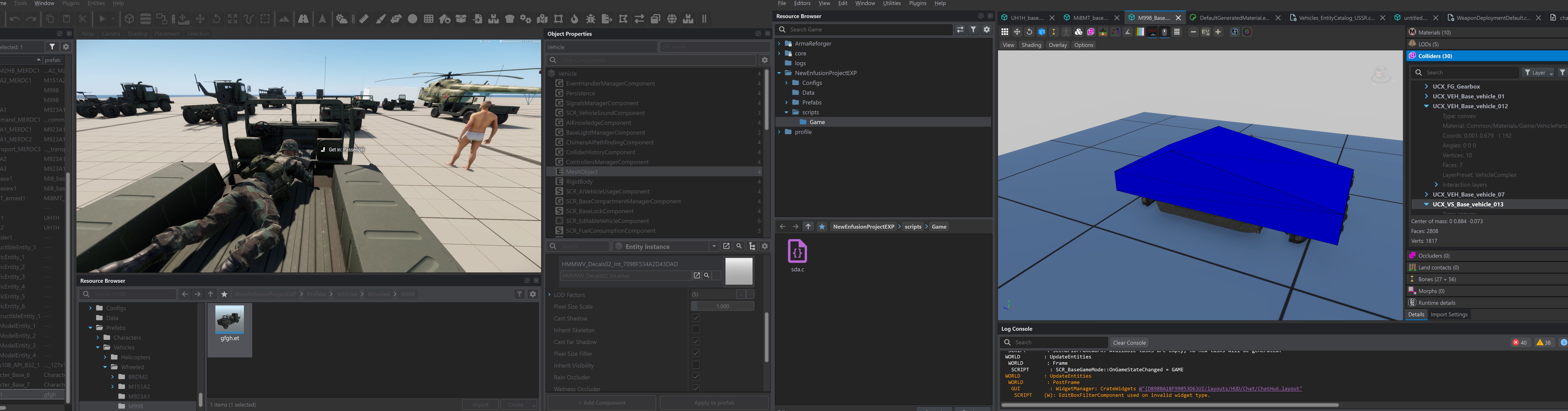 surreal ore
hoary gazelle
Wondering how this is possible, where in the back of the hummer there is a UCX c...
surreal ore
hoary gazelle
Wondering how this is possible, where in the back of the hummer there is a UCX c...
Each collider uses a layer present that determines which layers it's "active" on.
ornate walrus
ornate walrus
any idea how i can attatch my sound acp file to one of these bollards? I have th...
Anyone pls
No idea where to go from here
surreal ore
ornate walrus
No idea where to go from here
When you don't know what to do, look at something in base game that does what you're wanting to do and find out how it does it.
livid apex

Does anyone have any idea why armature would be showing up in my skeleton despite nothing parenting to it?
 marble trench
If I import a model with a morph could I script something to slowly morph the object? For example I have a cig with a morph that shortens it, can I use that morph in enfusion?
hoary gazelle
surreal ore
Each collider uses a layer present that determines which layers it's "active" on...
Prefect, thanks!
 hot viper
If i make changes to my gear im importing (like weights), do I have to always transfer the weights from the example blend file, or can i just "Set Weights"?
wicked dirge
hot viper
If i make changes to my gear im importing (like weights), do I have to always tr...
you dont even have to transfer weights the first time, its just meant to help you get started. The only requirement is that you model is weighted to the right skeleton, thats itr
hot viper
wicked dirge
you dont even have to transfer weights the first time, its just meant to help yo...
O
Thankyou
ornate walrus
surreal ore
When you don't know what to do, look at something in base game that does what yo...
Right , I tried looking at how doors are setup copied that added an rplcomponent it works in tools but not on live server, feel like I’m missing something
I even copied all the door components
stone verge
How do I delete this foot?
 stone verge
 thick cloak
stone verge
How do I delete this foot?
thick cloak
stone verge
How do I delete this foot?
😉
 stray bridge
stone verge
How do I delete this foot?
stray bridge
stone verge
How do I delete this foot?
you can set meshes to hide inside the basecloth component on the prefab
Foot_L, Foot_R
here is a list of possible meshes to hide:
Head
Head_Neck
Torso
Buttocks
Thigh_L
Thigh_R
Arm_L
Arm_R
ArmUpper_L
ArmUpper_R
Hand_L
Hand_R
Leg_L
Leg_R
Groin
Calf_L
Calf_R
CalfLower_L
CalfLower_R
Foot_L
Foot_R
 rancid cape
Need some help fellas!
So its been a minute since i was messing with this, but i wanted the hood to be hidden in first person, i separated the mesh in blender and and then created a material for the hood and i basically just copied the settings from my gas masks
But why is it hidden in 3D person aswell?


 surreal ore
stray bridge
you can set meshes to hide inside the basecloth component on the prefab
surreal ore
stray bridge
you can set meshes to hide inside the basecloth component on the prefab
Or just inherit from the base footware as intended
stray bridge
surreal ore
Or just inherit from the base footware as intended
thats also a possibility
honest pine
delicate orbit
Hi there. I have a big problem. I´m creating custom models, but when I use the b...
check log at import it should tell you what's wrong with those faces
eager ruin
suggestion idea: adjusting the pose of locked XOB files.
I will say this, if its a thing in there and I can see it, please tell me, but first let me make a fool of myself🤣
so above are the alive and dead models for my vehicle mounted auto turret. Now I do have the original FBX, so I could throw it into Blender, but hear me out, what if we could do mild pose editing to the XOB in Workbench. So for this one, you could simply grab the bone for the barrel and point it down and lock it as the "CIWS_dead_pose.XOB"
Random food for thought☮️


 hot viper
Anyone come across bones being imprted when they dont exist anywhere? Trying to weight paint some clothing items and every few imports, there is a weird bone that throws me off and stuffs my rig up
Called Armature by the way
sonic tree
leaf bones unchecked?
hot viper
Yeah, it seems to have fixed itself for now, i found a relation on another bone that wasnt supposed to be there
white hill
Does a car rig addon for blender help rig the doors of the vehicle on top of the wheels snd such? Haven’t used any yet and i see no tutorials on such.
sonic tree
white hill
Does a car rig addon for blender help rig the doors of the vehicle on top of the...
no?
 red briar
Hey folks, looking for some help with colliders -
I got a collider mesh configured on the helmet, however bullets just appear to go through as if nothing exists.
Here's rigid body
and mesh object


Am I doing something wrong?
red briar
sonic tree
where bones
No clue, would that be the reason collider is not working?
surreal ore
red briar
Hey folks, looking for some help with colliders -
I got a collider mesh config...
red briar
Thanks, will take a look into this
rich dew
Hello guys, iwant to apply a wiggle physics on humvee antenna how can i make it? if aney one can help, i did the physics
 ornate walrus
any idea how i can attatch my sound acp file to one of these bollards? I have th...
ornate walrus
ornate walrus
any idea how i can attatch my sound acp file to one of these bollards? I have th...
Got this to work in a very unconventional way 🤣
 ripe terrace
Hey, my collider end up at the wrong position after the export to tools, it does this only when I try to make a capsule, I don't have this issue when I do a simple collider for weapons, any help would be greatly appreciated 🙏
 solar heron
ripe terrace
Hey, my collider end up at the wrong position after the export to tools, it does...
solar heron
ripe terrace
Hey, my collider end up at the wrong position after the export to tools, it does...
Where is the origin of the collider in blender? Did you apply scale and Rotation?
ripe terrace
solar heron
Where is the origin of the collider in blender? Did you apply scale and Rotation...
Yes, everything is done like for an UBX, the UBX end up at the good position but not the UCS
marble trench
is there a way to put a bone into a piece of equipment and not have it cause weird issues where the model wants to movein enfusion somewhere it wasn't in blender
solar heron
ripe terrace
Yes, everything is done like for an UBX, the UBX end up at the good position but...
origin of UCL, UCS or USP colliders need to be at center of the object. Thats what the official documentation says.
delicate condor
eager ruin
suggestion idea: adjusting the pose of locked XOB files.
I will say this, if its...
Where is this model from?
 trail hornet
Does anyone have any good tips or advice for building modelling in reforger?
faint viper
trail hornet
Does anyone have any good tips or advice for building modelling in reforger?
cubes are your friends
trail hornet
faint viper
cubes are your friends
Wdym?
faint viper
I mean that modelling a building is one of the easiest things, if you dont talk about interiors and details placed inside, you can start with a cube or a plane and the job is 80% done, then you make the colliders and its almost finished. And remember use the base template character so that you get the proper scale
trail hornet
faint viper
I mean that modelling a building is one of the easiest things, if you dont talk ...
I mean yeah


I’ve been working on a few buildings but I feel like I can improve them a lot
faint viper
i would say in a building textures do a big part of it, dont make them flat with materials, add small decals that to someone playing first person pov can actually feel it and see it, it helps a lot with the realism
trail hornet
faint viper
i would say in a building textures do a big part of it, dont make them flat with...
Yeah, you’re right
faint viper
example for the third image, the one closed with woods, add some decals under the roof, maybe around the doors/windows that looks ruined, even maybe scratches on the woods itself like someone tried to break it, and maybe some "mud/dirt" or anything dirty on the ground level
trail hornet
faint viper
example for the third image, the one closed with woods, add some decals under th...
Oh actually I did improve the textures on that, I’ll take a screenshot when I can
Textures were one of my weak points but I think I’ve been getting better recently

Substance painter is really expensive but ive been learning ucupaint and texturing in blender
Model wise though does anyone have any general tips?
eager ruin
delicate condor
Where is this model from?
TheBonBon via a model maker, it's noted in the asset and on workshop
eager ruin
eager ruin
TheBonBon via a model maker, it's noted in the asset and on workshop
Or it was, I must've forgot to add it back on when I had the hiccup the night that I lost all the text fields in the publish window
delicate condor
TheBonBon?
eager ruin
delicate condor
TheBonBon?
Yes, TheBonBon. He created a really awesome animation pack as well that you've might've seen
eager ruin
delicate condor
Where is this model from?
"Phalanx Ciws" (https://skfb.ly/ooRtH) by MR.KIJIMA is licensed under Creative Commons Attribution (http://creativecommons.org/licenses/by/4.0/

Phalanx Ciws - Download Free 3D model by MR.KIJIMA (@fdhkeqqq)
and the TheBonBon scripted it to autofire as a GM placeable, I modified the script and made it a vehicle weapon. His original work is AutoTurretCore, mine is PhaToma 4x4.
TheBonBon also is working on IK Core, scripting to make MechWalkers work, that one I'm the most excited about.
solar heron
Thanks to the great Community especially @keen fossil that helped me to learn the more efficient Multi PBR workflow and portal,bsp, boxvol stuff...i was able to finish my first buildings. Thanks a lot to this great community. All Buildings has MLOD Mats and 5 LOD Levels


 ripe terrace
solar heron
origin of UCL, UCS or USP colliders need to be at center of the object. Thats wh...
ripe terrace
solar heron
origin of UCL, UCS or USP colliders need to be at center of the object. Thats wh...
Thanks you! Sorry for my lazyness I should have looked at the docs first
keen fossil
solar heron
Thanks to the great Community especially <@307612604161982464> that helped me to...
Haha thank you for the very kind words my friend. I only know what I know because of this great community as well. I would be tagging too many people in this post but I wish I could give all the credit to them as well.
keen fossil
solar heron
Thanks to the great Community especially <@307612604161982464> that helped me to...
And those look amazing!! Now you’ll need to teach me how you make them! lol
solar heron
ripe terrace
Thanks you! Sorry for my lazyness I should have looked at the docs first
No Problem. so the origin of the collider has to be at world center? iam also not sure about that 😄
solar heron
keen fossil
And those look amazing!! Now you’ll need to teach me how you make them! lol
Yes for sure. iam now working at the next one. if i can help you contact me.
keen fossil
Edit: accidental post
turbid moss
solar heron
Thanks to the great Community especially <@307612604161982464> that helped me to...
Great, the new houses bring a nice change and make the map unique. 👍
 fierce kraken
trail hornet
Substance painter is really expensive but ive been learning ucupaint and texturi...
fierce kraken
trail hornet
Substance painter is really expensive but ive been learning ucupaint and texturi...
I just started using Quixel Mixer, its free and has a large selection of free smart materials.
wary crest
Hey guys, I am making a mess. I’m literally about to publish it and get it fully uploaded, but I just have this issue in first person. There’s a slight texture bleeding into the eyes. I will send pictures for example, if anyone has a suggestion to fix this, let me know. Mind you it’s not the dreads that’s the issue. It’s the little. Weird line textures that are being able to be seen..
 mighty steppe
wary crest
Hey guys, I am making a mess. I’m literally about to publish it and get it fully...
mighty steppe
wary crest
Hey guys, I am making a mess. I’m literally about to publish it and get it fully...
Enable both Allow User Alpha Bias & Disable User Apha in Shadow properties
 tepid cloak
figured id jump into making cars now ive done a few flying things. wip

 ornate walrus
tepid cloak
figured id jump into making cars now ive done a few flying things. wip
ornate walrus
tepid cloak
figured id jump into making cars now ive done a few flying things. wip
Is that a bathtub
tepid cloak
you know iit baby
trail hornet
I don’t understand the poly counts for reforger, I feel like I keep over optimising a lot of my models but then when I look at vanilla or modded stuff I see so many things that suggest I can add a lot more polygons than I think
solar heron
trail hornet
I don’t understand the poly counts for reforger, I feel like I keep over optimis...
Me too. Some Stuff has an crazy amount of polys...for instance the nettle with 3000 or so. But optimizing is never wrong...if the look of the model doesn't get lost to much
wicked dirge
always try to benchmark against vanilla assets that of similar stuff
solar heron
wicked dirge
always try to benchmark against vanilla assets that of similar stuff
Is there any tool how you can benchmark things? Or just look at the Framerate?
wicked dirge
you can inspect all vanilla assets in Workbench, their polycounts, number of and size of textures etc.
also some assets are built up from multiple xobs, so you need to add up all the parts
 wary inlet
trail hornet
I don’t understand the poly counts for reforger, I feel like I keep over optimis...
wary inlet
trail hornet
I don’t understand the poly counts for reforger, I feel like I keep over optimis...
LODs are the important ones
 pale kestrel
Yeah models w/o lods seem to be one of the biggest performance killers since game has to keep using high poly model even if it's way off in the distance or player has low graphics settings
stone verge
How do I modify the UI icon here?

 dark aspen
InventoryItemComponent>
Attributes> Custom Attributes> PreviewRenderAttributes>
@stone verge ^
If it’s a weapon then instead of the inventoryItemComponent it’ll be in the SCR_WeaponAttachmentsStorageComponent with everything else the same
stone verge
ok
 river heart
This is a modeling/ texturing question. Would it have been smarter to sculpt the rivets in blender and bake them to the low poly or what I did making them in sp with height mapping?


I’m on vacation atm and literally stayed up half the night thinking about this
 high viper
trail hornet
I mean yeah
high viper
trail hornet
I mean yeah
crazy to see you here, good work
wicked dirge
river heart
This is a modeling/ texturing question. Would it have been smarter to sculpt the...
Either way works fine. You can also see vanilla vehicles the decal the rivets so they can patern them over on separate planes, making them appear a lot higher res than they would appear if they were on the main texture
river heart
wicked dirge
Either way works fine. You can also see vanilla vehicles the decal the rivets so...
I don’t think I’ve ever messed with decals I’ll have a gander!
 tacit bloom
Hey guys, is there a way to add a custom mesh to the override meshes to hide list? The intent is for an item that is over the base model mesh, that can be hidden through this setting under clothing models. For instance, if I had an undershirt that was clipping through the jacket from this screenshot, is there something I can do to hide my custom prefab when this jacket is worn?
 surreal ore
tacit bloom
Hey guys, is there a way to add a custom mesh to the override meshes to hide lis...
surreal ore
tacit bloom
Hey guys, is there a way to add a custom mesh to the override meshes to hide lis...
Meshes to hide are specifically for submeshes of the character model. If you want to hide meshes of a child prefab you'll have to write your own functionality for that.
tacit bloom
surreal ore
Meshes to hide are specifically for submeshes of the character model. If you wan...
Thanks!
fierce kraken
I have a question about prefabs, pivot ID's, and Hierarchy. I was directed here.
My question is more of a dilemma, I have been tinkering with prefabs and clothing items. I have a backpack I've added a M-18 smoke grenade child to as a test, when I equip the backpack the smoke follows the character but not in the right position, if I use the Hierarchy component and a pivot ID the smoke stays where the bag was when equipped. I've been using Baseloadoutclothcomponent slots to attach other items, and this works but when the parent item is dropped the objects are floating in space.
dark aspen
fierce kraken
I have a question about prefabs, pivot ID's, and Hierarchy. I was directed here....
If I understood correctly. When using the baseloadoutclothcomp you’re using the slots parameter to add the smoke to right? And it works when equipped but when it is on the floor the smoke prefab still floats where the backpack would be.
if so, I’d try this: use the smoke particle model and put it onto a new clothing prefab. This way you have create the “worn” model using the smoke and then a floor model using some other model. Don’t know that this will certainly work with smoke, but this is how I’ve gotten other clothes with slots to not float in air.
fierce kraken
dark aspen
if so, I’d try this: use the smoke particle model and put it onto a new clothing...
I might have added some confusion by not stating it was a grenade and not a particle, but yes I was using the slots parameter. When worn the prefabs work as intended, they follow the character how I want them, but when the backpack is dropped the prefabs float. (Dropped bag in picture)
 dark aspen
Ya so my fix might still work. You can certainly just check to see how the devs for example did the canteens or Alice pouches for vanilla. That could work too
My fix involves creating prefabs just for slots. So instead of using the m18 grenade weapon prefab I’d make a new “clothing” prefab as described above.
keen fossil
anyone able to say what direction an object should be facing in blender before export? is it Y+?
dark aspen
keen fossil
anyone able to say what direction an object should be facing in blender before e...
Yes Y+
tepid cloak
I will figure out these friggen bones /physics if it kills me lol


 thin prism
tepid cloak
I will figure out these friggen bones /physics if it kills me lol
thin prism
tepid cloak
I will figure out these friggen bones /physics if it kills me lol
Hey man any chance you figured out how to setup the rotator for the steering? I completed the importing process of a car but I’m unable to make the wheels steer (car is steering but no animation)
 tepid cloak
mesh reduction be like ooof
 shell hedge
That last one looks like a good LOD0
 grand whale
why on earth does my patch model look like this in enfusion tools, but in blender it looks fine.
 tepid cloak
Change Ur emissivity from black to Ur colour increase luminance
tepid cloak

 supple gulch
Hey I have a question, so I'm new to modding and I made a few test models in blender and when I imported them over to the enfusion engine parts of the model vanished as if the engine couldn't render those parts of the models.
Is there any common mistakes that can cause this issue or was it just my PC hating me
I'll see if I can get the error code I was seeing because I believe I still have a screenshot somewhere
trail hornet
high viper
crazy to see you here, good work
Oh no way, Northcom is my favourite thing in a3 vanilla
tepid cloak
supple gulch
I'll see if I can get the error code I was seeing because I believe I still have...
Polys or check Ur normals
supple gulch
What do you mean by normals?
 twilit lava
Hey guys. i d know where to find solution for my problem, i created simple taillight to test smth and some walls are invisible from front and some are invisible form back view did i export this with wrong settings? its my second time i opened arma tools so i have no idea whats wrong.

 sonic tree
twilit lava
Hey guys. i d know where to find solution for my problem, i created simple taill...
sonic tree
twilit lava
Hey guys. i d know where to find solution for my problem, i created simple taill...
check normals
twilit lava
ok i kinda see the problem now 🙂 but how can i fix it

 stuck kraken
To flip normals in Blender, use the "Mesh" > "Normals" > "Flip" option in the 3D Viewport's edit mode
Thats what google gemini said
twilit lava
ok so i think i fixed this right part but still its invisible from front view

 sonic tree
select this and check where is red

and flip normals
its gonna change to blue
and it will work fine
twilit lava
hm i click this option and i only have red parts and normal random color on solid viewport no blue stuff
but i fliped random color parts to red and its working
twilit lava
anyway thank u for answers its working fine now 🙂
tepid cloak
hmmm

 desert steeple
do animated ironsights on weapons still need to be collimated manually with the weapon's ballistics like it was in A3 or is that somehow handled by the engine in a more elegant way now? i can see in sightsComponent that there are different offsets and angles used for the various zeroing settings of the guns, do i still have to adjust the 3d mesh itself to make sure it matches with the set zero?
 mighty bronze
desert steeple
do animated ironsights on weapons still need to be collimated manually with the ...
mighty bronze
desert steeple
do animated ironsights on weapons still need to be collimated manually with the ...
You'll need to use a specific round and the ballistic calculator to calculate the ranges on the weapon
You will then need to make sure that the rear sight is animated (lowest being frame 0, highest being frame 1)
Animation is handled by the weapon's SightsComponent where X is animation state, and Y is range (M60's in the screen shot)
For the animation of the rear sight, 0 is lowest, 1 is highest.

https://community.bistudio.com/wiki/Arma_Reforger:Weapon_Creation/Prefab_Configuration#Zeroing Zeroing section
here it somewhat explains how the animation works, and how use the zeroing data script.
desert steeple
thanks, appreciated
mighty bronze
as a just in case, the sights component pulls from this in the x_weapon.asi
 solar heron
For a while i wonder what the MCR Texture does in the MultiPBR Material. Maybe someone can explain what this does?
desert steeple
mighty bronze
https://community.bistudio.com/wiki/Arma_Reforger:Weapon_Creation/Prefab_Configu...
i think this is the info i was looking for, thanks 👍
mighty bronze
solar heron
For a while i wonder what the MCR Texture does in the MultiPBR Material. Maybe s...
https://community.bistudio.com/wiki/Arma_Reforger:Textures#Texture_Properties try this
also seems to deal with masking? Check global mask under Texture types portion, it mentions PBRMulti a lot, not sure if that's the same thing at the MultiPBR you're talkin about
solar heron
mighty bronze
https://community.bistudio.com/wiki/Arma_Reforger:Textures#Texture_Properties tr...
Hm okay. But dont understand what Global Base Color can be... is it like a color tint for the whole mesh on top? because basecolor gets assigned with the tiled textures.
mighty bronze
Global/Macro base color, sounds like what ever is changed here changes the entire texture
mighty bronze
solar heron
Hm okay. But dont understand what Global Base Color can be... is it like a color...
Honestly not sure, the most advanced material I've used is NMO :p
and the only mentions of using PBRMulti is in a tutorial that isn't made yet (car creation)
mighty bronze
tepid cloak
hmmm
grandpa needs to get to the store, and be back before the next wave of soldiers invade objective Louisiana
stone verge
How can I solve this problem? When I upload, I get the following error: BACKEND (E): [RestApi] ID:[13] TYPE:[EBREQ_WORKSHOP_UploadAssetFile] Error Code:403 - Forbidden, apiCode="", uid="", message=""
DEFAULT (E): Uploading failed! Reason: ""
sonic tree
stone verge
How can I solve this problem? When I upload, I get the following error: BACKEND ...
spaming on every channel wont give u answer
scroll couple messages and u will find answer
stone verge
I'm so sorry, I've looked up a lot of information and I need to solve this problem, can anyone help me?
 white garden
stone verge
I'm so sorry, I've looked up a lot of information and I need to solve this probl...
white garden
stone verge
I'm so sorry, I've looked up a lot of information and I need to solve this probl...
scroll up, everyone is having this issue, stop asking please
stone verge
@white gardenTheir problems have not been addressed, and there are no public solutions.
 primal cedar
What component i would have to check to disable visibility of the cloth asset in first person.
 cunning void
What could be the error when importing textures? It started quite recently
 surreal ore
cunning void
What could be the error when importing textures? It started quite recently
surreal ore
cunning void
What could be the error when importing textures? It started quite recently
How about using proper naming conventions?
The suffixes have meaning.
cunning void
Got it, thanks
 midnight path
is there anything like instalod that doesnt cost $1000 a year?
free one has the blender plugin but doesnt provide the pipeline, so you cant even use the plugin. makes no sense.
the license with the pipeline is $100 a month
 compact scarab
midnight path
free one has the blender plugin but doesnt provide the pipeline, so you cant eve...
compact scarab
midnight path
free one has the blender plugin but doesnt provide the pipeline, so you cant eve...
$5 plugin for blender for reforger 1 sec

Gumroad
AR Panda's Tools combines two powerful addon sets into one unified interface: 🔧 Mesh Mangler: Complete mesh processing pipeline for game-ready assets 🎨 Enfusion Fixer: Specialized texture management for Arma Reforger/Enfusion projects This addon streamlines the entire workflow from raw mesh import to final FBX export, handling LOD generati...
fallow pond
that addon is so cool I think goat would like to see it
surreal ore
compact scarab
https://pilotpandatools.gumroad.com/l/pjnoad/pandatools
Or just add the decimate modifier for free? I doubt that addon is actually generating lods and is more than likely just using blender built in functionality. I.E. the decimate modifier.
compact scarab
surreal ore
Or just add the decimate modifier for free? I doubt that addon is actually gener...
He literally asked for something..
surreal ore
I'm aware. What you offered has a free alternative.
Free = Better especially when what you're being charged for does something that can be manually done, for free.
I don't usually condone A.I for scripting but bpy is so well documented that you can feed it a prompt and make your own addon to do whatever you'd like for absolutely free.
surreal ore
And one AI prompt will drop the 7 clicks down to 1. If you want the convenience of not having to use ChatGPT(which is free) then give the dude $5. I will never condone taking advantage of people that don't know any better. If you wanna continue the discussion, hop in my DMs.
compact scarab
idc
fallow pond
compact scarab
1 click is better than 7 clicks
besides decimate does a schiet job for lod 1 and has minimal control for complex meshes
tepid cloak
if anyonehas a good understanding of bone/setup for steering wheels to work id love to chat please 🙂 I have it setup but am running into issues when it imports to prefab. wheels and steering are fine but when i start weight painting the steering wheel things get wild. love to chat to anyone who knows more please ❤️
 surreal ore
tepid cloak
if anyonehas a good understanding of bone/setup for steering wheels to work id l...
surreal ore
tepid cloak
if anyonehas a good understanding of bone/setup for steering wheels to work id l...
What's the issue? Only the wheel should spin, the bone should be in the center of the wheel.
tepid cloak
surreal ore
What's the issue? Only the wheel should spin, the bone should be in the center o...
Spins in xob fine but when j load prefab my bones are all off what xob says. I've applied all transforms etc correct and only moved bones not scales from sample, I imported and made my xob the mesh and it seems like I got it right this time see fkrst images. Then tools crashed now I'm only getting


Steering wheel works but it's sitting almost in original animation potion as opposed to snapped to bone spot like it should be, I've only weight wheel. Do we have to weight body and rotators *?
sonic tree
surreal ore
Or just add the decimate modifier for free? I doubt that addon is actually gener...
plugin is applying decimate modifier
livid apex
midnight path
is there anything like instalod that doesnt cost $1000 a year?
InstaLOD is free? Just export the model and do it in their studio
midnight path
livid apex
InstaLOD is free? Just export the model and do it in their studio
you cant
the free one hooks into a few engines and thats how you use it
livid apex
midnight path
you cant
This is how I make all of my Lods lol
livid apex
They have an external studio you can use. I export as fbx, then import to the studio
It's called open scene in their studio
Or something like that
livid apex
midnight path
where can i get that
If you download their external studio
 wicked jasper
midnight path
where can i get that
wicked jasper
midnight path
where can i get that
Search for instalod pioneer
 tranquil gyro
How do I make these body parts invisible, I do not know what they are called.
 stray bridge
tranquil gyro
How do I make these body parts invisible, I do not know what they are called.
stray bridge
tranquil gyro
How do I make these body parts invisible, I do not know what they are called.
Head
Head_Neck
Torso
Buttocks
Thigh_L
Thigh_R
Arm_L
Arm_R
ArmUpper_L
ArmUpper_R
Hand_L
Hand_R
Leg_L
Leg_R
Groin
Calf_L
Calf_R
CalfLower_L
CalfLower_R
Foot_L
Foot_R
remote palm
tranquil gyro
How do I make these body parts invisible, I do not know what they are called.
So for you it would most likely be “Head_Neck” and both “CalfLower_X”
fierce kraken
I need some ActionManagerComponent help. I'm trying to make a grenade that acts like a Explosive Block, basically a grenade that can be placed and detonates like the explosive blocks. I have copied the properties from the M112, I want the time to default to 4 second. I set it in the component but when I press play its still says 20s until I press F to adjust the time then it goes to 4s, that UI bug wouldn't bother me if when I set the armed with the timed fuse it wasn't 20s long unless I first press F on the time adjust. Is there somewhere else I have to change the default timer on the explosive to get the 4s?
fierce kraken
It only explodes in 4s if I click F to adjust the fuze time, which then throws a script error but updates the UI to 4s instead of 20s and the grenade will detonate in 4s if armed with the timed fuze. If I don't adjust the fuze time it takes 20s as if I never changed the default time in the action manager.
Ahh, can I change this without it affecting other timed explosives, or do I live with the 20 second timer?
fierce kraken
Thanks for this, it was giving me heart burn.
 white plover
any one know to make it so my door is hingine from the correct place and not the middle of it https://gyazo.com/b098dc930ebf1ef8f1cf460596a53d1f
 white lichen
hi can anyone answer real quick either what is a UBX collider or where I can learn about that and other colliders?
 finite quartz
white lichen
hi can anyone answer real quick either what is a UBX collider or where I can lea...
finite quartz
white lichen
hi can anyone answer real quick either what is a UBX collider or where I can lea...
Check the arma wiki, there are all coliders explained
stone verge
Any modification in the tool will result in the deduction of experience value when applying for a vehicle
 white plover
yh that hasent worked for me is there a wiki page on doors or a video out there somewhere covering them?
remote palm
Has anyone here imported a vehicle yet? How much was your poly count? Im working on a Rim and cant get it under 15k tris bcs its pretty shape heavy 😄
So with the wheel it would be somewhere around 20-25k tris, which is about four times higher then the vanilla wheels
fallow pond
you can post images...
shell hedge
Why not open a vanilla vehicle model in workbench to see the poly counts? Could be sort of a guide for you
wicked dirge
He seems to know how it compares to vanilla
rich dew
Hello, how can i turn of the vanilla vehicle collider without crashing?

 shadow wasp
hi, trying to learn how to add armor and other things on vehicles, and stumbled upon issue with colliders not working at all. followed tutorial on BIS wiki, but still nothing. Any ideas i could done wrong?
(Colliders was added with tool, then custom property added manually in blender (there was none))


 steel hare
Hej everyone, for my coke plant I am working on some industrial walkways and wanted to ask for your opinion of what would be the best approach?
I tried to make a modular setup for the walkways (consisting of straight short and longer walkways, stairs, corners, railing etc.).
Would it make more sense to have single elements as single prefabs for terrain makers so they can create their own walkways in the world editor or does it make more sets to create some premade walkways as prefabs which can be reused? The first approach would mean more work for terrain makers but would leave more freedom.
I have not seen yet any modular approach with BI models yet but I wanted to give it a try instead of making whole fully premade models.
What's your take on this?

 stray bridge
working with many individuals parts especially in world editor can be tedious.
No matter what include premade parts / combos for easy placement.
And maybe all individual parts as prefabs but imo not many will work with them.
Depending on how you wanna publish it for a little more advanced modders you could provide the parts in blender where you can more easily and with snapping tools build your own vision.
white garden
You should keep it modular and make prefab compositions with different variations you use
That way they have what you made, and they can make their own
remote palm
fallow pond
you can post images...
I wasn’t at my PC at the time. I got the entire rim and wheel down to 14k tris which is about double then the vanilla ones.
But yes, comparing it to a full vehicle would be best.. 🫣
Just wanted to know if someone had already imported vehicles, and if yes, how many tris their vehicle had
fallow pond
really depends on the vehicle... and the level of attention someone wants in their model to decide what is a good face count
 flat crown
Hello, on Arma, is it possible to import an outfit in one ?
like like an outfit that includes a vest and pants
stuck kraken
flat crown
Hello, on Arma, is it possible to import an outfit in one ?
I would say technically yes. There are overalls for example. On the other side I would guess you have only one container for stuff on the other side. And if someone put another vest on (because the vest slot is empty) you have some graphical glitches.
At the end your mod would be considered as faulty.
flat crown
stuck kraken
I would say technically yes. There are overalls for example. On the other side I...
on reforger ?
ho ok
ty for anser
stuck kraken
flat crown
on reforger ?
You are in an enfusion thread. The only released game that uses enfusion engine at this moment is Arma Reforger. So yes Reforger.
flat crown
stuck kraken
You are in an enfusion thread. The only released game that uses enfusion engine ...
okay ty , arma 3 don't use ???
stuck kraken
flat crown
okay ty , arma 3 don't use ???
No. It uses Real Virtuality 4
https://enfusionengine.com/

Flexible, good-looking, fast and fully multiplatform. Meet the technology for the next two decades of game development at Bohemia Interactive.
flat crown
stuck kraken
No. It uses Real Virtuality 4
https://enfusionengine.com/
ho ok
fierce kraken
rich dew
Hello, how can i turn of the vanilla vehicle collider without crashing?
Open the XOB in the workbench.
fierce kraken

 hollow maple
tranquil gyro
How do I make these body parts invisible, I do not know what they are called.
hollow maple
tranquil gyro
How do I make these body parts invisible, I do not know what they are called.
can help you with the setvisible command if you need, lmk
 junior wren
does anyone know how to fix this issue with steering wheel
as you can see when i moved the steering wheel bone suddenly in game the steering wheel snaps to the old location for no reason


 surreal ore
junior wren
does anyone know how to fix this issue with steering wheel
as you can see when ...
surreal ore
junior wren
does anyone know how to fix this issue with steering wheel
as you can see when ...
It does that for a reason. Specifically because the animations.
midnight path
junior wren
does anyone know how to fix this issue with steering wheel
as you can see when ...
for best results make your own steering and door anims, trying to use vanilla ones wont work unless your bones are the exact same orientation and position as the vanila anim
junior wren
Thank you I did it @midnight path @surreal ore
cunning void
why can't the collider be bound to the correct bone? when exported, the collider shows a completely different bone
fierce kraken
Is there a better way to render icons for inventory items? Instead of making a small change and then F5, TAB, ESC after every change?
honest pine
cunning void
why can't the collider be bound to the correct bone? when exported, the collider...
bound by parenting ?
cunning void
honest pine
bound by parenting ?
honest pine
cunning void
+
make sure there is no supplementary mesh skinning or armature modifiers, appart from that I wouldn't know
cunning void
honest pine
make sure there is no supplementary mesh skinning or armature modifiers, appart ...
Okay, I'll double check.
honest pine
cunning void
Okay, I'll double check.
I know it happens to me especially when I make collider from duplicating a mesh
cunning void
honest pine
make sure there is no supplementary mesh skinning or armature modifiers, appart ...
Thanks, it helped me to tie it directly to the bone without Armature
surreal ore
Colliders are expected to use relations, the wiki explains that somwhere.
 jaunty hearth
Good evening, can someone help me? I downloaded a 3D model of a police car from the Sketchfab website in fbx format, as shown in the link below. I tried to export the model to Arma Reforger Tools, and when I did, it turned white as shown in the image, not as I expected it to be as shown on the website. Can someone tell me what I need to do to fix this problem?


Remember the police SUVs from video games? Well, here it is. Unfortunately, I didn’t have any suitable ready-made American jeeps, so I had to make it from a car that wasn’t even imported to America. However, we will pretend that it doesn’t matter.
I unconditionally give you permission to use this model at your discretion, modi...
jaunty hearth
I figured it out, I just don't know exactly how to properly associate each texture.
 surreal ore
jaunty hearth
I figured it out, I just don't know exactly how to properly associate each textu...
surreal ore
jaunty hearth
I figured it out, I just don't know exactly how to properly associate each textu...
Those textures aren't what is expected by the game.
 tacit eagle
jaunty hearth
Good evening, can someone help me? I downloaded a 3D model of a police car from ...
tacit eagle
jaunty hearth
Good evening, can someone help me? I downloaded a 3D model of a police car from ...
this is pretty complex if you dont know how the engine works but the full tutorial is on the wiki
 boreal skiff
Does anyone know how i can just completely reskin a vanilla object
fierce kraken
boreal skiff
Does anyone know how i can just completely reskin a vanilla object
As far as I know you take a screenshot of the BCR for the objects EMAT and drop it into a photo editing software and do you best.
 uneven seal
 fierce kraken
Is there something I have to do to get the materials to pop up after an Update? I have an open isnstance of Enfusion. It allowed me to assign a firegeo preset but the Game Materials list is empty.
 boreal skiff
start of a 60mm mortar
 boreal skiff
 eternal jewel
any of you have any tips and tricks on how to make something like this? It's a bit tricky. im using blender

how the cube transitions into a cylinder and then an inset, and then finally a beveled cube
 long stump
eternal jewel
how the cube transitions into a cylinder and then an inset, and then finally a b...
long stump
eternal jewel
how the cube transitions into a cylinder and then an inset, and then finally a b...
loop cuts mayb ? 🤔
eternal jewel
gonna be a lot of loot cuts then lol
remote palm
eternal jewel
any of you have any tips and tricks on how to make something like this? It's a b...
Best way would be to use loop tools in blender. Have a cube and subdivide. Then extrude as much as you need and then you select the edges that need to be turned into a circle hit right click -> loop tools and “circle” - perfect circle all the time
noble ravine
eternal jewel
any of you have any tips and tricks on how to make something like this? It's a b...
you could use Booleans and later on do a cleanup/retopology
eternal jewel
im considering that but the retopo is going to be a nightmare
im just going for a blockout atm
noble ravine
Keep the Boolean final mesh and bake the maps in blender or Marmoset Toolbag using Bevel shading.
Will be a "mid" Poly mesh, make the LODs and skip the high poly mesh for baking
 ivory sapphire
Why can't I drive the car?

I can start its motor, but it doesn't move (but still makes sounds)
compact scarab
ivory sapphire
I can start its motor, but it doesn't move (but still makes sounds)
Press left shift i think it is
To put it in gear
ivory sapphire
compact scarab
Press left shift i think it is
You mean while sitting in the jeep?
compact scarab
ivory sapphire
You mean while sitting in the jeep?
Yeah after you start it
ivory sapphire
compact scarab
Yeah after you start it
doesn't do anything at all
compact scarab
ivory sapphire
doesn't do anything at all
Look in controls for the shift gear keys
 raw tundra
eternal jewel
any of you have any tips and tricks on how to make something like this? It's a b...
raw tundra
eternal jewel
any of you have any tips and tricks on how to make something like this? It's a b...
Apply a Subdivision Surface Modifier. That will let you maintain the varying hardness of your edges without forcing you to go crazy with supporting edge-loops.
 tawny grail
Hello all !!
Do you know how to fix that:
ENTITY : Create entity @"ENTITY:3" ('GameEntity') at <0.000000 0.000000 0.000000> RESOURCES (E): Can't remap 'Assets/Characters/Uniforms/Polo_F1/PoloML.xob' material from 'Shirt_Retopo_01_Item' to 'Assets/Characters/Uniforms/Chemise_F1/Data/Chemise_F1_Bleue_Item.emat'. Source material do not exist
 wary inlet
eternal jewel
any of you have any tips and tricks on how to make something like this? It's a b...
wary inlet
eternal jewel
any of you have any tips and tricks on how to make something like this? It's a b...
CAD to blender, no other way unless your are a topology wizard, and even with the cad approach you need good documentation or real reference as well as good mesh cleanup skills and patience
 jagged goblet
Looking to add onto a mod already on reforger I was to make a T-80bvm by basing it off of the T-72 mod already in the workshop I've tried importing the t-72 tank mod in arms reforger tools and blender yet I have no idea how to do it if anyone knows it would be a huge help
delicate condor
jagged goblet
Looking to add onto a mod already on reforger I was to make a T-80bvm by basing ...
you cant take the existing model. youll have to make new model from 0
jagged goblet
😭
delicate condor
taking someone elses work = stealing
and we dont do that here
and tank is way too complex thing as first mod anyway
start simple
jagged goblet
Any recommendations on what to start with? I'm a bit uneducated with this so I didn't know I saw other people add reskins on the T-72 mod so I had assumed it was ok
delicate condor
jagged goblet
Any recommendations on what to start with? I'm a bit uneducated with this so I d...
learn 3d modeling without any Arma context first
once you understand 3d modeling the Arma parts become easier to understand
jagged goblet
Ok cool thanks man
delicate condor
 harsh shore
wonder how I can render this into a model
harsh shore
wonder how I can render this into a model
there is no such thing as "render this on a model" you too have to start 3d modeling learning from 0
 grave matrix
So I'm trying to make a custom armored vest but I cannot for the life of me figure out how to add armor values to it. If someone can point me in the right direction that'd be much appreciated. And yes I've watched the boot camp videos but they don't do much good for me.
harsh shore
delicate condor
there is no such thing as "render this on a model" you too have to start 3d mode...
Figured ..
boreal skiff

 steel hare
stray bridge
working with many individuals parts especially in world editor can be tedious.
N...
steel hare
stray bridge
working with many individuals parts especially in world editor can be tedious.
N...
Thanks a lot for you valuable inputs! I will make a few prefabs with individual parts from which I create bigger compositions as own prefabs. Just one question though still. I use snap and slot points when creating prefabs. Is there another way in Workbench to snap objects together? Like there is in Blender? Like industrial walkways would be easier to assemble in World Editor if there was a snap function
 steel hare
white garden
You should keep it modular and make prefab compositions with different variation...
steel hare
white garden
You should keep it modular and make prefab compositions with different variation...
Thanks a lot! I will do so 🙂
stray bridge
steel hare
Thanks a lot for you valuable inputs! I will make a few prefabs with individual ...
no snapping
not like you got in blender
compact scarab
You can hold Ctrl to snap to increments with move tool
steel hare
Thanks a lot!
Alright, that's a pity to be honest.
So the most exact way of placing objects is by changing the XYZ coordinates of the entity I assume?
raw tundra
I feel like I've forgotten a very important step somewhere. My model is the proper way in Blender; facing the right direction, has colliders applied, and all the needed memory points + materials are attached. I can also reimport it into Blender as an FBX, post export, and see that the export worked properly. However, it's empty in the workbench; no materials, colliders, or LODs detected.
Is it because I used "Metal - Prop" for my colliders?


Haven't had this issue with the cars or hand tools I've made, but it's been a while and I feel like I'm missing something super obvious 
faint viper
raw tundra
Haven't had this issue with the cars or hand tools I've made, but it's been a wh...
have you tried to export with normal and not any plugin? just regular export as fbx
raw tundra
faint viper
have you tried to export with normal and not any plugin? just regular export as ...
Yeah, I always export using Blender because the export function from the tools never seems to work 😭 or do you mean i shouldn't apply colliders?
faint viper
colliders shouldnt be the issue, for sure something is missing in the extract as fbx
raw tundra
 faint viper
supple gulch
faint viper
supple gulch
Okay so ive tried to import a model into arma reforger, all of the faces are orinetated correctly however it still wont display parts of the model, does anyone know a fix#

never mind it looks like it duplicated all of the assets
still broken
 hazy path
supple gulch
Okay so ive tried to import a model into arma reforger, all of the faces are ori...
hazy path
supple gulch
Okay so ive tried to import a model into arma reforger, all of the faces are ori...
make sure to apply triangulation of faces before export, enfusion can trip up converting quads on import
supple gulch
yeah i figured it out
tacit eagle
Initial M113 blockout, thoughts?


 supple gulch
It looks good but isn't the front slope meant to be angled a little more?
tacit eagle
supple gulch
It looks good but isn't the front slope meant to be angled a little more?
How's that?
 supple gulch
That looks accurate, the M113 has like a 45+⁰ angle on its upper slope and a 30⁰ on its lower slope
https://afvdatabase.com/usa/m113.html
Here's the data sheet on the beautiful box
fallow pond
if its a block out why are there normal splits?
supple gulch
Wdym?
tacit eagle
fallow pond
if its a block out why are there normal splits?
I have sharps in there on the hard edges, but I havent split any normals that I am aware of.
Just sharps on the armor gaps
 wicked dirge
tacit eagle
Initial M113 blockout, thoughts?
wicked dirge
tacit eagle
Initial M113 blockout, thoughts?
BI are almost certainly adding a M113 to vanilla, far be it for me to discourage you from it, but maybe it's best to consider literally any other vehicle

 tacit eagle
wicked dirge
BI are almost certainly adding a M113 to vanilla, far be it for me to discourage...
tacit eagle
wicked dirge
BI are almost certainly adding a M113 to vanilla, far be it for me to discourage...
Fair enough. This was just something simple for me to get some practice in with the full pipeline. I could actually use some advice from you RHS guys if you are open to it. Working on a UH-60M
tacit eagle
All ports and hatches


 surreal ore
raw tundra
Yeah, I always export using Blender because the export function from the tools n...
surreal ore
raw tundra
Yeah, I always export using Blender because the export function from the tools n...
It probably only exports objects using the correct nomenclature.
raw tundra
surreal ore
It probably only exports objects using the correct nomenclature.
Enfusion Blender Tools? That’d be a bit silly  Is that what causes the file path related errors? I can’t remember any of the other errors it’s given me when trying, but most often I get something along the lines of “this destination is not associated with any project”
surreal ore
raw tundra
Enfusion Blender Tools? That’d be a bit silly <:what:1412201215043043468> Is tha...
It wouldn't be silly at all being that the game expects the meshes of your model to be named correctly.
raw tundra
surreal ore
It wouldn't be silly at all being that the game expects the meshes of your model...
That'd definitely be silly.
surreal ore
Sure
Almost as silly as it allowing exportation of things that aren't even gonna work correctly in the game.
raw tundra
You sure are combative, Zelik. I'm allowed to have an opinion, and my opinion is that it's quite silly to base an export or imports failure on a naming convention. 
fallow pond
zelik is saying the truth
surreal ore
I'm not being combative. I'm being logical. It makes perfect sense for it to not export things that aren't gonna work on the engine that they're being exported for.
raw tundra
Okay, and I think a naming convention is a really silly way of doing data validation.
surreal ore
Well your lods, colliders, center of mass, occluders, box volumes, sphere volumes, BSPs, portals and portals volumes are all validated through a naming conventions.
Even textures require the correct nomenclature.
It would only make perfect sense for the tool to require those naming conversations. As opposed to allowing incorrect things to be exported.
raw tundra
I understand that they made the choice to use naming conventions as their method of data validation, but it doesn’t mean it’s not a very crude, nonsensical way of doing it.
This is a cyclical conversation.
surreal ore
Crude and nonsensical maybe. It's used by most, if not all game engines though.
raw tundra
Unreal Engine(UE4) and Unity (Unity 5) both phased it out over a decade ago, as did Frostbite. All modern engines (UE5, Unity6, Godot 4, etc) use metadata, schemas or type reflection, because its not 2014 anymore.
supple gulch
I mean, I doubt it's the only way they have to do it, it's probably rather a hold over from when the game engine entered development back in 2014 or just an extra piece of redundancy
surreal ore
I know 110% for a fact that when making colliders for Unreal Engine in Blender you use a prefix for them and for Unity it's a suffix, iirc.
shell hedge
wah wah I dont want to be consistent in naming
surreal ore
Exactly
surreal ore
I was gonna say that earlier but, what's the point when names are nonsense?
keen fossil
Just fyi in Blender in object mode, with object selected, you can right click in view port then EBTools, then choose what you want item to be. It’ll create prefix for you and apply the proper texture (except portals it seems).
raw tundra
surreal ore
I know 110% for a fact that when making colliders for Unreal Engine in Blender y...


 raw tundra
surreal ore
<https://dev.epicgames.com/documentation/en-us/unreal-engine/fbx-static-mesh-pip...
raw tundra
surreal ore
<https://dev.epicgames.com/documentation/en-us/unreal-engine/fbx-static-mesh-pip...
Might want to actually read that documentation, mate
 topaz willow
does any of that even matter, your arguing is just cluttering this channel
raw tundra
No, he just had an emotional reaction to me having an opinion about something and escalated from there
supple gulch
Okay so I'm making my first model for Arma Reforger as a bit of a test to see how far I can push my own skills and the actual game engine.
What is the amount of faces I should aim for for a high quality rifle model?
surreal ore
supple gulch
Okay so I'm making my first model for Arma Reforger as a bit of a test to see ho...
Take a look at any of the base game XOBs and use those as an example.
supple gulch
Alright I didn't know I could do that thanks
 little wagon
Wish I had time to model something instead of just taking free assets and tweaking them to fit Reforger character's proportions
Or knew someone weird enough to be interested in making medieval armor for Reforger

 raw tundra
little wagon
Wish I had time to model something instead of just taking free assets and tweaki...
raw tundra
little wagon
Wish I had time to model something instead of just taking free assets and tweaki...
Is it just a time issue and you already know a bit about 3D modelling?
mighty bronze
raw tundra
Is it just a time issue and you already know a bit about 3D modelling?
Yes.
Don't forget motivation
raw tundra
Yeah, I spent atleast a year messing around in blender, not really learning anything, because the amount of stuff I felt like I needed to know before I could really create something was overwhelming
supple gulch
little wagon
Wish I had time to model something instead of just taking free assets and tweaki...
 hollow maple
not being funny, you guys probably think im an absolute caveman
i made an entire to scale 160m ship that works ingame without defining ANY sharps
what do sharp do ugg ugg
its like the concentration point of the material's effects aka like edge and reflection or?
supple gulch
Honestly I'm literally brute forcing my way through blender
I have no idea what I'm doing, I have no idea what a sharp is
hollow maple
add me brother and ill share with you my autism
im fully self taught and hate myself en ough to thrive in the blendlands
its nearly done

but my blender tools decided to SHIT it self
and detect 0 ingame armour types now
so its all fucking basegam matgerials hahahaha
all interiors and subfloor vents mapped as well and works nice ingame aaaaaaaaa
im just dogshit at modelling, anyone wanna help out hmu
so i can focus on scri pting mmmmmmm
supple gulch
hollow maple
im fully self taught and hate myself en ough to thrive in the blendlands
Id drink to that
hollow maple
i sent u a message and we can discover sharps together and try to not break all the colliders ingame immediately
supple gulch
I've got this fucking thing I'm hacking together that is gonna be fully animated and scripted before I publish
 hollow maple
im on like version 260 of the ship btw, and my colliders stopped recognising as individual colliders back on build like 180
so im basically cooked
hollow maple
supple gulch
I've got this fucking thing I'm hacking together that is gonna be fully animated...
noice, it looks almost like a NATO VSS
 silk glen
hollow maple
its nearly done
silk glen
hollow maple
its nearly done
Awesome
little wagon
raw tundra
Is it just a time issue and you already know a bit about 3D modelling?
A matter of priorities and getting things done
When you have to code/animate/design systems to have a working mod, also modelling/texturing every single bit yourself just isn't worth it
I feel like some parts of our creations can just be good enough or even "tolerable", while we focus on what we can make really great
raw tundra
little wagon
A matter of priorities and getting things done
When you have to code/animate/de...
Understandable, I feel that
jagged goblet
hollow maple
add me brother and ill share with you my autism
Yo share your autism with me I'm new to blender

I'm tryna make a functional Sherman
 merry rivet
If I have a UCX_ - convex collider for a static object, like a street cabinet. Does the collider need to be closed and have a bottom?
stuck kraken
merry rivet
If I have a UCX_ - convex collider for a static object, like a street cabinet. D...
If a convex collider had no bottom there it wouldn't convex.
 neat ocean
Anyone knows where to setup how much time it takes to build something in conflcit?
keen fossil
neat ocean
Anyone knows where to setup how much time it takes to build something in conflci...
Probably best asked here https://discord.com/channels/105462288051380224/976019350651813948
merry rivet
stuck kraken
If a convex collider had no bottom there it wouldn't convex.
Thank you, so bottom it is
 glacial helm
hello, I'm trying to make a sort of dive mask, but when the item is weared I would like to not actually have it in my screen 😅 how do I make an Item non visible when going 1st person?
wicked dirge
glacial helm
hello, I'm trying to make a sort of dive mask, but when the item is weared I wou...
It's described on the wiki in the head gear asset creation tutorial
stray bridge
glacial helm
hello, I'm trying to make a sort of dive mask, but when the item is weared I wou...
in the material you use on the mask, tick the alpha bias box
inside the .emat
glacial helm
stray bridge
in the material you use on the mask, tick the alpha bias box
I think I've done this already but I still see the shape around the mask ... could it be because i told the game to set it as a vest instead of headgear?
The thing is the object is connected to a diving oxygen gear, and it's both a vest and a headgear. I registered as a vest...
honest pine
little wagon
Wish I had time to model something instead of just taking free assets and tweaki...
I am but currently have other plans for now
little wagon
honest pine
I am but currently have other plans for now
Cool, let me know if/when you'd like to cooperate on medieval stuff
tacit eagle
Do shade smooth operations in blender carry over to enfusion?
thick cloak
hey, What prevents the vehicle from taking in water while floating - if it's the collider, which one?
thick cloak
but lav25 doesn't have this and there is no water inside. Its not drowning, simply water is inside, like light 😛 i thing its collider but i did same as original 🤷♂️
 calm rune
tacit eagle
Do shade smooth operations in blender carry over to enfusion?
calm rune
tacit eagle
Do shade smooth operations in blender carry over to enfusion?
Yes but I recommend using the “weighted normal” modifier
tacit eagle
calm rune
Yes but I recommend using the “weighted normal” modifier
Never used that modifier. Still learning things. My goal was to reduce my bevel segments while still achieving thw look of a curved/rounded segments. Will weighted normals achieve this? And should weighted normals be applied to the whole mesh or just certain segments?
fallow pond
there are a bunch of ways to do smoothing in blender.
tacit eagle
fallow pond
there are a bunch of ways to do smoothing in blender.
Auto smooth gets the look I am going for. Just worried it wont translate to the engine
white hill
Any possible help? I added bones and empties to this vehicle and parented them correctly to each other and to the mesh though when I exported and imported into the workbench, my bones became "nulls" or memory point along with the ones I intentionally set up.
 sonic tree
white hill
Any possible help? I added bones and empties to this vehicle and parented them c...
sonic tree
white hill
Any possible help? I added bones and empties to this vehicle and parented them c...
unselct leafbones in blender
white hill
I had done that I even checked the export, scanning in infusion, and re-imported the model
sonic tree
from what i see parent bone are fcked
v_root > v_body > v_axels/rest
another part is v_body is not a bone
u need to properly name vertex groups
take a look at bohemia sample

GitHub
Modding Samples. Contribute to BohemiaInteractive/Arma-Reforger-Samples development by creating an account on GitHub.


it should look like this
and thats how it should look in blender

feel free to ask questions
 tawny quiver
im trying to rotate this fan prop 90 degrees so that it faces front. im struggling to understand how to simply apply the transform
 sonic tree
u want to rotate head
or whole prop
cuz i dont really understand what u want to do in this prefab preview
tawny quiver
afaik its just one unrigged statue, at least what im working with
i wanna rotate the whole thing 90 degrees on y so that it faces the player when placing
tawny quiver
im new to using this program, could you explain?
im in world editor currently, i rotated it, then when i save it still appears how it was originally oriented before any edits. its like this ingame when placing and when i view it in the main workbench view
white hill
sonic tree
and thats how it should look in blender
Thank you immensely. Im assuming maybe a wrong naming convention, i had most of the “L”s and “R”s capitalized I’ll deep dive into that sample. Thank you!
thick cloak
during animation, opening a door, the door moves to the place of the original bone from the animation... is it possible to turn it off so that it works like the other bones where I assigned them in blender? (new car model with bohemia orig animations)
wicked dirge
tawny quiver
im in world editor currently, i rotated it, then when i save it still appears ho...
Rotate it in the xob import setting and then reimport. This will rotate it permanently
tawny quiver
wicked dirge
Rotate it in the xob import setting and then reimport. This will rotate it perma...
aha ok thank you
 clever edge
Yo..
maybe i put it in "wrong".. But..
Need some help.. brand new to Blender.. Why are some of my faces (ones that ARE there) not visible.. But the collider is working.. So i dont see the Face but the collider is working..
#enfusion_blender_tools message
remote palm
clever edge
Yo..
maybe i put it in "wrong".. But..
Need some help.. brand new to Blender.. W...
In Blender go into edit mode, select everything and hit „Shift + N“ - you probably have flipped normals.
clever edge
remote palm
In Blender go into edit mode, select everything and hit „Shift + N“ - you probab...
Thanks... I believe so too. Made the inner side of the walls by copy and scaling them
I noticed in game that the height of a human is huuuuge.. like 3m tall... The import width of the structure is 40m and the door is 3.5m tall 2m wide... Could just get inside... Measured in workbench and saw it was accurate....
tawny grail
"Moving on Vehicles - Climb onto the back of a flatbed truck and fire while riding along."
How do I add the "Ride Along" feature to my vehicle, please?
 compact scarab
tawny grail
"Moving on Vehicles - Climb onto the back of a flatbed truck and fire while ridi...
compact scarab
tawny grail
"Moving on Vehicles - Climb onto the back of a flatbed truck and fire while ridi...
 tawny grail
compact scarab
tawny grail
compact scarab
Merci !! Thank you 🙂
clever edge
remote palm
In Blender go into edit mode, select everything and hit „Shift + N“ - you probab...
Yes, i flipped the face orientation and now it worsks 🙂
clever edge
So.. some progress 😄 xD
#1424837417634103407 message
 viscid copper
Hi everyone, does anyone know how to ensure the inside of an amphibious vehicle isn't underwater?
hybrid mountain
clever edge
Yes, i flipped the face orientation and now it worsks 🙂
Sometimes normals can look find in blender but scale is inverted - so it will import flipped lol.
clever edge
hybrid mountain
Sometimes normals can look find in blender but scale is inverted - so it will im...
Thanks! Will check that out to! 🙂
How do you properly make Bones in blender for import in Enfusion, not for animation, for "Rig" i guess.. to put up another f.ex prefab on a model.. That seems.. excessively difficult to setup overall in blender...
steel hare
clever edge
How do you properly make Bones in blender for import in Enfusion, not for animat...
You can work with the object type "Empty" in Blender. Those you will have to rename to either slot_XXXsomething or socket_somethingYYY and in Workbench you check "Export skinning" in the Import settings tab after you added your *.xob file. After you reimported the resources you can open the xob file in the world editor from the Resource Browser and assign the component SlotManagerComponent. In this component you then can enable the slots and add various slots. Choose EntitySlotInfo and give it a name. The PivotID then becomes the place where you can add another prefab / object which should be attached to your object. That's where the "Empty" object from Blender is. You can still rearrange the placement via the offset coordinates there aswell. I hope you undestand what I mean?
Otherwise take a look at the screenshot from BI's tutorial (https://community.bistudio.com/wiki/Arma_Reforger:Prop_Creation#Creating_prop_variants) (right hand side). The tutorial is worth a read
clever edge
steel hare
You can work with the object type "Empty" in Blender. Those you will have to ren...
Oh.. so not using "bones"?
clever edge
steel hare
You can work with the object type "Empty" in Blender. Those you will have to ren...
empty stuff didnt work.. but i used bones with that Slot thing and that worked.. 🙂 xD
clever edge
ok.... so... Just to try out... just took an ingame buildiong asset that use bones to do the windows f.ex.. then replicated with thye XOB object and added in the BoneSlotMappings.. NOTHING happens......
 devout marlin
Hey so I am trying to learn how to clothing model dev, and im in the middle of importing when I imported the object into the arsenal/game it doesn't show up as the shirt, just the item model in the arsenal. Anyone know how to fix that?
 uneven vessel
Set model as 'worn' model on your prefab's BaseLoadoutClothComponent
devout marlin
uneven vessel
Set model as 'worn' model on your prefab's BaseLoadoutClothComponent
Legendary. Thanks
devout marlin
uneven vessel
Set model as 'worn' model on your prefab's BaseLoadoutClothComponent
Ended up finding it under SCR_UniversalInventoryStorageComponent —> Custom Attributes—> Preview Worn Model —> Checkmark
surreal ore
clever edge
ok.... so... Just to try out... just took an ingame buildiong asset that use bon...
You have to use the "Export Skinning" in the import settings.
