#enfusion_blender_tools
1 messages · Page 3 of 1
 limber badge
And do i test exporting a box FBX see if tis the whole thing or just animation exports
 lofty ember
I've reinstalled the Blender addon a few times, even went into AppData and manually deleted it to be sure. Yet, no change 
limber badge
FBX not exporting?
I've never done animation exports before. You dont need to have a model/window open to import correctly?
Got your directory set up properly?

Im starting to find the lack of documentation on this arma very tedious
lofty ember
after letting it sit and reinstalling AR EXP Tools, it did not magically fix itself 
lofty ember
I might be stupid, my model didn't have any action data in Blender, so therefore it was greying out the export TXA option 
 languid hornet
if it is greyed out, then it means that there is no armature in the scene
or actions, aka there is nothing to export
languid hornet
limber badge
Im starting to find the lack of documentation on this arma very tedious
languid hornet
limber badge
Got your directory set up properly?
This is not related to Enfusion Blender Tools
lofty ember
languid hornet
if it is greyed out, then it means that there is no armature in the scene
yeah, thought because of the default warning (which I didnt know was default till now) that it meant it couldn't detect workbench for some reason. But got it sorted now 😄
limber badge
languid hornet
https://community.bistudio.com/wiki/Arma_Reforger:Enfusion_Blender_Tools
why did it take me so long to find this link on the biki...
https://community.bistudio.com/wiki/Arma_Reforger:Enfusion_Blender_Tools:_Portal_Tools
Ty
languid hornet
yea, searching on Wiki is not the greatest
limber badge
Would be really nice if the Reforger Biki had a "See also:" hyperlinked file structure. Like the A3 scripting ones.
https://community.bistudio.com/wiki/BIS_fnc_execVM
languid hornet
limber badge
Would be really nice if the Reforger Biki had a "See also:" hyperlinked file str...
 lime hound
have issue with EBT. i assign collision, materials, and layers, using EBT script. but when i export FBX, to brokebench, Collision types are empty and i have to re-type them in manually. Where dig?
languid hornet
lime hound
have issue with EBT. i assign collision, materials, and layers, using EBT script...
lime hound
languid hornet
https://community.bistudio.com/wiki/Arma_Reforger:FBX_Import#Physical_material_(...
How do i reset something to default if its already a default? And whats the point of this?
the problem is, EBT doesnt export layers as it should.
maybe i ahve to tick some secret option in blender? soemthing called Import somewhere??
i will look into this by makeing test model from scratch later
languid hornet
lime hound
the problem is, EBT doesnt export layers as it should.
how are you exporting model?
I guess you could miss Custom Properties checked
Do not forget to check "Custom Properties" property when exporting to FBX from Blender - otherwise Layer Presets settings (among with other properties) will be lost!
lime hound
languid hornet
how are you exporting model?
fbx > export > enfusion preset


ill try reinstall blender and EBT, maybe steam version of blender is fucky
i installed blender few years ago and relied on steam updates, that might be an issue
languid hornet
if layers were set initially (first import) to even default, then you have to restart it
in WB
lime hound
restart what exactly?
languid hornet
#enfusion_blender_tools message see info box
lime hound
i have blender > wb link working
languid hornet
see info box on what I linked
lime hound
yes, its smo;l arrows
languid hornet
did you reset to defaults and then reimported?
lime hound
i will try dis later today, will make new model in new file from scratch, something like cube for testing to see whats working and at what step something going wrong
languid hornet
In case it is not loading to you
Whenever you wanna changed Game material on any collider, first reset Geometry Parameters in Import Settings for an asset (.xob), otherwise new .gamemat won't be assigned and you will still see the old one.
This can be done in two ways:
By clicking with Right Mouse Button on Geometry Params property and selecting Reset do default value option
By clicking on arrow on the right side of Geometry Params property
Once that is done, Reimport resource button can be pressed. After resource was reimported, proper Layer Presets should be visible in the Geometry Params array
lime hound
it does load, thank you. i did press smol arrow on the right on GeoParams
i suspect blender or ebt addon got fucky
since collision set does get exported \ impported \ updated properly, such as changing material from battery to engine - it gets changed in wb
but layers do not react
will try to get back after testeing and deliver conclusion
lime hound
Concluding ebt issues - i removed blender completely from pc(uninstalled from steam and manually removed all left files), installed it again from steam, installed EBT plugin again and in started to work as intended, layer and gamematerials changes are now being correctly propagated into workbench.
 icy rain
there is checkbox to export only what is selected
 proven arrow
Have this been fixed (Or is there no longer any need for the other files and folder?)

 lime hound
 surreal schooner
Is there a way to exclude objects from export?
surreal schooner
Is there a way to exclude objects from export?
select all you want to export > export> check "export selected"
or
select all you DONT WANT > h to hide > export > check {"export only visible"
languid hornet
proven arrow
Have this been fixed (Or is there no longer any need for the other files and fol...
Can you describe "this"?
proven arrow
languid hornet
Can you describe "this"?
Missing files in the blender tools .zip
I used to be a addon.gproj and other files before. Now there is only the anims folder
 tranquil osprey
when i go to send anything "to" EBT from the workbench to blender it just says this. but there is no area in the EBT plugin to set a blender executable? what am i missing here lol

nevermind. the config is in workbench not ebt from looks of it lol
 lean epoch
Hi all, need some help here. I am sorry if this has been answered before, but I really tried to find the answer and wasn't able to. Is it possible to export a *.xob file to Blender with the EBT installed? I only get this message.
 lean epoch
languid hornet
It is not possible
lean epoch
languid hornet
It is not possible
Thank You. I somehow overread that point.
 random bough
Anyone has an idea why this error is showing up? there should be no non-planar faces

 icy rain
random bough
Anyone has an idea why this error is showing up? there should be no non-planar ...
icy rain
random bough
Anyone has an idea why this error is showing up? there should be no non-planar ...
check for N-Gons
random bough
Doesn't work, its something else
Could it be Non-manifold edges and Non-convex edges?
random bough
is there any way to find those specific faces its mentioning?
 fringe willow
random bough
Anyone has an idea why this error is showing up? there should be no non-planar ...
fringe willow
random bough
Anyone has an idea why this error is showing up? there should be no non-planar ...
👋🏻 could you send me the model?

 limber badge
 stuck plover
fixed nevermind
stuck plover
fixed nevermind
Please share how you fixed it so that people searching can find the answers.
stuck plover
Changed the collider in blender, exported fix then deleted the model files out of enfusion and reimported, can't just reimport have to delete the model from enfusion and import cleanly
languid hornet
https://community.bistudio.com/wiki/Arma_Reforger:FBX_Import#Physical_material_(Game_material) see infobox here
Whenever you wanna changed Game material on any collider, first reset Geometry Parameters in Import Settings for an asset (.xob), otherwise new .gamemat won't be assigned and you will still see the old one.
This can be done in two ways:
By clicking with Right Mouse Button on Geometry Params property and selecting Reset do default value option
By clicking on arrow on the right side of Geometry Params property
Once that is done, Reimport resource button can be pressed. After resource was reimported, proper Layer Presets should be visible in the Geometry Params array.
 dim dune
Hi, so there is a mod that i wanted to rework that i have added as a dependecy, so i created a prefab of it. But cant seem to get it into blender. After installing the pluging and look at the wiki, i get thiss error in blender when i try to import using the plugin ```Python: Traceback (most recent call last):
File "C:\Users\Steffen\AppData\Roaming\Blender Foundation\Blender\4.3\scripts\addons\EnfusionBlenderTools\core\operators.py", line 181, in execute
for x in range(len(result["ematPath"])):
~~~~~~^^^^^^^^^^^^
KeyError: 'ematPath'
You cannot load read only things
 radiant grotto
Hey, guys
Can anyone tell me what the problem is?

Before this I did animation for weapons and everything exported fine
fringe willow
radiant grotto
Hey, guys
Can anyone tell me what the problem is?
Hi, have you by any chances have enabled the local view in 3D viewport? You can dm me a blend file I can take a look at it.
 maiden heart
With the latest expiremental branch I tried installing the new blender tools. But they will not install in 4.2.5. Is there anything else that needs to be done? The previous version of the tools will not connect to 1.3 exp workbench
fringe willow
maiden heart
With the latest expiremental branch I tried installing the new blender tools. Bu...
Hello, is there any error? Make sure you restart blender before installing new version.
maiden heart
That's what needed to happen. I restarted it twice, and then I was able to enable the new plugin. It was very strange.
fringe willow
maiden heart
That's what needed to happen. I restarted it twice, and then I was able to enabl...
Unfortunatelly this is a known issue with Blender, it doesnt completely remove addon when uninstalling it. So restart is needed to completely remove module from memory.
 fleet seal
maiden heart
With the latest expiremental branch I tried installing the new blender tools. Bu...
fleet seal
maiden heart
With the latest expiremental branch I tried installing the new blender tools. Bu...
Blender 4.2.5 is also not the latest version. 4.3.2 is. And I’m pretty sure i heard that you need the latest version
languid hornet
fleet seal
Blender 4.2.5 is also not the latest version. 4.3.2 is. And I’m pretty sure i he...
you are wrong, LTS version is the only version officially supported by EBT
4.2.5 is latest LTS (Long Term Support) version of Blender
fleet seal
Oh - so im doing it wrong then using 4.3.2?
 wise eagle
I use 4.3.2 and it has worked fine....
fleet seal
Yeah same
languid hornet
Support is not guaranteed so you are doing it on your own risk
 slate halo
What's must have tools for blender / reforger?
 analog jackal
If I'm making structures do I need to add meshes and stuff in blender?
 white fern
The Reforger Workshop is more to "assemble" parts. For example, you create an (in Reforger) existing house with different, existing exterior stairs.
If you want to have a new house (or assets in general) in Reforger you have to create it by a 3D modelling program like blender and then importing it in by the Arma Reforger Workshop in your mod. If you want use then with new textures you have to create it in a graphics program or blender or special programs to paint on 3d models.
There are plenty of tutorials out there that explain this process.
 river monolith
shame the #enfusion_resources isn't moderated/cleaned up to meet its real intention. Could have been a good place to stack up links to tutorials that are buried in youtube and spread throughout all of these channels.
 vague wigeon
Heli
 amber jay
Does anyone know how to import .et prefabs from workbench into blender?
i already have a duplicated version of a offical unlocked btr-70 model in workbench, and have all the configurations set as instructed in the manual without any errors, and yet am met with the default blender cube instead when sending it to blender.
and yes, i do have blender 4.2 LST with EBT, as also instucted in the manual, including turning on Net API with the correct port.
languid hornet
amber jay
Does anyone know how to import .et prefabs from workbench into blender?
i alrea...
you would need "unlocked" all references (aka sources)
packed files (vanilla or modded) don't contain sources for models or textures
amber jay
languid hornet
you would need "unlocked" all references (aka sources)
how do you import .xob files to blender then
blender enfusion tools doesnt come with an option to import those files
 balmy patrol
amber jay
how do you import .xob files to blender then
blender enfusion tools doesnt come ...
balmy patrol
amber jay
how do you import .xob files to blender then
blender enfusion tools doesnt come ...
in other words, you can only import your own .xob files back into blender
slate halo
Are there any good videos or resources about rigging clothing in blender for arma?
 shell spear
I’ve been trying for hours to import my rigged FBX into Enfusion Workbench, but bones don’t show up (Bones: 0 - 0). I’ve tried Y Forward, Z Up, deform enabled, applied rotation & scale, disabled leaf bones, and checked Export Skinning, but nothing works. If anyone has a tutorial or knows how to fix this, please help! I’ll check replies when i wake up. Thanks!


I am very new to modding btw so yeah
shell spear
Yes?
languid hornet
how is it looking in blender?
https://community.bistudio.com/wiki/Arma_Reforger:Character_Gear_Creation/Headgear/Asset_Preparation here you have some basic info on skinning stuff
shell spear
 shell spear
i am new i dont know what that is sorry
shell spear
languid hornet
Is the mesh moving correctly in blender
when i go pose and move the bone the arms moves to?
languid hornet
shell spear
i will have a look
languid hornet
Also, when you checked export skinning did you clicked on reimport button afterwards?
shell spear
languid hornet
Also, when you checked export skinning did you clicked on reimport button afterw...
TYYSMMMMM<3 i got it to work i love you so much crazy thank you so so much
 brazen bear
Can I make a model In blender and animate some stuff there then move to enfusion? Also I'm still new to modding so I don't really know how to make high quality models do you guys think you can help maybe? Please tag me when you reply
balmy patrol
brazen bear
Can I make a model In blender and animate some stuff there then move to enfusion...
yes
brazen bear
balmy patrol
yes
Do you by chance know how to do good wire framing to make a model not look like trash and be impossible to add detail?
balmy patrol
brazen bear
Do you by chance know how to do good wire framing to make a model not look like ...
wire framing?
brazen bear
balmy patrol
wire framing?
Yea yk when you make a model all the lines black lines
balmy patrol
it’s called topology
brazen bear
balmy patrol
it’s called topology
Oh I just looked it up tho too it said wireframe oh well yk how to actually make that good tho
Bc I was able to block out the gun I wanna make but the topology was very bad the vertices were stretched across the whole thing I didn't like that bc I can't add detail then
balmy patrol
brazen bear
Oh I just looked it up tho too it said wireframe oh well yk how to actually make...
wireframe is the viewport type / shading
and yes i si know how to model for games while keeping a clean topology. But there are tons of free tutorials on the subject available for you in various formats
also not relevant discussion for this particular channel
brazen bear
balmy patrol
wireframe is the viewport *type* / *shading*
and yes i si know how to model for ...
Ah well do you have any tips especially like keybind tips or vids that you recommend to beginners
brazen bear
balmy patrol
also not relevant discussion for this particular channel
Oh
Would the modeling channel be good for the rest of the conversation maybe?
balmy patrol
brazen bear
Ah well do you have any tips especially like keybind tips or vids that you recom...
not a blender user so nope. i use max.
balmy patrol
brazen bear
Would the modeling channel be good for the rest of the conversation maybe?
yes
but would recommend joining blenders discord instead
brazen bear
balmy patrol
not a blender user so nope. i use max.
Ah alr
brazen bear
balmy patrol
but would recommend joining blenders discord instead
Oh alr I'll probably do that
brazen bear
balmy patrol
https://discord.gg/blender
Thx
 ancient tiger
Hi, I just tryed to use the Tools in Blender, but the -Data.zip doesnt work. There are missing files in there. Can someone help me?
 restive barn
getting this error when trying to use enfusion blender tool's collider setup

would love any help
languid hornet
restive barn
getting this error when trying to use enfusion blender tool's collider setup
you are using incorrect blender version
languid hornet
ancient tiger
Hi, I just tryed to use the Tools in Blender, but the -Data.zip doesnt work. The...
what files are missing? there should be only export files there - if you are following some old community tutorial then you could see some other files mentioned but that is thing of past
restive barn
Im on 3.6?
restive barn
I thought the documentation said 3.6?
Do i also need to somehow update the enfusion blender tools?? Or is it automatic
languid hornet
you also need to update EBT - you have to do it manually
it is recommended to delete addon, close blender and then open blender again and finally install the plugin
otherwise remnants of older version of EBT might stay in Blender
ancient tiger
languid hornet
what files are missing? there should be only export files there - if you are fol...
Thats everything that whats inside of the Data.zip and Blender is giving me an Error that the conversion_gameMaterials.txt is missing in that folder.

and I saw In some Youtube Tutorials that there needs to be more inside
languid hornet
ancient tiger
and I saw In some Youtube Tutorials that there needs to be more inside
Those tutorials are outdated
Game materials txt is inside the plugin itself - you can try to relocate it in addons settings in blender
ancient tiger
Thanks that worked.
slate halo
Anybody know what I'm doing wrong? Trying to create colliders for my buildings and export them to enfusion.
 stuck marlin
https://community.bistudio.com/wiki/Arma_Reforger:FBX_Import read this @slate halo
slate halo
stuck marlin
https://community.bistudio.com/wiki/Arma_Reforger:FBX_Import read this <@1315916...
Excellent thanks!
slate halo
I got it from that. It was the name prefix.
slate halo
Am I approaching this right for setting up colliders? Copying them and then renaming them with the collider prefix (not done yet in the screenshot) It has worked but if theres a better way would love to know.

Right now its right click > id data > rename > home keky > ctrl V for each one
prob just the way it is but if theres some kind of batch operation I could do would be great.
 plain yoke
I installed blender 4.2. When importing p3d, only lod01 is imported. Other lod and geometries are not imported. Could there be something I missed?

 cloud lynx
I used 3.4.1 blender to open p3d. I choose lods ->copy, opened 4.2 --> paste.
plain yoke
cloud lynx
I used 3.4.1 blender to open p3d. I choose lods ->copy, opened 4.2 --> paste.
It is best to go back to 3.6. I tested it and it works fine.
 civic glacier
Does anyone have troubles with the latest version of the Enfusion Blender tools aftet today's update? I cannot create colliders anymore.
 plain yoke
I installed blender 4.2. When importing p3d, only lod01 is imported. Other lod a...
plain yoke
plain yoke
I installed blender 4.2. When importing p3d, only lod01 is imported. Other lod a...
yeah. ı go back 3.6
civic glacier
There is something messed up generally somehow. The face / vertex count also does not fit anymore

 languid hornet
civic glacier
Does anyone have troubles with the latest version of the Enfusion Blender tools ...
languid hornet
civic glacier
Does anyone have troubles with the latest version of the Enfusion Blender tools ...
Update addon
languid hornet
civic glacier
There is something messed up generally somehow. The face / vertex count also doe...
That is normal thing which was always there
 inland bloom
civic glacier
There is something messed up generally somehow. The face / vertex count also doe...
inland bloom
civic glacier
There is something messed up generally somehow. The face / vertex count also doe...
Good morning maatz,
Don't forget to triangulate your mesh in Blender by using a non-destructive modifier !
It will show you a better result in counting faces ( 2x if you have only quads ) 👍
 languid hornet
plain yoke
I installed blender 4.2. When importing p3d, only lod01 is imported. Other lod a...
languid hornet
plain yoke
I installed blender 4.2. When importing p3d, only lod01 is imported. Other lod a...
thanks for reporting it - not sure now which build will have it fixed, but internally we managed to solve it
 unique arch
whats up with this

i click the refresh but nothing happens, blender lts 4.2
the enfusion tools for blender 3.6 no longer work
so i updated, and now thats grayed out
 prisma thorn
unique arch
whats up with this
prisma thorn
unique arch
whats up with this
Me and my team have the same issue 🤔
languid hornet
is the selected object with valid collider prefix??
prisma thorn
Uff okay that "fixed" it. Sorry for being dumb. Has this changed just recently? 😅 Or maybe I haven´t updated my tools for a while...
languid hornet
yea, that is 1.3 thing
river monolith
Would be nice if LayerPresets list could be put in alphabetical order :)
 scarlet rose
Hello when i hit send to blender it says "No blender executable set! Please set one in EBT Config! just need some help if anyone knows what to do here
nvm i fixed it
 queen gale
what is facon too importe body for blender for creat clothing
 lilac salmon
Does anyone have a good resource for or can explain what an efficient workflow is for handling materials when exporting fbx? I read the wiki page on it and on materials, how blender and enfusion do not coalesce when it comes to materials.
My current and daunting workflow:
export fbx to enfusion -> press “update materials” in blender enfusion tools -> import all of the texture images to enfusion -> spend a lot of time reassigning the images to their correct spot in all materials, sometimes up to 50 :/
Just looking for what anyone else does and maybe they have a better way…
 static mirage
unique arch
whats up with this
static mirage
unique arch
whats up with this
same issue here have your resolved this yet?
languid hornet
static mirage
same issue here have your resolved this yet?
static mirage
languid hornet
https://discord.com/channels/105462288051380224/976042826091622420/1355488265251...
aaa yes well.... i am sstupid
unique arch
static mirage
same issue here have your resolved this yet?
u just click on your collider and it lights up
static mirage
languid hornet
https://discord.com/channels/105462288051380224/976042826091622420/1355488265251...
thanks tho and @unique arch thanks
slate halo
What object in blender should I use to make IK targets for weapons?
Or do I need to do that in enfusion put regular empty entitys as children of the prefab
prisma thorn
I just tried the MLOD baking in blender, but I get this error message? Has anyone an idea what is wrong? Blender version 4.2.8 LTS with Enfusion Tools Version 1.2.1
The error message appears when I press Bake MLOD

 languid hornet
slate halo
What object in blender should I use to make IK targets for weapons?
languid hornet
slate halo
What object in blender should I use to make IK targets for weapons?
ik targets for weapons?
slate halo
languid hornet
ik targets for weapons?
I figured it out. You guys have the ik hand offsets built into the weapon component
fringe willow
prisma thorn
I just tried the MLOD baking in blender, but I get this error message? Has anyon...
Thanks for report, it's a bug, we have fixed it.
prisma thorn
fringe willow
Thanks for report, it's a bug, we have fixed it.
Uhh super thanks ☺️
 pale onyx
when i try to update materials in Blender it gives me this error.
SCRIPT : GetResourceName 'scripts/WorkbenchGameCommon/EnfusionBlenderTools/TextureInfo.c,33'
RESOURCES (E): Wrong GUID/name for resource @Assets/Vehicles/Pantsir-S1/Data/PANTS10R_pantsir_BaseColor.edds Assets/Vehicles/Pantsir-S1/Data/PANTS10R_pantsir_Roughness.edds 0" in property "path"
SCRIPT : GetResourceName 'scripts/WorkbenchGameCommon/EnfusionBlenderTools/TextureInfo.c,33'
RESOURCES (E): Wrong GUID/name for resource @"Assets/Vehicles/Pantsir-S1/Data/PANTS10R_pantsir_Normal.edds {FCD6348EBAC249DD}Assets/Vehicles/Pantsir-S1/Data/PANTS10R_pantsir_Metallic.edds 0" in property "path"
(blender error also posted)
dont flame me, im learning 💀
 languid hornet
use Blender 4.2 LTS, not 4.1
pale onyx
bet
pale onyx
yep, works now. preciate it 🫡
slate halo
Python: Traceback (most recent call last):
File "C:\Users\andir\AppData\Roaming\Blender Foundation\Blender\4.3\scripts\addons\EnfusionBlenderTools\core\operators.py", line 1302, in invoke
layerPresets = get_layer_presets()
^^^^^^^^^^^^^^^^^^^
File "C:\Users\andir\AppData\Roaming\Blender Foundation\Blender\4.3\scripts\addons\EnfusionBlenderTools\core\utils.py", line 639, in get_layer_presets
layerPresets = wbLayerPresets.get("Layers").split(" ")[:-1]
^^^^^^^^^^^^^^^^^^^^^^^^^^^^^^^^^^
AttributeError: 'NoneType' object has no attribute 'split'
When trying to generate colliders. Not sure why it can't pull up the layers window
Oh use 4.2 not 4.3 prob
Er no I've done colliders already with 4.3
Uninstalled and reinstalled plugin and restarted blender its working now.
pale onyx
anyone know why It could be doin this ?

 south blaze
Anyone know why the weapon pose library provided by Bi for blender wouldn't be working? I add the library to by asset libraries in blender but it appears empty. I'm using 4.2 LTS and following the weapon animation tutorial https://community.bistudio.com/wiki/Arma_Reforger:Weapon_Animation/Basic_Tutorial
Basic Tutorial
 south blaze
languid hornet
perhaps you have selected in view "current file"?
south blaze
languid hornet
perhaps you have selected in view "current file"?
no, I selected weapon poses.
south blaze
Here's my setup. If I try to open the pose blend file in 4.2.3 LTS or 4.4 I get a "file type not supported" error.
 languid hornet
south blaze
Here's my setup. If I try to open the pose blend file in 4.2.3 LTS or 4.4 I get...
languid hornet
south blaze
Here's my setup. If I try to open the pose blend file in 4.2.3 LTS or 4.4 I get...
it seems you saved BlenderPoses blend file with Blender 4.4 - try to redownload it - maybe your corrupted it
try to also click on refresh icon
south blaze
languid hornet
it seems you saved BlenderPoses blend file with Blender 4.4 - try to redownload ...
nope, didn't work. Thanks for the help though,
I checked on blender 4.2.0 and same issue with fresh download of pose files.
These are the correct files, right?
GitHub
Additional resources for Arma Reforger modders. Contribute to BohemiaInteractive/Arma-Reforger-Misc development by creating an account on GitHub.
south blaze
I noticed I was getting a security block in the properties of the pose files, so I unblocked them but still nothing
south blaze
The files are apparently serialized to text, not binary, so Blender thinks their ASCII fbx files
south blaze
What file size do you see for the obj? When I download their only 206 kb. If I try to convert the ASCII to binary I get a insufficient perameters error, which makes me think the files are empty
u know what, I'm downloading via right click save, I wonder if that's causing it to download as ascii
south blaze
yup I'm a idiot, user error. I should learn how to use git properly
 vast mesa
having problems with the enfusion collider tool, get getting python traceback error
now when i try to reinstall the enfusion tools i get this error
enfusion tools cannot import name 'load_icons' from 'EnfusionBlenderTools.utils
south blaze
what version of blender are you using?
vast mesa
4.2
languid hornet
restart blender
vast mesa
yes restarted blender and it fixed
languid hornet
https://community.bistudio.com/wiki/Arma_Reforger:Enfusion_Blender_Tools#Updating for the reference - it is mentioned here
 earnest wadi
Hi, since update 1.3, I installed the Enfusion Blender Tools plugin, but I'm getting a Python error.
I'm using 4.2 lts. I exited and restarted Blender, but I still get the same error:
Python: Traceback (most recent call last):
File "C:\Users\jordi\AppData\Roaming\Blender Foundation\Blender\4.2\scripts\addons\EnfusionBlenderTools\core\operators.py", line 1440, in execute
self.set_game_materials_exec(context)
File "C:\Users\jordi\AppData\Roaming\Blender Foundation\Blender\4.2\scripts\addons\EnfusionBlenderTools\core\operators.py", line 1410, in set_game_materials_exec
material = get_random_colored_material(chosen_material_name)
^^^^^^^^^^^^^^^^^^^^^^^^^^^^^^^^^^^^^^^^^^^^^^^^^
File "C:\Users\jordi\AppData\Roaming\Blender Foundation\Blender\4.2\scripts\addons\EnfusionBlenderTools\core\utils.py", line 885, in get_random_colored_material
material.node_tree.nodes["Principled BSDF"].inputs[0].default_value = random_color
~~~~~~~~~~~~~~~~~~~~~~~~^^^^^^^^^^^^^^^^^^^
KeyError: 'bpy_prop_collection[key]: key "Principled BSDF" not found'
any idea?
fringe willow
earnest wadi
Python: Traceback (most recent call last):
File "C:\Users\jordi\AppData\Roamin...
👋 Hi can you provide the blender file? And some context when does this error occur?
slate halo
Python: Traceback (most recent call last):
File "C:\Users\andir\AppData\Roaming\Blender Foundation\Blender\4.4\scripts\addons\EnfusionBlenderTools\core\operators.py", line 191, in execute
result["coords"][0] = "0 0 0"
~~~~~~^^^^^^^^^^
KeyError: 'coords'
bpy.ops.scene.ebt_import_prefab(filepath="D:\Arma4Life\Arma4LifeAssets\Prefabs\Characters\Clothing\Headwear\SkimmerHat.et")
Get this with blender 4.4 when importing a prefab
And this when importing fbx from ebt tab
Python: Traceback (most recent call last):
File "C:\Users\andir\AppData\Roaming\Blender Foundation\Blender\4.4\scripts\addons\EnfusionBlenderTools\core\operators.py", line 191, in execute
result["coords"][0] = "0 0 0"
~~~~~~^^^^^^^^^^
KeyError: 'coords'
bpy.ops.scene.ebt_import_prefab(filepath="D:\Arma4Life\Arma4LifeAssets\Prefabs\Characters\Clothing\Headwear\SkimmerHat.et")
I can still do it importing regularly so not a huge deal, just letting you know.
vague wigeon
any heli modders want to give me a hand need help
 raven rune
slate halo
Python: Traceback (most recent call last):
File "C:\Users\andir\AppData\Roamin...
raven rune
slate halo
Python: Traceback (most recent call last):
File "C:\Users\andir\AppData\Roamin...
Mostly because the plugin currently supports 4.2 lts not 4.4.
slate halo
Oh yeah I should have known that
 wind trail
Hi, for those who are interested to have an automatic collider bounder, you can find the blender plugin here (it extend the default tool) :
https://github.com/AntiPoney/Blender_x_Enfusion_AutoColliderBounder/releases
it create automaticaly a children object with a custom transparent material and it try to bound the size to the selected object mesh
I've tested it quickly and I'm pretty satisfied but I was wondering what people would think about it and if some people are willing to test and give feedbacks :).
*download the project and load the plugins like the Enfusion tools plugin

GitHub
Automatically add a collider to the selected object and set it to the correct size. - AntiPoney/Blender_x_Enfusion_AutoColliderBounder
fringe willow
wind trail
Hi, for those who are interested to have an automatic collider bounder, you can ...
looks really cool. Great stuff.
Note that the way you produce UCX will not work with Enfusion. You would need to delete edges and faces before using "convex_hull = bmesh.ops.convex_hull(bm, input=bm.verts)" like so:
    convex_hull = bmesh.ops.convex_hull(bm, input=bm.verts)```

As this will give you better results when mesh has multiple mesh shells.
Other thing is Blender Quick Hull algo will produce results which sometimes doesn't work with Enfusion as it will consider some mesh features like degenerate, as there are different tollerances for what Enfusion consideres convex etc. For such convex meshes Enfusion will refuse to import them as colliders.

You can do some additional processing to try to fix the collider mesh after using ops.convex_hull(). You can use EBT - Model Quality Assurance features to preview errors in colliders.I thought you were the author of the addon. Anyways, my 2 cents
wind trail
fringe willow
I thought you were the author of the addon. Anyways, my 2 cents
actually, I am the author 😄
thanks for your feedback ! I will patch that as soon as the coffee have stop pouring
 quaint geyser
wind trail
Hi, for those who are interested to have an automatic collider bounder, you can ...
quaint geyser
wind trail
Hi, for those who are interested to have an automatic collider bounder, you can ...
.

also because I just reinstalled the enfusion tools and collider setup is still broken kek
languid hornet
quaint geyser
also because I just reinstalled the enfusion tools and collider setup is still b...
how is it broken?
quaint geyser
Dis
 languid hornet
Can you show addon settings in Blender?
wind trail
quaint geyser
.
did you clear the cache ?
quaint geyser
Uh I didn't know about a cache that needs clearing, I'll look into thst later today
As I'm about to leave work and probably go to bed when I go home
Also the laptop I'm on is fresh install, and if has same error as pc st home
wind trail
not really a "cache" but blender usually duplicate addons into appdata while keeping a trace to the locally imported file. it might help to fully delete what blender is keeping in the background (most of the time in appdata)
languid hornet
Can you show addon settings in Blender?
quaint geyser
it works on my main pc now...
maybe just had the pc up for a long time or something

 earnest wadi
Hi, since update 1.3, I installed the Enfusion Blender Tools plugin, but I'm get...
earnest wadi
earnest wadi
Hi, since update 1.3, I installed the Enfusion Blender Tools plugin, but I'm get...
I found out where it came from. It was the shader in Blender that was poorly chosen.

 sinful flax
how come i dont have the install button now for addons#
 vague wigeon
having a hard time exporting animations for a custom model and help is appreciated
fringe willow
earnest wadi
I found out where it came from. It was the shader in Blender that was poorly cho...
have you changed the shader manually, or its something addon did?
earnest wadi
no, i just clicked on the shader i circled
wind trail
Hello, I present to you all another blender add-on I've made to extend the default Enfusion Tools add-on possibilities
it allow to export collection with the armature directly from a right clic hover any collection to the "batch fbx export" folder. for a faster & easier workflow
https://github.com/AntiPoney/Blender_x_Enfusion_CollectionWithArmatureExporter/releases/tag/dev-releases
GitHub
Blender X Enfusion - collections With Armature Exporter
A Blender add-on export collection to the enfusion default fbx batch folder but with the armature of the scene
Features
export fbx with arma...
 obsidian grail
Is it possible to export an object from Arma Tools to Blender? Is there a tutorial?&
 fierce mango
hello I need to connect my tools to blender but when I extract the file zip enfusionblendertools-data it onlyn contains the anims folder
any help?
https://community.bistudio.com/wiki/Arma_Reforger:Enfusion_Blender_Tools
I am following this guide here
 quaint vector
Hello i have this error when trying to export animations, the .txa file is not shown in workbench, however it is shown in the windows file browser.

 quaint vector
fierce mango
I cannot find out how to install EBT addon
quaint vector
fierce mango
I cannot find out how to install EBT addon
you need to install this, don't unzip

@fierce mango then install it on blender
 fierce mango
ok it is what I did, but both my interface and some files are appearing different from the tutorial
I' only extracted the Data file
I installed plugin directly from the zip
quaint vector
yes its different to the tutorial
fierce mango
ohh ok
so it's already connected to my tools?
I activated the API
all I wanted to do is to try port a prefab from blender to tools
languid hornet
quaint vector
Hello i have this error when trying to export animations, the .txa file is not...
Fill in file name
quaint vector
languid hornet
Fill in file name
thanks 🙂
slate halo

Anybody see anything obvious I'm doing wrong? First time trying to export animation from ebt
 flint compass
Hello, Can you help me with this sign. When I export the sign it comes out plan black with no way to edit. Exporting as FBX

 raven rune
Vertex paint
languid hornet
slate halo
EBT doesn't work with actions that contain | sign

warning that you posted is just warning - it is not going to hurt you unless you use that very specific export profile.
slate halo
languid hornet
EBT doesn't work with actions that contain | sign
Thank you very much. Now I'm getting this error if it means anything to you.
The link to the rigupdater project is broken btw but I found it
Broken on this page
languid hornet
slate halo
Thank you very much. Now I'm getting this error if it means anything to you.
what error?
slate halo
Python: Traceback (most recent call last):
File "C:\Users\andir\AppData\Roaming\Blender Foundation\Blender\4.2\scripts\addons\EnfusionBlenderTools\txa\operators.py", line 204, in execute
with bpy.data.libraries.load(self.filepath) as (data_from, _):
OSError: load: D:\Blender Projects\Character_AnimationRig_RigUpdater.blend failed to open blend file
bpy.ops.view3d.ebt_update_rig(filepath="D:\Blender Projects\Character_AnimationRig_RigUpdater.blend")
Copied 1 selected object(s)
languid hornet
probably file is corrupted. Try to download it again from Github using download raw file
slate halo
kk ty
languid hornet
some people try to save is as txt and then rename it to blend
or other weird things
slate halo
I just right clicked on it and downloaded the first time. The raw version works, except it says my skeleton doesnt have a "rig" key but thats my issue
Thanks again
slate halo
Is there a reason the pivot is like this?
 languid hornet
slate halo
Is there a reason the pivot is like this?
languid hornet
slate halo
Is there a reason the pivot is like this?
you are using 3d cursor as pivot
 serene glade
hi, i am working on antiair search light, it my first time with blender and enfusion. I ve already rig my light, and put the bones, when i export it to enfusion, it doesn't recongizes the bones.
Someone can help me figure out what is the problem ?!!
 tired vale
serene glade
hi, i am working on antiair search light, it my first time with blender and enf...
tired vale
serene glade
hi, i am working on antiair search light, it my first time with blender and enf...
have you ticked 'export skinning' in import options?
serene glade
tired vale
have you ticked 'export skinning' in import options?
you mean when exporting from blender in FBX ?
tired vale
no
the settings in the workbench for importing the asset

after checking it simply press the reimport button at the top
quaint vector
hello can somebody help me with this? what am i doing wrong? (w_sight should be amature)

 plain yoke
Anyone experiencing game engine crashes after exporting from Blender as FBX? It's been crashing consistently since the update.

 zenith sigil
Every time I press to make the object collide, I get this error, does anyone know how to solve it?
 fringe willow
plain yoke
Anyone experiencing game engine crashes after exporting from Blender as FBX? It'...
fringe willow
plain yoke
Anyone experiencing game engine crashes after exporting from Blender as FBX? It'...
Hi, can you share the fbx?
fringe willow
zenith sigil
Every time I press to make the object collide, I get this error, does anyone kno...
Update Blender as well as addon. You are on some older version.
 wicked shore
quaint vector
hello can somebody help me with this? what am i doing wrong? (w_sight shoul...
wicked shore
quaint vector
hello can somebody help me with this? what am i doing wrong? (w_sight shoul...
bone do have relation with geometry parts
sinful flax
why am i getting this error now

 fickle flower
I need help installing the blunders ADD-ONS I have a problem
 frail trench
Hi, I ve got issues using the Materials Tools to set up a collider. I modeled 3 LOD's and a UTM but when I try to setup its collider I get this error message https://prnt.sc/PNTqlDmK_isB

I tried asking Grok and GPT and they told me that there might be something wrong with my workbenchlayer.config , but I couldnt get any more precise answers.
white fern
frail trench
Hi, I ve got issues using the Materials Tools to set up a collider. I modeled 3 ...
Witch blender version are you using?
frail trench
4.2.7 - is this my mistake?
white fern
4.2.9 is the last one but it should work. 4.2.x is the latest LTS version
frail trench
I may try to downgrade to blender 4.2 and reinstall EBT , I dont know what else to do at this point
white fern
frail trench
I may try to downgrade to blender 4.2 and reinstall EBT , I dont know what else ...
No. You don't need downgrade to 4.2.0 Use 4.2.9 instead
frail trench
if the blender version aint the problem I just try reinstalling EBT I guess
white fern
frail trench
if the blender version aint the problem I just try reinstalling EBT I guess
frail trench
@white fern Do you know if in \Arma Reforger Tools\Blender the .zip is always up to date?
white fern
frail trench
<@550754723012149251> Do you know if in \Arma Reforger Tools\Blender the .zip is...
yes
white fern
frail trench
or do I need to reinstall arma tools aswell for it to get updated
But you have to reinstall the EBT again on updating. In the link is described a prcedure.
frail trench
white fern
But you have to reinstall the EBT again on updating. In the link is described a ...
reinstalling worked!
fickle flower
I can't press the Colliders setup button
my blender version :4.2.9 LTS
no errors showing up can someone help

 rich scroll
Make sure you’re in object mode or make sure enfusion is running in the background while you have blender running. See if that helps
fickle flower
rich scroll
Make sure you’re in object mode or make sure enfusion is running in the backgrou...
I checked that and I think my installation is wrong so I need some help with it


 rough pulsar
raven rune
Mostly because the plugin currently supports 4.2 lts not 4.4.
rough pulsar
raven rune
Mostly because the plugin currently supports 4.2 lts not 4.4.
im usin 4.2.9 version but also getting this error
white fern
rough pulsar
im usin 4.2.9 version but also getting this error
Try to update the EBT because it must be performed manually. How to see here:
https://community.bistudio.com/wiki/Arma_Reforger:Enfusion_Blender_Tools#Updating
rough pulsar
FBX is not part of any loaded Addon project in Workbench. i get this when inporting
 edgy oriole
Hello, since yesterday for no reason it no longer detects Enfusion. Does anyone have a solution?
 white fern
edgy oriole
Hello, since yesterday for no reason it no longer detects Enfusion. Does anyone ...
white fern
edgy oriole
Hello, since yesterday for no reason it no longer detects Enfusion. Does anyone ...
WB is running with a project?
 spark knoll
Hi, after exporting a magazine, the some meshe are invisible. They seems totally fine in blender, no modifier, everything in the instance is exported.


 supple herald
spark knoll
Hi, after exporting a magazine, the some meshe are invisible. They seems totally...
supple herald
spark knoll
Hi, after exporting a magazine, the some meshe are invisible. They seems totally...
Flip the normals
spark knoll
supple herald
Flip the normals
Thank you, is there a way to select only the faces with inverted normals ?
supple herald
Check Face Orientation (Geometry)
 spark knoll
supple herald
Check Face Orientation (Geometry)
spark knoll
supple herald
Check Face Orientation (Geometry)
Thank you very much !
 fringe turtle
anyone have a good tutorial, how a make mooded cars for arma reforger?
white fern
fringe turtle
anyone have a good tutorial, how a make mooded cars for arma reforger?
Here to start is a good choice:
https://community.bistudio.com/wiki?title=Arma_Reforger:Car_Creation
fringe turtle
white fern
Here to start is a good choice:
https://community.bistudio.com/wiki?title=Arma_R...
i try whit this but is very complex for me , i want a easy way
white fern
fringe turtle
i try whit this but is very complex for me , i want a easy way
Like uncle Ben says: With great possibilities comes steep learning curve.
shell spear

just made this with gpt to auto create lods and name them with a decimate modifier and a ratio slider, you guys think this would save alot of time? plus if you think anything should be added to this or just a waste of time?
shell spear
added some more info
 slate halo
shell spear
slate halo
shell spear
Need anybody to test it? Seems super useful to me.
Got to save time anywhere I can
shell spear
slate halo
Need anybody to test it? Seems super useful to me.
sent
rough pulsar
trying Blender first time and wanna import fbx file. what im doing wrong ?
 shell spear
rough pulsar
trying Blender first time and wanna import fbx file. what im doing wrong ?
shell spear
rough pulsar
trying Blender first time and wanna import fbx file. what im doing wrong ?
are you importing it from enfusion tools plugin or the top left files > import > fbx
icy rain
rough pulsar
trying Blender first time and wanna import fbx file. what im doing wrong ?
Drag FBX in blender window, the import button you tried is for importing an FBX that sit inside a workbench mod folder
 fervent ravine
Can someone help me with this please lol i don't understand what I'm missing ?
icy rain
fervent ravine
Can someone help me with this please lol i don't understand what I'm missing ?
you're missing colliders
fervent ravine
i added the colliders in blender tho
icy rain
definitely lacking one, is supposed to be driveable or only props ?
fervent ravine
this is just prop atm
icy rain
then you need to set up your collider as BuildingFireView

https://community.bistudio.com/wiki/Arma_Reforger:Collision_Layer here is a link referencing all type of colliders and how they act
fervent ravine
icy rain
then you need to set up your collider as BuildingFireView
Oh ok gotcha, Would you mind jumping in a VC with me ? I need someone that's has a bit more experience to explain it ?
icy rain
fervent ravine
Oh ok gotcha, Would you mind jumping in a VC with me ? I need someone that's has...
PM tomorrow I go to bed now ^^
fervent ravine
ahh dang ok, thank i'll message you then
 outer surge

 deft lagoon
Hi! Does anyone have images of the mesh of the destroyed houses?
 rough pulsar
shell spear
are you importing it from enfusion tools plugin or the top left files > import >...
rough pulsar
shell spear
are you importing it from enfusion tools plugin or the top left files > import >...
im importing it from Enfusion Toll in the middle because i dont have FBX in FIle>Import
 rough pulsar
icy rain
Drag FBX in blender window, the import button you tried is for importing an FBX ...
rough pulsar
icy rain
Drag FBX in blender window, the import button you tried is for importing an FBX ...
tryed that but 0 reaction from blender
white fern
rough pulsar
im importing it from Enfusion Toll in the middle because i dont have FBX in FIle...
Make sure that "FBX format" is ticked on in the Add-Ons Menu under Blender Preferences
rough pulsar
white fern
Make sure that "FBX format" is ticked on in the Add-Ons Menu under Blender Prefe...
thx, but now i get this. Any advice?
 rough pulsar
thx, but now i get this. Any advice?
rough pulsar
rough pulsar
thx, but now i get this. Any advice?
maybe this is because i renamed file from .xob to .fbx?
 vital horizon
rough pulsar
maybe this is because i renamed file from .xob to .fbx?
vital horizon
rough pulsar
maybe this is because i renamed file from .xob to .fbx?
You cannot do that. .xob is one file, .fbx is different file with different data.
It's like you would rename .txt to .jpg.
To import fbx you need actual model with actual .fbx format
 vast barn
shell spear
vast barn
shell spear
Is it possible I could try it out too? Doing a few models that would need lods 😄
 fiery trail
so I have the tools installed, ive designated my colliders with the given gamematerials, when I import the files it just shows up with
RESOURCES (E): Wrong GUID/name for resource @"{6D43C691FD7C8E81}Slum_Props.gamemat" in property "SurfaceProperties"
RESOURCES (E): Wrong GUID/name for resource @"{31671DAC3A80A921}Slum_x1.gamemat" in property "SurfaceProperties"
Obviously the error literally tells you whats wrong, but I have no idea how to fix that.
its referancing a file that doesnt exist, and when I create the gamemat file I get the same problem
ive found the meta file and whatnot, It looks like I could manually edit it to get what I need, but isnt the entire point of all this so that I dont have to do that? lmao
 misty pendant
fiery trail
ive found the meta file and whatnot, It looks like I could manually edit it to g...
misty pendant
fiery trail
ive found the meta file and whatnot, It looks like I could manually edit it to g...
Try looking in the import settings of the xob

You can manually set them there
fiery trail
misty pendant
Try looking in the import settings of the xob
gotcha. yea bacon ended up letting me know that....after I figurd out how to manually designate it in the prefab XD
So I did end up getting it working but it probably wasnt the most efficient way

 dusty thicket
Yo can someone help me figure out how i can export the standard prefab Ak74 into blender? i duplicated it into my project but i cant export it via the EBT plugin
languid hornet
dusty thicket
Yo can someone help me figure out how i can export the standard prefab Ak74 into...
you can't do it
 heavy beacon
I am new to blender, is there anything that I should get? Any plugins or anything
white fern

Let's make another donut🍩 Watch Part 2: https://www.youtube.com/watch?v=tBpnKTAc5Eo&list=PLjEaoINr3zgEPv5y--4MKpciLaoQYZB1Z&index=2
This is the start of Blender tutorial series for complete beginners. In this series you'll learn Blender's core functionality and features while making your very own donut. To start, this video will teach you th...
white fern
Ucupaint is Blender addon to manage texture as layers for Eevee and Cycles renderer.
 quartz forge
question where can i find weights for the vest?
random bough
Python: Traceback (most recent call last):
File "C:\Users\name\AppData\Roaming\Blender Foundation\Blender\3.6\scripts\addons\EnfusionBlenderTools\operators.py", line 1674, in invoke
layerPresets = get_layer_presets()
File "C:\Users\lname\AppData\Roaming\Blender Foundation\Blender\3.6\scripts\addons\EnfusionBlenderTools\utils.py", line 116, in get_layer_presets
layerPresets = wbLayerPresets.get("Layers").split(" ")[:-1]
AttributeError: 'NoneType' object has no attribute 'split'
ERROR: what does this mean? im trying to do the collider setup but gives me this error in blender?
random bough
restarting bleder does not work either
misty pendant
random bough
Python: Traceback (most recent call last):
File "C:\Users\name\AppData\Roaming...

The Blender LTS program is aimed at ensuring that long-lasting projects can be executed using a stable Blender version with official support for 2 years.
random bough
download trough steam or website?
misty pendant
random bough
download trough steam or website?
i personally would say website
random bough
okay, thanks a lot!
random bough
what happened to the materials? it only shows one?

and it shows an error at the metal collider for some reason too
 languid hornet
 random bough
yeah, i did use it though,
languid hornet
 random bough
thanks
 autumn gust
Hi, since 1.3 the new blender pluggin has changed.
I want to validate my BSP, so I went to Model Quality Assurance, selected the BSP preset and clicked on MQA Overlay.
However, it shows me that my object is in error, but compared to before, I don't have a dupplication of this object to see exactly where my non-manifold arretes are.
Do you have an explanation?
Then I can update the tutorial https://wiki.nabla.sh/books/3d-building-creation-tutorial/page/3d-creation

A - Creating the HierarchyStart by creating your working hierarchy, right-click → New Collection.Wha...
fringe willow
autumn gust
Hi, since 1.3 the new blender pluggin has changed.
I want to validate my BSP, so...
I am not sure what do you mean by “having duplication”. If you go into edit mode mqa will highlight mesh elements that failed the qa test. Also focus next operator under the mqa settings will focus the view on the failed mesh elements.
autumn gust
fringe willow
I am not sure what do you mean by “having duplication”. If you go into edit mode...
Yes I've found it since, I must have had a problem with the plugin because in edit mode it didn't work, but now it's ok
random bough
Collider setup not working?
Wokrbench API is active and running, everrything is updated to compatible versions
 languid hornet
Select valid collider
 tight hinge
random bough
Collider setup not working?
Wokrbench API is active and running, everrything ...
tight hinge
random bough
Collider setup not working?
Wokrbench API is active and running, everrything ...
hey. I'm having the same issue, did you correct this? how can I verify that workbench api is active? I also disabled windows firewall
edit: fixed, there was a small button here, I clicked it and it put me back in object mode. not sure what it meant but it worked.
 fringe willow
👋🏻 Only to UTM colliders game materials can be assigned in edit mode, as it can have multiple of gamemats. Rest of colliders can only have one gamemat. These must be set in object mode.
white fern
fringe willow
👋🏻 Only to UTM colliders game materials can be assigned in edit mode, as it ca...
Hope this is also explained in the BIKI. Sounds very important to me.
 severe shuttle
We’re can I find the model to help with rigging and weights
 ebon moth
Am I able to add a bone to the armature that comes with the rigging model from BI and still use it? I need to deform some respirator hoses that are a PIA and would be much easier with a bendy bone.
languid hornet
ebon moth
Am I able to add a bone to the armature that comes with the rigging model from B...
No, that is not possible now
ebon moth
Good to know, I suppose I'll have to figure out another way to rig the hoses, or have the rebreather they go to just floating off of the character while swimming lol.
 fair pilot
Any banner models to insert just image?
 fickle leaf
Hi guys. I'm trying to open a building model from Arma 2 Sample Models in Blender. Is there any guide or tutorial on how to apply textures to my object?

 desert meadow
fickle leaf
Hi guys. I'm trying to open a building model from Arma 2 Sample Models in Blende...
desert meadow
fickle leaf
Hi guys. I'm trying to open a building model from Arma 2 Sample Models in Blende...

Add a texture to an object article:
https://artisticrender.com/how-to-add-a-texture-to-an-object-in-blender/
UV Mapping guide:
https://artisticrender.com/the-definitive-tutorial-to-uv-mapping-in-blender/
Check out the E-Book:
https://artisticrender.com/e-book/
Website:
https://www.artisticrender.com
Keep in touch on our channels
https://ww...
fringe turtle
Workbench is not running, net API is not activated or port is already taken. Check documentation for more details!
anyone know how fix this erro in blender whit arma tools
slate halo
fringe turtle
Workbench is not running, net API is not activated or port is already taken. Che...
Enable the net API in workbench.
 waxen karma
Anyone know of a fix for Blender saying ASCII Fbx unsupported when trying to import an FBX file?
languid hornet
Export fbx as non asci in some other 3d software
Or buy better fbx plugin for blender
waxen karma
languid hornet
Export fbx as non asci in some other 3d software
What "Free" 3d software can you recommend?
 inland loom
Google is your friend.
https://aps.autodesk.com/developer/overview/fbx-converter-archives
Autodesk Platform Services
waxen karma
inland loom
Google is your friend.
https://aps.autodesk.com/developer/overview/fbx-converte...
I love you
 thorny turret
shell spear
just made this with gpt to auto create lods and name them with a decimate modifi...
thorny turret
shell spear
just made this with gpt to auto create lods and name them with a decimate modifi...
Would for sure love to check this out
 compact fjord
thorny turret
Would for sure love to check this out
compact fjord
thorny turret
Would for sure love to check this out
Same
 bitter tide
Im new on blender. I bought the amrap pro. Problem is i thought it was game ready. it is not. I dont know what it needs to be done. cant find videos about it.


 crystal rain
bitter tide
Im new on blender. I bought the amrap pro. Problem is i thought it was game read...
crystal rain
bitter tide
Im new on blender. I bought the amrap pro. Problem is i thought it was game read...
do you know what game ready means?
bitter tide
Yes
But for arma reforged is not letting me put the LOD’s or colliders correctly. And the physics too
As I said I am new
There are no videos of how to make it arma reforger ready. So it’s trial and error
 boreal sable
Does anyone know why when I export a model from blender to enfusion the scale and rotation are not matching what is in blender? Here is what I mean:


As you can see, blender shows that the buttstocks dimensions are in inches and quite small, but when exported into enfusion with a scale of 1 it comes out to be 10 times bigger than a BTR
languid hornet
probably due to usage of "Base_LOD0" empty object
I guess it is rotated and has scale of 0.01 or even smaller
use collections to organize stuff instead of empty objects
you could try to perhaps select "Base_LOD0" empty object, empty all transforms and then unparent all the objects
boreal sable

oh, okay, I tried to clean up the file as much as I thought I needed to, but some of that stuff was from the person I downloaded it from. I'll give that a shot
how do you empty all transformations? Kinda new to blender..
nevermind, got it, and also thank you that worked:
 scarlet rose
For some reason the hat not moving with the person and when lined up properly in blender and I export it over to Enfusion tools it goes off to the left


 languid hornet
scarlet rose
For some reason the hat not moving with the person and when lined up properly in...
languid hornet
scarlet rose
For some reason the hat not moving with the person and when lined up properly in...
Check
waxen karma
bitter tide
Im new on blender. I bought the amrap pro. Problem is i thought it was game read...
No matter the model, you are gonna have to do quite a bit of setup for the model to fully work in enfusion
bitter tide
waxen karma
No matter the model, you are gonna have to do quite a bit of setup for the model...
Yes that’s the part that there are no videos or anything that can help me guide me
 bronze nova
Anybody know how to close a hole on this handguard? Model was bought. I have some knowledge of Blender but I have no idea where to begin. Also trying to preserve the UV as much as possible.

 lunar trellis
bronze nova
Anybody know how to close a hole on this handguard? Model was bought. I have som...
lunar trellis
bronze nova
Anybody know how to close a hole on this handguard? Model was bought. I have som...
loop tools addon is good for bridging, but how is the heat going to escape?
bronze nova
No worries! I only need to close one hole on each side, since early carbine handguards only had 6 holes instead of 7. 7 hole handguards only came in the 90s I believe.
 full kite
how do i export MICH 2000 or any other helmet from RHS' mod to blender so i could model my own shit based on it?

 vital meteor
full kite
how do i export MICH 2000 or any other helmet from RHS' mod to blender so i coul...
vital meteor
full kite
how do i export MICH 2000 or any other helmet from RHS' mod to blender so i coul...
not possible + illegal
full kite
vital meteor
not possible + illegal
okay then is there any way to get a template of how a helmet is supposed to be on a 3D model?
cause that's what i'm trying to do right now
like
 fallow moth
full kite
okay then is there any way to get a template of how a helmet is supposed to be o...
fallow moth
full kite
okay then is there any way to get a template of how a helmet is supposed to be o...
you would have to ask rhs team
fallow moth
then its a no
also looks like you crossposted this same question on multiple channels.
please clean up the rest
full kite
i mean
full kite
excuse me

is this illegal or?
cause he pretty much exported models from arma reforger
fallow moth
full kite
cause he pretty much exported models from arma reforger
he says the model is from sketchfab
full kite
hm curious
fallow moth
full kite
hm curious
so no there is no way for you to get the models unless the maker gives them to you
this is final
fallow moth
I dont know what you mean by that
full kite

A video showing you how to use RHS patches to create your own custom patch.
Mod: RHS Status Quo - https://reforger.armaplatform.com/workshop/595F2BF2F44836FB-RHS-StatusQuo
Interested in joining our Aussie Arma Community? Jump into our discord server and say hi. https://discord.gg/tpmtactical
Music from #Uppbeat
https://uppbeat.io/t/night-dri...
like here for example
he uses RHS patches as a tempalte which i assume you can do with other mods
you can even upload them afterwards no one really cares lol
fallow moth
full kite
he uses RHS patches as a tempalte which i assume you can do with other mods
this is totally different thing
full kite
ooooh
fallow moth
and it uses rhs mod and applies another texture on that piece and creates a new item from it
 full kite
fallow moth
and it uses rhs mod and applies another texture on that piece and creates a new ...
full kite
fallow moth
and it uses rhs mod and applies another texture on that piece and creates a new ...
that's exactly what i want to do
fallow moth
nothing leaves the modding tools
full kite
fallow moth
nothing leaves the modding tools
is that so
fallow moth
full kite
that's exactly what i want to do
no you want to model on top of their model
which you can not do
I dont want to have to say this again
full kite
fallow moth
no you want to model on top of their model
like in OPRFargo?
fallow moth
I dont know what that is
full kite
it's a server
fallow moth
ok
fallow moth
I dont know all the mods and all the servers
 fallow moth
@balmy patrol was this something you guys dont allow?
no the retexturing but the insignias used
full kite
anyways how do you think the tape stuff was done for spearhead and conflict in europe
they're different but somehow fit perfectly on helmets created by RHS
full kite
yup sure
fallow moth
this matter is now concluded. Theres nothing you can do
I dont like your salty attitude
dont drag this on further
balmy patrol
fallow moth
<@105574759248437248> was this something you guys dont allow?
not sure what the question is
balmy patrol
full kite
probably asked very nicely
no one asked anything
fallow moth
balmy patrol
not sure what the question is
The mod mentioned above and if the shown insignias are ok.
balmy patrol
i’ll check cheers
 stoic tangle
fallow moth
The mod mentioned above and if the shown insignias are ok.
stoic tangle
fallow moth
The mod mentioned above and if the shown insignias are ok.
lol why
 arctic sage

stoic tangle
fallow moth
The mod mentioned above and if the shown insignias are ok.
basically nazi signs https://ru.wikipedia.org/wiki/ДШРГ_«Русич»
idk why azov signs not banned too
but "Русич" under sanctions in European Union and in Switzerland, Canada, Australia, New Zealand, Japan, UK, USA
there is document https://eur-lex.europa.eu/legal-content/EN/TXT/PDF/?uri=CELEX:32022R2476
very dangerous mod for console publisher like Sony
full kite
stoic tangle
idk why azov signs not banned too
because azov isn't using nazi symbol
wolfsangel isn't banned in germany france or belgium
 stoic tangle
full kite
wolfsangel isn't banned in germany france or belgium
stoic tangle
full kite
wolfsangel isn't banned in germany france or belgium
they was, after 2022 unbanned cause politic
 drowsy cosmos
anyone an idea why it is only an static shirt on my body ingame and not rigged....?
 languid hornet
drowsy cosmos
anyone an idea why it is only an static shirt on my body ingame and not rigged.....
languid hornet
drowsy cosmos
anyone an idea why it is only an static shirt on my body ingame and not rigged.....
Make sure that you have 🟥 230 bones in total 🟥 and there is at least one skinned bone - i.e. 1 + 229
In Details tab, you can find current amount of bones and dummies in Bones section. First number represents amount of bones and second, number of dummies. By default, bones which are not affecting any mesh (there is no Vertex Group representing it)
wolfsangel was banned until 2022...?
where can i read about that
stoic tangle
full kite
wolfsangel was banned until 2022...?
azov, not wolfsangel
full kite
stoic tangle
azov, not wolfsangel
where can i see that
do you mean american legistlation that didn't even pass hearing or what
i suggest you read your sources geg
stoic tangle
full kite
do you mean american legistlation that didn't even pass hearing or what
not politic chat but ok, Pentagon banned do help Azov concerns that there were individuals with neo-Nazi views in the regiment. And if you google you will see "Azov suspected of human rights violations"
full kite
stoic tangle
not politic chat but ok, Pentagon banned do help Azov concerns that there were ...
so is russia suspected of human rights violations
i don't gloat about it
and azov still doesn't get any supplies from le evil west GEG
stoic tangle
I dont will continue cause I and you against rule about politic, but we can continue in DM
misty pendant
imo i would not use any Irl groups in a mod , your probably safer using countries or making a made up group
stoic tangle
misty pendant
imo i would not use any Irl groups in a mod , your probably safer using countrie...
idk, it very thin ice, cause Arma is a big sandbox for milsim and real historical place
full kite
misty pendant
imo i would not use any Irl groups in a mod , your probably safer using countrie...
oprfargo:
 dim dune
Did a little update to the weapons plugin for blender. Biggest change is that you can now add a bone and socket/empty object to the part you separate automatically. https://youtu.be/m3qkYLVp60Y
 dim dune
full kite
hm curious
dim dune
full kite
hm curious
its from sketchfab, uaz is all over the place lol
 grizzled herald
full kite
anyways how do you think the tape stuff was done for spearhead and conflict in e...
grizzled herald
full kite
anyways how do you think the tape stuff was done for spearhead and conflict in e...
spearhead didn't make the tape mod. we use one from the community mods.
 tawny spire
Would anyone be able to explain UV mapping for 3d models for Arma reforger mods
Im wanting to prepare the screen of my tablet model to display the map. However im a noob when it comes to blender.
Any help would be greatly appreciated 🙂
slate halo
Anybody know why I'm not seeing my colliders properly in blender? It's showing the mesh like its a UTM collider in blender, but shows a box collider in enfusion

Generated by right click/EBT objects/Colliders/UBX
misty pendant
slate halo
Anybody know why I'm not seeing my colliders properly in blender? It's showing ...
Collider name in blender probably starts with UBX_ try UTM_ or another one
slate halo
misty pendant
Collider name in blender probably starts with UBX_ try UTM_ or another one
Yeah I thought it was supposed to be UBX but i'll use UTM for now ty
misty pendant
slate halo
Yeah I thought it was supposed to be UBX but i'll use UTM for now ty
Yeah if it’s supposed to be a box use ubx I missread your msg and thought you were seeing it wrong ingame
slate halo
Know anything about setting up wheels? Do they need to be separated individually?
slate halo
Oh I see now
slate halo
Are these vanilla for vehicles and if so does anybody know where I can find them? My vehicle front end is up in the air like its sitting on something so I'm assuming theres a collider on thes

This is in runtime
 tawny spire
Would anyone be able to explain UV mapping for 3d models for Arma reforger mods ...
tawny spire
tawny spire
Would anyone be able to explain UV mapping for 3d models for Arma reforger mods ...
anyone ????
misty pendant
tawny spire
anyone ????
https://www.youtube.com/watch?v=XleO7DBm1Us&ab_channel=OnMars3D i dont know to much myself but this guy has some great videos

Master 3D Modeling and Topology Today: https://www.onmars3d.com/
After watching this tutorial, you will learn how to master UV unwrap in Blender 4.0. We are using vanilla Blender with no Add Ons or plugins.
Join my Discord: https://discord.gg/vybvJnEeya
Patreon: https://www.patreon.com/OnMars3D
Artstation: https://www.artstation.com/onmars3...
 jade sapphire
Which bone is best to attach a backpack to?
 odd viper
Using batch export, all my FBX files are not at 0,0,0 once imported. Is there a way to set the collection origin or something to fix this?
civic glacier
odd viper
Using batch export, all my FBX files are not at 0,0,0 once imported. Is there a ...
You can add an empty in Blender and name it using the COM_ prefix. This is used to determine geometry center of mass (https://community.bistudio.com/wiki/Arma_Reforger:Car_Creation/Asset_Preparation#Creating_colliders)
or did I misunderstand your message? 🙂
 deep ether
Hi people, I am having a hopefully a rather small issue.
After using the blender enfusion tool and having my enfusion workbench open, why can't I use the collider setup button on blender?
And yes I also opened the api thing on the enfusion and the addon installed
civic glacier
Did you import your model once in Enfusion? I think you need to register your fbx file once in your project in Enfusion. Then you should be able to use Enfusion tools for further work in Blender
Here (https://community.bistudio.com/wiki/Arma_Reforger:Enfusion_Blender_Tools:_Materials_Preview#Materials_Synchronisation) it says:
In order to successfully import meshes with Enfusion materials, it's expected that:
- FBX is registered in Workbench (xob and xob.meta files already exists)
so this ytep you might have to do
deep ether
Thanks will check it out
languid hornet
deep ether
Hi people, I am having a hopefully a rather small issue.
After using the blender...
is your object a collider with valid prefix? Action is disabled if object doesn't have correct prefix
languid hornet
for instance https://community.bistudio.com/wiki/Arma_Reforger:FBX_Import#Collider_shape more info here
odd viper
civic glacier
You can add an empty in Blender and name it using the COM_ prefix. This is used ...
Isn't COM for physics? I have multiple models in a single blender file, and all are setup with their components (LOD, Collision, Sockets) in their own collections. They are spread out over the scene in blender, and when I used Batch FBX export in blender, they maintain their global position when imported into the engine, usually applying some weird offset. I can force each model to 0,0,0 on export with a plugin, but this doesn't work for sockets as empties in blender don't have an origin, so the socket loses it's position information.
I guess if this ISN'T possible right now, it would be sweet if the Batch FBX Export could read an empty in the collection as the "collection root" and move it to 0,0,0 on export, while maintaining the local offset to each other component in the collection.
deep ether
languid hornet
is your object a collider with valid prefix? Action is disabled if object doesn'...
this going to sound rather stupid... i didnt had it selected XD
it worked that time, but now with a different model i just made i get this error now when selecting some materials:
 tawny spire
is there any reason why the EBT.zip isnt installing onto blender ?

im installing it properly but it wont show up in the add-ons menu to enable it ?
languid hornet
tawny spire
is there any reason why the EBT.zip isnt installing onto blender ?
you are using wrong zip
languid hornet
deep ether
it worked that time, but now with a different model i just made i get this error...
can you provide some more info and context? What objects? Can you provide whole screenshot of screen when it is happening?
tawny spire
languid hornet
you are using wrong zip
What zip am I to use ?
deep ether
languid hornet
can you provide some more info and context? What objects? Can you provide whole ...
It's whenever I have a UTM_ object selected and want to use the collider setup in the enfusion tools within blender.
Material selected are: metal - terrain
languid hornet
deep ether
It's whenever I have a UTM_ object selected and want to use the collider setup i...
can you show screenshot? Are you sure you have only UTM_ object selected?
deep ether
languid hornet
can you show screenshot? Are you sure you have only UTM_ object selected?
I can't reshow exact thing but I tried this multiple times, with some reboots in between.
I imported model, did uv mapping, copied the model, renamed it with UTM_ prefix, then selected the UTM model only, and try to give it a material and it just says fuck you and throws me the above mentioned error
languid hornet
some pic would be nice to see - with error, selection and outliner expanded (so material slots and meshes are visible)
deep ether
languid hornet
some pic would be nice to see - with error, selection and outliner expanded (so ...
better? cant rlly show materials but they are dont matter too much becuase ANY material i pick causes this error, but second screenshot shows which materials i selected

 languid hornet
deep ether
better? cant rlly show materials but they are dont matter too much becuase ANY m...
languid hornet
deep ether
better? cant rlly show materials but they are dont matter too much becuase ANY m...
That is empty object
Not an object with mesh
I also mentioned to expand everything in outliner
 ruby elm
Anyone got a link that explains the process of downloading a project from blender to enfusion?I got that free RAM TRX 3D model and when I port it in to enfusion it’s only the model with no textures.Im a noob at all this so bound to be a noobie mistake.
 mental locust
@ruby elm on blender if you set a texture then export the mesh to en fusion , the mesh will be white , you have to importe texture to enfusion , after all your inporte ( texture and mesh) then open a world select your mesh from the world editor put the mesh somewhere in the world , select it , on the properties at bottom right click on mesh and there you will able to add your texture on it
 balmy rain
mental locust
<@326815867004256256> on blender if you set a texture then export the mesh to e...
balmy rain
mental locust
<@326815867004256256> on blender if you set a texture then export the mesh to e...
Hi, is there any detailed guide on how to import building textures, for example, into arma, from a blender, since I saw a video only about the texture of the terrain, and this is not exactly what I need, maybe someone else has educational material similar to Piano_Man, but more deeply revealing this topic and explaining using the example of a building for a game?
ruby elm
balmy rain
Hi, is there any detailed guide on how to import building textures, for example,...
I’ve looked but no luck also
balmy rain
ruby elm
I’ve looked but no luck also
I was trying to find some information, and some people suggested that I look at how PBR textures work in modern games, created and assigned using blender.
And as I understand it, you need to watch something like these videos and study the instructions from this page of their documentation.
https://www.youtube.com/watch?v=144TWlEYFtM&pp=ygUScGJyIHRleHR1cmUgY3JlYXRl
https://community.bistudio.com/wiki/Arma_Reforger:Enfusion_Blender_Tools:_Materials_Preview?useskin=darkvector

In this tutorial you will learn how to set up textures in Blender.
Free textures used in the tutorial:
https://polyhaven.com/textures
Cool Add-ons for Blender:
Human Generator:
https://bit.ly/3rBjJXy
Massive Cars And Vehicles Add-On:
https://bit.ly/3cuWF8N
1100 Textures in Blender:
https://bit.ly/2QEJ7yN
Flip Fluids Simulation Addon:
https...
dim dune
Created a blender addon to help with the NLA animations setup #enfusion_animation message
ruby elm
Anyone know why my enfusion addon won’t let me export saying can’t find workshop?I have 4.2 and api activated.Is there anything else I’m missing?
I’m also on HP so the dell problem ain’t a thing.
 rare silo
getting an error about ASCII FBX file not supported? Does this mean I can no longer use blender to import the character example fbx file to learn how to set up some glasses?
balmy rain
ruby elm
Anyone know why my enfusion addon won’t let me export saying can’t find workshop...
Hi bro, maybe you don't have the reforger tools running at the same time as the blender?
languid hornet
rare silo
getting an error about ASCII FBX file not supported? Does this mean I can no lo...
which character are you trying to load?
or file to be precise
ruby elm
balmy rain
Hi bro, maybe you don't have the reforger tools running at the same time as the ...
Unfortunately I do.I also have to keep turning on api.It never stays on.
languid hornet
ruby elm
Anyone know why my enfusion addon won’t let me export saying can’t find workshop...
workshop? That is weird error. Provide exact and full error
ruby elm
@languid hornet Workbench is not running, net api is not activated or port is already taken.
I have it running and api activated so not sure .
languid hornet
try changing port
maybe some service is already using default port
(you need to change port both in EBT in Blender and in Workbench ofc)
ruby elm
Now it just says error lol I’ll try a different file later after work
languid hornet
what error?
ruby elm
It literally just says “Error”
languid hornet
where?
ruby elm
In blender while hitting export
ruby elm
@languid hornet
 languid hornet
...that is not just Error 😄 😄 😄
you are using relative path for saving which might not exist
uncheck relative path in save window
ruby elm
Where is the that exactly?I ain’t near my computer atm so I can’t look around.
@languid hornet sorry for @ you just don’t know if you will see the message haha
languid hornet
ruby elm
<@105548653594193920> sorry for @ you just don’t know if you will see the messag...
no pings pls
rare silo
languid hornet
which character are you trying to load?
Character_template.fbx and head_template.fbx from SampleMod_NewCharacter
languid hornet
rare silo
Character_template.fbx and head_template.fbx from SampleMod_NewCharacter
They are not ascii
Are you sure you correctly downloaded it from github? Iirc there is some weird way to download thing in broken text form
rare silo
I think I tried downloading the mod from the workshop and then opened that in workbench/blender. I'll try downloading direct from GitHub, thanks.
rare silo
languid hornet
They are not ascii
🤷♂️ I downloaded directly from the github but blender is telling me it is ASCII and not supported. Ive never done this before either, so maybe theres settings I missed that I need to be aware of? I've no idea.
languid hornet
Did you downloaded whole repository?
rare silo
I did not, just those fbx files, Ill try that.
languid hornet
rare silo
I did not, just those fbx files, Ill try that.
GitHub
Modding Samples. Contribute to BohemiaInteractive/Arma-Reforger-Samples development by creating an account on GitHub.
if it is ASCII FBX, then you would be able to open in txt editor
I just downloaded it from Github and it is binary
 rare silo
languid hornet
https://github.com/BohemiaInteractive/Arma-Reforger-Samples/blob/main/SampleMod_...
rare silo
languid hornet
https://github.com/BohemiaInteractive/Arma-Reforger-Samples/blob/main/SampleMod_...
Yes, It worked after downloading the whole thing. Apparently you cant just download individual files. I thought you could since the wiki linked straight to the files needed.
languid hornet
You can -I just did it
Used Firefox and I've logged in to github
Click on download raw file
Ive seen few times that people managed to download things in weird text form but I don't remember what was the problem
languid hornet
rare silo
Yes, It worked after downloading the whole thing. Apparently you cant just down...
Can you perhaps record how you tried to download single file before?
rare silo
languid hornet
Can you perhaps record how you tried to download single file before?
Turns out I just did a right click and save link as... which saved it as an html file with an fbx extension lol. I got these glasses imported into the enfusion tools, but they are hanging off the side of the face, not like I had it in blender. Not sure what went wrong there, but I've seen this issue posted by others as well.
 languid hornet
Read Headgear tutorial on wiki to learn about rigging and skinninf
rare silo
Im guessing this is the wrong tutorial then: https://community.bistudio.com/wiki/Arma_Reforger:Character_Gear_Creation/Headgear/Asset_Preparation
languid hornet
It's correct one
rare silo
Ok I stopped before the colliders part, wasnt sure i needed to do that for sunglasses. Imported facing the wrong way and off to the side this time, it got worse lol
I think my skeleton is facing the wrong way somehow
rare silo
Still not sure if I need colliders, but Ill continue with that since it still is giving me the same result.
This says its for protection though and I dont expect glasses to provide any form of protection
languid hornet
It looks like it has non working skeleton
rare silo
Ok I think I see where I messed up. It says you can skin the asset using one of the two methods listed. I did weight painting, but it fails to mention that you still need to "assign" a vertex group (which is under the other section for manual skinning).
languid hornet
There is big warning about it in the article
rare silo
yeah I see where it says ```
no longer necessary to rotate equipment by 180 degrees
well I got one pair of glasses done, but now I cant repeat the process for the rest! 😡 💩
got it! Regular export does not do bones, you have to use the enfusion tools export for that to work correctly.
languid hornet
rare silo
got it! Regular export does not do bones, you have to use the enfusion tools ex...
Regular export needs you to check checkbox in import settings manually
In any case, here is quick instruction how to do it - select both of the FBX files in Workbench and then click with Right Mouse Button on one of them. From the context menu, select Register & Import option and then select as Model option when asked how do you want to process given file.
Make sure that Export skinning option is checked and reimport the model via Reimport resource button
Make sure that you have 230 bones in total and there is at least one skinned bone - i.e. 1 + 229
    In Details tab, you can find current amount of bones and dummies in Bones section. First number represents amount of bones and second, number of dummies. By default, bones which are not affecting any mesh (there is no Vertex Group representing it)
From wiki
rare silo
Thanks, I've got it all sorted now! 🙂
ruby elm
Where was the relative path check box at in save window?
ruby elm
Now it won’t do nothing when I click on export on enfusion addon man 🤣
Also when you hit export is that for animation and everything in scene?It don’t say any other option the wiki says for the txa file
ruby elm
ruby elm
Where was the relative path check box at in save window?
I also turned that off now,when I go to the export on the addon it’s blacked out and won’t do anything.
ruby elm
I got all textures over to enfusion I just need the rigs to port over
 severe garden
Hi guys, Iam sorry but i need your help. Iam new in modeling for arma reforger and i want to make some patches for my group. I have some issues with model, can you help me?
Some parts are inverted and some parts dont show up.

 rotund trench
severe garden
Some parts are inverted and some parts dont show up.
rotund trench
severe garden
Some parts are inverted and some parts dont show up.
wrt your model being inverted, you'll need to enable viewing face orientation and flip normals on parts that are the wrong way round: https://brandon3d.com/blender-face-orientation/
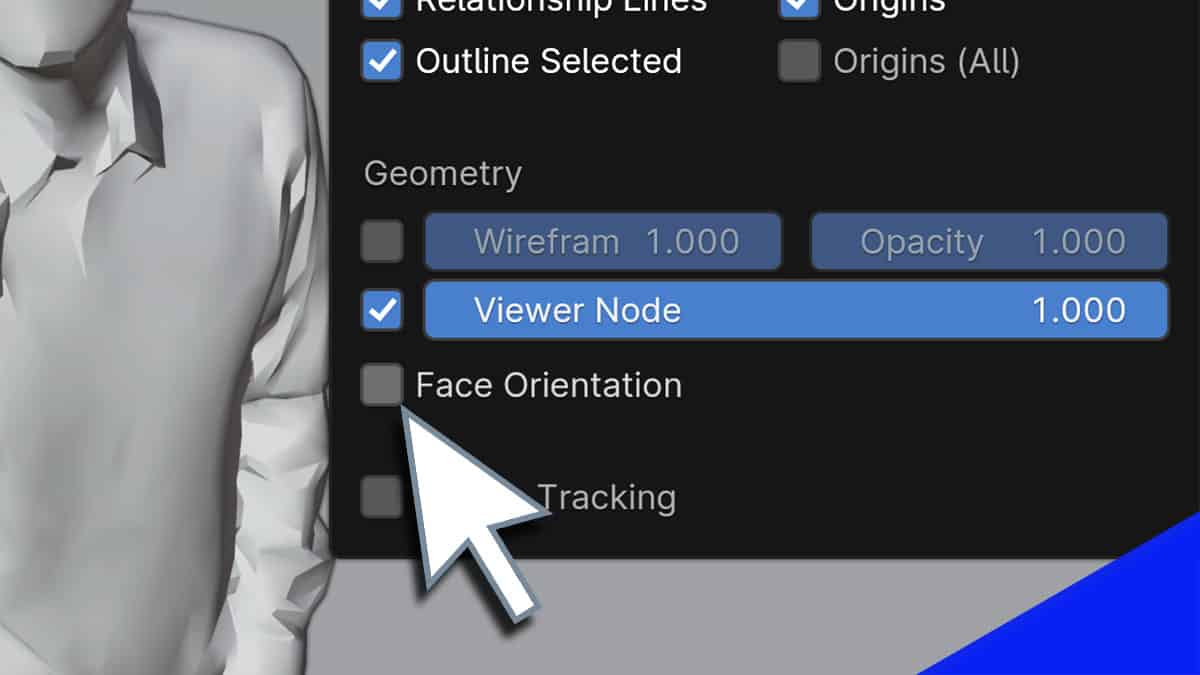
Each face has two sides. Here's what this means.
 shadow token
Hi guys, any tips on a good tutorial with the workflow from fbx -> enfusion ready world assets
rotund trench
shadow token
Hi guys, any tips on a good tutorial with the workflow from fbx -> enfusion read...
specifically:
https://community.bistudio.com/wiki/Arma_Reforger:Weapon_Modding if you're totally new to this
https://community.bistudio.com/wiki/Arma_Reforger:Prop_Creation if you already understand how the tools work
shadow token
its basically just some simple rocks i want to start with that just... have to lie there and do nothing 😛
Most of the tutorials i come by go way deeper then i need
But yeah, im pretty new to blender in general
 lofty island
Hi guys trying to import the 3D model on infusion I have a problem regarding the bones I get 230 bones but when you try to wear the clothing are not in linea, what am I doing wrong what is the most common error that occurs, I am a beginner I can not identify it
shell spear
Does anyone have like 5 mins to help me set up the blender tool? I keep running into snags and it's lowkey annoying me lmao
 coral cedar
Is there any video that shows how to import a 3d model with textures and set it up to be placed in world? Even a simple square with a random (let’s say metal) texture. I’ve been watching a few blender tutorials, but they’re not about Enfusion. I’m a visual person and prefer videos or someone showing me. Sometimes the Biki is confusing to me.
crystal rain
coral cedar
Is there any video that shows how to import a 3d model with textures and set it ...
Drag the model into the workbench inside your folder, open world editor and create subscene, save it and then you can drag the model .xob to your world. If you want to change the textures just double left click on the model inside the folder and it will open the model settings, on the right you will see the materials. Otherwise arma boot camp #3 on YouTube
coral cedar
crystal rain
Drag the model into the workbench inside your folder, open world editor and crea...
Thank you for the reply, that did help some. Im testing with a box with a rock texture,, just for testing. Am i supposed to be recieving an output of textures somehow? This is where im getting lost. WHen i export I only get a .fbx file. In the Bootcamp video, it looks like they have a BCR that is shaped to their help. I gotta be missing something.


 crystal rain
coral cedar
Thank you for the reply, that did help some. Im testing with a box with a rock t...
crystal rain
coral cedar
Thank you for the reply, that did help some. Im testing with a box with a rock t...
BCR is the texture, to upload the texture simply drag them into the folder and click yes when asked
 modern geyser
When I try to install the blender addon from EBT-ArmaReforger.zip to a completely fresh install of Blender 4.2 LTS I get this error:
RuntimeError: Error: [Errno 2] No such file or directory: '/home/[myusername]/.config/blender/4.2/scripts/addons\\EnfusionBlenderTools\\data\\icons'
I unzipped the plugin and fixed the hardcoded windows-style \\ paths. If any other Linux users want my .zip let me know.
 graceful fossil
modern geyser
I unzipped the plugin and fixed the hardcoded windows-style `\\` paths. If any o...
graceful fossil
modern geyser
I unzipped the plugin and fixed the hardcoded windows-style `\\` paths. If any o...
Don't unzip the plugin, just select the zipped file when adding a new addon from disk
Ah nvm seems you already fixed the issue
 wraith tiger
Is there a video out there on how to make a uniform on blender step by step?
raven rune
wraith tiger
Is there a video out there on how to make a uniform on blender step by step?
I'm sure there a quite a few Blender tutorials on youtube about creating clothing.
wraith tiger
raven rune
I'm sure there a quite a few Blender tutorials on youtube about creating clothin...
Not really
raven rune
wraith tiger
Not really
Unless you're meaning Reforger specific, then there are quite a few. Creating models isn't game specific, it's software specific. If you're meaning tutorials for taking already created models and "porting" them to Reforger, then download the samples to get the rig. You would then need to watch tutorials on rigging said clothing model to the Reforger rig. In most cases though people are using software like Marvelous Designer to create clothing.
oof, you'll need the character template regardless.
Which contains the rig and the base mesh of the character.
wraith tiger
raven rune
oof, you'll need the character template regardless.
I have the Character_Weights_Template.blend I have a 3D model of the clothes i’m just having a hard time, sizing it to the character
wraith tiger
wraith tiger
I have the Character_Weights_Template.blend I have a 3D model of the clothes i’m...
Also, I’m new to all this
raven rune
wraith tiger
Also, I’m new to all this
Then you'll need to watch Blender tutorials to learn the basics of how to use the software.
wraith tiger
raven rune
Then you'll need to watch Blender tutorials to learn the basics of how to use th...
Who do you recommend to watch for those?
raven rune
wraith tiger
Who do you recommend to watch for those?
I don't really have any recommendations unfortunately. Just watch some videos on learning the basics. Navigating Blender is weird if you ask me. Some of the controls and functionality is unintuitive.
 wispy crown
raven rune
I don't really have any recommendations unfortunately. Just watch some videos on...
wispy crown
raven rune
I don't really have any recommendations unfortunately. Just watch some videos on...
Hey Zelik, your C130 mod really impressed me. Have you created a tutorial on how to add our own models? or do you have a discord server?
arctic sage

 unkempt current
wispy crown
Hey Zelik, your C130 mod really impressed me. Have you created a tutorial on how...
unkempt current
wispy crown
Hey Zelik, your C130 mod really impressed me. Have you created a tutorial on how...
the modification of the mod isn't allowed unfortunately
wispy crown
unkempt current
the modification of the mod isn't allowed unfortunately
No, I want to build an airplane using R3D Core as a dependency. But there are no tutorials how to do it.
unkempt current
wispy crown
No, I want to build an airplane using R3D Core as a dependency. But there are no...
Of course, there’s no tutorial. In this community, you’ll find almost nothing not even basic stuff, except for some poor Bohemia documentation. You have to figure out everything on your own
it's not minecraft modding or UE5
and this, makes me really upset
People here literally gatekeep knowledge
wispy crown
unkempt current
Of course, there’s no tutorial. In this community, you’ll find almost nothing no...
Yeah unfortunately, also BI's current tutorials are outdated.
raven rune
wispy crown
Hey Zelik, your C130 mod really impressed me. Have you created a tutorial on how...
I don't have a C130 mod.
wispy crown
raven rune
I don't have a C130 mod.
Oh, I'm sorry, I wanted to ask you because you are a member of Project Redline. 🙏
 meager bluff
unkempt current
People here literally gatekeep knowledge
meager bluff
unkempt current
People here literally gatekeep knowledge
i wont gatekeep dictionary from you though.
unkempt current
meager bluff
i wont gatekeep dictionary from you though.
I won't*
meager bluff
unkempt current
I won't*
 arctic sage
https://superhivemarket.com/products/matplus?num=2&src=popular
Anyone had a chance to use this yet? Seems like a good price if it can do most of what SP does. looks handy

Superhive (formerly Blender Market)
Paint Layer system for Blender with real-time effects, 2D symmetry, and optimized texture baking. Inspired by Substance Painter and ArmorPaint, fully integrated into your scene. No external software required.
rotund trench
hey gang, my EBT colliders have stopped working and refreshing doesn't seem to be re-enabling them
 arctic sage
rotund trench
hey gang, my EBT colliders have stopped working and refreshing doesn't seem to b...
arctic sage
rotund trench
hey gang, my EBT colliders have stopped working and refreshing doesn't seem to b...
Make sure your in obj mode, and you dont have any other naming conventions in the object name
rotund trench
Okey doke, cheers
arctic sage
I had _LOD before, drove insane for a wahile
lofty island
Hi guys, regarding weight transfer, do you recommend adding more weight to the backpack so that it doesn't move?
In which piece of clothing is it advisable to add more weight?
rich scroll
I would just manually skin that to a single bone. Like spline 4 or 5 or whatever works best for your backpack
rotund trench
🤷♂️
lofty island
Sorry the answer wasn't for you 
lofty island
rich scroll
I would just manually skin that to a single bone. Like spline 4 or 5 or whatever...
OK thanks I was trying now to leave only one vertex for example spine5 and give it the weight only to the rear part and then leave only the front part that is hooked onto the body blue and it seems to work
 strong mantle
got qeustion, whenever I export my blender seems to only do a partial export with the txa exporter like my firing animation only got 3 frames out of the 5 it has in blender it self.
Did anybody encounter something like this or would now a way to help?
 crude osprey
Python: Traceback (most recent call last):
File "C:\Users\m\AppData\Roaming\Blender Foundation\Blender\4.2\scripts\addons\EnfusionBlenderTools\core\Shaders\shaders_ops.py", line 865, in execute
report_body = load_enfusion_materials(xob_path)
^^^^^^^^^^^^^^^^^^^^^^^^^^^^^^^^^
File "C:\Users\m\AppData\Roaming\Blender Foundation\Blender\4.2\scripts\addons\EnfusionBlenderTools\core\Shaders\shaders_utils.py", line 265, in load_enfusion_materials
report_body += setup_enfusion_material(shader_type, ematPath, sourceMat)
^^^^^^^^^^^^^^^^^^^^^^^^^^^^^^^^^^^^^^^^^^^^^^^^^^^^^^^^^
File "C:\Users\m\AppData\Roaming\Blender Foundation\Blender\4.2\scripts\addons\EnfusionBlenderTools\core\Shaders\shaders_utils.py", line 178, in setup_enfusion_material
parsedProps = parse_matprops(matProps)
^^^^^^^^^^^^^^^^^^^^^^^^
File "C:\Users\m\AppData\Roaming\Blender Foundation\Blender\4.2\scripts\addons\EnfusionBlenderTools\core\Shaders\shaders_utils.py", line 109, in parse_matprops
if parsedProps[prop][4] == "true":
~~~~~~~~~~~~~~~~~^^^
IndexError: list index out of range
what that means
shows when updating material in blender
 maiden isle
List ind x out of range usually indicates that you try to access things (materials here) that are not present. Maybe check material config again? I think blender and EBT are kinda different
prisma thorn
crude osprey
Python: Traceback (most recent call last):
File "C:\Users\m\AppData\Roaming\Bl...
Have the same here, for different objects, which worked before. I even imported the fbx from EBT into a new Blender file and then tried to import the textures, no chance
Blender 4.2
crude osprey
what i find working is settingup whole material on tools and updating it to blender
while it connects u can change everything
prisma thorn
crude osprey
what i find working is settingup whole material on tools and updating it to blen...
Yeah, thats what I am trying
compact fjord
made my own addon for blender since bringing in Pre-Made assets was a Pain, helps with custom made assets of any type really. If anyone is interested LMK or if anyone wants to be a tester DM me and i can maybeee send you a free code

Gumroad
AR Panda's Tools combines two powerful addon sets into one unified interface: 🔧 Mesh Mangler: Complete mesh processing pipeline for game-ready assets 🎨 Enfusion Fixer: Specialized texture management for Arma Reforger/Enfusion projects This addon streamlines the entire workflow from raw mesh import to final FBX export, handling LOD generati...
compact fjord
Thank you all for supporting me! I am making a tutorial as well as a new update to the addon today! All feed back is appreciated!
 frozen wolf
compact fjord
Thank you all for supporting me! I am making a tutorial as well as a new update ...
frozen wolf
compact fjord
Thank you all for supporting me! I am making a tutorial as well as a new update ...
Do you already have a video out about it? Or just the gum road page?
compact fjord
frozen wolf
Do you already have a video out about it? Or just the gum road page?
Just Made it! https://www.youtube.com/watch?v=xY1vQMzOixM
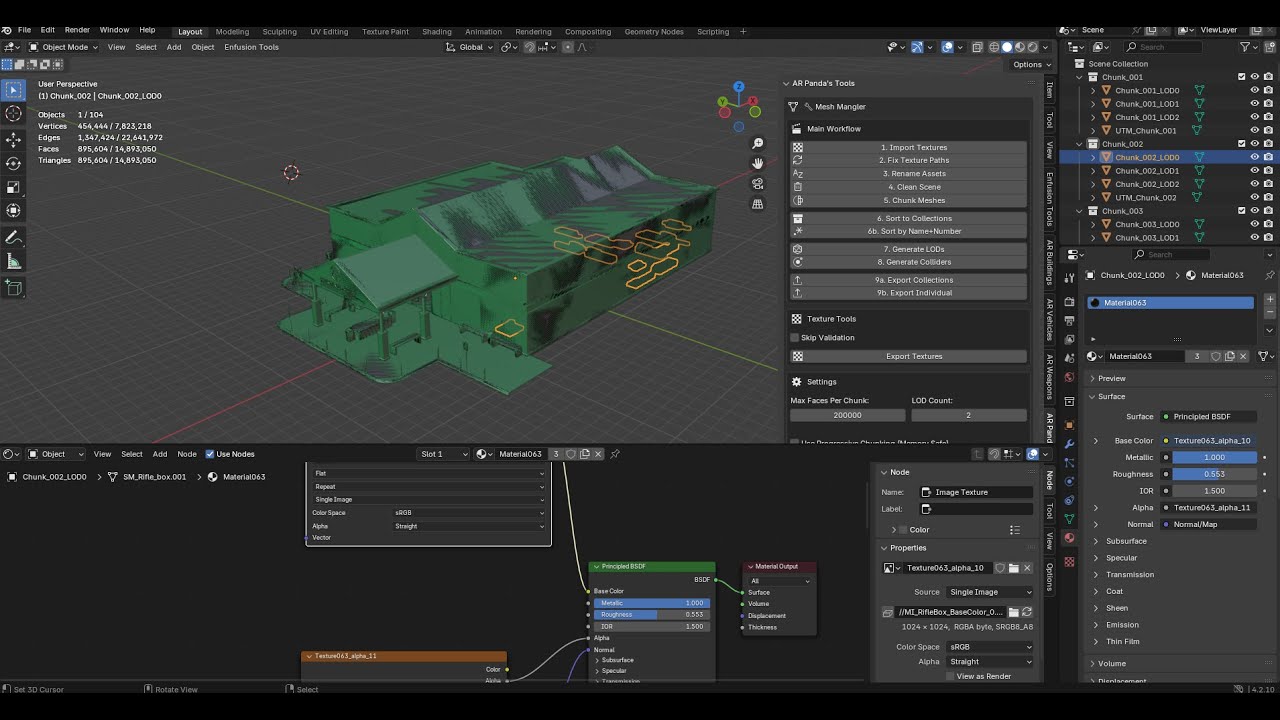
GET 50% OFF FOR THE NEXT 48 HRS CODE: PANDATOOL50
Thank you for all your support, I am apart of the modding team for Casual Ops Central discord.gg/driftusy
You can also msg ne in the blender tools channel at discord.com/invite/arma
I am NOT a professional modder in any capacity, I do this for fun. Happy to answer any questions I get on this vi...
frozen wolf
compact fjord
Just Made it! https://www.youtube.com/watch?v=xY1vQMzOixM
Awesome! I’ll take a look once I’m home but it’s looks like a useful tool for me
 bright kestrel
What a great tool!
frozen wolf
compact fjord
Just Made it! https://www.youtube.com/watch?v=xY1vQMzOixM
Tool looks amazing! I just bought it myself because I know it will be a big help in the future lol. I will defiantly say something that would help me and and probably others would be the follow on tutorials like you mentioned at the end and maybe even a short start to finish of using the tool to take an FBX then bring it into reforger as a working building/model.
 fringe girder
I get this error when I'm using the Bake MLOD tool in EBT. Anyone know what's the issue? Thanks! Python: Traceback (most recent call last):
File "C:\Users\AdDlE\AppData\Roaming\Blender Foundation\Blender\4.2\scripts\addons\EnfusionBlenderTools\bake\operators.py", line 359, in execute
target_texture_path = Path(get_texture_path(target_objects[0].data.materials[0])).resolve().as_posix()
^^^^^^^^^^^^^^^^^^^^^^^^^^^^^^^^^^^^^^^^^^^^^^^^^^^^^^^^^^^
File "C:\Users\AdDlE\OneDrive\Blender\Blender 4.2 LTS Portable\blender-4.2.4-windows-x64\4.2\python\Lib\pathlib.py", line 871, in new
self = cls._from_parts(args)
^^^^^^^^^^^^^^^^^^^^^
File "C:\Users\AdDlE\OneDrive\Blender\Blender 4.2 LTS Portable\blender-4.2.4-windows-x64\4.2\python\Lib\pathlib.py", line 509, in _from_parts
drv, root, parts = self._parse_args(args)
^^^^^^^^^^^^^^^^^^^^^^
File "C:\Users\AdDlE\OneDrive\Blender\Blender 4.2 LTS Portable\blender-4.2.4-windows-x64\4.2\python\Lib\pathlib.py", line 493, in _parse_args
a = os.fspath(a)
^^^^^^^^^^^^
TypeError: expected str, bytes or os.PathLike object, not NoneType
compact fjord
fringe girder
I get this error when I'm using the Bake MLOD tool in EBT. Anyone know what's th...
I believe it could be because you’re running a blender portable build from a onedrive folder as its root potentially. Try a local system install maybe 🤷♂️
compact fjord
frozen wolf
Tool looks amazing! I just bought it myself because I know it will be a big help...
Thanks for the input! I’ll be making another tutorial here soon for sure 👍

Gumroad
AR Panda's Tools combines two powerful addon sets into one unified interface: 🔧 Mesh Mangler: Complete mesh processing pipeline for game-ready assets 🎨 Enfusion Fixer: Specialized texture management for Arma Reforger/Enfusion projects This addon streamlines the entire workflow from raw mesh import to final FBX export, handling LOD generati...
Sorry friends I messed up on the discount code, so I made the discount live again for 48 hrs 🙂
frozen wolf
Tbh it’s worth the at least the $5 it normally is
fringe girder
compact fjord
I believe it could be because you’re running a blender portable build from a one...
That was exactly the issue, thank you very much!
compact fjord
fringe girder
That was exactly the issue, thank you very much!
Of course!
 vocal meteor
hello friends, I want to make a gun model from scratch https://www.mkeusa.com/en-US/catalogue/small-caliber/mpt-76mh/23/13 This is the weapon I want to make, it was made in blender with a 360 degree visual. I want to add this weapon to Arma Reforger. but I don't know how I can
 white fern
vocal meteor
hello friends, I want to make a gun model from scratch https://www.mkeusa.com/en...
white fern
vocal meteor
hello friends, I want to make a gun model from scratch https://www.mkeusa.com/en...
I would say this is good starting point:
https://www.youtube.com/watch?v=VyXbwzvfVog&list=PLW_2sDEfasH1FfrJgHpyUviFuC15CP_Ih

Laying out the goals of my tutorial.
vocal meteor
white fern
I would say this is good starting point:
https://www.youtube.com/watch?v=VyXbwzv...
this guy has a model in his hand
white fern
vocal meteor
this guy has a model in his hand
If you want help on creating a 3D model you should look more for sources of creating 3d models like blender tutorials (or other 3d programs of your choice).
crude osprey
vocal meteor
hello friends, I want to make a gun model from scratch https://www.mkeusa.com/en...
look for blueprints of weapon
 jade solar
compact fjord
Thanks for the input! I’ll be making another tutorial here soon for sure 👍
jade solar
compact fjord
Thanks for the input! I’ll be making another tutorial here soon for sure 👍
Subscribed great tool and great video looking forward to what's next I needed this to help with my project
crude osprey
well its currently unavailable
compact fjord
crude osprey
well its currently unavailable
It’s been reposted as of today, I am out of town for about 2 weeks so development and tutorials are paused unfortunately
 sweet quest
Hello, I would like to know how to make a vest modular. Let me explain: I have the base of the vest and I would like to be able to customize the pouches or other parts. If anyone has some little tips, I’d be glad to hear them 🙂 If I’m not in the right channel for my request, please excuse me and redirect me to the right place, thank you.
waxen karma
compact fjord
https://pilotpandatools.gumroad.com/l/pjnoad/pandatools
Can you explain to me like im 5 what use cases this can be used for?
coral cedar
compact fjord
made my own addon for blender since bringing in Pre-Made assets was a Pain, help...
Does this tool help setup BOXVOL and what is needed for probes? I am struggling to get even a basic cube to funciton with a lighting probe when in workbench.


 frail wave
Where do i find the EBT add on?
crude osprey
go into arma reforger tools files
raven rune
 raven rune
@thick bridge Sorry for the ping but are you aware that Collider Setup doesn't work with USP Colliders

oof, pretty sure silent pings don't even give a notification. If any green name sees this can you pass along the info?
languid hornet
Also, Miro is no longer working for Bohemia
languid hornet
in any case, are you sure it is USP_ cause of it? Are you maybe in Edit mode?
raven rune
languid hornet
in any case, are you sure it is USP_ cause of it? Are you maybe in Edit mode?
Its the USP collider
raven rune
@languid hornet Line 836 in utils, the if statement is missing a check for
EnfusionObjectType.SPHERE_COLLIDER
@fringe willow
raven rune
Until an update is pushed one can just add
enfusion_type == EnfusionObjectType.SPHERE_COLLIDER or \
to line 843 of the utils module.
specifically the core.utils module btw
fringe willow
Can you check what version of EBT you have?
raven rune
"version": (1, 3, 0),
fringe willow
update to 1.4.1
raven rune
From?
I'm using the version that is shipped with Workbench
and the version I have installed is the same version in the Workbench directory.
@fringe willow Where is the new version hosted? The version currently with Workbench is 1.3.0.
fringe willow
Sorry, my bad. You will need to wait until 1.6 is released
raven rune
Double check that sphere collider are added to the if statement on like 836 before release please. lol
arctic sage
had a lil bit of a google search, but could anyone let me know how to stop armature flicking between a pose and resting pose (?) when switching between object and edit mode 
Got it nvm, thank you all 
 simple belfry
Would anyone know why when I put my object in the world it worked fine, rigidbody it worked fine, but once I started adding the rest of the components now my objext falls through the ground
 void juniper
is there any chance the Blender Tools get updated to an higher LTS version ?
 verbal tide
Is it possible to load full map into Blender using enfusion blender tools?
slate halo
verbal tide
Is it possible to load full map into Blender using enfusion blender tools?
You can export the heightmap
If you mean models and stuff idk doubt it.
spark knoll
Hey, my collider end up at the wrong position after the export to tools, it does this only when I try to make a capsule, I don't have this issue when I do a simple collider for weapons, any help would be greatly appreciated 🙏
 verbal tide
slate halo
You can export the heightmap
verbal tide
slate halo
You can export the heightmap
I want to export a full map with objects and stuff actually, so probably it need to be unpacked via .pak files
lunar trellis
spark knoll
Hey, my collider end up at the wrong position after the export to tools, it does...
make sure to apply transforms before export
spark knoll
lunar trellis
make sure to apply transforms before export
I did it
I did everything like for the UBX, wish doesn't have this issue
raven rune
spark knoll
Hey, my collider end up at the wrong position after the export to tools, it does...
Why would you use a capsule instead of a cylinder for a cylinder shaped object?

Your problem is probably because of this ^^
spark knoll
raven rune
Your problem is probably because of this ^^
Someone tomd me for the center of the object, idk why I wanted a capsule
I think I saw a bullet had a capsule so I did the same
 brittle crown
someone please help me with importing my model armature and animations ive been trying everything for like 2 days now and its doing my head in
white fern
brittle crown
someone please help me with importing my model armature and animations ive been ...
Sounds like this issue is model based so it would be make more sense to post it in the "enfusion_model" thread and when you provide more information about your steps of importing and maybe some screenshot of where you can show the failure I would expect that the experts here can help you.
slate halo
Am I allowed to pay somebody to rig clothing in blender?
 sly vector
slate halo
Am I allowed to pay somebody to rig clothing in blender?
sly vector
slate halo
Am I allowed to pay somebody to rig clothing in blender?
technicly you cant paid someone to rigg a cloth for reforger
but you can pay someone to rig a cloth in blender with a skeleton that happen to be same number and name of bone than reforger again really shady so might need to wait an official answer
raven rune
slate halo
Am I allowed to pay somebody to rig clothing in blender?
Yes. You just have to be the one that imports and sets up the prefab.
 high seal
https://drive.google.com/drive/folders/16tq25OMyyvVO_vVUQ256oJYI2CWQe5q8?usp=sharing
here are the blender files and fbx rigged vehicles for folks to play with from latest video
https://www.youtube.com/watch?v=KjFD6MhIGa4
Episode 2 of the Toilet Kart build series.
In this part we take the kart into Blender, do basic rigging/skinning, set up the steering + wheels, and get it ready for Enfusion. I also bring the rigged kart model into the Arma Reforger tools so we can start testing it in-game.
The stream recording cut out so a couple sections (weight painting / bo...
quaint geyser
I came here to soon ask why my collider setup no work
then I uninstalled blender tools and reinstalled but then the blender tools no work
I tried to install 4.2.6 to see if it worked on older version but it didn't
then I opened a new file and the plugin worked
then I opened original file and the collider setup work
duck tape, caffeine and prayers
white fern
high seal
https://drive.google.com/drive/folders/16tq25OMyyvVO_vVUQ256oJYI2CWQe5q8?usp=sha...
Keep in mind that cross posting is forbidden here.
high seal
oh fair? was just not sure where to put it. can remove if required
 slim mica
In search of a weapon gear equipment vehicle modder for to help get my server up and running.
slate halo
high seal
oh fair? was just not sure where to put it. can remove if required
This channel is fine but you can only post the same issue in one channel
 pine phoenix
Theres is a way to export the model and send it to Substance so I Can make a retexture? or thats not possible? I Try to Send the model to Blender and nothing happen
 pine phoenix
I saw theres is a way to extract textures and work with the raw image but i was wondering if thats possible to import the model to Substance painter to have better control of the texture
lofty ember
pine phoenix
I saw theres is a way to extract textures and work with the raw image but i was ...
not possible with vanilla assets
pine phoenix
lofty ember
not possible with vanilla assets
What about mod? Maybe i want to retexture modded clothing? Theres is a way?
lofty ember
pine phoenix
What about mod? Maybe i want to retexture modded clothing? Theres is a way?
Only possible way to paint it in Substance Painter is if the mod creators are willing to send their model over to you, which is highly unlikely.
Only way to currently retexture assets is to screenshot the texture in workbench and edit over it
pine phoenix
I see, yeah i was kinda guessing cause mod have "Right & Condition term" or something like that...
I appreciate your answer! thanks
 dusty creek
quaint geyser
I came here to soon ask why my collider setup no work
then I uninstalled blender...
dusty creek
quaint geyser
I came here to soon ask why my collider setup no work
then I uninstalled blender...
tried reinstalling tools and got an error on load, will try a blender restart but what version are you on for blender?
quaint geyser
4.2.15
dusty creek
Wish the documentation had "last game version" for stuff like this (Current as of 1.4 for example). A restart did work after selecting the zip file, so thankfully crisis adverted.
 copper tangle
Someone any Idea why i cant tell Blender/Enfusion Tools to set the Material to Dirt? Or any Material at all?^^
 lofty ember
copper tangle
Someone any Idea why i cant tell Blender/Enfusion Tools to set the Material to D...
lofty ember
copper tangle
Someone any Idea why i cant tell Blender/Enfusion Tools to set the Material to D...
do you have workbench open as well? And updated the enfusion blender tools?
copper tangle
lofty ember
do you have workbench open as well? And updated the enfusion blender tools?
I do have Enfusion open yeah, but you might be right with updating the tools. Havent done that since i installed them a few Months ago. 
Where do i get them from again?^^"
lofty ember
copper tangle
Where do i get them from again?^^"
Install folder of Workbench 😄
copper tangle
lofty ember
Install folder of Workbench 😄
thx buddy 😅
copper tangle
lofty ember
do you have workbench open as well? And updated the enfusion blender tools?
Yeah the Tools where Outdated, its fixed now.^^
 wild cradle
pine phoenix
I saw theres is a way to extract textures and work with the raw image but i was ...
wild cradle
pine phoenix
I saw theres is a way to extract textures and work with the raw image but i was ...
Yes you can export it as an fbx and should be able to import that into Substance this video helped me https://www.youtube.com/watch?v=JRcm75FfYig&t=12s

Updates:
08/17/25 - None at this time
Bohemia Interactive Substance Painter Export Profiles
https://github.com/BohemiaInteractive/Arma-Reforger-Misc/tree/main/Art/Substance Export Profiles
My references:
https://youtu.be/bsRyO1QStC8?si=b04BnuQW8QhShVpL (4 part series, Piano_Man has great videos and he sounds better than me!)
Beginner Tut...
bright kestrel
Seems the latest tools update has made it so you can no longer reimport animations in real time whilst previewing. This was a vital function for being able to adjust IK poses, tweak reloads and fight weird problems assosciated with importing animations from the Blender rig to the engine.
The crash log:
00:27:46.394 RESOURCES : RESOURCES : ResourceBuildTaskSerial 'Reimporting 3 resources' 00:27:46.394 RESOURCES : RESOURCES : Rebuilding @"Assets/Weapons/Rifles/ARY_UZI/Anims/ARY_p_UZI_ik.txa" 00:27:46.397 ANIMATION : Assets/Weapons/Rifles/ARY_UZI/Anims/ARY_p_UZI_ik.anm Reloaded 00:27:46.398 RESOURCES : Build successful 00:27:46.441 PROFILING : Rebuilding took: 46.216800 ms 00:27:46.441 RESOURCES : RESOURCES : Rebuilding @"Assets/Weapons/Rifles/ARY_UZI/Anims/ARY_p_UZI_safety.txa" 00:27:46.444 ANIMATION : Assets/Weapons/Rifles/ARY_UZI/Anims/ARY_p_UZI_safety.anm Reloaded 00:27:46.444 RESOURCES : Build successful 00:27:46.445 WORLD : UpdateEntities 00:27:46.445 WORLD : FixedFrame 00:27:46.445 ANIMATION : AnimUpdate 00:27:46.445 ENGINE (F): Crashed 00:27:46.558 WORLD : UpdateEntities 00:27:46.558 WORLD : FixedFrame 00:27:46.558 ANIMATION : AnimUpdate 00:27:46.558 RENDER : ---------------------------------------------------------------- 00:27:46.558 RENDER : ---------------------------------------------------------------- 00:27:46.558 RENDER : Rend: Fps:1000000.00 (0.00ms) | Present 0.00ms | Wait4GPU 0.96ms (graphical 0.96 + copy 0.00) | defrag 0.00ms 00:27:46.558 RENDER : Rend: DP:0000 DPI:0000 DPR:0000 DPID:0000 Tri:00000 Vert:000000 CSRun:00|AllV:00x(00000) AllI:00x(00000) BegV:00x(00000) BegI:00x(00000)|TRes:0236 00:27:46.558 RENDER : GPU DXGI: VRAM 1713MB(15405MB) | System 185MB(15162MB) | AMD Radeon RX 7800 XT 00:27:46.558 RENDER : ---------------------------------------------------------------- 00:27:46.970 ENGINE (E): Application crashed! Generated memory dump: C:/Users/x/My Games/ArmaReforgerWorkbench/logs/logs_2025-11-03_00-26-15\ArmaReforgerWorkbenchSteamDiag_2025-11-03_00-27-46.mdmp 00:27:46.997 CRASH REPORT : Crash reporter started! 00:27:46.999 CRASH REPORT : Sending analytical data. 00:27:46.999 CRASH REPORT : Sending Request... 00:27:47.185 CRASH REPORT : Crash Analytics: OK 00:30:32.674 CRASH REPORT : Preparing Report 00:30:32.675 CRASH REPORT : Memory dump Size: 290 kb 00:30:32.675 CRASH REPORT : Logs Size: 80 kb 00:30:32.675 CRASH REPORT : Sending Crash Report! 00:30:32.677 CRASH REPORT : Sending Request... 00:30:33.988 CRASH REPORT : Report Result: - SUCCESS - Crash GUID: 2c8a79d2-8bf8-4a12-ad1d-291c38255340 00:30:33.988 CRASH REPORT : Crash Reporter Finished!
 novel folio
does anyone know how to get rid of the "end" bones?
 novel folio
please, because ive been trying to fix this for the last 2 hours
novel folio
novel folio
does anyone know how to get rid of the "end" bones?
found the issue
already fixed it
quaint geyser
novel folio
found the issue
at least you didn't spend weeks on and off trying to figure out an issue lel
novel folio
quaint geyser
at least you didn't spend weeks on and off trying to figure out an issue lel
true
 austere onyx
novel folio
already fixed it
austere onyx
novel folio
already fixed it
When you find a solution to an issue you have had, it is always nice to also post the solution so people in similar situation can find it as well 🙂
I take it that you had leaf bones enabled during export?
novel folio
austere onyx
I take it that you had leaf bones enabled during export?
Exactly
I forgot to disable leaf bones when exporting
I still have few issues tho
I ll see it tomorrow
quaint geyser
Honestly I just use the fbx export option in enfusion tools since it does all that anyways
 novel folio
quaint geyser
Honestly I just use the fbx export option in enfusion tools since it does all th...
novel folio
quaint geyser
Honestly I just use the fbx export option in enfusion tools since it does all th...
Thanks for the tip I will have it in mind
unique arch
when i export terrain to blender it opens 3.6 instead of 4.2
how do i point reforger to the 4.2 directory?
unique arch
ok i found the ebt config and changed it, but now upon export i get this:

 rare rain
Hey, dont know how I fucked up. My model was importing from Blender to the enfusion tools just fine last night. Imported the same FBX from Reforger to Blender and modified it, but now it wont let me reupload. It will upload the first .emat with the correct name, others with incorrect names, and not upload the fbx. I get these error msgs for each of my x5 .emats in the tool's console:
RESOURCES (E): Wrong GUID/name for resource @"{9D686B9DF649B847}WIP (NO COLLIDERS)/Other/data/Rubber_insulation.emat" in property "_resourceName"
SCRIPT : GetResourceName 'scripts/WorkbenchGameCommon/ResourceInfo.c,512'
RESOURCES (E): Wrong GUID/name for resource @"{9D686B9DF649B847}WIP (NO COLLIDERS)/Other/data/Rubber_insulation.emat" in property "_resourceName"
SCRIPT : GetResourceName 'scripts/WorkbenchGameCommon/ResourceInfo.c,380'
RESOURCES (E): Wrong GUID/name for resource @"{9D686B9DF649B847}WIP (NO COLLIDERS)/Other/data/Rubber_insulation.emat" in property "m_ResourceName"
SCRIPT : GetResourceName 'scripts/WorkbenchGameCommon/ResourceInfo.c,470'
quaint geyser
Getting an error when sorting objects
  File "C:\Users\Bitch\AppData\Roaming\Blender Foundation\Blender\4.2\scripts\addons\EnfusionBlenderTools\core\operators.py", line 1375, in execute
    visible_layer_coll.hide_viewport = False
    ^^^^^^^^^^^^^^^^^^^^^^^^^^^^^^^^
AttributeError: 'NoneType' object has no attribute 'hide_viewport'
And an error when using Enfusion tool's FBX export
I've reinstalled blender 4.2.15, and deleted the folders in app data local and roaming.
blender is the version downloaded from the website, not steam.
Blender files are on onedrive, but error persist when saved to desktop
quaint geyser
okay so if I just hit sort again it works
and now exporting fbx
idk man imma just go huff some more glue
 soft bison
Attempting to make a m4a1 Sherman with blender does anyone have information on how to get tracks/wheels to move how that works if so please let me know thank you
 rare rain
soft bison
Attempting to make a m4a1 Sherman with blender does anyone have information on h...
rare rain
soft bison
Attempting to make a m4a1 Sherman with blender does anyone have information on h...
Ah… a little confused. I’m assuming you’re asking how to animate it, in which case you’ll need to use the NLA track to consistently take shots, move the wheels and track, take a shot, repeat until you’ve got a full rotation. At least, I’m pretty sure that’s how you’d have to go about it
soft bison
rare rain
Ah… a little confused. I’m assuming you’re asking how to animate it, in which ca...
Exactly what I meant thanks for the help bro
rare rain
soft bison
Exactly what I meant thanks for the help bro
Yeah, gonna be honest. That process is gonna fucking suck. I hated animating simple gun functions (esp. reload animations). Animating the movement and rotation of each track and wheel on a tank is prob going to be mind-numbingly tedious and precise effort
 soft bison
rare rain
Yeah, gonna be honest. That process is gonna fucking suck. I hated animating sim...
soft bison
rare rain
Yeah, gonna be honest. That process is gonna fucking suck. I hated animating sim...
To make it even worse this is my first time using blender or the Enfusion engine so I'm probably way in over my head but I'm gonna try anyways
rare rain
Got learn one way or another. I’m still pretty much a novice. Didn’t even finish the gun a yr back. While I did the animations (several times), it wouldn’t export right no matter what. Got the other ones in a just uploaded what I had and moved on
For now I’m just sticking to static props. No animation req.. so nice
soft bison
Well if I succeed I'll shoot you a message I appreciate the help bro and if I fail I'll probably do the exact same thing lol
white fern
Hi @austere onyx,
I installed the EBT new and recognized that the zip is different named(EBT-ArmaReforger.zip) as described here (same for the EBT-ArmaReforger-Data.zip):
https://community.bistudio.com/wiki/Arma_Reforger:Enfusion_Blender_Tools#Installation
 formal canyon
Anyone have experience converting rotation vectors from Blender to Enfusion?
Iirc Blender is a right-handed system (z axis up) and Enfusion is left-handed (y axis up). Yesterday I was exporting some normal vector data (as CSV) from Blender and couldn't find the magical transformation to get that data useable in Enfusion
rare rain
Regarding the creation of LODs for complicated/detailed vehicles (ie, many parts), does anyone have a good rule of thumb for target triangle/poly reduction (%) per LOD level. I haven’t started work on them yet, but I’ve watched a couple of tutorials. However, unlike their examples, my models are super detailed (my vert count is still comparable to Reforger vehicles tho). Just based on when I worked on my colliders, Ive got a feeling that my models are gonna look like shit once I start decimating over 1/2 of the vertices (even if I separate and individually decimate each part)
Probably gonna need to remove entire parts that are far less visible at LOD 4, like deleting dashboard switches, pedals, parts of drive shaft, etc. Anyone else got any recommendations?
 rich meteor
So..
Trying to make a Castle i got in my old home "town", just going to make it Super simple..
I got it to import, with Collider.. Why are some faces not showing? I'm new to these stuff... I see the faces depending on which direction i'm looking and i got the collider.. but i don't see the walls etc..
Some faces actually arent there.. in the window frames f.ex.. But there are big walls inside are "missing"
 rare rain
rich meteor
So..
Trying to make a Castle i got in my old home "town", just going to make it ...
rare rain
rich meteor
So..
Trying to make a Castle i got in my old home "town", just going to make it ...
Go to your .emat (textures for your castle) --> look for a drop down list that currently has "CCW" selected (I think it under "General" section) --> Change this to "None". Sry, I cant open the enfusion tools rn to confirm it exact location if its not under "General", but that drop down list is def in your .emat
This will cause your textures to be applied to both sides of your model's faces
crude osprey
rich meteor
So..
Trying to make a Castle i got in my old home "town", just going to make it ...
check face orientation in blender
rich meteor
crude osprey
check face orientation in blender
Thank you! That worked 🙂 (Y)
slate halo
Anybody having issues with .net api saying it cant connect to workbench since updates?
Still supports only 4.2 lts yes?
languid hornet
Did you updated EBT after 1.6?
slate halo
languid hornet
Did you updated EBT after 1.6?
Yep. Keep saying port is taken or .net isn't enabled, but it is enabled. Tried making sure any other blender and workbench processes were killed first. I'll probably mess with it more later, but not a huge deal, nothing I can't work around.
languid hornet
And do port in blender and workbench matches?
Try also setting different port - it happened once that some Dell app took previous default port of workbench net api
slate halo
languid hornet
Try also setting different port - it happened once that some Dell app took previ...
Cool will do thanks
 haughty tundra
Hello, I'm having an issue with collider setup. When I click the dropdown, there're no options. Any thoughts on how to fix?
 crude osprey
update blender addon to 1.6
spark knoll
Hello, can I use Blender 4.4 version ?
 heavy ice
spark knoll
Hello, can I use Blender 4.4 version ?
heavy ice
spark knoll
Hello, can I use Blender 4.4 version ?
All of 4.x is alright
spark knoll
heavy ice
All of 4.x is alright
Thank you!
heavy ice
spark knoll
Thank you!
you're welcome
 icy bone
Hi, When i export my model 3d .fbx from blender to enfusion. my blender app crash and dont respond. Anyone know what hapend?
heavy ice
Are you guys planing to update the tools for Blender 5.0?
languid hornet
heavy ice
Are you guys planing to update the tools for Blender 5.0?
we are sticking to LTS versions
next LTS is 5.2 scheduled for July
slate halo
Probably having a random brain lapse but can't get colliders to export for some reason rn. Anybody see anything obvious?
 heavy ice
slate halo
Probably having a random brain lapse but can't get colliders to export for some ...
heavy ice
slate halo
Probably having a random brain lapse but can't get colliders to export for some ...
How many vertices does your collider model have?
slate halo
heavy ice
How many vertices does your collider model have?
Oh yeah. Several colliders most of them are not big but there are a couple that are 100k so thats probably it. 64k the limit I think?
 slow sparrow
I just recently got into the workbench to try and make a cinematic. I used mocap and retargetted it onto the arma rig but i have absolutely no clue how this export part works
 slow sparrow
well... I figured out how to export it

but I have no idea how these action things work, if anyone could help itd be amazing
heavy ice
slate halo
Oh yeah. Several colliders most of them are not big but there are a couple that ...
it's 65
 bright kestrel
Was this section removed in the latest tools?

 karmic whale
Hi folks,
I'm having a problem with importing 3d models into the game after the new update, weird thing is it is only hapenning now...
I imported a 3D model, placed it on the world with RigidBody colliders work. When I reload the world, same placed object colliders don't work, am I missing something?
(I THINK), "terrain" layer preset is broken or something, I'm getting the same problem with default DirtCover prefabs, not only they don't have colliders, they disappear too... Unless I'm doing something wrong...
 slate halo
karmic whale
(I THINK), "terrain" layer preset is broken or something, I'm getting the same p...
slate halo
karmic whale
(I THINK), "terrain" layer preset is broken or something, I'm getting the same p...
terrain layer stuff has to be in default layer in hierarchy
karmic whale
slate halo
terrain layer stuff has to be in default layer in hierarchy
They are for my 3d model. The colliders work once I spawn the object, but won't after I reload the world...
Can you please spawn the DirtCover prefab on your terrain and then reload the world to see if the same thing happens, or if I'm the only one experiencing this bug.
Thanks.
 worthy talon
slow sparrow
I just recently got into the workbench to try and make a cinematic. I used mocap...
worthy talon
slow sparrow
I just recently got into the workbench to try and make a cinematic. I used mocap...
hey same here man, did you figure it out?
 dark prism
Hi everyone, I found a video on YouTube where on Blender uses a tool called "AR Vehicles", does anyone know how to activate it?
slate halo
dark prism
Hi everyone, I found a video on YouTube where on Blender uses a tool called "AR ...
Use Search function and Search this channel or models channel somebody here made it. Might be a link.
slow sparrow
worthy talon
hey same here man, did you figure it out?
I mean, i asked google ai a bunch
So apparently each line of key frames are "actions" and these actions are listed in the export menu. The stick figure image was because i used cascadeur to retarget my rig. You can compress the actions into one big action so its easier to export, the profile, if youre animating the full body, shoulf always be full body ABS. Also the stick figure can appear if blender and enfusion have different scaling, make sure its metrics which is what enfusion uses.
rare rain
Does anyone know what causes this "'ShaderNodeBsdfPrincipled' object has no attribute 'node_tree'" error when trying to export .fbx to Enfusion tools? I get it occasionally. Generally, it occurs when I turn the proprotional editing off and modify the model. I have no idea how to fix it. Its prevents me from exporting the model. I know it has nothing to do with the nodes in the materials (second/third screenshot) since the first few exports using other parts of the model with the same materials exported fine.


 fringe willow
Hello. Materials being exported are considered an Enfusion surface material, but shader nodes assigned are not one of that come with EBT library. EBT cannot export custom shader setup. You have options in properties panel in materials tab to manipulate materials. Also check if there is option in FBX export to not update materials. Try that as well.
slow sparrow
worthy talon
hey same here man, did you figure it out?
DMs
inland loom
Is there any way to bypass this existing material/emat check? It is very annoying when exporting item model variants of existing models that use the same textures as the non-item variant, and this issue did not occur before the 1.6 tools update.
 bright kestrel
inland loom
Is there any way to bypass this existing material/emat check? It is very annoyin...
bright kestrel
inland loom
Is there any way to bypass this existing material/emat check? It is very annoyin...
Ive also encountered this and its very frustrating.
spark knoll
Hey, is there any good tutorial that show how vertex groups are corrected for character clothes ? Jacket or pant specifically, I see there is vertex isolated from their groups with no weights on them I'm very confuse. I'm specifically wondering if I can remove these isolated ghost vertexes from they group and keep them only for the logical groups, as well as removing a vertex group from my jacket (eyes, finger ect... )
inland loom
bright kestrel
Ive also encountered this and its very frustrating.
open %AppData%\Blender Foundation\Blender\4.2\scripts\addons\EnfusionBlenderTools\core\fbx\operators.py with an editor like VS code.
Goto line 716, find and remove
                    if material_path.exists():
                        export_data.status = "ERROR"
                        export_data.errors.append(f"Material with path '{material_path}' already exists in Workbench! ")
                        return
I didnt have time to test it yet but this should "fix" it for now
raven rune
inland loom
open `%AppData%\Blender Foundation\Blender\4.2\scripts\addons\EnfusionBlenderToo...
Why not use the default exporter?
fringe willow
inland loom
Is there any way to bypass this existing material/emat check? It is very annoyin...
Thats a good point, Ill look into removing this check
bright kestrel
fringe willow
Thats a good point, Ill look into removing this check
Thank you! ❤️
 night cove
Goood day folks! Pretty new to blender/tools, learning as I go and looking for help!
I have a blender fbx imported, all is working (for the most part). However, I’m trying to mimic the UH open door animation.
Bones are named the same, however if I parent the door to the bone and weight paint it in blender, for some reason when imported to tools, the door will be out of position and the size of a small city.
The animation seems to work despite this, it does open and close, but it is swinging open on the wrong axis.
Anyone have any ideas to the issues? Google and YT are my friends, just need pointing in the right direction!
Many thanks!
 tight lark
night cove
Goood day folks! Pretty new to blender/tools, learning as I go and looking for h...
tight lark
night cove
Goood day folks! Pretty new to blender/tools, learning as I go and looking for h...
Hey, you cannot simply use the animation from the huey, as it's not only rotation, but also the translation and scale of the bones that is included in the animation. That's why it snaps back to the intended translation, and the scale. You'll have to make your own animation, at least for the door, the character animation may still work as is
icy rain
night cove
Goood day folks! Pretty new to blender/tools, learning as I go and looking for h...
https://community.bistudio.com/wiki/Arma_Reforger:Weapon_Animation I suggest this weapon tutorial, it is where animation are covered, @tight lark explained perfectly what is happening
night cove
ok perfect, thank you!
quaint geyser
please we need face IK and FK targets so that making memes in arma reforger is not as painful :(((
 wind cairn
Hello guys i was wonderign anyone know if theire are any blender template with the weight and bones for the Flag?
I was hoping to make my own flag aswell as flag pole
arctic sage
I thought I saw @raven rune have a template? But I could be wrong
crude osprey
wind cairn
Hello guys i was wonderign anyone know if theire are any blender template with t...
just retexture vanilla one
rare rain
Animation/blender model issue here. Im creating colliders for my Soviet KUNG trailer. I was initially unable to enter it without crouching, so I split the collider for the doorframe into a FireView and BuildingFireView. I can walk in and out of it fine when its on the ground now. That said, my character wont perform the climbing/vault animation to enter it when its elevated, such as when its on a vehicle. I've attempted to fix it by modifying the buildingfireview colliders and adding a cube building collider under the trailer, but neither worked. Does anyone know how to solve this?


 mossy elm
installed the blender addon for the first time and when i tried to send a model to blender i got this error
  File "<string>", line 1, in <module>
  File "C:\Program Files\Blender Foundation\Blender 5.0\5.0\scripts\modules\bpy\ops.py", line 109, in __call__
    ret = _op_call(self.idname_py(), kw)
          ^^^^^^^^^^^^^^^^^^^^^^^^^^^^^^
AttributeError: Calling operator "bpy.ops.ebt.call_blender_function" error, could not be found```only supports LTS versions. no LTS blender 5 yet
 scenic burrow
heavy ice
Are you guys planing to update the tools for Blender 5.0?
scenic burrow
heavy ice
Are you guys planing to update the tools for Blender 5.0?
it works for me with Blender 4.5 lts and 5.0
inland loom
If you set the emat OpacityMap to {70A53F4EA373F142}Assets/Characters/Basebody/Data/HeadClipping_A.edds (to hide headgear in first person for instance) and use the new import button in the Blender Tools, it won't import the opacity map setting.
raven rune
inland loom
If you set the emat OpacityMap to `{70A53F4EA373F142}Assets/Characters/Basebody/...
I'm pretty sure that functionality is expecting source files to exist.
inland loom
Yeah most likely but it’s something that probably needs addressing still given how the new system is setup in the blender tools or else your emat will lose its settings
maiden heart
Anyone else crashing now when you export an animation with the world editor open?
 jaunty laurel
I keep getting this instead of what the wiki says I should get so I can create the folder etc... Anyone know what I am doing wrong

 foggy aurora
maiden heart
Anyone else crashing now when you export an animation with the world editor open...
foggy aurora
maiden heart
Anyone else crashing now when you export an animation with the world editor open...
Export works fine with me even with world editor opened
Note : i am exporting animation from blender to the enfusion tool
maiden heart
I even tested Blender LTS 4.5 with the latest tools and it still:
- Export animations with the world editor open.
- Doesn't update animations like IK's so I have to do m4_hand_anim1, m4_hand_anim2, even though it says its "updating" them.
Shoot, even updating textures can cause crashes.
It didn't used to be like this. I could just open the world editor and push updates and nudge things. What used to be 5-10 minutes of work is now taking 30+ because of all of the crashes or forced manual restarts.
dark prism
Hi everyone, I wanted to know if there's an automatic way to create the vertex group on the Reforger armature. This way, I don't have to manually set the vertices based on the armature. I hope I explained myself well.
 flat jewel
dark prism
Hi everyone, I wanted to know if there's an automatic way to create the vertex g...
flat jewel
dark prism
Hi everyone, I wanted to know if there's an automatic way to create the vertex g...
sure, if you're talking about the character armature, you can transfer the vertex groups and weights from the Character_Weights_Template to your object: https://community.bistudio.com/wiki/Arma_Reforger:Character_Gear_Creation/Headgear/Asset_Preparation#Transfer_weights
the weights usually needs some adjusting afterward, but it makes for a good starting point
dark prism
Thanks for the reply, I did it but it doesn't fit perfectly on arms.

 minor orchid
hey everyone, i feel so nweebie to ask but : i'm trying to create a building, i'm having a steep learning curve and i'm stuck on using materials created inside blender, ex: concrete and glass. I've created them using matPBRBasic and successfuly exported them to enfusion. But that's where i'm stuck, i can see that the tool search for .gamemat and i don't know how to go from emat to gamemat, i have 300+ blocks that needs to get the right material
 brazen pilot
dark prism
Thanks for the reply, I did it but it doesn't fit perfectly on arms.
brazen pilot
dark prism
Thanks for the reply, I did it but it doesn't fit perfectly on arms.
If it already fits the body, you can find OverrideMeshesToHide in the BaseLoadoutClothComponent and add the mesh you want to hide there.
Head
Head_Neck
Torso
Buttocks
Thigh_L
Thigh_R
Arm_L
Arm_R
ArmUpper_L
ArmUpper_R
Hand_L
Hand_R
Leg_L
Leg_R
Groin
Calf_L
Calf_R
CalfLower_L
CalfLower_R
Foot_L
Foot_R
 hasty kiln
Hey guys, I’m working on an EXO suit, I’m trying to make sure this suit appears in the extra equipment slot like how it is right now, I’m trying to figure out. Is it a component that does it or is it something else that does it? If anyone has any ideas, let me know.

 lofty island
dark prism
Thanks for the reply, I did it but it doesn't fit perfectly on arms.
lofty island
dark prism
Thanks for the reply, I did it but it doesn't fit perfectly on arms.
You have to transfer the weights, and give them a solid weight
dark prism
lofty island
You have to transfer the weights, and give them a solid weight
I transferred the weights, but I don't know how to make them solid
dark prism
hasty kiln
Hey guys, I’m working on an EXO suit, I’m trying to make sure this suit appears ...
Change the class in baseloadoutcomponent. Use zelick character mod also for extra slot.
shell spear
Hi, I'm looking for someone to teach me how to mod.
jaunty laurel
shell spear
Hi, I'm looking for someone to teach me how to mod.
Check out TPMs videos on YouTube just type “tpm reforger” in search and there’s tons of info in his videos
rare rain
hasty kiln
Hey guys, I’m working on an EXO suit, I’m trying to make sure this suit appears ...
Cant help w/ your issue, but I can save you time w/ ur screenshots. Windows key + Shift + S opens screenshot tool via 'Snipping Tool', which you can just copy paste into Discord. Sick exo suit btw
fleet seal
hasty kiln
Hey guys, I’m working on an EXO suit, I’m trying to make sure this suit appears ...
Pls do Death Stranding: Reforger Edition 😄
lofty ember
gonna wanna post in #creators_recruiting using the template found in the pinned messages
slate halo
And don't spam / crosspost
 deep whale
if someone knows blender can you dm me
 jovial elbow
im looking for the new car mod on github but cant find it so i can make a can do anyone know where it is on github
slate halo
jovial elbow
im looking for the new car mod on github but cant find it so i can make a can do...

GitHub
Modding Samples. Contribute to BohemiaInteractive/Arma-Reforger-Samples development by creating an account on GitHub.
 heavy matrix
Hey everyone, is there a video tutorial on how to add a custom building using Blender data? I've searched on YouTube but haven't found anything helpful.
 pine hazel
heavy matrix
Hey everyone, is there a video tutorial on how to add a custom building using Bl...
pine hazel
heavy matrix
Hey everyone, is there a video tutorial on how to add a custom building using Bl...
What do you mean exactly? There’s info on wiki and videos on importing models, buildings etc
 drowsy terrace
Hi guys Im a beginner modder. I have spent a lot of hours in Blender, but I have mostly worked with low-poly models and sometimes with high-poly models. Can u advise me smth?
I want to create mods focused on vehicles and etc to make it easier and clearer for me with modding in Arma Reforger, please
pine hazel
drowsy terrace
Hi guys Im a beginner modder. I have spent a lot of hours in Blender, but I have...
The samples linked above includes one for a car, the wiki has more details
meager bluff
hey this might sound stupid but the pose library we were given should work with the char weights template char right? im trying to weight paint more efficiently. and rn im adjusting weights on the modified A pose and then testing them in workbench. and it occured to me that i might be doing this whole thing in a less than effective manner 😄 (im teaching myself like 4 different programs at the same time and im trying to improve my workflow)
slate halo
meager bluff
hey this might sound stupid but the pose library we were given should work with ...
You can use Transfer Weights from the blender reforger character template project
meager bluff
slate halo
You can use Transfer Weights from the blender reforger character template projec...
yea but face interpolation or even point interpolation isnt a catch all.
slate halo
Ohh yeah missed that sorry
There is a project with all of the heads if you don't know about that. I'm not sure if it will help or not.
meager bluff
so sometimes i need to manually smooth clean repeat till things act as i want them
the whole process would be 10x quicker if i can just set the following poses(crouch, Lay down, ) and see the immediate result in blender plus work the weights in those poses till the model morphs appropriately
i mean it prolly works im just burned out and too lazy to figure it out on my own rn. so i figured id ask
slate halo
Quick video importing FBX creating a collider in blender and exporting for enfsion
 hasty kiln
dark prism
Change the class in baseloadoutcomponent. Use zelick character mod also for extr...
hasty kiln
dark prism
Change the class in baseloadoutcomponent. Use zelick character mod also for extr...
You’re awesome bro thank you so much!!🫡🫡 seriously thank you!!!!
slate halo
Quick video for beginners I made for a guy on our team, figured i'd put it public.
 fallow moth
hasty kiln
Hey guys, I’m working on an EXO suit, I’m trying to make sure this suit appears ...
fallow moth
hasty kiln
Hey guys, I’m working on an EXO suit, I’m trying to make sure this suit appears ...
Hello. I would need to know the source of the exo suit model.
as it bears strong resemblance to once I'ce seen ripped from games like COD