#troubleshooting
1 messages · Page 28 of 1
 compact turtle
 lost cliff
This game is super clean. Unfortunately i cant play it as of now. 32gb ram and it keeps crashing. Maybe i should of got this on the xbox. Any idea when the next patch is?
compact turtle
@lost cliff It has nothing to do with you 32gb of ram is my suspicion why it crashes
 random geyser
lost cliff
This game is super clean. Unfortunately i cant play it as of now. 32gb ram and i...
random geyser
lost cliff
This game is super clean. Unfortunately i cant play it as of now. 32gb ram and i...
That's incredibly nondescript...32 gb of RAM doesn't mean anything. Provide a crash dump or some info
lost cliff
Im not sure what it is cuz when it crashes, my PC completely locks out. I can’t do anything other than a hard off by holding down the power button. Im afraid to ruin the PC. No error, no warning just a freeze
What else could it be? It’s definatly not the PC I can play any game w/o a single frame drop or crash..
compact turtle
I bet it is vulkan 🙂 You can drop a crash dump here, log file
lost cliff
I can’t give you any info cuz when it crashes i can’t see why. im locked out, i can’t switch tabs, cant go to task manager, cant alt-f4 can’t crt-alt-del.
random geyser
Event viewer *might have something, but on a lockup like that it usually doesn't.
compact turtle
@lost cliff I think we have figured out that NVIDIA and AMD has problems inplementing the latest Vulkan API driver so you kind of need to clean and then freshly install Vulkan runtime. You can drop a log file here so we can see your issue. It's in the game folder, crash_dumps
 vestal mortar
lost cliff
Im not sure what it is cuz when it crashes, my PC completely locks out. I can’t ...
vestal mortar
lost cliff
Im not sure what it is cuz when it crashes, my PC completely locks out. I can’t ...
Post your specs please. Please make all drivers are updated. Window key+R> CMD>vulkaninfo scroll to the top and find version if lower than .275 update vulkan run time via pinned
He isn't dumping, not sure if he will produce a log
compact turtle
Yeah maybe not if really unlucky
lost cliff
vestal mortar
Post your specs please. Please make all drivers are updated. Window key+R> CMD...
 compact turtle
There we have the problem. You need to be on 1.3.275
 fossil kite
When I try to log in my friends privater server, I just get an eternal loading screen. Everyone else can get in but me, so I know it's something on my side. Where do I go for help with this?
random geyser
compact turtle
There we have the problem. You need to be on 1.3.275
It's potentially a problem, I've run on .268 since release and had 0 crashes
vestal mortar
lost cliff
compact turtle
@random geyser And now my brain hurts all of a sudden
@fossil kite have you tried to join his server with a fresh character?
random geyser
compact turtle
<@127544816912302080> And now my brain hurts all of a sudden
Missed the logs indicating it was a crash due to Vulkan sorry.
lost cliff
vestal mortar
https://vulkan.lunarg.com/sdk/home
Which one do i DL?
 vestal mortar
lost cliff
Which one do i DL?
vestal mortar
lost cliff
Which one do i DL?
Runtime installer
fossil kite
compact turtle
<@183627279933374464> have you tried to join his server with a fresh character?
I have not. Does this mean I have to start over?
compact turtle
No, just try creating a second fresh charater and try to join, maybe something is wrong with your existing one
vestal mortar
lost cliff
Which one do i DL?
Once updated, perform a reboot and see if issue persists. Report back.
fossil kite
compact turtle
No, just try creating a second fresh charater and try to join, maybe something i...
Oh no...ok, I will try that
compact turtle
@fossil kite Report back if that was the issue please
lost cliff
vestal mortar
Once updated, perform a reboot and see if issue persists. Report back.
anything else i should do? anything w the drivers for NVIDA? it says i am up to date
 vestal mortar
lost cliff
anything else i should do? anything w the drivers for NVIDA? it says i am up to ...
vestal mortar
lost cliff
anything else i should do? anything w the drivers for NVIDA? it says i am up to ...
If you're up to date you're good. Reboot and run game, see if it persists. If it doesn't we will fresh install your driver's and work from there.
lost cliff
Okay thanks for the help ill have to get on later, headed somewhere w the fam
compact turtle
Hope it works, good luck and have fun with the fam 🙂
lost cliff
Wifes Bday gonna get some sushi!!
compact turtle
Eat Well 🙂
fossil kite
compact turtle
<@183627279933374464> Report back if that was the issue please
New character did work...this is concerning >.<
random geyser
Has there been any real fix/workaround for the game feeling "locked" at or below 60hz?
 rough forge
any recommended graphics settings? I have a decently powerful system but it seems no matter what I do everything still looks grainy or fuzzy
random geyser
rough forge
any recommended graphics settings? I have a decently powerful system but it seem...
Check resolution/resolution scale and whether you have DLSS/FSR enabled
compact turtle
@fossil kite maybe your character has something on him that wont carry over, try empty main characters inventory weapons and armor and see then?
If that doesn't work then there might be a crash with your progression and friends server unfortunately
 spiral solstice
rough forge
any recommended graphics settings? I have a decently powerful system but it seem...
spiral solstice
rough forge
any recommended graphics settings? I have a decently powerful system but it seem...
what specs and what are your settings? If your getting really good performance and have some headroom I highly recommend using reshade for this game
 old kite
Any suggestions on getting the server to show up in game? Friends can join through me in Steam but can never find it in the in game server browser.
 shell sandal
My friends and I have a problem. The Shroud has disappeared. Should we wait for a hotfix or will it not be possible to fix this in the future with a hotfix and it’s better to just start a new world and hope that the problem doesn’t happen again?

 spiral solstice
old kite
Any suggestions on getting the server to show up in game? Friends can join throu...
spiral solstice
old kite
Any suggestions on getting the server to show up in game? Friends can join throu...
use the steam game server menu and favorite it
compact turtle
@old kite Try changing server name to something simple like 123 it might be a QWERTY problem or something like it 😦
old kite
I have favorited it in the server browser and it shows in game for me at the top but no one else seems to be able to find it that way. The server name is pretty simple already, "PewPew"
 spiral stratus
Hey guys is this where I add my friends save?
 vestal mortar
old kite
Any suggestions on getting the server to show up in game? Friends can join throu...
vestal mortar
old kite
Any suggestions on getting the server to show up in game? Friends can join throu...
Server up to date?
spiral solstice
old kite
I have favorited it in the server browser and it shows in game for me at the top...
you hosting it yourself?
spiral stratus
Because its not coming up in my game
old kite
vestal mortar
Server up to date?
yes, it's up to date and hosting it myself in Windows
spiral solstice
old kite
yes, it's up to date and hosting it myself in Windows
did you port forward and add firewall exception?
old kite
yes, port forwarded and added the following firewall rules in Windows Firewall

southnode.net has a Steam Query tool and it sees my server
vestal mortar
spiral solstice
did you port forward and add firewall exception?
Can always DMZ the server as well for troubleshooting purposes then find what the issue is if it does fix the problem. Sometimes easier.
spiral solstice
vestal mortar
Can always DMZ the server as well for troubleshooting purposes then find what th...
fair point
 obsidian shale
shell sandal
My friends and I have a problem. The Shroud has disappeared. Should we wait for ...
obsidian shale
shell sandal
My friends and I have a problem. The Shroud has disappeared. Should we wait for ...
It's a really strange bug. I'd recommend you check out this from @icy bane
https://www.reddit.com/r/Enshrouded/s/7ueCgP7By7

Reddit
Explore this conversation and more from the Enshrouded community
fossil kite
compact turtle
<@183627279933374464> maybe your character has something on him that wont carry ...
I can't log onto the character to dump stuff off him 😢
 dusty ether
is anyone having difficulties logging into the game? We are all getting 'Error - joining game failed', It started about 4 or 5 hours ago, we ahve restarted the server multiple times, server and us are on the same version
vestal mortar
obsidian shale
It's a really strange bug. I'd recommend you check out this from <@4243799867077...
Might be a good pin for https://discord.com/channels/1046840540550942720/1195385334310121593
Or at least brought to developer attention.
vestal mortar
dusty ether
is anyone having difficulties logging into the game? We are all getting 'Error -...
Make sure server is up to date. I believe there was a patch just put out not to long ago.
dusty ether
it is on 490142 atm
shell sandal
obsidian shale
It's a really strange bug. I'd recommend you check out this from <@4243799867077...
Thank you! I will try that right now!
 limpid quartz
Anyone know why Vukah Language ability doesnt work? Wolves still attack me on sight.
obsidian shale
vestal mortar
Might be a good pin for https://discord.com/channels/1046840540550942720/1195385...
"The Shroud is gone in my game world/server"
Proposed fix, see:
https://www.reddit.com/r/Enshrouded/s/7ueCgP7By7
Reddit
Explore this conversation and more from the Enshrouded community
obsidian shale
obsidian shale
**"The Shroud is gone in my game world/server"**
Proposed fix, see:
https://www....
<@&1059853133188169910> not sure if it's warranted given that it's apparently a rare issue, but it might be worth pinning the message above if it doesn't clutter things too much
(context: fix for "My Shroud is gone")
 unreal moth

 timber heron
oh wow I can't believe more than one person ran into that bug it's so specific lol, we knew about that bug and we're working on a fix internally, but yeah currently just move your flame altar away
 lyric nexus
"You are so good the Shroud has run away out of fear."
 leaden abyss
i run into an issue when i close the game it stays running in the background
 true gust
Enshrouded more like Unshrouded.
 grizzled geyser
obsidian shale
<@&1059853133188169910> not sure if it's warranted given that it's apparently a ...
grizzled geyser
obsidian shale
<@&1059853133188169910> not sure if it's warranted given that it's apparently a ...
We have the same message here: #troubleshooting message
 river sentinel
i haven't had any issues with the game so far but today im having minidump crashes after ~5 mins and save file issues, its also using 1.5gb more ram today than yesterday with same settings
obsidian shale
river sentinel
i haven't had any issues with the game so far but today im having minidump crash...
Can you share your hardware config and/or game logs? #troubleshooting message
 lethal condor
bought game this morning & have yet been able to log in crash after crash after crash
river sentinel
obsidian shale
Can you share your hardware config and/or game logs? https://discord.com/channel...
vestal mortar
lethal condor
bought game this morning & have yet been able to log in crash after crash after...
Post any logs you have
vestal mortar
lethal condor
bought game this morning & have yet been able to log in crash after crash after...
@river sentinel I have the same processor. I was getting crashes every 30 minutes or so depending. I disabled SMT in BIOS and I no longer had issues.
compact turtle
@fossil kite I wish i could be more help 😦
@fossil kite You cant even log on to your main in a private server?
lethal condor
vestal mortar
<@187684749890945024> I have the same processor. I was getting crashes every 3...
[I 00:00:00,006] [GameFramework] Current UTC date: 2024.02.02 18:36:30
river sentinel
vestal mortar
<@187684749890945024> I have the same processor. I was getting crashes every 3...
ok thanks, i wasn't having any issues until today though which is weird
spiral solstice
lethal condor
well your using a 1050 which has 4GB of vram, the game recommends at least 6GB. try lowering your graphic settings
vestal mortar
river sentinel
ok thanks, i wasn't having any issues until today though which is weird
Only difference is I have a 1080 ti. I don't know if it will fix your issue but it did fix mine.
lethal condor
vestal mortar
Only difference is I have a 1080 ti. I don't know if it will fix your issue but...
i have lowered everything
river sentinel
how much memory is your instance of enshrouded running?
spiral solstice
lethal condor
i have lowered everything
try going into the channels and roles and give yourself the 4GB of vram role maybe someone there can help you out
obsidian shale
lethal condor
i have lowered everything
Are you running the game at 1080p? The game might just not fit in your card's VRAM
vestal mortar
river sentinel
how much memory is your instance of enshrouded running?
It hits ram pretty hard. Like 7-9k MB
 drifting acorn
I've Googled it and tried a few things including one ReShader someone made but haven't been able to fix the glare inside of buildings. I've also tried workarounds like building a Gazebo or building underground instead of a building to get rid of the glare but none of the workarounds worked. Has anyone found a solution that has worked for them?
lethal condor
river sentinel
how much memory is your instance of enshrouded running?
6069.4 mb
lethal condor
obsidian shale
Are you running the game at 1080p? The game might just not fit in your card's VR...
956 x 540
compact turtle
@drifting acorn Some say that rolling back the GPU to previous version fixes some glares and shader bugs
lyric nexus
lol
obsidian shale
lethal condor
956 x 540
Huh. If even at that res it doesn't work I can only recommend a GPU upgrade if you can afford it, or getting the aforementioned 4GB GPU ping so that you get notified if minimum specs come down in the future.
drifting acorn
I really can't play the game with the glare because of a medical issue so I will try anything. I did get a notice on signin that I should update my GPU but I thought that was optional. I'm not a tech person. What GPU should I roll back or update to? @compact turtle
 placid wolf
I have a problem! Yesterday my server run fine! today it's not working. As far is I can tell it does not register the game port with is specified in the config! It uses something random! So It uses by default 15636 and 15637. 15637 get correctly used but the other one not! I checked with "CurrPorts" App. I redownloded the server, everything default. same issue.
compact turtle
Maybe it's time to upgrade a 10 year old GPU?
@drifting acorn what gpu are you currently using?
drifting acorn
compact turtle
Maybe it's time to upgrade a 10 year old GPU?
It says "Your GPU driver is outdated. Please update for an ideal game experience." @compact turtle
 long turret
Is my world saved on my computer or in steam? Was thinking about deleting it all and reinstalling
drifting acorn
I'm not sure how to find out what GPU I am using @compact turtle do you know where I can find that info? I am Googling to see if it can tell me how
vestal mortar
drifting acorn
I'm not sure how to find out what GPU I am using <@413813097627648011> do you kn...
Windows+R>dxdiag
Or
Device manager > display adapters
drifting acorn
I found it, it's NVIDIA GeForce RTX 2060 SUPER @compact turtle
compact turtle
@drifting acorn Apparently Nvidia 546.65 version or AMD 23.12.1 version fixes these shader bugs
You might have to roll back the current nvidia driver you have
drifting acorn
is that something I would download from NVIDIA's website @compact turtle ?
compact turtle
@drifting acorn Yes
 silent pagoda
Hello guys, me and my friends rented a server from "nitrado" a couple of days ago. Worked great for a couple of days, but yesterday it suddenly failed to join even though the password is correct, etc. Have restarted the server & tried most things but still comes "Joining game failed" when you try to join? Someone who has a good grasp & knows what we could do. Best regards Adrian
long turret
is a Nvidia Geforce GTX 1080 good enough for this game?
compact turtle
@silent pagoda Someone noted that changing password to a longer one fixed their loggin issues
drifting acorn
Thanks @compact turtle i googled that and found it and am downloading it right now. hopefully it isn't too complicated since I'm no tech person
vestal mortar
long turret
is a Nvidia Geforce GTX 1080 good enough for this game?
Believe a 1060 is minimum.
silent pagoda
compact turtle
<@111492404837703680> Someone noted that changing password to a longer one fixed...
We did that to. Changed from 5 lethers to like 15
 arctic zephyr
long turret
is a Nvidia Geforce GTX 1080 good enough for this game?
arctic zephyr
long turret
is a Nvidia Geforce GTX 1080 good enough for this game?
RTX 2080 Super. 15/20 fps, and freeze
 ionic wyvern
hello I have a graphics problem with the game when it's daylight outside in caves or dark places it's daytime, it's happening on AMD 7000 series graphics cards! is there a solution? THANKS
compact turtle
@drifting acorn On my AMD it worked just by installing it, not sure on NVIDIA but it should work the same
obsidian shale
drifting acorn
Thanks <@413813097627648011> i googled that and found it and am downloading it r...
Feel free to follow up if you need any help with that
drifting acorn
Thanks @compact turtle it's giving me an option between NVIDIA Graphics Driver and GeForce Experience and NVIDIA Graphics Driver. do you know which I would choose or if it matters?
obsidian shale
ionic wyvern
hello I have a graphics problem with the game when it's daylight outside in cave...
Yes, known bug with the latest drivers for RDNA3, fix is in a pinned message. Let me get it for you
ionic wyvern
obsidian shale
Yes, known bug with the latest drivers for RDNA3, fix is in a pinned message. Le...
yes please
compact turtle
@drifting acorn I would choose the driver since the experience is just a sowtware that you already have
obsidian shale
ionic wyvern
hello I have a graphics problem with the game when it's daylight outside in cave...
Try this #troubleshooting message
vestal mortar
compact turtle
<@1025515001563332720> I would choose the driver since the experience is just a ...
For non-tech savvy GEFORCE experience will notify you of driver updates.
Will also all in one the update from experience software.
shell sandal
obsidian shale
It's a really strange bug. I'd recommend you check out this from <@4243799867077...
THANK YOU SO MUCH ITS WORKS!! 
compact turtle
@drifting acorn Listen to Sigma better 🙂
 lyric basin
my game started opening up like this no idea why but turning it in window and again fixes it gladly x.x

 vale kindle
Achievment "Spark of the Revelwoods" bugged?
compact turtle
@lyric basin Holy, first person I see that doesn not have outdate GPU in the main menu? HOW???
drifting acorn
thanks @vestal mortar and @compact turtle whatever i did with installing that crashed Enshrouded which I had open while installing so I'm assuming that is a good thing
Fingers crossed that this works but I am checking right now
vestal mortar
Should not have the game open while updating drivers.
compact turtle
Installing any drivers should be done without any apps running in the background 🙂
vestal mortar
Restart recommended after installs.
compact turtle
^^ that too
drifting acorn
i told you I wasn't a tech, but that's obvious now that you say it @compact turtle amd @vestal mortar. i will restart now!
 silver ridge
compact turtle
<@817224781760823316> Holy, first person I see that doesn not have outdate GPU i...
silver ridge
compact turtle
<@817224781760823316> Holy, first person I see that doesn not have outdate GPU i...
I don't have either
compact turtle
Im jelaous
silver ridge
Was there a new patch today? I can see it on DC but not on steam
long turret
Is there a way to transfer my server to another account?
compact turtle
It seemed to be a slient patch
long turret
My husband has a better computer and can host the server but we dont want to start over:P
drifting acorn
i will let you know how it turns out @vestal mortar and @compact turtle thanks for the help. fingers crossed as i get back into the game
compact turtle
@drifting acorn Hope it fixed things
obsidian shale
long turret
Is there a way to transfer my server to another account?
#server-faq and #server-support likely hold the answers you need!
drifting acorn
partially good news is that the message i got saying I needed to update my GPU driver is no longer there @compact turtle
ionic wyvern
obsidian shale
Try this https://discord.com/channels/1046840540550942720/1060216335684087878/12...
I need to delete the graphics drivers and install them all?
obsidian shale
ionic wyvern
I need to delete the graphics drivers and install them all?
Uninstall the 24.1.1 drivers with the DDU tool and reinstall a previous version, such as the one I linked there
 lament lion
Hey guys ... I run in trouble to change the keybindings on PC any known problems and ideas?
arctic zephyr
Hello there, I've the recommended configuration, i'ts about 3 day I try to have more than 15 FPS, I've try a lot of "fix" but nothing happen. With the game a the minimal graphics setup, I've the same result. I've made made all update possible. Did you have some tips or solution ? Thanks
vestal mortar
Can you share your specs?
 low ledge
I had no trouble playing the game at first but now all I keep getting is minidump crashes when trying to load up the game after character screen, anyone else having this trouble?
vestal mortar
If you can share a log it will help. #troubleshooting message
compact turtle
@drifting acorn That is good for starters, now with the graphic glitches duo to your condition, that was the actual issue and hope it's not there anymore
 alpine bear
Hi, i have tried a few things but im lost at the moment...
so im getting the attached screenshot error each 60 seconds and if im lucky i might be ingame for 5 min before i get it. for some strange reson this ONLY happens in my private game and not on a hosted server???????
I have tried the following so far: 1. Go to NVIDIA Control Panel -> Manage 3D settings -> Program Settings -> enshrouded.exe and on setting "Vulkan/openGL present method" tried to change it to "prefer Native" and "Prefer layered on DXGI Swapchain" then only thing i have managed with this is to let the application show me a still picture after it have crashed. before i closed the program with the message....
2. Check if i could uninstall Vulkan, OpenGL and OpenCL but i could not find the options in "Apps and Features"
3. go to task manager (as admin) -> Details -> enshrouded.exe and chosen high priority on it. but for some reasons i goes back to low prio after a short while???? and if i keept changing it to high prio it seems like i managed to extend the time before the game crashed.
4. Verify integrity of game files.
5. Change enshrouded.exe file to be run as admin and allow all types of system accounts, admin, users full access to it.
6. Checked for updates in Nvidia Gefore Experience
7. used low, optimized and high settings in Nvidia Gefore Experience
Any tips are most welcome! ❤️
 vestal mortar
arctic zephyr
Hello there, I've the recommended configuration, i'ts about 3 day I try to have...
vestal mortar
arctic zephyr
Hello there, I've the recommended configuration, i'ts about 3 day I try to have...
What is your GPU and processor?
arctic zephyr
vestal mortar
Can you share your specs?
drifting acorn
unfortunately it's still there @compact turtle but no where near as bad as it was before. it is still going to be unplayable inside of a building but i think if i go to a Gazebo it may be enough of a fix to let me play
 arctic zephyr
vestal mortar
What is your GPU and processor?
arctic zephyr
vestal mortar
What is your GPU and processor?
RTX 2080 Super i9 10th Gen
vestal mortar
alpine bear
Hi, i have tried a few things but im lost at the moment...
so im getting the at...
Try updating your vulkan runtime to version .275
vestal mortar
arctic zephyr
RTX 2080 Super i9 10th Gen
What resolution and scaling are you trying to run on?
compact turtle
@drifting acorn I did my best. i hope it all sorts out for you. Yes try changing some shadow settings and such in the game display settings and see if you can get things better now
arctic zephyr
vestal mortar
What resolution and scaling are you trying to run on?
1920*1080. Scalling ?
alpine bear
vestal mortar
Try updating your vulkan runtime to version .275
But where is it located??? I cannot find it in the normal location for installed programs.
vestal mortar
alpine bear
But where is it located??? I cannot find it in the normal location for installed...
Update vulkan run time if you get the graphics not found crap.
https://vulkan.lunarg.com/sdk/home
Download the runtime from this month
or if you're using a laptop or desktop that has an integrated GPU as well as dedicated,
https://nvidia.custhelp.com/app/answers/detail/a_id/5182/~/unable-to-launch-vulkan-apps/game-on-notebooks-with-amd-radeon-igpus
NVIDIA Support
(If its not an AMD integreated, disable intel, you get it)
If on r9 gpu's, good luck, works but hardly.
anything below 4gb vram, it has issues curently.
Please install it on an SSD as well.
I've said enough for the past 2 days now lol Hope it works for some of you.
drifting acorn
you did great @compact turtle the gazebo layout is much better and i can just limit how much i need to be at my base. huge difference. it does seem to be an issue with the GPU driver otherwise the gazebo would have looked just as bad as before but it's significantly better.
 compact turtle
@alpine bear Mine is located in the c: root but you never know where other apps install it and hidden so type cmd in the search bar in win and type vulkaninfo and check on top what version you currently are running
vestal mortar
arctic zephyr
1920*1080. Scalling ?
And what fps do you get when you run on higher settings. And just under the display resolution select there will be a slider for scaling either up or down. That number will upscale or downscale the resolution inside 1080p resolution.
Are you using FSR 2?
compact turtle
@drifting acorn Nice that we could help. Hope you have fun
arctic zephyr
vestal mortar
And what fps do you get when you run on higher settings. And just under the dis...
DLSS performance, min or max slider don't change anithing
vestal mortar
Going to pm you to minimize chat overload.
drifting acorn
when I also turn on night light on the computer it is even better @compact turtle you were very helpful and have made this at least playable for me. hopefully they may add an accessibility setting to fix this.
compact turtle
@drifting acorn You are welcome. Make sure if you want some changes and specially for people with conditions to post what changes you want in their support page as a game bug.
arctic zephyr
vestal mortar
Going to pm you to minimize chat overload.
what ?
compact turtle
lol
vestal mortar
arctic zephyr
what ?
I send you a message via discord so that we can try to troubleshoot a bit with out clogging up chat.
drifting acorn
i will do that because I know i'm not the only one who has a medical condition that this would cause problems for @compact turtle i will look for their support page now and report it as a bug.
alpine bear
vestal mortar
Update vulkan run time if you get the graphics not found crap.
https://vulkan.l...
@compact turtle
- i have now tried to update the Vulkan from the mentioned site and checked in cmd: Vulkan Instance Version: 1.3.275
- i have also just installed the latest windows update (just in case).
- i have also gone to the mentioned site and preformed this: https://nvidia.custhelp.com/app/answers/detail/a_id/5182/~/unable-to-launch-vulkan-apps/game-on-notebooks-with-amd-radeon-igpus
- Reset all custom settings i did before with the nvidia control panel and gefore experience.
- in discord i have also turned of the setting Hardware acceleration that have caused some problems earlier
- Reboot and still left with the same problem.
have attached the latest dump file
drifting acorn
done now with the bug report @compact turtle thanks a million for all of your help. it is much appreciated! hope you have fun playing Enshrouded!
vestal mortar
alpine bear
<@413813097627648011>
- i have now tried to update the Vulkan from the mentione...
Ok, if you are only having this issue privately and have no issues on other servers this shouldn't be a GPU issue. Maybe something with CPU. Have you tried changing your affinity to high priority via task manager on enshrouded.exe
 light fern
Did anyone else notice non stop crashing today? Ive played this game since it released. Never crashed once. Today my game is crashing every few minutes. When looking at the map and other various activities. Its basically unplayable. I tried rebooting and etc but nothing helps. Anyone else experience this today?
spiral solstice
light fern
Did anyone else notice non stop crashing today? Ive played this game since it r...
can you drop your logs and or pc specs?
alpine bear
vestal mortar
Ok, if you are only having this issue privately and have no issues on other serv...
Have checked affinity as well and all cpu boxes are checked.
vestal mortar
alpine bear
Have checked affinity as well and all cpu boxes are checked.
Let's try limiting it to only your main cores.
light fern
spiral solstice
can you drop your logs and or pc specs?
Where do i find the logs for the game? Its sort of puzzling since no changes were made to anyhting. I played last night for 4 hours and good. All started this morning
spiral solstice
light fern
Where do i find the logs for the game? Its sort of puzzling since no changes we...
For better and faster troubleshooting, please share game logs here along with your message:
- Open your file explorer
- Navigate to your Steam folder. By default, it should be in C\Program Files
- Find the following file: [...] \Steam\steamapps\common\Enshrouded\enshrouded.log" *
- Drag it into this Discord channel and attach it to your message
*If you do not have "show known file extensions" in Windows explorer active, the relevant file will appear only as "enshrouded", with no extension and file type "Text Document"
alpine bear
vestal mortar
Let's try limiting it to only your main cores.
like this?
 vestal mortar
alpine bear
like this?
vestal mortar
alpine bear
like this?
What is your processor? Will have to Google what the primary core structure is.
6700?
alpine bear
@vestal mortar according to that picture 1-4 active?
 light fern
spiral solstice
### For better and faster troubleshooting, please share game logs here along wit...
light fern
spiral solstice
### For better and faster troubleshooting, please share game logs here along wit...
Im running Win 10, Nvidia 1080ti FTW3, i7, 32 gigs of Ram.
silver ridge
 frail fox
DC?
frail fox
DC?
discord
vestal mortar
alpine bear
<@151527322632060928> according to that picture 1-4 active?
Enable 0,2,4,6 disable all others and run your game.
alpine bear
vestal mortar
Enable 0,2,4,6 disable all others and run your game.
Alright, trying 🤞
 cyan spindle
Having the same problem. Played about 40 hours so far without any problems at all then today it crashed and not will not run. Gets past loading screen then say mini dump. Looks as though when loading the preprossesing numbers in the right never reach all the way then it just crashes when I get to character screen.
 limpid tree
hey guys my friend has an infinite loading screen when he tries to join my server, is there a fix for that? he already tried restarting the game and his computer, reinstalling the game, changing graphics settings, the issue still remains. If he tries to join other public servers its the same issue, infinite loading screen
 warm kiln
is there any guides on finding dedicated servers that won't show? seen a bunch of different approaches, but not sure which are more worth trying
 odd spear
cyan spindle
Having the same problem. Played about 40 hours so far without any problems at al...
odd spear
cyan spindle
Having the same problem. Played about 40 hours so far without any problems at al...
i have the same problem since yesterday
done everything nothing works
 vale swallow
When I'm trying to search for my friends server, it just gets stuck on searching
alpine bear
vestal mortar
Enable 0,2,4,6 disable all others and run your game.
we have passed the 10 min mark now without a crash. So this temporary fix is working, but it is lagging like crazy now :/.
Should i maybe try and turn on one and one again and se how far i can go before i find the "Defect" one :P?
 weary hound
warm kiln
is there any guides on finding dedicated servers that won't show? seen a bunch o...
weary hound
warm kiln
is there any guides on finding dedicated servers that won't show? seen a bunch o...
Most common issue is the server has not been updated.
Also you may need to manually add the server through steam. Check #common-issues
 knotty trail
limpid tree
hey guys my friend has an infinite loading screen when he tries to join my serve...
knotty trail
limpid tree
hey guys my friend has an infinite loading screen when he tries to join my serve...
Server restart has fixed this for a lot of people.
 fervent pendant
My character has completely disappeared. I would have to make a new character to play. Has this happened to anyone else and is there anything I can do to fix it without starting over?
 wise mango
fervent pendant
My character has completely disappeared. I would have to make a new character to...
wise mango
fervent pendant
My character has completely disappeared. I would have to make a new character to...
Steam Cloud ?
What i ment was, do you use steam cloud to save, or was it local save
vestal mortar
alpine bear
we have passed the 10 min mark now without a crash. So this temporary fix is wor...
You can try this or we can restart and enter BIOS and disable hyperthreading and see how performance runs.
limpid tree
knotty trail
Server restart has fixed this for a lot of people.
i restarted my server but he still can't join and he's the only one who cant join, me and my other friend can both join fine, but he can't for some reason
weary hound
limpid tree
i restarted my server but he still can't join and he's the only one who cant joi...
Can he see the server on the list?
knotty trail
limpid tree
i restarted my server but he still can't join and he's the only one who cant joi...
I’ve seen it happen a lot where some people can join and some can’t. Only fix I’ve seen for it is server restart.
limpid tree
weary hound
Can he see the server on the list?
yes, but when he tries to join it loads infinitely
vestal mortar
alpine bear
we have passed the 10 min mark now without a crash. So this temporary fix is wor...
Also, please note your FPS. If you have to enable in steam> properties>ingame
 bold void
Crash every 5 min, unplayable since 2 days
wise mango
fervent pendant
My character has completely disappeared. I would have to make a new character to...
Well if it was steam cloud save, try this.
To get the cloud saved charecters and charecters.info go to
https://store.steampowered.com/account/remotestorageapp/?appid=1203620
And download the charecters, and charecters.info (you can also download the world if you want)
Disable Steam Cloud for a moment than.
Move the 2 files to "%homepath%\Saved Games\Enshrouded"
if any of those files exist in the "\Saved Games\Enshrouded" make a backup. (But should not, not if you only have had Steam Cloud Save)
Load the game, and go into a private game,
After loading the game, and you are inside your base, you can again enable Steam Cloud, it will start updating to the cloud.
Just remember to backup what is in the "%homepath%\Saved Games\Enshrouded" folder.
 fervent pendant
wise mango
Well if it was steam cloud save, try this.
To get the cloud saved charecters an...
fervent pendant
wise mango
Well if it was steam cloud save, try this.
To get the cloud saved charecters an...
I fixed it! I appreciate the help soooo much!
alpine bear
vestal mortar
Also, please note your FPS. If you have to enable in steam> properties>ingame
Sorry i cant seem to locate it :S
frail fox
I have NVIDIA GPU and I can hit Alt-R to see some kind of fps info
alpine bear
ah there we have it 😄
vestal mortar
alpine bear
Sorry i cant seem to locate it :S
Log into your Steam account
Click on ‘Steam’ in the top-left corner
Click ‘Settings’
Press ‘In-Game’ in the menu on the left
Ensure the ‘enable Steam overlay’ box is ticked
Click the dropdown menu underneath ‘In-game FPS counter’
Pick the location you want the FPS counter displayed
Boot up a game via Steam
Check the FPS counter is displayed
frail fox
Steam has its own FPS counter though. ALT-R you can use anywhere even without games or steam
vestal mortar
frail fox
I have NVIDIA GPU and I can hit Alt-R to see some kind of fps info
This may be GeForce overlay
frail fox
Yeah something like this. Not sure if its accurate or is Steam better
vestal mortar
Probably about the same. I disabled geforce overlay and steam overlay. Steam overlay gives a 10-20 hit to fps in games I notice
 floral ore
hey guys, me and my buddy have a glitch where we didnt get the rake recipe at lvl 2 is there any fix for this
 proud monolith
floral ore
hey guys, me and my buddy have a glitch where we didnt get the rake recipe at lv...
proud monolith
floral ore
hey guys, me and my buddy have a glitch where we didnt get the rake recipe at lv...
Same for me... for me the last fix don´t work.
 hollow canopy
logged and my char is disappeared.. WTF!
 swift anchor
This is next level weird... my friend and me play locally on my computer on my instance. But I can't interact with the game anymore, can't use items and control my character and so on... but he can play almost without problems
alpine bear
vestal mortar
You can try this or we can restart and enter BIOS and disable hyperthreading and...
Okay so when i had 4 core active it was 25-35fps. after i exited the game it had enabled all the cores again and was around 45-59 fps ish. (also crashed again) 😛
I'm curius to try the mentioned hyperthreading disableing but wont that affect everything rather than just limiting enshrouded :S?
vestal mortar
alpine bear
Okay so when i had 4 core active it was 25-35fps. after i exited the game it had...
It will have a slight impact. I use ryzen master to enable and disable SMT. I do the same when playing tarkov. Some games run better with it off.
wise mango
There are programs where you cay tell games/other programs, how many core... they can use, but damn cant recall the name, sec i may have a bookmark.
alpine bear
SMT= hyperthreading?
vestal mortar
alpine bear
SMT= hyperthreading?
AMD= SMT
Intel=hyperthreading
wise mango
Process Lasso, was the name.
rough forge
random geyser
Check resolution/resolution scale and whether you have DLSS/FSR enabled
Dlss , I don't have but every time I enable for it gets even worse. Idk what i am doing wrong
 nova rock
where is Resolution Scale?
cyan spindle
game will sometimes run for a couple minutes at around 80 fps then will crash, other times wont make it past the character screen before crash. After 40 hours of no problems I just dont get it.
vestal mortar
wise mango
Process Lasso, was the name.
I just don't know if disabling the cores vs disabling SMT there is a difference in the backend process.
rough forge
nova rock
where is Resolution Scale?
100%
 steady cape
hello, I cant get my game to load at all from steam. I hit play and I don't even get a loading screen or anything. I hit the play button, it turns to a stop button and within 20 seconds it goes back to a play button. I have a RTX 4090 card and have latest drivers. any ideas?
wise mango
AMD Ryzen Master, i think (not sure), i have red that it can disable SMT without restart... but hmm 😄
vestal mortar
steady cape
hello, I cant get my game to load at all from steam. I hit play and I don't even...
Try running .exe steam/Steamapps/common/enshrouded
spiral solstice
steady cape
hello, I cant get my game to load at all from steam. I hit play and I don't even...
Have you tried repairing the game files or reinstalling?
wise mango
Well you better ask that in the right Discors channel, that is Nightingale 😄 Minor difference.
alpine bear
vestal mortar
I just don't know if disabling the cores vs disabling SMT there is a difference ...
@wise mango okay i have downloaded Process lasso change:
- CPU priority to Highest & always and giving it a go now 😄
- Also disabled hyperthreading, but not sure if i can enable these 2 at the same time?
nova rock
lol
weary hound

 gleaming tinsel
So anyone having an issue where it's stable 60fps (literally shows in game), but every here and there it laggs/stutters and feels like 20-30 even though it still shows 60fps? It sometimes jumps to 61, it feels like there is some slight desync happening.
spiral solstice
weary hound
I’m telling you the more you hit it with a hammer the more likely it will work
steady cape
ya I did the verification thing in properties.... I kind think it might be vulkan because when i try to run baulders gat 3 in vulkan mode it instantly crashes. 1 sec I'll try to run the exe directly
wise mango
nova rock
lol
But after i deleted my backpack, i gave up on the game, came back from exploring, and wanted to build, and the 5000 backpack i destroyed before i explored, since the other had Stalth, but that stealth one had 75 vs 5000, so i could not carrty anything, and my test came to an end .(
vestal mortar
steady cape
ya I did the verification thing in properties.... I kind think it might be vulka...
Windows key+R>CMD>vulkaninfo scroll to the top and if your vulkan version is lower than .275 update the runtime
Start here
wise mango
alpine bear
<@161097152137789440> okay i have downloaded Process lasso change:
- CPU prior...
Well i have not used that for a good while, and im OOOLD so remember stuff, yeah thats like sleep, not happening.
Just try, what can i say, i just recalled (haha well bookmark), what the Program was called, but i did remember that something existed for it, so some creadits go to my memory still.
steady cape
vestal mortar
Windows key+R>CMD>vulkaninfo scroll to the top and if your vulkan version is low...
I tried that the other day and have verified that i do have the latest version of vulkan. the vulkaninfo did have a lot of false statements in it but I'm not sure if thats normal or not.
vestal mortar
Try running as administrator? See if it gives you an allow prompt when executing the executable
Want to add to launch from the steam folder
 plucky anchor
Hi everyone, cannot join any multiplayer games, keep getting this:
Any ideas?
 alpine bear
wise mango
Well i have not used that for a good while, and im OOOLD so remember stuff, yeah...
alpine bear
wise mango
Well i have not used that for a good while, and im OOOLD so remember stuff, yeah...
@vestal mortar Okay so getting steady 50-60 fps now and did the following in lasso:
- CPU Priority (always) high
- CPU Affinity (always) 0, 1, 2, 3, 4 & 6
- Disabled Hyperthreading.
Working like a charm at the moment. so i think ill just have to try a bit here and there 😄 Thanks so much for the time! saved the weeknd ❤️
Update 22:22
- Tried to enable hyperthreading did not work (with 0, 1, 2, 3, 4 & 6 turned on)
- Disable Hyper and enabled core 0-7 did not work.
- So disabled hyper + with core 0, 1, 2, 3, 4 & 6 turned on = safe
vestal mortar
alpine bear
<@151527322632060928> Okay so getting steady 50-60 fps now and did the following...
This is good, as long as it runs stable for you
So it seems disabling one core was the solution
wise mango
Yeah, trial and many error, but still better than heading to the BIOS if this fixes it for you.
steady cape
vestal mortar
Try running as administrator? See if it gives you an allow prompt when executing...
good idea but didnt work :/
alpine bear
Might help someone else so though it was worth mentioned the specific changes i made ;D
wise mango
steady cape
good idea but didnt work :/
Can you try to go to Log files inside "SteamLibrary\steamapps\common\Enshrouded\backup" or if there are any backup folder at all.
Also try look inside Enshrouded folder, if there are a enshrouded.log
[Edit]
Want to see if the game crashes, or steam never really sends a "play" request, in that case try run Steam with Admin
Or try run the enshrouded.exe, but try to go into properties and set it as Run this program as ad admin, cant always trust the Run as admin
 carmine geode
Hey is there anyone that can help me. Just bought the came and i cannot even make it to the plains without it crashing
https://i.gyazo.com/d677d3350a4c2f4f18a1228349271810.png
 steady cape
wise mango
Can you try to go to Log files inside "SteamLibrary\steamapps\common\Enshrouded\...
steady cape
wise mango
Can you try to go to Log files inside "SteamLibrary\steamapps\common\Enshrouded\...
ya I was just looking at an older post where they have place to submit bugs and it says to do the same thing. im going to see if I have the files https://enshrouded.zendesk.com/hc/en-us/articles/9767167725853

Enshrouded
For reporting bugs, please select "Report a Bug" from the Escape menu of Enshrouded. Make sure to include as much information as possible. You are most welcome to share screenshots and videos of th...
 deep hull
Getting this issue as of today, was able to play yesterday and wednesday without issue. I tried looking up help but it all resolves around joining an online game. I'm getting this error immediately from launch not when "joining a lobby"
 wise mango
steady cape
ya I was just looking at an older post where they have place to submit bugs and ...
wise mango
steady cape
ya I was just looking at an older post where they have place to submit bugs and ...
Or try the things i mentioned (the edit part), not sure if you red that.
 modern jacinth
Anyone aware of how to fix the resolution from scaling properly on my 1440p monitor, as I get most of my screen in black bars.

 unique vortex
Hello. Running Intel i7 4790K CPU @ 4.00GHz / 16 G Ram / Win 10 Pro with nvidia GTX 1080 FTW. Game was running just fine before the patch. Sometimes I can go for about an hour sometimes less without crashing. Any help would be greatly appreciated.
wise mango
modern jacinth
Anyone aware of how to fix the resolution from scaling properly on my 1440p moni...
Restart the computer, worked for one yesterday.
steady cape
wise mango
Or try the things i mentioned (the edit part), not sure if you red that.
I have backup files, how do I read them? Does this tell me anything?
modern jacinth
wise mango
Restart the computer, worked for one yesterday.
Thanks that worked, seems it was also causing quite a few crashes so the restart has worked for now. 🫡
wise mango
modern jacinth
Thanks that worked, seems it was also causing quite a few crashes so the restart...
Sometimes simple things do miracles 🙂
 versed cobalt
still those crashes its insane ( 4 times in 60 min) everything is up-to-date etc ( this drives me crazy!!!! ) 😦
wise mango
steady cape
I have backup files, how do I read them? Does this tell me anything?
Well just looking at where it went wrong.
[I 00:00:00,322] [graphics] Found vulkan instance extension 'VK_LUNARG_direct_driver_loading'
[I 00:00:00,322] [graphics] Found vulkan instance extension 'VK_EXT_validation_features'
[I 00:00:00,322] [vulkan] Vulkan Application Info: 'Enshrouded' (version:1)
<<< Last line
It could be the Vulcan, did you install the Vulkan drivers your self, or use the one that is build in with NVIDIA drivers?
It crashes before i can see what driver... you have.
 earnest idol
intel 8086k, geforce 1080, 32 gb ram. sudden onset constant crashing after nvidia driver update.. Resolved 2 errors shown in vulkaninfo. set priority to abive normal, nothing worked. Fix: reverted to nvidia 546.33 and have been playing without a crash for a good long while now.
 crude zinc
Moin,kann mir wer sagen wie ich das Fixen kann ?

 pallid sleet
Short Reminder. I've killed a boos, the server restartet and i lost the boos equipment.
steady cape
wise mango
Well just looking at where it went wrong.
[I 00:00:00,322] [graphics] Found vulk...
both, I did a fresh driver instal from the nvidia drivers section on the site and through gforce experience app. that didn't do it. so I tried installing the runtime and SDK files from vulkans web site. that didnt do the trick either. :/
steady cape
wise mango
Well just looking at where it went wrong.
[I 00:00:00,322] [graphics] Found vulk...
also how can you tell it went wrong at those steps?
vestal mortar
earnest idol
intel 8086k, geforce 1080, 32 gb ram. sudden onset constant crashing after nvidi...
 karmic sand
Could anybody fix the "Graphics System couldn't be Initialized" problem? - And I'm talking about that ONE MAGICAL, ULTIMATE FIX, not the usual "UPDATE YOUR GPU DRIVERS, UPDATE YOUR WINDOWS".
vestal mortar
karmic sand
Could anybody fix the "Graphics System couldn't be Initialized" problem? - And I...
Do you have onboard video on your motherboard?
wise mango
crude zinc
Moin,kann mir wer sagen wie ich das Fixen kann ?
I knew i had seen it before, but #troubleshooting message got no answer from anyone, so can only ask, did you try restart the game, has it happened before?
 elder inlet
steady cape
I have backup files, how do I read them? Does this tell me anything?
elder inlet
steady cape
I have backup files, how do I read them? Does this tell me anything?
Game seems trying to load from your onboard Intel UHD.
Disable it in Windows device manager.
elder inlet
karmic sand
Could anybody fix the "Graphics System couldn't be Initialized" problem? - And I...
I'm talking about the magical DROP LOGS
wise mango
steady cape
both, I did a fresh driver instal from the nvidia drivers section on the site an...
Some times reinstall does not really work, thats why a DDU would teh better solution first.
#troubleshooting message
It should also remove Vulkan...
crude zinc
wise mango
I knew i had seen it before, but https://discord.com/channels/104684054055094272...
no, its the frist time
wise mango
steady cape
also how can you tell it went wrong at those steps?
That was where the log stopped 😄
crude zinc
wise mango
I knew i had seen it before, but https://discord.com/channels/104684054055094272...
Restarted PC, restarted game and nothing worked
wise mango
crude zinc
no, its the frist time
[EDIT]Than this was useless info 😄
[New Info]
- Go into steam folder, and rename or delete the "shadercache", dont worry it is recreated, it is shaders... This will force the game to recompile Shaders on start. \SteamLibrary\steamapps\
Or delete 1203620 folder only inside Shadercashe, it only deletes for Enshrouded, or next time on other games, they need to rebuild shaders again
karmic sand
vestal mortar
Do you have onboard video on your motherboard?
No, just dedicated video card
karmic sand
elder inlet
I'm talking about the magical DROP LOGS
Yeah, man. At this point, I've a lot of things. Las thing was to report the bug/crash to the official channel...
elder inlet
karmic sand
Yeah, man. At this point, I've a lot of things. Las thing was to report the bug/...
Check first pinned/sticky message here
wise mango
elder inlet
Game seems trying to load from your onboard Intel UHD.
Disable it in Windows de...
Good catch, yeah i were so focused on the RTX 4090, did not see that it loads the Intel(R) UHD Graphics 🙄
spiral solstice
wise mango
Good catch, yeah i were so focused on the RTX 4090, did not see that it loads th...
Is the hdmi/displayport plugged into the GPU?
wise mango
spiral solstice
Is the hdmi/displayport plugged into the GPU?
I were just replying 😄
But i hope my GPU got all cables plugged in, or something magic is happening on my screens 😄
spiral solstice
wise mango
I were just replying 😄
But i hope my GPU got all cables plugged in, or somethin...
Oh nvm didn’t realize you were replying lmao
crude zinc
wise mango
[EDIT]Than this was useless info 😄
[New Info]
* Go into steam folder, and rena...
The error hasn't gone away, I guess I'll have to explore the map again
wise mango
Cant recall if other had this issue, but can take a little look, search showed nothing, since it depends on what people type in the messages 😦
 slender rose
does somebody know why it crashes everytime
light fern
Same issue. My game crashes everytime i play it. It started this afternoon. I played for days without any issues. No changes to my PC.
elder inlet
crude zinc
The error hasn't gone away, I guess I'll have to explore the map again
Try these steps and check again after every step:
- verify game files via Steam
- Clear NVIDIA shader cache
- rename "...\Steam\steamapps\common\Enshrouded\enshrouded_local.json" (will reset ingame settings)
- clean reinstall GPU driver (with DDU)
- reinstall Vulkan runtime
 torpid rivet
light fern
Same issue. My game crashes everytime i play it. It started this afternoon. I...
torpid rivet
light fern
Same issue. My game crashes everytime i play it. It started this afternoon. I...
Probably a recent patch causing issues
light fern
torpid rivet
Probably a recent patch causing issues
Ok thank you for clarification. i suppose ill just sandby and wait for a fix? Not sure if i can do anything else.
torpid rivet
One of the patches is supposed to solve the save corruption. It's causes a CTD if it fails to save one too many times
elder inlet
slender rose
does somebody know why it crashes everytime
Try these steps and check again after every step:
- verify game files via Steam
- reinstall Vulkan runtime
- clean reinstall GPU driver (with DDU)
bold void
elder inlet
Try these steps and check again after every step:
- verify game files via Steam...
It didn't make any difference to me, crashing all the time. Just waiting for a patch
torpid rivet
light fern
Ok thank you for clarification. i suppose ill just sandby and wait for a fix? ...
## Save data stability
Users have reported an issue that in some cases the game would not save the progress correctly. To prevent unsuccessful saving, we have made the save data system more robust. There is now also an added notification message in case there are any issues with the save game:
• For single-player, peer-2-peer multiplayer and dedicated servers the game will now attempt more thoroughly to retry saving.
• On single-player and on peer-2-peer multiplayer, if saving can’t be completed successfully even after several retries, a warning message will pop up, allowing the player to manually retry or cancel. When “cancel” is selected, the game will shut down to prevent further unsaved progress.
• On dedicated servers, the server will shut down automatically in case many consecutive attempts to save were unsuccessful.``` craggy void
hiya, does anyone know why on controller the setting to turn camera to face action doesnt seem to be working? its fine on mous en keyboard but doesnt seem to work on controller? has anyone else had the same issues? or have a solution please? cheers.
elder inlet
bold void
It didn't make any difference to me, crashing all the time. Just waiting for a p...
u w0t m8?
This answer was not for you.
Where are your logs?
slender rose
elder inlet
Try these steps and check again after every step:
- verify game files via Steam...
did everything, i tried for real averything nothing helps
cyan spindle
Just did what was mentioned above and rolled back nvidia drivers to 546.33 and once i got them installed I opened steam and it was validating the game. Loaded just fine, will play a bit and see what happens.
bold void
elder inlet
u w0t m8?
This answer was not for you.
Where are your logs?
I know it wasn't meant for me
cyan spindle
Nope, rolling back drivers did nothing except I can get into the game now but crashes after just a couple seconds.
wise mango
crude zinc
Moin,kann mir wer sagen wie ich das Fixen kann ?
Only saw 2 with this problem, none got a solution :/
The other was here:
#troubleshooting message
elder inlet
bold void
I know it wasn't meant for me
I haven't heard of any Vega user who can play this game stable.
It's a 50:50.
silver ridge
Limit the game to 60 fps, it will fix it
unique vortex
Hello. Running Intel i7 4790K CPU @ 4.00GHz / 16 G Ram / Win 10 Pro with nvidia GTX 1080 FTW. Game was running just fine before the patch. Sometimes I can go for about an hour sometimes less without crashing. Any help would be greatly appreciated.
 ocean vortex
Anyone know a fix to making rubble piles lootable? I tried reinstalling but I can't look anything but chests and even that is a 50/50
silver ridge
ocean vortex
Anyone know a fix to making rubble piles lootable? I tried reinstalling but I ca...
Just use a pickaxe on it?
ocean vortex
Tried that one too- doesn't produce anything but logs or stone. (The current issue is I can not get the mason tools/progress with this issue)
vestal mortar
unique vortex
Hello. Running Intel i7 4790K CPU @ 4.00GHz / 16 G Ram / Win 10 Pro with nvidia ...
I see your vulkan is on v .268 you can try updating the runtime to v .275
Also make sure GPU and Windows is up to date.
elder inlet
slender rose
did everything, i tried for real averything nothing helps
Can you pls list what steps you already did?
Do you have problems with other Steam games too?
cyan spindle
do not see a way to limit fps in game settings
unique vortex
vestal mortar
I see your vulkan is on v .268 you can try updating the runtime to v .275
https...
Okay Trying this now. Thank you will update.
frail fox
floral ore
hey guys, me and my buddy have a glitch where we didnt get the rake recipe at lv...
Workaround for the missing rake recipe bug: Pick up your forge and kiln, relog and the rake is again craftable at the workbench. So craft a few. Then put forge and kiln back. You might have to have unlocked the blacksmith for this to work (not sure).
Another method to get the rake is to create a new character, and log into the world with that. Go to the workbench and craft a rake. You can then store the rakes and log back in with your old character.
elder inlet
unique vortex
Hello. Running Intel i7 4790K CPU @ 4.00GHz / 16 G Ram / Win 10 Pro with nvidia ...
The 1080 does have problems with this game in general.
Someone mentioned to back to driver 546.33, but this is confirmed by only one user until now.
Also update local Vulkan runtime (for the Lulz)
floral ore
frail fox
Workaround for the missing rake recipe bug: Pick up your forge and kiln, relog a...
iv tried the new character fix but it didnt work ill try picking the stuff up and see if that does it for me
 robust wigeon
Is there a reason why I have to reinstall the game for even the most minor updates, why is this a thing. I have 28gb on my PC and I cant do the 16mb update it because I don't have the 32gb on my PC, This is the second time i've had to delete everything else on my PC just to update this game. So far the 100mb of hotfixes is stealing almost 100gb from my computer due to reinstalls every update, is this just a thing for me?
frail fox
If the old world isnt far enough for the rake to have been unlocked, it wont work... it means that if the world has blacksmith it should have unlocked
wise mango
robust wigeon
Is there a reason why I have to reinstall the game for even the most minor updat...
The game does not overwrite the file when it patches, it patches a "copy" of the 30.5gb file, and first when it has patched, it overwrite the original one, so a 30.5gb becomes 61 gb you have to have free.
This is done so that if something goes wrong, the original file is not corrupted, lets say you by accident press close on steam, or compute crashes..
silver ridge
still better than before. Devs are working on it.
elder inlet
robust wigeon
Is there a reason why I have to reinstall the game for even the most minor updat...
The game needs to decompress the 30 GB main file to apply patches. You need space to store it decompressed, so maybe like 40 GB.
bold void
alpine bear
<@151527322632060928> Okay so getting steady 50-60 fps now and did the following...
Any update?
floral ore
frail fox
If the old world isnt far enough for the rake to have been unlocked, it wont wor...
ya we are far enough that we should have gotten it awhile ago i only realized it recently when i went to craft the scrap rake lol
 blissful wren
this my dump log what do i need to do?
elder inlet
blissful wren
this my dump log what do i need to do?
Check first pinned/sticky message here
slender rose
elder inlet
Can you pls list what steps you already did?
Do you have problems with other S...
I reinstalled it on a different storage and then I was able to load the game better and it didn't crash immediately and I even played something
alpine bear
bold void
Any update?
Not sure to be honest. now i can do maybe 10-15min sessions before it crashes :S So im currently trying to change on the cores and power settings and small stuff like that
slender rose
elder inlet
Check first pinned/sticky message here
maybe some advice? because after i installed it somewhere else it was a little better
wise mango
robust wigeon
Is there a reason why I have to reinstall the game for even the most minor updat...
Also mentioned in req for the game
 elder inlet
slender rose
I reinstalled it on a different storage and then I was able to load the game bet...
elder inlet
slender rose
I reinstalled it on a different storage and then I was able to load the game bet...
That's kinda weird.
You should do a full check in that device and maybe replace it.
 mild harness
For owners of AMD graphic cards an optimized hotfix driver has been released. At the moment available via Amd KB : https://www.amd.com/en/support/kb/release-notes/rn-rad-win-23-40-02-03-enshrouded
vestal mortar
alpine bear
Not sure to be honest. now i can do maybe 10-15min sessions before it crashes :S...
Maybe @elder inlet will have some insight into this.
Able to play no issue while playing on a server. He plays local he is having issues. I believe we have ruled out GPU being the issue and it's tied to processing in some way as he no longer crashes instant
slender rose
elder inlet
That's kinda weird.
You should do a full check in that device and maybe replace...
what do u mean by full check and replace it?
unique vortex
elder inlet
The 1080 does have problems with this game in general.
Someone mentioned to bac...
Thank you.
elder inlet
slender rose
what do u mean by full check and replace it?
Run a check program on the hard drive, it may be faulty and should be replaced.
If I understood you correctly, you said that the game works when installed on another hard drive.
slender rose
elder inlet
Can you pls list what steps you already did?
Do you have problems with other S...
no thats the only game where i have problems, i tried run as admin, update graphic driver, full clean graphic driver, change the priority and many more like every youtube video
placid wolf
robust wigeon
Is there a reason why I have to reinstall the game for even the most minor updat...
get an 2+TB SSD, problem solved.
slender rose
elder inlet
Run a check program on the hard drive, it may be faulty and should be replaced.
...
i did, seems like there is no problem
cyan spindle
Its not hardware issues, its driver issues wither with gpu or game. I never have problems with any game I play and I have hundereds, this game played great all week for about 40 hours and then they changed something. Seems to me.
elder inlet
slender rose
i did, seems like there is no problem
Would it be a problem to let the game stay on that other hard drive where it works?
If not -> be happy?
vestal mortar
@alpine bear could you drop a new log to see if it has changed errors
alpine bear
vestal mortar
<@160455651573628928> could you drop a new log to see if it has changed errors
Ofcourse 😄 i have added timestamp in the end of the file name
slender rose
elder inlet
Would it be a problem to let the game stay on that other hard drive where it wor...
no there is no problem with that but it still crashes but now like a minute later
elder inlet
cyan spindle
Its not hardware issues, its driver issues wither with gpu or game. I never have...
Logs
 cedar crystal
I am glad to know I'm not the only one with Graphics issues... but very disappointed that i can not get on. I can get on any game with my computer and I'm have my own server with a few... Hopefully I will get to play this someday.
elder inlet
slender rose
no there is no problem with that but it still crashes but now like a minute late...
New logs then pls
 robust furnace
Sorry for the slow reply. Looking at what you have put for the 2nd point I don't even seem to have the folder the "\enshrouded_local.json"
 slender rose
elder inlet
New logs then pls
alpine bear
vestal mortar
<@160455651573628928> could you drop a new log to see if it has changed errors
slender rose
elder inlet
New logs then pls
alpine bear
vestal mortar
<@160455651573628928> could you drop a new log to see if it has changed errors
It is also worth to mentioned i think the problem started about 3-4 days ago. i played it for almost 40 hours before the bugs started.
also i think it was around the time i started doing some farming/planing stuff ingame that it was just getting worse by the minute
 cyan rose
Hi! Any idea what this means? I played 80 hours without crashing once, now I crash every few minutes getting this error.
 cyan spindle
cyan rose
Hi! Any idea what this means? I played 80 hours without crashing once, now I cra...
cyan spindle
cyan rose
Hi! Any idea what this means? I played 80 hours without crashing once, now I cra...
join the club
 rugged nest
Does anyone have same problem?
elder inlet
alpine bear
Ofcourse 😄 i have added timestamp in the end of the file name
Is the world you are playing on having big structures/buildings/farms?
Can you check VRAM while playing a tool like GPU-Z? You may run out of it.
elder inlet
robust furnace
Sorry for the slow reply. Looking at what you have put for the 2nd point I don't...
Did your game ever managed to start once? If not skip that step.
 hasty hound
Hello all, I've searched a bit and I've not found any good information yet. Does anyone know about an issue where the audio constantly clips / stutters? User has updated their graphics / audio drivers. It happens in solo play as well as when joining a server.
robust furnace
elder inlet
Did your game ever managed to start once? If not skip that step.
No it didn't litteraly crashes in the first second of loading up
cyan spindle
My world has a smaller size structure, enough for all the trades people and their equipment and like three small plots for farming.
slender rose
elder inlet
New logs then pls
carmine geode
cyan rose
Hi! Any idea what this means? I played 80 hours without crashing once, now I cra...
i am having the same issue . So fdar no one has posted its reason
cyan spindle
Rolling back drivers allows me to start the game now but can only play for a couple minutes.
rugged nest
robust furnace
No it didn't litteraly crashes in the first second of loading up
Like on my video?
robust furnace
rugged nest
Like on my video?
Let me check it..
yeah exactly that
cyan rose
I'll contact support then, but a break wouldn't hurt.. I'm playing too much
cyan spindle
cyan rose
I'll contact support then, but a break wouldn't hurt.. I'm playing too much
yep, im going back to valheim till this gets fixed. lol
elder inlet
slender rose
So the game still doesn't even start? No intro, nothing?
Can you pls check your Windows event viewer for Application errors?
Also check in System part of it.
vestal mortar
alpine bear
It is also worth to mentioned i think the problem started about 3-4 days ago. i ...
Do you have a lot of plants?
slender rose
elder inlet
So the game still doesn't even start? No intro, nothing?
Can you pls check you...
the game starts and im in the menu but before i even join my world it crashes
wise mango
rugged nest
Does anyone have same problem?
No my Desktop background is not blue hmm
Sorry bad jokes comes from old people, really bad jokes comes when you get as old as me..
elder inlet
slender rose
the game starts and im in the menu but before i even join my world it crashes
Can you pls go into the Enshrouded main folder and start the enshrouded.exe as administrator?
Close Steam before that.
Also: you updated your local Vulkan runtime, right?
rugged nest
wise mango
No my Desktop background is not blue hmm
Sorry bad jokes comes from old people, ...
Ouh i just reinstal whole system for this game...
bold void
alpine bear
Not sure to be honest. now i can do maybe 10-15min sessions before it crashes :S...
Same still crash...
alpine bear
elder inlet
Is the world you are playing on having big structures/buildings/farms?
Can you ...
hope this give enough info, the dirt area was filled with maybe 300 -400 plants (goddam flax requirement) 😛


 upbeat otter
Any news on the vulkan crashes? I cant join any multiplayer game or host.
vestal mortar
alpine bear
hope this give enough info, the dirt area was filled with maybe 300 -400 plants ...
People having to many things planted has been reported to cause systems to crash. Some players have said their issue was gone after they removed them.
elder inlet
alpine bear
hope this give enough info, the dirt area was filled with maybe 300 -400 plants ...
That might be the cause. Big farms seem to be a problem at the moment.
I assume running out of VRAM.
Place the plants again and keep VRAM (Memory used) checked.
 faint swallow
So my wife has a 6800xt graphics card and only in the main menu the game flickers. Is there anything outside update everything I can try to stop that? It doesnt happen with my 3080.
slender rose
elder inlet
Can you pls go into the Enshrouded main folder and start the enshrouded.exe as a...
how to update local vulkan runtime?
alpine bear
elder inlet
That might be the cause. Big farms seem to be a problem at the moment.
I assume...
So a RTX 2080 TI might not good enough to have a active farm for the current crafting needs xD?
Is it possible to make the plants like less lively, no blowing in the wind and so on?
elder inlet
slender rose
how to update local vulkan runtime?
https://sdk.lunarg.com/sdk/download/1.3.275.0/windows/VulkanRT-1.3.275.0-Installer.exe
If error:
- stop every GPU related software like Afterburner/GPUTweak whatever
- run as administrator
elder inlet
alpine bear
So a RTX 2080 TI might not good enough to have a active farm for the current cra...
I don't care about the chip, I care about the amount of VRAM.
Also I just said: check it. If it goes up to 8GB while placing your plants it's most likely the cause.
If not, we can check again.
wise mango
alpine bear
So a RTX 2080 TI might not good enough to have a active farm for the current cra...
If you want to test your GPU cabability, i have planted over 4000 bushes at my house, can fast see if you crash due to the amount 😄
alpine bear
 bold void
alpine bear
Not sure to be honest. now i can do maybe 10-15min sessions before it crashes :S...
bold void
alpine bear
Not sure to be honest. now i can do maybe 10-15min sessions before it crashes :S...
I give up, too annoying 😉
alpine bear
Didnt get to start planing before i crashed 😄
alpine bear
wise mango
If you want to test your GPU cabability, i have planted over 4000 bushes at my h...
Let's go
 umbral jacinth
I get "joining game failed" on any server - passworded or not - dedicated server or hosted by a friend.. New character, old character... new save on the server, old save on the server.. it doesn't seem to matter at all. I have tried ALL of the open servers that are currently in the list and get the same message. Any pointers?
slender rose
elder inlet
https://sdk.lunarg.com/sdk/download/1.3.275.0/windows/VulkanRT-1.3.275.0-Install...
after i installed it, is it normal that nothing happens?
wise mango
@alpine bear Send you a DM with Steam friend code
slender rose
@elder inlet it still crashes
 digital shadow
Does anyone have the "problem" that when they're playing Enshrouded, that their webbrowers (youtube for example) videos lagg?
 thick shale
Issue: I've been playing on a dedicated server in the afternoon. Now I wanted to continue playing but Enshrouded gets stuck on the loading screen. My friends can join the server no problemo but apparently no Enshrouded for me. Is there a fix for this? Thank you
 midnight garden
thick shale
Issue: I've been playing on a dedicated server in the afternoon. Now I wanted to...
midnight garden
thick shale
Issue: I've been playing on a dedicated server in the afternoon. Now I wanted to...
i think there was an update yesterday, ensure client and server are up to date perhaps
 round shadow
thick shale
Issue: I've been playing on a dedicated server in the afternoon. Now I wanted to...
round shadow
thick shale
Issue: I've been playing on a dedicated server in the afternoon. Now I wanted to...
right click the game, go to properties, fill in "--play" should skip menu
vestal mortar
@slender rose I have a question. You said you have installed this on two separate drives and one of the drives works. Is the drive that it works on the one you have windows installed on by chance, I would assume the other drive that isn't working is a secondary drive that you use for just games and storage?
midnight garden
Hello, do you have shadows rendering at night ? i have correct shadows during daylight, but as soon as sun lay down , i have no more characters shadows !!
thick shale
round shadow
right click the game, go to properties, fill in "--play" should skip menu
I tried it and it does put me straight into my private game. Unfortunately I can not join the dedicated server + ofc thank you for your suggestion
round shadow
thick shale
I tried it and it does put me straight into my private game. Unfortunately I can...
atleast we know for sure its the menu
can you join your friends by using steam overlay?
slender rose
vestal mortar
<@607489053591601152> I have a question. You said you have installed this on tw...
yeah the drive where it works is the drive where i have windows on, and the other where it crashed like instant is a secondary
thick shale
round shadow
can you join your friends by using steam overlay?
No. It will freez on the loading screen trying to connect to the server
round shadow
thick shale
No. It will freez on the loading screen trying to connect to the server
in steam click view then game server. can you connect to the server through that?
vestal mortar
slender rose
yeah the drive where it works is the drive where i have windows on, and the othe...
Idk, maybe a registry pointing issue.
vestal mortar
slender rose
yeah the drive where it works is the drive where i have windows on, and the othe...
You are installing by doing a full install with steam and selecting the drive, not just pulling the files over from one drive to another.
elder inlet
slender rose
<@234725197159071744> it still crashes
And you started it directly from main folder without Steam (also as administrator)?
I don‘t get it.
It doesn‘t make any sense that the log just stops after initializing system specs.
slender rose
vestal mortar
You are installing by doing a full install with steam and selecting the drive, n...
yeah i reinstalled it on the other drive
slender rose
elder inlet
And you started it directly from main folder without Steam (also as administrato...
wdym without steam i mean when i start the game in the folder steam starts direct, i closed steam and opened the game from the main folder as admin like u said, but steam opens directly again if i start it from the main folder
thick shale
round shadow
in steam click view then game server. can you connect to the server through that...
nope. Its really odd. My friends disconnected from the server and could re-connect. For me, for some reason, it suddenly does not work anymore
 young tangle
Anyone else having problems with server lag? We've changed provider 3 times now and yet from 5 p.m. to 6 p.m. the game starts to stutter worse and worse and makes it impossible to play. Restarting the server doesn't change anything. And we only play with 4 people.
 verbal current
running into random crashes, games runs perfectly fine and then entirely at random will crash, I've verified game files, I've tried windows 8 compatibility on and off(it's in admin), I've tweaked game tuning in adrenaline, and I've even played around with my clock speeds(cpu, gpu and ram, to see if resetting my OC to factory or even undervolting helps), kinda at a loss, the game runs so smoothly, until it doesn't D: also, is telling me my Graphics drivers are outdated even though Im on the latest release for AMD
vestal mortar
@slender rose would you be willing to to perform a registry scan to see if there was an issue when uninstalling and moving to a new drive.
Windows key+R>CMD>sfc /scannow
See if it throws back an error.
I have had issues in the past with registry issues like this
elder inlet
slender rose
wdym without steam i mean when i start the game in the folder steam starts direc...
Yes, that's fine, I just wanted to know if you started it from the main folder and not clicking play on steam.
Well...this one is kinda brutal.
I need to say I have kinda no more ideas...
slender rose
elder inlet
Yes, that's fine, I just wanted to know if you started it from the main folder a...
hope there comes an update soon 😦
verbal current
verbal current
running into random crashes, games runs perfectly fine and then entirely at rand...
the only thing I haven't tried is turning off MGPU? if that could throw up any issues?
vestal mortar
@slender rose if you do the scan, make a back up of your registry for safety purposes.
Press the Windows button and the R button simultaneously to open the Run window.
Type “regedit” to open the registry editor and press Enter.
Click File > Export.
In the dialogue box, enter a name for the backup file, select the location where you want to export registry file and click Save to create and save the backup.
elder inlet
verbal current
the only thing I haven't tried is turning off MGPU? if that could throw up any i...
Unlikely, it either tries to start on that one and fails or it doesn't.
Logs?
cyan spindle
vestal mortar
People having to many things planted has been reported to cause systems to crash...
removed all plants and still same problem. Didnt have that many to begin with. Maybe 20
elder inlet
cyan spindle
removed all plants and still same problem. Didnt have that many to begin with. M...
I don't think this post was for you.
Also I think I've never seen logs from you.
alpine bear
@elder inlet @vestal mortar
Had a session with @wise mango and testet a bit. i have gotten some tips and triks i can try, but i will leave that for another day as we managed to get the game going normal-ish again 😄
cyan spindle
elder inlet
I don't think this post was for you.
Also I think I've never seen logs from yo...
I realize it wasnt for me but thought I would rule that out as I have no plants and still crashing after 40 hours of no problems.
Its a good game and im sure they will fix it with an update soon.
 gilded umbra
Okay, My wife and I played HOURS of this game last weekend, ran amazing - no issues. Trying to play yesterday/today and it's running like crap
what happened? How to fix?
 solemn elm
rugged nest
Ouh i just reinstal whole system for this game...
solemn elm
rugged nest
Ouh i just reinstal whole system for this game...
and u can play game after reinstal system?
cyan spindle
gilded umbra
Okay, My wife and I played HOURS of this game last weekend, ran amazing - no iss...
Same thing happening to many of us. Seems to be no fix as of now. Im leaning to only the ones who have spent several hours on it are having the problems. I spent 38 hours with not one glitch until today now I can play more than 1 minute.
wise mango
alpine bear
<@234725197159071744> <@151527322632060928>
Had a session with <@16109715213778...
Do not jinx it man, now we know it will crash again 😦
gilded umbra
cyan spindle
Same thing happening to many of us. Seems to be no fix as of now. Im leaning to ...
dammit
solemn elm
rugged nest
Does anyone have same problem?
i have this problem too(
elder inlet
cyan spindle
Can't see anything specific tbh. Might leave you the usual steps to go through and try again after every step (in this order):
- verify game files via Steam
- Clear NVIDIA shader cache
- Clear Steam shader cache for Enshrouded (...\Steam\steamapps\shadercache\1203620)
- update Vulkan runtime
- rename "...\Steam\steamapps\common\Enshrouded\enshrouded_local.json" (will reset ingame settings)
- clean reinstall GPU driver (with DDU)
 mossy moat
hello everybody I came across an issue with the game. When i try to launch it doesn't launch and post this error (see image 1). I saw on some forum that if you typed this command prime-run %command% in the steam launch options it would work, but unfortunately it didn't. does anybody had this problem or knows how to get rid of it?
 elder inlet
mossy moat
hello everybody I came across an issue with the game. When i try to launch it do...
elder inlet
mossy moat
hello everybody I came across an issue with the game. When i try to launch it do...
Logs (check first pinned/sticky message here)
mossy moat
elder inlet
Logs (check first pinned/sticky message here)
this one?
i should have mentined i am on manjaro
sorry
 grim vapor
Has anybody had a problem signing onto a server? My wife and I have been playing for the last couple of days, but this morning, when I tried to log in, I either got a message that said there was a problem, or it went to the loading screen and stayed there until the computer said the program was not responding.
elder inlet
mossy moat
this one?
Well, no idea of linux gaming...
But log shows a kinda "wrong" Vulkan version.
Also the GPU driver (emulated?) is kinda old.
I don't know if you can update this stuff?
But also this a big log and I kinda see stuff happening there that states that you are indeed are playing the game. So what happened?
This error message in your screen usually prevents the game from even starting. So I don't understand, when does this happen exactly?
mossy moat
elder inlet
Well, no idea of linux gaming...
But log shows a kinda "wrong" Vulkan version.
...
me too i didn't change anything since last time i played
maybe an update i don't know? steam? but i will try to update my graphics drivers and come back to report
vestal mortar
mossy moat
me too i didn't change anything since last time i played
maybe an update i don't...
Can you manually /mnt the video card, maybe by chance thats all it needs
Or make sure it is properly /my when running your windows emulator
Not sure if that's built into emulator or if it mounts directly to Linux shell
mossy moat
i am not sure what you are asking me
vestal mortar
Oh, in shell you can ls /mnt and it will show you a list of mounted devices/components
hasty hound
Hello all, Does anyone know about an issue where the audio constantly clips / stutters?
mossy moat
okay i downloaded the new driver, it didn't work, i restarted my computer and it works
digital shadow
digital shadow
Does anyone have the "problem" that when they're playing Enshrouded, that their ...
Bumb
mossy moat
i hate technology sometimes
 buoyant star
any clue why my dedicated server would stop showing up on the list?
recently stopped working after a week
 barren ferry
is there a fix for being stuck at 20-30 fps? ive googled all over but found only ppl with same issue and no fix
buoyant star
IP address is the same, ports are the same, i reset firewall defaults on windows to reallow the app and ports. I closed the server and ran a validate on the SteamCMD app
 whole dirge
Dear Friends from the shroud,
I am playing with my friend on a private server (private means protected with a password, so nobody uninvited can enter) and yesterday something awfully wrong happened.
The quest line and the progress on the map for me is gone. It happened when i relogged to the server and I noticed that on top of the current missions I have also old ones like talking to the hunter for the first time, to the blacksmith. I am also missing very basic crafting recipes, all I can craft from the character menu is flame altar, wooden arror, crafting hammer and some other stuff.
The map is revealed as far as I have revealed it so far, but the markers like small points of interest, caves, villages are gone. Only ancient spires are there, home and elixir wells.
I do still have my skillpoints and my level tho, my equipment is also there.
Does anybody know how to backup the character files? Or how else I can fix it? I can see that there is automatic backup in the enschrouded folder, but it doesn't really do anything
I did a test and also created a brand new character, and on the new character everything is how it is supposed to be. The markers are there, the recipes are unlocked etc. And it is a kind of the solution but if i start over i'll lose my skillpoints and my level, which took me around 50hours to get, so I don't really wanna do that
 midnight osprey
After 50 hrs on the game, my game now keeps crashing immediately on the homescreen and saying "Enshrouded.exe has crashed! A minidump has been created at E/Steamlibrary/steamapps/common/Enshrouded/crash_dumps/enshrouded######## Would you like to upload it?" Ive uninstalled and reinstalled, and also verified integrity of game files but still no luck, has anyone seen this issue?
buoyant star
nm got it rollin, force_install_dir before using steamcmd was the call
dusty ether
does anyone know what error 4 is? one of the logs shows this [I 00:00:17,219] [online] Session accepted with peer ( id [steam id was here] ).
[I 00:00:17,220] [online] Added Peer #0.
[I 00:00:32,225] [online] Session failed for peer #0 with error 4.
obsidian shale
midnight osprey
After 50 hrs on the game, my game now keeps crashing immediately on the homescre...
Yep! See here
#troubleshooting message
Also useful if you drop your game logs in this chat, see here #troubleshooting message
 turbid meteor
wise mango
whole dirge
Dear Friends from the shroud,
I am playing with my friend on a private server (p...
turbid meteor
wise mango
whole dirge
Dear Friends from the shroud,
I am playing with my friend on a private server (p...
Ok before i post what i actually just wrote, i may want more info 😄
You say that what your "main" char had before are gone, like some recipes...
But a new charecter has what your "Main" had ?
But i can give you info on the chars now.
Steam Cloud:
https://store.steampowered.com/account/remotestorageapp/?appid=1203620
Or on the local machine:
%homepath%\Saved Games\Enshrouded

 jagged smelt
Has anyone had issues with walls disappearing at their base? We have a level 3 flame and the same walls keep disappearing leaving windows floating in the air. I have replaced them a few times now but after everyone has been logged out for some time they disappear again.
 shell thorn
Hi,
We just rent a server to GPORTAL, anyone knows if I need to do anything to find it in the server list?
I setup the name (Eyesoul) / password and when I go to the server list, we can't find it 😦
Any idea how many times it will take please? Because server shown as active on their website. Thanks in advance for the help ❤️
 radiant sapphire
Dude I wish. I've been searching for my friends game for days
whole dirge
wise mango
Ok before i post what i actually just wrote, i may want more info 😄
You say th...
I am sorry, I got some more info. I said wrongly that a new char has a progress of my old char.
Basically what I found out now is that the game treats my old char like a new one. It gives me tutorials and stuff.
wise mango
whole dirge
I am sorry, I got some more info. I said wrongly that a new char has a progress ...
Are there actually any base in that world?
whole dirge
wise mango
Are there actually any base in that world?
Yes, my friend is the host so everything what was build is there.
wise mango
whole dirge
Yes, my friend is the host so everything what was build is there.
Ok, well the game saves the characters seperatly from the server, it is local or Steam Cloud, but since the game saves the charecters every 2 minutes, and there are only 1 backup, that backup is most likely already with the same stage as the one you are on now, and if it is Steam Cloud save, there are not even a .backup 😦
And did you try to go into a new world, not on a server but private game?
Just do something, and than logout and back onto the server?
whole dirge
wise mango
Ok, well the game saves the characters seperatly from the server, it is local or...
Will try. i didn't know about the 2 minutes rule. Thanks for help. I'll msg you about the result.
 rocky sinew
i can not walk through the second door in the game, its open but just can not get through. I have set the waypoint on the map, not sure if that is important. please say I am not this bad already
rocky sinew
rocky sinew
i can not walk through the second door in the game, its open but just can not ge...
just had to relog and blow on some cords in the back it seems
midnight osprey
obsidian shale
Yep! See here
https://discord.com/channels/1046840540550942720/10602163356840878...
Rolling the gpu drivers back to the previous version worked, thanks ❤️
wise mango
whole dirge
Will try. i didn't know about the 2 minutes rule. Thanks for help. I'll msg you ...
Just make a backup of your Charecters and charecters.info
Cloud or no cloud, always good to have.
whole dirge
yes, yes, now i'll do it everytime before i start playing a new session, it's a good advice
wise mango
rocky sinew
just had to relog and blow on some cords in the back it seems
Still cant get past the door ?
Did you talk to the flame in there ?
If not talk to it and press SPACE not escape
whole dirge
wise mango
Just make a backup of your Charecters and charecters.info
Cloud or no cloud, alw...
im just sad because what u told me basically confirmed that the loss is unrecoverable
rocky sinew
wise mango
Still cant get past the door ?
Did you talk to the flame in there ?
If not talk ...
I did but had to log out and back in. No issues now
 chrome aspen
https://cdn.discordapp.com/attachments/681806596309123078/1203140245671907389/image.png?ex=65d002ab&is=65bd8dab&hm=a1dc4df76ea8e8325ffff0262cc056e64e27e9ad7618a7663a43447fec7ee03d& I seem to have encountered a few bugs
- I can't display the items I've acquired on the left side
- My skill points are constantly flashing on the left side
- I mysteriously gain a lot of experience.
 wise mango
whole dirge
im just sad because what u told me basically confirmed that the loss is unrecove...
wise mango
whole dirge
im just sad because what u told me basically confirmed that the loss is unrecove...
Problem is that when people find out that something is wrong, like running around in the game, looking for what else may not work, the game already did a save, and the .backup that were suposed to help, was than overwritten.
And there are ONLY 1 backup, and that is even ONLY if you do not use Steam Cloud, there you have 1 save
 jovial gull
Anyone else getting 0XP from killing monsters and mining?
 brittle saddle
Have you found a fix for this? I ran into the same problem last night. Today I tried removing all the soil and a layer of ground... now they float!

 wise mango
chrome aspen
https://cdn.discordapp.com/attachments/681806596309123078/1203140245671907389/im...
wise mango
chrome aspen
https://cdn.discordapp.com/attachments/681806596309123078/1203140245671907389/im...
hehe, cant say what that is about, but if it is a ESC and than hit Report a bug.
 fervent cypress
 shell thorn
Hi,
We just rent a server to GPORTAL, anyone knows if I need to do anything to ...
shell thorn
shell thorn
Hi,
We just rent a server to GPORTAL, anyone knows if I need to do anything to ...
if it happened to you, connect to the server with steam and not the game (find the ip on your gportal setting and change the 2 last 00 by 15 and add it to steam / game server / favorite / search by ip 🤯
wise mango
jovial gull
Anyone else getting 0XP from killing monsters and mining?
The monsters should give exp, but mining only if you mine specific items, do not think (or not recall), that i got at start, but later only from Copper...
fervent cypress
Help
jovial gull
Yeah, I know. Nothing is giving me XP anymore. I'm stuck with "8 out of 4219" at level 25.
I even thought it was a level cap, but I've seen youtubers with higher levels
I'm filling a bug report, but just wanted to know if anyone has an idea on how to solve it from here
obsidian shale
chrome aspen
https://cdn.discordapp.com/attachments/681806596309123078/1203140245671907389/im...
Recommend that you use the F1 menu to report!
 dapper plume
Important Notice: If you build a base with too much bushes and herbs (>500 ) your game will Crash with uncoverable GPU crash. My friends got this, they have NVIDIA 1080+2060 and it crashes nearly our base all the time for them, even after a few seconds!
wise mango
jovial gull
Yeah, I know. Nothing is giving me XP anymore. I'm stuck with "8 out of 4219" at...
Damn i got way anead of you there, i have 3 more exp
But 25 is max i think 😄
 jovial gull
So you're stuck at 25 as well? Could it be a cap?
dapper plume
Someone have an idea why i ALWAYS hear the cave sound when entering my house? (there is no holes under the surface)
 polar oak
25 is the current max level
wise mango
dapper plume
Important Notice: If you build a base with too much bushes and herbs (>500 ) you...
hehe, i have 4000+ would say now around 5000 around my base 😄
time to get some twigs ? 😄
jovial gull
polar oak
25 is the current max level
Thanks 😛
dapper plume
yeah 😄 we removed them and not a single crash since hours
wise mango
jovial gull
Thanks 😛
Not sure what those YT have done 😄
Haxors!!
wise mango
fervent cypress
It does look like a Vulkan problem, but not knowing the GPU... i could just go with the default install Vulkan driver and test.
 dusty dagger
I got the game last night on Steam. I got it installed, pressed "Play" and an error message popped up reading "Graphics system could not be initialized". My computer runs high end graphics on pretty much every game so not sure why this one won't work. I've watched 2 videos & done all they recommend to fix it (that wasn't done already). Still didn't work. My husband tried to help me fix it, he followed recommendations to fix it and said my pc is more than capable to run it. It just won't.
 jagged ermine
has there been a temp fix for the low fps?
 amber crescent
hey everyone! if someone would be so kind as to point me in the right direction regarding the infinite loading screen issue so i can try to resolve this, i'd apprecaite it. the game was perfectly fine yesterday but today i cant get passed the loading screen.
wise mango
Or go here, he made a nice little guide also, pick your poison 🙂
chrome aspen
obsidian shale
Recommend that you use the F1 menu to report!
No matter, all the bugs were fixed after I reinstalled it.
 thorn crater
I'm not sure if this is the right place to ask, but could someone kindly help me with hosting a game for other computers on my LAN? I've followed every tutorial. It seems so simple everyone just says host a game, then your friends can join your server. What am I missing? I'm trying to play with my kids and can not get it to work.
wise mango
thorn crater
I'm not sure if this is the right place to ask, but could someone kindly help me...
Might find the right people over here https://discord.com/channels/1046840540550942720/1195385334310121593 The people that hangs out there, are more into that i would say.
thorn crater
wise mango
Might find the right people over here https://discord.com/channels/1046840540550...
Thank you. I'll try that as well.
dusty dagger
I can't run my game. It gives me an error message. The only thing that is different and could maybe effect is it I have Windows 11 and it recommends Windows 10.
wise mango
thorn crater
I'm not sure if this is the right place to ask, but could someone kindly help me...
But is it only you 2? thatn you can just do a friend join on Steam.
Well would work for more also. as long as they are friends on steam
thorn crater
wise mango
But is it only you 2? thatn you can just do a friend join on Steam.
Well would w...
Well, two kids and my wife
polar oak
dusty dagger
I can't run my game. It gives me an error message. The only thing that is differ...
It runs fine on Win 11. But you need to post logs to help out see what the problem might be
dusty dagger
polar oak
It runs fine on Win 11. But you need to post logs to help out see what the probl...
What do you means by logs?
obsidian shale
dusty dagger
What do you means by logs?
wise mango
Ok just have the best computer running the world.
Open the game, press Play.
Pick Host
Pick the world you want them to join, like First World, or rename it Homers... (set amount of people to the right), and press Play
Set a passsword, just make it a good one.
After you are in the game, let your wife and kids go onto Steam Friends list, right click you and join Server/game, in game they than should be able to see a Join or some like that, press it and put in the password
You can try the Join option in game, but many have had problem there, but can try fist, and than toggle Only show friend sessions.
Just know if you log out, the world ends, since it is not running on a server, but is hosted by you.
 remote adder
can anyone explain how shield texture is trash on max quality?
 thorn crater
wise mango
Ok just have the best computer running the world.
Open the game, press Play.
Pi...
thorn crater
wise mango
Ok just have the best computer running the world.
Open the game, press Play.
Pi...
You have saved family game night. You sir have done a good dead for two boys who have worked hard all week to earn game night. Thank you!
wise mango
thorn crater
You have saved family game night. You sir have done a good dead for two boys who...
If you have any problem connecting let us know.
And make a world you play with them, and than one you play alone (if you intend to do that), there for rename the worlds 🙂
And sorry i wanted to pass you off to the Server people, but thought you wanted a dedicated server, and not just host a game while playing with the kids and wife 🙂
dusty dagger
obsidian shale
https://discord.com/channels/1046840540550942720/1060216335684087878/12026620345...
unique vortex
elder inlet
The 1080 does have problems with this game in general.
Someone mentioned to bac...
sdk driver replacement worked
unique vortex
vestal mortar
I see your vulkan is on v .268 you can try updating the runtime to v .275
https...
Thank you this worked.
obsidian shale
dusty dagger
Okay, this says you're running out of memory. I'd recommend restarting your PC if you haven't, checking your graphics card driver and perhaps updating Vulkan, see here #troubleshooting message
Gotta sleep so I won't be and to follow up until tomorrow, but it might be useful to know which programs you're running in the background, as we've seen conflicts before causing the Out of VRAM error
Also I think the log said you're on Windows 10 Pro (not 11), so that's confusing. Should not matter, though.
dusty dagger
obsidian shale
Okay, this says you're running out of memory. I'd recommend restarting your PC i...
I don't have Vulkan. Is it needed? Couple friends don't have it and the game runs fine.
polar oak
obsidian shale
Okay, this says you're running out of memory. I'd recommend restarting your PC i...
Can confirm it detects win 11 as win 10 for me as well.
obsidian shale
dusty dagger
I don't have Vulkan. Is it needed? Couple friends don't have it and the game run...
Game runs on Vulkan so certainly everyone needs it. It's part of your graphics card's driver package so you should have some version, but sometimes it can be corrupted or outdated
polar oak
dusty dagger
I don't have Vulkan. Is it needed? Couple friends don't have it and the game run...
Personally I would do a DDU driver clean of your drivers. then reinstall the lastest nvidia drivers and see
jagged ermine
devs said they are working on a fix. hopefully next week with the patch
 foggy berry
Seit Hotfix 7 nur noch Minidump crashes , echt nervig.
 elder condor
hello i got a problem on my server its overcharged/ overload since this afternoon what can i do to qet back to normal state ?
wise mango
elder condor
hello i got a problem on my server its overcharged/ overload since this afterno...
People over here https://discord.com/channels/1046840540550942720/1195385334310121593 they probably know more about servers.
I would try there also 🙂
elder condor
wise mango
People over here https://discord.com/channels/1046840540550942720/11953853343101...
thx
dusty dagger
obsidian shale
Game *runs on Vulkan* so certainly everyone needs it. It's part of your graphics...
My drivers are updated. Vulkan is not on my PC nor did it download/install when I updated the drivers. My PC (not laptop) is using 28% of memory, no spikes. It shouldn't be low. If I type "Vulkan" in my start menu, nothing appears. Trying to install Vulkan also wants me to install a NVIDIA driver that won't apply to my PC (as it's for laptop GPU). =/
polar oak
dusty dagger
I don't have Vulkan. Is it needed? Couple friends don't have it and the game run...
You might also have this issue. Not sure how that shows up in the logs, but just as a info in case.
 slim cloud
Hey there,
if i change graphics from balanced to highest quality game crashes instantly and i have to reinstall it to get it run again. I have a INTEL ARC 770( making problems even trough the betaphase)
dusty dagger
polar oak
https://discord.com/channels/1046840540550942720/1199741075884089395/11997978191...
I don't have that.
 north holly
IS anyone else crashing over and over again? After the most recent update the game has been unplayable for me. My firends just bought it and it is crashing on them as well
 mortal echo
@dusty dagger Buddy of mine is having the exact same issue. Your logs and his look pretty similar. I am invested in trying to find the solution as well. Please tag me if you find any info or fix
polar oak
slim cloud
Hey there,
if i change graphics from balanced to highest quality game crashes i...
You could probably just change the settings in the .json file to get it working without reinstalling.
But not sure how good it runs on the ARC's gpu yet.
pallid sleet
Has the multiplayer quest progression issue been fixed yet? Or is it still tied to the player with the highest progression, and screwing everyone else out of the storyline?
 cursive thicket
Fresh install and I get..
"[resource] Could not load resource cache file 'C:/Program Files (x86)/Steam/steamapps/common/Enshrouded/enshrouded.krc'. error=file not found"
Only thing I found online is something about changing ip addresses? Which makes no sense. I am using NordLayer as a vpn.
dusty dagger
mortal echo
<@166686538078355456> Buddy of mine is having the exact same issue. Your logs an...
Will do.
Sadly, nothing is working. Everything is updated (drivers, Windows, etc), PC has been restarted twice, I've uninstalled & reinstalled the game 3 times, verified the game files 2 times(all fine). Only thing is I don't have Vulkan and I don't use overclock software. My husband said I may just have to wait until whenever the devs get the game issue fixed.
polar oak
cursive thicket
Fresh install and I get..
"[resource] Could not load resource cache file 'C:/Pr...
I get that too, not an issue 😛
but search the discord with ppl with ARC gfx to see if you find any things. Also would run it without any extra programs running just to see its not colliding.
cursive thicket
polar oak
I get that too, not an issue 😛
but search the discord with ppl with ARC gfx to ...
I shall try to find something, thanks!
polar oak
dusty dagger
My drivers are updated. Vulkan is not on my PC nor did it download/install when ...
Drivers being updates is not the same as doing a clean remove with DDU tho. when things dont work like they should, it is worth trying imho.
 prime lion
Is there a fix for the game not saving?
 ruby hawk
i have to admit i´m not smart enough to see what my problem is from the logs. maybe someone of you guys can interpret my log?
it crashes mostly after 15 min
polar oak
ruby hawk
i have to admit i´m not smart enough to see what my problem is from the logs. ma...
Do you have a lot of plants?
[W 00:04:20,735] [ecss] message BuildingZones is big: 3,042
ruby hawk
no, but i think it has to do with objects in general, because it if i start new characters and new worlds i can play longer before crashing. so maybe a memory thing. i just have a small starter base with 2 small houses. same when i play with a friend.
mortal echo
Buddy of mine is having an issue getting the game to run at all. Ive gone through most of the log comparing it to my own but can't find whats causing the issue.
vestal mortar
ruby hawk
no, but i think it has to do with objects in general, because it if i start new ...
try adding --enable-gpu-breadcrumbs to launch options in steam?
ruby hawk
vestal mortar
try adding --enable-gpu-breadcrumbs to launch options in steam?
i can try
chrome aspen
why I cannot obtain the acheivment 'Winged Victory Obtain an extraordinary glider.' I just made it
polar oak
ruby hawk
no, but i think it has to do with objects in general, because it if i start new ...
how much VRAM does that gfx have?
ruby hawk
polar oak
how much VRAM does that gfx have?
as far as i know 8GB
 crisp jackal
chrome aspen
why I cannot obtain the acheivment 'Winged Victory Obtain an extraordinary glide...
crisp jackal
chrome aspen
why I cannot obtain the acheivment 'Winged Victory Obtain an extraordinary glide...
Yeah, they have the description wrong, there is one more glider to get, that's the one you need
The image for the achievement is for the last glider, not the extraordinary one
chrome aspen
crisp jackal
Yeah, they have the description wrong, there is one more glider to get, that's t...
you means there is better glider which greater than extradinaty glider?
crisp jackal
chrome aspen
you means there is better glider which greater than extradinaty glider?
Yes
polar oak
ruby hawk
as far as i know 8GB
Alright, some other small things in the logs I cant say if it matter or not. But looks like your CPU is having a high load. Maybe look into that if there is anything running that crams up when you are playing
ruby hawk
polar oak
Alright, some other small things in the logs I cant say if it matter or not. But...
Teamspeak, Steam, Firefox.(where i use discord) aside from that, there shouldnt be any bigger programs running..
oh and if the game crashes my steam interface glitches for a longer time on the animated parts (storefront and animated avatar frames) dunno if thats important
polar oak
ruby hawk
Teamspeak, Steam, Firefox.(where i use discord) aside from that, there shouldnt ...
hmm, maybe try closing them down just for the sake of it. Try turning off all overlays.
[options] no default render settings found for graphics device 'Radeon RX Vega'
This one might be an issue, not sure. In my logs it finds my default render settings.
 opal sandal
what should i do if i cant access a server but my friends can. No internet issues, already reset the router
mortal echo
Buddy of mine is having an issue getting the game to run at all. Ive gone through most of the log comparing it to my own but can't find whats causing the issue.
opal sandal
bummer!!
ruby hawk
polar oak
hmm, maybe try closing them down just for the sake of it. Try turning off all ov...
Well this session did not last long...
watched my cpu in task manager while playing, it sometimes had spikes up to 100% but mostly sat at 70-80%
 keen olive
I just want the AMD quality issues as well as the game offing itself and crashing when I change ANY setting at all in game to just be fixed please 😭 that's all I want for this game rn
ruby hawk
anyway, im heading of, its 4 am.... whoops
grizzled geyser
keen olive
I just want the AMD quality issues as well as the game offing itself and crashin...
Did you see AMD released new drivers specific for Enshrouded?
keen olive
grizzled geyser
Did you see AMD released new drivers specific for Enshrouded?
Not available for my card.
 barren current
Hey I just bought the game and I have been dealing with the game crashing every 10-15 mins? Any idea why this would be happening?
grizzled geyser
keen olive
Not available for my card.
Are you on Vega architecture?
grizzled geyser
barren current
Hey I just bought the game and I have been dealing with the game crashing every ...
Hi there. There are a few things for you to try as potential fixes in the pinned messages on this channel
keen olive
It just doesn't show up when I check for updates or when I check their website for the latest driver/software.
grizzled geyser
keen olive
It just doesn't show up when I check for updates or when I check their website f...
You can download it directly from the link I sent above...
Are you on 6000 or 7000 series?
keen olive
grizzled geyser
You can download it directly from the link I sent above...
Are you on 6000 or 70...
Yes, I'm on the 7600
grizzled geyser
keen olive
Yes, I'm on the 7600
Try downloading the new drivers directly through the link, then
barren current
grizzled geyser
Hi there. There are a few things for you to try as potential fixes in the pinned...
Thank you
keen olive
Just odd that it doesn't appear in the software as an update nor does it show when on their site when I specifically choose my card.
prime lion
Anyone know if there's a fix for the game not saving progress?
 wintry kestrel
Anyone know if you can disasemble trophies, like the Matron, in order to make the 3-headed version?
 abstract dragon
hey guys i was wondering if there is a place where you can post a screenshot and someone from dev's see it?
i have a misaligned window frame thats really botherinng me my OCD kicks in when i look at it
grizzled geyser
prime lion
Anyone know if there's a fix for the game not saving progress?
I'm sorry you are experiencing this bug. The devs are investigating. You can help by following this: #common-issues message
grizzled geyser
abstract dragon
hey guys i was wondering if there is a place where you can post a screenshot and...
If it's a bug, you can press F1 while in-game and report it.
If it's not a bug but you would like it changed:
!upvote
 sour breachBOT
Have a Suggestion? Want New Features?
Visit the Enshrouded Feature Upvote site (https://enshrouded.featureupvote.com/) to suggest a new feature or see what others have suggested and Upvote them!
Please limit suggestions to ONE (1) awesome idea per suggestion, and make sure you describe it in detail.
Use in-game F1 menu bug reports, not the upvote system
*All suggestions subject to Moderator approval!
 Created by abadfeeling#0 (180800697455869954)
abstract dragon
grizzled geyser
If it's a bug, you can press F1 while in-game and report it.
If it's not a bug b...
Created by abadfeeling#0 (180800697455869954)
abstract dragon
grizzled geyser
If it's a bug, you can press F1 while in-game and report it.
If it's not a bug b...
ok thanks i will do that 🙂
grizzled geyser
wintry kestrel
Anyone know if you can disasemble trophies, like the Matron, in order to make th...
No idea. Try asking #enshrouded-chat
 orchid palm
Playing on the same network, I am hosting, my friend keeps lagging. FPS is fine, it lags/teleports him back like a second every so often, his latency goes between 0 and 14ms. Any ideas?
Okay so figured it out, some wooden fence thing I can see but he cannot. Any ideas? XD
 long matrix
anyone having any issues with joining hosted servers? My friends, who were able to join my game, are no longer able to conect to my hosted game. Keeps giving an "error" and does not let them connect.
 ocean raptor
any fix for the issue where if you press j it opens the journal but then automatically goes into a category and there is no way to go back?
i press "J" and it automatically goes to the workshop menu and there is no way to view my quests
found a work around other than resetting the game
go to your map, find an active quest or ? and then click go to journal and it will open
barren current
barren current
Thank you
between having crashes in the first 5 mins to just the game crashing in general I have no idea what to do. I have gone through the pinned comments but dont see anything to help the situation?
 vestal mortar
mortal echo
Buddy of mine is having an issue getting the game to run at all. Ive gone throug...
vestal mortar
mortal echo
Buddy of mine is having an issue getting the game to run at all. Ive gone throug...
I see your friend has vulkan version v .268 he can try updating the runtime to v .275
Just update the runtime
mortal echo
vestal mortar
I see your friend has vulkan version v .268 he can try updating the runtime to v...
Thanks. I tell him to give this a try
 near barn
Any way to transfer player saves or duplicate them? i.e could you duplicate a player save, rename it etc. and have it as a playable save separate from the parent?
 desert walrus
My buddy has an issue where any tools/weapons he holds, get visually stacked on top of each other, no matter what tool/weapon he has actually in his hands. For example, he now has a Shield on his left arm, which is holding a pickaxe. His right hand is holding a Construction Hammer, Torch (which provides light), and Wand. When he holds a two handed weapon it does the same thing, everything just gets stacked.
 novel stump
Does anyone know how the "Crucible Needed for a Smelter" quest gets triggered? I cant seem to figure it out
 long stirrup
Trying to save my worldfile from my server (apex hosting) to my local (trying to move the world save to another server host). When i save the files using Filezilla to my >1203620>remote file, my “3ad85aea” file doesnt show any world in my local games at all. Can anyone help me?
pallid sleet
is anyone else running game at like 30hz??
 lusty portal
Is any one playing game in Taiwan server
 jovial anvil
So, I see a lot of reports of "game creation failed", and just thought I'd simply add my own experience if it helps at all; I rent from G-Portal, and have set a daily restart for the server at 5 in the morning. Some mornings when I go log in to the server (after it has done the daily restart), I get the "game creation failed" error. The simple solution to this has been to restart the server. I think one time I have had to restart it twice. But, without touching any files, or any settings or anything, simply restarting has solved it each time. I'm assuming what breaks it is the daily restart, so I'm assuming the server can restart in a way that is somehow corrupted and something in the restart itself fails. Could be completely wrong and I haven't done any diagnostics on it beyond that since the solution is as simple as doing a restart of the server.
Somehow managed to post that in the server chat first, tired brain...although, it kind of relates to servers 😁
 dim bobcat
It made sense over there too. We see it more with 3rd Party Hosted servers
 winter island
I have a dedicated gportal server. Was running great, til last night it froze with a repeating sound effect. Now it appears my entire account is corrupted. That character and ANY character I try to login with gets a hung loading screen. Even new character. However, all my friends are playing no problem. How do I fix this? I cannot play at all.
 waxen shadow
my game keeps crashing. where should i start to troubleshoot?
 hazy flax
I planted some flax and corn in my base but decided to move the farming soil to another location, but they keep growing in the old spots without the soil there anymore. Anyone have any tips to permanently remove these floating plants that keep re-spawning?
 narrow helm
Anyone know if the game can run in DX12 mode rather than vulkan i think that is what is causing the lacking fps on my 1660ti and 3700x system
 echo hearth
I guess this is a bug?

 lyric maple
Anyone have advice for the game not starting at all on AMD 7900XTX? I have installed the recent AMD driver release, I've updated Vulkan version to latest, tried running as admin. Log included. It starts loading Vulkan but doesn't make it very far. No error message pops, just goes from PLAY, CANCEL, STOP, back to PLAY in Steam
 grand bramble
hi im facing issues joining hosts - no error but it keeps bringing me back to starting screen. any help?
 next blaze
anyone have fixes for the fps issues
 copper yarrow
I'm trying to join my partner's game (she started it as a private initially, but this time hosted it as peer-to-peer with a password), but after joining and entering correct password, it's stuck endlessly on the black loading screen (with "Enshrouded" and loading dots in bottom right). Are you not able to open a previously-private game to multiplayer?
 royal scroll
Me and my wife are getting kicked regularly. I noticed that when I run the task manager it shows 20+ steam clients running. When I end task and start steam back up it shows 20+ steam clients again. Any ideas?
 pallid sleet
royal scroll
Me and my wife are getting kicked regularly. I noticed that when I run the task ...
pallid sleet
royal scroll
Me and my wife are getting kicked regularly. I noticed that when I run the task ...
i can also see "steam error 3" on my servers console i think it has something to do with the steam servers itself... are u local hosting?
royal scroll
I am but my wife is not and she has over 25+
pallid sleet
interesting... never seen anything like it.
 delicate pecan
After trying every single fix out there and in here, I am still sitting with crashes when I go near the Spires or in the City (have a vega64 sadface). Love the game, so using airgpu to play when adventuring with my mates 😄 Not the best workaround, but the only one that works consistently. I know this is not what some people want to hear, but it is a "solution" for when you want to play but have a vega card.
pallid sleet
hoolyy. u only got that one weapon or did u get multiple drops?
echo hearth
pallid sleet
hooolyyy that dmg
Yea i'm hitting stuff for over 500 damage
i made it, first one i made was lvl 69
pallid sleet
echo hearth
i made it, first one i made was lvl 69
wth u on a lvl 25 char? i need to try this XDD
echo hearth
lvl 25 yes
pallid sleet
wish it was more already alrd got 3 lvl 25s xd
echo hearth
It has to be a bug, so that club will probably get nerfed sooner or later
pallid sleet
i mean mine shows "lvl 16" in the crafting menu. does urs show the same and it just happens to be higher lvl when u craft it?
echo hearth
yes says lvl 16 too in my crafting list, i made it anyways cause I wanted to see how well it performed ... and got that shock lol
pallid sleet
lmao ok im sending it imma just keep crafting till i get one high lvl
did u do anything spesific before crafting it
echo hearth
nope nothing I can think of
echo hearth
I guess it's random what pops out
echo hearth
it's a nice bug but does make things a bit too easy, still i'll be sad when it gets put right.
pallid sleet
i mean if ur playing with friends water aura skill is more broken... than any dmg can be
also if u get the "Shroud Weaver" staff thats lvl 35 and use acid bite u 1 shot everything anyways
bosses included
echo hearth
I play solo, i have friends who play the game but they don't seem to be interested in teaming up and never seen that staff yet, i'm still working my way towards getting Iron so only found about 70% of whats available right now.
pallid sleet
ohhhh... i dont wanna give any more spoilers then. just tought u have covered the whole map too since ur lvl 25
echo hearth
no, i seemed to level up pretty fast just mining stuff, i'm a hoarder, so hit lvl 25 before even opening up half the map
 thin harness
same
pallid sleet
wthhhh XD thats cool tho! I built up my house n shi and was lvl 23 when the whole map was discovered but had to get exp even after the last sun temple thats lvl 30 enemies
echo hearth
dang, lvl 30... okay that club will definitely come in handy.
pallid sleet
yeah XD the only class thats like "broken broken" is mage atm id say so melee will be hard at the end
those dudes with "acid blades" the green ones hit hella hard at lvl30
echo hearth
I'm mostly melee, kinda leaning towards battle mage for the blink and healing when doing crits, both keep me alive.
 echo hearth
that's cool, i've unlocked that suit, its in my crafting list but can't make it yet as i'm missing workstations and iron, very nice looking sword too.
pallid sleet
u cant craft this set tho
echo hearth
oh?
pallid sleet
u can only find the set pieces from lvl 30 area chests by random
there is one for each class this one is "radiant paladin"
echo hearth
okay thank you, i thought it was the deerstalker set
pallid sleet
thats the iron set for archer
 wintry ledge
royal scroll
Me and my wife are getting kicked regularly. I noticed that when I run the task ...
wintry ledge
royal scroll
Me and my wife are getting kicked regularly. I noticed that when I run the task ...
i been having the issue while trying to stream the game its been crashing my cpu usage is at 35% and my ram usage is looking like yours does and i have the requraided specs for my system to run the game
 echo hearth
methinks someone has too much time on their hands lol, anyways bed for me, its 6:30 am, was good talking to you Vex ( Skyrim Vex? )
pallid sleet
its a short version for my irl name XD and i got weird working times and just fell in love with the game instantly
im running the game on second lowest graphics solid 30fps but that aint gonna stop me
 latent breach
Reminder to keep the troubleshooting channel for troubleshooting only
 foggy sphinx
My map is still completely bricked (reset and covered in graphical errors). Has anyone here found a fix yet for that? I'd like to be able to play.
Or a means of soft resting the map?
foggy berry
barren current
between having crashes in the first 5 mins to just the game crashing in general ...
same here. das gleiche hier. Es ist unspielpar geworden seit gestern. unplayable since yesterday. Vorher gabs keine abstürze aber gestern ging es lost nach hotfix 7
 limpid swallow
hey guys
 deft mango
Hi, having a weird issue where changing display settings doesn't (barely) change my fps. Sitting at around 48fps, changing res doesn't alter fps nor do any settings apart from contact shadows, ssao and small foliage, where turning them off boots by about 3-4 fps each
limpid swallow
anyone else having insane rubberbanding issues when playing in friends server?
pallid sleet
deft mango
Hi, having a weird issue where changing display settings doesn't (barely) change...
Are your drivers up to date? I had a warning when starting the game that my drivers weren't updated and the game looked really bad. After the update it looks fantastic and my frames sit roughly low to mid 60s, but do drop considerably when opening the map.
deft mango
Yes drivers up to date
pallid sleet
What are your specs?
limpid swallow
my drivers are also up to date. I've submitted a ticket but just wanted to see if anyone knew fixes for the rubberbanding / lagging
pallid sleet
As for rubberbanding, I haven't really come across it. Might happen once in a blue moon, but it happened maybe once or twice in my 3-4 day campaing with my buddy till we pretty much beat the game,
deft mango
pallid sleet
What are your specs?
14700k 3060 32gb ram
 solid haven
Anyone found anything related to the hierarchy from invalid animation graph crash ?
pallid sleet
solid haven
Anyone found anything related to the hierarchy from invalid animation graph cra...
try verifying your files if you're running through steam
pallid sleet
deft mango
14700k 3060 32gb ram
That is weird, you should be able to run the game at top tier graphics. Can you send a screenshot of what all you have applied now?
limpid swallow
 solid haven
pallid sleet
try verifying your files if you're running through steam
solid haven
pallid sleet
try verifying your files if you're running through steam
Have tried that one, aswell as reinstall. always very strange issue.
deft mango
Ahh, I think I'm onto something. Turning vsync off and on seems to refresh the fps counter
Getting solid 60 now at 1440p
pallid sleet
limpid swallow
God bless hydro, where is your friend located that your lat is that high?
 deft mango
Ok problem solved, weird though
pallid sleet
deft mango
Ahh, I think I'm onto something. Turning vsync off and on seems to refresh the f...
Glad you got it brother, vsync has a lot issues of dropping your frames, that's usually the first thing I turn off when playing any game.
solid haven
thats some insane latancy for that distance
pallid sleet
Lol, for real, y'all can try to use a vpn service like himatchi. That might fix the issue, but that's a big might though
any news on when the world reset issue will be patched ? I'm don't play much, only 1-2 hrs a day and its tiring to see a location I just cleared full of mobs that I have to travers through again.
 median cove
I just came online, walked around a bit and wanted to teleport via map. Lo and behold, my map is completely black again. Restarting the game didn't help. Do you know the error? In addition, I now have synchronization errors with the Steam Cloud after finishing every game. I constantly have to do it myself.
 foggy sphinx
median cove
I just came online, walked around a bit and wanted to teleport via map. Lo and b...
foggy sphinx
median cove
I just came online, walked around a bit and wanted to teleport via map. Lo and b...
I have had your problem since a day or two after launch (when a patch came out), plus mine looks likes this:

What is strange is that on a fresh character the map will look fine and work as intended. I did a lot of trial and error, and it is not simply I have low virtual ram or some other hardware issue, because again, the new character's map should immediately brick. Instead, I theorize that at some point, maybe due to a graphics issue, the map gets damaged/bricked on the character, and there is nothing right now to repair such a thing once it happens.
I've also played for many hours with virtually no issue, but I know if I start dragging around on that broken map, panning around on it for a few seconds, my risk of a crash jumps up insanely. Maybe there is a point where the map eats so much power/memory (after you explore to a certain point) that it just breaks? I really don't know what is going on.
 tight sun
limpid swallow
tight sun
limpid swallow
Definetly an issue with the game.
 violet copper
Hi all, just wondering since I updated my graphic card RTX3070 i've been experiencing very long loading screen, it loads up but takes sooooo damn long. Does anyone have any sort of solution for this?
 warped jetty
Im having infinite loading screens with a friend's server, anyone else?
warped jetty
violet copper
Hi all, just wondering since I updated my graphic card RTX3070 i've been experie...
Ive been sitting in a loading screen for 10 minutes now @.@ I'm pretty sure it must be server side, since I can join other servers as well as private servers just fine
violet copper
We are hosting using Gportal, maybe I will restart it and see how it goes! thanks
- my friend is not having those issues just me
obsidian shale
polar oak
I get that too, not an issue 😛
but search the discord with ppl with ARC gfx to ...
@cursive thicket
A 770 user was able to fix his issues by uninstalling/reinstalling other software that was apparently interfering. Perhaps worth a try?
#troubleshooting message
obsidian shale
keen olive
Just odd that it doesn't appear in the software as an update nor does it show wh...
This is normal for game-specific driver updates. They'll be added to the standard drivers in the future, but if you're actually playing the game it can be worth getting them manually
obsidian shale
desert walrus
My buddy has an issue where any tools/weapons he holds, get visually stacked on ...
Sounds like screenshot + bug report material! (F1 in-game)
 tardy nexus
I am lvl 25 and I found out I can't make the rake I tried removing all the blacksmith things exiting the game going to journal none of those work is there some fix for this ?
obsidian shale
lyric maple
Anyone have advice for the game not starting at all on AMD 7900XTX? I have insta...
Are you on the latest standard drivers 24.1.1 or on the Enshrouded-specific update they released yesterday?
 prime cargo
i have a workbench, but i have no option to build storage chests
obsidian shale
deft mango
14700k 3060 32gb ram
#troubleshooting message
Recommend you try the last fix here for your 14700K. But you're probably very GPU-limited with that setup so I'm not sure it will help much.
Are you playing at 1080p or 1440p?
 rough canyon
tardy nexus
I am lvl 25 and I found out I can't make the rake I tried removing all the blac...
rough canyon
tardy nexus
I am lvl 25 and I found out I can't make the rake I tried removing all the blac...
Search for rake, it's broken. I'm also looking how to get one.
deft mango
obsidian shale
https://discord.com/channels/1046840540550942720/1060216335684087878/12002101558...
1440, aware of the gpu limiting
The last fix here bing driver update? I have the latest drivers
Turning of vsync seems to have solved the issue
obsidian shale
deft mango
1440, aware of the gpu limiting
Okay. Still, recommend you try the Core Affinity fix, I'm not sure to what extent it may help but it usually improves consistency at least
deft mango
What is core affinity fix?
 steel rapids
anyone got a fix for graphics card too old, when you have updated
 teal rivet
Eyo any idea what's wrong, I made the extraordinary glider but didn't get the steam achievement :D
true gust
teal rivet
Eyo any idea what's wrong, I made the extraordinary glider but didn't get the st...
That's not the one that triggers the achievement, keep playing. They probably shouldn't have named that glider that name, or rephrased the achivement to avoid confusion.
teal rivet
ah okay :D
obsidian shale
deft mango
What is core affinity fix?
#troubleshooting message
Last item listed here under the "Low FPS" section. Setting the game in Task Manager to use all your CPU cores, as excluding sone E-cores (as is done by default) seems to worsen performance
deft mango
obsidian shale
https://discord.com/channels/1046840540550942720/1060216335684087878/12002101558...
Ah I'm with you now, thanks. Didn't see the link to earlier post
prime cargo
why cant i make storage boxes? i have a workbench
gleaming tinsel
what is the recommended mouse polling rate?
 high coral
hello guys, i cant play the game due to Mini Dump error, did anyone fix this?
 visual terrace
Anyone else with out fail crashing when doing the nomad highlands spire?
 dire mortar
So yeah, I'm one of those were the game doesn't even start, or gives a crashdump.. And seeing that many users have it and since it seems no real issue, causing the problem, is known by keen Im happy to get a refund. Maybe in year, if and when the game is at a decent programmable state I might look at it again, but damn as a fellow german and developer... this is embarrassing
obsidian shale
high coral
hello guys, i cant play the game due to Mini Dump error, did anyone fix this?
#troubleshooting message
Check here, see if that helps.
Also send game logs if you can:
#troubleshooting message
obsidian shale
dire mortar
So yeah, I'm one of those were the game doesn't even start, or gives a crashdump...
I don't think 85% positive reviews, top 3 Steam sales since launch is "embarrassing" for an Early Access game.
But ofc there's trouble in the Troubleshooting channel. I don't remember seeing you ask for any help before though, which is kind of sad, but hey, can't do much else about it!
 sour stream
Is there any reason as to why the recommended gpu specs for enshrouded is rtx 2070 super or rx 6700 xt? the 6700 xt is wayyyy more powerful than 2070 super.
 echo vale
Does anyone has ever destroy his chest full of object by mistake here ? Because for me, it has happen, per mistake, and all the material inside haven't drop on the ground, it has simply disappeared...
obsidian shale
sour stream
Is there any reason as to why the recommended gpu specs for enshrouded is rtx 20...
It's quite frequent that in specs the AMD recommendations will be stronger than the Nvidia, AFAIK simply because Nvidia's larger player base means more optimization work will be put into their cards.
Sad, but it's how things work for now, and I'd assume that's the reason (just speculating, though)
steel rapids
is there a fix for the graphics driver is too old, please update the driver, if i have already updated it
pallid sleet
Hello, I can't find the vulkan files in my enshrouded folder, where are they? pls xD
obsidian shale
steel rapids
is there a fix for the graphics driver is too old, please update the driver, if ...
Does it actually give you any issues beyond the error message? Can you share a game log? #troubleshooting message
steel rapids
It won't launch the game
obsidian shale
pallid sleet
Hello, I can't find the vulkan files in my enshrouded folder, where are they? pl...
What do you want them for? Need some context, sorry
obsidian shale
steel rapids
It won't launch the game
Alright. What are your PC's specs? CPU, graphics card and RAM?
 ember reef
BUG - Cant press Esc when moving itemss. Can move items still, But Esc or click Esc does nothing. forced to Alt+F4.
 pallid sleet
obsidian shale
What do you want them for? Need some context, sorry
pallid sleet
obsidian shale
What do you want them for? Need some context, sorry
When I have the minidump crash, I search as indicated in your help, for the vulkan files but I don't find any
obsidian shale
ember reef
BUG - Cant press Esc when moving itemss. Can move items still, But Esc or click...
Strange. You can report through the F1 menu
steel rapids
13th Gen Intel(R) Core(TM) i9-13900K (32 CPUs), ~3.0GHz - 56438MB available - NVIDIA GeForce RTX 4070 Ti
pallid sleet
pallid sleet
When I have the minidump crash, I search as indicated in your help, for the vulk...
I was just able to get things running on my end simply by going to Add or Remove Programs and uninstalling all existing versions of the Vulkan SDK. <== for this
obsidian shale
pallid sleet
When I have the minidump crash, I search as indicated in your help, for the vulk...
#troubleshooting message
Did you see this message for the Vulkan update process?
ember reef
obsidian shale
Strange. You can report through the F1 menu
Cool, will do 🙂 - Hadnt reaslise can 🙂
 fallow totem
i cant favorite any servers in the server list. is that a known bug or is something wrong with my client?
obsidian shale
pallid sleet
I was just able to get things running on my end simply by going to Add or Remove...
Oh, interesting, good to know. Is your game running now? That'd be some Vulkan corruption issues I suppose
pallid sleet
obsidian shale
Oh, interesting, good to know. Is your game running now? That'd be some Vulkan c...
No , close D:
obsidian shale
pallid sleet
No , close D:
Have you tried updating the Vulkan runtime? #troubleshooting message
pallid sleet
obsidian shale
Oh, interesting, good to know. Is your game running now? That'd be some Vulkan c...
that's in the help offered by a player: I was just able to get things running on my end simply by going to Add or Remove Programs and uninstalling all existing versions of the Vulkan SDK.
I'm looking for how to uninstall these files, since when I look in my Windows bar, I find nothing... sorry, I don't understand everything
and no i don't have tried, i go try!
steel rapids
I worked the first day then never worked after that, i tried to reinstall, did a bunch of stuff that the internet said to do, sadly didn't work
obsidian shale
fallow totem
i cant favorite any servers in the server list. is that a known bug or is someth...
Recommend #server-faq & #server-support
obsidian shale
steel rapids
13th Gen Intel(R) Core(TM) i9-13900K (32 CPUs), ~3.0GHz - 56438MB available - ...
Certainly great specs, shouldn't be the issue. I'd recommend you uninstall the Nvidia drivers with DDU and then reinstall them, see if that helps
steel rapids
Yeah thanks bud, that was the next plan
obsidian shale
steel rapids
Yeah thanks bud, that was the next plan
Alright, you can follow up with us. If it doesn't work the next thing to try would be to install previous driver versions, that seemed to help some people
steel rapids
Appreciate ya @obsidian shale
 limber temple
steel rapids
Yeah thanks bud, that was the next plan
limber temple
steel rapids
Yeah thanks bud, that was the next plan
Would you happen to be on a laptop?
steel rapids
nope
limber temple
ah alright then
steel rapids
i noticed aalot of people with the issue had integrated cards
limber temple
so the "No compatible graphics driver" error is already known then?
obsidian shale
limber temple
so the "No compatible graphics driver" error is already known then?
Different causes & different fixes, but yes #troubleshooting message
limber temple
Ah nice, I don't need help with it but wanted to drop it here just in case
although they can force the system to use the dedicated card with nvidia control panel too rather than device manager or bios for nvidia cards which could be added to that list
 uncut flax
Hello, excuse me, I have a question. Does anyone know why I can't change the textures of the game?
dapper plume
i have a big problem, every server restart the bushes / plants are respawning, the issue is, they are too much to get handled by some clients so they crashing... anyone an idea how get rid off? its like its not saving (everything else is fine and saved)

 loud mauve
Hello, sorry to disturb but i've seen there is a kown issue about rake recipe, but i've never been able to craft the rake (it has never appear in the bench), i've made an other player from scratch and i have the same issue, do you know how i can fix it ? Thanks in advance
obsidian shale
uncut flax
Hello, excuse me, I have a question. Does anyone know why I can't change the tex...
That's strange. Are you getting some sort of error message? What's happening exactly?
limber temple
loud mauve
Hello, sorry to disturb but i've seen there is a kown issue about rake recipe, b...
uncut flax
@obsidian shale No, none of them, I just wanted to raise the textures to the maximum but it only gives me the performance option, it doesn't let me lower or raise the quality of the textures.
loud mauve
@limber templeThanks a lot sorry i haven't seen the message before posting the question
limber temple
uncut flax
<@181145873286168576> No, none of them, I just wanted to raise the textures to ...
You don't see any of these at all?

are you in game or on the main menu trying to change the settings?
uncut flax
@limber temple nop

 barren dragon
idk where i shuold post that, but mobs killed me while i was "in air" and i cant use any buttons or anything now

 dry kettle
do you guys have a problem with fps while you unscroll the map and you get 5 fps? xd
limber temple
uncut flax
<@929424322584518676> nop
are you using a nvidia card?
uncut flax
@limber temple in both menus outside and inside the game and in neither does it let me change the textures
dry kettle
nah, amd rx 6700xt
 cedar kiln
Sorry to bother, i need some Help. I play with my boyfriend and last night he made a new Camp on his account while i was not in my account. Now i logged in my account and everything is bugged, laggy, my caracter and his inventory wont render (in game im a flying wand with no Body).
I tried creating a New caracter and everything was ok, but now when i die i loose all my inventory (even the pickaxe i was holding) and sometimes i cant travel to my Camp (It gets stuck on loading).
Hes account however is normal 
uncut flax
@fox yes this one NVIDIA GeForce RTX 3050 Ti
@limber temple yes this one NVIDIA GeForce RTX 3050 Ti
cyan rose
I tried that and it did not solve it, my issue started last night out of nowhere, this after nothing updated or changed. I sent a support ticket since it seems no one knows what's up with what here
limber temple
uncut flax
<@929424322584518676> yes this one NVIDIA GeForce RTX 3050 Ti
you should be able to set the game settings and textures using geforece experience as a work around then.
 violet minnow
Hi why my gamepad didnt work well ?
pallid sleet
@obsidian shale I uninstalled the game 2x, updated my CPU, updated my Nvidia graphics driver, checked if I had VULKAN folders I found nothing on this subject, I put the refresh of the game at 30 FPS, I checked the entire game on STEAM, I set the graphics to the lowest setting, I restarted my PC, I tested on a lower performance screen, I removed the various accessories, I used RAZER CORTEX to use my RAMs as little as possible, ... are there other things to do? I'm not good at computers D:
violet minnow
Hi my gamepad didnt work well
 pulsar terrace
this might've bene asked a hundred times already, but my server shows up in the steam game servers menu. But not in game ..
even if the portforwarding failed, shouldn't it atleast show up for me since it's running on my own computer?
obsidian shale
uncut flax
<@181145873286168576> No, none of them, I just wanted to raise the textures to ...
Strange. Can you send a game log or tell us your hardware configuration? Otherwise just submit a bug report via F1 menu
Also be aware that maximum textures will take a large amount of VRAM, so your graphics card needs to be able to handle that
obsidian shale
dry kettle
do you guys have a problem with fps while you unscroll the map and you get 5 fps...
Yes, performance while in map tanks pretty hard for mostly everyone

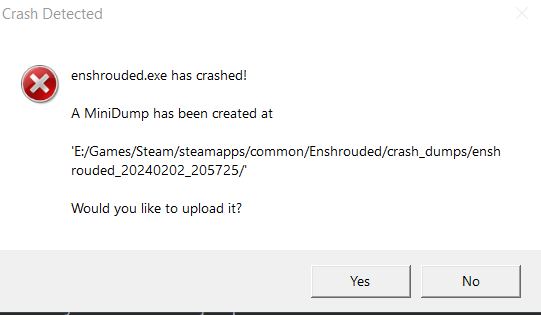
 obsidian shale
cedar kiln
Sorry to bother, i need some Help. I play with my boyfriend and last night he ma...
obsidian shale
cedar kiln
Sorry to bother, i need some Help. I play with my boyfriend and last night he ma...
I don't think I can help with that, perhaps others will. Would be useful if you dropped game logs here (see #troubleshooting message), and reported the bug via the F1 in-game menu if no solutions are given
Discord
Discord is the easiest way to communicate over voice, video, and text. Chat, hang out, and stay close with your friends and communities.
cyan rose
 safe cliff
Many of us are having this issue, I reached out to the devs as I couldn't find anything about this. If I get a response or a fix I'll post it here
safe cliff
thank you @cyan rose hope they fix it soon
obsidian shale
uncut flax
<@929424322584518676> yes this one NVIDIA GeForce RTX 3050 Ti
Alright, that makes sense. The 3050 Ti Laptop only has 4 GB of VRAM and the game's minimum requirement is 6GB. You are apparently able to run the game on those settings, which is surprising, but you certainly could not increase texture quality without taking more than 4GB of video memory. So nothing to be done about it, it's a limitation with your graphics card's memory size
 ocean tundra
north holly
IS anyone else crashing over and over again? After the most recent update the ga...
ocean tundra
north holly
IS anyone else crashing over and over again? After the most recent update the ga...
same
obsidian shale
pallid sleet
<@181145873286168576> I uninstalled the game 2x, updated my CPU, updated my Nvid...
Alright, that's a lot of work!
Only thing I'd suggest is updating the Vulkan runtime, see this message #troubleshooting message
obsidian shale
pulsar terrace
this might've bene asked a hundred times already, but my server shows up in the ...
Probably better answered in #server-faq or #server-support
pulsar terrace
oh
pallid sleet
obsidian shale
Alright, that's a lot of work!
Only thing I'd suggest is updating the Vulkan run...
I just have to download: VulkanSDK-1.3.275.0-Installer.exe (160MB)
1cb064a84c62bf3476763199b7a07d6b9e3510ac66653d3b5ec0bba05d1b3266 ?
obsidian shale
safe cliff
obsidian shale
pallid sleet
I just have to download: VulkanSDK-1.3.275.0-Installer.exe (160MB)
1cb064a84c62b...
Yes, download and install. That should update the Vulkan SDK that the game uses to communicate with your hardware.
pallid sleet
Ok, thanks, i will be back 🙏
obsidian shale
Don't forget to restart your PC after you install and before you launch the game, just in case
pallid sleet
obsidian shale
Don't forget to restart your PC after you install and before you launch the game...
I'm not mistaken, I download the SDK to install?
obsidian shale
pallid sleet
I'm not mistaken, I download the SDK to install?
Download the SDK file and open it (double click), you should see an installer window open
pallid sleet
obsidian shale
Download the SDK file and open it (double click), you should see an installer wi...
Yes but on the site, it's this line: 1.3.275.0
17-Jan-2024
SDK - SDK Installer
VulkanSDK-1.3.275.0-Installer.exe (160MB)
1cb064a84c62bf3476763199b7a07d6b9e3510ac66653d3b5ec0bba05d1b3266
cyan rose
That's my log, if anyone has any ideas what's causing the crashes, hope there's no sensitive info in there lol
obsidian shale
pallid sleet
Yes but on the site, it's this line: 1.3.275.0
17-Jan-2024
SDK - SDK Installer...
Yes. Ideally I'd suggest you download and install both the SDK Installer and Runtime Installer. The 1.3.275.0 version of both, the first one that appears
 cyan scarab
Hey guys, does someone has the problem that he/she cant see fire or any kind of magic or spells? Even if i cast my own spells i do not see anything only the cast animation and the damage on the enemy. I tried everything. Updated all my driver, changed all graphic settings etc. My GPU is an nvidia geforce rtx 3060
 cedar kiln
obsidian shale
I don't think I can help with that, perhaps others will. Would be useful if you ...
cedar kiln
obsidian shale
I don't think I can help with that, perhaps others will. Would be useful if you ...
Thx! Will do that
obsidian shale
cyan rose
That's my log, if anyone has any ideas what's causing the crashes, hope there's ...
Do your crashes happen after some minutes of play?
I haven't nothing much in the log except for "[W 00:02:29,453] [ecss] message BuildingZones is big: 3,114".
Do you have a lot of planted items, or large constructions? If so it could be a memory thing. Don't really know, though.
 restive shell
Hey, have you managed to solve this yet?
obsidian shale
cyan scarab
Hey guys, does someone has the problem that he/she cant see fire or any kind of ...
For a start I'd recommend a clean driver uninstall with DDU and then reinstall drivers if you have done that
cyan rose
obsidian shale
Do your crashes happen after some minutes of play?
I haven't nothing much in the...
Thank you for looking into it, I'm grateful. I don't have many things planted but I am building a big city (with lots of pieces and details, appartments stacked on top of each others), but I haven't added a lot to it since the crashes happening from last night. I clocked 90 hours in the game before the crashes too (and my structure was pretty massive already).
I know my PC has some temp issues in general, there's an issue with the heat paste??? on my cpu but I was told it's not so bad yet, and it could wait a bit to save money and get it fixed. But I could game a lot without issues until this error, and I can still play my other games just fine
Anyway, thanks again, I'll wait.. maybe it is a memory thing, I just dropped all the settings to the bare minimum to see if I crash at all
 analog relic
Hvaen't seen any #news messages, but my friends are all crashing like crazy every 10/15 minutes and just ragequitting.
cyan rose
My crashes were random too, it didn't matter if I was out fighting, exploring, or building after some minutes of play
obsidian shale
cyan rose
Thank you for looking into it, I'm grateful. I don't have many things planted bu...
That's a good call. See if at lower settings you get no crashes, and then if so you can gradually turn settings back. If crashes reappear, it'd seem like an out-of-memory issue indeed, and you could report it to the devs via F1 menu (they can't do anything about insufficient memory, but they might be able to keep the game from crashing ungracefully 😅 )
obsidian shale
cyan rose
My crashes were random too, it didn't matter if I was out fighting, exploring, o...
That's consistent with what we've seen in out-of-VRAM crashes. It's really hard to predict in an open-world game where so many different things can happen
obsidian shale
analog relic
Hvaen't seen any <#1047448895287992320> messages, but my friends are all crashin...
Would be helpful if your friends could drop us some game logs so that we can hopefully try to find causes/solutions. Not much more to be done beyond that except for waiting for future patches.
#troubleshooting message
cyan rose
obsidian shale
That's a good call. See if at lower settings you get no crashes, and then if so ...
Awesome cheers, I already sent them an email I forgot about the in game reporting, I'll do that too lol. It would be more convenient if the game struggled instead of crashed in that case haha, I'm confident we'll get around a fix eventually
 earnest vapor
We cannot search friend's server by name to join. Who have a same problem?
 half gyro
Hey sup everyone !
I'm playing with some friends since the begining and, today, (I've already try to relaunch my game) 90% of the mist has gone.
In exemple, i'm on the Braelyn Bridge :

 rugged nest
Someone know how to Fox IT?
 hollow rapids
earnest vapor
We cannot search friend's server by name to join. Who have a same problem?
hollow rapids
earnest vapor
We cannot search friend's server by name to join. Who have a same problem?
For you to be able to connect to your friend's server. He/she needs to make sure the query port 15637 is forwarded both inbound and outbound UDP. Then the ingame search should work.. When you setup the server initially it make just take a few minutes to be available in the ingame search.
earnest vapor
hollow rapids
For you to be able to connect to your friend's server. He/she needs to make sure...
We already play togather But we disconnect and can not search again ( 10 Min ago)
obsidian shale
half gyro
Hey sup everyone !
I'm playing with some friends since the begining and, today, ...
#troubleshooting message
Sup! Perhaps try this? Rare bug but there's a workaround that often seems to work
hollow rapids
earnest vapor
We already play togather But we disconnect and can not search again ( 10 Min ago...
You could try and use the Steam's server search.. using the public IP and port. Add him to favourites and it should be to in your serverlist
half gyro
obsidian shale
https://discord.com/channels/1046840540550942720/1060216335684087878/12030453610...
Thanks, that's exactly this
Ty so much 😄
I will try it
vestal mortar
Wow, becoming less rare.
 quaint steppe
Loaded up Enshrouded for the second time after a good session last night and the game is all of a sudden stuttering like crazy! FPS remains high but the game is now unplayable. Noticed the task keeps getting set to below normal? Is this normal? Every time i set it to high it reverts back
 earnest vapor
hollow rapids
You could try and use the Steam's server search.. using the public IP and port. ...
earnest vapor
hollow rapids
You could try and use the Steam's server search.. using the public IP and port. ...
Do you have a tutorial for me ?
obsidian shale
quaint steppe
Loaded up Enshrouded for the second time after a good session last night and the...
Yes, this is normal/widespread. Probably other causes to your issues. Always useful if you can drop a game log here #troubleshooting message so that we can know your computer's specs, driver versions, etc
rugged nest
Do you guys know how to fix it? I cant even start game😥
 tranquil abyss
 quaint steppe
half gyro
obsidian shale
https://discord.com/channels/1046840540550942720/1060216335684087878/12030453610...
quaint steppe
half gyro
obsidian shale
https://discord.com/channels/1046840540550942720/1060216335684087878/12030453610...
Problem fixed, ty ! 😄
 boreal walrus
how to fix quality i feel it looks washed and blurry compared to other peoples screenshots. i have it on max settings on rtx 4080
 vestal mortar
Disable motion blur? Are you noticing the issue when moving?
boreal walrus
vestal mortar
Disable motion blur? Are you noticing the issue when moving?
already turned off
obsidian shale
quaint steppe
Alright, thanks. Are you getting crashes of any sort or is it a simple stuttering/FPS issue? Are you playing on 1440p or 1080p, and what sort of framerates do you usually get? Is the issue sudden drops in FPS or is it more of a gradual thing
quaint steppe
obsidian shale
Alright, thanks. Are you getting crashes of any sort or is it a simple stutterin...
Played with zero issues last night. Not changed any graphics settings. Loaded up this morning and as soon as im in the game is unplayable. Runs like a windows movie maker slide show. FPS counter remains high at 80/100 but stuttering all the time.
vestal mortar
boreal walrus
already turned off
It's normally some form of anti aliasing that causes image quality to blur. Dlss,fsr2,fxaa,taa. You can try altering quality settings and see if you notice an improvement
 torn valley
boreal walrus
how to fix quality i feel it looks washed and blurry compared to other peoples s...
torn valley
boreal walrus
how to fix quality i feel it looks washed and blurry compared to other peoples s...
Drop your enshrouded_local.json here.
cyan scarab
obsidian shale
For a start I'd recommend a clean driver uninstall with DDU and then reinstall d...
already done that. It seems that the first casts do work but after a few minutes it stops again und no casts/magic/fire are shown after that
obsidian shale
quaint steppe
Played with zero issues last night. Not changed any graphics settings. Loaded up...
First thing I'd do is ask if you're running any overlays (Discord, Steam, Nvidia, etc.) or background programs, to rule things out (Asus GPUTweak is known to cause issues with the game, can't remember any others).
Then I'd ask about your mouse polling rate, if it's as usual at 1000Hz or lower, or if you've got a high-polling rate mouse I'd recommend you turn it down to 1000Hz or lower for this game right now.
Then I'd say go to https://vulkan.lunarg.com/sdk/home and install the latest Vulkan SDK and Runtime, and after that I'd look into a driver rollback if nothing helps
quaint steppe
obsidian shale
First thing I'd do is ask if you're running any overlays (Discord, Steam, Nvidia...
I am open to this but why should I need to change anything when It work working with no issues last night
obsidian shale
cyan scarab
already done that. It seems that the first casts do work but after a few minutes...
Okay, really strange. See message above, perhaps a Vulkan runtime upgrade may help
obsidian shale
quaint steppe
I am open to this but why should I need to change anything when It work working ...
That is a fair question for which I have no fair answers! It's an Early Access game so weirdness is expected. Additionally, the last Nvidia & AMD driver updates seem to have (unintentionally) broken some stuff.
No clue. Can only recommend on the basis of what's worked for others.
dapper plume
pallid sleet
I just have to download: VulkanSDK-1.3.275.0-Installer.exe (160MB)
1cb064a84c62b...
You don't need the SDK to run a vulkan game, only the runtime. And the runtime is installed by your gpu driver by default
pallid sleet
@obsidian shale its good now, but other problem
" currently researching.... " When I look for my friend's server, I find nothing in game, for it to work I have to bookmark the server on steam directly?
quaint steppe
obsidian shale
That is a fair question for which I have no fair answers! It's an Early Access g...
Appriciate the efforts! My drivers havent been any issue
obsidian shale
dapper plume
You don't need the SDK to run a vulkan game, only the runtime. And the runtime i...
Yes, but they do not install the latest runtime with the latest drivers. Only runtime upgrade should be necessary, some players reported the SDK doing the trick, which is weird but shrug
obsidian shale
quaint steppe
Appriciate the efforts! My drivers havent been any issue
Copy. It's the interaction between drivers and game which gets hairy though...
dapper plume
obsidian shale
Yes, but they do not install the latest runtime with the latest drivers. Only ru...
Some also noticed by removing the SDK game works 😄
rugged nest
Plx help
obsidian shale
pallid sleet
<@181145873286168576> its good now, but other problem
" currently researching...
So the Vulkan upgrade helped? Good to know!
I don't know anything about server stuff tbh, better look up #server-faq and #server-support
dapper plume
rugged nest
Plx help
Post your enshrouded.logs
pallid sleet
obsidian shale
So the Vulkan upgrade helped? Good to know!
I don't know anything about server s...
ty!
 prisma sky
is the game really performance heavy or is the performance optimization really bad? and is there any way to increase performance except ofc changing the ingame settings
obsidian shale
prisma sky
is the game really performance heavy or is the performance optimization really b...
Both. It's a heavy game for reasons that make perfect sense, and it's also not quite optimized as it's Early Access. For common fixes, see pinned message: #troubleshooting message
rugged nest
@dapper plume how to do this?sorry i'm newbie
hollow rapids
After about 25 hours into the game I got a weird graphical glitch, now my map only on this specific character is borked. Any way to fix it other than starting with a new character?


 quaint steppe
hollow rapids
After about 25 hours into the game I got a weird graphical glitch, now my map on...
quaint steppe
hollow rapids
After about 25 hours into the game I got a weird graphical glitch, now my map on...
wtf
prisma sky
obsidian shale
Both. It's a heavy game for reasons that make perfect sense, and it's also not q...
ty
quaint steppe
obsidian shale
Copy. It's the interaction between drivers and game which gets hairy though...
turning off shadowplay has resolved my issues. However I had it on last night and it ran fine
obsidian shale
quaint steppe
turning off shadowplay has resolved my issues. However I had it on last night an...
Strange, but not entirely surprising... 
rugged nest
@obsidian shale i dont have it😅
 quaint steppe
thanks for your help!
obsidian shale
rugged nest
<@181145873286168576> i dont have it😅
It's the "Enshrouded" Text Document, 61KB. File extension is hidden because your Windows is set to "Hide known file extensions". Just send that one!
rugged nest
 vast quiver
Hi everyone, since yesterday I can no longer press "E" after I died. Then you have to quit the game with Alt+F4 and restart it. Is there a solution for this?
 clever flicker
Hi since the beginning, there 's troubleshooting in Enshrouded to build and to open menu personnage 's stats
 spiral solstice
rugged nest
spiral solstice
rugged nest
your game looks like it is using Intel onboard graphics rn, do you have a dedicated gpu?
clever flicker
here is my config system - all in nvidia panel is desactivated/performance and all in graphics game is desactivated/performance
 hollow rapids
After about 25 hours into the game I got a weird graphical glitch, now my map on...
hollow rapids
hollow rapids
After about 25 hours into the game I got a weird graphical glitch, now my map on...
Well, transfering the goods and starting over with a new character.. I didn't like my beard choice anyways 😂
torn valley
rugged nest
It seems to me that your NVIDIA GeForce GTX 850M video card is not suitable for this game.
rugged nest
@spiral solstice
 spiral solstice
rugged nest
<@170693172710735872>
spiral solstice
rugged nest
<@170693172710735872>
uhhh, sorry to say but I'm pretty sure you can't run this game. request a refund, your dedicated GPU has 2GB of VRAM, people with 4GB are already pushing the limits
rugged nest
But i have this nevest driver and GeForce expierience telling that i can run it
spiral solstice
rugged nest
But i have this nevest driver and GeForce expierience telling that i can run it
yeah but your card itself physically cant handle the game
rugged nest
😥ok thx
Tbh im not suprised, 8years old laptop taken out of the closet just for this game
obsidian shale
vast quiver
Hi everyone, since yesterday I can no longer press "E" after I died. Then you ha...
Are you holding the E key, or just pressing? You need to hold for a couple seconds
vast quiver
I hold E
obsidian shale
clever flicker
here is my config system - all in nvidia panel is desactivated/performance and a...
Thanks, config looks adequate. Would be helpful if you could drop your game logs in this chat
#troubleshooting message
obsidian shale
rugged nest
But i have this nevest driver and GeForce expierience telling that i can run it
I would not trust GeForce Experience for that. I always look at the Steam requirements page, which in this case indicates a 1060 with 6GB VRAM
 obsidian shale
rugged nest
Tbh im not suprised, 8years old laptop taken out of the closet just for this gam...
obsidian shale
rugged nest
Tbh im not suprised, 8years old laptop taken out of the closet just for this gam...
I'd argue this game is worth an upgrade if you can afford it. But of course not everybody would agree. Hope you can either enjoy the game or have your refund or whatever you decide 😉
obsidian shale
vast quiver
I hold E
Strange. I'd say record a quick video of the issue, drop it here if you can, and otherwise just submit it through the in-game F1 menu
vast quiver
obsidian shale
Are you holding the E key, or just pressing? You need to hold for a couple secon...
i can switch the between the two action bars on the death screen but press and hold E dosnt work
lyric maple
obsidian shale
Are you on the latest standard drivers 24.1.1 or on the Enshrouded-specific upda...
The Enshrouded one that was just released. Down revved from the latest driver as soon as I saw the link.
vestal mortar
vast quiver
i can switch the between the two action bars on the death screen but press and h...
Have you messed with or altered any keybinds in settings that can be causing the issue?
obsidian shale
lyric maple
The Enshrouded one that was just released. Down revved from the latest driver as...
Interesting. I have no experience with those drivers. From 24.1.1 we were recommending a rollback to previous drivers.
Had you played the game before? Was your game starting and running properly?
vast quiver
vestal mortar
Have you messed with or altered any keybinds in settings that can be causing the...
i I found the problem... My Roccat Swarm software was faulty. now it works again.
 ionic swan
Hello everyone, do you know how to enter a friend's lobby if he is not a friend and I cannot add him due to steam restrictions?
lyric maple
@obsidian shale It's never started. From the first time I tried to start it to now, the log file stops at the same spot. I've tried upgrading to the latest driver, then downgrading to the game specific one just released. I've tried running as admin, I've updated the Vulkan version to the latest. I've reverified the game files multiple times. Unplugged some monitors to see if there were multi monitor compatibility issues...
It seems to me that it might be a Vulcan problem based on it dying where it does, but I have zero experience with Vulkan so not sure how to adjust and test. ¯_(ツ)_/¯
 restive pulsar
Hi,
compatible graphics component not found
I ALREADY UPDATE STEAM,WINDOWS
what i can do more ?
spiral solstice
restive pulsar
compatible graphics component not found
What are your specs?
 young lodge
restive pulsar
what i can do more ?
young lodge
restive pulsar
what i can do more ?
disable onboard graphics in device manager
spiral solstice
What cpu
obsidian shale
lyric maple
<@181145873286168576> It's never started. From the first time I tried to start i...
Ugh, sounds like a hassle, sorry. I'd recommend DDU and rolling back to the drivers before 24.1.1, see here: #troubleshooting message
restive pulsar
i5 9400f
lyric maple
obsidian shale
Ugh, sounds like a hassle, sorry. I'd recommend DDU and rolling back to the driv...
Haha yeah, loads of fun 😂
I will give that a shot. Thanks for trying!! 😁
restive pulsar
spiral solstice
What cpu
i5 9400f
pallid sleet
obsidian shale
So the Vulkan upgrade helped? Good to know!
I don't know anything about server s...
Can I DM you for 2 minutes? please 👼
 drifting rose
Hello. Are there plans to allow for more keyboard customization? Is there currently a file I can edit to customize the keyboard and mouse further? I am partially disabled and need a specific key setup...
 ashen stirrup
file content is locked on steam for me?
spiral solstice
restive pulsar
i5 9400f
try installing the latest Vulkan drivers from Nvidia again and see if anything changes
https://developer.nvidia.com/vulkan-driver

NVIDIA Developer
Get the latest Vulkan 1.3 general release drivers and developer beta drivers.
midnight osprey
safe cliff
revert your gpu drivers back to a previous version, that worked for me, sorry if this is already answered
vestal mortar
ashen stirrup
file content is locked on steam for me?
Try running steam as administrator
Did this issue arise after the game downloaded an update
ashen stirrup
vestal mortar
Try running steam as administrator
Did this issue arise after the game download...
yes
this morning
vestal mortar
ashen stirrup
yes
Ok, this happens sometimes with games.
Try verify integrity of game files
vestal mortar
When the file content locked screen comes up if you hover mouse it should tell you where the file is located that is locked.
ashen stirrup
is it a steam deal?
vestal mortar
Yes
drifting rose
How does one unequip a weapon?
vestal mortar
@ashen stirrup If you go to steam/Steamapps/downloading and there is clone file there for enshrouded you can try deleting that as well has been known to work.
obsidian shale
drifting rose
Hello. Are there plans to allow for more keyboard customization? Is there curr...
I'd suggest use the Feedback menu or this website, hopefully they can look at the issues https://enshrouded.featureupvote.com/
Add and vote up suggestions for Enshrouded.
ashen stirrup
vestal mortar
Yes
it doesnt tell me locked now, just game creation failed, even the server owner
 hoary vale
Anybody know why when I load into my save I'm getting literally 6-10 FPS?
vestal mortar
ashen stirrup
it doesnt tell me locked now, just game creation failed, even the server owner
So you are able to open enshrouded but when trying to connect to the server you are getting this error?
ashen stirrup
vestal mortar
So you are able to open enshrouded but when trying to connect to the server you ...
yes, were on nitrado
vestal mortar
ashen stirrup
yes, were on nitrado
Is your friend hosting the server on his PC or is he renting from somewhere
ashen stirrup
vestal mortar
Is your friend hosting the server on his PC or is he renting from somewhere
nitrado, and i have access as admin
 slate shore
anyone have a server from 4netplayers?
vestal mortar
ashen stirrup
nitrado, and i have access as admin
https://discord.com/channels/1046840540550942720/1195385334310121593 may have insight with this issue, sounds like user rights need to be changed server side.
Is your server up to date?
 empty cloud
Can someone explain me, why I get the "vulkan"-minidump only on a dedicated server? It never happens on peer-to-peer or privat? Drivers are up to date.
 pine trail
Question: if I have a screenshot to share to show a bug in the game, is this the place to do?
I'm new to the game and this discord server and I could not find a bug-report channel.
vestal mortar
@ashen stirrup #server-faq message
vestal mortar
pine trail
Question: if I have a screenshot to share to show a bug in the game, is this the...
F1 in game will let you report a bug.
Not sure about screenshots
hoary vale
I have no idea what's going on, last night I was getting 60+ FPS. I loaded a save today and I'm getting like 15 FPS and I turned everything on low and it's not going any higher. Anybody know what's going on?
pine trail
vestal mortar
Not sure about screenshots
Ok, thank you!
foggy berry
is there any solution for deinstall the hoftix 7 on steam ? after this permanently minidump crashes
vestal mortar
hoary vale
I have no idea what's going on, last night I was getting 60+ FPS. I loaded a sav...
Do you have Nvidia shadow play? This turned out to be another users issue.
torn valley
hoary vale
I have no idea what's going on, last night I was getting 60+ FPS. I loaded a sav...
What is the priority of the game in the task manager?
vestal mortar
hoary vale
I'm turning off steam overlay and checking integrity now.
Was just going to suggest disabling all in game overlays including discord.
hoary vale
I just forced it to be high.
 heavy eagle
obsidian shale
First thing I'd do is ask if you're running any overlays (Discord, Steam, Nvidia...
heavy eagle
obsidian shale
First thing I'd do is ask if you're running any overlays (Discord, Steam, Nvidia...
Reducing my mouse polling rate from 1300 to 350 made it way smoother. I just had to turn up the sensitivity in settings to compensate for the drop in movement speed.
hoary vale
using process lasso I made it ALWAYS be high when it starts.
vestal mortar
hoary vale
using process lasso I made it ALWAYS be high when it starts.
I know it may be stupid, but did you try restarting your computer?
hoary vale
I'll try it.
torn valley
hoary vale
I'll try it.
Is it possible to monitor the load on the video card?
hoary vale
I'm loading it now
wow, honestly. Working in IT you'd think I would have restarted my PC but I also would think that restarting the application would have fixed it. but It seems just a simple turning it off and on again worked.
I wonder what is causing the issue
obsidian shale
hoary vale
I wonder what is causing the issue
AFAIK the game has trouble allocating enough VRAM if other applications have used it/are using it, so that's a source of a lot of pain with certain programs. There's a lot of weirdness with memory and VRAM in particular right now