#🎨-theme-development
1 messages · Page 58 of 1
 echo frost
 echo frost
 blissful ledge
no i meant the radius of the upload attachment
blissful ledge
no i meant the radius of the upload attachment
yes, that's what i told you how to do
blissful ledge
should it be separate?
echo frost
You already have this css right?
change it to this (add the .upload_aa605f):
.channelTextArea_f75fb0, .scrollableContainer__74017, .upload_aa605f {
  border-radius: 33px !important;
}``` echo frost
how's this
 blissful ledge
that's good
echo frost
.channelTextArea_f75fb0, .scrollableContainer__74017, .upload_aa605f {
  border-radius: 32px !important;
}
.messagesWrapper__36d07>.scroller__36d07 {
  padding-bottom: 72px;
  &::-webkit-scrollbar-track {
    margin-bottom: 80px;
  }
  ~div {
    bottom: 80px;
  }
}
.formWithLoadedChatInput_f75fb0 {
  position: absolute;
  padding: 0 !important;
  bottom: 0 !important;
  width: 100%;
  >div {
    backdrop-filter: blur(4px);
    background: transparent;
    padding: 0 8px;
    .channelTextArea__74017, .themedBackground__74017,
    .channelAttachmentArea_b77158, .upload_aa605f, .wrapper_f7ecac,
    .stackedBars__74017 {
      background: transparent !important;
    }
  }
}
replace everything with that
that has the border radius too
blissful ledge
this good?
 echo frost
nice

 pure cairn
is that a discord theme for left-handed users?
 subtle flicker
Lol
 plain kelp
It looks illegal
 crimson skiff
 onyx mesa
we peaked
onyx mesa
we peaked
r2l is looking crazy
pure cairn
now we just need one for the Aussies
crimson skiff
oh im in Australia rn thats crazy
hate the weather, would not come here again, 0/10

 junior drum
chat what happened to #🎨-css-snippets
 echo frost
pure cairn
perfect
echo frost
pure cairn
perfect
you did it before me :(
echo frost
junior drum
how tf
html { transform: scaleX(-1); }
echo frost
pure cairn
I did it horizontally
it looks like you did both?
pure cairn
I did transform: rotate(180deg)
echo frost
wait actually it's just rotated
pure cairn

echo frost
Oh ig rotating is the same as as inverting both directions
 grand surge
whats the best transparent theme?
pure cairn
echo frost
Oh ig rotating is the same as as inverting both directions
Well yeah
echo frost
I forgot :(
pure cairn
grand surge
whats the best transparent theme?
* { background: none !important; }```Jokes aside, I could recommend you nvhhr's theme
grand surge
bro
pure cairn
But he's in the midst of redoing it
grand surge
pure cairn
```css
* { background: none !important; }```
its not good
pure cairn
GitHub
Discord css stuff. Contribute to nvhhr/discordcss development by creating an account on GitHub.
pure cairn
grand surge
its not good
Well, of course it's not
You'd just be removing the background from all elements
 hasty belfry
What could I use to Upload sound AND audio for use with my plugin? I'm seeing that any of the links from the list they give in the error say they don't support sound.
echo frost
hasty belfry
What could I use to Upload sound AND audio for use with my plugin? I'm seeing th...
Probably ask in #🧩-plugin-development
and would github not work?
hasty belfry
echo frost
and would github not work?
That's what they are uploaded to currently. It worked originally, until one of the Vencord updates.
hasty belfry
echo frost
Probably ask in <#1032770730703716362>
I do not seem to have access to that channel.
echo frost
hasty belfry
That's what they are uploaded to currently. It worked originally, until one of t...
I thought that should work
but I think plugins have their own system of whitelisting
pure cairn
Plugins can't load resources from external sources for now
From what I could understand from Vee's messages the other day
^
hasty belfry
pure cairn
^
That is actually very interesting. I have used the external resources before, so I wonder if it was changed, or somehow I got by it.
The only reason I attempted to use external links to begin with, was because local resources did not work for me when I attempted them last. I will also say that I didn't know too much about making Vencord plugins when I last attempted it, so maybe ill try again.
pure cairn
Sadly I have no knowledge about plugins at all
And this is the theme development channel

Request the programming role in #📖-info and then ask in #🧩-plugin-development
hasty belfry
Oh, I see.
onyx mesa
echo frost
that's how i did it and then just rotated all the elements again separately
onyx mesa
junior drum
chat what happened to <#1028106818368589824>
i have a similar snippet just not as fancy
should probably update it
 half crystal
junior drum
chat what happened to <#1028106818368589824>
half crystal
junior drum
chat what happened to <#1028106818368589824>
no new snimmets 😔
onyx mesa
probably discord changed something
but i noticed my memberlist snippet works properly now, doesn't collapse when you click on a profile
pure cairn
You could've added member:focus-within alongside the memberlist:hover selector ig
onyx mesa
pure cairn
You could've added member:focus-within alongside the memberlist:hover selector i...
tried that, but it didn't work at the time
pure cairn
Interesting
echo frost
junior drum
chat what happened to <#1028106818368589824>
wdym
junior drum
echo frost
wdym
unlimited snippets but no snippets
pure cairn
lol
echo frost
do you mean that people are sending things here instead of #🎨-css-snippets ?
I only send polished snippets there
pure cairn
would you rather have
unlimited snippets, but no users
or users, unlimited users, but no users
echo frost
pure cairn
or users, unlimited users, but no users
what
pure cairn
echo frost
what
 echo frost
do unlimited games and no games cancel out
pure cairn
it's unlimited games
echo frost
and then it's would you rather have unlimited bacon but no games
or games
junior drum
pure cairn
it's unlimited games
but no game
pure cairn
that's not how it works sadly 😔
alas, we're going off topic
back to my cursed shitty snippets
 chilly knoll
@half crystal #🎨-css-snippets message isnt this a chatbar?
half crystal
chilly knoll
<@1124341362955919371> https://discord.com/channels/1015060230222131221/10281068...
i dumbass
pure cairn
it happens to the best of us
 pine needle
onyx mesa
we peaked
pine needle
onyx mesa
we peaked
nicee perfect where can i get this 😆
 smoky belfry
pure cairn
https://tenor.com/view/would-you-rather-games-no-games-unlimited-bacon-gif-26728...
smoky belfry
pure cairn
https://tenor.com/view/would-you-rather-games-no-games-unlimited-bacon-gif-26728...
i would like confusion thanks
blissful ledge
what's the css for this element

 manic flume
 pure cairn
open inspect element (ctrl + shift + i), use element picker and click it
pure cairn
blissful ledge
what's the css for this element
answering to this, I forgot to reply
 errant zenith
anyone know how to hide scrollbars using css or at least make them smaller?
 spare mural
errant zenith
anyone know how to hide scrollbars using css or at least make them smaller?
spare mural
errant zenith
anyone know how to hide scrollbars using css or at least make them smaller?
yes, webkit
/* replace (selector) with an actual selector */
(selector)::-webkit-scrollbar {
  width: 5px; /* or display: none to hide */
}
thanks
also what to put in the "selector" place 😭
spare mural
spare mural
yes, webkit
```css
/* replace (selector) with an actual selector */
(selector)::...

W3Schools offers free online tutorials, references and exercises in all the major languages of the web. Covering popular subjects like HTML, CSS, JavaScript, Python, SQL, Java, and many, many more.
 silver hound
is ther something you can do to edit the notifications pop up in a game
onyx mesa
silver hound
is ther something you can do to edit the notifications pop up in a game
that's probably controlled by the game overlay and i am pretty sure there is no way to actually change it
 chilly knoll
onyx mesa
why are my masks not working
chilly knoll
onyx mesa
why are my masks not working
Sorry
onyx mesa
chilly knoll
Sorry
i finally managed to put a custom mask for the mobile status

it's literally just thinner than the original but it took me too long
onyx mesa
thinking about making seperate ones for every status
been experimenting with the @container
as well
chilly knoll
What does @container do
onyx mesa
let's you toggle parts of your code with vars
 gray spoke
chilly knoll
What does @container do
gray spoke
chilly knoll
What does @container do

MDN Web Docs
The @container CSS at-rule is a conditional group rule that applies styles to a containment context.
Style declarations are filtered by a condition and applied to the container if the condition is true.
The condition is evaluated when the queried container size, <style-feature>, or scroll-state changes.
pure cairn
chilly knoll
What does @container do
you can basically add toggles to your snippets
as if you had settings for themes
onyx mesa
wonder if it would be possible to integrate into the theme settings
chilly knoll
That seems cool
chilly knoll
onyx mesa
wonder if it would be possible to integrate into the theme settings
@copper flame doesnt catppucin do that
pure cairn
onyx mesa
wonder if it would be possible to integrate into the theme settings
I think there was a PR for usercss
or something similar
onyx mesa
pure cairn
I think there was a PR for usercss
would be cool if you could just drop a theme in the folder and then have settings in app like with plugins
onyx mesa
well hopefully BD doesn't fumble the bag
onyx mesa
oh... they did fumble the bag
pure cairn
wait no
april 2025 wtf I would've swore it was less recent
am I remembering the date for another message I read?
yeah ok, I was

 copper flame
chilly knoll
<@721853658941227088> doesnt catppucin do that
copper flame
chilly knoll
<@721853658941227088> doesnt catppucin do that
not on main branch cause I'm doing some refactoring so theres less bloat with it
pure cairn
welp, for now you can always do like this and have users add toggles in quickcss
that reminds me, I still have to fix bot profiles kek
 copper flame
pure cairn
welp, for now you can always do like this and have users add toggles in quickcss
copper flame
pure cairn
welp, for now you can always do like this and have users add toggles in quickcss
i mean you can literally define arbitrary settings in modern css
super nice
pure cairn
I did that using @container queries
copper flame
well yeah
pure cairn
!remind 18h fix bot popouts bozo
 sturdy trenchBOT
Alright @pure cairn, in 18 hours: fix bot popouts bozo
errant zenith
anyone knows what the css for avatar decorations on chat view might be?
i wanna change the size
errant zenith
pure cairn
Open inspect element and find it out
i did, it doesnt really even detect the decoration, only the avatar itself
which when modified doesnt modify the decoration (wow)
pure cairn
errant zenith
i did, it doesnt really even detect the decoration, only the avatar itself
welp
 gray spoke
errant zenith
anyone knows what the css for avatar decorations on chat view might be?
gray spoke
errant zenith
anyone knows what the css for avatar decorations on chat view might be?
I believe there's a CSS variable for changing the size as well, user to decoration ratio or something along those lines
But if you resize it up then they're no longer pixel perfect
blissful ledge
now i want to put blur in the .panels_c48ade element
i put it in the same place as before but it didn't blur the element

-# blur message elements css
onyx mesa
blissful ledge
i put it in the same place as before but it didn't blur the element
the panels class is not part of the formWithLoadedChatInput parent
so it won't work
blissful ledge
can we blur the element somewhere else in the css?
onyx mesa
i mean yeah, just apply all the styles separately on it
sturdy trenchBOT
@pure cairn, <t:1750014445:R>: fix bot popouts bozo
 potent horizon
how can I change the color of the dividers in the user panel? they are just too inconspicuous, it hurts the eyes
 onyx mesa
potent horizon
how can I change the color of the dividers in the user panel? they are just too ...
onyx mesa
potent horizon
how can I change the color of the dividers in the user panel? they are just too ...
.visual-refresh .container_e131a9 {
    border-color: red;
}
ty, how can I do this with activity?


 flint wing
Does anyone know any discord control tips (windows)/plugin that makes it easier to move users to another voicechat in a big discord? My channel list doesnt really want to scroll up or down while holding a user :c
-# Would i work in Vesktop?
echo frost
is there not a right click menu thing?
flint wing
Hm? Not quite sure what you mean
pure cairn
echo frost
is there not a right click menu thing?
There is
Right click on the user, move to, select the channel, done
echo frost
flint wing
Hm? Not quite sure what you mean
 pure cairn
Yop
flint wing
Woah, thanks you two, guess im just really blind x.x
pure cairn

blissful ledge
so blurring user controls area is not possible?
gray spoke
blissful ledge
so blurring user controls area is not possible?
Could you describe or show a screenshot of what the "user controls area" is?
blissful ledge
this
 gray spoke
It's possible
blissful ledge
what is the code for it
gray spoke
Do you mean blurring it, or the background behind it?
 gray spoke
Wait a bit, will get a snippet.
blissful ledge
ok
gray spoke
The laptop died, so it to be to charge it first.
.visual-refresh {
  /* Floating panel */
  .panels_c48ade {
    background: transparent;
  }
  .container__37e49 {
    background: rgba(255, 255, 255, 0.5);
    backdrop-filter: saturate(180%) blur(4px);
  }
  /* DM List inner */
  .scroller__99e7c {
    margin-bottom: 0;
  }
  .scroller__99e7c > ul {
    padding-bottom: var(--custom-app-panels-height);
  }
  /* Channel list */
  .container__2637a {
    padding-bottom: 0;
    & > div[class*="scroller__"] {
      padding-bottom: var(--custom-app-panels-height);
    }
  }
}
I think this should work?
@blissful ledge
pure cairn
gray spoke
```css
.visual-refresh {
/* Floating panel */
.panels_c48ade {
backgroun...
nvhhr would scream at you for not using the new rgb syntax
😔
gray spoke
pure cairn
nvhhr would scream at you for not using the new rgb syntax
It originally had it space separated, but for some reason even though nesting is used there's some thought process that worried about browser support on the space separated version 😵💫
gray spoke
pure cairn
Isn't it already supported by all browsers?
It has been for 6 years, yet that's still a bad habit.
 crimson skiff
pure cairn
<:venniehehe:1217924433465835571>
crimson skiff
pure cairn
<:venniehehe:1217924433465835571>
what the fuck is that
what a wonderful day to have eyes
pure cairn
Because it's fine that way
rgba(0,0,0,0) is exactly the same as rgb(0 0 0 / 0)
But the 2nd one is faster to type
onyx mesa
is there a way i can differentiate the different activity statuses in the profile popup without using has
i really don't wanna use has but seems like i'll have to
spare mural
pure cairn
`rgba(0,0,0,0)` is exactly the same as `rgb(0 0 0 / 0)`
The issue with the second one is that people not extremely knowledgeable, even if from a programming background, will get confused (or especially think the last 2 numbers might just get divided as an equation)
Sure it might be faster to type but it’s less clear and has no benefit over the standardised way that is the first one
pure cairn
Yeah that's a fair argument
pure cairn

smoky belfry
pure cairn
`rgba(0,0,0,0)` is exactly the same as `rgb(0 0 0 / 0)`
second one sucks / is division and space is not a good separator, never switching to it
spare mural
 clear siren
legacy and deprecated and ulgy
clear siren
legacy and deprecated and ulgy
if i see you using rgb at all ill call you out on it from now on youll only use oklab
chilly knoll
spare mural
if i see you using rgb at all ill call you out on it from now on youll only use ...
@iron smelt right now:
 iron smelt
chilly knoll
<@929208515883569182> right now:
iron smelt
chilly knoll
<@929208515883569182> right now:
Oklch 
 chilly knoll
iron smelt
Oklch <a:heart1:1249330007906713652>
chilly knoll
iron smelt
Oklch <a:heart1:1249330007906713652>
Whats the diff between lab and lch
spare mural
chilly knoll
Whats the diff between lab and lch
 clear siren
spare mural
if i see you using rgb at all ill call you out on it from now on youll only use ...
clear siren
spare mural
if i see you using rgb at all ill call you out on it from now on youll only use ...
oklch best
oklab is too weird
 burnt lake
I have a question.
Is it possible to collapse ranks?

because I would try to do it.
if it doesn't exist
btw. I don't want to do something that already exists
echo frost
I'm pretty sure it messes with lazy loading
burnt lake
hmm?
burnt lake
echo frost
I'm pretty sure it messes with lazy loading
So is it worth doing? Or not?
echo frost
definitely not
burnt lake
echo frost
definitely not
I have a question for you: do you have any high-level contacts? I haven't received a response to my inquiry for over three weeks.
echo frost
high level discord contacts?
burnt lake
echo frost
high level discord contacts?
this server
burnt lake
em and?
echo frost
burnt lake
em and?
is that considered a high level contact
vee is very active in this server
echo frost
burnt lake
So is it worth doing? Or not?
that's with
.membersGroup_c8ffbb:nth-of-type(2)~.member__5d473:not(.membersGroup_c8ffbb:nth-of-type(3)~.member__5d473) {
  display: none;
}
and because i'm using nth of type, the lazy loading makes it even more scuffed
burnt lake
echo frost
I think I have a better idea for a plugin after analyzing it.
burnt lake
video
echo frost
the video doesn't show very much
just look at the html
only the elements visible are in the html
burnt lake
I realized that I would need a mechanism after all, and I would have to create the mechanism in the plugin.
echo frost
that's what lazy loading is
burnt lake
echo frost
vee is very active in this server
needs more from Hausmeister
echo frost
idk what you need, and I'm not staff
burnt lake
ehh.
 echo frost
if it's really been 2 weeks, you could probably just ping them in the thread
burnt lake
no response : (
echo frost
otherwise, be patient
burnt lake
echo frost
if it's really been 2 weeks, you could probably just ping them in the thread
It will be almost 4-5 weeks. XD
burnt lake
echo frost
if it's really been 2 weeks, you could probably just ping them in the thread
What thread are you referring to?
echo frost
the support thread?
 burnt lake
yes
 echo frost
that's the thread i'm referring to
the reason I question marked was because I thought it was obvious that's what I was referring to
burnt lake
I wrote this last time on the 16th.
 fierce bridge
i'd approve your snippets if i understood css more
but i don't actually know that much on whats good or bad

crimson skiff
fierce bridge
i'd approve your snippets if i understood css more
make a channel for snippet devs to approve new snippets
echo frost
even better: give snippet devs mod so they can just view the ticket
burnt lake
fierce bridge
i'd approve your snippets if i understood css more
So I still have to wait for someone else's verdict?
manic flume
How do I know which fonts I can use in themes and which I can't?
half crystal
you can use any font, just make sure its on your system or @import'ed
manic flume
half crystal
you can use any font, just make sure its on your system or @import'ed
do i need to download it? i'll try it now
ty
onyx mesa
manic flume
do i need to download it? i'll try it now
you can import font's from google fonts, that's probably the easiest way
manic flume
onyx mesa
you can import font's from google fonts, that's probably the easiest way
I just enter the names of the fonts

I installed the font but it still doesn't apply to discord
 half crystal
manic flume
I installed the font but it still doesn't apply to discord
half crystal
manic flume
I installed the font but it still doesn't apply to discord
you need to enter the full name as the font specifies in its metadata
manic flume
half crystal
you need to enter the full name as the font specifies in its metadata
there are no other names except Blushes Regular


I tried different options from the first image
onyx mesa
manic flume
there are no other names except Blushes Regular
you can check this #🎨-theme-development message
there's also a font changer linked below my message by nvhhr
manic flume
onyx mesa
you can check this https://discord.com/channels/1015060230222131221/113484432693...
How did you specify the source and what is needed for this?

I would like to understand how I can also import the downloaded unofficial font
gray spoke
manic flume
How did you specify the source and what is needed for this?
It's just a link, you can upload it onto GitHub or another similar platform then reference it from there.
manic flume
gray spoke
It's just a link, you can upload it onto GitHub or another similar platform then...
!!!!
it turned out to be much easier lol
but I don't like this font that I sweated over
I'll leave it like this
 pure cairn
I wouldn't use * as selector tbh
gray spoke
Aren't the --font-main, --font-display, and --font-code variables (reciting based off memory, might've typed it wrong) what controls it across most of the app
onyx mesa
gray spoke
It's just a link, you can upload it onto GitHub or another similar platform then...
github does not work
onyx mesa
manic flume
How did you specify the source and what is needed for this?
don't need a source if you have the font installed on your pc
manic flume
onyx mesa
don't need a source if you have the font installed on your pc
I already understood
but my friend somehow managed to insert the same code and everything worked for him without installation
font-family: 'comic sans ms' !important;
}```Comic Sans is a common base font, it was probably already installed in their environment
clear siren
not exactly the same thing
grand surge
hello everyone! I am trying to select the space between the text bar and the messages, but i cant pick it with the element selector. What am I doing wrong?
echo frost
grand surge
hello everyone! I am trying to select the space between the text bar and the mes...
that space isn't an element
it's margin/padding
 hexed imp
Is there a CSS way to tell the MentionAvatars thing to not show the role icon if it doesn't actually have a role icon? So that it only shows the role icon if it's something other than the default little silhouette?
 echo frost
hexed imp
Is there a CSS way to tell the MentionAvatars thing to not show the role icon if...
echo frost
hexed imp
Is there a CSS way to tell the MentionAvatars thing to not show the role icon if...
svg.vc-mentionAvatars-icon {
  display: none;
}
variables were changed
[class^=control__]>.checked__87bf1 {
  background-color: var(--blurple-50) !important;
  path {
    fill: var(--blurple-50) !important;
  }
}
[class^=control__]>div {
  background-color: var(--interactive-muted) !important;
  transition: background-color 0.1s ease;
}
(they're much better now)
grand surge
echo frost
that space isn't an element
it's margin/padding
ohhh i see
im afraid these are really noob questions, but
once I have the element identified, how can I isolate the padding values and modify them for myself?
 hexed imp
echo frost
```css
svg.vc-mentionAvatars-icon {
display: none;
}
```
hexed imp
echo frost
```css
svg.vc-mentionAvatars-icon {
display: none;
}
```
ooh snap, thank you! perfect!
crimson skiff
grand surge
once I have the element identified, how can I isolate the padding values and mod...
scroll all the way down in the styles section, you can see the padding and margin and length/height values. just change the stuff you want
grand surge
crimson skiff
scroll all the way down in the styles section, you can see the padding and margi...
thank you!!!
I was able to remove most of the space between the chat bar and the chat itself by myself C:

by adjusting the padding
  padding-bottom: 0px !important;
}

.form_f75fb0.formWithLoadedChatInput_f75fb0 {
  padding-top: 0px !important;
}```I still cant adjust the height itself because its a value that updates itself as the chat grows with more communication

that 13471 height only gets higher
and if i set a fixed value discord breaks
i still learnt a lot nonetheless
 oak plover
The space between the last message and the message bar area is a small sliver on the left side of the container, it doesn’t take the full width of the area
pure cairn
pure cairn
what is Discord even cooking, they ruined full screen VCs
like, what even is this

 tough pike
anyone know how to change the background color of the chatbar to #000000 black?

can't really seem to find it with devtools
echo frost
tough pike
can't really seem to find it with devtools
.channelTextArea__74017>.themedBackground__74017

idk how you couldn't find it with devtools
just ctrl+shift+c, then click the chatbar
echo frost
echo frost
`.channelTextArea__74017>.themedBackground__74017`
oh wait you don't need this selector, just change the variable
--chat-background-default
:root {
  --chat-background-default: black;
}
discord's inspect is sort of cluttered on my end so i cant really seem to do jackshit
thanks for the aid btw
half crystal
tough pike
discord's inspect is sort of cluttered on my end so i cant really seem to do jac...
discord's inspect is just cluttered period
 winter palm
Heyy anyone got an idea on how to make ignored people invisible
Like not show up in the chat at all if they type (on my end ofc)
pure cairn
vp noblockedmessages
 cloud joltBOT
pure cairn
vp noblockedmessages
cloud joltBOT
pure cairn
vp noblockedmessages
Hides all blocked/ignored messages from chat completely
Authors
rushii, Samu, jamesbt365
pure cairn
You won't be able to hide the "x is typing..." message below the input bar
Unless there's some tricks you can do with the plugin which shows the avatars of who's typing (if that doesn't exist I may be tweaking)
Oh yeah, there is
Vp typingyweaks
cloud joltBOT
pure cairn
Vp typingyweaks
pure cairn
gray spoke
I thought my theme was causing the three second lag spike whenever switching servers, but then I turned off Vencord and it still happened 
 timber idol
pure cairn
https://github.com/nvhhr/discordcss/blob/main/snippets/actuallybasicbackground.t...
timber idol
pure cairn
https://github.com/nvhhr/discordcss/blob/main/snippets/actuallybasicbackground.t...
thank you good sir 🙏
hexed imp
<div class="vc-spotify-button-row" style="gap: 0px; display: flex;">
This is from the SpotifyControls plugin with "show on hover" enabled. I'm trying to make this show up ABOVE the Spotify info panel. Right now it shows up below the info panel, causing it to bounce up on hover. I'm trying to reduce UI bounce/extra animation as much as possible because it's starting to trigger migraines :/
I'd like the buttons to appear above the info panel, which just blocks part of the channel/server list, which I'm totally fine with. I just don't know how to move the buttons in reference to other elements.
gray spoke
hexed imp
```<div class="vc-spotify-button-row" style="gap: 0px; display: flex;">```
This...
Is the bounce jank or an intentional animation?
hexed imp
idk what that means, it's part of the plugin? I'm guessing it's intentional? It's not BOUNCY, as in multiple bounces, it just bounces up on hover, then drops back down off hover. I have show-on-hover turned off normally bc too much motion aggravates my migraines, so I turned it on for this video example ⬇️ so basically instead of bouncing the info panel up to show the button row, I want the info panel to stay static at the bottom and the button row show up on top of the info panel
gray spoke
I think doing
.vc-spotify-button-row {
    transition-duration: 0ms;
}
Should work.
That should entirely remove the animation it does if I'm understanding what you're referring to
I don't have Spotify so I can't test it unfortunately
 gray spoke
 hexed imp
my CSS window is pooping  let me restart
gray spoke
I can't check the DOM structure of it right now since I don't have my laptop on me, but maybe setting the order property on the button row might work?
hexed imp
gray spoke
I think doing
```css
.vc-spotify-button-row {
transition-duration: 0ms;
}
``...
OK, this just removes the animation effect of the flex, so the info panel still bounces up and down on/off hover to make room for the buttons, it just doesn't slide. I want the panel to stay in place and the buttons above the panel.
lul

I wonder if I could do a something like this
  display: ???inline-flex???; /* not sure what the display type would need to be, inline-flex maybe? */
    & > .vc-spotify-button-row {order:1;}
    & > .vc-spotify-info-wrapper {order:2;}
    & > div[style^="track_"] {order:3;}
}```Would probably work. For the selector #vc-spotify-player would maybe work best.
Display flex should be fine. You should also probably set flex-direction to column.
onyx mesa
the hover setting on the plugin is kinda jank anyways, could just make your own
pure cairn
It's laggy
onyx mesa
yeah it's probably using height for the hover
pure cairn
Would a combo of translate(y) and overflow: clip work better?
Or whatever the vertical transform was, I never used it
onyx mesa
well i tried min-height, i tried max-height, i tried using margins
all of them seem to be choppy and laggy with the transitions
onyx mesa
transform seems to be the only way to do it and make it seem smooth
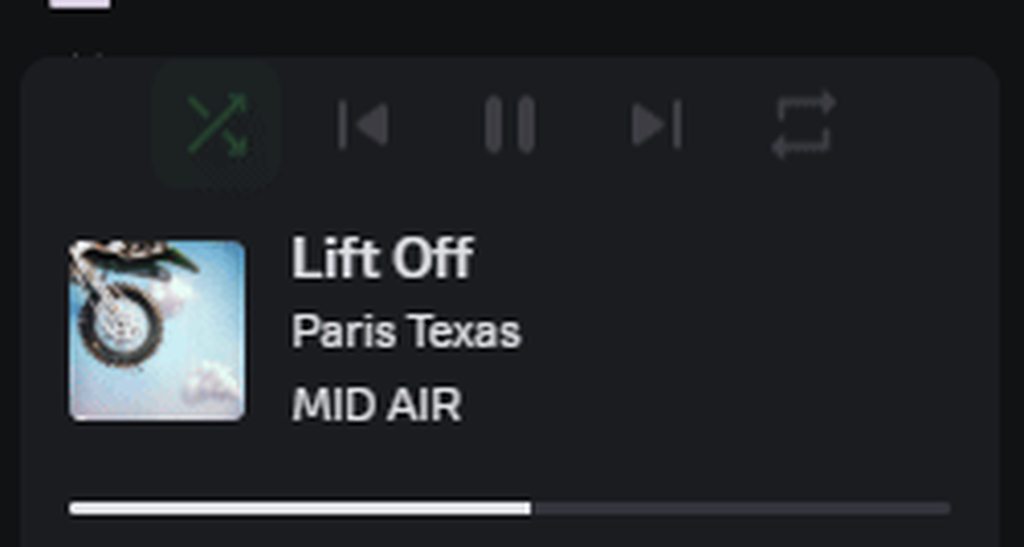
doesn't look as choppy in the gif
pure cairn
It's still a bit choppy but it might just be the gif
pure cairn
onyx mesa
doesn't look as choppy in the gif
Figured
Now I wonder how it would look if it was overlapping the bottom part of the spotify panel without affecting the height
onyx mesa
translate only moves the buttons around... doesn't actually effect the height of the panel
pure cairn
No I mean
pure cairn
onyx mesa
https://i.imgur.com/hWU7ac2.gif
Like this, but with the controls panel anchored at the bottom
onyx mesa
i guess it being instant is not that bad
pure cairn
Told you
echo frost
onyx mesa
https://i.imgur.com/hWU7ac2.gif
is that with or without the builtin hover setting
onyx mesa
echo frost
is that with or without the builtin hover setting
without
how do i make the cover image match the height of the whole container, i've been at this for too long
 pure cairn
height: inherit?
onyx mesa
tried it already, heigh: 100% as well
pure cairn
What was the parent height value?
Otherwise you can, idk, scale it up
And cut off the sides with max-width
onyx mesa
i could just scale it up but the thing is that all the styles apply to the gaming one too and all others
that's why i've been trying to make it fit to the container height
onyx mesa
the only solution i got is using :has() to target all the different activities by themselves
pure cairn
horror
onyx mesa
exactly, no other way i have found to differentiate them
pure cairn
spotify activity has the 2 buttons
regular games don't
but that still falls into :has() territory

onyx mesa
what a conundrum
pure cairn
spotify activity:
- header
- body
- actions
no nvm, all activities have actions
but they're not shown by the actions:empty { display: none } styling
pure cairn
real
I think the less harmful :has() might be targeting the spotify icon svg in the header section of the activity card
pure cairn
then you might not even need all of this mumbo jumbo mess
.card__39ec2:has(> .header__39ec2 > .headerText__39ec2 > .platformIcon__39ec2[style="mask-image: url("/assets/f6833ce4dd20c1fb.svg");"])
I guess you can stop at
.card__39ec2:has(> .header__39ec2 > .headerText__39ec2 > .platformIcon__39ec2)
gray spoke
onyx mesa
transform seems to be the only way to do it and make it seem smooth
Composited animations
echo frost
wtf is this
it's blocking my clicks
 gray spoke
echo frost
wtf is this
it's blocking my clicks
gray spoke
echo frost
wtf is this
it's blocking my clicks
All your servers seem to have no icon as well
pure cairn
He censored them
There's a big black bar covering them that's different from the rest of the theme colors
echo frost
yeah i censored them

I think there was a shadow
that's why it was slightly darker
(smart eraser matches the color I click)
 weak fiber
what's the easiest way to hide these two buttons?

I'm on a vertical monitor and have very little text box area
echo frost
I have a snippet that hides all buttons except when hovering
weak fiber
ohhh that sounds like it might be awesome actually
echo frost
there's not a great way to hide the buttons anymore without using :has()
they don't even have aria labels anymore
echo frost
yeah that and my collapsible message actions are probably the best snippets i've ever made
I need to update that actually
I made an animated version
 wind geyser
echo frost
they don't even have aria labels anymore
wind geyser
echo frost
they don't even have aria labels anymore
is this a recent canary change? mine still work fine on stable
echo frost
they got removed a while ago on stable
weak fiber
is there any way to hide this Slowmode is enabled text too and just keep the hover popup on the clock icon only?

 wind geyser
strange

 wind geyser
oh well i hid all of them so i never noticed lol
echo frost
echo frost
well yeah that'll hide them
the aria labels are a child element of the elements I showed
echo frost
weak fiber
is there any way to hide this `Slowmode is enabled` text too and just keep the h...
.cooldownText_b21699 {
  font-size: 0;
}
understood
weak fiber
echo frost
```css
.cooldownText_b21699 {
font-size: 0;
}
```
omg actual lifesaver thank you so much again !!!!!
wind geyser
on the topic of hiding things, is there one for hiding these two + the divider? i looked around last night & was able to find this but that doesn't seem to be what i want css [data-list-item-id^=channels___upcoming-events-] { display: none !important; }
 echo frost
ahhhh i've been doing c++, and now I keep putting my brackets on a new line
pure cairn
Real
pure cairn
wind geyser
on the topic of hiding things, is there one for hiding these two + the divider? ...
This should be fairly easy but sadly I won't be home for the whole day so I can't help

echo frost
wind geyser
on the topic of hiding things, is there one for hiding these two + the divider? ...
I don't think there's a good way to do that
and I think it might mess with lazy loading
here's a bad way to do it though
:is(
  [data-list-item-id^=channels___upcoming-events-],
  [data-list-item-id^=channels___skill-trees-]
)+div,
ul[aria-label="Channels"]>.sectionDivider__629e4 {
  display: none !important;
}
🫡 client doesnt noticeably slow down so it works for me. appreciate it
echo frost
it isn't laggy
you could use :has() to get rid of the small padding this method leaves behind
but then it would probably lag
pure cairn
You could set padding 0 to the first elements of the sidebar
Not sure how it would work when there are less or more elements there, but eh
echo frost
pure cairn
You could set padding 0 to the first elements of the sidebar
but if you can select just the elements you need to fix the padding on, you can just display: none those
pure cairn
pure cairn
Not sure how it would work when there are less or more elements there, but eh
You could, yeah, however ^
Padding 0 is less destructive than display none
Some nth-child shenanigans
echo frost
echo frost
I need to update that actually
added the not laggy version i made like a month ago
i'll surely finish cleaning up my snippets, and put them on github soon
 main wraith
Hi I'm new to css I've used HTML but I've always had problems with CSS and the way it's formatted in discord themes looks a bit different from what I'm used to. I tried looking on youtube but there isn't anything that explains how to code themes yourself so I was wondering if someone could point me in some directions besides "google how to code css"
Also I tried looking at the code of other themes but it's like Greek to me lol. Apologies if I'm using the wrong channel this seemed like the right place and apologies if I'm being annoying lol
pure cairn
main wraith
Hi I'm new to css I've used HTML but I've always had problems with CSS and the w...
I've been tinkering with css for a few months now, starting from scratch
Personally, I started looking at other people's themes and how the things were done, then I switched to why they were done like that, gradually picking stuff up as I went
I also used the MDN website for learning, but w3school is good too
My approach was quite simple

It's funnier this way
main wraith
pure cairn
I've been tinkering with css for a few months now, starting from scratch
Persona...
We kinda took the same approach I was looking at them for a baseline of what to do but some of them were pretty advance so I got confused
Cuz I saw all the background stuff and it looked pretty confusing
pure cairn
Hm, what do you mean by "background stuff"?
main wraith
pure cairn
Hm, what do you mean by "background stuff"?
Could I dm you the screenshot? I can't show here and if I describe it I'll make you more confused lol
pure cairn
Uh, sure
My DMs are always open
I will answer tomorrow though, as I'm going to sleep now
blissful ledge
is there any way to change the radius of the server tags
-# ignore the message
 gray spoke
blissful ledge
is there any way to change the radius of the server tags
-# ignore the message
gray spoke
blissful ledge
is there any way to change the radius of the server tags
-# ignore the message
Yes there is. You should be able to select it using inspect element and target it based on that class.
echo frost
blissful ledge
is there any way to change the radius of the server tags
-# ignore the message
the border radius or the padding?
echo frost
blissful ledge
is there any way to change the radius of the server tags
-# ignore the message
.clanTagChiplet_c19a55 {
  border-radius: 50px; /* rounded corners. default: 4px */
  padding: 2px 4px; /* default: 0 4px */
}

 torn templeBOT
mods crush this person's skull
cloud joltBOT
torn temple
mods crush this person's skull
Lobotomised! 🔨
echo frost
wtf is this discord update

 echo frost
torn temple
mods crush this person's skull
echo frost
torn temple
mods crush this person's skull
also wtf was this
oh and the color of the message actions changed
i hate change
hexed imp
echo frost
also wtf was this
I tried to no-ping reply moon that I gave up on moving my spotify controls to the top of the spotify panel and linked a snippet I'm using instead, which was blocked with an entirely unhelpful message (basically rtfm which didn't apply to my message), then I asked what was in violation and got timed out 
pure cairn
Yeah, don't post images with automod
hexed imp
I still don't know why I was blocked in the first place
smoky belfry
echo frost
wtf is this discord update
it's like that since a while, they add rounding to EVERYTHING
crimson skiff
echo frost
also wtf was this
ive seen it a couple times as well, so confused
 shut dragon
does anyone have quickcss to make the "friends" button the same height as the other buttons? it's pissing me off

i've tried
.private-channels-uid_899___friends {
    min-height: 0px; /* makes the friends button as tall as the other ones */
  }
which does nothing
and
.layout__20a53 {
    min-width: unset !important; /* disables stupid cropping (unrelated) */
    min-height: 0px !important;
  }
which crops dms really badly, and i can't find any other classes where i can change this

and this inner thing is the problem but idk how to crop this if even possible
 onyx mesa
shut dragon
does anyone have quickcss to make the "friends" button the same height as the ot...
onyx mesa
shut dragon
does anyone have quickcss to make the "friends" button the same height as the ot...
most likely padding or marging problems
shut dragon
i mean the blue part is the one making the button big so it's neither margin nor padding
onyx mesa
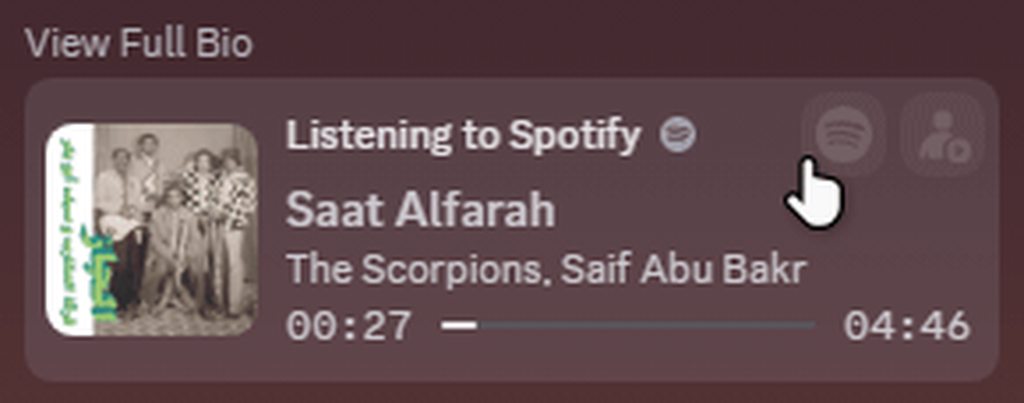
really couldn't style it the way i wanted due to limitations but managed to make it somewhat more compact
onyx mesa
this also should work on all activity cards, haven't checked that yet
onyx mesa
indeed the action buttons are broken
 pure cairn
Figured
I assume you set font-size to 0 on the buttons text so you would only have the svg icons
 pure cairn
That's similar to what I did in my big popouts snippet
pure cairn
pure cairn
That's similar to what I did in my big popouts snippet
^
I did that in mine
onyx mesa
but even the button sizes are not changed with that one
pure cairn
What do you mean?
onyx mesa
they suppose to be smaller
onyx mesa
i removed all min-height, min-width and padding from them
i'll look into it
i don't need the :has() anymore at least
pure cairn
onyx mesa
i removed all min-height, min-width and padding from them
For mine, I had to set a fixed width on the button element, unset the min-width on the child and have it inherit the parent's width
Because the min-width is on one of the children, not the parent
onyx mesa
the spotify one uses different classes for the buttons than the rest
pure cairn
Well
Fuck

tbh, you could just leave that one :has()
it's literally the only one I have in my snippet and it doesn't really affect performance that much

lmao why husk
this is not even that cursed
I've done worse stuff that I'm not publishing
onyx mesa
probably will have to cuz i noticed the youtube one also has the platform icon class
 brazen quartz
pure cairn
lmao why husk
brazen quartz
pure cairn
lmao why husk
nesting on every single rule
brazen quartz
i don't like it
 pure cairn
brazen quartz
i don't like it
pure cairn
brazen quartz
i don't like it

it helps me keep things organised
and also avoids specificity issues
brazen quartz
i also try not doing so because the DOM may change at God knows what point and i will have to redo all of that
pure cairn
that's fair, but I rarely had to do it
echo frost
pure cairn
lmao why husk
:has()
and unnecessary nesting
 golden halo
I've been fighting this theme all night trying to fix it and make it look better for discord UI and its 4AM so I'm going to sleep, but can anyone help with this?
- Need to bring the userpanel down to the space below the channels, as usual (suspecting its something in the imports because no matter how much I target the container it won't budge even with !important
- Expand the main members and texting module to fit the same size as the channel module idfk what's going on there
- Shift over the server list slightly, am I going insane or are targetting containers not working anymore?
Sent the css I've been tinkering with, I haven't found very much when searching the imports though for some reason, if anyone could help me pinpoint what the problems are that would be awesome

 inner fable
so im using balds little snippet
.form_f75fb0 .channelBottomBarArea_f75fb0 {
  width: 100%;
  max-width: 1000px; /* <-- change me if you want */
  justify-self: center;
}``` along with the same thing just for the typing indicator
```.typing_b88801.base_b88801 {
    width: 100%;
  max-width: 1000px;
  justify-self: center;
}```
but would i cannot figure out how to center the messages and round the left side and not just the right- Never call me bald
- I've always struggled with centering that fucker
inner fable
half crystal
1. Never call me bald
2. I've always struggled with centering that fucker
Im sorry, why is your display name bald though if you dont mind asking?
wait it changed
am i hallucinating?
whats real?
half crystal
inner fable
Im sorry, why is your display name bald though if you dont mind asking?
My display name was never bald in this server
It has been in other servers tho
half crystal
I disable the rabbit
inner fable
what
inner fable
half crystal
My display name was never bald in this server
It has been in other servers tho
sorry though
echo frost
half crystal
My display name was never bald in this server
It has been in other servers tho
I thought it was what
maybe not
inner fable
half crystal
1. Never call me bald
2. I've always struggled with centering that fucker
so uhh not quite sure what i did but i did it at least for me, also puts scroll bar closer but i kinda like it so and yes i typed this before taking the screen shot (sorry for dark had to freeze discord somehow)
    width: 100%;
    max-width: 1000px;
} /* might not be needed but doesn't hurt so why not*/

.messagesWrapper__36d07 > .scroller__36d07 {
    width: 100%;
    max-width: 1000px;
    margin: 0 auto;
}

.messagesWrapper__36d07 > .scroller__36d07 > .scrollerContent__36d07 {
    width: 100%;
} /* might also not be needed but still doesn't hurt i think*/


.form_f75fb0 .channelBottomBarArea_f75fb0 {
  width: 100%;
  max-width: 1000px;
  justify-self: center;
}

actually now that i think about it all we need is .form_f75fb0 .channelBottomBarArea_f75fb0, .messagesWrapper__36d07 > .scroller__36d07 { width: 100%; max-width: 1000px; justify-self: center; }
probablly will have uninted side effects but oh well and can vencord like auto restart for updates this is getting annoying anyways
also bonus typing center cause why not!
    width: 100%;
    max-width: 1000px;
    justify-self: center;
}```center everything!
absolutley every single thing that physically can!
plain kelp
inner fable
center everything!
That's not hard to do but is very ugly

 inner fable
i tried to brute force center absolutley everything, oh god

not even sure if that sent
i need to restart discord rq
plain kelp
* {
  position: absolute;
  left: 50%;
  top: 50%;
  transform: translate(-50%, -50%);
}
``` doesn't work sadlywhat exactly for?
oh wait center everythiong
plain kelp
If I zoom in a lot there's a tiny this in the middle
 inner fable
plain kelp
If I zoom in a lot there's a tiny this in the middle
inner fable
plain kelp
If I zoom in a lot there's a tiny this in the middle
discord jumpscare
i got this

very nice black screen if i do say so myself
plain kelp
If you compress everything like that you get a black hole I guess
 austere cloak
Anyone know if there is a snippet existing to prevent hiding threads ? I think I have one from the past but idk if he is still working
pure cairn
I don't think you can do much about that
Threads are automatically hidden after x days of inactivity, default being 3
Css won't help
austere cloak
ok 😦 ty
 full pebble
i want to make context menu emotes bigger but theyre set to use resolution of 20 of images

it just cant be done right?
plain kelp
Not with css
smoky belfry
is there a way to do this with CSS in a clean way
basically have it try to be as vertical as space allow, but if it can't be then it goes down horizontal


 half crystal
smoky belfry
is there a way to do this with CSS in a clean way
basically have it try to be as...
half crystal
smoky belfry
is there a way to do this with CSS in a clean way
basically have it try to be as...
you could make it flex and then flex-wrap it
smoky belfry
flex wrap doesn't seem to do anything good
i have a hard time even getting how it works
i looked at MDN and all and i'm even more confused after i retested
sometimes i hate CSS being so confusing
sometimes i love it being so powerful
half crystal
@smoky belfry best i could do, modify 365px until it stops wrapping by defualt to suit your tastes, enjoy
.buttons__74017 {
    flex-wrap: wrap;
    width: max-content!important;
    max-height: 100%;
    height: auto!important;
}
.textArea__74017 {
    width: max-content;
    min-width: calc(100% - 365px);
}
it does some weird thing, but doesn't wrap


oh wait i get what you did
my goal would be for the wrapping to be determined by the height of the chat box
not the opposite
and here it constantly use the same wrapping
half crystal
smoky belfry
my goal would be for the wrapping to be determined by the height of the chat box
afaik impossible, i dont think discord has a js var for that
smoky belfry
i'm trying to make it dynamic
half crystal
smoky belfry
i'm trying to make it dynamic
yeah no thats what this does
smoky belfry
i'm thinking about media queries because i've seen wild stuff done with it and it seems to be able to use height an width values and stuff, but i don't know enough about CSS to know the limitation and how it works
half crystal
you know that mightwork
smoky belfry
interns having the wildest ideas that sometimes are genius ideas and sometimes the worst thing you've seen
 empty gyro
how can one fix tags being displaced.
I used to have this snippet
/* Guild tags displacement in VC's and profiles fix. */
.chipletParent__394db{
  top: -12px;
}```
but it no longer works unfortunately.
 river pecan
can somebody help me to make "bigger view" on hover for choosing a emoji?
kinda z-index aint workin or i am using wrong thing 💔
spare mural
river pecan
kinda z-index aint workin or i am using wrong thing 💔
z-index is for controlling the layering, elements with a higher z-index will appear in front of elements with a lower z-index
river pecan
spare mural
z-index is for controlling the layering, elements with a higher z-index will app...
thanks for explaining
echo frost
echo frost
wtf is this discord update
wtf this hover color is messed up too
 main wraith
Is creating a theme different when doing so for the desktop app than like discord through browser
I'm seeing so many like differences cuz my friend showed me something tbf it was what Chat Gpt gave him (I haven't used it for this I'm avoiding it) but like I'm so confused 😭
Cuz css on the videos I've watched are in conjunction with html
But when I look at how people code using github I don't really see html or am I just
dumb
sorry for the dumb questions it's been a while since I've done coding
spare mural
main wraith
Cuz css on the videos I've watched are in conjunction with html
Yes of course, themes are different in that you cannot directly modify the html
You can see the html in devtools
The css you see in themes directly applies to discords html
main wraith
spare mural
Yes of course, themes are different in that you cannot directly modify the html
...
Can you recommend how to do it? Because when I'm about to code in the CSS it's like my brain can't function without the html 😭
is there a video on how to do css standalone?
spare mural
again you can see all the html in devtools
main wraith
Sorry read too fast
 tranquil whale
I need help with this shit
 gray spoke
tranquil whale
I need help with this shit
gray spoke
tranquil whale
I need help with this shit
May you elaborate per chance on what the issue is?
 regal torrent
is there a way to put like a crt filter over the entire discord window?
gray spoke
regal torrent
is there a way to put like a crt filter over the entire discord window?
You could look up a method on how to create a CRT effect in CSS, then put that on a full screen psuedoelement under body that has pointer-events none.
regal torrent
ok 👍
 real quarry
what's the most performant solution to removing the BS gradient that's in all GIFs now

example, pt2:
 real quarry
yeah that gradient
real quarry
sick, thanks!
echo frost
don't use *= when ^= works
and also *= and ^= aren't great for performance
and you shouldn't even need the hover
oh and using :hover doesn't fix it when using arrow keys to select it
echo frost
real quarry
sick, thanks!
attribute selectors (the [class*=result_]) and especially *= isn't good for performance, and if you want to use an attribute selector, in this case use ^= to only check the beginning
The advantage to using an attribute selector is that you don't have to run your css through a class updater when discord makes an update that rerolls the class ids (which happens a couple times a year, and takes very little time to do)
The disadvantage is that it's a bit worse for performance, and less specific, because without the id, it could select classes that have the same name used in a different place in discord
If you do want to use an attribute selector, i'd change it to #gif-picker-tab-panel [class^=result_] to avoid selecting different result classes and use ^= instead of *=
Here's a bit better snippet imo
And it will work when using arrow keys, and it fixes the border having a subtle gradient
.result__2dc39::after {
  display: none;
}
.result__2dc39:hover {
  box-shadow: var(--shadow-border);
}
 errant monolith
gif button broke, im hiding some things not sure whats up
 real quarry
echo frost
attribute selectors (the `[class*=result_]`) and especially \*= isn't good for p...
real quarry
echo frost
attribute selectors (the `[class*=result_]`) and especially \*= isn't good for p...
i havent had my FPS tank significantly yet but thx for hooking me up with a better solution
echo frost
real quarry
i havent had my FPS tank significantly yet but thx for hooking me up with a bett...
yeah attribute selectors aren't terrible for performance like :has() is
but a ton of them will add up to noticable lag
 charred geode
pokepoke
my shitty little custom theme somehow changed to default colors for background and side bars despite nothing changing and the css still looking good, but i'm not super good at this lol
any help appreciated <3
errant monolith
is there a way to remove/disable the remix image app button on image hover as well?
charred geode
oh sorry, i didn't mean to derail
echo frost
errant monolith
gif button broke, im hiding some things not sure whats up
can you send your css
 stark crest
does anyone have this topic?
 echo frost
errant monolith
is there a way to remove/disable the remix image app button on image hover as we...
echo frost
errant monolith
is there a way to remove/disable the remix image app button on image hover as we...
this thing?
 errant monolith
yes
echo frost
stark crest
does anyone have this topic?
?
what topic
errant monolith
one moment im trying something; but disabling the remix on hover thing would help me a lot
echo frost
errant monolith
is there a way to remove/disable the remix image app button on image hover as we...
I just use this in my css
[aria-label="Edit Image with Apps"] {
  display: none !important;
}
might not need the !important
i have some other selectors there too
stark crest
echo frost
?
what topic
The thing is that before on the github you could find the link to the subject of the photo, which is like an elegant chocolate color, but now it is no longer there.
echo frost
echo frost
I just use this in my css
```css
[aria-label="Edit Image with Apps"] {
display...
there isn't a great way to differentiate the buttons other than aria label
 echo frost
stark crest
The thing is that before on the github you could find the link to the subject of...
echo frost
stark crest
The thing is that before on the github you could find the link to the subject of...
you want the link to that shiggy image?
this should be the same one
as a sticker
here's the url https://media.discordapp.net/stickers/1039992459209490513.png
stark crest
well, it's time to keep looking.
echo frost
stark crest
well, it's time to keep looking.
What are you asking
errant monolith
ah the source of the bad icon is https://davart154.github.io/Themes/Icon Revert 2023/2023 Icon Revert.css
echo frost
stark crest
does anyone have this topic?
wait do you want this theme?
stark crest
echo frost
wait do you want this theme?
Yeah
errant monolith
i guess i can just cope with the new ones i just dislike them :(
echo frost
if you just want to remove the gif revert, it's super easy to do
errant monolith
yeah i can just remove the line and host it myself
echo frost

 echo frost
why are you trying to import it
echo frost
you could also just copy the entire thing into your quickcss
but that would be pretty cluttered
echo frost
it needs to be a .css file
errant monolith
.theme.css?
echo frost
just needs to end in .css
errant monolith
right ok thanks
echo frost
well ig i haven't tried using .txt, but css is still just plain text like .txt
you can just rename a text file to a .css file
errant monolith
i removed the line and its still coming up block
echo frost
did you remove your import too
errant monolith
idk
echo frost
tranquil whale
what is a good sms text bow css snippet
there's one in #🎨-css-snippets
errant monolith
maybe i just hide the gif button, is there a hotkey for it?
echo frost
you should be able to just search sms
echo frost
errant monolith
maybe i just hide the gif button, is there a hotkey for it?
ctrl+g
it looks like the themedev is still fairly active
they updated it two weeks ago
so they might fix it
it's a much bigger problem than just the gif button
errant monolith
i see, thanks for your help and explaining
tranquil whale
thanks
echo frost
errant monolith
maybe i just hide the gif button, is there a hotkey for it?
This uses :has(), so it might be a tiny bit laggy, but it shouldn't be too bad, and the snippet already uses a much worse :has()
.expression-picker-chat-input-button:has(>[aria-label="Open GIF picker"]) {
  display: none;
}
this works fine i searched for it button[aria-label="Open GIF picker"] { display: none; }
echo frost
errant monolith
this works fine i searched for it ```button[aria-label="Open GIF picker"] {
...
that leaves a gap
errant monolith
div[class*="buttons_"] {
    gap: 0 !important;
}```ig that fixes it
 jaunty forge
So var(--background-secondary) got removed from the main.css in a recent update
it was replaced by var(--background-base-lower)
or at least that the one that seems to match what I had before that ended at #2f3136
-# took me a bit to figure out why some of my custom stuff suddenly was transparent, thought I'd share in case someone else has this issue
echo frost

(the glass background thing)
💀
(a default emoji to not have the "This emoji is from")
so much better
.popoutContainer__0f481 {
    -webkit-backdrop-filter: none;
    backdrop-filter: none;
    background-color: var(--background-base-low) ;
}

oh it might not be quite as bad if discord's css wasn't using an undefined variable
 river warren
yo does anyone know how i would grab the string that contains the username in the "Person is typing..." element
regal torrent
why are the dots cut in half :c

so if i want a circle i have to add my own thing
ok
 civic steppe
hey any programmers around i need sum help
 civic steppe
ok just a moment please
i need help fixing server spacing

they're too spaced out
if anyone could help me out it'd be apreciated
civic steppe
thanks a lot
gray spoke
regal torrent
why are the dots cut in half :c
Google does the same thing but implemented worse typically
regal torrent
epic
echo frost
regal torrent
why are the dots cut in half :c
that's how it's always been
regal torrent
cool
regal torrent
how can i stop something like this from happening with vcs

i changed the height of the channel things and this happened
pure cairn
I doubt it's going to work, because there surely are some child elements, but you could check if VCs with people in it have anything different from VCs without people, in terms of classes, IDs or data given by the ThemeAttributes plugin
It would be cool if you could just use :empty on the channel element and call it a day, but then again, discord really likes sprinkling child elements like parmesan
regal torrent
uh
it goes normal when i hover over the names of the people in vc
is there a way to like
set it to always be in the hover state or something
idk much abt css
pure cairn
regal torrent
set it to always be in the hover state or something
Not with css
well, I think there's only one real way of preventing that from happening with css alone, but the downside is that it uses a :has() which is bad for performance
by using this
[class^=containerDefault_]:not(:has(> [class^=list_]))
as the selector
 pure cairn
oh yeah, that also works lol
regal torrent
ok thanks for the help 👍
 regal torrent
i hope you live
whats the hotkey to pause the entire page on the discord app
i keep having to run the command manually
f8 doesnt work
hexed imp
gotta enable the f8 plugin first
regal torrent
ok thanks
pure cairn
yeah you need the plugin for it to work
regal torrent
thanks 👍
iron smelt
pure cairn
by using this
`[class^=containerDefault_]:not(:has(> [class^=list_]))`
as the s...
:has() horror
pure cairn
iron smelt
`:has()` horror
I know
#🎨-theme-development message
spare mural
:has() is only bad when misused, sometimes, especially in themes, you just have to use it
chilly knoll
how tf do i theme the hover? first gif is hover

i for the life of me cannot get this to work
gray spoke
chilly knoll
how tf do i theme the hover? first gif is hover
:hover?
Or hover over, trigger debugger and see if there's any special class assigned on hover
echo frost
chilly knoll
how tf do i theme the hover? first gif is hover
what are you actually trying to do
echo frost
spare mural
:has() is only bad when misused, sometimes, especially in themes, you just have ...
exactly
it being used at all is misusing it
(slightly joking)
 halcyon crypt
can I remove these from the channel list on my server?
 regal torrent
display:none
chilly knoll
gray spoke
:hover?
I tried that and it didnt do anything
chilly knoll
echo frost
what are you actually trying to do
Change the hover colour
echo frost
chilly knoll
Change the hover colour
.result__2dc39::after {

}
 regal torrent
i have a crt effect under body::after but it doesnt cover the whole screen, how do i make it do that
 echo frost
regal torrent
i have a crt effect under body::after but it doesnt cover the whole screen, how ...
echo frost
regal torrent
i have a crt effect under body::after but it doesnt cover the whole screen, how ...
maybe try z-index: 9999999;?
regal torrent
that worked thanks 👍
pure cairn
regal torrent
i have a crt effect under body::after but it doesnt cover the whole screen, how ...
That looks good
How did you do that?

pure cairn
pure cairn
regal torrent
i have a crt effect under body::after but it doesnt cover the whole screen, how ...
how did you make it work as body::after?
I'm trying but I literally cannot give it width or height lmao
the only workaround I found was using #app-mount instead
oh well, as long as it's working
regal torrent
pure cairn
how did you make it work as body::after?
 pure cairn
oh I was missing the position: absolute
cool
my version
:root {
  --crt: off;
  --crt-transparency: 0.2;
  --crt-speed: 5s;
  --crt-blur: 0.8px;
}
@container style(--crt: on) {
  body::after {
    content: "";
    width: 100%;
    height: 100%;
    position: absolute;
    background: linear-gradient(
      to top,
      rgb(0 0 0 / var(--crt-transparency)),
      rgb(0 0 0 / var(--crt-transparency)),
      rgb(255 255 255 / var(--crt-transparency)),
      rgb(255 255 255 / var(--crt-transparency))
    );
    background-size: 100% 1px, cover;
    z-index: 999;
    pointer-events: none;
    animation: crtlines infinite var(--crt-speed) linear;
    filter: blur(var(--crt-blur));
  }
  @keyframes crtlines {
    0% {
      background-position: 0 0;
    }
    100% {
      background-position: 0 -10px;
    }
  }
}```pretty neat 👍
i made mine flicker but it kind of made my head hurt so i turned it off
pure cairn
I added the initial toggle for that reason
pure cairn
my turn to ask questions
is there a way to make a fisheye effect with css? similar to old tvs

 crimson skiff
transform perspective
pure cairn
insane
regal torrent
pure cairn
my turn to ask questions
is there a way to make a fisheye effect with css? simil...
would like to know this too ^
i think you can do it with webgl but i dont want to use that since it eats my performance in everything else
pure cairn
I had found a workaround but it required me to clone the entire body element 3 times, rotate them differently and then clip-path them so there was only 1/4 of the screen being shown
and obviously I can't do that
oak plover
can’t you like overlay the whole page with an svg that has displacement maps or whatever
I’ve never used them so idk if that actually works but it would be cool if it did
pure cairn
oak plover
can’t you like overlay the whole page with an svg that has displacement maps or ...
I have no idea what you just said
Do tell more
oak plover
it’s like some weird filter junk where some math determines how pixels on an image are displaced
oak plover
That’s the thing I’m not sure how it’d work as an overlay
I was thinking it’s maybe like a mask but I don’t think it’s that easy
I know backdrop filters exist so maybe it would apply there if that can support a url
plain kelp
pure cairn
my turn to ask questions
is there a way to make a fisheye effect with css? simil...
Might be possible with a svg filter, those are quite capable
pure cairn
I guess it's time to learn how to make this kind of svg's then
 verbal thicket
I have a theme (template?) that generates a theme from pywall colors. It works great for most of the part, but it doesn't change the color of the server list an the top bar background etc, I believe its a theme issue does anyone know the class name for those?

The theme (template?)
https://github.com/ZephyrCodesStuff/pywal-vencord/blob/main/colors-discord.css

GitHub
Pywal colors template for Vencord. Contribute to ZephyrCodesStuff/pywal-vencord development by creating an account on GitHub.
verbal thicket
verbal thicket
I have a theme (template?) that generates a theme from pywall colors. It works g...
more visible with this theme
 pure cairn
verbal thicket
I have a theme (template?) that generates a theme from pywall colors. It works g...
pure cairn
verbal thicket
I have a theme (template?) that generates a theme from pywall colors. It works g...
Most likely due to the recent changes to discord vars
smoky belfry
did i do smth with my CSS that i forgor or is it discord that changed smth ?
the github embeds are basically uncapped
 gray spoke
smoky belfry
did i do smth with my CSS that i forgor or is it discord that changed smth ?
the...
gray spoke
smoky belfry
did i do smth with my CSS that i forgor or is it discord that changed smth ?
the...
What do you mean by uncapped
smoky belfry
The length
 burnt sky
this is pretty neat and if you remove the :hover from the snip the animation still plays when discord isn't in focus
#🎨-css-snippets message
regal torrent
is there a better way to replace the discord home image thing? i just set the original home icon to display:none and i set the background image to the image i wanted but it also sets that photo for group dms and stuff

 lunar hamletBOT
clear siren
https://github.com/nvhhr/discordcss/blob/main/snippets/swaphomeicon.theme.css
lunar hamletBOT
clear siren
https://github.com/nvhhr/discordcss/blob/main/snippets/swaphomeicon.theme.css
swaphomeicon.theme.css:
/**
 * @name swaphomeicon
 * @author nvhhr
 * @description replace home icon/dm button with custom image
*/

/* set a background-image on dm button */
[data-list-item-id=guildsnav___home] > [class^=childWrapper_]
 { background-image: url("https://i.imgur.com/ekIk6Ux.png");
   background-position: center;
   background-repeat: no-repeat;
   background-size: 70% 70%; /*adjust as you see fit*/
   svg { display: none; }} /*remove discord logo from top leaving only background*/
that's what I use
regal torrent
thanks 👍
copper flame
verbal thicket
I have a theme (template?) that generates a theme from pywall colors. It works g...
you probably have the visual refresh fast follows experiment
https://github.com/catppuccin/discord/pull/398/commits/9f85edb1feb3a2223e1b6b44edf64e9b95b1f182
 brittle iron
anyone know how i can find this pop-up's class? lil guy loves disappearing

 swift wasp
brittle iron
anyone know how i can find this pop-up's class? lil guy loves disappearing
swift wasp
brittle iron
anyone know how i can find this pop-up's class? lil guy loves disappearing
check this box, click :hov to show it
 iron smelt
brittle iron
anyone know how i can find this pop-up's class? lil guy loves disappearing
iron smelt
iron smelt
brittle iron
anyone know how i can find this pop-up's class? lil guy loves disappearing
Use this plugin to freeze discord^
brittle iron
swift wasp
check this box, click `:hov` to show it
that did it tyty
swift wasp
np
brittle iron
my clumsy attempt at bringing Couve over to the new design is going somewhat okay, i really liked that theme

 craggy creek
does anyone have a working transparent theme
gray spoke
craggy creek
does anyone have a working transparent theme

Realistically, check BetterDiscord themes.
clear siren
I do transparency with this https://github.com/nvhhr/discordcss/blob/main/snippets/actuallybasicbackground.theme.css with no bg image
still need to finish the rewrite on that..
I can sense krammeth's impatience with me
pure cairn
Why should I be impatient? I'm still using my version for the time being so it's all good
weak fiber
would anyone have a way to change the mention background colour? either to a just hex code or a gradient of some kind or smth
hexed imp
.mentioned__5126c:before, .replying__5126c:before { background: #a84d56; }
.mentioned__5126c, .replying__5126c { opacity: 1; background-image: linear-gradient(to right, #321414 1%, rgba(0,0,0,0) 50%, rgba(0,0,0,0)); }```This is what I use. You can change the following to your preferred options:
`background: #a84d56;`
* This is the vertical line on the left, this is a pinkish brown, set it to your preferred color hex or color variable
`linear-gradient(to right,....etc....`
* `#321414` is a reddish brown, set it to your preferred color hex or color variable
* `1%` and `50%` are how fast things fade from the color to transparent, the way I have it set is a pretty fast fade as I don't want it to interrupt quite so much as default (bigger numbers = slower fade) echo frost
@echo frost test
echo frost
hexed imp
```/* Reply/Ping customization */
.mentioned__5126c:before, .replying__5126c:bef...
why not just modify the variables?
echo frost
hexed imp
```/* Reply/Ping customization */
.mentioned__5126c:before, .replying__5126c:bef...
--background-mentioned
--background-mentioned-hover
--background-message-highlight
.mentioned__5126c:before {
    background: var(--info-warning-foreground);
}
.replying__5126c:before {
    background: var(--brand-500);
}
whoa this is so good
idk why I never used it
echo frost
echo frost
`--background-mentioned`
`--background-mentioned-hover`
`--background-message-hi...
no variable directly for replying hovered
.message__5126c.replying__5126c.selected__5126c, .mouse-mode.full-motion .message__5126c.replying__5126c:hover {
    background: var(--brand-10a);
}
I didn't do it myself. It's a snippet but I can't find the link for it lol
echo frost
oh wait i remember it
and also I think for some reason not using the variables gives a smoother gradient
hexed imp
Well, mostly not me. The only part I did was the gradient itself. IIRC the snippet was a flat color.
echo frost
echo frost
oh wait i remember it
found it #🎨-css-snippets message
hexed imp
That's it
chilly knoll
echo frost
```css
.result__2dc39::after {
}
```
it just changes all the gifs to a certain colour when i try that

.result__2dc39:hover:after works
weak fiber
thank you !
 full rover
weak fiber
thank you !
full rover
weak fiber
thank you !
e!
 astral relic
is it possible to have a animated discord theme
pure cairn
elaborate on that
astral relic
pure cairn
elaborate on that
animated background
gray spoke
astral relic
is it possible to have a animated discord theme
MDN Web Docs
CSS animations make it possible to animate transitions from one CSS style configuration to another. Animations consist of two components: a style describing the CSS animation and a set of keyframes that indicate the start and end states of the animation's style, as well as possible intermediate waypoints.
pure cairn
astral relic
animated background
https://github.com/nvhhr/discordcss/blob/main/snippets/actuallybasicbackground.theme.css
using a gif as background image
GitHub
Discord css stuff. Contribute to nvhhr/discordcss development by creating an account on GitHub.
 next sorrel
is it possible to apply different fonts to different writing systems since some doenst support everything ?
regal torrent
next sorrel
is it possible to apply different fonts to different writing systems since some ...
you can change or add symbols on charmap i think
next sorrel
regal torrent
you can change or add symbols on charmap i think
like combine 2 fonts into one and use it ?
regal torrent
next sorrel
like combine 2 fonts into one and use it ?
i think you can set what fonts appear for different symbols
idk
next sorrel
ill look into it , thanks
clear siren
next sorrel
is it possible to apply different fonts to different writing systems since some ...
if just setting multiple fonts on an element doesn't work (not picking correct ones for cjk for an example), you can use the font-face declaration with unicode-range
next sorrel
clear siren
if just setting multiple fonts on an element doesn't work (not picking correct o...
yeah tahts what i fund out , i still have an error somewhere
can't fugure out where
clear siren
show code I might be able to help
next sorrel
  font-family: "CustomArabic";
  src: url(https://fonts.googleapis.com/css2?family=Amiri:ital,wght@0,400;0,700;1,400;1,700&display=swap);
  unicode-range: U+0600-06FF, U+0750-077F, U+08A0-08FF; /* Arabic + Extended */
}

@font-face {
  font-family: "CustomChinese";
  src: url(https://fonts.googleapis.com/css2?family=Amiri:ital,wght@0,400;0,700;1,400;1,700&family=Noto+Serif+SC:wght@200..900&display=swap);
  unicode-range: U+4E00-9FFF, U+3400-4DBF; /* CJK Unified Ideographs + Extension A */
}

@font-face {
  font-family: "Customlatin";
  src: local(comfortaa);
  unicode-range: U+0000-00FF, U+0100-024F;
}

* {
  font-family: "Customlatin", "CustomArabic", "CustomChinese" , sans-serif !important;

}
not my code
clear siren
the src contains a css, not a font file
next sorrel
oh
clear siren
the css it's linking to has more font-face declarations
next sorrel
i need it to be ttf?
clear siren
yeah you could extract the font url from inside the url you have but idk if they change or not
google fonts is a bit weird with the font urls
might want to just install the fonts locally
next sorrel
oh yeah its in the css file
clear siren
if you do install fonts locally remember to fully restart discord so it will see them


 clear siren
gray spoke
What I do is import a bunch of Noto Sans fonts then just put them all in the font stack 
 humble jay
im sure this counts as a theme, but how can i adjust the strata layer of an element? In my case its the typing indicator

    .typing_b88801 {
        pointer-events: none;
        position:absolute;
        top:-48px;
        left:-1200px;
        height: 48px;
        display:flex;
        flex-direction: column;
        justify-content: flex-end;

        .typingDots_b88801{
            height: 24px;
            min-width: 165px;
            /* background:red; */
            margin-left: 0;
            margin-right:none;
            padding-right: 8px;
            padding-left: 8px;
            background: var(--chat-background-default);
            border: 1px solid var(--border-subtle) !important;
            border-bottom-color: transparent !important;
            border-radius: var(--radius-sm) 0 0 0;
            &:not(:has(span > strong)) {
                display: none;
            }
       }
        .cooldownWrapper_b21699{
            height:24px;
            min-width: 155px;
            padding-right: 8px;
            padding-left: 8px;
            background: var(--chat-background-default);
            border: 1px solid var(--border-subtle) !important;
            border-bottom-color: transparent !important;
            border-radius: var(--radius-sm) var(--radius-sm) 0 0;
            order:-1;
        }
    }
ive tried putting z-index: 99999999; everywhere, but that hasnt affected it
humble jay
like higher lower
gray spoke
Looking at where you want to position it fixed would work better
Then adjust left to be the size of the server list
 smoky fog
oh no where is the reaction button

 waxen citrus
does anybody know how to make a theme where it changed the color of statuses like the hex
pure cairn
waxen citrus
does anybody know how to make a theme where it changed the color of statuses lik...
manic flume
Is it possible to return the old version of the discord interface so that old themes work?
clear siren
nope
waxen citrus
how do i make it so the border on the thing is square like the pfp
 gray spoke
waxen citrus
how do i make it so the border on the thing is square like the pfp
gray spoke
waxen citrus
how do i make it so the border on the thing is square like the pfp
What Custom CSS/themes do you have, to start.
pure cairn
waxen citrus
how do i make it so the border on the thing is square like the pfp
Pretty sure it's a mask on the banner at the back
gray spoke
Is it clipping out of the box not intentional?
Also, you should get the newest version of the theme first before trying to fix issues.
weak fiber
any css to hide only the new discord avatar/profile decoration/effects and not any other kind
if thats even possible lol
clear siren
idk what you mean by new but it's possible
weak fiber
clear siren
idk what you mean by new but it's possible
these ones
 weak fiber
pure cairn
Replace the link with the new decoration one you are talking about
weak fiber
pure cairn
Replace the link with the new decoration one you are talking about
thank you !
 spring pewter
weak fiber
these ones
spring pewter
weak fiber
these ones
Skebede
fierce bridge
spring pewter
Skebede
can we not bypass automod bestie doesn't matter if it's in chat already
vr 14
cloud joltBOT
fierce bridge
vr 14
Rule 14
Deliberately bypassing automod will result in an unappeallable 1 day mute on sight.
spring pewter
fierce bridge
can we not bypass automod bestie doesn't matter if it's in chat already
Aight bestie
clear siren
fierce bridge
can we not bypass automod bestie doesn't matter if it's in chat already
can you automod anyone that has that decoration
fierce bridge
clear siren
can you automod anyone that has that decoration
unfortunately not, HOWEVER you could write something into venbot that instantly times you out if you have the decoration or the nameplate
can't do anything about the profile effect without selfbotting tho
wrote something similiar into a different bot like a couple hours ago
 atomic plank
Does a CSS snippet exist to get rid of the activity? Mine broke and updating the class names did nothing, so I assume discord changed something
 echo frost
I used to have one, but haven't updated it
if you collapse it, it's just this

not too bad
I think it used to not stay collapsed after restart, but it seems to now
 candid python
anyone know how to change the "Direct Messages" icon
 bleak mica
has discord made more stupid changes that make some css critically unperformant again