#🎨-theme-development
1 messages · Page 38 of 1
 plain kelp
 fossil hatch
If the community backlash is big enough maybe it'll be delayed by a week tops
 chrome oracle
got all the status icons working except the typing indicator. does anyone know how I could change/customize it? right now it seems to overlap with the status icon:

 iron smelt
fossil hatch
If the community backlash is big enough maybe it'll be delayed by a week tops
iron smelt
fossil hatch
If the community backlash is big enough maybe it'll be delayed by a week tops
I mean, community backlash was good enough that they completely removed and buried the “last online” experiment
fossil hatch
chrome oracle
got all the status icons working except the typing indicator. does anyone know h...
You could save a lot of chars and redundancy by assigning the reused svgs as root variables


 supple lodge
1st is a random design by someone on Dribble
2nd is a design for messenger by someone.
 grand surge
Idk Pinterest
chrome oracle
fossil hatch
You could save a lot of chars and redundancy by assigning the reused svgs as roo...
I'll end up doing that when I finish the CSS
 glass junco
i'm having a bit of a problem, i don't know what in my theme is causing this

my code is here https://github.com/zanderthelegend/coughii-theme

GitHub
comfy and warm coffee shop yttd theme. Contribute to zanderthelegend/coughii-theme development by creating an account on GitHub.
until it's fixed i'm issuing a temp fix that moves it back manually, here's the original zip though
ping me if you find out please !!!
 half crystal
im creating a single display:none; snippet to end all snippets and jesus christ it is terrifying
 solid ore
half crystal
im creating a single `display:none;` snippet to end all snippets and jesus chris...
solid ore
half crystal
im creating a single `display:none;` snippet to end all snippets and jesus chris...
ez
* {
    display: none !important;
}
lol
but what r u actually doing
half crystal
solid ore
but what r u actually doing
hell
.flowerStarContainer_c91f7d, [id="channel-attach-SLASH_COMMAND"], .icon_f542fc, .children_fc4f04 > .iconWrapper_fc4f04, .anchorUnderlineOnHover_af404b [href="https://support.discord.com"], .hoverRoll_e07331, [aria-label="Completed a Quest"], [aria-label^="HypeSquad "], [id="guild-header-popout-application-directory"], [id="guild-header-popout-change-nickname"], .voiceChannelsButton_a08117, .searchBar_f0963d, [data-list-item-id$="___nitro"], [data-list-item-id$="___shop"], [data-list-item-id$="___friends"], [aria-label="New Group DM"], [data-list-item-id="guildsnav___guild-discover-button"], [aria-label="Clips"], .premiumTab_c10c74, [aria-label="Subscriptions"], [aria-label="Family Center"], .socialLinks_c44e94, .stormContainer_da1432, .tryItOutSection_eb2d2c, .authedApp_f0135d .formText_b89ec7, .authedApp_f0135d .eyebrow_c46f6a, .authedApp_f0135d .marginTop20_f7730b , .tosPrivacy_f0135d, .description_b89ec7, [aria-controls="nitro-server-boost-tab"], [aria-label="Subscriptions"], [aria-label="Gift Inventory"], [aria-label="Billing"], .header_a0:nth-child(22), .separator_a0:nth-child(21), [aria-label="Streamer Mode"], [aria-label="Merch"], .content_a7d72e > .userPanelOuter_c69a7b, [aria-label="Hide User Profile"], .container_dc0b54 > button:not(.colorBrand_dd4f85), .akaBadge_d6c26f, .nicknames_d6c26f, .children_fc4f04:has(.akaBadge_d6c26f) > .divider_fc4f04, [aria-label="Start Video Call"], [aria-label="Start Voice Call"], [aria-label="Pronouns"], .container_e5a42d, .mutuals_dc9488, .dotSpacer_c32acf, .clickable_d5cb59:has(.chipletContainerInner_d5cb59), .statusBubbleOuter_d0a252, .activity_a31c43, .accountProfilePopoutWrapper_b2ca13 .descriptionClamp_fc5c48, [aria-label="Add Friends to DM"], .wrapper_cb78f1, .viewFullBio_fc5c48, .nicknameIcons_c32acf, .membersGroup_cbd271  {
display: none !important;}.children_fc4f04 {padding-left: 8px;}.wordmarkWindows_a934d8::after {font-size: small;content: " { display: none; }";}
i want discord to be """"usable"""" at the end
 pure cairn
I see a lot of stuff that's gonna break as soon as Discord rerolls a few classes
 echo frost
well it's easy to fix it with the class updater
plain kelp
half crystal
hell
```css
.flowerStarContainer_c91f7d, [id="channel-attach-SLASH_COMMAND"], .i...
Consider whitespace, and comments
fossil hatch
@glass junco Mine
fossil hatch
glass junco
i'm having a bit of a problem, i don't know what in my theme is causing this
.
I've gotta fix it 
fossil hatch
I've been working on the theme for over a month at this point so I'm taking a break 
glass junco
i've been workin on mine for a loooonnggg time
since the first bd death Lol
not nonstop tho
fossil hatch
BD died?
fossil hatch
glass junco
not nonstop tho
I have ADHD so it's kinda like
glass junco
that's why a lot of people swapped to ven, it had like 3 big deaths where discord changed something small, the whole thing died, and ven never went down
so that's how i got here, after the first one i just said fuckit and moved here
pure cairn
half crystal
hell
```css
.flowerStarContainer_c91f7d, [id="channel-attach-SLASH_COMMAND"], .i...
.wordmarkWindows_a934d8::after {font-size: small;content: " { display: none; }";}
this also doesn't make sense
plain kelp
No that's a very sensible thing to write
If you want to write that string after the element for no obvious reason
fossil hatch
What am I looking at
pure cairn
plain kelp
If you want to write that string after the element for no obvious reason
oh ok
fair enough

half crystal
plain kelp
If you want to write that string after the element for no obvious reason
Yup
half crystal
plain kelp
Consider whitespace, and comments
This is meant to be unreadable and absolutely insane
 mint kiln
has anyone tried to remake this discord concept yet?
 glass junco
whoever does it expect a hitman
pure cairn
Ong
mint kiln
lmao
 tender hedge
trying to create that with existing discord elements will end up in a probably very unoptimized theme
solid ore
it looks like a mix of various experiments + some tweaks, so css alone couldnt do it
glass junco
solid ore
it looks like a mix of various experiments + some tweaks, so css alone couldnt d...
this is wrong btw all of that is possible with css
solid ore
glass junco
this is wrong btw all of that is possible with css
the activity thing in top right? im pretty sure that doesnt exist rn
glass junco
they can just append and stylize the pre existing elements from the normal activities area
it's all possible with css
solid ore
those elements only exist when u have the friends tab open
as soon as u go to a server theyre gone
solid ore
solid ore
the activity thing in top right? im pretty sure that doesnt exist rn
it does/did exist as an experiment, but without that its not possible with just css
solid ore
looks like it yea
 deft niche
So i'm trying to hide all user banners, and this works but the space left is kinda awkward. Any ideas?
[class*="bannerSVGWrapper_"]
{
    display: none;
}
It also breaks profile modals
plain kelp
Fill it with http://textfiles.com/underconstruction/
pure cairn
deft niche
So i'm trying to hide all user banners, and this works but the space left is kin...
Put avatars, displayed names and usernames in the middle

deft niche
I meant ideas on how to remove the space 
 steel scroll
target the parent element?
solid ore
deft niche
So i'm trying to hide all user banners, and this works but the space left is kin...
this works but breaks for bot profiles
[class^=userPopout] [class^=header_] {
    min-height: 96px;
    [class^=bannerSVGWrapper_] {
        display: none;
    }
    [class^=avatar_] {
        top: 16px;
    }
}
[class^=userProfile] {
    [class^=bannerSVGWrapper_] {
        display: none;
    }
    [class^=headerInner_] {
        [class^=avatar_] {
            top: 16px;
        }
        [class^=buttons_] {
            margin-top: 75px;
        }
    }
}
adjust to ur preference
deft niche
Absolute goat
pure cairn
deft niche
I meant ideas on how to remove the space <a:SCroomba:1144227194667802686>
just pretend it's not there

grand surge
mint kiln
has anyone tried to remake this discord concept yet?
Do u hsve this theme ?
mint kiln
If i did i wouldn't've asked if someone has made the theme would I
 iron smelt
@smoky belfry
I didn't make this (I just fixxed it work, because the version I found was broken)
Also there is prolly a better way to do it but I have nice addition to your [CSS snippet](#🎨-css-snippets message)
.container_b2ca13 .hovered_e07331, .hoverRoll_e07331.forceHover_e07331:not(.disabled_e07331) .default_e07331{
  opacity: 1!important;
  transform: none;
}
.container_b2ca13 .hovered_e07331::before{
  content: "@";
}
.default_e07331{
  margin-top: 15px;
}
Basically it make it so both username and status show that the same time
example
fullimage

 pure cairn
I noticed that I was missing the full profile popout status element, but this doesn't seem to work
any ideas?
/* hide specific users' status */
[src*="ID"] { /* <- copy the [src*="ID"] to add more people */
  [class^=avatarStack_] > & {
    [class^=member_] [class^=memberInner_]:has(&) [class^=content_] [class^=subText_] > [class^=activity_], /* memberlist */
    [class^=privateChannels_] > [class^=scroller_] [class^=content_] > [class^=channel_]:has(&) [class^=subText_], /* DMs list */
    [class^=peopleListItem_] [class^=userInfo_]:has(&) [class^=subtext_] { /* friends list */
      display: none;
    }
    [class^=userPopoutInner_] header:has(&), /* popout */
    [class^=userPanelInner_] header:has(&), /* DMs panel */
    [class^=userProfileModalInner_] header:has(&) { /* full popout */
      & > div:not([class]) {
        & > [class^=invisibleContainer_],
        & > [class^=visibleContainer_] {
        display: none;
        }
      }
    }
  }
}```everything else works fine, just the /* full popout */ doesn't for some reason
 smoky belfry
iron smelt
<@369179216031383552>
I didn't make this *(I just fixxed it work, because the v...
smoky belfry
iron smelt
<@369179216031383552>
I didn't make this *(I just fixxed it work, because the v...
nice edit
also you should probably use [class^=<stuff>] instead of exact class selectors if you want it to resist time, but yeah cool stuff
one thing i'd like to enahance my snippet is somehow keep the roll thing cause i don't really need to see my handle all the time, but only make it show when the user thingy div is hovered instead of the whole thing
cause rn if i go change a setting it does the animation and eeh
but i don't really know how i can do to change what cause the hover animation
also here is the cleaner CSS
i did not find anything else that would match it, but worst case adding one more specifier like avatarWrapper or nametag should suffice
[class^=hovered], [class^=hoverRoll][class*=forceHover]:not([class^=disabled]) > [class^=default]
{
  opacity: 1!important;
  transform: none;
}
[class^=hovered]::before
{
  content: "@";
}
[class^=hoverRoll] > [class^=default]
{
  margin-top: 15px;
}
found the issue, I just had to remove the > in & > div:not([class])
 simple kiln
mint kiln
has anyone tried to remake this discord concept yet?
simple kiln
mint kiln
has anyone tried to remake this discord concept yet?
reference? where did you get this image?
nvm, i see it now on google.
mint kiln

Discord has been pumping out new experiments and concepts, and all of them I'm going to glaze about.
We have new Discord UI concepts that range from Discord themes you find on client mods, all the way up to absolute heat. But we also have a revamp of Discord's discovery page which chef's kiss looks good. Nerdy boys like me though will get exc...


 warm monolith

This is how I've handled bot tags and role icons so far

Its Persona 5 inspired (obviously)
There are still some broken chat elements and I've only made the chat part so far but 😅
pure cairn
I love it
warm monolith
If I stick with this and finish it I will be so happy lol
 sand bramble
love that theme
warm monolith
Once I fix replies and mentions I can finally start using it normally while I keep developing it!
Not sure what I'll do about light role colour names yet but one problem at a time 😅
https://garbage-memes.should-be.legal/4P2TSka.png
 pure cairn
you might want to create a color filter similar to this and then apply an effect
#🎨-css-snippets message
warm monolith
Hmmmmm this could be useful, thanks!
I am literally winging everything tbh, I've done a very small amount of web dev but most of this theme is me learning as I go lol
I've been using some pretty hacky tricks for some things, like the nickname box artifacts when sideways with a border even with clipping, so I used shadows instead since they don't lol
solid ore
warm monolith
This is how I've handled bot tags and role icons so far
that looks rly cool! good job
 deft niche
warm monolith
This is how I've handled bot tags and role icons so far
deft niche
warm monolith
This is how I've handled bot tags and role icons so far
That is insane wtf
warm monolith
deft niche
That is insane wtf
I just noticed there's no real fully committed Persona 5 themes that go all the way with it and it was really bugging me 😅, I'm glad you like it so far!
Well there was one I found screenshots off, but uhh
It may have misunderstood that the client still needs to be usable lol 💀
Tbf there was one that looked kinda nice but I want the funny flashy things
 brittle juniper
warm monolith
This is how I've handled bot tags and role icons so far
brittle juniper
warm monolith
This is how I've handled bot tags and role icons so far
WHAT
warm monolith
Persona!
warm monolith
 worldly moss
that looks awesome
worldly moss
that looks awesome
Thank you!
Sneak peak of mentions, not entirely convinced on the mention background colour yet but 😅

I'm not sure what colour I want the actual @User yet
pure cairn
Something that contrasts the red background, maybe
warm monolith
Hmmmmmm
solid ore
warm monolith
Sneak peak of mentions, not entirely convinced on the mention background colour ...
are the exclamation marks only for messages with mentions? theyre pretty cool
warm monolith
Yeah!
Also I'll probably go with Velvet Room colours for mentions and bot tags I think
fossil hatch
Maybe red text without a background?
warm monolith
Hmm, that could also work maybe
warm monolith
fossil hatch
Maybe red text without a background?
That also does work quite nice actually
https://garbage-memes.should-be.legal/65KJbEU.png
 pure cairn
It's a bit hard on the eyes
solid ore
warm monolith
Sneak peak of mentions, not entirely convinced on the mention background colour ...
yeah, personally i prefer this^
warm monolith
Hmmmmmmmmmmmm
I feel like Velvet Room colours will probably be the best middle ground but I'll have to keep experimenting
Ironically the Velvet Room colours I've went with look quite close to normal Discord already lol
https://garbage-memes.should-be.legal/9JwNFRh.png

Its a bit bright on the text but that's an easy fix
pure cairn
Looks better
 tepid carbon
Is this second container, for the badges, discords default behavior when there are too many for one row?


 thorny fjord
tepid carbon
Is this second container, for the badges, discords default behavior when there a...
thorny fjord
tepid carbon
Is this second container, for the badges, discords default behavior when there a...
Yeah, discord splits rows on 12 badges
tepid carbon
ok, shit 😄 thx
Do you know if the number 12 is hard coded or if it checks the container width or so?
fossil hatch
It's hardcoded
You can use display: contents; on them if you want to make it one container
tepid carbon
yeah i thought about that, but then they would be in the same container as the username and so on, but i might give it a try still
fossil hatch
Yeah sad :c
thorny fjord
I use this horror to fix it
export default definePlugin({
    name: "FixBadgesOverflow",
    description: "i mean...",
    authors: [{
        id: 279266228151779329n,
        name: "hen"
    }],

    patches: [{
        find: ".PANEL]:14",
        replacement: {
            match: /\((\i),\i\[\i\]\)\.map\(/,
            replace: "($1,24).map("
        }
    }],
});
quick question about github, why does a permalink to a file brings me to a branch different from main?
also, is having the readme redirect to the main branch instead of a different one a bad idea?
never really used github enough to understand how it works ngl
plain kelp
pure cairn
quick question about github, why does a permalink to a file brings me to a branc...
Because main is a moving target
What is main/foo/bar.png today may be a completely different file tomorrow
Which is kinda the opposite of a what a permalink is
pure cairn
plain kelp
Because main is a moving target
oh
yeah that makes sense
so I guess it would be better to have permalinks in the readme instead of regular ones
brittle juniper
i need the persona theme
@warm monolith have u tried messing with pespective()
for warped text
 warm monolith
brittle juniper
i need the persona theme
warm monolith
brittle juniper
i need the persona theme
I haven't made the live theme import yet but once I've done all the text chat stuff it should go a lot quicker probably
The amount of stuff I've had to fix from how I did the chat boxes is unreal lmao
 frail zodiac
any1 knows how to make invisible profile pictures in my dms
my friends profile pictures distracting me i want my discord to be clean
💀
solid ore
frail zodiac
any1 knows how to make invisible profile pictures in my dms
[data-list-id=chat-messages] {
    img[class^=avatar_],
    img[class^=avatarDecoration_] {
        display: none;
    }
    /* move messages to the left so replies dont look awkward */
    [class^=contents_],
    [id^=message-accessories] {
        margin-left: -35px;
    }
}
thanks that helps a bit, but i meant in the dm's list
thank you tho still
solid ore
oh
solid ore
frail zodiac
thanks that helps a bit, but i meant in the dm's list
[data-list-id^=private-channels] [class^=avatar_] {
    display: none;
}```dude im seriously in love with you
is there a way i can display them, but like this? just transparant lol

or any color for that matter
solid ore
frail zodiac
is there a way i can display them, but like this? just transparant lol
this makes it basically transparent, replace var(--bg-overlay-3, var(--background-secondary)) with any color you want
[data-list-id^=private-channels] img[class^=avatar_] {
    content: linear-gradient(var(--background-secondary) 100% 0%);
}
oh wait i can just
frail zodiac
that does indeed work
solid ore
[data-list-id^=private-channels] img[class^=avatar_] {
    display: none;
}```let me check
frail zodiac
solid ore
this makes it basically transparent, replace `var(--bg-overlay-3, var(--backgrou...
this one looked the cleanest because you could still see some circle, but if a user has an avatar decoration, it would instead of a circle be a square which looked ugly but it did work
frail zodiac
solid ore
```css
[data-list-id^=private-channels] img[class^=avatar_] {
display: none;...
and this one fixes that problem, but does remove that circle
thanks for the help tho i appriciate it
i have no idea how css works
solid ore
frail zodiac
this one looked the cleanest because you could still see some circle, but if a u...
[data-list-id^=private-channels] {
    [class^=avatarDecoration_] {
        display: none;
    }
    img[class^=avatar_] {
        content: linear-gradient(var(--background-secondary) 100% 0%);
    }
}
dude thats perfect
where did u learn css
if u dnt mind me asking
AYYYY I FIXED ONE OF MY ISSUES MYSELF USING PARTS OF UR CODES 
        display: none;
    }
    img[class^=avatar_] {
        content: linear-gradient(var(--background-secondary) 100% 0%);
    }
}```(i literally just copy and pasted from the 2 u send but lets not talk about that)
it worked so
solid ore
i wouldnt say i know css because all ik is how to make changes to discord's css, which i learnt from trial and error, the docs and this channel basically
frail zodiac

frail zodiac
solid ore
i wouldnt say i know css because all ik is how to make changes to discord's css,...
understandable.
thanks mate
apriciate it a lot
solid ore
youre welcome
frail zodiac
i wanna know what all the [...] things such as [data-list-id=chat-messages] in discord's css are tho
so i can change stuff myself
solid ore
open devtools with ctrl + shift + i
and use this (top left of devtools) to select a specific element
 frail zodiac
ah i see
and then these are the things u can change

but i still cant find the [...]'s tho
solid ore
frail zodiac
and then these are the things u can change
yea
frail zodiac
ty
solid ore
frail zodiac
but i still cant find the [...]'s tho
top half is the elements tree
 pure cairn
solid ore
i wouldnt say i know css because all ik is how to make changes to discord's css,...
pure cairn
solid ore
i wouldnt say i know css because all ik is how to make changes to discord's css,...
Same
fossil hatch
[class^="backdrop_"] {
  backdrop-filter: unset !important;
}```Fixes fullscreen modal lagI'm also trying to fix the lag of this and make it faster (It transitions faster though the pointer events idk how to make it not apply the style)
[class^="layer_"] {
  transform: unset !important;
  will-change: opacity !important;
}
[class^="layer_"][class*="animating_"] {
  background-color: transparent !important;
}
.app_a01fb1>.layers_d4b6c5>.layer_d4b6c5.animating_d4b6c5 * {
  pointer-events: initial !important;
}```Quicker settings transition.app_a01fb1>.layers_d4b6c5>.layer_d4b6c5.animating_d4b6c5
```That has a specificity of 0 4 0 which is required to at least override !importantDiscord does this already. It's called reduced motion 
pure cairn
fossil hatch
I'm also trying to fix the lag of this and make it faster (It transitions faster...
@import url('https://raw.githubusercontent.com/Krammeth/css-snippets/main/settings-animation.css');
plain kelp
BetterSettings plugin also does this
fossil hatch
pure cairn
```css
@import url('https://raw.githubusercontent.com/Krammeth/css-snippets/main...
I don't think that's actually working 
pure cairn
plain kelp
BetterSettings plugin also does this
ª
fossil hatch
Is it for Replugged
pure cairn
No, it's a Vencord plugin
fossil hatch
Yeah
pure cairn
But I do use it, so I guess even if the snippet wasn't working, I wouldn't notice because of the plugin

Man
fossil hatch
Tbh does Vencord have theme refreshing through a terminal command?
For theme development
pure cairn
No idea, I simply test stuff in my quickcss before moving to vsc
So it updates live
Ugh I'll have to turn the plugin off and then test the snippet again

fossil hatch
Ah Replugged has a watch command to watch theme and plugin changes while developing them and they just reload in Discord automatically
supple lodge
fossil hatch
Ah Replugged has a watch command to watch theme and plugin changes while develop...
Am I the only one who puts my css themes into the vencord theme folder and just use Ctrl+s to apply?
plain kelp
I just use Stylish
frail zodiac
ive done this to hide the server icons, is there any easier way to do this or did i do this right?
  [class^=icon_f90abb] {
    display:
  }
    img[class="icon_f90abb"] {
      content: linear-gradient(var(--background-secondary) 100% 0%);
    }
  }
Why are you using attribute selectors but also hashes
frail zodiac
cuz i have kind of literally zero experience
i am just using small parts ive seen from other css snippets
trying to make it work
i really have no idea what im doing 💀
but in the end it worked so
frail zodiac
plain kelp
Why are you using attribute selectors but also hashes
how should i have done it
instead
pure cairn
frail zodiac
ive done this to hide the server icons, is there any easier way to do this or di...
Why is the display: empty?
frail zodiac
pure cairn
Why is the `display:` empty?
i dont know
if i put anything else it bugs out
pure cairn

plain kelp
display: true is almost as invalid as display:
pure cairn
Yeah
pure cairn
It works by not working
frail zodiac
pure cairn
It works by not working
exactly
 pure cairn
I don't have my pc turned on rn, can't test
 pure cairn
Why do you want to hide server icons?
 frail zodiac
pure cairn
Why do you want to hide server icons?
frail zodiac
pure cairn
Why do you want to hide server icons?
to make my discord clean
pure cairn
 pure cairn
My brother in Christ
pure cairn
You want a cleaner discord but you have a big ass "activate Windows" watermark at the bottom 😭
frail zodiac
shush lmfao
i dont know how to remove it
still waiting for my dad to buy some 100 euro windows key cuz he doesnt trust the 10 euro ones from the internet

pure cairn

supple lodge
frail zodiac
still waiting for my dad to buy some 100 euro windows key cuz he doesnt trust th...
Buy them yourself? 🤷♀️ It's just 10€ after all x)
pure cairn
I still don't see the point of hiding server icons for a cleaner look, as the icons are so small I tend to not even notice them
User avatars... Idk
supple lodge
I honestly don't get it. Like ok for the user avatars.. but at this point just remove them XD
pure cairn
Atp just display: none for the avatars
Yeah exactly
And move the messages to the left
supple lodge
Yeah x)
But if they want a cleaner look, maybe they could do a dual color thing. Like it only uses 2 colors for the servers as a filter? Idk if that is possible
frail zodiac
supple lodge
Buy them yourself? 🤷♀️ It's just 10€ after all x)
thats what i said. my dad dont want me to buy a 10 euro one cuz he doesnt trust them
he owns a cyber security company idk
supple lodge
frail zodiac
thats what i said. my dad dont want me to buy a 10 euro one cuz he doesnt trust ...
You need approval to buy stuff online?
frail zodiac
supple lodge
You need approval to buy stuff online?
nah
pure cairn
supple lodge
But if they want a cleaner look, maybe they could do a dual color thing. Like it...
You can definitely do that
frail zodiac
i mean he doesnt care that much but he keeps making weird jokes
and dont mind me i dont mind it if he spends 100 euros
its not my money anyways lmao
pure cairn
100€ wasted ngl
frail zodiac
not my problem ngl
pure cairn
Check your dms
supple lodge
frail zodiac
i mean he doesnt care that much but he keeps making weird jokes
I personally bought mine on instant gaming (and buys all my game there (spent like 2K total on that website))
supple lodge
pure cairn
You can definitely do that
That would be nice I think
pure cairn
I don't remember how to apply filters, but it is doable
supple lodge
Idk
pure cairn
Aight
 nimble spruce
anyone know if it is possible to offset a child element to the main viewport (like position absolute or fixed) without taking it out of the normal flow of the document?
I'm making my own version of the ServerColumns theme, and am trying to get columns working on server folders (original ServerColumns BetterDiscordTheme never supported them)
Here's what I have at the moment:
:root {
  --columns:    3;
  --guildsize:  48;
  --guildgap:   3;
}
nav[class^="wrapper_"] {
  width: calc((1px * var(--guildsize) * var(--columns)) + (4px * var(--guildgap) * 2 * var(--columns)));
}
nav[class^="wrapper_"] div[class^="scroller_"],
nav[class^="wrapper_"] div[class^="listItem_"] + div[aria-label],
ul[id^="folder-items-"] {
    display: flex;
    flex-flow: row wrap;
    align-content: flex-start;
}
ul[id^="folder-items-"] {
  width: calc((1px * var(--guildsize) * var(--columns)) + (4px * var(--guildgap) * 2 * var(--columns)));
  height: 100% !important;
}
span[class^="expandedFolderBackground_"]:not(span[class*="collapsed_"]) {
  margin-top: calc(1px * (var(--guildsize) + (var(--guildgap) * 2)));
  width: calc((1px * var(--guildsize) * var(--columns)) + (4px * var(--guildgap) * 2 * var(--columns)) - (1px * var(--guildgap) * 8));
}
Everything looks fine, unless you open a folder that isn't on the leftmost row.
the only way around it I've found is to set the width of opened folders to the size of the full server area, but that doesn't allow the other servers to nicely flow around them anymore
thoughts?
plain kelp
You want an element to be positioned relative to something different than its document position, but want it to be in its document position? Does not compute
nimble spruce
plain kelp
You want an element to be positioned relative to something different than its do...
I want the original spacing to stay in the document position, while moving the element. If I do position absolute, the empty area where the folder opens into is no longer there (and I can't add it back properly without JS)
plain kelp
You want the element to be somewhere else, but leave some space where it normally is?
I don't think you can do that, but you can maybe add spacing to the elements before and/or after
There's also position: relative and transform: translate(), but they only allow moving relative to the normal position, not to a fixed screen position
Do you have a screenshot of current and desired layout (possibly photoshopped)?
 clear siren
fixed screen position should also be possible by using translation or inset with vh/vw units and calc etc
or alternatively just remove it from flow and add margin or something to an adjacent element
but from what I understood that is not the goal
 stark epoch
found a bug with my theme and got no clue whats causing it but spoilered text is just deleted
anyone know what code would be doing this?
well found it apparently --primary-660 in diskette
 native topaz
is there any way to see the notes in the profile popout that comes when you click on someones name?
this one

 red heart
hey, can anyone tell me how do i change font color of dark matter ?
plain kelp
native topaz
is there any way to see the notes in the profile popout that comes when you clic...
That was there before discord ruined the popup
 bleak gust
native topaz
this one
bleak gust
native topaz
this one
 native topaz
no i mean natively display it
bleak gust
I made a plugin for that and it's stuck in PR hell
bleak gust
Don't ask me.
well
I do know that PRs are acknowledged and feedback is given
but at this point you're best off submitting these things to #1256395889354997771
native topaz
i think that stuff like equicord fills a good niche for stuff like this
bleak gust
Yop
native topaz
would be so funny if someone just made a vencord mod that accepted every single pr
bleak gust

 heavy abyss
native topaz
would be so funny if someone just made a vencord mod that accepted every single ...
heavy abyss
native topaz
would be so funny if someone just made a vencord mod that accepted every single ...
wouldn't even build trust me
plain kelp
Yeah don't forget the people who try to pr unmodified bd plugins
heavy abyss

iron smelt
or that one fork that try’s to have both bd and vencord at the same time
heavy abyss
iron smelt
or that one fork that try’s to have both bd and vencord at the same time
thats enough out of you
iron smelt
heavy abyss
thats enough out of you
 native topaz
iron smelt
or that one fork that try’s to have both bd and vencord at the same time
native topaz
iron smelt
or that one fork that try’s to have both bd and vencord at the same time
https://github.com/mantikafasi/BetterVencord yeah this one that doesnt even have linux or osx support
GitHub
A Discord Desktop Clientmod. Contribute to mantikafasi/BetterVencord development by creating an account on GitHub.
iron smelt
native topaz
https://github.com/mantikafasi/BetterVencord yeah this one that doesnt even have...
it barely has window support it’s buggy and glitchy and barely works
iron smelt
native topaz
https://github.com/mantikafasi/BetterVencord yeah this one that doesnt even have...
wait that’s the fake troll one
the real one is
https://github.com/Davilarek/Vencord

GitHub
The cutest Discord client mod + BD plugin support. Contribute to Davilarek/Vencord development by creating an account on GitHub.
native topaz
🤣
grand surge
Any good theme dor discord now
 stray dune
any monochrome version of the midnight theme
grand surge
grand surge
Any good theme dor discord now
this one
 plain kelp
Very helpful if you intend to go blind in the near future
grand surge
grand surge
this one
On this one my eye get dead
 viscid tiger
currently need help with the message box auto complete, i have the pointerevents (status icon on pfps) added into it but for some reason it still adds the @ symbol on the 'notify users with this role who have permission to view this channel' even though pointerevents doesn't exist in there.
[class^=autocomplete_]:has([class^=autocompleteRowIcon_]):has([class^=pointerEvents_]) [class^="text-xs/normal_dc00ef"]:not(:has([class^=descriptionDiscriminator_]))::before {
  content: "@";
}```
 devout elm
[class*=autocompleteRow_]:has([class^=autocompleteRowIcon_] [class^=pointerEvents_]) [class^="text-xs/normal_dc00ef"]:not(:has([class^=descriptionDiscriminator_]))::before {
  content: "@";
}
``` seems to do what u want i think?jus changing it to autocompleterow
and t he :has simplfiied cus that still works i think unless im missing something
viscid tiger
that worked thanks
deft niche
iron smelt
the real one is
https://github.com/Davilarek/Vencord
That readme is so fucking ai generated
 worldly moss
deft niche
worldly moss
deft niche
 iron smelt
worldly moss
iron smelt
worldly moss
corny ah quote
 tardy hemlock
what is the thing that makes the text expand when you hover over a user's status bubble?
i want to put a transition in it
stray dune
any monochrome version of the midnight theme? like only black and white color schemes
echo frost
stray dune
any monochrome version of the midnight theme? like only black and white color sc...
there's a discord accessibility setting to make things grayscale
try that?
tardy hemlock
the weird status bubble is now bearable for me
 echo frost
tardy hemlock
the weird status bubble is now bearable for me
echo frost
tardy hemlock
the weird status bubble is now bearable for me
is the border still being there intentional?
tardy hemlock
yeah it reflects user status (if that's the border you were talking about, otherwise it just is the user's second bg color)

 fast cipher
this looks nice
tardy hemlock
original creator stopped updating the theme, so i started fixing it up
https://github.com/MonolithOrchids/MinimalNightTheme
GitHub
Fork of the DiscordNight made by KillYoy. Contribute to MonolithOrchids/MinimalNightTheme development by creating an account on GitHub.
stray dune
echo frost
there's a discord accessibility setting to make things grayscale
try that?
yeah im aware but is there a seperate theme specifically of the colour scheme
 echo frost
So like this or something?
(very quickly put together)
 echo frost
tardy hemlock
echo frost
tardy hemlock
oh didnt notice that
meant the border around status
 fossil hatch
tardy hemlock
the weird status bubble is now bearable for me
fossil hatch
tardy hemlock
the weird status bubble is now bearable for me
Lol I made a theme which removes the bubble
iron smelt
fossil hatch
Lol I made a theme which removes the bubble
i love the sound of that
supple lodge
Anyway I can make this banner gradient work on nitro banners (for the popout)?
And how can I make it less laggy too? XD
[class^=userPopout] [class^=header_] [class^=banner_] {
background-image: linear-gradient(rgba(0, 0, 0, 0) 0%, var(--bg-1) 100%);}
 iron smelt
fossil hatch
https://discord.com/channels/1015060230222131221/1028106818368589824/12697524985...
iron smelt
fossil hatch
https://discord.com/channels/1015060230222131221/1028106818368589824/12697524985...
if i made a pr to give your snippets Meta Data would you merge it?
fossil hatch
Of meta data?
iron smelt
You know Meta Data (or whatever you call it cause everyone says somthing diff)
 fossil hatch
Oh uh, it's generated from scss so it'll likely get overwritten
iron smelt
fair, didnt realize that
iron smelt
I wouldn't bother, its doesn't really matter just me being a werido about it not having any
simple kiln
@iron smelt how do you join on clan? do you need to enable a experiment feature or use canary version?
iron smelt
simple kiln
<@929208515883569182> how do you join on clan? do you need to enable a experimen...
If you get an invite for a clan, you can join. You just have to find one that will actually accept your application.
Discord doesn’t actually stop you from joining one, even if you don’t have the experiment yet
simple kiln
hmm, do you enable an experiment feature to see the clan feature?
iron smelt
i dont
fossil hatch
Pshh I'm a Replugged developer. That practically makes me obligated to at least attempt to make that automatic.
iron smelt
simple kiln
hmm, do you enable an experiment feature to see the clan feature?
look at dms
pure cairn
who let Discord cook?

oh, they randomly fixed their own code and made the theme bug out
now that's funny
anyway, is there a way for me to select these
/* YouTube */
[href*="youtu.be"],
[href*="youtube.com"]```
but not these
```css
[href*="music.youtube.com"],
[href*="youtube.com/shorts"]```
?still the same tho?
 pure cairn
simple kiln
still the same tho?
pure cairn
simple kiln
still the same tho?
the theme I'm using had a 80px padding at the bottom of the 1st element, which was working fine until 6h ago
now I booted up my pc again and it was broken for some reason
simple kiln
pure cairn
anyway, is there a way for me to select these
```css
/* YouTube */
[href*="youtu...
how about use prefix, then [href^="https://youtu.be"]
pure cairn
hmm, might work
simple kiln
using wildcard might cause slow performance..
pure cairn
huh, is https://youtube.com a domain reserved to shorts?

Enjoy the videos and music you love, upload original content, and share it all with friends, family, and the world on YouTube.
looks like it's not
horror
but does youtu.be/shorts/{post-id} work as well?

yeah, I just tested that
because at that point it's just a regular video
I'll just go ahead with my theme based off the fact that if you send a yt short as regular video you're evil
 mellow arch
echo frost
So like this or something?
(very quickly put together)
mellow arch
echo frost
So like this or something?
(very quickly put together)
I just wanted to let you know that Thor (the YT shorts game dev guy) said that blurring is non-destructive, so you should consider putting a black bar instead of blurring
echo frost
mellow arch
I just wanted to let you know that Thor (the YT shorts game dev guy) said that b...
yeah ik, but that's mostly for text, the pixelation is very high, and even if someone was able to unpixelate it, it's not very confidential its just the servers I'm in
native topaz
how would you unblur that since it is a 3x3 of pixels?
echo frost
Yeah i don't think you could unpixelate that considering the pixelation is high and it's not just plain text
wtf whyd discord make this opacity: 0???
 grand surge
Which do you think is better?
      & > .linkTop_d8bfb3 {
        & > .name_d8bfb3,
        & > .iconContainer_d8bfb3 > .icon_d8bfb3 {
          color: var(--ChannelIndicator--char-white);
        }
      }
      & > .linkTop_d8bfb3 > .name_d8bfb3,
      & > .linkTop_d8bfb3 > .iconContainer_d8bfb3 > .icon_d8bfb3 {
        color: var(--ChannelIndicator--char-white);
      }
do
> .linkTop_d8bfb3 > :is(.name_d8bfb3, .iconContainer_d8bfb3 > .icon_d8bfb3) {
  ...
}```wouldnt a :not selector work?
[href*="youtube.com"]:not([href*="music.youtube.com"],[href*="youtube.com/shorts"])
you don't need the &'s for >
grand surge
thank you
I think it would be easier to understand if there was a “>”, but is it better without?
echo frost
grand surge
I think it would be easier to understand if there was a “>”, but is it better wi...
there still is > did you accidentally type that instead of &?
it doesn't matter
grand surge
thank you
grand surge
echo frost
do
```css
> .linkTop_d8bfb3 > :is(.name_d8bfb3, .iconContainer_d8bfb3 > .icon_d...
I don't understand why “:is()” does not work with descendant binders.
      & .linkTop_d8bfb3 > :is(.iconContainer_d8bfb3 > .icon_d8bfb3) {
        color: red;
      }
      & .linkTop_d8bfb3 > .iconContainer_d8bfb3 > .icon_d8bfb3 {
        color: red;
      }

 echo frost
wait what
i thought that should work
also wtf that selector is so unnecessarily specific
oh wait
grand surge
echo frost
also wtf that selector is so unnecessarily specific
I'm reworking the theme without using the attribute selector.
I'm being specific so that it's easy to update if the hash of the class name changes.
echo frost
there's never a need to use #app-mount
echo frost
echo frost
oh wait
it's because of the >
echo frost
echo frost
it's because of the `>`
but I don't get why
but also even if it did work, the selector can be improved a lot
grand surge
Is the latter better?

 grand surge
echo frost
it's because of the `>`
grand surge
echo frost
it's because of the `>`
Thank you
echo frost
don't use app mount
echo frost
grand surge
Is the latter better?
just use this for that
#channels > .content_...
but #channels only has that one child
you're just trying to select the channel name and icon?
grand surge
echo frost
you're just trying to select the channel name and icon?
yes

Trying to align channel and icon (#) colors
echo frost
Do you want to select category names?
these

This works fine if you want to, but your original snippet didn't select them
[data-list-item-id^=channels_] :is([class^=name_], [class^=iconContainer_]>svg) {
  color: red;
}```if you don't, ig just do something like this
[data-list-item-id^=channels_] [class^=linkTop_] :is([class^=name_], [class^=iconContainer_]>svg) {
  color: red;
}```this is still probably way more specific than is needed though
grand surge
thank you
simple kiln
do nesting.. :/
[data-list-item-id^=channels_] {
    [class^=linkTop_] {
        & [class^=name_], [class^=iconContainer_] > svg {
            color: red;
        }
    }
}
the point was to avoid as much nesting
and wtf
don't nest unnecessaril;y
but yeah ig this is fine too
[data-list-item-id^=channels_] [class^=linkTop_] {
  [class^=name_], [class^=iconContainer_]>svg {
    color: red;
  }
}```but probably better to just format it
[data-list-item-id^=channels_] [class^=linkTop_] :is(
  [class^=name_], [class^=iconContainer_]>svg
) {
  color: red;
}``` simple kiln
echo frost
but probably better to just format it
```css
[data-list-item-id^=channels_] [cla...
simple kiln
echo frost
but probably better to just format it
```css
[data-list-item-id^=channels_] [cla...
i use this to convert my nested snippet
echo frost
?
echo frost
why would you unnest it
 edgy sentinel
you do realise discord app supports nesting
echo frost
But you don't need to unnest for discord?
simple kiln
edgy sentinel
you do realise discord app supports nesting
yes, my other reason is to make it harder to analyze my css for imports.
edgy sentinel
what
simple kiln
edgy sentinel
what
its a developer thing i think..
echo frost
simple kiln
~~https://github.com/postcss/postcss-nested~~
also that isn't for pure css
simple kiln
echo frost
also that isn't for pure css
i see no difference... i think
echo frost
this is being processed to a single class

or would that work in normal css nesting
yeah no that obviously doesn't work
simple kiln
i haven't really see a problem for now. My css still works as intended.
simple kiln
simple kiln
~~https://github.com/postcss/postcss-nested~~

GitHub
PostCSS Tools and Plugins. Contribute to csstools/postcss-plugins development by creating an account on GitHub.
my bad.lol
native topaz
issue with nesting is when you have 17 different nested things
simple kiln
native topaz
issue with nesting is when you have 17 different nested things
i didn't encountered a problem, when i use it..
same performance with nested..
echo frost
The reason to not nest literally everything is because it's hard to read
this is very small scale, but the one i sent is much easier to read
 simple kiln
echo frost
The reason to not nest literally everything is because it's hard to read
simple kiln
echo frost
The reason to not nest literally everything is because it's hard to read
yes, that's my point.. code it with nesting, then unnest it for import..
then they will come to my repo
echo frost
simple kiln
yes, that's my point.. code it with nesting, then unnest it for import..
???
simple kiln
lol
echo frost
what's the point of unnesting it for import
echo frost
simple kiln
yes, that's my point.. code it with nesting, then unnest it for import..
that is the opposite of the point you're replying to
simple kiln
I'm gonna end this here.. just for fun i guess. 😆
 native topaz
echo frost
The reason to not nest literally everything is because it's hard to read
native topaz
echo frost
The reason to not nest literally everything is because it's hard to read
^^^ nesting on a small scale is ok but other options are usually better and they are easier to change if need be
echo frost
native topaz
^^^ nesting on a small scale is ok but other options are usually better and they...
yeah
that's what i was saying
fossil hatch
Imagine being able to nest in css
If you can without scss then that's cool I guess but you can't afaik
thorny fjord
fossil hatch
Imagine being able to nest in css

MDN Web Docs
The CSS nesting module defines a syntax for nesting selectors, providing the ability to nest one style rule inside another, with the selector of the child rule relative to the selector of the parent rule.
simple kiln
 echo frost
fossil hatch
Imagine being able to nest in css
echo frost
fossil hatch
Imagine being able to nest in css
You can without scss
that's what I was saying when I mentioned it in the bring back old profiles thread
(refer to the mdn docs sent above)
fossil hatch
I can't just not use sass oop
plain kelp
I didn't know sass had object oriented features
fossil hatch
Another thing I use sass for is mixins and "imports"
stray dune
how do i fix this issue in system24 theme
 iron smelt
stray dune
how do i fix this issue in system24 theme
iron smelt
stray dune
how do i fix this issue in system24 theme
You have to explain what the actual issue is because it looks fine to me
stray dune
normallly we can see hows active now in the side

but i had to stretch and resize alot in the system24 theme
so is there a way to reduce the width there
 simple steppe

GitHub
My discord theme, feel free to use it and make the modifications you need! - akeanti/Discord-Theme
is it good enough?
iron smelt
stray dune
normallly we can see hows active now in the side
You want to hide the Active Now?
smoky belfry
there is smth i remember being done somewhere, but i can't find it anymore
the idea would be that as the chatbox become bigger vertically, the buttons on the right become more and more like a stack layout
basically smth like that (it's an edited img)
so if anyone remember seeing that somewhere tell me
cause otherwise i'm gonna redo it

 worldly moss
simple steppe
https://github.com/akeanti/Discord-Theme
worldly moss
simple steppe
https://github.com/akeanti/Discord-Theme
looks pretty cool
iron smelt
worldly moss
looks pretty cool
Time to submit the entirety of its code to theme library
worldly moss

frail zodiac
is there like some kind of css snippet that lets you see ur dms in a bar like the server bar? (warning: possibly worst drawing u've ever seen)
 bleak gust
not possible with CSS alone
frail zodiac
bleak gust
not possible with CSS alone
dang so its a plugin then
bleak gust
discord entirely unloads the DM page
frail zodiac
is there an existing plugin?
bleak gust
no unfortunately
frail zodiac
bleak gust
discord entirely unloads the DM page
dodo dang
frail zodiac
bleak gust
no unfortunately
any plugin requests for that
bleak gust
probably at some point for something similar
i definitely do think a redesign of Discord navigation is required
bleak gust
bleak gust
i definitely do think a redesign of Discord navigation is required
there is the favourites server experiment but thats kinda janky
worldly moss
bleak gust
there is the favourites server experiment but thats kinda janky
i really hope discord continues development on favourites
pretty neat feature
simple kiln
frail zodiac
is there like some kind of css snippet that lets you see ur dms in a bar like th...
i think it is possible with css, the dm avatar is being created outside of ul server list. you can just manually position every child to absolute, and every child has top equiv. to each height plus. i think it might work.
bleak gust
worldly moss
i really hope discord continues development on favourites
i agree, but favourites kinda sucks with the voice channel position limitations applied everywhere including favourites
 valid rover
i have an idea, a css snippet that applies this color to all selected things (eg selected channel, selected dm etc)

instead of this color

 tawdry plover
Where can i find custom themes for vencord?
plain kelp
vns
 cloud joltBOT
plain kelp
vns
cloud joltBOT
plain kelp
vns
 nimble spruce
Is there any way to performantly modify the CSS of the sidebar when the server list is hovered? This is laggy af:
.container_a4d4d9:has(nav:hover) .sidebar_a4d4d9 {
  width: 80px !important;
}
the only way I see of changing sidebar/memberlist widths dynamically without causing lags would be to change their position property and make them 'overlay' the chat content when expanded
changing width of elements like that will otherwise always cause reflow of content which is always gonna lag
never tested doing that though
but by having them as separate layers like that would allow smooth transitions too
nimble spruce
clear siren
changing width of elements like that will otherwise always cause reflow of conte...
thanks, that helps the lag somewhat, but I think the :has() selector checking for hover is causing most of the issue. Swiping my mouse over the server list causes a lot of lag
clear siren
doesn't really lag for me but there are many ways to optimize it
if you're only targeting the nav that is the serverlist, use :has(>nav) so it only checks that
or do something like .wrapper_fea3ef:hover + div .sidebar_a4d4d9
but I assume you also want it to effect the nav that is the channellist, in which case I'd just write another selector for that myself
I should also optimize my :has() to not check everything all the time
but for the most part selector parsing shouldn't be an issue unless you're on a very slow cpu
nimble spruce
clear siren
or do something like `.wrapper_fea3ef:hover + div .sidebar_a4d4d9`
THANK YOU! This works perfectly
this is what I was using it for:
nav[class^="wrapper_"] div[class^="scroller_"],
nav[class^="wrapper_"] div[class^="listItem_"] + div[aria-label],
ul[id^="folder-items-"] {
  display: flex;
  flex-flow: row wrap;
  align-content: flex-start;
}
nav[class^="wrapper_"]:hover {
  width: 220px;
}
nav[class^="wrapper_"]:hover + div [class^="sidebar_"] {
  width: 92px;
}
hovering over the server list expands it without triggering a reflow or messing with the chat text area at all
clear siren
oh I see what you're doing, very cool idea
although for me the widths do not match
I am on the discord visual refresh experiment it could be that which causes the discrepancy
nimble spruce
ah yeah I forgot I've fucked with the spacing percentage of the sidebar somewhere earlier in my QuickCSS, I've got over 1800 lines of it I need to clean it up lol
clear siren
ah
nimble spruce
clear siren
I am on the discord visual refresh experiment it could be that which causes the ...
ope that would prolly do it too
clear siren
you could try using var(--custom-guild-list-width) and var(--custom-guild-sidebar-width)
and some calc() if needed
nimble spruce
yeah yeah this was always going to be dynamic, I was just throwing something together real quick
thank you though
clear siren

 versed hull
was told by #🏥-vencord-support-🏥 to ask in here
How do I change the color of text (specifically in chat although changing the color of channels would also be nice) using quickCSS? Never touched css in my life so I'm struggling really hard
figured it out, used these #🏥-vencord-support-🏥 message but had to add !important for it to overwrite the theme I had on🥳
Where can I find the variables for channel text color?
nimble spruce
versed hull
was told by <#1026515880080842772> to ask in here
How do I change the color of t...

nvm I'm stupid you said channel text color and not chat text color
anyways, the process is the same
fossil hatch
Imagine changing the variables instead of cherry picking elements
versed hull
nimble spruce
anyways, the process is the same
Did not even think to pull up inspect element on web discord, bruh
Thank you
pure cairn
versed hull
Did not even think to pull up inspect element on web discord, bruh
No need to use discord web to have devtools
Just ctrl + shift + i on your regular discord client
native topaz
can you specifically select messages and change the by role color of the user?
 vestal field
native topaz
can you specifically select messages and change the by role color of the user?
vestal field
native topaz
can you specifically select messages and change the by role color of the user?
sounds like it would need a plugin to me
you could probably add psuedoelements on the user's name with the same color but anything more doesn't seem very likely
plain kelp
native topaz
yeah thats fine
iron smelt
plain kelp
Sounds like <https://github.com/Kyuuhachi/VencordPlugins/tree/main/ColorMessage>
Anammox my beloved

GitHub
Contribute to Kyuuhachi/VencordPlugins development by creating an account on GitHub.

 echo frost
simple kiln
echo frost
simple kiln
nice
could you send?
supple lodge
Can I make the scrolled server pass under this red bar? so that I have my dm channel always showing

 supple lodge
Can I make the scrolled server pass under this red bar? so that I have my dm cha...
supple lodge
supple lodge
Can I make the scrolled server pass under this red bar? so that I have my dm cha...
I tried something kinda.. the issue is it hides received messages behind the DM channel...
[class^=tutorialContainer_f9623d] { /* Fixed DM / on Top of Servers */
    position: fixed;
    z-index: 1;
    background: var(--bg-4);
    background: linear-gradient(var(--bg-4) 0%, transparent 100%);}
.guilds_a4d4d9::before { /* Gradient Background*/
    height: 110px;
    background: linear-gradient(var(--bg-4) 0%, transparent 100%);}
[aria-label="Servers"] {margin-top: 40px;} /* Makes Spaces Between DM Channel and Servers */

 tender hedge
how would i remove this weird fade effect from server banners
 supple lodge
tender hedge
how would i remove this weird fade effect from server banners
supple lodge
tender hedge
how would i remove this weird fade effect from server banners
.bannerImage_fd6364:before
idk how to use class with hover/before, so whatever
.bannerImage_fd6364:before {display: none;}
.selected_fd6364 .header_fd6364, .clickable_fd6364 .header_fd6364:hover {background: none;}
 covert canopy
hey the recent changes in discord css seem to have broken a certain snippet from #🎨-css-snippets which made it so that users who were typing were shown above the chatbox
currently my css is like this
What changes should i make for it to work as intended?


GitHub
Contribute to Depreca1ed/DeTheme development by creating an account on GitHub.
Alternatively disabling it entirely by doing display: none fixes it. Should I consider just yeeting it right off lmao?
supple lodge
covert canopy
hey the recent changes in discord css seem to have broken a certain snippet from...
This one works fine for me.
Couldn't find the one you were talking about
:is(main,section)[class^=chatContent] > form,
form > div[class^=submitContainer] {
  /* align chatbox */
  padding: 0px;
> div { margin-bottom: 0px; border-radius: 0px; }
> div[class^=channelBottomBarArea] {
> div { margin: 0px;  }
> div > div {
      padding-top: 4px;
      min-height: 49px;
      border-radius: 0px;
    }
  }

  /* move slowmode/typing indicator to match */
> div[class^=typing] {
    top: -24px;
    right: calc(var(--custom-index-scrollbar-margin) * 2 + var(--custom-index-scrollbar-width));
    margin-left: auto;
    width: fit-content;
    padding-left: 2px;
    padding-right: 9px;
    border-radius: 8px 8px 0px 0px;
    background-color: var(--channeltextarea-background);
  }
  /* make scrollbar meet chatbox */
  &::after { display: none; }

  /* fix replies */
> div > div > div[class^=attachedBars] {
    min-height: unset !important;
    padding-bottom: 4px;
  }
}

/* jump to present */
div[class^=jumpToPresentBar] {
  left: 0; right: unset;
  border-radius: 0px 8px 0px 0px;
  background-color: var(--channeltextarea-background);
> button[class^=barButtonMain] {
    flex: 0 0 auto;
    display: none;
  }
}
 covert canopy
supple lodge
This one works fine for me.
Couldn't find the one you were talking about
```css...
covert canopy
supple lodge
This one works fine for me.
Couldn't find the one you were talking about
```css...
does channelAppLauncher not interfere with it?
 supple lodge
covert canopy
does channelAppLauncher not interfere with it?
supple lodge
covert canopy
does channelAppLauncher not interfere with it?
i removed it
covert canopy
I see
supple lodge
this new thing is just so useless tbh
covert canopy
I suppose ill do the same considering my usecase
supple lodge
and you can always type "/" in the chat, it will be the same exact thing x)
covert canopy
supple lodge
and you can always type "/" in the chat, it will be the same exact thing x)
I see
Also i just noticed it breaks a lot of things in chatbox for me
society was not made to wake up to this
 supple lodge
covert canopy
society was not made to wake up to this
supple lodge
covert canopy
society was not made to wake up to this
change fix replies, padding bottom
 real night
How would I put the new applications button to the right of my user preview?


I'm a bit newer to messing with css besides changing accent colors, etc.
echo frost
supple lodge
and you can always type "/" in the chat, it will be the same exact thing x)
its actually not the same
I actually find the app launcher button experiment quite cool (but not enough to turn on the experiment)
supple lodge
I mean if you want an actual UI to see what's going on, the launcher is a good thing
viscid tiger
real night
How would I put the new applications button to the right of my user preview?
pretty sure this would require a plugin
 limpid mirage
I searched around as best I could and didn't find anything, does anyone have CSS to disable nitro profile animations? I'm tired of having to wait for it to finish, just wanted to check before I journey into figuring it out for myself
 hexed scroll
 vale stream
native topaz
https://github.com/mantikafasi/BetterVencord yeah this one that doesnt even have...
vale stream
native topaz
https://github.com/mantikafasi/BetterVencord yeah this one that doesnt even have...
Ugh that sucks
solid ore
is there a way to use an svg in a pseudo element?
edit: nvm i figured it out
nimble spruce
viscid tiger
pretty sure this would require a plugin
nope! it's possible in pure CSS
CC @real night

you need to do some finagling with layering though
oh I'm stupid lol you asked for the right of the user preview not the left (it's possible too, and easier)
basically you just need to extend the main chat window until it overlaps the sidebar, and then add back padding to make it look normal again. Now you have the ability to move child items (like the apps button) over into that area. Raise the z-index, and you're done
real night
nimble spruce
oh I'm stupid lol you asked for the right of the user preview not the left (it's...
I thought it might look best on the right since theres already buttons there, I thought it might look a bit off next to a picture
But yea, Thanks for the responses, Will take a look at this a bit more later when I have a bit of freetime :)
 rugged echo
I was trying to make a similar thing so it's on the other side of the message bar, but I kinda suck so it's broken in some places
nimble spruce
rugged echo
I was trying to make a similar thing so it's on the other side of the message ba...
Yeah I've tried and failed at the same thing. Looks pretty perfect at first, but if you reply to or attach a file to a message, the icon becomes misaligned 😔
If you just want to move it to the right, you can set the order to -1 and switch the padding from left to right, but actually attaching it to the bar seamlessly isn't so simple
rugged echo
that works better than what I was trying to do, but things like autocomplete get shifted too, I guess it's not that annoying
nimble spruce
If you want to work off of it:, here's what I had:
div[class^="channelAppLauncher_"] {
  position: absolute;
  margin-left: 0px;
}
div[class*="sansAttachButton_"] {
  padding-left: 46px;
}
div[class^="positionLayer_"]:not(div[class*="expressionPickerPositionLayer_"]) {
  right: calc(100vw - 600px) !important;
}
 nimble spruce
rugged echo
that works better than what I was trying to do, but things like autocomplete get...
nimble spruce
rugged echo
that works better than what I was trying to do, but things like autocomplete get...
^ Here's the issue with replies though
 rugged echo
well apparently that happens without CSS so it's a discord issue
echo frost
nimble spruce
If you want to work off of it:, here's what I had:
```CSS
div[class^="channelApp...
oh nice
inspired me to try to put the new apps launcher in the + menu
[class^="channelAppLauncher_"] {
  position: absolute;
  margin-left: 0px;
  bottom: 74px;
  margin-bottom: 0;
  width: calc(200px - 16px);
  background-color: var(--background-floating);
  border-bottom-left-radius: 4px;
  border-bottom-right-radius: 4px;
  padding: 4px 8px 8px;

  button {
    justify-content: left;
    padding: 6px 8px;
    width: 100%;
    border-radius: 2px;
    height: 36px;
    background-color: transparent;
    &:hover {
      background-color: var(--menu-item-default-hover-bg);
    }

    > [class^=contents_]::after {
      margin-left: 8px;
      align-self: center;
      content: "Use Apps"
    }
  }
  [class^=notAppAsidePanel_]:not(:has(#channel-attach)) & {
    display: none;
  }
}

[class^=notAppAsidePanel_]:has([class^="channelAppLauncher_"]) {
  #channel-attach {
    border-bottom-left-radius: 0;
    border-bottom-right-radius: 0;
    box-shadow: none;
    [class^=scroller_] {
      padding-bottom: 0px;
    }

  }
  [id^=popout_]:has(>#channel-attach) {
    transform: translateY(-44px);
  }
}
div[class^="positionLayer_"]:not(div[class*="expressionPickerPositionLayer_"]) {
  right: calc(100vw - 675px) !important;
}```
quite scuffed though

this definitely shouldn't be done with css lmao
grand surge
yesterday #🎨-css-snippets had a fix on view full bio (said discord changed things) did it got deleted
worldly moss
grand surge
yesterday <#1028106818368589824> had a fix on view full bio (said discord change...
you can probably just do this
[class^="descriptionClamp_"] {
    max-height: max-content;
    -webkit-box-orient: unset;
}

[class^="viewFullBio_"] {
    display: none;
}
tank
viscid tiger
grand surge
yesterday <#1028106818368589824> had a fix on view full bio (said discord change...
hey, that was me! i deleted it after realizing that the snippets posted in that channel used to unclamp the bios didn't use the class that discord removed in the first place.
viscid tiger
worldly moss
you can probably just do this
```css
[class^="descriptionClamp_"] {
max-he...
that also affects descriptions that are in the app directory
/* Unclamps the About Me within User Popouts and Panels */
[class^=biteSizeInner] [class^=descriptionClamp] {
  -webkit-line-clamp: unset;
  max-height: unset;
}
[class^=userPanelInner_] [class*=lineClamp2Plus_] {
  -webkit-line-clamp: unset!important;
  max-height: unset!important;
}```tank you x2
iron smelt
viscid tiger
```css
/* Unclamps the About Me within User Popouts and Panels */
[class^=biteSi...
good addition to that snippet would be
[class^=viewFullBio_]{
    display: none;
}
too hide the "View Full Bio" text

 viscid tiger
iron smelt
good addition to that snippet would be
```css
[class^=viewFullBio_]{
displa...
viscid tiger
iron smelt
good addition to that snippet would be
```css
[class^=viewFullBio_]{
displa...
yeah but thats the code that already worked near the unclamp bio code, i didn't copy that part from the css editor.
discord broke the snippets which may rely on a now deleted class, so we would have to rely on bitesize.
iron smelt
the one you sent worked for me... i was stating that to make profiles look nice you should hide the text "View Full Bio" since you can still press the three dots and open the full profile module from there
viscid tiger
iron smelt
the one you sent worked for me... i was stating that to make profiles look nice ...
yeah i understand that but i didn't bother adding it since most of the snippets with unclamp bio already came with the view full bio part and since it still works i just didn't bother adding it since it didn't need fixing.
i only expected them to just replace that unclamp part with the newly updated code.
cloud joltBOT
owo
fossil hatch
Does unclamping not work the same as it did? I'm slightly lost
Oh no wait there was a plugin
viscid tiger
a plugin when it can be done in pure css unless im missing something?
supple lodge
iron smelt
good addition to that snippet would be
```css
[class^=viewFullBio_]{
displa...
And add a scroll bar :) (not from me)
/* Popout Scrollbar */
[class*=layerContainer_] [class^=descriptionClamp_] {
    -webkit-line-clamp: unset;
    max-height: 112px;
    overflow-x: hidden;
    overflow-y: auto;

    &&::-webkit-scrollbar {
    width: 13px;
    height: 15px;
    }
    &&::-webkit-scrollbar-track {
    border-radius: var(--roundness-xs);
    background-color: var(--bg-4);
    }
    &&::-webkit-scrollbar-thumb {
    background: var(--accent-3);
    border-radius: var(--roundness-xs);
    }
}
 iron smelt
supple lodge
And add a scroll bar :) (not from me)
```css
/* Popout Scrollbar */
[class*=laye...
iron smelt
supple lodge
And add a scroll bar :) (not from me)
```css
/* Popout Scrollbar */
[class*=laye...
um… i’ve never noticed a scroll bar
supple lodge
iron smelt
um… i’ve never noticed a scroll bar
There isn't, there is just "..." and you have to go to the profile to see the rest
iron smelt
what happens if you delete the lines next bottom make them all level
what im trying to say is put this in your quickcss
[class*=unreadMentionsFixedFooter_]{bottom: 0px !important;}
Also so it doesnt break in the future you should be using
[class^=footer_]{
    display: none;
}
it already comes with a scrollbar.
when the about me is big it adds a scrollbar to it automatically.
viscid tiger
viscid tiger
```css
/* Unclamps the About Me within User Popouts and Panels */
[class^=biteSi...
for example if you use this and scroll through aagamings profile, you'll notice a scrollbar.
stark epoch
Is it possible to get discord to display hex codes instead of rgb values?
echo frost
stark epoch
Is it possible to get discord to display hex codes instead of rgb values?
wdym?
stark epoch
i ended up figureout i forgot a semicolon
 astral relic
Does anyone know how to make a theme
fossil hatch
You just write random things into QuickCSS then copy the snippets into a css file to share on GitHub
astral relic
fossil hatch
You just write random things into QuickCSS then copy the snippets into a css fil...
Idk how to script at all
I was just ask someone to make a image a theme
For me
supple lodge
viscid tiger
it already comes with a scrollbar.
the scrollbar is only for this Popout, and not the smaller one
The one I sent works for the smaller one

 solid ore
astral relic
I was just ask someone to make a image a theme
solid ore
astral relic
I was just ask someone to make a image a theme
GitHub
Discord css stuff. Contribute to nvhhr/discordcss development by creating an account on GitHub.
echo frost
the pinned discovery is an experiment
I don't remember the exact name, but try searching for discovery
ahhhh
I forget to read like 80% of the time :(
but why can't you disable it?
just set it to control
I got it too
setting to Control turns it off
you weren't able to do this?


weird
did you try not eligible?
 granite igloo
Is there a css code where I can change only the background
solid ore
granite igloo
Is there a css code where I can change only the background
the color?
or put an image
granite igloo
solid ore
the color?
Can't we just put the background? I want the normal discord theme
solid ore
wdym put the background, change the color of only the background?
granite igloo
Purple is fine.
solid ore
granite igloo
Purple is fine.
use this vencord plugin, you can make it purple

 granite igloo
thx
viscid tiger
supple lodge
the scrollbar is only for this Popout, and not the smaller one
The one I sent wo...
That’s weird? The snippet I sent adds a scrollbar to aagamings small popout, I even cleared my editor and added that snippet alone.
fossil hatch

 alpine stratus
Who got the old theme?
fossil hatch
"Old" theme?
iron smelt
So I'm trying to recolor the add friends button so its like the other buttons but I cant figure out the var discord uses for that font color... does anyone have any idea what it might be?
 fossil hatch
Wh
iron smelt
okai... When you select a tab it holds that color... but I cant figure out how todo that to the "Add Friends" tab so it'll match the other one
(since I'm trying to recolor it to match the everything thing else)
[data-tab-id=ADD_FRIEND]{
    background-color: var(--background-color) !important;
    color: var(--interactive-normal) !important;
}
[data-tab-id=ADD_FRIEND]:hover{
    background-color: var(--background-modifier-hover) !important;
    color: var(--interactive-hover) !important;
}
[data-tab-id=ADD_FRIEND]:active{
    background-color: var(--background-modifier-selected) !important;
    color: var(--interactive-active) !important;
}
(the code is still a WIP)
astral relic
Can someone give me a template to put my background image onto?
supple lodge
astral relic
Can someone give me a template to put my background image onto?
Someone already replied to you with an answer
astral relic
supple lodge
Someone already replied to you with an answer
It didn’t work
iron smelt
iron smelt
```CSS
[data-tab-id=ADD_FRIEND]{
background-color: var(--background-color) !...
nvm i got it
[data-tab-id=ADD_FRIEND][aria-selected=true]{
    background-color: var(--background-modifier-selected) !important;
    color: var(--interactive-active) !important;
}
it literally does work
 astral relic
supple lodge
it literally does work
astral relic
supple lodge
it literally does work
Ohh, I had to reopen discord
tardy hemlock
theme idea: what if i just make a theme that just changes settings icons
 vestal field
tardy hemlock
theme idea: what if i just make a theme that just changes settings icons
vestal field
tardy hemlock
theme idea: what if i just make a theme that just changes settings icons
doesn't this already exist
tardy hemlock
does it?
vestal field
GitHub
A theme to add icons to Discord settings, for use with Vencord plugin ThemeAttributes. - MiniDiscordThemes/SettingsIcons
vestal field
i would call it a snippet, not a theme
 hard rampart
how can i make the server icons to have a border of 16px?
 worldly moss
hard rampart
how can i make the server icons to have a border of 16px?
worldly moss
hard rampart
how can i make the server icons to have a border of 16px?
[class^=blobContainer_] {
    && svg {
        border-radius: 16px;
    }

    && mask {
        display: none;
    }
}
not very confident that this is the best way, but it works for me
plain kelp
Is && even legal syntax?
plain kelp
What does it mean? [class^=][class^=] mask?
worldly moss
im pretty sure its just &
[class^=] mask
oh its actually like you said
its [class^=][class^=] mask
echo frost
yeah, you should only do && if you need more specificity
i did that when i first started using nested css because i saw people using double ampersand, but you shouldn't use &&
(also & isn't even necessary in this situation. & svg is [class^=blobContainer_] svg, but so is svg instead of it. same thing with >)
worldly moss
echo frost
(also & isn't even necessary in this situation. `& svg` is `[class^=blobContaine...
i prefer nesting stuff lol
plain kelp
If there's no explicit & in a nested selector it's implicitly treated as descendant selector
So beginning a nested selector with &+space is redundant
&+any other combinator is also redundant, you can just write > .foo instead of & > .foo
 hazy frigate
something to get rid of this thing?

 spare mural
hazy frigate
something to get rid of this thing?
spare mural
hazy frigate
something to get rid of this thing?
gets rid of all annoyances
div[class^="channelAppLauncher_"],
div[class^="buttons_"] > button[class*="button_"],
div[class^="buttons_"] > div:has(div[class*="stickerButton_"]) {
    display: none;
}
thanks
echo frost
hazy frigate
something to get rid of this thing?
You can just turn off the experiment (set it to Control Bucket)
 echo frost
worldly moss
i prefer nesting stuff lol
echo frost
worldly moss
i prefer nesting stuff lol
?
that is for nesting stuff
worldly moss
echo frost
?
that is for nesting stuff
mb misread your message
 upper shoal
Yo does anyone know how I can add my own elements?
Example:
I wanna add my own "sometthing" here, do I just do it using css? If yes, could someone help w/ it or link a guide of it.
 plain kelp
And do you want that something to actually do something?
Because that's not what css does
For functionality you make a plugin
upper shoal
plain kelp
And do you want that something to actually *do* something?
Well actually, yeah. I've thought of saving links there.
Example I right click on a link and save it and that link appears on the "something"
plain kelp
Yeah that is not a theme
upper shoal
Yk... save link button appears here

and then it appears in my "something"
I haven't thought of a name for that yet.
upper shoal
plain kelp
Yeah that is not a theme
So its a plugin, could you link me to a guide?
upper shoal
Oh so there already is an unofficial plugin for this function.
upper shoal
plain kelp
https://discord.com/channels/1015060230222131221/1032200195582197831/12215425730...
I'm back again after installing this. Is there a way I can open links in my discord itself (vencord)?
I've seen in vesktop thats possible even though its in beta phase. I don't wanna install vesktop because it has a rpc bug for me.
fossil hatch
spare mural
gets rid of all annoyances
```css
div[class^="channelAppLauncher_"],
div[class^...
Just do
[class^="channelAppLauncher_"] {
display: none;
}```🤷♀️Also div class buttons button class button might cause issues
viscid tiger
fossil hatch
Just do
```css
[class^="channelAppLauncher_"] {
display: none;
}```🤷♀️
can also disable the experiment as well.
spare mural
fossil hatch
Also div class buttons button class button might cause issues
it doesnt cause issues because thats a good way to identify the gift button, just posted the whole thing there are people also commonly request the gift button (and sticker buttons) removal
fossil hatch

fossil hatch
viscid tiger
can also disable the experiment as well.
Oh I didn't know it was an experiment cool
spare mural
viscid tiger
https://canary.discord.com/channels/1015060230222131221/1270268182078165034/1270...
works yes but will break once they add it permanently into the client and remove the experiment
upper shoal
upper shoal
I'm back again after installing this. Is there a way I can open links in my disc...
Any help with this?
cloud joltBOT
upper shoal
Any help with this?
(Auto-response invoked by @solid ore)
 vestal field
upper shoal
Any help with this?
vestal field
upper shoal
Any help with this?
probably better to ask in plugin development
upper shoal
vestal field
probably better to ask in plugin development
I can't chat in there for some reason, its been this way since day 1.
I thought its just been locked for everyone.
upper shoal
vestal field
oh you need a role
How do I get that role?
iron smelt
upper shoal
How do I get that role?
supple lodge
mint kiln
still need help with how to make this smoother
smooth for me
supple lodge
Idk
but for reference:
Ryzen 5 3600
48Gb ram 2133MHz
 supple lodge
bro's in the past
mint kiln
i guess the only issue left is the one that happened on your vid
supple lodge
flickering yes
mint kiln
where the hover sometimes freaks out and jumps
supple lodge
maybe you can make the hover area a little bigger?
mint kiln
i suppose yeah
tardy hemlock
seriously why is the logout button not always red


 supple lodge
mint kiln
its supposed to have a color and icon ?
supple lodge
mint kiln
its supposed to have a color and icon ?
I mean there is an icon here x)
 grave pivot
so uh the bot told me to come here instead to ask what the id for the message delete button is since i wanted to slightly modify the logout/delete buttons = trans to also include that
tardy hemlock
which message delete button? (send a screenshot)
iron smelt
grave pivot
so uh the bot told me to come here instead to ask what the id for the message de...
This is for the right click one
[class^=item_][id=message-delete] {
    animation: transfg 5s infinite;
}
[class^=item_][id=message-delete]:hover {
    animation: transbg 5s infinite;
}
ty 🥺
tardy hemlock
oh
iron smelt
grave pivot
ty 🥺
for the other delete button
[class^=button_][class*=dangerous_] {
    animation: transfg 5s infinite;
}
[class^=button_][class*=dangerous_]:hover {
    animation: transbg 5s infinite;
}
ah cool thanks
added in a color:black; to the on hover so that i can still read the text lmao
iron smelt
grave pivot
added in a color:black; to the on hover so that i can still read the text lmao
same i just deleted in case you didnt like it
grave pivot
fair go
pure cairn
Settings -> privacy -> scroll down
solid ore
anyone know how to make the notification icon not disappear on hover? just hiding the invite icon doesnt fix it, i tried looking at the backgrounds as well and i couldnt find anything
 clear siren
what even is that
bleak gust
devtools has this handy thing called force state
from there you can find the :hover styles
solid ore
clear siren
what even is that
the ping icon
 clear siren
oh
solid ore
bleak gust
from there you can find the :hover styles
yeah i tried with F8 break but theres seemingly no difference
ik which element is the problem but idk why
bleak gust
f8break wont work for CSS :hover
solid ore
wdym yeah it does, i do it all the time
u press f8 when youre hovering over the thing, but im trying eith the force state now anyway and it still shows no difference
bleak gust
go 1 layer in
the .iconVisibility
.iconVisibility_f6f816:focus .channelInfo_f6f816,.iconVisibility_f6f816:focus-within .channelInfo_f6f816 {
    display: none
}
original code that hides it
solid ore
bleak gust
```css
.iconVisibility_f6f816:focus .channelInfo_f6f816,.iconVisibility_f6f816:f...
thank you
bleak gust
is it even focus?
i was blindly copying I think
i dont think its focus
no
its ```js
@media(hover: hover) {
.iconVisibility_f6f816:hover .iconItem_f6f816 {
display:block
}
.iconVisibility_f6f816:hover .channelInfo_f6f816 {
    display: none
}
}
that is ANOTHER condition it seems I posted earlier
@solid ore
solid ore
it is focus i think
solid ore
bleak gust
```css
.iconVisibility_f6f816:focus .channelInfo_f6f816,.iconVisibility_f6f816:f...
overriding this fixes it
solid ore
bleak gust
that is ANOTHER condition it seems I posted earlier
oh no, youre right
bleak gust
i was blindly looking at related css
and saw the : and 5 chars and blindly thought that was it
solid ore
this fixes it
:hover,
:focus,
:focus-within {
    #channels [class^=iconVisibility_]& [class^=channelInfo_] {
        display: block;
    }
}
thank you so much @bleak gust , this was annoying me a lot
bleak gust
that css is very cursed i didnt even know you could do that
solid ore
neither did i until i tried it just now
plain kelp
Why do you not just do #channels [class^=iconVisibility_]:is(:hover, :focus, :focus-within) [class^=channelInfo_]
solid ore
plain kelp
Why do you not just do `#channels [class^=iconVisibility_]:is(:hover, :focus, :f...
idk i often forget :is() exists
upper shoal
Hello, could someone answer my question since I asked it in the wrong channel previously:
https://i.imgur.com/IvYzMe1.png
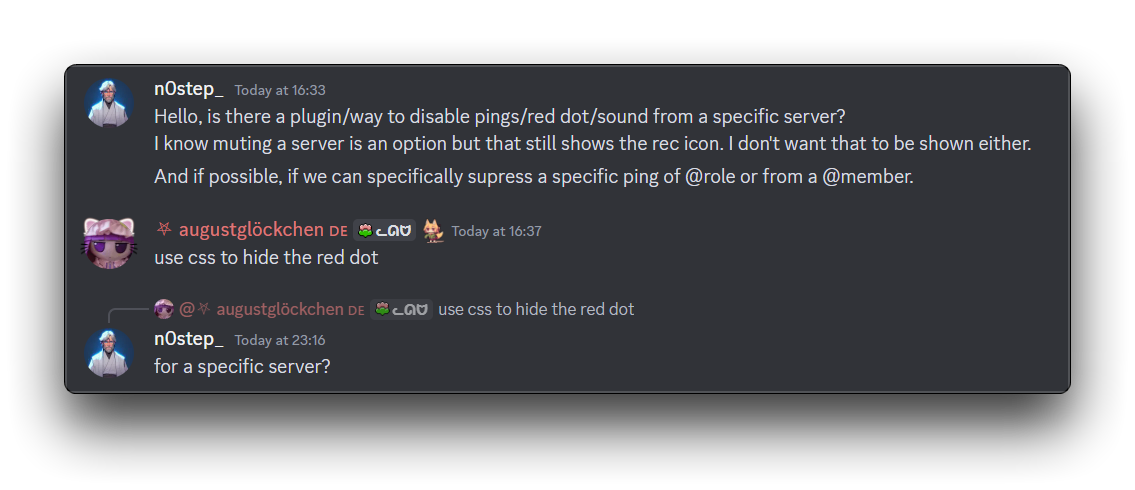 upper shoal
Hello, could someone answer my question since I asked it in the wrong channel pr...
upper shoal
upper shoal
Hello, could someone answer my question since I asked it in the wrong channel pr...
What I really need is, I want to disable red ping from a specific category of a server.
I can supress the sound from the notification setting but that red circle is annoying.
 forest furnace
what does background-accent go to?
solid ore
upper shoal
What I really need is, I want to disable red ping from a specific category of a ...
to hide all red ping dots for a specific server, replace ServerID with that server's ID.
for a specific channel, copy the link to that channel, remove https://discord.com/channels/ from it and replace ServerID with that.
#channels [href^="/channels/ServerID"] [class^=mentionsBadge_] {
    display: none;
}
How about a specific category?
Or should I just manually add all the channels?
solid ore
upper shoal
How about a specific category?
it becomes more complicated, just add the channels
upper shoal
solid ore
it becomes more complicated, just add the channels
I see, thanks!
upper shoal
solid ore
it becomes more complicated, just add the channels
Cause I wanted to mute a category that has tickets and the system pings me when a ticket opens.
And everytime a new channel is created, it pings me so I can't even manuaally add them.
solid ore
upper shoal
Cause I wanted to mute a category that has tickets and the system pings me when ...
i think thats only possible if it is the last category in the channels list
upper shoal
solid ore
i think thats only possible if it is the last category in the channels list
Aw rip, its the first.
solid ore
oh wait then it might also be possible, but more annoying, one sec
try this, u need the category id of the 1st category, and of the 2nd
#channels li:has([class^=mainContent_][data-list-item-id$="CategoryID"]):not([class^=mainContent_][data-list-item-id$="2ndCategoryID"]) ~ li [class^=mentionsBadge_] {
    display: none;
}
Alr thanks!
iron smelt
Okai i might be stupid but with using the ::before and ::after, how would i get two pics to show up here
/* Emojis on top of userarea */
[class^="panels_"]::before {
    content: "";
    width: 97px;
    height: 90px;
    left: 151px;
    margin-top: -91px;
    position: absolute;
    background-image: url('https://cdn.nest.rip/uploads/f4c32409-efbb-46f8-a5aa-788b8bdcdcdb.png');
}
[class^="panels_"]::after{
    content: "";
    width: 97px;
    height: 90px;
    left: 151px;
    margin-top: -91px;
    position: absolute;
    background-image: url('https://cdn.nest.rip/uploads/a6884817-f744-43ba-819a-cfd3a16f70bd.png');
}
 solid ore
iron smelt
Okai i might be stupid but with using the `::before` and `::after`, how would i ...
solid ore
iron smelt
Okai i might be stupid but with using the `::before` and `::after`, how would i ...
where do u want them to be
iron smelt
solid ore
where do u want them to be
id prolly move meower somewhere else or shrink it down… but pretty much where exactly are
solid ore
iron smelt
id prolly move meower somewhere else or shrink it down… but pretty much where ex...
they both show up for me, u just have to adjust margin top for the before element
iron smelt
solid ore
they both show up for me, u just have to adjust margin top for the before elemen...
that’s not the question… my question is how would i put something there without them both being ::before and ::after
unless i’m stupid
solid ore
ig you could edit them into one png, apart from that i think you just have to use those 2 pseudo elements
iron smelt
dang
upper shoal
solid ore
to hide all red ping dots for a specific server, replace ServerID with that serv...
Hey sorry for bothering you again with this, just wanted to ask, how do you find all the element ids? Is there a doc? Could you please me to it.
upper shoal
solid ore
it opens devtools
Yeah I know that, I meant is there a list for this?
A documented list with the ids
solid ore
they change all the time so devtoola is ur best bet
upper shoal
I see, thanks.
plain kelp
There's tens of thousands of classes anyway
plain kelp
Sure does
upper shoal
that sucks
nimble spruce
I have committed horrible CSS crimes lol
 spare mural
yes you have
plain kelp
It's so bright
bleak gust
nimble spruce
I have committed horrible CSS crimes lol
i actually love this
echo frost
nimble spruce
I have committed horrible CSS crimes lol
you have already committed horrible crimes by using light mode
(that's actually quite cool)
clear siren
I have something slightly similar but not quite
I put a small 4x4 grid in the bottomleft of messages, no borders or nothing
iron smelt
I don’t think I will ever truly know the difference between
[class^= ‘’] and [class*= ‘’] and I refuse to use to look into it
plain kelp
^= is starts with, *= is contains
iron smelt
so why does only one work sometimes, and other times either one will work
plain kelp
Because sometimes the class attribute starts with some substring, other times that substring is in the middle
 pure cairn
iron smelt
I don’t think I will ever truly know the difference between
`[class^= ‘’]` and `...
pure cairn
iron smelt
I don’t think I will ever truly know the difference between
`[class^= ‘’]` and `...
class name is
chatContainer_
[class^=Container_] does not work
[class^=chat] works
[class*=Container_] works
[class*=chatContainer_] works
plain kelp
Formatting fail
pure cairn
Indeed
iron smelt
pure cairn
class name is
chatContainer\_
[class^=Container\_] does not work
[class^=chat] w...
 pure cairn
Aight, after too many failed attempts
plain kelp
pure cairn
class name is
chatContainer\_
[class^=Container\_] does not work
[class^=chat] w...
Also if it's class="wrapper_123456 chatContainer_123456, class^=chat won't work because the attribute starts with wrapper_, not chat
pure cairn
I try to use as less * selectors as possible
plain kelp
I let my Classify plugin handle the heavy lifting and just use proper class selectors like .ChannelView__wrapper or whatever
steel scroll
how does your plugin work
plain kelp
Uses a webpack module listener to register each css class module, uses a manually curated mapping to assign prefixes for each module, and then patches react so that when it assigns the class attribute it replaces wrapper_123456 chatContainer_123456 with ChatContainer__wrapper wrapper_123456 ChatContainer__chatContainer chatContainer_123456
plain kelp
Gotta keep the original class names or all of discord's own css will break
upper shoal
solid ore
try this, u need the category id of the 1st category, and of the 2nd
```css
#cha...
Hello so apparently, this does remove the ping from that channel but it shows on the server icon.
echo frost
upper shoal
Hello so apparently, this does remove the ping from that channel but it shows on...
on the server list here?

 solid ore
upper shoal
Hello so apparently, this does remove the ping from that channel but it shows on...
solid ore
upper shoal
Hello so apparently, this does remove the ping from that channel but it shows on...
for that you would have to hide all pings from that server
upper shoal
solid ore
for that you would have to hide all pings from that server
Thats actually not what I want, I just wanted the pings to "not show from tickets category"
I think a plugin can do that right?
solid ore
idk i only do css, but that is not possible by css alone
upper shoal
Yeah exactly
Any existing plugins that can help me achieve this function?
Or if someone makes it... it'll actually help a lot of people lol
solid ore
idk
upper shoal
Like the messagelogger plugin has a modal to whitelist certain users/channels from having logged.
plain kelp
I'm pretty sure "number of pings in guild" is handled server-side
echo frost
upper shoal
Hello so apparently, this does remove the ping from that channel but it shows on...
well something like this i suppose, but you'd also need to fix the mask
svg:has(>foreignObject>[data-list-item-id$="serverID"])+.lowerBadge_c5f96a {
  display: none;
}```
and i need to sleep so can't do that rn
oh yeah and also forgot to make the lowerBadge selector good
upper shoal
Thanks!
solid ore
echo frost
well something like this i suppose, but you'd also need to fix the mask
```css
s...
they only wanna hide pings from a certain category within the server tho, not all pings in the server
echo frost
oh
well that wouldn't really be very doable with css?
ig it would be if you have the server selected
solid ore
echo frost
ig it would be if you have the server selected
i dont even wanna imagine the size of the :has for that
plain kelp
And if you want to discount them from the number on the guild badge, good luck
echo frost
echo frost
well something like this i suppose, but you'd also need to fix the mask
```css
s...
oh fixing the mask is actually really easy
[data-dnd-name]:has([data-list-item-id$="1015060230222131221"]) :is(
  svg+[class^=lowerBadge_], rect[id$=-lower_badge_masks]
) {
  display: none;
}```
I think this should workThis is nice and thank you for it... but I actually need the pigs disabeld from a specific category.
echo frost
the only way to do that in css would be so scuffed and bad
and would only work if the server is selected (not on another server)
upper shoal
that sucks
echo frost
also the ping badge would still show on taskbar

there's no way to change that with css
upper shoal
yeah true
echo frost
plain kelp
And if you want to discount them from the number on the guild badge, good luck
oh yeah
I think that would actually be impossible with css
not even having to manually write a case for every combination of pings on channels, but i don't think you can detect if a channel has 1 or 2 pings with css?
plain kelp
Some things are better left to plugins I think
echo frost
yeah the amount is only html

oh also similar problem if you want to hide all pings from one server that's in a collapsed folder with a server you do want pings for
solid ore
discord is redoing the spotify activities again 😭 this is gonna take me a long time to fix
solid ore
yeah :/
 copper flame
solid ore
discord is redoing the spotify activities again 😭 this is gonna take me a long...
copper flame
solid ore
discord is redoing the spotify activities again 😭 this is gonna take me a long...
PLEASE MEAN THEYRE DETACHING THE TIME BAR FROM SPOTIFY
worldly moss
nop
echo frost
pure cairn
they look kinda bad now, no more album name
i still have this tooltip

 solid ore
theres 2 versions of the new activities, depending on an experiment


Self Recent Activity Experiment
echo frost
ah
 oak plover
thought about keeping the banner visible in the profile, does it look alright


i wanted to keep it low opacity so it wouldn't cause any readability problems
bleak gust
oak plover
thought about keeping the banner visible in the profile, does it look alright
i like it
supple lodge
oak plover
thought about keeping the banner visible in the profile, does it look alright
Very nice, I need that please 😭
warm monolith
Tbh I've been slacking on the theme but for anyone here that remembers I am making the funny Persona theme, uh
Funny animation
apunga
I've only really done the guilds and text box since I last messaged here but feedback is cool!
I also remade the IM asset exactly how it is in game so if the colours are good or bad just let me know because that's also in the air
I'm probably gonna have the border part visible for hovering and selected
Indicators are gonna become decorations next time I do any work on it, maybe tomorrow
Or technically today fuck
Oh also edit messages is half fleshed out but that's all busy work nobody really cares about
I do a cool colour inverty thing since white boxes are for user input
 crystal oar

 copper summit
if i wanted to make my theme fully RGB animated, how would i do that?
plain kelp
With css animations I suppose
 median cargo
copper summit
if i wanted to make my theme fully RGB animated, how would i do that?
median cargo
copper summit
if i wanted to make my theme fully RGB animated, how would i do that?
@keyframes it
and set animation
add infinite time and easing
✅
I'm sorry
 echo frost
warm monolith
https://garbage-memes.should-be.legal/ALSNSCV.mp4
echo frost
warm monolith
https://garbage-memes.should-be.legal/ALSNSCV.mp4
How'd you get vivaldi to look like opera gx?
 median cargo
echo frost
median cargo
echo frost
 echo frost
 median cargo
No.
 echo frost
median cargo
I'm sorry
echo frost
median cargo
I'm sorry
too soft delete buttons instead


 median cargo
Stop it buddy