#🎨-theme-development
1 messages · Page 35 of 1
 supple lodge
 echo frost
and mine does that, but i feel like it's kind of scuffed
echo frost
and mine does that, but i feel like it's kind of scuffed
Can't really tell with my noob eyes lol
 full badge
are you using a different typeface or are my eyes deceiving me?
supple lodge
full badge
are you using a different typeface or are my eyes deceiving me?
different typeface? idk what that means x)
echo frost
yeah look at the g
 echo frost
supple lodge
different typeface? idk what that means x)
echo frost
supple lodge
different typeface? idk what that means x)
different font
supple lodge
echo frost
different font
oh yes, it's "figtree"
full badge
I didn't even notice the g lol.
I was staring at the roles since they looked more bubbly
it's a nice font though
supple lodge
full badge
it's a nice font though
best font for my retarded eyes x.x
helvetica is a good one also
full badge
I kind of want to use the same big modal layout as you as well, but I feel like tinkering too much with discord's layouts only leads to headaches in the future when they inevitably break something
full badge
supple lodge
best font for my retarded eyes x.x
helvetica is a good one also
funny thing, apparently helvetica was intended as a header font
but people keep using it as a body font
supple lodge
full badge
funny thing, apparently helvetica was intended as a header font
really? XD
echo frost
full badge
I was staring at the roles since they looked more bubbly
yeah
g was just the most obvious
supple lodge
full badge
I kind of want to use the same big modal layout as you as well, but I feel like ...
oh yeah maybe, also I use catpuccin as a base, so it might be easier, idk
supple lodge
echo frost
yeah
g was just the most obvious
true true
full badge

WIRED
After languishing in obscurity for decades, the Helvetica successor Unica been rescued and remastered.
Designed for short blasts of texts like headlines and advertisements, Helvetica didn't always look great at small sizes or when used for lengthy blocks of text.
full badge
supple lodge
oh yeah maybe, also I use catpuccin as a base, so it might be easier, idk
Ey fellow catpuccin user
Actually, do you mind sending me the snippet for the profile modal? I might as well run it in the meanwhile for shake things up
supple lodge
full badge
Actually, do you mind sending me the snippet for the profile modal? I might as w...
you mean copy pasting my messy code?
in dms or here tho?
supple lodge
full badge
Can't be as bad as the CSS screwery I whip up sometimes
it's literally 100 lines 💀

 mortal mantle
Pastebin
Pastebin.com is the number one paste tool since 2002. Pastebin is a website where you can store text online for a set period of time.
 iron smelt
mortal mantle
https://pastebin.com/fCR4PZfS
iron smelt
mortal mantle
https://pastebin.com/fCR4PZfS
pastebin jumpscare
mortal mantle
pastebin goated
iron smelt
L opinion
mortal mantle
idk whats wrong with it but it serves my purpose
iron smelt
ik i actually like it too sometimes, it just most of this server is GitHub so kind of a jump scare to see it
 lost plume
y'know you can upload text files to discord;p
iron smelt
lost plume
y'know you can upload text files to discord;p
1984
lost plume
iron smelt
1984
sorry we're 40 years into the future
iron smelt
lost plume
sorry we're 40 years into the future
 lost plume
iron smelt
https://tenor.com/view/1984-skander-big-brother-gif-21303304
lost plume
iron smelt
https://tenor.com/view/1984-skander-big-brother-gif-21303304
it can be done with CSS
iron smelt
lost plume
it can be done with CSS
got a 1984 for anything
 lost plume
iron smelt
got a 1984 for anything
lost plume
iron smelt
got a 1984 for anything
you have them as gifs on your drive instead of favourited
hurts
mortal mantle
discord should just get rid of the text limit
it serves zero purpose but a cash grab
 fathom hedge
mortal mantle
discord should just get rid of the text limit
fathom hedge
mortal mantle
discord should just get rid of the text limit
fun fact: storage space isnt free
iron smelt
ok I'm crazy
I wanna do the threads recolor thing (because they never released it) but I've never seen that icon a day in my life#1226633309233217567 message
unless that icon doesn't exist anymore
 fast cipher
iron smelt
ok I'm crazy
I wanna do the threads recolor thing *(because they never released...
fast cipher
iron smelt
ok I'm crazy
I wanna do the threads recolor thing *(because they never released...
it's from here, as they said in the message
 iron smelt
fast cipher
it's from here, as they said in the message
iron smelt
fast cipher
it's from here, as they said in the message
thats not what imma talking, i already have that
#🎨-css-snippets message
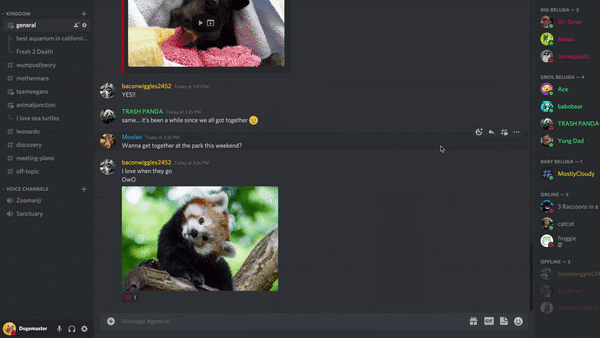
imma talking about this icon

ignore the blue
 iron smelt
 alpine current
make the circles blue or something like that
alpine current
make the circles blue or something like that
I would have to look at the icon later to see if they’re two different things, but that’s probably possible.
I’ll do it later when I’m at my computer.
alpine current
iron smelt
imma talking about this icon
I tried looking over 100 servers, and was not able to find it..
But I have seen it, I dunno where
fast cipher
iron smelt
imma talking about this icon
feel like it's from threads, but I just can't find it anywhere
echo frost
mortal mantle
idk whats wrong with it but it serves my purpose
gist better
alpine current
 fast cipher
alpine current
indeed https://support.discord.com/hc/en-us/articles/4403205878423-Threads-FAQ
fast cipher
alpine current
indeed https://support.discord.com/hc/en-us/articles/4403205878423-Threads-FAQ
looks like they removed it...
iron smelt
fast cipher
looks like they removed it...
yea that was the conclusion, I came too anyways when I can. I’m gonna work on that stage one to see if it’s possible cause that’s good idea.
mortal mantle
echo frost
gist better
Too lazy for that
 teal cave
Actually quite useful for understanding the colour space https://youtu.be/nJlZT5AE9zY

What is a perceptual uniform color space and how can we use it in Minecraft.
Link to Oklab post
https://bottosson.github.io/posts/oklab/
World Download
https://drive.google.com/file/d/1vS-HsjfSAYz-Sz_YFBEifEQy6WfggkmC/view?usp=drive_link
Moulberry CIELAB link
https://youtu.be/o-JL0AEL0rc?si=4g7PCz7tAR6ZGvt-
 clear siren
oklch() my beloved
fast cipher
hsl() my beloved
lost plume
rgb() my beloved
 unreal charm
ffffff
mortal mantle
i used to like hsl a lot (still but its only for photography), now i just default to using hex
 bleak gust
Soon™️

 pure cairn
bleak gust
Soon™️
pure cairn
bleak gust
Soon™️
W
teal cave
Change it to some horrible colour and push to prod, someone will let you know :3
but actual answer, looks like some kind of modal for games, here's some chunks that use it in discord's css:


 covert canopy
teal cave
but actual answer, looks like some kind of modal for games, here's some chunks t...
covert canopy
teal cave
but actual answer, looks like some kind of modal for games, here's some chunks t...
I feel like I know exactly what this is
Well not exactly but there are 2 cases
Clans and quests
Tysm
iron smelt
alpine current
do one for this icon 👀
Ok so because discord for some reason both of the circles on a stage have two different hash numbers so can I do this if I apply it to both of them or I can delete one of them and only color the inner or outer circle
https://cdn.nest.rip/uploads/1c4afab2-bf1e-4151-b060-12f9c747e856.png
 clear siren
animate color on them
make them alternate between the blue and transparent or something like that
 pure cairn
you mean something like this @analog sage ?
clear siren
.listItem_c96c45:has([data-dnd-name*="Server Name Here"]
 { display: none; }
something like this
 analog sage
pure cairn
you mean something like this <@1172295294893961368> ?
analog sage
pure cairn
you mean something like this <@1172295294893961368> ?
i want to hide a specific server, more like this:
 analog sage
clear siren
```CSS
.listItem_c96c45:has([data-dnd-name*="Server Name Here"]
{ display: none...
analog sage
clear siren
```CSS
.listItem_c96c45:has([data-dnd-name*="Server Name Here"]
{ display: none...
thx, does it work on folders too?
iron smelt
clear siren
animate color on them
that's a lot of work to animate them
clear siren
analog sage
thx, does it work on folders too?
yeah I had the .wrapper for folders but that was redundant
pure cairn
analog sage
i want to hide a specific server, more like this:
if you keep the "streamer mode enabled" banner on your client, you can take the first part of the snippet I mentioned and add what nvhhr sent
clear siren
I am using betterfolders though not sure if it works on stock folders but I think it should
oh wait
pure cairn
bleak gust
Soon™️
otherwise wait for this to get merged and use it as selector instead of relying on the "streamer mode enabled" banner
since it's going to be way reliable
clear siren
clear siren
oh wait
added * to selector so it works on folders
 viscid tiger
pure cairn
otherwise wait for this to get merged and use it as selector instead of relying ...
viscid tiger
pure cairn
otherwise wait for this to get merged and use it as selector instead of relying ...
what do the attributes from theme attributes occasionally look like when you're looking at elements in the dev tools?
is it ariallabeledby = or something?
pure cairn
uhhhh let me send a snippet of mine so it's easier to explain
clear siren
viscid tiger
what do the attributes from theme attributes occasionally look like when you're ...
in this case it adds a class on the html element
 stone lintel
how do u customize the username color in messages? (this part)
 pure cairn
generally they add more info on the elements you would like to select when there are many of the same type
clear siren
stone lintel
how do u customize the username color in messages? (this part)
all usernames or specific ones
stone lintel
clear siren
all usernames or specific ones
just for messages
clear siren
.username_f9f2ca { color: magenta !important; }
stone lintel
tysm :3
pure cairn
so, for example, in this snippet
[aria-label*='🏥'] [data-author-id*="1017176847865352332"]:has(h2):not([id*=accessories]){
display: none;
}```
the `[data-author-id*="1017176847865352332"]` is provided by the theme attributes plugin, if I'm not mistakenactually I might have to just go with the top circle colored because because discord made the body of the person and the inner circle the same icon on a locked stage
https://cdn.nest.rip/uploads/f64356eb-c3cc-4ec7-9416-b75820d643c7.png
 pure cairn
I hate when discord converts emojis into its own
pure cairn
pure cairn
so, for example, in this snippet
```css
[aria-label*='🏥'] [data-author-id*="101...
this was used to hide the sticky "read known issues" message on the support channel btw
iron smelt
iron smelt
actually I might have to just go with the top circle colored because because dis...
ok what do we think of this?
https://cdn.nest.rip/uploads/20d7c977-af91-4665-af13-7bdef0f0639c.png
 bleak gust
iron smelt
ok what do we think of this?
https://cdn.nest.rip/uploads/20d7c977-af91-4665-af1...
bleak gust
iron smelt
ok what do we think of this?
https://cdn.nest.rip/uploads/20d7c977-af91-4665-af1...
I like it more this way
also... wtf is that stage channel called "discussing balls" 
iron smelt
bleak gust
also... wtf is that stage channel called "discussing balls" <:husk:1026532993923...
its my test server
https://cdn.nest.rip/uploads/12091fa7-c661-4cf1-a5c5-c97717286659.png
 bleak gust
iron smelt
its my test server
https://cdn.nest.rip/uploads/12091fa7-c661-4cf1-a5c5-c9771728...
bleak gust
iron smelt
its my test server
https://cdn.nest.rip/uploads/12091fa7-c661-4cf1-a5c5-c9771728...
Thank for for confirming to me that it isnt a public server with that in it
pure cairn
Lol
iron smelt
bleak gust
Thank for for confirming to me that it isnt a public server with that in it <:hu...
Nope it’s just a test server that @frigid zinc made that I use for my snippets too
(sorrgy if that pinged you nexx)
 frigid zinc
bleak gust
Thank for for confirming to me that it isnt a public server with that in it <:hu...
frigid zinc
bleak gust
Thank for for confirming to me that it isnt a public server with that in it <:hu...
showcase of nsfw/locked channel icons
 covert canopy
iron smelt
its my test server
https://cdn.nest.rip/uploads/12091fa7-c661-4cf1-a5c5-c9771728...
covert canopy
iron smelt
its my test server
https://cdn.nest.rip/uploads/12091fa7-c661-4cf1-a5c5-c9771728...
Those are a lot of balls, but not enough
 thorny fjord
iron smelt
its my test server
https://cdn.nest.rip/uploads/12091fa7-c661-4cf1-a5c5-c9771728...
thorny fjord
iron smelt
its my test server
https://cdn.nest.rip/uploads/12091fa7-c661-4cf1-a5c5-c9771728...
Baller
 torn zinc
clear siren
make them alternate between the blue and transparent or something like that
torn zinc
clear siren
make them alternate between the blue and transparent or something like that
this but put an animation delay on one of them
so they pulse
iron smelt
that seems like it would be very distracting, I'm just looking to color it so its noticeable
i dont hate the idea tho
echo frost
analog sage
i want to hide a specific server, more like this:
so something like this but only on a specific server?
or do you want all servers
#🎨-css-snippets message
You can use this to select a specific server (the 1015060230222131221 is the server id of vencord)
[data-list-id=guildsnav] [class*=listItem_]:has([data-list-item-id=guildsnav___1015060230222131221]) {
}```gneiss pog
teal cave
hell yeah
this video of his is better at explaining color-mix() than the mdn docs: https://www.youtube.com/watch?v=e0HM_vfSuDw
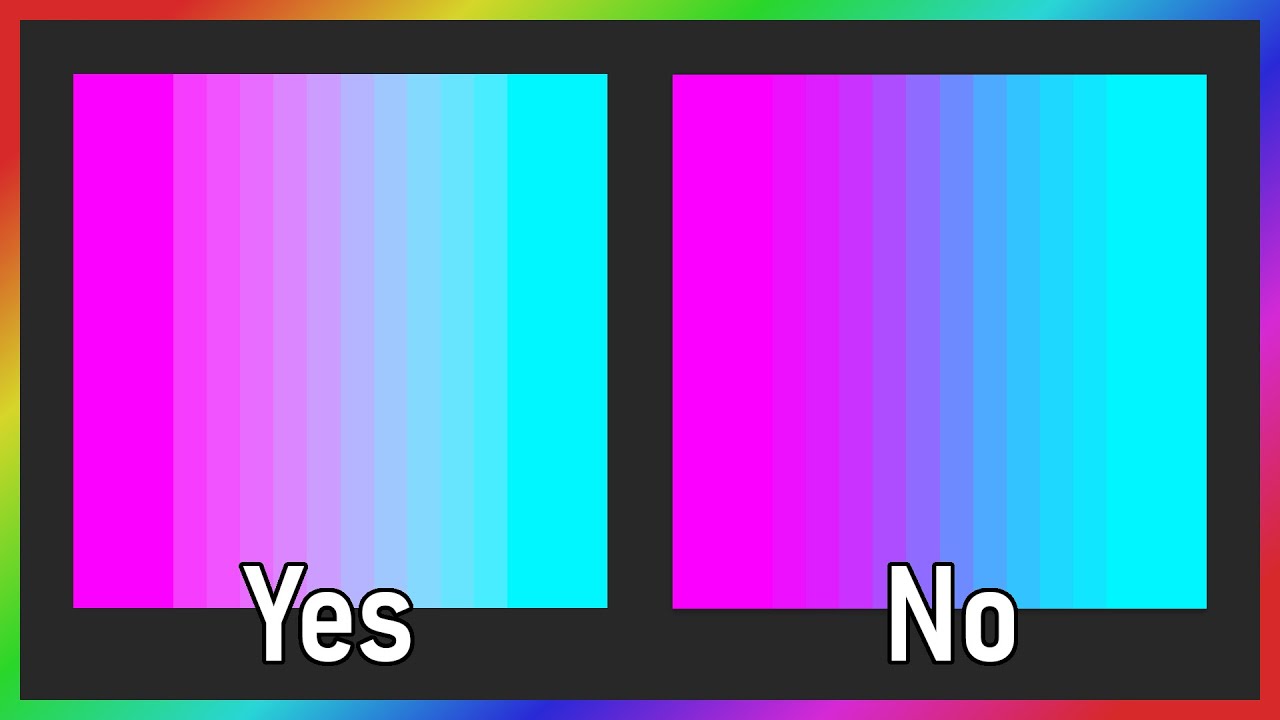
Talking about the pitfalls of averaging colors and how gamma and color space affects it.
Discord Link: https://discord.gg/DuPeGrRwzC
BisectHosting was gracious enough to provide us with the Minecraft server we use for the community. If you are in the market for a server then you can use my code gneiss to get 25% off the first month when using ...
in particular when doing something like color-mix(in oklch, #2345, #7654) where it's converting between colour spaces
analog sage
echo frost
so something like this but only on a specific server?
or do you want all servers...
yes but i also want to choose folders in case i have a folder of servers to hide
oops forgot to ping
@echo frost
echo frost
open ctrl-shift-i and see if folders have an id
 sacred ice
can someone plesae help me fix the spotify being under the VC and not above it please

i used to have this in quick css but i guess discord changed their sstuff again
.mask-2Me5HY rect[mask="url(#svg-mask-status-online-mobile)"][fill="#f23f43"] {
  fill: var(--dnd-color);
}

.mask__1979f rect[mask="url(#svg-mask-status-online-mobile)"][fill="#f0b232"],
.mask-2Me5HY rect[mask="url(#svg-mask-status-online-mobile)"][fill="#f0b232"] {
  fill: var(--idle-color);
}

[class|=panels] {
    display: flex;
    flex-direction: column;
}

#vc-spotify-player {
    order: -1;
}

.scroller__3d071 {
  display: flex;
  flex-direction: column;
}

.scroller__3d071 :has(> #vc-friendcount) {
  order: 1;
}

.scroller__3d071 .listItem_fa7b36:has(+ [aria-label="Servers"]) {
  order: 2;
}

.scroller__3d071 .listItem_fa7b36:has(+ [aria-label="Servers"]) ~ * {
  order: 2;
}

#vc-spotify-player {
  background: none !important;
  box-shadow: 0px -10px 40px #14182b;
}

.panels__58331 {
    display: flex;
    flex-direction: column;
}
#vc-spotify-player {
    order: -1;
}
have you tried uploading it to https://syndishanx.github.io/Website/Update_Classes.html and see it that does anything
iron smelt
it’s Css code
 pure cairn
sacred ice
i used to have this in quick css but i guess discord changed their sstuff again
...
pure cairn
sacred ice
i used to have this in quick css but i guess discord changed their sstuff again
...
You only need to change the .panels_58331 in the second-to-last selector
But yeah, use the class updater
It's easier 
iron smelt
we love class updater
pure cairn
Except for when discord just thanos snaps classes
And the updater is "tf do you want from me"

clear siren
we love using attribute selectors 
pure cairn
I still have to fix profiles in my theme now that I think about it
iron smelt
clear siren
we love using attribute selectors <:blobcatcozy:1026533070955872337>
(anytime you say that i will reply with this gif)
iron smelt
ok gramps, imma do my css how i wanna
unreal charm
the 1960s using css:
iron smelt
pure cairn
Omw to change all my 2.3k lines into attribute selectors and see how it doesn't ...
exactly
 vestal field
clear siren
yep because using raw classes is literally 1960s
vestal field
clear siren
yep because using raw classes is literally 1960s
attribute selectors are so annoying bruh
iron smelt
@clear siren Got the perfect gif now
 mortal mantle
pure cairn
Omw to change all my 2.3k lines into attribute selectors and see how it doesn't ...
mortal mantle
pure cairn
Omw to change all my 2.3k lines into attribute selectors and see how it doesn't ...
Omg so true
that's why I moved away from attr selectors
vestal field
yeah its just not worth the work when class updater exists tbh
covert canopy
what the fuck am i doing with my life 🔥
 pure cairn
Big status panel
clear siren
pure cairn
Omw to change all my 2.3k lines into attribute selectors and see how it doesn't ...
just have to be smart about how you write selectors, often even leads to better css imo (more descriptive selector when a parent is included) (I am now an attribute selector) ||(I want to be used)||
covert canopy
On an unrelated note, I fafo that I don't have much to edit there
clear siren
but yeah trying to convert a big theme from class to attr selectors would be a huge pain
pure cairn
clear siren
just have to be smart about how you write selectors, often even leads to better ...
The last part
pure cairn
clear siren
but yeah trying to convert a big theme from class to attr selectors would be a h...
It is, I tried
like, how would you turn this into attribute selectors without spamming * everywhere?
:root .messagesWrapper_e2e187
  { flex-direction: column; }
:root .messagesWrapper_e2e187 .cozy_f9f2ca.wrapper_f9f2ca
  { padding-left: 50px; }
:root .messagesWrapper_e2e187 .cozy_f9f2ca.wrapper_f9f2ca.groupStart_d5deea .contents_ec86aa::after
  { left: 48px;
    width: 30px; height: 30px; }
:root .messagesWrapper_e2e187 .cozy_f9f2ca.wrapper_f9f2ca .avatar_f9f2ca
  { position: relative;
    left: -2px;
    width: 30px; height: 30px;
    border-radius: var(--avatar-radius); }
:root .messagesWrapper_e2e187 .cozy_f9f2ca.wrapper_f9f2ca .avatarDecoration_f9f2ca
  { left: 43px;
width: 40px; height: 40px; }```[class^=messagesWrapper_]
{ flex-direction: column; }
[class^=messagesWrapper_] [class*=cozy_]
{ padding-left: 50px; }
[class^=messagesWrapper_] [class*=cozy_][class*=groupStart_] > [class^=contents_]::after
{ left: 48px;
width: 30px; height: 30px; }
[class^=messagesWrapper_] [class*=cozy_] > [class^=contents_] > [class^=avatar_]
{ position: relative;
left: -2px;
width: 30px; height: 30px;
border-radius: var(--avatar-radius); }
[class^=messagesWrapper_] [class*=cozy_] [class^=avatarDecoration_]
{ left: 43px;
width: 40px; height: 40px; }
not sure why you start all selectors with root
pure cairn
I use it as base so I'd rather have it at the foundation without worrying about conflicts
clear siren
you mean to increase specificity of your selectors?
clear siren
yeah that's what I meant
pure cairn
then yeah
clear siren
https://developer.mozilla.org/en-US/docs/Web/CSS/Specificity referring to this
pure cairn

so that's what you all meant with specificity
I thought it meant "how precise the selector used is"

clear siren
well, in most cases it means the same thing but there's some technical details as you can see
pure cairn
quite a lot of them actually
clear siren
trying to remember how specificities are calculated is not something I care about, I just know more complex selector = more specific even if it doesn't 'narrow it down' in any way
but also that ID wins over classes and attributes
and classes and attributes win over element type naturally
 mystic cove
@solid ore something is wrong with favorite stickers and regarding emoji shortcuts, renabled them to try to test something and noticed this:
the shortcuts are still scrollable and behave quite weird
 solid ore
mystic cove
the shortcuts are still scrollable and behave quite weird
solid ore
mystic cove
the shortcuts are still scrollable and behave quite weird
yeah i tried to disable scrolling but i didnt think of a way to do it so it doesnt affect ppl who do have nitro, but i j thought of smthng and i can try and test it now
mystic cove
it does hide servers with available emojis so I had to disable that
/* reverting some rules of HideNitroUpsellV2*/
#emoji-picker-tab-panel [class^=listItems_] > div:has([class^=categoryItemLockIconContainer_]){
  display: inherit !important;
}
#sticker-picker-grid div:has(> [class^=row_] [class^=sticker_] [class^=stickerNode_][class*=stickerUnsendable_]){
  filter: none;
}
second rule fixes sticker being grayscale even though those are not nitro.

solid ore
lemme try and fix it
i personally dont use stickers a lot so didnt rly put it thru a lot of use, so thanks for lmk abt this
mystic cove
glad to help :)
solid ore
@mystic cove should be fixed now, reload the theme
solid ore
mystic cove
it does hide servers with available emojis so I had to disable that
this is the only thing i cant replicate, is it servers with twitch sub emojis?
mystic cove
solid ore
this is the only thing i cant replicate, is it servers with twitch sub emojis?
mhm but some also don't have lock
which is weird
I can't use any emoji from that server that is doesn't have lock
mystic cove
solid ore
<@294486709314256897> should be fixed now, reload the theme
do I just disable/enable quickcss?
yeah seems fine now
lemme try my way of hiding shortcut
solid ore
if theres no lock on the server shortcut then idk if theres a way to tell if u can't use emojis from that server
mystic cove
solid ore
if theres no lock on the server shortcut then idk if theres a way to tell if u c...
yeah no your solution was hiding guilds with no lock
which is weird why it would do that
solid ore
it shouldnt do that and i dont see how the selector would allow that but i'll try to improve it
mystic cove
lemme try to come up with my solution
solid ore
#emoji-picker-tab-panel [class^=listItems_] > div:has(> div > [class^=categoryItemGuildCategory_] > div > [class^=categoryItemLockIconContainer_]) {
  display: none !important;
}
can u see if it still hides those?
mystic cove
solid ore
```css
#emoji-picker-tab-panel [class^=listItems_] > div:has(> div > [class^=cat...
still does
only vencord and jacksfilms server visible
I have another server with twitch subs and it's getting hidden
 errant beacon
https://www.youtube.com/watch?v=qicjE-gKl9o
has anybody made this? i cant find it if someone has

#discord
I am not affiliated with Discord. The Discord logo and software are properties of Discord. This is a concept; it's not real software! The server pictured ("Apple Park") is not a real server.
Meet the new Discord, filled with features you'll love, from a redesigned sidebar and customizable profiles and themes without nitro, to making y...
solid ore
mystic cove
I have another server with twitch subs and it's getting hidden
and theres no lock icon on the shortcut?

 errant beacon
https://www.youtube.com/watch?v=qicjE-gKl9o
has anybody made this? i cant find i...
errant beacon
errant beacon
https://www.youtube.com/watch?v=qicjE-gKl9o
has anybody made this? i cant find i...
 mystic cove
this however is a mystery
 solid ore
can u inspect it?
mystic cove

lol
wait, hold on
oooh, this crap again
the server lost some level so some emojis are now "available"
but they are actually not
it thinks that boost level locked emojis are not nitro needed, they allow to click on these yet they don't do anything
 wacky
wacky
solid ore
they dont do anything with the theme disabled?
mystic cove
they don't do anything, period
solid ore
so discord problem
mystic cove
they have point cursor
yes
I am fine with reduced amount of shortcuts, just to get rid of lock ones should be good
solid ore
is that server public? so i can test things (if yes send inv in dms pls)
mystic cove
sure
@solid ore what is weird is that those emojis are seem as not available WHEN you're on the server
when you see emojis in other server, then it doesn't show anything
and on discord mobile those are visible as if you could use them
solid ore
yeah thats so weird
mystic cove
:unlock:
hahaha
it allows me to pick emoji on discord mobile but the emoji becomes unavailable after I post it, coverting into text or emoji of similar name
why would this not work???

it's not working at all
why can't I hide all them like that???
solid ore
mystic cove
why would this not work???
works for me
mystic cove
oops disabled quickcss
solid ore
lol
mystic cove


but as soon as I type display: none, only two of them visible
😓 is this the same issue as with emoji grid hiding?
@solid ore hey it could be the same issue like with emoji
they used their wacky grid system on the guild shortcuts it seems
solid ore
im not sure what u mean, in the screenshot u sent it is only not applying to 2 servers, the same as display none
r u saying another server (outside the screenshot) is not given background color aqua?
mystic cove
it's giving aqua just fine
but as soon as you display none, that weird scrolling bug happen
which is similar to what emoji grid do when you hide them
solid ore
oh, yeah its because those shortcuts r not there but the scroller is still able to scroll, idk if that makes sense
mystic cove
I added small animation that squishes them together
they appear as I scroll
that's probably the reason why only two of them appear
because they don't load up entirely
so you can't really get rid of them
or somehow trick discord into loading it entirely
solid ore
yeah, ig u could try and re order them by saying ones with no lock are essentially pinned
mystic cove
is it possible to make the list very long but keep it the same size for the user?
maybe that's how we could trick discord into loading whole list at once?
holy crap

that worked???
@solid ore
solid ore
lmao
solid ore
so if u display none now all the available ones show?
i mean if ure in a lot of servers that could be pretty laggy

 solid ore
mystic cove
I can't scroll
solid ore
mystic cove
I can't scroll
oh, you'll have to re enable it, but i dont think u can stop it scrolling when theres no available ones left but still hidden ones
mystic cove
how do I do scrollable element without scrollbar?
never put max-content into height, worst mistake, 1fps
solid ore
mystic cove
how do I do scrollable element without scrollbar?
do overflow: hidden scroll
i think
mystic cove
it just overflow-x and overflow-y combined
solid ore
oh yeah, idk but thats what it is by default
mystic cove
eh, whatever. It seems to be very hard. How do I cancel out this one?
#emoji-picker-tab-panel > [class^=wrapper_] > [class^=scroller_]:has(> [class^=listItems_] [class^=categoryItemLockIconContainer_]) {
    overflow-y: hidden !important;
}
overflow-y: initial !important;? seems to work
solid ore
just change hidden to scroll
solid ore
thx
mystic cove
so that leaves me with two patches:
#emoji-picker-tab-panel [class^=listItems_] > div:has([class^=categoryItemLockIconContainer_]){
  display: initial !important;
}
#emoji-picker-tab-panel > [class^=wrapper_] > [class^=scroller_]:has(> [class^=listItems_] [class^=categoryItemLockIconContainer_]) {
  overflow-y: scroll !important;
}```why do u need to do display initial? i thought it wasnt hiding enough, not hiding too many
 stark epoch
great discord updated and suddenly my themes colours dont work
i get to figure out why after my stream
stark epoch
the thing that confuses me is its the background colour that broke
  --projectCabBackground: rgb(0, 0, 0);
  --projectCabBackground2: var(--projectCabBackground);
  --projectCabTextBackground: var(--projectCabBackground);
  --projectCabTitleBar: var(--projectCabBackground);
  --projectCabHover: var(--accent-focused);
}```this just doesnt work now
ok so i found out why
i used diskette as a base for my theme and they entirely rewrote and deleted "notheme" which was the full basis for said theme
time to reqrite the base.css myself WOO!
Alright with this comes me askign
Is it possible to use a non google api font?
for example this one https://www.jetbrains.com/lp/mono/
pure cairn
Pretty sure you can install it and simply define it in css
Without installing it... Idk, never tried
stark epoch
apparently doing some googling i could technically rehost the files
oh thats for websites where i coudl have the font alongside the css
wouldnt work for a discord theme
stark epoch
Is it not possible to change font colour per dark or light theme
is it not fucking --fontcolor:
vestal field
stark epoch
wouldnt work for a discord theme
just install it on your computer and it will work
pure cairn
stark epoch
Is it not possible to change font colour per dark or light theme
.theme-dark { --yourvar: white; }
.theme-light { --yourvar: black; }```i cant release it publicly like that
stark epoch
where do i define my variable then cause in default css its just --font-color:
pure cairn
if you have a main file with colors which imports the actual css, put it there
otherwise I think you can simply define it wherever you want?
stark epoch
        --projectCabBackground: rgb(192, 146, 94);
        --projectCabBackground2: rgb(227, 180, 144);
        --projectCabTextBackground: rgb(255, 255, 255);
        --projectCabTitleBar: rgb(255, 255, 255);
        --projectCabFauxTitleBar: rgb(255, 255, 255);
        --projectCabHover: var(--accent-focused);
--font-color: rgb(99, 59, 3);```thats hgow i have it right now
discord hates it
 vestal field
stark epoch
i cant release it publicly like that
vestal field
stark epoch
i cant release it publicly like that
you could host the font declaration css on github probably, same with the font files
idk if that would work
pure cairn
stark epoch
```.theme-light {
--projectCabBackground: rgb(192, 146, 94);
--p...
replace --font-color with --yourvar
and then define the font color in other places of your theme
by putting your var
instead of the default one
why does this sound more complicated than it should be?
vestal field
probably cause they're trying to work around diskette's variables
and somehow make it work with their own theme idk
stark epoch
vestal field
probably cause they're trying to work around diskette's variables
kinda im reworking alot of diskette since its mostly what i wanted and i got permission to just...reuse it
makes it so i dont need to write an entire theme myself. just...alot of different random features. and as somone who took css coding 5 years ago and didnt use it since.
im having a fun time
pure cairn
are you using vsc for this?
vestal field
i mean its not that complicated you just set variables
pure cairn
(visual studio code)
stark epoch
yeah i use vsc
pure cairn
then, a simple ctrl + H
stark epoch
looks liek they may have already set the variable somewhere
pure cairn
search for --font-color
replace with --your-var
replace all
and then define the var colors in .theme-dark and .theme-light
stark epoch
i tried to find fon color diskette by default doesnt seem change it
found it i think
--primary-600: var(--projectCabBackground2); is what its currently set to apparenntly
yep

coffee light mode
stark epoch
its fine on mine
 teal cave
How are you getting these timings?
vestal field
idea is from #📜-js-snippets message
i basically tried to run it on every selector in my css file
claude wrote me a function, its not perfect but i think it works
teal cave
Ah, that's pretty cool
vestal field
i dont know regexp but this looks scary

function benchmarkSelectors(cssString) {
  function extractSelectors(cssString) {
    // Remove comments
    cssString = cssString.replace(/\/\*[\s\S]*?\*\//g, '')

    function removeBracketContent(str) {
      let result = ''
      let depth = 0
      for (let char of str) {
        if (char === '{') {
          depth++
        } else if (char === '}') {
          depth--
        } else if (depth === 0) {
          result += char
        }
      }
      return result
    }

    // Remove content inside brackets
    cssString = removeBracketContent(cssString)

    // Split by commas or newlines, but keep commas inside parentheses
    let selectors = cssString
      .split(/,(?![^(]*\))|[\n\r]+/)
      .map((selector) => selector.trim())

    // Remove empty selectors
    selectors = selectors.filter((selector) => selector !== '')

    // Remove ::before and ::after
    selectors = selectors.map((selector) =>
      selector.replace(/::(?:before|after)/, '')
    )

    return selectors
  }

  function benchmarkSelector(selector) {
    const iterations = 1000
    const start = performance.now()
    for (let i = 0; i < iterations; i++) {
      document.querySelectorAll(selector)
    }
    const end = performance.now()
    return (end - start) / iterations
  }

  const selectors = extractSelectors(cssString)
  const results = []

  for (const selector of selectors) {
    try {
      const time = benchmarkSelector(selector)
      results.push({ selector, time })
    } catch (error) {
      console.error(
        `Error benchmarking selector "${selector}": ${error.message}`
      )
    }
  }

  results.sort((a, b) => b.time - a.time)

  let csv = 'Selector,Time (ms)\n'
  for (const result of results) {
    csv += `"${result.selector}",${result.time.toFixed(6)}\n`
  }

  return csv
}
ok very yucky code but it works
echo frost
vestal field
lol
google sheets pog
vestal field
thats excel
echo frost
I don't like you
vestal field
how long it takes to document.querySelectorAll() 1000 times
echo frost
oh
echo frost
vestal field
```js
function benchmarkSelectors(cssString) {
function extractSelectors(cssSt...
oh it was made with this
echo frost
echo frost
yes?
no
it does make sense to open csv with excel
but I don't really like ms office bc it's paid
I'm only able to use it with my college account
 echo frost
can you send the csv?
vestal field
echo frost
vestal field
```js
function benchmarkSelectors(cssString) {
function extractSelectors(cssSt...
so do you copy a whole theme and then input it as cssString?
vestal field
yeah
paste the function into console
and then benchmarkSelectors(`your theme`)
function benchmarkSelectors(cssString) {
  function extractSelectors(cssString) {
    cssString = cssString.replace(/\/\*[\s\S]*?\*\//g, '') // remove comments

    // remove nested brackets
    let result = ''
    let depth = 0
    for (let char of cssString) {
      if (char === '{') {
        depth++
      } else if (char === '}') {
        depth--
      } else if (depth === 0) {
        result += char
      }
    }
    cssString = result

    let selectors = cssString
      .split(/,(?![^(]*\))|[\n\r]+/) // split by commas or newline
      .map((s) => s.trim().replace(/::(?:before|after)/, '')) // trim pseudo-elements
      .filter(Boolean) // remove empty strings

    return selectors
  }

  const benchmarkSelector = (selector) => {
    const start = performance.now()
    let matches = 0
    for (let i = 0; i < 1000; i++) {
      matches = document.querySelectorAll(selector).length
    }
    return [(performance.now() - start) / 1000, matches]
  }

  return extractSelectors(cssString)
    .map((selector) => {
      try {
        const [time, matches] = benchmarkSelector(selector)
        return { selector, time, matches }
      } catch (error) {
        console.error(
          `Error benchmarking "${selector}": ${error.message}`
        )
        return null
      }
    })
    .filter(Boolean)
    .sort((a, b) => b.time - a.time)
    .map(
      ({ selector, time, matches }) =>
        `"${selector}",${time.toFixed(6)},${matches}`
    )
    .join('\n')
    .replace(/^/, 'Selector,Time (ms),Matches\n')
}
ok better version that also counts the number of matches
echo frost
are you just meant to copy it and save it as a csv file or something else
vestal field
yeah
echo frost
why does the comment regex use [/s/S]?
is it different than .?
vestal field
idk im not familiar with regex i wrote it with ai
echo frost
vestal field
claude wrote me a function, its not perfect but i think it works
is claude better than chatgpt/gemini?
vestal field
echo frost
is claude better than chatgpt/gemini?
yes
echo frost
vestal field
idk im not familiar with regex i wrote it with ai
well it matches any whitespace character or any character that isn't whitespace
. matches any character
except for line terminators apparently. idk what those are though
lost plume
\n\r
echo frost
ok yeah ig it is different
echo frost
vestal field
idk im not familiar with regex i wrote it with ai
use https://regex101.com/
it's very helpful with regex
regex101
Regular expression tester with syntax highlighting, explanation, cheat sheet for PHP/PCRE, Python, GO, JavaScript, Java, C#/.NET, Rust.
viscid tiger
is there a way to make this message logger css in messagelogger.css have it work for deleted gifs from other image uploaders? for example it doesn't highlight catbox gifs while it works for imgur.
.messagelogger-deleted
:is(
    video,
    .emoji,
    [data-type="sticker"],
    iframe,
    .messagelogger-deleted-attachment,
    [class|="inlineMediaEmbed"]
) {
    filter: grayscale(1) !important;
    transition: 150ms filter ease-in-out;

    &[class*="hiddenMosaicItem_"] {
        filter: grayscale(1) blur(var(--custom-message-attachment-spoiler-blur-radius, 44px)) !important;
    }
}

.messagelogger-deleted
:is(
    video,
    .emoji,
    [data-type="sticker"],
    iframe,
    .messagelogger-deleted-attachment,
    [class|="inlineMediaEmbed"]
):hover {
    filter: grayscale(0) !important;
}```what's a catbox gif?
teal cave
stark epoch
i used diskette as a base for my theme and they entirely rewrote and deleted "no...
If it's on git(hub) you can just revert commits to find the old version, unless they completely rewrote git history also
echo frost
vestal field
```js
function benchmarkSelectors(cssString) {
function extractSelectors(cssSt...
if you use tabs, you can directly paste into google sheets
function benchmarkSelectors(cssString) {
  function extractSelectors(cssString) {
    cssString = cssString.replace(/\/\*[\s\S]*?\*\//g, '') // remove comments

    // remove nested brackets
    let result = ''
    let depth = 0
    for (let char of cssString) {
      if (char === '{') {
        depth++
      } else if (char === '}') {
        depth--
      } else if (depth === 0) {
        result += char
      }
    }
    cssString = result

    let selectors = cssString
      .split(/,(?![^(]*\))|[\n\r]+/) // split by commas or newline
      .map((s) => s.trim().replace(/::(?:before|after)/, '')) // trim pseudo-elements
      .filter(Boolean) // remove empty strings

    return selectors
  }

  const benchmarkSelector = (selector) => {
    const start = performance.now()
    let matches = 0
    for (let i = 0; i < 1000; i++) {
      matches = document.querySelectorAll(selector).length
    }
    return [(performance.now() - start) / 1000, matches]
  }

  return extractSelectors(cssString)
    .map((selector) => {
      try {
        const [time, matches] = benchmarkSelector(selector)
        return { selector, time, matches }
      } catch (error) {
        console.error(
          `Error benchmarking "${selector}": ${error.message}`
        )
        return null
      }
    })
    .filter(Boolean)
    .sort((a, b) => b.time - a.time)
    .map(
      ({ selector, time, matches }) =>
        `"${selector}"\t${time.toFixed(6)}\t${matches}`
    )
    .join('\n')
    .replace(/^/, 'Selector\tTime (ms)\tMatches\n')
}```oh nice
echo frost
echo frost
```js
function benchmarkSelectors(cssString) {
function extractSelectors(cssSt...
accidentally typoed in a ]
viscid tiger
echo frost
what's a catbox gif?
alternative image uploader aside from imgur
echo frost
can you send one and delete it?
viscid tiger
just deleted it
but you can't tell until you right click it and see the options from the message logger
echo frost
turn on deleted highlight
viscid tiger
i did turn it on but the color still remains the same.
meanwhile for images it has a gray effect.
echo frost
ok and an imgur one:
oh yeah that's weird
oh wtf thqat isn't even a normal rick roll gif i found on imgur
viscid tiger
yeah and then the imgur has it's color when you click on it.
i recently made a pull request to fix the color tint not applying to mentions or code blocks.
oh wait i just applied the 'img' to
.messagelogger-deleted
:is(
    img,
    video,
    .emoji,
    [data-type="sticker"],
    iframe,
    .messagelogger-deleted-attachment,
    [class|="inlineMediaEmbed"]
) {
    filter: grayscale(1) !important;
    transition: 150ms filter ease-in-out;

    &[class*="hiddenMosaicItem_"] {
        filter: grayscale(1) blur(var(--custom-message-attachment-spoiler-blur-radius, 44px)) !important;
    }
}``` and it has the gray effect on the catbox gif.but for some reason applying that to the hover part doesn't bring back it's color?
echo frost
how does the :is being on a new line work?
and looking in ctrl+shift+i, i don't even see this css?
echo frost
echo frost
how does the `:is` being on a new line work?
and looking in ctrl+shift+i, i don...
is linebreak the same as space?
viscid tiger
i grabbed the css from https://github.com/Vendicated/Vencord/blob/main/src/plugins/messageLogger/messageLogger.css
GitHub
The cutest Discord client mod. Contribute to Vendicated/Vencord development by creating an account on GitHub.
incase you want to experiment it.
echo frost
yeah already found that
echo frost
echo frost
is linebreak the same as space?
ok it seems like it
viscid tiger
im trying any role, data, class and i can't even get it to go back to its original color when hovered meanwhile it works for images.
echo frost
test
i think it's just embeds that are a problem
bc the hover thing doesn't work on imgur
echo frost
viscid tiger
oh wait i just applied the 'img' to
```css
.messagelogger-deleted
:is(
img,
...
don't use img
it applies to user's avatars too
ok imgurs are greyed out because they count as a video somewhere
ok something like this works i think
and remove the :hover {filter grayscale(0);} thing
obviously wouldn't want to use the full imageWrapper class name
.messagelogger-deleted
:is(
.imageWrapper_d4597d,
.emoji,
[data-type="sticker"],
iframe,
.messagelogger-deleted-attachment,
[class|="inlineMediaEmbed"]
) {
transition: 150ms filter ease-in-out;
&:not(:hover) {
filter: grayscale(1) !important;
}
&[class*="hiddenMosaicItem_"] {
filter: grayscale(1) blur(var(--custom-message-attachment-spoiler-blur-radius, 44px)) !important;
}
}``` edgy sentinel
echo frost
well it matches any whitespace character or any character that isn't whitespace
...
edgy sentinel
echo frost
well it matches any whitespace character or any character that isn't whitespace
...
you need the dotall regex flag
echo frost
@viscid tiger ^
edgy sentinel
/./s
viscid tiger
echo frost
<@355057144363614208> ^
yup the snippet works
you should make a pull request for it so the maintainers can merge it.
but of course make the imagewrapper a wildcard selector so it doesn't just break in the future.
echo frost
yeah
but i don't fully understand the css yet, and it kinda sucks, so not gonna make pr yet
i don't like this
.theme-light .messagelogger-edited {
  opacity: 0.5;
}```is ther esome other way of doing that?
viscid tiger
we should prob also make it so it removes the download button from the deleted videos because it'll only just lead to an discord error page.
echo frost
it is for light mode so doesn't really matter
nah i don't really want to do that
bc it might work for embeds or something, and i don't think this page is a problem
 viscid tiger
once the PR gets merged, deleted messages should highlight the mention and the codeblocks.

 echo frost
your pr you mean?
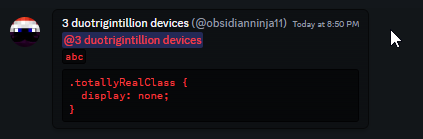 echo frost
and i also don't know what hiddenMosaicItem_ is
and the gray scale part of it won't even do anything?
except not be ungrayscaled on hover
echo frost
echo frost
and i also don't know what hiddenMosaicItem_ is
oh it's for spoilers
whats inlinemediaembed for :(
might be outdated
it and iframe was added around a year ago
only problem with this that i can tell is that hovering over a spoiler doesn't undo the grayscale

 kind temple
✨
 iron smelt
vestal field
3 ms for a single selector
iron smelt
vestal field
3 ms for a single selector
horror not the lost 3ms
vestal field
and thats just one selector, there are hundreds
most of them arent as bad but you see my point
iron smelt
yeah didn’t realize you meant high end pc
teal cave
vestal field
my name
 warm juniper
    font-family: "Builder";
    font-code: "Builder Mono";
      --font-family: 'Builder ;

  src: url('https://files.catbox.moe/8u8dak.woff2') format('truetype');
}

body
{
    font-family: 'Builder Sans' !important;
    --font-display: "Builder Sans";
    --font-headline: "Builder Sans";
    --font-code: "Builder Mono Regular";
    src: url("https://files.catbox.moe/8u8dak.woff2"); format('truetype');
}

[data-list-item-id^=channels___] {
    font-family: "Builder Sans", var(--font-primary);
}

@import url('https://raw.githubusercontent.com/ardishco-the-great/catpuccin-with-emojis/main/Terminess%20(TTF)%20Nerd%20Font%20Complete.ttf');

:root {
    --font-primary: "Builder Sans";
 simple kiln
vestal field
simple kiln
vestal field
what plugin is this..
clear siren
simple kiln
what plugin is this..
it's the code that was posted earlier which you can run in console
I have no selectors over 1ms
I do have an overclocked 12700K though
I do have some optimization to do with the number of matches with certain selectors in some of my css
 grand surge
in my github repo

GitHub
A fork of the Translucence theme for BetterDiscord and Vencord. - WarFiN123/TranslucenceV2
sorry for being so late btw i rarely check this alt acc
fast cipher
vestal field
imagine what that does to a laptop
explod
mortal mantle
vestal field
HORROR
 gilded cloak
vestal field
gilded cloak
vestal field
You need to rerun tests in situations where there are atleast one match for accurate benchmarking
vestal field
gilded cloak
You need to rerun tests in situations where there are atleast one match for accu...
yeah true
but wouldn't that mean that the ones with 0 matches are actually even slower?
solid ore
echo frost
```js
function benchmarkSelectors(cssString) {
function extractSelectors(cssSt...
um.. i'm rly dumb.. how do i use this to test my code?
clear siren
solid ore
um.. i'm rly dumb.. how do i use this to test my code?
paste it to console
solid ore
like command prompt?
clear siren
show
solid ore
 clear siren
allow pasting
clear siren
nah just slap your entire css in
solid ore
cus if i paste the whole css file it gives errors detecting the code, e.g. Uncaught SyntaxError: Unexpected token '^='
vestal field
yeah its not that great at reading selectors
you need every selector on a newline and no double quotes
solid ore
alr i'll have to reformat it
vestal field
you're probably still gonna get a few invalid selectors but it will still give you results for the ones that do work
clear siren
I had doublequotes, they worked fine
solid ore
i have a lot of double quotes that cant be removed without affecting the validity of the selector
vestal field
clear siren
I had doublequotes, they worked fine
oh the doublequotes thing was more because i was using csv output, so i needed double quotes to prevent commas in selectors from creating like 5 columns instead of 3
with obsidian's tab version its probably not an issue
solid ore
thats the version im using
is it supposed to say "<- undefined" after i paste in the function's code?
solid ore
still not coming up, can i do this in a browser console instead? i tried it in FF but it now says Uncaught SyntaxError: missing { before class body even tho there isnt any missing within the css
it looks like it stops reading it here?

but idk why
vestal field
it has to be in the discord console
otherwise you're not gonna match anything lol
idk whats going wrong but just paste in the whole function first, then run the function benchmarkSelectors(`PASTE CSS HERE`)
solid ore
echo frost
if you use tabs, you can directly paste into google sheets
now i just copy paste the output into google sheets like obsidian said^
cus its all going into 1 cell
nvm, got it
bleak gust
echo frost
```js
function benchmarkSelectors(cssString) {
function extractSelectors(cssSt...
wow this seems very useful can we get this pinned
echo frost
bleak gust
wow this seems very useful can we get this pinned
I only changed commas to tabs
refact0r made it (partially with an ai)
bleak gust
echo frost
I only changed commas to tabs
refact0r made it (partially with an ai)
oh?
tbh it seems very useful though
maybe uh
add a function to automatically scrape all the CSS from any injected themes
echo frost
bleak gust
add a function to automatically scrape all the CSS from any injected themes
idrk how to do that
echo frost
kind temple
how do you yall get theme in discord
go to themes under the vencord section in settings
viscid tiger
echo frost
ok something like this works i think
and remove the `:hover {filter grayscale(0)...
im going to make a commit for the spoilers addition to the message logger, whenever you're free you think you can hook this to the PR as well?
kind temple
echo frost
go to themes under the vencord section in settings
what do you mean
 cloud joltBOT
kind temple
what do you mean
cloud joltBOT
kind temple
what do you mean
(Auto-response invoked by @vestal field)
 echo frost
viscid tiger
im going to make a commit for the spoilers addition to the message logger, whene...
echo frost
viscid tiger
im going to make a commit for the spoilers addition to the message logger, whene...
what spoilers addition?
viscid tiger
echo frost
what spoilers addition?
this

right now you'd need to uncover it to see it has been deleted.
echo frost
oh
echo frost
viscid tiger
right now you'd need to uncover it to see it has been deleted.
or use background overlay instead of text
echo frost
echo frost
oh
thought you meant something I worked on
viscid tiger
echo frost
thought you meant something I worked on
mb i wasn't clear, i meant like you putting the image wrapper addition to the PR.
so it could work for catbox gifs and what-not
echo frost
viscid tiger
mb i wasn't clear, i meant like you putting the image wrapper addition to the PR...
I don't like using image wrapper because it kind of over selects
echo frost
echo frost
I only changed commas to tabs
refact0r made it (partially with an ai)
also it doesn't seem to work with nesting
needs some improvement
 tranquil forge
updated to hide the stupid subtext thing
solid ore
how can i remove the gap between the ::before content and the collaps icon which is after
#emoji-picker-grid [class^=categorySection_][class*=categorySectionNitroLocked_] [class^=headerLabel_] {
    margin: 0;
    visibility: hidden;
}
#emoji-picker-grid [class^=categorySection_][class*=categorySectionNitroLocked_] [class^=headerLabel_]::before {
    visibility: visible;
    content: 'Unavailable';
}
 pure cairn
maybe reduce the element width on the first selector?
where is even that, I can't find it xd
solid ore
pure cairn
maybe reduce the element width on the first selector?
yeah that works thanks
solid ore
pure cairn
where is even that, I can't find it xd
in emoji picker thing
 pure cairn
huh
solid ore
also is this correct nesting formatting? i mean it works but ive seen ppl use 2 &
#emoji-picker-grid [class^=categorySection_][class*=categorySectionNitroLocked_] [class^=headerLabel_] {
    margin: 0;
    visibility: hidden;
    max-width: 87px;
    &::before {
        visibility: visible;
        content: 'Unavailable';
    }
}
whats the difference

 pure cairn
to avoid typing the previous selector again
solid ore
oh i thought it could only be before, interesting
pure cairn
here's the old unnested code
solid ore
yeah tru
i was j wondering if overusing it could lead to some delays
cus im on a shitty laptop

 pure cairn
might be a good idea
 wheat light
pure cairn
oh hey, you were there as well
wheat light
pure cairn
oh hey, you were there as well
that theme is honest to god incredible
echo frost
does anyone have the normal shop icon svg?

 gusty rose
Per #🏥-vencord-support-🏥 message but achieved via CSS instead,
/* Ugly hack for getting rid of channel recommendations */
li:has(> div > div[class*="dismissWrapper"]),
li:has(> div > div[class*="dismissWrapper"]) + li[class^="containerDefault"],
/* Up to two channel recommendations hidden, section divider bar cannot be made hidden */
li:has(> div > div[class*="dismissWrapper"]) + li[class^="containerDefault"]
 + li[class^="containerDefault"],
/* Three channel recommendations hidden, section divider bar cannot be made hidden */
li:has(> div > div[class*="dismissWrapper"]) + li[class^="containerDefault"]
 + li[class^="containerDefault"]
 + li[class^="containerDefault"],
li:has(> div > div[class*="dismissWrapper"]) + li[class^="containerDefault"]
+ div[class^="sectionDivider"] {
  display: none;
}
 agile goblet
gusty rose
Per https://discord.com/channels/1015060230222131221/1026515880080842772/1263687...
agile goblet
gusty rose
Per https://discord.com/channels/1015060230222131221/1026515880080842772/1263687...
thank you!
one small issue is that it seems to break when a suggested channel has threads you're a part of (the threads still show, despite channel being hidden)
i'd normally try to sort that myself but I haven't touched css in years 😅
solid ore
agile goblet
thank you!
one small issue is that it seems to break when a suggested channel ha...
this was my attempt a while ago, idk if it fixes that issue
#channels [class^=containerDefault_]:has([class^=dismissWrapper_]):not(:has(~ [class^=containerDefault_][class*=selected_])), /* suggested channels header */
#channels [class^=containerDefault_]:has([class^=dismissWrapper_]) ~ [class^=containerDefault_]:not([class*=selected_]) /* suggested channels that aren't selected */ {
    display: none !important;
}
this is hiding all channels unfortunately
solid ore
thats odd, it worked before but i'll test it when im on my pc
echo frost
it's not hiding all channels for me
pure cairn
wheat light
that theme is honest to god incredible
Yeah, Couve is a nice theme
I still have to update the profile classes on my edited version 
Whenever I click on someone's profile it's just
v o i d
 worldly moss
echo frost
does anyone have the normal shop icon svg?
worldly moss
echo frost
does anyone have the normal shop icon svg?
<svg class="linkButtonIcon_c91bad" aria-hidden="true" role="img" xmlns="http://www.w3.org/2000/svg" width="24" height="24" fill="none" viewBox="0 0 24 24">
  <path fill="currentColor" d="M2.63 4.19A3 3 0 0 1 5.53 2H7a1 1 0 0 1 1 1v3.98a3.07 3.07 0 0 1-.3 1.35A2.97 2.97 0 0 1 4.98 10c-2 0-3.44-1.9-2.9-3.83l.55-1.98ZM10 2a1 1 0 0 0-1 1v4a3 3 0 0 0 3 3 3 3 0 0 0 3-2.97V3a1 1 0 0 0-1-1h-4ZM17 2a1 1 0 0 0-1 1v3.98a3.65 3.65 0 0 0 0 .05A2.95 2.95 0 0 0 19.02 10c2 0 3.44-1.9 2.9-3.83l-.55-1.98A3 3 0 0 0 18.47 2H17Z" class="">
  </path>
  <path fill="currentColor" d="M21 11.42V19a3 3 0 0 1-3 3h-2.75a.25.25 0 0 1-.25-.25V16a2 2 0 0 0-2-2h-2a2 2 0 0 0-2 2v5.75c0 .14-.11.25-.25.25H6a3 3 0 0 1-3-3v-7.58c0-.18.2-.3.37-.24a4.46 4.46 0 0 0 4.94-1.1c.1-.12.3-.12.4 0a4.49 4.49 0 0 0 6.58 0c.1-.12.3-.12.4 0a4.45 4.45 0 0 0 4.94 1.1c.17-.07.37.06.37.24Z" class="">
  </path>
</svg>
oh yeah
found that, but bc it's 2 paths idk how to replace the pineapple one with it
i tried using background-image, but i couldn't get the color right
didn't try a pseudoelement though
or would it be possible to combine the paths into one?
worldly moss
just clicking on the shop thing gets rid of it btw
pure cairn
clear siren
```CSS
[class^=messagesWrapper_]
{ flex-direction: column; }
[class^=messagesW...
[class^=messagesWrapper_] {
  flex-direction: column;
  & [class*=cozy_] {
    padding-left: 50px;
    &[class*=groupStart_] > [class^=contents_]::after {
      left: 48px;
      width: 30px; height: 30px;
    }
    & > [class^=contents_] > [class^=avatar_] {
      position: relative;
      left: -2px;
      width: 30px; height: 30px;
      border-radius: var(--avatar-radius);
    }
    & [class^=avatarDecoration_] {
      left: 43px;
      width: 40px; height: 40px;
    }
  }
}```
why is nesting so fun?
lost plume
it is really fun
pure cairn
[class^=messagesWrapper_] [class*=cozy_][class*=wrapper_][class*=hasThread_] [class^=container_] > *:not([class*=container_]:has([class^=topLine_])) {
  margin-left: 48px;
  border-radius: 8px;
}```does this even work lmao
clear siren
what are you trying to do with that
it does work
but I feel like the selector could be much improved
warm juniper
:root {
    --font-primary: "Montserrat";


    --font-display: "Montserrat";
    --font-headline: "Montserrat";
    --font-code: "Roboto"; /* you should use a monospace font for this */
}```you don't need & for spaces or > btw
this works the same
[class^=messagesWrapper_] {
  flex-direction: column;
  [class*=cozy_] {
    padding-left: 50px;
    &[class*=groupStart_] > [class^=contents_]::after {
      left: 48px;
      width: 30px; height: 30px;
    }
    > [class^=contents_] > [class^=avatar_] {
      position: relative;
      left: -2px;
      width: 30px; height: 30px;
      border-radius: var(--avatar-radius);
    }
    [class^=avatarDecoration_] {
      left: 43px;
      width: 40px; height: 40px;
    }
  }
}```i was just about to ask this^
is there a reason the ::after is colored while the ::before isnt? or just monaco jankiness

 plain kelp
Probably monaco doesn't understand & selectors
Perhaps it notices the closing } and decides it's time to highlight a selector
pure cairn
echo frost
you don't need & for spaces or `>` btw
this works the same
```css
[class^=messag...
Yeah, but I like to use them
There's no difference after all, is there?
Simply force of habit
solid ore
so is this (1st code) the best way to write it out? (original is 2nd code)
[id^=popout_] [class^=activity_]:has([class^=detailsAndAvatarsContainer_]) {
            [class*=text_],
            [class^=anchor_],
            [class*=themed_] [class*=text_] {
        color: #fff;
    }
}
[class^=userP] [class^=activity]:has(> [class^=platformIcon_]):has([class^=syncButton_]) {
    [class*=text_],
    [class^=anchor_],
    [class*=themed_] [class*=text_],
    [class*=content_] {
        color: #fff;
    }
}
[id^=popout_] [class^=activity_]:has([class^=detailsAndAvatarsContainer_]) :is([class*=text_], [class^=anchor_], [class*=themed_] [class*=text_]),
[class^=userP] [class^=activity]:has(> [class^=platformIcon_]):has([class^=syncButton_]) :is([class*=text_], [class^=anchor_], [class*=themed_] [class*=text_], [class*=content_]) {
    color: #fff;
}
feels like more writing to me, or is the :is() selector less performant and the saving comes from if it were completely written out?
pure cairn
clear siren
what are you trying to do with that
it was supposed to move the thread text at the bottom without moving the embed preview as well

but yeah... no...

supple lodge
Hi, is there a way to remove the shop channel completely?
solid ore
supple lodge
Hi, is there a way to remove the shop channel completely?
to hide only the shop button:
[href="/shop"] {
  display: none !important;
}
but there are bigger themes that hide more upsell
supple lodge
solid ore
to hide only the shop button:
```css
[href="/shop"] {
display: none !important...
thanks!
Also do you have one for the nitro channel too?
solid ore
[href="/store"] {
  display: none !important;
}
if u want to hide more upsell, either use this theme or look thru it to find the specific thing u wanna hide
supple lodge
solid ore
```css
[href="/store"] {
display: none !important;
}
```
Thank you
supple lodge
solid ore
if u want to hide more upsell, either use [this theme](https://github.com/tom22k...
What's upsell?
solid ore
when discord tries to sell you things
supple lodge
Ah I see. I'll look into it, thank you for the help
mystic cove
Cattpuccin auto-translate icon color fix
.vc-trans-auto-translate path {
  fill: var(--green-360) !important;
}
 solid ore
vestal field
```js
function benchmarkSelectors(cssString) {
function extractSelectors(cssSt...
solid ore
vestal field
```js
function benchmarkSelectors(cssString) {
function extractSelectors(cssSt...
this doesn't seem to benchmark nested selectors
just thought i should lyk in case u weren't aware
solid ore
agile goblet
this is hiding all channels unfortunately
it works fine for me
vestal field
solid ore
this doesn't seem to benchmark nested selectors
yeah ik
im not that good at js
 odd cobalt
Kill Wiseman
gusty rose
agile goblet
this is hiding all channels unfortunately
I can't reproduce the issue. After three channel recommendations/suggestions hidden from one guild, discord on my end no longer shows them, even after commenting out those lines (to make channel recommendations visible). I blame typical discord staff's jankiness in rando editing features which results in what is presented here; mixed UX presentation
echo frost
solid ore
is there a reason the ::after is colored while the ::before isnt? or just monaco...
the coloring gets slightly messed up on the first nested thing
solid ore
yeah like kyuuhachi said it seems selectors dont get colored if they follow a {, and properties arent colored if they follow a }
echo frost
Is there a way to do opacity with backdrop-filter?
clear siren
what are you trying to do
if you change opacity on the element having a backdrop-filter, that filter is also going to have its opacity changed
but if you mean having something like a blur that's 50% transparent for an element but you want the elements inside to be fully opaque, that would require you to do a pseudoelement or something for the backdrop
wait actually nvm
you can just add opacity(.5) onto the filter
 clear siren
works for me
I think it's working in your screenshot too
just can't really see the blur
echo frost
clear siren
I think it's working in your screenshot too
it's not
changing blur to 100px is the exact same
or to 0px
clear siren
try turning up the opacity to like .8 .9
with .5 the high frequency detail drowns out the blur unless you have something with very high contrast and clear lines
clear siren
to improve the look of the filter you can play with contrast/brightness/saturation
but yeah I've also tried semitransparent blurs and not exactly my cup of tea
echo frost
oh ig having opacity seperate does work too
they both still mess it up in the same way though
yeah i think i just have to use transparent colors
solid ore
could someone give me some feedback on the spotify redesign i did? i converted it all to use nesting and am not sure if i overused it
clear siren
css looks clean and well written to me
solid ore
thanks! :)

 muted knoll
can I get the snippet for chat bubbles with the role mention colour 
no need ofc if u dont want to
theyre just rly cool
mortal mantle
GitHub
A compilation of CSS snippets for Vencord / Vesktop. - SEELE1306/CSS-Snippets
Take the source code and change the default bubbles to this
 muted knoll
thanks ^^ does it have the mention colour thing too?
mortal mantle
yea it does
muted knoll
okies^^
muted knoll
it's not entirely what I was thinkin but ig this works ^^
 mortal mantle
oh ...
then chat bubbles would not be compatible
since it removes all the background mention colors
mortal mantle
there the blue one is for replying to messages, and yellow one for mentions
muted knoll
yeah 
viscid tiger
im working on adding message logger color tint support for voice messages but wanted to know if this is the best way to go about it. it highlights the play icon, duration and the mute/unmute volume button.
/* Message Logger / Voice Message highlighting */
.messagelogger-deleted [class*=nonVisualMediaItemContainer] :is([class*=playIcon], [class*=duration]) {
  color: var(--status-danger, #f04747) !important;
}
.messagelogger-deleted [class*=nonVisualMediaItemContainer] path[d^="M12"],
.messagelogger-deleted [class*=nonVisualMediaItemContainer] path[d^="M15"] {
  fill: var(--status-danger, #f04747) !important;
}``` pure cairn
I would make the play button red instead of the inside part
as well as the sound wave, if possible
plain kelp
If possible color those bars too
pure cairn
yeah, the "sound wave"
plain kelp
Honestly, just do a svg filter instead of coloring individual elements
Either a svg filter or a sepia+saturation+hue-rotate I guess
Also make sure things look good at light theme too
covert canopy
gentlemen im gonna ask, what are yall's opinion on spoonfeeding? might ask something based on what i get
solid ore
or maybe only the played part of the soundwave (white in below screenshot) should be red?

ig it depends on whether u can listen to deleted audios with message logger
viscid tiger
solid ore
or maybe only the played part of the soundwave (white in below screenshot) shoul...
ngl im having a hard time trying to color the play button background
it just remains blue no matter what until it's been played.
having the same problem for the waveform as well, i've tried fill, background color and color.
pure cairn
covert canopy
gentlemen im gonna ask, what are yall's opinion on spoonfeeding? might ask somet...
as someone who started off here as spoonfed, ig it's fine as long as it's not too much? but also learning css is not that hard, so you should probably give it a try
covert canopy
im sort of no braining css rn and its kinda working out
im lying its not but pretend
anyhow uh
pure cairn
viscid tiger
having the same problem for the waveform as well, i've tried fill, background co...
as Kyuuhachi said, try with a svg filter
a white one first, and then the red one on top
covert canopy
Anyhow uh i fucked around and got not much with it. Im trying to make it centre with respect to how wide my window is(as in i cant hardcode it to a pixel value). The thing is...... i dont fucking know what im doing anymore
[class^='wordmarkWindows']::after {
    content: "I love elysia";
    display: grid;
    place-items: center;
    align-items: center;
    line-height: 12px;
    font-family: '0xproto nerd font mono';
    font-size: 11px;
    font-weight: 800;
    color: #ff00d9;
    transform: scaleX(1.2);
    text-align: center;
    margin-left: 10px;
}
probably a "learn first then ask for help" moment but we ball

dont ask why i have weird values at places because they dont impact the outcome much atm
solid ore
viscid tiger
ngl im having a hard time trying to color the play button background
.messagelogger-deleted [class*=nonVisualMediaItemContainer] [class^=playButtonContainer_] {
    background: #f04747 !important;
}
hows this?
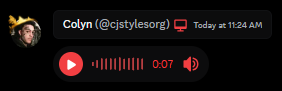
the waveform color is kinda tricky, too many values to try and change around to have it be just almost as identical as the status danger variable.
.messagelogger-deleted [class*=nonVisualMediaItemContainer] .waveform_d6cb89 {
  filter: url("data:image/svg+xml;utf8,<svg xmlns='http://www.w3.org/2000/svg'><filter id='darker-red-tint-filter'><feColorMatrix type='matrix' values='1 0 0 0 0  0 0.1 0 0 0  0 0 0.1 0 0  0 0 0 2 0'/></filter></svg>#darker-red-tint-filter");
}```cooking
or at least, trying to
covert canopy
i am definately not cooking
pure cairn
getting there
 solid ore
viscid tiger
https://files.catbox.moe/ycjwq8.png
solid ore
viscid tiger
https://files.catbox.moe/ycjwq8.png
that looks rly good
covert canopy
pure cairn
getting there
:O
pure cairn
ok, it works
now onto the futureproofing part
and nesting cuz why not, less code is always welcome
[class^=typeWindows_] > [class*=wordmark_]
  { position: static;
    margin: auto;
    display: flex;
    align-items: center;
    justify-content: center;
    opacity: 1;
    pointer-events: none;
    user-select: none;
    order: 1;
    &:before
      { white-space: nowrap;
        order: 1 ;
        content:"I love Elysia";
        color:#ff00d9;
        font-family: '0xproto nerd font mono';
        font-size:11px;
        font-weight: 800;
        transform: scale(1.2); }
    & > svg > g
      { & > path:not(:first-child)
          { display: none; }
        & > path:first-child
{ opacity: 0; } } }```holy sht
pure cairn
it was working on my device, except for the missing font
so it should in theory work on yours as well
plain kelp
Ew that formatting
covert canopy
it does yup. Im gonna take my sweet time understanding it tho
plain kelp
You a lisp guy?
pure cairn
covert canopy
it does yup. Im gonna take my sweet time understanding it tho
I'll write it down with proper formatting so it should be easier to understand
covert canopy
i mean its good as it is, i dont know some of the terms used tho
(hence why "im gonna take my sweet time understanding it")
pure cairn
[class^=typeWindows_] > [class*=wordmark_] {
  position: static;
  margin: auto;
  display: flex;
  align-items: center;
  justify-content: center;
  opacity: 1;
  pointer-events: none;
  user-select: none;
  order: 1;
  &:before {
    white-space: nowrap;
    order: 1 ;
    content:"I love Elysia";
    color:#ff00d9;
    font-family: '0xproto nerd font mono';
    font-size:11px;
    font-weight: 800;
    transform: scale(1.2);
  }
  & > svg > g {
    & > path:not(:first-child) {
      display: none;
    }
    & > path:first-child {
      opacity: 0;
    }
  }
}
take & as "repeat what I said earlier"
plain kelp
What does that style do anyway? What's typeWindow and wordmark
pure cairn
you know the "Discord" svg logo on the top left?
covert canopy
typeWindow would be the entire top bar and wordmark is the "discord" text in the left corner
pure cairn
 plain kelp
Oh, that one
pure cairn
mhm
plain kelp
I run in browser so I don't have that
pure cairn
there's probably a better way of doing it, I simply remembered how clearvision had its watermark and went based off that
pure cairn
covert canopy
:O
Good waifu choices btw
covert canopy
pure cairn
Good waifu choices btw
ty
viscid tiger
i think thats honestly all the things needed now for the message logger. gonna commit the voice message part to the PR in a bit.
covert canopy
the top text thingy works like a charm but i think its slightly more towards left (probably because of buttons i assume?)
pure cairn
Might be
Although I measured with a literal ruler on my screen and it was in the middle
pure cairn
No, it's just me being silly
But as long as it works
covert canopy
ye
viscid tiger
covert canopy
is this normal css dev behaviour 😭
most devs like using wildcard selectors while there's other people who look to go about updating classes everytime discord changes them.
so something like
[class*=nonVisualMediaItemContainer] ```instead of those numbers at the end that discord uses
but of course it's very important to make sure it's very specific cause then before you know it, it'll affect other elements that you didn't even know existed.
covert canopy
i see
pure cairn
Me when [class*=wrapper_] affects 1028183728282 elements instead of just the small little button I wanted to edit

covert canopy
i remember editting this property and got my discord looking funny at me

because it was global, like the most realest sht
viscid tiger
pure cairn
Me when [class*=wrapper_] affects 1028183728282 elements instead of just the sma...
i mainly use ^ selector even if im already specific with what element im targeting
but im using the * selector because the other part of the message logger already uses * so i said why not.
pure cairn
I mean, fair
viscid tiger
viscid tiger
i think thats honestly all the things needed now for the message logger. gonna c...
oh wait, i forgot about the image wrapper part since they don't work well on other image providers lmao.
ex: catbox.moe
plain kelp
viscid tiger
i think thats honestly all the things needed now for the message logger. gonna c...
Did you check that it works on light mode?


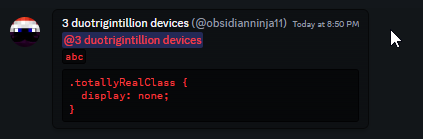

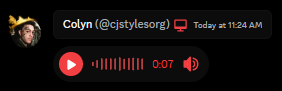 plain kelp
The waveform doesn't look great on light, but other than that looks great
viscid tiger
yeah im very new to this filter stuff, wish there was a better way to mimic the status danger variable.
plain kelp
The vote button on the poll also isn't great, in either mode
viscid tiger
plain kelp
The vote button on the poll also isn't great, in either mode
it was there before i did anything to be fair.
plain kelp
Yeah, there's a lot of things that can appear in messages
viscid tiger
the only thing that needs changing now is just this
.messagelogger-deleted
:is(
video,
.emoji,
[data-type="sticker"],
iframe,
.messagelogger-deleted-attachment,
[class|="inlineMediaEmbed"]
) {
filter: grayscale(1) !important;
transition: 150ms filter ease-in-out;
&[class*="hiddenMosaicItem_"] {
filter: grayscale(1) blur(var(--custom-message-attachment-spoiler-blur-radius, 44px)) !important;
}
}
.messagelogger-deleted
:is(
video,
.emoji,
[data-type="sticker"],
iframe,
.messagelogger-deleted-attachment,
[class|="inlineMediaEmbed"]
):hover {
filter: grayscale(0) !important;
}``` outer trench
Hi i'm new to vencord and I was looking to make my own theme but didn't know where to start and when i tried something it didn't work, can you help me ? thanks
clear siren
ok so you need to know some basic css https://developer.mozilla.org/en-US/docs/Learn/CSS/First_steps/How_CSS_is_structured MDN is a good resource for learning and reference on all the stuff you can do
outer trench
clear siren
ok so you need to know some basic css <https://developer.mozilla.org/en-US/docs/...
i know a litlle bit of css
clear siren
then you hit ctrl+shift+i to open devtools, use the inspect element button to find elements you want to modify and see them in the tree view, find the one that needs to be modified and grab its class or other attribute
outer trench
I already use it and play with it (not hard stuff)
clear siren
write a selector for your element and then throw properties and values at it and see what sticks :D
outer trench
how can a see the discord element ?
clear siren
ctrl+shift+i
clear siren
discord can be tricky to theme because it's made of so many elements inside containers and wrappers etc and all the classnames have hashes in them that sometimes change too
outer trench
If i want to edit the background where i should define it ? in the body or root ? even in body it does nothing
like i don't understand how discord work
clear siren
it does something when added to body, but for some reason discord adds a ton of layers on top all also having their own backgrounds
outer trench
clear siren
it does something when added to body, but for some reason discord adds a ton of ...
i can see that thanks
viscid tiger
viscid tiger
light and dark mode:
ok the waveform color should be a tad bit better in light mode and dark mode now.

 echo frost
viscid tiger
ok the waveform color should be a tad bit better in light mode and dark mode now...
echo frost
viscid tiger
ok the waveform color should be a tad bit better in light mode and dark mode now...
is the progress different than the total?
it would be good for them to be different
echo frost
echo frost
it and iframe was added around a year ago
oh i think ik what the iframe is for now?
oh only when playing
 viscid tiger
echo frost
is the progress different than the total?
it would be good for them to be differ...
viscid tiger
echo frost
is the progress different than the total?
it would be good for them to be differ...
im pretty sure its different
everything should be all set now on my end, just waiting for the imagewrapper and all that stuff on your end. so if we're ready we could get all this going into the message logger.
simple kiln
do you know what element is this divider when moving a server in between?
 frigid zinc
simple kiln
do you know what element is this divider when moving a server in between?
frigid zinc
simple kiln
do you know what element is this divider when moving a server in between?
.target_b7c66a.dragOver_b7c66a:before
 pure flame
hi! anyone know how i can replace the default avatars like these https://discord.com/assets/1256b1e634d7274dd430.png?size=4096
i had a snippet long ago where i could change others avatar using user-id..?
 worldly moss
pure flame
hi! anyone know how i can replace the default avatars like these <https://disco...
worldly moss
pure flame
hi! anyone know how i can replace the default avatars like these <https://disco...
easiest would be matching /assets/ of the src
.avatarStack_c51b4e img[src*="/assets/"] {
    content: url("your new image");
}
would need to do the same for the other places where avatars appear
pure flame
worldly moss
easiest would be matching /assets/ of the src
```css
.avatarStack_c51b4e img[s...
thanks. this only changed in profile popout , i would like it to change in chat.
pure flame
.WHATever ,
 img[src*="/assets/97"] {
    content: url("https://cdn.discordapp.com/emojis/1227001386969858088.webp")!important;
}
for some reason it kind of work if i do this ? 🤔
clear siren
yeah; .WHATever doesn't match anything, img[src*="/assets/97"] matches every image containing that in the url
pure flame
yes (diddent need the .whatever ,) 🙂
solid ore
does anyone know how to get rid of the server folder opening/closing animation? i cant even find what element it happens with
clear siren
not sure you can get rid of it with css too easily
I'm using betterfolders and I can see that openFolderIconWrapper/closedFolderIconWrapper have a transform and folder-items has a height that is js-driven
didn't test without betterfolders
but I assume it's the same
you could potentially force the height but you'd have to know the correct height before
using reduced motion in accessibility settings does get rid of the transition
solid ore
clear siren
using reduced motion in accessibility settings does get rid of the transition
yeah that gets rid of the transition but not this little animation
 clear siren
hmm I seem to have broken that animation already with something in my qcss hold on :D
oh yeah
[class*=FolderIconWrapper_] { transform: none !important;}
solid ore
clear siren
`[class*=FolderIconWrapper_] { transform: none !important;}`
yes that works, thank you!
covert canopy
[class~=class_name] { style properties }
is there a doc link for what the signs mean after class? (class~= there is a ~)
clear siren
covert canopy
```css
[class~=class_name] { style properties }
```
is there a doc link for what...
covert canopy
Tysm
solid ore
couldnt u just do .class_name if it has to be an exact match for one of that element's classes?
covert canopy
solid ore
couldnt u just do `.class_name` if it has to be an exact match for one of that e...
I assumed that the things after the class names(in the discord css) as in the random characters would change every update
As a safety I thought "Oh lemme just make it so that if it starts with this this this because it's my beloved object that I'm changing"
solid ore
yeah, i meant that type of attribute selector, the docs say
[attr~=value] represents elements with an attribute name of attr whose value is a whitespace-separated list of words, one of which is exactly value.
most class fields, at least on discord, are whitespace separated list of words anyway
plain kelp
Class attribute is by definition a whitespace separated list of words
But yes, discord has bullshit hashes
solid ore
yeah, so if u have to match the value within the class attribute exactly, u might as well j write .class instead, right?
plain kelp
If you want to update your style every week, yes
solid ore
i meant with the ~= attribute selector specifically since the docs say it has to match exactly
it was more a question than a statement
plain kelp
That sounds true
viscid tiger
echo frost
oh
i wonder if theres anything else needed for that snippet to make other formats work
unless we're good now.
pure cairn
solid ore
yeah, i meant that type of attribute selector, the docs say
> [attr~=value] repr...
why would someone even use it? genuine question
plain kelp
a[rel~=external]::after
covert canopy
solid ore
yeah, i meant that type of attribute selector, the docs say
> [attr~=value] repr...
Yeah but the exact class name is subject to change (I would assume it is because it's random characters).
I want it to be startswith instead
I also wanted to see what types there were for curiousity purposes
I asked for spoonfeeding yesterday and this was one of the things I didn't quite understand
solid ore
yeah i didnt mean to attack you or anything like that, i was more thinking if it was useful for classes in general
covert canopy
Dw lmao you didn't even come close to attacking unintentionally.
I just justify my actions thoroughly when asked in any context
You're good if not the best
grand surge
is it possible to stick a div under avatar and replace this stupid bubble back how it used to be

with CSS
viscid tiger
grand surge
is it possible to stick a div under avatar and replace this stupid bubble back h...
afaik its not possible (yet), though i made a snippet which basically themes that and matches the profile gradient primary color which makes it MUCH better.
#🎨-css-snippets message
grand surge
I mean if it makes the bubble go away i am fine with that too even
viscid tiger
it doesn't do that, just changes its color so it fits more with the profile.
grand surge
😔
viscid tiger
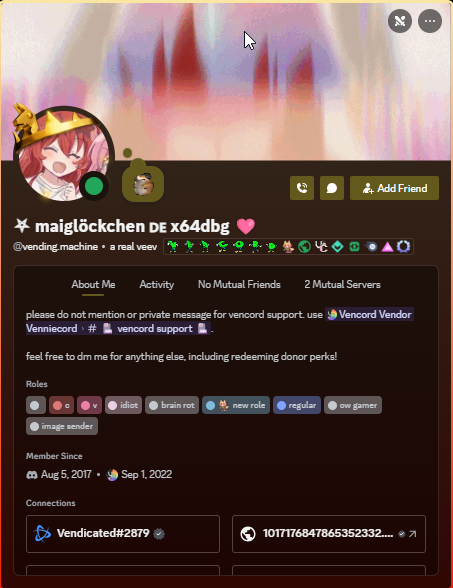
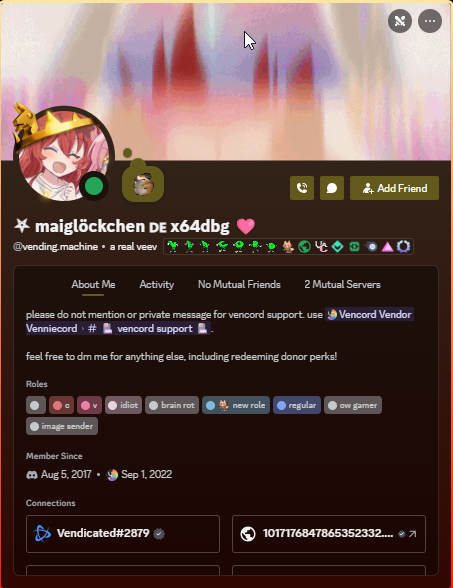
in canary the add friend button is now colored
not sure if this got pushed to stable yet though
i centered the profile tabs because it looks better like that and i changed the underline and removed the divider.
 native topaz
grand surge
I mean if it makes the bubble go away i am fine with that too even
native topaz
grand surge
I mean if it makes the bubble go away i am fine with that too even
iirc, the bubbles are added with ::before and ::after so you can remove it that way.
then make the bg transparent
grand surge
doing that bugs out
Welp this is best i'm going to get i guess

.custom-profile-theme [class^=statusBubble_] {
  background-color: transparent;
}
.custom-profile-theme [class^=statusBubbleOuter_]{
    background-color: transparent;
}
.custom-profile-theme [class^=statusBubbleOuter_]:before {
  visibility: hidden;
}
.custom-profile-theme [class^=statusBubbleOuter_]:after {
  visibility: hidden;
}
wait this only works for those who has nitro 
hm
native topaz
.statusBubbleOuter_
grand surge
how can i make this work for both non custom profiles
trying to find selector
.statusBubble_ {
  background-color: transparent;
}
.statusBubbleOuter_ {
    background-color: transparent;
}
.statusBubbleOuter_:before {
  visibility: hidden;
}
.statusBubbleOuter_:after {
  visibility: hidden;
}
^?
grand surge
native topaz
^?
i need to add ^?
native topaz
no that was just a reminder lol
grand surge
oh
grand surge
grand surge
```css
.statusBubble_ {
background-color: transparent;
}
.statusBubbleOuter_ {...
this didnt work
native topaz
use [class^="statusBubbleOuter_"] instead
  background-color: transparent;
}
[class^="statusBubbleOuter_"] {
    background-color: transparent;
}
[class^="statusBubbleOuter_"]:before {
  visibility: hidden;
}
[class^="statusBubbleOuter_"]:after {
  visibility: hidden;
}```did it work?
grand surge
yep
i changed the first statusBubbleOuter_ to statusBubble_ though
[class^="statusBubble_"] {
  background-color: transparent;
}
[class^="statusBubbleOuter_"] {
    background-color: transparent;
}
[class^="statusBubbleOuter_"]:before {
  visibility: hidden;
}
[class^="statusBubbleOuter_"]:after {
  visibility: hidden;
}
yeah whatever works!
viscid tiger
correct since thats how the ^ selector works
native topaz
yay i love css
viscid tiger
usually discord adds random numbers at the end and theme designers have to use a class updater to get the updated classes.
native topaz
(less >> sass)
grand surge
deleting biteSizeOuter_ makes it so profile is bigger like old imma note that and use ltr
solid ore
should i keep the "Listening to Spotify" header? y/n

 viscid tiger
not sure if this got pushed to stable yet though
viscid tiger
viscid tiger
not sure if this got pushed to stable yet though
ok yeah it did get pushed to stable
pure cairn
solid ore
should i keep the "Listening to Spotify" header? y/n
It's a bit redundant
There's the button at the bottom, you know it's Spotify
No need for the extra stuff
solid ore
pure cairn
There's the button at the bottom, you know it's Spotify
No need for the extra st...
yeah i thought so too, but i have it so that if spotify is not open then those buttons r hidden so u dont get this "not detected" thing, and then there's no indicator


i suppose i could only hide the header when the buttons do show
pure cairn
Yeah
Or make the spotify icon at the top always show
So you know that it's a spotify rich presence
covert canopy
The existence of Spotify rich presence implies the existence of a Spotify poor presence. Get it?
You may laugh now
clear siren
spotify middle-class presence
pure cairn
covert canopy
The existence of Spotify rich presence implies the existence of a Spotify poor p...
Yeah, it's when you use the cracked premium version
solid ore
pure cairn
Or make the spotify icon at the top always show
truee, i'll test them both out later
thanks
pure cairn
I like your idea better ngl
Having the header disappear only when the buttons are available
That might look better
The spotify icon at the top right is a bit of a hassle, because...
Where tf do you put it if there's no header?
covert canopy
clear siren
spotify middle-class presence
"We have reached an era where your Spotify subscription and tier decides your class"
solid ore
pure cairn
The spotify icon at the top right is a bit of a hassle, because...
Where tf do...
iirc its not in the same container so should just stay in the top right
teal cave
covert canopy
"We have reached an era where your Spotify subscription and tier decides your cl...
Listeners of the world unite, you have nothing to lose but your subscriptions!
solid ore
pure cairn
It would still cut the song names' off a bit
yeah maybe, but super long titles get cut off anyway
but yea i think the header will be best
covert canopy
teal cave
Listeners of the world unite, you have nothing to lose but your subscriptions!
Bro is feeding artists(art) ideas
solid ore
aslo cus when playing a local song im pretty sure the icon doesnt exist but the header does
pure cairn
I'll test it out later
Didn't know about that
My favourite spotify activity edit will always be the old Couve's
So simple, yet so pretty
Now I don't have time to find the new classes again
viscid tiger
pure cairn
Now I don't have time to find the new classes again <:SKULL_SKELETON:11335049747...
not even the class updater helps?
viscid tiger
ah man
pure cairn
You know, simplified profiles shenanigans
covert canopy
Holy shit
pure cairn

viscid tiger
simplified profiles would look more better of they centered the profile tabs and highlighted the underline to be the same color as the gradient color.
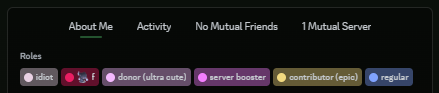

and y'know the role color design.
pure cairn
covert canopy
Holy shit
Some day I'll bring it back
Perchance
covert canopy
pure cairn
Some day I'll bring it back
Perchance
You got this!
I am quite amazed by how many cool things people have made here and also surprised about how much one can do with css
pure cairn
the same reaction I got when I first opened devtools and messed around with the values
and making discord crash
covert canopy
What
covert canopy
:Guya:
solid ore
pure cairn
yeah don't use f8break while you're in a VC
sometimes u gotta do what u gotta do
solid ore
pure cairn
No, discord just straight up nuked most of them
i can help u fix it if u want, i had to redo most of my theme bc of that
pure cairn
solid ore
i can help u fix it if u want, i had to redo most of my theme bc of that
thank you, I'll let you know when I have slightly more free time
covert canopy
Talking about "discord nuking attributes or whatever". It's crazy how many "good looking" themes on the website (betterdiscord or GitHub) are outdated to a point where their sole highlight doesn't work
pure cairn
pure cairn
I'll test it out later
and btw, it still comes out even if it's a local file on spofity
 covert canopy
I've seen actually good looking (to me) themes not work, very sad
pure cairn
yeah, there are many cool themes out there
 copper flame
crazy that discord locked the progress bar to spotify only
and also doesnt display time remaining for listening activities on desktop
bleak gust
copper flame
crazy that discord locked the progress bar to spotify only
You will be absolutely disgusted when you find out how spotify detection works
solid ore
bleak gust
You will be absolutely disgusted when you find out how spotify detection works
how does it work
wait is it smthng obvious
bleak gust
solid ore
how does it work
tl;dr: if name is Spotify and type is listening to and no party
solid ore
oh
bleak gust
sounds like a good idea until you realise how hardcoded it is
bleak gust
they can
solid ore
so whats the problem
bleak gust
it just means nobody can make custom rich presence with time bar visible to everyone
solid ore
oh
bleak gust
it is Spotify and Only Spotify
solid ore
well yeah i mean its always been clear they have some kind of exclusivity deal
bleak gust
not to mention if you wanted to make a plugin that made it say listening to song it would break all spotify features
bleak gust
solid ore
well yeah i mean its always been clear they have some kind of exclusivity deal
doubt it
solid ore
bleak gust
doubt it
why