#🎨-theme-development
1 messages · Page 33 of 1
 celest badger
 pure cairn
Welp, stuff is broken but will hopefully be fixed soon
celest badger
Scrolling through the channels of the vencord server is still crashing me though even without vencord installed
and it's only in this server
 slim lantern
What's that fancy music player plugin you have?
 grand surge
slim lantern
What's that fancy music player plugin you have?
grand surge
slim lantern
What's that fancy music player plugin you have?
spotifycontrols
slim lantern
ty!
slim lantern
Ye, I saw the announcement a lot of things are borked at the moment. So nows the time to be patient and let people who know what they're doing do their magic. Personally I uninstalled for now because crashing when switching DM tabs made me sad.
 winter tendon
hey i know this aint the right channel but i cant chat in anything else right now, can anyone help
slim lantern
winter tendon
hey i know this aint the right channel but i cant chat in anything else right no...
Did you check the announcements?
 iron smelt
winter tendon
hey i know this aint the right channel but i cant chat in anything else right no...
iron smelt
winter tendon
hey i know this aint the right channel but i cant chat in anything else right no...
please read #announcements
winter tendon
oh right
i read them but i got confused because i saw people chatting in #🧊-off-topic-iceman-only
slim lantern
iron smelt
please read <#1024351821873037462>
I can't believe we responded almost at the same time.
iron smelt
slim lantern
I can't believe we responded almost at the same time.
true
slim lantern
Also gotta throw shade on Discord, the fact that they have all these eye bleed gradients but no darker dark theme is amazing.
 sturdy whale
If I uninstall, will I lose all my settings?
winter tendon
im assuming vencord not working is related to this error?

 tame oracle
pure cairn
Welp, stuff is broken but will hopefully be fixed soon
tame oracle
pure cairn
Welp, stuff is broken but will hopefully be fixed soon
48h is too muuuch
tame oracle
sturdy whale
If I uninstall, will I lose all my settings?
Nope
slim lantern
sturdy whale
If I uninstall, will I lose all my settings?
Vencord stores settings in AppData\Roaming\Vencord\settings so you can back them up if you'd like. It doesn't get deleted automatically when Vencord is uninstalled, so you won't lose your data.
 opal juniper
Why can’t I talk in any channels?
 rocky quarry
My theme is broken rn, will it still be broken after the update?
tame oracle
opal juniper
Why can’t I talk in any channels?
Whiterolomphobia
opal juniper
Whiterolomphobia
rocky quarry
this is the theme development channel
opal juniper
wot
rocky quarry
for themes
opal juniper
I legit have no perms in any other channel
slim lantern
rocky quarry
My theme is broken rn, will it still be broken after the update?
Likely, since Discord did an update on their end. May have to tinker with it a bit. I noticed my theme looked a bit off too, although mostly working.
tame oracle
opal juniper
Whiterolomphobia
White roles not allowed to text there
gotta rank up
Whiterolomphobia
opal juniper
tame oracle
White roles not allowed to text there
by doing what exactly?
tame oracle
opal juniper
by doing what exactly?
Sucking mods
rocky quarry
slim lantern
Likely, since Discord did an update on their end. May have to tinker with it a b...
mines completely fucked 😭
opal juniper
tame oracle
Sucking mods
bru
slim lantern
rocky quarry
mines completely fucked 😭
Personally I'd wait for Vencord to update and just see if it's broken then. Not much we can do at the moment.
 shell wing
My discord keeps crashing when I have it installed 😭
 exotic nexus
y'all this isnt the support channel. the server is locked down for a reason. wait until it is fixed
winter tendon
"48 hours no vencord"
 calm comet
factual information
 vestal field

GitHub
Update Discord theme classes, October 2023 and March 2024 - Saltssaumure/ClassUpdate
we are saved
 echo frost
vestal field
https://github.com/Saltssaumure/ClassUpdate
echo frost
vestal field
https://github.com/Saltssaumure/ClassUpdate
smh i can't react 🔥
echo frost
iron smelt
i’ll do it for you
🔥
(now i need to fire react yours)
(and this is working too since it's based off the diff from that repo) https://syndishanx.github.io/Website/Update_Classes.html
vestal field
oh yeah that too
echo frost
much easier to use if you only have a couple files
 teal cave
not me 
 echo frost
lmao
teal cave
painsge
 echo frost
wtf
 clear siren
teal cave
painsge
clear siren
teal cave
painsge
I had to remove 1 underscore to fix my shit xd
 warm bough
let's hope my palette swap theme is still working (discord broke that too)
 left musk
winter tendon
im assuming vencord not working is related to this error?
left musk
winter tendon
im assuming vencord not working is related to this error?
peak crash screen (very unbiased opinion)
 rain barn
forked a theme to attempt to fix it with ClassUpdate, is it normal to just freeze like this? x)

the files are already set up in the directory
 edgy sentinel
better to just use the website

 solid ore
pure cairn
```css
[class^="iconItem__"]:not([aria-label="Open Chat"])
{ display: none; }`...
solid ore
pure cairn
```css
[class^="iconItem__"]:not([aria-label="Open Chat"])
{ display: none; }`...
2 underscores should be 1
solid ore
the 2nd underscore is part of the random hash
pure cairn
I thought I had removed every double underscore from my selectors, guess I was missing some of them in there
thanks

solid ore
pure cairn
I thought I had removed every double underscore from my selectors, guess I was m...
ctrl+f is ur friend 👍
solid ore
tru
rain barn
edgy sentinel
better to just use the website
got it
slim lantern
@rain barn "Present day, present time!"
rocky quarry
omg lain
 magic escarp
yo when i updated vencord my theme background isnt working? i dont see how this code:
body {
background: center/cover url('https://i.imgur.com/abcdefg.png') !important;
overflow: hidden;
width: 100vw;
height: 100vh;
}```
wouldnt work? prime yoke
body {
  background: center/cover url('https://github.com/maIwina/quoter/blob/main/5a9fd3d77ec75b9dccfb5df4242771f1.jpeg?raw=true');
}
how can i make the image shorter on left (its suppose to be transparent)

 glacial citrus
is it possible to make the discord window transparent
prime yoke
glacial citrus
is it possible to make the discord window transparent
--background-primary: rgba(26, 20, 27, 0.39);
 native topaz
you also have to enable the feature in vencord settings

 glacial citrus
prime yoke
`--background-primary: rgba(26, 20, 27, 0.39);`
glacial citrus
prime yoke
`--background-primary: rgba(26, 20, 27, 0.39);`
i solved it with --background-tertiary: transparent;, but ty
prime yoke
i mean yeah i just have mine with color
you could also just do
--background-primary: transparent;
glacial citrus
prime yoke
i mean yeah i just have mine with color
you used primary i used tretiatry
primary didnt work for me
prime yoke
damn
ok
i mean there is also theme from @grand surge
it worked for me
now im just trying to add image to the background that would also be semi transparent
im stuck on
:root {
  background-image: center/cover url('https://github.com/maIwina/quoter/blob/main/5a9fd3d77ec75b9dccfb5df4242771f1.jpeg?raw=true') !important;
  overflow: hidden;
  width: 100vw;
  height: 100vh;
}
ima be honest i know like nothing about themeing i just do a bit for myself
native topaz
try maybe? :root { background-image: center/cover url('https://github.com/maIwina/quoter/blob/main/5a9fd3d77ec75b9dccfb5df4242771f1.jpeg?raw=true') !important; background: rgba(0,0,0, .3); overflow: hidden; width: 100vw; height: 100vh; }
prime yoke
it dissapeard lol
native topaz
what did
prime yoke
image
prime yoke
native topaz
apply the rgba to a child
tried
background: rgba(255, 255, 255, 0.5);
and
color: rgba(0, 0, 0, 0.8);
none worked
clear siren
can't change opacity of a background image without changing the opacity of everything
clear siren
what you can do though
is make the background image be in a pseudoelement like body::after and change its opacity there
teal cave
yay my favourite class gadienthighlight
 prime yoke
clear siren
is make the background image be in a pseudoelement like body::after and change i...
prime yoke
clear siren
is make the background image be in a pseudoelement like body::after and change i...
sorry im new to css and i don't know much, can you show me how can i do it?
clear siren
ok
prime yoke
thanks
clear siren
body::before {
  content:'';
  background: center/cover url('<https://github.com/maIwina/quoter/blob/main/5a9fd3d77ec75b9dccfb5df4242771f1.jpeg?raw=true')> !important;
  width: 100vw;
  height: 100vh;
  position:fixed;
  opacity: .2;
}
that should work
except the url got <> because of my textreplace xd
remove those
clear siren

prime yoke
only this thing is bit annoying
 native topaz
what is that?
prime yoke
its suppose to be transparent
native topaz
do you have a link that matches it?
prime yoke
i don't think so
native topaz
if you inspect you should be able to see what that text is and then ctrl+f your quickcss file
prime yoke
native topaz
if you inspect you should be able to see what that text is and then ctrl+f your ...
this is what i mean by transparent

if i do
[class="scroller_fea3ef none_c49869 scrollerBase_c49869"]{
  display: none;
}
i get this
 grand surge
prime yoke
i mean there is also theme from <@456226577798135808>
grand surge
prime yoke
i mean there is also theme from <@456226577798135808>
ping 
prime yoke
grand surge
ping <:faunaSob:1221139159201353810>
sorry i wont do it again :c
grand surge
prime yoke
sorry i wont do it again :c
nah it's all good, just unexpected.
ping if you need me for anything
prime yoke
c: oki
native topaz
.scroller_de945b.none_ff9f86.scrollerBase__65223 { background-color: rgba(0,0,0,0.1) !important; }
prime yoke
nope
prime yoke
yeah, nothing changes
 prime yoke
native topaz
(i used a solid color since i dont have the setting enabled)
prime yoke
native topaz
(i used a solid color since i dont have the setting enabled)
ok i used redneck engineering and just added
left: 72px;
xd
body::before {
  content:'';
  background: center/cover url('https://github.com/maIwina/stuff/blob/main/GGZKK7HbQAIAPin.png?raw=true');
  width: 100vw;
  height: 100vw;
  left: 72px;
  position:fixed;
  opacity: .5;
}
hey im trying to change my background image and ever since the new update it hasnt been working i even tried removing literally everything from my theme file and only put the content from the message above it still has the default grey background
prime yoke
magic escarp
hey im trying to change my background image and ever since the new update it has...
background-image: url('url here')
?
or
--background-primary: url('url here');
this is the entire theme code that im using rn
body{
    background: center/cover url('https://github.com/maIwina/stuff/blob/main/GGZKK7HbQAIAPin.png?raw=true');
}```@prime yoke
and it looks like just default discord
could it be a plugin doing this?
i dont have any custom ones
just the ones that come with vencord
prime yoke
magic escarp
and it looks like just default discord
body {
--background-primary: url('url here');
}
this?
magic escarp
oh that works!
prime yoke
np
magic escarp
well thank u lol
 tidal moth
whats the new avatar class? tried to extract it myself with ctrl + shift + c, but using it seems to not work (.avatar__ec86aa.clickable__ec86aa)
 exotic lance
tidal moth
whats the new avatar class? tried to extract it myself with ctrl + shift + c, bu...
exotic lance
tidal moth
whats the new avatar class? tried to extract it myself with ctrl + shift + c, bu...
.avatar_ec86aa.clickable_ec86aa ?
exotic lance
np!
iron smelt
OK, so I cant figure this out I'm trying recolor this lock too add more stuff to my CSS Snippet. This is what i have so far
.icon_e44302:has(path[d^="M16 4h.5v"]) path[d^="M16 4h.5v"] element.style{
    fill: #fffaa0 !important
}

i’m prolly just upid but I’m on like 2 days of no sleep and i can’t sleep so i’m doing this
teal cave
Anyone wanna help test for bugs? Trying to get this nice and polished. https://github.com/MiniDiscordThemes/DiscordReimagined

GitHub
A Discord theme based on 'Discord Re-imagined (Concept)' by Concept Central. - MiniDiscordThemes/DiscordReimagined
vestal field
iron smelt
OK, so I cant figure this out I'm trying recolor this lock too add more stuff to...
.icon_d8bfb3 path[d^="M16 4h.5v"] {
  fill: #fffaa0 !important;
}
the class changed
and you dont need all that extra stuff
iron smelt
vestal field
```css
.icon_d8bfb3 path[d^="M16 4h.5v"] {
fill: #fffaa0 !important;
}
```
Nope that doesn’t do what i need it to i want it too recolor the “regulars” at the top of the chat not on the channel list
iron smelt
vestal field
```css
.icon_d8bfb3 path[d^="M16 4h.5v"] {
fill: #fffaa0 !important;
}
```

i didn’t mean to double ping sorrgy
vestal field
iron smelt
Nope that doesn’t do what i need it to i want it too recolor the “regulars” at t...
oh then your class was right
.icon_e44302 path[d^="M16 4h.5v"] {
  fill: #fffaa0 !important;
}```that worked thank you very much

 fringe venture
My transparency suddenly stopped working the other day
It worked fine for like a week and now it refuses to
Been using this one https://github.com/s-k-y-l-i/discord-themes/blob/main/Acrylic-Harmony.theme.css
But now the window isn't transparent anymore for no apparent reason
 rose geode
discord has class update, wait for ur developer to fix
 lost plume
or read known-issues
 clear siren
world if theme devs used attribute selectors

 dry gale
can som1 make lily pichu but black and grey pwease :D
solid ore
clear siren
world if theme devs used attribute selectors
fr
but actually i use attribute selectors in everything but i still had to change quite a few things cus of the new profiles
 stark epoch
trying to replicate the themes that move the settings mute and deafen to their own place under server bar(s) but have no clue where to start
pure cairn
clear siren
world if theme devs used attribute selectors
They'd have to type more characters
Unacceptable
stark epoch
oh no.... looking at this i have to move each button indivually i cant just move the element that technically contains those three
i think im finding the class wrong.. i have no clue what im doing
no wait i was wrong i can edit the container. im just...moving the container wrong
teal cave
imagine writing simple enough css where using attr selectors won't tank performance, could not be me 
vestal field
clear siren
world if theme devs used attribute selectors
i've been doing this for my new theme but like finding a good selector for every .container_ is so annoying :(
clear siren
add parent, makes it easier to read/debug later too when you can see what is containing the container
vestal field
yeah
 clear siren
yeah
 worldly moss
vestal field
i've been doing this for my new theme but like finding a good selector for every...
worldly moss
vestal field
i've been doing this for my new theme but like finding a good selector for every...
I just give up and hardcode it 
vestal field
same
but the goal is to get to 100% attributes eventually
its probably easier to find replace the classes at the end
worldly moss
Yeah
stark epoch
im still trying to find how other themes move the stupid mute button group xD
teal cave
stark epoch
im still trying to find how other themes move the stupid mute button group xD
you mean like this group?
 stark epoch
yee
cause i have its class, ive been able to edit it kinda, but ive never actually done theme coding or really css or html too much in general so actually moving the element is somethign i dont know
teal cave
where do you want to move it to?
stark epoch
cause im wanting to move them over to beneath my server bar

or bars since i use the better folders thing
which would mean id need to change their max height so it doesnt clip which i can do that id just need to grab their class names as well which isnt difficult so far
teal cave
Something like this:
.avatarWrapper_b2ca13 + div {
    position: fixed;
    left: 0;
    bottom: 0;
    background: blue;
    align-items: center;
    margin-left: 0;
    height: 50px;
}

.guilds_a4d4d9 {
    margin-bottom: 50px;
}

obviously adjust width and all yourself to what you need
stark epoch
oh thank you!
i was using this to grab the entire class ```[class="flex_bba380 horizontal_bba380 justifyStart_ec1a20 alignStretch_ec1a20 noWrap_ec1a20"]{
}```
since technically thats the class name that holds it all.
oh wait class names like that get randomized dont they so what i was doing would break the second discord updates
teal cave
Yeah that's more fragile than even just using classes normally: .flex_bba380.horizontal_bba380.justifyStart_ec1a20.alignStretch_ec1a20.noWrap_ec1a20
I'm selecting based on the class immediately before it (the avatar container), you could do this instead to somewhat futureproof it:
[class*="panels_"] [class*="avatarWrapper_"] + div
stark epoch
alright thank you!
thanks yto you showing me that i now have this changed in my own personal version of diskette

now to see if i can put a box around the settings like the profile has
native topaz
that's a sick theme
stark epoch
its just this https://github.com/SlippingGittys-Discord-Themes/Diskette with a custom colour and some more custom things

GitHub
A tui-like Discord theme (Inspired by the Spotify "Text" theme) - SlippingGittys-Discord-Themes/Diskette
i wont release my version due to not actually having permission to edit it, ill be asking for permission to release once i get around to feeling like its finished with my preferences
teal cave
I mean permission has already been granted through the WTFPL
    DO WHAT THE FUCK YOU WANT TO PUBLIC LICENSE
                Version 2, December 2004
Copyright (C) 2024 SlippingGitty vozercozer@wetdry.world
Everyone is permitted to copy and distribute verbatim or modified
copies of this license document, and changing it is allowed as long
as the name is changed.DO WHAT THE FUCK YOU WANT TO PUBLIC LICENSETERMS AND CONDITIONS FOR COPYING, DISTRIBUTION AND MODIFICATION
- You just DO WHAT THE FUCK YOU WANT TO.
 bleak gust
stark epoch
i wont release my version due to not actually having permission to edit it, ill ...
bleak gust
stark epoch
i wont release my version due to not actually having permission to edit it, ill ...
licensing what
yeah
that is literally
stark epoch
oh it uses the do what the fuck you want license
bleak gust
"DO RELEASE WHAT YOU WANT"
native topaz
xd
rocky quarry
does anything use 2 underscores anymore?
stark epoch
so yeah ill release my theme once i feel its good enough
bleak gust
stark epoch
im so used to having to ask permission
silly this is something you do if you deal with corporate or skids 
stark epoch
ive been in legal mode because i run a content creation group and an ex members been a bitch recently
stark epoch
been having to cover 6 peoples asses for a week.
bleak gust
what happened 
stark epoch
kicked them out for putting the company in bad light and they were trying to run a discriminatiuon campaign against every member
Reason it didnt go full legal is we cant exactly prove its them since its a shit ton of alts being used.
But they all have a similair theme to the original user
bleak gust
oh, so you are dealing with a child
solid ore
rocky quarry
does anything use 2 underscores anymore?
do u mean in class hashes?
stark epoch
bleak gust
oh, so you are dealing with a child <:trolley:1024751352028602449>
funiest part they are 2 years older than me
solid ore
rocky quarry
does anything use 2 underscores anymore?
something probly does but itll just get changed since the 2nd underscore is part of the random hash, so j use attribute selectors w 1 underscore
vestal field
rocky quarry
does anything use 2 underscores anymore?
i havent encountered a single one yet
but yeah just use 1
rocky quarry
solid ore
do u mean in class hashes?
yeah
ive found some stuff in my code still using 2 after i ran it throught the updater
i have no idea what they originally did
teal cave
rocky quarry
i have no idea what they originally did
The classes were/are a name followed by _ followed by 6 characters. The first char of that 6 has a chance of being another underscore, and whatever seeding they've used this time has a lower chance of that happening seemingly.
stark epoch
stark epoch
thanks yto you showing me that i now have this changed in my own personal versi...
So issue with the code.... the settings button has stopped working xD
i only just tested it
stark epoch
teal cave
Something like this:
```css
.avatarWrapper_b2ca13 + div {
position: fixed;
...
Yeah that code broke the buttons fun
teal cave
stark epoch
Yeah that code broke the buttons fun
Works on default discord, I would check if the 2nd column of servers is covering the settings button invisibly or something.
stark epoch
from what i can see nothings covering anything and its showing as im hovering it

i can hover

but clicking doesnt seem to do anything
Heres the theme file cause im betting im doing alot wwrong
oh wait i disabled quick css and it works... so now to look through that stuff
see what i even have in there
 worthy agate
.live_e17fae liveSmall_e17fae eyebrow_e17fae textBadge_df8943 base_df8943 eyebrow_df8943 liveShapeRound_e17fae {
    background-color: blue;
}``` why is the backgroundColor not working for the LIVE iconu need to add a . before each class name
worthy agate
solid ore
u need to add a . before each class name
oops there is a typo one sec
worthy agate
solid ore
u need to add a . before each class name
.liveSmall_e17fae eyebrow_e17fae textBadge_df8943 base_df8943 eyebrow_df8943 liveShapeRound_e17fae {
    background-color: blue;
}``` how come this doesn't workas i said u need a . before each class name, also no spaces between them or it will think u r selecting .liveSmall as a child of .live
also u need to add an !important for this case, try this:
.live_e17fae.liveSmall_e17fae.eyebrow_e17fae.textBadge_df8943.base_df8943.eyebrow_df8943.liveShapeRound_e17fae {
    background-color: blue !important;
}
 terse citrus
is there any theme css i could use
terse citrus
is there any theme css i could use
https://github.com/nvhhr/discordcss/blob/main/snippets/actuallybasicbackground.theme.css
@/nvhhr's theme works w gifs, i j tested it
GitHub
Discord css stuff. Contribute to nvhhr/discordcss development by creating an account on GitHub.
worthy agate
solid ore
as i said u need a . before each class name, also no spaces between them or it w...
oh alright mb, so I used backgroundColor with this but now I try this and it does nothing:
.live_e17fae.liveSmal_e17fae.eyebrow_e17fae.textBadge_df8943.base_df8943.eyebrow_df8943.liveShapeRound_e17fae {
    box-shadow: 0 0 20px rgba(255, 255, 255, 0.5);
}```where do i put the gif link?
native topaz
whyre you adding a box shadow?
native topaz
terse citrus
where do i put the gif link?
/*customize these*/
:root
 { --nvbgimg: url("https://w.wallhaven.cc/full/85/wallhaven-851q5o.jpg");
   --nvbgadjust: rgb(0 0 0 / .6); /*use this to tone the bg for better visibility*/
   --scrollbar-thin-track: transparent;
--scrollbar-auto-track: transparent; } ```you're missing an L in .liveSmall, it should work then
native topaz
/*customize these*/
:root
 { --nvbgimg: url("your url here");
   --nvbgadjust: rgb(0 0 0 / .6); /*use this to tone the bg for better visibility*/
   --scrollbar-thin-track: transparent;
--scrollbar-auto-track: transparent; } ```add that to your custom css ^^^
worthy agate
solid ore
you're missing an L in .liveSmall, it should work then
lol i be blind
solid ore
terse citrus
and nothign is changing
and add https://raw.githubusercontent.com/nvhhr/discordcss/main/snippets/actuallybasicbackground.theme.css to ur online themes in vencord
terse citrus
solid ore
and add https://raw.githubusercontent.com/nvhhr/discordcss/main/snippets/actuall...
where do i do that
got it

uhm
terse citrus
oh ok
stark epoch
css goes in quick css , local themes open quick css
 terse citrus
got it thank you
stark epoch
im starting to regret cloning diskettes repo some of the stuff in this is dumb as hell and i cant stop laughing
teal cave
ngl I regret reading the piss poster
stark epoch
theres some voice files of them just talking for five minutes. im leaving a good chunk of this stuff in here
Hell yeah turns out to make boxes its border: var(--borders); least i diskette

now to find how the hell theyre doing the hover system as hovering over these buttons highlights the original border not the new one
i just noticed the voice connected area doesnt have a full boarder so i get to figure out why and fix ti, its also misaligned.
theres so many tiny issues in diskette
 chilly condor
Hi i was wondering if i could have some assistance on a quick CSS snippet, just to minimize the spacing between the number of members vs role.
 solid ore
chilly condor
Hi i was wondering if i could have some assistance on a quick CSS snippet, just ...
solid ore
chilly condor
Hi i was wondering if i could have some assistance on a quick CSS snippet, just ...
this is what i use:
/* smaller member count */
[data-list-id^=members-] .vc-membercount-widget {
    margin-top: 0 !important;
    margin-bottom: -1.25em !important;
}
thank you !
highly appreciated
 heady crystal
does someone have code to change username colors for specific users? (but name or id)
this is what I have right now. it successfully changes all user colors in the chat, but I would prefer to specify users and can't think of a way to do that.
span[class="username_ec86aa desaturateUserColors_c7819f clickable_ec86aa"] {
    color: mediumturquoise !important;
}
turn on themeattributes plugin, then put
[data-author-id="383969898935746560"] or [data-author-username="k4kadu"] in front
heady crystal
don't mind the line I just deleted that was for the memes
echo frost
Is there a way to get text content with something similar to attr?
clear siren
nope
echo frost
sad
heady crystal
clear siren
turn on themeattributes plugin, then put
[data-author-id="383969898935746560"] o...
like this?
    color: mediumturquoise !important;
}
or
span[data auth...] [class...] {
clear siren
[data-author-username="k4kadu"] span[class^=username_] {
    color: mediumturquoise !important;
}
nice! thank you
stark epoch
anyone know the class for
 pure cairn
for?
vestal field
like the whole thing?
stark epoch
yeah
vestal field
wrapper_adcaac
stark epoch
thank you
echo frost
stark epoch
anyone know the class for
do ctrl shift i, then click the box with a cursor icon (or press ctrl+shift+c) and click there

 stark epoch
Asked a few others and got a yes from the 3 i asked. so.. yeah is there a place for me to drop the github for the theme or do i just push it to BD's site
vestal field
submit to bd is probably the best way
but they might not accept a modification of an existing theme
stark epoch
they also require weird verification.. so thats fun
vestal field
verification?
i thought you just had to authorize github
so they can pull theme files from your repo
grand surge
Wish I could assign the album cover to elements outside SpotifyControls 😭 , I had to give a shit ton of elements a z-index, not too sure how that effects performance, but i feel it'd be so much better to have the variable being globally declared instead of being declared in a element
also ignore anything other than the changing bg, I am hoping if the declaration is ever changed, I could do a lot more. I plan on changing text colors to adapt to the album cover
kinda like how spicetify themes do it.
Heres an example
Ignore the laggyness/unresponsiveness of spotify, im having some sort of memory leak
stark epoch
vestal field
i thought you just had to authorize github
you need to also be verified so that youre not abusing it and uh i was denied so thats fun
vestal field
verified in what way lol
vestal field
i see
stark epoch
 vestal field
you were denied that fast?
stark epoch
yep
vestal field
pending approval isnt denied though
stark epoch
 vestal field
oh
stark epoch
oh its on github
currently working on a very stupid small detail that looks impossible right now
hovering over any buttons on the left is making the original location of the buttons glow
 teal cave
This is an edit of someone else's theme, which is why it wasn't accepted.
stark epoch
teal cave
This is an edit of someone else's theme, which is why it wasn't accepted.
makes sense
vestal field
yeah i mentioned that earlier
but the thing shouldn't say account declined
it should say theme rejected
stark epoch
yeah dunno why my entire account denied, didnt get far enough to even upload the theme to BD
they werent even reviewing anything specific
teal cave
If this is the only repo in your account that is "ready to submit", it will be declined
You can always ask on the server later if you have another thing to submit
stark epoch
shrug i dont care enough
teal cave
Fair enuff
stark epoch
well i got closer to what i was doing now both glow

i dont think i can make it not recognise them as attached to that container
teal cave
vee we need a vencord theme distribution channel
stark epoch
im going insane trying to seperate these fuckin buttons xD
also wanting to confirm something the notification thing next to servers, is every server have an individual one? because looking at classes it seems to be duplicating them
not the ping notif but the other one
vestal field
teal cave
vee we need a vencord theme distribution channel
fr
echo frost
Has the updated monaco with support for css nesting been brought to vencord yet?
vestal field
doesn't work currently at least
worldly moss
echo frost
Has the updated monaco with support for css nesting been brought to vencord yet?
nop, still shows invalid css for me
 fossil hatch
@oak plover This is black with fill: none;


Removing fill: none; makes it white
Wait actually
To get the actual arrow shape you want, it'd be both stroke and fill colors being removed 
 fossil hatch
/* Quest collapse icon */
[d="M5.3 9.3a1 1 0 0 1 1.4 0l5.3 5.29 5.3-5.3a1 1 0 1 1 1.4 1.42l-6 6a1 1 0 0 1-1.4 0l-6-6a1 1 0 0 1 0-1.42Z"] {
  fill: hsl(0, calc(var(--saturation-factor, 1) * 0%), 100%);
  stroke: unset;
}
/* Voicechat connection status icon */
[d="M2 8a1 1 0 0 1 1-1 14 14 0 0 1 14 14 1 1 0 1 1-2 0A12 12 0 0 0 3 9a1 1 0 0 1-1-1Z"] {
  d: unset;
}
/* Toolbar notification icon */
[class^="toolbar"] > [class^="iconWrapper"] > svg > [d^="M1.3 21.3a1 1 0 1 0 1.4 1.4l20-20a1 1 0 0 0-1.4-1.4l-20 20ZM3.13 16.13c.11.27.46.28.66.08L15.73 4.27a.47.47 0 0 0-.07-.74 6.97 6.97 0 0 0-1.35-.64.62.62 0 0 1-.38-.43 2 2 0 0 0-3.86 0 .62.62 0 0 1-.38.43A7 7 0 0 0 5 9.5v2.09a.5.5 0 0 1-.13.33l-1.1 1.22A3 3 0 0 0 3 15.15v.28c0 .24.04.48.13.7ZM18.64 9.36c.13-.13.36-.05.36.14v2.09c0 .12.05.24.13.33l1.1 1.22a3 3 0 0 1 .77 2.01v.28c0 .67-.34 1.29-.95 1.56-1.31.6-4 1.51-8.05 1.51-.46 0-.9-.01-1.33-.03a.48.48 0 0 1-.3-.83l8.27-8.28ZM9.18 19.84A.16.16 0 0 0 9 20a3 3 0 1 0 6 0c0-.1-.09-.17-.18-.16a24.84 24.84 0 0 1-5.64 0Z"] {
  d: path("M18 9V14C18 15.657 19.344 17 21 17V18H3V17C4.656 17 6 15.657 6 14V9C6 5.686 8.686 3 12 3C15.314 3 18 5.686 18 9ZM11.9999 21C10.5239 21 9.24793 20.19 8.55493 19H15.4449C14.7519 20.19 13.4759 21 11.9999 21Z")
}
``` These are what I found so far/* View icon */
[d="M22.52 13.17c-.2.41-.87.35-1.15 0a3.02 3.02 0 0 0-.45-.48.47.47 0 0 1-.13-.54c.04-.1.04-.2-.01-.31-.4-.9-1.18-2.4-2.4-3.76C16.89 6.38 14.82 5 12 5 9.2 5 7.13 6.38 5.61 8.08a15.05 15.05 0 0 0-2.37 3.72.48.48 0 0 0 0 .4c.4.9 1.18 2.37 2.37 3.72a8.46 8.46 0 0 0 5.89 3.07c.28.01.5.24.54.5.05.31.15.6.29.87.13.27-.03.64-.33.64-7.11 0-10.27-7.11-10.89-8.7a.83.83 0 0 1 0-.6C1.73 10.1 4.9 3 12 3c7.11 0 10.27 7.11 10.89 8.7.07.2.07.4 0 .6-.08.21-.2.5-.37.87Z"] {
d: unset;
}
They select the entire path in their theme iirc
edgy sentinel
 pure cairn

teal cave
YIPPEE
vestal field

worldly moss
yippie
echo frost
Dev branch is only 1 commit (monaco upgrade) ahead of main
Is dev branch frequently merged into main?
bc i don't want to like manually build the dev branch if it's going to come out in an update tomorrow
 devout elm
worldly moss
edgy sentinel
finally https://github.com/Vendicated/Vencord/commit/6ce7fde19c53984aa7c8104c247...
devout elm
worldly moss
edgy sentinel
finally https://github.com/Vendicated/Vencord/commit/6ce7fde19c53984aa7c8104c247...
its so beautiful, no more red hell
 echo frost
devout elm
https://discord.com/channels/1015060230222131221/1015063227299811479/12538836607...
echo frost
devout elm
https://discord.com/channels/1015060230222131221/1015063227299811479/12538836607...
lmao right after I sent my msg
 lime walrus
Idk what stylus wants from me, i don't rlly understands what he means


Sry if this is pure brain rot but if you can help thanks
The code is right, i'm using it on the app rn and it works

I just stole it from css snippet

 solid ore
anyone know how to get rid of this shadow
 bleak gust
solid ore
anyone know how to get rid of this shadow
bleak gust
solid ore
anyone know how to get rid of this shadow
for the left sidebar:
.header_fd6364 {
    box-shadow: none;
}
for the rest of it:
.content_a7d72e:before {
    display: none;
}
enjoy your 1px taller chat
pure cairn
That's the equivalent of dropping a flashbang into a room
teal cave
Based purely on the number of elements display:none'd, I think I shall not
 fathom hedge
is hiding the themes section intentional?
solid ore
bleak gust
for the left sidebar:
```css
.header_fd6364 {
box-shadow: none;
}
```
for t...
thanks! i tried to look for a box-shadow style but didnt think to check the :before
 deft niche
@viral ember you don't need to edit the variables to recolour an element, get a unique selector then assign whatever values you want
 viral ember
yep but i can't find the css other than the root variables
i've got react developer tools enabled but i cannot seem any specific tab for it
viral ember

 copper oak
copper oak
copper oak
just click the class and kind of trial and error, usually the parent class holds it
 copper oak

copper oak
yeah it's at the parent class
viral ember
i was looking at the parent class
copper oak
might have to click on it and give it a sec to update
other tab has the vars and whatnot

 viral ember
but some variables cannot be set 
you'd have to set them in ur css file and upload it to gh then read from there
can some1 explain how they got those emojis dancing on top of the badges wat
 viral ember
donor perk?
pure cairn
From sponsoring Vee on Github
viral ember
but they're seen from people who use vencord only right?
copper oak
can click em and it has a button to take you to it
pure cairn
copper oak
vee has the most cus, well vencord dev
pure cairn
Yeah kek
copper oak

viral ember
hope y'all have a good night
pure cairn
You too
I should probably finish my embed overhaul theme
Eh... When I'm done with SotE
 spring axle
hey. theme question. to make a theme. i should just be able to import the style.css file from my website. and the font it uses. and use that. as my theme right?
vestal field
spring axle
hey. theme question. to make a theme. i should just be able to import the style...
what website
spring axle
vestal field
what website
the neocities. in my bio
vestal field
it probably won't do anything
spring axle
hm okay
spring axle
oh so then probably not
vestal field
yeah
spring axle
  font-family:'IBM MDA';
  src: url(IBMMDA.ttf) format('truetype')
}
body {
  background-color: black;
  color: #1e8a40;
  text-shadow: 0 0 3px #277a41;

}
* {
  cursor: url("csr.png"), auto;
}
h1 {
  font-family: "IBM MDA";
}
h1::selection {
  background-color: #32a858;
  color:#000000;
  text-shadow: 0 0 3px #277a41;
}
h2 {
  font-family: "IBM MDA";
}
h2::selection {
  background-color: #32a858;
  color:#000000;
  text-shadow: 0 0 3px #277a41;
}
h3 {
  font-family: "IBM MDA";
  font-size: xx-large
}
h3::selection {
  background-color: #32a858;
  color:#000000;
  text-shadow: 0 0 3px #277a41;
}
p {
  font-family: "IBM MDA";
  font-size: xx-large;
}

p::selection {
  background-color: #32a858;
  color:#000000;
  text-shadow: 0 0 3px #277a41;
}

p1 {
  font-family: "IBM MDA";
  font-size: x-large;
}
p1::selection {
  background-color: #32a858;
  color:#000000;
  text-shadow: 0 0 3px #277a41;
}

ul {
  font-family: "IBM MDA";
  font-size: x-large;
}
ul::selection {
  background-color: #32a858;
  color:#000000;
  text-shadow: 0 0 3px #277a41;
}
ol {
  font-family: "IBM MDA";
  font-size: x-large;
}
ol::selection {
  background-color: #32a858;
  color:#000000;
  text-shadow: 0 0 3px #277a41;
}
li {
  font-family: "IBM MDA";
  font-size: larger;
}
li::selection {
  background-color: #32a858;
  color:#000000;
  text-shadow: 0 0 3px #277a41;
}

a:link {
  color: #32a858;
  text-shadow: 0 0 3px #277a41;
  text-decoration: none;
}

a:visited {
  color: #2c914b;
  text-shadow: 0 0 3px #277a41;
}

a:hover {
  background-color: #32a858;
  color:#000000;
  text-shadow: 0 0 3px #277a41;
}
a::selection {
  background-color: #32a858;
  color:#000000;
  text-shadow: 0 0 3px #277a41;
}```why did that
oh it did- thats the file in a code block there
i just figured. the font is mainly what it needed. and then of course everything else is for text. so idk-
idk what classes n stuff i would be missing.
vestal field
oh that might actually work
just paste it in and try
if some things arent applying you can add !important on the end
worldly moss
anyone knows how to turn the bottom part of the channel text area transparent?
tried:
.form_a7d72e .channelTextAreaContainer_d0696b, .form_a7d72e .channelTextArea_a7d72e {
  background-color: transparent;
}
(ignore hardcoded vars, just testing how it would look)

 tough pollen
would anyone be able to make a theme for me?
vestal field
tough pollen
would anyone be able to make a theme for me?
there are so many out there just pick one
vestal field
worldly moss
anyone knows how to turn the bottom part of the channel text area transparent?
...
can you explain what you're trying to do exactly
worldly moss
trying to simply make the surrounding transparent so you can see the chat

no clue how else i would explain it lol
maybe im just being stupid rn
i have a feeling it isnt possible lol

the chat content doesnt reach under the text area
yeah no, too much pain
stark epoch
you would likely have to make chat extend then try and add transparency
which would just be a pain
spring axle
vestal field
if some things arent applying you can add !important on the end
so i forgot to check back so ill do that tomorrow-
!remindme try style.css (paste in) 12h
 sturdy trenchBOT
Alright @spring axle, in 12 hours: try style.css (paste in)
iron smelt
!remindme fix my old snippets and upload them too github 12h
sturdy trenchBOT
Alright @iron smelt, in 12 hours: fix my old snippets and upload them too github
prime yoke
i tried to hide user in voice chat but i can't get it to work. this is what i got so far
[class="usernameFont_cdc675 username_cdc675"]:has(> MrLucyfer) + [class="voiceUser_cdc675.clickable_cdc675.userSmall_cdc675"] {
  display: none !important;
}
you don't put . if you're using [class=""]
also, :has(> MrLucyfer) is not valid
the only way to select a user in voicechat is using their avatar url
warm bough
wouldn't ID be better anyway
clear siren
people in voicechat don't have IDs in any element
warm bough
avatar URL contains the user ID
warm bough
👍
prime yoke
im guessing the same will be for this area?
 clear siren
yeah
prime yoke
ok thanks for help
warm bough

prime yoke
ok i now im needy now but i tried to hide it from here, but to no avail
 warm bough
prime yoke
ok i now im needy now but i tried to hide it from here, but to no avail
warm bough
prime yoke
ok i now im needy now but i tried to hide it from here, but to no avail
what did you already try?
prime yoke
ok when trying to search what i tried i accidentally did it with
.row_a6ae3c:has([alt*="lucyfer6622"]){
  display: none !important;
}
why not use the avatar URLs thing that we said before?
clear siren
that will also hide the whole row of people and not just the one person will it not?
warm bough
that as well
prime yoke
clear siren
that will also hide the whole row of people and not just the one person will it ...
nope
 solid ore
this works for me, but ur tooltip looks different than mine so facePileItem might be smthng else
[id^=popout_] [class^=facePileItem_]:has([style*="id"]) {
    display: none;
}
its transparent nothing else
clear siren
yeah I also have very different tooltips
 hasty cairn
does anybody have css to remove this ?
 bleak gust
hasty cairn
does anybody have css to remove this ?
bleak gust
hasty cairn
does anybody have css to remove this ?
you are asking "does anyone have css to remove something that isn't controlled by CSS"
at least I assume thats a windows titlebar
is this vesktop?
teal cave
Css can't change that
hasty cairn
is there a setting ?
solid ore
hasty cairn
is there a setting ?
i dont think so but maybe try static title in vesktop settings
spring axle
hasty cairn
does anybody have css to remove this ?
im pretty sure its definitely possible to remove the text because my theme replaces it but i didnt make this theme
hasty cairn
solid ore
i dont think so but maybe try static title in vesktop settings
ill give it a try thank you
hasty cairn
solid ore
i dont think so but maybe try static title in vesktop settings
thank you, it work 🙂
hasty cairn
spring axle
im pretty sure its definitely possible to remove the text because *my* theme rep...
could you send that part of the code over if possible please
spring axle
if i can find it yeah
okay so mine does it with a .svg file. so i have no idea how to do it in text.
sturdy trenchBOT
@spring axle, <t:1719119491:R>: try style.css (paste in)
@iron smelt, <t:1719120294:R>: fix my old snippets and upload them too github
iron smelt
sturdy trench
<@929208515883569182>, <t:1719120294:R>: fix my old snippets and upload them too...
i no no wanna
 round moat
Could somebody help me hide the left "unread" dots / pills?,
I've tried with a lot of different approaches of the css but they don't work, Idk why
 worldly moss
round moat
Could somebody help me hide the left "unread" dots / pills?,
I've tried with a...
worldly moss
round moat
Could somebody help me hide the left "unread" dots / pills?,
I've tried with a...
[class^=listItem_] [class^=item_] {
    opacity: 0 !important;
}
its managed via opacity
round moat
worldly moss
```css
[class^=listItem_] [class^=item_] {
opacity: 0 !important;
}
```
omg i love you, thankssss!!
solid ore
or you could just mute the server
stark epoch
iron smelt
i no no wanna
i havent seen this meme in so long\
 cobalt cave
Hii, this is my first time using js so the code might be bad but i have made a script that sends the exact same message as someone else of your choice (i paste it in console for it to work) and i wanted to turn it into something that could work with vencord using css or maybe turning it into it's own plugin so i dont have to rewrite the variables and paste it into console again, if anyone could help me with the css code i would appreciate it alot! thank you!
i would also appreciate tips on how to improve the code!
lost plume
css is just for themeing (changing the look) of stuff, not for coding stuff like this
as for the actual thing, selfbot lol
 muted knoll
/* ================================= */
/* ======= < ROLE COLOURS > ======= */
/* =============================== */
.pill_f9575e,
.role_f9575e {
  transform: translate(0);
  border: 0;
  border-radius: 7px;
}

.role_f9575e .roleRemoveIcon_e4010c,
.role_f9575e .roleRemoveIcon_e4010c {
  margin: 0;
  left: unset;
  transform: translate(50%, -50%);
}

.roleRemoveButton_f9575e,
.role_f9575e .roleRemoveButton_f9575e {
  position: static;
}

.role_f9575e .roleCircle_a26d7b:before,
.role_f9575e .roleCircle_a26d7b:before {
  content: '';
  top: 0;
  left: 0;
  z-index: -1;
  width: 100%;
  height: 100%;
  box-sizing: border-box;
  position: absolute;
  background: inherit;
  border: 2px solid transparent;
  opacity: .4;

  border-radius: 5px;
  /* Role pill radius, new standart discord is 4 px */
}

.roles_fa2f72 {
  color: var(--text-normal);
}``` someone have updated version of this?/* Role pill background by alije */
[class*="role_"] [class*="roleCircle_"]:before,
[class*="actionButton_"][class*="role_"][class*="justifyCenter_"] {
border-radius: 5px;
}
[class*="role_"] {
transform: translate(0);
border: 0;
}
[class*="role_"] [class*="roleRemoveIcon_"] {
margin: 0;
left: unset;
transform: translate(50%, -50%);
}
[class*="role_"] [class*="roleRemoveButton_"] {
position: static;
}
[class*="root_"] > [class*="role_"] [class*="roleCircle_"]:before {
content: '';
top: 0;
left: 0;
z-index: -1;
width: 100%;
height: 100%;
box-sizing: border-box;
position: absolute;
background: inherit;
border: 2px solid transparent;
opacity: .4;
}
[class*="roles_"] {
color: var(--text-normal);
}
thank you thank you, works :)
 gilded cloak
@spring axle
Ask for help learning css in here. Be ready to wait. (and teach yourself while you wait)
teal cave
Christ on a bike please do not add the flickering effect, that's photosensitivity central
If it's a site that you and no-one else will see, do as you please. If you're planning to link to it somewhere, for the sake of your visitors with photosensitive epilepsy, at least put the flicker under a toggle that defaults to OFF.
Living up to your name I guess.
Who would've thought, I'm not pleased by being given a migraine opening a link you posted, and I'm telling you to not do that to any more people.
teal cave
lol they left
spring axle
teal cave
lol they left
unfortunately for you i didnt. im just not going to ask here for help if everyone's immediate response is "fuck you dont do that to your website"
teal cave
This isn't even a help channel for building websites so you're asking in the wrong place regardless
spring axle
I was building a theme. with CSS. i was asking in the right place.
theme/css development.
 teal cave
You weren't developing any CSS, you were taking CSS already existing and asking why it didn't work on your website (that you didn't give example code for, so no one can help anyway)
 velvet pawn
a more sensible way to add this would be to put a popup with an epilepsy warning where such effects can be disabled
spring axle
on a black background, the flicker effect is barely visible.
i was going to adjust the effect as well so it didnt flicker as frequently but whatever im not fucking bothering anymore.
 sacred ice
someone please help. after the recent update the font of people in my dms became smaller and more compressed. how do i fix it?

its a clear vision theme i edited, there is nothing about fonts in the css
 past lynx
i accidently left this at some point
 toxic yew
sacred ice
someone please help. after the recent update the font of people in my dms became...
toxic yew
sacred ice
someone please help. after the recent update the font of people in my dms became...
.interactive_c91bad .name_f9647d { font-size: 16px }
clearvision changed it to 14px
sacred ice
ye that worked perfectly
now the game they play is just a bit larger, do you have any solution for that?

 maiden gyro
sacred ice
now the game they play is just a bit larger, do you have any solution for that?
maiden gyro
sacred ice
now the game they play is just a bit larger, do you have any solution for that?
.interactive_c91bad .activityText_c91bad strong { font-weight: 600; } they changed that to 700 too lol
maiden gyro
wouldn't really know, I just inspected the element and saw that it was changed, maybe seeing github historic changes you could check if anything else like this was changed? but seems like a big headache tbh


 manic chasm
i too want to know
 hollow oasis
manic chasm
i too want to know
hollow oasis
manic chasm
i too want to know
plz lemme know if you find out
manic chasm
i will !!
grand surge
How can I use custom fonts? I'm trying to use a font from google fonts, seems to be not working.
I've tried this.
:root {
    --font-primary: "Indie Flower";
}
did you add the import
and if so, the import has to be at the top of any css file
GitHub
Discord css stuff. Contribute to nvhhr/discordcss development by creating an account on GitHub.
@grand surge
grand surge
clear siren
example https://github.com/nvhhr/discordcss/blob/main/snippets/fontreplace.theme...
should be like this right?

If this is the right one It still does not work, It just gets me this font.
 clear siren
import the real font
grand surge
from the fonts.google?
okay worked now, thanks!
Also how can i make text glow just like piOS theme?
 grand surge
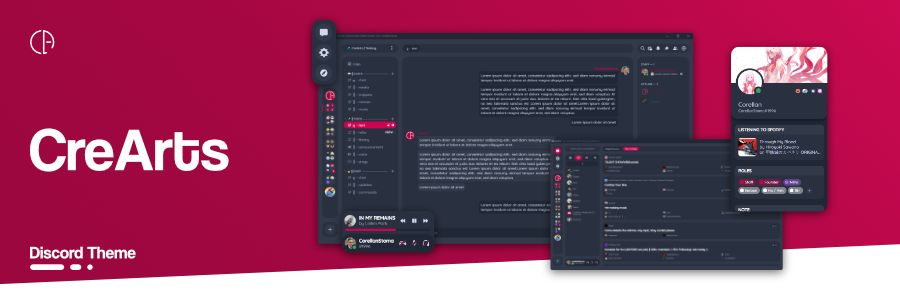
https://github.com/CreArts-Community/CreArts-Discord can anyone try reviving this theme or recommend something that looks similar? it looks sick but sadly its discontinued
GitHub
Discord Theme | v3.0.3 | by Corellan. Contribute to CreArts-Community/CreArts-Discord development by creating an account on GitHub.
muted knoll
oh they discontinued it :<
grand surge
muted knoll
oh they discontinued it :<
yeah its sad
and theres no other good loking themes
looking
muted knoll
yeah
 valid rover
there is the font from midnight, figtree, and i pasted the import into another theme, why doesnt it work?
/* customize things here */
:root {
    /* font, change to 'gg sans' for default discord font*/
--font: 'figtree';```if your other theme doesn't use var(--font) that declaration is useless
valid rover
my other theme is catppuccin mocha
it doesnt

oh wait i should try what was discussed above
it works
some text is off tho
like slightly bigger
like this


i used your font replace theme for this
clear siren
yeah my snippet forces a bunch of elements' fontsizes
valid rover
oh do i just remove stuff from here
 clear siren
you can rip that part out if you don't want it but for many fonts it's necessary and changing fontsize in discord settings changes a bunch of stuff like paddings/margins/etc which is why I did it in css instead
valid rover
i ripped it and its fixed, thanks
grand surge
any snipp for removing these
 lost plume
just don't click it, not like it's big :3
but it also shows up when looking at the profile right
[class^=activity] > [class^=questsIcon], [id^=popout] > [aria-expanded=true] {
    display: none;
}
you could try that but I have no idea if it's only gonna block that popout
seems hard to make an exact and simple selector for it
 analog sage
.scroller_fea3ef > .circleIconButton_db6521 > [aria-label="Download Apps"] {
  display: none;
}
.avatarWithText_c91bad, .layout_f9647d > .nameAndDecorators_f9647d > [.name_f9647d = "Shop"] {
  display: none;
}
.avatarWithText_c91bad, .layout_f9647d > .nameAndDecorators_f9647d > [.name_f9647d = "Nitro"] {
  display: none;
}
im trying to hide more stuff using css but i think im selecting them wrong because either everything is hidden or nothing is hidden
 stable geyser
grand surge
any snipp for removing these
stable geyser
grand surge
any snipp for removing these
There should be a setting in discord to just
disable it
exotic nexus
Well I don’t think [classname = “whatever”] is a valid selector
grand surge
stable geyser
There should be a setting in discord to just
that disables whole quests nuh uh
analog sage
oh [forgot to reply but its too late]
grand surge
lost plume
```css
[class^=activity] > [class^=questsIcon], [id^=popout] > [aria-expanded=tr...
thank you ill try
stable geyser
grand surge
that disables whole quests nuh uh
oh you just want to disable the icon my bad
solid ore
lost plume
```css
[class^=activity] > [class^=questsIcon], [id^=popout] > [aria-expanded=tr...
this is what i use, bit more specfic so it should accidentally hide less things
/* quest icon in activity */
[class^=activity_] [class^=questsIcon_],
/* quest popout on clicking a user in memberlist with a quest icon in activity */
[id^=popout_]:has([class^=top_] > [class^=left_] > h2):has([class^=top_] > [class^=right_] > [class^=imgWrapper_]) {
  display: none;
}
@grand surge
grand surge
thanks
analog sage
analog sage
```css
.scroller_fea3ef > .circleIconButton_db6521 > [aria-label="Download Apps"...
guys? [im patient dont worry]
lost plume
solid ore
this is what i use, bit more specfic so it should accidentally hide less things
...
probably
looks good
solid ore
analog sage
```css
.scroller_fea3ef > .circleIconButton_db6521 > [aria-label="Download Apps"...
r u just trying to hide the shop and nitro buttons in dms list and the download apps button? cus youre also hiding something else twice
analog sage
solid ore
r u just trying to hide the shop and nitro buttons in dms list and the download ...
yeah, im just trying to hide those
solid ore
/* download apps button on discord web */
[class^=listItemWrapper_]:has([data-list-item-id="guildsnav___app-download-button"]),
/* Nitro Button above DM List */
[href="/store"],
/* Shop Button above DM List */
[href="/shop"] {
  display: none;
}
great! speaking of which, i also want to hide the suggested channels and active now [voice channels one not the activity one], but i cant seem to be able to do that without hiding all channels [previous snippet i used before doesnt work anymore]
solid ore
i would recommed just collapsing the suggested channels, but this^ hides both
analog sage
great! thanks
i will now suffer trying to hide the other active now without disabling quests/drops
solid ore
wdym the other active now
analog sage
solid ore
wdym the other active now
this [i already managed to hide the cards]


basically its like what people are playing
you CAN disable it by disabling "use data to make discord better" but i think that disables quests too
solid ore
jsut hide the nowPlayingColumn_
analog sage
did that but nothing happened

 solid ore
[class^=nowPlayingColumn_]
^= means "starts with" because the random hash afterwards gets changed every now and then
analog sage
it works! dances happily as now discord doesnt feel cluttered anymore
analog sage
solid ore
^= means "starts with" because the random hash afterwards gets changed every now...
didnt know that, im now converting all my css to work regardless if the hash changes
exotic lance
Possibly big question, any way to get custom folder icons without using a third party plugin? Or simply impossibly with CSS?
solid ore
exotic lance
Possibly big question, any way to get custom folder icons *without* using a thir...
u can replace the svg yeah
exotic lance
how could I do that exactly? I apologize, pretty new to css
actually lemme check beforehand
analog sage
analog sage
didnt know that, im now converting all my css to work regardless if the hash cha...
i currently use this to hide the popout that appears when you hover over a forum channel because i cant get specific if it deletes itself when i stop hovering [moving the devtools window doesnt help]
 exotic lance
actually lemme check beforehand
exotic lance
exotic lance
actually lemme check beforehand
Nah no idea LOL I might know, would it relate to mask image? if so im unsure how to change those so far
solid ore
exotic lance
Nah no idea LOL I might know, would it relate to mask image? if so im unsure how...
no u replace the path
solid ore
analog sage
i currently use this to hide the popout that appears when you hover over a forum...
u can use the f8 break plugin
to freeze discord so u can check classes
exotic lance
solid ore
no u replace the path
oh god i just learned what a path was in the first place 😞 I'll check it out
analog sage
solid ore
u can use the f8 break plugin
yippee
exotic lance
solid ore
no u replace the path
okay i see what you mean now, but concerning these are numbers and such, how exactly could I place images into it? Things like the custom home Icon usually use url and then links from what I've seen otherwise I wouldn't know
analog sage
i got the classes
however they're over 2000 characters because i also got the content of the "More Active Forums" popout
solid ore
exotic lance
okay i see what you mean now, but concerning these are numbers and such, how exa...
do u want it change color depending on the color u choose from folder settings?
exotic lance
no, that would just be the plain icon plugin, i mean like literal custom images, like a pfp of sorts... I ask this because my friend had some troubles trying to do third-party plugins so im talking a alt for that
solid ore
analog sage
however they're over 2000 characters because i also got the content of the "More...
tbh idk if theres a way to hide that popout specifically without accidentally hiding others
analog sage
analog sage
however they're over 2000 characters because i also got the content of the "More...
here it is anyways [hopefully it doesnt get compressed]
 solid ore
exotic lance
no, that would just be the plain icon plugin, i mean like literal custom images,...
solid ore
exotic lance
no, that would just be the plain icon plugin, i mean like literal custom images,...
no i mean like, for example here i j gave it the same icon as threads (something random) and chose green in the folder settings, for it to be dynamic like this it has to be an svg, but if u want a static image then i think u can do it its just another method, but this is what i meant when i said u can replace the svg

 analog sage
solid ore
no i mean like, for example here i j gave it the same icon as threads (something...
analog sage
solid ore
no i mean like, for example here i j gave it the same icon as threads (something...
ik this isnt directed at me but i actually like that, how did you do it [so i could replace my folders with other icons]
solid ore
[class^=expandedFolderIconWrapper_] svg path {
    d: path("insert svg path here");
}
ahh I see what you mean but nah it would have to be a static image... but if it is doable i wouldnt know how to format it tbh never worked with this stuff before
analog sage
solid ore
```css
[class^=expandedFolderIconWrapper_] svg path {
d: path("insert svg pa...
yippee now i have textchannel folders

dont know how to hide the fill
deft niche
Might be easier as a plugin
solid ore
exotic lance
ahh I see what you mean but nah it would have to be a static image... but if it ...
/*remove default icon leaving only background*/
[class^=expandedFolderIconWrapper_] svg {
    display: none;
}

[class^=expandedFolderIconWrapper_] {
    background-image: url("https://i.imgur.com/ekIk6Ux.png");
    background-position: center;
    background-repeat: no-repeat;
    background-size: 60% 60%; /*adjust as you see fit*/
}
basically the same as @/nvhhr's swaphomeicon snippet
 solid ore
analog sage
dont know how to hide the fill
solid ore
analog sage
dont know how to hide the fill
add this property
fill-rule: evenodd;
analog sage
solid ore
add this property
`fill-rule: evenodd;`
yay
exotic lance
solid ore
```css
/*remove default icon leaving only background*/
[class^=expandedFolderIco...
i tried it and it only does the pending guild icon but lemme come back to this later i have stuff to do ping me if you figure it out ^^

take your time btw no rush
solid ore
exotic lance
i tried it and it only does the pending guild icon but lemme come back to this l...
just use the plain folder icons plugin
analog sage
analog sage
yay
if an icon has 2 d values, you have to remove any svg code between them
this is for the 2 bubble icon, but it works with any icon that has 2 d values as long as you make sure there isnt svg/html code inbetween the 2 values
exotic lance
solid ore
just use the plain folder icons plugin
OH i see what you mean, okay thank you sm!! ^^ my friend will love this
vestal field
grand surge
https://github.com/CreArts-Community/CreArts-Discord can anyone try reviving thi...
warm bough
what the fuck did I do LMAO

I don't know how this happened but I'm keeping it
okay now it's multiplying

I was just trying to get oneko on the modals then this happened
vestal field
if you attribute select a class without being specific that tends to happen
grand surge
vestal field
<https://github.com/refact0r/midnight-discord>
meh
 elfin niche

 serene ocean
Any reason this wouldnt work? Was written by someone and it does work for them, we can't figure out why it doesn't for me. I've tried removing all other css, in case conflicting. Using amoled-cord if that matters.
.role_f9575e {
  overflow: hidden;
  background-color: transparent;
}
.role_f9575e .roleCircle_f9575e::before {
  content: "";
  position: absolute;
  opacity: 0.15;
  width: 500px;
  height: 500px;
  background-color: inherit;
  pointer-events: none;
}
.role_f9575e .roleName_f9575e {
  z-index: 1;
}
I tried turning off simplified profile experiment and still didn't work, is it deeper issue than the experiment being on?
teal cave
Nvm that isn't it, sorry.
serene ocean
Np, we are all stumped why it doesn't work lol
teal cave
What is it supposed to do?
I guess it's something similar to #1142183011308286033 but in a slightly different way?
serene ocean
Yeah, but roletint doesn't seem to work either, thought I'd try asking amoled-cord dev in case theme compatibility issue. Roletint only seems to move the dot to the side, out of place.
They wrote that snippet which works for them. But not me, we don't know why. Very strange
I'm running other css as well but I did already try an empty css with only the snippet and only amoled-cord theme loaded and still didn't work.
teal cave
RoleTint with amoled-cord works for me, old and new profiles


 tranquil forge
i cant post in the snippet channel so im just gonna put this here idk if its like any good but it works fine for me so
/* show where masked links link to */
div [id^="message-content-"] [title*='\a']:link:after {
  content: "- (" attr(href) ")";
  filter: grayscale(1);
  display: inline-block;
  font-size: 0.7rem;
  margin: 0rem .2rem -.45rem .2rem;
  overflow: hidden;
  white-space: nowrap;
  text-overflow: ellipsis;
  max-width: 50ch;
}
open a #📩-modmail and ask if you can get the perms to post it
serene ocean
teal cave
RoleTint with amoled-cord works for me, old and new profiles
wtf, what could be messing with it?
serene ocean
this is what roletint is doing for me
 toxic yew
serene ocean
this is what roletint is doing for me
toxic yew
serene ocean
this is what roletint is doing for me
disable betterRoleDot
serene ocean
toxic yew
disable betterRoleDot
Holy! thank you!
tranquil forge
iron smelt
open a <#1161412933050437682> and ask if you can get the perms to post it
i did and i guess its already been posted apparently but i looked around but all of them were old and didnt work so idk 😭 whatever im not gonna bother them
grand surge
how can one get rounded profiles
example

cant find in snippets except acrylic popups (its outdated doesnt work anymore)
pure cairn
Currently banging my head against the wall because of the new profiles
I set both experiments to not eligible, but I still see them

 wanton current
bots don't even have them
 umbral knot
how do i find rules that were not applied anywhere in the dom?
like is there a button in the dev tools that let you see styles that aren't used anywhere?
clear siren
not that I know of
also not everything is in the dom most of the time so such tool would be very misleading
muted knoll
pure cairn
I set both experiments to not eligible, but I still see them
set?
clear siren
umbral knot
does that even happen in discord
lots of elements are created and destroyed all the time when clicking dialogs and navigating stuff
umbral knot
but theyre still in the dom innit
clear siren
no?
clear siren
nope
umbral knot
ah ic then
pure cairn
umbral knot
but theyre still in the dom innit
No, you can see that by simply scrolling through the channel/members list
With devtools open
clear siren
or opening dialogs or hovering stuff so tooltips appear (although you can't see what changes in tooltips without f8break but you do see the dom tree row light up that changes occurred)
muted knoll
pure cairn
Randomly starting calls on discord
lmfao, starteld me
pure cairn
Sorry about that
muted knoll
np
pure cairn
Didn't mean to
pure cairn
clear siren
or opening dialogs or hovering stuff so tooltips appear (although you can't see ...
Me when I still wasn't using f8break to check tooltips:

Where is my tooltip
pure cairn
muted knoll
how dya \*set* not eligible?
Enable experiments plugin
Look for "simplified profile" and switch the options to "not eligible" for both profile and friending profile
But for some reason it's not working on my device
Dunno why
muted knoll
ah, icic ty :>
pure cairn
Np
 feral lance
Is there css that can revert the discord update which now hides roles when clicking a user?
Or would it have to be a plugin?
edgy sentinel
do you guys have any idea how we could make #🎨-css-snippets less messy?
it's a bit messy in its current state and hard to find anything
would a forum be good?
mainly asking people who post regularely
pure cairn
Forum with different tags might be a nice way to organise stuff
hide elements, utility, fun stuff, QoL
exotic nexus
Those are way more searchable and they inherently are threads so it would be better
clear siren
also would be nice to have full themes be available there with the tag system
exotic nexus
But keep the old one as archive
pure cairn
^ !!
 gusty rose
Tags aren't super efficient over time, it shows the latest/cached threads with the selected tag. Users needing to see all the threads with a specific tag needs to scroll to the very bottom/initial thread in a forum before they can then filter threads properly by tags
round moat
Is is possible to restore old title bar text?, It is sooooooooo superior to me

 west tartan
Can someone help me? I don't want the rainbow effect on that thing. I only want it for my name and status. Thanks in advance!
.hovered_c0d6c6,
.default_c0d6c6,
.nameTag_b2ca13 .title_d1da5f  {
    background-image: linear-gradient(to left,rgb(51, 255, 0), rgb(255, 230, 0), red, rgb(234, 0, 255), rgb(0, 140, 255), rgb(51, 255, 0));
    animation: gradient-border 4s linear infinite;
    animation-direction: alternate;
    background-size: 400% 100%;
    color: transparent !important;
    -webkit-background-clip: text;
    z-index: 1;
}
@keyframes gradient-border {
from {
  background-position: 0 0;
}
to {
  background-position: 100% 0;
  }
}

 thorny fjord
west tartan
Can someone help me? I don't want the rainbow effect on that thing. I only want ...
thorny fjord
west tartan
Can someone help me? I don't want the rainbow effect on that thing. I only want ...
.default_c0d6c6 > :not([class^=rtcConnectionStatus]),
[class*=wordmark_] > svg { display: none; }
[class*=wordmark_]::after
 { content: '';
   background: center/contain no-repeat url("https://upload.wikimedia.org/wikipedia/commons/7/7e/Discord_Color_Text_Logo_No_Padding.svg");
   width: 60px;
   height: 12px;
   position: fixed;
   filter: saturate(0); }
something like that :D
round moat
clear siren
```CSS
[class*=wordmark_] > svg { display: none; }
[class*=wordmark_]::after
{ ...
Omggg, ty It works!
round moat
clear siren
```CSS
[class*=wordmark_] > svg { display: none; }
[class*=wordmark_]::after
{ ...
Is it possible to make stream pop up work too? 
clear siren
uhh no idea
round moat
clear siren
uhh no idea
Deam it!, that's the part I've never got right
clear siren
I don't have any server with a stream going atm and I don't know if css applies to any popout windows in the first place
solid ore
clear siren
I don't have any server with a stream going atm and I don't know if css applies ...
i dont think it does
clear siren
yeah I think so too
round moat
TwT that's so saad
clear siren
waiting for the day when we can rice up the qcss editor
round moat
I went to a server with myself to test that
clear siren
ven pls
round moat
If I could totally remove the titlebar text from the stream pop up I would do it q.p

 lunar granite
lol
lost plume
( #theme-support pls fix)
pure cairn
pure cairn
Enable experiments plugin
Look for "simplified profile" and switch the options t...
for some reason, setting an experiment through the cogwheel menu doesn't really apply the changes
west tartan
thorny fjord
```css
.default_c0d6c6 > :not([class^=rtcConnectionStatus]),
```
thx man worked 😁
analog sage
how can i hide these?

 solid ore
lunar granite
```css
[id="---new-messages-bar"] {
  display: none;
}
```
solid ore
lunar granite
```css
[id="---new-messages-bar"] {
display: none;
}
```
if its the exact id u can j do #---new-messages-bar btw
lunar granite
I'm aware but I am just used to that lol
solid ore
fair enough lol
lunar granite
I wrote it before I even knew what to match for tbh
teal cave
edgy sentinel
would a forum be good?
Forum would be nice, works best when people give posts a meaningful title (forum search only looks at the title)
Gallery view pretty poggers
 edgy sentinel
real
exotic nexus
also searching in #🎨-css-snippets shows thread messages and its really annoying
edgy sentinel
teal cave
Gallery view pretty poggers
this looks really good tbh but i feel like it might be become less useful in such a large server as this one
like once there's hundreds of posts it becomes kinda messy again
well tags i guess
but we'll also have to deal with dead snippets somehow
propose tags you'd find useful 
also we could do same for #1032200195582197831 and #📜-js-snippets i guess
teal cave
Ngl I don't even know how to tag my own snippets, never mind suggest ones for all snippets ever
analog sage
lunar granite
should do the trick
kinda works but doesnt hide the date thing, srry for late reply i was doing css things
stark epoch
We desperately need a place to share themes since BD site nown is strict
iron smelt
stark epoch
We desperately need a place to share themes since BD site nown is strict
Force once i agree with a White name
teal cave
All I ask of a theme channel here is that it doesn't turn into 8234723949234 posts of mildly edited clearvision
tough pollen
vestal field
there are so many out there just pick one
can u give me a few websites
 green salmon
can i get some info on this?
https://github.com/raws-robert/Final-Eclipse
GitHub
Contribute to raws-robert/Final-Eclipse development by creating an account on GitHub.
im new to github AND theme making
vestal field
tough pollen
can u give me a few websites
there are links to where to find themes in the vencord theme settings
iron smelt
teal cave
All I ask of a theme channel here is that it doesn't turn into 8234723949234 pos...
So make one like #🎨-css-snippets but also limit who can make/talk in threads
vestal field
green salmon
can i get some info on this?
https://github.com/raws-robert/Final-Eclipse
??
 dark dragon
They want feedback, there's not much to say though, it's just custom FrostedGlass
vestal field
yeah
edgy sentinel
stark epoch
We desperately need a place to share themes since BD site nown is strict
strict rules are necessary to prevent low quality spam
edgy sentinel
teal cave
All I ask of a theme channel here is that it doesn't turn into 8234723949234 pos...
otherwise this happens ^
 worldly moss
lol
dark dragon
Tags for things like themes are kind of a pain. No matter what tags you provide, they'll be misused
bleak gust
teal cave
All I ask of a theme channel here is that it doesn't turn into 8234723949234 pos...
imo clearvision so ugly
stark epoch
edgy sentinel
strict rules are necessary to prevent low quality spam
Strict rules to a point my github and discord account had to be "looked over" doesnt feel right.
dark dragon
All they do is check to see if you actually have a repo on your github that actually contains a valid addon
Not sure what you mean by your discord account being looked over. That's not part of the process
clear siren
I wish themeattributes added the avatar url vars higher in the tree
could do some neat things with those
fun avatar-as-message-background experiment

also wish they were also present in grouped messages
dark dragon
That doesn't really seem in the scope of theme attributes. You should be able to throw it together pretty quick if you're eager though
clear siren
yeah that's fair
gusty rose
clear siren
yeah that's fair
Would you mind if I DM you? it is about #🧩-plugin-development message and I think I have a workaround
warm bough
why not just put it here and share the knowledge with everyone?
we want to gain the knowledge
gusty rose
It's not related to theme development
warm bough
in the server* sorry
gusty rose
I don't know where to best discuss it. Neither detailedTimestamp nor customTimestamp has a thread for discussing it, and the workaround I believe, is just using Vencord dev build via pnpm build --dev
warm bough
could go on the github page or in #🧩-plugin-development
clear siren
gusty rose
Would you mind if I DM you? it is about https://discord.com/channels/10150602302...
oh the plugin wasn't actually broken as I thought
just needed to rebuild
grand surge
client modding gods please make unsimplify css snippet
whose idea was it to make statuses look like thought bubbles
gusty rose
I ought to have tested it without that switch during compile time, oh well. The cat is out of the bag
analog sage
how can i create import urls, do i have to create a new repo for every new theme/css snippet?
nvm i could just create a repo with all the css files needed
do i have to host a github pages site? most of the imports in #🎨-css-snippets are on github.io
 analog sage
ohh thx
exotic lance
anyone know how to make it so the voice connected is below the spotify plugin i got? Or not possible? its just kinda annoying formatting for my hands
 pure cairn
exotic lance
anyone know how to make it so the voice connected is below the spotify plugin i ...
vestal field
dark dragon
Not sure what you mean by your discord account being looked over. That's not par...
pure cairn
exotic lance
anyone know how to make it so the voice connected is below the spotify plugin i ...
vestal field
dark dragon
Not sure what you mean by your discord account being looked over. That's not par...
hes talking about betterdiscord
they review your account before submitting a theme to check its not spam
and he got rejected because his theme wasn't original
pure cairn
pure cairn
https://discord.com/channels/1015060230222131221/1134844326933954622/12509420652...
actually, I don't remember if that's the opposite of what you want lol
let me open spotify and test it again
vestal field
no its correct
pure cairn
ye just tried
echo frost
is there a way to fix dev tools being so weird in discord?

just happened today
the blue background thing is annoying, and the font is supepr hard to read
analog sage
how can i add a username, pronouns, [guild tag possibly, status and/or roles, probs complex tho], and a bio to clyde?

 exotic lance
pure cairn
https://discord.com/channels/1015060230222131221/1134844326933954622/12509420652...
exotic lance
pure cairn
https://discord.com/channels/1015060230222131221/1134844326933954622/12509420652...
actual light saver thank you
vestal field
analog sage
how can i add a username, pronouns, [guild tag possibly, status and/or roles, pr...
why do you want to do this
its probably possible but it would be really annoying and only you would see it
analog sage
vestal field
why do you want to do this
its probably possible but it would be really annoying...
to make clyde feel more human
vestal field
i dont really get why you want to make an ai bot feel more human but ok...
analog sage
analog sage
how can i add a username, pronouns, [guild tag possibly, status and/or roles, pr...
if this seems hard then i think it would be easier to do one of these:
Reorder Toolbar Items
Change Chatbox scale [horizontally] and/or move/customize the typing thingy (user is typing...)


forgot to send the second image oop
echo frost
exotic lance
actual light saver thank you
yw for asking the original question!
(it's definitely me to thank not refact0r for making it)
 frail nebula
How can I get the ability to post css snippets?
vestal field
frail nebula
How can I get the ability to post css snippets?
i believe you submit it to modmail and if its good enough they will give you the role
iron smelt
frail nebula
How can I get the ability to post css snippets?
open a #📩-modmail and ask for it
vestal field
you should probably send it here first for feedback
analog sage
chat went active the second a question was asked dam
frail nebula
ah okay, one sec
vestal field
analog sage
if this seems hard then i think it would be easier to do one of these:
**Reorder...
uhhh this mightve already been done in a snippet have you tried searching already?
analog sage
vestal field
uhhh this mightve already been done in a snippet have you tried searching alread...
i tried searching reorder and didnt get anything related
vestal field
and "Change Chatbox scale [horizontally] and/or move/customize the typing thingy (user is typing...)" is kinda vague, like whats the end result you want?
deft niche
analog sage
how can i add a username, pronouns, [guild tag possibly, status and/or roles, pr...
Patch his user object, it would be hard otherwise
analog sage
vestal field
and "Change Chatbox scale [horizontally] and/or move/customize the typing thingy...
i'll open up paint.net for context (concept images !!)
frail nebula
I plan on changing my domain's link with GitHub, but I ran out of time tonight
/* Change X back to twitter */
/* user connections plugin */
a[class="vc-user-connection"][href^="https://x.com"]>img,
/* Large profile popout X Logo */
img[alt="X Logo"] {
    content: url("https://i.mintlily.lgbt/85cf2b49d2a185c98ec8e383ad5a05d6.svg");
}
/* Settings, left side bar, Discord Socials icon */
a[href^="https://twitter.com"][title=Twitter]>svg>path {
    scale: 68% !important;
    d: path("M36.3,10.2c-1,1.3-2.1,2.5-3.4,3.5c0,0.2,0,0.4,0,1c0,1.7-0.2,3.6-0.9,5.3c-0.6,1.7-1.2,3.5-2.4,5.1 c-1.1,1.5-2.3,3.1-3.7,4.3c-1.4,1.2-3.3,2.3-5.3,3c-2.1,0.8-4.2,1.2-6.6,1.2c-3.6,0-7-1-10.2-3c0.4,0,1.1,0.1,1.5,0.1 c3.1,0,5.9-1,8.2-2.9c-1.4,0-2.7-0.4-3.8-1.3c-1.2-1-1.9-2-2.2-3.3c0.4,0.1,1,0.1,1.2,0.1c0.6,0,1.2-0.1,1.7-0.2 c-1.4-0.3-2.7-1.1-3.7-2.3s-1.4-2.6-1.4-4.2v-0.1c1,0.6,2,0.9,3,0.9c-1-0.6-1.5-1.3-2.2-2.4c-0.6-1-0.9-2.1-0.9-3.3s0.3-2.3,1-3.4 c1.5,2.1,3.6,3.6,6,4.9s4.9,2,7.6,2.1c-0.1-0.6-0.1-1.1-0.1-1.4c0-1.8,0.8-3.5,2-4.7c1.2-1.2,2.9-2,4.7-2c2,0,3.6,0.8,4.8,2.1 c1.4-0.3,2.9-0.9,4.2-1.5c-0.4,1.5-1.4,2.7-2.9,3.6C33.8,11.2,35.1,10.9,36.3,10.2L36.3,10.2z") !important;
}
I have more snippets planned, I'd be taking them from the theme I create.
analog sage
vestal field
and "Change Chatbox scale [horizontally] and/or move/customize the typing thingy...
kinda like this [brightened because my monitor is darker than normal]
 vestal field
frail nebula
I plan on changing my domain's link with GitHub, but I ran out of time tonight
...
vestal field
frail nebula
I plan on changing my domain's link with GitHub, but I ran out of time tonight
...
oh thats pretty cool
frail nebula
Also, an update for this snippet, for future proofing as well
/* Custom Emoji Button - become shiggy */
div[class*=spriteColored_] {
    background-image: url(https://cdn.discordapp.com/emojis/1024751291504791654.gif?size=128&quality=lossless);
    background-size: 24px;
}

div[class*=spriteGreyscale_] {
    mask-image: url(https://cdn.discordapp.com/emojis/1024751291504791654.png?size=128&quality=lossless);
    mask-size: 24px;
}
like you can change the horizontal scale of the chat thing and customize the text to go from "is typing..." to smth like "[name]'s existing in chat"
iron smelt
frail nebula
I plan on changing my domain's link with GitHub, but I ran out of time tonight
...
that one is actually cool
and we love future proofing
 analog sage
frail nebula
Also, an update for [this snippet](<https://discord.com/channels/101506023022213...
analog sage
frail nebula
Also, an update for [this snippet](<https://discord.com/channels/101506023022213...
speaking of which, the clyde to viggy snippet didnt work for me for some reason so i went and fixed it and made it easier to customize clyde
vestal field
analog sage
like you can change the horizontal scale of the chat thing and customize the tex...
i dont think you can change the text without js
analog sage
vestal field
i dont think you can change the text without js
oh nvm then lets just focus on resizing chat
vestal field
as for the reordering toolbar thing you can just do this
.toolbar_e44302 {
  [aria-label="Show Member List"] {
    order: -1;
  }
  [aria-label="Pinned Messages"] {
    order: 1;
  }
}```you would need to find the selectors for whichever ones you want to reorder, idk what exact order you want
analog sage
vestal field
you would need to find the selectors for whichever ones you want to reorder, idk...
i decided to change it to this ^^
 vestal field
.form_a7d72e {
  display: flex;
  align-items: center;
}
.channelTextAreaContainer_d0696b {
  width: 500px;
  .channelTextArea_a7d72e {
    margin-bottom: 10px;
  }
}
.typing_d7ebeb {
  position: static;
  margin-bottom: 10px;
}```i think this does the chat thing?
analog sage
analog sage
i decided to change it to this ^^
how can i add a seperator thing between the icons [grey vertical line]
frail nebula
iron smelt
open a <#1161412933050437682> and ask for it
I'll submit something tomorrow + my donator perks. Thanks though!
analog sage
i'll now make it use the class^= selector cuz who knows if discord'll change the random thing again
 vestal field
analog sage
how can i add a seperator thing between the icons [grey vertical line]
vestal field
analog sage
how can i add a seperator thing between the icons [grey vertical line]
sort of works, probably better to do each one individually though like the reordering one
.toolbar_e44302 {
  > *::after {
    content: '';
    display: block;
    width: 2px;
    height: 100%;
    position: absolute;
    right: -10px;
    top: 0;
    background: grey;
  }
}```do you have it for before this abomination?
 analog sage
vestal field
sort of works, probably better to do each one individually though like the reord...
analog sage
vestal field
sort of works, probably better to do each one individually though like the reord...
yeah its probably better to do it individually because
 iron smelt
echo frost
do you have it for before this abomination?
iron smelt
echo frost
do you have it for before this abomination?
I actually like it (I just don't like that think bubble)
vestal field
nah new profiles are so much better
iron smelt
vestal field
nah new profiles are so much better
othen then a upid think bubble yeah
echo frost
yes this is so good
(it's only bugged like this on web version, but still)
 echo frost
do you have it for before this abomination?
echo frost
echo frost
do you have it for before this abomination?
and they reversed the colors here
looks so wrong
but they also did it in a super weird way
the smaller one is slightly transparent
so i cant just swap around the var4s
vars
and it's really stupid that they cut off the small profile at like 3 lines or something (but that's very easily fixable)
analog sage
vestal field
as for the reordering toolbar thing you can just do this
```
.toolbar_e44302 {
...
when clicking the show member list button, the order gets set back to normal and the seperator disappears
vestal field
analog sage
when clicking the show member list button, the order gets set back to normal and...
ok maybe dont use the aria selector
or do a *="member list"
vestal field
yeah the aria label is like "show member list" or "hide member list"
you could just select both
analog sage
vestal field
you could just select both
[aria-label="Show Member List"], [aria-label="Hide Member List"] {

MDN Web Docs
The CSS attribute selector matches elements based on the element having a given attribute explicitly set, with options for defining an attribute value or substring value match.
use ~=
wait
maybe not bc it has spaces nvm
echo frost
echo frost
use ~=
(i just found out about this)
analog sage
echo frost
maybe not bc it has spaces nvm
maybe it could still work because the word member could be used
echo frost
(i found out about it 5 mins ago)
analog sage
dam
analog sage
analog sage
speaking of which, the clyde to viggy snippet didnt work for me for some reason ...
i made it into an import because it became too long for one thing [customizing clyde]
i also credited the original author in the css ^^
am i allowed to send import links here
[@import url(css file url here probably from github);]
 bleak mica
Is there any way i can make a style that applies to an entire message group? So far i can only figure out how to select an individual message
analog sage
bleak mica
Is there any way i can make a style that applies to an entire message group? So ...
i dont really know the answer but i think it would help if you define what a message group is;
all messages?
a message group that gets created for messages sent within a 10 minute timespan by the same user?
all messages by a user?
bleak mica
IE the span between a groupStart_ and the next
analog sage
between the messages? or all messages? [i kinda suck at decoding css terms]



