#🎨-theme-development
1 messages · Page 11 of 1
 haughty totem
 clear siren
ok I eep now, 2am here, stay cute everyone
haughty totem
you too, eep well
 rugged echo
I mean its not hard to read but its kinda weird to see someone doing that
 vast delta
imagine someone already had that idea...
https://github.com/vencordcss/onekocord/blob/main/onekotoolbox.css

GitHub
All the Oneko code, in one place, up to date™. Contribute to vencordcss/onekocord development by creating an account on GitHub.
GitHub
All the Oneko code, in one place, up to date™. Contribute to vencordcss/onekocord development by creating an account on GitHub.
Herr are standardised animations
 exotic nexus

 exotic nexus
no just line breaks
vast delta
sure I can put a line break into it if I don't want it to work
that's one value, not multiple minified into a line
copy it to your quickcss and put line breaks in there
I could have used animation-name
animation-duration and stuff but that would have been way too long
 gilded radish
does anyone have the selector for the profile picture in the user area?
 exotic nexus
use this

 vestal field
yeah
haughty totem
wanna show a sample?
vestal field
 vast delta
vestal field
my hatred for unused classes results in this
 muted ocean
I've literally never touched CSS before in my life before like a few minutes ago, is this an ok way to hide a stupid discord button, and what exactly is a[] (all I know is it just works)

oh nevermind it doesn't work
it doesn't work if I go back to the page that the stupid shop button is
googled it and I guess it's weird shit to do with href, anyway figured it out
css is disgusting how do you people do this
haughty totem
vestal field
nice
haughty totem
vestal field
my hatred for unused classes results in this
what are unused classes?
vestal field
haughty totem
what are unused classes?
just selectors that don't select anything
haughty totem
muted ocean
I've literally never touched CSS before in my life before like a few minutes ago...
yeah looks fine
the a selects html <a> elements, which denote links. (a is for anchor)
[…] selects attributes: <example_tag_name exmpl_attribute_name="example attr value">
haughty totem
muted ocean
css is disgusting how do you people do this
how so?
muted ocean
I ended up changing it to selecting it by href instead because that data list item id thing was changing
I guess it's just not being used to it really throws me off haha, I come from a background in like no webdev (mostly java and C++ lately)
vestal field
yeah href is probably better
muted ocean
anyways, thanks for the little bit of info appreciate it :)
haughty totem
muted ocean
I guess it's just not being used to it really throws me off haha, I come from a ...
hehe yeah i thought so
personally i like css a lot, even tho it has major guhs
 gleaming hare
i saw some ppl are trying to remove all the annoying nitro buttons with css so i thought i'd post a thing i spent a stupid amount of time doing that purges that kind of stuff
https://github.com/EvilSquirrelGuy/MicroThemes/tree/master/NitroUpsellBegone
GitHub
a small collection of small discord themes (basic css and stuff) - EvilSquirrelGuy/MicroThemes
 slim pond
vestal field
slim pond
vestal field
actually the most consistent commenting scheme for css I have ever seen

 glad urchin
clear siren
I do the same but with comma before comment
glad urchin
clear siren
I do the same but with comma before comment
devilbro
clear siren
glad urchin
devilbro
no u
glad urchin

slim pond
 mortal mantle
i dont comment in my css
mortal mantle
i dont comment in my css
literally me (I just know where stuff is (no I don't))
 edgy sentinel
clear siren
edgy sentinel
clear siren
rip membercount
 clear siren
no balls. members are now ball-less
 peak nexus
I could use some help, i can't figure out how to split the call timer into the next line. With the css for userpanel from DaBluLite it cuts the call timer off when it get slightly longer than that.
I know how to find a class through console but i'm not knowledgable enough to figure this one out.
I have already checked the css for changing anything in the classes for where the timer is, but might have missed something.
fyi, this is the css. https://github.com/DaBluLite/css-snippets/tree/master/UserReimagined

GitHub
A repo with all of my Discord CSS snippets. Contribute to DaBluLite/css-snippets development by creating an account on GitHub.
 toxic yew
peak nexus
I could use some help, i can't figure out how to split the call timer into the n...
toxic yew
peak nexus
I could use some help, i can't figure out how to split the call timer into the n...
.subtext__8f869 {display: block;}
peak nexus
toxic yew
.subtext__8f869 {display: block;}
thanks a lot
vast delta
mortal mantle
i dont comment in my css
which is why you shall suffer
vast delta
you don't use attr selectors so you shall suffer
 grand surge
/*background*/
.bg__12180 {
  background-image: url(" https://i0.wp.com/codemyui.com/wp-content/uploads/2016/11/pure-css-snow-animation.gif") !important;
  background-size: contain;
  background-repeat: no-repeat;
}

/*transparency*/
.guilds__2b93a, .wrapper_a7e7a8 {
  background: transparent !important;
}
am i stupid or something? why is there a gap at the bottom and why is it so disproportioned

help please 
toxic yew
use cover instead of contain
vast delta
grand surge
```css
/*background*/
.bg__12180 {
background-image: url(" https://i0.wp.com/c...
"pure CSS snow animation.gif" that's not how life works
grand surge
vast delta
"pure CSS snow animation.gif" that's not how life works
i stole it from their website
vast delta
yeah its their file name that's wrong lol
grand surge
it’s real

Christmas is coming up, so wanted to try out making some snow with a CSS3 animation...
vast delta
it's generated from pure CSS but it isn't a CSS gif
grand surge
yop
vast delta
also try my snow gif on GitHub.com/coolesding/shiggycord in the IMG file on the V3 branch
if you put it on repeating I quite like it
grand surge
oh ryou ally
vast delta
background-repeat that id
grand surge
i’ve been looking for a goof looping thing for ages
vast delta
oh yeah looping snow is hard to find :(
grand surge
/*background*/
.bg__12180 {
  background-image: url("https://raw.githubusercontent.com/coolesding/shiggycord/v3/img/snow.gif") !important;
  background-size: cover;
  background-repeat: repeat;
}

/*transparency*/
.wrapper_a7e7a8 {
  background: transparent !important;
}
its still quite zoomed in
but its nice
vast delta
I think you can now use contain instead of cover
or just remove background-size entirely I don't remember
grand surge
yeah that fixed it
nice little detial actually

shouldi make transparent?
not the icon
but the bg
vast delta
if I was you I'd use a transparent gif with a pseduoelement so you can have it as an overlay for any background
grand surge
is that not transparent?
vast delta
grand surge
not the icon
your decision
vast delta
grand surge
is that not transparent?
my snow gif is transparent
grand surge
vast delta
if I was you I'd use a transparent gif with a pseduoelement so you can have it a...
i have no idea how to do that
vast delta
but you can have one background that people can set as their base and then have a :before where they can put an overlay for example
grand surge
i’m still like brain dead stupid and don’t know anything besides basic stuff
vast delta
look at shiggycord v3 backgrounds code
grand surge
:root {
  --bg-settings-background: unset; /*Change the main background colour*/
  --bg-settings-overlay: unset; /*Make an animated overlay like the default example*/
  --bg-settings-overlay-animation: unset /*Advanced: Add an animation to the overlay*/;
}
?
vast delta
that's just the variables
vast delta
unlike @mortal mantle I actually document my stuff :3
vast delta
why lol
grand surge
i understand 3% of this
vast delta
lol
grand surge
i will just post my humble little snippet (you can then make a thread and beef the shit outta it)
:3
 vast delta
grand surge
<@406084422308331522> can they not be turned tranparent?
vast delta
grand surge
<@406084422308331522> can they not be turned tranparent?
probably have multiple with background
grand surge
i tried like all of them 
vast delta
open your devtools, open the computed tab and click the icons entire tree and check if which has backgrounds
grand surge
/* Main Background Colour */
.bg__12180 {
  background-image: url("https://raw.githubusercontent.com/coolesding/shiggycord/v3/img/snow.gif") !important; /* You can use any GIF/PNG/JPEG Link */
  background-repeat: repeat; /* Adjust if needed (depending on media used) */
}

/* Additional Transparency */
.childWrapper__01b9c, /* Discord Home Icon */
.wrapper_a7e7a8, /* Guild List Bar */
.circleIconButton_d8df29 /* Add Server and Server Discovery */ {
  background: transparent !important;
  background-color: transparent !important;
}

/* Additional Recolouring */
.wordmarkWindows__05c46, /* "Discord" Text */
.winButtonClose__73489, /* Close Discord Button" Text */
.winButtonMinMax__72f36, /* Maximize Discord Button */
.winButtonMinMax__72f36:last-child, /* "Minimize Discord Button */
.circleIcon__428dd /* Add Server and Server Discovery SVG'S */ {
    color: #ffffff;
}
rate @vast delta @mortal mantle
glad urchin
good
 mortal mantle
you can erase line 12
grand surge
tho i kinda wanna round a little more
 mortal mantle
since background is already defined, and is the shorthand for background-color
 craggy shoal
/*Minifiedmemberlist*/
:root{
    --hidden-user-width: 60px;--user-width: 240px
}
.container_b2ce9c,
.membersWrap__90226{
    transition-duration:var(--transition-time);
    justify-content:unset;
    min-width:unset;
    width:var(--hidden-user-width)
}
.membersGroup__85843{
    height:0px;
    transition-duration:var(--transition-time);
    padding-top:0px
}
.container_b2ce9c:hover
.membersGroup__85843,
.membersWrap__90226:hover
.membersGroup__85843{
    height:40px;
    padding-top:24px
}
.container_b2ce9c:hover,
.membersWrap__90226:hover{
    width:var(--user-width)
}
.profilePanel-2PWEok{
    transition-duration:var(--transition-time)
}```Someone wanna post this or give me perms its just a better minified memberlist since the other one comes out too far
grand surge
craggy shoal
Someone wanna post this or give me perms its just a better minified memberlist s...

grand surge
so uhh
clear siren
now this is css
 grand surge
scary
grand surge
clear siren
now this is css
can you help me with my snippet?
clear siren
what do you need
grand surge
uhhh #🎨-css-snippets
in the thread
line 12
i’ll just post here
/* Main Background Colour and Image */
.bg__12180 {
  background-image: url("https://raw.githubusercontent.com/coolesding/shiggycord/v3/img/snow.gif") !important; /* You can use any GIF/PNG/JPEG Link */
  background-repeat: repeat; /* Adjust if needed (depending on media used) */
}

/* Additional Transparency */
.childWrapper__01b9c, /* Discord Home Icon */
.wrapper_a7e7a8, /* Guild List Bar */
.circleIconButton_d8df29,  /* Add Server and Server Discovery */
.custom-theme-background .scroller__3d071,  /* Overrides Nitro Themes (for Guild List) */
.custom-theme-background .withBackgroundOverride_b6a351 /* Overrides Nitro Themes (for Title Bar) */{
  background: transparent !important;
}

/* Additional Recolouring */
.wordmarkWindows__05c46, /* "Discord" Text */
.winButtonClose__73489, /* Close Discord Button" Text */
.winButtonMinMax__72f36, /* Maximize Discord Button */
.winButtonMinMax__72f36:last-child, /* "Minimize Discord Button */
.circleIcon__428dd /* Add Server and Server Discovery SVG'S */ {
    color: #ffffff;
}
also im pretty sure when a user gas a nitro theme the bg zooms?
clear siren
appears so
grand surge
very strange
clear siren
instead of background-image just use background to fix that
grand surge
yea, thank you
clear siren
other than that it seems to work just fine
clear siren
I see snow on it though, using vesktop
clear siren
not a whole lot you can do other than set a bg on this

because the gradient is on body
clear siren
did you add !important
grand surge
yop
clear siren
oh wait it does draw on top of the snow
remove z-index from it and snow draws on top
z-index:auto !important fixes it
grand surge
where do i add that
clear siren
on the highlighted element in the screenshot
add a bg and z-index and you will have no gradient and snow drawn on top
clear siren
am I misunderstanding you
you want snow on the titlebar but no gradient from nitro themes
 grand surge
i’m sure i’ll figure it out
clear siren
ok now it loaded
grand surge
like
.typeWindows__5fa63.withFrame__485f4.titleBar__01af6.withBackgroundOverride_b6a351 {
  z-index: auto !important;
}
wait
grand surge
if yes, it does'nt work
clear siren
well it removes the gradient from titlebar and snow is drawn on it
grand surge
even when set to transparent
 grand surge

 clear siren
I don't know what you want
 clear siren
body, .appMount_fae9dd { background: var(--background-tertiary) !important; }
clear siren
⭐
craggy shoal
@clear sirenCan you help me?
clear siren
soon maybe
craggy shoal
kk
clear siren
I have to take a shower now
grand surge
wdym broken ish
clear siren
I don't know if I can fix this, not even sure how it's supposed to work
craggy shoal
well its basically just shifted over too much
clear siren
where do you want it to be
craggy shoal
clear siren
well at least in ``.wrapper__3af0b`` remove ``left:-16px``
Damn that was a simple fix wonder why it was there in the first place
clear siren
discord changed something I guess
craggy shoal
Well thanks
clear siren
np, glad it was that simple
 solid ore
is there any way to have an if statement in css
solid ore
im tryna do, if the color of a username is x, do y to [another class]
what i have so far
{
  margin-left: 3px;
}
.username_d30d99[style="color: rgb(0, 0, 0);"],
.username_d30d99[style="color: rgb(5, 0, 5);"],
.username_d272d6[style="color: rgb(0, 0, 0);"],
.username_d272d6[style="color: rgb(5, 0, 5);"]
{
  border-radius: 5px;
  background-color: var(--text-normal);
  opacity: 0.5;
}```yeah that is possible what class do you want to do y to
solid ore
the first part, .header__39b23
clear siren
ok, .header:has(.username[style]) will apply to header when username has [style]
solid ore
{
  margin-left: 3px;
}```
it's not working, did i type it out wrong?::
j saw
mb
: works
thank you!
clear siren
:3
solid ore
okay i have 1 small issue
why doesn't my width property do anything
/* in messages */
.username_d30d99[style="color: rgb(0, 0, 0);"], /* black */
.username_d30d99[style="color: rgb(5, 0, 5);"] /* color chan black */
{
  border-radius: 5px;
  background-color: var(--text-normal);
  opacity: 0.5;
  width: calc(100% + 3px);
  margin-left: -3px;
}
/* in member list */
.username_d272d6[style="color: rgb(0, 0, 0);"], /* black */
.username_d272d6[style="color: rgb(5, 0, 5);"] /* color chan black */
{
  border-radius: 5px;
  background-color: var(--text-normal);
  opacity: 0.5;
  width: calc(100% + 3px);
}
/* alignment fix */
.nameAndDecorators_e34d47 > div > span:has(.username_d272d6[style="color: rgb(5, 0, 5);"], .username_d272d6[style="color: rgb(0, 0, 0);"]),
.header__39b23 > span:has(.username_d30d99[style="color: rgb(5, 0, 5);"], .username_d30d99[style="color: rgb(0, 0, 0);"])
{
  margin-left: 3px;
}```check the element in devtools
solid ore
i mean the other properties work
vast delta
it will say in what order styles are applied, maybe that element has a rule forcing the width to one value
vast delta
solid ore
i mean the other properties work
which means it likely is being overwritten
vast delta
that it will also tell
clear siren
I think what you want is to add padding to it maybe
solid ore
ngl idk wat this means
 solid ore
clear siren
I think what you want is to add padding to it maybe
solid ore
clear siren
I think what you want is to add padding to it maybe
yeah
either side
ill try padding
solid ore
clear siren
I think what you want is to add padding to it maybe
that fixed it! thank you!
clear siren
:3
clear siren
no balls
haughty totem
that is true
solid ore
if anyone wants to use :)
/* in messages */
.username_d30d99[style="color: rgb(0, 0, 0);"], /* black */
.username_d30d99[style="color: rgb(5, 0, 5);"] /* color chan black */
{
  border-radius: 5px;
  background-color: var(--text-normal);
  opacity: 0.5;
  padding-left: 1.5px;
  padding-right: 1.5px;
  margin-left: -3px;
}
/* in member list */
.username_d272d6[style="color: rgb(0, 0, 0);"], /* black */
.username_d272d6[style="color: rgb(5, 0, 5);"] /* color chan black */
{
  border-radius: 5px;
  background-color: var(--text-normal);
  opacity: 0.5;
  padding-left: 1.5px;
  padding-right: 1.5px;
}
/* alignment fix */
.nameAndDecorators_e34d47 > div > span:has(.username_d272d6[style="color: rgb(5, 0, 5);"], .username_d272d6[style="color: rgb(0, 0, 0);"]),
.header__39b23 > span:has(.username_d30d99[style="color: rgb(5, 0, 5);"], .username_d30d99[style="color: rgb(0, 0, 0);"])
{
  margin-left: 3px;
}```
inspired by [#🎨-theme-development message](/guild/1015060230222131221/channel/1134844326933954622/) and [#🎨-theme-development message](/guild/1015060230222131221/channel/1134844326933954622/)how does the / come in?
(balls slashed)
an additional rule not visible in ss?
clear siren
haughty totem
how does the `/` come in?
(balls slashed)
balls removed and members slashed
haughty totem
don’t slash my members D=
clear siren
{ content: "/";
margin: 0 1ch; }``` past bison
solid ore
if anyone wants to use :)
```/* light background to dark usernames */
/* in mess...
past bison
solid ore
if anyone wants to use :)
```/* light background to dark usernames */
/* in mess...
hmm 😄
 past bison
I prefered to mage the dark names just.. white. But great idea ^^ thanks
color: rgb(255,255,255)!important;
 teal cave
merged, thx for fix 👍
solid ore
past bison
hmm 😄
just add another line with that color code, for messages and member list each
haughty totem
av
teal cave
Stuff somewhat updated
Realised this was all written before Vencord had local themes, so edited mostly to reduce the BD focus
Also, fixed the broken tables lol
 teal cave
I'm surprised that you prefer this over the BD docs tbh, when I'm looking at my own writing it feels very verbose and handholdy. I might try and format it differently to see if it makes a difference, for now it's all just WORDS and a lot of them
haughty totem
teal cave
Stuff somewhat updated
coolio!
mortal mantle
 sweet tundra
<@518795791318384647> can you teach me css pwetty pwease
sweet tundra
<@518795791318384647> can you teach me css pwetty pwease
erm .... uh .... my biggest advice is to try things out until it works
start with the mdn docs and snippets in #🎨-css-snippets
sweet tundra
mortal mantle
erm .... uh .... my biggest advice is to try things out until it works
does that advice also work with you?
https://cdn.discordapp.com/emojis/998717624001253396.webp?size=48&name=MenheraPlead&quality=lossless
 sweet tundra
mortal mantle
start with the mdn docs and snippets in <#1028106818368589824>
sweet tundra
mortal mantle
start with the mdn docs and snippets in <#1028106818368589824>
thank you
mortal mantle
Load a snippet in and find out what each element does
And you can replicate in on other elements
sweet tundra
do you use quickcss to test stuff?
vast delta
sweet tundra
<@518795791318384647> can you teach me css pwetty pwease
that mf uses direct class selectors, why didn't you ask me?
 silent nebula
anyways how do i change the discord title bar icon in css
mortal mantle
vast delta
that mf uses direct class selectors, why didn't you ask me?
It's the best way to learn to use css
so you don't have to look up the enormous selector tree to pick out the suitable ones
I'll probably have to look at an actual website styling workflow to see how a real web dev does the job
clear siren
a real webdev has access to the html and js etc
that's why most tutorials and practices don't apply here
mortal mantle
Still, I don't really see a reason to use attribute selectors
clear siren
I switched all of my selectors to attributes with the classening update
mortal mantle
don't leave me alone.....
 simple kiln
attribute selector is noice,..
clear siren
and yesterday I switched all my colors to oklch()
 mortal mantle
What even is that
clear siren

evilmartians.com
CSS Color Module 4 adds oklch(), and we gain P3 wide-gamut support, boost code readability, and improve developer-designer communication.
mortal mantle
I use both HSL and RGB
clear siren
I used hsl exclusively before but hsl has a problem, if you change hue the perceived brightness may change dramatically
simple kiln
clear siren
and yesterday I switched all my colors to oklch()
clean
 mortal mantle
Guess I'm the evil now
simple kiln
class selector is evil,.
mortal mantle
Anyways, the way I currently manage my colors is to create a whole palette based on discord's specifications (HSL for the primary colors, RGB for the brand colors)
It works out of the box, because discord has had it since forever
clear siren
I would love to see how oklch would look like on a hdr screen because it allows for higher gamuts
mortal mantle
But my screen maxes out at 72/76% NTSC
Makes little sense to stretch the color gamut out to DCI-P3
Perceived brightness is an interesting concept though
mortal mantle
I may look into how to implement it into discord's default variables
clear siren
oklch only works on vesktop tho
clear siren
this is a good example of the brightness thing
 mortal mantle
oklch will probably eliminate the need for hsl and RGB manipulation
but I'm not used to how the numbers work
clear siren
yeah it takes a lot getting used to
mortal mantle
HSL makes the most sense to me because I'm used to it in photography
But 99% of the people will likely disagree with me
clear siren
mortal mantle
Makes little sense to stretch the color gamut out to DCI-P3
it actually extends way past it into rec2020
I guess it's a futureproofing thing
websites can be hdr now
mortal mantle
I see
slim pond
clear siren
https://evilmartians.com/chronicles/oklch-in-css-why-quit-rgb-hsl
this looks like hsl with different names
slim pond
clear siren
this is a good example of the brightness thing
oh so that's what it means by brightness differences
clear siren
slim pond
this looks like hsl with different names
it basically is, but the colors are mapped a bit different
slim pond
me, refusing to stop using hex on my theme because ppl might not know how to use hsl
believe me I would prefer using hsl
for a lot of reasons
 steady swan
GitHub
A css for Discord's user connections to feel more modern. 🦾 - GitHub - chimpdev/modern-connections: A css for Discord's user connections to feel more modern. 🦾
@glad urchin
clear siren
would be super cool if it also worked on the userpopout w/ ShowConnections plugin
should be possible using pseudoelements with content:attr(aria-label)
steady swan
why not lemme try
vast delta
slim pond
*me, refusing to stop using hex on my theme because ppl might not know how to us...
why don't you just use the colour variable as the only value do people can choose what they want
if they want hsl, they can
vast delta
I wish
I prefer the British spelling in every word except armor
armour is kinda weird to type idk
simple kiln
armour
vast delta
I prefer armor
unfortunately the American idiots that make stuff like the internet and computers use color :(
sweet tundra
mi amor
steady swan
clear siren
should be possible using pseudoelements with content:attr(aria-label)
I made it up to here, even if there is an aria-label in the image element, it doesn't matter much because you can't add before or after to the image element

so I can't add content
clear siren
hmm
vast delta
clear siren
should be possible using pseudoelements with content:attr(aria-label)
does the attr() value only work on pseudoelements and only regarding the parent element?
vast delta
I wasn't talking about that
clear siren
vast delta
does the attr() value only work on pseudoelements and only regarding the parent ...
I use ::after { content: attr(aria-label) } in another place and it works
I'm sure it can be made work here too somehow
vast delta
pseudoelements don't work on img, vid or some other elements
my question was if attr() values only work on pseudoelements and only with their parents in general
clear siren
I believe so
vast delta
guh useless feature 
 dark dragon
attr() works on any element. They're not inherited though so you can only use one elements attributes on that element itself or it's psuedo-elements
clear siren
but why can't we add any pseudoelement on the img here
vast delta
clear siren
but why can't we add any pseudoelement on the img here
don't ask why img elements don't like it
it just is like that
clear siren
it just doesn't work on any imgs apparently
vast delta
it's a CSS thing
clear siren
that's annoying
steady swan
there seems to be no way to do it but maybe we'll find a way in the future
dark dragon
It doesn't work on any replaced elements. I read the reason for it somewhere once, but can't remember it
 mortal mantle
sweet tundra
mi amor
mortal mantle
sweet tundra
mi amor
High quality rizz right there
steady swan
anyway i don't think show connections plugin is too much important to should i modernise
vast delta
so there now is a specification
clear siren
ok so for imgs, content only shows up if image fails to load
sweet tundra
mortal mantle
High quality rizz right there
me rizz?
im whimpering the moment someone looks at me
 mortal mantle
:3
solid ore
slim pond
for a lot of reasons
what r the benefits of hsl over hex?
clear siren
hsl is easier to manipulate when let's say you have a colorscheme of red colors you might have a var() for the hue value and set brightness and saturation different on other elements
then you just change the hue var to green and your colorscheme is all green without having to change each color manually

 solid ore
ya i get it
i dont make themes, but it could be useful for some other things i do
wish it existed in paint.net
mortal mantle
Rgb also works if you use color-mix
dark dragon
HSLs best feature is that it's easily interpretable. You learn the values of red, blue, and green and you can easily approximate most any hsl you see
 slim patio
mortal mantle
:3
slim patio
mortal mantle
:3
:3
haughty totem
clear siren
https://evilmartians.com/chronicles/oklch-in-css-why-quit-rgb-hsl
cool
haughty totem
clear siren
oklch only works on vesktop tho
oh! pity
 vast delta
join if you talk you explod vc
grand surge
no :3
vast delta
bitch
grand surge
im on call with gf
vast delta
youll never learn
grand surge
ive been trying for a while but all i managed to do was make it sorta see through
so i just needed to put none instead of transparent
im so silly
thank you <33
clear siren
haughty totem
oh! pity
yeah pity that discord is on old electron
 brittle juniper
hii
 sharp nova
i'm surprised I haven't seen this anywhere but :p
.pictureInPictureVideo_f1081d{
    resize: both;
}
lol
 wispy flame
teal cave
wispy flame
teal cave
Updated theme dev guide to be visually nicer: https://minidiscordthemes.github.io/LearnToTheme/

Learn To Theme
A step-by-step guide to creating Discord themes, from beginner to advanced.
mortal mantle

haughty totem
themed
i think you’re missing a link to the frontpage in the top menu, Step 0 if you will
 summer adder
discord icon transparent when hovered? anyone know how to do that?

because im very big stupid
so stupid that i tried this

yeah im very stupid i still havent figured it out
somebody please help
rugged echo
maybe using oppacity? idk if that was possible
summer adder
yeah thats what i was doing
summer adder
summer adder
so stupid that i tried this
the color i used here is fully transparent
logos still blank white when hovered
toxic yew
[d^="M23.0212 1.67671C21.3107"] {
fill: transparent;
}
summer adder
thanks
for future reference, howd you find it out?
im curious on where i was supposed to look
 summer adder
ah so its just the first line of that?
if so thanks for the info, noted for the future of removing icons and stuff
 dull musk
I think it's the entire string but since they did ^= they could just collect a small part from the start
 dull musk
awesome, I didn't know how to get those either
summer adder
oh thats fun
now when im NOT hovered, its gone

that or it just
only works on normal dark theme
ill check rq
ah only works on normal dark theme
but yippie now i made my discord icon just.
mandela catalogue gabriel.
 prisma garden
I was actually messing around with literally the same thing
It's my first time using CSS so it's probably very unoptimized and bad but
    background: url('https://i.imgur.com/snswgJW.gif')center/cover no-repeat !important;
    fill-opacity: 0;
    }
.acronym_cd4809{background: rgb(var(--bg-overlay-color-inverse)/var(--bg-overlay-opacity-6)) !important;}
Is what I ended up with
it'll replace your home icon with whatever the image you link is
(the one I have linked is https://cdn.discordapp.com/emojis/1024751291504791654.gif?size=48&name=shiggy&quality=lossless )

(The reason acronym_cd4809 is in there is because apparently servers with the default text icons also use childWrapper__01b9c for their background)
haughty totem
interesting
maybe then instead you’d like something like
.childWrapper__01b9c:not(.acronym_cd4809) {
    background: url('https://i.imgur.com/snswgJW.gif') center/cover no-repeat !important;
    fill-opacity: 0;
}```Well, I now know that :not exists
haughty totem
:3
prisma garden
thanks
haughty totem
anytime
vestal field
clear siren
https://evilmartians.com/chronicles/oklch-in-css-why-quit-rgb-hsl
i love oklch but its so easy to go out of srgb range with blues
 rustic jewel
didn't catch an updated version of this yet when searching so class update for #🎨-css-snippets message
.menu_dc52c6 {
border-radius: 10px;
}``` toxic yew
what is css i never heard of it
 vast delta
toxic yew
what is css i never heard of it
vast delta
toxic yew
what is css i never heard of it
clear siren
vestal field
i love oklch but its so easy to go out of srgb range with blues
can you elaborate on that?
 brisk iron
sweet tundra
and websites were easy to navigate
brisk iron
sweet tundra
and websites were easy to navigate
Sadly a11y is pretty much ignored these days in favour of "fancy" designs
brisk iron
Let's go back to plain text websites
 hallow comet
brisk iron
Let's go back to plain text websites
hallow comet
brisk iron
Let's go back to plain text websites
links2 w3m ect lol
mortal mantle
discord code:
 simple kiln
mortal mantle
discord code:
simple kiln
mortal mantle
discord code:
.profileBadges__7a7cb {
    height: 30px;
    overflow-y: hidden;
}

 rugged echo
sweet tundra
and websites were easy to navigate
rugged echo
sweet tundra
and websites were easy to navigate
but you don't need to make a super detailed website anyways
sweet tundra
rugged echo
but you don't need to make a super detailed website anyways
well nowadays its common practice to bombard the user with fancy animations
rugged echo
don't forget the javascript
sweet tundra

 edgy sentinel
simple kiln
```css
.profileBadges__7a7cb {
height: 30px;
overflow-y: hidden;
}
```
edgy sentinel
simple kiln
```css
.profileBadges__7a7cb {
height: 30px;
overflow-y: hidden;
}
```
sucks
why hide badges

better fix is to set a max height on the popout
to smth like 70vh
teal cave
haughty totem
i think you’re missing a link to the frontpage in the top menu, Step 0 if you wi...
Added, title is now clickable
clear siren
edgy sentinel
better fix is to set a max height on the popout
do you even need to anymore? I had your fix but removed it, and the inverse happened, I had to set overflow-y:auto on the text to be able to see it
edgy sentinel
it works for me without css
 clear siren
can you view all the über mich text
edgy sentinel
no
clear siren
because I couldn't
clear siren
yeah I set overflow-y auto to get scrollbar
and the popout maxheight wasn't necessary anymore
edgy sentinel
.lineClamp2Plus_d4306b {
    -webkit-line-clamp: 999 !important;
}
you can just do this
 clear siren
that works too
clear siren
oh I see
vestal field
clear siren
can you elaborate on that?

it has to find a fallback color because that color is outside of srgb
clear siren
is that a problem
I mean as long as any color manipulation/calc isn't clamping and causing you to lose contrast or something it should be a non-issue
ending up with a value outside srgb isn't really an oklch problem, it's a display problem, and as long as the fallback is correct I don't see an issue
vestal field
yeah its not a problem on their part, just kinda annoying
browsers need p3 support!!
sweet tundra
persona 3 support
 clear siren

The CSS data type represents a color.
A may also include an alpha-channel transparency value, indicating how the color should composite with its background.
allows you to use the value of the 'color' property for other properties that accept color values
summer adder
ahh alr
mortal mantle

Recorded live on twitch, GET IN
https://twitch.tv/ThePrimeagen
Reviewed article: https://dev.to/grahamthedev/bubble-sortin-pure-css-no-js-3bb1
By: GrahamTheDev | https://x.com/GrahamTheDev?s=20
MY MAIN YT CHANNEL: Has well edited engineering videos
https://youtube.com/ThePrimeagen
Discord
https://discord.gg/ThePrimeagen
Have something for...

haughty totem
^ bubble sort the way it’s supposed to be done
mortal mantle
CSS is my favorite C-family language
mortal mantle
Adding loop to CSS
haughty totem
understandable when you can sort any numbers in the range of up until not 10, not 15, no, up to 20!

any numbers
mortal mantle
me when I enter 5.75 and see my PC my planet blow up
prisma garden
I changed the text on the non-native titlebar to "Vencord"
.wordmark__0d178{
background: url("https://i.imgur.com/L5aAiAJ.png") center/contain no-repeat;
fill-opacity: 0;
width: 35px;
left: 10px;
}``` edgy sentinel
prisma garden
I changed the text on the non-native titlebar to "Vencord"
```css
.wordmark__0d...
edgy sentinel
prisma garden
I changed the text on the non-native titlebar to "Vencord"
```css
.wordmark__0d...
GitHub
CSS snippets for Discord. Contribute to MiniDiscordThemes/Snippets development by creating an account on GitHub.
prisma garden
oop
edgy sentinel
@teal cave patchhelper and vesktop have no icons 👀

i would pr ones but i have no idea what svgs you'd like
patchhelper is a developer thing that helps you write vencord patches
vesktop should be obvious
for vesktop ig a Desktop icon could work well?
like the

PatchHelper maybe bandaid or screw
haughty totem
screwdriver
grand surge
bad at css but disables super reaction effects
/* remove super reactons */
.effectsWrapper__9fe42, .effect__8d136 {
    display: none !important;
}

.burstGlow_f0f94c, .burstGlow__012b7 {
    box-shadow: none !important;
}
.hideEmoji__06d79, .hideEmoji__13ca4 {
    opacity: 1 !important;
}
.reaction_fef95b.shakeReaction__1106d, .reaction_b90ab0.shakeReaction_de1ec0 {
    animation: unset !important;
}
i think
everywhere
rugged echo
just turn on reduced motion duh
(I think it doesn't remove the glow so thats good anyways)
 haughty totem
grand surge
my discord crashes every time i open inspect
grand surge
rugged echo
just turn on reduced motion duh
(I think it doesn't remove the glow so thats go...
haughty totem
grand surge
my discord crashes every time i open inspect
grand surge
rugged echo
just turn on reduced motion duh
(I think it doesn't remove the glow so thats go...
doesnt do anything (duh)
effects still randomly happen
all it does is stop all of them
they still happen occaisionally
also the glow is ugly
rugged echo
it doesn't happen unless you open that reactions popout, but yes the glow kinda sucks a bit
grand surge
when i have reduced motion effects still play just randomly
this stops that entirely
turns it into a regular reaction with color
grand surge
grand surge
my discord crashes every time i open inspect
ctrl + r, ctrl + shift + i during the gray screen
grand surge
grand surge
ctrl + r, ctrl + shift + i during the gray screen
still crashes
anyone know the class?
grand surge
grand surge
still crashes
use vesktop
brisk iron
mortal mantle
CSS is my favorite C-family language
CSS: C Super Smol
simple kiln
grand surge
still crashes
ctrl + shift + i during the gray screen, then network > disable cache [x] after that, ctrl + r
slim pond
betterdiscord-like addon cards

 silent nebula
simple kiln
` ctrl + shift + i ` during the gray screen, then `network > disable cache [x]` ...
silent nebula
simple kiln
` ctrl + shift + i ` during the gray screen, then `network > disable cache [x]` ...
did not
help
simple kiln
silent nebula
did not
... i dunno what he mean about crash screen,. but if it's stuck on gray screen the problem is the cache, that's why you need to disable it via inspect elements.
simple kiln
well, just reinstall vencord,.. delete folders related to vencord/discord on appdata folder
edgy sentinel
slim pond
I mean objectively speaking these do look better than what vencord has
speak for yourself, I find them ugly
mortal mantle
I don't look at them anyways so I'd rather go for the default option
Adding unnecessary theming would just makes the UX worse
clear siren
I think it would be cool if we had a channel like css-snippets but for sharing full themes
teal cave
clear siren
I think it would be cool if we had a channel like css-snippets but for sharing f...
yee, there's several themes I'd like to post but can't in #🎨-css-snippets bc it's not CC0-able
no
clear siren
cc0-able?
teal cave
discord changes that stuff too often for me to bother with
license to put it basically into public domain

“No Rights Reserved” CC0 enables scientists, educators, artists and other creators and owners of copyright- or database-protected content to waive those interests in their works and thereby place them as completely as possible in the public domain, so that others may freely build upon, enhance and reuse the works for any purposes without restric...
clear siren
oh I see
teal cave
either because I don't want to, or in some of the themes I maintain it's the work of someone else
clear siren
I just think it's less than ideal that vencord doesn't have a place for users to find themes effectively, having to search githubs or go to the bd site or something
mortal mantle
teal cave
https://creativecommons.org/public-domain/cc0/
my theme is basically GPLv3 so idk if it applies to cc0
edgy sentinel
clear siren
I just think it's less than ideal that vencord doesn't have a place for users to...
managing a theme store is a lot of effort
and BDs one already suits most use cases considering 99% of themes are mod agnostic
but i do agree with you
clear siren
a channel for it would be easy
clear siren
I think browsability might even be more useful than searchability in this case
mortal mantle
theme channel exclusive to vesktop when
mortal mantle
i love not supporting vencord discord
unless the vanilla discord keeps up with the chromium version
grand surge
edgy sentinel
and BDs one already suits most use cases considering 99% of themes are mod agno...
i’m going to make one
(i’m kidding)
mortal mantle
what a sight to behold
 glad urchin

 glad urchin
same
mortal mantle
i use that
but they didnt get pushed so i had to look inside gh desktop
no idea why it didnt work tbh
clear siren
@mortal mantle I'm looking through the snippets you posted, clientcolor has wrong vars in it
mortal mantle
I'll look into it and fix later
vestal field
can you add a little readme with screenshot for each snippet?
clear siren
 exotic nexus
what is this formatting
 sweet tundra
mortal mantle
I'll look into it and fix later
sweet tundra
mortal mantle
I'll look into it and fix later
https://cdn.discordapp.com/emojis/998735830359216189.gif?size=48&name=MenheraCheer2&quality=lossless
 clear siren
:3
exotic nexus
* {
    display: none !important;
}
Make the discord experience infinitely better
haughty totem
edgy sentinel
but that's not that searchable
huh how not?
vestal field
exotic nexus
```
* {
    display: none !important;
}
```
Make the discord experience infinite...
how many times has this joke been made 💀
exotic nexus
At least twice
 fluid pine
exotic nexus
```
* {
display: none !important;
}
```
Make the discord experience infinite...
fluid pine
exotic nexus
```
* {
display: none !important;
}
```
Make the discord experience infinite...
lol
😆 😂
rugged echo
vestal field
how many times has this joke been made 💀
probably * times
 patent harbor
mortal mantle
patent harbor
mortal mantle
Add pseudo element that has a grass background and a text saying go touch grass
exotic nexus
* {
  background-image: url("https://www.thespruce.com/thmb/WHDh42dmxIiAg5YuTftvBrqLevk=/1500x0/filters:no_upscale():max_bytes(150000):strip_icc()/zoysia-grass-plant-profile-4691117-hero-2c01933247654f5b8c694a49eb6fa7bc.jpg")
}
even better
 left grotto
mortal mantle
mortal mantle
I'll look into it and fix later
left grotto
mortal mantle
mortal mantle
I'll look into it and fix later
fixed
mortal mantle
exotic nexus
what is this formatting
saving white spaces
exotic nexus
mortal mantle
saving white spaces
do you have a limited supply??
clear siren
and saving semicolons on the last properties
mortal mantle
probably would just minify everything
https://html-cleaner.com/css/ my beloved

CSS cleaner, beautifier, formatter, organizer or call it whatewer you like, is a free online code optimizer that helps you clean up easily your messy style sheet files
sweet tundra
mortal mantle
saving white spaces
saving bytes at all costs
mortal mantle
insanity

 vast delta
most CSS comment ever
haughty totem
might need a fix fix fix, since the content / doesn’t show
 hazy lintel
I apologize for it but I made my own custom theme, what is the area for images and hyperlinks agian? It used to be
`.embedWrapper-1MtIDg:where(.imageWrapper-oMkQl4, .imageContent-3Av-9c) {
filter: blur(50px);
}
.embedWrapper-1MtIDg:where(.imageWrapper-oMkQl4, .imageContent-3Av-9c):hover {
filter: unset;
}
.imageWrapper-oMkQl4 {
filter: blur(50px);
}
.imageWrapper-oMkQl4:hover {
filter: unset;
}`
haughty totem
 rich prism
hell yeah its fixed
 slim pond
what's this mess?
rich prism
CompactCord, makes discord only chat when 800px or less in width
does nothing when normal size
if anyone wants to look at my shitcode, https://github.com/Captain8771/captain8771.github.io/blob/master/discordstyles/CompactCord.css
clear siren
rich prism
if anyone wants to look at my shitcode, <https://github.com/Captain8771/captain8...
code looks good but never seen this format before
 mortal mantle
wait what
glad urchin
husk
vast delta
beauty
slim pond
made a snippet for declutterbar that autohides it, creating a sot of immersive mode
 clear siren
you mean titlebar
mortal mantle
yeah ... I'm stupid
clear siren
:3
slim pond
But I'm having an issue with window dragging
tl;dr the titlebar is hidden when you drag
clear siren
you should be able to take the element used for dragging and maybe set it somewhere else position:fixed
slim pond
ah, I know
clear siren
I should do that too, I also have no dragging atm using another titlebar css
slim pond
I'll add a drag space
made the server bar wider, so now the empty space on the sides is the drag space
hazy lintel
haughty totem
use https://syndishanx.github.io/Website/Update_Classes.html
thank yo ufor this, yo uare my hero
teal cave
mortal mantle
my theme is basically GPLv3 so idk if it applies to cc0
If any part of it is someone else's work with the GPLv3 license applied, you wouldn't be able to post that in #🎨-css-snippets under CC0, because the GPLv3 contains more limitations than CC0 (specifically, that anything made using the licensed content has to be open source)
If it's all your own work though, you're free to apply whatever licenses you want, even if they are contradictory, just means that in the hypothetical situation where someone uses your work in closed source software, they can just claim that since it's under CC0 it's legal and above board.
not a lawyer btw just a casual license enjoyer
Someone on Replugged server came after me for forking their repo, so I spent a while reading about software licenses to see what's up with that
haughty totem
mortal mantle
no more discord taskbar <:blobcatcozy:1026533070955872337>
what’s a dc taskbar?
glad urchin
titlebar
haughty totem
hazy lintel
thank yo ufor this, yo uare my hero
well SyndiShanX is, but i’m glad i could assist :3
haughty totem
mortal mantle
yeah ... I'm stupid
me too lol
 supple jacinth
mortal mantle
insanity
supple jacinth
mortal mantle
insanity
I just want something like this for tailwind
mortal mantle
does this do the work?
 supple jacinth
mortal mantle
does this do the work?
supple jacinth
mortal mantle
does this do the work?
nah what I'm thinking of is to type something like @apply shadow-xl ring-2 flex flex-col aspect-square in a normal .css file and have that expand into the proper css properties
 dawn wind
What would I need to write to replace a color with transparency to desktop on Vesktop
as in this
 haughty totem
supple jacinth
nah what I'm thinking of is to type something like `@apply shadow-xl ring-2 flex...
haughty totem
supple jacinth
nah what I'm thinking of is to type something like `@apply shadow-xl ring-2 flex...
sounds more like tailwind for css
dawn wind
dawn wind
as in this
nvmmm kinda got it
 glad urchin

supple jacinth
haughty totem
sounds more like tailwind for css
Nope, I'm talking more like snippets and not writing it in markup.
Anyway I did it
vestal field
mortal mantle
Me when I don't future proof any of my snippets
excuse to repost them when they break
vestal field
dawn wind
nvmmm kinda got it
not perfect but you can try changing bg-3 and bg-4
/* color of spacing around panels and secondary elements */
--bg-3: hsla(220, 15%, 13%, 10%);
/* main background color */
--bg-4: hsla(220, 15%, 10%, 10%);
the theme is not really built for transparency
clear siren
vestal field
not perfect but you can try changing bg-3 and bg-4
```css
/* color of spacing ar...
what's with the old syntax lol
vestal field
clear siren
what's with the old syntax lol
habit
also when you switch between color formats i think it will revert back to commas
slim pond
kind of blatantly copied aoi here but if it means that people won't try to "update" the already updated snippets, then so be it
 clear siren
slim pond
kind of blatantly copied aoi here but if it means that people won't try to "upda...
clear siren
slim pond
kind of blatantly copied aoi here but if it means that people won't try to "upda...
I like tabsv2homeicon but it doesn't work at all for me, there is no .homeIcon__00b1b
does it work for you?
slim pond
no, so I'm fixing it rn
clear siren
thanks, I was also trying but wasn't going so well
slim pond
fixed, it should take a bit to update, so just try reloading discord in abt 3 mins
vast delta
no questions allowed
clear siren
uhh I have a different path, probably because I use the redesigned icons experiment
and swapping in my path into it has the same clipping issue I had before 
slim pond
bruh
clear siren
yeah don't worry about me but do know that it'll probably break when icon redesign is pushed
vast delta
ignore the obviously broken stuff
 woven tartan
that selector is bad isn't it in terms of perfomance?
vast delta
which one?
if you are talking about [class^=content_]>[class^=container_]:last-child there isnt really an obvious performance improvement i can find that would be rehashproof
woven tartan
ahhh.. you want to make it rehash proof, well that make sense
 last schooner
where can i find themes for vencord?
 mortal mantle
fr
exotic nexus
last schooner
where can i find themes for vencord?
two clicks my man
 mortal mantle
Not enough arrows
exotic nexus
oh sorry
last schooner
exotic nexus
two clicks my man
fk me i thought betterdiscord wasn't compatible with vencord..
exotic nexus
mortal mantle
Not enough arrows
how about now
 vestal field
clear siren
you mean shiftclicking the color in devtools? doesn't do it to me (vesktop)
vestal field
clear siren
you mean shiftclicking the color in devtools? doesn't do it to me (vesktop)
oh i didn't know you could do that
what i did is i hover and then click the top bar in the color picker
clear siren
what color picker
vestal field
last schooner
fk me i thought betterdiscord wasn't compatible with vencord..
most themes are compatible
vestal field
clear siren
what color picker
hover over the color value
clear siren
yeah..?
using vesktop, hovering a color in devtools says 'click to open color picker or shiftclick to change format', that color picker has no top bar, it does have a dropdown where you can change the format but all of them are new syntax for me
I dunno how it is on discord
 vestal field
clear siren
using vesktop, hovering a color in devtools says 'click to open color picker or ...
vestal field
clear siren
using vesktop, hovering a color in devtools says 'click to open color picker or ...
oh i meant in the quickcss editor
also the powertools color picker outputs in the comma format too
 leaden isle
hia, this has worked for me for a while but it doesn't anymore, can someone share what's wrong prettyplease?
[class^="channel-"] > div > [href="/store"], /* Nitro Button above DM List */
[class^="channel-"] > div > [href="/shop"], /* Shop below DM List */
{
    display: none !important;
}
[href="/store"] is enough
vast delta
replace - with _
channel_
usually the selectors are safe but discord changed it from - to _
vast delta
toxic yew
[href="/store"] is enough
I've seen that a bunch of times
toxic yew
whar
leaden isle
vast delta
usually the selectors are safe but discord changed it from - to _
thankyouuu that worked
sounds accurate to discord
clear siren
vestal field
oh i meant in the quickcss editor
oh I see now, yeah, bad color picker, doesn't even oklch(), useless
haughty totem
no use
clear siren
and got it into this

and it looks better and works better
and yeah I know my code is bad and I should feel bad but it works for me
teal cave
This is such a minor nitpick but why does vencord order themes by file name rather than theme name if given
 summer edge
was probably easier to implement :D
or its just the order the themes are read in by fs
edgy sentinel
teal cave
This is such a minor nitpick but why does vencord order themes by file name rath...
i think they aren't sorted at all, just used in the order the file system api gives them aka sorted by file name
isn't BD the same?
all the libraries are named 0MyLibrary.plugin.js
vast delta
when usercss merge?
teal cave
edgy sentinel
all the libraries are named 0MyLibrary.plugin.js
yeah it loads in that order, for display purposes though the "sort by name" option uses the plugin/theme name in the meta rather than the filename
 scenic musk
hey @teal cave many thanks for the ClassUpdate program, was really helpful for my themes 
teal cave
np :)
vast delta
@teal cave make a program to replace all classes with attr selectors
mortal mantle
that would be amazing
teal cave
vast delta
<@134142022092062720> make a program to replace all classes with attr selectors
I feel like this would have unintended side effects with all the container_ classes
summer edge
does vesktop support :has()? :))
teal cave
I sure hope so
99% confidence it does, with 1% reserved for "haven't used vesktop in a few weeks so forgor"
summer edge
does normal discord support it?
teal cave
It does
edgy sentinel
oh salt are u the person who made the class update website thing
vast delta
summer edge
does vesktop support :has()? :))
of course
:has has been working since I started CSS
edgy sentinel
also did u see my settings icon complaint? Vesktop settings and patch helper have no icon
i would pr but idk what icons you'd like
vast delta
edgy sentinel
also did u see my settings icon complaint? Vesktop settings and patch helper hav...
can agree
the current vesktop taskbar icon?
which I think is also the vencord.dev favicon
edgy sentinel
edgy sentinel
<@134142022092062720> patchhelper and vesktop have no icons 👀
^ see here and below for my ideas
teal cave
edgy sentinel
also did u see my settings icon complaint? Vesktop settings and patch helper hav...
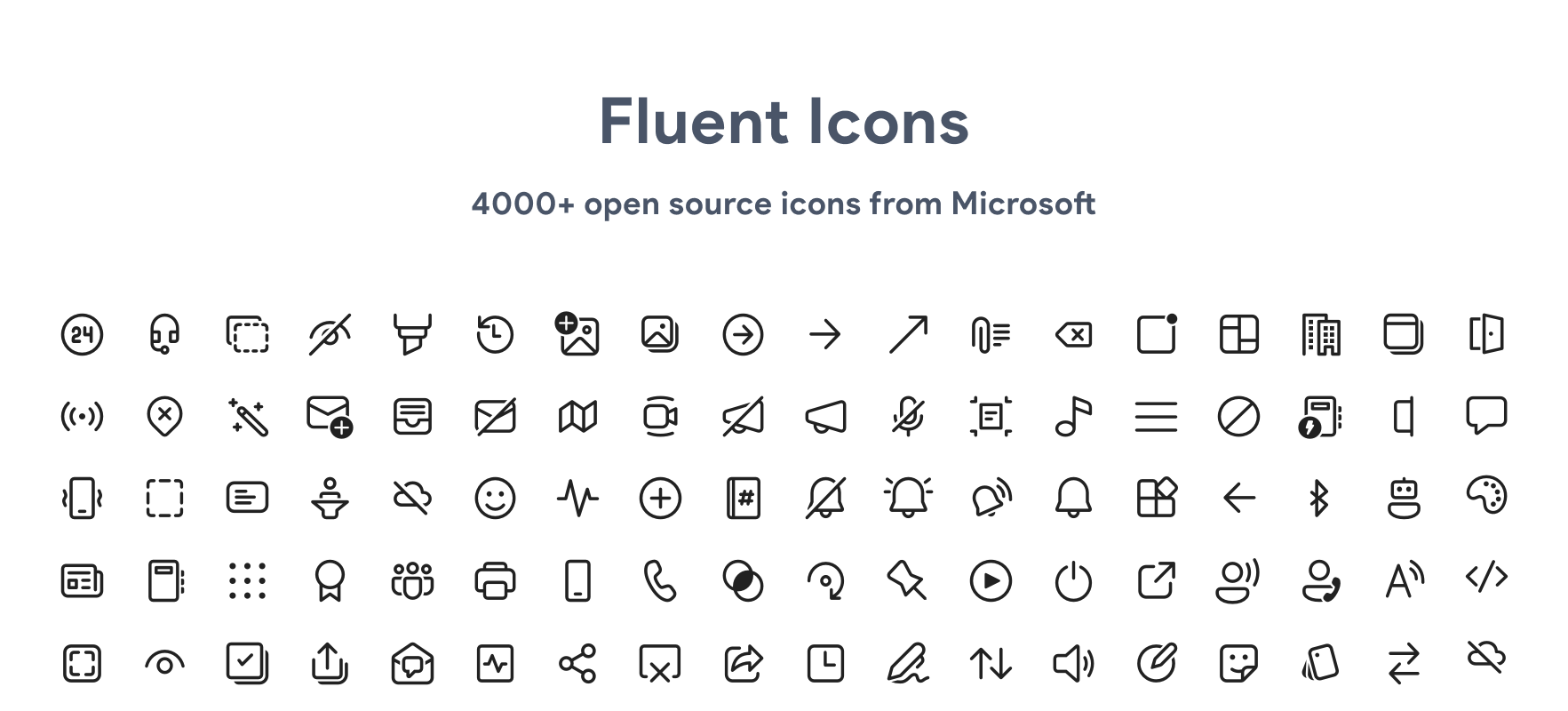
Ye I saw, haven't gotten round to actually adding icons yet, did have a look at icons on https://fluenticons.co/ so prob will find something close to what you suggested
Fluenticons
Beautiful and Open source icons from Microsoft, a collection of over 4000 filled and outlined icons.
edgy sentinel
oh neat, thanks in advance
edgy sentinel
vast delta
https://vencord.dev/favicon
ASTRO JUMPSCARE
edgy sentinel
youre looking for https://vencord.dev/assets/favicon.png

but that would look out of place imo
teal cave
lol
 edgy sentinel
i think desktop icon would look better probably
vast delta
we could try
I'm on mobile do you have the file ready right now?
and what's the icon colour hex again?
teal cave
depends on the theme also
vast delta
I miss YkuKtl...
gilded radish
hey, does anyone have a current piece of CSS to change the Discord icon in the server list?
mortal mantle
@vast delta are you happy now
 mortal mantle
gilded radish
hey, does anyone have a current piece of CSS to change the Discord icon in the s...
mortal mantle
gilded radish
hey, does anyone have a current piece of CSS to change the Discord icon in the s...
try this:
.wrapper_d281dd[data-list-item-id="guildsnav___home"] path {
display: none !important
}
.wrapper_d281dd[data-list-item-id="guildsnav___home"]::before {
content: "";
border-radius: 50%;
position: absolute;
width: 32px;
height: 32px;
background-image: url("your image");
}
 shy torrent
hey, how can I do this properly? Judging by how pinned messages become see through I'm guessing this isn't right
/* hover shading */
[class^="message"]:hover {
    background-color: var(--background-message-hover);
}
I'm shading the messsage the mouse is upon to differentiate it. It looks fine like this, just questioning how to do better.
supple jacinth
shy torrent
hey, how can I do this properly? Judging by how pinned messages become see throu...
It works, but [class^="message"] is too general
If you want the message you're hovering over specifically, you'll need another selector
That's how it looks rn
 safe python
this is what i use for it ```css
.zalgo__39311:not(
.ephemeral_c26b64,
.mentioned__58017,
.replying_d7b6ad,
.automodMessage__410f7
):hover {
background-color: var(--background-modifier-hover);
}
thanks, that makes sense.
safe python
though --background-modified-hover might look ugly depending on your theme
you can also try background-color: rgba(0, 0, 0, 0.1);
supple jacinth
It's because a lot of stuff starts with message
shy torrent
supple jacinth
That's how it looks rn
I don't get that red background change you do, it doesn't happen with the default theme.
shy torrent
safe python
this is what i use for it ```css
.zalgo__39311:not(
.ephemeral_c26b64,
...
thanks
supple jacinth
shy torrent
I don't get that red background change you do, it doesn't happen with the defaul...
Yeah I just changed it to red to show it more clearly
shy torrent
safe python
this is what i use for it ```css
.zalgo__39311:not(
.ephemeral_c26b64,
...
this works great
supple jacinth
mortal mantle
are you using the chat bubble thing from me
who're you asking
supple jacinth
Yes, but I changed the border radius
mortal mantle
so it should just work fine
supple jacinth
mortal mantle
so it should just work fine
yeah it does
supple jacinth
mortal mantle
why is there the red backgorund
I did that to show the [class^="message"]:hover { selector
supple jacinth
mortal mantle
did I forget something?
Nope
mortal mantle
ah alright then
prisma garden
I use this for it (The thing about replacing your discord icon)
.childWrapper__01b9c:not(.acronym_cd4809) {
    background: url("https://i.imgur.com/snswgJW.gif")   center/cover no-repeat !important;
    fill-opacity: 0;
}```replacing that with whatever your image is
 crystal apex
can someone update the classes for me? thanks 
.withTagAsButton-2_JkHX, .withTagless-Lx3LMo {
    min-width: 212px!important;
    max-width: 60px;
    position: fixed;
    margin-top: -80px;
    margin-left: 5px;
    border-radius: 5px;
}
.container-1CH86i button {
    width: 48px;
    background: var(--bg-overlay-4,var(--background-primary));
    margin: 4px;
    border-radius: 5px;
}
.container-1CH86i {
    padding-top: 40px;
}
 stable compass
crystal apex
can someone update the classes for me? thanks <:PaxyHeart:1075053805210710078>
...
stable compass
crystal apex
can someone update the classes for me? thanks <:PaxyHeart:1075053805210710078>
...
.withTagAsButton_cc125f, .withTagless__98b7d {
    min-width: 212px!important;
    max-width: 60px;
    position: fixed;
    margin-top: -80px;
    margin-left: 5px;
    border-radius: 5px;
}
.container_ca50b9 button {
    width: 48px;
    background: var(--bg-overlay-4,var(--background-primary));
    margin: 4px;
    border-radius: 5px;
}
.container_ca50b9 {
    padding-top: 40px;
}```hey that was fast, thank you!
 glossy aurora
haughty totem
clear siren
and got it into this
glossy aurora
haughty totem
clear siren
and got it into this
what am i gonna do with this?
parse it in my head? transcribe it?
[== Manual Updates ==]
Some class changes are breaking and cannot be updated automatically.In this case, manual changes are required.
Search for the base class name (before
-,_or__) in dump.txt and change it manually.Ex:
.typeWindows-2-g3UY>.typeWindows__5fa63
someone understand this?
also why does https://github.com/dxxxxy/discordthemeupdater/blob/main/dump/dump.txt only seem to have the replacement part, doesn’t it need the match part for ambiguous classes like .container_…?
haughty totem
vast delta
use [parent]>[container]
selecting the parent how, div? 
ah you prbly meant parametrized class
clear siren
haughty totem
what am i gonna do with this?
parse it in my head? transcribe it?
[class^=standardSidebarView_]
 { backdrop-filter: blur(30px);
   position: static !important;
   overflow: auto !important; }
.layer__2efaa + .layer__2efaa
 { border-radius: 10px !important;
   background: oklch(.3 0 0 /.3) !important;
   box-shadow: 5px 5px 25px oklch(0 0 0 /.7) !important;
   border: 1px solid oklch(1 0 0 /.2);
   width: 1100px !important;
   height: 80vh !important;
   margin: auto !important;
   padding: 0 !important; }
#app-mount .baseLayer__8fda3 /*keep view under settings*/
 { opacity: 1 !important;
   transform: unset !important; }
best color format
mortal mantle
I only use the primary-hsl and brand-experiment as colors for my theme
crazy
now how to rewrite them in oklch
 pastel gale
This might be the wrong place too post this but does anyone know what the CSS is for this button or box...
Right now is overlapping the X button on threads and i cant close them.
Iv tried to go in inspect but discord crashes every time. I go into the website with the theme on and it dont do it as it dont show up...
 supple jacinth
pastel gale
This might be the wrong place too post this but does anyone know what the CSS is...
supple jacinth
pastel gale
This might be the wrong place too post this but does anyone know what the CSS is...

 gilded cloak
pastel gale
This might be the wrong place too post this but does anyone know what the CSS is...
gilded cloak
pastel gale
This might be the wrong place too post this but does anyone know what the CSS is...
To fix inspect crashing discord enable the no devtools warning plugin
vast delta

GitHub
Vesktop gives you the performance of web Discord and the comfort of Discord Desktop - GitHub - Vencord/Vesktop: Vesktop gives you the performance of web Discord and the comfort of Discord Desktop
gilded cloak
edgy sentinel
that doesn't actually fix the crashing, just fixes the logging out part
Fixes it on my machine
pastel gale
gilded cloak
To fix inspect crashing discord enable the no devtools warning plugin
Added it and got the css name i needed before it crashed again lol
gilded cloak
Vesktop
pastel gale
gilded cloak
Vesktop
Using that dont help with what i need.. The css i need is the Buttons on the top which in that version and website discord dont show it 🤣
Fixed it now tho
 edgy jungle
teal cave
edgy jungle
teal cave
doesn't crash on linux but takes seven billion years to load
not that it helps with styling windows titlebar and buttons
 exotic nexus
what's the error
summer adder
 exotic nexus
do you have a semicolon at the end of the first line
exotic nexus
np
vestal field
:root {
    --elevation-low: none;
}```

does the trick for me but might impact other shadowsthe exact class is .content__1a4fe:before
mortal mantle

 clear siren
didn't we already talk about this
 clear siren
that is gibbu's serverrings.css
vomited out by an scss
and what it does it determines hovered/selected servers by the height of the pill indicator on the left
for whatever reason
vast delta
and the code sucks af
 gritty grove
hi im new at css how do i make this so that it doesn't change the animation and transition durations for the sidebar:
* {
  animation-duration: 0.1s;
  transition-duration: 0.1s;
}
you could proably do a :not(<sidebar class or whatever>)
the <sidebar class or whatever> being a selector for the sidebar :D
clear siren
or go wherever you have the animation/transition set and put an !important on it
although I think a * selector would be less specific anyway and wouldn't override anything
summer edge
has a specificity of 0 lol
clear siren
yeah essentially that code wouldn't do anything at all in the first place
summer edge
it wouldnt overwrite anything
actually if animation-duration specifically isnt used
but just animation with multiple arguments
could that not change it?
gritty grove
clear siren
yeah essentially that code wouldn't do anything at all in the first place
it does tho
im trying to make it not work for the sidebar because once i hover over a server it blinks
mortal mantle
but at the cost of performance
summer edge
gritty grove
im trying to make it not work for the sidebar because once i hover over a server...
just do what i said
gritty grove
summer edge
you could proably do a :not(<sidebar class or whatever>)
how do i know the sidebar i keep looking at console
elements
summer edge
gimme a sec lol
maybe :not(.wrapper_a7e7a8 .guilds__2b93a >) or something
i forget css too quickly T-T
clear siren
or you could do .base__3e6af * to just select everything but the serverbar
summer edge
:not([aria-label="Servers sidebar"] >) will probably last longer
summer edge
clear siren
or you could do ``.base__3e6af *`` to just select everything but the serverbar
which would be faster?
clear siren
summer edge
which would be faster?
I dunno both are bad technically but in practice it's gonna be negligible
summer edge
clear siren
I dunno both are bad technically but in practice it's gonna be negligible
well yeah, the * made me cringe lmao
gilded cloak
spotify has EVIL css
 summer edge
gilded cloak
spotify has EVIL css
summer edge
gilded cloak
spotify has EVIL css
ah yes mMbQLUix1nN_Fu45JpF8 thats a good class name
gilded cloak
they have loads of very nice data test ids, like [data-testid="now-playing-widget"]


 alpine cove
flexbox
mortal mantle
.tabBar__35f81 {
display: flex;
flex-flow: row wrap;
justify-content: center;
align-items: center;
row-gap: 8px;
column-gap: 8px;
margin-bottom: 16px
}
.userProfileModalInner__7c87d .top__592a7 .item__48dda {
border: none;
background: color-mix(in srgb, var(--profile-body-background-color) 40%, transparent);
padding: 2px 0;
width: 31%;
border-radius: 4px;
text-align: center
}
i hacked something up with flexbox and never looked at it again

hope that this could help
gilded cloak
alpine cove
flexbox
.thing {
  display: flex;
  flex-wrap: wrap;
  gap: 0.25rem;
  > * {
    min-width: calc(50% - 0.125rem);
  }
}
not sure if this is what you meant, but thanks for fixing my problem
supple jacinth
vast delta
wait is that the nested selector thing?
that’s sass
Not actual css3 unfortunately
teal cave
I thought it was already implemented
alpine cove
clueless
teal cave
https://caniuse.com/css-nesting it's real 
discord not support yet though (maybe vesktop?)
supple jacinth
It would have a &
 vast delta
teal cave
discord not support yet though (maybe vesktop?)
vast delta
teal cave
discord not support yet though (maybe vesktop?)
i think it is implemented by vesktop
lemme try it actually
supple jacinth
I would guess discord has to update its electron version
gilded cloak
supple jacinth
that’s sass
misinformation
teal cave
yeah, waiting for that to also get other cool new stuff like color-mix


 teal cave
supple jacinth
It would have a &
teal cave
supple jacinth
It would have a &
based firefox as usual
vast delta
 gilded cloak
linters still are annoying about nesting in vanilla css
vast delta
it doesnt change anything but its shown in devtools
vast delta
gilded cloak
linters still are annoying about nesting in vanilla css
when ran()?
gilded cloak
ran?
supple jacinth
gilded cloak
misinformation
Sorry, i an of outdated info
supple jacinth
That’s cool didn’t know it has support now
gilded cloak
vast delta
random numbers in css
that sounds like a horrid idea, I love it
vast delta
gilded cloak
that sounds like a horrid idea, I love it
WHAT????
randomly bouncing around the screen would be fun
gilded cloak
can't wait to spend a whole day fiddling with it while on the clock
vast delta
ran() would just be a random integer from 1 - 10000, use calc to make it useful in your application
itd be so cool
gilded cloak
vast delta
ran() would just be a random integer from 1 - 10000, use calc to make it useful ...
random float from 0-1
vast delta
gilded cloak
random float from 0-1
performance
teal cave
vast delta
when ran()?
That would be a huge improvement over what I'm currently using for random numbers in discord, taking the last char of the latest message ID 
vast delta
teal cave
That would be a huge improvement over what I'm currently using for random number...
thats the stupidest thing ive ever seen and i like it
are there other cool css features i need to know about?
teal cave
can't think of much that's cooler than already mentioned
supple jacinth
https://developer.mozilla.org/en-US/docs/Web/CSS/CSS_container_queries Container queries, kinda cool
MDN Web Docs
Container queries enable you to apply styles to an element based on the size of the element's container. If, for example, a container has less space available in the surrounding context, you can hide certain elements or use smaller fonts.
Container queries are an alternative to media queries, which apply styles to elements based on viewport si...
teal cave
kinda looking fowards to display: flex inline and other <outer> <inner> combos for display ig
vast delta
i am looking forward to usercss but ill have to wait another 1298459812985 years for this
edgy sentinel
gilded cloak
linters still are annoying about nesting in vanilla css
not a linter issue
it's just that monaco css rules are super outdated
teal cave
vast delta
i am looking forward to usercss but ill have to wait another 1298459812985 years...
it's nearly in BD so hopefully soon here also 👀?
gilded cloak
edgy sentinel
it's just that monaco css rules are super outdated
monaco is what again?