#🎨-theme-development
1 messages · Page 5 of 1
 oblique night
 edgy sentinel
 safe python
not with css
safe python
not with css
wrong
give all existing servers an order of 1 
if just flex reverse the guild list
 mortal mantle

 gilded cloak
Css is the best language
 oak plover
he’s got a 
mortal mantle
Fr
 glossy aurora
css stands for cool scenic scripting
gilded cloak
Css stands for counter strike stylesheets
 rugged echo
counter strike source
glossy aurora
computer, start shigging
mortal mantle
I have no idea what to do next with my current layout
running out of ideas already
 hazy lintel
css block for blurring all images in chat
filter:blur(20px);
}
img:hover
{
filter:blur(0px);
}
.mediaAttachmentsContainer-1WGRWy, .nonMediaAttachmentsContainer-3s1dgm {
filter:blur(50px);
}
.wrapper-2PSQCG[img],.originalLink-Azwuo9[img],.wrapper-3kah-n[img]{
filter:blur(0px);
border-radius:50%
}
.embedImage-2Ynqkh, .embedThumbnail-2nTasl, .embedVideo-2ixt5A
{
filter:blur(50px);
}
.container-2sjPya[img] {
filter:blur(50px);
}
.clickable-LksVCf[img] {
filter:blur(20px);
}
element.style {
filter:blur(0px);
}
.chat-2ZfjoI.container-ZMc96U[img] {
filter:blur(20px);
}
.contents-2MsGLg[img] {
filter:blur(50px);
}
video{
filter:blur(50px);
}
video:hover{
filter:blur(0px);
}``` dark dragon
That's not how you use |=, it searches for your that attribute followed by a hyphen. You'd just need this [id|="imageContainer"]
Also img isn't an attribute but a element, I'm not sure what you're doing there
Try just this
.imageWrapper-oMkQl4 {
    filter: blur(5px);
}

.imageWrapper-oMkQl4:hover {
    filter: unset;
}
 slim pond
maybe make everything like 1 or 2 px smaller
and try making the icons smaller than the text, see how it looks
Also, ik this is a plugin, but I want some opinions on the UI I've been working on from a design standpoint

 glossy aurora
looks like the android theme selector kinda
slim pond
#🎨-css-snippets message where did these percentages come from
 slim pond
glossy aurora
looks like the android theme selector kinda
slim pond
glossy aurora
looks like the android theme selector kinda
it was the best way to incorporate many (up to 4) colors
I also took the design from Discord's appearance settings

 robust totem
dark dragon
Try just this
```css
.imageWrapper-oMkQl4 {
filter: blur(5px);
}
.imageWra...
robust totem
dark dragon
Try just this
```css
.imageWrapper-oMkQl4 {
filter: blur(5px);
}
.imageWra...
Even shorter with :not(:hover)
dark dragon
How are psuedo class selectors evaluated though? If it searches for :not(:hover) first that'd be a bot worrying
dark dragon
I had a quick look but I only found a stackoverflow post with 1 answer and no source. The answer does say that the regular selectors come before the psuedo class selectors though, so here's hoping
 torpid void
anyone know how to make those things not look bad on mac
 edgy sentinel
step 1: switch to Linux
rugged echo
step 2: buy a new computer 
 vast delta
i once asked in the clearvision discord how to remove the circle behind the avatar that would mess up the theme all the time because it "couldnt be moved" and they said it was impossible and that they had already tried doing it. this is what it took css .bannerSVGWrapper-2CLfzN>mask>circle {display: none;}

 teal cave
gigabran
vast delta
tessie w
 torn templeBOT
vast delta
tessie w
torn templeBOT
vast delta
tessie w

teal cave
doing anything in scss is pain compared to doing it in any other language
vast delta
no idea how all that works, i just do css and thats it haha
teal cave
it's like python syntax but with brain damage
slim pond
you have my interest, vee
 torpid void
rugged echo
step 2: buy a new computer <:trolley:1024751352028602449>
torpid void
rugged echo
step 2: buy a new computer <:trolley:1024751352028602449>
i have 3 computers but i wanna use discord at school
||during school||
rugged echo
vast delta
i once asked in the clearvision discord how to remove the circle behind the avat...
its not impossible, I did it with some code I had saved from somewhere, I think from dablulite or something on the bd server
/* background behind the avatar */
.bannerSVGWrapper-2CLfzN circle {
    cx: 50%;
}
it has some bugs in some parts
 rugged echo
torpid void
||during school||
rugged echo
torpid void
||during school||
so good, instead of paying attention 
rugged echo
rugged echo
its not impossible, I did it with some code I had saved from somewhere, I think ...
also this is the full thing if someone wants https://zeylogger.github.io/snippets/centeredprofiles.css
vast delta
rugged echo
its not impossible, I did it with some code I had saved from somewhere, I think ...
i sent you one part of like 100 lines cutie, of course its not gonna look right
the circle is supposed to be gone
oh im stupid lol
vast delta
hahaha
anyways, i've been updating my radialstatus snippet and i now added the profile popout to it, i might even add the full profile to it as well
 rugged echo
are you recreating radial status or something?
vast delta
i already had
but only for chat and side bar
also, its more efficient, easier to read and has more, useful variables
(and still gets updated  )
)
rugged echo
the original still works, has like some bugs i guess, but yeah not very good when you look at the source
vast delta
"some bugs" like the entire functionality of the snippet not working
rugged echo
idk I just saw like 2 or 3
vast delta
ive spent some time with that radialstatus thing and let me tell you
A: If a user is online with their phone, they are ALWAYS shown with Green
B: Every user that is offline is shown as online
C: The little phone looks bad and is badly positioned
D: As you already mentioned, the entire snippet is badly optimized and hard to understand/fix
rugged echo
yeah the first one its like a variable or whatever, kinda lazy
idk about the second one but the rest its true
vast delta
and now i present you, radialstatus v2 css @import url(//raw.githubusercontent.com/xdcoolesding/shiggycord/v2/Files/Radialstatus.css); :root { --rs-online-color: #43b581; /* default: #43b581 */ --rs-idle-color: #faa61a; /* default: #faa61a */ --rs-dnd-color: #f04747; /* default: #f04747 */ --rs-offline-color: #636b75; /* default: #636b75 */ --rs-streaming-color: #643da7; /* default: #643da7 */ --rs-bot-color: #5865f2; /* default: #5865f2 */ --rs-spacer-color: transparent; /* default: transparent*/ --rs-small-size: 0.85; /* default: 0.85 */ --rs-small-roundness: 100%; /* default: 100% */ --rs-small-thickness: 2.5px; /* default: 2.5px */ --rs-small-glow: 0px; /* default: 0px */ --rs-small-spacing: 4px; /* default: 4px */ --rs-medium-size: 1; /* default: 1 */ --rs-medium-roundness: 100%; /* default: 100% */ --rs-medium-thickness: 2.5px; /* default: 2.5px */ --rs-medium-glow: 0px; /* default: 0px */ --rs-medium-spacing: 4px; /* default: 4px */ --rs-large-size: 1; /* default: 1 */ --rs-large-roundness: 100%; /* default: 100% */ --rs-large-thickness: 2.5px; /* default: 2.5px */ --rs-large-glow: 0px; /* default: 0px */ --rs-large-spacing: 4px; /* default: 4px */ }
try this beauty
it 100% works without any themes installed, if you have an issue, tell me about it
yes ill post it in css snippets in a bit
but first let me advertise for it
Now, the INNOVATING technology that radialstatus V2 is based on is way different and way more modern, instead of changing random, preexisting circles to fit them around the avatar, I (with a little starting help by Aoi) have made this snippet with the BOX-SHADOW property, which is MADE to make a shadow around the avatar
well, around stuff
i also added tons more variables, like bot color (because bots are not acknowledged as their own type) and a glow effect for the ring, which makes it look pretty, though it might look a little weird with a spacing above 0, i would always recommend changing that to 0 if you put a glow in
okay, enough of that, how do you like it zey?
rugged echo
I mean its pretty cool that it uses a simple thing like box shadow, looks nice with glow
from what I see it shows offline in chat, maybe because I removed platform indicators, and idk whats this that shows in my profile and some others, but seems to work

what the hell the code its short
vast delta
rugged echo
I mean its pretty cool that it uses a simple thing like box shadow, looks nice w...
you ALWAYS need platform indicators, sorry i forgot to say that
it hides them though
vast delta
rugged echo
what the hell the code its short
IKR haha
vast delta
rugged echo
I mean its pretty cool that it uses a simple thing like box shadow, looks nice w...
should be fixed
rugged echo
oh I guess platform indicators are also the reason bots show as online, but anyways
vast delta
rugged echo
oh I guess platform indicators are also the reason bots show as online, but anyw...
definitely turn them on, i'll actually make a variable to turn platformindicators off an on
but yeah, for some things i needed to refer to the platformindicator symbol because there was nothing to identify the state on
because discord, in their only time they shined, actually made most places the profile picture appears in with a tag saying "Name, Status"
so for example i have aria-label="coolesding, Idle" on me right now
thats also what i use almost all the time
as you can also see, i ignored the streaming thing because no one streams so i cant really work with it
rugged echo
I don't know if there is a better way to do that, but I have seen that aria label
rugged echo
vast delta
as you can also see, i ignored the streaming thing because no one streams so i c...
what thing? the status?
vast delta
rugged echo
what thing? the status?
yeah the streaming status has its own colour but no one streams :(
vast delta
wait
you also need moreusertags i guess
because i identifry bots by their user tag
because again, there is no better way to do that
the tag i use on other users is just online for bots
rugged echo
I thought discord already had some way to distinguish bots from users
vast delta
rugged echo
I thought discord already had some way to distinguish bots from users
not for css i guess
there might be somewhere but i did it like that and it works
rugged echo
well I have no problem with just bots, but I say it because of some data-tag I saw on the code, I guess thats part of the plugin
vast delta
rugged echo
well I have no problem with just bots, but I say it because of some data-tag I s...
yeah data-tag is that plugin
 flat shuttle
dashless w/ some fixes for threads and invisible channel mentions
(i can't post in #🎨-css-snippets so i'm posting it here)
[data-list-item-id^="channels___"][role="link"], /* channel list */
.children-3xh0VB:not(:has(path + path)) .title-17SveM, /* channel top bar title */
x.channelWithIcon:not(:has(path + path)), /* channel mentions in chat */
.channelNameContainer-4pFmC-:not(:has(.parentChannelNameClickable-YXl967)) .channelNameText-2q3Lge, /* channel search results */
.parentChannelNameText-3kDeNS, /* thread search results */
.autocompleteRowHeading-3EcwU6 /* text channels matching # */
{
    font-family: "Dashless", var(--font-primary);
}
thank you for this! 😍
 alpine cove
pro css tip use // terminated with a ; for comments
invalid syntax is simply ignored 
edgy sentinel
uniornically viable
because if you use /* ONCE then you cannot comment out that entire block anymore
its so stupid
rugged echo
uh? I don't get it, aren't you supposed to do */
dark dragon
He's saying that you can't have comments within comments doing it that way. If you highlight a block with a comment in it and try to comment that block out the space between the end of the original comment and the end of the block will be uncommented
 raw galleon
does anyone have a css snippets or urls for getting plumpy icon pack in vencord?
rugged echo
dark dragon
He's saying that you can't have comments within comments doing it that way. If y...
oh I think that happened to me one time
raw galleon
raw galleon
does anyone have a css snippets or urls for getting [plumpy icon pack](https://g...
Looks like no one converted it yet?
edgy sentinel
raw galleon
does anyone have a css snippets or urls for getting [plumpy icon pack](https://g...
force @tame shore @graceful vapor to make
raw galleon
kek
mortal mantle
raw galleon
does anyone have a css snippets or urls for getting [plumpy icon pack](https://g...
i just realised whatever css I currently have matches your request lol
 raw galleon
Glad you like it :3
raw galleon
mortal mantle
i just realised whatever css I currently have matches your request lol
:0
mortal mantle
.contents-2MsGLg .avatar-2e8lTP {
border-radius: 25% }
for the avatars
#🎨-css-snippets message for chat bubbles
dark dragon
Was it not more about the icons?
dark dragon
That seems to be flowercord. They were asking about specifically the icon pack for it I think, if you look at the image under the Plumpy heading it's got non-standard icons
 stuck plinth
mortal mantle
https://discord.com/channels/1015060230222131221/1028106818368589824/11331632517...
stuck plinth
mortal mantle
https://discord.com/channels/1015060230222131221/1028106818368589824/11331632517...
im still using an old version of this with borders
mortal mantle
dark dragon
That seems to be flowercord. They were asking about specifically the icon pack f...
Oh I see now
Totally missed out on the new icons
dark dragon
I didn't notice it when I first looked at it either, it took me far longer than it should have considering they said icon pack
I was trying to figure out why there was 3 sets of the same images
mortal mantle
I find it funny that for the chat messages statuses, the last platform indicator will be prioritized

so that if a user is online on pc but idle on phone for some reason, it will show up as yellow instead
vast delta
yeah idle gets put over online because people on phone are called "Online On Mobile"
and when im filtering for the world "Online" that just makes it worse if i dont prioritize over online
mortal mantle
I don't get why Online on mobile has to be a separate status
vast delta
mortal mantle
I don't get why Online on mobile has to be a separate status
i dont get why it has to include the tag "Online"
call it "Mobile"
imagine, the tag would say "Idle" "On Mobile" so it would fit together with each status
but discord employees arent that intelligent

 safe python
bd jumpscare
vast delta
hi i changed my github name to coolesding so if you use my imports you will have to change from xdCoolesding to coolesding
vast delta
my eternal quest to save single bytes in css

GitHub
…horter, dont need to pr this
also might have broken it (HOW AM I TO KNOW BD SUCKS SO MUCH THEY DONT SUPPORT //)
vast delta
because
it
is
LESS BYTES
i have 9 different imports active right now and they all save 6 bytes without the https:
mortal mantle
you can't Ctrl click on the link
vast delta
its literally 54 bytes less memory
mortal mantle
vast delta
i have 9 different imports active right now and they all save 6 bytes without th...
That's your issue
vast delta
mortal mantle
you can't Ctrl click on the link
i own the rep, its the first thing i see when opening github
mortal mantle
import less
vast delta
should i export?
mortal mantle
just copy paste the code into your css
vast delta
my quickcss after doing that: https://github.com/mwittrien/BetterDiscordAddons/blob/master/Library/_res/0BDFDB.raw.css
GitHub
A series of plugins and themes for BetterDiscord. Contribute to mwittrien/BetterDiscordAddons development by creating an account on GitHub.
mortal mantle
Beautiful
vast delta
i might actually make a reworked version of settingsmodal that isnt shit lol
mortal mantle
What modal
vast delta
that makes the settings a little window instead of a whole new page
also, the settingsmodal snippet doesnt work on vesktop so another reason to make it
actually, brb ima make it
vast delta
lmao devilbro is a genius

wait what it is correct on github but if i copy it it breaks
vast delta
lol done

 brittle juniper
mortal mantle
I find it funny that for the chat messages statuses, the last platform indicator...
brittle juniper
mortal mantle
I find it funny that for the chat messages statuses, the last platform indicator...
that looks so pretty i need this
vast delta
how do i call the (here highlighted darker) edge around the settings window?

wait i just noticed its not centered OMG IM GONNA DIE
fixed
vast delta
vast delta
how do i call the (here highlighted darker) edge around the settings window?
i really need help naming my variables lmao
this sounds so ugly

my idea is a short "tag" for the snippet it is for, for example for the oneko snippets i have "oneko-" and id like to have that for my settingsmodal snippet as well, maybe "sm-"? that would be unintuitive though i think
i have rs- for radialstatus but that one actually works imo
rugged echo
FloatingModal or whatever
mortal mantle
wtf these borders look actually epic

border: 1px solid transparent;
border-image: linear-gradient(to bottom right, #b827fc 0%, #2c90fc 25%, #b8fd33 50%, #fec837 75%, #fd1892 100%);
border-image-slice: 1;
 little agate
so gamer
dark dragon
vast delta
also might have broken it (HOW AM I TO KNOW BD SUCKS SO MUCH THEY DONT SUPPORT /...
// isn't the issue. You can't import raw files on BD, you'd need to enable pages and use that link
Still wouldn't recommend formatting your imports that way, it's ugly if nothing else
 toxic yew
vast delta
https://github.com/Yeetov/USRPFP-Reborn/commit/73dc64ec311289495b6e0f4b9113b7af2...
toxic yew
vast delta
https://github.com/Yeetov/USRPFP-Reborn/commit/73dc64ec311289495b6e0f4b9113b7af2...
lol you removed only 1 https in import line instead of remove like 128 https in dist.css
edgy sentinel
dark dragon
`//` isn't the issue. You can't import raw files on BD, you'd need to enable pag...
they should shrimply support gitub raw
dark dragon
It'd be nice, but Zere seems pretty set that he doesn't want to
edgy sentinel
there is no argument against it
only arguments for it
other than github tos but
- abusing pages as cdn is also tos im pretty sure
- who gives a fuck
dark dragon
Yeah I'm pretty sure that's his only reason. He said that thing about it not working in the future, but I don't know what he meant by that
I'm a dummy, but I can't seem to see anything in their acceptable use policy forbidding it anyway
 edgy jungle
 vast delta
toxic yew
lol you removed only 1 https in import line instead of remove like 128 https in ...
vast delta
toxic yew
lol you removed only 1 https in import line instead of remove like 128 https in ...
It doesn't work for mobile if I do that
safe python
mortal mantle
wtf these borders look actually epic
feels like something you'd see in a forum
 vast delta
mortal mantle
<@406084422308331522> 25% border doesnt look good, fix
vast delta
mortal mantle
<@406084422308331522> 25% border doesnt look good, fix
I think I know why
vast delta
Lol no I don't, I'll get to it when I'm home
 mortal mantle
 vast delta
Change this to calc(var()/2)
I made it half the border radius because then its more intuitive
0% is no roundness at all, 100% is full circles
But with css 50% is already a full circle and then nothing changes as you go up
Actually, I can fix it
Get your import reloaded, it should be fixed
mortal mantle
all good now
 vast delta
I didn't notice this because when making it I was only looking at 0 and 100% lol
mortal mantle
also fixed for the large one
vast delta
mortal mantle
all good now
np
vast delta
mortal mantle
also fixed for the large one
Yeah I saw that one didn't have it as well
mortal mantle
add this line
.avatarHoverTarget-1zzfRL, .avatar-3QF_VA {
    background: var(--profile-body-background-color);
}
I removed the circle on purpose
mortal mantle
to improve visibility
vast delta
I can make a variable for that though
mortal mantle
just use the default discord variable
also i set all the avatar scales to 0.85 like my orginial snippet
1 is just too big lol
mortal mantle
i just knocked half of the variables of my theme
I don't want it to become another ClearVision theme
actually looks good now

maybe i will move the online members somewhere else
but too lazy/busy
vast delta
--rs-avatar-background: red;
vast delta
You can change it to anything (yes, even PICTURES)
mortal mantle
worth the starboard
 vast delta
I love variables, I think a theme can't have enough, maybe it should be a little sorted though
mortal mantle
I used to think having 50 variables for a theme was good
until it become too much of a mess without a clear direction
vast delta
For example I could make a :root for categories and put a comment over them so you can click the close button on it that no one probably uses
I'll make what I just said later haha, I think that could actually make the experience so much better
mortal mantle
 mortal mantle
yeah but I cant be bothered
I was forced to use hsla to support normal discord
But then I thought fuck it
Color-mix was way superior
also advert for vesktop
vast delta
vesktop best
mortal mantle
You best
vast delta
mortal mantle
You best
I'm blushing.
mortal mantle
:3
 vast delta
mortal mantle
wait I just realized
vast delta
mortal mantle
wait I just realized
Because you are invisible, idiot :3
mortal mantle
 vast delta
ugh okay, noted

 vast delta
mortal mantle
10 kB off from minify
vast delta
mortal mantle
10 kB off from minify
Yeah I'll probably make a minified version for each of my plugins and one where I put everything together so I only have one import

 grand surge
is there a way i can replace clydes check mark icon and ai text?
vast delta
grand surge
is there a way i can replace clydes check mark icon and ai text?
css can change the check mark
grand surge
vast delta
css can change the check mark
how
i know a decent amount of css but
idk how to replace an svg with an image
vast delta
opacity 0 on the svg then an :after object that has the background of your picture
dark dragon
You can't add psuedo elements to replaced elements. Your best bet in that case is just replacing the path as that svg doesn't have a wrapper of its own. Something like this
.botTagVerified-2KCPMa path {
    d: path("<path>")
}
An alternative is adding a mask, something like this
.botTagVerified-2KCPMa {
  mask: url('data:image/svg+xml;utf8, <svg>') center/contain no-repeat;
  background: var(--white-500);
}
 split axle
@vast delta Sorry for the ping.
It shows idle but on profile shows online.
Also for me every circle shows offline in the chat until I click on their profile then it shows the real status.
 vast delta
The last one is just a bug with the platform indicator plugin, I can't fix that
Hm that's weird, I'll check later
vast delta
I think I know what's the reason and I think that I might not be able to fix it
split axle
Is it also a platfrom indicator issue?
vast delta
That looks like either an issue with my snippet or a you problem
teal cave
discord default css contains some horror

 edgy sentinel
fire
rugged echo
why not just object-fit? wtf
edgy sentinel
discord is weird
they use ancient vendor prefixes for browsers that won't even be able to run their js
vast delta
So they fix a small detail for a scenario that will never be able to occur? Typical discord efficiency
vast delta
teal cave
discord default css contains some horror
Someone should make a plugin to deactivate all native CSS so we can just do it ourselves
mortal mantle
Yeah true
vast delta
Aoi you'd probably be down to collaborate on that, right :3
vast delta
I'm serious about that btw
vast delta
And maybe discord will actually use it if we make it public
mortal mantle
vast delta
Aoi you'd probably be down to collaborate on that, right :3
No
vast delta
mortal mantle
No
fy
vast delta
You'd make all the variables hsl anyways
mortal mantle
Ain't no way I'm making all that
vast delta
Yeah you love insensible colour coding
You want more red? Well fuck you, open your browser
vast delta
mortal mantle
Even Hex makes more sense than rgb
Hex is literally rgb
mortal mantle
Imma change to HWB then
vast delta
Hex is actually more complicated for normal human beings than rgb since it uses base 16 which we aren't used to (but should be)
vast delta
mortal mantle
Imma change to HWB then
I don't even wanna know how this works
rugged echo
what the fuck is HWB? hue w Brightness?
mortal mantle
 vast delta
That's hsl silly
 vast delta
Lch Looks good ngl
Still, you can achieve all this using hex/rgb since that is literally how you display pixels
teal cave
Hmm supposing we do embark on this project, how blank a slate are we thinking?
Just yeet Discord's stuff and use browser defaults, or go full nuclear and reset even browser?
dark dragon
You too could look this good
 vast delta
God this is worse than arch linux
 glad urchin
as an arch user, i agree
mortal mantle
Why is Arch Linux bad
glad urchin
arch isnt bad, its just that you have to install a lot of packages to have something functional
glad urchin
yop
edgy sentinel
i wrote this ages ago so now I can speed run arch install in 5 minutes
i just made a silly pacman hook to keep a list of installed packages https://github.com/Vendicated/fotdiles/blob/arch/pkglist.txt
then when u reinstall you can just install all of them at once

dark dragon
No swap?
edgy sentinel
i usually just use a 2gb swapfile at /Swapfile
can just make that any time, I think I went like a year without
 harsh solstice
Why is that a skull lmao
You shouldn't use swap partition on an SSD, zram works way better, a swap file makes way more sense
rugged echo
dark dragon
You too could look this good
wtf
plain html discord
vast delta
hi anyone remember the custom super reaction snippet? yes? well, i made it only work for https://cdn.discordapp.com/emojis/1024751291504791654.gif?size=64&name=shiggy&quality=lossless reactions
 rugged echo
epic css
 vast delta
rugged echo
epic css
vast delta
rugged echo
epic css
thats not css cutie, thats a status
vast delta
i manually made it so that the stock discord css isnt loaded and it now loads from vencord in a file on my computer, i love how its broken for some reason haha
vast delta
i unminified discords stock css file

no questions asked

discord devs are monkeys using typewriters
 edgy sentinel
i understand the unused classes
vast delta
i mean, its still wasted isnt it?
edgy sentinel
Discord use css modules which makes their code smth like this
Button.module.css
.button {}
```**Button.tsx**
```jsx
import Classes from "./Button.module.css";
<button className={Classes.button} />
So to remove the css class they also need to update their jsx
so out of laziness they might just leave empty classes
vast delta
still stoopid
vast delta
correction: the issues were caused by my beautifier (L in chat for that website)
still, it has a bunch of empty selectors (and code for objects that probably havent existed for years
dark dragon
harsh solstice
You shouldn't use swap partition on an SSD, zram works way better, a swap file m...
I believe Ven was saying he went a year without swap of any sort. That's why skull
edgy sentinel
you don't need swap
dark dragon
I don't want no processes killed is my issue
vast delta
can i use variables as fallback for variables or do i have to do some janky stuff to do so?
just like it does if --variable-two is a number like 41px
vast delta
in this case, YkUktl is shown, even though the fallback of --variable-two should be chosen

oohh this is my fault, sorry
the fallback only gets chosen when variable one isnt set at all, not when set to an invalid value
i got the answer to my issue for the next person that reads this and needs it
the fallback only gets chosen if --variable-one is either not set at all OR set to "unset" , so only in this case OR the case the line defining --variable-one is removed entirely, will ykuktl be set to --variable-two, which means "none"
 vast delta
ah yes, i forgor
 eager heart
welcome to the fun zone
vast delta
fun bun
what do you mean by test build? do i have to make one my own or can i just use it?
eager heart
you have to use the devbuild because it's a PR still
vast delta
how do i get?
eager heart
do u have the github cli installed
vast delta
github cli?
vast delta
eager heart
do u have the github cli installed
okay got it
eager heart
anyway yes this was my small attempt at doing it
it just contains all of the skins and makes it into a dropdown
eager heart
vast delta
okay got it
have u got a dev install as well
vast delta
eager heart
have u got a dev install as well
LEWI I DO CSS NOTHING ELSE
eager heart
FAIR ENOUGH OKAY
well then lets do this
u write usercss
i load it
i show u whta it does
vast delta
oh god no, please let me do it live haha
vast delta
send me what i need to know to do it myself
eager heart
git clone https://github.com/Vendicated/Vencord
gh pr checkout 1700
pnpm i
pnpm build
pnpm inject
vast delta
oh cutie, tell me that earlier
eager heart
this will install the devbuild with usercss support
so you can have fun with it
then u can use the writing usercss guide from stylus to help
vast delta
it should work now, gimme an example to prove it
vast delta
eager heart
anyway yes this was my small attempt at doing it
WAIT DO I HAVE RNG NOW????
FUCKING HELL YES
I NEED RNG
oh its a select thing
well, anyways, thank you, its working fine
eager heart
ah no rng sadly
that'd be a funky thing to add though
maybe we can add some proprietary extensions one day
but yes, if you encounter issues or u get stuck, feel free to ask
vast delta
i shall
eager heart
i think i've written so many test cases for this now i breathe usercss
vast delta
and i immediately will
in the user.css you sent, is there also a way to make another box where you can put in custom links? this is what all my oneko stuff is about :P
being able to make your own skins, use custom ones or even higher resolution ones
also, does usercss work in the quickcss or only in themes?
eager heart
only in themes, theres no quickcss compiler
and yes! you can just use a text for that
vast delta
and can i "hotswap" themes in vencord, so just edit the file while its loaded?
vast delta
eager heart
and yes! you can just use a `text` for that
oki nice
eager heart
unfortunately there's no validation, its not part of the usercss spec, but you can get users to put urls in like that
eager heart
vast delta
and can i "hotswap" themes in vencord, so just edit the file while its loaded?
and yes, they should recompile when you edit them
eager heart
nnnnot really
it's either vanilla css, uso (which is just css but it uses comments as variable placeholders), less, and stylus
so you can use extensions for the latter two but the former are just vanilla
 eager heart
change the text :P
* marks this as the default option
so Default* just means an option named Default which is the default
if you wanted to you could rename it to Oneko* and then it'd be called Oneko
vast delta
hm this is weird, im trying to make two boxes, one where you can select a skin and one where you can put one in (i know theres probably a better way but i wanna play around with it a little until i feel comfortable) and its only showing one, why is that?
do you wanna dm for this?
oh sorry, my randomize file names beat ya :3
oh because i didnt make a default text
IM GETTING IT
IT MAKES SENSE
I UNDERSTOOD SOMETHING
ITS PROGRESS
eager heart
vast delta
hm this is weird, im trying to make two boxes, one where you can select a skin a...
oh yeah if you open devtools
whenever it fails to parse something
it should throw a warning
usercss runs in a "if there's errors it'll ignore them and try its best" mode
vast delta
i see haha
i was missing a : when declaring a variable and it took me a good 5 minutes to find it
boom, look at this beauty
you can choose a default skin OR you select custom as a skin and then put a url in the box
now that i got this its time to add some cooler features :)
vast delta
isnt it literally set right above it? WHY DOES IT SAY "unset" FOR --custom-skin????

my idea is that oneko-skin gets set to unset when choosing the custom skin, so that you can use a different skin in the --custom-skin variable
oh nvm i just had to put the second variable in another var()
WHY
im done with it!
this is the usercss theme for customizing oneko,
you can now change the skin to one of the many default ones
use your own skin as a link
change the resolution for skins that need a higher one (MISMATCHING RESOLUTIONS WILL BREAK THE ONEKO)
wait i called it onekohomeicon LMAO
 remote willow
Took me like half an hour to figure out how to change the "Server Profile" thing in the context menu from that new plugin to "Server Info" because I got it confused with edit server profile. It was only 1 line of code ;─;
 balmy torrent
remote willow
Took me like half an hour to figure out how to change the "Server Profile" thing...
balmy torrent
remote willow
Took me like half an hour to figure out how to change the "Server Profile" thing...
lol
impressive
vast delta
@cobalt haven you are revolutionary
 jovial night
how is there already a v2 api
gilded cloak
I can't wait for v20 this December
vast delta
np love
mortal mantle
 vast delta
I'll integrate that into my v2 shiggycord
teal cave
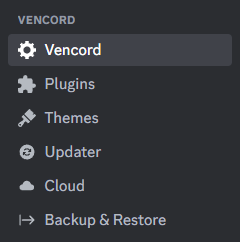
https://github.com/MiniDiscordThemes/SettingsIcons (@edgy sentinel ty for plugin that makes this possible)
GitHub
Adds icons to Discord settings, for use with Vencord plugin ThemeAttributes. - GitHub - MiniDiscordThemes/SettingsIcons: Adds icons to Discord settings, for use with Vencord plugin ThemeAttributes.
rugged echo
I don't get it, I am supposed to import the original settings icons theme alongside this one and the plugin right? but when I do that it doesn't work as intended
 vast delta
try not doing that
rugged echo
I put it in quick css but it shows no icons, like the options get a bit to the left but thats it
I mean right
 tidal pollen
vast delta
rugged echo
I put it in quick css but it shows no icons, like the options get a bit to the l...
tidal pollen
vast delta
rugged echo
I put it in quick css but it shows no icons, like the options get a bit to the l...
do you have the new theme thingy plugin active? I don't remember it's name
it's something called theme
it adds new data you can use with themes
rugged echo
yeah
teal cave
I have made le epic mistake
vast delta
odd
rugged echo
theme atributes
teal cave
gimme a min
vast delta
teal cave
I have made le epic mistake
did you bind it to your user id?
rugged echo
I thought that plugin was useless, but I probably read the description wrong
rugged echo
teal cave
gimme a min
oh no problem
teal cave
I did a dumb
 rugged echo
teal cave
should be fix once the github pages refreshes
rugged echo
oh well, just a little oopsie
vast delta
teal cave
should be fix once the github pages refreshes
GOD DO YOU HAVE FOUR INTERNAL IMPORTS??
vast delta
you do know you can put in their path so you don't have to import
teal cave
I used to do that, but error rate goes up if I can’t easily preview the svg
vast delta
L
rugged echo
I mean you aren't going to remember exactly every single path of the svgs
vast delta
yes but you can add a comment lol
 vast delta
red messages pog
 edgy sentinel
teal cave
https://github.com/MiniDiscordThemes/SettingsIcons (<@343383572805058560> ty for...
edgy sentinel
teal cave
https://github.com/MiniDiscordThemes/SettingsIcons (<@343383572805058560> ty for...
LET'S GOO
hmm, vencord should have some way for authors to share themes
like a channel or on the website 🤔
 gilded radish
Hey, does anyone Have CSS to replace the discord Logo with Shiggy? (Maybe animated)
balmy torrent
I made https://github.com/Vendicated/Vencord/pull/1728 but it does seem you can use CSS :P
GitHub
I tried to ask whether this is something that would be merged but it wasn't too hard to develop anyway :3
edgy sentinel
god I don't understand anything of what's going on in that scss salt
balmy torrent
however i think my plugin might make discord load slightly faster since it waits for the animation to end lol
mortal mantle
glad urchin
whatsapp.theme.css when
Now it is possible to align self messages to the right
you will see it pop up soon
glad urchin
could make discord into a material messager app with that
if its a snippet / import
teal cave
edgy sentinel
god I don't understand anything of what's going on in that scss salt
most of it is creating a "map"* of data-tab-id : svg-filename and looping through to make the actual selector and rules
edgy sentinel
why do you even use css variables for the urls
wouldn't it be easier to just skip the variable entirely and inline it
teal cave
semi-customisable if anyone cares to use other svgs
edgy sentinel
i doubt anyone will want to do that ngl
but sure, valid
I need to try the theme later, not on pc rn
teal cave
basically just me in case I ever do finish the entire fluent icons theme
mortal mantle
I look into the scss and question myself if this is even css
teal cave
at this point not really, it would probably be less pain to use an actual language
 teal cave
edgy sentinel
hmm, vencord should have some way for authors to share themes
teal cave
edgy sentinel
hmm, vencord should have some way for authors to share themes
A channel here would be ideal I think, it's forseeable that putting it on the website might look too official and cause theme support qs in the wrong place
not sure where you'd draw the line between snippets and themes though
dark dragon
I'd say a them has to have a cohesive design, but that'd rule out all those anime themes and I'm not sure we'd have much left
glad urchin
snippet fixes something or adds something minor
theme changes every color variable in the css
probably something like that
edgy sentinel
snippet smth minor that u can comfortably fit in one message
mini theme bigger thing that adds one specific feature like settings icons
theme something that changes the look of the entire client
 cedar cairn
all the people posting things in snippets that are just @imports:
balmy torrent
that's not great since the links could stop working
dark dragon
glad urchin
snippet fixes something or adds something minor
theme changes every color varia...
At least half of the variables aren't used in the desktop client for whatever reason, so that one's out
dark dragon
There's some pretty big snipets nowadays
balmy torrent
 they still presumably only change a small part of the ui
vast delta
imo a theme is a full package that basically changes everything about discords design
a snippet is just an addon, something you could imagine as a switch in the settings, for example bottom server list or settings window
torpid void
does anyone know what the color used here is #🎨-css-snippets message for the text that says vencord
nvm figured it out
can someone help me make this look better

here is it before

cant tell which i like more
alpine cove
- remove discord logo
edgy sentinel
why do u want a proper titlebar lmao
torpid void
idk
im gonna try to make discord look like vscodium
anyone know where i can find more css snippets? like in other servers or something?
glad urchin
better discord
vast delta
torpid void
anyone know where i can find more css snippets? like in other servers or somethi...
betterdiscord and clearvision are my usual goals
vast delta
im thinking about opening a dedicated server for discord css stuff so its easier to collect stuff and work together
it would be cool, okay
vast delta
every shiggycord v2 link has been changed to remove Files/ please fix your quickcss
also, all oneko variables have been changed and should be updated according to either
https://github.com/coolesding/shiggycord/blob/v2/shiggycord.theme.css or
https://github.com/coolesding/shiggycord/blob/v2/shiggycordadvanced.theme.css
torpid void
Making a theme is kinda fun ngl
I used to hate css
Do y’all make your theme in quick css and then put it in a css file?
flat shuttle
torpid void
Do y’all make your theme in quick css and then put it in a css file?
local themes hot reloading
rugged echo
torpid void
Do y’all make your theme in quick css and then put it in a css file?
its much better to do that, or maybe on vscode, but never use notepad++ like me, awful autocomplete
 edgy sentinel
white
torpid void
rugged echo
znarp?
whats that
im trying to get it to look like vscodium on modern dark theme
 rugged echo
idk who uses the default theme in vscode but anyways
rugged echo
it could be good so people can help you, but tbh I get it, it can be a little akward (I guess) if your code its terrible
torpid void
i mean i could clean it up
rugged echo
well thats another option I guess
rugged echo
no lol, I mean kinda, but like probably basic knowledge

 worldly edge
any plugins or css for making black usernames a different color for better contrast with dark themes?
mortal mantle
.username-h_Y3Us[style="color: rgb(0, 0, 0);"] {
background: rgba(255, 255, 255, 0.5)
}
aoi? are you sick?
do you need something? cuddles? food? tea?
since when do you know a different colour system than hsl
glad urchin

grand surge
help
Does anyone here know a css and create a new configuration on discord?
type appearance and profile settings
mortal mantle
vast delta
aoi? are you sick?
im always sick
vast delta
time to do CSS In school
grand surge
vast delta
??
to read🙆🤓
vast delta
speak english
rugged echo
speak binary
vast delta
00010001 00010110 00011000 00010001
torpid void
torpid void
just started this theme. feedback?
is this better
 vast delta
Mac user...
torpid void
i use linux too
vast delta
it's definitely not my taste, but I don't see anything wrong
vast delta
torpid void
i use linux too
...arch Linux?
torpid void
oh shit the typing thing is so annoying
torpid void
vast delta
...arch Linux?
no but i was gonna start
and then i got lazy
i installed it
but
i didnt have time to set it up before school started so
torpid void
💀
 torpid void
ngl it would be kinda funny to replace someones discord with a image of their discord
vast delta
mortal mantle
root and theme things? isn't that unnecessary?
torpid void
can someone start typng rq
vast delta
no
torpid void
ty
mortal mantle
 vast delta
I won't start typing for you. that would be an act of submission for you.
mortal mantle
would you submit for me then
vast delta
mortal mantle
German
vast delta
mortal mantle
would you submit for me then
I would be submissive for you all day
mortal mantle
I will set my language to Suomi instead
vast delta
(you are booster, please give me money)
mortal mantle
i dont have money
vast delta
mortal mantle
I will set my language to Suomi instead
do English UK
 edgy sentinel
mortal mantle
I will set my language to Suomi instead
edgy sentinel
mortal mantle
I will set my language to Suomi instead
do it
mortal mantle
edgy sentinel
do it
 mortal mantle
I donated to Ven :3
torpid void
someone type pls
mortal mantle
insufferable
torpid void
css
mortal mantle
see esc esc
vast delta
I would say that human beings are actually a very wasteful product and they should be converted back to atoms so they can be reused to form cats
except shiggy... is shiggy a human?

ohhh, shiggy is fish
mortal mantle
shiggy is shiggy
vast delta
or chainsaw
vast delta
mortal mantle
shiggy is shiggy
is this canon?
mortal mantle
shiggy is a cannon
vast delta
SHIGGYCANNON???
torpid void
death is a cannon
anyone know why my css order property isnt working? everything has display flex fixed
can someone type
torpid void
yayyy
vast delta
torpid void
~~anyone know why my css order property isnt working? everything has display fle...
the parent element should be flex, the others dont need it i think
slim pond
torpid void
~~anyone know why my css order property isnt working? everything has display fle...
just try adding order to everything
also did you make sure nothing has display absolute?
(from the things you want to change the order of)
 leaden valve
Does anyone know the css of the icon in the top right? Been looking and can't seem to find it
 alpine cove
selector ??
leaden valve

I've found it under .wrapper-2PSQCG > svg but can't move it or change anything about it. I believe that my routing is incorrect tbh because there's 4 different paths to it
alpine cove
apparently its cuz its used as a mask
leaden valve

torpid void
slim pond
also did you make sure nothing has display absolute?
yeah i fixed it thanks tho
dark dragon
leaden valve
I've found it under `.wrapper-2PSQCG > svg` but can't move it or change anything...
That's the wrong svg, there should be another in .wrapper-2PSQCG > .upperBadge-1d6YsW and that's the one you want.
You'll probably have to select it by the path which is kind of a pain, something like .upperBadge-1d6YsW svg[d^="M11.383 3.07904C11"]
gilded radish
.homeIcon-FuNwkv {
    background: url('https://external-content.duckduckgo.com/iu/?u=https%3A%2F%2Fsteamuserimages-a.akamaihd.net%2Fugc%2F965350806526295356%2F993A37B5716D4492C48AB57EE789286027D38BCB%2F%3Fimw%3D450%26impolicy%3DLetterbox&f=1&nofb=1&ipt=b648b4868baaae50006df08ac20975403e779ba97c90c33b887bf43f064192ac&ipo=images') center/cover no-repeat;
    min-width: 60px;
    min-height: 60px;
}```this doesn't work
 celest ridge
why are u using the duckduckgo thumbnail
gilded radish
anyone got some other sort of CSS that works?
celest ridge
```css
/* css code here */
```
 cedar timber
HOW?
 glad fractal
show me a more cursed css
celest ridge
skill
cedar timber
celest ridge
\`\`\`css
/\* css code here \*/
\`\`\`
 celest ridge
```css
/* css code here */
```
safe python
cedar timber
https://tenor.com/buAuB.gif
the \ in question:
celest ridge
gilded radish
.homeIcon-FuNwkv path {fill: transparent}
.homeIcon-FuNwkv {
    background: url('https://external-content.duckduckgo.com/iu/?u=https%3A%2F%2Fsteamuserimages-a.akamaihd.net%2Fugc%2F965350806526295356%2F993A37B5716D4492C48AB57EE789286027D38BCB%2F%3Fimw%3D450%26impolicy%3DLetterbox&f=1&nofb=1&ipt=b648b4868baaae50006df08ac20975403e779ba97c90c33b887bf43f064192ac&ipo=images') center/cover no-repeat;
    min-width: 60px;
    min-height: 60px;
}
So I have to escape every single one, but I think I tried that out once and failed, maybe I used the wrong slash or whatever.
Thanks!
cedar timber
glad fractal
show me a more cursed css
Only thing that can rival that is SQL code.
glad fractal
celest ridge
\`\`\`css
/\* css code here \*/
\`\`\`
file too large
gilded radish
gilded radish
```css
.homeIcon-FuNwkv path {fill: transparent}
.homeIcon-FuNwkv {
backgrou...
does anyone have a replacement for this, please?
toxic yew
gilded radish
```css
.homeIcon-FuNwkv path {fill: transparent}
.homeIcon-FuNwkv {
backgrou...
.homeIcon-r0w4ny
gilded radish
ohhh lemme try
edgy sentinel
celest ridge
why are u using the duckduckgo thumbnail
ddg allows proxying arbitrary images
celest ridge
petition to stop using the randomized suffixes in ur
cedar timber
celest ridge
i think if u just do a backslash at the start it will work too
Tried that and failed.
gilded radish
yess
celest ridge
stylesheets
 celest ridge
```
/* css code here */

this is a little cursed but it works lolol
most of the backslashes i wrote out of habit i just escape anything that has markdown meaning
celest ridge
wdym
safe python
gilded radish
shiggy (I don't actually have my discord this big btw)
clean theme!!
gilded radish
safe python
clean theme!!
thanks! you want the CSS?
safe python
yeah actually
edgy sentinel
celest ridge
wdym
try escaping ` inside inline code
celest ridge
whats the plugin for the more user things in the typing
 celest ridge
hi\` bye
gilded radish
celest ridge
trolled
edgy sentinel
celest ridge
``hi\` bye``
HOW
celest ridge
the backslash isnt doing anything but
safe python
celest ridge
``hi\` bye``

cedar timber
celest ridge
\```
/* css code here */
```
Skill issue on my part then.
gilded radish
@safe python some of the @import just fucking tank the performance btw
edgy sentinel
then remove them
celest ridge
you can use double ` to do inlines
edgy sentinel
horror
celest ridge
console.log(`this is ${real}`)
edgy sentinel
IT'S NOT
gilded radish
edgy sentinel
then remove them
idk they might just tank it on my shitbox
celest ridge
doing some trolling
u can kinda use them
like
```cursed template ${String}` ``

because it truncates the final spaces
but it thinks u want a codeblock so u have to press enter with ur cursor at the start of the message
😭
mortal mantle
I managed to split the container .container-2o3qEW into two separate containers, but the member list one is overflowing and hence there is no border radius at the bototm
any way to fix it?
 cedar timber
I love red and everything, but MY EYES.
mortal mantle
red is for highlighting the problem only
cedar timber
Oh, thank God.
slim pond
glad fractal
show me a more cursed css
If you want your eyes to bleed, check out legacy cyan's source
7k lines of pure hell
slim pond
mortal mantle
this list has 3 containers you can make use of
hide the overflow on the topmost
mortal mantle
i'm using .members-3WRCEx .content-yjf30S
slim pond
 slim pond
mortal mantle
i'm using `.members-3WRCEx .content-yjf30S`
slim pond
mortal mantle
i'm using `.members-3WRCEx .content-yjf30S`
wait
mortal mantle
the membercount is split already
 mortal mantle
hmm
slim pond
try splitting using pseudo backgrounds
mortal mantle
whats a pseudo background
slim pond
just using pseudo elements as backgrounds
mortal mantle
something like this?
 slim pond
yeah, something like that
just hide the actual background behind the list and the indicators, then add pseudo elements that act as their backgrounds
mortal mantle
would be a bit hard to realize for the memberlist
since it will end up with this ugly mess
 edgy sentinel
pretty
 slim pond
something like this
 mortal mantle
wuh how
slim pond
#vc-membercount::before {
    content: "";
    background-color: rgb(0,0,0,.5);
    position: absolute;
    top: 0;
    left: 0;
    width: 100%;
    height: 100%;
    border-radius: 8px;
}
#vc-membercount {
    position: relative;
    height: 50px;
    align-items: center;
    margin: 5px !important;
}
.members-3WRCEx {
    position: relative;
}
.members-3WRCEx::before {
    content: "";
    background-color: rgb(0,0,0,.5);
    position: absolute;
    top: 60px;
    left: 0;
    width: calc(100% - 10px);
    height: calc(100% - 70px);
    border-radius: 8px;
    margin: 5px;
    box-sizing: border-box;
}
.member-48YF_l, .members-3WRCEx {
    background: none;
}
very weird code, just to fit the default discord
change it how you see fit
mortal mantle
hmm this is weird
 dark dragon
Does something like this not work?
.container-2o3qEW {
    background: unset;
}
.membersWrap-3NUR2t {
    margin: 10px;
    border-radius: 10px;
    overflow: hidden;
}
.members-3WRCEx {
    background: unset;
    overflow-x: hidden !important;
    overflow-y: overlay !important;
}
#vc-membercount {
    background: var(--bg-overlay-chat,var(--background-secondary));
    border-radius: 10px;
    padding: 10px;
    margin-bottom: 10px;
}
.members-3WRCEx .content-yjf30S {
    background: var(--bg-overlay-chat,var(--background-secondary));
    border-radius: 10px;
}
 mortal mantle
nope, overflow
 dark dragon
Do you need the scrollbar? You can just
.members-3WRCEx::-webkit-scrollbar {
    display: none;
}
to solve that
edgy sentinel
don't hide scrollbar if this is supposed to be a public theme
safe python
yeah why the fuck do people hide scrollbars 😭
slim pond
use overflow overlay
mortal mantle
I just realize I can already show people's online statuses directly in messages
no need to open member tab
so i can avoid styling that for now
dark dragon
Hey, that scroller doesn't work properly on servers of this size anyway. We should be able to hide it
balmy torrent
vban @spice aurora scam
 cloud joltBOT
balmy torrent
vban <@750792541955162215> scam
cloud joltBOT
balmy torrent
vban <@750792541955162215> scam
Done! 
dark dragon
Can't believe you stole everyone's free nitro like that
 wanton stirrup
vban @balmy torrent I wanted free nitro
cloud joltBOT
wanton stirrup
vban <@706152404072267788> I wanted free nitro
Done!
balmy torrent
sad
rugged echo
ah yes, who needs settings
 balmy torrent
nobody
vast delta
rugged echo
ah yes, who needs settings
L
rugged echo
why? lol
vast delta
idk, you made it probably
it's not my settingswindow snippet lol
actually, have I released it on CSS snippets yet?
I have not.
rugged echo
no you didn't
and I was trying to remove the payment settings part using the same shit salt made with the icons in settings, there was something for that but it also removed the friend request tab and I didn't wanted that, it just left the category but I didn't tried too hard to remove it
vast delta
use the theme attribute plugin
i think it adds an aria label for it
if it's personal for you, it doesn't matter
rugged echo
yes I have that plugin, and I didn't tried with aria label so maybe I should
vast delta
just look at the object and find whatever is distinct from all the other settings lol
and if you have to use :has, who cares
rugged echo
I don't understand, but at least devtools doesn't crash at an instant like before
vast delta
use vesktop

 vast delta
do max-height: 4px for ultimate compact mode
teal cave
whar

 exotic nexus
Do it
vast delta
i could make a banner at the top of the screen when you have my themes that tells you to subscribe to vencord premium
rugged echo
you need vencord premium to get all the themes features
glad fractal
rugged echo
you need vencord premium to get all the themes features
Then someone makes a plug-in that tricks vencord that you have premium
rugged echo
sounds like fake nitro
vast delta
fake premium
 strong mortar
Was told I should suggest this here. #🏥-vencord-support-🏥 message
I'm thinking this still might need some JS backing and not strictly CSS, but I digress.
I'm basically looking to get rid of the nitro gift icon and have all the rest of them in a "drawer" so they are nice an out of the way, maybe on hover of emoji it shows the rest, and scales the chatbox accordingly so I can reclaim space.

so much wasted space.
gets even worse when I have the member list visible
I only have this much space!
 mortal mantle
I believe there's a snippet for that in #🎨-css-snippets
strong mortar
Could you perhaps link? lotta content to scroll through. I'm doing so to trick out my client of course, but if you happen to know who posted it or etc
dark dragon
I'm a stupid and a lazy, but give this a go
.buttons-uaqb-5 .button-ejjZWC:has([d^="M16.886 7.999"]) {
    display: none;
}

.buttons-uaqb-5 {
    width: 40px;
}

.buttons-uaqb-5 .expression-picker-chat-input-button:has(.emojiButton-3FRTuj) {
    order: -1;
}

.buttons-uaqb-5:hover {
    width: unset;
}

.buttons-uaqb-5:hover .expression-picker-chat-input-button:has(.emojiButton-3FRTuj) {
    order: 1;
}
I found the one Aoi is referring to, but will take a look at urs as well
strong mortar
button[aria-label="Notification Settings"] /* Notif Settings in toolbar */
{
  display: none;
}
Any idea why that's not hiding the notifications settings icon on the top toolbar?
borrowed from #🎨-css-snippets message
a[href="https://support.discord.com"], /* help button */
.nowPlayingColumn-1eCBCN, /* active now sidebar */
.newChannel-3q3LPr, /* the "NEW" text thats next to channels */
.vc-toolbox-btn, /* VenCord's Weird Toolbox thingy. */
button[aria-label="Send a gift"], /* send gift button */
button[aria-label="Notification Settings"] /* Notif Settings in toolbar */
{
  display: none;
}
nvm, it needed div.
not button
dark dragon
Should be div[aria-label="Notification Settings"] or preferably .iconWrapper-2awDjA[aria-label="Notification Settings"]
strong mortar
Yep, realized after I posted.
Any fun way of moving the inbox icon to the left with others?
 dark dragon
try
.search-39IXmY {
    order: 1;
}
Worked, Thanks!
mortal mantle
I will find a way to fix this area again, there has been too many bugs since I first implemented the idea
 vast delta
aoiaoiaoiaoiaoiaoi
how do i change the scrollbars, like colour, border radiues and stuff
i forgorr
vast delta
mortal mantle
I will find a way to fix this area again, there has been too many bugs since I f...
please send me whatever you have done to the message bar colour wise
(if its variables, please send me their value so i can convert hsl to hex)
i would like to include that style into parts of shiggycord
(if you consent of course bbg)
mortal mantle
var(--background-modifier-accent)
color-mix(in srgb, var(--modular-accent-color) 40%, transparent)
    --modular-hue: 0;
    --modular-saturation: calc(var(--saturation-factor, 1)* 0%);
    --modular-lightness: 16%;
    --modular-accent-color: #b18e9e;
    --background-modifier-accent: hsl(var(--primary-300-hsl)/var(--modular-transparency));
    --modular-transparency: 25%;
    --primary-300-hsl: var(--modular-hue) var(--modular-saturation) calc(var(--modular-lightness) + 36.00%);
i knew it
mortal mantle
thats all i can find for the message bar
vast delta
its allllllllllllllllll hsl
vast delta
userfriendliness
mortal mantle
I suppose these three parameters also represent HSL

and I am more familiar with them than rgb
vast delta
lhc yes
dark dragon
vast delta
how do i change the scrollbars, like colour, border radiues and stuff
There's a bunch of different bits that go into it https://developer.mozilla.org/en-US/docs/Web/CSS/::-webkit-scrollbar

The ::-webkit-scrollbar CSS pseudo-element affects the style of an element's scrollbar when it has overflow:scroll; set.
vast delta
oh god no reading
mortal mantle
is this also related to css development
 vast delta
mortal mantle
```css
var(--background-modifier-accent)
color-mix(in srgb, var(--modular-accent...
vast delta
mortal mantle
```css
var(--background-modifier-accent)
color-mix(in srgb, var(--modular-accent...
i cant wrap my brain around anything you've made, ill just make it myself :P
mortal mantle
it has CSS
vast delta
i guess?
mortal mantle
let me explain it to you
vast delta
oh dont worry!
mortal mantle
so, the default color for the message bar is var(--background-modifier-accent)
when the message bar is hovered or focused, it takes the color mix between var(--modular-accent-color) (defined as HEX) and transparent
vast delta
are those default discord variables?
mortal mantle
background-modifier-accent is
modular one isnt
but I modified how background-modifier-accent behaves
which should be this section
 vast delta
too much hsl
mortal mantle
i made the 36% up
but yeah thats how discord made its variables
oh wait no
I remembered copying it from someone else here
and ended up changing all the lightness values
vast delta
i got an idea for my color variables
if one of them doesnt work because discord also has it, ill just use the british spelling on all of them haha
vast delta
tolerable how?
salmon

i actually like it ngl
just the text might be a little dark haha
mortal mantle
idk, just less buggy than the one I currently have
vast delta
what do you mean by buggy?
im loving this!!!!

dont ask me why, i love the box-shadow glow
mortal mantle
maybe merge the message bar with the bottom of my panel

and place the typing on top of it
I will get to it sooner or later, but I have work to do
vast delta
wait, so you want the typing message above the messagebar, okay i got that
but what do you mean by merge with the bottom of the panel?
mortal mantle
vast delta
ooohhhh
mortal mantle
while making the message buttons a bit more compact (i. e. hiding them all and only show on hover)
vast delta
pretty hot ngl
vast delta
mortal mantle
while making the message buttons a bit more compact (i. e. hiding them all and o...
i actually made that in my old shiggycord, i can send you it if you want
mortal mantle
pls do
vast delta
do you remember the name of the hide nitro theme?
 strong mortar
.container-YkUktl:has(.avatar-1EWyVD[aria-label*="Online"]) {
    border-bottom: 3px solid var(--rs-online-color)!important;
}
The aria-label syntax has changed, and now they have their discord names in there, my CSS-fu is weak, How would I just simply look for the "Online" portion in that label, or etc.
vast delta
someone hasnt heard of my radial status snippet

GitHub
shiggyshiggyshiggyshiggy. Contribute to coolesding/shiggycord development by creating an account on GitHub.
strong mortar
I'm using it, actually
vast delta
ooh
well the way you have done it works, but it will also always be true if someone is on mobile
strong mortar
I am actually borrowing ur var to change another snippet that adds a border around profiles too
vast delta
vast delta
well the way you have done it works, but it will also always be true if someone ...
and you cant filter that because it says "Online On Mobile"
maybe ^= does what you want, youll have to look up exactly how it works
vast delta
strong mortar
I am actually borrowing ur var to change another snippet that adds a border arou...
add a border around profiles?
oh you mean the entire profile thing
strong mortar
Mhm
mortal mantle
 vast delta
mortal mantle
vast delta
mortal mantle
uwu


 vast delta
mortal mantle
your hide button ran into this issue
vast delta
mortal mantle
your hide button ran into this issue
yes uhm, what you do about it is... runs away
mortal mantle
nuh uh come back
vast delta
oki
mortal mantle
tbh changing 255px to 60% also works
 vast delta
variable opinion?
vast delta
mortal mantle
tbh changing 255px to 60% also works
idk, i dont deal with v1 shiggycord anymore
teal cave
It's divs all the way down
vast delta
vast delta
the fuck you want bad selectors

i dont think i have much of an option
i could do one less div and replace it with a wrapper-Nh
i cant select the empty div otherwise though, unless i use first-child but i isn't that just the same?
or is there a performance difference?
teal cave
Why not style the link rather than the weird div?
vast delta
because its not about the link, its about being inside of .selected
it themes the selected channel

its not supposed to be a specific channel and it isnt supposed to be just that object
toxic yew
.selected .link ?
mortal mantle
link would absolutely work
teal cave
If it's a one-time use of >div>div then ig not too bad
vast delta
toxic yew
.selected .link ?
afaik thats the worst way to select it when it comes to performance because it then goes from every single channel up to the end of the tree searching for .selected
i got it as that now
oh also it shouldnt be the link one, it should be the empty haha
my bad