#🧩-plugin-development
1 messages · Page 22 of 1
 signal juniper
 dull magnet
/* message context menus (broken) */
/* div[aria-label="Message Actions"][role="menu"][id="message"] {
  backdrop-filter: blur(var(--glass-menu-bg-blur));
  background: none;
} */
this right
signal juniper
i might split the css into multiple files in my gist
signal juniper
dull magnet
```css
/* message context menus (broken) */
/* div[aria-label="Message Actions"]...
ya
signal juniper
oh shit
good point
ill update that s0n
i didnt think about that sorry
first time

dull magnet
dull magnet
signal juniper
ill update that s0n
son
dull magnet
wdym?
 dull magnet
oh thats very unnecessary
 drowsy chasm
oh this little thing isn't themed or
 signal juniper
drowsy chasm
oh this little thing isn't themed or
signal juniper
drowsy chasm
oh this little thing isn't themed or
i have no clue
seems themed ig
arrow thingy do be kinda weird
drowsy chasm
yeah just that part
signal juniper
oh i just realised
the message buttons are tinted to branding colors
should i keep that or not do that
drowsy chasm
i'm indifferent about it honestly
signal juniper
oke
 civic glen
can i add plugins to vencord?
signal juniper
afaik you need to do manual install to add untrusted plugins
i should look into that

drowsy chasm
drowsy chasm
oh this little thing isn't themed or
seems to be .tooltipRight-1UPNyA .tooltipPointer-sMBQqe
but it's weird to theme
i gave up
civic glen
signal juniper
afaik you need to do manual install to add untrusted plugins
possible or not
 civic glen
oh alright lol
signal juniper
i installed vencord in the middle of a physics lecture like 2 months ago
drowsy chasm
signal juniper
why is it weird to theme?
it doesn't exactly match the same color/style of the tooltip itself, but i didn't bother testing around much
signal juniper
ah
drowsy chasm
drowsy chasm
seems to be `.tooltipRight-1UPNyA .tooltipPointer-sMBQqe`
or just the latter selector
i guess they have different ones
signal juniper
i thought those funny sequences of alphanumeric characters probably change between client updates
drowsy chasm
sometimes
i haven't tinkered with css in ages
but my ancient laggy transparent bg theme still worked after i abandoned it for over a year so eh
i'll just display: none the tooltip pointer since it looks ugly to me either way 
signal juniper
drowsy chasm
i'll just `display: none` the tooltip pointer since it looks ugly to me either w...
kek
signal juniper
drowsy chasm
sometimes
ic
dull magnet
civic glen
can i add plugins to vencord?
vfaq bd
 shrewd tundraBOT
How do I install BetterDiscord / Replugged / [insert other mod here] plugins?
You can't.
Chances are, it's already a Vencord plugin! Or if it isn't, you can open a plugin request
signal juniper
meow
signal juniper
@dull magnet no more aria-label usage

@drowsy chasm i also did display: none, cant seem to get it to work right either

drowsy chasm
Heh
dull magnet
signal juniper
<:AyameSip:741027061837201438>
 green vessel
shit t-that sends a-a m-message
 pastel sail
how would I get the new textreplace plugIn to replace i wIth I only when It's not next to other letters?
dull magnet
pastel sail
how would I get the new textreplace plugIn to replace `i` wIth `I` only when It'...
\bI\b
regex replacement
signal juniper
lol what
pastel sail
I'm too dumb so I got the bot to do the expression for me
 hollow flame
pastel sail
I'm too dumb so I got the bot to do the expression for me
hollow flame
pastel sail
I'm too dumb so I got the bot to do the expression for me
what expression
pastel sail
(?<![a-zA-Z’])I(?![a-zA-Z’])
hollow flame
pastel sail
(?<![a-zA-Z’])I(?![a-zA-Z’])
That doesn't include numbers, is that something you want?
It also does not include symbols
 neon herald
Do Vencord have any plugin or code to start and minimized to tray bar when logging in windows?
pastel sail
neon herald
Do Vencord have any plugin or code to start and minimized to tray bar when loggi...
discord has that built in
 hollow flame
pastel sail
I just want my I to be capitalized when they should be
hollow flame
pastel sail
I just want my I to be capitalized when they should be
I think what you actually want is
([\W])i([\W])
that way things like Will i? and "i will." match
pastel sail
those do work with the one I'm using
hollow flame
I guess you'd maybe wanna use a lookahead there but oh well
hollow flame
pastel sail
those do work with the one I'm using
and what happens if you 000i000
pastel sail
000I000
hollow flame
see
hollow flame
well
I guess that works too actually
For some reason I thought \b was the whitespace one
but no that's the boundary one
that one probably works the best
especially if your sentence ends in i
dull magnet
yes thats the proper way to do it
hollow flame
or starts with it
hollow flame
Honestly, even \bi\b will have its issues
obscure ones, but still
stuff like !i! will get matched
which is weird to ever come up but 🥴 I suppose you never know
hollow flame
Yes
but like it's unlikely for a question mark to come before a letter
it'll also include symbols like @
who knows
 chrome elbow
is it possible to get user banner url from user id
green vessel
async function getUserBannerUrl(userId) {
    const user = await client.api.users(userId).get();
    return user.banner ? `https://cdn.discordapp.com/banners/${userId}/${user.banner}?size=512` : null;
}```yeah, but I think it's the same with krisp function tho
pastel sail
huh?
chrome elbow
how does that relate to krisp
 cedar olive
green vessel
```js
async function getUserBannerUrl(userId) {
const user = await client.ap...
cedar olive
green vessel
```js
async function getUserBannerUrl(userId) {
const user = await client.ap...
I dont think this helped autumn by any mean
hmm
actually a bit
mb
chrome elbow
idk where is client
i want to get user banner url from id for this #1102929904317775903 message
dull magnet
chrome elbow
i want to get user banner url from id for this https://discord.com/channels/1015...
didn't u figure it out already
cedar olive
chrome elbow
idk where is client
cuz there is no client
thats code from a discord lib or something
chrome elbow
dull magnet
didn't u figure it out already
no, the pr is just usrbg in voice without massive css, no nitro banner
dull magnet
await findByCode("USER_PROFILE(")("235834946571337729")
probably dunno im on phone
signal juniper
green vessel
cedar olive
I dont think this helped autumn by any mean
I mean idk I sent that at 4am plus they never mentioned krisp
cedar olive
it has nothing to do with krisp
dull magnet
how tf does this happen to people
I've never had it happen to me
for me updating just works
drowsy chasm
(lmao did you mean #🌺-regulars)
but yeah idk i had something similar except updating also worked
dull magnet
lmao did you mean
nahh
drowsy chasm
discord rolls a dice and if it rolls 1 it bricks people's discords making them have to reinstall the app, otherwise only updating vencord is needed
 trim igloo
dull magnet
how tf does this happen to people
trim igloo
dull magnet
how tf does this happen to people
shit internet https://cdn.discordapp.com/emojis/1031664826763710514.webp?quality=lossless&size=48&name=trolleley

 opal fern
Oh shit so the other day when I couldn't use discord on my laptop it was because discord decided to nuke itself?????
 wraith carbon
how do I check if my patch is patching
cedar olive
check the module your patch targets to see if your patch is there lol
or use the console and check for errors
dull magnet
just search for the code you add via replacement
if u can find it in discords module it worked
 dull magnet
you can also search for ur plugin name
because every patched module will have a comment "Patched by Plugin1, Plugin2" " at the top
wraith carbon
okay it's definitely not patching
dull magnet

Extension for Visual Studio Code - Vencord Companion is a vscode extension to test Vencord/Replugged patches & webpack finds right from the comfort of your IDE
I wanna add more features to companion soon maybe


 viral roost
ok as in the syntax is valid
wraith carbon
i hate patching
viral roost
not that it does what you want
wraith carbon
viral roost
ok as in the syntax is valid
I want it to error
and it doesn't
does it replace all
or only first find?
dull magnet
first
wraith carbon
ah
dull magnet
if u want to do all you can make ur regex global
wraith carbon
ah not it worked
wraith carbon
wraith carbon
or only first find?
I think it's because of this
was not doing specific enough
drowsy chasm
@signal juniper looks weird
signal juniper
damn i forgot they use their brand colors there
i havent ever received a voice message
drowsy chasm
the play button uses a gradient
.theme-dark .container-3M84ky:not(.playing-1NDSYY) .playButtonContainer-2F2cAR {
  background: linear-gradient(151.11deg,var(--brand-460) 16.55%,var(--brand-560) 104.36%);
}```how would get rid of this button with css?

 pastel sail
does that delete ALL super reaction buttons?
green vessel
I'd assume so
pastel sail
doesn't work :(
 ionic breach
try @import url('https://d3sox.github.io/complementary-discord-theme/hide-nitro-upselling.theme.css');
at the top of your quickcss
pastel sail
hey that worked, thanks!
ionic breach
 pastel sail
my quickcss is 500 lines now, maybe I should make this a theme on github 😅
pastel sail
how would I change the color of this line? I can't figure it out
 chrome elbow
pastel sail
how would I change the color of this line? I can't figure it out
chrome elbow
pastel sail
how would I change the color of this line? I can't figure it out
--status-danger:
pastel sail
didn't work, what did I do wrong?

 tight epoch
In the svg element for that button, you'll find two child elements. The normal icon itself is usually a path element, but for the line, the game activity toggle button has a line element, and SilentTyping's line seems to be a path. The game activity toggle line uses a stroke attribute/style and the typing toggle a fill style, each of which determines the line colour for those respective elements.
For the game activity toggle, you can just change the colour on the --status-danger var, however if you want to just change the line colour and not that var due to it affecting stuff you don't want to change as well, then the following should work:
.button-ejjZWC > .contents-3NembX > svg > line {
stroke: var(--your-color-here) !important;
}
Using important since the style is defined in the HTML itself, which tends to require !important to be added for it to take priority
Sorry for the wall of text, but uh there yesyes
chrome elbow
:root {
tight epoch
Ah yeah, :root is spelled incorrectly there lol
Whichever way, if you want a more specific approach then just use the snippet I made there
Just replace the var with your desired colour
tight epoch
pastel sail
that worked, thanks for the help
Np! :>
tight epoch
pastel sail
I'm new to this stuff, if you couldn't tell 😅
Yeah fair, well, everyone has to start somewhere, correct?
pastel sail
tight epoch
Yeah fair, well, everyone has to start somewhere, correct?
I'm settling for modified other people's css for now
tight epoch
Yeah fair, until very recently I was using a modified theme as well, only yesterday did I get far enough on a custom one to actually start using it over that modded one
(It does use a lot of snippets from #🎨-css-snippets but shhhhh it's fine I credited the original creators anyway)
 flint oxide
I love #🎨-css-snippets
pastel sail
I have 495 lines worth of snippets I've modified and the mess I've made out of the midnight theme
pastel sail
it's been really fun just messing with things even if I don't understand how they work 😅
pastel sail
hope your snippets don't break
 pastel sail
speaking of things breaking, anyone know why my channel links aren't working?
 viral roost
it is caused by a plugin but dont remember which
pastel sail
that worked, thanks
tight epoch
flint oxide
i currently have 560 ish
The modified stylesheet I was using previously, has 1000+ lines, excluding lines from imported CSS URLs 
pastel sail
I have themes, snippets, experiments and plugins mixed together, if something breaks I have to clue where to look 😅
tight epoch
90% of stuff I've had break has been due to css, which is for the most part pretty easy to see since it'll be pretty apparent after editing the quickcss editor. There's been a few times where I've had crashes due to me having enabled window transparency, but turning it off and on again with restarts in-between to allow it to take effect, has fixed the issue every time thus far
pastel sail
only real issue I've had is crashing when I load too many assets at once, like opening the emoji picker or loading a channel with tons of pictures
but it only happens when I have the editor/devtools open so it's fine
drowsy chasm
tight epoch
pastel sail
only real issue I've had is crashing when I load too many assets at once, like o...
Ah yeah, that too, scrolling too quickly through a channel causing it to crash
flint oxide
My discord breaks whenever I opened inspector right in the desktop version
and I have to login again
drowsy chasm
Enable NoDevtoolsWarning for that
pastel sail
had that one a few times
tight epoch
Oh yeah right, it tries to use too much memory iirc
pastel sail
I'm waiting for the desktop version to have screen share audio, then I'll switch
chrome elbow
enable that plugin to prevent logout
drowsy chasm
^
tight epoch
What causes the logout tho?
drowsy chasm
Discord hiding your token when you open DevTools or whatever
tight epoch
Ohh fair
drowsy chasm
The plugin preventing logouts when you crash with it open is a side effect
And I guess a welcome one at that
tight epoch
That side effect caused me to realize that my css snippet used to get a dynamic avatar container was somehow causing the login screen to not display properly because it shared the class used while hidden with the login screen
So I now have it set up with a parent before it to make it more specific
drowsy chasm
Hmm
tight epoch
No clue why, but eh, that's Discord css selectors for ya
flint oxide
I gotta think of something better to do than inspect every single element to change colors lol
tight epoch
You can change the accent colours by changing the vars used by Discord normally
flint oxide
I do have accent colors on
But some icons just won't change
So I have to manually tweak them
tight epoch
Like which ones?
flint oxide
primary-XXX-hsl
They seem to work
I'm not on my PC right now so I can't show you what I meant
tight epoch
Just change the --primary-XXX's instead
flint oxide
Yeah that's what I have been doing
it changes the overall theme yes but not the little details here and there
tight epoch
If that doesn't work try using !important to give priority to your style rules
flint oxide
I see I see
tight epoch
Like which ones in particular?
tight epoch
Ah, well if they don't have a primary var on them to begin with them yes you're gonna have to set them to use it if you want just those to be changed
 cedar marsh
You really should do the primary hsls, as some components read them directly
 cedar marsh
flint oxide
cedar marsh
flint oxide
Very similar to my theme css
#🎨-css-snippets message
flint oxide
that's yours
I copied your code ....
and it worked really well
So ... I found out way to change the color of this box here:

but it got conflicted when spotify is on


i used #app-mount .panels-3wFtMD > *
any idea how to set the color to only before Spotify controls is active?
dull magnet
never do this in react or u will get jumpscared
<div style={{ all: "unset" }}></div>
LOL
dull magnet
wait it didnt do it this time
dull magnet
but last time i did that on smth it literally put every single style on the element
cedar olive
exactly
 dull magnet
oh wait
it only happens if u also add a different prop
<div style={{ all: "unset", cursor: "pointer" }}></div>
this is a jumpscare
cedar olive
I wonder why
dull magnet

 flint oxide

dull magnet
cedar olive
I wonder why
idk react moment
<button style={{ all: "unset"}}></button> => <button style="all:unset;"></button>
<button style={{ all: "unset", cursor: "pointer" }}></button> => 
flint oxide
You try first ven
dull magnet
try what
flint oxide
What you just wrote
wraith carbon
How can I approach patching this value/removint it, was looking at .renderCharacterCount, .getCharssLeftLength and .renderMaxLength but these don't seem to be the ones that render this so idk

 honest plume
hello, if i contribute to vencord, how will i get the contributer badge?
chrome elbow
honest plume
hello, if i contribute to vencord, how will i get the contributer badge?
add your name & id to constants file
flint oxide
flint oxide
any idea how to set the color to only before Spotify controls is active?
I have found some sort of a solution going through a certain theme file on GitHub, but thanks anyway
honest plume
chrome elbow
add your name & id to constants file
Thanks!
wraith carbon
What's the policy of adding myself to the "authors" list of a plugin?
If I just fixed a simple bug I shouldn't right
dull magnet
if u make non trivial changes
 stray imp
mewsic is now dependent on a custom virtual machine because im slowly going insane
ok so the plan is
mewsic drops gradle as a build tool and instead uses https://github.com/jdadonut/dove, which is supposed to be a replacement for gradle
dove works by using https://github.com/jdadonut/eden to convert kotlin-compiler-embeddable (jetbrains project) into rootir which runs in https://github.com/jdadonut/root so that i can more easily embed rust projects into kotlin multiplatform (via some struct and trait mapping to data class and interface)
 prime pebble
what are those annotations above the code
 trail briar
Just curious, but is the soundboard done differently?
since its possible to do 1080 streaming with fake nitro
i wonder if its possible to unlock the soundboard as well
drowsy chasm
server-side so no
trail briar
dull magnet
no
thought so
 oblique lark
does anyone know how to make the spotify player have absolute position relative to the whole page instead of just the user info panel

I'm trying to make it move to the top left area but i can't make it stick there and random percentages or rem values don't work with zoom
for some reason it goes behind the main chat area so just moving it up with bottom:100% won't work
 dull magnet
oblique lark
for some reason it goes behind the main chat area so just moving it up with `bot...
dull magnet
oblique lark
for some reason it goes behind the main chat area so just moving it up with `bot...
tried z-index?
oblique lark
yeah it doesn't do anything
tried to increase the right margin on the main chat area and somehow it does stuff while devtools says it's overrited

also somehow margin is doing this???

yeah turns out there was a crazy amount of margin on the chat content

just need to fix the top bar
 wide parrot
yeah i was about to say im loving that title bar lol
flint oxide
One of the best themes
 sacred yew
Can someone help me review my PR pls?
https://github.com/Vencord/Installer/pull/40
 oblique lark
also by default the spotify player completely hides your user info panel
which is very sucks
 fierce sky
lol what
oblique lark
without css
 fierce sky
jesus
oblique lark
with css
 fierce sky
ok this is horrific
 oblique lark
yeah also way too many things are square
oblique lark
becoming a modern web designer
 oblique lark
yeah you also need to move over the main screen
for some reason z-index doesn't work
fierce sky
wtf
oblique lark
 fierce sky
also is it just me or does it feel like theres a lot of delay when opening server folders
oblique lark
i mean since it's horizontal you don't even need to close them
this thing has so much room
fierce sky
what if you have a shit of servers you dont talk in because your friends wanted you to join them
(aka just me)
 amber mantle
there isnt for me
oblique lark
i was going to test opening all of them before remembering i have the folder plugin
fierce sky
so its either on my end for having way too many servers or theres just delay for some reason
oblique lark
i think there's just some delay for some reason
maybe discord hardcoded something to make the animation work
fierce sky
yeah that just sucks
oblique lark
ok also if you have spotify + vc or a game it clips behind the member list
what am i listening to
 fierce sky
this thing is unbearable with the new like
thing where it shows your friends profiles in dms
fierce sky
like
in your css please just remove the side profiles entirely if you can
thats the only way to fix it
oblique lark
no just the selector
i thought there would be more to it than the entire thing just being in a single div
discord usually likes to make things overcomplicated
fierce sky
yeah i feel that
 fierce sky
whats the full lay out rn
oblique lark
way better than default
 fierce sky
yeah
honestly just shoot it
also make the channels list longer
and is that compact mode or cozy mode? because honestly the default cozy mode for this thing looks good
 oblique lark
wait is that the colon snippet
oblique lark
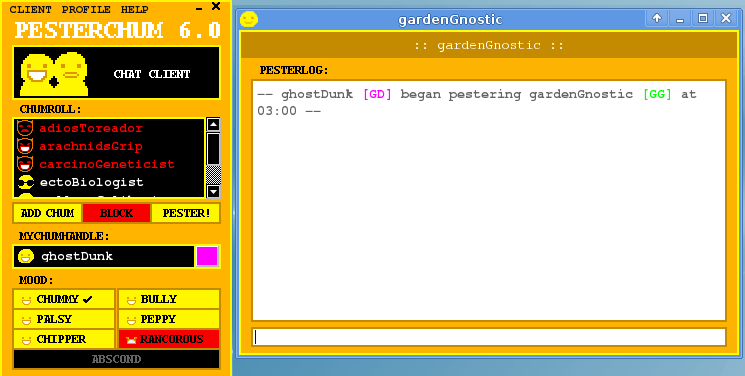
i tried to make pesterchum before realizing that would be a massive undertaking
and that someone else already had
fierce sky
yeah (hasnt watched homestuck)
oblique lark
yeah (it's a chat client the main kids use in the comic)
fierce sky
what does it look like
oblique lark
- yellow
oblique lark
yeag
fierce sky
 oblique lark
does discord just not use z-indexes or

 fierce sky
i guess
im bad at css but even i use z index
its soo fucking easy to accidentally tab out on this thing
oblique lark
ok literally put a z-index on the members list too and it doesn't work
not even the mighty !important can save me
fierce sky
fucked
oblique lark
LITERALLY !importnant-ING BOTH OF THEM WITH THE ONE I WANT ON TOP HAVING A HIGHER Z-INDEX

IS THIS NOT ENOUGH FOR YOU
fierce sky
horrifying
anyways you're doing the lords work for windows 98 fans
also is this like a variable of text

gtg
see ya later
oblique lark
bye
oblique lark
hell yes.
 fierce sky
im back
yo how
also there needs to be an actual message hover highlight on this thing
oblique lark
i have reached like 30 lines of this and it keeps growing
fierce sky
send code
i think it would be really cool if it changed to the name of the server you're in but that seems too advanced for css
oblique lark
/* fixes spotify player */
[id^=vc-spotify-player] {
  position: absolute;
  bottom: calc(100% + 1px);
  right: 0px;
  width: 223px;
  border-top: 1px solid white;
  border-left: 1px solid white;
}
/* increases size of main window */
[class^=chat], [aria-label^=Friends] { margin: 30px 250px 5px 250px !important }
/* shrink margin on main window */
[class^=chatContent] { margin: -20px 3px -5px 3px !important }
/* change titlebar to match */
[class^=typeWindows] { inset: 0px !important }
/* decrease size of top chat menu */
section[class^=title] { height: 35px; top: -25px }
/* friends sort position */
[class^=tabBar] { position: relative !important; }
/* mess around with member list */
[class^=membersWrap] {
  right: 3px !important;
  top: 75px !important;
  position: absolute;
}
/* member list toggle button */
[aria-label*="Member List"] {
  right: 0px !important;
  top: 25px !important;
}
/* text under said button */
[aria-label*="Member List"]::before { content: none !important }
/* dm profile panel */
[class^=profilePanel] { display: none }
/* remove borders from mentions, images, codeblocks */
[class^=mention], [class^=imageWrapper], code { border: none !important }
[class^=mention]::before, [class^=imageWrapper]::before, code::before { border: none !important }
[class^=content] > [class^=sidebar]::after {
  content: "VencordVencordVencordVencordVencordVencordVencordVencord";
}
.shiki-root { border-radius: 0px !important }
/* chat hover background */
[id^=chat-messages]:hover {
  background-color: rgb(12, 12, 12);
}
/* close button for settings menu */
[class^=tools] {
  right: 145px !important;
  top: 85px !important;
}
[class^=tools] [class^=container]::after { display: none }
this is what i have so far
also for some reason backticks look horrible in this font
` <-- what is this
fierce sky
jesus
ok this go hard
the main window should expand when members are disabled tho
and the members should be longer
oblique lark
yeah im still working on the members
fierce sky
nice
oblique lark
for some reason it starts getting cut off
fierce sky
oh no
 oblique lark
yeah i wanted to remove the large amount of empty space
but then i remembered that the typing indicators are so large
oblique lark
anyways notice how the member list has a height of 100000 pixels
and yet it normal sized
fierce sky
yeah
-5px bottom also doesnt seem too bad
[class^=chatContent] { margin: -0px 3px -5px 3px !important }
seems good
 oblique lark
mm yeah
fierce sky
im begging you to speedrun coding in a better message highlight this is killing me
oblique lark
this might actually be one of the niche cases where light mode works
oblique lark
fierce sky
im begging you to speedrun coding in a better message highlight this is killing ...
like the blue when you drag?
fierce sky
when you hover over a message
oblique lark
[id^=chat-messages]:hover {
  background-color: rgb(176, 11, 105);
}
ignore the color i could not find the right shade of dark dark grey
fierce sky
holy shit thank fuck
that username bg snippet actually works really well with this theme

without the bullshit margining on the top
oblique lark
also with shiki codeblocks it looks horrible because they have white/grey borders
fierce sky
yeah its horrific
time to restart disc just to kill shiki
yeah that looks way better
rare instance of a plugin making things worse
oblique lark
i actually quite like the colour scheme so I'm keeping it
but for some reason it has a rounded corner???
fierce sky
what in the name of god is this settings menu
(shout out to the always have shiggy snippet for letting me change the bg image that should be like a feature)

i genuinely couldnt figure out how to exit out of it
oblique lark
yeah moving the close button is on my todo list
oblique lark
the first time I went into that menu I pressed the x that closed discord by accident
fierce sky
i genuinely cannot find the x
holy fuck the x that closes discord is so bad
just like have the base discord. top bar thing and windows 95 it instead. idk how the dude who made this thought X jumpscare was a good idea
i think in my free time of browsing css snippets for no reason i found a snippet that does just that
https://github.com/Josh65-2201/Discord-Windows-11-theme found the fucking polar opposite
GitHub
Windows 11 style theme for Discord made for Better Discord - GitHub - Josh65-2201/Discord-Windows-11-theme: Windows 11 style theme for Discord made for Better Discord
oblique lark
ok what is your opinion on this
 oblique lark
edited the original giant snippet with this
fierce sky
i think what most themes dont acknowledge is that this isnt some new chatting app; this is discord and they shouldnt try changing every little thing for the aesthetic
discord also works because of its minimalist design scheme and all of the buttons on shit like this theme can get overwhelming at times. discords buttons are only obvious when you're focusing on them with your eyes
oblique lark
shouldn't try changing every single thing
i have spent the last five hours (with breaks) editing this theme...
fierce sky
no i mean like
for themes in general
how i see it you're editing it to fix the shortcomings this theme had by doing that exact thing
very based behaviour btw on your part
oblique lark
this theme had so many shortcomings it needed an elevator
oblique lark
you should see the css for that
fierce sky
something tells me it isnt pretty
oblique lark
it was generated with scss and it's just five trillion class selectors


 fierce sky
i think i saw an easier way to do that
oblique lark
hovering it is also hilarious
 fierce sky
jesus
Hello everyone,
Since the last update my custom css to see square avatar doesn't work any more.Does someone already know how to do that again ?
Thanks
edit :
I have tried several BetterDiscord themes and found a css script to import :(there is a space after the @ to avoid pinging someone)
@ imp...
⬆️ 2 Upvotes | 💬 1 Comments
oblique lark
at this point just use *
fierce sky
the rxyddit embed looks so good with this
fierce sky
oblique lark
at this point just use `*`
yeah
https://github.com/NuffleFluffle/SquareAvatars/blob/main/themes/square-borders.theme.css seems to work too

GitHub
Contribute to NuffleFluffle/SquareAvatars development by creating an account on GitHub.
1984
oblique lark
the guy who made the w9x theme also made an fnf theme for osu
 oblique lark
i literally cannot move this button
fierce sky
amazing
oblique lark
it is wrapped inside of like five divs specific to it
fierce sky
something tells me more of this was made with some weird code auto generator then you'd think
with the squares and now the 5 fucking divs
fierce sky
no way
oblique lark
ok for some reason the toolsContainer cannot be moved even with !important
but moving tools (which is inside of that) works
oblique lark
no there's only one tool (the exit button)

 fierce sky
wtf
oblique lark
you know, the normal spot for the x button, floating off of the mid-upper-top left area
fierce sky
yeah
this is what i mean by 'you shouldnt change every single part for a theme of an app' (i mean this for discord themes in general not the fixing part thats based)
sometimes people are just changing the lay out for the hell of it 💀
there was no reason to make the settings an off center pop out. there was no reason to make the fucking flying x. but we ball i guess
oblique lark
also why do messages cut off so early (on smaller zoom or devtools)
fierce sky
idk
oblique lark
not really that much of an issue but there's still so much space here
 oblique lark
li [class^=message] { width: 90% }
turns out just using width works
oblique lark
me when i mistype a typo
fierce sky
so true
friend who once got a text from me where i said 'weag': was your reaction 'weag'?
 oblique lark
im gonna finish this tmr
 spare herald
oblique lark
hovering it is also hilarious
spare herald
oblique lark
hovering it is also hilarious
the amount of questions I have about this theme
flint oxide
i figured out how to color code a few of the menu popouts today, but there are just too many of them ..
 cedar olive
there indeed a lot
flint oxide

 flint oxide
oh no ..
 flint oxide
no devtools option for me ...
cedar olive
yeah cuz you dont have the isstaff option enabled

 honest plume
i personally think that offline icon is not the right to use 😅
 dull magnet
honest plume
i personally think that offline icon is not the right to use 😅
dull magnet
honest plume
i personally think that offline icon is not the right to use 😅
then propose a better one
flint oxide
how about the shiggy icon


 tight pecan
bc it’s your first pr
 amber condor
ohh i also see he's a dev
amber condor
i really hope the pr gets accepted someday so i dont have to keep building & injecting my own repo 🙏
fierce sky
decided to try and edit that windows 9x theme we were talking about yesterdays members thing
suddenly i understand why its so hard to edit this

the entire theme file is like this
fierce sky
yep
pastel sail
well, good luck!
wide parrot
use a beautifier
fierce sky
'good luck' cant even find a way to remove 'help' text for god knows why
pastel sail
make chatgpt do it 🤣
fierce sky
honestly would probably be better formatted
wide parrot
Format your CSS to clean it up and beautify it. Make your CSS easier to read and validate it.
 wide parrot
sounds about right
fierce sky
i try and copy and paste it 😭

 pastel sail
lol
wide parrot
works for me
pastel sail
that's my life in a nutshell
pastel sail
try gpt cmon
wide parrot
no
pastel sail
I want to see what it does
fierce sky
how do you even use chatgpt
wide parrot
ai is so advanced
 pastel sail
"make this css pretty" ctrl+v
wide parrot
pastel sail
oh
amber mantle
best

 wanton matrix
the 2 types of ai
 amber mantle
isFirstMessageInForumPost
fierce sky
sorry. had to vc with a friend and then code his thing
come on

...i dont have a phone

there goes that plan
pastel sail
:(
 fierce sky
1984
amber mantle
lol
fierce sky
 amber mantle
you have to do it in chunks
but ive pasted entire files before so its probably just that the free model has less tokens
fierce sky
my brain is fried from coding already but time for more 9x shenanigans
bro what the FUCK IS
iconWrapper-2awDjA.clickable-ZD7xvu:is(.anchor-1X4H4q .iconWrapper-2awDjA:only-of-type,:has([d^="M14 8.00598"])),.toolbar-3_r2xA .iconWrapper-2awDjA.clickable-ZD7xvu:not(.anchor-1X4H4q .iconWrapper-2awDjA:only-of-type,:has([d^="M14 8.00598"])){position:relative;border:1px solid;border-color:#fff #000 #000 #fff;margin:0;height:32px;min-width:32px;display:flex;align-items:center;justify-content:center}
fierce sky
vee you have not seen the whole theme
dull magnet

GitHub
A Windows 9x style Discord theme. Contribute to Saltssaumure/w9x-discord-theme development by creating an account on GitHub.
pastel sail
oops
fierce sky
huh???
dull magnet
GitHub
A Windows 9x style Discord theme. Contribute to Saltssaumure/w9x-discord-theme development by creating an account on GitHub.
 proud parrotBOT
dull magnet
https://github.com/Saltssaumure/w9x-discord-theme/blob/9fdd96e2e99dbbbeae300283c...
proud parrotBOT
dull magnet
https://github.com/Saltssaumure/w9x-discord-theme/blob/9fdd96e2e99dbbbeae300283c...
**_headerbar.scss: **Lines 57-71
// Buttons
.videoControls-353CsJ & .iconWrapper-2awDjA.clickable-ZD7xvu:is(.anchor-1X4H4q .iconWrapper-2awDjA:only-of-type, :has([d^="M14 8.00598"])),
.iconWrapper-2awDjA.clickable-ZD7xvu:not(.anchor-1X4H4q .iconWrapper-2awDjA:only-of-type, :has([d^="M14 8.00598"])) {
    @include boxes.clickable;
    margin: 0;
    height: 32px;
    min-width: 32px;
    display: flex;
    align-items: center;
    justify-content: center;

    .count-vTKEhF {
        margin: 4px;
    }
}
i feel bad now
...not even going to question how this theme works at this point. i grab the css for what i need, i put it in, it somehow does not change
bro has not moved

 amber mantle
jus hide it
fierce sky
true
amber mantle
unless you didnt want to do that
fierce sky
finally
 pastel sail
all that just to move a book 😭
dull magnet
fierce sky
bro has not moved
did u try pasting that into ur quickcss
cause thats scss, a superset of css
u need to compile it
fierce sky
i fixed it :)
fierce sky
banger (?)
 pastel sail
it's definitely a look
fierce sky
first of all: this is heavily based off of hadeans fix css so you should credit him for the fixes
second: this is the best i could make it look genuinely...maybe discord wasnt meant for win95
oblique lark
honestly at this point most of the theme is kinda pointless
since a lot of it was moving screens around and making it into separate "windows"
but almost all of my fixes have been reverting that
fierce sky
yeah
but i mean the more usable it is the better
< coping
the settings are finally nice to look at
 hollow flame
fierce sky
the settings are finally nice to look at
hollow flame
fierce sky
the settings are finally nice to look at
perhaps to a lunatic
fierce sky
true
 wild flower

 near aurora
have fun maintaining this css
it looks pretty well executed (i wont comment on the aesthetic) but yeah have fun spending 4-6 hours fixing it every minor feature update
flint oxide

amber condor
dull magnet
https://github.com/Saltssaumure/w9x-discord-theme/blob/9fdd96e2e99dbbbeae300283c...
this theme is kinda cool ngl
flint oxide
made Ven famous
 steep folio
 hollow flame
no
 wary dune
@hollow flame hi
hollow flame
wary dune
<@235904856106336257> hi
hi
 wary dune
ok
tight epoch
Sleek glassy theme, but at what cost 


One more backdrop-filter: blur() and I'm gonna need a NASA supercomputer to run this shit
pastel sail
Is anyone else having issues with the emoji's from the experiment not showing up?
I have it on treatment 1 but they aren't showing
drowsy chasm
keeps 404ing
pastel sail
don't tell me discord broke it :(
tight epoch
Dunno, it works just fine for me
dull magnet
what experiment
pastel sail
yes
 abstract oar
dull magnet
https://github.com/Saltssaumure/w9x-discord-theme/blob/9fdd96e2e99dbbbeae300283c...
abstract oar
dull magnet
https://github.com/Saltssaumure/w9x-discord-theme/blob/9fdd96e2e99dbbbeae300283c...
bro this is insane
I love it so much
oblique lark
i wonder if it's finally time to change the font on this theme
pastel sail
suddenly the emojis are back :)
drowsy chasm
oh finally
flint oxide
niceeeee
pastel sail
anyone know the id thing for the user panel in dms? I can't find it from the devtools
dull magnet
pastel sail
anyone know the id thing for the user panel in dms? I can't find it from the dev...
which
oblique lark
try
[class^=profilePanel]
 dull magnet
ye what hadean saiod
i never heard of this shit before https://developer.mozilla.org/en-US/docs/Web/HTML/Element/aside

The HTML element represents a portion of a document whose content is only indirectly related to the document's main content. Asides are frequently presented as sidebars or call-out boxes.
pastel sail
  border-radius: var(--roundness) !important;
}```trying to get the corners rounded like the rest of my theme
--roundness is defined in the theme already
pastel sail
sorry, still figuring out css 😅
dull magnet
anyway
the issue with border-radius is that u also need to apply it to children to have an effect (im stupid, just use overflow: hidden)
[class^=profilePanel], [class^=profilePanel] * {
  border-radius: 99999px;
}
this works
but you obviously only want to affect the outer thing
pastel sail
bless you
dull magnet
so u need to change the *
dull magnet
oh wait
[class^=profilePanel] {
  border-radius: 32px;
  overflow: hidden;
}
this works

assuming this is what u want
pastel sail
it is
dull magnet
also holy fuck 135 mutual friends @austere gulch
pastel sail
thanks for the help!
fierce sky
135 mutual friends
oblique lark
i can't post my w9x theme edits snippet in the channel because the message is too big
 pastel sail
post it as a github link
chrome elbow
upload css file
fierce sky
oblique lark
i can't post my w9x theme edits snippet in the channel because the message is to...
.txt
e.g.
 austere gulch
dull magnet
also holy fuck 135 mutual friends <@545581357812678656>
austere gulch
dull magnet
also holy fuck 135 mutual friends <@545581357812678656>
not many
dull magnet
@cedar olive important fix for fake nitro
" " becomes
https://cdn.discordapp.com/emojis/1023375218976239686.gif?size=48
https://cdn.discordapp.com/emojis/1023375218976239686.gif?size=48

Note how it only has ONE shiggy
https://cdn.discordapp.com/emojis/1023375218976239686.gif?size=48
https://cdn.discordapp.com/emojis/1023375218976239686.gif?size=48&episode=2

if you add random query params it will embed all of them
detect duplicates and add a query param to embed all of them 
near aurora
good idea
dull magnet
@pure temple thoughts?
 pure temple
dull magnet
<@706152404072267788> thoughts?
pure temple
dull magnet
<@706152404072267788> thoughts?
nice! this is what i had planned
also would be nice to add a check to the right of the name if verified
dull magnet
yeah sure
dull magnet
is github down
pure temple
ty
dull magnet
https://github.com/Vendicated/Vencord doesnt load
pure temple
same issue for me :p
dull magnet
GUH
turns out "text" is a misleading name

cause u can straight up give it react components
pure temple
 dull magnet
wow using the verified icon seems painful
 C = I.Z.Messages.CONNECTION_VERIFIED
 D = (0, u.useToken)(s.Z.unsafe_rawColors.TWITTER).hex()
---
      case m.ABu.TWITTER:
        A = (0,
        d.rJ)(N);
        if ("1" === N[y.PC.TWITTER_VERIFIED]) {
            b = D;
            C = I.Z.Messages.CONNECTION_VERIFIED_ON_TWITTER
        }
        break;
---
var k = (0,
u.useToken)(s.Z.colors.INTERACTIVE_MUTED).hex()
  , M = (0,
u.useToken)(s.Z.colors.INTERACTIVE_ACTIVE).hex()
  , w = i.verified ? (0,
r.jsx)(_.Z, {
    className: T().connectedAccountVerifiedIcon,
    color: null != b ? b : k,
    forcedIconColor: M,
    size: 16,
    tooltipText: C
}) : null;
useToken 

maybe a bit convoluted idk
thoughts?
@pure temple
lol @grim hare i just realised half of the skype names in ur connections are just blank
amazing
looking great
 dull magnet
dull magnet
dull magnet
is both on the right better or worse?
Total 13 (delta 9), reused 0 (delta 0), pack-reused 0
remote: Resolving deltas: 100% (9/9), completed with 8 local objects.
remote: fatal error in commit_refs
To github.com:Vendicated/Vencord
 ! [remote rejected]   show-connections-icons -> show-connections-icons (failure)
error: failed to push some refs to 'github.com:Vendicated/Vencord'
stop ddosing github :(
drowsy chasm
I feel like having them separate is better
pure temple
dull magnet
<@706152404072267788>
tbh i feel as though just a tick without the flower would be better
pure temple
dull magnet
stop ddosing github :(
i'm sorry
^C
there we go
ionic breach
Seems like too many icons in hover, is there any way to put the verified badge somewhere else?
Imo I'm not sure how much i care if they're verified but maybe that's just me
pure temple
it's good for security reasons
if they're not verified it means they may not actually own the account
it doesn't make sense putting it on the icon, as that looks like the platform is verified and it's also inconsistent
amber mantle
lmao
 drowsy chasm
I remember making some of those on my old account
pure temple
dull magnet
looking great
maybe instead of the chain thing it should have this
 dull magnet
mayhaps
dull magnet
banana
 dull magnet
it be working

 lone panther
what api is it using
 lone panther
fair
dull magnet

lone panther
hop on pay for a vencord deepl api key
near aurora
vivaldi uses lingvanex api, could that be any good?
lone panther
prob not as good as google translate if we're being honest
flint oxide
pay ven so he can translate to German manually
 grim hare
dull magnet
amazing
grim hare
dull magnet
amazing
discord really is a good application
grim hare
amber mantle
lmao
there were more at one point that had a whole story, but discord did a database migration and sorted connections by type and I needed to salvage what I could since the bug for custom connections had been patched by then
I had screenshots of them at some point but they are lost to time now
amber condor
ive seen FakeSoundboard get rejected multiple times
but what about a normal soundboard that sends from your mic?
with the ability to import from discord's soundboards
dull magnet
that's possible but gonna suck
- just use a system soundboard then
there's already many options available
dull magnet
amber condor
elaborate
there are already tools that can send arbitrary sounds through your mic
just use them

doing it from discord is likely hard
because their voice stuff is done in C++
amber condor
okay but having it in your client is cooler >:(
wasnt there a share your screen with sound thingy someone already made?
inside of vencord
i cant find it
 amber condor
downloading from soundboards seems easy


1st pic is a custom sound and 2nd pic is one added by discord
tight epoch
Discord Experiments moment, somehow all of a sudden some of the channels in my favourites server are showing channel emojis
 drowsy chasm
experiments be experiments
tight epoch
Indeed
Still tho, strange that is suddenly works at all, even if just on a few servers there
Since before it wasn't showing emojis on any of them
pastel sail
it's an option in the experiments tab
you get access to the tab with a vencord plugin
ionic breach
tight epoch
Since before it wasn't showing emojis on any of them
Yeah for me I don't see them on any of my favorite channels
ionic breach
amber condor
<@239411543941447681> are those emotes just part of the name?
Discord reads the channel name and guesses the corresponding emoji
I find it amusing so i have it on too
pastel sail
I have it and then hide the emoji so I can have this little lines instead of the icon, there's probably a simpler way of doing it that doesn't use the experiment but I'm too lazy to figure it out

 fervent flowerBOT
those lines look so cool! could you send the CSS 
 Soul ↩️
[Reply to:](#🧩-plugin-development message) I have it and then hide the emoji so I can have this little lines instead of the icon, there's proba… 📎
pastel sail
I think that's everything you need
make sure the emoji experiment is set to treatment 1
amber condor
ionic breach
Discord reads the channel name and guesses the corresponding emoji
i see that's cool
dull magnet
@pure temple

tbh i dont like it
should i move the copy/link icon at the start again?
pure temple
dull magnet
<@706152404072267788>
what's wrong with this?
i personally think it looks good
if you disagree you can change it
dull magnet
dunno it looks wrong to me
i personally like this better

maybe just me
 lemme know which one
well if someone wants it in a different order they can easily change it with css so its whatever
dull magnet
thats how it was before
then i moved it to the right
https://cdn.discordapp.com/attachments/1032770730703716362/1105847694985003058/image.png
https://cdn.discordapp.com/attachments/1032770730703716362/1105848362403631185/image.png


1 or 2
tellll
pastel sail
1
chrome elbow
2
dull magnet
pure temple
oh have we just been going back and forth?
I mean
kinda
hence why I suggested you just experiment yourself

dull magnet
dull magnet
https://cdn.discordapp.com/attachments/1032770730703716362/1105847694985003058/i...
I pushed 1 now
it's good that way
if someone wants it changed they can easily do it with css
pure temple
phew
green vessel
you could just add a option in the plugin settings for it the be on the left/right
dull magnet
no
 green vessel
is it meant to be off centre?
dull magnet
oh i might as well fix that as well

does this still look right? the spacing

vs previous
 shrewd tundraBOT
dull magnet
vs previous
shrewd tundraBOT
dull magnet
vs previous
- fixed, update, up
- linux, l
- mac, darwin, m
- moreinfo, more info, mi
- reinstall, redownload
- windows, w, win
dull magnet
oh yeah it looks the same i think
green vessel
yeah
amber condor
dull magnet
i personally like this better
i prefer this one
or just add an option in the settings
amber condor
L
dull magnet
amber condor
or just add an option in the settings <:nyaboom:1105406110724268075>
use css gotdamn
.vc-sc-tooltip {
  display: inline-flex;
}

.vc-sc-tooltip > :nth-child(2) {
  order: -1;
}
adding a setting for all these minor ui differences is pointless
just use css
and you can change it however u like
flint oxide


only the add reaction button is stubborn
and i have no idea why
every other button changes background color
 lapis fable
suffering

 minor flint

#Shorts
A short skit about a youtube viewer commenting the word "cringe" under a youtube video, not realizing the consequences behind doing so.
Watch my full length skits here:
https://youtube.com/playlist?list=PLfAIhxRGcgalhqQ9HHzJDTMHhEOKg8HY2
Check out a bunch of m...
 latent stump
how do I make things square in css
(like pfps and stuff)
and how do I add a filter like piOs theme
cedar marsh
Border radius: unset
 pulsar saffron
pastel sail
pulsar saffron
pastel sail
this is kewl can u show me how to put it in properly cuz I got this as my results

im slow in the head
pastel sail
did you enable the experiment?
pulsar saffron
wtf r u talking about :D
pastel sail
user settings > plugins(in the vencord section) > search "experiments" > turn that on
restart if you have to then scroll all way down in user settings then click experiments search "channel emojis" set that to treatment 1
pulsar saffron
dont work
pastel sail
you put the css I sent in your quick css, right?
pulsar saffron
wait nvcm
its working now
I just left it for a bit
lol
how do I change the colors?
pastel sail
of the lines?
just change the hex codes at the top of the css, it should bring up a little color picker when you hover over it
pastel sail
np
pulsar saffron
now my discord is lookin like a W

 tight epoch
Dang that looks good
Also what selectors did you use to style that label tag thing btw?
 covert nimbus
tight epoch
Dang that looks good
Also what selectors did you use to style that label tag thi...
covert nimbus
tight epoch
Dang that looks good
Also what selectors did you use to style that label tag thi...
*, *:after, *:before, *:hover, *:focus
Wait, they don't have specific selectors? Because I'm way too lazy to then proceed to manually override every relevant element just to stop it from applying to things it shouldn't apply to
drowsy chasm
flint oxide
i used this one
#app-mount [class*=tooltipPrimary-]
there is still an annoying black triangle that i have no idea how to fix
flint oxide
covert nimbus
```css
*, *:after, *:before, *:hover, *:focus
```
that has the highest priority right?
even more than the !important tag
tight epoch
Don't think so, since it is possible to override iirc
flint oxide
 tight epoch
Anyway wooo found all the classes for tooltips
flint oxide
funny thing is only the Add Reaction tooltip is different
tight epoch
.tooltipTop-CgYHUZ .tooltipPointer-sMBQqe
.layer-2BGhQ8
.tooltipContent-38tm3I
.theme-dark .tooltipPrimary-2466a2 .tooltipPointer-sMBQqe, .theme-light .tooltipPrimary-2466a2 .tooltipPointer-sMBQqe
flint oxide
all the other buttons have the same code
flint oxide
*, *:after, *:before, *:hover, *:focus this fixed some of the problems i encountered, but created a whole new set of other problems
tight epoch
Somehow I managed to use the element picker on one of the tooltip elements once I froze the page with f8 break lol




 tight epoch
Hmm, lemme check
flint oxide
and the Reaction bug isnt fixed
tight epoch
Might be a div holding an svg
flint oxide
it's fine though, i don't think anybody will notice it lol
tight epoch
Waiiit, I figured it out
It uses border-top-color to determine colour on the pointer for some reason
Wait whar
It was something strange like that tho, I'll keep looking into it
flint oxide
.tooltipPointer-sMBQqe {
  border-top-color: hsl(var(--primary-600-hsl)/1) !important;
}
this worked
thank youuuu
covert nimbus
flint oxide
that has the highest priority right?
it would nuke everything
flint oxide
covert nimbus
it would nuke everything
if only we could select which items it won't nuke

a good thing about old hsl is that i can create unlimited shades for one color
and duplicate to make multiple accent colors
tight epoch
hsl my beloved 😊
Feels kinda goofy that you need to use :root:root and not just :root in order to allow those ones to have vars determine values tho, ngl
proud parrotBOT
**index.tsx: **Line 58
return (
 silk sorrel
There's a different stacking context then
Here's a list of cases where a new one is created (avoid them) https://developer.mozilla.org/en-US/docs/Web/CSS/CSS_Positioning/Understanding_z_index/The_stacking_context
The stacking context is a three-dimensional conceptualization of HTML elements along an imaginary z-axis relative to the user, who is assumed to be facing the viewport or the webpage. HTML elements occupy this space in priority order based on element attributes.