#technical-help
1 messages · Page 97 of 1
 mighty oriole
 ashen dirge
I uninstalled reinstalled 2x now I can’t even enter the game now
mighty oriole
It’s work
 pastel nexus
Yeah I contacted them, but still no reply from them
 kind elk
pastel nexus
Yeah I contacted them, but still no reply from them
kind elk
pastel nexus
Yeah I contacted them, but still no reply from them
Did u try having someone teleport u to vera ?
 rancid wadi
i put the tof_launcher in high performance to use my graphics card but it still wont show in the activity section. how to fix this?
 silver barn
my game keeps crashing like 2 seconds when im finally loaded into the game
forgewt it
ill delete it and play on my ipad 🙄
 severe orchid
are you not allow to unbind your email account?
silver barn
huh
 pale mural
silver barn
my game keeps crashing like 2 seconds when im finally loaded into the game
pale mural
silver barn
my game keeps crashing like 2 seconds when im finally loaded into the game
probably should check some pins available on this channel 1st.
those pins are mainly for pc tough.
pastel nexus
kind elk
Did u try having someone teleport u to vera ?
Yes and it did not work either ..
pale mural
just curious did you started right at 2.4 patch ?
 dire gazelle
silver barn
my game keeps crashing like 2 seconds when im finally loaded into the game
dire gazelle
silver barn
my game keeps crashing like 2 seconds when im finally loaded into the game
probably due to the kernel mode stack protection on Window 11 (not sure if it is enforced on window 10 or not)
some anti-cheat are failed to work with that turned on causing game to crash or BSOD
silver barn
pale mural
probably should check some pins available on this channel 1st.
those pins are m...
wdym
oh nvm
silver barn
dire gazelle
probably due to the kernel mode stack protection on Window 11 (not sure if it is...
oh ok
 lament knoll
In the Tower of fantasy graphics settings, is original setting better than extreme?
 spring bluff
Login_state_error how to fix?
 radiant edge
@silver yarrow – If the system isn’t going down and you’re successfully able to terminate the game, then it’s unlikely that a minidump will be generated. {these would only be created in the case of a bluescreen}
-- Whenever you succeed in getting into the task manager, are you able to recover the system to full performance? e.g, if you manually end QRSL.exe?
@primal temple – Since you’re playing as a family “together”, collectively, I assume that you’ve multiple systems that can access the game far as testing your daughter’s account.
-- Does her account work properly on other devices / systems?
@hasty tide – Since you’ve mentioned a Polaris Graphics Card, have you tried forcing the game down to “DirectX 11” already?
e.g, through the launcher like in this pin: <#technical-help message>
With older hardware, usually people find that the game is much more stable under the older API. You may also find that older drivers yield higher stability for you here.
@rancid wadi – You’ll specifically want to add a graphics profile for “QRSL.exe”. ← This is the main game-engine process.
@silver barn – Crashes are under the PC client? Possible to describe these closures a bit? For instance, does the game-client immediately close with no visible error message? Does the entire system hang, reboot, display go blank momentarily, or any other notable observations that you can make? {basically just run me through what you see whenever the client goes down}
Check for the existence of any crash dumps under "%USERPROFILE%\AppData\Local\Hotta\Saved\Crashes". [or, Saved_Steam, if the Steam version] If a full system hang, then check "%SYSTEMROOT%\minidump".
-- If you can send me a copy of the most recent of these folders (zipped up with an archive tool -- over DM's), would gladly take a look here and see if we can figure out what's happening.
@lament knoll – Original is indeed a higher level than Extreme. The further to the “right”, the higher that graphics radio-options are in the settings.
radiant edge
dire gazelle
probably due to the kernel mode stack protection on Window 11 (not sure if it is...
By kernel-stack protection, are you talking of Windows VBS (Virtualization Based Security) / Core Isolation? This shouldn't pose any problem under either Windows 10 or 11 with Tower of Fantasy's anti-cheat.
-- It did in the early days, yet this has been addressed. Modern builds of Windows 11 (fresh installs), default the option on. Windows 10 shouldn't unless the user enables it, or installs something that requires Hyper-V such as WSL 2.0.
 hasty tide
radiant edge
<@237328901301338112> – If the system isn’t going down and you’re successfully a...
hasty tide
radiant edge
<@237328901301338112> – If the system isn’t going down and you’re successfully a...
Mhm, both DirectX 11 and 12 give the same problem.
radiant edge
hasty tide
Mhm, both DirectX 11 and 12 give the same problem.
If you're having driver crashes under both D3D11 and 12, then that's unexpected. I would expect 12 (AMD drivers wise) from testing, for the game to trigger driver-crashes on Polaris -- yet not 11.
-- Are you comfortable with overclocking tools -- be that either AMD's Wattman, or something else? A good starting point in a situation like this would be to try artificially gating your clocks and reducing the core and memory clocks slightly, and or giving a very small 25mv voltage bump. Basically, suspect is that your card is not quite stable when pushed to the limits. That you're close to stable / on the edge of it.
Tower of Fantasy is deceptively hard on graphics hardware, and it's not unheard of {depending the games played} for it to be the only game that pushes a GPU to the point of instability. {per the comment on other games being fine}
hasty tide
radiant edge
If you're having driver crashes under both D3D11 and 12, then that's unexpected....
I don't see how my graphics card is the problem when really any other game works fine under 100% load. I play heavier games. But yes, i guess i could try to make a downclock profile for the game. Still- this makes the game the problem, unless there is some other software conflicting or somethin. I suspect it's the game's anti-cheat, honestly... As it's kernel-level...
 silver yarrow
radiant edge
<@237328901301338112> – If the system isn’t going down and you’re successfully a...
silver yarrow
radiant edge
<@237328901301338112> – If the system isn’t going down and you’re successfully a...
Yea no minidump as far as I can see. Next time, I'll see if I can close ToF. I have gotten to Task Manager before but it just shows a white menu, not sure if it'll ever show anything or just stay that way
radiant edge
hasty tide
I don't see how my graphics card is the problem when really any other game works...
AMD's drivers should be stable with the game, at least under D3D11 with an RX400 / 500 series card. That's pretty much the only comment that I can make here. I've personally tested this.
12 on the otherhand will pose problems even if the hardware is fully stable, so yeah -- focus on testing with 11.
hasty tide
Maybe it's windows 11?
radiant edge
I've had no issues under Windows 10 or 11, and tried both from 21H2 onward.
radiant edge
That said, albeit unrelated to graphics. A-lot of people 'do' have system instability related to the anti-cheat on Windows 11 before 22H2. So, I'd definitely suggest sticking to 22H2+.
hasty tide
radiant edge
That said, albeit unrelated to graphics. A-lot of people 'do' have system insta...
Sorry, what's 22H2+?
radiant edge
Windows Service release as seen under "winver" or other tools.
hasty tide
ah
radiant edge
silver yarrow
Yea no minidump as far as I can see. Next time, I'll see if I can close ToF. I h...
Ah, unresponsive to the point that the list doesn't populate. It might eventually, and that would be interesting if you can recover control of the machine.
silver yarrow
Yea, it might take a while but I'll see if it comes up
radiant edge
Also, see if you can leave open some system monitoring tool that looks at temperatures. I assume that you've already checked this, but if not -- just for safety's sake here.
Just on the description, I'm half expecting that you might've lost access to your drive. {per the mouse stutter and unresponsiveness} If you can kill the game and things come back to normal, then that's not the case -- but if not, and if logs aren't being written, one potential is that Windows can't write anything.
silver yarrow
Yea, checked temps. They get toasty but nothing concerning. Even checked drive temps
radiant edge
silver yarrow
Yea, checked temps. They get toasty but nothing concerning. Even checked drive t...
Also double check Windows Event Viewer timestamps, and see if events are written (anything really) after the system becomes unresponsive.
dire gazelle
radiant edge
By kernel-stack protection, are you talking of Windows VBS (Virtualization Based...
by that I meant this when this is on, definitely ToF is causing BSOD all the time. I have to turn this off to start the game
 silver yarrow
Nope, event viewer doesn't show anything until I force restart my pc
radiant edge
dire gazelle
by that I meant this when this is on, definitely ToF is causing BSOD all the tim...
Gotcha, thanks. I'll have to see if I can do some testing with it later. {that part of Core Isolation specifically}
dire gazelle
radiant edge
Gotcha, thanks. I'll have to see if I can do some testing with it later. {that...
I just run an analyze on the dump file and that issue happening because of ksophon_x64.
ExceptionAddress: fffff801152b1ad6 (ksophon_x64+0x0000000000be1ad6)
ExceptionCode: c0000409 (Security check failure or stack buffer overrun)
Subcode: 0x39 FAST_FAIL_CONTROL_INVALID_RETURN_ADDRESS Shadow stack violation
CUSTOMER_CRASH_COUNT: 1
PROCESS_NAME: System
ERROR_CODE: (NTSTATUS) 0xc0000409 - The system detected an overrun of a stack-based buffer in this application. This overrun could potentially allow a malicious user to gain control of this application.
mighty oriole
Help when I open the banners he is kick me out
radiant edge
dire gazelle
I just run an analyze on the dump file and that issue happening because of ksoph...
Able to reproduce this one on my side as well, though it doesn't happen immediately on this system. Seems pretty widespread across a variety of anti-cheats. For now that feature definitely will need to be shut off.
It seems that a Windows Defender update 'enables' both Core Isolation and the feature as well, even on non-fresh installations -- provided that a third-party AV isn't installed that shuts off Defender. As such, this is probably something that'll need a pin. Waiting a bit longer to see the reaches first.
dire gazelle
Yeah, there a temp way to get into a game is turn off that feature but as it a part of Window Security I think it will be a bit risky for some people
radiant edge
dire gazelle
Yeah, there a temp way to get into a game is turn off that feature but as it a p...
Definitely, and just like the core VBS features weren't supported, it'll probably take awhile before all anti-cheats are adapted accordingly.
dire gazelle
I hope that dev team can look into it and see if there anyway to make it work with the new security enforcement from MS
 mint radish
Does anyone elses fog look like this in TOF mobile version? Idk if pc version is different.

I also already tried messing with the settings already, nothing fixes it.
 arctic drift
Guys, I'm having an issue that after the hotta logo, the screen went completely black. I have to kill the game with Task Manager. I'm using TOF pc launcher.
My system:
- Asus rog flow x13 2021
- Ryzen 5980hs, gtx 1650 maxq
- Windows 11 22H2
Things I've tried - Reinstall the game
- Reinstall NVIDIA driver (both current and previous version)
- Disable core isolation in defender
- Switching between dx11 and dx12
- Remove Engine.ini in %appdata%\Local\Hotta\Saved\Config\WindowsNoEditor
- Try the fix tool in the game launcher.
Been finding a fix for like a week now, I'm kinda desperated. Lmk if you have this issue before or know a fix. Million thanks!
Edited: found a steam discussion of the same issue but none of their fix works for me (lol) https://steamcommunity.com/app/2064650/discussions/0/3767857545437941506/

As described above. During loading after Hotta logo, the screen seems frozen and soon shuts down entirely. I've done verifying, rebooting and allowing launchers on antivirus. Wanted to know if this happens to other steam users too?
 brazen wharf
why is tof really laggy to the point where I even can't open the game map screen, i got a Intel(R) Core(TM) i7-10750H CPU @ 2.60GHzu and rtx super 2080 gpu and I can't even play tof, why? I restarted my pc and tof multiple times and my game keeps freezing
If a 2 k usd pc can't even run tof, idk what the game is doing(not running any background programs except google chrome and discord, and im running max extreme graphic settings, 120 fps and ray tracing and game only takes up 30% of cpu and idk how much gpu but it wont be 100% ). any idea why ?
 primal temple
radiant edge
<@237328901301338112> – If the system isn’t going down and you’re successfully a...
primal temple
radiant edge
<@237328901301338112> – If the system isn’t going down and you’re successfully a...
There was an issue with the login client through steam.
 wind egret
Hello I can't add my friends
hasty tide
Hello why is the game over heating my pc it's like the only game that does this and my pc has to shut down to cool please help
 vestal fjord
any solution for this mission? when I ride the truck it get stuck like that

 agile valve
Hey everyone, I just download back the game 1 day ago and somehow I can't open the settings, every time I do open them the game freezes and close himself... Anyone can help me ?
hasty tide
so im trying to log in but keep getting this error how do i fix it
 hasty tide
do i need to get the steam version
 civic zinc
my game keeps disconnecting randomly. sometimes pretty frequently and then sometimes once every 30-hrish
hasty tide
did you get a fix
 sharp bay
Well, after several days having the game crash after the first logo when launching the game (then blue screen), trying to repair it, re download etc, the solution was to actually deactivate a windows 11 protection. :

it was deactivated at first, game worked well, I activated it because it was a windows recommendation, and since, it was impossible to play the game.
I don't know if it's normal or not, but if you crash when starting the game (between the first logo infinite, and the second for Hotta) then deactivate this windows option
To have the page previously posted :
- Type " windows security " in the windows search bar, and select the one with a shield icon.
- Select the " device security "
- On the left icon, and on the " core isolation "
- click on this link " core isolation details " :

 trail pivot
hasty tide
so im trying to log in but keep getting this error how do i fix it
trail pivot
hasty tide
so im trying to log in but keep getting this error how do i fix it
i been getting the same error but ive seen nobody ever provide a solution :/
hasty tide
hasty tide
so im trying to log in but keep getting this error how do i fix it
anyone got a fix
trail pivot
i think we might be outta luck :(
 ashen sorrel
I need help urgently
when i was installing tof, it opened a tab to acess my regedit and i refused
now my game keeps crashing my video card and i have to restart the pc everytime
i saw some regedit commands but just dont work
it keeps crashing
the regedit commands belongs to the graphic card session (TdrLevel)
 shadow agate
hi guys i have a questions
i saw that there a "Data Transfer" button in the settings
but it only change Server in that Region
is there anyway i can also change the Region ?
dire gazelle
For now you can't transfer to other region

 vernal dove
I was stuck in this page


 steep notch
??
steep notch
what
steep notch
someone can help me ?
steep notch
???
 steel fractal
try this ? @steep notch not sure how u can resize the window to see the accept button 
 median nexus
@tropic stream @serene siren check these
median nexus
median nexus
<@977204633502121985> <@549424785138909199> check these
@queen cedar
 serene siren
median nexus
<@977204633502121985> <@549424785138909199> check these
serene siren
median nexus
<@977204633502121985> <@549424785138909199> check these
Yeah they need to fix this 🌚
median nexus
Ive been here trying to get a fix I hope I get one before ssr event end
 crude frigate
I can not update the game through the launcher. I press the update button and nothing happens
radiant edge
@outer oyster – Though you got that working apparently, just to give a bit more detail here:
This type of a prompt tends to imply that some other process on the system is holding open a file that the launcher wishes to access (e.g, overwrite for the update process). Usually the culprit is an AntiVirus as the prompt states.
-- Rebooting the OS tends to be all that’s needed to get said software to release {close} the file, and let go of its handle.
@crude frigate – Nothing happens at all? Any observations that you can make on the launcher’s behavior? Even if it’s something seemingly small / not significant.
- For instance, such as if your Windows mouse-cursor changes to a ‘busy’ symbol briefly, or if the button changes (such as coloring), for a moment – followed by reverting.
@shadow agate – At the current time, the server-transfer feature does not offer the ability to jump between physical locations {regions / datacenters}. If this is a feature that you feel would be valuable, please consider dropping #932914069395091456 on the topic.
@ashen sorrel – Usually the launcher (on the first start, or changing locations of the install) writes the install-path into registry.
Are you claiming that TdrLevel was altered by the launcher? Could you DM me a description of the settings that you believe the launcher has set?
@sharp bay – Thanks for the confirmation, you’re not the first person that we’ve seen having issues with Windows 11’s new Core Isolation feature, Kernel-mode Hardware-enforced Stack Protection.
We’re aware of the issue and recommend keeping that disabled as you have done, we're also aware that there's a Defender update that toggles the feature ON without user interaction. This security feature is causing serious problems (BlueScreens and otherwise) with many game anti-cheat softwares as of this time.
@trail pivot, @hasty tide – Just to double check that you’ve already done so. Have you both submit a Customer Support ticket? {e.g, as described in #game-support }
@hasty tide – System overheating? Laptop or a desktop?
If it’s an older system, you’re likely due for a deep cleaning and potentially re-application of thermal paste {it degrades over time from dry-out & pump-out, and temperatures can creep up}. Feel free to send me DM’s on this topic if you want to discuss what types of temperatures you’re seeing and need help identifying what the cause is.
radiant edge
civic zinc
my game keeps disconnecting randomly. sometimes pretty frequently and then somet...
If you’re on wireless, switching off WIFI over to wired would be the first suggestion here. If not, you’ll likely need to contact your ISP as well as Tower of Fantasy’s support. {e.g, as detailed in #game-support }
In the case of your ISP, you’d want to explain the service that you’re having issues with. Meaning to mention Tower of Fantasy and the server region that you’re connecting to. Likewise, when contacting Tower of Fantasy’s support team – you’ll want to provide them with your location, IP address, Internet Provider, a description of the problem [servers it’s observed on], and any other details of that nature that you can – such as if it only happens during certain instanced play.
Also try to observe if there's any "time of day" relation to the disconnections.
-- The goal is to get both ends of the equation here so to speak to look for anything wrong in each transit direction, with the hopes that something is found for a long-term solution. Customer Support may also be able to authorize you to explore other options that we cannot recommend openly here to try to narrow things down.
Abrupt issues can also clear up on their own. Other services (even if you're not aware of which other services) probably are also having issues. Your ISP is likely receiving complaints on these services as-well. Though your reporting the problem can't hurt in speeding this up.
 fringe radish
Hey what causes this issue? My friend is unable to log in the game anymore and is stuck in this screen. They have deleted the game, installed it back, tried to log in via other connection options but still unable to log back in the game.

 humble birch
steep notch
i can do nothing..
humble birch
steep notch
i can do nothing..
#technical-help message
this problem is common there is the solution
hasty tide
radiant edge
<@113453480072466432> – Thanks for the confirmation, you’re not the first person...
yeah i cant even get into the game to do the steps for the support ticket the langher wont let me log in so what do i do
 lean tree
humble birch
https://discord.com/channels/932906923236401182/1004552582733254768/109248066983...
lean tree
humble birch
https://discord.com/channels/932906923236401182/1004552582733254768/109248066983...
I dont see the solution, it just jumps to a random message
 wary shuttle

Embark together on your fantasy adventure! Tower of Fantasy, a shared open world MMORPG for PC and mobile, now has reached 10 million downloads. Join us and enjoy the release events and rewards!
lean tree
wary shuttle
https://www.toweroffantasy-global.com/home.html
but that is not my problem. I´m logged in and i can start the game, but every time it opens where i can chance server and everything that screen shows up
wary shuttle
lean tree
but that is not my problem. I´m logged in and i can start the game, but every ti...
But mbo4 didn't reply to you
 lean tree
oh, it thought the whole time, it was an answer to my question my bad
wary shuttle
It's okay, sometimes it happens

lean tree
im just frustated, tried since 18pm to open the game and its currently 12am

 sonic anvil
hasty tide
so im trying to log in but keep getting this error how do i fix it
sonic anvil
hasty tide
so im trying to log in but keep getting this error how do i fix it
did u get it fixed?
radiant edge
hasty tide
yeah i cant even get into the game to do the steps for the support ticket the la...
In the case that you can't get into the game-client at all to access the support system, or where the helpdesk cannot be accessed via web-login or other means, there's also email contact (shown at the bottom of that link).
That address is: support@toweroffantasy-global.com
-- If it's possible, use the email that you have bound for sign-in. {assuming that one is, provided that you go the email route -- some details will be needed to locate your game-account} Just explain the situation and support should let you know what's needed.
hasty tide
radiant edge
In the case that you can't get into the game-client at all to access the support...
ok what exactly do i tell them im getting the ID: 5/2139 error and cant get into the game
hasty tide
sonic anvil
did u get it fixed?
no not yet
sonic anvil
I did
U have to go in files and go in tower untill u see a unista.exe there u uninstall it and then get it back its gonna work
Ima go off now cuz its late
hasty tide
sonic anvil
U have to go in files and go in tower untill u see a unista.exe there u uninstal...
thanks bro
sonic anvil
Np
radiant edge
sonic anvil
U have to go in files and go in tower untill u see a unista.exe there u uninstal...
Interesting, a launcher uninstall and reinstall solved this for you? A-lot of people have tried that to no success.
Did you also wind up wiping out any of the user folders or anything extra?
radiant edge
hasty tide
ok what exactly do i tell them im getting the ID: 5/2139 error and cant get into...
Pretty much -- assuming that you've no luck with what you're attempting right now. You might also give a brief rundown of everything that you've tried thus far.
hasty tide
radiant edge
Pretty much -- assuming that you've no luck with what you're attempting right no...
now im stuck here
 radiant edge
hasty tide
now im stuck here
radiant edge
hasty tide
now im stuck here
Try Medina's solution recommended here: <#technical-help message>
aka, signing in through the website in order to reduce the volume of the agreement presented via the launcher.
hasty tide
radiant edge
Try Medina's solution recommended here: <https://discord.com/channels/932906923...
it work but im also having this problem where the launcher takes up my whole screen do you have a fix
 radiant edge
hasty tide
it work but im also having this problem where the launcher takes up my whole scr...
radiant edge
hasty tide
it work but im also having this problem where the launcher takes up my whole scr...
Judging from the screenshot resolution -- your display is high enough res that the launcher "should fit". That means that you have Windows' DPI scale above 100% most likely.
Drop the scale to 100%, and reboot the system or re-log into your user account, and that should be resolved.
hasty tide
radiant edge
Judging from the screenshot resolution -- your display is high enough res that t...
one last thing are you able to carry over account data to the steam version
radiant edge
hasty tide
one last thing are you able to carry over account data to the steam version
Yes you are, the Steam Version can use the same sign-in methods as the standalone launcher can.
radiant edge
hasty tide
thank you
No problem. As one last warning, make sure that you sign in "through your old method" first, and then link your Steam Account. If you login through Steam before associating your Steam account (assuming you intend to do that) -- this process will wind up generating a new / empty account. {and of course an account can't be easily associated after that without getting support involved}
hasty tide
radiant edge
No problem. As one last warning, make sure that you sign in "through your old m...
yep no problems and thanks for the warning ill link it rn
 candid totem
hi! so I just installed tower of fantasy, and after it finished installing I tried opening it but it did not launch. I tried restarting my pc but it still didn't work. Do you guys have any fix for this? I used to play tower of fantasy since it was released though. TIA!
 sly spire
does anyone know why this bugged out and reset? i already got the 200 simulacrum-draw achievement for the dress, but for some reason I can't claim the 80 draws I did since they both reset for some reason.
or is this the wrong channel to ask?


 vagrant crater
same thing happened to me, I rolled for Fiona matrices but can't claim any of the rewards
I'm not sure where to go to get this fixed
 north sapphire
Same. 320+ fiona pulls and no outfit :C it;s a scam
 alpine rivet
Hi bro, may i ask is the rate rigged ?
i pull 300 roll, but only 4 ssr ( including pity )
hasty tide
sharp bay
Well, after several days having the game crash after the first logo when launchi...
thank you very much, one of my friend had the same problem
 vivid pond
sharp bay
Well, after several days having the game crash after the first logo when launchi...
vivid pond
sharp bay
Well, after several days having the game crash after the first logo when launchi...
tysmmm
 gray bison
same, 360 pull and all lost the pity 😦

 near zealot
wtf i trying to waste my pity with 50 pull but cant even claim fiona event

 naive sage
When will the Blumous server be revamped? Is there any information about this? As soon as I switch between Innars, Vera and Asperia, I have various problems and sometimes end up in the ground, fall down somewhere and die randomly and the enemies are suddenly invisible and can still attack me. Despite 'detach' or relog, the problem unfortunately does not go away.
 naive dagger
Hello , i have a friend which doesn't have anymore voices in her game. She doesn't hear anything ; like in the settings , the voice settings disappeared. Reinstalled the game but not helping.
sharp bay
naive dagger
Hello , i have a friend which doesn't have anymore voices in her game. She doesn...
Voice is considered as ''sound effect'', I generally like to play games with very low sound effects but then you can't hear the dialogue.
So yeah, it's very boring to be forced to put the sound effects high just to be able to understand during the cutscenes
 analog bolt
hello
im sending dm
naive dagger
sharp bay
Voice is considered as ''sound effect'', I generally like to play games with ver...
so , not answering my problem ? xd
 sharp bay
naive dagger
so , not answering my problem ? xd
sharp bay
naive dagger
so , not answering my problem ? xd
Ask her to check if she did not put the sound effect to 0 or too low
naive dagger
sharp bay
Ask her to check if she did not put the sound effect to 0 or too low
.... Nope
Wouldn't ask there if it was that simple
No , i'm litterally saying that she doesn't have the language options anymore. she doesn't even have one.
She litterally has 0 sounds
 brave storm
Might be a dumb question for the daily dc monthly pass do I need to log in everyday to get 100 DC or do they go directly to my mail
analog bolt
happened yesterday as well
 analog bolt
happened again now
 lean tree
Still got this problem since yesterday. I already reinstalled Tof, closed it with the button and then with Task manager. I watched a few tutorial what could help, but with no success. It opens on my mobile with no problems but I dont like the way you play it on mobile. I'm frustated and just want to play it again without problems, can someone pls help me

 whole stratus
Hey i just logged in after months but it makes me start a new game, i can't find the server I used to play is tehre any way to find it again ?
sharp bay
might sound stupid, but check the region first.
I know there was a possible migration at some point but i don't remember if it's because they removed some servers or not
whole stratus
sharp bay
might sound stupid, but check the region first.
I know there was a possible migr...
what do you mean check the region ? like i can be in another region than before ?
btw if i find the right server will it also play the intro and all or will i directly be in my game
sharp bay
if you already have a character on it, you will not have the intro
since it's 1 character per server

Normally your character should show on the " character owned " tab on the left, but can still check manually each region, and server.
Maybe you are not using the good account, if you re rolled before with like a gmail address and the +1, +2 etc at the end.
whole stratus
i'll try every account cuz i didnt spend days at the release to loose all that
 narrow lynx
My game keeps crashing at 90% on the loading screen after I hit enter (when I try and enter Solaris). It was working fine last night, but something seems to have happened between then and now. I tried to use the repair function in the launcher, but it's not doing anything. Any advice?
I will add I was online when the Fiona order gift thing was taken down if that had anything to do with it?
whole stratus
sharp bay
Normally your character should show on the " character owned " tab on the left, ...
finally found it ty
 harsh belfry
I've done 400 pulls on fiona and lost my outfit box and accessory box, they did not reset it so I can actually get the box either.
 south grove
Have someone else problem with recharge titanium (black crystals)? I try in game (pc) and on website but just white screen in game and on website "page not found". Just ask about it's bug or problem with my internet. 🙈
 ionic glade
Hello, Did someone know why everytime i went in my settings my game crash ?? i reinstalle the game and nothing change
 solemn ivy
Hi, I'm having an issue where I am unable to purchase Tanium as the midasbuy page won't load. When I try to purchase Tanium, the pop up is totally blank and uninteractable. I have tried all the conventional solutions already. Is there a way to fix this?
 fervent steppe
I have technical problems I open the game on pc and the game works fine but the problem is that the game closes quickly when I start the game I really do not know why, there is a solution to this.
 wicked peak
Anyway to reduce graphics or whatever? Been crashing. I have a 2020 iPhone SE
 shy cipher
I have the same problem with purchase.
hasty tide
wicked peak
Anyway to reduce graphics or whatever? Been crashing. I have a 2020 iPhone SE
crashing were? I have the same phone as you and tower of fantasy works well on it
hello, i had the same problem as you, forwarded it to customer support and they acknoledged the problem:

 proud viper
I solved it by starting the fight with Kafka instead 😭
hasty tide
who's kafka? 😄
 wide quest
Hello, I'm day one player now returnee and my account is deleted ? I had it binded on Google play 😦 I need help
proud viper
WRONG SERVER
hasty tide
@proud viper if it can help you i managed to solve my stuttering problem by using the custom engine.ini file you can find on tower of fantasy reddit on the topic named "UE4 Engine Tweaks" and by disabling ray tracing completely. With the original engine.ini file i had stutter no matter what like you, and even with the modified file no matter the other settings if ray tracing is enabled, even at low, the stutters are back
proud viper
Ahhh Ive been reporting more than one game and I forgot to read the server
Forgive me 😭😭 I mistaken this as HSR
hasty tide
proud viper
Ahhh Ive been reporting more than one game and I forgot to read the server
no worries 🙂
wide quest
wide quest
Hello, I'm day one player now returnee and my account is deleted ? I had it bind...
Who can I contact about this ?
proud viper
hasty tide
<@1051846904322986044> if it can help you i managed to solve my stuttering probl...
Ray tracing? Gosh that was on?
hasty tide
wide quest
Who can I contact about this ?
are you sure you are logging using the correct method? There are 2 methods 2 login: 1°) using the email/password on the left 2°) clicking on the google button on the bottom of the launcher. If you used 1 method to connect when you first played and now you use another, it's normal that you are not seeing your character. Also servers have been merged, so if you were playing on a merged server you need to check on the server where your character has been merged
proud viper
Mine is only gtx1060 it shouldn't be able to go tht far haha
hasty tide
proud viper
Mine is only gtx1060 it shouldn't be able to go tht far haha
probably not with a GTX 1060 🙂 but if it was turn it off, and use the custom engine.ini file (i can send it to you through a PM if you want, this discord doesn't allow me to post links)
wide quest
hasty tide
are you sure you are logging using the correct method? There are 2 methods 2 log...
I checked existence of my account on tof site and it says my acc doesn't exist (English is not my first language so I'm sorry If I'm not clear enough)
Is it possible that my acc got deleted because of server merging ?
Where can I check which server is mine now ? What if I don't remember old server name ?
Is there anybody who could help me retrieve it somehow ?
proud viper
Sure
hasty tide
wide quest
I checked existence of my account on tof site and it says my acc doesn't exist (...
do you remember if you used the 1 or 2 on this picture to login before?

if you tried to login using both methods (1 in red and 2 in green) and both are saying that there is no account linked to the email you are using, it probably means you are using a wrong one.
wide quest
hasty tide
if you tried to login using both methods (1 in red and 2 in green) and both are ...
I checked both and I am 100% sure that I was using acc that I checked 😦 I only have one Google play acc
hasty tide
wide quest
I checked both and I am 100% sure that I was using acc that I checked 😦 I only ...
if you are 100% sure your email is correct then you need to contact the official TOF support team so they can check your account
@wide quest look here #game-support
@wide quest (send a mail to support@toweroffantasy-global.com )
 lime spear
can anyone tellme what Res V is?
im contacting customer service but there's 2 version that needed to be filled, App V and Res V, i don't know what's the Res V is
hasty tide
@lime spear it's what's written on the bottom left corner of the splash screen
 lime spear
does steam ver has it as well?
 thorny mauve
just put in "latest version" on both
source: me (since i complained a lot to customer service) also check your crew discord for more info
 barren fulcrum
I just downloaded the game and the download resources are so slow but in my other games i tried downloading their resources too but its fast but why tof is slow?
ionic glade
Hello, Did someone know why everytime i went in my settings my game crash ?? i reinstalle the game and nothing change
 lethal kraken
Hii i want to know if there is a fix to that graphics problem,clothes some efects and terrain looks like dont render i try al graphics settings and all the same and some random settings too but nothing change,only thing thats change somenthing is Resolution and colors of the game but the render dont change nothing
My phone is
Redmi Note 8 128gb 4gb Ram

 arctic scaffold
Btw I have a question and I think there isn't really an answer but, if I wanted to play this on mobile with a controller, how are we supposed to use fiona's secondary skill? As it is, mobile doesn't allow you to remap the controller, nor allow us to assign something for fiona 2nd skill.
Only option is to play mobile with touch screen with the weird weapon swapping?
I usually play on PC but I'm looking at other options when travelling, or else I have to bring my laptop along.
analog bolt
analog bolt
happened yesterday as well
?
 mellow shard
i tried logging in today after months and im pretty sure my account is like wiped or osmething is that possible because it made me restart
like theres messages in my email from 2022 about tof so i know its the right email
but when i logged in it made me choose a name and which gender i wanted again?
its on the right server too
i remember playing on the glades
 odd compass
mellow shard
i remember playing on the glades
odd compass
mellow shard
i remember playing on the glades
does your name not appear on any of the servers like this?

youu sure you logged in through the right method-? like maybe u logged in thru google rn but you made a level infinite acc back then instead
mellow shard
mm wait maybe i fixed it
i checked on my phone earlier and it showed i had nothing
but i see a profile on pc now idk why itd be diff tho but maybe
odd compass

mellow shard
okay yeah its here on pc but not my phone
well this is annoying but itll have to do, ty for help
silver yarrow
radiant edge
Ah, unresponsive to the point that the list doesn't populate. It might eventual...
Welp, did manage to close ToF through task manager but looks like it didn't resolve the issue. I could control my mouse freely, but all applications still mostly unresponsive.
 fading island
Hey, I wanted to connect to the luncher for redownload the game but I got "errore server" Do you have an idea ?
wicked peak
Game always crashing when I start a bygone, this just my phone or is it a bug? It always crashes when I start it but not if im doing anything but that
 shrewd arch
my qucibattle button is gone :_:?
 radiant edge
@ionic glade – Re-installation of the game will not wipe the game’s config files – these will persist across such, and the client might remain in a broken state as a result.
See if performing a config factory-reset {as detailed in the following pin} resolves the crashes: <#technical-help message>
@hasty tide – Have you tested which setting you believe resolves your stuttering specifically?
I’ve been personally aware of DLSS causing bad stuttering under certain hardware setups for some time, though not raytracing itself. Of course, when raytracing is enabled, people tend to have DLSS on as well -- to compensate for the FPS hit in Mirroria.
-- Anyway, would appreciate greatly if you could DM me a description of your findings there.
@fervent steppe – Whenever the game abruptly closes, that’s usually a crash. Despite the lack of any visible prompt – the engine tends to record crash-dumps on those abrupt closures.
Please check for the existence of any crash dumps under "%USERPROFILE%\AppData\Local\Hotta\Saved\Crashes". [or, Saved_Steam, if the Steam version]
-- If you can send me a copy of the most recent of these folders (zipped up with an archive tool -- over DM's), would gladly take a look here and see if we can figure out what's happening.
@solemn ivy – Most likely the page is just not completely loading. Assuming that this is not caused by any browser extensions that you’ve installed, and that you’re getting the same result across different browsers, including in “safe-mode” with no extensions / plugins active… Then, you’d need to use a web-browser’s ‘debugger’ feature {specifically on the ‘network’ tab} to find where the page is stalling. {e.g, which queries are not getting a response / what cannot be reached}
-- Alternatively, this is the type of problem that you could report to your Internet Provider and request their assistance. It’s “usually” connection oriented, and the Midasbuy site is something that their technicians should be able to access and test without a Tower of Fantasy account.
Will DM you just to double check how far you're getting too.
radiant edge
fading island
Hey, I wanted to connect to the luncher for redownload the game but I got "error...
Sometimes re-running the launcher installer (miniloader), and re-installing the launcher (over the existing installation) resolves this type of issue.
Is that something you've already tried?
 silk dragon
How do we use fiona 2nd skill with controllers?
radiant edge
 keen cave
anyone got this error?
me tried to login game
keen cave
anyone got this error?
me tried to login game
Either that the launcher cannot perform DNS resolution, or that there's no route to the servers needed for the login process.
Troubleshooting wise, you'll want to treat this as an Internet issue. Start by restarting all Internet Equipment, meaning CPE [modem / router], etc.
-- You can also try an alternate DNS service, such as Google's or Cloudflare's. Here's a link to Google DNS' usage guide: https://developers.google.com/speed/public-dns/docs/using
Short of that if the issue persists, then unfortunately you'll need to get in touch with your ISP and Tower of Fantasy's Customer Support {see #game-support }. In the case of contacting your ISP, you'll want to mention the service that you're having issues with {e.g, mention Tower of Fantasy}, also check if you can access the Tower of Fantasy Global Website -- if you can't, that makes this much easier from a reporting perspective. When contacting the Tower of Fantasy team (e.g, via email), you'll want to provide them with details on your ISP, such as where you're connecting from (where you live) and your public (WAN) IP-Address. The hopes are that some routing problem is found in either direction and that this ultimately leads to a solution.
Fortunately, these types of problems if they're routing related, tend to clear up just as abruptly as they began.
 hidden portal
Does anyone know how to get my data back? I logged into my account on my new iPad and it restarted the story and everything ;((
I checked the region n tried multiple accounts but it keeps restarting the story
radiant edge
hidden portal
I checked the region n tried multiple accounts but it keeps restarting the story
Most likely the older device was logged into the game differently and its session persisted. It's quite normal if you've not had to log back in for a long time to find yourself in a situation like you're in here.
-- That said, you'll need to #game-support and get an investigation rolling. Support will help you locate your characters, and the correct account that you need to sign into to access them.
Be aware that you'll need to provide proof of ownership of the account, and the more information that you can provide: servers that you played on, connection region, character UID's, billing details {of past transactions}, the better- Support will direct you in what they'll ultimately need here.
hidden portal
The thing is the older device is completely broken and I don’t remember no ‘important info’ from it but I clearly remember the login, Is it possible to provide info from things I remember I had in my account?
radiant edge
hidden portal
The thing is the older device is completely broken and I don’t remember no ‘impo...
However much you can remember. If you've friends that you still have communication with ingame, they can probably assist you here as well -- such as getting your character UID. I assume that you remember the server that you played on, your name ingame, and all that.
You might also be able to look back through bank records if you've ever charged up currency.
Pictures, if you've ever uploaded them online is another way to go about that.
hidden portal
Okay thanks
 wispy drift
wicked peak
Game always crashing when I start a bygone, this just my phone or is it a bug? I...
wispy drift
wicked peak
Game always crashing when I start a bygone, this just my phone or is it a bug? I...
theres no fix, its just badly optimized for ios
and they have no incentive to fix ios bugs since it brings them less revenue due to apple charging them for every transaction and for keeping the app up on the store, unlike google
wispy drift
silk dragon
How do we use fiona 2nd skill with controllers?
LT+B
 obsidian drum
hello i have a probleme when i want to go to my setting in game my game crash ?
ionic glade
thanks but what i have to do when i'm on windowsNoEditor ?
wispy drift
obsidian drum
hello i have a probleme when i want to go to my setting in game my game crash ?
change the direct x version to 12 in the launcher
ionic glade
wispy drift
change the direct x version to 12 in the launcher
that doesn't matter
wispy drift
well I only posted what worked for me. problem?
obsidian drum
it is dont work for me
wispy drift
well you could try backing the settings folder to somewhere else (not within the config folder, its known to delete backups there) and delete all of them
%USERPROFILE%\AppData\Local\Hotta\Saved\Config\WindowsNoEditor
some users reported that if x was used as a button which they have now put as the 2nd skill of fiona, the game also explodes
fading island
radiant edge
Sometimes re-running the launcher installer (miniloader), and re-installing the ...
I redownload the game after deleted itn and it work, thanks
 fallow marsh
Getting this over an over.
Edit: Relogging in and out of the client fixed this.

 halcyon crater
So did they ever do anything for the people that lost access to their accounts?
 solemn wing
fallow marsh
Getting this over an over.
Edit: Relogging in and out of the client fixed this.
solemn wing
fallow marsh
Getting this over an over.
Edit: Relogging in and out of the client fixed this.
Hi..i am having this problem..how do u fix this?
wispy drift
close the game and launcher from your taskbar
its the login status exception error but now untranslated
solemn wing
okay..then should i run it as admin or the usual launch?
i am also having network error with the launcher but my connection is fine
fallow marsh
I fixed it by closing and reopening the launcher, logging out and logging back in @solemn wing
 weary patrol
bruh i can't log-in

 pine kernel
Trying again:
Does anyone have a solution on not able to continue Aesperia Story Line? Or if there are known fixes for this. Due to Event-related reasons, I clicked on the option to skip to Vera Story, to get access to Vera. Now I want to continue doing the Aesperia Story because things like the Warren Omnium Tower are locked behind Story, which I can't do.
Things I have tried:
The Reset Mission button on the Missions -> Main Line tab does not work
When I'm in Vera, the option on the right mission tab with "Begin the Aesperia Story" just teleports me to Aesperia and that's it.
Someone recommended me watching all the Memories, doesn't unlock anything


 solemn wing
fallow marsh
I fixed it by closing and reopening the launcher, logging out and logging back i...
solemn wing
fallow marsh
I fixed it by closing and reopening the launcher, logging out and logging back i...
i have tried this..even uninstall and getting rid of all the files and then re-install again..still does not work
how many time did u try to re-log?
 hushed bay
hallo i'm new here so not sure where to report this problem.
when i try to enter the Ruin C-02 my game crashes completly
this is the first time this happened
i play on the PC(Laptop) Windows 10
 errant dragon
how do i fix this for quiz event?

 patent juniper
errant dragon
how do i fix this for quiz event?
patent juniper
errant dragon
how do i fix this for quiz event?
It's discord app
It's happening to me too
I can't even send photos
 heady rune
can someone help me when i try to go in the setting the game just close and i don't understand why
 severe reef
weary patrol
bruh i can't log-in
severe reef
weary patrol
bruh i can't log-in
same!
keen cave
radiant edge
Either that the launcher cannot perform DNS resolution, or that there's no route...
hello, thank you for explanation
i contact my isp before and it fixed now
 tiny root
what do i do? i downloaded the game just now, tried the repair tool it says everything is okay.... the game loads none of the icons and i fly everywhere instead of walking

 outer oyster
Have yet to recieve the compensation 500dc eve though i have been affected directly
 slate juniper
narrow lynx
My game keeps crashing at 90% on the loading screen after I hit enter (when I tr...
slate juniper
narrow lynx
My game keeps crashing at 90% on the loading screen after I hit enter (when I tr...
same problem with me
 tulip tiger
outer oyster
Have yet to recieve the compensation 500dc eve though i have been affected direc...
tulip tiger
outer oyster
Have yet to recieve the compensation 500dc eve though i have been affected direc...
Haha yeah... I also got the compensation and I didnt even pull in the whaling event.
 steel bough
Anyone know what to do about my account disappearing? I just played last night & now that I go to play I'm logged out & when I log in it's starting a new account.
 thick thicket
I dunno what's happening, but almost everywhere I go in game, I'm blinded by bright light. It's made the game pretty much unplayable.


 hushed bay
hallo i'm new here so not sure where to report this problem.
when i try to enter...
hushed bay
hushed bay
hallo i'm new here so not sure where to report this problem.
when i try to enter...
and Ruin D-01 also after i enter the game and in the secound fight my games crashes(it closes my game completly)
someone plizz tell me what's wrong
slate juniper
narrow lynx
My game keeps crashing at 90% on the loading screen after I hit enter (when I tr...
any solution to this?
 dim tinsel
Hello, Can anyone help me with fresh progress/lost account issue ?
 autumn juniper
i can't bind fiona's extra skill permanently
my keybinds reset whenever i exit the game
does anyone happen to know how to solve said issue?
 frozen bane
narrow lynx
My game keeps crashing at 90% on the loading screen after I hit enter (when I tr...
frozen bane
narrow lynx
My game keeps crashing at 90% on the loading screen after I hit enter (when I tr...
this for like two months now, also on solaris. Guess they don't care to fix. Just happened again twice in a row.
My game doesn't crash though, just boots me out to server selection screen
I'm going to uninstall the steam version and re-install the windows client to see if it helps.
 obtuse plinth
Stuck on this page can anyone help?
 narrow lynx
slate juniper
any solution to this?
narrow lynx
slate juniper
any solution to this?
Not sure how it happened, but I was trying some of the things other people said worked from previous patches. Eventually, the repair thing in the launcher recognized that things weren't right and repaired it. After, it seemed to have worked, but I did have to close and launch the game again since the graphics were all wonky.
frozen bane
frozen bane
I'm going to uninstall the steam version and re-install the windows client to se...
this didn't help, so don't mind trying that 😦 Edit: replaced nvngx_dlss.dll file with my fiancé's nvngx_dlss.dll file, set dx to 11 and haven't seen it stuck yet... Edit2: nvm, still getting stuck at 90% and booting out to server selection. Sucks.
 lone eagle
currently getting stuck at loading before server select (dx11 = 99%, dx12 = blackscreen) and the game client autoclosing back to launcher. system wasn't restarted or any other change but sleeping between last logged in and this. have already tried deleting userprofile/appdata caches, redownlaoding tof, restart and power off and on again. thoughts? systems a threadripper 1950x with 64gb ram and a 1080ti and other games and machinelearning apps running locally are fine still so.. very confused why just tof is failing overnight.

 plucky monolith
hello
outer oyster
still no compensation 500 dc
 fair gust
good afternoon, sorry to bother you, I can't use the chat in the game. Incorrectly registered account as a minor, please help, please.tech support is not responding.
 languid forum
i cant redeem codes why ? it only says ocurred an error and i need to find support
wary shuttle
languid forum
i cant redeem codes why ? it only says ocurred an error and i need to find suppo...
Which codes?
 prime bloom
@trim jasper @indigo coral Hello, I just saw the announcement regarding the rewards for Fiona Pioneer Test and was told to contact one of you for since I have I have yet to receive any rewards. I'm not sure whether to PM or ping here for assistance. I can provide information on my participation of the test if needed.
humble birch
obtuse plinth
Stuck on this page can anyone help?
Here!
#technical-help message
That is the solution
obtuse plinth
humble birch
Here!
https://discord.com/channels/932906923236401182/1004552582733254768/109248...
Thx
hasty tide
humble birch
You do "followed that channel"
i found where i can unfollow the channel thank you

 eager barn
When I try to load in the game it works then when I’m at the servers screen it shows me black screen.. pls someone help
 dreamy sedge
Im pretty sure I did enough pulls for the outfit in The order gifts, but my number says less. Is that right? 🤔
 hasty tide
I’m trying to make my account on pc and there’s no maximise screen button no continue or proceed button so idk what Im meant to do
 hasty tide
where do i log in to TOF without this new pass login
 formal crow
hasty tide
I’m trying to make my account on pc and there’s no maximise screen button no con...
formal crow
hasty tide
I’m trying to make my account on pc and there’s no maximise screen button no con...
try changing windows display Scale and Layout to 100% by right click empty space on desktop and choose Display Settings
 bronze ibex
tried looking it up. no help online

was an player pre steam. just got on steam. now wont play
proud viper
Hey what's tof support email
proud viper
Nvm
hasty tide
formal crow
try changing windows display Scale and Layout to 100% by right click empty space...
How do I do that (I’m rlly bad with tech I’m sorry)
formal crow
hasty tide
How do I do that (I’m rlly bad with tech I’m sorry)
just right click empty space on ur desktop then select Display settings then after open head to Scale and layout choose 100%

 hasty tide
Tysm
 vale basin
bronze ibex
tried looking it up. no help online
vale basin
bronze ibex
tried looking it up. no help online
Standalone client has the same problem, logging out and back in including terminating the launcher + rebooting pc doesn't work either
(note: Tof has the worst launcher of all games in history)
 grave drift
hey guys i need help with something, apparently i transferred to a new server and i logged out for a bit because i had to do smt when i came bck and tried to log bck in, i cant load into the server, how do we solve this kind of problem?
fallow marsh
grave drift
hey guys i need help with something, apparently i transferred to a new server an...
What does it say when you try to load in to the new server?
grave drift
it does not say anything, i jufst click the server i want to join and then it loads and then it leads me bck to the home page
grave drift
fallow marsh
What does it say when you try to load in to the new server?
i go bck here basically

im new to the game so im having a rlly tough time
 burnt steppe
idk if this is the right channel to ask? but this just happened when I wanted to download the game on my iphone 

it’s telling me to pay? 💀
 graceful wasp
using windows 11 2h22 when launch tof my pc restart anyone can help?
analog bolt
How to enable fps display on windows?
 echo wraith
burnt steppe
idk if this is the right channel to ask? but this just happened when I wanted to...
echo wraith
burnt steppe
idk if this is the right channel to ask? but this just happened when I wanted to...
You probably bought something before that hasn’t went through
 low veldt
Anyone know why this is happening?
 burnt steppe
echo wraith
You probably bought something before that hasn’t went through
burnt steppe
echo wraith
You probably bought something before that hasn’t went through
huh? I’ve never bought anything from app store tho
echo wraith
burnt steppe
huh? I’ve never bought anything from app store tho
That is weird
Well just in case just check your AppStore purchase history
Cuz that’s the only reason it’ll do that or
 steep sparrow
• UID: 1500150744
• Server: Luna Azul
• Platform PC and Android
• Issue type: Lost my Overclocking ships for Icarus.
• Description: I Got 3 matrices already and I should have more than 60 Overclocking Chips in total.


 azure ermine
Has anyone lost character progression on a server when attempting to login on a second device? I played on my main PC and made quite a bit of progress. I then tried to login on another PC and it started a new character. When I went back to my original PC my progression had been wiped w/ the new character from the second PC. Anyone else experienced this and/or been able to recover their original account?
 spice blade
Can someone help me? I can't open the game, literally it's asking me to accept the new policies (Or something like that), but doesn't let me do anything else.
 pale mural
@low veldt @bronze ibex make sure logged out from launcher and the launcher is closed. Not loaded at tray or at task manager.
Then delete content of these folders , not the folders :
%USERPROFILE%\AppData\Local\Hotta
%USERPROFILE%\AppData\Roaming\tof_launcher
%USERPROFILE%\AppData\Roaming\tof_launcher_Steam\ <-- if using steam
Then try again, logged into launcher and start the game.
Will reset everything tough, graphic setting, have to select server again, etc.
@spice blade you need to enlarge your screen resolution, the confirm button is located beyond your current resolution
 unique acorn
brought 2 pass only gave me one?
 spice blade
pale mural
<@451192064810418176> you need to enlarge your screen resolution, the confirm bu...
spice blade
pale mural
<@451192064810418176> you need to enlarge your screen resolution, the confirm bu...
That sounds like I'm not able to play now, 'cause right now I have de higher resolution as possible, is there another option? ):
pale mural
@spice blade well, according to some previous victims if enlarging screen resolution won't do ( already maxed ), can try to increase app size from display setting.
If that still won't allow you to see confirm button, might need 3rd party program called autosizer to resize that window.
formal crow
unique acorn
brought 2 pass only gave me one?
maybe it doesnt stack but extendable (60 days)
unique acorn
formal crow
maybe it doesnt stack but extendable (60 days)
i didn't get the tanium as well
 elfin portal
please merge SEA Mars server there are too few active players
proud viper
May I get someone to assist me regarding my lost account problem
Because I did contact support, but here is the problem
In the application form for account retrieval, there isn't a part where we should put the email of where we wanted the contact to email us to, meaning they might be emailing at the previous or old email that was binded to the lost account
I wanted to retrieve my account because it was binded to a delete Gmail account, and I've submitted applications twice and still didn't get any response probably because it didn't ask anywhere in the form for my current email
It's been 2 weeks, I need help ASAP
 scenic shuttle
proud viper
May I get someone to assist me regarding my lost account problem
scenic shuttle
proud viper
May I get someone to assist me regarding my lost account problem
this is the contact email
 static flicker
obtuse plinth
Stuck on this page can anyone help?
static flicker
obtuse plinth
Stuck on this page can anyone help?
Same for me. Downloaded the game couple of days ago, and cannot do anything I tried to register a level infinite account and all I get is network error 4/60 check your internet connection. Neither Level infinite nor Tower of Fantasy are responding to queries about this. I've checked it's not a firewall issue either.
I have a level infinite account but had to register through their website.
low veldt
pale mural
<@508382409998467073> <@280111960878743553> make sure logged out from launcher a...
stupid question but would it reset all my progress too?
pale mural
nope, character progress is tied to server. You'll just need to set in game setting
 vocal leaf


 brisk spindle
s.slowmode 0s
 supple zodiacBOT
brisk spindle
s.slowmode 0s
supple zodiacBOT
brisk spindle
s.slowmode 0s
Slowmode disabled for #technical-help
 dusk sequoia
So this was supposed to be fixed by the 1st of may right? What can I do to get Hotta's attention here? I've contacted them, but received an automated response saying "Thank you for buying the battle pass, we're constantly striving to improve it!" .-.
 hasty tide
i downloaded TOF from steam and it crashes my laptop..soo uhhh what should i do?
 clear slate
Yo guys ive returned to the game after i heard about a new sea open world thingy ( i olayed on release a bit ) and now when i try to log into the caracter it just keep loading and give an error , but when i join another server it works fine anyone can help me ?
 little lantern
did you by any chance did a server transfer?
pale mural
@hasty tide there are lots of things which can cause crash.
- make sure gpu driver is up to date
- pc need to have Microsoft Visual C++ Redistributable installed, pick the 2015 - 2022 one and both x86 + x64
- windows defender require core isolation to be turned off, required for the game anti cheat
- if you have 3rd party anti virus, you need to add exception to the whole TOF game folder and exe
- your installation is actually corrupted and need to be verified ( think this one is actually redownloading the whole game )
- virtualization setting both at BIOS and windows feature might trigger the anti cheat to crash.
 ocean granite
can somebody explain i got gold but didnt got ssr
 pine basin
ocean granite
can somebody explain i got gold but didnt got ssr
pine basin
ocean granite
can somebody explain i got gold but didnt got ssr
prob visual bug, besides, the final color is blue
hasty tide
Hello why my game crash all the time when I click ? (iPad)
wispy drift
Not enough ram on your device and they failed to optimize
hasty tide
pale mural
<@456226577798135808> there are lots of things which can cause crash.
- make su...
thanks, ill check
 proven kite
been trying to log in for a few days now but it wont work, any reason why? Ive reset everything multiple times yet it still wont work

I have just deleted the whole of tof and reinstalled and it still says the same thing
 cobalt mica
I stopped playing for 5 months (last time I touched the game was early January this year), I re-installed the game and logged in, and my progress is now gone.
what should I do? what are things I may have missed? I made sure to have used the correct email.
please ping me when you send a respond, if this isn't the correct place to ask for help about this issue please direct me to the correct place, thanks in advance!
 haughty warren
last year i linked my account with twitter and my characters disapperared i did not know my uid and support could not help me and i stop playing, i create a new character last month and i'm back playing the game, but i had a ideia, i create some char in my old server and found my character with his uid and send to support to know what happened, could i lose my current character?
 twin ruin
Hello, all good, so I'm having a bug here, I shot Fiona's banner more than 300 times, but I don't count until today Character id: 1500815605 Server Global
 haughty warren
how do i log off facebook, i want to use a diferent account but cant choose another one
in the game loging system
pale mural
@proven kite that's more like connection issue. If you have proxy service running at background, try to turn them off 1st. ( ex : hamachi ) .
Could be your isp or a simple modem restart will do, to get different IP assignment from your isp. If a modem restart won't do :
- set 1.1.1.1 or 8.8.8.8 to your network adapter dns. ( cloudflare or google dns )
- and then run cmd with adminsitrator then type
ipconfig /flushdnsto remove old dns cache.
If that still won't work, might want to try using VPN although need to be careful if the game was downloaded via steam. IIRC steam might ban you for using VPN due to their regional pricing policy.
pale mural
@haughty warren Need to check their twitter regarding binding account to twitter issue, there's a post about it.
To change account binding according to their FAQ from TOF website :
How do I bind other accounts? 2022-08-05 08:31:10 Please log in to the game and select [Settings > Permission Management], then select one of the supported social media accounts to be bound to your account.
@cobalt mica go to TOF official website, login with your account. Then browse to the bottom of the page to find contact us button. Hopefully your issue can get good ending.
cobalt mica
pale mural
<@518401184760070144> go to TOF official website, login with your account. Then ...
alright, thank you!
 warm fjord
cobalt mica
I stopped playing for 5 months (last time I touched the game was early January t...
warm fjord
cobalt mica
I stopped playing for 5 months (last time I touched the game was early January t...
Did you make sure the correct server was picked? When you uninstall and reinstall, the game will most likely have a different server picked and you obviously won't be able to find your character there
cobalt mica
I'm not sure, how can I check?
I used the default server when I made the account and when I logged in.
warm fjord
When you log in you should be able to see the server name on your screen
If you click on the server name you'll be able to switch between servers and regions, the game will tell you which servers you have a character on so don't worry about that
cobalt mica
warm fjord
If you click on the server name you'll be able to switch between servers and reg...
oh i didn't know, I'll check that. tysm!
update: worked, thank you!
proven kite
pale mural
<@723732278903046165> that's more like connection issue. If you have proxy servi...
ill try this, thank you
analog bolt
Anyone having this while playing the game?
 pale mural
There's nothing from announcement regarding any sudden maintenance or server issue.
Either your ISP is having hiccup or changing your dynamic IP. Re-login is required if that 'keep trying' option remain failing.
 glacial thorn
One message removed from a suspended account.
 tough hearth
what happened to my main quest, i wanna unlock the sea😭

 brazen bobcat
i want to transfer to Fantasia server (SEA). but the server is not on the list 😭


 tropic ermine
hey uh how much space does this game even need on iOS
i currently have ~28 gb of free storage and it still says something like
"hey, insufficient space so we can't download the game assets"
 viral lintel
i got tof on windows and after i press launch it closes it self and wont open
hushed bay
i need help from a proffesional(or some moderator)
how can i make a real cash purchase in game??
when i click on something i want to buy nothing happens, nothing knew opens up or something. it's like i didn't even clicked anything
yeah i play on pc windows 10
feel free to ping me
 small crescent
I don't know who to ask-
So I'm trying to download the updates and the ingame data after accidentally deleting the game- and now it keeps saying I don't have enough storage
How much do I need? (Android)🥹
 plush mountain
hello
i lost all my progres in game i had a lot of rare things in it and level 60+
that was after the game came out with3 weeks
I didn't lunch the game from 1 year now and when i wanted to play again i didn't have anything in it
 keen flower
hey uh how much space does this game even need on iOS
i currently have ~28 gb of free storage and it still says something like
"hey, insufficient space so we can't download the game assets"
 rare lichen
Since last sunday the game is freezing 1 time per minute, am i the only one? This is being unplayable (My pc is not the thing, already checked)
 brave briar
hello I signed up for the games last September and there was no level infinite pass, and when I wanted to log in today impossible to recover my old account, my two email addresses are not recognized 😦
You know how I can get it back, please?
keen flower
brave briar
hello I signed up for the games last September and there was no level infinite p...
Find out which email you linked your account to, try old ones
brave briar
keen flower
Find out which email you linked your account to, try old ones
it puts me that the account does not exist 😔
small crescent
keen flower
hey uh how much space does this game even need on iOS
i currently have ~28 gb of...
I have the same problem on Android

I want to log in after finally getting free time 
brave briar
keen flower
Find out which email you linked your account to, try old ones
I only managed to find my iud :/
 exotic falcon
When logging in dissconetes from server every time - help??
 hollow maple
help, i cant scroll down or anything/ how do i fix this 😭
 wispy drift
You can do it via phone
hushed bay
hushed bay
i need help from a proffesional(or some moderator)
how can i make a real cash p...
ok so i played it on Steam(i always opened it via Steam) and now that i open it on the official game download, i can open the store but the problem is when you want to pay with the card it looks for a number i'm not allowed to give anymore(and no card has that number on them anymore)
how can i buy something in game for real cash??
hasty tide
Alguien mas le paso?

 drowsy hill
Why I can't choose my account, the event is about to end

 hollow maple
humble birch
Here https://discord.com/channels/932906923236401182/1004552582733254768/1092480...
hollow maple
humble birch
Here https://discord.com/channels/932906923236401182/1004552582733254768/1092480...
ty
 rancid magnet
can anyone help me?

trying to get back to tof after re-installing launcher (cause i deleted it by accident) and now i cant login at all
rancid magnet
can anyone help me? ive attempted logging in for more than an hour now
humble birch
rancid magnet
can anyone help me? ive attempted logging in for more than an hour now
here someone gave a solution #technical-help message
Try looking for 5/2139 in the search engine, there have been several cases with this error
hasty tide
I havent played in a while and im stuck

what do i click
or something like
guess i'll download it on steam then or smthn..
nvm I aint got enough space I guess I cant play

humble birch
he went away...
 calm ibex
 radiant edge
@calm ibex – On lower resolution displays such as 1366x768, the launcher (and agreement text) don’t fit in entirety. There’s a potential workaround for this by ‘Medina | Starlight’ that’s been pinned, which might help you get past the agreement via reducing the number of terms shown in the launcher.
-- Sounds like you might've solved this already, apologies for the ping if you have.
@hushed bay – Are you referring to payments on Steam here, and you’re asking how to change the default payment option on Steam?
If yes, you should be able to alter your payment choices from within Steam itself on any other payment links. Such as attempting to add funds to your Steam Wallet. Your Steam-Wallet’s funds would be used on making a purchase via the Steam Ingame Overlay before any card is charged. The Steam default should be persisted in all future purchases.
@exotic falcon – Whenever you say that you’re disconnected immediately on logging in, is this some time shortly after completing a login? Or immediate to the point that you’re never capable of moving around ingame?
{e.g, immediately after the loading progress bar / screen}
@brave briar – Since your sign-in methods are not recognized at-all, this likely isn’t a case of account theft / unbinding. Even though it sounds like your last sign-in might’ve been before version 2.0 / Vera was released. (after which the account binding system was revamped)
If you’re absolutely certain that the login methods that you’re trying should be valid, and that they had game-accounts associated with them prior – unfortunately you’ll need to #game-support in a situation like this.
-- Given you don’t have access to your accounts, you may initiate the exchange by email at:
support@toweroffantasy-global.com
It sounds like you have your character’s UID. If you know the server that you played on, roughly when you’ve played last, character name, UID, and so on – this will all be valuable to support in locating your character(s) and their associated account. Be aware that you might need to provide proof of ownership, yet they’ll assist you in finding what the correct sign-in method is.
If these emails that you’re trying are “gmail” accounts. Also, do make sure that you’re trying sign-in via the external OAuth login provider. (via the Google icon at the bottom of the launcher)
@rare lichen – By freezing, do you simply mean that the game is stuttering? How long are these stutters lasting for roughly?
Will DM you on this one to learn more about your hardware. Seems that DM's are restricted, please message me whenever.
@viral lintel -- Whenever the game abruptly closes, that’s usually a crash. Despite the lack of any visible prompt – the engine tends to record crash-dumps on those abrupt closures.
Please check for the existence of any crash dumps under "%USERPROFILE%\AppData\Local\Hotta\Saved\Crashes". [or, Saved_Steam, if the Steam version]
-- If you can send me a copy of the most recent of these folders (zipped up with an archive tool -- over DM's), would gladly take a look here and see if we can figure out what's happening.
radiant edge
hasty tide
Alguien mas le paso?
"gmesdk.dll" was downloaded into the game's folders during game-installation by the launcher. -- Usually its being missing tends to imply that some security software (an AntiVirus), deleted or otherwise quarantined the library.
For a start, check any AntiVirus software's logs and quarantine folders. You'll likely find a record of the file's removal, which will explain where it went. Once you've discovered what removed the file, you'll want to add an exception in that software -- either for the library itself, or for the entire game folder. Finally, once you've added an exception, you'll need to perform a repair of the game installation through the launcher, to re-acquire any missing file(s).
radiant edge
plush mountain
hello
i lost all my progres in game i had a lot of rare things in it and level ...
Similar to the response to Anaa above, you'll want to first check both login methods in the case that you're using anything like gmail -- where the account can be used as either a plain-old-email for sign-in, or externally through the OAuth provider. {Google Icon} A year is a long time, and simply forgetting the account or the login method is a quite common cause here.
Should that not be the case, since this was long ago in the pre-Vera days, before the account system was hardened, account unbinding is an unfortunate possibility. Regardless the cause, you'll need to #game-support and get an investigation rolling.
Whatever information that you can provide the support team will be helpful here. Any purchase records that you can dig up, your connection origin (where you play from commonly), ISP, character names and UID's, servers / worlds that you played on, and so forth. Support will let you know what's needed and will assist you in finding out what happened to your account.
hushed bay
radiant edge
<@713521823400198285> – On lower resolution displays such as 1366x768, the launc...
when i play on steam:
nothing shows up when i want to buy something in game with real cash. it's like the feature dosen't work at all
when i play on original:
i can see the payment methodes but the problem is that i do not have a certan nummber that is recquired to do the payment on my card
radiant edge
hushed bay
when i play on steam:
nothing shows up when i want to buy something in game with...
Is the Steam Ingame overlay enabled both globally and for the game itself? If not, it has to be.
hushed bay
not sure
how can i quickly check it
radiant edge
hushed bay
not sure
how can i quickly check it
Steam Menu {top-left corner of the Steam UI} -> Settings -> In-Game -> "Enable the Steam Overlay while in-game" {make sure that's checked}
Right click on the Tower of Fantasy game itself (from your library) -> Properties -> General {default tab} -> "Enable the Steam Overlay while in-game"
You can also verify if the Steam In-Game overlay is working by pressing Shift + TAB (default bindings), while in the game.
If this doesn't open up the overlay, something is wrong.
hushed bay
radiant edge
Steam Menu {top-left corner of the Steam UI} -> Settings -> In-Game -> "Enable t...
yeah in steam settings wasn't active
radiant edge
That all said, the Steam variant of the game uses Steam's overlay when prompting for all purchase transactions. If that functionality isn't working, it'll seem that nothing happens on attempting to make a purchase.
radiant edge
Fantastic, thanks for confirming.
We'll be removing that image since it contains your account details for your safety though-
hushed bay
radiant edge
Fantastic, thanks for confirming.
We'll be removing that image since it contain...
ok no problem i just wanted to show you proof
exotic falcon
radiant edge
<@713521823400198285> – On lower resolution displays such as 1366x768, the launc...
Yeh I’m ok now it’s WiFi thing I don’t understand I have unlimited data and 5g on an iPhone 14 pro and I can’t play at times
radiant edge
exotic falcon
Yeh I’m ok now it’s WiFi thing I don’t understand I have unlimited data and 5g ...
Unfortunately this is a longstanding known issue with mobile-data on iPhones. {explicitly with Apple's phones and not other iOS devices}
For instance, if you transplanted that sim-card from your iPhone over to an iPad, the iPad would be “likely” able to play the game on mobile-data. Similarly, the iPhone would be able to connect through the iPad's mobile hotspot. Additionally, if an iPhone runs a hotspot, no other device can connect through its hotspot data. e.g, this has something to do with how mobile data is provisioned on Apple's Phones specifically with a given carrier’s network.
-- Only advice that we can really offer here at this time is to contact your cellular carrier and ask if there's any difference with how Apple's products (such as the iPad and iPhone families of devices) are provisioned on their network.
^ Especially if you own another iOS device like an iPad that you can transplant the sim into for the sake of testing. {to verify it's not just the carrier itself}
Usually these cases start off that it's possible to sign into the game. However, after playing through the tutorial, making progress, leveling up, acquiring items, weapons, and just generally questing -- the data associated with an account grows, and the login process requires more data exchange. At some point, iPhones tend to lose the ability to completely log in and just abruptly disconnect after the loading screen. {when on mobile-data}
exotic falcon
Ergh this is sad I’m on a coach home for 9 hours I’d love to play.
 neon basin
Hey guys. I'm having a problem accessing an account that I haven't really accessed in quite a while.
I only have two active emails and the system tells me that none of them are registered.
My I'd is 1501046267. Can anyone please help me?
 high breach
Im... having the same problem, i left the game right when Lin Ye (i think that was the name) banner got released for the first time because of the university, now that i want to play again i see that i lost my account, i used to login via the gmail button in the "lunalite" server and nothing is there
 tulip tundra
hi, do i still need to turn off the kernel protection to play the game? or this is already fixed?
 lean wedge
ID : 1301366238
I still stuck cant go into Vera, they said me i need to finish all chapter, but my prob Chatper 1-05 is still in "incomplete" but i rember i have done the "Mega arena".
Chapter 2 to 6 is clear.
 strong grotto
hello, do you know how to solve the error that when registering I put the wrong region to mine
😭
fervent steppe
I have problems with crashes when I put the character on a transport in Espejia
 deep ibex
hello, is it normal when they ask me for donation currency for transferring a character to another server, although the character was created almost from the very beginning of the game launch?
humble birch
fervent steppe
I have problems with crashes when I put the character on a transport in Espejia
This happened to me, in the Chinese version, the thing is that they fixed it later
radiant edge
@tulip tundra – Core Isolation can be enabled safely, yet “Kernel-mode Hardware-enforced Stack Protection” may still cause BSOD’s.
-- We’d recommend keeping that disabled for the time being as it will cause bluescreens with most game anti-cheats.
@neon basin, @high breach – For any case of account recovery, or for help in locating a game-account (e.g, the correct sign-in credentials) – this is something that will need the assistance of Tower of Fantasy’s support team. (see #game-support )
Where you’re not sure which account was used, you may initiate the conversation via email at:
support@toweroffantasy-global.com
Any details that you can provide such as character UID, name, server that you played on, connection origin (where you’re playing from), ISP that you played from, records of past payment transactions (from bank statements), etc – might be helpful here. The more details that you can provide, the easier it will be to locate your account.
Support will let you know what’s needed. It may be necessary to provide proof of ownership of the account.
-- In the case that you’re using ‘gmail’, be sure to attempt sign in both as plain-old-email, and through the external OAuth login provider by clicking on the “Google” icon at the bottom of the sign-in screen.
radiant edge
fervent steppe
I have problems with crashes when I put the character on a transport in Espejia
Since we've already had a conversation on some of your crashes, could you also send me updated crash-dumps on these most recent ones?
radiant edge
We have updated the pins on known software interactions. Be advised that iCUE 5.0 and 5.1 can cause bluescreens on starting the game if the iCUE sensor module is installed.
radiant edge
strong grotto
hello, do you know how to solve the error that when registering I put the wrong ...
For any improperly entered details during registering an account, you'll need to #game-support and explain the situation. They'll help address your concerns here per correcting any account details.
radiant edge
deep ibex
hello, is it normal when they ask me for donation currency for transferring a ch...
If the character has been inactive and not touched, this would be normal that a character sitting in idle does not receive a free transfer voucher. You can of course also #game-support if you believe that your account should be qualified for a free world transfer.
civic zinc
Get a pc or Uninstall everything but tof 
tulip tundra
radiant edge
<@326383557104631809> – Core Isolation can be enabled safely, yet “Kernel-mode H...
alright then thanks, gonna leave tof for the time being i guess. anyway thanks again.
keen flower
radiant edge
<@326383557104631809> – Core Isolation can be enabled safely, yet “Kernel-mode H...
Hey uh how much space does this game even need on iOS
i currently have ~28 gb of free storage and it still says something like
"hey, insufficient space so we can't download the game assets"
radiant edge
keen flower
Hey uh how much space does this game even need on iOS
i currently have ~28 gb of...
Not certain of the exact space required on iOS, however the game requires more space to install and update than its base occupancy once installed.
You’d ideally not load the device to its absolute limits as well – for the sake of wear leveling and the lifespan of your storage. Is there any way that you can use an sdcard to offload some of the contents elsewhere?
keen flower
radiant edge
Not certain of the exact space required on iOS, however the game requires more s...
It’s a iPhone 14.
So it should be fine.
keen flower
radiant edge
Not certain of the exact space required on iOS, however the game requires more s...
Oh damn
Uh
SDCard huh
No can do sadly
Is there anyway you can ask the devs what the set amount is?
radiant edge
I'm not sure that this can be accurately answered, since the space requirements of the game would be subject to change over time. {future updates are likely to increase the requirements} Some devices also have space reservations (not certain in the case of the iPhone 14) / don't permit internal storage to be completely filled by applications.
radiant edge
keen flower
No can do sadly
Indeed, the iPhone 14 doesn't have an sdcard slot. Best that you could do would be a dongle to either USB flash or an sdreader -- to migrate data off.
Another option might be to offload some of your data to Apple's Cloud Storage or some other storage service.
keen flower
radiant edge
Another option might be to offload some of your data to Apple's Cloud Storage or...
So uh.
How much space did people have to allow the to run the game.
Like how much free space, so I can try estimate how much I need.
pale mural
@keen flower According to some reddit posts, iphone disk space requirement is around 15 GB. That post was made around 9 months ago, so more space is required.
Also an extra 5 GB is required as the game cache system.
These are from reddit posts :
- If you have more then 30 GB and keep receiving that insufficient disk space, try to reboot your iphone and lower the number of apps which auto started or running at background.
- for some reason, forgetting your wifi connection and connecting again can make it works.
- probably the game for some reason also check the amount of running background app or cache usage on the device which lead to that error message.
radiant edge
Bear in mind that the PC client's space requirements have close to doubled since the early days of the game. I'd assume similar for iOS, yet I can't comment on this from lack of experience. {e.g, I don't have iOS devices to test}
I'd recommend overshooting, that said, so that you don't run into an out of space prompt on the next update.
keen flower
radiant edge
Bear in mind that the PC client's space requirements have close to doubled since...
Alright thank you.
keen flower
pale mural
<@742755031723409481> According to some reddit posts, iphone disk space requirem...
Alrighty, thanks so much.
hasty tide
When the glitch button will be fixed (For iPad when I click it’s quick me of the game)?
 hybrid condor
hey I logged back onto my account after a while and everything was reset Idk what to do about this
pale mural
hybrid condor
hey I logged back onto my account after a while and everything was reset Idk wha...
you sure logged into your old server ? when getting into the game after closing news / announcement window, click on green/orange button left of server name. It will show list of available server and where is your old character.
 unique rain
Game crashes after i select a server and hit enter. When it hits 99% it just shuts down. Anything I can do? Latest gpu update and windows updates already installed. Reinstalled gpu again too... Edit: Other games are working, just not tof
pale mural
unique rain
Game crashes after i select a server and hit enter. When it hits 99% it just shu...
do you have a 3rd party anti virus ? like kapersky, avg , mcafee and the like ?
Usually 3rd party antivirus is more aggressive toward anticheat compared to win defender. So if you do have them, you'll need to add the whole TOF folder and QRSL.exe to antivirus exclusion setting.
And then after adding exclusion, will need to do file repair from TOF launcher in case some files are missing.
Also if you just played a game with anticheat, will need a pc restart in case that game anti cheat didn't close normally and causing crash with TOF anti cheat.
unique rain
pale mural
do you have a 3rd party anti virus ? like kapersky, avg , mcafee and the like ? ...
I just launched the game using official client, its working.
Steam TOF still crashes. Don't think it's the antivirus, must be something wrong with the steam game files, Gonna try to repair it with steam
 woeful python
Hello guys, I just downloaded ToF from steam and logged in to my account and I started from the beginning, why?
radiant edge
woeful python
Hello guys, I just downloaded ToF from steam and logged in to my account and I s...
The Steam Client and Standalone Client have their own game config-file paths {the start of the Steam Client is like a fresh client start}. That means that your selected server is likely different on the Steam version, even though you signed into the same account.
-- Make absolutely certain that you're on the same world / server.
radiant edge
unique rain
I just launched the game using official client, its working.
Steam TOF still cr...
Assuming that a steam integrity check doesn't do the trick, please check for the existence of any crash dumps under "%USERPROFILE%\AppData\Local\Hotta\Saved_Steam\Crashes". If you can send me a copy of the most recent of these folders (zipped up with an archive tool -- over DM's), would gladly take a look here and see if we can figure out what's happening.
-- A key difference with the Steam version vs the Standalone is the inclusion of the Steam In-game Overlay. Stacking of multiple D3D overlays can lead to unexpected behaviors, like if you have Microsoft's GameBar, RivaTuner Statistics Server (Part of MSI Afterburner), Geforce Experience Overlay, and Steam's Overlay active concurrently.
woeful python
radiant edge
The Steam Client and Standalone Client have their own game config-file paths {th...
I can’t choose the server I was in. the only thing I can do is to start the tutorial
radiant edge
woeful python
I can’t choose the server I was in. the only thing I can do is to start the tuto...
Server choice happens before the tutorial sequence, on the landing screen that says to click anywhere to proceed {Enter}. Take a look towards the bottom of your screen and you should see a server-name.
If you click on that server name, rather than in the open space above, you're taken to the server selection.
woeful python
radiant edge
Server choice happens before the tutorial sequence, on the landing screen that s...
thanks it worked
unique rain
radiant edge
Assuming that a steam integrity check doesn't do the trick, please check for the...
ty but i just went to have a look and it actually did fix the issue doing the repair. I guess it was just a corrupted file.
Another issue came up now. I'm trying to link my steam to my tof account but it says "Repeated binding error", and if I hit it a few more times it says "Failed to bind" any way to repair this or just contact support?
radiant edge
unique rain
Another issue came up now. I'm trying to link my steam to my tof account but it ...
You'll need to contact support for this one. Basically, if you logged into your Steam Account already {attempted to load the game}, that account is now associated to a new game-account. Only a clean sign-in method that has no associations (no linkage to a game account) can be bound.
Unless there's simply confusion of how account binding works here.
-- To bind an account, you first log into the account that you wish to bind "to" {meaning, your current game-account}, and then from its account center, bind the new sign-in method {not associated with a game account} that you wish to attach.
unique rain
radiant edge
You'll need to contact support for this one. Basically, if you logged into your...
I think I might've messed up then, there's no character but the acc was probably made. :((
 still jetty
So.. I can run at a SOLID 120 fps even with 20 people fighting a boss, & showing ALL of the other wanderer effects... Granted I have lowered basically every setting to the lowest. ---- HOWEVER.... Game seems to hard stutter for a second almost every time an enemy is killed - even when its just one enemy by myself in a ruin. --- Any possible fix? Maybe something I could do in the ini? (Seems to also happen even if playing at 60-90 fps)
 fiery trout
So, how much time a server transfer need to be done ? still show old character and it start the game story if i connect
pale mural
still jetty
So.. I can run at a SOLID 120 fps even with 20 people fighting a boss, & showing...
Not sure if you're describing lag. But maybe it is about in game setting called hit freeze frame , setting -> general tab. This setting somehow put you into slow mode randomly when hitting an enemy.
 midnight ore
How long does server transfer take?
analog bolt
i get this error when i close the game everytime
why???

 main bough
can't login via facebook with steam launcher 
 light nova
w
 rich pike
been having this error since 11:50 not sure whats going anyone can explain to me pls and thank
edit: ping me if have solution
 pale mural
rich pike
been having this error since 11:50 not sure whats going anyone can explain to me...
pale mural
rich pike
been having this error since 11:50 not sure whats going anyone can explain to me...
Make sure logged out from launcher and the launcher is closed. Not loaded at tray or at task manager.
Then delete content of these folders , not the folders :
%USERPROFILE%\AppData\Local\Hotta
%USERPROFILE%\AppData\Roaming\tof_launcher
%USERPROFILE%\AppData\Roaming\tof_launcher_Steam\ <-- if using steam
Then try again, logged into launcher and start the game, you will need to set in game setting again.
rich pike
pale mural
Make sure logged out from launcher and the launcher is closed. Not loaded at tra...
ah thank you i just got help from crewmate and got the shorter version not needing to go into game files but sadly i cant go into setting anymore ever since innars update since it crashes my game everytime i even attempt to go into settings lol
pale mural
analog bolt
i get this error when i close the game everytime
why???
Is that when closing the launcher or the game ? ( launcher can be uninstalled individually without uninstalling game )
If launcher can try to uninstall the launcher then reinstall it.
If game, try to do a file repair from launcher menu.
If still crashing during exit, high probability crashed with another running background process.
Lastly.... if you also keep getting that application error not only at TOF but other application, could be sign of bad RAM or storage device. ( let's not get into this one too quickly )
pale mural
rich pike
ah thank you i just got help from crewmate and got the shorter version not needi...
well one of those folders ( forgot which, not in front of my pc ) also contain the setting file, so deleting the content actually force the game to recreate new setting file which hopefully fixed your condition.
rich pike
pale mural
well one of those folders ( forgot which, not in front of my pc ) also contain t...
i see alright i'll test that out after game updates for 2.5 thank you for the extended help
pale mural
glacial thorn
One message removed from a suspended account.
after 2.5 update according to TOF official website, the game will support AZERTY keyboard. So, check it after update.
analog bolt
pale mural
Is that when closing the launcher or the game ? ( launcher can be uninstalled in...
Unistall n reinstall launcher without unistalling the game how?
pale mural
analog bolt
Unistall n reinstall launcher without unistalling the game how?
need to check the game folder, not in front of my pc.
It is under launcher folder, just need to delete the launcher exe file. The game exe is located at another folder.
To reinstall, will need TOF downloader from the official website which might get updated after 2.5. Make sure to isntall the launcher to old destination.
So if your error came from closing the launcher, wait until maintenance over before trying.
#gameplay-help , ask there
 rare hawk
oops, wrong channel. thnks!
 haughty rose
after i click on agree all there's nothing i can use to progress

nothing like "enter" or "continue"
pale mural
haughty rose
after i click on agree all there's nothing i can use to progress
follow #technical-help message
if you cannot increase screen resolution further. ( confirm button in located beyond your screen resolution size )
haughty rose
pale mural
follow https://discord.com/channels/932906923236401182/1004552582733254768/10924...
it worked,tnx
pale mural
yeah this game require 900 height resolution just for confirmation button : /
 winter snow
im being redirected to ragnarok origin instead of tof on mobile or files hasnt been uploaded yet so its redirecting me here?
nevermind, it fixed itself
still jetty
So - Left Control on my keyboard is broken - There doesn't seem to be a way to remap it to make for easy climbing.... So my random question here is - is QOL Autohotkey a bannable offense? Ex. Remapping a key that doesn't work on my keyboard that it wont let me remap, or holding a button to keep clicking so I don't break my finger/clicker spamming my mouse.
glacial thorn
pale mural
after 2.5 update according to TOF official website, the game will support AZERTY...
One message removed from a suspended account.
 terse root
How to fix a completely white launcher?
 dense raptor
diversity
terse root
Wdym
terse root
Why the game crash at 99%‽
pale mural
analog bolt
Unistall n reinstall launcher without unistalling the game how?
If your case was after closing the launcher, try to fix the exe. Close the launcher and the game 1st and make sure launcher not loaded at tray or background process.
Exe is located at /TOF game folder/Launcher/tof_launcher.exe
Then to reinstall the launcher simply download TOF downloader from TOF main website, run it, and then target to the old launcher folder. You'll get a new tof_launcher.exe
If your case was after closing the game, will need a file repair from the launcher menu.
 inland moth
Hello question, update 2.5 is re download?, 15 gb update?
keen flower
Bro holy crap that much available storage and it still says insufficient storage
 pale mural
terse root
Why the game crash at 99%‽
pale mural
terse root
Why the game crash at 99%‽
try these 2 first :
- if you are using custom antivirus like kapersky / norton/ mcafee and such, you'll need to add exclusion to the whole game folder and TOF exe ( \Tower Of Fantasy\Hotta\Binaries\Win64\QRSL.exe )
- check the game files via launcher in case of broken files.
pale mural
inland moth
Hello question, update 2.5 is re download?, 15 gb update?
android / iphone ? well, according to patch note, those devices will require NEW PACKAGE which means a new set of game files replacing the old. So.... yeah, redownloading whole game.
inland moth
Android
pale mural
keen flower
Bro holy crap that much available storage and it still says insufficient storag...
insufficient space bug eh ? Well, safe number is around 30-40 gb which you already have. Try to reboot your device before trying again.
pale mural
inland moth
Android
full game redownload.... nope, no idea why they decide to do that way
keen flower
pale mural
insufficient space bug eh ? Well, safe number is around 30-40 gb which you alrea...
Yep did that and it didn’t work
Maybe 80 gb?
terse root
pale mural
try these 2 first :
- if you are using custom antivirus like kapersky / norton/...
I excluded the folder from everything XD still doesnt work, I dont have any custom antivirus, also did the repair, still crashes at 99%
pale mural
keen flower
Yep did that and it didn’t work
That is a bug, no idea what triggered it. There are people with bigger free space also failed. ( 200gb )
My guess is to reduce the amount program running at background and auto started . After that, just keep trying. Not sure how many retries you'll need. A post at reddit made it at 4th retry. : /
keen flower
pale mural
That is a bug, no idea what triggered it. There are people with bigger free spac...
So like shutdown each time
pale mural
terse root
I excluded the folder from everything XD still doesnt work, I dont have any cust...
Well.... things become uglier :
- is core isolation at win defender turned on ? Need it to be off for the anti cheat
- anti cheat can crash with another anti cheat running at background. Like left over from previous game session or auto started as service ( ex : easy anti cheat from epic )
- make sure there's no virtualization setting turned off, both at windows feature setting and BIOS setting.
- make sure gpu drivers is up to date
- turn off any overlay function, steam/discord/nvidia.
- make sure to cross check with these softwares #technical-help message and #technical-help message
terse root
pale mural
Well.... things become uglier :
- is core isolation at win defender turned on ? ...
I have Ryzen 5 1400 Quad-core 3200Mhz
8 Gb RAM 1600Mhz
RX 550 4GB
1TB SSD
Until 2.4 worked pretty fine...didnt change anything 😐
pale mural
...... oh fffffff : /
terse root
Well, super F I guess ahah
pale mural
but 8 GB RAM tough....., yes it is the minimum for this game, but seriously, with windows keep bloating itself each update, might want at least 16 GB RAM.
keen flower
pale mural
That is a bug, no idea what triggered it. There are people with bigger free spac...
Btw it says Missing string table entry, what does that mean?
pale mural
keen flower
Btw it says Missing string table entry, what does that mean?
don't have any idea myself.
Could be something wrong with TOF app cache at your device, which you'll need to clean up.
 graceful oxide
When i try opening the game this pops op
 keen flower
pale mural
don't have any idea myself.
Could be something wrong with TOF app cache at your ...
keen flower
pale mural
don't have any idea myself.
Could be something wrong with TOF app cache at your ...
And how do I do that
I deleted the app at least 34 times by now in a span of 2 days
And it keeps popping up with that
pale mural
keen flower
And how do I do that
at your device there should be setting menu -> app / manage app -> then find TOF -> should be a menu to clear cache data.
yikes.... : /
I have 0 idea on why such bug keep triggered at your device tough....
keen flower
pale mural
at your device there should be setting menu -> app / manage app -> then find TOF...
Ahhh this goofy ass iPhone 14
 graceful oxide
Maybe try restarting it might just be stuck
 verbal dune
graceful oxide
Maybe try restarting it might just be stuck
verbal dune
graceful oxide
Maybe try restarting it might just be stuck
Reached 18%
But got stock
keen flower
verbal dune
30 min and just 11%
It’s 14 GB 💀
Btw how much storage u got rn
Like free

 teal hawk
Haiya ToF need to fix downloading issues
I have been downloading all day and still 40%

 verbal dune
PC maybe
analog bolt
pale mural
need to check the game folder, not in front of my pc.
It is under launcher folde...
Maintenance is ongoing?
pale mural
analog bolt
Maintenance is ongoing?
already finished few hours ago
analog bolt
K i c if still having the prob
 latent hill
FPS Drop PC
 warm dock
Please fix ios download issues 
graceful oxide
Anybody know what this is, i tried repairing on both directx versions, i even uninstalled and reinstalled tower of fantasy, but it still wont work

I also checked crashes, it doesnt even consider it as logging in so it isnt in crashes
 round pivot
radiant edge
<@326383557104631809> – Core Isolation can be enabled safely, yet “Kernel-mode H...
round pivot
radiant edge
<@326383557104631809> – Core Isolation can be enabled safely, yet “Kernel-mode H...
is this intended to be fixed? I honestly am not the happiest about disabling kernel level protection, for obvious reasons haha, and many other games get by with non-p0-invasive anticheats, so idk if it's gonna change ever? there is a way to develop for this feature, so it's not impossible~
 errant bobcat
i have a question: gnonno banner is bugged? i did 160 pulls and i lost all the 50 50. maybe i was just unlucky, as always, but i can't have more pulls to get the a1, so that's why my question...
 buoyant void
Can anyone answer how you are supposed to fix the login-state-error cause its been two week that nobody answer anyone and it becomes really annoying
 real junco
errant bobcat
i have a question: gnonno banner is bugged? i did 160 pulls and i lost all the 5...
real junco
errant bobcat
i have a question: gnonno banner is bugged? i did 160 pulls and i lost all the 5...
No bug sadly. There's never a guarantee when summoning. The guarantee is the 120 flame gold you use to buy it in the store 😦
errant bobcat
real junco
No bug sadly. There's never a guarantee when summoning. The guarantee is the 120...
so i just wasted months of saving pulls for nothing (i know about the 120 flame gold, but getting only a0 by using these isn't worth as time spent)
nice crap
 idle lantern
guys, does anyone know how to increase the size of the interface on iphone? (or is it even possible to do that?)
 twilit fjord
um, guys I bought monthly pass, it took my money but there is no pass in game purchased :/
 hard garnet
Still patching 😂 i havent logged in yet
 fringe geode
I cant purchase anything on IOS anyone else?
 undone creek
They stole 120 black gold from me I bought 2 advances from Claudia I had 420 and now I only have 120 black gold
 torpid summit
How can i fix this

 noble hamlet
why does this take an abysmal amount of time

like yea for some reason it's 15gb but my home download speed is pretty fast and yet it caps at 2mb/s for some reason
 glad quartz
Mine too, I’m here at 1mb/s
 tame lake
help the update is taking so long to download 😭
Literally at 1mb/s
Often goes to kb/s💀
 wide crow
guys
is the steam version of the game support accounts that were not made on the steam version?
Im trying to log in to my account from launch and it just keeps making new accounts
noble hamlet
tame lake
Literally at 1mb/s
nah cuz in 20 min i went up 10% and that's the fastest its been all day
why do they cap it at 1mb/s when their downloads are 15 gigabytes
tame lake
noble hamlet
nah cuz in 20 min i went up 10% and that's the fastest its been all day
i've been downloading for a hour now 🗿
tame lake
noble hamlet
why do they cap it at 1mb/s when their downloads are 15 gigabytes
exactly...
noble hamlet
unplayable
 grave dagger
u can use GeForce now if you can't download
just that it's 1hr limit free tier
- wait time
radiant edge
@graceful oxide – "QRSL_dx12.exe" is not an official binary. You’ve followed a guide in the past (cough cough), to force the engine to use DirectX 12 before the launcher was modified with a version selector post-Vera.
-- Undo the guide that you’ve followed and revert the registry and game's files to their original form.
If the game still will not launch afterwards, please DM me. We'll get to the bottom of what's going on there.
@round pivot – This is something that has been brought up – yet we cannot comment further on the future of the anti-cheat with respect to the Windows 11 kernel’s newest stack protection feature.
The only thing that we can really say here is that this feature is currently incompatible. That doesn’t mean it won’t be in the future, {just like “Core Isolation” used to not be supported and now is} yet we have no updates or ETA’s in that respect right-now.
@wide crow – Yes, the Steam version of the game supports the same user-accounts as the standalone. Bear in mind that the Steam and Standalone variants of the game have their own config-file paths.
-- A common mistake is to assume that the Steam version will have the same server / world selected. Since the Steam version has its own config-path, starting the Steam version is like starting the game-client for the first-time, and this commonly means a different server by default.
{e.g, when you hit the initial landing page after the client starts – be sure to look at the bottom of the screen and double check that you’re on the right server}
pale mural
buoyant void
Can anyone answer how you are supposed to fix the login-state-error cause its be...
Did you try this ?
Make sure logged out from launcher and the launcher is closed. Not loaded at tray or at task manager.
Then delete content of these folders , not the folders :
%USERPROFILE%\AppData\Local\Hotta
%USERPROFILE%\AppData\Roaming\tof_launcher
%USERPROFILE%\AppData\Roaming\tof_launcher_Steam\ <-- if using steam
Then try again, logged into launcher and start the game, you will need to set in game setting again.
pale mural
analog bolt
After update my game lags alot as well idk why
go to least populated channel, not sure with your server, but at my server, bigger number = less lag ( something like 11 or 21 )
pale mural
torpid summit
How can i fix this
android / iphone ? try to have at least 40ish GB left over. If that message keep bugging you, go to setting->manage app on your device, and clear cache data ( cache only ). Reboot the device and retry again, will need few attempt since that bug is very annoying.
More free space is recommended when trying to overcome this bug.
 sweet laurel
what do you fill in the Res V: area for bug report
pale mural
res v: area ? AFAIK, #1007842564726075432 only need :
• Time and Date (with your time zone as well):
• UID:
• Server:
• Platform (i.e PC/iOS/Android):
• Issue type (i.e Graphics, Localization, Voice, Battle action, Display, etc.):
• Description:
• Screenshots:
as header
sweet laurel
this
 pale mural
sweet laurel
this
pale mural
sweet laurel
this
: / sry, no idea. Usually bug report are submitted at #1007842564726075432 or simply via tof main website contact us link ( need to be logged to the website to use it )
 steep vine
is tof having problem rn i can't reconnect
 pale mural
steep vine
is tof having problem rn i can't reconnect
pale mural
steep vine
is tof having problem rn i can't reconnect
nope, nothing.
Probably your ISP is changing your dynamic IP or having hiccup. Just try again later
buoyant void
pale mural
Did you try this ?
Make sure logged out from launcher and the launcher is closed...
Just done that and it didn't worked
pale mural
buoyant void
Just done that and it didn't worked
..... woah even a 'factory reset' won't do ?
Close again the launcher and make sure not running at background, also you already logged out from launcher.
Make sure to also logged out from TOF website.
If you're on steam also logout from steam and make sure it didn't run at background.
If you're on steam, try again with running steam as adminsitrator, do it via steam exe, not desktop shortcut, then try the game.
If not using steam, go to TOF game folder and find launcher folder. Run TOF launcher exe there with as administrator.
buoyant void
Done that three times and don't do anything, i'm really thinking this is fucked up
pale mural
buoyant void
Done that three times and don't do anything, i'm really thinking this is fucked ...
.... just curious about your launcher, is it playing animation about underwater volcano ? or underwater environment ? Just in case there is an out of date launcher issue which trigger that login_state_error thingy
buoyant void
I've done the last update just before answering first so aside a new update camed out within an hour i'm on date
 opaque iris
Guys Help pls ! This error comes out, I can't fix it for two days and go into the game. Rebooted the router, reinstalled the game, does not help. I play through steam. I click play , the launcher opens and I can't even change my account , he immediately logs into my steam account
 analog bolt
pale mural
go to least populated channel, not sure with your server, but at my server, bigg...
analog bolt
pale mural
go to least populated channel, not sure with your server, but at my server, bigg...
I was at ch1 i timed out twice then reloaded the screen i was at ch5
☠️
pale mural
opaque iris
Guys Help pls ! This error comes out, I can't fix it for two days and go into th...
not sure if you are also unfix able like the other guy :
Make sure logged out from launcher and the launcher is closed. Not loaded at tray or at task manager.
Then delete content of these folders , not the folders :
%USERPROFILE%\AppData\Local\Hotta
%USERPROFILE%\AppData\Roaming\tof_launcher
%USERPROFILE%\AppData\Roaming\tof_launcher_Steam\ <-- if using steam
Then try again, logged into launcher and start the game, you will need to set in game setting again.
opaque iris
pale mural
not sure if you are also unfix able like the other guy :
Make sure logged out f...
you are the best , thank you very much !
 scenic grove
pale mural
not sure if you are also unfix able like the other guy :
Make sure logged out f...
scenic grove
pale mural
not sure if you are also unfix able like the other guy :
Make sure logged out f...
Excuse me, sir. Can you help me with - How can i play on EPIC version with already existing account?
pale mural
scenic grove
Excuse me, sir. Can you help me with - How can i play on EPIC version with alrea...
https://www.toweroffantasy-global.com/news-detail.html?content_id=b7a1cd63aaf5ba47eaaaefea06933e5b9d29 go to the bottom part about binding
Embark together on your fantasy adventure! Tower of Fantasy, a shared open world MMORPG for PC and mobile, now has reached 10 million downloads. Join us and enjoy the release events and rewards!
scenic grove
pale mural
https://www.toweroffantasy-global.com/news-detail.html?content_id=b7a1cd63aaf5ba...
yeah, that's the issue, i simply can't.
it auto-logins me a new account and if i try to log off, it immediately closes
pale mural
scenic grove
yeah, that's the issue, i simply can't.
it auto-logins me a new account and if i...
auto login with new account ? According to that faq :
※Please note that if you haven't bound your existing account to your Epic account, registration will be completed automatically upon logging in for the first time. You will be unable to bind your existing account to your Epic account once that happens. If you need to bind an existing account, please complete the binding process before logging in.
Not sure if you were doing something wrong or this error caused by system. Best is to email support about it.
And no, i never bind my account to anything, so can only post you about the faq.
steep vine
pale mural
nope, nothing.
Probably your ISP is changing your dynamic IP or having hiccup. J...
Just happend today tho i can play yesterday just right but now its always happening whenever i teleport it disconnects lol
 shadow dagger
So ever since the 2.5 update at random times my game has been going boom all of a sudden?

It also happens at the login screen
And im 110% sure my wifi is fine
Is there any way to fix this or something? Should i delete and reinstall the game
errant bobcat
shadow dagger
So ever since the 2.5 update at random times my game has been going boom all of ...
this happends randomly from ages even with a gigabit, not from 2.5. not your problem, but server problem

 errant bobcat
shadow dagger
For me its never happened up until the update but good to know<:pepega:539198613...
errant bobcat
shadow dagger
For me its never happened up until the update but good to know<:pepega:539198613...
you was lucky xD
steep vine
shadow dagger
So ever since the 2.5 update at random times my game has been going boom all of ...
same situation here happened on 11:00 AM GMT+8
everytime i tp then boom i disconnected
yeah for real this was never happened to me before
only today
Since August 2022
errant bobcat
steep vine
everytime i tp then boom i disconnected
yea it has more chance to happends after a loading screen, even if sometimes happends totally randomly even while fighting or just chilling or speaking with people in chat
not often, but still it happends from ages
errant bobcat
steep vine
but now it always happen
maybe in your server more people are back for the 2.5 from a previous quit xD
steep vine
errant bobcat
maybe in your server more people are back for the 2.5 from a previous quit xD
idk lol xD
errant bobcat
steep vine
idk lol xD
just check the lag while fighting underwater xD
if it's raised, people came back for the new version xD
pale mural
@steep vine @shadow dagger ...... welp...
1st test : if that client is using steam / epic can you try without steam /epic or the other way around just to see if there's any change in connection stability ?
2nd test : open cmd with run as adminsitrator, run this ipconfig /flushdns ( clean up old DNS cache )
3rd test : open browser and search what is my ip. You'll see result ex 202.111.11.123 , notice the 1st 3 digits ( in this case 202 ), reboot your modem and test again, see if you can get different IP assignment from your ISP, better if you can get different 1st 3 digits. 2nd 3 digits is not quite good but can be used as test.
Keep rebooting your modem until getting such different IP address. ( in case there's stability issue from your ISP )
.... nope, no idea if these keep failing. Could be the server / more problem at ISP / anticheat going haywire / etc : /
pale mural
shadow dagger
i...i play on mobile
well, can do cache clean up for your device. And then do the 3rd one if you're using wifi rather your own mobile data.
steep vine
pale mural
<@269078265862291457> <@689535797598486560> ...... welp...
1st test : if that ...
i reset my router but Damn nothing changed on my Ip
pale mural
steep vine
i reset my router but Damn nothing changed on my Ip
you sure you're not subscribing static ip at your ISP ? Most people get dynamic due to its low price.
Some ISP can give you new one immediately, some require like.... 5mins minimum to do it.
Another alternative since you're on pc, change your dns to google or cloudflare -> 8.8.8.8 or 1.1.1.1
steep vine
pale mural
you sure you're not subscribing static ip at your ISP ? Most people get dynamic ...
im not sure if im subscribed to Static ip xD
pale mural
pale mural
steep vine
Bruh but for real i didn't encounter this thing before maybe its the servers
then why from all the people at your server, you're the chosen one >.>
steep vine
pale mural
then why from all the people at your server, you're the chosen one >.>
some ppl on my server encountering the issue too
pale mural
sudden dc when changing channel ? : / talk about mine field....
 violet isle
queued for joint op, finally got 4 players, when i clicked go it didnt teleport and kept saying "cannot match while queueing" or some shit, then when it finally loads, the game crashes upon trying to enter
kept reopening the game, logging in and trying to enter but it looks like the moment i log in and the stage finishes loading, the game crashes
im still trying to log in, game's bricked
i have to assume im the only one with this sort of issue?
 safe beacon
We also just encountered the same problem on Joint ops. Can't load into the game as well.
violet isle
honestly quite incredible
literally unplayable, at this point im just hoping the room will expire or something and i'll get placed properly back on overworld
and my account isnt stuck in some purgatory
violet isle
did you guys join the same joint ops as me or something
 idle marlin
pursuit of fate?
violet isle
yes
idle marlin
maybe that jo is bugged
violet isle
were you on shinya as well
idle marlin
no, I'm on sushi
violet isle
ah
its weird because i did play the same joint op earlier today
and it loaded with no issues
idle marlin
I did it once without any issues
on the 2nd time it crashed
WAIT
not crashed but the queueing thing
 vernal jolt
I tried installing the game on my PC and it just adds maps.
violet isle
oh
vernal jolt
there is no launcher at all
Only just map for the game and launcher map
nothing else
idle marlin
violet isle
oh
I logged in using a vpn and it worked
 vernal jolt
still nothing
removed maps and launcher and downloaded new one from their official website
 low holly
How can I recover my lost account?
idle marlin
contact cs?
 hasty tide
anyone know how to fix lost connection whenever you play with someone using fenrir?
its been weeks ive been waiting because i thought this will be fixed after update but it still the same..

everyone kinda t-posing and from other peeps point of view im just standing there watching
 vestal tide
their server getting worse since patch 2.4
u go teleport to everywhere u will start with T-POSE, 0 HP, Basic weapon, can't dodge, can't atk (5-15 second for it to back normal)
especially in RAID now everytime u go in u will face with that LAG
and the worst still VOID ABYSS lagging that TENCENT will never fix it
already 5 months 13 days
waiting for EOS this game
analog bolt
Game stuck for more than 6mins

It happened b4 but it got back normal after 1 or 2 mins tho
But not this time
round pivot
is there a way to disable the fps cap? I'd like to go to 165
 lean crescent
analog bolt
Game stuck for more than 6mins
lean crescent
analog bolt
Game stuck for more than 6mins
Its happening to me as well, i have to close the game and restart every 30 minutes or so
 pine gust
not sure if its just me but the new JO difficulty 5 isn't counting towards this quest thing
 steep vine
pale mural
you sure you're not subscribing static ip at your ISP ? Most people get dynamic ...
steep vine
pale mural
you sure you're not subscribing static ip at your ISP ? Most people get dynamic ...
Btw news is my Ip Changed after i restart for 5 mins its like whole different ip lol but the Disconnect is still the same xD
 ocean kayak
So I am trying to redownload this game and no matter what I do I get this

This is my storage

I don’t understand what’s wrong
steep vine
ocean kayak
So I am trying to redownload this game and no matter what I do I get this
is this freshly downloaded or its been on your library for a long time ?
ocean kayak
Freshly downloaded
steep vine
welp i don't understand Tower of Bugtasy i guess xD
steep vine
ocean kayak
So I am trying to redownload this game and no matter what I do I get this
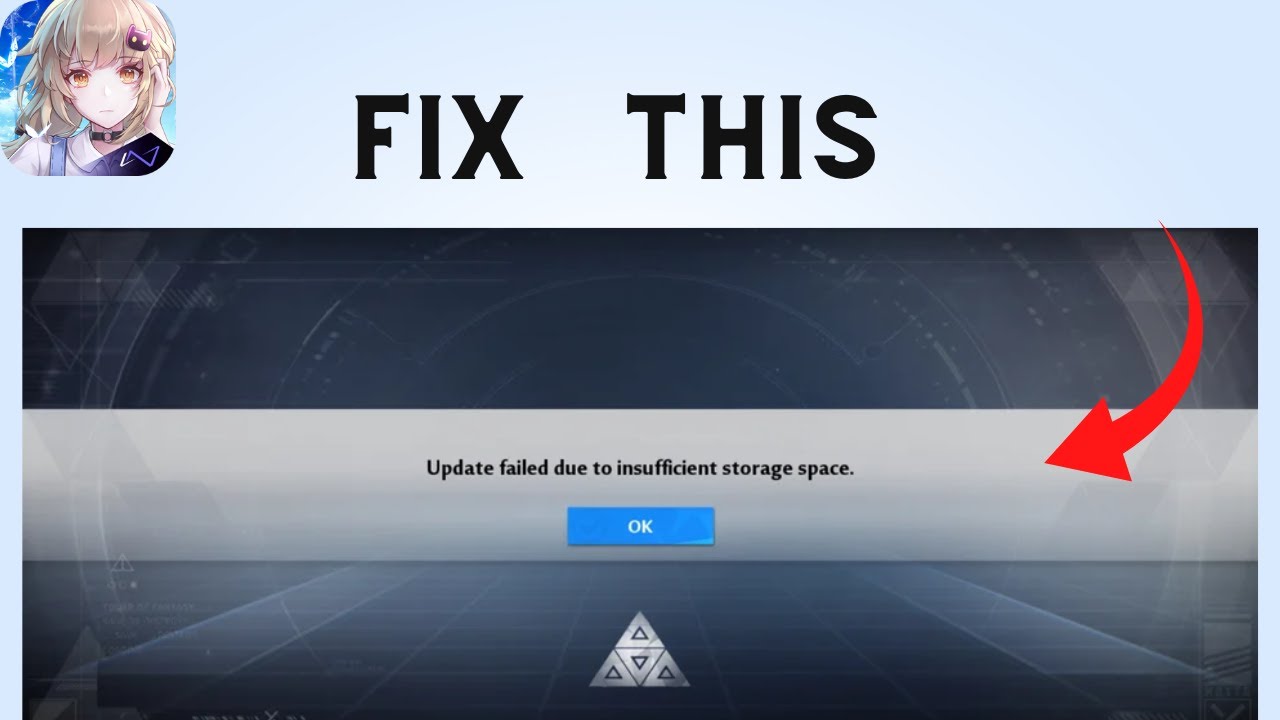
Are you gettings the "Update failed due to insufficient Storage" Error on Tower of Fantasy?
Here's the full error message "Update failed due to insufficient Storage Please try again".
In this video, you will learn How to fix "Update failed due to insufficient Storage" and why you getting this error.
original article: https://www.sadeqe.com/
V...
or try this
steep vine
Ripperoni xD
vernal jolt
Does anyone have a solution for me on PC?
When I start the installer for the launcher it bassicly does nothing. It just creates 2 folders that are empty. The launcher itself isnt even installed.
pale mural
steep vine
Btw news is my Ip Changed after i restart for 5 mins its like whole different ip...
RIP your server or the server group is broken
pale mural
ocean kayak
So I am trying to redownload this game and no matter what I do I get this
it's not about ios or android, but that bug been haunting device for long time, even someone with 200gb extra space got hit
Few options :
- reboot your device
- reduce the amount of auto start app and background app
- keep retrying
- free further space.
vestal tide
pale mural
RIP <:cryingmia:977661356197183508> your server or the server group is broken
i think TOF really has issue with their server
everyone in SEA region also lag with SPEED OF 790mbps
my whole crew has this lagging issue or disconnected issue too not just a single player
and TOF doesn't want to fix this
play SEA server like u are connecting to EUROPE server not gonna lie
pale mural
vestal tide
i think TOF really has issue with their server
everyone in SEA region also lag w...
I'm on sea region but not lagging much except 1 or 2 channel which stamped with stay away due to high population and lag inducing.
vestal tide
idk which country u are from
as far as i know from my server, we do VA 80% of player will encounter lag
after 2.5 patch most ppl keep auto disconnected even with high speed INTERNET of 300-700mbps
this game still will kick u out
since 2.4 patched, we telepor to anywhere will start with T-POSE, 0 HP, can't atk, can't dodge for like 5-15s randomly
pale mural
Just a wild guess, try to force your connection with ipv4 only via network adapter setting.
Disable the ipv6, remove the chexkmark
vestal tide
pale mural
Just a wild guess, try to force your connection with ipv4 only via network adapt...
only ipv4, with cloudflare DNS or google DNS alrd
VA alrd 5 months 13 days didn't see improvement
ppl alrd lazy to report coz we alrd give up this game let it EOS as soon as possible coz of the lagging it has, no improvement at all from TENCENT itself about lagging issue
oh yeah
only 1 day i feel VA very smooth it's 1st April 2023
only that 1 day can feel VA very smooth without lagging, after 1st April the lagging pattern is back again until now not getting fix
kinda funny with this GAME lagging everywhere even on a low populated server
pale mural
vernal jolt
Does anyone have a solution for me on PC?
When I start the installer for the la...
you're not event prompted to download ~100MBish when using the launcher installer ?
steep vine
but bruh what is my ISP doing this never happend to me my gosh
pale mural
dns setting won't work but 3rd party app will ?
steep vine
pale mural
dns setting won't work but 3rd party app will ?
Yeah
pale mural
owh, not sure about wrap app, but compare it with simplednscript in case you want to get more dns choices
steep vine
vestal tide
idk which country u are from
as far as i know from my server, we do VA 80% of pl...
the game kicks me out on the server selection menu when i quit,join or teleport
its RNG xD
pale mural
you will burn him more
steep vine
i guess i contact CS if this is not ISP problem
was thinking of contacting my ISP lol but nvm i guess
pale mural
pine gust
not sure if its just me but the new JO difficulty 5 isn't counting towards this ...
if this happened again after another run, should post it at #1007842564726075432 or email support about it
vestal tide
Overall from what info i have from my crew discord
The country has issue with va lagging or auto disconnected is Indonesia, Philippine, malaysia, SINGAPORE (after patch 2.5)
We are in sea region but have a feel of playing on EUROPE server
steep vine
vestal tide
Overall from what info i have from my crew discord
The country has issue with va...
Damn so im one of those who got auto disconnected after 2.5 patch
pale mural
vestal tide
Overall from what info i have from my crew discord
The country has issue with va...
if you're fine with trying 3rd party app as temporary work around, pls try simplednscrypt. Maybe it can help
steep vine
Broken Game Been playing Since launch And this is what Devs will give me xD after 2.5 patch xD
vestal tide
My friend from ph can't play tof after 2.5 patched
Coz of the auto disconnected, he's from PH with 780mbps speed
steep vine
vestal tide
My friend from ph can't play tof after 2.5 patched
Coz of the auto disconnected,...
Does your friend disconnects when he leave the match ?
 pale mural
analog bolt
Game stuck for more than 6mins
pale mural
analog bolt
Game stuck for more than 6mins
on pc, and how often this happened ? daily ?
steep vine
for ex VA,JO,BYGONE
vestal tide
Totally make him rage
Coz not logic 780mbps speed can't play tof smoothly
vestal tide
steep vine
Does your friend disconnects when he leave the match ?
Some of my crewmate yes
But on phone
After 2.5 patched
Auto disconnected anywhere
steep vine
Damn tell him to contact CS
so hotta can get more reports
i don't want to end my journey here Hotta pls fix this issue
vestal tide
Some ppl lazy to report
Coz they won't fix it for sure
Tencent alrd run out fund for this game
Else why they didn't fix it since early
If bug that matter with their revenue they will fix it SUPER FAST
If player gaming experience they don't care
steep vine
vestal tide
Some ppl lazy to report
Coz they won't fix it for sure
Tencent alrd run out fund...
True Lol
pale mural
steep vine
True Lol
and here i thought the final boss is RNG god....
steep vine
 cloud prairie
Wait, you can play open world just fine
cloud prairie
Wait, you can play open world just fine
welp i guess rng hit me good luck xD
cloud prairie
What server r u on
steep vine
SEA Aeria
pale mural
steep vine
this is my encounter lol
abnormal, is this after using wrap app as well ?
cloud prairie
Kay
steep vine
pale mural
abnormal, is this after using wrap app as well ?
nah i don't use wrap that time
vestal tide
steep vine
this is my encounter lol
This 1 encounter few times
The way of temporary fix is changing ur isp access point name (i did with mobile connection)
pale mural
steep vine
nah i don't use wrap that time
test a vbit with that wrap app ?
vestal tide
If u are on broadband I'm not sure how to changed APN
steep vine
vestal tide
This 1 encounter few times
The way of temporary fix is changing ur isp access po...
it only works on mobile right xD ?
steep vine
cloud prairie
You have any riot games
yeah i play league but i don't have vanguard
i don't play valorant anymore
vestal tide
steep vine
it only works on mobile right xD ?
I didn't try on broadband yet so can't confirm
steep vine
pale mural
test a vbit with that wrap app ?
its working fine with wrap app but kinda pain to turn on everytime
vestal tide
Only tof lag and many issue not gonna lie u
Dota2, g game, everything running smooth with our connection
steep vine
vestal tide
Only tof lag and many issue not gonna lie u
Dota2, g game, everything running sm...
yeah true other games working fine
pale mural
cloud prairie
You have any riot games
Nope, nothing run at background except win defender customis3d setting and nvidia with no overlay / gshield.
steep vine
Only Tof And Soulworker has this fkn lag and auto disconnect
pale mural
steep vine
its working fine with wrap app but kinda pain to turn on everytime
get use to it. Due to my bonker country policy, i need simplednscrypt 24/7.
steep vine
pale mural
get use to it. Due to my bonker country policy, i need simplednscrypt 24/7.
what does simplednscrypt 24/7 do
installing kek
 pale mural
changing dns, because chnging at network adater or modem won't work. use ipleak website or dnsleak to check result of your new connection
vestal tide
pale mural
get use to it. Due to my bonker country policy, i need simplednscrypt 24/7.
will give it a try later
 pale mural
click on that network choice to green. at resolver tab find cloudflare and highlight it then yurn off auto resolver. That should give cloudflare dns.
in the future if cloudflare is under maintenance, pick another.
usually netherland or other europe is good, although will cause some delay.
also run ipconfig /flushdns at cmd prompt after changing resolver. To purge old dns cache
test your result at ipleak or dnsleak, if you didn't get your old isp dns, you're good.
and hopefully no longer suffering lag..... hopefully
pale mural
hasty tide
anyone know how to fix lost connection whenever you play with someone using fenr...
doea it always with fenrir user or also happening with non fenrir user ?
analog bolt
pale mural
on pc, and how often this happened ? daily ?
On laptop but game stuck
It happened b4 on previous updates/version but game got back to normal after few mins tho
After updating 2 days ago to new ver this happened yesterday n i had to close n re-started the game
Let u know if happens again
pale mural
analog bolt
On laptop but game stuck
It happened b4 on previous updates/version but game go...
just in case it happened again and only when playing heavy games like TOF, do a PC maintenance :
- disk clean up your hdd / ssd, specially directx shader cache
- if using steam for TOF, also delete shader cache under steamapps/shadercache then set steam shader to off at options.
- run cmd with as administrator and type
chkdsk c: /ffor your os drive ( will need pc restart to start the process ) and another chkdsk for drive with TOF game file. - lastly, do a file check via TOF launcher.
analog bolt
pale mural
just in case it happened again and only when playing heavy games like TOF, do a ...
K k
Clean directx shader cache how?
pale mural
analog bolt
K k
Clean directx shader cache how?
open windows explorer -> right click on folder drive -> properties -> disk clean up, you'll see directx shader cache
pale mural
analog bolt
What does directx shader do?
Ahh, when you load a new game with all of those new 3d texture, those load result are saved as files.
So next time when you load the same game again, the loading times will get reduced since no need to create new files.
Sometimes those files are not updated properly or broken due to storage device reading/writing issue.
analog bolt
Oh theres a chance of broken hm
I do disk check 1st
Do same function as chkdsk c:/f??@pale mural

 karmic python
My keybinds are messed up how do I change it back to default? Notably my crouch and walk forward are swapped and I can't change it back manually
analog bolt
pale mural
open windows explorer -> right click on folder drive -> properties -> disk clean...
Dont c it
steep vine
pale mural
click on that network choice to green. at resolver tab find cloudflare and highl...
Sorry for late reply still same result xD
 vestal tide
I tried that apps too but doesn't feel any different
steep vine
Ripperoni brooo i want to spend more time on this game but it won't let me i'm losing hope
vestal tide
Many ppl lose interest coz of the game lagging + buggy
vestal tide
Include myself
Even tho i still play but won't spend anymore on this game
Give them 5 months 12 days they can't fix VA lag make me lose interest coz can't help crewmate also due to that lag
Can find my last report about VA here:
#1007842564726075432 message
I won't change my name until they completely fix VA server
steep vine
vestal tide
Include myself
Even tho i still play but won't spend anymore on this game
Give t...
damn hard to report bugs if you're the only one reporting i hope many players experience this they can fix it
vestal tide
steep vine
damn hard to report bugs if you're the only one reporting i hope many players ex...
Ppl are lazy to report nowaday
Like tencent gonna fix it?
So they choose to abandon the game
U can see player base decrease day by day faster than new player come to try 😂
steep vine
vestal tide
Ppl are lazy to report nowaday
Like tencent gonna fix it?
So they choose to aban...
Theey getting Depressed instead of reporting they abandom the game
pale mural
analog bolt
Do same function as chkdsk c:/f??<@200252173089636352>
sry for late reply, it's the same. I just prefer cmd prompt. For directx :
 pale mural
steep vine
Sorry for late reply still same result xD
pale mural
steep vine
Sorry for late reply still same result xD
yikes.... that's all i can say.
pale mural
karmic python
My keybinds are messed up how do I change it back to default? Notably my crouch ...
Set to AZERTY and want QWERTY back ?
delete these folder content ( not the folder, just content ) :
%USERPROFILE%\AppData\Local\Hotta
%USERPROFILE%\AppData\Roaming\tof_launcher
%USERPROFILE%\AppData\Roaming\tof_launcher_Steam\ <-- if using steam
vernal jolt
@pale mural I am but once I click install the window just closes
pale mural
vernal jolt
<@200252173089636352> I am but once I click install the window just closes
what's your antivirus ? even win defender is not that sensitive.
You'll need to add exclusion to the installer exe along with installation destination folder.
analog bolt
pale mural
sry for late reply, it's the same. I just prefer cmd prompt. For directx :
No worry
Mine is on disk d
My only show 2 options
Directx shader
Recycle Bin
Both r 0 bytes
But i cleared it anyways just in case
Did the disk check as well b4
Now opening game n testing
steep vine
Bruh This CS i literally pointed out Disconnection Issue why they giving me instructions on how to fix crashes
 pale mural
talk about generic answer : /
vestal tide
steep vine
Bruh This CS i literally pointed out Disconnection Issue why they giving me inst...
AI answering 😂
vernal jolt
@pale mural none I only have defender
pale mural
vernal jolt
<@200252173089636352> none I only have defender
what ? ..... hmm, latest update should not even response toward any of this game files. Hmmm :
- make sure drive destination is using NTFS file format
- make sure your pc is good enough for the requirement https://store.steampowered.com/app/2064650/Tower_of_Fantasy/
- check your win defender app browser control -> reputation based protection -> turn them all off before retrying.
outside that i'm not sure what can trigger the downlaoder to keep failing

Embark together on your fantasy adventure!Set hundreds of years in the future on the distant planet of Aida, the shared open-world MMORPG, anime-infused sci-fi adventure Tower of Fantasy from developer Hotta Studio and publisher Level Infinite, is now available on PC and mobile platforms globally. Players will be able to experience an anime-insp...
tiny root
coming back to the game after some time, what do i even do with this? tried reinstalling, unstuck, send a ticket and nothing. i log in, the map loads, but nothing in the interface appears and i fly everywhere instead of walking like it's minecraft's spectator mode
vernal jolt
@pale mural my pc is about 2.5k€ with RTX 3000 series etc and my HDD is NTFS
It does download something
But its just 2 empty folders
Called "Tower of Fantasy" and "launcher"
Nothing inside the folders
hasty tide
Mobile disconnected issues is fixed?
I’m on mobile and when I play I got disconnected all the time I click on commands
 thin nebula
i've got this in my mailbox but when i click on the retrieve icon it doesn't work, ... i wanted to swap server because mine is dead

 blissful meteor
Can someone help me, Why I can't log in after the tof update today (some weird stuff open up after the update)... and today I'm upgrade my VGA (but I already update my driver).. I dont know what the cause... (Force close after Hotta logo)
 rancid wyvern
Yo can anyone help. Every time I try to teleport somewhere the game keeps telling me that I’m “unable to connect”. I try to teleport for a few times then it just disconnects me from the game. I log back in then the teleport works fine, but after a few mins it does the same thing again. It’s getting annoying bruh.
 crystal nebula
Is there a way to get rid of those cutszenes in Joint Ops? Ive saw them so many times? pls
karmic python
pale mural
Set to AZERTY and want QWERTY back ?
delete these folder content ( not the fold...
I found the launcher in my files but reinstalling it didn't work
 rustic heart
IIOMNIVERSEII — Today at 11:27 PM
are the steam clients and game client two separate accounts cause i cant recover my account.
am i supposed to go through character selection again when i launch the steam client?
 midnight ivy
so I installed the update on my phone but when I launched the app, the new place isn’t shown on the map and the “to be continued” thing is still there… is this supposed to happen?
 graceful oxide
midnight ivy
so I installed the update on my phone but when I launched the app, the new place...
graceful oxide
midnight ivy
so I installed the update on my phone but when I launched the app, the new place...
Iirc you need to first enter the dark cave, and the to be continued is because the story hasnt been continued yet
midnight ivy
ohhhh I see- ty
 crystal burrow
I have been not playing the game for 2 months. Now after I updated the app on PC, when I opened the app, there is a Hotta logo, then it led me to black screen. Only thing I can do is alt f4 to quit entirely. I have reinstalled but the issue remains. Help pls. It is all good on phone tho.
radiant edge
crystal burrow
I have been not playing the game for 2 months. Now after I updated the app on PC...
Tried this pin already? <#technical-help message>
Corrupt shader cache tends to be the most common culprit when returning to the game following updates, yet not changing drivers.
radiant edge
rustic heart
IIOMNIVERSEII — Today at 11:27 PM
are the steam clients and game client two sepa...
The clients share the same game-accounts. However, each client has its own unique config-file path.
A common mistake is to assume that you're on the same server with the Steam and Standalone versions without having made the server selection under both explicitly. Double check that you're on the same world / server whenever you attempt to load up the Steam client.
crystal burrow
radiant edge
Tried this pin already? <https://discord.com/channels/932906923236401182/100455...
it works thanks. I did not able to delete the folders but I deleted major portion of what are inside the folder.
karmic python
Keyboard stuck in azerty help I tried uninstalling and reinstalling the game and nothing
radiant edge
karmic python
Keyboard stuck in azerty help I tried uninstalling and reinstalling the game and...
Uninstalling and reinstalling the game will not wipe out the game's config files. Try giving those a factory reset as described in the following pin (ignoring that the pin itself doesn't pertain to your issue):
pale mural
karmic python
I found the launcher in my files but reinstalling it didn't work
it's not about game files. But files located under C:/Users/<your pc username>/appdata
By default appdata is a hidden folder. You'll need to change folder options to see it.
Typing %USERPROFILE%\AppData\Local\Hotta\ and the other folder path into explorer address window will quickly take you to the location.
pale mural
thin nebula
i've got this in my mailbox but when i click on the retrieve icon it doesn't wo...
you might want to :
- email support about that
support@toweroffantasy-global.com - report it at #1007842564726075432
- use contact us button at TOF main website ( remember to log into the website )
pale mural
blissful meteor
Can someone help me, Why I can't log in after the tof update today (some weird s...
you were changing VGA brand ( nvidia to amd or onboard to real gpu ) or just better VGA type ( nvidia gtx 1050 to rtx 2080, etc ) ?
karmic python
Thank you guys it worked! I didn't know how to do that in my files thanks for explaining
blissful meteor
pale mural
you were changing VGA brand ( nvidia to amd or onboard to real gpu ) or just bet...
Yeah I change brand from amd to nvidia... And the better one... Rtx 3060 ti
radiant edge
@steep vine – Windows itself has no support for DNS encryption.
The tool referenced earlier is a locally run ‘DNS proxy’ which Windows can be directed to, to more or less add support for encrypted DNS globally. Generally this type of tool has no need short of where gateway DNS-hijacking / redirection is being performed. {e.g, by an ISP, or locally at say, a Hotel, or other public place of Internet Access}
-- Use of these types of tools is fine, provided that you're "not" circumventing any government entity or otherwise. That said, it's unlikely to help much with disconnection issues, packet loss, or latency.
@violet isle, @idle marlin – You’re both having crashes specific to multiplayer instances / Joint-Ops, right?
Check for the existence of any crash dumps under "%USERPROFILE%\AppData\Local\Hotta\Saved\Crashes". [or, Saved_Steam, if the Steam version]
-- If you can send me a copy of the most recent of these folders (zipped up with an archive tool -- over DM's), would gladly take a look here and see if we can figure out what's happening.
@round pivot – There’s no included means to disable the FPS limit, the maximum that can be set ‘officially’ is 120 at this time.
@vernal jolt – Sounds as if the MiniLoader opens up / starts, and on clicking install "for the launcher", it instantly closes and you find yourself left with an empty folder. Is that right?
More likely than not this is a rights issue, and that TofMiniLoader.exe is not properly getting elevated:
-- Navigate to: "%USERPROFILE\AppData\Local\TofMiniLoader"
-- Right click on 'ToFMiniLoader.exe', and select "Run as Administrator".
-- Click "Install", and see if the Launcher is installed properly this time. {creates more than an empty folder}
pale mural
blissful meteor
Yeah I change brand from amd to nvidia... And the better one... Rtx 3060 ti
most likely the game still using AMD as the default gpu.
Purge your old amd shader cache : #technical-help message
And just for in case, also purge directx shdaer cache at disk clean up menu.
Make sure 100% clean any amd left over including any registry left over by amd.
Once done, reboot your OS. hopefully reinstalling nvidia driver is not required.
Type graphic setting at windows search bar and then pick desktop app -> browse for TOF exe which is QRSL.exe ( under game folder\Hotta\Binaries\Win64 )
Then pick that rtx + high performance. To make sure the game will use Nvidia in case left over AMD still around
Just in case if profile setting also require hard reset since setting most likely using amd preset , empty these folders : ( don't delete the folder )
%USERPROFILE%\AppData\Local\Hotta
%USERPROFILE%\AppData\Roaming\tof_launcher
%USERPROFILE%\AppData\Roaming\tof_launcher_Steam\ <-- if using steam
radiant edge
Cloudflare's "app" is a full fledged VPN. Be aware that VPN's are prohibited by the game's user-agreement under Player-Conduct, section {s}, as well as {b} and {c}.
-- That this worked, however, generally indicates a routing problem. You'll need to get in contact with your Internet Provider, and also Tower of Fantasy's support team.
blissful meteor
pale mural
most likely the game still using AMD as the default gpu.
Purge your old amd shad...
oh ok.. I'll try that later... because right now I'm trying to reinstalling the game T.T thank you so much
steep vine
radiant edge
Cloudflare's "app" is a full fledged VPN. Be aware that VPN's are prohibited by...
Tried to contact with my isp seems there's no problem
radiant edge
steep vine
Tried to contact with my isp seems there's no problem
They may report that there's no issue with their connectivity to you, and that may be true. However, there's a routing issue with one of the gateways (hops) between you and the game-servers.
This may well be outside of their network, yet they might also have some ability to control things if the problem is in the outbound direction. Routing is different in each direction, which requires involvement of both parties here.
pale mural
steep vine
Tried to contact with my isp seems there's no problem
enter game, once you arrived at normal channel, alt tab and open task manager -> performance tab -> open resource monitor, go to network activity
Just curious on where is your QRSL.exe connecting to. Pls not bangkok.....
blissful meteor
pale mural
most likely the game still using AMD as the default gpu.
Purge your old amd shad...
in technical help, I should clear the nvidia or AMD one? because the last time I use AMD.... but I cant open AMD software
vestal tide
steep vine
Tried to contact with my isp seems there's no problem
no use contact our ISP
tried before and the result is still the same
i even tried changing to other ISP also the same
the main issue is TOF server and they refuse to fix it
coz only TOF having lag issue while other games just working fine tho
steep vine
vestal tide
no use contact our ISP
tried before and the result is still the same
i even trie...
yeah same when i play with other games its just fine with no disconnection issue
@pale mural Sent you a DM
pale mural
blissful meteor
in technical help, I should clear the nvidia or AMD one? because the last time I...
If cannot open AMD softwares, go manually to C:\Users<your pc user>\AppData\Local\AMD folder. Just wipe out the whole folder after unisntalling AMD driver / softwares / services. Make sure the old AMD driver is no longer in your system.
steep vine
Hoping Lol

 ripe trench
for the monthly pass, if i buy it, and then dont log in for the next week does the 30 day counter still drop? or only on days I can log in?
not sure if store questions go here or in gameplay help either
pale mural
sry, cannot answer that, i'm just a "peasant f2p under mercy of RNG god" player. : /
blissful meteor
pale mural
If cannot open AMD softwares, go manually to C:\Users\<your pc user>\AppData\Loc...
how to reboot OS properly?
I still cant log in even though I try delete everthing... I dunno where I'd make a mistake
pale mural
blissful meteor
how to reboot OS properly?
huh ? just restart pc normally.
Did you already set that qrsl.exe to graphic setting and point to your rtx ?
blissful meteor
pale mural
huh ? just restart pc normally.
Did you already set that qrsl.exe to graphic set...
oh I though I should use somthing like command prompt.. sorry.. and yeah I do
 pale mural
blissful meteor
oh I though I should use somthing like command prompt.. sorry.. and yeah I do
pale mural
blissful meteor
oh I though I should use somthing like command prompt.. sorry.. and yeah I do
cleaning up these folders as well ?
%USERPROFILE%\AppData\Local\Hotta
%USERPROFILE%\AppData\Roaming\tof_launcher
%USERPROFILE%\AppData\Roaming\tof_launcher_Steam\
no, don't delete the folder, just content
blissful meteor
pale mural
cleaning up these folders as well ?
%USERPROFILE%\AppData\Local\Hotta\
%USERPRO...
delete all this?

and thisone?
 pale mural
blissful meteor
delete all this?
pale mural
blissful meteor
delete all this?
yeah, purge the content. Remember, you need to find your server again when logged in.
blissful meteor
pale mural
yeah, purge the content. Remember, you need to find your server again when logge...
Ok I'll try later because Im out right now... Thank you so much for helping
 clear hornet
Guys i linked my google acc to my tof acc when it first got released, now it puts me back to the very start of the fame. If there any solution to this?
pale mural
clear hornet
Guys i linked my google acc to my tof acc when it first got released, now it put...
you sure picked the same server ? Read the server name carefully before entering game. Click on the server name to choose another.
clear hornet
pale mural
you sure picked the same server ? Read the server name carefully before entering...
Yes it is the same server
And when i redownloaded the game after months. I lost all my progress suddenly
pale mural
clear hornet
Yes it is the same server
.... is the email the same as your very 1st start playing this game ?
clear hornet
Yes
pale mural

clear hornet
Now i gotta redownload it because i deleted it like 1 day ago
 night sinew
Hello there
yesterday i installaed windows 11 on my home pc and now i cant launch tof:

drivers are up to date windows too
tryed repair and reinstalled
ikts a fresh windows 11 install and i got direct x12 on this pc (checked direct x12 on tof too) (tryed direct 11 on tof but same error
This dll is already in system 32 and sysWOW64
I tryed to check the Pins here but nothing about this 😦
last thing : tof work on my laptop windows 11 ....
All advice or help will be appreciated Thanks a lot
radiant edge
night sinew
The file that you're having issues with is included in the "DirectX End-User Runtimes (June 2010)": https://www.microsoft.com/en-us/download/details.aspx?id=8109
night sinew
okay thanks a lot ill try
radiant edge
Normally this would be installed automatically on loading the game, yet it's typically not via the web runtime installer. Since that's a new OS install, I'd also advise giving that one a run too: https://www.microsoft.com/en-us/download/details.aspx?id=35
 radiant edge
Just tested, the extractor does not create an additional folder. So, please produce a 'new folder' to extract the files within, rather than picking any direct target such as your desktop.
Afterwards, run DXSETUP-
night sinew
same error
radiant edge
night sinew
same error
Will DM you on this one then. DM's restricted.
radiant edge
night sinew
it contain only CAB files
It should contain an installer ^ under the name of the file above. (DXSETUP.exe)
Program Files is not the recommended path here, since once that's installed, you'll no longer need them.
 radiant edge
night sinew
in the cab directory sec
radiant edge
night sinew
in the cab directory sec
Specifically that file is what you're looking for.

Also within that folder, you'll note:
 radiant edge
night sinew
same error i try reinstall the game ....
radiant edge
night sinew
same error i try reinstall the game ....
I would recommend against a reinstall. I'll send you a friend request so that I can DM you.
[resolved, a manually downloaded copy of the library from elsewhere was placed in the folder -- which happened to be the 32bit -- Microsoft's installer apparently will not overwrite already existing copies, e.g, the system32 copy was the wrong bitness ]
night sinew
ok
 jaunty ridge
Any advice for game crashing on launch? Mobile version
blissful meteor
pale mural
yeah, purge the content. Remember, you need to find your server again when logge...
I tried this menthod and still not working!!! And I've tried to update windows 11 too... Still not working... I've tried another game (4game)... Only TOF that wont working
radiant edge
blissful meteor
I tried this menthod and still not working!!! And I've tried to update windows 1...
Sounds like the game's going down (abrupt closure) on startup. Check for the existence of any crash dumps under "%USERPROFILE%\AppData\Local\Hotta\Saved\Crashes". [or, Saved_Steam, if the Steam version]
-- If you can send me a copy of the most recent of these folders (zipped up with an archive tool -- over DM's), would gladly take a look here and see if we can figure out what's happening.
blissful meteor
radiant edge
Sounds like the game's going down (abrupt closure) on startup. Check for the ex...
I'm already reinstall the game and do repair on start up, is it still not helpfull? I'll check it later
radiant edge
blissful meteor
I'm already reinstall the game and do repair on start up, is it still not helpfu...
If it's still crashing immediately after a repair, reinstall, and so on. I'll definitely need those dumps for inspection.
Since you just recently swapped graphics cards, and presumably installed drivers fresh -- it's also not a Shader Cache type issue.
blissful meteor
radiant edge
Since you just recently swapped graphics cards, and presumably installed drivers...
Yeah i got weird update yesterday... But my friend told me there's no new update after 2.5 patch...
hasty tide
pale mural
doea it always with fenrir user or also happening with non fenrir user ?
its already like this before 2.4, if no one use fenrir, the game will play normally. (or if fenrir just stay)
but whenever fenrir start attacking, my connection lost + always disconnected after loading screen.
jaunty ridge
