#technical-help
1 messages · Page 92 of 1
 wispy drift
 tropic harbor
wispy drift
have you logged in to the official tof site to relay it
tropic harbor
wispy drift
have you logged in to the official tof site to relay it
It is the same account I used at the launch of the game and I used the list of channels given by "Tower of Fantasy ESPAÑOL @ToF_ES_OFICIAL", it was already linked.
wispy drift
you need to log in here to send it from twitch
https://www.toweroffantasy-global.com/act/a20220711twitchdrops/index.html
tropic harbor
wispy drift
you need to log in here to send it from twitch
https://www.toweroffantasy-global...
Something like that?

@wispy drift
The rewards have been delivered to me.
I thank you very much


 inner cipher
hi, how's the server transfer process ?
 vapid verge
Here's what I did and it worked. Try using opera as browser. It has a built-in VPN. Make it as your default browser. Login your gmail there. Turn on the VPN somewhere in the setting then try logging in on your ToF account.
 undone trail
wispy drift
you need to log in here to send it from twitch
https://www.toweroffantasy-global...
undone trail
wispy drift
you need to log in here to send it from twitch
https://www.toweroffantasy-global...
its not loading for me. anyone here have the same problem?
 cerulean panther
i have the same problem but instead it's whenever i fight a boss with other players whether it is world boss/VA/Raid/VR, but it only happen when i play on my PC never happen when i play on my phone. did you solved this?
 worldly python
The Time capsule giving me "Character error. Please select again." after logging in.
Now System Error

 hidden peak
cerulean panther
i have the same problem but instead it's whenever i fight a boss with other play...
hidden peak
cerulean panther
i have the same problem but instead it's whenever i fight a boss with other play...
nope nothing at all, still trying to gather my friend info and then contacting cs once again
do u perhaps play on different region from ur country? like me, im from sea but play on apac region
 harsh sigil

 rotund rock
My game usually crashes, without any error message, after a coop match (FC, JO, Raid…) with a pre-established party. And when I reenter the game after that, it also usually crashes again immediately after I see my character for 1 second. I tried reinstall a game but nothing is fixed. And I didn’t have this problem the early days of the game. Only after around 2.0 update I guess.
 uncut tiger
is tof still coming to epic games? i know it was already released on steam.
cerulean panther
hidden peak
nope nothing at all, still trying to gather my friend info and then contacting c...
i am also from indonesia , i play on sea tho
do you use indihome by chance?
the thing i've been trying so far is reinstall the game, turn down the graphics, clean the shader chace and nothing works. i have a laptop and pc the problem occur on both but not on phone
and its been occuring since 2.2 update
hidden peak
ive got this prob since 2.0 update lol but it getting better overtime and then void abyss came and getting worst on that content only 🤣
yes im using indihome, but my other friend who use different ISP got the same problem like i do
and yeaah ive been reinstall game, launcher, nvidia driver, relocating game folder, lower my setting, using cable connection but still not fixing lag issue
cerulean panther
ok update apparently it will happen if theres 4+ people fighting the boss at least for me
and no one in my crew seems to have the same problem
hidden peak
im just having lag on void abyss content, and when theres too many ppl at same time like fighting harrah/culton when we got around 20++ ppl
its fine when i play raid, fch, or even void rift
cerulean panther
i even download the steam version just in case but still the same lol
 modest bay
Hii I’m wondering how to transfer from Mobile save to PC, I tried to bing my account to my phone like it said when I looked it up but my game still starts from the beginning, does anyone know how to transfer it correctly?
 radiant edge
modest bay
Hii I’m wondering how to transfer from Mobile save to PC, I tried to bing my acc...
radiant edge
modest bay
Hii I’m wondering how to transfer from Mobile save to PC, I tried to bing my acc...
Shouldn’t be anything special involved when switching platforms {unless I'm misunderstanding the goal here}. The Mobile and PC clients operate with the same game-accounts, and on the same servers.
-- Effectively, you should just need to sign into your account and make sure that you’ve the same server (world) selected.
Since you've mentioned account binding. Directionally, you first log into your existing sign-in method, and then bind the new one. Once the new sign-in method has been successfully bound, you would be able to sign-out (via the launcher), and sign back in using the new method.
You can verify that the account linking succeeded without loading up the game, by checking that the Account-Center's binding page shows your old sign-in method as linked to your account. (when signed in via the "new account method" that you've bound)
radiant edge
rotund rock
My game usually crashes, without any error message, after a coop match (FC, JO, ...
Digging through your chat history, it looks like you're on the PC Client. Fortunately the game usually collects crash-dumps, even if it closes silently with no error-message displayed.
Take a look under "%USERPROFILE%\AppData\Local\Hotta\Saved\Crashes" and see if you see any folders in this location. [or, Saved_Steam, if the Steam version]
-- If you can archive a couple of the most recent of these crash-dump folders {e.g, with winrar, winzip, 7zip, etc} and send me them (via DM's) -- would be glad to take a look and see if we can figure out what's going on here.
radiant edge
cerulean panther
the thing i've been trying so far is reinstall the game, turn down the graphics,...
Of curiosity, what speed is your Home Internet Connection? It's fairly normal for there to be quite a bit of lag with "large gatherings" of players {e.g, dozens on the screen at once} -- yet much more rare at a low count like the four you're seeing to exhibit this.
I wonder if the mobile client is tuned to use a lower tick-rate and consume less bandwidth. [will look into this]
cerulean panther
radiant edge
Of curiosity, what speed is your Home Internet Connection? It's fairly normal f...
it is 100Mbps
and i used wired connection
cerulean panther
one weird thing is i can't do anything with other weapons such as dashing, attacking ,using skills but i can do all that perfectly fine with lin's weapon but the boss still stay still tho . and let's say before i switch to lin's weapon i use saki's when switch to lin's i still wear saki's but doing lin's movesets
 mighty estuary
Hello, do you have a way to fix the bug of the game not loading. After the launch of the game, we have the animation of the different logos of the game. After that the game normally launches with a load, but in my case it is a black screen. The game is stuck on a screen. After checking the files I am reporting no issues. And yet the game worked very well 20 mins before.
 radiant edge
mighty estuary
Hello, do you have a way to fix the bug of the game not loading. After the launc...
radiant edge
mighty estuary
Hello, do you have a way to fix the bug of the game not loading. After the launc...
Since it sounds like this started very abruptly, try flushing your display driver's shader-cache as per this pin: <#technical-help message>
- More often than not this tends to be the cause in situations like you've described.
 rare talon
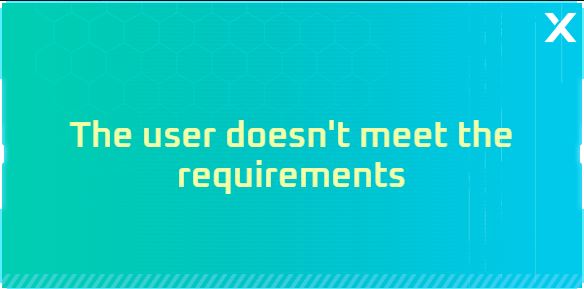
Hi, anyone know how to confirm that you haven't logged in to the game for 7 days in this skin vote to invite someone to the game and link your account? Because it shows that the user does not meet the requirements even though the account has been inactive for 7 days
 sharp lichen
any fix for this yet ?
 hasty tide
#technical-help can't log in TOF using google unless i use VPN this happened yesterday until it persists

 vestal tide
i have the same issue, i contact CS and they give me the solution of update drivers, flush dns, reinstall, use other ISP, repair, etc all i tried and nothing worked
i also from indonesia
the issue only happen in VA (since around 15jan until today lagging)
other content very smooth no lag at all
sometimes even just start activating the device after enter VA, the platform is missing, like slow in loading the data from server or what
 devout merlin
Why didn't I receive all the awards from before?

 devout merlin
I received the 39 min one and where are the others? and moreover the mail I received just disappeared without me deleting my mailbox ????
 wary shuttle
devout merlin
Why didn't I receive all the awards from before?
wary shuttle
devout merlin
Why didn't I receive all the awards from before?
try to claim them again:
https://www.toweroffantasy-global.com/act/a20220711twitchdrops/index.html

Tower of Fantasy Twitch drops
Event Period: Feb 9 - Feb 13 (PST)
As Audience:
- Watch Tower of Fantasy streams with drops feature enabled on Twitch to unlock the drops
- Claim your drops on Twitch [Drops & Rewards -> Inventory] and Official website: https://www.toweroffantasy-global.com/act/a20220711twitchdrops/index.html
*Please be reminded to claim your drops by event ended - Feb 13th 23:59:59 PST
wary shuttle
wary shuttle
> **Tower of Fantasy Twitch drops**
Event Period: Feb 9 - Feb 13 (PST)
As Aud...
 calm urchin
hasty tide
<#1004552582733254768> can't log in TOF using google unless i use VPN this happ...
calm urchin
hasty tide
<#1004552582733254768> can't log in TOF using google unless i use VPN this happ...
you need use edge for launcher 
 outer ginkgo
I was able to login just fine yesterday. Today I login and I get "Game progress creation failed (1400004)"
What can I do?
What I have done so far:
Restarted PC
Repaired from the launcher
Uninstalled
Reinstalled
 devout merlin
I activated them and received 4 on everything else frankly you could have done better

@wary shuttle
hidden peak
vestal tide
i have the same issue, i contact CS and they give me the solution of update driv...
yes me too even sometimes i need to use jetpack to get out from start point lol and cs seems cant find solution with this problem
do u use indihome also?
vestal tide
i use packet data (telkomsel)
i can even use 20Mbps speed for Dot* , Jenshin, and all game without lag
but this TOF VA lag af
ONLY LAG IN VA, but not in JO, FCH, RAID, WB
does TOF server for VA not in SEA?
why it feels the lag like we are connecting to somewhere not in SEA region
my PC confirm can run TOF very smooth
it's not happening when first time VA release, just around 15 jan i'm helping friend to do VA then the lag happen, i thought my internet problem, until today still the same and more ppl complaining about this and yeah not my internet problem now (CONFIRMED)
vapid verge
hasty tide
<#1004552582733254768> can't log in TOF using google unless i use VPN this happ...
It's still happening for me as well
 olive radish
vestal tide
i use packet data (telkomsel)
i can even use 20Mbps speed for Dot* , Jenshin, an...
olive radish
vestal tide
i use packet data (telkomsel)
i can even use 20Mbps speed for Dot* , Jenshin, an...
the servers are in Singapore, if you're the only one in the VA you won't have this issue.

This is the answer from CS regarding the Void Abyss issue.
Don't expect more, the developers haven't been able to fix server issues since the game was released. become a Whale so you can clear VA alone
 vestal tide
olive radish
the servers are in Singapore, if you're the only one in the VA you won't have th...
vestal tide
olive radish
the servers are in Singapore, if you're the only one in the VA you won't have th...
I live just 2 hours away from singapore
Very near
I also notice last night lag on the worst with stage 2 4 6
Stage 1 3 5 just slightly lag
Especially stage 6 enter boos room until u can really do damage u have to wait 2-3 mins
I'm like wtf? How to play this VA if lag like this
inner cipher
i transfered to a new server yesterday and im loosing cp for whatever reason ?
i had 76k fc, then 75k, 74k and now 73k what
 dusk sphinx
My game crashed while I teleport to another place now when I try to log in the game stays on this screen and closes
 dusk sphinx
Solved i used other device to login
uncut tiger
hello. im getting message that says unble to send please use quick chat instead
how do i fix back to normal chat?
 molten oar
is there a direct link to download tof?
wispy drift
uncut tiger
hello. im getting message that says unble to send please use quick chat instead
When registering an account for the game did u say u were underage
 shell iris
i was trying to open tof after a while, but it says that there isn’t enough space for the updates even tho I have more than 40 gb of free space left
is this normal? does tof really take that much space? :/
uncut tiger
wispy drift
When registering an account for the game did u say u were underage
nope. it was working yesterday.
hidden peak
olive radish
This is the answer from CS regarding the Void Abyss issue.
Don't expect more, th...
nice one lol so we f2p from lagging region cant do anything abt VA 🤣
 brisk thistle
Hi there, I'm new and can't start the game. Does someone know how to fix that?
uncut tiger
uncut tiger
nope. it was working yesterday.
i tried again just now and it working again, maybe a bug? idunno.
man my sleep schedule is messed up worrying.
 lucid yarrow
Hello. Twitch drop reward didn't come to my ingame Email, but ToF website states that I've claimed them. I have custom account (current one, with no drops) and google one (with no characters, so I couldn't have claimed drops). What can I do to get my rewards?
hasty tide
hello i need help idk if its my pc problem but i just downloaded ToF and it keep crash when i log in
vestal tide
idk what happen to tof, but this appear when i try to go to TOF website
could this be the prob that link with VA?

 slim falcon
I hope this is the channel for it but for some time already it doesn’t show anymore which one you need to press on to equip which weapon and i don’t know what to do so that it shows again
 lucid yarrow
slim falcon
I hope this is the channel for it but for some time already it doesn’t show anym...
lucid yarrow
slim falcon
I hope this is the channel for it but for some time already it doesn’t show anym...
F1
slim falcon
Thank you alot
 patent citrus
lucid yarrow
Hello. Twitch drop reward didn't come to my ingame Email, but ToF website states...
patent citrus
lucid yarrow
Hello. Twitch drop reward didn't come to my ingame Email, but ToF website states...
thats all i know 
lucid yarrow
patent citrus
thats all i know <:xdd:1058154265853558925>
thanks, but I have a problem between this step and in-game mail)
shell iris
shell iris
i was trying to open tof after a while, but it says that there isn’t enough spac...
?
 odd sparrow
i think ToF have the memory leak issue again
shell iris
there’s something I can do to play the game or do I have to wait?
 unkempt marsh
 Game keeps crashing when trying to enter server. First time this has ever happened to me.
Did a repair. Looks like it found an abnormal file. Repairing the game file to see if that fixes it
Repairing resolved my issue
 terse root
Why the texture in game loading very slow? I've SSD samsung 1TB
 copper anchor
Hello fellow wanderers. Is this item in red circle still available as a reward? I can’t find it anymore at the Outfit section.
 hasty tide
I have questions, i already created my account in the past but why I can't access to it? As if it was reset 😦
calm urchin
vestal tide
idk what happen to tof, but this appear when i try to go to TOF website
could th...
try flush-dns->cmd->ipconfig /flushdns then try again
TOF website is working
calm urchin
terse root
Why the texture in game loading very slow? I've SSD samsung 1TB
My Recommend buy Nvme SSD(that speed around 3-8GB/s)[super fast loading]
terse root
calm urchin
My Recommend buy Nvme SSD(that speed around 3-8GB/s)[super fast loading]
._.
calm urchin
terse root
._.
that is fast almost 14seconds(fresh start) with 35GB(textures etc..)

Western Digital
The WD_BLACK™ SN750 NVMe™ SSD delivers top-tier performance for gaming and hardware enthusiasts who are looking to build or upgrade their PC. Available in capacities up to 4TB, the WD_BLACK™ SN750 NVMe™ SSD rivals some of the best performing drives on the market to help give gamers that competitive edge.
terse root
calm urchin
that is fast almost 14seconds(fresh start) with 35GB(textures etc..)
Before the update my loading is perfect so isn't my fucking problem
calm urchin
terse root
Before the update my loading is perfect so isn't my fucking problem
tryed guide->#technical-help message clear shader cache. At before update was handling DX11(only),so current version can handle (DX12 and DX11)[so they changed content to working rendering textures][if this make senses]
You can selecting at ->#technical-help message options[DX12 and DX11]if working better your pc.
shell iris
shell iris
there’s something I can do to play the game or do I have to wait?
may I get some help?
 clear lagoon

I feel like the only one with this issue. OP completely unplayable, can't dash, can't attack, can't use relics, can't switch weapon, extremely laggy and can barely seen nor do anything

 gilded dragon
vestal tide
i use packet data (telkomsel)
i can even use 20Mbps speed for Dot* , Jenshin, an...
gilded dragon
vestal tide
i use packet data (telkomsel)
i can even use 20Mbps speed for Dot* , Jenshin, an...
Haha same me too, the only one I know to fix this just relogin when u lagging after entering VA.
 unborn meadow
After some time I logged in I can't find my character, or the server I was in.
And I can't get a proper reaponce from the customer service bots
 misty cosmos
Hey Guys, my game won't start and I don't know why can somebody help me please
sometimes a bit of the blue smiley thingy shows up and it happends the same
vestal tide
gilded dragon
Haha same me too, the only one I know to fix this just relogin when u lagging af...
So now not only few ppl having this VA lagging issue
Many ppl starting to have issue
TOF need to find a way to fix this ASAP
 amber frost

i bought the battlepass and the wizard hat isnt showing up in the customization screen
cerulean panther
amber frost
It only work with the first preset hair
 hidden moss
sooo whenever i try to open the game all i get is this and it doesnt do anything

its just been sat like that for 30 minutes
oh and this has been happening for like a week i miss playing :(
hidden moss
- when i use the shortcut it doesnt open anything
 fossil orchid
Hello! Is there anyone here can assist me I'm having a hard time to launch my ToF, after Hotta logo shows it will just go blank screen.
 shut sky
can't open my launcher need help
 fossil orchid
same issue
shut sky
ill just try to reinstall it
 patent fractal
hello i have steam version but the game wont start! help
 hasty tide
I have questions, i already created my account in the past but why I can't acces...
hasty tide
hasty tide
I have questions, i already created my account in the past but why I can't acces...
maybe ur in the wrong server
hasty tide
hasty tide
maybe ur in the wrong server
I already checked it but i can't find my old character 
Should i try to data transfer?
 cedar violet
How do i unbind my FB account?
 gritty fern
terse root
Why the texture in game loading very slow? I've SSD samsung 1TB
gritty fern
terse root
Why the texture in game loading very slow? I've SSD samsung 1TB
which samsung ?
if its 980 or 990 Pro just install the new firmware ,there is issue with the performance and health
gritty fern
calm urchin
that is fast almost 14seconds(fresh start) with 35GB(textures etc..)
PCie Gen 4 SSD prolly will be faster 🤣
especially if the game support DirectStorage
calm urchin
gritty fern
PCie Gen 4 SSD prolly will be faster 🤣
especially **if** the game support Dire...
true, pcie ssd just faster 
gritty fern
calm urchin
true, pcie ssd just faster <:miapointup:1006332995671699568>
PCIe gen 5.0 is launching but.. yeah the only models is currently with Fans which is very loud
calm urchin
gritty fern
PCIe gen 5.0 is launching but.. yeah the only models is currently with Fans whic...
prices still too high to buying PCIe 5 mainboard+rams(cost alone)[600€+][need w8 like 1-2years] when resellers got PCIe gen 5.0 more.
 real knot
Every time I try to load up the game it crashes
But I was able to play it when the game first came out, but for some reason when I try to play it now it’s not working
real knot
?help?
 tranquil mango
how do i keep my game from crashing everytime i load in
 indigo moat
help ?
 real knot
tranquil mango
how do i keep my game from crashing everytime i load in
real knot
tranquil mango
how do i keep my game from crashing everytime i load in
Same
Seems like no one knows tho
 unborn knot
any updated Chinese Voice Pack for global?
 minor sand
after i got inside the game, my screen become pixelated, anyway to fix this issue?
real knot
shell iris
💀
Wdym, download the game, make an account, go into a server, make your character, and play
shell iris
shell iris
i was trying to open tof after a while, but it says that there isn’t enough spac...
.
calm urchin
shell iris
.
yes game take around 40GB
 calm urchin

source=https://www.sportskeeda.com/esports/tower-fantasy-system-requirements-size-download-pc-mobile

Tower of Fantasy is the hottest new game around, especially for anybody looking for an alternative to Genshin Impact.
shell iris
calm urchin
source=https://www.sportskeeda.com/esports/tower-fantasy-system-requirements-siz...
that’s not updated with the current size
calm urchin
installed in Apple iPad Air 2(checking size too)
3,8GB[installation](then starting game)need more space 
calm urchin
shell iris
that’s not updated with the current size
try clear cache->https://www.youtube.com/watch?v=Lv3fDGdaHb8
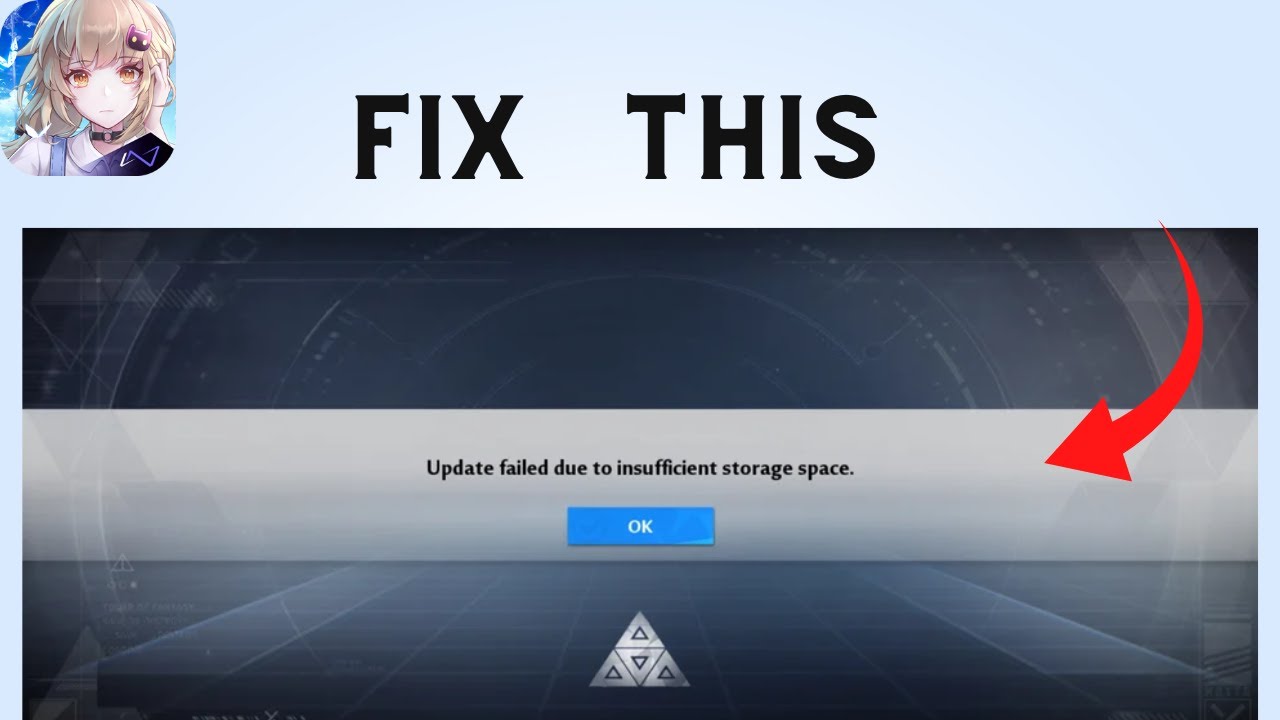
Are you gettings the "Update failed due to insufficient Storage" Error on Tower of Fantasy?
Here's the full error message "Update failed due to insufficient Storage Please try again".
In this video, you will learn How to fix "Update failed due to insufficient Storage" and why you getting this error.
original article: https://www.sadeqe.com/
V...
shell iris
thx
 carmine wind
uhh anyone knows how to get the enchanted hat? bought the limited pass but i dont have the hat?
 manic heart
carmine wind
uhh anyone knows how to get the enchanted hat? bought the limited pass but i don...
manic heart
carmine wind
uhh anyone knows how to get the enchanted hat? bought the limited pass but i don...
wear the very first hairstyle and it should show up
carmine wind
thanks!
 lavish creek
Hello! Just trying to log in after a long time and got this error !
had a massive 30 gbs update, not sure if that matters!
 lavish creek
I even uninstalled and installed again and same error
lavish creek
also tried to install it through steam, same error. Tried to restart the computer, delete all instances from task manager... =/
cerulean panther
is there still no fix for this VA/VR lag issue?
 twin bay
Someone got an idea how i can play tof on macbook m1?
 mossy wren
hello i have issue when try to enter server ingame and the pc restart itself (steam version)
im just trying move from normal launcher to steam version, in normal launcher version my tof game work perfectly without any issue, only when i move to steam vers and the pc restart
any solution?
 brisk mountain
cant submit an entry for the Gifts to Fenrir event
 radiant edge
@vestal tide – Still having issues accessing the Tower of Fantasy Global website? Since you’ve shown a screenshot indicating an issue with your provider’s DNS servers, recommendation would be to use an alternate DNS such as Google’s or Cloudflare’s.
Here’s a link to Google’s guide for using their DNS servers: https://developers.google.com/speed/public-dns/docs/using
@brisk thistle – What exactly happens whenever you attempt to start the game, and what platform are you playing on?
@molten oar – By a direct-download link, do you mean as in an offline installer that bundles all game files? If yes, unfortunately there isn't such an installation option.
-- The only methods to acquire the game’s PC clients are either through Steam or through the Standalone Launcher.
@misty cosmos – Although your screen isn’t entirely black, this one looks like it might be shader cache corruption. I do note the GFE overlay in the upper right corner, so you’re on Nvidia graphics here.
See the following pin: <#technical-help message>
@odd sparrow – What type of resource consumption are you seeing? Does it drop whenever DLSS is disabled?
If it started abruptly, see if a config wipe gets things under control: <#technical-help message>
@hidden moss , @shut sky – For a blackscreen launcher issue like this, usually a reinstallation of the launcher gets things working again. {over the existing install, with the miniloader from the Tower of Fantasy Global Website}
-- e.g, cause tends to be data corruption
Sounds like Alatus attempted this, yet there was no followup. Did you have success with a launcher reinstall?
@fossil orchid – Assuming that you were able to run the game beforehand, this sounds like potential shader cache corruption:
See the following pin: <#technical-help message>
@patent fractal – Does the non steam version of the game start? Resource utilization looks fairly high coupled with significant Disk IO, and your display looks like it’s 1366x768 res. {hinting at a lower end notebook}
-- Will DM you on this one to collect more details on your hardware.
@tranquil mango – Sounds like you’ve had persistent issues with making wishes, the game crashing whenever attempting to do so, and now the game does not start for you.
-- Similarly, will DM you on this one to collect more details on your hardware.
@lavish creek – I note that you’ve reinstalled the game, killed all instances, tried the Steam Version, and tried to restart the PC.
A reinstallation will not wipe out the game / launcher config, and associated cache. Try fully closing the game, launcher, and then wiping out the contents of the following folders:
%USERPROFILE%\AppData\Local\Hotta\*
%USERPROFILE%\AppData\Roaming\tof_launcher\*
%USERPROFILE%\AppData\Roaming\tof_launcher_Steam\*
-- Then, once the above folders have been cleared, try starting the launcher, signing back in fresh, and see if you can start the game successfully.
@mossy wren – Whenever the computer restarts itself, is there any visible BSOD before it goes down? Abrupt restart, or a time delay? {Windows generally won’t instantly reboot with a bluescreen unless it can’t access the disk to write a panic dump}
Check if there’s any .dmp files in the following folder: “%SystemRoot%\Minidump\”
-- If there are, and these line up with the reboots, please DM me a zipped copy of your kernel dumps.
[solved, failed TDR -> BSOD {not-visible} ]
@twin bay – There’s no native version of the game for the M1 at this time sadly. There "might" be a way to get the game running if Apple’s official Android layer has been released, or with the beta builds of it. {have not looked into the status of the project recently}
Be aware that there are clauses in the user-agreement against emulation [*Player Conduct, section (c) *] ... yet as the M1 is a native ARM device and otherwise instruction set compatible, this is a very “gray-area”. You would need to contact Tower of Fantasy’s support and ask clarification.
@hasty tide , @dusk sphinx –
Take a look under "%USERPROFILE%\AppData\Local\Hotta\Saved\Crashes" and see if you see any folders in this location. [or, Saved_Steam, if the Steam version]
-- If you can archive a couple of the most recent of these crash-dump folders {e.g, with winrar, winzip, 7zip, etc} and send me them (via DM's) -- would be glad to take a look and see if we can figure out what's going on here.
vestal tide
radiant edge
<@168711310526251008> – Still having issues accessing the Tower of Fantasy Globa...
Dns prob solved
Just the void abyss lagging still remain the same
Kinda hopeless only lag in VA, the other instance just fine and smooth
twin bay
radiant edge
<@146253525419032576> – Whenever the computer restarts itself, is there any visi...
Thank you very much. I didn't heard from android layer before but I'll definitely try to find out more about that.
It could be that easy tof running on iPhone and iPad already... 😅
radiant edge
twin bay
Thank you very much. I didn't heard from android layer before but I'll definitel...
Yep, just remember that no matter what you wind up doing here, even if it's through something released by Apple -- we can't give the green light. You'll need to run whatever you plan to do past support and get clearance first.
The official stance is that there's no version of the game for modern Apple Silicon notebooks {or desktops}. Whereas, older Apple devices based on x86 hardware can run the game under Bootcamp {running Windows without emulation}.
 sweet kraken
i reinstalled windows last night now im trying to open tof launcher but it wont open (well pc shows its open on task manager and down right) but the launcher it self wont be opening anywhere i restarted pc reinstalled launcher multiple times any fix for this?

 radiant edge
sweet kraken
i reinstalled windows last night now im trying to open tof launcher but it wont ...
radiant edge
sweet kraken
i reinstalled windows last night now im trying to open tof launcher but it wont ...
Since you've mentioned this being a fresh install, almost certain that you're just missing the VS2015 runtimes.
See the following pin: <#technical-help message>
sweet kraken
oh seems like i missed that ill be donwloading those and see if it works ty ty 
 untold apex
i dont get my twitch drop progress T.T it stuck at 78 %
 zinc vapor
I keep getting the message is it an internet issue or a game file issue nad how do I fix it?

 hidden mural
Hello can anyone help me? I'm playing using mobile device and when doing VA6 Gaia boss is sometimes missing from scene, is anyone here experience the same? Since it's makeing the VA run much more harder
 mellow cradle
can someone help me figure out whey TOF is running at 30 fps for no reason at all the fps cap is set to 120
lavish creek
radiant edge
<@521537842162302978> – Assuming that you were able to run the game beforehand, ...
Thank you so much, deleting those files solved the issue!
 sleek harness
Greetings. My game download/Updates stop everytime I try to download them after approx. 10 minutes. Therefore I am not able to install the Game. A little help would be much appreciated
 upbeat kernel
lags on bygone i keep wasting mia + drink buffs for nothing is there a way to fix it ? i don't have internet issue i play other games with zero issues on connection
i wish to limit the data since its single player
 hazy basalt
Hello sir, i get this message and cant install game, i already deleted and reinstalled the game, restarded Phone. On my Ipad it worked without problems but on my Iphone 13 pro no chance. And i have more than 48GB space left on that

 gentle geyser
mellow cradle
can someone help me figure out whey TOF is running at 30 fps for no reason at al...
gentle geyser
mellow cradle
can someone help me figure out whey TOF is running at 30 fps for no reason at al...
PC?
mellow cradle
gentle geyser
PC?
yh
gentle geyser
mellow cradle
yh
Which GPU are you using?
mellow cradle
gentle geyser
Which GPU are you using?
nivida 1050 ti, when i played the game before it was perfect 120 fps but now its 30
gentle geyser
Try rebooting the game after setting it to 120fps. Does the setting stay?
mellow cradle
yh
im just going to redownload it on steam, and i c an troubleshoot from there if it isnt fixed
gentle geyser
mellow cradle
yh
Then we can rule out it being your config files. Try checking your Nvidia Control Panel's Max Frame Rate.

 wind python
ok is there a way to solve this problem about my screen getting white screen?

 maiden harbor
I'm facing problems all day where when I try to enter game it always returns me to the title screen and does two loading screens, what's the reason for it?
gentle geyser
@flint stump I do believe i did nothing wrong and only followed this instance that is pinned.
if something changed. it would be appropriate to update this.
hazy basalt
hazy basalt
Hello sir, i get this message and cant install game, i already deleted and reins...
Pls help
 zenith veldt
Hey guys, is nVidia GeForce MX not good enough for hotta? I have an i5 and 16 gb ram but the game keeps on crashing
@radiant edge sorry for the ping, this is really upsetting and i don't know what to do
radiant edge
zenith veldt
<@68941012038324224> sorry for the ping, this is really upsetting and i don't kn...
No problem. Can I get a copy of your crash dumps?
Take a look under "%USERPROFILE%\AppData\Local\Hotta\Saved\Crashes" and see if you see any folders in this location. [or, Saved_Steam, if the Steam version]
-- If you can archive a couple of the most recent of these crash-dump folders {e.g, with winrar, winzip, 7zip, etc} and send me them (via DM's) -- would be glad to take a look and see if we can figure out what's going on here.
[solved, outdated display drivers]
zenith veldt
Right away, thank you!
 hazy flint
I keep getting crashes after i do a 10 pull on the Gacha. Skipping and watching the animation till it ends won't work, what do i do?
Forgot to tell but it also caused my pc to bluescreen
radiant edge
hazy flint
I keep getting crashes after i do a 10 pull on the Gacha. Skipping and watching ...
Similar to my request above to Bright System -- check for the existence of a crash dump if you're running on the PC. If one exists, I'll gladly take a look and see if we can get to the bottom of why the client is crashing.
EDIT: Since your post was edited to mention a BSOD. Check if there’s any .dmp files in the following folder: “%SystemRoot%\Minidump\”
-- If there are, please DM me a zipped copy of your kernel dumps.
hazy basalt
No one helps me 😦
maiden harbor
maiden harbor
I'm facing problems all day where when I try to enter game it always returns me ...
Please help! Im stuck in title screen and it isn't even funny anymore, it's been like this all day long!
radiant edge
hazy basalt
No one helps me 😦
Unfortunately I'm not that versed with the iOS version of the game. -- Hopefully another of your fellow wanderers will come along who has suggestions in this regard.
radiant edge
mellow cradle
can someone help me figure out whey TOF is running at 30 fps for no reason at al...
Reading over your message history, I noted that you mentioned a long period of inactivity.
You might be hit with what's described in the following pin: <#technical-help message>
-- The game's config files will not be wiped out through a reinstallation, and will persist through such.
radiant edge
wind python
ok is there a way to solve this problem about my screen getting white screen?
Possibly, will need to dig a bit more on what type of hardware you're running. Will shoot you a DM.
[solved, 10th Gen Intel IGP -- dropped to D3D11]
 twin siren
Any solution for this ?
 cerulean panther
was expecting the update to fix the lag issue but apparently not
 languid cloud
the update made me unable to login anymore 
languid cloud
My game suddenly crashed yesterday while I was playing.
Later I found out there was an update around that time.
Until now, I am unable to login. At 90%, I can see a "Crash report" process in the task manager.
Can I send you the log in DM?
mellow cradle
radiant edge
Reading over your message history, I noted that you mentioned a long period of i...
i fixed it
 remote quartz
is there a way to clear the game's temp cache files or something? i use the steam version and the game has been randomly crashing a lot recently
 rotund cobalt
Hi guys, who knows how to unbind steam account?
 radiant edge
@rotund cobalt – Since Vera’s release (2.0), the ability to unbind a sign-in method through the ‘Account Center’ was removed {for the sake of user safety}. For a period of time, this was offered via a form provided through the ingame helpdesk. {see #game-support } This form was later suspended, pending further revisions to the account binding system.
-- If it’s not critical, there’s no method to do so at this time. On the otherhand, should there be a critical-reason that you need to change your access method immediately {such as in the case of suspected account breach, compromise, or otherwise losing access to a sign-in method} – Customer Support will of course still assist you in such a situation. Don’t hesitate to reach out to them, even if the automated request form is closed.
If account compromise is suspected, please make sure that you secure your device and email (if possible), first and foremost. Then, contact Customer Support "by email" (from a known clean device). Try to not use the ingame helpdesk for initiating the support exchange if there's any suspicion of something afoul -- as the attacker may have access to it.
@remote quartz – Yes there is.
The following pin details shader cache flushing {driver portion}: <#technical-help message>
This one is in regards to factory resetting the game’s config files: <#technical-help message>
-- If the crashes persist after that, will likely need a copy of your crash-dumps for inspection.
@languid cloud – Absolutely, send them my way. {My DM’s are always open for this purpose}
@twin siren – Possibly depending on what hardware you’re running on. Usually missing portions of the terrain like you’re seeing is seen on older Intel IGP’s.
-- Will DM you to collect details on your hardware.
remote quartz
radiant edge
<@957881375627812864> – Since Vera’s release (2.0), the ability to unbind a sign...
thanks for the reply.
 cunning iris
Ok, could anyone tell me: there is any webpage where I can calculate how invest my dark crystal? or atleast, one that tells me the % of probabilities I have with any amount of dark crystals?
 worldly steeple
hello can someone help me with 'download process exited abnormally' on pc
 wispy shard
Hello
The GPU Usage is increasing when im in the Menu such as Wanderer/Backpack/weapons/Simulacra as well in the ranking table
Open world and in instance the gpu usage are much lower.
Are there any fix on that ?
 sterile rampart
Hey ppl, I have a problem with logging in on pc. I created an account on pc with password and email. Then i got the game on my smartphone and could log in there. After some time I reinstalled the game on pc and now i can log in with my email and my password, but it is not my account. the game starts from beginning. How can I log in again on my pc correctly?
hasty tide
Hello, I am writing because a friend who plays this game has had a very strange game error. She change the purple microreactor for a gold one and it lowered her characters attack 7000 points. Now she level up a piece of shoulder to level 33 to 34 and her FC lowered 7500 points more. She has tried to claim to the company but they did not gave her a clear answer or solution to his problem. What can you do? Has this kind of error happened to anyone else?
cunning iris
Server Dyrnwyn down? -< not, my connection went silly 😛
gentle geyser
wispy shard
Hello
The GPU Usage is increasing when im in the Menu such as Wanderer/Backpack...
Those menus are rendered on a secondary in-game screen. There isn't much of a fix for it but to lower your resolution or fps in-game.
 fringe scaffold
Hello. I'm in a bit of trouble. Just now I was in process of transferring server, from oneiros to scarlet. I waited about 5 minutes. Then I opened the server select to see my character name still in oneiros, not scarlet. But there was no message saying the transfer failed. So I was like, going ahead into the old server to see what's wrong. BUT, the old server actually started with the beginning cutscene, implying my data is no longer in it. I was unsure if my data had fully transferred to scarlet or not since my character name was not on it
I'm not logged in to the game so I think contacting CS isn't possible
idk if i should try entering scarlet since my data might not be there
gentle geyser
fringe scaffold
idk if i should try entering scarlet since my data might not be there
It should be, since your data is no longer on the previous server.
Login to Scarlet.
fringe scaffold
but scarlet isn't labeled with my name though? is it only a visual error?
gentle geyser
Visual. usually takes a few minutes for it to appear.
 balmy belfry
I thought that same when I transferred but after logging in to new server it worked
gentle geyser
Same happens when you change names.
balmy belfry
I transferred from Hope to Luna Azul cause it’s more active and I saw the same as you exc but when I logged into Luna Azul my character came up where I left off with them
So just Log in to Scarlet you should find you acc and character right where they were standing before transfer ^^
wispy shard
gentle geyser
Those menus are rendered on a secondary in-game screen. There isn't much of a fi...
Ah thats kinda too bad 🤒
Thank you for the reply
 lilac heart
im trying to transfer from lighthouse to frontier but the frontier server showing up at all for me no matter what i do.
i am level 82 and i have done all the requirements to server transfer and done just about everything i can think of to make it work, frontier is quite literally the only server that will not show up.
and before anyone says to just try a different server, frontier is the server both of my friends joined despite me telling them that i play on lighthouse.. but anyways if anyone has a solution for me please tell me i will be so grateful for your input 
 stable flint
Hello... anyone having same experience like me?
the game sometimes always force close when im joining party via matchmaking in latest event (tower defence flem and ice) or after im done doing interstellar exploration with party via matchmaking too... (its happen only happen n these two game feature, the others feature... seem no problem)
the game force closed happen ONLY when im partying... and will keep happening until im left party, kicked out or party is disbanded.
my analysist, i think there is some bug in sprite on other player character or skin when im joining random party with matchmaking feature
i was trying any method like repairing the file so many times to fix it, even try re-install the game... but the issue always occured....
is there any other method to fix this??
thank you for help and your time for reading this...
 stone terrace
Hello..i've been having a problem lately. the game won't load for some reason. it'll only load to 33%. and then after a few minutes, it'll go to 99%. but it won't load the game for me, instead it just goes back to another loading screen that'll also load to 33%. and then it'll force out to the main starting point and i'll load again, but this time it'll crash and exited the game. how do i fix this (i play on steam)
calm urchin


 mild crest
anyone know why my friend doesnt have data transfer button in settings? Although he got ticket to change server?
 hidden iris
I have the chat problem of not being able to send anything. and in the end I created a new account and started from ZERO
mild crest
hidden iris
I have the chat problem of not being able to send anything. and in the end I cre...
maybe u was muted?
hidden iris
Unable to enter chat messages
 mild crest
hidden iris
Unable to enter chat messages
mild crest
hidden iris
Unable to enter chat messages
u are at system tab in that pic, u cant type anything there

switch to current or world
hidden iris
I know, it's to get a better look at the message. I can't on any channel, nor whisper
gentle geyser
hidden iris
I have the chat problem of not being able to send anything. and in the end I cre...
Are you below level 11? You can't chat until you reach that level.
hidden iris
i played years . But I think it's because the account is from the beginning. alpha and betas
I have always played alone and could only send a message if I sent my location. xd I don't know why
mild crest
hidden iris
I have always played alone and could only send a message if I sent my location. ...
can u send screen shot when u press World chat
hidden iris
THE SAME Unable to enter chat messages
 gentle geyser
"It is not possible to enter chat messages. use quick chat" this is an error i've never seen before @mild crest
hidden iris
The mistake was carried from the beginning. And I think it's something that before they didn't put something of the age and I bugged the account.
alpha/beta
mild crest
hidden iris
The mistake was carried from the beginning. And I think it's something that befo...
I think its about age thing
gentle geyser
Yeah. it is. just looked through old messages about it.
hidden iris
I think that too. But I do not see where to change it or on PC or mobile
mild crest
maybe try write to support
gentle geyser
hidden iris
I think that too. But I do not see where to change it or on PC or mobile
Contact support.
hidden iris
I already wrote a long time ago and search the internet, there is something but no videos
i try others forms xd
mild crest
hidden iris
I already wrote a long time ago and search the internet, there is something but ...
try maybe write again
hidden iris
jeje sure ! Thank you all for the attention and patience. and see new bugs
 south mesa
anyone has any idea why i my game crashes the moment i join?
hasty tide
radiant edge
<@146253525419032576> – Whenever the computer restarts itself, is there any visi...
where is the %USERPROFILE% ??
gentle geyser
hasty tide
where is the %USERPROFILE% ??
Press Window Key + R and copy paste %USERPROFILE%\AppData\Local\Hotta\Saved\Crashes into the text field and click ok. Should see this.

 hasty tide
Hello, its been a long time i haven't played and when i want to play the game again, the launcher says "account doesn't exist" even tho i'm 100% sure i've played it before
I would like to know how to get my account back, i played alot before taking a break
 plucky coral
how do i make a controller work?
 jaunty ivy
hi anyone else is having issues with abysall mode, the game wont let me dash or something even atk is this a know bugg or what
plucky coral
can someone message me who knows how to make this game work
why are the setting so hard to adjust; why do i have to redo everything every time?
well... rip
 lament magnet
Hello, is anyone else having that issue in bygone which Sakis Surge does not activate likes it’s supposed too? Outside of bygone, perfect no problems. In bygone, he lucky if it activates once’s every couple floors ?
 shrewd pelican
I'm having an issue where the game music fades in and out when in combat. Not sure if this is intentional but it's getting kinda annoying. I checked all of my drivers and also tested this on my headset and speakers and it still happens. The main example is world boss music like Harrah. The music will play for like a minute and then go completely silent the next minute...
 rigid nebula
Is there no way to fix the 33-90% loading screen for this game?
 supple pasture
hidden iris
THE SAME Unable to enter chat messages
supple pasture
hidden iris
THE SAME Unable to enter chat messages
wait so did you just ditch your main account ? Cuz I heard some people on my server had that bug but only for one day then they got unmuted
gritty fern
rigid nebula
Is there no way to fix the 33-90% loading screen for this game?
33-90% loading screen ? wym ?
hasty tide
quick question before I assume this is a problem. maybe I'm just too new.
is the BP hat-accessory supposed to be extremely restrictive and unintuitive?
for instance having to go to presets just to be able to see it, and Even then it's only a visible option with exactly one hairstyle which changes into a different hairstyle upon picking the hat accessory....?
wispy drift
welcome to tof
 slim schooner
hasty tide
quick question before I assume this is a problem. maybe I'm just too new.
is th...
slim schooner
hasty tide
quick question before I assume this is a problem. maybe I'm just too new.
is th...
That is not the only one. A few clothes and hair accessories are also restrictive and unintuitive. Making it impossible to have some accessory combos equipped together if the hair styles they allow conflicts with each other. If you like the preset hairstyle, it's fine. But most of us want our own styles.
 tropic oasis
I do not know what to do 😦
 wispy drift
delete more apps
tropic oasis
wispy drift
delete more apps
how much space do i need?
 jovial holly
ios still cant play the game on 5g/data only wifi, a percentage of players are unable to even play the game and i travel for work, my crew cant even rely on my carry
 thick cosmos
jovial holly
ios still cant play the game on 5g/data only wifi, a percentage of players are u...
thick cosmos
jovial holly
ios still cant play the game on 5g/data only wifi, a percentage of players are u...
That's likely more of a phone carrier issue rather than an iOS specific problem
jovial holly
thick cosmos
That's likely more of a phone carrier issue rather than an iOS specific problem
so contact apple? im using iphone 12 pro max
thick cosmos
jovial holly
so contact apple? im using iphone 12 pro max
No, like your network provider. Whomever you use for your phone service
jovial holly
thick cosmos
No, like your network provider. Whomever you use for your phone service
every other game works on 4g though
thick cosmos
Different games may require different "ports" for access on the network, and data networks you have no control over unlike Wifi where you can open ports yourself.
It's possible that ToF uses ports that are blocked by your carrier, but your other games don't use those
I used to have to tether to my phone data for online games and some games worked but others did not.
jovial holly
thick cosmos
Different games may require different "ports" for access on the network, and dat...
oh interesting i just so happen to be in the shppping centre so might go in store and see about it
supple pasture
jovial holly
ios still cant play the game on 5g/data only wifi, a percentage of players are u...
damn how dare you betray alintheus like that
jovial holly
supple pasture
damn how dare you betray alintheus like that
i didnt you know me
and what i do
@thick cosmos turns out i had a content lock on my phone since they thought that would be the issue. managed to get that removed, however i still cant login using data
thick cosmos
jovial holly
<@101411289540075520> turns out i had a content lock on my phone since they thou...
Well like I said, it's their network. You can't really control what you have access to.
I was more explaining what the reason behind not being able to login is, not how to fix it, because it's not really fixable
jovial holly
so id use that when im out using data?
gentle geyser
jovial holly
so id use that when im out using data?
Yeah.

i'm curious. what mobile provider you using? @jovial holly
jovial holly
gentle geyser
i'm curious. what mobile provider you using? <@693914916079403059>
im in uk using EE network
supple pasture
jovial holly
i didnt you know me
I mean I just know you rq cuz you were after accounts lmao
jovial holly
supple pasture
I mean I just know you rq cuz you were after accounts lmao
who me? i dont do that thats against t.o.s 
 granite sluice
I’m trying to launch the game but i have a black screen every time and i could launch it like an hour ago
supple pasture
aight nvm then
 snow socket
Trying to capture frame/gpu usage etc. data from ToF using CapFrameX due to some wacky stuff happening after I updated my drivers and woops.
Is it possible that the kernel anticheat etc might be outright blocking any attempt?

 coarse hull
any ways for VSYNC ? I cant find it in the game settings or I am blind
gentle geyser
coarse hull
any ways for VSYNC ? I cant find it in the game settings or I am blind
Which GPU you using?
coarse hull
GTX 1660 is my current GPU, but I might will replace soon to a RX 6650XT
gentle geyser
coarse hull
GTX 1660 is my current GPU, but I might will replace soon to a RX 6650XT

 coarse hull
I see, this will be useful. Any ways for doing the same with the 6650XT ?
snow socket
coarse hull
I see, this will be useful. Any ways for doing the same with the 6650XT ?
do you have a freesync display?
coarse hull
snow socket
do you have a freesync display?
LG 27MK(BK)400H/MK(BK)430H I am not sure tbh
snow socket

LG USA
Shop LG 27MK400H-B on the official LG.com website for the most up to date information. Buy online for delivery or in-store pick-up.
snow socket

LG USA
Shop LG 24MP400-B on the official LG.com website for the most up to date information. Buy online for delivery or in-store pick-up.
coarse hull
coarse hull
LG 27MK(BK)400H/MK(BK)430H I am not sure tbh
I expanded the monitor name a little, it is 27
 coarse hull
alright, so it has one. Thank you
clear lagoon
love crashing every single time I tp somewhere for three weeks straight

 warped kindle
Why does this happen when I try to play on NA servers?

 dusty ivy
How long does server transfer take?
I had a similar thing happen...
https://youtu.be/wyPjdp6EafI

Fake or not, Please Be careful and do not attempt transfer yet until the team confirmed that it is safe to do so.
Link of the video:
https://www.youtube.com/watch?v=BGu5d6TxcAA&t=13s
Subscribe for more quick and straight to the point guides!!
Check out Tower Of Fantasy Crew:
https:...
hasty tide
slim schooner
That is not the only one. A few clothes and hair accessories are also restrictiv...
I just find it hilarious that I have to spend DC to even equip the hat. 
 native ravine
 wispy drift
Are you from india
slim schooner
hasty tide
I just find it hilarious that I have to spend DC to even equip the hat. <:fenri...
Yeah, spend DC for an accessory that locks into one hairstyle. So whenever I want use DC to buy good looking accessories, need to know what hairstyle or clothing restrictions first as it really compromises the value. Is it even really a that technically impossible?
radiant edge
@lament magnet – Any place where skills don’t execute properly tends to be packet loss.
-- Have any other symptoms in Bygone like attack damage intermittently not connecting, or mob movement stopping, or otherwise desyncing / warping?
@jovial holly – Unfortunately this is a longstanding known issue with mobile-data on iPhones. {explicitly with Apple's phones and not other iOS devices}
For instance, if you transplanted that sim-card from your iPhone over to an iPad, the iPad would be “likely” able to play the game on mobile-data. Similarly, the iPhone would be able to connect through the iPad's mobile hotspot. Additionally, if an iPhone runs a hotspot, no other device can connect through its hotspot data. e.g, this has something to do with how mobile data is provisioned on Apple's Phones specifically with a given carrier’s network.
-- Only advice that we can really offer here at this time is to contact your cellular carrier and ask if there's any difference with how Apple's products (such as the iPad and iPhone families of devices) are provisioned on their network.
^ Especially if you own another iOS device like an iPad that you can transplant the sim into for the sake of testing. {to verify it's not just the carrier itself}
I note that you’ve mentioned using a VPN / that this works, and also that you’ve reached out to support. This is the appropriate route to go {per any sake of clearance for troubleshooting}. Be aware that there’s two clauses in the user-agreement that prohibit the use of VPN’s, pretty much no matter what. Player Conduct, sections (b), (c), and (s) respectively. The other portions of the agreement would still apply even if (s) does not with self-hosting from your residence.
radiant edge
clear lagoon
love crashing every single time I tp somewhere for three weeks straight
Hey there, I see a screenshot with some crash dumps showing. Possible that you can zip those up and shoot them my way via DM's?
[solved, Corsair iCUE interaction]
lament magnet
radiant edge
<@140592440670158848> – Any place where skills don’t execute properly tends to b...
Omg yes all those things you mentioned.. I started to noticed it a lot more recently and has made bygone a pain! It sometimes happens on boss rounds, but usually only with a large amount of mobs.
Sometimes out of bygone surge takes forever to activate as well! Noticed it on cactus when testing damage and VA/VR. Raids seems fines, but it started to start happening in OOW. Sometimes it can go hours with it being perfect and sometimes it just won’t activate
radiant edge
lament magnet
Omg yes all those things you mentioned.. I started to noticed it a lot more rec...
Gotcha, sounds like loss then, even if it's explicit to specific instances.
Routing issues tend to clear up on their own just as abruptly as they start, and that’s likely what will happen here.... However, if it doesn’t clear up and connection remains intermittent / unstable / this keeps carrying on over time, then you’ll need to get your ISP and Tower of Fantasy’s support involved.
In the case of the ISP, you'd want to explain the service that you're having connectivity issues with (e.g, mention Tower of Fantasy), and when contacting Tower of Fantasy's support, you'd want to provide details on your ISP / where you're connecting from [along with your IP address].
^ The goal is to have both ends (your Internet Provider and Tower of Fantasy's support) look at routing in each direction, and hope that something problematic is found (in either direction). Basically, get the ball rolling, and all parties involved with the hopes of getting a permanent solution.
radiant edge
warped kindle
Why does this happen when I try to play on NA servers?
Only on NA servers, and the other regions work fine? If yes, then this is likely routing related. Similar to the advice with MrJ, this would be a situation that needs reaching out to support and your ISP.
-- If this all started abruptly, give it a try resetting your Internet equipment first too. (CPE, router, modem, the works)
jovial holly
dusty ivy
I had a similar thing happen...
https://youtu.be/wyPjdp6EafI
Recently?
dusty ivy
jovial holly
Recently?
Yes
jovial holly
Im going to transfer in a few days so i need to know if i can i thought it was fixed
dusty ivy
jovial holly
Im going to transfer in a few days so i need to know if i can i thought it was f...

Got this shit, been playing on it since launch and now it's literally just nothing
 ashen pebble
help, my game is force-closing after I press Launch
radiant edge
ashen pebble
help, my game is force-closing after I press Launch
How far does the client get into the launch process? For instance, do you see the splash screen {Hotta logo} before closure?
ashen pebble
radiant edge
How far does the client get into the launch process? For instance, do you see t...
not at all
Launch >> Game Window come up in background >> close
radiant edge
Game Window comes up before closure, alright. Same system that you used to play on? {digging through chat history}
Take a look under "%USERPROFILE%\AppData\Local\Hotta\Saved\Crashes" and see if you see any folders in this location. [or, Saved_Steam, if the Steam version]
-- If you can archive a couple of the most recent of these crash-dump folders {e.g, with winrar, winzip, 7zip, etc} and send me them (via DM's) -- would be glad to take a look and see if we can figure out what's going on here.
ashen pebble
radiant edge
Game Window comes up before closure, alright. Same system that you used to play...
yes
radiant edge
ashen pebble
yes
Shot you a DM to clarify checking for those crash-dumps, and preemptively to receive them.
ashen pebble
sent
 wise radish
Why in the world does the TOF Launcher exit along with the game when I only pressed quit game, not the launcher? How stupid is this
 frank light
Hello guys, I have a problem with the game on PC . after updating the game when I launch the game the screen stays black and stays like that. I checked the game and reinstalled., same problem, anyone have an idea please?
 radiant edge
frank light
Hello guys, I have a problem with the game on PC . after updating the game when ...
radiant edge
frank light
Hello guys, I have a problem with the game on PC . after updating the game when ...
Give this pin a shot first and foremost: <#technical-help message> -- Corrupt shader cache seems to be the most common culprit of this.
If that doesn't work, try factory resetting / flushing the game's config files: <#technical-help message>
-- These two things will persist across an uninstall, reinstall, and repair of the game.
If that doesn't restore the client to working order, see if there's any crash-dumps under "%USERPROFILE%\AppData\Local\Hotta\Saved_Steam\Crashes", zip them up, and send them my way.
frank light
Alright I'll try your advice, thanks
frank light
radiant edge
Give this pin a shot first and foremost: <https://discord.com/channels/93290692...
After trying your advice, I still have the same problem.
When I go to %USERPROFILE%\AppData\Local\Hotta\Saved\Crashes
I don't have a current date file
do you want me to try to install the game via steam?
 carmine sun
Halo, is anyone hee experiencing uncomfortable performance on iOS?
I have been experiencing severe delay and sometimes even stuck on loading screen when I access co op dungeouns.
Everything is normal in world map or in cities but when I try doing VA and dimension trial, this problem kicks in like almost 90% of times in the last 3 days.
I play on iPad 9 using iOS 16.3.
frank light
radiant edge
Give this pin a shot first and foremost: <https://discord.com/channels/93290692...
same problem on steam
 misty dragon
Hello guys, I have a problem with the game on PC .I try reinstall game or restart pc, still have problem, please anyone help me.

 shell elm
question is it a bug or not that I'm not seeing PayPal as a paying option?
carmine sun
Ah well guess it is just me.
gentle geyser
shell elm
question is it a bug or not that I'm not seeing PayPal as a paying option?
What are you trying to buy?
shell elm
oh I was just going to be tanium but it's just whenever I see anybody else play the game or a video of the game they have a PayPal option but mine doesn't
hasty tide
may someone from myriad sever check if my account 1201434892 is still there please ? i haven’t played in a while and i think my progress has been wiped since it says i’m level 1
gentle geyser
shell elm
oh I was just going to be tanium but it's just whenever I see anybody else play ...
Paypal option won't show for purchases under $1.00. and I also believe it depends on your location.
shell elm
i see that's a shame that means my location doesn't get PayPal
gentle geyser
You can use Razor Gold as an option, if available. https://www.paypal.com/us/gifts/brands/razergold

@shell elm
 dapper spade
the game has many memory issues, is there a schedule planned to fix them?
 silver kraken
im running out of video memory on my laptop (1050 gtx), can someone share a low quality config that i can paste to the game?
GameUserSettings.ini i guess? or something else idk?
 broken plaza
I wanted to remove the Google, Apple and Steam bindings from my account and change them to others
 tawdry canopy
why does this stuff happen to me so often bruh
 wary shuttle
broken plaza
I wanted to remove the Google, Apple and Steam bindings from my account and chan...
wary shuttle
broken plaza
I wanted to remove the Google, Apple and Steam bindings from my account and chan...
we could unbind accounts with in game CustomSupport before, but i'm not sure about this time
broken plaza
wary shuttle
we could unbind accounts with in game CustomSupport before, but i'm not sure abo...
I urgently need to change all the bindings, but it’s not clear why I can’t do this, who can help me with this then?
wary shuttle
broken plaza
I urgently need to change all the bindings, but it’s not clear why I can’t do th...
I checked. You cannot unbind for now


 gentle geyser
wary shuttle
I checked. You cannot unbind for now <:sadmia:990754640620560414>
gentle geyser
wary shuttle
I checked. You cannot unbind for now <:sadmia:990754640620560414>
You could unbind accounts without any kind of authorization before right?
broken plaza
very strange decision.
gentle geyser
Ah. That makes sense now. But its gonna come back at some point. possibly with a security feature where you have to confirm to unbind account via email etc.
 tacit wren
Why does my game freeze and crash whenever I try to roll anything using nucleus cells? I tried skip button and also just letting it play out completely and the game still crashes too
Tried window mode too and it still does it
 sharp crypt
Hi! Is there any way to update an email I've linked with my account?
 onyx solstice
Hiiii, if I want to make a change of region, should I use the email that is in the info of this channel?
wary shuttle
onyx solstice
Hiiii, if I want to make a change of region, should I use the email that is in t...
You can't change the region, only the server itself "inside" it with transfer ticket
I hope I understood your question correctly 
onyx solstice
wary shuttle
You can't change the region, only the server itself "inside" it with transfer ti...
In the FAQ channel I found this qwq
 wary shuttle
if you already started playing, then you cannot change it, i mean you cannot transfer your character to another region. Only if you make a new one on that region
onyx solstice
wary shuttle
if you already started playing, then you cannot change it, i mean you cannot tra...
I think I started playing since August, i'm lvl 82
radiant edge
frank light
After trying your advice, I still have the same problem.
When I go to %USERPROFI...
The game's crash-dumps are separated between two different paths (as well as their config files respectively), the Steam version uses Steam_Saved, and the Saved folder is for the standalone launcher version of the game.
-- If you've had both installed on the system at some point in time, one of the two paths may be quite outdated in what dumps you find there.
Are both paths not recent / no dumps being generated?
wary shuttle
onyx solstice
I think I started playing since August, i'm lvl 82
Yup, you cannot. We have only server transfer ticket in game
onyx solstice
wary shuttle
Yup, you cannot. We have only **server** transfer ticket in game <:sadmia:990754...
I'm going to try, let's see what happens, if I can't, then no way qwq thx
radiant edge
tacit wren
Why does my game freeze and crash whenever I try to roll anything using nucleus ...
You might find that the game is stable under D3D11 rather than 12 {per the gacha rolls}. Best guess offhand would be that you're on Intel integrated graphics, older drivers, and or older hardware.
See the following pin: <#technical-help message>
-- If that doesn't get you past this, please DM me. Likely would need to collect crash dumps and more details on what you're running on.
radiant edge
tawdry canopy
why does this stuff happen to me so often bruh
Just dug through your chat history trying to figure out more on your system (other than that you're on Windows 11 -- per the screenshot). May need more info on what hardware you're running on.
First recommendation would be to try a config factory-reset if you've not already, and if that's an older install that you've been updating over time.
Detailed in this pin: <#technical-help message>
radiant edge
sharp crypt
Hi! Is there any way to update an email I've linked with my account?
This used to be possible through binding another sign-in method, unbinding, and rebinding of a Custom Account. However, since Vera’s release (2.0), the ability to unbind a sign-in method through the ‘Account Center’ was removed {for the sake of user safety}. For a period of time, this was offered via a form provided through the ingame helpdesk. {see #game-support } This form was later suspended, pending further revisions to the account binding system. {as detailed by Clara in the chat above}
-- If it’s not critical, there’s no method to do so at this time. On the otherhand, should there be a critical-reason that you need to change your access method immediately {such as in the case of suspected account breach, compromise, or otherwise losing access to a sign-in method} – Customer Support will of course still assist you in such a situation. Don’t hesitate to reach out to them, even if the automated request form is closed. {e.g, unique situations can still be explained, and would still be handled}
If account compromise is suspected, please make sure that you secure your device and email (if possible), first and foremost. Then, contact Customer Support "by email" (from a known clean device). Try to not use the ingame helpdesk for initiating the support exchange if there's any suspicion of something afoul -- as the attacker may have access to it.
 eager relic
The game default to your native resolution in Fullscreen mode?
I'm trying to lower the resolution but it's not working, it stays in windowed mode.
radiant edge
eager relic
The game default to your native resolution in Fullscreen mode?
I'm trying to l...
The game obeys the desktop resolution, not quite your native res of the display. If you lower the Windows Desktop res, the game shouldn't bump that up.
 green ermine
radiant edge
The game obeys the desktop resolution, not quite your native res of the display....
green ermine
radiant edge
The game obeys the desktop resolution, not quite your native res of the display....
whats the email for CS?
wary shuttle
green ermine
whats the email for CS?
Customer Service Email:
support@toweroffantasy-global.com
 cinder prairie
anyone know why my luncher when i lunch it, it doesnt open
 heavy rock
Why can't I set the direction key on the keyboard to switch weapons
The game says that they are in use but nothing is set on them
When I try pressing them,I move the camera but the mouse is already moving the camera so there is no point
It is so confusing that the keys change on the left and bottom icon when I am switching weapons
Can't they just make it
"press a button to switch to the weapon shown on the left icon"
"press a button to switch to the weapon shown on the bottom icon"
real knot
It just keeps crashing
 tacit goblet
Dimensional trials is locking up on 99% when trying to enter
re logged several times and reset router plus game
 hybrid kayak
cinder prairie
anyone know why my luncher when i lunch it, it doesnt open
hybrid kayak
cinder prairie
anyone know why my luncher when i lunch it, it doesnt open
Does TOF appear in your system tray in the bottom right corner of your screen?

 opal quest
VA and dimension trial load screen stuck at 99%. Any solution guys?
 lost mauve
did the latest update caused another memory l3ak problem??
 analog bolt
i was playing game and forced closed happened
it happended again just now
how to fix this?
 half vortex
analog bolt
i was playing game and forced closed happened<:miaeyes:991488352064901191>
it h...
half vortex
analog bolt
i was playing game and forced closed happened<:miaeyes:991488352064901191>
it h...
try pinging that mod, they may be able to help
analog bolt
ashen pebble
help, my game is force-closing after I press Launch
did u fix your bug?
forced close game
 silent sundial
guys how do I unbind the main email that I use to login to my account?
if customer service, can u tell me exactly what to do or so
eager relic
radiant edge
The game obeys the desktop resolution, not quite your native res of the display....
So I can only use a lower res by changing it in my display??? Aww man that sucks I wanted to upscale it well RIP. Thanks mate.
tawdry canopy
radiant edge
Just dug through your chat history trying to figure out more on your system (*ot...
ryzen 3700x, 32gigs of ram, rtx4080, game is on ssd
It seems that game actually uses maybe too much VRAM (it peaks at about 7-8 gigs for TOF (9.6-10 overall))
I did a hard reset on 2.3 release (or 2.2? whenever DX12 support came out)
 little kernel
Guys, is there any way for me to deactivate this cinematic-like effect when breaking enemies’ shield? My main is Annabella and this effect just ruins my dps, especially in abyss where there’s a lot of shielded enemies. Everytime a shield breaks my subsequent shot (which is what’s gonna detonate the gas) won’t shoot, thus making me lose a lot of dps:/
gentle geyser
little kernel
Guys, is there any way for me to deactivate this cinematic-like effect when brea...
This is a Freeze Frame effect caused by dodging, shields breaking and attacking. Sadly the only option is the (hit/attacking) Freeze Frame you can toggle on and off in settings.
little kernel
What a shame… can we all go and suggest this to them please 😭😭
 flint stump
There were some questions regarding memory leaks that didn't go through thanks to automod, because someone did an oopsie and forgot that the word has multiple meanings... Sorry about that, we removed it from our automod 
 left socket
This stupid game giving me log in to exception errors again
cinder prairie
hybrid kayak
Does TOF appear in your system tray in the bottom right corner of your screen?
ye it did
radiant edge
cinder prairie
ye it did
If the launcher appears in the system tray, yet no window open for it -- you might be simply lacking the VS2015 runtime dependencies.
See the following pin: <#technical-help message>
cinder prairie
ok I will try
radiant edge
@eager relic – Per explicit resolution settings, yes.
The engine supports DLSS as well as temporal upscaling, yet these don’t reflect the resolution settings which otherwise only apply to windowed mode as you’ve discovered.
@tawdry canopy – Already played around with disabling DLSS through the ingame settings? Note that you’ve already done a hard reset (assume you mean a config factory-reset), so it’s unlikely that something carried over from an older version’s config is causing the memory leak here.
You might try completely shutting off the engine’s NGX integration as detailed in this pin {given a 4080 shouldn’t need such, unless at extremely high resolutions}:
<#technical-help message>
-- If the game is still leaking memory, shoot me a DM. It might be some form of software interaction and may need to collect an msinfo export from you to see what's installed / running.
@silent sundial -- Since Vera’s release (2.0), the ability to unbind a sign-in method through the ‘Account Center’ was removed {for the sake of user safety}. For a period of time, this was offered via a form provided through the ingame helpdesk. {see #game-support } This form was later suspended, pending further revisions to the account binding system.
-- If it’s not critical, there’s no method to do so at this time. On the otherhand, should there be a critical-reason that you need to change your access method immediately {such as in the case of suspected account breach, compromise, or otherwise losing access to a sign-in method} – Customer Support will of course still assist you in such a situation. Don’t hesitate to reach out to them, even if the automated request form is closed. {e.g, unique situations can still be explained, and would still be handled}
If account compromise is suspected, please make sure that you secure your device and email (if possible), first and foremost. Then, contact Customer Support "by email" (from a known clean device). Try to not use the ingame helpdesk for initiating the support exchange if there's any suspicion of something afoul -- as the attacker may have access to it.
@analog bolt – Usually when the game abruptly closes the engine records crash-dumps, even if there's no error prompt shown. Take a look under "%USERPROFILE%\AppData\Local\Hotta\Saved\Crashes" and see if you see any folders in this location. [or, Saved_Steam, if the Steam version]
-- If you can archive a couple of the most recent of these crash-dump folders {e.g, with winrar, winzip, 7zip, etc} and send me them (via DM's) -- would be glad to take a look and see if we can figure out what's going on here.
 prisma scarab
I was playing normally in the game when exiting and starting the game again it gives me a new error that is possibly some recent update within the game and the error that appears when starting the launcher is A D3D11-compatible GPU (Feature Level 11.0, sharer Model 5.0) is required to run engine
 brisk spindle
Hello everyone! There may be a few difficulties for the next few moments, as we are now setting up a few new things. Please heck out #server-news for a few updates.
 eternal quest
not able to attach images in discord server 😭
flint stump
eternal quest
not able to attach images in discord server 😭
do s.vWanderer
just copy the command like I typed it
eternal quest
do s.vWanderer
eternal quest
s.v.Wanderer
eternal quest
sorry... i am stupid
eternal quest
thanks Veremisia

 tidal plume
so i wanna play the game again and when i log in
my account is level one and its progress have been refreshed/restarted
flint stump
Are you sure you logged into the right account and right server
tidal plume
flint stump
Are you sure you logged into the right account and right server
i remember and also looked at other server i was in
i was in the aestral-noa server and i tried logging on every gmail
tidal plume
flint stump
Are you sure you logged into the right account and right server
oh wait nvm! im back on my account
i thought i was on aestral-noa
 unborn oar
is anyone else seeing a message with "Login status exception, exiting the game!" while trying to login after the maintenance?
flint stump
I am still not entirely sure what is causing this, but a usual fix is to log out of the launcher and back in
if that doesn't suffice, a PC restart or getting a new IP should also do the trick
unborn oar
oh good ideas! let me try that! thank you 🙂
flint stump

unborn oar
flint stump
if that doesn't suffice, a PC restart or getting a new IP should also do the tri...
I believe something was wrong with my cached login details. I attempted to repair, then restarted the PC, and it was still not working... I logged on my phone, and it was okay so tried a couple more times until it showed me back my login form and relogin did the trick 🙂
flint stump

flint stump
Report them and hope it gets taken down in a timely manner
click on their profile picture and a profile pop out should give you the option to report them
hasty tide
flint stump
click on their profile picture and a profile pop out should give you the option ...
when i click the profile, only a view server button appears
 supple orchid
huh is something up? Im getting "Login status exception, exit the game!"
flint stump
flint stump
I am still not entirely sure what is causing this, but a usual fix is to log out...
try this
flint stump
flint stump
if that doesn't suffice, a PC restart or getting a new IP should also do the tri...
or this
either of these should fix it
 half yarrow
help me
why I can't login with my Email?
the page show me: Hmmm… can't reach this pageIt looks like the webpage at htt/ps://common-web.intlgame.com/jssdk/intlsdk-web-thirdlogin.html?gameid=29093&extra_params=channelid%3D6%26channel%3DGoogle%26intl_host%3Dhttps%3A%2F%2Faws-na.intlgame.com%26port%3D58109%26intlstate%3DZ7OoDbCoeQ8q-b_MsjF3BT7PnqYW_nS1 might be having issues, or it may have moved permanently to a new web address.
ERR_HTTP2_PROTOCOL_ERROR
i can't login with fb, twitter too.... I use PC and don't have game account
 bleak harbor
Help me, I cant play while inside JO, Void, etc. My ISP is MyRepublic, does anyone have same problem with me ? If i try Telkomsel (Celular Network/Phone) it runs normal.
Does MyRepublic cant directly connect to TOF Server ? Maybe TOF server in China ?
calm urchin
half yarrow
the page show me: Hmmm… can't reach this pageIt looks like the webpage at htt/ps...
tryed different browsers to use ?
 potent shore
anyone got issue for loading 90% stuck
been free of those lately but after the update its back
calm urchin
bleak harbor
Does MyRepublic cant directly connect to TOF Server ? Maybe TOF server in China...
TOF server has multiple locations. ISP-router-routting problem that sound like. Customer can't todo noting about it.
 boreal holly
bleak harbor
Help me, I cant play while inside JO, Void, etc. My ISP is MyRepublic, does anyo...
boreal holly
bleak harbor
Help me, I cant play while inside JO, Void, etc. My ISP is MyRepublic, does anyo...
yep i also have this problem
calm urchin
there is 2.3.3 update 1.3GB
calm urchin
potent shore
anyone got issue for loading 90% stuck
sound like connection problem, tryed disable ipv6 form network card ?
potent shore
@calm urchin tried that and dns as well no luck idk, oh so those are connection problem, ok thx will try turning off router for 15 minute see if that helps
calm urchin
potent shore
<@318451219859374083> tried that and dns as well no luck idk, oh so those are co...
yup or try flush dns->cmd->ipconfig /flushdns
potent shore
havent tried that will try that after the 15 minutes thing thx man
calm urchin

bleak harbor
potent shore
anyone got issue for loading 90% stuck
i have this as well with my Republic
 shell bolt
Hello, I just summoned on the new outfit. I thought that after 1760 dark crystals I could have the entire gachapon. However, after 3050 dark crystals, I have only reached 9 summons. I just learned that the system doesn't work like the machines in Mirroria... So I lost 3050 Dark Crystals without getting what I wanted. What can I do ? T_T
wispy drift
they are always 10k dc in total its a nice hallucination to have that it will ever be lower than that
 ebon pecan
 shell bolt
I guess there's nothing to do despite what I've lost...
 novel spade
Anyone else playing from the og client just have a password stop working? Happened 2x for me over the past few months. Had to use the reset function to create a new one both times.
Don't think someone else is changing it or I would get an email notification like I do when I change it myself and my characters are in the spot I left them with no items messed with too so its some weird issue that makes passwords not work.
vestal tide
bleak harbor
Help me, I cant play while inside JO, Void, etc. My ISP is MyRepublic, does anyo...
I using telkomsel and it's lagging in VA since 15 jan until now not fixed yet
No problem with raid, jo, fch, etc
Only lag in VA
Kinda no brain, i dun know how to continue play this game
Contact CS and nothing solved
Flush dns, etc also not helping at all
While the content is VA, now the VA lag as hell
 hearty cosmos
I'm not able to play the game.
So many loading screens and it ends of crashing before I even finish logging in (gets to 84% then crashes)
(Steam version doesn't even load just a black screen for 10+ minutes)
Laptop
carmine sun
Yeah now I see more ppl having the same problem like me, sometimes entering VA or dimension trials got me stuck at loading screen forever. While some other times I may get in, for some strange reason my buttons will malfunction. Nothing happens even tho I press dodge or attack. Sadge. Oh this button malfunction occurs at JO too although it is easier to enter JO without being stuck.
Funny enough, this problem doesnt happen outside of those contents.
Playing on iPad, newest iOS 16.3.1
 subtle patrol

idk what happened to my game, I did my best for doing something about on it
I uninstalled the game then reinstalled it for 2 hours
but I can play in my phone, very weird
I've tried to repair it
yet it says
 subtle patrol
I just did uninstall the client and reinstall it yet it didn't worked
changed the DNS, not working, plus close the game launcher and reopening it again, not working
shutting down the pc then turning on the pc again, still not working
I tried all my best to fix it but it couldn't be fixed, also ur CS is like a bot like my friends ingame said that
hasty tide
hello I'm from Colombia and I played a lot of tower of fantasy, I managed to delete and reinstall the game and log in without problems but today I downloaded it and out of nowhere my account ceased to exist and that's it My account does not exist, it took many hours and I have no idea what to do.
 glass comet
carmine sun
Yeah now I see more ppl having the same problem like me, sometimes entering VA o...
glass comet
carmine sun
Yeah now I see more ppl having the same problem like me, sometimes entering VA o...
I have the exact same problem as this and was about to discuss about it here but it seems someone already discussing about it so i'll just read and lurk until i see answers xD
In addition, my game alsp incapable of loading void abyss for some reason, it stucks at 99% loading and could never load or relogin while my character is stuck on specifically void abyss only. I wonder what is going on.
carmine sun
glass comet
I have the exact same problem as this and was about to discuss about it here but...
Let me guess.
You play on iOS and you live in a populated server?
||Hope I am wrong though||
glass comet
carmine sun
Let me guess.
You play on iOS and you live in a populated server?
No, I stayed on a low population server when people migrate. I'm on neptune. And I'm playing on PC
carmine sun
glass comet
No, I stayed on a low population server when people migrate. I'm on neptune. And...
LoL okay, so at least I know that this problem also occurs on lowly populated server and platform wide.
glass comet
carmine sun
LoL okay, so at least I know that this problem also occurs on lowly populated se...
Yeah, really unfortunate. Im reinstalling my game to steam version atm and will see if that work or not.
 coarse dock
Why My ToF Not Use 100% GPU Usage But CPU Is 100% ?

This Happen After Update YEsterday
glass comet
glass comet
Yeah, really unfortunate. Im reinstalling my game to steam version atm and will ...
After reinstall, it fixed the void abyss loading bug but not the bug when cant attack, dodge, use skill and such on JOs
vestal tide
glass comet
After reinstall, it fixed the void abyss loading bug but not the bug when cant a...
This happen when u enter boss room right?
glass comet
vestal tide
This happen when u enter boss room right?
Yes exactly
vestal tide
I even facing super delay after enter boss room
Hit boss not decrease HP at all, can use skill can see the dmg but not decrease boss HP, dodge not even working, spam left click normal atk also not working, delay 2-3 mins then it's back to normal like usual
Only occur in VA
Not happening in other instance (from animus server)
subtle patrol
legends says I can't play this game for the future, should I quit playing ToF?

another one

bye bye game

 pine falcon
how am I meant to link my account??
 hasty tide
pine falcon
how am I meant to link my account??
hasty tide
pine falcon
how am I meant to link my account??
Verification code sent to ur email
pine falcon
hasty tide
Verification code sent to ur email
It says the email is already bound so I don't get anything
hasty tide
My bad, I didn't read properly
 fossil sand
guys my game is keep crashing .... it started smoothly (at the beggining) but now its keep crashing any way to fix it?
pine falcon
hasty tide
My bad, I didn't read properly
Yeah.. but idk, I played this around when it came out, was gonna come back now but when I got in I was in a new account 😅
worldly steeple
heloo can someone tell my why my tof just stay black screen when launch from steam?
err so i just leave it for 10min? then finally show hotta logo n stuff but then loading is super slow and crash at log in/choose server
WHAT??
fossil sand
guys my game is keep crashing .... it started smoothly (at the beggining) but now its keep crashing anyway to fix it? plz help me
is it necessery to click the directx ver?
 calm urchin
fossil sand
is it necessery to click the directx ver?
calm urchin
fossil sand
is it necessery to click the directx ver?
my recommend select Dx12(if working)->then Dx11(if your hardware can handle)
 fossil sand
calm urchin
my recommend select Dx12(if working)->then Dx11(if your hardware can handle)
fossil sand
calm urchin
my recommend select Dx12(if working)->then Dx11(if your hardware can handle)
yeah now its working .... well i chose 11 rn , should i hv to go to 12??
lets see if it work well... i just tested it rn and it went smooth but for some work i hv to exit game
calm urchin
fossil sand
yeah now its working .... well i chose 11 rn , should i hv to go to 12??
check taskmanager->gpu 0->Dx-support

 thick depot
Does any one have the problem when using controller, that the controller map pointer pop un on screen when out of the map?
 small lava
I haven’t played for quite a while and I’ve logged into the email I used when I first played but I can’t seem to find the server I used and the preset character I made isn’t there either, I’m using a new device does anybody know how to fix?
wispy drift
thick depot
Does any one have the problem when using controller, that the controller map poi...
that issue wont be fixed until v2.4
analog bolt
radiant edge
<@700240977927077988> -- Since Vera’s release (2.0), the ability to unbind a sig...
k ill send it asap
hasty tide
can you give me an email to ask for help
 small mantle
Hi everyone, I got back into the game after several months off. When I try to buy something in store I always have a blank window and the game closes. Has anyone encountered the problem before? Thanks
 small mantle
I have been in contact for several days with the technical service of the game. I can't find where it can come from :/. (It's not antivirus or firewall, nor is it an overlay application.)
radiant edge
@pine falcon – Generally speaking to bind an account, you first sign in with your existing account’s login method. Then -- head over to the Account Center (via the launcher as you’ve done), choose the “Bind Account” tab, and select to bind an account of the desired type.
If you did this in the opposite-direction, meaning having signed in to the account that you wish to bind “to” – instead of the existing account first ... and progress to the point that the new address becomes associated with a game account {such as in starting the client or attempting binding} --> binding is no longer possible afterwards.
-- It sounds as if this is what happened here. So, the only recourse would be to either use another address for binding, or to try to appeal to Customer Support for assistance. {see #game-support }
To make sure I understood. Do you still have access to your characters {the original account at all}, since you mentioned coming back to the game after some period of time?
@fossil sand – Take a look under "%USERPROFILE%\AppData\Local\Hotta\Saved\Crashes" and see if you see any folders in this location. [or, Saved_Steam, if the Steam version]
-- If you can archive a couple of the most recent of these crash-dump folders {e.g, with winrar, winzip, 7zip, etc} and send me them (via DM's) -- would be glad to take a look and see if we can figure out what's going on here.
-- Per the question on if you need to choose a version of DirectX, that shouldn’t be required. The engine would default to using the highest API version without a selection made. It’s a good idea to play around with that setting though, as newer doesn’t always mean better – especially on older hardware.
@worldly steeple – Since the client eventually loads in past the 'black-screen' and inevitably crashes later on when trying to load in to a character, just based on the description it sounds like you might be exhibiting a severe memory leak during the loading of NVidia’s NGX support {right at engine start}. That the machine might be swap thrashing, pass the initial splash via use of swap, then later the engine crashes from an out of memory event.
See the following pin: <#technical-help message>
Would also suggest trying wiping shader cache and factory resetting the game’s config files “first”:
<#technical-help message>
<#technical-help message>
-- If it continues after all that, please DM me. {or if you’re not on RTX hardware, since this is a shot in the dark off the description without knowing what you’re running on}
@small mantle – Despite the confidence that it’s not your AV / a firewall. Do you have any third party software of either category on the machine? - Bitdefender for instance.
The reason that I’m asking is because disabling said software may not be sufficient.
@hearty cosmos -- Will DM you to collect more details on that laptop's hardware. If there's any crash dumps being generated (like in the request to Shadow Prime), please also send those my way.
radiant edge
small lava
I haven’t played for quite a while and I’ve logged into the email I used when I ...
Looking through your chat history, it seems you might've last logged in back in August, perhaps your last time playing was before Vera (2.0) dropped. Do you remember if this was the case?
If it was, then there's some time overlap before the changes to account binding were made. {Which heightens the potential of this being a case of account theft} At the same time, it's also been quite awhile potentially since you've logged in. Double check that you're on the same account, logging in through the same sign-in provider, and viewing the same server / world-cluster.
- Should you be certain that you're on the right account, right server, etc, then unfortunately you'll need to #game-support and request that your account and character(s) be investigated. This might take time, yet they'll help you find out what exactly happened and where your characters went.
Be sure to provide as much information as you can, such as character name(s), server(s), UID's (if you have them from screenshots), bank transactions details if you've made purchases in the game, and so on. The more information that you can provide, the easier it'll be for customer support to locate your game-account and get to the bottom of what happened.
To double check as well that I'm understanding (with the comment on presets), your "characters" {in entirety} are not on the account that you've signed in to, and it's behaving as if it's a new account with the first sign-in, correct?
radiant edge
coarse dock
Why My ToF Not Use 100% GPU Usage But CPU Is 100% ?
Since the severe performance drop started right after an update, would suggest starting by trying a config factory reset, as per this pin: <#technical-help message>
If it persists after that, please DM me. (would need to collect more detail on your hardware and the type of framerate you're expecting / had before)
glass comet
My game is acting weird during JOs and Void abyss where I seem to unable to perform dodge and attack, so I tried file checking on steam version and this happen. It says file will be reaquired, but after that I tried file checking again and it doesn't seem to fix the missing files. what should I do to fix this?
 radiant edge
glass comet
My game is acting weird during JOs and Void abyss where I seem to unable to perf...
radiant edge
glass comet
My game is acting weird during JOs and Void abyss where I seem to unable to perf...
Suggest checking the Windows Event Viewer, specifically the "System" tab and looking for disk errors {at the time of running the Steam Verification}. That's one of the common causes of Steam being unable to re-acquire files. Another potential is that they're in use by something else on the system.
-- If you've not done so yet, rebooting the machine is a good idea to get whatever is holding those files open to release them.
e.g, just reboot, then go straight into Steam and run the integrity check once more.
glass comet
I'll give it a try, thanks
glass comet
radiant edge
Suggest checking the Windows Event Viewer, specifically the "System" tab and loo...
Am I doing it correctly? 😅
Time of screenshot is 10:28
Im not seeing a recent error
 radiant edge
glass comet
Am I doing it correctly? 😅
Time of screenshot is 10:28
Im not seeing a recent...
radiant edge
glass comet
Am I doing it correctly? 😅
Time of screenshot is 10:28
Im not seeing a recent...
What time was the check performed in Steam at? Also could you DM me a few screenshots of the lower pane per those WHEA events? {moving over to DM's}
[solved, corrupt prefetcher cache / malfunctioning SuperFetch holding the files open]
 wooden jewel
So uhh, I got my internet plan upgraded from 400 mbps to 600 mbps (same ISP) and now I can't even play the game anymore without getting sent back to main menu after every loading screen.
radiant edge
wooden jewel
So uhh, I got my internet plan upgraded from 400 mbps to 600 mbps (same ISP) and...
That's an unexpected outcome with the same ISP. Same hardware in use as well?
wooden jewel
Same hardware, yes.
radiant edge
Any chance of coincidence per cause and effect? Assume you've tried restarting everything after the provider performed the plan upgrade.
None the less, if you suspect the ISP, you'll want to get in touch with them and inquire what changed. If they moved you over to some other gateway internally or in some way altered routing somehow.
wooden jewel
Well I still have the modem for the old internet plan and I've tried switching back and forth.
And it definitely only happens on the new one. My parents plan on getting rid of the old one and I can't convince them to keep it just for this game 😔
Guess I can't do anything about it on my side and have to talk with my ISP about it huh?
radiant edge
wooden jewel
Well I still have the modem for the old internet plan and I've tried switching b...
Can the old modem be used on the new plan? {assuming that's the case} If it can, it's the CPE that's to fault, and not routing.
But yes, this would likely be something that you need to take up with the ISP. If the old equipment works on the 600mbit plan {with ToF}. Easiest proposal is to just ask that you keep the old hardware rather than shipping it back.
wooden jewel
radiant edge
Can the old modem be used on the new plan? {assuming that's the case} If it can...
I'll give this a try.
If it doesn't work then I guess it's the latter.
Thanks so much for the help.
carmine sun
Hello, has there been any known solution for stuck loading screen for JO and VA yet? And yes, wondering if I can do something about the "unable to dash and attack" bug when I am on iPad?
Thanks!
hasty tide
everytime it hits red x1 bar it always like this

my net working perfectly but its just this game this is the 4th time it happened
small mantle
radiant edge
<@367663208187559937> – Generally speaking to bind an account, you first sign in...
Yes, I have Bitdefender as an antivirus. Is there a known problem with this antivirus? (I have tried to deactivate all the protections of the software, but that does not change anything)
radiant edge
small mantle
Yes, I have Bitdefender as an antivirus. Is there a known problem with this anti...
Yes actually. See the following pin: <#technical-help message>
This isn't something that I've frequently retested, and the situation may change over time. I'd recommend experimenting with a full removal if you've already tried exceptions and disabling the AV.
-- Usually the way that those crashes would manifest, was first a blank white screen in the embedded browser. {symptoms line up with what you're seeing, basically}
small mantle
radiant edge
Yes actually. See the following pin: <https://discord.com/channels/932906923236...
Yes thank you, that's exactly what happens, A white screen of the game browser and then it crashes :/ . Alright, I'll look around there, thanks.
 hoary laurel
lilac heart
im trying to transfer from lighthouse to frontier but the frontier server show...
hoary laurel
lilac heart
im trying to transfer from lighthouse to frontier but the frontier server show...
did u ever figure this out?
small mantle
radiant edge
Yes actually. See the following pin: <https://discord.com/channels/932906923236...
A big thank-you 🙂 . it works again just by adding an exception in the Bitdenfeter parameters. Finally an operational shop!. Good day 😉 (Sorry for the mistakes, I speak with translator)
small lava
radiant edge
Looking through your chat history, it seems you might've last logged in back in ...
It turns out that logging in on google and typing the email aren’t the same thing and that was my issue
 gentle canopy
Hi, is there anyway to unlink my gmail? Or change it to a different one?
 robust ginkgo
guys i dont know whats wrong i cant post any image at all on ToF discord i tried rejoining and nothing, i drag an image to the chat box and nothing happends
carmine sun
robust ginkgo
guys i dont know whats wrong i cant post any image at all on ToF discord i tried...
You did not read the newest rule change. Maybe you should go to #server-news and #1038615599561060372 to know what you should do. It is just a copy and paste away from being able to post pictures.
robust ginkgo
ok ty i think its fixed
 ivory axle
since recent update my game has been bugging a lot, in joint ops,raids and void rift sometimes i cant change weapons nor can i normal attack, use skills or see the boss hp going down and sometimes the boss even wont load
 lucid sentinel
For some reason, my game's cutscenes have desync'd audio (especially the voices). Is there any fix for this?
 iron breach
Hi! I've just reinstalled the game and encountered a problem where after the initial download is done, the client won't proceed to open. Is there a fix to this? I've already tried downloading the fix in the pins and it's still not opening

 silver flare
anyone know how to copy/move ToF game data from classic launcher, to steam without downloading it again?
 sharp jolt
Hey guys, ive been having this issue the past few months and im wondering if anyones had this happen too, and if anyone knows how to fix it. Although I dont know if its a ToF or OBS issue, but theres something wrong with the compatibility between them.
Playing ToF on its own, I have no problem. And back in the summer I would stream ToF for 8 hours at a time with no issue. However when im streaming with OBS (28.1.2) after anywhere from 5 minutes to 1 hour ToF will become choppy and lag heavily, and OBS will freeze and crash, causing me to need to shut down stream and force close OBS. No other programs going at the time freeze (vts/tits/spotify) so I know its definitely something just between OBS and ToF.
If anyones got any ideas id like to hear and give it a try 😭 its become so frustrating
silver flare
why this message always appear whenever i want to bind my acc to steam, any idea?
 hasty tide
Have u guys improved the quality on mobile yet
 worldly ice
what's this mean?

 light sluice
I'm occasionally hard freezing at 90% in Mirroria loading screen. I can't do anything but use the power button to shutdown. When I boot up my discrete graphics (radeon 530) is missing in the device manager and radeon settings and the only one running is my Vega 8 integrated graphics. The good thing is that restating again fixes the issue but I can't help to think that it's killing my graphics card. It only happens in Mirroria loading screen.
And always at 90%. I hope the devs can fix this criticap error cause it can potentially harm the longevity of PC hardware.
hasty tide
i cant seem to set the priority to high any ideas
gentle geyser
hasty tide
i cant seem to set the priority to high any ideas
Through Task Manager?
hasty tide
gentle geyser
Through Task Manager?
yeah doesnt work its access denied for some reason
carmine sun
Well seems like there is no solution for iOS on iPad... sadge
gentle geyser
hasty tide
yeah doesnt work its access denied for some reason
Search for "Command Prompt". Run it as an administrator. Copy & paste wmic process where name="QRSL.exe" CALL setpriority "high priority" into the cmd window and enter.
hasty tide
 gentle geyser
hasty tide
gentle geyser
hasty tide
Have to start up the game first.
 tame stratus
I'm having an issue getting Discord overlay to work in Tower of Fantasy
I found out my issue is more than just in ToF, but I'm having a lot of trouble as to why it's still happening
tame stratus
I'm finally getting it to work in other games but ToF doesn't seem to work no matter what I do
radiant edge
@light sluice – Just based on the description, this is unlikely to be drivers / software and more hints towards hardware that’s on its way out {has potentially degraded}. -- due to the persistence of the bad state through the first restart of the system --
Do these severe crashes happen at any other time than during the loading screens? Have you already checked the temperatures of your laptop’s hardware? {especially that Radeon 530}
@tame stratus – Would strongly advise against using the Discord Overlay with Tower of Fantasy, as there’s been plenty of reports of it causing problems with texture streaming, and general instability of the engine.
-- If you wish to attempt using it, you’ll need to run Discord with administrative rights.
tame stratus
I'll keep that in mind, thanks for the info
light sluice
radiant edge
<@1055913463857283183> – Just based on the description, this is unlikely to be d...
It's only, always at 90% loading screen in Mirroria, specifically when I teleport to the Entertainment Center's teleportation while inside Mirroria. Temp is 60-70. Doesn't happen in other maps or other games so I don't think my graphics is degrading yet because reproducing it is way too isolated.
radiant edge
light sluice
It's only, always at 90% loading screen in Mirroria, specifically when I telepor...
Will DM you on this one. It's not uncommon sadly for a specific game, ToF or otherwise, to push hardware over its limits. That a single game exhibits a problem like this purely in it being more demanding than anything else that you're playing.
For example: Whenever my Radeon 6800 XT went defective leading up to its death, symptomatically I started getting blackscreen freezes {hardlocks} only when the framerate was pushed high in very specific locations ingame. On reboot, the device would be missing, and come back only after a full cold start of the system. AMD's hardware tends to behave this way.
tame stratus
I know that Mirroria is a pretty intensive map to load in, and depending on where you teleport to if it has to render the more intensive areas in first I could see it struggling, or even crashing. The Radeon 530 is going to have a pretty hard time running this game, seeing how intensive both lighting and effects are on performance.
The game is pretty GPU intensive from what I've noticed. My last graphics card (1660 Ti) couldn't run the game at 1440p very consistently and struggled pretty highly in mass boss combat for example.
radiant edge
tame stratus
The game is pretty GPU intensive from what I've noticed. My last graphics card (...
Correct, and only if you're playing other equally demanding games, meaning things on the caliber of AAA shooters -- would you potentially see the hardware fail, if you started having lockups in ToF related to a GPU failing.
tame stratus
I would say if it is causing full system seizes to limit the framerate to your average or comfortable framerate. Unfortunately ToF doesn't cap loading screen fps, which I think is a problem for your case specifically, so if possible manage it through AMD's control panel and cap the framerate so it can focus on rendering and leave headroom for your CPU to render.
radiant edge
In general a better solution would be to drop maximum clockspeeds or the power target through wattman. Though if that works, it's usually not a good sign as the hardware should be stable at stock of course.
tame stratus
Oh I should mention this actually too, if you haven't already I would consider manually setting a paging file in windows. It may not make a major difference but it would definitely help in some games.
light sluice
I see so certain area is pushing my graphics beyond its limit so it's having a lockup.
radiant edge
Always a good idea to have swap, though sadly I doubt that'll make a difference here due to the hard-crash nature and that it's persisting into the next boot.
What may help is dropping the power target, slowing things down in effect, or preventing the card from entering its maximum power state.
But that's essentially just "masking" the problem that the hardware is no longer stable.
tame stratus
Right, I think more specifically that it's having to render the more difficult and intensive graphics at the same time as the rest of the map, making it much harder than traveling on foot or through the car things.
light sluice
tame stratus
Oh I should mention this actually too, if you haven't already I would consider m...
Page file is already set to 10gb. I'll try limiting the fps and see if there's an option in amd radeon settings.
tame stratus
How much ram do you have, I'm assuming 8?
light sluice
radiant edge
Will DM you on this one. It's not uncommon sadly for a specific game, ToF or ot...
I knew it. It's a bad symptom that can kill my graphics. Since it only happens when I teleport/loading I guess I can just walk instead or go less to intensive areas in Mirroria.
tame stratus
I think ToF would benefit greatly with a setting like drive speed (HDD/SSD) and AMD FSR
light sluice
tame stratus
How much ram do you have, I'm assuming 8?
only 4 gb but im using ssd
radiant edge
light sluice
I knew it. It's a bad symptom that can kill my graphics. Since it only happens w...
While the notice / agreement may seem intimidating, this is the section of the AMD drivers that you'll want to play around with. https://www.amd.com/en/support/kb/faq/dh-020
tame stratus
Oh my, you're setting your paging file pretty high.
radiant edge
Specifically, try elimination of the maximum power-state first, and if that's not enough, reduce it further from there. The hopes are that the instability only shows when the card is at its limits.
light sluice
radiant edge
Specifically, try elimination of the maximum power-state first, and if that's no...
Alright thanks. I'll try lowering some graphics option in power-state settings first and see if that helps. I'll try wattman later if it happens again.
light sluice
tame stratus
Oh my, you're setting your paging file pretty high.
I had an out of memory error once so I tried to increase the page file and it never showed up again.
Thanks for helping me guys. I'll try your advice soon.
radiant edge
light sluice
Thanks for helping me guys. I'll try your advice soon.
I also tossed you a friend invite, since your DM's are restricted. Feel free to message me if there's any confusion per how to use Wattman.
 pastel knot
is there like a way to launch TOF directly without going through the launcher? just like how it is with other games
 clever creek
Void abyss being buggy can't use my weapons nor dodge when I'm in the boss fight works outside the boss fight just fine though anyone got this problem and know how to fix : ( I can use discharges and skill on saki and lin certain weapons I can't use skill nor my discharge sometimes you can even see my lin timer
 twin olive
anyone else having problems logging in today with Apple ID?
 unreal valley
pastel knot
is there like a way to launch TOF directly without going through the launcher? j...
unreal valley
pastel knot
is there like a way to launch TOF directly without going through the launcher? j...
Not recommended. You will miss updates and verification (login). Especially with the standalone client, you need the launcher. Well, with Steam you could have left out the launcher, because updates run by Steam and they could just move login built-in the client, but not rly a issue.
wispy drift
the launcher is the verification system, without it, no login key is given
first time?
cerulean panther
clever creek
Void abyss being buggy can't use my weapons nor dodge when I'm in the boss fight...
since when did this happen to you? it happened to me since start of january and still not find a way fix this till now
and it happen whenever i fight a boss with other players regardless of the instance even world boss
clever creek
cerulean panther
since when did this happen to you? it happened to me since start of january and ...
since it first came out it only happens to me in void abyss whenever I enter the boss room
pastel knot
unreal valley
Not recommended. You will miss updates and verification (login). Especially with...
Huh? Some games I've played before prompt you to update through the launcher if you somehow run the game directly
pastel knot
wispy drift
the launcher is the verification system, without it, no login key is given
Huh? Are you sure about that? Most of the games I've played before allows the game to be open directly? First time playing a game with launcher?
wispy drift
u forgot this is tencent
they are running it as a third party service
very common in chinese industry
wispy drift
pastel knot
Huh? Are you sure about that? Most of the games I've played before allows the ga...
first time playing chinese game?
no launcher, no credentials are sent
unreal valley
As far as I know (I'm not a UE4 or Gamedeveloper, correct me if I'm wrong) - you have 2 separate directories for launcher and client. The client can be found under "C:\Programmes (x86)\Tower Of Fantasy\Hotta\Binaries\Win64" (at least for my installation), where you can find the QRSL.exe. You can practically start it with some modification, but first of all that is not "allowed" and second, this little effort to safe couple seconds? - Opening the game does not work bidirectionally. The launcher verifies and opens QRSL.exe, but not the other way round. You will see how the client just closes.
hasty tide
pastel knot
Huh? Are you sure about that? Most of the games I've played before allows the ga...
rockstar launcher: gta, red dead
worldly ice
My launcher is stuck on the login screen, won't log me in no matter what. Yesterday I got login status exception too after logging in. Any ideas?

 candid phoenix
Anyone else having issues doing a purchase in game?
 little oak
I cant start the game, either on PC or android. Is there any issue with the servers?

 warm ember
Uh what is this
 ivory axle
since recent update my game has been bugging a lot, in joint ops,raids and void ...
ivory axle
ivory axle
since recent update my game has been bugging a lot, in joint ops,raids and void ...
anyone help?
vestal tide
clever creek
Void abyss being buggy can't use my weapons nor dodge when I'm in the boss fight...
This lag issue has been report many times but developer not even fixing it
I also feel this lag since january until today still not fixing
I change many ISP alrd and the problem is same
Tencent kinda idiot in handling lagging issue
ivory axle
clever creek
Void abyss being buggy can't use my weapons nor dodge when I'm in the boss fight...
happens to me too anywhere with boss and my game starts bugging out, boss tpin, me not being able to use weapons attack or relics and sometimes even emblade appearing in my weapons, happening to me since feb 20th update
 open wren
hey how much storage does tower of fantasy take on ios mobile
calm urchin
open wren
hey how much storage does tower of fantasy take on ios mobile
website telling about 12GB+(reality 15-20GB)
open wren
calm urchin
website telling about 12GB+(reality 15-20GB)
damm 15-20?!
calm urchin
open wren
damm 15-20?!
yeah i tryed install old-ipad but needed more space
open wren
calm urchin
yeah i tryed install old-ipad but needed more space <:miaderp:975525442062778389...
sad, i might have barely enough lol 16gb on phone
calm urchin
 upbeat tide
is it possible to transfer your character from a region to another e. g. from asia to europe. (i am afraid i already know he answer but i just want to be sure)
wary shuttle
upbeat tide
is it possible to transfer your character from a region to another e. g. from as...
No, it isn't
upbeat tide
I was afraid of that answer, is it planed to make it possible or is it not possible due to technical problems?
wary shuttle
as I know, not planed
upbeat tide
ok thanks for the help anyway
 fair zenith
Anyone here who has played the CN version (or has it installed) and knows how to link the account to an email or similar?
 balmy mauve
I need help I want to change servers because of the internet but the problem is I don't have a switch servers ticket
Do I have to wait till LV 40
 balmy mauve
So I will get the ticket when I get to LV 40
Like a week ago or more
Probably more
Why?
wary shuttle
Then you won't get, im sorry
"Users registered before January 10, 2023, will receive a free Server Transfer Ticket."
balmy mauve
So what do I do now
I don't want to spend like 8 dollars just to change servers one time
This sucks
wary shuttle
I guess you have only one option - "Single Purchase: Tanium ×500."
balmy mauve
Does the ticket show in my inventory
wary shuttle
or make a new character on another server
wary shuttle
balmy mauve
Does the ticket show in my inventory
yes
balmy mauve
Hmm
Well shit idk what to do I think I will flat out just delete it
I wasted so much time in this account
balmy mauve
By the way I forgot to ask somebody said something about a merge
What is it exactly
Like will the servers merge
 rain coral
anyone know why the map feels so laggy and like a slideshow?
 lean sentinel
Hey guys, so i just use data transfer but why my account still on here

I choose eden to transfer on but my acc still on seeker, do i have to wait to process?
gentle geyser
lean sentinel
I choose eden to transfer on but my acc still on seeker, do i have to wait to p...
Have to log on to that server you transferred your data over to, to refresh the list.
balmy mauve
gentle geyser
Have to log on to that server you transferred your data over to, to refresh the ...
So mind answering me
Someone said something about a merge
thick cosmos
balmy mauve
Someone said something about a merge
There's been no information on any server merge. It could happen in the future, but they've made no such announcement
balmy mauve
Shame guess I will have to start a new account it's only LV 30 tho
But I did explore the whole fucking map
And I'm not talking about the small one the bigger one next to it
thick cosmos
Well unless you want to pay for a server transfer that's your only option.
Why do you want to change servers again?
balmy mauve
Internet
The dodging the timing for cool downs and the lag
I literally was flying and the next second I was stuck in a wall
thick cosmos
Well a server change is unlikely to help you anyway. You can only change servers within a region.
balmy mauve
thick cosmos
Well a server change is unlikely to help you anyway. You can only change servers...
What????
thick cosmos
If you're having latency issues due to selecting the wrong region, then you would have to start over anyway
thick cosmos
Did you select a Europe server?
balmy mauve
I don't know let me check
gentle geyser
balmy mauve
Someone said something about a merge
Server Merges are being developed and in the testing phase, far as i know according to the ToF Q&A video. https://youtu.be/tAJaPaHipcY?t=518

Hi Wanderers! Ver 2.3 is around the corner.
Apart from new contents from update, more half-anniversary events and rewards will be spoiled!
#ToF #ToFhalfanniv
Bring your friends and let's #ToFgether!
▼△▼△▼△▼△▼△▼△▼△▼△▼△▼△▼△▼△▼△▼△
▶ Tower of Fantasy, a cross-platform, shared open-world MMORPG. Play for free now! You can follow more game inform...
balmy mauve
If it's in the testing phase that means its very close to complete
thick cosmos
balmy mauve
If it's in the testing phase that means its very close to complete
Well regardless, a server merge won't fix your latency issues if you chose the wrong region
balmy mauve
You're right
thick cosmos
And if you did choose the correct region, then server change is still unlikely to help you, because the servers for a given region are in the same place anyway
balmy mauve
So If the server I chose is EU it won't help to change it
But if it's in a different region then it will help
 runic juniper
hello i play on android and when i try to get into ToF the progress bar after choosing which server to login to goes to 100% then becomes 0% then returns me to the main menu server selection
balmy mauve
 runic juniper
yes that
balmy mauve
So @thick cosmos I guess it's my bad internet
Is there anyway I can make it better
That's a dumb question but egypt is EU right?
runic juniper
basically my login progress bar keeps returning to 0% and returns me to the main menu server selection screen again
thick cosmos
balmy mauve
That's a dumb question but egypt is EU right?
Europe servers are probably the closest for you at least. But you're still pretty far away I believe, so it's not surprising you have latency problems
Unfortunately there's no "Africa" servers
balmy mauve
Wait no GIFs?
Well it's a shame guess there is no helping it
Going to find a way to fix it somehow
wary shuttle
@balmy mauve check #server-news
radiant edge
rain coral
anyone know why the map feels so laggy and like a slideshow?
Specifically drag and drop mouse-scrolling on the map?
-- Often the cause of this winds up being mouse-software on the system that's preventing WM_MOUSEMOVE events from being coalesced for hook processing.
First thing to try would be closing any bundled control-panel software in that respect. If that doesn't work, and if you have a high DPI mouse with a high polling rate as well, you might try reducing the rate. {for instance, 500hz vs 1000hz -- to see if less input events yields better framerate during dragging the cursor}
rain coral
radiant edge
Specifically drag and drop mouse-scrolling on the map?
-- Often the cause of thi...
wm_MOUSEMOVE a service that have to be enabled?
but ya specifically drag and drop
radiant edge
rain coral
wm_MOUSEMOVE a service that have to be enabled?
Nope, that's just the name used on Windows in hooks for mouse updates. {positional updates}
rain coral
tried lowering dpi didnt help but i do have 1000hz polling rate but thats standard now no?
radiant edge
Think of it like this:
Assume that you have a high-end mouse where whenever you drag the mouse across the screen, it's able to generate a position update for every single pixel traversed, in a split second. Now assume that this is a thousand events that are generated, and if the game engine processes all 1000 of those movement updates. Each event processed takes up a certain amount of time {computational cost}, and normally the OS would coalesce or limit these events (aggregate them together). If anything prevents that coalescing, it drastically increases the amount of mouse-events that a program sees and has to process.
rain coral
lowering polling rate didnt helo
radiant edge
rain coral
lowering polling rate didnt helo
Unfortunate, will DM you to collect more details on your hardware then.
[Update: Windows 10 1803, RS2. Problem cleared up after adjusting mouse polling rate]
carmine sun
radiant edge
Unfortunate, will DM you to collect more details on your hardware then.
[*Updat...
Hello you seem to be very knowledgeable staff on issues, may I DM you for consultation on my ToF problem?
radiant edge
carmine sun
Hello you seem to be very knowledgeable staff on issues, may I DM you for consul...
Absolutely, and that same offer applies to anyone for the record.
radiant edge
warm ember
Uh what is this
Receiving that prompt whenever starting the launcher specifically?
Usually reinstallation of the launcher clears those up. e.g, re-downloading the MiniLoader from the ToF Global Site, then installing again -- over the existing install. {note that this will not require re-downloading of the game itself}
hidden peak
anyone know how to solve this? trying to install via steam to see if i can play VA but this happen
been following guide above to installing latest VC 140 (2015) but nothing happen
and i still can play on official launcher just want to try if steam can make me play some VA stages
radiant edge
hidden peak
anyone know how to solve this? trying to install via steam to see if i can play ...
You're able to launch the game via the standalone launcher, and not the Steam version?
-- Far as the VS runtimes, those would more so be required for the launcher itself.
Given the standalone launcher succeeds in loading, assuming there's a good chance that crash-dumps are being recorded for the Steam version -- even though the game window is never shown.
Take a look under "%USERPROFILE%\AppData\Local\Hotta\Steam_Saved\Crashes" and see if you see any folders in this location.
-- If you can archive a couple of the most recent of these crash-dump folders {e.g, with winrar, winzip, 7zip, etc} and send me them (via DM's) -- would be glad to take a look and see if we can figure out what's going on here.
@pastel knot – Just as a reminder per the #1038615599561060372 , be respectful in word-choice to your fellow wanderers.
hidden peak
radiant edge
You're able to launch the game via the standalone launcher, and not the Steam ve...
yes now im playing via standalone launcher and it works just fine (except for void abyss thing lol xD)
ill send u dm for crash folder, thank you Eliya
 nova fossil
The last 5 days I have been watching debts in the game. unbelievably long downloads. and including the connection in the game itself. every time I teleport anywhere - the game even loads a weapon, a line of hit points and other things for another three or four minutes. Not a single skill works and so on. My Internet connection works stably for all other games and sites.
the loading screen freezes at 90% for three minutes, after which the character's stats (weapon slots / HP) are loaded for another two / three minutes.
It happens that it knocks out 90% on loading on the main server selection page ....
screenshot (for example) I logged into the event... for 4 minutes like this
 hidden peak
nova fossil
The last 5 days I have been watching debts in the game. unbelievably long downlo...
hidden peak
nova fossil
The last 5 days I have been watching debts in the game. unbelievably long downlo...
do u perhaps experience things like this in void abyss/raid or any other multiplayer content?
nova fossil
hidden peak
do u perhaps experience things like this in void abyss/raid or any other multipl...
no
 austere vessel
anyone know why my game always said connection error yet when i updated ToF i have high speed connection but cant enter the server
try open other site seem fine except ToF
carmine sun
hidden peak
do u perhaps experience things like this in void abyss/raid or any other multipl...
Probably you dont ask me but yes I do experience that problem both on my 3 GB iPad and my 8 GB Samsung phone.
Like, every single time I go VA. Like on 95% of times I do it.
carmine sun
nova fossil
The last 5 days I have been watching debts in the game. unbelievably long downlo...
High five, I do experience this as well since last week.
hidden peak
carmine sun
Probably you dont ask me but yes I do experience that problem both on my 3 GB iP...
yes me too both on my Lenovo Legion 5 and Samsung S20 FE cant play VA, even my other teamates who on different ISP having the same exact problem lol xD
were from Indonesia and play on APAC server sadly
but it seems my teamate who play on mobile devices doesnt experience it often on the other hand im always, literally always when playing VA having that problem haha
carmine sun
hidden peak
yes me too both on my Lenovo Legion 5 and Samsung S20 FE cant play VA, even my o...
Wait I am also from Indonesia and I play in APAC Eden.
hidden peak
carmine sun
Wait I am also from Indonesia and I play in APAC Eden. <:miaderp:975525442062778...
it seems our country isp connection really broke 
carmine sun
hidden peak
it seems our country isp connection really broke <:annahmmbella:1063002542281347...
In my crew, most people do not experience this problem despite them from INA
hidden peak
carmine sun
In my crew, most people do not experience this problem despite them from INA
all of my squad party (8ppl) having this problem so we can do much about VA, just pray that one of us had better connection and can carry that floor
radiant edge
carmine sun
In my crew, most people do not experience this problem despite them from INA
Could you ask around and see if any-others within the same region (of those in your group) have any overlap {amongst those who exhibit problems} of their ISP's?
-- More or less, I'd also like to see which providers are effected. {and if they're willing, if you can provide me their IP's in private}
 marble marlin
yesterday night i also getting connection error problem, turning on vpn seem fixing the problem, im using indih*me
radiant edge
hidden peak
it seems our country isp connection really broke <:annahmmbella:1063002542281347...
Unfortunately, a-lot of providers may share common peering. {put another way, the backbone provider of them may be the same for the routes used to the game-servers}
carmine sun
radiant edge
Could you ask around and see if any-others within the same region (of those in y...
Let me check about it, I can maybe determine if there is a certain ISP that is problemmatic
hidden peak
radiant edge
Could you ask around and see if any-others within the same region (of those in y...
oh right i havent send u our IP sorry ill send u tonight when we play
radiant edge
On the topic of VPN's, we cannot condone the use of them, or this venue of discussion. e.g, in that there's several clauses in the user-agreement that normally prohibit their use. [ Player Conduct -- (b), (c), (s) ]
However, that a VPN works at all is usually proof of a routing issue. By directing traffic through one, you're potentially changing the path that traffic flows to the game servers. {avoiding the problematic hop(s) }
Would encourage all of you to #game-support , as support may be able to authorize more testing in this regard.
I'll also be paying attention to the ISP's that you're all using of course, we do want to solve this / figure out who's effected.
hidden peak
will do tonight, even though i already know their answer mostly try to repair, reinstall, lowering setting, using wired connection, but let see if i asked them abt vpn using hope this thing solve VA problem
bcs im always experience it from the begining (almost 2months)
radiant edge
hidden peak
will do tonight, even though i already know their answer mostly try to repair, r...
Appreciate it. Fully understand that this is an actual problem, and that it's been ongoing too, effects plenty of folks, for some that it's not even intermittent -- and that ISP choice may not be a thing in some areas.
Just the same, contacting support will both keep them in the loop (help with their awareness), and help you all find solutions that are for lack of better words "by the books".
carmine sun
On that particular ground, I would like to ask.
Why is my origin of war is always perfectly fine, like perfect, even on high FPS, but the VA is always problemmatic? The battles on both are just as intense too
I play both of them on the same day, similar hours, and as long as these last 7 or so days.
radiant edge
carmine sun
On that particular ground, I would like to ask.
Why is my origin of war is alwa...
The only thing that I could assume is that there's a difference in connectivity to the instance servers involved.
Symptomatically all of the videos that've been posted show what looks like severe packet-loss.
To be clear though, this is assuming that there's at least one person in the instance that's uneffected by the lag. Which, seems to be the case a-lot of the time.
-- And also going on the VPN observation earlier-
vestal tide
hidden peak
do u perhaps experience things like this in void abyss/raid or any other multipl...
This exactly what happen for 2 months now
And nothing fix from dev
I'm also from Indonesia
My crew has some from malaysia also have same prob but not as worse as us
But not lagging in other instance
Only VA has problem with that
Tried changing ISP also not helping
No choice i have to try VPN coz it's server problem
carmine sun
radiant edge
To be clear though, this is assuming that there's at least one person in the ins...
Yes this seems to be the case, as sometimes, the boss dies which the other teammates must have been battling the boss just fine.
So on different instance they use different highways it seems.
carmine sun
And after checking with those who do not get this bug, they use a various different ISP like Myrepublic, Biznet, Oxygen. Curiously enough, 2 people who are not affected by this problemmatic VA use Telkomsel, which I also happen to use.
vestal tide
carmine sun
And after checking with those who do not get this bug, they use a various differ...
I use telkomsel but lagging
Tried TRI also lagging
 rugged yew
hiii i wanna purchase the lin matrix box in her rerun but it says it's sold out even though i haven't purchased it yet in this rerun. is this a bug?
 vestal tide
That's only 1 time purchase
U bought that once on her banner right?
wispy drift
the only rerun you could repurchase the matrix box was the frost gold banner and that was because they purposely did not address a logic loophole (compensation when?)
radiant edge
 viscid shadow
Wth only lin weapon works in VA ?
viscid shadow
Wth only lin weapon works in VA ?
Inability to change weapons is generally packet-loss / connection oriented. Are you able to use relics?
-- Basically, during connection faults the client will show yourself as having swapped weapons immediately, yet the server may not have registered the action.
snow socket

posting this without any context, besides letting Eliya have a look at it and telling me if ToF optimisation in Miasmic is just that bad
TAAU enabled, settings are here
 snow socket
posting this without any context, besides letting Eliya have a look at it and te...
snow socket
snow socket
posting this without any context, besides letting Eliya have a look at it and te...
I get stable 90 fps with 70-80% usage in Vera/Mirroria for some context
 vague atlas
Have there been any reports of widespread server issues since the newest banner update?
radiant edge
vague atlas
Have there been any reports of widespread server issues since the newest banner ...
Could you elaborate briefly on what you're seeing? I can't say that I personally have noticed more influx of troubleshooting DM's than usual on a day to day basis.
radiant edge
snow socket
posting this without any context, besides letting Eliya have a look at it and te...
I'd assume that the hit in this case has to do with the volumetric fog use in Miasmic Swamp. Did not expect that 50% increase in GPU usage there vs the other regions, that's a bit higher than I'd have hoped. Will have to see about reinstalling an AMD card to test that zone, since I hadn't observed anything quite that extreme on Green Team.
-- Just the same, will also shoot you a DM to collect an msinfo export, even though I can see most of the hardware in the RTSS overlay.
 granite mortar
How to do that

 latent spindle
I run the game on an Apple iPad and it crushes when I open up my mail ot anything that requires me to load in information is there any fix to this?
 twilit pollen
Any fix with the launcher doesnt show but can be seen in the task manager?
 wispy ginkgo
I cant login to the game just now but it was fine last night. does anyone know how to fix the "Network Error 4/7" effectively?
radiant edge
twilit pollen
Any fix with the launcher doesnt show but can be seen in the task manager?
Does the launcher also show in the "system tray" (lower right normally of the Windows Desktop)?
If yes -- this may be relevant: <#technical-help message>
radiant edge
wispy ginkgo
I cant login to the game just now but it was fine last night. does anyone know h...
Tried restarting your Internet Equipment? {Router, modem, CPE} If not, that's the first thing to attempt here.
wispy ginkgo
radiant edge
Tried restarting your Internet Equipment? {Router, modem, CPE} If not, that's ...
I think they work fine but i'll try it anyway
radiant edge
It might be a routing issue (and likely temporary if that's the case / clear up on its own). Equipment malfunction is always suspect with consumer grade gear though too.
 potent ledge
Cant login to the server, was fine last night. It said “disconnected from server”.
Im playing on ipad, try to relogin still cant.
I try login on my android phone and it works, then i try again on ipad still cant login to the game.
wispy ginkgo
currently usingn the internet still hmm

this is getting me lose interest in playing the game
radiant edge
potent ledge
Cant login to the server, was fine last night. It said “disconnected from server...
For a situation like this where you have two different mobile devices "on the same network", where one works for login, and the other does not -- that of course rules out anything connection oriented. This would be a situation where you'd want to #game-support for further investigation. Be sure to bring this up in the support ticket as well, so that the team knows it's not the connection.
-- That said, do you notice a large difference in load time {the time spent on the loading screen before disconnected} whenever you're attempting to sign into your character between the two devices? Often if a client takes a very long time to finish the loading process, the connection simply times out, whereas a faster device will succeed to connect.
radiant edge
wispy ginkgo
currently usingn the internet still hmm <:annahmmbella:1063002542281347133>
Sadly this is something that can happen with the nature of the Internet, in that it's a giant mesh network of interconnected gateways {where routing can be radically different to different servers}. You could have a route to Discord for instance, and be chatting on here just fine along with other games functioning, where Tower of Fantasy's service meanwhile has issues.
Routing issues tend to clear up on their own just as abruptly as they start, and that’s likely what will happen here.... However, if it doesn’t clear up / this keeps carrying on over time, then you’ll need to get your ISP and Tower of Fantasy’s support involved.
In the case of the ISP, you'd want to explain the service that you're having connectivity issues with (e.g, mention Tower of Fantasy), and when contacting Tower of Fantasy's support, you'd want to provide details on your ISP / where you're connecting from [along with your IP address].
^ The goal is to have both ends (your Internet Provider and Tower of Fantasy's support) look at routing in each direction, and hope that something problematic is found (in either direction). Basically, get the ball rolling, and all parties involved with the hopes of getting a permanent solution.
wispy ginkgo
Yeah it seems like they’re working on sth and it’s back to normal now after I left it there a few hours
I checked on reddit and other sauces and they mentioned to use VPN and some talked about DNS settings
vestal tide
So what's tencent solution for void abyss lagging?
Impossible to keep it like this forever right?
2 months u guys not fixing the lagging issue
Stop renting cheap server to host the game please
 stable tangle
Does anyone know a fix for resolution resetting each time you start the game up
@radiant edge When you do come online or at least available to talk, I'd like to know if there's a solution for that. I'm using NVIDIA as GPU for reference.
stable tangle
Strangely enough the resolution doesnt reset when its 1280x720
gentle geyser
stable tangle
2560x1440
Normally when the resolution is higher in the config compared to what your current desktop resolution is. it will correct that. Kind of sounds like the game is unable to tell if you're using 1440 despite your desktop resolution being that. Try reinstalling your graphic driver.
when did it start to happen btw?
stable tangle
gentle geyser
when did it start to happen btw?
Since getting a new laptop and moving the ToF game to the new laptop from my old one
Maybe I should reinstall the game?
actually, I am not sure if it's due to moving my game, I just know the issue started sometime after I got a new laptop?
gentle geyser
stable tangle
Maybe I should reinstall the game?
Repair it after reinstalling your NVidia driver
stable tangle
I'll try that a bit later
For now maybe I will reinstall the game since it sounds like it has some old files or something 
Like idk how to explain it
But maybe it has some data about driver from my old laptop that might be causing this kinda stuff
gentle geyser
How did you move the game exactly?
stable tangle
gentle geyser
How did you move the game exactly?
I just copied the ToF folder into the USB drive, then put it on my new laptop
gentle geyser
stable tangle
I just copied the ToF folder into the USB drive, then put it on my new laptop
iirc there are some files that are installed outside the ToF Folder such as the kernel anti-cheat service. So you might've missed a few important files. Best to uninstall the entire folder and install a fresh copy.
stable tangle
gentle geyser
iirc there are some files that are installed outside the ToF Folder such as the ...
I see. I will do the dailies etc, then delete all and reinstall entire game. Thanks for the advice.
 tough gulch
Someone knows why I can't post images in gacha and flex with phone?
gentle geyser
tough gulch
Someone knows why I can't post images in gacha and flex with phone?
read #1038615599561060372 until you reach the bottom and do as it says.
stable tangle
gentle geyser
iirc there are some files that are installed outside the ToF Folder such as the ...
Reinstalled the game, did not fix it
gentle geyser
stable tangle
Reinstalled the game, did not fix it
not sure what else could be causing the issue. sorry.
 trail bane
is there a way to lower the render distance for like every blade of grass and still be able to see collectable things like mushrooms and broccoli and whatnot
often times I'll be looking for ingredients and while I can see all the grass I often can't see ingredients until I'm standing right on top of them
patent citrus
u can lower grass density 
trail bane
omg awesome, where do i do that


 wispy drift
Vegatation density
 atomic dagger
Anyone can clarify if this email is legit? My friend showed me this but he said he didn't request any account deletion
 gentle geyser
atomic dagger
Anyone can clarify if this email is legit? My friend showed me this but he said ...
gentle geyser
atomic dagger
Anyone can clarify if this email is legit? My friend showed me this but he said ...
I believe your friend would get a notice at title screen regarding the deletion process of the account too. Not just email. If he didn't. it's likely spam. but to stay on the safe side. have him scan for any viruses on their pc, login and change the password.
@atomic dagger
atomic dagger
gentle geyser
<@330545347631906817>
Thanks!
 upbeat dove
Okay, so situation here, I didn't realize you needed to not have made an account to link them and I'd like to have my accounts all into one & I can confirm they are mine. I have a steam account, gmail linked with twitter & random alt email, then a normal email but I want them to be either deleted so I can unbind/rebind them or some other method, however it isnt letting me unbind
 hasty tide
atomic dagger
Anyone can clarify if this email is legit? My friend showed me this but he said ...
hasty tide
atomic dagger
Anyone can clarify if this email is legit? My friend showed me this but he said ...
Who is the email sender. Afaik admin doesn't send emails, coz it doesn't exist
 verbal oriole
Hi..
So I just reconnected after 4 months of absence to find my account completely empty..
There's nothing left except the possibility of creating a new character.
Is there a solution or is it going to be "do it yourself"?
 delicate badger
atomic dagger
Anyone can clarify if this email is legit? My friend showed me this but he said ...
delicate badger
atomic dagger
Anyone can clarify if this email is legit? My friend showed me this but he said ...
Try to check the message content, such as inspect email or the sender's email to find out about the truth first
unreal valley
upbeat dove
they change this because of safety - if u want to unbind something, you have to create a ticket
ah well I think they pause this

 drifting elbow
My game is stuck at around 30fps in full screen/screen resolution
I can only play at 1280x720 to have a near 60fps
I can play Genshin Impact without issues on decent graphics
But I cannot get a remotely smooth performance on ToF with minimal settings
What can I do to get 60fps at 1920x1080?
I already did the following:
- Disabled V-sync
- Clearing out
Hotta\Saved\Config\WindowsNoEditorand restart the game- Set every setting to lowest
drifting elbow
I also have random freeze frames now :\
radiant edge
@wispy ginkgo – What you read on Reddit is indeed-true in that it has the potential to change the path that data flows across the Internet to the game servers. {e.g, around problematic hops}
However, we’d advise against the use of a VPN {given you agreed to not use one in the user-agreement} and instead encourage working with your ISP and the Tower of Fantasy team towards a more permanent solution. Remember as well, if a problem like this effects yourself -- it also impacts any other players who happen to use your provider in the area too. By reporting that problem to the ISP, these reports raise awareness of the provider and help all of your fellow wanderers in the same boat.
-- Far as an alternate DNS to the ISP’s such as Google’s or Cloudflare’s, this is totally fine to try of course.
@stable tangle – In terms of the resolution resetting, are you playing in Windowed mode, or is this just the listed resolution that you’re observing in the UI? {whilest in fullscreen}
-- If in fullscreen mode, are you certain that the resolution is what’s shown? {e.g, does the clarity of the game increase after adjusting the resolution and re-entering fullscreen?}
I’ve seen plenty reports of where the listed resolution is simply wrong, yet just visual in the UI. {where the game is actually in the native desktop res} Have also experienced such myself.
@verbal oriole – Four months ago would put you potentially ‘after’ the release of Vera. Do you remember if 2.0 dropped before you took a hiatus from the game?
The reason for this question ^, is that the account binding system was changed shortly after Vera’s release {to harden accounts against theft / for security purposes}. If you had access to your game-account after these changes went in, then this makes it much less likely that this is a case of account compromise and rebind.
Since it’s been quite awhile since you’ve logged in, are you absolutely certain that your sign-in method used is correct? Double check that you're on the same account, logging in through the same sign-in provider, and viewing the same server / world-cluster. [A common mistake for example is to be using a gmail account, and to sign in using the gmail as plain-old-email when the external Google sign-in provider was used prior]
- Should you be certain that you're on the right account, right server, etc, then unfortunately you'll need to #game-support and request that your account and character(s) be investigated. This might take time, yet they'll help you find out what exactly happened and where your characters went.
Without access to your account, you can contact support via email at: support@toweroffantasy-global.com
Be sure to provide as much information as you can, such as character name(s), server(s), UID's (if you have them from screenshots), bank transactions details if you've made purchases in the game, and so on. The more information that you can provide, the easier it'll be for customer support to locate your game-account and get to the bottom of what happened. {be that locating your account, or in recovering access to it} You're not on your own here in either case.
radiant edge
drifting elbow
My game is stuck at around 30fps in full screen/screen resolution
I can only pla...
Hard to judge what type of performance would be expected. I do see that you have some form of Radeon Graphics in that machine, yet would need to get a better gauge of the hardware that you're playing on.
-- Will DM you to collect info on your hardware, and we'll go from there. Have you had 60fps at higher resolutions such as 1080p in the past, in the same areas of the game?
[Ryzen 5500U, integrated graphics, 512mb BIOS reservation]
drifting elbow
radiant edge
Hard to judge what type of performance would be expected. I do see that you hav...
Alright, DMing you now
I never played ToF on PC before, but my Samsung Note 10+ handled it fairly well on minimum settings + 60 fps
radiant edge
unreal valley
they change this because of safety - if u want to unbind something, you have to ...
Just to be clear on this bit.
Despite that the automated form for unbinding accounts is closed, the team will still assist with situations that absolutely need it. {e.g, if someone reading through here needs help from losing access to a sign-in method completely, or in the case of account compromise -- support will still provide assistance on a case by case basis}
stable tangle
radiant edge
<@480301191142834176> – What you read on Reddit is indeed-true in that it has th...
I am playing in Windowed mode. Basically I can set a resolution that's like 1920x1200 for example and it works but when I reenter the game or well launch again, the resolution is much smaller now and when I go to the setting it back to chinese letters. So basically each time I start the game I have to reabjust the resolution back to 1920x1200. The weird thing is that it doesn't reset when I put resolution to a lower amount (e.g. 1280x720) and restart the game. Only with higher values does it seem to reset and I have to reabjust.
radiant edge
stable tangle
I am playing in Windowed mode. Basically I can set a resolution that's like 1920...
I note that you've attempted a wipe and reinstall of the game, and were looking to flush everything out. Does that mean there was a time where the resolution was being saved and restored properly on that new machine, and then this started happening?
stable tangle
radiant edge
I note that you've attempted a wipe and reinstall of the game, and were looking ...
I looked in my post history now. It happened right after I got a new laptop. I moved the ToF folder from my old laptop to an USB drive to then put it on my new laptop. It's so strange, because everything works wonderfully well, I have no lag, no freezes, etc. It's really just the resolution issue that is bothering me, because it always seems to reset.
I have also tried to delete the .ini file thinking it might be what caused it, but the resolution still resets...
radiant edge
Far as 1280x720 "working", guess offhand would be because that's 16:9, whereas your normal target res is 16:10. I'll have to try this later. I've admittedly not toyed with Windowed-Mode recently.
All of the resolution settings 'used' to stick, though we're of course many patches in. Maybe I'll get lucky and see the same behavior.
stable tangle
My laptop screen resolution is like 2560 x 1440. I just did what the other user said, to put ToF into the bin, flush it down and then reinstall from the official website
I wonder if it might be a corrupted registry or something...
I dislike full screen because I want to be able to multi task and such
stable tangle
radiant edge
I note that you've attempted a wipe and reinstall of the game, and were looking ...
If it helps; 1600x900 seems to be the most that it can stick to, 1600x1200 does not stick and reset... anything that may be above 1600x900 will reset to default resolution. I think the issue might lie with the y axis of resolution setting though? To explain better;
Anything that's like above [number] x 999+ (or well the second number higher than 999) will cause the game to reset to default resolution setting
Ok, I changed the user config ini file to have Y axis as 999, but it still reset, so I could atl east say that anything higher than 1600x900 will reset setting
radiant edge
stable tangle
I wonder if it might be a corrupted registry or something...
Doubtful on this, since it's a brand new system. Just was experimenting on this end and couldn't quite reproduce it. {as in, that all settings did stick}
-- Will try getting out a laptop with a hybrid graphics package next and plug it into a 1440p display.
Assume the hardware you're running on right now is what you've DM'd me as well, right? Given we've had an exchange already one month back.
stable tangle
Yes, precisely. I doubt I changed anything much, besides updating nvidia driver and intel driver, but that can't be it, since I had it before updating them, and even then it still persisted.
 hoary isle
I don't know if this the right channel but whenever I enter a ruin (even story ruin) within couple minutes it will always disconnect me from the server
radiant edge
hoary isle
I don't know if this the right channel but whenever I enter a ruin (even story r...
Definitely not normal, though sounds as though you're having connection problems with instance servers specifically. What type of device and connection are you running on?
For instance, is this mobile / cellular, mobile on WIFI, a PC?
-- Far as other bit, this is certainly the right channel for issues of this nature. You can also open a support ticket as detailed in #game-support .
Whenever you say within a few minutes, another thing to test is if this is 'consistent' or random. (by consistent, I mean the exact same length of time every time that it happens) A consistent disconnect that happens after 5 minutes for example, or some magic number like that, might imply things being more on the router side than general connectivity and line up with state table timeout.
hoary isle
I play on moblie moto g stylus 5g on wifi, my internet connection runs perfectly fine.
I would probably in between both because at time it will disconnect when I reach to a certain point of the ruin and sometime it will do it randomly, so I really don't know since it jump between the two
 stiff niche
Anyone has their game on phone randomly turn white? It's fine if I reinstall each time but it continues to turn white if I start the game again later on.
 languid cloud
DirectX 11
I can't play Void Rift/ Abyss. Game crashes.
DirectX 12
Screen flickers while playing two particular Claire's Dream.
- Collect 300 energy under x seconds.
- Collect 120 energy rift.
verbal oriole
radiant edge
<@343521918609129472> – Four months ago would put you potentially **‘after’** th...
After verification, it was the server who change itself, it's working now thanks
 stoic hill
Despite having a 3080, not all ray tracing options are visible in game. My launcher is set to dx12. I've tried a reinstall, it doesnt seem to help.
 sick moon
Hello, I have a question.
Can I play with another ToF account on a Steam account? My ToF account is already linked to my steam account, so I want to know if there is a conflict if I use another account that has another steam account linked to it.
 acoustic drum
I started getting this problem yesterday @_@;; I closed the game and reopened it and then it disappeared, but after some time in-game the glitch came back (it started as patches on the ground at Vera/desert then it came up on here and on one of the shop screens). It's only happening within the game and I don't think it has anything to do w my monitor?? never had this problem before and not sure what to do 😅

 crisp venture
Is there anyone know how to fix lag on this game? I have snapdragon 732g and running this game on low settings but it's still lagging:<
 last grove
Even i redownload and allowed everything for the game, still doesn't work.
Is this some sort of phone issue? My phone is Huawei 
 wispy drift
acoustic drum
I started getting this problem yesterday @_@;; I closed the game and reopened it...
wispy drift
acoustic drum
I started getting this problem yesterday @_@;; I closed the game and reopened it...
Either you've played so long consecutively the unreal engine texture streaming is goofing up or your pc is overheating
carmine sun
So, has there been any issue about stuck loading screen and malfunctioning button (aka packet loss) in VA and JO?
Trying to use device with more RAM, reinstalling ToF, resetting device, and switching ISP to no avail....
||I guess I will leave for real if this is not addressed.||
vestal tide
carmine sun
So, has there been any issue about stuck loading screen and malfunctioning butto...
Has been happening for 1 month++
And tof blame it's our connection problem (ISP routing problem)
Even contact TOF CS doesn't help at all
gentle geyser
stable tangle
If it helps; 1600x900 seems to be the most that it can stick to, 1600x1200 does ...
Bit of a long shot. But try optimizing the settings through GeForce Experience.
 carmine sun
vestal tide
Has been happening for 1 month++
And tof blame it's our connection problem (ISP ...
carmine sun
vestal tide
Has been happening for 1 month++
And tof blame it's our connection problem (ISP ...

 fair yoke
very lag after update 2.2 in VA
and now JO and raid lag
please help
FPS normal
Ping normal
cerulean panther
Guess they will not fix the lag problem for a long time, already planning on leaving after my monthly supply ends, i mean they really looks like they don't take this seriously
vestal tide
I'm also stop top up anymore
Tired alrd they not fixing lag issue especially VA
 gentle oyster
hey guys
 glass breach
I can't log in to my account, today I tried to log in and the site that opened is no longer working, I thought it was my internet but it's working normally, I've tried using other browsers but the same problem. Can someone help me?

 chilly kiln
glass breach
I can't log in to my account, today I tried to log in and the site that opened i...
chilly kiln
glass breach
I can't log in to my account, today I tried to log in and the site that opened i...
Do try restarting your router, see if that might help.
Sometimes your given IP might be a blacklisted one for their domain, rare case but it can happen.
glass breach
chilly kiln
Do try restarting your router, see if that might help.
I'll try here
chilly kiln

chilly kiln
glass breach
I'll try here
What antivirus are you using?
 pure warren
There's no fix for the massive lag on Void Abyss? My internet connection is fine and VPN doesnt seem to fix the problem
 mighty flame
pure warren
There's no fix for the massive lag on Void Abyss? My internet connection is fine...
mighty flame
pure warren
There's no fix for the massive lag on Void Abyss? My internet connection is fine...
stop top up till they fix this been 3 update patch they dont care about it i lost my patience
pure warren
mighty flame
stop top up till they fix this been 3 update patch they dont care about it i los...
yeah thats what im planning to do, whats the point of having all weapon at a6 when i cant even help my crew beat va6 💀
mighty flame
with unicorn company tencent behind and they have sh8 issue on cheap server is so annoying
calm urchin
glass breach
try edge use as browser
mighty flame
cerulean panther
Guess they will not fix the lag problem for a long time, already planning on lea...
well same planning to stop top up, and leave game, its been 3 update patch going, and this lag issue on voidabys/raid/jo is still exist they dont care about this and eat the sh8 consequences people leaving game and stop top up. i waste my money with kind developer like this dont care customer
cerulean panther
whats the point of playing mmorpg game when you cant even play the multiplayer part of it, so dumb
 earnest socket
(theoretically)
flint stump
There's no theoretically here
earnest socket
oh damn ok thanks
 north grove
Is there really no solution that we can try for lag in VA or raids? I even had one on star gate earlier. Like I can only use 2 weapons, boss doesn't move and my team are just teleporting all over the place.
It's usually gone after I restart the game and the launcher but doing that every time is a bit harsh. Especially when I go with random.
 solemn gulch
There is lag? What kind
 old osprey
Tried searching through a bit but couldn't see if anyone has this issue - Steam launcher does not go fullscreen and is cut off so i sometimes can't hit the button to start. Any advice?
 old osprey
the game runs fine in fullscreen and all other steam launchers are ok, just this one gets cut off
north grove
solemn gulch
There is lag? What kind
Like I can only use 2 weapons, boss doesn't move and my team are just teleporting all over the place. I can switch to all 3 but can only use the skills for 2 weapons (all except middle one). I can move around but can't dodge.
 heavy knoll
can someone help me why the discord nitro link doesn't work
 tired dove
hello, what is menu on red box do?
 eternal quest
how to make alyss fly in mobile ??
 worn yew
I should have asked here. I bound my account on the PC launcher to my google account. Logged in on mobile and now both PC and mobile has a fresh level 1 account. Afaik my old character is gone
anyone had the same, and a solution?
 undone crystal
worn yew
I should have asked here. I bound my account on the PC launcher to my google acc...
undone crystal
worn yew
I should have asked here. I bound my account on the PC launcher to my google acc...
are you on ios?
worn yew
undone crystal
are you on ios?
Android, but it suddenly worked on both PC and my phone
undone crystal
oh you got it?
worn yew
no clue why i at first had a reset account problem and afterwards i got into my proper account on both pc and phone
undone crystal
oh good! well you should be good then
worn yew
Indeed!
gritty fern
tired dove
hello, what is menu on red box do?
TAA-U
Temporal Anti-Aliasing Upscaling
Kindalike FSR / XeSS
tired dove
gritty fern
**TAA-U**
Temporal Anti-Aliasing Upscaling
i see, thx for the info
undone crystal
anyone know what this is trying to bind to steam. sorry for the bad quality
 carmine sun
Hello VA JO lag fighters, be sure to record your bad experience because the support is looking to collect information on the problem. Let us fight lag and system malfunction together!
 vestal tide
carmine sun
Hello VA JO lag fighters, be sure to record your bad experience because the supp...
vestal tide
carmine sun
Hello VA JO lag fighters, be sure to record your bad experience because the supp...
Did they?
I feel like they did nothing even tho alrd contact CS
i would recommend they make a link for us to submit all of our VA lagging video
i'm pretty sure not everyone gonna contact them 1 by 1 as there's always bla bla bla they ask us to do first before submit lagging video
verbal oriole
Hi,
I bought the collector pass and I received everything except the hat, I have the hat notification in the hairstyle accessories but it does not appear, neither unlock nor lock, it is just missing from the display.
So I read the FAQ "No items received after purchasing?" but since I received most of the collector's item, I don't know.
If I just have to wait I'm fine with it.
Just to know.
verbal oriole
flint stump
Is this about the witch hat?
Yes
flint stump
The Witch Hat is unfortunately limited to Hair Preset 1, so if you pick that, you should be able to see it
verbal oriole
flint stump
The Witch Hat is unfortunately limited to Hair Preset 1, so if you pick that, yo...
Thank you !!
flint stump
You are welcome!
 spiral pagoda
Guys do you have downloading problem in tof?
I downloaded 75% in laptop for a whole day then suddenly it was all gone
radiant edge
@old osprey – Since your image resolution is 2000x1124, that should be sufficient display res for the launcher.
The launcher at 100% DPI-Scaling on Windows has a default / minimum size of 1348x904. You’ll just need to reduce the OS display scaling, or use Windows' app compatibility settings {disabling scaling} on the launcher processes. {namely tof_launcher.exe and tbs_browser.exe, respectively}
@north grove – The client will display swapping weapons even if it has not received an acknowledgment from the server end. → e.g, this is purely visual, yet in order to attack, the back and forth communication must occur.
During periods of high packet loss or delay you might find that you can’t dodge, swap weapons, or attack (following a weapon switch). Other artifacts may happen such as attacking with the wrong {prior} weapon’s skills contrary to what the client shows equipped.
radiant edge
spiral pagoda
Guys do you have downloading problem in tof?
I downloaded 75% in laptop for a wh...
Whenever you say that the download was suddenly gone, was the launcher closed, system put to sleep, or anything else of that nature?
spiral pagoda
Oh yeah I think It's my fault my wifi was disconnected for a moment and bam!
Thanks though
radiant edge
spiral pagoda
Oh yeah I think It's my fault my wifi was disconnected for a moment and bam!
Bear in mind that there's multiple ways that you can acquire the game too. If you've lost all progress through the official launcher, there's also a Steam version if that's available in your area. Steam itself has a very mature (tried and tested) ability to resume downloads, both from manual interruption or otherwise.
radiant edge
Steam is a game distribution platform, it would take over what otherwise would be the launcher's role in managing downloads for updates or the base game. If you've never used Steam before, here's a link: https://store.steampowered.com/
Course, there are some areas of the world where the game isn't available on Steam -- yet this provides an alternative if you have an unreliable connection. {just it may not be an option pending where you live}
spiral pagoda
Ok thanks I will try
 wet radish
I can't play tof on my iphone with my 5g
north grove
So all I can do is wait it out?
Also sometimes I went to JO but I can't change my weapon at all. When I open the bag, 2 of my weapons are locked and it say I need to do some quests to unlock it. The color of my outfit will return to default too in the menu. Is it somehow related?
radiant edge
wet radish
I can't play tof on my iphone with my 5g
Unfortunately this is a longstanding known issue with mobile-data on iPhones. {explicitly with Apple's phones and not other iOS devices}
For instance, if you transplanted that sim-card from your iPhone over to an iPad, the iPad would be “likely” able to play the game on mobile-data. Similarly, the iPhone would be able to connect through the iPad's mobile hotspot. Additionally, if an iPhone runs a hotspot, no other device can connect through its hotspot data. e.g, this has something to do with how mobile data is provisioned on Apple's Phones specifically with a given carrier’s network.
-- Only advice that we can really offer here at this time is to contact your cellular carrier and ask if there's any difference with how Apple's products (such as the iPad and iPhone families of devices) are provisioned on their network.
^ Especially if you own another iOS device like an iPad that you can transplant the sim into for the sake of testing. {to verify it's not just the carrier itself}
radiant edge
north grove
So all I can do is wait it out?
Also sometimes I went to JO but I can't change ...
During heavy packet loss, it's also common for your alternate weapons (other than the primary), and sometimes even "all weapons" -- to not load in.
Routing issues tend to clear up on their own just as abruptly as they start, and that’s likely what will happen here.... However, if it doesn’t clear up / this keeps carrying on over time, then you’ll need to get your ISP and Tower of Fantasy’s support involved. {see #game-support }
In the case of the ISP, you'd want to explain the service that you're having connectivity issues with (e.g, mention Tower of Fantasy), and when contacting Tower of Fantasy's support, you'd want to provide details on your ISP / where you're connecting from [along with your IP address].
^ The goal is to have both ends (your Internet Provider and Tower of Fantasy's support) look at routing in each direction, and hope that something problematic is found (in either direction). Basically, get the ball rolling, and all parties involved with the hopes of getting a permanent solution.
north grove
Oh so the weapons failed to load but the JO itself ran normally. So I was able to play but locked out of my weapons?
radiant edge
north grove
Oh so the weapons failed to load but the JO itself ran normally. So I was able t...
That can happen too where you only have issues close to the start, and they clear up during an instance run. All of these things are cues of / artifacts of some form of connection issue though.
It can also happen where you load into an instance, the weapon layout is not received by the client -- yet you later lose connectivity completely (get booted from the game), and load back in with access to your weapons. {post reconnection}
north grove
I see. Thanks for the explanation!
spiral pagoda
I am downloading from steam but will it be unofficial?
old osprey
@radiant edge yup, looks like it was the windows UI scaling. Only application I've had an issue with on this PC so far. Unfortunately it seems to ignore disabling the scaling for just the launcher but at least I have a workaround. Thanks!
gentle geyser
spiral pagoda
I am downloading from steam but will it be unofficial?
Despite Steam being a 3rd party. You are still downloading the official game (Intended for steam) created by Hotta from Steam's servers.
spiral pagoda
Oh ok thanks
 past trellis
i am stuck with this
 gentle geyser
past trellis
i am stuck with this
gentle geyser
past trellis
i am stuck with this
What device are you using to play TOF?
radiant edge
spiral pagoda
I am downloading from steam but will it be unofficial?
To further Medina's response -- the two versions of the game are almost identical, except the Steam distributed version is tightly integrated with Steam, and processes purchases {per cashshop payment} through Steam's Ingame overlay.
You're also not locked into Steam as the only option for sign-in, and you'll still be able to associate other sign-in methods as needed, or even switch between the launcher variant and Steam's on Windows.
 slender tartan
Hi! Can I ask some help regarding the creator hub? I was trying to put some entries but error exist 😦

 radiant shell
 silver kraken
i reinstalled my OS+ToF and my settings are lost. how do i disable camera going all over the place when I use Tian's skill?
right now it zooms, goes up goes down, zooms again, zooms out, and godknows what, it used to... not do anything

its so annoying and makes me dizzy lol
gentle geyser
Ray Tracing only works in Mirroria. Unless you're talking about the other RTX feature - DLSS?
I'd assume they built Mirroria's map with ray tracing in mind. They could be, however, starting to extend ray tracing outside of Mirroria (Vera, for example) in this video https://twitter.com/ToF_EN_Official/status/1629934327013453824. Only confirmed for mobile so far.
 leaden matrix
Good evening,
I'd like to start playing, unfortunately I'm stuck at this message, and no matter what place I do, it doesn't change.
I play on IPhone 13 Pro Max
And I have 100go of space

 primal valve
Quick question, since I'm thinking of getting back into the game: Has the controller problem been fixed? / Can I customize the controller?
past trellis
gentle geyser
What device are you using to play TOF?
on a pc steam
gentle geyser
radiant edge
<@401794039956897803> – Since the client eventually loads in past the 'black-scr...
Try Eliya's suggestion @past trellis
past trellis
gentle geyser
Try Eliya's suggestion <@834435528027013171>
i will try it
past trellis
gentle geyser
Try Eliya's suggestion <@834435528027013171>
i restart my pc and it work thx
 simple radish
past trellis
i restart my pc and it work thx
simple radish
past trellis
i restart my pc and it work thx
np
 rancid tulip
Uhm, Im curious. My gf has a samsung galaxy a13 with an exynos 850 chipset. It seems like it should be able to run it but the play store says its not compatible. Anyone have any idea why?
leaden matrix
leaden matrix
Good evening,
I'd like to start playing, unfortunately I'm stuck at this messag...
Up 🥺
 ripe prawn
how to fix packet loss issue inside void abyss? i can't even help crew members in lower stages due to the bug. my connections are fine as i used two different ISP, wifi and mobile data.
wispy drift
primal valve
Quick question, since I'm thinking of getting back into the game: Has the contro...
it wont be fixed until v2.4
custom controller controls come in v2.5
 versed arrow
Hello. i currently encounter this problem after i teleport somewhere. after teleport no ui and when i move the char start flying. i cant continue the story quest.
 unreal valley
versed arrow
Hello. i currently encounter this problem after i teleport somewhere. after tele...
unreal valley
versed arrow
Hello. i currently encounter this problem after i teleport somewhere. after tele...
are u facing any connection issue? like lags or high ping
in general?
hidden peak
anyone can help me? i cant launch game after updating nvidia driver, it just keep restarting back to launcher whenever i click launch button
been repairing game, using DDU from safe mode to remove integrated gpu but nothing happen
both on steam client or standalone launcher cant launch game
UPDATE : forutunately i still can roll back driver and can launch game now, do i cant update driver from nvidia?
versed arrow
unreal valley
are u facing any connection issue? like lags or high ping
My internet is fine
unreal valley
hidden peak
anyone can help me? i cant launch game after updating nvidia driver, it just kee...
C:\Users\%USERNAME%\AppData\Local\Hotta\Saved\Config You could try to reset the config but be aware all configuration u change are getting to default - I also updated my driver and had no issue. Maybe a reset by deleting the config will help
for Steam go under Saved_Steam