#technical-help
1 messages · Page 86 of 1
 smoky siren
The one I created months ago, when I enter, it crashes (somehow I managed to play 4 hours yesterday before doing the same problem in this account). But the one I created yesterday I can enter and play just fine.
 wary shuttle
smoky siren
Hello! I'm sorry to bother anyone, but how can I contact the team due to a probl...
wary shuttle
smoky siren
Hello! I'm sorry to bother anyone, but how can I contact the team due to a probl...
u can #game-support in game or via email: support@toweroffantasy-global.com
smoky siren
wary shuttle
u can <#1004480820397998201> in game or via email: support@toweroffantasy-global...
Thank you so much! I truly appreciate it!
 gentle hull


 hollow grove
Hi there
Can someone help me?
I just downloaded the game but I can’t event open it… I have more than 20 giga of free storage

 sonic sphinx
what's wrong with the backpack? It keeps on saying insufficient backpack space despite it saying 81/150 in my actual backpack
 thorny kiln
Can matebook d15 run tof?
 slate zenith
Disable DLSS
 midnight girder
I have a question if I buy the newcomer growth pack, do I have to buy it again every time, for example for each 10lv lv30,lv40 and 50 packs??
 radiant edge
@brave ridge – The memory consumption of the Steam and Standalone launcher variants of the game should be very similar.
One possibility if you’re noticing a large difference between the two – might be that each version uses a different subfolder for settings under “%USERPROFILE%\AppData\Local\Hotta”. {Saved and Saved_Steam respectively}
If you’ve made any adjustments to the launcher version to, for example, disable NGX support / DLSS, then these config edits would not carry over to a Steam installation automatically. {the changes would need to be made a second time}
If you’re having issues with both distributions of the game, you’re also on an “RTX” graphics card, and you’ve not made the aforementioned edit {disabling NGX} -- then take a look at this pin on memory leakage: <#technical-help message>
@jolly aspen – If you’ve ever signed in on the Google Account with the game-client {regardless if you’ve created a character}, then an ‘empty’ game-account has already been created and associated.
You’ll need to reach out to customer support, explain the situation, and request that the Google Account be unbound / disassociated. Bear in mind that you’re effectively requesting the closure of a game-account here, so be very clear in the wording of your request.
- Or, alternatively use a different sign-in method or account.
@sly spire – Does the game also crash whenever you attempt to access the shop, or any other browser based interactions?
Happen to use either COMODO Internet Security or BitDefender?
If yes, there’s a pin on this topic: <#technical-help message>
@midnight girder – One time purchase, each chest will contain the next tier inside of it when opened.
radiant edge
thorny kiln
Can matebook d15 run tof?
Which model of the D15 exactly? There's a 3700u version, and an older Intel variant. I also note some with 8GB of RAM, and others with 16.
If it's a Ryzen 3700u model with 16GB, it should run pretty good honestly. There'll also be no driver issues on the AMD side.
The Intel version should also run the game, yet be aware that Intel's IGP's (of all generations) have a variety of driver-issues and graphical 'quirks' with the game.
 sly spire
radiant edge
<@541009493769715742> – The memory consumption of the Steam and Standalone launc...
sly spire
radiant edge
<@541009493769715742> – The memory consumption of the Steam and Standalone launc...
Oh I do have bitdefender. Thanks for the heads-up.
 jovial heath
Has the problem with Lin been resolved?
 hasty tide
ive been getting login status exception for like 5 days now, any fix?
 red mist
3rd day not being able to play a game I poured time and money. Can someone tell me what I need to go and contact in order to fix this? It seems to be the only one in my crew to have this and everything I found online was useless in this situation because I cannot access anything ( servers, supports, parameters )
It drives me nuts...

 meager mango
hasty tide
ive been getting login status exception for like 5 days now, any fix?
meager mango
hasty tide
ive been getting login status exception for like 5 days now, any fix?
same
 next island
I still cant play. Stuck on a Blackscreen after logo. What a trash team dev, tbh. We have to admit they are pretty bad
 vapid kindle
didn't you want to leave back in august? have a nice time in genshin, you told us to get back there 👋
 zealous quail
is it safe to run tof in the background when running other games on PC? assuming not using mods/add ons on other games
vapid kindle
zealous quail
is it safe to run tof in the background when running other games on PC? assuming...
sure
 clear crescent
can you stop reset enemies when they cant reach Lin attacking on air?
zealous quail
the anticheat on tof wont interfere with other games anticheat?
zealous quail
clear crescent
can you stop reset enemies when they cant reach Lin attacking on air?
you mean when enemy aggro resets?
clear crescent
zealous quail
you mean when enemy aggro resets?
yes, but resets life and everything
zealous quail
that happens when the enemy cant reach you for a certain period of time I believe , you can try drop down using weapon switch to keep aggro
clear crescent
I cant use the realm attack because resets
zealous quail
switch to another weapon to redraw aggro to fall down
clear crescent
if he touch me he kills me
 drifting hull
still 95-100% GPU on new maps T_T
 digital dew
Hello, I have an issue with MidasBuy, Paiement is done from a week and I didnt received IG. I tried a Midas support request. But they said to contact the os_customer_service. Did anyone had this kind of issue ? How did u reach midas support ? TOF support refused to help....
hasty tide
I normally play at 70+fps on tower of fantasy but the moment I got into the confounding abyss, it dropped to 20
radiant edge
zealous quail
is it safe to run tof in the background when running other games on PC? assuming...
Provided that the other games do not contain anti-cheats, yes.
-- Whenever multiple anti-cheats are loaded concurrently, it's possible that may cause system instability -- or that one anti-cheat will trip another.
zealous quail
are there any examples of popular anti cheats than can false trip tof ?
or speculation?
radiant edge
zealous quail
are there any examples of popular anti cheats than can false trip tof ?
I don't know of any false-trips, but it's possible due to the nature of how they work. On the otherhand, I have heard many reports of Valorant + Tower of Fantasy in tandem causing BSOD's.
zealous quail
I see thanks
zealous quail
digital dew
Hello, I have an issue with MidasBuy, Paiement is done from a week and I didnt r...
did tof support reply back or they said they couldnt help in wording? Worst case scenario is you could contact your bank to dispute but this could get your acc banned or end up with minus currency
not sure what os_customer_service is
digital dew
" os_credit_card Customer Service for feedback"
zealous quail
If you have checked with your bank and the value has been deducted I would suggest sending another ticket to midasbuy to see if they can refund the amount
otherwise file a dispute with your bank if midas refuses to refund the amount
radiant edge
Sounds like "os_credit_card" is probably intended to be substituted in the form for your bank. Midasbuy appears to be saying that the order has been declined, so ideally you'd not be charged. {e.g, you shouldn't have been}
zealous quail
^ this ideally
radiant edge
And of course, Tower of Fantasy's support can't assist you, since the order never completed, and they never received a portion on their end for the transaction.
Since one of those images seems to contain an order-number, as well as some other transaction history. Will remove them for your safety here.
If you’re having frequent crashes in the Twilight Domain, are on Nvidia RTX Graphics hardware, and followed an optimization guide that recommended forcing RBAR {Resizable-Bar}.
e.g, if the guide had you edit the following profile-flags under Nvidia Inspector: {0x000F00BA, 0x000F00BB, and 0x000F00FF respectively}
-- Then forcing RBAR is likely the cause of your instability.
Please undo those edits and revert the game’s driver profile back to its defaults. {or reinstall the drivers, and check to perform a 'clean install'}
radiant edge
radiant edge
If you’re having frequent crashes in the Twilight Domain, are on Nvidia RTX Grap...
radiant edge
red mist
3rd day not being able to play a game I poured time and money. Can someone tell ...
When you're unable to sign into the game to access the helpdesk, you may still contact support via email:
support@toweroffantasy-global.com
- That said, could you run me through a summary of what you've tried so far {over DM's}?
Solved: factory-reset game-config
radiant edge
@hasty tide, @meager mango -- Similar to my request that was sent to 'Jick'. Could you both also give me a rundown of your situation and everything you've tried (via DM's)?
Since you've both been at this for a long time already, I assume you've tried many things. Would hate to ask you re-attempt the basics, yet if there's anything I see you've not tried, will give suggestions.
usagyuun: Solved: factory-reset
 lunar plaza

the app has been running like absolute dogwater for me lately
my internet is not the issue

 wraith sierra
Please help me, you can take 6 pieces of Flame gold (Flow) from me, in exchange for Flame Gold (Shadow) Forgive me, please help ❤️ T_T
 trim knoll
Im reporting that server Karst Cave cant handle 20 people at world boss everything is just frozen for everyone what is kind annoying cant do any events with Crew like that because we always more than 20 ppl ..that caused one of my friend Qiut the game already ..ty
lunar plaza
wraith sierra
Please help me, you can take 6 pieces of Flame gold (Flow) from me, in exchange ...
this is not possible to my knowledge
 faint berry
Hello, ive got an intresting issue. ive clicked in game on survey button to fill it in and my game started to crash out to desktop since then?
restarted pc, ive done game file check. when i want to fill in survey it crushed game and still continues to crash it if i try to play game after lunching it again
 spare gulch
Game crashed twice now due to memory leak and I'm not even using DLSS. What the hell man?

 lost depot
I was in the dark space and apparently crashed.
 spare gulch
That spike is right around when the game crashed. I didn't even finished my raid. Fuck!
spare gulch
lost depot
I was in the dark space and apparently crashed.
I also had that issue. They said they fixed it but the crashing and errors only appeared after 2.0
Friggin tech support is useless.
spare gulch
radiant edge
The Intel version should also run the game, yet be aware that Intel's IGP's (of ...
so Intel is the issue when the game crashes randomly?
I'm playing fine before 2.0 even with high settings
smoky siren
spare gulch
That spike is right around when the game crashed. I didn't even finished my raid...
I was also playing while my game crashed. I can't go back to it but I can access other server. I sent a ticket so if I get something I will share here
radiant edge
faint berry
Hello, ive got an intresting issue. ive clicked in game on survey button to fil...
Does the game also crash whenever attempting to access the shop, helpdesk, and all other actions that launch the embedded webbrowser? If yes, do you happen to have either COMODO Internet Security or BitDefender on that machine?
radiant edge
spare gulch
so Intel is the issue when the game crashes randomly?
Possibly, though some of these have workarounds. Take a look under "%USERPROFILE%\AppData\Local\Hotta\Saved\Crashes" and see if you see any folders in this location. [or, Saved_Steam, if the Steam version]
If you can archive a couple of the most recent of these crash-dump folders {e.g, with winrar, winzip, 7zip, etc} and send me them (via DM's) -- would be glad to take a look and see if we can figure out what's going on here.
sonic sphinx
How to fix this backpack problem? its still 79/150 but it says insufficient
faint berry
radiant edge
Does the game also crash whenever attempting to access the shop, helpdesk, and a...
Yes all other actions involving embedded webbrowser freeze game and yes i have BitDefender on machine 🙂
radiant edge
faint berry
Yes all other actions involving embedded webbrowser freeze game and yes i have B...
In that case, there's a pin on this topic: <#technical-help message>
 spring dust
Hello.
Ever since the Vera update I'm having the same issue as El Rye above.
Wanted to try the link in the reply, but it's sadly unavailable.
Anyone aware if there is a fix for this?
Just to clarify the issue itself: Lots of textures from the game (mainly water and metallic surfaces, which leads me to think that is related to reflective effects) are missing, while a few other textures appear as patchworks of black spots and invisible ones (like Mia's meal table).
I do run my game on a Intel HD 4000 with W7 as OS, which means no DX12 as well.
So even letting me know if a decent GPU on W7 or HD 4000 on W10 works is already a huge help.
Thanks for any kindly support that is given! 🙏
 spare ridge
So uh, I had a bug report (Well, several bugs, actually) ingame going for about a week or so without resolutions, the only response was that it was forwarded to the devs and they'll reach out to me..
Seems that my request was closed (?).. without any responses or resolutions.
I can't find it in the customer service section anymore as of today.
I'm confused?
 storm flint
i need help. i play tof on pc but i stopped for the last 1 month bcus the loading screen doesn't load and brings me back to "select server" and the game restarts and I never get to play the game. i tried to reach out to tof via email but didnt seem to receive any help. The loading screen takes me back to the main game screen. And i have to redo that again and again. idk whats happening
smoky siren
storm flint
i need help. i play tof on pc but i stopped for the last 1 month bcus the loadin...
Oh I sent an email as well about a similar situation. See if you can play in other servers. It is what has been happening to me, I can play in certain servers but not on one which is the one that has the same problem as you have.
So you saying that email did not help gives me less hopes in getting it fixed. I just have to play in the new account but I lost progress and resources I guess
storm flint
smoky siren
Oh I sent an email as well about a similar situation. See if you can play in oth...
its being very annoying. i tried playing in ogher servers too but the same thing keeps happening over and over again. like the loading screen doesnot load and takes me to back to enter screen
smoky siren
storm flint
its being very annoying. i tried playing in ogher servers too but the same thing...
Yea its odd. I saw ToF's answer to my email just now but it just seems to be stuff I have done already
spare gulch
radiant edge
Possibly, though some of these have workarounds. Take a look under "%USERPROFIL...
can't send a DM. sent an invite to attach file
 calm urchin
radiant edge
If you’re having frequent crashes in the Twilight Domain, are on Nvidia RTX Grap...
calm urchin
radiant edge
If you’re having frequent crashes in the Twilight Domain, are on Nvidia RTX Grap...
https://www.gameunion.tv/en/games/above-4g-decoding-your-bioss-dark-horse-what-it-and-should-it-be-105 guide if need enable [Resizable Bar] 

In modern motherboards BIOS, you can find the Above 4G Decoding checkbox, and now the Resizable Bar has appeared next to it. And the Resizable Bar was already well explained by AMD – the processor can directly communicate with the card through a couple of big steps, instead of a million tiny ones.
But what then is Above 4G Decoding and is it equ...
tof-laucher coming more and more stable ever 
radiant edge
calm urchin
https://www.gameunion.tv/en/games/above-4g-decoding-your-bioss-dark-horse-what-i...
Is there something that you're trying to point out in that guide specifically? Enabling SAM / RBAR in BIOS is not an issue, since it'll still be "off" for Tower of Fantasy on the NVidia side.
Unless of course you alter NVidia's profile, which defaults the feature to "off".
calm urchin
radiant edge
Is there something that you're trying to point out in that guide specifically? ...
when enabled in bios->[Resizable BAR][enabled][safe route]

no regedit or Nvidia Inspector[programming in fly]
radiant edge
calm urchin
when enabled in bios->[Resizable BAR][enabled][safe route]
Unlike on AMD's driver implementation, Resizable BAR being enabled (status) in the drivers {on NVidia's side}, does not mean that it'll be used in all games. NVidia enables the feature on a game-by-game / profile defined basis.
calm urchin
radiant edge
Unlike on AMD's driver implementation, Resizable BAR being enabled (status) in t...
yup is feature[in mainboard][if bios-support it, otherwise is disabled/off default]
radiant edge
I have a feeling that there's some communication issue here. Will DM you.
 elder trellis
Is there a perma fix for auto camera correction when locking onto the puppet singer, it's really getting on my nerves when using samir, can't look down.
Just to be clear, I have Auto-correct camera distance and Auto-correct Camera angle switched to off, and manual target switched to on in the caerma settings
smoky siren
Hello! Sorry to bother anyone. However, I've got another answer from the support about the fact that I could not access one server but can access other servers, and I think it helped me understand more my issue. But, I don't understand how do I know the servers' location. Like, which servers are close to me and which ones aren't. Is there also a free VPN option that would allow me to access the server I can't access at the moment as well?
I predict the andeos server (EU), which is the one that gives me trouble, is far away from me, but I don't know its location, along with the other servers.
 ebon quail
why is it always marked there is nothing here I need to look at?

 mystic beacon
spare gulch
Game crashed twice now due to memory leak and I'm not even using DLSS. What the ...
mystic beacon
spare gulch
Game crashed twice now due to memory leak and I'm not even using DLSS. What the ...
Was it in confounding abyss?
 slate wave
spare gulch
Game crashed twice now due to memory leak and I'm not even using DLSS. What the ...
slate wave
spare gulch
Game crashed twice now due to memory leak and I'm not even using DLSS. What the ...
what's a memory leak 

 wraith field
Anyone knows, why my Zero's cubes didn't spawn in abyss after aerial dash? After teleport to Vera or Mirroria they works, but if return to Abyss, I can't and they don't want shows up :/
I tried already reequip him, unstack, reopen game on Mobile and PC, changing Matrix...
EDIT: Redownload game too
spare gulch
mystic beacon
Was it in confounding abyss?
no. I'm doing nemesis hero raids that time and another is on Grayspace...both instance I didn't finish. I upgraded my Intel drivers as Eliya advised.
 upbeat adder
Fix bug forced close on mobile
 untold quail
?? what does this mean

 slender remnant
got knocked off game hard crash and now cannot even login, uninstalled steam version, downloaded stand-alone installer and cannot even log in now, so no game at all.. yay - just gives network error 4/51
 alpine nymph
my character is moving on its own. I think i have hacker on my account. I force shut down my pc and changed my login passwords and linked another platform (google/Facebook) to my account. I am unsure how i can prevent this from happening again. any suggestion?
 hardy hill
My clotho supply pod is not getting reset

I even tried log out and log in killed some elites bosses opened like 5 chest still didnt get my clotho supply pod after collecting my rewards its been a whole day now

 lilac robin
This game is the worst gacha game ever...that's technical because can it be better than what we have here?
 untold peak


i can change the squat/stand key but i can't change the move forward key " i want to use Z to move forward "
any fucking one?
 dire oasis
hey
uhm
my game doesn't open
after clicking "launch"
the games opens for a bit with a black screen
and just exits
dire oasis
i have no anti-virus and my game always runs as admin
untold peak
 little pike
The game gacha is
little pike
The game gacha is
so is the service
little pike
Lol
I play my the game

Op bugs
Its latest phone*
With good specs atleast
Idk y bugs
💀☠️💀
 hexed adder
@potent anvil #server-event-news message
That's some real bs, like where was info about deadline even?
And wasn't only me and some other dude knew where to send submission in a first place? 🤔
 carmine badge
Is anyone else getting Login Status Exception errors on login?
 finite reef
is there a way to take my already existing character to another server? my server seems void of other players and i want to join one thats more populated
 still mountain
I participated in the EU streaming event in October but I still haven't gotten my rewards
 white raven
how do i fix my game taking up almost all my cpu, gpu, ram, and occasionally crashing saying not enough memory or something
found the fix, memory leak due to outdated dlss or something
wary shuttle
finite reef
is there a way to take my already existing character to another server? my serve...
transfer will come on Dec - Jan
 nova finch
why does my game make a kind of buzzing sound sometimes? (android)
 rare hawk
which standard matrices work well with lin?
 daring solstice
untold peak
i can't change my keybinds. i move forward with ' U ' and i can't change it
daring solstice
untold peak
i can't change my keybinds. i move forward with ' U ' and i can't change it
try deleting input.ini at C:\Users\username\AppData\Local\Hotta\Saved\Config\WindowsNoEditor then relaunch the game
 devout trail
I got a new pc and when I run ToF in full screen anytime I click on anything my screen goes black till it loads nvm happens in windowd too
daring solstice
dire oasis
after clicking "launch"
the games opens for a bit with a black screen
and just e...
check your audio devices are correct esp. if youre using any virtual cable inputs, game doesn't launch if audio device fails to init.
still mountain
how do i find this?

 drowsy solstice
Anyone knows how to unbind twitter in my acct?
hasty tide
When they gonna fix discord streaming ?
wary shuttle
drowsy solstice
Anyone knows how to unbind twitter in my acct?
To unbind your account, please contact CS in-game [Settings > Customer Service > Click the icon on the right corner of the screen -> Continue to Support -> Account Related -> Unbinding Linked Accounts] and fill out the form provided there in order to send them all the required details

 still mountain
How can I find the stream performance page on twitch?
 tawdry plank
idk if this is where it belongs but i wanna change my log in email as the one i used was hacked and i was wondering if its possible and if so what to do about it?
calm urchin
still mountain
How can I find the stream performance page on twitch?
https://dashboard.twitch.tv (only if you are vtuber) source=https://help.twitch.tv/s/article/capturing-sources

Twitch
Twitch is an interactive livestreaming service for content spanning gaming, entertainment, sports, music, and more. There’s something for everyone on Twitch.
 random canyon
I had binded my account through apple when I made my account.. is there a way to still create a username and password in case I end up not using the same brand of phone later or even play on pc?
calm urchin
random canyon
I had binded my account through apple when I made my account.. is there a way to...
yes, possible with binded account. Can play with multiple planforms
radiant edge
@smoky siren – Servers within a region should all be the same relative distance to you. However, issues with connection may only manifest after being invested in a specific server and playing on that server for long enough.
As you play the game and progress your character, level equipment, attain items, complete quests / objectives, and so forth – the data associated with the character on that server grows in size. As the data associated with a character increases, there’s more that must be exchanged during the connection process. Essentially -- many whom I’ve spoken to that attempted to switch servers (after encountering connection problems), find that they eventually face the same inability to sign-in on the next.
The other part on VPN’s can’t openly be discussed due to that the user-agreement prohibits their usage. That said, I would be happy to talk about this with you, especially pending what customer support has directed you to do.
- Feel free to shoot me a DM.
@slender remnant – Tried all of the basics such as restarting your router already?
-- How long has this been going on for?
@alpine nymph – For any case of suspect intrusion on your account, we’d recommend the following:
-
Ensure the security of your email and all bound external third-party sign-in services. {such as adding TFA [Two Tactor Authentication] on them}
-
Ensure that your device (computer, tablet, smartphone) is not compromised. {e.g, with malware, spyware, or backdoors}
-
Do not use the ingame helpdesk, or web AI-Helpdesk, and instead email customer-support. {the attacker may otherwise be able to view your communications and potentially gain access to confidential details}
-- Please note that changing your password will not evict the intruder if they’ve checked to persist their sign-in, or they don't end their session. Removal will likely require the assistance of support.
The email to contact is:
support@toweroffantasy-global.com
@devout trail – Could you elaborate what you mean by the screen going black until it loads?
Is this permanent / temporary? Is the black-screen a loss of display-signal? Does the game work properly once completely loaded? What exactly does ‘it’ refer to here? {e.g, is ‘it’ the game-client?}
- If you can record a video of the problem, that would be extremely helpful as a description as well. Pictures might help with text description too, if it's hard to put in words.
 marble lance
hello, I accidentally used the gender swap card because I didn't know how it worked, is there a way to undo this?
 flat mantle
i sent a ticket asking to change my account email, its been 9 days waiting and the reply i got as “theres no specific day or date when we gonna change it for u cause we have lots of support tickets” seriously, wtf ? its dont ever makes sense.
radiant edge
flat mantle
i sent a ticket asking to change my account email, its been 9 days waiting and t...
The other way to go about doing this is to bind another sign-in method, and then put in an unbind request for your Custom Account sign-in method. Though this may not be as direct, it at least gives you a means to sign-in immediately, such as if you're expecting your old email to be closed -- or to lose access to it.
- Down the road, you could then bind a new Custom Account, once the unbind request is processed. Or, alternatively you could just use that new binding while awaiting your existing request for the email change.
flat mantle
@radiant edge i did it, but the old email still there, binded a new gmail in my account, but its taking so long.
 twin steeple
black screen at launching the game and it is not a virtual cable problem
radiant edge
flat mantle
<@68941012038324224> i did it, but the old email still there, binded a new gmai...
Ah, wasn't aware. It sounded like there was a time-urgency or risk of lockout. Thanks for clarifying.
radiant edge
twin steeple
black screen at launching the game and it is not a virtual cable problem
Reading through recent messages, seems that you were playing on the 27th, so this is something that happened within the last few days -- right?
twin steeple
radiant edge
Reading through recent messages, seems that you were playing on the 27th, so thi...
????
could you explain?? I played yesterday
radiant edge
Alright, happened yesterday -- that narrows things down a bit with respect to overlap of patch pushes. Do you recall anything happening on the machine updates wise before you ran into the startup blackscreens?
If not, could you check your Windows Update history for a start?
twin steeple
the only thing that has changed is my headset
radiant edge
twin steeple
the only thing that has changed is my headset
That actually could be related. If you disconnect the headset, does the game start? {assuming this is a USB headset}
radiant edge
Not concluding that yet. Though thanks for the model so that I can go look it up. {Update: seems to be the headset}
radiant edge
-- We have added Logitech's Headset software to the list of known software interactions, with workarounds.
random canyon
calm urchin
yes, possible with binded account. Can play with multiple planforms <:aidaguide:...
I’m guessing I just use my apple account info on the other platforms?
radiant edge
random canyon
I’m guessing I just use my apple account info on the other platforms?
Yes, you can sign in with your Apple ID, for example, from both the Steam and Standalone Launcher clients on Windows.
 autumn crater
my game crashed suddenly it just restart by itself when i play break destiny. sometime it just reset and kick out from the game and after that i cant login from the client.

i have to completely close game then i can login. anyone know why?
 wispy drift
Your pc power supply is dying
random canyon
radiant edge
Yes, you can sign in with your Apple ID, for example, from both the Steam and St...
Oh okay then I have nothing to worry about thank you very much
nova finch
on mobile, why is it that whenever my loading screen for anything is on 90% I get the notification my vitality is full even if its not, every single time
 pearl folio
Is it normal for Whale boss to reset mid fight in grayspace or is it a bug ?
slender remnant
radiant edge
<@500625376045957121> – Servers within a region should all be the same relative ...
only just started after a crash, and can no longer connect under my normal network - I have to use my vpn to be able to connect to the tof servers, even from other computers - am watching to see if it clears up, not much else to be done dun think
dire oasis
daring solstice
check your audio devices are correct esp. if youre using any virtual cable input...
i don't know what you mean by correct, but i don't have virtual cable inputs.
 proper python
So I take it we can't unbind our account

 rapid mural
I keep getting update error missing string file . While trying to update the game
drowsy solstice
wary shuttle
To unbind your account, please contact CS in-game **[Settings > Customer Service...
Customer service is useless
 turbid swift
does in game customer service reply to the email binded to your account? i don't see any field asking for my email or contact.
dire oasis
okay
new problem
launcher won't log me in
 clear niche
I have a problem when i try to enter the game its just keeps putting me back to the enter screem
 plush igloo
are there any tricks to fix the map being squished/flat?
 steep arch
Am I missing something obvious? My birthday has been greyed out since the game launched and that bug where the Month/Day that was selected was not actually selected was happening. When I go to the character page that they mention there is no edit icon that I can see--unless I'm being dumb and missed it somehow.


 winged silo
Hay, any news about server transfer?
 hollow hill
Anyone else getting keybinding issues with the game? i reinstalled the game, since my keybinds reset, i tried rebinding W (walk forward) to Z, to no avail, i tried changing crouch to another key since it was bind to Z but the walk forward wouldn't bind to Z
 rancid rampart
ehh idk where should i ask so i'll ask here, if not, pls correct me and do tell me the correct channel to post.
So i can't see my title in screenshot feature, is it a bug or?
 wary shuttle
@plush igloo bug. Need to wait a fix 🐛
@steep arch Backpack-> Character.
as I know, if you have already set your date of birth once, then you can't change it further. If you haven't touched it, then there should be an edit "pencil" button. (I don't have it anymore, but it's somewhere to the right of the date)
@winged silo https://youtu.be/DFeGXC_BqXc
dire oasis
dire oasis
okay
new problem
launcher won't log me in
fixed this issue
but i still have the same problem from before
game opens
black screen but i hear the hotta intro sound
and then exits
tried both on the steam and the tof client
same issue
 warm cradle
you have to put rice on it
steep arch
wary shuttle
<@383088239466119178> bug. Need to wait a fix 🐛
<@562774022442450947> Backpack...
Ah, that's unfortunate. Was hoping they'd let you change it for the 1 time since it was bugged at the time or at the very least let you delete/remake your character to fix it.
wary shuttle
steep arch
Ah, that's unfortunate. Was hoping they'd let you change it for the 1 time since...
write to them saying that you put your date of birth, but it has changed to today, or something like that. I know there's a bug, but I don't know if they can fix it 
steep arch
wary shuttle
write to them saying that you put your date of birth, but it has changed to toda...
That's what my original ticket was about/that was their response, but I appreciate the advice either way. Just unfortunate is all.
wary shuttle
omg, CS then... f 
 warm ember
Is it possible to transfer to steam from launcher without having to re-download
 stoic swan
how to fix stupid Break from Destiny bugged controls? (without having to reset my custom controls to day 1)
cant even jump even tho i use spacebar
 quartz spire
Would anyone know how to change the hotkeys for Break From Destiny?

my usual weapon swap is 1 2 3.. not EQR.... very hard to play other wise 😛
radiant edge
warm ember
Is it possible to transfer to steam from launcher without having to re-download
This is not officially supported in that Steam's file discovery will not remove excess files / differences that exist between the two installations. It technically does work though, if you're referring to people that've proposed this on Steam's forums.
We still would advise reinstallation.
 ivory remnant
why this game still get blue screen on window 11
radiant edge
ivory remnant
why this game still get blue screen on window 11
Have you updated to the Windows 11 22H2 feature-pack? If not, it's highly recommended that you do so. This tends to resolve most of the anti-cheat related BSOD's that happened on 21H2.
ivory remnant
but currently my window 11 show its up to date
radiant edge
ivory remnant
but currently my window 11 show its up to date
Could you show me the output of "winver"? {e.g, from start -> run}
Seems that you have DM's restricted, however, do you remember what the specific BSOD error is? For instance, if these are "DPC_WATCHDOG_VIOLATION"?
If these aren't watchdog violations, I'd like to request a copy of your BSOD minidumps {sent over DM's} -- these are stored under %SystemRoot%\Minidump .
ivory remnant
it show version 21H2 os build 22000.128 1\
radiant edge
Under Windows Update, do you have any listed "optional" updates? {might need to scroll down to see them, pending the window-size}
If you do, the optional update is likely the 22H2 feature pack.
 radiant edge
ivory remnant
cant find 22h2 in my optional update 😭
radiant edge
ivory remnant
cant find 22h2 in my optional update 😭
Alternate route would be via the Windows Installation Assistant-- https://www.microsoft.com/en-us/software-download/windows11
 fathom tendon
bit of a dumb question but how do you get icons like hearts and stars in your id
 timid orchid
help

 tardy steppe
Since I don't really know how to help myself in a different a way at this point, I decided to post this here ( Support hasn't really been helpful )
Back then in October there was this issue regarding stolen/deleted items in players inventories. A issue that is supposed to be fixed already. Which in my case isn't.
Since October 13th I am already struggling with the support that so far doesn't seem to have done anything in my case.
Since almost 2 months now the game is for most parts unplayable due to the gear I lost ( including it's enhancement levels ) which lowers my gearscore to a point that makes my character so weak that I can't participate in pretty much anything.
Hoping i might actually get help with this issue here, I decided to drop that here. Even tho my hopes at this point are getting pretty low that anyone even still cares about this 'cause the support doesn't seem to do.
radiant edge
tardy steppe
Since I don't really know how to help myself in a different a way at this point,...
Shot you a DM on this one.
 leaden wind
Question.... is this normal...?
 radiant edge
leaden wind
Question.... is this normal...?
radiant edge
leaden wind
Question.... is this normal...?
The space consumption that you're showing looks fairly normal, yes.
 solar gorge
tardy steppe
Since I don't really know how to help myself in a different a way at this point,...
solar gorge
tardy steppe
Since I don't really know how to help myself in a different a way at this point,...
Dang that sucks. I recently lost my enhancements too. Seems I shouldn't be too hopeful either based on people's experiences here. 😔
radiant edge
solar gorge
Dang that sucks. I recently lost my enhancements too. Seems I shouldn't be too h...
How recently, is recently? Kitsuray's case is back from the Eternal incident -- before an exploit was plugged.
That said, if it's very-recent, then this is something else. Could you detail the circumstances that've lead up to this (over DM's) to me? Is this something that you've already contacted customer support on?
solar gorge
radiant edge
That said, if it's very-recent, then this is something else. Could you detail t...
Yes, let me dm you. Thank you very much~
 vast brook
Lunalite NA server down?
tardy steppe
solar gorge
Dang that sucks. I recently lost my enhancements too. Seems I shouldn't be too h...
I can say on reddit the opinions on the support are quite... Bad. Considering all the documenting in these regards I did that are also open to public on reddit it is quite sad. I was actually hoping as soon as i was affected by this issue, i could hope for a fast fix to raise the reputation some but considering I am already wating since like 7 weeks now it is quite obvious that this goal is definitely something that can't be achieved.
I wish you good luck tho, i hope they at least get to fix your issue~
 untold mason
stuck on this screen

cant start the game, its been like this for the past 3 days, but yesterday i somehow could play and now its back to this crash bug
 wooden grove
Is there ever going to be a patch for server stability?
 vernal marten
im stuck in artificial island
 lunar plaza

 elfin heart
Good day. I have a request. I play on release and now if u try to login, my account dont exist anymore. can u help me maybe?
 exotic storm
I think my pity on the standard banner got reset after the update. Was that intentional?
mystic beacon
quartz spire
Would anyone know how to change the hotkeys for Break From Destiny?
Click them and change with the key you'd like =)
I just copy pasted my previous open world config.
 cloud prairie
exotic storm
I think my pity on the standard banner got reset after the update. Was that inte...
cloud prairie
exotic storm
I think my pity on the standard banner got reset after the update. Was that inte...
Nope. Contact CS asap and don't roll anything just to be sure if you think smth weird happened.
exotic storm
cloud prairie
Nope. Contact CS asap and don't roll anything just to be sure if you think smth ...
well, I've already rolled since then
 true pollen
is there a real dev in this discord?
support team sucks isnt helping me at all
this is retarded game Honestly im so piss off…
 chilly belfry
Just wondering, do people still get the blue screen bug (the one that crashs your whole pc)? Because it still happens me and is annoying.
 cursive swift
Sorry @tacit elk just wanted to follow up on the emailing support thing. I emailed support detailing my issue and I received an automated response email asking me to fill out a form so that "the support team will be able to gather sufficient information from the start and possibly resolve your inquiry at a faster rate."
The form is a technical support form asking me about issues encountered in-game, device model/app versions etc. If I'm not contacting for a technical issue, do I disregard the form and will my initial email still be responded to?
 tacit elk
cursive swift
Sorry <@229732212327710722> just wanted to follow up on the emailing support thi...
tacit elk
cursive swift
Sorry <@229732212327710722> just wanted to follow up on the emailing support thi...
I don't think we can actually make the process go any faster. One sec and lemme look into this.
cursive swift
Oh no I'm not asking it to be rushed. That's just what the automated response said.

The form itself assumes I have a technical problem - regarding the game's performance or perhaps a bug. I don't. Just wondering if filling out and submitting that form is a MUST to get a response 🙂
tacit elk
cursive swift
Oh. I see, I see. No it's not required, but did you did you at least look at it to see if there is some kind of "choose your own adventure" that's not so specific as needing "tech" help?
It 'does' say, apologies if you already submitted everything in the original email. Probably should say, disregard if the original message contains all required information already.
cursive swift
Okay that makes sense. I guess I'll give it a couple of business days and if there's no response I'll submit the form.
Thanks for your help Baelfeir 🙂
drowsy solstice
I NEED HELP SOMEBODY WAS USING MY ACCOUNT WITHOUT MY PERMISSION
I never bound my account and this is I don't expect

Somebody threatening me to damage my account and he has access logging in without my permission

 tight copper
is there an issue with the game? I can't log in, been stuck for like 2 minutes
 tight copper
drowsy solstice
Somebody threatening me to damage my account and he has access logging in withou...
tight copper
drowsy solstice
Somebody threatening me to damage my account and he has access logging in withou...
pretty sure its a scam, just to be sure u could change password
 thick kayak
fps fluctuations while in confounding abyss, tried setting graphics to the lowest but it didnt work.
 carmine sorrel
Wanna check with others:
Is anyone else experiencing the LACK of healing from Huma’s A6 axe conversion?
Driving me insane!
drowsy solstice
tight copper
pretty sure its a scam, just to be sure u could change password
I can change my password, but there's someone who can access since he bound his two accounts
tight copper
drowsy solstice
I can change my password, but there's someone who can access since he bound his ...
are u sure he has?
we can join a vc and u can show me see if I can help in any way
drowsy solstice
drowsy solstice
I never bound my account and this is I don't expect
check this again
drowsy solstice
tight copper
are u sure he has?
I can't unbind those accounts since it's not mine and someone accessing my account
tight copper
drowsy solstice
I can't unbind those accounts since it's not mine and someone accessing my accou...
wanna do this conversation in a voice chat? I really can't bother with chat
drowsy solstice
tight copper
wanna do this conversation in a voice chat? I really can't bother with chat
i don't like voice conversation
 zealous trout
does anyone know how i can fix this problem where ive set tof's volume to like 10 on my volume mixer on my pc but everytime i enter a new instance like dimensional trials for example my volume is reset to 50 and its so loud it blows out my ears everytime i enter an instance ;n; and have to keep messing with my volume mixer everytime i enter a new instance 😦
 heavy rock
What exactly I must fill in here,why do they need an address

 brazen swift
is anyone getting server connection failed error for eden server?
 whole quiver
is steam client laggy? compared to the normal client
 modest river
why cant I jump or switch weapons or use any skills in Break from Destiny?
radiant edge
drowsy solstice
I never bound my account and this is I don't expect
Since you've noticed bindings from someone else on your account, we’d recommend the following:
-
Ensure the security of your email and all bound external third-party sign-in services. {such as adding TFA [Two Tactor Authentication] on them}
-
Ensure that your device (computer, tablet, smartphone) is not compromised. {e.g, with malware, spyware, or backdoors} This might involve performing a format, or reinstalling Windows, if you don't know how they got in -- please reach out to me to talk about this.
-
Do not use the ingame helpdesk, or web AI-Helpdesk, and instead email customer-support. {the attacker may otherwise be able to view your communications and potentially gain access to confidential / sensitive details -- for instance, in an unbind request}
The email to contact once you've secured your other sign-in methods is:
support@toweroffantasy-global.com
Of course, you're more than welcome to DM me as well to discuss account security {this can be done in text -- per your comment above}.
To provide a summary: First step is to make sure that your email account and system are locked down / under your control, and then get customer support involved to investigate.
drowsy solstice
radiant edge
Since you've noticed bindings from someone else on your account, we’d recommend ...
I already emailed the game support. No response for now.
cloud prairie
heavy rock
What exactly I must fill in here,why do they need an address
In US credit card issuers will often use billing addresses to verify the cardholder's identity. The store can also protect themselves against identity theft by using billing addresses when they use an address verification system, like entering your ZIP code when at the gas pump
Idk about UE and other places, but it's probably the same stuff
drowsy solstice
He can't totally hack my account since he doesn't have my email I used to create the tof account. He is just connected via bound acct like twitter and google acct from the photos I shared earlier.
drowsy solstice
radiant edge
Since you've noticed bindings from someone else on your account, we’d recommend ...
He even chatted again in my crew to contact him immediately unless he will damage my in-game stuff but I don't really fckin know who the hell is he
from a screenshot of my crewmate
 radiant edge
drowsy solstice
He can't totally hack my account since he doesn't have my email I used to create...
radiant edge
drowsy solstice
He can't totally hack my account since he doesn't have my email I used to create...
Understood- so your email you're fairly confident is secure, and they only have access to the game account, nothing else to your knowledge.
drowsy solstice
radiant edge
Understood- so your email you're fairly confident is secure, and they only have...
my worries are my game stuff can be deleted such as equipment, dark crystals etc. if any chance he likes to damage my account
radiant edge
drowsy solstice
my worries are my game stuff can be deleted such as equipment, dark crystals et...
I'd be concerned as well, though of course don't give in to the blackmail attempt. Would recommend not contacting the attacker. Shot you a DM to talk a bit.
 steep hedge
zealous trout
does anyone know how i can fix this problem where ive set tof's volume to like 1...
steep hedge
zealous trout
does anyone know how i can fix this problem where ive set tof's volume to like 1...
are you playing on steam? ive only noticed this issue happening once ive switched to steam, i switched back to launcher yesterday and havent seen it happen so far
steep hedge
modest river
why cant I jump or switch weapons or use any skills in Break from Destiny?
im also having this issue, only WASD, left, and right click are working in battle royale. if i want to open the map, swap weapons, use skills/relics, open chests etc i have to alt+click everything on the screen and its really annoying. does anyone know why this happens?
 azure spruce
exotic storm
I think my pity on the standard banner got reset after the update. Was that inte...
azure spruce
exotic storm
I think my pity on the standard banner got reset after the update. Was that inte...
you sure you didnt get a 5 star prior and forgot? it happens
azure spruce
steep hedge
im also having this issue, only WASD, left, and right click are working in battl...
i have that issue too. I lose my normal binds in it, super annoying
nova finch
how much space does tof take up on pc?
 restive musk

 solid hamlet
ive just landed to even more problems wtf lmao
it says its not even downloaded
but the folder and launcher is here still
heavy rock
Can you buy multiple things at once or you have to input your details for every single thing
solid hamlet
sloppy devs just gonna fix this good ol bootleg style
 delicate anvil
Hi, none of my buttons work in the break from destiny game mode.
Unable to jump, switch weapon or open inventory
 radiant edge
nova finch
how much space does tof take up on pc?
radiant edge
nova finch
how much space does tof take up on pc?
Current total installation size on my system, with the Steam install-- 28.1 GB
Both standalone and Steam variants are pretty similar. During unpacking of updates, you'll need a bit more space than that, and the game may increase in size over time with updates -- just as something to keep in mind here.
radiant edge
solid hamlet
lmao suck *redacted* shitty devs i solved this one
Could you elaborate a bit on what your solution was, and which version of the game that you were using? Was this the standalone launcher?
- Sounds like the launcher no longer registered the game as being installed, despite the contents being present on the drive.
nova finch
thanks
solid hamlet
radiant edge
Could you elaborate a bit on what your solution was, and which version of the ga...
steam launcher, the problem was i had two separate drives and it could not realize there were two sources of steam apps , only speculation but i had them but connect for a moment and then it found the launcher
radiant edge
solid hamlet
steam launcher, the problem was i had two separate drives and it could not reali...
Ah, were one of the Steam Library folders on an external disk? And yes, this is a common issue that Steam won't re-scan for library changes on external drives unless it's re-started after they're attached.
 warped valley
What's intl_service? it has a ToF icon, but it's taking over 20% of my GPU. At some points, it's using more of my CPU than the game itself.
 crude dagger
 plush pebble
The twitch drop for ToF, when i click connect to claim the drop it takes me to a Korean ToF website 🤔 how can i fix it?
 wary shuttle
plush pebble
The twitch drop for ToF, when i click connect to claim the drop it takes me to a...
wary shuttle
plush pebble
The twitch drop for ToF, when i click connect to claim the drop it takes me to a...

 fossil vapor
stuck at this part of the game
can't skip
the weather even changes when I'm waiting
 plush pebble
wary shuttle
info:
https://www.toweroffantasy-global.com/news-detail.html?content_id=1dfd87bb...
plush pebble
wary shuttle
info:
https://www.toweroffantasy-global.com/news-detail.html?content_id=1dfd87bb...
Thank you!
wary shuttle
fossil vapor
stuck at this part of the game
can't skip
the weather even changes when I'm wait...
bug. try to re-enter the game
modest river
Is there an online help support where we can talk with GM/game staffs with our in game problems? It really is annoying to use customer support to submit/send bugs in game.
untold mason
stuck on this screen for the past 4 days and i cant open the game

 granite latch
NA lunalite server is down again
hasty tide
could i check if anyone else is having server instability at the moment?, im on the EU servers and i have been kicked out of the game 5 times in the last 2 hours and im not sure why, my internet connection is running fine and my firewall is running fine too and i have given ToF access through my wall but i keep getting kicked 2nite
radiant edge
untold mason
stuck on this screen for the past 4 days and i cant open the game
Saw the other day that you were able to play the game for an unknown reason, and then that this returned. Because the Geforce Experience Overlay appears to be stuck on the screen pretty much immediately, I'm assuming that it's deadlocking before the splashscreen is shown at all.
Did anything change with the system 4 days ago? Drivers, or hardware wise? First thing I'd check is the Windows Update logs.
-- Usually, though not always -- deadlocks on startup tend to be software interference {some interaction} or related to DLSS. Have you tried the pin on fully disabling NVidia's NGX integration?
<#technical-help message>
zealous trout
steep hedge
are you playing on steam? ive only noticed this issue happening once ive switche...
Ah no ive been playing on the original launcher since day 1. And ive tried verifying file integrity and all that good stuff but nothing is working :c, the audio keeps going back to default and blowing out my ears everytime a new instance is joined xD wanted to try other possible solutions before having to uninstall and reinstall the entire game 🥲
 upper notch
Hi. I usually play on pc but everytime I try to connect on my mobile, I can’t. It just says cant connect to server. But if I try to make a new chatacter on different server. It works fine. I’m using IOS btw.
 eternal quest
Hi All,
I keep on seeing this red notification dot but there is nothing for me to do or claim... is this a bug ?


 foggy grove
so i have a question, i have to go through the portal in Hykros and for my understanding i need Claire to be there to talk to so i can go in but i have been waiting and waiting but she just never shows, how do i make her appear?
 grizzled jasper
fix aid
 potent otter
what are the russian names for world bosses magma and rudolph?
 shell bane
Hey, quick question: this notification has been nagging me for weeks...how do I get the goggles?

 gaunt kestrel
anyone know what happened ?
 untold mason
radiant edge
Saw the other day that you were able to play the game for an unknown reason, and...
untold mason
radiant edge
Saw the other day that you were able to play the game for an unknown reason, and...
I Disabled the DLSS and now it is working, thank you so much.
Out of curiosity, what changes come with the game by disabling the DLSS?
 boreal pecan
I'm 1 week without playing because I'm in the hospital. Today when logging into the Corvus server where I played, all my progress was deleted and I don't understand why? I think it's unfair to have to farm to level 58 again.
upper notch
upper notch
Hi. I usually play on pc but everytime I try to connect on my mobile, I can’t. I...
Anyone? lol
 exotic charm
Riot !!!
 valid sonnet
 rotund pine
can the game work on 6 gb ram labtop ?
radiant edge
@upper notch – Whenever you say “iOS” – do you specifically mean an iPhone on mobile-data? If yes, this is unfortunately a known issue, and you’ll likely find that your iPhone works on WIFI {just not mobile-data}.
We don't have a solution right-now to this, yet would suggest contacting your carrier and asking if there's any difference in how data-services are provisioned on Apple's products on the carrier's network. iPads for example are known to work, and this is an issue explicitly with iPhones.
- If on the otherhand you’re using an iPad and not an iPhone, then it’s expected that you should be able to connect. {this would be a different issue}
@boreal pecan – Are you absolutely certain that you’re logging in on the same account, and the same server?
The last time that you accessed the character being a week ago, this should be post Vera update and after the adjustments to the unbinding system. {making account theft much more difficult}
@shell bane – To get the goggles, you need to progress to the end of the Vera storyline. The message won’t change on that page, yet you’ll gain access to a series of research NPC’s.
@valid sonnet – On my system, the complete installation {all game files, external config data, and the launcher} is roughly 28.1GB for the Steam distribution of the game.
This may change over time, and you’ll want to leave a bit of additional room / breathing space for the launcher or Steam to download and unpack files. Please note that the game may also expand over time with additional content updates.
@untold mason – DLSS stands for “Deep Learning Super Sampling”. It’s an Nvidia proprietary machine-learning based AI image-upscaler.
By default, DLSS is in performance-mode with Tower of Fantasy. The net effect of this is that the game is rendered at ½ resolution whenever the upscaler is enabled, then the missing details are ‘guessed’ to scale the image up to the target / native resolution (the AI fills in the blank / creates additional details).
Technically speaking, disabling DLSS produces a sharper image with more real details {by MSE or any other mathematical measure, DLSS’ outputs are less-accurate than the native / full resolution image}. As a tradeoff, more GPU horsepower is used… However, some people prefer the softer images that DLSS produces and say that they look better than native.
@rotund pine – Difficult to say without knowing the remainder of the specs of the laptop. The game itself is ‘very-tight’ on most systems with 8GB already, especially if there’s no discrete graphics.
You can try it, yet should expect that swap thrashing will happen, and that the game may stutter badly. {e.g, you'll likely need to add more RAM to get it playable, assuming it runs well otherwise}
radiant edge
gaunt kestrel
anyone know what happened ?
Looks like this started within the last day. Have there been any external software changes on the machine to your knowledge?
 fossil rock
Just reinstalled my game inside my ssd from hdd and my fps is constantly running now between 25-35. I dont know what the fck happened
im getting 60fps before i reinstalled. can anyone help?
ive lowered every possible settings i can in game and in gameusersettings already
 elfin kindle
Hello, can't find the TOF application on my ipad. Any ideas?
gaunt kestrel
radiant edge
Looks like this started within the last day. Have there been any external softw...
I have no idea, i have backup files tho so I'm good
 meager aspen
Tenia entendido que a los 80 tiros salía el personaje del banner
No entiendo que pasó
 tall rover
Hi
Pls help
I Can't Download Game It Says Your Device Is Not Suitable For This Version Tablet Version 10 Ram 4GB Memory 64GB I Can't Play What Should I Do Help
Helppp me
 woeful kernel
lol the Midasbuy website is a straight up scam for me, conversion is screwed for my currency, cheaper ingame
heavy rock
There is something wrong here with Lin blooms
1300-2700 - LV70 Sobek no advancements and only one enemy so 6% bonus
vs
using Samir 2p + Tsubasa 2P both with no advancements and all is lv75
There is barely any difference in the damage
There is also not much difference if I remove all and put 2p Shiro(one is lv60 and the other is lv0)
 acoustic geyser
hi i cant log in. I was online today but now it does not work Error 3101. Also at settings i am level 1 and i have no ID. Account bound to 3 platforms. What should i do? ///////////////////LATER: Login out than back in fixed the issue. thanks community


 onyx spruce
anyone knows why my download pauses by itself?
 gaunt temple
When logging in, I get this login exception, exiting game error thing. Any fixes?
 alpine pulsar
For some unknown reason when I try to log into the game it stops at 90% loading and every few minutes it kicks me from the game when I am in the middle of doing something on it
radiant edge
gaunt temple
When logging in, I get this login exception, exiting game error thing. Any fixes...
I see a post from you roughly an hour following this question. Are your login issues resolved already?
radiant edge
alpine pulsar
For some unknown reason when I try to log into the game it stops at 90% loading ...
Whenever you're booted from the game during gameplay, are these "crashes", or disconnections?
-- Similarly, same question per whenever the login halts at 90%. Are you booted back to the server select, or entirely from the game? Is this an abrupt closure, or does it have an error prompt?
alpine pulsar
From the entire game
radiant edge
alpine pulsar
From the entire game
Which platform is this on? Windows client?
alpine pulsar
I'm using a phone
radiant edge
Ah, I'll need to defer to others in this case, as I'm not that well versed in mobile closures. It would probably help others to list your device make / model / brand here though.
alpine pulsar
It happens at the 90 after the server selection before I get in the game
Like when u load into the game
radiant edge
alpine pulsar
It happens at the 90 after the server selection before I get in the game
Sometimes you successfully enter the game though, right? Followed by closures later.
alpine pulsar
Ehh I don't get any notification it just exets me from the game at the 90 and if I get in a bout 10 to 30 m later cicks me frome game
I have 5 g phone
But I get 4 bar signal
So it's not signal
It's the only game that I have that does it
radiant edge
More important would be the specs of the device and platform. If it's Android, iOS, what the operating system version that it runs is, etc.
radiant edge
alpine pulsar
Moto g stylus
This specifically? https://www.motorola.com/us/smartphones-moto-g-stylus-5g-gen-2/p
radiant edge
Then for the sake of others reading along here: Snapdragon 695, Android 12, 6GB RAM.
radiant edge
Ah, 2021 model, not the 2022.
alpine pulsar
Yea
radiant edge
Snapdragon 480, Android 11, 4GB RAM.
radiant edge
alpine pulsar
Any ideas y it's doing that
Not specifically, no. Although the phone is on the lower end, Snapdragon processors tend to have pretty solid driver compatibility.
alpine pulsar
Kk
radiant edge
alpine pulsar
So ?
Mostly getting a hardware profile so that others can chime in if they're on similar.
gaunt temple
radiant edge
I see a post from you roughly an hour following this question. Are your login i...
yes, it worked after I repaired the files
slate zenith
Can I immediately disable DLSS in the game files right after I finish downloading the game on steam
radiant edge
slate zenith
Can I immediately disable DLSS in the game files right after I finish downloadin...
Yes you can, there's a pin that covers this topic. Be aware that the standalone launcher and Steam versions use a different config path:
slate zenith
radiant edge
Yes you can, there's a pin that covers this topic. Be aware that the standalone...
This won’t cause any conflict right? So the first time I launch the game, DLSS should be off when I check the in-game settings.
radiant edge
slate zenith
This won’t cause any conflict right? So the first time I launch the game, DLSS s...
Actually, DLSS won't even appear in the settings, as the NGX library itself will be disabled. The engine will report no DLSS support.
slate zenith
Ah ok I get it now
 severe star
@radiant edge anything for the top up glitch? i crash everytime i try to do osmething like click on buying the season pass or whatnot
radiant edge
severe star
<@68941012038324224> anything for the top up glitch? i crash everytime i try to ...
There is actually, take a look at this pin: <#technical-help message>
- There's some known interactions with security software that can cause a crash anytime that the embedded webbrowser is opened.
hasty tide
I just made a mistake and I removed all my gold armor and I'm f2p. you want to kill me T_T
Is there an option for rookie?
:c

 cinder grotto
does anyone know if uninstalling the game would fix the game from freezing?
 foggy finch
Since yesterday the lunalite server was suddenly disconnected, I have not been able to enter any other server since that day since the game closes itself, does anyone else have this problem?
 drowsy hill
Full bag

 mystic prism
supply pod doesnt show on minimap ..it is a bug ? or they remove it ?
 lucid pier
------nvm--------
 burnt steppe
I can’t log in anymore with my facebook account, it is said that “login failed” idk why this happened? is this hacked or something? 
wary shuttle
mystic prism
supply pod doesnt show on minimap ..it is a bug ? or they remove it ?
if you found it in Abyss, then it's a secret pod, not a bug
burnt steppe
burnt steppe
I can’t log in anymore with my facebook account, it is said that “login failed” ...
nvm it’s just my poor ass wifi lmao
 junior cobalt
thats means i should reinstall game?
PS i tried to repair it, doesnt help
 wary shuttle
junior cobalt
thats means i should reinstall game?
PS i tried to repair it, doesnt help
wary shuttle
junior cobalt
thats means i should reinstall game?
PS i tried to repair it, doesnt help
try to reopen your launcher (close in task manager first) and relogin
junior cobalt
wary shuttle
try to reopen your launcher (close in task manager first) and relogin
thank you. i rebooted my PC and im ok now
hasty tide
Anyone else has this error? It started when I deactivated dlss

It just crashes at this screen
lucid pier
hasty tide
Anyone else has this error? It started when I deactivated dlss
I had it earlier, ended up doing a computer reboot and seemed to solve the issue. Dunno what the trouble was.
 rotund venture
I get an error and a blue screen
DPC_WATCHDOG_VIOLATION
I have all the latest updates, even bios
I can't fix it, it's a game ToF problem
hasty tide
lucid pier
I had it earlier, ended up doing a computer reboot and seemed to solve the issue...
It always happens, have to restart game multiple times for it to work
lucid pier
hasty tide
It always happens, have to restart game multiple times for it to work
Hmm, first time it happened to me. I hope it doesn't continue, would be a pain. Fingers crossed you get your working/solved.
rotund venture
rotund venture
I get an error and a blue screen
> DPC_WATCHDOG_VIOLATION
I have all the latest ...
laptop
 hasty tide
lucid pier
Hmm, first time it happened to me. I hope it doesn't continue, would be a pain. ...
hasty tide
lucid pier
Hmm, first time it happened to me. I hope it doesn't continue, would be a pain. ...
Yeah, till now got it to start with a few tries, now I cant start it at all
I recently updated to win 11, maybe thats a problem too?
Restarted pc, it works xD
hasty tide
Anyone got a hint or a clue when the binding system will be fixed, supp told me I can not even ask them to unbind the custom account so? What now? xd
 ruby abyss
Help!! Why the game suddenly turn off when I open? Bug?
 young rivet
is this normal? I teleported to leader on same ch and I got sent to another ch... that is so dumb :/
 austere relic
young rivet
is this normal? I teleported to leader on same ch and I got sent to another ch.....
austere relic
young rivet
is this normal? I teleported to leader on same ch and I got sent to another ch.....
Happens when the channel you tried to teleport to is full
austere relic
I am guessing there is no way to set same screen wanderers to below 5... i dont want to keep seeing people like this everywhere

 scarlet vessel
anyone having issues using controllers atm? Im able to jump and see the "cursor" with the right stick when in menus but cant move or do anything else
 vocal solstice
hello! i keep playing ToF but cant get out of the tutorial, my game keeps crashing. what caused this?
 stray pecan
anyone experiencing this, with a returnee but not getting returnee point?

 dusk sequoia
I'm having an issue where on mobile data I can connect, but on wifi I cannot. Is there anyway to locate the game server ip so that I can add an exception to my router to allow ToF to launch?
 prisma robin
im having an issue on mobile, if i teleport, spawn, or just be in aesperia map on the loading screen after it loads to 90% it stutters alot and freeze my phone so the only way to return it back is to restart my phone. this also happens not only in the loading screen but also in overworld when im exploring or doing something in aesperia it just suddenly stutters and freeze my phone. its been 3 months into the game and its not fixed yet. this makes me really annoyed whenever im randomly placed in aesperia cause i had to restart my phone and teleport somewhere to vera/abyss. can anyone help?
(this might be RAM issues but idk)
fossil rock
Guys with potato laptops, can i ask for your engine.ini and gameusersettings.ini tweaks? For some fcking reason, my fps is constantly between 35-45. It was stable at 60 fps before i reinstalled it. Fck me
I dont know what happened. I made sure that every setting i used is still the same
fossil rock
up^
 tidal gulch
https://cdn.discordapp.com/emojis/785337029214732318.gif?size=48 yea getting low fps for some reason

 rocky bridge
i had a small crew named Pikachar and now the crew is gone and i would have to pay another 500 dc to make again
radiant edge
rotund venture
I get an error and a blue screen
> DPC_WATCHDOG_VIOLATION
I have all the latest ...
Are you on Windows 11 22H2? The WATCHDOG_VIOLATION style of BSOD's / crashes tend to resolve for most people after performing the latest feature update.
- However, that update is "optional" and not automatically installed by Windows Update.
radiant edge
hasty tide
Anyone else has this error? It started when I deactivated dlss
Have you attempted fully disabling the NGX library, as detailed in this pin? <#technical-help message>
Disabling DLSS through the ingame menu normally does not persist across starts of the game. Disabling it through GameUserSettings.ini (by hand) may not be sufficient -- as the library still is loaded on engine startup, and the deadlock may happen immediately on load.
radiant edge
vocal solstice
hello! i keep playing ToF but cant get out of the tutorial, my game keeps crashi...
Whenever you state that the game is 'crashing', does this mean that you're disconnected from the server? (have to ask, since this is common for how it's described from iPhone users) Or, does the game spontaneously close with no visible prompt?
For a start, need to know what platform you're playing on.
 vestal scaffold
Does anyone who uses controller ever encounter the issue of the jump button not working? I've used multiple controllers, and I've noticed this will happen after playing for a bit.
 ivory lichen
vestal scaffold
Does anyone who uses controller ever encounter the issue of the jump button not ...
ivory lichen
vestal scaffold
Does anyone who uses controller ever encounter the issue of the jump button not ...
yes but only during story quest. happened since 2.0.
vestal scaffold
ivory lichen
yes but only during story quest. happened since 2.0.
Same for me, only during story quests. Is there any kind of fix?
ivory lichen
vestal scaffold
Same for me, only during story quests. Is there any kind of fix?
unfortunately, havent found any fix. seems like the "cursor" was the cause of the bug.
 fossil dock

download stops dead at initializing and a few minutes later this comes out, anyone got any idea on how to fix it
 dusk goblet
When I fight Harra, and when we die, we get teleported to the bottom of the boss area. It would be cool if I didn't have to go through two loading screens to get back into the boss fight.
hasty tide
radiant edge
Have you attempted fully disabling the NGX library, as detailed in this pin? <h...
Yeah, tried, still crashed with that on too. Maybe I did it wrong, who knows
rotund venture
radiant edge
Are you on Windows 11 22H2? The WATCHDOG\_VIOLATION style of BSOD's / crashes t...
21h1
 viral silo
having a problem with the game,after playing the game for 10-12+ hours when closing the game freeze the whole PC,anyone having the same issues?
radiant edge
hasty tide
Yeah, tried, still crashed with that on too. Maybe I did it wrong, who knows
Have you tried clearing out the NVidia Shader Cache? Have seen a few cases so far where corrupt cache causes the game to lock up on startup.
- A purge with DDU and reinstalling the drivers thereafter, would also be sufficient here.
radiant edge
rotund venture
21h1
21H1 and 21H2 -- this is quite common on, especially with older generation Intel notebooks. Would strongly suggest updating, and seeing if that does the trick. {it very well might}
hasty tide
radiant edge
Have you tried clearing out the NVidia Shader Cache? Have seen a few cases so f...
Thank you
 restive dragon
what's happening to ToF? Am getting kick out to the log in screen every now and then? my Internet is all good just ToF.
 lapis pike
Excuse me what? Why?

 austere relic
lapis pike
Excuse me what? Why?
austere relic
lapis pike
Excuse me what? Why?
your equipment or food backpack was full probably
lapis pike
austere relic
your equipment or food backpack was full probably
oh, ty
 mossy latch
??

 safe siren
@spark reef hello, can you dm me
 spark reef
safe siren
<@518044561830838301> hello, can you dm me
spark reef
safe siren
<@518044561830838301> hello, can you dm me
yeah already dm you
spark reef
safe siren
<@518044561830838301> hello, can you dm me
thanks for help
safe siren

hasty tide
Any update on the dlss problem. Other than what's on the pins
austere relic
maybe it will get actually fixed when we get to 2.1 version 
 hollow folio
has anyone ever had an issue with importing a character to the hall? When I click on "import", the button goes gray like it should but then nothing happens, I don't see the current appearance in my preset as well

 austere cedar
im having trouble finding what server my account was on
 worthy linden
austere relic
I am guessing there is no way to set same screen wanderers to below 5... i dont ...
worthy linden
austere relic
I am guessing there is no way to set same screen wanderers to below 5... i dont ...

 mental cipher
Does anyone know how to fix the issue with the out of video memory error, It just happens randomly even when I don't have any background apps running. I know it's not my gpu since it has 12gb of vram and its not a ram issue since i have 32gb and 20gb pagefile
 leaden willow
Turning discharge skill animation on does not bring back animation. Does anyone else have the same issue?
I had this problem since 2.0
i turned it off for pvp but now i want it back on again since it adds flair to the combat loop
haven't experienced discharge skill animation ever since
mental cipher
Never mind, just need to turn off DLSS to stop memory from leaking
 amber torrent
how can i get the free 50 draws and the free SSR?
 mossy pumice
Hi, How can I play keyboard and mouse on mobile, I already got an adaptor.
mystic beacon
I have a gaming laptop, why is Confounding Abyss the only area where it overheats and makes fans go nuts? 🤔
 karmic shoal
Excuse me, where can I report problem regarding the battle royale mode issue but not a bug, it is about people who teaming on solo rank to get rank boost and gank people together on solo rank? Thanks
 potent tangle
how to turn off dis thing

 hollow epoch
potent tangle
how to turn off dis thing
hollow epoch
potent tangle
how to turn off dis thing
f1 or f2 ig donno but defn the function keys
digital dew
Hello
I have still my paiement issue with MidasBuy; No more answer from midasbuy....
Tower of fantasy support refuse to send me transaction history because they are not the broker. So, I have -200€ and no items and no way to get my money.
What can I do ?
 pale canyon
pls for next update make the channels +10-20 ppl bigger xd
 snow dagger
Any win11 users here? I installed win 11 like 2 days and it was my first time booting up ToF on it and after like 10 mins my screen ended up like this with everything frozen and audio was bugging out
Other games ive played like overwatch, world of warcraft, genshin impact have played for hours without noticible issues

 hasty light
snow dagger
Any win11 users here? I installed win 11 like 2 days and it was my first time bo...
hasty light
snow dagger
Any win11 users here? I installed win 11 like 2 days and it was my first time bo...
I am playing on WIn 11 and it works fine
did you upgrade Win 10 to Win 11 or did you do a clean Win 11 installation?
snow dagger
went from 10 to 11
hasty light
maybe there are some old drivers etc.
also update your chipset drivers etc.
and maybe reinstall graphic card driver aswell
 teal shoal
Did they fix DLSS or any of you still experiencing stutters?
 green quail
yow does anyone know how to turn off the mic ingame? it keeps turning on, on its own
 lean drum
will you guys fix BR? is anyone working on that problem?
hasty tide
What I wanna know is, what are they doing about dx 11 & 12??? are we just gonna use dx11 forever now>? can we just get an option to switch between both, so anyone who wants dx 12 can use it. ( plus why did the games performance after switching from dx12 to then back to dx11, get worse than it was before dx12 was an update. its like the game went backwards in optimization :/) before I could get average 200fps and then with dx12 update my fps shot to like 500fps. now after removal of dx12, I'm at 100fps .... how did it get worse. is our dx11 now trying to run stuff that isn't optimized for it to use>???
 lime turret
 neat moon
 thin sparrow
green quail
yow does anyone know how to turn off the mic ingame? it keeps turning on, on its...
thin sparrow
green quail
yow does anyone know how to turn off the mic ingame? it keeps turning on, on its...
Don't allow Mic permissions from ToF on windows
 nocturne geode
How's the current system and support now towards using controller rather than the keyboard? Last I've heard it's got alot of negative reviews bout it.
hasty tide
Can some1 explain this to me that how is it possible that support can unbind a google account link but refuse/unable to unbind custom account?
 fluid bough
So, uh, is Raytracing in game or not? Because i have rtx2080 and i don't see such option in settings menu
 dim seal
Is lunalite server down ? I tried serveral times entering thebgame and it wont let me
 quartz stirrup
seems lunalite is down, same issue here
 crude gulch
im suddenly stuttering especially when turning the camera which wildly drops fps, fps also seems to want to stick to 60 somehow despite having it set to 90
hasty light
fluid bough
So, uh, is Raytracing in game or not? Because i have rtx2080 and i don't see suc...
it was but was deactivated
 gritty fern
fluid bough
So, uh, is Raytracing in game or not? Because i have rtx2080 and i don't see suc...
gritty fern
fluid bough
So, uh, is Raytracing in game or not? Because i have rtx2080 and i don't see suc...
The game is running in DX11 , Ray tracing Requires DX 12 FL12_2
 idle nebula

 sand veldt
yo guys i need some help, my laptop keeps overheating only on tof and it freezes my game to like 3 fps for 5 mins every 30 mins
hasty tide
can somebody please help me, when i launch the game the screen is completely black
- I tried restarting my computer 3 times
- repairing files
- reinstall the entire game
and its still a black screen
hasty light
gritty fern
The game is running in DX11 , Ray tracing Requires DX 12 FL12_2
is there a way to launch it in dx12?
 shadow citrus
i don't know if i should ask here but...
what are cons playing with the Steam version?
 weary eagle
sand veldt
yo guys i need some help, my laptop keeps overheating only on tof and it freezes...
weary eagle
sand veldt
yo guys i need some help, my laptop keeps overheating only on tof and it freezes...
Turn off DLSS, set max fps to 60
dim seal
Lunalite server is down again , this is twice now!
 orchid flame
For whatever reason, I can't use the windows key after I launch ToF. Does anyone else have this problem?
 viral walrus
Is there a way to turn off the red diamond icons? I have 2 of them glitched and its really bothering
 hoary abyss
break from destiny pvp isnt popping any queues on nightfall/solaris/tempest/frontier... only 2 hours left in today's time slot 😔
 sharp flax
Hi! Someone is logging in my account and bind their social media to it. I can still login but I am worried they will log it in and ruin my account while I am gone. What do I do??
radiant edge
The linked video proposes the replacement of a library / dependency used by the game, which is considered a part of the game. Be aware that discussion of modification of the game’s files is prohibited by Rule 1:
The following are prohibited, but not limited to: buying / selling / loaning / sharing / trading accounts, cheating, hacking, exploits, any form of NDA content or datamined content is strictly prohibited, as is leaks under NDA, and game file modifications. All of these are banned from discussion and distribution.
There is also a pin in this channel on the topic of what constitutes "game-files": <#technical-help message>
 upper willow
does anyone experience this kind of error. Graphics: out of memory and QRSL.exe error. need help
radiant edge
upper willow
does anyone experience this kind of error. Graphics: out of memory and QRSL.exe ...
Likely you’re on an Nvidia “RTX” graphics card, and the memory leakage that you’re seeing is caused by DLSS interactions in the engine. Shutting off DLSS will probably instantly resolve this.
There’s a pin on the topic here, along with a more thorough way to shut off the engine’s NGX integration: <#technical-help message>
radiant edge
sharp flax
Hi! Someone is logging in my account and bind their social media to it. I can st...
Since you've noticed bindings from someone else on your account, we’d recommend the following:
-
Ensure the security of your email and all bound external third-party sign-in services. {such as adding TFA [Two Tactor Authentication] on them}
-
Ensure that your device (computer, tablet, smartphone) is not compromised. {e.g, with malware, spyware, or backdoors} This might involve performing a format, or reinstalling Windows, if you don't know how they got in -- please reach out to me to talk about this.
-
Do not use the ingame helpdesk, or web AI-Helpdesk, and instead email customer-support. {the attacker may otherwise be able to view your communications and potentially gain access to confidential / sensitive details -- for instance, in an unbind request}
The email to contact once you've secured your other sign-in methods is:
support@toweroffantasy-global.com
Of course, you're more than welcome to DM me as well to discuss account security or any other related concerns here-
To provide a summary: First step is to make sure that your email account and system are locked down and fully under your control, and then get customer support involved to investigate.
@karmic shoal – Externally teaming up in a free-for-all, eh? This would be considered a form of “kill-trading”, and definitely goes against the intended spirit of the gameplay mode.
For something like this where the ingame reporting and support-system is not sufficient, per the scope of what it’ll permit you to present --- you may contact customer-support via email:
support@toweroffantasy-global.com
In this way, there won’t be any restrictions and you can reference videos, images, or anything else deemed necessary to properly portray what’s happening. I assume that this is two-part, in that you’d like to highlight the issue with the gameplay mode, and perhaps then to report those involved.
@digital dew – This is obviously not ideal circumstances, and I can’t really give much recommendation beyond what was discussed roughly a week back.
That you’re asking for help, I assume means that you were indeed charged, and the charges were never reversed. That your bank account reflects the debit.
From the discussion at the end of last-month, it sounded like the Tower of Fantasy team indicated that the transaction through Midasbuy never concluded – and therefore the goods could not be delivered. Midasbuy, seemed to be suggesting contacting your card provider for assistance. {e.g, "os_credit_card Customer Service for feedback"}
It honestly sounds like both ends are denying that the transaction completed, and are stating that you should not have been charged. You might attempt to get a confirmation from both parties of this, and then deal with your bank. {assuming Midasbuy does not provide further assistance}
--- It would be advised to put in writing what you intend to do, and of your interpretation of your exchanges with support – to get the go-ahead before doing anything.
@snow dagger – Could you explain what you mean by audio bugging out?
-- Is this an audio loop accompanied by a hardlock of the system? Or is sound more “crackling”, yet the machine is still running minus the visual defects / artifacts, and the game-freezing?
Initial gut feeling by describing everything as frozen, is that the machine is locked up hard, yet it’s important to understand what exactly you’re seeing here first and foremost.
@crude gulch – Does the stuttering happen whenever not using a mouse to turn the camera?
-- If it does not, then reducing your mouse’s polling rate will likely mitigate the issue.
@sand veldt – If you don’t already have a cooling pad, that’d be the first recommendation here.
-- If it’s an older machine, you might look into if the laptop needs a thorough cleaning of the cooling assembly, and possibly a re-paste (new application of thermal paste).
-- Some laptops have a hotkey combination that maxes the internal fanspeed to 100%. This might improve thermals, yet should only be done if the first suggestions on a deep-cleaning and re-paste aren’t sufficient. {given this hotkey varies [or might not exist at all], you’d need to consult the manual or contact the vendor or manufacturer’s support}
-- You might also be able to set a power-limit through the software provided with the laptop, or in BIOS, or in Windows’ power-plan settings. Yet this should be an absolute last-resort as it’s giving up performance, and there’s probably something wrong with the cooling assembly if the machine is thermal throttling so hard.
@hasty light – There’s no official way to choose D3D12 as the rendering backend at this time.
@shadow citrus – If you use the Steam Version of the game and sign-in through Steam, you’re restricted to payment through Steam (as a merchant system).
- The price of recharging ingame currency through Steam might be higher than externally (e.g, due to tax inclusion in the prices on Steam).
Outside of that, the two versions of the game should otherwise be identical other than distribution means. You can switch between both versions at will, as well.
upper willow
radiant edge
Likely you’re on an Nvidia “RTX” graphics card, and the memory leakage that you’...
would I just add this line
r.NGX.Enable=0
r.ScreenPercentage=50```
it in the Hotta folder..."engine.ini" below "[WindowsApplication.Accessibility]"Yes, all the way at the bottom of the file, after all other contents. (e.g, append that text on a new line)
-- You might want to try without the ScreenPercentage "first", as this will drastically reduce visual fidelity. --> That portion is if you in effect 'need' DLSS, and the game is unplayable rendering at the monitor's native resolution.
upper willow
ok thanks. i've experiencing this problem for like weeks now. I thought there's something wrong with my pc. I had to factory reset my pc lol
hasty light
radiant edge
<@153497757078913024> – Could you explain what you mean by audio bugging out?
-...
thanks 🙂
hasty tide
anyone sucessed to unbind account from supportteam?
snow dagger
radiant edge
<@153497757078913024> – Could you explain what you mean by audio bugging out?
-...
It was a hard lock up, screen went black besides the brighter visuals like friggs 3* weapon highlights
As for the audio, I was listening to a youtube video and while the lock up happened it was like "so today we-EEEEEEEEEEEEE" and would continue lile that till i shut down my pc
 molten arch
Does tof have some sort of memory leak issue? I got blue screen on multiple occasions with the game
radiant edge
snow dagger
It was a hard lock up, screen went black besides the brighter visuals like frigg...
For the sake of making sure that these aren't BSOD's:
-- Take a look under "%SystemRoot%\Minidump", and see if there's any dmp files generated at this location that coincide in timestamp with the lockups. If we're lucky, something is getting recorded in there.
-- If there's no dump files being generated, then the next step would be to take a look under the Windows Event Viewer, "System" section, and look for a "Kernel Power" event (code 41).
A Kernel Power event in the log means that the prior shutdown was unexpected. So, this would be logged on the OS start immediately following the hardlock. If you scroll back (-- back in time --) further in the log, you should see a portion where the log events stop without a clean shutdown. If you can DM me a screenshot of this, I would be happy to take a look and help see if there's anything telling in the event-log.
Per the audio repetition -- what you're hearing is the contents of the soundcard's buffer, playing in a loop as it's not receiving more data from the OS / drivers {sound card is out of buffer, and improvising}. This would happen in a complete hardlock, OR, in a bluescreen. Despite that you're not seeing a bluescreen, that doesn't mean one isn't occurring -- for instance if the OS tried to reset the display drivers, yet failed.
radiant edge
molten arch
Does tof have some sort of memory leak issue? I got blue screen on multiple occa...
Do you remember the Bluescreen Error Codes? If not, check under "%SystemRoot%\Minidump" and see if there's dmp files with timestamps corresponding to the BSOD's that you saw.
If these exist, and if you can send them my way (attached in a DM), would be glad to take a look and see if we can figure out what's going on here.
wooden grove
When is Freedom Oasis gojng to get their patch like this?

I've been disconnecting since 2.0
molten arch
radiant edge
Do you remember the Bluescreen Error Codes? If not, check under "%SystemRoot%\M...
iirc those were watch dog blue screens. I couldn't locate the folder tho. I'm on windows11, and didn't see this under C://windows
radiant edge
molten arch
iirc those were watch dog blue screens. I couldn't locate the folder tho. I'm on...
DPC_WATCHDOG_VIOLATION specifically? It's not guaranteed that the Minidump folder will exist, or that dumps are successfully being collected -- pending how hard the machine is going down.
molten arch
radiant edge
DPC\_WATCHDOG\_VIOLATION specifically? It's not guaranteed that the Minidump fo...
yes dpc_watchdog_violation
radiant edge
Since you mentioned being on Windows 11. Please check the output of "winver" and make sure that you're on Windows 11 22H2.
A-lot of people who encountered frequent BSOD's of this type have found that they stopped happening after upgrading to the latest feature-pack. That feature pack is generally not installed automatically, and is an 'optional' update.
molten arch
radiant edge
Since you mentioned being on Windows 11. Please check the output of "winver" an...
I have 21H2. Thanks. I'll try the feature-pack.
radiant edge
molten arch
I have 21H2. Thanks. I'll try the feature-pack.
Excellent, hopefully that's all you need, and takes care of the crashes.
sharp flax
What do I do when CS closed my ticket without addressing my concern? This is so disheartening.
 sage bronze
Are TOF888 and ILOVETOF still working as redeem codes?
I just came back to the game and all the gift codes from the net doesn't work
 pearl folio
The game is very buggy with controllers, sometimes the controller works great, sometimes it doesn't work at all, sometimes all i could do is just jump.
Restarting the game many times doesn't fix it .
Any help
 digital harness
I just downloaded the game and I need help, I tried searching on google and YouTube for a solution but yea didn’t help, can you guys help me pls

 vocal solstice
radiant edge
Whenever you state that the game is 'crashing', does this mean that you're disco...
vocal solstice
radiant edge
Whenever you state that the game is 'crashing', does this mean that you're disco...
yes, just that i am on a stable gaming-pc.
digital harness
digital harness
I just downloaded the game and I need help, I tried searching on google and YouT...
Any help🥲
 cursive zodiac
digital harness
Any help🥲
cursive zodiac
digital harness
Any help🥲
The game is around 10gb on mobile if i remember correctly. You only have just over 5gb based on your image. So you need about 5GB more space. Hope this helps
digital harness
cursive zodiac
The game is around 10gb on mobile if i remember correctly. You only have just ov...
Thx, welp that means no game for me😂
32 ain’t gonna help at all
heavy rock
Did the game drop DX12 support?
When I check the settings file,the option is not there anymore and when I add it,there is no change,the game still runs in DX11 mode
wispy drift
typically you need twice the space to decompress the game update
 distant pumice
I Have an Issue That The Game Keeps Crushing Every 2-3 Cutscenes, My Phone Is Storage Is Usually Around 1 Gb Free, I Completely Close any apps in The Background and Have an App To Clear The Ram, My Phone is 4Gb of Ram, My processor is : Kirin 710, The Game Runs At Avg 30 Fps, Can Anyone Help Me With a Way To Fix My Issue Please? Thank you
gritty fern
heavy rock
Did the game drop DX12 support?
When I check the settings file,the option is not...
yep , sadly DirectX 12 is currently disabled (due to people with DX11 GPU cant enter the game)
 fringe scaffold
Do we have to accept the fact that mobile version still doesn't have a proper exit button? Will it ever be added?
 dusky raven
I cant get into the game since today, after I launch the game only a black screen remains after Hotta logo animation for a couple of minutes and then the game just closes not doing anything, I'm playing on PC with Steam, anyone knows how to solve this?
 manic cipher
sharp flax
Hi! Someone is logging in my account and bind their social media to it. I can st...
manic cipher
sharp flax
Hi! Someone is logging in my account and bind their social media to it. I can st...
idk how that happened but reach out to customer service in the game settings ASAP and regain control of your account
 plucky orchid
manic cipher
idk how that happened but reach out to customer service in the game settings ASA...
plucky orchid
manic cipher
idk how that happened but reach out to customer service in the game settings ASA...
They already did few days ago but appereantly they have to wait?
manic cipher
plucky orchid
They already did few days ago but appereantly they have to wait?
Idk who this Fiona is, but she sounds like a pleasure to look at... And also that is frustrating
wispy drift
fringe scaffold
Do we have to accept the fact that mobile version still doesn't have a proper ex...
dont bet on it if not even the cn version has it
distant pumice
distant pumice
I Have an Issue That The Game Keeps Crushing Every 2-3 Cutscenes, My Phone Is St...
Is There is No Fix To My Issue?
 rain bluff
So the Break from Destiny can matchmaking cross region ?
or is it only for crowded and with lot of content creator that able to do that
 idle raptor
dusky raven
I cant get into the game since today, after I launch the game only a black scree...
idle raptor
dusky raven
I cant get into the game since today, after I launch the game only a black scree...
Same exact problem here, except that after a few minutes if I try to start the game once more it crashes the whole pc.
Already uninstalled the old client, re-downloaded the game on steam and got the same problem.
All drivers updated, also scanned for corrupted windows files and nothing changed
 spark star
hey lads, is ray tracing still removed from the global version or do i have something set up incorrectly?
 marble sapphire
Can someone help me with this


Button try agein dont work i cant start the game
 obsidian marten
So I got ToF on the Steam Deck (using Windows of course) and one issue I have is that it automatically logs me into a server that I don't play on, when I tap the X on the news screen, it doesn't gives me the chance to change servers, it forces me to play on Eden server
heavy rock
Anyone have any idea why this is happening.
Every since 2.0 was released,if I play at 60fps with any settings,little by little the game is frying my laptop
The temp is often above 80c and this happens only on this game(genshin is fine with almost everything maxed)
i7-6700HQ,GTX1060 with 16GB ram on Win10 with the latest gpu drivers
 deep crane
Im away from home and trying to play ToF on my laptop, thing is, my laptop does not have bigboi GPU but it have a 4k screen, and If I want to play fullscreen the game kinda force it to 4k reso even when i set 720p in the config file. Is there any way to fix this (aside from changing my window reso everytime i want to play :/ )
proper python
eternal dmg pvp cheat he used the phy bow and did this dmg plase fix this hack ty.

 radiant edge
@vocal solstice – Since you’d answered yes, I’ll assume that was to the first of the two questions given you said that you’re on a “stable gaming-PC”. {that the game is not closing, and that you’re just booted back to the server selection} Being that it’s a ‘gaming PC’, I’ll also assume that it has discrete graphics, ample memory, and likely an SSD.
-- Do you have access to any other form of Internet Connection that you may test with here, such as cellular tethering?
@heavy rock – After the Vera update the way that the launcher behaves was altered. The launcher now passes a command line argument to the client of “-d3d11”. This arg takes priority over Unreal Engine’s API selection in the config files. {causes it to be ignored}
e.g, all of the older tutorials that you’ll find online of forcing D3D11 or 12 through GameUserSettings.ini – will no longer work here.
@gritty fern – There may be a way, though we can only discuss the reason for the behavior here {above} and not alteration of game-files per "Rule 1".
@dusky raven – Since the game is instantly closing, you likely are collecting crash-dumps.
Take a look under "%USERPROFILE%\AppData\Local\Hotta\Saved\Crashes" and see if you see any folders in this location. [or, Saved_Steam, if the Steam version]
If you can archive a couple of the most recent of these crash-dump folders {e.g, with winrar, winzip, 7zip, etc} and send me them (via DM's) -- would be glad to take a look and see if we can figure out what's going on here.
@idle raptor – Entire PC goes down?
BSOD’s, hardlock, instant poweroff, reset? Please DM me on this one if you need any help troubleshooting.
-- Unless it’s a bluescreen and related to the anti-cheat, and or happened immediately after some software update -- abrupt crashes like this tend to hint at some form of hardware failure.
@obsidian marten – Sounds like the touchscreen is not accurately registering your click on the dialog, and is instead registering it as clicking the space behind such.
Can you temporarily connect a mouse and keyboard to get through the server selection? {e.g with the Deck Dock, or a USB-C hub} If mouse fails still, with an externally connected mouse -- try using the keyboard to exit the popup.
@heavy rock – Could you list the exact make and model of your laptop? I’d like to dig a bit into its normal temperatures with its cooling assembly.
Are the 80c temperatures observed on the CPU, GPU, or both?
radiant edge
proper python
eternal dmg pvp cheat he used the phy bow and did this dmg plase fix this hack t...
Thank you for the report.
heavy rock
@radiant edge both the cpu and gpu,I even limit the cpu clock(disabling the turbo)and the gpu is not even that "in use",the core speed is half the max because there is not much load but the temp still goes up for some reason while playing at 60fps
When I play at 30fps,there is no problems at all
MSI GE72VR 6RF,it's an old laptop but it still works fine with many games
I am running the game from SSD
radiant edge
heavy rock
<@68941012038324224> both the cpu and gpu,I even limit the cpu clock(disabling t...
Ah, MSI. A-lot of them were single cooler, shared heatpipe design between the CPU and GPU. Let me look up that model and check that this is the case for it.
It is an older machine, and it probably is due for a re-paste and deep cleaning of the cooling assembly too.
 supple pulsar
hi im having stutters and fps drops in tof anyway to fix this? its really gameplay killer 😦
its only happening on tof im playing heavier games than this nothing like this happens.
it wasnt happening before on tof too idk when or after which update its started.
any solutions? thanks in advance
heavy rock
radiant edge
Ah, MSI. A-lot of them were single cooler, shared heatpipe design between the C...
it have two coolers
https://www.notebookcheck.net/MSI-GE72VR-6RF-Apache-Pro-Notebook-Review.189916.0.html
Notebookcheck
In-depth review of the MSI GE72VR-6RF16H21 (Intel Core i7 6700HQ, Nvidia GeForce GTX 1060, 17.3 inch, 3 kg) with many measurements, benchmarks, and evaluations
radiant edge
heavy rock
it have two coolers
https://www.notebookcheck.net/MSI-GE72VR-6RF-Apache-Pro-Note...
Ironically, the page that I'm viewing right now. Also looking at some teardown videos.
Definitely does not seem 'normal' for a game like Tower of Fantasy to raise the temperatures to the extent that you're seeing. However, this is probably just a sign that you need to do some servicing on the device.
heavy rock
I did open the laptop and there was nothing wrong(no dust and the fans were fine)
radiant edge
heavy rock
I did open the laptop and there was nothing wrong(no dust and the fans were fine...
When was it purchased? More meant that it probably needs new paste due to thermal pump-out over the last 5 years.
heavy rock
if it's a new paste,that doesn't answer why I don't have such problems while playng Genshin\honkai on much higher settings and at 60fps
radiant edge
heavy rock
if it's a new paste,that doesn't answer why I don't have such problems while pla...
If you have a kilowatt meter that you can plug into the wall, that'll make it much more clear. Though looking at monitoring software for load will as well. Those other two games that you've listed put less stress on the system.
I wouldn't necessarily advocate doing a burn-in test, yet I'm sure there's other benchmarks and software that would cause similar (or higher) thermals.
The only thing that I could point out here, is that I have a Gateway Creator series notebook with a Ryzen 4600H and Geforce 1650m. This isn't an apples to apples comparison since it's a newer architecture and technically lower power-draw, yet I do re-test the game on that setup from time to time.
Its maximum temperature is 70c on the CPU during load screens, with an average game-temp on the CPU of 50c, and 68c on the GPU. That's in 74F ambients in the room.
supple pulsar
supple pulsar
hi im having stutters and fps drops in tof anyway to fix this? its really gamep...
any fixes about this yet? ☝️
radiant edge
supple pulsar
any fixes about this yet? ☝️
Do you know roughly how long ago that you first saw the performance drop? {even if you can't give an exact update that it started at}
supple pulsar
probably last version update
radiant edge
supple pulsar
probably last version update
Ah, was more wondering if this was the change that went in post Vera update being pushed -- whenever the launcher limited the game to D3D11. That would've been much further back towards the drop of Vera, and mean that you've been experiencing this for over a month now.
Clearly more recent than that.
Are you certain that it was directly after the game-update, and not after a Windows Update, or some other software update on the system?
supple pulsar
i asked about this before here when i first noticed stutters. i checked on discoed now its 23th november
i dont think its about something else than game coz i dont have any problems on other games
radiant edge
Let me look back through the chat history around that time frame, and through people that I've been troubleshooting with over DM's, and see if there's any correlation.
supple pulsar
for example im at character screen fps 120 when i click other tabs backpack weapons etc everytime fps drops to 95 and back to 120
this happens on open world too with intervals
radiant edge
supple pulsar
for example im at character screen fps 120 when i click other tabs backpack weap...
Did not find much explicitly around that point in time. However, shot you a DM to collect more on your hardware and software environment.
The framerate drop on shuffling between tabs in the character screen, inventory, etc, is 'normal'. Some amount of stutter during asset load in during gameplay is also normal, yet-- since it's worse than it was before, hopefully something stands out that can be suggested to improve things.
supple pulsar
i must say it was worse when i asked about it before. but recently nvidia update added tof support on driver after that somehow its better
radiant edge
supple pulsar
i must say it was worse when i asked about it before. but recently nvidia update...
Which driver were you on before (when the problem was at its worst), and which are you on now?
Also -- what graphics hardware? {though the msinfo export that I requested over DM's would contain part of this too}
supple pulsar
now im at latest but idk which version i was on before
rain bluff
Can't get out from battle
Restart 4x times no use, can't unstuck

 fallow sky
Does anyone know how to fix this? My discharge animation is not working... Just my lin had animation .. neither saki nor frig wase not displaying animation
eternal quest
there is some issue with angle. when I am in water I see this view.
also when I am aiming using the gun, i cannot see the crosshair of the gunpoint.
I am on phone


 rain ravine
eternal quest
there is some issue with angle. when I am in water I see this view.
also when I...
rain ravine
eternal quest
there is some issue with angle. when I am in water I see this view.
also when I...
I got that too (getting 1st person veiw in water), i just leave the game then boom, it's gone
Same goes for the second one (but i use a bow)
eternal quest
rain ravine
I got that too (getting 1st person veiw in water), i just leave the game then b...
what do you mean by "leave the game" ? you restart or let it be for few mins till it is fixed ?
rain ravine
eternal quest
what do you mean by "leave the game" ? you restart or let it be for few mins til...
Quit the game screen like using the 3 stripes button on your phone to see the whole app you use then swipe away the ToF one
So bassically they restart
eternal quest
rain ravine
So bassically they restart
gotcha... yes... restart fix it but the moment I do co-op it comes back
rain ravine
Maybe report to devs? Idk abt it come back in co op
 wet pendant
verification failed any idea how to fix this? 😓
 eternal quest
rain ravine
Maybe report to devs? Idk abt it come back in co op
eternal quest
rain ravine
Maybe report to devs? Idk abt it come back in co op
thanks... posted in bugs... let's see
distant pumice
radiant edge
<@914524368082726995> – Since you’d answered yes, I’ll assume that was to the fi...
Hey, You Have Any Fix For The Game Crushing Problem On Phone That I Described Above?
wary shuttle
eternal quest
thanks... posted in bugs... let's see
please, use the format from pins in #1007842564726075432 to report your bug
eternal quest
wary shuttle
please, use the format from pins in <#1007842564726075432> to report your bug
thanks... will do
 foggy mantle
I dont know if its a bug or its just my "luck", but i cant get unicorn head for like... month, after killing like 300-400 of those "devotes" any ideas? or thats normal thing here?
 blissful flame
How do I change my apple id account to a email account like I don't want my apple id to be used for logging in tower of fantasy.
Mobile version please
vapid kindle
blissful flame
How do I change my apple id account to a email account like I don't want my appl...
unbinding isn't possible as of now
 analog moss
I want change my email and gmail. Tech support said "If you wish to unbind your account, please contact us in-game and fill the form provided there in order send us all the required details." How do i do this? How do i contact them "in game"?

 final mortar
Hi. How to change mail?
wary shuttle
@analog moss @final mortar

 real wren
Is the game more optimized than before now? It was super laggy a couple months ago when I last played
hasty tide
Does anyone know what this is, it only popped up when I tried to fight sobek
 austere relic
hasty tide
Does anyone know what this is, it only popped up when I tried to fight sobek
austere relic
hasty tide
Does anyone know what this is, it only popped up when I tried to fight sobek
someone using edited file skin
hasty tide
O
austere relic
I guess that black radiation is still better than someone making it 100k brightness and blinding everyone else
 nimble niche
My friend keeps getting kicked from our server Radiant. Anyone else having server issues? Any fix?
 vestal lark
Some problems with the servers. Login exception error
 left timber
is the dlss memory fixed ?
vestal lark
vestal lark
Some problems with the servers. Login exception error
Worked once relog. Need to quit the launcher for me.
 molten solstice
changing my password is not possible from mobile?
 nova sapphire
Does anyone knows when the server transfers will be open? Game is dying badly in our server
From our guild of 90 ppl just 2 still login ...
 brisk spindle
nova sapphire
Does anyone knows when the server transfers will be open? Game is dying badly in...
brisk spindle
nova sapphire
Does anyone knows when the server transfers will be open? Game is dying badly in...
Hello! Unfortunately no exact date, the devs are working hard to (hopefully) have this feature implemented between December and January!
Please note that many technical difficulties are associated with this, so this is purely a placeholder date, as the devs try to make this new feature as smooth of an experience as possible
 normal dock
does this show for anyone else?

 viral geode
is there anyway to buy tanium in steam?
radiant edge
viral geode
is there anyway to buy tanium in steam?
If you attempt to purchase Tanium from within the game, signed in through the Steam distribution -- the ingame shop will draw from your Steam-Wallet. If the funds don't exist, you'll be presented (through Steam) to add sufficient funds.
viral geode
is there a price showcase in php for the tanium through steam wallet?
radiant edge
viral geode
is there a price showcase in php for the tanium through steam wallet?
The pricing is the same as it is through the standalone launcher via other payment options {you'll be presented a pre-tax price in the game before purchase}. However, the total end price might be higher due to tax collection from Valve's end -- this is reflected on the final order page through Steam.
sly spire
hi, is there a way to force ToF to run at full-screen while rendering at a lower resolution?
my (work) monitor's native resolution (and desktop environment) is 4K, but I want ToF to only render at 1080p or 2K at most (the GPU in my unit is a 1050, and it absolutely struggles at 4K but can still reasonably perform at 1080/2K) but still play it at full screen.
just using the "full screen" option by default makes the game render at native 4K resolution, resulting in 10~20 fps "gameplay", so is there a registry entry or something we can edit to force 1080p rendering at fullscreen?
radiant edge
sly spire
hi, is there a way to force ToF to run at full-screen while rendering at a lower...
Yes there is --
See the second part of this pin on DLSS: <#technical-help message>
This will apply if you're on Intel, AMD, or NVidia hardware {even if that NVidia hardware is before the RTX series}.
sly spire
radiant edge
Yes there is --
See the second part of this pin on DLSS: <https://discord.com/c...
thank you, that was exactly what I wanted/needed. I saw that post before but didn't think it was relevant since the unit I'm using atm predates RTX (so no DLSS)
on a second note, has ToF fixed their ray-tracing issue by now? I remember disabling NGX support for my home-PC since it was crashing with my 3060, but was wondering if it got fixed (or will get fixed in 2.2) , so that I can re-enable it ?
radiant edge
sly spire
thank you, that was exactly what I wanted/needed. I saw that post before but did...
At this time there's not an option to use D3D12 with the Global Version of Tower of Fantasy. That doesn't necessarily mean that this won't be re-added at some point in the future.
-- Far as DLSS, this is unfortunately still problematic and our recommendation is to keep that disabled {if you have issues from it}.
sly spire
got it, hope it gets fixed in the future. would love to see ToF with max potential.
and yeah, I don't use DLSS in my home machine, since the gpu can handle it natively since I only use a 1080p at home anyway
radiant edge
Gotcha, hopefully this will improve the performance on your work machine then. It'll likely need some playing around to dial in what you consider an acceptable tradeoff per visuals and performance.
 spring briar
1hr queue in BR solo/team, dead mode, GIVE BETTER REWARDS
radiant edge
spring briar
1hr queue in BR solo/team, dead mode, GIVE BETTER REWARDS
Please be sure to file #932914069395091456 on this. For instance, what types of rewards you think would be sufficient to entice players to enter BR.
molten solstice
am I seriously unable to change my ToF password from mobile? 
molten solstice
nevermind, I can, the forgot password is the way 
 merry island
Can you stop the ingamemails from Nemesis ?
sly spire
hi, does anyone know what these visual artifacts are? i only notice them during story cutscenes, but not during general gameplay
 sly spire
so many visual artifacts, anyone know how to solve them? 😔

 prime drift
?
 sly spire
I wouldn't ask without doing research first. If I'm asking, that means I'm struggling to find the solution, not asking to be redirected to something I've already checked. Do I need to post more technical details just to be taken seriously?
Nice, thanks for telling me that there's no point asking the community for help first in case someone else knows of it, and my only resort is to ask the company directly which in my experience takes days or weeks to reply. Very helpful.
fallow sky
What filename or directory. for set lowest graph in config.ini?
 split pier
hello everyone i got a problem i play on steam and for about 4 hours i got a fail massage ( picture ) i uninstalled the game and reinstalled it but its the same issue someone got a fix? EDIT: Problem is solved!!

 hidden pawn
anyone know how to fix this ?https://cdn.discordapp.com/attachments/830042149500354580/1051674323729002496/Screenshot_2022-12-12-01-39-03-973_com.levelinfinite.hotta.gp.jpg

 rain solstice
Any updates on the glow for characters? Haven’t been able to find nothing about it
 ancient cliff
hi any way to reduce vera sand brightness i cant see anything
its to bright the sands bright
is there a setting thats blinding me?
radiant edge
sly spire
hi, does anyone know what these visual artifacts are? i only notice them during ...
During some transition scenes {such as in Bygone when entering a portal}, and in some NPC dialogues, the last frame buffer's contents are used. The buffer pulled here is pre-upscaling (e.g, before DLSS is applied OR any upscaling).
-- In jist, side effect of upscaling {ScreenPercentage, or DLSS}. Only solution is to disable scaling unfortunately.
Yet, that would put you back to the performance problems, so obviously not a good option here---
sly spire
radiant edge
During some transition scenes {such as in Bygone when entering a portal}, and in...
Oh, I suspected as much that it involved the screen scaling option I implemented earlier to render the game at a lower resolution while at full screen. Tho it's definitely not DLSS per se, since I use a GTX 1050ti on the machine.
I guess it's a choice between wanting to play at full screen (but with low frame rate) or on a windowed mode. Since it only seems to happen during cutscenes, that's an acceptable tradeoff (ie. no story progression while on work machine).
Thanks for the confirmation. I was considering other issues like reinstalling (even tho integrity check didn't show issues).
radiant edge
sly spire
Oh, I suspected as much that it involved the screen scaling option I implemented...
Yep, you'll find that the clear region matches your setting for r.ScreenPercentage, exactly.
sly spire
Out of curiosity, is there a work around for this via the engine.ini or other config files, or is it hardcoded?
radiant edge
Technically this would be a post-processing bug, since it happens by default on every NVidia system with DLSS on.
radiant edge
sly spire
Out of curiosity, is there a work around for this via the engine.ini or other co...
No workaround exists for it at this time. {short of bruteforce rendering at native res}
sly spire
Sad. Guess I'll have to catch up on story while at home then. Thanks
radiant edge
sly spire
Sad. Guess I'll have to catch up on story while at home then. Thanks
In thinking of it a bit, you could probably also just lower your desktop resolution, rather than using r.ScreenPercentage. e.g, not run the Windows desktop at 4K.
The game itself should respect the desktop res.. Been awhile since I've tested that, not 100% certain. {confirmed, this works}
sly spire
radiant edge
In thinking of it a bit, you could probably also just lower your desktop resolut...
I had considered that, but it would mean tinkering with the UI scaling of evey other work application we use on that specific work machine. I might consider it one day, but it doesn't feel worth the effort atm.
Granted, it shouldn't be running a 4K display on a 1050ti in the first place - and it originally wasn't, but the initial 2080 (?) card was apparently switcheroo'd by prior staff.
radiant edge
Yep, not a great solution, everything has its tradeoffs. If you're switching back and forth between gaming and work (doing both at the same time), certainly makes things harder. If on the otherhand you could dedicate a stretch of time to the game, it might be an option.
radiant edge
ancient cliff
hi any way to reduce vera sand brightness i cant see anything
its to bright the...
Looked at your earlier provided screenshot {which does not look that bright on my display here}.
-- Best guess is that your display brightness {or contrast} is very high, or a mixture with the default color space of the display is resulting in this. For reference, I have most of my monitors at 10-20% brightness, 50% contrast, and my main display is calibrated for sRGB.
sly spire
It's the former (I just do ToF dailies or random exploration in the background in-between troubleshooting and management tasks), so I'll have to stick with story progression on my days-off for now. That, and find a way to justify a new GPU for the work machine within company budget.
Anyway, thanks again.
radiant edge
Fortunately, ToF is pretty light on the graphics comparatively speaking, at least per 4K. You can get away with a mid tier card and a very decent 4K-60hz experience. {aka, at least you don't need to ask for a flagship GPU}
 vestal lintel
So i am kinda new to the game and when i try to make an account it says to put my email so i do so but the thing is i dont get the email but then after like 10 min i get it and by then its too late i tried everything i checked my internet and it works perfectly fine the game looks cool and all but i just cant join
 willow salmon
I can't unbind my Facebook account. Do you know why ?
 heady elm
What might be the cause of weekly activities not resetting today? idk why mine dont reset yet today
 terse haven
is it normal that the game is buggy? it has stutter/texture issues during cutscenes and animation during conversation end abruptly. im playing on mobile
vestal lintel
terse haven
is it normal that the game is buggy? it has stutter/texture issues during cutsce...
prob because of internet or phone storage
terse haven
vestal lintel
prob because of internet or phone storage
u mean ram? network should be good
vestal lintel
terse haven
u mean ram? network should be good
no not ram like how much GB/MB u have used for the game and how much u have left can affect the game
terse haven
vestal lintel
no not ram like how much GB/MB u have used for the game and how much u have left...
still have plenty gb left, my phone isn't a potato either, its the poco f3 anything else that can cause this issue?
 ruby depot
Hello, I need help, when I launch the game, my screen stuck on "Hotta" intro, and when I open task manager it says the game not responding. Any suggestions?
As reference, my pc is i5-3330/4gb Ram/AMD HD6450 2GB
terse haven
is there a way to edit the icon/buttons/font sizes on mobile?
flat mantle
its been 20 days since i asked to change my email, and i all get is a automatic reply everytime i send a reply in the ticket, its dont ever makes sense, wow, guild wars 2, ffxiv all i can change email and ever get a amazing suppot without make me wait a month for a proper reply, support on tof needs get better.
 fervent aurora
Hi! A mod available? My draw wasnt included at #LinYeah contest so dont know why I spend time and effort and now I see how others get rewards while I get nothing..
 lapis kraken
Hi, I would like to migrate my character from Eden server to an european server, is it possible to do that? As I live in Europe I think I have some connection issues sometimes and I would also prefer for the language used (FR/EN).
 desert helm
fervent aurora
Hi! A mod available? My draw wasnt included at #LinYeah contest so dont know why...
desert helm
fervent aurora
Hi! A mod available? My draw wasnt included at #LinYeah contest so dont know why...
wrong channel but rewards are not guaranteed for everyone, only those that are selected

 crystal geode
Hi. Game freezes after loading screen. After "Hotta" animation i can only see black screen. After some minutes it crushes. I tried to repair, i tried to restart my PC. I did not install anything new today. It worked today and after normal exit and some hours later can not launch. Help?
 tender yacht
Ray tracing back when?
Fake reflections are.... fake ;~;
hasty tide
crystal geode
Hi. Game freezes after loading screen. After "Hotta" animation i can only see bl...
See this pinned mssg
radiant edge
To add to KaiZ's answer, assuming that doesn't work for you:
Take a look under "%USERPROFILE%\AppData\Local\Hotta\Saved\Crashes" and see if you see any folders in this location. [or, Saved_Steam, if the Steam version]
If you can archive a couple of the most recent of these crash-dump folders {e.g, with winrar, winzip, 7zip, etc} and send me them (via DM's) -- would be glad to take a look and see if we can figure out what's going on here.
--- Since it started abruptly, it might also be a good idea to check Windows Update's history and see if anything was pushed roughly at the time that the problems began. Though you didn't explicitly install anything, automatic updates might've happened.
radiant edge
lapis kraken
Hi, I would like to migrate my character from Eden server to an european server,...
Transfers aren't available at this time, and it's unknown what restrictions may exist -- if such a feature is implemented. If latency and language are strong considerations, the only solution right-now would be restarting on the server of your choice.
radiant edge
ruby depot
Hello, I need help, when I launch the game, my screen stuck on "Hotta" intro, an...
Main limitation on that machine is the lack of RAM. That the process stops responding on startup is likely swap-thrashing. The HD6450 might also cause you problems, being that it's legacy status {e.g, in that 16.2.1 Crimson Drivers are the latest that AMD officially offers} -- yet you could upgrade this as well being that you're on a desktop PC.
Minimally you'll need to add more RAM and get yourself up to the required 8GB for the Windows Client. Ideally, you'd want to swap out that graphics card to a more modern one that still has official driver support.
 proper fox
Please Give me more slots!
 radiant edge
proper fox
Please Give me more slots!
radiant edge
proper fox
Please Give me more slots!
Make sure to file #932914069395091456 , to be sure that you and fellow hoarders are heard on this.
ruby depot
radiant edge
Main limitation on that machine is the lack of RAM. That the process stops resp...
For the processor, is it possible using that i5?
radiant edge
ruby depot
For the processor, is it possible using that i5?
It's a 2012 processor, and getting dated at this point. However, it's also a quad-core, and should be capable of playing the game -- provided that you take care of the other requirements.
Far as memory goes, you might be able to find a decent deal on the second hand market, as DDR3 is effectively being phased out.
If not, memory is still fairly cheap. Graphics card wise, something like a GT1030 would work -- or, you could go with something higher end and eventually carry that over to a newer build as you upgrade parts over time.
--> It's mostly a matter of that you want something generationally new enough that it's still supported. {for a good experience} Definitely can find budget options here.
ruby depot
Yup, thanks for your advice :)
I'll check if some of pc at nearest rental possible to play the game
 winter turtle


 crisp spear
Hi all, is there any hotkey or programmable to mute / unmute TOF?
 steel epoch
can anyone enlighten me on why the launcher is constantly consuming cpu on idle?
 azure cobalt
Does someone know why this happens? sorry I can´t change the language, it just says there has been a verification error whenever I try to open the launcher
 crystal geode
radiant edge
To add to KaiZ's answer, assuming that doesn't work for you:
Take a look under "...
crystal geode
radiant edge
To add to KaiZ's answer, assuming that doesn't work for you:
Take a look under "...
That did not work for me. I have nvidia 1060, windows 10. Windows updater did nothing (i approve all installations manually). Game just stopped to load after some hours of normal using my pc. How to send one of those directories? What is "DM"?
By the way, tried to read one of text files. Some lines at the end: https://i.gyazo.com/f6ca72b85eb2feb31d89bc5e740f1f36.png
Checked this this directory "c:\Games\Tower Of Fantasy\Hotta\Content\PatchPaks". It is empty. I have no antivirus programs, only standard windows defender.
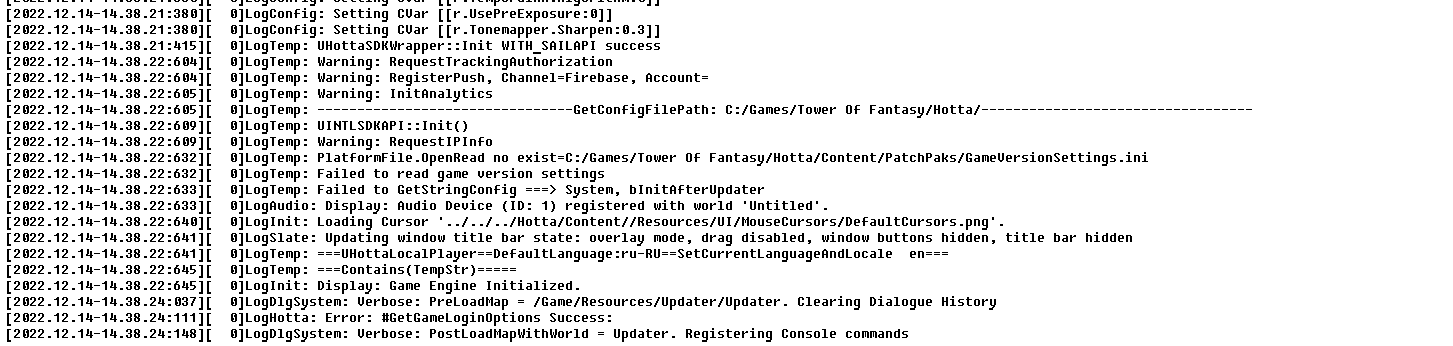
 mild crest
proper fox
Please Give me more slots!
mild crest
proper fox
Please Give me more slots!
Just open those, why u keep lul
hasty tide
crystal geode
That did not work for me. I have nvidia 1060, windows 10. Windows updater did no...
U didn't view the correct location
You have to open the appdata folder.
Usually it is in C: > users > "your computer's username" > appdata folder
crystal geode
hasty tide
You have to open the appdata folder.
This screenshot from one of files located in this directory: c:\Users\ezd\AppData\Local\Hotta\Saved\Crashes\UE4CC-Windows-A832BCE94950B67C91F5B39E2D748DAF_0000\
hasty tide
Did u do the ngx disable?
crystal geode
hasty tide
Did u do the ngx disable?
I had no such option. I added it. Nothing new happened.
hasty tide
In engine.ini u have to copy paste this, usually, it worked for most people with the same problem

Like this

And then restart launcher
crystal geode
I did. Does not work. Still black screen, default windows cursor, windows process explorer says the program does not respond.
hasty tide
DM the crashes to eliya, they will look into it.
crystal geode
What is "DM"?
hasty tide
radiant edge
Far as memory goes, you might be able to find a decent deal on the second hand m...
This person
crystal geode
ok, i will try, ty
 low knoll
Anyone know how to ping the tower of fantasy server? I mean what is their IP? I want to check my connection, it's too laggy here, my client update is stuck forever
wispy drift
task manager -> resource manager -> network
check the latency there
modern servers dont make their ip pingable
 modern egret
its been a 3months or more but still no solution in unable to connect to the server.so many same issue here like me Disconnect in any instance run.
 low bridge
any way to fix this?
 mild crest
when they adding neons to the game?
 normal scarab
hello, it says not connecting to the server, tell me what is the problem?
normal scarab

 rancid wadi
does disabling dlss bannable? if not, how can i do it?
hasty tide
rancid wadi
does disabling dlss bannable? if not, how can i do it?
Link to the message
#technical-help message
Not bannable, since official solution
rancid wadi
thanks
 native glacier
Hi,
Since the new update v2.0.15 from today, i stuck on black screen on my PC :/
It's because of QRSL.exe with no response
Anyone can help me to solve it ?
 crystal geode
native glacier
Hi,
Since the new update v2.0.15 from today, i stuck on black screen on my PC :/...
crystal geode
native glacier
Hi,
Since the new update v2.0.15 from today, i stuck on black screen on my PC :/...
I have same problem. If you will understand how to solve it, mind me plz.
native glacier
It's OK now
Windows 11 + upgrade driver nvidia
molten arch
After the update, the game always shuts down on login somehow.. Any idea how to fix this?
 eternal aspen
qrsl.exe your game environment is abnormal 1-1016-1 , what i can do ?
 peak shell
the game gets upgraded and 0 rewards even better
 loud tulip
don´t know if anyone else has this problem but since the Vera update when i try to load the game on pc it can´t load the first logo and maybe after 20- 30 trys the game finally loads trough both 2 logos and i can enter the game
crystal geode
native glacier
It's OK now
Windows 11 + upgrade driver nvidia
Thank you. New video drivers fixed it. (windows 10) I did not touch them from late summer (i had august version) and it worked just fine.
But why it became an issue suddenly? 🤔
native glacier
I have no idea
 loud epoch
heh.. decided that I could play some tof after weeks of being away from there.. I tried restarting steam, clearing cacha things etc what google said.. but its still just corrupt.. Should I just delete game and re install or is there some fix?

 warm swift
Is the server dying or is it just me? I can't seem to enter dimensional trials
hasty tide
even me cant enter any instance
warm swift
RIP my vitality is gonna max and I can't use it on Matrix Drill
Does Hotta even know about this issue???

 ionic totem
hasty tide
ionic totem
hasty tide
Mechafield is facing a similar issue atm
hasty tide
Can't enter JO, FCH, Void, nor Interstellar. :'(((
 pearl shoal
All instance server down
Was in FC Normal but got disconnected and cant matching again
 toxic dune
I have been stuck on a black screen for 5 hours. I launched the game it showed the people whao made the game and goes to a complete black screen nothing loads or shows
 shy monolith
I cant even login using steam T_T
 sonic rover
bro why cant i enter the star gate? and why cant i matchmaking the dimensional breaker? Bug or what
 elfin obsidian
everyone has issues since 2 hours ago with the matchmaking
 cunning iris
I want to know, there is an API REST to get some info? like pity, number of black cores used..... etc
elfin obsidian
scryglass?
radiant edge
@crisp spear – Mute / unmute with respect to microphone input for voice-chat?
Don’t believe so. In this case would suggest filing #932914069395091456 to recommend a PTT (push to talk) mode for communication, and or additional options for the built in voice-coms.
@steel epoch – How much idle CPU time are we talking that’s being chewed by the launcher here?
@loud epoch – That Steam screenshot with “Corrupt Disk” is a bit concerning here. I’d strongly suggest taking a look the Windows Event Viewer under the “System” section, for any “Event ID 7” red errors or similar. {disk related ones}
Anything of this nature would be bad, and indicate a failing disk:
The device, \Device\Harddisk0\DR0, has a bad block.
This is also a good time to inspect your disk(s)’ S.M.A.R.T. records with a tool such as CrystalDiskInfo: https://crystalmark.info/en/software/crystaldiskinfo/
-- If you need any help interpreting here, of course please DM an export or screenshot to me of such. {per Windows events, or S.M.A.R.T. records}
@native glacier – It’s interesting that you and ezd seem to have ran into similar problems, with a similar solution (updating drivers). Talked with ezd a bit on this already as well {over DM's} -- yet best guess of the actual cause would be a corrupt 'Shader Cache', which reinstalling (or updating) display drivers would have a side effect of wiping.
Do you recall if this started abruptly after any game update? Or was it more spontaneous and without any clear explanation?
@rancid wadi – Seems that KaiZ has already answered here, yet to be clear it’s perfectly fine to disable the engine’s DLSS support.
-- At least through the ingame settings, or via the method that was referenced in the pins.
@cunning iris – There is no officially supported API at this time to query game-data, server-statistics, or otherwise.
@loud tulip – Do you by chance have an Nvidia RTX Graphics Card? The most common culprit of the blackscreen hangs / deadlocks by far is immediately on the loading of NVidia’s NGX library.
@toxic dune – Assuming that your blackscreen is straight on the game’s launch as well? {see above as this may also apply to you}
radiant edge
eternal aspen
qrsl.exe your game environment is abnormal 1-1016-1 , what i can do ?
Is there anything "exotic" / less common on your machine, such as use of Virtualization? Will DM you to collect an msinfo export.
steel epoch
radiant edge
<@445469758218043396> – Mute / unmute with respect to microphone input for voice...
15% cpu,
actually when I mentioned "launcher", I specifically meant the intl_service.exe
radiant edge
steel epoch
15% cpu,
actually when I mentioned "launcher", I specifically meant the intl_s...
Some small idle load would be normal, 15% is a bit higher than I'd expect. This is without the game even running?
steel epoch
yes, that is after I play the game and do other things or even leave the machine to sleep mode
I always notice it at 15% and its been that way for weeks, or actually months, even way back the DLSS fiasco
though when I finally asked few days ago, I tried to just kill the intl_service.exe ( which always have 15% cpu ) and it became a new intl_service.exe under background service that has 0% cpu
radiant edge
Yep, 0-0.1% is usually what my system reads. intl_service.exe is terminating whenever you close the launcher, right? Meaning it's not hanging around resident in the background when both the game and launcher are closed-
steel epoch
radiant edge
Yep, 0-0.1% is usually what my system reads. intl_service.exe is terminating wh...
when I close launcher it stays minimize with my account still logged on, in that scenario, no, intl_service stays up
when I actually kill the launcher (where it will ask me to relogin the next time I boot it ), thats only the time it spawns again
radiant edge
Have not tested the impacts of 'sleep' on the game. I'll play around and see if I can reproduce that... All of my machines admittedly have sleep and hibernate disabled.
steel epoch
I see, but yea thankyou for responding
cheers
radiant edge
intl_service is tied to the entire login process. I'm not sure how a time dilation {using the game's terms} from a suspend would effect it, basically.
molten arch
I have a crash client report. Could anyone help me figure it out? Can't log in to the game on the server selection page.
 brave coyote
@eager chasm just put here ur problem about the equipment level transfer error
radiant edge
molten arch
I have a crash client report. Could anyone help me figure it out? Can't log in t...
If you have crash dumps, my DM's are always open to receive them. Please send them my way.
[caused by "Astrill VPN", resolved]
 eager chasm
brave coyote
<@507142863134523422> just put here ur problem about the equipment level transfe...
eager chasm
brave coyote
<@507142863134523422> just put here ur problem about the equipment level transfe...
Thank you, posted the report in #1007842564726075432
Fortress Combat Engine Level dropped down from level 19 to level 0 after adding equipment layout 3, and then switching back to layout 1. Happened after the 4 AM PST server update. Log off and back on did not fix the issue, no Wi-Fi connection problem.
radiant edge
low bridge
any way to fix this?
Most of the time this happens whenever an update to the launcher fails (for whatever reason), mid way.
-- A reinstall of the launcher over the current install tends to get things working again. I'm assuming that this is a standalone launcher install, right? {not on Steam}
Re-download the official ToF miniloader from here: https://www.toweroffantasy-global.com/download/TofMiniLoader_official.wg.intl.exe
Run it, and reinstall the launcher through it. {To the same folder that you initially used}
-- We have added Astrill VPN and ProxyCap to the pinned list of known software interactions, after seeing sufficient crash dumps involving these.
Sadly, even if this software is not being used -- having been installed is sufficient for it to interact with the game. {even with redirection fully disabled} This will likely be the case with most of these types of applications that use "Winsock LSP's" and not full NIC emulation.
As a friendly reminder, the use of VPN's is also against the game's user-agreement unless you're directed to do so by customer support.
proper fox
mild crest
Just open those, why u keep lul
why?
mild crest
proper fox
why?
Because why you keep them
 ionic coral
tower of fantasy version China virus
 toxic dune
radiant edge
<@282788373444296705> – Do you by chance have an Nvidia RTX Graphics Card? The ...
toxic dune
radiant edge
<@282788373444296705> – Do you by chance have an Nvidia RTX Graphics Card? The ...
I have AMD Radeon R4 Graphics Card
 bright sorrel
Any ideas how to fix this? Tried reinstalling the game but didnt help

 mellow crystal
Can anyone help me fix this issue? I can't go into the game, this "Disconnected from server" always pops up every time I tried to go in.

 fickle perch
So I did a missclick in the store and bought max amount of identity update card when I was trying to buy the week advancement modules instead and wasted 4k of my dc, is there anywhere I can contact to try and restore this?
 austere relic
cunning iris
Spanish section on discord has dissapeared....
austere relic
cunning iris
Spanish section on discord has dissapeared....
react to the role in #966294054092542012 seems like you do not have spanish role
 waxen vault
can somone tell me how dose the exlusive banner work when its made in to a pernament 1 like i wanna get nemesis but im way to far to get her if she is added tyo the pernament banner will she still have a limited banner or its removed from there?
 sand swan
Is there any way to buy bp for another account aside from going through midas site?
 topaz thistle
Is a bit ridiculous with servers today been disconnecting constantly all day today and game just randomly closes.... is pretty frustrating. Trying to use my vitality but disconnecting timing is perfect whenever I'm queuing all I'm getting are penalty timers cause of disconnects....
loud tulip
radiant edge
<@282788373444296705> – Do you by chance have an Nvidia RTX Graphics Card? The ...
yes i got a RTX Nvidia Card, thanks i check the link and make report if it fixed the issue, i guess it is now fixed thanks, i appreciate your work here 🙂 i keep an eye on loading the game if something changes 🙂 thank you very much
proper fox
mild crest
Because why you keep them
coz, why not?
cunning iris
austere relic
react to the role in <#966294054092542012> seems like you do not have spanish r...
I was swriting today in that chat 😦
hasty tide
cunning iris
I was swriting today in that chat 😦
Chose the role as damica said, somehow you lost the role
 proper python
Will we have a change to the bind and unbinding system contacting support to do that every time isn't fun and doesn't always work like if I wanna unlink my Facebook I can confirm that it's my Facebook by logging to it and unbind easy and secured
 hexed moat
Controller support is working for movement camera and basic interaction as well as fighting but not for l1 plus right stick or options button on dualsense
 naive saffron
Hello, I'm sorry but since yesterday I have this problem and I think it's the textures, I don't know if someone can help me solve this, it would be a great help, thank you very much

 strange ember
Is this a Bug? My Pity and Flame Gold didn't carry on Nemesis Rerun Banner.

 sand swan
strange ember
Is this a Bug? My Pity and Flame Gold didn't carry on Nemesis Rerun Banner.
sand swan
strange ember
Is this a Bug? My Pity and Flame Gold didn't carry on Nemesis Rerun Banner.
different banners have different flame gold counts
radiant edge
toxic dune
I have AMD Radeon R4 Graphics Card
Radeon R4 Graphics, meaning a ‘Beema’ (A-Series) APU w/ integrated graphics?
- Will DM you on this one to collect more details on your hardware. {DM's are restricted, please message me at your leisure}
 tacit basin
waxen vault
can somone tell me how dose the exlusive banner work when its made in to a perna...
tacit basin
waxen vault
can somone tell me how dose the exlusive banner work when its made in to a perna...
when limiteds move to standard, they move after the banner expires so the limited banner will not be there. it works the same way as your other standard characters - you need to have atleast A0 to be able to buy copies in the store. your flame gold from the expired limited banner if you have any will be converted to black gold.
when nemesis will be included in standard banner however, is another question entirely.
 small surge
Helo TOF support. System overload can't matchmaking just like previous issue.
hasty tide
Me too, cant do Sequential for some reason
it never got to loading screen, just the "initiating transmission"
 keen silo
why System overloaded? i can't matchmaking
 strange arch
hello I have a problem my account has disappeared do you have a solution (I'm talking about my TOF account)? i am french
waxen vault
tacit basin
when limiteds move to standard, they move after the banner expires so the limite...
I get that I ment will she return to exclusive so it's easy to get like I mean will she return to exclusive after lets say 4 months or will she never have an exclusive banner
If she is added to pernament
radiant edge
strange arch
hello I have a problem my account has disappeared do you have a solution (I'm ta...
How long has it been since you last used the account? Was it before Vera {2.0} launched?
I am assuming that you're able to log in to your account, yet you find that your characters are missing.
strange arch
radiant edge
How long has it been since you last used the account? Was it before Vera {2.0} ...
it's good the problem has been solved
radiant edge
strange arch
it's good the problem has been solved
Glad to hear it. If you don't mind my asking, what wound up being the issue? Was it simply the wrong credentials per the account you were accessing, or another server (world) being selected?
Removing image due to containing an email. (for safety reasons)
Thanks for that though.
strange arch
sorry
strange arch
radiant edge
Removing image due to containing an email. (for safety reasons)
basically it tells me that my account does not exist
radiant edge
This was resolved though, correct? That you managed to sign into that account {email} through the external Google Sign-in.
eager chasm
Any one could help with my problem please? My Fortress Combat Engine's levels disappeared, went from level 19 to level 0. I only had one engine in my inventory at the time, used all the others to advance the only one left. It happened when I was swapping equipment for layout 3, at some point system was asking for level transfer on another piece of equipment, and i hit no later on.
radiant edge
eager chasm
Any one could help with my problem please? My Fortress Combat Engine's levels di...
Did see your bug-report earlier. Unfortunately, can't advise much here other than getting support involved to investigate the transaction logs on their end. They should hopefully be able to discern if this is a bug {related to sets in some way}, an accidental transfer and feed, or something else entirely.
mild crest
proper fox
coz, why not?
Then dont ask for more space if normal ppl actually open most of those
 spare dagger
anybody knows, is there a way to change mail of ur account? could find a way.
 glossy pasture
How i everytime i want raid always stuck on loading

Before i not getting stuck once
 chilly shuttle
Hello i dunno if this the right channel but is it worth it to buy the red nucleus packs st shop or it is better to convert tanium to dc instead?? Thanks
cursive zodiac
Hi All, anyone here used support to unbind and re-associate an email address to their account before? If so, how long did it take you?
Mine was bound to twitter but with Elon and his infinite stupidity, well i cant pass 2FA now till they decide to fix it and there seems like there is no light at the end of the tunnel for them doing so. Have contacted support but would be nice to hear from others regarding info on turnaround time if at all successfully unbound and re-associated again with a email.
 twin siren
naive saffron
Hello, I'm sorry but since yesterday I have this problem and I think it's the te...
twin siren
naive saffron
Hello, I'm sorry but since yesterday I have this problem and I think it's the te...
Do you have Windows 7 ?
 woven cipher
only thing i did during my recent restart is win11 update package from today. 17dec, now i just get black screen on tof. is there a way to see what is going on?
steam overlay works, but i dont even get the nemesis welcome screen.
ok. solution digging through a hidden log file. AUDIO device could not be used. because windows changed it. so it says nothing and loads nothing..
 timber oak
anyone know how to fix this?

 little cliff
What’s ur gpu and cpu
radiant edge
timber oak
anyone know how to fix this?
Possibly through drivers, though Hungibung's question will be needed here to point you in the right direction. The other potential is that your hardware does not meet the requirements.
Judging from earlier messages, I assume you 'were' able to play in the past. So, I'm assuming this is a driver issue.
timber oak
radiant edge
Judging from earlier messages, I assume you 'were' able to play in the past. So...
ya, yesterday i dont have this problem
little cliff
Or just him trying to run the game in d11 mode while global forces d12 mode for some reason (the cn version has d11 mode as well)
radiant edge
timber oak
ya, yesterday i dont have this problem
Do you know what graphics hardware is in your machine? If not, no problem -- could ask you to collect an msinfo export over DM's. {--- DM sent}
@chilly shuttle -- This would mostly depend on "how" you're doing the Tanium to DC conversion. If you're going to be patient and purchase the daily reward packs (aka, slow conversion over time), then this is extremely efficient.
The next greatest efficiency would be buying all of the Red Nucleus packages, followed by Tanium Conversion in directly doing rolls. In otherwords, the longer that you're willing to wait, the more efficiency. Yet if you're aiming to max a character, and need more right-now, they're definitely worth considering.
@woven cipher – This is fairly common sadly.
Could you point out what audio device it was that caused the game to blackscreen hang on startup for you?
@cursive zodiac – From what I’ve heard and those whom I’ve been in communication with (mostly for account theft cases), the time varies. The good news here is that if you’re completely locked out of your account, support will eventually help you get back in {e.g: even if Twitter is a dead end, you should be ok}. Sometimes the turnaround is as fast as a few days, sometimes in up to a week.
-- You'll likely need to explain the situation and that you cannot contact them {Customer Support} through any ingame means {helpdesk}, which might cause some more delays here in ownership checks.
cursive zodiac
radiant edge
<@505747452939468831> -- This would mostly depend on "how" you're doing the Tani...
Yeah I have contacted support outside the game, provided all my information explaining how Twitter 2FA is the reason i cant access. They said a few days but stil not heard anything and the silence is horrible. At least it wasnt hacked. So I do have that going for me. Its just Twitter being hot garbage since Elon took over (and yes I dont know why i didnt change the bind after he took over). I have provided them the original email address and an alternative to bind to, so hopefully they can get it done soon or before 2,2 launch 😦 Thanks for the reply. I appreciate it
radiant edge
Sorry to hear that you're locked out, certainly unfortunate (far as the Twitter situation). It is good that it's less time critical, but yeah -- rest assured that they will get you squared away here eventually. Not your fault of course, per the lockout in this case with Twitter's system changes.
chilly shuttle
radiant edge
<@505747452939468831> -- This would mostly depend on "how" you're doing the Tani...
may ik how much tanium is in 1 10 pull??
like if 1500 dc to 10 pull or like that
woven cipher
@radiant edge trying to find the few lines in the log reading though this reveals ALOT of problems with the client with the multiple thousands of errors lol
@radiant edge windows had an update and it shuffled some audio device names around. and i had to REassign default audio before it worked.
 sudden seal
ugh halp
Fatal error!
Unhandled Exception: 0xc06d007e
0x000007fefce2b87d KERNELBASE.dll!UnknownFunction []
0x0000000144fb390e QRSL.exe!UnknownFunction []
0x0000000144b42b89 QRSL.exe!UnknownFunction []
0x0000000140d77570 QRSL.exe!UnknownFunction []
0x0000000140855ff4 QRSL.exe!UnknownFunction []
0x0000000141db9d78 QRSL.exe!UnknownFunction []
0x0000000141ed83db QRSL.exe!UnknownFunction []
0x0000000141ed5b61 QRSL.exe!UnknownFunction []
0x000000007709556d kernel32.dll!UnknownFunction []
0x00000000772f385d ntdll.dll!UnknownFunction []
Crash in runnable thread PoolThread 0
it happens when i get quest from this guy and my game keep crashing so i cannot continue my storyline

 steep vine
guys need help Whenever i change the camera to manual then quit the game and launch again it resets to smart
 languid robin
anyone know how to fix the "event ended" bug from enigmatic lattice event?
hasty tide
steep vine
guys need help Whenever i change the camera to manual then quit the game and lau...
By any chance, do u login to the game via another device?
wispy drift
dont touch the settings on the login screen either
steep vine
hasty tide
By any chance, do u login to the game via another device?
yes i do on a internet cafe
hasty tide
steep vine
yes i do on a internet cafe
That's the reason then. When u login from different devices, the settings get reset
 vague thistle
how do i fix this?
 vapid kindle
vague thistle
how do i fix this?
vapid kindle
vague thistle
how do i fix this?
logout in launcher, restart your pc, done.
vague thistle
vapid kindle
logout in launcher, restart your pc, done.
ok ty
cunning iris
hello: I am doing the beginners's event. (starpath or starway navigation)
I did all the quests, But I dont have 1400 points. Only 1375. HOw I get the 25 that I need to finish?
austere relic
there should be weekly tasks that reset every week for it
If it is still done the same as when game released
cunning iris
ok thanks @austere relic
 stable ocean
How do I unbind an account? The option to do so isnt highlighted for me to choose
vapid kindle
stable ocean
How do I unbind an account? The option to do so isnt highlighted for me to choos...
It's disabled for now. Only Customer Support might be able to unbind
loud tulip
when i try to buy things ingame, like Battle pass or something and the windows plops up, where i chose pay method and so, the game crashes (but i don´t know since when this is) how could i fix it? sorry forgot to say on pc
vapid kindle
Are you on mobile?
loud tulip
vapid kindle
Are you on mobile?
no, on PC, on mobile it works without problem
vapid kindle
Uhm, please send your crash reports to @radiant edge - he might be able to detect the problem and solve your issue.
loud tulip
the problem is i don´t get one, i see the white window, and then the game just close itself
vapid kindle
Have you checked the pins, especially AV one?
loud tulip
thanks to the bot, i tried the comodo way, it stay in the white browser for a while then the game still closes itself, so no fix for my problem sadly
 supple zodiacBOT
 Eliya Duskwight#8332 (68941012038324224)
Known AntiVirus Interactions post Vera Update:
BitDefender:
Symptoms: Game crash on any store interaction, or any interaction that opens the embedded browser.
Feel free to submit a report to BitDefender's team. In the meantime, a workaround has been provided by "Arlder" from their exchanges with BitDefender's support:
Please follow the steps below:
1. Open the Main Interface of your Total Security, and go to the Protection tab on the left.
2. Click Open on Advanced Threat Defense.
3. Click Settings, and click on Manage Exceptions.
4. Click + Add an Exception and search for the Application.
5. Make sure Advanced Threat Defense is selected for the exception.

Add an exception for the following application: "\Tower Of Fantasy\Hotta\Binaries\Win64\QRSL.exe"
COMODO Internet Security:
Symptoms: Game crash on any store interaction, or any interaction that opens the embedded browser.
Feel free to submit a report to COMODO's team. In the meantime, a workaround has been provided by "Shy", if you do not wish to remove COMODO's software:
1. In Tower of Fantasy, open the shop, go to the Wanderer's Supplies tab and click on one of the available packs to display the in-game "purchase" button for that pack
2. Right-click the Comodo icon in the Windows taskbar, select "Auto-Containment>Disabled" using the 15-minutes option
3. In Tower of Fantasy, click the "Purchase" button
4. Observe the external payment details window open & display a purchase details form
5. Complete your purchase as normal
6. [Optional] Complete any other desired ToF purchases
7. [Optional] Once the purchase is complete, Right-click the Comodo icon in the taskbar and select "Auto-Containment>Enabled"
Quoted by
@vapid kindle
Author
@radiant edge from [#technical-help (Jump)](#technical-help message)
 uncut tiger
does character birthday mail usually go to mailbox for all characters you have or only the first character you open mail for that day? im not sure if i got crow's... 😢
prisma robin
does anyone know why sometimes i log in the game teleports me to astra shelter? i hate going back to aesperia because its so laggy and it crashes whenever i go back to aesperia
loud tulip
vapid kindle
Have you checked the pins, especially AV one?
doesn´t work sorry
vapid kindle
loud tulip
doesn´t work sorry
just DM eliya, you'll get help! :D
 vapid kindle
try to log out in launcher, restart your device and log in again
hasty tide
i dont where should i say this but i have a problem with downloading the game everytime i try to download around 25.5 GB the whole download progress lost and i should download from the start anyone have a solution for this?
 spice fulcrum
mmm, hello from auth steam
 spice fulcrum
hasty tide
spice fulcrum
hasty tide
U fix this error?
spice fulcrum
vapid kindle
try to log out in launcher, restart your device and log in again
reinstall game, reboot pc, relogin, not fix this, contact with admins, its critical error.
vapid kindle
spice fulcrum
reinstall game, reboot pc, relogin, not fix this, contact with admins, its criti...
hm, do you try to log in via steam?
maybe try out the standalone client
spice fulcrum
vapid kindle
hm, do you try to log in via steam?
Yeap, login via steam not work, you see on screenshot error 3101. But login from standalone client via email work. This error 3101 only on steam. Only for steam users.
I need to download a standalone client so I can play with my friends. But many users do not have fast internet to download. And have only steam version clients.
I think its critical error. And need fast fix.
vapid kindle
yeah, it's an already known issue and will be fixed soon
 blissful wagon
hello im having an issue in which the game is using 100% of my GPU ( GTX 1060 6gb) and the fps is super low anyone knows a solution for this ?!
Also i did update the drivers just in case but still didnt fix the problem
spice fulcrum
blissful wagon
hello im having an issue in which the game is using 100% of my GPU ( GTX 1060 6...
If the GPU uses all 100%. It's good! See if everything is in order with your CPU, if there is a frequency reset. I have on low settings at 1060 (6gb) 100+fps in 2k. On ultra, 30-45fps in 2k.
spice fulcrum
blissful wagon
hello im having an issue in which the game is using 100% of my GPU ( GTX 1060 6...
For a comfortable game, the game engine requires a minimum of 4 physical processor cores. If you have less than 4 cores, you may experience freezes, minor bugs, and other errors. #faq message Check if the game is suitable for your hardware. If everything is in order. Check for the same problem in other games, if the problem recurs in other games, I advise you to service your system, clean it from dust, and also replace the thermal interface. In my opinion, most likely you are having a reset of frequencies or the CPU or GPU after overheating, which leads to lags.
spice fulcrum
blissful wagon
hello im having an issue in which the game is using 100% of my GPU ( GTX 1060 6...
Here is an example load on my 1060. As you can see, it is also 100% loaded.
 spice fulcrum
blissful wagon
hello im having an issue in which the game is using 100% of my GPU ( GTX 1060 6...
spice fulcrum
blissful wagon
hello im having an issue in which the game is using 100% of my GPU ( GTX 1060 6...
How low is your FPS and at what settings and game resolution? I can try to help you with your problem 
 lapis dragon
im having a problem ive gotten a new motherboard recently, and for some reason tof is the only game ive run into the doesnt pop into my volume mixer and hear absolutely nothing
 spice fulcrum
lapis dragon
im having a problem ive gotten a new motherboard recently, and for some reason t...
spice fulcrum
lapis dragon
im having a problem ive gotten a new motherboard recently, and for some reason t...
win 8/10/11?
lapis dragon
spice fulcrum
win 8/10/11?
11
spice fulcrum
lapis dragon
11
Start game. Hide game, open windows settings -> Sound -> Volume mixer -> scroll down, click to reset.
 lapis dragon
spice fulcrum
Start game. Hide game, open windows settings -> Sound -> Volume mixer -> scroll ...
lapis dragon
spice fulcrum
Start game. Hide game, open windows settings -> Sound -> Volume mixer -> scroll ...
o wow just clicking reset unfricked it wow okay XD thank u very much
spice fulcrum
lapis dragon
o wow just clicking reset unfricked it wow okay XD thank u very much
 Np)
Np)
 astral terrace
Hi, anyone knows how I can fix the problem that I load the game screen after choosing the server, load up to 90% and then the game crashes. If anyone has a solution I would appreciate it  I've had that problem for 2 days
spice fulcrum
astral terrace
Hi, anyone knows how I can fix the problem that I load the game screen after cho...
Crash report not showing?
spice fulcrum
astral terrace
Hi, anyone knows how I can fix the problem that I load the game screen after cho...
Have you tried modifying game resources to get any effect? For example, a glowing character.
astral terrace
spice fulcrum
Crash report not showing?
I do not get any warning, I lowered the resources to a minimum and I even tried closing from the task manager but it keeps closing when loading 
At first he let me enter the game for a few minutes and it closed, now it only charges up to 90% and that's as far as it goes.
vapid kindle
oh, that's a known bug explained in pins
spice fulcrum
astral terrace
At first he let me enter the game for a few minutes and it closed, now it only c...
What client games do you use? Try to Check the integrity of game files. mb this fix ur error.
vapid kindle
oh wait, the 90% bug isn't in pins? lemme look it up
spice fulcrum
vapid kindle
oh wait, the 90% bug isn't in pins? lemme look it up
They are not structured and difficult to navigate. :c
vapid kindle
wait a mom
looking it up

by INABAKUMORI#0925
Pre-requisites:
open your windows 10 settings, go to apps then click on the Optional features option
after that you click "Add feature"
then search for Graphics tools and install it
after its installed, Press Windows + R and type in dxcpl and click ok.
Now the fix:...
vapid kindle
did it work @spice fulcrum?
Try this if you get stuck in loading screens: https://rentry.co/fixtof
by INABAKUMORI#0925
Pre-requisites:
open your windows 10 settings, go to apps then click on the Optional features option
after that you click "Add feature"
then search for Graphics tools and install it
after its installed, Press Windows + R and type in dxcpl and click ok.
Now the fix:...
spice fulcrum
vapid kindle
did it work <@457845356529451010>?
Everything is fine with me(Well, except for authorization with Steam, but it does not depend on me), I help other guys with their problems.
spice fulcrum
astral terrace
I do not get any warning, I lowered the resources to a minimum and I even tried ...
Try ↑ fix.
vapid kindle
oh sorry
spice fulcrum
vapid kindle
oh sorry
np
astral terrace
In a while I try it, Thanks for replying!
 eager barn
vapid kindle
Try this if you get stuck in loading screens: https://rentry.co/fixtof
eager barn
vapid kindle
Try this if you get stuck in loading screens: https://rentry.co/fixtof
I have the same problem
Does it work tho?
eager barn
I hope it works I need to play tof to farm for tian lang😭
vapid kindle
last time it was reported to work was 2.0
eager barn
And I did not realize it was a bug until like half hour ago
eager barn
vapid kindle
last time it was reported to work was 2.0
Then I’ll update u I’ll try it soon
Then we’ll see.😡
 balmy flame
So uh... I got logged out of my Twitter and can't log back in (I've reported the issue and I'm currently waiting till I get my Twitter account back) and I tried to open tof today and found that the game logged me out and I can't login again because my account is attached to my Twitter, so how do I login to tof in cases where I can't login to third party accounts like in this case?
eager barn
vapid kindle
last time it was reported to work was 2.0
I don’t think it worked
It’s stuck at 90 rn
Oh nvm it’s on 99
I think it worked but I’ll need to recheck that
vapid kindle
eager barn
I think it worked but I’ll need to recheck that
check your RAM if the loading screen is slow
eager barn
Ok
How do u check it tho
Like it takes me from 33-83-90-99 then to 100 now in like 1-1:30 min which is normal
I think
radiant edge
@woven cipher – Thank you for the XAudio Init log.
@sudden seal – Interesting error that you’re hitting there, especially since it occurs on every NPC interaction. I assume that each of these crashes are identical, meaning at the exact same point in time {with a similar looking stacktrace}?
Could you DM me zipped copy of one of your crashdump folders (the full contents including the .dmp file and Hotta.log)? Would like to dig a bit deeper here.
@loud tulip – Sounds like you have COMODO on your system, despite that the steps in the pin did not quite work for you. The situation might have changed over time, and the workaround may no longer suffice. {being that security softwares are constantly updated / evolving}
-- That said, COMODO is most-likely the cause of the crashes. Would you be willing to temporarily uninstall it for the sake of verifying this?
All security software (so far) that’s caused crashes with the embedded browser, injects itself into the game process – leaving a trail of its interaction to some extent. Would also be interested in getting a copy of your crash dumps {as suggested by Hyran}. -- Will DM you for this.
radiant edge
eager barn
Does it work tho?
Looks like I overlooked that one pin. Most of these for clamping the D3D feature-level were pulled from the pins after Vera's launcher changes went in that constrained the game to D3D11. {to avoid confusion}
In the past, the Engine would prefer D3D12 if it was reported available, and this posed some issues with older / legacy graphics devices. {especially Intel IGP's} Currently, the game is launched under D3D11 without any changes being made.
Since your load times are so long, I'd like to take a look at what type of hardware you're running on. Will shoot you a DM-
loud tulip
radiant edge
<@102632496121794560> – Thank you for the XAudio Init log.
<@472701274396295169...
temporary deactivating of Comodo will not work?
radiant edge
loud tulip
temporary deactivating of Comodo will not work?
It used to work, yet that may no longer hold true.
spark star
hey lads, any news on dx12 mode (and with that, ray tracing) coming back any soon?
granite latch
Hello, I accidentally purchased the wrong piece when I used the [overclocking chip] to purchase the matrix of lin. Can I cancel the operation?
proper fox
mild crest
Then dont ask for more space if normal ppl actually open most of those
okay, just calm down if u dont care anything and cant understood something not normal
naive saffron
twin siren
Do you have Windows 7 ?
no, i have windows 10
naive saffron
twin siren
Do you have Windows 7 ?
If you know how to solve it, please write me privately, that's where you're more comfortable
hasty tide
why does client not detect my controller when i plug it in
 grizzled pumice
the game is so unplayable to me, it makes my phone crash and it lags a lot but when i play genshin, I don't get any lags/it's smooth*
can't even change my ratings to 1
spark star
there's no reason for you not to be able to change the app rating you gave
there's also little reason for it to crash your phone
hasty tide
what payment thing does tof use i click on 99 cents and nothing pops up
 odd ermine
kinda need help
how to make other buttons visible?
 hasty tide
i dont know where should i write and I have big problem downloading the game everytime i try to download around 25.5 GB the whole download progress lost and i should download from the start the whole game from start and I my internet work pretty well anyone have a solution for this?
hasty tide
hasty tide
what payment thing does tof use i click on 99 cents and nothing pops up
Does ur game crash after it?
odd ermine
odd ermine
kinda need help
how to make other buttons visible?
nvm solved
 gilded laurel
After the training, there is a download, after it ends, I am thrown from the server to the main menu, what should I do?
 willow oyster
Please, does anyone know how to bind a hotkey in the gaming controller to display the health bars of the team mates in a mission?
 uncut lintel
why is the colour red censored in the in game chat
 potent palm
anyone got problem with matching solo or team breakout ?

yesterday i spend more than hour try to find a single match...
austere relic
just not enough people in queue in your matchmaking server cluster
That mode is basically empty since last week. Can get lucky sometimes and get over 2 games in 4hours
potent palm
thts interesting , cuz player base is 6 with 42 bots together is 48 player in match
i spoke with friends to try match with more than 6 people cannot match any single match
and people from top 100 got increased points
austere relic
each region has 2-3 different matchmaking clusters
and Eu and apac share same leaderboard for some reason, so more like 5 different matchmaking clusters for that leaderboard
potent palm
i found a single match with 4 people from one server
from 2 and half hour we try to find a single match with 3-4 people and its not possible ;/
 teal river
anyone have a solution for out of memory GPU? I use GTX 1650 GPU