#╟🎑reshades
1 messages · Page 89 of 1
 ocean nexus
 rapid magnet
 ocean nexus
rapid magnet
ocean nexus
rapid magnet
I had to press pinned messages, i figured it out thanks. I think i know how to install it. MO2 is a part of anomaly though is it not?
oh no, but gamma doesn't have an executable,hmm
rapid magnet
MO2 = Mod Organizer 2

Executables that GAMMA uses to run
The pins of this channel will help too I guess
 ocean nexus
rapid magnet
Executables that GAMMA uses to run
The pins of this channel will help too I gue...
ocean nexus
rapid magnet
Executables that GAMMA uses to run
The pins of this channel will help too I gue...
So it doesn't matter what i select in the launcher if i launch one of these manually.
The mod isn't loading in MO2
ooh i see its an installer
rapid magnet
Not really sure how else to help.. Everything is there and simple to follow
ocean nexus
rapid magnet
Not really sure how else to help.. Everything is there and simple to follow
yes yes, thank you. you helped well.
ok reshade is already installed with the executables it seems, but it's not active in game. i don't want to overwrite something, should i reinstall it?
rapid magnet
https://discordapp.com/channels/912320241713958912/927860562677878795/1488168815106982091
The ones i foud were too dark.
but it's not active in game
Not really sure how you managed to disable reshade.. Reinstalling won't cause issues.. It's just an overlay program
 sullen sorrel
rapid magnet
https://discordapp.com/channels/912320241713958912/927860562677878795/1488168815...
sullen sorrel
rapid magnet
https://discordapp.com/channels/912320241713958912/927860562677878795/1488168815...
why i dont hale a lot of effects like others. I install from reshade site and check all marks

 sullen sorrel
rapid magnet
<:shrug:1293725284347940907>
sullen sorrel
rapid magnet
<:shrug:1293725284347940907>
I have folders in "shaders", its fine? Or need to be everything in files like fx/fxh
I have 855 files in bin

 rapid magnet
I didn't right click my bin..
Just play the game and see if the preset you are using works.. Looking if it's the same as others won't really help with anything.. Many people have many different versions of reshade and other shader effects

 fathom vine
I will never do the big game quests without a rocket launcher or a grenade launcher ever again.
 white inlet
fathom vine
I will never do the big game quests without a rocket launcher or a grenade launc...
white inlet
fathom vine
I will never do the big game quests without a rocket launcher or a grenade launc...
How is that related to reshades?
fathom vine
white inlet
How is that related to reshades?
wrong chat by mistake
 rotund gull
What reshades are everyone using? What is your favourite?
rapid magnet
Clarity and sharpening
 tight zinc
Post-nut clarity being the best version
 wary yacht
Kind of off topic but it's the closest channel I can find. Wondering what people's preferences are on a few things.
Rotten Life 3.0 and Misery-like Grass and Grounds has a somewhat unified look, while Diolator's Textures with Terrain Textures Redone and CCON/Sickhowls Grass/Panceride Grass has a closer to vanilla look.
What's your favourite grass mod out of the four? Have you tried mixing and matching? Do you prefer the more grimy style of the first set or the more vanilla look of the second?
rapid magnet
Heavily personal preference when it comes to textures.. Many say trash looks the best.. And some say the best looks trash.. Pick your own that you enjoy, not what others enjoy..
Also, 3 of the mods you mentioned are outdated and at least 2 are badly optimized.. And those aren’t opinions
wary yacht
rapid magnet
Also, 3 of the mods you mentioned are outdated and at least 2 are badly optimize...
Oh okay, could you let me know which are the outdated/unoptimized ones?
 potent wren
What should I do about all these failed to compile parts?
 potent wren
What should I do about all these failed to compile parts?
potent wren
potent wren
What should I do about all these failed to compile parts?
could I just delete them all and try reinstalling, or are these just files that remain uncompiled no matter what
wary yacht
rapid magnet
Also, 3 of the mods you mentioned are outdated and at least 2 are badly optimize...
Sickhowl and Misery were either uploaded or updated this year. Panceride is probably out of date but I heard someone mention it being what they liked to use so I included it in the list. Diolater's Textures, Rotten Life, CCON, and Terrain Textures Redone are almost universally used aren't they? Which would be the outdated mods in question?
 jovial orchid
Would anyone happen to know why after I added reshade to my game it became super dark and the resolution became super low,
 hoary bridge

 rapid magnet
AtmosR doesn’t use that shader so either don’t worry about it, update reshade, don’t use a 5yr old preset, or google the name and download it
potent wren
potent wren
What should I do about all these failed to compile parts?
What should I do about so many failed to compile files
rapid magnet
either don’t worry about it, update reshade, don’t use a 5yr old preset, or google the name and download it
 prisma stratus
Do I need a different version of ReShade? I am running 6.7.3 and I'm missing the multiLUT that I see several reshades using. Even when I reinstall Reshade onto my DX11 exe using a specific reshade as a config, it doesn't seem to be adding this LUT thing
 regal oak
https://youtube.com/shorts/3YoXWhLRt_w?si=B5fv7iGQ-SEXuS8V Greetings friends, could someone tell me what graphics mod the owner of this video uses for his Stalker Gamma? It's simply AWESOME! I want it!

GAMMA Discord: https://discord.com/invite/stalker-gamma
Pushing STALKER Anomaly / GAMMA graphics to the absolute limit on an RTX 5090.
This setup uses the full GAMMA modpack with tweaked SSS settings, several visual enhancement mods, and my own custom ReShade on top.
I'm still trying to improve the ReShade setup and am actively working on it. ...
 twin sun
hoary bridge
does any one know ho to fix this ?
twin sun
hoary bridge
does any one know ho to fix this ?
Delete that.
 icy crypt
regal oak
https://youtube.com/shorts/3YoXWhLRt_w?si=B5fv7iGQ-SEXuS8V Greetings friends, ...
icy crypt
regal oak
https://youtube.com/shorts/3YoXWhLRt_w?si=B5fv7iGQ-SEXuS8V Greetings friends, ...
You can look the description in his long videos. It has all the mods he uses + his reshade.
regal oak
icy crypt
You can look the description in his long videos. It has all the mods he uses + h...
TY bro!
 valid kindle
Bro I got PRZ 2.0 and RELOOK for Stalker 2 working with GAMMA.
Look at the moonlight😭 sorry for phone quality, only way to represent oled, a screenshot looks real different

Here's a screenshot, unfortunately on a normal IPS monitor the brightness and colors aren't the same, my phone doesn't really give a true accurate idea either, this looks insane though.

 devout kraken
Before and After


 deft dawn
hey, so looking for a spring mod, something like inverno but spring 😄
 boreal copper
devout kraken
Before and After
boreal copper
devout kraken
Before and After
what texuters pack you have ? i want it xd
rapid magnet
 vapid birch
if you're trying to activate atmos_summer/winter
you have to activate atmos_neutral first, then it unlocks it.
Happened to me, idk why it works tho.
rapid magnet
?
atmos_neutral is a config file, not a reshade ini.. They are completely different to what that person was talking about
rapid magnet
?
rapid magnet
Not related to reshade at all
 molten marsh
Could there be something wrong with my ReShade installation?
This is my normal map (DisplayDepth). I notice that my hands and weapons doesn't seem to be affected by Global Illumination like shaders..

 void depotBOT

 lethal quail
molten marsh
Could there be something wrong with my ReShade installation?
This is my normal m...
lethal quail
molten marsh
Could there be something wrong with my ReShade installation?
This is my normal m...

If you use ReShade effects like MXAO, RTGI, Depth of Field blur, or fog shaders, then you might have at some point run into problems with the depth buffer.
A game's depth buffer provides information to ReShade about where each pixel on screen is in relation to its distance from the camera. Being able to intercept and use that information is how...
 scenic cloud
molten marsh
Could there be something wrong with my ReShade installation?
This is my normal m...
scenic cloud
molten marsh
Could there be something wrong with my ReShade installation?
This is my normal m...
Turned that shit into cruelty squad
molten marsh
lethal quail
https://www.youtube.com/watch?v=6xOSzYLeJB0&t=2s
I've made sure to correct the preprocessor definitions first. It was the reversed buffer for me (1 to 0). Both normal and depth map then appeared to be properly working then.
Still does not work for the hands/weapons.
I'm playing with HDR on, as well as the modded MT exes. Few more trial and errors for me I guess...
Here's a screenshot with the GI's debug view.
(this is now on HDR disabled)

You can see the gun/hands appears flat.
rapid magnet
Some reshade versions have it pre-installed, others you need to do it manually, but there's an addon for reshade which does not change the HUD in any way.. This makes it so that you can play properly without your inventory and PDA being an overbloomed mess.. For some reason, weapons and hands count as the HUD as well.. So that's probably what you are dealing with
molten marsh
That makes sense. I have the full addon ReShade variant as I understand the addons that comes with the modded exes deals with the UI exclusion. I know there's ReshadeEffectsShaderToggler (REST) which I've fiddled around with another game to help with this specific issue, though with no luck. If weapons/hands count as HUD, I think REST would not probably hold as well, as I think the modded exes are actually doing the exact same thing what REST would if configured.
Though regardless, thanks.
rapid magnet
Yeah REST was the name.. I forgot the addon.. I read it up somewhere but forgot about it.. If you can reinstall and disable that addon or find a way to disable it directly inside of reshade then your issue should be resolved BUT it could also start affecting other HUD elements as well.. I know about the modded exes feature but that stopped working a few reshade versions ago (at least it did for me)
molten marsh
Yeah sadly didn’t work in my initial tests. I disabled the two addons I recall don’t ship with ReShade with default (other two aside from the Generic Depth). The UI masking/exclusion did get removed, but the hands/weapons still don’t have the correct normals/depth.
Modded exe UI masking still works for me for the most recent ReShade version (6.7.3).
Just had to make sure it’s the Full Addon ReShade version/variant.
The regular one doesn’t work with the modded exe UI masking.
I’m also using a more recent MT modded exe, so that may also be why.
rapid magnet
What if you try it without any modded exe? Like, base Anomaly from moddb exes?
 distant herald
What are popular reshade these days? I keep hearing outdated, outdated.. but I can't find any recent ones
Whats good?
rapid magnet
Clarity and sharpening
distant herald
Thanks
molten marsh
rapid magnet
What if you try it without any modded exe? Like, base Anomaly from moddb exes?
I'll probably break a lot of mods in GAMMA that is depending on the modded exes.
I've tried different ReShade versions according to what I've been able to find and read on the modded exe's GitHub.
- 6.4.0
- 6.4.0 Addon
- 6.4.1
- 6.7.3 (latest)
- 6.7.3 Addon (latest)
Still no luck.
I've found 2 commits directly addressed with ReShade compatibilty from the modded exe's GitHub.
So I'm gravitating to the reasoning that it is indeed exe related.
My last option right now is to use the regular modded exe instead of the MT one. If that doesn't work, then I guess I'll just have to live with it...
 quaint dust
What reshade presets can you recommend?
 inland path
What Erandis said 2 messages above
 polar citrus
distant herald
What are popular reshade these days? I keep hearing outdated, outdated.. but I c...
polar citrus
distant herald
What are popular reshade these days? I keep hearing outdated, outdated.. but I c...
i'm rocking Bloomdark lately and it' simply beautiful
outdated? maybe, but still a piece of heaven considering how good it looks
rapid magnet
molten marsh
I'll probably break a lot of mods in GAMMA that is depending on the modded exes....
Mostly meant to test it on vanilla exes like without GAMMA.. If you back up the exes and db modded gamedata file you can run the game without any modpack or modded exes.. The only issue is to find the base Anomaly exes unless you download the whole game from scratch
 halcyon mortar
polar citrus
i'm rocking Bloomdark lately and it' simply beautiful
halcyon mortar
polar citrus
i'm rocking Bloomdark lately and it' simply beautiful
could you give a link to bloomdark ?
polar citrus
halcyon mortar
could you give a link to bloomdark ?

Google Docs
Bloomdark in question
 devout meteor
how do you guys think this reshade looks?
 rapid magnet
Dark af
devout meteor
rapid magnet
Dark af
it was 7pm in game about to turn night sooo
rapid magnet
Not a good time to show off a reshade preset  your trees are also black for some reason
 fast sparrow
does reshade work with linux?
rapid magnet
Yes
 timber depot
how do i fix this please?

 maiden maple
So, I wanted to post this in https://discord.com/channels/912320241713958912/1036172060969410590, but I can't for some reason, so I'll put it here:
The GAMMA installation guide for Atmospherics (https://www.moddb.com/mods/stalker-anomaly/addons/hippos-shaders-and-atmospherics) on ModDB seems to assume that ReShade is already installed with GAMMA, and you can simply open the ReShade menu and select the preset. But that isn't the case, and the ReShade installation guide here (#╟🎑reshades message) says to delete the presets (.ini files) from Atmospherics in Anomaly/Bin, which would obviously be counterintuitive if you want to use them. Should I just follow the ReShade installation guide's instructions to delete it all, uninstall Atmospherics, and then reinstall it?

ModDB
Atmospherics is a weather mod that aims to be natural in its presentation. It is the culmination of many hours of work which has led to this. Below you'll find all the information that you'll need. Thanks you!
 near lotus
.ini files in Anomaly/Bin are from the 5.7.0 version of ReShade which isn’t supported on newer modded exes versions
Grok didn’t care to remove them when the opportunity was there so people have to do it manually
Atmospherics doesn’t do the same reshade that this channel is about, instead its basically just a LUT (performance safe simple reshading/color correction and whatnot)
distant herald
I'm using the LUT from the Movie now. It lokis great
 long valley
How I install the Badlands V6 Reshade? I already installed the Reshade setup and selected all files.
is the Badlands V6 on gamma by default, if yes how do I activate it ?
 quick basin
devout kraken
Before and After
quick basin
devout kraken
Before and After
looks very much like tarkov
 tall pulsar
devout meteor
how do you guys think this reshade looks?
tall pulsar
devout meteor
how do you guys think this reshade looks?
great and blooming
 tidal dew
hey guys i just downloaded chroma density LUT and TWilight Plus .ini where should i put each?
 naive swan
tidal dew
hey guys i just downloaded chroma density LUT and TWilight Plus .ini where shoul...
naive swan
tidal dew
hey guys i just downloaded chroma density LUT and TWilight Plus .ini where shoul...
Put the twilight plus.ini in bin folder inside anomaly
For the lut itself just install through mo2
tidal dew
naive swan
For the lut itself just install through mo2
thanks
do i need to reinstall reshade?

 north cypress
Do we need to manually install reshade for the game? When i press home it didn't open the reshade menu for me
 unreal mica
tidal dew
do i need to reinstall reshade?
unreal mica
tidal dew
do i need to reinstall reshade?
im having the same exact issue here
tidal dew
unreal mica
im having the same exact issue here
saw from another discord that it means we're missing shaders so we didnt install them in the right place
not sure how to get those files and where to properly put them
!reshade
void depotBOT
@tidal dew
Download the software from https://reshade.me/ and install in the Anomaly/Bin folder
There will be no official support provided for ReShade, for any issues you can try seeking help in: #╟🎑reshades message
If you can't access that channel, go through https://discord.com/channels/912320241713958912/1029827096488452137 first
 burnt crest
Hello could someone perhaps please tell me what could maybe cause the interference from another mod i have a Standard gamma pack with Rc5.1 and the Chroma density pack by monulith and the twilight and help is appreciated thank you

this is the other
 rapid magnet
One day people will read pins..
white inlet
What are pins?
rapid magnet
At this point even I don’t know anymore
tall pulsar
white inlet
What are pins?
arent important dont worry about them
 split mural
how to get the reshade install instructions
 abstract sparrow
hello! so i've read in the pinned messaged in this sections that some good LUT's are the ones of Forester which i've installed but the game looks purple now and activating the LUT via reshade gives me black screen.
also did i've install the LUT mod correctly? i am not even sure how to use the mod organizer to be honest
thanks in advance, i am pretty new here, so i am sorry if i am asking something that might be stupid for you guys


 frank trout
abstract sparrow
hello! so i've read in the pinned messaged in this sections that some good LUT's...
frank trout
abstract sparrow
hello! so i've read in the pinned messaged in this sections that some good LUT's...
Clean shader cache (delete the folder in anomaly/appdata)
abstract sparrow
actually worked!
 pine folio
anyone know where to get edens reshadde?
 frozen wasp
i need some help. i want to make shadow more smooth but i don't know how to fix it. my shadow look like double shadow 2 shade. anyone can help me?
 viscid hill
frozen wasp
i need some help. i want to make shadow more smooth but i don't know how to fix ...
viscid hill
frozen wasp
i need some help. i want to make shadow more smooth but i don't know how to fix ...
screenshot ? sound like banding
frozen wasp
viscid hill
screenshot ? sound like banding
can i fix shadow better than this?

 viscid hill
frozen wasp
can i fix shadow better than this?
viscid hill
frozen wasp
can i fix shadow better than this?
yer using Reshade? I remember there was a reshade that solve this banding problem
frozen wasp
viscid hill
yer using Reshade? I remember there was a reshade that solve this banding proble...
yes i use it.

so can i fix it? or not
viscid hill
Do you use the one that solve the banding effect?
I remember there was one while first time installing Reshade
I think it's your Bloom that bled into the shadow and shade, trying to "ease" it, mess with its setting to get a softer bloom
frozen wasp
i don't know about banding effect. i just install and select all effect
can you teach me?
 viscid hill
frozen wasp
can you teach me?
viscid hill
frozen wasp
can you teach me?
trying messing around with the bloom spread and bloom curve maybe?
bigger spread, bigger bleeding, less noticable banding, the curve idk what curve it is
viscid hill
frozen wasp
can i fix shadow better than this?
the second one look kinda weird, overcast sky with hard grass shadow ?
frozen wasp
viscid hill
the second one look kinda weird, overcast sky with hard grass shadow ?
yeah. i just follow this setting from youtube.
https://www.youtube.com/watch?v=yMGMaPoRVdo&t=2668s
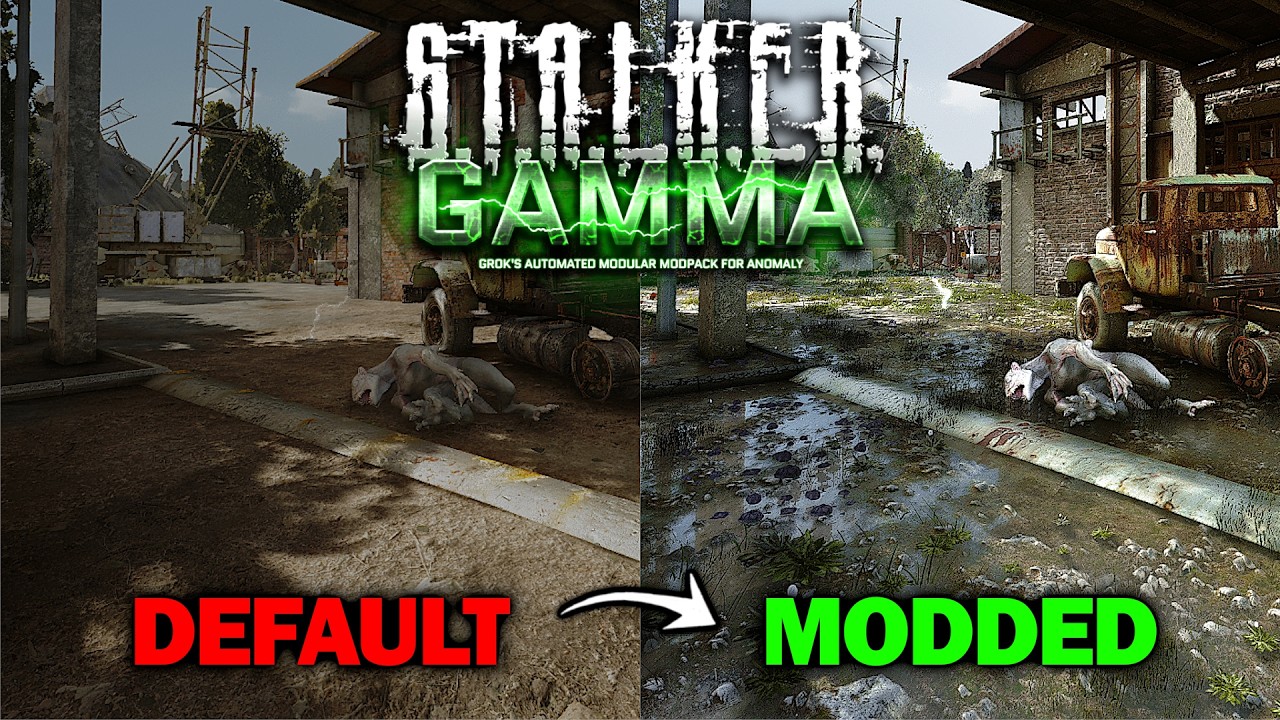
Finally, here it is ! Everything you need to customize your GAMMA visuals, not just giving you my settings & mods, but explaining most things as well to help you do it your way how you like it. Enjoy !
Reshade Link: https://drive.google.com/file/d/1TTJSScB0CrKPINsAfD9csD9gTQT_yuXC/view?usp=sharing
My Custom UI Inventory: https://drive.google.c...
 misty echo
that shit looks nasty
viscid hill
frozen wasp
yeah. i just follow this setting from youtube.
https://www.youtube.com/watch?v=y...
how many fps are you playing on man...
I hope it is at least 3 digits... otherwise it's not worth it making stalker looks like eft
frozen wasp
around 50-60 for now
viscid hill
I would optimize for fps first if I were you... getting swarmed by dogs and reload saves is not fun...
frank trout
the good thing about being CPU bound is that I can play with reshade without worrying about it affecting my performance 
viscid hill
frank trout
the good thing about being CPU bound is that I can play with reshade without wor...
how do you tell that?
frozen wasp
viscid hill
I would optimize for fps first if I were you... getting swarmed by dogs and relo...
my PC can hold it. lol
frank trout
viscid hill
how do you tell that?
By (most) graphical settings not affecting performance
frozen wasp
So, is it bad now? Because I just wanted the lighting and shadows to look more realistic. Regarding the texture, I think I could either reduce it or find a better one.
viscid hill
frank trout
By (most) graphical settings not affecting performance
oh really? I didn't know that
viscid hill
frozen wasp
So, is it bad now? Because I just wanted the lighting and shadows to look more r...
eh if it's not affecting fps too much, give it a go
frozen wasp
viscid hill
eh if it's not affecting fps too much, give it a go
i just fix some bloom right?
now it look like
 viscid hill
frozen wasp
i just fix some bloom right?
viscid hill
frozen wasp
i just fix some bloom right?
yeah, i guess it's your bloom, wait or use console to make the weather sunny to get a better look for that banding
since it's only available in harsh sharp shadow
the effect I said earlier btw
 frozen wasp
viscid hill
the effect I said earlier btw
frozen wasp
viscid hill
the effect I said earlier btw
perhaps the shadows I mentioned that seemed strange or overlapping might just be sunlight. I noticed the light from streetlights was sharp and normal. I tried increasing the Bloom setting as you suggested, but I didn't see any change.

nevermind i can play this. lol
 glad shell
anyone got a fix?
 inland path
The yellow part is telling you
glad shell
i read, i tried to fix it but it didnt work
not really a way to help dude, its pretty clear taht if im asking its cause itried to fix it by following the instructions
frank trout
glad shell
not really a way to help dude, its pretty clear taht if im asking its cause itri...
the instructions tell you how to set up effect paths
or maybe you didn't install any effects during reshade installation
frank trout
I think I managed to make DXVK work with Reshade, need to do further testing but it's actually pretty simple
 fluid kiln
guys pls help what doing
 frank trout
fluid kiln
guys pls help what doing
frank trout
fluid kiln
guys pls help what doing
Did you properly set up the shader and texture paths
fluid kiln
yes, after installing some mods like Arriva, Reshade stopped working for me
 pure grove
posting this before bed but
first image with, second image without. going for something more subtle.


what the fuck was the compression on that jesus
 raven sigil
Is anyone here willing to give me a little help to get my reshade console to work? :)
So I'm trying to activate a reshade in the console, I've changed the directories to reshade-shaders/shaders/ and reshade-shaders/textures/ which did something but still when I go to select a shader and press the "effect toggle key" it just flickers and nothing changes :). Any suggestions would be greatly appreciated
polar citrus
raven sigil
Is anyone here willing to give me a little help to get my reshade console to wor...
you shouldn't do that
just keep the reshade-shaders stuff where they are and leave it there
I would reinstall everything if I were you
just delete reshade-shaders folder, and install everything again, 100% normal again
 copper plover
decided to try reshade today - first preset i tried and it looks amazing ❤️
 fossil stump
How do i make the Agressor reshade inventory not so dark
misty echo
just dont use 10yo reshade presets
fossil stump
very helpful
misty echo
agressor was always dark even when it looked decent. just untick the shaders until you find the one making it dark. its not that difficult
fossil stump
great insight
misty echo
glad i could be of service
 brittle surge
Guys, when LUT is turned on, I get a black screen, but if I turn it off, everything is fine, how can I fix it?

 hollow glade
missing film.png texture ig
rapid magnet
Also missing ability to read
misty echo
well he is elon musk
brittle surge
hollow glade
missing film.png texture ig
and how fix it, what you mean film.png?
i need download this or ?
rapid magnet
Do what I said
 eternal vale
should I delete only Atmos.ini and ReShade.ini there or something else as well? Also this means I should select AnomalyDX11AVX.exe during reshade install?

 rapid magnet
The pins answer both questions
 raven sorrel
brittle surge
Guys, when LUT is turned on, I get a black screen, but if I turn it off, everyth...
raven sorrel
brittle surge
Guys, when LUT is turned on, I get a black screen, but if I turn it off, everyth...
Шо ты Илон маск ? Решил проблему ?
rapid magnet
Guess I need to be more clear
rapid magnet
rapid magnet
The pins answer both questions
PLEASE READ THE PINS
The black screen fix is there ffs
brittle surge
raven sorrel
Шо ты Илон маск ? Решил проблему ?
дя
raven sorrel
!reshade
void depotBOT
@raven sorrel
Download the software from https://reshade.me/ and install in the Anomaly/Bin folder
There will be no official support provided for ReShade, for any issues you can try seeking help in: #╟🎑reshades message
If you can't access that channel, go through https://discord.com/channels/912320241713958912/1029827096488452137 first
 novel hatch
what are peoples favourite shaders from the default bin i cba to go through them all
rapid magnet
Clarity and Sharpening
 chrome spindle
do yall know what's up with my reshade? it says that some shader files are missing in a file that doesn't even exist
 rapid magnet
A few messages above says it nice and bold in big letters
 night swallow
chrome spindle
night swallow
chrome spindle
i cant bring up the blue thing on the left of your screen
 wicked moth
why do the shaders on reshade not work? i installed it just how i should through the tutorial in the discord
 buoyant wagon
greetings and salutations
wicked moth
can someone help me fix my shaders? more than half of them give me a black screen and they aren't the LUT ones
chrome spindle
they changed how to install it @wicked moth
and @night swallow you have to go into this path

then copy the bin file and place it in the directory of your anomaly folder
Then go to reshade.me, download reshade, and then when ur installing it, click browse in the bottom right corner and select your anomaly folder. then set reshade to whatever graphics option ur using (DX10, DX11, etc.)
theres a more in depth tutorial in the pinned messages
 weak crow
does anyone know why installing arrival anomalies would remove the dsitortion effects form my game
rapid magnet
Because you ticked it and it’s not related to reshade
rapid magnet
chrome spindle
then copy the bin file and place it in the directory of your anomaly folder
That’s definitely not how you do it now since you are effectively copying a lot of broken presets and old af shit.. The pins are the correct way since reshade support ended on GAMMA..
What I meant by “do it now” is regarding the statement of “they changed how to do it”.. They changed it by updating the pins and the bot command
buoyant wagon
 crystal orchid
how does one achieve this look lol
 true bolt
Everybody hello. How to fix black screen when I enable film emulation in RELOOK settings?
rapid magnet
Can tell you now that 99% of the people here don't know how to work a paid shader's settings.. Ask the author or install it properly since you are missing a png
crystal orchid
buoyant wagon
how does one achieve this look lol
the visible mods in this is atmos rc6, c-con summer grass, stalker legacy lut and relook reshade shaders with alot of tweaking, but my gamma modlist has 750 mods where not every of them are related to graphics
 molten tendon
crystal orchid
molten tendon
crystal orchid
sheesh
any guide on how this works ?
also what r ur specs?
looks pretty high end
crystal orchid
molten tendon
sheesh
any guide on how this works ?
also what r ur specs?
looks pretty high end
well yeah i have rtx 5090 but its laptop so it translates to about a 4080 in raw performance, also im playing on 4k, the main mods you need before going for the relook setup are atmospherics rc6 which you can find here in the mods posting, just search atmospherics and look at the pins, and then i use c-consciousness summer grass, same deal, its here on mods posting just search consc, but the relook is a paid reshade shader which you can find by searching on google, it costs 1 dollar if im correct, and you just install that, do you also want my preset for it? so you dont have to tweak everything yourself?
but actually im pretty sure you can run it with almost same performance on a little lower because my old pc with double rtx 2080ti could also run it like this(tho the atmospherics wasnt updated to rc6)
i think its mostly about how the anomaly engine is limited, but having a great setup can help it massively, tho i still sometimes experience stutters, not bad, just a little bit, but that i suspect is just the way the xray engine is hard coded
molten tendon
crystal orchid
well yeah i have rtx 5090 but its laptop so it translates to about a 4080 in raw...
aight thanks alot dude
but its probly not for me
i ahve 5700xt lol
crystal orchid
you can probably still do something, but yeah you are pretty limited by that, i would check out atmos rc2 if i were you, its little less perfomance heavy, and would also recommend you to not use reshade at all, because just having it installed and using small effects somehow fucks the performance up alot
molten tendon
crystal orchid
you can probably still do something, but yeah you are pretty limited by that, i ...
dang
alright bruh
thanks alot
 severe knoll
so i fucked my reshade settings, how can i revert to default ones?
crystal orchid
reinstall
buoyant wagon
crystal orchid
reinstall
heyooo quick question is there an installment guide for rc6? can't seem to find it
rapid magnet
You install it like any other mod
buoyant wagon
oh bet i thought there would be special requirements for it thank you!
crystal orchid
buoyant wagon
heyooo quick question is there an installment guide for rc6? can't seem to find ...
pretty important to do it is to manually delete the shader cache which can be found in anomaly/appdata and then important is to go in mod configuration menu, then scroll down to sss and in sss menu you need to click default on all the tabs, if this is not done, it will look different and have worse performance
buoyant wagon
crystal orchid
https://discord.com/channels/912320241713958912/1036172060969410590/103617213130...
thank you!
 nova coral
crystal orchid
well yeah i have rtx 5090 but its laptop so it translates to about a 4080 in raw...
nova coral
crystal orchid
well yeah i have rtx 5090 but its laptop so it translates to about a 4080 in raw...
could i get your preset also for relook pls
crystal orchid
nova coral
could i get your preset also for relook pls
void depotBOT
@dark forum
Download the software from https://reshade.me/ and install in the Anomaly/Bin folder
There will be no official support provided for ReShade, for any issues you can try seeking help in: #╟🎑reshades message
If you can't access that channel, go through https://discord.com/channels/912320241713958912/1029827096488452137 first
 noble tapir
I Installed Reshade normally, shaders (.fx) are there and I can tweak them manually. But when I load any preset, it loads with everything unchecked — no effects applied, image doesn’t change.
No errors in the log. How can I fix this?
rapid magnet
Tick the effects that are in the preset you exported without any effects enabled
 deft mulch
i wish there was some reshades that made the game actually photorealistic (like how our eyes see it) rather than cinematic.
 granite sable
crystal orchid
the visible mods in this is atmos rc6, c-con summer grass, stalker legacy lut an...
granite sable
crystal orchid
the visible mods in this is atmos rc6, c-con summer grass, stalker legacy lut an...
twin tell me how tf you get 750 mods i need to know the elit ball knowledge you gor in there
granite sable
deft mulch
i wish there was some reshades that made the game actually photorealistic (like ...
if you find smth like that tell me i want to know
crystal orchid
deft mulch
i wish there was some reshades that made the game actually photorealistic (like ...
i asked that question alot, then when i looked at how people did this in other games i saw alot of people tweaking it to theire liking, meaning after what ive seen, i believe photorealistim is highly subjective
deft mulch
true, true
crystal orchid
granite sable
twin tell me how tf you get 750 mods i need to know the elit ball knowledge you ...
its not really worth it tho, but 150 ish of them are individual weapon mods, alot of them coming from juan, then theres the the texture mods i use, i only use about 15 of those but its better to use less, then just alot of bullshit like small scripts
 viral whale
i tried installing Clikrads reshade and it made me replace a bunch of files on the reshade install, im not the biggest fan of the reshade and miss the base gamma look, can I patch my files somehow? or do I even need to?
frank trout
viral whale
i tried installing Clikrads reshade and it made me replace a bunch of files on t...
just disable reshade. You don't need to patch anything, that's just a preset.
it probably came with effects that you already have anyway, replacing them doesn't do anything
viral whale
probably, thanks man!
 wild sky
deft mulch
i wish there was some reshades that made the game actually photorealistic (like ...
wild sky
deft mulch
i wish there was some reshades that made the game actually photorealistic (like ...
so, discolored?
noble tapir
I Installed Reshade normally, shaders (.fx) are there and I can tweak them manually. But when I load any preset, it loads with everything unchecked — no effects applied, image doesn’t change.
No errors in the log. How can I fix this?
 azure venture
reshades used to be installed from game files without going through https://reshade.me/, is it still possible? why did they remove it from #╭📖faq and #🤖bot-commands
rapid magnet
noble tapir
I Installed Reshade normally, shaders (.fx) are there and I can tweak them manua...
#╟🎑reshades message
I literally answered you
rapid magnet
azure venture
reshades used to be installed from game files without going through https://resh...
No and the pins explain why
crystal orchid
😂 😂 😂
noble tapir
rapid magnet
Tick the effects that are in the preset you exported without any effects enabled
Sorry I didn't quite understand what I need to do)
I am using preset with 1600+ lines of config - I can set them manually because I have all the effects. But it is long process i better not bother then
crystal orchid
honestly im glad that stuff like chatgpt exists because it can help people like this, but it seems as tho people dont want to use it
noble tapir
I am using it and i still dont understand 
crystal orchid
easiest way to do this honestly is when you try install reshade, after you clicked the game exe and stuff, when it asks you to check the effects, just double click up on the tab where it says something like "disable all effects" or something like that, it will enable all non paid reshade effects there is, then next, then it will download and install all effects, then place the reshades .ini in the same folder as the anomaly exes meaning anomaly/bin
noble tapir
crystal orchid
easiest way to do this honestly is when you try install reshade, after you click...
I did this, I have all the effects needed for the preset I am trying to use
 noble tapir
I open preset i want to try


but it loads only 2 effects while preset contain 100+ effects.
no errors in log either
 crystal orchid
bromato
redownload the .ini, name it something else, try again
you dont even have to close the game
 runic grove
 crystal orchid
noble tapir
but it loads only 2 effects while preset contain 100+ effects.
no errors in log ...
crystal orchid
noble tapir
but it loads only 2 effects while preset contain 100+ effects.
no errors in log ...
i cant help anymore, but actually wanted to try this myself, and it works like a charm, try to reinstall reshade as a whole maybe, and remember to read this #╟🎑reshades message

 brazen sinew
 haughty ferry
<@283275968259424257> hows that
haughty ferry
<@283275968259424257> hows that
Uhh what? What does that have to do with anything I'm confused
 blazing breach
Hey, I got a laptop, how do I open reshade menu xd
 icy notch
blazing breach
Hey, I got a laptop, how do I open reshade menu xd
icy notch
blazing breach
Hey, I got a laptop, how do I open reshade menu xd
Check pinned message bro
There's instruction for that
 compact belfry
Can someone explain to me what the point of the 2 asterisks is in this step of the pinned guide?
 rapid magnet
It means everything in said folders.. Since Textures and Shaders have effects and subfolders with more effects.. The double asterisk is so that reshade loads and shows all of it
compact belfry
Oh shit, I see. Thanks Erandis!
blazing breach
icy notch
Check pinned message bro
I will, thanks man!
 solid idol
hey, i was wondering what visual mods are generally recommended for playing around with? ive not bothered to add more to the game before so idk what there is to work with
 nocturne light
im getting an error in reshade shaders saying that the shaders were not able to compiled when i load into the main menu. i still have the presets for all the various shaders but none of the actual visual affects. what should i do.
for context, i originally installed gamma with reshade shaders DELETE on. so i saved my altered profile for gamma in mo2 and updated/installed gamma with the delete option off. now when i load into mo2 i choose my altered version of gamma
 nocturne light
now i got it to this

 supple cobalt
What layers do you use? SSGI and what else?
rapid magnet
Lmao you're joking right?
rapid magnet
Ok.. You are responding to a dude no longer in this server.. If you look up why he's no longer in this server, you'd know how silly that question sounds..
supple cobalt
huh?
rapid magnet

www.google.com
supple cobalt
rapid magnet
https://www.google.com/search?client=opera-gx&q=how+does+global+illumination+wor...
Does this game use SSGI? DDGI?
RTGI?
Brixelizer GI?
ik how the different GI techniques work, but im not sure which one it uses
near lotus
there’s no GI here
Base game one doesn’t work
SSS doesn’t do it
That’s it
Idk about reshade, we don’t use it either
supple cobalt
near lotus
there’s no GI here
really????
supple cobalt
looks really nice, even compared to like rtgi
near lotus
probably the amount of stuff crammed into sss like indirect light, ao, tonemaps etc etc
blazing breach
Ran into this issue when booting after installing reshade
 near lotus
Check the Screen Space Shaders page
near lotus
blazing breach
Ran into this issue when booting after installing reshade
Try launching again, this error usually corrects itself on next launch
supple cobalt
Does base gamma use baked lighting?
blazing breach
On it
near lotus
supple cobalt
Does base gamma use baked lighting?
You mean static lighting?
rapid magnet
"S.T.A.L.K.E.R. Anomaly, built on a heavily modified 64-bit X-Ray engine, primarily uses a combination of Screen Space Shaders (SSS) and advanced DirectX 11 dynamic lighting to simulate global illumination. It simulates indirect lighting and ambient occlusion through methods like HBAO or SSDO"
near lotus

blazing breach
near lotus
Try launching again, this error usually corrects itself on next launch
Working now, thank you a lot!
supple cobalt
near lotus
You mean static lighting?
yeah
near lotus
Then no, R2 renderer allows for use of dynamic lighting and that persists to R4 (DX11) which is used by default
Static lighting can be forced upon by using commands or DX8
supple cobalt
what, so this game doesnt use GI or baked lighitng
near lotus
It does not
supple cobalt
damn, still looks amazing wihtout those
near lotus
near lotus
Check the Screen Space Shaders page
Like i said - SSS does the heavy lifting
Its not even tuned properly in gamma
The configs for various settings are awful if you ask those in the know
supple cobalt
near lotus
It does not
damn, yet people sill be using shit like lumen 😭
blazing breach
I lowk might be stupid, but i just installed reshade and all the presets. However, when i navigate the presets inside the game with the reshade menu, the folders are empty. What am i misisng?
near lotus
blazing breach
I lowk might be stupid, but i just installed reshade and all the presets. Howeve...
Did you follow the guide in the pinned messages?
blazing breach
I believe so
near lotus
double check everything then
blazing breach
Nevermind, i missed a bit
supple cobalt
Also I was askign these questions becuase Im makign a game engine renderer and was wondering what tech this game uses to get it looking so damn good
blazing breach
Okay, so i did the full guide now, but still, i dont know how to choose a preset
crystal orchid

hollow glade
supple cobalt
what, so this game doesnt use GI or baked lighitng
there are baked light maps that are baked for whole map geometry and are used alongside dynamic light sources without them game would look like shit  sum baked lmaps ss:


 errant slate
near lotus
Its not even tuned properly in gamma
The configs for various settings are awful ...
errant slate
near lotus
Its not even tuned properly in gamma
The configs for various settings are awful ...
Do you have examples, or a guide how to set it up properly and make it better?
blazing breach
Playing in a computer, any recommended light weight shaders?
 light canopy
Hi everyone! Could you please advise which shaders and settings can be applied to achieve graphics like in this screenshots?


 crystal orchid
light canopy
Hi everyone! Could you please advise which shaders and settings can be applied t...
crystal orchid
light canopy
Hi everyone! Could you please advise which shaders and settings can be applied t...
looks like simple bloom
 magic shore
I installed ReShade but when I launch it, I get the error "Shaders compilation failed." I deleted the shaders_cache folder, but it didn't help.
crystal orchid
that cant be a reshade error
magic shore
I only got it when I installed it
rapid magnet

 strong scaffold
light canopy
Hi everyone! Could you please advise which shaders and settings can be applied t...
strong scaffold
light canopy
Hi everyone! Could you please advise which shaders and settings can be applied t...
What's the reshade? It looks very juicy. Can you give me a download link?
rapid magnet
Was most likely a screenshot from someone else's game.. His question is looking for similar results.. He won't have the link man 
 lean nebula
light canopy
Hi everyone! Could you please advise which shaders and settings can be applied t...
lean nebula
light canopy
Hi everyone! Could you please advise which shaders and settings can be applied t...
the first screenshot likely has the volumetric light shader bumped pretty high in mcm
under SSS settings > shadows and light
to achieve that look the street light gives off
 pastel reef
bro what do I do
 pastel reef
 tiny hatch
turn off LUT.fx in reshade
tiny hatch
turn off LUT.fx in reshade
damn thanks
 trail talon
how to disable shaders, my shader tab in mo2 doesn't open?
and the Reshade menu doesn't open in the game
rapid magnet
Search shaders in MO2 (unrelated to reshade)
The shaders separator hasn't had anything inside of it for years
Type !deshade in #🤖bot-commands to remove reshade if you want to
Read the pins to install reshade if you want to
To be honest I'm not entirely sure what you even want.. You want to disable shaders but you also want your reshade menu to open.. Two different things that can't happen at the same time
trail talon
all I want is for the shaders not to take away my FPS)
rapid magnet
#╰⚡fps-optimisation I guess.. Or go for the !dx command in #🤖bot-commands if you want to remove base shaders that are fundamental
 sour socket
I need some help, when i install ReShade GAMMA simply dont open, i dont understend allways work nice, but from yesterday, i updated and dont work whit Shaders, if i desinstall them , work again. Anybody can help me???, please.
supple cobalt
do reshade effect the UI of the game?
rapid magnet
With the right addon, no
 barren drum
sour socket
I need some help, when i install ReShade GAMMA simply dont open, i dont underste...
barren drum
sour socket
I need some help, when i install ReShade GAMMA simply dont open, i dont underste...
You can try to launch Anomaly DX11 instead of Anomaly Launcher in MO. That helped me
 sour socket
rapid magnet
With the right addon, no
sour socket
rapid magnet
With the right addon, no
No, GAMMA dont open
sour socket
barren drum
You can try to launch Anomaly DX11 instead of Anomaly Launcher in MO. That helpe...
Yes i do it always thos one o DX11AVX
sour socket
rapid magnet
With the right addon, no
Right addon??
rapid magnet
sour socket
No, GAMMA dont open
That has absolutely nothing to do with reshade applying to the HUD.. Figure out why your GAMMA won't open but it's not because of an addon
rapid magnet
sour socket
Right addon??
The ReShade addon is called REST.. That will exclude the HUD from shaders
sour socket
rapid magnet
That has absolutely nothing to do with reshade applying to the HUD.. Figure out ...
Sorry , my english is so poor i dont understend this, The Reshade addon is called Rest
Dont work more in GAMMA, the problem begin when update to 8.4, the last week.
rapid magnet
When you download reshade, you get the one with full addon support.. And when installing it, it shows you a list of addons that you can choose.. The one that makes it so that shaders don’t affect the HUD is called ReshadeEffectShaderToggler or REST
Read the pins to install reshade properly.. What I mentioned was for someone else for something different and unrelated
sour socket
ah ok. i was playing Gamma 2 o 3 years a go, i make videos of GAMMA for a channel in Spain, woerking whit shaders for long time.
i dont know whats happened now.
All fail after i updated the last week
And dont see any solution, GAMMA work nice whit out Shaders, when i installed this one GAMMA simply dont open from MO2
You are the man from Wet Puddles, no???
rapid magnet
I did post Glossy Puddles yes
I've heard many people unable to open Anomaly after installing ReShade but never had that issue myself
 cyan folio
hi guys. what are some of your favourite GAMMA reshades?
rapid magnet
Clarity and sharpening
sour socket
rapid magnet
I did post Glossy Puddles yes
I've heard many people unable to open Anomaly afte...
Yes , GAMMA simply dont open and dont send you any report, only crash loading around 5 seconds and stop, MO2 refresh the screen and nothing more.
rapid magnet
Then try the other exe
Either AVX or non-AVX.. Try the one you are not using
Or, and here's the best advice:
Don't use reshade
 vernal notch
GAMMA currently has an issue, patch fixing it will be May 8th
sour socket
rapid magnet
Or, and here's the best advice:
Don't use reshade
No, i need to use ReShade for my videos serie, its something like my personal sign.
rapid magnet
vernal notch
GAMMA currently has an issue, patch fixing it will be May 8th
Unrelated to the issue this person is having though.. Reshade is completely separate to the gamma issue and started long before the installer went down
 ancient pawn
sour socket
Yes , GAMMA simply dont open and dont send you any report, only crash loading ar...
ancient pawn
sour socket
Yes , GAMMA simply dont open and dont send you any report, only crash loading ar...
Did you update your launcher?
 calm sun
anyone got any ideas to make gamma look like it wasn't launched in 2009. I'm not very good at modding it
pine folio
calm sun
anyone got any ideas to make gamma look like it wasn't launched in 2009. I'm not...
Atmospherics and Screen Space Shaders (SSS). Just look up how to update them if on GAMMA, or how to install fresh if using clean ANOMALY.
calm sun
pine folio
Atmospherics and Screen Space Shaders (SSS). Just look up how to update them if ...
Alr
pine folio
calm sun
Alr
Also, texture packs. KVMA, GFY, or HD textures for GAMMA for characters. Whatever overall texture pack you want (I forgot all the names). A ground textures mod which I forgot all the names of also. A grass and trees mod like ccon or aydins grass tweaks which comes with GAMMA. I like ccon personally. That’s all I can really think of rn.
calm sun
pine folio
Also, texture packs. KVMA, GFY, or HD textures for GAMMA for characters. Whateve...
Bet. Waiting until after 9.5 comes out to do all this, but I'll look into it
pine folio
calm sun
Bet. Waiting until after 9.5 comes out to do all this, but I'll look into it
Ccon will come with 0.9.5 btw. Everything else is game from what little I know.
calm sun
I see
sour socket
ancient pawn
Did you update your launcher?
Yes
ancient pawn
Yeah you not supposed to till the 8th your stuff is gonna not work till then
sour socket
You think that??
ancient pawn
pine folio
Also, texture packs. KVMA, GFY, or HD textures for GAMMA for characters. Whateve...
Kmva hates my pc fr
ancient pawn
sour socket
You think that??
I did the same thing and got told to wait till the 8th for the next update, baisically just not gonna work till then
sour socket
OK, i hope that
ancient pawn
Yeah I’m not too sure how it’s gonna work, I was told I may have to redownload the entire game again once the time comes
 obtuse aspen
calm sun
anyone got any ideas to make gamma look like it wasn't launched in 2009. I'm not...
obtuse aspen
calm sun
anyone got any ideas to make gamma look like it wasn't launched in 2009. I'm not...
first of all, use gfy and the overhaul from erandis, ato 5 2k moddb stalker boss link, panceride optmized atumn bc7 mod db too cinematic vfx merge from gamma mods posting, second of wall get the aplha 13 Screen Space Shaders 24 from Asci discord it's like 3 bucks (worth it, trust me) and third tweak the settings from SSS 24 using the f11 key on your keyboard in real time. 4 lut reshade really helps
 fossil verge
Should I have something more or hd textures and C-Conscousness gonna be fine for a start?
rapid magnet
Not really reshade related
 graceful geode
is there a way to remove the grains? im outside radiation and the world still looks grainy af
 surreal acorn
how to fix missing effects on reshade?
 misty echo
surreal acorn
how to fix missing effects on reshade?
misty echo
surreal acorn
how to fix missing effects on reshade?
delete em
 primal iron
light canopy
Hi everyone! Could you please advise which shaders and settings can be applied t...
primal iron
light canopy
Hi everyone! Could you please advise which shaders and settings can be applied t...
what shader is that ?
rapid magnet
Excessive bloom slop
 nocturne raptor
guys how i can fix this?

 spark imp
ayo
i have rehade and all my reshade in my bin how do i reactivate after update lol
👋
 sly lodge
does gamma come with reshade already and reshade shaders? and if not what are your recommendation for what shaders should i pick?
rapid magnet
frank trout
graceful geode
is there a way to remove the grains? im outside radiation and the world still lo...
Excessive AA, Clarity, and Sharpen effects can lead to grains. Some others too probably
At least in my experience
 misty fossil
 rapid magnet
Not the same thing
rapid magnet
 hazy sedge
How disable reshade ?
hazy sedge
How disable reshade ?
!deshade
void depotBOT
@hazy sedge Go to your [Anomaly]\bin folder and delete d3d9.dll and dxgi.dll files
 polar tusk
void depot
<@366975179794022412> Go to your `[Anomaly]\bin` folder and delete `d3d9.dll` an...
polar tusk
void depot
<@366975179794022412> Go to your `[Anomaly]\bin` folder and delete `d3d9.dll` an...
I dont have those files in the bin folder, trying to deshade my game
 lunar hornet
so you don't have reshade.
polar tusk
i downloaded that app for reshades yesterday and saw a bunch of shaders when pressing Home
was trying some of them but all look the same, so maybe I downloaded it wrongly?
 frank trout
polar tusk
frank trout
polar tusk
you have dxgi right there in the image, .dll is a file extension that is hidden by default
polar tusk
oh ok sorry lol
d3d9 isnt there tho
frank trout
ye I think that's some old stuff, I don't have it either
 frank trout
shader compilation issues have nothing to do with reshade I'm pretty sure
in fact 100% sure, you have an issue with something else
polar tusk
dayium, ok thank you, will try one more to update gamma in the launcher
 spare cedar
is the fog normal?
 rapid magnet
yes but also not reshade related
spare cedar
rapid magnet
yes but also not reshade related
by the pic can u tell if reshade on?
hazy sedge
I disabled that hideous mod, and immediately everything looked beautiful and there was less lag.
- Atmospherics Shaders Weathers and Reshade
spare cedar
hazy sedge
I disabled that hideous mod, and immediately everything looked beautiful and the...
i just did it and YES u are right for some reason
now it looks better (ignoring the rain)
 hazy sedge
For a long time, I couldn't figure out why everything looked so blurry and the colors were so strange—the color grading was completely blown out. I spent half the day tweaking various settings, but now everything looks awesome after disabling those ReShade filters.
spare cedar
what did that mod tho? the hideout one
hazy sedge
spare cedar
what did that mod tho? the hideout one
Just Atmospherics Shaders
rapid magnet

frank trout
I love this channel
It really grounds you, you know? Makes you feel connected to the earth
rapid magnet
Makes me want to kill myself
frank trout
Might as well make the most of it, though.
rapid magnet
True
And on that note
Actual reshade screenshots in the reshade channel


With mods properly optimized and install correctly instead of disabling a base mod that's very important for visuals just to get rid of a weather effect


 rapid magnet
Yeah it's damn good
frank trout
I can tell by the smooth tractor
But yeah good stuff. Wish I knew how to take screenshots. Ultrawide fov isn't helping
rapid magnet
Dof, clarity, and sometimes a border for screenshots
Everything else is base GAMMA with updated Atmos settings
CCon Grass & Trees with Atmos RC6.6
 rapid magnet
rapid magnet
rapid magnet

And I answered twice okay
Yeah.. The download and everything else you need, is in the pinned messages
rapid magnet
rapid magnet
This can't be more clear

It's all there

Whatever you want man I'm not playing your game for you.
YOU PICK YOUR PERSONAL PREFERENCE YOU NINNY
calm sun
man does not understand english
because you deserve it you rotting vegetable
duh
Ты идиот.
hollow glade
that's skill issue to not be able to barley communicate in broken english in 2026 and use translator 
calm sun
Почему тебя нужно нянчить, пока ты играешь в свою собственную игру?
google translate go brrr
 split crane
rapid magnet
Actual reshade screenshots in the reshade channel
split crane
rapid magnet
Actual reshade screenshots in the reshade channel
yo whats the reshade???
calm sun
Я мог бы, но так веселее.
rapid magnet
split crane
yo whats the reshade???
Letterbox (borders), adof, and clarity.. Only first two are used for screenshots, not during gameplay
split crane
rapid magnet
Letterbox (borders), adof, and clarity.. Only first two are used for screenshots...
Is it a preset?
rapid magnet
Nah just ticked them in reshade.. Give me a moment to find the exact effects
split crane
Ok cool so custom preset?
rapid magnet
Kinda yeah.. It's not saved or anything it's just default reshade.. Not using a specific preset
Clarity came from god:
https://github.com/LVutner/reeShaders

GitHub
Contribute to LVutner/reeShaders development by creating an account on GitHub.
And adof came from a bigger god
So you could download and install LV's shaders and use PIPNIK's adof as the preset I guess
calm sun
Очевидно, это тебя задевает. Ты продолжаешь говорить.
split crane
rapid magnet
Clarity came from god:
https://github.com/LVutner/reeShaders
So what’s the effects? Just want beautiful sunsets and stuff
rapid magnet
split crane
So what’s the effects? Just want beautiful sunsets and stuff
LV_clarity.fx I think? I don't remember the full name.. The sunsets and stuff is just base GAMMA on my side
calm sun
Я почти уверен: эти провокации тебя задевают, чувак. Ты продолжаешь отвечать. Ты продолжаешь ругаться. Ты не знаешь, когда остановиться. Ты проиграл.
Иди погрызи картошки и подрочи у себя в подвале — больше ты ни на что не годен.
 wintry thicket
ааххаха
 vapid olive
near lotus
vapid olive
near lotus
flip a coin over mute or ban
 winter wasp


 near lotus
anyway
 river flower
The lion will ban
 scarlet ruinBOT
 @tough swallow (
bober123228) has been banned for reason: The lion doesn't concern himself with low tier toxic trash // toxic behaviour towards users
frank trout
 near lotus
calm sun
sorry for feeding into it. I'm sick as hell and it's driving me insane
near lotus
calm sun
sorry for feeding into it. I'm sick as hell and it's driving me insane
well he got lightly poked with a stick over "pick stuff on your own" and decided to toss insults
so
wintry thicket
near lotus
flip a coin over mute or ban

 split sedge
Call it
split crane
rapid magnet
Whatever you want man I'm not playing your game for you.
ey so like whats the effects total? clarity.fx thats it?
im sorry im buggin you just my game looks not very beautiful lol
rapid magnet
Yeah I just use clarity from LV during normal gameplay.. For screenshots I enable adof from pipnik
split crane
you sure? cus your gmae looks like beautiful beautiful like the skies look amazing

 split crane
DAMN
rapid magnet
I also use Atmos RC6.6
split crane
whats that?
rapid magnet
#1036172060969410590 message Latest Atmos that's not on moddb yet
I have a mini guide here 1 sec
split crane
rapid magnet
I also use Atmos RC6.6
ok its a reshade preset right? and also im on a older gamma btw
rapid magnet
- Get the latest Atmos RC (NOT THE SSS24 VERSION)
- Install normally through MO2
- Place it at old Atmos location
- Disable old Atmos, enable new Atmos
- Go to
Anomaly\appdataand delete theshaders_cachefolder - Go to
Anomaly\appdataand delete ALL.ltxfiles except for theuser.ltx<-- THIS STEP IS IMPORTANT - When in-game, go to MCM > SSS Settings and click Default on every tab
- Restart game
- Once in-game again, open console and type
cfg_load atmos_neutral
That's it
Nah not a preset.. Updated weather mod
split crane
ok uhh so wheres atmos? btw i should just disable it right?
rapid magnet
So it should look like this in MO2
 rapid magnet
https://discord.com/channels/912320241713958912/1036172060969410590/103617213130...
rapid magnet
rapid magnet
https://discord.com/channels/912320241713958912/1036172060969410590/103617213130...
And Atmos RC6.6 is in this link
split crane
do i use PHORZACS presets?
rapid magnet
I don't use any of that.. All of the presets currently in GAMMA are a few years old and heavily outdated
 rapid magnet
I use base 1.0
It just makes it more gloomy during gloomy weather and more colorful during clear weather
But you can choose any.. The differences are minimal but does help for the overall look
split crane
SSAO replacer?
ok im so sorry im asking so many questions just dont wanna break my game lol
rapid magnet
I use that at High quality
Just don't tick Dark Signal and the fog distance increase
Everything else you can tick
split crane
just tick everything BUT the soundscape overhaul?
 rapid magnet
Yeah just 2, 4, and 5
split crane
i dont think ill do persistent puddles more realistic
 dawn lance
Im unable to type this in the atmos mod post but, is there a way to reduce the green tint of weapons and models when indoors? with atmospherics?
rapid magnet
Your Anomaly\appdata folder should look like this when you follow this guide --> #╟🎑reshades message
 split crane
cus i mean puddles aitn everywhere rn outside my house rn
rapid magnet
Yeah that's perfectly fine
split crane
this good? nothin break?
 rapid magnet
It's very cinematic for screenshots but if you want realism then leave it off
That looks fine
split crane
rapid magnet
It's very cinematic for screenshots but if you want realism then leave it off
T...
cool installed do i just disable the old atmosphereics? and whats next? now that its installed
been a while since ive modded gamma so im just being cautious
dawn lance
dawn lance
Im unable to type this in the atmos mod post but, is there a way to reduce the g...
is there a setting in sss that intensifies this?
rapid magnet
split crane
cool installed do i just disable the old atmosphereics? and whats next? now that...
- Get the latest Atmos RC (NOT THE SSS24 VERSION)
- Install normally through MO2
- Place it at old Atmos location
- Disable old Atmos, enable new Atmos
- Go to
Anomaly\appdataand delete theshaders_cachefolder - Go to
Anomaly\appdataand delete ALL.ltxfiles except for theuser.ltx<-- THIS STEP IS IMPORTANT - When in-game, go to MCM > SSS Settings and click Default on every tab
- Restart game
- Once in-game again, open console and type
cfg_load atmos_neutral
dawn lance
 rapid magnet
dawn lance
is there a setting in sss that intensifies this?
rapid magnet
dawn lance
is there a setting in sss that intensifies this?
No it's currently just a reflection thing from Atmos.. Hippo knows about this
Will post it there
split crane
rapid magnet
Will post it there
ok once i do the CFGload atmos thing will it be permenant aka i dont needa do taht load thing
dawn lance
rapid magnet
No it's currently just a reflection thing from Atmos.. Hippo knows about this
thank u
split crane
and i did all the stuff in the guide
rapid magnet
dawn lance
thank u
rapid magnet
split crane
ok once i do the CFGload atmos thing will it be permenant aka i dont needa do ta...
Yeah it only needs to be loaded once per Atmos update
As long as you deleted the old ones in Anomaly's appdata folder you're good
split crane
rapid magnet
Yeah it only needs to be loaded once per Atmos update
As long as you deleted the...
ok imma put the files in the weathers
ok im good now? i installed new ATMOS?
rapid magnet
You should be fine now yeah.. Once you load the game you can default every SSS MCM tab and check it out in-game
- Get the latest Atmos RC (NOT THE SSS24 VERSION)
- Install normally through MO2
- Place it at old Atmos location
- Disable old Atmos, enable new Atmos
- Go to Anomaly\appdata and delete the shaders_cache folder
- Go to Anomaly\appdata and delete ALL .ltx files except for the user.ltx <-- THIS STEP IS IMPORTANT
- When in-game, go to MCM > SSS Settings and click Default on every tab
- Restart game
- Once in-game again, open console and type
cfg_load atmos_neutral
split crane
rapid magnet
~~- Get the latest Atmos RC (***NOT THE SSS24 VERSION***)~~
~~- Install normall...
bro the difference is fuckin crazy oh my god
rapid magnet
Yeah it's pretty insane the jump from base GAMMA to RC6.6
https://discord.com/channels/912320241713958912/1476945769251475477 <-- Grab this
Pop on some LV_tinyclarity.fx or whatever it's called and you should be good to go from there
split crane
rapid magnet
https://discord.com/channels/912320241713958912/1476945769251475477 <-- Grab thi...
is it bad i got a memory crash? when loading into a new map? idk
game played fine
rapid magnet
Not really sure tbh.. If there was an issue with Atmos it would've crashed on game launch.. So it could be unrelated
split crane
yeah i loaded fine
 tidal sigil
rapid magnet
Not really sure tbh.. If there was an issue with Atmos it would've crashed on ga...
tidal sigil
rapid magnet
Not really sure tbh.. If there was an issue with Atmos it would've crashed on ga...
Was following all the instruction you gave the other two, thats why my stuff is now working, too. Thank you very much for that!
One last question: my Atmos is in place, named correctly, checked and old one unchecked...do it also uncheck the standard installed "190- Screen Space Sahers 23" or is it needed? That is order wise exactly above the atmos one by default.
rapid magnet
It’s the most important requirement
Only disable old Atmos and enable new, nothing else needs to be changed in MO2
 arctic umbra
i also followed the instructions but i just wanted to ask if there was a way to get rid of the little glare you get from scopes

 pale laurel
arctic umbra
i also followed the instructions but i just wanted to ask if there was a way to ...
pale laurel
arctic umbra
i also followed the instructions but i just wanted to ask if there was a way to ...
!sssupdate / but do not enable Bloom
void depotBOT
@arctic umbra, follow these instructions :
- Find
190 - Screen Space Shaders 23 - Ascii1457mod in MO2 (use!mo2searchcommand in https://discord.com/channels/912320241713958912/1012510897136222293 to learn how) - Right click on it -
Reinstall mod - Choose ticks in boxes as on the screenshot
- Click Ok, then
Replace
⠀

 pale zinc
hey so I tried installing reshade now everything is a black blur lol. pls help
arctic umbra
pale laurel
!sssupdate / but do not enable Bloom
Ok thank you so much sorry im new to this stuff 😅
pale laurel
arctic umbra
Ok thank you so much sorry im new to this stuff 😅
!shaders - do this after reinstalling SSS
void depotBOT
@arctic umbra To clean your "Shader Cache", don't use the option in the Anomaly launcher.
Go in this folder: Anomaly\appdata, you'll find a folder called shaders_cache, delete this folder and launch the game normally from MO2, using your preferred DX.
arctic umbra
pale laurel
!shaders - do this after reinstalling SSS
Thanks once again
 little reef
im trying to follow a reshade guide on youtube but reshade is somehow gone from gamma for me now when I hit home it doesnt do anything
 gray geyser
little reef
im trying to follow a reshade guide on youtube but reshade is somehow gone from ...
gray geyser
little reef
im trying to follow a reshade guide on youtube but reshade is somehow gone from ...
it was gone for me too after update, just download and put the files in the game folder again and delete the shader cache
 gentle fossil
Using Chroma Density LUT causes my Fruit Punch anomaly to show up as gold instead of green. Dont have any overwrite/conflict problems as its highest in order and showing all greens across mod organizer. Any tips?
rapid magnet
gentle fossil
Using Chroma Density LUT causes my Fruit Punch anomaly to show up as gold instea...
That’s what the ferrum option does and says it in the fomod.. Reinstall and choose the other one
lunar hornet

gentle fossil
Well that worked, sorry and thanks ❤️
 autumn sapphire
Доброго времени суток! Подскажите пожалуйста, как установить решейд на данную версию сборки, испытываю слюжности из-за языкового барьера, заранее благодарю!
primal iron
rapid magnet
With mods properly optimized and install correctly instead of disabling a base m...
wheres this shader?
primal iron
light canopy
Hi everyone! Could you please advise which shaders and settings can be applied t...
wheres this reshader?
rapid magnet
primal iron
wheres this shader?
The entire conversation below my screenshots explain it
#╟🎑reshades message <-- This person doesn't know.. They are looking for it themselves but it's just overblown bloom slop
 odd hound
How to fix LUT???
 low mauve
Guys, my gamma looks really bland, i didn’t change any settings but the default one just looks washed out, is there a way i can make it look better ? I looked into re shading but it seems complex
rapid magnet
odd hound
How to fix LUT???
Check the pinned messages.. You are missing a png file
 tawny robin
low mauve
Guys, my gamma looks really bland, i didn’t change any settings but the default ...
tawny robin
low mauve
Guys, my gamma looks really bland, i didn’t change any settings but the default ...
theres quite a few tutorials online how to use preset reshade options and ones that are made with gamma in mind.
rapid magnet
low mauve
Guys, my gamma looks really bland, i didn’t change any settings but the default ...
#╟🎑reshades message
Start here and follow carefully.. Reshade is not needed to make it look good
Any base GAMMA reshades are severely out of date
tawny robin
rapid magnet
Any base GAMMA reshades are severely out of date
I was just about to ask about this. Thank you!
rapid magnet
Ye they are unfortunately years old.. Atmos or Melancholy and an LUT mod is what most use these days
For reshade only Clarity, sharpening, and maybe mxao is worth using
low mauve
I just did, downloaded the reahade program and installed it now and will continue the steps
Guys, theres a step that says find and delete existing shaders and textures by pressing(-)

Is this what its talking about?
rapid magnet
Yes
 rapid magnet
Did you choose any effects when installing reshade? That screen only pops up when you didn’t select anything
low mauve
I checked all the boxes
Is there a way to check if the effects are installed or not? I have gamma and anomaly in installed in my D drive
low mauve
 rapid magnet
That’s definitely not all of them
low mauve
Thats what re shade installed
Albeit at some point it gave an error saying a repository doesn’t exist anymore
Can i enable any of these ? Or are they not a full re shade
 rapid magnet
You can but none will look good
#╟🎑reshades message
Just do that and you’ll be fine
low mauve
rapid magnet
https://discord.com/channels/912320241713958912/927860562677878795/1503033238346...
The atmospheric thing ?
rapid magnet
Yup.. It’s more than enough
low mauve
okay ill download it
low mauve
rapid magnet
- Get the latest Atmos RC (***NOT THE SSS24 VERSION***)
- Install normally thro...
this is the guide for installing it ?
low mauve
I installed it and it looks better but my pda is hard to see now
rapid magnet
low mauve
this is the guide for installing it ?
Yup
PDA I can’t say.. Mine works fine if not a little too bright
low mauve
rapid magnet
PDA I can’t say.. Mine works fine if not a little too bright
yeah its bright
thank you so much for the help, i really appreciate it
rapid magnet
No worries 
low mauve
rapid magnet
No worries <:arnoldgo:1224663454992961666>
If you ever fix the pda do tell, and thanks again
rapid magnet
low mauve
If you ever fix the pda do tell, and thanks again
Maybe reinstall SSS with these options.. Remove bloom completely

And don’t tick lasers, it breaks a new mod so leave it disabled
 raw solar
!reshade
void depotBOT
@raw solar
Download the software from https://reshade.me/ and install in the Anomaly/Bin folder
There will be no official support provided for ReShade, for any issues you can try seeking help in: #╟🎑reshades message
If you can't access that channel, go through https://discord.com/channels/912320241713958912/1029827096488452137 first
 amber jackal
i honeslty dont want to do any of that shit, is there no way to just plug and play a premade reshade
frank trout
amber jackal
i honeslty dont want to do any of that shit, is there no way to just plug and pl...
no
amber jackal
lame
rapid magnet
Visual fidelity does not come without cost
 ionic epoch
running into an error trying to load shader presets
 ionic epoch
wait so the old reshade presets no longer exist?
you have to delete all of the reshade related files from bin folder and then install reshade and make your own from scratch?
 coarse leaf
How to fix it?
 rapid magnet
ionic epoch
you have to delete all of the reshade related files from bin folder and then ins...
rapid magnet
ionic epoch
you have to delete all of the reshade related files from bin folder and then ins...
Yes.. The pins also has the pngs related to that error you got
rapid magnet
coarse leaf
How to fix it?
#╟🎑reshades message
Read this + Pins
ionic epoch
sounds like a pain, might look into it at some point later
 vagrant pumice
!reshade
void depotBOT
@vagrant pumice
Download the software from https://reshade.me/ and install in the Anomaly/Bin folder
There will be no official support provided for ReShade, for any issues you can try seeking help in: #╟🎑reshades message
If you can't access that channel, go through https://discord.com/channels/912320241713958912/1029827096488452137 first
 tepid orbit
i am losing my mind trying to get reshade to work
rapid magnet
The pins are very simple and straightforward
lunar hornet
@dusty zodiac
TAA jitter:
https://github.com/themrdemonized/xray-monolith/blob/db7e03bdfc53a84d9f3be3ca1dadba36994671f5/src/Layers/xrRender/Blender_Recorder_StandartBinding.cpp#L1164
Filter & frame weights
gamedata\shaders\r3\ssfx_taa.ps

GitHub
Contribute to themrdemonized/xray-monolith development by creating an account on GitHub.
 paper dirge
Anyone got any good reshades?
split crane
yo what reshade should i use to make the game more colorful?
rapid magnet
paper dirge
Anyone got any good reshades?
Clarity and sharpening
rapid magnet
split crane
yo what reshade should i use to make the game more colorful?
Saturation
 stuck quartz
Hi, where should I install Reshade? Which folder?
rapid magnet
Read the pins
split crane
rapid magnet
Read the pins
hey dude so about RCS 6.6 aka the newest ATMOS
the sun in the sky is just a ball not actual like blochy and stuff just a simple circle
rapid magnet
Best bet is to mention that in the Atmos channel.. Many updates and changes have happened since the moddb version to RC6.6.. It's either intended or still needs to be ironed out
split crane
ok and where do i put the files for weather? aka the green shadow fix
split crane
rapid magnet
Best bet is to mention that in the Atmos channel.. Many updates and changes have...
like the ones you gave me
rapid magnet
 split crane
it is uhh NOT there.?

tf i had to reinstall anomaly cus i messed smth up with another mod but no enviorment is there oh wait is it gamma?

 split crane
at this point i dont think im built for fuckin modding sometimes

but thx bro ive been putting that in my anomaly folder this entire time. no wonder it didnt fix crud lol
split crane
rapid magnet
Ok last thing i swear how can i make it vibrant? any reshade presets you reccomend?
rapid magnet
None that I know of.. I usually just play with default settings without messing with what was made.. But just a vibrance effect in reshade should suffice
And if you install CCon with the Spring option it'll be even more colorful.. I personally wouldn't mess with the in-game vibrance settings since Atmos resets that every now and then anyway..
And Nvidia cards have Digital Vibrance which will have the same effect as in Reshade

 split crane
rapid magnet
And if you install CCon with the Spring option it'll be even more colorful.. I p...
split crane
rapid magnet
And if you install CCon with the Spring option it'll be even more colorful.. I p...
whats ccon? maybe i should use that
rapid magnet
Grass mod
Not reall reshade used here but you can either use Sickhowl's grass on moddb and up the saturation in reshade or use ccon spring and do the same

 split crane
can it work with Aydyns grass tweaks? do you use it?
split crane
rapid magnet
Not reall reshade used here but you can either use Sickhowl's grass on moddb and...
does the mod have like different grass stuff like ya know atum etc
split crane
rapid magnet
I don't use Aydin.. Mod sucks and is outdated
do you use ccon? and also how do i make MO2 not blinding?
rapid magnet
I use CCon
MO2 --> Tools --> Settings --> Theme --> Style --> Paper Dark
primal iron
any good reshades?
rapid magnet
Clarity and sharpening
primal iron
wheres that?
primal iron
rapid magnet
Clarity and sharpening
pls do tell

 rapid magnet
I downloaded reshade this morning.. I have them.. So
primal iron
i got told to
rapid magnet
You can also just search Google and download the effects directly
primal iron
rapid magnet
You can also just search Google and download the effects directly
where do i put this?

done
rapid magnet
Read the instructions from where you got it.. It tells you
primal iron
rapid magnet
Read the instructions from where you got it.. It tells you
i think i tagged you coupledays ago asking for the reshade of something else, you posted images
is that the same reshade?
rapid magnet
I only use Clarity during normal gameplay.. With screenshots I enable ADOF and borders, that's it
primal iron
rapid magnet
Actual reshade screenshots in the reshade channel
these are the ones
ooooh
rapid magnet
Everything under that looks like I'm talking to myself but it was some dude that got banned fighting with me
primal iron
rapid magnet
Everything under that looks like I'm talking to myself but it was some dude that...
i aint here to fight lol  just abit stupid but thanks for the tag
rapid magnet
Nah just saying it looks schizo after that tag
primal iron
yeah true dw tho lol
sly lodge
i am an complete noob at reshade stuff can someone tell me what reshade i should use cause i dont know any
sly lodge
sly lodge
i am an complete noob at reshade stuff can someone tell me what reshade i should...
is this supposed to be like this?
 primal iron
sly lodge
is this supposed to be like this?
primal iron
sly lodge
is this supposed to be like this?
yeah it is
download the latest reshade and then press the "home" button
on the right side and then pick your preset at the top
sly lodge
i have no presets only alsoft.ini and reshade-shaders
sly lodge
i did the setup in the pinned
primal iron
oh
sly lodge
i deleted all the things
primal iron
what things?
sly lodge
and then downloaded reshade
primal iron
reshade shaders you deleted?
sly lodge
there was like atmos.ini atmos++.ini
i deleted those
IF YOUR ANOMALY/BIN FOLDER STILL HAS RESHADE-SHADERS, ReShade presets like Atmos.ini etc. and RESHADE.INI FILES, REMOVE THEM AND THEN FOLLOW THE GUIDE:
primal iron
i keot mine and just installed it and it worked lol
just install it again and then download reshade and then play
sly lodge
ok
primal iron
has it worked?
primal iron
sly lodge
ok
i had to do the same thing
sly lodge
what reshade is the most common?
 frosty haven
!reshade
void depotBOT
@frosty haven
Download the software from https://reshade.me/ and install in the Anomaly/Bin folder
There will be no official support provided for ReShade, for any issues you can try seeking help in: #╟🎑reshades message
If you can't access that channel, go through https://discord.com/channels/912320241713958912/1029827096488452137 first
lunar hornet
sly lodge
what reshade is the most common?
Clarity & Sharpen & MXAO
 austere ledge
Guess is not today the day
tawny robin
lunar hornet
Clarity & Sharpen & MXAO
Would this help with making things seem less "dry"?
For me every map is just grey and dry, enemies silhouettes are extremely difficult to make out.
lunar hornet
Yes.
 compact yarrow
Does anyone know what caused the changes?

 idle wraith
compact yarrow
Does anyone know what caused the changes?
idle wraith
compact yarrow
Does anyone know what caused the changes?
green
frank trout
compact yarrow
Does anyone know what caused the changes?
Some reshade effect with some extreme settings, other than that hard to tell
compact yarrow
frank trout
Some reshade effect with some extreme settings, other than that hard to tell
Reshade was working fine . I came in today and there were changes
I didn't touch the settings and mods
austere ledge
what the reshade does if may ask
frank trout
Maybe another preset got loaded? Is it the same preset?
compact yarrow
 primal iron
frank trout
Maybe another preset got loaded? Is it the same preset?
primal iron
frank trout
Maybe another preset got loaded? Is it the same preset?
might be to do with the other version of reshade? the addon supported one
download the other one
frank trout
compact yarrow
can you click the reload button at the bottom for me
compact yarrow
primal iron
might be to do with the other version of reshade? the addon supported one
it costs 6.7.3
frank trout
Perezarguzit or whatever
compact yarrow
frank trout
can you click the reload button at the bottom for me
done
frank trout
did it help?
frank trout
hmm I don't know, I've never seen this happen
can you check in settings if there is a hotkey to disable reshade effects? And see if it at least looks normal without reshade?
primal iron
i had the same thing
frank trout
in reshade settings
primal iron
i downloaded the addon supported version of reshade
frank trout
hmm I guess that might help idk
compact yarrow
frank trout
can you check in settings if there is a hotkey to disable reshade effects? And s...
And how to do it?
compact yarrow
frank trout
hmm I guess that might help idk
I will try

 fringe sierra
How to fix?
 rapid magnet
3 options:
- Google that .fx and install it manually
- Reinstall reshade properly and choose every effect like the pins mentioned
- If the preset you are using doesn't use that effect, then just ignore it
Wait there's a 4th
Install kumo's reshade preset properly.. I see you are using the Iris Light preset which is from kumo at https://discord.com/channels/912320241713958912/1476945769251475477
He included that fx file in his reshade

Just copy that entire reshade-shaders folder to your Anomaly\bin and replace when asked and it'll be there
 rapid magnet
That’s what the pins say yes.. But you didn’t follow all of it because I see AtmosR.ini at the bottom
 full storm
hey so im playing gamma rn and i need my game to look really good while maintaing good perfomance,got any suggestions?my rig is 16gbram,amd ryzen 5 4600,gtx 1650ti
rapid magnet
#╟📸screenshots message
Nothing reshade related will work for that except clarity, sharpening, and mxao
lunar hornet
i need my game to look really good while maintaing good perfomance
forget about it.
hollow glade
800x600 when you squint it’s mint 
 quick crest
lunar hornet
> i need my game to look really good while maintaing good perfomance
forget abou...
quick crest
lunar hornet
> i need my game to look really good while maintaing good perfomance
forget abou...
especially w/ those specs
should be glad it even works
lunar hornet
Fr
lunar hornet
@dusty zodiac
2-3 frames
not enough. even OG sss jitter needs 4 frames.
(see link below, there is a formula to make 'dynamic' ass blend factor based of framerate or smth)
filter size
prev frame input is resampled with spatio-temporal bicubic - one center (prev frame) tap, and 4 taps (top/b/l/r) from current frame.
aaaaand its size cannot be configured.
(see: https://www.activision.com/cdn/research/Dynamic_Temporal_Antialiasing_and_Upsampling_in_Call_of_Duty_v4.pdf - slide 69+)
also:

that's the secret sauce to ghosting-free reprojection 
https://www.youtube.com/watch?v=lyy-3j4KFik
TAA-compatible as long as you can figure out some good weights (based of prev-frame depth/velocity/something else).
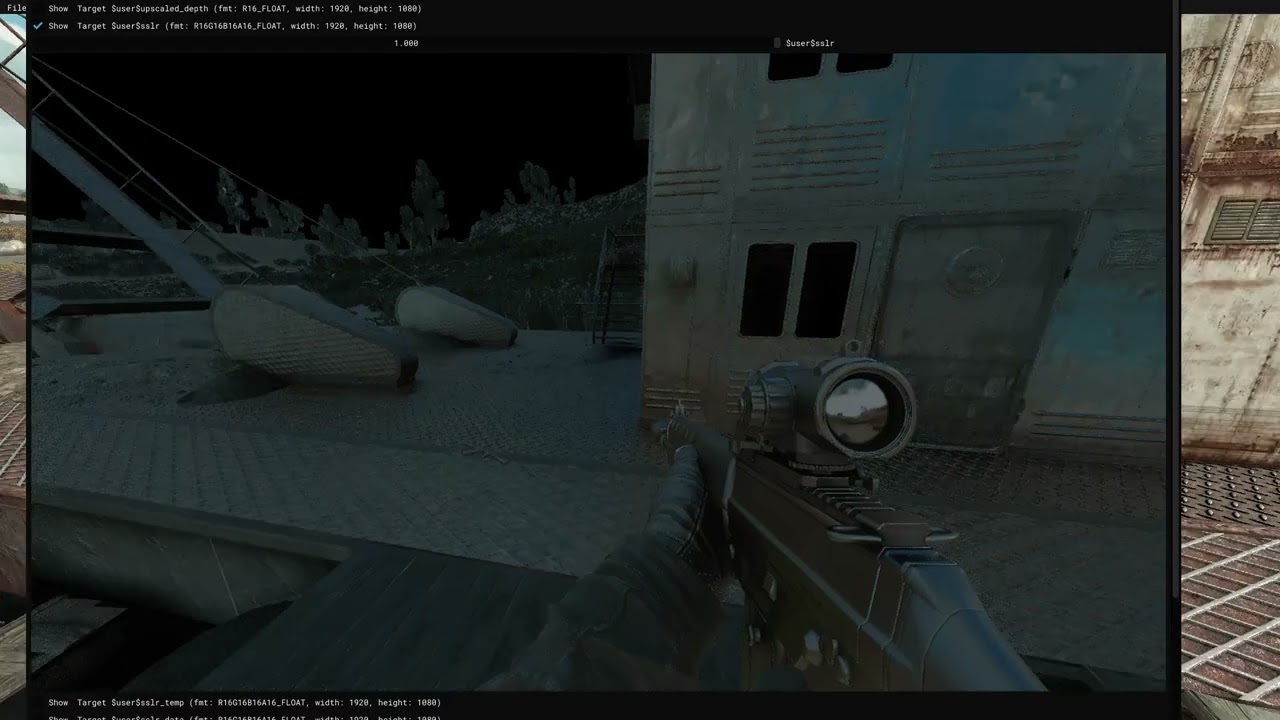
 rocky stirrup
i pressed home to see reshade menu but nothing happened. any idea why?
lunar hornet
 deft pike
Just a quick question about reshade, if i install reshade can i just simply uninstall it to get the game to original? Want to try it and see my performance and if its bad i want to know if it simple to uninstall or if should make a copy of the game
rapid magnet
deft pike
Just a quick question about reshade, if i install reshade can i just simply unin...
You can use !deshade command in #🤖bot-commands or just rerun the reshade installer, it has an option to uninstall it
 tepid portal
Hey guys, how do I know which .ini files to delete? I'm worried I might delete something unrelated to reshade or the presets and break the game
 rapid magnet
tepid portal
Hey guys, how do I know which .ini files to delete? I'm worried I might delete s...
rapid magnet
tepid portal
Hey guys, how do I know which .ini files to delete? I'm worried I might delete s...
 tepid portal
rapid magnet
tepid portal
rapid magnet
Thanks mate!
Could you perhaps tell me what I need to do to make my game look exactly like that?
https://www.youtube.com/watch?v=yyHVwdIkszw

Atmospherics is already in Stalker GAMMA and HayZee's modpack. It is also available to install for Anomaly and EFP.
C Consciousness Grass Link (IN GAMMA DISCORD): #1279805292472832101 message
Anomaly Texture Overhaul Link: https://www.moddb.com/mods/stalker-...
rapid magnet
That's really old.. Like, REALLY old..
Start here --> #╟🎑reshades message
End here --> #╟🎑reshades message
And you'll have something 10x better than that
None of the shaders, effects, colors, and/or textures in that video exists anymore
tepid portal
rapid magnet
That's really old.. Like, REALLY old..
Start here --> https://discord.com/channe...
But do I still need to go through the steps of installing Reshade and deleting all the .ini files?
Sorry for the silly questions, I'm new to this, and so far it all seems pretty complicated to set up and install, but I really want my game to look insane
rapid magnet
That's up to you.. Personally, if you follow that string of messages and include an LUT mod with Atmos RC6.6, you won't need reshade
But you can still do reshade if you prefer.. The LUT I linked in that conversation has a reshade preset that compliments it
tepid portal
In that case I'll try it without installing Reshade
Judging by the messages above, that's already a big improvement over the default GAMMA
rapid magnet
It definitely is.. #╟🎑reshades message <-- That dark screenshot on a rainy day will look like Hippo's video if not better.. It's all his base settings after all
Atmos RC6.6 (and maybe above when updated) will be included in GAMMA eventually.. There's lots to do before an official moddb release
tepid portal
Damn that's just gorgeous
rapid magnet
All of these are base settings (no changes) mixed with https://discord.com/channels/912320241713958912/1476945769251475477


And well.. Reshade was used for ADOF but that's just fluff for screenshots
tepid portal
rapid magnet
And well.. Reshade was used for ADOF but that's just fluff for screenshots
That's right order? I just clicked on the "Install a new mod from archive", than proceed the installation process, after that drop Atmospherics 2.69 RC6.6 from GAMMA Disabled into GAMMA Fixes below the current 290 - Atmospherics Shader, and enable it and disable the old one
 rapid magnet
Just delete the text in the search bar to be 100% sure that it's actually below the old one
lunar hornet

Nexus Mods :: Cyberpunk 2077
LFDL is a Tool for Detail enhancement and control - Custom Shader for ReShade designed to give control over facial details when taking photos. Camera Raw Style with Depth Masking, Texture, Clarity and
rapid magnet
Sometimes it just moves to the fixes separator without actually being there
rapid magnet
lunar hornet
https://www.nexusmods.com/cyberpunk2077/mods/29597 kewl stuff
I like kewl stuff
tepid portal
rapid magnet
Sometimes it just moves to the fixes separator without actually being there
Yeah you're right, I've rearranged everything correctly now
 rapid magnet
Ye that looks good
Now just do the thing where you delete the old .ltx files, default every SSS MCM tab, and load the new config
lunar hornet
rearrange my 🎀 𝓈𝒽𝒶𝒹𝑒𝓇𝓈 🎀 daddy
tepid portal
rapid magnet
Now just do the thing where you delete the old .ltx files, default every SSS MCM...
By the way, I was playing with HDR turned on earlier, and the game looked a little better that way. Should I turn it off now?
rapid magnet
I don't think Atmos has any setting, config, or values for HDR
tepid portal
Got it
tepid portal
I reset all the SSS settings to their defaults and enabled cfg_load atmos_neutral in the console, but I might have done something wrong, because it feels like the game looks a little worse now 👀
Something’s off with the anti-aliasing, and the graphics overall don’t look that impressive 🙁

The overall image looks flat, and there are no lighting effects such as pretty sun flares, etc. What am I doing wrong?
 rapid magnet
Grab:
https://www.moddb.com/mods/stalker-anomaly/addons/ccon-grass-n-trees (install any season)
https://www.moddb.com/mods/stalker-anomaly/addons/ixrtr
https://discord.com/channels/912320241713958912/1476945769251475477 (optional but recommended to get the Legacy LUT)
delete shaders_cache after installing all of them
With ccon:
- Open console
- Type
r__detail_radius 180and press enter - Type
r__detail_density 0.24and press enter - Type
r__detail_height 0.9and press enter - Type
vid_restartand press enter
Disable Aydin's Grass in MO2 along with it's SSS LOD Fix
tepid portal
rapid magnet
Grab:
https://www.moddb.com/mods/stalker-anomaly/addons/ccon-grass-n-trees (inst...
Alright, let me try that
Btw how to install that LUT? I download .7z archive, what I need to do next?
And these two texture mods, do I just need to install them via MO2?
Do I need to set them up in a specific order, or disable other mods (except for Aydin's Grass)?
rapid magnet
Nah no other disables
Place all of them at the very bottom of MO2
The LUT mod you install like a regular mod in MO2 (it's not a reshade lut)
Regarding that weapon sight you have:
- 1st method :
The Simplest But Not Most Effective Method (a small amount of glow will remain on collimator sights and the PDA)
See screenshot 1, everything is shown there.
OR
- 2nd method:
Reinstalling SSS Without the Bloom Module
Find the MO2 mod "190- Screen Space Shaders 23 - Ascii1457".
Right-click on it and select the "Reinstall mod" option. Untick PostProcess - BLOOM like in screenshot 2

 tepid portal
rapid magnet
Regarding that weapon sight you have:
- 1st method :
The Simplest But Not Most ...
tepid portal
rapid magnet
Regarding that weapon sight you have:
- 1st method :
The Simplest But Not Most ...
Oh, so it's a bug? I thought that's how it was supposed to be after updating to version 0.9.5
rapid magnet
MT exes currently bugs Bloom a bit.. It will be fixed in SSS24
tepid portal
So, did I do everything right?


 tepid portal
Yep let me try
split crane
rapid magnet
Nah no other disables
Place all of them at the very bottom of MO2
The LUT mod yo...
hey do you know how to make atmospherics way more nice looking? mine looks grey ish and i need it to be vibrant and have great lighting and not be washed out its just it feels wrong??? like i wnat it to be more like expediton if youve ssen what that looks like and the sky to not be as blue?

just dont need it to be lala land type skies lol
rapid magnet
That'll require much more editing than just reshades or mods since you want it more vibrant but also want the skies not as vibrant.. I don't really know how to edit weather values like that
split crane
ok. uhh what abt bloom?
 tepid portal
Yeah now that's look better! One more issue left - Anti-aliasing. Any idea how it can be fixed?


 rapid magnet
tepid portal
Yeah now that's look better! One more issue left - Anti-aliasing. Any idea how i...
rapid magnet
tepid portal
Yeah now that's look better! One more issue left - Anti-aliasing. Any idea how i...
Try:
MCM > SSS > Post Process > TAA > Jitter to 1 > Sharpness to ~0.4 maybe
And mip_bias to -0.5
in console
lunar hornet
-0.5
since TAA is blurry
rapid magnet
Ah.. Well then
lunar hornet
thats just me ofc, but i found -0.5 to work quite well
 tepid portal
I turned on HDR and tweaked the settings a bit - now it looks absolutely amazing!
Thanks so much, @rapid magnet, you've been a huge help!

The screenshot is a little overexposed because it's HDR, but it looks amazing on my screen
rapid magnet
I can imagine that it looks sick on your screen haha.. Glad I could help!
 daring knot
rapid magnet
I can imagine that it looks sick on your screen haha.. Glad I could help!
daring knot
rapid magnet
I can imagine that it looks sick on your screen haha.. Glad I could help!
спасибо, тоже по твоим сообщениям настроил
 torpid grove
any recommendation for Reshade packs?
 dusty zodiac
unfortunately im stupid and deleted the contents of the shader folder in my base anomaly gamedata folder the other day instead of the shader cache in appdata, the game appeared fine but is there a place i can copy from to replace what was in there/is it even necessary if just running gamma? ive got an old clean anomaly install but idk if theyd contain the same stuff
 light quiver
dusty zodiac
unfortunately im stupid and deleted the contents of the shader folder in my base...
light quiver
dusty zodiac
unfortunately im stupid and deleted the contents of the shader folder in my base...
i actually jsut did this myself, if you are able to just restore it from the recycle bin, do that
dusty zodiac
light quiver
i actually jsut did this myself, if you are able to just restore it from the rec...
omg thanks for reminding me that exists
arctic umbra
so i just followed these steps but now my headlamp absolutely blows lol 
 limpid sand
Do you guys recommend HDR? I only just got a Monitor that can employ it and with the new performance buffs to the game, I figured it’s worth it. No the dizziest idea how to set it up but will tinker away and check out all the posts on the DC 😬
dusty zodiac
arctic umbra
so i just followed these steps but now my headlamp absolutely blows lol <:speeds...
if your volumetric lighting is enabled and forced on try decreasing the intensity of it. i know the last time i played it pre-update, i had to turn it down to 0.1 even with the bloom at bare minimum settings as well. its just the only way they looked natural to me in a fogless environment.
arctic umbra
dusty zodiac
if your volumetric lighting is enabled and forced on try decreasing the intensit...
THIS WORKED thank you so much
kind of sucks i got to turn down volumetric lights though since i do like the way it looks in a way
dusty zodiac
yeah theyre super nice to gawk at but ig realism autism or something it gets the best of us
arctic umbra
oh and also have the bloom completely disabled since i cant stand the glare of the scopes 😅
dusty zodiac
arctic umbra
oh and also have the bloom completely disabled since i cant stand the glare of t...
yeah i might do the same i was just reading about how its actually supposed to be bugged rn but fixed SSS24
arctic umbra
yea when i first installed a lut it was super noticeable
hopefully it does get fixed fully
dusty zodiac
arctic umbra
hopefully it does get fixed fully
faith and patience, i believe
 plucky pewter
arctic umbra
so i just followed these steps but now my headlamp absolutely blows lol <:speeds...
plucky pewter
arctic umbra
so i just followed these steps but now my headlamp absolutely blows lol <:speeds...
Are you on 9.5 and running latest Atmos? You can grab Peak Volumetrics, install it and turn it on in console to get performance boosts.
(though I don't know if that works with SSS24)
arctic umbra
yes i am running ver 9.5 and i have atmos 2.69 I'm not 100% sure if that's the latest version correct me if I'm wrong ofc
arctic umbra
plucky pewter
Are you on 9.5 and running latest Atmos? You can grab Peak Volumetrics, install ...
i did notice that with the new update my game runs significantly better specifically places like rostok
plucky pewter
arctic umbra
i did notice that with the new update my game runs significantly better specific...
Then yeah, grab .peak volumetrics, follow the instructions except for the executable bit because MT supports .peak
Hippo also I think runs it but he's also on SSS24 so it might not be necessary with that one, but peak optimizes volumetrics and I've been running forced volumetrics at all times with it
arctic umbra
ok thank you for letting me know 👍
plucky pewter
arctic umbra
ok thank you for letting me know 👍
You can install peak as a mod, then remove the bin with executables, keep JUST gamedata with the shaders folder in it, turn it on, wipe shadercache, go ingame and input "pfx_volumetric_mode 1". That SHOULD get you better performance with the volumetrics on
arctic umbra
plucky pewter
You can install peak as a mod, then remove the bin with executables, keep JUST g...
by remove the bin folder you mean move it somewhere else right? sorry if this seems dumb im just making sure 😭
plucky pewter
arctic umbra
by remove the bin folder you mean move it somewhere else right? sorry if this se...
So, starting from the beginning, you download peak volumetrics, drop it in downloads of MO2 and install it from there. Once it is installed, you will have to open in explorer the peak volumetrics mod, remove bin from it because that contains the executable the author did (it's unnecessary, you can rename it if you want to bin2 and it won't matter, just don't overwrite the MT executables) and that's it. You can toggle it on as a mod after that and just follow the rest
arctic umbra
ok i got it and it seems to be working thank you so much
dusty zodiac
when i set my monitor to 120 and boot the game it reverts my monitor to 180hz, is there a way to fix that?
lunar hornet
plucky pewter
So, starting from the beginning, you download peak volumetrics, drop it in downl...

tepid portal
limpid sand
Do you guys recommend HDR? I only just got a Monitor that can employ it and with...
Absolutely, it requires some tweaking both in Windows and within the game itself, but the end result is a much richer, more vibrant image, the lighting works better, and as I discovered yesterday, HDR works really well with Atmospherics + Kumo’s LUT (you can find the full instructions above)
 void phoenix
Can someone help me figure out how to maintain a balanced graphics performance (60fps) using SSS + ES + Atmos on 4GB of VRAM? Is it possible? Should I "cut down" the mods to achieve balance (upscaling)?
dusty zodiac
pray
lunar hornet
void phoenix
Can someone help me figure out how to maintain a balanced graphics performance (...
nuke every single unoptimized texture/npc/gun mod.
disable useless modules [sss - you can keep TAA]
set mipbias to 1 (for lulz. small perf boost)
don't use hdr addon (because it hurts bandwidth even more)
resize skybox textures (atmos)
set smap resolution to 1536x1536
if you feel fancy, fork modded exes and fuck around
tepid portal
Hey @rapid magnet, sorry to bother you, so I decided to try installing Reshade, and I have a question about which .exe file to use. I'm using DirectX 11, but there are three files in the anomaly/bin folder. Which one do I need to install Reshade?
 lunar hornet
Reshade only cares about DX version
tepid portal
Understood, thanks!
void phoenix
lunar hornet
nuke every single unoptimized texture/npc/gun mod.
disable useless modules [sss...
How do I do this in practice, resize the Atmos skybox, etc.?
split crane
hey what does color grading do? i wanna make my game look more vibrant with the Emergent Zone LUT
dusty zodiac
plucky pewter
You can install peak as a mod, then remove the bin with executables, keep JUST g...
does enabling it in console persist session to session or would i need to put the parameters in the exec target box for that?
plucky pewter
dusty zodiac
does enabling it in console persist session to session or would i need to put th...
Seems to persist
Will need to be input again if you update
 dreamy reef
You guys have any idea how i can make my game look like this?

I followed this video but im missing the blue haze.

Hippo The Stalker Anomaly Modder Who Created Atmospherics kindly showed me the best Screen Space Shader mod settings to get the most out of my modded stalker gamma setup. If you use Screen Space Shaders with Atmospherics and want to know what the best set up is that Hippo uses and what inputs to use to change up your zone for the best graphical ...
 jolly moat
G’day lads, I’m trying to get preset reshades working, I’ve done the replacement bin thing, but when I open the menu, it says “no effect files”. Something I did wrong?
rapid magnet
dreamy reef
I followed this video but im missing the blue haze.
The video has a reshade on it and explains where to get it
rapid magnet
jolly moat
G’day lads, I’m trying to get preset reshades working, I’ve done the replacement...
Yeah, follow the pins more carefully.. You didn’t select all effects during installation and/or you did set the paths correctly
lunar hornet
void phoenix
How do I do this in practice, resize the Atmos skybox, etc.?
Use GIMP with DDS plugin/other software. Cubemap consists of 6 layers, you need to downscale them and then export as a cubemap (iirc even old dds plugin could do that)
But maybe theres a better way. See anomaly modding book
jolly moat
rapid magnet
Yeah, follow the pins more carefully.. You didn’t select all effects during inst...
Not sure that I saw anything about effects or paths, so, going to need a bit more help when I get back from school


 prisma widget
hello, i had reshade in 0.9.4 but after update to 0.9.5 i cant open standart menu and start it,i re setup it but nothing changed,what should i do?
jolly moat
rapid magnet
Paths
Bet thanks
 wise dagger
In the anomaly bin folder, do i need to delete all the .ini files? or also .dll files? I also made the mistake to just copy the gamma bin folder into the anomlay one in order to re-enable reshade.
lunar hornet
what
wise dagger
"IF YOUR ANOMALY/BIN FOLDER STILL HAS RESHADE-SHADERS, ReShade presets like Atmos.ini etc. and RESHADE.INI FILES, REMOVE THEM AND THEN FOLLOW THE GUIDE:"
as said in the pinned message
its been years since I installed any reshade man im sorry
rapid magnet
 steady marsh
ive noticed that reshades havent been updated in forever with the master reshade list, what are people using these days?
and like all the reshade channels for specific ones are dead
rapid magnet
https://discord.com/channels/912320241713958912/1476945769251475477
https://discord.com/channels/912320241713958912/1428109898431991878
Both have reshades in them
Everything else is heavily outdated/overstacked effects that drops fps
steady marsh
rapid magnet
https://discord.com/channels/912320241713958912/1476945769251475477
https://disc...
thanks, do i need to follow this still before downloading one of those? Im guessing so but just want to make sure
 rapid magnet
If it’s the reshade you want then yes.. Imho the LUT is more than good enough
steady marsh
alright ill give it a go, thanks!
 rich ore
rapid magnet
https://discord.com/channels/912320241713958912/1036172060969410590/103617213130...
rich ore
rapid magnet
https://discord.com/channels/912320241713958912/1036172060969410590/103617213130...
petition to pin this msg and the guide following it
rapid magnet
Doubt it'll be pinned in a reshade channel.. Atmos is mainly just a weather and shader mod
But you can always ask and hope for the best
split crane
should i use the base GAMMA atmospherics or the rc 6.6 for more vibvrant weather and such?
rapid magnet
That I can't really say.. RC6.6 + https://discord.com/channels/912320241713958912/1476945769251475477 + vibrance cranked in reshade will maybe help
split crane
just wnat the game to be very vibrant in all weathers if thats possible like dying light 2 almost?
 rapid magnet
CCon Spring with that LUT is already pretty vibrant

 split crane
as in color grading tho i wnat a warm atmosphere not like green atmosphere that reddish orange
rich ore
rapid magnet
Doubt it'll be pinned in a reshade channel.. Atmos is mainly just a weather and ...
prob not. but its a great help, just finished following that and the LUT one. thank you.
rapid magnet
split crane
as in color grading tho i wnat a warm atmosphere not like green atmosphere that ...
I would then still say https://discord.com/channels/912320241713958912/1476945769251475477 but the Stalker 2 Legacy one
split crane
rapid magnet
I would then still say https://discord.com/channels/912320241713958912/147694576...
just needa know how to do that. and what atmospherics should i do? the base one or download the rc 6.6? like as in nicer weather? not bleak
rapid magnet
6.6 imo
split crane
aight ill try it. anyway to NOT have cloudy weather be everywhere? and starting? idk
rapid magnet
 split crane
rapid magnet
split crane
rapid magnet
ok YEP rc 6.6
rapid magnet
split crane
aight ill try it. anyway to NOT have cloudy weather be everywhere? and starting?...
Yeah 1 sec

ModDB
W.P.W.M. is a overhaul of the weather selection system.
You can adjust the MCM so that Clear is mostly up
I would post more but I don't usually take screenshots where I look at the sun


That's all I have that shows the sun..
With Atmos RC6.6, and even previous versions, 7-about 08:30am and late afternoon ~17:30 is when it's nice and brown
split crane
rapid magnet
adn what do i do to install rc 6.6 again? might needa scroll back up i know im supposed to like delete the atmos stuff and the shdaer cache correct?
rapid magnet
Around here --> #╟🎑reshades message I think
Yeah Atmos ltx in appdata and shaders cache
split crane
cool
do i needa reset my SSS settings?
and cfg_load neutral? cus the neutral makes my game very bleak
steady marsh
you could try warm instead of neutral
but i believe the lut was designed with neutral in mind
rapid magnet
split crane
do i needa reset my SSS settings?
Yup
split crane
rapid magnet
Yup
ok and also dont i need soemthing to get green tint to go bye bye?
weather files or smth right?
 narrow girder
hey guys... so i downloaded reshade and added the files to the anomaly/bin folder. i still cant access in game when i press "home" key. do i untick in the launcher and update to gain access?
rapid magnet
Follow the pins instead
narrow girder
thank you
 radiant coral
Guys anybody else had Zenwork.fx, fail to compile?
Could not open
"normals.fxh"
"ZenteonCommon.fxh"
"albedo.fxh"
rapid magnet
- If your preset doesn't use it, don't worry about it
- Download reshade properly according to pins
- Search each fx/fxh in Google and download them manually
- Place them in
Anomaly\bin\reshade-shaders
Pick one and do that
radiant coral
I installed+reinstalled step by step, some(not all) of presets (phroZac, Atmos, edens) i used in older version of gamma just cause black screen now in 9.5
but it also seems they dont load properly
rapid magnet
Black screen is because of a missing png from lut.fx which is also in the pins

If you reinstall step by step, and not select everything (which is one of the steps), then you will sit with missing shaders
radiant coral
Interesting, thanks for posting
dreamy reef
rapid magnet
The video has a reshade on it and explains where to get it
I did rewatch it i am still not understanding where i missed it
Im sorry im just very new to gamma
rapid magnet
Join his Discord server via that video, everything including guides is in there
 neon plaza
guys, how delete reshade?
rapid magnet
!deshade
void depotBOT
@rapid magnet Go to your [Anomaly]\bin folder and delete d3d9.dll and dxgi.dll files
rapid magnet
Or rerun the installer and just choose the uninstall option
 olive bay
rapid magnet
The video has a reshade on it and explains where to get it
olive bay
rapid magnet
The video has a reshade on it and explains where to get it
brb jumping into this rabbithole
 trail meteor
I got this sweet sun ray shadow block.. 
Anyone got some idea what is causing it?

 dusty zodiac
ik hippo already made some tentative patch files to reduce the greenness of weapon reflections for atmos rc6.6 but is there anything else i can do? like is it specifically the skybox inducing it?
lunar hornet
greeness?
i guess it's hemi_color / ambient_color in weather configs. sky reflection should match the skybox
dunno about ssr
 high oxide
what is the best reshade?
 valid lark
high oxide
what is the best reshade?
valid lark
high oxide
what is the best reshade?
Imo its CHROMA lut and then the twilight reshade on top of it
lunar hornet
high oxide
what is the best reshade?
your own
 simple fulcrum
valid lark
simple fulcrum
valid lark
im not gonna read anymore than that and taking exactly this thanks
 mild folio
lunar hornet
your own
mild folio
lunar hornet
your own
best advice ever.
valid lark
simple fulcrum
im not gonna read anymore than that and taking exactly this thanks
perfect
raven sigil
Everytime I try to launch Gamma from MO2 It crashes saying Shader compilation failed. Has anyone suggestions?
rapid magnet
Badly installed custom shader mods.. If you have custom mods, send your log file to #🔨modded-gamma-support otherwise #🔨base-gamma-support
Shader comp crashes is not related to reshade
 peak onyx
Hi guys, im looking for a updated preset of reshade to make the game more atmospherique, gloomy, vibrant..etc do you have any suggestions ?
peak onyx
rapid magnet
https://discord.com/channels/912320241713958912/1476945769251475477
This one look very nice, i'll try it, thanks
 cosmic cradle
Guys, if I want to download a reshade for DX11, which one should I choose?
 rapid magnet
Any DX11
lunar hornet
zamn u fast
rapid magnet

 trail meteor
I'm trying to setup displaydepth.fx but my right side is pure black.
Have anyone run into this or know how to fix it? trying google without success

nevermind. got it working by unchecking reversed in displaydepth.fx 😄
 bitter moon
!reshade
void depotBOT
@bitter moon
Download the software from https://reshade.me/ and install in the Anomaly/Bin folder
There will be no official support provided for ReShade, for any issues you can try seeking help in: #╟🎑reshades message
If you can't access that channel, go through https://discord.com/channels/912320241713958912/1029827096488452137 first
 toxic rose
!reshaderu
void depotBOT
@toxic rose
Скачайте Reshade по этой ссылке: #🔨поддержка-стандарт-gamma-ru-ua message
Никакой поддержки по софту больше не проводим, все вопросы в канал #╟🎑reshades message (знания английского обязательны)
Если канал не доступен, снимите роль Newcomer в канале #⏩start-confirm
Гайд на смену бинда открытия меню Reshade - #📖чаво message
molten tendon
game looks too bright
just installed reshade no settings changed
anyone help?

 rapid magnet
Disable Bloom everywhere
 tough violet
can anyone tell me how i can make my night darker