#╟🎑reshades
1 messages · Page 83 of 1
 split maple
 slate magnet
day 1 of waiting for https://discord.com/channels/912320241713958912/927860562677878795 to be deleted
 devout pine
hello guys, is there a guide or smthng that explain ho< the brightness works and all the options do ?
i mean with all the tonemap lumscale and others options
 tight zinc
slate magnet
day 1 of waiting for https://discord.com/channels/912320241713958912/92786056267...
tight zinc
slate magnet
day 1 of waiting for https://discord.com/channels/912320241713958912/92786056267...
 slate magnet
devout pine
hello guys, is there a guide or smthng that explain ho< the brightness works and...
slate magnet
devout pine
hello guys, is there a guide or smthng that explain ho< the brightness works and...
!brightness
nvm its not a command yet for some reason
1 sec
list of console commands for adjusting brightness
r__exposure
r2_sun_lumscale
r2_sun_lumscale_hemi
r2_sun_lumscale_amb
r2_tonemap on
r2_tonemap_lowlum
r2_tonemap_adaptation
r2_tonemap_amount
r2_tonemap_middlegray ```there you go
devout pine
slate magnet
list of console commands for adjusting brightness
```r__gamma
r__exposure
r2_...
Thanks mate !
 frozen harbor
Wich preset are you guys actually using for Gamma?
slate magnet
frozen harbor
Wich preset are you guys actually using for Gamma?
none
u dont need it
just get this
devout pine
regarding this image, while im in the bush my arms are literal void, but w<hen i get out they become normal, which command should i use to change this adaptation ?

 slate magnet
devout pine
regarding this image, while im in the bush my arms are literal void, but w<hen i...
slate magnet
devout pine
regarding this image, while im in the bush my arms are literal void, but w<hen i...
are you using reshade
devout pine
yes the atmos r+
++ sry
but even when i desactivate it it still the same
ill ask in the normal help channel 🙂

 quartz fog
does anybody know which visual setting is causing this overexposure

 crisp dew
I just stumble uppon this video (great one by the way!) and I wonder if it's basic GAMMA or any special reshades?

This is the story of how one video set me off down a arduous rabbit hole to chase my long awaited ultimate modded S.T.A.L.K.E.R experience. Thanks to these INCREDIBLY TALENTED modders (links below to custers video with the list) With Gorgeous graphics, fresh character models, modern animations, GAMMA griding and allot of time in the reshade set...
At some point he shows this

But I'm not sure that's all there is to it
 rapid magnet
General tip to avoid getting meme’d on:
NEVER follow video guides for graphics in Anomaly as it will become outdated very quickly, especially this one which is 10 months old


 lunar hornet
rapid magnet
General tip to avoid getting meme’d on:
NEVER follow video guides for graphics i...
lunar hornet
rapid magnet
General tip to avoid getting meme’d on:
NEVER follow video guides for graphics i...
fr no capitalism
 lethal quail
How do I get into windowed fullscreen mode?
 lethal quail
So just activate "borderless" ?
slate magnet
lethal quail
So just activate "borderless" ?
lethal quail
slate magnet
thank you !!
 weary turtle
Just to avoid "what are the best shaders" - are there any presets or individual effects that you recommend to start with and experiment further?
 granite widget
A while ago, a certain version of Reshade broke some aspects of Gamma, is this still a thing?
Or is there a specific version of Reshade I need like roughly a year ago?
slate magnet
weary turtle
Just to avoid "what are the best shaders" - are there any presets or individual ...
dont use reshade dont use reshade dont use reshade dont use reshade dont use reshade dont use reshade dont use reshade dont use reshade dont use reshade dont use reshade dont use reshade dont use reshade dont use reshade dont use reshade dont use reshade dont use reshade dont use reshade dont use reshade dont use reshade dont use reshade dont use reshade dont use reshade dont use reshade dont use reshade dont use reshade dont use reshade dont use reshade dont use reshade dont use reshade dont use reshade dont use reshade dont use reshade dont use reshade dont use reshade dont use reshade dont use reshade dont use reshade dont use reshade
use reshade ONLY if youre planning on baking luts
get this and play with console commands
granite widget
why D:
I only know reshade because of Gamma, which is back when the installer pre-installed it into my Gamma-files.
Without Gamma using it by itself, I would've never even tried it. lel
slate magnet
granite widget
why D:
I only know reshade because of Gamma, which is back when the installer pr...
eats perf
compatibility issues
visual artifacts
requires knowledge to make it work
90% of what it does you can do thru engine
youre just making things harder for yourself if youre using reshade
cause nobody on this server except me, norfair and maybe lvutner can help you with it
granite widget
is the other thing super-easy to learn?
Cause it took some time to get the hang of reshade.
Now that I know reshade, learning something else would require me to.. yknow, learn it again
slate magnet
if you knew reshade you wouldnt be asking these clueless ass questions

get already made luts + play with light balance via console -> done
if you want more than that make weather cycles
weary turtle
slate magnet
get this and play with console commands
Is there any guide for commands that I can use?
granite widget
slate magnet
cause nobody on this server except me, norfair and maybe lvutner can help you wi...
Well, I specifically asked because I was about to download Reshade again, and remembered that somebody specifically told me that a crash I had with changing the settings of Gamma, like any visuals, made the game crash.
And he mentioned "If you are over version XYZ that makes it happen".
So that was kind of my question.
On what that version was or if that issue still persists.
Which by what you've said, I assume it does still exist
slate magnet
weary turtle
Is there any guide for commands that I can use?
r__saturation
r__gamma
r__exposure
r2_sun_lumscale
r2_sun_lumscale_hemi
r2_sun_lumscale_amb
r2_tonemap
r2_tonemap_lowlum
r2_tonemap_adaptation
r2_tonemap_amount
r2_tonemap_middlegray
r2_gloss_factor
r2_gloss_min
r2_sun_depth_near_scale
r2_sun_depth_far_scale
ssfx_hud_hemi
r2_sunshafts_min
r2_sunshafts_value
shader_param_1
shader_param_2
shader_param_3
shader_param_4
shader_param_5
shader_param_6
shader_param_7
shader_param_8 ```it doesnt
follow this #╟🎑reshades message
(still dont get reshade)
weary turtle
slate magnet
```r__color_grading
r__saturation
r__gamma
r__exposure
r2_sun_lumscale
r2_...
Thanks!
weary turtle
slate magnet
```r__color_grading
r__saturation
r__gamma
r__exposure
r2_sun_lumscale
r2_...
You sound knowledgeable, so I will dare to ask - what are your settings that you use?
granite widget
slate magnet
follow this https://discord.com/channels/912320241713958912/927860562677878795/1...
Ty ty <3
I'll see if it is doable, and if it isn't, then I'll try your method.
I do a lot of 3d-Work and I am quite tired of learning new things that I don't need.. So I'll try to use my knowledge of Reshade that I have gotten in the past and if it doesn't work? I'll maybe swap, or leave it.
Wish me luck, thank you for your warning~
slate magnet
weary turtle
You sound knowledgeable, so I will dare to ask - what are your settings that you...
irrelevant for atmos
my settings are made for my mod so
everything is in the zip
 slate magnet

 merry canopy
bruh i tried to ss it just doesn't work on stalker for some reason. thank u tho
slate magnet
devout pine
lunar hornet
dynamic hemi strikes again
is there a fix for this or part of the game engine ?
lunar hornet
devout pine
is there a fix for this or part of the game engine ?
there is, expensive fix

devout pine
what isn't expensive novadays
lunar hornet
jagermeister 
lunar hornet
lunar hornet
there is, expensive fix
tl;dr on dynamic large-scale ambient occlusion
you generate N shadow maps [low res ofc, light dir == ur hemisphere samples]
of course, lowend approach is to generate single shadow map. top-down, the same as for 'rain occlusion' texture [code is already there].
docs to read:
https://bartwronski.com/wp-content/uploads/2014/05/assassin_s-creed-4-digital-dragons-2014-no_notes.pdf [slide 42+] - single tap AO
https://gdcvault.com/play/1022234/Rendering-the-World-of-Far [video] - multiple shadow maps + spherical harmonics
https://www.youtube.com/watch?v=TzS0Zspn2Ig - [vid] multiple shadow maps + jittered sampling to counteract banding
||by 'expensive' i meant performance & cost of that 'fix'. you basically replace lightmaps + dyn. hemi with your own custom LSAO||

Rendering Kyrat, the beautiful world of Far Cry 4, inspired the development of many new graphical features to use the power of the new generation of hardware. First, the foundations were laid down by lighting and material improvements. An...
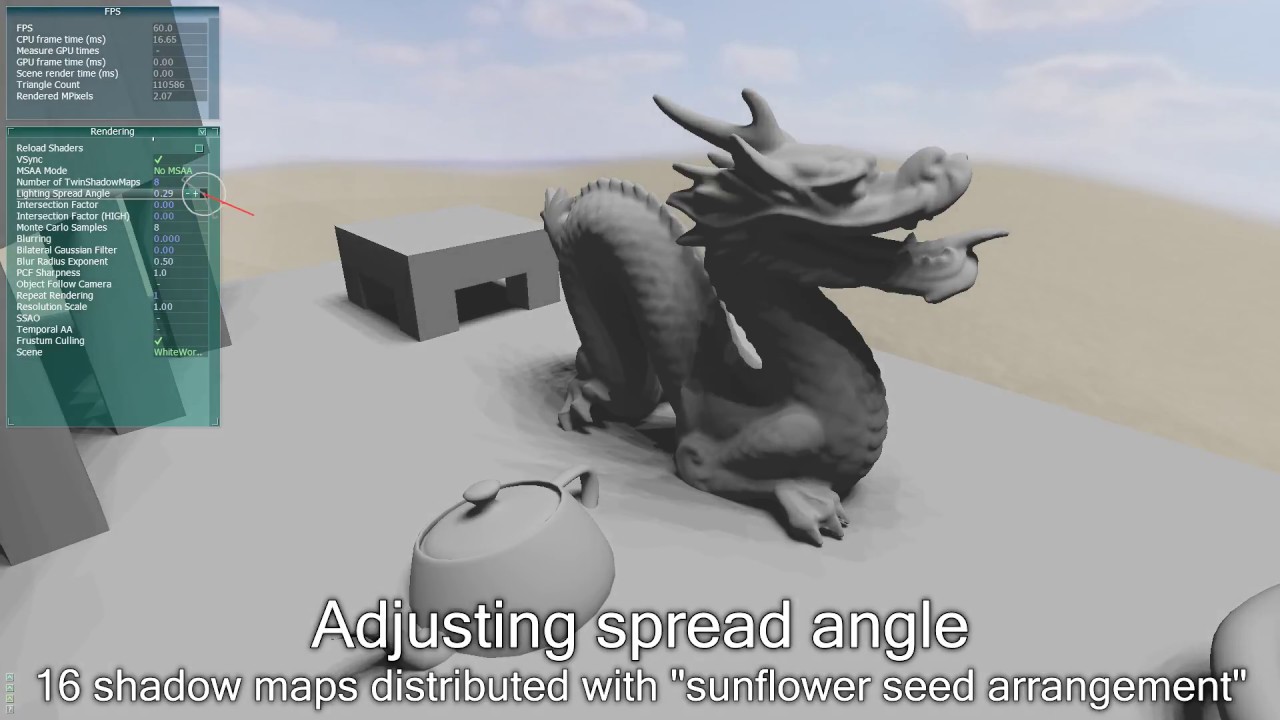
Technique for rendering global ambient occlusion in real-time using shadow maps. SSAO is NOT used in this video.
Idea for improvement: The current technique essentially just uses sampling of PCF shadow maps. Perhaps a technique similar to PCSS (Randima Fernando, NVIDIA) could be used to get a good-looking result with fewer maps.
Footnote: When...
slate magnet
lunar hornet
some early ass tests, 2023
that was a single shadow map (AC4 configuration). ofc it misses a lot of detail [that's why farcry devs went with spherical harmonics]
 slate magnet

ale ty wiesz ze on se po prostu tonemape rozjebał nie
i tera nie wie jak naprawic
 lunar hornet
nie czytałem wyżej. tonemapa ma chuja wspólnego z hemi
jakby, siedzę kilka lat w renderze XD
slate magnet
🆗
lunar hornet
samo hemi ma kilka komend które można zmienić przy włączeniu debugu [tyczy się to vanillowego xraya, bo w anomaly chyba wyjebalismy te rzeczy[
niemniej jednak, warto zeby ktos mądry wyrzucił hemi/lightmapy i zrobił coś pożytecznego
bo sraniem clamp'ami w shaderach nic nie zdziałacie
 slow star
slate magnet
🆗
slow star
slate magnet
🆗
!shader
 void depotBOT
@slate magnet To clean your "Shader Cache", don't use the option in the Anomaly launcher.
Go in this folder: Anomaly\appdata, you'll find a folder called shaders_cache, delete this folder and launch the game normally from MO2, using your preferred DX.
slow star
slow star
!shader
!deshade
void depotBOT
@slow star Go to your [Anomaly]\bin folder and delete d3d9.dll and dxgi.dll files
slate magnet
quartz fog
slate magnet
guud meme i like it
 teal lagoon
should I disable TAA In SSS to enable smoothing in reshade, say FXAA?
 weary gust
if you don't want TAA sure why not
weary turtle
Is there any way to completely remove and reinstall/reapply ReShade?
 weary turtle
lunar hornet
delete:
weary turtle
lunar hornet
delete:
Dzięki! I potem skorzystać z podpiętej tu instrukcji do czystej instalacji ReShade'a tak?
slate magnet
lunar hornet
pewnie tak
lethal quail
I can't seem to get a depth of field .fx to work with the newest reshade in gamma
any advice or does anyone have a reshade for gamma with a functional depth of field?
slate magnet
lethal quail
I can't seem to get a depth of field .fx to work with the newest reshade in gamm...
lethal quail
slate magnet
ty for the quick response, but all I get if I activate your adof is a blurry weapon
 slate magnet
lethal quail
ty for the quick response, but all I get if I activate your adof is a blurry wea...
slate magnet
lethal quail
ty for the quick response, but all I get if I activate your adof is a blurry wea...
are you on 6.5.0+
lethal quail
slate magnet
are you on 6.5.0+
6.5.1 yes
 lethal quail
oh crap
devout pine
lunar hornet
tl;dr on dynamic large-scale ambient occlusion
you generate N shadow maps [low ...
Thanks for that documentation bth i always wonder how the lights works in games so i already started to read it, but another question come to me : is there a reshade tool that will help me to do adjust the hemi that is more comprehensive than just type commands in console ?
lunar hornet
devout pine
Thanks for that documentation bth i always wonder how the lights works in games ...
no
devout pine
lunar hornet
no
ok 🙂
slate magnet
devout pine
Thanks for that documentation bth i always wonder how the lights works in games ...
adjusting hemi via reshade
devout pine
slate magnet
adjusting hemi via reshade
 but i don't rly know what im talking about also
slate magnet
devout pine
<:ICANT:970773066353365042> but i don't rly know what im talking about also

why not just play the game
and not worry about these silly goofy configs and numbers

devout pine
I fucked up my knee have to find something to do other than just play all day long
slate magnet
so youre stuck on your pc
and you chose to type in numbers
rather than
doing anything else
devout pine
slate magnet
and you chose to type in numbers
well so i admit its akward af but well thats what im interessted in at the moment
slate magnet
🆗
devout pine
but you guys make me laught when i realised it
slate magnet
its not too late to turn back
in all honesty
i wish i never stepped into this rabbit hole
but its too late for me
you can still save yourself


 safe cairn
devout pine
dunno like im about to make what i think is good visuals for me
safe cairn
devout pine
dunno like im about to make what i think is good visuals for me
my condolences about your past
safe cairn
I need to get my strider pfp too
devout pine
could you hekp make that sky less bright whithout making the rest same as it is
safe cairn
devout pine
could you hekp make that sky less bright whithout making the rest same as it is
I can help you in making the game look like you are not constantly on LSD
turn off reshade
it's like putting a fork into a power socket in your case
devout pine
safe cairn
it's like putting a fork into a power socket in your case
lmao
 sage shore
Not played in 5 months. Guna do big update shortly. What is nicest shader for realistic look but kinda shiny too 🤔
slate magnet
 safe cairn
sage shore
Not played in 5 months. Guna do big update shortly. What is nicest shader for re...
safe cairn
sage shore
Not played in 5 months. Guna do big update shortly. What is nicest shader for re...
shader cache
 rough prairie
Anyone know what I have to install tog et the game looking like the youtuber venoxium vids?
also what does the shadow map setting in the launcher do?
safe cairn
rough prairie
Anyone know what I have to install tog et the game looking like the youtuber ven...
But please, read the guide carefully
rough prairie
Thank you.
slate magnet
rough prairie
Thank you.
dont listen to this troll
rough prairie
oh
slate magnet

Settings: https://imgur.com/a/j7yvgGM
ssfx_lut file: https://drive.google.com/file/d/1GpQvonWHhlHjFW7hlghQe-sgQNQr4jKP/view?usp=sharing
PanceRide's Grass & Trees: https://www.moddb.com/mods/stalker-anomaly/addons/grass-and-trees-by-panceride-v10
Welcome back to the ADHD Guide to GAMMA where I'll be showing the settings, mods, and optimizations ...
safe cairn
slate magnet
https://www.youtube.com/watch?v=Vh7spmLX-EQ&pp=ygURdmVub3hpdW0gc2V0dGluZ3M%3D
old video
you made it
rough prairie
Does he use sss and whatnot?
slate magnet
rough prairie
Does he use sss and whatnot?
yes
rough prairie
okay what additional boxes do i have to check in mo2?
slate magnet
slate magnet
https://www.youtube.com/watch?v=Vh7spmLX-EQ&pp=ygURdmVub3hpdW0gc2V0dGluZ3M%3D
do what he says in this video
right
and then install this https://discord.com/channels/912320241713958912/1370892524750635149
or dont
its optional
slate magnet
slate magnet
and then install this https://discord.com/channels/912320241713958912/1370892524...
but if you install this
dont change any settings, just install
 slate magnet
😭
rough prairie
what does the shadow map setting in the launcher do?
 green nova
slate magnet
green nova
slate magnet
Losless scaling is not scam
slate magnet
green nova
Losless scaling is not scam
devout pine
green nova
Double the FPS just for 4$
while you could download it for free
green nova
devout pine
while you could download it for free
piracy?
slate magnet
safe cairn
green nova
im using it and its like magic
When you have 60fps by default, that is
green nova
i have 90 FPS by default in GAMMA
 twilit ginkgo
Lossless advocates? I'm at like 55 FPS in dense areas and I'm so close to pulling the trigger and buying it
slow star
damn lossless scaling is worth it? what an unpopular opinion, let me put it with the other 3million ppl who use it everyday
 delicate lion
twilit ginkgo
Lossless advocates? I'm at like 55 FPS in dense areas and I'm so close to pullin...
delicate lion
twilit ginkgo
Lossless advocates? I'm at like 55 FPS in dense areas and I'm so close to pullin...
Yes
If you're already running between 50 - 60 you'll see the most benefit out of it
Put Anomaly through LSFG 3.1 and you'll basically double your frames, obviously its not real but it definitely feels smoother
split maple
Anyone got any leads on this?
 plucky flame
split maple
Anyone got any leads on this?
plucky flame
split maple
Anyone got any leads on this?
? reshade is supposed to apply to everything on your screen unless you mask it with a UI mask
void depotBOT
@split maple To enable Reshade Follow this: #╭📖faq message
plucky flame
it's got nothing to do with SSS
disable reshade bloom and adjust the SSS one instead, the game doesn't have a fully static UI so it's going to look ass whenever you're in inventory/trader menu
slow star
plucky flame
? reshade is supposed to apply to *everything on your screen* unless you mask it...
Have you played anomaly for the past 2 years?
slow star
split maple
Anyone got any leads on this?
Demonized has patched the game's ui for reshade. Your reshade version is fucked up. Reinstall the gamma version of it again
slow star
split maple
Anyone got any leads on this?
!reshade
void depotBOT
@split maple To enable Reshade Follow this: #╭📖faq message
plucky flame
slow star
Have you played anomaly for the past 2 years?
why even ask that when you already know the answer
so UI masks work, okay, I didn't know
slow star
plucky flame
why even ask that when you already know the answer
so UI masks work, okay, I did...
There's no need for a ui mask fx 
Its patched directly

 slow star
split maple
Anyone got any leads on this?
slow star
split maple
Anyone got any leads on this?
So what happened is that gamma has updated exes but not the reshade version. The new exes do not have reshade 5.7.0 support, it only has support for the newer versions
what you need to do is update reshade manually, if you updated gamma or exes recently. There's a guide here somewhere by pipnik
split maple
slow star
Demonized has patched the game's ui for reshade. Your reshade version is fucked ...
I did, still the same, I can give it another go and double check
slow star
split maple
I did, still the same, I can give it another go and double check
did you try this above
split maple
slow star
So what happened is that gamma has updated exes but not the reshade version. The...
Oh awesome! Didn't scroll before reply  Will give it a try!
slow star
its bc gamma is shipping wrong reshade version
yeah
if you updated recently u gotta update reshade manually
split maple
Thanks for the help 
split maple
plucky flame
it's got nothing to do with SSS
Also I figured that I was just clarifying which update it broke with:p
 fallow flower
still getting reshade CTDs. I deleted files indicated in FAQ. There must be something else.
 arctic pumice
 lunar hornet
i dont know. check the errors.
slate magnet
morda adam
lunar hornet
co tam pizdzisz, jaki adam znowu
zara grokowi powiem zes kutas i lamaga co loggery wrzuca do weatherpackow, posmiejemy sie z perma

 dull valve

 misty crystal
Is it possible to get hdr for gamma? With reshade or other ways
safe cairn
lunar hornet
zara grokowi powiem zes kutas i lamaga co loggery wrzuca do weatherpackow, posmi...
Myślisz, że on aż tak inteligentny?
slate magnet
lunar hornet
zara grokowi powiem zes kutas i lamaga co loggery wrzuca do weatherpackow, posmi...
 junior hollow
lunar hornet
zara grokowi powiem zes kutas i lamaga co loggery wrzuca do weatherpackow, posmi...
junior hollow
lunar hornet
zara grokowi powiem zes kutas i lamaga co loggery wrzuca do weatherpackow, posmi...
szkoda, że uczyniłem to niewykrywalnym

 finite rune
hi how can i change reshade settings while not having the "home" button on keyboard?
lunar hornet
in reshade.ini.
 obsidian ridge
can someone help with this damn lossless scaling
 unique oasis
If you do not re-upload texture or effects paths in reshade settings, will it still save? I couldn't reboot the game
I believe the issue was, i named the folder path to a name I hadn't yet changed to. very much a novice with reshade stuff. I'm not sure how necessary changing these things are to see good visuals.
 keen jetty
anyone know what might be causing my issue? Did a full clean install of Anomaly and GAMMA, both work fine but after copying the bin file from Gork to Anomaly folder the game will crash on launch, no error message or anything just a plain crash.
unique oasis
When I copied it, I copied the whole bin folder
keen jetty
unique oasis
When I copied it, I copied the whole bin folder
yeah did the same
keen jetty
will try updating my gpu driver, already tried an older version of reshade (5.7) and did not work
rapid magnet
How about installing latest exes? Since you copied whatever was in the bin (exes included)
keen jetty
rapid magnet
How about installing latest exes? Since you copied whatever was in the bin (exes...
Will give this a try, ty!
no luck, screen goes black for a while then nothing, I wonder if it has something to do with my screen/ in game resolution, will try setting my in game resolution to my native resolution
hmm still nothing, i am lost
unique oasis
how necessary is it to re-set the reshade "effects" and "texture" paths for the visuals to shine (Reshade 5.7)?
keen jetty
so for anyone having similar issue to me where the game will crash on launch when Resahde is installed i found a fix for it. Use ReShade's "dxgi.dll" Rename Method
Go to G:\Games\Anomaly\bin\
Rename dxgi.dll (ReShade's file) to d3d11.dll
(This prevents USVFS/ReShade from fighting over the same DirectX hook)
Hope this helps others having similar issues
 gilded lion
any shader mods to upgrade the look of dx9 ?
lunar hornet
enhanced shaders, and thats it
finite rune
i just installed gamma does atmospherics come with it?
rapid magnet
Yes.... You can just search it in MO2
 hollow glade
rapid magnet
Yes.... You can just search it in MO2
hollow glade
rapid magnet
Yes.... You can just search it in MO2
how to search? 
slate magnet
hollow glade
how to search? <:CluelessBlind:1364646541650038876> <:O_laughinghard:1092237476...
hey cutie

hollow glade
slate magnet
hey cutie
hiii 
slate magnet
:3
hollow glade

 hollow glade

slate magnet

hollow glade
gross
slate magnet
ggwp
 hollow glade
rapid magnet
Worst she can say is no
hollow glade
rapid magnet
Worst she can say is no

finite rune
how can i make gamma look like anomaly custom?
lunar hornet
use their weather / reshade preset / lut
finite rune
any tips what are they?
lunar hornet
configs textures and reshade folder
 toxic mural
finite rune
how can i make gamma look like anomaly custom?
toxic mural
finite rune
how can i make gamma look like anomaly custom?
Just use Atmos
It's better 
finite rune
toxic mural
Just use Atmos
It's better <:hesrightyouknow:1064330248889569360>
what preset?
toxic mural
Yep this is the way to go
toxic mural
slate magnet
https://cdn.discordapp.com/attachments/1250941579645161476/1382111305913340025/o...
Alright use Melancholy too
slate magnet

unique oasis
If effect and texture paths are not modified, will the various reshades greatly suffer for it?
slate magnet
unique oasis
If effect and texture paths are not modified, will the various reshades greatly ...
go and check

been rambling about it the whole day cant even bother checking
unique oasis
When I tried to modify it before it would not boot
 unique oasis
Take it easy dude
Just asking a question lol. I wasn't sure how different it looked without resetting the paths.
slate magnet

slate magnet
unique oasis
Just asking a question lol. I wasn't sure how different it looked without resett...
staggering difference
unique oasis
And when I had previously tried to check it wouldn't boot. So it made a lot more sense to just ask someone.
slate magnet
but there is a 1-10 chance it ctds
so you either
like
its a tradeoff
you get better visuals but you gamble a ctd every launch
its just how it works
unique oasis
I'm pretty new to modding and such. Only got into PC gaming last year
Alright. Thanks.
 unique oasis
Edgy
 raven dew
for reshade am i supposed to clear all these and paste the same directory?

dont fully understand the guide
raven dew
my shit stacked

 reef wyvern
i installed hunter 2.0 reshade and now my reshade menu doesnt open with home button (it worked before) can someone help please?
 wooden tapir
I made lut and I had a problem, what could it be connected with?
 slate magnet
wooden tapir
I made lut and I had a problem, what could it be connected with?<:glorptard:1359...
slate magnet
wooden tapir
I made lut and I had a problem, what could it be connected with?<:glorptard:1359...
theres not much you can fuck up
most likely export
although this looks very weird
slow star
show lut
wooden tapir
slow star
show lut
Here is the lut I made according to your guide, the one I had a question about I remade, now I have a strange border on the sky 


 slate magnet
wooden tapir
Here is the lut I made according to your guide, the one I had a question about I...
slate magnet
wooden tapir
Here is the lut I made according to your guide, the one I had a question about I...
bro

zip it
send it in a zip
tight zinc
 wooden tapir
slate magnet
bro
wooden tapir
slate magnet
bro
here is lut and preset
slate magnet
wooden tapir
here is lut and preset
wait
you want it to be
a reshade or sss lut
cause im confused right now
wooden tapir
reshade
wooden tapir
Well, I don't understand much about this, I'm trying to get into it little by little, if I'm doing something wrong, you can explain it to me 
slate magnet
wooden tapir
Well, I don't understand much about this, I'm trying to get into it little by li...
i literally said ill look at it after im finished eating my pizza ❄️
alr so uhhhhh
why reshade and not sss lut
slow star
wooden tapir
Well, I don't understand much about this, I'm trying to get into it little by li...
did you make sure to disable any depth based effects when baking the lut?
From a quick view, I can see some banding

compared to acid lut from old atmos

But if the colorgrading you intended to bake didn't have banding already, then it has to be a depth based effect being left enabled ~ fucking up the lut
slate magnet
slow star
But if the colorgrading you intended to bake didn't have banding already, then i...

ye bro is trying to bake dof, depth, ambient light, a tonemap, and sharpening into a lut

off / on


ye i see it
well
only stuff you can be baking is color grading
anything depth based/tonemaps/overlays
you cant bake
slow star
Yeah... No depth based effect should be enabled when baking, and get rid of any in-game overlay like gas masks, condensation overlay, etc.. then report back
slate magnet
and
ssfx_lut 0,0,0,0
in the console
well does he disable tho
since its a reshade lut for some reason
he doesnt disable right

these are the only effects that you need for making a lut
dont use anything else
slow star
Well, it's good practice, yeah. Since each level in gamma has a different lut because of atmos, you can be biased on a cold level to think your preset is already cold when it could be warm in another. Best to disable sss luts when baking presets
slate magnet
slow star
Well, it's good practice, yeah. Since each level in gamma has a different lut be...
ye but this is valid
i forgot about this per level nonsense
wooden tapir
slate magnet
ye bro is trying to bake dof, depth, ambient light, a tonemap, and sharpening in...
I'm a little distracted by work right now, I'll be back in an hour
The effects I baked are disabled in the preset.
slate magnet
wooden tapir
The effects I baked are disabled in the preset.
then how am i supposed to help
if i dont know whats baked
 wooden tapir
slate magnet
if i dont know whats baked
wooden tapir
slate magnet
if i dont know whats baked
Sorry, I'll be happy to explain how to free myself.
slate magnet
damn
 scarlet ruinBOT
 @dreamy wind (
eablopskobar) has been banned for reason: ASCII porn? Nah
 amber trout
! reshade
void depotBOT
@amber trout To enable Reshade Follow this: #╭📖faq message
 manic sage
slow star
Well, it's good practice, yeah. Since each level in gamma has a different lut be...
manic sage
slow star
Well, it's good practice, yeah. Since each level in gamma has a different lut be...
This isn’t really true anymore besides underground levels and maybe two maps. The most that will change will be lut intensity.
slow star
Gotcha, it's still a good idea to disable sss lut when baking presets, though. Someone could think they have a pretty good base to share and turns out they're using EZ or something that won't show up in the lut maker overlay
even if they're using PS or Lightroom to export .look tables using a collage image as base and adjustment layers instead of reshade colorgrading, if the game has any sort of colorgrading (even something as non-neutral shader_param could be detrimental to sharing the exact look) or they missed toggling off a lut like EZ's, it won't show up in the final lut
That's why I told him to bundle a .ltx with neutral/his own verified shader_param values, it's a good idea
Years ago this wasn't an issue, we could share any preset just like that because everyone basically used p.much the same base, at least in gamma.
But since the release of the SSS Lut module and the influx of new and varied shader_param profiles we've seen the last year, it's harder to share the exact setup
manic sage
Also for those that don’t want to use reshade can basically do this


 slow star
Yeah, that's the easier way
manic sage
But reshade is still preferable and more flexible to use when creating luts
slow star
Maybe I could do a tutorial with the classic method like that one day
A palette of images and just drop the neutral lut in there, adjust with PS. thing is most ppl don't have PS and I'm not gonna learn pdn to do it 
manic sage
You should, I practically link your video any time someone asks me about Luts, you just need to redo it with sss luts in mind
slow star
Yeah, the tutorial is outdated, it was from the reshade era
Possibly the best idea is to just make the tutorial using PS, and anybody that uses PDN or gimp can simply translate my method into theirs
I'll do it, and include a small guide on how to also bundle the ssfx_lut script
manic sage
Yeah ideally they can attach even more than 4 images to cover a wider area such as indoor areas and such
Should be pretty solid
slow star
Yep
I'll do it with four due to media compression/easier watching
It'll take some time i'm swamped with some other wip projects rn
slow star
Yeah thanks, that overhaul is exactly what I needed to use GFY comfortably, imo.
it was all Erandis and huh, I just gave him feedback and helped with a few things
slate magnet
wtf am i reading
manic sage
Words
 manic sage
I don’t see the issue?
slate magnet
not surprised
manic sage

slate magnet

 clever mason
Gets home from work.
Wonders what reshades have been posted.
Goes to #╟🎑reshades
Can see Pip posting fucking Hippos.
Leave.
slate magnet
clever mason
>Gets home from work.
>Wonders what reshades have been posted.
>Goes to <#927860...
 wooden tapir
@slow star Thank you, I read what you wrote and understood that the problem with baking the image was due to using incorrect render settings, which is why I had issues with the sky in both cases.

Here are the settings I used.
slow star
Those are fine to have enabled, but make sure that qUINT_Regrade does NOT have a vignette effect enabled
And disable gasmask in stalker settings or take it off before baking lut


 coral stone
how do i download reshade for stalker gamma?
coral stone
safe cairn
install via mo2
how
safe cairn
coral stone
how
mo2 > install mod
coral stone
 coral stone
safe cairn
mo2 > install mod
coral stone
safe cairn
mo2 > install mod
this just pops up
safe cairn
coral stone
rename shaders cache to gamedata in rar file and install mod


 coral stone
this pop up
 safe cairn
coral stone
this pop up
safe cairn
coral stone
this pop up
click home and boom, it works
coral stone
@safe cairn WHAT DO I DO HERE
 lunar hornet
xd
safe cairn
coral stone
<@762308368911040553> WHAT DO I DO HERE
just read the guide dawg
coral stone
IT DOES NOT SAY
safe cairn
I swear to fucking God
lunar hornet
FIND ANOMALY\BIN\ANOMALYDX11.EXE AND CHOOSE IT
IF YOURE PLAYING WITH AVX WHEN CHOOSE ANOMALYDX11AVX.EXE
safe cairn
coral stone
IT DOES NOT SAY
 coral stone
what
lunar hornet
 safe cairn
lunar hornet
https://tenor.com/view/stare-come-at-me-gif-11232448
safe cairn
lunar hornet
https://tenor.com/view/stare-come-at-me-gif-11232448
ci ludzie kurwa
lunar hornet
dlatego przez długi czas tutaj nie dołączałem
safe cairn
i bardzo dobrze
coral stone
im russian so i dont understand
safe cairn
ten status mógł tak zostać, ja wypierdalam wkrótce chyba
safe cairn
coral stone
im russian so i dont understand
my brother
sister
whatever
click BROWSE
go to ANOMALY
BIN
AND PICK ANOMALYDX11AVX.EXE
If you dont get that then go for a walk and come back, this is easier than milking a goat
slate magnet
 coral stone

 violet dome
So what do i do if my screen goes black when I select a phrozac reshade? ive determined that its due to the LUT.. when I deselect that, I can see the world again
 fading bluff
Would anyone help me set up phrozacs reshade? I tried deleting the reshade files and then d3d9 then dxgi. Copy pasted the bin from gamma. Changed the shader and texture path but im only getting atmo in the presets
slate magnet
fading bluff
Would anyone help me set up phrozacs reshade? I tried deleting the reshade files...
can you play chess
fading bluff
A little
slate magnet
alr
good for you
chess is good for your brain
it requires strategic thinking and planning
fading bluff
Yes I was in the chess club in 4th grade
But
That doesnt help
It should already be a preset but the arrow just goes to atmos
Would you help me?
Damn bro why you gotta always be a smartass
fading bluff
Cuz you dont help
slate magnet
im not obliged to help you
fading bluff
But seriously. Cant figure this out
slate magnet
i dont even know you
fading bluff
You're on the reshade discord right? We'll i would appreciate some assistance
slate magnet
fading bluff
You're on the reshade discord right? We'll i would appreciate some assistance
im not?
fading bluff
I followed the instructions you gave for my C drive gamma and I just cant get phrozacs to show up
fading bluff
You once helped me
slate magnet
did i
fading bluff
Like 2 months ago
slate magnet
damn
fading bluff
Helped me set up reshade for my D drive
fading bluff
The D drive was for my ssd. Which worked perfectly C drive gamma has redundancies like 2 of every preset. I tried your instructions again but I cant find phrozacs
C drive is on my computer
slate magnet
fading bluff
The D drive was for my ssd. Which worked perfectly C drive gamma has redundanci...
alr fine jesus
u followed my guide in pins
fading bluff
Yea
fading bluff
To make the 2 errors disappear
fading bluff
I have an idea. Imma try copy pasting the bin from anomaly from my D drive ssd to my main C drive
slate magnet
if you do that youre on your own
fading bluff
Damn
slate magnet

fading bluff
Ok lemme see what version I have it's 5.7.
slate magnet
fading bluff
Ok lemme see what version I have it's 5.7.
is it
fading bluff
Yea i looked at it
slate magnet
so you have 5.7.0 on C drive correct
fading bluff
Yup
fading bluff
Ok
slate magnet
fading bluff
Ok
just fuckin
screenshot the window for me
cause mine is having humors
fading bluff
Ok
slate magnet

 slate magnet
fading bluff
slate magnet
fading bluff

click on this
and screenshot again
bro do u have a cooldown on your screenshot button
fading bluff


 fading bluff
Oh so its mods atmos then bin
slate magnet

fading bluff
Lemme try. Bro i feel like thay overwrite error is gonna be a pain
slate magnet
slate magnet
`C:\ANOMALY\bin`
copy this
slate magnet
slate magnet
and replace this
then do this
this is all you need
and i refuse to elaborate
 fading bluff
Ok thx
fading bluff
What does it mean if you delete your reshade shaders folder and gamma doesnt make another one upon startup
I copied it so I can just put it back but shouldn't gamma recreate another reshade folder?
fading bluff
Also dont know what this means. Does it just mean its outdated?

It says that a vector like float 4 might have been converted to a lower precision type like float without explicit conversion
fading bluff
i found the line of code but im not sure what im supposed to put there to make it from float to float4
 lunar hornet
fading bluff
Also dont know what this means. Does it just mean its outdated?
lunar hornet
fading bluff
Also dont know what this means. Does it just mean its outdated?
Nothing to worry about.
slate magnet
 drowsy fern
Quick question - are there LUT presets for SSS that for the different reshades that are included in Atmospherics? I'm talking about prozac_badland reshade etc.
Would be nice not having to run reshade for a simple LUT^^
slate magnet
drowsy fern
Quick question - are there LUT presets for SSS that for the different reshades t...
no, it has its own luts
slate magnet
drowsy fern
Would be nice not having to run reshade for a simple LUT^^
you dont have to
youre aware of the lut module being a thing so just convert phrozacs
drowsy fern
slate magnet
youre aware of the lut module being a thing so just convert phrozacs
Wait, you're right - lemme see if I can find a guide on YT
slate magnet
no, there are no guides for converting
there is one for making luts for reshade but not for sss
slate magnet
drowsy fern
Wait, you're right - lemme see if I can find a guide on YT
step 4. convert lut.png to lutatlas.dds (no compression rgba8888 or rgba24242424 i don’t remember exact one)
step 5 replace lutatlas.dds with yours in gamedata/textures/shaders
step 6. edit settings lut.h (don’t remember exact name) in gamedata/shaders/r3
step 7. edit lut.script in gamedata/scripts```Yeah, I remember that one you mentioned I think, I used to convert RAW's rather expensive color grading effects into one LUT^^
drowsy fern
slate magnet
```
step 4. convert lut.png to lutatlas.dds (no compression rgba8888 or rgba242...
Thank you!
slate magnet
drowsy fern
Thank you!
just make sure you backup the atmos one
if you ever need it back
cause youre going to be replacing it
drowsy fern
slate magnet
just make sure you backup the atmos one
I always make backups, but ty for the reminder (:
 versed snow
installed ReShade, and cant open Menu.. Clean install of 9.4, and havent used it before.. using a 65% keyboard but i have a Home button, and ive used reshade on other games as well..
unless it doesnt open in the menu
slate magnet
versed snow
unless it doesnt open in the menu
it does
versed snow
hmm ok... then i am not sure. i selected the proper exe and everything
slate magnet

versed snow
ok appearently it works now lol but i have red errors in the menu.. gonna do the second step rn and see if that clears?? lol
slate magnet
versed snow
ok appearently it works now lol but i have red errors in the menu.. gonna do the...
show
versed snow
cant find the screenshot location so i had to sniptool this
 slate magnet
versed snow
cant find the screenshot location so i had to sniptool this
slate magnet
versed snow
cant find the screenshot location so i had to sniptool this
why do you need antialiasing
sss23 is there
versed snow
i dont plan on using AA
 versed snow
it auto enable in the preset. lol literally just opened the menu
slate magnet
okay and what is the preset that youre planning on using
versed snow
my bad
i wanted to test them in-game, but if the errors wont allow me to then ill try AtmosGAMMA first
slate magnet
alr
so listen
heres the thing
https://docs.google.com/spreadsheets/d/1psiAYFNaGSYs2j5Gbd6p67SyVi6PQvhr9vSUOiyFATw/edit?usp=sharing

Google Docs
if you want to use presets from here
they will be broken
not all and not fully
but 6.5.0 doesnt have all the old effects
to get rid of the duped shaders and errors follow this -> #╟🎑reshades message
 slate magnet
versed snow
like this?
slate magnet
versed snow
like this?
no
slate magnet

slow star
@swift robin Your mods on moddb are calling/crediting an author with the name of his mod, btw.
User "Gamma" is the author of the mod Graupel, his name is not Graupel...


It's like if we called Ascii, "SSS"

 rugged mesa
!reshade
void depotBOT
@rugged mesa To enable Reshade Follow this: #╭📖faq message
 swift robin
slow star
<@456226577798135808> Your mods on moddb are calling/crediting an author with th...
swift robin
slow star
<@456226577798135808> Your mods on moddb are calling/crediting an author with th...
His name Graupel at last for credits, I talk about it few years ago
slow star
Fair enough
 limpid sand
Reshade performance hit give or take?
3060ti...
slate magnet
limpid sand
!shaders
void depotBOT
@limpid sand To clean your "Shader Cache", don't use the option in the Anomaly launcher.
Go in this folder: Anomaly\appdata, you'll find a folder called shaders_cache, delete this folder and launch the game normally from MO2, using your preferred DX.
limpid sand
!reshade
void depotBOT
@limpid sand To enable Reshade Follow this: #╭📖faq message
 woven dagger
limpid sand
Reshade performance hit give or take?
3060ti...
woven dagger
limpid sand
Reshade performance hit give or take?
3060ti...
i have 3060 12g and reshade works fine
 sharp sky
i should not be allowed near reshade

 prisma charm
✅ radioactive air during daytime
 vagrant kindle
sharp sky
i should not be allowed near reshade
vagrant kindle
sharp sky
i should not be allowed near reshade
just delete shader cash
limpid sand
Reshade makes text hard to read... is there a setting I can alter to solve that?
 clear cypress
sharp sky
i should not be allowed near reshade
clear cypress
sharp sky
i should not be allowed near reshade
just wearing yellow tinted sunglasses
 naive kite
sharp sky
i should not be allowed near reshade
naive kite
sharp sky
i should not be allowed near reshade
No, it's cool. you're just bringing back the 2010's piss filter vibe
sharp sky
XD i got it nice and somehow it improved my fps
naive kite
Cant argue that
 topaz frigate
sharp sky
i should not be allowed near reshade
topaz frigate
sharp sky
i should not be allowed near reshade
piss filter level 3000
sharp sky
i should have saved the settings so everyone can play with the piss filter
lunar hornet
reshade has nothing to do with sss/other shader mods
 pastel mango
Ok ty
 clever helm
sharp sky
i should not be allowed near reshade
clever helm
sharp sky
i should not be allowed near reshade
Would I be crazy if I said this wasn’t half bad? Pretty cinematic looking
Like playing rimworld with toxic fallout
 rapid magnet
You place it in anomaly\bin
pastel mango
ok i think i understand
oh i placed it in

but i checked in anomaly/bin and its there too so i guess its fine

 plain osprey
@brazen sinew Sound sends his regards
 olive gull
sharp sky
i should not be allowed near reshade
olive gull
sharp sky
i should not be allowed near reshade
Add this to BS
sharp sky
clever helm
Would I be crazy if I said this wasn’t half bad? Pretty cinematic looking <:KekS...
XD
it really does give a more nuclear feel
 wooden zealot
Hey @slate magnet @rapid magnet you guys if theres a fix for distant trees on the fog? mines looking weird after i updated SSS to v23

 rapid magnet
What trees even is this?
Afaik it’s the distant trees in lfo that does that because it’s not “updated” to latest graphical mods OR it’s just a fucked weather cycle
wooden zealot
rapid magnet
What trees even is this?
Afaik it’s the distant trees in lfo that does that beca...
its ccon, i noticed this problem after doing the SSS23 update, before latest one 0.9.4 ( just did the SSS23 one and nothing more )
rapid magnet
No idea then.. Haven't seen bright lfo like that in a looooong time
wooden zealot
damn ;-; SSS23 broke my game them, at least only issue i saw on weather was this
wooden zealot
rapid magnet
No idea then.. Haven't seen bright lfo like that in a looooong time
do ya have lfo link? i wanna check versions
rapid magnet
lfo is a texture folder
 wooden zealot
oh :v lol
rapid magnet
I honestly can't say what exactly it is.. It looks more like it's that weather cycle or weird config or weird reshade.. Or it's the lfo freaking.. But my gut leans towards the fog in that weather cycle
I have also never really seen a weather cycle so clear above yet so foggy below
There's not a single cloud in the sky yet it's foggy everywhere
wooden zealot
well, wanst like that before the SS23 update, i dont think reshade have something to do with it, as for weather iam using only atmos, not the extension, soo i didnt touched the configs for it, soo i go with lfo or that foggy weather circle
rapid magnet
To be honest.. I have never seen any atmos cycle look like that.. Maybe it's a weird load order or incorrect SSS install
wooden zealot
First time i updated SSS23 (though gamma) i got everything black, so i asked help and got the link to it, re-updated and them noticed this other problem
as for load order, i have a custom, soo i had mimic the gamma original, not sure if i need to update something together or not them
could be that
rapid magnet
What cycle is that even.. And time of day?
wooden zealot
foggy1 but had tested foggy2 and looked same, as for time, was early morning 9am
i forgot to test different times
also, i did a test early disabling reshade, and inst nothing related to it
i can show better later as iam not on pc right now, had to take a break to eat and bath, but i can do a video
rapid magnet
Foggy 1 vs 2 vs 3


 manic sage
foggy2 9am
 manic sage
rapid magnet
Foggy 1 vs 2 vs 3
manic sage
rapid magnet
Foggy 1 vs 2 vs 3
You beat me to it
rapid magnet
 wooden zealot
rapid magnet
Foggy 1 vs 2 vs 3
wooden zealot
rapid magnet
Foggy 1 vs 2 vs 3
yeah, my fog is very messed up 
rapid magnet
This is at like, 11am.. Also using ccon trees.. So yeah something is wrong with your setup.. Maybe SSS install.. Idk
 wooden zealot
maybe reinstalling SSS23 them?
rapid magnet
Maybe go to MCM > SSS Settings > Click Default on the Fog tab (if there is one, idk I closed the game)
manic sage
wooden zealot
yeah, my fog is very messed up <:PepeHands:919973012990750820>
Looks like the vanilla anomaly weather which can have severe fog clipping with sss, es, etc
wooden zealot
rapid magnet
Maybe go to MCM > SSS Settings > Click `Default` on the Fog tab (if there is one...
i can try that later but i doubt would work
manic sage
Did you have 549 mods when you installed gamma?
wooden zealot
i didnt done the newest Hippo, just the SSS23 one before that
manic sage
Try to update if possible, you should have 549 mods default exposure should be 0.62 gamma at 1.0, saturation at 1.0
and default all the sss mcm settings besides dof and motion blur, I dont touch those.
wooden zealot
iam using the 0.9.3 cause i didnt wanted to break my save lol just got the SS23 one
manic sage
You can manually update atmos
when installing only select these options

Also update sss to the latest while you're at it and update the exes
load order like so
 wooden zealot
sure i will try it when i turn pc on later o/ iam using a custom modlist, so updating things should work
manic sage
You're on a custom modlist?
wooden zealot
yes i added some mods when i started, not too much things, and didnt touched atmos
for example i have ccon grass and trees
manic sage
Those should be fine just check conflicts and make sure nothing shader related or skybox cubemap related is in losing conflict
wooden zealot
manic sage
Those should be fine just check conflicts and make sure nothing shader related o...
i dont think i have conflicts but maybe loadorder problem, i think i have the loadorder to show, 1min
couldnt found it, but will try update things later and if works i give u a shout
wooden zealot
@rapid magnet @manic sage Found the problem, i just updated atmos to latest version + installed atmos expansion while i was there and problem gone, thank you both o/ also, i was using Eradis guide to install atmos expansion but didnt touched SSS to default it nor cfg load, ya think it would improve visuals? i think iam using atmos default cfg+reshade tweaks ( forget the question, already tested it -q )

 sour chasm
I'd ditch reshade imo
wooden zealot
sour chasm
I'd ditch reshade imo
looks bad without reshade here
sour chasm
if it looks bad without reshade, itll look bad with reshade
SSS has enough options to jazz things up without reshade
wooden zealot
one minute, will show u how things are here without and with reshade, currently testing the SSS default settings


@sour chasm
sour chasm
grab a good LUT and play with lumscale values. that's basically all you need.
wooden zealot
like emergent zone 2? also, iam not much familiar with lumscale values, never touched that 
sour chasm
grab COAR V2 it has plenty including several pink-ish ones similar to your reshade
typing lumscale in console gives you a couple drop down options. selecting each will tell you the value adjustment range, usually between -1 and 3.
wooden zealot
that seen simple, ill try it them, thanks  after SSS23 update iam in need of some fps yesh, SSS ate some more than i could spare
 bleak schooner
Yo guys i just started using reshade its cool i am looking to make the graphics feel more realistic
slate magnet
plain osprey
You got any Extreme Graphic Packs
 sturdy canopy
hey can someone tell me how do I open the reshade menu
manic sage
Smash your forehead on the keyboard you’re bound to open it after a couple of tries
Press home
sturdy canopy
manic sage
Smash your forehead on the keyboard you’re bound to open it after a couple of tr...
XDDD i tried
sturdy canopy
manic sage
Press home
well thats the issue i dont have an home button, i use a german layout keyboard
slow star
sturdy canopy
well thats the issue i dont have an home button, i use a german layout keyboard
line 38 ||KeyOverlay=36,0,0,0|| in ||anomaly/bin/||reshade.ini
https://keyjs.dev/ for values
if dxgi.dll is not present in that folder, type !reshade in #🤖bot-commands
sturdy canopy
 past shuttle
dont use reshade anymore since SSS23 Beta releases.
past shuttle
dont use reshade anymore since SSS23 Beta releases.
wdym so its not working bc its not in game?😂
sour chasm
its not installed by default unless you untick delete reshade dll's in the installer
but he's saying he doesn't use reshade because SSS 23 does everything you'd want from reshade at a much lower performance cost
 clear raft
Does anyone know how to save the ssfx_lut parameter to keep the desired settings when reloading/moving to another map?
slate magnet
clear raft
Does anyone know how to save the ssfx_lut parameter to keep the desired settings...
edit ssfx_lut.script in gamedata/scripts
clear raft
ok, thx
slate magnet
what
 dire hinge
wait not post fx, reshade
slate magnet
!reshade
void depotBOT
@slate magnet To enable Reshade Follow this: #╭📖faq message
dire hinge
aweasome ty 😄
slate magnet
past shuttle
sour chasm
but he's saying he doesn't use reshade because SSS 23 does everything you'd want...
Thank you. Exactly this. TAA was for me the only thing for keeping Reshade active. After Asciis magic i dont need Reshade.
sour chasm
Yeah the SSS TAA is miles ahead of anything reshade had
 storm schooner
Tbh I keep it just so I can change how the game looks not for AA methods anymore
sour chasm
why
between luts and the internal settings there's no reason to use reshade unless you are addicted to DOF
wooden zealot
@sour chasm Hey Gob, i tried the luts but still didnt got the quality of my reshade preset, still missing colors and some deepness, dont know how to explain, do SSS23 have tweaks for color and something like clarity like the reshade have?
lunar hornet
no clarity


 sour chasm
you need to play with light settings
try r__saturation
with a value of 1.5-2
also try different intensity of the LUT
ssfx_lut .5,96,0,0 will give you 50% intensity of LUT 96, for reference
then adjust your lumscale as needed, and lumscale_hemi for outdoor shadows and lumscale_ambi for indoor shadows
I like a higher contrast from basic light settings too, so try like rs_c_contrast 1.15
when you find a LUT and intensity you like, make sure you set it in the ssfx_lut.script under COAR Collection > gamedata > scripts
so it launches with that everytime
you dont have to type those commands all the way out either, just use identifier words to search them in console like lut, satur, contrast, lumscale, amb, hemi, etc and use the drop down to autocomplete
there's AO settings under SSS too, and you may need to enable and adjust the TAA sharpness
wooden zealot
sour chasm
ssfx_lut .5,96,0,0 will give you 50% intensity of LUT 96, for reference
i have a ssfx_lut here that i use from venoxium video, to get rid of the gloomy filter from atmos, i was trying the luts without altering it cause if i load the coar cfg the game goes darker, if i alter ssfx_lut maybe will mess it? for reference, i use mostly of his settings lol https://www.youtube.com/watch?v=Vh7spmLX-EQ
Settings: https://imgur.com/a/j7yvgGM
ssfx_lut file: https://drive.google.com/file/d/1GpQvonWHhlHjFW7hlghQe-sgQNQr4jKP/view?usp=sharing
PanceRide's Grass & Trees: https://www.moddb.com/mods/stalker-anomaly/addons/grass-and-trees-by-panceride-v10
Welcome back to the ADHD Guide to GAMMA where I'll be showing the settings, mods, and optimizations ...
sour chasm
that video is out of date
just use COAR
and load the cfg_load coar_neutral
you can change the lut in game with ssfx_lut and go through all 100 in game to see which one you like
wooden zealot
sour chasm
and load the cfg_load coar_neutral
yeah i tried that at fist too, and noticed it got darker, i played with the sliders in video configs to see how works, and commands too
sour chasm
the neutral cfg is just that, neutral. its to make the best base settings possible for the lut to apply overtop. it should just be desaturated, not dark. if it's too dark then you maybe need to change settings on your monitor first, or grab a calibrated .icc file for your model of monitor
the default contrast with coar_neutral is like .93 or .96, something low, so if its too dark something is wrong
make sure you delete your shader_cache too
before launching
wooden zealot
sour chasm
the neutral cfg is just that, neutral. its to make the best base settings possib...
i think could be my monitor, i have a .cc for it too, let me show u diference between ssfx_luts
first with the video ssfx_lut, second its coar neutral, on ss its way less noticeable, ingame theres alot of diference


reshade on, i forgot to disable but just to show filter
sour chasm
yeah because the saturation is low on the coar neutral config
you need to raise your saturation once you load it
its a baseline cfg
wooden zealot
understood, soo saturation comes first
sour chasm
first you load the cfg, then you increase saturation, then you play with luts
saturation + contrast really
then lumscale changes to get the right lighting and shadows
real first step is uninstalling reshade
and getting +10fps back
wooden zealot
iam trying to adjust the saturation now
wooden zealot
sour chasm
and getting +10fps back
mine i think eats a bit less fps if not wrong, but after sss23 all fps are apreciated
sour chasm
wooden zealot
iam trying to adjust the saturation now
just type "contrast" in console
dont use the sliders under basic light settings
.5 or even .02 can make a lot of difference for contrast and brightness
I wouldn't even touch gamma tbh
wooden zealot
i've put contrast 1.5 and saturation 3
sour chasm
thats way too high on contrast, and max saturation is 2
try like 1.1 contrast, and 1.8 saturation
wooden zealot
 sour chasm
kill that mask overlay in settings > visual > player
wooden zealot
well i tried without it, but i like with the mask, as it shows cracks on it too
sour chasm
you can turn it back on if you want, but you should be doing all your visual settings without it since it can change the look of everything
void depotBOT
@hearty condor To enable Reshade Follow this: #╭📖faq message
clear raft
I want to edit weather settings in debug mode. Do I need to edit each hour of the selected weather setting individually? I want to change the sky color.
hollow glade
yes
 full bison
Does anyone have a reshade preset for projetc inverno?
 tacit rivet
Did you delete shader cache?
 forest kettle
no
tacit rivet
Delete it and try again
forest kettle
TU
 marble aspen
Does anyone know how to change the color of the grass to make it more varied?
slate magnet
marble aspen
Does anyone know how to change the color of the grass to make it more varied?
!grass
void depotBOT
@marble aspen follow this: #╭📖faq message
slate magnet
or ssfx_floravariation 1,0,0,0 in the console
not really sure what kind of varied you want
marble aspen
slate magnet
or `ssfx_floravariation 1,0,0,0` in the console
Yes, the ssfx_floravariation command is what I need. But I can't get it to look right.
slate magnet
marble aspen
Yes, the ssfx_floravariation command is what I need. But I can't get it to look ...
nobody can
its just a proof of concept feature
its not properly implemented yet
your best bet of getting proper variation is to recolor texture atlases for grass per every level
preferably in like photoshop
then export via nvtt
 storm wigeon
!reshade
void depotBOT
@storm wigeon To enable Reshade Follow this: #╭📖faq message
 unique scaffold
Hello! Maybe this is a better place to ask this question
Does the "classic textures" mod work with the latest update?
Or has anyone tried it before and can give me some feedback?
I am just trying to win as many fps as I can
 fierce valve
is there any guide somewhere to know how to change the overall color of the image ? i'm using the last sss update with the last atmos update and i want to touch some values cause game seems too grey to my taste, also want to reduce the warm color but i'm a little bit lost with all those ssfx effects and settings
 lunar pollen
fierce valve
is there any guide somewhere to know how to change the overall color of the imag...
lunar pollen
fierce valve
is there any guide somewhere to know how to change the overall color of the imag...
Use reshade for this, there are some color filters in it
rapid magnet
Or, if you don't want to drop performance just for a color filter, go here instead:
https://discord.com/channels/912320241713958912/1371712074157391912
fierce valve
Thank u guys
fierce valve
rapid magnet
Or, if you don't want to drop performance just for a color filter, go here inste...
is the performance very notorious? cause those images looks awesome #1371712074157391912 message
rapid magnet
There are no performance drops with an LUT mod.. Not even 1 frame
Where with reshade you can sometimes drop 3-5 frames just for having it installed (nothing even loaded yet)
The LUT mod I linked has 100 LUTs to choose from
fierce valve
I see thanks i will take a look, looks dope
clear raft
Should commands from Enhanced Shaders like shader_param_X do anything? It's strange, because several commands (including standard ones) produce no results - for example, changing the contrast with rs_c_contrast - there's no visible difference between the min/max values.
slate magnet
clear raft
Should commands from Enhanced Shaders like shader_param_X do anything? It's stra...
rs commands only work in fullscreen
dont use them
clear raft
Ok, this explains the problem with the contrast command since I changed to borderless mode
clear raft
I created one for myself and edited the ssfx_lut script, but I tried to make some small changes and got a little confused with the rs commands
slate magnet
clear raft
I created one for myself and edited the ssfx_lut script, but I tried to make som...
if you already have one just edit it in whatever software u have
any will do
do +0.1 contrast on the atlas
save as png
and re-export
clear raft
Ok, thanks
 gloomy dust
!reshade
void depotBOT
@gloomy dust To enable Reshade Follow this: #╭📖faq message
 livid plover
just found a solution to my "the bright tree problem"
r2_sun_lumscale_hemi 1.0
solves it !
(to the console)
 steady marsh
i may be missing something but where are the links to download reshades at?
 little magnet
the reshade website
or the faq guide tells you how to reenable the one that comes with gamma
 bleak fractal
does anybody know how to make this look better and the menu brighter. this picture looks worse on my screen

 steady marsh
little magnet
or the faq guide tells you how to reenable the one that comes with gamma
steady marsh
little magnet
or the faq guide tells you how to reenable the one that comes with gamma
ive already enabled it but dont really like any of the ones it comes with, what are the popular ones people use/whats the website?
little magnet
oh, theres a spreadsheet in pins somewhere and you can find some in mods posting, most people dont use reshade anymore though
slate magnet
steady marsh
why dont they?
cause useless
luts cover color grading
sss covers basic post process
and antialias
you dont need more
steady marsh
i see, well then how do i go about getting luts?
slate magnet
steady marsh
i see, well then how do i go about getting luts?
https://discord.com/channels/912320241713958912/1035807043933720576 u go here and type lut
atmos and melancholy also have a lut in them
steady marsh
Thank you kindly
slate magnet
this doesnt have lut in name (for reasons unknown)
but it has 100 luts to chose from
good if youre picky
steady marsh
much appreciated
okay quick question, how do i get rid of the reshade after enabling it via the faq page, tired of having it load when i alt tab even tho no actual reshades are on if that makes sense
slate magnet
steady marsh
okay quick question, how do i get rid of the reshade after enabling it via the f...
!deshade
void depotBOT
@steady marsh Go to your [Anomaly]\bin folder and delete d3d9.dll and dxgi.dll files
steady marsh
my saving grace once again
 waxen pewter
After the update I'm having this "ghosting" problem about shadows
Do you guys know why?
rapid magnet
Idk maybe if you showed what you meant then PIPNIK might be nice
 fallow veldt
yeah ok
slate magnet
ye
slate magnet
fallow veldt
will reshades be back eventually or does everyone just use luts now?
i mean you can use a reshade if you want
there is just really no point in doing that rn
you got luts for colorgrading and sss for basic postprocess
only stuff you dont have is like
dof and film grain
or some stuff like this
which if you really want lets say film grain
use reshade for it but keep the other stuff in engine
 glossy copper
slate magnet
https://discord.com/channels/912320241713958912/1371712074157391912
glossy copper
slate magnet
https://discord.com/channels/912320241713958912/1371712074157391912
#╟🎑reshades please
slate magnet
glossy copper
<#927860562677878795> please
wooden zealot
slate magnet
dof and film grain
no clarity too
slate magnet
wooden zealot
no clarity too
 pliant schooner
Anyone know any reshade settings to make it brighter inside building or is it just normal for the insides to be more dark
slate magnet
pliant schooner
Anyone know any reshade settings to make it brighter inside building or is it ju...
eyeadaptation.fx
fAdp_BrightenHighlights=0.250001
fAdp_BrightenMidtones=0.050000
fAdp_BrightenShadows=0.250000
fAdp_DarkenHighlights=0.000000
fAdp_DarkenMidtones=0.000000
fAdp_DarkenShadows=0.000000
fAdp_Delay=0.600000
fAdp_Equilibrium=0.500000
fAdp_Strength=0.850000
fAdp_TriggerRadius=5.000000
fAdp_YAxisFocalPoint=0.700001```use this config for it
pliant schooner
Thanks 🙏🏽
slate magnet

pliant schooner
Anyone know how to uninstall reshade
slow star
pliant schooner
Anyone know how to uninstall reshade
!deshade
void depotBOT
@pliant schooner Go to your [Anomaly]\bin folder and delete d3d9.dll and dxgi.dll files
pliant schooner
Thanks
But it doesn’t matter lol
I have to do a fresh install anyway
Some files got corrupt in the anomaly launcher idk
Was working fine yesterday
raven dew
i followed the steps and all my shaders doubled?
 slate magnet
raven dew
i followed the steps and all my shaders doubled?
slate magnet
raven dew
i followed the steps and all my shaders doubled?
@near lotus can we add my guide to the reshade faq or at least delete this channel into oblivion 
slate magnet
 slate magnet
raven dew
i managed to double download all the effects
slate magnet
raven dew
i managed to double download all the effects
cause you probably updated
from 5.7.0 to 6.5.1
by pressing the update button
right
cause youre on 6.5.0+
and !reshade installs 5.7.0
raven dew
i installed fresh, i think its cuz i installed the guys reshade zip from screen shots
slate magnet
you didnt check whats in the zip?
raven dew
i did
slate magnet
slate magnet
slate magnet
raven dew
yeh no clue, his user.ltx was also in it
user.ltx
he put user.ltx
ye thats why u dont download stuff from random ass clueless dudes
 slate magnet
ggwp
raven dew
cuz it had his in game graphics settings
slate magnet
u didnt backup yours
raven dew
i mean i dont mind icl
slate magnet
raven dew
cuz it had his in game graphics settings
no its not how this works
this is not a way of transfering settings
whoever did it like this is just dumb


 slate magnet
raven dew
slate magnet
raven dew
what should i do mate cuz the gifs are pointing to i ruined my game
but it doesnt feel like i ruined my game
slate magnet
raven dew
what should i do mate cuz the gifs are pointing to i ruined my game
nah youre probably fine