#╟🎑reshades
1 messages · Page 63 of 1
 steady marsh
 ruby leaf
still not good enough for stalker lol
steady marsh
issue persists on my other 4k monitor as well
albeit it is slightly better
its 27 inches tho instead of 32, so maybe its pixels stretching? i have no idea honestly
 void socket
did we all have ultrawides?
ruby leaf
I do, 34 inch 3440x1410
steady marsh
32inch 4k (not ultrawide)
void socket
ok so 4k is the common link
ruby leaf
Mine is like 3,5K
steady marsh
close enough 
ruby leaf
or even less
It's temptig to just live with that, as I have spend 3x more time on configuring this crap, than actuallly playing it
steady marsh
unfortunately i am no good with reshade so i cant just go and create a fix for us, if there even is one via reshade to hide/block those things
void socket
changing ingame res doesnt fix it and i dont have another monitor to test so idk
steady marsh
#🔨base-gamma-support message asked for help in the gamma support channel so we will see
 thorny crystal
to the guys that have the grain issue, i had the same problems
I think i played around with shadow distance in sss or advanced video settings, and got rid of it
steady marsh
thorny crystal
I think i played around with shadow distance in sss or advanced video settings, ...
cheers, will try that
thorny crystal
it annoyed me for so long too
steady marsh
any chance you could post what your sss shadow distance and shadow advanced settings are when you play next?
thorny crystal


I also use latest atmospherics and sss, as well as the weatherex+ reshade that came with atmoshperics weather expansion
steady marsh
i do have sss 22 that i manually downloaded, tho idk what version of atmospherics i have
thorny crystal
in nvidia control FXAA- on Antialiasing transparency 2x supersample
thorny crystal
steady marsh
i do have sss 22 that i manually downloaded, tho idk what version of atmospheric...
if you just go mo2 and click the reinstall button you can select the latest versions
I also started playing without avx (I have 4080 tho)
let me know if that fixes it for u
steady marsh
strange, ive always gotten better performance with the avx playing with a 4080 too
ill try non avx dx11 tho (i have no idea what the difference is)
void socket
avx and no avx has like 0 difference to me. i think its totally up to how strong your cpu/gpu are
thorny crystal
avx is cpu heavy and non avx is gpu heavy, but the grain was fixed prior to this his change anyway
steady marsh
do i need to set the actual antialiasing setting to anything? or just leave it like i have it here

oh no this is above my paygrade
 thorny crystal
1,2,3, 9,
steady marsh
i chose the correct one in that top right drop down menu im guessing?
void socket
where from?
steady marsh

ModDB
Atmospherics is a weather mod that aims to be natural in its presentation. It is the culmination of many hours of work which has led to this. Below you'll find all the information that you'll need. Thanks you!
void socket
thats the same version as in gamma isnt it? 2.67
steady marsh
it is but im doing it anyways
void socket
I tried the SSS settings and it made them alot less noticable! (Also lost like 5fps  ) but looks like its an SSS issue, just gotta fuck with the settings until they are gone right?
steady marsh
thorny crystal
I also use latest atmospherics and sss, as well as the weatherex+ reshade that c...
where is this atmospherics weather expansion mod? i cant find it online, just the base atmospherics
 orchid pebble
steady marsh
where is this atmospherics weather expansion mod? i cant find it online, just th...
ruby leaf
void socket
I tried the SSS settings and it made them alot less noticable! (Also lost like 5...
orchid pebble
steady marsh
where is this atmospherics weather expansion mod? i cant find it online, just th...
ruby leaf
void socket
I tried the SSS settings and it made them alot less noticable! (Also lost like 5...
Yeap, mine are also almost gone
void socket
ruby leaf
Yeap, mine are also almost gone
lets go! if you find settings that fix them completely could you ping me?
ruby leaf
void socket
lets go! if you find settings that fix them completely could you ping me?
I just copied the settings @thorny crystal posted, it made them less visible, at least in the location I'm at. Will double check when it gets darker (in-game)
steady marsh
orchid pebble
https://discord.com/channels/912320241713958912/1280267401513930772
thank you
where do i delete my shader cache at?
thorny crystal
ruby leaf
I just copied the settings <@153142318117945344> posted, it made them less visib...
I couldn't fully get rid of them at first
thorny crystal
steady marsh
where do i delete my shader cache at?
when you launch game before u play there is a little check meny
steady marsh
yeah i gotcha
thorny crystal
and there is a check box there
steady marsh
word i got it, i usually launch via mo2 directly into the avx version using the drop down menu instead of the launcher if that makes sense
steady marsh
testing it out now
messing around with that weathers+ reshade that came with the weather atmospherics
steady marsh
thorny crystal
when you launch game before u play there is a little check meny
i figured out how to do it properly, as the discord has a command for it that literally says NOT to delete it via the launcher lmao
!shader
thorny crystal
ok i just did it that way lol
 void depotBOT
@steady marsh To clean your "Shader Cache", don't use the option in the Anomaly launcher.
Go in this folder: Anomaly\appdata, you'll find a folder called shaders_cache, delete this folder and launch the game normally from MO2, using your preferred DX.
steady marsh
yeah no worries, was just letting you know!
thorny crystal
I wonder can shaders be cleared any time
steady marsh
not sure, i was only doing it because the install guide for that extra atmospherics weathers mod said to delete it after downloading it
oh fuck
that got rid of every single reshade, including the one i tinkered with for hours
im a big dummy
very sadge
!reshade
void depotBOT
@steady marsh To enable Reshade Follow this: #╭📖faq message
steady marsh
its way too orangey for my liking
all of the other reshades are still in my anomaly/bin folder, however they are not appearing when I press home in game for reshades. any ideas?
thorny crystal
oh wait
i fixed the oranginess too
you can go to visual settings
and click on basic light settings
also somehwere in SSS there is an exposure setting lower that
 steel marlin
For some reason, my gpu is now sitting at 35% max usage when running the game. Any suggested help?
steady marsh
bruh i cant figure out how to get my old reshades back to show up on the menu when pressing home, I only have the weatherex and weatherex+ now despite all the others still being in the anomaly/bin folder
thorny crystal
OKAY
wait
i know the fix
for some reason the weather ex are in some weird location
so where you have the 2 reshades at the top there is a little folder with 2 dots like ..
just click thos
until you can direct it into the anomaly bin> reshades folder
steady marsh
life saver
anyone know how to get the base cfg back? dont like how the atmos ones look
example of what i mean

idk what the base game cfg is to input into the console
thorny crystal
might be just load_cfg
steady marsh
tried that, negatory
 ionic thorn
Shadows are dark AF, cant see anything at all in em
how do i fix this?
it's only evening ingame

 rapid magnet
Mess around with lumscales and see if that helps
Open console and type in lumscale to view the full command
Will prob be hemi or amb that will help for you
ionic thorn
I typed it in and it wont show up :(
rapid magnet
Ye ye lol
Try all of them but I'm pretty sure either amb or hemi will do it
If that still doesn't work then a reshade effect is causing some problems
ionic thorn
it looks okay now
I dont have any reshades but it just looks wayyyy too dark by default
 signal breach
how can i get a look like this for my game
 steady marsh
what the shit happened to my game, it did not look like this when I saved and quit, loaded back a few hours later and this is what I load into
 thorny crystal
This shit kept happening to me before, but instead everything was bright and washed out
steady marsh
i changed the weather and that fixed it, cloudy 2 is the weather that looks like this, every other weather looks fine
 gilded condor
thorny crystal
the weatherex one is good
gilded condor
thorny crystal
the weatherex one is good
which one is it because i don't have one called that. only got all the atmos' and then some weirdly named long ones.
 viral magnet
sorry to be so late but this was a very useful conversation for me to read on when searching for TFAA. Do you use anything different these days, and do you think there's any way for it to be pushed further visually at the cost of performance and/or blurriness?
Specifically in terms of anti aliasing and anti shimmering/pixelation/sparkling etc.
viral magnet
And do you perhaps know if any of the settings affect how much ghosting there is when things are in motion? It's the best visuals/performance combo, but when I look around, the trees and characters mainly produce too much ghosting
 signal coyote
good morning... after the update my game has very much blurness and i cant fix throw the game settings ... i even turn off the reshades ... does any one has the same problem ? and how to fix it??
 past shuttle
viral magnet
sorry to be so late but this was a very useful conversation for me to read on wh...
past shuttle
viral magnet
sorry to be so late but this was a very useful conversation for me to read on wh...
Nah, i have tried Nvidia AA with the control panel, but it gives me nearly the same fps cut like vort and doesnt look that good. So i did a "fallback" and use vort all the time. One of the greatest things with vort is, if you dont need it or want to try something out, you just deactivate reshade/vort with one button. With Nvidia Panel its a little bit different. When Ascii implements AA in the next release of SSS it could be a gamechanger but for now iam really happy with vort and the outcoming of it. All in all new SSS/Atmos looks great already but i had to deactivate forced volumetric lightning, because it takes alot of fps on my side. 20-30 fps depending on the scenery/location.I just use my small Reshade with vort and sharpening for the shimmering of trees. The rest of it looks already really good.
 long hill
!reshade
void depotBOT
@long hill To enable Reshade Follow this: #╭📖faq message
 warped zodiac
how to unfuck trees? https://i.imgur.com/ITzhjUo.jpeg
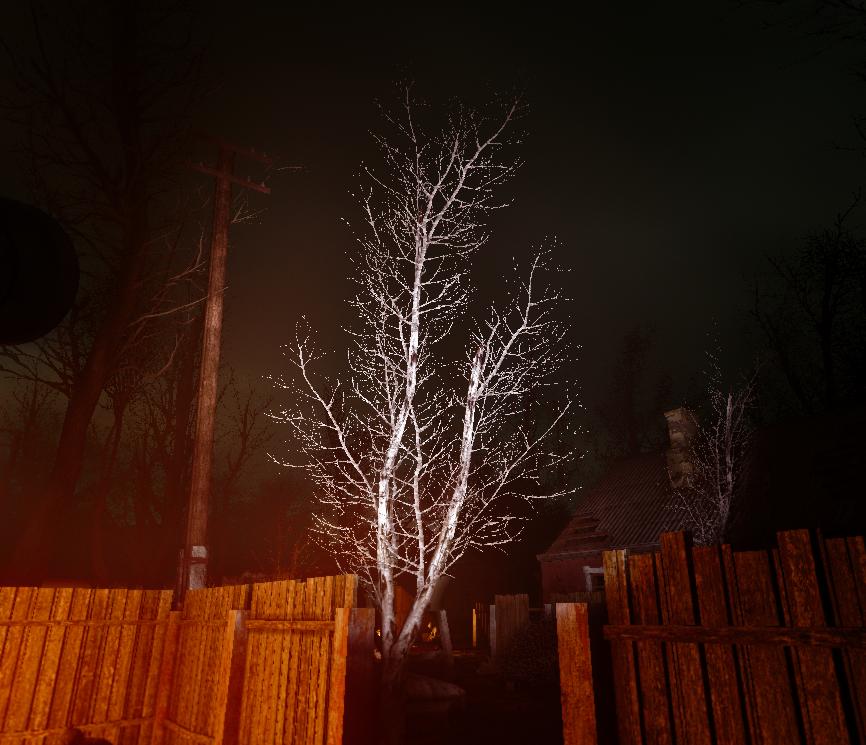
 astral folio
do i just enable everything when installing sss?
rapid magnet
SSS comes with GAMMA.. No need to install.. But also, no.. Not at my PC but there are a few that you shouldn't enable or you're going to get Shader Compilation errors
 fresh trail
hi, tell me where can I download the Coar RTX reshade?
rapid magnet

Both links are dead because the reshade is outdated and old
Doesn't exist anymore
 elder ingot
warped zodiac
how to unfuck trees? https://i.imgur.com/ITzhjUo.jpeg
elder ingot
warped zodiac
how to unfuck trees? https://i.imgur.com/ITzhjUo.jpeg
Turn down ur gloss percentage in SSS Settings in MCM
It’s in the Wetness section
rapid magnet
I told you it doesn't.. The links are dead.. The ReShade preset has been abandoned by the owner
fresh trail
rapid magnet
I told you it doesn't.. The links are dead.. The ReShade preset has been abandon...
I understand, but how do I find him? Ask someone?
rapid magnet
https://discord.com/channels/912320241713958912/1192574018398715904
He is the author of this mod.. He removed it there too but you can try and ask him
But I don't think he is going to upload it anymore
 woven tulip
hello people, how to install reshade back again ?
woven tulip
thanks mate
 winged otter
my game looks like hell, idk why. I just added reshades so i cant try to fix, anyone have suggestions on what i should do?

I think everything is too bright

 warped zodiac
Can you open your reshader menu and mess with your settings? (3rd party menu in game)
Ultimately what I did to make my game darker and less eyesore.

 proud jetty
i think it's just the weather
winged otter
the chem anoms seems too bright also, is that controlled by ambient? if i turn basic brightness all the way down i can see the gas anom the way i expect but the rest of the game looks too dark
proud jetty
mcm > sss setting > shadow & light. try to lower volumetric intensity.
winged otter
bruh i swear i messed with it earlier. I just set that to 0 and the game looks way better
ty btw

 proud jetty
np
 fading pond
how can i tone this down? especially how do i turn down light on surfaces. walls brighter than the fire lol

 languid ocean
Hey all, I have a really dumb nooby question so apologies in advance. Only been playing GAMMA for a few hours, messed around with the reshade menu, but my game looks so bleak, I can't seem to find a decent reshade pack to make the grass look green and more vibrant. Is this just because I'm still close to the rookie area or because I need to remove something?
orchid pebble
languid ocean
Hey all, I have a really dumb nooby question so apologies in advance. Only been ...
you might want to look into changing the season: #🤖bot-commands message
languid ocean
Ah you legend! Thanks, I'll take a look now!
languid ocean
orchid pebble
you might want to look into changing the season: https://discord.com/channels/91...
Damn man thanks alot, it looks exactly how I want it to look now! Thanks dude!
 oak wadi
are there any new reshade presets besides that already in 0.9.3? the pin google sheet seems outdated
 bleak zealot
after enabling the reshade the game now looks pixelated, any ideas on how to solve it? i've just installed it everything is default
 elder ingot
fading pond
how can i tone this down? especially how do i turn down light on surfaces. walls...
elder ingot
fading pond
how can i tone this down? especially how do i turn down light on surfaces. walls...
Try turning down bloom in SSS Settings
elder ingot
bleak zealot
after enabling the reshade the game now looks pixelated, any ideas on how to sol...
That’s not pixelation; thats film grain
Check the effects in ReShade
warped zodiac
wetness didn't change anything, how can I make tree branches, grass, and bushes not look paper thin or 2d
thorny crystal


 steady marsh
past shuttle
Nah, i have tried Nvidia AA with the control panel, but it gives me nearly the s...
steady marsh
past shuttle
Nah, i have tried Nvidia AA with the control panel, but it gives me nearly the s...
where are you seeing vort in the reshade menu? I dont see it on mine anywhere
elder ingot
warped zodiac
wetness didn't change anything, how can I make tree branches, grass, and bushes ...
That’s just how the textures are
It’s just lots of 2d foliage
If you’re worried about the leaves shimmering then you could try anti aliasing or DSR
 rocky nova
Anyone know why when I download cappa reshade and put it in my reshade folder it doesn’t come up in game
 young coyote
Did you find a solution to this? I cannot get cfg_load atmosr to work either. I also cant open the shader menu
thorny crystal
young coyote
Did you find a solution to this? I cannot get cfg_load atmosr to work either. I ...
I reinstalled atmospherics and I Sss22 as well as added atmospherics weather expansion. Once I cleared the shaders I was able to load a Cfg but I can’t remember if I loaded atmosr or weatherx
I use weather ex reshape now
You can see my screenshots above and in screenshots tab
young coyote
thorny crystal
I reinstalled atmospherics and I Sss22 as well as added atmospherics weather exp...
To reinstall, go to mod organizer, right click atmospherics and click reinstall?
thorny crystal
Yeah I did that for sss22 and I think for atmospherics i downloaded it again
You can check in mo2 if it’s got the new versions
young coyote
Oh ok when I hit reinstall it looks like it only installed sky textures.
 young coyote
thorny crystal
young coyote
thorny crystal
These pics only or are there more?
thorny crystal
You need to install the required files
Both of them
I picked the optional weather cycle too
They’re my sss settings
young coyote
oof i wish there was a guide for this man
I found one but it seems outdated
idk what im doing
Im on a fresh instal my SSS looks like this
 young coyote
thorny crystal
You need to install the required files
young coyote
thorny crystal
You need to install the required files
I'm just gonna wing it
thorny crystal
I mean you just click reinstall and select the required stuff
Pretty sure it guides you through it
young coyote
Same. It looks like nothing has installed correctly on my end. I am trying to reinstall manually following what I can find here but it's not going well. Getting a "Shader Compilation Failed" error now. Pretty frustrating
young coyote
Could anyone post steps on how to get enhanced shaders, SSS, and atmospherics working from a fresh install? And tag me please. I and a few others in the base game support chat can't get it to work. @wide jetty
 blazing helm
thorny crystal
I reinstalled atmospherics and I Sss22 as well as added atmospherics weather exp...
blazing helm
thorny crystal
I reinstalled atmospherics and I Sss22 as well as added atmospherics weather exp...
Atmosr isn’t a thing anymore most reshade presets from a while back are out of date
a lot of them double up on effects that are now present in game
past shuttle
steady marsh
where are you seeing vort in the reshade menu? I dont see it on mine anywhere
You have to install it. Vort could be found on Github.
GitHub
My shaders for Reshade. Contribute to vortigern11/vort_Shaders development by creating an account on GitHub.
 acoustic lagoon
any way of making the game stop looking so grayish

turned off all shaders anf it still looks gray
steady marsh
i love that you tried a command to see if it existed for that 😂
thorny crystal
I only get it when I'm in a darker area (indoors) and there is light rays pouring in, so must be something to do with sun, or shadows
it's not bad like before, but it gives me ptsd
I think I will reset my graphics to default when I'm finished this playthrough and try to figure out the whole grain issue, and see if I can make a guide, cus it honestly ruins the game and so many people seem to have this issue
steady marsh
i really only get it on far away terrain/objects now with the changes i made the other day when someone posted their settings
i do my best to ignore it but i can def still see it
 pale wedge
For grain at night try this: SSS settings -> Shadows & Light -> Volumetric Intensity -> 0,5 (or some other low number). For me higher volumetric intensity looks worse at nights
proud jetty
@bnz i can't get rid of it either.... i tried every setting at this point... i just think we need to wait for an SSS update. Anyone tried without reshade ? i'm not talking about turning on and off the effects but complete removing reshade.
Aslo, someone said it could be a display thing. I tested it on an IPS screen and qd oled same thing
thorny crystal
I have volumetric intensity at 0.1
and turned of force volumetric
it's required by atmoshperics btw,
so try that
proud jetty
force volumetric from where ?
proud jetty
thx i found it, it does help. I'm sure i messed around with that setting before though
thorny crystal
nice
 jovial jetty
I ticked some AAs in the reshape menu but neither of them made a difference in visuals. Am I supposed to play around with the individual AA settings?
proud jetty
you will notice a difference with SMAA
jovial jetty
proud jetty
you will notice a difference with SMAA
So just ticking the AA in the menu turns it on, yes? I don’t have to hit save or mess with the AA parameters?
proud jetty
use AA in reshade, turn it off in advance setting, it mess around with 3dss
jovial jetty
Thanks
 keen drum
anyone knows wtf im supossed to do?

 raven brook
fellas does anyone know what the button to access ENB settings is now?
orchid pebble
raven brook
fellas does anyone know what the button to access ENB settings is now?
The default Reshade overlay button should be the Home key.
acoustic lagoon
any guess to what is causing shadows to become linear like this?

 junior ferry
hey lads
trying to install reshade but i cant get my head around it
also where do i find the cappa reshade pack?
junior ferry
do i have to install reshade? or is it there by default
 swift robin
!reshade
void depotBOT
@swift robin To enable Reshade Follow this: #╭📖faq message
 weary nebula
guys any idea why there are 2 of everything ?

 pallid beacon
weary nebula
guys any idea why there are 2 of everything ?
pallid beacon
weary nebula
guys any idea why there are 2 of everything ?
I usually just leave it like that, if its not breaking anything then... who knows
Also anyone have any good rtgi values I can use?
thorny crystal
I'm about to start a second playthrough and I need some visual mod/upgrade suggestion? (I already have Adega textures, Zone reality, Atmo weather expansio, Ccon grass)
pallid beacon
thorny crystal
I'm about to start a second playthrough and I need some visual mod/upgrade sugge...
Hm try putting everything on winter and up the quality of omni lights and such in sss settings to high, while also using reshade (If you have it) and tune the settings to be a bit more on the dark side. Of course use the atmos winter cfg as well. While also using the ccon grass over grow settings
thorny crystal
pallid beacon
Hm try putting everything on winter and up the quality of omni lights and such ...
I was thinking of doing spring or summer because I just did autumn, so I want a little less "bleakness" haha
pallid beacon
thorny crystal
I was thinking of doing spring or summer because I just did autumn, so I want a ...
Ah I see haha. I would say summer
Perfect amount of horror and beauty
 thorny crystal
pallid beacon
Ah I see haha. I would say summer
thorny crystal
pallid beacon
Ah I see haha. I would say summer
Yeah that's what I will try
Just want it looking beeeeautiful af
pallid beacon
thorny crystal
Yeah that's what I will try
Yea, just make sure you pray when it coems to night time. It gets rather spooky.
 crisp nacelle
Can someone help me figure out reshade? I've followed the tutorial, copied bin folders, ticked Agressor in MO2, and yet everything is still grey. How do y'all get all those beautiful greens in your game?

 pallid beacon
crisp nacelle
pallid beacon
crisp nacelle
Did you reinstall Aydin's grass mod /lod and switch it to summer or spring?
thorny crystal
Does anyone know the recommended settings for grass when using CCon
crisp nacelle
pallid beacon
Did you reinstall Aydin's grass mod /lod and switch it to summer or spring?
This was the winner. Figured it out but thank you for the reply
proud jetty
thorny crystal
I'm about to start a second playthrough and I need some visual mod/upgrade sugge...
project inverno
steady marsh
thorny crystal
I'm about to start a second playthrough and I need some visual mod/upgrade sugge...
give ATO 4, vehicle textures redux, and rotten life texture pack a try. I also have a summer playthrough going with ccon, i could post some screenshots for you?
thorny crystal
steady marsh
give ATO 4, vehicle textures redux, and rotten life texture pack a try. I also h...
Yeah go for it!
raven brook
is there a way to completely turn off the reshades? home doesn't bring anything up for me
steady marsh
thorny crystal
Yeah go for it!
try page up
raven brook
i'll try
void depotBOT
@steady marsh
1) While in game, press F12, go inside Anomaly\appdata\screenshots. If the screenshot isn't there, look in your GAMMA RC3 folder, inside a folder called overwrite
2) Press PRTSC (Print Screen on your keyboard) open Paint, CTLR + V to paste the pic, save it, send it
3) Windows key + Shift + S, which lets you choose what part of the screen you want to take, it will directly copy the pic for you so all you'll have to do is just CTRL + V in the chat.
raven brook
not, still brings nothing up. could this have something to dow ith the fact that im on debug mode?
steady marsh
oh page up wasnt supposed to bring anything up, it just disables any active reshades you have on
raven brook
ohhhhhhh
yeah i think im just gonna give it up lmfao i dont think my pc can handle the current version
stock anomaly here i come...
steady marsh
raven brook
is there anything i can do to help load times, too?
steady marsh
game on an ssd?
raven brook
yeah thats what i though ;; my ssd can only fit 238gb
suppose i COULD make the space
let's see, anomaly + gamma together are...
steady marsh
i was gonna say gamma isnt 238gb lol
raven brook
no but they ARE 128gb, unless i dont need to put the anomaly folder in there too which i just assumed i do
steady marsh
you do, they need to be on the same drive
steady marsh
thats the spirit
thorny crystal
I had to re install the full game, because I broke something, and without the mods I had I get even less fps. which is weird because they were textures, c con, and trees and stuff
Anyone got their NVIDIA contol panel settings pic ?
steady marsh
thorny crystal
Anyone got their NVIDIA contol panel settings pic ?


specifically for dx11 exe
thorny crystal
TY!
Other than adega textures I need some texture suggestions, Name your favorites!
steady marsh
thorny crystal
Other than adega textures I need some texture suggestions, Name your favorites!
Another texture overhaul 4 (ATO 4), vehicle textures redux, and rotten life texture pack are what I use personally
thorny crystal
steady marsh
Another texture overhaul 4 (ATO 4), vehicle textures redux, and rotten life text...
Rotten textures has ADEGA in it right?
steady marsh
i have no idea
never used or heard of adega
i havent gotten to take any screenshots yet, organizing all my stashes in base rn since i moved everything and its taking a while lmao
 vague moth
Hello, I was told that to disable the default reshades that GAMMA 0.9.3 brings I had to delete two files from the anomaly "bin" folder, specifically "d3d9.dll" and "dxgi.dll" but they do not appear.
How can I disable reshades?
Can someone help me with that?
steady marsh
!reshade
void depotBOT
@steady marsh To enable Reshade Follow this: #╭📖faq message
steady marsh
@vague moth
vague moth
steady marsh
<@375785644154290178>
I discovered that its not a shader, but that the game is like with a lot of bloom. I'm looking for how to turn it off, the sky looks too bright
steady marsh
vague moth
I discovered that its not a shader, but that the game is like with a lot of bloo...
go into mcm settings, sss settings , post processing, and turn down exposure, I have mine set to the lowest value
@thorny crystal sorry i got side tracked irl, this was the only picture I was able to get before that
 thorny crystal
no worries
I installed it but some of the stuff kinda looks too new or out of place imo
gonna re isntall with just bricks and concrete and see how that looks
steady marsh
what did you do to fuck your game up originally?
thorny crystal
steady marsh
what did you do to fuck your game up originally?
I can't even remember I was getting fail scripts when launching
my gamma folder was like 400gb
I did a full fresh re instal with Ccons grass, vehicle redux, ato 4, and Rotten life textures
steady marsh
mines currently 148gb with those mods
thorny crystal
 vague moth
steady marsh
go into mcm settings, sss settings , post processing, and turn down exposure, I ...
vague moth
steady marsh
go into mcm settings, sss settings , post processing, and turn down exposure, I ...
Wow and it looks great!
Thanks
steady marsh
no problem man
steady marsh
thorny crystal
are those gold stars the npcs? how did you do that?
thorny crystal
you get that when you upgrade your pda I think
steady marsh
didnt know i could dot hat lmao
vague moth
steady marsh
no problem man
I have one more question, what can I do to increase my fps? I already did the "fps-optimisation" section but I want to know if there are any other settings besides those that are not mentioned there.
steady marsh
hmmmm im not sure, im new to this game myself, have you tried dx 11 vs dx 11 avx?
vague moth
I can try dx10
thorny crystal
welp my game is cooked again

im done for today
this is during a storm with lightning
viral magnet
Hi this isn't exactly a reshade thing but I'm desperate to find people who know about graphical stuff.
If anyone knows how to adjust the distance of SSS screen space shadows (for grass, specifically omni directional shadows like from a campfire), I would greatly appreciate help with this. I just want to extend the distance but none of the settings in the entire menu are affecting it besides simply disabling/enabling entirely.
#🔨base-gamma-support message
thorny crystal
steady marsh
is it like that the entire time?
Turns out is a bug specifically in weather editor
steady marsh
oh thats good news
thorny crystal
Thank da lord (grok)
steady marsh
our savior
weary nebula
Do you guys also noticing the excessive bloom with the new patch or is it me ?
steady marsh
Turn down the exposure
 uneven schooner
Do you guys know if there is a way to change the headlamp? because i always found it kinda ugly...
 drowsy dune
steady marsh
go into mcm settings, sss settings , post processing, and turn down exposure, I ...
drowsy dune
steady marsh
go into mcm settings, sss settings , post processing, and turn down exposure, I ...
Hello, I cant even see that option ! am I doing something wrong ? I noticed that my game is quite dark and increasing the gamma just makes the game look so foggy.. I cant remember it being like this the last time I played though
steady marsh
are you playing on a different version of gamma other than 0.9.3
drowsy dune
ah no, I'm using 0.9.3
steady marsh
do you see sss settings at all, or are you just missing the post processing sertting under it
drowsy dune
no I dont see anything named SSS settings inside MCM settings
can you post a screenshot if possible ?
 drowsy dune
no this doesnt exist in my screen
holy wow your options looks so clean haha

Mine looks like this
I guess thats because you play in 4k and i play in 1080
steady marsh
right click on screen space shaders in your mo2, press reinstall, at the top drop down menu select screen space shaders 22, select the options you want, add it to the list of mods where the original screen space shaders is, uncheck the old one and check the new one to activate it
drowsy dune
hey thanks man, I'll get to it immediately !
steady marsh
no problem
it might only work on dx11 tho, which could be why you dont have it on your menu
that i have no clue of tho, im just speculating
steady marsh
yeah i gotcha
drowsy dune
when I played gamma back in 2023 I dont remember Stalker Anomaly splash art coming up at all, its so weird
and it takes a long time, like 1 minute I guess
ok not 1 minute, but around 30 seconds
drowsy dune
steady marsh
right click on screen space shaders in your mo2, press reinstall, at the top dro...
is this the mod you are talking about ? 190 Screen Space Shaders 20 - Ascii1457
drowsy dune
lol, when I try to reinstall, it says "Installation file no lomger exists" haha
steady marsh
well thats fucked
here

ModDB
Implementation of AO, SSS, SSR, Water, Rain Puddles, DOF and much more for Anomaly [ 1.5.2 / 1.5.3 ] UPDATE 22.1 : SSS Overhaul, new Bloom Post-Process, improvements to the parallax and much more.
manually install it
 drowsy dune
thanks ! let me give it a whirl now
installed it just now
so when I'm manually installing it, should I check the last option too ? MANUAL INSTALLATION ?
because now the game doesnt boot up 😄
steady marsh
screenshot the box and lemme see, the whole box that pops up
 steady marsh
hmm, scroll up
drowsy dune
 steady marsh
okay deselect 4 ice version, 10 wind optional, i think 96 cause idk what es is and it says its required, then delete your shader cache
!cache
drowsy dune
so manual installtion can remain unchecked ?
 wanton gull
ES is enhanced shaders, I do believe you want that enabled.
steady marsh
!shader
void depotBOT
@steady marsh To clean your "Shader Cache", don't use the option in the Anomaly launcher.
Go in this folder: Anomaly\appdata, you'll find a folder called shaders_cache, delete this folder and launch the game normally from MO2, using your preferred DX.
steady marsh
ahh okay keep 96 checked then
steady marsh
yours looks different tho, this is what mine looked like when i did it manually

i selected the required ones, both #2's, the 1st #3, and #9 when i manually installed sss 22
steady marsh
wait yeah
thats the wrong screenshot
thats my bad lmao
thats another mod
thats a manual atmospherics shaders weathers install i did
steady marsh
okay just dont select wind optional and sss water ice version, delete shaders cache, and you should be good to boot the game up, you can leave everything else checked
word glad you got it
then you should have sss settings in your mcm
drowsy dune
you have no clue, I was so confused wondering what the fuck was happening
yea I do now
drowsy dune
the looked a lot uglier than I could imagine from 2023, but was convincing myself that my memory is fked up haha
yea I'll reduce the exposyre !
steady marsh
and volumetric intensity under shadows and light
steady marsh
yeah no problem, glad you got it sorted out
 spring bear
Bro my anti aliasing sucks even with fxaa trees have really jagged edges
steady marsh
spring bear
Bro my anti aliasing sucks even with fxaa trees have really jagged edges
try this

 spring bear
steady marsh
try this
spring bear
steady marsh
try this
what is this?
spring bear
steady marsh
try this
Is this nvidia drivers or amd I have amd
steady marsh
ohhhh its nvidia
nvidia control panel, thought it might help you out but nvm cause you dont have nvidia
winged otter
if the lights from headlamps seem like they have a billion lumens, what setting controls that?
imo the lights in game see too bright... and my pda looks washed out

ok, i think when i take a screenshot, on the same monitor the image doesnt look that bad, but in game it looks super bright/washed out
 dull yoke
i want my game to look better with reshades but i dont what to do
 sinful bronze
Why the grass looks so bad and fake with reshade?

 tardy wharf
steady marsh
try this
tardy wharf
steady marsh
try this
Yo I dunno if you fixed your weird grainy artifact in the darkness. I can get rid of it by changing in the advanced graphics settings, "Sun Rays Mode" to Screen Space and not Volumetric.
But I prefer Volumetric for day time because it makes the light rays pop...
I've been following your posts closely cuz this drives me crazy too. Hoping to find what is really the root cause
orchid pebble
I'd like to know if the above solution works. For research purposes, i don't actually have the problem.
 lyric jetty
Hey, am trying to use reshade to fix jagged edges, no luck so far, anyone could help please? I have an AMD GPU, the control panel doesn't seem to work with anomaly, have selected the correcte EXE, fps metrics show up and all
Oh and could someone recommend a vivid shade preset?
steady marsh
tardy wharf
Yo I dunno if you fixed your weird grainy artifact in the darkness. I can get ri...
Thanks ill try it, unfortunately i wont be able to play until like the 30th since i am out of town
 static bridge
My trees and some other enviroments look very staticy and look like they are vibrating, Here is a clip. Anyway i can fix this?
spring bear
static bridge
My trees and some other enviroments look very staticy and look like they are vib...
Mine are really sharp edges and look like shit too
Idk how to fix the shit aa even with reshade
 frosty patrol
Freedom moment
 swift robin
spring bear
Mine are really sharp edges and look like shit too
swift robin
spring bear
Mine are really sharp edges and look like shit too
ye shit, only few soulution exist. playing in 4k, unsing nvidia control panel to max out all AA settings for GAMMA, and reshade AA options. in 4K its almost no flickering.
 snow knoll
I just had a go at that Vort shader TAA. It's very good
Not perfect and some blur but by far better than the other options. I've left SMAA on as well, seems to help a tad.
There's other interesting things in that pack too.


 bronze ember
mg3
 idle orbit
can i just disable the new sss? i wanna play and i dont have time to figure out what ticks what
everything looks too bloomy and lighting is all blinding
 halcyon junco
idle orbit
can i just disable the new sss? i wanna play and i dont have time to figure out ...
halcyon junco
idle orbit
can i just disable the new sss? i wanna play and i dont have time to figure out ...
You can
idle orbit
halcyon junco
You can
How?
halcyon junco
just uncheck it in mo2?
halcyon junco
idle orbit
Already tried
You might need to change es
also if your main issue is bloom just reinstall sss without it
idle orbit
halcyon junco
You might need to change es
Wdym by changing it?
halcyon junco
also if you have anything like project inverno or any other shader add on that has a sss patch it will not work just removing it
 regal portal
Hi should I update my reshade? I’m on version 5.7.0 it says an update is available. If so how do I update?
proud jetty
regal portal
Hi should I update my reshade? I’m on version 5.7.0 it says an update is availab...
no need for update
regal portal
Okay thanks
elder ingot
frosty patrol
Freedom moment
Try deleting the shader cache manually
 bold bloom
30 fps
 fickle radish
!reshade
void depotBOT
@fickle radish To enable Reshade Follow this: #╭📖faq message
spring bear
What is the best reshade preset for the winter mod
 knotty dome
first time playing in a while, how do i make this less bright lmao it almost hurts my eyes

nothing in the SSS settings change it
elder ingot
knotty dome
first time playing in a while, how do i make this less bright lmao it almost hur...
Turn down bloom in sss settings
In post processing
knotty dome
elder ingot
Turn down bloom in sss settings
i have
thats at 0
well 1
and it seems you cant remove it from MO without bricking the game
knotty dome
ok after fucking around with commands, i got it to look like this, only thing super bright now are the headlamps and campfires
 snow knoll
spring bear
What is the best reshade preset for the winter mod
snow knoll
spring bear
What is the best reshade preset for the winter mod
You can try mine. Hope your PC is beefy.
Turn off deband if clouds are not as detailed as you like, but you will get a bit more banding in the sky.
elder ingot
knotty dome
ok after fucking around with commands, i got it to look like this, only thing su...
Try the bloom threshold
knotty dome
elder ingot
Try the bloom threshold
That a command as well?
steady marsh
No it’s in the SSS settings
Turn up the threshold to it makes it where a light needs to be brighter in order to bloom
Aka more lights won’t have bloom since they don’t meet the threshold
You can try turning down the vibrance too
elder ingot
knotty dome
That a command as well?
No it’s in MCM
Open it up and go to SSS settings
Then go to Post Process and turn up the bloom threshold
knotty dome
the light is still super bright

dude looks like hes walking around with a spotlight lol

 lucid knoll
I mean that's kind of useful 😂
spring bear
snow knoll
You can try mine. Hope your PC is beefy.
Thanks
 spare gyro
Sorry if stupid question but does gamma have a reshader i can open up in game ?
 kind bear
!reshades
 hollow laurel
!reshades
 clever matrix
spare gyro
Sorry if stupid question but does gamma have a reshader i can open up in game ?
clever matrix
spare gyro
Sorry if stupid question but does gamma have a reshader i can open up in game ?
Default key is HOME for reshade menu
steady marsh
!reshade
void depotBOT
@steady marsh To enable Reshade Follow this: #╭📖faq message
steady marsh
You need to enable it first @spare gyro
snow knoll
People talking about bloom just  it
it
 pale quest
how to dezactivate this annoying bloomy light?

he has 2 milion lumens in that headlight
 steady wasp
I really liked how crisp GAMMA used to look and how I didn't have to mess around with anything. Now it's shader gore and it's back to everyone's favourite pastime, spending ages tweaking reshade settings instead of playing.
pale quest
steady wasp
I really liked how crisp GAMMA used to look and how I didn't have to mess around...
Exactly. Today I wanted to play, but here I am. 2 Hours in I did nothing but tweaking the settings but nothing looks good...
steady wasp
Anyone know if it's possible to easily revert to the old, cleaner visuals? I assume simply disabling SSS aint it.
 pastel crown
whats the best reshade mod for just enableing aa ingame?
hollow laurel
Hey guys! I'm trying to find a good reshade for stalker gamma 0.9.3, any recommendations?
pale quest
what is the default settings for basic lightning

 torn vault
pale quest
what is the default settings for basic lightning
torn vault
pale quest
what is the default settings for basic lightning
cfg_load atmos
or
cfg_load atmos_neutral
Type in console
pale quest
torn vault
cfg_load atmos
or
cfg_load atmos_neutral
Type in console
Does not work..
torn vault
pale quest
Does not work..
What exactly do you want to reach for? If you use base gamma, lightning is already works fine
torn vault
pale quest
Does not work..
!cfgload
void depotBOT
@pale quest Open the console by pressing the ~ key and enter this command: cfg_load atmos
pale quest
void depot
<@637085708946767873> Open the console by pressing the ` ~ ` key and enter this ...
thanks
pale quest
torn vault
What exactly do you want to reach for? If you use base gamma, lightning is alrea...
I changed the values of contrast brightness and gamma and I wanted to revert them to default.
Also, how can I disable this bloom

Or how can I see the shaders menu that was before
Accesible with "home" key
torn vault
pale quest
Accesible with "home" key
!reshade
void depotBOT
@pale quest To enable Reshade Follow this: #╭📖faq message
torn vault
pale quest
Also, how can I disable this bloom
Go to mcm --> sss --> bloom post process --> untick all and move all sliders to the left
pale quest
torn vault
Go to mcm --> sss --> bloom post process --> untick all and move all sliders to ...
I did what you said but now everything is blurry

Is there any fix?
torn vault
pale quest
I did what you said but now everything is blurry
imo it looks fine. try to clean shader cache idk. bloom is very problematic now, next week Grok should release a patch in which bloom will be disabled by default, it's not a 100% info
pale quest
I will try to post another photo to show you, it looks like the image is kinda blurry thank gloomy
pale quest
torn vault
imo it looks fine. try to clean shader cache idk. bloom is very problematic now,...
the bloom is still there, even with the new settings..

all lights are like that, big ball of bloom
torn vault
It's not a bloom
Go to sss --> shadows and light --> untick force volumetric and volumetric intensity to min
 north fractal
hey guys my game isnt launching due to shader compilation failiure. Any way I could get a base copy of the intial shader file to replace my one?
void depotBOT
@steady marsh To clean your "Shader Cache", don't use the option in the Anomaly launcher.
Go in this folder: Anomaly\appdata, you'll find a folder called shaders_cache, delete this folder and launch the game normally from MO2, using your preferred DX.
steady marsh
Do that @north fractal
 nocturne plover
The shadowed areas in the corner of this room are created with mxao in reshade. Is it possible to recreate this using SSS? I've fiddled with settings in Ambient Occlusion and SSS but no luck. Any ideas... would like to accomplish this without reshade.

 tame forum
everyone has low fps on Jupiter?
 waxen knoll
i personally have lower FPS on jupiter
waxen knoll
yeah. i have a 3070 and get good frames most places, ive gotten as low as 10-20 in jupiter

 quick quarry
guys where is the fix for reshade failing to compile effects? i know its there somewhere, i have seen it but cant find now
pastel crown
should i update the resshade app if the reshade is working perfectly fine?
 zinc girder
pastel crown
should i update the resshade app if the reshade is working perfectly fine?
zinc girder
pastel crown
should i update the resshade app if the reshade is working perfectly fine?
if it ain't broke, don't fix it
steady marsh
quick quarry
guys where is the fix for reshade failing to compile effects? i know its there s...
!shader
void depotBOT
@quick quarry To clean your "Shader Cache", don't use the option in the Anomaly launcher.
Go in this folder: Anomaly\appdata, you'll find a folder called shaders_cache, delete this folder and launch the game normally from MO2, using your preferred DX.
steady marsh
nocturne plover
The shadowed areas in the corner of this room are created with mxao in reshade. ...
I personally don’t like mxao because the lines are so dark, i don’t remember the one i use but it’s near the top of the list on mine, im not home so i can’t check which one i use
quick quarry
steady marsh
!shader
thank you but this is about reshade failing to compile it's effects, not the game shaders
 shadow tiger
guys, I've been playing 2 weeks now and I'm running with a Ryzen 5700x + Rx6700xt, default mod settings, why cant i get my 99% FPS higher than 30FPS??? not smooth gameplay at all and pretty laggy

 modern ermine
My overall lighting feels pretty bright, is there a certain setting I'm missing to tone it down? Not sure if it's something in the base game, SSS, or reshade.
 pallid beacon
shadow tiger
pallid beacon
shadow tiger
Check fps optimization to see if any of that helps. But Im the same boat at first, I just guessed it was the game engine.
modern ermine
modern ermine
My overall lighting feels pretty bright, is there a certain setting I'm missing...
Ok I found it, it's SSS settings > shadows and light > volumetric intensity, I set it to 0 cus it's really just too much -- for anyone else that wants to know
pallid beacon
modern ermine
Ok I found it, it's SSS settings > shadows and light > volumetric intensity, I s...
Huh weird, I have everything set to default and such. Im curious what cfg do you have loaded up?
modern ermine
AtmosR++ for reshade, but it looks like the crazy volumetric lighting stuff is set too high for me
snow knoll
Re the MXAO settings, what I do I lower the strength on blend mode 1 and do not enable the "high quality" mode (this just seems to make it darker) and if you use "fast effects" AO on top and lower the strength to just 0.1 or so you'll find the counter balance each other and the effect is quite good.
For SSS AO I slide that all the way right to effectively disable
Employ HDR and tone mapping to correct lights and colors etc. And/or a good LUT if you know of one (not using one myself).
 spare root
I keep getting an error when i try to run the game shader compolation failed i tried deleting my shader cahce but it didnt work any fixes
 spare parcel
modern ermine
My overall lighting feels pretty bright, is there a certain setting I'm missing...
spare parcel
modern ermine
My overall lighting feels pretty bright, is there a certain setting I'm missing...

 lament pebble
how do i get rid of this haziness

 narrow prawn
should I update reshade or does it not matter?
orchid pebble
narrow prawn
should I update reshade or does it not matter?
it matters sometimes, crashes. don't update.
 stuck chasm
Can you just straight up disable SSS in MO2? not seeing any way to do it in MCM. Getting 40fps in areas I really shouldnt
 golden fjord
does gamma come with reshade? or is this chat for people who add it ontop of the base install?
 marsh relic
golden fjord
does gamma come with reshade? or is this chat for people who add it ontop of the...
marsh relic
golden fjord
does gamma come with reshade? or is this chat for people who add it ontop of the...
Gamma no longer comes with Reshade
rapid magnet
golden fjord
does gamma come with reshade? or is this chat for people who add it ontop of the...
!reshade
void depotBOT
@golden fjord To enable Reshade Follow this: #╭📖faq message
rapid magnet
marsh relic
Gamma no longer comes with Reshade
It does, it's just disabled by default
marsh relic
rapid magnet
It does, it's just disabled by default
Interesting, I just reinstalled it myself
elder ingot
lament pebble
how do i get rid of this haziness
That’s the radiation visual effect
You can turn that off in settings if you like
elder ingot
modern ermine
My overall lighting feels pretty bright, is there a certain setting I'm missing...
Try turning down bloom
 untold basin
lament pebble
how do i get rid of this haziness
untold basin
lament pebble
how do i get rid of this haziness
turn off sun shadows
 vernal olive
spare parcel
https://tenor.com/view/flashbang-gif-22572243
vernal olive
spare parcel
https://tenor.com/view/flashbang-gif-22572243
hehe the next 3 minutes after every emission
 lusty gulch
!reshade
void depotBOT
@lusty gulch To enable Reshade Follow this: #╭📖faq message
 severe flower
my gf is playing DX9 (we were sure game's gonna work fine on DX11 but it doesn't) and she tried changing reshade preset and it's loading and loading and loading and we dunno what to do...

okay, nvm it loaded and she disabled every effect since it prolly doesn't change anything
 unkempt wasp
That moment when you figured out how to solve the grainy trees and foliage, but it's been so long that I can't remember how to do it again.
 hushed plank
unkempt wasp
That moment when you figured out how to solve the grainy trees and foliage, but ...
hushed plank
unkempt wasp
That moment when you figured out how to solve the grainy trees and foliage, but ...
I just ramped up the Nvidia AA to 8X. 😃
unkempt wasp
hushed plank
I just ramped up the Nvidia AA to 8X. 😃
I remembered how to do it. You have to download a higher res foliage/tree mod and then enable TFAA and DRME or Motionvector in reshade.
hushed plank
unkempt wasp
I remembered how to do it. You have to download a higher res foliage/tree mod an...
I couldn't get the TFAA and DRME to look good without looking blurry in motion so now use Midwinter trees mod (no shimmering) with said AA.
unkempt wasp
From what I remember, there are a few different ways to get around the issue. However, I never really bothered trying anything other than the one solution that worked for me.
hushed plank
unkempt wasp
From what I remember, there are a few different ways to get around the issue. Ho...
I'm lucky also because I have 1440p screen. Looks smooth AF.

 left lynx
I can't open the reshade window in vanilla GAMMA with reshade already installed. The key input is still "Home" correct?
 harsh sparrow
hushed plank
I just ramped up the Nvidia AA to 8X. 😃
harsh sparrow
hushed plank
I just ramped up the Nvidia AA to 8X. 😃
Where did put this on ?
hushed plank
harsh sparrow
Where did put this on ?
You go in nvidia control panel and make a profile for your game using the game exe. Then you can set your AA from there and it will activate in game. I also have in-game smaa on low.
 calm ether
hey guys, i've just now installed reshade for a new run in the zone, wanted to ask you, the reshade says that there were few things he couldn't compile is it neccesser? and if so, what can be the issue

 exotic flume
how do i enable shader i forgor
 safe scarab
exotic flume
how do i enable shader i forgor
safe scarab
exotic flume
how do i enable shader i forgor
Unmark DELETE RESHADE DLLs in your GAMMA launcher and press INSTALL/UPDATE - wait for the process to finish. When you are in the game press HOME key and you will be able to do so
 vivid radish
exotic flume
how do i enable shader i forgor
vivid radish
exotic flume
how do i enable shader i forgor
!reshade
void depotBOT
@exotic flume To enable Reshade Follow this: #╭📖faq message
 dusty monolith
unkempt wasp
I remembered how to do it. You have to download a higher res foliage/tree mod an...
dusty monolith
unkempt wasp
I remembered how to do it. You have to download a higher res foliage/tree mod an...
hole filler + drme + tfaa in that order works well too
swift robin
dusty monolith
hole filler + drme + tfaa in that order works well too
can u send me
those reshade effects
?
dusty monolith
swift robin
can u send me
they come with gamma
 coral fjord
hushed plank
I just ramped up the Nvidia AA to 8X. 😃
coral fjord
hushed plank
I just ramped up the Nvidia AA to 8X. 😃
ey sorry to disturb you so late, how'd you set up yours in nvidia
mine seems to be doing absolutely nothing
hushed plank
coral fjord
ey sorry to disturb you so late, how'd you set up yours in nvidia
Well, I don't use gamma but you have to use the exe in your bin folder that you run your game from. Mine is dx11avx I think. Not on pc now.
coral fjord
hushed plank
Well, I don't use gamma but you have to use the exe in your bin folder that you ...
ah i tried that and 8x feels like it does nothing for me especially against the trees
when you're at your pc later, mind showing me a screenshot of your nvidia panel settings?
hushed plank
coral fjord
when you're at your pc later, mind showing me a screenshot of your nvidia panel ...
Will be tomorrow. Add me dm.
 sudden epoch
how do i get rid of this annoying fog
 elder ingot
sudden epoch
how do i get rid of this annoying fog
elder ingot
sudden epoch
how do i get rid of this annoying fog
You could try increasing the display gamma
r__gamma
 errant echo
How would I go about reducing the intensity of the bloom/lights here? I've fiddled with just about every slider and setting I can but can't seem to get it to not look way too blown out like it is
 elder ingot
errant echo
How would I go about reducing the intensity of the bloom/lights here? I've fiddl...
elder ingot
errant echo
How would I go about reducing the intensity of the bloom/lights here? I've fiddl...
Try setting the bloom exposure to 1 and the threshold to 8
errant echo
elder ingot
Try setting the bloom exposure to 1 and the threshold to 8
in SSS?
elder ingot
Yep
errant echo
elder ingot
Yep
Thanks, that helped a bit though I think the main culprit was "use weather presets", turning that off helped the most imo, though I have another issue I'm not sure how to tackle- the game is looking incredibly blurry and I'm not sure why. I have AA enabled through Nvidia control panel but what settings would make this less blurry and pixelated?
 elder ingot
errant echo
Thanks, that helped a bit though I think the main culprit was "use weather prese...
elder ingot
errant echo
Thanks, that helped a bit though I think the main culprit was "use weather prese...
Oh yeah for sure
That pixelation is normal
It’s just aliasing
Since the entire screen renders at the same resolution
NVIDIA AA doesn’t really work
But you could try DSR
That’ll help a decent bit
Otherwise you’ll need higher resolution foliage
This may help
I have a custom reshade in here with paid shaders
That do a really good job with antialiasing
To the point where there is almost no aliasing left
And I use it with DSR 1.78x
So that there’s almost none of that left
errant echo
elder ingot
https://discord.com/channels/912320241713958912/1297762722380779541
Alrighty, I'll take a look, thanks! 

sudden epoch
elder ingot
You could try increasing the display gamma
wdym display gamma?
elder ingot
errant echo
Alrighty, I'll take a look, thanks! <:hmm:1010935402556817448> <:hmmtakenote:104...
Np
sudden epoch
its not that, i think its the sun rays

like its definetly something with lighting
 pliant eagle
i was having a lot of reshade options earlier, suddenly they dissapeared any clues how to find them back?
elder ingot
sudden epoch
its not that, i think its the sun rays
Could be
Try decreasing the volumetric intensity in SSS settings
nocturne plover
sudden epoch
how do i get rid of this annoying fog
That looks almost like a reshade thing.
sudden epoch
i dont even have sss as an option
im gonna try and reinstall gamma see if that fixes it
elder ingot
sudden epoch
i dont even have sss as an option
Check MCM
elder ingot
nocturne plover
That looks almost like a reshade thing.
Could be
But I think it’s something different
Unless mazon’s got a lot of reshade effects on
nocturne plover
elder ingot
Could be
But I think it’s something different
Unless mazon’s got a lot of reshad...
Yeah, now that I really look at the image, I think you are correct. The sunrays are strong which I don't think a reshade would directly effect rays.
nocturne plover
sudden epoch
its not that, i think its the sun rays
There are the in-game settings (not SSS settings) under Lighting that allow you to decrease or turn off sun rays. I usually set Sun Rays Mode to screen space and set the Sun Rays Main and Base sliders all the way left. Also, if you're using Atmospherics, you can reinstall it and enable the option Fog Distance Increase.
That second image looks like the sun rays are from your character's shadow which, can be turned off in the in-game settings as well but, you shouldn't need to do that.
And as a "hail marry" you could try resetting SSS by opening axr_options.ltx in MO and removing all the SSFX lines.
sudden epoch
ive tried playing with the settings and found out that it might have something to do with the anomaly file itself. im just not sure what nit is

like its unplayble since everything is dark
i tried messing with the sun ray settings and this happened...

everthing turns black
its definetly something with lighting
from the base game
dusty monolith
sudden epoch
ive tried playing with the settings and found out that it might have something t...
you have tried deleting the shader cache right?
sudden epoch
sadly yes
its a fresh install i have not messed with shaders, after i reinstalled it agian..
 still forge
 still forge
Is there a way to make to low down the flash light power. It look like I travel with a industrial 4k Watt spotlight
before flashlight

after
 still forge

even at 0.7 brithness and 0.9 gamma light are like they come from heaven of god 😄
yah its much better reducing brithness and gamma definitly help
elder ingot
still forge
yah its much better reducing brithness and gamma definitly help
Try reducing the volumetric light intensity in SSS Settings
still forge
elder ingot
Try reducing the volumetric light intensity in SSS Settings
I reduce A little bit those setting And Am having a blast with reshade. Genius fix. Fantastic. Thanks a lot guys
 still forge
Am really having a massive fun with this reshade thing. great job
still forge

Fantastic job It never look that good.
The muzzle flash when ya in combat and the fog effect I absoltly love evething about this new thing
I am usually a massive hater especially every game that came after bf3. This is genius great job.
This reshade stuff give me flashback to GTA4 and all the reshade and enhanced mod graphic that came after
elder ingot
still forge
I reduce A little bit those setting And Am having a blast with reshade. Genius f...
Np
Glad it’s all good now
fading pond
anyone know how to fix this weird screen effect when looking into dark rooms?/
 elder ingot
fading pond
anyone know how to fix this weird screen effect when looking into dark rooms?/
elder ingot
fading pond
anyone know how to fix this weird screen effect when looking into dark rooms?/
Try setting hud hemi to 0
fading pond
hud hemi?
elder ingot
In the console
Type in hemi
And you should see it
Just set that to 0
Not sure what the full name was
But ik that it’s the hud hemi
fading pond
ssfx_hud_hemi 0 yes? says current is 0 but nothing changed. and hard to capture but when pulling up my knife it changes to white around it during the animation
trying to get back the semi depressing capa shade i was using pre update but theres just so many changed things and new issues its a struggle now

like the intense lighting issue. turned off bloom, messed with a bunch of other settings but lights are still small flashbangs, ive managed to make them less orange but still not at a great spot yet
young coyote
Sometimes my scope sees double, any1 know a fix?
 fading pond
that hemi change helped my hand issue i was having but the room itself still has that weird almost bubbly grain to it
cant even begin to think of what this effect is. its almost engrained with my screen but just really visible in darker areas. the whole aesthetic im going for

 dark marlin
some five months ago I guess there were regular crashes and we were told not to update reshade, not it's version 6.3.3 and I'm wonderig if the issue is still lingering
waxen knoll
anyway to have the sun not blind me? im all for realism and it looks kinda cool but when i lose my ironman cause i can't see ima be mad.

thats not the best picture but other times it really does blind you ive tried gamma and brightness and changing SSS settings but i cant seem to find it
 woeful meadow
!capa reshade
snow knoll
Have you uninstalled the bloom in SSS and turned off volumetric sun in settings?
fading pond
what is the afterimage affect called? while trying to fix that shadow issue i noticed when against a wall moving had a shadow afterimage
fading pond
if anyone else has the issues i did, indirect light, and make sure blur is set to 1. i probably turned it down when attempting to deal with the blinding lights in this update
 bitter juniper
where to download rtgi
 quasi dune
hello, im having some issues with my SSS in game, howevere the MCM SSS menue option is gone! can anyone help me figure out how to get that option option back! thx you
still forge
The F is those thing on the ground.

98% the game look awesome but sometime it look bizzzare
 junior barn
!capa reshade
sudden epoch
Is there any way to not make the trees look like absolute shit
 empty dock
Is there a way to add ambient light / bloom without ReShade? I re-installed SSS but still don’t seem to have the post processing module
viral magnet
sudden epoch
Is there any way to not make the trees look like absolute shit
Yes
You may want to install a tree mod in general to counteract it. Default "winter trees" look the worst btw I would at least change it to autumn trees or summer/spring if you like that. By reinstalling the Grass Tweaks mod
But beyond that, if you need to counteract it more with reshade?
Use HoleFiller for one, costs almost nothing and it alleviates much of the problem by itself.
If you need more than that, start using AA options but the only one I found to be the best is TFAA with DRME enabled right above it. You can find how to get those to show up on reshade somewhere here.
DRME + TFAA will cost FPS and you will probably want to tweak the settings specifically the half/full/quarter resolution rendering and such, the temporal filter strength, maybe the clamping too if you ever notice something being strange.
If you want to save some fps you can try QUINT Motion Vectors instead of DRME for your TFAA. It looks slightly worse to me but has a few more fps. I personally just use DRME with the sttings turned down as it looks better IMO.
Overall though it looks significantly better if you use Holefiller and/or DRME + TFAA (or quint motion vectors + tfaa)
BTW I assumed you meant the pixelation and all the weird glittery sparkling crap with all the trees. This is how to fix that
viral magnet
still forge
The F is those thing on the ground.
those are leaves
but they do look a bit weird, theres probably retextures that will get rid of that or make it better
swift robin
Just wanted to thank you guys, turned off my weather presets and holy shit I can SEE
 tardy ibex
grass shadows on or off in normal game settings when using a reshade?
 valid summit
I'm struggling with getting the sun not to turn the sky into a white blinding beacon, and it is far worse in a thunder storm is there anyone else who's dealt with these issues


 old delta
I have screen space shaders 20 that came with Gamma and I cant fix the damn overwhelming fog effect in the game. Any help? Thanks
 keen temple
SSS relies on the values of Enhanced Shaders and Atmospheric mods. Can try cfg_ load atmos
 light steeple
hey guys, if i am toggling reshade properties and it is not affecting the display at all - what is my issue. I have even tried turning on tint effects etc. to make sure that there is a problem - nothing is actually having an effect on the game
it was all working fine before i updated to 0.9.3
light steeple
edit: after unchecking the following and reloading, everything started working again:
 sudden epoch
viral magnet
Yes
You may want to install a tree mod in general to counteract it. Default "win...
sudden epoch
viral magnet
Yes
You may want to install a tree mod in general to counteract it. Default "win...
THANK YOU
 smoky cobalt
где скачать?
 valid sleet
young coyote
Sometimes my scope sees double, any1 know a fix?
valid sleet
young coyote
Sometimes my scope sees double, any1 know a fix?
disable generic depth in reshade
bitter juniper
how to fix ui when using rtgi?
nocturne plover
bitter juniper
how to fix ui when using rtgi?
Whats wrong with the ui? I've tried rtgi a little bit recently and had no issues with the ui.
bitter juniper
when i for example look at pda i can see shadows in the background
 lofty relic
Anyone know how i can stop my trees from looking like actual dogshit
keen temple
lofty relic
Anyone know how i can stop my trees from looking like actual dogshit
what kind of dogshit?
nocturne plover
bitter juniper
when i for example look at pda i can see shadows in the background
Just reloaded rtgi and double checked my pda, just in case I had missed shadowing in it before. My pda looked normal. I know that the Z thicknes can cause weird shadow issues but, I don't think it will affect your pda. Try adjusting it anyways. You may have additional setings in Reshade itself to get rtgi to work properly. If you're using Marty's RTGI, then check out this video. It might be of some help: https://www.youtube.com/watch?v=BTTuW2_qsqQ
Honestly, to me, it looks just ok in this game and its not worth losing 10fps or so. Using SSS and a few reshade settings will probably look as good if not better with nearly no fps drop.
How to install Ray Traced Global illumination (RTGI) Shader and setup Depth Buffer properly | Step-by-step tutorial
Get Marty's RTGI shader here:
https://www.patreon.com/mcflypg/
If you would like to support me, please consider joining my community. Get access to all my modding projects and step-b...
 gloomy vigil
Why does my graphics look like this? Seems like the light rays is too intense.
 elder ingot
lofty relic
Anyone know how i can stop my trees from looking like actual dogshit
elder ingot
lofty relic
Anyone know how i can stop my trees from looking like actual dogshit
Anti aliasing and DSR
Specifically TAA, DTAA and DFTAA
 daring cargo
i got this error after turning off project inverno and enabling the reshade is it fixable?

 grim breach
reshade menu wont save presets, anyone got a fix?
 elder ingot
daring cargo
i got this error after turning off project inverno and enabling the reshade is i...
elder ingot
daring cargo
i got this error after turning off project inverno and enabling the reshade is i...
Try manually deleting the shader cache folder
It’s in the anomaly appdata folder
elder ingot
grim breach
reshade menu wont save presets, anyone got a fix?
Go to the ini config file, highlight it and press Alt+Enter
Then set the security permission to full control for all users
grim breach
elder ingot
Then set the security permission to full control for all users
not seeing a security permission for the ini in either anomoly or gamma paths.

i tried setting to run as admin but still doesnt save
elder ingot
grim breach
i tried setting to run as admin but still doesnt save
hmmm
check the details settings
the second tab should be security
 grim breach
im on win 11, is there some fucky hidden feature i have to find?
 elder ingot
I'm on 11 too
wait
oh nvm
can you go to digital signatures?
also you might want to add a windows security exclusion if you havent already
grim breach
i have both anomaly and gamma parent folders excluded currently.

this stumped me, but im used to win10 so maybe im just dumb
should i add the ini as seperate exclusions as well? i figured the parent path should encompass the subfolders too

looks like i literally have to edit the registry to show the security tab. i love win11!
nocturne plover
elder ingot
Anti aliasing and DSR
DTAA does well, it made my trees look fuller.
elder ingot
nocturne plover
DTAA does well, it made my trees look fuller.
Yeah DFTAA is also pretty good
If you want you can use both
grim breach
fixed it by adding a key in the registry. wow.
nocturne plover
elder ingot
If you want you can use both
Hmm... I over looked DFTAA. Will have to try it.
elder ingot
grim breach
fixed it by adding a key in the registry. wow.
Dayum
Hopefully you’re not gonna have to do that again
elder ingot
nocturne plover
Hmm... I over looked DFTAA. Will have to try it.
It’s pretty good
Might be a bit strong but give it a try and see for yourself
grim breach
elder ingot
Dayum
Hopefully you’re not gonna have to do that again
yeah, seems to be fixed now. thanks for your assistance comrade!
 terse loom
valid summit
I'm struggling with getting the sun not to turn the sky into a white blinding be...
terse loom
valid summit
I'm struggling with getting the sun not to turn the sky into a white blinding be...
Wow, your game in the left screenshot looks absolutely amazing, wtf o.o
elder ingot
grim breach
yeah, seems to be fixed now. thanks for your assistance comrade!
no problem товарищ
swift robin
Does reshade negatively affect performance?
old delta
This SSS version 20 will be the death of me. I cant fix the overly dark shadows, I cant fix the ever permanent overwhelming fog. None of the proposed solutions work, I cant even open the shaders folder in MO as well for some reason to disable it
 stiff heron
old delta
This SSS version 20 will be the death of me. I cant fix the overly dark shadows,...
stiff heron
old delta
This SSS version 20 will be the death of me. I cant fix the overly dark shadows,...
Have you tried deleting the shaders in your Anomaly/appdata/shaders-cache ?
old delta
stiff heron
Have you tried deleting the shaders in your Anomaly/appdata/shaders-cache ?
Yep
stiff heron
Thought I’d ask. I had an issue where everything was super dark after an update and nuking that folder fixed it for me. Best of luck.
old delta
Aye cheers mate
nocturne plover
swift robin
Does reshade negatively affect performance?
My normal usage is tiny tweaks with color and basic ao and can see 2 to 5 fps drops. If you're going to be playing with rtgi or similar as well, expect 10+ fps drops.
 wild owl
sorry guys now i've just intalled gamma, which benefit should i have if i do reshade?my installation now is clear but i want to understand why reshade is an hot topic
 slate magnet
swift robin
Does reshade negatively affect performance?
slate magnet
swift robin
Does reshade negatively affect performance?
depends highly on the preset
it can not affect it at all with a light preset
 oblique copper
its better update reshade or not?
nocturne plover
wild owl
sorry guys now i've just intalled gamma, which benefit should i have if i do res...
Before and after reshade. I am using other settings outside of reshade to increase brightness a bit and to accommodate my monitor's hdr levels.
You'll want to check out the faq section on how to install reshade.

 elder ingot
old delta
This SSS version 20 will be the death of me. I cant fix the overly dark shadows,...
elder ingot
old delta
This SSS version 20 will be the death of me. I cant fix the overly dark shadows,...
If you like, I have a graphics pack that might help with that
It includes everything you’ll need
Textures, shaders, VFX and all that
old delta
Please, Im gonna go insane trying to fix this by myself
elder ingot
Alright then
Here’s the link
Install instructions are in the top pinned comment
And on the website
old delta
Thank you man, I will absolutely try and report back
old delta
Cheers
nocturne plover
elder ingot
Alright then
That last step you have is important! I missed it the first go around because I was skimming Haha. Thats a great setup you have there... makes things easy.
old delta
It will take some time to dowload all the stuff, so perhaps later, thank you
 vapid marsh
Anyone use Agressor Reshade or Natural zone reshade? Im just looking for nice setting
old delta
My download speed is a whopping 300kb/s since heavy snowstorm messed shit up
elder ingot
old delta
My download speed is a whopping 300kb/s since heavy snowstorm messed shit up
ah alr then
feel free to do it whenever you're ready
and if you need any help, just ping me on the forum and I'll see what I can do
old delta
I am downloading it, but you know, EXTREMELLY slowly
elder ingot
nocturne plover
That last step you have is important! I missed it the first go around because I ...
yeah my goal with it was to drastically improve the graphics of the game, while also being easy to install
so that even people who are new to modding could do it
elder ingot
old delta
I am downloading it, but you know, EXTREMELLY slowly
alr
old delta
first folder is 9 gb that is an insane size for such a download speed
elder ingot
yeah sry about that XD
old delta
Unless you conjured that snowstorm thats not your fault xD
elder ingot
but the reason it's that big is because it has absolutely everything that you'll need
I don't run anything on top of this
just this pack
and this is the result


 old delta
I will need tp figure out how to actually add new mods into MO since I never done that before
elder ingot
old delta
I will need tp figure out how to actually add new mods into MO since I never don...
alr
old delta
And I hope that you dont need to disable shaders that comes with base gamma
old delta
since for some reason I cant even open the shader folder that is shown in MO
 elder ingot
oh
i think that's how its supposed to be
there's nothing in it
so that's why
its kinda wierd i know
old delta
Probs, youre the expert here
elder ingot
yeah I do what I can XD
if you like tho I can show you how to install the mod once you get it
old delta
Would be great, thanks
old delta
But as I said, long haul before me, looking at that dreadfully slow internet speed
elder ingot
yeah
old delta
Joining vc would fucking cripple it further
elder ingot
true
old delta
elder ingot
go ahead and join installation support 1 then
Where, exactly?
old delta
Right, once the download is finished, will do
elder ingot
that's what I recommend
old delta
Alr will do
elder ingot
the reshade has some paid shaders for anti aliasing
which helps with that shimmering that you might get with leaves
the LUTs are basically a color theme for the game
so those help give it the atmosphere that it should have
old delta
If it fixes those damned shadows and fog, I am willing to jump through all the hoops
elder ingot
the main pack has textures, shaders, VFX and mask textures
and the optionals has weather and seasonal options
old delta
elder ingot
and the optionals has weather and seasonal options
Damn if I could get a winter season option I could idk suck your dick or something whatever you prefer
elder ingot
old delta
If it fixes those damned shadows and fog, I am willing to jump through all the h...
it should fix it since this is basically redoes all of your graphics
elder ingot
old delta
Damn if I could get a winter season option I could idk suck your dick or somethi...
lmao
yeah there's a winter option
Project INVERNO
old delta
Okay then drop your pants when youre ready lmao
elder ingot
but still has a bunch of other 4K textures
elder ingot
old delta
Okay then drop your pants when youre ready lmao
XD
me if you were serious: "sorry, but I'm 16, so I don't think that's going to work out well"
lol
old delta
prison cell is just a room would be my answer //kidding ofc
elder ingot
lmfao
old delta
But depending on the download speed, I might have time to do the full download/installation tommorow. Dunno your timezone, but its almost midnight for me and I have lectures+work tommorow, so I dont wanna be a complete sleepless zombie
elder ingot
ah alr then
that's fine
I have school tomorrow
but maybe afterward
actually
nvm i don't think that would work
it's almost 2PM for me rn
so that's about a 14 hour time difference
old delta
USA?
elder ingot
or 10 hour
elder ingot
old delta
USA?
Canada
old delta
Almost almost
elder ingot
yeah
old delta
Lithuania for me
elder ingot
alr
old delta
Might as well go to Ukraine for the ultimate reshade graphic epxerience
old delta
With enough shader mods cacked on top of it, sure
elder ingot
i mean hey
you can only get golden autumn at one time of year here
but in STALKER
I can get it any time I want
if I want a beautiful sunset
I can get that any time
if I want a rainstorm
I can get that too
old delta
You can actually get a generous amount of snow without worrying about global warming
elder ingot
yeah exactly
where I live
we had like one huge dump of snow
followed by sunny weather
and then intermittent smaller snowfalls
old delta
I think global warming is a conspiracy against christmas and new years. No bloody snow during the holidays, then a snowstorm and a beutiful pictureque snowy fields after it
Its a consipracy to destroy that festive feel im telling you
elder ingot
yea fr fr
old delta
Probably Obamas fault smh smh
elder ingot
yeah you can never get anything good out of a foreigner being in government
XD
jk
jk
Obama's great
old delta
Nah hes probably in a cabal with other poewful people who are all lizards from the moon or mars, I dont remember
elder ingot
lmao
anyway i got some work to do
but go ahead and lmk when the download's finished and I'll help you install it alr?
old delta
Right-o cheers mate
elder ingot
cheers
wild owl
nocturne plover
Before and after reshade. I am using other settings outside of reshade to increa...
bebore-after reshade


 left bison
@slate magnet what now💀
slate magnet
broooooo i meant to ask not ping me 
left bison
i'm on the last step
slate magnet

slate magnet
okay wait
left bison
then i
slate magnet
i will help you
left bison
can sleep
left bison
💀
slate magnet
but
slate magnet
i just want to say, that the reshade preset you were looking for
left bison
😭
 left bison
okay now how do i tfaa and ambeintfog
slate magnet
u did the ** in paths?
left bison
yess
i'm following custerplays' video
he has those 2
i have all the rest as him same
but those 2 i don't have
slate magnet
alr show me your screen with reshade open
like the menu with effects
bro u on weed or smt why so slow
left bison

no idk man stalker saved the ss somehwere else
i can't find it
so i used snipping tool
slate magnet
left bison
alr just try typing the thing you want in there
slate magnet
alr show me settings again
the thing i send you before show me how it looks for you
slate magnet
left bison
no idk man stalker saved the ss somehwere else
c/gamma/overite/bin

 left bison
in the search bar?
slate magnet
ye
left bison
😭
slate magnet
you can press refresh at the bottom
left bison
which part
slate magnet
and try to type again/
left bison
wait tfaa arrived
slate magnet
how could you not refresh
left bison
now only ambient fog left
slate magnet
yeah no shit it arrived i told you to refresh
slate magnet
left bison
now only ambient fog left
doesnt appear?
slate magnet
wow
left bison
ily