#╟🎑reshades
1 messages · Page 59 of 1
 spare slate
 visual musk
He didn't even do nerd shit 
 elder ingot
hey guys
anyone know where I can get a version of expedition reshade that works with gamma and SSS 21?
 polar tusk
hi guys, i have a question: how do i enable the reshades menu?
and also if you can leave some recommended reshades i will appreciate it as well, thanks
 odd current
!reshade
 void depotBOT
@odd current Follow this: #╭📖faq message
 restive lily
Hello guys. Cann anyone tell me how to change the grade, that water reflects the sunlight? Since I installed a few additional mods, the water looks completely white in daylight...
 lone apex
i don't usually run reshades at all.. but aren't i suppose to have reshade installed on GAMMA by default?
then why HOME button doesn't work?
 thorny vortex
lone apex
i don't usually run reshades at all.. but aren't i suppose to have reshade insta...
thorny vortex
lone apex
i don't usually run reshades at all.. but aren't i suppose to have reshade insta...
nope, reshade is disabled by default.
thorny vortex
lone apex
then why HOME button doesn't work?
!reshade
void depotBOT
@lone apex Follow this: #╭📖faq message
lone apex
i see, thanks
 hot hound
it says to place DRME above TFAA but I dont know what the path for DRME is.
Any ideas?
 solid knot
anybody else not have the reshade presets like poison and grim anymore? updated gamma a few months back and noticed all the presets were gone
 blazing helm
reinstall atmospherics and make sure to include the norfair and phrozac presets option in the fomod
solid knot
blazing helm
reinstall atmospherics and make sure to include the norfair and phrozac presets ...
might as well be speaking chinese
blazing helm
LMFAO
aight i gotchu
so go to mod organizer and look for your atmospherics mod
itll be in the gamma fixes tab nearish to the bottom
solid knot
blazing helm
aight i gotchu
i appreciate the help bigtime, ill have to deal with it another day i gotta hammer out this school project rn or im fucked
solid knot
i dont know why i even asked too, ADHD is some special shit
solid knot
blazing helm
wtf why did you ask now then hahaha
fr
blazing helm
ask again once youre all done, if im online just give me a ping its no problem
solid knot
blazing helm
ask again once youre all done, if im online just give me a ping its no problem
rgr that thank you brother
blazing helm
no worries man gl with your project
 gloomy light
Good day! So i have a Farm Fresh install of gamma, and it appears all 444 mods are loaded. How do i start reshading, ima complete newb. What are the minimum suggested loads? It seems AtmosR is ubiquitous
 green lake
https://discord.com/channels/912320241713958912/1180668474377371648 https://discord.com/channels/912320241713958912/1279805292472832101


 gloomy light
green lake
https://discord.com/channels/912320241713958912/1180668474377371648 https://disc...
gloomy light
green lake
https://discord.com/channels/912320241713958912/1180668474377371648 https://disc...
Yeah, that looks gorgeous
how i do? ^^


 wispy rapids
I got a testing reshade up for anyone interested :
https://www.mediafire.com/file/giflzkp7ww9eu7u/Frosty+Reshade+Testing+Release.7z/file



MediaFire
MediaFire is a simple to use free service that lets you put all your photos, documents, music, and video in a single place so you can access them anywhere and share them everywhere.
blazing helm
 celest flare
Are you playing gamma and if so can I ask what that compass mod is? It looks so clean
blazing helm
wispy rapids
I got a testing reshade up for anyone interested :
https://www.mediafire.com/fil...
Also is that the stalker 2 hud mod or whatever? I didn’t even realise it was compatible w gamma lol
gloomy light
heya, i downloaded Unreal zone, replaces the contents of the shaders and textures files. what do i do with the .ini file? leave it in the reshade-shaders root folder?
 rapid magnet
gloomy light
heya, i downloaded Unreal zone, replaces the contents of the shaders and texture...
rapid magnet
gloomy light
heya, i downloaded Unreal zone, replaces the contents of the shaders and texture...
You place it in Anomaly\bin
rapid magnet
Yes.. Press Home and then look for it in the dropdown
 tall pulsar
wispy rapids
I got a testing reshade up for anyone interested :
https://www.mediafire.com/fil...
tall pulsar
wispy rapids
I got a testing reshade up for anyone interested :
https://www.mediafire.com/fil...
that actually looks a little like stalker 2
blazing helm
Ye it’s the dynahud mod
I thought it was a seperate thing but yeah it’s pretty nice
 versed goblet
blazing helm
Ye it’s the dynahud mod
versed goblet
blazing helm
Ye it’s the dynahud mod
The graphics lookin insane to, I feel like the outline and the grass has a lot to do with it
 sterile moth
im trying to fix the anti aliasing with reshade but im not getting any positive results, anyone got some tips?
 twilit sonnet
whats the best reshade yall think?
 echo veldt

 astral bough
 twilit sonnet
echo veldt
twilit sonnet
echo veldt
how?
 hybrid eagle
is there any reshade in the normal gamma?
 rich lava
what mod gives you that mask overlay?
 astral socket
How do i know if my Agressor Reshade is working? is it as simple as just checking it off in the MCM?
rapid magnet
astral socket
How do i know if my Agressor Reshade is working? is it as simple as just checkin...
You have to enable it in your reshade menu.. In-game you press "Home" for the menu to pop up.. Then click the drop down at the top and select Agressor
hybrid eagle
i downloaded norfairs reshade thing and did all of the steps but when i press home it does not work
astral bough

 rocky raptor
https://youtu.be/yyHVwdIkszw?si=2HIDBnZy8SSLucPI
what reshade he using to look like this..

Atmospherics is already in Stalker GAMMA and HayZee's modpack. It is also available to install for Anomaly and EFP.
C Consciousness Grass Link (IN GAMMA DISCORD): #1279805292472832101 message
Anomaly Texture Overhaul Link: https://www.moddb.com/mods/stalker-...
echo veldt
twilit sonnet
how?
i dont have this multilut.fx for switch
echo veldt
hybrid eagle
i downloaded norfairs reshade thing and did all of the steps but when i press ho...
blazing helm
rocky raptor
https://youtu.be/yyHVwdIkszw?si=2HIDBnZy8SSLucPI
what reshade he using to look ...
Just the atmosr preset available with bloom and ambient lighting+ tfaa/drme/immerse smaa
Pretty much just bloom and AA
The rest is atmospherics itself and running the winter cfg
rocky raptor
is atmospherics is default by gamma ?
or i need to install atmospheric manuel in his video
blazing helm
If you want the updated version you’ll need manually do it yes
rocky raptor
thank
rocky raptor
blazing helm
The rest is atmospherics itself and running the winter cfg
how to run with winter cfg ?
blazing helm
if you’ve updated to latest then use in console: cfg_load atmos_winter
and of course he’s using winter foliage from consciousness grass and aydins
And the ATO pack but that’s quite heavy
rocky raptor
thank you bro
sterile moth
sterile moth
im trying to fix the anti aliasing with reshade but im not getting any positive ...
Anyone got some advise on this?
sterile moth
Where do I find that, saw it mentioned but couldn't find it
I tried the smaa and fxaa in reshade
sterile moth
blazing helm
Most people will point you towards TFAA+DRME
That something I can find in here somewhere?
blazing helm
@sterile moth have you found it yet? If not gimme 5 min then I’ll explain
sterile moth
blazing helm
<@370226358837837826> have you found it yet? If not gimme 5 min then I’ll explai...
Nah haven't found it yet
blazing helm
Sweet as gimme 2 secs
you still on the game though?
Well whenever you’re in there, open reshade and go to settings at the top. In this page you’ll find multiple paths that reshade uses to find the files it needs. There will be I think 4? By default
You need to hit the minus next to ones that aren’t ending in /shaders or /textures
so those two should be the only ones left, then you add ** to the end of both after another backslash
So they should now be /shaders/** and /textures/**
fuck discord theyre supposed to have the ** at the end but discord uses it for markup lol
@sterile moth take your time, and if you’re not sure I can explain things more slowly etc it’s no problem
Just ping if you need help ok
sterile moth
blazing helm
<@370226358837837826> take your time, and if you’re not sure I can explain thing...
Thanks, sadly gotta do a bunch of stuff for a couple hours but once I'm done and it don't work I'll ping ya
blazing helm
No problem, I’ll be a few myself since I’ve been and am at work
But I’ll just reply when I can, or someone else might be able to help
sterile moth
Aight sounds good
blazing helm
If you want video guidance, look up the atmospherics moddb page and watch the installation video. In it is a reshade section where hippo shows you how to do what I just wrote
 young dirge
guys how do i open the reshades menu? sorry for the noob question
blazing helm
young dirge
guys how do i open the reshades menu? sorry for the noob question
!reshade
void depotBOT
@young dirge Follow this: #╭📖faq message
blazing helm
follow this :D
 acoustic lark
blazing helm
if you’ve updated to latest then use in console: cfg_load atmos_winter
acoustic lark
blazing helm
if you’ve updated to latest then use in console: cfg_load atmos_winter
To reverse it, how is it?
blazing helm
go to anomaly/bin folder and delete or rename, dxgi.dll and d3d9.dll
acoustic lark
By the way, the drme doesn't know what it does but it eats 20 fps
blazing helm
yeah its a motion vector solution for TFAA so that its not blurry during movement
you can try
quint_motionvectors
its a lighter version, not as high quality but does the same thing
works the same as DRME, just pick one or the other
acoustic lark
motion vector
blazing helm
yup
acoustic lark
What exactly is the movement of the weapon?
blazing helm
im not sure what you mean sorry
acoustic lark
sorry im a nub for this
blazing helm
what do you mean movement of the weapon?
thats okay i dont mind trying to help
its no stress
acoustic lark
I don't understand what motion vector is, rather what it does
nothing, I'm just curious to try what you said because in the atmos video it looks really good, I think it's mostly the winter preset that changes the most I think
blazing helm
yup its the latest atmospherics version
which isnt in base gamma yet
well, gamma hasnt updated yet is what i mean
but also hes using slightly adjusted SSS settings too
but these are intensive
hippo plans to make a vid next about his settings i assume
acoustic lark
thank you for the info
blazing helm
youre welcome
rapid magnet
blazing helm
hippo plans to make a vid next about his settings i assume
Speaking of, I just finished my playthrough.. When I wake up from my nap I'm starting a full autumn playthrough :P
With those new trees
blazing helm
okayyy
those trees are nice
altho i havent checked to see if they cover the same amount as adega
if not you could mix them into one LFO folder
rapid magnet
What? Grab Adega's lfo trees and mix them with the new ones? Might be an idea
But I use base Aydin autumn trees with the new one under it so.. Might not need Adega
rapid magnet
I noticed that
blazing helm
yeah so i just use the grass module from aydins
rapid magnet
So I should probably install ADEGA and hide everything but the grass/trees
blazing helm
i mean you can
or just copy the LFO folder out and make it its own mod
just copy the folder structure of the other ones and zip it
rapid magnet
Do you have that on hand? I kinda deleted Adega xD
blazing helm
gamedata/textures/lfo
ah yeah gimme a min i can zip etc
ill make it since i might use it anyway
rapid magnet
I'll test it in-game quick before I sleep
blazing helm
2 secs
rapid magnet
I have it like this atm.. So should I place the lfo mod under Aternative Autumn?
 blazing helm
aw fuck ill have to upload it to gdrive i dont have nitro LMFAO gimme like 1 min i have good upload haha
it depends
idk how high quality adega trees are compared to the new mod
i havent checked
rapid magnet
Ah
blazing helm
also, idek if the new mod covers all the trees or not, if it does then theyll both completely overwrite one another
rapid magnet
Yeah not sure myself.. First time trying autumn lmao.. So far base Aydin almost looks like Summer.. It was very difficult for me to see the difference in Rookie Village
blazing helm
yeah i dont like it
it changes depending on the area but not much
would be better if there was a little colour scattered like adega then i wouldnt mind
ah gimme 5 min sorry lol
rapid magnet
Aight so I still need to get the grass from Adega then.. Since Aydin autumn is not the best
blazing helm
didnt realise the zipped folder is still like 600mb
its uploading now tho
adega grass is aydin autumn
rapid magnet
Oh wait you included the grass?
blazing helm
no
rapid magnet
Wait I'm lost now xD
rapid magnet
Ah okay gotchu.. So you use Aydin autumn with Adega trees?
blazing helm
well usually if i use adega i dont use any extra aydins mods
but yes
aydins autumn
you could also try winter grass if you like it too, that with autumn trees is pretty nice too
rapid magnet
Mkay.. I'll place the Adega LFO above Alternative Red Autumn.. So that it only changes the maps that Alternative doesn't cover
If my game looks like corn again I'll go Winter grass with autumn trees
rapid magnet
Ye
blazing helm
remember to use the atmos/atmos_winter ltx
blazing helm
yeah its weird
i love the look of the green in pics etc
but i get sick of it quickly when im actually playing
autumn feels more varied in colour
less than a min left 

 rapid magnet
This was my final screenshot on that playthrough.. No idea why the fuck 68 monolith spawned but it was fun
 rapid magnet
Sick thanks
blazing helm
youre welcome
 rapid magnet
 blazing helm
HAHAHA
one sec
try no w
haha
i didnt realise it was saying anyone with the link still needs to request
rapid magnet
Ah lol.. No worries.. I'll put it above the alternative one and test it in a sec
rapid magnet
blazing helm
i didnt realise it was saying anyone with the link still needs to request
Seems like a good spot actually.. Instead of above alternative

No wait
Below Aydin xD
There we go xD Don't want Aydin replacing Adega
 rapid magnet
I only want Adega to replace what alternative doesn't have
blazing helm
just double check to see if all of adega becomes redundant since alt red is there
lemme check
nvm adega has way more
its also got a bunch of moss textures and stuff too
for trees
maybe ill test it too
oh yeah lol
adega has 346 items in lfo folder, but the folder only loses 58 conflicts to alt red autumn
rapid magnet
I was thinking of testing out Late Fall grass.. Like hiding everything but the grass.. But not sure how it will look and I'm lazy
blazing helm
thats similar to the anomaly custom grass currently no?
rapid magnet
Aydin summer in CNPP is literally winter.. Like.. Where's the summer green my guy
blazing helm
they use 0.54 density with 1.0 height and 150 radius
roughly anyway
well it is more north right
colder
but still yeah idk i think winter grass would just be black at that point haha
rapid magnet
No I get that but it was night and day difference..
rapid magnet
blazing helm
did you get the new atmos hotfix btw
Doubt it
blazing helm
it has hotfix in the name
rapid magnet
But there we go


 rapid magnet
blazing helm
it has hotfix in the name
rapid magnet
blazing helm
it has hotfix in the name
Nah I didn't get it
I can't view atmos so I have to go and manually look xD
blazing helm
its near the bottom anyway
here
@rapid magnet
wait you cant even view the thread?
i knew you couldnt type but wtf
rapid magnet
I'll check it out when I wake up.. I can view the thread but I can't pin it.. So I have to manually find it each time lol
rapid magnet
rapid magnet
But there we go
But it looks good so far
blazing helm
yeah those pics are nice af
rapid magnet
Going to be a fun playthrough this time
I'll update Atmospherics after my nap.. Then see if I like autumn or not..
 thorn hare
I really need to install reshade
sterile moth
blazing helm
If you want video guidance, look up the atmospherics moddb page and watch the in...
i have done those steps, found tfaa and drme, but its not doing much, any specific values that i need to change in there?
blazing helm
im not really sure myself but
if you go with the atmosr preset
the values that it uses for TFAA+DRME are tweaked already
and thats what i use myself
its also what hippo uses in any videos you see
and also the immerse_smaa above them both
sterile moth
hmmm with those enabled it does seem to fix the AA a bit but its still prevalent
nvm its still there
sterile moth
thats alright
tho i do feel like that i could get a lot better since the difference aint big lol
 rich sentinel
@rapid magnet From which mod is the map hud? Completely forgot the name
rapid magnet
rich sentinel
<@367709116631875584> From which mod is the map hud? Completely forgot the name
EGUI
 gaunt grail
kinda into norfair's old multi LUT in my reshade (no reshade>reshade)


discord image compression is awful
 swift robin
rapid magnet
I was thinking of testing out Late Fall grass.. Like hiding everything but the g...
swift robin
rapid magnet
I was thinking of testing out Late Fall grass.. Like hiding everything but the g...
Late Fall grass doesn't exist, it's Aydin's grass
blazing helm
Oh late fall just uses aydins?
swift robin
blazing helm
Oh late fall just uses aydins?
Yeah
 sour chasm
Isn't it just aydin's winter with inverno grounds?
swift robin
sour chasm
Isn't it just aydin's winter with inverno grounds?
Exactly
blazing helm
@rapid magnet
rapid magnet
Ah I see.. I guess Custom just makes so many tweaks and changes that they give this false narrative on what's real or not..
Like, their weather isn't even Late Fall.. They ripped only the grass and ground out of Late Fall..
Then people who go downloading Late Fall be like "why doesn't my game look like that reeeee"
swift robin
yes late fall has been edited, some textures have been removed and some have been added, I was the last to know about this
 toxic mural
Custom uses good texture setup, at least from my first experience
But they need a good weather cycle
rapid magnet
Yeah I don't like that.. They completely ripped Arrival apart as well.. The visuals are great yes but how they got it doesn't sit well with me
sour chasm
I'm all for making the game look better but if you're not respecting the vision and work of the modders that did all the heavy lifting, then imo the juice isn't worth the squeeze
If I wanted to play a modpack full of plagarized, uncredited and bastardized content I'd play Fallout
blazing helm
the funniest part was when they tried to dmca hayzees pack since it was custom but cleaned up and translated to eng
and changed a lot more now tbh
rapid magnet
sour chasm
I'm all for making the game look better but if you're not respecting the vision ...
Even if you don't "respect" the vision, at least get permission to use assets of the mod.. Like, if I only wanted the seeds/leaves from Arrival.. I would ask Semitone if I could use that singular asset of his mod and I will credit it accordingly.. Yes, it's no the vision of Arrival but I really needed that visual to make my vision work.. But they went as far as ripping mods apart and renaming them.. And when you call them out they ban your from their Discord..
sour chasm
Yeah that's super fucked
Unfortunately that's the age we live in, because people don't value or respect digital media as a form of art, nor the creative and technical processes required for its creation
Modding has always largely been on the side of being thankless, but it's only gotten worse
rapid magnet
This fell on deaf ears btw.. Was completely ignored..
Using assets of a mod and tweaking it I can somewhat understand.. You can get a way with that in one way or another.. And mods will always be stolen, there's no stopping that.. But if you make it obvious that you took mods without credit, I'll just not use your shit.. That's why I refuse to support Custom in any way..
 blazing helm
the worst part is i feel like with a little manners and actually describing how the mod would be used, there may have been an actual chance semi wouldve been fine w the visuals only being used lol
rapid magnet
blazing helm
the worst part is i feel like with a little manners and actually describing how ...
With this entire mindset there would've been a chance that Custom would actually be an amazing pack enjoyed by many many more than now..
 copper wave
Does anyone have good stealth settings with reshade? My game is much darker now at night and it feels like I get detected wayyyy too easily
 tight zinc
rapid magnet
This fell on deaf ears btw.. Was completely ignored..
Using assets of a mod and...
tight zinc
rapid magnet
This fell on deaf ears btw.. Was completely ignored..
Using assets of a mod and...
this is wrong in so many levels
tight zinc
rapid magnet
With this entire mindset there would've been a chance that Custom would actually...
that's one of the reasons why GAMMA got so popular
besides the huge amount of effort put into it, Grok knows what he's doing
not just putting shit together and labeling it a modpack
 noble vault
WITHOUT reshade / WITH reshade
rate out of 10


and....
Does anyone know how to increase the distance at which objects become LOD?
 steady python
where can I install Biggs reshade?
tight zinc
noble vault
and....
Does anyone know how to increase the distance at which objects become L...
r__geometry_lod on the console
noble vault
tight zinc
`r__geometry_lod` on the console
thx
noble vault
tight zinc
`r__geometry_lod` on the console
but the max is 1.5
tight zinc
noble vault
but the max is 1.5
well set it to 1.5 then
honestly you won't need more than that
noble vault
 sure
sure
tight zinc
iirc the r2_ssa_lod_ commands also change that, but i know one of them was the opposite, like, the lower the value the better lods it had
noble vault
I will check
blazing helm
the geometry lod command is literally one of the in game vid settings
idk if its the static render distance or not icr
acoustic lark
How do I know if I have updated Atmospheric? I see a lot of people uploading screenshots and I want it to look that good too 
 pseudo spoke
noble vault
WITHOUT reshade / WITH reshade
rate out of 10
pseudo spoke
noble vault
WITHOUT reshade / WITH reshade
rate out of 10
first one has more soul to it
blazing helm
the second one is like fisheyed
also it looks like its 720p textures
maybe dont worry about reshade atm 😭
noble vault
yeah the bodycam effect fuck the quality
 cunning tangle
I clicked on somthing in my reshade settings that causes the game to be stuck in a black screen even on reset. Is there a way to fix this without too much struggle haha.
I can't rememeber which setting it was is the annoying part
blazing helm
Is it the ‘ depth buffer is reversed ‘setting?
Actually that wouldn’t just be black screen, if you change to a different reshade does it continue
Or if you disable reshade
cunning tangle
I fixed it, just reinstalled atmospheric and it reset the settings
How to get my settings back to looking pretty
tall pulsar
noble vault
WITHOUT reshade / WITH reshade
rate out of 10
i like it its just a little blury. but 8/10 because reshades arent normally like this so its unique/cool
noble vault
tall pulsar
i like it its just a little blury. but 8/10 because reshades arent normally like...
i changed a litte bit

For me the colors are more realistic now
astral socket
help, i cant seem to figure out why this is happening. Trying to use Enhanced Shaders Color Grading

 muted rivet
how do i turn on reshade again? forgot after so long not playing
rich sentinel
muted rivet
how do i turn on reshade again? forgot after so long not playing
Default HOME for Reshade HUD, END or DEL to toggle
muted rivet

i got this error anyone know
#if RESHADE < 40802
#error "Update ReShade to at least 4.8.2."
#endif
 muted rivet
anyone can help me pls? i just do a clean install and copy the bin folder to anomaly like the bot said

 faint ore
muted rivet
anyone can help me pls? i just do a clean install and copy the bin folder to ano...
faint ore
muted rivet
anyone can help me pls? i just do a clean install and copy the bin folder to ano...
that error means nothing that effect just doesnt work thats it
noble vault
i really liked my preset, and its not that much effects

 short peak
My settings are set to save as .jpg but they still save as .png for some reason. I've tried resetting the cache but a bit lost otherwise, can anyone think of a reason why?
I can work with the screenshots it takes, but if regrade is active (what I usually use for making luts) then the screenshot comes through completely transparent.
acoustic lark
hi, what preset is this ? custom ?
Atmospherics is already in Stalker GAMMA and HayZee's modpack. It is also available to install for Anomaly and EFP.
C Consciousness Grass Link (IN GAMMA DISCORD): #1279805292472832101 message
Anomaly Texture Overhaul Link: https://www.moddb.com/mods/stalker-...
acoustic lark
what is Lut? is a good option for atmos R?
rapid magnet
I believe Hippo uses his own LUT which is included in the latest Atmospherics.. It's not part of Reshade but the game itself..
For example

LUT is basically a color filter.. Kinda like reshade but built into the mod itself.. It's very subtle and not as over the top as Reshade.. Also makes no performance difference
 acoustic lark
rapid magnet
LUT is basically a color filter.. Kinda like reshade but built into the mod itse...
acoustic lark
rapid magnet
LUT is basically a color filter.. Kinda like reshade but built into the mod itse...
I see, so what shaders should I add to make it look so good? I have a huge list of shaders, atmosR only uses 4 and I notice that it doesn't look as good, maybe I'm missing something?
 potent oxide
Is Aydin's Grass Tweaks 4.0 Already now a part of Gamma?
rapid magnet
Best bet is to ask Hippo when he's around.. I personally do not use any shaders.. I only use DRME + TFAA to get rid of jagged edges
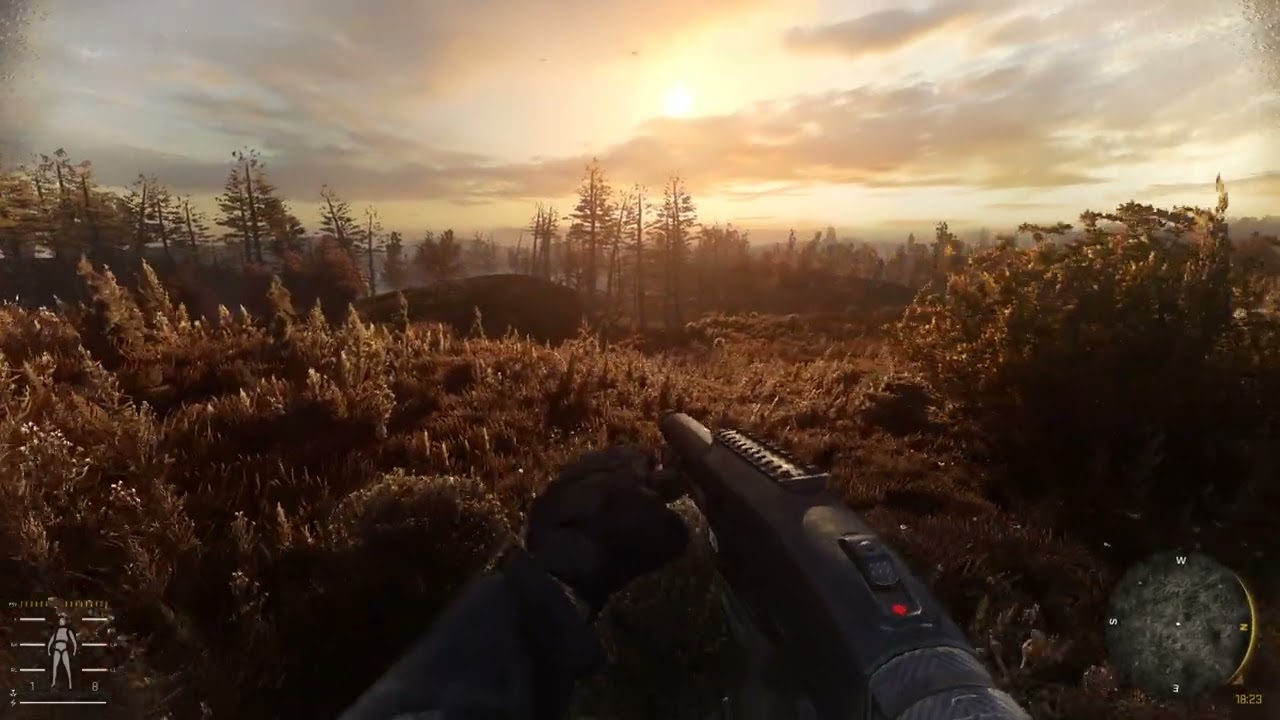 rapid magnet
potent oxide
Is Aydin's Grass Tweaks 4.0 Already now a part of Gamma?
rapid magnet
potent oxide
Is Aydin's Grass Tweaks 4.0 Already now a part of Gamma?
Yes
acoustic lark
rapid magnet
https://www.youtube.com/watch?v=oLLLgiJEIaw
this is the other grass right ?
the custom preset
rapid magnet
CAPA you download separately.. SSS is included (not sure on the version)
rapid magnet
acoustic lark
this is the other grass right ?
Nope.. That's Aydin
Oh wait
Yeah that's C Conc
Mb
potent oxide
rapid magnet
Yes
Is And Screen Space Shaders 20.2 already a part of Gamma as well?
And do u recommend capa reshade
rapid magnet
acoustic lark
i dont see where is tfaa
This is how I have my settings inside of Reshade.. Not sure what to do if that doesn't work..
 rapid magnet
potent oxide
Is And Screen Space Shaders 20.2 already a part of Gamma as well?
rapid magnet
potent oxide
Is And Screen Space Shaders 20.2 already a part of Gamma as well?
#╟🎑reshades message
SSS is included I'm just not sure on the version..
You can use whatever reshade you think looks best for you and that your PC can handle.. Personally, I don't use any.. Seen here #╟🎑reshades message
 rapid magnet
Yeah delete the whole shaders_cache
potent oxide
Thanks
And again when I launche the game right? I need to check the little box that says delete reshade?
rapid magnet
Nah that's not needed.. As long as you delete the folder itself you're fine.. The game will create a new one on launch
blazing helm
rapid magnet
This is how I have my settings inside of Reshade.. Not sure what to do if that d...
you could make it cleaner by getting rid of the three extra shader ones and just adding ** to the end of the shader and texture lines
rapid magnet
Yeah that is a good idea but I never look at it really :P but for others that will definitely work as well
blazing helm
ive just had mine like that for so long since that was what hippo did in his atmos install video ages ago lol
it just lets it get everything
acoustic lark
What would be the correct way to update Atmos without breaking my game? sorry for asking
potent oxide
Also boys how the hell do I pull up my reshade menu?
rapid magnet
potent oxide
Also boys how the hell do I pull up my reshade menu?
Mine is Home by default.. Can't really say what to do if that doesn't work.. You could try !reshade in #🤖bot-commands to see if that helps
rapid magnet
acoustic lark
What would be the correct way to update Atmos without breaking my game? sorry fo...
Install the new one via MO2 and untick the old one
potent oxide
rapid magnet
Mine is Home by default.. Can't really say what to do if that doesn't work.. You...
Where do I change the keybind? Homekey doesnt work
rapid magnet
potent oxide
Where do I change the keybind? Homekey doesnt work
Then your reshade is disabled.. GAMMA does that by default now.. Best bet is to try !reshade in #🤖bot-commands because changing the keybind is inside reshade which you open with Home.. So if that doesn't work it's probably not enabled..
acoustic lark
Of the optional ticks that you can use, do you recommend any?
rapid magnet
Personally I can't really recommend any.. I play the game as raw as it can be.. I just use DRME + TFAA.. The base Atmospherics is good enough for me.. Some people like certain bloom effects and others like ambient lights or HDR..
Just a tip: Reshade presets have their own settings.. So AtmosR bloom will look completely different to CAPA bloom for example.. Every person that makes their own presets changes the effects to their liking.. Or there are some who don't touch it at all.. So Ambient Light might look the same in AtmosR and CAPA for example.. So just keep that in mind.. You might play around and find a preset that works for you but the bloom doesn't look the same as a different preset.. In that case you'll want to take pictures of each setting of the effect you like and apply it to a different preset..
For example, back in the day, I loved Norfair Core v3 but I wanted the QUINTregrade from CAPA.. So I took pictures of each change inside of CAPA's QUINTregrade and just edited Norfair's regrade to look the same.. So you can mix and match different presets if you have time.. There's probably a better way of doing it but I wasn't in the mood to figure it out..
But as I said, now I don't use any
potent oxide
rapid magnet
Then your reshade is disabled.. GAMMA does that by default now.. Best bet is to ...
Damn seems difficult , mind helping me in VC rq?
void depotBOT
@rapid magnet Follow this: #╭📖faq message
potent oxide
Okay I successfully updated my reshade now how do I assign keybind fornreshade menu?
rapid magnet
Should be Home > Settings > Overlay key
rapid magnet
Yeah in-game.. Press Home
potent oxide
rapid magnet
Yeah in-game.. Press Home
Nothing happening
rapid magnet
Try Insert
potent oxide
That too
rapid magnet
Yeah I can't say then.. The reinstall in faq should fix that
potent oxide
I had to untick the delete reshade DLL in launcher 🙂
rapid magnet
Ah so it was that then.. Good to know

 sour chasm
less feels more these days
green lake
exactly
muted rivet
faint ore
that error means nothing that effect just doesnt work thats it
here what happen when i got the error

like the shadow is glitched
when i try to load the game without reshade it become normal
astral socket
anybody know if reshade causes CTD?
ive been crashing recently after i added reshade
green lake
astral socket
ive been crashing recently after i added reshade
me too man
i dont remember what's causin it though
astral socket
green lake
i dont remember what's causin it though
when you crash does it give you the pop up that X-ray has stopped working
green lake
nope
muted rivet
is this normal with reshade?

thing are so dark on the shadow
normal reshade not changing anything

 rapid magnet
astral socket
anybody know if reshade causes CTD?
rapid magnet
astral socket
anybody know if reshade causes CTD?
"This is due to Reshade versions shenanigans. The latest tested version that doesn't crash while doing stuff in question is 5.7.0, you can download it here: https://reshade.me/downloads/ReShade_Setup_5.7.0_Addon.exe. If you wish to use later versions, try not to change graphics settings with them."
Comes from Modded Exes Github troubleshooting page.. I have the same thing.. It's just a feature at this point lol..
 cerulean reef
I knew something was up with the latest ReShade version.
 versed salmon
!reshade
void depotBOT
@versed salmon Follow this: #╭📖faq message
 cobalt parrot
anyone here have experience with marty's newest RTGI?
trynna figure out what the actual fuck is going on here
jk figured it out carry on
cobalt parrot
green lake
looks good to me man
lmao thanks man


 lusty galleon
!reshade
void depotBOT
@lusty galleon Follow this: #╭📖faq message
sour chasm
cobalt parrot
ez, just don't use it

but really tho, the visual difference between using RTGI vs just tweaking SSS is a lot smaller now than it was in the past. RTGI doesnt feel worth the performance hit anymore.
Also, fuck Marty
sour chasm
it's because it's a paid shader
cobalt parrot
I haven't updated SSS in like half a year so maybe might be time
blazing helm
at that point just update your gamma 😭
cobalt parrot
no I like my setup 
blazing helm
😔
to be fair you dont even need too
i didnt update mine for ages
but i kept up with updates manually
honestly get new sss and new atmos ez
also, have you had a look at the newer texture packs like ATO or rotten life at all?
cobalt parrot
I was literally just in the rotten life thread lol
cobalt parrot
I figure I've only got about 2-ish months to screw around with gamma before attributing all my time to stalker 2
and by the time I take a break from S2 there will probably be a new gamma update
then I'll get current
blazing helm
ah yeah thats pretty much what ill end up doing too
im really looking forward to it
have you seen hippos recent video showcasing the graphics?
cobalt parrot
yes! he should upload more I really liked it lmao
blazing helm
for sure!
i think next hes gonna do a video on his settings?
since he changes a few things from default atmos settings for his personal setup
rocky raptor
green lake
how what reshade you using & mod
astral socket
I just downgraded my reshade to 5.7.0, and none of the presets are working. Help!
 slow solstice
Does somebody have some suggestions how to pump up the graphics/lighting so Gamma looks more like Anomaly Custom ?
green lake
rocky raptor
how what reshade you using & mod
not ready yet
 unreal tundra
.
sour chasm
cobalt parrot
I haven't updated SSS in like half a year so maybe might be time
do it
my last playthrough was like juneish
between then and now everything looks better
all the subtle lighting differences between new SSS and Atmos versions + custom weathers feels so much better than before
- c conc grass and a dialed back reshade
like 6 months ago I felt like I had to spend hours if not days tweaking things to make it look right
now its like, install game, install mods, set to AtmosR and turn on Tfaa + DRME and brrrr
short peak
The emergent luts were designed with Hippo's weather in mind, they'll look shit on just base anomaly I believe.
I think you should try disabling emergent as well, and instead try the default anomaly lighting settings but tweak the colour_grading to add more blue to the scene.
short peak
Are you using the default light settings now? You can lighten shadows but if done too much it can throw the whole picure off. You could first try raising the gamma a little bit but not too much so the bright areas don't get washed out. Or, open the console and type in 'r2_sun_lumscale_hemi' and raise that a little. Eg, if it's at 1.5, try 1.6 or 1.7
short peak
Okay, so you've got Atmospherics, then Emergent after it which is good. Did you then load the Emergent config called 'zone'?
It was made specifically to provide auto exposure, so when looking at dark shadows your screen brightens. If set up correctly you shouldn't need to do anything more to shadows, unless you have an oled monitor or something casuing really dark blacks.
noble vault
I don't know how I feel. I think to have a realistic bodycam effect, you need more than just a reshade, some extra movement... I don't know, but I can't feel that "realistic feeling" using only reshade....
rapid magnet
noble vault
I don't know how I feel. I think to have a realistic bodycam effect, you need mo...
You'll probably need some weapon repositioning mod to make it more bodycam friendly
noble vault
rapid magnet
You'll probably need some weapon repositioning mod to make it more bodycam frien...
that's true too
rapid magnet

used bgm : https://dova-s.jp/bgm/play18406.html
moddb : https://www.moddb.com/mods/stalker-anomaly/addons/shader-based-bodycam-like-effect-mod
with SSS patch file
https://www.moddb.com/mods/stalker-anomaly/addons/patchsss-with-bodycam-like-effect-patch#downloadsform
Q&A
よくありそうな質問
Q.GAMMAやEFPに導入可能ですか?
Q.Can it be installed on GAMMA or EFP?
A....

Some gameplay S.T.A.L.K.E.R. ANOMALY with mods
noble vault
thx


 wind marlin
does anyone have the ADEGA link?
 tacit rivet
green lake
on
tacit rivet
green lake
on

muted rivet
A.T.E.G.A with norfair reshade + SSS update

 autumn shadow
green lake
on
autumn shadow
green lake
on
can you share the reshade

 swift robin
Reshades
green lake
autumn shadow
can you share the reshade
 hollow ore
hi bois . i have forgoten how do i get the reshade owrking again fresh install
working*
blazing helm
hollow ore
hi bois . i have forgoten how do i get the reshade owrking again fresh install
!reshade just follow along with this
void depotBOT
@hollow ore Follow this: #╭📖faq message
hollow ore
tanks man 🙂 now i remember
 devout kraken
noble vault
WITHOUT reshade / WITH reshade
rate out of 10
devout kraken
noble vault
WITHOUT reshade / WITH reshade
rate out of 10
how can i install?
noble vault
devout kraken
how can i install?
noble vault
devout kraken
what is that
is it an app? to change the post-processing of games
void depotBOT
@blazing helm Follow this: #╭📖faq message
devout kraken
oh
blazing helm
fwiw, that is the web address short hand for the actual site
so use it for other games
but in gammas/anomaly case use that command
noble vault
blazing helm
!reshade
devout kraken
blazing helm
but in gammas/anomaly case use that command
what command
blazing helm
the reshade command i just did for u
devout kraken
i mean i just was curious how to install reshade....
blazing helm
yeah i know
blazing helm
void depot
<@178041810206195712> Follow this: https://discord.com/channels/9123202417139589...
this
follow that faq link
it tells you how to install it 😭
blazing helm
itll be fine
blazing helm
the only thing i use reshade for is anti aliasing anyway
noble vault
devout kraken
my RTx3050 wont handle it
I don't even have a video card 😭
devout kraken
noble vault
I don't even have a video card 😭
damn
noble vault
my r5 5600g handle it at 30fps, so i use losslessscaling
devout kraken
noble vault
my r5 5600g handle it at 30fps, so i use losslessscaling
lucky
 sly basin
How do I install reshade for gamma
 iron trout
i reinstalled reshade like 5 times no matter what these 2 shaders wont work or load
 iron trout
sly basin
How do I install reshade for gamma
iron trout
sly basin
How do I install reshade for gamma
update gamma with delete reshade dlls unchecked then when you launch gamma after the update just press the home key in game and you can use reshade
iron trout
sly basin
How do I install reshade for gamma
 sly basin
iron trout
update gamma with delete reshade dlls unchecked then when you launch gamma after...
sly basin
iron trout
update gamma with delete reshade dlls unchecked then when you launch gamma after...
Legend bro! Thanks!!
iron trout
sly basin
Legend bro! Thanks!!
np man enjoy
 limber temple
!reshade
void depotBOT
@limber temple Follow this: #╭📖faq message
 shadow herald
wispy rapids
I got a testing reshade up for anyone interested :
https://www.mediafire.com/fil...
shadow herald
wispy rapids
I got a testing reshade up for anyone interested :
https://www.mediafire.com/fil...
Frosty, could you share your "user.ltx" pls?
hollow ore
in volumetric resolution in the SSS options
tall pulsar
shadow herald
Frosty, could you share your "user.ltx" pls?
its in the file
shadow herald
tall pulsar
its in the file
i found onlt the cfg_load config
 unborn stone
Hey guys. What setting in reshade or in game can i tweak to make indoor corners not pitch dark? Im inside Yanov camp and corners are very pitch dark
green lake
!reshade
void depotBOT
@green lake Follow this: #╭📖faq message
tall pulsar
shadow herald
i found onlt the cfg_load config
thats his whole user ltx though. frosty.ltx
shadow herald
tall pulsar
thats his whole user ltx though. frosty.ltx
Hmmm got it! tks!!
 half canyon
where can i find drme in files
doesnt come up when i search it
oh it's motion estimation my bad
got it nevermind

 jolly talon
did you update reshade ?
@rich lava Ha never mind , you instaled emergent zone , i would take all the reshade stuff from the mod and put it in anomaly/bin so you can acces all your preset from one place
jolly talon
yes , he made a diffenrent version without reshade but i think he is maintaining only the v3
rich lava
i have emergent zone 2 but the reshade had nothing in it
 thin narwhal
i have that too
jolly talon
just delete it then , go check the pinned msg on emergent zone channel , i think there is all the info
 ebon bear
Hey! I might be dumb, but i can’t find the TFAA shaders, someone have a clue how i can activate it maybe?
 subtle thunder
hello
once i install ZR remade, where should it be in the modlist?
 gentle comet
best low end reshade?
sour chasm
Default AtmosR
 strange eagle
Anyone have the solution ? I try to install Capa Reshade and my game is full dark now 🥲
I try to put everything back as before but it's doesn't work...

 wide flower
Hello guys can someone share TFAA shader preset?
blazing helm
wide flower
Hello guys can someone share TFAA shader preset?
it comes with gamma reshade-shaders it just doesnt show by default

but if you follow what this says itll show
wide flower
Is it okay if I DM you?
 vocal raptor
Anyone got some tips to make game look better? Just started gamma a few days ago and my save looks kinda shit
 azure venture
green lake
off
azure venture
green lake
off
bro sorry to bother, how did you get this look? any guides
 vapid basin
is rehsade included by defualt? My home botton does not open any menu
thin narwhal
vapid basin
is rehsade included by defualt? My home botton does not open any menu
No you gotta install it
thorny vortex
vapid basin
is rehsade included by defualt? My home botton does not open any menu
!reshade
void depotBOT
@vapid basin To enable Reshade Follow this: #╭📖faq message
 lament tinsel
anyone able to recommend a decent reshade that is not going to tank my fps but makes the game better
 twilit sluice
Anyone with reshade experience know how I could troubleshoot these green pixels?

 past shuttle
i had some similar effect with tfaa together with filmic bloom effect. maybe thats something at your side aswell.
 silver lichen
twilit sluice
Anyone with reshade experience know how I could troubleshoot these green pixels?
silver lichen
twilit sluice
Anyone with reshade experience know how I could troubleshoot these green pixels?
disable shaders one by one some shaders affects others like that, colorful pixels
twilit sluice
silver lichen
disable shaders one by one some shaders affects others like that, colorful pixel...
Ended up finding it was the chromatic aberrations! it also forced me to go through every setting with a comb and my game looks exactly how I want it
even got a preset for high / low light
 valid forge
who know how i can fix it?)
 twilit sluice
lookin p alright!
 twilit sluice
valid forge
who know how i can fix it?)
twilit sluice
valid forge
who know how i can fix it?)
I would uncheck everything in reshade you have enabled to see if anything "removes" it
if that don't work go through every enabled setting like a comb and just play
valid forge
uncheck all)

 amber wing
hi ! how can I fix this horrible effect ?

 nocturne spear
blazing helm
amber wing
hi ! how can I fix this horrible effect ?
nocturne spear
blazing helm
amber wing
hi ! how can I fix this horrible effect ?
iirc you can turn shadow map up in the launcher to help that? but ive never had the issue myself so may not be 100% acc
amber wing
Ok thx
 cedar zephyr
hello stalkers. i was wondering if anyone can help me find a solution to my problems. i recently installed enhanced shader color grading. the shader consequentially made my NVG's obsolete as I can not see in the dark with them at all for some reason. I even have the upgraded ones. Is there any setting I can tweak, maybe in the NVG mod?
 idle sluice
is cfg_load atmosR a console command?

 misty echo
idle sluice
is cfg_load atmosR a console command?
misty echo
idle sluice
is cfg_load atmosR a console command?
not anymore
idle sluice
misty echo
not anymore
can you expand on that pls
 idle sluice
okay then how do i get spring preset for the capa reshade?
misty echo
you could atmos_spring but that preset is 10 months old
atmospherics has been updated a few times since then so it will prob look different
idle sluice
so just typing the atmost spring without .itx should do the trick right?
blazing helm
idle sluice
so just typing the atmost spring without .itx should do the trick right?
Just use cfg_load atmos
it’s the newer version of the old atmosr
it’ll be slightly different to the screenshots but same idea
 blazing helm
tbf that doesnt look bad by any means
weather and time make an insane difference in picture
idle sluice
misty echo
only these
any way i cant get these .itx files?
misty echo
just type cfg_load "insert file name here"
idle sluice
misty echo
just type cfg_load "insert file name here"
oh these files do come with base gamma
misty echo
indeed they do
blazing helm
yeah they come from atmospherics which when enabled lets you use them whenever
and atmos comes w gamma by default
idle sluice
what do you guys think of quint regrade
with and without quic=nt re grade( it darkens the corners)

 rapid magnet
That's only if you enable the vignette with it
Loading my game up now and will show you what mine looks like
Without vs with
Just makes my skies a bit "clearer" and adds a tiny tiny bit of vibrance to everything else

 idle sluice
rapid magnet
Without vs with
Just makes my skies a bit "clearer" and adds a tiny tiny bit of ...
idle sluice
rapid magnet
Without vs with
Just makes my skies a bit "clearer" and adds a tiny tiny bit of ...
what reshade you using in this?
rapid magnet
None.. Only showed quint regrade
 narrow flare
Hello, do I need to do anything to enable reshade?
I haven't played in awhile, just updated my install and noticed reshade doesn't start or at least isn't accessible via the home key.
blazing helm
narrow flare
Hello, do I need to do anything to enable reshade?
I haven't played in awhile, j...
!reshade
void depotBOT
@narrow flare To enable Reshade Follow this: #╭📖faq message
pseudo spoke
idle sluice
what do you guys think of quint regrade
useful shader for general customization, imo I prefer to just use lightroom instead
narrow flare
blazing helm
!reshade
Thank you that was exactly what I needed. I cant imagine the pain of people constantly asking for help with things that are so clearly answered in the FAQ.
blazing helm
theres no pain for me LMFAO
theres no issue and there is a lot of info the in faq sometimes lol
narrow flare
Well thanks for the help, very much appreciated.
blazing helm

 boreal tapir
Any reason why night skys seems completely blurred? It would be like even when I wasn't messing with the reshade menu. Any fix?


 quaint reef
Does TFAA in reshde go above or below DRME in the reshade effects list?
rapid magnet
quaint reef
Does TFAA in reshde go above or below DRME in the reshade effects list?
DRME first, TFAA second
quaint reef
@rapid magnet thank you!
twilit sluice
!reshade
void depotBOT
@twilit sluice To enable Reshade Follow this: #╭📖faq message
 harsh sparrow
Hi, excuse me, where can i find spooky's reshade please ? thanks !
swift robin
idle sluice
what do you guys think of quint regrade
how do i get it?
devout kraken
can someone gives me download links for shaders who can run 4gb rtx 3050 laptop gpu?
 hollow spruce
Anyone have any good reshade suggestions? Running on a 2600x, 1070, 32gb ram, if that matters..
devout kraken
how do i save my shader preset
 scenic shore
Guys, I've installed Reshade, but for some reason when I click on any preset - it doesnt apply. No errors pop up so I don't know what I'm doing wrong. Can you please tell me where should I install Reshade and what file should I use for it? Dx11AVX.exe?
 mighty heath
anybody have advice for modding EFP for graphical fidelity ?
quaint reef
When activating tffa in Reshade it’s comes with a yellow warning about “implicit intruncation of vector types” is this normal?
scenic shore
Hello everyone.
I've installed a fresh copy of Anomaly 1.5.2 with Gama ModPack and I've copied a bin folder from Gamma to Anomaly.
Reshade still doesn't work (it has a 5.7.0 version)>
Rehade pop-ups, I can select presets and effects but nothing changes at all.
Can any one suggest a solution? I really don't know how to fix it((
devout kraken
why my screen look like this on effects?
 devout kraken
idle sluice
what do you guys think of quint regrade
devout kraken
idle sluice
what do you guys think of quint regrade
What is quint regrade
idle sluice
devout kraken
What is quint regrade
a fx file for reshade
 devout kraken
Ohh I'll test it
 red spire
best reshade for fps gain?
 distant tartan
Hey how do i set the presets for the reshade back to its default? i messed them up
 elder forge
where can i find that shader pack ?
green lake
elder forge
where can i find that shader pack ?
elder forge
thx a lot man
 naive kite
Sorry if wrong spot to ask, but:
Has anyone experienced this issue when taking screenshots (F12) in-game of Gamma and the main image is blank but the UI is visible? For me only while CAPA reshade is enabled, disabled it works.
Someone told me to check keybind, filepath and file type for screenshots. All are appropriate. How do I begin diagnosing this issue as I need to post screenshots with capa enabled to ask for help with my real graphical issue lmao
Thanks guys, it's been a headache for me so far
elder forge
green lake
https://discord.com/channels/912320241713958912/1180668474377371648
i get this after getint the unreal zone is it normal

 hot thistle
What's this channel for?
 coarse spade
how do i get all my reshade stuff back after deleting it? im scared if i install it again its gonna break

 bronze maple
coarse spade
how do i get all my reshade stuff back after deleting it? im scared if i install...
bronze maple
coarse spade
how do i get all my reshade stuff back after deleting it? im scared if i install...
im no expert but try going to this path, copy reshade-shaders folder and place it inside anomaly's bin folder
GAMMA\.Grok's Modpack Installer\G.A.M.M.A\modpack_patches\bin
why are you on 3.0
if you were on unreal 6 there wouldn't be that many err9rs
 tame citrus
Hey folks, was playing a lot of Anomaly Custom in the last few days, but I enjoy Gamma gameplaywise waaay more, the graphics in Anomaly Custom are absolutely beautiful though, is there any way to make my Gamma look like Anomaly Custom when it comes to the Graphics / HUD elements ?
 crisp mango
Any good looking Shaders for Gamma that dont soak up too much EXP?
 west moth
green lake
on
west moth
green lake
on
Can you send me the file with the reshade please?
lament tinsel
anyone have recommendations to make the game look better without a massive performance hit. I have a 4070ti running the game at 2k but would like to keep the frames above 100fps
boreal tapir
green lake
https://discord.com/channels/912320241713958912/1180668474377371648
When trying to download the reshade files from your google drive it blocks me from doing so. Any work arounds?
green lake
boreal tapir
When trying to download the reshade files from your google drive it blocks me fr...
idk
boreal tapir
green lake
idk
sorry bout that, I got it to work. So I just unpack all those zip files and just dump the contents into bin? I just dont want to mess anything up
green lake
boreal tapir
sorry bout that, I got it to work. So I just unpack all those zip files and just...
yea
and replace
if needed
boreal tapir
okay cool! thank you
boreal tapir
green lake
yea
Sorry for all the questions.. last one hopefully. So im getting the errors like canadian goose did in his picture up above. I downloaded all files in the google drive but I see you meantioned being on unreal 6 but it only goes up to 3. Am I missing something?
green lake
oh i mightve made a mistake
green lake
boreal tapir
Sorry for all the questions.. last one hopefully. So im getting the errors like ...

uhh does it not look like this?
tight zinc
boreal tapir
Sorry for all the questions.. last one hopefully. So im getting the errors like ...
maybe you're just not getting from the right source?
 tight zinc
this exact thread here from @green lake :
#1180668474377371648 message
green lake
and you have the wrong link
green lake
green lake
im deleting this file rn actually
tight zinc
boreal tapir
the link I used was on that unreal 6 post
try the last one i sent there mate
not your fault
the mod really had two links there
tight zinc
tight zinc
this exact thread here from <@605090865748115475> :
https://discord.com/channels...
this one here .
boreal tapir
tight zinc
try the last one i sent there mate
thanks guys!
green lake
yeah i should delete the old ones
tight zinc
green lake
yeah i should delete the old ones
i think just the first pin is usually the most important tbh
it's usually the one i check i mean
tight zinc
like, even though you might pin other versions, i'd always check the first one
 tight zinc
nice 
boreal tapir
So im still getting the errors from the old install.. Do I have to delete shader cashe or something to reset it?
elder forge
green lake
why are you on 3.0
its fix i was just dum af
 coarse spade
someone send me an awesomer one
harsh sparrow
Hi, excuse me, where can i find spooky's reshade please ? thanks !
 main basalt
Hi, does someone know how to make reshade work in dx9? I followed the reshade command but none of the options in reshade do anything to the game
coarse spade
okay dude whoever sent me the poopy emoji your a poopy head
sorry my mom made me come back an say sorry
 glass scroll
!reshade
void depotBOT
@glass scroll To enable Reshade Follow this: #╭📖faq message
naive kite
FINALLY got it looking sexy. Using Badlands reshade after huge headaches with CAPA reshade. Capa looked great but produced fucking ugly artifacts around many shadows and small details

 lethal glacier
What is a good reshade preset that has some good lighting and color?
 spiral monolith
have yall watched the War Game video from GSC?
tacit rivet
1 or 2

 tall pulsar
tacit rivet
1 or 2
tall pulsar
tacit rivet
1 or 2
i like 1.
tacit rivet
left or right


 simple sphinx
left is far more natural
toxic mural
right of both gives me metro vibes
tacit rivet
foggy bridge

 weary zodiac
Guys, how do I get this file back?

 eager wave
how do i make my game look really good??
 ebon oasis
eager wave
how do i make my game look really good??
ebon oasis
eager wave
how do i make my game look really good??
IMAGINATION!
ebon oasis
tame citrus
Hey folks, was playing a lot of Anomaly Custom in the last few days, but I enjoy...
Install EXP via EXT and anomaly custom profile
tame citrus
ebon oasis
Install EXP via EXT and anomaly custom profile
Cheers 🙌
 civic olive
you guys know a fix on why its so dark?

tried to use r2_sunscale_amb didnt change anything unfortunately
tacit rivet
civic olive
you guys know a fix on why its so dark?
Have you tried "r2_sunscale"?
blazing helm
Textures looked bugged out
Make sure you delete shader cache folder itself not the launcher option
 keen linden
i think all shaders in mo2 are necessary for playing and game doesn't really works without them
cedar zephyr
hello my friends
i am using agressor reshade along with enhanced color grading shader. so far it looks great but my vegetation looks.. white

like the color is washed
does anyone know how to make vegetation look greener?
misty echo
agressor is like 100 years old try using different reshades that come with gamma or check out the database in pinned comments
 abstract vale
how to open reshade settings? "home" is not working
 knotty mesa
abstract vale
how to open reshade settings? "home" is not working
knotty mesa
abstract vale
how to open reshade settings? "home" is not working
!reshade
void depotBOT
@abstract vale To enable Reshade Follow this: #╭📖faq message
 novel drum
ebon oasis
Install EXP via EXT and anomaly custom profile
novel drum
ebon oasis
Install EXP via EXT and anomaly custom profile
what does this even mean ,s ?
mighty heath
anybody know a good reshade theyd recommend for inverno ?
tacit rivet
mighty heath
anybody know a good reshade theyd recommend for inverno ?
my preset for inverno (best result is on foggy1 (with atmospherics))
if it lags too much - turn off GloomAO and CA
 wintry wraith
Anybody able to help me when the game goes too dark as I get close to walls?
 wintry wraith
Anybody able to help me when the game goes too dark as I get close to walls?
wintry wraith
wintry wraith
Anybody able to help me when the game goes too dark as I get close to walls?
So I've figured that it is qUNIT_Regrade that causes this:
And adjusting the levels or Gamma will improve this effect... But then in open spaces where there's a lot of light everything is washed with white 😦
 rapid magnet
Yeah not sure what preset you are using with regrade causing those issues.. This is what my regrade does:
#╟🎑reshades message
#1280267401513930772 message
#1224348512280379494 message
It just makes my skies slightly "clearer"
wintry wraith
rapid magnet
Yeah not sure what preset you are using with regrade causing those issues.. This...
I am not sure what to do with this 😅
rapid magnet
Just showing you that my regrade doesn't do what yours does
wintry wraith
~Sigh
I am not too familiar with re-shade or how to use it... I just were following a guide on Youtube and were hoping to make my game look similar 🤔
 zinc umbra
hello how do i get get reshade menu up again? the botton "home" does not work 🙂
wintry wraith
rapid magnet
Just showing you that my regrade doesn't do what yours does
Is there a way for you to share your preset? 🤔
I'd try it I guess
blazing helm
zinc umbra
hello how do i get get reshade menu up again? the botton "home" does not work 🙂
!reshade
void depotBOT
@zinc umbra To enable Reshade Follow this: #╭📖faq message
rapid magnet
wintry wraith
Is there a way for you to share your preset? 🤔
I'd try it I guess
Can try this.. Only has DRME + AA and Regrade
zinc umbra
hello i reinstalled zone reality reshaders. and now its really dark if not in direct sun light and i mean like black dark. however if i use the flashlight its lights up so it is texture there. any tips on how to fix this?
pseudo spoke
did you delete the shader cache
wintry wraith
rapid magnet
Can try this.. Only has DRME + AA and Regrade
How do I use this? 🤔
Add it as an .ini?
zinc umbra
pseudo spoke
did you delete the shader cache
yes
pseudo spoke
zinc umbra
yes
does the mega darkness go away if you disable all the shaders
if yes, find the one that is causing the mega darkness and tweak it a lil
pseudo spoke
oh is zone reality both reshade and shaders?
pseudo spoke
trying typing cfg_load atmos into the console
 pseudo spoke
oh thats odd
something tells me that might be on purpose
idk tho
you could increase the gamma or brightness
zinc umbra
hm no i had it normal. then i updated gamma to get accsess to shader options and then restored my mo2 backup and then it looked like that
when i do it is seems... very odd and just white. not really making it brighter
pseudo spoke
double check the place where you got the shaders for any info you missed
you could try not using it and just using default shaders to check if it is in fact just zone reality having questionable artistic choices
zinc umbra
hm oki i will try that. after i try this one https://www.moddb.com/mods/stalker-anomaly/addons/anomaly-sky-bloom-fix

suppose to help some that had the same issue. but if it does not well then i will turn it on and off
rapid magnet
wintry wraith
How do I use this? 🤔
Yeah just copy paste it into your Anomaly bin folder then it should show up in Reshade

 mighty heath
fucked around in reshade for the first time and attempted to use a preset, had it working for a good while during testing but now I get thrown this error, any help would be greatly appreciated
 misty echo
copper wave
why is tfaa not doing shit for me? what am I doing wrong hehe
misty echo
copper wave
why is tfaa not doing shit for me? what am I doing wrong hehe
try ticking iaa and launchpad
also the aa from tfaa and drme is way more noticable when moving
blazing helm
misty echo
also the aa from tfaa and drme is way more noticable when moving
You can increase the quality of DRME to full ( performance cost ) to mitigate that a lot
 fair root
copper wave
why is tfaa not doing shit for me? what am I doing wrong hehe
fair root
copper wave
why is tfaa not doing shit for me? what am I doing wrong hehe
it only does stuff to moving things I think, I never could get it working right either if that's not the case
copper wave
fair root
it only does stuff to moving things I think, I never could get it working right ...
Ohhhhh yeah definetely not for me either then, thanks man
copper wave
misty echo
try ticking iaa and launchpad
ill try today thanks!
thin narwhal
TFAA never works I always get t black screens 
 brisk dune
misty echo
never had black screens with it
 austere rapids
are there any good inverno presets?
weary zodiac

 blazing helm
thin narwhal
TFAA never works I always get t black screens <:vodka:973980470624784467>
blazing helm
thin narwhal
TFAA never works I always get t black screens <:vodka:973980470624784467>
have you made sure your depth input buffer is set correctly
wait fuck
icr if thats even what its called
its in pre processor definitions in reshade lol
 fringe cape
how to fix this 😫
 thin narwhal
blazing helm
have you made sure your depth input buffer is set correctly
thin narwhal
blazing helm
have you made sure your depth input buffer is set correctly
Ive heard of it but im not really sure where to find it haha
 light sand
!reshade
void depotBOT
@light sand To enable Reshade Follow this: #╭📖faq message
 bronze sluice
Hopefully I am in the right spot to ask this. I keep getting a message when I start my game ot the top left of the screen telling me to update Reshade to the newest version. My questions: how do I update and where do I install it?
blazing helm
bronze sluice
Hopefully I am in the right spot to ask this. I keep getting a message when I st...
dont update reshade, anything older than 5.7.0 (this is what gamma has by default) can cause the game to crash when changing graphics settings
pseudo spoke
bronze sluice
Hopefully I am in the right spot to ask this. I keep getting a message when I st...
no need to, but if you really wanna you'd have to go to reshade.me and install the latest (don't its not worth it)
 sinful mirage
Hey I have a friend who's a total idiot, and wants to know how they can fix this error and get TFAA to work?

The words and codes are too big for his tiny brain
bronze sluice
pseudo spoke
no need to, but if you really wanna you'd have to go to reshade.me and install t...
Thanks I will ignore it then


 rain gulch
 devout sequoia
Its ATO3 addons?
 limpid sand
I would like to use reshade but I've not found a huge amount on it. I know how to readd it to Anomaly via the FAQ instructions but where do I go from there? Just install a preset like ADEGA or is there more to it? Really enjoying my playthrough at the moment and don't want to brick my game...
 wheat plank
Adega is not a reshade preset, its a texture pack.
You can either make your own preset or download one from #1035807043933720576
Reshade will not do a lot for your game visually, most of the effects it was used for back in the day have been superseded by SSS
So in reality you dont really need reshade unless you want a specific color pallete / style to your game, it wont improve the visuals much at all.
devout sequoia
rain gulch
Its ATO3 addons?
it's zone reality + kvmas better models + Maids hd icons
that's all the stuff i've added
also a poison reshade
with taa
and something to disable the bllur when u look around
can anyone give me some recommendations for hud changes
 old fable
devout sequoia
can anyone give me some recommendations for hud changes
old fable
devout sequoia
can anyone give me some recommendations for hud changes
Dynahud for dynamically hiding your HUD because i want clear view
EGUI for changes in inventory UI , dialogue UI etc.
devout sequoia
thx
 stuck sail
fringe cape
how to fix this 😫
stuck sail
fringe cape
how to fix this 😫
delete your shader cashe file. this happend to me yesterday. go to the #🔨base-gamma-support. follow up with the helpers for steps
weary zodiac

 indigo niche
weary zodiac
indigo niche
weary zodiac
Bottom left is some health addon or? Looks better than blank white one 😄
UI*
weary zodiac
indigo niche
Bottom left is some health addon or? Looks better than blank white one 😄
 pine mango
Where do I find these presets?
hollow spruce
I’ve decided my game is looking too poopy and I want to start over again reshade-wise. If I delete the shader cache will that effectively set me back to square 1?
blazing helm
If it’s reshade wise just disable all the shaders
Or even delete the ini for whatever one you use normally
shader cache won’t touch reshade itself
hollow spruce
blazing helm
shader cache won’t touch reshade itself
Shows you how much I understand about computers haha, okay thanks
blazing helm
You’re fine dude most people know barely anything including me for a lot of things lol
Hope it helps
quaint reef
Are drme / quint motion vectors basically different implementations of the same effect? I’ve done the classic mess around with a ton of stuff in reshade at 2am and totally scuffed the profile I was altering
blazing helm
yea, and as far as im aware DRME is a higher quality yet more intensive version, with quint_motionvectors still being good but more performative
 rapid magnet
Best bet is to disable your effects 1 by 1 and see
 scarlet atlas
aight ill try
rapid magnet
Worst case, close the game and delete shader_cache and try again
scarlet atlas
disabled everything and still looks the same
imma try that
where do i find the shader cache?
rapid magnet
Anomaly\appdata
 rapid magnet
One more thing to add to the memory bank lol.. I only know how to fix things I've had before but this is new to me.. Glad it worked :)
scarlet atlas
yeah same here
i came back to play from a pretty long pause
like 2 months
and i open my save and i see THAT
shat my pants a little bit lol
thx for the help man
scarlet atlas
can somebody help me make my shadows not look like the void?
 quaint reef
@blazing helm thank you!
 celest steppe
scarlet atlas
can somebody help me make my shadows not look like the void?
celest steppe
scarlet atlas
can somebody help me make my shadows not look like the void?
what helped me is reinstalling sss mod

if you have installed updated screens space shaders or atmospherics turn on the default gamma ones
and disable the new one
s
this is the settings i use


 celest steppe
gamma fixes
i suggest you to look at the priority numbers to find them
im still trying to figure out a way for the shadows to not look so dark after installing some graphics mods, but this helped me avoid total void
scarlet atlas
alr ill use ur settings and come back for an update
scarlet atlas
celest steppe
how do i get here
scarlet atlas
alr
blazing helm
celest steppe
what helped me is reinstalling sss mod
the default gamma SSS is the updated one, it is sss21 it just doesnt say so in the name for some reason
also updated atmos is fine
feel free to reinstall both and delete shader cache once again for sure, make sure when you reinstall, go to SSS settings and hit default on each menu to use atmos settings as well as cfg_load atmos
scarlet atlas
alr done
let me load my save and see if there is a diff

well
looks literally the same
scarlet atlas
celest steppe
i remember some other problems i had if this doesnt help you
and what are those
blazing helm
or just whatever graphics mods you have
scarlet atlas
default ones
celest steppe
scarlet atlas
and what are those
check if you reactivated reshade correctly
scarlet atlas
i haven't changed anything except some headgear animations
blazing helm
true and lemme see the reshade itself
scarlet atlas
ok
scarlet atlas
blazing helm
can i see your mod list from enhanced shaders
where dis
blazing helm
when did you update gamma? if it was recently, go into video settings and double check that SSDO is disabled
scarlet atlas
blazing helm
when did you update gamma? if it was recently, go into video settings and double...
like 30 mins ago
blazing helm

ah nvm then
his reshades already active, just send a screenshot of the reshade menu open
scarlet atlas
 scarlet atlas
ye
scarlet atlas
opening game again
blazing helm
sweet
scarlet atlas
 blazing helm
so realistically
it shouldnt matter here since youve only got those enabled
but in future, be careful about sending the effects to the top
since the order they load in matters in reshade as well
but that order is fine anyway
nothing there should be wrong honestly
blazing helm
yeah i know just be careful with other reshades
blazing helm
like i said, thats not an issue at all rn those ones are fine in that order
also not the cause of the shadow issue i guess
scarlet atlas
hmm
blazing helm
you can turn reshade off if u wanna see i guess
blazing helm
i have no clue whats going on at the moment
 blazing helm
how do you normally delete shader cache
do u use the launcher option or delete the folder
scarlet atlas
folder
blazing helm
sweet
celest steppe
show me you anomaly bin folder
blazing helm
its gonna be the most simple solution ever too once figured out
celest steppe
my problem lied there
scarlet atlas
 celest steppe
and the bottom of the folder
scarlet atlas
 scarlet atlas
blazing helm
its gonna be the most simple solution ever too once figured out
scarlet atlas
blazing helm
its gonna be the most simple solution ever too once figured out
as always with gamma lol
celest steppe
nvm all good there
scarlet atlas
yay
celest steppe
i had the same exact problem the last evening and i just forgot how i fixed it 💀
blazing helm
mind showing me those, within advanced settings


 blazing helm
all good there