#╟🎑reshades
1 messages · Page 26 of 1
 lilac girder
and are likely to just make things worse
 night canyon
i just dunno how to fix wtf is wrong with my game
lilac girder
what is the overall issue you're trying to fix and have you asked in the dedicated support room about it?
night canyon
already re-installed and deleted shade cache sill have same prob
look in screenshot channel
you'll see i posted there
lilac girder
sure, but asking for support in reshades and screenshots is a lot less likely to get you help than asking in the rooms dedicated to support.
night canyon
this is the new atmospherics of hippo right?

if so why is this one still here, or is it fine?

 slim patrol
as long as its disabled it wont matter
night canyon
@lilac girder you have no other possible idea what the problem with my game could be, hence i've asked a lot of peeps now, and been surfing google but came up emty handed
lilac girder
Yeah. I’m not sure. Graphics driver maybe. Did you change any settings in the Video or Video Advanced sections in the game?
lilac girder
And it started after that?
night canyon
lilac girder
Yeah. I’m not sure. Graphics driver maybe. Did you change any settings in the Vi...
and also no, settings has been the same sicne before the issue
no i think it started after i tried fucking with fog in the debug menu
lilac girder
Or updating was part of trying to fix it
Yeah man. That’s super strange. Maybe a complete uninstall/reinstall is next on the list,
night canyon
just dunno if it's possible to reset/default the debug menu
lilac girder
Like literally start from scratch. Delete anomaly and gamma and go through the install process from step 1. Idk
night canyon
lilac girder
Yeah man. That’s super strange. Maybe a complete uninstall/reinstall is next on ...
fuckk not keen on that :/
lilac girder
Yeah. Don’t blame you
night canyon
maybe i just go play an other game then idk, i'm just so annoyed honnestly
lilac girder
That’s so weird man. Sorry. Wish I could pinpoint something that would cause that.
night canyon
yeah me too bru...
there's no way to backup my current mods in m02 and save files if i do a complete clean re-install?
 past shuttle
You could backup via copy/paste some mods from GAMMA 0.9\GAMMA\GAMMA RC3\mods in some different folder. Maybe this will do it for you so you get things sorted after a fresh install.
 uncut otter
night canyon
<@284702206136025088> you have no other possible idea what the problem with my g...
uncut otter
night canyon
<@284702206136025088> you have no other possible idea what the problem with my g...
Little late to this but did anyone tell you to update to the newest SSS? Using the newest version of that with the modded exes that come with it along with the new Atmospherics update replacing the GAMMA default ones could be it. Seeing as Gamma doesn't have the latest versions of those mods yet. Maybe someone can correct me or add on to this but maybe deleting the shaders and texture folders inside your anomaly bin folder then replacing them with the ones that come with the newest Atmos update might help. Also shader cache just to be safe, idk seeing as I haven't seen anything like what you posted in screenshots.
night canyon
new SSS?
also? how and where do i get the new ones to replace the old textures and shaders wiht?
night canyon
uncut otter
Little late to this but did anyone tell you to update to the newest SSS? Using t...
any help would be appreciated
uncut otter
Yeah the default GAMMA ver is 15.0 and the new is 15.4 for SSS
night canyon
can you link me the new SSS
uncut otter
Yeah gimme a sec
night canyon
got the new atmos from hippos
uncut otter

Mod DB
New AO, Screen Space Shadows, SSR, Water shader, Rain Puddles, Weapons DOF and more for Anomaly 1.5.2 / 1.5.1 - UPDATE 15.4 : Extended Interactive grass functionality, new options, fixes and more.
night canyon
running it currently, but didn't know about a new sss nor replacing the old text and shaders
uncut otter
I would say try the new sss and if that doesn't do anything then try the deleting folders stuff after
night canyon
ooh i have the new sss and atmos
but dunno if i replaced the old tex and shad for it, just not sure how to do this
uncut otter
Well that's just something you can try doing, don't know if anyone here would recommend that but it doesn't hurt
night canyon
uncut otter
Well that's just something you can try doing, don't know if anyone here would re...
anythign at this point myight help
uncut otter
I can't hop in but just find the Hippos Atmospherics file you downloaded, then open the anomaly bin folder. Click reshade folder and delete or move those shader and texture folders. Move Atmos ones in
night canyon
same with SSS?
uncut otter
Nah SSS is fine so long as you updated it Via Mo2 and manually put the new modded exes from that into the anomaly bin folder as well
night canyon
don't think i did
i just removed old sss and atmos, and never touched anomaly reshade-shaders folder
so dunno if i should do it with both?
uncut otter
Well all that needs to be moved from SSS is modded exes
Atmospherics has all the shaders and textures used for presets
Sometimes it's wonky and maybe something isn't right in your base anomaly bin folder
I think on the SSS moddb page they show you how to properly install it so you can follow that if you wanna just go over it again even if you already did it
night canyon
so what should be moved here?
 uncut otter
Nothing, also you sure that's the newest SSS?
night canyon
yeap
uncut otter
uncut otter
https://www.moddb.com/mods/stalker-anomaly/addons/screen-space-shaders
When you download it from there when you open the zip it should have modded exes which are to be moved to where ever you have anomaly
uncut otter
Yea
night canyon
i don't see modded exes
uncut otter
Go into the actual download zip not the Mo2 installed one
uncut otter
That just added whatever you selected via Mo2
night canyon
this one?
 uncut otter
Yess
night canyon
so waht then
cuz already installed this via m02 and selected what someone else said i should select
so idk
uncut otter
In the bottom folder "Manual Installation" there should be dx11 exes that you need to copy or move
night canyon
to where?
uncut otter
Where ever you have Anomaly installed and inside that bin folder
Not in Gamma or Mo2

 night canyon
then there is this
 night canyon
then where?
 uncut otter
That path seems right to me
night canyon
so just 1.5.2
uncut otter
Yup
night canyon
dx11 versions need to be replaced?
aight done

it's launching with this now though?
even though i have dx11avx slected?
wrong one sorry
night canyon

so i have this slected but once i press play, i start with anomaly launcher

so dunno wtf is going on now
:/
uncut otter
The actually launcher comes up or is it just loading?
night canyon
no just this screen
sayign stalker anomaly
then it launches game
but before doing all this you've told me now, it launched with other loading screen
uncut otter
When the game starts is it anomaly or gamma?
night canyon
then it launces like this

so dunno why it says stalker anomaly when i click play
used to say something else
uncut otter
It's always done that for me so idk what you were getting
Just load into a game and see if it runs and doesn't crash or anything
night canyon
anyways it works, but after having completely re-install like a fresh install i get this now, flashlight barely works, and it's sooo fucking dark yet it's like 5 in the morning

so idk anymore, been in a channel with rexz and he doesn't seem to know either so
uncut otter
I think I've seen someone with that same problem before, maybe try deleting shader cache again
uncut otter
hmm
night canyon
i wish hippo was online, bet he could get this shit fixxed
god i've been wanting to play for 6 hours now, but been struggling to get this fixxed
i fixxed that other screenshots i posted with a fresh new install of gamma, but now if have this shit
do you have any ideas dude
i really don't want to give this game up
uncut otter
I mean since it's already scuffed you could try deleting the reshade folder inside your Anomaly bin and just copy over those from Atmospherics
And make sure to delete shader cache before starting up the game

Literally just open the 2, delete the one in Anomaly and copy from Atmos
From what others have said everything should be working so it doesn't make sense on why it would be bugging out so hard. Also idk if you are trying it on a new save but I suggest that too just to see if it's something wrong with the save or the shaders themselves
 gaunt pawn
Is the dark scene happening only when reshade is enabled?
night canyon
@elder heart mind if you help met later today at 7 in the evening, 8 hrs from now. Kinda still need your help with those sss setting and sun shadow for thos textures etc
 elder heart
@night canyon I'll probably be asleep (it'll be about 2-3am for me lol) but if you see me around tomorrow feel free to hit me up
night canyon
Fuck oright no stress
 tribal berry
@wispy rapids @lilac girder This is how my game looks now, a lot better compared to the previous screenshot for sure. Thanks.

 stiff jackal
hey guys i dunno where to post this can anyone help me out ?
 night canyon
elder heart
<@331388429126467584> I'll probably be asleep (it'll be about 2-3am for me lol) ...
night canyon
elder heart
<@331388429126467584> I'll probably be asleep (it'll be about 2-3am for me lol) ...
@elder heart you keen on helping me out now, or you busy
tribal berry
Is there a way to improve how indoors look in the dark?

 tribal berry
 wispy rapids
do you have adaptive tonemapper on
wispy rapids
do you have adaptive tonemapper on
this is how it looks like with it turned on
 wispy rapids
hmm you can change its settings to mess with it
or dpx
I'd just mess around with it, I mess around with mine constantly
tribal berry
Anomaly has major lighting issues tbh
wispy rapids
It does, and it being on the xray engine doesn't help it lol, best bet is to use nvg at night or keep a flashlight on your person
tribal berry
wispy rapids
It does, and it being on the xray engine doesn't help it lol, best bet is to use...
Nah I dont have issues with like, seeing things in the dark i simply just love the dark due to its atmosphere. Game looks great outside but indoors it's a bit rough.
Its noticeable during daytime when you enter a building with zero lightsource
wispy rapids
Yea I've noticed that too
slim patrol
tribal berry
Is there a way to improve how indoors look in the dark?
I think this is my biggest issue with Gamma/Stalker in general, it doesn’t have a system to allow light to evenly distribute through indoor areas depending on time of day and light outside. No amount of reshades can fix this, most indoors don’t have light sources so indoors is weird since the outside light doesn’t bleed through well
tribal berry
Mhmmm.
Guess all we can do is be the lightsource ourselves
Absorb insane amounts of radiation and glow like a lamp
wispy rapids
would it work if we placed minecraft torches in each room  but maybe a mod could implement something like that idk
for like light implementation
slim patrol
Thing is the abandoned, ruined husks of homes and buildings throughout the zone are perfect, the game just can’t simulate the light correctly from the outside
tribal berry
wispy rapids
would it work if we placed minecraft torches in each room <:kekw:919974270132711...
Yeah, thatd be awesome, but exploring dark unknown places is such an experience for games like STALKER imo
tribal berry
slim patrol
Thing is the abandoned, ruined husks of homes and buildings throughout the zone ...
This seems to be an anomaly issue aswell
Vanilla games lighting are fine
slim patrol
I would have to check but I doubt it’s much better
It’s partially because we have been spoiled with quality lighting in a lot of games recently and the engine isn’t built for the at
tribal berry
 slim patrol
That’s not really want I’m talking about, in my game x16 was fine
ThTs a reshade thing, I’m talking about the light levels inside buildings with windows etc not being correct and looking off because stalker can’t do the right kind of light simulation from outside to inside
tribal berry
slim patrol
It’s partially because we have been spoiled with quality lighting in a lot of ga...
Agreed, I'm really hoping STALKER 2 will turn out good to fill in that hole.
slim patrol
It’s a very flat colour/brightness, which in gamma is either too dark, too bright or just simple
tribal berry
slim patrol
It’s a very flat colour/brightness, which in gamma is either too dark, too brigh...
You can mess with some settings to make dark indoors look decent, but the moment you go outside everything might look fucked up
slim patrol
tribal berry
You can mess with some settings to make dark indoors look decent, but the moment...
That’s the thing, the light levels inside of buildings is binary often, it’s not natural and dynamic across the room
 wispy rapids
man if stalker looked like that
slim patrol
You can either make it bright or dark or inbetween in reshade, then you might fuck up your outside settings
slim patrol
It’s an engine limitation, nothing to do with gamma
wispy rapids
yea, wonder in the future if it'd be possible to add a thing like that though to the engine
slim patrol
Stalker 2 looks like it does this so things are looking up
wispy rapids
Yea stalker 2 looks amazing
past shuttle
tribal berry
this is how it looks like with it turned on
Personally, i deactivate dynamic/adaptiv tonemap everytime. Just try lumscale attributes via console with deactivated tonemap. Lumscale 3 / lumscale_amb 0.5-1.0 (personal preference) / lumscale_hemi 0.75 - 1.0 (personal preference). Imo way better than dynamic tonemap.
But like microsoft man said. This engine is already tweaked over her limits.
slim patrol
any suggestions on how to force this place to be dark without destroying the outside experience or elsewhere?

in theory this room should be pitch black
 ocean wraith
Thats dark to me but I think that the fog ruins it
slim patrol
by dark i mean impossible to see anything without flashlight/glowstick/ NVG
i dont know why the fog is there
could possibly be the weather since this is still the same stage as an outside area
ocean wraith
There's an interesting thing about the reshade
You can bind a button for some effect that makes everything dark enough
And when you're out of the dark place you can just turn off that effect by pressing the button
slim patrol
i dont feel like I should have to press buttons to get the desired effect 
ocean wraith
Well reshade is not perfect
slim patrol
but I not mega complaining, this is an engine issue in the end
just a shame that it there is no way to get around it
ocean wraith
Maybe there is but I'm not sure you know
slim patrol
well there is, but its a silly way around it
the button press for example to just shut down the brightness
ocean wraith
True
slim patrol
if it was possible and was done, some kind of lighting engine upgrade would make visuals in this game god tier, the stalker lighting system is already pretty good but has been eventually outdone after 10+ years of excellence
past shuttle
lumscale_amb is primary for indoor lighting. try lumscale_amb 0.5 or less. This should help.
slim patrol
ill check it out
 manic sage
tribal berry
Is there a way to improve how indoors look in the dark?
manic sage
tribal berry
Is there a way to improve how indoors look in the dark?
Not really Anomaly 1.5.2 does not have any way to dynamically control indoor lighting. You either get a pitch black look like expedition where its pitch black even in the day time or you get super light where you can see everything. I try to be in the middle.
lilac girder
Yeah. Engine limitation.
manic sage
Yup sadly
lilac girder
I mean, reshade and passionate people have made an engine that is 15 years old look pretty damn good.
 lilac girder
!!!!! no!!!!
manic sage

One more push ahead, and even the safe and cozy Yaniv can already be seen. Some starving howls are following along, closer and louder every second. The backpack is full of precious habar from a foray, though no breath to keep it further. Whoever was there knows… In moments like this, you should start to say goodbyes to the habar or your life, de...
looks sick
lilac girder
squeeeee
manic sage
For comparison in Anomaly
 lilac girder
UE5 is going to do amazing things for gaming
manic sage
Yeah it looks next level
lilac girder
and having Stalker be UE5 is just awesome
I really hope they maintain the ability to mod the game, it's such a huge part of what has kept Stalker alive all these years
manic sage
Would be stupid not to
lilac girder
indeed
wispy rapids
So proud of how far stalker has came tbh since playing it on my old dusty laptop back years ago but it still holds a core memory I love and my love came from call of pripyat
manic sage
Same first stalker game was call of pripyat for me
ocean wraith
manic sage
For comparison in Anomaly
Even so
It still looks very nice
And I find it funny that the Yanov from the future is not as broken as the Yanov from the past
manic sage
Yeah its kinda funny
 mint owl
manic sage
Yeah its kinda funny
mint owl
manic sage
Yeah its kinda funny
Hey Hippobot
Do you know from which mod is that rainbow lens flare effect ?
 manic sage

but Im pretty sure its default as in the sun texture type
only happens in sunsets for certain weather types
mint owl
Oh, because I don't remember it was that strong before
manic sage
Oh default doesn't mean vanilla anomaly
its just the name of the sun texture being used for that
By default only happens in clear I think
mint owl
So, supposedly I can turn it off or replace it by another texture ?
manic sage
This is correct
mint owl
Thanks, I wasn't sure, and I'm not too fond off lens effects like this
The rest is amazing though
manic sage
Yeah clear and foggy are the ones that have it
but you can change it
I would change it to cloudy_light_sunset
its the same type of sun but without the lens effect
mint owl
Oh, that's good to know
I'll wait until I update from 1.52 (your Atmospherics) to replace that texture xD
@lucid vergeHere you go
manic sage
Yeah I was debating on replacing it before and I ran a poll for it most people said to keep it but I ended up striking a compromise and removing all lens flare effects from sunrises and keeping it only for sunsets for certain weather types
mint owl
For your question of a few days ago
mint owl
manic sage
Yeah I was debating on replacing it before and I ran a poll for it most people s...
My man is a negotiator xD
manic sage
Trying to please everyone lol
mint owl
I tried that before xD
But I'm pretty sure I can do a better preset with Atmospherics than anything I ever did before
And especially, lighter
manic sage
Sick I'll definitely look forward to it. just let me know if you need to tell you about what new effects there are and such
 lucid verge
mint owl
<@511109279667716097>Here you go
lucid verge
mint owl
<@511109279667716097>Here you go
what is going on? hahah
mint owl
lucid verge
what is going on? hahah
Saw a message of yours asking about the rainbow effect
mint owl

lucid verge
tbh wasnt thinking about this too much anymore since it's FUCKING CLOUDY EVERY SINGLE DAY
hahaha
lucid verge
manic sage
where is this located?
manic sage
drop these files inside atmospherics mod
gamedata -> config -> environment - > weathers
should ask to overwrite
lucid verge
you fixed it yourself? Thank you!
 upbeat heron
Any idea on how I hunt down the reshade option menu if such thing exists?
lilac girder
upbeat heron
Any idea on how I hunt down the reshade option menu if such thing exists?
What do you mean? The Settings tab when you open Reshade with the Home key?
lilac girder
manic sage
gamedata -> config -> environment - > weathers
I’m gonna make me a personal mod to add these! Won’t have to redo it after update then. Thank you!
lucid verge
lilac girder
I’m gonna make me a personal mod to add these! Won’t have to redo it after updat...
send it over when you're finished pls
night canyon
manic sage
drop these files inside atmospherics mod
Hello, what are these for?
You guys know if there is a way to turn off the fogg completely, hence I've been having fog every single day 3 days in a row now, and it really obscurs my vission so much.
lilac girder
lucid verge
send it over when you're finished pls
all credit to Hippobot, I just put the files into the right folder structure as a separate mini-mod.
lilac girder
night canyon
Hello, what are these for?
It's for disabling the rainbow lens flare effect that occurs during certain sunsets. For those who don't care for it.
 night canyon
Aaah
Do you know if there is a way to disable fog or to remove it
Ive bee struggling with it, have had fog dor 3 days now
lilac girder
I believe the default game settings have a section where you can completely adjust how often certain weathers occur
night canyon
Yes it is on none already
Still have it, i know theres a way to edit fog in some script but i tried to do that and still have fog, or this whitewashed effect becuz of fog in my game
lilac girder
is it actual fog or is it fog from having view distance set low?
night canyon
Actualy fog and my view dist is maxxed out
lilac girder
hmm, you'll have to wait for Hippo to be on then, I've got no idea.
night canyon
Alright, yeah been trying to get a hold of hippo cuz he knows more about this than me
Just dunno what else to do honnestly, like i tried editing files in the atmos weather scripts but didn't succeed, and i still have these fogged out days after editing them so yeah
Also deleted shader cache
night canyon
lilac girder
all credit to Hippobot, I just put the files into the right folder structure as ...
Should i just add this via m02?
 austere saddle

night canyon
Any specific load order
austere saddle
As long as it overwrites the already existing effect then it should be fine
lilac girder
Just needs to be below existing atmospherics. Can be at the very bottom.
lilac girder
That’s fine
night canyon
Aight.
night canyon
night canyon
Just dunno what else to do honnestly, like i tried editing files in the atmos we...
Noteless, you don't know much about this?
austere saddle
Have you tried finding something to with weather in the in-game settings?
night canyon
Yes my fog ingame settings are set to none
austere saddle
No idea then, the fog shouldn't last that long for you whatsoever
night canyon
Ik
austere saddle
Pretty sure it's a rare event in the game
night canyon
@manic sage when you on, lend a hand please. would appreciate it
this was after edditing the files

it's like this for 3 days now
:/
austere saddle
Why don't you just revert back/re-install what you changed
night canyon
didn't change anything and yes i did make a backup of the files i eddited, and placed them back after testing the edited file, and with default it's the same
i also did re-install hippos atmos, and stays the same, so idk. somewhere something is wrong
austere saddle
Only thing I can think of is to run the installer so it updates and replaces the files you may have changed
lilac girder
question... did you do things in the debug weather editor at all?
lucid verge
lilac girder
all credit to Hippobot, I just put the files into the right folder structure as ...
ty!
night canyon
lilac girder
question... did you do things in the debug weather editor at all?
yes
but i've asked around and tried to find out if it is possible to reset/default the debug menu
cuz i fucked around with fog, tried to make it 0 on all the preset, and i fucked my game i think
so idk anymore
so that's why i think i fucked up something
night canyon
lilac girder
question... did you do things in the debug weather editor at all?
if you know of a way to reset/default bug menu, that might help
otherwise, will wait on hippo
lilac girder
did you click the Play button in the weather debug menu to tell it to resume normal weather cycling? If not, it will stay on the weather you set it to.
lilac girder
can't right now, sorry man
There's like a play button or a Resume Weather button, I don't recall exactly
just need to click that
and then close it all out
night canyon
hmm alright, will go see if it works
btw this is what i eddited in the atmos folders E:\GAMMA\mods\290- Atmospherics Shaders Weathers and Reshade - Hippobot\gamedata\configs\environment\weathers
there is 2 ltx files for Fog in there, i just decreased fog density and increased fog distance from all the time stamps in both ltx files
and that didn't work so, might just be some other issue, will test out the debug menu see if that helps

also been using this reshade prest, but it's not that
tried dehaze, also doesn't work. it just makes the sky super white so
lilac girder
try resuming weather and then sleeping for awhile to see if you have something other than fog
night canyon
did this you talking about
still the same
so idk, maybe it's some corrupted file or something, then again i did re-install all the weather mods that come with gamma by default, and also re-installed hippos atmos
so idk
night canyon
lilac girder
try resuming weather and then sleeping for awhile to see if you have something o...
Any other ideas
lilac girder
nope, sorry
night canyon
night canyon
this was after edditing the files
Cuz game still looks like this after sleeping 2 days in a row
Hmm danm, alright
lilac girder
will need somebody way more skilled than me
 swift robin
@wind lotus
here ya go mans
 wind lotus
 lilac girder
night canyon
Sigh, all good man.
lilac girder
night canyon
Sigh, all good man.
In Reshade, do you have Glamaraye as part of your active preset? If so, look in it's config, and what is Fake GI big set to?
swift robin
oh shit, right, i forgot, also use golden autumn for the retex's to get the colours to match the reshade
i use the desaturated one, there's a minor saturation boost in the reshade so that everything's kind of "uniform" in saturation, but it'll probs look fine with the normal version too.
(https://www.moddb.com/mods/stalker-anomaly/addons/golden-autumn-retexture-desaturated)

Mod DB
A slightly modified version of Iretuerye's Golden Autumn Retexture to be desaturated for those who find the vibrant colors to be a bit much. It's still colorful, but less.
night canyon
lilac girder
In Reshade, do you have Glamaraye as part of your active preset? If so, look in ...
may i ask why?
lilac girder
curious, as sometimes that can add a fog like effect, but not sure if it's responsible here or not

 night canyon
lilac girder
curious, as sometimes that can add a fog like effect, but not sure if it's respo...
night canyon
lilac girder
curious, as sometimes that can add a fog like effect, but not sure if it's respo...
notice anything, out of the ordinary ?
night canyon
@lilac girder
lilac girder
sorry, been away. Just to try, drop Fake GI big AO from 0.20 all the way down to 0 and see what it does. If nothing then just put it back to 0.20 and I'm out of ideas.
night canyon
yeah it didn't do anything, maybe will wait till hippo gets on
 crystal wave
swift robin
<@201388692806303744>
here ya go mans
crystal wave
swift robin
<@201388692806303744>
here ya go mans
Yo this is sick! Thanks for the preset haha
Been looking for the one that drewski uses in his video but ended up getting confused
swift robin
thanks brotha, glad you like it man
night canyon
@elder heart are you on?
elder heart
@night canyon Hey mate just woke up, sorry I missed you yesterday. Still having issues?
night canyon
yeah, mainly with helping removing those shadow/texture lines when i have sun shadow on
but not currenty on the game playing something else with some friends, would you have time in about an hour or two?
@elder heart
elder heart
Yeah should be around to try and help out around then
night canyon
awesome
elder heart
I'm playing WoW with a bud so will be half distracted but i'm good to jump in and try to help on the side
night canyon
it's all good, actually managed to get it working
did some own file editing
thanks though
night canyon
some shadow_ thing in sss files
or somthing similar
shadow.tex something, can't remember, but it's working though
elder heart
Gotcha, well happy to hear it 🙂
night canyon
awesome stuff dude, thanks though, enjoy the WoW raids
elder heart
Oh nah I'm not a raider, just playing on the Ascension private server with a bud for fun
night canyon
aah alright
 pure cedar
night canyon
aah alright
pure cedar
night canyon
aah alright
Turning up my shadow resolution in the launcher helped me with that whole shadow banding on textures thing
That and some other setting I forgot
tribal berry
Can anyone recommend some vegetation mods and reshades that will make my zone look brownish and dead?
wispy rapids
Dead Zone is a start
does what the names says and makes it dead, aydin gras tweaks also I believe has a snow dead trees maybe
crystal wave
Might be a stupid question but where do we put a preset for reshade folder ? Is it in the Anomaly or Gamma folder ?
wispy rapids
anomaly bin folder
crystal wave
Thanks a bunch Frosty
wispy rapids
will have a reshade-shaders and all inis and such
tribal berry
wispy rapids
Dead Zone is a start
Wasnt that mod deleted?

Mod DB
Texturing modification "Dead Zone" merges you into the atmosphere of deserted and forever abandoned world of Extinction Zone, green grass can be seen only in some locations, but it is not for long. The most powerful emission has occurred in the Zone...
Files arent there anymore
wispy rapids
oh, guess it was deleted, shame honestly it was a good pack
tribal berry
Yeah. I used it before but that was when I was using my own modpack.
So I dont have the files anymore
hence why I was asking
wispy rapids
maybe someone may have them, might be rare since I don't know many who did use the dead zone
tribal berry
wispy rapids
maybe someone may have them, might be rare since I don't know many who did use t...
Yeah Ill ask around. Honestly though, it doesnt have to be exclusively dead vegetation, Im just looking to make my zone look depressing and grim while still being viable for gameplay (not too dark and too basic looking)

the things you run into in S.T.A.L.K.E.R. Anomaly when everyone is nappin
find us on:
discord: https://discord.gg/PqSJykSMFF
tiktok: https://tiktok.com/@garbtok
twitter: http://twitter.com/garbgarb
insta: http://instagram.com/thegarbgarb
twitch: http://twitch.tv/garbovision
something similar to this
uncut otter
tribal berry
Yeah Ill ask around. Honestly though, it doesnt have to be exclusively dead vege...
I think the autumn redux and stuff like that is more of that golden brown look
Might be a bit too "alive" but I know a few people modified it or aggressor stuff to get that more grim look
I forgot what channel it was but someone had a pretty dope setup with tweaked aggressor textures and somethin else
tribal berry
uncut otter
I think the autumn redux and stuff like that is more of that golden brown look
Ive used it before and messed around with my reshade settings but it just feels too exaggerated for my liking, maybe theres a preset our there that will save it but AA2 looks cool as shit

 ember tusk
 austere raft
tribal berry
Can anyone recommend some vegetation mods and reshades that will make my zone lo...
austere raft
tribal berry
Can anyone recommend some vegetation mods and reshades that will make my zone lo...
Just reinstall aydins grass mod, I run the autumn one with reshade too. That gives the doom and gloom aesthetic I wanted at least. I can DM you then reshade preset if you like.

 tribal berry
austere raft
Just reinstall aydins grass mod, I run the autumn one with reshade too. That giv...
tribal berry
austere raft
Just reinstall aydins grass mod, I run the autumn one with reshade too. That giv...
Please do
 night agate
i get a message at the top " Update reshade V5.8.0" ive downloaded that version but what " Effect Packages" to install ? All of them ? Any help appreciated

 uncut otter
night agate
i get a message at the top " Update reshade V5.8.0" ive downloaded that version ...
uncut otter
night agate
i get a message at the top " Update reshade V5.8.0" ive downloaded that version ...
None, when you update reshade it should give an option to just update
If you add any I doubt it would mess anything up but everything you need is already there for Gamma

You don't really need to update reshade either but ik how it is to not want any types of warnings
uncut otter
night agate
so thats the DX version im using ?
Yeah whatever you have selected in Mod Organizer, open Anomaly bin path in Reshade and click that
The prompt should then be the same as the one I posted
night agate
uncut otter
Yeah whatever you have selected in Mod Organizer, open Anomaly bin path in Resha...
Hmmm i just figured out how to get it to work after 3-4 hours of scrolling up and down in the pages. How do i remember what DX one ive used ?

any help appreciated
its probably right in front of me
uncut otter
night agate
Hmmm i just figured out how to get it to work after 3-4 hours of scrolling up an...
Uhh where it says Anomaly Launcher by run
If you click that you can choose the DX you want to run
night agate
ffs thanks mate. im guessing DX11
uncut otter
I don't know what you were using but I assume it was one of the DX11
night agate
yeah i will look for the DX 11 in my installed folder
uncut otter
Yeah that'll update and then you should be golden
night agate
uncut otter
Yeah that'll update and then you should be golden
ok mate many thanks, i will tick all the boxes in the reshader and try that
 hallow mirage
i found a really cool reshade option if u like a greener zone while having all of lars grass its called colour matrix active it and all the autum will turn green looks like aydins summer
night canyon
@elder heart yo, apologies, dunno if you're on. but need help again, thos shadow banding lines are back
 wicked breach
Does anyone know any good reshade settings that are better than the default? I'm using the default gamma preset
lilac girder
night canyon
<@139260420958453760> yo, apologies, dunno if you're on. but need help again, th...
Shadowbanding is fixed by increasing your shadow map above 2048 in the launcher
you have constant issues, at some point you should play the game a bit, even on vanilla GAMMA settings 🙂
hallow mirage
whats a good reshade for aydins summer/spring that comes with atmos with good preformence
elder heart
@night canyon Hey mate just got up if you're around.
lilac girder
hallow mirage
whats a good reshade for aydins summer/spring that comes with atmos with good pr...
Default gamma comes with it and is fine. Just activate AtmosR or AtmosR+ as well as run cfg_load AtmosR from the console
wicked breach
If I update reshade from their website will I lose all the default gamma presets?
lilac girder
I would not update reshade itself until Grok includes it
upbeat heron
Hey lads I was trying to get the TreyM film workshop and RAW working toghther, and I accidentally deleted the base gamma effect search paths. Anyone know what these are/where they are or am I gonna need to redownload?
 bold breach
does anyone use agressor reshade?
night canyon
elder heart
<@331388429126467584> Hey mate just got up if you're around.
Hey man heading off now, seems like our time diff is a bit too much😂
crystal wave
I'm having an issue where I cannot load reshade using 'Home' button, and I didnt change anything, any idea how to fix it ?
lilac girder
Did you check the Delete Reshade dlls in the GAMMA updater?
crystal wave
lilac girder
Did you check the Delete Reshade dlls in the GAMMA updater?
Uh.. i thought thats how we clear the shader cache, so its incorrect ._.?
lilac girder
Checking that box and running the gamma updater will delete reshade completely.
!shader
 void depotBOT
To clean your "Shader Cache", don't use the option in the Anomaly launcher.
Go in this folder: Anomaly\appdata, you'll find a folder called shaders_cache, delete this folder and launch the game normally from MO2, using your preferred DX.
lilac girder
You can restore reshade by running the gamma updater but do not check that box
crystal wave
I see, ok thanks a bunch 
 worldly atlas

Watch Emission and millions of other Requested videos on Medal, the largest Game Clip Platform.

 hallow mirage
anyone know how to install pikniks reshade stuff
 wild siren
awesome basement in limansk city

 random mirage
Hid In that basement a few times, because of emissions and Storms
hallow mirage
never found it
wild siren
found it because of a stash 😄
 green turtle
ArmosFilm
 upbeat heron
Incredibly strange question, but can I run gamma without Gamma reshade?
austere saddle
upbeat heron
Is there a simple and easy way well explained somewhere in the discord I have missed?
For reference I am trying to install rawshade and I think that might be the issue
austere saddle
Just drag the rawshade.ini (whatever the name is) into the anomaly bin directory (Example: your drive\Stalker Gamma\Anomaly\bin\reshade-presets)
If you don't have a reshade presets then create the folder
You should be able to find a guide somewhere here or on youtube
upbeat heron
Thank you siR!!!!!
Ah so I think I figured it out. What is going on. RAWSHADE includes reshader and is for base gamma.
 quiet quiver
I am getting shaders issues, haven't touched them once since I installed GAMMA but I am now getting those error on start a way to fully reset them?

nvm, somehow it changed to dX9 isntead of 11
is the flash from emission have always repainted the entire map white?
and how can I change that if its not
 plain swift
which shaders should i install?
 small kindle
 subtle crystal
seems an good touch to me
subtle crystal
Everytime i move it flickers
plain swift
wich reshade is the original one for gamma?
 thorny vortex
plain swift
wich reshade is the original one for gamma?
thorny vortex
plain swift
wich reshade is the original one for gamma?
AtmosGAMMA
plain swift
thorny vortex
AtmosGAMMA
thx
plain swift
thorny vortex
AtmosGAMMA
do you know if those are the ones used in this video?https://www.youtube.com/watch?v=3yGOv2D3JuQ&t=61s

►Follow my Twitch! https://www.twitch.tv/operatordrewski
►Checkout my Merch: https://www.bunkerbranding.com/pages/operator-drewski
►Sponsored by MetaPC! https://www.metapcs.com/ref/drewski/
Subscribe for more videos :D ► https://bit.ly/2QEpFh5
►Support my videos on Patreon! https://www.patreon.com/OperatorDrewski
►Follow my Twitter! http://www....
thorny vortex
plain swift
do you know if those are the ones used in this video?https://www.youtube.com/wat...
maybe? im not to sure but i would assume he probably kept it base gamma
plain swift
gotcha
 royal heart
hello, how do i improve antialiasing in game i use build in reshade but the effects are not that good and the AA and smaa in graphic options do not change anything
 uncut horizon
Anyone have a video on what settings/shades i should enable? I have a very beefy computer
austere raft
uncut horizon
Anyone have a video on what settings/shades i should enable? I have a very beefy...
You can try the atmosR presets in the drop down menu at the top when you press the Home key. My personal favourite is the Phrozac areaX as a baseline, and then editing it to preference from there
austere raft
uncut horizon
Anyone have a video on what settings/shades i should enable? I have a very beefy...
Reinstalling this to a season is nice for the general colour and mood of the zone too, I use autumn for a gloomy atmosphere
 uncut horizon
austere raft
You can try the atmosR presets in the drop down menu at the top when you press t...
uncut horizon
austere raft
You can try the atmosR presets in the drop down menu at the top when you press t...
Thank you! I will try it out
 low yoke
royal heart
hello, how do i improve antialiasing in game i use build in reshade but the effe...
low yoke
royal heart
hello, how do i improve antialiasing in game i use build in reshade but the effe...
u need to restart the game after u set the AA, it works... at least that was the case in my case .)
ocean wraith
 polar tendon
why is my stalker so pixalated
polar tendon
why is my stalker so pixalated
What do you mean by that
Show a screen of your game
 polar tendon
ocean wraith
What do you mean by that
polar tendon
ocean wraith
What do you mean by that
see lol
austere raft
polar tendon
Didn't realise Mr. Fantastic was in the exclusion zone
 balmy ravine
polar tendon
balmy ravine
polar tendon
Did you try in fullscreen mode ? Mine looks like that in borderless when I use dsr
ocean wraith
polar tendon
I don't see anything pixelated yet I can see why are you saying that
Stalker doesn't have a proper AA
So you won't able to get a non pixelated picture
balmy ravine
ocean wraith
I don't see anything pixelated yet I can see why are you saying that
Open in navigator. Even minimap looks jagged
balmy ravine
weird thing going on with the res
polar tendon
Only reason I was questioning cause when I look at other streamers for Gamma it looks crisp
swift robin
did you change anything about the resolution
or do you have dldsr on in nvidia driver settings?
polar tendon
swift robin
did you change anything about the resolution
Resolution still what it was to begin with
polar tendon
swift robin
or do you have dldsr on in nvidia driver settings?
And I don’t think so
swift robin
polar tendon
Resolution still what it was to begin with
change it to something else and then back to what it was before
if that doesnt help then thats just default stalker ur looking at
its very pixelated, also streamers tend to have good pcs so most of them play on a higher resolution
polar tendon
I have a good pc lol
Made for games just like this
Like on tarkov I run 90-100 frames with almost max graphics on streets
balmy ravine
swift robin
if that doesnt help then thats just default stalker ur looking at
its definitely not, hud is jagged
swift robin
polar tendon
I have a good pc lol
but u have a 1080p display right?
swift robin
cuz if ur pc is good u might have a good screen too so the default 1080p resolution would be too low for your monitor and windows setting
polar tendon
And already forgot which one it is
swift robin
can u set the ingame res higher than fullhd
swift robin
yea try it out later
swift robin
yea thats ur issue then, you have a WQHD monitor
if you do that later then also unselect the 1k option in mod organizer and select the one below, or your text size will be very small
 hallow mirage
anyone know how to get pikniks reshade working like in the screen shots
past shuttle
Which screen shots do you exactly mean?
 rapid night
past shuttle
Which screen shots do you exactly mean?
rapid night
past shuttle
Which screen shots do you exactly mean?
You know, the screenshots
The ones with the things
 tight spruce
anyone now how i can turn on the laser on my weapon?
 pine swallow
hold L
tight spruce
ty!!!
polar tendon
swift robin
how do i get to this again
pine swallow
is there a way to verify this files so the launcher can download them again or something else i can do to fix it? Never actually touched nothing in there 
Just now i want to experiment with the shaders
 austere raft
uncut horizon
Thank you! I will try it out
austere raft
uncut horizon
Thank you! I will try it out
How did you get on with your settings and stuff?
swift robin
polar tendon
how do i get to this again
in the mod manager smh
austere raft
this

 polar tendon
Im in mod rn looking for it
swift robin
you can search for the number
polar tendon
Found it
We don’t have the same number order
So I just went through the closest numbe
Wait so is 4k better or
Just
swift robin
no
thats for your screen resolution
did u check tho before that u can set it higher than default
lol
polar tendon
I didn’t ;-;
swift robin
all it does it make the text bigger
polar tendon
But Ik what my res is tho
swift robin
which is it
polar tendon
2560 x 1440
polar tendon
If it does
Ima cry
The best I can give u rn Is a Minecraft account
Im broke af war thunder did it to me
swift robin
actually, could need one lmaooo me and my friends bought a server again where we play on our almost 2 year old map
but nah lol
polar tendon
I mean if u want it idc
swift robin
im gucci
swift robin
ye is fine, i use the one of my friends brother lol
polar tendon
Bruh gamma is taking forever to open
swift robin
oh yea
let me explain
when you open gamma
wait
dont do anything
it likes to just not start
so rn u should just click on the it and wait till windows shows u that its dead
just close it
reopen it
and retry
polar tendon
Mmm Kay
swift robin
its like an old car
polar tendon
Mmm kay
 weary mason
how i can install a reshade when i try it crashes
 lilac girder
You can just run the GAMMA Launcher and check the Delete Reshade DLLs option, if you don't want to use Reshade
 heady badge
What does delete reshade do? Does this delete gamma reshade or just reset it? I just started gamma no other mods other than the addons they provide
small kindle
heady badge
What does delete reshade do? Does this delete gamma reshade or just reset it? I ...
it deletes completely reshade from gamma
heady badge
How do i restore it?
 shell plover
Is there anywhere a gallery comparing similar shots of various locations in different "seasonal" shader settings for GAMMA? I'd like to see which season would look the best for me.
heady badge
small kindle
it deletes completely reshade from gamma
I miss understood what i meant was delete shader cache in anomaly launcher it just reset it right?
lilac girder
heady badge
I miss understood what i meant was delete shader cache in anomaly launcher it ju...
If you just want to clear shader cache yea that’s the Anomaly launcher or go into your Anomaly/appdata folder and delete the shader_cache folder manually. It will be recreated next time you run the game.
Don’t delete Reshade unless you really don’t want it or your computer can’t handle it.
swift robin
Hi. I have issues with those kinda stripped shadows. It usually happens near trees and in the morning/evening with clear sky. Also this effect is more apparent on the border of FOV, not in the places I directly look at. Anyone has an idea how to get rid of it?


 night canyon
till this day i still have it and people said putting your shadow map to max will fix it, but nope still have these shadow band textures
but try maxxing out your shadow map in anoamly launcher, save settings. play and exit and go back to what dx version you were using see if that works?
night canyon
swift robin
Hi. I have issues with those kinda stripped shadows. It usually happens near tre...
if anyone else have any ideas i'm all ears, would like to fix mine too
balmy ravine
maybe try higher sunshadow quality then. Not sure about that, usually 4096 shadowmap do the trick, though I'm always on "high" sun shadows quality in game settings
 tawny root
@swift robinits from one of the shaders in the rehsade
swift robin
balmy ravine
maybe try higher sunshadow quality then. Not sure about that, usually 4096 shado...
My rig is pretty old, so I keep all of those settings down, But will try.
swift robin
tawny root
<@456226577798135808>its from one of the shaders in the rehsade
is it possible to disable that one?
balmy ravine
swift robin
My rig is pretty old, so I keep all of those settings down, But will try.
yes those 2 settings combined are very heavy when sun shine in evening and at dusk
night canyon
tawny root
<@456226577798135808>its from one of the shaders in the rehsade
do you know wich shader does this in reshade?
let me know
tawny root
just go true em
 tawny root
open your reshade menu and disable shader after shader untill it goes away
night canyon
these are the onyl ones i have enabled
tawny root
you still having the issue in this pic
tawny root
can you see it on the pic?
night canyon
oh no, but it's where sun shines and when i look at things at a angle and on roads etc
tawny root
maybe its not the reshade idk
night canyon
alright, it's fine. guess i'll just disable sun shadow, hence when i disable sun shadow i don't have the problem, only when it is on
 past otter
I heard yall like pixels, so I put some pixels on top of pixels
 swift robin
damn those are a lot of pixels
 old hornet
damn, 32:9 and 2x supersampling?
Interested by your reshade config tho, this is clean AF
 past otter
old hornet
damn, 32:9 and 2x supersampling?
past otter
old hornet
damn, 32:9 and 2x supersampling?
it's actually 4x  , native res is 5120x1440
supersampled is 10k wide
 old hornet
oh yea, forgot how multiplicating works. Me Maphs bad.
 old hornet
typical bandit IQ
past otter
old hornet
Interested by your reshade config tho, this is clean AF
you can do a lot of this simply with Hippo's Atmospherics, weather and time of day matters a lot. The "cleanliness" let's say, that comes from the supersampling. As the effects scale their sampling rate based on the rendered resolution.


 past otter
tawny root
<@198214245161238528> that my edit <:feelsWHACatman:538385381587157016>
past otter
tawny root
<@198214245161238528> that my edit <:feelsWHACatman:538385381587157016>
this one has your Benis config loaded 
on AreaX latest edit by Hippo
more pixels here
old hornet
past otter
you can do a lot of this simply with Hippo's Atmospherics, weather and time of d...
Right now I'm juggling with settings a lot trying to fix the darn shadow/gamma bug I'm having but so far I haven't managed to find what exactly causes it. It looks like I get smooth lighting until a certain threshold where it just cuts straight to black.
past otter
old hornet
Right now I'm juggling with settings a lot trying to fix the darn shadow/gamma b...
the whole screen goes black or?
old hornet
It's almost like everything looks compressed (clear separation/banding between colors) but it's worse with shadows, as if anything under a certain brightness just cuts straight to black or has a wierd grey-ish color. I fixed the grey by lowering min ambient to 0 but now instead of grey it just cuts straight to black. Lowering my gamma helps make it less visible but everything ends up way too dark.
I'll try to get a screencap but it's not visible at all if you have a "normal" LCD monitor, as if anything that's darker than the backlight you normally can't see so the game cuts it off completely.
past otter
 do you run an HDR display?

 past otter
hot damn few more steps and you end up with negative colours
looks like some shaders are getting effed up
old hornet
I kind of cranked luminosity to make it easier to see since I can't see it on my 2nd monitor but see the gradient sticking out a lot on my oled
as I said, on LCD it's 100% invisible but on oled the contrast is good enough that I can see banding all over
tawny root
past otter
https://discord.com/channels/912320241713958912/927860562677878795/1105920874823...
love the shots
past otter
tawny root
love the shots<:peepolove:795465951398068264>
clear 2 weather, atmospherics 1.83.5, AreaX Hippo Edit, turned off tonemap and reveil, kept the fake GI and only Benis CFG loaded
 past otter
old hornet
as I said, on LCD it's 100% invisible but on oled the contrast is good enough th...
past otter
old hornet
as I said, on LCD it's 100% invisible but on oled the contrast is good enough th...
tried replicating it, it sort of is there you could say however not as visible. Looking at it I think it's screen space shadows which are part of SSS. Do you have the latest version?


 old hornet
I don't think it's a gamma issue, it also happens in stock anomaly
past otter
what about other games?
old hornet
It's a stalker only issue so far
also it only happens in lowlight or nighttime, during the day the game's brightness doesn't seem to go low enough to clip like that
also, it happens a teeny bit in your screenshot

I can see the detail being completely lost in those darker spots
past otter
old hornet
I can see the detail being completely lost in those darker spots
do you not see branches here? MXAO does the darkening, but if it's completely black on OLED then you should probably adjust your blackness levels on the display


do you see any shadows being crushed in the shots above?
old hornet
I see some spots here and there, but if it was only that it'd be a non-issue
past otter
old hornet
I can see the detail being completely lost in those darker spots
if you're running a TV try playing around with these. I adjust these from game to game in order to get the detail back
note I don't play PC games on my TV

 old hornet
I've got the alienware ultrawide, no controls for black levels
past otter
yeah we didn't include that one there
old hornet
I might try limited colors in the nvidia control panel and see if the game behaves better
past otter
what about a color profile are you running a default or did you download any?
do you have this on btw? if you're on Nvidia
 old hornet
I'm on reference for now but otherwise I'm using no color profile. It's calibration should already pretty spot on
 past otter
I assume you didn't run into issues running native res at max refresh with HDR enabled in other games right? I'm thinking along the lines of cable bandwidth limitation if you're on DP, since the monitor doesn't have v2.0 but only 1.4 @old hornet
HDR at native res and full refresh is borderline
 old hornet
at 175hz the gsync module only takes 8bit but has dithering. I tried both 10bit and 8bit @ 144hz and I can't see the difference.
It's honestly the only game giving me problems
past otter
 green lake
love the sky reflection and ground illumination from it
green lake
past otter
love the sky reflection and ground illumination from it
yeah i love the graupel texture pack for snow
super good ground textures
then i just slap the watchdogs tonemap and it makes everything look cold

changed some stuff in hippos stuff
 mental root
green lake
reshade with rtgi
mental root
green lake
reshade with rtgi
Rtgi literally does nothing. It’s pretty much just colored AO
green lake
mental root
Rtgi literally does nothing. It’s pretty much just colored AO <:kekw:91997427013...
not true
u legit just don't know how to use it
mental root
Sure, u must know the secret
mental root
green lake
u legit just don't know how to use it
How about post a before and after ?
night canyon
ooh
green lake
its like a recreation of it
night canyon
nah, i just want something to make my nights a bit brighter
know of something in reshade that would do that
also idk if you can see in the screenshot, but you see where i'm aiming at, in the distance it's so grainy around trees

any way to fix that
green lake
in visual settings you can make nights brightee
night canyon
night canyon
also idk if you can see in the screenshot, but you see where i'm aiming at, in t...
any idea on this?
night canyon
didn't work, don't have sharpening on atm
 drowsy fern
past otter
drowsy fern
past otter
Mind telling me your reshade/ES/Weather settings on this screenshots, please?
crystal wave
any idea how do we get the AreaX preset ?
 plucky flame
which presets do you all use outside of the ones included? looking for a fresh look, currently on Atmos
random mirage
plucky flame
which presets do you all use outside of the ones included? looking for a fresh l...
https://www.moddb.com/mods/stalker-anomaly/addons/cinematic-g-a-m-m-a-reshade-v1-3 I use this one, more of a natural look

Mod DB
Cinematic G.A.M.M.A. ReShade por Keisirius. v1.3 Note: This is a specialized mod to use with G.A.M.M.A., if you are playing with Anomaly you need to install ReShade first and then my mod. Description: Graphic mod that tries to give a more realistic and...
https://www.youtube.com/watch?v=a4LQp8WbeK8&list=FLb3eGiWFMDGR3HxmjleS_UA&index=18&t=89s Heres the dudes settings, I have tweaked mine to my liking though
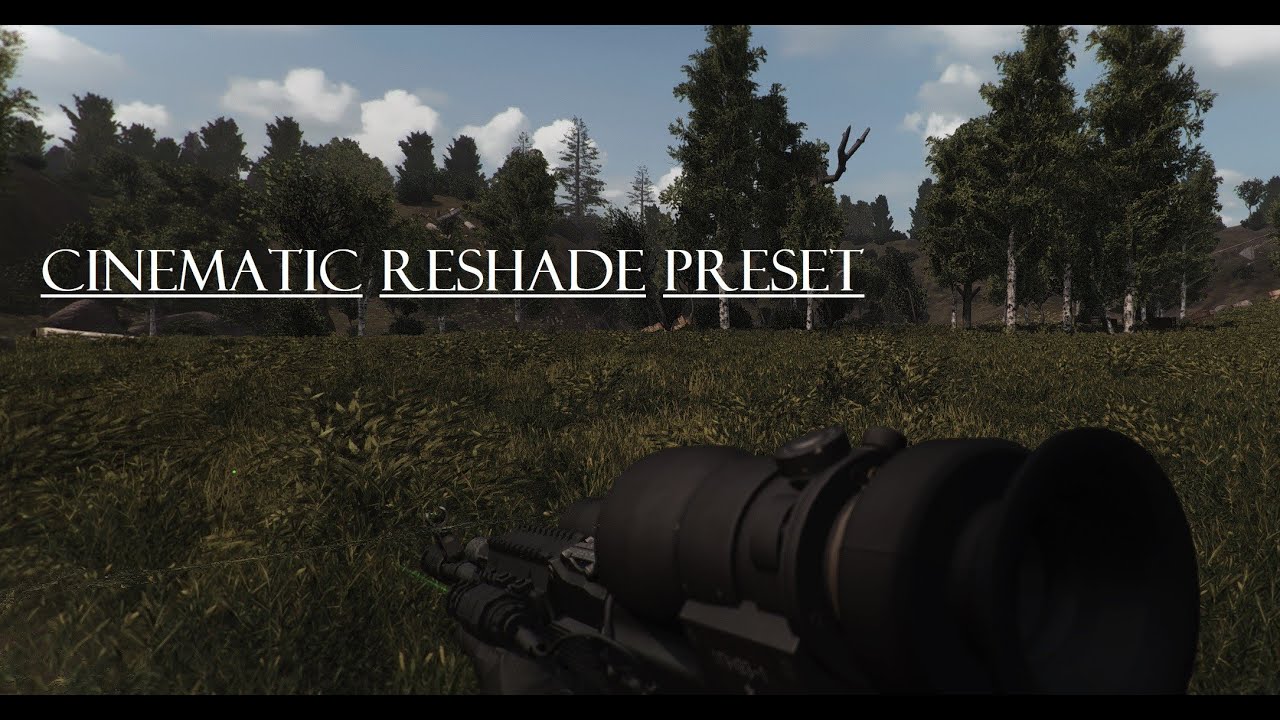
A lil showcase of a very nice Reshade Preset for GAMMA 0.9 with some personal tweaks and settings.
Link for the Reshade Preset: in Comments
NVIDIA GeForce RTX 3080
Intel Core i7-107000K CPU
32 GB RAM
3440 x 1440, 95 Hz
swift robin
Hello guys, what's the best reshade you would recommend?
plucky flame
random mirage
https://www.moddb.com/mods/stalker-anomaly/addons/cinematic-g-a-m-m-a-reshade-v1...
I'll give it a try ty, seems lightweight, with some grading slapped on top might look great
plucky flame
swift robin
Hello guys, what's the best reshade you would recommend?
"best" is very relative, what are you looking for? realistic or more of a movie look, or something very light that doesn't eat frames, or something stylized and moody?
swift robin
plucky flame
"best" is very relative, what are you looking for? realistic or more of a movie ...
I'd go with something realistic.
plucky flame
swift robin
I'd go with something realistic.
you can check out the one I got recommended, plus the ones already in Gamma are pretty good, I currently use Atmos
swift robin
Appreciate it.
lilac girder
swift robin
Hello guys, what's the best reshade you would recommend?
I’d suggest just using Atmos/Atmos+ or phroZac_AreaX. Those are included in Gamma and are both fantastic.
random mirage
https://www.moddb.com/mods/atmos-r-tweaked-reshade-preset/downloads/atmos-r-tweaked-reshade-preset There Is also this one here by the same guy, I actually like to swap between the two from time to time

Mod DB
After hours of tweaking the Atmos R+ Preset im finally done. Now the Preset looks more cold, cinematiclike and works good in bright sunshine and darkareas (tested several times)! My ingame Gamma is 1.1 ^^

After hours of tweaking the Atmos R+ Preset im finally done. Now the Preset looks more cold, cinematiclike and works good in bright sunshine and darkareas (tested several times)!
My ingame Gamma is 1.1 ^^
Link for my Preset: https://www.moddb.com/mods/atmos-r-tweaked-reshade-preset/downloads/atmos-r-tweaked-reshade-preset
Kinda gives the game an "I am Legend" Or "The last of Us" kind feel
hallow mirage

Mod DB
Piknik is a Reshade preset that aims to give Anomaly more natural feeling lighting and shadows in every climate. Expand description for screenshots.
 jaunty quiver
random mirage
https://www.moddb.com/mods/atmos-r-tweaked-reshade-preset/downloads/atmos-r-twea...
jaunty quiver
random mirage
https://www.moddb.com/mods/atmos-r-tweaked-reshade-preset/downloads/atmos-r-twea...
are these baked in to gamma?
or seperate
also is the installation for all presets the same as in the pins here?
random mirage
jaunty quiver
are these baked in to gamma?
Sorry for the late reply, no you have to download and put the Cinematic one here

The AtmosR Tweak you stick In here
 night canyon
can anyone tell me wtf is going on here, i don't know if you can see it in the picture but there's this wierd texture glitch thing ?, like some lines

in jupiter
this is only appearing over the excavator in jupiter
small kindle
enable smooth water on adv settings
small kindle
night canyon
can anyone tell me wtf is going on here, i don't know if you can see it in the p...
i see them too but idk how to fix them
 abstract citrus
a question about graupel, not really the right channel but i think ya'll qould know the most about it. if i wanna install graupel with inverno should i disable anything else or just the things inverno asks for? and should i place it after inverno in the modlist? 
Also a question about shader preset, anything to recommend? currently just running gamma reshade with levels and vibrance, should i just tweak to look the way i want or download preset?
 balmy oak
spent a lot of time tweaking with ptgi today, still a wip

everything looking rather pink for some reason, have yet to figure that out

 tribal mantle
Asking this because might be linked to some shaders.
My current setup is a laptop with a GTX 1050, i5 7800hq and 16gb ram, but sadly I was getting 25-30 fps on DX 11( no matter the setting adjustment) so I tried DX 9 and getting solid 60+ and maybe down to 45 in Rostok and a few other places.
BUT, I really hate the vanilla NVG's after seeing how good Beef's NVG's are.
Does anyone have suggestions how can I improve my fps while still playing on DX 11? I already tried everything from #╰⚡fps-optimisation
lilac girder
Turning off reshade is step 1 of those recommendations.
That card is going to struggle though, especially since it’s a laptop version. Paired with an old CPU and that only is going to make a very CPU bound game perform worse.
 gloomy bear
Finally achieved perfection imo
 plucky flame
balmy oak
everything looking rather pink for some reason, have yet to figure that out
plucky flame
balmy oak
everything looking rather pink for some reason, have yet to figure that out
you've got a red curve bleeding into it somewhere in filters, but if you're doing it with LUTs or tonemaps that would be a hard fix
tribal mantle
lilac girder
That card is going to struggle though, especially since it’s a laptop version. P...
Well I don't plan an upgrade in the near future, so I guess I'm stuck with DX 9 and the vanilla NVG's
abstract citrus
anyone have a decent reshade profile to share?  something that would be a good base to start tweaking if needed
currently running gamma reshade with levels and vibrance
lilac girder
Change to AtmosR+ or AreaX. Both included by default.
abstract citrus
lilac girder
Change to AtmosR+ or AreaX. Both included by default.
will do, are they fps heavy
lilac girder
Both great on their own. Or as a base for your own.
Yea a bit heavy. Do the non + version if it’s too heavy. Or turn off MXAO, that’s one of the heavier options.
abstract citrus
damn areax ate like 20-30 fps
lilac girder
Are you running base game AA at all?
abstract citrus
just 2x
lilac girder
If so, turn it off as the Reshades provide AA usually
abstract citrus
how about AF?
lilac girder
Keep that. Very little fps impact
Turn of MXAO in reshade. Does that get you a chunk of fps back? It’l look a bit worse, as you’ll lose shadows in corners and such. But it’s quite taxing on older hardware.
abstract citrus
dont see MXAO on the list as enabled
because it wasnt on  im a dumbass
it looks so pretty, my screenshots are blank so had to snip tools it
 lilac girder
Use reshade screenshot key instead of game screenshot key
Print screen I think
But it does look good. Have you done a cfg_load atmosr?
abstract citrus
nope
should i
damn, looks good
only thing i hate is the leaves are kinda jagged if you know what i mean
like on the one that fallen down
 lilac girder
I’ll have to look. Does AreaX include SMAA?
abstract citrus
not by default
 lilac girder
Fxaa is ok
abstract citrus
this atmosr+ default

turned on smaa and it helped a bit
might also just be textures
some glossy trees i have
 lilac girder
Hmm not sure on that. Does look good overall though
abstract citrus
oh for sure + the cfg did wonders too
pine swallow
I was playing around with those options yesterday and i really couldnt tell the difference between FXAA, SMAA and nothing at all 
abstract citrus
go from 90'ish to 60'ish fps so not bad
lilac girder
Yeah they are very similar. SMAA is technically a bit better imho.
abstract citrus
before and after. gotta tweak them as i go

 abstract citrus
nope
lilac girder
Ok good
Couldn’t tell 100%. But those will absolutely kill frames
You could trying turning in game AA back to 2x to see if it helps some of your jagged and doesn’t cost too many frames
abstract citrus
i can always lower some settings, maybe it will boost fps maybe not but 60 aint bad
i think the jagged is just the way the trees have been made
lilac girder
60 is no issue. Game isn’t a competitive twitch shooter, so the millisecond differences don’t matter much
abstract citrus
because i remeber trying aa full and off and they still kinda jagged
lilac girder
I run the adega texture pack. So maybe I don’t get those. Idk
Or I’ve grown used to them
If you have the GPU memory to spare (>=10GB) then a higher texture pack is doable
abstract citrus
i should have
lilac girder
It’ll suck down the GPU memory though. I’m regularly in the 10-11 range
abstract citrus
yeah its the way its done that makes them so jagged far away

 abstract citrus
lilac girder
It’ll suck down the GPU memory though. I’m regularly in the 10-11 range
abstract citrus
lilac girder
It’ll suck down the GPU memory though. I’m regularly in the 10-11 range
i have 11gb card so they could work
abstract citrus
lilac girder
I run the adega texture pack. So maybe I don’t get those. Idk
is it a hassle to install
lilac girder
not really no, download and drop in a specific location in MO2. #1043020993687474186 has the details in a pinned post.
it's a preference thing. Some people like the vanilla textures, some people like the slightly higher res and different ones from ADEGA.
abstract citrus
my fucking eyes with this mediafire flashbang
lilac girder
I like that it fixes the black rock schmoo
abstract citrus
lilac girder
I like that it fixes the black rock schmoo
oh you mean the one that'll hurt you?
lilac girder
no, the bad rock texture
 abstract citrus
oh thoise
lilac girder
look like they are covered in black goo crap
abstract citrus
yeah yeah
" Now delete your Shader Cache" fuck. i always have problems when i do that for some reason
lilac girder
really?
lilac girder
go to appdata/shader_cache, delete folder. It'll recreate it on next launch
that's odd. I've deleted it dozens and dozens of times
abstract citrus
oh i know how to delete it
lilac girder
just causes a bit longer startup to recache everything
abstract citrus
mine causes error dunno why
lilac girder
hmm, strange
abstract citrus
but ill make a backup just incase
usually i can fix it by launchin with stock gamma profile from mo2 so i guess it might be a load order problem or smthing
lilac girder
hmm maybe yeah, if you modified heavily
abstract citrus
i like to touch stuff
 timid pond
Is there a list somewhere of the reshade presets that come with gamma? i was looking at atmospherics guide but i cant get the imgur link to work
gaunt pawn
gloomy bear
Finally achieved perfection imo
This is really nice. Is this Hippo's Atmos? What reshade?
lilac girder
timid pond
Is there a list somewhere of the reshade presets that come with gamma? i was loo...
Press Home button in game, drop-down menu at the top will list all the options. It defaults to AtmosGAMMA.
swift robin
abstract citrus
before and after. gotta tweak them as i go
fortnite lookin ahh
 wet epoch
Hi ! i have a one problem whit Settings Reshade, not appears anithyng and i tested redirecting folder but still antihing appear, thanks if someone help me 

I have GAMMA + EXP
this is the log from Home

 analog wraith
Hey, sorry if this has been asked but I couldn't find a straight answer in searching, and I know that its up to personal preference, but what would you say is the best reshade settings that come in gamma to make it look as realistic as I can without adding other mods? This is my first real time getting into anything this deep with a game and I'm a little noobish so i dont want to break anything, but I want to make it look its absolute best for my own immersion.
lilac girder
wet epoch
Hi ! i have a one problem whit Settings Reshade, not appears anithyng and i test...
Can you take a screenshot of the Reshade Settings screen?
lilac girder
analog wraith
Hey, sorry if this has been asked but I couldn't find a straight answer in searc...
Default Reshade that comes with GAMMA, open the Reshade menu with the Home key, change the preset at the top from AtmosGAMMA to AtmosR, AtmosR+, or AreaX. All of those are fantastic options and many people use them or base a custom reshade off of them.
wet epoch
 lilac girder
Change this line by adding reshade-shaders\Shaders\** after the \

Change the line below it for texture search path as well
Add
reshade-shaders\Textures\
Then go back to Home tab and hit reload at the bottom
wet epoch
lilac girder
Then go back to Home tab and hit reload at the bottom
you are a good person my friend, i love you
lilac girder
that worked?
wet epoch
its worked
lilac girder
awesome!
analog wraith
lilac girder
Default Reshade that comes with GAMMA, open the Reshade menu with the Home key, ...
thank you so much!
lilac girder
enjoy my friend
you as well TheProZakk
oh, @analog wraith make sure you open the console with the ~ key and type cfg_load atmosr. That'll adjust the graphics things like saturation and gamma to values that look good with those reshade presets
you'll have a sweet looking game to enjoy
wet epoch
lilac girder
enjoy my friend
y no found some shaders, like a porv ContrasstBrightness and i have 2 in error about GrainSpread.fx and SlitScan.fx, im sorry for you waste time on me.
 lilac girder
That’s ok. Those shaders are not used in any of the default presets I don’t think. Shouldn’t cause any issues.
wet epoch
i solved :DDDDD
thanks good man
i used ContrasstBrightnessExpesure those shadders
i forgot Apply Settings in Gamma EXP console
abstract citrus
swift robin
fortnite lookin ahh
yes you are 
balmy oak
plucky flame
you've got a red curve bleeding into it somewhere in filters, but if you're doin...
it seems to only happen with rtgi on tho, maybe I should use a red curve to correct it though

seems to fix it a little bit

weird shading issues tho

ground changes colors
gloomy bear
gaunt pawn
This is really nice. Is this Hippo's Atmos? What reshade?
It's Hippo's further edited Phrozac AreaX with Benis cfg loaded on top
hallow mirage
gloomy bear
It's Hippo's further edited Phrozac AreaX with Benis cfg loaded on top
with the benis mod ?
lilac girder
gloomy bear
It's Hippo's further edited Phrozac AreaX with Benis cfg loaded on top
This is a super good combo
 exotic topaz
abstract citrus
exotic topaz
abstract citrus
not sure if adega caused the glossy trees or not 🤔 all i know its caused by sky textures (pretty sure) depending on the time

@lilac girder did you have problems like this with adega
lilac girder
abstract citrus
<@284702206136025088> did you have problems like this with adega
I do not. Do you have Aydin’s grass/trees enabled or did you turn it off?
abstract citrus
lilac girder
I do not. Do you have Aydin’s grass/trees enabled or did you turn it off?
I turned everything off what was told in adega
lilac girder
Try with it on. It’ll overwrite the ADEGA trees. You can reinstall it via right click if you don’t want spring grass/trees
I use the autumn version. Just my preference
abstract citrus
im a fucking dumb ass
 night canyon
lilac girder
Try with it on. It’ll overwrite the ADEGA trees. You can reinstall it via right ...
night canyon
lilac girder
Try with it on. It’ll overwrite the ADEGA trees. You can reinstall it via right ...
yo so, can i use ADEGA with aydins autumn?
lilac girder
Yes. Just let aydin’s overwrite ADEGA, meaning it’s lower down the list. I leave it in the same spot just so a reinstall and give it a different name. Then just make sure I only have one enabled
abstract citrus
night canyon
wdym you leave it in the same spot?
i think leave the original in the same spot
so when you reinstall it asks for a name and it will make a copy
thats what i think endless means
night canyon
where should i place the copy then, at the bottom of m02?
 night canyon
how much does adega affect fps?
abstract citrus
night canyon
how much does adega affect fps?
not much atleast for me but make sure you have a good amount of video memory


 night canyon
and do i keep the original one enabled?
abstract citrus
nope
night canyon
they still red?
 abstract citrus
the red is okay i guess? imma quickly try if its the otherway around so gimme a minute 🤔 but disable the original
night canyon
it is disaabled now
abstract citrus
loading a save currently a few seconds
it was the other way

endless meant lower on the priority not on the whole list, my bad
night canyon
so if it's like this i'll have autumn trees and grass and adega will still work, in terms of re-texturizing everything and all that comes with adega except adega's default trees/grass?
 abstract citrus
yep that should do it
night canyon
aight will check it out, thanks brother man
abstract citrus
night canyon
aight will check it out, thanks brother man
hey, learning as i go 😂
abstract citrus
yep
night canyon
isn't that going to cause me having missing textures?
abstract citrus
nope if you choose both trees and grass on the reinstall
abstract citrus
night canyon
isn't that going to cause me having missing textures?
check #╟📸screenshots for a picture if interested
lilac girder
night canyon
so if it's like this i'll have autumn trees and grass and adega will still work,...
Other way around. Lower down is higher priority. You want aydins right next to the old aydins. Just turn off the old one.
night canyon
so like this

because if i click on adega it has red over the aydins
@lilac girder
 lilac girder
Everything that has a lightning bolt has a conflict. That’s the whole point
And why they are in a specific order
night canyon
aah, okay so this is fine like it is now
lilac girder
How did you do it Hatexs?
abstract citrus
like this
 lilac girder
That would give you the default ADEGA trees. Which are also autumn but different
Nothing wrong with them at all
Just different
night canyon
so adega has autmn?
night canyon
so? should i just disable aydin's ?
austere saddle
It also has Aydin's grass and maybe trees built in too iirc
Depends what you're after
IF you just want an autumn feel then all you'll need enabled is Adega
night canyon
mainly autumn so if adega has autumn already included should i just completely disable aydins?
lilac girder
night canyon
so? should i just disable aydin's ?
You can if you want. This is all preferences my man
austere saddle
What he said ^
night canyon
aah okay, may i ask what you did?
lilac girder
Sure disable it completely and try just ADEGA
I have adyins autumn with ADEGA everything else
abstract citrus
Oooooh
austere saddle
I've personally got ADEGA textures and but with green grass by doing this https://i.imgur.com/i5ADoyh.png
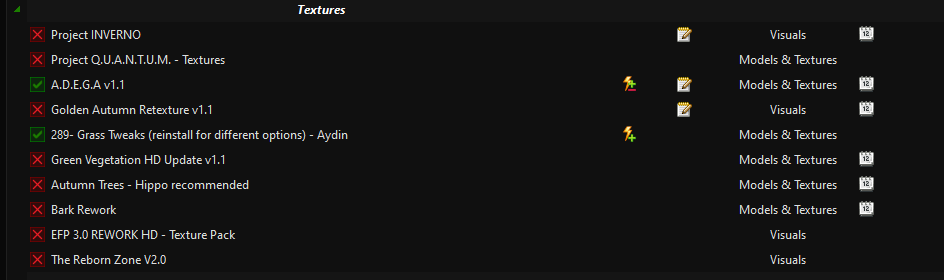 abstract citrus
these are green'ish as adega is orange'ish
lilac girder
Yea. You’d have to right click and reinstall Aydins to get autumn. You can select any of the four seasons.
night canyon
abstract citrus
these are green'ish as adega is orange'ish
wdym is adega's autumn more orange?
abstract citrus
im just glad i dont trees made out of chrome anymore
night canyon
so if mines like this i'll have autmn, but aydins autumn?


 night canyon
abstract citrus
that should be like this i believe
night canyon
abstract citrus
that should be like this i believe
is this with aydins autumn or adega's autumn?
abstract citrus
night canyon
is this with aydins autumn or adega's autumn?
aydins i believe
lilac girder
Both are brown/orange
abstract citrus
aydins more "green'ish" if that makes sense
lilac girder
But slightly greenish maybe
night canyon
lilac girder
Both are brown/orange
aah, what's the difference then?