#╟🎑reshades
1 messages · Page 23 of 1
 ashen marsh
 waxen goblet
how much of the shader pipeline is exposed to modding?
i imagine if you have the entire thing you could do whatever
 sly sand
I have no experience in that, I only use my eyes to select shaders that are available in Reshade lol
you could ask in #╙🖇mods-making-discussion
waxen goblet
i was just curious, i wrote a 3d renderer in OpenGL when i was in uni, but i barely remember stuff from it
waxen goblet
i think anomaly xray is open source so the whole thing should be available
waxen goblet
afaik dx11 and opengl have the same paradigm, its vulkan that goes balls to wall, so it shouldnt be too different
sly sand
aah cool to know :D
I sit mostly in backend code, logic and dive into c++
not that much experience yet but working on it, coming from 5+years in C# native and web so can't tell you much about shaders here
waxen goblet
my day to day is java and ruby backend
sly sand
Ah yes, java the piece of shit language
waxen goblet
its same shit as C#
waxen goblet
nah
 main shoal
looks great i hope it give a way to run the enbs from soc
 viral obsidian
would anyone possibly know why my night time isnt actually dark? i have it set to dark nights and my brightness isnt that high either
 swift robin
Please share. That looks tasty.
 left island
viral obsidian
would anyone possibly know why my night time isnt actually dark? i have it set t...
left island
viral obsidian
would anyone possibly know why my night time isnt actually dark? i have it set t...
pic or it didn't happen
sly sand
Looks like Reshade is down
 steel bison
Wdym
steel bison
sly sand
Looks like Reshade is down
It will work in my game right?
(It's already installed)
Like is the site down?
sly sand
Site is down
 agile herald
sly sand
Site is down
agile herald
sly sand
Site is down
just came back up for me
sly sand
lesgo
 brittle dock
i changed the default reshade setting how can i reset the settings ? i just click and unclicked to buttons.
can onybody just send me the SS of default settings ?
 lament kettle
is there some kind of a list of all the reshades to pick the one i like? or do i have to scroll trough this channel
sly sand
i guess scroll, or use the 'basic' ones from atmospherics/hippo
or ask ppl for their preset
tried borderlands style

 lament kettle
also will the reshades destroy my fps?
sly sand
depends lol
sly sand
If you use many shaders, things like Ambient Occlusion tend to eat it
but it's much more efficient than the game's AA and AO
when using Reshade, disable those (graphic options)
 ashen jacinth
lament kettle
is there some kind of a list of all the reshades to pick the one i like? or do i...
ashen jacinth
lament kettle
is there some kind of a list of all the reshades to pick the one i like? or do i...
Look in #1035807043933720576 all in there
 weary forum
I made a new reshade once again, this one's just to top of my Shader tweaks which I will release soon in form of a "mod"
(it's really just a folder to overwrite certain settings for ES, SSS, and Dynamic Tonemap)


^ This is during sunset
This is during noon/afternoon


 rich sentinel
weary forum
I made a new reshade once again, this one's just to top of my Shader tweaks whic...
rich sentinel
weary forum
I made a new reshade once again, this one's just to top of my Shader tweaks whic...
That's some thick trees
weary forum
Mhm, part of aydns grass tweaks
The default gamma trees have way too much aliasing it's painful to look at
 fading pasture
Hi, sorry I'm a bit delayed with this question I had issues with reshade it was a whole thing. Anyway, got it working now. Am I able to set this as one of the presets or do I need to go through and make my own, copying the settings you've put here?
Ah I see someone already asked this now I'm scrolling through a bit, apologies for wasting your time
sly sand
fading pasture
Hi, sorry I'm a bit delayed with this question I had issues with reshade it was ...
No worries :) you can drag the .ini into C:\GAMMA\Mods\Hippo\bin\<here>
Lmk if it worked out
fading pasture
Yah done that, thanks for your patience! I, like a lot of us here I imagine am very new to all this modding stuff
sly sand
Yeah it's strange at first first
 thick gorge
Guys anybody know what reshade include appdata\grading_majestic.ltx. Where I get it last time I don’t remember 😅 reinstalled anomaly
weary forum
grading files don't have anything to do with reshade, they're presets for Enhanced Shaders, you might have more look looking that direction.
I sadly don't know what it's from though
 onyx socket
thick gorge
Guys anybody know what reshade include appdata\grading_majestic.ltx. Where I get...
onyx socket
thick gorge
Guys anybody know what reshade include appdata\grading_majestic.ltx. Where I get...
MWFX.
 heady bear
can I normally install the hippo pack with today's screen space shaders update?
onyx socket
Yeah you can.
I suggest checking the Hippo channel, he always posts the updates there.
heady bear
oh nice, thnx
heady bear
Waiting moddb release atmospherics update
 manic sage
I accidentally archived the post so i have to wait for it to go back up
If you’re using gamma then you can just use the Google drive link
 stiff osprey
Anyone does know what Reshade and mod hes using?
https://youtu.be/zKaumzgFKCo
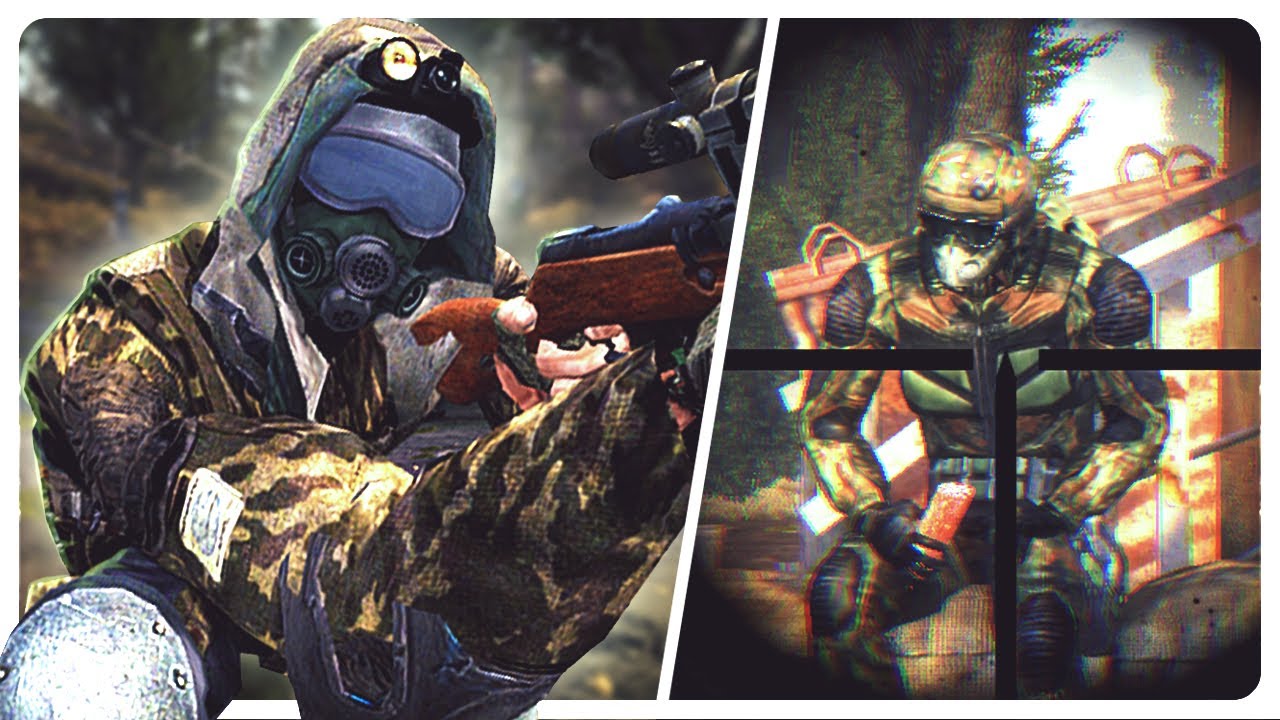
Finally getting myself ready to push up north! Stalker got a brutal world but I've seen nothing yet!
FiskBeats.
https://linktr.ee/fiskbeats
Become a Member.
https://www.youtube.com/channel/UCxy8BzRC2kEiqGSASld_iew/join
Merch.
https://fisk-shop.fourthwall.com/
My Socials.
○ Instagram - https://www.instagram.com/goodguyfisk/
○ Twitter - https...
swift robin
looks vanilla to me
heady bear
manic sage
If you’re using gamma then you can just use the Google drive link
what channel is he on?
 stiff osprey
swift robin
looks vanilla to me
stiff osprey
swift robin
looks vanilla to me
Saturation is kinda other than in available options
 final maple
Anyone try the companions rework mod enabled?
manic sage
So the plan for Snowy Atmospherics is to retire most of it. I want to simply take the weather config files from for instance project inverno and modify them so people dont have to turn off the weather for project inverno. I want to do the same for Late autumn redux. This way there are two wins, I dont have to maintain many versions of atmospherics and two the user doesn't have to manually delve into the files to turn anything off as it will be using the full project inverno suite.
 twilit veldt
dude what is this scope mod (the right one)
sly sand
twilit veldt
dude what is this scope mod (the right one)
Forgot what it's called I don't use it anymore
Something long the lines of XLM?-2?
Price is around 25k
 flat dagger
whats the most realistic/good looking sharders mods that can run gamma to
anyone know?
 spare crater
hello not sure if its the right place but how i update the reshade version properly?
left island
spare crater
hello not sure if its the right place but how i update the reshade version prope...
Download the latest reshade and install it. Click the update option.
 undone stump
guys, filmictonemap + ambient light make the graphics went insane
spare crater
left island
Download the latest reshade and install it. Click the update option.
did it few times didnt work still have ver 5.4 something
swift robin
guys is any one knows why afterburner stop working after the last hippo reshade???
left island
spare crater
did it few times didnt work still have ver 5.4 something
If you're installing to the same directory as the reshade you're overwriting, it should overwrite it.
You can always just delete the previous reshade files and do a fresh install
spare crater
left island
If you're installing to the same directory as the reshade you're overwriting, it...
fresh didnt work
left island
Where are you trying to install to? And did you have reshade working properly before?
left island
Lol. That's a problem. You wanna zap all of that.
Once you've done that, you're going to want to install reshade where your AnomalyDX(version) exe is located. It'll be in your Anomaly\bin folder
If installed correctly, you should see a reshade message appear at the top of your screen when you boot the game. Follow the short tutorial and you're good to go.
 severe cave
stiff osprey
Anyone does know what Reshade and mod hes using?
https://youtu.be/zKaumzgFKCo
severe cave
stiff osprey
Anyone does know what Reshade and mod hes using?
https://youtu.be/zKaumzgFKCo
probably vanilla
spare crater
left island
If installed correctly, you should see a reshade message appear at the top of yo...
thanks again
lament kettle
What do i do? i followed the Hippo's tutorial step by step and it doesnt work
 manic sage
lament kettle
What do i do? i followed the Hippo's tutorial step by step and it doesnt work
manic sage
lament kettle
What do i do? i followed the Hippo's tutorial step by step and it doesnt work
You installed the EFP version lmao
 carmine maple
lament kettle
holy shit it works
carmine maple
lament kettle
holy shit it works
I did the same mistake yesterday lol

Your hippo mod is amazing @manic sage thank you
manic sage
Thank you habibi
 wheat coyote

Music by Avery Alexander;
Songs used;
Stealth Music - Assault
httpsyoutu.beuRf67r7qITE
Stealth Music - Camouflage
https://www.youtube.com/watch?v=YTVHdIy8Pbw
Stealth Music - Covert
https://youtu.be/7mE2n6C1OoY
Stealth Music - Exclusion Zone
https://youtu.be/YTVHdIy8Pbw
Stealth Music - Hunter
https://youtu.be/JiAlZIW7hsQ
Stealth Music - Infi...
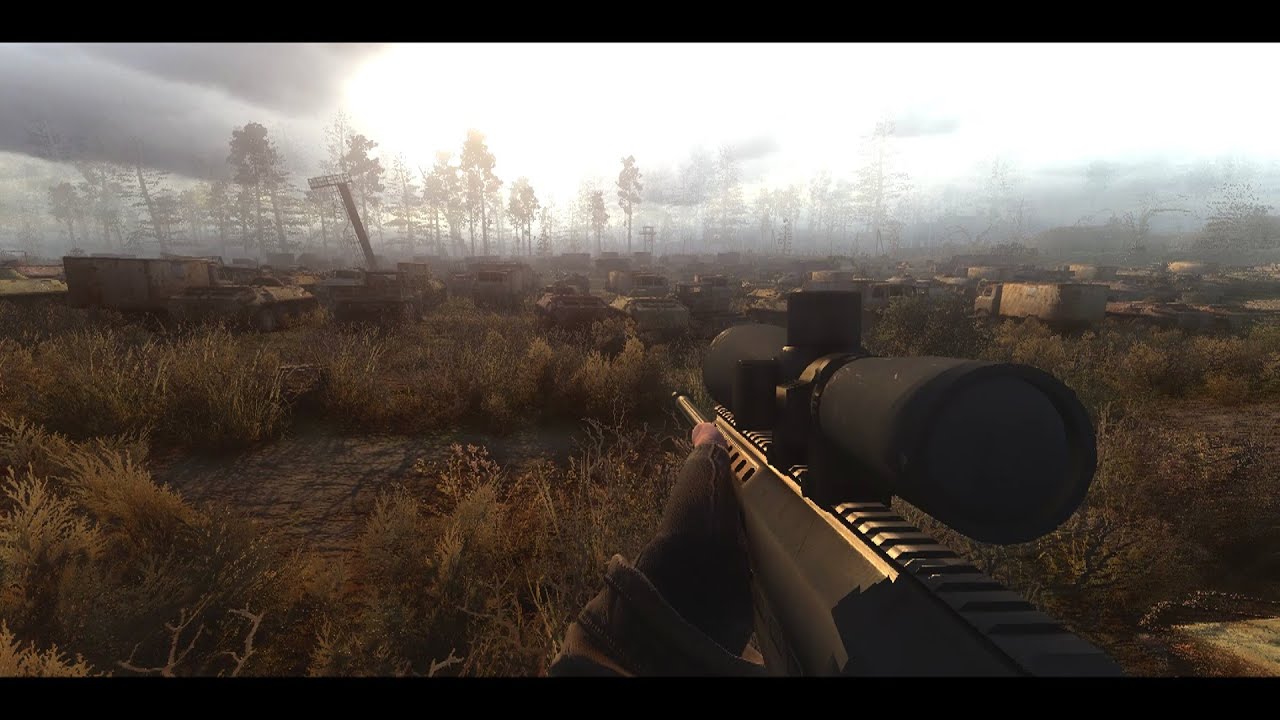
Battle with Military in Truck Cemetary map during an emission blowout
Download Anomaly for free and became a true stalker fan!
Just some quick video of Stalker Anomaly 1.5.1. with some mods and Agressor Reshade
In this video i used Provaks Anomaly weapon overhaul
Go to Provak youtube channel, link here;
https://www.youtube.com/watch?v=hzV6z...
anyone know how i can get gamma to look like these videos? he's using aggressor reshade but with some custom textures and settings i think, i tried enabling aggressor from the gamma mod menu but i wasn't able to edit any of its settings and it looked worse than default gamma
swift robin
agressor is not in gamma
thats just a ground texture edit
you need to install it yourself completely
and the reshade is edited in the video so it wont look 1 to 1 off the bat
left island
The poster of those videos states: "Did not change anything in Reshade"
swift robin
oh i coulda sworn he did videos where he had a custom version of agressor
my fault og
wheat coyote
swift robin
thats just a ground texture edit
o
i also tried to install aggressor once using the mod organizer but it wasn't compatible with it, is there some way to use the organizer with it? (I want to be able to disable and enable it and don't want to mess up the game files)
left island
swift robin
oh i coulda sworn he did videos where he had a custom version of agressor
He does detail his custom settings though as in, which shaders he enables/disables and some hemi values and other addons. But it's all there for viewers to replicate.
swift robin
wheat coyote
i also tried to install aggressor once using the mod organizer but it wasn't com...
well how mo2 works is that it puts files into your game directory and loads it all in when you launch tha game
take a look at how other MO2 reshades are packaged and youll kinda get it
if you cant figure it out i can dm you a zip file to just install straight up
swift robin
guys i have downloaded a reshade called RAW its looking cool

i installed step by step and now my game crash dont start and i get this error
onyx socket
Did you disable any other active weather mods/enhanced shaders?
swift robin
no
i followed the installation steps from the publisher

Mod DB
comprehensive weather and grading overhaul for Anomaly
onyx socket
Welp.
Those instructions are for installing it on top of Vanilla Anomaly, not for a MO2 managed modpack like Gamma.
Gamma already has its own weather Mods active that I suppose could lead to problems. The moddb page states RAW doesn't use Enhanced Shaders, Gamma does.
And I'm pretty positive placing the mod files in your Anomaly root folder wont do anything since Gamma uses its own MO2 folder. Not 100% sure on that though.
 prisma sand
I tried throwing it into gamma and kept getting error on start up, why i never touch reshades
left island
Curious. Could RAW be installed in GAMMA's root Anomaly folder to be played with just Anomaly without interfering with MO2's GAMMA? Would be nice to not have to install Anomaly again.
swift robin
ok thnx dude
left island
I've already got 5 separate installs, lol
prisma sand
I ran it on top of standard anomaly and the performance decrease aint worth it for me
5 fps loss my ass
onyx socket
left island
Curious. Could RAW be installed in GAMMA's root Anomaly folder to be played with...
Id just install the Archive through Mo2 like you would do with a new Hippo update, while putting the reshade files into the default Anomaly/bin.
Been doing the same with Hippo reshades since Im running a bunch of effects not included in the atmo archives
left island
prisma sand
5 fps loss my ass
I know, right? He's capping to 60 and only reporting sub 60 fps loss. It's really eating around 20-30.
prisma sand
I know i only have a 1060 but i thought id try
Base gamma look good enough for me with aydins grass
Seeing that hippo will be included in gamma soon ill probably have to disable em
Im not powerful enough for reshades
left island
onyx socket
Id just install the Archive through Mo2 like you would do with a new Hippo updat...
I'd have to keep a sticky of install instructions for what mods to enable/disable whenever I switch between the two. I'd rather just eat the 100gb install lol
prisma sand
Not to mention reshades always a pain in my ass, i feel like if i just breathe on a reshade install incorrectly i either cant boot the game or its entirely black
onyx socket
left island
I'd have to keep a sticky of install instructions for what mods to enable/disabl...
In the case of RAW, I think it would basically be the same as Hippo since both are weather mods conflicting with the same Vanilla Gamma addons.
I keep both Majestic and Atmospherics on the bottom of the loadorder. Tick one, untick the other.
Storing Reshade separately from Hippos in Anomaly/bin means all the presets (including the Hippo ones) carry over.
onyx socket
prisma sand
Seeing that hippo will be included in gamma soon ill probably have to disable em
Hippo is 80% shaders and weathers tbf. Reshade is just the cherry on top.
prisma sand
I just cant take any performance hits cus i run on a fine line of the game running at a perfect 60 but anything on top will certainly trash it
onyx socket
prisma sand
I just cant take any performance hits cus i run on a fine line of the game runni...
I'm on an average 80 FPS with Hippos + Custom Reshade, but the frames will still dip into the 40s at times. Especially around Rostok or other high-density spots with a lot of NPCs. That's just Xray being Xray.
prisma sand
Ill try it once its released with gamma
swift robin
I have a question what is the requirements for the hippos reshade ?
onyx socket
Hippos is pretty light on performance.
prisma sand
Lighter than raw Hopefully
onyx socket
swift robin
I have a question what is the requirements for the hippos reshade ?
Just the mod files. No dependencies.
onyx socket
prisma sand
Lighter than raw Hopefully
It is. By a long shot. Going from Gamma weathers to Hippos, I don't think I even lost frames.
And you can always tweak the reshade presets to lighten the load a little.
TFAA + DRME is the only thing really draining framerate
prisma sand
I play without anti aliasing by default so not like ill notice a difference
onyx socket
I just use Reshade FXAA coupled with additional FXAA and sharpening from that FakeGI effect, barely an FPS hit.
I play with green vegetation though, so I really need the AA.
prisma sand
I have to play the game in 1080 upscaled and sharpened by nvidia nis
onyx socket
Yeah I have it upscaled through NVidia too. GTX 1080.
swift robin
onyx socket
It is. By a long shot. Going from Gamma weathers to Hippos, I don't think I even...
that good i though it need a better graphic card and cpu bc the look is just amazing
onyx socket
swift robin
that good i though it need a better graphic card and cpu bc the look is just ama...
Stalker is mainly CPU heavy since the engine only uses one core.
prisma sand
Stalker is run on hopes and dreams
swift robin
SHOULD I go and install hippos reshade or should i wait tell its officially gammas reshade ?
onyx socket
You decide. Installation isnt very hard.
prisma sand
i was gonna wait but i might try today
carmine maple
swift robin
SHOULD I go and install hippos reshade or should i wait tell its officially gam...
Do it Now
 unborn stone
Hey guys so I was running the game with less than 359 mods installed and that caused me to crash a lot. I was also using Hippo's reshade and I was really loving it but in his video it says I should enable some settings making my active mod list less than 359. Any way I can have the reshade working without having to disable the mods he says to disable? I cant see myself playing without his reshade 
 surreal mortar
Hello guys. How can i update ReShade ? I just select the exe with the latest version of ReShade and that's all ? Or there is a thing to do for it keeps reshades already installed ? I don't want to break a thing.
 lavish relic
unborn stone
Hey guys so I was running the game with less than 359 mods installed and that ca...
lavish relic
unborn stone
Hey guys so I was running the game with less than 359 mods installed and that ca...
If you where crashing with less then 359 active then there are vital mods missing from the install not related to the reshade.
The ones you are told to disable for Hippos reshade (or some of the others) could not break the game in such a way. You are only disabling some weather / texture mods.
swift robin
guys
where can i download Hippo's Shaders and Atmospherics
the link in moddb isnt working
ashen jacinth
swift robin
where can i download Hippo's Shaders and Atmospherics
#1036172060969410590 top right pinned comments
flat dagger
can someone here help me with RAW?
i keep getting this error when i try to get it working with gamma
 rich sentinel
flat dagger
i keep getting this error when i try to get it working with gamma
rich sentinel
flat dagger
i keep getting this error when i try to get it working with gamma
It is possible to make it work with gamma, but you need to disable a lot of addons and do some work around
But I would say its easier and faster to try RAW on vanilla anomaly
flat dagger
you know what to dissable to run it on gamma?
its just realy good looking and i wanted to play it with gamma
rich sentinel
flat dagger
you know what to dissable to run it on gamma?
Also you need to disable gamma weathers, make sure only SSS are running
Its a BIG, process
I don't recommend it btw
flat dagger
hmm okey
undone stump
anyone have lens flare reshade ? can someone send me ?
unborn stone
lavish relic
If you where crashing with less then 359 active then there are vital mods missin...
What mods could it be then? I followed the guides carefully
swift robin
Guys the characters appearance look awful in normal gamma is there a any add on can make them look better like hd models?
left island
swift robin
Guys the characters appearance look awful in normal gamma is there a any add on ...
Yeah. HD Models
swift robin
can u lead me to it i cant find it anywhere
left island
Here you go. I'd recommend starting a new game as it's known to have issues.
https://www.moddb.com/mods/stalker-anomaly/addons/anomaly-hd-models-addon

There is a recent compatibility patch that I've been using that seems to work, but no guarantees.
https://www.moddb.com/mods/stalker-anomaly/addons/gamma-and-hd-npc-models-compatibility-patch

Mod DB
Hi all. This is simple merge (compatibility) patch for them, who want to use HD models addons with G.A.M.M.A modpack safely. (Place this patch last in MO2 load order) Also, some more tips and addons. ///////////// Привет всем. Это обычный...
Good luck, Stalker!
 robust pebble
What mod is Gamma Weathers based on?
 slim cradle
Hello can I have the default list of reshade (or whatever it is)? (I messed up when accidentally pressed the Home button)
 gaunt pawn
If I wanted to start creating my own reshades to contribute to Stalker modding, any tips where to start?
wheat coyote
swift robin
take a look at how other MO2 reshades are packaged and youll kinda get it
just saw this and looked around, i dont see any other reshades in mo2, just shaders for specific things
wheat coyote
swift robin
if you cant figure it out i can dm you a zip file to just install straight up
does installing it that way mess with other mod files?
swift robin
well if you want the pure reshade not really
if you want stuff like the weather youll have to turn off certain mods
wheat coyote
can you like disable and enable it to switch back
swift robin
and what i meant is how other reshades packaged for MO2 are arranged
yes
example being hippos
wheat coyote
swift robin
and what i meant is how other reshades packaged for MO2 are arranged
o where can i check thos
swift robin
i can just send you the aggressor file tbh
wheat coyote
the
 swift robin
ok click into 3
and go to reshade for aggressor
thats how you wanna package your mod
wheat coyote
wha

 stiff flare
is quietlyinthe same boat, apparently having had once isntalled gshape, and since broken withthe latest update, so needing to find and reset the gamma reshade XD
wheat coyote
but its completeli different stuff
wheat coyote
o
 swift robin
call it whatever you want
preferably "agressor reshade" or whatever
inside it make another folder called bin
within bin, drag those files in agressor's Reshade folder into the bin folder
wheat coyote
this?
 swift robin
yup good
anything else you want from agressor?
theres the weather, ground and grass edit
wheat coyote
ground and grass for agressor look too vibrant imo, the weather would be useful tho
swift robin
alright then back out once
can you ss the custom weather in the rar file
i coulda just packaged this into a zip so you could easily download and hit install on your MO2 tbh
wheat coyote
would this work?
 swift robin
oh good ya got it
wheat coyote
swift robin
i coulda just packaged this into a zip so you could easily download and hit inst...
o well dam
swift robin
now just drag this folder into your MO2 mods folder manually
and enable it in MO2
lemme do sumn rq
wheat coyote
would i have to disable the default shaders and weather?
 swift robin
yeah gimme a sec
ill tell ya what to disable
GAMMA weather should be disabled first and foremost
wheat coyote
okok
swift robin
yeah i think thats it
just checked
now do a shader_cache delete
dont do it through anomaly's launcher, youll need to navigate to the folder manually
wheat coyote
how?
swift robin
gimme a sec
wheat coyote
and do i have to do that each shader switch
swift robin
im not quite sure how it works exactly, im not very x ray savvy at all
i just do it just in case since you have weathers installed
if its just a pure reshade you wouldnt need to delete shader cache
you remember where your anomaly folder is?
wheat coyote
yea
swift robin
appdata
delete the shaders_cache folder
and after that just boot anomaly through MO2 like normal
wheat coyote
erm
 wheat coyote
ooooh
swift robin
give me a moment
youll need to navigate to the agressor bin folder manually
load the agressor ini file
wheat coyote
it was already there, its working i think
swift robin
ss it for me?
your game should look like this, ignore my grass and trees i use aydins grass tweaks
 wheat coyote


 wheat coyote
 swift robin
now go to home and screenshot that too
wheat coyote
 wheat coyote
i was going for this look though and it looks quite different

maybe its his textures'
swift robin
that looks like foggy at around 18:00 in time
wheat coyote
is there a way to test weather?
swift robin
yup
in the anomaly launcher, enable debug mode
launch your game and open the debug menu wit f7
and then press 3
youll be able to toy around with the settings there
ill try to see if i can recreate that screenshot
wheat coyote
he said he uses default grass textures for anomaly..
"agressor reshade but default grass"
wheat coyote
also aiming turns my screen yellow tinted for some reason
swift robin
!deadzone
 void depotBOT
How to bring back the default look for the Zone: #╭📖faq message
swift robin
need to start remembering these commands

 swift robin
best i could do @wheat coyote

even then not 1 to 1
im pretty sure the reshades working fine
wheat coyote
swift robin
best i could do <@258806256150511616>
also how did u get ur hud like that
swift robin
aydins hud tweaks in #1035807043933720576
 gritty bronze
wheat coyote
gritty bronze
wheat coyote
what a reshade?
wheat coyote
gritty bronze
what a reshade?
o thats aggressor reshade
gritty bronze
were u dowload it?
wheat coyote

Mod DB
EFT Inspired ReShade preset with a few extra edits and optional files.
gritty bronze
thx


 swift robin
ooo looks great
wheat coyote
and thanks for all the help my bruddah
swift robin
no probs dude
flat dagger
 swift robin
guys any ideas why my afterburner not work whit last reshade and hippo atmospherics?
 swift robin
inverno is purty

 outer yoke
Nice
 tropic raptor
what can i alter in reshade to make the game a bit more high res?
i just started gamma and it looks a bit grubby compared to vanilla anomaly
swift robin
try out the AA options
type AA in search and try ticking and seeing whats good for you
tropic raptor
swift robin
try out the AA options
is that part of aggressor/ disabled mods?
swift robin
oh youre running default gamma?
tropic raptor
yeah i just started and it looks very smudgy
if theres something that helps that lmk though
swift robin
i have no idea how reshades effects are installed
tropic raptor
whats AA
swift robin
hippo atmospherics comes with AA effects
so i use those
anti aliasing
smooths out edges and all
tropic raptor
is the mod hippo atmospherics?\
swift robin
yea
check out #1035807043933720576
its called atmospherics gamma now tho
my game looks like this and there are multiple presets you can play with
 swift robin
ok so when you download hippo, its packaged with all the options
for now dont worry about what to pick
follow the installation video in pins closely
once its all set up you can easily switch between the options
 visual axle
How do I install RTGi please?
left island
visual axle
How do I install RTGi please?
You got 5 bucks?
visual axle
Wait I have to pay? 
left island
Yup. To Marty McFly's Patreon
I think it's totally worth it
I apply it to every game I play that doesn't natively have RT
 left island
 left island
I have a 3080 Ti and it runs on that just fine. Just be realistic and don't run it with max ray count in a preset with 20 shaders and maxed out in-game graphics settings.
I signed up for only a month to snag the shader. Might sign up later in the year to pick up an update.
 gritty anchor
If I could keep time at only dawn and dusk I really would 


 jovial zephyr
Rasmus, What preset is your last screen? messing around with the settings and want to check yours out if you dont mind? I have atmospherics and ADEGA ect
swift robin
phrozacs badlands
ill dm you my settings maybe but i have a 3050 so if you have something better you can get away with cranking certain settings up
wheat coyote
it looks epic

liking how i got my game to look
beauty

ful

and i have been shot to death
 unreal brook
While starting gamma, the main menu tells I can update the reshade by visiting their website. I thought when I updated gamma 4-5 days ago using the installer, the reshade would be auomatically updated, but it wasnt. Is it intentional? Is the installed version more optimised for gamma, or should I visit the website and update it?
unreal brook
unreal brook
While starting gamma, the main menu tells I can update the reshade by visiting t...
I havent installed any new reshades, only talking about default reshade included in gamma
ashen jacinth
You don't need to update reshade
 sterile apex
jovial zephyr
swift robin
ill dm you my settings maybe but i have a 3050 so if you have something better y...
sterile apex
jovial zephyr
swift robin
ill dm you my settings maybe but i have a 3050 so if you have something better y...
i have a 3080, should be okay. would love a screenshot of your settings mate when you get a chance please
swift robin
dm'd you yeah
 primal helm
Can anyone tell me how to enable a ui mask
or just tell me how to fix TFAA messing with my hud
left island
primal helm
or just tell me how to fix TFAA messing with my hud
TFAA shouldn't mess with your HUD at all
Are you using it at the bottom of a 3 shader stack that includes either FXAA, SMAA, or CMAA2 along with a motion estimation shader?
primal helm
left island
Are you using it at the bottom of a 3 shader stack that includes either FXAA, SM...
it's toward the top, using hippo's reshade. When i move my camera the hud distorts a little, but only with TFAA.
TFAA is under CMAA2 and motion estimation
left island
If it's DRME you're using and it's still too much blur, you're out of luck I think unless you use a UI mask which unfortunately I don't know how to set up. You can also look into Reshade Effect Shader Toggler(REST).
 turbid vector
 plain wagon
swift robin
ill dm you my settings maybe but i have a 3050 so if you have something better y...
plain wagon
swift robin
ill dm you my settings maybe but i have a 3050 so if you have something better y...
can you please dm me the settings too
have geforce rtx 2070 super and i9 109k 32gb should be fine right
hm kinda lost trying to get some nice shaders
 ashen jacinth
 severe copper
this is what im getting trying to use hippos atmospherics
severe copper
this is what im getting trying to use hippos atmospherics
If youve updated to the latest SSS its not compatible right noww
They are working on it
ashen jacinth
severe copper
thats the one i have
Sorry my bad its not SSS thats been updated its ES, that might not make a difference
whats your load order?
severe copper
whats es?
i have aydins 1st, sss after and atmospherics last, i dont use reshade
@ashen jacinth
ashen jacinth
try SSS > Aydins > Atmos / top to bottom
ashen jacinth
Nah just make sure you delete shader cache before you start the game
 gritty turtle
severe copper
gritty turtle
severe copper
ty
 buoyant smelt
guys, how do i make to see the deffault shade options again?

i accidentally click on reload i think and fuck1234 it up
 void stag
I got hippos shaders thing (newest version) and he says I gotta find the name of the file in the shader menu but i dont see hippo
ashen jacinth
void stag
I got hippos shaders thing (newest version) and he says I gotta find the name of...
Because its under Atmospherics - GAMMA now as a folder name
jovial zephyr
stupid question here- but whats the button for screenshots and where is the folder location?
Im trying to see if its just my game thats a tad blurry (not bad) or its the desired effect
 magic harbor
jovial zephyr
stupid question here- but whats the button for screenshots and where is the fold...
magic harbor
jovial zephyr
stupid question here- but whats the button for screenshots and where is the fold...
if you have an NVIDIA GPU try ALT+F1
jovial zephyr
will try when im on next, thanks
 zealous berry
severe copper
this is what im getting trying to use hippos atmospherics
zealous berry
severe copper
this is what im getting trying to use hippos atmospherics
i had the the same problem i know how to fix it
zealous berry
a sec
u gotta replace your exe thinges

the screen space shader thinge
is making you crash

1.5.2 anomaly
zealous berry
severe copper
How?
u there?
severe copper
The stuff i need to replace in the anomaly folder? @zealous berry
zealous berry
i am not good at explaining this stuff XD
severe copper
Well i did that but then that just opened the game but wouldnt let me chanhe a single setting
zealous berry
wait wait
severe copper
And i just gave up on hippos until it comes as default in gamma
zealous berry
u extracted this?
 zealous berry
severe copper
And i just gave up on hippos until it comes as default in gamma
zealous berry
severe copper
And i just gave up on hippos until it comes as default in gamma
screen space shaders is making u crash not hippo
severe copper
Yes but when i fix the crashing
It works but the game doesent let me change settings
zealous berry
wait what
severe copper
Yeah
zealous berry
well now i am confused
 strong hazel
Hello, i am not able to open reshade menu.
I have tried so far switching the key from 'HOME' to 'SHIFT + L' and 'SHIFT + ALT + F12' and nothing seems to happen.
 trim thistle
severe copper
this is what im getting trying to use hippos atmospherics
trim thistle
severe copper
this is what im getting trying to use hippos atmospherics
hay look at that its the same thing that was happening to me
 long nebula
hey @manic sage is this mexico filter intentional in cloudy1 or is my game bugged? it looks kinda odd to me, really strong yellow lighting is present and contrasts heavily with the washed out greyish sky

more visible in this pic
 long nebula
about noon
11:45 specifically
any idea on how I could fix it? it's consistent in this weather preset, when cloudy1 is on it's like that
manic sage
Which reshade are you using?
long nebula
yours, hipposr config
long nebula
I don't think so, I only installed the grass mod from your video
manic sage
I’ll look at it when i get home
long nebula
alright, thanks!
manic sage
long nebula
alright, thanks!
Could not replicate it on my end
long nebula
do you think reinstalling the atmospherics could solve it? like clicking reinstall inside MO2
zealous berry
 swift robin
alright, might be better to ask here, I just finished installing Hippo's reshade and also INVERNO, I ended up disliking INVERNO so I uninstalled it, and I have unticked SSR water ICE from the Screenspaceshaders
But my water still looks like this
any solutions?
 gritty turtle
did you delete shader cache
swift robin
;d, no i didn't. first time doing the reshade I didn't realize
wait how do you do that?
ashen jacinth
Anomaly folder > appdata > delete shader cache
 prime solar
do you guys think i can run hippos reshade with a 1060?
 calm forge
Is this guide for maid's icons still relevant or the installation settings have changed? #╭📖faq message
tropic raptor

im following hippos vid but after installing my mods this is the default is this normal?
sharp contrast also does this
 lavish relic
Looks kinda… sus
 pastel trellis
swift robin
my game looks like this and there are multiple presets you can play with
pastel trellis
swift robin
my game looks like this and there are multiple presets you can play with
What settings are you using
I have hipposr installed but I can’t get my game to look nearly as good
pastel trellis
Cool thank you


 lyric ravine
how do you even see anything
discord light mode level of blinding bloom whiteness and dark as fuck maxed out contrast
 willow wind
swift robin
willow wind
swift robin
reminds me of old call of duty games with that bloom and dark setting
 thick tendon
Bloom so hard like you smeared Vaseline all over your eyeballs.
Sneaking up on monolith like…

 cursive wedge
Decided to use Hippos reshade and I must ask.... What does this mean?

 indigo magnet
I managed to load the Hippo reshade twice and it shows this now. What can i do to make it normal again?

How fucked am I?
indigo magnet
Think I got it.
 dapper rapids
are there any special shaders for gamma that work with dx8 but still look good?
 marsh phoenix
I am looking for a shader to make the GAMMA more beautiful any kind just recommend me anything popular ones and lesser known
ashen jacinth
marsh phoenix
I am looking for a shader to make the GAMMA more beautiful any kind just recomme...
#1035807043933720576 all in here bud
 proud snow
dapper rapids
are there any special shaders for gamma that work with dx8 but still look good?
proud snow
dapper rapids
are there any special shaders for gamma that work with dx8 but still look good?
i think you can apply reshade to dx8
but in game shader like SSS/ES/Beef NVG aren't compatible with dx8
 buoyant bay
How I activate the agressor reshade ?
when I open the menu with Pos1 and select Agressor 1.0 is just open the folder with the datas inside the folder
 vale mason
do reshades rely on cpu or gpu more?
 finite matrix
swift robin
but beautiful in some way
finite matrix
swift robin
but beautiful in some way
the darkness adds to the horror factor of the game imo
ashen jacinth
dapper rapids
like winter
Look in #custom-textures
 quasi thorn
is this the right channel to ask in if I'm looking to change my game's textures
 zenith oriole
swift robin
zenith oriole
swift robin
when you drop your glasses
proud snow
vale mason
do reshades rely on cpu or gpu more?
gpu i think
prime solar
Do you guys think i can run hippos reshade with a GTX 1060
swift robin
yeah most likely
at worst you probably cant run reshade but you can definitely have the colour grading and weather
 tough ermine
is aggressor reshade the best


 crisp knoll
Can I install hippo reshade on normal anomaly ?
 small crypt
 uneven sinew
Holy crap this looks amazing!
 coral venture
hey im using project inverno and had a crash and now my game looks very blue
ive tried restarting and deleting the shader cache and its still very blue
swift robin
crisp knoll
Can I install hippo reshade on normal anomaly ?
yes, youll need a few mods and reshade
i think the moddb page tells you

Mod DB
Atmospherics is a weather mod that aims to be natural in its presentation. It is the culmination of many hours of work which has led to this. All the information that is needed is below. Thanks you!
check the description
 spare dew
Has anyone installed/used RAW reshade with gamma?
uneven sinew
small crypt
Holy crap this looks amazing!
It's so rad thanks. I'm trying to get some better day time ones
uneven sinew

 heady lynx
prime solar
Do you guys think i can run hippos reshade with a GTX 1060
heady lynx
prime solar
Do you guys think i can run hippos reshade with a GTX 1060
Just don't go for the TFAA other than that it runs pretty good and it changes the game dramatically
 rose rune
can anyone reccomend me a good reshade that adds some color for the gamma mod?
swift robin
rose rune
can anyone reccomend me a good reshade that adds some color for the gamma mod?
+1 : I seek for good ReShade, anyone ? (and a tutorial please ;))
 lament grove
https://discord.com/channels/912320241713958912/1036172060969410590 tutorial included
swift robin
lament grove
https://discord.com/channels/912320241713958912/1036172060969410590 tutorial inc...
o7 thanks mate! i go with hippo ReShade
swift robin
how do i properly install agressor reshade like to put the moddb screenshots graphics?
 haughty burrow
where can i find and install reshades?
ashen jacinth
haughty burrow
where can i find and install reshades?
Check out #1035807043933720576 there's a few
 novel drum
so i have this problem. if anybody has any ideas and cares to help much appreciated thx
 torn flint
if I wanna use a different reshade in gamma, is it the same process as installing other reshades? will it break anything?
specifically I wanna use the expidition reshade
 jovial flax
same process, shouldn't have issues swapping.
swift robin
torn flint
specifically I wanna use the expidition reshade
check #1035807043933720576 for expedition specifically
do note people have said that it causes crashes and shit so use at your own risk
 spiral bridge
Hi everyone. If i will update reshade version, it will be ok? or nah?
 steep mountain
Hi guys. Every time I try to install a reshade my game becomes dark and desaturated. It only works fine with Gamma base reshade. Any ideas?
 winged swift
can someone show me agressors reshade
 glacial spear
swift robin
check <#1035807043933720576> for expedition specifically
glacial spear
swift robin
check <#1035807043933720576> for expedition specifically
if you're talking about this, #1037753021322506240 message, no it does not cause any crashes since version 1. perfectly stable but it's expedition yay
Discord
Discord is the easiest way to communicate over voice, video, and text. Chat, hang out, and stay close with your friends and communities.
swift robin
swag
glacial spear
when the EXP shaders do deliver lol
 rigid crater
Seems like the appropriate thread, what's the proper procedure to update the reshade.me?
uneven sinew
glacial spear
when the EXP shaders do deliver lol
Looks very cool, are using just the EXP shaders or in combination with something else?
glacial spear
uneven sinew
Looks very cool, are using just the EXP shaders or in combination with something...
the EXP shaders stock, recently I modified them a bit to add enhanced fog, sky-deband and DoF from latest screenspace shaders version. The EXP weather, bugged as it is it adds those huge light shaft you see and the overall mood. You can install this custom modlist from here #1037753021322506240 message although the one from the video has a bunch of more mods (gameplay stuff) which I am going to share it at some point through EXT - still in testing
uneven sinew
Awesome, thanks for the great reply
glacial spear
I have added puddles and shit to the EXP shaders
steep mountain
Is Atmospherics working with reshades apart from Hippo's ones?
 sly bluff
What kind of frames are you getting?!?? @glacial spear
My game at best is getting 90-130 fps at 1440p.
But the strange part is the GPU and CPU just aren't being fully utilized
glacial spear
sly bluff
What kind of frames are you getting?!?? <@296247819990204417>
in those videos around 50, but I am using DSR, rendering in 4k and downscaled to 2K. If i'll just go 2k it'll probably be around 70fps 100 (in some places) I have a RTX3080 16GB
and laptop cpu
basically we are both bottlenecked by the cpu
but with DSR I manage to maxout GPU at least
sly bluff
Yeah idk if any CPU today can run a game that old properly
I play any other modern title so seamlessly
But gamma just wants to behave just ever so choppy
glacial spear
I guess the new cpu single core can reach 5GZ, that will help. mine goes up to 3.8
nothing we can do, GAMMA has many mods with scripts that use a lot CPU. If you just play anomaly vanilla you'll go blazing fast
sly bluff
I may have to try that. Its just so convenient what gamma has packed in.
My game is absolutely playable
Just not PERFECT.
But man that shader sample looks amazing
I have literally not played with them at all but I think I should!
glacial spear
with DSR beside obviously improving the image quality, really sorted out frame pacing. it runs buttery smooth even if it's 40, before I was getting higher fps but it felt a bit strange. not sure I might have had allucinations
beside that, I don't want to appear biased, but the expedition shaders runs faster than anything I have tried, mostly because the reshade preset it use it's very light (vignette, sharpener and ambient light)
you can try the expedition modpack to see how fast it is despite the fancy graphic, unfortunately it has many bugs in term of gameplay
sly bluff
Hummmmmm worth a shot.
gaunt pawn
glacial spear
I have added puddles and shit to the EXP shaders
I want puddles, how does one get puddles? lol 😄
aaahh NVM, it's GAMMA_EXP_Edition. Nice!
 hot flame
glacial spear
when the EXP shaders do deliver lol
hot flame
glacial spear
when the EXP shaders do deliver lol
whats the mod for the crosshair
glacial spear
hot flame
whats the mod for the crosshair
which crossair? do you mean the scope?
hot flame
glacial spear
which crossair? do you mean the scope?
no
realistic crosshair
that moves when you move your gun
glacial spear
do you mean this?
swift robin
https://www.moddb.com/mods/stalker-anomaly/addons/shader-based-2d-scopes-151dx11engine-mod @hot flame

Mod DB
Improves the feeling of 2D scopes by introducing a magnification shader and some scope based effects, without the performance impact of PiP.
glacial spear
I did not add anything though, isn't this already in GAMMA?
ahh maybe is included in latest Screenspace Shaders (v14.9) that one I have added
hot flame
swift robin
https://www.moddb.com/mods/stalker-anomaly/addons/shader-based-2d-scopes-151dx11...
not that
i meant the white crosshair
that has realistic elements
glacial spear
hot flame
you know the realistic crosshair setting that radiophobia 3 has
ok I know now what you mean, I don't think is there in the videos can you point it out? I am not sure where you see that
hot flame
glacial spear
ok I know now what you mean, I don't think is there in the videos can you point ...
i just want that mod
thats why
glacial spear
dude which mod? you are allucinating 😄
 sage basalt
@hot flame You have to write full sentences explaining in details what you want. We don't understand **** rn
hot flame
i dont know how to explain it
sage basalt
Well, it's gonna be a bit difficult then.
 molten elm
glacial spear
I have added puddles and shit to the EXP shaders
molten elm
glacial spear
I have added puddles and shit to the EXP shaders
How do you do that??? is it just through shader menu? Or a lot more advanced work involved?
glacial spear
molten elm
How do you do that??? is it just through shader menu? Or a lot more advanced wor...
this is shader related, does Gamma default not have the puddles? If that the case you either install Atmospherics (#1036172060969410590 message) or one of my EXT profiles
 cloud grove
hey guys where do I ask for help with installing hippo's shaders
i tried following his videos all looks good until I try to open the reshade panel

there should be listed effects but I dont see them

 west tiger
im tryna update my reshade but idk what exe to set it to, which is the right one?
uneven sinew
It depends on the direct X .exe you are using
west tiger
im using dx11
uneven sinew
ok cool, So in reshade select the Anomalydx11.exe
west tiger
bet, then just select allow dx 10/11/12?
uneven sinew
you got it
manic sage
cloud grove
hey guys where do I ask for help with installing hippo's shaders
Did you figure it out?
weary forum
Getting closer to release for my Graphics Preset
weary forum

 manic sage
@glacial spear https://www.moddb.com/mods/stalker-anomaly/addons/expedition-graphical-overhaul-addon-for-anomaly-151/page/36#comments

Mod DB
UPDATED to version 2.3 (02.03.2023) Anomaly 1.5.2. DX 11 Enhanced only.
manic sage
Expedition 2.3 (Installed Part 1 and Part 2)
Clear weather types are so weird. Yes you can see the sky and the bloom is okay. On the border of being too much. But it isn't but everything is blown out. Like look at the distant trees down the road in this image. Everything is bleached. The reshade preset's sharpness effect is way too much. Smart sharp is being used which is a good sharpness effect but the depth map for it is not being used effectively. Resulting in over sharpened distant trees which makes the aliasing worse. The sharpness is also on the strong side. The vignette effect is nice. The neobloom effect is perhaps the weakest bloom effect available. prod 80 bloom would have been much preferred here or even quint bloom. The ground parallax effect is nice in theory but not in practice. walking back and forth around the parallaxed ground causes this moving/warping effect on the texture. Super noticeable. The pbr and shine on the guns is nice, practically on par with ES 1.10. The rainy weathers are more or less good. Same applies to the stormy weather types. I will try the modpack version when it comes out as thats typically better than the standalone graphics version. But for now I wouldn't recommend installing expedition 2.3 graphics version. Without shilling my own work I'd recommend trying Majestic or RAW.
RAW: https://www.moddb.com/mods/stalker-anomaly/addons/rays-of-anomalous-worlds-weathers-reshade
Majestic: https://www.moddb.com/mods/stalker-anomaly/addons/majestic-weatherfx
Majestic is archived at the moment as Joe is making new cubemaps for ES 1.10 which I will in turn use for atmospherics when they are available.
Expedition in clear weather.

Mod DB
comprehensive weather and grading overhaul for Anomaly

Mod DB
Weather mod built around enhanced shaders designed to look as natural as possible.
glacial spear
manic sage
<@296247819990204417> https://www.moddb.com/mods/stalker-anomaly/addons/expediti...
he has removed the Modpack files apparently, It says It need more polish. Did you manage to download the files?
glacial spear
wait so only the 2.2.3 graphic version is available and not the modpack? fair enough
void depotBOT
This server has no whitelisted roles
glacial spear
I can't even open the weather editor that it crashes, another bugged release I'll add
manic sage
glacial spear
I can't even open the weather editor that it crashes, another bugged release I'l...
yeah rain 1 and 2
glacial spear
more that that, it's weird it complains of missing textures but they are there. The editor in exp has always been bugged though
Night has changed drastically in clear, gone are the blue fantasy ones. Then we have this new fog effect, never seen it before
prisma sand
something always threw me off about the nights in anomaly
could never see the starts
glacial spear
I think it improves overall. these looks good


the night used to be like this https://www.youtube.com/watch?v=XCMGzpJaoL0 (which I found it nice too)
 prisma sand
skyrim night skybox
manic sage
glacial spear
Night has changed drastically in clear, gone are the blue fantasy ones. Then we ...
Has potential but looks super buggy.
As far as fog goes
manic sage
glacial spear
the night used to be like this https://www.youtube.com/watch?v=XCMGzpJaoL0 (whic...
The fog is flickering?
Looks like z fighting
glacial spear
This is previous exp shaders plus I have integrated the fog from Atmospheric and few stuff from SSS. Probably a borked job by me
manic sage
The fog in atmos is also bugged which is why its experimental
lots of z fighting due to the texture itself
Plus the fact that the fog is vastly brighter than the surrounding landscape is weird
experimental for now
glacial spear
I am not really convinced by this type fog, it spawns on you if you stay still. Sometime fells like you are giving off steam
manic sage
glacial spear
I am not really convinced by this type fog, it spawns on you if you stay still. ...
Yeah exactly
just super weird
glacial spear
must be something in the yawn script that spawn the fog this way
manic sage
glacial spear
must be something in the yawn script that spawn the fog this way
Exactly that
 bold cargo
glacial spear
I think it improves overall. these looks good
bold cargo
glacial spear
I think it improves overall. these looks good
What presets are you using brother?
glacial spear
bold cargo
What presets are you using brother?
I was checking out this https://www.moddb.com/mods/stalker-anomaly/addons/expedition-graphical-overhaul-addon-for-anomaly-151
Mod DB
UPDATED to version 2.3 (02.03.2023) Anomaly 1.5.2. DX 11 Enhanced only.
bold cargo
glacial spear
I was checking out this https://www.moddb.com/mods/stalker-anomaly/addons/expedi...
Thx for the quick response, will check it out
I just hope it works with Gamma
glacial spear
beware, it's 2 downloads. One is the zip from the start download button
then open the zip and in a readme there is instructions and the link to the second download part
glacial spear
bold cargo
I just hope it works with Gamma
you need to know how to plug these things (it's reshade, shaders and weather)
 brazen lark
glacial spear
I think it improves overall. these looks good
brazen lark
glacial spear
I think it improves overall. these looks good
did you change the glare from the sun?
brazen lark
glacial spear
2.3
How soon can we expect an update from you?
glacial spear
I don't know I am not really liking it
brazen lark
glacial spear
I was checking out this https://www.moddb.com/mods/stalker-anomaly/addons/expedi...
god they made it even better than before
brazen lark
glacial spear
I don't know I am not really liking it
Do you think so? looks very good from the screenshots
glacial spear
you can install expedition 2.2 right now if you want (you have downloaded the addons for ext) then put the graphic update 2.3 on top of it according to instructions
if I knew how to stream on discord I'll do a live of a preview
brazen lark
I like to play in cloudy weather, especially after you made puddles, I think all the weather should be either rain or cloudy xD

 glacial spear
well the new gfx version of expedition has still no puddles
brazen lark
glacial spear
well the new gfx version of expedition has still no puddles
they apparently don't want to use sss shaders
competitor...
glacial spear
really? there is code in it though
brazen lark
glacial spear
really? there is code in it though
it's a guess, don't take it seriously
cursive wedge
Any snow packs for gamma that anyone would recommend that also work well with hippo shaders?
I was looking for something called Inverno but it seems to not be a thing anymore.
bold cargo
glacial spear
you need to know how to plug these things (it's reshade, shaders and weather)
Is it all in the readme file? If not could you pls PM me and explain in short how to do it?
hot flame
brazen lark
I like to play in cloudy weather, especially after you made puddles, I think all...
if i only was able to run it
glacial spear

 hot flame
are these shaders ray traced or use screen space technology
glacial spear


 brazen lark
glacial spear
brazen lark
glacial spear
it's still version 2.3?
brazen lark
grey / cold
glacial spear
I mean those pictures is not really stock 2.3, I have added the puddles just to see if it would work and it does
glacial spear
brazen lark
grey / cold
I am kind of liking it, we need to see all the weathers moments though
here is a bit of recording https://www.youtube.com/watch?v=m96Zk-a8b_o this is stock 2.3 w_foggy_dark
 brazen lark
glacial spear
brazen lark
glacial spear
The night has definitely gotten better.
this is no longer skyrim)))
glacial spear
yes :-D. I only checked one weather though
brazen lark
 brazen lark
glacial spear
yes :-D. I only checked one weather though
brazen lark
glacial spear
yes :-D. I only checked one weather though
I noticed that most of the weather is from fashion
A.b.n.o.r.m.a.L._W.e.a.T.h.e.R don't mix well with EXPEDITION
 rugged vale
i question hippo reshade work with aydin gras ?
 peak ruin
that reshade looks like it would destroy my FPS 😦
glacial spear
So, you can now try the new Expedition shaders with my EXT profiles in #1035807043933720576 Search for EXP
 glacial spear
does it matter if I change this?
#define G_SSR_QUALITY 0 // Quality of the SSR. ( 0 = Very low | 1 = Low | 2 = Medium | 3 = High | 4 = Very High | 5 = Ultra )
in settings_screenspace_SSR.h
how to reduce or remove the shimmering effect on ground texture? I think is caused by screenspace reflections and rain puddles
glacial spear
rugged vale
ok i installed hippo reshade and aydins grass. all things work except the raindrops on the mask. someone has an idea?
 rich sundial
glacial spear
I think it improves overall. these looks good
rich sundial
glacial spear
I think it improves overall. these looks good
bro, please tell me the name of the reshade :)
glacial spear
rich sundial
bro, please tell me the name of the reshade :)
you have to install this #1037753021322506240 message
rich sundial
glacial spear
you have to install this https://discord.com/channels/912320241713958912/1037753...
thanks
glacial spear


 cunning thistle
glacial spear
cunning thistle
glacial spear
damn, moody dark valley 
glacial spear
glacial spear
cunning thistle
damn, moody dark valley <:chefskiss:1016159686376034354>
crazy shit isn't it?
cunning thistle
glacial spear
crazy shit isn't it?
STALKER 2 LEAKED 
glacial spear
cunning thistle
glacial spear
is it running on hdr? because I see some bit depth differential it seems
glacial spear
no monitor is not compatible with hdr
cunning thistle
mmm, it could be the compression then
glacial spear
I am not sure what you mean
I clip the video and export to 720 so probably is not hi-fi but what about that thing that you are noticing?
I am just sharing the results of the new exp reshade and weather
 ripe depot
Can anyone tell me how to configure TFAA properly?
I enabled it, it works, but I get strange blurring and text doesnt look very good, especially when moving
 dusky swallow
hi guys, should i use hD models? Grok says that it is not good?
 steady sparrow
glacial spear
I am just sharing the results of the new exp reshade and weather
steady sparrow
glacial spear
I am just sharing the results of the new exp reshade and weather
how do I get my game to look like this? 
 visual hearth
ripe depot
Can anyone tell me how to configure TFAA properly?
I enabled it, it works, but I...
visual hearth
ripe depot
Can anyone tell me how to configure TFAA properly?
I enabled it, it works, but I...
Can’t use tfaa alone, need to use DRME or motionvectors above it
swift robin
dusky swallow
hi guys, should i use hD models? Grok says that it is not good?
because in normal mods there is more than +3000 outfits for stalkers it means almost every stalker has unique outfit but i use HD models too it up to you i prefer HD models.If you have a poor pc i dont recommend HD models.
glacial spear
steady sparrow
how do I get my game to look like this? <:POGGIES1:981963701215199332>
install this #1037753021322506240 message
ripe depot
visual hearth
Can’t use tfaa alone, need to use DRME or motionvectors above it
I did, and I still get that bad blur in text when moving
 valid blade
glacial spear
valid blade
glacial spear

 sweet cove
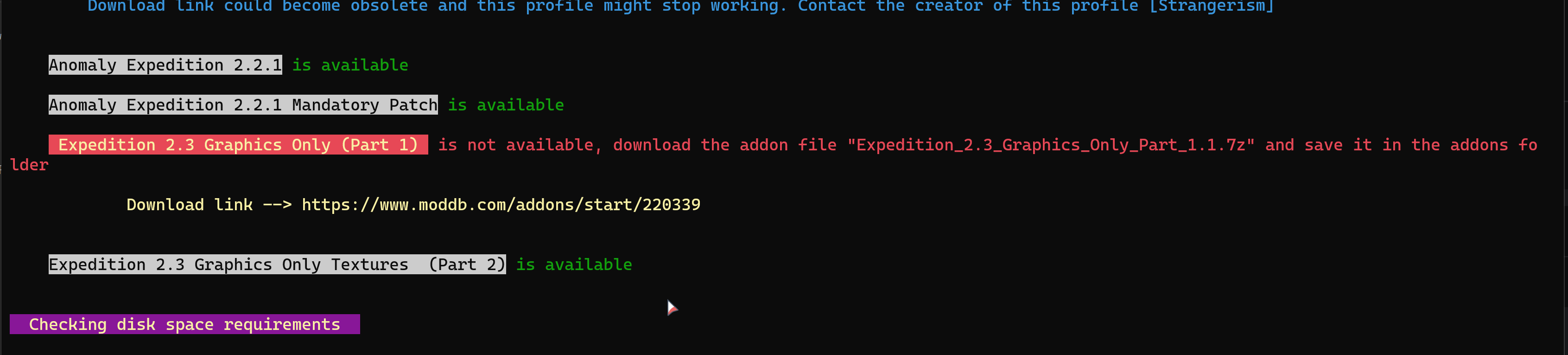
how can i download the part 1 if the link takes me to part 2
oh its part 1
but its still sayin that i need something else
just renaming an 7zip archive fixed everything
ig
glacial spear
yeah the part 1 filename needs to be updated to the new version of the addon
a new version is coming with fixes including old links
glacial spear
sweet cove
i cant install any other reshades, am i right?
is this question for the GAMMA EXP profile? If so yes you can, although few caveats
- after you run apply_settings you can replace the reshade in the Anomaly folder as you normally do when installing any reshade
- do not run save_settings if you change reshade at (1)
- running apply_settings again will put back the stock EXP profile reshade
Better method
Best way is to clone the exp profile of your choice with clone command
.\GAMMA_EXT.ps1 -clone "ProfileName"
e.g. .\GAMMA_EXT.ps1 -clone "GAMMA EXP Edition Complete - 100 RADS [EXP 2.3]"
You will be asked to give the new profile name e.g. clonedprofile
and then install the new reshade in the GAMMA-EXT/settings/clonedprofile/bin
select the cloned profile in MO and run apply_settings to patch the Anomaly folder like you do with ext profiles
you can also use save_settings this way, saved settings are stored GAMMA-EXT/settings/clonedprofile
However you can only do for plain reshades. You cannot for instance use Atmos reshade entirely (which includes mods, ltx, etc), but you can still try install its reshade files. Just those though.
swift robin
this the correct way to update reshade?

 brazen rose


 glacial spear
Created an EXT profile to install just the Expedition 2.3 shaders and weather (no unnecessary EXP bloat) on GAMMA default. #1082678099294048330 message Use the MO profile to swap the the expedition profiles based on gamma default
 light void
Just installed Gamma EXP Complete; Am I correct that there is currently no reshade and such included in that package atm?
glacial spear
light void
Just installed Gamma EXP Complete; Am I correct that there is currently no resha...
yes there is. The profile includes the reshade and shaders among other Expedition things, like sounds, music and UI. From version 14 is uptodate to latest Expedition 2.3
light void
glacial spear
yes there is. The profile includes the reshade and shaders among other Expeditio...
Hmm, I must have missed something, I have the textures bit no reshade except the gamma one.
I'll have a tinker with it again tomorrow.
glacial spear
light void
Hmm, I must have missed something, I have the textures bit no reshade except the...
Could be something to do with the installation? Go through the profile install tutorial in the Quickstart guide
light void
glacial spear
Could be something to do with the installation? Go through the profile install ...
Will do, having a glance back over it now I think I forgot to actually "apply settings"
glacial spear
light void
Will do, having a glance back over it now I think I forgot to actually "apply se...
yeah well that is important. run it and it will be all ok
light void
glacial spear
yeah well that is important. run it and it will be all ok
Ended up getting out of bed just to try, all fixed with an apply settings run 🙂 thanks for the mod 👍
dusky swallow
swift robin
because in normal mods there is more than +3000 outfits for stalkers it means al...
btw do you need a new save to use hd models?
swift robin
dusky swallow
btw do you need a new save to use hd models?
Yeah
swift robin
Best reshades to work well with Fabio’s summer redux?
brazen rose

 opal karma
glacial spear
https://youtu.be/xA7JnXoWeBM
opal karma
glacial spear
https://youtu.be/xA7JnXoWeBM
did you changed the nights? Like normaly in Expedition say look a bit greenish - yours not (which i absolutly prefer^^)
glacial spear
opal karma
did you changed the nights? Like normaly in Expedition say look a bit greenish -...
the exp 2.3 update changed that
 weary apex
glacial spear
weary apex
glacial spear
those dark areas will be a nightmare to spot an npc enemy or a mutant
glacial spear
sure it is. but did not notice yet to ruin the gameplay. I'd say the nvg are more the issue because both gen1 and gen2 does not really clarify the image. only gen3 is kind of ok
I have a semi working integration of BeefNVG and EXP shaders but is far from functioning and not sure if I even manage to do it.
weary apex
well im downloading the files rn and will test it out. its my first time for me using EXT shaders, so i hope all would run fine with no major fps drop
glacial spear
there is a tonemapper in the stock Exp reshade, maybe tinckering with that you can clarify a bit the dark areas?
no really it runs quite nicely on my end, I have a ryzen 7 laptop with RTX3080 though
 glacial spear
seems barely equipped to do the job lol
weary apex
glacial spear
seems barely equipped to do the job lol
yea i need to upgrade my GPU
glacial spear
definitely worth it
weary apex
is it normal to have the curser appear when i have my guns unequipped or im in a car?
p.s i have show crosshair enabled

 glacial spear
I don't know honestly, haven't yet tried to mount a car
is this just the EXP reshade profile? GAMMA Expedition Reshade & Weather
or something else?
I doesn't change anything but shaders and weather files
weary apex
glacial spear
or something else?
i think it has something to do with the crosshair enabled, cuz when i disabled it, the curser disappeared
glacial spear
yeah I dont use that
I hope you are enjoying it so far. I am testing a custom preset. A mix of expedition and vitold reshade. If you want to try it
drop it in settings/profilename/bin so when you run apply_settings it will be patched in the anomaly folder along with the stock exp
or to the anomaly/bin folder straight away
manic sage
glacial spear
there is a tonemapper in the stock Exp reshade, maybe tinckering with that you c...
Set up eyeadaptation with lumafade to make eyes adapt to the dark areas. The lumafade makes it so that the eyeadaption doesn't apply at night
 glacial spear
manic sage
Set up eyeadaptation with lumafade to make eyes adapt to the dark areas. The lum...
glacial spear
manic sage
Set up eyeadaptation with lumafade to make eyes adapt to the dark areas. The lum...
thanks for the tip. I will try it
 sharp patrol
@glacial spear when the expedition 2.3 mod is installed to your gamma mod organiser does it deactivate beef nvgs and 2d scopes?
light void
sharp patrol
<@296247819990204417> when the expedition 2.3 mod is installed to your gamma mod...
From memory yeah, they're not compatible I think.
Only certain about BEEF though, cause I remember reading it somewhere in the documentation.
sharp patrol
@light void cheers man, I’m trying to find some reshades for the environment and npc models do you know any?
light void
sharp patrol
<@155944097641660416> cheers man, I’m trying to find some reshades for the envir...
If you're using EXP complete in your gamma install then it comes with a reshade. It's all I use, so not really sure outside of that.
sharp patrol
Alright man cheers
weary apex
glacial spear
I hope you are enjoying it so far. I am testing a custom preset. A mix of expedi...
yea im enjoying it, it has a completely different experience to the game.
and its not that demanding when it comes to computer resources. i even think its lighter than default GAMMA shaders.
but i still think its very dark even in the middle of day. im forced to use flashlight all the time just to see. specially in bases.
also that curser bug is very annoying. when i have crosshair enabled it shows up when im using PDA. have my guns in holster when in bases. maybe you can take a look at it to fix it.
glacial spear
the cursor bug I don't think has anything to do with this reshade or profile installation.
regarding the dark areas, maybe try to fiddle with the reshade based on Hippo tips here #╟🎑reshades message
unfortunately the 37- Dynamic Tonemap Extended - TheMrDemonized mod need to be disabled. It use to change some of the user.ltx params in realtime which conflicted with the EXP shaders (blue screen issue). That was ages ago, I'll need to check though if this is still an issue
you can try to enable it and see what it does?
if something is wrong, you disable it and run apply_settings agfain
Also the indoor lighting changes based on the outdoor light. I think to remember I noticed this. Bases are overall brighter if outside is very sunny or midday
You can also try to change the lumscale amb within the console
Type in game console amb
weary apex
manic sage
Set up eyeadaptation with lumafade to make eyes adapt to the dark areas. The lum...
how to do that exactly? sorry dont have much knowledge regarding this matter
glacial spear
weary apex
how to do that exactly? sorry dont have much knowledge regarding this matter
open console with tilde key and type amb


change it to a different value (greater or lower) and experiment
hemi instead controls the outdoor lighting
stands for hemisphere I think
if you mess up with values and don't remember the defauls. Run apply_settings it will default back to how it was before
if you are happy with your changes and you want to save them. Exit the game and run save_settings. This way next you you have to run apply_settings your changes will be applied as well
weary apex
i mean the eye adaption @manic sage was talking about in his post
#╟🎑reshades message
for example if im outside lumascale_amb = .25 when im inside lumascale_amb = 1
manic sage
Na it works in reshade and you mess with the lumscale light scale and dark scale values
takes some experimenting depending on the weather mod, in this case expedition and you set it so that it doesn't affect night time
glacial spear
weary apex
i mean the eye adaption <@284148747900813322> was talking about in his post
htt...
this is something I'll have to figure out myself too lol
let you know if I make some interesting findings
glacial spear
weary apex
how to do that exactly? sorry dont have much knowledge regarding this matter
by only changing r2_sun_lumscale_amb this is what you get
current (profile default) 0.25

r2_sun_lumscale_amb = 0.6

r2_sun_lumscale_amb = 0.7

and so on
weary apex
i have set it to 1. much much better
manic sage
weary apex
i have set it to 1. much much better
Might be a monitor calibration issue. Your black level specifically
Because the .25 from strangerism is dark but the rest are fine .6 and .7 and I'd imagine .5 and possibly .4
weary apex
yea .25 is really dark and i tried .6 and .7 it is decent but still not enough for me.
what im looking for now is to lower the bloom just a tiny bit, i mean having the text dialog glow is just annoying, it smudges things up
brazen rose


 shy agate
Can someone help me out? My game looks awful. Im on a fresh install. Theres a 10 metre radius around my player where color banding appears as I walk around

 opal schooner
what are the default settings for the reshaders? accidentally disabled some
cloud grove
Is there a way to increase the contrast between sun and shadow @manic sage
manic sage
cloud grove
Is there a way to increase the contrast between sun and shadow <@28414874790081...
You can just do this in the reshade
or shader param 4
weary apex
shy agate
Can someone help me out? My game looks awful. Im on a fresh install. Theres a 1...
check this tut
#╟🎑reshades message
amb = .25

amb = 1

 past karma
I'm not sure if this is the right place to ask if I want my game to look better and have smooth FPS. I'm running an intel i3 12th gen with an RTX2060 for my GPU and have been runnning the game on mid-low settings on GAMMA's default shader. Any way to optimize my frames to be a lot more consistent despite the areas I go to?
past karma
brazen rose
Plus I also like how these look. Is this a diff shader?
cloud grove
manic sage
or shader param 4
what a shader param 4 how to i accesss it
glacial spear
cloud grove
what a shader param 4 how to i accesss it
in game console tilde key type shader_param_4 and change the values in realtime
shader_param_4 (1.000000, 1.000000, 1.000000, -0.200000)
What does values stands for I don't really know though
Once you found the right values for you type save_cfg to save in user.ltx
 dusk spindle
Guys. I need the original GAMMA reshade preset. Please share.
manic sage
glacial spear
in game console `tilde key` type shader_param_4 and change the values in realtim...
So @cloud grove this controls contrast. Simply decreasing the last value to -0.17 from -0.2 will make the game darker and more contrasted
Obviously this is an example
swift robin
best gamma reshades i could use ?
 sick flower
swift robin
best gamma reshades i could use ?
sick flower
swift robin
best gamma reshades i could use ?
same question
and are there any decent reshades that dont affect on fps much?
glacial spear
for reshades look in #1035807043933720576 using tag graphics
 soft light
sick flower
and are there any decent reshades that dont affect on fps much?
soft light
sick flower
and are there any decent reshades that dont affect on fps much?
I would recommend trying Intradefined reshade, it was beautiful for me and didn't affect fps too much (Also turn off the DELC_Sharpen for more fps)
U can find it on Moddb, try and thank me later 🙂
lament kettle
Any one knows a reshade with a bright, blue sky?
swift robin
you could try majestic weather
 sacred yoke
 finite warren
might wanna check out hippo's reshade. https://discord.com/channels/912320241713958912/1036172060969410590
@sacred yoke
 cosmic gust
so i wanted to ask a few things does anyone have any good shader presets for gamma. i think i did something and lost my gamma preset settings while trying to adjust them. i kept looking threw discord but all i found is additional mods.
 stuck grotto
does anybody has a installer for reshade cuz the website doesnt work
never mind I got it :)
glacial spear
cosmic gust
so i wanted to ask a few things does anyone have any good shader presets for gam...
you can restore the gamma reshade presets by running the installer only gamma addons or manually copying from \GAMMA\.Grok's Modpack Installer\G.A.M.M.A\modpack_patches\bin to the Anomaly\bin folder
cosmic gust
okay thank you
i guess i will not mess with shader presets and use default for now. don't want to break the game agien xD
glacial spear
cosmic gust
okay thank you
on the contrary. Now that you know how to restore things to normal state, nothing stopping you to experiment with reshades xD
cosmic gust
glacial spear
on the contrary. Now that you know how to restore things to normal state, nothin...
thing is i got a really beffy pc, but no idea how to correctly use custom shaders
glacial spear
you start by learning. in #1035807043933720576 there is lots of reshades you can install and as you learned, restoring things to default is easy
check for graphics tab or search reshade
since you have a good pc, no point to stay with gamma offer as default. Adding a new reshade can improve the visual quite a lot
cosmic gust
most reshaders requer me to disable some stuff in the mo2 right?
glacial spear
most of reshades it's just about replacing stuff in the anomaly/bin folder (which is where reshade officially operate for all games)
some reshade will require to set some user.ltx values (which means editing the user.ltx in anomaly/appdata)
very few will ask to add/disable mods in the modlist these are the most sophisticated ones
however they have instructions so you should be able to do what you need to make them working
cosmic gust
example atmospherics guide says i need to disable 6 mods
glacial spear
yes, generally it means disable some gamma default visual mods for a new improved version of the same
installing atmospherics requires some steps but it's doable and there is a good visual guide they can link it
cosmic gust
that will take some time to find i guess XD
glacial spear
on the other end, I am the author of a tool for gamma that automates installations of custom modlist or profiles. With this you can install the atmospherics profile with a simple command and it will configure everything for you.
but that's like opening another can of worms haha. you need to install this tool called EXT and since you are new to gamma it might became another thing to learn so maybe is better just go with the manual instructions
cosmic gust
yeah its not easy to find mods in mo2 i might try this once i got more time
glacial spear
sure, I will soon release a new version of the tool that will streamline a lots of things, including automatic downloads of addons or anything that is required to install a profile
cosmic gust
yeah i will try to use the tool if its in anyways easyer 
 latent oasis
Can someone help me? I'm new to reshades, I saw this Golden Autumn Redux texture, how do I install it? I didn't find tutorial or anything like that
sweet cove
download a texture pack, then in MO2 press on disk thingie, add the texture pack in there, then simply disable Gardener of the Zone and Simple Autumn Retexture (No Leaves) add-ons. then turn the texture pack on and place it above particles cinematic vfx 3.5 1.1.2

 eager anchor
hey all is hippos shaders being added for the upcoming patch??
sweet cove
so good so far


 glacial spear
My custom EXP shaders now supports BeefsNVG
 quick cedar
glacial spear
My custom EXP shaders now supports BeefsNVG
quick cedar
glacial spear
My custom EXP shaders now supports BeefsNVG
when will the update be released? man, i just crafted my first NVG ever, perfect timing ❤️
glacial spear
quick cedar
when will the update be released? man, i just crafted my first NVG ever, perfect...
definitely before the weekend
swift robin
anyone have the files to RAW, moddbs been down for a long time
glacial spear
swift robin
anyone have the files to RAW, moddbs been down for a long time
no modb seems to be up
swift robin
sweet they got it back up
prisma sand
ive never seen the level 1 tube be so visible
glacial spear
still tweaking the gain level with the exp shaders, if that is even possible to find a good range
 slim flame
can someone recommend me a shader / graphics mod ?
 rocky nova

 slow quartz
slim flame
can someone recommend me a shader / graphics mod ?
slow quartz
slim flame
can someone recommend me a shader / graphics mod ?
Atmospherics + aydins grass tweaks is quite good, but then again i haven't used many graphics mods besides that . It could be a good start though. Typically i use the summer preset with poison republic reshade preset, but it's all up to you
swift robin
anyone got an idea how to properly install raw for gamma, my game looks extremely off
glacial spear
I will make an ext profile then (lol)
sweet cove
manic sage
glacial spear
I will make an ext profile then (lol)
Would be a great idea for those that want to use RAW
 sacred latch
Is it just me or does vanilla gamma have no AA or anything? Just started playing and the graphics look kinda off are there any settings I could change in reshade to make graphics look better? Or any easy install presets you use?
Does Gamma not use a reshade preset?
glacial spear
swift robin
anyone got an idea how to properly install raw for gamma, my game looks extremel...
this is the way #1086314688721191013 message
lyric ravine
sacred latch
Is it just me or does vanilla gamma have no AA or anything? Just started playing...
just use your own reshade, gamma does come with one by default and it's not great
cosmic gust
so i pessed up my shader installation, now my clouds are perma cloudy, it looks way better then before but its also way to depressing to have perma dark clouds XD
 brazen rose
past karma
Plus I also like how these look. Is this a diff shader?
brazen rose
past karma
Plus I also like how these look. Is this a diff shader?
Hey, sorry i just saw your response. In these screens a I was using one of Hippos Beta Atmospherics. I highly recommend it.
 brisk gyro
glacial spear
My custom EXP shaders now supports BeefsNVG
brisk gyro
glacial spear
My custom EXP shaders now supports BeefsNVG
does it support directX 8 ?
glacial spear
no
brisk gyro
oh:(
glacial spear
dx11 as far as I know
brisk gyro
we crappy pc boys being left out 
glacial spear
you not being left out, gamma default should run dx8
brisk gyro
yes i meant left out on shader mods, like beefsnvg
glacial spear
so neither the beef in gamma can run on dx8?
glacial spear
if you cannot run shaders on dx8, beef is made of shaders. there is nothing we can do
brisk gyro
im aware, its okay, i just have old hardware
glacial spear
so anomaly vanilla nvg are also made with shaders, does it mean you play with no nvg at all?
brisk gyro
they are? no no i never had any problems with nvgs in anomaly
glacial spear
ok so maybe it's the enhanced shaders that you cannot run
I don't know honestly, I am just learning a bit more on how dx8 plays out
which gfx you do you have?
brisk gyro
glacial spear
ok so maybe it's the enhanced shaders that you cannot run
possibly, i tried beef on dx8 anyway and nothing happened after activating them
gfx as graphic card?
glacial spear
yes
brisk gyro
promise you wont laugh, gtx 660m
glacial spear
I used to have that card
brisk gyro
its truly a miracle it runs gamma
glacial spear
I played Skirim modded with that card if I remember correctly
modded with enb, so at least dx9 can do if I am not mistaken
brisk gyro
glacial spear
I played Skirim modded with that card if I remember correctly
120 celcius heat moment
brisk gyro
glacial spear
modded with enb, so at least dx9 can do if I am not mistaken
ill try it rn and get back to you
brisk gyro
glacial spear
modded with enb, so at least dx9 can do if I am not mistaken
does not work, installed everything correctly, there is sound but nothing appear on the screen, funny bcs on his other night vision mod "nv optics" he claims compatibilty with dx8
glacial spear
in anomaly shaders files are grouped into three fodlers r1, r2, r3 each one represent a renderer DX8, DX9 and DX10/11 I think
the beef nvg shaders files are only in the r3 folder so I guess they are only for dx10/11 maybe. just guessing. Definitely there is no shader files for the r1 and r2 renderer
brisk gyro
forgive me for asking but cant i just copy files into r1 folder?
glacial spear
I don't think it will work to be honest
or it would be already a beef mod for dx10 somewhere

 glacial spear
send me link
brisk gyro

"wont make nvgs work on dx8"

Mod DB
NV Binoc & Scopes Toggle 1.0.7 (not 6, now 7) is here! This mod adds keybind to switch night vision off in scopes, as well as beef's NVG effects for them. New game NOT required. THAT WILL NOT MAKE BEEF'S SHADER BASED NVGS V.1.1.1 WORK ON DX8 or DX9...
what does he mean dx8 version included if that wont work anyway bcs base mod doesnt support dx8
okay i understand now but its very confusing
glacial spear
read through it and still not sure what it does lol
bu there it says it won't make beef work on dx8 or dx9 so I guess it must do other things that in dx8/9 work

it's one of those mods where most of the fun is in reading the description :=D
brisk gyro
glacial spear
bu there it says it won't make beef work on dx8 or dx9 so I guess it must do oth...
ive noticed that, BUT! this addon require Beef`s NVGs lol
this is contradicting haha
glacial spear
it might be depending on it to do other stuff with scopes, e.g. it claims you can have the beef nvg effects in NV scopes or something like that
for sure it is not a version of beef for dx8
brisk gyro
yea, and i dont think its coming anytime soon, he said he is working on dx8 version since 2020
quick cedar
brisk gyro
https://www.moddb.com/mods/stalker-anomaly/addons/nv-binoc-scopes-toggle-v106-be...
i tested this with Redux and it seem to work, but the brightness setting doesnt change with the original Beef's NVG. i mean, the NVG brightness is fine because i tuned it, but the NV in the scope doesnt match with the NVG setting
also the heat vision in scope seem to work fine, no problem
brisk gyro
quick cedar
i tested this with Redux and it seem to work, but the brightness setting doesnt ...
that’s good news, however my main problem was Beef NVG alone - not working on dx8, and it still doesn’t for me. Did you try on dx8 too?
 dusky cobalt
does anyone recall what the default enabled reshades are for gamma?
glacial spear
dusky cobalt
does anyone recall what the default enabled reshades are for gamma?
you can just copy the original preset from GAMMA\.Grok's Modpack Installer\G.A.M.M.A\modpack_patches\bin\G.A.M.M.A.Reshade.ini
swift robin
glacial spear
this is the way https://discord.com/channels/912320241713958912/1086314688721191...
ill look into it
thanks dude
quick cedar
brisk gyro
that’s good news, however my main problem was Beef NVG alone - not working on dx...
no i havent... this is on DX11