


1 messages · Page 22 of 1
 tight vine
Last thing about anti-aliasing for now but here's examples from Clear Sky to help you choose which you prefer:
Made these quickly hence the zoom in being awkward lmao
Now time to actually work on making my own reshade preset...
 eager turtle
How do i install Golden Autumn because when i try to install it is telling me this

 swift robin
i personally drag and drop it into mo2's mod folder
eager turtle
swift robin
i personally drag and drop it into mo2's mod folder
gives a flag that says that says no game data is that okay ?
swift robin
should be fine i think
 hollow scarab
asking again: does anyone know where the file location for the Reshade profile. I made a profile that was suppose to be Blank so I could go back and for, and now I cannot find the GAMMA preset
a reinstall didnt restore it unfortunately
eager turtle
swift robin
should be fine i think
nahh it didnt but thanks you helped figure out just had to put the actual reshade folder in without the menu one
 thick tendon
hollow scarab
a reinstall didnt restore it unfortunately
thick tendon
hollow scarab
a reinstall didnt restore it unfortunately
It’s in one of the addon folders in the special installer directory. Just search for ReShade.ini and ReShadePreset.ini
 hardy dust
Gonna experiment with an alternative way to use ReShade on Linux -- vkBasalt. Will report how that goes.
(https://github.com/DadSchoorse/vkBasalt)

a vulkan post processing layer for linux. Contribute to DadSchoorse/vkBasalt development by creating an account on GitHub.
hardy dust
Update; I stumbled on GShade, which is actually a fork of ReShade designed to work with Wine. The game's loaded, I'll see if it's sidestepped the freezing issues
...update; found this GitHub thread where people tried this already lmao.
https://github.com/ValveSoftware/Proton/issues/2908
Feature Request Make reshade work with steamplay and proton. UPDATE: Reshade can be made to work with most instances but often requires special environmental settings. I confirm: that I haven&#...
 zealous crown
could anyone recommend good reshade/weather mod that is straight up compatibile with gamma? i tried CGIM2, but it messes some stuff with my graphics really bad 😄
 ashen jacinth
zealous crown
could anyone recommend good reshade/weather mod that is straight up compatibile ...
ashen jacinth
zealous crown
could anyone recommend good reshade/weather mod that is straight up compatibile ...
#custom-textures try in here plenty of good ones, I recommended anything from fabio
For reshade try hippos in mods posting
 viral prawn
RTGI is so based 
 zealous crown
dont u haver a feeling that in hippos reshade undergrounds are a little to bright ?
viral prawn
That's easy to fix if you adjust the Levels effect or add it if it doesn't have it to begin with
But that also adjusts the darkest darks everywhere
 manic sage
zealous crown
dont u haver a feeling that in hippos reshade undergrounds are a little to brigh...
manic sage
zealous crown
dont u haver a feeling that in hippos reshade undergrounds are a little to brigh...
I've tuned one area which is where lab x16 is
I still need to tune the other underground areas
zealous crown
viral prawn
That's easy to fix if you adjust the Levels effect or add it if it doesn't have ...
U mean gamma, or some other setting in reshade itself
zealous crown
okay ❤️
zealous crown
Some like " normal" areas like underground passages in prypiat and stuff like that 😄
manic sage
zealous crown
Some like " normal" areas like underground passages in prypiat and stuff like th...
Okay so its fixed mostly the reason why it was bright before is because I had the ambient light higher so that way when you're in houses you can see easier
there isn't a setting for underground tunnels and such
I have lessened it somewhat
and struck a compromise with both
 golden bone
where should I install reshade? on which exe
tight vine
golden bone
where should I install reshade? on which exe
Whatever exe your MO2 is set to (likely AnomalyDX11.exe)
golden bone
thanks
 snow compass
can you suggest a good reshade that gives better realistic graphics
hollow scarab
Does anyone have good recommendations for a new retexture/reshade to do to gamma? Starting a new playthrough and want to see it differently again
zealous crown
manic sage
Okay so its fixed mostly the reason why it was bright before is because I had th...
so i should like download new version?
zealous crown
hollow scarab
Does anyone have good recommendations for a new retexture/reshade to do to gamma...
that Hippo one looks really promising, just started using it
swift robin
NVidia Freestyle Game Filter SSRTGI
GIF doesn't seem to autoplay so Open Original to see Game Filter toggled on and off
Oh it was in pinned comments too with a tutorial. But still pretty nice competitor to parts of ReShade


 zealous crown
Btw, i love Aggressor Reshade, but the only thing that bugs me is that textures are too green. Any way of making reshade stay, but get old textures?
tight vine
zealous crown
Btw, i love Aggressor Reshade, but the only thing that bugs me is that textures ...
adjust saturation overall or make a LUT texture that reduces the green value
 dire venture
zealous crown
Btw, i love Aggressor Reshade, but the only thing that bugs me is that textures ...
dire venture
zealous crown
Btw, i love Aggressor Reshade, but the only thing that bugs me is that textures ...
i try it but everything see the same as default, to dark and uncolored, when i see the picture in moddb i wanna the same but for some reason its the same as default shader gamma
zealous crown
cause it is just so fucking green 😄
if only i could replace that texture with something else
but i have no idea if i can
 brazen lark
Not so long ago, I saw that you discussed anti-aliasing, any ideas how to fix the line?
I have gaming SMAA enabled + SMAA reshade! maybe you have some interesting anti-aliasing config?

 twin holly
ive got an notification that reshade 5.5.2 is availeble but how tf do i install it?
 mint vortex
when i enable the agressor reshade mod, only the texture map changes, but the custom grass does not appear with the mod. Is this suppose to happen?
swift robin
the custom grass needs to be added seperately
that mod in gamma only has the ground edit
and you also want to install the reshade itself
also swag pfp
tight vine
brazen lark
Not so long ago, I saw that you discussed anti-aliasing, any ideas how to fix th...
If on nvidia use the nvidia control panel, select the exe you use and use anti-aliasing through that. Also, try down sampling by playing in a higher res than your monitor.
brazen lark
tight vine
If on nvidia use the nvidia control panel, select the exe you use and use anti-a...
Yes, I already play qhd, I tried it in nvidia to set the anti-aliasing to a strong level, nothing has changed
4к greatly affects fps
tight vine
In that case I can only recommend trying other AA methods or stacking other AA methods. TAA and MSAA work well together for myself but others sometimes try SMAA and FXAA. Could try literally all of them and see how it goes for you.
@brazen lark Also I suggest dropping MIP bias to help reduce sharp edges on HD textures.
brazen lark
tight vine
<@273094300848488451> Also I suggest dropping MIP bias to help reduce sharp edge...
yes, i also noticed that mip somehow affects, thanks for the inforaption
 atomic osprey
What reshade would you guys recommend for a more "realistic" feel
tight vine
Hippos is probably one of the more "realistic"
 karmic fossil
personally i think expedition
tight vine
atomic osprey
can you guys link both?
I'm on my phone atm sorry
atomic osprey
tight vine
I'm on my phone atm sorry
aigh ty
karmic fossil
^ this is the EXP + GAMMA reshade that someone has been working on

UPDATE 2.2.1. (Please look in the description for modpack download)
^ this is the moddb download. you don't need to install the full modpack, just the button that says "download now"
atomic osprey
karmic fossil
^ this is the moddb download. you don't need to install the full modpack, just t...
love you bro
so only shaders nothing else
ik this mod also has textures
karmic fossil
yeah i think it's possible to intall just the reshade
brazen lark
karmic fossil
^ this is the EXP + GAMMA reshade that someone has been working on
I also install according to the guide above! works! even it seemed that the fps is more

 gloomy nymph
wheres the guide to innstalling new reshades
ashen jacinth
gloomy nymph
wheres the guide to innstalling new reshades
There isn't a guide, you find a reshade you like the look of and there will be one within the mod posting or download
 sturdy lion
Does gamma have any form of ambient occlusion by default?
manic sage
Yes
sturdy lion
any recomanded reshade i can use
i mean plugin for reshade that has ao*
or should i stick with ingame ao?
I have an rtx gpu so should i just use RTGI instead?
 opaque pelican
hello guys how do i start reshading and is there any recommended reshades ?
i feel like the gamma reshade is too dark
 keen hound
Hi want to download Stalker Expedition graphics mod for GAMMA
what do i do? just install it normally?
OR
should i just download some other graphics mod or reshade?
what does everyone recommend
swift robin
@keen hound #1035807043933720576 there is a post for getting EXP into gamma, check there
swift robin
opaque pelican
i feel like the gamma reshade is too dark
most people here use hippo, #1035807043933720576 has some reshades to check out
 neon gate
hey guys, i see everybody mentioning the hippo reshade ,how can I get that working with GAMMA?
 tidal stratus
anyone want to explain me how to make my game look good ( im a fast learner just dont know what to download )
 naive swan
tidal stratus
anyone want to explain me how to make my game look good ( im a fast learner jus...
naive swan
tidal stratus
anyone want to explain me how to make my game look good ( im a fast learner jus...
Get hippo reshade
ashen jacinth
@neon gate @tidal stratus go to #1035807043933720576 find the hippo reshade, look at the pinned comments as the top, download ALL 3 as its mandatory and follow the instructions in the zip to the letter. Or if you dont like the look of hippos (which is hard not too) then there is loads more in mods posting.
tidal stratus
@ashen jacinth how do i enable dsr in control panel cant find it
 dusk shell
I'm in ReShade. I tried everything.
What settings DON'T change the main menu, PDA or inventory ??

 tight vine
You'll need to mask the UI, there should be an option to create a UI mask
 neon canopy
hey guys, im kinda new at this. can someone reccomend some reshade for gamma that looks good but dont take too much fps?
i like playing at 144
dont really mind playing less for a good visuals
ashen jacinth
neon canopy
i like playing at 144
Look at the pinned comments and download all 3, all pretty simple to install
 mortal shuttle
getting 144 fps in stalker is a pipe dream
hippos reshade is really nice and probably only costs around 1-3 fps
ashen jacinth
mortal shuttle
getting 144 fps in stalker is a pipe dream
I usually get 144 with hippos, only place I don't is Rostock and Jupiter but only dips to about 90
ashen jacinth
swift robin
In your opinion. what is the best reshade?
Hippos or the bonezone
tight vine
swift robin
In your opinion. what is the best reshade?
my own custom one - based on RTGI, AA and colourgrading.
tight vine
 neon canopy
mortal shuttle
hippos reshade is really nice and probably only costs around 1-3 fps
neon canopy
mortal shuttle
hippos reshade is really nice and probably only costs around 1-3 fps
i went from 144 to 70 xD
hippo looks nice tho
mortal shuttle
that's like not possible
neon canopy
There's much diference between both versions?
manic sage
No the difference is subtle
 fresh trail
Been hearing good stuff about Hippo reshade, I should install it to my current save in gamma
mortal shuttle
it's very subtle but that's what makes it so good looking
fresh trail
mortal shuttle
it's very subtle but that's what makes it so good looking
Yeah, just a question since It's been like 2 years since i dabbled with reshade, what do i have to download to install Hippo?
mortal shuttle
all the instructions are included in the files
fresh trail
Gotcha, ty
manic sage
As apollo said you’ll see other reshades/shaders out there that will look better than mine in certain shots but will fall apart in other scenes. Mine is good in every scenario or I’m trying to get it to that point if it’s not already there.
You can also go the route of using atmospherics and my shader param settings and make a reshade around that as @woven sierra has done if you want to go for a more stylized look
fresh trail
manic sage
As apollo said you’ll see other reshades/shaders out there that will look better...
I'm good with that, happy to try it out.
 long knot
brazen lark
I also install according to the guide above! works! even it seemed that the fps ...
long knot
brazen lark
I also install according to the guide above! works! even it seemed that the fps ...
hey man where can i find the guide for installation?
long knot
 hollow iris
<#1025299613550387210>
hollow iris
<#1025299613550387210>
i meant like the graphics mod thing not the game gamma
hollow iris
Ooh i use this mod here:
https://www.moddb.com/mods/stalker-anomaly/addons/expedition-graphical-overhaul-addon-for-anomaly-151
UPDATE 2.2.1. (Please look in the description for modpack download)
All you do is download the pack from moddb and open with 7zip or winrar
Paste the contents in your anomaly folder 🙂
 kindred anvil
Hi so i want to try the aggressor reshade that can be found in disabled section in gamma launcher
do i need to turn off other shader to make it work?
swift robin
you need to install it manually yourself
the disabled one in MO2 is just a ground edit i think?
 spiral basin
Got the mod working last night, just spend some time fiddling around to make a reshade preset
original:

preset:
 hollow iris
Hey curious, i downloaded Expedition Reshade but now emissions no longer happen, i hear the crows but i get no indicator of psy storms or emissions happening now. Curious if theres anything you think can fix this?
 shut prawn
my kpk is blurry as fk after this, but the graphic is amazing, I do not recognize the maps
sturdy lion

cant seem to fix anti aliasing problems
i am running 8x fxaa through nvidea control panel
 dense snow
Hey guys, got any idea on how to install ReGrade?
kindred anvil
anybody knows if this is already enabled in MO2? a mod called "screen space shader" got new update. Thanks
 mortal shuttle
no it's not included yet
manic sage

 urban finch
Anyone have any idea why the ground is faintly pulsing red?
Doesn't look like much but gives me a headache when running around
dire venture
okey, i'm updating the ReShade buuut got this many options that broke my brain XD, i just wanna use Aggressor, see picture and like the view, i just skip it?

 soft thistle
where can I download hippo's reshade?
swift robin
#1036172060969410590 message
@soft thistle
soft thistle
I see a publication in mods-posting channel, but when I click on it, I am redirected into comments
thanks a lot!
swift robin
no probs
hollow iris
urban finch
Anyone have any idea why the ground is faintly pulsing red?
Yo what the fuck🤣
 proud snow
urban finch
Anyone have any idea why the ground is faintly pulsing red?
proud snow
urban finch
Anyone have any idea why the ground is faintly pulsing red?
maybe you have light bleeding?
 cinder coral
sturdy lion
i am running 8x fxaa through nvidea control panel
cinder coral
sturdy lion
i am running 8x fxaa through nvidea control panel
thats unfixable it seems
sturdy lion
manic sage
No it’s supposed to be a normal size have you tried using delphics ?
nope
i just downloaded it
cinder coral
where is expedition reshade patch? couldnt find results
sturdy lion
manic sage
No it’s supposed to be a normal size have you tried using delphics ?
Do i install it as a mod or should i overwrite base anomaly?

It overwrittes Roadside Lens Flares
Ou nvm its his mod righ
this is how it looks now
 urban finch
proud snow
maybe you have light bleeding?
urban finch
proud snow
maybe you have light bleeding?
What’s that and how would I fix it?
swift robin
ok i may be dumb
but
i don't understand where i'm supposed to put hippo's shaders
i've installed atmospherics so far
i just don't know where to put them in the mod order or am i supposed to put those files in another folder entirely?
ashen jacinth
@swift robin I put mine under atmospherics and works but ask in #1036172060969410590 for a second opinion
 vale mason
does anyone get a black screen while using quinton_regrade (hipposr)
 slow copper
My game looks really bad, can anyone help me make it look better?

 woven axle
How come the trees look so jank?


 devout whale
woven axle
How come the trees look so *jank*?
devout whale
woven axle
How come the trees look so *jank*?
because stalker engine
 jovial mulch


Top: OG
Bottom: Reshade
This is my attempt at a vibrant but realistic and natural looking environment, eliminating Stalker's favoritism for yellow and not leaning too hard into any specific color.


 jovial mulch
kindred anvil
how's the impact at performance?
jovial mulch
kindred anvil
how's the impact at performance?
It's not too bad, but it is noticeable. I lose around 5-15 frames. It can get even worse in performance heavy areas.
tight vine
@woven axle
higher MIP Bias = more jank
solution = remove MIP Bias or Downsample from a much higher res with all kinds of AA turned on
 prisma sand
Wait that MIP setting in the graphics options affects the trees?
I thought it did nothing
I just kind of accepted anomaly's trees always look like ass
woven axle
Oshit
thick tendon
prisma sand
Wait that MIP setting in the graphics options affects the trees?
It'll affect things by serving up lower res textures for distant objects... if you want to fight the aliasing monster it's better to use trees with actual leaves as this masks the fine branches aliasing.
swift robin
there is summer redux
swift robin
oh damn
i have the files
ill send it to you sometime
wait actually fabio has a g drive
its in here
 lucid panther
Can someone link CS eden reshade please? I don't find it
lucid panther
ty
 rapid flare
Hello people, does anyone know how to make the sun "less bright" ? a lot of texture seem a bit too dark and i can't see sh*t during 11 am to 4 am ....
eager turtle
Can somone link me a way to reinstall or update SSS(Screen Space Shadows by Ascii1457) been trying to install it on my own and just keep getting errors
hollow iris
rapid flare
Hello people, does anyone know how to make the sun "less bright" ? a lot of tex...
Just a matter of playing with reshade and gamma options
hollow iris
swift robin
wait actually fabio has a g drive
Before i download this, is there a fps decrease that will come with this?
rapid flare
hollow iris
Just a matter of playing with reshade and gamma options
But where do you play with reshade ? 😢
hollow iris
rapid flare
But where do you play with reshade ? 😢
Press the home button😇
hollow iris
I downloaded summer redux, but the ground looks really weird when walking/running, any way to fix the grittiness?
 manic sage
hollow iris
I downloaded summer redux, but the ground looks really weird when walking/runnin...
manic sage
hollow iris
I downloaded summer redux, but the ground looks really weird when walking/runnin...
looks like fortnite
hollow iris
hollow iris
manic sage
looks like fortnite
ikr D:
hollow iris
Yeah i think i need to get rid of expedition
hollow iris
how do i add summer redux to MO2?
manic sage
by downloading it and installing it
manic sage
https://www.youtube.com/watch?v=Y_exWieLpPk Video install guide for Shaders and Atmospherics
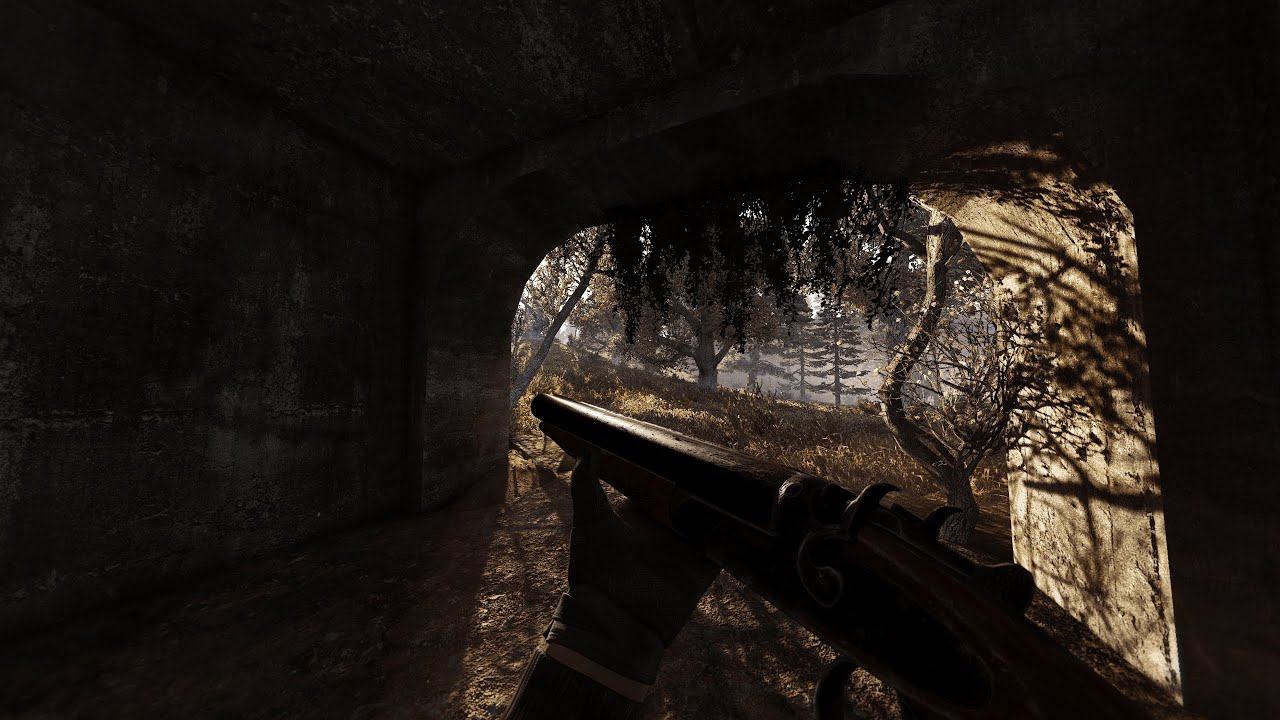
If you have any questions please let me know and I'll be happy to answer them. Special thanks to Aydin, Jaku, and Delphic for your visual mods. Additionally thanks to Grok for making Stalker G.A.M.M.A. This install video will also apply to EFP whenever I port atmospherics to EFP.
Timestamps:
0:00 Mods you'll need and how to download.
2:40 Delet...
manic sage
lmao, I'd like to think I'm a gamer..
 wispy garden
Thoughts
manic sage
frozen zone?
manic sage
I think it looks good
I think expedition bloom works in snowy weather tbh
it just doesn't work as good for me in non snow based texture packs
wispy garden
Yeah expedition bloom is a bit too much in the included reshades
manic sage
I think it works when the sky is white
wispy garden
Had to try out a couple and so far the prosperity reshade seems to balance it out
Agreed, I messed with aggressor as well but did not like the blue tone
manic sage
wispy garden
Had to try out a couple and so far the prosperity reshade seems to balance it ou...
good to hear
yeah it looks good
I wanna see more screens
wispy garden
This guy levitating at the campfire is ruining everything


 mint owl
lucid panther
Can someone link CS eden reshade please? I don't find it
mint owl
lucid panther
Can someone link CS eden reshade please? I don't find it
My Reshade preset is outdated and fps hungry, I strongly suggest the new Reshade presets in #1035807043933720576 (in graphics section)
mint owl
manic sage
How project inverno looks for me
Is it my phone or it makes your weapon and arms darker somehow ?
manic sage
mint owl
Is it my phone or it makes your weapon and arms darker somehow ?
It’s also darker on my phone too so not just you
mint owl
I guess phone quality is what it is
manic sage
I suppose so
swift robin
manic sage
https://www.youtube.com/watch?v=Y_exWieLpPk Video install guide for Shaders and ...
wth gamma loads so fast for you man
for me i gotta wait for 10 straight minutes for it to load
manic sage
SSD plus a good pc will do you wonders
 rich sentinel
manic sage
SSD plus a good pc will do you wonders
rich sentinel
manic sage
SSD plus a good pc will do you wonders
SSD + Monster PC 
But yeah textures can put some work on loading time
wispy garden
manic sage
looks good!
wispy garden
Any idea whats going on with the shadow on the right side?
swift robin
Awesome
vale mason
where can i download the default stalker Anomaly reshade
 left pelican
my game looks like shieet...
this is how it should look like

and this is my game...


 mild dome
Clear shader cache? It's also an entirely different weather
manic sage
I mean different weather, different grass, different trees.
Both screens are not comparable
So much is different that you can't ask why is my game like this
If that makes sense
left pelican
manic sage
So much is different that you can't ask why is my game like this
my game is... just... out of colour... shapes of grey 
yh
ashen jacinth
@left pelican go to #1036172060969410590 follow his guide in the pinned comments, that will give you something special
left pelican
ashen jacinth
<@421721593929007114> go to <#1036172060969410590> follow his guide in the pinne...
🫡
 chrome hemlock
new graphics card, time to rock 21:9 ratio

 left island
I'm amazed at how this mod and a reshade can make such an old game look so damn good


 foggy oxide
chrome hemlock
new graphics card, time to rock 21:9 ratio
foggy oxide
chrome hemlock
new graphics card, time to rock 21:9 ratio
how do you have 8 companions
hollow iris
Legend achievement im p sure
 rugged cloak
left island
I'm amazed at how this mod and a reshade can make such an old game look so damn ...
rugged cloak
left island
I'm amazed at how this mod and a reshade can make such an old game look so damn ...
what reshade?
 ember wharf
chrome hemlock
new graphics card, time to rock 21:9 ratio
ember wharf
chrome hemlock
new graphics card, time to rock 21:9 ratio
21:9 master race
left island
rugged cloak
what reshade?
My own 🙂
 sick flower
Hello guys, what shaders can you recommend for stable fps on 3060 and ryzen 7 5800
hollow iris
Shaders normally dont mess with frames.
Look up hippos reshade guide
Its in #1035807043933720576
 stuck grotto
left island
I'm amazed at how this mod and a reshade can make such an old game look so damn ...
stuck grotto
left island
I'm amazed at how this mod and a reshade can make such an old game look so damn ...
any graphical mods u used?
 glacial surge
if im going to do a fresh reinstall of gamma (for other mod issues) is there a way to save all my reshade shit?
so i dont have to figure out what my settings were
left island
stuck grotto
any graphical mods u used?
Just GAMMA and my preset
left island
stuck grotto
vanilla gamma?
yup
left island
stuck grotto
whats your in game settings?
most boxes checked and most sliders only a bit above where they were at default. SSDO and shadows set to high. Darw distance and textures max. So many settings
swift robin
chrome hemlock
new graphics card, time to rock 21:9 ratio
prrr skibidibop dop dop dop yes yes yes
left island
stuck grotto
would be easier for u if u just showed
Then I'd have to turn the game on. I had just woken up, lol. I'll screen it in a bit but they're nothing special.
 hard fulcrum
hey guys anyone ever exp this where the ground is weird
 stuck grotto
hard fulcrum
hey guys anyone ever exp this where the ground is weird
stuck grotto
hard fulcrum
hey guys anyone ever exp this where the ground is weird
what u mean?
low resolution?
not enough grass?
mortal shuttle
looks fine to me just a little barren on grass
which can be turned up in the settings very easily
oh now i see it, the ground is very deepfried
do you have an AMD card?
manic sage
hard fulcrum
hey guys anyone ever exp this where the ground is weird
what reshade effects are you running?
hollow iris
hard fulcrum
hey guys anyone ever exp this where the ground is weird
Are you talking about the grainy look the ground has when walking?
left island
hard fulcrum
hey guys anyone ever exp this where the ground is weird
Could your MIP bias be too high? Noisy textures could be the result of too high res MIPs being used.
hard fulcrum
stuck grotto
what u mean?
the ground have to much noisy texture
hard fulcrum
manic sage
what reshade effects are you running?
 manic sage
hard fulcrum
the ground have to much noisy texture
manic sage
hard fulcrum
the ground have to much noisy texture
hop in vc
install support
or not :/
rich sentinel

manic sage
rich sentinel
<:cry:920747400895799297>
Wanna hop in vc and show me what you've been working on?
hard fulcrum
manic sage
hop in vc
oh sorry my bad i was eating
manic sage
im still on if you need help
hard fulcrum
sure sure wait let me join in just a few minutes
glacial surge
I have grainy grass any time I try to use TFAA
I thought it was just a byproduct of the AA, people said it was normal
Seemed like you just had to choose between weird trees/foliage or weird grass
 long bluff
I was installing hippo's shaders and when I installed all and when I loaded save or made new game I have this error

 desert frigate
Hi guys I just installed the hippo reshade and texture stuff
I followed the tutorial and everything works fine expect my reshade manager does not wanna work
when I press the reshade ini nothing pops up. Anyone knows why?
left island
desert frigate
Hi guys I just installed the hippo reshade and texture stuff
Try alt-tabbing out then back in. I found this works on a bugged reshade UI in the vanilla Stalker games.
desert frigate
left island
Try alt-tabbing out then back in. I found this works on a bugged reshade UI in t...
Hmmm does nothing. I even restarded. Must hade done something wrong
left island
desert frigate
Hmmm does nothing. I even restarded. Must hade done something wrong
Yeah. Probably best to uninstall reshade completely then reinstall
stuck grotto
long bluff
I was installing hippo's shaders and when I installed all and when I loaded save...
masz film na youtube jak to zainstalowac poprawnie
long bluff
Robiłem wszystko tak jak w filmiku hippob0t
stuck grotto
chodz pv
swift robin
desert frigate
Hi guys I just installed the hippo reshade and texture stuff
if you followed the video
did you rename or deleted a file called dxgi or sumn
hippo specifically says to only do that if you do not want reshade to run
desert frigate
Yeah I solved it
I used the shader in my install folder and not my game folder...
Awesome reshade tho
 coarse flicker
long bluff
I was installing hippo's shaders and when I installed all and when I loaded save...
coarse flicker
long bluff
I was installing hippo's shaders and when I installed all and when I loaded save...
i had the same issue had to reset the mods back to the original idk y it worked in the video but not for me i followed it precisely
thick tendon
oh look, new reshade... in b4 "hOw dO I uPgRaDe mY rEsHaDe VeRsiOn" questions
manic sage
thick tendon
Im excited for this next update.
coarse flicker
can someone help me with hippo's reshade i followed the stepps and nothing works
left island
I got everything in Hippo's S&A working EXCEPT TFAA. For that I see no change but the shaders and the rest of the preset appear to be working fine.
When I mouse over TFAA in the GUI, I see a yellow warning about "implicit truncation of vector type".
 pearl breach
Is there a video tutorial on reshading?
 ornate escarp
left pelican
this is how it should look like
ornate escarp
left pelican
this is how it should look like
Stalker tends to look nicer when sunny than overcast.
left pelican
left pelican
Here's ss with good weather @ornate escarp
Still looks like crap
But anywho, i gave up
Imma hop somewhere else for now
ashen jacinth
 shy plume
why does my game look so ugly
shy plume
why does my game look so ugly
You'd need to post a screenshot for anyone to help, could be loads of different things
shy plume
ashen jacinth
You'd need to post a screenshot for anyone to help, could be loads of different ...
aight gimme a bit
 stone grail
hello guys. I want to fix the jaggy shimmering anti-aliasing on branches and grass and I was pointed out to come here and ask about reshade. Can someone help me please? How do I add a good anti-aliasing reshade to the ones already active in gamma
thick tendon
stone grail
hello guys. I want to fix the jaggy shimmering anti-aliasing on branches and gra...
You don’t. Use a different foliage mod that has leaves and better grass.
stone grail
could you recommend one that would work with Gamma? The only thing I changed in gamma is remove dead vegetation
thick tendon
Aydin’s grass/tree mod.
And go to mo2: disable simple autumn, autumn lod fix, gardener of the zone, and dead bushes.
 frail steeple
does aggressor resahde not work if enabled? Cant see the preset ingame with reshade console opened, if not ill manually install the .ini and stuff
thick tendon
looks like reshade 5.6 also breaks rtss as the latter is trying to do dx10 compat mode even if game is dx11: #586245736413528082 message
frail steeple
anyone know how to make reshade not darken inventory so much
swift robin
@mint owl Hey dude can you help me out with some optimal reshade settings
Just want the game to look fantastic
I have a 2070 super if it matters
mint owl
swift robin
<@411620082393808898> Hey dude can you help me out with some optimal reshade set...
Best bet is to ask Hippobot, the new king in town
swift robin
Was told to ask you but ok
mint owl
swift robin
Was told to ask you but ok
Haha I used to be the main guy for that, but my stuff is mostly outdated and performance heavy
shy plume
ashen jacinth
What's your pc specs? Just do we know what to recommend
Intel(R) Core(TM) i5-9400F CPU Gtx 1650 8gb ram
so dont hold back i played on another file and it looked great
ashen jacinth
shy plume
Intel(R) Core(TM) i5-9400F CPU Gtx 1650 8gb ram
Are you running anything or is it default gamma?
shy plume
ashen jacinth
Are you running anything or is it default gamma?
default
ashen jacinth
Okay well the consensus around here is hippos stuff #1036172060969410590 it runs light or heavy depending on what effects you use, its what I use in combination with a few other things like #1053707300080209961 #1043020993687474186 and the new SSS update
But its more of a preference on what you want the game to look like too
if you want snowy then #976180490065313842 is great
or you can jump into #1035807043933720576 and have a look at the other reshades, #1047823370982526997 is a good one too
@shy plume forgot to reply to you woops
shy plume
np thank you
ashen jacinth
shy plume
np thank you
No worries, hippos is ridiculously easy to install, all of those postings above have install instructions in the pins
shy plume
ashen jacinth
No worries, hippos is ridiculously easy to install, all of those postings above ...
aightty
swift robin
new "80's feel" reshade with magicbloom instead of the default it comes with

i like it so far
 worldly mural
So i installed hippos shaders and reshade. when going through hippos guide i removed the texture path instead of the effects path, i added path back in through gamma mods, Hippo but it has not worked i seem to be missing most of the effects on hippos guide now, please help!


Hippos reshade shaders for effects and hippos reshade textures for textures
 covert cargo
should i install hippos shaders, or gamma exp edition or some other shaders
 wise kayak
manic sage
wise kayak
manic sage
Did you completely disable ADEGA or deleted something? If it's enabled the snow is not visible but the pale ground
manic sage
I mean yeah you're not supposed to run adega with a snow texture pack
wise kayak
thought i could run a mixture but probably not a good idea
manic sage
Nope but you can find the late autumn texture pack by @thick gorge and use that
its a mix
and if you wanna use it with atmospherics then you'll just need to disabled the environments folder
wise kayak
ill try that right now, miss the snow irl
 pastel gull
swift robin
new "80's feel" reshade with magicbloom instead of the default it comes with
pastel gull
swift robin
new "80's feel" reshade with magicbloom instead of the default it comes with
the 80's feel reshade looks like a low poly half life
 trail hollow
how do i open reshade menu?
wise kayak
home button but it says on the top banner when you start the game
 little anchor
Going through hippos shaders install and the sky seems blinding bright, did I mess something up or do I just mess with it until I get it to my liking?

clear_2 looks ok though

stormy2...
 little anchor
disabled 
 little anchor
Followed the install video to a T
manic sage
hop in install support
proud snow
am i crazy
or wasnt there a forum channel where you post your reshade like #1035807043933720576
 broken fractal
I install deadzone retexture and use it with gamma shaders, now the vegetation looks all white, does anyone knows how to fix this ?

 swift robin
see what reshade you fancy first
manic sage
swift robin
see what reshade you fancy first
How are you liking the new update?
swift robin
manic sage
How are you liking the new update?
have not updated to the latest yet, ill let ya know
manic sage
yeah
 feral goblet
Wheres the list of reshades
I get the home menu stuff
I just dont really know what to use or where to look. Unless its just on mod db
desert frigate
feral goblet
Wheres the list of reshades
Some are in mod-posting
 oblique hill
anyone know how to increase the fog rendering distance? skybox is rendering over terrain because of high fog and it's putting a damper on otherwise great visuals
manic sage
yeah increase fog distance
devout whale
proud snow
or wasnt there a forum channel where you post your reshade like <#10358070439337...
huh
 wanton bluff
Why does everything look blurry/distorted in the distance in DX11 (in binoculars its blurry no matter the distance but in iron sights and scopes only starts increasing after around 50 meters, also its blurry in distance without anything readied in hands but its less pronounced.) I tried raising and lowering graphics settings and reshades on/off, turning off DOF in menus and with r2_dof_enable off, nothing worked. Only in DX8 there is no blur in distance even with max zoom on binoculars.


 abstract dust
Hey, is there a way I can hard reset to gammas reshade? I accidentally f'ed it
 steel bison
I think shaders cache
Not sure tho
Try deleting shaders cache
And reshade shaders in bin folder
trail hollow
abstract dust
Hey, is there a way I can hard reset to gammas reshade? I accidentally f'ed it
you can make a new preset and disable the option to copy the current preset
left island
abstract dust
Hey, is there a way I can hard reset to gammas reshade? I accidentally f'ed it
Unfortunately, no. Unless you saved a copy. You can do this manually or within Reshade's GUI. If you didn't make a copy, you can get it from Hippo's Atmospherics. I know he has a copy included with his presets.
Or I could just give it to you 😉
left island
steel bison
And reshade shaders in bin folder
Don't do that unless you want to delete all your Reshade shaders. Bambii is just looking to reset the preset to its OG state.
steel bison
Oh ok sorry
left island
steel bison
Oh ok sorry
No worries. I've borked many a preset and reshade install myself
hollow iris
Am i supposed to get this error?
 left island
hollow iris
Am i supposed to get this error?
left island
hollow iris
Am i supposed to get this error?
Do you have MotionEstimation installed properly? There should be 3 additional Motion FXH files in your Shaders folder.
swift robin
hollow iris
Am i supposed to get this error?
yes because u didnt follow instructions
bottom right corner
untick performance mode
then it workey
hollow iris
Tyty
swift robin
guys
shy plume
why does my game look like this
 swift robin
delete shader cache in the anomaly folder
if it still persists, i suggest a reinstall
shy plume
Okay
 main shoal
is there a way to load different presets automaticly when a weather type is activatet and chenge ? (i mean clear to foggy )
witcher 3 got this with a tool
thick tendon
Not without someone writing a ReShade addon.
left island
thick tendon
Not without someone writing a ReShade addon.
Is it possible? This is something I've wanted for ages. I seem to remember a LUTs functionality that operated similarly but could be mistaken.
left island
main shoal
witcher 3 got this with a tool
Can you point me to this tool?
thick tendon
left island
Is it possible? This is something I've wanted for ages. I seem to remember a LUT...
I mean anything is possible it’s just a matter of if it’s the best approach or not. Something like dynamic LUTs is better handled by the engine via a script imo. You also have to remember that changing ReShade presets is not seamless.
left island
thick tendon
I mean anything is possible it’s just a matter of if it’s the best approach or n...
Right. I imagine there'd be some jank during transitions. I'd be fine with that though if it meant not having to stop playing to manually switch presets. Whoever writes something like this would instantly be granted UberChad status.
 ancient fable
wanton bluff
Why does everything look blurry/distorted in the distance in DX11 (in binoculars...
ancient fable
wanton bluff
Why does everything look blurry/distorted in the distance in DX11 (in binoculars...
Idk men it look like chromatic aberration to me
thick tendon
yeah it's normal
 sharp raft

 lapis panther
are you able to just throw the graphical edition of exp onto gamma and it works fine ?
hollow iris
lapis panther
are you able to just throw the graphical edition of exp onto gamma and it works ...
Dont just throw expedition onto gamma, its horrid
left island
hollow iris
Dont just throw expedition onto gamma, its horrid
EXP is overly bright and overly sharp. A good Reshade can help remedy that. EXP runs well from what I've played though. It's fun. That combat music however....
hollow iris
I just couldnt get past the overly sharp part of it
left island
hollow iris
I just couldnt get past the overly sharp part of it
Yeah. It can't be left as is, lol
 mint fjord
Anyone know what this line in Gamma's default Reshade does? I've been working on my own preset and wondered if it's worth including.
PreprocessorDefinitions=UIMASK_TOGGLEKEY_BLUE=I,RT_PRECISION_LEVEL_0_TO_4=1,RT_ENABLE_HIGH_PERF_MODE=1
proud snow

mint owl
proud snow
<:kekw:919974270132711444>
Someone is digging far xD
swift robin
So curious does rtgi run well on amd gpus
 unkempt marten
Is there a way to disable the blur that occurs when you use consumables? seemed to only start happening after the most recent update
 magic harbor
@unkempt marten @limpid vault hey if y'all still need help: go to MCM in-game, find SSS Settings, and go to the Weapons DOF tab. i think you'll have to reload the game for changes to take effect
unkempt marten
magic harbor
<@370405343681052673> <@1003855343513784440> hey if y'all still need help: go t...
I got it fixed thank you
 graceful totem
Hi, so I have disabled every shaders except the bloom one (I'm running on a shitty laptop so I need every fps possible). I'm happy with everything except the UI. It seems that the bloom shader also brightens the UI too for some reason?
So how can I fix it?

 limpid vault
magic harbor
<@370405343681052673> <@1003855343513784440> hey if y'all still need help: go t...
limpid vault
magic harbor
<@370405343681052673> <@1003855343513784440> hey if y'all still need help: go t...
thanks
 grizzled badger
graceful totem
Hi, so I have disabled every shaders except the bloom one (I'm running on a shit...
grizzled badger
graceful totem
Hi, so I have disabled every shaders except the bloom one (I'm running on a shit...
there should be an option called UI mask in the reshade menu. I haven't used it myself so I don't exactly how it works, but it's supposed to remove the reshade effects from the hud
 tender hazel
Any way to get the Expedition modpack reshade working with GAMMA?
main shoal

RTX 2080 Super
i7 10700k
32GB RAM DDR4
2TB SSD
swift robin
How do i get that HIPPO shader?
 toxic glen
shy plume
why does my game look like this
toxic glen
shy plume
why does my game look like this
this is how Tarkov looks during sunset with slight fog lmao
 worldly zinc
toxic glen
this is how Tarkov looks during sunset with slight fog lmao
worldly zinc
toxic glen
this is how Tarkov looks during sunset with slight fog lmao
that with 25 fps at most
 harsh wraith
Does Ultra zone winter mod work with gamma?
main shoal
gave it a way to add ENB like Autunumn Auora 2 from SOC ?
 final rock
Yo boys what is your secret sauce when it comes to getting crazy shaders for GAMMA, trying to make GAMMA look like a movie
thick tendon
I record my playbacks to VHS and then watch them on the big screen with my family while eating popcorn
 remote yew
Heard the whole analog look is coming back in style
left island
thick tendon
I record my playbacks to VHS and then watch them on the big screen with my famil...
Yes, but do you also record your audio to vinyl and play it back via phonograph? True Old People Shit.
 frozen maple
What Graphical Settings are you guys running? i got a GeForce 3080, and trying to set some good settings for a decent FPS
thick tendon
Max out everything except grass, leave game AA off, enable SMAA only, use SSDO, etc. There are no magic tricks, only what to avoid.
frozen maple
aright i'll give it a shot thanks 🙂
left island
frozen maple
What Graphical Settings are you guys running? i got a GeForce 3080, and trying t...
Resolution, grass density/draw distance, and the game's "AA"(which is MSAA in disguise), are the biggest blocks to decent fps. I stick with "high" for all dropdown options as well just to be safe. I have a 3080 Ti and typically run at 60fps at 3440 x 1440. Set everything up and then test the grass settings. If they're currently set too high, you can gain considerable fps just by lowering them a few notches.
frozen maple
left island
Resolution, grass density/draw distance, and the game's "AA"(which is MSAA in di...
Alright nice, got decent FPS on 90 right now so it worked 🙂 had a lot of stutter before even with the Stutter mod on, now i just crashes with some Blood Particles sometimes when i do headshots not quiet sure what is causing that, maybe its DX11?
left island
frozen maple
Alright nice, got decent FPS on 90 right now so it worked 🙂 had a lot of stutte...
Do you have HD Models installed?
frozen maple
For NPC's ?
left island
At all
left island
That's different. Your issue could be anything really, that was just a problem I was running into. Sounds like you may have installed extra mods not included with GAMMA and are running into conflicts. Unfortunately, I'm not knowledgeable enough to troubleshoot for you 😦
frozen maple
Yeah i've got extra mods in here, but doesn't looks like, there is any conflicts in the MO2, but it did write under file in the error R4, like it says with DX11 so now i'm just trying to run DX10 🙂
thick tendon
That isn’t going to make a difference.
It’s likely just the error being reported originating from an r4 involved cpp module not necessarily because it’s r4 specific.
Ignore anything below dx11 unless you have a very good reason.
 drowsy fern
main shoal
https://www.youtube.com/watch?v=ixAHKWeGQiI&ab_channel=Breaking_raven
drowsy fern
main shoal
https://www.youtube.com/watch?v=ixAHKWeGQiI&ab_channel=Breaking_raven
Does the reshade give this dark, green/blueish tint? I installed Hippo's shaders, followed the instructions, and my game doesn't look like yours, my Phrozac reshade doesn't even make a big difference (The tint/colors)
(I have the shader/textures path in reshade set correctly btw)
left island
drowsy fern
(I have the shader/textures path in reshade set correctly btw)
Did you enter cfg_load hipposr in console?
main shoal
drowsy fern
Does the reshade give this dark, green/blueish tint? I installed Hippo's shaders...
than u have wrong isntalled
main shoal
drowsy fern
Does the reshade give this dark, green/blueish tint? I installed Hippo's shaders...
are u enter cfg_loadhipposr ?
clip captured by storm2
drowsy fern
I'm on EFP 4.0, there's a seperate version of Hippo's Atmospherics for EFP, I'm trying that now
manic sage
drowsy fern
I'm on EFP 4.0, there's a seperate version of Hippo's Atmospherics for EFP, I'm ...
I am updating it as we speak
drowsy fern
main shoal
are u enter cfg_loadhipposr ?
Yes, I did, hold on, gonna post some screenshots
This is how it looks, HippoSR and Phrozac's reshade enabled

No green/blue tint
Maybe it's just during stormy2 weather?
manic sage
looks like reshade isn't active
drowsy fern
It is, I checked - I have following effects: FXAA, EyeAdaptation, ChromaticAbberation, Clarity, Ambientlight
Am I missing some effects?
 onyx socket
The regrade.
drowsy fern
(+ the border, I added that manually)
left island
drowsy fern
This is how it looks, HippoSR and Phrozac's reshade enabled
Did you direct Reshade to look in the right directories for the presets and shaders?
drowsy fern
left island
Did you direct Reshade to look in the right directories for the presets and shad...
Yes, reshade-shaders -> Shaders, and reshade-shaders -> Textures
Like in the screenshot in the manual
I'm on 5.6.0 reshade, if that helps
(The newest one)
left island
There should be 6 active effects and a TFAA and RTGI cluster of effects that are optionals with a keybind.
drowsy fern
Oh yes, but I disabled TFAA RTGI, because my specs are too weak for it
The question is.... why am I missing the regrade? Could it be because of the Reshade version I'm on?
left island
click "active to top" to see if Regrade shows up
drowsy fern
Ok, this is interesting - I typed in "Regrade" in reshade's search bar, and it only found one effect, named "MotionEstimation.fx" and it's in red and says "failed to compile
manic sage
hop in install support vc @drowsy fern
 sinful terrace
@drowsy fern Do you have performance mode checked?
drowsy fern
sinful terrace
<@417438529459847172> Do you have performance mode checked?
Hippo helped me fix it, thanks for the help, guys! Much appreciated
 gentle thistle
left island
I'm amazed at how this mod and a reshade can make such an old game look so damn ...
gentle thistle
left island
I'm amazed at how this mod and a reshade can make such an old game look so damn ...
what mod is this😭
left island
gentle thistle
what mod is this😭
I meant GAMMA. All 358 mods haha
gentle thistle
left island
I meant GAMMA. All 358 mods haha
oh lol can i get the reshade settings ?😭
onyx socket
gentle thistle
oh lol can i get the reshade settings ?😭
#1036172060969410590 .
Phrozacs preset is part of this pack.
 fluid sky
does the load order look right?
 fluid sky
@left island I want it to look like your screenshots
left island
fluid sky
<@408272434576228352> I want it to look like your screenshots
Oh man. I'm the last dude in the world you want looking at your load order. I'm running pretty much just GAMMA with Hippo's Atmos, my presets, ADEGA, and Aydin's grasses.
fluid sky
left island
Oh man. I'm the last dude in the world you want looking at your load order. I'm ...
Im almost there, I think I’m still loading the vanilla grass though, I’ve tried it in different orders lol
left island
fluid sky
Im almost there, I think I’m still loading the vanilla grass though, I’ve tried ...
You should watch Hippo's install video. I think it still mostly applies. I know he was making a new video though. Keep an eye out for that.
 celest pasture
yo just wondering if anyone else had the issue of the SSS dof just not existing? i tried to install the latest version way back before it was introduced into gamma but promptly removed it and i thought all was good, but now the dof wont work and in mod config settings it doesnt show up, anyone have an idea to fix?
thick tendon
fluid sky
Im almost there, I think I’m still loading the vanilla grass though, I’ve tried ...
Double click on any mod in mo2 and go to the conflicts tab. That’ll show you how things are being resolved.
left island
celest pasture
yo just wondering if anyone else had the issue of the SSS dof just not existing?...
When you click on SSS, there will be two tabs up to the right. DoF is nestled in the unselected tab. I almost missed it.
left island
celest pasture
you mean in mod config?
Yup. It's missing. Did you install and activate the new SSS update? 14.2 I believe
celest pasture
left island
Yup. It's missing. Did you install and activate the new SSS update? 14.2 I belie...
i did try that back before gamma added it to their mods and it didnt work, so i deleted it and decided to wait and now that it has been added to gamma it wont do anything
i havent touched sss outside of gamma apart from then.
thick tendon
celest pasture
you mean in mod config?
go to your anomaly directory, bin, right click on the exe you use to run the game and show us the details of it (size, date, etc)
thick tendon
celest pasture
i did try that back before gamma added it to their mods and it didnt work, so i ...
oh, what version of SSS shows up in your mo2 mod list then?
celest pasture
thick tendon
oh, what version of SSS shows up in your mo2 mod list then?
where do you see the version? just is SSS, did say un ignore update which might be something, dunno why it has that on
thick tendon
in the column that says version
thick tendon
and the exe details?
thick tendon
what's your gamma directory?
celest pasture
thick tendon
what's your gamma directory?
as in?
thick tendon
D:\Game\GAMMA RC3 or something?
celest pasture
yeah that exactly
oh wait no game is the anomaly directory
its just straight from D:/gamma rc3
thick tendon
those bins don't look the same as the latest bins included with gamma
thick tendon
but either way go here and download this: https://github.com/themrdemonized/STALKER-Anomaly-modded-exes/blob/main/STALKER-Anomaly-modded-exes.zip

STALKER Anomaly exe edits with patches by community - STALKER-Anomaly-modded-exes/STALKER-Anomaly-modded-exes.zip at main · themrdemonized/STALKER-Anomaly-modded-exes
use those binaries as it's likely you're using exe's that do not support weapon dof
and yes from time to time you should be doing gamma updates and/or full install
celest pasture
thick tendon
and yes from time to time you should be doing gamma updates and/or full install
yeah have been probably even a bit too much lol
so just replace the bins from that into anomaly bins or copy them into gamma?
thick tendon
go to mo2, click on the gear icon and show me the details for the dx11avx exec
celest pasture
yeah in anomaly then
 thick tendon
also go to tools->settings->paths and paste that window
celest pasture
 thick tendon
the issue here is that if you're updating gamma frequently i'd expect you to have newer exes than march 2022
oh i see, october 2022 actually
celest pasture
thick tendon
the issue here is that if you're updating gamma frequently i'd expect you to hav...
right...
thick tendon
go to your gamma folder and this subdir: D:\GAMMA RC3\.Grok's Modpack Installer\G.A.M.M.A\modpack_patches\bin
are those the same exes as in your Anomaly bin?
thick tendon
they're not the same though
thick tendon
this is what you pasted earlier:
 celest pasture
ah and diff sizes
thick tendon
well you run the gamma installer do you do the gamma data update and then full install or only full install?
celest pasture
data update then full install but it is possible ive missed data update before
thick tendon
well if you want to just fix this, copy those gamma installer exes into your anomaly directory but you're better off using the demonized version i sent you earlier
either way just stomp the anomaly bins
celest pasture
yeah done i copied your demonized versh into it
thankyou heaps tho dude! absolute legend ill quicky ccheck it it to see if its fixed
YEP! dof is good to go
thick tendon
yeah you were running old bins basically
now update all your stuff with the installer (and potentially recopy the demonized exes again after)
then you can experiment with sss 14.x
celest pasture
yep on it
steel bison
No
steel bison
But isn't it buggy af?
swift robin
ion know i dont use it
hollow iris
Its buggy. I fucked up when removing it from my pc and i had to reinstall gamma i had crazy texture issues
mortal shuttle
yikes good thing I thought twice
 queen pelican
Hello guys is there any potato pc friendly still beautiful Reshade? or settings?
 lament grove
queen pelican
Hello guys is there any potato pc friendly still beautiful Reshade? or settings?
lament grove
queen pelican
Hello guys is there any potato pc friendly still beautiful Reshade? or settings?
https://discord.com/channels/912320241713958912/1036172060969410590 try this one, there's the hippos shaders that look great and no need or reshade if the reshades are too much for you
queen pelican
i mean u need some downloads with this one and i was meaning to say is just fresh gamma so i needed simple setting in reshade
and i did this so! https://discord.com/channels/912320241713958912/929309266056196096
lament grove
you can also check this #╭📖faq message if that's the case
swift robin
steel bison
But isn't it buggy af?
Expedition by itself no, with gamma badly buggy
 mossy orchid
I see "Agressor Reshade" is already downloaded within the whole GAMMA Mod, but not active by default. How do i properly activate/install it?
swift robin
sorry is there any way to make gamma look like the screenshots ?
swift robin
mossy orchid
I see "Agressor Reshade" is already downloaded within the whole GAMMA Mod, but n...
agressor needs to be installed seperately, afaik the one in gamma is just the ground edit texture
ashen jacinth
swift robin
sorry is there any way to make gamma look like the screenshots ?
Which screenshots in particular?
swift robin
ashen jacinth
Which screenshots in particular?
 ashen jacinth
That just looks like default gamma to me just after an emission
 nova tiger
does anyone know why this happens?
swift robin
nova tiger
does anyone know why this happens?
dynamic tonemapper in MCM, it forces the values back to whats set
i suggest tweaking the values through dynamic tonemapper instead, look for minimum hemi value in there and slide it to 0.5
nova tiger
swift robin
i suggest tweaking the values through dynamic tonemapper instead, look for minim...
Thanks for the advice!
swift robin
ashen jacinth
That just looks like default gamma to me just after an emission
Ememesion
?
ashen jacinth
swift robin
Ememesion
A blowout the storms that happen in the zone, its not a reshade just part of the game
swift robin
ashen jacinth
A blowout the storms that happen in the zone, its not a reshade just part of the...
Is there any reshade that you would recommend
swift robin
ashen jacinth
A blowout the storms that happen in the zone, its not a reshade just part of the...
Wait I can make it more freqant in stettings
ashen jacinth
swift robin
Wait I can make it more freqant in stettings
You can but I wouldn't recommend it
Just leave it as default, the storms cause you to stop until they finish or you'll die, it changed the positions of anomalies and artifact spawns
swift robin
ashen jacinth
You can but I wouldn't recommend it
Ah k
Is there anything so that I can make my game look les bland ?
ashen jacinth
Have a look in #custom-textures or #1035807043933720576 , choose one you like the look of
swift robin
ashen jacinth
Have a look in <#924991868754862131> or <#1035807043933720576> , choose one you ...
Thanks
 gusty elk
is there a way of making the phystorm look cooler? cause rn it kinda just looks like nothing
ashen jacinth
gusty elk
is there a way of making the phystorm look cooler? cause rn it kinda just looks ...
Not without tweaking the weather preset, some shaders and texture packs do that but not many
 latent quarry
Guys what reshade you suggest me that doesn't have more hardware needs than the default one build in GAMMA by default. Also, any good solution for folliage edges faulty AA so I can run the game smoothly in 2k with a 4 monitor. My GPU is a 1650 so I cant get 60 fps in 4k.
swift robin
hippo
prisma sand
Having a 4k monitor and a 1650 sucks
 tough sky
Can anyone tell me or otherwise point me towards how I could use an alternative reshade preset to the one provided my G.AM.M.A?
left island
Hippo's Shaders & Atmospherics has a bunch included. You could also just download any preset you want, reinstall reshade and tell it to install that preset. It'll grab only the shaders that preset uses.
 terse wagon
latent quarry
Guys what reshade you suggest me that doesn't have more hardware needs than the ...
terse wagon
latent quarry
Guys what reshade you suggest me that doesn't have more hardware needs than the ...
How do you get smooth 60 fps on 2k with 1650 ;-;. I'm getting 40-50 fps on 3050 at 1080p with most toned down on low
terse wagon
It's almost impossible to get smooth 60 fps even with AA at the lowest and far texture rendering and object quality at the lowest
thick tendon
terse wagon
It's almost impossible to get smooth 60 fps even with AA at the lowest and far t...
Yeah, you need to turn off AA and only use SMAA. Game AA is an expensive implementation.
Also, define 2k. 1080p? 2160p?
terse wagon
thick tendon
Also, define 2k. 1080p? 2160p?
isn't 2k 1440p
thick tendon
Yeah that was kinda my point. It’s a made up term that’s inconsistent.
terse wagon
prisma sand
Turn AA off
My AA is off I don't even use SMAA
Can y'all send what settings are you using

Should I keep the texture detail on max?
thick tendon
Use afterburner / RTSS to monitor your GPU usage in game. If it’s not at 100% then something else is going on. There’s no way you have to have your settings that low to hit 60fps with a 3050.
latent quarry
terse wagon
Can y'all send what settings are you using
I turned off AA and instead I only use the FXAA from both the ENB plugins and the nVidia control panel.
terse wagon
thick tendon
Use afterburner / RTSS to monitor your GPU usage in game. If it’s not at 100% th...
It's never hitting 100%
 gentle moss
terse wagon
It's never hitting 100%
gentle moss
terse wagon
It's never hitting 100%
It's my problem too
terse wagon
The most usage i got is like 65
 wooden sandal
latent quarry
Guys what reshade you suggest me that doesn't have more hardware needs than the ...
wooden sandal
latent quarry
Guys what reshade you suggest me that doesn't have more hardware needs than the ...
Wth? Your gpu is 1650 and you play on 2k with 60 fps?
I have amd rx 6500xt and on 1080p I get like 50 fps most of the time
wooden sandal
terse wagon
It's never hitting 100%
Do you have vsync on?
terse wagon
wooden sandal
Do you have vsync on?
Nop I don't even limit my fps
wooden sandal
Ah
terse wagon
Btw does ADEGA textures needs really beefy computer?
thick tendon
What CPU?
 hidden ravine
terse wagon
It's never hitting 100%
hidden ravine
terse wagon
It's never hitting 100%
bottlenecking
terse wagon
hidden ravine
bottlenecking
What could possibly bottlenecking it? My cpu is i5-11400h and ram is dual channel 16gb 2933mhz. My game is also installed in ssd
hidden ravine
terse wagon
What could possibly bottlenecking it? My cpu is i5-11400h and ram is dual channe...
inter
terse wagon
Im using 3050 laptop (4gb vram)
thick tendon
Upload a user.ltx so people can look at your actual settings.
 last nebula
hello guys, im using hippo shaders and my Night vision and lamp light are not showing how do I fix it?
 digital kettle
hi, is there an anti aliasing alternative in reshade?
dusk shell
if i wanted to add all of the shaders available in reshade. would i have to reinstall it?
 tight lance
was anyone having issues with black screen on hippo shaders?
 valid anchor
i just got a new build with a 4090. anyone have mod recommendations to push Gamma to the limits and look as good as possible? a link would be great, i'm sure this gets asked a lot recently
thick tendon
dusk shell
if i wanted to add all of the shaders available in reshade. would i have to rein...
Just rerun the installer, point it to the path where it’s already installed, on the shader screen check select all until all are selected, continue, finish.
You can even use the same approach to downgrade or upgrade just ReShade itself by skipping the shader selection.
If you run RTGI make sure to recopy its file or else one of the noise textures will be wrong.
dusk shell
thick tendon
If you run RTGI make sure to recopy its file or else one of the noise textures w...
thanks!
 sly sand
valid anchor
i just got a new build with a 4090. anyone have mod recommendations to push Gamm...
sly sand
valid anchor
i just got a new build with a 4090. anyone have mod recommendations to push Gamm...
My reshade preset for Hippo's reshade & atmos (Hippo's install guide: https://www.youtube.com/watch?v=9uCR7UThyW0)


 ashen jacinth
sly sand
My reshade preset for Hippo's reshade & atmos (Hippo's install guide: https://ww...
ashen jacinth
sly sand
My reshade preset for Hippo's reshade & atmos (Hippo's install guide: https://ww...
Looks real good 
 obsidian sentinel
valid anchor
i just got a new build with a 4090. anyone have mod recommendations to push Gamm...
obsidian sentinel
valid anchor
i just got a new build with a 4090. anyone have mod recommendations to push Gamm...
Try Hippo Reshade !! he make my 3090 at 26/19 fps on 4k !! 
ashen jacinth


 sly sand
ashen jacinth
sly sand
ashen jacinth
your own preset? looks insane
ashen jacinth
sly sand
your own preset? looks insane
Sadly im not clever enough to do that I just use phroZacs preset in hippos a+s but the purple storm wasnt intended something broke but it looked cool
sly sand
lmao i see
 robust basalt
To add a new reshade do I just need the ini or do I need to add everything?
 thick oracle
Anyone ussing hippos?
thick oracle
robust basalt
To add a new reshade do I just need the ini or do I need to add everything?
Ini is the settings file for which reshade loads the preset, some of them require the shaders effects to be downloaded
But you can try just pasting the .ini file in anomaly/bin
and load it in game see if it works
robust basalt
I only ask because I tried one and it tanked my fps. Even when I switched back. I had to reset reshade completely to get my frames back
thick oracle
I guess it does that with some resahde effects
but it shouldn't be the .ini that's the problem
worst case scenario, nothing should change if the .ini doesn't enable effects by itself
 crimson jungle
hey guys looking for preferably the best shaders compatible with gamma (obvs)
these are the mods i wanted to add to gamma

but obvs this chats for shaders only so
ashen jacinth
crimson jungle
is it a really ouydated version tho?
He is updating almost daily at this point
Just released a new version as we speak
crimson jungle
ah
 granite remnant
so i just followed hippos new updated vid on how to install the shaders and atmospherics, but get an error now when i start the game that the shader compilation failed?? can someone help? i cant seem to find any help on this issue
 fringe fiber
crimson jungle
i thought hipposhader was already in gamma/
fringe fiber
crimson jungle
i thought hipposhader was already in gamma/
Will be. Not yet
Just use that and the tutorial needed mods
Plus gamma and tidy
crimson jungle
How's gamma without reshaders and stuff? I mean the weird sky events and stuff. I'm yet to see one but since it's a mod I'm wondering if it'll look as bad as the trees or be in a completely different class
 hardy agate
!spread
 void depotBOT
Spreadsheets about:
Weapons + Armours + Mutants + Artifacts + Food + Drinks + Medicine + etc.: https://docs.google.com/spreadsheets/d/1OWE25Go9kSao5-IDOS4ZWkBtLfyEF_hPLJz7QQR2lqY/edit#gid=302497032
Zone Handbook (contains a lot of good guides): https://docs.google.com/spreadsheets/d/17ZLrcwv-5aFjusQ6yKdHrBkq0fiPRBCvdCnzrvpz-Y0/edit#gid=0
Nimble weapon trade RUS/ENG: https://docs.google.com/spreadsheets/d/1iteyvFLFqIZU_Uzx1UTboueiAafXX4yrvCGrVfCYF40/edit?usp=sharing
Visual guide for Full Empty/Volat Emerald/Compass (until it will be added in some doc): https://cdn.discordapp.com/attachments/912320242301149216/1039517855588306986/azeazeazeaze.png
Aslan Lottery Outcomes: https://docs.google.com/spreadsheets/d/1Ocz6SF8KT0DVYTy7gkH6FYX9bd-IwbW8ONbb6IGmc0c/edit?usp=sharing
thick tendon
crimson jungle
How's gamma without reshaders and stuff? I mean the weird sky events and stuff. ...
looks generally okay
obviously some of the assets are not AAA quality but no reshade is going to fix that
crimson jungle
@thick tendon I thought the hippo stuff looked pretty significantly different from the base gamma
But is that just mainly skyboxes ?
I mean I'll take nice skyboxes any day
 stoic roost
guys what reshade should I use I have a gtx 1050ti, i3 10505f and 16 GB of ram (im on a budget)
swift robin
hippoS without reshade
left island
crimson jungle
<@476984967369457665> I thought the hippo stuff looked pretty significantly diff...
Skyboxes and lighting. You'll notice when switching between grading_warm and hipposr, the ground will be much brighter
 undone stump
anyone know the lighting effect from this photo ?
 left island
Yeah, if anyone knows how to get a good anamflare in reshade, I'd love to know. There used to be a shader called Gaussian Anamflare that I liked.
left island
undone stump
anyone know the lighting effect from this photo ?
Try BloomAndLensFLares(Bloom.fx). I find it a bit hard to control.
swift robin
@manic sage guessing no fog in the new update?
left island
swift robin
<@284148747900813322> guessing no fog in the new update?
He nixxed it for now because it's a bit early days
left island
I forget exactly but I think it was due to lack of control
swift robin
cause it makes for some killer atmosphere when it happens
 left island
It's all in the Hippo channel if you scroll up a bit
I know, but that's in a perfect case
left island
I think he couldn't limit it to certain times and it just happens with the weather
remote yew
swift robin
cause it makes for some killer atmosphere when it happens
spoopy
swift robin
hopefully the issues hippo has with it are fixed in the future, its soo good
swift robin
left island
I think he couldn't limit it to certain times and it just happens with the weath...
also clips on trees ive heard
manic sage
swift robin
cause it makes for some killer atmosphere when it happens
It’s just that it glows at night
Or is brighter than everything else at night
Don’t you think?
 small kraken
swift robin
cause it makes for some killer atmosphere when it happens
small kraken
swift robin
cause it makes for some killer atmosphere when it happens
Can I know how do you put the FPS counter sorry ?
swift robin
small kraken
Can I know how do you put the FPS counter sorry ?
press home key and enable it in the settings of reshade
swift robin
manic sage
It’s just that it glows at night
perhaps a little but for the atmosphere it gives i dont mind
small kraken
swift robin
press home key and enable it in the settings of reshade
Thanks a lot :D
 tidal marlin
manic sage
Or is brighter than everything else at night
tidal marlin
manic sage
Or is brighter than everything else at night
this actually be dope as a part of the snow atmospherics, like frosty mist hanging in the air
manic sage
tidal marlin
this actually be dope as a part of the snow atmospherics, like frosty mist hangi...
could add it but would have to test it
it does have potential
tidal marlin
i can test, or if you just shoot me a quick rundown can try and make the edits myself
manic sage
Sure one sec
manic sage
tidal marlin
i can test, or if you just shoot me a quick rundown can try and make the edits m...
Here you go
Install the textures through mo2
and the script replaces the existing script in atmospherics
In the script the fog is only enabled for fog1 and fog2
and this is meant for snowy atmospherics
Each fog weather has two different types of fog particles.
 thick gorge
manic sage
Here you go
thick gorge
manic sage
Here you go
I’m gonna change fog textures. And I searching new fog particles. Stay tuned
Or make something new in sdk
manic sage
Sweet! Try to find or create a fog texture that doesn’t glow or is not bright at night. That was my only complaint besides some of the flickering when the fog particles form.
Can’t wait!
stoic roost
swift robin
hippoS without reshade
ty
swift robin
guys i accidentally deleted my reshade folder is there any way i could restore it?
or do i have to reainstall everything?
tidal marlin
manic sage
Sweet! Try to find or create a fog texture that doesn’t glow or is not bright at...
playing around with a few presets and yeah the fog brightens the scene up in the distance a lot. gonna set some time aside this weekend to poke around and see if i can decrease the density while increasing the range of effect so its more of a mist
 surreal mortar
i want your opinion guys. This first pic is vanilla Gamma reshade and the second is the same but with prod...blablabla...filmictonemap


Vanilla
--->

FilmicTonemap -->

Vanilla -->

FilmicTonemap -->

 viral cedar
Any way to fix this blue shit in night? Days are fine, but this blue shadows and white trees is bad
FilmicTonemap is helping a bit, but not enough

 raw ruin
How do I tell if a reshade is working, my eyes are dumb.
hidden ravine
raw ruin
How do I tell if a reshade is working, my eyes are dumb.
press home
undone stump
left island
Try BloomAndLensFLares(Bloom.fx). I find it a bit hard to control.
is it already available in GAMMA ?
left island
undone stump
is it already available in GAMMA ?
It's a shader in reshade
 nova frigate
viral cedar
Any way to fix this blue shit in night? Days are fine, but this blue shadows and...
nova frigate
viral cedar
Any way to fix this blue shit in night? Days are fine, but this blue shadows and...
there are a few ways you can deal with the artifically brightened nights. first try setting nights to "dark nights" in the Gamma. from there, if you still want to make the night lighting more natural, try adjusting gamma from the "basic light settings" controls, but i wouldn't go below 0.9. then a reshade that can control contrast/brightness/exposure/gamma (or 'levels' in general) can get it dialed in
it's a balancing act though so you don't darken the UI too much
without using UI masks anyway

i use in-game gamma at 0.9, dark nights, and a small increase in contrast and decrease in exposure from my reshade
and of course as with anything it all depends on your particular display and its settings too 👍

 ripe depot
Why does the UIMask do nothing? I turn it on/off (both of them) and I see no difference whatsoever. I checked the UI/HUD, but cant see a difference
manic sage
nova frigate
there are a few ways you can deal with the artifically brightened nights. first ...
best way to fix the nights is through the weather, doing what you're doing can cause unforeseen effects in other time periods. For those still using gamma weathers they can edit the night time values for hemi and sun color from 21:00 to 03:00
nova frigate
manic sage
best way to fix the nights is through the weather, doing what you're doing can c...
get out of here with your advanced techniques ❤️
manic sage
lol
 lavish relic
manic sage
best way to fix the nights is through the weather, doing what you're doing can c...
lavish relic
manic sage
best way to fix the nights is through the weather, doing what you're doing can c...
What does expedition do differently to achieve the nights they have? I’m guessing it’s done through shaders or black magic.
manic sage
They crank up sunshaft intensity and sun color
Which is not my intention for what i wanna do mainly because that fucks up the trees
lavish relic
Yeah I noticed that when I gave expedition a try. The nights look good in screenshots but moving around in game… you start to notice everything that’s bad with the way it’s done.
I’d rather take the black nights we have and just use a torch 😄
manic sage
This is clear 1

foggy1

foggy2

rainy1

partly1

In these night times you can see clearly to varying degrees. The other ones are darker
raw ruin
hidden ravine
press home
Pressing home used to work with default gamma install, but after following directions to install hippo shaders it no longer does anything. I do think hippo reshade worked tho since I'm getting random snowflakes now which never happened before.
 tired geode
Any good reshade suggestions ( would be good if install is not too complicated fucked my whole game once with hippos :D) Thanks in advance
swift robin

 swift robin
tired geode
Any good reshade suggestions ( would be good if install is not too complicated f...
swift robin
tired geode
Any good reshade suggestions ( would be good if install is not too complicated f...
try agression reshade
manic sage
Violence
sly sand
tired geode
Any good reshade suggestions ( would be good if install is not too complicated f...
My preset but uh... it's hippo's addons


 fading pasture
sly sand
My preset but uh... it's hippo's addons
fading pasture
sly sand
My preset but uh... it's hippo's addons
How on earth do I make my game look like this and also does it kill my pc
fading pasture
I see that, I'm unsure how I actually replicate it though... not great at this sort of thing
sly sand
This is my preset for Reshade, it goes together with Hippo's Reshade FX & Atmospherics that you can find here #1036172060969410590 message
You can download Reshade if you google it
Just follow that tut I linked
fading pasture
Thank you!
 hot forge
Any good reshades?
 sour oar
Many good reshades
I'm out of touch, but I can assure you Hippo's reshade is a good place to start!
 unborn stone
Im at a loss. I had to reinstall a couple things due to crashes and stutters and I had to reinstall hippo's reshader but after I followed all of the steps its giving me a shader compilation failed error before loading into my save 😦
ashen jacinth
unborn stone
Im at a loss. I had to reinstall a couple things due to crashes and stutters and...
Are you using SSS 14.5? If you are and used hippos he has only just updated it to work with SSS 14.5 so thats most likely what caused the issue
granite remnant
sly sand
This is my preset for Reshade, it goes together with Hippo's Reshade FX & Atmosp...
So if I wanted to go about using your preset, how could I import it to do so? I already have hippos reshade, just can’t seem to find a preset exactly what I’m looking for
sly sand
granite remnant
So if I wanted to go about using your preset, how could I import it to do so? I ...
by going to your Gamma install (C:\Gamma) -> Mods -> Hippo -> Bin and put the .ini file there
granite remnant
sly sand
by going to your Gamma install (C:\Gamma) -> Mods -> Hippo -> Bin and put the .i...
Perfect, thank you!
sly sand
Then you should be able to select the preset

 long nebula
Hey, does anybody know how to turn down the shininess of the ground and grass when the sun hits them?
 long nebula
is it safe to adjust? for me there's a line "DONT TOUCH"
I'm using hippo's shaders by the way
 sly sand
hmm strange, i don't have that and I use it too
You could try toning it down a bit, just if things go wrong, back to 0.36
long nebula
I adjusted it, but it didn't do anything so I just reloaded back to 0.36
long nebula
yup
sly sand
Did you delete shader-cache and so on?
long nebula
in the anomaly bin folder right?
long nebula
i'll check
long nebula
yeah i deleted the shader cache folder
also ticked the box in the launcher to delete it just to be sure
long nebula
alright, thanks for the help! I hope Hippo can help me out
sly sand
Yeah, wish that would've solved it
long nebula
Alright so it crashed a couple of minutes ago, then when I tried to reload the autosave when I entered Garbage I got a blue screen XD guess it's time to do a clean install and ditch the save
raw ruin
sly sand
Then you should be able to select the preset
yopoo where this menu at
sly sand
raw ruin
yopoo where this menu at
press the 'Home' button
raw ruin
in game?
sly sand
Yes
raw ruin
All I did was follow the directions in the hippo file from moddb
sly sand
lol
raw ruin
soooo does installing hippos from moddb with the atatched instructions do anything
manic sage
raw ruin
soooo does installing hippos from moddb with the atatched instructions do anythi...
follow the video, its easier
raw ruin
Yeah I got that, I did the moddb install was wondering if that actually did anything or not
 severe cave
sly sand
My reshade preset for Hippo's reshade & atmos (Hippo's install guide: https://ww...
severe cave
sly sand
My reshade preset for Hippo's reshade & atmos (Hippo's install guide: https://ww...
i downloaded ur preset and is this like normal?
 rich sentinel
severe cave
rich sentinel
severe cave
That can be the glamarye effect
severe cave
rich sentinel
That can be the glamarye effect
it's not enabled
rich sentinel
severe cave
it's not enabled
Show me the effects you have enabled
severe cave
rich sentinel
Show me the effects you have enabled
 rich sentinel
I don't understand why GloomAO and MXAO are enabled together (Also SSDO)
severe cave
Wich should i turn off?
rich sentinel
severe cave
Wich should i turn off?
As far my knowledge goes the 3 serves the same purpose with different results, so you should test which one looks best on your view
Enabling only 1 at a time
MC_DAO also should be another effect for ambient occlusion (So disable that too)
sly sand
severe cave
i downloaded ur preset and is this like normal?
yes, that's the SSAO stuff
 They all add different details imo
but yeah feel free to modify it to your needs
It's a small price to pay imo
severe cave
sly sand
<:whatever:982348300499972128> They all add different details imo
i mean yea i get ur point but i cant rlly read the dialogue cuz of the outline 
sly sand
severe cave
i mean yea i get ur point but i cant rlly read the dialogue cuz of the outline <...
wait what it's that bad
sly sand
But yes idd, MXAO can replace MC_DAO
Ah yes that's 'normal' lol
Reshade doesn't recognize the UI as a nonshader thing
severe cave
oh
sly sand
Reshade applies post processing to the whole screen, you can't choose what to mask
well you can, but it's basically a picture on top of reshade
Game Graphics -> Reshade -> UI_mask
Imo it's worth it, it's just the menu so , i'm by no means an expert in shaders or reshade dev
 thin karma
Good afternoon folks. Just downloaded the base anomaly + gamma yesterday. Is there a nice beginner process for installing new graphics mods/ tweaking shaders? The pictures in the screenshots channel look absolutely nuts
steel bison
Go for hippo atmospherics
And look at pinned messages in that channel
There's an install guide
I suggest u check it out
There are some other great mods too tho
But I suggest hippo
Go to #1036172060969410590
 void stag
I got no clue how to use rehade, can somebody link me a shade to make my game look more nice and not dead
 cedar adder
can i control the ammout in grain fron nvg and radiation?
left island
void stag
I got no clue how to use rehade, can somebody link me a shade to make my game lo...
Just follow the directions in the pins and you'll be all set towards a less dead looking Zone: https://discord.com/channels/912320241713958912/1036172060969410590
ashen jacinth
Hey falco I think he can do this all day
 river flower
ashen jacinth
Hey falco I think he can do this all day
river flower
ashen jacinth
Hey falco I think he can do this all day
I'm not even sure at this point
It's either the fourth or fifth account 
manic sage
What happened?
 primal verge
manic sage
What happened?
primal verge
manic sage
What happened?
 golden viper
where can I get original GAMMA reshade.ini? I click the save icon can it delete the original one, it doesn't look the same and it break my immersion, can't continue playing lol, or can some one show original setting? plz
sly sand
don't have the original anymore but you could try mine if you'd like
 left island
golden viper
where can I get original GAMMA reshade.ini? I click the save icon can it delete ...
golden viper
left island
left island
golden viper
where can I get original GAMMA reshade.ini? I click the save icon can it delete ...
golden viper
left island
thank you!
left island
golden viper
thank you!
np
 rocky coral
left island
I'm amazed at how this mod and a reshade can make such an old game look so damn ...
rocky coral
left island
I'm amazed at how this mod and a reshade can make such an old game look so damn ...
could you pass me your ini? pls
thick tendon
severe cave
i downloaded ur preset and is this like normal?
flipped depth buffer, ensure ReShade.ini is using: PreprocessorDefinitions=RESHADE_DEPTH_LINEARIZATION_FAR_PLANE=1000.0,RESHADE_DEPTH_INPUT_IS_UPSIDE_DOWN=0,RESHADE_DEPTH_INPUT_IS_REVERSED=0,RESHADE_DEPTH_INPUT_IS_LOGARITHMIC=0
also you might want to cut down on the amount of shaders in use.. you don't need 20+ effects
left island
rocky coral
could you pass me your ini? pls
They're included with Atmospherics. 4 of them and several more.
You just need to make sure to install the reshade option when installing Atmospherics
 dreamy dock
uuh, Which setting i need to change to slightly increase The game brightness and no i'm not talking about the night brightness
Oh i found it, Forget my question
main shoal
sly sand
don't have the original anymore but you could try mine if you'd like
focal DOF ?
sly sand
main shoal
focal DOF ?
That + ADOF (quint)
focal has only 1.0 scale
it's to blur that nasty distant AA away


 pseudo gull


 rare current
 teal walrus


