#╟🎑reshades
1 messages · Page 8 of 1
 steady marsh
 earnest prairie
could my fps problems be caused my my driver versions
steady marsh
have you tried turning down the grass? thats a big fps killer
earnest prairie
no fps difference
steady marsh
here are 3 quick ones i just took on a new game in rookie village


 vague island
steady marsh
here are 3 quick ones i just took on a new game in rookie village
vague island
steady marsh
here are 3 quick ones i just took on a new game in rookie village
it looks pretty nice thanks for taking the time to give some screens
this is without reshade right
vague island
the eden reshade? unfortunately it takes me down from stable 60 fps to 45
thats why I dont use it
steady marsh
vague island
the eden reshade? unfortunately it takes me down from stable 60 fps to 45
i turned off clarity and unsharp and i gained about 10 fps
steady marsh
vague island
this is without reshade right
here are ones without the reshade


 vague island
steady marsh
i turned off clarity and unsharp and i gained about 10 fps
vague island
steady marsh
i turned off clarity and unsharp and i gained about 10 fps
maybe ill give it another go thanks for the info
btw do you know what cfg_load grading_vanilla does
its in the readme dummy of cs eden
steady marsh
don't know what it does but i did the command lol
vague island
i did it but somehow my game looked kind of brown with regular gamma reshade after it loaded
vague island
steady marsh
don't know what it does but i did the command lol
same here
but I like autumn harmony without reshade it feels grim and scary
more immersive in the great swamps imo but ill try eden reshade again tomorrow hope i get same results as you
steady marsh
i havent tried autumn harmony, just the golden autumn
i tried autumn season redux but it was too dead for me
earnest prairie
steady marsh
i turned off clarity and unsharp and i gained about 10 fps
i think that gained me like 2 fps 💀
 heavy kayak
earnest prairie
i think that gained me like 2 fps 💀
heavy kayak
earnest prairie
i think that gained me like 2 fps 💀
for me that was 5-10 more fps
 astral halo
What texture packs does everyone like using? If you use one? I see Golden Autumn, Autumn Season, and Autumn Harmony mentioned a lot.
steady marsh
astral halo
What texture packs does everyone like using? If you use one? I see Golden Autu...
#╟🎑reshades message
this is golden autumn with edens reshade
astral halo
steady marsh
https://discord.com/channels/912320241713958912/927860562677878795/1032394769999...
Definitely looks nice.
Does anyone run aggresor reshade?
steady marsh
we dont speak of such things here 
 gray egret
What is the best way to get gamma looking good on 1440p, just wonder if anyone has any tips 🙂
earnest prairie
antialiasing should help
 celest nebula
steady marsh
here are 3 quick ones i just took on a new game in rookie village
celest nebula
steady marsh
here are 3 quick ones i just took on a new game in rookie village
I want, how do I get
 open ivy
gray egret
What is the best way to get gamma looking good on 1440p, just wonder if anyone h...
steady marsh
celest nebula
I want, how do I get
open ivy
gray egret
What is the best way to get gamma looking good on 1440p, just wonder if anyone h...
steady marsh
celest nebula
I want, how do I get
using golden autumn, read EVERYTHING in the "read me" with that link and have fun!
steady marsh
oh shit wait my bad hold on i gavce you the wrong link
@celest nebula
#🖇old-mods-posting message
celest nebula
steady marsh
<@724787743409963008>
https://discord.com/channels/912320241713958912/969891558...
it says I have to extract something from a downloaded archive, which archive?
steady marsh
bro download the read me then read it and follow the step by step guide provided, theres a link just above the 1. Basic Instructions For Everyone line, do as the guide says, then only follow the 1st and 4th "chapters" if you want the game looking like mine
 mint owl
Don't think so but I would just in case
I think I should add that it's for DX11 only then
celest nebula
steady marsh
bro download the read me then read it and follow the step by step guide provided...
what does it mean by Put Autumn Harmony JUST ABOVE the G.A.M.M.A. Disabled separator in MO2. Step 6 btw
mint owl
You can use cfg_load grading_warm to revert it, but grading_vanilla is better imo
mint owl
celest nebula
what does it mean by Put Autumn Harmony JUST ABOVE the G.A.M.M.A. Disabled separ...
Well if you have downloaded it, it just means change its place in the load order to match what it's saying
celest nebula
what... sorry my IQ is room temperature rn. so 76*F
whats the load order
@mint owl
mint owl
Oof xD
Well, whatever you see when you open Mod Organizer 2, the list of all your mods
Which are loaded into the game in a specific order as you can see
celest nebula
uhhh huh
mint owl
GAMMA has 330+ mods right ?
celest nebula
yep
mint owl
Do you see the list of them ?
celest nebula
yep
mint owl
And numbers on the right side under the priority column
celest nebula
yep
mint owl
That's your load order
celest nebula
ok? so what does this do with autumn harmony, there is like nothing in this entire page that says anything about it. do I have to launch my game again?
mint owl
Now go all the way down, there should be an "in between" named GAMMA disabled
mint owl
Now, install Autumn Harmony using Mod Organizer 2, it will then appear last
celest nebula
ok time to explain how I do that
mint owl
Then just make it slide above GAMMA disabled
celest nebula
how do I install anything using mod organizer 2
celest nebula
ahhh shit
mint owl
First question I think
celest nebula
ok, so now what mod am I installing?
mint owl

steady marsh
celest nebula
room temp IQ sorry
mint owl
Autumn Harmony
celest nebula
w h e r e, I was never linked a download for that one I have edens final reshaders
reshades
whatevewr
mint owl

steady marsh
he links it in the read me, open it which takes you to the moddb page, open the google drive from the mod db drive, then install the thing titles 00 and either 01 (golden autumn, my screenshots,) or 02 for a more dead look
its like the 1st step of step 4
chapter 4 i mnean
celest nebula
damn
mint owl
1st, choose which pack you want to use with my reshade
Then use the link provided to download it
mint owl
But obviously don't follow stuff for Autumn Harmony if you're using something else xD
mint owl
celest nebula
room temp IQ sorry
Also, there a question in FAQ for this issue
celest nebula
got the autumn season redux, anything else I should know?
steady marsh
If you specifically want my screenshots follow chapter 1 titled "I. Basic instructions for everyone" and then skip all the way down to "IV. Golden Autumn Redux/Autumn Season Redux users"
Read that for a description of what each of the available packs does
so you can download to your taste
mint owl
And please, please, do read the installation, do not check the new main menu
If there's the option during installation
mint owl
steady marsh
If you specifically want my screenshots follow chapter 1 titled "I. Basic instru...
Thank you so much for assistance 
celest nebula
how do I check how many effects are enabled in game? @mint owl
steady marsh
press the "home" key
celest nebula
did that part
steady marsh
at the top theres a drop down, select edens final reshade
celest nebula
thanks
steady marsh
go over to the settings tab
celest nebula
yeah I got it, 23 running effects and the game looks sick as hell
steady marsh
in that first block of information make sure your game ONLY has
.\reshade-shaders\Shaders\qUINT
.\reshade-shaders\Shaders\PD80
.\reshade-shaders\Shaders\
.\reshade-shaders\Textures\
steady marsh
mint owl
Thank you so much for assistance <:GrokChadGAMMA:978810880009576479>
No problem, I know you are probably sick of it even after making your beautiful read me
celest nebula
sorry, im kinda out of it today
steady marsh
if your fps is suffering a bit i unchecked the clarity and unsharp options from those selected 23 effects and gained about 10fps
 raw maple
I got a GTX 1070 and an i7 7700 with 16GB RAM
Anyone with similar specs could recommend some in-game graphics + shaders settings?
I'm struggling to find a sweet spot over here, have been conservative with my selected filters (using CS Eden's Final Reshade, using no more than 6 filters) but still can't get a consistent 75+ FPS without going lower than 1080p in resolution, which really doesn't look good (am currently trying multiple AMD FSR settings but no luck so far)
steady marsh
Have you tried https://discord.com/channels/912320241713958912/929309266056196096 @raw maple
raw maple
I'm disabling core 0, setting high priority, also not going overboard with grass. A lot of the settings suggested there honestly go over the line for aesthetics I'm looking for (like going to the absolute lowest settings for grass), but I did try using all of those and it was still not that big of an impact
steady marsh
you using dx11 or dx11 avx?
raw maple
Well, using DX8 did help quite a bit, but that looks ugly haha
raw maple
steady marsh
you using dx11 or dx11 avx?
I'm switching between those today and haven't noticed much of a difference either
Also tried DX10/DX10 AVX
steady marsh
any particular reason why you want 75+ instead of say 63+? Id say 63+ is pretty smooth from my personal experience on here
raw maple
Just what I'm used to, I guess. I do like 63+ but I've been dipping below that sometimes too, still
steady marsh
considered buying a 4090? i hear that might help a bit
raw maple
Rostok kills my FPS pretty hard too haha
raw maple
steady marsh
considered buying a 4090? i hear that might help a bit
lol that'd be fun
steady marsh
solve all your problems there
raw maple
Honestly, the CPU seems to be the main thing here, as the game can't make use of multi-core
Anyways, I'm curious what performance most people here expect/get from the game over here, while having it look decent
And of course, what settings + shaders go into that

 still badge
Had a few requests to upload my Reshade preset that I use for screenshots for anyone who wants to use them for some zone photography (not really
usefeul for gameplay), examples provided below.
It is based off the original GAMMA preset and uses much of the same settings with my additional tweaks Included:
- Bloom
- Chromatic Abberation
- MXAO (ambient occlusion)
- DELC Sharpening
- Adaptive Depth of field (included with default gamma installation) & Focal DoF (make sure to place the FocalDof.fx in your ...reshade-shaders/shaders)
- Artistic Vignette (also place inside ...reshade-shaders/shaders)
For this to work correctly with the depth you will need to add the following pre-processor definition to your ReShade.ini:
PreprocessorDefinitions=RESHADE_DEPTH_INPUT_IS_REVERSED=0 found in the [GENERAL] section.
NOTE:
keep in mind this alone will not replicate what I have in these screenshots this was designed to be used with the following:
- 'GOLDEN AUTUMN REDUX' amazing texture pack by FabioConte which can be found in the Mod Posting section.
- In light settings within gamma itself, saturation set to 0.8 as opposed to the default 1.2
- Both Antialiasing settings set to max (High and 8x, respectively)
- Nvidia DLDSR 2.25x (compatible with RTX cards) or 4k Resolution (to mitigate DLDSR from violating your framerate turn Anistropic Filtering to 8x or even 5x).


 steady marsh
raw maple
Anyways, I'm curious what performance most people here expect/get from the game ...
steady marsh
raw maple
Anyways, I'm curious what performance most people here expect/get from the game ...
ive got a 3090+5800x gpu sits around 80-88% usage and cpu sits around 10% usage playing on regular dx11 playing at 4k with graphics near maxed out including grass and using edens reshade i get 63+fps, worst fps ive seen is in yantar so far which i still get 63+ in, cordon, swamps, agroprom, garbage, etc is all 75+fps, switching to dx11 avx gives worse performance for me
raw maple
Gotcha. Pretty different setup for specs for sure, but it's nice to get some input on this
mint owl
 sour oar
And thrown under the bus again
sour oar
And thrown under the bus again
 🫂
🫂
mint owl
steady marsh
ive got a 3090+5800x gpu sits around 80-88% usage and cpu sits around 10% usage ...
And then there's Dead City
steady marsh
mint owl
And then there's Dead City
Sounds like a problem for future DJ Dirty Elbows 
steady marsh
can't wait
 wet violet
still badge
Had a few requests to upload my Reshade preset that I use for screenshots for an...
wet violet
still badge
Had a few requests to upload my Reshade preset that I use for screenshots for an...
Thanks for sharing! I took your advice on the sharpening a few days back and DELC Sharpening with proper depth reshade config is really fucking good
sour oar
I get 50fps in Dead City, 70 early game
sour oar
mint owl
I get between 45-60 there with my 3060ti 1080p
3060 gang 🤝
steady marsh
i mean, you could just test it for yourself, but my 3090+5800x gets worse performance with AVX
 covert tangle
steady marsh
i mean, you could just test it for yourself, but my 3090+5800x gets worse perfor...
covert tangle
steady marsh
i mean, you could just test it for yourself, but my 3090+5800x gets worse perfor...
thanks for the advice, will give it a go
 river flower
covert tangle
should i use AVX or no?
river flower
covert tangle
should i use AVX or no?
!avx
 void depotBOT
Actual explanation at the bottom but simply put:
Do you have a good CPU? Use AVX (if you have a crash, it probably means your CPU doesn't support this function).
Do you have a good GPU? DON'T use AVX.
Do you have both? Try for yourself, see what's better.
Actual explanation:
AVX is a way for your CPU to do calculations on a large array of data simultaneously. This is the same kind of job GPUs are primarily meant for.
So if your GPU is decent, AVX is (in most cases) outclassed by the GPU itself. Best way to know which is better for you, personally, is to try both versions and see what does or doesn't crash/performs better.
covert tangle
river flower
!avx
Oh.. good to know, thanks mate
I guess the 3090 is enough to handle it in non AVX mode
will give it a try
i'm playing warfare mode, when firefights start... FPS goes to 10
lol
river flower
covert tangle
i'm playing warfare mode, when firefights start... FPS goes to 10
!warfare
G.A.M.M.A. isn't built with Warfare in mind and Warfare, per se, have bad perfomance, bugs, issues, etc., this is why it isn't recommended.
You can play it if you really want to, but forget about #🔨base-gamma-support, this channel support is only for G.A.M.M.A. vanilla (which basically means no extra stuff at all) and is also used by Grok for bug fixing.
Since G.A.M.M.A. vanilla doesn't use Warfare, you'll need to use #🔨modded-gamma-support.

 radiant sky
I enabled the Agressor reshade in the MO2 menu but didn't see it show up in game? Is there more I need to do?
 leaden linden
 sour oar
radiant sky
I enabled the Agressor reshade in the MO2 menu but didn't see it show up in game...
sour oar
radiant sky
I enabled the Agressor reshade in the MO2 menu but didn't see it show up in game...
You lost me at Aggressor
Lost interest 
wet violet
I knew you were about to get Agressored
astral halo
What's the lore behind people not liking aggresor? I am new around here.
mint owl
Well, how can I say that...
mint owl
radiant sky
I enabled the Agressor reshade in the MO2 menu but didn't see it show up in game...
You have to download on moddb, this is only ground textures in MO2
 mint owl
astral halo
What's the lore behind people not liking aggresor? I am new around here.
mint owl
astral halo
What's the lore behind people not liking aggresor? I am new around here.
Let's just say that it's a bit bloomy and dark at the same time
astral halo
mint owl
Let's just say that it's a bit bloomy and dark at the same time
Ah I see I see.
astral halo
mint owl
Let's just say that it's a bit bloomy and dark at the same time
Well I've been using your reshade, really like it man. Great work.
mint owl
Thanks, really appreciate it 💙
open ivy
mint owl
You have to download on moddb, this is only ground textures in MO2
one day itll be renamed in mo2
one day
 minor urchin
Screen Space Shaders - Ascii1457 addon, Enhanced Shaders addon R3zy Detectors Shaders Fix addon, Dynamic Tonemap addon and Cumulative Shaders Pack addon
Which of these shaders make the game look the best without big difference to performace
mint owl
open ivy
one day itll be renamed in mo2
Grok has been made aware of that issue but boy do I wish it was renamed already
minor urchin
like im trying to delete some to get better fps but i still want the game to look good
mint owl
minor urchin
Screen Space Shaders - Ascii1457 addon, Enhanced Shaders addon R3zy Detectors Sh...
You shouldn't search there for performances, but in that case, Enhanced shaders + Detector shaders fix
But your game will not look good
If there's no crash to begin with that is
open ivy
minor urchin
like im trying to delete some to get better fps but i still want the game to loo...
have u tried #old-framerate-optimisation
minor urchin
mint owl
You shouldn't search there for performances, but in that case, Enhanced shaders ...
where should i search because thats what it says in #old-framerate-optimisation
minor urchin
open ivy
have u tried <#929309266056196096>
yeah and without dissabling the those shaders its bout 80 fps which isnt terrible but still
minor urchin
r7 5700x 3060 32gb ram
open ivy
oic
i am getting around the same fps with a 2070 if that helps
bit lower
i also did this if u havent alr done
minor urchin
yeah just did it im in more the 90 -100 fps in rookie village
with all the shaders still ther
game looks great
open ivy
yee pogb
 sinful river
Will adding reshade help me with the fact that in Rookie Village I have about 50m of visibility, and its almost as if the fog creates a white wall beyond that?
sinful river
trying it now
sour oar
Yeah the world render distance setting is what determines that
 raven meadow
mint owl
I think I should add that it's for DX11 only then
raven meadow
mint owl
I think I should add that it's for DX11 only then
do it 😗
mint owl
Later, I'm a busy man xD
raven meadow
i thought u were female XD decide already hahaahh also i just installed golden autumn, let's see haha
damn, golden autumn main menu is sick 💦
raven meadow
sour oar
I get 50fps in Dead City, 70 early game
go break all the oil lamps in the Merc base, this shit causes huge fps drops
mint owl
raven meadow
i thought u were female XD decide already hahaahh also i just installed golden a...
I was just kidding xD
Oh you installed Golden Autumn Redux menu ?
mint owl
Good luck with that x)

 mint owl
raven meadow
1 or 2 ?
mint owl
raven meadow
1 or 2 ?
What weather + time of the day ?
raven meadow
15pm weather idk sunny i guess xd
mint owl
Then 1 is the better choice
raven meadow
first pic is with ray tracing
mint owl
Sunny afternoon should realistically cast more light, hence why picture 2 is not good
raven meadow
yeah
i have to play around with the ray tracing because as it is right now is way too bright
but holy, just enabling that single shader -15 fps XD
mint owl
Yeah, you won't get away with it without tweaking values a'd checking multiple weathers + time of the day
See how hard it is to get a performance preset ? xD
 half crystal
Found this on Reddit, idk what reshade it is
 raven meadow
half crystal
Found this on Reddit, idk what reshade it is
raven meadow
half crystal
Found this on Reddit, idk what reshade it is
i thought it was irl xd
half crystal
Yeah same lol
mint owl
half crystal
Found this on Reddit, idk what reshade it is
Because that's IRL
half crystal
Or I’m just dumb
mint owl
It's way to clean and crisp to be Stalker, let's be realistic here
half crystal
Ok never mind
mint owl
It's just a troll posting an IRL picture
half crystal
You’re right lmao
mint owl
Reallife.fx shader
half crystal
Just looked a little pixelated when I zoomed in
mint owl
Because the original resolution is not that great
half crystal
I’ve been bamboozled
half crystal
Listen I just thought they had a 4090 or something
mint owl

half crystal
Also it’s 2 am
mint owl
Having a powerful GPU doesn't upgrade the graphic quality of an old game engine to future 2032 games quality x)
Especially when said GPU cost organs
half crystal
Well I mean handling better reshade and mods
raven meadow
mint owl
Especially when said GPU cost organs
nah man u lying, 3080=doom original game makes it UE5 easily 
mint owl
Well, found your Reddit page, everyone was really taking the joke on top level xD
half crystal
Yeah lmao
 tidal marlin
lmaoooo
"thats a real photo guys please go outside and touch some grass"
"cant bro, dont wanna risk a conflict with my current grass texture"
 twin sky
anyone recommend a good RTGI reshade? i have the shaders so i can just copy paste
raven meadow
y'all know how to make the weather sunny instead of foggy 24/7 ?
raven meadow
twin sky
anyone recommend a good RTGI reshade? i have the shaders so i can just copy past...
yes this is what i use, solaris bloom
vague island
mint owl
You can use cfg_load grading_warm to revert it, but grading_vanilla is better im...
thanks, ill try both and see the difference cause when I switched it to grading_vanilla, the default gamma reshade became weird like everything was just brown
mint owl
vague island
thanks, ill try both and see the difference cause when I switched it to grading_...
Keep in mind that Gamma Reshade was made with grading_warm, hence why it will look this way
twin sky
default reshade that came with gamma + RTGI https://imgsli.com/MTMxMDI5

its a comparison website so you have to click the link 
another example https://imgsli.com/MTMxMDMw

i know the AO is pretty stong, gonna tweak it a bit more, i do like some heavy ao tho
twin sky
left reshade
 acoustic stump
@mint owl "Set gamma level to 1 while playing" sorry if its a dumb question - where do you adjust this?
twin sky
settings, basic light settings
acoustic stump
ahh - had never actually clicked on that basic light settings button haha
 cedar gust
 cedar escarp
is it possible to get DLAA from GShade to work on GAMMA?, or anyone has some settings for AA from GShade that looks nice?
 swift robin
how do i open reshade settings?
 dawn python
swift robin
how do i open reshade settings?
dawn python
swift robin
how do i open reshade settings?
Home key
swift robin
the windows one?
dawn python
no the one above the End key
swift robin
what end key
vague island
swift robin
what end key
near the page up and down stuff
swift robin
i dont have that
dawn python
are you on a laptop
swift robin
yep
dawn python
literally take a photo of the right half of your laptop keyboard
swift robin
 dawn python
Is there an "Fn" key on the left hand side?
swift robin
Indeed
dawn python
hold the Fn key and press Left arrow
 swift robin
Any good rehades to replace or improve the GAMMA reshade?
 shy knoll
swift robin
Any good rehades to replace or improve the GAMMA reshade?
shy knoll
swift robin
Any good rehades to replace or improve the GAMMA reshade?
eden's reshade 
 astral kestrel
damn, eden reshade really lookin good
 mint owl
 rapid flare
Any reshade recommendations for people with HDR monitors or specifically OLED screens maybe?
 vagrant swan
rapid flare
Any reshade recommendations for people with HDR monitors or specifically OLED sc...
vagrant swan
rapid flare
Any reshade recommendations for people with HDR monitors or specifically OLED sc...
Seconded 😄
 full condor
Quad...ed?
mint owl
Nah you can be third I was just joking x)
wet violet
astral kestrel
damn, eden reshade really lookin good
Rostok never looked better
 wet bluff
Hi, I have a question about the instruction @mint owl. It says "Select Volumetric instead of Screen Space. Set gamma level to 1.1 while playing". I can't find the advanced settings, only settings ? or is this the regular game settings and not re shade settings ?
dawn python
wet bluff
Hi, I have a question about the instruction <@411620082393808898>. It says "Sele...
volumetric sun rays i believe
it's in Settings > Visual > Advanced
wet bluff
dawn python
volumetric sun rays i believe
I can only change that from high to low ?
found it!
wet bluff
dawn python
volumetric sun rays i believe
thank you ❤️
 naive linden
I also have a question when using the melting winters reshade with the body health system turned off the UI is a bit wacky. Is there a way to restore the vanilla UI that is not connected to the body health system?
 brittle ether
trying Melting as well
sour oar
Eden’s Melting Winters reshade wasn’t built with the vanilla UI in mind, so you might experience issues yeah
GAMMA UI or bust my friend
naive linden
Well ya im aware which is why I was curious if there was a way to try it out and see
brittle ether
curious, but I believed I had followed CS's instructions to a T but when i pull up home to look up the Reshade Options I cant seem to find Winter
sour oar
(I say this so Eden can ping me when he’s available and contradict my statement )
naive linden
Gamma UI breaks without the body health system a bit
wet bluff
I'm Trying Autumn's Harmony and it looks Great! But I am not a fan of the brown body health display 😅
 wet bluff
wil show
brittle ether
 sour oar
brittle ether
curious, but I believed I had followed CS's instructions to a T but when i pull ...
sour oar
brittle ether
curious, but I believed I had followed CS's instructions to a T but when i pull ...
Sus, send a photo of your Anomaly/Bin folder
 brittle ether
Like everything is all here right xD
mint owl
wet bluff
I'm Trying Autumn's Harmony and it looks Great! But I am not a fan of the brown ...
You have instructions to revert it to vanilla in readme
brittle ether
 sour oar
Why does everyone have a body health system from 1980 
wet bluff
mint owl
You have instructions to revert it to vanilla in readme
! I thought that was overall revert to vanilla D: Thank you <3
brittle ether
perhaps I didnt download it
mint owl
Nope, you'll find it under Autumn's description in the readme
naive linden
So Eden is there a way to bring up a non-body UI at all or does the reshade lock that out entirely
wet bluff
mint owl
Nope, you'll find it under Autumn's description in the readme
Thank you very much, and it looks awesome
brittle ether
sour oar
This just makes me perplexed
nothing just showing the Blue Ui 
mint owl
brittle ether
curious, but I believed I had followed CS's instructions to a T but when i pull ...
Do you have the ini preset in your Anomaly bin folder ?
sour oar
brittle ether
perhaps I didnt download it
Oh man that’s a new one
mint owl
sour oar
Oh man that’s a new one
naive linden
Winters looks great tho. Eats up frames pretty good but it looks swell
mint owl
naive linden
So Eden is there a way to bring up a non-body UI at all or does the reshade lock...
Nope, you always have instructions in the readme to revert back to vanilla body health System for both Autumn Harmony and Melting Winters
brittle ether

mint owl
In their corresponding section
wet bluff
@mint owl One more thing, when you say set your gamma tot 1.1 while playing, is that in the main stalker settings or in the Shader settings ?
naive linden
Ya I see that but body health system is not enabled so obviously there's nothing to revert. That's alright thanks!
mint owl
It's in basic settings, which you can access only while playing
sour oar
Eden when he has to tell people to look at the readme:
wet bluff
mint owl
It's in basic settings, which you can access only while playing
thanks!
mint owl
Meaning a save loaded or a new game
naive linden
sour oar
Eden when he has to tell people to look at the readme: <:kekleo:9786819065708749...
I did look at the Readme homie
wet bluff
mint owl
Meaning a save loaded or a new game
ohhhhhh I get you
mint owl
sour oar
Eden when he has to tell people to look at the readme: <:kekleo:9786819065708749...
Yeah, I'll have to make the settings description more accurate
naive linden
I wasn't asking how to revert to vanilla BHS UI that's in the Readme
sour oar
mint owl
Yeah, I'll have to make the settings description more accurate
Seriously the only issue with that beautiful text file of yours
naive linden
Agreed
wet bluff
The English language has a lot of room for interpretation 😂 Example, A mom beat her daughter because she was drunk. Who was drunk ?
mint owl
naive linden
I wasn't asking how to revert to vanilla BHS UI that's in the Readme
So let me get this straight, you want a ui without body health system ?
sour oar

mint owl
wet bluff
The English language has a lot of room for interpretation 😂 Example, A mom bea...
Yeah, even worse in a readme xD
naive linden
Yes BHS is turned off so without that there you lose out on the radiation and stam bars. Without the reshade you can disable the gamma hud and get back the vanilla one with that info
 naive linden
So I was curious if there was a way to get back that raw non BHS hud at all
brittle ether
yessir, I have it within
naive linden
If not das cool figured it was worth an ask either way
mint owl
Hmm, well to be honest it was never made for people not using bhs, best you can do is revert to vanilla hud from mine, then maybe redo your whole disabling bhs thing, perhaps it's just a matter of loading the addon high enough in the load order so whatever you do takes priority
naive linden
mint owl
Hmm, well to be honest it was never made for people not using bhs, best you can ...
Ya I understand that it wasn't its cool ill try that out though
mint owl
Seems like it's GAMMA folder
brittle ether
Gamma
naive linden
So revert to the vanilla HD hud then do the disabling tomfoolery
mint owl
In that case, wrong place
 mint owl
Should be in Anomaly then bin folder
brittle ether
Gotcha chief, will try it
mint owl
As the readme says in the very first steps in introduction 
 naive linden
What would theoretically happen if I just nuked the UI folder out entirely lol
mint owl
naive linden
What would theoretically happen if I just nuked the UI folder out entirely lol
For Autumn Harmony ?
naive linden
Winters
naive linden
Gotcha
brittle ether
I'll be honest
i believe my GAMMA folder is just within my ANOMALY folder
like conjoined
 mint owl
brittle ether
i believe my GAMMA folder is just within my ANOMALY folder
mint owl
brittle ether
i believe my GAMMA folder is just within my ANOMALY folder
Then you're in for a good reinstallation
It's specifically said by Grok not to do so
brittle ether
aye thought so
mint owl
Just don't delete your Download folder
brittle ether
This is the folder I made wayyyy the fuck back in RC1 days
so i def didnt update it to correct standards since then xD
brittle ether
is user LTX our keybinds?
if so I just save that and downloads and i should be dandy
sour oar
Yea it is but honestly at this point I’d say just make a new everything
User ltx included
brittle ether
aight
before I go flushing everything down the toilet
how much of a difference will things look compared to this

Honestly it doesnt look too bad, but like am I missing a large chunk of the experience?
brittle ether
somehow I finagled the Melted Winter addon and this is the result, may just play around with it a bit and see if its doable
mint owl
brittle ether
Honestly it doesnt look too bad, but like am I missing a large chunk of the expe...
Well it's close but my Reshade was made for it xD
Should give a more colder snowy wonderland look
brittle ether

Thank you for you hard work eden
You the goat
I’ll probably one day do the flush but for now I’ll keep on playing with my jurryrigged setup
Based melted ain’t so bad

brittle ether
Aye I did, looks really nice
Honestly, And no shade to YAWM, but this is the winter pack I was looking for
mint owl
Fun fact, it has some YAWM genes
 mild dome
I think all the winter mods use YAWM's snow script
 hidden depot
any advice on the best reshade settings guys?
mild dome
It's all down to what you think looks good
 mild bane
Does gamma have the agressor reshade? If yes how do I enable it?
mint owl
It doesn't, download it on moddb
swift robin
Is the easiest way to get more effects just to download them with the reshade installer.
@mint owl i loved your reshade but damn it eats fps 
mint owl
swift robin
Is the easiest way to get more effects just to download them with the reshade in...
I suppose so, but my folder already have a lot of effects
mint owl
swift robin
<@411620082393808898> i loved your reshade but damn it eats fps <:peepopray:9831...
Try unticking unsharp and clarity
Should give you some more fps
swift robin
mint owl
Try unticking unsharp and clarity
ill try once i get this blackscreen fixed and ill reinstall your reshade,
swift robin
mint owl
I suppose so, but my folder already have a lot of effects
i meant more like get clarity and vibrance etc since they dont come with gamma
mint owl
swift robin
i meant more like get clarity and vibrance etc since they dont come with gamma
Ah yes, I did find a reshade shaders package but I don't remember where though
swift robin
mint owl
Ah yes, I did find a reshade shaders package but I don't remember where though
yeah, i was like eden has shader thingies in his 7z file and i placed them in anomaly and boom black screen
mint owl
swift robin
yeah, i was like eden has shader thingies in his 7z file and i placed them in an...
Anomaly but where ?
mint owl
Something went wrong when you did that for sure, you deleted the shader cache in appdata right ?
swift robin
mint owl
Something went wrong when you did that for sure, you deleted the shader cache in...
oh yeah, but the blackscreen issue has been bothering me for ages so im trying to find a working fix for it since the one with the bot doesnt work
mint owl
But it was working before you did the bin thing ?
swift robin
mint owl
Try unticking unsharp and clarity
it ate roughly 50% in darcscape or whats the map with bandit camp, went from 100-120 to low 50-60
mint owl
Yeah, can be consumming for sure, hence why I suggest unticking these two
swift robin
mint owl
But it was working before you did the bin thing ?
oh yeah, well atleast what i loaded into a save, i moved the reshader-shaders folder from yours to anomaly thinking id get more effects for reshade, clarity and what not and now blackscreen, trying to move the gamma user.ltx fix
swift robin
so its like my fault not yours so dont worry
mint owl
Delete and not overwrite, just in case
swift robin
i moved the whole thing from your zip to bin, maybe ill see something, if not imma just reinstall shit
mint owl
Yeah, usually it would ask to overwrite, which may not be optimal
swift robin
yeah, imma need to reinstall but oh well, so do you recommend your reshade shaders, you would have vibrance and etc if i remember correctly, im happy with vanilla gamma, it just need something little to spice it up
swift robin
so i got it to work, and followed dummy proof txt and now its black again
mint owl
swift robin
yeah, imma need to reinstall but oh well, so do you recommend your reshade shade...
My folder and reshade are using the kind of effects your looking for, all you need is install it, then use GAMMA Reshade and add effects via meny
mint owl
swift robin
so i got it to work, and followed dummy proof txt and now its black again
What parts did you follow ?
mint owl
Yeah but, what pack ?
swift robin
eden's final reshade one, vanilla gamma users
mint owl
So you followed the 4 steps from the introduction then all steps for GAMMA vanilla ?
swift robin
yes
23 effects in reshade and so on, it worked before i did it, also i did delete cache
mint owl
That's weird
swift robin
i replaced the user.ltx now with gammas one maybe i have a bad setting
swift robin
should i place the backup bin in anomaly folder and see maybe itll show me somethign
mint owl
Maybe, I can't stay connected right now so hopefully your issue won't last
swift robin
mint owl
Maybe, I can't stay connected right now so hopefully your issue won't last
its fine, i have time to tinker around, ill post if i find a fix
mint owl
Sure thing, thanks, and good luck
swift robin
mint owl
Sure thing, thanks, and good luck
look

 frail slate
I like the way the game looks when the higher the sun in the sky, the higher r2_sun_lumscale_hemi value is.
I found my desired min and max hemi values, but if I understand Dynamic Tonemaps correctly, lumscale_hemi only raises after 3pm which makes it impossible to achieve the effect I want.
Is there something I'm missing, or is Dynamic Tonemaps just not the right tool for the job?
And if that's the case, is Eden's reshade the next best thing?
From what I gather, realistic contrast and subtle volumetric sunrays seem to be his thing too
swift robin
idk, i've just set the ambient min lumsclae to like 0.3 and i like it
 silent cairn
@frail slate You are correct, lumscale hemi starts to increase from min to max only after 3pm. The autumn harmony repack included in Eden's newest reshade does come with new weathers which could be what you are looking for.
mild bane
What are the best reshades and texture mods out there? I find the default gamma look is too brown and depressing
sour oar
Eden's reshade is a fan favourite
silent cairn
There it is 
Eden's reshade has nice autumn and winter looks
For summer zone you can just
sour oar
silent cairn
!deadzone
sour oar
You knew it was comin
void depotBOT
How to bring back the default look for the Zone: #╭📖faq message
mild bane
I can’t find eden’s reshade anywhere does anyone have a link?
silent cairn
mild bane
Thanks
 opaque monolith
Good day i am new to the game and able to play around 3 hrs of gamma already. i dont like really the dark-ish vibe of the base game. i saw a video about expendition reshade but saw that it is not compatible in GAMMA.
how can i have something lighter(brighter) color / modern-ish shade in GAMMA?
if you guys have like files pls let me know so i can check them. i saw some file while back reading but that was january so idk if it is still good or obsolete.
thanks for the help guys.
frail slate
silent cairn
<@204319539289128960> You are correct, lumscale hemi starts to increase from min...
good shout, it's pretty close to what im aiming for and looks great on its own. gonna keep it for next playthrough though since right now im aiming for a colder, grimier, and less stylised late february look
guess im gonna try to edit dynamic tonemaps logic then, i seen somebody else had some success trying to do it
silent cairn
Either that or directly edit the weather hemisphere_color values which is tedious
leaden linden
Thank you Eden! Lovin' it

 undone stump
jesus this old game is beautiful
 covert tangle
undone stump
jesus this old game is beautiful
covert tangle
undone stump
jesus this old game is beautiful
GAMMA Bloom Edition?
undone stump
covert tangle
GAMMA Bloom Edition?
haha why people hates bloom
 quiet lark
Is Aggressor compatible with Gamma?
wet violet
It is but keep in mind that the one installed in GAMMA only have ground textures. You would have to reinstall it for the rest
quiet lark
wet violet
It is but keep in mind that the one installed in GAMMA only have ground textures...
Aight
wet violet
quiet lark
Aight
I don't use it but I'm guessing you would have to disable a few GAMMA vanilla mods. There might be some posts about it here in disc. 🙂
quiet lark
Thank you
sour oar
Another one comes, searching for Aggressor
quiet lark
Right, is there a reshade similar to Aggressor?
 ruby ember
Hi, pretty new to all reshade stuff, so gamma come with it own preset? can i change it by download other reshade mod?
sour oar
quiet lark
Right, is there a reshade *similar* to Aggressor?
Well, there's Aggressor, obviously. But if you ask me, honestly, you can find better reshades.
quiet lark
That's why I asked?
sour oar
Hold on, ok, you asked if there was one similiar to Aggressor. Obviously, if I thought Aggressor was bad, why would I recommend you one that is similiar? So, I said, there is literally Aggressor, if you want to use it, go ahead
Then I said you can probably find a better reshade, but I didn't tell you which, because none of them are like Aggressor, which is what you were asking for
Did that clear things up?
mint owl
quiet lark
Is Aggressor compatible with Gamma?
You can use it with GAMMA, just need to download it on moddb and install with the instructions provided
mint owl
swift robin
look <:peepopray:983179836640092200>
Glad it does but what happened to your picture sides ?
steady marsh
mint owl
<:kekleo2:988183611847110666>
mint owl
mild bane
What are the best reshades and texture mods out there? I find the default gamma ...
Well, I could recommend you to use my own Reshade and try with the new Summer addon from Fabio.Conte
From this link https://www.moddb.com/members/pab1oescobar

Mod DB
View the Mod DB member Fabio.Conte to see their friends, groups and content shared with the community.
steady marsh
Could also disable the simple autumn retexture and dead bushes to bring back a more vanilla look if you dont wannt download anything
 glossy pond
mint owl
Well, I could recommend you to use my own Reshade and try with the new Summer ad...
glossy pond
mint owl
Well, I could recommend you to use my own Reshade and try with the new Summer ad...
Where can I find yours?
mint owl
mint owl
glossy pond
Where can I find yours?
Just make sure to follow the readme, as for the instructions, since there's none for summer, just follow the ones for Golden Autumn Redux (except that you'll be downloading Summer instead)
glossy pond
Thank you!
glossy pond
mint owl
Just make sure to follow the readme, as for the instructions, since there's none...
the readme isnt dummy proof how do i do this I don't see it in MO2
 mint owl
glossy pond
the readme isnt dummy proof how do i do this I don't see it in MO2
mint owl
glossy pond
the readme isnt dummy proof how do i do this I don't see it in MO2
You didn't read the post above either did you ?
x)
glossy pond
nope
mint owl
If you have this line, it means you are following Autumn Harmony instructions when you should follow Golden Autumn Redux
glossy pond
that makes a lot more sense
thank you
are there any pics comparing early and late autumn
steady marsh
late autum (autumn season redux) is a lot more dead looking
its not what you are going for
glossy pond
okay thank you
mint owl
I updated my post once more
glossy pond
so its meant to be in gamma fixes
im glad i could contribute to the extra dummy proof layer
steady marsh
mint owl
I'm afraid this won't be the last
how many of these questions do you get per day
glossy pond
what is LUT?
mint owl
glossy pond
where on earth is gamma/brightness in advanced
You have to be either on a new game or load one, then go to basic settings, and change it
glossy pond
i see
mint owl
glossy pond
what is LUT?
Why do you need to know that ? x)
glossy pond
because i had it on my custom preset and i really like what it added to that one
and this one
mint owl
LUTs are post processing effects, some are premade, others you'll have to make one yourself
 mint owl
steady marsh
how many of these questions do you get per day<:monkaS:919973000374263830>
mint owl
steady marsh
how many of these questions do you get per day<:monkaS:919973000374263830>
About one or two honestly, not that much thankfully
mint owl
glossy pond
this one looks rlly nice
You have multiple ones in that category
steady marsh
mint owl
About one or two honestly, not that much thankfully
thats better than i thought, it seems whenever I am around I just happen to see them so i always try and answer when I know the answer because I assumed you got them all the time hahaha
mint owl
But I don't do Reshade teaching though x)
mint owl
steady marsh
thats better than i thought, it seems whenever I am around I just happen to see ...
Well, unfortunately there's a few holes in my Dummy-proof, so I get these questions
steady marsh
Ah but he does Reshade coaching
glossy pond
ah well this one adds nice to it imo
mint owl
steady marsh
Ah but he does Reshade coaching <:kekleo2:988183611847110666>
I did for NightCatOof but that will be the exception, it's a learning curve for a reason xD
steady marsh
hahaha yeah i know that was what i was referring to
mint owl
Oh I forgot, we get the Agressor question all the damn time xD
sour oar
mint owl
I did for NightCatOof but that will be the exception, it's a learning curve for ...
Hehe, I definitely just straight up asked "How do I make my reshade better?" and the rest is history
steady marsh
quick, delete the evidence
 static ginkgo
How would I go about adding the default package reshade effects into anomaly? Any time I target the dx11 version with reshade it ends up closing itself after modify with no option to install any of the settings like the ones from Legacy
 ashen oar
raven meadow
ashen oar
raven meadow
which reshade are you using?
 flat phoenix
mint owl
I updated my post once more
flat phoenix
mint owl
I updated my post once more
wait you are pushing updates to your adaptive shader by editing the post? damn i shouldve known that
mint owl
Oh I'm not pushing updates, just adding stuff that can help since I can't directly redo a post until January
It's an answer to a crash with the recent GAMMA update as well as an answer to a frequently asked question lately
@flat phoenix
flat phoenix
Oh it's just a final post to put all your stuff in one place?
 left quarry
anybody who's running autumn season redux - do you keep grulag's dead bushes on or turn it off?
mint owl
Off
left quarry
okay cool thank you
i was running golden autumn prior to updating and decided to switch, i'm not used to how barren it looks on redux lol
flat phoenix
I'm switching over to autumn season redux after playing golden autumn redux for a while now
left quarry
I like the way golden looks but imo it’s a bit too loud for this game, redux gives it a very desolate and cold vibe. Plus with the occasional snow precip it’ll add a little something extra
 gilded elbow
ok so does anyone know what the default options in the ReShade were or how to make it re-enable the default options?
flat phoenix
gilded elbow
ok so does anyone know what the default options in the ReShade were or how to ma...
the default gamma reshade preset might be in your GAMMA RC3\overwrite\bin folder
gilded elbow
flat phoenix
the default gamma reshade preset might be in your GAMMA RC3\overwrite\bin folder
ok ill look there thanks
 spice plume
alright for Edens reshade, which pack do you guys use out of the 4?
 tribal lake
Melting winters for me
Although you can try something else if you want
I just like a new theme for the zone
spice plume
ah the winter one might be SICK does it run good?
im thinking my 2070super might not like edens mod too well xD but i got a 5950x to back it up
spice plume
tribal lake
Melting winters for me
got any screen shots of the melting winters? would be cool to see it
tribal lake
Only one so far
I might get more screenshots

All at max settings with the cold color grading preset
1 gamma level
spice plume
well idk i can actually run this mod. i went from 70fps to 50 in a area where theres legit nothing going on xD
mild dome
I kept Golden Autumn but added the snowfall script, so a few weathers get flakes
spice plume
so is there any specific settings i can turn off that will give decent/massive boost in performance in game? Eden NUKED my FPS
spice plume
mild dome
I kept Golden Autumn but added the snowfall script, so a few weathers get flakes
whats ur gpu? and res that you play on?
mild dome
RTX 2060 on 1080p, reshade doesn't do too much to my framerate, but I haven't tried Eden's yet
spice plume
well with me being in wild territory on a top of the train i get 70fps with reshade and i get 50fps or less with edens. i am at 2k res tho
mild dome
Yeah, I mean Eden's has a lot of shaders active
silent cairn
If you are using the autumn harmony one, load it before Particles Cinematic VFX 3.5 1.1.2 BOTZ YAWM in mod organizer for more frames
spice plume
silent cairn
If you are using the autumn harmony one, load it before *Particles Cinematic VFX...
how much better is the fps?
ium using the golden autumn one
im
silent cairn
Ah, I have no clue if it helps with that one
spice plume
about to find out, honestly if i wasnt saving money for my own place id legit buy a fucking GPU right now
silent cairn
This game is very (single core) CPU hungry, I get like 5-10 more frames just by closing my browser 
spice plume
silent cairn
This game is very (single core) CPU hungry, I get like 5-10 more frames just by ...
it barely touches my 5950x
xD

8% is the max it gets too
silent cairn
Are you playing on AVX?
silent cairn
!avx
void depotBOT
Actual explanation at the bottom but simply put:
Do you have a good CPU? Use AVX (if you have a crash, it probably means your CPU doesn't support this function).
Do you have a good GPU? DON'T use AVX.
Do you have both? Try for yourself, see what's better.
Actual explanation:
AVX is a way for your CPU to do calculations on a large array of data simultaneously. This is the same kind of job GPUs are primarily meant for.
So if your GPU is decent, AVX is (in most cases) outclassed by the GPU itself. Best way to know which is better for you, personally, is to try both versions and see what does or doesn't crash/performs better.
spice plume
with AVX on LOL it uses less of both and i get the same FPS THE FUCK
 sour oar
What are your specs?
spice plume
5950x and 2070super, playing at 2k res
sour oar
I’ve never had it use that much GPU before 
spice plume
this is MORE than enough to push this game over 60fps but its just not happening
silent cairn
Did you do the Core 0 untick trick?
silent cairn
Aight 
spice plume
i mean i dont think it does much in my case
silent cairn
Eden's reshade is very GPU heavy, might need to untick some options there
spice plume
i might just not use it until i get a new gpu in a few months,
sour oar
I wouldn’t recommend just mindlessly unticking stuff..
spice plume
have you used the winter one yet?
no its not unticked
i could try it tho
ya it doesnt do anything
 glad steeple
I have no effects haha. I downloaded edens final reshade but after pressing home I see no effects after selecting his reshade. I loaded game. yup nothing. anyone have this happen? I tried searching answer and reading his FAQ
I wont spam this issue. I'll just leave this pic for reference. Thanks

 swift robin
mint owl
Glad it does but what happened to your picture sides ?
swift robin
mint owl
Glad it does but what happened to your picture sides ?
Its the effect for helmet/mask from settings
glad steeple
silent cairn
Show me your settings tab in reshade
 silent cairn
And your reshade-shaders folder is in the Anomaly/bin folder with the other reshade files?
glad steeple
okay now I have lots of effects but none checked
silent cairn
Even if you select Eden's reshade again from the Home dropdown menu?
glad steeple
I hate putting more pics up but yes lots of boxes and none checked
 silent cairn
What in the 
Replace the Eden's reshade .ini files again from Eden's installation
Maybe the ini files got saved over when you had nothing selected
 cosmic geyser
Hey guys ive been poking around shaders lately, not really a massive fan for the most part, im already pretty happy with how gamma looks, i thought expedition looked amazing on a video i saw, but even with all the reshade stuff off everything was totally borked for me.
I found this readme on setting up simple simplicity graphical settings i was gonna try with some reshade stuff? The list usually looks like (texture pack)+(enhanced shaders color 1.5)+(screens space shaders) and sometimes a thin or 2 extra.
I was also looking into some other thing what was it
agressor reshade? I think i tried it but i messed up a step or install and had to do a bunch of recovery to get my settings and everthing back how it was
I also have seen some mentioned of clearing the shader cache? But i distinctly remember when i was first setting up either anomaly or gamma there was a warning in one of the readmes/instructions that said, make sure u never reset the shader cache or it will fuck all this up
and now that im seeing suggestions to wipe the cache and cant remember what the hell it was that told me never to do that im like almost barely conflicted 😛
sour oar
You have to clear the cache in a specific way for it to work
You just go into your Anomaly/appdata folder and delete the shaders-cache folder
sour oar
cosmic geyser
agressor reshade? I think i tried it but i messed up a step or install and had t...
Lol good you would have been severely disappointed if Aggressor had worked heh. I would really recommend one of Eden’s reshades, as those are the peak of what’s out there
silent cairn
cosmic geyser
I also have seen some mentioned of clearing the shader cache? But i distinctly r...
Always clear the shaders cache after installing/modifying shader related stuff. Not sure if a mod changes those? Clear it anyway. If a mod tells you not to touch it then that is a huge yikes in the sense of how the mod functions in my opinion. Empty shaders cache gets rebuilt on game launch ensuring you have the shaders exactly as you wanted in your mod organizer setup.
Since GAMMA already comes with Enhanced Shaders and Screen Space Shaders, installing Expedition graphics is tricky because it has its own version of those and states that those mods are not supported.
cosmic geyser
well when i tried expedition im pretty sure it was vanilla anomaly with expedition thrown on top? i mighta had a couple other mods but i dont think it was gamma, yeah i installed the like full modpack of expedition before i finished setting up anomaly then jumped ship cuz it was just borked
So clear cache everytime i tinker? Theres nothing int here settings wise i want it to retain at all then? Okay, yeah expedition and agressor dont really impress me, i dont think anything will, im thinking about trying some of the more performance friendly stuff, i think i even saw this pretty jaw dropping like retexture deal that is pitched as a non reshade graphical almost overhaul u can do for similar effects and not much of a hit on performance comparatively
agressor im sure will work but i think i heard something about an agressor lite that i may prefer or something similar that wont have a 10fps hit or whatever quote i was reading
silent cairn
Stalker is not too appealing by default, sometimes when the stars align you get those "wow" moments though
cosmic geyser
but i mean if im not messing with SSS and um the screen space shaders how do i make sure they are working? I dont have any SSS options in the drop down for any of the good settings i see in the SSS mod page, i dont have any experience tinkering with the enhanced shaders thing so idk if i can even tell via tinkering
cosmic geyser
silent cairn
Stalker is not too appealing by default, sometimes when the stars align you get ...
Yeah, i was kinda wanting to set up one of the autumn things and a winter thing, then a performance one and a meme one with super messed up graphics and models 😄
gotta try out a good performance one that helps a bit with the lighting and stuff
or i guess figure out*
silent cairn
Texture and weather mods have a huge impact on how the game looks and feels
cosmic geyser
yeah def
when im talking about my setup im thinking graphics in general but when im talking about reshade i think i usually say reshade or the name of it unless im being vague rn
i liked the look of this simple simplicity graphical settings addon and was it global textures rework? im worried anything like the autumn stuff or even too much of the global texture rework might get laggy or w.e
ill have to try out edens and then i just saw a sugesstion for prosperity when it comes to shader stuff
silent cairn
SSS unfortunately doesn't have any ingame options yet (other than enabling SSDO and soft water), but if you installed GAMMA correctly you have them working 
Global textures rework was heavy on the frames at least for me
cosmic geyser
i was looking at SSS tho like the normal one has like
im looking agan and im brain dead but i swear i saw a drop down for the like shaders or sun rays or lighting that he was showing to set to a specific like reflection mode or some other alternate SSDO thing? That i dont have
brb
silent cairn
Oh? I'm curious
cosmic geyser
silent cairn
Oh? I'm curious
Sry yo feel like i just got punched crazy hard in teh gut, imma break for a little bit, but i can get back to you the second i find out what it was i saw or if it was something like me mixing up 2 mods i was looking at last night? Im planning to play for at least a couple a hours and working on mods/graphics for at least .5 or 1hrs before hand if i can
made sure to keep all my tabs open i was working on last night so should be easy to figure out
also thanks for the replies guys ❤️
silent cairn
Take care of yourself
cosmic geyser
thanks 😄
mint owl
swift robin
Its the effect for helmet/mask from settings
Ah I spend my life in godmode so I didn't see that much xD
swift robin
mint owl
Ah I spend my life in godmode so I didn't see that much xD
oh it still is on in godmode, depends if you have facegear, on a uw its nice little effect
silent cairn
@cunning jay Make sure your depth buffer is set up correctly to fix the screenshot issue

try playing with these values (copying these settings might not work / don't even exist for you)
And make sure you have the newest reshade version
 cunning jay
silent cairn
And make sure you have the newest reshade version
cunning jay
silent cairn
And make sure you have the newest reshade version
Thank you
cosmic geyser
silent cairn
Yo this looks cool, i was having trouble with my screnshotting via reshade i think. I had to use the take screenshot before and after to get something close to what i was seeing? Is using stuff like windows+prntscreen or using the default screenshot keybind in gamma not ideal or something? Ive just been using default or prntscren to ms paint
cosmic geyser
silent cairn
Take care of yourself <:okaycatcry:975199248431865966>
Yo i looked over some of the stuff, gonna look over the enhanced shaders and color grading info again next, it seems like on the moddb page for SSS that its saying to get and tweak a lot of the stuff ur gonna wanna go into all these like config files to adjust things which is why the whole set it and forget it approach threw me off. But the main thing i think was i was confusing the SSDO SS SSR rain puddles and stuff in the install process as a setting in game. However i thought there was some drop down menu similar to like SSDO options the tick boxes but let u switch from like SSDO or some settings to be able to toggle on the rain puddles shader somehow. Maybe i was also looking at vids that i closed, or maybe it was just me mixing up the install process with the make sure its working setup process after it, surprised by that tho tbh
silent cairn
cosmic geyser
Yo this looks cool, i was having trouble with my screnshotting via reshade i thi...
Pretty much any method of screenshotting is fine. Using reshade's screenshotting is handy because the screenshots just appear in the folder you've set:
 cosmic geyser
Ah for sure, yeah the in game screenshot thing just dumps into the install folder i love it
i hate having to navigate folders to go to documents or weird places
silent cairn
I remember watching some SSS videos where the dev pulls out the in-game console to write some parameters like ssfx_wetness_multiplier for puddles
And you are right the SSS install process asks you which effects you want to install and you have to select them
 weary nebula
added Golden Autumn redux via mo2, seems like I lost the wet surfaces, is there a way around it ?
silent cairn
weary nebula
added Golden Autumn redux via mo2, seems like I lost the wet surfaces, is there ...
Removing the deffer_impl_flat.ps file that comes with the BASE mod for it (gamedata/shaders/r3) fixed this for me
weary nebula
silent cairn
Removing the deffer_impl_flat.ps file that comes with the BASE mod for it (gamed...
fixed it, wet surfaces and puddles are back, thank you 🙏
cosmic geyser
nice
i think im gonna have to setup my own preset since its like theres something wrong with every reshade i can find for this game, i think im also finding out that i like a lot of the GAMMA stuff as is. I just want like slightly more realistic lighting and less darkness without washout and possibly with negligible fps dmg since im seeing so many ppl claim good performance with shaders tuned properly or even lower performance with like SSS and other things?
A lot of ppl love their like tinting and bloom. I dont mind the atmosphere of a constantly stormy or overcasty zone but for me it sorta messes with my immersion especially when ppl have this specific setting cranked where u look at the sky and everything gets too bright way too fast, and u look at the ground and everything looks too dark all of a sudden? Or is it the inverse of that? Anyways i found a relevant setting i think that can significantly impact how slow/fast that happens resolving i think that issue with the shaders that have it.
silent cairn
I think you perfectly described agressor
Thanks to enhanced shaders we have these in-game console options that can change how the game looks without ever even having a reshade on
 flat phoenix
@mint owl the readme states gardener of the zone can be used with autumn season redux. I'm guessing it can also be used with your autumn harmony repack since it uses autumn season redux as base?
 tacit saffron
asking here because the other channels have heavy influx.. any fix for tree foliage/aa? watching videos on youtube it seems fine for most people, but for me its pixelated, looks so bad when they are moving. had this months ago on gamma, dont know why. tried all AA/SMAA settings, but no changes visibile. im playing native on 1920x1080
I remember there was a state of the game it wasnt like this, also before grok removed all the leaves on the trees. now everything above mid of my screen (e.g. trees etc) is stopping me from playing too long. same with some objects when they're too far
 eager swan
Hey, has anyone of you here have heard about Glamarys fake gi shaders ?
It doesn't seem very well know around, but i've been using it for quite a long time a it's very nice
not as "wow" effect than with Pascal Glitcher but well... it's much less taxing
GitHub
Designed for speed, this shader for ReShade is for people who can't just run everything at max settings but want good enough post-processing without costing much framerate. It combines 4 ef...
silent cairn
tacit saffron
asking here because the other channels have heavy influx.. any fix for tree foli...
Lowering texture MIP bias helps with this
silent cairn
eager swan
Hey, has anyone of you here have heard about Glamarys fake gi shaders ?
I use this for simple AO that doesn't show through fog, very nice shader
eager swan
yeah indeed, the added ao, after tweaking, enhanced quite well the game's one
 native meadow
After instal screen space shaders my screen was very dark and i know is completly black, how to fix?
native meadow
Weird things doing after sss instalation. Pls help me someone
 radiant finch
native meadow
After instal screen space shaders my screen was very dark and i know is completl...
radiant finch
native meadow
After instal screen space shaders my screen was very dark and i know is completl...
!blackscreen
void depotBOT
Follow this: #╭📖faq message
native meadow
How to instal sss? I instaled with mo2 and nothing happen?
Okey after fresh sss instalation its again black screen, so how to instal pls help…
glossy pond
was wondering why edens reshade wasnt working
i did not enable the seasons redux mods in mo2
🧠
 random shadow
vzorvalsya komp, chto delat'?
flat phoenix
native meadow
Okey after fresh sss instalation its again black screen, so how to instal pls he...
#🔨base-gamma-support but what do you mean install, gamma should come with screen space shaders already?
native meadow
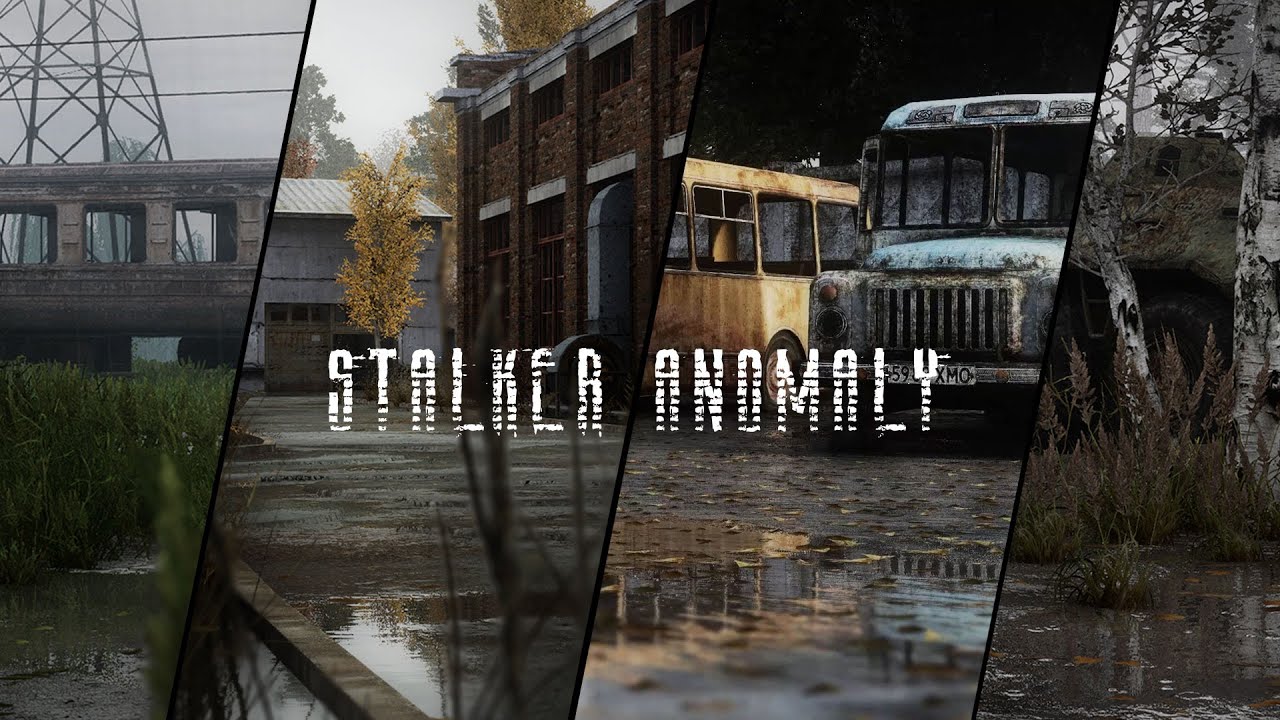
For the first time in STALKER Anomaly - Rain puddles! It's amazing!
Huge thanks to Ascii1457 for his SCREEN SPACE SHADERS addon.
Download here - https://www.moddb.com/mods/stalker-anomaly/addons/screen-space-shaders
Music:
- "Real Story". Music provided by Tunetank.com https://tunetank.com/music/t/5cr/real-story/
- "Documentary". Music provi...
sour oar
GAMMA comes with SSS though
native meadow
So how ppl get those graphics?
steady marsh
don't have potato PC
Video has some extreme bloom going on with a strange color grading/filter to it as well imo
steady marsh
You need a Reshade my friend
native meadow
Its already instaled. So i need to download something or what?
mint owl
flat phoenix
<@411620082393808898> the readme states gardener of the zone can be used with au...
Oh right, I suppose you could yes, but at this point you can just use Autumn Dark on GAMMA, same result x)
mint owl
native meadow
Its already instaled. So i need to download something or what?
Reshade is installed yes, what they mean is a new Reshade preset, there's plenty on moddb
flat phoenix
native meadow
Its already instaled. So i need to download something or what?
press home key in game
sour oar
Wellll
I mean yea you will have to no matter what
But maybe you shouldn't be making a reshade when you're very new to them
native meadow
True, thats why i asking for your help. Maybe its some good presets?
mint owl
glossy pond
was wondering why edens reshade wasnt working
Then something went wrong, it's supposed to work regardless if you follow the basic instructions at least
cosmic geyser
silent cairn
Wait what thats wild, is there any documentation on these commands so i can find more stuff or learn more about them? Im probably gonna forget about this stuff unless i like go through some steps of learning or setting up stuff.
Also could use some help in general... ive been poking around shaders and stuff. But i was wondering if its normal that my screen space shaders for gamma says it has a conflict where its redundant? It seems like its not even being used because of either shaders cumulative, enhanced shaders or both.
I just wanna make sure i didnt do things wrong, or that if SSS is actually completely overwritten wouldnt i wanna remove or fix that?
glossy pond
mint owl
Then something went wrong, it's supposed to work regardless if you follow the ba...
I didn’t enable the retextures, not my brightest moment
mint owl
glossy pond
I didn’t enable the retextures, not my brightest moment
Yeah but the Reshade is pretty much standalone, packs are only suggestions for it in the end
silent cairn
cosmic geyser
Also could use some help in general... ive been poking around shaders and stuff....
Shaders cumulative pack for GAMMA does override default SSS because it has Grok's personal edit to the SSS settings. So it has both SSS and enhanced shaders in it (and some others). You can disable it to get default ES and SSS settings.
cosmic geyser
silent cairn
Shaders cumulative pack for GAMMA does override default SSS because it has Grok'...
Oh so its just needing SSS for like ref then? Or is it just so u can disable the gamma shaders in favor of the stock SSS stuff?
silent cairn
The thing is if you disable it you will get not just stock SSS, but ES and beef's NVG's as well
 wind cairn
Im using the @mint owl Autumn harmony but the loading screen didnt change? Any ideas?
silent cairn
If you want your own SSS settings you can just install it again and place it after the cumulative pack and override things in there
cosmic geyser
Wait so without the cumulative i get beefs NVGs and with it enabled i dont??
silent cairn
No, you still get beefs NVGs, it's included in the cumulative
cosmic geyser
okay cool making sure, scared me for a sec 😄
i think ill just modify it as is rather than trying to mess with stock SSS but i may try to compare the 2 options just in case
im pretty happy with the gamma graphics and performance at least compared to most other stuff, but i wanna tweak it to perform/look just a smidge better for my setup u kno especially if im gonna try streaming this in the future
silent cairn
Or copy the file that you are modifying and make your own little patch mod
this way you won't lose anything if Grok changes something in the cumulative patch
cosmic geyser
Also ur saying lower in the order overwrites stuff higher up? Isnt that like the opposite of how load order stuff usually works, like bethesda and um idk some other games do it like games on steam?
Ive been avoiding moving things around in the load order because i think ive seen that mentioned before and didnt know whether to believe it lol
silent cairn
Lower as in lower in the list
cosmic geyser
yeah lower as in physically below other things, gets priority? or at least overwrites the stuff higher up?
silent cairn
below is a better term I guess
cosmic geyser
right below
cuz like say for skyrim special edition, everyone says to move the more important things that u dont wantt overwritten at the top of the list rather than the bottom
silent cairn
Same thing here
cosmic geyser
Oh wait really? I thought u were just saying the items below others in the list overwrite the ones abocve? Thats why i got confused and started askin ><
Cuz cumulative is below SSS right? And thats overwriting SSS?
cosmic geyser
all good
just gotta make sure i hear it consistently the way im being convinced it is so i know im not like doing it wrong still somehow potentially lol
i had assumed before this and one other game i think that all mod loaders pretty much did a top to bottom in priority thing but it sounds like on here the ones below are getting priority?
silent cairn
Mod organizer deploys mods starting from top so the bottom one gets deployed last
 tacit dew
can i ask for the default gamma shader option cuz i accidently unticked all of them =((
silent cairn
tacit dew
can i ask for the default gamma shader option cuz i accidently unticked all of t...
 silent cairn
I think it might be the exact same thing to be honest
cosmic geyser
tacit dew
can i ask what is the original beef nv option for gamma ?
u mean in MO2 or like in reshade somewhere? I havent seen the NV stuff in reshade that i know of, but ive read the reason why the NV addon is so good is because this guy knows what hes doing, but also because hes using specific shaders on the NV scopes that activate so you can get all the realistic effects and lighting etc. If its off for some reason i cant recommend having it on more. It should be on by default though, make sure ur not looking at a redundant thing or duplicate addon if u installed it manually on top for some reason
So i think i messed up my reshade reinstall last night. Ive fixed most the stuff, plan on reinstalling/fix installing the reshade again or potentially even a fresh gamma install just in case i wanna go through each step of tuning again to make sure im not missing anything.
Anyways im wondering if there is a fix for this issue when enabling the reshade options via HOME, my normal in game cursor sometimes goes away, sometimes doesnt, but the cursor i need the windows style one for reshade stuff is all messed up DPI wise, like there isnt raw input reading or like smoothing has been turned on somewhere
it also doesnt track 1:1 when the in game cursor magically starts moving around again
i think it thinks my resolution is off or some overlay may be broken, hoping someone has heard of this issue before and has a quick fix, if not i plan to do other stuff anyways that will fix probably
tacit dew
cosmic geyser
u mean in MO2 or like in reshade somewhere? I havent seen the NV stuff in reshad...
i found it but thanks btw
cosmic geyser
oh dang i was too slow 😄 anyways appreciate the thanks, have fun with yo game yoooo!!!! ❤️
tacit dew
cosmic geyser
oh dang i was too slow 😄 anyways appreciate the thanks, have fun with yo game y...
but btw
tacit dew
cosmic geyser
oh dang i was too slow 😄 anyways appreciate the thanks, have fun with yo game y...
the wet surface and ponds are from screen space ?
cosmic geyser
Yeah i was reading through the moddb page for SSS and it says in the instructions how to set up the ponds and even tweak them to build/dissipate faster after/during rain events
i believe it said u need to make sure soft water is on, and then u might need to do some console commands or reshade thing? I havent gotten to that step of todays work towards getting the game performing good and looking really good at the same time, need to learn all this stuff if im gonna try and have a couple presets for fun/streaming or whatever else i may wanna do, i think itd be funny to have a meme preset with wacky oldschool graphics and messsed up stuff maybe bugs too, then a high performance stream mode one, and a lower performance HQ mode for off stream
so i better know what im doing right? lol
inb4 bumbling idiot breaks more things 😄
cosmic geyser
silent cairn
Hey jak sry to ping u, is it okay if i ping for questions i think u know the answers to? I wanna know if uve encountered a weird cursor issues where its not tracking properly with the reshade menu up and open, my cursor keeps getting lost off screen or cropped somehow?
tacit dew
cosmic geyser
Yeah i was reading through the moddb page for SSS and it says in the instruction...
thats too much tweaking for me =))
cosmic geyser
yeah sry bout that, i always assume everyones up to me on messing with windows files and stuff and willing to do it, its not that easy actually huh... i gotta remember i used to do freelance computer repair so i have experience messing with programs, bios, config, drivers, diff stuff right, i mean i even taught myself to use OBS studio and thats pretty complicated and ever changing 😄
also sry if i get wordy, tend to filter less when im tired
silent cairn
cosmic geyser
Hey jak sry to ping u, is it okay if i ping for questions i think u know the ans...
The mouse just goes wherever it pleases with reshade + stalker, I just kinda live with it. Haven't had the DPI issue though...
mint owl
wind cairn
Im using the <@411620082393808898> Autumn harmony but the loading screen didnt c...
It's in the right place ? Nothing is overwritting it ?
The screens are in textures/intro
tacit dew
cosmic geyser
yeah sry bout that, i always assume everyones up to me on messing with windows f...
some times i dop it when too much tweaky stuff accquired
cosmic geyser
yeah
so the mouse being wacky, all over the place, not tracking 1:1 is just something ppl live with? I swear it wasnt this bad before, it used to consistently just function as it should b4 im pretty sure ><
also thanks i was just looking for any feedback on that to try and figure out if i wanna look into doing anything about it
i should used reply 😛
wind cairn
mint owl
It's in the right place ? Nothing is overwritting it ?
Maybe I downloaded the wrong thing, all I’m seeing in the autumn harmony 7z pack is dab and gamedata folders
db*
I have autumn harmony above disabled in MO
cosmic geyser
How big are the reshade preset files? I would love to save my files as backups but not if theyre huge
mint owl
wind cairn
Maybe I downloaded the wrong thing, all I’m seeing in the autumn harmony 7z pack...
You need to install the archive via MO2 and enable it before/above Particle Cinematic VFX
wind cairn
Ok I’ll take a look, thank you
wind cairn
mint owl
You need to install the archive via MO2 and enable it **before/above** Particle ...
Do i need to disable particles cinematic VFX? I have the archive enabled above it but still getting standard starting screen
mint owl
wind cairn
Do i need to disable particles cinematic VFX? I have the archive enabled above i...
It's Autumn Harmony for sure right, are the files in textures/intro folder there ?
You need to keep Particles Cinematic VFX enabled though
No other mod added ? Did you uncheck all the mods I said in the readme ?
wind cairn
mint owl
It's Autumn Harmony for sure right, are the files in textures/intro folder ther...
Its Autumn Harmony for sure, dowloaded from the link in your Readme_dummyproof notepad. I dont see the textures/intro folder though. I think thats the issue. I did uncheck all the mods listed and no other mods are installed
 sour oar
Isn’t that the wrong spot for it?
mint owl
Can you double click on it and tell me what's inside the textures folder ? A screen will be good
mint owl
wind cairn
Its Autumn Harmony for sure, dowloaded from the link in your Readme_dummyproof n...
And yes it's the wrong spot
Try make it load just before Particle Cinematic VFX
Right above it
wind cairn
mint owl
Then show me what's inside the textures folder
Do i double click in MO2 or the archive?
wind cairn
Here lies the issue, no textures folder

not sure if i can post links in here but i got it from mega.nz/file/uigXlLQY#0OOFVJkjSACg3ukVuHlX7wclR20t5gxG3WxqusiwPz8
@mint owl
silent cairn
 wind cairn
thank you
wind cairn
mint owl
Same result
 cosmic geyser
When messing with shaders and toggling on the clear shader cache thing to make sure everything stick, should i just leave on the tickbox to always clear the cache or should i avoid doing that cuz im lazy?
silent cairn
!shader
void depotBOT
To clean your "Shader Cache", don't use the option in the Anomaly launcher.
Go in this folder: Anomaly\appdata, you'll find a folder called shaders_cache, delete this folder and launch the game normally from MO2, using your preferred DX.
wind cairn
@mint owl Intro folder is filled with files for all the zones
or a bunch of them
Ok im dumb, its working XD
cosmic geyser
oh dang wow thanks jaku that woulda been a problem and a half i imagine especially since i manually moved shader files and folders around in an attempt to recover a borked install of some reshade tut i was following lol
trying to clean it all up get it back to normal, then i think illmake another install for something similar maybe the same but ill be able to compare and test base gamma vs a modded gamma i set up
mint owl
wind cairn
<@411620082393808898> Intro folder is filled with files for all the zones
Yup, as intended, but what got it working ?
wind cairn
Maybe it was the order of where i had it but i didnt do anything and when i loaded into game its working
mint owl
Definitely the load order
wind cairn
mint owl
Definitely the load order
on another note, should your alternate main menu still be working? Have it located RIGHT below gamma UI. Still getting standard animated main menu
mint owl
Yeah, try putting it last, above the disabled addons
wind cairn
mint owl
Yeah, try putting it last, above the disabled addons
failed to invoke 'open C:/Gamma/GAMMA RC3/mods/Edens_Alternative_Main_Menu/gamedata/textures/ui/ui_actor_main_menu.dds': Noapplicationisassociatedwiththespecifiedfileforthisoperation. (0x483)
getting that error in MO2
mint owl
I have no clue, it was workinh well while GAMMA has a static main menu, but since the new animated one, I don't know,I would have to do some research but I can't before January, so best bet would be to ask Grok
wind cairn
No worries, just thought I would ask since you were around. Thanks for all the help
mint owl
@astral kestrel new Reshade teaser

Damn Discord absolutely destroyed the picture quality xD
river flower
CS Eden is the weapon to stop Metal Gear
mint owl
river flower
CS Eden is the weapon to stop Metal Gear
I played Metal Gear Solid 2's ending way too much, that's why
 slim path
Is it going to be called the touch grass reshade?

 opaque monolith
Idiotic question. Is that really in game graphics? How to get that kind of graphics
It look realife ish but the feel is like ingame

 swift robin
does the alternative summer texture have any problems that i should know of before i install it
mint owl
slim path
Is it going to be called the touch grass reshade?
Yup, you can mostly get it by going outside
mint owl
opaque monolith
It look realife ish but the feel is like ingame
Jaku's image is ingame for sure
mint owl
swift robin
does the alternative summer texture have any problems that i should know of befo...
No issue that I know of, just make sure to load it RIGHT ABOVE/BEFORE Particles Cinematic VFX in your MO2 list
swift robin
mint owl
No issue that I know of, just make sure to load it RIGHT ABOVE/BEFORE Particles ...
thanks
swift robin
mint owl
No issue that I know of, just make sure to load it RIGHT ABOVE/BEFORE Particles ...
do i need the anomaly's season redux base mod or just the summer mod
mint owl
swift robin
do i need the anomaly's season redux base mod or just the summer mod
Both, the base first, then summer next
swift robin
mint owl
Both, the base first, then summer next
thanks
opaque monolith
@silent cairn can you help me make my game look like that? 🙂 i have i5-9600k and 3070ti 32gb ram. still waiting for my 13thmonth pay before i upgrade to i9 13k
 versed ferry
Did someone tried RTGI?
 devout whale
does anyone have some screenshots made with Fabio.Conte's Summer Retexture? (#custom-textures)
silent cairn
opaque monolith
<@341284434701713419> can you help me make my game look like that? 🙂 i have i5-...
I used the texture pack Madirex just mentioned above and cranked up the grass sliders
opaque monolith
silent cairn
I used the texture pack Madirex just mentioned above and cranked up the grass sl...
Thanks jaku and madirex. another noob question. is there a youtube guide or simple guide to follow for applying this to gamma? i am worried i might destroy the modpack
tidal marlin
devout whale
does anyone have some screenshots made with Fabio.Conte's Summer Retexture? (<#9...
summer first, then golden autumn

 devout whale
tidal marlin
summer first, then golden autumn
devout whale
tidal marlin
summer first, then golden autumn
What's better in your opinion? 
tidal marlin
devout whale
What's better in your opinion? <:lurking:944014802135691355>
personally i think golden autumn is more interesting. enemy camo works a little too well in summer
 clear raft
My reshade setup compared to vanilla (link with slider comparision)
https://imgsli.com/MTMxNDMz
https://imgsli.com/MTMxNDMy


 cloud pecan
Hey, i messed with the shader panel , moved sliders enabled and disabled stuff, and i ended up messing everything up.
Is there a way to revert everything back to normal?
tidal marlin
cloud pecan
Hey, i messed with the shader panel , moved sliders enabled and disabled stuff, ...
- Go in GAMMA RC3.Grok's Modpack Installer\G.A.M.M.A\modpack_patches\appdata
- Copy the user.ltx file you'll find in there (note that every change made by you in your user.ltxwill be reverted to default)
- Paste this file in Anomaly\appdata
 outer bolt
@tidal marlin Hey using Fabio.conte's alt-textures, does the 01. Golden autumn redux also need the 00. Anomaly Season's redux? I just slapped the Golden autumn redux in my MO2 and it seems fine without the 00. base?
tidal marlin
outer bolt
<@847606803616235520> Hey using Fabio.conte's alt-textures, does the *01. Golden...
it does, but be sure to go into its files after installing to disable shaders and ui elements
good to check both texture mods actually to disable any shaders or other edits you dont want to overwrite the gamma mods
yooooo also with the golden autumn textures, set your ingame cfg_load grading_warm damn thats TOASTY
cloud pecan
tidal marlin
1) Go in GAMMA RC3\.Grok's Modpack Installer\G.A.M.M.A\modpack_patches\appdata
2...
that did not revert the settings i made in the "home" panel
tidal marlin
cloud pecan
that did not revert the settings i made in the "home" panel
do you mean in-game settings or somewhere else?
outer bolt
@tidal marlin Ok thanks! I will try it in a bit
cloud pecan
tidal marlin
do you mean in-game settings or somewhere else?
I mean the shader panel, when you press the "home" key. That's what i want reverted to original settings
tidal marlin
ohhh reshade, youll have to grab the gamma reshade ini from in groks modpack\gamma\patches\bin\gamma reshade.ini and pop that into the bin folder in anomoly
mint owl
tidal marlin
yooooo also with the golden autumn textures, set your ingame cfg_load grading_wa...
Technically speaking, GAMMA does use grading warm by default
cloud pecan
tidal marlin
ohhh reshade, youll have to grab the gamma reshade ini from in groks modpack\gam...
alright i'll try that
tidal marlin
mint owl
Technically speaking, GAMMA does use grading warm by default
oh true? i didnt know that, i was using hollywood because im clearly devoid of taste
mint owl
So that's one less change to do
Hollywood is good in some ways, mostly cold settings such as winter addons imo
tidal marlin
yeah it actually looks quite nice with the greener summer textures
mint owl
I personally use grading vanilla as it makes the colors, especially dark tones more defined, it's definitely noticeable at night
tidal marlin
mint owl
I personally use grading vanilla as it makes the colors, especially dark tones m...
ill give that a go next time night passes
cloud pecan
@tidal marlin Cheers it worked , thanks!
tidal marlin
cloud pecan
<@847606803616235520> Cheers it worked , thanks!
no problem pal, enjoy
outer bolt
Anyone know how to fix depth buffer?
silent cairn
outer bolt
Anyone know how to fix depth buffer?
Enable DisplayDepth in reshade and follow the instructions

Your game should look like this

 plucky pewter
silent cairn
Your game should look like this
plucky pewter
silent cairn
Your game should look like this
I'm going to ask the same thing as the previous person, running on AMD hardware and this is what I have -
 outer bolt
@silent cairn Yo thanks, but my global preprocessor definitions is empty. Reinstalled reshade too
plucky pewter
I tried everything I could, and setting all the points to 0, still gives me that image
 plucky pewter
does not work or do anything
I've tried that as well
I can flip to what looks to be overhead view but of course that's the wrong one
silent cairn
plucky pewter
I'm going to ask the same thing as the previous person, running on AMD hardware ...
It looks like this when your depth input is reversed (for me), weird that reversing that option doesn't fix it
plucky pewter
silent cairn
It looks like this when your depth input is reversed (for me), weird that revers...
maybe it's bugged, is there a way to force it via ini editing?
the reshade shader to display depth keeps saying it's set to 1
actually, is syntax important for inputting the override?
That might be screwing with me
outer bolt
@silent cairn Ok i finally fixed it! Thanks a lot! @plucky pewter mine was like that too. Try to manually type all of these
 silent cairn
Once you change the value the reshade should reload all the effects again
silent cairn
plucky pewter
Something that might be worthwhile to put into FAQ in regards to reshade since I think default reshade does make use of MXAO?
and if the buffer is knackered, that might not be showing up correctly
outer bolt
@silent cairn Last question. Is there anyway for my screenshots to not go in overwrite folder? I changed the directory already but still going into overwrite first every time.
silent cairn
I believe MXAO isn't activated anymore in the current default gamma reshade
plucky pewter
outer bolt
<@341284434701713419> Last question. Is there anyway for my screenshots to not g...
That's MO2 related thing so you can't do much about it
 outer bolt
Yes
silent cairn
Mmm maybe changing F12 to something else might fix, otherwise I have no clue
outer bolt
Mine is on printscreen, and still goes into overwrite
 faint shale
i need some shaders please.
glossy pond
Is Eden’s supposed to be pitch black at night
 cursive turret
glossy pond
Is Eden’s supposed to be pitch black at night
cursive turret
glossy pond
Is Eden’s supposed to be pitch black at night
Try going to settings - visual - night and change ambient night brightness. Default should be slightly bright nights. Change to medium or very bright and see what you like
opaque monolith
i finally got the autumn mod. just another question. my game look like its kinda darkishh. how to make it naturally lighter?
 tacit dew
can i ask for the original beef nvg options cuz i kinda fucked up the mod =((
outer bolt
@tacit dew here you go
 tacit dew
outer bolt
<@457385829195579413> here you go
tacit dew
outer bolt
<@457385829195579413> here you go
finally thanks brother
 paper forge
how can i change the grass mod in default gamma? im trying to add aggressor reshade or expedition.
outer bolt
@swift robin Eden's Reshade #🖇old-mods-posting message
swift robin
outer bolt
<@456226577798135808> Eden's Reshade https://discord.com/channels/91232024171395...
cool
wind cairn

 sharp tree
Could anyone help adjusting the settings? i wanted higher contrast but shadows are becoming DARK, like rly dark. had some fun with few options but i am a bit lost. Should i tick ambient light back again ?
 mild dome
outer bolt
<@341284434701713419> Last question. Is there anyway for my screenshots to not g...
mild dome
outer bolt
<@341284434701713419> Last question. Is there anyway for my screenshots to not g...
You could try setting the screenshot folder to somewhere outside the Anomaly folder, I guess
mint owl
glossy pond
Is Eden’s supposed to be pitch black at night
Is there a moon ? If not it will be really dark
mint owl
paper forge
how can i change the grass mod in default gamma? im trying to add aggressor resh...
What do you mean by grass mod ?
glossy pond
mint owl
Is there a moon ? If not it will be really dark
no
oh is that a thing that can happen
mint owl
Yeah, on rain2 nights
mint owl
glossy pond
oh is that a thing that can happen
Moon isn't present so flashlight or nvgs are mandatory, on other weathers, especially clear weathers, the moon does provide a good enough lighting
But irl, moonless nights are very dark if not pitch black
glossy pond
ah ok it wasnt raining so
paper forge
@mint owl nah im just tryna make my game look less brown
mint owl
paper forge
<@411620082393808898> nah im just tryna make my game look less brown
Oh, in that case, there's a few possibilities
!deadzone
void depotBOT
How to bring back the default look for the Zone: #╭📖faq message
mint owl
Either follow this, or do this and install Golden Autumn Redux or Summer from Fabio.Conte
See #custom-textures
mint owl
glossy pond
ah ok it wasnt raining so
Well, maybe not rain2 then, but if there's no moon, then there will be no proper light source aside of stalker's campfires or headlamps
 pliant narwhal
I'm still tweaking this but it looks pretty good. It is pretty dark at night but I never liked how bright the nights were in gamma. if its raining during midnight its completely dark though. I might keep it because it looks realistic. What do you all think?


 silent cairn
Looks good, not too saturated or overexposed
pliant narwhal
Thanks, I wanted to use adaptive tonemap to help with the dark nights. But it made the lights too light. There wasn't much difference between the blue sky and the clouds in the first picture.
silent cairn
Adaptive shaders require some tweaking for sure
They usually just make sky too bright and ground too dark with default values
pliant narwhal
yeah, I did some comparison shots with adaptive and non adaptive and only in the nights did adaptive do better. I tried tweaking it a bit but couldn't figure it out
Heres the nights without adaptive


Forces me to use a flashlight, which I kind of like. Makes it seem more spooky
Thats during the rain 1 weather setting
the one from the first 3 was clear 3