
#help-old
1 messages · Page 5 of 1
 sonic canyon
 sly radish
their name not showing after u enter? 
 rugged dust
under profile
rugged dust
Go to your own profile and click add editor
sonic canyon
rugged dust
Go to your own profile and click add editor
It is for my own profile
rugged dust
I know
sly radish
for example if i wanna add u, i need to type "tjark" only and your name should showed up
if it sstill not showed maybe refresh the page, or the user is not on 7tv yet
rugged dust
There's an add editor button on your profile, look at this image
sly radish
rugged dust
I'm on mobile
sonic canyon
Ahh, is it only possible if the other user ist registered on 7TV?
Because if I type any other name, some show up
sly radish
yeah they need to login 7tv once
sly radish
 not sure
sonic canyon
Okay, works. That solved all my problems. Thank you ❤️
sly radish
 nova totem
i've recently change my twitch name and trying to change name on the 7tv site and it allowing me to
rugged dust
nova totem
i've recently change my twitch name and trying to change name on the 7tv site an...
unlink the connection then link the new one
 rugged dust
old and new user?
nova totem
razfinch old / razalynn new
rugged dust
ok so it looks like it linked to the new name
but the name just isn't loaded on the website i assume
nova totem
yea
 rugged dust
that's what i figured 
nova totem
so i got to wait for that name change to come for the emotes for my channels and the coloured names
 sand vigil
everything should fine execept just displaying your username on 7tv
rugged dust
should fix all your emotes paints and badges
 real moth
tried that multiple times already
 obsidian ridge
site broke?
 royal nebula
obsidian ridge
site broke?
royal nebula
obsidian ridge
site broke?
Yeah
obsidian ridge

nova totem

 worthy arch
its been breaking pretty often lately 
 calm bane
obsidian ridge
site broke?
calm bane
obsidian ridge
site broke?
try vpn
nova totem
still having issues with paints
royal nebula
nova totem
still having issues with paints
The site just went down for a few minutes earlier, have some patience, it'll come back
royal nebula
nova totem
still having issues with paints
What's your twitch handle? Looks like the one linked to discord is banned/never created
 rugged dust
nova totem
razfinch old / razalynn new
rugged dust
nova totem
razfinch old / razalynn new
.
nova totem
royal nebula
What's your twitch handle? Looks like the one linked to discord is banned/never ...
razalynn
royal nebula
nova totem
razalynn
Type in your own chat
rugged dust
looks like paints still apply to old name but badge is fine on new
 royal nebula
rugged dust
looks like paints still apply to old name but badge is fine on new <:Hmm:8890321...
royal nebula
rugged dust
looks like paints still apply to old name but badge is fine on new <:Hmm:8890321...
Interesting
rugged dust
maybe trying signing out and back in on twitch and 7tv
and then try changing paint and badges
royal nebula
^ 
nova totem
only got 1 badge lol
rugged dust
huh
royal nebula
I can find your old profile on 7tv but not your new one, you sure you logged in and out there?
nova totem
yea ^
rugged dust
 royal nebula
I see
nova totem
maybe 7tv is counting the 7tv account as what to paint in chat 
 lament scroll
you relogin on two sites ❓
royal nebula
@nova totem
 rugged dust
doesn't update in chatterino
royal nebula
I don't have colors in my chatterino, are you on 7.3.5? 
nova totem
yea

 royal nebula
Works fine in browser
nova totem
so it a chatterino issue 😑
royal nebula
I don't even know how you get name colors in chatterino 
nova totem
but thanks for help 
rugged dust
royal nebula
I don't even know how you get name colors in chatterino <:LULW:88855465127906103...
it's on the new chatterino
royal nebula

royal nebula
rugged dust
it's on the new chatterino
:docing
So 7.3.5 isn't the latest? April 05, 2022 release
 earnest roost
it's in nightly
nova totem
nightly build
rugged dust
royal nebula

earnest roost
the chatterino implementation uses login names though so thats why it's not working on name changes
rugged dust
 earnest roost
i could partially fix it by making sure the cosmetics query map at least uses your twitch connection login instead of 7tv username
 willow ferry
royal nebula
What's your twitch handle? Looks like the one linked to discord is banned/never ...
willow ferry
royal nebula
What's your twitch handle? Looks like the one linked to discord is banned/never ...
name changes look like this btw
if a user was banned it shows a different message
royal nebula
willow ferry
name changes look like this btw
Thanks!
 spare iron
 royal nebula
I forgot... Haven't seen that screen since Quin got banned last time 
 steel maple
How can i Activated the 7tv badge on twitch ,its not working
worthy arch
once you set it up on the 7tv website you have to restart your browser
it can take up to 10m for the badge to be visible
 restive rain
my emote is fucked on the site because the old version of it was uploaded when new emotes weren't showing up in chatterino and even tho the new version works fine it won't load https://7tv.app/emotes/62d3268a44f5913b62d951f6

 pearl coral
Hate to ask a question that has already been answered, but why is there no option to add emotes to a channel that I am the editor of?
Does it take time?

 pearl coral
@worthy arch thanks I figured as much, but their channel is not showing up there
Yet on their profile it says Im an editor
Maybe they have to do something first?
worthy arch
do they have any emotes enabled?
pearl coral
He basically signed in, instantly made me editor and has not done anything since
no He doesnt
worthy arch
he needs to add an emote first
pearl coral
Okay Ill let him know
worthy arch
that will create a set
worthy arch
then you can just add the emotes yourself as an editor
steel maple
@worthy arch THX it Working 🙂
worthy arch

worthy arch
 interesting
royal nebula
Old version is definitely dead
 restive rain
is it possible to delete only the older version
sand vigil
restive rain
is it possible to delete only the older version
yes
make sure to select the version of the emote and delete
earnest roost
note deleting a version removes it from channels that had it
it doesn't update them
 fickle harbor
Hey, question!
I have this emote, that i've added a secondary version. and enabled it.
Is it safe to delete the old one now?
tyty
 spare iron
fickle harbor
Hey, question!
I have this emote, that i've added a secondary version. and enabl...
spare iron
fickle harbor
Hey, question!
I have this emote, that i've added a secondary version. and enabl...
read a few messages above and it basically explains this for you
fickle harbor
@spare iron is there like a cooldown til it updates?
 spare iron
fickle harbor
<@335110617314754561> is there like a cooldown til it updates?
spare iron
fickle harbor
<@335110617314754561> is there like a cooldown til it updates?
it should happen within a few seconds. how long has it been?
 spare iron
fickle harbor
a couple of minutes
spare iron
fickle harbor
a couple of minutes
can you link it? some other things to double check is to make sure your image file is under 1000 frames.
- under 7mb
- under 1000x1000
- under 1k frames (some mentioned 700 but I dunno about that)
fickle harbor
link
hmm it was uploaded already
and approved


hmmmm
i searched for it
and it shows up
but the one in my

owned emotes
is the old one
owo
are those the links you meant @spare iron ?
spare iron
fickle harbor
https://7tv.app/emotes/62e28f56127c7faf646c17f7
yeah this one is non existent on my end. Try sending your original file here if you dont mind.
and im also not sure why your new emote isnt showing on your profile
fickle harbor
the old one or the new one?
spare iron
whichever one you want to use as your main one
fickle harbor
sure
it has a different file name now tho than when i uploaded it. i was filing it away.


 crude nova
 may I get 7tv endpoints
 open vapor
 patent moat
So I was added as an editor on someones channel cant add emotes though
patent moat
So I was added as an editor on someones channel cant add emotes though
go to an emote that you wanna add

then click on the channel you wanna add it to
patent moat
I did
The channel doesnt show up
Do they have to do something on their end
Only shows my channel
 patent moat
Yeah doesnt show that
open vapor
hmmm
 fluid plover
What does it show
fluid plover
Send screenshot
patent moat
Here
 fluid plover
fluid plover
Does that persist through a refresh?
fluid plover
Have the person revoke editor and give it again
 sand summit
@patent moat they need to add an emote first
patent moat
Oh really
fluid plover

sly radish

fluid plover
I didnt know that
sand summit
Sets don't get created until the channel owner adds an emote
Been like that ever since next site
sly radish

sand summit
Usually people add some emotes before adding editors but theres been like 10 people in there since release with the same issue 
patent moat
Well I had to convince them to add 7tv
So the issue
Thanks for the help
Being a 3rd part website and all KEKW
sand summit
so they didn't even have bttv before?
rugged dust

 sand summit
 cosmic snow
hello, i have a problem with 7TV, I can see all 7TV emotes except the global 7TV emotes
sly radish
i assume youre using webchat right, i would restart (ctrl f5), disable bttv/ffz, or reinstall 7tv 
 glossy verge
anyone know why 7tv emotes don't appear in modview?
sly radish
glossy verge
anyone know why 7tv emotes don't appear in modview?
it is working for me
 glossy verge
in the actual chat
ok its working again now  but another mod couldn't see them either in modview
sly radish
 i dont really know why, extensions are buggy

 silk ermine
does anyone know how to fix the issue which makes channel emotes for a particular channel unavailable? there is 1 channel that has 7tv emotes, but all of a sudden when i refreshed the emotes disappeared and it is only for that channel. reinstalling extension doesn't work
only the global emotes are available in that channel
 green vessel
7Tv suddenly no longer work for me
Tried turning the extension off and on, refreshed multiple times, should I try disabling it in BTTV too?
I see them in the menu but they don't work in chat
 valid thorn
green vessel
7Tv suddenly no longer work for me
valid thorn
green vessel
7Tv suddenly no longer work for me
version 2.2.3?
green vessel
Yep
I see them again after turning them on again in FFZ
But they should still work without them being on in FFZ
They worked fine before
valid thorn
i disabled my bttv/ffz extensions, caused too many conflicts
valid thorn
yeah its super scuffed
green vessel
Can I still enable BTTV and FFZ emotes via 7TV if I delete them both?
valid thorn
yep 
 valid thorn
good luck 
green vessel
No more duplicates 
glossy verge
valid thorn
<:Stare:861888503477698611>
 gostinky
if i disable ffz extension i will lose the audio compressor right?
valid thorn
glossy verge
if i disable ffz extension i will lose the audio compressor right?
i didnt even know that was a thing 
glossy verge
oh i use it all the time, means you can actually hear people when they talking and the streamer has a pepega camera angle %Head
or you can hear their low volume music better
valid thorn
oh interesting
sly radish
audio compressor 
you guys can search "emote" in ffz/bttv and turn them off, so u can keep the audio compressor and remove emote duplicates
glossy verge
ty
sly radish
glossy verge
do i did that and it just broke my bttv and 7tv emotes
so i just enabled them again
fup it
glossy verge
they just werent appearing in chat longer and when i typed : it didn't load them
sly radish

glossy verge
 they working ok for now the duplicate thing may of gone away aswell i think
sly radish
works fine for me idk, but if its buggy ctrl f5 would fix it for me

thats why i use chatterino
glossy verge
yh i tried a proper refresh a couple times
yh i have chatterino up just for when the emotes decide they aint going to show up i can atleast see what people meant to send 
too many extensions, to many variables its all just a bit
sly radish
yeah 3 different extensions for pixels
glossy verge
once ffz updates to 2.2.3 7tv extension i'll probably see if i can remove 7tv extension and just use that and see if its stable
silk ermine
silk ermine
does anyone know how to fix the issue which makes channel emotes for a particula...
somebody help 
i can't spam  anymore this is the end of the world
sly radish
silk ermine
somebody help <a:SadgeCrySip:736278810315718737>
what channel is it? if its gone because u refreshed, it should comeback with a refresh 

silk ermine
sly radish
what channel is it? if its gone because u refreshed, it should comeback with a r...
"unforgivenl0l". if only it was that easy to fix 😔
sly radish
they have 0 7tv emotes
i see the problem, someone created a new emote set and its using that empty set
silk ermine
sly radish
they have 0 7tv emotes
but that is the thing, he had emotes and they were working until he added a new one (for me at least)
sly radish
ask the streamer to click the settings icon and choose the old emote set

if he cant change emote set, link Discord, unlink and relink twitch, then he should be able to change emote set
silk ermine
sly radish
i see the problem, someone created a new emote set and its using that empty set
so it is the fault of mr strimmer 


 sly radish
np happened to me once
silk ermine
i genuinely thought it was a me thing, cause i saw other people just using emotes without saying anything about it
silk ermine
sly radish
np <:FeelsOkayMan:861205877201436692> happened to me once
ngl glad it happend to you 
 misty obsidian
 sup fellas, how do I operate as a editor for a different channel than my own with the new website? I cant seem to find it.
to clarify, I can click on a emote and add it to the channel I am a editor for, but old website let me look at the currently already equiped emotes.
 wet python
you can't impersonate anymore. you go to the emote you want to add and click this

you can still go to people's profiles and look at their added emotes
misty obsidian
ah, the impersonate thing was the thing I was looking for, but they removed it? Fair enough, cheers trippy
wet python

misty obsidian

forgot to ask, do we have any eta or idea when/how its gonna be possible to earn emote capacity?

 tulip solstice
They will add ways to obtain more slots as soon as people actually need more than 250 slots.



 quick jackal
Does anyone know if I am able to connect AND sync my 7tv emotes to my discord server? If so, how do I do it? I've been trying to figure this out for ages 
royal nebula
quick jackal
Does anyone know if I am able to connect AND sync my 7tv emotes to my discord se...
There is a Discord bot that can do it, but I'm on mobile atm, otherwise I would find it for you
quick jackal
royal nebula
There is a Discord bot that can do it, but I'm on mobile atm, otherwise I would ...
There is?! I must be so stupid 'cause I legit can't find it hahaah! That's so sweet of you though, thank you! If you have the possibility to be on pc later, could you maybe send it to me?  Would be much appreciated!
royal nebula
quick jackal
There is?! I must be so stupid 'cause I legit can't find it hahaah! <:KEKW:75837...
I'll see what I can do if no one has found it before I get home 
sand summit
Is in #7tv-tools
quick jackal
Oh I think I found it!! Thank you so much! @royal nebula @sand summit
royal nebula
quick jackal
Oh I think I found it!! Thank you so much! <@214757711160541186> <@8024168528442...
👍
 simple leaf
there is currently no public API of 7tv, right?
willow ferry
simple leaf
there is currently no public API of 7tv, right?
all of the v2 apis are technically usable for public use
theres not really any documentation though
willow ferry
yeah
all of the current clients use v2
only the website has been switched over so far
the extension, addons, and chatterino all use v2
simple leaf
i see, can you give me any hints on how i can search for emotes and getting them? before i dig into the code myself
willow ferry
not anything specific other than looking at how the old v2 site does it
for things like searching you'll need to use the gql api
there isnt any rest endpoint for that
the code for the v2 site is in SevenTV/App
and the v2 api is in SevenTV/API
simple leaf
thank you
 sweet path
Is there a way to check why the upload is failing? I’m constantly getting CORS, zero-length related errors, or infinite “processing emote”/“generating previews”? Thanks
 raw ridge
my friend has me as an editor on his channel when he is on the 7tv site, but on my site i dont see his channel?
sand summit
Your file probably violates one of the limits: 1000x1000, 1k frames, 7mb @sweet path
willow ferry
its not showing in this menu?
 raw ridge
 raw ridge

 sweet path
sand summit
Your file probably violates one of the limits: 1000x1000, 1k frames, 7mb <@79083...
sweet path
sand summit
Your file probably violates one of the limits: 1000x1000, 1k frames, 7mb <@79083...
Thanks for answering, i will re-check frames number, the other two properties are in the allowed range
raw ridge
appreicate it!
willow ferry
raw ridge
thank you
if you want to access his profile like seeing what emotes are enabled
you can hit the little search icon in the top right
next to your username
 sweet path
sand summit
Your file probably violates one of the limits: 1000x1000, 1k frames, 7mb <@79083...
sweet path
sand summit
Your file probably violates one of the limits: 1000x1000, 1k frames, 7mb <@79083...
I've re-checked: 228x128, 600 frames, 356 Kbytes file. What else can be wrong?
sweet path
can this be caused by "wrong" codec? I am so lost, i've been trying to upload an emote for three days
sand summit
Can you send the emote here
rugged dust
sweet path
I've re-checked: 228x128, 600 frames, 356 Kbytes file. What else can be wrong?
why do you have an emote with 600 frames
sly radish
 60fps emote
rugged dust
mfs uploading movie clip emotes
sand summit
rugged dust
mfs uploading movie clip emotes
Clip? This the full thing
willow ferry
sand summit
Clip? This the full thing
 well actually a 600 frame clip at 60 fps would only be 10 seconds long
rugged dust
willow ferry
<:Nerdge:942192591330488380> well actually a 600 frame clip at 60 fps would only...
only
sand summit
Imagine being on Firefox so the emote restarts everytime someone used it and you never get to see the whole thing
royal nebula
sand summit
Imagine being on Firefox so the emote restarts everytime someone used it and you...

sand summit
sly radish
firefox does that?
Always has
sly radish

 reef frigate
how do i download 7tv for chatterino
theres no download link
its just a github page
sand summit
reef frigate
its just a github page
GitHub is where you download it


 jade pecan
hello fellow emote enthusiasts
is there a way to not have the badge enabled in twitch chat
 coral echo
jade pecan
like with old 7tv?
coral echo
Idk tbh
jade pecan
unlucky
i just want my funky name
also is there a way to increase the amount of channel emotes by any chance?
coral echo
jade pecan
also is there a way to increase the amount of channel emotes by any chance?
Not yet
jade pecan
F
jade pecan
having to choose emotes to remove is harder than any decision i've ever made
jade pecan
sand summit
Read <#849768363734597632> for slots info
oh thank you
do you know how long it takes to update once i disable the badge?
sand summit
~10 mins

 winged summit
who has experience using emotes and such in accessible formats for video editing
sand summit
You can convert the emotes to whatever you want using ezgif or add .png .gif .webp or .avif to the end of the url on the emote and download form there
 fathom ledge
is it a known issue that adding emotes no longer adds the gray text to chatbox and doesn't apply without needing to refresh? Or was that an intentional change?
sand summit
🐛
fathom ledge
gotcha
sand summit
What other extensions do you have
 livid sand
Hi i just wanted upload an emote but it stuck at %100 after I click submit button
royal nebula
livid sand
Hi i just wanted upload an emote but it stuck at %100 after I click submit butto...
Your file probably violates one of the limits: 1000x1000, 1k frames, 7mb
 calm acorn
livid sand
calm acorn
livid sand
What do i need to do to get my emote listed?
sand summit
Wait
livid sand
and how do we get 400 emotes slot instead of 250 ?
royal nebula
livid sand
and how do we get 400 emotes slot instead of 250 ?
You can't get this anymore
You'll be able to earn slots in the future
livid sand
oh okey thank you
 severe rampart
so i cant see my gif pic or the color of my name did i do something wrong ?
 hollow compass
I need help to remove myself as editor from a certain channel, any mod that can help me with it?
royal nebula
hollow compass
I need help to remove myself as editor from a certain channel, any mod that can ...
What's the account you're trying to get removed from?
hollow compass
royal nebula
What's the account you're trying to get removed from?
lemme dm you real quick
royal nebula
hollow compass
lemme dm you real quick
 lusty wagon
hi, how can i do private an emote that publicly posted?
royal nebula
lusty wagon
hi, how can i do private an emote that publicly posted?
What's the emote?
lusty wagon
royal nebula
What's the emote?

uploaded by PuffoBrontolona
royal nebula
lusty wagon
https://7tv.app/emotes/62fec51610387a560f21d11a
I did it for you, but you can do it on the old site, the functionality is not yet implemented to the new site.
old.7tv.app
lusty wagon
royal nebula
I did it for you, but you can do it on the old site, the functionality is not ye...
thanks 💙 I'm glad it will be added to the new site
sly radish
? its a visual bug, you're still subbed and the new paints are at the bottom


it's showing Do Not Renew which means you're still auto resub, u can change paints at the new site, profile => edit profile

 👍
👍
 you have been scammed
 acoustic pollen
uploaded a .webp as zero width and its not zero width any way to change that?
 cyan torrent
acoustic pollen
uploaded a .webp as zero width and its not zero width any way to change that?
cyan torrent
acoustic pollen
uploaded a .webp as zero width and its not zero width any way to change that?
try to change it on https://old.7tv.app/
7TV is an emote service and extension for Twitch, providing custom emotes at no fee and supporting new formats such as animated wide emotes
acoustic pollen

 sly radish
 safari
valid thorn
safari gets super fucky with text clip on high DPI displays
why are you willingly using it 
acoustic pollen
that worked thanks @cyan torrent
cyan torrent

 pearl sinew
how would someone get more slots for their channel?
I assumed that was the main perk of subbing
sand summit
Slots will never cost anything
sand summit
Idk but no where on the site does it say you get more slots
pearl sinew
i didn't read the website at all, i'm streaming
 no refund
pearl sinew
no refund
pearl sinew
not sure if this will ping you when you wake up Anatole, but I've decided i don't want a refund  have a good one
cyan torrent
 +1 sub
royal nebula
pearl sinew
not sure if this will ping you when you wake up Anatole, but I've decided i don'...

 craggy crane
is there a setting i can enable so that unlisted emotes arent blurred when looking at my emotes list?
sand summit
there isnt a setting

 sharp cobalt
How do I enable my emotes again? This happened after the new website
worthy arch
you have probably the wrong set enabled
click on the cogwheel

and then you can switch to the set thats not empy
worthy arch
sharp cobalt
How do I enable my emotes again? This happened after the new website
i can see you are adding every emote manually
willow ferry
this guys clueless

he's readding every emote
when you told him how to enable his old set
worthy arch

willow ferry
worthy arch
<:ayyybuHUH:988793397470982154>
some people dont want to be helped
sharp cobalt
worthy arch
i can see you are adding every emote manually <:FeelsDonkMan:889029838260809728>
Ok, I got now 3 emote slots, and how do I delete them??
sharp cobalt
worthy arch
you cant
oh no
worthy arch
not yet 
sharp cobalt
so I should delete my all emotes from old 7tv again??
sharp cobalt
worthy arch
click on the cogwheel
what do you mean by this??
worthy arch
clicking on the twitch bar or youtube bar will open this menu

the first set on the list is your original one
sharp cobalt
Ok I choose the first one
But should I delete my all emotes from old 7tv??
Lol, I'm such a noob right there 
worthy arch
i think the emotes from old.7tv are the same one as your first set 
sharp cobalt
worthy arch
i think the emotes from old.7tv are the same one as your first set <:Donki:93594...
I hope we will get to delete slots soon enough
willow ferry
yea
worthy arch
yeah the functionality from the old website is slowly coming back
willow ferry
hit the little search icon
in the top right
and you can go to their profile
if you want to see it inline like little checkmarks
then you can select their set as your default
and then wherever you see emotes it'll be showing what they have enabled
worthy arch
or you can go to old.7tv and check your profile
willow ferry
why would you do that tho
you can do everything on the new site
hitting the search bar automatically shows everyone you edit for
you dont even need to type anything
worthy arch
just listing alternatives
willow ferry


assign as default
acts like the old impersonation mode

like these are emotes that bidoof has enabled
also I refuse to help you anymore if you do not change that pfp

you've used your support token
craggy crane
is it possible to change the name of my own uploaded emote without making a "new version"?
 prime rune
hi guys, I upload animated avatar, click save, it shows the animated avatar in place of old avatar. i refresh page/log out log in/launch 7tv in incognito mode and the old avatar is back, are there other requirements/limitations? subscribed before you ask, any help appreciated
 granite arch
i changed my username and it didn't change on 7tv
 rigid patio
sand summit
granite arch
i changed my username and it didn't change on 7tv
rigid patio
sand summit
granite arch
i changed my username and it didn't change on 7tv
twitch accounts are different from 7tv accounts
granite arch
 sand summit
it will not change
granite arch
changed a few weeks ago
sand summit
there will be an option to change your 7tv name in the future
sand summit
as i said
granite arch
cause it dont show in twitch chat i subbed
sand summit
it will not change
granite arch
i have no badge or color
 feral void
7tv accounts are not mirrors of twitch any more as of July 12, though it's not yet possible to change your account name. It will show your old username on the 7TV site, but the account is still connected to your current Twitch account, that shouldn't affect functionality on Twitch
feral void
granite arch
i have no badge or color
Did you wait 10 minutes after enabling then, and refreshing afterwards?
granite arch
its not been 10 mintues yet ill hit you up when it will
 fresh seal
This will be the new general
willow ferry
no it wont
fresh seal
Ok
craggy crane
do i have to create a "new version" to change the name of an emote?
earnest roost
you cant change the name of an emote on the new site currently
it will be possible in a couple hours
when the next deploy

 tulip solstice
earnest roost
you cant change the name of an emote on the new site currently
tulip solstice
earnest roost
you cant change the name of an emote on the new site currently
It would be poggers if there was a way to list “alternate names” for emotes, because some communities (normans usually) just call the same emote different things, and sometimes there are several clever aliases that people might want to use for an emote, if presented with them.
earnest roost
i already made this feature it was live briefly
but i turned it off for now because i wasnt sure if it would brick the servers
bit expensive
earnest roost
i need to develop a faster way to filter thru emote names
tulip solstice
You can do it! I believe in you!
 rich hedge
Hello, when trying to upload an emote it gives me this error, I checked and the image format is png, is a size mandatory?
 cyan torrent
rich hedge
Hello, when trying to upload an emote it gives me this error, I checked and the ...
cyan torrent
rich hedge
Hello, when trying to upload an emote it gives me this error, I checked and the ...
 snow portal
rich hedge
Hello, when trying to upload an emote it gives me this error, I checked and the ...
snow portal
rich hedge
Hello, when trying to upload an emote it gives me this error, I checked and the ...
it cant be over 1000x1000
rich hedge
I was able to upload them correctly, I added them to the channel, but they do not appear in the app
rich hedge
640x640
snow portal
 no idea then id wait for anatole for the answer
earnest roost
@rich hedge send me the id
rich hedge
name?
sand summit
the id is the random letters in the link tothe emote
rich hedge
63002d6397bef96c95446e92
earnest roost
rich hedge
63002d6397bef96c95446e92
well what about it, it seems fine https://7tv.app/emotes/63002d6397bef96c95446e92

uploaded by winchest4_
rich hedge
Every time I upload an emote, do I have to wait for a review?
 lime sorrel
Friend added me as an editor, but I can't edit his emotes
snow portal
rich hedge
Every time I upload an emote, do I have to wait for a review?
no you can just see it when it fully uploads but ill approve it for you
snow portal
lime sorrel
Friend added me as an editor, but I can't edit his emotes
 has the user edited these things?
 lime sorrel
he gave me every single one
sand summit
earnest roost
<:ApuThink:888554651190968360> well what about it, it seems fine https://7tv.app...
"it doesnt show in app" its still unlisted and he probably cant see unlisted in whatever client hes in
snow portal
i approved it
snow portal
lime sorrel
he gave me every single one
then you should be fine? refresh?
lime sorrel
nope, We've tried refreshing and removing editor role adding it back
nothing worked so far
sand summit
does he have emotes yet
snow portal
whats the user?
lime sorrel
he has no emotes
sand summit
thats why
snow portal
yep
sand summit
he needs to add emotes for a set to be created
lime sorrel
does he need like 1-2 emotes?
snow portal
around that much ye to actually see you can add emotes in that channel
lime sorrel
oh, ty
snow portal
that too
earnest roost
ask him to go to an emote page and hit "use emote", then he'll be prompted to seti t up
 snow portal

earnest roost
doesnt actually need to be added, it just happens to be the one place where you get prompted to make a set
sand summit
only place (implemented currently) to create a set is when adding emotes
 sand summit
refresh
snow portal

lime sorrel
ty 2x
snow portal
sand summit
until you refresh your site is gonna pull info from before he created it
lime sorrel
ic
rich hedge
Can I send 3 ids to be approved? sorry for the inconvenience
sand vigil
rich hedge
Can I send 3 ids to be approved? sorry for the inconvenience
3 emotes?
rich hedge
Yes
sand vigil
rich hedge
Yes
sure
rich hedge
sand vigil
sure
630038313d44188601bb3d97 - 6300389f7df54f755e59f091- 630035b47df54f755e59f052
Thank you very much for the good support and help.
 rough igloo
My friend added me as a editor, how do I add emotes on their channel?
 rough igloo
It shows this when I tried yesterday.

 @earnest roost
snow portal
rough igloo
It shows this when I tried yesterday.
@earnest roost
snow portal
rough igloo
It shows this when I tried yesterday.
has the user given you these perms
 rugged dust
 same 3 questions
snow portal

rough igloo
Yes he gave me this

 rough igloo
trohfe
rough igloo
oh
rough igloo
I'll let him know thanks! 
snow portal
 prime orbit
Why can't I download the badge???
snow portal
❓
sand summit
it doesnt have a "open image in new tab" in context menu
prime orbit
snow portal
<:FDM:1009601226075287562> ❓

 sand summit
you can download it from chat tho
snow portal
i dont think you have more badges because you arent subbed for that long
prime orbit
I don't want badges, I want to take off the badge 
willow ferry
not work
unless anatole changed it
it visually removes it
but not actually

classic
 lapis comet
Is there any way to hide 7tv badges in chat?
lapis comet
Firefox
willow ferry
the regular 7tv web extension?
lapis comet
Yeah I think so
sand summit
lapis comet
Firefox
lapis comet
Yeah it is
lapis comet
sand summit
<:pepeLa:954810292699812031>
Ok dude
 forest elk
sand summit
it doesnt have a "open image in new tab" in context menu
forest elk
sand summit
it doesnt have a "open image in new tab" in context menu
The badges on the website are the SVG form so you cannot simply right click and save as a png, however you can download them from the urls from https://api.7tv.app/v2/cosmetics?user_identifier=object_id or in a chat client
willow ferry
lapis comet
Ok dude
idk if theres a way to disable badges in the web extension
I dont think so
willow ferry
yeah the ffz addon has a toggle
you could disable them through ffz as well
you'd have to disable each one individually
sand summit
you can disable all badges on ffz
 lapis comet
Does that mean I'll need to disable 7tv as its own extension and enable it as an extension in ffz?
sand summit
no
willow ferry
lapis comet
Does that mean I'll need to disable 7tv as its own extension and enable it as an...
if you do that then yeah
there will be a toggle
to turn them all off
but you dont have to
if you have ffz and the web extension
you can disable them indivudually through ffz
in the menu jeo linked
but there isnt a global toggle
lapis comet
I still see them with the standalone extension so I probably don't have to enable it through ffz
willow ferry
thats the ffz addon settings
lapis comet
but yeah that works, thanks

 willow ferry
its not actually true I just forgot to push the date the last time I made an update
it was still like 4 months ago tho
sand summit
only feature worth having the native one is spam bypass
but chatterino
so
update 
 willow ferry
I will once v3 actually is ready for use and the ffz addon is updated
im mostly waiting on the new cosmetics stuff to be developed
I dont expect the emotes to change that much
(I hope)
(pls anatole)
cause nobody has made one
 willow ferry
not so complete as I thought
alot of it is already in one context
it would still be work tho
it'll probably be done though at some point
sand summit
why not just make a tool that auto makes all chrome extensions into a userscript
if its open source
or source availble
i guess
willow ferry
sand summit
why not just make a tool that auto makes all chrome extensions into a userscript
 doesnt work like that though unfortunately
extensions have access to different apis
willow ferry
and are structured differently
I guess you could like have some huge polyfil
and webpack everything together
but that would be super dank
 pure acorn
I just noticed that my 7tv extension is hiding links in twitch chat, including links posted by nightbot. Is this supposed to happen?
pure acorn
It only happens when I hae my 7tv extension enabled
sand summit
how
willow ferry
other people have reported this
I havent actually looked into it
but I wouldnt rule it out that it is
with no evidence
willow ferry
sand summit
my evidence is that it never haoppene to me
how do you know
pure acorn
I use both bttv and 7tv. I disabled both. I could see links. I eneabled bttv, I could see links. I enabled 7tv, I could no longer see links
sand summit
people have come in help asking much dumber questions
pure acorn
I'm notiving it now with twitch clips. I usually don't pay attention to twitch chat
I'm assuming that there currently aren't any fixes for this?
willow ferry
pure acorn
I'm assuming that there currently aren't any fixes for this?
does it only happen when there are twitch clip links in a message?
pure acorn
like what other scenarios are you suggesting? I'm not quite sure I understand the question
pure acorn
let me check
it appears so. I tried another channel and their youtube link message and merch store message worked.
I did just uninstall and reinstall 7tv and that did not fix the issue
prime orbit
I can't take it back to the last thing I put 
pure acorn
I just tested and this is happening with twitch clip links in any channel's chat
 forest fractal
how come new emotes i add to 7tv say they are unlisted?
forest fractal
oh ok, thank you
 young veldt
btw was does the infinity mean for 7tv
 merry sedge
Hello. Does anyone have a recommended chat overlay that perhaps updates automatically when new emotes are added? The old one I was using by giambaJ doesn't seem to be working and from the looks of it the dev has gone MIA 😦
snow portal
merry sedge
Hello. Does anyone have a recommended chat overlay that perhaps updates automati...
sand summit
xqcL
 sand summit
die
 timber cloak
How do I change the name of an emote I made for everyone (not just an alias)?
merry sedge
snow portal
https://chatis.is2511.com/
Hmmm... the streamer was having an issue with the old overlay not showing up on stream today, which is why I requested a new overlay, however this new overlay also doesn't seem to show up in my test OBS. Is there something we're missing? I just added a browser source with the generated URL same as always, but nothing. 😦
snow portal
merry sedge
Hmmm... the streamer was having an issue with the old overlay not showing up on ...
usually itll just work, lemme see if it works on my end
merry sedge
ok
merry sedge
hmmmm.. perhaps it's an OBS issue
merry sedge
no it's just blank
snow portal
not sure then
merry sedge
can i ask what OBS you're using?
merry sedge
im on OBS Studio 27.2.4, is that the same one? sounds like it
unless the version # is coincidentally exactly the same xD
snow portal
 no idea i guess just wait until theres a fix or some shit i guess
sand summit
streamelements is just a plugin
snow portal
^
sand summit
im a genius
willow ferry
no your a penis
sand summit
😏
willow ferry
😼
merry sedge
hmm ok. one quick question about that new one. is that description correct and the 7tv emotes update on their own now without need for mods to refresh it via chat?
snow portal
or you can use https://chatis.gay 

earnest roost
timber cloak
How do I change the name of an emote I made for everyone (not just an alias)?
this is going live shortly, just being QA'd
(note it will not rename it for channels that already added it)
 snow portal
@merry sedge do you have the link to the overlay you made?
merry sedge
@sand summit I'm just using https://chatis.is2511.com/v2/?channel=fanhots&animate=true&fade=10&size=2&font=7&shadow=2&botNames=streamcaptainbot that i generated.
@snow portal ^
sand summit
shows up for me
snow portal
oh wait i see you in there
merry sedge
i typed "test test"
snow portal
yea i see you do it again
merry sedge
how weird
sand summit

 merry sedge
ok then im very confused
snow portal
has the streamer added the overlay to his obs?
it can mean one thing
he probably has hidden it on his end
merry sedge
yeh, it's been in there since a few months after 7tv was a thing
snow portal
merry sedge
so confusing
 merry sedge
def not crossed out
sand summit
maybe this is off?
 merry sedge
where's that box
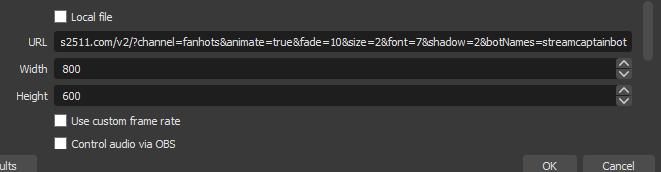 sand summit
yeah there shouldnt be any reason for it not to show up for you
snow portal
true as well
merry sedge
lol
snow portal
that is very fast
merry sedge
10s
merry sedge
also i found that option u mentioned. it's ticked same as u
snow portal
 weird
weird
sand summit
the source is on top of everything right?
merry sedge
i have no other sources enabled
snow portal
do you have it over the screencap?
merry sedge
screen is black
sand summit
sand summit
might get better help in obs discord
snow portal
probably?
sand summit
snow portal
like
```
CHAT OVERLAY

SCREEN CAPTURE
```
"i have no other sources enabled"
snow portal
i dont think its a chat overlay thing cuz for sure it works fine
merry sedge
 sand summit
do other browser sources work?
snow portal

sand summit
just like google.com
merry sedge
let me test
willow ferry
try shouldicum.com
snow portal

merry sedge
oh wow. ok yeh google isn't working either. def something wrong with OBS
sand summit
willow ferry
try shouldicum.com
 snow portal
yea its def an obs problem
i wonder if the version you are on is the latest update
merry sedge
But the thing is... the streamer themselves had their OBS working EXCEPT for the chat overlay
snow portal
it has to be a browser overlay problem then
merry sedge
hmmm
sand summit
does this new one work for them? you mentioned the other one wasnt
snow portal
because the chat overlay is only a browser overlay
merry sedge
they went offline a few hrs ago i was just trying to find a new working overlay before tomorrow
i dont stream so the OBS i have is just for testing for them
snow portal
i guess talk to the people in the obs server and see if they have the same problem
becase whatever is happening with you isnt happening with us
very interesting though
merry sedge
yeh weird
snow portal
https://discord.com/invite/obsproject heres their discord 
sand summit
try this too
 snow portal
that too
snow portal
sand summit
try this too
 ☝️ @merry sedge
merry sedge
ok. will do. tysm both of u for the help 🙂
sand summit
obs is currently doiing their v28 beta testing. i dont know why that would effect this version but might be something.
merry sedge
what's weird is that Lipton and I are running the same version of OBS and getting diff results
wet python
https://7tv.app/emotes/62be07de5dd88939967bbe6a can a mod rename the emote to Bedga, i just realized that it's misspelled

uploaded by TrippyColour
sand summit
you can rename it
 wary aspen
 wet python
angry dog 
https://7tv.app/emotes/62c30ca0e7f2da3bb01a0f61 after the reprocess it became scuffed
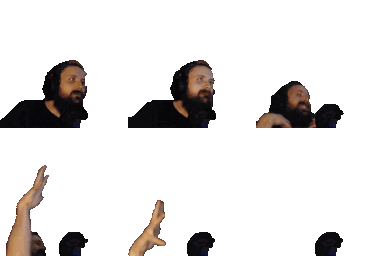
uploaded by TrippyColour
on the site at least
this is how it looks on the site for me
royal nebula
Looks fine for me
wet python
still bugged though
worthy arch

wet python
 eager oak
Hi, I´m using Opera and some of the emotes look like this:

caan somebnody help me with this?
normally they look like the normal pepe with the green color
fixed it:
turn of
 sly radish
 cursed peepos
 near helm

Hey can someone explain why the last few frames of this emote have been cut off?
supposed to be 
Is there a new frame limit ?


 velvet epoch
surely the current situation will make everyone aware of switching the version 
near helm
Oh that's new, cool I've added a new version
Can I merge the old one into the new so that the channels using it are automatically given the new/fixed version? Or can I request a mod to do that?
https://7tv.app/emotes/6300dc253bc53a58c0d531fa same with this emote - sorry if there's a faq or really obvious option im missing 
 sly radish
i dont think u can choose default version yet, just dont press Delete, it will delete the whole emote.
manually pick version
 near helm
sly radish
i dont think u can choose default version yet, just dont press Delete, it will d...
near helm
sly radish
i dont think u can choose default version yet, just dont press Delete, it will d...
That's what i was worried about haha
earnest roost
near helm
That's what i was worried about haha
this isn't true, deleting will only delete the version you're currently looking at (as long as you're not on the old site)
that being said
if you delete a version that had channels on it, they won't transfer over
near helm

So merging the two is the only way to update the emote while keeping it in those channels?
earnest roost
people can update to the latest version if they wish to
in the future there will be a notice / prompt to streamline the process of updating
worthy arch
earnest roost
this isn't true, deleting will only delete the version you're currently looking ...
yes but wouldnt it make the version inaccessible? like you wont be able to see it unless you have a direct link to the version
worthy arch
i mean when you delete the original but keep the version
now the version is stuck in the shadow realm
earnest roost
the "original" is also a version
so removing it doesn't (or shouldn't, but little testing has actually been done so far) affect anything
sly radish
earnest roost
this isn't true, deleting will only delete the version you're currently looking ...
i created a new version, pressed delete and all gone
earnest roost
you're probably refreshing the page of the deleted version
which will give you a 404 error
but the other still exists


 sly radish
gone in chat after F5 too, still showed as added on the page
worthy arch
it keeps it on my profile like this

when i click on it it looks like this

refreshing returns an error
but the version is still here https://7tv.app/emotes/6300e235c5f41e6714b113cb

but if you have no link for it then you cant find it
so the problem is that your profile and the emote page keeps linking to the old deleted original version
sly radish
 find link in history
 latent rain
How do I add all emotes in an emote set to a new channel
sly radish
latent rain
How do I add all emotes in an emote set to a new channel
can only add/change your owned emote set rn, Profile => Edit profile => Twitch cogwheel => choose set
latent rain
sly radish
can only add/change your owned emote set rn, Profile => Edit profile => Twitch c...
Oh I thought it said "share your emote set with others"
So I assumed others could add all emotes from another shared set
sly radish
not available now
latent rain
Ahh I see, thanks!
sly radish
 frail nest
 quasi oxide


