#bugs-and-stuff
1 messages · Page 4 of 1

 slate locust
yeah it shows that but you still cant gift
 icy sleet
chrome and tried edge without any addons
right button lets me chose
but I cant click on the left
it wont open anything up

 gleaming abyss
yeah same 
 humble pelican
checking
icy sleet

 serene wren
anyone not seeing paints? 
i restarted chatterinoge and all paints not showing, for others either
gleaming abyss
let me check
serene wren


 slate locust
shows in webchat
serene wren
^
 serene wren
yeah i checked all settings, basically i restarted the pc after reinstall obs 
slate locust
 slate locust
that doesnt mean anything
serene wren
it works now  whats happening
slate locust
theres like 2190384 builds of nightly 7.3.5
gleaming abyss

 gleaming abyss
you mean about the paints settings ?
serene wren
how can u just lost paint options?
humble pelican
@icy sleet button should work again
got broken due to an update in one of the dependencies
 vapid scarab
this normal?

 chilly garnet
vapid scarab
this normal?
chilly garnet
vapid scarab
this normal?
you mean not being able to go to someone's twitch channel by pressing that?
dont think so
 pure oxide
it doesnt matter where you click its gonna always open this menu
vapid scarab

 toxic quail
I know this probably isn't a 7tv issue but has anyone had problems with twitch not giving the bonus channel points every 15 minutes for one specific channel


 slate locust
and if your bio is too long it gets cut off

 slate locust
the channel owner must add an emote before editors can
 tranquil crater
i have a this bug in new UI
 civic tartan
tranquil crater
hey yo i MOD in my E-Sport team bot cant add the Emotes Sadge
civic tartan
tranquil crater
hey yo i MOD in my E-Sport team bot cant add the Emotes Sadge
can you access the channel and add an emote first to make a initial emote set?
then you would be able to add more emotes in your channel
tranquil crater
It still doesn't work Sadge
serene wren
they need to create and add 1 emote first
 civic tartan
tranquil crater
It still doesn't work Sadge
civic tartan
tranquil crater
It still doesn't work Sadge
you still havent add an emote as WinterBearGG 
login as WinterBearGG then add an emote
 please add this in
  civic tartan
or just add an initial emote set 

 serene wren
and stores chatlogs 
civic tartan

slate locust
discord does that
 slender egret
 logs
logs
slate locust
and countless other bots
serene wren
isnt it tos? i mean admins can do it but bots and plebs? 
slate locust
slender egret
 I think there is something happening here

I renamed it to "a" and now when trying to remove it said that
 weary trout

serene wren

slender egret

 weary marsh
is emote uploading bugged?
 delicate pebble
weary marsh
is emote uploading bugged?
delicate pebble
weary marsh
is emote uploading bugged?
are you uploading the emote in 1000x1000?
weary marsh
im trying to upload and its stuck on 100% dosent get uploaded
slate locust
file size is too large
weary marsh
 slate locust
less than 7mb
weary marsh
hmm maybe its too big
weary marsh

slate locust
stuck on 100% is size and upload but links to 404 is res
 slate locust
i know but for future reference that how you can tell exactly which limit it hits
delicate pebble
ye
weary marsh
yea it was too big
delicate pebble

 deep sinew
😂 wot
 sullen lichen
slate locust
i know but for future reference that how you can tell exactly which limit it hit...
sullen lichen
slate locust
i know but for future reference that how you can tell exactly which limit it hit...
ohh
good to know
serene wren
gleaming abyss
i can't add any emotes
when trying to add an emote it removes itself automatically 

ok so i tested something, and it works if i click on "use emote" but not when i wanna add for a specific set
 lilac rampart
i also cannot
 gleaming abyss
lilac rampart
i also cannot
gleaming abyss
lilac rampart
i also cannot
try putting the set you wanna add the emote in as default and then click "use emote"
lilac rampart
still not work 
gleaming abyss
it does the same thing ?
oh yeah, it does
i had someone i'm editor for before i had the bug, and try to add an emote for them, and it didn't work but the default was working
but changing to one of my sets and trying again did not work
humble pelican
will investigate
 clever condor
anyone know how to fix this issue? been having this issue recently
 humble pelican
@lilac rampart @gleaming abyss any information on where this is happening exactly? steps to reproduce
currently i am not able to replicate this behavior
gleaming abyss
humble pelican
<@218258318840299523> <@363469348599365633> any information on where this is hap...
when selecting any set for the emote, it does add and then remove the emote immediatly

and that's when i check and uncheck
 humble pelican
on what page are you bringing up the menu?
lilac rampart
gleaming abyss
 humble pelican
is it just the chat saying it's removed or does it actually get removed?
 serene wren
advice: dont use chrome
weary trout
@humble pelican it might be because they have 0 widths and deleted emotes enabled as a non-sub? on old.7tv.app it shows nmp has 471 emotes instead of 485
guess it doesn't matter bc they'd still have 15 remaining slots
humble pelican
yeah im not exactly sure what may be the cause atm
@lilac rampart is it happening on any set, or specifically nmp's?
lilac rampart
tried to add it to johhmar's and it says this 

it happens in every set it seems
and i am on chrome
didnt work on edge
 kind karma
Help please  .. i was trying to add emotes to my chat ... this is what happend after i tried to add my 1st emote
 lilac rampart
i also get insufficient priviledge error too once
kind karma
i got it like on 3 other emotes ...
humble pelican

serene wren
hmm i got that bug too, basically it works if enable for default set, bug if use the multi sets popup
humble pelican
thats pretty stranGe 
serene wren
workaround is set the emote set you want to enable to default and the enable with the big Use Emote button
pretty dank bug
maybe it could work in old site
 tawny flare
humble pelican
tawny flare
humble pelican
will look deeper into this tomorrow
might do an overhaul of the emote set selector
it's a bit spaghetti code tbh
 flint fulcrum
hi, i try to add the emote but For some reason this channel is deleted again. it happens in maypo_ . (sorry for my bad english xdd )
 gleaming abyss
humble pelican
will look deeper into this tomorrow
gleaming abyss
humble pelican
will look deeper into this tomorrow
@flint fulcrum known bug 
 normal meteor
is there a fix for this yet, im having the same issue
serene wren
scroll up abit for my video
pure oxide
Add tags button broke
you can only click it on the bottom right corner
anywhere else its unclickable
its only bugged when an emote doesnt have any tags yet
serene wren
pure oxide
Add tags button broke <:feelsd:1005447122084179999>
i mentioned it, for emote with tags, some tags are unclickable to close or search
humble pelican
serene wren
So far was able to reproduce this issue once, extremely inconsistent
didn't get to catch the network log unfortunately
serene wren
humble pelican
im looking at the diff from the patch where people began reporting this issue and the only thing i could think of is one line that i removed
seems unlikely to be it but the entire code around emote selection really just needs a rewrite
serene wren
its still happening for me, i will try on phone
humble pelican
is it happening on every emote?
serene wren
humble pelican
is it happening on every emote?
yes, i tried emotes on Emote, channel emotes, owned emote, same results
can't try on phone yet since there's no buttons i will keep refreshing
civic tartan
for clicking on tags
some works depend on the ui resoultion
lemme record, gimme a sec
serene wren
click on Emote page, click on an emote, click the Choose sets button, click the square to enable, it's added and removed instantly on every sets
 trail cedar
https://i.imgur.com/B50V6Oc.png Somehow added over the limit, i was making a command for my bot that can add all emotes related to the search
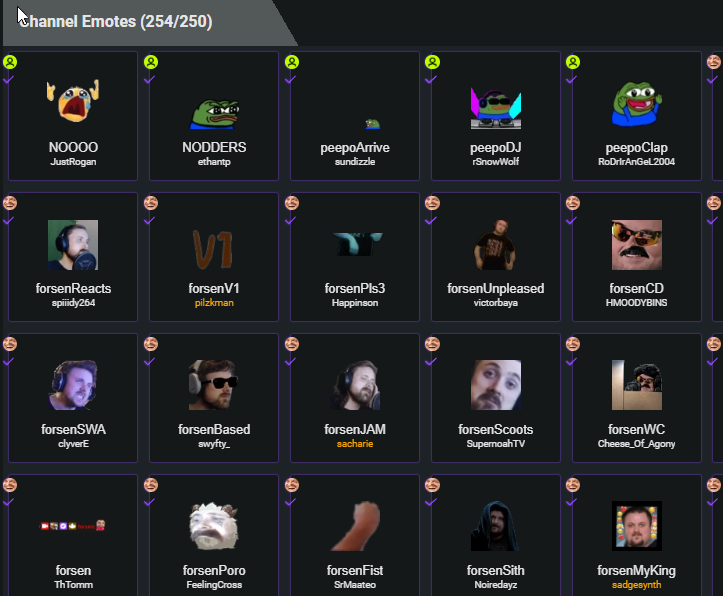 serene wren
also happen on iphone, safari @humble pelican
i will download firefox now since someone said it works on that browser
civic tartan
on chrome
humble pelican
serene wren
click on Emote page, click on an emote, click the Choose sets button, click the ...
does this happen while you have the set selected as default?
serene wren
humble pelican
does this happen while you have the set selected as default?
default or not, enable emote from the popup will reverse it back
the only way to add emote is set default on that set and use the big Use Emote button
humble pelican
not able to replicate
serene wren

 humble pelican
can you test if it's happening on https://7tv.dev ?
serene wren

humble pelican
also does it happen on your own set, or only on those of others?
serene wren
all sets
it reversed back to disable but the checkmark is ticked
remove the checkmark gives "emote not enabled" error
on dev site, i created a new set since the current one have 0/0, first click worked, after remove it happens again
humble pelican
 humble pelican
@serene wren can you try now and screenshot what you see in the console (f12)
slate locust
tags actually have 1 pixel that works
serene wren
humble pelican
<@264662103925719040> can you try now and screenshot what you see in the console...
on dev site right?
humble pelican
ye
serene wren
 humble pelican
wait; can you check this and screenshot
 serene wren
nothing in it
humble pelican
refresh
serene wren
 humble pelican
refresh the page while having that open
 humble pelican
are you seeing more than one result pop up after a few seconds?
 humble pelican
ok can u open it then screenshot the contents of the messages tab
delicate pebble

civic tartan
WAYTOODANK
humble pelican
no
civic tartan
 humble pelican
@serene wren
 serene wren
can't find it
humble pelican
how, you just click on the single "gql" thing then goto the messages tab
humble pelican
stfu lipton
 civic tartan
 serene wren
humble pelican
how, you just click on the single "gql" thing then goto the messages tab
serene wren
humble pelican
how, you just click on the single "gql" thing then goto the messages tab

ka
civic tartan
ka
serene wren
{"payload":{"data":{"emoteSet":{"id":"6309df85a089660105b8d55e","name":"dev set","capacity":250,"emotes":[],"owner":{"id":"62b58cb72ca9268355f2b81c","display_name":"21mtd","tag_color":16755200,"avatar_url":"//static-cdn.jtvnw.net/jtv_user_pictures/3df086ca-3a8d-4fd2-9607-5569e56fe88b-profile_image-70x70.png","__typename":"User"},"__typename":"EmoteSet"}}},"id":"4","type":"data"}
serene wren
civic tartan
 humble pelican
are you getting this too @civic tartan
civic tartan
yes
humble pelican
ok
serene wren
 civic tartan
{id: "6", type: "start",…} id: "6" payload: {variables: {action: "ADD", id: "6309e2b9a089660105b8d56e", emote_id: "62b50a042ca9268355f2b783"},…} extensions: {} operationName: "ChangeEmoteInSet" query: "mutation ChangeEmoteInSet($id: ObjectID!, $action: ListItemAction!, $emote_id: ObjectID!, $name: String) {\n emoteSet(id: $id) {\n id\n emotes(id: $emote_id, action: $action, name: $name) {\n id\n name\n __typename\n }\n __typename\n }\n}" variables: {action: "ADD", id: "6309e2b9a089660105b8d56e", emote_id: "62b50a042ca9268355f2b783"} action: "ADD" emote_id: "62b50a042ca9268355f2b783" id: "6309e2b9a089660105b8d56e" type: "start"
{id: "7", type: "start",…} id: "7" payload: {variables: {action: "REMOVE", id: "6309e2b9a089660105b8d56e", emote_id: "62b50a042ca9268355f2b783"},…} extensions: {} operationName: "ChangeEmoteInSet" query: "mutation ChangeEmoteInSet($id: ObjectID!, $action: ListItemAction!, $emote_id: ObjectID!, $name: String) {\n emoteSet(id: $id) {\n id\n emotes(id: $emote_id, action: $action, name: $name) {\n id\n name\n __typename\n }\n __typename\n }\n}" variables: {action: "REMOVE", id: "6309e2b9a089660105b8d56e", emote_id: "62b50a042ca9268355f2b783"} action: "REMOVE" emote_id: "62b50a042ca9268355f2b783" id: "6309e2b9a089660105b8d56e" type: "start"
i gtg soon
may not be able to help later
humble pelican
deploying a patch should be up in a few mins
serene wren
{"id":"9","type":"complete"} 29
16:35:12.738
{"payload":{"data":{"emoteSet":{"id":"6309df85a089660105b8d55e","name":"dev set","capacity":250,"emotes":[{"id":"62b4f3da2ca9268355f2b512","name":"test","__typename":"ActiveEmote"}],"owner":{"id":"62b58cb72ca9268355f2b81c","display_name":"21mtd","tag_color":16755200,"avatar_url":"//static-cdn.jtvnw.net/jtv_user_pictures/3df086ca-3a8d-4fd2-9607-5569e56fe88b-profile_image-70x70.png","__typename":"User"},"__typename":"EmoteSet"}}},"id":"4","type":"data"} 456
16:35:12.744
{"payload":{"data":{"emoteSet":{"id":"6309df85a089660105b8d55e","emotes":[],"__typename":"EmoteSetOps"}}},"id":"10","type":"data"} 131
16:35:12.895
{"id":"10","type":"complete"} 30
16:35:12.900
{"id":"10","type":"complete"} 30
16:35:12.904
{"payload":{"data":{"emoteSet":{"id":"6309df85a089660105b8d55e","name":"dev set","capacity":250,"emotes":[],"owner":{"id":"62b58cb72ca9268355f2b81c","display_name":"21mtd","tag_color":16755200,"avatar_url":"//static-cdn.jtvnw.net/jtv_user_pictures/3df086ca-3a8d-4fd2-9607-5569e56fe88b-profile_image-70x70.png","__typename":"User"},"__typename":"EmoteSet"}}},"id":"4","type":"data"} 382
16:35:12.954
{"type":"ka"} 14
16:35:18.091
{"id":"11","type":"start","payload":{"variables":{"action":"REMOVE","id":"6309df85a089660105b8d55e","emote_id":"62b4f3da2ca9268355f2b512"},"extensions":{},"operationName":"ChangeEmoteInSet","query":"mutation ChangeEmoteInSet($id: ObjectID!, $action: ListItemAction!, $emote_id: ObjectID!, $name: String) {\n emoteSet(id: $id) {\n id\n emotes(id: $emote_id, action: $action, name: $name) {\n id\n name\n __typename\n }\n __typename\n }\n}"}} 469
16:35:23.542
{"payload":{"errors":[{"message":"704610 Emote No

serene wren

humble pelican
that might explain some
civic tartan
Yes
 buoyant wind

humble pelican
ok do a hard refresh ctrl+f5 then try if it's still happening
looking to do a quick dirty fix so i can buy time to redesign this properly
civic tartan
Well it fixed
serene wren
humble pelican
i'll work on a proper fix tonight
civic tartan
was that like a network traffic control thing?
humble pelican
i have a few different clues to what this is
civic tartan
Clue
serene wren
humble pelican
but essentially, because you're far away from the server (which is US-based) there's a high latency and slower transfer rate
which likely means
you're getting an event response before a request response, or vice versa
and either of those things have conflicting data
civic tartan
What if i vpn to US then try it
humble pelican
VPNs do not bypass the laws of physics
serene wren
ill try that 
civic tartan
humble pelican
but you can confirm that it's not doing the add/remove thing now yes?
just no visual feedback that the emote was added?
serene wren
yeah from 0 to 1 in the set
humble pelican
can u record that interaction
might give me further ideas as to whats the actual problem
all i did here was block further calls if a request is in flight
which is just a dirty fix
serene wren
 humble pelican
alright thats good enough for me, i have some other priorities to take care of so ill get to this either this evening or topmorrow
slate locust
what do you use internet explorer for
serene wren
trail cedar
trail cedar
https://i.imgur.com/B50V6Oc.png Somehow added over the limit, i was making a com...
i entirely removed the command incase ppl go over the limit
humble pelican
@trail cedar is this happening on non-moderator accounts?
trail cedar
yea it uses my bot's token
humble pelican
i mean the channel that it adds to
humble pelican
@trail cedar are you sure this wasn't from combined sets?
the "channel emotes" counter will show a higher number if the user has multiple sets enabled over different channels
trail cedar
humble pelican
the "channel emotes" counter will show a higher number if the user has multiple ...
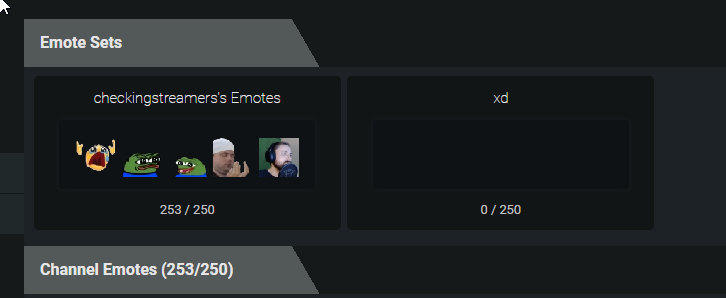

humble pelican
@trail cedar are you still able to add more or is it only if you spam requests
trail cedar
humble pelican
<@363968088783323136> are you still able to add more or is it only if you spam r...
it only works while removing emotes 
humble pelican
uh do you mean you're mixing ADD and REMOVE ops in the same request
i dont even remember if thats possible via api
how did you end up with 253?
trail cedar
wait i think i did it by, making slots at 249/250 leaving 1 slot and then add all emotes related "forsen" in a loop
i think its fixed now its not adding more than 250
humble pelican
@lilac rampart can you confirm if the issue regarding adding emotes thru the menu is fixed
lilac rampart
it is fixed and i can add emotes  the tick is not there tho idk why but it is enabled
 humble pelican
yeah so the visual feedback is still glitched because i only did a hotfix
but at least you can add emotes again
im going to rewrite the logic of this menu, it's gone into spaghetti
lilac rampart
thank u 
humble pelican

 fallow bridge
not sure if this is already known but figured I'd post anyways, icons of the editors clip through other elements
weary trout

 knotty ibex
i changed my name on twitch and on 7tv its showing as my old username
still linked account, but when i click on my name link it takes me to the name which doesnt exist
 dim pier
knotty ibex
still linked account, but when i click on my name link it takes me to the name w...
dim pier
knotty ibex
still linked account, but when i click on my name link it takes me to the name w...
 dim pier
weary trout
I wonder if you could automate a bot to respond depending on keywords in a question
true
I guess #faq isn't too bad
buoyant wind
can't see 'owned emotes' section in people's profiles
serene wren
yep its gone
 coarse fox
humble pelican
coarse fox
humble pelican
go to your profile page then link your discord

 humble pelican
right click
buoyant wind
 humble pelican
oh
buoyant wind
it's not available
humble pelican
did you delete the original version
buoyant wind
yes, and that's when it became bugged
humble pelican
yeah its bugged for now then pending a fix
buoyant wind

 short swan
for some reason third one glitchy https://7tv.app/emotes/6244e591db3ed5fb67b49455

 narrow matrix
AVIF
serene wren
laden fix it NOW 

 winged eagle

 weary trout
still same icon 
slate locust
3 search icons on 1 screen
 weary trout
🔍
slate locust
i find my self clicking the search profile button when actually wanting to search for emotes on pages taht dont have an emote search button
weary trout
same
slate locust
mainly on an emotes page
weary trout
lebronSpasm
trail cedar
7tv badges dont show on chat popout
slate locust
yes they do
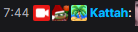
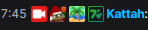 slate locust
chrome?
trail cedar
yea
slate locust
i c
 trail cedar
is that chatterino
slate locust
no
slate locust
pronoun extension
its in ffz and chrome. i use the chrome one cuz it works on other websites
trail cedar
it seems like it only doesnt work in dashboard popout
slate locust
ohh
trail cedar
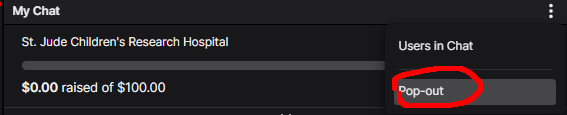
https://i.imgur.com/sq83SBk.png this one
 slate locust
yeah there was issue where 7tv just didnt run at all in mod view
trail cedar
slate locust
you can do /popout in chatterino
trail cedar
 thx
thx
slate locust
only issue is that tabs have a high width limit and the real popout window doesnt
 keen talon
Ever since the new site launched, this weird infinite loading/prolonged loading bug happens in both Chrome and Edge (although it's not as long in Edge; haven't tested in Firefox). It's been going for, like, 5 minutes now and pp is still doing his thing lmao
serene wren
daily bug report  Use Emote button not showing the correct state, also im using my 1st position/default emote set but it got moved down to bottom in Emote Sets popup (yesterday it was 3rd place )

 smoky bolt
On the Ewroon channel, which has subscriptions on 7tv, the MLADY0 emote is shown on twitch, but not on chatterino. Exactly the same emote added to other channels with a 7tv subscription is shown on twitch and chatterino.
 dim pier
smoky bolt
On the Ewroon channel, which has subscriptions on 7tv, the MLADY0 emote is shown...
dim pier
smoky bolt
On the Ewroon channel, which has subscriptions on 7tv, the MLADY0 emote is shown...

Looks like he isn't subscribed
It does look like it indeed still works in Twitch chat
 @humble pelican How does this work

 tidal bramble
there are certain scenarios where the search gets stuck infinitely

most of the time it's the first time u open it
serene wren
tidal bramble
there are certain scenarios where the search gets stuck infinitely <:FeelsDankMa...
may i know what did u search?
afaik it will search forever if there's no more emotes
tidal bramble
in this case it was nothing
I had just opened it
I remember "shrug" not working
but just adding/deleting a letter then its fine
don't think it has anything to do with keywords
tidal bramble
it just happened again, doing nothing it just auto refreshed
 serene wren
that's weird
serene wren
tidal bramble
it just happened again, doing nothing it just auto refreshed
what browser u using?
tidal bramble
chrome
dim pier
serene wren
<a:YEAHBUT7TV:848518180255432704> idk, maybe try Ctrl F5 or wait for anatole guy...
Ctrl + F5 has fixed a lot of issues in here 
 fors
dim pier
fors
dim pier

serene wren

 vital flax
Hi !
dim pier
Hi!
vital flax
I tried to upload an emote, it says "Processing Emote - this may take some time.", and when I refresh the page, the emote is deleted and I get a "Not Found" error 
Is this a known issue ? Can it be related to the name of the emote maybe ? bmxboxen (I don't think so, but we never know)
vital flax
Ahhh 
That is definitely the issue
vital flax
imagine client reading instructions
(i'm a web dev, I know the struggle)
No but to be more serious, I should have looked at the faq before asking.
Maybe you can display what's causing the error sometime in the future ?
EDIT: my emote now works, thanks a lot !
delicate pebble
vital flax
imagine client reading instructions <:Clueless:947671183103508530>
(i'm a web d...
vital flax
Noted 
Thank you for the answer !
dim pier
delicate pebble
civic tartan
anyway i can delete a processing emote that cant seems to load?
https://7tv.app/emotes/630e1916c7b627ebb036c837
 split cradle
Any idea for why I can't remove emotes from MY OWN channel?

Never had this happen on the old website
humble pelican
try refreshing
split cradle
had to try a couple times but it started working, thanks
kind of dumb of me for not thinking about f5
 humble pelican
it can take 10-20 minutes, also you must select them on your profile settings
 humble pelican
can you connect your discord so i can check your account
 lunar torrent
done
 river grailBOT
[user] techleed (techleed)
 humble pelican
everything checks out, make sure to refresh the page and if you have FFZ installed please know that your first message isn't rendered with paints/badges
 humble pelican
the very first message in twitch chat does not have cosmetics rendered
lunar torrent
thats funny, why does the first not work
lunar torrent
if i buy a year of 7tv shouldnt i get a year badge
dim pier
lunar torrent
if i buy a year of 7tv shouldnt i get a year badge
No It works just like twitch subs
 craggy vortex
hi guys anyone else having issues clearing out badge/nametag paints? cause I don't want my badge to show anymore, just the name paint, but for some reason I'm unable to save the changes once I dis-select it on the profile settings. it just selects it back automatically. am I obliged to have the badge showing now? 
pure oxide
for now you can only do it on old.7tv.app
 warm wind
what should I do? https://gyazo.com/0a143209a1b503250b2e76fc997f8e93
 weary trout

 wind oriole
GYAZ 
buoyant wind
if you have version of the same emote then the activity feed will show all of them as the current one you're looking at

this is only on unlisted emotes
still a bug though
craggy vortex
pure oxide
for now you can only do it on old.7tv.app
oh ok thank u
 teal gull
Have the correct permissions but am unable to edit emotes in a emote set in https://7tv.app/users/62c54b97cf0d7244f0ee7e35 channel
 weary trout
teal gull
Have the correct permissions but am unable to edit emotes in a emote set in http...
weary trout
teal gull
Have the correct permissions but am unable to edit emotes in a emote set in http...
f5

 granite cosmos
Hello, yesterday I once again bought 7tv sub, but this time I didn’t get any of the sub features. Even on my profile it doesn’t say I’m a subscriber, except for the subscribe page saying “Thank you for subscribing”. Pretty sure something went wrong
delicate pebble
whats your user?
granite cosmos
Aroldas1
delicate pebble
 wtfrick?
delicate pebble
granite cosmos
Aroldas1
can you type in your chat for me
granite cosmos
alr
delicate pebble
one more time
pure oxide
 delicate pebble
weird...
granite cosmos
wait what
delicate pebble
he doesnt show as a sub on the website tho
pure oxide
relog? 
delicate pebble
pure oxide
how does your sub page look like
delicate pebble
^
granite cosmos
still same
granite cosmos
o
pure oxide

humble pelican
rescheduled it
humble pelican
not sure why you didnt get it
granite cosmos
humble pelican
rescheduled it
ty
buoyant wind
the activity feed bug (with the wrong picture being shown) osn't only for unlisted emotes
most emotes with versions that i see has the activity feed pictures change depending on the version you're looking at
the whole version thing seems weird, with the way they appear when you search for emotes as well
as the latest version of the emote is what appear when you search for emotes
and for me, i uploaded the base emotes and then event versions so some of my emotes appear as that version instead of the basic one
feels like this kind of ruin emote discoverability
slate locust
didnt know maya was chill like that


 wise violet
 uhm actually the mail icon is just 1 pixel too high up
slate locust
EITHER WAY
 slate locust
 80% zoom
slate locust
100 is too big and 90 has this bug
 wise violet
yeah but 80% is so fucking small
slate locust
nah
slate locust
whatever 1080p on a 22in is
civic tartan
slate locust
100 is too big and 90 has this bug
You scaled ur display?
civic tartan
no i mean like ur window display scale
 civic tartan
If you are at 125% i understand why u say 100 in chrome is too big
 stiff basin
When using 7tv the default cheer emotes on Twitch are replaced with lower rez 1 bit cheer emote and also the default bold and colored font is missing. As a streamer this makes it difficult to comprehend what is happening in our stream at a glance. How can we disable this change? We want to use 7tv but leave the default cheer emotes on twitch unchanged!
civic tartan
7tv changes how bits are rendered?
Never heard anyone complained that
stiff basin
Here is a screenshot of a side by side comparison. Both are in the GoatVsFish chat. Both are in Chrome on Windows 10. Left is with 7tv enabled looking at GoatVsFish chat logged in as GoatVsFish. Right does NOT have 7tv enabled looking at GoatVsFish chat logged in as MichaelAllenCPA.

The default bits animation is changed to a lower rez cheer100 emote and the number "1" is no longer in bold.
civic tartan
Do you have any other extensions enabled?
 must be another extension conflict
deep sinew
could it literally be a 7tv emote that replaces the word "Cheer" or something silly like that?
I don't see any emotes like that enabled for that chat
maybe it's a clever ploy to get Michael Allen to donate all his bits for "testing" purposes
civic tartan
 hey Michael can you cheer again?
stiff basin
Doing one more test
deep sinew
both using FFZ, and FFZ + 7tv
civic tartan
If in doubt, get FFZ
deep sinew
I'll try disabling FFZ; something I'd normally never do
nope even with only 7TV it still works properly
 stiff basin
Still the same problem for me
We had BetterTTV also running, but disabled it. Problem still not solved.
 civic tartan
stiff basin
Here is a screenshot of a side by side comparison. Both are in the GoatVsFish ch...
civic tartan
stiff basin
Here is a screenshot of a side by side comparison. Both are in the GoatVsFish ch...
Mod chat on left?
deep sinew
that's coming straight from twitch's servers
doesn't solve the issue
the one you linked is the gray one for me though
stiff basin
Yes it changed from the purple to grey
font is still not bold though, and the resolution is lower
stiff basin
--https://d3aqoihi2n8ty8.cloudfront.net/actions/cheer/dark/animated/1/1.gif-- WITH 7TV Enabled --https://d3aqoihi2n8ty8.cloudfront.net/actions/cheer/light/animated/1/4.gif-- WITHOUT 7TV Enabled
deep sinew
@wise violet these bits animations make use of the light/dark thingy for different chat colors, and it makes a big difference
deep sinew
stiff basin
--https://d3aqoihi2n8ty8.cloudfront.net/actions/cheer/dark/animated/1/1.gif-- WI...
these are both gray for me
this is the purple one
stiff basin
Yes UPDATE now they are both grey, BUT the gif is lower rez and the font after the gif is not bolded as is the twitch default
deep sinew
are you at 100% browser zoom?
stiff basin
yes
deep sinew
hmm
stiff basin
Just did a cheer100
deep sinew
did you change your chat from light mode to dark mode recently?
or vice versa
stiff basin
Now I get a high res 1 Bits emote with a "100" in purple but not in bold SMDH
aaand just NOW cheered 1 bit. 1 Bit animation is now high rez but text after is still not bold
obviously there is some issue
deep sinew
the boldness of the text might just be a slight inconsistency in how the chat is rendered
emote extensions generally have to do crazy stuff to get emotes to work correctly
also the paints on usernames
so maybe the rendering of the cheer amounts had to be replaced but isn't quite perfect
or something like that
wise violet
deep sinew
<@727399831177265232> these bits animations make use of the light/dark thingy fo...
yeah I see
deep sinew
I'm not sure about the bit gif animations though. They seemed to work fine for me.
wise violet
pretty sure the 7tv extension completely replaces chat rendering
wise violet
yeah
actually idk about bttv
I think bttv just finds and replaces tokens with img elements
deep sinew
that's probably why BTTV and 7TV conflict if you have both installed
wise violet
ffz and 7tv actually hook react
stiff basin
As a seprate issue, when I popout the chat from the GoatVsFish dashboard it does not display 7TV animated emotes such as TUMADRE
wise violet
and replace the render functions
deep sinew
stiff basin
As a seprate issue, when I popout the chat from the GoatVsFish dashboard it does...
What browser are you using?
stiff basin
chrome
stiff basin
 deep sinew
yeah that's pretty scuffed
someone ping the toe guy when he wakes up to take a look at this maybe
stiff basin
For the record, just DISabled 7TV and restarted chrome. Cheering is restored to default, everything back to twitch normal
deep sinew
maybe try reinstalling 7tv completely or something
deep sinew
I personally couldn't reproduce it, but I didn't try the popout chat
stiff basin
7TV not functioning in the popout chat is a seperate issue for me
 stiff basin
sleep well
deep sinew
thanks
 pearl lagoonBOT
You tucked anson to bed  👉 🛏
👉 🛏
civic tartan
$suck anson
slate locust
$truck anson
pearl lagoonBOT
You truck anson into bed with the power of a V8 engine  👉🛏🚚
👉🛏🚚
buoyant wind
deep sinew
I personally couldn't reproduce it, but I didn't try the popout chat
popout chat disables the auto complete emote as well
 umbral pewter
When starting to type out a emote with these dotted : the chat collapses and I cant type anymore. When removing 7tv it works typing out emotes again.
The chat is still there, but the place where I can type myself is gone and the chat takes the whole right side
 vernal summit
oh that's 7tv extension?! that's been happening all week for me
umbral pewter
Seems like it, wont happen if you disable/uninstall the 7tv
buoyant wind
yeah, been happening to me a lot as well

 wise violet
weary trout
https://clips.twitch.tv/AgreeableHonestClintmullinsDancingBanana-exQtzV6RW7bUUbj...
wise violet
weary trout
https://clips.twitch.tv/AgreeableHonestClintmullinsDancingBanana-exQtzV6RW7bUUbj...
@humble pelican  literally griefed
weary trout
how do i remove it
humble pelican
wtf
wise violet
time to run a ban script
weary trout
might be a good idea to have "default" set at the top
 humble pelican
ok dude how many people fucking added him  im gona go clear that
and yeah idk why his set wasnt at the top
ill go fix that
weary trout

 time for some damage control
weary trout
time for some damage control
weary trout
cosmetic remove button
vernal summit
at least he didnt get completely tilted 
 humble pelican
he didnt have the set selected
wise violet
no he probably had someone elses shit selected
humble pelican
prob new browser or w/e
wise violet
he had someones selected tho
cuz it didnt prompt him to open the set selector
it just said emote already enabled
weary trout
 humble pelican
thats strange
delicate pebble
this is scrolled all the way down
 humble pelican
maybe it bugged because THERES LIKE 100 PEOPLE THAT ADDED HIM
delicate pebble
slate locust
Block him from being anyone editor
weary trout
yea my default one is all the way at the bottom
humble pelican
yeah i'll fix that , your owned sets should be at the top
narrow matrix
Set it so that partners cant get editor by default
weary trout
would it be possible to have whatever selected/default set to be at the top
slate locust
That's how it was before it wasnt
weary trout
no clue
 wise violet
slate locust
<:happE:966836183760011324> still no way to delete them
wise violet
slate locust
<:happE:966836183760011324> still no way to delete them
why did you create them
slate locust
To see how many I could have
 wtf
wtf void zinc
https://7tv.app/emotes/610f0cd5150eeac172e378f3 emote broken 
 deep sinew
what did it use to look like?
humble pelican
ran some fixes, sets should be ordered now
umbral pewter
What about the bug that makes your chat stop working?
 hasty shuttle
hey guys I have a question
slate locust
Just ask it
 vernal olive
speak
hasty shuttle
how to 7tv extension handle the cosmetic API request
wise violet
hasty shuttle
how to 7tv extension handle the cosmetic API request
wdym
how to grab cosmetics?
hasty shuttle
i mean does it cache this https://api.7tv.app/v2/cosmetics?user_identifier=twitch_id request
or there is an endpoint for every user cosmatic?
wise violet
yeah it downloads that on browser startup
and uses it for the remainder of the session
theres a seperate one for animated avatars
hasty shuttle
gotcha.. so is there a way for me to view the cached response?
hasty shuttle
I am trying to create an extension that creates a chat message snapshot
wise violet
you'd be better off just fetching the endpoint yourself
humble pelican
umbral pewter
What about the bug that makes your chat stop working?
what is that about?
wise violet
you cannot by design access another extensions context
@humble pelican  since when do the cosmetics apis have timestamps?
im not crazy they didnt used to
right
humble pelican
i added that recently
wise violet
wasnt that info already available in response headers?
humble pelican
it's because i was testing an issue which caused a massive amount of errors to pop up on twitch's systems
hasty shuttle
can you give me an example of how to cache a response in memory like that
hasty shuttle
or a doc page
humble pelican
basically the endpoint is so big now that it takes longer to generate before the request times out
so i had to change how the cache refreshes
 solid whale
humble pelican
what is that about?
solid whale
humble pelican
what is that about?
probably this (?), randomly makes the chat box disappear
 wise violet
humble pelican
basically the endpoint is so big now that it takes longer to generate before the...
wise violet
humble pelican
basically the endpoint is so big now that it takes longer to generate before the...
I swear isnt there a response code for that
like that indicates the resource will be available in the future
idk maybe im making that up
and it probably doesnt do anything browserside anyways
yeah idk why I thought that was a thing
i've been awake for 26 hours dont mind me
solid whale
theres 6 English (United States) options  chills (also maybe make them go in alphabetical order?)

 dapper wedge
is this a graphical bug or an genuine issue ( cache was cleared for testing too ) just checked and badge on twitch is also 6m still

 chrome sable
 slate locust
Blue
 ancient sleet


 dim pier
 feral palm
i buyed subscriber and no colors <:sadge:813892712453111849>
feral palm
i buyed subscriber and no colors <:sadge:813892712453111849>
Wait 10 minutes, then ctrl + F5 your browser page
vernal summit
you will only get the current month's available paints. previous paints might be available at a later date, more info to come 
 valid crag

Is anybody else having this problem
I've uninstalled and reinstalled every extension
dim pier
Which browser? Also try ctrl + F5
dim pier
Not sure then @wise violet Any ideas?
valid crag
Thank you
 half finch
buy subscriber and without colors or badges 4 hours have passed and nothing

 humble pelican
try typing twice in chat
narrow matrix
btw why doesnt the translator baj show in here
 deep sinew
or contributor 
humble pelican
because it's not been vectorized for the site
there's gonna be a new design for it so it's waiting for that
half finch
buy subscriber and without colors or badges 4 hours have passed and nothing and I talked to the bank and everything and they approved the payment almost 5 hours have passed


 humble pelican
try typing twice in chat
humble pelican
humble pelican
try typing twice in chat
@half finch did you do this?
half finch
if i restart the google and all
humble pelican
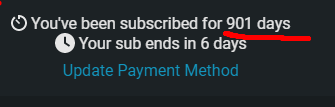
i identified an issue i will have a look
 vernal summit
humble pelican
because it's not been vectorized for the site
vernal summit
humble pelican
because it's not been vectorized for the site
 keeping us waiting..
humble pelican
sorry
vernal summit

 tribal sail
How can I pay for my subscription from Russia?
 echo verge
My progress bar went from 51% to 84% in one day WTF ?
 echo verge
Never mind it's back to 51% agaiin...
vernal summit
mr anatole is working with entitling badges, it will be bugged for a bit 
 meager sonnet
i havent done anything with my 7tv and this showed up 
 meager sonnet
alright ty 
half finch
humble pelican
i identified an issue i will have a look
could you solve my problem?
meager sonnet
i mean +1 year sub badge for now 
humble pelican
half finch
could you solve my problem?
this is the issue i fixed, which means it should be fine for you too
void zinc
deep sinew
what did it use to look like?
 deep sinew
pepeDArrivingAndCautiouslyCheckingHisSurroundingsBeforeBeginningToDance
Is the dancing animation reversed as well?
vernal summit
looks like it
wise violet
it feels like it is
deep sinew
Yeah it feels like it but I wasn’t sure without looking at the original again
Because making a claim that turns out to be incorrect would ruin my reputation
wise violet
without seeing the original it feels like it has more frames actually
vernal summit

deep sinew
It’s definitely backwards
Pepe changes head direction, looking towards the the arm that is about to bend
While the other arm straightens
That’s for the original version
On the backwards version, Pepe looks looks towards the arm that’s extending
half finch
humble pelican
this is the issue i fixed, which means it should be fine for you too
thanks, everything is working perfectly 😄
 cerulean ingot
 keen talon
Emote pages loading instantly in Firefox but Chrome still ppCircles for at least 5 minutes per page
 regal loom
i have zero clue someone else prob has better answer but im guessing this is something related to avif support?
https://cdn.7tv.app/emote/60e6ff484af5311ddcadae45/4x.avif does this peeposhy load in your chrome and firefox?
keen talon
Chrome yes, Firefox it's frozen on the first frame
regal loom
im guessing firefox is loading the webp version of site and chrome is loading the avif. Umm maybe try show the chrome console when loading the emotes page and screenshotting any errors
keen talon
It's saying there are errors but it's not letting me view any of them 
 deep sinew
Chrome loads AVIF just fine
so it's not that
unless your chrome is years out of date or something
keen talon
It does load them eventually, it just acts like dial-up and I stare at this for 5 or so minutes
 deep sinew
well that loading animation is very broken
keen talon
I get the same loading issue on Edge, which that doesn't support AVIF so it should be rendering them in WebP like Firefox (I assume) but the same thing happens
deep sinew
What extensions do you have installed?
keen talon
None in Chrome, I did that troubleshooting when I first posted about this issue
I've disabled/deleted all of them, cleared cache and cookies, etc.
deep sinew
do control-shift-C on that spinning pp and see if it's AVIF or webp
(useless task tbh i'm just curious)
keen talon
Where would I see which one it is? Under elements?

Okay, weird
If I keep Chrome open and focused it'll just keep loading and loading. As soon as I bring up something else in full screen over it and then minimize said program, 7tv loads right up 
 keen talon
Chromium issue? Firefox and Edge both render in webp so, theoretically, Edge shouldn't have the same loading issue as Chrome
slate locust
it loads perfect for me on chrome
keen talon
 I got nothin'
 bright marsh
In the 7tv chatterino, Ignore doesn't seem to work? I'm trying to hide any message with a given emote, seems no matter what I try do with it, it has no effect?
Whichever combination of checkboxes I attempt, it always fails to have any effect
 slate locust
if youre testing with your own messages it wont block them
bright marsh
I'm not
This chat spams this emote like crazy and it's hella annoying 
It is ongoing lol
It's used like a command, so it spams the shit out of chat
It's a twitch emote, not 3rd party, but I'm not sure why that should matter
slate locust
put *** in replacement box
bright marsh
That didn't seem to do it 🤔
slate locust
it works for me
bright marsh
0 1 1 on the checkboxes?
slate locust
yeah
 slate locust
 slate locust



 regal loom
 pseudo rampart
Are global 7TV emotes bugged in latest Chatterino nightly?
 tawdry ravine
I think the auto complete is somehow interfering with sending bit donations
100Cheer100
Line 4098: [02:16:50] candybomberz: 100Cheer100 100Cheer100 100Cheer100 it also applies to your e, essentially killing a triple wave in an instant together with any squishy heroes nearby KEKW
Line 4531: [02:25:00] candybomberz: 100Cheer100 100Cheer100 100Cheer100 multishot doesn't allow you to stutter step, so you would only ever use 1 multishot in a teamfight also for the memes I posted my guide in the dota 2 disagreeGe cord kekw
both times
I clicked the cheer bit 100 buttons
and at the end autocompleted the kekw I think
both time it got screwed up
if I click cheer 100 in the interface
then type kekw behind it
and tab
I get this
100Cheer100 KannaNom ekw
turning this off
solves it though for now

 unreal plover
I get this in the latest version of Chatterino Nightly, it does not happen with the one I currently have
 vernal summit
there seems to be some errors with fetching emotes rn
unreal plover
Oh, thx
wise violet
pretty sure this is on ffz end, atleast I saw some people reporting it in ffz discord
 hollow girder
Recently unlocked the 9 months badge. Wrote in chat today and realized I got the 12 months badge for no reason. Progress looks rigged as well.
 slate locust
hollow girder
Recently unlocked the 9 months badge. Wrote in chat today and realized I got the...
hollow girder
slate locust
https://discord.com/channels/817075418054000661/817075418640678964/1016111706361...
slate locust
hollow girder
Recently unlocked the 9 months badge. Wrote in chat today and realized I got the...
hollow girder
slate locust
https://discord.com/channels/817075418054000661/817075418640678964/1016111706361...
#general is the best place for such announcements thx for linking it
 ivory whale
wth is this? I cant click it away bc then its popping up again
 humble pelican
not an issue with 7TV, check your extensions
ivory whale
so weird, thanks anyways
wise violet
is it a streamer trolling you
with a twitch extension
how to make people literally unable to watch your stream
oh shit unless thats what they want its like soft banning
that shouldnt be allowed, if you figure out if it is one of those you should report the streamer
weary trout
this emote does fucking nothing in chat anymore  https://7tv.app/emotes/61f8ac0d017b2a6f053aaf8e

i think the new processing job fucked it
deep sinew
the new processing is working fine
the emote was dumb from the start ;)
we have alpha channels now
we can do way cooler stuff
wise violet
that looks fine to me and expected behavior
deep sinew
wise violet
that looks fine to me and expected behavior
did you not see it before?
wise violet
no
but I imagine it looked very scuffed
probably like this if I had to guess

thats how it wants to scale in my browser
deep sinew
there were no gaps between the pixels
it was just large checkerboard patterns
unless I'm thinking of a different emote
the 4x size looked the same though
 slender minnow
when I try to : tab complete emotes with the extension installed in Google Chrome, it frequently completely removes the text input field and I have to refresh to get it back
civic tartan
deep sinew
unless I'm thinking of a different emote
https://7tv.app/emotes/61443b057b14fdf700b939b1
I think mine still works

uploaded by WaterBoiledPizza
 jolly remnant
@humble pelican
wise violet
today I will ping anatole for this almost unnoticable cosmetic bug that affects this one singular place on the website and has no impact on functionality
delicate pebble
serene wren

 warm cedar
wise violet
today I will ping anatole for this almost unnoticable cosmetic bug that affects ...
warm cedar
wise violet
today I will ping anatole for this almost unnoticable cosmetic bug that affects ...
do not forget to exclude any neccessary detail nor explanation as to what's broken
deep sinew
it's pretty obvious what's broken though
 warm cedar
deep sinew
it's pretty obvious what's broken though
warm cedar
deep sinew
it's pretty obvious what's broken though
mm...nah, looks like a feature to me
 tawdry reef
hi, can somebody explain me why sometimes when i'm adding emote to channel, it doesnt appear only for me even after f5
warm cedar
not only you need to hover at the check mark in a specific point to make the text appear, the text appears behind the other emotes
 slender minnow
when I try to : tab complete emotes with the extension installed in Google Chrom...
slender minnow
slender minnow
when I try to : tab complete emotes with the extension installed in Google Chrom...
Have other people reported this issue before?
slate locust
Many times
slender minnow
Thanks
 peak sonnet
Does anyone else get highlighted messages from other people? my twitch is the same as discord. Is there any way to fix this?
 civic tartan
point reward?
slate locust
doesnt subs also get highlighted
wise violet
ffbtv
slate locust
7bfftttvz
wise violet
7ttbvfzerfacesertwitchtelevisiondottuvaluforsen
peak sonnet
I only get this with 7tv on
i even disabled bttv and it still highlights everything
also yes this is vod chat. I cant remember if stuff is highlighted in live chat, since most of the stuff thats highlighted in vod is embedded differently live.
and people dont usually @ themselves
slate locust
yeah on vods the sub message appears as the user sending a message rather than the system message on live chat.
peak sonnet
yeah, same with replies, which is pretty annoying, cuz for whatever reason people reply to themselves, which shows them @ing themselves in vod chat which of course highlights it
slate locust
replys appear as whoever sent the first message in the reply. it super scuffed
peak sonnet
oh damn
yeah i just dont know why 7tv would alter the highlights
and it almost seems like i am the only one with this problem, i havent seen anyone else comment on it
i know about a bug with 7tv apparently where it appends stars in many messages
civic tartan
How many people actually watches VODs besides finding a particular moment during the stream
 hazy plume
aaaaa the new obs update dont let me see the 7tv emotes anyone knows hoe to fix it?
serene wren
hazy plume
aaaaa the new obs update dont let me see the 7tv emotes anyone knows hoe to fix ...
hazy plume
thx
 chilly flare
everytime i restart my pc i get logged out and my settings get ressetet
serene wren