#medieval-mc-forge
1 messages · Page 71 of 1
 lavish flax
Trying to do the stronghold colony design and it says to be vary careful how you place 😛
 lean dagger
lol
 nimble oasis
yea thanks. Apparently I gotta kill a few more void worms because you need to travel 30 million blocks ish
 craggy gyro
in the medieval modpack my eyes of ender say they dont want to be used how do i fix that
or make them want to be used
 hybrid walrus
craggy gyro
in the medieval modpack my eyes of ender say they dont want to be used how do i ...
hybrid walrus
craggy gyro
in the medieval modpack my eyes of ender say they dont want to be used how do i ...
Google end remastered mod, you need special eyes
craggy gyro
ts too confusing
you got me thinking harder than a stoned autistic kid trying to do a geometry quiz
excuse my language
 warm egret
googling isn't hard?
Second there should be quests on getting the eyes
There are 16 special eyes to access the end you only need 12 of them
Mostly exploration some crafted
Or got in another way
If you want specifics you can check pinned messages
In the channel
craggy gyro
sick ima pretend like i know what that means
warm egret
Get specials eyes, go to end
craggy gyro
im not a avid minecraft player and im just trying to have fun sorry for being difficult
got it
warm egret
craggy gyro
like the cursed eyes and the nether eyes and stuff?
craggy gyro
oh ok i got a few of those so i need like all the eyes
warm egret
Just 12
craggy gyro
12 random eyes or 12 specific eyes
warm egret
And if you see the portal and there are eyes already in there you can pop them out and put in the special eyes
12 of the 16 added by the mod
craggy gyro
ok thanks that makes more sense thank you for your help
warm egret
👍
lean dagger
press b
warm egret
You craft them then I think you can right click them and press the equip button? Then there's a keybind like b to open the backpack
It's been a while since I tried the pack
Is there no quest for the backpack?
There's multiple backpack mods and I don't remember which one is off of my head
lean dagger
there is
craggy gyro
uhhh there probaly is havent really looked at it too much though kinda just been doing my own thing
 orchid gale
Joined here to see if there was a public server for medieval and I’m assuming this is just for personal servers
hybrid walrus
orchid gale
Joined here to see if there was a public server for medieval and I’m assuming th...
craggy gyro
the end portals spawn under villages still right
hybrid walrus
no
 little marlin
I know we have storage options but which "Chest" has the most storage? It seems the Ars Repository, a single chest with the storage of a Double chest.

 tribal edge
Either use Bookwyrms for a inventory management system from Ars, or use Simple Storage Network, though both lack a lot of sophistication with sorting and such
hybrid walrus
 undone mango
how do i get this off my screen?
undone mango
how do i get this off my screen?
press I
tribal edge
undone mango
how do i get this off my screen?
That or it’s K
undone mango
ty
tribal edge
Then unbind it
little marlin
@tribal edge I know the inv managements, I was wondering largest chest.
I - removes that
tribal edge
little marlin
<@208323412957986816> I know the inv managements, I was wondering largest chest...
From my own experimentation, there really is no single block chest that has more inventory than a default one. There are Bookshelves from the furniture mod that holds a lot of only book items and looks nice.
little marlin
OK, The Ars Repository is a single chest with the space of a double chest, I was wondering if we had something more as an Item, not a system. So I guess the Repository wins
Thank you
 thorn grail
hello
undone mango
How do i make a research table?
game keeps talking about one
but idk where to find it or how to make i
the JEI wont show it
orchid gale
undone mango
How do i make a research table?
does it show up if you search @relics
it does
it also shows up when you search researching table
it just doesnt really look like a block
undone mango
found it
why do some items not do anything?
the rod that says it shoots a void beam
literally does nothing
nimble oasis
so anyone know how to /locate the structure where the endstone golem altar is
I still can’t find it 💀
elytra, flight orb for hours
undone mango

i have candles around it
but
the arcana wont go up
this is for testing purposes
 pulsar birch
Is it possible to install worldedit on the forge server?
I tried with the mod version as the plugin didn't work
pulsar birch
Will try this, thanks !
pulsar birch
 jagged dove
https://www.curseforge.com/minecraft/mc-mods/worldedit
jagged dove
https://www.curseforge.com/minecraft/mc-mods/worldedit
Yeah I guess its not possible. Server doesn't want to start up with it
 shut kernel
will orb of origins be craftable in the future?
shut kernel
or is there any other way to get it
nimble oasis
/give 💀
but I just stayed with my class
enderian is a pain sometimes but quite fun to explore with
 opaque sorrel
Hey guys
orchid gale
opaque sorrel
Hey guys
HEEEY.
opaque sorrel
I seem to have trouble setting up a server with the medieval minecraft mod pack
Theres an error and it says something about the path having spaces
Is anyone able to help me figure this out?
orchid gale
Okay, nothin I can help, with, King chorb will assist you.
opaque sorrel
can I @ him or should I just wait?
orchid gale
opaque sorrel
can I @ him or should I just wait?
Wait, he will respond.
He pretty much always does.
opaque sorrel
Ok im waiting
orchid gale
Yet now that I said that i kind of feel like he wouldn't respond now 😐
lean dagger
opaque sorrel
Theres an error and it says something about the path having spaces
just type yes lol
it tells you you can
opaque sorrel
I just want to say that Im following the instructions of this video

How to Make a Server for ANY of my Modpacks!
MY MODPACKS:
Better Minecraft ➔ https://www.curseforge.com/members/xSHXRKIEx/projects
Medieval Minecraft ➔ https://www.curseforge.com/members/xSHXRKIEx/projects
Fantasy Realm ➔ https://www.curseforge.com/minecraft/modpacks/fantasy-realm
Minecraft 2 ➔ https://www.curseforge.com/minecraft/modpacks/the-...
lean dagger
or you could just removes spaces from the path
opaque sorrel
You mean remove spaces from the names of the folder?
lean dagger
yes
opaque sorrel
I will try it but for the time being this is the error it displays

And this is the error it displays after I deleted the spaces
 opaque sorrel
Is that the fix?
lean dagger
yes
 digital jay
@opaque sorrel try only running jarfix
opaque sorrel

 digital jay
do you have java 18?
 hoary gust
how much ram is recommended for 1.16.5 version
orchid gale
I’ll probably start one soon
there was one online in the in game server browser last I checked too
 spare sedge
orchid gale
there was one online in the in game server browser last I checked too
spare sedge
orchid gale
there was one online in the in game server browser last I checked too
sounds nice
just haven't touched the modpack in
hell
a month or so
lean dagger
hoary gust
how much ram is recommended for 1.16.5 version
for client #faq performance guide
for server #server-hosting
lean dagger
i just told you.
hoary gust
i didnt see anything about how much ram is recommended for 1.16.5 medieval mc forge
lean dagger
its the same for all versions
hoary gust
what about medieval mc forge
lean dagger
please read the text on your screen
hoary gust
is it same for all modpacks?
lean dagger
yes
hoary gust
can i run medieval mc with 5gb allocated ram
 summer quartz
Hello guys, i need help. Today i was trying to setup server on medieval MC - MMC1. modpack works for me fine on single but when i put it on server, it cant even load. i can send crash log too. Thanks for any advice
spare sedge
orchid gale
I’ll probably start one soon
yea, ima wait till your thing goes up
spare sedge
the one that chorb sent in #community-servers-info
yea
its a no bueno rn

oh
derp
there's a whole other side i didn't see
yea, we good
just mentally slow here
 compact elbow
Hi ! How do you kill a kitsune?
 warm stirrup
Any opinions on best origin?
orchid gale
oh i was making a joke about a performance bug
but it's good early because of the free fireball, and good late because of the xp/soulfire damage thing
only downside is the weakness/mining fatigue from regular fire
half food from meat is whatever tbh
and most other origins have much worse downsides
oh yeah if you added singiro
some of those might be better idk
moth also has the same FPS bug from that mod
hoary gust
it always gives a crash when i create a new world and look at the origins after a few minutes
orchid gale
hoary gust
it always gives a crash when i create a new world and look at the origins after ...
!moreinfo
Hello! For us to properly help you with your issue, you will need to answer all 8 questions below. Post the answers in this channel:
1. Have you modified the modpack in any way? If so, what did you do? (Updating/adding/removing mods, changing configs)
2. What launcher, or program, are you using to launch the game? (CurseForge, ATLauncher, etc)
3. What Minecraft version are you playing? (1.18.2, 1.16.5, 1.19.2)
4. What version of the modpack are you playing? (v11, v9, etc)
5. What steps are necessary to reproduce the crash? (Launching the game, exploring the world, etc)
6. Have you ever gotten past the point where the crash happens?
7. Send the crash report file into this channel. Right click the modpack, Open Folder, and navigate to the Crash Reports folder. Drag the newest one here. If there is no crash reports folder, do the same thing with the latest.log file in the logs folder.
8. Did you follow the Performance guide linked in #faq?
im using the gamer keyboard
clash tourneys yk
tomorrow i will switch back to my topre
hoary gust
should i give answers of all of them here
- no
2.curseforge - 1.16.5
4.v58 hf
5.it happens when i create a new world and look at origins
6.yes but still while looking at the origins
7
8.yes
orchid gale
hoary gust
1. no
2.curseforge
3. 1.16.5
4.v58 hf
5.it happens when i create a new world and...
send crash report, if no crash report send the latest.log in the logs folder
hoary gust
can i send it in your dms
orchid gale
here is better
warm egret
!mclogs
orchid gale
- Locate the requested file
- Upload to https://mclo.gs/ and save
- Copy and paste the link here
Easily paste your Minecraft logs to share and analyse them.
hoary gust
im still waiting
warm egret
hoary gust
im still waiting
Upload the crash report to the website
Crash report is in crash report folder
And it's not called message.txt
hoary gust
i dont have a crash report folder
hoary gust
i uploaded it here
orchid gale
- Locate the requested file
- Upload to https://mclo.gs/ and save
- Copy and paste the link here
Easily paste your Minecraft logs to share and analyse them.
warm egret
Posted the link here
warm egret
If you just choose one origin quickly does it crash
warm egret
Just something random
warm egret
And the game "freezes" when choosing a origin but you take too long?**
Like the screen says "Minecraft not responding" ?
Or if you click through the origin list it freezes at a specific origin?
Edited
warm egret
Ok and is it like "I spent 5 mins choosing a origin and it freezes"
Or "I clicked to (insert specific origin name) and it freezes"
hoary gust
idk but it is not about a specific origin
i skipped them fast and it crashed on another origion
warm egret
Always on the same area?
So say you always pass the blaze )for example) and it freezes
Or is it random
hoary gust
random
hoary gust
i didnt try
warm egret
Give it a try
hoary gust
it takes me 20 minutes to launch the game
warm egret
For question 8, you said you followed the performance guide?
hoary gust
yes
warm egret
Even when I played unoptimized pack before it maybe take at most 8 min or so
How much ram did you allocate? And how much total do you have?
warm egret
Chrome and stuff wasn't open right
orchid gale
If this command was run in response to your question/issue, it is likely because switching away from the launcher you are currently using would fix your problem.
From our experience, the most stable launcher by far is ATLauncher, also known as ATL.
To install ATLauncher, do the following:
1. Go to https://atlauncher.com/download
2. Install and run the setup, then open the program.
3. Login to your Microsoft account that owns the Java Edition of Minecraft from the Accounts tab on the right. This process is 100% safe, as it goes directly through Microsoft. ATLauncher does not see your account credentials.
4. Go to the Packs tab on the right, then click "Curseforge" on the left.
5. Search the modpack you wish to download.
6. Click "New Instance". Click "Ok" on the opted out mods warning, then click "Open All" on the manual download screen.
7. Let the mods download, ATLauncher will grab them from your Downloads folder and automatically add them to the modpack.
8. Go to the Instances tab, and click "Play" on the modpack you downloaded. If you ever see an "Update" button on the instance, click it.
To transfer your Curseforge world to ATLauncher, simply right click the modpack on Curseforge, or click the 3 dots, then click "Open Folder". Copy the Saves folder, then click "Open Folder" on ATLauncher and paste the Saves folder there.
Because ATLauncher downloads the exact same files as Curseforge does, your world will be the exact same and you will be able to join the same servers. ATLauncher also works without an internet connection (after you've installed the modpack, of course), and does not have any bloat from Overwolf. You are free to uninstall both Overwolf and Curseforge with ATLauncher installed.
hoary gust
what if i dont
warm egret
Overwolf consumed a lot of processing in the background and in general curseforge is a bad launcher
hoary gust
but
warm egret
It'll prob help with the load time a bit
warm egret
!cracked
orchid gale
If you are using a cracked Minecraft launcher, we can not assist with your issue. In order to receive help, you need to switch to an approved launcher and provide proof you have purchased Minecraft. This is due to the terms of service and guideline agreements of both Mojang and Discord.
hoary gust
curseforge isnt cracked
warm egret
We can't help you any further with a cracked account
hoary gust
no
warm egret
If you don't own Minecraft then you didn't buy it
hoary gust
i have an original account on curseforge
warm egret
If you can't login to a Minecraft account for ATLauncher then that means you have a cracked account, at launcher doesn't accept cracked accounts
hoary gust
do atlauncher uses microsoft accounts
hoary gust
i have on xbox game pass
warm egret
🤔
hoary gust
nvm
warm egret
If game pass allows you to download Minecraft java and it's a real account then you can use atlauncher
warm egret
It will say "something third party launcher didn't download mods"
Click ok
And it'll make a list of all the mods
Just click "open all to browser"
It'll download them to downloads folder
hoary gust
thanks
warm egret
And it'll finish installation
craggy gyro
how do you use ancient tomes
little marlin
Hey Dev's, The furniture station from Fantasy's Furniture. Is there anyway to make it so that it holds the clay, planks and cobble in it's inventory so that as you walk away they stay in there?
 quiet cape
hello all! how do i gain levels in the Jobs mod?
seems like diamonds are much harder to find than in vanilla
 quasi kestrel
hi I'm having an issue with opening the Medival MC [FORGE] - MM3 Modpack
- I added FTB ultimine & FTB library (https://www.curseforge.com/minecraft/mc-mods/ftb-ultimine-forge & https://www.curseforge.com/minecraft/mc-mods/ftb-library-forge)
- I am using CurseFroge
- I am on minecraft version 1.19.2
- The mod modpack is version 1.19.2
- To reproduce the crash, I click play on the curseforge modpack, it tries to load then ends up crashing and giving
Exit Code: 255 - I have not gotten past the crash
- Crash report file: https://mclo.gs/bevyfUn
- have not done the performance stuff in #faq
orchid gale
quasi kestrel
hi I'm having an issue with opening the Medival MC [FORGE] - MM3 Modpack
1. I ...
the version of ftb library you added isn’t compatible with the ftb mod versions already in the pack
quasi kestrel
orchid gale
the version of ftb library you added isn’t compatible with the ftb mod versions ...
thank you, how do I tell what version is going to be compatible? or is there no build I can use that is going to be compatible?
I thought it would be fine because it was for version 1.19.2
orchid gale
if you install through a modded launcher and not downloading from the website it’s usually the correct version
if that doesn’t work, you kind of just have to backpedal until it works. could always just pick the one released around the same date as the ftbchunks already in the pack, or just try updating all ftb mods if you’re singleplayer
quasi kestrel
okay I'll do that then!! thank you so much
quiet cape
hello all! it seems like diamonds dont spawn at Y=11 like in vanilla, anyone know where should i search?
craggy gyro
does it go into the negatives?
 neon thorn
hi is there a way ( mod or command ) to change the biome of an area?
im playing the 1.19.2 version
( oops wrong channel )
 hybrid zephyr
if anyone is knowledgable with linux modded mc servers pls dm me <:[ i need help updating the modpack 😔
lean dagger
hoary gust
can i run medieval mc with 5gb allocated ram
yes, follow #faq performance guide
lean dagger
summer quartz
Hello guys, i need help. Today i was trying to setup server on medieval MC - MMC...
!moreinfo
orchid gale
Hello! For us to properly help you with your issue, you will need to answer all 8 questions below. Post the answers in this channel:
1. Have you modified the modpack in any way? If so, what did you do? (Updating/adding/removing mods, changing configs)
2. What launcher, or program, are you using to launch the game? (CurseForge, ATLauncher, etc)
3. What Minecraft version are you playing? (1.18.2, 1.16.5, 1.19.2)
4. What version of the modpack are you playing? (v11, v9, etc)
5. What steps are necessary to reproduce the crash? (Launching the game, exploring the world, etc)
6. Have you ever gotten past the point where the crash happens?
7. Send the crash report file into this channel. Right click the modpack, Open Folder, and navigate to the Crash Reports folder. Drag the newest one here. If there is no crash reports folder, do the same thing with the latest.log file in the logs folder.
8. Did you follow the Performance guide linked in #faq?
nimble oasis
quiet cape
hello all! it seems like diamonds dont spawn at Y=11 like in vanilla, anyone kno...
go deeper
also other structures have a lot of diamonds
lean dagger
hoary gust
minecraft not responding
#faq performance guide
lean dagger
hoary gust
it takes me 20 minutes to launch the game
#faq performance guide
lean dagger
hybrid zephyr
if anyone is knowledgable with linux modded mc servers pls dm me <:[ i need help...
!updateserver
orchid gale

00:00 Update Server Locally
01:19 Update on Server Host/Bisect Hosting Premium
01:39 Update on Server Host/Bisect Hosting Premium
Discord ➔ https://discord.gg/8ZmhaPPbjE
Twitter ➔ https://twitter.com/SharkieTV
Use CODE: LunaPixel for 25% off ➔ https://www.bisecthosting.com/LunaPixel
hybrid zephyr
lean dagger
!updateserver
tyyyy
 twilit kernel
Heyo! Silly question, moving from BMP2…
Medieval (MMC1) 1.16.5 will have ice and fire correct?
been wanting to mess with dragon steel for a bit now.
lean dagger
it does yes
twilit kernel
You’re the bomb, chorb.
 harsh root
Or you can ask me xD look in vanilla biomes (end Highlands and end Midlands) that's were you'll have the biggest probability to encounter one
 dusk fable
anyone know what is causing the leaves to be black? It only seems to affect vanilla leaves
 lean dagger
put leaves quality on fancy
dusk fable
its on fancy, still black
 lean dagger
put graphics on fancy
spare sedge
wonky
 amber notch
can someone tell me wuts wrong?
lean dagger
amber notch
can someone tell me wuts wrong?
!moreinfo
orchid gale
Hello! For us to properly help you with your issue, you will need to answer all 8 questions below. Post the answers in this channel:
1. Have you modified the modpack in any way? If so, what did you do? (Updating/adding/removing mods, changing configs)
2. What launcher, or program, are you using to launch the game? (CurseForge, ATLauncher, etc)
3. What Minecraft version are you playing? (1.18.2, 1.16.5, 1.19.2)
4. What version of the modpack are you playing? (v11, v9, etc)
5. What steps are necessary to reproduce the crash? (Launching the game, exploring the world, etc)
6. Have you ever gotten past the point where the crash happens?
7. Send the crash report file into this channel. Right click the modpack, Open Folder, and navigate to the Crash Reports folder. Drag the newest one here. If there is no crash reports folder, do the same thing with the latest.log file in the logs folder.
8. Did you follow the Performance guide linked in #faq?
amber notch
- only added 2 mod, world pregen, time in a bottle
- using atlauncher
- 1.19.2
- MMC3 v16
- starting the server? theres like multiple crashes in a row prob from auto server restart
- unless you mean the autosaving thing then no?
- yes
lean dagger
retry with added mods removed
amber notch
is the hexerei mod removed?
these are giving 404 site

or is curseforge just fked in general?
lean dagger
possibly
 slim gyro
can someone help me with this error
Unable to extract native files.
Error details: Minizip error while extracting: -111
Filename on disk: lwjgl-jemalloc-3.2.2-natives-windows.jar
Path: C:\Users\mtnde\curseforge\minecraft\Install\libraries\org\lwjgl\lwjgl-jemalloc\3.2.2\lwjgl-jemalloc-3.2.2-natives-windows.jar
Exists: File
slim gyro
nvm i fixed it
 cobalt relic
can anyone tell me how much memory i need to allocate for this modpack on curseforge?
cheers
 wet frost
Hi! How can i give op to someone?
 alpine turret
had an issue while working with some minecolonies stuff in the pack. have a whole colony set up with plenty of buildings i've placed no problem but all of a sudden I get a crash every time I'm trying to place a guard tower. and it's not even when I place the block it's when I select a preview of the level 5 of it
tried restarting my server and it seemed to work for a bit but the ncrashed during the same process
client crash not server to be clear
hoary gust
what should i do about
use block face culling
use compact vertex format
use fog occlusion
use entity culling
use particle culling
animate only visible textures
setting for most fps?
jagged dove
wet frost
Hi! How can i give op to someone?
/op
jagged dove
hoary gust
what should i do about
use block face culling
use compact vertex format
use fog ...
#faq performance guide
 main minnow
Newest version has invisible chests. This is with shaders on, and shaders off.

That is kinda game-breaking 😦
orchid gale
main minnow
does this still happen if you move the Excalibur resource pack to the left?
the bottom one, not modded support
little marlin
We really need the sleeping bag mod, this having to take off your back pack and then not have it let you deploy the sleeping bag on a lot of different blocks stinks.
slim gyro
is the forge or fabric version better?
orchid gale
I read somewhere that Forge is the more intense version, it has like gamechanging stuff allowed
Think Fabric being Bethesda.net mods and Forge being Nexus mods with SKSE if you're familiar with Skyrim modding
 pearl vessel
So minding my Business just started out on a single player world.. and I touched a waystone took like 4 steps and the whole client crashed.
I Tried to reenter the single player world and it crashed once more and will not let me load in..
I then made another world and what ever happened when it generated I could not even load into the world without it instantly crashing.
I wish there was a better place to put this like a bug report or something..
First is my inital world crash log and the second attachment is the world i was not even able to load into crash log.
Version 1.20 btw
hybrid walrus
quiet cape
like strenght dexterity etc
that one is not in 1.19.2 forge
it's passive skill tree that's in forge 1.19.2
 dense zodiac
is the medievel 1 call medevel adventure
hybrid walrus
dense zodiac
is the medievel 1 call medevel adventure
no
dense zodiac
its only 1 am seein on cruse forge
hybrid walrus
look at the link at the top of this discord
hybrid walrus
yes
orchid gale
dense zodiac
gone mmc4 as its version 1.19.2
mmc4 is 1.20
not a lot of mods there yet
dense zodiac
fairs
orchid gale
What is that bar building to 100 whenever I die?
Like the blue bar in the bottom right that appears when I respawn
And is there a different defensive option than just regular shields? Like an easier to craft buckler or something?
pearl vessel
pearl vessel
So minding my Business just started out on a single player world.. and I touched...
Is there a way This will not get eaten by chat and can be answered? It is for MMC 1.20
Nevermind I found the Solution on my Own... Its 100 % Oculus when activating a Waystone it conflicts and crashes.. I removed Oculus and it worked no issue
I think the creators should be made aware of this ❤️ I
lean dagger
slim gyro
Unable to extract native files.
Error details: Minizip error while extracting: -...
!alternates
orchid gale
If this command was run in response to your question/issue, it is likely because switching away from the launcher you are currently using would fix your problem.
From our experience, the most stable launcher by far is ATLauncher, also known as ATL.
To install ATLauncher, do the following:
1. Go to https://atlauncher.com/download
2. Install and run the setup, then open the program.
3. Login to your Microsoft account that owns the Java Edition of Minecraft from the Accounts tab on the right. This process is 100% safe, as it goes directly through Microsoft. ATLauncher does not see your account credentials.
4. Go to the Packs tab on the right, then click "Curseforge" on the left.
5. Search the modpack you wish to download.
6. Click "New Instance". Click "Ok" on the opted out mods warning, then click "Open All" on the manual download screen.
7. Let the mods download, ATLauncher will grab them from your Downloads folder and automatically add them to the modpack.
8. Go to the Instances tab, and click "Play" on the modpack you downloaded. If you ever see an "Update" button on the instance, click it.
To transfer your Curseforge world to ATLauncher, simply right click the modpack on Curseforge, or click the 3 dots, then click "Open Folder". Copy the Saves folder, then click "Open Folder" on ATLauncher and paste the Saves folder there.
Because ATLauncher downloads the exact same files as Curseforge does, your world will be the exact same and you will be able to join the same servers. ATLauncher also works without an internet connection (after you've installed the modpack, of course), and does not have any bloat from Overwolf. You are free to uninstall both Overwolf and Curseforge with ATLauncher installed.
lean dagger
lean dagger
wet frost
Hi! How can i give op to someone?
type op username in console
lean dagger
alpine turret
!moreinfo
orchid gale
Hello! For us to properly help you with your issue, you will need to answer all 8 questions below. Post the answers in this channel:
1. Have you modified the modpack in any way? If so, what did you do? (Updating/adding/removing mods, changing configs)
2. What launcher, or program, are you using to launch the game? (CurseForge, ATLauncher, etc)
3. What Minecraft version are you playing? (1.18.2, 1.16.5, 1.19.2)
4. What version of the modpack are you playing? (v11, v9, etc)
5. What steps are necessary to reproduce the crash? (Launching the game, exploring the world, etc)
6. Have you ever gotten past the point where the crash happens?
7. Send the crash report file into this channel. Right click the modpack, Open Folder, and navigate to the Crash Reports folder. Drag the newest one here. If there is no crash reports folder, do the same thing with the latest.log file in the logs folder.
8. Did you follow the Performance guide linked in #faq?
lean dagger
slim gyro
is the forge or fabric version better?
lean dagger
pearl vessel
So minding my Business just started out on a single player world.. and I touched...
!moreinfo
orchid gale
Hello! For us to properly help you with your issue, you will need to answer all 8 questions below. Post the answers in this channel:
1. Have you modified the modpack in any way? If so, what did you do? (Updating/adding/removing mods, changing configs)
2. What launcher, or program, are you using to launch the game? (CurseForge, ATLauncher, etc)
3. What Minecraft version are you playing? (1.18.2, 1.16.5, 1.19.2)
4. What version of the modpack are you playing? (v11, v9, etc)
5. What steps are necessary to reproduce the crash? (Launching the game, exploring the world, etc)
6. Have you ever gotten past the point where the crash happens?
7. Send the crash report file into this channel. Right click the modpack, Open Folder, and navigate to the Crash Reports folder. Drag the newest one here. If there is no crash reports folder, do the same thing with the latest.log file in the logs folder.
8. Did you follow the Performance guide linked in #faq?
alpine turret
lean dagger
!moreinfo
Haven’t really changed any configs other than with the skill tree level cap. Running on Curseforge. 1.19.2 modpack version 16. The crash seems to only happen when I preview the medieval oak guard tower level 5 using the build wand. I can load up the game and play after crashing just fine and it’s only client side.
pearl vessel
pearl vessel
So minding my Business just started out on a single player world.. and I touched...
- Have you modified the modpack in any way? If so, what did you do? (Updating/adding/removing mods, changing configs) NO
- What launcher, or program, are you using to launch the game? (CurseForge, ATLauncher, etc) Curseforge
- What Minecraft version are you playing? (1.18.2, 1.16.5, 1.19.2) 1.20
- What version of the modpack are you playing? (v11, v9, etc) v1
- What steps are necessary to reproduce the crash? (Launching the game, exploring the world, etc) Enter your world find a waystone or place one in creative then activate it and the entire client will crash in singleplayer
- Have you ever gotten past the point where the crash happens? Yes, After removing Oculus from the Mod pack as according to the Crash report it was the issue I can now get back into my world after its removal and use waystones
- Send the crash report file into this channel. Right click the modpack, Open Folder, and navigate to the Crash Reports folder. Drag the newest one here. If there is no crash reports folder, do the same thing with the latest.log file in the logs folder. See Attached
- Did you follow the Performance guide linked in faq? Yes
lean dagger
alpine turret
Haven’t really changed any configs other than with the skill tree level cap. Run...
please answer #7
lean dagger
pearl vessel
1. Have you modified the modpack in any way? If so, what did you do? (Updating/a...
report to waystones dev
alpine turret
lean dagger
please answer #7
I did in my original post but I can send it again
alpine turret
alpine turret
Haven’t really changed any configs other than with the skill tree level cap. Run...
pearl vessel
Ive reported to Waystones and Oculus at this point.. but I also wanted yall to be informed as well so Shxrkie could be made aware of the current incompatibility issue in the pack that is currently together for public use As others may run into this issue. ❤️
lean dagger
alpine turret
try disabling iris
alpine turret
I’ll take a look when I can thanks
quiet cape
anyone know the best build for passive tree? i went for the enchant root
 spark elm
For those who encounter the Incorrect Modloader error when launching start.ps1, simply remove the square brackets from the folder name
lean dagger
spark elm
For those who encounter the Incorrect Modloader error when launching start.ps1, ...
amber notch
!tps
orchid gale
Please click this link and follow the guide. If you are using a server host such as Bisect, you may be limited in your options and instead have a checkbox to use Aikar's Flags, which will also work:
https://github.com/brucethemoose/Minecraft-Performance-Flags-Benchmarks
If you can not launch your server/game after using these flags, then remove the word java from the start. Also, make sure you are using Java 18 on 1.18.2 / 1.19.2 and Java 11 on 1.16.5. These should be downloaded from Adoptium's website.
If lag persists, do the following command ingame:
/spark profiler start --only-ticks-over 50
Then, send the link in this channel.
 jade tinsel
As a note
I replaced NoSeeNoTick with DoesPotatoTick
And it seems to work way better with the pack. It doesn't get 95% of the Server thread usage according to Spark compared to NoSeeNoTick
And seems to work way better, since we got a stable 20 TPS at 5 players today, when we struggled at 2 or 3 before.
lean dagger
i had no idea DPT was available for 1.19.2
jade tinsel
The CF page seems to pretend it's gone, or CurseForge is just currently drunk
But it's on Modrinth
Ah, no, it finally loaded
lavish flax
my friend is getting purple textures(even with shaders off) any reason why? they ahve the same resource packs on as me
 jade tinsel
Sometimes the resource loader gives up half way through
lean dagger
lavish flax
my friend is getting purple textures(even with shaders off) any reason why? they...
!reload
orchid gale
To reload textures and sounds, press F3 + T. If this doesn't bring up a loading screen, do the following:
1. Press escape and go to the Resourcepacks tab.
2. Move a Resourcepack on the left of the screen to the right.
3. Move that SAME Resourcepack back to the left.
4. Exit the menu.
If step 4 does not bring up a loading screen, do step 2, then step 4, then step 3, and then step 4 again.
jade tinsel
I should learn those commands. 
hybrid zephyr
hey i just updated to the newer v16 and is the texture pack supposed to be like default mc or what happened to the other texture pack :[
 lean dagger
hybrid zephyr
hey i just updated to the newer v16 and is the texture pack supposed to be like ...
lean dagger
hybrid zephyr
hey i just updated to the newer v16 and is the texture pack supposed to be like ...
!alternates
orchid gale
If this command was run in response to your question/issue, it is likely because switching away from the launcher you are currently using would fix your problem.
From our experience, the most stable launcher by far is ATLauncher, also known as ATL.
To install ATLauncher, do the following:
1. Go to https://atlauncher.com/download
2. Install and run the setup, then open the program.
3. Login to your Microsoft account that owns the Java Edition of Minecraft from the Accounts tab on the right. This process is 100% safe, as it goes directly through Microsoft. ATLauncher does not see your account credentials.
4. Go to the Packs tab on the right, then click "Curseforge" on the left.
5. Search the modpack you wish to download.
6. Click "New Instance". Click "Ok" on the opted out mods warning, then click "Open All" on the manual download screen.
7. Let the mods download, ATLauncher will grab them from your Downloads folder and automatically add them to the modpack.
8. Go to the Instances tab, and click "Play" on the modpack you downloaded. If you ever see an "Update" button on the instance, click it.
To transfer your Curseforge world to ATLauncher, simply right click the modpack on Curseforge, or click the 3 dots, then click "Open Folder". Copy the Saves folder, then click "Open Folder" on ATLauncher and paste the Saves folder there.
Because ATLauncher downloads the exact same files as Curseforge does, your world will be the exact same and you will be able to join the same servers. ATLauncher also works without an internet connection (after you've installed the modpack, of course), and does not have any bloat from Overwolf. You are free to uninstall both Overwolf and Curseforge with ATLauncher installed.
hybrid zephyr
lean dagger
!alternates
i was also curious if you know off the top of your head what is the name of the texture pack? its really nice :]
also is there no other fix?
 noble shard
how do i walk/run faster in the game im newbie
hybrid walrus
noble shard
how do i walk/run faster in the game im newbie
ctrl w, I'm guessing you've never played minecraft before
noble shard
no i mean like speed boosts
my friends all walk faster than I run, idk how to get speed
hybrid walrus
oh, apotheosis and there might be stuff in the passive skill tree
noble shard
how to access skill tree
hybrid walrus
check keybinds
noble shard
if i never touched it before what is the default one
oh and how to get apotheosis thing
i have no idea what that is
hybrid walrus
noble shard
if i never touched it before what is the default one
idk
hybrid walrus
noble shard
oh and how to get apotheosis thing
craft chronicle of shadows
noble shard
uhhhh how
hybrid walrus
noble shard
uhhhh how
check jei
noble shard
is there like a tutorial for this mod
hybrid walrus
read quests
noble shard
any uyube vids
hybrid walrus
you can search the chronicle of shadows in the search bar that is in-game and see how to craft it, it's extremely easy
tutorial quests teach you how to use the jei and what it is
hybrid zephyr
does anyone know a way to keep a chunk constantly loaded?
lean dagger
read the tutorial quests in the questbook please
hybrid zephyr
im sorry chorb 😔
 silent cedar
Playing MM2 - no mobs spawn at night. Only those from spawners and a few like one or two near me (no light). I have removed serene seasons and untamed wilds and added construction wand
 jovial radish
I would Assume, that due to the 1.20 version, that the old 1.19.2 will not be updated anymore? If So: That is a shame.
There are many bugs I've noticed that I'd of wanted fixed. Such as any method of increasing or doubling EXP ( Jobs + And others ) Do Not Function, seemingly.
lean dagger
yes 1.19.2 will be updated
 frozen oriole
Is there a way to pre-generate a multiplayer world in 1.19.2?
lean dagger
frozen oriole
Is there a way to pre-generate a multiplayer world in 1.19.2?
!pregen
orchid gale

Noob explains how to Pre Generate your Minecraft World.
▬▬▬▬▬▬▬▬▬▬▬▬▬▬▬▬▬▬▬▬▬▬▬▬▬▬▬▬▬▬
➔ Modpack: https://www.curseforge.com/minecraft/modpacks/better-minecraft-modpack
➔ Discord: https://discord.com/invite/9S5tfrY4Fr
▬▬▬▬▬▬▬▬▬▬▬▬▬▬▬▬▬▬▬▬▬▬▬▬▬▬▬▬▬▬
➔ Want a Server?
BisectHosting: https://www.bisecthosting.com/LunaPixel
Use the code "LunaPixel" t...
slim gyro
did you guys get rid of the passive skill tree mod i cant find the key bind for it
and its not in the mod list
orchid gale
slim gyro
did you guys get rid of the passive skill tree mod i cant find the key bind for ...
What modpack version are you playing
slim gyro
the forge version
orchid gale
slim gyro
the forge version
Which version of that though
slim gyro
v58
orchid gale
slim gyro
v58
That’s 1.16.5 which uses PlayerEx, it’s a tab in the survival inventory
You’re on MMC1 forge (1.16.5), Passive skill tree is on MMC3 forge (1.19.2)
whats the best role
origin
 feral swallow
Algum br meus manos?
 shrewd sun
feral swallow
Algum br meus manos?
shrewd sun
feral swallow
Algum br meus manos?
English pls
feral swallow
AAAAAAAAAAAAAAHHHHHHHHHHHHHHHHHHHHHHHHH
 west blaze
I just started playing this mod and for some reasom the game keeps crashing after I activated a keystone

This is the error, any fix?
This is the version 1.20
west blaze
How do I do that?
shrewd sun
You go to .minecraft folder then go to crash reports and send the latest crash report here
west blaze
I'll try that, I was using the curse forge app
dense zodiac
yeah i cant seem to figure it out
shrewd sun
west blaze
Idk dawg I've never seen an error like that
orchid gale
dense zodiac
yeah i cant seem to figure it out
 west blaze
all I did was activate a waypoint or whatever its called in a village and now I cant play that world, it also happened in a new one when I used the map to make a waypoint
dense zodiac
cba i just wanna download the mod an play like others
west blaze
ya its -1 exit code
orchid gale
oh thought he was saying he didn’t know how to install the modpack
yeah if exit code -1 then
!moreinfo
Hello! For us to properly help you with your issue, you will need to answer all 8 questions below. Post the answers in this channel:
1. Have you modified the modpack in any way? If so, what did you do? (Updating/adding/removing mods, changing configs)
2. What launcher, or program, are you using to launch the game? (CurseForge, ATLauncher, etc)
3. What Minecraft version are you playing? (1.18.2, 1.16.5, 1.19.2)
4. What version of the modpack are you playing? (v11, v9, etc)
5. What steps are necessary to reproduce the crash? (Launching the game, exploring the world, etc)
6. Have you ever gotten past the point where the crash happens?
7. Send the crash report file into this channel. Right click the modpack, Open Folder, and navigate to the Crash Reports folder. Drag the newest one here. If there is no crash reports folder, do the same thing with the latest.log file in the logs folder.
8. Did you follow the Performance guide linked in #faq?
dense zodiac
im using curse forge tbh
orchid gale
dense zodiac
im using curse forge tbh
ATlauncher is much better
no ads, less background usage, more reliable
dense zodiac
ads aint an issue for me tbh
orchid gale
just gotta read what it says
dense zodiac
dm sorted it without the at launcher aha pretty cool theirs multiple choice of races u can be
 glass fog
hello
I have a problem with mediaval on server
I have a server in magma and I am trying to place a spawn but I can't get the players there.
Is there a mod that controls the spawn of the initial players?
 nocturne vessel
hallo, any good key binding i can copy for medieval
quiet cape
hello all! how do i upgrade my standard backpack?
i play 1.19
im learning apotheosis
 dusky bobcat
[MMC1] Why won't mobs simulate further away than 32 blocks? I've tried to change the entity distance settings, which that renders the mobs further away, but won't simulate them at the same distance. Anyone know why?
orchid gale
dusky bobcat
[MMC1] Why won't mobs simulate further away than 32 blocks? I've tried to change...
noseenotick I think
dusky bobcat
orchid gale
noseenotick I think
Any way to increase the simulation distance?
dusky bobcat
thanks! I found the config 😄
 fast sleet
What’s the max reforge ?
hybrid walrus
fast sleet
What’s the max reforge ?
fast sleet
hybrid walrus
<#841975458634661888>
Ty
quiet cape
i got the Hydra boss bar but cant find/see it, can it be underground?
 coarse epoch
is it just me or wither skeletons just do not spawn
i have looked at multiple nether fortresses yet they have yet to spawn
the blazes spawn but there is no sign of the skeletons
coarse epoch
is there any other way to obtain wither skulls
lean dagger
read the text on your screen.
lean dagger
west blaze
!moreinfo
orchid gale
Hello! For us to properly help you with your issue, you will need to answer all 8 questions below. Post the answers in this channel:
1. Have you modified the modpack in any way? If so, what did you do? (Updating/adding/removing mods, changing configs)
2. What launcher, or program, are you using to launch the game? (CurseForge, ATLauncher, etc)
3. What Minecraft version are you playing? (1.18.2, 1.16.5, 1.19.2)
4. What version of the modpack are you playing? (v11, v9, etc)
5. What steps are necessary to reproduce the crash? (Launching the game, exploring the world, etc)
6. Have you ever gotten past the point where the crash happens?
7. Send the crash report file into this channel. Right click the modpack, Open Folder, and navigate to the Crash Reports folder. Drag the newest one here. If there is no crash reports folder, do the same thing with the latest.log file in the logs folder.
8. Did you follow the Performance guide linked in #faq?
lean dagger
orchid gale
whats the best role
read pins #medieval-mc-fabric
lean dagger
dense zodiac
hmm mine seems to be broke ha
!moreinfo
orchid gale
Hello! For us to properly help you with your issue, you will need to answer all 8 questions below. Post the answers in this channel:
1. Have you modified the modpack in any way? If so, what did you do? (Updating/adding/removing mods, changing configs)
2. What launcher, or program, are you using to launch the game? (CurseForge, ATLauncher, etc)
3. What Minecraft version are you playing? (1.18.2, 1.16.5, 1.19.2)
4. What version of the modpack are you playing? (v11, v9, etc)
5. What steps are necessary to reproduce the crash? (Launching the game, exploring the world, etc)
6. Have you ever gotten past the point where the crash happens?
7. Send the crash report file into this channel. Right click the modpack, Open Folder, and navigate to the Crash Reports folder. Drag the newest one here. If there is no crash reports folder, do the same thing with the latest.log file in the logs folder.
8. Did you follow the Performance guide linked in #faq?
lean dagger
nocturne vessel
hallo, any good key binding i can copy for medieval
keybinds are already configured by default
orchid gale
can someone tell me what di
lean dagger
what
nocturne vessel
lean dagger
keybinds are already configured by default
but theres so many bind dat dup
 lament sand
Does anyone know if it’s worth doing the
ars nouveau mod
Is the magic powerful?
Or is it better to stick with sword
hybrid walrus
lament sand
ars nouveau mod
very powerful but only when you advance rather far in the mod and have extremely good mana regen
quiet cape
how do i know what eye is found in what place
hybrid walrus
quiet cape
how do i know what eye is found in what place
the end remastered modpage lists all the vanilla places they can be found
so I would search those biomes and modded structures in those biomes as well
quiet cape
thanks bro
can u tell me which eye is the easiest to get?
or which should i start with>
quiet cape
u dont need a spawner
they simply spawn on regular fortresses
on bridges
all u need is to find a nether fortress
quiet cape
no idea, maybe your game is bugged
try switching difficulty easy/medium/hard
i remember i had the same issue
with older versions
in worst case you can get it by switching to building mode
little marlin
Failed to log in: The authentication servers are currently not reachable.
I have gone into CMD and ipconfig and done all the clearing and resets etc. I have rebooted, I have logged into and out of my account several times and I have run a virus and malware scans I can not log into any Minecraft servers because it says the authentication server is not reachable. Router/modem restarted and cleared. I could log in and play yesterday but not today. I contacted my internet provider and they say they are good and we are clear. I can log into everything else online just not Minecraft., This has been like this all day today. I am using the ATLauncher latest version and latest Medieval MC-forge 1.19.2 ... I even installed a new copy of the server mod pack instance and I still have the issue. Anyone have any ideas or suggestions?
lean dagger
little marlin
Failed to log in: The authentication servers are currently not reachable.
I hav...
read the text
it says the auth servers are down
you can not reach them
its nothing to do with the modpack
little marlin
all day, yet others can get in.. OK
little marlin
I never said it was a modpack issue. I asked if anyone had any ideas or suggestions, but thank you.
 weary orbit
Hey, been kinda crashing every time I try to load into the modpack from the minecraft launcher itself. It simply says "Exit code: 1", if anyone can help me with this?
or if anyone has found fixes, I would appreciate the tech support
orchid gale
weary orbit
Hey, been kinda crashing every time I try to load into the modpack from the mine...
Try launching it using atlauncher.
orchid gale
weary orbit
Will atlauncher probably work better?
Idk, it works great for me, and a lot of other people.
IT is also very simple to use.
weary orbit
going into the minecraft launcher from curseforge after pressing "play" works, just when trying to go from mc launcher to the actual mc game, doesn't let me in
I'll try atlauncher
lean dagger
!alternates
orchid gale
If this command was run in response to your question/issue, it is likely because switching away from the launcher you are currently using would fix your problem.
From our experience, the most stable launcher by far is ATLauncher, also known as ATL.
To install ATLauncher, do the following:
1. Go to https://atlauncher.com/download
2. Install and run the setup, then open the program.
3. Login to your Microsoft account that owns the Java Edition of Minecraft from the Accounts tab on the right. This process is 100% safe, as it goes directly through Microsoft. ATLauncher does not see your account credentials.
4. Go to the Packs tab on the right, then click "Curseforge" on the left.
5. Search the modpack you wish to download.
6. Click "New Instance". Click "Ok" on the opted out mods warning, then click "Open All" on the manual download screen.
7. Let the mods download, ATLauncher will grab them from your Downloads folder and automatically add them to the modpack.
8. Go to the Instances tab, and click "Play" on the modpack you downloaded. If you ever see an "Update" button on the instance, click it.
To transfer your Curseforge world to ATLauncher, simply right click the modpack on Curseforge, or click the 3 dots, then click "Open Folder". Copy the Saves folder, then click "Open Folder" on ATLauncher and paste the Saves folder there.
Because ATLauncher downloads the exact same files as Curseforge does, your world will be the exact same and you will be able to join the same servers. ATLauncher also works without an internet connection (after you've installed the modpack, of course), and does not have any bloat from Overwolf. You are free to uninstall both Overwolf and Curseforge with ATLauncher installed.
lean dagger
weary orbit
going into the minecraft launcher from curseforge after pressing "play" works, j...
thats not how you install a modpack
you can not use the "regular mc launcher"
it has never worked that way
weary orbit
nono, I install the modpack from curseforge. Pressing play on the modpack launches me into the minecraft launcher with the modpack installation alrdy available. I press play again from that installation on the mc launcher, and it would open the minecraft game.
But in my case, the minecraft game doesn't open, not even for a second. It just opens up the launcher again and gives me the crash error
Exit code: 1
orchid gale
If this command was run in response to your question/issue, it is likely because switching away from the launcher you are currently using would fix your problem.
From our experience, the most stable launcher by far is ATLauncher, also known as ATL.
To install ATLauncher, do the following:
1. Go to https://atlauncher.com/download
2. Install and run the setup, then open the program.
3. Login to your Microsoft account that owns the Java Edition of Minecraft from the Accounts tab on the right. This process is 100% safe, as it goes directly through Microsoft. ATLauncher does not see your account credentials.
4. Go to the Packs tab on the right, then click "Curseforge" on the left.
5. Search the modpack you wish to download.
6. Click "New Instance". Click "Ok" on the opted out mods warning, then click "Open All" on the manual download screen.
7. Let the mods download, ATLauncher will grab them from your Downloads folder and automatically add them to the modpack.
8. Go to the Instances tab, and click "Play" on the modpack you downloaded. If you ever see an "Update" button on the instance, click it.
To transfer your Curseforge world to ATLauncher, simply right click the modpack on Curseforge, or click the 3 dots, then click "Open Folder". Copy the Saves folder, then click "Open Folder" on ATLauncher and paste the Saves folder there.
Because ATLauncher downloads the exact same files as Curseforge does, your world will be the exact same and you will be able to join the same servers. ATLauncher also works without an internet connection (after you've installed the modpack, of course), and does not have any bloat from Overwolf. You are free to uninstall both Overwolf and Curseforge with ATLauncher installed.
 wary apex
guys
how to unlock enchanted golden apple regeneration?
it' says you have not unlocked this effect yet
 burnt remnant
What condensed storage options are available in this pack? I’m using a lot of regular chests and they are getting out of control.
lean dagger
burnt remnant
What condensed storage options are available in this pack? I’m using a lot of re...
!storage
orchid gale
Simple Storage Networks allow for infinitely expandable storage that can be accessed from any dimension, at any distance. To set one up, you'll first need a Network Root and Request Table. Try to keep this all in one chunk (viewed by pressing F3 + G) and do it somewhere with a good bit of vertical space. Place the Request Table above the Network Root. Generally, the simplest way to gets lots of storage is to make a tower of double chests from bedrock and then a tower of Link Cables which attach to the Network Root. When you run out of space, you will need to make more Link Cables, as one cable can only attach to one double chest. If you're playing a modpack with the Sophisticated Backpacks mod, you can use maxed backpacks instead of chests to conserve space. To access the Network from anywhere with a Crafting Remote, click the map icon at the top left of your inventory then click the next map icon in the same area. Here, you can click to claim a chunk (disabling creeper explosion damage) and then shift click to "Force Load" it. You can tell it's loaded when there's red lines going across the chunk. You can also put the Crafting Remote in a Curio slot (accessed by clicking the ring icon in your inventory) and then bind "Open Remote Curio" to a key of your choice for easier access.
wary apex
guys
can anyone tell me
how to use enchanted golden apples
and flying potion
it says it's not unlocked yet
shrewd sun
Idk
quiet cape
i am quite sure it can be done in less than 24h
shrewd sun
quiet cape
i am quite sure it can be done in less than 24h
Maybe with absolutely no breaks
jovial radish
Alright, I need a simple question answered: How do I use a Hexeri Broom SAFELY, if that's even Possible? I'm Playing on a Hardcore world, so I need to know before I risk screwing up as I've heard of glitches that cause / can cause significant problems with said brooms. So of which: What are the basic things I Shouldn't do Regarding them?
lean dagger
dont let your ME hit 0
jovial radish
ME?
'Fraid I'm nearly 100% unknowing when it comes to Hexeri Broom's.
Eh, I'll make the guide book and figure that out.
warm egret
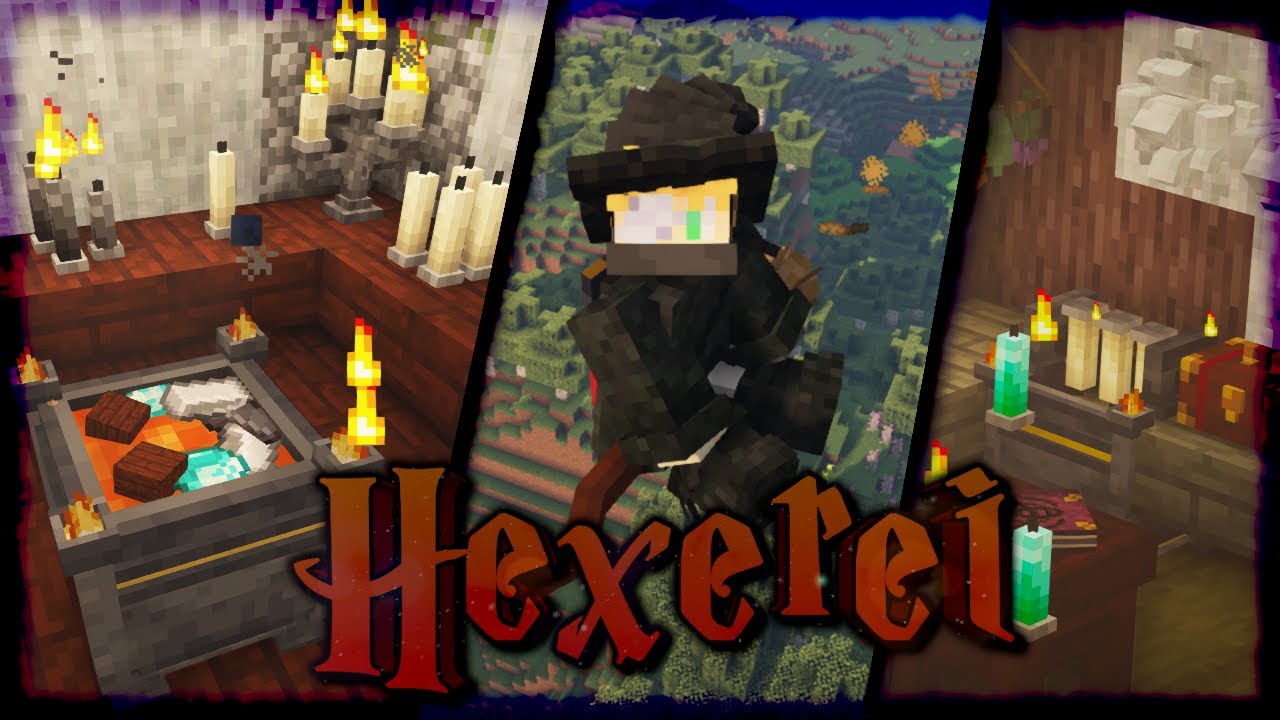
Like? 👆
🥂 Gaming Channel: https://www.youtube.com/c/yorkmouse
👾 Join my Friend's Discord: https://discord.gg/4frB48Y7Qf
🥽 Shader: https://www.curseforge.com/minecraft/customization/bsl-shaders
📄 Resourcepack: https://www.curseforge.com/minecraft/texture-packs/unity-dark-edition/files
Mod: https://www.curseforge.com/minecraft/mc-mods/hexerei
0...
Thee broom part is at the end
They say there's tips to not glitch through it
The brushes on the bottom have durability too iirc
So have a backup on you
jovial radish
Ah
jovial radish
warm egret
https://youtu.be/0EITuNiow9c
Highly appreciate it and I'm sorry for not doing research before hand.
Would've, but, I've got a mahogany broom already made and I'm just waiting to use it.
warm egret
👍
orchid gale
quiet cape
lol i found diamonds at Y=-22
What mmc version?
jade tinsel
Vanilla was Y=11 before the Caves & Cliffs update and stuff though
quiet cape
i play 1.19
orchid gale
quiet cape
i play 1.19
Haha, vanilla is -55... or somewhere around there.
jagged dove
quiet cape
i am quite sure it can be done in less than 24h
Depends on what the end goal is. Killing a last boss, finishing the questbook.. etc
jovial radish
Quick question: Since you can Stack Coffer's in the inventory ( Note, playing 1.19.2 V16 ) if they have the same items in the same places... Is that a REALLY bad idea to do for more than 2-4 at once? Or shouldn't be done at all?
quiet cape
yo how do i craft a research table?
 jovial radish
 marble coral
yo is netherite better than tungsten
marble coral
yo is netherite better than tungsten
Depends on what you want, if you're using tetra.
jagged dove
marble coral
yo is netherite better than tungsten
Netherite is more durable then Tungsten but Tungsten is faster
jovial radish
jagged dove
Netherite is more durable then Tungsten but Tungsten is faster
Tungsten doesn't have the same mining tier as well, if I recall.
IE: Tungsten is equivalent to Diamond Mining Tier, if I Recall.
jagged dove
jovial radish
Tungsten doesn't have the same mining tier as well, if I recall.
Should be same as Diamond. Forgot
jovial radish
jagged dove
Should be same as Diamond. Forgot
Tungsten IS good if of which you want Speed Though in terms of Tetra Tools while having more durability.
Honestly: A Gold Axe Head + Efficiency and Speed Honing with a War Forged Netherite Or Steel Tool-Butt ( Whichever is better for you. Durability or ease of repairs. ) + Twilight Oak Handle with a Hoglin Skin Wrap and Binding.
Is what I consider best.
For an Axe, at least.
Well, At least 'till ya get to the end.
quiet cape
what can i do to counter blaze fire damage?
is there any other option than potions?
also i see Java takes out 75-80% of my CPU
how can i reduce CPU usage?
 plush coyote
hey folks, is it possible to move things in your hud around? i've kind of got a pile of random junk here and i want to adjust it
 quiet cape
well you need to open the mod config independently
lament sand
hybrid walrus
very powerful but only when you advance rather far in the mod and have extremely...
thank you : )
How do I open a backpack
B doesn’t work

quiet cape
does anyone know how to add health bars to mobs like show them over their head like in wow?
jade tinsel
You could use Neat
quiet cape
thx
is it compatible with 1.19?
whats the best armor after netherite?
usable in the overworld
i need better CPU
it is always at 100% with MC open
im stuck
i have no idea where to search eyes
nimble oasis
quiet cape
whats the best armor after netherite?
i think just try to get armour with attributes
quiet cape
i went to the nether and i have preety muc h everything
i have no idea where to find the 12 eyes
nimble oasis
its on the mod page
quiet cape
how do i become overpowered?
after diamond?
i see even normal mobs do a ton of damage
10 hearts is not enough
tribal edge
quiet cape
how do i become overpowered?
You could go grind gems and try to slot health gems into your armor, but if you’re not playing with Apotheosis on then you can go to the Blue Skies dimensions and get the rune arcs, one of them gives you 3 extra health.
Ars Noverau gives you the ability to create some whacky utility spells and some pretty strong armor, but it requires an investment to learn the mod.
Tetra tools are pretty OP when you get the forge going, but you have to locate that structure in a cold biome.
If you feel overpowered enough at any point, fight the Sons of Sins bosses. Little bastards are tough.
Twilight forest also give some good gear in the form of Knight-metal and boss weapons.
Also the new passive skills system was added, I don’t know anything about it but I saw there were some health increases involved down certain trees.
lament sand
What does it mean that minecraft has crashed due to not having enough space
i play on a server
tribal edge
lament sand
What does it mean that minecraft has crashed due to not having enough space
You need to allocate more ram to either your client or the server
I believe for lunapixel packs it’s around 5 gigs of ram
lament sand
for better mc works fine at 5
Medival is at 7
But i have like times where my svreen freezes for like a few seconds
tribal edge
Try 8, it’s not much more from what I’ve seen others say
tribal edge
Then no idea
lament sand
because i never played single player
but single player with 5 on better mc never had an issue
Thank you anways ill do what u said
8
: )

 ionic fossil
Just switched to this modpack from Better MC but first experience isn't great... 30 minutes in and ticks froze up.
Log says "[pool-13-thread-1/WARN]: Suspicious async chunkload, pass -Dmodernfix.debugBadChunkloading=true for more details" at the point everything freezes up but nothing really stands out. Anyone knows what could be causing the game to no longer update ticks?
 north gale
@jagged dove thanks for direction lol
Hello can someone help me with setting up medieval mc server? I mean I have a server already but it has like jumps between 2-40 fps when on someones server I have stable 100 fps
jagged dove
north gale
Hello can someone help me with setting up medieval mc server? I mean I have a se...
u mean tps?
oh nvm js read it again
jagged dove
north gale
Hello can someone help me with setting up medieval mc server? I mean I have a se...
#faq performance guide
 lament sand

Okie
Could someone suggest good swords to get
Personally no clue what’s easy to get
I’m currently using this
Which is something apparently almost everyone gets
 north gale
jagged dove
<#815503531611783179> performance guide
north gale
jagged dove
<#815503531611783179> performance guide
its client performance and I think I have problem with my server, cause on other server I have more than enough fps, thats why I need help with setting it up 😦
jagged dove
north gale
its client performance and I think I have problem with my server, cause on other...
What problem with your server? Your server shouldnt affect fps.
orchid gale
north gale
its client performance and I think I have problem with my server, cause on other...
are you playing a different origin?
north gale
jagged dove
What problem with your server? Your server shouldnt affect fps.
idk but like I said on my server I have max 40 fps, on someone's server from browse servers I have normal 40, and its from the same hosting site etc
north gale
orchid gale
are you playing a different origin?
what is origin XD
lament sand
Question for the boys
 jagged dove
north gale
what is origin XD
jagged dove
north gale
what is origin XD
the thing you choose when you login
warm egret
The mod
jagged dove
lament sand
Question for the boys
#faq performance guide
warm egret
You can be like
lament sand
lament sand
Question for the boys
Do I allocate more ram into the forge client or does that not help
lament sand
jagged dove
<#815503531611783179> performance guide
No I did everything
jagged dove
lament sand
Do I allocate more ram into the forge client or does that not help
!ramargs
orchid gale
- Double click the start.ps1 instead of opening with Powershell
- On line 16, where it says $JavaArgs, you can add your args there.
-Xmx8G will set your maximum memory usage to 8 gigabytes.
lament sand
Ik I did
jagged dove
how much ram did you allocate
jagged dove
how much ram do you have
north gale
jagged dove
the thing you choose when you login
on my Im soul mage, on other blazeborn but on my server fps on any origin sucks
lament sand
16i think
orchid gale
north gale
on my Im soul mage, on other blazeborn but on my server fps on any origin sucks
that is why
please check pins
soul mage has an FPS issue
north gale
ohhh
orchid gale
50-70% decrease
north gale
shiiiiiet XD I was fcking with this for 3 days
lament sand
 lament sand
jagged dove
how much ram do you have
lament sand
jagged dove
how much ram do you have
16 gigs
orchid gale
warm egret
That's a big drop
yea origins forge is doing something really wonky with "block_in_radius"
its an unofficial port and they have like 150 open github issues so
idk
orchid gale
lichrally
jagged dove
orchid gale
How do I get started with my base I killed killed a few times haha
honestly I didnt even have a roof over my head. I just put a bed down and called it my base
orchid gale
dam
lament sand
In English we call it homeless
 zinc geyser
hey, is medieval having any problems with that malware thing happening on forge or am i way late and it fixed?
jagged dove
zinc geyser
hey, is medieval having any problems with that malware thing happening on forge ...
#announcements fixed
zinc geyser
ok, thank you. and sorry i just now joined specifically to know just that
lament sand

Interesting
Somehow crashed
I always have like a freeze at random times every 30min for 5 seconds
orchid gale
jagged dove
honestly I didnt even have a roof over my head. I just put a bed down and called...
based, only way to play
lament sand
Otherwise it’s smoothish
hybrid walrus
jagged dove
honestly I didnt even have a roof over my head. I just put a bed down and called...
Yeah, I typically make "camps" nowadays and just claim the chunks
slim gyro
is mining the only way to get cobblestone its just to tedious with just 1 person
lament sand
You can make villagers like for them
slim gyro
normal villagers or the minecolonies ones
lament sand
Minecolonies
lament sand
It’s easy
Just feed them
And give them a tool
Defend them
Fight the waves of enemies they get
And build their mining hut

tribal edge
Also farm a shit ton of decoration Materials just to actually build their stupid hit
Because for the love of god, they refuse to work without that one piece of orange wool
Literally the old Openblocks Mini Me was so much less hassle with greater payoff than an entire minecolonies village
ionic fossil
anyone knows what's going on? Chunks aren't loading, items aren't dropping, water isn't flowing, can't leave my boat,... All I can do is move in already loaded chunks and break blocks (without items dropping)
 quiet cape
hello guys!
the zweihander is the best weapon rite?
in 1.19
i think netherite can get to 20 damage
lament sand
ionic fossil
anyone knows what's going on? Chunks aren't loading, items aren't dropping, wate...
Have you tried turning it off and on

Anybody knows what this means I’m trying to increase my fps as I have screen freezes occasionally
If it gets laggy
Should I increase my ram from 8 to 9
I have 16g
tribal edge
Looks like adding more ram isn’t going to help. You should refer to the performance guide to try to optimize as you have plenty of ram allocated.
orchid gale
 restive quail
yo does this pack have stalwart dungeons?
jagged dove
restive quail
yo does this pack have stalwart dungeons?
yes #faq
 wispy frost
is there a reason this is showing up everytime i press play? i did the following steps in the announcements, but nothing worked.
 jagged dove
wispy frost
is there a reason this is showing up everytime i press play? i did the following...
jagged dove
wispy frost
is there a reason this is showing up everytime i press play? i did the following...
!alternates
orchid gale
If this command was run in response to your question/issue, it is likely because switching away from the launcher you are currently using would fix your problem.
From our experience, the most stable launcher by far is ATLauncher, also known as ATL.
To install ATLauncher, do the following:
1. Go to https://atlauncher.com/download
2. Install and run the setup, then open the program.
3. Login to your Microsoft account that owns the Java Edition of Minecraft from the Accounts tab on the right. This process is 100% safe, as it goes directly through Microsoft. ATLauncher does not see your account credentials.
4. Go to the Packs tab on the right, then click "Curseforge" on the left.
5. Search the modpack you wish to download.
6. Click "New Instance". Click "Ok" on the opted out mods warning, then click "Open All" on the manual download screen.
7. Let the mods download, ATLauncher will grab them from your Downloads folder and automatically add them to the modpack.
8. Go to the Instances tab, and click "Play" on the modpack you downloaded. If you ever see an "Update" button on the instance, click it.
To transfer your Curseforge world to ATLauncher, simply right click the modpack on Curseforge, or click the 3 dots, then click "Open Folder". Copy the Saves folder, then click "Open Folder" on ATLauncher and paste the Saves folder there.
Because ATLauncher downloads the exact same files as Curseforge does, your world will be the exact same and you will be able to join the same servers. ATLauncher also works without an internet connection (after you've installed the modpack, of course), and does not have any bloat from Overwolf. You are free to uninstall both Overwolf and Curseforge with ATLauncher installed.
wispy frost
ive tried both curseforge fixes, and trying to switch over to atl and it still doesnt work
slim gyro
you can walk through normal brick blocks
lean dagger
lament sand
What does it mean that minecraft has crashed due to not having enough space
!moreinfo
orchid gale
Hello! For us to properly help you with your issue, you will need to answer all 8 questions below. Post the answers in this channel:
1. Have you modified the modpack in any way? If so, what did you do? (Updating/adding/removing mods, changing configs)
2. What launcher, or program, are you using to launch the game? (CurseForge, ATLauncher, etc)
3. What Minecraft version are you playing? (1.18.2, 1.16.5, 1.19.2)
4. What version of the modpack are you playing? (v11, v9, etc)
5. What steps are necessary to reproduce the crash? (Launching the game, exploring the world, etc)
6. Have you ever gotten past the point where the crash happens?
7. Send the crash report file into this channel. Right click the modpack, Open Folder, and navigate to the Crash Reports folder. Drag the newest one here. If there is no crash reports folder, do the same thing with the latest.log file in the logs folder.
8. Did you follow the Performance guide linked in #faq?
lean dagger
ionic fossil
Just switched to this modpack from Better MC but first experience isn't great......
!moreinfo
orchid gale
Hello! For us to properly help you with your issue, you will need to answer all 8 questions below. Post the answers in this channel:
1. Have you modified the modpack in any way? If so, what did you do? (Updating/adding/removing mods, changing configs)
2. What launcher, or program, are you using to launch the game? (CurseForge, ATLauncher, etc)
3. What Minecraft version are you playing? (1.18.2, 1.16.5, 1.19.2)
4. What version of the modpack are you playing? (v11, v9, etc)
5. What steps are necessary to reproduce the crash? (Launching the game, exploring the world, etc)
6. Have you ever gotten past the point where the crash happens?
7. Send the crash report file into this channel. Right click the modpack, Open Folder, and navigate to the Crash Reports folder. Drag the newest one here. If there is no crash reports folder, do the same thing with the latest.log file in the logs folder.
8. Did you follow the Performance guide linked in #faq?
lean dagger
lament sand
!moreinfo
orchid gale
Hello! For us to properly help you with your issue, you will need to answer all 8 questions below. Post the answers in this channel:
1. Have you modified the modpack in any way? If so, what did you do? (Updating/adding/removing mods, changing configs)
2. What launcher, or program, are you using to launch the game? (CurseForge, ATLauncher, etc)
3. What Minecraft version are you playing? (1.18.2, 1.16.5, 1.19.2)
4. What version of the modpack are you playing? (v11, v9, etc)
5. What steps are necessary to reproduce the crash? (Launching the game, exploring the world, etc)
6. Have you ever gotten past the point where the crash happens?
7. Send the crash report file into this channel. Right click the modpack, Open Folder, and navigate to the Crash Reports folder. Drag the newest one here. If there is no crash reports folder, do the same thing with the latest.log file in the logs folder.
8. Did you follow the Performance guide linked in #faq?
lean dagger
ionic fossil
anyone knows what's going on? Chunks aren't loading, items aren't dropping, wate...
did you disable the resourcepack yourself
lean dagger
lament sand
Anybody knows what this means I’m trying to increase my fps as I have screen fre...
just dont click
let it load
lean dagger
wispy frost
is there a reason this is showing up everytime i press play? i did the following...
!moreinfo
orchid gale
Hello! For us to properly help you with your issue, you will need to answer all 8 questions below. Post the answers in this channel:
1. Have you modified the modpack in any way? If so, what did you do? (Updating/adding/removing mods, changing configs)
2. What launcher, or program, are you using to launch the game? (CurseForge, ATLauncher, etc)
3. What Minecraft version are you playing? (1.18.2, 1.16.5, 1.19.2)
4. What version of the modpack are you playing? (v11, v9, etc)
5. What steps are necessary to reproduce the crash? (Launching the game, exploring the world, etc)
6. Have you ever gotten past the point where the crash happens?
7. Send the crash report file into this channel. Right click the modpack, Open Folder, and navigate to the Crash Reports folder. Drag the newest one here. If there is no crash reports folder, do the same thing with the latest.log file in the logs folder.
8. Did you follow the Performance guide linked in #faq?
lean dagger
wispy frost
ive tried both curseforge fixes, and trying to switch over to atl and it still d...
!moreinfo
orchid gale
Hello! For us to properly help you with your issue, you will need to answer all 8 questions below. Post the answers in this channel:
1. Have you modified the modpack in any way? If so, what did you do? (Updating/adding/removing mods, changing configs)
2. What launcher, or program, are you using to launch the game? (CurseForge, ATLauncher, etc)
3. What Minecraft version are you playing? (1.18.2, 1.16.5, 1.19.2)
4. What version of the modpack are you playing? (v11, v9, etc)
5. What steps are necessary to reproduce the crash? (Launching the game, exploring the world, etc)
6. Have you ever gotten past the point where the crash happens?
7. Send the crash report file into this channel. Right click the modpack, Open Folder, and navigate to the Crash Reports folder. Drag the newest one here. If there is no crash reports folder, do the same thing with the latest.log file in the logs folder.
8. Did you follow the Performance guide linked in #faq?
 sharp gorge
love how he sits there while the town hall is being built up around him
 lean dagger
it more looks like hes sinking
orchid gale
lean dagger
it more looks like hes sinking
Yeah, the stuff below him looks like sand.
lament sand
Pls help me I’m under the sand
sharp gorge
LMAOO
wispy frost
orchid gale
Hello! For us to properly help you with your issue, you will need to answer all ...
- no
- curseforge
- 1.19.2
- v16.zip
- launching the game/pressing play in the minecraft launcher
- no
- https://mclo.gs/rsjsYIa
- yes
orchid gale
But also dirt.
lean dagger
wispy frost
1. no
2. curseforge
3. 1.19.2
4. v16.zip
5. launching the game/pressing play in ...
!alternates
orchid gale
If this command was run in response to your question/issue, it is likely because switching away from the launcher you are currently using would fix your problem.
From our experience, the most stable launcher by far is ATLauncher, also known as ATL.
To install ATLauncher, do the following:
1. Go to https://atlauncher.com/download
2. Install and run the setup, then open the program.
3. Login to your Microsoft account that owns the Java Edition of Minecraft from the Accounts tab on the right. This process is 100% safe, as it goes directly through Microsoft. ATLauncher does not see your account credentials.
4. Go to the Packs tab on the right, then click "Curseforge" on the left.
5. Search the modpack you wish to download.
6. Click "New Instance". Click "Ok" on the opted out mods warning, then click "Open All" on the manual download screen.
7. Let the mods download, ATLauncher will grab them from your Downloads folder and automatically add them to the modpack.
8. Go to the Instances tab, and click "Play" on the modpack you downloaded. If you ever see an "Update" button on the instance, click it.
To transfer your Curseforge world to ATLauncher, simply right click the modpack on Curseforge, or click the 3 dots, then click "Open Folder". Copy the Saves folder, then click "Open Folder" on ATLauncher and paste the Saves folder there.
Because ATLauncher downloads the exact same files as Curseforge does, your world will be the exact same and you will be able to join the same servers. ATLauncher also works without an internet connection (after you've installed the modpack, of course), and does not have any bloat from Overwolf. You are free to uninstall both Overwolf and Curseforge with ATLauncher installed.
wispy frost
lean dagger
GPU drivers
it says my drivers is up to date :/ and ive tried ATLauncher it also didnt work
lean dagger
your gpu drivers are out of date
wispy frost
lean dagger
your gpu drivers are out of date
 orchid gale
windows driver update 
orchid gale
wispy frost
 frail garnet
Guys, is there an easy way to install medieval mc with forge on an ubuntu server?
I'm pushing all mods manually, and it's quite time consuming
lean dagger
use the serverpack
wispy frost
 lean dagger
wispy frost
frail garnet
lean dagger
use the serverpack
lean dagger
wispy frost
frail garnet
lean dagger
use the serverpack
This is what I can't find.
CurseForge only has the client pack.
lean dagger
the modpacks curseforge page
it has the serverpack
click on the latest client pack and scroll down
frail garnet
kill me
it's there
thank you
I see it throws a bunch of exceptions .. is that normal?
frail garnet
ok ok, ty
dusk fable
anyone know where to find the config file for ftbchunks? I want to disable force chunk loading to reduce server tps
cant find it in the config
 lean dagger
dusk fable
cant find it in the config
lean dagger
dusk fable
cant find it in the config
serverconfig folder
dusk fable
lean dagger
serverconfig folder
it doesnt exist?
 shut kernel
anyone knows if there's any news if create is coming to this modpack?
lean dagger
no
shut kernel
damn :((
jovial radish
Question: How Bloody Rare are Nether Cities ( End City Styled Structures in the Nether )?
hybrid walrus
jovial radish
Question: How Bloody Rare are Nether Cities ( End City Styled Structures in the ...
afaik, pretty rare
jovial radish
hybrid walrus
afaik, pretty rare
Well: Found one thanks to a map.
I literally had to go 16K blocks out to get to it.
hybrid walrus
Sounds about right
hybrid walrus
Some places are rare, is what it is
hybrid walrus
not sure tbh
jovial radish
As in: Blast furnace speeds with everything that can be cooked / smelted?
Eh, it'd be frustrating if there isn't.
But, hell, work with what's there.
Oh, also?
Beyond bloody Glad I discovered the Nether Chests.
Though, question.
How do you tend to spec with Passive Skill System?
hybrid walrus
I haven't played this very much and certainly haven't done the passive skill tree system. I'd probably go with whatever can get me the most damage passively and doesn't interfere with apotheosis as apotheosis over all else
jovial radish
Ah
There is actually a skill tree for Enchantment boosts.
Not sure how it'd work with Apotheosis.
hybrid walrus
that's probably what i'd go with assuming it is compatible with apoth
hybrid walrus
apotheosis and enchantments are powerful enough to cover all that
I would just go with whatever could potentially boost that even more
jovial radish
True, I'm talking about Early Game Survivability though.
This is my build.

Plus: I Play in Hardcore, so ANY boosts to Survivability, I'm taking really.
hybrid walrus
Fair enough
hybrid walrus
That sounds good
hybrid walrus
yes
jovial radish
It can go from 8 base armor, to 20 with that setup + Up to I Believe 4.75 Armor Toughness.
If you're lucky when crafting it.
That's for the Knight Armor.
Now Think about doing so with Ultimerite?
hybrid walrus
or even netherite-infused incorythe, assuming abyss is in this version
hybrid walrus
I see, ultimerite then for sure
jovial radish
But really though. The Enchantment side of the tree though?
hybrid walrus
I mean, maybe, idk for sure as I haven't done anything with passive skill tree and probably won't get into this pack. Too much time invested into fabric mmc and now prominence
jovial radish
Well: Up to 20% chance for free enchantments, gaining life when hitting things, Extra Damage and Crit Chance with Enchanted weapons, Extra damage per level of enchantment...
Along with chances to Increase the Tier of the Enchantment when enchanting, and more.
And Ah
hybrid walrus
The damage and crit chance sounds nice, along with gaining life, essentially my style of things typically. Apoth is a little different as I use something different for damage with that but I assume that would work with a weapon with Apoth affixes and gem slots
jovial radish
hybrid walrus
The damage and crit chance sounds nice, along with gaining life, essentially my ...
Oh, neat thing? Passive has it's OWN gem's that can be slotted into things.
Which Don't Take Up Apotheosis slots.
hybrid walrus
All the gems
jovial radish
With which: Here's a funny thing?
The Passive Skill System's Gem's are kinda weak at first, but...
Well: Life Regen when inserted into a helmet, and life on hit when in a weapon, + being able to slot, depending on build, up to 3 into a single weapon?
Mine doesn't allow that, but, mine has extra loot chance ( 45% for Double, 5% for Triple. This Stacks with Looting and such. )
And can Also Stack with a Loot Piñata Effect.
Get lucky enough for a Loot Piñata Effect to activate with high looting and it kicks on the triple?
Good Luck having enough space to hold it all.
weary orbit
I have my crash report if anyone wants to look through it and see what's wrong...
Exit Code: 1
on forge
tried on Atlauncher and still crashes
lean dagger
weary orbit
I have my crash report if anyone wants to look through it and see what's wrong.....
!moreinfo
orchid gale
Hello! For us to properly help you with your issue, you will need to answer all 8 questions below. Post the answers in this channel:
1. Have you modified the modpack in any way? If so, what did you do? (Updating/adding/removing mods, changing configs)
2. What launcher, or program, are you using to launch the game? (CurseForge, ATLauncher, etc)
3. What Minecraft version are you playing? (1.18.2, 1.16.5, 1.19.2)
4. What version of the modpack are you playing? (v11, v9, etc)
5. What steps are necessary to reproduce the crash? (Launching the game, exploring the world, etc)
6. Have you ever gotten past the point where the crash happens?
7. Send the crash report file into this channel. Right click the modpack, Open Folder, and navigate to the Crash Reports folder. Drag the newest one here. If there is no crash reports folder, do the same thing with the latest.log file in the logs folder.
8. Did you follow the Performance guide linked in #faq?
lament sand
Is this something which needs to be fixed
If you have 35/35 health

It doesn’t show the full heart
Which is odd
ionic fossil
lean dagger
did you disable the resourcepack yourself
Yes. I disabled Excalibur and Stoneborn as I am not fond of the changed look. But I figured changing only the textures and UI couldn't hurt.
Honestly, I think the instance might just be corrupted. First time I tried launching it, it initially crashed. Just installed another instance (same versions etc. 1.19.2 v16), disabled the same textures and managed to travel further out already without any issues
 solid jackal
jade tinsel
solid jackal
jade tinsel
Disabling Stoneborn after I spent so much time making the new Modded UI support... 😔
 hoary topaz
what is the best weapon in this modpack?
how do i get rid of the fear effect in the abyss?
jovial radish
Well: I was messing around with the Tetra Hammer, Right? Specifically: The Quarry Hammer.... I got a very... Interesting Result, when I used it with Apotheosis...
Let me post the picture.

That, is just the Damage.
What it Did when I used It?


 hoary topaz
its all black
hoary topaz
crazy.
jovial radish
Because of the fact that, even with Unbreaking V, and ignoring a Very Significant Amount of Durability Damage?
It Break Over 6K Blocks, I think.
In the span of a few seconds.
hoary topaz
crazy.
jovial radish
Put this simply? I wasn't expecting that.