#better-mc-forge
1 messages · Page 409 of 1
 bold rover
bmc has weird biomes
well
ab that
i swapped out the map mods cus xaeros causes undesirable alg for me
hidden dont yell at me
bold rover
ye
 agile cradle
explain things
 shut pond
can anyone help? what does this mean for me will it corrupt my world or what
agile cradle
plz
bold rover
id have to video it to show you
having xaeros worldmap makes the chunk loading super laggy for wtv reason and it hink thats also why it randomly deletes chunks lol
agile cradle
shut pond
can anyone help? what does this mean for me will it corrupt my world or what
what launcher you using
bold rover
not like
 fast rock
bold rover
i swapped out the map mods cus xaeros causes undesirable alg for me
fast rock
bold rover
i swapped out the map mods cus xaeros causes undesirable alg for me
you could tone down the amount of resources xaeros uses
agile cradle
For me it's the dang whales and such causing butt tons of lag breaking ice
bold rover
i just replaced it with ftb chunks cus tbh i dont use the map much anyway
agile cradle
oh and I got an Aether Dragon egg within first hour of playing a world under water 
bold rover
but i do also prefer not frame dropping when exploring already explored chunks
which was another issue with that?
agile cradle
did you say you use prism instead of atl?
agile cradle
kk it's one of the other yellow bellies then 
bold rover
hazel uses prism i think cus mac
agile cradle
One of ya'll from the testing group said you use prism
agile cradle
def after yes thankies
bold rover
here sec ill duplicate the instance and show you
shut pond
agile cradle
what launcher you using
atlauncher
agile cradle
shut pond
atlauncher
did you make any sort of changes recently
shut pond
i updated from v26 better minecraft to v39 like 2 weeks ago but everything was fine until yesterday when i would start lagging HARD after a while in an acnient city and now today it shows this.
agile cradle
could you make a new instance and throw a copy of the world over into it?
shut pond
let me try it
 fast rock
Gamerunner, scalacube ig
 untold nest
It's missing the FTB mods/configs
 ebon charm
That’s what I added and it essentials was saying it’s not compatible
 versed mountainBOT
The Essential mod is completely incompatible with all of our modpacks, and there's no reason to use it. All of our modpacks already come with built-in, free world hosting, by clicking the "Share World' button in the Open to LAN menu. You can learn more by typing !ws in the #bots channel. You can also run type !server in the same channel to learn how to properly host a server for better performance and more flexibility. In modpacks that aren't owned by us, you can use mods such as e4mc or WorldHost to host a server completely for free without Essential's many issues and crashes and the microtransactions that they constantly bother users with. To learn more about alternatives to the Essential mod, check out this website.
ebon charm
So I tried it on a different mod pack with essential and it’s fine
untold nest
fast rock
Gamerunner, scalacube ig
Did it auto install or did you install it?
fast rock
fast rock
this is my friends ss, I can run the game fine with ATL launcher with no FTB errors
agile cradle
we don't support essential at all. and it's not needed
fast rock
She is also using ATL and downloaded the v39 yesterday but same issue
untold nest
fast rock
this is my friends ss, I can run the game fine with ATL launcher with no FTB err...
Did you download the FTB mods when it asked you?
agile cradle
fast rock
She is also using ATL and downloaded the v39 yesterday but same issue
did you have scalacube preinstall the pack, or did you do it manually
fast rock
untold nest
Did it auto install or did you install it?
The server owner downloaded it, but when we want to play we need to install gamerunner and play
untold nest
You don't need any extra software wdym
fast rock
Sometimes it shows cannot connect to server until I open gamerunner
agile cradle
don't use scala then
fast rock
But yeah I agree on other cases I did not need to
agile cradle
that's concerning as heck. your friend did something sus for the server
shut pond
agile cradle
could you make a new instance and throw a copy of the world over into it?
i forgot how to put my world into a new instance could you spare a short explanation of what file i need to copy and paste where?
agile cradle
The packs and server hosting should not be required to use external software at all to run
agile cradle
shut pond
i forgot how to put my world into a new instance could you spare a short explana...
!alternates at the bottom
versed mountainBOT
If this command was run in response to your question/issue, it is likely because switching away from the launcher you are currently using would fix your problem.
From our experience, the most stable launcher by far is ATLauncher, also known as ATL. Keep in mind that ATL is NOT related to TLauncher in any way, and is not a cracked launcher.
To install ATL, do the following:
1. Go to https://atlauncher.com/download. If you are on MacOS, then choose the "Jar" version under the "Other" tab.
2. Install and run the setup, then open the program.
3. Login to your Microsoft account that owns the Java Edition of Minecraft from the Accounts tab on the right. This process is 100% safe, as it goes directly through Microsoft. ATL doesn't see your account credentials.
4. Go to the Packs tab on the right, then click "Curseforge" on the left.
5. Search the modpack you wish to download.
6. Click "Install". Then, follow the on-screen directions.
7. Go to the Instances tab, and click "Play" on the modpack you downloaded. If you ever see an "Update" button on the instance, click it.
This video explains the process: https://youtu.be/xMYW1wMbmkM
To transfer your Curseforge world to ATL, simply right click the modpack on Curseforge, or click the 3 dots, then click "Open Folder". Copy the Saves folder, then click "Open Folder" on ATL and paste the Saves folder there. Do the same with the XaerosMinimap folder, or the Journeymap folder, to transfer over any waypoints you've created.
Because ATL downloads the exact same files as Curseforge does, your world will be the exact same and you will be able to join the same servers. ATL also works without an internet connection (after you've installed the modpack, of course), and does not have any bloat from Overwolf. You are free to uninstall both Overwolf and Curseforge with ATL installed.
fast rock
Hmm, unsure on that as she just uses scala to host the server, and uses the gamerunner to turn on the server incase if it was off.
agile cradle
she just has to turn it on from scala's site
fast rock
Weird that I have no issues joining, but other people have it
fast rock
agile cradle
she just has to turn it on from scala's site
Right..
agile cradle
so she doesn't need gamerunner
ah. it's owned by scalacube...
that's so suspicious
fast rock
idkk, we took hours to figure out how to get the server up hahah
and this method worked with minimal lag
agile cradle
!server
versed mountainBOT
Free Method
To host a server on your own computer, read the selfhosting guide.
This guide goes over how to install, create, and launch a free Minecraft server on all operating systems (MacOS, Linux and Windows). The guide also guides you through installing Java and optimizing your server for better performance.
If you are installing one of our older modpacks, ignore the "README" file that is included in the serverpack files, as they have outdated information.
Paid Method
We suggest renting a server from Bisect Hosting:
Approx. $10 - $25 a month depending on what plan you choose. You can also get 25% off with Code LunaPixel.
Go here and order a plan which fits you. We suggest 1GB per player but nothing lower than 4GB as the server needs at least 3GB to run.
Go to #server-hosting for more Info!
The following advice works for both the Free and Paid methods:
Transferring Your World
If you're playing Singleplayer and want to transfer your world to your server, simply go to your modpack files and navigate to the saves folder. Inside of this folder, you will see your world saves. Rename your desired world save to world. You can then transfer this folder to your server files. If your world was hosted via world sharing, this process has to be done by the person who would click "Share World".
Fixing Lag
To resolve lag issues, simply run the !tps command in #bots and follow the directions provided.
 viral garden
place a bell down and ring it to see where pillagers are
update to v39
Please read the full contents of the #get-support channel for us to provide assistance.
!alternates
versed mountainBOT
If this command was run in response to your question/issue, it is likely because switching away from the launcher you are currently using would fix your problem.
From our experience, the most stable launcher by far is ATLauncher, also known as ATL. Keep in mind that ATL is NOT related to TLauncher in any way, and is not a cracked launcher.
To install ATL, do the following:
1. Go to https://atlauncher.com/download. If you are on MacOS, then choose the "Jar" version under the "Other" tab.
2. Install and run the setup, then open the program.
3. Login to your Microsoft account that owns the Java Edition of Minecraft from the Accounts tab on the right. This process is 100% safe, as it goes directly through Microsoft. ATL doesn't see your account credentials.
4. Go to the Packs tab on the right, then click "Curseforge" on the left.
5. Search the modpack you wish to download.
6. Click "Install". Then, follow the on-screen directions.
7. Go to the Instances tab, and click "Play" on the modpack you downloaded. If you ever see an "Update" button on the instance, click it.
This video explains the process: https://youtu.be/xMYW1wMbmkM
To transfer your Curseforge world to ATL, simply right click the modpack on Curseforge, or click the 3 dots, then click "Open Folder". Copy the Saves folder, then click "Open Folder" on ATL and paste the Saves folder there. Do the same with the XaerosMinimap folder, or the Journeymap folder, to transfer over any waypoints you've created.
Because ATL downloads the exact same files as Curseforge does, your world will be the exact same and you will be able to join the same servers. ATL also works without an internet connection (after you've installed the modpack, of course), and does not have any bloat from Overwolf. You are free to uninstall both Overwolf and Curseforge with ATL installed.
viral garden
!alternates
versed mountainBOT
If this command was run in response to your question/issue, it is likely because switching away from the launcher you are currently using would fix your problem.
From our experience, the most stable launcher by far is ATLauncher, also known as ATL. Keep in mind that ATL is NOT related to TLauncher in any way, and is not a cracked launcher.
To install ATL, do the following:
1. Go to https://atlauncher.com/download. If you are on MacOS, then choose the "Jar" version under the "Other" tab.
2. Install and run the setup, then open the program.
3. Login to your Microsoft account that owns the Java Edition of Minecraft from the Accounts tab on the right. This process is 100% safe, as it goes directly through Microsoft. ATL doesn't see your account credentials.
4. Go to the Packs tab on the right, then click "Curseforge" on the left.
5. Search the modpack you wish to download.
6. Click "Install". Then, follow the on-screen directions.
7. Go to the Instances tab, and click "Play" on the modpack you downloaded. If you ever see an "Update" button on the instance, click it.
This video explains the process: https://youtu.be/xMYW1wMbmkM
To transfer your Curseforge world to ATL, simply right click the modpack on Curseforge, or click the 3 dots, then click "Open Folder". Copy the Saves folder, then click "Open Folder" on ATL and paste the Saves folder there. Do the same with the XaerosMinimap folder, or the Journeymap folder, to transfer over any waypoints you've created.
Because ATL downloads the exact same files as Curseforge does, your world will be the exact same and you will be able to join the same servers. ATL also works without an internet connection (after you've installed the modpack, of course), and does not have any bloat from Overwolf. You are free to uninstall both Overwolf and Curseforge with ATL installed.
viral garden
!server
versed mountainBOT
Free Method
To host a server on your own computer, read the selfhosting guide.
This guide goes over how to install, create, and launch a free Minecraft server on all operating systems (MacOS, Linux and Windows). The guide also guides you through installing Java and optimizing your server for better performance.
If you are installing one of our older modpacks, ignore the "README" file that is included in the serverpack files, as they have outdated information.
Paid Method
We suggest renting a server from Bisect Hosting:
Approx. $10 - $25 a month depending on what plan you choose. You can also get 25% off with Code LunaPixel.
Go here and order a plan which fits you. We suggest 1GB per player but nothing lower than 4GB as the server needs at least 3GB to run.
Go to #server-hosting for more Info!
The following advice works for both the Free and Paid methods:
Transferring Your World
If you're playing Singleplayer and want to transfer your world to your server, simply go to your modpack files and navigate to the saves folder. Inside of this folder, you will see your world saves. Rename your desired world save to world. You can then transfer this folder to your server files. If your world was hosted via world sharing, this process has to be done by the person who would click "Share World".
Fixing Lag
To resolve lag issues, simply run the !tps command in #bots and follow the directions provided.
 vital bison
viral garden
place a bell down and ring it to see where pillagers are
vital bison
viral garden
place a bell down and ring it to see where pillagers are
thx thank you
shut pond
agile cradle
!alternates at the bottom
ok i did it but its a version of my world from a week ago what happened?
agile cradle
shut pond
ok i did it but its a version of my world from a week ago what happened?
likely there was some information that could have gotten corrupted so it fell back to an earlier time
shut pond
agile cradle
likely there was some information that could have gotten corrupted so it fell ba...
nevermind idk what i did but i fixed it and put my latest world save in the folder and it shows the screenshot again so im back to square 1
 agile cradle
shut pond
nevermind idk what i did but i fixed it and put my latest world save in the fold...
agile cradle
shut pond
nevermind idk what i did but i fixed it and put my latest world save in the fold...
use the older version
 pliant cloak
can someone let me know whats wrong with this keeps happening after like 10 minutes after playing and basiclly messes my whole pc up for like 10 seconds??? https://mclo.gs/6a29Ibv Better Minecraft 4 Newst version with some mods added help would be GREATLY appreciated
agile cradle
pliant cloak
can someone let me know whats wrong with this keeps happening after like 10 minu...
!ca
versed mountainBOT
shut pond
agile cradle
use the older version
there is no fix? cause im not playing if i lost a weeks worth of progress
 sterile topaz
i logged out of my server in the end and when i tried to log back in it says "failed to log in: the authentication servers are currently not reachable please try agin kater"
is it something on my end
agile cradle
could be that xbox is maintaining things rn
 sharp obsidian
Better MC 4 - v39 crashed. The logs have been uploaded to mclo.gs:
- 1.20.1 [FORGE]
- What launcher did you run Minecraft with? (e.g. CurseForge, ATLauncher, MultiMC, ...)
- Have you changed the modpack in any way except mods?
- v39
- Have you ever gotten past the crash condition without crashing, or does the game always crash?
- What steps cause the crash?
latest.log | hs_err_pid8368.log | CurseForge: launcher_log.txt | crash_assistant_app.log
Mod list changes beyond the modpack:
Updated mods:
[2;34mstoragenetwork[0m ([2;31m1.12.2[0m > [2;32m1.11.3[0m)
!paging
versed mountainBOT
How To View Paging File Size
Before anything else screenshot how much disk space each of your drives have and post it as it might be caused by low disk space.
From the Windows search button search up "Advanced System Settings" and open the first result.
Press the "Settings" button located under the Performance section.
In the new section that has opened press "Advanced" and after press the "Change" button located under the "Virtual Memory" section.
After locating it screenshot the resulting page and post it.
untold nest
do this please
sharp obsidian
 bold rover
@agile cradle
https://youtu.be/l8_6Ko1Q4bA
https://youtu.be/sKuYQfGMBqk
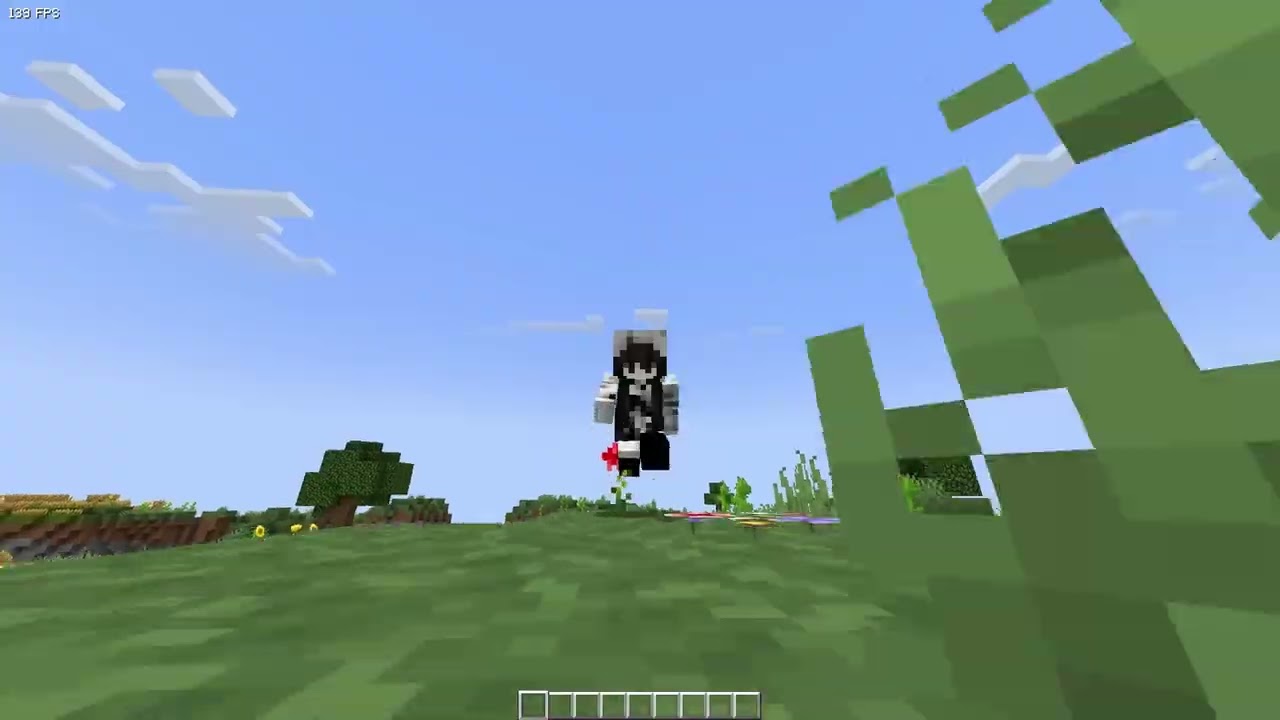
i feel like you can see the difference a bit, i tried the fps limiter for xaeros in video settings but it doesnt seem to affect much for me
all settings are what they are on my main profile, fancy settings for all, 8 render etc, also chose seeds that would be equally as heavy on frames (leaves in forests, the biome in 2nd video i feel can be quite heavy) even did as much as testing flying in 2nd video to show minimal change in fps when loading new chunks

 untold nest
sharp obsidian
untold nest
sharp obsidian
check the box at the very top, click Set if it lets you, click OK and restart
bold rover
bold rover
<@169556941180239872>
https://youtu.be/l8_6Ko1Q4bA
https://youtu.be/sKuYQfGMBq...
i also feel like this could maybe be the reason for the worldmap chunks randomly fucking off sometimes lol
agile cradle
bold rover
<@169556941180239872>
https://youtu.be/l8_6Ko1Q4bA
https://youtu.be/sKuYQfGMBq...
@viral garden might be something to look into? FTB chunks no laggy, xaero laggy
bold rover
im not recommending ftb chunks at all its not as versatile as xaeros but there is a pretty big hit on performance with xaeros compared to ftb
agile cradle
She could look into at least what's causing it. was this 4 or 5?
agile cradle
5
untold nest
i wonder if there's something specific causing an issue cuz i feel like xaero doesn't cause issues in things like prom
bold rover
like theres obvi still that lil stutter when you load a chunk in the 2nd video but it isnt persistent and frame laggy
what launcher
thats
agile cradle
TL?
agile cradle
Did you add essential, or are you using a cracked launcher?
bold rover
!cracked
versed mountainBOT
If you are using a cracked Minecraft launcher, we can not assist with your issue. In order to receive help, you need to switch to an approved launcher and provide proof you have purchased Minecraft. This is due to the terms of service and guideline agreements of both Mojang and Discord.
 plucky geodeBOT
Quarantine Result:
 Reason: cracked
 Moderator: @agile cradle

Quarantined:

 riflethegamer [
1215909993442709625]
 tulip panther
Is there any way to Get Multiplayer to work or do I have to But a server?
untold nest
!ws
versed mountainBOT
Luna Pixel's World Sharing
Our modpacks don't support any mods that add singleplayer hosting / world sharing because we already provide free world sharing. The 'Essential' mod is therefore incompatible.
To share your world using our own world hosting, click the 'Open to Lan' or 'Share World' button in the game menu when in a singleplayer world, and share the world.
It will give you an address, like magma-cube.mc.lunapixel.gg, which your friends can use to connect directly to your world as if it were a server!
We still highly suggest not to play through LAN as LAN is untested and unreliable. Using it will cause longterm damage to your world.
There is no reason to use LAN, as we support both paid and free methods of hosting a server the normal way.
 untold nest
!server
versed mountainBOT
Free Method
To host a server on your own computer, read the selfhosting guide.
This guide goes over how to install, create, and launch a free Minecraft server on all operating systems (MacOS, Linux and Windows). The guide also guides you through installing Java and optimizing your server for better performance.
If you are installing one of our older modpacks, ignore the "README" file that is included in the serverpack files, as they have outdated information.
Paid Method
We suggest renting a server from Bisect Hosting:
Approx. $10 - $25 a month depending on what plan you choose. You can also get 25% off with Code LunaPixel.
Go here and order a plan which fits you. We suggest 1GB per player but nothing lower than 4GB as the server needs at least 3GB to run.
Go to #server-hosting for more Info!
The following advice works for both the Free and Paid methods:
Transferring Your World
If you're playing Singleplayer and want to transfer your world to your server, simply go to your modpack files and navigate to the saves folder. Inside of this folder, you will see your world saves. Rename your desired world save to world. You can then transfer this folder to your server files. If your world was hosted via world sharing, this process has to be done by the person who would click "Share World".
Fixing Lag
To resolve lag issues, simply run the !tps command in #bots and follow the directions provided.
 nimble hatch
need help
agile cradle
can't really help without info of what's going on
nimble hatch
mbmb
tried to start a server and add like 20ish mods but it crashed. Trying to fill out the survey thing that the crash assistant told me to
bold rover
i
 regal hearth
agile cradle
can't really help without info of what's going on
regal hearth
agile cradle
can't really help without info of what's going on
Better MC 5 - v27 crashed without a crash report. The logs have been uploaded to mclo.gs:
- 1.21.1 [NEOFORGE]
- What launcher did you run Minecraft with? (curse
- Have you changed the modpack in any way except mods?
- v27
- Have you ever gotten past the crash condition without crashing, or does the game always crash? naw
- What steps cause the crash?
latest.log | CurseForge: launcher_log.txt | crash_assistant_app.log | i7-13700f can be reason of crash
Mod list changes beyond the modpack:
[2;32m24[0m added, [2;31m0[0m removed, [2;34m24[0m updated.
!updatemods
versed mountainBOT
Do NOT Update Mods Manually!
Modpacks use specific versions of certain mods to prevent various issues, such as crashes or major game-breaking bugs. Mods will be updated by the modpack developer when they see fit. Please do not update the mods in a modpack manually, unless specifically told to do so.
To be clear; this is separate from updating the modpack (such as Better MC / Medieval MC / Prominence) itself. You should always stay up to date with the latest version of the modpack.
agile cradle
regal hearth
Better MC 5 - v27 crashed without a crash report. The logs have been uploaded to...

ZDNET
Does your desktop PC have a 13th- or 14th-generation Raptor Lake CPU? Read this now. Does the microcode patch actually work? You really need to read this.
agile cradle
you can add mods, but you updated a ton that were in the pack already.
if you update them you're breaking the configs devs set as the command says
regal hearth
ah so how do we know what to grab and what not too we basicly drooling toddles to this kinda stuff
agile cradle
try 1 mod at a time to see if they work
yes, it's tedious, but best way to rule out a mod that may need a lower version or won't work
nimble hatch
alr, fair nuff. ty 🫡
regal hearth
🫡
versed mountainBOT
If this command was run in response to your question/issue, it is likely because switching away from the launcher you are currently using would fix your problem.
From our experience, the most stable launcher by far is ATLauncher, also known as ATL. Keep in mind that ATL is NOT related to TLauncher in any way, and is not a cracked launcher.
To install ATL, do the following:
1. Go to https://atlauncher.com/download. If you are on MacOS, then choose the "Jar" version under the "Other" tab.
2. Install and run the setup, then open the program.
3. Login to your Microsoft account that owns the Java Edition of Minecraft from the Accounts tab on the right. This process is 100% safe, as it goes directly through Microsoft. ATL doesn't see your account credentials.
4. Go to the Packs tab on the right, then click "Curseforge" on the left.
5. Search the modpack you wish to download.
6. Click "Install". Then, follow the on-screen directions.
7. Go to the Instances tab, and click "Play" on the modpack you downloaded. If you ever see an "Update" button on the instance, click it.
This video explains the process: https://youtu.be/xMYW1wMbmkM
To transfer your Curseforge world to ATL, simply right click the modpack on Curseforge, or click the 3 dots, then click "Open Folder". Copy the Saves folder, then click "Open Folder" on ATL and paste the Saves folder there. Do the same with the XaerosMinimap folder, or the Journeymap folder, to transfer over any waypoints you've created.
Because ATL downloads the exact same files as Curseforge does, your world will be the exact same and you will be able to join the same servers. ATL also works without an internet connection (after you've installed the modpack, of course), and does not have any bloat from Overwolf. You are free to uninstall both Overwolf and Curseforge with ATL installed.
viral garden
!server
versed mountainBOT
Free Method
To host a server on your own computer, read the selfhosting guide.
This guide goes over how to install, create, and launch a free Minecraft server on all operating systems (MacOS, Linux and Windows). The guide also guides you through installing Java and optimizing your server for better performance.
If you are installing one of our older modpacks, ignore the "README" file that is included in the serverpack files, as they have outdated information.
Paid Method
We suggest renting a server from Bisect Hosting:
Approx. $10 - $25 a month depending on what plan you choose. You can also get 25% off with Code LunaPixel.
Go here and order a plan which fits you. We suggest 1GB per player but nothing lower than 4GB as the server needs at least 3GB to run.
Go to #server-hosting for more Info!
The following advice works for both the Free and Paid methods:
Transferring Your World
If you're playing Singleplayer and want to transfer your world to your server, simply go to your modpack files and navigate to the saves folder. Inside of this folder, you will see your world saves. Rename your desired world save to world. You can then transfer this folder to your server files. If your world was hosted via world sharing, this process has to be done by the person who would click "Share World".
Fixing Lag
To resolve lag issues, simply run the !tps command in #bots and follow the directions provided.
viral garden
!openjdk
versed mountainBOT
If the issue you're experiencing is clientside, and is not related to a server, then follow the "Java" section in our performance guide for how to switch to a newer, more stable version of Java.
If the issue you're experiencing is serverside, then follow the Java section of our server installation guide.
viral garden
update to v27
update all aether related mods
Please follow the performance guide to improve your game performance, as this is likely to resolve your issue.
!server
versed mountainBOT
Free Method
To host a server on your own computer, read the selfhosting guide.
This guide goes over how to install, create, and launch a free Minecraft server on all operating systems (MacOS, Linux and Windows). The guide also guides you through installing Java and optimizing your server for better performance.
If you are installing one of our older modpacks, ignore the "README" file that is included in the serverpack files, as they have outdated information.
Paid Method
We suggest renting a server from Bisect Hosting:
Approx. $10 - $25 a month depending on what plan you choose. You can also get 25% off with Code LunaPixel.
Go here and order a plan which fits you. We suggest 1GB per player but nothing lower than 4GB as the server needs at least 3GB to run.
Go to #server-hosting for more Info!
The following advice works for both the Free and Paid methods:
Transferring Your World
If you're playing Singleplayer and want to transfer your world to your server, simply go to your modpack files and navigate to the saves folder. Inside of this folder, you will see your world saves. Rename your desired world save to world. You can then transfer this folder to your server files. If your world was hosted via world sharing, this process has to be done by the person who would click "Share World".
Fixing Lag
To resolve lag issues, simply run the !tps command in #bots and follow the directions provided.
viral garden
read the questbook ingame
report the issue to the developer of Backpacked
!server
versed mountainBOT
Free Method
To host a server on your own computer, read the selfhosting guide.
This guide goes over how to install, create, and launch a free Minecraft server on all operating systems (MacOS, Linux and Windows). The guide also guides you through installing Java and optimizing your server for better performance.
If you are installing one of our older modpacks, ignore the "README" file that is included in the serverpack files, as they have outdated information.
Paid Method
We suggest renting a server from Bisect Hosting:
Approx. $10 - $25 a month depending on what plan you choose. You can also get 25% off with Code LunaPixel.
Go here and order a plan which fits you. We suggest 1GB per player but nothing lower than 4GB as the server needs at least 3GB to run.
Go to #server-hosting for more Info!
The following advice works for both the Free and Paid methods:
Transferring Your World
If you're playing Singleplayer and want to transfer your world to your server, simply go to your modpack files and navigate to the saves folder. Inside of this folder, you will see your world saves. Rename your desired world save to world. You can then transfer this folder to your server files. If your world was hosted via world sharing, this process has to be done by the person who would click "Share World".
Fixing Lag
To resolve lag issues, simply run the !tps command in #bots and follow the directions provided.
viral garden
!alternates
versed mountainBOT
If this command was run in response to your question/issue, it is likely because switching away from the launcher you are currently using would fix your problem.
From our experience, the most stable launcher by far is ATLauncher, also known as ATL. Keep in mind that ATL is NOT related to TLauncher in any way, and is not a cracked launcher.
To install ATL, do the following:
1. Go to https://atlauncher.com/download. If you are on MacOS, then choose the "Jar" version under the "Other" tab.
2. Install and run the setup, then open the program.
3. Login to your Microsoft account that owns the Java Edition of Minecraft from the Accounts tab on the right. This process is 100% safe, as it goes directly through Microsoft. ATL doesn't see your account credentials.
4. Go to the Packs tab on the right, then click "Curseforge" on the left.
5. Search the modpack you wish to download.
6. Click "Install". Then, follow the on-screen directions.
7. Go to the Instances tab, and click "Play" on the modpack you downloaded. If you ever see an "Update" button on the instance, click it.
This video explains the process: https://youtu.be/xMYW1wMbmkM
To transfer your Curseforge world to ATL, simply right click the modpack on Curseforge, or click the 3 dots, then click "Open Folder". Copy the Saves folder, then click "Open Folder" on ATL and paste the Saves folder there. Do the same with the XaerosMinimap folder, or the Journeymap folder, to transfer over any waypoints you've created.
Because ATL downloads the exact same files as Curseforge does, your world will be the exact same and you will be able to join the same servers. ATL also works without an internet connection (after you've installed the modpack, of course), and does not have any bloat from Overwolf. You are free to uninstall both Overwolf and Curseforge with ATL installed.
viral garden
no
they're just rarer
Please follow the performance guide to improve your game performance, as this is likely to resolve your issue.
!ca
versed mountainBOT
viral garden
please
stop adding mods randomly
remove AI-Improvements-1.20-0.5.2.jar
remove bocchium
remove CullLessLeaves
remove redirector
remove saturn
remove starlight
all of these mods either suck or already have better versions present in the modpack
Please read the full contents of the #get-support channel for us to provide assistance.
you need to list what you added
!server
versed mountainBOT
Free Method
To host a server on your own computer, read the selfhosting guide.
This guide goes over how to install, create, and launch a free Minecraft server on all operating systems (MacOS, Linux and Windows). The guide also guides you through installing Java and optimizing your server for better performance.
If you are installing one of our older modpacks, ignore the "README" file that is included in the serverpack files, as they have outdated information.
Paid Method
We suggest renting a server from Bisect Hosting:
Approx. $10 - $25 a month depending on what plan you choose. You can also get 25% off with Code LunaPixel.
Go here and order a plan which fits you. We suggest 1GB per player but nothing lower than 4GB as the server needs at least 3GB to run.
Go to #server-hosting for more Info!
The following advice works for both the Free and Paid methods:
Transferring Your World
If you're playing Singleplayer and want to transfer your world to your server, simply go to your modpack files and navigate to the saves folder. Inside of this folder, you will see your world saves. Rename your desired world save to world. You can then transfer this folder to your server files. If your world was hosted via world sharing, this process has to be done by the person who would click "Share World".
Fixing Lag
To resolve lag issues, simply run the !tps command in #bots and follow the directions provided.
viral garden
!alternates
versed mountainBOT
If this command was run in response to your question/issue, it is likely because switching away from the launcher you are currently using would fix your problem.
From our experience, the most stable launcher by far is ATLauncher, also known as ATL. Keep in mind that ATL is NOT related to TLauncher in any way, and is not a cracked launcher.
To install ATL, do the following:
1. Go to https://atlauncher.com/download. If you are on MacOS, then choose the "Jar" version under the "Other" tab.
2. Install and run the setup, then open the program.
3. Login to your Microsoft account that owns the Java Edition of Minecraft from the Accounts tab on the right. This process is 100% safe, as it goes directly through Microsoft. ATL doesn't see your account credentials.
4. Go to the Packs tab on the right, then click "Curseforge" on the left.
5. Search the modpack you wish to download.
6. Click "Install". Then, follow the on-screen directions.
7. Go to the Instances tab, and click "Play" on the modpack you downloaded. If you ever see an "Update" button on the instance, click it.
This video explains the process: https://youtu.be/xMYW1wMbmkM
To transfer your Curseforge world to ATL, simply right click the modpack on Curseforge, or click the 3 dots, then click "Open Folder". Copy the Saves folder, then click "Open Folder" on ATL and paste the Saves folder there. Do the same with the XaerosMinimap folder, or the Journeymap folder, to transfer over any waypoints you've created.
Because ATL downloads the exact same files as Curseforge does, your world will be the exact same and you will be able to join the same servers. ATL also works without an internet connection (after you've installed the modpack, of course), and does not have any bloat from Overwolf. You are free to uninstall both Overwolf and Curseforge with ATL installed.
viral garden
i'll look into it next update
Please read the full contents of the #get-support channel for us to provide assistance.
viral garden
shut pond
nevermind idk what i did but i fixed it and put my latest world save in the fold...
Please read the full contents of the #get-support channel for us to provide assistance.
viral garden
shut pond
there is no fix? cause im not playing if i lost a weeks worth of progress
Please read the full contents of the #get-support channel for us to provide assistance.
viral garden
bold rover
<@169556941180239872>
https://youtu.be/l8_6Ko1Q4bA
https://youtu.be/sKuYQfGMBq...
see if removing xaeroplus fixes it
shut pond
viral garden
Please read the full contents of the <#1226057161767911516> channel for us to p...
im using minecraft 1.20.1
i launched minecraft with ATlauncher
i updated the mod from version 26 to version 39 like a week ago and added the ftb chunks mod to forceload my storage system
v39
its not a crash its an error or something saying "errors in currently selected data packs prevented the world from loading"
 wispy trailBOT
shut pond
im using minecraft 1.20.1
i launched minecraft with ATlauncher
i updated the mod...
wispy trailBOT
shut pond
im using minecraft 1.20.1
i launched minecraft with ATlauncher
i updated the mod...
Uploaded latest.log from @shut pond to mclogs: https://mclo.gs/NN6nTtO
 iron quiver
is there anyway to transfer enchantments
bold rover
shut pond
im using minecraft 1.20.1
i launched minecraft with ATlauncher
i updated the mod...
updating to diff versions like this is extremely risky given the mod list diff could be changed quite a bit
shut pond
bold rover
updating to diff versions like this is extremely risky given the mod list diff c...
it was perfectly fine for a week though
bold rover
🤷♂️
anyone know if pillagers constantly spawn in this structure i kinda wanna make it a home lol

 solar juniper
where do i find an elytra💔 😭
 ember trail
Can i ask help here for a problem?
the better mc modpack i downloaded says to ask in this discord for know which is the incompatible problem
bold rover
ya
ember trail
so how do i resolve?
versed mountainBOT
- What Minecraft version are you using? (1.19.2, 1.20.1, ...)
- What launcher did you run Minecraft with? (e.g. CurseForge, ATLauncher, MultiMC, ...)
- Have you changed the modpack in any way? (e.g. changing mod versions, adding/removing mods)
- What version of the modpack are you using? (v11, v9, etc)
- Have you ever gotten past the crash condition without crashing, or does the game always crash?
- What steps cause the crash?
Required:
Open the game directory (right click pack -> open folder), navigate to the "crash-reports" folder and upload the latest available crash report.
If there is no crash report, navigate to the logs folder and upload "latest.log."
If there is no log, navigate to the base pack directory and upload the hs_err_pid file, if there is one.
bold rover
ember trail
can't find nothing about all that it says..
alright lol what launcher r u using
ember trail
curseforge that launches minecraft
bold rover
and what mods did you add
ember trail
i add a pack that have like 300+ mods
bold rover
..
ember trail
and then i can't create a world because something is incompatible
bold rover
im confused then
ember trail
me too
bold rover
you downloaded the pack with no additions or you did modify it?
ember trail
nothing i only downloaded Essential with the same version
bold rover
!ea
versed mountainBOT
The Essential mod is completely incompatible with all of our modpacks, and there's no reason to use it. All of our modpacks already come with built-in, free world hosting, by clicking the "Share World' button in the Open to LAN menu. You can learn more by typing !ws in the #bots channel. You can also run type !server in the same channel to learn how to properly host a server for better performance and more flexibility. In modpacks that aren't owned by us, you can use mods such as e4mc or WorldHost to host a server completely for free without Essential's many issues and crashes and the microtransactions that they constantly bother users with. To learn more about alternatives to the Essential mod, check out this website.
untold nest
gg
solar juniper
why wont the elytra show up on the pedastool thing'
ember trail
oh so its essential the problem?
ember trail
how?
untold nest
solar juniper
why wont the elytra show up on the pedastool thing'
It has to be one of the flying ships, can't be a crashed one
solar juniper
untold nest
It has to be one of the flying ships, can't be a crashed one
wait whats the diffrence?
bold rover
ember trail
how?
the same way you added it 😭
solar juniper
cause the ones i dound was like on the floor
ember trail
uhh i'll try
solar juniper
ohh😭
ember trail
I need to delete the folder " essential " in the Better Mc BMC4 folder, right?
untold nest
You need to delete the mod file, or just delete it from the modpack in your launcher
ember trail
how? in the launcher
 cinder drift
are you able to use better mc as a base and add a few more mods into it with it working? mines crashing rn
untold nest
No guarantees that stuff you add is gonna work with existing mods and how everything is set up
ember trail
ok i think i deleted it
cinder drift
untold nest
No guarantees that stuff you add is gonna work with existing mods and how everyt...
is there a way to see which ones arent compatible when the crash report comes in
untold nest
ember trail
how? in the launcher
Google it idk I don't use curseforge
fast rock
!server
versed mountainBOT
Free Method
To host a server on your own computer, read the selfhosting guide.
This guide goes over how to install, create, and launch a free Minecraft server on all operating systems (MacOS, Linux and Windows). The guide also guides you through installing Java and optimizing your server for better performance.
If you are installing one of our older modpacks, ignore the "README" file that is included in the serverpack files, as they have outdated information.
Paid Method
We suggest renting a server from Bisect Hosting:
Approx. $10 - $25 a month depending on what plan you choose. You can also get 25% off with Code LunaPixel.
Go here and order a plan which fits you. We suggest 1GB per player but nothing lower than 4GB as the server needs at least 3GB to run.
Go to #server-hosting for more Info!
The following advice works for both the Free and Paid methods:
Transferring Your World
If you're playing Singleplayer and want to transfer your world to your server, simply go to your modpack files and navigate to the saves folder. Inside of this folder, you will see your world saves. Rename your desired world save to world. You can then transfer this folder to your server files. If your world was hosted via world sharing, this process has to be done by the person who would click "Share World".
Fixing Lag
To resolve lag issues, simply run the !tps command in #bots and follow the directions provided.
untold nest
cinder drift
is there a way to see which ones arent compatible when the crash report comes in
Not really unless there's a very explicit incompatibility it tells you about which rarely happens
Like Valkyrien Skies is incompatible with all sorts of shit but all it does is throw around a ton of errors that boil down to that mod being the problem
cinder drift
i mainly added furniture mods and stuff
iron quiver
yeah i dont recommend adding mods to bettermc as its not really a base its modpack a base is when u have a couple of mods like optimization maybe some shaders qol improvements and thats it like maybe 20 mods that is a base and better mc is a really big modpack so adding anything will just prob cause issues
cinder drift
damnit. im not like knowledgeable in making modpacks and its the same with prominence im guessing then, just wanting to add furniture and or plushie mods and minor things like that
 nocturne ermine
so you cant add more mods to the mod pack without it crashing?
cinder drift
seems like it
iron quiver
yeah i get you same i wanted to add mods but its really not that possible since the whole modpack already has a ton of content and they patched it around that content
nocturne ermine
dang
cinder drift
okay thankyou anyway :).
iron quiver
nocturne ermine
so you cant add more mods to the mod pack without it crashing?
i mean im not that big of an expert but i doubt u can add anything crazy without the game dying
i mean ngl the modpack already has a ton of content but yeah modding is like this its never enough hahah
cinder drift
i can never find modpacks with like cute furniture n stuff
iron quiver
tbh i think there is a modpack called cozy minecraft maybe it has some stuff like that but im not sure
 iron quiver
well that looks different
 iron quiver
honestly idk that is out of my field of knoweledge
 azure cave
any helpers?
 stone mountain
azure cave
help
stone mountain
azure cave
help
!logs - post the ones from your client please
versed mountainBOT
To better assist with fixing your issue, we will need some logs:
-
Curseforge -> Right click the modpack instance -> Open Folder.
-
ATLauncher -> Click 'Open Folder' on the modpack instance.
-
MultiMC -> Select your instace and click 'Instance Folder' on the right.
-
** For servers** -> Open the folder containing your server files.
To find the latest.log file, navigate to the 'logs' folder.
To find the hs_err_pid.log file, simply look for the file name after opening the instance folder.
To find a crash report, navigate to the 'crash-reports folder and find the most recent file after your crash occurred.
Once located, please upload the requested file here. If it fails, upload to https://mclo.gs/ and share the link here.
azure cave
i mean i dont crash
its just when joining my server
joining other servers is no problem
stone mountain
azure cave
i mean i dont crash
Yes, I see that
azure cave
wispy trailBOT
azure cave
Uploaded latest.log from @azure cave to mclogs: https://mclo.gs/o4u6CJ4
stone mountain
Is it Exatoron?
azure cave
yea
stone mountain
!aternos
versed mountainBOT
We don't support Aternos nor can we assist you with using it for reasons listed below;
- You are unable to add / edit the mods to implement a fix that can be game changing at times.
- We are unable to control the updates of our packs on Aternos, nor ever will.
- The hosting is not strong enough to host our packs on there without it crashing every so often.
- We have other free methods that work much better than Aternos does. Run the !ws command and the !server command in #bots for more information on how to host a server for free.
stone mountain
It's bad, consider alternative hosting
azure cave
bisect etc too expensive and performance is horrible
stone mountain
azure cave
bisect etc too expensive and performance is horrible
There's more than Bisect out there
iron quiver
god the skeleton tower is so op i got a good ass xp farm now and with a looting 3 sword goddayum
azure cave
theyre all bad
iron quiver
the amount of bones
azure cave
i have a other one
but installing bmc4
doesnt work soemhow
its a private hosting
i use
stone mountain
azure cave
i have a other one
Which is?
azure cave
tavuru
nocturne ermine
how can i play multiplayer without making a server i usally use essentails mod
stone mountain
Never heard of it
azure cave
u probably dont know
iron quiver
azure cave
theyre all bad
and aternos is the worst of em all
barely runs vanilla bro
azure cave
its not aternos silly
stone mountain
If not Bisect, then consider KineticHosting or Heavy Node
stone mountain
azure cave
paid version of aternos
Just as bad
iron quiver
oh they have dat now
azure cave
its better to have a german one
no not really i could play any modpack
smoothly
but okay
one sec
nocturne ermine
how can i play multiplayer without making a server i usally use essentails mod
untold nest
Zeppelin trolling professionally
bold rover
@versed mountain pookie this isnt u
stone mountain
Both have Germany location (or nearby)

 azure cave
stone mountain
Both have Germany location (or nearby)
azure cave
stone mountain
Both have Germany location (or nearby)
dw i have a alternative
give me one sec
im installing a new server
stone mountain
bold rover
!ws
Luna Pixel's World Sharing
Our modpacks don't support any mods that add singleplayer hosting / world sharing because we already provide free world sharing. The 'Essential' mod is therefore incompatible.
To share your world using our own world hosting, click the 'Open to Lan' or 'Share World' button in the game menu when in a singleplayer world, and share the world.
It will give you an address, like magma-cube.mc.lunapixel.gg, which your friends can use to connect directly to your world as if it were a server!
We still highly suggest not to play through LAN as LAN is untested and unreliable. Using it will cause longterm damage to your world.
There is no reason to use LAN, as we support both paid and free methods of hosting a server the normal way.
wispy trailBOT
azure cave
these are server logs
Uploaded latest.log from @azure cave to mclogs: https://mclo.gs/0QhmZGD
azure cave
Probably missing mods but idk which
because the website downloads the serverpack directly from modrinth
stone mountain
azure cave
Probably missing mods but idk which
It looks like a broken installation. Contact customer support
untold nest
The serverpack isn't hosted on modrinth
stone mountain
That's another thing
Anyway, I gave you some options, what you do from this point is up to you
nocturne ermine
the link it gives me in chat wont work
stone mountain
azure cave
i rather use essentials
!ea
versed mountainBOT
The Essential mod is completely incompatible with all of our modpacks, and there's no reason to use it. All of our modpacks already come with built-in, free world hosting, by clicking the "Share World' button in the Open to LAN menu. You can learn more by typing !ws in the #bots channel. You can also run type !server in the same channel to learn how to properly host a server for better performance and more flexibility. In modpacks that aren't owned by us, you can use mods such as e4mc or WorldHost to host a server completely for free without Essential's many issues and crashes and the microtransactions that they constantly bother users with. To learn more about alternatives to the Essential mod, check out this website.
versed mountainBOT
Free Method
To host a server on your own computer, read the selfhosting guide.
This guide goes over how to install, create, and launch a free Minecraft server on all operating systems (MacOS, Linux and Windows). The guide also guides you through installing Java and optimizing your server for better performance.
If you are installing one of our older modpacks, ignore the "README" file that is included in the serverpack files, as they have outdated information.
Paid Method
We suggest renting a server from Bisect Hosting:
Approx. $10 - $25 a month depending on what plan you choose. You can also get 25% off with Code LunaPixel.
Go here and order a plan which fits you. We suggest 1GB per player but nothing lower than 4GB as the server needs at least 3GB to run.
Go to #server-hosting for more Info!
The following advice works for both the Free and Paid methods:
Transferring Your World
If you're playing Singleplayer and want to transfer your world to your server, simply go to your modpack files and navigate to the saves folder. Inside of this folder, you will see your world saves. Rename your desired world save to world. You can then transfer this folder to your server files. If your world was hosted via world sharing, this process has to be done by the person who would click "Share World".
Fixing Lag
To resolve lag issues, simply run the !tps command in #bots and follow the directions provided.
untold nest
There's built in world sharing why would you need that
stone mountain
Better to self-host
versed mountainBOT
If you are using a cracked Minecraft launcher, we can not assist with your issue. In order to receive help, you need to switch to an approved launcher and provide proof you have purchased Minecraft. This is due to the terms of service and guideline agreements of both Mojang and Discord.
 lethal basin
.q 1262455986422284429
plucky geodeBOT
Quarantine Result:
Reason: No reason.
Staff: @lethal basin
<:success:660789936651370497> Successful Quarantines

athrey1000_21276 
<:cancel:660789591900684329> Unsuccessful Quarantines
All users were quarantined!
 broken wagon
Hi what is th better mc best pickaxe in 1.20 ?
solar juniper
whats the differences between the netheriot ingots
 vale cosmos
the ones with spawners
the vanilla minecraft dungeons
i noticed dungeons are far more common here
even nether dungeons could house dragons eggs
 muted epoch
My dragon keeps vanishing whenever I am riding it then the server im joining suddenly shuts down is it really gone or can i find it somewhere
 bright flax
my server isnt working
lethal basin
bright flax
my server isnt working
how is server hosted
did you fallow self-hosting guide?
bright flax
essential
versed mountainBOT
The Essential mod is completely incompatible with all of our modpacks, and there's no reason to use it. All of our modpacks already come with built-in, free world hosting, by clicking the "Share World' button in the Open to LAN menu. You can learn more by typing !ws in the #bots channel. You can also run type !server in the same channel to learn how to properly host a server for better performance and more flexibility. In modpacks that aren't owned by us, you can use mods such as e4mc or WorldHost to host a server completely for free without Essential's many issues and crashes and the microtransactions that they constantly bother users with. To learn more about alternatives to the Essential mod, check out this website.
lethal basin
essentials ain't gonna work
 nocturne musk
I'm playing Better Minecraft mod pack 1.20.1 and when I get a lot of damage, I get teleported to my bed, how can I fix this? Here is the video. https://medal.tv/es/games/minecraft/clips/k6wXnB4ixmb0P053S?invite=cr-MSw0STIsMjU4NTI5NTgy

Mira Minecraft y millones de otros videos de Minecraft en Medal, la plataforma más grande de clips de juegos.
 lean blaze
anyone got some super pretty bmc 5 seed?
bold rover
nocturne musk
I'm playing Better Minecraft mod pack 1.20.1 and when I get a lot of damage, I g...
by the looks of it you m odified ur pack a bit
so
theres no saying what is doing that
send a ss of ur accessories anyway
 feral crow
Question. I know there are tons of mods in here, but I’m a little confused. I just installed this a couple days ago. I have a silver/gold ring and iron gloves but don’t seem to have a slot to equip them. Is that something I have to progress towards or unlock or is that just overlapping mods?
 wanton vigil
Hello,
I'm looking to start playing MCM but I'm worried about picking the right version. I know that there is Forge, Fabric, and NeoForge, but is there one that gives the best user expeirance for new players? One that's generally reccomended?
 radiant jay
im pretty sure you could transform them before
but not anymore i think
i have no idea sry
try it
bright flax
i have bought the server from luna pixel and the same thing happened
 bold rover
that's a version mismatch, that doesn't mean it isn't working lol
bold rover
reinstall the proper pack client side and make sure it matches on server side
 muted marsh
CAN SOMEONE PLS HELP ME WITH THIS CRASH THIS IS LIKE THE 4TH TIME IVE ASKED ABOUT IT YET NO ONE HELPS ME PLEASE:
Better MC 4 - v39 crashed. The logs have been uploaded to mclo.gs:
- 1.20.1 [FORGE]
- CURSEFORGE
- Have you changed the modpack in any way except mods? no
- v39
- Have you ever gotten past the crash condition without crashing, or does the game always crash? occaisionly it doesnt crash but vast majority of times it does
- What steps cause the crash? loading up my wrld
latest.log | crash-2025-04-17_15.19.39-client.txt | CurseForge: launcher_log.txt | crash_assistant_app.log
Mod list changes beyond the modpack:
Updated mods:
[2;34mstoragenetwork[0m ([2;31m1.12.2[0m > [2;32m1.11.3[0m)
``` (NOTE ERROR MESSAGE : The game crashed: mouseclicked event handler
Error: java.lang.StackOverflowError: mouseClicked event handler)make sure you have the right versions of mods on ur pc and on the server, change farmers delight to the other version either on server or on client so they match
bright flax
how do i do that?
muted marsh
bright flax
how do i do that?
go into files on modpack on curseforge, delete farmers delight and re install it but with version 1.20.1-1.2.7
muted marsh
bright flax
oh okay
is it working
bright flax
no
muted marsh
bright flax
no
send pic
 sweet spade
muted marsh
Better MC 4 - v39 crashed. The logs have been uploaded to `mclo.gs`:
1. 1.20.1 [...
sweet spade
muted marsh
Better MC 4 - v39 crashed. The logs have been uploaded to `mclo.gs`:
1. 1.20.1 [...
you literally did get support yesterday

!alternates
versed mountainBOT
If this command was run in response to your question/issue, it is likely because switching away from the launcher you are currently using would fix your problem.
From our experience, the most stable launcher by far is ATLauncher, also known as ATL. Keep in mind that ATL is NOT related to TLauncher in any way, and is not a cracked launcher.
To install ATL, do the following:
1. Go to https://atlauncher.com/download. If you are on MacOS, then choose the "Jar" version under the "Other" tab.
2. Install and run the setup, then open the program.
3. Login to your Microsoft account that owns the Java Edition of Minecraft from the Accounts tab on the right. This process is 100% safe, as it goes directly through Microsoft. ATL doesn't see your account credentials.
4. Go to the Packs tab on the right, then click "Curseforge" on the left.
5. Search the modpack you wish to download.
6. Click "Install". Then, follow the on-screen directions.
7. Go to the Instances tab, and click "Play" on the modpack you downloaded. If you ever see an "Update" button on the instance, click it.
This video explains the process: https://youtu.be/xMYW1wMbmkM
To transfer your Curseforge world to ATL, simply right click the modpack on Curseforge, or click the 3 dots, then click "Open Folder". Copy the Saves folder, then click "Open Folder" on ATL and paste the Saves folder there. Do the same with the XaerosMinimap folder, or the Journeymap folder, to transfer over any waypoints you've created.
Because ATL downloads the exact same files as Curseforge does, your world will be the exact same and you will be able to join the same servers. ATL also works without an internet connection (after you've installed the modpack, of course), and does not have any bloat from Overwolf. You are free to uninstall both Overwolf and Curseforge with ATL installed.
muted marsh
sweet spade
you literally did get support yesterday
mb didnt see that message
bright flax

 static moat
Is there anything u need to hatch a dragon or is it just time gated?
muted marsh
bright flax
ok so my idea now is ur running a different version of better mc
because theres more than one mismatch
i mean u could do the thing i told u before
bright flax
yea
muted marsh
but youd have to do it like hundreds of times
bright flax
i just realized it
muted marsh
lol
bright flax
and when i installed the backpacked i literally said to me the reason why
muted marsh
lmao dw
bright flax
and now im loading the new version
muted marsh
glad ur problems been fixed :).
muted marsh
yw hav fun
bright flax
u work for em?
muted marsh
bright flax
u work for em?
nah lol i just saw ur post and knew what to do
have fun tho :).
bright flax
u should work for em
bright flax
muted marsh
have fun tho :).
ty u too
 serene hinge
idk y quests dont work for me
muted marsh
serene hinge
idk y quests dont work for me
in what way? can u not go to inv then on top corner click the book?
serene hinge

 muted marsh
serene hinge
muted marsh
serene hinge
im pretty sure theres a weird way u have to set up ftb quests on servers, is it installed?
muted marsh
 sacred harbor
this a W chest?
sacred harbor
this a W chest?
damn
serene hinge
Not sure cuz they worked fine yesterday
sacred harbor
How can i make this look betrter? (mainly the tower)

 topaz light
Bmc5 what ore looks like dimonds
 pseudo wharf
Better MC 4 - v39 crashed. The logs have been uploaded to mclo.gs:
- 1.20.1 [FORGE]
- What launcher did you run Minecraft with? (e.g. CurseForge, ATLauncher, MultiMC, ...)
- Have you changed the modpack in any way except mods?
- v39
- Have you ever gotten past the crash condition without crashing, or does the game always crash?
- What steps cause the crash?
latest.log | debug.log head / tail (~27k lines) | crash-2025-04-17_23.19.38-client.txt | CurseForge: launcher_log.txt | crash_assistant_app.log
Mod list changes beyond the modpack:
Updated mods:
[2;34mstoragenetwork[0m ([2;31m1.12.2[0m > [2;32m1.11.3[0m)
oh thats weird, did u update anything?
serene hinge
Nah I didn’t all I did was load it up from forge
muted marsh
sacred harbor
How can i make this look betrter? (mainly the tower)
add more blocks apart from just spruce wood, have variety and make the top larger and add more depth with slabs and stairs
muted marsh
serene hinge
Nah I didn’t all I did was load it up from forge
thats rlly weird, are u sure nothing auto updated on the server either?
serene hinge
I believe so I just made the server
muted marsh
serene hinge
I believe so I just made the server
something would have to have changed but im honestly not too sure
sweet spade
serene hinge
reinstall server pack it likely didnt install correctly
 pallid kindle
In better MC do villages still spawn
I been flyin everywhere on this dragon right, and not a single village
sweet spade
yes they do
 proud acorn
i upgrade minecraft pack mod, and now i can't turn on a minecraft pack mod. what i do to be repair
the old version pack mod , i can turn on and evrything its to be okay, i can play minecraft pack mod, but now i can't turn on and i don't now what i do to be repair
sorry but my english its not good
i try to repair in the cursheforge, but this is dosn't work
i don't now, what i do
 lucid loom
is there any way to add embbedium or rubidium to the modpack?
all it has is the embeddium GUI
not the optimization mod itself
and that really takes its toll
untold nest
pseudo wharf
Better MC 4 - v39 crashed. The logs have been uploaded to `mclo.gs`:
1. 1.20.1 [...
Try updating the server browser mod
untold nest
proud acorn
i try to repair in the cursheforge, but this is dosn't work
!alternates
versed mountainBOT
If this command was run in response to your question/issue, it is likely because switching away from the launcher you are currently using would fix your problem.
From our experience, the most stable launcher by far is ATLauncher, also known as ATL. Keep in mind that ATL is NOT related to TLauncher in any way, and is not a cracked launcher.
To install ATL, do the following:
1. Go to https://atlauncher.com/download. If you are on MacOS, then choose the "Jar" version under the "Other" tab.
2. Install and run the setup, then open the program.
3. Login to your Microsoft account that owns the Java Edition of Minecraft from the Accounts tab on the right. This process is 100% safe, as it goes directly through Microsoft. ATL doesn't see your account credentials.
4. Go to the Packs tab on the right, then click "Curseforge" on the left.
5. Search the modpack you wish to download.
6. Click "Install". Then, follow the on-screen directions.
7. Go to the Instances tab, and click "Play" on the modpack you downloaded. If you ever see an "Update" button on the instance, click it.
This video explains the process: https://youtu.be/xMYW1wMbmkM
To transfer your Curseforge world to ATL, simply right click the modpack on Curseforge, or click the 3 dots, then click "Open Folder". Copy the Saves folder, then click "Open Folder" on ATL and paste the Saves folder there. Do the same with the XaerosMinimap folder, or the Journeymap folder, to transfer over any waypoints you've created.
Because ATL downloads the exact same files as Curseforge does, your world will be the exact same and you will be able to join the same servers. ATL also works without an internet connection (after you've installed the modpack, of course), and does not have any bloat from Overwolf. You are free to uninstall both Overwolf and Curseforge with ATL installed.
untold nest
Download the modpack on ATLauncher using the link there and try it again
lucid loom
is there any way to add embbedium or rubidium to the modpack?
all it has is the embeddium GUI
not the optimization mod itself
and that really takes its toll}
untold nest
!tryit
versed mountainBOT
 lucid loom
are you answering me or the other guy?
lucid loom
why do you think I'm asking?? OF course I tried and the whole thing crashes
it does not even start
untold nest
Then probably not  or you're using the wrong version
Either way it's a better question for modded discussion
lucid loom
bruh
stone mountain
lucid loom
bruh
!modified
versed mountainBOT
You are using a modified version of the modpack! This channel is only for unmodified versions that we provide. We cannot guarantee that the modpack works after you do modifications, so please go to #1061339968691257466 if you need help with an issue.
If this is a bug, please make sure to test it in an unmodified version before trying to report it.
 teal hemlock
Better MC 4 - v39 crashed. The logs have been uploaded to mclo.gs:
- 1.20.1 [FORGE]
- What launcher did you run Minecraft with? (CurseForge,)
- Have you changed the modpack in any way except mods? no
- v39
- Have you ever gotten past the crash condition without crashing, or does the game always crash? game always crashes when loading into singleplayer world
- What steps cause the crash?
latest.log | hs_err_pid27385.log | crash_assistant_app.log | CurseForge: skip launcher
Mod list changes beyond the modpack:
[2;34mMod list wasn't modified.[0m
!macjdk
versed mountainBOT
 For Mac devices using Apple Silicon/arm (M1/M2/etc.) CPUs
There is an issue with Java 17.0.8 and newer where you may experience "A fatal error has been detected by the Java Runtime Environment", which can cause the Java runtime to crash under a variety of circumstances. To resolve this:
Mac:
- Go here and hover over the Download buttons until you see one with the option to install a .dmg file. If you have an M-series Mac, then make sure to install the ARM64 version of this file.
- Run the
!alternatescommand in #bots and follow the directions. If you already have ATL installed, move on to step 3. - Click "Settings" on the right
- Click "Java/Minecraft" at the top
- Set "Use Java Provided by Minecraft" to false by unchecking the checkbox
- Manually specify the following Java path in the text box to the left to the "Reset" button:
/Library/Java/JavaVirtualMachines/zulu-21.jdk/Contents/Home
 sullen eagle
Does Anyone know how to fix an error for Better MC on Fedora 42?
Better MC 4 - v39 crashed. The logs have been uploaded to mclo.gs:
- 1.20.1 [FORGE]
- What launcher did you run Minecraft with? Prism Launcher
- Have you changed the modpack in any way except mods? Negative
- v39
- Have you ever gotten past the crash condition without crashing, or does the game always crash? **It aways crashes on the Lunapixel Logo **
- What steps cause the crash? Open Better MC on Fedora using Prism Launcher
latest.log | debug.log head / tail (~27k lines) | hs_err_pid12182.log | PrismLauncher-0.log | crash_assistant_app.log
Mod list changes beyond the modpack:
Updated mods:
[2;34mstoragenetwork[0m ([2;31m1.12.2[0m > [2;32m1.11.3[0m)
!linux
versed mountainBOT
GLFW
- Download the latest GLFW library files from your distros official repositories. If you are on a slow updating distro (like Ubuntu), instead download the latest pre-built files from my repository at https://github.com/Frontear/glfw-libs/releases
- Add
-Dorg.lwjgl.glfw.libname=/path/to/fileto your launcher java arguments. An example of what this might look like is-Dorg.lwjgl.glfw.libname=/home/frontear/Downloads/libglfw.so.
OpenAL
- Download the latest OpenAL library files from your distros official repositories.
- Add
-Dorg.lwjgl.openal.libname=/usr/lib/libopenal.so(this path might be different depending on your distribution so please double check).
Note: Make sure to add "-XX:+UnlockExperimentalVMOptions" to the top and the path arguments to the bottom of the java arguments section
stone mountain
sullen eagle
Does Anyone know how to fix an error for Better MC on Fedora 42?
Better MC 4 -...
Read the above
 bold merlin
Does anyone know what mods cause the water dripping particles after getting out of water, and the animations of items when you take them into chests or out of them? I don't like them all that much personally ^^''
 candid plume
Hey guys, I'm setting up a server for me and my friends, but every time I connect, the client always said that the server is missing mods even though it has the ones I installed on the client, how can I fix this? Here are the "missing" mods:
[00:37:17] [Netty Client IO #2/ERROR]: Terminating connection with server, mismatched mod list```That’s an easy fix
Either server, or client, has different list of mods, or mods in different version
Without logs from both sides - hard to say
But my suggestion is update both to the latest, and you should be good to go
candid plume
the funny thing is that I checked the server log and nothing indicating that the client has more mods lol
it just said that I'm disconnected
sweet spade
it says rejected server side version number so it could bejust be mismatched mod versions
sweet spade
if you updated any individual mods on your client side that could be an issue
sweet spade
what launcher are you using
candid plume
curseforge
versed mountainBOT
If this command was run in response to your question/issue, it is likely because switching away from the launcher you are currently using would fix your problem.
From our experience, the most stable launcher by far is ATLauncher, also known as ATL. Keep in mind that ATL is NOT related to TLauncher in any way, and is not a cracked launcher.
To install ATL, do the following:
1. Go to https://atlauncher.com/download. If you are on MacOS, then choose the "Jar" version under the "Other" tab.
2. Install and run the setup, then open the program.
3. Login to your Microsoft account that owns the Java Edition of Minecraft from the Accounts tab on the right. This process is 100% safe, as it goes directly through Microsoft. ATL doesn't see your account credentials.
4. Go to the Packs tab on the right, then click "Curseforge" on the left.
5. Search the modpack you wish to download.
6. Click "Install". Then, follow the on-screen directions.
7. Go to the Instances tab, and click "Play" on the modpack you downloaded. If you ever see an "Update" button on the instance, click it.
This video explains the process: https://youtu.be/xMYW1wMbmkM
To transfer your Curseforge world to ATL, simply right click the modpack on Curseforge, or click the 3 dots, then click "Open Folder". Copy the Saves folder, then click "Open Folder" on ATL and paste the Saves folder there. Do the same with the XaerosMinimap folder, or the Journeymap folder, to transfer over any waypoints you've created.
Because ATL downloads the exact same files as Curseforge does, your world will be the exact same and you will be able to join the same servers. ATL also works without an internet connection (after you've installed the modpack, of course), and does not have any bloat from Overwolf. You are free to uninstall both Overwolf and Curseforge with ATL installed.
 whole wedge
can you set up beacons next to the arenas for mosta the bosses? i suck at combat so any help is worth the effort
 crisp summit
place your own teleporters/waystones
we have waystones outside of every replayable boss arena
(by we, i mean on my server)
whole wedge
good idea
 crude timber
can i get help why my server is not starting ?
whole wedge
beacons work tho? id assume so but for all i know theres ways to disable them
crisp summit
i think they work. i haven't tried. potion mixing is a good time too- if you dump different potion types into a cauldron you can rebottle them as mixed potions. I like doing a regen 2 with instant health so I get a burst of heals + a few seconds of regen
whole wedge
ooo
 still sentinelBOT
🚫 villas, that command is disabled in this channel.
sweet spade
crude timber
can i get help why my server is not starting ?
read #get-support for us to assist
crude timber
sweet spade
read <#1226057161767911516> for us to assist
i did
but my sver is not staring and i did all the steps for it to work
stone mountain
crude timber
but my sver is not staring and i did all the steps for it to work
We need logs
Otherwise we have no idea what’s going on
crude timber
okay do i just send them in here
stone mountain
Yes
crude timber
i can not finde logs IDK why
sweet spade
!logs
versed mountainBOT
To better assist with fixing your issue, we will need some logs:
-
Curseforge -> Right click the modpack instance -> Open Folder.
-
ATLauncher -> Click 'Open Folder' on the modpack instance.
-
MultiMC -> Select your instace and click 'Instance Folder' on the right.
-
** For servers** -> Open the folder containing your server files.
To find the latest.log file, navigate to the 'logs' folder.
To find the hs_err_pid.log file, simply look for the file name after opening the instance folder.
To find a crash report, navigate to the 'crash-reports folder and find the most recent file after your crash occurred.
Once located, please upload the requested file here. If it fails, upload to https://mclo.gs/ and share the link here.
sweet spade
follow the for servers part

 untold nest
first of all don't run it as admin
anything that you don't need admin for should not be run with admin privileges
crude timber
oaky i will try now
versed mountainBOT
Please follow the guide here for changing the Java version your server uses. This will improve performance dramatically. If you are on a third party server host, you likely can not change the Java version your server uses. Bisect Hosting and a few VPS providers do allow changing Java version, though, which can usually be done through your server dashboard.
The method on Bisect is to simply go to the main dashboard page, and select "GraalVM 22" as the Java distribution. If it crashes, use 21 instead.
For further performance improvements, you can also follow this guide.
Reducing server render distance in the server.properties file is also a very good way of reducing lag. Most of our modpacks include mods like Bobby and Farsight, which make it so reducing server render distance will not affect players.
If lag persists, run the following command ingame:
/spark profiler start --only-ticks-over 50
Then, send the link in this channel.
untold nest
then change "skip-java-checks" to true in variables.txt
crude timber
the file will not run
crisp summit
whole wedge
ooo
one more random combat tip I do
there's a lunch basket item that you can put food in so you have a bunch without eating up all your inventory. really good since farmer's delight food gives you buffs.
BUT it also works with potions! (i renamed the second one to potion pouch so I can tell the difference on my hotbar at a glance)

 candid plume
welp, ATLauncher also failed lol
I will try copy and paste mods from the client into the server
 scarlet panther
@crude timber You should be asking for help here.
!jdk
What was the command again...
!powershell
crude timber
okay but i have done that but it did not work so yes
versed mountainBOT
An update to windows introduced a new security feature that prevents powershell files from running on your PC. This is great for your security, but not so great for our server start scripts, which require powershell to run them. Fortunately there is a quick fix for this!
Run powershell as administrator, then run Set-ExecutionPolicy RemoteSigned. Read the prompt and press accept. This will allow us to run scripts.
Next, navigate to your server directory using cd path/to/directory (for example: cd C:UsersUsernameDocumentsMinecraftServer)
You can now run the server by double-clicking the start.ps1 file, or typing .start.ps1 into the command line while in the directory.
IF THE ABOVE DOES NOT WORK, TRY THIS
Run the command Unblock-File -Path .start.ps1 in the same powershell window. This will allow the start script to not be blocked by windows, and run freely.
scarlet panther
You did this, right?
scarlet panther
candid plume
I will try copy and paste mods from the client into the server
Bad idea. because client-side mods aren't meant to be run server-side
crude timber
 scarlet panther
crude timber
scarlet panther
crude timber
That's the example - you're supposed to replace it with YOUR path.
 crude timber
sorry but IDK what you mean
scarlet panther
You did the Set-ExecutionPolicy RemoteSigned thing, yes?
You can also just run the start.ps1 file if you did the RemoteSigned setting
if you don't want to navigate using Powershell
crude timber
no i just install it open it becuse that was what it was saiyng
untold nest
just use the .bat file, it just ends up running the same thing anyway and you don't have to deal with the powershell permissions nonsense
crude timber
the bat file is not working
untold nest
then post what it's outputting


 proud acorn
Better MC 4 - v39 crashed. The logs have been uploaded to mclo.gs:
- 1.20.1 [FORGE]
- What launcher did you run Minecraft with? (e.g. CurseForge, ATLauncher, MultiMC, ...)
- Have you changed the modpack in any way except mods?
- v39
- Have you ever gotten past the crash condition without crashing, or does the game always crash?
- What steps cause the crash?
latest.log | hs_err_pid16636.log | CurseForge: launcher_log.txt | crash_assistant_app.log
Mod list changes beyond the modpack:
Updated mods:
[2;34mstoragenetwork[0m ([2;31m1.12.2[0m > [2;32m1.11.3[0m)
becuase you're not using a valid java version
i already told you how to fix this
untold nest
untold nest
!tps follow this for installing the right java version
read from here
untold nest
proud acorn
Better MC 4 - v39 crashed. The logs have been uploaded to `mclo.gs`:
1. 1.20.1 [...
close programs you have open or reduce the amount of ram you have allocated
!paging also do this please
versed mountainBOT
How To View Paging File Size
Before anything else screenshot how much disk space each of your drives have and post it as it might be caused by low disk space.
From the Windows search button search up "Advanced System Settings" and open the first result.
Press the "Settings" button located under the Performance section.
In the new section that has opened press "Advanced" and after press the "Change" button located under the "Virtual Memory" section.
After locating it screenshot the resulting page and post it.
 untold nest
what launcher?
 stoic perch
untold nest
what launcher?
stoic perch
untold nest
what launcher?
Where do I verify?
untold nest
!cracked
versed mountainBOT
If you are using a cracked Minecraft launcher, we can not assist with your issue. In order to receive help, you need to switch to an approved launcher and provide proof you have purchased Minecraft. This is due to the terms of service and guideline agreements of both Mojang and Discord.
stone mountain
.q 365439311669231617 ?r TLauncher
plucky geodeBOT
Quarantine Result:
Reason: TLauncher
Staff: @stone mountain
<:success:660789936651370497> Successful Quarantines
alexanderpenhaligon
<:cancel:660789591900684329> Unsuccessful Quarantines
All users were quarantined!
proud acorn
untold nest
!paging also do this please


 true hedge
Better MC 4 - v39 crashed without a crash report. The logs have been uploaded to mclo.gs:
- 1.20.1 [FORGE]
- What launcher did you run Minecraft with? (e.g. CurseForge, ATLauncher, MultiMC, ...)
- Have you changed the modpack in any way except mods?
- v39
- Have you ever gotten past the crash condition without crashing, or does the game always crash?
- What steps cause the crash?
latest.log | CurseForge: launcher_log.txt | crash_assistant_app.log
Mod list changes beyond the modpack:
Added mods:
[2;32mOptiFine_1.20.1_HD_U_I6.jar[0m
Updated mods:
[2;34mstoragenetwork[0m ([2;31m1.12.2[0m > [2;32m1.11.3[0m)
!optifine
versed mountainBOT
It is highly advised to not use Optifine, as it is very glitchy, will increase loading times to upwards of 10 minutes, and will decrease your FPS substantially. All Luna Pixel Studios modpacks come with shader support without Optifine via Oculus on Forge and Iris on Fabric. Optifine is also incompatible with all of our modpacks. The game will not launch with Optifine installed.
If you are interested in Optifine alternatives for your own gameplay, you can find a list here
Note that a majority of these mods are already included in our modpacks.
For an indepth explanation of why Optifine is bad, you can read this document created by Sodium's developer, Jellysquid.
proud acorn
Better MC 4 - v39 crashed. The logs have been uploaded to mclo.gs:
- 1.20.1 [FORGE]
- What launcher did you run Minecraft with? (e.g. CurseForge, ATLauncher, MultiMC, ...)
- Have you changed the modpack in any way except mods?
- v39
- Have you ever gotten past the crash condition without crashing, or does the game always crash?
- What steps cause the crash?
latest.log | hs_err_pid14332.log | CurseForge: launcher_log.txt | crash_assistant_app.log
Mod list changes beyond the modpack:
Updated mods:
[2;34mstoragenetwork[0m ([2;31m1.12.2[0m > [2;32m1.11.3[0m)
You run out of memory
Close down everything else except Minecraft, and that should help with the crash
This seems like a very old PC
 abstract pecan
Any suggested parameters for starting a server?
 wise wraith
Better MC 4 - v39 crashed without a crash report. The logs have been uploaded to mclo.gs:
- 1.20.1 [FORGE]
- Prism Launcher,
- added the mod e4mc
- v39
- always crashed
- adding the mod, i want to play locally with this modpack
latest.log | debug.log | PrismLauncher-0.log | crash_assistant_app.log
Mod list changes beyond the modpack:
Added mods:
[2;32me4mc_minecraft-forge-5.3.1.jar[0m
[2;32mmcwifipnp-1.7.3-1.20.1-forge.jar[0m
!compat
versed mountainBOT
Following mods are incompatible with all LPS modpacks: Epic Fight, Valkerian Skies, Eureka Ships, Essential (use !ea), optifine (use !optifine), clockwork, e4mc (use !ws), Create 6.0 and on (for the moment, wait on devs to do updates to their packs, do not update it yourself)
versed mountainBOT
Luna Pixel's World Sharing
Our modpacks don't support any mods that add singleplayer hosting / world sharing because we already provide free world sharing. The 'Essential' mod is therefore incompatible.
To share your world using our own world hosting, click the 'Open to Lan' or 'Share World' button in the game menu when in a singleplayer world, and share the world.
It will give you an address, like magma-cube.mc.lunapixel.gg, which your friends can use to connect directly to your world as if it were a server!
We still highly suggest not to play through LAN as LAN is untested and unreliable. Using it will cause longterm damage to your world.
There is no reason to use LAN, as we support both paid and free methods of hosting a server the normal way.
abstract pecan
!server
versed mountainBOT
Free Method
To host a server on your own computer, read the selfhosting guide.
This guide goes over how to install, create, and launch a free Minecraft server on all operating systems (MacOS, Linux and Windows). The guide also guides you through installing Java and optimizing your server for better performance.
If you are installing one of our older modpacks, ignore the "README" file that is included in the serverpack files, as they have outdated information.
Paid Method
We suggest renting a server from Bisect Hosting:
Approx. $10 - $25 a month depending on what plan you choose. You can also get 25% off with Code LunaPixel.
Go here and order a plan which fits you. We suggest 1GB per player but nothing lower than 4GB as the server needs at least 3GB to run.
Go to #server-hosting for more Info!
The following advice works for both the Free and Paid methods:
Transferring Your World
If you're playing Singleplayer and want to transfer your world to your server, simply go to your modpack files and navigate to the saves folder. Inside of this folder, you will see your world saves. Rename your desired world save to world. You can then transfer this folder to your server files. If your world was hosted via world sharing, this process has to be done by the person who would click "Share World".
Fixing Lag
To resolve lag issues, simply run the !tps command in #bots and follow the directions provided.
 somber warren
alright im bout 2 give up at this point ive tired like 13 different things
whats a good way 2 get chucks 2 load in faster then having 2 wait
stone mountain
somber warren
whats a good way 2 get chucks 2 load in faster then having 2 wait
!pregen is the only way
versed mountainBOT

Noob explains how to Pre Generate your Minecraft World.
▬▬▬▬▬▬▬▬▬▬▬▬▬▬▬▬▬▬▬▬▬▬▬▬▬▬▬▬▬▬
➔ Modpack: https://www.curseforge.com/minecraft/modpacks/better-minecraft-modpack
➔ Discord: https://discord.com/invite/9S5tfrY4Fr
▬▬▬▬▬▬▬▬▬▬▬▬▬▬▬▬▬▬▬▬▬...
somber warren
stone mountain
!pregen is the only way
ive tried this
multiple times
nothing comes from this
i pregened like 70k chunks ;-;
 spring cloak
what mods does bmc4 use for optimization? im making a modpack for me and my friend but i really dont want it to lag
stone mountain
spring cloak
what mods does bmc4 use for optimization? im making a modpack for me and my frie...
!compare
versed mountainBOT
Discover the perfect Minecraft modpack for you. Search for modpacks by included mods, categories, Minecraft version and more!
stone mountain
Use this tool to see the exact modlist
 sinful bramble
There is no Open to LAN button in my pause menu?
 sand marsh
Better MC 4 - v39 crashed. The logs have been uploaded to mclo.gs:
- 1.20.1 [FORGE]
- What launcher did you run Minecraft with? (e.g. CurseForge, ATLauncher, MultiMC, ...)
- Have you changed the modpack in any way except mods?
- v39
- Have you ever gotten past the crash condition without crashing, or does the game always crash?
- What steps cause the crash?
latest.log | crash-2025-04-17_17.10.28-client.txt | CurseForge: launcher_log.txt | crash_assistant_app.log
Mod list changes beyond the modpack:
Added mods:
[2;32malexscaves-2.0.2.jar[0m
[2;32mApothicAttributes-1.20.1-1.3.7.jar[0m
[2;32mepicfight-forge-20.9.7-1.20.1.jar[0m
[2;32mirons_spellbooks-1.20.1-3.4.0.8.jar[0m
[2;32mPlacebo-1.20.1-8.6.3.jar[0m
[2;32mplayer-animation-lib-forge-1.0.2-rc1+1.20.jar[0m
[2;32mtraveloptics-4.4.0-1.20.1.jar[0m
[2;32mWeaponsOfMiracles-20.1.8.5.6.jar[0m
can anyone help me with this? I keep crashing
sweet spade
sand marsh
Better MC 4 - v39 crashed. The logs have been uploaded to `mclo.gs`:
1. 1.20.1 [...
epic fight is broken and wont work
sand marsh
gotcha how do I remove it? @sweet spade
 rich ruin
Is there a way to somehow edit the config to get 2 back slots so I can equip a backpack and also an elytra
somber warren
does anyone know the maledictus cataclysm respawning time
crisp summit
somber warren
does anyone know the maledictus cataclysm respawning time
i sat around for about 30 minutes. you have to keep the chunk loaded
crisp summit
rich ruin
Is there a way to somehow edit the config to get 2 back slots so I can equip a b...
tbh the best way to accomplish this that I've found is to craft one of these- with the ignitium elytra one being the better choice for more armor.
of course you could just do it the old fashioned way and wear your elytra instead of armor so you can wear the backpack.

 solar juniper
what do the blazing eye do
somber warren
crisp summit
i sat around for about 30 minutes. you have to keep the chunk loaded
alright it worked
starting 2 learn his attack patterns a little more
crisp summit
it's a fun fight
don't let him grab you with his charge though, that hurts. I've been 1 shot by it in full netherite
somber warren
yeah let's just say in 2 fights rip 10 totems
somber warren
i just learning that u can see when he does his grabbing attack
so he's easy af now
i'm using his axe to fly around
 tepid dew
uh anyone wanna play mc
sweet spade
tepid dew
uh anyone wanna play mc
somber warren
sweet spade
bros trying to hit women
next time i open a server u should join it
sweet spade
dude i play on a trackpad and suck at pvp i'm good
somber warren
sweet spade
dude i play on a trackpad and suck at pvp i'm good
awhhh
tepid dew
sweet spade
<#1109323795556216862>
it wont let me post
sweet spade
that is funny but bro ur gonna get in trouble for posting it
somber warren
oh
sweet spade
dm me ur stupid ahh art work next time
sweet spade
would fall under nsfw
somber warren
cuz it was only a word
somber warren
i was gunna at bela and ask her but then thought nah it's only a word
@lethal basin u can see delete stuff
is that picture bad
 zenith cape
Please help me.
When I launch the Better MC modpack via CurceForge, it gives an error when entering the game and immediately crashes.
how to fix this?
stone mountain
zenith cape
Please help me.
When I launch the Better MC modpack via CurceForge, it gives an...
!ca
versed mountainBOT
lethal basin
somber warren
<@958961142422712370> u can see delete stuff
No clue tf u talking bout
somber warren
lethal basin
No clue tf u talking bout
thought u could see logs of deleted items
like if i deleted my sentence or a picture
 tawdry jackal
Better MC 4 - v39 crashed. The logs have been uploaded to mclo.gs:
- 1.20.1 [FORGE]
- Prism
- no
- v39
- Always
- loading a new world
latest.log | debug.log head / tail (~33k lines) | hs_err_pid5240.log | PrismLauncher-0.log | crash_assistant_app.log
Mod list changes beyond the modpack:
Updated mods:
[2;34mstoragenetwork[0m ([2;31m1.12.2[0m > [2;32m1.11.3[0m)
can somebody help me with that?
zenith cape
tawdry jackal
can somebody help me with that?
Remove SimpleStorageNetwork from mods and install version of this mod 1.20.1-1.12.2
stone mountain
tawdry jackal
Better MC 4 - v39 crashed. The logs have been uploaded to `mclo.gs`:
1. 1.20.1 [...
!macjdk
versed mountainBOT
For Mac devices using Apple Silicon/arm (M1/M2/etc.) CPUs
There is an issue with Java 17.0.8 and newer where you may experience "A fatal error has been detected by the Java Runtime Environment", which can cause the Java runtime to crash under a variety of circumstances. To resolve this:
Mac:
- Go here and hover over the Download buttons until you see one with the option to install a .dmg file. If you have an M-series Mac, then make sure to install the ARM64 version of this file.
- Run the
!alternatescommand in #bots and follow the directions. If you already have ATL installed, move on to step 3. - Click "Settings" on the right
- Click "Java/Minecraft" at the top
- Set "Use Java Provided by Minecraft" to false by unchecking the checkbox
- Manually specify the following Java path in the text box to the left to the "Reset" button:
/Library/Java/JavaVirtualMachines/zulu-21.jdk/Contents/Home
 sudden perch
hey so im wondering why do the fishing rods have such low durability?
when im fishing the durability is weird and when i use it on a mob the durability is shredded
is this intended?
 viral mauve
i can do my dragon to sit, how i do this??? srry bad english
 mossy crag
Better MC 4 - v39 crashed. The logs have been uploaded to mclo.gs:
- 1.20.1 [FORGE]
- Prism Launcher
- No, fresh install
- v39
- I have - sometimes it just works for an hour or two after reinstalling, right now it always crashes
- Open the game
latest.log | debug.log head / tail (~27k lines) | hs_err_pid40583.log | crash_assistant_app.log
Mod list changes beyond the modpack:
Updated mods:
[2;34mstoragenetwork[0m ([2;31m1.12.2[0m > [2;32m1.11.3[0m)
 manic iron
Hello, I'm having an issue where the ambient music keeps suddenly cutting out. Does anyone know how to fix this? Sorry if this has already been asked
viral garden
shut pond
im using minecraft 1.20.1
i launched minecraft with ATlauncher
i updated the mod...
can you try deleting your level.dat? make a backup first
viral garden
iron quiver
is there anyway to transfer enchantments
read the questbook ingame
viral garden
bold rover
anyone know if pillagers constantly spawn in this structure i kinda wanna make i...
probably only spawners?
 vagrant sigil
What Minecraft version are you using? (1.19.2, 1.20.1, ...)
fabric-loader-0.16.10-1.20.1
What launcher did you run Minecraft with? (e.g. CurseForge, ATLauncher, MultiMC, ...)
CurseForge
Have you changed the modpack in any way? (e.g. changing mod versions, adding/removing mods)
No
What version of the modpack are you using? (v11, v9, etc)
v3.1.7
Have you ever gotten past the crash condition without crashing, or does the game always crash?
Every time I start a world its on the loading screen then crashes. The crash assistant pops up.
What steps cause the crash?
Creating a world and logging in.
Im new to mods so I dont know whats wrong
sweet spade
vagrant sigil
What Minecraft version are you using? (1.19.2, 1.20.1, ...)
fabric-loader-0.16....
a. this is the forge channel post in #better-mc-fabric b. follow the crash assistants instructions before reposting your message in there
vagrant sigil
OOF im sorry
 fast mesa
is there anyway to remove the "You have added an extra mod to the modpack which is incompatible"?
i can host with essentials to a friend easily and with no problems, built-in world sharing just doesn't work for us, just wanted to remove that hassle from the screen
scarlet panther
Are you doing it by crafting table or smithing table, and do you have the netherite template?
Not sure if BMC5 has any modifications to the Netherite Armor recipe
sweet spade
fast mesa
is there anyway to remove the "You have added an extra mod to the modpack which ...
essential can corrupt your world and is known for many issues. if luna ws doesnt work for you, then your next best option is to self host as another free method
scarlet panther
so this is mostly probing for additional infomraiton
sweet spade
!server
versed mountainBOT
Free Method
To host a server on your own computer, read the selfhosting guide.
This guide goes over how to install, create, and launch a free Minecraft server on all operating systems (MacOS, Linux and Windows). The guide also guides you through installing Java and optimizing your server for better performance.
If you are installing one of our older modpacks, ignore the "README" file that is included in the serverpack files, as they have outdated information.
Paid Method
We suggest renting a server from Bisect Hosting:
Approx. $10 - $25 a month depending on what plan you choose. You can also get 25% off with Code LunaPixel.
Go here and order a plan which fits you. We suggest 1GB per player but nothing lower than 4GB as the server needs at least 3GB to run.
Go to #server-hosting for more Info!
The following advice works for both the Free and Paid methods:
Transferring Your World
If you're playing Singleplayer and want to transfer your world to your server, simply go to your modpack files and navigate to the saves folder. Inside of this folder, you will see your world saves. Rename your desired world save to world. You can then transfer this folder to your server files. If your world was hosted via world sharing, this process has to be done by the person who would click "Share World".
Fixing Lag
To resolve lag issues, simply run the !tps command in #bots and follow the directions provided.
scarlet panther
fast mesa
is there anyway to remove the "You have added an extra mod to the modpack which ...
!ea It's because Essential causes way too many issues and is actually violently buggy.
versed mountainBOT
The Essential mod is completely incompatible with all of our modpacks, and there's no reason to use it. All of our modpacks already come with built-in, free world hosting, by clicking the "Share World' button in the Open to LAN menu. You can learn more by typing !ws in the #bots channel. You can also run type !server in the same channel to learn how to properly host a server for better performance and more flexibility. In modpacks that aren't owned by us, you can use mods such as e4mc or WorldHost to host a server completely for free without Essential's many issues and crashes and the microtransactions that they constantly bother users with. To learn more about alternatives to the Essential mod, check out this website.
 cinder meteor
scarlet panther
Are you doing it by crafting table or smithing table, and do you have the nether...
cinder meteor
scarlet panther
Are you doing it by crafting table or smithing table, and do you have the nether...
i mean when i click on the netherite armor to see the crafting recipe it doesnt pop up
scarlet panther
Especially the world corruption due to the use of LAN (packet desync)
sweet spade
it also can just break the modpack itself
scarlet panther
cinder meteor
i mean when i click on the netherite armor to see the crafting recipe it doesnt ...
That's probably a binding problem or it's just your JEI variation having problems
cinder meteor
so how do i fix that??
scarlet panther
Try to make the Netherite armor like usual.
At least make sure you have picked up the Netherite upgrade template for Diamond armor, if that's still the normal method of making it
azure cave
help
wispy trailBOT
azure cave
help
Uploaded latest.log from @azure cave to mclogs: https://mclo.gs/lHVyir5
azure cave
scarlet panther
Try to make the Netherite armor like usual.
can u help me sir
scarlet panther
azure cave
can u help me sir
Please don't go randomly pinging people for help...
Uhh, not really sure how to help in this case, is it... possibly a bad install though?
azure cave
scarlet panther
Please don't go randomly pinging people for help...
sorry
 cold osprey
does anyone know what this mean "Error occurred during initialization of VM
java.lang.Error: A command line option has attempted to allow or enable the Security Manager. Enabling a Security Manager is not supported.
at java.lang.System.initPhase3(java.base@24.0.1/System.java:1947)" i am get that error code
need help
cold osprey
will not let me launch server
 wintry kraken
Hey anyone ever have a issue with ores not dropping anything when you mine them? having that issue at the moment, all other blocks drop though, just ores specifically
 woven citrus
does anyone know how to update their minecraft thru atl launcher
im on 1.20.1 but cant seem to update better mc to 1.21
sweet spade
woven citrus
im on 1.20.1 but cant seem to update better mc to 1.21
bmc4 is only on 1.20.1
bmc5 is a completely sep modpack with a dif modlist for 1.21, thats why u cant update bmc4
 tacit grail
does macaw's mods work with better mc 4 ?
scarlet panther
tacit grail
does macaw's mods work with better mc 4 ?
#1061339968691257466 might know
 minor drum
Im having performance issues... well i know you probably get that alot but for me its a little weird i did all the things that were reccomended in the website for "better performance" and yeah i did get that the game runs at 264 fps more or less. Still i keep getting lag spikes whenever a new chunck renders or when i move my mouse and no it doesn't have to do with ram atleast i don't think so because the cpu usage is the one that spikes whenever the lag happens. I have i5 11300H its on a laptop but it should still be powerful enough to run this? And no its not a heat issue either
wintry kraken
wintry kraken
Hey anyone ever have a issue with ores not dropping anything when you mine them?...
bruh.. i have funneling on my backpack so the ores are going to my backpack this whole time.... just bruh
shut pond
viral garden
can you try deleting your level.dat? make a backup first
it worked and i didnt lose any progress tysm
 mental kernel
anyone kwon how can i fix this
 shut pond
wintry kraken
bruh.. i have funneling on my backpack so the ores are going to my backpack this...
shut pond
wintry kraken
bruh.. i have funneling on my backpack so the ores are going to my backpack this...
i think you might have funneling on your backpack
cold osprey
"Error occurred during initialization of VM
java.lang.Error: A command line option has attempted to allow or enable the Security Manager. Enabling a Security Manager is not supported.
at java.lang.System.initPhase3(java.base@24.0.1/System.java:1947)" i am get that error code
does anyone know anything about this
get this message whenver trying to start server
shut pond
shut pond
it worked and i didnt lose any progress tysm
i did lose all my advancment progress but thats not really neccesary so i basically didnt lose any progress
untold nest
cold osprey
"Error occurred during initialization of VM
java.lang.Error: A command line opti...
you can't use java 24
!server follow the selfhosting guide
versed mountainBOT
Free Method
To host a server on your own computer, read the selfhosting guide.
This guide goes over how to install, create, and launch a free Minecraft server on all operating systems (MacOS, Linux and Windows). The guide also guides you through installing Java and optimizing your server for better performance.
If you are installing one of our older modpacks, ignore the "README" file that is included in the serverpack files, as they have outdated information.
Paid Method
We suggest renting a server from Bisect Hosting:
Approx. $10 - $25 a month depending on what plan you choose. You can also get 25% off with Code LunaPixel.
Go here and order a plan which fits you. We suggest 1GB per player but nothing lower than 4GB as the server needs at least 3GB to run.
Go to #server-hosting for more Info!
The following advice works for both the Free and Paid methods:
Transferring Your World
If you're playing Singleplayer and want to transfer your world to your server, simply go to your modpack files and navigate to the saves folder. Inside of this folder, you will see your world saves. Rename your desired world save to world. You can then transfer this folder to your server files. If your world was hosted via world sharing, this process has to be done by the person who would click "Share World".
Fixing Lag
To resolve lag issues, simply run the !tps command in #bots and follow the directions provided.
cold osprey
so you have to buy a server"?
cold osprey
untold nest
you can't use java 24
you hvae to buy a aserver?
untold nest
no, read what i just sent you
idk how you converted "follow the selfhosting guide" with a command that says Free Method at the top to having to buy a server
 hasty jewel
anyone else not able to have friends join, it was working earlier
tacit grail
what is that

 gentle glacier
hasty jewel
anyone else not able to have friends join, it was working earlier
gentle glacier
hasty jewel
anyone else not able to have friends join, it was working earlier
yup, my friend was in it, left for a sec and now cant join again
hasty jewel
bruhh
agile cradle
gentle glacier
yup, my friend was in it, left for a sec and now cant join again
!wsfull
versed mountainBOT
World Sharing servers are currently at capacity
If you're receiving the error "Connection refused: no further information" when trying to join a friend through "Start Co-op" or "Host World", it's likely that Luna's servers (used for world sharing) are currently full. We don't have a way to notify you when slots on our servers free up, but you are welcome to try again later.
We understand and recognise that this may be inconvenient, so we recommend in this case to host or rent your own server. For more information on hosting options, type !server.
Free Method
To host a server on your own computer, read the selfhosting guide.
This guide goes over how to install, create, and launch a free Minecraft server on all operating systems (MacOS, Linux and Windows). The guide also guides you through installing Java and optimizing your server for better performance.
If you are installing one of our older modpacks, ignore the "README" file that is included in the serverpack files, as they have outdated information.
Paid Method
We suggest renting a server from Bisect Hosting:
Approx. $10 - $25 a month depending on what plan you choose. You can also get 25% off with Code LunaPixel.
Go here and order a plan which fits you. We suggest 1GB per player but nothing lower than 4GB as the server needs at least 3GB to run.
Go to #server-hosting for more Info!
The following advice works for both the Free and Paid methods:
Transferring Your World
If you're playing Singleplayer and want to transfer your world to your server, simply go to your modpack files and navigate to the saves folder. Inside of this folder, you will see your world saves. Rename your desired world save to world. You can then transfer this folder to your server files. If your world was hosted via world sharing, this process has to be done by the person who would click "Share World".
Fixing Lag
To resolve lag issues, simply run the !tps command in #bots and follow the directions provided.
 wheat spear
Better MC 3 - v39 crashed. The logs have been uploaded to mclo.gs:
- 1.21.1 [FABRIC]
- What launcher did you run Minecraft with? (e.g. CurseForge, ATLauncher, MultiMC, ...)
- Have you changed the modpack in any way except mods?
- v39
- Have you ever gotten past the crash condition without crashing, or does the game always crash?
- What steps cause the crash?
latest.log | crash-2025-04-17_23.09.33-client.txt | MinecraftLauncher: launcher_log.txt | crash_assistant_app.log
Mod list changes beyond the modpack:
[2;34mMod list wasn't modified.[0m
i need help
sweet spade
wheat spear
Better MC 3 - v39 crashed. The logs have been uploaded to `mclo.gs`:
1. 1.21.1 [...
please repost your message in #better-mc-fabric , as thats what you're running, not bmc forge
wheat spear
okey, thanks
tacit grail
what is that? i already am renting a server through bisect hosting i am playing on better mc 4 v39 this happened when i added macaws mods
 sweet spade
tacit grail
what is that? i already am renting a server through bisect hosting i am playing ...
sweet spade
tacit grail
what is that? i already am renting a server through bisect hosting i am playing ...
remove krypton
tacit grail
okay i will try that
hasty jewel
any ideas? it was working earlier now it dosent seem to want to load for my friends, this is a shared server


 signal seal
hasty jewel
any ideas? it was working earlier now it dosent seem to want to load for my frie...
signal seal
hasty jewel
any ideas? it was working earlier now it dosent seem to want to load for my frie...
servers are fucked atm
it just happens from time to time
it's doing that to me and my friends too
 clever scaffold
do you guys know if the mod e4mc work for this modpack?
sweet spade
clever scaffold
do you guys know if the mod e4mc work for this modpack?
no
luna (the ws mod) is a fork of e4mc
so it would just fuck stuff up with similar code
sweet spade
correct
signal seal
yeah you can't use e4mc or Essential
Wish I could from time to time, Essential servers are much more stable
sweet spade
well essential corrupts ur world and breaks the modpack so
also shitty humans their team is
signal seal
Average Minecraft Modder lore
But yeah I'll probably just go to sleep, servers will most likely be back in the morning
sweet spade
hasty jewel
howww
#1359183675077431316 message heres an instance of chloe talking about it
hold wrong thread
 lime patrol
soo whenever i try to launch BMC4 it crashes any idea how to fix? crash_assistant_app.log:https://mclo.gs/DVsIBz1 atluancher.log:https://mclo.gs/2GNaUeS lastest.log:https://mclo.gs/LBjYQer
sweet spade
thats atm
lol
hold
i think i'm just mixing shit up but microtransactions and selling $80 minecoins to children is kinda shitty as well as chloses talked abt before
 sweet spade
- i think if ur mod will corrupt worlds in a general sense not just in lps and u do nothing abt it kinda shitty too
bold rover
somber warren
please stop brainrot
sweet spade
sweet spade
+ i think if ur mod will corrupt worlds in a general sense not just in lps and u...
tldr not same scale as literal transphobia and homophobia as atm team is as i was thinking for a minute but still kinda shitty with microtransactions and world corrupting
somber warren
bold rover
please stop brainrot
IT WASNT ME
somber warren
RAHHHHHHHHHHH
 versed mountainBOT
sweet spade
versed mountainBOT
sweet spade
clearly not
plucky geodeBOT
Ban Result:
Reason: troll, encouraging self harm
Moderator: @agile cradle
Banned:
sxnc4938 [768884295430963281]
sweet spade
thinking abt that troll earlier who asked me if i was racist against jewish people
 copper hollow
bold rover
do you having a loving family at home
copper hollow
bold rover
do you having a loving family at home
oh i know that guy im pretty sure his mom died and he doesnt have a dad
hes a foster kid
bold rover
condolences ?
sweet spade
here we go again
agile cradle
copper hollow
oh i know that guy im pretty sure his mom died and he doesnt have a dad
shouldn't be spouting peeps private business
copper hollow
bold rover
do you having a loving family at home
i just thought this wasnt an appropriate comment
agile cradle
they told someone to kill themselves
bold rover
and telling someone to kill themself is 😭🙏
agile cradle
how is that appropriate?
copper hollow
didnt it say keep yourself safe
agile cradle
it's a workaround
gentle glacier
the servers are still full even if you paid for one ??
bold rover
gentle glacier
the servers are still full even if you paid for one ??
you don't pay for world share
agile cradle
gentle glacier
the servers are still full even if you paid for one ??
no??? world sharing isn't paid for by you at all
If you have a server rented by a host site that's way different.
gentle glacier
agile cradle
If you have a server rented by a host site that's way different.
ohh cause i do it js says the same thing-- like when my friends try to join
i hope that makes sense
english isnt my first language 😭
agile cradle
gentle glacier
ohh cause i do it js says the same thing-- like when my friends try to join
what host site you using?
gentle glacier
agile cradle
what host site you using?
bisect
agile cradle
preinstall the pack, or did you manually add the serverpack in?
gentle glacier
i got it in curseforge
agile cradle
the website or app
gentle glacier
app
agile cradle
try again, use the curse website instead.
gentle glacier
okkk
gentle glacier
agile cradle
try again, use the curse website instead.
like download or install
sorry its hard to understand 😭
agile cradle
gentle glacier
like download or install
download
gentle glacier
okk
agile cradle
installing uses the app, which is known to break downloads
gentle glacier
what do i do once i download it?
agile cradle
upload to bisect
lime patrol
lime patrol
soo whenever i try to launch BMC4 it crashes any idea how to fix? crash_assistan...
can anyone help?
bold rover
!moreinfo answer these
versed mountainBOT
- What Minecraft version are you using? (1.19.2, 1.20.1, ...)
- What launcher did you run Minecraft with? (e.g. CurseForge, ATLauncher, MultiMC, ...)
- Have you changed the modpack in any way? (e.g. changing mod versions, adding/removing mods)
- What version of the modpack are you using? (v11, v9, etc)
- Have you ever gotten past the crash condition without crashing, or does the game always crash?
- What steps cause the crash?
Required:
Open the game directory (right click pack -> open folder), navigate to the "crash-reports" folder and upload the latest available crash report.
If there is no crash report, navigate to the logs folder and upload "latest.log."
If there is no log, navigate to the base pack directory and upload the hs_err_pid file, if there is one.
lime patrol
- 1.20.1
- ATLauncher
- Added Create + some Create add ons (was working until updated pack)
4.v39
5.Loads into minecraft then crashes - not sure
lastest.log: https://mclo.gs/LBjYQer
sweet spade
lime patrol
1. 1.20.1
2. ATLauncher
3. Added Create + some Create add ons (was working until...
some people have been having issues with create add ons lately
lime patrol
i removed create but it will still crash
bold rover
did you make sure to remove all the addons & whatever create might also install with
versed mountainBOT
To better assist with fixing your issue, we will need some logs:
-
Curseforge -> Right click the modpack instance -> Open Folder.
-
ATLauncher -> Click 'Open Folder' on the modpack instance.
-
MultiMC -> Select your instace and click 'Instance Folder' on the right.
-
** For servers** -> Open the folder containing your server files.
To find the latest.log file, navigate to the 'logs' folder.
To find the hs_err_pid.log file, simply look for the file name after opening the instance folder.
To find a crash report, navigate to the 'crash-reports folder and find the most recent file after your crash occurred.
Once located, please upload the requested file here. If it fails, upload to https://mclo.gs/ and share the link here.
bold rover
read the first part of the last paragraph
gentle glacier
agile cradle
upload to bisect
how do i do that?
agile cradle
gentle glacier
how do i do that?
!server
versed mountainBOT
Free Method
To host a server on your own computer, read the selfhosting guide.
This guide goes over how to install, create, and launch a free Minecraft server on all operating systems (MacOS, Linux and Windows). The guide also guides you through installing Java and optimizing your server for better performance.
If you are installing one of our older modpacks, ignore the "README" file that is included in the serverpack files, as they have outdated information.
Paid Method
We suggest renting a server from Bisect Hosting:
Approx. $10 - $25 a month depending on what plan you choose. You can also get 25% off with Code LunaPixel.
Go here and order a plan which fits you. We suggest 1GB per player but nothing lower than 4GB as the server needs at least 3GB to run.
Go to #server-hosting for more Info!
The following advice works for both the Free and Paid methods:
Transferring Your World
If you're playing Singleplayer and want to transfer your world to your server, simply go to your modpack files and navigate to the saves folder. Inside of this folder, you will see your world saves. Rename your desired world save to world. You can then transfer this folder to your server files. If your world was hosted via world sharing, this process has to be done by the person who would click "Share World".
Fixing Lag
To resolve lag issues, simply run the !tps command in #bots and follow the directions provided.
lime patrol
wispy trailBOT
lime patrol
Uploaded latest.log from @lime patrol to mclogs: https://mclo.gs/eECMy3e
lime patrol
bold rover
if you have that type of file anyway
nope cannot find it
bold rover
how much you got total
lime patrol
16 GB of ram and currently without running minecraft is using 9.6GB of that ram so i only got 6 left
agile cradle
lime patrol
16 GB of ram and currently without running minecraft is using 9.6GB of that ram ...
what launcher you using
lime patrol
ATLauncher
agile cradle
set ram to 8 gigs
agile cradle
!moreinfo
versed mountainBOT
- What Minecraft version are you using? (1.19.2, 1.20.1, ...)
- What launcher did you run Minecraft with? (e.g. CurseForge, ATLauncher, MultiMC, ...)
- Have you changed the modpack in any way? (e.g. changing mod versions, adding/removing mods)
- What version of the modpack are you using? (v11, v9, etc)
- Have you ever gotten past the crash condition without crashing, or does the game always crash?
- What steps cause the crash?
Required:
Open the game directory (right click pack -> open folder), navigate to the "crash-reports" folder and upload the latest available crash report.
If there is no crash report, navigate to the logs folder and upload "latest.log."
If there is no log, navigate to the base pack directory and upload the hs_err_pid file, if there is one.
lime patrol
- 1.20.1
- ATLauncher
- Added Create + some Create add ons (was working until updated pack)
4.v39
5.Loads into minecraft then crashes - not sure
sweet spade
you dont have to mention adding create if you took it out and reinstalled and it still crashed
agile cradle
lime patrol
1. 1.20.1
2. ATLauncher
3. Added Create + some Create add ons (was working until...
!logs
versed mountainBOT
To better assist with fixing your issue, we will need some logs:
-
Curseforge -> Right click the modpack instance -> Open Folder.
-
ATLauncher -> Click 'Open Folder' on the modpack instance.
-
MultiMC -> Select your instace and click 'Instance Folder' on the right.
-
** For servers** -> Open the folder containing your server files.
To find the latest.log file, navigate to the 'logs' folder.
To find the hs_err_pid.log file, simply look for the file name after opening the instance folder.
To find a crash report, navigate to the 'crash-reports folder and find the most recent file after your crash occurred.
Once located, please upload the requested file here. If it fails, upload to https://mclo.gs/ and share the link here.
agile cradle
fresh ones
lime patrol
wispy trailBOT
lime patrol
Uploaded latest.log from @lime patrol to mclogs: https://mclo.gs/i8wmVY3
sweet spade
curios is your issue likely
is it hang on i wanna make sure im not mixing up modpacks
gentle glacier
agile cradle
!server
just went to the video and when i tried to run it with powershell, it still wouldnt open. I did all the codes a few times to make sure I didnt do it wrong, but it still doesnt open :/ (the start.ps1 thing)
agile cradle
gentle glacier
just went to the video and when i tried to run it with powershell, it still woul...
use the bat file
sweet spade
ok i lied no curios is apart of it
its bmc5 ppl kept adding curios n it fucked it up lmao my bad
lime patrol
lmao
sweet spade
ok try removing krypton
lime patrol
still crashed
wispy trailBOT
lime patrol
still crashed
Uploaded latest.log from @lime patrol to mclogs: https://mclo.gs/I4vSZHe
 teal glen
i downloaded better mc and i also downloaded essential mod so i can play with a friend and now it says mods incompatible?
lime patrol
!ws
versed mountainBOT
Luna Pixel's World Sharing
Our modpacks don't support any mods that add singleplayer hosting / world sharing because we already provide free world sharing. The 'Essential' mod is therefore incompatible.
To share your world using our own world hosting, click the 'Open to Lan' or 'Share World' button in the game menu when in a singleplayer world, and share the world.
It will give you an address, like magma-cube.mc.lunapixel.gg, which your friends can use to connect directly to your world as if it were a server!
We still highly suggest not to play through LAN as LAN is untested and unreliable. Using it will cause longterm damage to your world.
There is no reason to use LAN, as we support both paid and free methods of hosting a server the normal way.
gentle glacier
agile cradle
use the bat file
what about the java part? tells me to do the powershell thing w it again
agile cradle
gentle glacier
what about the java part? tells me to do the powershell thing w it again
!powershell
versed mountainBOT
An update to windows introduced a new security feature that prevents powershell files from running on your PC. This is great for your security, but not so great for our server start scripts, which require powershell to run them. Fortunately there is a quick fix for this!
Run powershell as administrator, then run Set-ExecutionPolicy RemoteSigned. Read the prompt and press accept. This will allow us to run scripts.
Next, navigate to your server directory using cd path/to/directory (for example: cd C:UsersUsernameDocumentsMinecraftServer)
You can now run the server by double-clicking the start.ps1 file, or typing .start.ps1 into the command line while in the directory.
IF THE ABOVE DOES NOT WORK, TRY THIS
Run the command Unblock-File -Path .start.ps1 in the same powershell window. This will allow the start script to not be blocked by windows, and run freely.
teal glen
do i have to pay to host a server in bewtter mc?
versed mountainBOT
Luna Pixel's World Sharing
Our modpacks don't support any mods that add singleplayer hosting / world sharing because we already provide free world sharing. The 'Essential' mod is therefore incompatible.
To share your world using our own world hosting, click the 'Open to Lan' or 'Share World' button in the game menu when in a singleplayer world, and share the world.
It will give you an address, like magma-cube.mc.lunapixel.gg, which your friends can use to connect directly to your world as if it were a server!
We still highly suggest not to play through LAN as LAN is untested and unreliable. Using it will cause longterm damage to your world.
There is no reason to use LAN, as we support both paid and free methods of hosting a server the normal way.
gentle glacier
agile cradle
!powershell
also after downloading the pack it only shows up in curseforge-- for my friends, its in their minecraft launcher. how do i make it so it shows in mine as well?
agile cradle
gentle glacier
also after downloading the pack it only shows up in curseforge-- for my friends,...
it's cause you have a setting turned off, you don't need the mc launcher to run it now. But honestly curse is just an annoying launcher anyways. resource hogging and breaks downloads a lot
gentle glacier
agile cradle
it's cause you have a setting turned off, you don't need the mc launcher to run ...
oh ikik but id like for it to be there !! which setting is it ?
agile cradle
gentle glacier
oh ikik but id like for it to be there !! which setting is it ?
you don't need it though? it's not neccessary.
it'd be better if ya'll switched launchers especially if anyone has a lower end pc
sudden perch
viral mauve
i can do my dragon to sit, how i do this??? srry bad english
shift and right click at the same time
teal glen
i pressed share world. where is the link i can send to my friend so he can join
teal glen
does he press direct connection and paste it there?
lime patrol
yep
teal glen
cause he did that and it said failed to connect time out
 obsidian pulsar
so why do they make all the packs crash with essential when it works with it perfectly fine
agile cradle
obsidian pulsar
so why do they make all the packs crash with essential when it works with it per...
!ea
versed mountainBOT
The Essential mod is completely incompatible with all of our modpacks, and there's no reason to use it. All of our modpacks already come with built-in, free world hosting, by clicking the "Share World' button in the Open to LAN menu. You can learn more by typing !ws in the #bots channel. You can also run type !server in the same channel to learn how to properly host a server for better performance and more flexibility. In modpacks that aren't owned by us, you can use mods such as e4mc or WorldHost to host a server completely for free without Essential's many issues and crashes and the microtransactions that they constantly bother users with. To learn more about alternatives to the Essential mod, check out this website.
gentle glacier
agile cradle
you don't need it though? it's not neccessary.
well-- i got to the part where i put 'localhost' and sutff into the server so i can join but it just says 'cant connect to this server'
bold rover
you dont use the port numbers for ws
sweet spade
teal glen
is it the numbers or the luna.gg thing?
the luna.gg
lime patrol
soo put the ip for example wheat-furnace.mc.lunapixel.gg then you pu the numbers like wheat-furnace.mc.lunapixel.gg:55555
bold rover
you leave the numbers out
lime patrol
lmao i put them in just incase
bold rover
only requires the ip
lime patrol
works fine
agile cradle
lime patrol
soo put the ip for example wheat-furnace.mc.lunapixel.gg then you pu the numbers...
no numbers no :
teal glen
it keeps saying timed out. i even reset it and got new code
agile cradle
teal glen
it keeps saying timed out. i even reset it and got new code
!wsfull
versed mountainBOT
World Sharing servers are currently at capacity
If you're receiving the error "Connection refused: no further information" when trying to join a friend through "Start Co-op" or "Host World", it's likely that Luna's servers (used for world sharing) are currently full. We don't have a way to notify you when slots on our servers free up, but you are welcome to try again later.
We understand and recognise that this may be inconvenient, so we recommend in this case to host or rent your own server. For more information on hosting options, type !server.
teal glen
waht the flip
lime patrol
so how do i fix my problem??
agile cradle
lime patrol
so how do i fix my problem??
you either make a server, or wait till world sharing isn't fully anymore
!server
versed mountainBOT
Free Method
To host a server on your own computer, read the selfhosting guide.
This guide goes over how to install, create, and launch a free Minecraft server on all operating systems (MacOS, Linux and Windows). The guide also guides you through installing Java and optimizing your server for better performance.
If you are installing one of our older modpacks, ignore the "README" file that is included in the serverpack files, as they have outdated information.
Paid Method
We suggest renting a server from Bisect Hosting:
Approx. $10 - $25 a month depending on what plan you choose. You can also get 25% off with Code LunaPixel.
Go here and order a plan which fits you. We suggest 1GB per player but nothing lower than 4GB as the server needs at least 3GB to run.
Go to #server-hosting for more Info!
The following advice works for both the Free and Paid methods:
Transferring Your World
If you're playing Singleplayer and want to transfer your world to your server, simply go to your modpack files and navigate to the saves folder. Inside of this folder, you will see your world saves. Rename your desired world save to world. You can then transfer this folder to your server files. If your world was hosted via world sharing, this process has to be done by the person who would click "Share World".
Fixing Lag
To resolve lag issues, simply run the !tps command in #bots and follow the directions provided.
 glad wagon
Better MC 4 - v39 crashed. The logs have been uploaded to mclo.gs:
- 1.20.1 [FORGE]
- What launcher did you run Minecraft with? (e.g. CurseForge, ATLauncher, MultiMC, ...)
- Have you changed the modpack in any way except mods?
- v39
- Have you ever gotten past the crash condition without crashing, or does the game always crash?
- What steps cause the crash?
latest.log | debug.log | crash-2025-04-17_22.07.29-fml.txt | crash_assistant_app.log
Mod list changes beyond the modpack:
[2;32m0[0m added, [2;31m40[0m removed, [2;34m1[0m updated.
I need help
lime patrol
agile cradle
you either make a server, or wait till world sharing isn't fully anymore
wrong person plud
bold rover
blud 😭

 low sorrel
!server
versed mountainBOT
Free Method
To host a server on your own computer, read the selfhosting guide.
This guide goes over how to install, create, and launch a free Minecraft server on all operating systems (MacOS, Linux and Windows). The guide also guides you through installing Java and optimizing your server for better performance.
If you are installing one of our older modpacks, ignore the "README" file that is included in the serverpack files, as they have outdated information.
Paid Method
We suggest renting a server from Bisect Hosting:
Approx. $10 - $25 a month depending on what plan you choose. You can also get 25% off with Code LunaPixel.
Go here and order a plan which fits you. We suggest 1GB per player but nothing lower than 4GB as the server needs at least 3GB to run.
Go to #server-hosting for more Info!
The following advice works for both the Free and Paid methods:
Transferring Your World
If you're playing Singleplayer and want to transfer your world to your server, simply go to your modpack files and navigate to the saves folder. Inside of this folder, you will see your world saves. Rename your desired world save to world. You can then transfer this folder to your server files. If your world was hosted via world sharing, this process has to be done by the person who would click "Share World".
Fixing Lag
To resolve lag issues, simply run the !tps command in #bots and follow the directions provided.
agile cradle
glad wagon
Better MC 4 - v39 crashed. The logs have been uploaded to `mclo.gs`:
1. 1.20.1 [...
why did you take out a quarter of the pack
lime patrol
BROOO HAHAH
 burnt jolt
I need help with the pack crashing whenever i change my settings or open it sometimes
agile cradle
burnt jolt
I need help with the pack crashing whenever i change my settings or open it some...
!ca
versed mountainBOT
glad wagon
agile cradle
why did you take out a quarter of the pack
I don't know?
agile cradle
glad wagon
I don't know?
is this a server or single player