#better-mc-forge
1 messages · Page 366 of 1
 thick hatch
 shy notch
Well it crashed soon as I tried to generate the world but that’s a start!!
thick hatch
I crash every time I load in to the world and it says its due to "Colliding Entity with block"
I crashed instantly after going through the end portal on my way to the overworld
Ever since, I just cannot rejoin my world
 radiant jay
thick hatch
I crash every time I load in to the world and it says its due to "Colliding Enti...
radiant jay
thick hatch
I crash every time I load in to the world and it says its due to "Colliding Enti...
!moreinfo
 versed mountainBOT
- What Minecraft version are you using? (1.19.2, 1.20.1, ...)
- What launcher did you run Minecraft with? (e.g. CurseForge, ATLauncher, MultiMC, ...)
- Have you changed the modpack in any way? (e.g. changing mod versions, adding/removing mods)
- What version of the modpack are you using? (v11, v9, etc)
- Have you ever gotten past the crash condition without crashing, or does the game always crash?
- What steps cause the crash?
Required:
Open the game directory (right click pack -> open folder), navigate to the "crash-reports" folder and upload the latest available crash report.
If there is no crash report, navigate to the logs folder and upload "latest.log."
If there is no log, navigate to the base pack directory and upload the hs_err_pid file, if there is one.
thick hatch
- 1.20.1
- Curseforge
- yes, I've added mods, but I've played with them for weeks, with no issues. None have updated.
- v27.5
- The game always crashes. Brand new problem, but it either completely crashes the game, or Neurina kicks me for a ticking issue.
- Going through the end portal on the way back to the overworld.
CRASH REPORT
 wispy trailBOT
thick hatch
1. 1.20.1
2. Curseforge
3. yes, I've added mods, but I've played with them for w...
wispy trailBOT
thick hatch
1. 1.20.1
2. Curseforge
3. yes, I've added mods, but I've played with them for w...
Uploaded message.txt from @thick hatch to mclogs: https://mclo.gs/ZVRBqH8
 agile cradle
thick hatch
1. 1.20.1
2. Curseforge
3. yes, I've added mods, but I've played with them for w...
agile cradle
thick hatch
1. 1.20.1
2. Curseforge
3. yes, I've added mods, but I've played with them for w...
!modified and make sure to list out all the mods you've added
versed mountainBOT
You are using a modified version of the modpack! This channel is only for unmodified versions that we provide. We cannot guarantee that the modpack works after you do modifications, so please go to #1061339968691257466 if you need help with an issue.
If this is a bug, please make sure to test it in an unmodified version before trying to report it.
shy notch
Can you tell me what could be wrong this time? when I removed the BE file or whatever it finally allowed me to access the world creation screen, but not actually create the world. So! Progress!
wispy trailBOT
shy notch
Uploaded latest.log from @shy notch to mclogs: https://mclo.gs/xcZUs8v
versed mountainBOT
If this command was run in response to your question/issue, it is likely because switching away from the launcher you are currently using would fix your problem.
From our experience, the most stable launcher by far is ATLauncher, also known as ATL.
To install ATLauncher, do the following:
1. Go to https://atlauncher.com/download
2. Install and run the setup, then open the program.
3. Login to your Microsoft account that owns the Java Edition of Minecraft from the Accounts tab on the right. This process is 100% safe, as it goes directly through Microsoft. ATLauncher does not see your account credentials.
4. Go to the Packs tab on the right, then click "Curseforge" on the left.
5. Search the modpack you wish to download.
6. Click "New Instance". Click "Ok" on the opted out mods warning, then click "Open All" on the manual download screen.
7. Let the mods download, ATLauncher will grab them from your Downloads folder and automatically add them to the modpack.
8. Go to the Instances tab, and click "Play" on the modpack you downloaded. If you ever see an "Update" button on the instance, click it.
This video explains the process: https://youtu.be/xMYW1wMbmkM
To transfer your Curseforge world to ATLauncher, simply right click the modpack on Curseforge, or click the 3 dots, then click "Open Folder". Copy the Saves folder, then click "Open Folder" on ATLauncher and paste the Saves folder there. Do the same with the XaerosMinimap folder, or the Journeymap folder, to transfer over any waypoints you've created.
Because ATLauncher downloads the exact same files as Curseforge does, your world will be the exact same and you will be able to join the same servers. ATLauncher also works without an internet connection (after you've installed the modpack, of course), and does not have any bloat from Overwolf. You are free to uninstall both Overwolf and Curseforge with ATLauncher installed.
 viral garden
Please read the full contents of the #get-support channel for us to provide assistance.
!server
versed mountainBOT
Paid Method
We suggest renting a server from Bisect Hosting:
Approx. $10 - $25 a month depending on what plan you choose. You can also get 25% off with Code LunaPixel.
Go here and order a plan which fits you. We suggest 1GB per player but nothing lower than 4GB as the server needs at least 3GB to run.
Go to #server-hosting for more Info!
Free Method
To host a server on your own computer, read the selfhosting guide.
This guide goes over how to install, create, and launch a free Minecraft server on all operating systems (MacOS, Linux and Windows). The guide also guides you through installing Java and optimizing your server for better performance.
If you are installing one of our older modpacks, ignore the "README" file that is included in the serverpack files, as they have outdated information.
viral garden
!alternates
versed mountainBOT
If this command was run in response to your question/issue, it is likely because switching away from the launcher you are currently using would fix your problem.
From our experience, the most stable launcher by far is ATLauncher, also known as ATL.
To install ATLauncher, do the following:
1. Go to https://atlauncher.com/download
2. Install and run the setup, then open the program.
3. Login to your Microsoft account that owns the Java Edition of Minecraft from the Accounts tab on the right. This process is 100% safe, as it goes directly through Microsoft. ATLauncher does not see your account credentials.
4. Go to the Packs tab on the right, then click "Curseforge" on the left.
5. Search the modpack you wish to download.
6. Click "New Instance". Click "Ok" on the opted out mods warning, then click "Open All" on the manual download screen.
7. Let the mods download, ATLauncher will grab them from your Downloads folder and automatically add them to the modpack.
8. Go to the Instances tab, and click "Play" on the modpack you downloaded. If you ever see an "Update" button on the instance, click it.
This video explains the process: https://youtu.be/xMYW1wMbmkM
To transfer your Curseforge world to ATLauncher, simply right click the modpack on Curseforge, or click the 3 dots, then click "Open Folder". Copy the Saves folder, then click "Open Folder" on ATLauncher and paste the Saves folder there. Do the same with the XaerosMinimap folder, or the Journeymap folder, to transfer over any waypoints you've created.
Because ATLauncher downloads the exact same files as Curseforge does, your world will be the exact same and you will be able to join the same servers. ATLauncher also works without an internet connection (after you've installed the modpack, of course), and does not have any bloat from Overwolf. You are free to uninstall both Overwolf and Curseforge with ATLauncher installed.
viral garden
!macjdk
versed mountainBOT
 For Mac devices using Apple Silicon/arm (M1/M2/etc.) CPUs
There is an issue with Java 17.0.8 and newer where you may experience "A fatal error has been detected by the Java Runtime Environment", which can cause the Java runtime to crash under a variety of circumstances. To resolve this:
Mac:
- Go here and hover over the Download buttons until you see one with the option to install a .dmg file. If you have an M-series Mac, then make sure to install the ARM64 version of this file.
- Install ATLauncher and open it. For more information on how to install and use ATLauncher, run the
!alternatescommand in #bots. - Click "Settings" on the right
- Click "Java/Minecraft" at the top
- Set "Use Java Provided by Minecraft" to false by unchecking the checkbox
- Manually specify the following Java path in the text box to the left to the "Reset" button:
/Library/Java/JavaVirtualMachines/zulu-21.jdk/Contents/Home
viral garden
these errors are nothing to be worried about
please dont remove mods
it's only going to cause more problems
the modpack works completely fine as-is
you dont need to add/remove anything
viral garden
thick hatch
1. 1.20.1
2. Curseforge
3. yes, I've added mods, but I've played with them for w...
v27.5 is very old
we offer no support for old versions
shy notch
…You’re a little late to be doing this.
viral garden
shy notch
…You’re a little late to be doing this.
do a fresh install
we cant help if you're removing stuff randomly
shy notch
Whatever
viral garden
?? 😭
agile cradle
Mimi was able to fix their issue
shy notch
Not yet, that’s why I asked for more help??
viral garden
im telling you how to resolve your issue
agile cradle
oh thought that it was fully taken care of
viral garden
you cant remove a bunch of mods randomly and expect the pack to work
please just do a fresh install and send logs of the crash
shy notch
I didn’t remove ‘a bunch’ of mods I removed two which were causing my game to crash.
viral garden
once again
those mods will not cause your game to crash
the modpack works completely fine as is
agile cradle
still important mods as well
viral garden
i have been doing this for almost 3 years, i promise you i know what i'm talking about
those mods weren't causing your game to crash
it doesnt matter if there were errors in the logs involving those mods, thats perfectly normal
shy notch
Well damn you could’ve just said that at the start instead of leading me on a wild goose chase.
viral garden
..
agile cradle
She literally just started going through the channel for the day with helping
shy notch
Like two hours late
agile cradle
This is not a 9-5 company with employees, this is a volunteer basis server that didn't even have to make these packs in the first place
These packs are free, and the devs do their best with helping as much as possible.
 fierce jewel
yo u can wait for a response bro literally just Minecraft crashing not even that deep
lowk embarrassing urself
shy notch
Stay out of this please
fierce jewel
jus stating the obvious bro ts is literally a Minecraft discord server
shy notch
I’m gonna be the better person and stop arguing with ya’ll. I genuinely did not know you guys weren’t paid, and I’m sorry for assuming otherwise. Chloe and Hidden you didn’t deserve the way I was speaking to you and I’m sorry. See? Resolved.
agile cradle
shy notch
I’m gonna be the better person and stop arguing with ya’ll. I genuinely did not ...
As a rule of thumb, anything that is a mod team is generally a volunteer basis and is done as a hobby rather than full time work. The modpack devs are generally also stuck having to wait on mod devs too for getting some stuff figured out. It's a huge process of just waiting and trying to get answers
 sharp bolt
Where do I find crying obisidan?
agile cradle
sharp bolt
Where do I find crying obisidan?
can find it randomly on the ruined portals usually
sharp bolt
I can only find Blue Obsidian and Blue crying obisidian there
agile cradle
have you checked other ruined portals
agile cradle
could be some areas in the end with it.
 slim canyon
there is no a channel like this but in spanish?
agile cradle
no. this server is english only
slim canyon
there is no a spanish sv with support in the mods?
 blazing crater
is nvidium compatible witht his modpack
viral garden
blazing crater
is nvidium compatible witht his modpack
try it and see
 worthy kite
@viral garden thanks for the help with the issue, new file ended up resetting her character but im going to end up give her new stuff and xp bottles to bring her back to what she was. Again thank you for the help.
 vital dagger
Time in a bottle
Tom's Storage
Sophisticated Backpacks
Cosmetic Armor
Create
Create Contraption Terminals
Create Crafts & Additions
Create: Steam 'n' Rails
Create: Slice and Dice
Create Central Kitchen
Vampirism
Vampires Need Umbrellas
Vampire's Delight
Enhanced Mob Spawners
Alex's Caves
Alex's Caves: Stuff & Torpedoes
Alex's Caves: Trimmed
Alex's Caves:Entropy
Ars Nouveau
Artifacts
Elytra Physics
Elytra Trims
Lootr
Reliquary
Mekanism
Mekanism Generators
Mekanism Tools
Flux Network
(The latest version of all)
 dull bloom
I'm new to modded minecraft and I just installed Better MC BMC4 and I made a singleplayer game where I use the "Share World" feature to invite and play with my friends, however, is there a way to convert the world we currently have with all the items and our data saved in it to a server if we were to purchase one so that we don't have to rely on me being online in order to play?
agile cradle
dull bloom
I'm new to modded minecraft and I just installed Better MC BMC4 and I made a sin...
you'd transfer the world and replace the world folder in the server with it.
few others things too iirc
dull bloom
agile cradle
you'd transfer the world and replace the world folder in the server with it.
So if I purchase the server how can I access the world folder for that? Sorry pretty new to this
agile cradle
dull bloom
So if I purchase the server how can I access the world folder for that? Sorry pr...
from the directory of the server, it can vary who you rent from though
dull bloom
agile cradle
from the directory of the server, it can vary who you rent from though
I was going to rent it from LunaPixel since that's the only one I know of
Unless there's a better one
agile cradle
you mean bisect
agile cradle
lunapixel is a mod studio, not a host site
 dull bloom
agile cradle
from the directory of the server, it can vary who you rent from though
dull bloom
agile cradle
from the directory of the server, it can vary who you rent from though
Where can I find the world folder from the world I already created?
 agile cradle
dull bloom
Where can I find the world folder from the world I already created?
agile cradle
dull bloom
Where can I find the world folder from the world I already created?
what launcher you using
dull bloom
launching through curseforge
agile cradle
dull bloom
launching through curseforge
right click modpack, open folder
should be saves
dull bloom
found it
okay so replace the world folder in my server directory with the folder in saves?
 valid hare
lmaoo
valid hare
valid hare
lmaoo
is it the same chance as wither skeleton
agile cradle
dull bloom
okay so replace the world folder in my server directory with the folder in saves...
yes the one for that world specifically. make sure to name the folder whatever it's called on the server files
dull bloom
just to make sure I understand, so the folder in my server directory is called 'world' so delete the world folder and change the folder name from my already created world to 'world' and drop it in the directory?
agile cradle
dull bloom
just to make sure I understand, so the folder in my server directory is called '...
yes
may be a few other steps, I think there's some videos how to do it on youtube
 still siren
anyone know how to get power gloves, im guessing they are in a loot box cuz they dont show up in jei
agile cradle
valid hare
is BMC4 the newest version
technically bmc5 is the newest as it's 1.21, but bmc4 is still pretty solid. 5 has some other things missing currently as the dev is stuck waiting on some things to be updated to 1.21 still
 humble flint
how do i change JEIs sorting type in the BMC1?
i want it to sort by mods added
like, if i add a mod, its items will show at the last page of JEI
dull bloom
agile cradle
may be a few other steps, I think there's some videos how to do it on youtube
It like half worked, my character data saved like I have my items on me but the actual world is different
I'm supposed to be at my house but its now an ice biome
agile cradle
dull bloom
It like half worked, my character data saved like I have my items on me but the ...
Did you look up on yt on what to move over from a world to a server?
humble flint
humble flint
how do i change JEIs sorting type in the BMC1?
i want it to sort by mods added
or is it a JEI 1.16.5 thing and not a change made by lunapixel?
agile cradle
As mentioned there's likely other things that I can't recall
viral garden
vital dagger
Time in a bottle
Tom's Storage
Sophisticated Backpacks
Cosmetic Armor
Create
Cre...
send your log please
dull bloom
agile cradle
As mentioned there's likely other things that I can't recall
It seems to just be the world folder
agile cradle
humble flint
or is it a JEI 1.16.5 thing and not a change made by lunapixel?
since that was 1.16.5, it may not have been a thing back then
humble flint
agile cradle
since that was 1.16.5, it may not have been a thing back then
oh, thanks dudee
i'll take a look at the same version of JEI in a test modpack to make sure
ty again
agile cradle
np, and even in modern versions new mods will show up in alphabetical order rather than at the end
valid hare
agile cradle
technically bmc5 is the newest as it's 1.21, but bmc4 is still pretty solid. 5 h...
yooo so does that mean bmc5 is coming soon?
agile cradle
valid hare
yooo so does that mean bmc5 is coming soon?
it's already out.
just may not be fully complete.
agile cradle
yeah
valid hare
ye ive seen that
valid hare
what about fabric
valid hare
will it be ported over to fabric
agile cradle
bmc3 fabric is already out
humble flint
agile cradle
forge is the only one being replaced
lag and memory usage?
humble flint
valid hare
forge creator drama
lol
agile cradle
humble flint
lag and memory usage?
the due who created forge was a jerk to everyone and all his team left him, they made neoforge and everyone is saying screw him
search up neoforge project
humble flint
agile cradle
the due who created forge was a jerk to everyone and all his team left him, they...
LOL
agile cradle
It's almost as if jerking everyone around has consequences!
humble flint
imagine if that was a thing, right?
humble flint
agile cradle
It's almost as if jerking everyone around has consequences!
dk if you typed that with a sarcasm accent
yo tides, the JEI sort thing isnt bc of the version
valid hare
agile cradle
It's almost as if jerking everyone around has consequences!
yo when i play bmc4 whenever i open the recipe book my inventory lags alot
is that just me or is that a bug
humble flint
humble flint
yo tides, the JEI sort thing isnt bc of the version
its sorted by recently added mods like always
 agile cradle
don't use recipe book, it's super buggy with modded
use the jei thing that justanother is showing
still siren
agile cradle
It's almost as if jerking everyone around has consequences!
why is this the first thing i see when i hop back into this chat
agile cradle
humble flint
its sorted by recently added mods like always
huh, I've always thought it was alphabetical by mods
agile cradle
humble flint
dk if you typed that with a sarcasm accent
yes, but it's also what I wish to happen to moronic CEOs
humble flint
agile cradle
huh, I've always thought it was alphabetical by mods
minecraft is always the first to show up at JEIs pages
agile cradle
yes, vanilla is, I am talking about hte mods
humble flint
i added some mods to test it
agile cradle
it's usually alphabetical of the mod name after vanilla
humble flint
also if it was alphabetical always, stone woudnt be the first item
humble flint
wdym?
agile cradle
it goes vanilla, and normally lists out the mods items by whatever the name of the mod is in alphabetical order
humble flint
oh
agile cradle
like vanilla, appleskin, betterend, betternether, etc as a very simple example
still siren
 agile cradle
Missy put sheldon in the porta potty again
valid hare
yo what is this
 humble flint
agile cradle
oh that looks so cool.
humble flint
agile cradle
oh that looks so cool.
though it was a ice and fire thing bc of ice dragons
valid hare
BRO THIS SPAWN
 humble flint
ik, they freeze everything
still siren
valid hare
BRO THIS SPAWN
naw thats goated trust
agile cradle
humble flint
ik, they freeze everything
nah that's a straight up mineshaft structure
agile cradle
I get the horrible spawn points right by stupid pillagers all the time in any packs
humble flint
the JEI was in alphabetical order and vanilla wasnt the first on the pages
my brain isnt braining
valid hare
agile cradle
I get the horrible spawn points right by stupid pillagers all the time in any pa...
it cant be worse than this right?
agile cradle
that straight up would be my luck too
this among billions of reasons why I don't do hardcore
humble flint
agile cradle
this among billions of reasons why I don't do hardcore
lol
agile cradle
I am a total clutz
humble flint
i dont do it bc i always die within 10 minutes
still siren
this snow is annoying
 agile cradle
I fought void blossom with full sapphire and almost died cause I just didn't care
humble flint
still siren
this snow is annoying
yeah, ig the only way its fast to clean them is water
agile cradle
good news is I did beat void blossom without death
humble flint
agile cradle
good news is I did beat void blossom without death
congrats
agile cradle
I don't normally do bosses 
humble flint
yo, english is not my main language so if i say something terribly wrong dont blame me, blame my teacher lol
humble flint
agile cradle
I don't normally do bosses <:kekw:835507907813965824>
i do them only bc of their loot
agile cradle
it's a painful language no worries
humble flint
and absolutly nothing else
still siren
humble flint
yeah, ig the only way its fast to clean them is water
my strat is to jus vein mine then burn them
humble flint
still siren
my strat is to jus vein mine then burn them
didnt know you had vein mine installed
humble flint
agile cradle
it's a painful language no worries
easier than portuguese if you start learning it
still siren
humble flint
didnt know you had vein mine installed
?
there is a vein mine enchantment in the base game right
agile cradle
no
humble flint
idk
still siren
oh
agile cradle
that's a mod
valid hare
am i cooked or deep fried
 agile cradle
oh sweet summer child you need to go play some vanilla for a bit
humble flint
still siren
base better mc i meant
yeah, it has ig
still siren
valid hare
am i cooked or deep fried
lowk easy to beat
still siren
agile cradle
oh sweet summer child you need to go play some vanilla for a bit
i played vanilla on bedrock for years ill pass
humble flint
valid hare
am i cooked or deep fried
go for it
if you die, start again
you can lose multiple times, but you only need to win once
agile cradle
still siren
i played vanilla on bedrock for years ill pass
it's changed a lot, but java vanilla is different from bedrock
humble flint
agile cradle
it's changed a lot, but java vanilla is different from bedrock
and lass buggy lol
humble flint
ever died to wireless hit with elytra?
agile cradle
I like to play vanilla of the bigger updates to know what is a vanilla vs modded feature
humble flint
still siren
ill speedrun vanilla rq
k, good luck
humble flint
agile cradle
I like to play vanilla of the bigger updates to know what is a vanilla vs modded...
i like vanilla but the storage management is what makes me love modded minecraft
i mean, the first time you try AE2 or tom's simple storage you are never playing any modded minecraft without them
agile cradle
I honestly love both equally. I love the limitations on myself of vanilla and it's much simpler so I don't get overwhelmed if I just need a break from broken developed mod or packs depending on what I've been monkeying around with.
I've been trying to figure out how I wanna do my forever world for vanilla
humble flint
wdym "monkeying around"?
agile cradle
messing with it
humble flint
still siren
should i make the world hardcore
make a copy
and then use that copy for hardcore
or you can risk all in
yk, for fun
agile cradle
in my area of the world, messing and having fun with things is also called monkeying around.
still siren
humble flint
or you can risk all in
ima risk it all cuz ik im finna spawn in Greenland or sum shi
valid hare
yo should i take over this house
 humble flint
still siren
ima risk it all cuz ik im finna spawn in Greenland or sum shi
humble flint
still siren
ima risk it all cuz ik im finna spawn in Greenland or sum shi
you can change it to survival later
humble flint
valid hare
bro this shader is so bright
fr
still siren
why is my pc tweaking over me loading up base java
humble flint
shaders always look better at night but you cant see a thing most of the time lol
 humble flint
valid hare
comp reimagined are the best shaders imo
humble flint
valid hare
comp reimagined are the best shaders imo
i dont see too much diff on shaders
agile cradle
humble flint
shaders always look better at night but you cant see a thing most of the time lo...
that's why I like that mod that lets you throw a lantern on a belt slot to have a light source without full on night vision
humble flint
imo it always look the same
valid hare
humble flint
i dont see too much diff on shaders
some of them like sildurs vibrant look kinda goofy to me personally
still siren
i spawned in a jungle but forgot to set it to hardcore so i made a new wrld and got a better spawn
valid hare
agile cradle
that's why I like that mod that lets you throw a lantern on a belt slot to have ...
ye thats clutch
u dont need to bring torches everywhere
agile cradle
normally I don't use a belt slot otherwise
even in packs that don't have that lantern on belt thing
humble flint
agile cradle
that's why I like that mod that lets you throw a lantern on a belt slot to have ...
didnt know that a mod like that exists
name?
agile cradle
asked too quick lemme check
humble flint
agile cradle
asked too quick lemme check
take your time
valid hare
WOW
 humble flint
valid hare
WOW
humble flint
valid hare
WOW
damn
vital dagger
viral garden
send your log please
apologies for the delay
 agile cradle
humble flint
take your time
agile cradle
humble flint
take your time
toni's immersive lanterns
versed mountainBOT
To better assist with fixing your issue, we will need some logs:
-
Curseforge -> Right click the modpack instance -> Open Folder.
-
ATLauncher -> Click 'Open Folder' on the modpack instance.
-
MultiMC -> Select your instace and click 'Instance Folder' on the right.
-
** For servers** -> Open the folder containing your server files.
To find the latest.log file, navigate to the 'logs' folder.
To find the hs_err_pid.log file, simply look for the file name after opening the instance folder.
To find a crash report, navigate to the 'crash-reports folder and find the most recent file after your crash occurred.
Once located, please upload the requested file here. If it fails, upload to https://mclo.gs/ and share the link here.
humble flint
agile cradle
toni's immersive lanterns
thx partner
agile cradle
toni is a good friend of the server
https://www.curseforge.com/minecraft/mc-mods/immersive-lanterns https://modrinth.com/mod/immersive-lanterns

CurseForge
Adds dynamic lighting and Accessories support to lanterns, with physics!
1.5M Downloads | Mods

Modrinth
Adds dynamic lighting and Accessories support to lanterns, with physics!
vital dagger
agile cradle
that's not a log. that's an error code
im not good today...
humble flint
is there a way to close curseforge without closing overwolf too?
agile cradle
humble flint
is there a way to close curseforge without closing overwolf too?
don't install the overwolf version
honestly curseforge is a curse itself
humble flint
agile cradle
don't install the overwolf version
?
agile cradle
I'd suggest using atlauncher instead
 humble flint
as long as i can understand what im clicking, its enough to me lol
humble flint
agile cradle
meh, too much info
humble flint
agile cradle
honestly curseforge is a curse itself
but why, tho?
agile cradle
it's much more stable, doesn't break downloads, and doesn't hog a ton of resources
curse is known for all those things ^
vital dagger
viral garden
send your log please
agile cradle
upload anyway
wispy trailBOT
vital dagger
Uploaded 2025-01-18-1.log.gz from @vital dagger to mclogs: https://mclo.gs/qg63D8V
agile cradle
ty
humble flint
my monthly desire to play minecraft has expired, cya next month
glad to meet you, tides
agile cradle
tc
humble flint
valid hare
How much ram for BMC5
6?
 soft scroll
anyone know the best way to transport a lot of animals like a sheep and cow farm across like 1500 blocks through a waystone?
humble flint
soft scroll
anyone know the best way to transport a lot of animals like a sheep and cow farm...
ig its impossible to do that using waystones
theres some items in the waystones mod that can teleport mobs (10% sure)
agile cradle
valid hare
How much ram for BMC5
!fps
versed mountainBOT
 still siren
i jus found deepslate coal ore lol
humble flint
still siren
i jus found deepslate coal ore lol
lol
sell it on ebay for $400 and im buying it
LOL
still siren
humble flint
sell it on ebay for $400 and im buying it
its a 7 vein
i think the biggest ive ever found was a 13 vein
humble flint
never found even ONE
still siren
humble flint
never found even ONE
skill issue
valid hare
agile cradle
!fps
nooooo they removed goblin traders in bmc5
still siren
valid hare
nooooo they removed goblin traders in bmc5
L
agile cradle
not removed, just not in 1.21
still siren
ah
agile cradle
most likely
valid hare
still siren
L
they were so op
still siren
valid hare
they were so op
yah
agile cradle
they pop up behind me at the most annoying times and kept scaring me
still siren
broo what is my luck i jus found like 3 blocks of raw iron
humble flint
still siren
broo what is my luck i jus found like 3 blocks of raw iron
is there tuff around you?
still siren
humble flint
is there tuff around you?
yeah
humble flint
if yes you found an iron vein
agile cradle
still siren
broo what is my luck i jus found like 3 blocks of raw iron
tuff or dripstone caves usually
still siren
agile cradle
tuff or dripstone caves usually
ye
humble flint
humble flint
if yes you found an iron vein
now spend your whole pickaxe durability mining the 3 stacks of iron that are waiting for you
spend or spent?
still siren
spend
humble flint
thx
humble flint
yeah, thx dude
still siren
so i would say i spent my pickaxes durability on an iron vein
still siren
humble flint
yeah, thx dude
yuhh
agile cradle
humble flint
spend or spent?
spend is present/future. Spent is past
humble flint
agile cradle
spend is present/future. Spent is past
yeah, remedium teached me that
agile cradle
the brain is struggling on what to focus on currently.
humble flint
agile cradle
the brain is struggling on what to focus on currently.
what you doing?
agile cradle
bouncing between discord stuff, and designing stickers
agile cradle
 that's the problem
still siren
agile cradle
bouncing between discord stuff, and designing stickers
what kind of stickers
you should make sumthin like this one
humble flint
still siren
DAMN
agile cradle
still siren
what kind of stickers
currently designing some infusion based ones like for IVs, TPN, Tube feeding, etc
still siren
for some reason i have had like no mobs spawning in this cave
still siren
agile cradle
currently designing some infusion based ones like for IVs, TPN, Tube feeding, et...
ahh
 humble flint
agile cradle
humble flint
agile cradle
you made those? thats really nice dude
agile cradle
tyty!
still siren
yurrrr already found diamonds
humble flint
still siren
yurrrr already found diamonds
nice
still siren
I HATE SKELETONS
everything was going fine but i was going down a waterfall and a skeleton shot me i landed at 1 heart and then got 360 noscoped again
 umbral patrol
 covert walrus
Wait I’m goated
 stray bloom
I've download a bisect BetterMC server backup that I am attempting to run as a local server now because I cannot afford bisect; however, I am having problems launching the server. Can someone please assist me?
I've run the windows powerscript on the start.ps1 file, and it looks fine for the most part but shows some errors I believe. Is there something that Bisect configured as a dedicated server that is prevent me from hosting this without modifying some file?
here's the last few lines in the powerscript: [21:11:56] [Server thread/INFO] [Framework/]: Unloading server configs...
[21:11:56] [Server thread/INFO] [Framework/]: Sending config unload event for goblintraders-entities.toml
[21:11:56] [nioEventLoopGroup-2-1/WARN] [luna/]: Luna is running on a Dedicated Server! This shouldn't normally happen.
[21:11:56] [nioEventLoopGroup-2-1/INFO] [luna/]: Domain assigned: meat-edge.mc.lunapixel.gg
 earnest rampart
did you ever figure this out?
 digital edge
I need help
I tried to add a "generic animals" modpack to it and I crash everytime i right click a animal
earnest rampart
earnest rampart
did you ever figure this out?
i figured it out had to increase max tick time
digital edge
wispy trailBOT
digital edge
Uploaded message.txt from @digital edge to mclogs: https://mclo.gs/Pfh7CuJ
 vague plinth
Could use some help.
Everytime I try to Launch BMC5 Forge it just crashes and Im not good at reading crash logs.
Any help would be appreicated !
agile cradle
vague plinth
Everytime I try to Launch BMC5 Forge it just crashes and Im not good at reading ...
!moreinfo
versed mountainBOT
- What Minecraft version are you using? (1.19.2, 1.20.1, ...)
- What launcher did you run Minecraft with? (e.g. CurseForge, ATLauncher, MultiMC, ...)
- Have you changed the modpack in any way? (e.g. changing mod versions, adding/removing mods)
- What version of the modpack are you using? (v11, v9, etc)
- Have you ever gotten past the crash condition without crashing, or does the game always crash?
- What steps cause the crash?
Required:
Open the game directory (right click pack -> open folder), navigate to the "crash-reports" folder and upload the latest available crash report.
If there is no crash report, navigate to the logs folder and upload "latest.log."
If there is no log, navigate to the base pack directory and upload the hs_err_pid file, if there is one.
vague plinth
1.20.1
Curseforge
Just added controlify.
Havent deleted anything
1.21.1 V115.zip
It always crashes. Havent even been able to make it to the loading screen. I have the crash assistant pulled up, what log do you need?
viral garden
vital dagger
apologies for the delay
thats not a log
viral garden
vital dagger
!alternates
versed mountainBOT
If this command was run in response to your question/issue, it is likely because switching away from the launcher you are currently using would fix your problem.
From our experience, the most stable launcher by far is ATLauncher, also known as ATL.
To install ATLauncher, do the following:
1. Go to https://atlauncher.com/download
2. Install and run the setup, then open the program.
3. Login to your Microsoft account that owns the Java Edition of Minecraft from the Accounts tab on the right. This process is 100% safe, as it goes directly through Microsoft. ATLauncher does not see your account credentials.
4. Go to the Packs tab on the right, then click "Curseforge" on the left.
5. Search the modpack you wish to download.
6. Click "New Instance". Click "Ok" on the opted out mods warning, then click "Open All" on the manual download screen.
7. Let the mods download, ATLauncher will grab them from your Downloads folder and automatically add them to the modpack.
8. Go to the Instances tab, and click "Play" on the modpack you downloaded. If you ever see an "Update" button on the instance, click it.
This video explains the process: https://youtu.be/xMYW1wMbmkM
To transfer your Curseforge world to ATLauncher, simply right click the modpack on Curseforge, or click the 3 dots, then click "Open Folder". Copy the Saves folder, then click "Open Folder" on ATLauncher and paste the Saves folder there. Do the same with the XaerosMinimap folder, or the Journeymap folder, to transfer over any waypoints you've created.
Because ATLauncher downloads the exact same files as Curseforge does, your world will be the exact same and you will be able to join the same servers. ATLauncher also works without an internet connection (after you've installed the modpack, of course), and does not have any bloat from Overwolf. You are free to uninstall both Overwolf and Curseforge with ATLauncher installed.
viral garden
stray bloom
I've download a bisect BetterMC server backup that I am attempting to run as a l...
!server
versed mountainBOT
Paid Method
We suggest renting a server from Bisect Hosting:
Approx. $10 - $25 a month depending on what plan you choose. You can also get 25% off with Code LunaPixel.
Go here and order a plan which fits you. We suggest 1GB per player but nothing lower than 4GB as the server needs at least 3GB to run.
Go to #server-hosting for more Info!
Free Method
To host a server on your own computer, read the selfhosting guide.
This guide goes over how to install, create, and launch a free Minecraft server on all operating systems (MacOS, Linux and Windows). The guide also guides you through installing Java and optimizing your server for better performance.
If you are installing one of our older modpacks, ignore the "README" file that is included in the serverpack files, as they have outdated information.
viral garden
digital edge
I tried to add a "generic animals" modpack to it and I crash everytime i right c...
then clearly whatever you added is broken
viral garden
vague plinth
1.20.1
Curseforge
Just added controlify.
Havent deleted anything
1.21.1 V115.zip...
retry without controlify
vague plinth
I did, still hasnt worked.
viral garden
vague plinth
I did, still hasnt worked.
send new logs
viral garden
vague plinth
https://mclo.gs/D9OYnDl
make a backup of your world and then remove the Formations: Oveerworld mod
viral garden
you didnt remove the mod
java.lang.IllegalStateException: Trying to access unbound value 'ResourceKey[minecraft:worldgen/structure / formationsoverworld:large_temple]' from registry net.minecraft.core.MappedRegistry$1@4f5e2abb
you may need to remove the other formations mods
vague plinth
as in formations:nether and formations: structure library?
I removed the better jungle temples mod, what would the mod be called exactly? I dont see anything called formationsoverworld
viral garden
dont remove better jungle temples
 rigid geyser
Is there no day counter on Neo Forge bmc?
 peak panther
does essential mod break better mc because it's the only mod I added but it says a mod i added doesn't work
agile cradle
peak panther
does essential mod break better mc because it's the only mod I added but it says...
!ea
versed mountainBOT
The Essential mod is completely incompatible with all of our modpacks, and there's no reason to use it. All of our modpacks already come with built-in, free world hosting, by clicking the "Share World' button in the Open to LAN menu. You can learn more by typing !ws in the #bots channel. You can also run type !server in the same channel to learn how to properly host a server for better performance and more flexibility. In modpacks that aren't owned by us, you can use mods such as e4mc or WorldHost to host a server completely for free without Essential's many issues and crashes and the microtransactions that they constantly bother users with. To learn more about alternatives to the Essential mod, check out this website.
peak panther
agile cradle
!ea
but my friends who are playing are also using essential and don't have this problem
agile cradle
peak panther
but my friends who are playing are also using essential and don't have this prob...
cause they broke the pack to make it work
it's not supported here at all cause their mod has massive issues corrupting peoples worlds
viral garden
vague plinth
yeah I just dont see a mod with large_temple
??
i said remove the formations mods
not remove large temple 😭
viral garden
rigid geyser
Is there no day counter on Neo Forge bmc?
put a clock in your accessories slot
viral garden
viral garden
i said remove the formations mods
i very specifically said it twice lol
 patent axle
my game crashes when i try to fight the overworld bosses, what do i need to do in order to fic this issue?
viral garden
patent axle
my game crashes when i try to fight the overworld bosses, what do i need to do i...
Please read the full contents of the #get-support channel for us to provide assistance.
patent axle
i'm using minecraft 1.20.1 for this modpack in Curseforge, i'm using the latest version of the modpack, and i added iron jetpacks mod, Generator Galore and Thermal Expansion mod. when i try to fight the overworld bosses, my game suddenly crashes, what do i need to do to fix this?
viral garden
patent axle
i'm using minecraft 1.20.1 for this modpack in Curseforge, i'm using the latest ...
please send logs
read #get-support
patent axle
wispy trailBOT
patent axle
Uploaded crash-2025-01-25_15.09.13-client.txt from @patent axle to mclogs: https://mclo.gs/T3MJHRq
 smoky ice
is there any item that gives infinite fire resistance that doesn't need to be worn in the 4 vanilla armor slots? e.g. an accessory or curios
viral garden
patent axle
do /kill @e[type=mowziesmobs:frostmaw]
and report the issue to the mowzies mobs devs if that fixes it
 summer jungle
What's the mod that gives those ancient debris outcrops in overworld
 proud vapor
hello! i'm trying to make an automatic trashcan with a dispenser, but the dispenser keeps placing the blocks instead of "dispensing" them is there a modpack added to make them do that? i dont remember them doing that in vanilla mc
i'm in the 1.16.5 version currently
nvm i figured it out
agile cradle
proud vapor
hello! i'm trying to make an automatic trashcan with a dispenser, but the dispe...
Replace dispenser with dropper. That’s what’s used in vanilla for trash cans
proud vapor
thank you 🙂
radiant jay
which modpack is that
 grand gate
radiant jay
which modpack is that
grand gate
radiant jay
which modpack is that
adsjagdsad shii i didnt see that its the forge channel
my bad
 cinder pagoda
Hello guys, i need help with the mod BMC 3 Forge, so i got kicked when i was playing with my friend idk if it crashed my game or wth, but my friends told me i got killed by a zombie, but i did not see any zombies or was in a fight, i was building my home, now that im joining my friends game i am stuck on, loading terrain, but i can hear in game sounds
 grand gate
what? can someone tell me which mod is it or smth

 scarlet panther
grand gate
what? can someone tell me which mod is it or smth
scarlet panther
grand gate
what? can someone tell me which mod is it or smth
So since there's no Essentials buttons...
And an inappropriate bio
 plucky geodeBOT
Quarantine Result:
 Reason: Inappropriate bio; cracked launcher being used.
 Moderator: @scarlet panther

Quarantined:

 notvzqc [
1193987461110571149]
 tiny perch
anyone having a problem with server crashes
crash report sent me here
it was working fine yesterday and i tryed booting today and its just timing out
wispy trailBOT
tiny perch
Uploaded crash-2025-01-25_13.56.53-server.txt from @tiny perch to mclogs: https://mclo.gs/C4WThY8
 near egret
tiny perch
near egret
tiny perch
try removing worldedit
viral garden
cinder pagoda
Hello guys, i need help with the mod BMC 3 Forge, so i got kicked when i was pla...
Please read the full contents of the #get-support channel for us to provide assistance.
 obtuse vessel
Hellooo, I am a little stuck - every time my server turns off the server seems to get stuck with "[Error] Structure Layout Optimizer (structure_layout_optimizer) has failed to load correctly" and the only way I can seem to resolve it is completely reinstalling the modpack.
I do also have the "Create" mod which is also included but I have tried removing the mod (even on a fresh world) and the issue persists
Further information:
- Running on Version 1.20.1
- Using CurseForge
- I have included the "Create" mod, but have similarly tested it without the mod installed and the same issue comes up.
- Using v36 [Latest] of the Modpack
- It always crashes unless I completely reinstall the modpack server files which resolves it for 1 startup. It will then repeat the issue immediately on trying to restart the server again / crashing.
- Turning off the server in any fashion after booting it once successfully.
wispy trailBOT
obtuse vessel
Uploaded crash-2025-01-25_14.33.26-fml.txt from @obtuse vessel to mclogs: https://mclo.gs/U7N3B11
cinder pagoda
- What Minecraft version are you using? 1.20.1
- What launcher did you run Minecraft with? CurseForge
- Have you changed the modpack in any way? added essentials
- What version of the modpack are you using? v20
- Have you ever gotten past the crash condition without crasing, or does the game always crash? always
- What steps cause the crash? when trying to join my friend through essential mode
wispy trailBOT
cinder pagoda
Uploaded latest.log from @cinder pagoda to mclogs: https://mclo.gs/7xjdgj7
cinder pagoda
okay now what
 dapper shore
Hello guys,
I am using the Better Minecraft 4 (Forge) modpack, specifically version 36 (V36). The crashes occur when trying to get the "Eureka! Ships! for Valkyrien Skies" mod to work. The issue seems to stem from mod conflicts, particularly involving the "reach_entity_attributes" mod and its mixins failing during injection. Notably, the mod works perfectly fine on a standalone, clean 1.20.1 launcher, but it consistently crashes when used within the modpack. Attempts to resolve the problem by removing suspected conflicting mods like ModernFix or Valkyrien Skies have not been successful, as other dependencies or configurations within the modpack still cause crashes.
Thank you for taking the time to review this, and I truly appreciate all the effort you’ve put into creating and supporting this amazing modpack!
Csaba
radiant jay
dapper shore
Hello guys,
I am using the Better Minecraft 4 (Forge) modpack, specifically ve...
that mod is incompatible with many many mods and doesnt work in big modpacks
sadly
dapper shore
Oh no.. ° ^ °
tiny perch
can anyone figure out how to get world edit in this pack?
or a similar mod like a structe printing mod
dapper shore
radiant jay
that mod is incompatible with many many mods and doesnt work in big modpacks
Unfortunate. I wanted to use the ships for exploring, but "alekiNiftyShips" still works. A bit less creative and minimal freedom to modify the ship, but it'll do it.
Anyway, thanks for the confirmation!!
radiant jay
dapper shore
Anyway, thanks for the confirmation!!
yea i wanted to do that to but it doesnt work sadly, np 👍🏼
 ornate kestrel
Had a quick question, I have this big ass well by my base in better MC, the base of it was bedrock (which I broke in creative, only thing I had to cheat for) but the damn black particle effect from the inside of the well is still there, how do I get rid of those particles? The well is literally in the middle of my base
viral garden
cinder pagoda
1. What Minecraft version are you using? 1.20.1
2. What launcher did you run Mi...
!ea
versed mountainBOT
The Essential mod is completely incompatible with all of our modpacks, and there's no reason to use it. All of our modpacks already come with built-in, free world hosting, by clicking the "Share World' button in the Open to LAN menu. You can learn more by typing !ws in the #bots channel. You can also run type !server in the same channel to learn how to properly host a server for better performance and more flexibility. In modpacks that aren't owned by us, you can use mods such as e4mc or WorldHost to host a server completely for free without Essential's many issues and crashes and the microtransactions that they constantly bother users with. To learn more about alternatives to the Essential mod, check out this website.
 coarse turret
Hello guys,
I play bmc1 and was about to do a mobfarm, but either I was doing it wrong or is it that bmc1 can’t have a mobfarm? Because it’s not working
If someone could help with a tip, that would be awesome
 primal cosmos
hy how to invite his friend
 zenith wolf
mayhaps dumb question but im trying to get a bmc5 sever up and running but keep getting stuck at "incompatible version" is there a new version coming out or is there another fix for it?
radiant jay
primal cosmos
hy how to invite his friend
!ws
versed mountainBOT
Luna Pixel's World Sharing
Our modpacks don't support any mods that add singleplayer hosting / world sharing because we already provide free world sharing. The 'Essential' mod is therefore incompatible.
To share your world using our own world hosting, click the 'Open to Lan' or 'Share World' button in the game menu when in a singleplayer world, and share the world.
It will give you an address, like magma-cube.mc.lunapixel.gg, which your friends can use to connect directly to your world as if it were a server!
We still highly suggest not to play through LAN as LAN is untested and unreliable. Using it will cause longterm damage to your world.
There is no reason to use LAN, as we support both paid and free methods of hosting a server the normal way.
 radiant jay
!server
versed mountainBOT
Paid Method
We suggest renting a server from Bisect Hosting:
Approx. $10 - $25 a month depending on what plan you choose. You can also get 25% off with Code LunaPixel.
Go here and order a plan which fits you. We suggest 1GB per player but nothing lower than 4GB as the server needs at least 3GB to run.
Go to #server-hosting for more Info!
Free Method
To host a server on your own computer, read the selfhosting guide.
This guide goes over how to install, create, and launch a free Minecraft server on all operating systems (MacOS, Linux and Windows). The guide also guides you through installing Java and optimizing your server for better performance.
If you are installing one of our older modpacks, ignore the "README" file that is included in the serverpack files, as they have outdated information.
 tawdry forge
What order should I be beating the bosses?
I don't wanna farm up for equipment just to get wiped by the first boss
 raven gazelle
yo i cant find dragonloot mod in my JEI is it only on fabric? and are there mods that are really good that arent in forge
and other way around
 stuck adder
I have a problem, it is related to the twilight forest dimension and it is that I am in the ghast structure but it does not let me break blocks or attack mobs unless it is the blue goblin and out of nowhere a square appears made of green squares and sometimes it also appears with black smoke inside, can someone tell me what it could be?
radiant jay
raven gazelle
yo i cant find dragonloot mod in my JEI is it only on fabric? and are there mods...
cuz some mods are only on forge and the other way around
raven gazelle
radiant jay
cuz some mods are only on forge and the other way around
what are some big mods if you know?
radiant jay
stuck adder
I have a problem, it is related to the twilight forest dimension and it is that ...
you havent progressed to that point in the twilight forest yet thats why, follow the quest book top left of inventory screen
radiant jay
raven gazelle
what are some big mods if you know?
no idea sry
 next widget
i know this gets asked all the time as i've been scouting the discord and google for hours looking for a fix, but the crafting table lag is crazy 😦 i've followed the performance guide multiple times and really tried to research how to fix it. i've never had this issue in any other BMC modpacks and any other modpack in general. can I replace JEI? is there any other mod at all I can uninstall? really hope someone can help!
stuck adder
radiant jay
you havent progressed to that point in the twilight forest yet thats why, follow...
thank you
 restive lava
it wont let me creat a world on better mc bc its saying ive added and extra modpack which is incompatible
does anyone know whats up
and can you pleses help me
 dusk sedge
what is the best armor in better mc
radiant jay
dusk sedge
what is the best armor in better mc
use the jei
radiant jay
restive lava
it wont let me creat a world on better mc bc its saying ive added and extra modp...
did you add essential
 normal dust
Hi, I am playing on a Better Mc forge server. They recently updated and reset the world. I can't seem to get exporters to work now
normal dust
I've been looking through the comment history. People are saying downgrade simple storage. We'd have to do that server side and client side right?
Is there no other fix?
 coral knot
what does this mean?

 spice orbit
does this modpack have any easier way to transport villagers
 fiery dove
spice orbit
does this modpack have any easier way to transport villagers
fiery dove
spice orbit
does this modpack have any easier way to transport villagers
I know this works for the latest mc, but boat and lead? if not, I used the dimensional carver to move my villagers. but sticking with the minecart works.
 velvet folio
My minecraft keeps crashing over and over. Itll let me play for a little bit, and then crash randomly. The report sends me here and i dont know whats wrong? It was working amzingly yesterday.
wispy trailBOT
velvet folio
My minecraft keeps crashing over and over. Itll let me play for a little bit, an...
Uploaded message.txt from @velvet folio to mclogs: https://mclo.gs/k8N5T9X
next widget
next widget
i know this gets asked all the time as i've been scouting the discord and google...
just to add to this in case anyone else stumbles upon this. i removed all things JEI and tried EMI with no luck. even tried disabling it so i could just enable it whenever i need to use it and nothing 😦
fiery dove
velvet folio
My minecraft keeps crashing over and over. Itll let me play for a little bit, an...
Did you add a mod called radium? or was it in the mods folder?
velvet folio
fiery dove
Did you add a mod called radium? or was it in the mods folder?
i dont remeber adding it, but is it this?
 fiery dove
yeah that's in the mod's folder. that should be fine. im guessing that the mod didnt fully load the biome of plenty mod itself. usually a reset fixes it.
velvet folio
how do i reset?
fiery dove
for me it would be to just get the modpack again and move the world saves to the new folder of the mod. But i believe someone else knows what to do better than me 
I had that issue before and doing this helped
I was given an issue for my server when I have to fight the farseer boss. The server crashes when trying to teleport to the border.
-
What Minecraft version are you using?
1.20.1 -
What launcher did you run Minecraft with?
CurseForge (should I stop using this?) -
Have you changed the modpack in any way?
no. -
What version of the modpack are you using?
latest version (v36) -
Have you ever gotten past the crash condition without crashing, or does the game always crash?
Entirely random. It will work once after getting the same crash 3-5 times. -
What steps cause the crash?
shattered dimensional carver at 3million blocks in the nether and then making the portal to overworld, teleporting to the world border with a waystone after successfully loading there (after 3-5 crashes)
velvet folio
i see, so kind of like a delete it and reinstall it type thing
wispy trailBOT
fiery dove
I was given an issue for my server when I have to fight the farseer boss. The se...
Uploaded crash-2025-01-13_20.45.27-server.txt from @fiery dove to mclogs: https://mclo.gs/NoWJ4Sr
fiery dove
velvet folio
i see, so kind of like a delete it and reinstall it type thing
unfortunately yes. I also have my own issues with the mod as well 😂
 spring socket
What do you guys recommend I do for performance I’m getting 150 fps
 fiery dove
 minor pebble
what mod do i remove if i added essential and it doesnt work?
minor pebble
what mod do i remove if i added essential and it doesnt work?
essential mod doesnt work for bettermc
fiery dove
That I wouldnt know but I was told that the mod does not work at all.
minor pebble
ah oki
agile cradle
minor pebble
!ea
versed mountainBOT
The Essential mod is completely incompatible with all of our modpacks, and there's no reason to use it. All of our modpacks already come with built-in, free world hosting, by clicking the "Share World' button in the Open to LAN menu. You can learn more by typing !ws in the #bots channel. You can also run type !server in the same channel to learn how to properly host a server for better performance and more flexibility. In modpacks that aren't owned by us, you can use mods such as e4mc or WorldHost to host a server completely for free without Essential's many issues and crashes and the microtransactions that they constantly bother users with. To learn more about alternatives to the Essential mod, check out this website.
agile cradle
minor pebble
like is there 1 or 2 mods to remove orr?
dont use essential, not needed, not supported, issues with corrupting worlds with it downloaded into a pack
 primal tundra
Hi, I am playing on 1.20.1 with Curseforge, I’ve added a 4 mods (Sophisticated Backpacks, Sophisticated Storage, Iron Furnaces and Ore Excavation) and removed two of the mods. Im playing on v36 and I am able to enter the game and play however I crash whenever I try using the JEI mod by either right clicking or clicking U on items and then my game just crashes and I receive this message: The game crashed: rendering screen
Error: java.lang.NullPointerException: Registry Object not present: ironfurnaces:augment_generator
You can find the latest crash report below:
wispy trailBOT
primal tundra
Hi, I am playing on 1.20.1 with Curseforge, I’ve added a 4 mods (Sophisticated B...
Uploaded crash-2025-01-26_00.49.17-client.txt from @primal tundra to mclogs: https://mclo.gs/eU59XCb
agile cradle
primal tundra
Hi, I am playing on 1.20.1 with Curseforge, I’ve added a 4 mods (Sophisticated B...
did you remember to add sophisticated core?
velvet folio
I was able to play for a bit longer, but it still crashed :,)
 primal tundra
agile cradle
did you remember to add sophisticated core?
primal tundra
agile cradle
did you remember to add sophisticated core?
Yeah i got it
fiery dove
velvet folio
I was able to play for a bit longer, but it still crashed :,)
you may need to wait for a Dev to answer the crash report if this occurs after retrying
agile cradle
velvet folio
I was able to play for a bit longer, but it still crashed :,)
need logs
velvet folio
wispy trailBOT
velvet folio
Uploaded message.txt from @velvet folio to mclogs: https://mclo.gs/vIgDpNk
velvet folio
fiery dove
you may need to wait for a Dev to answer the crash report if this occurs after r...

agile cradle
velvet folio
any hs_err_pid files in the main folder of the pack? crash reports?
velvet folio
agile cradle
any hs_err_pid files in the main folder of the pack? crash reports?
i dont think so
vital dagger
viral garden
!alternates
That not solved my problem.
 woven cliff
is better mc compatible with aternos?
agile cradle
woven cliff
is better mc compatible with aternos?
!aternos
versed mountainBOT
We don't support Aternos nor can we assist you with using it for reasons listed below;
- You are unable to add / edit the mods to implement a fix that can be game changing at times.
- We are unable to control the updates of our packs on Aternos, nor ever will.
- The hosting is not strong enough to host our packs on there without it crashing every so often.
- We have other free methods that work much better than Aternos does. Run the !ws command and the !server command in #bots for more information on how to host a server for free.
dusk sedge
is there trial chambers in better mc 1.20.1 v36?
spice orbit
can i move villagers with a waystone
velvet folio
I love my dogs so much lmao
 velvet folio
I think i fixed my crashing problem. I forgot that i had a mod added called DragN's Livestock Overhaul along with its pet addon. I removed it and ive had my MC running for about an hour now and it hasnt crashed :D
im a little disappointed though, the mod was really pretty
 elfin ibex
Is there a wiki for this mod
velvet folio
elfin ibex
Is there a wiki for this mod
The one i was talking about?
elfin ibex
What were you tlaking about
velvet folio
velvet folio
I think i fixed my crashing problem. I forgot that i had a mod added called Drag...
this ^^^
elfin ibex
I mean like a google wiki
 trail aurora
Which BMC is the most “complete”?
 bright jungle
trail aurora
Which BMC is the most “complete”?
bright jungle
trail aurora
Which BMC is the most “complete”?
1.16.5
fiery dove
velvet folio
I think i fixed my crashing problem. I forgot that i had a mod added called Drag...
nice. glad to see it was just an added mod
bright jungle
Or 1.20.1
These newer ones feel very stale
Ik it’s vanilla+ but seems kinda lazy now
trail aurora
I’ve only played the 1.20.1 one and that was a while ago and I see these new versions and don’t know what to pick
fiery dove
elfin ibex
Is there a wiki for this mod
the bettermc mod holds other mod's wiki. I couldnt find anything for bettermc, but if you hover over the name of a certain item, it will tell you which mod its from and you can find it like that
 trail aurora
Thank you
viral garden
zenith wolf
mayhaps dumb question but im trying to get a bmc5 sever up and running but keep ...
!alternates
versed mountainBOT
If this command was run in response to your question/issue, it is likely because switching away from the launcher you are currently using would fix your problem.
From our experience, the most stable launcher by far is ATLauncher, also known as ATL.
To install ATLauncher, do the following:
1. Go to https://atlauncher.com/download
2. Install and run the setup, then open the program.
3. Login to your Microsoft account that owns the Java Edition of Minecraft from the Accounts tab on the right. This process is 100% safe, as it goes directly through Microsoft. ATLauncher does not see your account credentials.
4. Go to the Packs tab on the right, then click "Curseforge" on the left.
5. Search the modpack you wish to download.
6. Click "New Instance". Click "Ok" on the opted out mods warning, then click "Open All" on the manual download screen.
7. Let the mods download, ATLauncher will grab them from your Downloads folder and automatically add them to the modpack.
8. Go to the Instances tab, and click "Play" on the modpack you downloaded. If you ever see an "Update" button on the instance, click it.
This video explains the process: https://youtu.be/xMYW1wMbmkM
To transfer your Curseforge world to ATLauncher, simply right click the modpack on Curseforge, or click the 3 dots, then click "Open Folder". Copy the Saves folder, then click "Open Folder" on ATLauncher and paste the Saves folder there. Do the same with the XaerosMinimap folder, or the Journeymap folder, to transfer over any waypoints you've created.
Because ATLauncher downloads the exact same files as Curseforge does, your world will be the exact same and you will be able to join the same servers. ATLauncher also works without an internet connection (after you've installed the modpack, of course), and does not have any bloat from Overwolf. You are free to uninstall both Overwolf and Curseforge with ATLauncher installed.
agile cradle
if you've never really messed with modded mc better to try out bmc first
viral garden
!server
versed mountainBOT
Paid Method
We suggest renting a server from Bisect Hosting:
Approx. $10 - $25 a month depending on what plan you choose. You can also get 25% off with Code LunaPixel.
Go here and order a plan which fits you. We suggest 1GB per player but nothing lower than 4GB as the server needs at least 3GB to run.
Go to #server-hosting for more Info!
Free Method
To host a server on your own computer, read the selfhosting guide.
This guide goes over how to install, create, and launch a free Minecraft server on all operating systems (MacOS, Linux and Windows). The guide also guides you through installing Java and optimizing your server for better performance.
If you are installing one of our older modpacks, ignore the "README" file that is included in the serverpack files, as they have outdated information.
trail aurora
Is that you in your profile picture
velvet folio
fiery dove
nice. glad to see it was just an added mod
I wish i knew what was causing the mod to crash my MC, i really wanted to use it :C
trail aurora
Oh I meant karma but that’s nice too
agile cradle
if you wanna direct to someone specific try this button
 viral garden
next widget
i know this gets asked all the time as i've been scouting the discord and google...
viral garden
next widget
i know this gets asked all the time as i've been scouting the discord and google...
send a screenshot with f3 open ingame
spice orbit
i tried boat and waystone but they dont go through
i just end up with an empty boat
and im pretty mid game
so no dimensional carver things
fiery dove
spice orbit
so no dimensional carver things
this is really the only way. unless you have a lot of rails. waystones doesn't work.
 errant dome
Ok. I need to verify this bs, For better Minecraft server hosting. Are their admin comands that let you explode people and strike people with thunderbolts
@scarlet pantherWould you know by chance?
scarlet panther
Getting ghost pinged.
scarlet panther
errant dome
<@1110997692492038154>Would you know by chance?
You're thinking of... stuff like plugins that do those kinds of things
errant dome
So I deleted it
errant dome
Ok thank you.
errant dome
scarlet panther
You're thinking of... stuff like plugins that *do* those kinds of things
How would I know what plugins are there?
 idle belfry
Hello. How can i change my CPU from the default to my RTX 4050??
fiery dove
idle belfry
Hello. How can i change my CPU from the default to my RTX 4050??
graphics settings. but you gotta do a lot of changes and a pc reset to get it working
idle belfry
fiery dove
graphics settings. but you gotta do a lot of changes and a pc reset to get it wo...
and you know about any youtube tutorial (or if you have done this, how to do)?? I've been searching a tutorial, but all i've found is useless
fiery dove
idle belfry
and you know about any youtube tutorial (or if you have done this, how to do)?? ...
are you trying to run your games on Gpu?
idle belfry
fiery dove
are you trying to run your games on Gpu?
yes. i have counter strike and elden ring and it works with the 4050
fiery dove
idle belfry
yes. i have counter strike and elden ring and it works with the 4050
system/display/graphics
then add the game apps and choose your gpu
viral garden
spice orbit
does this modpack have any easier way to transport villagers
hold an emerald block in your hand
viral garden
velvet folio
My minecraft keeps crashing over and over. Itll let me play for a little bit, an...
Please read the full contents of the #get-support channel for us to provide assistance.
viral garden
next widget
just to add to this in case anyone else stumbles upon this. i removed all things...
please do not disable mods
 viral garden
fiery dove
I was given an issue for my server when I have to fight the farseer boss. The se...
viral garden
fiery dove
I was given an issue for my server when I have to fight the farseer boss. The se...
are you sure this is the relevant crash log?
viral garden
fiery dove
unfortunately yes. I also have my own issues with the mod as well 😂
Please read the full contents of the #get-support channel for us to provide assistance.
viral garden
spring socket
What do you guys recommend I do for performance I’m getting 150 fps
Please follow the performance guide to improve your game performance, as this is likely to resolve your issue.
fiery dove
viral garden
are you sure this is the relevant crash log?
oh my goodness, my apologies I got the wrong crash report 
viral garden
primal tundra
Hi, I am playing on 1.20.1 with Curseforge, I’ve added a 4 mods (Sophisticated B...
please list what mods you removed
and why did you add ore excavation? the pack has vein mining already
viral garden
vital dagger
That not solved my problem.
Please read the full contents of the #get-support channel for us to provide assistance.
idle belfry
fiery dove
system/display/graphics
with the curseforge its good???

alto rendimiento is high performance in spanish
fiery dove
idle belfry
with the curseforge its good???
you can check and see if it works by going into bettermc and pressing f3
I don't have that on mine so I cant really answer that
idle belfry
fiery dove
you can check and see if it works by going into bettermc and pressing f3
okk thanks
it doesn't works xd
tomorrow i'll try again
 modern wraith
spice orbit
i need to move a bunch of villagers 7000 blocks
modern wraith
spice orbit
i need to move a bunch of villagers 7000 blocks
Warp plate
(waystones mod)
warp plates and custom spawners also let me make a ridiculously efficient farm
ok so i have my own question
(Simple Storage Network) I have a mob farm that I need a whole storage system for. I'm trying to use the import cable as seen (I also tried with a chest, and I attempted to add the mob drops as actual filter items), but it just won't move the items.


what am i doing wrong???
viral garden
elfin ibex
like that tells you stuff about all the enchants
please read the questbook ingame
modern wraith
modern wraith
(Simple Storage Network) I have a mob farm that I need a whole storage system fo...
oh right in the SS it shows "requires redstone" but it was on "always on" previously still with no results
 dawn sable
is there any way to host worlds on your pc, i tried using essential but it breaks the mod and doesnt let you make a world
agile cradle
dawn sable
is there any way to host worlds on your pc, i tried using essential but it break...
!ea
versed mountainBOT
The Essential mod is completely incompatible with all of our modpacks, and there's no reason to use it. All of our modpacks already come with built-in, free world hosting, by clicking the "Share World' button in the Open to LAN menu. You can learn more by typing !ws in the #bots channel. You can also run type !server in the same channel to learn how to properly host a server for better performance and more flexibility. In modpacks that aren't owned by us, you can use mods such as e4mc or WorldHost to host a server completely for free without Essential's many issues and crashes and the microtransactions that they constantly bother users with. To learn more about alternatives to the Essential mod, check out this website.
dawn sable
i figured that out, just wondering if there is any way to host a world
 ancient sable
so after alot of trial and error, allocating more ram and almost losing my mind (as a non tech head) - i finally got the modpack to work on a server my friend is hosting. I logged in and everything was peachy....for about 2 min....then my screen froze- i could hear everything and the game was still very clearly running but i just couldnt see anything going on. I pressed escape and could finally see my cursor but could do nothing about moving away from a zombie tryna kill me (which i could only hear)...anyways- i died- many times and had to force close the game a whole lot-same thing happened each time
I've updated my drivers and due to the fact that I am on a semi-potato laptop, could the issue be that my integrated graphics just isnt bulky enough to support this modpack?
or could anyone recommend anything else that i could try?
And if bmc4 is too heavy, would you recommend trying bmc3?
dawn sable
ancient sable
so after alot of trial and error, allocating more ram and almost losing my mind ...
how is your friend hgosting the server?
wondering bcs idk how to host one without using a hosting service
ancient sable
dawn sable
how is your friend hgosting the server?
through a server hosting called cloudnord
dawn sable
oh
ancient sable
yea
viral garden
idle belfry
Hello. How can i change my CPU from the default to my RTX 4050??
Please follow the performance guide to improve your game performance, as this is likely to resolve your issue.
ancient sable
viral garden
Please follow the [performance guide](<https://rpg.prominence.wiki/performance-g...
i did
the only thing i didnt do is try atl launcher
viral garden
then you didnt follow the guide
 astral yacht
I recently download better mc on my laptop cause i'm not at home and for some reason even with 11 gigs of ram allocated to minecraft it freezes up at the luna pixel studios screen and won't load any further
modern wraith
Is there a way to do remote/wireless redstone to a very simple degree (Literally just turning a redstone lamp on/off)
fiery dove
modern wraith
(Simple Storage Network) I have a mob farm that I need a whole storage system fo...
did you create the storage root?
modern wraith
fiery dove
did you create the storage root?
the system itself works
i figured out what was happening
it was just the import being weird
but
modern wraith
modern wraith
Is there a way to do remote/wireless redstone to a very simple degree (Literally...
does anyone know if this is a thing
i basically need a compact way to remote deactivate a spawner
 meager sapphire
Hi, I'm having issues with my server 8 months in.
I'm on 1.20.1 using curseforge and BMC4 v33.
- the console is stating that FriendsAndFoes was causing this crash. I have tried putting the latest version of FriendsAndFoes into the mods folder, still crashes. I then tried to take it out entirely and now the Kiwi mod is causing the crash.
The server has been running flawlessly for 8 months. Does anyone know of this issue?
spice orbit
modern wraith
Warp plate
thank you sir God bless your family
viral garden
astral yacht
I recently download better mc on my laptop cause i'm not at home and for some re...
Please follow the performance guide to improve your game performance, as this is likely to resolve your issue.
viral garden
meager sapphire
Hi, I'm having issues with my server 8 months in.
I'm on 1.20.1 using curseforge...
update to v36
we offer no support for old versions
 vast gorge
plz help im getting this and Network Protocol Error when trying to connect to my server
 viral garden
vast gorge
plz help im getting this and Network Protocol Error when trying to connect to my...
viral garden
vast gorge
plz help im getting this and Network Protocol Error when trying to connect to my...
Please read the full contents of the #get-support channel for us to provide assistance.
vast gorge
- Version 1.21.1
- CurseForge
3.No - V11
- Never gotten past crash
- Trying to connect to server, game works in single player.
Crash Report Attached
Nevermind im dumb ash i figured it out
 meager stone
viral garden
vast gorge
1. Version 1.21.1
2. CurseForge
3.No
4. V11
5. Never gotten past crash
6. Trying...
meager stone
viral garden
vast gorge
1. Version 1.21.1
2. CurseForge
3.No
4. V11
5. Never gotten past crash
6. Trying...
v11 is very old
you need to update
vast gorge
it still didnt work heres the updated version
this is using curse forge server pack
ancient sable
viral garden
then you didnt follow the guide
well i did it. still happened
 tiny lagoon
has bmc5 version 15 been laggy for anyone else wanting to know if its a server issue or modpack issue, only happened after udpate.. Thanks
 terse elk
yo how do i get the essentials mod to work? version 1.20.1 and mod loader CurseForge
it just says "You added an extra mod that is incompatible" but my friend got it to work
like V36
near egret
terse elk
it just says "You added an extra mod that is incompatible" but my friend got it ...
!ea
versed mountainBOT
The Essential mod is completely incompatible with all of our modpacks, and there's no reason to use it. All of our modpacks already come with built-in, free world hosting, by clicking the "Share World' button in the Open to LAN menu. You can learn more by typing !ws in the #bots channel. You can also run type !server in the same channel to learn how to properly host a server for better performance and more flexibility. In modpacks that aren't owned by us, you can use mods such as e4mc or WorldHost to host a server completely for free without Essential's many issues and crashes and the microtransactions that they constantly bother users with. To learn more about alternatives to the Essential mod, check out this website.
errant dome
Why cant I repair my netherite armor??
 brave schooner
is this a well and whatever those lil homes are called mixed together

idk if that sentence makes sense im geeked rn
meager sapphire
viral garden
update to v36
While I get that, the mod shouldn't have randomly stopped working to begin with. Please let me know if there is a way to fix this on v33 as I don't want to add or remove mods by upgrading to v36. That will mess up all my players work on the server this past 8 months
 muted mist
Hi guys, just was wondering if there is a way to get Corundum, its not searchable in JEI or obtainable in creative so im confused if its in the game or not
viral garden
vast gorge
Better MC 3 - v19 crashed!
1. 1.21.1 [FABRIC]
2. CurseForge
3. No
4. v19
5. No
...
!alternates
versed mountainBOT
If this command was run in response to your question/issue, it is likely because switching away from the launcher you are currently using would fix your problem.
From our experience, the most stable launcher by far is ATLauncher, also known as ATL.
To install ATLauncher, do the following:
1. Go to https://atlauncher.com/download
2. Install and run the setup, then open the program.
3. Login to your Microsoft account that owns the Java Edition of Minecraft from the Accounts tab on the right. This process is 100% safe, as it goes directly through Microsoft. ATLauncher does not see your account credentials.
4. Go to the Packs tab on the right, then click "Curseforge" on the left.
5. Search the modpack you wish to download.
6. Click "New Instance". Click "Ok" on the opted out mods warning, then click "Open All" on the manual download screen.
7. Let the mods download, ATLauncher will grab them from your Downloads folder and automatically add them to the modpack.
8. Go to the Instances tab, and click "Play" on the modpack you downloaded. If you ever see an "Update" button on the instance, click it.
This video explains the process: https://youtu.be/xMYW1wMbmkM
To transfer your Curseforge world to ATLauncher, simply right click the modpack on Curseforge, or click the 3 dots, then click "Open Folder". Copy the Saves folder, then click "Open Folder" on ATLauncher and paste the Saves folder there. Do the same with the XaerosMinimap folder, or the Journeymap folder, to transfer over any waypoints you've created.
Because ATLauncher downloads the exact same files as Curseforge does, your world will be the exact same and you will be able to join the same servers. ATLauncher also works without an internet connection (after you've installed the modpack, of course), and does not have any bloat from Overwolf. You are free to uninstall both Overwolf and Curseforge with ATLauncher installed.
viral garden
ancient sable
well i did it. still happened
send a screenshot with f3 open ingame
viral garden
tiny lagoon
has bmc5 version 15 been laggy for anyone else wanting to know if its a server i...
Please follow the performance guide to improve your game performance, as this is likely to resolve your issue.
viral garden
errant dome
Why cant I repair my netherite armor??
should work the same as vanilla
viral garden
meager sapphire
While I get that, the mod shouldn't have randomly stopped working to begin with....
it wont mess up anything
updating is completely safe
meager sapphire
They add and remove mods with every update though
errant dome
@viral garden
 viral garden
you can check the changelogs to see what was changed
we offer no support for old versions - a ton of important fixes and changes have happened since v33
and its very likely your issue would be resolved by just updating
i have no interest in trying to resolve an issue that i already fixed 3 months ago
!updateserver
versed mountainBOT

00:00 Update Server Locally
01:19 Update on Server Host/Bisect Hosting Premium
01:39 Update on Server Host/Bisect Hosting Premium
Discord ➔ https://discord.gg/8ZmhaPPbjE
Twitter ➔ https://twitter.com/SharkieTV
Use CODE: LunaPixel for 25% off ➔ https://www.bisecthosting.com/LunaPixel
viral garden
!updatemodpack
versed mountainBOT

Discord ➔ https://discord.gg/8ZmhaPPbjE
Twitter ➔ https://twitter.com/SharkieTV
Use CODE: LunaPixel for 25% off ➔ https://www.bisecthosting.com/LunaPixel
meager sapphire
Right, basically what I'm saying is there are blocks and mobs that are added with these mods, that could be removed when updating to the pack to the newest version.
viral garden
check the changelogs
no content mods have been removed
the only content mod removed was The Outer End
and thats because it caused world corruption that was very hard to fix
and i doubt you have any blocks from that mod anyway
viral garden
errant dome
<@726509826557083680>
this is a normal vanilla anvil right?
 errant dome
viral garden
this is not the dawncraft discord server
errant dome
viral garden
this is not the dawncraft discord server
I was forwared to this server 😭
errant dome
The mod
muted mist
muted mist
Hi guys, just was wondering if there is a way to get Corundum, its not searchabl...
can anyone help me with this, im very confused
viral garden
muted mist
can anyone help me with this, im very confused
from what mod
muted mist
quark
viral garden
its probably disabled, you can re-enable in the quark config
viral garden
viral garden
where'd you find the link
@errant dome
muted mist
yea its used to make a smithing template i want from quark, ill keep looking, thanks!
errant dome
viral garden
<@1283978358404939857>
when I load up the mod
viral garden
errant dome
when I load up the mod
send a screenshot please
errant dome

@viral garden \
WAIT NOT DAWNCRAFT
IM DUMB
talking about better mc
Sorry
I played dawncraft not too long ago
viral garden
check jei and see if theres an anvil recipe for repairing
if not its probably bugged, ill look into fixing it
 mint oak
guys, which mod should I delete?

 versed dust
hello, I wonder if overworld armor pieces work fine in the aether/blue skies? Do I need to get a set of armor for each dimension?
meager sapphire
viral garden
update to v36
Same issue after updating to v36
 viral garden
meager sapphire
Same issue after updating to v36
viral garden
meager sapphire
Same issue after updating to v36
i need the actual log file
viral garden
mint oak
guys, which mod should I delete?
what launcher are you using
viral garden
versed dust
hello, I wonder if overworld armor pieces work fine in the aether/blue skies? Do...
yes
mint oak
viral garden
what launcher are you using
TLauncher
meager sapphire
viral garden
i need the actual log file
How do I pull that
viral garden
mint oak
TLauncher
TLauncher is known spyware and is also unable to install mods or modpacks correctly. Because we offer no support for piracy due to Discord TOS, you will need to provide proof you own a legitimate copy of Minecraft or leave the server. For a safe, working way to install both mods and modpacks, read the #faq guide on installing modpacks.
viral garden
meager sapphire
How do I pull that
Please read the full contents of the #get-support channel for us to provide assistance.
meager sapphire
wispy trailBOT
meager sapphire
Uploaded crash-2025-01-26_08.16.17-fml.txt from @meager sapphire to mclogs: https://mclo.gs/lUjOD0a
errant dome
viral garden
if not its probably bugged, ill look into fixing it
Thanks, I'd appreciate that
versed dust
viral garden
yes
Well, I will take it as armors work there. Thanks
 tidal halo
Hello! Trying to add the Better MC to our server - and we keep getting the message that it failed to connect to server because of mismatched mods - saying client side has mods that the server doesn't. There are no additional mods other than the modpack in my instance. Does anyone have a fix for this?
versed mountainBOT
00:00 Update Server Locally
01:19 Update on Server Host/Bisect Hosting Premium
01:39 Update on Server Host/Bisect Hosting Premium
Discord ➔ https://discord.gg/8ZmhaPPbjE
Twitter ➔ https://twitter.com/SharkieTV
Use CODE: LunaPixel for 25% off ➔ https://www.bisecthosting.com/LunaPixel
viral garden
versed dust
Well, I will take it as armors work there. Thanks
no
it doesnt
i said yes to the 2nd question
viral garden
tidal halo
Hello! Trying to add the Better MC to our server - and we keep getting the messa...
!server
versed mountainBOT
Paid Method
We suggest renting a server from Bisect Hosting:
Approx. $10 - $25 a month depending on what plan you choose. You can also get 25% off with Code LunaPixel.
Go here and order a plan which fits you. We suggest 1GB per player but nothing lower than 4GB as the server needs at least 3GB to run.
Go to #server-hosting for more Info!
Free Method
To host a server on your own computer, read the selfhosting guide.
This guide goes over how to install, create, and launch a free Minecraft server on all operating systems (MacOS, Linux and Windows). The guide also guides you through installing Java and optimizing your server for better performance.
If you are installing one of our older modpacks, ignore the "README" file that is included in the serverpack files, as they have outdated information.
viral garden
!alternates
versed mountainBOT
If this command was run in response to your question/issue, it is likely because switching away from the launcher you are currently using would fix your problem.
From our experience, the most stable launcher by far is ATLauncher, also known as ATL.
To install ATLauncher, do the following:
1. Go to https://atlauncher.com/download
2. Install and run the setup, then open the program.
3. Login to your Microsoft account that owns the Java Edition of Minecraft from the Accounts tab on the right. This process is 100% safe, as it goes directly through Microsoft. ATLauncher does not see your account credentials.
4. Go to the Packs tab on the right, then click "Curseforge" on the left.
5. Search the modpack you wish to download.
6. Click "New Instance". Click "Ok" on the opted out mods warning, then click "Open All" on the manual download screen.
7. Let the mods download, ATLauncher will grab them from your Downloads folder and automatically add them to the modpack.
8. Go to the Instances tab, and click "Play" on the modpack you downloaded. If you ever see an "Update" button on the instance, click it.
This video explains the process: https://youtu.be/xMYW1wMbmkM
To transfer your Curseforge world to ATLauncher, simply right click the modpack on Curseforge, or click the 3 dots, then click "Open Folder". Copy the Saves folder, then click "Open Folder" on ATLauncher and paste the Saves folder there. Do the same with the XaerosMinimap folder, or the Journeymap folder, to transfer over any waypoints you've created.
Because ATLauncher downloads the exact same files as Curseforge does, your world will be the exact same and you will be able to join the same servers. ATLauncher also works without an internet connection (after you've installed the modpack, of course), and does not have any bloat from Overwolf. You are free to uninstall both Overwolf and Curseforge with ATLauncher installed.
versed dust
I
tidal halo
I did try ATLauncher and it didn't work.. Still gave the same message. We have a paid server through Hostinger.
viral garden
tidal halo
I did try ATLauncher and it didn't work.. Still gave the same message. We have a...
then its on your server host's side
Hostinger is a terrible host
tidal halo
Good to know. Maybe we will give a different one a try. Thanks!
 civic cipher
i'm having an issue with better MC, it cant load https://paste.atlauncher.com/view/9c3129e5-b98e-4013-9945-67ae5fe77e92
nevermind, reinstalling fixed the issue
 past token
Why do I have to change the language again every time I log in to the game?
 inner ice
Hi everyone. I'm having a small problem with waystones marks on the map.
Yesterday I was doing a "clean up" on the map and deleting all waystone waypoints and 4 of them keep coming back. I tried editing them and then removing and they came back again.
With all the others I had on the map I had no problem at all. Teleport to waystone -> destroy -> waypoint gone. The thing with those 4 is that there is no waystone anywhere. Just an unremovable mark on the map.
How do I fix this? It's really annoying.
 fossil otter
yo, can i use a lecturn to change my villagers job opccupation?
liek im trying to place it but its not changing
inner ice
past token
Why do I have to change the language again every time I log in to the game?
What language do you have set on curse forge?
inner ice
fossil otter
yo, can i use a lecturn to change my villagers job opccupation?
I'm not sure if I got you right, but if the villager already had a job site placing a new one won't change it. Destroy his current one first.
fossil otter
got it, also can you still get mending from the villager?
inner ice
I think it could be possible, but you'd have to be very lucky to get it
Unless there's some cheat for it
fossil otter
assuming its kinda of like the chances like in vanilla minecraft?
inner ice
I really don't know. Maybe one of the devs will provide you with more info as soon as they read your question
 viral garden
past token
Why do I have to change the language again every time I log in to the game?
viral garden
past token
Why do I have to change the language again every time I log in to the game?
!alternates
versed mountainBOT
If this command was run in response to your question/issue, it is likely because switching away from the launcher you are currently using would fix your problem.
From our experience, the most stable launcher by far is ATLauncher, also known as ATL.
To install ATLauncher, do the following:
1. Go to https://atlauncher.com/download
2. Install and run the setup, then open the program.
3. Login to your Microsoft account that owns the Java Edition of Minecraft from the Accounts tab on the right. This process is 100% safe, as it goes directly through Microsoft. ATLauncher does not see your account credentials.
4. Go to the Packs tab on the right, then click "Curseforge" on the left.
5. Search the modpack you wish to download.
6. Click "New Instance". Click "Ok" on the opted out mods warning, then click "Open All" on the manual download screen.
7. Let the mods download, ATLauncher will grab them from your Downloads folder and automatically add them to the modpack.
8. Go to the Instances tab, and click "Play" on the modpack you downloaded. If you ever see an "Update" button on the instance, click it.
This video explains the process: https://youtu.be/xMYW1wMbmkM
To transfer your Curseforge world to ATLauncher, simply right click the modpack on Curseforge, or click the 3 dots, then click "Open Folder". Copy the Saves folder, then click "Open Folder" on ATLauncher and paste the Saves folder there. Do the same with the XaerosMinimap folder, or the Journeymap folder, to transfer over any waypoints you've created.
Because ATLauncher downloads the exact same files as Curseforge does, your world will be the exact same and you will be able to join the same servers. ATLauncher also works without an internet connection (after you've installed the modpack, of course), and does not have any bloat from Overwolf. You are free to uninstall both Overwolf and Curseforge with ATLauncher installed.
sharp bolt
Guys, one question. I have been creating a gold zombie pigman farm in the nether but there are "dropbears" that keep spawning, any help on how to prevent that without influencing my zombie pigmans?
inner ice
There's a You Shall Not Spawn mod in the modpack but then the dropbears won't spawn at all. Not sure if that's what you want to achieve.
 deft saffron
really enjoying bcm4 but hjavent played before and struggling with some fo the mods getting my head around them, niot sure whats worth expploring
whats the best armour and weapons on it
agile cradle
!best
versed mountainBOT
There is no best, it's based on preference. What's best is to try it out yourself as what you like may be something someone else dislikes.
past token
inner ice
What language do you have set on curse forge?
im download it from modrinth
radiant jay
deft saffron
that sidebar thing? doersnt say what the best stuff is on that
like hidden said there is no best, but you can see which armors give the most protection and have the most armor toughness, but many armors have the same value in that so its up to preference
 fluid socket
deft saffron
that sidebar thing? doersnt say what the best stuff is on that
fluid socket
deft saffron
that sidebar thing? doersnt say what the best stuff is on that
There is no "best stuff". I would just go exploring till you have some decent equipment and then go for the dimensions in the quest book (after the nether). Also inform yourself briefly about which mods are in this modpack, but no need to go too deep in that. So just that you know what you can expect, what you should look for and when you find things that interest you, look the specific mod up to learn more about it.
I think this is the best way to enjoy and explore this modpack.
idle belfry
viral garden
Please follow the [performance guide](<https://rpg.prominence.wiki/performance-g...
i have followed the guide and it doesnt works
i have javaw.exe in high performance
i need to restart the pc??
fluid socket
idle belfry
Hello. How can i change my CPU from the default to my RTX 4050??
RTX 4050 is a GPU and not a CPU...
idle belfry
sorry i puted a C instead a G
idle belfry
fluid socket
RTX 4050 is a GPU and not a CPU...
you know how to change the gpu?
fluid socket
idle belfry
you know how to change the gpu?
Sure, in Nvidia System Settings you can go to 3D-Settings and then to Programs and then you can manually add the minecraft.exe or minecraftlauncher.exe there (or Minecraft is already in there) and set the GPU you want to start minecraft with to the one you priorize.
If you are on Windows 10/11:
- Use Windows Graphics Settings:
Open Settings > System > Display.
Scroll down and click "Graphics settings".
Click "Browse" and locate the Minecraft executable (MinecraftLauncher.exe or javaw.exe).
- Set GPU Preferences:
After adding Minecraft to the list, select it and click "Options".
Choose "High performance" to make the dedicated GPU the default.
Click "Save".
I had the same issue as you
I tried everything I could and nothing helped.
What finally helped was that I had to select which GPU with I want to start the shortcut with.
The only thing that worked for me was:
-
Right Click the Minecraft Shortcut on your Desktop (or elsewhere)
-
Click on: "Run with Graphics processor"
-
Choose your dedicated GPU.
For some reason this was the only thing that worked for me in this case.
You can confirm which GPU Minecraft uses by pressing F3 ingame and check which is listed.
 dusk pine
after updating Better MC5 for the cataclysm mods I got this error anyone know how to fix it?

and what neoforge version is mostly recomended?
viral garden
dusk pine
after updating Better MC5 for the cataclysm mods I got this error anyone know ho...
!alternates
versed mountainBOT
If this command was run in response to your question/issue, it is likely because switching away from the launcher you are currently using would fix your problem.
From our experience, the most stable launcher by far is ATLauncher, also known as ATL.
To install ATLauncher, do the following:
1. Go to https://atlauncher.com/download
2. Install and run the setup, then open the program.
3. Login to your Microsoft account that owns the Java Edition of Minecraft from the Accounts tab on the right. This process is 100% safe, as it goes directly through Microsoft. ATLauncher does not see your account credentials.
4. Go to the Packs tab on the right, then click "Curseforge" on the left.
5. Search the modpack you wish to download.
6. Click "New Instance". Click "Ok" on the opted out mods warning, then click "Open All" on the manual download screen.
7. Let the mods download, ATLauncher will grab them from your Downloads folder and automatically add them to the modpack.
8. Go to the Instances tab, and click "Play" on the modpack you downloaded. If you ever see an "Update" button on the instance, click it.
This video explains the process: https://youtu.be/xMYW1wMbmkM
To transfer your Curseforge world to ATLauncher, simply right click the modpack on Curseforge, or click the 3 dots, then click "Open Folder". Copy the Saves folder, then click "Open Folder" on ATLauncher and paste the Saves folder there. Do the same with the XaerosMinimap folder, or the Journeymap folder, to transfer over any waypoints you've created.
Because ATLauncher downloads the exact same files as Curseforge does, your world will be the exact same and you will be able to join the same servers. ATLauncher also works without an internet connection (after you've installed the modpack, of course), and does not have any bloat from Overwolf. You are free to uninstall both Overwolf and Curseforge with ATLauncher installed.
viral garden
you are not installing correctly
there is no reason you should ever need to know the recommended modloader version for a modpack
thats all handled by the modded launcher you're using
which it seems you arent using one at all
dusk pine
I am using Legacy Launcher and it had no issues since just updating the pack
viral garden
dusk pine
I am using Legacy Launcher and it had no issues since just updating the pack
!cracked
versed mountainBOT
If you are using a cracked Minecraft launcher, we can not assist with your issue. In order to receive help, you need to switch to an approved launcher and provide proof you have purchased Minecraft. This is due to the terms of service and guideline agreements of both Mojang and Discord.
idle belfry
fluid socket
Sure, in Nvidia System Settings you can go to 3D-Settings and then to Programs a...
it doesn't work xd
even so, thanks for the support
fluid socket
idle belfry
it doesn't work xd
Did you try the shortcut thing?
ornate kestrel
ornate kestrel
Had a quick question, I have this big ass well by my base in better MC, the base...
Damn no answers to question, I will be posting a pic soon of problem
tawdry forge
what order should i be fighting the bosses?
tiny perch
can anyone give any advice as to why it takes about 20 mins to join m server its loading terrain for ages and then eventually joins and runs fine and also the server starts up fine
my friend is also having the same issue
 mild iron
Hey My game was running totally fine yesterday when to play this morning and it suddenly crashes at game start
better mc4 1.20.1 v36
The game crashed: rendering overlay
Error: java.lang.NullPointerException: Cannot invoke "mod.chloeprime.aaaparticles.client.loader.EffekAssetLoader.entries()" because the return value of "mod.chloeprime.aaaparticles.client.loader.EffekAssetLoader.get()" is null
viral garden
mild iron
The game crashed: rendering overlay
Error: java.lang.NullPointerException: Canno...
Please read the full contents of the #get-support channel for us to provide assistance.
viral garden
tawdry forge
what order should i be fighting the bosses?
any order
viral garden
tiny perch
can anyone give any advice as to why it takes about 20 mins to join m server its...
Please follow the performance guide to improve your game performance, as this is likely to resolve your issue.
tiny perch
ive reinstalled java ive got 16gb of ram in it with plently more spare and ive got a 4090 with graphics on high/medium its not that
cpu and gpu running at like 30%
max
viral garden
send a screenshot with f3 open ingame
tiny perch
youll have to bear with me im just logging into uit
those specs are my mates but the only difference is mine is 3060
mild iron
The game crashed: rendering overlay
Error: java.lang.NullPointerException: Cannot invoke "mod.chloeprime.aaaparticles.client.loader.EffekAssetLoader.entries()" because the return value of "mod.chloeprime.aaaparticles.client.loader.EffekAssetLoader.get()" is null
wispy trailBOT
mild iron
The game crashed: rendering overlay
Error: java.lang.NullPointerException: Canno...
Uploaded crash-2025-01-26_08.39.09-client.txt from @mild iron to mclogs: https://mclo.gs/keRb0SF
radiant jay
mild iron
The game crashed: rendering overlay
Error: java.lang.NullPointerException: Canno...
!moreinfo
versed mountainBOT
- What Minecraft version are you using? (1.19.2, 1.20.1, ...)
- What launcher did you run Minecraft with? (e.g. CurseForge, ATLauncher, MultiMC, ...)
- Have you changed the modpack in any way? (e.g. changing mod versions, adding/removing mods)
- What version of the modpack are you using? (v11, v9, etc)
- Have you ever gotten past the crash condition without crashing, or does the game always crash?
- What steps cause the crash?
Required:
Open the game directory (right click pack -> open folder), navigate to the "crash-reports" folder and upload the latest available crash report.
If there is no crash report, navigate to the logs folder and upload "latest.log."
If there is no log, navigate to the base pack directory and upload the hs_err_pid file, if there is one.
viral garden
mild iron
The game crashed: rendering overlay
Error: java.lang.NullPointerException: Canno...
Please read the full contents of the #get-support channel for us to provide assistance.
mild iron
Hey My game was running totally fine yesterday when to play this morning and it suddenly crashes at game start BMC 1.20.1 V36, curse forge.Have Removed the dragon mount and accompanying mod and added pandas falling trees, ht tree chop, controllable(forge) and dungeons and taverns. also I added a few shaders and was using complimentary unbound I played the game totally fine yesterday all day no problems. today crashed at lunapixel loading screen
wispy trailBOT
mild iron
Uploaded crash-2025-01-26_08.39.09-client.txt from @mild iron to mclogs: https://mclo.gs/mvPhUp5
mild iron
game loads up if I remove aaa particles
looks like its having trouble with drippy loading screen
grand gate
how do i fix this

 woven cairn
Not really an Issue but I found a Bug in BMC5 v16 where you can just keep put seeds in the composter and produce bonemeal even if you don‘t have any seeds in your inventory.
 uneven dune
hey i have a question about BMC4 1.20.1, so for some reason when i hit play and opens the mod its only a black screen but i hear the main menu music. does anyone know a solution for this issue or the right place i can go to get this solution fixed. thank you.
also i played the fabric version and it runs perfectly on 1.21.1
radiant jay
uneven dune
hey i have a question about BMC4 1.20.1, so for some reason when i hit play and ...
!moreinfo
versed mountainBOT
- What Minecraft version are you using? (1.19.2, 1.20.1, ...)
- What launcher did you run Minecraft with? (e.g. CurseForge, ATLauncher, MultiMC, ...)
- Have you changed the modpack in any way? (e.g. changing mod versions, adding/removing mods)
- What version of the modpack are you using? (v11, v9, etc)
- Have you ever gotten past the crash condition without crashing, or does the game always crash?
- What steps cause the crash?
Required:
Open the game directory (right click pack -> open folder), navigate to the "crash-reports" folder and upload the latest available crash report.
If there is no crash report, navigate to the logs folder and upload "latest.log."
If there is no log, navigate to the base pack directory and upload the hs_err_pid file, if there is one.
radiant jay
grand gate
how do i fix this
!ea
versed mountainBOT
The Essential mod is completely incompatible with all of our modpacks, and there's no reason to use it. All of our modpacks already come with built-in, free world hosting, by clicking the "Share World' button in the Open to LAN menu. You can learn more by typing !ws in the #bots channel. You can also run type !server in the same channel to learn how to properly host a server for better performance and more flexibility. In modpacks that aren't owned by us, you can use mods such as e4mc or WorldHost to host a server completely for free without Essential's many issues and crashes and the microtransactions that they constantly bother users with. To learn more about alternatives to the Essential mod, check out this website.
radiant jay
read the full message pls
tawdry forge
viral garden
any order
What kind of gear do I need though
grand gate
radiant jay
!ea
ty
 random tapir
MC verison 1.20.1 launched with CurseForge running BMC v36, I did add Mekanism, Mekanism generators, and mekanism tools, as well as Croptopia. But whenever I open the JEI and hit ESC to close it, the game crashes. pls help
wispy trailBOT
random tapir
MC verison 1.20.1 launched with CurseForge running BMC v36, I did add Mekanism,...
Uploaded crash-2025-01-26_11.50.20-client.txt from @random tapir to mclogs: https://mclo.gs/xtrzAkM
radiant jay
random tapir
MC verison 1.20.1 launched with CurseForge running BMC v36, I did add Mekanism,...
!alternates
versed mountainBOT
If this command was run in response to your question/issue, it is likely because switching away from the launcher you are currently using would fix your problem.
From our experience, the most stable launcher by far is ATLauncher, also known as ATL.
To install ATLauncher, do the following:
1. Go to https://atlauncher.com/download
2. Install and run the setup, then open the program.
3. Login to your Microsoft account that owns the Java Edition of Minecraft from the Accounts tab on the right. This process is 100% safe, as it goes directly through Microsoft. ATLauncher does not see your account credentials.
4. Go to the Packs tab on the right, then click "Curseforge" on the left.
5. Search the modpack you wish to download.
6. Click "New Instance". Click "Ok" on the opted out mods warning, then click "Open All" on the manual download screen.
7. Let the mods download, ATLauncher will grab them from your Downloads folder and automatically add them to the modpack.
8. Go to the Instances tab, and click "Play" on the modpack you downloaded. If you ever see an "Update" button on the instance, click it.
This video explains the process: https://youtu.be/xMYW1wMbmkM
To transfer your Curseforge world to ATLauncher, simply right click the modpack on Curseforge, or click the 3 dots, then click "Open Folder". Copy the Saves folder, then click "Open Folder" on ATLauncher and paste the Saves folder there. Do the same with the XaerosMinimap folder, or the Journeymap folder, to transfer over any waypoints you've created.
Because ATLauncher downloads the exact same files as Curseforge does, your world will be the exact same and you will be able to join the same servers. ATLauncher also works without an internet connection (after you've installed the modpack, of course), and does not have any bloat from Overwolf. You are free to uninstall both Overwolf and Curseforge with ATLauncher installed.
radiant jay
random tapir
MC verison 1.20.1 launched with CurseForge running BMC v36, I did add Mekanism,...
did it crash before adding those mods too
or after
random tapir
radiant jay
did it crash before adding those mods too
didnt really play long before adding them in, but never occurred without them. also, there are 4 other people on the server that havent had the issue.
 fiery wraith
Is there a better way of getting tungsten or do you just have to mine it?
uneven dune
versed mountain
1. What Minecraft version are you using? (1.19.2, 1.20.1, ...)
2. What launcher ...
- 1.20.1
- curseforege
- not at all
- v36
- there is no crashing the sceen is just black and i can hear the main menu and click on things but i cant see anything
 ebon mauve
Had better minecraft working fine now its saying Error: java.lang.NullPointerException: Initializing game when i try and launch the game
-1 exit code no idea what this means
idle belfry
fluid socket
Did you try the shortcut thing?
i don't have the "run with graphics processor" option in the minecraft shortcut
fluid socket
idle belfry
i don't have the "run with graphics processor" option in the minecraft shortcut
@idle belfry In the Nvidia Settings I would set it for the Launcher, for minecraft.exe itself and everything you can think of
idle belfry
fluid socket
https://nvidia.custhelp.com/app/answers/detail/a_id/5035/~/run-with-graphics-pro...
for javaw.exe would you do??
or only for minecraft.exe
fluid socket
idle belfry
for javaw.exe would you do??
Try everything you can think of out till it works and remove one by one afterwards to see which one the needed one was
fluid socket
idle belfry
for javaw.exe would you do??
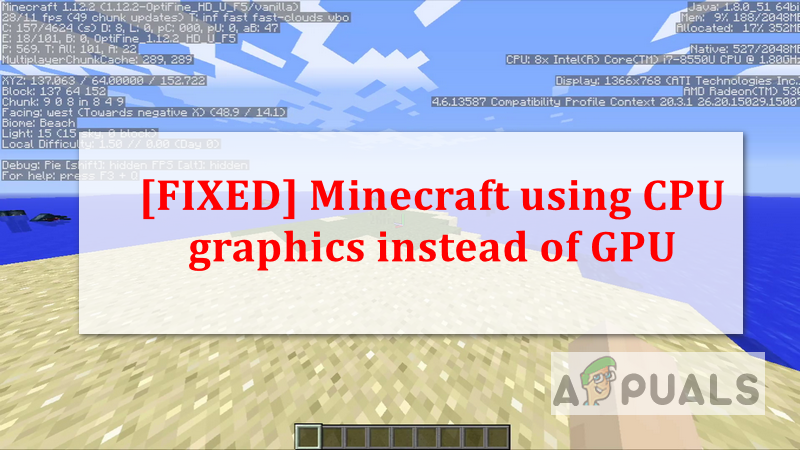
Appuals
It is common for Minecraft game players to add an external Graphics Processing Unit (GPU) for a better Minecraft experience instead of using the native
radiant jay
ebon mauve
-1 exit code no idea what this means
!moreinfo
versed mountainBOT
- What Minecraft version are you using? (1.19.2, 1.20.1, ...)
- What launcher did you run Minecraft with? (e.g. CurseForge, ATLauncher, MultiMC, ...)
- Have you changed the modpack in any way? (e.g. changing mod versions, adding/removing mods)
- What version of the modpack are you using? (v11, v9, etc)
- Have you ever gotten past the crash condition without crashing, or does the game always crash?
- What steps cause the crash?
Required:
Open the game directory (right click pack -> open folder), navigate to the "crash-reports" folder and upload the latest available crash report.
If there is no crash report, navigate to the logs folder and upload "latest.log."
If there is no log, navigate to the base pack directory and upload the hs_err_pid file, if there is one.
radiant jay
uneven dune
1. 1.20.1
2. curseforege
3. not at all
4. v36
5. there is no crashing the sce...
!alternates
versed mountainBOT
If this command was run in response to your question/issue, it is likely because switching away from the launcher you are currently using would fix your problem.
From our experience, the most stable launcher by far is ATLauncher, also known as ATL.
To install ATLauncher, do the following:
1. Go to https://atlauncher.com/download
2. Install and run the setup, then open the program.
3. Login to your Microsoft account that owns the Java Edition of Minecraft from the Accounts tab on the right. This process is 100% safe, as it goes directly through Microsoft. ATLauncher does not see your account credentials.
4. Go to the Packs tab on the right, then click "Curseforge" on the left.
5. Search the modpack you wish to download.
6. Click "New Instance". Click "Ok" on the opted out mods warning, then click "Open All" on the manual download screen.
7. Let the mods download, ATLauncher will grab them from your Downloads folder and automatically add them to the modpack.
8. Go to the Instances tab, and click "Play" on the modpack you downloaded. If you ever see an "Update" button on the instance, click it.
This video explains the process: https://youtu.be/xMYW1wMbmkM
To transfer your Curseforge world to ATLauncher, simply right click the modpack on Curseforge, or click the 3 dots, then click "Open Folder". Copy the Saves folder, then click "Open Folder" on ATLauncher and paste the Saves folder there. Do the same with the XaerosMinimap folder, or the Journeymap folder, to transfer over any waypoints you've created.
Because ATLauncher downloads the exact same files as Curseforge does, your world will be the exact same and you will be able to join the same servers. ATLauncher also works without an internet connection (after you've installed the modpack, of course), and does not have any bloat from Overwolf. You are free to uninstall both Overwolf and Curseforge with ATLauncher installed.
fiery dove
fiery wraith
Is there a better way of getting tungsten or do you just have to mine it?
Mine it. just use a fortune 5 pickaxe
 unkempt cosmos
I've noticed a glitch or soemthing with the Carry on mod on BMC4
If you have the key bind for it as right click on your mouse. You can by mistake use carry on, on your door and than be stuck with the item in your hands
fluid socket
unkempt cosmos
If you have the key bind for it as right click on your mouse. You can by mistake...
Probably would be good if you report this to the Devs of the Carry On mod too
unkempt cosmos
ok, so do I just go to the Cursed forge website and find them that way?
 jolly wadi
Hello guys, i just want to ask a quick question, me and my friends are trying to play better mc with essential and ATLauncher and its saying that i have added an extra mod that may cause an major issue , and now i cant create new world and i dont even see singleplayer and multiplayer option. Any help with this issue?
fluid socket
unkempt cosmos
ok, so do I just go to the Cursed forge website and find them that way?
If they have a GitHub Repo or a Discord Server linked there it would be ideal
unkempt cosmos
OK thank you Aztec
fluid socket
Easiest way to report bugs in general. But if there is no way listed to contact them regarding bugs you can try to DM via CurseForge.
unkempt cosmos
OK, I'll do that if I can't find the other ways you mentioned
fluid socket
unkempt cosmos
OK, I'll do that if I can't find the other ways you mentioned
GitHub
Carry On mod for Minecraft. Contribute to Tschipp/CarryOn development by creating an account on GitHub.
Here you can report it
fluid socket
unkempt cosmos
Thank you for the Help Aztec
You are welcome
Maybe quickly check first if this issue is already listed/known before posting a duplicate.
idle belfry
fluid socket
https://appuals.com/fixed-minecraft-using-cpu-graphics-instead-of-gpu/
i'll try now. Thanks for the help
fluid socket
idle belfry
i'll try now. Thanks for the help
You are welcome
 daring lagoon
is there a good beginner guide for this modpack anywhere
velvet folio
whats the mod that lets you see the growth of plants and animals?
idle belfry
another question, vein mining doesn't work. I have it in a pickaxe and it mines one by one the minerals
 placid glade
 unkempt cosmos
I was able to post about the Problem, Aztec
radiant jay
daring lagoon
is there a good beginner guide for this modpack anywhere
quest book
unkempt cosmos
Just have to wait and see if they see it
tawdry forge
Why is my Simple storage showing i have double of everything
uneven dune
versed mountain
If this command was run in response to your question/issue, it is likely because...
it still shows a black screen
unfortunately
 gentle lion
I can't activate the Just enough item mod can someone help me please ?
radiant jay
gentle lion
I can't activate the Just enough item mod can someone help me please ?
wdym activate?
when you download better mc everything is already suppossed to be done
 short pumice
help
 radiant jay
short pumice
help
radiant jay
short pumice
help
did you add essential?
short pumice
I dont know
radiant jay
short pumice
I dont know
did you add any mod to the modpack
also why is there like a steampunk logo behind bmc
short pumice
radiant jay
did you add any mod to the modpack
no I didn't add
radiant jay
short pumice
no I didn't add
!cracked
versed mountainBOT
If you are using a cracked Minecraft launcher, we can not assist with your issue. In order to receive help, you need to switch to an approved launcher and provide proof you have purchased Minecraft. This is due to the terms of service and guideline agreements of both Mojang and Discord.
uneven dune
hey do you know what the issue could be with mine because i did what the bot told me and used AT and its still a black screen
radiant jay
uneven dune
hey do you know what the issue could be with mine because i did what the bot tol...
sry i dont, send your problem again
 rich trail
radiant jay
sry i dont, send your problem again
rich trail
radiant jay
sry i dont, send your problem again
Could you check out me and my friend's issue please? #steampunk
radiant jay
rich trail
Could you check out me and my friend's issue please? <#996250521465790514>
im sry i dont play steampunk but maybe its crashing because of the removed or added mods
yall could try removing one mod at a time and check if that helps or if its all the time
rich trail
radiant jay
im sry i dont play steampunk but maybe its crashing because of the removed or ad...
The mods we added / removed have nothing to do with the issue we are coming across
Thank you for your help though
uneven dune
radiant jay
sry i dont, send your problem again
so basically when i launch the game it loads but its a black square and at the top it says the normal stuff like the version and mod name, then after a min it starts playing the main menu theme and i can click and interact with the main menu, its just the screen is blacked out and i cant see anything
radiant jay
rich trail
The mods we added / removed have nothing to do with the issue we are coming acro...
maybe but removing and adding mods can have incompatibilty issues and some mods depend on each other which could mess smt up
 orchid agate
Hey i wanted to ask u if someone can help me Bc i Changed the jvm arguments and then then got automaticly away and now everytine Its Grashöfe
Crashing
spice orbit
how does fertility work
like if i plant sugar cane in summer does it all die in fall
since it only says its fertile in summer
 split yarrow
does anyone know why whenever i open any door it either doesnt open or only the top half of it opens
 deft saddle
Anyone know why my friends items reset and he go backs to world spawn each time he leaves the game on a lan world bmc4
gentle lion
It's normal that you can't upgrade your backpack ?
deft saffron
is nether reed the rarest thing on this or what
radiant jay
spice orbit
like if i plant sugar cane in summer does it all die in fall
no it just doesnt grow
radiant jay
gentle lion
It's normal that you can't upgrade your backpack ?
the backpack mod in bmc forge doesnt let you upgrade
radiant jay
deft saffron
is nether reed the rarest thing on this or what
nether reed?
 runic lark
so sorry if im not supposed to ask here but i got this msg and idk what mod it is is it because i add essential mod? again so sorry if im not supposed to ask here!! 
 radiant jay
runic lark
so sorry if im not supposed to ask here but i got this msg and idk what mod it i...
radiant jay
runic lark
so sorry if im not supposed to ask here but i got this msg and idk what mod it i...
!ea
versed mountainBOT
The Essential mod is completely incompatible with all of our modpacks, and there's no reason to use it. All of our modpacks already come with built-in, free world hosting, by clicking the "Share World' button in the Open to LAN menu. You can learn more by typing !ws in the #bots channel. You can also run type !server in the same channel to learn how to properly host a server for better performance and more flexibility. In modpacks that aren't owned by us, you can use mods such as e4mc or WorldHost to host a server completely for free without Essential's many issues and crashes and the microtransactions that they constantly bother users with. To learn more about alternatives to the Essential mod, check out this website.
gentle lion
radiant jay
the backpack mod in bmc forge doesnt let you upgrade
ah ok it's a shame but thanks anyway
radiant jay
runic lark
so sorry if im not supposed to ask here but i got this msg and idk what mod it i...
this is the right channel 👍🏼
runic lark
radiant jay
!ea
oooh tysm!!
deft saffron
radiant jay
nether reed?
yeah lol the stuff to make the tools with
liek sugar cane apparently
cant find it to save my life
radiant jay
deft saffron
cant find it to save my life
apparently its next to lava pools
velvet folio
What mod is the one that lets you share your world with other people so they can play with you?
deft saffron
radiant jay
apparently its next to lava pools
yeah i done a look online for it but there just isnt any anywhere
agile cradle
runic lark
where can i find the start.bat file?
Did you download server pack
Did you add essential
What launcher you using.
runic lark
agile cradle
Did you download server pack
ooh crap no so sorry where can i find it?
agile cradle
runic lark
ooh crap no so sorry where can i find it?
Curseforge website
No
!cracked
versed mountainBOT
If you are using a cracked Minecraft launcher, we can not assist with your issue. In order to receive help, you need to switch to an approved launcher and provide proof you have purchased Minecraft. This is due to the terms of service and guideline agreements of both Mojang and Discord.
runic lark
agile cradle
Curseforge website
what do i search?
agile cradle
runic lark
what do i search?
The modpack you want
runic lark
oh i have the mod pack bmc4 but idk how to make a srvr like i cant find the start.bat or start.ps1 file
may i send a screenshot of the folder?
plucky geodeBOT
Ban Result:
Reason: Tl is spyware and illegal, appeal with proof that you own official Minecraft
Moderator: @agile cradle
Banned:
ethem27 [727959694869790740]
agile cradle
runic lark
oh i have the mod pack bmc4 but idk how to make a srvr like i cant find the star...
You have to download the serverpack from there website… under the additional files
runic lark
oooooh sorry XD
agile cradle
Best to download serverpacks from Curseforge's website rather than their app as it often can break the download in general.
If one is not available on the page for your respective modpack:
- Curse may not have approved it yet.
- The developer may not have one available
You can make a serverpack simply by using a tool like Server Pack Generato...
runic lark
ooooh okay tysm!
so sorry to bother again but after opening the pack shall i open the start file
agile cradle
Yes, start.bat
runic lark
do i extract or just run it
runic lark
oh crap no was i supposed to?
agile cradle
Yes
runic lark
sorry i can do that npw
 coarse hearth
im tryna play bmc3 with a friend, and when i put in essentials 1.20.1 fabric the game crashes on launch
agile cradle
Any kind of zipped files you have to extract them