#better-mc-forge
1 messages · Page 364 of 1
 viral garden
 fluid socket
...
viral garden
the bot message
 pearl flint
alright i'll go read thank you, much appreciated
 hasty ivy
why cant i use essentials on better mc?
viral garden
hasty ivy
why cant i use essentials on better mc?
!ea
 versed mountainBOT
The Essential mod is completely incompatible with all of our modpacks, and there's no reason to use it. All of our modpacks already come with built-in, free world hosting, by clicking the "Share World' button in the Open to LAN menu. You can learn more by typing !ws in the #bots channel. You can also run type !server in the same channel to learn how to properly host a server for better performance and more flexibility. In modpacks that aren't owned by us, you can use mods such as e4mc or WorldHost to host a server completely for free without Essential's many issues and crashes and the microtransactions that they constantly bother users with. To learn more about alternatives to the Essential mod, check out this website.
 gilded turret
Hi there, my friends and I have a BMC Neoforge 1.21.1v14 server. I was hoping to just have client side Mizuno's CIT for me to enjoy but I've only had it on fabric servers in the past. Is there a way for me to get CIT Resewn equivalent for a neoforge server?
fluid socket
gilded turret
Hi there, my friends and I have a BMC Neoforge 1.21.1v14 server. I was hoping to...
You need to have exactly the same modpack (also the version) on your client as the on that is installed on the server.
If you want a CIT equivalent it needs to be added to the server and to your client too.
If there is an equivalent you need to find out if it is compatible with BMC
Ah wait is CIT just a client-side only thing?
If CIT is just a resourcepack it should work I think
gilded turret
Let me locate a 1.21 version of Mizuno 16-- it is just a resource pack 🙂
fluid socket
gilded turret
Let me locate a 1.21 version of Mizuno 16-- it is just a resource pack 🙂
Which BMC version are you playing?
gilded turret
BMC5
fluid socket
Ok just try it out then if an equivalent exists
 eager terrace
okay. i looked at my java files and saw powershell was trying to install java 21.04. i uninstalled the version i had (21.05) and manually installed 21.04. after i did that i got this
 pearl flint
thank you again for everyone's help, i switched to curseforge and now have an updated version
thank you so much it's much appreciated ♥️
viral garden
gilded turret
Hi there, my friends and I have a BMC Neoforge 1.21.1v14 server. I was hoping to...
only add it to your client mods folder
viral garden
eager terrace
okay. i looked at my java files and saw powershell was trying to install java 21...
what exactly is the issue though
 noble merlin
The end portal
viral garden
its not stopping or anything
viral garden
noble merlin
The end portal
the end portal is found the same way as vanilla
noble merlin
viral garden
the end portal is found the same way as vanilla
Yeah I can’t find mine for some reason are there multiple as well?
Is it like vanilla where if I find it into a finder it will work?
noble merlin
I know how to find it 😂😂 I’ve been playing mc for 15 years
There are also websites you can put your seed into and it will tell you
But neither are working for me, is it a normal stronghold or are the areas different
viral garden
noble merlin
There are also websites you can put your seed into and it will tell you
those will not work, as you are playing a modpack
viral garden
noble merlin
But neither are working for me, is it a normal stronghold or are the areas diff...
the strongholds are modded and will look differently
fluid socket
noble merlin
I know how to find it 😂😂 I’ve been playing mc for 15 years
You can find it with /locate structure
fluid socket
noble merlin
But neither are working for me, is it a normal stronghold or are the areas diff...
It works with normal eyes of ender like in vanilla
I did it
Once you are in the stronghold (Which can be pretty big), the map is very useful to locate the portal room
What do you mean with it is not working for you? What exactly doesn't work when you use eyes of ender?
fluid socket
noble merlin
There are also websites you can put your seed into and it will tell you
those websites show you how the world would look in vanilla with the seed. So useless with a modpack that modifies world generation etc.
eager terrace
viral garden
what exactly is the issue though
i guess nothing, sorry. i was having issues with the server not staying open but now it seems to be working. thank you, and sorry for wasting your time.
fluid socket
eager terrace
i guess nothing, sorry. i was having issues with the server not staying open but...
Have fun!
noble merlin
fluid socket
You can find it with /locate structure
i tried that and it just says error
fluid socket
noble merlin
i tried that and it just says error
Did you do /locate structure stronghold
?
And do you have op rights?
Without op rights you can't use such commands
Or you need to enable cheats
 void beacon
1.20.1
Curseforge but hosting server on a hosting website
I have added Lithium because the dashboard suggested it for a mod but have not altered or deleted anything else
v.36 1.20.1 BMC4
I've had it work in the past for long periods of time at a time but now it doesn't work no matter how many resets or anything
When turning on the server, different causes of an error will pop up. Majority of the time is from RecipeManager skipping and loading things which to me makes no sense since it's just skipping, but then it just crashes.
On the error log for the server it shows that there wasn't enough memory, but that wasn't an issue or atleast it was saying there was still remaining memory in the dashboard.
 wispy trailBOT
void beacon
1.20.1
Curseforge but hosting server on a hosting website
I have added Lithium b...
wispy trailBOT
void beacon
1.20.1
Curseforge but hosting server on a hosting website
I have added Lithium b...
Uploaded crash-2025-01-19_00.49.40-server.txt from @void beacon to mclogs: https://mclo.gs/Sj9ZdaH
noble merlin
fluid socket
Or you need to enable cheats
will this take away achievements?
fluid socket
noble merlin
will this take away achievements?
In my world I have cheats activated and achievements work normally
But in vanilla minecraft I think it deactivates achievements
noble merlin
okay perfect thank you!
fluid socket
So I guess this is because of the modpack
 round trellis
So i'm hosting a bisect server with BMC 5 NeoForge and the server is running but when I try loading in it tells me I have to download 2 mods, so I download them and put them in my mods then i try loading again and then it tells me i have to download over 20 mods...? i thought the server would have everything so i don't have to download all these mods
fluid socket
round trellis
So i'm hosting a bisect server with BMC 5 NeoForge and the server is running but...
Just install the same version of the modpack on your client
Don't download mods manually that should be in the modpack by default
Make sure that you have the exact same modpack with the same modpack version installed on your launcher. Then it should work.
Which version of BMC5 is your server running on?
And which launcher do you use on your client?
Also which version do you have installed on your client of the modpack?
void beacon
Are there any known reasons for BMC4 to not work on servers
round trellis
fluid socket
Just install the same version of the modpack on your client
thank you its working now
fluid socket
round trellis
thank you its working now
You are welcome! Have fun
fluid socket
void beacon
Are there any known reasons for BMC4 to not work on servers
Not really if you did set up everything properly
@void beacon !moreinfo
!moreinfo
versed mountainBOT
- What Minecraft version are you using? (1.19.2, 1.20.1, ...)
- What launcher did you run Minecraft with? (e.g. CurseForge, ATLauncher, MultiMC, ...)
- Have you changed the modpack in any way? (e.g. changing mod versions, adding/removing mods)
- What version of the modpack are you using? (v11, v9, etc)
- Have you ever gotten past the crash condition without crashing, or does the game always crash?
- What steps cause the crash?
Required:
Open the game directory (right click pack -> open folder), navigate to the "crash-reports" folder and upload the latest available crash report.
If there is no crash report, navigate to the logs folder and upload "latest.log."
If there is no log, navigate to the base pack directory and upload the hs_err_pid file, if there is one.
void beacon
fluid socket
Not really if you did set up everything properly
this keeps happening and then crashing despite me reinstalling everything and all, is there a fix i could do?

 idle rune
Hello guys is there any one i can ask about BMC3 Forge & Fabric please
idle rune
i install bmc3 3 days ago and i remember i been spawn near to a village where they are look like player and if u click right on them it shows a screen where u can tell them to follow you or go home smth like that
i dont remember which version Fabric or Forge all i remember that its was on BMC3
i installed both and cant find it can u guid me pls first time playing it.
fluid socket
void beacon
this keeps happening and then crashing despite me reinstalling everything and al...
Please send the information that I asked you for.
fluid socket
idle rune
i install bmc3 3 days ago and i remember i been spawn near to a village where th...
I have no idea what you mean. Never saw this feature before, but I also never played BMC3.
Like are you asking that because you want a way to get Villagers to your base?
idle rune
not rly but ,i guess they can help you by killing mobs ect..
fluid socket
idle rune
not rly but ,i guess they can help you by killing mobs ect..
Villagers?
 tranquil pier
when i make a server do i need to keep launching start.bat or does run.bat work? cuase it keeps install server.jar when i run start.bat
idle rune
they look like players with different skins and they can interact with u
fluid socket
tranquil pier
when i make a server do i need to keep launching start.bat or does run.bat work?...
!server
versed mountainBOT
Paid Method
We suggest renting a server from Bisect Hosting:
Approx. $10 - $25 a month depending on what plan you choose. You can also get 25% off with Code LunaPixel.
Go here and order a plan which fits you. We suggest 1GB per player but nothing lower than 4GB as the server needs at least 3GB to run.
Go to #server-hosting for more Info!
Free Method
To host a server on your own computer, read the selfhosting guide.
This guide goes over how to install, create, and launch a free Minecraft server on all operating systems (MacOS, Linux and Windows). The guide also guides you through installing Java and optimizing your server for better performance.
If you are installing one of our older modpacks, ignore the "README" file that is included in the serverpack files, as they have outdated information.
fluid socket
idle rune
they look like players with different skins and they can interact with u
Seems like a mod that is not in BMC4, so I can't tell you. You need to wait for a dev or someone who knows the mod you are talking about.
idle rune
fluid socket
Seems like a mod that is not in BMC4, so I can't tell you. You need to wait for ...
ok sure
void beacon
void beacon
1.20.1
Curseforge but hosting server on a hosting website
I have added Lithium b...
@fluid socket alredy did before
fluid socket
void beacon
<@149829778290114560> alredy did before
Did it work with Lithium before?
Did you change anything before it started crashing?
Or did it just start crashing out of nowhere?
Also please send latest.log file
 pulsar smelt
any good seeds?
viral garden
noble merlin
i tried that and it just says error
you need cheats on to run commands
viral garden
void beacon
1.20.1
Curseforge but hosting server on a hosting website
I have added Lithium b...
please
do not add mods
if you dont know what you're doing
Lithium is a fabric mod
it will not work on forge, even when Sinytra's Connector is present
thats why we use Radium Reforged in the modpack
If your hosting website is suggesting to add it, its wrong and you should stop listening to the host
Lithium will break the modpack
viral garden
noble merlin
will this take away achievements?
it will not no
viral garden
fluid socket
But in vanilla minecraft I think it deactivates achievements
this is incorrect
viral garden
round trellis
So i'm hosting a bisect server with BMC 5 NeoForge and the server is running but...
!alternates
versed mountainBOT
If this command was run in response to your question/issue, it is likely because switching away from the launcher you are currently using would fix your problem.
From our experience, the most stable launcher by far is ATLauncher, also known as ATL.
To install ATLauncher, do the following:
1. Go to https://atlauncher.com/download
2. Install and run the setup, then open the program.
3. Login to your Microsoft account that owns the Java Edition of Minecraft from the Accounts tab on the right. This process is 100% safe, as it goes directly through Microsoft. ATLauncher does not see your account credentials.
4. Go to the Packs tab on the right, then click "Curseforge" on the left.
5. Search the modpack you wish to download.
6. Click "New Instance". Click "Ok" on the opted out mods warning, then click "Open All" on the manual download screen.
7. Let the mods download, ATLauncher will grab them from your Downloads folder and automatically add them to the modpack.
8. Go to the Instances tab, and click "Play" on the modpack you downloaded. If you ever see an "Update" button on the instance, click it.
This video explains the process: https://youtu.be/xMYW1wMbmkM
To transfer your Curseforge world to ATLauncher, simply right click the modpack on Curseforge, or click the 3 dots, then click "Open Folder". Copy the Saves folder, then click "Open Folder" on ATLauncher and paste the Saves folder there. Do the same with the XaerosMinimap folder, or the Journeymap folder, to transfer over any waypoints you've created.
Because ATLauncher downloads the exact same files as Curseforge does, your world will be the exact same and you will be able to join the same servers. ATLauncher also works without an internet connection (after you've installed the modpack, of course), and does not have any bloat from Overwolf. You are free to uninstall both Overwolf and Curseforge with ATLauncher installed.
viral garden
void beacon
this keeps happening and then crashing despite me reinstalling everything and al...
Please read the full contents of the #get-support channel for us to provide assistance.
 fluid socket
viral garden
this is incorrect
fluid socket
viral garden
this is incorrect
Seems like it was like that before
On older versions
Ah thats only a Bedrock thing
 grand gate
It’s gone 😭😭
 void beacon
fluid socket
Also please send latest.log file
void beacon
fluid socket
Also please send latest.log file
Idk if this is what u are asking for but
 fluid socket
void beacon
Idk if this is what u are asking for but
fluid socket
void beacon
Idk if this is what u are asking for but
Yes
void beacon
viral garden
Lithium is a fabric mod
Yes I've removed it but crashing still appears
fluid socket
upload it please
viral garden
void beacon
Yes I've removed it but crashing still appears
Please read the full contents of the #get-support channel for us to provide assistance.
void beacon
wispy trailBOT
void beacon
Uploaded latest.log from @void beacon to mclogs: https://mclo.gs/8oyVGzD
fluid socket
grand gate
It’s gone 😭😭
Good
fluid socket
void beacon
Is this the whole file? In general it is longer
void beacon
not sure this is the only file that says latest.log
wispy trailBOT
void beacon
not sure this is the only file that says latest.log
Uploaded latest_1.log from @void beacon to mclogs: https://mclo.gs/iHuvscA
viral garden
please read #get-support fully or i cant assist you
fluid socket
void beacon
1.20.1
Curseforge but hosting server on a hosting website
I have added Lithium b...
He provided more information here
void beacon
1.20.1
Curseforge but hosting server on a hosting website
I have not altered anything
v.36 1.20.1 BMC4
I've had it work in the past for long periods of time at a time but now it doesn't work no matter how many resets or anything
I am able to get the server on by restarting the server, every now and then working, other times not, but recently after a little time with players online, it will crash.
On the error log for the server it shows that there wasn't enough memory, but that wasn't an issue or atleast it was saying there was still remaining memory in the dashboard. And in terms of the logs and everything I'm not fully sure about what all that means
wispy trailBOT
void beacon
1.20.1
Curseforge but hosting server on a hosting website
I have not altered any...
Uploaded latest.log from @void beacon to mclogs: https://mclo.gs/o2E4Hu8
viral garden
what host are you using
void beacon
wispy trail
Uploaded `latest.log` from <@1117567829655433326> to mclogs: https://mclo.gs/o2E...
this also occurs when getting kicked out
 void beacon
viral garden
what host are you using
void beacon
viral garden
what host are you using
Server.pro ik its not ideal but unfortunately that's what I've paid
viral garden
server.pro is extremely unreliable
void beacon
Yes
Cheaper than bisect though from the looks of it
Ope there goes ur message aztec 😆 :
 slim wraith
hiii, someone can help mee, i just install the mods that the game requiress
 fluid socket
void beacon
Cheaper than bisect though from the looks of it
fluid socket
void beacon
Cheaper than bisect though from the looks of it
Not sure though, would need to compare in detail what they offer, so I deleted the message
fluid socket
slim wraith
hiii, someone can help mee, i just install the mods that the game requiress
Just install the modpacks profile via a launcher and not do it manually
void beacon
fluid socket
Not sure though, would need to compare in detail what they offer, so I deleted t...
Yeah, server.pro is just one that I've used in the past and the budgetest options are cheap which led me to it
Likely a pretty bad decision from how everything's going rn
fluid socket
void beacon
Yeah, server.pro is just one that I've used in the past and the budgetest option...
Which plan do you have?
void beacon
4gb ram 4 cores 7$ monthly
I really was just buying the most cheapest option just to yk play with friends and frankly feel like 4gb ram is not enough
fluid socket
void beacon
4gb ram 4 cores 7$ monthly
Not sure if this is enough for the modpack
void beacon
Yeaaa...
fluid socket
slim wraith
hiii, someone can help mee, i just install the mods that the game requiress
What do you mean with install the mods that the game requires? You manually installed a few hundred mods?
!moreinfo
versed mountainBOT
- What Minecraft version are you using? (1.19.2, 1.20.1, ...)
- What launcher did you run Minecraft with? (e.g. CurseForge, ATLauncher, MultiMC, ...)
- Have you changed the modpack in any way? (e.g. changing mod versions, adding/removing mods)
- What version of the modpack are you using? (v11, v9, etc)
- Have you ever gotten past the crash condition without crashing, or does the game always crash?
- What steps cause the crash?
Required:
Open the game directory (right click pack -> open folder), navigate to the "crash-reports" folder and upload the latest available crash report.
If there is no crash report, navigate to the logs folder and upload "latest.log."
If there is no log, navigate to the base pack directory and upload the hs_err_pid file, if there is one.
fluid socket
void beacon
Yeaaa...
Maybe switch to another provider
If you can afford it
Or if your computer is strong maybe the Free World Sharing feature?
void beacon
What is another provider that is good that is stil budgety
slim wraith
fluid socket
What do you mean with install the mods that the game requires? You manually inst...
noop i just install manually this mods
 void beacon
That yo uwould suggest
fluid socket
slim wraith
noop i just install manually this mods
!moreinfo
versed mountainBOT
- What Minecraft version are you using? (1.19.2, 1.20.1, ...)
- What launcher did you run Minecraft with? (e.g. CurseForge, ATLauncher, MultiMC, ...)
- Have you changed the modpack in any way? (e.g. changing mod versions, adding/removing mods)
- What version of the modpack are you using? (v11, v9, etc)
- Have you ever gotten past the crash condition without crashing, or does the game always crash?
- What steps cause the crash?
Required:
Open the game directory (right click pack -> open folder), navigate to the "crash-reports" folder and upload the latest available crash report.
If there is no crash report, navigate to the logs folder and upload "latest.log."
If there is no log, navigate to the base pack directory and upload the hs_err_pid file, if there is one.
fluid socket
void beacon
That yo uwould suggest
I mean Bisect is recommend by LunaPixelStudios. I personally use Nitrado and am very happy with it.
void beacon
fluid socket
Or if your computer is strong maybe the Free World Sharing feature?
And that just shares it on my computer and runs it off my computer resources? How much resources do you think it will realistcally use if there were to be like 2-3 people on it consistenly including me? Would it save the things my friends have and everything as well?
fluid socket
Nitrado is cheaper than Bisect, but Nitrado got also criticized a lot in the past.
fluid socket
void beacon
And that just shares it on my computer and runs it off my computer resources? Ho...
Exactly
If you have a good computer this should work
slim wraith
fluid socket
!moreinfo
sorry, but what do you mean??
fluid socket
@slim wraith Just answer the questions
void beacon
fluid socket
Nitrado is cheaper than Bisect, but Nitrado got also criticized a lot in the pas...
For what things? And waht does the renew thing mean? Does that mean that every "that amount of time" i have to pay that price again?
fluid socket
versed mountain
1. What Minecraft version are you using? (1.19.2, 1.20.1, ...)
2. What launcher ...
This questions
slim wraith
1.20.1, TLauncher, only install the mods that it requires, v34.5 , not crash
fluid socket
void beacon
For what things? And waht does the renew thing mean? Does that mean that every "...
That the servers are not reliable the prices are too high (Which I can't confirm if I compare the prices of other providers).
 merry copper
Hello
i have added a mod that will surely not cause a problem for the modpack
But it says that it will
This mods name is essentials
fluid socket
I used Nitrado over years and I always was happy. Only for small Minecraft servers, but it was always good. Also you can preinstall modpacks and the support is also reliable. Not sure why so many people complain about it.
Maybe bigger servers have issues. For example the max. RAM option for a MC server on Nitrado is 7GB RAM which is not enough if you want to host a server that is bigger than for only a few friends.
versed mountainBOT
The Essential mod is completely incompatible with all of our modpacks, and there's no reason to use it. All of our modpacks already come with built-in, free world hosting, by clicking the "Share World' button in the Open to LAN menu. You can learn more by typing !ws in the #bots channel. You can also run type !server in the same channel to learn how to properly host a server for better performance and more flexibility. In modpacks that aren't owned by us, you can use mods such as e4mc or WorldHost to host a server completely for free without Essential's many issues and crashes and the microtransactions that they constantly bother users with. To learn more about alternatives to the Essential mod, check out this website.
fluid socket
slim wraith
1.20.1, TLauncher, only install the mods that it requires, v34.5 , not crash
Update to v36.
void beacon
fluid socket
I used Nitrado over years and I always was happy. Only for small Minecraft serve...
Right but 7GB should be enough for my small server with the modpack correct? Also what does the runtime thing mean. The price difference is very different from 3 days to 30 days. Does that mean that every 3 days I will have to repay that small price?
merry copper
fluid socket
It 100% is incompatible.
Does the free world hosting Work over states or no
fluid socket
Doesn't make sense to get something on old versions running
fluid socket
merry copper
Does the free world hosting Work over states or no
It does
merry copper
Do you know what mod this is?
fluid socket
void beacon
Right but 7GB should be enough for my small server with the modpack correct? Als...
You can pay for 3 days (and prolong every 3 days if you want), or pay for every month or pay for a year. The longer the cheaper it is.
fluid socket
merry copper
Do you know what mod this is?
What?
Essentials mod?
Or the Free World Sharing?
merry copper
Free world sharing
fluid socket
I think this is from LunaPixelStudios and not a separate mod
gilded turret
fluid socket
Ok just try it out then if an equivalent exists
Okay I did some research, this existing resource pack does in fact cover the version I'm using. The CIT pack "requires optifine" which I figured having CIT resewn in the existing mods would cover the need for. Since I'm running BMC5 Neoforge, is there a different CIT Resewn I should use?
merry copper
Ohh ok thank you
fluid socket
gilded turret
Okay I did some research, this existing resource pack does in fact cover the ver...
Try it out
I don't know more about CIT than you
void beacon
fluid socket
You can pay for 3 days (and prolong every 3 days if you want), or pay for every ...
Ah I see
fluid socket
merry copper
Ohh ok thank you
It covers all the features Essential has, or at least all relevant features, so no need for Essentials mod
merry copper
Even friends?
gilded turret
fluid socket
Try it out
I tried it-- unfortunately nothing maps when I use the anvil to make alternate items. Thanks for trying though!!
fluid socket
gilded turret
I tried it-- unfortunately nothing maps when I use the anvil to make alternate i...
Maybe you can try out if the order of the resource packs changing helps
merry copper
How would i send this to my online friend
fluid socket
merry copper
How would i send this to my online friend
What?
Ah
You get a server IP
just send the server IP to your friends
and they can join over multiplayer, liker they join to any normal server
void beacon
Does anyone know about how good Hostinger is? Their prices seem to be really really good for what they give
And the compatibilty with modpacks (BetterMC)

 slim wraith
help pls, i already install the v36
versed mountainBOT
Paid Method
We suggest renting a server from Bisect Hosting:
Approx. $10 - $25 a month depending on what plan you choose. You can also get 25% off with Code LunaPixel.
Go here and order a plan which fits you. We suggest 1GB per player but nothing lower than 4GB as the server needs at least 3GB to run.
Go to #server-hosting for more Info!
Free Method
To host a server on your own computer, read the selfhosting guide.
This guide goes over how to install, create, and launch a free Minecraft server on all operating systems (MacOS, Linux and Windows). The guide also guides you through installing Java and optimizing your server for better performance.
If you are installing one of our older modpacks, ignore the "README" file that is included in the serverpack files, as they have outdated information.
wispy trailBOT
slim wraith
help pls, i already install the v36
Uploaded latest.log from @slim wraith to mclogs: https://mclo.gs/YhcCczK
fluid socket

➔➔➔ You can use the start.bat now instead of the start.ps1 on Windows
How to Create a Server for Minecraft Modpacks from Curseforge & ATLauncher
➔ Graal/Java: https://github.com/chorbintime/download-graal/releases
➔ Bisect Hosting: https://www.bisecthosting.com/p/lunapixel
Explaining: 00:00
Download Server Pack: 00:55
Set up Server: 02:05
Powe...
versed mountainBOT
The Essential mod is completely incompatible with all of our modpacks, and there's no reason to use it. All of our modpacks already come with built-in, free world hosting, by clicking the "Share World' button in the Open to LAN menu. You can learn more by typing !ws in the #bots channel. You can also run type !server in the same channel to learn how to properly host a server for better performance and more flexibility. In modpacks that aren't owned by us, you can use mods such as e4mc or WorldHost to host a server completely for free without Essential's many issues and crashes and the microtransactions that they constantly bother users with. To learn more about alternatives to the Essential mod, check out this website.
merry copper
ok
fluid socket
Your friend of course needs to have installed the same modpack on same version too
merry copper
Ok
slim wraith
aztec can you see my log pls? sorry for being anoying
fluid socket
slim wraith
aztec can you see my log pls? sorry for being anoying
[01:34:11] [main/INFO]: ModLauncher running: args [--username, Masssii, --version, Better MC [FORGE] BMC4 Better MC [FORGE] 1.20.1 v36, --gameDir, C:\Users\maxim\AppData\Roaming.minecraft\versions\Better MC [FORGE] BMC4 Better MC [FORGE] 1.20.1 v36, --assetsDir, C:\Users\maxim\AppData\Roaming.minecraft\assets, --assetIndex, 5, --uuid, c8174837b89e41469a0316deea56a880, --accessToken, ????????, --clientId, null, --xuid, null, --userType, mojang, --versionType, release, --width, 1440, --height, 900, --launchTarget, forgeclient, --fml.forgeVersion, 47.3.12, --fml.mcVersion, 1.20.1, --fml.forgeGroup, net.minecraftforge, --fml.mcpVersion, 20230612.114412, --fullscreen]
[01:34:11] [main/INFO]: ModLauncher 10.0.9+10.0.9+main.dcd20f30 starting: java version 17.0.8 by Microsoft; OS Windows 10 arch amd64 version 10.0
This is your log?
slim wraith
yes
fluid socket
Its like two lines
slim wraith
yeah it's this
 slim wraith
tlauncher
versed mountainBOT
If you are using a cracked Minecraft launcher, we can not assist with your issue. In order to receive help, you need to switch to an approved launcher and provide proof you have purchased Minecraft. This is due to the terms of service and guideline agreements of both Mojang and Discord.
fluid socket
Use ATLauncher or CurseForge
slim wraith
ohh okkk no problem, thanks anyways
fluid socket
slim wraith
ohh okkk no problem, thanks anyways
TLauncher seems to have Spyware installed to
too
So I wouldn't use it
Unless you want to get sensitive data stolen
slim wraith
ok thanks for the warning
slim wraith
fluid socket
Unless you want to get sensitive data stolen
jajajaj no thanks
merry copper
@fluid socket
Whats is powershell
You may run start-process PowerShell -verb runas "Set-ExecutionPolicy RemoteSigned" from a regular
PowerShell to allow running of the start-script.
fluid socket
merry copper
Whats is powershell
Please google it
I don't know how I can explain you what a very fundamental tool of windows is
You can enter commands there for windows
And more
Run command line programs, run scripts, etc.
If you don't know what Powershell is, you need to look that up on your own.
You need to set this execution policy within powershell.
Maybe you can follow my steps:
- Start Powershell as an administrator
- Run this command: start-process PowerShell -verb runas "Set-ExecutionPolicy RemoteSigned"
- Run the start-script again.
fluid socket
merry copper
What start scipt
Sorry I can't help you if you don't have fundamental knowledge about computers.
Please look up stuff like that on your own. I am not a Computer Science teacher.
merry copper
im sorry
fluid socket
No worries
Nobody gets born with this knowledge, learning such things takes time and it is not possible that I can make you understand those things with a few discord messages.
Look it up in the internet, watch youtube videos, read documentations if you want to know more about this topic.
viral garden
slim wraith
hiii, someone can help mee, i just install the mods that the game requiress
TLauncher is known spyware and is also unable to install mods or modpacks correctly. Because we offer no support for piracy due to Discord TOS, you will need to provide proof you own a legitimate copy of Minecraft or leave the server. For a safe, working way to install both mods and modpacks, read the #faq guide on installing modpacks.
viral garden
merry copper
!server
versed mountainBOT
Paid Method
We suggest renting a server from Bisect Hosting:
Approx. $10 - $25 a month depending on what plan you choose. You can also get 25% off with Code LunaPixel.
Go here and order a plan which fits you. We suggest 1GB per player but nothing lower than 4GB as the server needs at least 3GB to run.
Go to #server-hosting for more Info!
Free Method
To host a server on your own computer, read the selfhosting guide.
This guide goes over how to install, create, and launch a free Minecraft server on all operating systems (MacOS, Linux and Windows). The guide also guides you through installing Java and optimizing your server for better performance.
If you are installing one of our older modpacks, ignore the "README" file that is included in the serverpack files, as they have outdated information.
viral garden
slim wraith
help pls, i already install the v36
Please read the full contents of the #get-support channel for us to provide assistance.
 coarse edge
ok im so confused how do i get shaders with this? it says it has complementry like with it already when i check forge but when i go into the game its not like on
am i dumb or somthin
i dont use shaders so idk how it works
oh wait should i talk in another channel? idk
 spring herald
coarse edge
oh wait should i talk in another channel? idk
spring herald
coarse edge
oh wait should i talk in another channel? idk
i think u need to activate it manually
fluid socket
coarse edge
ok im so confused how do i get shaders with this? it says it has complementry l...
Activate shaders in settings
spring herald
through the settings
fluid socket
Yes some are preinstalled
spring herald
video settings > shaderpacks and choose the shader
fluid socket
spring herald
video settings > shaderpacks and choose the shader
Exactly
 hollow thunder
i get 30-50 frames and then when i use shaders it drops down to 6-12
coarse edge
ohhh okay i was trying to look for somthin like that but couldnt find any
coarse edge
hollow thunder
i get 30-50 frames and then when i use shaders it drops down to 6-12
get a better computer jk jk
fluid socket
hollow thunder
i get 30-50 frames and then when i use shaders it drops down to 6-12
!performance
versed mountainBOT
 hollow thunder
ha fr tho anyone know a way to boost my frames
fluid socket
hollow thunder
ha fr tho anyone know a way to boost my frames
Follow that guide
If you still have that low FPS your computer is probably jjust too weak
hollow thunder
Thank you ill check it out 🙏
coarse edge
spring herald
video settings > shaderpacks and choose the shader
i dont see shaderpacks erm
fluid socket
coarse edge
i dont see shaderpacks erm
Send screenshot
 spring herald
lmaooo
coarse edge
thanks guys
fluid socket
rofl
fluid socket
coarse edge
DAMN IVE NEVER USED A SHADER AND THIS LOOKS HELLA GOOD
Same
I recommend the BSL Shader pack
One of the best shader packs I know
Put both files into the shaderpacks folder if you want to try it out, I love it!
Also good performance
coarse edge
ohhh okay whats the difference between that and complemtry
coarse edge
fluid socket
Also good performance
oh my pc is good enough idc about that stuff
fluid socket
coarse edge
ohhh okay whats the difference between that and complemtry
Just a different pack
fluid socket
Yeah just go to shader settings and click on open folder
Move both files there
You can also try out other shader packs you find in the internet
coarse edge
ohh okay cool
fluid socket
Complementary + EuphoriaPatches is amazing too, but I don't like the water and also some other tings
coarse edge
yeah the water was the only thing that was kinda eh
 fluid socket
BSL Original shader screenshot of my world
 fluid socket
You don't know how good your computer had to be a few years ago for shaders
Even with like a 3000 USD Computer you had a hard time to get 60 fps on MC Vanilla with shaders. It is insane how good it got optimized. Even my friends with a meh laptop can run a modpack + shaders with over 60 fps now.
coarse edge
we love that
fluid socket
Also looks amazing at night. Sometimes even with Aurora Borealis

 coarse edge
THATS SO COOL WHATTTT
just started and this might be my base from now on

this is so cool
 fiery kayak
anyone know how to get the bloodshed enchantment book? is it able to be traded with a villager?
viral garden
coarse edge
ok im so confused how do i get shaders with this? it says it has complementry l...
video settings -> shaders
viral garden
hollow thunder
i get 30-50 frames and then when i use shaders it drops down to 6-12
Please follow the performance guide to improve your game performance, as this is likely to resolve your issue.
coarse edge
wait why cant i connect chests
i made oak chests and they wont connect
nvm i just turned the quark mod chests into regular ones

 fluid socket
fiery kayak
where can i find this book?
fluid socket
fiery kayak
where can i find this book?
In the Nether probably
spring herald
fiery kayak
where can i find this book?


can be found in sanctum (Soul sand valley)
fluid socket
Ok Complementary + EuphoriaPatches looks nice too with the right settings. I attached the settings .txt file if someone wants to take them over.

 fluid socket
 tiny crystal
how to i combine my ignidium chestplate with elytra?
tiny crystal
how to i combine my ignidium chestplate with elytra?
Which modpack?
tiny crystal
bmc
 modest copper
fluid socket
tiny crystal
bmc
modest copper
fluid socket
tiny crystal
bmc
Which BMC?
fluid socket
!moreinfo
versed mountainBOT
- What Minecraft version are you using? (1.19.2, 1.20.1, ...)
- What launcher did you run Minecraft with? (e.g. CurseForge, ATLauncher, MultiMC, ...)
- Have you changed the modpack in any way? (e.g. changing mod versions, adding/removing mods)
- What version of the modpack are you using? (v11, v9, etc)
- Have you ever gotten past the crash condition without crashing, or does the game always crash?
- What steps cause the crash?
Required:
Open the game directory (right click pack -> open folder), navigate to the "crash-reports" folder and upload the latest available crash report.
If there is no crash report, navigate to the logs folder and upload "latest.log."
If there is no log, navigate to the base pack directory and upload the hs_err_pid file, if there is one.
fluid socket
@tiny crystal
fiery kayak
any method or tricks to get wither skeleton skulls easier
fluid socket
fiery kayak
any method or tricks to get wither skeleton skulls easier
Without cheating?
If you only need three for the wither I would go for the classic way
 odd pike
Does anyone have any tips in getting 50 corruption in the Eldritch End mod for the eyes? I tried setting up a trap for them and then tanking hits, but i never got enough for them to spawn
 brittle tree
Hello, my game crashes every time I try to open it, and I don't know why. It happens since I updated to version 15 in curseforge
I don't know if anyone knows how to help me
 agile cradle
brittle tree
Hello, my game crashes every time I try to open it, and I don't know why. It hap...
agile cradle
brittle tree
Hello, my game crashes every time I try to open it, and I don't know why. It hap...
!moreinfo
versed mountainBOT
- What Minecraft version are you using? (1.19.2, 1.20.1, ...)
- What launcher did you run Minecraft with? (e.g. CurseForge, ATLauncher, MultiMC, ...)
- Have you changed the modpack in any way? (e.g. changing mod versions, adding/removing mods)
- What version of the modpack are you using? (v11, v9, etc)
- Have you ever gotten past the crash condition without crashing, or does the game always crash?
- What steps cause the crash?
Required:
Open the game directory (right click pack -> open folder), navigate to the "crash-reports" folder and upload the latest available crash report.
If there is no crash report, navigate to the logs folder and upload "latest.log."
If there is no log, navigate to the base pack directory and upload the hs_err_pid file, if there is one.
brittle tree
What Minecraft version are you using? 1.21.1
What launcher did you run Minecraft with? CurseForge
Have you changed the modpack in any way? No
What version of the modpack are you using? v15
Have you ever gotten past the crash condition without crashing, or does the game always crash? First time
What steps cause the crash? Just starting the game causes the crash
wispy trailBOT
brittle tree
What Minecraft version are you using? 1.21.1
What launcher did you run Minecraft...
Uploaded latest.log from @brittle tree to mclogs: https://mclo.gs/yJ5yRbN
brittle tree
Like this?
 potent hatch
i used the download_graal.ps1 , and i have the current version of java installed. it then tries to boot the server, but fails to send the keepalive request. can anyone help?
Do you have custom Java install scripts in your server packs? If so, this is out of my hands.
viral garden
potent hatch
> i used the download_graal.ps1 , and i have the current version of java install...
the issue was during the initial server startup but the issue suddenly fixed itself for the user so i'm unsure what exactly happened
i'll let you know if i get more info
potent hatch

viral garden
brittle tree
What Minecraft version are you using? 1.21.1
What launcher did you run Minecraft...
!alternates
versed mountainBOT
If this command was run in response to your question/issue, it is likely because switching away from the launcher you are currently using would fix your problem.
From our experience, the most stable launcher by far is ATLauncher, also known as ATL.
To install ATLauncher, do the following:
1. Go to https://atlauncher.com/download
2. Install and run the setup, then open the program.
3. Login to your Microsoft account that owns the Java Edition of Minecraft from the Accounts tab on the right. This process is 100% safe, as it goes directly through Microsoft. ATLauncher does not see your account credentials.
4. Go to the Packs tab on the right, then click "Curseforge" on the left.
5. Search the modpack you wish to download.
6. Click "New Instance". Click "Ok" on the opted out mods warning, then click "Open All" on the manual download screen.
7. Let the mods download, ATLauncher will grab them from your Downloads folder and automatically add them to the modpack.
8. Go to the Instances tab, and click "Play" on the modpack you downloaded. If you ever see an "Update" button on the instance, click it.
This video explains the process: https://youtu.be/xMYW1wMbmkM
To transfer your Curseforge world to ATLauncher, simply right click the modpack on Curseforge, or click the 3 dots, then click "Open Folder". Copy the Saves folder, then click "Open Folder" on ATLauncher and paste the Saves folder there. Do the same with the XaerosMinimap folder, or the Journeymap folder, to transfer over any waypoints you've created.
Because ATLauncher downloads the exact same files as Curseforge does, your world will be the exact same and you will be able to join the same servers. ATLauncher also works without an internet connection (after you've installed the modpack, of course), and does not have any bloat from Overwolf. You are free to uninstall both Overwolf and Curseforge with ATLauncher installed.
viral garden
potent hatch
<:hcatThinking:725427729708744734>
it could be because of the download graal script
ill have to check
potent hatch
viral garden
i'll let you know if i get more info
Strange. Could be an environment issue on the users side. Admin vs User. Windows is very strange with that and depending on how you've setup your user, double-clicking to run a script could run it as admin, but when running it from CLI, it could run it as a regular user.
viral garden
yea
 silver heart
Anyone got an idea of how i'd add distant horizons to the modpack?
fluid socket
silver heart
Anyone got an idea of how i'd add distant horizons to the modpack?
I highly doubt that it is compatible, but try it out
 radiant jay
silver heart
Anyone got an idea of how i'd add distant horizons to the modpack?
radiant jay
silver heart
Anyone got an idea of how i'd add distant horizons to the modpack?
you can but you need to use an older version of it, so not the newest one
2.1 worked for some people
try what works for you
radiant jay
silver heart
Anyone got an idea of how i'd add distant horizons to the modpack?
do you know how to add it?
 sick pendant
How to get rid of the warning, thats says i have an incompatible mod, without deleting the mod?
radiant jay
sick pendant
How to get rid of the warning, thats says i have an incompatible mod, without de...
!ea read full message pls
versed mountainBOT
The Essential mod is completely incompatible with all of our modpacks, and there's no reason to use it. All of our modpacks already come with built-in, free world hosting, by clicking the "Share World' button in the Open to LAN menu. You can learn more by typing !ws in the #bots channel. You can also run type !server in the same channel to learn how to properly host a server for better performance and more flexibility. In modpacks that aren't owned by us, you can use mods such as e4mc or WorldHost to host a server completely for free without Essential's many issues and crashes and the microtransactions that they constantly bother users with. To learn more about alternatives to the Essential mod, check out this website.
fluid socket
radiant jay
!ea read full message pls
How do you know it is the Essential mod?
radiant jay
fluid socket
How do you know it is the Essential mod?
That’s what gives that message, It could be from another mod but I haven’t seen that before
Or if he’s on a cracked launcher
But he said ”without deleting the mod”
 round epoch
is there anyway to regconize the extra mod. This pop-up in my game though I only installed the BetterMC mods.
 radiant jay
round epoch
is there anyway to regconize the extra mod. This pop-up in my game though I only...
radiant jay
round epoch
is there anyway to regconize the extra mod. This pop-up in my game though I only...
!cracked
versed mountainBOT
If you are using a cracked Minecraft launcher, we can not assist with your issue. In order to receive help, you need to switch to an approved launcher and provide proof you have purchased Minecraft. This is due to the terms of service and guideline agreements of both Mojang and Discord.
round epoch
Oh, thanks. Gonna buy the game then
 dusk pine
are we getting Enders Cataclysm soon?
 balmy vale
before using ATL i downloaded the mod off curseforge manually and compiled it into a server pack to host
agile cradle
balmy vale
before using ATL i downloaded the mod off curseforge manually and compiled it in...
The server pack is literally on curse....
No need to compile it yourself
balmy vale
yea i didnt know about it until recently
 flint sigil
damn, thanks!
grand gate
is there a way to play with friends without paying for a server
 crisp fiber
Swapping from NeoForge 21.1.95 to 21.1.97 to support the server crashes on startup, I tested and both .95 and .96 works fine, but .97 is crashing
agile cradle
crisp fiber
Swapping from NeoForge 21.1.95 to 21.1.97 to support the server crashes on start...
Don't change the mods or mod loader version.
That will break the configs and mods
crisp fiber
Problem is our server is auto updating to .97 =/
 pallid jay
guys can someone help me with creating the server?
i tried to lauch it but it keeps closing even tho i did both fixes
crisp fiber
agile cradle
Don't change the mods or mod loader version.
connecting to .97 with previous version works fine thank you
 stark spruce
pallid jay
i tried to lauch it but it keeps closing even tho i did both fixes
stark spruce
pallid jay
i tried to lauch it but it keeps closing even tho i did both fixes
any logs or screenshots will help
 serene wyvern
Can anyone tell me what the best way to farm totems of undying would be? Playing in 1.20.1. on v.33.5.
 quartz elm
How do i fix connection timed out no further information when joining on a lan server?
 rigid sorrel
hi how can I find far-sighted arm?
 quick wadi
someone know where to find the ignited berserkers after ignis was killed? cant find them anywhere? playing on v. 34.5
spring herald
quick wadi
someone know where to find the ignited berserkers after ignis was killed? cant f...
 spring herald
rigid sorrel
hi how can I find far-sighted arm?
spring herald
rigid sorrel
hi how can I find far-sighted arm?
farseer arm?
idk abt far-sighted arm
quick wadi
spring herald
yeah found that but we killed ignis with friends ,2times and we cant find any :/
radiant jay
rigid sorrel
hi how can I find far-sighted arm?
from the farseer
hes at the border of the world
theres an item or smt to get there
idk what its called tho
rigid sorrel
okay thanks
radiant jay
rigid sorrel
okay thanks
search on google for the farseer, its from alexs mobs
versed mountainBOT
Luna Pixel's World Sharing
Our modpacks don't support any mods that add singleplayer hosting / world sharing because we already provide free world sharing. The 'Essential' mod is therefore incompatible.
To share your world using our own world hosting, click the 'Open to Lan' or 'Share World' button in the game menu when in a singleplayer world, and share the world.
It will give you an address, like magma-cube.mc.lunapixel.gg, which your friends can use to connect directly to your world as if it were a server!
We still highly suggest not to play through LAN as LAN is untested and unreliable. Using it will cause longterm damage to your world.
There is no reason to use LAN, as we support both paid and free methods of hosting a server the normal way.
 versed mountainBOT
Paid Method
We suggest renting a server from Bisect Hosting:
Approx. $10 - $25 a month depending on what plan you choose. You can also get 25% off with Code LunaPixel.
Go here and order a plan which fits you. We suggest 1GB per player but nothing lower than 4GB as the server needs at least 3GB to run.
Go to #server-hosting for more Info!
Free Method
To host a server on your own computer, read the selfhosting guide.
This guide goes over how to install, create, and launch a free Minecraft server on all operating systems (MacOS, Linux and Windows). The guide also guides you through installing Java and optimizing your server for better performance.
If you are installing one of our older modpacks, ignore the "README" file that is included in the serverpack files, as they have outdated information.
fluid socket
serene wyvern
Can anyone tell me what the best way to farm totems of undying would be? Playing...
I think you find plenty of them in Pillager structures
Everywhere where Pillagers are living in
Outposts, ships, strongholds, etc.
tranquil pier
If i wanted to add soph storage to BMC4 would i just need to add it to the server pack?
 near egret
also your client
tranquil pier
Ah so everyone part of the server would also need to download it to their client
near egret
yes
tranquil pier
Ah oki ty
quartz elm
How do i make netherite diamond armor?
near egret
quartz elm
How do i make netherite diamond armor?
you go through the upgrades one by one
near egret
press u in your inventory while hovering over it it should show you the recipe
quartz elm
not that i can see
near egret
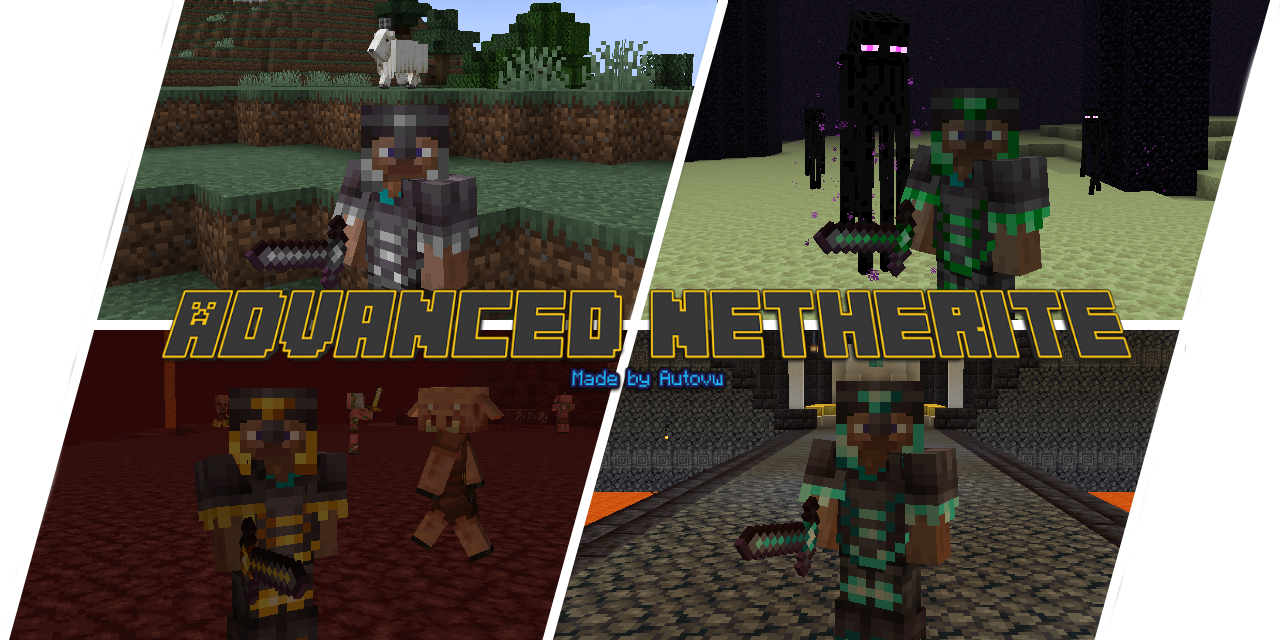
GitHub
A configurable, vanilla friendly, open-source mod that adds in more tiers of Netherite! - Autovw/AdvancedNetherite
 placid osprey
I can not for the life of me get my backpack to upgrade. Can someone walk me through the steps cause googles suggestions are not working?
radiant jay
placid osprey
I can not for the life of me get my backpack to upgrade. Can someone walk me thr...
the backpack mod in forge doesnt let you upgrade
dk about neoforge tho
placid osprey
So how does it work then is it just cosmetic? Thank you for the clarification.
 fresh pond
is there a compas for bastions etc in the nether, like there is a biome finder compas?
radiant jay
placid osprey
So how does it work then is it just cosmetic? Thank you for the clarification.
no you can use it ofc
grindstone
i typed that to someone else
use a grindstone
 warm silo
I got a question
I keep seeing videos where people are playing BMC4 and they get these cool netherite armors. I looked at the pack and didn't see any mod that give these armors and found out that they are from a mod called upgraded netherite. The mod was made for 1.19.4 but they are using it in a 1.20.1 modpack. I was wondering how is that possible and how could i do it myself?
near egret
warm silo
I keep seeing videos where people are playing BMC4 and they get these cool nethe...
bmc4 has advanced netherits which also has netherits upgrades
the mod could be that
 fathom grove
The modpack won't start on curseforge but other minecraft modpacks do
agile cradle
fathom grove
The modpack won't start on curseforge but other minecraft modpacks do
!moreinfo
versed mountainBOT
- What Minecraft version are you using? (1.19.2, 1.20.1, ...)
- What launcher did you run Minecraft with? (e.g. CurseForge, ATLauncher, MultiMC, ...)
- Have you changed the modpack in any way? (e.g. changing mod versions, adding/removing mods)
- What version of the modpack are you using? (v11, v9, etc)
- Have you ever gotten past the crash condition without crashing, or does the game always crash?
- What steps cause the crash?
Required:
Open the game directory (right click pack -> open folder), navigate to the "crash-reports" folder and upload the latest available crash report.
If there is no crash report, navigate to the logs folder and upload "latest.log."
If there is no log, navigate to the base pack directory and upload the hs_err_pid file, if there is one.
 north lava
when I make a world for better mc skyblock on Apex Hosting it just generates a normal world any fixes??
agile cradle
fathom grove
versed mountain
1. What Minecraft version are you using? (1.19.2, 1.20.1, ...)
2. What launcher ...
1.20.1 , curseforge, no edits to the pack, v36, it was fine yesterday now it won't even boot up, pressing play
agile cradle
Logs
fathom grove
I tried booting it up now and no new crash logs got added to the reports
near egret
look for an hs err pid
placid osprey
I have the backpack eqquipped but it doesnt provide me any added inventory space. So outside of wearing it how do you activate the additional space?
agile cradle
placid osprey
I have the backpack eqquipped but it doesnt provide me any added inventory space...
Hit b
agile cradle
1 folder before at bottom
 warm silo
near egret
the mod could be that
warm silo
near egret
the mod could be that
I already looked at advanced netherite and it doesn't have the armors ive seen
 urban otter
Same issue
 ruby totem
near egret
fathom grove
ruby totem
near egret
fathom grove
is there nothing on the crash reports folder
if not send your latest.log
void beacon
How many gb of ram is ideal for BMC4 on a server with at most 3 people?
For a server
 deep locust
void beacon
deep locust
void beacon
Does the server use less than on clientside? Cause I have like my client using 6-7gb on average
fathom grove
near egret
if not send your latest.log
Here's my latest, its also from today
wispy trailBOT
fathom grove
Here's my latest, its also from today
Uploaded crash-2025-01-07_19.43.02-server.txt from @fathom grove to mclogs: https://mclo.gs/WYnQpeK
near egret
void beacon
Does the server use less than on clientside? Cause I have like my client using 6...
depends on the player count but yea
void beacon
Okay
near egret
fathom grove
Here's my latest, its also from today
!fps follow this guide especially the memory part
versed mountainBOT
deep locust
can someone tell me which mod should i delete?
 near egret
deep locust
can someone tell me which mod should i delete?
near egret
deep locust
can someone tell me which mod should i delete?
are you using atlauncher
deep locust
tlauncher
 slow roost
does anyone know why i get so little xp per zombie and when killing many at once i usually only get as much xp as wwhen i kill one also whenever i enchant armour or tools i can only get one enchantment
 west heart
for future reference, is this channel also for better mc neoforge?

 cyan wolf
 blazing crater
like how do i put it on
blazing crater
like how do i put it on
Close that one and then at the top left of your player their should be a different button it's those slots where you can equip that
blazing crater
ty
 south narwhal
so i wanted to remove these how come it wont let me remove these? i delete them off the server and it fails to load and say no over world settings found
 placid osprey
Hitting B doesnt seem to open my backpack inventory. Any other suggestions?
 proud barn
For some reason, when I try to start BMC with Essential, it won't let me start. Can any1 help?
blazing crater
placid osprey
Hitting B doesnt seem to open my backpack inventory. Any other suggestions?
u have to right click on the backpack while holding it first
and then it equips it
near egret
south narwhal
so i wanted to remove these how come it wont let me remove these? i delete them ...
probably one of the mods in there that you deleted has world gen features your current world wont work without
near egret
proud barn
For some reason, when I try to start BMC with Essential, it won't let me start. ...
!ea
versed mountainBOT
The Essential mod is completely incompatible with all of our modpacks, and there's no reason to use it. All of our modpacks already come with built-in, free world hosting, by clicking the "Share World' button in the Open to LAN menu. You can learn more by typing !ws in the #bots channel. You can also run type !server in the same channel to learn how to properly host a server for better performance and more flexibility. In modpacks that aren't owned by us, you can use mods such as e4mc or WorldHost to host a server completely for free without Essential's many issues and crashes and the microtransactions that they constantly bother users with. To learn more about alternatives to the Essential mod, check out this website.
coarse edge
oh wait for all their mods u can play with your friends for free?
placid osprey
That equips it onto my back but I'm still not receiving the increased inventory slots when its on. Any other suggestions?
coarse edge
placid osprey
That equips it onto my back but I'm still not receiving the increased inventory ...
bro
when its on your back
press b
its like another inventory
placid osprey
Nice I thought you had to access it from your inventory screen not from outside of the inventory screen. Thank you.
 gilded steeple
What should i do in this case? im trying to join my friends server

 gilded steeple
 umbral lake
can't find bald eagles where are they i looked in wideswept forests
 jovial juniper
umbral lake
umbral lake
can't find bald eagles where are they i looked in wideswept forests
jovial juniper
umbral lake
umbral lake
can't find bald eagles where are they i looked in wideswept forests
found one in grove biome 😄
 spice orbit
anyone know how i repair the coral spear
 reef emberBOT
What Minecraft version are you using? (1.19.2, 1.20.1, ...)
1.21.1
2. What launcher did you run Minecraft with? (e.g. CurseForge, ATLauncher, MultiMC, ...)
Prism Launcher
3. Have you changed the modpack in any way? (e.g. changing mod versions, adding/removing mods)
added e4mc, it works without it but i need it to play with my friend
4. What version of the modpack are you using? (v11, v9, etc)
bmc5 v15
5. Have you ever gotten past the crash condition without crashing, or does the game always crash?
always crashes
6. What steps cause the crash?
launching the game
spice orbit
one of those weird drowned things dropped it and it seems very cool
 fierce cloud
what the fuck is this
fierce cloud
reef ember
What Minecraft version are you using? (1.19.2, 1.20.1, ...)
1.21.1
2. What launc...
why did this thing replace my message
fierce cloud
reef ember
What Minecraft version are you using? (1.19.2, 1.20.1, ...)
1.21.1
2. What launc...
 turbid canopy
lf a server latest edition
fierce cloud
reef ember
What Minecraft version are you using? (1.19.2, 1.20.1, ...)
1.21.1
2. What launc...
okay i think world host works fine
just in case anyone else was wondering
fierce cloud
fierce cloud
okay i think world host works fine
just in case anyone else was wondering
okay i just realized bmc5 has some sort of e4mc built in and now i look fucking stupid
 steady oriole
whats the one mod that tells me what block im looking at and the mod its form in the top left? making m own modpack
hollow thunder
is there a pick/hammer that mines 3x3?
fierce cloud
why does bright ores not work
 swift kernel
?
 lone epoch
I can't connect to my friends world, everytime I try it just says that the server authentication failed, or something like that. I've done everything I know to do, still no success, any help or advice?
 tranquil pier
any1 got an auto smelting setup with SSN i can copy?
radiant jay
swift kernel
!cracked
versed mountainBOT
If you are using a cracked Minecraft launcher, we can not assist with your issue. In order to receive help, you need to switch to an approved launcher and provide proof you have purchased Minecraft. This is due to the terms of service and guideline agreements of both Mojang and Discord.
lone epoch
lone epoch
I can't connect to my friends world, everytime I try it just says that the serve...
Anything?
viral garden
grand gate
is there a way to play with friends without paying for a server
!server
versed mountainBOT
Paid Method
We suggest renting a server from Bisect Hosting:
Approx. $10 - $25 a month depending on what plan you choose. You can also get 25% off with Code LunaPixel.
Go here and order a plan which fits you. We suggest 1GB per player but nothing lower than 4GB as the server needs at least 3GB to run.
Go to #server-hosting for more Info!
Free Method
To host a server on your own computer, read the selfhosting guide.
This guide goes over how to install, create, and launch a free Minecraft server on all operating systems (MacOS, Linux and Windows). The guide also guides you through installing Java and optimizing your server for better performance.
If you are installing one of our older modpacks, ignore the "README" file that is included in the serverpack files, as they have outdated information.
viral garden
!ws
versed mountainBOT
Luna Pixel's World Sharing
Our modpacks don't support any mods that add singleplayer hosting / world sharing because we already provide free world sharing. The 'Essential' mod is therefore incompatible.
To share your world using our own world hosting, click the 'Open to Lan' or 'Share World' button in the game menu when in a singleplayer world, and share the world.
It will give you an address, like magma-cube.mc.lunapixel.gg, which your friends can use to connect directly to your world as if it were a server!
We still highly suggest not to play through LAN as LAN is untested and unreliable. Using it will cause longterm damage to your world.
There is no reason to use LAN, as we support both paid and free methods of hosting a server the normal way.
viral garden
crisp fiber
Swapping from NeoForge 21.1.95 to 21.1.97 to support the server crashes on start...
this is only an issue on your end. it works completely fine in testing
viral garden
serene wyvern
Can anyone tell me what the best way to farm totems of undying would be? Playing...
v33.5 is very old
please update to v36
viral garden
quartz elm
How do i fix connection timed out no further information when joining on a lan s...
!server
versed mountainBOT
Paid Method
We suggest renting a server from Bisect Hosting:
Approx. $10 - $25 a month depending on what plan you choose. You can also get 25% off with Code LunaPixel.
Go here and order a plan which fits you. We suggest 1GB per player but nothing lower than 4GB as the server needs at least 3GB to run.
Go to #server-hosting for more Info!
Free Method
To host a server on your own computer, read the selfhosting guide.
This guide goes over how to install, create, and launch a free Minecraft server on all operating systems (MacOS, Linux and Windows). The guide also guides you through installing Java and optimizing your server for better performance.
If you are installing one of our older modpacks, ignore the "README" file that is included in the serverpack files, as they have outdated information.
fierce cloud
fierce cloud
why does bright ores not work
Okay it turns out there's no emf and ETF included
I thought there was because I'm coming from bmc2 which did have it I think
viral garden
fathom grove
then go to the logs folder. please read #get-support fully
viral garden
void beacon
How many gb of ram is ideal for BMC4 on a server with at most 3 people?
4-6gb
fiery kayak
is there a way to add custom player heads in survival?
viral garden
void beacon
Does the server use less than on clientside? Cause I have like my client using 6...
Please follow the performance guide to improve your game performance, as this is likely to resolve your issue.
viral garden
fathom grove
Here's my latest, its also from today
Please follow the performance guide to improve your game performance, as this is likely to resolve your issue.
fiery kayak
for decorating
viral garden
south narwhal
so i wanted to remove these how come it wont let me remove these? i delete them ...
please dont remove mods
do a fresh install of the modpack
removing mods randomly will break your server & your world
errors in the server console can be safely ignored - please do not start removing mods just because you saw their names in console
viral garden
fiery kayak
is there a way to add custom player heads in survival?
yes with commands
its a vanilla feature
find a guide online
viral garden
fierce cloud
why did this thing replace my message
thats something on your end
fiery kayak
so i would have to have cheats enabled?
viral garden
reef ember
What Minecraft version are you using? (1.19.2, 1.20.1, ...)
1.21.1
2. What launc...
you do not need to add e4mc
nor do you need to add worldhost
!ws
versed mountainBOT
Luna Pixel's World Sharing
Our modpacks don't support any mods that add singleplayer hosting / world sharing because we already provide free world sharing. The 'Essential' mod is therefore incompatible.
To share your world using our own world hosting, click the 'Open to Lan' or 'Share World' button in the game menu when in a singleplayer world, and share the world.
It will give you an address, like magma-cube.mc.lunapixel.gg, which your friends can use to connect directly to your world as if it were a server!
We still highly suggest not to play through LAN as LAN is untested and unreliable. Using it will cause longterm damage to your world.
There is no reason to use LAN, as we support both paid and free methods of hosting a server the normal way.
viral garden
the modpack already comes with worldhosting.
viral garden
fiery kayak
so i would have to have cheats enabled?
yes
press escape -> share world -> allow cheats
viral garden
swift kernel
i play in tlauncher
TLauncher is known spyware and is also unable to install mods or modpacks correctly. Because we offer no support for piracy due to Discord TOS, you will need to provide proof you own a legitimate copy of Minecraft or leave the server. For a safe, working way to install both mods and modpacks, read the #faq guide on installing modpacks.
lone epoch
lone epoch
Anything?
Anything?
viral garden
lone epoch
I can't connect to my friends world, everytime I try it just says that the serve...
as the error says
auth servers are down
viral garden
lone epoch
Anything?
please be patient
viral garden
swift kernel
TLauncher is known spyware and is also unable to install mods or modpacks correctly. Because we offer no support for piracy due to Discord TOS, you will need to provide proof you own a legitimate copy of Minecraft or leave the server. For a safe, working way to install both mods and modpacks, read the #faq guide on installing modpacks.
lone epoch
viral garden
as the error says
So its nothing on my end? All of my other friends are able to join and play on the world except me?
viral garden
lone epoch
So its nothing on my end? All of my other friends are able to join and play on t...
!alternates you can try reinstalling
versed mountainBOT
If this command was run in response to your question/issue, it is likely because switching away from the launcher you are currently using would fix your problem.
From our experience, the most stable launcher by far is ATLauncher, also known as ATL.
To install ATLauncher, do the following:
1. Go to https://atlauncher.com/download
2. Install and run the setup, then open the program.
3. Login to your Microsoft account that owns the Java Edition of Minecraft from the Accounts tab on the right. This process is 100% safe, as it goes directly through Microsoft. ATLauncher does not see your account credentials.
4. Go to the Packs tab on the right, then click "Curseforge" on the left.
5. Search the modpack you wish to download.
6. Click "New Instance". Click "Ok" on the opted out mods warning, then click "Open All" on the manual download screen.
7. Let the mods download, ATLauncher will grab them from your Downloads folder and automatically add them to the modpack.
8. Go to the Instances tab, and click "Play" on the modpack you downloaded. If you ever see an "Update" button on the instance, click it.
This video explains the process: https://youtu.be/xMYW1wMbmkM
To transfer your Curseforge world to ATLauncher, simply right click the modpack on Curseforge, or click the 3 dots, then click "Open Folder". Copy the Saves folder, then click "Open Folder" on ATLauncher and paste the Saves folder there. Do the same with the XaerosMinimap folder, or the Journeymap folder, to transfer over any waypoints you've created.
Because ATLauncher downloads the exact same files as Curseforge does, your world will be the exact same and you will be able to join the same servers. ATLauncher also works without an internet connection (after you've installed the modpack, of course), and does not have any bloat from Overwolf. You are free to uninstall both Overwolf and Curseforge with ATLauncher installed.
 wispy sage
Minecolonies question: Is there a way to put racks or chests in my builder's house and have them use it without upgrading the entire thing?
lone epoch
viral garden
!alternates you can try reinstalling
Me and my friends installed through Overwolf, if this works for me, will I still be able to play with them?
quartz elm
what do charms of keeping do?
viral garden
lone epoch
Me and my friends installed through Overwolf, if this works for me, will I still...
yes
viral garden
wispy sage
Minecolonies question: Is there a way to put racks or chests in my builder's hou...
this is not the minecolonies support server
and better mc does not use minecolonies
viral garden
quartz elm
what do charms of keeping do?
saves your inventory on death
viral garden
lone epoch
viral garden
https://discord.com/channels/790272037578473512/821705976138694686/1330705097168...
That ATLauncher stuff didnt work. Still cant join. Need help.
viral garden
lone epoch
That ATLauncher stuff didnt work. Still cant join. Need help.
as the error says, minecraft auth servers are down
your best bet is to wait or to try relogging your mc account
which you already did by switching to ATL
lone epoch
viral garden
as the error says, minecraft auth servers are down
But how can they be down if my friends are leaving and joining the server just fine?
lone epoch
viral garden
depending on where you live it'll contact a different authentication server
We all live in the same state though?
viral garden
then idk lol, could be per-account then
we dont have any control over this though. as far as i'm aware this is just on microsoft's side
you can try restarting your router or making a firewall exception for minecraft i guess
lone epoch
Have tried that as well. But thanks anyways. Maybe it'll fix itself, who knows, it's microsoft.
Thanks for the help though, I appreciate it.
fiery kayak
is there a world edit like mod in the modpack?
agile cradle
not in the pack no
 oak tiger
hey friends, i downloaded the pack and added some other mods to the instance on ATlauncher but everytime it does the loading on the red screen, it crashes after it was done
agile cradle
oak tiger
hey friends, i downloaded the pack and added some other mods to the instance on ...
!modified
versed mountainBOT
You are using a modified version of the modpack! This channel is only for unmodified versions that we provide. We cannot guarantee that the modpack works after you do modifications, so please go to #1061339968691257466 if you need help with an issue.
If this is a bug, please make sure to test it in an unmodified version before trying to report it.
 visual pendant
 agile cradle
visual pendant
agile cradle
visual pendant
!moreinfo
versed mountainBOT
- What Minecraft version are you using? (1.19.2, 1.20.1, ...)
- What launcher did you run Minecraft with? (e.g. CurseForge, ATLauncher, MultiMC, ...)
- Have you changed the modpack in any way? (e.g. changing mod versions, adding/removing mods)
- What version of the modpack are you using? (v11, v9, etc)
- Have you ever gotten past the crash condition without crashing, or does the game always crash?
- What steps cause the crash?
Required:
Open the game directory (right click pack -> open folder), navigate to the "crash-reports" folder and upload the latest available crash report.
If there is no crash report, navigate to the logs folder and upload "latest.log."
If there is no log, navigate to the base pack directory and upload the hs_err_pid file, if there is one.
 smoky ice
is there any item in this modpack that makes night vision more accessible? like maybe an item that gives infinite night vision while worn?
 stoic crescent
how do you make a backpack?
blazing crater
stoic crescent
how do you make a backpack?
leather string and a mineral
fierce cloud
viral garden
nor do you need to add worldhost
Yeah I noticed
I followed up the messages
radiant jay
stoic crescent
how do you make a backpack?
Use the JEI, it’s the search bar bottom right of inventory screen
 autumn spruce
Any idea why someone would be reset and given a new playerdata file upon joining a LAN world? It happens to my wife when joining my game pretty regularly
Easy enough to fix by just renaming the old playerdata file with the new ID but it's getting annoying having to do it so often
Playing the most updated 1.19 version of the game

 fallen jackal
HAH!
 cloud comet
How do I get achievement progression? Is there a different one than just the l one
fluid socket
cloud comet
How do I get achievement progression? Is there a different one than just the l o...
There is also a quest book
But the achievement progression works normally
Just fulfill the requirements the achievements require and then you get them
Quest book has nothing to do with achievements
Those are quests
fluid socket
autumn spruce
Easy enough to fix by just renaming the old playerdata file with the new ID but ...
New ID?
fluid socket
autumn spruce
Any idea why someone would be reset and given a new playerdata file upon joining...
LAN is not recommended in BMC
agile cradle
autumn spruce
Any idea why someone would be reset and given a new playerdata file upon joining...
world sharing resets for those joining cause it's a temporary ip
fluid socket
Use Free World Sharing even in LAN I guess
agile cradle
aztec. world sharing is the default, it just uses the lan button
fluid socket
agile cradle
aztec. world sharing is the default, it just uses the lan button
Yeah but can't you join by LAN in theory too?
agile cradle
world sharing replaces it
fluid socket
So if you are in same network you still need to go over internet to connect
agile cradle
world sharing no, lan yes
fluid socket
agile cradle
world sharing no, lan yes
Doesn't world sharing goes over internet?
autumn spruce
I just hit the share button and it shows up in her multi-player tab. Not sure if it's actually LAN or shared or what
agile cradle
fluid socket
Doesn't world sharing goes over internet?
yes. it's a temp ip through server service
agile cradle
autumn spruce
I just hit the share button and it shows up in her multi-player tab. Not sure if...
it should give an ip for her to enter in direct connect
you to give her*
fluid socket
agile cradle
yes. it's a temp ip through server service
Exactly so connecting without internet connection is not possible, even if you are in same network
agile cradle
fluid socket
Exactly so connecting without internet connection is not possible, even if you a...
yes lan has issues with corruption from packet desyncing
fluid socket
agile cradle
yes lan has issues with corruption from packet desyncing
Alright thx
autumn spruce
Ok I suppose I'll give that a go tomorrow. I've never really read the chat message when I open the world up. Is that where the ip she'll need is?
agile cradle
autumn spruce
Ok I suppose I'll give that a go tomorrow. I've never really read the chat messa...
yes\
!ws
versed mountainBOT
Luna Pixel's World Sharing
Our modpacks don't support any mods that add singleplayer hosting / world sharing because we already provide free world sharing. The 'Essential' mod is therefore incompatible.
To share your world using our own world hosting, click the 'Open to Lan' or 'Share World' button in the game menu when in a singleplayer world, and share the world.
It will give you an address, like magma-cube.mc.lunapixel.gg, which your friends can use to connect directly to your world as if it were a server!
We still highly suggest not to play through LAN as LAN is untested and unreliable. Using it will cause longterm damage to your world.
There is no reason to use LAN, as we support both paid and free methods of hosting a server the normal way.
agile cradle
and it changes every time you close and reopen
autumn spruce
Gotcha. We'll try that out tomorrow night. Thanks for your help
Really curious as to why LAN is bad, though. We did a previous 1.19 BMC world over LAN and had very few issues with it. What kind of "long-term damage" are we talking about and how does that occur?
agile cradle
autumn spruce
Really curious as to why LAN is bad, though. We did a previous 1.19 BMC world ov...
bmc has world sharing built into it, it rewires the lan button, lan has issues with packet desyncing, which in the long run will eventually corrupt the world entirely from use by anyone.
World sharing is built into all LPS modpacks
you were not using lan on 1.19 bmc, you were using world sharing already
autumn spruce
Well using the same join method we've been having a lot off issues with, anyways. Where she just joins from the local world list in the multi-player tab
But I appreciate the explanation
 plain storm
Hi, I'm hosting a server for my community through Crafty (Through CasaOS docker app)
We've hit a crash and seemingly is starting up and then crashing again not long after coming back online
Theres my crash log, which is how I got directed here
wispy trailBOT
plain storm
Theres my crash log, which is how I got directed here
Uploaded crash-2025-01-20_07.43.29-server.txt from @plain storm to mclogs: https://mclo.gs/HczXhqU
plain storm
And an additional one, this one mentions Spawners+ as a possible pain point
wispy trailBOT
plain storm
And an additional one, this one mentions Spawners+ as a possible pain point
Uploaded crash-2025-01-20_07.46.55-server.txt from @plain storm to mclogs: https://mclo.gs/RRc86Oq
viral garden
plain storm
And an additional one, this one mentions Spawners+ as a possible pain point
update the Spawners+ mod
plain storm
Sweet, will do that ty
 charred ruin
is there a way to change the color of the border on your selected item in the hotbar
agile cradle
resource packs
The one in the pack currently is just from a resource pack that was added
versed mountainBOT
If you are using a cracked Minecraft launcher, we can not assist with your issue. In order to receive help, you need to switch to an approved launcher and provide proof you have purchased Minecraft. This is due to the terms of service and guideline agreements of both Mojang and Discord.
agile cradle
that's called an illegal and spyware launcher.
 plucky geodeBOT
Hack-Ban Result:
 Reason: TL is illegal and spyware. appeal with proof you own official minecraft. We offer zero support to both illegal and spyware launchers, mods, etc
 Moderator: @agile cradle

Banned:

 morderigz [
1196732473678237752]
 main shadow
- What Minecraft version are you using? (1.19.2, 1.20.1, ...)
1.20.1 - What launcher did you run Minecraft with? (e.g. CurseForge, ATLauncher, MultiMC, ...)
Curseforge - Have you changed the modpack in any way? (e.g. changing mod versions, adding/removing mods)
No. - What version of the modpack are you using? (v11, v9, etc)
V36, but this problem is occuring across all versions, and across fabric and neoforge as well. - Have you ever gotten past the crash condition without crashing, or does the game always crash?
Usually the first time I load the mod pack it works fine. The issues come when I try and reload a saved game. - What steps cause the crash?
I have tested this across multiple versions, and it's always the same. On a fresh mod load, I am fine. However, the moment I load back in after having closed the game, the game will load, be fine for 10-30 seconds, and then freeze. There is clearly still some recognitition because if I press ESC the music stops, as it would if the game is still running fine, but the screen is still frozen.
Open the game directory (right click pack -> open folder), navigate to the "crash-reports" folder and upload the latest available crash report.
If there is no crash report, navigate to the logs folder and upload "latest.log."
If there is no log, navigate to the base pack directory and upload the hs_err_pid file, if there is one.
viral garden
main shadow
1. What Minecraft version are you using? (1.19.2, 1.20.1, ...)
**1.20.1**
2. Wh...
please send logs
main shadow
viral garden
please send logs
Editing now.
main shadow
main shadow
1. What Minecraft version are you using? (1.19.2, 1.20.1, ...)
**1.20.1**
2. Wh...
wispy trailBOT
main shadow
Uploaded latest.log from @main shadow to mclogs: https://mclo.gs/pQ0PqG8
viral garden
main shadow
Please follow the performance guide to improve your game performance, as this is likely to resolve your issue.
smoky ice
is there a way to let players use waystones that are in my claim? i wanna protect my stuff but i have a waystone in my claim so people will be able to visit me but then they get stuck coz it doesn't let them click the waystone
main shadow
viral garden
Please follow the [performance guide](<https://rpg.prominence.wiki/performance-g...
I have done so and it has not.
viral garden
what launcher are you on
main shadow
As stated above; Curseforge.
viral garden
main shadow
As stated above; Curseforge.
that means you didnt follow the performance guide lol
main shadow
viral garden
that means you didnt follow the performance guide lol
So why bother having your mod packs on curseforge if they're not going to work on there? It RECOMMENDS a different launcher but doesn't say I CANNOT use Curseforge.
viral garden
main shadow
So why bother having your mod packs on curseforge if they're not going to work o...
Curseforge is just a website to upload projects to
and it happens to have a launcher that barely works
main shadow
viral garden
and it happens to have a launcher that barely works
I'll give the other one a try and come back if I have the same issues then, thank you.
 rustic timber
anyone know what is the name of mod with crawling?
viral garden
rustic timber
anyone know what is the name of mod with crawling?
Crawl / GoProne
 gilded aurora
yo is there a wget command for the bettermc 1.20.1 server files?
or do i have to do it via FTP
viral garden
use ftp
gilded aurora
alright tysm
 tranquil robin
would adding projectE to the modpack change anything in it?
 scarlet panther
!modified
versed mountainBOT
You are using a modified version of the modpack! This channel is only for unmodified versions that we provide. We cannot guarantee that the modpack works after you do modifications, so please go to #1061339968691257466 if you need help with an issue.
If this is a bug, please make sure to test it in an unmodified version before trying to report it.
scarlet panther
It'd generally mean we can't help you because, well, you modified the pack.
tranquil robin
aight, ty
scarlet panther
And if she recalls, ProjectE is just its own thing, after attaching matter values to a lot of items.
...so.
fierce cloud
scarlet panther
It'd generally mean we can't help you because, well, you modified the pack.
Does adding ETF or emf still count as modifying it
Since they don't do anything unless you also use a texture pack that takes advantage of them
scarlet panther
fierce cloud
Since they don't do anything unless you also use a texture pack that takes advan...
If it's only a texture pack, it should be fine
Textures, shaders, anything completely visual
fierce cloud
scarlet panther
If it's only a *texture* pack, it should be fine
Okay
Also what are the new weapons in bmc5, or how can I look for them in jei
scarlet panther
Not quite aware of BMC5 stuff, sorry
fierce cloud
scarlet panther
Not quite aware of BMC5 stuff, sorry
Okay, no worries
 cursive zephyr
Hey everyone. Just wanted to let future peeps know I was able to get distant horizons working using the most recent version. BMC4 1.20.1
 tawdry forge
how does the network connection interface work in the simple storage network mod?
radiant jay
cursive zephyr
Hey everyone. Just wanted to let future peeps know I was able to get distant hor...
With the newest version of distant horizons? And without changing anything else in the pack?
smoky ice
how do i get luck potions? i had a few but i don't remember how i got them (it wasn't from goblin traders btw)
fierce cloud
if i allocate more ram to my game will the lan server run better
tawdry forge
fierce cloud
if i allocate more ram to my game will the lan server run better
no you need to allocate more ram to the server using the variables.txt file
fierce cloud
tawdry forge
no you need to allocate more ram to the server using the variables.txt file
well its not really a server its just a lan game
tawdry forge
fierce cloud
well its not really a server its just a lan game
well then i guess allocating more ram to minecraft should be fine
fierce cloud
tawdry forge
well then i guess allocating more ram to minecraft should be fine
aight
btw does anybody know why emissive textures dont work in this modpack even with etf
it works on bmc2 tho
 hardy cypress
Does Neoforge count as forge for the channels?
radiant jay
hardy cypress
Does Neoforge count as forge for the channels?
Yes
hardy cypress
radiant jay
Yes
Alr, thanks
tawdry forge
How can i reset my server? like reset the map and everything?
can i just delete the world folder?
 lost vessel
 worldly scaffold
Question on backpacks in Better Minecraft: I put the soulbound enchant on my backpack and when I died it disappeared. Previously, it would be at my gravesite with all my other items, however, since the soulbound enchant, it was not and now I cannot find it. Any help?
 hybrid grove
how do i share my world with a friend once i enable the world sharing (what next)
 worthy tusk
made an iron farm, single golem spawned in and never again.
 split dune
srry to bother but i set my world to medicraft? and i was wondering if i can change it bc im stuck at 5 hearts and im to afraid to leave my dirt shack :>
 still siren
i jus made my nether portal and spawned right next to a fortress lol
worthy tusk
alr yeah the iron farms just dont work, anyone have one that does?
fierce cloud
is jenny mod in bettermc?
 stone temple
hey i might need some help
Better MC 5 - v15 crashed!
- 1.21.1 [NEOFORGE]
- What launcher did you run Minecraft with? (e.g. CurseForge, ATLauncher, MultiMC, ...)
- Have you changed the modpack in any way except mods?
- v15
- Have you ever gotten past the crash condition without crashing, or does the game always crash?
- What steps cause the crash?
latest.log: mclo.gs
debug.log: mclo.gs
crash-2025-01-20_19.45.54-fml.txt: mclo.gs
CurseForge: skip launcher
Mod list changes beyond the modpack:
Added mods:
configured-fabric-1.21.1-2.6.0.jar
polymorph-neoforge-1.0.6+1.21.1.jar
Removed mods:
polymorph-neoforge-1.0.7+1.21.1.jar
fierce cloud
!server
versed mountainBOT
Paid Method
We suggest renting a server from Bisect Hosting:
Approx. $10 - $25 a month depending on what plan you choose. You can also get 25% off with Code LunaPixel.
Go here and order a plan which fits you. We suggest 1GB per player but nothing lower than 4GB as the server needs at least 3GB to run.
Go to #server-hosting for more Info!
Free Method
To host a server on your own computer, read the selfhosting guide.
This guide goes over how to install, create, and launch a free Minecraft server on all operating systems (MacOS, Linux and Windows). The guide also guides you through installing Java and optimizing your server for better performance.
If you are installing one of our older modpacks, ignore the "README" file that is included in the serverpack files, as they have outdated information.
fierce cloud
where 2 find serverpack
 solid juniper
how do you get quests?
 peak pilot
[22:43:30] [main/ERROR]:Entity eldritch_end:ominous_eye has no attributes[22:43:30] [main/ERROR]:Entity eldritch_end:aberration has no attributes[22:43:30] [main/ERROR]:Entity eldritch_end:tentacle has no attributes[22:43:30] [main/ERROR]:Entity eldritch_end:undead_tentacle has no attributes[22:43:30] [main/ERROR]:Entity eldritch_end:dendler has no attributes[22:43:30] [main/ERROR]:Entity eldritch_end:the_faceless has no attributes[22:43:46] [Render thread/ERROR]:Failed to load book betternether:betternether_book defined by mod betternether, skipping[22:43:46] [Render thread/ERROR]:Failed to load book seasonsextras:seasonal_compendium defined by mod seasonsextras, skipping[22:43:51] [Render thread/ERROR]:Ignoring invalid Protection Formula entry 1 - min(0.025 * protPoints, 0.70) as the expression failed to evaluate.[22:43:51] [Render thread/ERROR]:Ignoring invalid A-Value Formula entry if(damage < 20, 10, 10 + (damage - 20) / 2) as the expression failed to evaluate.[22:43:51] [Render thread/ERROR]:Ignoring invalid Armor Formula entry min(a / (a + armor), 0.60) as the expression failed to evaluate.
prominence errors
can u help me ?
grand gate
There’s no infestation potions?
 fiery loom
Better MC 5 - v15 crashed!
- 1.21.1 [NEOFORGE]
- What launcher did you run Minecraft with? (e.g. CurseForge, ATLauncher, MultiMC, ...) CurseForge
- Have you changed the modpack in any way except mods? No
- v15
- Have you ever gotten past the crash condition without crashing, or does the game always crash? Started crashing just now
- What steps cause the crash? I updated 2 mods to the latest version, chat heads and crash assistant, tried to disable them, still crashes
latest.log: mclo.gs
CurseForge: launcher_log.txt: mclo.gs
Mod list changes beyond the modpack:
Due to big size of mod list diff, it was uploaded to: mclo.gs
near egret
fiery loom
Better MC 5 - v15 crashed!
1. 1.21.1 [NEOFORGE]
2. What launcher did you run Min...
either revert connector update or update neoforge mod loader version
fiery loom
near egret
either revert connector update or update neoforge mod loader version
worked, thank you
 hallow mango
hola, como puedo ponerme skin?
 dusk sedge
how do i get a heart of diamond
fierce cloud
is there a way to locally host a server without sharing my ip directly
like hosting it on my pc but under a domain
and where are serverpacks
 alpine elbow
hey so if i allocate 8 gigs of ram to a modpack and i check my task manager and its using 13 gigs do i allocate 13 gigs?

my game stutters like crazy after 20 minutes
radiant jay
hallow mango
hola, como puedo ponerme skin?
When you press to launch the mod pack you get sent to the Minecraft launcher before the mod pack is launched
In the Minecraft launcher there you can change skins
Btw use English only pls
dusk sedge
how do i get a heart of diamond
radiant jay
dusk sedge
how do i get a heart of diamond
Search for it in the JEI and left click it
Bottom right of inventory screen
Search there
fierce cloud
radiant jay
Search for it in the JEI and left click it
it doesnt show how to obtain all items
but i saearched heart of diamond in jei and its not even there
radiant jay
fierce cloud
but i saearched heart of diamond in jei and its not even there
I’ve seen it before there
radiant jay
fierce cloud
it doesnt show how to obtain all items
Yes but for the heart of diamond it does
fierce cloud
radiant jay
I’ve seen it before there
maybe its not on bmc5
radiant jay
fierce cloud
maybe its not on bmc5
But he’s asking how to get it which means he needs it form smt so he must have it
It’s in bmc 4
fierce cloud
radiant jay
But he’s asking how to get it which means he needs it form smt so he must have i...
yea
 obsidian storm
Hi, is it possible to put the modpack in French ??
 thorn ermine
Hey is it possible in some way to play with a friend coop in this modpack or install the mod that allows you to coop with your friend
radiant jay
thorn ermine
Hey is it possible in some way to play with a friend coop in this modpack or ins...
!ws
versed mountainBOT
Luna Pixel's World Sharing
Our modpacks don't support any mods that add singleplayer hosting / world sharing because we already provide free world sharing. The 'Essential' mod is therefore incompatible.
To share your world using our own world hosting, click the 'Open to Lan' or 'Share World' button in the game menu when in a singleplayer world, and share the world.
It will give you an address, like magma-cube.mc.lunapixel.gg, which your friends can use to connect directly to your world as if it were a server!
We still highly suggest not to play through LAN as LAN is untested and unreliable. Using it will cause longterm damage to your world.
There is no reason to use LAN, as we support both paid and free methods of hosting a server the normal way.
versed mountainBOT
Paid Method
We suggest renting a server from Bisect Hosting:
Approx. $10 - $25 a month depending on what plan you choose. You can also get 25% off with Code LunaPixel.
Go here and order a plan which fits you. We suggest 1GB per player but nothing lower than 4GB as the server needs at least 3GB to run.
Go to #server-hosting for more Info!
Free Method
To host a server on your own computer, read the selfhosting guide.
This guide goes over how to install, create, and launch a free Minecraft server on all operating systems (MacOS, Linux and Windows). The guide also guides you through installing Java and optimizing your server for better performance.
If you are installing one of our older modpacks, ignore the "README" file that is included in the serverpack files, as they have outdated information.
alpine elbow
anyway to fix memory leaks in modpacks?
my pc used an extra 4 gigs of ram after 20 minutes
 past yarrow
anyone know how to fix error code 1 when playing bmc
agile cradle
past yarrow
anyone know how to fix error code 1 when playing bmc
!moreinfo
versed mountainBOT
- What Minecraft version are you using? (1.19.2, 1.20.1, ...)
- What launcher did you run Minecraft with? (e.g. CurseForge, ATLauncher, MultiMC, ...)
- Have you changed the modpack in any way? (e.g. changing mod versions, adding/removing mods)
- What version of the modpack are you using? (v11, v9, etc)
- Have you ever gotten past the crash condition without crashing, or does the game always crash?
- What steps cause the crash?
Required:
Open the game directory (right click pack -> open folder), navigate to the "crash-reports" folder and upload the latest available crash report.
If there is no crash report, navigate to the logs folder and upload "latest.log."
If there is no log, navigate to the base pack directory and upload the hs_err_pid file, if there is one.
agile cradle
alpine elbow
my pc used an extra 4 gigs of ram after 20 minutes
How much ram did you push to Minecraft, and what launcher you using?
past yarrow
versed mountain
1. What Minecraft version are you using? (1.19.2, 1.20.1, ...)
2. What launcher ...
1.20.1, cursefoge, no, v35.5, gotten past
agile cradle
Update to 36
alpine elbow
agile cradle
How much ram did you push to Minecraft, and what launcher you using?
at launcher, allocated 8 gigs
agile cradle
Shouldn’t be doing that… are you sure it’s Mc taking the excessive ram? Have you gone through the performance guide?
 little willow
Hey i have a question regardin my BMC4 server which i have.
everytime i want to restart the server, i must do stop and then kill, which is getting pretty annoying, can anyone help me figure out the reason for that?
 devout night
Hi im trying to add to the beter mc 5 neoforge the mod e4mc but ti shos me erros Better Better MC 5 - v15 crashed!
- 1.21.1 [NEOFORGE]
- What launcher did you run Minecraft with? (e.g. CurseForge, ATLauncher, MultiMC, ...)
- Have you changed the modpack in any way except mods?
- v15
- Have you ever gotten past the crash condition without crashing, or does the game always crash?
- What steps cause the crash?
latest.log: mclo.gs
CurseForge: launcher_log.txt: mclo.gs
Mod list changes beyond the modpack:
Added mods:
e4mc_minecraft-neoforge-5.2.1.jar
Removed mods:
polymorph-neoforge-1.0.7+1.21.1.jar
i deelted the polymorphy mod but its still problem
bcs essenital is not wroking at neo forge
little willow
little willow
Hey i have a question regardin my BMC4 server which i have.
everytime i want to ...
If answered please ping me so i can see the mesage once again 🙂
devout night
!ws
versed mountainBOT
Luna Pixel's World Sharing
Our modpacks don't support any mods that add singleplayer hosting / world sharing because we already provide free world sharing. The 'Essential' mod is therefore incompatible.
To share your world using our own world hosting, click the 'Open to Lan' or 'Share World' button in the game menu when in a singleplayer world, and share the world.
It will give you an address, like magma-cube.mc.lunapixel.gg, which your friends can use to connect directly to your world as if it were a server!
We still highly suggest not to play through LAN as LAN is untested and unreliable. Using it will cause longterm damage to your world.
There is no reason to use LAN, as we support both paid and free methods of hosting a server the normal way.
grand gate
When will easy anvils be released to 1.21.4?
radiant jay
devout night
Hi im trying to add to the beter mc 5 neoforge the mod e4mc but ti shos me erros...
There is already a fork of e4mc in bmc
So you don’t need to add it
And that’s probably why it’s crashing
radiant jay
devout night
Hi im trying to add to the beter mc 5 neoforge the mod e4mc but ti shos me erros...
!ws just use this
versed mountainBOT
Luna Pixel's World Sharing
Our modpacks don't support any mods that add singleplayer hosting / world sharing because we already provide free world sharing. The 'Essential' mod is therefore incompatible.
To share your world using our own world hosting, click the 'Open to Lan' or 'Share World' button in the game menu when in a singleplayer world, and share the world.
It will give you an address, like magma-cube.mc.lunapixel.gg, which your friends can use to connect directly to your world as if it were a server!
We still highly suggest not to play through LAN as LAN is untested and unreliable. Using it will cause longterm damage to your world.
There is no reason to use LAN, as we support both paid and free methods of hosting a server the normal way.


 analog folio
if I have a VPS and I wanna host this most pack thru that would I use the Server pack or just copy all the mods from the client pack?
dusk sedge
how do u kill a stoneling
they keep vanishing even with a diamond in my hand
i need heart of diamond
 bleak kraken
Hello, this is my first time installing better mc onto my own computer. My sister has it on her own pc and for the inventory she is able to have the list of items on the right hand side which i believe is the Just Enough Items mod. I have that isntalled too however i am still unable to see that list. if anyone knows what i can do to get that list to pop up i would appreciate it. 🙂
analog folio
bleak kraken
Hello, this is my first time installing better mc onto my own computer. My siste...
Try pressing CTRL + O
bleak kraken
That doesn’t work, I’ve tried CTRL + O just O I’ve uninstalled the mod pack I even tried fixing my screen resolution but it doesn’t show the items. If I hover over the area where the items are supposed to be at I can click on it and a recipe for an item will show up but I just can’t see any of the items at all

 glacial acorn
Do dragons have abilities In bmc4? IF yes how do I activate it
I duped my dragon and made it invisible to my friends on accident and idk how
Idk how I duped it
bleak kraken
I was able to fix my problem just in case anyone else was having the same issue all I did was type “@“ in the search bar and all the items popped up. Thank you Rairyoken for helping 🙏🏼
 chilly verge
Hey I just wanted to ask, what sodium alternative does Better Minecraft use in the forge 1.20.1 version?
 cunning lion
Sorry for asking over here. Im having trouble with mmc3, how do i get the the lost paradise?
chilly verge
It does not appear to be embeddium like I thought it was
 burnt lynx
Better MC 5 - v15 crashed!
- 1.21.1 [NEOFORGE]
- What launcher did you run Minecraft with? curseforge
- Have you changed the modpack in any way except mods? no
- v15
- Have you ever gotten past the crash condition without crashing, or does the game always crash? a few times it tells me theres a mod i cant have without its like host or whatever so i close the game and go delete that mod but now it just crashes
- What steps cause the crash? i press play and it opens the loading screen w the lil fox then closes
latest.log: mclo.gs
debug.log: mclo.gs
CurseForge: skip launcher
Mod list changes beyond the modpack:
Added mods:
polymorph-neoforge-1.0.6+1.21.1.jar
(i updated to v15 and it added this i think)
Removed mods:
BetterGrassify-1.4.4+neoforge.1.21.1.jar
immersivelanterns-neoforge-1.0.6-1.21.1.jar
polymorph-neoforge-1.0.7+1.21.1.jar
reeses-sodium-options-neoforge-1.8.0+mc1.21.3.jar
sodium-neoforge-0.6.5+mc1.21.1.jar
sodiumdynamiclights-neoforge-1.0.10-1.21.1.jar
sodiumextras-neoforge-1.0.7-1.21.1.jar
sodiumleafculling-neoforge-1.0.0-1.21.1.jar
sodiumoptionsapi-neoforge-1.0.9-1.21.1.jar
sodiumoptionsmodcompat-neoforge-1.0.0-1.21.1.jar
ohw ait was i supposed to do it like that
radiant jay
 mint egret
can anyone help i use at launcher
mint egret
can anyone help i use at launcher
!ea
versed mountainBOT
The Essential mod is completely incompatible with all of our modpacks, and there's no reason to use it. All of our modpacks already come with built-in, free world hosting, by clicking the "Share World' button in the Open to LAN menu. You can learn more by typing !ws in the #bots channel. You can also run type !server in the same channel to learn how to properly host a server for better performance and more flexibility. In modpacks that aren't owned by us, you can use mods such as e4mc or WorldHost to host a server completely for free without Essential's many issues and crashes and the microtransactions that they constantly bother users with. To learn more about alternatives to the Essential mod, check out this website.
radiant jay
burnt lynx
Better MC 5 - v15 crashed!
1. 1.21.1 [NEOFORGE]
2. What launcher did you run Min...
It’s probably crashing because of all those removed mods
Try making a fresh install and see if it works then
burnt lynx
okkk i only removed them tho cause we tried to start our bisecthosting server and it wouldnt start without me removing those
radiant jay
It should work without removing all those mods, the issue was probably smt else
 final ledge
Hi, i have problem with server modpack.
Could someone look at the crash report and tell me what's causing it?
Pastebin
Pastebin.com is the number one paste tool since 2002. Pastebin is a website where you can store text online for a set period of time.
the newest servermodpack v36 bmc4
burnt lynx
radiant jay
It should work without removing all those mods, the issue was probably smt else
ty diva.. but can i not remove any mods from the profile even if i have the profile management setting on? cause this is the error i get when trying to start the server so i just removed the mods mentioned and the ones that r linked to it

plus i thought sodium was client side and not server side so we didnt need it
 pliant totem
Hello, I wanted to talk about a bug I'm having, but I'm not getting a direct response, and I wanted to see if anyone else is having these issues: every time I use the crafting table in Better MC, the game freezes and lags for a minute after every action ( pick item, place item, craft item, etc.). It's really saddening me and makes me also never use the crafting table at all. Is there a solution???
radiant jay
pliant totem
Hello, I wanted to talk about a bug I'm having, but I'm not getting a direct res...
!fps
versed mountainBOT
noble merlin
can i hatch the egg i get from the ender dragon?
radiant jay
Maybe that will help
pliant totem
what if that doesnt work?
 upbeat furnace
having an issue where i killed the illusionist and still cant claim the quest even found 2 more towers and killed them aswell BMC4 1.20.1 v36
spice orbit
guys are those little village tower things real or am i crazy
the ones thats like
a village
but its all indoors in a big tower
viral garden
fierce cloud
if i allocate more ram to my game will the lan server run better
!server
versed mountainBOT
Paid Method
We suggest renting a server from Bisect Hosting:
Approx. $10 - $25 a month depending on what plan you choose. You can also get 25% off with Code LunaPixel.
Go here and order a plan which fits you. We suggest 1GB per player but nothing lower than 4GB as the server needs at least 3GB to run.
Go to #server-hosting for more Info!
Free Method
To host a server on your own computer, read the selfhosting guide.
This guide goes over how to install, create, and launch a free Minecraft server on all operating systems (MacOS, Linux and Windows). The guide also guides you through installing Java and optimizing your server for better performance.
If you are installing one of our older modpacks, ignore the "README" file that is included in the serverpack files, as they have outdated information.
viral garden
hybrid grove
how do i share my world with a friend once i enable the world sharing (what next...
!ws
versed mountainBOT
Luna Pixel's World Sharing
Our modpacks don't support any mods that add singleplayer hosting / world sharing because we already provide free world sharing. The 'Essential' mod is therefore incompatible.
To share your world using our own world hosting, click the 'Open to Lan' or 'Share World' button in the game menu when in a singleplayer world, and share the world.
It will give you an address, like magma-cube.mc.lunapixel.gg, which your friends can use to connect directly to your world as if it were a server!
We still highly suggest not to play through LAN as LAN is untested and unreliable. Using it will cause longterm damage to your world.
There is no reason to use LAN, as we support both paid and free methods of hosting a server the normal way.
viral garden
split dune
srry to bother but i set my world to medicraft? and i was wondering if i can cha...
what is medicraft??
viral garden
stone temple
Better MC 5 - v15 crashed!
1. 1.21.1 [NEOFORGE]
2. What launcher did you run Min...
Please read the full contents of the #get-support channel for us to provide assistance.
viral garden
solid juniper
how do you get quests?
top left of your inventory, click the questbook icon
viral garden
fierce cloud
where 2 find serverpack
!server
versed mountainBOT
Paid Method
We suggest renting a server from Bisect Hosting:
Approx. $10 - $25 a month depending on what plan you choose. You can also get 25% off with Code LunaPixel.
Go here and order a plan which fits you. We suggest 1GB per player but nothing lower than 4GB as the server needs at least 3GB to run.
Go to #server-hosting for more Info!
Free Method
To host a server on your own computer, read the selfhosting guide.
This guide goes over how to install, create, and launch a free Minecraft server on all operating systems (MacOS, Linux and Windows). The guide also guides you through installing Java and optimizing your server for better performance.
If you are installing one of our older modpacks, ignore the "README" file that is included in the serverpack files, as they have outdated information.
viral garden
peak pilot
[22:43:30] [main/ERROR]:Entity eldritch_end:ominous_eye has no attributes[22:43:...
none of these errors mean anything - ignore it
 viral garden
fiery loom
Better MC 5 - v15 crashed!
1. 1.21.1 [NEOFORGE]
2. What launcher did you run Min...
viral garden
fiery loom
Better MC 5 - v15 crashed!
1. 1.21.1 [NEOFORGE]
2. What launcher did you run Min...
Please read the full contents of the #get-support channel for us to provide assistance.
viral garden
fierce cloud
is there a way to locally host a server without sharing my ip directly
!ws
versed mountainBOT
Luna Pixel's World Sharing
Our modpacks don't support any mods that add singleplayer hosting / world sharing because we already provide free world sharing. The 'Essential' mod is therefore incompatible.
To share your world using our own world hosting, click the 'Open to Lan' or 'Share World' button in the game menu when in a singleplayer world, and share the world.
It will give you an address, like magma-cube.mc.lunapixel.gg, which your friends can use to connect directly to your world as if it were a server!
We still highly suggest not to play through LAN as LAN is untested and unreliable. Using it will cause longterm damage to your world.
There is no reason to use LAN, as we support both paid and free methods of hosting a server the normal way.
viral garden
fierce cloud
and where are serverpacks
!server
versed mountainBOT
Paid Method
We suggest renting a server from Bisect Hosting:
Approx. $10 - $25 a month depending on what plan you choose. You can also get 25% off with Code LunaPixel.
Go here and order a plan which fits you. We suggest 1GB per player but nothing lower than 4GB as the server needs at least 3GB to run.
Go to #server-hosting for more Info!
Free Method
To host a server on your own computer, read the selfhosting guide.
This guide goes over how to install, create, and launch a free Minecraft server on all operating systems (MacOS, Linux and Windows). The guide also guides you through installing Java and optimizing your server for better performance.
If you are installing one of our older modpacks, ignore the "README" file that is included in the serverpack files, as they have outdated information.
viral garden
alpine elbow
hey so if i allocate 8 gigs of ram to a modpack and i check my task manager and ...
Please follow the performance guide to improve your game performance, as this is likely to resolve your issue.
viral garden
past yarrow
anyone know how to fix error code 1 when playing bmc
Please read the full contents of the #get-support channel for us to provide assistance.
viral garden
alpine elbow
my pc used an extra 4 gigs of ram after 20 minutes
Please follow the performance guide to improve your game performance, as this is likely to resolve your issue.
viral garden
past yarrow
my friend is on the same version and never crasges
we offer no support for old versions
update to v36
viral garden
little willow
Hey i have a question regardin my BMC4 server which i have.
everytime i want to ...
update the pack analytics mod
viral garden
devout night
Hi im trying to add to the beter mc 5 neoforge the mod e4mc but ti shos me erros...
remove e4mc
the modpack already has free world hosting
!ws
versed mountainBOT
Luna Pixel's World Sharing
Our modpacks don't support any mods that add singleplayer hosting / world sharing because we already provide free world sharing. The 'Essential' mod is therefore incompatible.
To share your world using our own world hosting, click the 'Open to Lan' or 'Share World' button in the game menu when in a singleplayer world, and share the world.
It will give you an address, like magma-cube.mc.lunapixel.gg, which your friends can use to connect directly to your world as if it were a server!
We still highly suggest not to play through LAN as LAN is untested and unreliable. Using it will cause longterm damage to your world.
There is no reason to use LAN, as we support both paid and free methods of hosting a server the normal way.
viral garden
devout night
bcs essenital is not wroking at neo forge
!ea
versed mountainBOT
The Essential mod is completely incompatible with all of our modpacks, and there's no reason to use it. All of our modpacks already come with built-in, free world hosting, by clicking the "Share World' button in the Open to LAN menu. You can learn more by typing !ws in the #bots channel. You can also run type !server in the same channel to learn how to properly host a server for better performance and more flexibility. In modpacks that aren't owned by us, you can use mods such as e4mc or WorldHost to host a server completely for free without Essential's many issues and crashes and the microtransactions that they constantly bother users with. To learn more about alternatives to the Essential mod, check out this website.
viral garden
analog folio
if I have a VPS and I wanna host this most pack thru that would I use the Server...
you need to use the serverpack
viral garden
bleak kraken
Hello, this is my first time installing better mc onto my own computer. My siste...
you need to type text into the search bar for the items to show.
this is an intended feature
viral garden
mint egret
!ea
versed mountainBOT
The Essential mod is completely incompatible with all of our modpacks, and there's no reason to use it. All of our modpacks already come with built-in, free world hosting, by clicking the "Share World' button in the Open to LAN menu. You can learn more by typing !ws in the #bots channel. You can also run type !server in the same channel to learn how to properly host a server for better performance and more flexibility. In modpacks that aren't owned by us, you can use mods such as e4mc or WorldHost to host a server completely for free without Essential's many issues and crashes and the microtransactions that they constantly bother users with. To learn more about alternatives to the Essential mod, check out this website.
viral garden
chilly verge
Hey I just wanted to ask, what sodium alternative does Better Minecraft use in t...
Xenon
viral garden
cunning lion
Sorry for asking over here. Im having trouble with mmc3, how do i get the the ...
please read the questbook ingame
viral garden
burnt lynx
Better MC 5 - v15 crashed!
1. 1.21.1 [NEOFORGE]
2. What launcher did you run Min...
!alternates
versed mountainBOT
If this command was run in response to your question/issue, it is likely because switching away from the launcher you are currently using would fix your problem.
From our experience, the most stable launcher by far is ATLauncher, also known as ATL.
To install ATLauncher, do the following:
1. Go to https://atlauncher.com/download
2. Install and run the setup, then open the program.
3. Login to your Microsoft account that owns the Java Edition of Minecraft from the Accounts tab on the right. This process is 100% safe, as it goes directly through Microsoft. ATLauncher does not see your account credentials.
4. Go to the Packs tab on the right, then click "Curseforge" on the left.
5. Search the modpack you wish to download.
6. Click "New Instance". Click "Ok" on the opted out mods warning, then click "Open All" on the manual download screen.
7. Let the mods download, ATLauncher will grab them from your Downloads folder and automatically add them to the modpack.
8. Go to the Instances tab, and click "Play" on the modpack you downloaded. If you ever see an "Update" button on the instance, click it.
This video explains the process: https://youtu.be/xMYW1wMbmkM
To transfer your Curseforge world to ATLauncher, simply right click the modpack on Curseforge, or click the 3 dots, then click "Open Folder". Copy the Saves folder, then click "Open Folder" on ATLauncher and paste the Saves folder there. Do the same with the XaerosMinimap folder, or the Journeymap folder, to transfer over any waypoints you've created.
Because ATLauncher downloads the exact same files as Curseforge does, your world will be the exact same and you will be able to join the same servers. ATLauncher also works without an internet connection (after you've installed the modpack, of course), and does not have any bloat from Overwolf. You are free to uninstall both Overwolf and Curseforge with ATLauncher installed.
chilly verge
viral garden
Xenon
Thank you! You're great!
bleak kraken
viral garden
you need to type text into the search bar for the items to show.
Thank you!
still siren
what should i do with an overabundance of iron
viral garden
burnt lynx
okkk i only removed them tho cause we tried to start our bisecthosting server an...
please do not remove mods.
viral garden
burnt lynx
ty diva.. but can i not remove any mods from the profile even if i have the prof...
!server you did not install correctly
versed mountainBOT
Paid Method
We suggest renting a server from Bisect Hosting:
Approx. $10 - $25 a month depending on what plan you choose. You can also get 25% off with Code LunaPixel.
Go here and order a plan which fits you. We suggest 1GB per player but nothing lower than 4GB as the server needs at least 3GB to run.
Go to #server-hosting for more Info!
Free Method
To host a server on your own computer, read the selfhosting guide.
This guide goes over how to install, create, and launch a free Minecraft server on all operating systems (MacOS, Linux and Windows). The guide also guides you through installing Java and optimizing your server for better performance.
If you are installing one of our older modpacks, ignore the "README" file that is included in the serverpack files, as they have outdated information.
viral garden
burnt lynx
plus i thought sodium was client side and not server side so we didnt need it
if you installed properly you wouldnt have any clientside mods present in the first place
viral garden
final ledge
https://pastebin.com/NKuVSYS4
Please read the full contents of the #get-support channel for us to provide assistance.
viral garden
pliant totem
what if that doesnt work?
send a screenshot with f3 open ingame
viral garden
spice orbit
can anyone tell me what structure this is
run the /structureessentials namenearby command
 worthy kite
Currently running a three person server and when one person logs in it crashes the server, i believe they are in an area that the server doesn't like. I have the crash reports if that helps. what should my first steps be? thank you for the time.
alpine elbow
hey what if i'm playing a modpack unrelated to any of the channels
viral garden
worthy kite
Currently running a three person server and when one person logs in it crashes t...
Please read the full contents of the #get-support channel for us to provide assistance.
viral garden
alpine elbow
hey what if i'm playing a modpack unrelated to any of the channels
which modpack
alpine elbow
hazardous daniels unlimited 2.0
viral garden
alpine elbow
hazardous daniels unlimited 2.0
what the hell is hazardous daniel
ask in their discord or #1061339968691257466 i guess 😭
alpine elbow
oh good idea their disocrd thanks :3
worthy kite
viral garden
Please read the full contents of the <#1226057161767911516> channel for us to p...
- What Minecraft version are you using? 1.20.1
- What launcher did you run Minecraft with? CurseForge
- Have you changed the modpack in any way?nothing at all
- What version of the modpack are you using? v36 i believe
- Have you ever gotten past the crash condition without crashing, or does the game always crash?always when play mont joins
- What steps cause the crash? play mont joins game last location was the one that gives the when in rome achievement server crashes one second later
am i fine to post the crash log file here or send it else where?
viral garden
worthy kite
1. What Minecraft version are you using? 1.20.1
2. What launcher did you run Min...
yes send logs here
wispy trailBOT
worthy kite
Uploaded crash-2025-01-20_21.03.35-server.txt from @worthy kite to mclogs: https://mclo.gs/8QrHtpT
viral garden
how is the server hosted?
worthy kite
from my computer on the window batch file type
viral garden
do you have any progress on this server?
worthy kite
a solid week and half
viral garden
send a screenshot of the serverpack files
worthy kite
where is that found. like one of these?

 trail aurora
started a new world and my skin defaulted to one of the lady ones; how do i make ATLauncher match the skin I have on the mincraft launcher? The logo for my account connected to ATLauncher displays the correct skin
viral garden
worthy kite
where is that found. like one of these?
no the full serverpack folder

 fiery dove
Hi, quick question:
was the abyss removed from better mc?
viral garden
worthy kite
including the file name please
viral garden
fiery dove
Hi, quick question:
was the abyss removed from better mc?
abyss 1.20+ is not stable
it was not removed
it was just never added
fiery dove
thanks for the quick answer.


 cursive zephyr
radiant jay
With the newest version of distant horizons? And without changing anything else ...
cursive zephyr
radiant jay
With the newest version of distant horizons? And without changing anything else ...
Yes! Newest version of DH with the BMC4 1.20.1. Did not change anything.
viral garden
worthy kite
these?
no 😭
i just need the name of your serverpack folder
idk where you got configs from
or just tell me what modpack version you're running, or send the bcc config from the config folder
worthy kite
🥲 this? i dont know these fancy names, first time running a server
 viral garden
worthy kite
🥲 this? i dont know these fancy names, first time running a server
viral garden
worthy kite
🥲 this? i dont know these fancy names, first time running a server
go to your server files
go to the world folder
go to the playerdata folder
then open the NameMC website and search your friends username
look for the "UUID" on namemc for your friend's account
and then send the playerdata file from the playerdata folder that corresponds to that UUID from earlier
 uncut echo
is there a guide on just upgrading the a self hosted server from 14->15?
assuming I have no custom mod configs
agile cradle
uncut echo
is there a guide on just upgrading the a self hosted server from 14->15?
!updateserver
versed mountainBOT

00:00 Update Server Locally
01:19 Update on Server Host/Bisect Hosting Premium
01:39 Update on Server Host/Bisect Hosting Premium
Discord ➔ https://discord.gg/8ZmhaPPbjE
Twitter ➔ https://twitter.com/SharkieTV
Use CODE: LunaPixel for 25% off ➔ https://www.bisecthosting.com/LunaPixel
uncut echo
@agile cradle that worked in like 2 seconds lol ty
agile cradle
uncut echo
<@169556941180239872> that worked in like 2 seconds lol ty
it's amazing what small vids like this can do
still siren
i havent been able to find any good spawners to make a farm with so ive just been harvesting xp from sculk in ancient cities lol
 narrow quartz
I'm so glad the Mauler lost the mob vote
radiant jay
still siren
i havent been able to find any good spawners to make a farm with so ive just bee...
Reinforced blazes give the most
radiant jay
cursive zephyr
Yes! Newest version of DH with the BMC4 1.20.1. Did not change anything.
Cool
silver heart
Okay so my mate made a server for us to play BMC on and its saying i have a bunch of mods that it doesnt (i only have the BMC modpack installed) and its also saying on the dashboard its version 47.3.0?

Afaik that version doesnt even exist
 sterile jungle
hello 🥲 Im new here and i try to find someone can help me out with the crash i have:')
I playing at my friend sever which everyone in the sever can get in but me after i adding some mod that the sever need to get in. My version is 1.20.1 v 35.5 , open with curse forge. I cant get in even i try to get in , its will crash later. This is the crash-out i see after crash out. (sorry, my english is not good and i dont know much about minecraft, i just adding mod that my friend send and teach how i can i add it in mod folder)
wispy trailBOT
sterile jungle
I playing at my friend sever which everyone in the sever can get in but me after...
Uploaded crash-2025-01-21_18.15.35-client.txt from @sterile jungle to mclogs: https://mclo.gs/hvhw6SE
sterile jungle
This is my laters one after i and other partner delete and re start download the whole thing. We even change name for me to re spaw back on somewhere in sevver but not work at all.
wispy trailBOT
sterile jungle
This is my laters one after i and other partner delete and re start download the...
Uploaded latest.log from @sterile jungle to mclogs: https://mclo.gs/50CY4eG
sterile jungle
This is the mod folder


We delete some mod when we done download the bmc in forge
-List of the mod we delete it:
-The Conjurer
-Snow Under Trees
-Simple Storage Network
-Ping Wheel
-Dragon Mounts: Legacy
-Dragon Mounts Patches
-Crawl on Demand
-Bygone Nether
BetterEnd Crashed Ships Tweaks
We adding all this mod in the mod folder (the image)


I also remove the Move Mandala's GUI - Dark mode Mod by CESARZORAK Compat 0.2.9 to the LEFT SIDE before get in.
I really try to update the ram up to 32 GB
and my window card is all fine, me and my other friend try alot to get in and paly but still cant get in even other friend can log in just only me have problem
i didnt sleep at all in 2 days so i gonna take some nap if i not reply..
viral garden
worthy kite
try using this file
viral garden
silver heart
Okay so my mate made a server for us to play BMC on and its saying i have a bunc...
!alternates
versed mountainBOT
If this command was run in response to your question/issue, it is likely because switching away from the launcher you are currently using would fix your problem.
From our experience, the most stable launcher by far is ATLauncher, also known as ATL.
To install ATLauncher, do the following:
1. Go to https://atlauncher.com/download
2. Install and run the setup, then open the program.
3. Login to your Microsoft account that owns the Java Edition of Minecraft from the Accounts tab on the right. This process is 100% safe, as it goes directly through Microsoft. ATLauncher does not see your account credentials.
4. Go to the Packs tab on the right, then click "Curseforge" on the left.
5. Search the modpack you wish to download.
6. Click "New Instance". Click "Ok" on the opted out mods warning, then click "Open All" on the manual download screen.
7. Let the mods download, ATLauncher will grab them from your Downloads folder and automatically add them to the modpack.
8. Go to the Instances tab, and click "Play" on the modpack you downloaded. If you ever see an "Update" button on the instance, click it.
This video explains the process: https://youtu.be/xMYW1wMbmkM
To transfer your Curseforge world to ATLauncher, simply right click the modpack on Curseforge, or click the 3 dots, then click "Open Folder". Copy the Saves folder, then click "Open Folder" on ATLauncher and paste the Saves folder there. Do the same with the XaerosMinimap folder, or the Journeymap folder, to transfer over any waypoints you've created.
Because ATLauncher downloads the exact same files as Curseforge does, your world will be the exact same and you will be able to join the same servers. ATLauncher also works without an internet connection (after you've installed the modpack, of course), and does not have any bloat from Overwolf. You are free to uninstall both Overwolf and Curseforge with ATLauncher installed.
viral garden
silver heart
47.3.0 is the forge modloader version
viral garden
sterile jungle
I playing at my friend sever which everyone in the sever can get in but me after...
update to v36
we offer no support for old versions.
viral garden
sterile jungle
We delete some mod when we done download the bmc in forge
-List of the mod we d...
i dont see the point of removing any of these?
viral garden
sterile jungle
I also remove the Move Mandala's GUI - Dark mode Mod by CESARZORAK Compat 0.2.9...
and why
this is just a compat resourcepack
it gives more menus the custom GUI
viral garden
sterile jungle
I really try to update the ram up to 32 GB
never allocate more than 8gb
 potent crane
Just a quick suggestion:
If you install the modpack through modrinth there are "a few" mods missing. Would it be possible to also include a copy link button besides the open link button? This would allow tech savvy users to automate the process of downloading and installing the mods. And I would be really happy if I can automate it.
viral garden
potent crane
Just a quick suggestion:
If you install the modpack through modrinth there are ...
@modern wagon
 modern wagon
potent crane
Just a quick suggestion:
If you install the modpack through modrinth there are ...
modern wagon
potent crane
Just a quick suggestion:
If you install the modpack through modrinth there are ...
What version of modpack are you using where the mods are missing ?
potent crane
BMC Forge on Modrinth and MMC Forge/Fabric on Modrinth
modern wagon
Got it
modern wagon
potent crane
Just a quick suggestion:
If you install the modpack through modrinth there are ...
Can you explain the process of automation ?
potent crane
modern wagon
Can you explain the process of automation ?
Sorry for the late reply, dinner was ready.
I would make a python or bash script that downloads the mods/resourcespacks into a custom temp folder in the user hom dir. (.tmp-mods) after all mods are downloaded it would move all mods that are inside the tmp folder in the actuall mods folder of the modpack.
If you for example use the csv format for the clipboard ( the copied text are the links formatted in csv) I can create a .csv file and than run the script with the parameter of the .csv file (./script.py mods.csv) than it would ask for the modpack name which then would be "Better MC [FORGE] - BMC4" and after that it would download and move the files.
potent crane
modern wagon
why dont you just copy and paste them into the mods folder
Because I need to manually download all of them.
After the links open in Firefox I need to go to the every tab and than accept the download
modern wagon
got it
sterile jungle
viral garden
i dont see the point of removing any of these?
Idk about Minecraft much, this is what they tell me to remove it tho