#better-mc-forge
1 messages · Page 348 of 1
 shut kiln
lemme see
 zenith nexus
too many structures
shut kiln
u good bud
I will take ur word for it, lemme see if it can be found via an explorer's compass 
You're right, it was from Adora's! 
 shut kiln

 crimson moon
I did everything the performance guide said (that i can) and i even tried it on a new world but still the same thing would happen. nothing seems to work and i dont even know what the cause is.
 zenith nexus
I feel like ive had that happen before aswell
I never bothered to fix it since I just hopped packs lol
crimson moon
this only happens when i get close to the end portal area
ive been to the nether and the aether and it all works out
 gloomy obsidian
hello, I made an exp mob farm weeks ago so that i can get some exp for my mending armors or any weapons but for some reason, today my exp wont transfer to any of my weapons and armors that has mending on them even though my mob farm works perfectly fine, does anyone know how to fix this type of issue? Please I need some help, ive been playing this on a single player world using a prism launcher for it
 ember plinth
EXC_BAD_ACCESS (SIGABRT) - Prism Launcher - MacOS 15.1.1 - Error code 6
Hello,
I want to play BMC4. The game starts, but when I click on "Create a New World" after configuring it, it crashes. Here are the error codes:
You will find two .txt files: one contains the Prism logs, and the other one has the error related to the JAVA environment.
Thank you very much for your help.
Wishing you a great day!
 wispy trailBOT
ember plinth
EXC_BAD_ACCESS (SIGABRT) - Prism Launcher - MacOS 15.1.1 - Error code 6
Hello,
...
wispy trailBOT
ember plinth
EXC_BAD_ACCESS (SIGABRT) - Prism Launcher - MacOS 15.1.1 - Error code 6
Hello,
...
Uploaded Prism_Log.txt from @ember plinth to mclogs: https://mclo.gs/UF1Su0m
 zealous sapphire
is BMC5 better than BMC4? it technically has less mods and doesn't have cataclysm which i think is good, but idk I never played it
 upbeat pecan
I just installed the bmc forge for the first time and in the tutorial it says that i can zoom using c, but nothing happens, i have tried to press pretty much every other button to see if i maybe rebinded it somehow, but still nothing.
zealous sapphire
upbeat pecan
I just installed the bmc forge for the first time and in the tutorial it says th...
go to the keybinds tab and try to set the bind
upbeat pecan
Oka ythank you, ill try
I can find four zoom settings, all unbound. Two for minimap and two for (alternative)
But at the same time i can minimap zoom/zoom out on x
zealous sapphire
upbeat pecan
I can find four zoom settings, all unbound. Two for minimap and two for (alterna...
hmm
i didn't play better Mc yet, so idk what zoom mod it's using, but I think all of those 4 binds zoom in and out in the minimap
upbeat pecan
Okay, thank you for trying anyway
zealous sapphire
upbeat pecan
Okay, thank you for trying anyway
if you go to the bettermc modpack that you're using and find the zoom mod, I think keybinds are categorized by mod name, you could probably find the correct keybind with the zoom mod's name
it could also be something in the mod config
upbeat pecan
Hmm ill try to find it, thanks
I cant find a mod called anything, that would make me think its a zoom mod, maybe its called something not so obvious
zenith nexus
upbeat pecan
I cant find a mod called anything, that would make me think its a zoom mod, mayb...
zoomify was removed, use the spyglass item
upbeat pecan
Okay thank you, ill do that
 limber current
how does the forge modpack make continuity compatible on forge
 slim sail

 smoky cloak
can you make the incinerator smaller its pretty much half my screen when holding it
limber current
limber current
how does the forge modpack make continuity compatible on forge
someone know ive been trying to make it work on my modpack with no luck
how does better mc does it
zenith nexus
limber current
how does better mc does it
A mod called Synitra connector
Allows fabric mods to run on forge
limber current
i tryd it doisnt work
zenith nexus

zenith nexus
limber current
theirs probably smth more
you can always use Fusion, Athena or CTM
those run natively on forge
limber current
i know but they dont have the same conectivity
zenith nexus
They do
limber current
no i had it
zenith nexus
They all have CT support
zenith nexus
...
limber current
zenith nexus
They all have CT support
yes
zenith nexus

CurseForge
Can add over 60 different connected blocks!
115.7K Downloads | Resource Packs
limber current
and better mc can make conectivity work on forge witch would be way better
limber current
zenith nexus
https://www.curseforge.com/minecraft/texture-packs/connected-textures-mod-ctm-ov...
is it the same texture as continuity
limber current
ok well im gona see how i can make it work on forge
ill try and found
im probably just missing an api
zenith nexus
limber current
ill send the question back since we kinda buried it
how does the forge modpack make continuity compatible on forge
idk
i dont see why its not working
why dosnt evryone know
its one of the best mod its should be know on how to make it work on forge
zenith nexus
the bmc packs work on pure magic
Please just use CTM or athena
No reason to torture yourself
limber current
i want that one
the other dont do the exact same
if theirs a way to make it work their must be a way i can replicate it
zenith nexus
 limber current
ill get it to work
smoky cloak
can you make the incinerator smaller its pretty much half my screen when holding it
 uncut token
!help
 still sentinelBOT
🚫 ozzihero, that command is disabled in this channel.
 velvet bone
- What Minecraft version are you using? 1.20.1
- What launcher did you run Minecraft with? CurseForge
- Have you changed the modpack in any way? I added one time and removed one time
- What version of the modpack are you using? v35
- Have you ever gotten past the crash condition without crashing, or does the game always crash? The server crash for about couple of times in a day, because im running my own server with my friends and it just says "timed out" when server crashes
- What steps cause the crash? Exploring the world.
My server host is: hosting-minecraft.eu page
wispy trailBOT
velvet bone
Uploaded crash-2024-12-05_18.27.10-server.txt from @velvet bone to mclogs: https://mclo.gs/SRw3tYE
velvet bone
.
limber current
wispy trailBOT
limber current
Uploaded message.txt from @limber current to mclogs: https://mclo.gs/n9MoMWZ
limber current
how do i know whats bad
velvet bone
velvet bone
.
I did the steps that someone from here told me to do, but nothing worked and the server still crashed while we were playing
 near egret
limber current
near egret
limber current
!!moreinfo and can you send your latest.log
 versed mountainBOT
- What Minecraft version are you using? (1.19.2, 1.20.1, ...)
- What launcher did you run Minecraft with? (e.g. CurseForge, ATLauncher, MultiMC, ...)
- Have you changed the modpack in any way? (e.g. changing mod versions, adding/removing mods)
- What version of the modpack are you using? (v11, v9, etc)
- Have you ever gotten past the crash condition without crashing, or does the game always crash?
- What steps cause the crash?
Required:
Open the game directory (right click pack -> open folder), navigate to the "crash-reports" folder and upload the latest available crash report.
If there is no crash report, navigate to the logs folder and upload "latest.log."
If there is no log, navigate to the base pack directory and upload the hs_err_pid file, if there is one.
near egret
instead of crash report
limber current
where is that
near egret
!!logs
versed mountainBOT
To better assist with fixing your issue, we will need some logs:
-
Curseforge -> Right click the modpack instance -> Open Folder.
-
ATLauncher -> Click 'Open Folder' on the modpack instance.
-
MultiMC -> Select your instace and click 'Instance Folder' on the right.
-
For servers -> Open the folder containing your server files.
To find the latest.log file, navigate to the 'logs' folder.
To find the hs_err_pid.log file, simply look for the file name after opening the instance folder.
To find a crash report, navigate to the 'crash-reports folder and find the most recent file after your crash occurred.
- Once located, please upload the requested file to https://mclo.gs and share the link to it.
limber current
wispy trailBOT
limber current
Uploaded latest.log from @limber current to mclogs: https://mclo.gs/oCT7iqH
near egret
versed mountain
1. What Minecraft version are you using? (1.19.2, 1.20.1, ...)
2. What launcher ...
can you answer the other questions as well @limber current
limber current
1.20.1
curseforge
yes
bmc4
no
creating a world
still sentinelBOT
If this command was run in response to your question/issue, it is likely because switching away from the launcher you are currently using would fix your problem.
From our experience, the most stable launcher by far is ATLauncher, also known as ATL.
To install ATLauncher, do the following:
1. Go to https://atlauncher.com/download
2. Install and run the setup, then open the program.
3. Login to your Microsoft account that owns the Java Edition of Minecraft from the Accounts tab on the right. This process is 100% safe, as it goes directly through Microsoft. ATLauncher does not see your account credentials.
4. Go to the Packs tab on the right, then click "Curseforge" on the left.
5. Search the modpack you wish to download.
6. Click "New Instance". Click "Ok" on the opted out mods warning, then click "Open All" on the manual download screen.
7. Let the mods download, ATLauncher will grab them from your Downloads folder and automatically add them to the modpack.
8. Go to the Instances tab, and click "Play" on the modpack you downloaded. If you ever see an "Update" button on the instance, click it.
This video explains the process: https://youtu.be/xMYW1wMbmkM
To transfer your Curseforge world to ATLauncher, simply right click the modpack on Curseforge, or click the 3 dots, then click "Open Folder". Copy the Saves folder, then click "Open Folder" on ATLauncher and paste the Saves folder there. Do the same with the XaerosMinimap folder, or the Journeymap folder, to transfer over any waypoints you've created.
Because ATLauncher downloads the exact same files as Curseforge does, your world will be the exact same and you will be able to join the same servers. ATLauncher also works without an internet connection (after you've installed the modpack, of course), and does not have any bloat from Overwolf. You are free to uninstall both Overwolf and Curseforge with ATLauncher installed.
limber current
near egret
can you answer the other questions as well <@1004069150437670922>
maybe u know how does the forge modpack make continuity compatible on forge
thats what im trying to do
limber current
and let me do what i want
zenith nexus
you do you
 zenith nexus
wait for it to not be the right version
limber current
near egret
they jsut use sinytra lmao
no just that dosnt work i tryd
thats probably for better end nehter ect
near egret
the only difference seems to be forge version has sinytra as a dependency
so it should work
limber current
yeah
limber current
near egret
the only difference seems to be forge version has sinytra as a dependency
its probably a half port
or smth
near egret
i think its just fabric jar but has sinytra as dependeny
limber current
it dosnt work
limber current
near egret
i think its just fabric jar but has sinytra as dependeny
didt work
near egret
then idk
limber current
ill figure it out
 tropic shoal
Is there a list of those added performance mods so that i can delete them and get VS to wwork?
zenith nexus
You really shouldn't do that
 teal urchin
tropic shoal
Is there a list of those added performance mods so that i can delete them and ge...
teal urchin
tropic shoal
Is there a list of those added performance mods so that i can delete them and ge...
definitely not a good idea, and no there isnt an exact list, since the performance mods are usually specifically chosen per modpack depending on what works
if youre really set on doing such a thing then you can try using something like additive (performance only modpack) as a reference on what to remove
there is actually also a large message by our developer chloe
has a pretty big list of the performance mods
though again, id strongly suggest against doing this
and lastly, if you modify the modpack you cannot receive support here, and should instead request support in #1061339968691257466 since this channel is only for completely unmodified versions of the modpack
limber current
zenith nexus
https://www.curseforge.com/minecraft/texture-packs/connected-textures-mod-ctm-ov...
how do you find those kind of texture pack
with conected texture
limber current
yeah i find some
but not much
the one u sent is cool but it dosnt have overlay
for grass sand ect
 tropic shoal
teal urchin
definitely not a good idea, and no there isnt an exact list, since the performan...
tropic shoal
teal urchin
definitely not a good idea, and no there isnt an exact list, since the performan...
Ill just use a different modpack for a base then. Thanks
limber current
zenith nexus
literally just searched mc overlay
thanks
i was still with conected
ill look into it
also yeah i made it work
zenith nexus
I cannot take this seriously
limber current
yell i seriously thanks you
zenith nexus
 limber current
zenith nexus
https://www.curseforge.com/minecraft/texture-packs/overlay-s
limber current
zenith nexus
https://www.curseforge.com/minecraft/texture-packs/overlay-s
this one would be nice if the grass worked
zenith nexus
p sure it does
limber current
 zenith nexus
last time i checked
limber current
idk what hapened
zenith nexus
Oh I see
limber current
thats sad
zenith nexus

CurseForge
Addon pack for BetterVanillaBuilding that adds back overlays for grass/dirt/sand etc.
197.0K Downloads | Resource Packs
zenith nexus
I am the magician
 limber current
zenith nexus
https://www.curseforge.com/minecraft/texture-packs/bvb-overlays
limber current
zenith nexus
https://www.curseforge.com/minecraft/texture-packs/bvb-overlays
i think my shader is brekaing this one
 zenith nexus
overlays tend to not work well with shaders
limber current
its the first one that break
zenith nexus
that would require multi block bla bla something
zenith nexus
complementary reimagined with the euphoria patches has a feature for that
limber current
solar is making it bug
zenith nexus
euphoria patches being goated as usual
zenith nexus
zenith nexus
complementary reimagined with the euphoria patches has a feature for that
limber current
thats what im trying
zenith nexus
i forgot what the setting was called
but it makes it work
And I do not question the allmightly config
 slate hare
Good morning do any of yall know if the "too expensive!" happens in Better MC? I decided to come here after receiving a bunch of conflicting info on google.
For enchanting, repairing etc.
zenith nexus
slate hare
For enchanting, repairing etc.
what mc version
slate hare
mc 1.20.1 on Better MC 34.5
slate hare
I'll have to double check. People wanted it all setup in a hurry I didn't even get a chance to look through thoroughly.
zenith nexus
alrighty
slate hare
zenith nexus
alrighty
Nice! It appears you're correct. Thank you kindly.

 grizzled lance
hi again, it's for the version 1.20.1, so i need to use java 17
limber current
zenith nexus
complementary reimagined with the euphoria patches has a feature for that
thanks you a lot
i made it work
ive edited the pack a lil bit
 zenith nexus

 viral garden
ember plinth
EXC_BAD_ACCESS (SIGABRT) - Prism Launcher - MacOS 15.1.1 - Error code 6
Hello,
...
viral garden
ember plinth
EXC_BAD_ACCESS (SIGABRT) - Prism Launcher - MacOS 15.1.1 - Error code 6
Hello,
...
!alternates
still sentinelBOT
If this command was run in response to your question/issue, it is likely because switching away from the launcher you are currently using would fix your problem.
From our experience, the most stable launcher by far is ATLauncher, also known as ATL.
To install ATLauncher, do the following:
1. Go to https://atlauncher.com/download
2. Install and run the setup, then open the program.
3. Login to your Microsoft account that owns the Java Edition of Minecraft from the Accounts tab on the right. This process is 100% safe, as it goes directly through Microsoft. ATLauncher does not see your account credentials.
4. Go to the Packs tab on the right, then click "Curseforge" on the left.
5. Search the modpack you wish to download.
6. Click "New Instance". Click "Ok" on the opted out mods warning, then click "Open All" on the manual download screen.
7. Let the mods download, ATLauncher will grab them from your Downloads folder and automatically add them to the modpack.
8. Go to the Instances tab, and click "Play" on the modpack you downloaded. If you ever see an "Update" button on the instance, click it.
This video explains the process: https://youtu.be/xMYW1wMbmkM
To transfer your Curseforge world to ATLauncher, simply right click the modpack on Curseforge, or click the 3 dots, then click "Open Folder". Copy the Saves folder, then click "Open Folder" on ATLauncher and paste the Saves folder there. Do the same with the XaerosMinimap folder, or the Journeymap folder, to transfer over any waypoints you've created.
Because ATLauncher downloads the exact same files as Curseforge does, your world will be the exact same and you will be able to join the same servers. ATLauncher also works without an internet connection (after you've installed the modpack, of course), and does not have any bloat from Overwolf. You are free to uninstall both Overwolf and Curseforge with ATLauncher installed.
viral garden
upbeat pecan
I just installed the bmc forge for the first time and in the tutorial it says th...
you need a spyglass
viral garden
limber current
how does the forge modpack make continuity compatible on forge
Sinytras Connector
teal urchin
ember plinth
EXC_BAD_ACCESS (SIGABRT) - Prism Launcher - MacOS 15.1.1 - Error code 6
Hello,
...
thats a crazy error wow
upbeat pecan
viral garden
you need a spyglass
Okay, thank you
zenith nexus
I do not know how to decipher prism logs
shits like a whole 'nother language :(
(pun not intended)
slim sail
viral garden
you're still on Java 17
what??
 near egret
slim sail
what??
near egret
slim sail
what??
uncheck "use java provided by minecraft" and check ignore java checks on launch
 vivid radish
Anyone know what to do if it says "EveryCompat has detected that server has mismatched mod versions for mod mcwbridges: requested version 3.0.0, actual version null"?
slim sail
near egret
uncheck "use java provided by minecraft" and check ignore java checks on launch
idk what else to do :/


 near egret
you atre on 21 now
slim sail
near egret
you atre on 21 now
thats the optimized java version?
 vivid radish
how do u backup a server and then update it?
 radiant jay
vivid radish
how do u backup a server and then update it?
radiant jay
vivid radish
how do u backup a server and then update it?
!updateserver
still sentinelBOT

00:00 Update Server Locally
01:19 Update on Server Host/Bisect Hosting Premium
01:39 Update on Server Host/Bisect Hosting Premium
Discord ➔ https://discord.gg/8ZmhaPPbjE
Twitter ➔ https://twitter.com/SharkieTV
Use CODE: LunaPixel for 25% off ➔ https://www.bisecthosting.com/LunaPixel
radiant jay
vivid radish
how do u backup a server and then update it?
dk if the video tells you how to backup the world
zealous sapphire
. i wanna get on the game but I don't wanna choose the worse version and regret it 😭
 plucky geodeBOT
zealous sapphire
. i wanna get on the game but I don't wanna choose the worse version and regret ...
plucky geodeBOT
zealous sapphire
. i wanna get on the game but I don't wanna choose the worse version and regret ...
 Unsuccessful Operation!

 The input you provided can't be identified!
zealous sapphire
plucky geode
i did NOT give you any input
zenith nexus
zealous sapphire
. i wanna get on the game but I don't wanna choose the worse version and regret ...
there is no worse version
zenith nexus
zealous sapphire
i did NOT give you any input
the wick bots prefix is .
zenith nexus
it just depends on how important modern mc features are to you
older versions have more mods usually
zealous sapphire
is BMC5 lacking any useful mods, or is it less mods but more features?
zenith nexus
ok so, most older mods still need to update to 1.21
so you just need to gauge how important trial chambers, wolf armor n stuff is to you
if not very, go for bmc4
they usually have backports aswell
zealous sapphire
zenith nexus
it just depends on how important modern mc features are to you
I really don't care about the green dungeon minecraft 1.21, barely ever played it anyways
zenith nexus
atleast im p sure bmc4 has some sort of wolf armor
zenith nexus
zealous sapphire
I really don't care about the green dungeon minecraft 1.21, barely ever played i...
then go with bmc4
zealous sapphire
zenith nexus
then go with bmc4
alright thx
limber current
zenith nexus
Doing what I do best,
The bare minimum
do u know how to provent overlay to hapen when its a snow grass block
ive been looking and i cant seems to find how
zenith nexus
no, sry
limber current
zenith nexus
no, sry
ur pfp is really nice
zenith nexus
limber current
ur pfp is really nice

 smoky cloak
where can you find ancient tomes easiest
 summer knot
should i use bmc4 or 5?
i played bmc4 for a while then i accidentally deleted my world
zenith nexus
summer knot
should i use bmc4 or 5?
How mcuh do you value the new 1.21 content? ex trial chambers, wolf armor, and so on
if not very, go for bmc4
 blazing lake
What’s the difference between fabric, forge, and neoforge?
zenith nexus
blazing lake
What’s the difference between fabric, forge, and neoforge?
specifically
summer knot
zenith nexus
could help incase you delete your world again
thanks ill have to use that lol
idk what this means lol
 zenith nexus
did you install the right version
summer knot
urh
 zenith nexus
then install that
summer knot
uhm ill try again lol
zenith nexus
1 sec
zenith nexus
summer knot
uhm ill try again lol

this one
The pack has synitra connector, so dont worry about the fact it says fabric
summer knot
thanks ill try it
zenith nexus
you will have to install manually since curse just does not compute
 cunning oasis
@zenith nexus is 8gb ram enough for forge bcm1
summer knot
oh god it crashed
zenith nexus
cunning oasis
<@903002860290203690> is 8gb ram enough for forge bcm1
absolutely
summer knot
1 sec
zenith nexus
I literally did this like a week ago
cunning oasis
if there are performance issues, can you tell what is causing it?
still sentinelBOT
 summer knot
zenith nexus
I literally did this like a week ago
wispy trailBOT
summer knot
summer knot
zenith nexus
I literally did this like a week ago
wispy trailBOT
summer knot
Uploaded crash-2024-12-06_22.24.30-client.txt from @summer knot to mclogs: https://mclo.gs/54cnlWN
zenith nexus
okay remove ftb backups
summer knot
u mean the mod?
zenith nexus
ya
summer knot
okii
zenith nexus
new update possibly bricked support for that
agony
just make a copy of your saves folder from time to time
 uncut lodge
error -1073741819
1- 1.16.5
2- Curseforge
3- added some mods
4- v60.5
5- my main world doesn't work, old and new worlds work just fine
6- the game loads normally, it crashes in the "joining world" part
wispy trailBOT
uncut lodge
error -1073741819
1- 1.16.5
2- Curseforge
3- added some mods
4- v60.5
5- my mai...
Uploaded message.txt from @uncut lodge to mclogs: https://mclo.gs/BgDZHA5
zenith nexus
uncut lodge
error -1073741819
1- 1.16.5
2- Curseforge
3- added some mods
4- v60.5
5- my mai...
did you add the mods before or after creating the world
and please be more specific with what mods you added
uncut lodge
before
summer knot
zenith nexus
agony
i bet its gonna be smth i did lol
uncut lodge
appleskin
comforts
travelers backpack
xp tome
ore excavation
tiny mob farm
paragliders
zenith nexus
summer knot
i bet its gonna be smth i did lol
nono, just tested it, seems to be completely bricked
mb
zenith nexus
 zenith nexus
uncut lodge
error -1073741819
1- 1.16.5
2- Curseforge
3- added some mods
4- v60.5
5- my mai...
zenith nexus
uncut lodge
error -1073741819
1- 1.16.5
2- Curseforge
3- added some mods
4- v60.5
5- my mai...
Chloe is gonna have to deal with this one, or Ozzi
I am far too tired to make any sense of it
uncut lodge
its alr, thank you tho
zenith nexus
 summer knot
omg a village :O
 trail jasper
- What Minecraft version are you using? 1.21.1
- What launcher did you run Minecraft with? Curseforge
- Have you changed the modpack in any way? No
- What version of the modpack are you using? v11.5
- Have you ever gotten past the crash condition without crashing, or does the game always crash? The game always crash
- What steps cause the crash? Breeding dragons from Dragon mounts Remastered mod
wispy trailBOT
trail jasper
Uploaded crash-2024-12-06_23.17.42-client.txt from @trail jasper to mclogs: https://mclo.gs/JMG4RS8
trail jasper
also there is problem when dragons spawn in walls
radiant jay
trail jasper
1. What Minecraft version are you using? 1.21.1
2. What launcher did you run Min...
maybe try switching to atlauncher
like this
!alternates
still sentinelBOT
If this command was run in response to your question/issue, it is likely because switching away from the launcher you are currently using would fix your problem.
From our experience, the most stable launcher by far is ATLauncher, also known as ATL.
To install ATLauncher, do the following:
1. Go to https://atlauncher.com/download
2. Install and run the setup, then open the program.
3. Login to your Microsoft account that owns the Java Edition of Minecraft from the Accounts tab on the right. This process is 100% safe, as it goes directly through Microsoft. ATLauncher does not see your account credentials.
4. Go to the Packs tab on the right, then click "Curseforge" on the left.
5. Search the modpack you wish to download.
6. Click "New Instance". Click "Ok" on the opted out mods warning, then click "Open All" on the manual download screen.
7. Let the mods download, ATLauncher will grab them from your Downloads folder and automatically add them to the modpack.
8. Go to the Instances tab, and click "Play" on the modpack you downloaded. If you ever see an "Update" button on the instance, click it.
This video explains the process: https://youtu.be/xMYW1wMbmkM
To transfer your Curseforge world to ATLauncher, simply right click the modpack on Curseforge, or click the 3 dots, then click "Open Folder". Copy the Saves folder, then click "Open Folder" on ATLauncher and paste the Saves folder there. Do the same with the XaerosMinimap folder, or the Journeymap folder, to transfer over any waypoints you've created.
Because ATLauncher downloads the exact same files as Curseforge does, your world will be the exact same and you will be able to join the same servers. ATLauncher also works without an internet connection (after you've installed the modpack, of course), and does not have any bloat from Overwolf. You are free to uninstall both Overwolf and Curseforge with ATLauncher installed.
trail jasper
radiant jay
maybe try switching to atlauncher
still crashes i think its the mod issue
radiant jay
trail jasper
still crashes i think its the mod issue
damn ok
dk if this will ruin anything but you could try removing the mod and adding it back
but in a different instance from the one you usually play incase it corrupts smt
trail jasper
radiant jay
but in a different instance from the one you usually play incase it corrupts smt
it doesnt work either
ive tried reinstalling removing mod etc
summer knot
found a fortune 2 gold pic and used it to get 2 stacks of iron and 13 diamonds
trail jasper
i hope they will repair it soon
i think the mod is the problem bc without other mods it crashes too
and my friends have that problem as well
radiant jay
Oh ok it’s sounds like a bug then
 agile cradle
 mellow aspen
so i tried tro add essential to bmc and apparently i cant create worlds
mellow aspen
so i tried tro add essential to bmc and apparently i cant create worlds
!ea not needed, not supported
still sentinelBOT
The Essential mod is completely incompatible with all of our modpacks, and there's no reason to use it. All of our modpacks already come with built-in, free world hosting, by clicking the "Share World' button in the Open to LAN menu. You can learn more by typing !ws in the #bots channel. You can also run type !server in the same channel to learn how to properly host a server for better performance and more flexibility. In modpacks that aren't owned by us, you can use mods such as e4mc or WorldHost to host a server completely for free without Essential's many issues and crashes and the microtransactions that they constantly bother users with. To learn more about alternatives to the Essential mod, check out this website.
mellow aspen
would that still work if a friend is like in america?
 livid adder
where do i go to resolve crashes of my server on the newest better mc forge version?
vivid radish
when i try to join my server it says mods are missing and lists the missing mods anyone know the fix?
radiant jay
vivid radish
when i try to join my server it says mods are missing and lists the missing mods...
is it many mods
still sentinelBOT
- What Minecraft version are you using? (1.19.2, 1.20.1, ...)
- What launcher did you run Minecraft with? (e.g. CurseForge, ATLauncher, MultiMC, ...)
- Have you changed the modpack in any way? (e.g. changing mod versions, adding/removing mods)
- What version of the modpack are you using? (v11, v9, etc)
- Have you ever gotten past the crash condition without crashing, or does the game always crash?
- What steps cause the crash?
Required:
Open the game directory (right click pack -> open folder), navigate to the "crash-reports" folder and upload the latest available crash report.
If there is no crash report, navigate to the logs folder and upload "latest.log."
If there is no log, navigate to the base pack directory and upload the hs_err_pid file, if there is one.
radiant jay
 lethal basin
and how server is installed
lethal basin
and how server is installed
maybe he is on a different version
vivid radish
1.20.1
CurseForge
changed version
V34.5 changed to V35
the game doesnt crash
non
@lethal basin
lethal basin
did you update modapck ? @vivid radish
and error started comming up
or ?
how is server hosted?
vivid radish
it just randomly crashed and then we couldnt rejoin again
lethal basin
ok
so there was a crash

you haven't added/removed any mods yourself? @vivid radish
how is server hosted ? @vivid radish
vivid radish
No i havent
lethal basin
how is server hosted?
vivid radish
its hosted directly from shockbyte
lethal basin
huh
weird
ok
- you can try contacting them
- try reinstalling pack on both your pc and their hosting
- try sending crash log here, someone may read it and pinpoint the issue
but it's weird how after crash it shows mods missing
 cinder salmon
Hi, sorry to interrupt, I had a quick question :) I used to have v5 on my server a while ago, but my friends and I stopped playing for a bit, and I just updated my server to v35. I remember there being a command to change the color of your username in the tab list? But I cannot for the life of me remember the command or if it is still supported 😅 Does anyone happen to know that info?
 river linden
can i downgrade from v35 to 34.5
im having lots of issues in 35 which i am unable to fix
vivid radish
@lethal basin thank u for everything we got the server back up!
river linden
im hosting a server for upto 20 people and we are having an issue where some chunks in the overworld just cause the server to crash
radiant jay
river linden
im hosting a server for upto 20 people and we are having an issue where some chu...
!moreinfo
still sentinelBOT
- What Minecraft version are you using? (1.19.2, 1.20.1, ...)
- What launcher did you run Minecraft with? (e.g. CurseForge, ATLauncher, MultiMC, ...)
- Have you changed the modpack in any way? (e.g. changing mod versions, adding/removing mods)
- What version of the modpack are you using? (v11, v9, etc)
- Have you ever gotten past the crash condition without crashing, or does the game always crash?
- What steps cause the crash?
Required:
Open the game directory (right click pack -> open folder), navigate to the "crash-reports" folder and upload the latest available crash report.
If there is no crash report, navigate to the logs folder and upload "latest.log."
If there is no log, navigate to the base pack directory and upload the hs_err_pid file, if there is one.
river linden
1.20.1
curseforge
simple voice mod added
v35
server always crashes when a player enters those specifc chunks
wispy trailBOT
river linden
Uploaded crash-2024-12-07_00.32.58-server.txt from @river linden to mclogs: https://mclo.gs/UmZ3qlo
 placid moat
good night guys. I made two different mod packs and in both of them I put some dungeon mods but for some reason in most of the dungeons the skeletons and wither skeletons were all bugged, the skeletons that spawn in the forest are ok but those that come from monster spawner block in the dungeons are all bugged
the wither skeletons are with invisible legs and a spider head
1.20.1
stoneborn resourcepack
 prime furnace
zenith nexus
add this mod, i beg
prime furnace
zenith nexus
add this mod, i beg
 grand gate
I love the world freeze bug 🥰 It’s the second time it’s happened where all the mobs stop moving, and you can’t save the world anymore or remove blocks drop items…
 rancid olive
Hello,
Not sure if this is the correct channel to ask but I am trying to update my BetterMC Forge Server and was wondering which files are correct to delete? On the left are the files from the BetterMC Forge Server Zip & on the right are the files IN my server?
Do I just delete mods defaultconfigs and config? and then copy those over to my server?
 agile cradle
rancid olive
Hello,
Not sure if this is the correct channel to ask but I am trying to updat...
agile cradle
rancid olive
Hello,
Not sure if this is the correct channel to ask but I am trying to updat...
!updateserver
still sentinelBOT
00:00 Update Server Locally
01:19 Update on Server Host/Bisect Hosting Premium
01:39 Update on Server Host/Bisect Hosting Premium
Discord ➔ https://discord.gg/8ZmhaPPbjE
Twitter ➔ https://twitter.com/SharkieTV
Use CODE: LunaPixel for 25% off ➔ https://www.bisecthosting.com/LunaPixel
 honest mist
wispy trailBOT
honest mist
honest mist
wispy trailBOT
honest mist
Uploaded crash-2024-12-07_00.33.06-client.txt from @honest mist to mclogs: https://mclo.gs/VZ3woPN
honest mist
When I equip any armor in the game my game crashes
honest mist
wispy trail
Uploaded `crash-2024-12-07_00.33.06-client.txt` from <@333322847495782411> to mc...
I added a mod before creating the map
1.20.1
Forge 47.3.12
Weapons of miracle
 empty basin
has nothing to do with this particular modpack, but how would I go about using Graaval jvm for my dedicated server
 minor dragon
how do you make your world sharing server/code pop up?
 fading field
is mthere a way to make the simpile storage remote work in all dimensions? it seems like it did for a bit, but that ended up messing with our waypoints no clue if anyone has ever run into this issue or not
near egret
honest mist
remove epic fight
honest mist
near egret
remove epic fight
but I need it for weapons of miracle
near egret
the mod is pretty incompatible with ton of mods so its not really possible to use it
zenith nexus
fading field
is mthere a way to make the simpile storage remote work in all dimensions? it se...
Make the advanced remote
That one works in all dimension
fading field
zenith nexus
Make the advanced remote
i dont see that
zenith nexus
Wait isn't it using Tom's simple storage
grizzled lance
i finally found how to resolve my lag spike issues

setting the player sound slider to 0 fixed it
i can reproduce my issue with only sound physics remastered and supplementaries
since disabling the audio fixes the issue, i think SPR is the culprit
smoky cloak
whats the best pickaxe?
 gritty raft
I'm playing better mc 1.20.1 forge but the zoom button doesn't work
[12:48]
help me
[12:49]
and it went to camera mode, the screen moves by itself, I can't turn it off.
@HELPER
@near egret
near egret
press f6
and please do not ping staff
its really annoying and someone will help you even if you don't so its unnecessary
gritty raft
ok serious man
gritty raft
near egret
press f6
not working
gritty raft
no way whyy
 warm osprey
are there any optimazation guides uploaded on youtube? did the ingame popup but it didnt help at all
grizzled lance
if anyone experiences the same issue as me,
go to config\sound_physics_remastered\allowed_sounds.properties
find the line supplementaries\:block.rope.slide and set it to false
or just disable sound physics remastered
 steep crypt
What does "ender phasing" do?
radiant jay
warm osprey
are there any optimazation guides uploaded on youtube? did the ingame popup but ...
did you follow the full guide?
and im guessing you did this one
!performance
still sentinelBOT
radiant jay
minor dragon
how do you make your world sharing server/code pop up?
if it doesnt and you only get a port that means the servers are full
you can wait or make a server
!server
still sentinelBOT
Paid Method
We suggest renting a server from Bisect Hosting:
Approx. $10 - $25 a month depending on what plan you choose. You can also get 25% off with Code LunaPixel.
Go here and order a plan which fits you. We suggest 1GB per player but nothing lower than 4GB as the server needs at least 3GB to run.
Go to #server-hosting for more Info!
Free Method
To host a server on your own computer, read the selfhosting guide.
This guide goes over how to install, create, and launch a free Minecraft server on all operating systems (MacOS, Linux and Windows). The guide also guides you through installing Java and optimizing your server for better performance.
If you are installing one of our older modpacks, ignore the "README" file that is included in the serverpack files, as they have outdated information.
radiant jay
 tiny hinge
whats the best way to download and use better mc
tiny hinge
whats the best way to download and use better mc
from a modded launcher
for example atlauncher which is the reccomended one
or curseforge
radiant jay
honest mist
When I equip any armor in the game my game crashes
!moreinfo
still sentinelBOT
- What Minecraft version are you using? (1.19.2, 1.20.1, ...)
- What launcher did you run Minecraft with? (e.g. CurseForge, ATLauncher, MultiMC, ...)
- Have you changed the modpack in any way? (e.g. changing mod versions, adding/removing mods)
- What version of the modpack are you using? (v11, v9, etc)
- Have you ever gotten past the crash condition without crashing, or does the game always crash?
- What steps cause the crash?
Required:
Open the game directory (right click pack -> open folder), navigate to the "crash-reports" folder and upload the latest available crash report.
If there is no crash report, navigate to the logs folder and upload "latest.log."
If there is no log, navigate to the base pack directory and upload the hs_err_pid file, if there is one.
radiant jay
tiny hinge
whats the best way to download and use better mc
the best way is through atlauncher
like this
!alternates
still sentinelBOT
If this command was run in response to your question/issue, it is likely because switching away from the launcher you are currently using would fix your problem.
From our experience, the most stable launcher by far is ATLauncher, also known as ATL.
To install ATLauncher, do the following:
1. Go to https://atlauncher.com/download
2. Install and run the setup, then open the program.
3. Login to your Microsoft account that owns the Java Edition of Minecraft from the Accounts tab on the right. This process is 100% safe, as it goes directly through Microsoft. ATLauncher does not see your account credentials.
4. Go to the Packs tab on the right, then click "Curseforge" on the left.
5. Search the modpack you wish to download.
6. Click "New Instance". Click "Ok" on the opted out mods warning, then click "Open All" on the manual download screen.
7. Let the mods download, ATLauncher will grab them from your Downloads folder and automatically add them to the modpack.
8. Go to the Instances tab, and click "Play" on the modpack you downloaded. If you ever see an "Update" button on the instance, click it.
This video explains the process: https://youtu.be/xMYW1wMbmkM
To transfer your Curseforge world to ATLauncher, simply right click the modpack on Curseforge, or click the 3 dots, then click "Open Folder". Copy the Saves folder, then click "Open Folder" on ATLauncher and paste the Saves folder there. Do the same with the XaerosMinimap folder, or the Journeymap folder, to transfer over any waypoints you've created.
Because ATLauncher downloads the exact same files as Curseforge does, your world will be the exact same and you will be able to join the same servers. ATLauncher also works without an internet connection (after you've installed the modpack, of course), and does not have any bloat from Overwolf. You are free to uninstall both Overwolf and Curseforge with ATLauncher installed.
honest mist
radiant jay
!moreinfo
I already put the data and the crash report in the chat but they said that the mods I want to use are incompatible with many mods
radiant jay
warm osprey
yup
did you do it fully?
warm osprey
no i didnt do everything, most of the recommendations are useless, dont affect performance
im talking about those additional mods
but i installed atl launcher blablabla, my game setting are alright
i dont have any troubles running vanilla with my own performance modpack, i used few mods that are included in bmc but something is wrong in config ig, i dont wanna mess it up thats why im asking for the performance guide
radiant jay
warm osprey
i dont have any troubles running vanilla with my own performance modpack, i used...
i understand
try sending a screenshot after pressing f3 ingame
warm osprey
i might try make it compatible with some 3rd party client like lunar or faether but i think they only support fabric
warm osprey
radiant jay
try sending a screenshot after pressing f3 ingame
w8
warm osprey
warm osprey
i might try make it compatible with some 3rd party client like lunar or faether ...
and i want to play on forge because of the bioms mod
 zenith nexus
warm osprey
and i want to play on forge because of the bioms mod
zenith nexus
warm osprey
and i want to play on forge because of the bioms mod
biome's o plenty and oh the biomes we've gone are on fabric aswell

CurseForge
Adds 50+ unique biomes to enhance your world, with new trees, flowers, and more!
153.3M Downloads | Mods

CurseForge
An astounding sequel to the original BYG mod for 1.20.1+ with over 50+ biomes ranging from the magical to the realistic and all breathtaking!
2.5M Downloads | Mods
warm osprey
zenith nexus
biome's o plenty and oh the biomes we've gone are on fabric aswell
stripped down versions
zenith nexus
You can use both together for a neat experience
 shell coral
bro ive been waiting 776 minutes....
 warm osprey
zenith nexus
You can use both together for a neat experience
warm osprey
zenith nexus
You can use both together for a neat experience
are they included in bmc3 fabric?
zenith nexus
warm osprey
are they included in bmc3 fabric?
you can always add em yourself if they are not
warm osprey
if they are not added, they are probably incompatible
zenith nexus
try and find out
my bmc installs are modified to hell and back lol
There is a lot you can do
do remember to go to #1061339968691257466 to report issues if you decide to modify the packs
trail jasper
where i can contact the creators of the modpack? i have the patched version of mod that is there
from mod creator
 left valley
What is this? I cant use my elytra either
 scarlet panther
left valley
What is this? I cant use my elytra either
scarlet panther
left valley
What is this? I cant use my elytra either
You're lagging out a bit.
left valley
scarlet panther
You're lagging out a bit.
I rejoined like 6 Times or sum and everytime I use my elytra it happens again
scarlet panther
left valley
I rejoined like 6 Times or sum and everytime I use my elytra it happens again
It's not related to your Elytra. Most likely it's a world generation moment. You could just
!pregen
versed mountainBOT

Noob explains how to Pre Generate your Minecraft World.
▬▬▬▬▬▬▬▬▬▬▬▬▬▬▬▬▬▬▬▬▬▬▬▬▬▬▬▬▬▬
➔ Modpack: https://www.curseforge.com/minecraft/modpacks/better-minecraft-modpack
➔ Discord: https://discord.com/invite/9S5tfrY4Fr
▬▬▬▬▬▬▬▬▬▬▬▬▬▬▬▬▬▬▬▬▬▬▬▬▬▬▬▬▬▬
➔ Want a Server?
BisectHosting: https://www.bisecthosting.com/LunaPixel
Use the code "LunaPixel" t...
versed mountainBOT
scarlet panther
Maybe check this out too if it helps
left valley
Thanks
warm osprey
whats the version of forge loader used for bmc4?
warm osprey
@radiant jay i fixed the issue, i just put all the mods into lunar client forge loader, loading screen is a bit laggy and all that every single mod is loaded properly and there is no lag spikes in game
nvm
watafak is that😭

 neat sleet
what xp farm would u guys recommend in bettermc ?
warm osprey
warm osprey
watafak is that😭
fixed alr
radiant jay
neat sleet
what xp farm would u guys recommend in bettermc ?
reinforced blaze
dk how to make a farm out of it tho
i boxed in the spawner and just kill them when they spawn
btw it gives the most xp
 tough ermine
Is Java JRE Temurin 21 the right Version for a Windows 11 BMC5 Server?
 jagged bobcat

 tame schooner
whats the best bmc forge 1.16.5, 1.18.2 or 1.19.2
zenith nexus
tame schooner
whats the best bmc forge 1.16.5, 1.18.2 or 1.19.2
There is no best
Choose whatever mc version you want to play
 stark echo
java.lang.Error: ServerHangWatchdog detected that a single server tick took 60.00 seconds (should be max 0.05)
    at jdk.internal.misc.Unsafe.park(Native Method) ~[?:?] {}
    at java.util.concurrent.locks.LockSupport.parkNanos(LockSupport.java:252) ~[?:?] {re:mixin}
    at net.minecraft.util.thread.BlockableEventLoop.m_5667_(BlockableEventLoop.java:521) ~[server-1.20.1-20230612.114412-srg.jar%23629!/:?] {re:computing_frames,pl:accesstransformer:B,pl:connector_pre_launch:A,re:mixin,pl:accesstransformer:B,pl:connector_pre_launch:A,re:classloading,pl:accesstransformer:B,pl:mixin:APP:modernfix-common.mixins.json:perf.fix_loop_spin_waiting.BlockableEventLoopMixin from mod modernfix,pl:mixin:A,pl:connector_pre_launch:A}
My server only runs for around 3 minutes then crashes
upbeat pecan
I can not seem to get any of the villagers to follow me when i have an emerald in my hand, why is that?
Oh it only works for emerald blocks, nvm then
 scenic gorge
!server
versed mountainBOT
Paid Method
We suggest renting a server from Bisect Hosting:
Approx. $10 - $25 a month depending on what plan you choose. You can also get 25% off with Code LunaPixel.
Go here and order a plan which fits you. We suggest 1GB per player but nothing lower than 4GB as the server needs at least 3GB to run.
Go to #server-hosting for more Info!
Free Method
To host a server on your own computer, read the selfhosting guide.
This guide goes over how to install, create, and launch a free Minecraft server on all operating systems (MacOS, Linux and Windows). The guide also guides you through installing Java and optimizing your server for better performance.
If you are installing one of our older modpacks, ignore the "README" file that is included in the serverpack files, as they have outdated information.
cunning oasis
guys how do I remove the recipe book from my instance
 tall folio
its saying: The game crashed whilst mouseclicked event handler
Error: java.lang.IndexOutOfBoundsException: Index: 4, Size: 1
idk how to fix
zenith nexus
tall folio
its saying: The game crashed whilst mouseclicked event handler
Error: java.lang...
!moreinfo
versed mountainBOT
- What Minecraft version are you using? (1.19.2, 1.20.1, ...)
- What launcher did you run Minecraft with? (e.g. CurseForge, ATLauncher, MultiMC, ...)
- Have you changed the modpack in any way? (e.g. changing mod versions, adding/removing mods)
- What version of the modpack are you using? (v11, v9, etc)
- Have you ever gotten past the crash condition without crashing, or does the game always crash?
- What steps cause the crash?
Required:
Open the game directory (right click pack -> open folder), navigate to the "crash-reports" folder and upload the latest available crash report.
If there is no crash report, navigate to the logs folder and upload "latest.log."
If there is no log, navigate to the base pack directory and upload the hs_err_pid file, if there is one.
radiant jay
tall folio
its saying: The game crashed whilst mouseclicked event handler
Error: java.lang...
!moreinfo
versed mountainBOT
- What Minecraft version are you using? (1.19.2, 1.20.1, ...)
- What launcher did you run Minecraft with? (e.g. CurseForge, ATLauncher, MultiMC, ...)
- Have you changed the modpack in any way? (e.g. changing mod versions, adding/removing mods)
- What version of the modpack are you using? (v11, v9, etc)
- Have you ever gotten past the crash condition without crashing, or does the game always crash?
- What steps cause the crash?
Required:
Open the game directory (right click pack -> open folder), navigate to the "crash-reports" folder and upload the latest available crash report.
If there is no crash report, navigate to the logs folder and upload "latest.log."
If there is no log, navigate to the base pack directory and upload the hs_err_pid file, if there is one.
zenith nexus
!ws
versed mountainBOT
Luna Pixel's World Sharing
Our modpacks don't support any mods that add singleplayer hosting / world sharing because we already provide free world sharing. The 'Essential' mod is therefore incompatible.
To share your world using our own world hosting, click the 'Open to Lan' or 'Share World' button in the game menu when in a singleplayer world, and share the world.
It will give you an address, like magma-cube.mc.lunapixel.gg, which your friends can use to connect directly to your world as if it were a server!
We still highly suggest not to play through LAN as LAN is untested and unreliable. Using it will cause longterm damage to your world.
There is no reason to use LAN, as we support both paid and free methods of hosting a server the normal way.

 copper sky
someone can help me? this appears when im join a multiplayer world, and stay on this screem.
 agile cradle
copper sky
someone can help me? this appears when im join a multiplayer world, and stay on ...
agile cradle
copper sky
someone can help me? this appears when im join a multiplayer world, and stay on ...
Not on same version of pack as server
copper sky
thanks. is it!
 hot spire
hey im trying to host a server with oracle cloud just wondering if i need to install graalvm
 willow birch
Rebump, please if anyone knows 🙏
radiant jay
willow birch
Rebump, please if anyone knows 🙏
Jade
radiant jay
river linden
my problem hasnt been addressed yet
whats your problem?
willow birch
radiant jay
Jade
ty!
shut kiln
Anyone who knows the name of the biome where there's bee's, cherry trees and aggressive mobs don't spawn in 
been searching for hours and i just cant find it 
radiant jay
shut kiln
Anyone who knows the name of the biome where there's bee's, cherry trees and agg...
is it from biomes o plenty the biomes mod?
or vanilla
shut kiln
radiant jay
is it from biomes o plenty the biomes mod?
not quite sure
I've tried to find it via "nature's compass" but it doesn't show up
 wind roost
Help pls! I can no longer open my world and it keeps giving the same "Error: java.lang.RuntimeException: Tried to read NBT tag with too high complexity, depth > 512" 1. Version 1.20.1
2. CurseForge
3. I have not touched any of the modpacks
4. v33.5
5. It will no longer open at all
6. I save and quit like normal and when I came back to open thw world again it keeps giving the same error
viral garden
velvet bone
1. What Minecraft version are you using? 1.20.1
2. What launcher did you run Min...
list what mods you added/removed
viral garden
limber current
Please read the full contents of the #get-support channel for us to provide assistance.
viral garden
zenith nexus
Just use CTM or athena for the love of god
Continuity is much better as it has support for the optifine format
the pack has continuity already
wind roost
wind roost
Help pls! I can no longer open my world and it keeps giving the same "Error: jav...
wispy trailBOT
wind roost
Uploaded crash-2024-12-07_18.53.53-client.txt from @wind roost to mclogs: https://mclo.gs/cdggbwo
radiant jay
wind roost
Help pls! I can no longer open my world and it keeps giving the same "Error: jav...
!alternates
versed mountainBOT
If this command was run in response to your question/issue, it is likely because switching away from the launcher you are currently using would fix your problem.
From our experience, the most stable launcher by far is ATLauncher, also known as ATL.
To install ATLauncher, do the following:
1. Go to https://atlauncher.com/download
2. Install and run the setup, then open the program.
3. Login to your Microsoft account that owns the Java Edition of Minecraft from the Accounts tab on the right. This process is 100% safe, as it goes directly through Microsoft. ATLauncher does not see your account credentials.
4. Go to the Packs tab on the right, then click "Curseforge" on the left.
5. Search the modpack you wish to download.
6. Click "New Instance". Click "Ok" on the opted out mods warning, then click "Open All" on the manual download screen.
7. Let the mods download, ATLauncher will grab them from your Downloads folder and automatically add them to the modpack.
8. Go to the Instances tab, and click "Play" on the modpack you downloaded. If you ever see an "Update" button on the instance, click it.
This video explains the process: https://youtu.be/xMYW1wMbmkM
To transfer your Curseforge world to ATLauncher, simply right click the modpack on Curseforge, or click the 3 dots, then click "Open Folder". Copy the Saves folder, then click "Open Folder" on ATLauncher and paste the Saves folder there. Do the same with the XaerosMinimap folder, or the Journeymap folder, to transfer over any waypoints you've created.
Because ATLauncher downloads the exact same files as Curseforge does, your world will be the exact same and you will be able to join the same servers. ATLauncher also works without an internet connection (after you've installed the modpack, of course), and does not have any bloat from Overwolf. You are free to uninstall both Overwolf and Curseforge with ATLauncher installed.
radiant jay
btw update your modpack
viral garden
grizzled lance
hi again, it's for the version 1.20.1, so i need to use java 17
no, do not use java 17
please read the performance guide.
river linden
radiant jay
whats your problem?
here
river linden
wispy trail
Uploaded `crash-2024-12-07_00.32.58-server.txt` from <@227528460766019584> to mc...
.
viral garden
slim sail
what??
uncheck this box

 languid viper
i was playing on the server before the update, now it says i am not whitelisted, is there a whitelisting process i have to go through now?
radiant jay
river linden
here
i know nothing about servers sry
grand gate
does v35 do anything to villager trades? been trying to have a villager take a librarian job but it won't work, in v30 it was working fine, updated to v35 and they take jobs slow af
scarlet panther
grand gate
does v35 do anything to villager trades? been trying to have a villager take a l...
ahem
You're experiencing Vanilla.
viral garden
vivid radish
Anyone know what to do if it says "EveryCompat has detected that server has mism...
you dont have the same mods installed client and serverside
grand gate
scarlet panther
*ahem*
You're experiencing Vanilla.
so any fix or
scarlet panther
grand gate
so any fix or
Vanilla.
There is no fix; they're probably staring at a DIFFERENT workbench that they saw 50 minutes ago.
limber current
viral garden
Please read the full contents of the <#1226057161767911516> channel for us to p...
thats super old
languid viper
anyone know about the whitelisting on the Silverkeep server?
grand gate
scarlet panther
***Vanilla.***
There is no fix; they're probably staring at a **DIFFERENT** work...
so the fix would be breaking any other workbench they want to path to
thx
grand gate
considering i have them in a confinement camp in the middle of the plains i'd say so
wispy trailBOT
@limber hinge requested deletion of this link.
 sacred flint
I'm surprised this modpack doesn't use regions unexplored and oh the biomes we've gone
radiant jay
sacred flint
I'm surprised this modpack doesn't use regions unexplored and oh the biomes we'v...
which bmc you in?
sacred flint
bmc4
 silver narwhal
for bmc4, I get you need java 14 but is it for curseforge or forge?
radiant jay
yea i understand
sacred flint
It's especially great with tectonic
radiant jay
silver narwhal
for bmc4, I get you need java 14 but is it for curseforge or forge?
curseforge is a launcher
sacred flint
I find regions unexplored, otbwg and tectonic to be my favourite combo
radiant jay
sacred flint
Yeah it is
Yea ok but he said smt confusing
radiant jay
sacred flint
Yeah it is
What’s tectonic btw?
sacred flint
It's a mod that creates these huge long mountain ranges, and generally makes the world feel more expansive and realistic
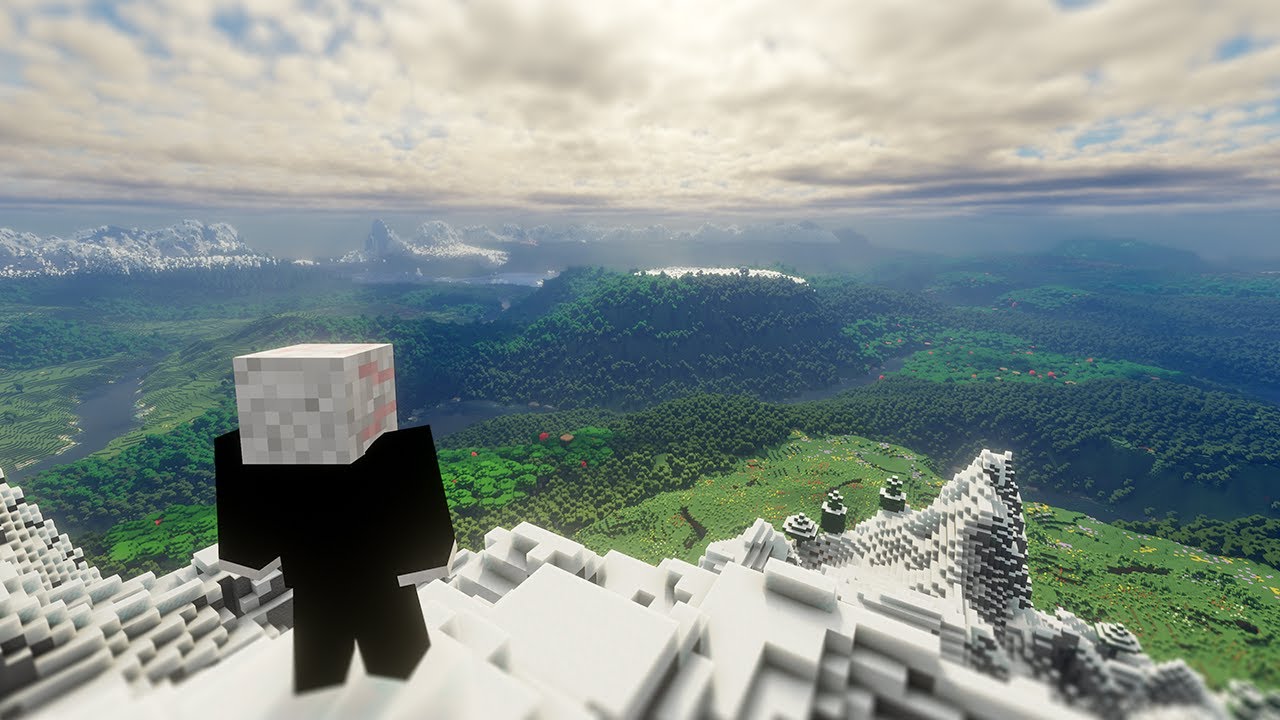
This may be the best Minecraft has ever looked using mods. It truly looks absolutely incredible! Enjoy!
MODS
Distant Horizons -
https://modrinth.com/mod/distanthorizons
Iris -
https://modrinth.com/mod/iris
Sodium -
https://modrinth...
sacred flint
radiant jay
What’s tectonic btw?
As far as I can tell it is fully compatible with the other biome mods
radiant jay
sacred flint
As far as I can tell it is fully compatible with the other biome mods
Ok cool thx
sacred flint
radiant jay
Ok cool thx
If you combine it with distant horizons, you get results like this


 upbeat pecan
Is there a guide for which enchantments can be put together and which cant?
 austere cove
Was at an AFk farm, completely sealed in and randomly died. Any idea why the hotkey for my back pack quit working afterwards?
viral garden
uncut lodge
error -1073741819
1- 1.16.5
2- Curseforge
3- added some mods
4- v60.5
5- my mai...
this log does not show the game crashing
shut kiln
Damn is it ever frustrating being a cave dweller and not to find a suitable spot to call ur home  50k blocks out from spawn and haven't found a single good one yet
gloomy obsidian
hello, I've been having this issue for some time now, for some reason my mending armor and weapon wont collect exp into them to repair its durability despite most of them has mending, is there a way to fix this issue? I really need help, I use prism launcher, BMC4 1.20.1 V35 (latest) and been playing in my single-player world with few custom mods added.
uncut lodge
viral garden
this log does not show the game crashing
this is the latest log i have
wispy trailBOT
uncut lodge
this is the latest log i have
Uploaded message.txt from @uncut lodge to mclogs: https://mclo.gs/KwzJZkf
grand gate
every time i try to load bmc5 (neoforge) i always get exit code 1 and it crashes instantly
- What Minecraft version are you using? (1.19.2, 1.20.1, ...)
1.21.1.79 - What launcher did you run Minecraft with? (e.g. CurseForge, ATLauncher, MultiMC, ...)
curseforge - Have you changed the modpack in any way? (e.g. changing mod versions, adding/removing mods)
no - What version of the modpack are you using? (v11, v9, etc)
BMC5 - Have you ever gotten past the crash condition without crashing, or does the game always crash?
it always crashes - What steps cause the crash?
literally just pressing play
I've tried about a dozen fixes and nothing has worked
wispy trailBOT
@chilly bobcat requested deletion of this link.
:warning: This is a hs_err_pid file.
These files may contain personal information such as your session token.
Mclogs automatically censors these files, so you should delete your original message now.
agile cradle
!drivers
versed mountainBOT
You (likely) need to update your graphics drivers in order to resolve the crash. Here's how to go about doing that!
1. Identify your graphics card
if you already know skip to the next step
- Open task manager
- Navigate to the "Performance" tab (on Windows 11 this is the button that looks like a heart pulse)
- Press the GPU 0 graph and read your GPU from the top right
Note:
In some cases you may see a GPU 0 and GPU 1. This means your CPU has its own GPU, as well as a dedicated one. You probably want GPU 1 (which is usually the better one), but you can ask staff to clarify if necessary.
2. Download your drivers from the manufacturers site
Depending on what you read before, you likely need drivers from either AMD, Intel, or NVIDIA
AMD: https://www.amd.com/en/support
Intel: https://www.intel.com/content/www/us/en/download-center/home.html
NVIDIA: https://www.nvidia.com/Download/index.aspx?lang=en-us
Note:
- For NVIDIA you want to select "Game Ready Driver (GRD)" (this is the default option) for the best performance. Once installing you'd probably prefer downloading GeForce Experience, which will notify you when there's an available drivers update.
- For Intel, you probably want to press "Get Started" under the "Automatically update your drivers and software", which will simplify the process and update everything automatically
- For AMD you probably want to just press "Download Windows Drivers", which will download something called AMD Adrenaline, which will update your drivers automatically.
3. Run the installation, restart your computer, and try playing MC again
- At this point, hopefully your Minecraft is running. If it still does not work, please post any new logs and staff will help assist you with finding the right solution.
 zinc moth
Anyone know how i can fix this when ever i attempt to launch the game keeps popping up with this error
 agile cradle
zinc moth
Anyone know how i can fix this when ever i attempt to launch the game keeps popp...
agile cradle
zinc moth
Anyone know how i can fix this when ever i attempt to launch the game keeps popp...
!moreinfo
versed mountainBOT
- What Minecraft version are you using? (1.19.2, 1.20.1, ...)
- What launcher did you run Minecraft with? (e.g. CurseForge, ATLauncher, MultiMC, ...)
- Have you changed the modpack in any way? (e.g. changing mod versions, adding/removing mods)
- What version of the modpack are you using? (v11, v9, etc)
- Have you ever gotten past the crash condition without crashing, or does the game always crash?
- What steps cause the crash?
Required:
Open the game directory (right click pack -> open folder), navigate to the "crash-reports" folder and upload the latest available crash report.
If there is no crash report, navigate to the logs folder and upload "latest.log."
If there is no log, navigate to the base pack directory and upload the hs_err_pid file, if there is one.
viral garden
trail jasper
update the dragon mounts legacy mod. if issue persists or no update is available report the issue to the mod author
zinc moth
- 1.20.1
- Curseforge
- Nope just installed from curseforge
- v35
- So i was able to get on the game previously however my ssd got corrupted and made me go into the blue screen, so i have installed a new copy of windows 11 and have been trying to get onto the game.
- Well, press start, then launches me the minecraft launcher press ready and it start to boot up only for the error to pop up again and again.
viral garden
grand gate
I love the world freeze bug 🥰 It’s the second time it’s happened where all the ...
Please read the full contents of the #get-support channel for us to provide assistance.
viral garden
honest mist
you added the epicfight mod. remove it. epicfight mod is extremely unstable and causes many issues
viral garden
empty basin
has nothing to do with this particular modpack, but how would I go about using G...
!server follow the guide
versed mountainBOT
Paid Method
We suggest renting a server from Bisect Hosting:
Approx. $10 - $25 a month depending on what plan you choose. You can also get 25% off with Code LunaPixel.
Go here and order a plan which fits you. We suggest 1GB per player but nothing lower than 4GB as the server needs at least 3GB to run.
Go to #server-hosting for more Info!
Free Method
To host a server on your own computer, read the selfhosting guide.
This guide goes over how to install, create, and launch a free Minecraft server on all operating systems (MacOS, Linux and Windows). The guide also guides you through installing Java and optimizing your server for better performance.
If you are installing one of our older modpacks, ignore the "README" file that is included in the serverpack files, as they have outdated information.
grand gate
- 1.20.1
- ATLauncher and Curseforge
- no
- v35
- No
6 -->
I've found a bug in Better MC 4. In some seeds, the world completely freezes when entering certain chunks, causing mobs to freeze and preventing further chunk loading, making the game unplayable. This issue can be quickly replicated by flying around the coordinates 70 , 125 , -3980 in the seed 4312595124482500659. Does anyone have any ideas on how to fix this?
sacred flint
Why does my game just die every now and then
All entities just stop working
Yeah the internal server completely crashed
viral garden
grizzled lance
if anyone experiences the same issue as me,
go to `config\sound_physics_remast...
report the issue to the Supplementaries mod developer
grizzled lance
viral garden
report the issue to the Supplementaries mod developer
hi, i don't think it'll be necessary, the newest releases of supplementaries and sound physics remastered works flawlessly
- i'm probably the only guy who experienced this bug. i asked a friend to test it, he had no issue at all

 swift surge
hello, i have been running into some issues with my BMC4 its on version 1.20.1 and everytime i try to host a server for me and my friends it will suddenly mess up. you can move around and break blocks but the blocks wont drop. any idea what the issue might be?
ive tried giving the profile more ram but that also doesnt work
 uncut acorn
i was playing and mi power went out and my world was gone any help
 surreal temple
me and my friend want to play together but we do not want to buy a server, is there any other way to play together. We can't find any good servers either
like is there any official server
sacred flint
swift surge
hello, i have been running into some issues with my BMC4 its on version 1.20.1 a...
I have the same issue except this is on a singleplayer world
The internal server completely crashes, but not the game itself
near egret
surreal temple
like is there any official server
there is a mmcn server (not official) but you could also use the world sharing
type !ws in #bots on how to use that
surreal temple
near egret
there is a mmcn server (not official) but you could also use the world sharing
whats the server
near egret
i forgot the ip one sec
surreal temple
near egret
i forgot the ip one sec
is it just bmc4 server
near egret
yes bmc4
surreal temple
ok whats the ip
near egret
i sent it in dms
 granite valley
can i have the ip as well, please?
zinc moth
1.20.1
Curseforge
Nope just installed from curseforge
v35
So i was able to get on the game previously however my ssd got corrupted and made me go into the blue screen, so i have installed a new copy of windows 11 and have been trying to get onto the game.
Well, press start, then launches me the minecraft launcher press ready and it start to boot up only for the error to pop up again and again.
Anyone know how to fix this error i have reinstalled both minecraft and curseforge as well as the modpack and hasn't fixed it
 sacred flint
uncut acorn
help
sacred flint
uncut acorn
help
Unless you have a backup, there is nothing you can do
grizzled lance
grizzled lance
hi, i don't think it'll be necessary, the newest releases of supplementaries and...
nvm it's back, gonna report it to the dev of supplementaries
 wind iris
How can I repair a platinum infused hatchet
 boreal quail
Hey there, I'm currently unable to launch my world and I don't know what's causing it to crash as it's loading up. I can load up another world but this one seems not to launch only sometimes and it crashes completely when I try.
- 1.20.1 Forge
- MultiMC
- I've added DisenchantingForge only
- v35
- It loads with a 20% success rate
- Simply selecting the world to launch
The log has been uploaded here: https://mclo.gs/AlwlXdQ
radiant jay
boreal quail
Hey there, I'm currently unable to launch my world and I don't know what's causi...
!alternates
versed mountainBOT
If this command was run in response to your question/issue, it is likely because switching away from the launcher you are currently using would fix your problem.
From our experience, the most stable launcher by far is ATLauncher, also known as ATL.
To install ATLauncher, do the following:
1. Go to https://atlauncher.com/download
2. Install and run the setup, then open the program.
3. Login to your Microsoft account that owns the Java Edition of Minecraft from the Accounts tab on the right. This process is 100% safe, as it goes directly through Microsoft. ATLauncher does not see your account credentials.
4. Go to the Packs tab on the right, then click "Curseforge" on the left.
5. Search the modpack you wish to download.
6. Click "New Instance". Click "Ok" on the opted out mods warning, then click "Open All" on the manual download screen.
7. Let the mods download, ATLauncher will grab them from your Downloads folder and automatically add them to the modpack.
8. Go to the Instances tab, and click "Play" on the modpack you downloaded. If you ever see an "Update" button on the instance, click it.
This video explains the process: https://youtu.be/xMYW1wMbmkM
To transfer your Curseforge world to ATLauncher, simply right click the modpack on Curseforge, or click the 3 dots, then click "Open Folder". Copy the Saves folder, then click "Open Folder" on ATLauncher and paste the Saves folder there. Do the same with the XaerosMinimap folder, or the Journeymap folder, to transfer over any waypoints you've created.
Because ATLauncher downloads the exact same files as Curseforge does, your world will be the exact same and you will be able to join the same servers. ATLauncher also works without an internet connection (after you've installed the modpack, of course), and does not have any bloat from Overwolf. You are free to uninstall both Overwolf and Curseforge with ATLauncher installed.
radiant jay
zinc moth
1.20.1
Curseforge
Nope just installed from curseforge
v35
So i was able to get o...
!alternates
versed mountainBOT
If this command was run in response to your question/issue, it is likely because switching away from the launcher you are currently using would fix your problem.
From our experience, the most stable launcher by far is ATLauncher, also known as ATL.
To install ATLauncher, do the following:
1. Go to https://atlauncher.com/download
2. Install and run the setup, then open the program.
3. Login to your Microsoft account that owns the Java Edition of Minecraft from the Accounts tab on the right. This process is 100% safe, as it goes directly through Microsoft. ATLauncher does not see your account credentials.
4. Go to the Packs tab on the right, then click "Curseforge" on the left.
5. Search the modpack you wish to download.
6. Click "New Instance". Click "Ok" on the opted out mods warning, then click "Open All" on the manual download screen.
7. Let the mods download, ATLauncher will grab them from your Downloads folder and automatically add them to the modpack.
8. Go to the Instances tab, and click "Play" on the modpack you downloaded. If you ever see an "Update" button on the instance, click it.
This video explains the process: https://youtu.be/xMYW1wMbmkM
To transfer your Curseforge world to ATLauncher, simply right click the modpack on Curseforge, or click the 3 dots, then click "Open Folder". Copy the Saves folder, then click "Open Folder" on ATLauncher and paste the Saves folder there. Do the same with the XaerosMinimap folder, or the Journeymap folder, to transfer over any waypoints you've created.
Because ATLauncher downloads the exact same files as Curseforge does, your world will be the exact same and you will be able to join the same servers. ATLauncher also works without an internet connection (after you've installed the modpack, of course), and does not have any bloat from Overwolf. You are free to uninstall both Overwolf and Curseforge with ATLauncher installed.
radiant jay
@zenith nexus sry for pinging you but didnt you have the same problem and fixed it?
zenith nexus
radiant jay
<@903002860290203690> sry for pinging you but didnt you have the same problem an...
no
I just don't go to the world border
radiant jay
zenith nexus
no
oh sry sry
it was another person
@grizzled lance sry for pinging you but what was the fix for you?
grizzled lance
sure
hey, follow one of these instructions :
- Disable Supplementaries or Sound Physics Remastered
- Set the "players" sound slider to 0
- In "config\sound_physics_remastered\allowed_sounds.properties", find the line "supplementaries:block.rope.slide" line and set it to false
you should probably only do the last one
wind iris
How can I repair a platinum infused hatchet
zinc moth
zinc moth
1.20.1
Curseforge
Nope just installed from curseforge
v35
So i was able to get o...
Nvm fixed it for anyone who does encounter same problem for some reason it caused by a window update which is something you have to manually download and is not done automatically.
velvet bone
viral garden
list what mods you added/removed
I added the simple voice chat mod and then removed it, that’s all
 craggy parcel
is there any chance to cap the entities spawn limit on servers? bmc5 neoforge
tps issues
craggy parcel
craggy parcel
is there any chance to cap the entities spawn limit on servers? bmc5 neoforge
tp...
 zinc moth
Any mod anyone know i can use to zoom in and out like optifine on better mc forge version 35 1.21
zenith nexus
zinc moth
Any mod anyone know i can use to zoom in and out like optifine on better mc forg...
zoomify
zinc moth
Appreciate that
zenith nexus
👍
craggy parcel
craggy parcel
is there any chance to cap the entities spawn limit on servers? bmc5 neoforge
tp...
Can i add ServerCore https://www.curseforge.com/minecraft/mc-mods/servercore/files/5667811 w/o Problems to bmc5?
 zenith nexus
craggy parcel
Can i add ServerCore https://www.curseforge.com/minecraft/mc-mods/servercore/fil...
zenith nexus
craggy parcel
Can i add ServerCore https://www.curseforge.com/minecraft/mc-mods/servercore/fil...
you can try
if it works, it works, if not, remove it
craggy parcel
it worked perfectly
zenith nexus
warm osprey
How can i make world generate faster on bmc5?
zenith nexus
If its not already in the pack, add this
https://www.curseforge.com/minecraft/mc-mods/noisium/files/all?page=1&pageSize=20&gameVersionTypeId=1

CurseForge
Optimises worldgen performance for a better gameplay experience.
7.1M Downloads | Mods
P sure it is though
warm osprey
im not asking how i can make the performance better, i am asking how to make it faster
zenith nexus
oh forge worlds take a bit longer to load
I don't see the issue
Just let it generate, and do something else for a bit
warm osprey
im talking about ingame generation
zenith nexus
ohh, chunk generation
warm osprey
yup
zenith nexus
!fps
versed mountainBOT
zenith nexus
should help with chunk load speed aswell
warm osprey
nop, there is no a single step about it, im not asking for an performance guide all i want to know is how to speed up chunk loading, i dont wanna mess with the configs all by my own
warm osprey
versed mountain
https://rpg.prominence.wiki/performance-guide
and this guide is all a common sense tbf, did it just to see if it works on other version, didnt improve a single thing
 jovial belfry
i finally was able to get a good computer (a mac) but running into this issues when trying to play bmc4

 dark siren
jovial belfry
i finally was able to get a good computer (a mac) but running into this issues w...
dark siren
jovial belfry
i finally was able to get a good computer (a mac) but running into this issues w...
ok
dark siren
jovial belfry
i finally was able to get a good computer (a mac) but running into this issues w...
idk
 whole hull
How can I play the mod at tlauncher?
lethal basin
whole hull
How can I play the mod at tlauncher?
!alternates
versed mountainBOT
If this command was run in response to your question/issue, it is likely because switching away from the launcher you are currently using would fix your problem.
From our experience, the most stable launcher by far is ATLauncher, also known as ATL.
To install ATLauncher, do the following:
1. Go to https://atlauncher.com/download
2. Install and run the setup, then open the program.
3. Login to your Microsoft account that owns the Java Edition of Minecraft from the Accounts tab on the right. This process is 100% safe, as it goes directly through Microsoft. ATLauncher does not see your account credentials.
4. Go to the Packs tab on the right, then click "Curseforge" on the left.
5. Search the modpack you wish to download.
6. Click "New Instance". Click "Ok" on the opted out mods warning, then click "Open All" on the manual download screen.
7. Let the mods download, ATLauncher will grab them from your Downloads folder and automatically add them to the modpack.
8. Go to the Instances tab, and click "Play" on the modpack you downloaded. If you ever see an "Update" button on the instance, click it.
This video explains the process: https://youtu.be/xMYW1wMbmkM
To transfer your Curseforge world to ATLauncher, simply right click the modpack on Curseforge, or click the 3 dots, then click "Open Folder". Copy the Saves folder, then click "Open Folder" on ATLauncher and paste the Saves folder there. Do the same with the XaerosMinimap folder, or the Journeymap folder, to transfer over any waypoints you've created.
Because ATLauncher downloads the exact same files as Curseforge does, your world will be the exact same and you will be able to join the same servers. ATLauncher also works without an internet connection (after you've installed the modpack, of course), and does not have any bloat from Overwolf. You are free to uninstall both Overwolf and Curseforge with ATLauncher installed.
 plucky geodeBOT
Quarantine Result:
 Reason: No reason.
 Staff: @lethal basin

<:success:660789936651370497> Successful Quarantines

gal_22 
<:cancel:660789591900684329> Unsuccessful Quarantines
All users were quarantined!
lethal basin
jovial belfry
i finally was able to get a good computer (a mac) but running into this issues w...
!moreinfo
versed mountainBOT
- What Minecraft version are you using? (1.19.2, 1.20.1, ...)
- What launcher did you run Minecraft with? (e.g. CurseForge, ATLauncher, MultiMC, ...)
- Have you changed the modpack in any way? (e.g. changing mod versions, adding/removing mods)
- What version of the modpack are you using? (v11, v9, etc)
- Have you ever gotten past the crash condition without crashing, or does the game always crash?
- What steps cause the crash?
Required:
Open the game directory (right click pack -> open folder), navigate to the "crash-reports" folder and upload the latest available crash report.
If there is no crash report, navigate to the logs folder and upload "latest.log."
If there is no log, navigate to the base pack directory and upload the hs_err_pid file, if there is one.
jovial belfry
alr ty ty
lethal basin
answer questions so we could help
jovial belfry
versed mountain
1. What Minecraft version are you using? (1.19.2, 1.20.1, ...)
2. What launcher ...
- BMC4 (1.20.1)
- AT LAUNCHER
- nope, just clicked install, and once it was done pressed play
- the latest
- tried it twice, keeps crashing
- once play is clicked, it goes into forge loader, after some seconds of loading it crashes
wispy trailBOT
jovial belfry
Uploaded crash-2024-12-08_08.27.47-client.txt from @jovial belfry to mclogs: https://mclo.gs/YpAAPfX
lethal basin
how much ram have you allocated ? @jovial belfry
jovial belfry
i just installed atlauncher
jovial belfry
so i havnt configured anything apart from installing atlauncher
just got my laptop
jovial belfry
this is where it crashes
 lethal basin
kill it
yeah
you may have too little ram allocated
soo
I am gonna have to ask you
do you have "My computer" icon on your desktop?
or
you could click win +r keys
and type dxdiag
first
jovial belfry
im on a macbook xd
jovial belfry
16gb


 lethal basin
jovial belfry
dang half of it
lethal basin
jovial belfry
dang half of it
half is okay , trust me
jovial belfry
still crashed :c
lethal basin
it may help your issue
hmmmm
ok
wait for Chloe or someone else then
is it different crash now ?
jovial belfry
portable version?
near egret
 jovial belfry
isnt that for windows
near egret
no
you can drag over your old instances folder
i think
im not sure on that part so you can try it
jovial belfry
okay lemme see
sacred flint
jovial belfry
i finally was able to get a good computer (a mac) but running into this issues w...
Good computer
A mac

jovial belfry
sacred flint
>Good computer
>A mac
 mortal reef
Hello boys
I'm tryna host a server on my pc but this pops up
it was working perfectly fine 2 days ago
How do I make it run on my pc again
 sacred flint
In all honesty ARM based macs are great, but not at all ideal for gaming
jovial belfry
sacred flint
In all honesty ARM based macs are great, but not at all ideal for gaming
yea but i dont game as much
sacred flint
Fair enough. Does the vanilla game launch?
sacred flint
I would test that first just to rule out a lot of potential issues
jovial belfry
alr let me finish installing it rq and let you know
im just having issues cause mac keyboard layout is annoying
mortal reef
mortal reef
Hello boys
I'm tryna host a server on my pc but this pops up
it was working perf...
i think it's got somethign tod ow ith java but idk
we using lan
lethal basin
mortal reef
Hello boys
I'm tryna host a server on my pc but this pops up
it was working perf...
what java you have
mortal reef
Honestly got no idea, my friend set it up but he's away for the week
jovial belfry
sacred flint
I would test that first just to rule out a lot of potential issues
yea it works just fine, the latest
mortal reef
lethal basin
what java you have
How do I check
mortal reef
yes
lethal basin
in control pannel
uninstall programs
u will see what java u have there
it may be issue with that
mortal reef
 mortal reef
sorry
versed mountainBOT
To better assist with fixing your issue, we will need some logs:
-
Curseforge -> Right click the modpack instance -> Open Folder.
-
ATLauncher -> Click 'Open Folder' on the modpack instance.
-
MultiMC -> Select your instace and click 'Instance Folder' on the right.
-
** For servers** -> Open the folder containing your server files.
To find the latest.log file, navigate to the 'logs' folder.
To find the hs_err_pid.log file, simply look for the file name after opening the instance folder.
To find a crash report, navigate to the 'crash-reports folder and find the most recent file after your crash occurred.
Once located, please upload the requested file here. If it fails, upload to https://mclo.gs/ and share the link here.
mortal reef
I do not have a hs_err_pid.log file

this says latest so it'll prob be the most helpful
 lethal basin
mortal reef
this says latest so it'll prob be the most helpful
lethal basin
mortal reef
this says latest so it'll prob be the most helpful
senf full file here
.log
mortal reef
wispy trailBOT
mortal reef
Uploaded latest.log from @mortal reef to mclogs: https://mclo.gs/Iqci6ab
lethal basin
here we go
now wait for someone who can help you
cuz I can't read logs - or even more help with servers
mortal reef
😭
 ruby onyx
I'm trying to enter a server but it tells me (give invalid player) what should I do?
mortal reef
think imma delete everything and restart
lethal basin
ruby onyx
I'm trying to enter a server but it tells me (give invalid player) what should I...
what launcher u using 
have you modified server/modified pack
you could umm
!Moreinfo
versed mountainBOT
- What Minecraft version are you using? (1.19.2, 1.20.1, ...)
- What launcher did you run Minecraft with? (e.g. CurseForge, ATLauncher, MultiMC, ...)
- Have you changed the modpack in any way? (e.g. changing mod versions, adding/removing mods)
- What version of the modpack are you using? (v11, v9, etc)
- Have you ever gotten past the crash condition without crashing, or does the game always crash?
- What steps cause the crash?
Required:
Open the game directory (right click pack -> open folder), navigate to the "crash-reports" folder and upload the latest available crash report.
If there is no crash report, navigate to the logs folder and upload "latest.log."
If there is no log, navigate to the base pack directory and upload the hs_err_pid file, if there is one.
lethal basin
answer these
ruby onyx
minecraft launcher
near egret
mortal reef
Hello boys
I'm tryna host a server on my pc but this pops up
it was working perf...
are you talking about the luna thing
if so thats normal
mortal reef
near egret
are you talking about the luna thing
It didnt do that before and it worked
near egret
if its not working its not related to that message
the log you sent is a client log btw
can you grab the one from the serverpack
mortal reef
near egret
can you grab the one from the serverpack
I deleted everything, im tryna reinstall everything rn
sacred flint
jovial belfry
yea it works just fine, the latest
Weird. Not too sure about this. I always use prism launcher
jovial belfry
sacred flint
Weird. Not too sure about this. I always use prism launcher
With atlauncher works just fine
150+ fps with 32 render
sacred flint
But bmc4 just crashes?
jovial belfry
sacred flint
But bmc4 just crashes?
Yea but have fixed it
Did what mimi said
And now bmc4 runs well
Actually scratch that
sacred flint
Oh, so you just use the portable version?
jovial belfry
When I create a world it crashes in bmc4
jovial belfry
sacred flint
Oh, so you just use the portable version?
Yea
jovial belfry
sacred flint
Oh, so you just use the portable version?
You play on macOS too?
Anytime I create a world on bmc4, the world crashes before I even load in
@near egret
jovial belfry
The world is created but I crash when I enter it or try to create one
Can I copy and paste
Cause I can’t navigate this shi**y file system
wispy trailBOT
jovial belfry
Uploaded message.txt from @jovial belfry to mclogs: https://mclo.gs/xhe2MO4
viral garden
warm osprey
no i didnt do everything, most of the recommendations are useless, dont affect p...
everything in the performance guide is important and improves performance
viral garden
warm osprey
i might try make it compatible with some 3rd party client like lunar or faether ...
neither lunar nor feather work with mods, and both will cause major incompatibilities
jovial belfry
jovial belfry
here @near egret
viral garden
shell coral
bro ive been waiting 776 minutes....
contact bisect support
viral garden
warm osprey
<@508581979332280341> i fixed the issue, i just put all the mods into lunar clie...
lunar did not help at all
viral garden
warm osprey
watafak is that😭
you have no resourcepacks or configs at all
this is why you dont use things like lunar
viral garden
tough ermine
Is Java JRE Temurin 21 the right Version for a Windows 11 BMC5 Server?
!server follow the guide
versed mountainBOT
Paid Method
We suggest renting a server from Bisect Hosting:
Approx. $10 - $25 a month depending on what plan you choose. You can also get 25% off with Code LunaPixel.
Go here and order a plan which fits you. We suggest 1GB per player but nothing lower than 4GB as the server needs at least 3GB to run.
Go to #server-hosting for more Info!
Free Method
To host a server on your own computer, read the selfhosting guide.
This guide goes over how to install, create, and launch a free Minecraft server on all operating systems (MacOS, Linux and Windows). The guide also guides you through installing Java and optimizing your server for better performance.
If you are installing one of our older modpacks, ignore the "README" file that is included in the serverpack files, as they have outdated information.
viral garden
stark echo
```Console
java.lang.Error: ServerHangWatchdog detected that a single server tic...
Please read the full contents of the #get-support channel for us to provide assistance.
viral garden
hot spire
hey im trying to host a server with oracle cloud just wondering if i need to ins...
you should, if oracle allows that
 languid kestrel
which mod adds the items floating on the crafting table when im crafting
 fluid socket
Just playing BMC4 on 1.20.1 on a Server. I love it!
Forge.
Minecraft just got very good optimizations. Like it is insane how well shaders work now even on weaker computers.
languid kestrel
is there any way to disable it
fluid socket
languid kestrel
is there any way to disable it
Looking it up.... Just remove it.
 novel elk
A Question, im running the latest BMC Server Modpack and want to disable the Dragon Mount mod how do i dissable that for the whole server because the mod is only bringing bugs ?
languid kestrel
what
fluid socket
novel elk
A Question, im running the latest BMC Server Modpack and want to disable the Dra...
Remove the mod from the server and from the client
novel elk
fluid socket
Remove the mod from the server and from the client
client ? can you be a bit more specific
im new to this 😅
fluid socket
novel elk
client ? can you be a bit more specific
Where do you start the modpack?
Where do you start minecraft?
novel elk
from Minecraft Server Soft MCSS & Forge Launcher
fluid socket
novel elk
from Minecraft Server Soft MCSS & Forge Launcher
Ok I see
jovial belfry
what java version is recomended for bmc4
fluid socket
Now you have to remove the mod from your mod profile folder in the "mods" folder
You also have to do that on the Server
fluid socket
jovial belfry
what java version is recomended for bmc4
The Minecraft Version?
novel elk
fluid socket
The Minecraft Version?
BMC5 Neoforge 1.21.1
fluid socket
jovial belfry
what java version is recomended for bmc4
1.20.1 is the current one for bmc4
jovial belfry
java to download
fluid socket
jovial belfry
java to download
Just the current java version
Java is backwards compatible
novel elk
Version 8
jovial belfry
i have jdk 23 but idk if it is okay, my bmc4 crashes when i enter a world or create one
fluid socket
jovial belfry
i have jdk 23 but idk if it is okay, my bmc4 crashes when i enter a world or cre...
JDK 23 should work fine
How do you start BMC4?
Also do you have a server or only local?
fluid socket
jovial belfry
it starts alright
Yeah I mean which launcher do you use?
jovial belfry
atlauncher
languid kestrel
what mod adds this
 novel elk
another Question about servermodpack, we have a chunk claim system how do i give myself the operation role i already gave myself /op
but i cant destroy or touch anyhting that is claimend on other users chunks
is there a way and how ?
fluid socket
languid kestrel
what mod adds this
Visual Workbench maybe?
languid kestrel
thanks
fluid socket
languid kestrel
thanks
If yes just delete it from client and server
Yes it is Visual Workbench
fluid socket
novel elk
another Question about servermodpack, we have a chunk claim system how do i give...
Do you have also administrator privilegues from server side?
novel elk
fluid socket
Do you have also administrator privilegues from server side?
just Operator with /op
fluid socket
novel elk
just Operator with /op
Give yourself admin rights on the server
It works fine for me
Not sure if it works with /op
novel elk
fluid socket
Give yourself admin rights on the server
i already have it but still cant acess others claims from the FTB Mods i mean*
fluid socket
novel elk
i already have it but still cant acess others claims from the FTB Mods i mean*
So someone claimed a chunk and you can't do anything on the claimed chunk?
Or someone else claimed a chunk and you can't do anything on that chunk?
novel elk
yes someone claimed a chunk and i cant even destroy anything in creative.
how do i give myself fully OP / Adminstrator rights because we have a bug with some of the mods and i cant do anything about them
languid kestrel
how do i see what season it is \
novel elk
languid kestrel
how do i see what season it is \
You need A Calendar and the Season is then displayed on the Item.
languid kestrel
sick, thank you boss
hot spire
viral garden
you should, if oracle allows that
i installed it with the command but it's a tar.gz file and everytime i restart the server it reinstalls "jabba"
viral garden
wind roost
Help pls! I can no longer open my world and it keeps giving the same "Error: jav...
you're on an old version of the modpack. you need to update
viral garden
languid viper
i was playing on the server before the update, now it says i am not whitelisted,...
we do not host any official servers here
send a screenshot with f3 open ingame
viral garden
gloomy obsidian
hello, I've been having this issue for some time now, for some reason my mending...
you likely have gloves equipped, unequip them
viral garden
zinc moth
1. 1.20.1
2. Curseforge
3. Nope just installed from curseforge
4. v35
5. So i ...
please send logs
viral garden
grand gate
1. 1.20.1
2. ATLauncher and Curseforge
3. no
4. v35
5. No
6 -->
I've found a...
Please follow the performance guide to improve your game performance, as this is likely to resolve your issue.
viral garden
sacred flint
Why does my game just die every now and then
Please follow the performance guide to improve your game performance, as this is likely to resolve your issue.
update to v35
viral garden
grizzled lance
hi, i don't think it'll be necessary, the newest releases of supplementaries and...
both of those mods are already on the latest versions.
you're likely on an old version of the modpack
please update
viral garden
swift surge
hello, i have been running into some issues with my BMC4 its on version 1.20.1 a...
!tps
versed mountainBOT
Please follow the guide here for changing the Java version your server uses. This will improve performance dramatically. If you are on a third party server host, you likely can not change the Java version your server uses. Bisect Hosting and a few VPS providers do allow changing Java version, though, which can usually be done through your server dashboard.
The method on Bisect is to simply go to the main dashboard page, and select "GraalVM 22" as the Java distribution. If it crashes, use 21 instead.
For further performance improvements, you can also follow this guide.
Reducing server render distance in the server.properties file is also a very good way of reducing lag. Most of our modpacks include mods like Bobby and Farsight, which make it so reducing server render distance will not affect players.
If lag persists, run the following command ingame:
/spark profiler start --only-ticks-over 50
Then, send the link in this channel.
viral garden
sacred flint
The internal server completely crashes, but not the game itself
Please read the full contents of the #get-support channel for us to provide assistance.
viral garden
surreal temple
me and my friend want to play together but we do not want to buy a server, is th...
!server
versed mountainBOT
Paid Method
We suggest renting a server from Bisect Hosting:
Approx. $10 - $25 a month depending on what plan you choose. You can also get 25% off with Code LunaPixel.
Go here and order a plan which fits you. We suggest 1GB per player but nothing lower than 4GB as the server needs at least 3GB to run.
Go to #server-hosting for more Info!
Free Method
To host a server on your own computer, read the selfhosting guide.
This guide goes over how to install, create, and launch a free Minecraft server on all operating systems (MacOS, Linux and Windows). The guide also guides you through installing Java and optimizing your server for better performance.
If you are installing one of our older modpacks, ignore the "README" file that is included in the serverpack files, as they have outdated information.
viral garden
uncut acorn
i was playing and mi power went out and my world was gone any help
send a screenshot of the contents of your saves folder
viral garden
zinc moth
1.20.1
Curseforge
Nope just installed from curseforge
v35
So i was able to get o...
please send logs
viral garden
jovial belfry
i finally was able to get a good computer (a mac) but running into this issues w...
Please read the full contents of the #get-support channel for us to provide assistance.
viral garden
jovial belfry
download the portable jar version of ATLauncher, instead of the normal version
@lethal basin ^^^
if you see someone crashing for fancymenu
this is the fix
lethal basin

jovial belfry
viral garden
download the portable jar version of ATLauncher, instead of the normal version
mimi helped me with that thanks!
viral garden
mortal reef
Hello boys
I'm tryna host a server on my pc but this pops up
it was working perf...
!server
versed mountainBOT
Paid Method
We suggest renting a server from Bisect Hosting:
Approx. $10 - $25 a month depending on what plan you choose. You can also get 25% off with Code LunaPixel.
Go here and order a plan which fits you. We suggest 1GB per player but nothing lower than 4GB as the server needs at least 3GB to run.
Go to #server-hosting for more Info!
Free Method
To host a server on your own computer, read the selfhosting guide.
This guide goes over how to install, create, and launch a free Minecraft server on all operating systems (MacOS, Linux and Windows). The guide also guides you through installing Java and optimizing your server for better performance.
If you are installing one of our older modpacks, ignore the "README" file that is included in the serverpack files, as they have outdated information.
lethal basin
Chloe do we need to bring  for bmc chats? @viral garden
jovial belfry
viral garden
download the portable jar version of ATLauncher, instead of the normal version
but ran into an issue rn, anytime i try to enter or create a world, my game crashes
the error just says "a fatal error has been detected by java runtime envirment @viral garden
viral garden
jovial belfry
im using jdk 23
do not use java 23
viral garden
languid kestrel
which mod adds the items floating on the crafting table when im crafting
why do you ask?
languid kestrel
causes lag
viral garden
jovial belfry
but when i want to create a world, it crashes
Please read the full contents of the #get-support channel for us to provide assistance.
viral garden
languid kestrel
what mod adds this
why