#Flow - Born from an E5Pro
4925 messages · Page 5 of 5 (latest)
 formal marsh
I'll get a manta or another skrat
(maybe manta with cm4)
more compact considering the printer footprint
 proud marsh
wow! you are so efficient on cleaning up after yourself.. I was thinking to buy the frame for the beta enclosure and sell the old ender 5 if I manage to rebuild it somehow… but it looks like a lost cause… I’ll probably do it when I build the smolZG first
proud marsh
formal marsh
I'll get a manta or another skrat
have you seen the new mellow board coming soon?
formal marsh
proud marsh
wow! you are so efficient on cleaning up after yourself.. I was thinking to buy ...
I made the commitment to myself of selling first then buying 😛
proud marsh
Mellow Fly-DP5
https://a.aliexpress.com/_mqCpWFi
there is also a version with regular drivers
formal marsh
with those drivers it's a no for sure
proud marsh
formal marsh
with those drivers it's a no for sure
unless they are compatible with the ez (I highly doubt it) it’s not a smart move imo
formal marsh
i'll wait on reviews
formal marsh
but getting tied to a specific design...
proud marsh
I guess they want people to buy the version that locks them in with mellows style drivers
formal marsh
status: everything tested isolated (still need to home), endstops ok, bed ok, steppers ok, entire toolhead functions ok
next step rewire the TR for it's board
formal marsh
TR is rewired, need to flash the new board and test
 reef hamlet
@formal marsh saw your comment about the omnibox. Was it worth?
formal marsh
reef hamlet
<@293050635186733056> saw your comment about the omnibox. Was it worth?
for me it is
reef hamlet
Cool! Did you also make an enclosure for your printer?
reef hamlet
Oh I thought you went and bought acrylic panels haha
formal marsh
reef hamlet
Oh I thought you went and bought acrylic panels haha
haha nope, it's a giant MDF box
formal marsh
NEW THR ARRIVES TODAY
formal marsh
oh CAN oh CAN
love it when it works
hate when it doesnt
time to recheck all wires
120ohm is correct
formal marsh
ok wrong pins configured on skrat
now find why it shuts down
ADC out of range yet all temps seem fine on the logs
one thermistor wire just broke
so that can be it
formal marsh
taking katapult out to check
enclosure thermistor
now to find why its bork
fucked up a wire
at least everything else works
formal marsh
IT'S ALIVE!
 tired pike
show it man!!
formal marsh
one more thing to do, I split the dual 5015 in 2 fan ports so need to figure how to merge them in klipper
 plucky plume
formal marsh
one more thing to do, I split the dual 5015 in 2 fan ports so need to figure how...
plucky plume
formal marsh
one more thing to do, I split the dual 5015 in 2 fan ports so need to figure how...
 formal marsh
plucky plume
https://www.reddit.com/r/klippers/s/nYDzajc0sb
formal marsh
plucky plume
https://www.reddit.com/r/klippers/s/nYDzajc0sb
thank you, multi pin it is
formal marsh

 pale yoke
formal marsh
pale yoke
formal marsh

stop, you're making me want to upgrade my horrible stock creality heatbed

 pale yoke
I've only just got my printer up and running enough for me to be satisfied to print again
formal marsh
it might be cheaper 😛
pale yoke
formal marsh
get a voron bed
I've been very tempted you seem to have great results with it!
pale yoke

pale yoke
Awesome thanks!
formal marsh
 TODO
TODO
Eventually reprint some omnibox parts as this PLA one is breaking (delaying this one until next release maybe)
Install Mellow Easy BRD on TR ✅
Print at least 2 ERCP for the TR/rewinders need to choose
Print SUAFT/something else with HEPA
finally getting smaller
formal marsh
FOUND WHY MY Z OFFSET FLOATS
so, doing a sexbolt repeatability test gives good results, same with the probe ones, since those are stable what's the remaining variable? the way klicky/unklicky attaches so I ran a different test, attach klicky do a probe repeatability test, dock klicky
on 10 tests got between 16.198 and 16.05, so a difference of 0.148 wayyy too much
formal marsh
accepting ideas
formal marsh
might have forgotten to glue the magnets, I don't think I ever did most of the times
yep, took them off, added glue now need to wait
proud marsh
I don’t think the glue would make a difference, if they stayed on, it means they were firmly attached to things
 pale cloak
proud marsh
I don’t think the glue would make a difference, if they stayed on, it means they...
pale cloak
proud marsh
I don’t think the glue would make a difference, if they stayed on, it means they...
if they are loose, it may wobble?
formal marsh
pale cloak
if they are loose, it may wobble?
that's my current assumption
meanwhile since glue starts setting pretty quick ran 2 tests
attach, 10 probes, dock - 10.times
then calculated range etc using the probes averages (final from each test)
both times range is around 0.01
need to run a few more
std dev 0.004
seems acceptable
again .01 range .003 std dev
I think I'll risk a print
 late veldt
Since you're running both a sexbolt and klicky, presumably you're running auto-z, so why does the z offset floating matter? Due to the way the calculation works, the only factor that should matter is the switch offset (which doesn't change) right?
pale cloak
late veldt
Since you're running both a sexbolt and klicky, presumably you're running auto-z...
the float is not consistent, however, so every pair of samples turns out wildly different.
the switch is not returning consistent samples
late veldt
Ah that makes sense
Maybe I'll check the variation after docking/undocking on mine too, I just figured the slight differences were down to slight temperature variation within the enclosure, but I too don't have the magnets glued
proud marsh
late veldt
Ah that makes sense
because during the procedure you dock-undock thenprobe several times, every time you re-dock the probe you might have a slight different offset. Apparently glueing makes a big difference
pale cloak
 proud marsh
to be fair, 0.2mm is a very small wobble for eyeballing with our senses. so it’s quite possible that without glue thing move slightly
formal marsh
late veldt
Since you're running both a sexbolt and klicky, presumably you're running auto-z...
in theory it should not matter indeed, even more because on a print I attach and run everything without reattaching, and all the measurements are made relative to nozzle+unbolt+unklicky, my suspicion is that sometimes during those measurements there is a slight change on the probe attachment, that is enough to throw off the calculations, remember we probe the bed a lot (z tilt, mesh, z calibration) and then klicky body also touches the sexbolt, somewhere in the middle changes may occur, 0.14 range variation is small but enough to mess a first layer, I'm expecting that now that measured range is 0.01 things get more stable
also I'm only probing the bed once
since the start print flow is already long and klicky repeatability tests showed good results I ended up setting only one probe
if it seems to show up again I'll try to set 2 probes and see if it improves
late veldt
Ah I see, I take the median of 5 probes, same idea of doing everything without reattaching, 0.14 is indeed pretty high, I'm sometimes seeing variation of ~0.05
formal marsh
those 0.14 were between attach/reattach
late veldt
I've been thinking about maybe getting a bdsensor so the klicky is only for auto-z but so far, with 3x3 adaptive bed meshing, unless I'm doing lots of short prints, the time taken is tolerable to me
late veldt
formal marsh
those 0.14 were between attach/reattach
Yes, I mean variations of ~0.05 in the z offset between prints
formal marsh
that is a good value
let's see, got chamber heating up
offset seems good now but was done cold, hot should not matter but I want to double check
formal marsh
so probe switch offset is wrong when the printer is hot, not making sense
plucky plume
formal marsh
so ~~probe~~ switch offset is wrong when the printer is hot, not making sense
That makes sense since the bed is possibly expanding when heated, no?
formal marsh
if it was really probe yeab
wrong name, its the switch offset
unless magnets are not enjoying the heat
as auto z should handle thermal expansion
proud marsh
My magnets (cheap amazon) hate the heat, I’m replacing them asap
Meaning within few months 😅
proud marsh
I always readjust the offset with a 1 layer 200x200 square. I do it once I change something on the probe
proud marsh
I’m waiting for people to adopt strain gauge in klipper
 formal marsh
fuck me, the glued magnet decided to come off the duct
need to remove it from the toolhead
pale yoke
I had similar struggles, what glue are you using. I was using the wrong glue before, plasticglue. It only really stuck to the printed part and not the magnet.
formal marsh
yep that thing
but I don't have any CA right now
https://www.revell.de/index.php this one I think

https://www.revell.de/
Entdecken Sie die Faszination des Modellbaus mit Revell. Wir haben eine große Auswahl an Produkten für Jung und Alt, darunter ferngesteuerte Autos, Flugzeuge und Boote. Bauen Sie Ihren Traum noch heute!
for plastics it's good, doesn't damage like CA
pale yoke
yeah don't think that will bond well with magnets, maybe rough them up a bit on the side there will be glue?
formal marsh
good point I'll try it out
might try a different one just for now maybe I can find one slightly larger
formal marsh
sooo none is larger
tired pike
formal marsh
Damn.. that would drive me nuts
formal marsh
they seem to be good now
 serene relic
You wouldn't by any chance be interested in sharing this would you?
formal marsh
serene relic
You wouldn't by any chance be interested in sharing this would you?
i can, if I find it 🙂
@serene relic
formal marsh
looks like it's back
 formal marsh
saving these for reference accel_per_hz: 75


now its 100


and now 150


@raven cliff quick test done with the ADXL on the toolhead I didn't bother to get the other out of the box and set it up
it actually suggests lower accel
and lower frequencies
 raven cliff
interesting
formal marsh
ressurecting thread with a small update

ignore warping, but extrusion is quite uneven, ordered integrated gear from fysetc, should arrive tomorrow.
finally building the SUAFT as well parts are ordered too
pale yoke
What extruder do you have?
formal marsh
Relisting so I don't forget
TODO
Eventually reprint some omnibox parts as this PLA one is breaking (delaying this one until next release maybe)
Too many options on rewindera and buffers currently can't decide what to use on the TR
Print SUAFT 🕑 (parts ordered)
Model new sherpa body with fixed idler, filament sensor and ECAS for the new gears
raven cliff
formal marsh
ressurecting thread with a small update
the fysetc ones are quite good, I really like mine
late veldt
formal marsh
Relisting so I don't forget
<:zerog:753725934913454221> TODO <:zerog:7537259349...
At least with ercf, passive rewinders are not recommended due to being too jerky, I think there are various active rewinders in development
formal marsh
late veldt
At least with ercf, passive rewinders are not recommended due to being too jerky...
my initial plan was to try reprewinder and an ERCP (modded for ZeroG logo)
and decide from those
https://github.com/SkiBikePrint/ERCF_Mods/tree/main/Filamentalist
this one is interesting

GitHub
Contribute to SkiBikePrint/ERCF_Mods development by creating an account on GitHub.
late veldt
formal marsh
my initial plan was to try reprewinder and an ERCP (modded for ZeroG logo)
Yeah that's the rewinder design I had been looking into which seemed to not be recommended
late veldt
formal marsh
https://github.com/SkiBikePrint/ERCF_Mods/tree/main/Filamentalist
this one is in...
Oooh that's interesting
formal marsh
not understanding the jerky part really
late veldt
I looked it up, the issue is potentially causing the encoder to mess up
 formal marsh
well not an issue on TR,first no encoder
and I don't really see how the ratchet of the rewinder can put any feedback on the encoder if the encoder lives after the gears
late veldt
Probably by causing slippage, particularly when not running the gear motor in sync with the extruder
But huh, wasn't aware the tradrack doesn't use an encoder, does it operate "blindly" wrt filament lengths to feed?
formal marsh
late veldt
But huh, wasn't aware the tradrack doesn't use an encoder, does it operate "blin...
TR has a sensor after the gears, and can operate blind from there forward.
or you can add a sensor either before or after extruder
I like it before as its better to detect if an badly shaped tip got stuck in the extruder when unloading or if the filament reached the extruder when loading
late veldt
Ah I see, seems a lot less overcomplicated than ercf lol, I guess that explains the inspiration for the belay
formal marsh
belay is to help keep TR and extruder in sync
a more brute and cheaper approach compared to encoder
late veldt
Yes, what I mean is that since TR doesn't have an active feedback mechanism on lengths, it needs the belay to compensate, while ercf didn't seem to need it, with the software only recently having added support for it
I'll definitely have to build a TR at some point
late veldt
Oh I see
formal marsh
an alternative is to every layer change raise and lower TR servo for example
while not even disabling sync
also works, but I found I don't need that
late veldt
I see, I have the belay configured, but haven't really noticed any difference either, I see the rate adjustments in the log but haven't really looked at them properly to see if the adjustments are meaningful
formal marsh
new gears arrived, want to make a print before and one after, same gcode so not installing yet
formal marsh
testing before new gears


nothing which is weird
here they are


ignore corners that's too fast to properly cool
aaand I'm running the test the wrong way
pale yoke
@formal marsh are those pictures all from the same print?
formal marsh
pale yoke
<@293050635186733056> are those pictures all from the same print?
no, every set of pictures is a different one
pale yoke
so what made the inconsistent layer lines to come back?
I'm also struggling with them but I'm also still running stock Z
formal marsh
from first to second, a little faster, thinner layera
got another on the bed to check that I printed yesterday late night
formal marsh
now here can be see properly, next step swap gears and reprint this one


 pale yoke
Interested in the result with a gear change!
formal marsh
so am I, will disassemble sherpa in a moment
formal marsh
new gears finnally in, printing
pale yoke
Fystec gears right?
formal marsh
yep posting photos in a sec
fysetc integrated gears, not perfect but


and side by side

not perfect but better indeed
same exact gcode, same filament
late veldt
does make me wonder how one might get it even closer to flawless
formal marsh
I'll take a photo of the same side of the piece side by side, some of the remaining artifacts seem to be the same on both parts which might imply the source is something else
late veldt
yeah I had a feeling it might end up involving scraping the bottom of the barrel to get everything else near flawless
formal marsh
I'm willing to blame leadscrews next if there are artifacts that match on both, even more on a second print with the new gears
next step (and easiest) is to attempt changing to fixed gear sherpa, I'll use the opportunity to also add an ECAS and built in sensor, this one adds too much height even though I like it separate
raven cliff
late veldt
does make me wonder how one might get it even closer to flawless
I have an extruder design that is slightly better
But also wears down the gears much faster
Take a look in here
https://github.com/LynxCrew/LynxSherpa
But I really would not recommend using it
GitHub
LynxCrew Sherpa Mini/Zero fork. Contribute to LynxCrew/LynxSherpa development by creating an account on GitHub.
late veldt
ooh interesting
so it 'fixes' the idler gear in place? (I'm not sure what you mean by angle adjustment)
formal marsh
that one due to the gear wear I'm not fond of trying it
proud marsh
late veldt
does make me wonder how one might get it even closer to flawless
maybe nextruder like gears 🤔
formal marsh
orbiter is closer I believe
late veldt
or that one extruder that uses belts
formal marsh
papilio
late veldt
Oh right, yeah, papilio, I think it had some experimental fully printed version, might give that a try for fun
formal marsh
late veldt
Ah nvm, wasn't fully printed, what I was thinking of was a failed experiment to have some of its gears printable (from their discord)
formal marsh
I considered it but a few things stopped me, one of them being the gears prices
it has some printed gears but the ones that drive the filamennt are LGX
or toothed idlers or something
late veldt
Yeah, bit more of an investment for just an experiment
It's also probably much heavier
formal marsh
also no sensor
raven cliff
formal marsh
orbiter is closer I believe
Orbiter fixes the backlash between stepper and drive gear
Not backlash between both drive gears
Imo Galileo 2 with an integrated drive gear would be almost perfect
Planetary gearbox to reduce/remove any backlash between stepper and drive gear
Big Single drive gear to remove backlash between the dual drive gears
And integrated drive gear to remove offset
 raven cliff
proud marsh
maybe nextruder like gears 🤔
raven cliff
proud marsh
maybe nextruder like gears 🤔
Nextruder is pretty good
Having 2 large gears in series removes a lot of play
formal marsh
hmm shaky photo
raven cliff
late veldt
so it 'fixes' the idler gear in place? (I'm not sure what you mean by angle adju...
If the adjustment screw is adjusted well you remove basically any backlash between both drive gears
Though that causes excessive wear
That's why I recommend not using it even though it's my mod/design(I improved upon the Sherpa zero)
late veldt
Ahh
raven cliff
The fysetc helical gears are pretty close to perfect imo
Low weight and low wood grain
there is also another reason for wood grain which even the best extruder couldnt remove:
inconsistent filament diameter
formal marsh
good point
raven cliff
so imo getting the fysetc gears is good (since the price is also really fair imo)
Personally I wouldnt get a genuine ridga again
way more expensive while actually being slightly worse than the fysetc ones (well with the LynxSherpa they were a tad better, like 0.1% but I guess they will wear down in one year and I'm not gonna buy a 40€ gear set every year for that little of an improvement)
formal marsh
for under 17€ the gears are damn great
I'm happy with the improvement, I want to try the fixed idler next because I also want to integrate sensor and ECAS into it
someone at Annex made one but uses switch with lever and I want to try without
raven cliff
especially since they should have more wear resistance (a mate of mine used their standalone ones in his vyper and he prints a lot of abrasives, he said the nano coated fysetc gears lasted way longer than the original vyper gears)
raven cliff
formal marsh
I'm happy with the improvement, I want to try the fixed idler next because I als...
there is also a body for the normal sherpa for a collet clip
proud marsh
raven cliff
there is also a body for the normal sherpa for a collet clip
but the fixed idler doesn’t have the idler thumb screw (lighter) and it actually worked great for me. it will also remove some issues using the sherpa with manis style fan ducts
late veldt
Looking at the fysetc gears, they don't have the "curve" on the filament grooves, like these have
https://a.aliexpress.com/_mLA3iK2 unsure if they're meaningful though
raven cliff
late veldt
Looking at the fysetc gears, they don't have the "curve" on the filament grooves...
curve on the filament gears is actually not that good imo
late veldt
Oh?
raven cliff
late veldt
Oh?
it twists the filament, causing other issues
late veldt
Ah I see
late veldt
Ordered
formal marsh
late veldt
Ordered
this discord os terrible for our wallets
late veldt
Ikr lol, recently discovered the ender ng from here and now I have to convince myself to not immediately jump on building it
 gleaming whale
formal marsh
this discord os terrible for our wallets
gleaming whale
formal marsh
this discord os terrible for our wallets
Better than another I am on, they do group buys and not just 3d printer stuff.
formal marsh
late veldt
Ikr lol, recently discovered the ender ng from here and now I have to convince m...
don't say anything about new printers, I won a set of panels for a RR V-Core... I don't have a VCore...
late veldt
Haha yeah, you mentioned that dilemma
gleaming whale
formal marsh
don't say anything about new printers, I won a set of panels for a RR V-Core... ...
Yet, gotta use those panels you won!
formal marsh
gleaming whale
Yet, gotta use those panels you won!
yup....
it would be easy to wait if there wasn't any discount on the base kit
self sourcing it is actually more expensive 🤷
but the discount is roughly 150e
formal marsh
soooo unklicky started misbehaving
late veldt
oh? in what way
formal marsh
probe accuracy results: maximum 16.050000, minimum 15.992500, range 0.057500, average 16.023000, median 16.022500, standard deviation 0.017529
formal marsh
usually there's another 0 to the right of the dot
late veldt
is this the bfp version?
formal marsh
yup
late veldt
huh, wouldn't expect that design's pin to loosen up
formal marsh
it's like 10 good samples stupid consistent, then one wayyy off
let me see if I can get a snippet of the log
late veldt
maybe something else came loose?
late veldt
oof
 late veldt
yeah that feels like the pin wiggle I had in my non-bfp unklicky
gleaming whale
Do one as a bfp-hs
formal marsh
gleaming whale
Do one as a bfp-hs
it IS BFP-HS 😭
gleaming whale
Seems like it’s time for unklicky-00?
formal marsh
ehhh too bulky
probe accuracy results: maximum 15.800000, minimum 15.727500, range 0.072500, average 15.771800, median 15.772500, standard deviation 0.015887
Disassembled and reassembled same shit, wrap up this filament calibration and print a new one
gleaming whale
I’m going to start stuffing with load cells
formal marsh
probe accuracy results: maximum 0.180000, minimum 0.037500, range 0.142500, average 0.093700, median 0.061250, standard deviation 0.054576 now the unbolt WTF
I'm so close to drop the money on the bacon
new test unbolt now good again, unklicky messed up, and I have no idea where I put the switch of the original klicky
raven cliff
from my experience this happens when the magnets are not seated properly and the probe can wiggle
formal marsh
raven cliff
from my experience this happens when the magnets are not seated properly and the...
have checked them, not that I can see
meanwhile found old d2f klicky will test it, can help print new ones
formal marsh
d2f one works good enough, I'll print new unklicky
formal marsh
I'm actually surprised this went so good, put the old klicky, heat up, adjust switch offset for this probe, send print and forgot
 formal marsh
well I'm dumb
new unklicky:
probe accuracy results: maximum 15.510000, minimum 15.500000, range 0.010000, average 15.506620, median 15.507500, standard deviation 0.001605
the problem with the old one? has an M3x12 which is too short and was wiggling when probing... new has a longer one with 16mm a little too long but works damn good
old unklicky with longer screw:
probe accuracy results: maximum 15.985000, minimum 15.975000, range 0.010000, average 15.980050, median 15.980000, standard deviation 0.001968
raven cliff
you technically need m3x13
so basically get a m3x16 and cut it
formal marsh
yeahhh that's what I get for not reading the spec and thinking the 12 would work, 13 will still be short due to the amount of wire I use, I just hacked the back to have a through hole
will re-design later the STEP as I don't mind the little tip of the screw in the back and it actually secures better
raven cliff
for UnklickyNG BFP the doc says m3x12, which is actually too short
proud marsh
raven cliff
for UnklickyNG BFP the doc says m3x12, which is actually too short
I don’t know why they didn’t put an hsi for that screw, it’s the only thing that I don’t like, bolting on a thread on plastic always gives me goosebumps
proud marsh
maybe a hex nut or something. but I understand it’s in theory a set and forget screw that one… If something is off, you print another one anyway
formal marsh
ehhh sort of, today building one of them I had to pull the screw out 2 times, needless to say it's deviation is a little higher
now on to print the suaft
formal marsh
@pale cloak finally
 formal marsh
I wonder what happened there

ohhh warp 😅
well unless its not functional not printint another its a waste of filament
pale cloak
woop woop!
formal marsh
should be good despite quality
formal marsh
well SUAFT is printed, someone forgot how to mount it
 solar stratus
hot glue, duct tape, and cable ties
formal marsh
engineers best friends
 lyric quartz
lol im tryna scroll up
formal marsh
lyric quartz
lol im tryna scroll up
yeah it's loooong
formal marsh
been tempted to pull my current bed heater out, drill new holes on the bed and put a new heater from Fysetc
solar stratus
Their heater goes close enough to the edge. No need to run heaters to the very edge
formal marsh
pale yoke
Any reason why?
reason being my bed has the front holes in the wrong place and still have some Z atrifacts that may be caused by my adapters, drilling as is will destroy the heater so need another
formal marsh
solar stratus
Their heater goes close enough to the edge. No need to run heaters to the very e...
yeah thats my reasoning as well
pale yoke
formal marsh
reason being my bed has the front holes in the wrong place and still have some Z...
oooh I forgot you're using a voron plate
formal marsh
pale yoke
oooh I forgot you're using a voron plate
exactly
formal marsh
fysetc heater would have an advantage too, 600W vs my current 300
pale yoke
Oh yeah, I like my fystec heater. It gets to 110 quickly!
formal marsh
Flow - Born from an E5Pro
formal marsh
not much updates here but here are some plans:
New bed to replace the voron one with adapters, no specific reason other than being tired of looking at the adapters and wanting a more powerful heater, Fysetc one is here along with hard magnet, bed will be done by @quartz tide just waiting on it (no rush)
new sensor on sherpa being designed (thanks @deft geode for the test prints)
designing buffers to attach to spool rollers (roller is @pale cloak design from his drybox) buffer designing my own to attach to it
to be done find a way to make a cutter for E34M1 (I don't like any current design)
formal marsh
buffer WIP

 pale cloak
formal marsh
getting there
pale cloak
formal marsh
getting there
damn. that's a lot of material. buffers seem to require more space than one expects.
formal marsh
pale cloak
damn. that's a lot of material. buffers seem to require more space than one expe...
quite a bit, can be minimised but I like having the filament more constrained, makes for a smaller possibility of tangling. those horizontal arms might be able to do without them
still need some fillets and ECAS mounting to test print
 formal marsh
discarded base hexagons, they don't reduce material at 20% infill (what I'm planning) make print slower and have weak spots
 pale cloak
looks good!
formal marsh
one final check and I'll start printing it
formal marsh
also took pictures of the heater and magnet, this will look damn good
 solar stratus
I just ordered 2 more of those magnets
After my printer ate one this weekend.... and I had to steal the one for my new build to replace it
So I will have one spare
formal marsh
I'm hoping I dont engrave any 😅
solar stratus

 formal marsh
RIP
I saw it on #demolition_derby hurts even watching
tired pike
formal marsh
also took pictures of the heater and magnet, this will look damn good
Looks very good
formal marsh
first buffer

seems to handle 3 loops fine, each loop roughly 60cm of filament, so I could get away with making it slightly smaller as I need wither 70cm or 90cm (from TR load and unload values which are not very correct)
next up a cutter
formal marsh
no but takes some space
formal marsh
taking notes on buffer:
- base can be 5mm instead of 7, just add some material on heat insert area where screws into the roller
- add cutout to pull ecas out more easily
- measure screws, attempt to standardize one size
- maybe make side "arms" a little smaller, sometimes the filament instead of making nice loops extends up and into the back, making it shorter might help.
formal marsh
new version 2.5mm smaller base (because shorter arms)
 formal marsh

new sherpa sensor in
still need to organize that wiring and shorten the stepper one
tired pike
Looking nice
formal marsh
cutter concept, not sure if this will work
 tired pike
I think that I have seen some eva3 cutter somewhere.. if I find it I will share
formal marsh
tired pike
I think that I have seen some eva3 cutter somewhere.. if I find it I will share
there are some on printables, I don't like them
formal marsh
wellll shit, after re-soldering the hotend fan sent a print... without testing the fan
CLOGGED RAPIDO!!
accepting tips before I even start
tired pike
Eish... Nozzle out and with a "poke" with the size of the filament and long enough push the clog out


Something similar
formal marsh
turns out it was mostly heatbreak
raven cliff
formal marsh
CLOGGED RAPIDO!!
rapido heatbreak is delicate, ask me how I know
if you heat it up, make sure the top didnt curl inwards, if it did, take the small allen key that came with it and use it to uncurl it
formal marsh
raven cliff
rapido heatbreak is delicate, ask me how I know
if you heat it up, make sure the...
looked good, still need to print again to check it
raven cliff
formal marsh
looked good, still need to print again to check it
just wanted to let you know
cause I didnt notice it curling inwards and that was another nasty clog, let me tell you XD
tired pike
raven cliff
rapido heatbreak is delicate, ask me how I know
if you heat it up, make sure the...
I didn't know that.... Maybe I would give another chance to rapido 😅
pale cloak
formal marsh
meanwhile printed another buffer
how's that going, btw?
formal marsh
pale cloak
how's that going, btw?
good, still need a cutter, went through printables but I'm still not happy with any, not happy with my design either so there's that
turns out I need more buffer than I initially thought, and with this design filament might tangle a little, need to run some loads/unloads
I didn't want to but may need to further enclose the filament, want to test 3 loops too (which fit the buffer fine)
formal marsh
new bed arriving most likely today
formal marsh
it is here, damn it looks nice
@quartz tide thank you

 quartz tide
formal marsh
it is here, damn it looks nice
<@700615398445416499> thank you
quartz tide
formal marsh
it is here, damn it looks nice
<@700615398445416499> thank you
gladly 🙂 anytime again 😊
formal marsh
mesh on the new bed, looks good to me, pretty sure my frame could get some further adjustment also this is still the bare plate with the protective plastic

Retries: 0/5 Probed points range: 0.011250 tolerance: 0.050000 this z tilt...
proud marsh
formal marsh
mesh on the new bed, looks good to me, pretty sure my frame could get some furth...
that’s pretty similar to my mesh (fysetc 255), [0.14-0.08]. I guess the protective plastic will give you some unevenness, so yours could be even better
formal marsh
still want to take it out and mesh
need to find my IPA to give it a good clean as well
proud marsh
formal marsh
still want to take it out and mesh
also, didn’t you get the zeroG hard magnet 🤤?
formal marsh
Added some RTV today, probably didn't need it, but screw it better safe than sorry
 formal marsh
new bed still not in, got an order and have been printing it, next need to tune the red ABS for the RedFox build
sooo not yet
meanwhile new sherpa had adjustments since filament sometimes wouldn't load, triggers sensor but then doesn't go down, need to find the cause
still not perfect, wish it was completely transparent
formal marsh
small update, swapped for tr8x4 (stolen from the rat build) one of the nuts was wiggling need new nuts for the rat
formal marsh
meh something not good


 formal marsh
roughly 4mm spaced, matches leadscrews so need to find if its the nuts binding or something misaligned
solar stratus
Also make sure the couplers are tight on the motors and leadscrews
I had 2 slipping on my new build at first
formal marsh
I'll double check, but I find it odd matching the rotation distance, betting on something misaligned
formal marsh
aaand it's there 4mm

 sand ridge
maybe the back hydra extrusion isnt squared
formal marsh
sand ridge
maybe the back hydra extrusion isnt squared
unlikely but I'll be checking everything at this point
replace every part I can, starting with the bed
if doesn't fix it swap couplers maybe try the 8x8 again to compare using the same filament
double check rail alignment and finally reprint hydra
I'll miss my PCCF parts but
solar stratus
if you loosen the motor couplers, do all 3 lead screws want to naturally want to line up with the motor shafts?
sand ridge
formal marsh
meh something not good
It kinda looks like this https://youtu.be/qNCDXdjJb90?si=YCrKkMRgwn4po5dG
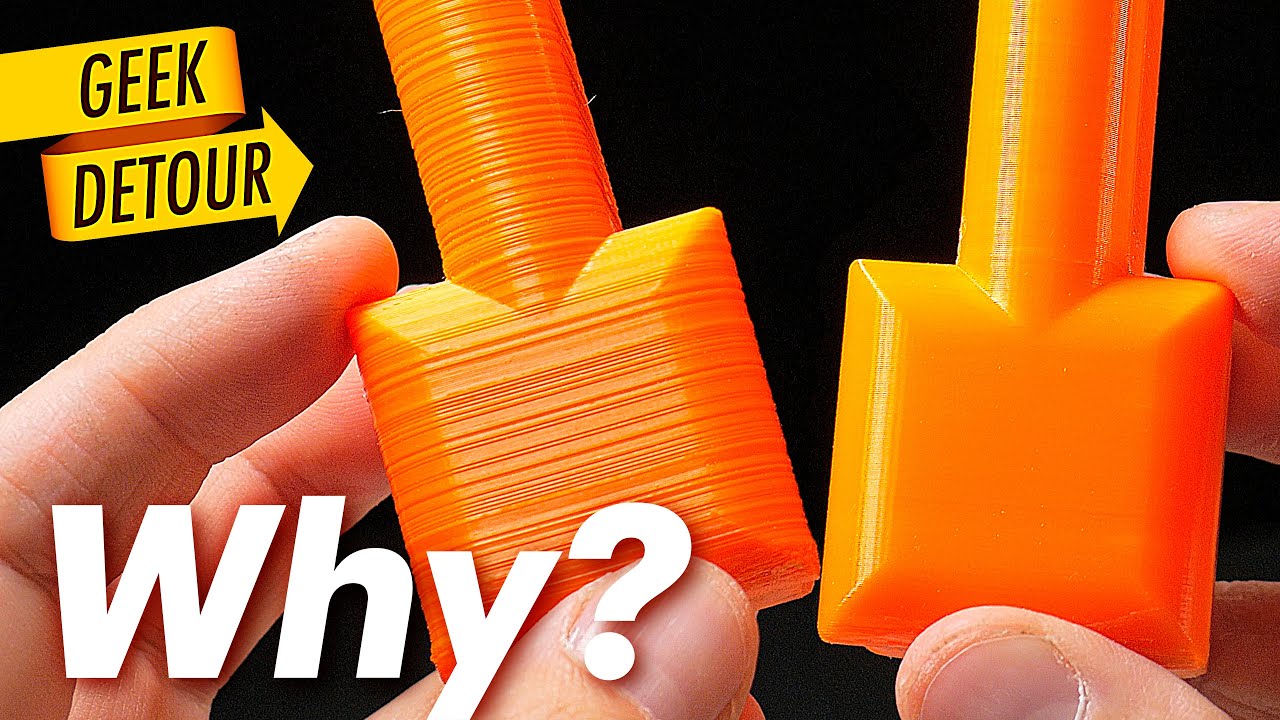
Wobbly prints and prints with lines... How you fix it? It can be many things (trust me, every time is a different reason). That's why I loved the Book I showed in this video. It will help you a lot, specially if you are just beginning with 3D Printing:
"3D Printing Failures" Book
by Sean Aranda
https://geni.us/73Gd (Amazon)
More 3D Printing Bo...
formal marsh
yes but its consistent with the rotation distance
formal marsh
solar stratus
if you loosen the motor couplers, do all 3 lead screws want to naturally want to...
front ones yes, back one is a little off
formal marsh
well, first finding, back stepper screws were too long, 10mm instead of 8
might be the cause, might not
 formal marsh
formal marsh
formal marsh
rat oldhams won't fit
formal marsh
back to 8x8


not sure if the filament is not properly dried or if it's due to having a little glitter
still some binding but screws were not even lubricated and they're probably still dirty
formal marsh
finally

sexbolt had to come off, the ground screw hits it need to see how to fix that
formal marsh
Retries: 2/5 Probed points range: 0.028750 tolerance: 0.050000
mesh on the magnet

tilt on build plate Retries: 2/5 Probed points range: 0.038750 tolerance: 0.050000
similar to previous bed
full bed mesh with sheet, I'll take it

frame might still be a little off
damn now this heats up fast
love it
proud marsh
first time I didn’t believe it was already at 90C after not even a minute, I had to touch it 😅
formal marsh
yeah 1 min 30 sec to go from RT to 100C
formal marsh
hmm looks very similar to the red one, this was printed on the new bed

filament is dried
formal marsh
https://www.printables.com/model/82829-oldham-couplers-for-ender-5-pro-plus-z-axis
printed one of these, added it to the leadscrew that looks worse, seems to print fine will print 2 more at least will help figure out if it helps

Printables.com
Designed some 3D printed Oldham Couplers for my Ender 5 Plus. The ones available didn't match up with the bolt pattern… | Download free 3D printable STL models
formal marsh
dumping random thoughts, cutter used works great but shaper suffers, I'm also using the thr adxl need to move my ass and configure the PIS.
my buffers suck, that's the truth, good for short lengths for my use case not really
think the embedded design on EVA is too much work and not even sure if it will be reliable
also z offset is getting inconsistent
also a swap
late veldt
formal marsh
pulling the plate up lifts everything
yeah I was using flexible couplers between the steppers and lead screws, and realized the same issue, removed them because they were likely causing tilt correction to be imprecise back when using klicky, maybe they aren't as much of a problem with beacon, haven't tried
formal marsh
late veldt
yeah I was using flexible couplers between the steppers and lead screws, and rea...
not sure but since I'm still with klicky
late veldt
ah, yeah in that case I'd probably recommend against oldhams
since if you try to do tilt correction based on all 4 corners, the rear two corners might be able to cause the bed to tilt slightly when pressing down
formal marsh
@late veldt no issues yet but only have a printed one on one corner, need something better than the current one, might try to print something else just to check if they help with the remaining wobble

 proud marsh
I think it looks ok, the peak at106 is the real one, you just have something else going on. in general the density is lower. I think once you remove whatever is going on in the x (I think the cutter might be the biggest contributor there) the 106 Hz peak will stand out
formal marsh
oooor make a new body for this one
proud marsh
formal marsh
oooor make a new body for this one
it’s that a thing?
formal marsh
proud marsh
it’s that a thing?
not that I'm aware but it's an idea, I can integrate the screw to attach on the enclosure
it's one of the issues, also add some chamfers to help filament go the right place
proud marsh
it’s difficult to get filament is also in mine, so it’s probably a design flaw
But I have issues mostly with pla, that tends to snaps instead of entering the SFS, I resolved by stopping using pla 😅
sand ridge
Petg for life!!!
formal marsh
sand ridge
Petg for life!!!
meh used to be my first choice, getting tired of it, sticks too much on the nozzle
sand ridge
what do you print then?
formal marsh
pla abs and asa
proud marsh
petg is nice if you can’t enclose and need functional parts. it’s decent for hardware tools and maybe even printers parts, if not enclosed
sand ridge
proud marsh
petg is nice if you can’t enclose and need functional parts. it’s decent for har...
I also find it easier to print than pla
formal marsh
yeah, like I said I used to think that as well
sand ridge
what did u do to ake it easier?
formal marsh
sand ridge
what did u do to ake it easier?
which?
sand ridge
pla
proud marsh
sand ridge
pla
for me, pla became easier to print when I started using the tradrack motor to assist the extrusion, 99% of my issues with pla were filament path related. with 2 motors never had that problem again 😅
sand ridge
I have to crank up my cpap to 67% and print super slow

I feel like pla is converting this printer to a stock E5
formal marsh
WTF I print faster than that on a dual 5015
formal marsh
at what temperature are you printing
sand ridge
190
proud marsh
sand ridge
190
oh, I print pla at 220-240, even if the label would say 190 😅
sand ridge
higher temps were even worse
proud marsh
after testing of course
solar stratus
Some pla or quality pla should be printed a little hotter.
formal marsh
proud marsh
oh, I print pla at 220-240, even if the label would say 190 😅
some PLAs I print go at 235, and faaaast
solar stratus
A lot of blends are designed for lower temps
proud marsh
sand ridge
I feel like pla is converting this printer to a stock E5
are you enclosed?
formal marsh
how do you think I print plastic braces that can handle being tightened by a screw to death without breaking
sand ridge
this is a cheap pla that someone bought for me to print them some things I ususaly dont have this much problems with pla
solar stratus
Dry it
sand ridge
proud marsh
are you enclosed?
nah
solar stratus
I would just toss it and move on then
sand ridge
I have to print these 2 models in it
proud marsh
sand ridge
this is a cheap pla that someone bought for me to print them some things I ususa...
why so high cpap, can you see that it doesn’t dry fast enough? I have never seen this, only when testing high speed on vaseline mode, maybe

 sand ridge
proud marsh
why so high cpap, can you see that it doesn’t dry fast enough? I have never seen...
sand ridge
proud marsh
why so high cpap, can you see that it doesn’t dry fast enough? I have never seen...
it just didnt like going over 100mms and cpap under 60 on overhangs
sand ridge
formal marsh
thats how stong it is when I print petg
formal marsh
proud marsh
why so high cpap, can you see that it doesn’t dry fast enough? I have never seen...
vaseline mode, I'm going to start calling that to vase mode
proud marsh
hahahah
sand ridge
vaseline mode on top
proud marsh
damnit autocorrect
sand ridge
zesty merc
formal marsh
proud marsh
damnit autocorrect
keep it
proud marsh
yes, not I can’t correct it anymore, it needs to stay
sand ridge
forever be on this server marked in history

 formal marsh
9 lanes should be enough, but I need better buffers or rewinders
filament got stuck some times
sand ridge
Ive seen someone use one of the big plastic boxes from ikea and put some rollers in there with holes for ptfe
And he printed deviders for it so the filament doesnt tangle
formal marsh
leaves spools too loose not a fan
sand ridge
Also some time ago I think there was a printed self revinding spool holder
But I forgot where I saw it
formal marsh
winchrack has motor, filamentalist uses the filament being pushed back to rewind the spool
 proud marsh
formal marsh
getting really tired of this ABS, a PITA to stick
proud marsh
formal marsh
getting really tired of this ABS, a PITA to stick
did it warp and snap off the bed, or just didn’t stick enough?
raven cliff
formal marsh
getting really tired of this ABS, a PITA to stick
You got an alchemy smooth plate?
If yes try that
formal marsh
proud marsh
did it warp and snap off the bed, or just didn’t stick enough?
warping on back
formal marsh
raven cliff
You got an alchemy smooth plate?
If yes try that
yes, already tried the textured but didn't stick
raven cliff
Textured can be tricky
Sticks better than any other I have tried but smooth is still way better from my experience
formal marsh
well and now z tilt doesn't work how fun
formal marsh


been fighting some artifacts from the leadscrews, added oldhams and fixed the top of the leadscrews not perfect but way better


 proud marsh
enjoying the new toy?
tired pike
What is your probe? beacon?
formal marsh
cartographer
formal marsh
running a first layer
proud marsh
formal marsh
running a first layer
aaaaand?
formal marsh
proud marsh
aaaaand?
weird, half good half bad

but this is ABS, and I didn't heat soak shit
so need to properly test
also I calibrated cold, so might try hot
formal marsh


did hot calibration and fine tuned z again, looks good
now need a good way to prevent oozing
formal marsh
and guess who found a broken 5015 fan wire broken fixed it but forgot to test the fan
formal marsh
nope dead mosfet, must have shorted when the wire broke
 tired pike
formal marsh
cartographer
tired pike
formal marsh
cartographer
Nice.. what are your thoughts?
Was thinking if it was an option for me to run it by can bus.. so that I could free one USB in my pi
formal marsh
tired pike
Nice.. what are your thoughts?
so far has been good, I'm running through USB though, couldn't be bothered fiddling with my THR to splice CAN
but the tap functionality works as expected and for less than half the price of Beacon
which my wallet loved
tempted to get another for the rat
tired pike
Uhm you convinced me 😅
formal marsh
wasn't even trying
proud marsh
tired pike
Uhm you convinced me 😅
I’ve asked about the IDM scanner at 3do, and they said it works with carto firmware (survey tap)… so maybe idm and carto are indeed the same thing?
tired pike
proud marsh
I’ve asked about the IDM scanner at 3do, and they said it works with carto firmw...
That would be awesome
I will try that
Does anyone knows how to remove the Idm firmware from Klipper?
formal marsh
proud marsh
I’ve asked about the IDM scanner at 3do, and they said it works with carto firmw...
carto has the open bed scanner thing so could be based off that
formal marsh
tired pike
Does anyone knows how to remove the Idm firmware from Klipper?
what do you mean?
tired pike
formal marsh
what do you mean?
Forget it 😄 it's fixed
formal marsh
tired pike
Forget it 😄 it's fixed
what were you even talking about? 😅
proud marsh
tired pike
Forget it 😄 it's fixed
so did you use the survey touch firmware on the idm?
formal marsh
Changed feet today, now it's a small printed piece with a small adhesive felt pad.
Shaper before:


shaper after:


slightly better, X still a little messed up
but I blame the cutter for that one
tired pike
proud marsh
so did you use the survey touch firmware on the idm?
not yet
formal marsh
finally setup shaketune

still looks like crap


I need to improve the toolhead, with the cutter things got very out of balance
late veldt
Yeah mine looks similarly awful, but haven't had time to look into ways to improve, kind of thinking of getting the cnc toolhead, I figure its rigidity would help a lot
formal marsh
late veldt
Yeah mine looks similarly awful, but haven't had time to look into ways to impro...
same thought crossed my mind, but price and having to go back to single 5015 or move to CPAP (more money)
proud marsh
formal marsh
same thought crossed my mind, but price and having to go back to single 5015 or ...
and you’d still have the cutter to cause vibrations, probably. and arguably metal might transmits even more that kind of vibration
formal marsh
proud marsh
and you’d still have the cutter to cause vibrations, probably. and arguably meta...
that cutter is going to change at some point
gleaming whale
@tired pike @proud marsh IDM won’t get proper support on the carto discord. Richard doesn’t offer support for IDM but there are a lot of helpful people there that might help.
tired pike
gleaming whale
<@932315750163685386> <@261571630109556746> IDM won’t get proper support on the ...
Nice good to know
Thanks
I have switched to Cartographer on my machine and am really liking it
The Idm doesn't have much support anywhere
proud marsh
gleaming whale
<@932315750163685386> <@261571630109556746> IDM won’t get proper support on the ...
yes, I ask at 3do why they provide the IDM and not carto, Thomas told me they are the same. But than I asked Richard if he knew why 3do only stocks IDM, and he told me they reached out to him, he replied but they never replied back… unfortunately the IDM seems more expansive and doesn’t have any support
tired pike
proud marsh
yes, I ask at 3do why they provide the IDM and not carto, Thomas told me they ar...
Yeah probably because Idm sells in AliExpress and its more available that way..
formal marsh
even with the weird spikes, it seem sthe shaper will clean it quite well

 formal marsh
finally a version I'm happy with, might not even need buffers
formal marsh
well shit, 75mm spools don't fit, only without the rollers
formal marsh
also I'm an idiot, was going to make a 80cm shelf, but the boxes (8) take a little more than 10cm each, almost 11, so need a 90cm one, at least I did remember that before I made it
not that I like it but I guess I'll respool the 3 problematic ones
formal marsh
ordered the wood ready, just need to cut down from 120cm to 90, I could make one but don't feel like having the extra effort
formal marsh
let's see if this becomes #demolition_derby material
 formal marsh
could be worse, out of 10 6 survived, and if it wasnt for DK z hop none

and yes I tuned speed down on the tops
formal marsh
wood for the shelf arrived time to get the saw out and chop this down
 tired pike
hey... this is starting to look like a carpentry log.... 🤣
formal marsh
tired pike
hey... this is starting to look like a carpentry log.... 🤣
just one shelf, I promise 😆
there's logic to all the madness
formal marsh
I promise it's not going to become a woodworking log, here's how the boxes will sit on the shelf, might even add the buffers screwed under the shelf if there's room for it

 formal marsh
shelf ready, just need to put it on the wall, the holes on the edges are a little too much the edge

 formal marsh
shelf in place, need to print the remaining parts for yhe dryboxes, print 2 more pika lanes, and a support to tilt the TR

 pale cloak
that looks clean
formal marsh
pale cloak
that looks clean
thank you, still a little annoyed that the buffers will be a source of moisture
thinking of adding something inside to prevent the filament from going to the sides inside the boxes so I can use them as buffer
pale cloak
enclose the buffer system?
formal marsh
pale cloak
enclose the buffer system?
ehh didn't really want to do that
not with a box
I'm thinking of making the sides acrylic
late veldt
There is that one buffer design that uses acrylic panels
formal marsh
late veldt
There is that one buffer design that uses acrylic panels
I want to reuse the pika
formal marsh
not too bad regarding looks
 late veldt
Is that a custom CNC toolhead?
proud marsh
late veldt
Is that a custom CNC toolhead?
yes, which utilities only alu plates and standoffs. I really like the concept
late veldt
Yeah that's pretty neat, plus, it would feel very appropriate with the full metal gantry
Stylistically
formal marsh
late veldt
Yeah that's pretty neat, plus, it would feel very appropriate with the full meta...
it was one of the inspirations
it's a mix of VZ, RR, E34M1, and inspired by the full metal gantry
it supports any hotend, extruder, etc combo as long as it's a Rapido UHF, sherpa micro, and dual 5015s 😅
late veldt
lol
formal marsh
cutter and sensor are optional
late veldt
are you using the full metal gantry? I missed it and only realized it existed today 😅
formal marsh
late veldt
are you using the full metal gantry? I missed it and only realized it existed to...
got the parts not installed yet
late veldt
ah
formal marsh
might install the toolhead first then gantry, slowly changing to see if I see improvements or not
cutter really messed up my IS
late veldt
I'm holding off to do a full enclosure + full metal gantry + either this toolhead or the official one upgrade sometime next year
formal marsh
this? you mean mine?
late veldt
yeah, assuming you'd be open to sharing it eventually?
formal marsh
I'll release it sometime but would like to test it first
formal marsh
late veldt
yeah, assuming you'd be open to sharing it eventually?
it's my plan to release it yes
late veldt
yeah, no rush, my wallet would be happy to wait 
formal marsh
this whole toolhead adventure only started because I'm designing the smaller merc
late veldt
ah I see
sand ridge
And now precurssor comes to tell you its slow lol
formal marsh
sand ridge
And now precurssor comes to tell you its slow lol
nah
it's as fast as I need it to be right now
formal marsh
formal marsh
not too bad regarding looks
estimating 50g worth of printed parts not considering the sherpa
formal marsh
well crap now I'm thinking how to make it as light as possible and that includes aluminium heat inserts and Ti screws 💸
formal marsh
RIP wallet alu HSI and Ti screws are on the way
also finally built the roadrunner sensor
but it's binding
I'm suspecting the gears are to blame
hey @plucky plume found you mentioning you were building the roadrunner sensor, any feedback on it
formal marsh
tightened up the lever a little, better movement but a little resistance
need to test the TR pushing in
plucky plume
formal marsh
hey <@238854800635068416> found you mentioning you were building the roadrunner ...
I still need to solder it together 😅
formal marsh
plucky plume
I still need to solder it together 😅
heh mine has a little resistance on the gears
plucky plume
How's it working?
formal marsh
plucky plume
How's it working?
still need to make it tune properly before I test it
formal marsh
can't really calibrate it properly
Failed to find well-fitted linear equation, the measured fitness was 0.9868171626589851 (min. 0.999). [1/3]
the BMG gears are not rolling smoothly, no wonder I had quality issues printing with it
and I can't really figure out the cause
late veldt
looking for a 0.999 fit seems really tight, maybe there's an option to loosen that requirement?
formal marsh
there is, managed to get it calibrated but
sometimes it will say it did not detect movement
retrying now
and the default calibration speed is too slow to get anything
might get good results now, next step is check if the TR can properly load it otherwise it's useless
Most frequent reading: 21.56 with 8 measurement(s), which implies a 'correct' rotation distance of 28.4375000.
let's hope
detectable change of 0.060mm this is nice IF IT WORKS
formal marsh
also re-calibrating TR e-steps
in a 50mm extrusion it was doing 47 😬
ohh wait belay
crap
formal marsh
well TR managed to load the filament through, printing today to test it
formal marsh
after managing to tune it, been printing fine with it
still need to test if it detects properly but TR has no issues loading
formal marsh
finally tried sensorless on X seems to work
formal marsh
for a first printed test looks good

next is smolzg cad cleanup
@late veldt here it is, I abandoned the metal cutter for now
 deft geode
formal marsh
for a first printed test looks good
deft geode
formal marsh
for a first printed test looks good
What toolhead board is that? Just curious.
Oh I think I found it.
formal marsh
deft geode
What toolhead board is that? Just curious.
THR36
deft geode
Can you run a Beacon through it?
deft geode
Gotcha. Thanks!
formal marsh
re-tightened the belts, and put a rubber band on the current cutter arm, things look cleaner


Y is weird no rubber band and now it's better

 late veldt
formal marsh
for a first printed test looks good
late veldt
formal marsh
for a first printed test looks good
Oooh nice!
pale cloak
is that a built in cutter?
formal marsh
pale cloak
is that a built in cutter?
somewhat yes
toolhead works without it as well
cutter is just 2 pieces under the extruder, there is also a sensor under the cutter
and printing a PoC of arm
 pale cloak
oooh interesting
formal marsh
so 2 problems
this section is too thin, and the plan of printing a .2mm wall as support doesnt go well either, need to split in 2 to print or put the blade on a side like the one I have now
 formal marsh
new plan

the arm itself at 10x4mm seems to be strong enough, the weak spot now becomes thicker and the tip of the blade is supported by the pin in the pivot point
I'm just unsure if that tip is enough or if it breaks the blade
or I can just move the blade in a little more
if this fails next step is a proof of concept with an old hacksaw blade, grind whatever teeth remain cut to size, attempt to drill holes including some for a sort of handle, and it becomes 2 alu plates as well
formal marsh
idea for the printed cutter, make 1x4mm pins, piano wire or even paper clip should work, use 2 or 3 around the blade as needed and make a printed sandwich, 2mm pieces with a .2 or .3 recess for the blade on each side
if the pins fit tight enough they should help keep the arm together along with the pivot point and the screw on the blade hole
formal marsh
finally printing parts for the toolhead


and for metal gantry just need to finish sanding the plates and paint
on the XY joiners I'm saving 23g by swapping all steel screws with Ti, and the pins by CF, I'll first install everything with steel give it a test run and then replace to compare
and because I don't have all the Ti screws
formal marsh
just to keep the shots with the build


morr Ti screws on the way, last parts printing
formal marsh
had forgotten how might the LW Gantry was


also 1.43g less with Ti screws not much 😅 but I do feel fancy

plans for tolhead plates
formal marsh
plans for v2 IF, v1 works
 formal marsh
hmm I should double check belt position
 formal marsh
sooo metal gantry is in
now align everything

wondering if I should run E34M1 for a test run
maybe test fit belt positioning on the new toolhead first, then E34M1 back in until new toolhead plates are done (alu ones)
formal marsh
quick test fit I'm actually surprised things fit so well, bigger belts are on the way


going back to E34M1 for now
might cleanup the cad and share soon
formal marsh
hindsight, the sensor needs to be wbove the cutter
otherwise when I cut the filament stays on the sensor
formal marsh
E34M1 is back, the cutter arm on mine can also be shorter
formal marsh
shaper is still crap but I was expecting it, I still think most issues come from the toolhead (cutter etc) so until new belts are here I'm not going to dig into it
but I do need to redesign to have the sensor above the cutter
formal marsh


sweet jesus
come to think of it, the feet I'm using now might not be helping either need to decouple the vibrations from the box too
formal marsh
just so it stays here
 formal marsh
also big shout-out to @proud marsh for putting up with my endless rants, sharing and comments, and his feedback as well
 formal marsh
and we have sensor and cutter
wrenches because I'm lazy to put screws
one handed is hard the other was holding the phone
cutter measures 8mm tall, sensor adds another 8 or 9
formal marsh
no choice toolhead doesn't sound that good anymore
technically you can choose if you want cutter and sensor
and also made this


 formal marsh
weight breakdown
56.00 - printed parts
25.68 - alu plates
24.92 - Ti Screws and Alu HSI
59.47 - dual 5015 blower
07.36 - 2510 fam
15.76 - toolboard
45.28 - hotend (rapido UHF)
20.31 - sherpa micro gears
70.41 - sherpa stepper
Total: 325.19g
5015s to blame now
raven cliff
formal marsh
5015s to blame now
Cpap
formal marsh
raven cliff
Cpap
I know....
in time
meanwhile, steel and brass comparison wirh Ti and Al inserts


19.57g lighter, not much but
need to check the weight of the E34M1 I'm running
proud marsh
formal marsh
meanwhile, steel and brass comparison wirh Ti and Al inserts
wow, the carbon dowels are so light, I’d say 1 pin might be 5 gr
formal marsh
proud marsh
wow, the carbon dowels are so light, I’d say 1 pin might be 5 gr
no carbon there yet
that's toolhead
proud marsh
aaah makes sense
formal marsh
gantry is next, it's currently screwed in with steel the M5s are already Ti but I'll compare both BOMs as well including dowels
last Ti FHCS have arrived
waiting on a saw to cut the plates
and belts
the wait is killing me
raven cliff
Carbon rods are flexible though
Not too sure whether that's a good jdea
formal marsh
raven cliff
Carbon rods are flexible though
Not too sure whether that's a good jdea
I'll find out
I believe @coral basin has been running CF pins
 coral basin
Yeah iv been running them for well over a year now and they have been great. I checked them a few weeks ago when I switched to the newest printed x joints and they are still fine. No signs of wear or anything.
Have not tried them on the metal gantry yet.
coral basin


I need to find where I stuck the other part that I was cutting off and was going to test the metal gantry with them as well
formal marsh
coral basin
from 9 to 1.9
coral basin
Yup, about 7g per side saved.
coral basin
raven cliff
Cpap
Tbh I dunno how much the Cpap will take off the tool head. You remove the 5015 then add that hose on top the flail around lol. Iv always wondered how much are you actually gaining that way. I guess it makes up for it with ultra cooling.
formal marsh
it's a good point but I still think it takes weight off
raven cliff
the hose weights barely anything
also it removes vibrations
proud marsh
you also have the tube that helps as strain relief and removes a lot of the flapping around of the various cables
and you gain something like 6~8x the static pressure 😅
formal marsh
the weight at this point is more of a stupid goal
formal marsh


E34M1 175+132.16+45.28(rapido)+59.47(dual 5015s)
total 411.91
86g lighter
already an improvement
formal marsh
XY jointer HW, steel vs Ti+CF common stuff not weighted


34.19g - steel
13.47g - Ti+CF
so 20.72g lighter
formal marsh


had the urge to put it together even though the toothed idlers will be changed
need to redesign that endstop piece for the toolhead
guess that's next while I wait for the belts idlers and remaining tools to attempt cutting my own plates
might make 2 versions, one solid and one with the weight reducing holes

 formal marsh
need to write up the BOM
formal marsh
first drill attempt, I rushed what can't be rushed, didn't properly punch the hole centers which was the first mistake

second is the lack of the correct drill bits for some holes, m3 requires 3.4 for clearance (might do 3.5) M2.5 is 2.9
and need a 4.2 hole for ptfe
formal marsh
tried to adjust and thread the holes
rapido only 2 fit s
the others are too misaligned but not too bad, confident I can make a proper one tomorrow
coral basin
Do you drill pilot holes first as well?
formal marsh
coral basin
Do you drill pilot holes first as well?
I did not, something I might do on the next one today
formal marsh
drilled bottom plate now, everything at 2.5 then 3 with small hand drilled 1mm starts just to avoid things moving
taps need to be drilled at 2 and hand drilled to 2.5 the press wiggles a little threads end up a little loose
other than that looks good, now need to cut the damn curve
don't
proud marsh
oo jeez I realise I hate gifs, I’m going to delete it
formal marsh
since the saw I got kinda sucks I think I'll run one some holes
and file/sand it
or get better blades
screw it, both
proud marsh
I can’t believe I didn’t know anyone near by that can do a little milling for cheap, I’m looking at 80~90€ to cut my plates, to have 2 or 3 sets, because cutting only one costs more, and than maybe there is some stuff to modify

 formal marsh
 proud marsh
well, not bad at all to be honest!!
formal marsh
ehh it's terrible but if it works it works
hopefully next one comes out better
might attempt to cut another one
coral basin
That looks great for doing it by hand.
formal marsh
no way this will work 😭


 solar stratus
This is why I might 3d print parts to be laser cut for a test assembly, but then I just order the parts since the services are fairly cheap.
formal marsh
solar stratus
This is why I might 3d print parts to be laser cut for a test assembly, but then...
yep printed test worked out fine, but it's more of a pride thing at this point
if I factor in time as a cost it's already more expensive than ordering from somewhere
coral basin
@formal marsh when I have fabricated mounts for things that needed holes to line up, like alternator brackets and stuff. I would start by drilling a single hole, bolting the two plates together, and drilling all the other holes at the same time through both plates at once. After that you can start to shape the part. At least then, the important parts line up good.
formal marsh
coral basin
<@293050635186733056> when I have fabricated mounts for things that needed holes...
yeah that will be my next approach
formal marsh
but still in this case the rapido mounting holes are not aligned
coral basin
@formal marsh it's definitely doable, and if you are determined to do it by hand with some more tinkering I bet you'll get it right.
formal marsh
coral basin
<@293050635186733056> it's definitely doable, and if you are determined to do it...
determined is not the best word 😛 more obsessed
proud marsh
formal marsh
no way this will work 😭
so, which is the correct plate that aligns with the 3d printed part? or are both somewhat off?
formal marsh
proud marsh
so, which is the correct plate that aligns with the 3d printed part? or are both...
both somewhat off, being the top one the worst
proud marsh
I wonder if you could attach a scalpel or just a pen or something like that to the toolhead, to sign the shape of the plate directly on the alu part to cut… I mean, hypothetically
because it’s clear that you really need super human precision to even glue the paper on the part, let alone punching holes or cut
formal marsh
proud marsh
because it’s clear that you really need super human precision to even glue the p...
paper on part is easy, next plan is something I actually tested on this last plate, I cut around the lightweight holes and after removing the paper it's all there, so I can cross mark the holes as well, then the issue is punching them, tempted to test a brad point bit to punch them even if that means ruining it for this, heck might even drill a pilot hole with a small one
at this point I'm willing to try anything it's a learning experience
last resort well just order them laser cut
formal marsh
scribed everything on the plate, brad point drills smallest I got is 3mm so no good for pilot holes, but the tips are very good to manually poke in the right spot, then properly punch them, measuring with calipers things look good enough

next up actually drill some pilot holes and measure AGAIN
formal marsh
WIP, that damn bowden one ran away but I think I can save it, 4 remaining but looking good so far

let's hope
formal marsh
others look good but that bowden one is a mess, still deviated, luckily it's not too critical and I can widen it if I need
formal marsh
so, rapido attaches without the front screw that one is too off 😭
the worst problem being that my M3 tap broke doing the last tap on the bottom piece, meaning the top one is still untapped
standoffs were drilled together so they're looking good but didn't assemble shit
formal marsh
guess who's an idiot did a test tap with the broken remnants and thought, this will work
proceeded to do 4 more and none is good the first one was pure luck
and now I have an otherwise good plate fucked
coral basin
@formal marsh it's a learning process! You'll get it! Each time you try, and each learning experience you have will get you closer to.your outcome! You get better every attempt.
formal marsh
new taps are here, I'll cut the round on the bottom one test fit the whole build, if it fits fine, drill another top one

new thing for me, 2 taps for M3 apparently a rough one and a finishing one
solar stratus
I've said it before, but I prefer spiral flute taps for hand tapping aluminum. They are typically used in cnc machines
They create a long chip that gets pushed up like a drill bit chip
formal marsh
solar stratus
I've said it before, but I prefer spiral flute taps for hand tapping aluminum. T...
I know and the one I broke was a spiral flute, couldn't find an M3 alone just full cheap sets, I have done taps with this kind years ago, takes more patience but it still works so I'll give these a go this time
formal marsh
Finally pre-assembled the whole thing
2 of the taps are completely messed up, one of the rapido mounting screws is off and the bowden is misaligned, other than that everything seems to fit, next up I'll put it on the rail to test the belting properly
if the belts turn out good, another top plate will be drilled
formal marsh


 tired pike
Looks good man!
pale cloak
i'm so far behind 😭
this looks great. i kept thinking the cutter was huge, but i realized the rest of the toolhead is just smol
formal marsh
pale cloak
this looks great. i kept thinking the cutter was huge, but i realized the rest o...
it is indeed smol
formal marsh
wiring still needs to be adjusted, Ti screws are not in, and the plates don't have the cutouts to reduce weight but as a test this will work


 formal marsh
didn't check belts yet but damn X looks clean compared to previous stuff

Y looks like shit

 weak trout
formal marsh
Y looks like shit
weak trout
formal marsh
Y looks like shit
I think its your cables on top of your toolhead
formal marsh
weak trout
I think its your cables on top of your toolhead
I'm suspecting the same need to clean those up now
but damn it's looking fine and I need it printing like yesterday
formal marsh
small update
this is Y on carto adxl

this is with the THR

x barely had difference
theory is that carto mount allows for some wiggle
formal marsh
meanwhile Z is a little inconsistent because I have oldhams but removed the top bearings, I'll raise the bed with higher spacers on the arms and later redesign for smaller support bearings, also one minitank is dying time to get the PCCF spares back in
other than that printing great, so after I dispatch the giant orders I got I'll make the final cuts on the plates to make them lighter
and see what improves
oh and the 2510 I got is stupid weak hotend is also passively cooling on the alu plate
wait.... did I lubricate the rails
formal marsh
ok XY were lubed, since I was swapping the minitanks decided to take out the tank rails
dryer than a desert
relubed and they're in now need to cut 3 M4s down to 25mm
formal marsh
back to printing, no issues so far
@coral basin thanks for the support man, I got it printing
still need to make the plates lighter to compare
I think I'm ready to prepare an initial release
coral basin
Good job dude!!!! Happy for ya man!
formal marsh
not done yet need to cut the holes but the parts fit and the thing prints
gleaming whale
What version carto do you have? If it’s got the lis2d instead of adxl you will get different results.
formal marsh
gleaming whale
What version carto do you have? If it’s got the lis2d instead of adxl you will g...
ADXL
formal marsh
had to take out the rapido yesterday due to a clog on the heatbreak, turns out not so hard with this toolhead, sure need to remove the extruder and fan but no big deal
 white crane
hmm the printer in the older posts looks familiar to me
i wonder why lol
i should start my own build log here
formal marsh
@white crane why would that be 😅
formal marsh
@sick bridge somewhere here I think
 sick bridge
completely offtopic but is there no way to scroll immediatly to the top in discord mobile? Forum threads are impossible to read without 2h of scrolling
formal marsh
nope
@sick bridge toolhead starts here #1076124931517055026 message
it will have a post as soon as it gets released
waiting on @ornate flame to finish the new plates (no pressure)
white crane
same with you @formal marsh waiting on everything (no pressure lol)
did what you told me and created a build log #1362724839638696006
formal marsh
slowly coming back to this, realised a few days ago I could just make an entire lid for my dryboxes, needs more filament but could fix space issues
https://a.aliexpress.com/_Ext6ns8
first I'll test a roller concept with MR63 bearings