#ASCII - MSX
8163 messages · Page 9 of 9 (latest)
 waxen zephyr
 polar spear
 cloud cradle
I had no idea, thanks a lot
cloud cradle
I had no idea, thanks a lot
Honestly I learned the MGL trick recently
cloud cradle
waxen zephyr
At least I still have /games/msx with the vhd file
Can you download the OCM core again and put it back in there?
waxen zephyr
Yes, that is what I am going to try
cloud cradle
You should probably use update_all anyway
waxen zephyr
Yes... I need to connect it to a hdmi monitor, update all don't work on 240p crt
cloud cradle
I don't remember what I copied from where, but I use update_All on a CRT TV without issues
And I seem to remember there is a python script to update the SD card from your pc?

 cloud cradle
I have this in my TV mister:
[Menu]
direct_video=0
vga_scaler=1
vsync_adjust=1
vscale_mode=1
video_mode=640,47,56,113,224,16,0,28,13764
waxen zephyr
Are you on vga to scart?
cloud cradle
Yes, VGA to RGB
waxen zephyr
Me too, vga to scart. Everything works beautiful, only thing is to tinker to get the msx2 core working
Die you manage to get signal for x68000 core on 240p crt tv?
cloud cradle
I haven't tried, to be honest. There is a thread on the forum to do it, but I haven't tried. I have another mister connected to a monitor
waxen zephyr
It is another pain in the ass 😂
cloud cradle
😂
waxen zephyr
I use a crt 480p monitor for x68000 and ao486
I think I will try to do the msx2 core another day, don't wanna brake everything tonight 😂
cloud cradle
Same, I ave a NEC CRT monitor, but some x68000 resolutions give me a bit of trouble, like 512x512. Geometry goes crazy
Take it easy, I'msure you'll make it when you try
And if not, someone will help you here, I'm sure
waxen zephyr
Yes, X68000 is very picky with frecuencies. Thank you for all your help and time. I will come back here sooner that later 😂
cloud cradle
Good luck 👍
 rapid tide
I was trying the odd MSX Contra out and just realized the title of the first stage is "Asphalt Jungle" despite being the other type of jungle.
 karmic rover
高校時代に完全マシン語制作したゲームROCKCITYです
このURLにてソフトを公開しています https://t.co/nFjzb6KnQO
WebMSXで遊べます
https://t.co/cIcBbUSxOg…
Aボタン=SPACEキー
Bボタン=左ALTキー
十字キー=カーソルキー
githubでソース公開しました
https://t.co/MorpHS6rDJ
ゲームデ...
 X
·
karmic rover
X
·
karmic rover
R-Type patch for MSX2+
https://www.youtube.com/watch?v=7kKE7Z3Q7WA
 karmic rover
 shy marsh
Are the patched files on file hunter?
shy marsh
Are the patched files on file hunter?
I didn't check on my side
cloud cradle
@shy marsh I don't know if I can post the link here, so I'll just say it is listed as "R-Type - IREM (1988) [Smooth Scroll by Saeba Ryo].zip"
shy marsh
Found it via the FH online mode on the MSX Pico+ Plus cart. Runs really well. Still rock hard!
karmic rover
With FM sound
https://fxtwitter.com/i/status/2045779288360976620


@saebaryo_xyz 뮤직롬 패치도 함께 적용해서 SLT-Turbo로 돌려보았습니다. FM 사운드에서도 부드럽게 돌아가네요! 고생 많으셨습니다~ 😃
 FxTwitter
·
FxTwitter
·
 cyan horizon
karmic rover
With FM sound
https://fxtwitter.com/i/status/2045779288360976620
cyan horizon
karmic rover
With FM sound
https://fxtwitter.com/i/status/2045779288360976620
Very MasterSystem-y version! 😄
In fact, the FM track seems to have been lift from the MasterSystem, doesn't it?
Which is great, btw, because that version is awesome, it has no right to be THAT good on an 8bit system
karmic rover
For Rastan I think it is the same It uses FM track of Master System
 lament shoal
The FM PAC used for FM audio on the MSX uses the same chip as the master system fm actually, so it makes sense that they’d reuse the soundtrack like that
rapid tide
The MSX2 Compile games sound similar to their SMS counterparts as well.
Aleste and Golvellius.
 barren glen
I haven't tried it with the FM patch yet, but the regular smooth scroll version works just as well in the OCM core on MiSTer as it does on my real MSX2+. The documentation says it might not work right on FPGA but I guess MiSTer gets a pass
 supple dock
Greetings! Can someone point me to a comprehensive MSX VHD? I've found some, but either they don't work or seem outdated... 😩
 high vine
There's one named Mister MSX Boot Harddisk Image (boot.vhd)(21-02-2025).7z which is pretty comprehensive
supple dock
Thanks! This one seems smaller that the ones I've downloaded before though...
high vine
The person who used to maintain those doesn't anymore so until someone else steps up this is probably the best its going to be
supple dock
I'll give it a try anyway, thanks again!
karmic rover


 polar spear
karmic rover
https://bsky.app/profile/krugman.net/post/3mka77s5rtk2s
polar spear
karmic rover
https://bsky.app/profile/krugman.net/post/3mka77s5rtk2s
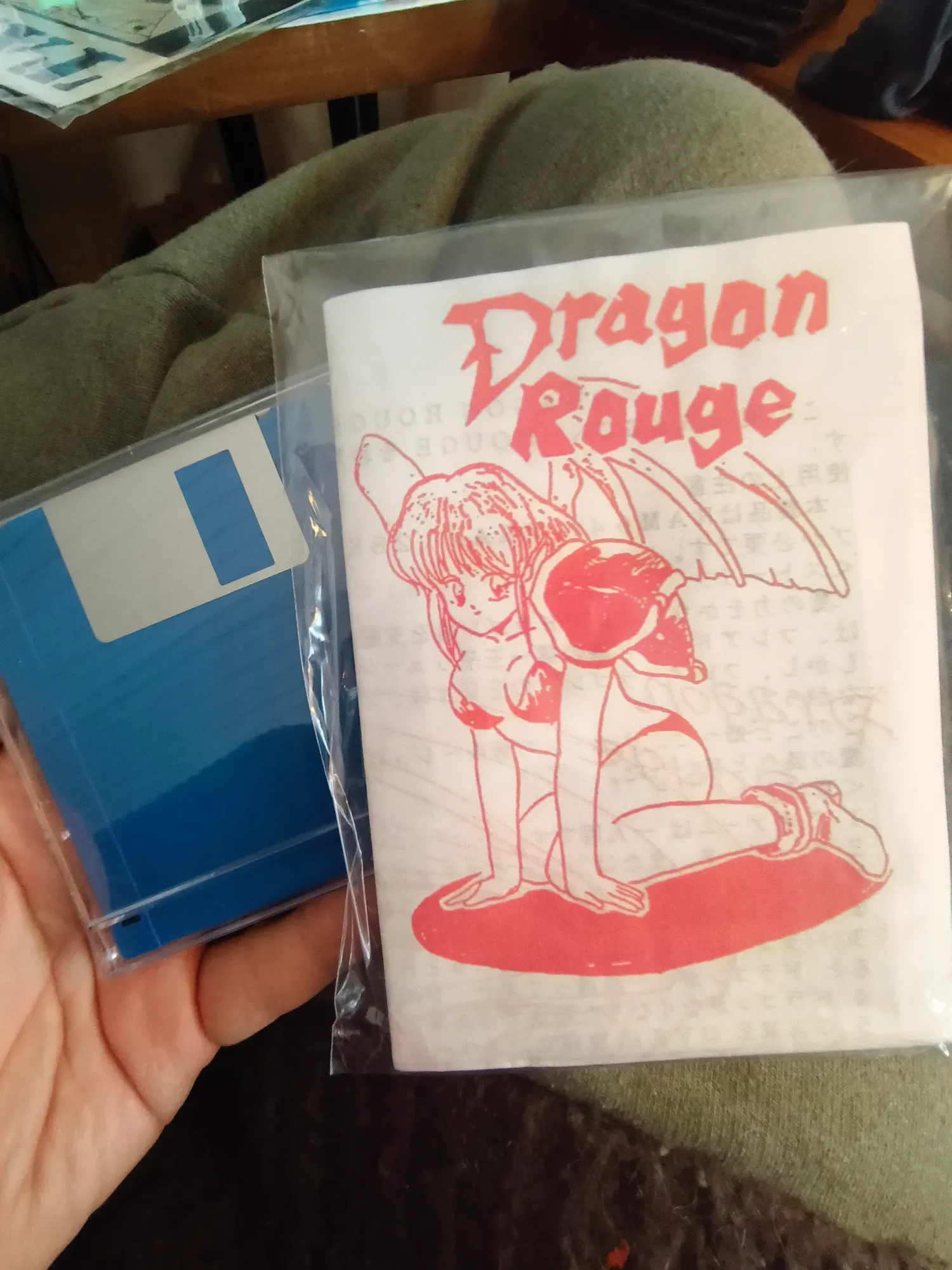
This art style is cute
cloud cradle
karmic rover
https://bsky.app/profile/krugman.net/post/3mka77s5rtk2s
I already downloaded this from somewhere, but haven't tried it yet. Looks nice.
karmic rover
I thought it was not dumped before but it is not the case
 bright rock
ASCII MSX FPGA
American Standard Code for Information Interchange Machines with Software eXchangeability Field Programmable Gate Array
 tight finch
I'm having a hell of a time understanding how to use MSX1. I've gotten the plain MSX core to work via VHD, but I'm not sure what files I need to place into which directories for the createmsxpack.py script to work for MSX1.
 low barn
tight finch
I'm having a hell of a time understanding how to use MSX1. I've gotten the plain...
low barn
tight finch
I'm having a hell of a time understanding how to use MSX1. I've gotten the plain...
#1056033525922537542 message start from here, i put some guidelines to help another colleague
tight finch
Thanks. the developer could perhaps make this slightly clearer
tight finch
@low barn @karmic rover The goal in mind is running Zanac EX w/ Double PSG like #1056033525922537542 message did ... I copied over the xml from openmsx and the roms it wants for F1XDJ (an MSX2+ model) but it's not generating a .MSX file
low barn
check the MSX subfolder of the Createmsxpack, .msx file should be generated there
In Computer folder you put the XML files for desired models (eg.: https://github.com/MiSTer-devel/MSX1_MiSTer/tree/MSX2/tools/CreateMSXpack/Computer )
In ROM ... well.. the BIOS roms
In MSX you fill find the newly created .msx files. Copy those to your /games/MSX1 folder

Any machine running python should do (including directly on MiSTer's ARM Linux, my prefered method)
" I copied over the xml from openmsx" -- don't. You should already have those see link above
tight finch
low barn
In Computer folder you put the XML files for desired models (eg.: https://github...
Yeah, I have all those computer xmls, but there doesn't seem to be any MSX2+ models in there
So I wonder how @karmic rover generated his
I'm trying to compile a .MSX for a machine with MSX-Music at the least. I suppose MSX1 is capable of that?
At least that was the claim in his post getting Zanac Ex Enhanced running
karmic rover
Sorry I'm not able for some days to help.
If you still have issue in some days I will share information to build them.
tight finch
karmic rover
Sorry I'm not able for some days to help.
If you still have issue in some days I...
Alright, just DM me or I'll ping you in a few days.
Otherwise I'll try to cobble together or find an XML or some trickery myself.
tight finch
I got MSX2+ working with the F1XV model using the createmsxpack script and core from MSX2test instead of MSX2. I used CART_EN_FW from a certain archive.org resource linked on in the mister fpga forum. I sourced the ROMs and matching SHA1 files for F1XV from F1XDJ, they use the same ROMs. I was able to get Zanac Ex Enhanced loaded with Double PSG by using MegaFlashROM-SD in slot A and the game in slot B.
The one thing I don't know how to do is how to build the machine with more RAM like the newer XML files/script seem to allow you to do.
 tight finch
low barn
tight finch
low barn
Will try.
That indeed works. I very badly want to share these files I've compiled as this is insanely arcane
but I'm sure that breaks the rules eh?
low barn
my sshot was for an earlier version than current xmls, but yeah, general idea stands
low barn
tight finch
but I'm sure that breaks the rules eh?
yup, no distribution here please and no sharing links for d/l copyrighted stuff as well
tight finch
Well, I hope these are enough bread crumbs for anyone wanting to get integrated MSX-Music and expanded RAM working, along with complicated/enhanced slot setups for games like Zanac Ex.
low barn
I mean for ROMs ofc, not XMLs
tight finch
It would be so nice for OCM to have some of this functionality or the MSX2test core to get overclocking. It seems like MSX2 is actually a step back from MSX2test in features. No VHD or MSX2+. Guess we can hope for one to have it all eventually.
MSX2 branch also fails to start on a CRT until you load the correct ROMs in
low barn
what do you mean no VHD ? Use MegaFlashRom
tight finch
I suppose I'm just unfamiliar. I don't get any drop-down options to load files, as far as I can see, when I select MegaFlashROM in slot A
I see it available as a plain menu option in MSX2test though
low barn
Ah, I see,, we were talking on different branches MSX2 and MSX2test
Maybe will have some time on weekend to check it out more lol
tight finch
Yeah the whole point of me learning how to get this running was trying to get this particular combination of chips/models going for the game, and possibly others as I encounter them
Not sure if it's possible in MSX/OCM, but as far as I can tell the only way to get this particular use case going was MSX2test
and yeah, between there being effectively 3 different cores out there and setup on Molekula's being a tad difficult, the situation's tough. I imagine OCM/the "MSX" core + a sofarun+rompack VHD with that pinned youtube tutorial is enough for most people.
low barn
For quite some time I am just happy with MSX2test, with a beefed up 256KB ram F1XDmk2, with VHD attached most times as I am more into OS/apps/tools side of things than just gaming
tight finch
Well, thanks again for the pointers, greatly helpful.
tight finch
Do you find yourself having to reload the cart_fw or rom to get new cartridge ROMs to load in msx2test? Just something I've bumped into
karmic rover
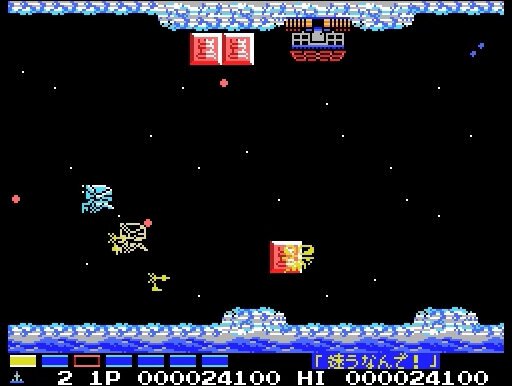
Parodius for the MSX recently received a smooth scrolling patch by Saeba Ryo, supporting MSX2+ and turbo R.
It's a horizontal shooter that parodies the Gradius series and marks the beginning of the Parodius series.
Author's blog with links and more info: https://t.co/WKrBOkrnc4
X
·
barren glen
tight finch
Do you find yourself having to reload the cart_fw or rom to get new cartridge RO...
Yes, every once in a while the core seems to "forget" the cart_fw and rom file and I have to "remind" it haha
tight finch
karmic rover
https://x.com/dantemendes/status/2052584393747701773?s=20
Finally this isn't locked down to the PSP version.
supple dock
Is the 1 chip MSX core compatible with Turbo R games? I'm trying to load some and either the core resets or locks up...
karmic rover
supple dock
Is the 1 chip MSX core compatible with Turbo R games? I'm trying to load some an...
nop
polar spear
supple dock
They weren't much, but there's some games I'm interested in...
Is one of them Illusion City? That one always looked cool
karmic rover
Illusion City is possible to run it on MSX2+ mode but it is quite slow
supple dock
polar spear
Is one of them Illusion City? That one always looked cool
Yeah, When I got into the MSX rabbit hole I've been very interested in games developed by Micro Cabin, namely the Xak series.
supple dock
karmic rover
Illusion City is possible to run it on MSX2+ mode but it is quite slow
How?
karmic rover
supple dock
How?
Previous english translation (not fully) added a change to run on MSX2+
https://vimm.net/romhacking/translations/856

Vimm's Lair
supple dock
karmic rover
Previous english translation (not fully) added a change to run on MSX2+
https://...
Shame is not complete, there's a complete version on CD Romance as rom but it says strictly for Turbo R...
Does anyone knows if Turbo R is in plans of being implemented in the core?
karmic rover
Molekula has planned to add it but he is not around for some months
supple dock
I'll be on the lookout then...
 silver hamlet
Hello, I'm trying the MSX2 core on the superstation one over svideo and I'm getting a black and white image. I've seen other people with the same issue but I'm not sure what is causing it. Is this a config error or just something inherent to the core?
I had something similar happen with the CDI core but that just fixed itself the next time I tried it.
I dont think its related to the region but my crt does support both ntsc and pal.


 digital vessel
silver hamlet
Hello, I'm trying the MSX2 core on the superstation one over svideo and I'm gett...
digital vessel
silver hamlet
Hello, I'm trying the MSX2 core on the superstation one over svideo and I'm gett...
You need to use the side svideo port. The core isn’t updated
I’m surprised taki didn’t include it on the sd card
silver hamlet
that's the port I'm using
high vine
digital vessel
You need to use the side svideo port. The core isn’t updated
Pretty sure this is because the core hasn't been recompiled with the sys update with subcarrier support
So many cores need updating. I need to finish that list
Looks like the required changes are in the unstable nightlies builds
digital vessel
the side port doesn't use subcarrier. I'm pretty sure that uses the normal y/c stuff
if you set vga_mode=svideo
but yeah, the back port is only subcarrier and that core is out of date
high vine
Ok that's weird. Only the builds with the sys update gives me colour and I use svideo
silver hamlet
I toyed with it a bit and seems like manually selecting the svid setting in the menu and then moving dip switch #3 fixes the color
digital vessel
high vine
Ok that's weird. Only the builds with the sys update gives me colour and I use s...
surely he is using standard yc........
high vine
I'm out atm but will test again when I get home
digital vessel
I figured he added the svideo port once he saw the issues with subcarrier svideo in some cores
I'll look, I have one set up
holy shit, what is happening here
it dims like it's using cvbs
but it's in black and white
oh, i wonder if there is a dip switch
high vine
When I do it I flip dip switch 2 up
digital vessel
I flipped up 1 and 4 which i believe is correct
but you're right, it's in black and white
why would you offer this?
this is very weird
 high vine
Yeah so the unit in the video is a different revision and it's the opposite
There's a pinned comment mentioning that
digital vessel
ok, now i have color
1 and 3
Ok, so it does work how I expected

That port is using Y/C, which any core updated in the last 2 years should support
high vine
Weird, I'll have to try all this again. I attempted that previously and it didn't work. Although having a pal display complicated things.
digital vessel
I think you need 1,2,3 up
high vine
Yeah, so I've just tried this:
- MSX core: use svid profile, switches 1 &2 I get colour. 3 makes it brighter
- CPS2 core: same setup, no colour. Switch back to subcarrier mode, I get colour and I need to turn off switch 3
So I guess some cores I'll need to set rgb_mode=svideo and others subcarrier
I'm guessing because the arcade cores (any maybe others?) don't do real Y/C?
Bummer that I can't get any colour out of the 1chip msx core
digital vessel
All cores should do Y/C
that's why it's weird
what if you set the 1chip core to NTSC (I know your tv is PAL, but nothing is making sense right now - I would think that 1+2+3 up would give you color in everything)
high vine
The 1chip has no pal option so I guess I won't be playing that in colour
I really need to get an ntsc tv so I can figure out what's a PAL vs NTSC issue and what's an issue with configuration, and fpga/ext mode
high vine
digital vessel
the side port doesn't use subcarrier. I'm pretty sure that uses the normal y/c s...
Turns out it can do both (which is what I'd observed so its nice that Ken confirmed that I'm not imaging things 😄 )!


 zenith thicket
Excuse me, but I wasn't sure whether the MSX2+ core on MiSTer FPGA implements the ASCII 16-X mapper. Do you happen to know of a link where I could find more information about this? Thank you.
karmic rover
I'm aware of two games that use ASCII 16-X mapper those two games required also OPL4 not implemented on the core.
barren glen
Does anyone still make the "old style" S-video adapter like Antonio Villena used to make, where it takes RGBs and generates S-video on the adapter itself? I still use that for a few cores that haven't implemented "MikeS11 style" S-video yet
zenith thicket
karmic rover
I'm aware of two games that use ASCII 16-X mapper those two games required also ...
Yes true but since it was implemented on open Msx, I was hoping it was also on mister FPGA
 cosmic veldt
karmic rover
https://x.com/dantemendes/status/2052584393747701773?s=20
cosmic veldt
karmic rover
https://x.com/dantemendes/status/2052584393747701773?s=20
Tested this with the translation patch - it's better to patch it on top of pre-patched english rom, though some texts might not show in some menu screens
Other attempts of patching with the english translation + smooth scroll makes the game unable to boot
karmic rover
cosmic veldt
Tested this with the translation patch - it's better to patch it on top of pre-p...
Thanks for the tips !