#ASCII - MSX
1 messages · Page 8 of 1
 karmic rover


 fallen summit
Game master 2 is one I would like to have
vaxol is rare imho
I still want Zanac/zanac-ex and Aleste

A full clear of the little-played Zanac x Zanac Neo mode. —A moment ago we talked about Zanac being seen as a predecessor to bullet hell games by some, but the score trial mode in Zanac x Zanac is something that definitely feels like a “bullet hell” version of Zanac. Hirono: For those bonus modes,
fallen summit
 sudden kite
You saw this picture on the Facebook group I guess
The MSX home computer group
 sudden kite
fallen summit
You saw this picture on the Facebook group I guess
sudden kite
fallen summit
You saw this picture on the Facebook group I guess
yessir
btw what's up with that lady that post photos with almost no context?
fallen summit
her husband was one of the MSX experts in the Netherlands
he passed away and it's her way of grieving
Riekie
sudden kite
Damn... now I am sad 😦
fallen summit
it's been quite a while - she's only now cleaning up his stuff
and it looks like she's giving everything away
anyway - VHD creation just got a whole lot easier!!

you just need debian/ubuntu or a Pi to do it
It probably also works on the MiSTer command line
fallen summit

couldn't help myself 😄
GitHub
A script that makes creating a VHD for the MiSTer FPGA OCM core easy - Vampier/MiSTer-MSXVHDCreator
works on debian/ubuntu etc.
karmic rover
thank you 🙂
fallen summit
np
karmic rover
With Video in action
https://fxtwitter.com/Yukky37x/status/1832349142024384967

うおーー!V9990がFPGAでうごいてるー!@buppu2023 さんが開発されてるtnCartが@mcDomDomBurger さんのWonderTANG!1.01c互換基板で1.02d相当の変更を施したらうごいたー!そして早速@tiny_yarou 氏のデモ起動!!@mcDomDomBurger さんフォローありがとうございました!!
 cyan horizon
karmic rover
With Video in action
https://fxtwitter.com/Yukky37x/status/1832349142024384967
cyan horizon
karmic rover
With Video in action
https://fxtwitter.com/Yukky37x/status/1832349142024384967
I hope we get that in FPGA form! 😄
For the MiSTer, that is
karmic rover
the tang used is the version 20K not large one so we will see 🙂
fallen summit
 fallen summit
new game https://pigmhall.itch.io/e-dog
 fallen summit
@nosferatuMSX released a new release on some archive page
 violet knoll
fallen summit
@nosferatuMSX released a new release on some archive page
violet knoll
fallen summit
@nosferatuMSX released a new release on some archive page
He is a very nice guy for doing this magnificent work and sharing it
fallen summit
Yes I did the testing of the new VHD - the whole think is a 100% clean install. The VHD is never booted so it’s very vanilla 😉
You get dos2 / nextor / sofarun / symbos and the mister menu to tie the room together
Make sure you read the HTML readme
sudden kite
fallen summit
new game https://pigmhall.itch.io/e-dog
oh I like this
it reminds me of the "To Hell" browser game
fallen summit
good morning
 fallen summit
I hunted down loads of MSX archives of the internet today.... 0 new roms that I did not have or thought I lost to time....
well.... this is getting old really fast 😄
 karmic rover
MSX have hidden's game
 karmic rover
 sudden kite
karmic rover
sudden kite
karmic rover
are these 💩
karmic rover
sudden kite
are these 💩
you need to collect them 😅
sudden kite
karmic rover
you need to collect them 😅
gotta catch them all!
 digital vessel
the latest nosferatu image only gives me an A: drive in sofarun - what am I doing wrong?

 fallen summit

I found this in my collection
it was such a failure I couldn't spell and nothing happened with this
fallen summit

eBay
A real piece of history, this one. The third in the incredible Aleste series, featuring the great music and action the series is known for. Includes everything shown. Rarely played, it's been in storage for 20+ years.
well this is.... interesting 🙂
 naive dagger
fallen summit
https://www.ebay.com.au/itm/356012666047
naive dagger
fallen summit
https://www.ebay.com.au/itm/356012666047
Any idea how many units were even produced? I've always been curious about MSX software and production runs
 dusty ginkgo
fallen summit
dusty ginkgo
fallen summit
Where can someone find the 2024-09-07 vhd file? I searched Google, but couldn't find it.
 bright rock
dusty ginkgo
Where can someone find the 2024-09-07 vhd file? I searched Google, but couldn't ...
bright rock
dusty ginkgo
Where can someone find the 2024-09-07 vhd file? I searched Google, but couldn't ...
Hey friend I apologize but unfortunately we can’t share copyrighted material on this Discord.
Or even ask where to get it. I know it’s strict but we’re just doing that to make sure we don’t run into trouble. I appreciate you understanding.
fallen summit
dusty ginkgo
Where can someone find the 2024-09-07 vhd file? I searched Google, but couldn't ...
Oh it’s out there - just floating around in the usual spot. It’s next to the peanut butter cups and cherry Coke Zero sugar..
dusty ginkgo
bright rock
Hey friend I apologize but unfortunately we can’t share copyrighted material on ...
No worries. I'm sorry for asking.
 sudden kite
how much generational wealth do I need to start collecting MSX CIB games as a hobby?
naive dagger
It's one of the final frontiers in game collecting
sudden kite
😆
naive dagger
See also: CIB Famicom
naive dagger
sudden kite
😆
Let's see how this ends:
https://www.ebay.com.au/itm/356012666047
Only like $150 USD shipped rn, which is way low for this
eBay
A real piece of history, this one. The third in the incredible Aleste series, featuring the great music and action the series is known for. So, it's almost complete. My apologies for the oversight.
NEO BIO CYBER SHOOTING
sudden kite
naive dagger
See also: CIB Famicom
nah that's too mainstream
only an NES diehard fan like AVGN would do that
naive dagger
Sadly, most NES collectors seem to limit themselves to the West
sudden kite
as is tradition
naive dagger
A full clear of the little-played Zanac x Zanac Neo mode. —A moment ago we talked about Zanac being seen as a predecessor to bullet hell games by some, but the score trial mode in Zanac x Zanac is something that definitely feels like a “bullet hell” version of Zanac. Hirono: For those bonus modes,
fallen summit

The TapTapRevolution is a DanceDanceRevolution like game for MSX
MSX2 with 128KB VRAM required.
Graphic: SCREEN 2, 5 and 8
Audio: Builtin u8 22KHz PCM
Below mode supported:
SINGLE, VERSUS, DOUBLE as Play style
NORMAL, TRAINING as Game mode
Find below link for more information about TapTapRevolution.
https://sharksym.blogspot.com/search/label/...
fallen summit
Ninshi Senpai liked a tweet of me again lol
 teal marten
Hiro Kawaguchi 🇯🇵 "OUTRUN - Splash Wave" 🚘🚖
Playing MSX Toshiba HX-20

 Twitter
·
fallen summit
Twitter
·
fallen summit
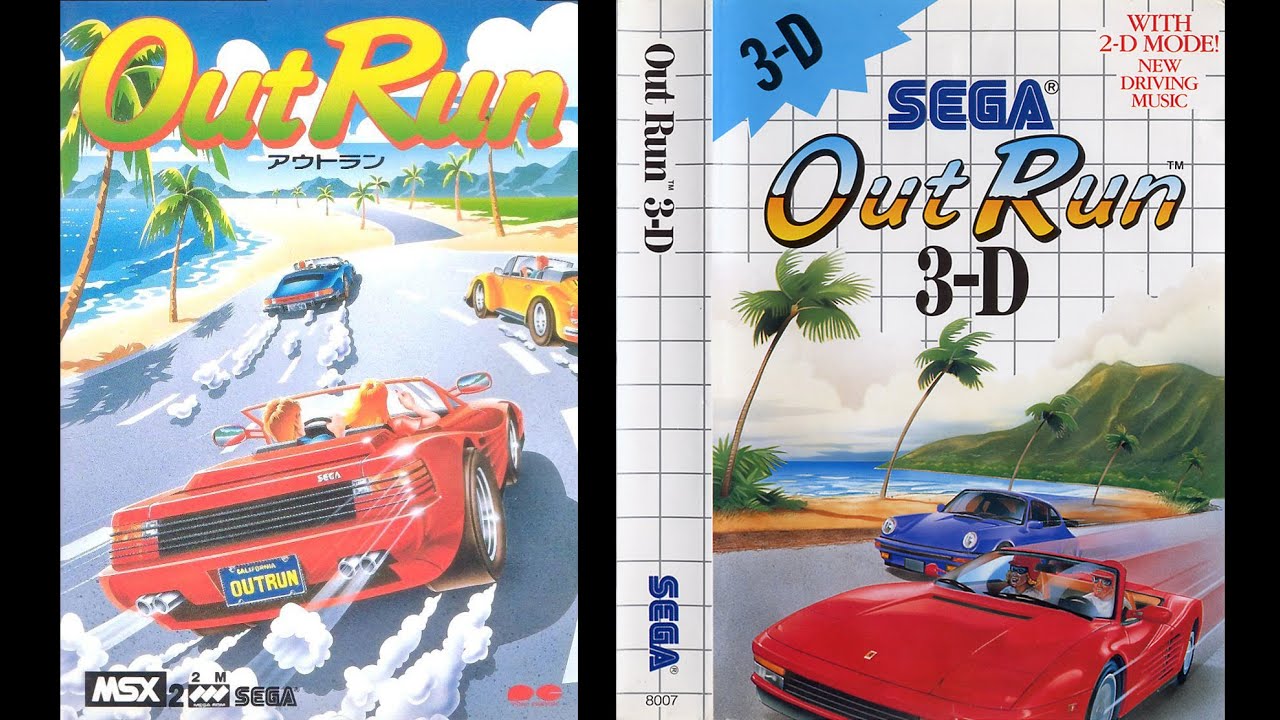
I am planning to release 'MSX OUTRUN FM' this weekend.
-
Replace PSG BGM with OPLL YM2413 BGM released as Sega Master System Version
-
The MSX2 version of OUTRUN is a port based on the SEGA Master System(SMS) version,
but it was ported with the PSG version instead of the one using YM2413,
which made the music quite lacking.
...
fallen summit

Thank you PCB Way for being a sponsor of the channel
$5 Coupon from PCBWay: https://www.pcbway.com/setinvite.aspx...
✅ To support the channel (videos in advance, no ads, private discord... )
- PATREON: http://www.patreon.com/olonguet
- YOUTUBE MEMBERSHIP: https://www.youtube.com/channel/UC5-umfrfqPvDvWCYHJGYtpA/joi...
fallen summit

File-Hunter.com
The MSX Homebrew Game I-Logic by Plattysoft. Play this and your other favourite MSX Homebrew titles ONLINE! No need to install anything, just click & Play.
new MSX game
karmic rover
GitHub
Darky Starter Tool 4 beginners . Contribute to ToughkidDev/DKToolr development by creating an account on GitHub.
fallen summit
yup - our Korean friend has added fm music to the Pony Canyon version
fallen summit

I have released MSX OutRun FM (OPLL-YM2413) Enhanced version today.
Two versions,
-
The FM Enhanced version of MSX OutRun, featuring the same soundtrack as the arcade.
- Magical Sound Shower
- Passing Breeze
- Splash Wave.
-
The other version is composed of the soundtrack from "OutRun 3D", which was rele...
here is the video he just released
fallen summit
the time has come
to build openMSX 20.0 official release
catapult 19.0 will be included still
it's that time again!

it's that time again!!
fallen summit
Get your fresh openMSX
fallen summit

The new version of openMSX(v20.0) has been released with significant upgrades.
Download here - openmsx.org
karmic rover
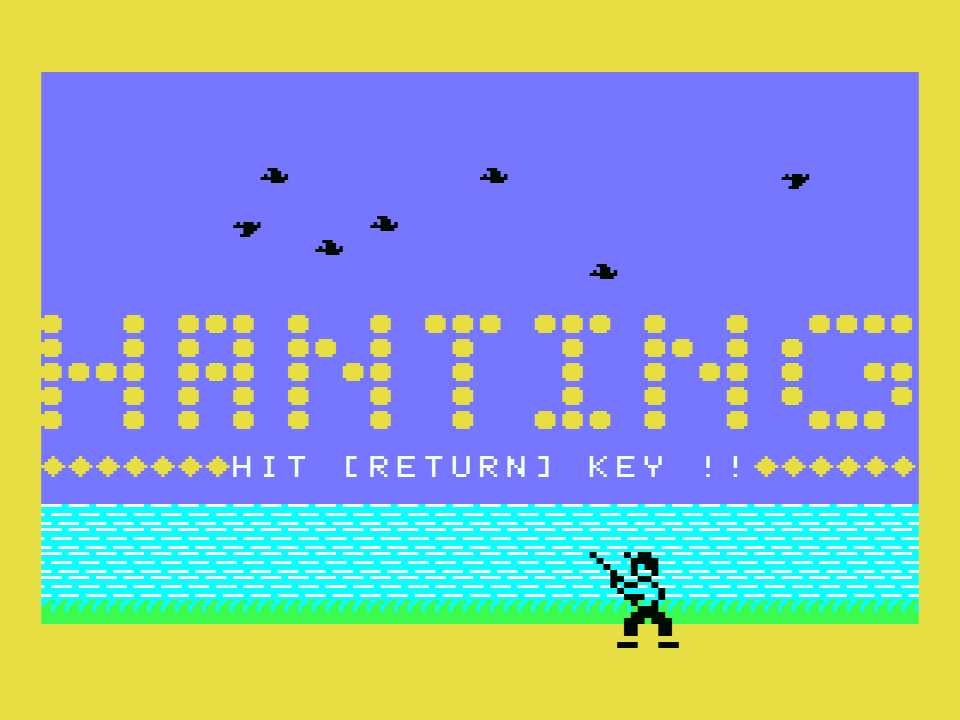
HANTING by HX-10D type in for the MSX has been preserved by TWE. Enjoy! https://t.co/mP91vSFnnD
 Twitter
·
naive dagger
Twitter
·
naive dagger
Is Vampier still around?
karmic rover
He is everywhere 😅
bright rock
naive dagger
Is Vampier still around?
Yah
 rare merlin
Is there a guide to setup the MSX core somewhere? I have a bunch of .dsk files, but the MSX core only reads .vhd files. I couldn't find any information anywhere on converting .dsk files to .vhd files.
fallen summit
@naive dagger fuck Vampier
bright rock
I like the new one, it’s funny
digital vessel
So i have the latest nosferatu boot and config on my mister, but I only have one A: drive in sofarun (or whatever it's called). what am I doing wrong?
digital vessel
nevermind, i'm very unbright
karmic rover
fallen summit
digital vessel
nevermind, i'm very unbright
yes Nosferatu is a genius!
fallen summit

still a great game 🙂

the landscape was that twas shown behind the Herzog logo

weird text - but funny they put that in there

someone wasn't happy 😄
rofl
rare merlin
rare merlin
Is there a guide to setup the MSX core somewhere? I have a bunch of .dsk files, ...
If I use something like disk2vhd to convert the .dsk files to .vhd files, will that work?
I'm sorry for asking. I'm new to mister and I'm having trouble finding the right tutorials for the MSX core.
I've seen a few people mention sofarun, but I don't know if that will help me run the .dsk files. Also, I don't know how people are brining up command prompt in the MSX core.
 turbid trout
rare merlin
If I use something like disk2vhd to convert the .dsk files to .vhd files, will t...
turbid trout
rare merlin
If I use something like disk2vhd to convert the .dsk files to .vhd files, will t...
I'm in the same boat; I did notice there was a new testing core which supposedly is able to do it ( https://mister.vampier.net/MSX/ ) but I didn't get it to work on my first try, but that might have been an error on my side
rare merlin
turbid trout
I'm in the same boat; I did notice there was a new testing core which supposedly...
I haven't seen this one before. I'll check it out.
turbid trout
for me, it hangs pretty hard if I take the very newest version - I dl'ed the 2nd of july version, and added the extra roms .zipfile into the msx1 folder, and I need to reboot the mister after that by pulling the power. Will try the end-of-june version now
turbid trout
Same result. Must be doing something wrong, but IDK what.
fallen summit
@rare merlin @turbid trout how experienced are you with MSX?
turbid trout
fallen summit
<@992177526560542821> <@1064201467105382492> how experienced are you with MSX?
Not extremely; I used I believe an Philips NMS-8245 MSX2 back in the day, purely with 3.5" disks, (and casettes), no harddisks , nor cartridges.
It looked like this:
http://www.vintagecomputershop.com/WebRoot/StoreNL3/Shops/79711951/56D4/97AE/DC9A/3AE8/D873/C0A8/2BB8/940B/20160507_145110.jpg

I was young at the time, but I could operate it, and played around in basic. Since then, I've only used a few pc based emulators, which did allow me to boot Aleste Gaiden, which is one of the main things I'm trying out; very fond memories of the game 🙂
fallen summit
so to answer the question: the OCM core currently is a good core to start with. It takes a VHD and is preconfigured for you
dks2vhd won't work as you need a BIOS in the VHD - as the VHD as the bios is not loaded externally for the OCM core
for the MSX2 experimental core you need to create an MSX pack and load that
turbid trout
Thank you for your advice! I'll try and find something for the OCM core.
turbid trout
fallen summit
so to answer the question: the OCM core currently is a good core to start with. ...
As to the experimental msx2 one: I believe I have/had a pack - I tried the one from your website 🙂 Maybe I placed it in the incorrect spot, (I put it in games/MSX1 I believe), but whenever I tried to boot it, it hang pretty badly - no kb combo nor any button on controllers nor the mister itself would bring up a menu or reset. The TV said it had no signal, too.
Also: I appreciate you're making all these faq and info pages! I find them very helpful
fallen summit
the pack requirements might have changed since I created it
I'm am a bit MSX-ed out after the release of openMSX 20.0 - need a break from the thing 😄
else I would try to and see what happens
turbid trout
🙂 I'll see if I can create the pack myself - there seems to be a .zip in the repository for it, but based on the dates of the .zip you provided, it might not be too different. And: congrats on the release!
naive dagger
I successfully fixed my MSX mouse L-click using a reset button for SEGA Genesis
This one

 rare merlin
fallen summit
<@992177526560542821> <@1064201467105382492> how experienced are you with MSX?
rare merlin
fallen summit
<@992177526560542821> <@1064201467105382492> how experienced are you with MSX?
I don't know anything about MSX (or MSX2) at all. I know it existed because Metal Gear 1 & 2 were in MGS3 (PS3 HD Collection). I just assumed it was a video game console. I didn't realize it was some kind of computer until I got my first mister last week and it listed amongst the computer cores.
I've got a bunch of different translations for MSX and MSX2 games, but I don't even know where to start. All the games are .dsk files. The cores that are supposed to run these games don't run .dsk files, so I am completely at a loss. I don't know what to do with these .dsk files.
I didn't realize the .vhd files needed to have a BIOS file. I'm sorry. I'm completely new to this. I've never even used a MSX emulator.
Someone did reach out and tried to help me get started. I'm going to follow their advice. If I still can't get it going, I'll let you guys know.
rare merlin
I GOT IT WORKING!!!!!! 
turbid trout
Nice! Was this a vhd you found online, or did you make this yourself?
turbid trout
@fallen summit I did manage to find at least 1 vhd which contained the game I was looking to play, and after changing the CPU to r800, it worked! I'll explore further options with larger disk images, and hope that at some point, I'll find a way to load .dsk files too. Thank you for your work and advice!
fallen summit
@rare merlin it's complicated - the new experimental cores don't need a bios file on the disk
fallen summit
rare merlin
I GOT IT WORKING!!!!!! <:Heart:1142110847766892667> <:Heart:1142110847766892667>...
There is a quick boot VHD out there with metal gear 1 and 2
rare merlin
fallen summit
There is a quick boot VHD out there with metal gear 1 and 2
The one that I was sent didn't have the translated versions. But no worries. I figured out how to add games to the .vhd file. I even made a video tutorial on it. I'm rendering it as we speak.
rare merlin
I made a step-by-step tutorial on how to setup the MSX core for beginners. I even show how to add extra games to your ,vhd file.
https://www.youtube.com/watch?v=Cuko74bVjqE

MiSTer MSX Core - Complete Beginner's Guide.
This is a step-by-step tutorial on how to setup the MSX core on MiSTer FPGA. I'm not the best at making tutorials, so I explained it in a way that I would understand.
Link 1:
https://archive.org/details/release-2024-09-07.7z
WinImage:
https://www.winimage.com/download.htm
Thanks for watching!
fallen summit
@rare merlin see DM
 glad pollen
I’m playing the English patched version of the Virtual console rom of Metal Gear 2, and I just encountered the tap code glitch. I can’t find very much info on this problem at all.
Has this ever been fixed?
 oblique hound
rare merlin
I made a step-by-step tutorial on how to setup the MSX core for beginners. I eve...
oblique hound
rare merlin
I made a step-by-step tutorial on how to setup the MSX core for beginners. I eve...
i have been looking for precisely this kind of thing, will bookmark to watch tomorrow
turbid trout
Is Vampier still here? HIs account says he's not on this server, does anyone know what happened?
 zealous pine
He was around recently, but maybe he’s taking a break
turbid trout
yeah, I found their twitter after searching for a bit, where they mentioned toxicity ; Don't know what happened, it's a pity, they seemed helpful. Their FAQ pages on various consoles are also gone 😦
bright rock
I like Vampier and chat with him a bit. He unfortunately made some regrettable comments and when confronted about it by the Mod team he angrily lashed out and asked to be banned which was obliged.
I am sad by this as I like him but his actions speak for themselves and I cannot defend him.
zealous pine
He seemed a cool guy when he and I messaged a few times. It’s sad. Don’t know what he said, but I hope there’s some way to mend fences and come back again one day
digital vessel
Yeah, they definitely seemed cool. But I’m new so my experience was minimal
 craggy iris
bright rock
I like Vampier and chat with him a bit. He unfortunately made some regrettable c...
craggy iris
bright rock
I like Vampier and chat with him a bit. He unfortunately made some regrettable c...
That's not good news. This man has been a fountain of knowledge for me about MSX
cyan horizon
bright rock
I like Vampier and chat with him a bit. He unfortunately made some regrettable c...
what did he say or do? That makes no sense at all. If someone gets offended it's his problem. C'mon! Without Vampier, this channel has no sense at all.
I don't believe he has insulted anybody
If he hasn't directly insulted anybody, it makes NO sense to ban him, he's the single most knowledgeable person on MSX on Discord, ffs!
You can see even Molekula got knowledge from him!
If someone opinions offend someone, it's that someone's problem. We are all adults here.
Expelling the most knowledgeable people from a community is the way to mediocrity and the death of that community. Bring him back.
As I said, even Molekula learns from him, by expelling him because of some idiot feeling offended by a comment, you are also damaging the development of the public MSX core on the MiSTer
teal marten
This is not the channel to ventilate. It is better to do it privately or with moderators.
And if people wants to get in contact with Vampier, they can contact him privately
teal marten
craggy iris
That's not good news. This man has been a fountain of knowledge for me about MSX
Happy to see you Molekula 🙂
bright rock
Apologies, I shouldn’t have provided an explanation. I just wanted to provide some context behind the decision to give closure as he mentioned it publicly.
I sincerely appreciate everyone’s agreement to this to being moved to private conversations. His knowledge and passion of the MSX will be missed here but he’s very much still available elsewhere.
cyan horizon
I didn't know what he had said or done.
Now I know.
You feel offended because he commented on how USA buildings are made (are you sir a building?). That's completely absurd, can't you see it?
Bah, my messages will get deleted too...
Fuck this channel. Someone feeling offended by comments on how buildings are made is not right. I'm outta here.
 copper prawn

i will restore order
but first... since you're here kitrinx... how bout them super mario skies? they blue enuff?
 kind robin
cyan horizon
I didn't know what he had said or done.
Now I know.
You feel offended because he...
kind robin
cyan horizon
I didn't know what he had said or done.
Now I know.
You feel offended because he...
FWIW, he repeatedly insulted lgbt people with not just inappropriate humor, but also inappropriate, unmistakable comments as well. He lashed at at various other minority groups, and people in general for inappropriate things such as natural disasters. He had a penchant for targeting and harassing specific other users on the server as well. It saddens me because he is a fountain of MSX wisdom and has many likable qualities, and that's the reason he got so many chances. But he was seriously abusive to one of our mods when asked politely to not break our rules in general chat, and he then asked to be removed from the server, which we did.
It wasn't a decision made lightly and everyone wishes it wasn't like that.
cyan horizon
kind robin
FWIW, he *repeatedly* insulted lgbt people with not just inappropriate humor, bu...
I hadn't read any of that, only the building construction part.
So thanks for taking the time to explain.
kind robin
he's got quite a long history here
copper prawn
i missed all of it. i could've fought him and calmed/caged him.
kind robin
we tend to not drag these things into the public, and inappropriate remarks are usually deleted, but I felt like that needed to be cleared up because of how high profile a person he was
zealous pine
Moderating discussion online: you’re damned if you do, you’re damned if you don’t
naive dagger
Just found this pic of a departed MSX
I forgot I had a Framemeister at one point
 violet knoll
I don't even know how long I've been on this Discord channel, but I've never seen anyone get excluded without reason, vampier contributed a lot and his passion for MSX made me get to know him and I fell in love with MSX. It's a shame that have finished like this, It was good that at least Kitrinx explained and it was clear what the reason for his departure was.
violet knoll
craggy iris
That's not good news. This man has been a fountain of knowledge for me about MSX
I understand your feelings, but I believe that Vampier love for MSX is greater than any problem he had and if you need his knowledge he will probably contribute to the Core development
craggy iris
violet knoll
I understand your feelings, but I believe that Vampier love for MSX is greater t...
I'm in contact with Vampire through another channel.
violet knoll
craggy iris
I'm in contact with Vampire through another channel.
Good to know, thanks for your efforts and I hope you can get back to continuing the development of the core, thanks to you and Vampier we will soon have an excellent core for the MSX, MSX 2.
craggy iris
violet knoll
Good to know, thanks for your efforts and I hope you can get back to continuing ...
I've been working on it intensively since the summer. I've already made many internal changes for more flexibility and to make it easier to add more extensions. However, the result of the work is not publishable yet.
violet knoll
craggy iris
I've been working on it intensively since the summer. I've already made many int...
No rush, thank you very much for your work and I'm sure we'll enjoy it when the time comes when you think it's ready.
digital vessel
Yes, thank you for your work. Having this is so incredibly cool
dusty ginkgo
fallen summit
<@992177526560542821> it's complicated - the new experimental cores don't need a...
Is the experimental core available anywhere?
craggy iris
dusty ginkgo
Is the experimental core available anywhere?
GitHub
Computer MSX1. Contribute to MiSTer-devel/MSX1_MiSTer development by creating an account on GitHub.
oblique hound
this is a version of what's currently called the MSX1 core that supports MSX2 software?
karmic rover
oblique hound
this is a version of what's currently called the MSX1 core that supports MSX2 so...
yes it is
oblique hound
neat
karmic rover
you need to build MSX Pack and you can pass MSX1 or MSX2 or MSX2+ (this one for the moment just have msx-music builtin but not the vdp of msx2+)
naive dagger

 shy marsh
Hi - I’m having problems with no audio on the MSX core. Anyone else experiencing this? Thanks.
digital vessel
what audio out are you using? (hdmi, analog, or digital)?
shy marsh
HDMI into a Retrotink 4K
digital vessel
Hmm; I have a similar setup. De10 nano?
shy marsh
Yes. Sound worked before when I was going into a VGA CRT and only this core seems to be effected. Very odd. I’ll double check the volume setting.
digital vessel
Let me load mine up. Are you using one of the compilations?
shy marsh
It's the MSX core that can load roms. The OneChip version is working no problem.
digital vessel
No sorry, I mean are you running the compilation by Nosferatu (it’s a VHD image with a bunch of games on it)
sudden kite
I miss Vampier 😦
shy marsh
I use the VHD compilation from Vampire on the OneChip MSX core and on @craggy iris core I'm loading roms file but not getting sound.
karmic rover
New game
https://nukegaradhp.net/minqextra/

ぬけがら堂本舗 | NukegaraDHP
MinQ:ExtrAは,ならず者の主人公がモンスターや冒険者を倒しながらお宝を求めて魔王の城を目指す90年代初頭スタイルのJRPGです。 | MinQ:ExtrA is an early 90’s style JRPG in which the rogue protagonist seeks the demon king’s castle in search of treasure while defeating monsters and adventurers. | MinQ:ExtrA es un JRPG al estilo de principios de los 90 en el que el pícaro protagonista busca el castillo del...
 nimble thunder
Hi all! New to the MSX core. Looking to mess around with it. Does anyone know where one could procure a MSX VHD. I’ve heard that one made by NosferatuMSX is the one to get, but seems like the links to it are down with the Internet Archive issues.
digital vessel
you'll likely have to wait until IA comes back up
nimble thunder
Dang, thought that was the case. Oh well! Thank you!
 frank tiger
karmic rover
New game
https://nukegaradhp.net/minqextra/
frank tiger
karmic rover
New game
https://nukegaradhp.net/minqextra/
This is awesome thanks
naive dagger
What are the drawbacks of the OCM core? It seems to play most of what I have tried, including smooth scroll hacks etc
I guess the need to use a VHD is annoying, but not so much with the premade images
 low barn
The ability to load disk/rom images directly for start
I use both, but I tend to prefer Molekula's unofficial MSX2 core for exactly that (not so much for games, but for apps/OSes)
karmic rover
sudden kite
Bring back Vampier! 😦
 spark jacinth
Not up for discussion.
sudden kite
sad
spark jacinth
It is kinda sad when someone inherently holds offensive views and acts upon those views in a way that violates server rules, especially when that person otherwise contributed positively to the community.
I agree.
cyan horizon
Vampier added like 100x more value to the MiSTer server channels than those who "felt offended" by him.
frank tiger
Gotta have rules no matter what input people have.
teal marten
cyan horizon
Vampier added like 100x more value to the MiSTer server channels than those who ...
There are server rules for a reason
digital vessel
cyan horizon
Vampier added like 100x more value to the MiSTer server channels than those who ...
[citation needed]
spark jacinth
cyan horizon
Vampier added like 100x more value to the MiSTer server channels than those who ...
He knew it was a problem, he was warned repeatedly, he ragequit the server when we patiently explained the problems with his things he was saying, he claimed he was banned (that was false), he came back with his name changed to try and sneak under the radar, he then espoused the same hateful views again in a way that isn't conducive to a healthy diverse community, he was given a chance to reflect, etc... he doubled and tripled down. We gave him more chances than any random person would get. My DM's are always open to him or anyone wanting to do a ban appeal.
Anyways, end of discussion.
 gentle spoke
@spark jacinth May want to unpin the FAQ from Vampier. That link now redirects to some youtube music video?
 marble barn
Good shout, unpinned
 signal sail
I am having trouble getting started with MSX on MiSTer, any guides floating around?
signal sail
I guess my primary question actually is how do I get a controller to work on MSX1 core. MSX core I can't seem to figure out the VHD setup to the point where it actually launches. MSX1 I'm launching and playing games but I want to run a controller but at least the first game I tried - Eggerland, I wasn't able to use controller and had to use keyboard
low barn
gentle spoke
<@91905323945725952> May want to unpin the FAQ from Vampier. That link now redi...
FYI, that page was already archived by IA, so you can still get the info stashed there 🙂 Zips were not archived, but it's not really much burden to create your own rom packs (even directly on MiSTer)
violet knoll
signal sail
I guess my primary question actually is how do I get a controller to work on MSX...
First you have to configure the control in the main menu, then do it by core
violet knoll
signal sail
I am having trouble getting started with MSX on MiSTer, any guides floating arou...
MiSTer MSX Core - Complete Beginner's Guide.
This is a step-by-step tutorial on how to setup the MSX core on MiSTer FPGA. I'm not the best at making tutorials, so I explained it in a way that I would understand.
Link 1 (Mirror):
https://shorturl.at/wS24J
WinImage:
https://www.winimage.com/download.htm
Thanks for watching!
signal sail
violet knoll
First you have to configure the control in the main menu, then do it by core
Pretty sure I did that, but I'll attempt again to make certain
I will also try other games if that doesn't have immediate results
signal sail
violet knoll
https://youtu.be/Cuko74bVjqE?si=vweUaZheuEOxn4Ea
ty
 stray reef
Analogue pocket MSX core is released.
GitHub
MSX Compatible Gateware IP Core. Contribute to opengateware/computer-msx development by creating an account on GitHub.
digital vessel
it's pretty sweet too
sudden kite
stray reef
Analogue pocket MSX core is released.
https://github.com/opengateware/compute...
Still not going to buy it
 high vine
naive dagger
k/b entry could be an issue
high vine
naive dagger
k/b entry could be an issue
Its able to remap buttons (X, Y, L, R, Start, Select) to keys which got Pac Land starting for me. I think there's a plan to add virtual keyboard later. I think the chunky lowres graphics looks really good on the Pocket.
naive dagger
high vine
Its able to remap buttons (X, Y, L, R, Start, Select) to keys which got Pac Land...
Yeah I have owned plus emulated various MSX and, aside from chunky scrolling, the games should be nice in Gameboy form factor
Better graphics and sound than most GB and GG
shy marsh
Does anyone know the AmigaVision team? Looking for advice on screenshot size for an MSX game menu on the MSX Pico SD addon for MSX.
bright rock
shy marsh
Does anyone know the AmigaVision team? Looking for advice on screenshot size for...
I don’t believe @ebon gale is still involved but he knows the team.
 ebon gale
Yeah, I don’t work on it anymore but it’s basically in maintenance mode now, so technically it’s still mostly my work.. 🙂 But regarding screenshots for a launcher of sorts, that’s really dictated by the output options on the system you run on, and how much else you want on-screen
shy marsh
Thanks Optiroc. How large are the screenshots on MAGS?
ebon gale
320x128 displayed in "med res", which is 640x256. So it works out as using a quarter of the screen, and only a "2xMSAA" downscale is needed from the original shot most of the time (typically 320x256)
 exotic sphinx
spark jacinth
He knew it was a problem, he was warned repeatedly, he ragequit the server when ...
exotic sphinx
spark jacinth
He knew it was a problem, he was warned repeatedly, he ragequit the server when ...
i appreciate the clarification here. i ended up following vampier without knowing any of this and being shocked after the election.
craggy iris
Hi, what software can I use to test if my kanji display is working ?
karmic rover
Kanji Writer for example
karmic rover
 terse owl
https://www.youtube.com/watch?v=DRnHc2h3baU
I've heard of the laserdisk extension before but never search for a video. This should have been very impressive for the time.

Played by: Georgc3
Didn't know MSX had a laserdisc player add-on. This game is so interesting when I heard about it.I always thought this game based on the 1984 film The Last
Starfighter but it's not especially when I think of the name Starfighter. The purpose of this game is to save the galaxy by destroying Orphe, a ...
I there a way to play this with the msx cores on the mister?
naive dagger
openMSX might be able to do it
terse owl
A new rabbit hole :
- Astron Belt : https://www.youtube.com/watch?v=6sW3P-_sgFU (arcade : https://www.youtube.com/watch?v=roCbZXqBDaE)
- Strike Mission : https://www.youtube.com/watch?v=Y6eFDOvZCBc
- Badlands (Konami) : https://www.youtube.com/watch?v=nhULPqFeBMM
- Starfighters : https://www.youtube.com/watch?v=DRnHc2h3baU
- Umi Yukaba : https://www.youtube.com/watch?v=HY24ElXhMOQ
- Inter Stellar : https://www.youtube.com/watch?v=Qxb7s2LMaw0
- Cosmos Circuit : https://www.youtube.com/watch?v=jJTruNcnQoM
- Esh’s Aurunmilla : https://www.youtube.com/watch?v=Cg2Zd2dge0U (dragon's lair like)
- Rolling Blaster : https://www.youtube.com/watch?v=dCSPJH51s3E
- Mystery Disc 1 : Murder, Anyone ?
- Mystery Disc 2 : Many Roads To Murder.
Imho, some of the game have fantastic graphics and artistic direction.
terse owl
naive dagger
openMSX might be able to do it
ok, getting ogv files from the archive, openmsx seems to be able to use them according to the manual and i have the option to load laserdisc files in the UI with the correct bios 🙂
naive dagger
terse owl
ok, getting ogv files from the archive, openmsx seems to be able to use them acc...
Yes, I have a curiosity for those LD games
Please update if you get it working
I have openMSX latest version installed and use LaunchBox as a frontend
In addition to MiSTer and a real MSX2+
terse owl
it works like a charm with openMSX.
 In order to run Laserdisc software, you need to have this optional feature compiled into your openMSX binary. Laserdisc is only supported by the Pioneer PX-7 or the Pioneer PX-V60 machines, which have special hardware to control the laserdisc player.

The Laserdisc image can be selected under Main menu bar → Media → LaserDisc Player or in the console, type laserdiscplayer insert <file>.ogv

to insert a Laserdisc (image) into the Laserdisc player. By default, the Laserdisc will be loaded automatically. If the autorunlaserdisc setting is off, then you will have to take a few steps yourself.

After booting the MSX, choose option 1 when asked if you want to run P-BASIC (Palcom-BASIC). In MSX-BASIC, type:
call ld

to load and run the Laserdisc program.

The program is encoded on the right audio channel, which will not be audible. With set fullspeedwhenloading on, openMSX runs at maximum speed whenever the Laserdisc is seeking or loading a program.
🔥
dusty ginkgo
It would be awesome to play MSX laserdisk on the MiSTer.
naive dagger
Daphne core FTW
terse owl
I play a bit of Astron Belt. It is a simple shmup. Of course, without the fmv, the game is forgettable but it is a kind of qte game which is fun to play. I will not spend hundreds of hour on it but i like its retrofuturistic aspect. I want to see the end. It is a perfect game to put on an arcade cabinet.
I would also love to play these games on the mister
naive dagger
terse owl
I play a bit of Astron Belt. It is a simple shmup. Of course, without the fmv, t...
Badlands is fun to watch
terse owl
https://en.wikipedia.org/wiki/Badlands_(1984_video_game)
I thought it was a lightgun game but no :
Badlands is an interactive movie set in a wild west fantasy world.[5] The arcade controls consist of one large "shoot" button. Gameplay consists of video scenes, requiring players to shoot and react to environmental hazards and enemies.
Anyway the game is kind of hilarious, a cowboy movie but with monsters??? (this scene https://youtu.be/nhULPqFeBMM?t=256, WTF)
terse owl
I wish there was an update version od these games with msx2 capabilities
 tardy shuttle
I remember there were two versions of this core in development, right?
digital vessel
I think it's just one now
karmic rover
OCMmsx is still in developpent but the core doesn't have last releases.
And also Mokekula's one that we waiting for 😊
 carmine jewel
So I just got my Mister Pi in and I’m trying to set up everything I wanted to use but none of the links I find in any of the tutorials to set the MSX core up are viable anymore and even when I can find anything related to the core it’s missing a bunch of other stuff to run.
Am I just SOL on this until we see another core released? Because for all my searching I’m not finding a lot in terms of something useable. (Or at least user friendly enough for me to figure out.)
high vine
carmine jewel
So I just got my Mister Pi in and I’m trying to set up everything I wanted to us...
Don't know what you're missing based off that description but searching archive.org for msx vhd will likely get you something useful if a vhd is what you're looking for
carmine jewel
high vine
Don't know what you're missing based off that description but searching archive....
I ran across that one earlier and plan to give it a go once I finish getting the rest of the stuff I intend to load on the Mister converted over to something that takes up a bit less space. (Had a bunch of bin/cue stuff for the other cores.) Judging by the comments on that archive.org page I might have to tinker with it a bit but if anything it’s a decent start.
Also I apologize for how vague that last comment sounded. I wrote it after hitting a lot of frustration that everything I kept looking into regarding the MSX core and anything to set it up was a lot of dead ends and broken links. Appreciate your answer though.
high vine
Yeah I don't know what the deal is with the problems those people are having. I loaded it up on my MiSTer yesterday without any problems
 tawny ridge
I'm going to just ask because I haven't been able to find it anywhere - does the MSX core play the Project Melancholia translation of SD Snatcher?
Please don't nuke me from orbit 
bright rock
tawny ridge
Please don't nuke me from orbit <:NotLikeThis:1162753101099446352>
Why would we, friend?
tawny ridge
Nono, that was just a joke 😹
shy marsh
@tawny ridge check out the File Hunter (MSX) download site which has a torrent link. It’s almost certainly in there with 10-20 variations of the game.
tawny ridge
shy marsh
<@80132297470251008> check out the File Hunter (MSX) download site which has a t...
Much appreciated. I'll nab that one. My version probably needs an update
shy marsh
I just went through the ROM set converting files to shorter file names to use with Pico MSX expansion. 👍
tawny ridge
Thank you again for the helpful advice, I hadn't updated the VHD, so that was the trick there
 golden peak
carmine jewel
I ran across that one earlier and plan to give it a go once I finish getting the...
golden peak
carmine jewel
I ran across that one earlier and plan to give it a go once I finish getting the...
Did yah get that going?
golden peak
I actually found all my backups on the recommended
carmine jewel
golden peak
Did yah get that going?
I did get it up and running eventually. Couldn't get it to boot into the preconfigured VHD I found but I ended up making a boot.vhd of my own then switch to the preconfig after it fires up and it works fine after that. As for why your guess is as good as my own but I'm glad to have it up and running regardless.
golden peak
The hunter site has the one people talk about BTW
Now I'm stuck on this trying to get wizardry to run
 carmine jewel
golden peak
The hunter site has the one people talk about BTW
carmine jewel
golden peak
The hunter site has the one people talk about BTW
I saw that mentioned a little earlier. I might give that one a try after I back up what I have so far.
 carmine jewel
golden peak
carmine jewel
golden peak
You know, I think this is the first time I've ever seen something translate differently every time I point Google translate at it.
golden peak
Yeah it is really struggling with this one, It did actually translate it right the first time but this one is funnier
golden peak
Already broke my install XD
golden peak
Whatever it says it gets stuck there forever
 rough swan
Maybe you need to press y or something to basically accept it resetting the data… or something
golden peak
I'll try wiping the keyboard
when i launch the rom with an emulator on my PC it boots just fine
unfortunately the finger wipe did not work
 fluid oak
Hello, I'm new to using the msx core. I'm trying to play the translated english version of the Final Fantasy 1 port. I was able to get the core up and running with the Sofarun interface and also managed to patch the FF disk game with the english patch and get it onto my sd card. I also transferred over FF disk 2 for game saves. So far I've been able to get the game running and the english patch was set up correctly. Unfortunately I'm stuck trying to save my game when I go to the inn. The game is asking me to swap the disk. I presume it's asking me to swap to disk 2. I've tried different keys like F1, F7, spacebar, etc but no dice. Can anyone impart some knowledge my way? Is there some steps I'm missing or can I just save my game to the sd card via a simpler method. I also see disk games has overall setting options and each individual game has setting options but I'm not sure what to do. I appreciate any assistance. Mahalo!
craggy iris
I have updated the framework, including both the MSX2 test branch and the MSX1 branch. No other changes have been made.
karmic rover
Thank you Molekula !
 light panther
Thank you!
cyan horizon
craggy iris
I have updated the framework, including both the MSX2 test branch and the MSX1 b...
Thanks a lot, mr Molekula!! We avid MSX/MSX2 users salute you!!
 eager thorn
fluid oak
Hello, I'm new to using the msx core. I'm trying to play the translated english ...
eager thorn
fluid oak
Hello, I'm new to using the msx core. I'm trying to play the translated english ...
Hold down button 1 on the joystick and press button 2 the amount of times for the disk number (2).
Typically you'll need to combine the diaks into a single file first though. (Sofarun will split them up again when loaded)

To merge the disk images use this (with your file names) on a command prompt;
copy /b disk1.dsk+dsk2.dsk+dsk3.dsk concat.dsk
golden peak
Can anyone suggest a good forum or manual or video to start learning how to m s x terminal and hardware works
low barn
msx.org (plus some other links pinned in the https://discord.com/channels/647909397477195803/1047332497492553799 area) like msxhub are a good source and friendly comunity
golden peak
low barn
msx.org (plus some other links pinned in the https://discord.com/channels/647909...
perfect, thank you
fluid oak
eager thorn
Hold down button 1 on the joystick and press button 2 the amount of times for th...
Thanks frog, I ended up downloading the new test core for the msx and got it up and running and now can simply swap disk by going into the core menu. The test core also has the option for fm sound which sounds great for FF1.
eager thorn
fluid oak
Thanks frog, I ended up downloading the new test core for the msx and got it up ...
That sounds much easier, I'll have to grab the new core myself
eager thorn
golden peak
Now I'm stuck on this trying to get wizardry to run
It translated something about cake for me. I got a disk version of Wizardry to run, created the user disk, but when viewing the party roster the screen would fill with garbage characters, making it unplayable.
golden peak
I ended up settling on dos because it was easier to get going
I did see something about needing a specific character set to run wizardry msx I think i saw that in the core but I don't exactly recal
stray reef
MSX2 test core not working. If I select menu, it will be in a freezing state.
fluid oak
stray reef
MSX2 test core not working. If I select menu, it will be in a freezing state.
I found some help on the MiSTer fpga forum to get the test core running. Here's a link to the thread. https://misterfpga.org/viewtopic.php?t=8805
eager thorn
golden peak
I did see something about needing a specific character set to run wizardry msx I...
Ah maybe that's it, the game was working, just messed up with some bits
stray reef
fluid oak
I found some help on the MiSTer fpga forum to get the test core running. Here's ...
I used the msx2 test core well before 2024. Recently, I can’t access the osd menu after running MiSTER update all. I read the content of the link you sent me, but I couldn‘t solve it.
light panther
Are you using the core that got updated a few days ago? https://github.com/MiSTer-devel/MSX1_MiSTer/tree/MSX2test/releases
GitHub
Computer MSX1. Contribute to MiSTer-devel/MSX1_MiSTer development by creating an account on GitHub.
stray reef
light panther
Are you using the core that got updated a few days ago? https://github.com/MiSTe...
I didn‘t know that the msx2 test core was also updated. Thank you.
light panther
I just tried the newest test cores on two different misters and I just get a black screen, so seems like things still aren't working quite right
craggy iris
light panther
I just tried the newest test cores on two different misters and I just get a bla...
This is too general a statement. Do you have a proper ROM pack *.MSX available? What output are you using? CRT, VGA, HDMI? For example, I'm struggling with testing on a classic CRT since I don’t have one. If needed, try deleting the saved MSX1 config in the MiSTer menu. Opensource ROM pack downloaded tools/CreateMSXpack/MSX/C-BIOS
GitHub
Computer MSX1. Contribute to MiSTer-devel/MSX1_MiSTer development by creating an account on GitHub.
fluid oak
stray reef
I used the msx2 test core well before 2024. Recently, I can’t access the osd men...
I ended up doing a fresh MiSTer install on a new SD card. I got the msx test core up and running on the new SD card, then deleted all my old msx folders and configuration files on my main MiSTer SD card and copied the new msx folders and config file from my fresh install back to my main SD card and got everything working that way.
light panther
craggy iris
This is too general a statement. Do you have a proper ROM pack *.MSX available? ...
It wasn’t meant as a bug fix request, necessarily as I know you’re working on the core privately. But as you ask: I did manage to fix the core on one of my misters by deleting the config files and works fine.
The other mister had no config files to delete and locks up when I choose the core in the OSD. This is over VGA (svideo) and HDMI. I have ROM packs from when we tested the core years ago, but it doesn’t even load the core for me to try them. I reuploaded the .rbf file in case it corrupted the first time and I still have the same problem. I’ll give it another look at some point and see if there’s anything I missed.
 icy moat
@craggy irisCan you summarize where we're at with the MSX1 core function as far as bios, firmware, end user setup etc? I've read almost this entire discord channel, scoured the GitHub, looked at the (now defunct) Vampier site, searched MiSTer FGA forums, and found hardly any documentation.
It seems at one point in development it was required to load BIOS and FW packs via the mister OSD, but with the JAN 08 release, original MSX games play just fine for me without doing any of that - just load the core, basic comes up, select a rom from the OSD in Slot A, and it works. MSX2 games will load, play sound and display corrupted graphics (HDMI and optical sound). For me, the JAN 08 release of MSX2TEST displays horizontal static and does not respond to any input at all. Am I missing something?
craggy iris
icy moat
<@706902502381060217>Can you summarize where we're at with the MSX1 core functio...
Official MSX1 Branch: The official MSX1 branch is a replica of the MSX1 Philips VG8020/00.
Test Branch: The test branch available on GitHub in the MSX2test branch requires two packs to run. These are the configuration of the selected MSX model (ROM pack) and possibly a pack with FW plug-ins (FW PACK). These packs are not freely available, but you can create them using the provided script. You can find it in CreateMSXpack.zip.You need to own the binary ROM files. Only the CBIOS pack, which is freely available, is available on GitHub. This test version is not final.
Future Releases: The release of the next test version will bring new features but will also be incompatible with the already created packs (ROM pack, FW pack). For this reason, I am not releasing further versions, as the final form of the packs is not yet clear. But I hope there is something to look forward to.
icy moat
Thank you! That was what I needed to get everything working, what a journey
spark jacinth
craggy iris
Official MSX1 Branch: The official MSX1 branch is a replica of the MSX1 Philips ...
rare merlin
carmine jewel
So I just got my Mister Pi in and I’m trying to set up everything I wanted to us...
I don't know if you ever got the core working, but I did have a lot of the same issues when I first got my MiSTer a few months ago, so I made a tutorial.
MiSTer MSX Core - Complete Beginner's Guide.
This is a step-by-step tutorial on how to setup the MSX core on MiSTer FPGA. I'm not the best at making tutorials, so I explained it in a way that I would understand.
Link 1 (Mirror):
https://shorturl.at/wS24J
WinImage:
https://www.winimage.com/download.htm
Thanks for watching!
carmine jewel
rare merlin
I don't know if you ever got the core working, but I did have a lot of the same ...
Your tutorial was actually what helped me get a lot of it up and running once I managed to find the hard drive image I needed. Thank you for that.
rare merlin
carmine jewel
Your tutorial was actually what helped me get a lot of it up and running once I ...
Oh, awesome! I'm really glad you got it working.
 serene condor
Are there any intention of implementing MSX Turbo for MisterFPGA?
craggy iris
serene condor
Are there any intention of implementing MSX Turbo for MisterFPGA?
partly yes in my core
serene condor
Looking forward for the update
karmic rover

プログラミング指南 - Code Knowledge
I have recently released a series of ports of my original game XeGrader, this time on MSX2. The development started on January 1, 2025, so I was able to release the demo version in about 40 days, with the help of existing MSX2 users. Although we believe t
bright rock

 coarse ravine
bright rock
coarse ravine
bright rock
I keep eyeing aliexpress for those to come in stock...
karmic rover

Nightstalker is an action/platform game in development for MSX2 or higher, inspired by Castlevania.
The game is made by new MSX team "Bad Landed".
Credits:
Coding, texts: Frederik Boelens
Support coding: ARTRAG
Graphics, level design: Joël Verdonck
Level design: Patrice Verstichel
Music, sound effects, texts: Jorrith Schaap
Trailer: Freder...
 flint sky
been trying to run the CreateMSXPack script, but having trouble figuring out what i need and where i need to put it for the script to work. i tried parsing the script itself but didn't get very far. i've got the files and the script, just not sure what to do next
low barn
- You need MSX ROMs, machine depending (Basic, disk, bios, the likes) and put them in the ROM folder after you unpacked CreateMSXPack. Can't say out loud here where to get those, but are the same used in OpenMSX (BlueMSX probably too iirc)
flint sky
what should they be named?
low barn
- In the Computer folder you will put xml files describing your desired machine like :
 flint sky
i see
low barn
flint sky
what should they be named?
 flint sky
this is what i needed! thank you so much
but keep going by all means haha
i might be missing something later in the process too
low barn
- When you get those, run the createMSXPack.py script and it will compile the required .msx file for your desired machine
flint sky
👍
low barn
directly on MiSTer, no need for other PCs, but you can do it also in WSL or whatever
flint sky
❤️ ❤️ thank you @low barn !!!
will report back on results later
woo! that worked on the script side!
thanks again, would have taken me forever to figure that out
low barn
anytime 😄
flint sky
can you just toss multiple of the XMLs in the computer dir directly and generate a bunch at once?
low barn
yup
flint sky
sweet
 young wagon
@jagged karma ask here
 jagged karma
Not able to go back to main menu
Like this menu
Symbos was set to default accidentally
@young wagon can u please look into it
jagged karma
HOW IN THE HOLY FREAKING HECK I CAN GET THE HECK OUT OF HERE? I just want to play METAL GEAR
This is super fraustating
bright rock
jagged karma
This is super fraustating
Is there an IndianVegeta?
digital vessel
I can't remember how to force the menu to come up again
I would say to delete the cfg file, but I don't think that's what does it
 worn dune
@jagged karma I can’t remember how to get back to the menu either, but if I had to guess, that function is probably mapped to some key or key combo on a keyboard?
jagged karma
God it was frustrating hahha but I got new VHD
jagged karma
worn dune
<@664559070195220480> I can’t remember how to get back to the menu either, but i...
I press like number button and it switches to keyboard to joystick
worn dune
nice
 unique ivy
Anyone using the WIP MSX1 core that is saving with an fmpac in slot 2? I'm playing Woody Poco which has passwords and can save to the fmpac and that works until I come back later and it is missing. I tried the SRAM save option at the end of my session and the load option at start but still didn't work
Now I only just noticed my woody Poco is zipped. Could it be trying to write some kind of SRAM file in the dir but can't
unique ivy
so I tried it unzipped and no dice. There is a MSX1 folder in "saves" but it is empty, even when using the sram save option
 steel pike
Anybody interested in another boot menu for the boot.vhd MSX MiSTer core?

I combined code from old loading screens and a simple boot menu created by someone named gdx.
flint sky
steel pike
Anybody interested in another boot menu for the boot.vhd MSX MiSTer core?
yes! very cool
frank tiger
Pretty cool
steel pike
Here's a short impression. It's a bit slow, but that can be improved a little bit. 🙂
I'll try and upload the file when I'm back home.
steel pike
This is the menu file. BOOT.BAS. On my boot.vhd it works fine. If you have a MENU.BAS you could also rename BOOT.BAS to MENU.BAS to replace it, I guess. The last option "Remove disk"is a link to a batch file called "REMDISK.BAT" this removes a disk image from memory if you've loaded it in with MM manager (Multi-Mente). The command line inside REMDISK.BAT is DEL NEXT_DSK.DAT
I also added an extra option for SYMBOS, btw. So, that's been added to the menu list as well.
steel pike
I'm curious about the code in this menu setup for MiSTer. I don't have the latest version, but that's allright.
 steel pike
Does everybody know how to use the Game Master 1 or 2 (or even know what the Game Master cartidge does) in SofaRun?
digital vessel
It’s all witchcraft to me
karmic rover
steel pike
Does everybody know how to use the Game Master 1 or 2 (or even know what the Gam...
steel pike
Exactly, I think it's a nice extra when playing long games like Metal Gear or Maze of Galious. Too bad the enhanced version of Maze of Galious can't be played with the Game Master.
steel pike
jagged karma
<@291047658766729216> can u please look into it
The problem with this right button "select" is that it writes code into a file BOOT.BAT on the A prompt. You can edit this file with notepad and just fill in "basic menu.bas".
That will boot it to the menu by default again.
 harsh flare
hi, how to install msx core for mister fpga?what are the steps to follow
steel pike
Have you ran update_all and do you have the latest msx.rbf version?
steel pike
Do you have your own collection of ROM and DSK files?
Or are you starting from scratch with no games at all?
Ok, good. You have the latest versions.
harsh flare
A friend passed me a file boot.vhd
steel pike
Ah. OK, that's a good start.
harsh flare
He tells me that there are .rom and .dsk files, but I don't know how to install them.
In which folders does everything go, and if I need a BIOS
steel pike
The ROM and DSK files are probably already inside the VHD file.
harsh flare
I haven't seen any tutorials that tell you step by step where to put everything.
steel pike
MiSTer MSX Core - Complete Beginner's Guide.
This is a step-by-step tutorial on how to setup the MSX core on MiSTer FPGA. I'm not the best at making tutorials, so I explained it in a way that I would understand.
Link 1 (Mirror):
https://shorturl.at/wS24J
WinImage:
https://www.winimage.com/download.htm
Thanks for watching!
You can check this one out.
There are more ways, but that means a lot of trail and error. This is a good start for beginners.
 frigid depot
steel pike
https://youtube.com/watch?v=Cuko74bVjqE
frigid depot
steel pike
https://youtube.com/watch?v=Cuko74bVjqE
 gloomy sentinel
I don't understand how to set the bioses
steel pike
I think you also get them with update_all, but I'm not sure.
gloomy sentinel
not the MSX2 bios
low barn
Se the convo started here #1056033525922537542 message (If you refer to MSX2 wip core by Molekula, that is)
karmic rover
Molekula said on the next version the building bioses will be different. Normally the package of all MSX2 bioses are available somewhere for the current MSX2Wip.
low barn
Will see 🙂 that core is the one I use most tbh (think I didn't touch OCM for over an year or so)
karmic rover
me too !
the compatibility is way better and less difficult to use !
steel pike
I'm trying all these ROMs inside one of the latest boot.vhd and there are a lot of games that don't run.
digital vessel
what's the date on it?
steel pike
Would it be a good idea to make a complete list of all the games that don't work or need attention?
Uh, let me check.
2024 09 07
I've created my own vhd, so I checked all my own games by myself. My archive isn't that large as on this vhd.
I just did a random test in the ROMS/MSX/R.ZIP folder and came across mutiple ones.
karmic rover
somes required to set a specific configuration on Sofarun
it is better to use other core with less difficulty to configure
steel pike
Ok, maybe we need to make a list for all these exceptions. It could be a big list.
karmic rover
it is a computer so yeah plenty of cases
steel pike
I'll first make an inventory of the complete collection of games on the vhd.
karmic rover
There is the RBF on the PR
https://github.com/MiSTer-devel/MSX1_MiSTer/pull/30
GitHub
This PR replaces the YM2413 (OPLL) implementation with IKAOPLL, which offers more accurate emulation.
The original jt2413 code has been left untouched for reference, and the switch to IKAOPLL is ma...
 low void
It Is only for msx1 ....
karmic rover
the repo name could be think it is the case but the change is for the branche used for the core MSX1 and MSX2
craggy iris
low void
It Is only for msx1 ....
It is in the MSX2 WIP branch supporting MSX1 and MSX2. I just did a pullrequest merge.
karmic rover
hope you are well Molekula thanks for the merge 🙂
craggy iris
karmic rover
hope you are well Molekula thanks for the merge 🙂
I'm doing well :-D, I'm making progress step by step, although a little slower than I'd like. I hope to release an alpha version before the holidays to get some feedback. It won't be compatible with the current MSX package, and the format of the MSX package is still changing. That's why I don't want to release a version yet.
But I hope it's something to look forward to.
gloomy sentinel
is there any tutorial for make the MSX2 bioses work ?
craggy iris
gloomy sentinel
is there any tutorial for make the MSX2 bioses work ?
BIOS files use the .MSX file extension.
Use the script tools/CreateMSXPack/createMSXpack.py to generate them.
Refer to the XML files in the Computer and Extension directories to determine which BIOS ROM files are needed.
Copy the required ROM files into the tools/CreateMSXPack/ROM directory.
Then, run the createMSXpack.py script.
The generated .MSX files will be located in the tools/CreateMSXPack/MSX directory.
GitHub
Computer MSX1. Contribute to MiSTer-devel/MSX1_MiSTer development by creating an account on GitHub.
unique ivy
looking forward to more from that core cause it is my goto for MSX.
low void
When i start the core It start in msx1 mode....I
low void
where to put the computermodel.xml file?
low barn
start from here: #1056033525922537542 message until here: #1056033525922537542 message
low void
whoooo too pain in the ass .....better use the ocm core....
coarse ravine

so I got that OneChipBook
didn't have much time to play with it, but it comes "blank" and you need to flash it with a version of MSX++
build quality is solid, but still feels like a dev device (exposed JTAG, dip switches...)
copper prawn
that's just a mister with a keyboard
high vine
It'd be so amazing if that statement were true
coarse ravine
hopefully it may pave the way... these are the same people who made the 8080 and the 386 notebooks ... so maybe their next one will have a bigger FPGA
I do hope they at least adopt the MiST approach of having the FPGA flashed from SD card,
as that will allow having multiple cores
karmic rover

GitHub
This pull request includes the following changes:
V9958 Selection in OSD Video Settings
Added support for selecting V9958 from the OSD video settings menu.
Imported from: muhanpong@6ab3208
vdp_...
steel pike
Is there a way to load MSX games in SofaRun with the Game Master in slot 2 instead of slot 1?
glad pollen
Is the mister core capable of playing life on earth by kai magazine? Its in my boot vhd, but im not sure what to do to get it to boot.
 lofty crow
hello, finally getting back into msx1 core and I can't seem to get any roms to load. Every time I get "illegal function call in 0" and I've tried about 10 standard roms that should be detected via auto. Would love some troubleshooting tips if y'all have the chance
frank tiger
lofty crow
hello, finally getting back into msx1 core and I can't seem to get any roms to l...
lofty crow
frank tiger
https://misterfpga.org/viewtopic.php?t=8893
Interesting, this was a fresh install on a new sd card via the update_all script, but I’ll give it a shot!
frank tiger
lofty crow
Interesting, this was a fresh install on a new sd card via the update_all script...
Sorry that was all I could find
lofty crow
frank tiger
Sorry that was all I could find
No apologies allowed! I appreciate you digging. Thank you!
craggy iris
Does anyone happen to have an EVG file for the Yamaha SFG-05? I'd like to test the module.
craggy iris
I'm the same way.
karmic rover
SFG05UserManual on this manual it seems required the device to generate EVG file
so maybe someone having a MSX and the device could help ...
 digital vessel
what about that MSX laptop?
or is that kind of the same situation as the mister - where it's not really an MSX
steel pike
https://youtu.be/443nKdQY6zk?si=bJZuxeiM3IQo8eFq
A video about the Game Master cartridges on MiSTer FPGA (SofaRun) and the latest openMSX version!

I couldn't find a full video that explains all options on the Game Master with demos.
Not even in Japanese. There is a video about the Game Master 2 from Japan on a real MSX2 on YouTube and that's about it.
I want to show if you can use the Game Master and Game Master 2 in an emulator (openMSX)
and with SofaRun on a MiSTer FPGA or OCM (One Chip ...
craggy iris
Hi everyone!
I've been working on an MSX core for over a year now, and I've reached a point where I believe it's ready to be shared with the community. Please note that this is still a work in progress — there are bugs and unfinished parts. I have a lot of ideas and plans for further development.
Before I make the current version fully available, I’d like to prepare proper documentation explaining how to work with the core. That’s why I’m looking for someone who can help me write clear and understandable guides and usage instructions.
As a reward, you’ll get access to the latest version of the core, all necessary tools, and my support throughout the process. My goal is to create documentation that’s useful for the entire community. I’m too deep into the project myself — I know how things work, which makes it hard to see what might be unclear to others.
Is anyone interested in helping out?
karmic rover
Great Milestone 🙂
 lament shoal
This is great news!
 vale wagon
craggy iris
Hi everyone!
I've been working on an MSX core for over a year now, and I've reac...
vale wagon
craggy iris
Hi everyone!
I've been working on an MSX core for over a year now, and I've reac...
Amazing stuff. I won't be able to help with documentation, I am happy to do a live stream of your core on my channel, and help get the message out in the process.
I'm not familiar with MSX (especially 2), so it'll be a fun stream to do.
Happy to help in any way I can. My main thing is videos and streams though.
frank tiger
Awesome news
lofty crow
craggy iris
Hi everyone!
I've been working on an MSX core for over a year now, and I've reac...
MSX is one of the coolest retro discoveries I’ve ever made. I’d be happy to help, but it depends on the scale of work. I have some young children, so my free time is limited. If you’d like to discuss more, just DM me.
lofty crow
craggy iris
Hi everyone!
I've been working on an MSX core for over a year now, and I've reac...
Oh and congratulations on the new core!
steel pike
@craggy iris That's an amazing effort you've put in it. Fantastic news.
unique ivy
Excited about the new core. I love using your wip ones more than the msx on a chip core. I actually used the wip core for my msx march this year https://youtu.be/ueMVFhV6kDw

Star Virgin was a 1988 mixed media blitz by Pony Canyon. They released an hour long original video, CD with music sung by the actress, and even an MSX2 video game. The game is kind of split between 2 styles, 1 is when Eiko is transformed to fight a boss while the other is a sidescrolling adventure where Eiko needs to collect powerups to help her...
I wonder if I could write about it since I have experience with the wip core and getting stuff like war of the dead working by setting mappers or getting Sylvania's translation working by holding down keys to free up the necessary ram https://bsky.app/profile/snakemanvt.bsky.social/post/3lj2euveogs2m

Been messing around with the MSX1 core on MiSTer (I prefer it to the MSX core cause it lets you load roms and dsks without having to deal with a VHD). Don't be fooled by the core's name, it supports MSX2 and soon Turbo. (Silviana has to boot with a megaflashrom in slot 1 and R/F held down on boot)
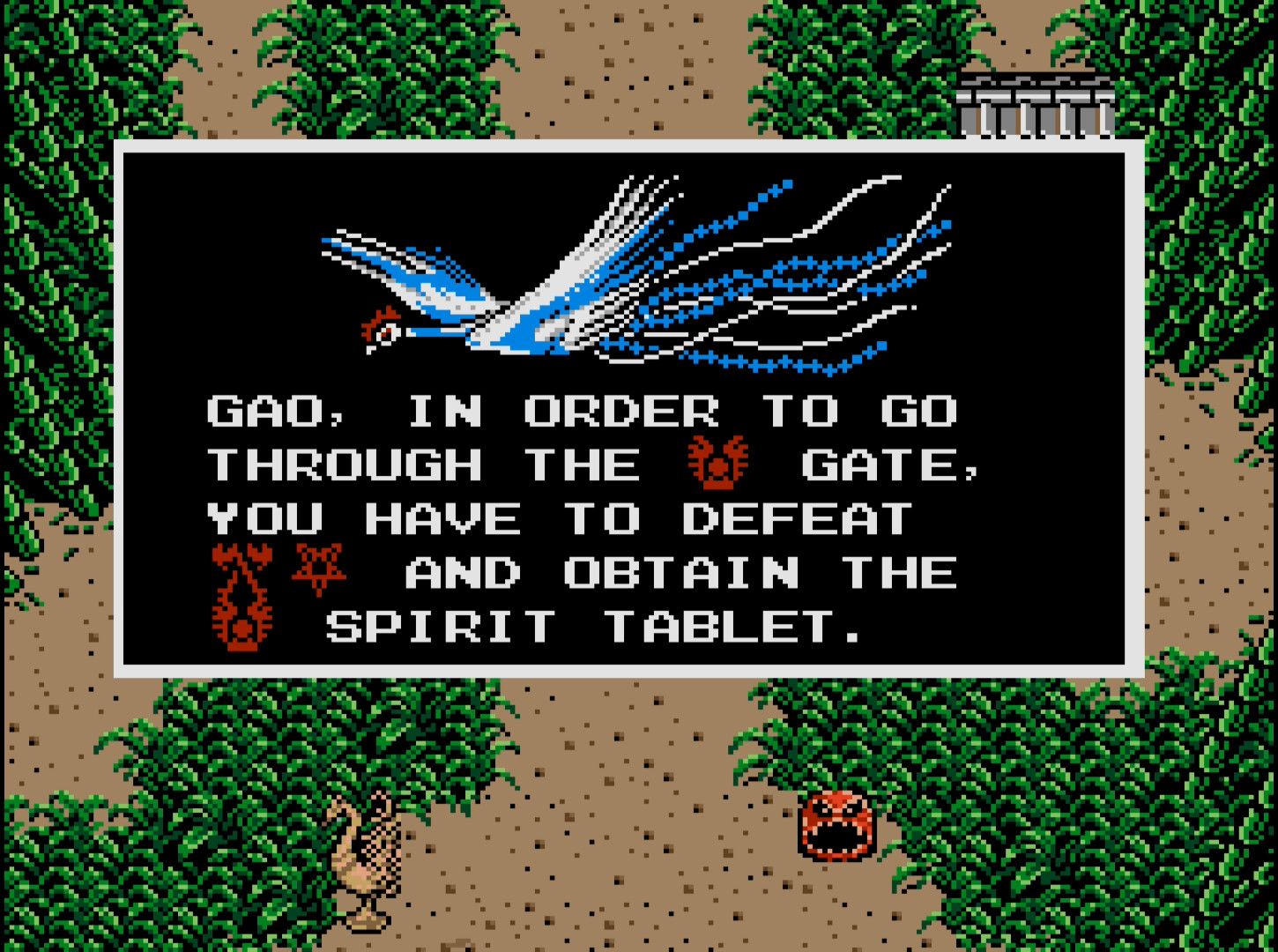
 Bluesky
·
Bluesky
·
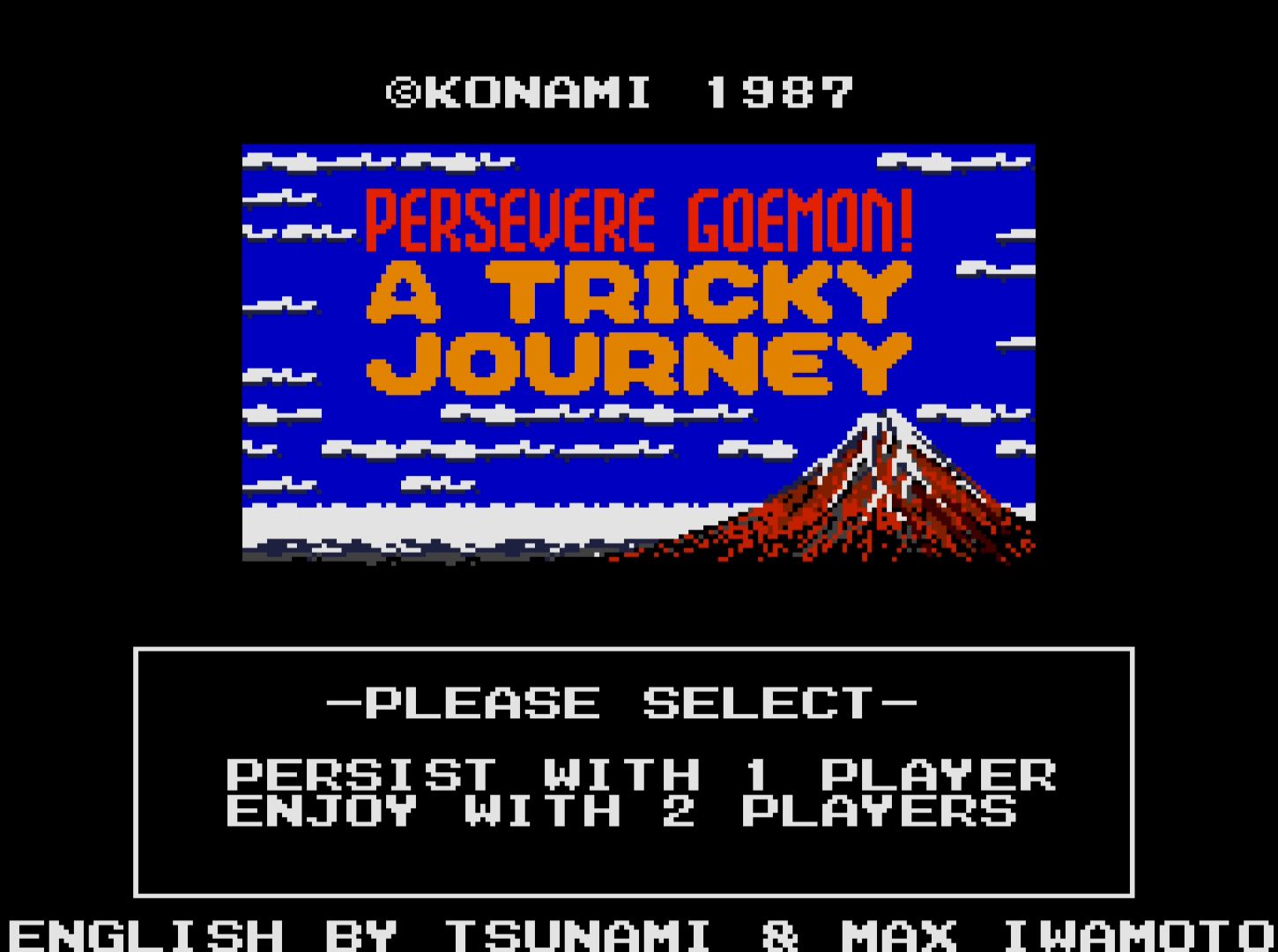
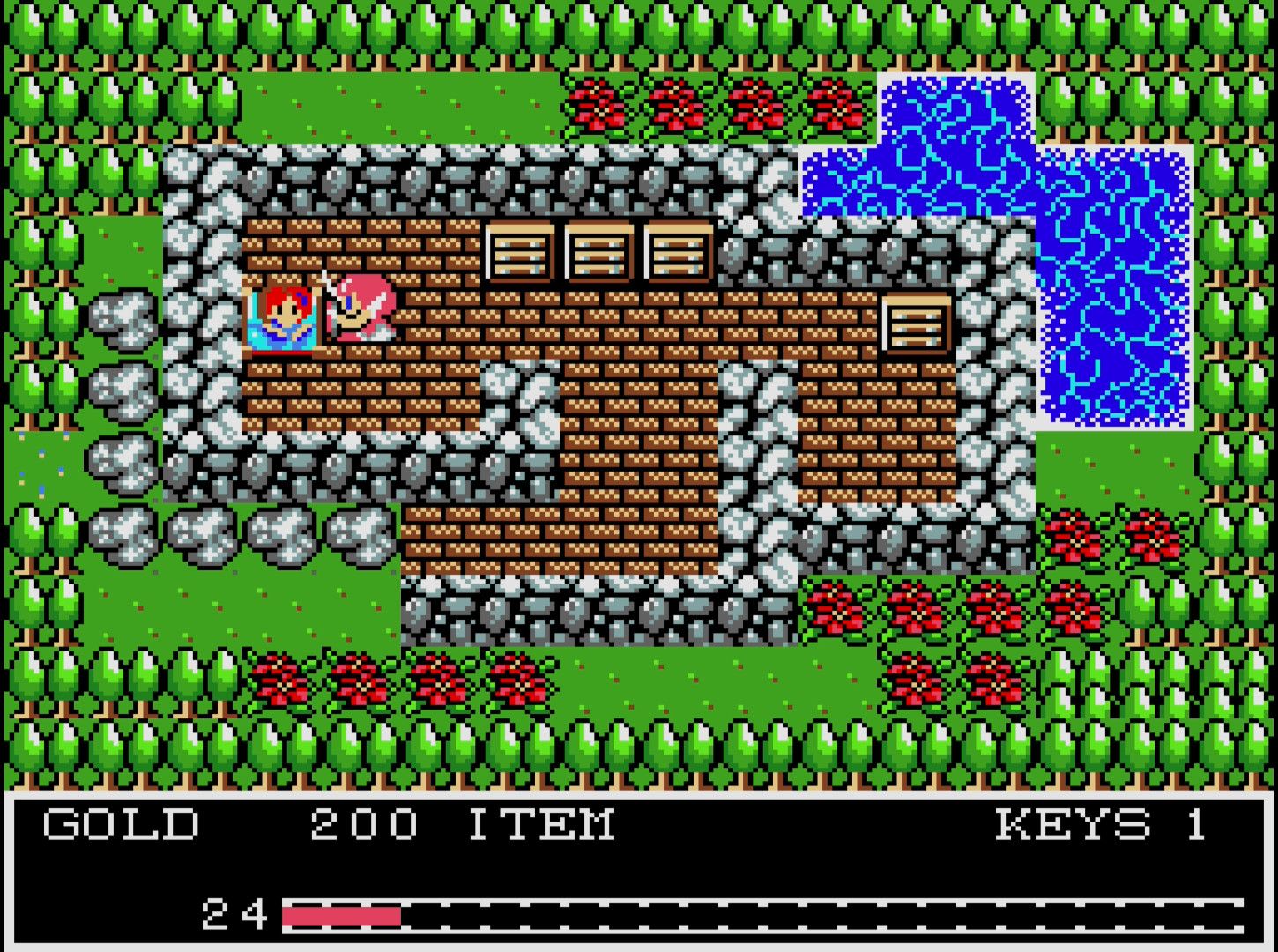
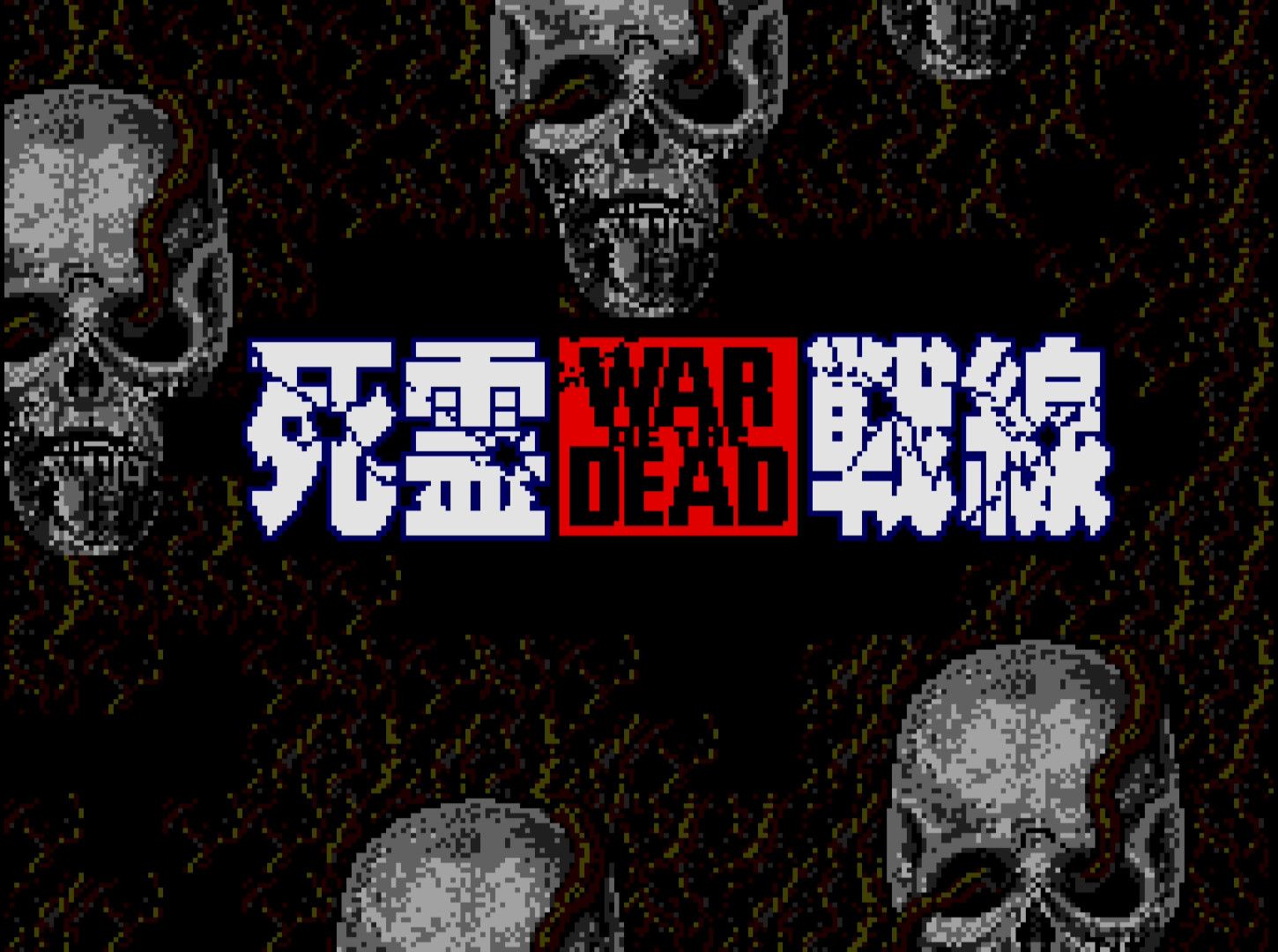 serene condor
ARE YOU SAYING my MSX on Mister can soon support Turbo or even MSX2+?
Now we are talking!!! Would I get any update of such core here?
unique ivy
I remember turbo being promised at some point and the wip core got the msx2+ vdp as an option
ebon gale
I’ve enjoyed the previous MSX2 branch builds a lot and was a bit worried that work on it was abandoned.. Awesome to hear about this progress and the 2+ and Turbo R plans!
vale wagon
craggy iris
Hi everyone!
I've been working on an MSX core for over a year now, and I've reac...
Sent you a DM
 rose dock
Hi. I'm tracing the R800 and the S1990, and right now I'm taking a break for grad school work. I'm also working on V9958 whenever I have time. I'm extracting the circuitry from die shots, so I assume I'll get a core of the chip that works exactly like the original at some point. If I send it to you in the future when it's done, would it be possible for it to be integrated into the core?
I've heard some Japanese people complain that the current V9958 implementation doesn't fully match the original. Since the refresh timings for the R800 are not accurately listed in the datasheet, I think we can at least improve the accuracy by integrating those two cores later?
lament shoal
That would be really awesome! I’d love to see an accurate Turbo R core for MiSTer
unique ivy
love to see folks working on this
@craggy iris I was never able to get the sram of the fmpac to save/load after a session in the wip core. Does this work?
karmic rover
Last update of msx2 test use ikapll also
craggy iris
rose dock
Hi. I'm tracing the R800 and the S1990, and right now I'm taking a break for gra...
I’m open to any innovation. If something turns out to be better or more accurate, I’ll gladly welcome it — ideally if it’s written in Verilog or SystemVerilog. That’s because I can run full system simulations using Verilator without having to build the entire core.
That’s also why I’ve rewritten all modules in my project to Verilog.
From what I’ve seen, the R800 in OCM is currently just a modified Z80 CPU with the required instructions and increased clock speed. In such a setup, we can’t really talk about true cycle accuracy.
For an idea of what simulation looks like using Verilator and a wrapper around it.
 karmic rover
When the core will be available we could have a google sheet for testing core like we have for GBA for instance
It will help to follow games running without issues and point issues found 🙂
craggy iris
unique ivy
love to see folks working on this
That's a bit more complicated to answer. Save/load does work for me, but I had to modify the Linux-side implementation to handle saving the way I wanted. Since the core is still a WIP, I haven’t submitted any request to change it in the Main branch.
Save/load from disk should work in the current public version. In the new version, saving to disk doesn’t work at the moment due to a rewrite of the WD1793 controller. However, this used to work two years ago. I’m not sure about the current state, as I haven’t tested it recently.
marble barn
What BIOS will be needed and what should it be named? Will it replace the existing one or be in addition?
craggy iris
marble barn
What BIOS will be needed and what should it be named? Will it replace the exist...
The standard method of working with the BIOS, as used in the MiSTerFPGA project, is not applied here. Instead, BIOS packages with the required hardware configuration are used. Once loaded, the core remembers the last selected option and uses it when MSX is started. I assume this will be documented (how to create such packages), or they will be distributed separately outside the official repository. The only ROM suitable for creating a minimal configuration is the CBIOS ROM.
rose dock
craggy iris
I’m open to any innovation. If something turns out to be better or more accurate...
Yes, of course. When I finish drawing custom chip schematics, I don't translate it to gate level as it is, I turn it into a high level Verilog description after I understand the behavior and then annotate it. I can use a commercial ASIC design kit and FPGA vendor tools, I'm always checking to make sure everything is okay up to implementation.
naive dagger
I had two Turbo R GTs for a shining moment in time, even got to play Illusion City with real MT-32 connected
(not amazing music or anything, but cool for 8-bit PC)
lament shoal
I have a Turbo R GT and love it! It’s definitely an awesome computer, only issue is the sound circuit is kinda meh. But that can be easily fixed with some soldering
naive dagger
lament shoal
I have a Turbo R GT and love it! It’s definitely an awesome computer, only issue...
Yeah it was very pretty and I got some quality time using a MFR cart
I kept a Panny MSX2+ for a while, then sold that recently
Spent time setting up MSX emulation with a frontend, plus the MiSTer options
Collecting MSX software is brutal, cost-wise
shy marsh
The Pico+ is a fantastic new MSX cartridge SD card and WiFi system which can download software directly from File Hunter website.
It would be an awesome addition to any MSX core too.
naive dagger
shy marsh
The Pico+ is a fantastic new MSX cartridge SD card and WiFi system which can dow...
Now that is amusing. The cartridge scene on MSX is crazy! The newer sound carts especially
 mossy dawn
Can't make MSX core work, i tried the VHD and secondary fat16 SD card - just shows black screen. am i missing something?
light panther
Are you trying them with the right MSX core? There are two. You'll find the right one in games/MSX Never tried the secondary SD card myself but I just booted up the 1chipMSX core and it seems to be ok
 mossy dawn
light panther
Are you trying them with the right MSX core? There are two. You'll find the righ...
mossy dawn
light panther
Are you trying them with the right MSX core? There are two. You'll find the righ...
hm... the core which is downloaded by the updater script
MSX_20240524.rbf
light panther
That's good, you're using the right core
Maybe there's an issue with the VHD? I can't link here but you could try another one from archive
There's definitely people here who know MSX better than me who'll be able to help you I'm sure
mossy dawn
i can create the VHD from the SD cart which was created by the SDCreate utility from the core repo
light panther
Hmm, I'm not sure then! Sorry, hopefully someone else can help you out! Thanks for all your work on GB Studio btw
mossy dawn
unfortunately, creating VHD from SD did not work either
mossy dawn
i managed, thank you @light panther
naive dagger
no need to create any vhd, just dl and put in place
karmic rover
- I'm waiting for my flight to attend ISCA 2025
- Resume reverse engineering the V9958
- Five months have cleared my head :(
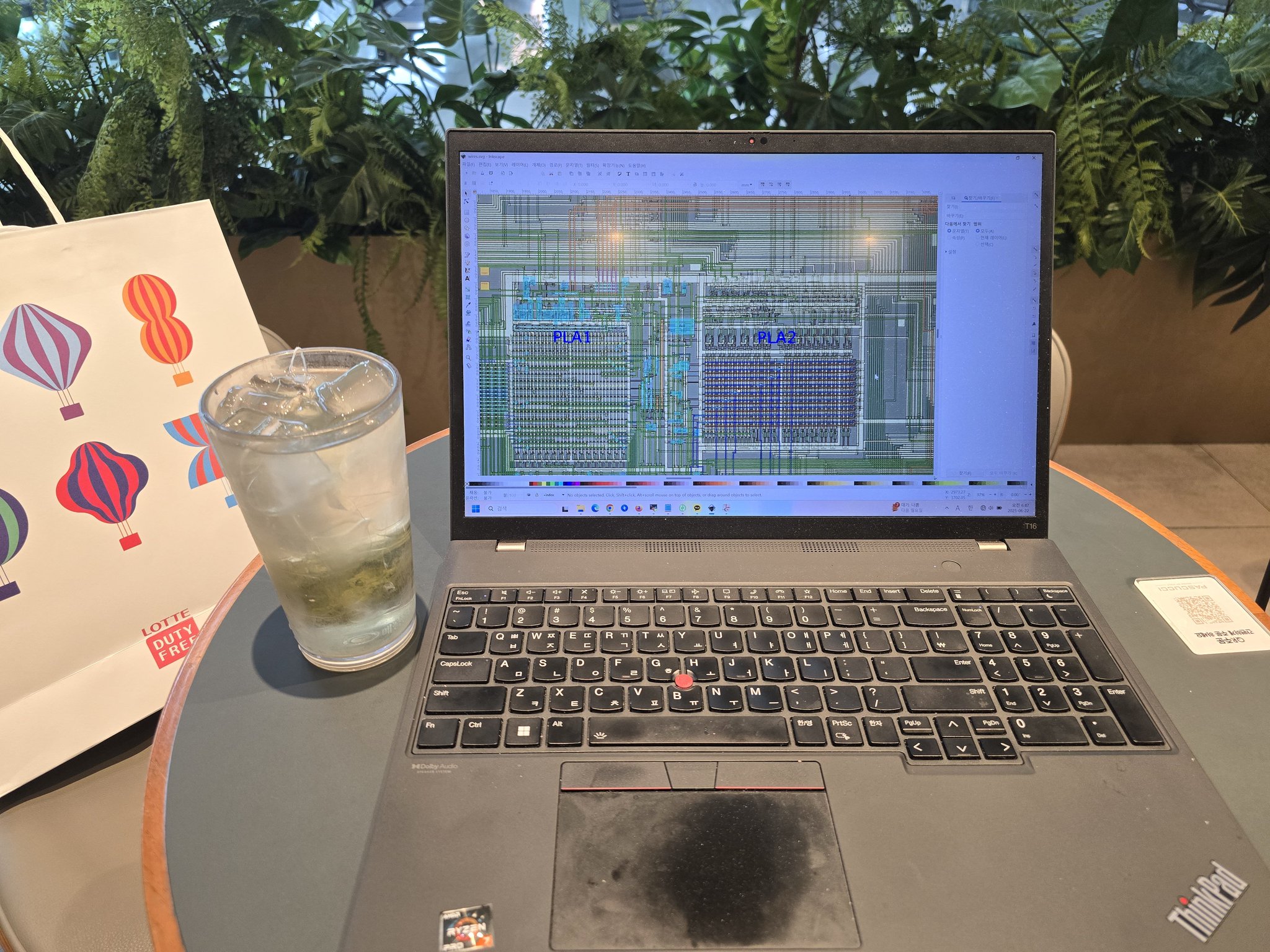
 X
·
steel pike
X
·
steel pike
You can create a VHD with Windows Disk Management. I used to do that, but it isn't recommended. I also need to dive into this better. I still want to try Vampier's VHD creator in Linux. Haven't had time for it yet...
marble barn
I was wondering, is the PV-7 so close to the MSX that support for the games could be added to the MSX1 core? It seems it is technically an MSX machine. Maybe the games work already?
https://en.wikipedia.org/wiki/Casio_PV-7
The PV-7 is an MSX-compatible home computer released by Casio Computer on October 15, 1984. At the time the standard MSX computer price was over 50,000 yen, but the PV-7 was released at the low price of 29,800 yen.
Positioned as a successor to the PV-2000 home computer, released by Casio the previous year, it inherited the PV-2000's octagonal "j...
 rain viper
There's a whole page on the MSX wiki for almost MSX systems.
craggy iris
marble barn
I was wondering, is the PV-7 so close to the MSX that support for the games coul...
According to the definition in openMSX, the existing kernel should work after loading ROM from CASIO PV-7. I haven't verified just guessing by settings.
frank tiger
craggy iris
According to the definition in openMSX, the existing kernel should work after lo...
Any update on your new MSX release date? Appreciate your hard work 
steel pike
I have a menu update ;-). Finally made a VHD with VHD Creater in Linux and changed my menu. Use the MrKun Logo and changed it get it closer to the original .
Here's the difference, between the two.
 craggy iris
I've just released a major update at https://github.com/MiSTer-devel/MSX1_MiSTer/tree/MSX2, including the .rbf for MiSTer:
https://github.com/MiSTer-devel/MSX1_MiSTer/blob/MSX2/releases/MSX1_20250727.rbf
Please note that this is not a final version — it's a work-in-progress. However, I believe it could be useful and I hope to receive some feedback on what doesn’t work yet (there will be quite a lot 🙂).
GitHub
Computer MSX1. Contribute to MiSTer-devel/MSX1_MiSTer development by creating an account on GitHub.
I won't be publicly sharing the link to the ROM database and other related files.
cyan horizon
craggy iris
I won't be publicly sharing the link to the ROM database and other related files...
In order to ease the access to the core and widen the testing demographics, I think it would be good to make a release so it can be installed from update_all (including the needed system files, etc), that way a LOT more people will test it.
karmic rover
maybe the cbios free one could be put on release folder
craggy iris
cyan horizon
In order to ease the access to the core and widen the testing demographics, I th...
I do not hold the copyright to the system files, which is why I’m not sharing a public link to them here.
This core should not be considered stable, and it may discourage regular users without technical knowledge from using it in the future.
karmic rover
@craggy iris
the script failed if the Kanji rom is not present for Sony HB-F5
Sony_HB-F5
DEVIC: 1 09 98 FC 00 00 00 00
DEVIC: 1 0B A0 F8 01 00 00 00
DEVIC: 1 0C A8 F8 00 00 00 00
DEVIC: 1 0A B4 FE 00 00 00 00
Traceback (most recent call last):
File "/MSX1_MiSTer/tools/CreateMSXpack/createComp.py", line 554, in <module>
create_msx_conf(file_name, path, files_with_sha1, constants, outpt_dir, args.xml_dir)
File "/MSX1_MiSTer/tools/CreateMSXpack/createComp.py", line 528, in create_msx_conf
create_msx_config(config, file_name, path, files_with_sha1, constants, outpt_dir)
File "/MSX1_MiSTer/tools/CreateMSXpack/createComp.py", line 505, in create_msx_config
create_msx_config_device(config.get('devices', []), outfile, files_with_sha1, constants)
File "/MSX1_MiSTer/tools/CreateMSXpack/createComp.py", line 454, in create_msx_config_device
filename = files_with_sha1[parameters['ROM_SHA1']]
~~~~~~~~~~~~~~~^^^^^^^^^^^^^^^^^^^^^^^^
KeyError: '218d91eb6df2823c924d3774a9f455492a10aecb'
testing some goldstar and basic shell is working
craggy iris
karmic rover
<@706902502381060217>
the script failed if the Kanji rom is not present for Son...
There is an error in Sony_HB-F5.xml.
You need to delete the following line:
<device mask="0xD8" port="0xD8" ROM_SHA1="218d91eb6df2823c924d3774a9f455492a10aecb">KANJI</device> <!-- hb-f1xv_kanjifont.rom -->
It accidentally got in from another model and does not belong to this one.
karmic rover
Sony_HB-F1.msx black screen
Sony_HB-F1
DEVIC: 1 09 98 FC 00 00 00 00
DEVIC: 1 0B A0 F8 01 00 00 00
DEVIC: 1 0C A8 F8 00 00 00 00
DEVIC: 1 0A B4 FE 00 00 00 00
BLOCK: 0 01 01 02 00 00 00 00 0/0/0 block_count: 2 ROM(1)
BLOCK: 0 C0 01 01 00 00 00 00 3/0/0 block_count: 1 ROM(1)
BLOCK: 0 C4 01 01 00 00 00 00 3/0/1 block_count: 1 ROM(1)
BLOCK: 0 C0 09 01 00 00 00 00 3/0/0 block_count: 1 EXPANDER(9)
BLOCK: 0 D5 01 02 00 00 00 00 3/1/1 block_count: 2 ROM(1)
BLOCK: 0 E5 01 02 00 00 00 00 3/2/1 block_count: 2 ROM(1)
BLOCK: 0 F4 01 01 00 00 00 00 3/3/1 block_count: 1 ROM(1)
BLOCK: 0 F4 03 03 04 00 00 00 3/3/1 block_count: 1 DEVICE(3)
BLOCK: 0 F8 07 01 00 00 00 00 3/3/2 block_count: 1 REF_DEV(7)
BLOCK: 0 43 05 00 00 00 00 00 1/0/0 block_count: 4 SLOT(5)
BLOCK: 0 83 05 01 00 00 00 00 2/0/0 block_count: 4 SLOT(5)
Sony HB5 is ok after removing the kanji line of the xml
craggy iris
Sony_HB-F1 remove
<secondary slot="3">
<block start="1" count="1">
<memory SHA1="c3f3ca454d66a0bc791f1d4b60e6857b44eb8755" filename="nms8245_disk.rom">ROM</memory>
<device style="Philips" fdd_count="1">WD2793</device>
</block>
<block start="2" count="1">
<ref to_block="1">DEVICE</ref>
</block>
</secondary>
karmic rover
Yes it is working now thank you 🙂
marble barn
Does this need BIOS files not currently in the BIOS DB?
craggy iris
marble barn
Does this need BIOS files not currently in the BIOS DB?
I don’t quite understand where the question is going.
marble barn
The vast majority of people will have vg8020_basic-bios1.rom automatically downloaded and renamed to boot.rom for the core. To run this new version you have here does this file need swapped out with a different BIOS file?
karmic rover
The new core doesn't use boot.rom
but MSXPack
Cross Blaim is working, previous versions the mapper is not implemented 🎉

 craggy iris
marble barn
The vast majority of people will have vg8020_basic-bios1.rom automatically downl...
craggy iris
marble barn
The vast majority of people will have vg8020_basic-bios1.rom automatically downl...
This core uses packages that include both the ROM and the necessary hardware configuration. A package is selected once, and the core remembers it until it’s changed. Any change to the package or hardware configuration (such as inserting a cartridge) triggers a full reload and reconfiguration of the hardware.
This approach gives me the opportunity to gradually add new computer models — from MSX1 all the way to the last generations. However, I still need to implement additional hardware support for that, which is not finished yet.
unique ivy
I created the machines and they boot up but confused about the mapper
nevermind I found it
cyan horizon
@craggy iris I found two bugs already:
-Nemesis AE hangs before entering the cavern on the first level, I believe it was when picking up the first power-up.
-"Los Amores de Brunilda" shows glitched graphics in the language selection screen.
This is with a Philips VG_8230
I can't replicate the hang in Nemesis AE 😦
bright rock
craggy iris
I've just released a major update at https://github.com/MiSTer-devel/MSX1_MiSTer...
karmic rover
@craggy iris
karmic rover
Testing with Sony HB-F1XDmk2
SD Snatcher with or without SCC+ (on slot 1) is black screen also same issue with snatcher after selection screen of SCC+ and slot.
MegaFlashROM SCC+ SD seems to hangs, it shows just blue screen
FM PAC on slot 1 is working testing with Undeadline and Pleasure Hearts
craggy iris
karmic rover
Testing with Sony HB-F1XDmk2
~~SD Snatcher with or without SCC+ (on slot 1) is b...
SD Snatcher with or without SCC+ (on slot 1) is black screen also same issue with snatcher after selection screen of SCC+ and slot.
The same behavior occurs in openMSX as well.
The question is — where’s the error? According to the startup screen, the issue seems to be related to memory.
 karmic rover
craggy iris
SD Snatcher with or without SCC+ (on slot 1) is black screen also same issue wit...
karmic rover
craggy iris
SD Snatcher with or without SCC+ (on slot 1) is black screen also same issue wit...
I have tested japanese version
For the translated we need more main ram but megaflash rom is not working.
I need to check if on one XML computer file we can add more main ram
The japanese version works with 128kb of main ram
The translated one required 192kb of main ram
craggy iris
karmic rover
I have tested japanese version
For the translated we need more main ram but meg...
replace in Sony_HB-F1XDmk2.xml
<block start="0">
<memory size="65536" pattern="4">RAM</memory>
<mapper>MSX2_RAM</mapper>
<device mask="0xFC" port="0xFC" size="65536">MEM_MAPPER</device>
</block>
to
<block start="0">
<memory size="131072" pattern="4">RAM</memory>
<mapper>MSX2_RAM</mapper>
<device mask="0xFC" port="0xFC" size="131072">MEM_MAPPER</device>
</block>
craggy iris
I also tested the version without modified memory using MegaFlashROM.
When I held down R during boot, SD Snatcher successfully booted and ran — including SCC+ support.
karmic rover
Sorry I didn't use the computer with correct amount of main ram so both last issues I have are fixed.
It is interresting that MegaFlashROM required 128Kb of main ram to works
craggy iris
karmic rover
Sorry I didn't use the computer with correct amount of main ram so both last iss...
I can’t confirm that. I tested it with 64 kB of RAM.
Sony_HB-F1XDmk2 + MegaFlashROM
 karmic rover
After a new test it works ... maybe wrong test sorry ...
cyan horizon
@craggy iris Here's what "Los Amores de Brunilda" langage selection menu looks on the core, with the mentioned glitches:
 cyan horizon
Also, I am unable to get Lili's Saga to work with FM audio: I put FMA-Pack in SLOT A, load the FW, put the game in SLOT B... and I get a black screen.
karmic rover
cyan horizon
Also, I am unable to get Lili's Saga to work with FM audio: I put FMA-Pack in SL...
I couldn't reproduce the issue (tried with FW EN and JP) what is the computer you used ?
also have you tried load VHD with MegaflashRom SCC+ SD, on my side it is stuck on the message "Rom Disk Found. SD Card slot 1: SHDC" ?
cyan horizon
karmic rover
I couldn't reproduce the issue (tried with FW EN and JP) what is the computer yo...
Philips VG 8240, but I tried others too (8235, for example, also fails)
cyan horizon
karmic rover
also have you tried load VHD with MegaflashRom SCC+ SD, on my side it is stuck o...
Nope, I don't have an VHD of that game
craggy iris
@cyan horizon @karmic rover If you’re reporting an issue, please be as specific as possible — mention the computer model, the exact game, whether it’s a ROM or DSK, and ideally include the SHA1 of the ROM/DSK file.
In the case of Los Amores de Brunilda, I wasn’t able to reproduce the described situation, but it’s possible I’m running a different version.
cyan horizon
@craggy iris
Lilly's Saga - The Stones Of Evergreen - Fabulous 8 Bit (2022) [v1.2] [original] [4867].rom
SHA1: d18e26f75f6d978fefe56efea46f59b9ad1b71a5
Problem: does not boot beyond a black screen.
Config: SLOT A->FM Pack
SLOT B->ROM
Computer models tried: Philips VG 2835-00, Philips, Philips NMS 8245
karmic rover
On Side, Philips NMS 8245 or Sony_HB-F1XDmk2,
I set Slot A -> MegaFlashROM SCC+ SD
VHD -> A VHD (16 Mb) working on the previous core
It is stuck on this screen. I wonder if there is any change on VHD supported with the new core.
 cyan horizon
karmic rover
On Side, Philips NMS 8245 or Sony_HB-F1XDmk2,
I set Slot A -> MegaFlashROM SCC+...
cyan horizon
karmic rover
On Side, Philips NMS 8245 or Sony_HB-F1XDmk2,
I set Slot A -> MegaFlashROM SCC+...
I can confirm this.
karmic rover
cyan horizon
<@706902502381060217>
Lilly's Saga - The Stones Of Evergreen - Fabulous 8 Bit (...
I tried on my side with Philips NMS 8245 I can run it with sounds using FM Pac
karmic rover
For Createdb.sh, I tried the script and Mirrored Mapper is unknown and mappers Mirrored0000, Mirrored0004 and Mirrored008 are known.
Plenty of the roms (homebrew ones) like "Stevedore (v1.2)(2020)(theNestruo & Wonder)" using Mirrored Mapper.
Stevedore working on previous core but not on the DB for the the new core
I saw on the code Mirror_mapper is supported on the core so I wonder if it is a missing part on return createdb.sh if yes what is the change on the mappers.json file to support them ? Thanks !
Return of the Script (below)
cyan horizon
karmic rover
I tried on my side with Philips NMS 8245 I can run it with sounds using FM Pac
That's very strange...
craggy iris
karmic rover
For Createdb.sh, I tried the script and Mirrored Mapper is unknown and mappers M...
With the Mirrored mapper, the situation is as follows: it's the name of the mapper, but for correct ROM mapping, it’s necessary to know the address to which the ROM is loaded.
Currently, the upload process does not implement any heuristics to analyze the ROM and determine its expected placement.
Before launching a ROM that requires a mapper of type [auto, mirrored, Normal], you must run heuristics on the ROM files using the script crc32toTxt.py. These ROMs need to be placed in a dedicated directory. This utility generates a file called mappersOverride.txt, which is then used alongside the database extracted from Vampier's ROM DB. The result of combining both sources is the file vampier.db.
To verify which mapper was assigned to a specific CRC32, you can check the file mappersSplit.txt.
I’m aware this process is currently complex and could be improved — but improving it hasn’t been a top priority for me so far.
The final goal is to have a single unified database containing all known ROMs.
karmic rover
craggy iris
With the Mirrored mapper, the situation is as follows: it's the name of the mapp...
Thanks for the update I will check tomorrow 🙂
craggy iris
karmic rover
On Side, Philips NMS 8245 or Sony_HB-F1XDmk2,
I set Slot A -> MegaFlashROM SCC+...
Bug found and fixed.
New version is being built.
craggy iris
cyan horizon
<@706902502381060217>
Lilly's Saga - The Stones Of Evergreen - Fabulous 8 Bit (...
I'm not seeing the issue on my side.
When you load the ROM, do you see the message "Not find CRC32 in DB" on the screen?
At the same time, I noticed a different problem — screen scrolling isn’t working correctly.
So the issue is probably in the VDP.
cyan horizon
craggy iris
I'm not seeing the issue on my side.
When you load the ROM, do you see the messa...
No. I don't see that. I know that error very well 🙂
I only report problems with games in the database.
Can you give me the exact config with which the game runs on your side, please?
craggy iris
cyan horizon
No. I don't see that. I know that error very well 🙂
I only report problems with...
Config: SLOT A->FM Pack
SLOT B->ROM
Computer models tried: Philips VG 2835-00, Philips, Philips NMS 8245 ** Both works**
Use HDMI video
frank tiger
You people are all killing it GG
karmic rover
I have tested the last build on Philips NMS 8245 (have also the same behaviour on 8230 or Sony HB F1XDmk2)
with SLOT A -> MegaFlashROM SCC+ SD and SLOT B -> ROM (without loading anything)
The user ram (main ram) is set to 512Kb so that part is OK but we return on basic shell and MM is not proposed.


I compiled MySelf the last sources of core with this version of Quatrus (Version 17.0.2 Build 602 07/19/2017 SJ Lite Edition)
With this build on Philips NMS 8245 (have also the same behaviour on 8230 or Sony HB F1XDmk2)
with SLOT A -> MegaFlashROM SCC+ SD and SLOT B -> ROM (without loading anything)


I'm able to go to MM.
I tried after that to load a VHD it works with computer like Philips NMS 8245 or Sony HB F1XDmk2 with config 128Kb of Main RAM.
If I used the default Sony HB F1XDmk2 (64Kb of Main RAM) i have this error and the VHD seems not working well i can browse my VHD but not a command is working
 karmic rover
On the VHD with Sofarun, Sofarun seems not find memory slot meanwhile I set Slot 2 with (MegaRAM ASCII-16K 2MB or MegaSCC+ 2MB)
I tried to load a rom or play a vgm file


Another Topic but having issue in detection with MegaFlashRom SD.
Using Philips NMS 8245 and
SLOT A -> The Treasure Of Usas - Konami (1987) [Enhanced by Victor Martinez version 1.03a] [RC-753] [4125]
SLOT B -> ROM without loading anything
MegaFlashROM SD is detected and Double PSG is activated and the VDP 9958 of MS2+ is detected
 craggy iris
@karmic rover The latest build is behaving strangely. According to diagnostics, the expanded RAM isn’t visible, and during boot, there are screen artifacts that shouldn’t be there. When I run msxdiag, it only detects the base RAM.
A different build I have on hand works fine, even with the Sony configuration. I’ve seen this odd behavior occasionally before — sometimes, making a tiny change in the design was enough to make everything work correctly again.
karmic rover
craggy iris
<@563099752821162026> The latest build is behaving strangely. According to diagn...
Thank you 🙂
craggy iris
karmic rover
Another Topic but having issue in detection with MegaFlashRom SD.
Using Philips...
openMSX shows the same behavior.
 karmic rover
craggy iris
openMSX shows the same behavior.
karmic rover
craggy iris
openMSX shows the same behavior.
Ok ! I will check on OpenMSX next time i'm sorry I didn't do it ...
I have a question.
- Slot A -> Empty
- Slot A -> ROM without loading anything
Is it the same behavior or there is some differences ?
craggy iris
In principle, it’s the same behavior.
karmic rover
Testing with (Philips_NMS_8245) On game Singular Stone, when we tried to delete previous save it hangs on the new core. On the older core (msx2test branch), it is working.
This game required FM PAC set on Slot A.
 karmic rover
Thank you Molekula new contents working with last commits 🙂


 bright rock
Does this thread need the fancy pins?
frank tiger
bright rock
Does this thread need the fancy pins?
So many pins required I'd say, hard to keep up with this pace
bright rock
frank tiger
So many pins required I'd say, hard to keep up with this pace
Thanks for the feedback. That's basically the issue. Not sure what information is needed/revelvant now. I can get a basic structure going and ping the community on what's missing.
karmic rover
 lofty crow
karmic rover
https://paxanga.itch.io/pengo
lofty crow
karmic rover
https://paxanga.itch.io/pengo
The scale of the MSX homebrew scene never ceases to amaze me, thanks for sharing
bright rock
@karmic rover is the rom patch king! 
karmic rover
this version is not far from the arcade version great adding for MSX computer
lofty crow
Is there anything special I need to do to set up this new core version from @craggy iris? When I try to launch games, nothing happens, maybe a bios issue on my end?
karmic rover
Also this game have graphical issues on the first run with last Core that Molekula works after first game over it works great. Previous core MSX2TEST i don't have this issue.
 karmic rover
lofty crow
Is there anything special I need to do to set up this new core version from <@70...
karmic rover
lofty crow
Is there anything special I need to do to set up this new core version from <@70...
yes you need to get tools https://github.com/MiSTer-devel/MSX1_MiSTer/tree/MSX2/tools
to create MSXPack
it is described on readme on MSX2 branch
lofty crow
karmic rover
yes you need to get tools https://github.com/MiSTer-devel/MSX1_MiSTer/tree/MSX2/...
Ahhh, thank you
lofty crow
Alright, I have a machine apparently working on the new msx1 core, loads and I see some OS options via function keys, but If someone would be so kind, I'm not clear on how the FW Pack and DB Mappers come into play to actually load games, I've never used a real MSX before, so this is kinda new territory for me
karmic rover
you need to execute python createdev.py for creating CART_FW_EN.msx and CART_FW_JP.msx
load it on OSD.
After
Slot A -> Select FM PAC
Slot B or disk load game required msx music like "Lilly's Saga - The Stones of Evergreen (ASCII16)(MSX-Music)(v1.2)(2022)(Fabulous 8 Bits)"
lofty crow
karmic rover
After
Slot A -> Select FM PAC
Slot B or disk load game required msx music like ...
thanks again for all the help. I think I'm making progress? Loaded the machine in OSD, loaded the FW Pack as well, but then when I try loading a game in slot1 I get: "No CR32 DB"
karmic rover
lofty crow
thanks again for all the help. I think I'm making progress? Loaded the machine...
you need to add the db
sorry I missed it
It is on createcrc
and load on the OSD
lofty crow
karmic rover
you need to add the db
ahh, I see mappers.db and vampier.db
awwww yeah, mappers.db for the win, it works!!!! YESSSSSSSS, and thank you so much for the new core version @craggy iris and for your patience @karmic rover walking me through getting it set up
 sonic finch
karmic rover
you need to execute python createdev.py for creating CART_FW_EN.msx and CART_FW_...
sonic finch
karmic rover
you need to execute python createdev.py for creating CART_FW_EN.msx and CART_FW_...
Hello everyone, I've been trying to get this core to work without success. It keeps reporting the error: "Bad MSX Conf."
karmic rover
sonic finch
Hello everyone, I've been trying to get this core to work without success. It ke...
What is the output of your python script command ? What is the size of the file ?
sonic finch
Hello, I think my file isn't compiled correctly. It's 8 MB. I think I'm a bit overwhelmed with the ability to create this correctly. But it's all good. I would have liked to test the core, but I'll stick with my C64.
karmic rover
The size is 1MB for FW files
sonic finch
What files does this file consist of?
karmic rover
There is one for COmputer and one for expansion modules.
Computer MSX file described specifications like (memory, number of drive disk, ...) and contains roms
expansion modules contains all expensions supported and roms if expansion needed it
sonic finch
Okay, thank you for your answers. But honestly, that's too much for me. So I'll leave it. But I think it's great that you tried to explain it to me. Thank you very much. P.S.: The messages were written with the help of a translator, so I hope there aren't too many mistakes.
karmic rover
I understand you correctly ! The core is still on heavy developpement maybe on 1st release we will have packs available on update all to help people to use the core
 fickle geyser
I cant figure out how the heck to get the MSX core working lol -- nothing loads... and there's MSX and MSX1... and my stupid brain can't figure it out lol
steel pike
To make things more complicated. MSX1 also supports MSX2 cartridges/disks. Important for MSX1 is that you select the correct mapper for you ROM.
low barn
Things are not as complicated as it seems at first glance , and a little scroll up and read out of the pinned messages should help 🙂
You have:
- Official **MSX **core (based on OneChipMSX) which you just need an VHD image (google and certain archives are your friends). Ensure you have the boot.rom in the /games/MSX folder (read github doc on the core or use update_all script)
- Official MSX1 core (work of @craggy iris ) which supports MSX1 models and will need you to load games/apps from disks/rom cartidge images, giving you the more authentic feel of the machine, please read the mentioned pinned messages/Github
- WIP MSX2 branch of the aforementioned MSX1 core, which already works exceptionally imho, adding MSX2 machines and expansion cartridges like Mega Flash ROM, FM-PAC etc, again do scroll up a bit/check the pins
Ofc, MiSTerFPGA forum is the other important source of info
dusty ginkgo
low barn
Things are not as complicated as it seems at first glance , and a little scroll ...
Where can yhou find the MSX2 branch core?
low barn
dusty ginkgo
Where can yhou find the MSX2 branch core?
check first pinned message
dusty ginkgo
low barn
check first pinned message
thanks.
unique ivy
Curious how the msx2 wip is going. I have a lot of issues with the 7/27 & 7/30 builds, mostly with just trying to launch translated games that aren't in either mapper db. Will the manual setting from the older builds be coming back?
 tiny hull
Hi!
I'm not super familiar with MSX stuff. I had one as a child, but never really dabbled with emulators. How do I play MSX in the Mister? I have a .rom and a .dsk files...
I also have a version of the game in 8 floppies (.dsk)
I'm also not sure when to put files in the MSX or in the MSX1 folders...
Found something called sofarun, but I read that you need to copy it to a .vhd and... not sure how to do that. Also not sure how to copy my own game files, if they need to be launched from the .vhd image
frank tiger
tiny hull
Hi!
I'm not super familiar with MSX stuff. I had one as a child, but never real...
Try searching for MSX in here https://pastebin.com/pM1XMe5E
Pastebin
Pastebin.com is the number one paste tool since 2002. Pastebin is a website where you can store text online for a set period of time.
low barn
tiny hull
Hi!
I'm not super familiar with MSX stuff. I had one as a child, but never real...
read this: #1056033525922537542 message .
If you want to use OCM-based MSX core, copy those files on a .vhd (there are already some available online).
If you want a more authentic experience (loading directly roms and disks), use the MSX1 stable core for MSX1 games/progs OR the even better Molekula's WIP MSX2 core.
For the last one you will need to make your own preferred machine/model : start reading from here #1056033525922537542 message to here #1056033525922537542 message
tiny hull
Thanks for the resources, guys. I guess I have to do a bunch of learning
karmic rover
V9958 H/V counter schematization done!
Instead of tracing other circuits, I'll start writing the HDL code for this one.
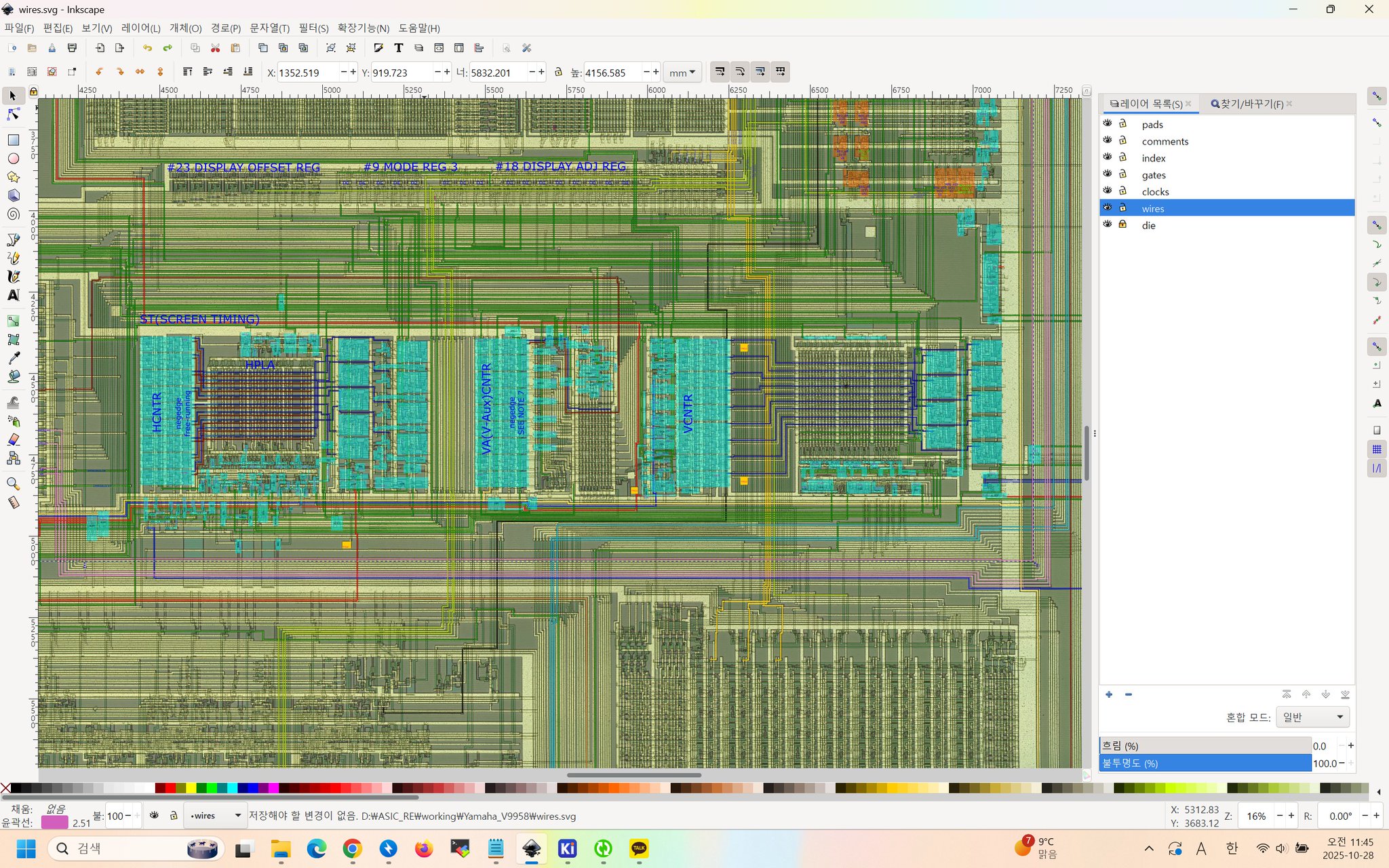 X
·
X
·
 cold cloud
hi there everybody i have a question .. it is possible to play at "illusion city" on the "MSX 1 chip" core?
i put the game on a VHD image but it seems to require some special settings, i did like i was told to "
MSX Turbo R,ASCII 16 " but that's doesn't work .. please i want to play this game,if someone could help me ? merci thanks
steel pike
I don't think Turbo R works on the MSX core... Illusion City is for the Turbo R.
cold cloud
steel pike
I don't think Turbo R works on the MSX core... Illusion City is for the Turbo R.
ok and the other MSX cores will do the same ? no other way to play it on mister?
steel pike
MSX1 core can only handle MSX & MSX2. I think it is still WIP.
For Turbo R, emulation (openMSX) is the way to go.
cold cloud
steel pike
MSX1 core can only handle MSX & MSX2. I think it is still WIP.
For Turbo R, emul...
thanks !!!!
serene condor
I want to play Illusion City, is there away a Turbo MSX be ported to MisterFPGA?
karmic rover
nope
serene condor
 karmic rover
Ouch it is expensive
serene condor
Umm...YA THINK???!
I can buy 7 playstation 5 with that price
or buy ONE OF THE MOST POWERFUL gaming pc your money can buy
at least a decent 128 Gb of RAM
if not 256 GB of RAM
with a good 16 TB m2.55 drive
a powerful gaming card that makes playstation 7 look pathetic
a good decent 2500 watt PSU
you name it
Just exactly how they figured anyone would be insane enough to pay for this at that price is beyond me.
karmic rover
or a beautiful vacation 🙂
low barn
serene condor
that's because fleabay...

sure, first model of Turbo-R, the A1GT afaik has more RAM and midi ports
I got my Sony HB-F1XDmk2 dirt cheap on fromjapan site, fully functional, re-capped, etc
 karmic rover
New MSX game
https://all-basic.booth.pm/items/7671818

オールベーシックのアクションRPGです。 MSX2(VRAM128KB以上)/MSX2+/MSXturboR/MSX0 Stackに対応しています。 キーボード、ジョイスティック対応。 MSX0 Stack・MSXエミュレータ用のディスクイメージが入っています。 MSXturboRの場合、高速モードで起動します。 MSX2などの機...
serene condor
I just bought it
serene condor
Hold on...I have a question to ask.
It mentions about MSX cartridge, but we are talking about MisterFPGA...there is no cartridge slot for MSX I can hook to work with MisterFPGA.
You know what I mean?
 eager bronze
serene condor
It mentions about MSX cartridge, but we are talking about MisterFPGA...there is ...
eager bronze
serene condor
It mentions about MSX cartridge, but we are talking about MisterFPGA...there is ...
If you're responding about the content of the post on the forum, it means the catridge slots in the core OSD menu. ROM files are dumps from catridges, like cartridge based consoles such as the NES.
The core MiSTer distribution will probably never include functionality to load from physical media, so when cores are mentioned loading/inserting cds or catridges, they mean file dumps from those media loaded from the OSD menu.
 serene condor
Ahhhh!!!!
 brisk cove
Does the OCM-based core have built-in support for sound chips beyond the PSG? I saw in the README references to OPLL, but in the core options that isn't available to load into the slot, from what I can tell. I only see "MegaSCC" options for Slot 1 and Slot 2.
 barren glen
brisk cove
Does the OCM-based core have built-in support for sound chips beyond the PSG? I ...
barren glen
brisk cove
Does the OCM-based core have built-in support for sound chips beyond the PSG? I ...
Yes, it supports both the OPLL and the SCC+
brisk cove
Does the OPLL need to be loaded into a "Slot" in the MiSTer menu?
I'm not clear on how I'd get the core's built-in OPLL to be made available for use by a game.
I think most mappers would try to look for it in a slot?
barren glen
Not in the OCM core. In most real MSX2+ machines the OPLL is built in and the games auto-detect it. OCM is based on one of those machines
brisk cove
barren glen
Not in the OCM core. In most real MSX2+ machines the OPLL is built in and the ga...
Happen to know of a way I can validate that a given game is utilizing OPLL properly? I'm using SofaRun, if that matters.
barren glen
I guess you could compare the OPLL vs PSG soundtracks on YouTube for whatever game you're running. OPLL will usually sound much more full
Here's the music for the title screen of Aleste Gaiden with PSG: https://www.youtube.com/watch?v=gejpvcMC29w vs OPLL: https://www.youtube.com/watch?v=JoYrelsuZiQ

Logiciels utilisés / Software used / 使用ソフトウェア
- Audacity 2.4.2
- Debut v 6.12 (NCH Software)
- VideoPad v 8.81 (NCH Software)
- Hoot (DMP Soft.)
Logiciel / Software / ソフトウェア: http://dmpsoft.s17.xrea.com/
Roms: http://snesmusic.org/hoot/v2/
 karmic rover
The 2020 MSX2 game Angelic Warrior DEVA has just been released as freeware and is available for download from the MRC archives.
turbid trout
barren glen
Here's the music for the title screen of Aleste Gaiden with PSG: https://www.you...
Aleste Gaiden is, for me, THE game on the whole MSX platform. This was one of the first games I tried on my mister when I got it. I remember being in awe of the game.
 somber finch
does the msx core accept msx1, 2, 2+, Turbo R games?
 sudden ruin
somber finch
does the msx core accept msx1, 2, 2+, Turbo R games?
sudden ruin
somber finch
does the msx core accept msx1, 2, 2+, Turbo R games?
GitHub
MSX for MiSTer. Contribute to MiSTer-devel/MSX_MiSTer development by creating an account on GitHub.
(turbo R isn't supported, 3 is something else iirc)
 somber finch
thanks
i have rom collection for 1 and 2 ... is that mainly it? i didnt see anything specifically for turbo r
sudden ruin
there aren't many 2+ or turboR-exclusive games iirc
 sudden ruin
just MSX. MSX1 is the newer core, but doesn't support 2 or 2+
somber finch
thanks
serene condor
Hey guys...I forgot how to do this
but how do you upgrade all your cores in misterfpga?
I think i have not selected update for a long time now...
I moved my misterfpga downstairs so it not connected through modem...can I use wifi on it? If so, how?
bright rock
If you have a WiFi dongle and setup the credentials correctly, you should auto connect to your network. In the main menu press the core menu button and press left and you should see your IP address.
Then run update or update_all in the scripts menu
serene condor
I am going to do that. I will buy it. How do I set up the credentialls correctly?
is it done through misterfpga wifi setting or through config.txt or how?
I will get this
 bright rock
serene condor
is it done through misterfpga wifi setting or through config.txt or how?
bright rock
serene condor
is it done through misterfpga wifi setting or through config.txt or how?
There’s a WiFi script that lets you select your Wifi network and input a password
serene condor
Where can I find the wifi script please?
bright rock
serene condor
Where can I find the wifi script please?
It’s in the scripts folder, I think you push right from the main menu to access the scripts menu option
It’s just called WiFi
serene condor
What if it is not there? I am just asking, because once you are gone you are gone...so I want to make sure I have everything with me.
bright rock
If it’s not there you can grab it from the main distribution GitHub - https://github.com/MiSTer-devel/Distribution_MiSTer
GitHub
This repository contains all the files that you'll want in your MiSTer - MiSTer-devel/Distribution_MiSTer
GitHub
This repository contains all the files that you'll want in your MiSTer - MiSTer-devel/Distribution_MiSTer
bright rock
That’s what update_all gets anyways you could always just manually download all of that and add it to your SD Card
bright rock
serene condor
that is the one thanks
Yeah my pleasure dude
serene condor
AH
I was thinking of how do I transfer wifi.sh to there
when it is offline from the first place
you said sd card?
remove it from the machine, put it in the pc...transfer the wifi.sh, then put it back into the device
bright rock
Yeah basically, all that goes in “//media/fat”
serene condor
I found it..it is there
it did not detect the tongle
so all I have..is get the tongle
make it go online
and paaaaarrttyyy!!
digital vessel
Microsoft - MSX
 kindred ermine
Wouldn’t ascii corporation be more technically correct?
spark jacinth
We should change the Nintendo 64 channel to Console - Nintendo Co. Ltd, - Nintendo 64
Just in case people don't know what a Nintendo 64 is :p
Most people know the MSX as a Microsoft system
But yeah, Ascii technically sold the hardware under their brand initially, as well as like 20 other brands later on
Actually the first one was a Mitsubishi branded one
Rename the channel National, Sony, Pioneer, Panasonic, Samsung, Sharp, Philips, Canon, Yamaha, Toshiba, Mitsubishi, Sanyo, JVC, Fujitsu, Spectravideo, GoldStar, Hitachi, Kyocera, Yashica, Daewoo, Dragon MSX, Casio MSX
Technically there would have been none of these variants without Microsoft's initial concept which it sold to the mfg'ers
bright rock
I’ve got this core named as “ASCII MSX”
digital vessel
MSX is a standardized home computer architecture, announced by ASCII Corporation on June 16, 1983.[1][2] It was initially conceived by Microsoft as a product for the Japanese market, and jointly marketed by Kazuhiko Nishi, the director at ASCII Corporation.
bright rock
Yeah that’s Ascii to me. They sold the PCs.
I mean it’s whatever the MSX fans like, I ain’t got no dog in this fight,
serene condor
Is this channel here because erm...we are discussing porting MSX Turbo into mister fpga??!
By the way, I have one single...mini...MSX core question to ask. Just a single one. Just a single, single, single..of a single...question. -- takes a deep breath --...Ok...here goes nothing. Will the MSX core support one of the MisterFPGA USB ports allowing a person to hook an external 3.5" disk drive....to boot real MSX game disks directly on MisterFPGA using the core? -- runs and hides under the table -
 hearty bronze
Hi, is there a way to force 60hz (NTSC) on latest test build MSX1 core from molekula? I configure my system as a Philips MSX2 for having the text in Konami's games in english but then I only get 50hz refresh rate. With the official MSX1 core we had the option to force NTSC or PAL refresh rate under video menu. I cannot have both english text & 60hz or at least don't know how
coarse ravine
serene condor
By the way, I have one single...mini...MSX core question to ask. Just a single o...
nope
barren glen
hearty bronze
Hi, is there a way to force 60hz (NTSC) on latest test build MSX1 core from mole...
I haven't tried the latest build but the MSX2test build from a year ago on GitHub has that option. I've never run into any issues with it. It even runs some roms that give me trouble with my real MSX2+ flash cart setup haha
karmic rover
download link of Kobo san - The Witch - Pilot Ver.
https://note.com/hogecats/n/n05a9ea7c2854
bright rock
karmic rover
download link of Kobo san - The Witch - Pilot Ver.
https://note.com/hogecats/n/n...
Ok genuine question but is this copyrighted material. You can laugh at me if you want but I gotta ask.
karmic rover
bright rock
Ok genuine question but is this copyrighted material. You can laugh at me if you...
It is official website
bright rock
karmic rover
It is official website
I knew I was being dumb lol. Sorry!
karmic rover
no problem 🙂
next time I will link with this website where you have the link of the release
https://www.generation-msx.nl/software/hogecats/kobo-san---the-witch---pilot-ver/release/9177/
 shy marsh
What’s the current status of @craggy iris ‘s core?
cyan horizon
Contrary to what I used to think, maybe an up-to-date 1ChipMSX core would be better...
There's already an 1ChipMSX core on the MiSTer but hasn't been updated in years now 🙁
sudden ruin
all i want is something with turbo R support 🙂
i didn't realize the existing core was lacking support for it until recently
regardless, molekula's last post was in may 2025, so i'm sure it's coming along
 topaz sundial
hey, i'm having a bit of a (most likely user) issue.
i'm using sofarun on the MSX core and am trying to launch a .dsk game split in 4 .dsk files.
do i need to write the disks to A: first? i'm confused
msxhub says
Joystick disk selection:
- Keep (A) or (B) button pressed
- Press other button x times to
select disk x (CAPS will blink)- Release both buttons");
lament shoal
No need to write it to A: or B: first. You’ll want to concatenate all of the disk files into one, then launch it via sofarun. Then whenever the game prompts you to change disk, use the instructions msxhub has above
topaz sundial
i'll look into how to do that, thanks for the lead
oh i gotta merge them manually
i can do that
topaz sundial
lament shoal
No need to write it to A: or B: first. You’ll want to concatenate all of the dis...
a user disk would have to be included, right?
lament shoal
Yup exactly
topaz sundial
thank you so much 
lament shoal
No problem!
serene condor
I have some questions to ask about the MSX core. The MSX is of course MSX2+ core supported, correct? Like 1ChipMSX...so my MisterFPGA is 1ChipMSX core supported. I have an SD card for the megaflash SC++ where it flashes the games in ROM or use dsk......can I take all the games I have and form a disco mix for the MSX core in MisterFPGA where I can play all my MSX games in MisterFPGA? I put my original MSX in the closet to protect it from damage and I was thinking of getting uMSX..but I realized..wait stop...why get that??! You have MisterFPGA...IT HAVE uMSX already or it is a uMSX already...I just need to prepare all my games in ROM and disk...can someone help me do it?
I mean I am already enjoying playing psx games on it, why not enjoy the MSX as well?...You know
bright rock
serene condor
I have some questions to ask about the MSX core. The MSX is of course MSX2+ core...
I dunno, hope that helps.
serene condor
Yes, thank you!! By you pinging me and informing me that you don't know the answer and that you could not help me at all, have actually helped me a lot. I got the answer, because you pming me and telling me you don't know is the answer I needed. I will use you not knowing or "dunno" to solve my problem!! Thanks!! - slaps your back - Everyone, the answer to my question is..."dunno".
bright rock
serene condor
Yes, thank you!! By you pinging me and informing me that you don't know the answ...
LOLOL
that made laugh out loud lmao
serene condor
😄
cyan horizon
serene condor
I have some questions to ask about the MSX core. The MSX is of course MSX2+ core...
I think you would get better answers if you asked in a more straight way: my brain hurts trying to read all that text with strange [...]'s in the middle and all that. I don't even quite understand what you are asking.
If you need an VHD ready to play with the 1Chip or Molekula cores, PM me.
Other than that, creating an VHD youself is easy on Linux:
-Create a blank file of whatever size you want (dd will do).
-Partition and format it with gparted (fat16, I think there's a 4GB size limit)
-Download the NEXTOR.SYS stuff from https://github.com/Konamiman/Nextor/releases
(NEXTOR.SYS is the OS, and "tools.zip" has the commands)
-Copy over NEXTOR.SYS to the root of the fat16 partition in the disk image.
To mount that partition on the image: sudo mount -t vfat -o loop,offset=65536 <image.vhd> <mount point>
-Uncompress the contents of tools.zip to wherever you want to have the DOS commans.
-Copy over your games and software.
-???
-Enjoy!
No idea or interest about bloatware/telemetry/plain bad OSes like Windows and whatnot
cyan horizon
Ah, and another advice since you asked for help: take notes on everything you do.
That way, next time you will know about how MSX really works and how to interoperate it from modern Linux: you get to play the games, and in the process you get to learn a lot, too! 🙂
serene condor
thanks @cyan horizon I just have one last question. How to I flash ROM inside vhd, or how I attached multiple dsk image where by pressing 1-9 I swich disks? Again, thanks in advance.
cyan horizon
serene condor
thanks <@528221081031409674> I just have one last question. How to I flash ROM i...
You have to mount the VHD. To do so, use the "mount" command as I said before.
Once that's done, copy what you want and then "umount" it.
You can ask me as many questions as you need, really. But you have to use a good OS to do all this.
I will help you as much as I can if you do.
About the disk question, it depends on what you use to "mount" floppy images in MSX-DOS. But you don't need to use "virtual" floppies inside MSX-DOS with the Molekula core: you can mount them from the core menu.
serene condor
No I understand about mounting vhd. It is actually even easier to do it on Windows...really. I put all my files etc. But once I add vhd in the menu in MSX core...does it go to msx basic directly? How do I select the rom files inside the vhd itself and run them? How do I run disk based games inside the vhd file itself? How do I switch disks for a game that have multiple disks? Not mounting vhd.
Wndows make it way easier to mount vhd files.
and unmounting
cyan horizon
serene condor
No I understand about mounting vhd. It is actually even easier to do it on Windo...
To run ROMs from inside the MSX system, you must use an MSX-DOS program like ROMLOAD.COM. And for floppy disk images, it's something like RUNIT.COM if I remember correctly.
But you have to get the VHD to boot into MSX-DOS for that.
So, like every problem it has to be divided in "stages". First, get your VHD to boot into MSX-DOS (well, NEXTOR.SYS actually, as it's better for all this stuff).
I gave you instructions for that earlier. You have to copy NEXTOR.SYS as the first file on the disk. I don't know if Windows does something absurd like write metadata or whatnot.
So, all in all, your first objective should be boot into DOS
then from there you can experiment with ROMLOAD, RUNIT, SOFARUN, etc
serene condor
awesome...much appreciate it... time to make my own vhd then...that solved me from wasting money and getting uMSX - claps hands - I know, it means pure digital games no pleasure of using physical cartridge..but I am ok with it. IN future, I will get uMSX but at least I am not pushed to getting uMSX
coarse ravine
@serene condor this is a 12 year old thread but I had some notes/tips on building the contents of a VHD from scratch here: https://www.atari-forum.com/viewtopic.php?t=26980
it discusses MiST but for MiSTer you put things inside a VHD instead of the SD card
that should work with the 1chipMSX core, the newer Molekula core allows you to launch ROMs directly
low barn
For a more automated solution for creating MSX core VHDs: https://www.msx.org/forum/msx-talk/hardware/emulating-msx-on-the-mister-fpga?page=2
some more links in the archived #computer-core-testing pins as well (some vector.co.jp ones would not work as domain expired a year or so ago): #computer-core-testing message
kindred ermine
Brother of an acquaintance in the local commodore group released this for symbos https://github.com/danielgaskell/encontra
GitHub
Offline Wikipedia browser for SymbOS. Contribute to danielgaskell/encontra development by creating an account on GitHub.
low barn
MSX GEOS - Graphic Environment Operating System 1.0 (1988) by Nemesis Informatica (BR) working on Molekula's core 🙂


stumbled on it while actuallty searching for Nemesis OS to test on ao486 😄
Brazil had a strong market for MSX if i recall
kindred ermine
Wow
karmic rover
 bright rock
karmic rover
karmic rover
bright rock
bright rock
karmic rover
karmic rover

Amazing! https://www.msxdev.org/msxdev25/ download here - you'll neen an Moondsound/OPL4 to play on real hardware.
 cloud cradle
Hi, I've been tinkering with the MSX1 core, and I'm stuck with its MSX2 and MSX2TEST branches. I've managed to make the latest MSX2TEST revision work for the most part, but whenever I need 128kb of ram I can't make it work. Then some games load but the text is garbled, as if every character is only half-complete.
The MSX2 branch boots to bios but I can't generate the needed mapper DB, so it doesn't run any games.
If someone could point me in the right direction for either issue, I'd really appreciate it.
"boots to bios" might not be the best term, I mean it loads Basic and gives me the Ok.
eager bronze
cloud cradle
Hi, I've been tinkering with the MSX1 core, and I'm stuck with its MSX2 and MSX2...
The MSX2 branch is the current WIP branch. In the tools/CreateCRC folder, there are premade mapper db files mappers.db and vampier.db, use one of those (IIRC vampier.db worked best) instead of trying to generate your own.
cloud cradle
I already tried that, but I tried again just in case. mappers.db gives me a black screen and vampier.db gives me a "not fw conf" error
eager bronze
I don't think I've seen that error, not when trying to load a ROM or DSK into a slot.
What games are you trying to load or does this occur with every single game, and what ROM pack and FW pack are you trying to use, and when generating those files, did it complain about any missing files when trying to build them? it will still build these things, but they are incomplete if it's missing files and can lead to this.
Your FW files should be 1MB in size. And ensure you're following the limited instructions here https://github.com/MiSTer-devel/MSX1_MiSTer/tree/MSX2?tab=readme-ov-file#creating-configurations-for-computer-models-and-expansion-modules
The core is still quite heavily WIP, and hopefully can be made more user-friendly by allowing these files through update all at some point
cloud cradle
In MSX2 no ROM file loads, I've tried like 10 between regular games and translations. It loads DSK files that don't require 128kb+ of RAM without issue.
MSX2TEST loads ROM files and DSK files that don't require 128kb+ of RAM.
For ROM pack I've tried both CART_FW_EN and CART_FW_JP with equal results. I'm using the Sony_HB-F1XDmk2 fw pack as recommended, although neither the MSX2 nor the MS2TEST variants are 1mb, they are quite smaller. But if it was corrupt it wouldn't load any game at all, right?
I've also read about a modified Sony_HB-F1XDmk2 with 256kb of RAM that would solve my issues as long as I used the MSX2TEST core, but I can't find it anywhere
low barn
have fun
cloud cradle
Thanks a lot! I assume I need to add it somewhere in the createMSXpack folder?
eager bronze
I cannot help with the MSX2TEST core, I don't know anything about it and have not used it. The MSX2 branch is the current WIP core and is the most recent.
I would try rebuilding your computers and devices, and take note of any missing files it complains about, and attempt to track those down to ensure they are complete. These things are not corrupt AFAIK, they are just missing components if you're missing files, and can lead to this. If your FW files are less than 1 MB, they are incomplete.
It is possible to modify the computer description xml files, to build the system ROMs with more RAM #1056033525922537542 message
I have a very, very rudimentary knowledge of the MSX system as a whole, but there are also ways to hold hotkeys when booting software to expand available RAM #1056033525922537542 message
cloud cradle
I'm just getting started with MSX, thanks for the help.
low barn
cloud cradle
Thanks a lot! I assume I need to add it somewhere in the createMSXpack folder?
#1056033525922537542 message start from here, i put some "guidelines" to help another Dicord colleague
cloud cradle
I just found that the Philips_NMS_8255 ROM pack also has 128kb of RAM and seems to boot Snatcher, although it doesn't get past the splash screen
low barn
JP MSXes usually have 64kb, EU ones had 128 (not a rule, but in general)
I actlually added that "much" RAM to the Sony to check out Abadia del Crimen back then
cloud cradle
Ah I know that game, but I still have to try it
low barn
#1056033525922537542 message Think there is also an english translation if I'm not mistaken
cloud cradle
I don't need it, I speak Spanish 😁
sudden ruin
what's this MSX2 core supposed to be?
low barn
whatever MSX2 computer you want to be, from EU, JP to Arabic or Brazilian ones
for me (w/o upgrade) is https://www.msx.org/wiki/Sony_HB-F1XDmk2
my RL beauty
 cloud cradle
low barn
my RL beauty
cloud cradle
low barn
my RL beauty
I'm tempted to buy an MSX2, but money and space are tight at the moment. Maybe one day...
cloud cradle
sudden ruin
what's this MSX2 core supposed to be?
the MSX2 branch of the new MSX1 core
sudden ruin
i see. has there been any word on the other, newer core from molekula? i'm really interested in turboR support
low barn
cloud cradle
I'm tempted to buy an MSX2, but money and space are tight at the moment. Maybe o...
try fromjapan.co.jp (also don't forget to get an 110V adapter) Cost me 150$ a fully functional msx (i actually wanted for the case to put the MiSTer in it) and the adapter
low barn
sudden ruin
i see. has there been any word on the other, newer core from molekula? i'm reall...
that is the core we are talking about. no turboR yet afaik
sudden ruin
ah i see, my mistake. thank you for letting me know
low barn
no worries, the core is already in a very good shape and trully fun to play around it
and I **DO **stress computer cores lol 😛 But yeah, most games I wanted to try worked, same as different OSes, apps and so on (including listening Sailor moon theme song on it because why not https://www.youtube.com/watch?v=zlsA5j7DGeo )

Hello and Welcome back to my little retro corner !
Moonlight Densetsu" (ムーンライト伝説, lit. "Moonlight Legend") is a song that served as an opening theme for the anime series, Sailor Moon.
The song's original version was released in Japan on March 21, 1992, on a split single by Dali and Misae Takamatsu titled "Moonlight Densetsu / H...
(the capture is from 1chipmsx core, but same I do (listening to MGS music) on Molekula's since then , just reused the same hdd image)
cloud cradle
I can was able to generate a proper ROM pack with your xml, thanks a lot. Also, I managed generate a 256kb one for the MSX2 branch and it works too.
cloud cradle
low barn
and I **DO **stress computer cores lol 😛 But yeah, most games I wanted to try ...
Love it! I own a couple of MIDI devices that I've barely used to actually play games, instead I boot the game and listen to some of its music.
It's strange, the MSX2TEST core seems to be fully functinal for me, while the main MSX2 one is crippled, even being more recent
low barn
haha, i love my mt32pi lol, best addon ever
cloud cradle
Thanks for the help guys, I hope I don't have to come pester you again
low barn
also good use for one of my RPIs. The other one is also a ~~slave for MiSTer ~~SSL proxy for Amiga/ao486 cores
cloud cradle
I need to buy another Pi to have a Pi-Hole running again
low barn
just don't tell Robby , he's kinda attach to them PIs and hates to see them doing such menial jobs ¯_(ツ)_/¯
cloud cradle
I'm still worried about what @eager bronze said, apparently my ROM packs are not correctly generated if they're not 1mb, and the Sony_HB-F1XDmk2 one is just about 64kb
I just realized I had already watched the first few minutes of your video @low barn
I'll watch if later in full
low barn
cloud cradle
I just realized I had already watched the first few minutes of your video <@7941...
yes !!! my enrichment YT plan is working , muahahaha 😄
low barn
cloud cradle
I'm still worried about what <@260220002970370051> said, apparently my ROM packs...
the .msx files will be around that size, meaning kb
cloud cradle
I am playing the first minutes of Snatcher,since I was able to boot it, and it doesn't look entirely right. Some lines are kind of misaligned, some letters are missing a small chunk and some are outright wrong, it's displaying "["s instead of "I"s
low barn
.msx files are basically the BIOS for each machine (in lamest terms)
cloud cradle
It was more obvious before it zoomed in to Mika's face
 eager bronze
cloud cradle
I'm still worried about what <@260220002970370051> said, apparently my ROM packs...
eager bronze
cloud cradle
I'm still worried about what <@260220002970370051> said, apparently my ROM packs...
I said FW packs should be at least 1MB, not the ROM packs, since your error was in regards to FW errors.
cloud cradle
Ah, ok, thanks for the clarification.
low barn
@cloud cradle Win+PrtScr and you'll get a nice screenshot directly on MiSTer 😉
 cloud cradle
Sorry Sorry
cloud cradle
cloud cradle
It was more obvious before it zoomed in to Mika's face
Does this look right to you? @eager bronze @low barn
I'm quite certain it looked better in the old MSX core...
I'm trying to get to the same point playing on the 1chip core
low barn
I dunno mate, I only was testing it to see how much RAM it needs back then, but didn't actually play more than the very first part and it was fine afaik
low barn
cloud cradle
This MiSTer isn't connected to the network
also now it hit me, you have more than one MiSTer, eh ? 
cloud cradle
Yep, something's definitely up
 cloud cradle
low barn
also now it hit me, you have more than one MiSTer, eh ? <:Muahaha:11658371126088...
cloud cradle
low barn
also now it hit me, you have more than one MiSTer, eh ? <:Muahaha:11658371126088...
I have exactly 1.75 MiSTers
A QMTECH stack that works as intended and a clone of a clone that won't run PSX and N64 cores no matter what.I kept this last one for computer cores attached to a VGA monitor
low barn

ok, when/if you wanna be a guinea pig tester for LAN MiSTer multiplayer gaming, lemme know lol 😄
cloud cradle
First I'd need to connect both MiSTers to my network. The QMTECH on is connected, but I'm currently neglecting it in favour of MSX and PC8801
low barn
whenever you get there 😄
speaking of MSX, need to try these days on Molekula's core (don't remember why I only did it on OCM back then #1056033525922537542 message) lol
 cloud cradle
I'm curious about these graphical OSs I see around, can you run games normally while using them?
low barn
cloud cradle
I'm curious about these graphical OSs I see around, can you run games normally w...

Hello and Welcome to my channel :)
The Enterprise is a Zilog Z80-based home computer announced in 1983. It was developed by British company Intelligent Software and marketed by Enterprise Computers. Its two variants are the Enterprise 64, with 64 kilobytes of Random Access Memory (RAM), and the Enterprise 128, with 128 KB of RAM. Two applica...
ok, it is another system, but same OS, same Z80 cpu
MSX is better 😉
so yeah. SymbOS is quite multitasking for the old Z80 😄
and my YT profile pic is a sshot of zDoom played on SymbOS on MSX 😉
https://www.symbos.org -- which reminds me to update it
cloud cradle
low barn
and my YT profile pic is a sshot of zDoom played on SymbOS on MSX 😉
This one?
 cloud cradle
It's very impressive and at the same time it looks like someone doodled a few Doom screens on white rectangles 😂
low barn
imagine it ran on TI-84 calculators 😄
actually that was the whole point i guess, then it was ported on whatever had a Z80
also on Atari and probably many other 8-bit systems
cloud cradle
After seeing Delta in movement yesterday, I half-expect a Quake port on MSX next
low barn
lolz
it was a port of Heroes of Might and Magic (sort of) for GR8NET MSX expansion cart however, pretty impressive

What 8-bit MSX can do if it has GR8NET installed? Watch the video of the demo I designed basing on legendary strategic game. It is written using pure MSX-BASIC (with one assembly routine to scroll the map). You can download it from here: http://www.gr8bit.ru/software/video/. Enjoy!
cloud cradle
low barn
https://www.youtube.com/watch?v=neIQXmLb6bw
Pretty awesome. And they are trying to make me believe the only way to run AAA modern games at barely 60fps nowadays is with a 5090
And DLSS*
low barn
$$$, the more the better... fuck the "consumer", he can absorb whatever slop we're spewing
cloud cradle
So I followed @eager bronze 's advice and I started paying attention to what I was doing for once, reading the prompt and xml files. I've managed to generate full fw packs for both the MSX2 and MSX2TEST branches. The MSX2 files are 1mb, while the MSX2TEST ones are 8mb. Snatcher doesn't look weird anymore, but it still doesn't play nice with some games (mainly fan-translations). I understand it's still WIP and it will improve in the future. Thanks a lot for your help and patience 👍
cloud cradle
I've tried
to save my game in Snatcher and Psycho World but neither saving on disk nor FM-PAC work. Is it not implemented yet, or is it a problem with my setup?
cloud cradle
I just tried the MSX2TEST branch and saving on disk works, at least for Psycho World.
karmic rover
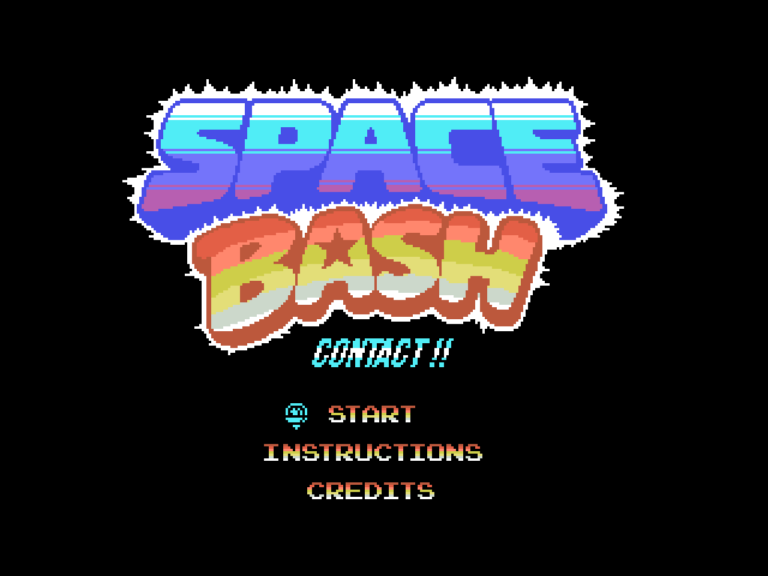
 jaunty rune
50 entries this year🥳 👏🏻
karmic rover


Darkness rises on #MSX2.
︀︀Nightstalker awakens. La oscuridad regresa en #MSX2.
︀︀Nightstalker acecha. 闇が #MSX2.に蘇る。
︀︀ナイトストーカーが目覚める。#msx #metroidvania #dracula
 FxTwitter
·
cloud cradle
FxTwitter
·
cloud cradle
The MSX homebrew community is beyond amazing
I started discovering the system recently and I'm impressed
karmic rover
Yes very active 👍
 waxen zephyr
Hi guys, I am trying the msx2 molekula variant of the msx1 core on my qmtech with no luck. I have MSX1_MSX2_20230621.rbf file on the _Computers folder. I have also the Bios in msx format, like Sony_HB-201.msx in the games/msx1 folder. I am getting a back screen when booting the core. Any help would be appreciated
Msx and msx1 cores work well
 cloud cradle
My script didn't generate that particular bios, but it shouldn't matter I guess
How big are your .msx and cart_fw files?
I just realized, the Sony HB-201 is an MSX1 machine, have you tried with a different one?
waxen zephyr
I have some of them in the same folder. Just get a black screen when booting the core. I don't know if I have the right bios in the right folder.
cloud cradle
Also, isn't that version of the core a bit old? Might be a good idea to try a newer one
cloud cradle
waxen zephyr
I have some of them in the same folder. Just get a black screen when booting the...
supposedly they should be at /games/MSX1, but I have them in another folder inside and they work too
I've tried the 23.06.23 version of the core and it boots but doesn't let me open the mister menu for some reason 🙄
waxen zephyr
That is the only rbf that I found. 2023, yes, a bit old. What are your bios files? What are the extensions .msx?
cloud cradle

GitHub
Computer MSX1. Contribute to MiSTer-devel/MSX1_MiSTer development by creating an account on GitHub.
Pick the latest version from here, there is also a script to generate the .msx files you need for the core, it's a bit tricky
waxen zephyr
Thank you!
I found some .msx files on archive.org some Philips msx2 a Yamaha and a Sony
cloud cradle
I didn't manage to make it work until I generated my own, none of the files I found uploaded elsewhere worked. That and a lot of patience and help from a couple people here on Discord ❤️
waxen zephyr
It is a bit difficult, not so much information for this core
cloud cradle
Download this too, that's the tool to create the files, read the .xml files to learn what you need
waxen zephyr
I am an old school msx user, the main msx core on mister based on OCM is not my cup of tea
cloud cradle
I had the same problem with the OCM core, I started using the Molekula ones and now I just bought my first MSX
Sorry this is the link
GitHub
Computer MSX1. Contribute to MiSTer-devel/MSX1_MiSTer development by creating an account on GitHub.
waxen zephyr
Molekula msx1 is perfect for me as it is based on the VG8020, the computer of my childhood 😀
cloud cradle
Also notice that there are 2 MSX2 branches, MSX2 and MSX2TEST, each one has its own toolset and needs diferent .msx files
I linked you the main MSX2 branch on both occasions
cloud cradle
IT is, I needed a lot of help 😅
If you scroll a bit you might find useful info on this chat from when they helped me
waxen zephyr
So, the one you linked first is msx2, not msx2tester
cloud cradle
Yes, it's the most current
waxen zephyr
I am going to try right now
cloud cradle
Good luck, and come back if you need help!
waxen zephyr
Thank you very much
No luck... These releases replace the regular msx1 core? If I put the last one of the link that you told me then I have 2xmsx1 cores
 polar spear
waxen zephyr
No luck... These releases replace the regular msx1 core? If I put the last one o...
polar spear
waxen zephyr
No luck... These releases replace the regular msx1 core? If I put the last one o...
I think the MSX2 core is still called MSX1 for some reason
cloud cradle
I renamed them to MSX2 and they still work
@polar spear there is a WIP MSX2 branch of the core
polar spear
cloud cradle
<@243180003288809472> there is a WIP MSX2 branch of the core
Yeah. I know. It's an MSX2 branch but the rbf file is still called MSX1
waxen zephyr
I just rename the one that I just downloaded and keep the one that is working for msx1
 cloud cradle
Configs should interfere with each other for the most part, but sometimes the border option does between them for some reason
So if you boot the MSX1 core after fiddling with the MSX2 one and you get a black screen, it might be the border option
polar spear
cloud cradle
Configs should interfere with each other for the most part, but sometimes the bo...
If you wanna fix that, you can create an MGL file
waxen zephyr
Now the regular msx core based on OCM just disappears 😂
cloud cradle
That shouldn't happen 🫤
polar spear
<mistergamedescription>
    <rbf>_Unstable/MSX2</rbf>
    <setname>MSX2</setname>
</mistergamedescription>
RBF files are basically shortcuts. If you use the "setname" parameter it means that when you launch the shortcut it'll create a separate config file for that shortcut
waxen zephyr
At least I have the msx1 working

 cloud cradle
waxen zephyr
I just rename the one that I just downloaded and keep the one that is working fo...
cloud cradle
waxen zephyr
I just rename the one that I just downloaded and keep the one that is working fo...
Are you sure the OCM core isn't in another folder? I can't see it anywhere in this picture
waxen zephyr
It was there, but just gone
cloud cradle
Did it ask you to overwrite anything?