#❓ask-a-question
1 messages · Page 147 of 1
 ripe quest
 low prairie
Hey, in Photoshop my brush feels choppy/laggy.
The cursor moves smoothly, but the actual paint stroke lags behind in little jumps, like it’s trying to catch up.
I have a pretty stacked PC, and my performance settings are fine. Can anyone help me please?
 glacial wave
yoo this is maybe an bigger qeustion but could smb teach me how to creat a banner that looks cool
 viral palm
low prairie
Hey, in Photoshop my brush feels choppy/laggy.
The cursor moves smoothly, but th...
viral palm
low prairie
Hey, in Photoshop my brush feels choppy/laggy.
The cursor moves smoothly, but th...
Do you have any value in "Smoothing" box? If so try to reduce the amount to 20% or less...

@low prairie : high smoothing value combined with low spacing can give you "laggy" brush stroke (even more so if you use a large brush).

 sly hawk
What maniac has the layers panel on the left? 🙂
(to be fair, it kinda makes sense, since that's where the other buttons are too) 🙂
low prairie
viral palm
Do you have any value in "Smoothing" box? If so try to reduce the amount to 20% ...
Smoothing is set to 0 and spacing set to 1%
viral palm
low prairie
Smoothing is set to 0 and spacing set to 1%
And it does the same what ever brush you use?
low prairie
viral palm
And it does the same what ever brush you use?
Yeah
Its like slight lag that just makes it feel 'cheap'. its really difficult to explain.
viral palm
sly hawk
What maniac has the layers panel on the left? 🙂
Lol ... Don't renember who but I saw a lefty streamer do this and since I'm lefty too I tried and liked it... He said it saves tome for lefty but tbh I like the idea to get a full height layers panel... But you have a point! We can do the same on the right side...lefties don't think like others😉
viral palm
low prairie
Its like slight lag that just makes it feel 'cheap'. its really difficult to exp...
Are you painting with mouse or graphic pen?
Just to be sure "laggy" or "jaggy" (like shaky stroke)... If it's jaggy => try to increase smoothing value 10 or 20%.
If it's laggy for real (delay between you brush cursor and the stroke display when painting), I'm sorry but I'm running out of ideas...
Maybe someone else will have an idea...🤞
 hushed niche
low prairie
Its like slight lag that just makes it feel 'cheap'. its really difficult to exp...
hushed niche
low prairie
Its like slight lag that just makes it feel 'cheap'. its really difficult to exp...
What is the size in pixels of your document?
low prairie
hushed niche
What is the size in pixels of your document?
tried different sizes, 4k, 1080p, 300x300
low prairie
viral palm
Are you painting with mouse or graphic pen?
Just to be sure "laggy" or "jaggy" (...
graphics pen
I think it just is laggy
just photoshop coded badly :/
 earnest canyon
How would yall go about recoloring parts of a comic panel?

I'm trying to combine two different covers for a comic book issue
removed the logo on both and plan on placing on logo right across the two
but I'm unsure how to start recoloring the bits i've taken out
sly hawk
earnest canyon
removed the logo on both and plan on placing on logo right across the two
Depends on what you want to recolour
oh. the white bits?
earnest canyon
yes
sly hawk
earnest canyon
yes

That would be insanely difficult if you were to manually do it.
But easier if you can use generative fill and some masking and chopping and replacing hands etc
sly hawk
Or easier still... find some guy on the internet who has 15 mins to spare 🙂
Yeah it's not perfect, but not too bad for 15 mins work
 deep citrus
Hello! Anyone know why cant i do this? first photo is of a work i did but in the second one i cant idk why{
1 pic: i add like this lightning with the pincel but now

instead of giving me light it makes full colour

 compact salmon
Hey, I added a stroke to one of my transparent vectors, and it seems to always create these weird white pixels

You can barely notice them, but they become visible when exporting into my game

I couldn't figure out a fix for could anyone help me out please
viral palm
compact salmon
You can barely notice them, but they become visible when exporting into my game
What is the exported format? png? If so 8 bits or 24bits?
Also, could you share a screenshot of the stroke settings? This could help us understand what is happening.
compact salmon
viral palm
What is the exported format? png? If so 8 bits or 24bits?
Also, could you share ...
Hello, I export is as a png
Here a screenshot of the settings of the stroke:

I'm not sure wether it's 8 bits or 24, where am I able to see that?
Threw it into an online metadata viewer, seems to be 8 bit
 viral palm
In the "export as" window...
 compact salmon
Oh strange, that's toggled off for me
 viral palm
compact salmon
Oh strange, that's toggled off for me
viral palm
compact salmon
Oh strange, that's toggled off for me
Does the line visible only your game?
(the white one)
compact salmon
compact salmon
Hey, I added a stroke to one of my transparent vectors, and it seems to always c...
It is definitely more visible in game yeah, but on here you can see some slight white pixels
Maybe that's what's confusing the engine im not quite sure either
viral palm
compact salmon
Maybe that's what's confusing the engine im not quite sure either
it is possible that the game will recompile your original png...
Is it possible for you to share the image of the paw without the outline here? (the png)
 viral palm
compact salmon
viral palm
compact salmon
give me 2 mins I check if I found something...
compact salmon
okk :)
viral palm
compact salmon
okk :)
same paw with same stroke than you exported as png and placed over a 50% grey background.
8bit on the left 24-bit on the right.
I got no white line around but you can see 8-bit contour is more jagged (because 8-bit doesn't handle really well anti-aliasing)
The shared design (with "items" word) seems to be a wat smaller than 1024x1024 if you know the final resolution I would suggest you to export your design at this final resolution and in 8-bit and see if the white line is still visible... Pushing a 24-bit file in a program that will turn it in 8-bit can gives weird result.
 compact salmon
Oh I see, I'm gonna try this out in the morning it's late for me
viral palm
Difficult to explain in chat but 8-bit can't handle semei-transparent pixels (pointed on the screenshot).
I wouldn't be surprised if your game reinterprets these semi-transparent pixels as white pixels.
 compact salmon
viral palm
Difficult to explain in chat but 8-bit can't handle semei-transparent pixels (po...
compact salmon
viral palm
Difficult to explain in chat but 8-bit can't handle semei-transparent pixels (po...
Yeah that might be what it's doing, I've tried doing research but just got hit with a dead end there
Thank you for your time and help I will try again tomorrow, hopefully it will work xD
 tepid flume
is there a way to fix underexposed photos in bulk?
i have a lot of them because i didn't notice my camera settings were off and the photos were important
here's an example (faces cropped for privacy)

 blissful narwhal
how do i make this a silouhette?
hushed niche
low prairie
graphics pen
That might be your issue. Which brand? Up to date drivers? Try to update them, or to roll back…
hushed niche
tepid flume
is there a way to fix underexposed photos in bulk?
Are they shot in raw or jpeg? In both case, I would use camera raw, and copy the develop settings in Bridge…
tepid flume
hushed niche
Are they shot in raw or jpeg? In both case, I would use camera raw, and copy the...
how can i do that?
hushed niche
In Bridge, select a file and hit Ctrl+R (as in Raw) in camera raw, adjust the exposure slider, hit done.
Then select the other files, right-click and select develop settings> apply last settings or something like that.
You’ll then need to re-export the files. Select them all, then go to the menu tools> Photoshop> image processor, select jpeg and a compression, maybe convert to sRGB.
The JPEGs might look correct in bridge once you’ve adjusted them, but you need to “cook in the changes, hence the export at the end.
An alternative would be to select all the files in Bridge, open them in camera raw, select them all (Ctrl+A) in camera raw, hit the auto button, and done, then, the image processor or the quick export.
This video tells you how powerful camera raw can be: https://www.youtube.com/watch?v=TFpJyMxFi_I

Michael Ninness shows us how to use camera raw for easy editing in Photoshop in this “Three Minutes Max” video. From adjusting contrast, white balance, and vibrance to fixing blemishes and artifacts, he demonstrates why camera raw should just be Photoshop’s default workspace.
Three Minutes Max comes from a fun—yet very competitive—se...
 wise cape
The trickiest thing for me when it comes to making thumbnails is finding the right assets / images
if I can't find something using the pen or lasoo tool etc takes far too long
any tips for finding whatever you're looking for?
I mainly make gaming / speedrun related content 💀
hushed niche
And this pdf tells you all the power of Bridge: http://www.photoshopforphotographers.com/CC_2013/Help_guide/PDFs/Imagemanagement.pdf
hushed niche
wise cape
if I can't find something using the pen or lasoo tool etc takes far too long
What do you mean by this? If the asset is not easily selectable, on a good background, removing said bg is difficult?
Tried remove background then harmonize?
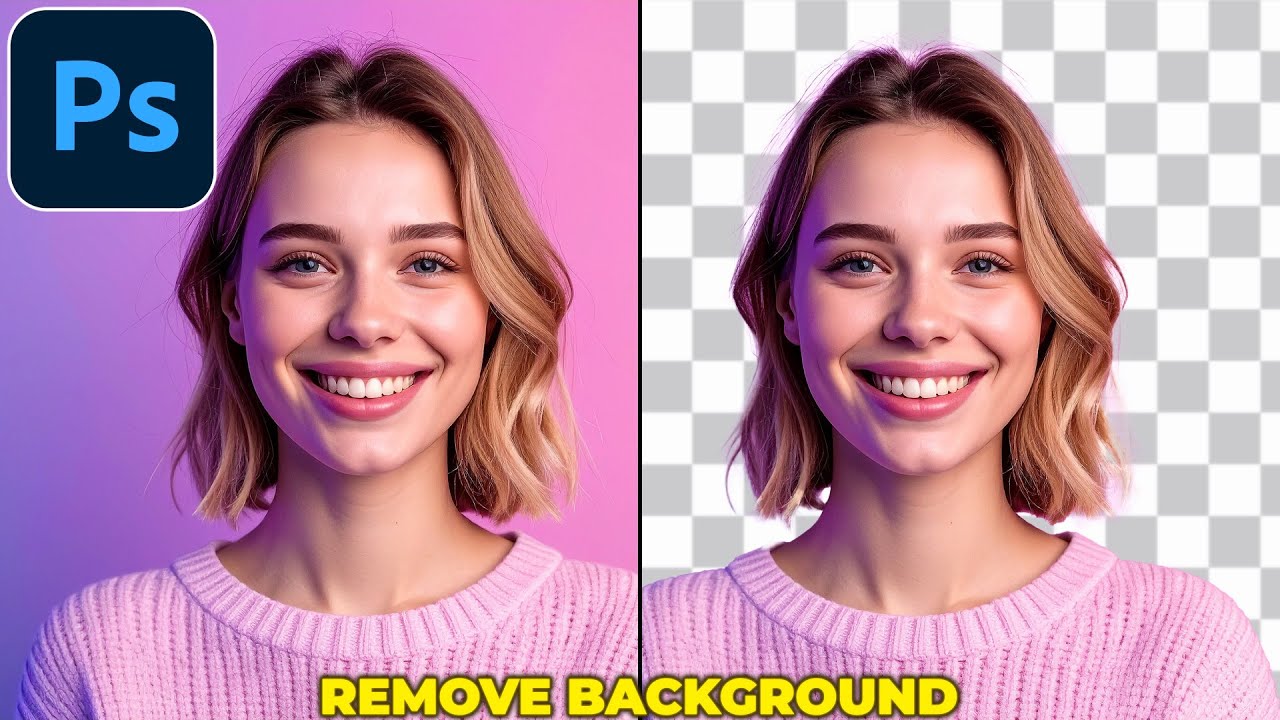
🎬Unlimited Assets: https://1.envato.market/yq72Db
✨Editing Plugins: https://aejuice.com/?ref=SmertimbaGraphics
In this tutorial I show you how to remove background in photoshop. This video includes: remove background in photoshop, remove background photoshop, photoshop remove background, background remover photoshop, photoshop background r...
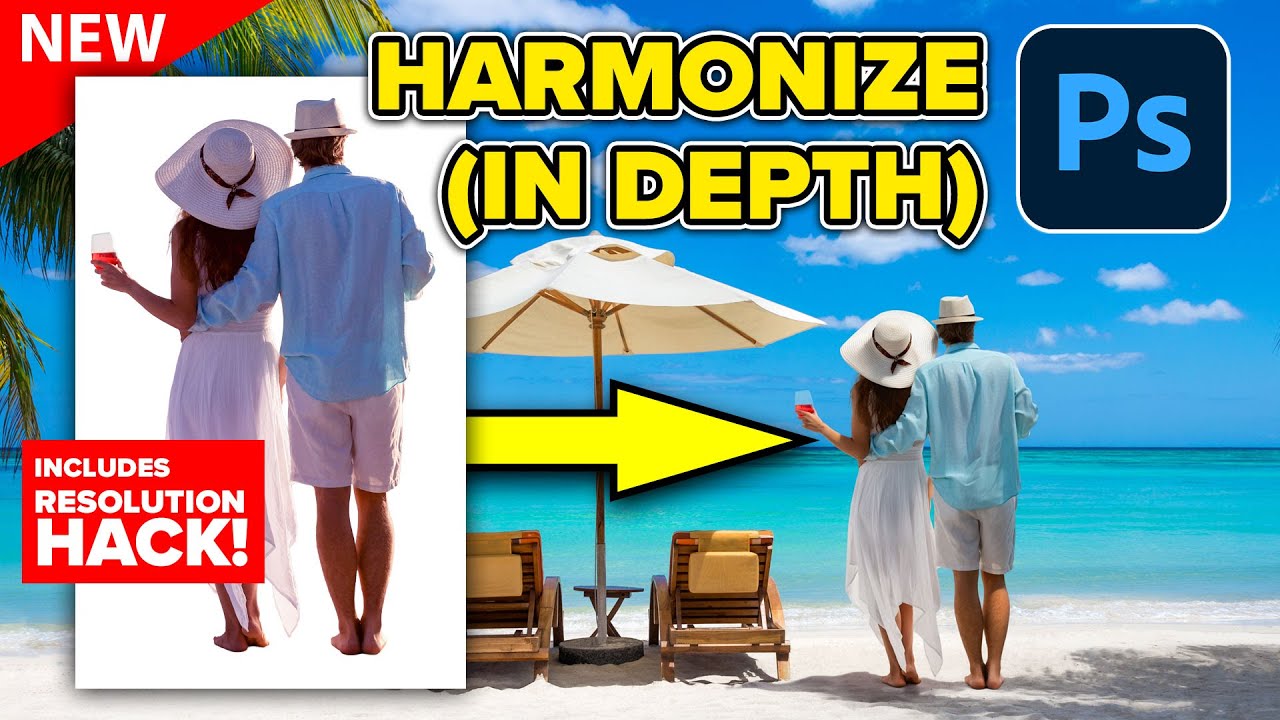
Deep dive into new Harmonize in Photoshop. How to make it work better. Colin Smith shows you how to use the latest Photoshop tools.
00:00 How to get Photoshop Beta
00:38 How to use Harmonize, auto blending, and color
02:38 How does Harmonize work in Photoshop?
03:36 The 2 problems with Harmonize, resolution
05:51 problem with flexibility and ho...
 stiff trail
I do think, at higher resolutions, harmonise is a big win, however IDK how much it costs.
 vapid flume
stiff trail
I do think, at higher resolutions, harmonise is a big win, however IDK how much ...
vapid flume
stiff trail
I do think, at higher resolutions, harmonise is a big win, however IDK how much ...
I seem to remember it's 5 credits per generation...
stiff trail
In real monies
I wonder what the AdobeDollar to GBP is today
Do generative credits roll over month to month?

No, generative credits do not roll over to the next month. Your generative credit balance will reset to your allocated amount on a monthly basis.
This right here... this right here makes me rage out.
Free credit rollover, sure.
But if I give them money, and it evaporates arbitrarily at the end of the month? I'm sorry but that's not on.
Also "Purchase Additional Credits" takes me here: https://www.adobe.com/products/firefly/plans.html
Compare Adobe Firefly plans for individuals, students, teachers, and teams. Get the most from Adobe Firefly by choosing the plan that’s built for you.
That's... a subscription.
I just need 30 more credits.
Pissboiling moneygrubbing foolery.
Pay as you go, so long as it's This Much, for This Long.
- Terms and conditions apply
See there's no reason beyond "Gym Membership Model" for this to be the pricing scheme, and yes I know we're all hostages, and a company can do what it wants, etc etc, but the only reason to force this on users is to collect more from the customers than the customers typically use - Otherwise they'd bill it like a Taxi, per actual km travelled.
Wrong channel for this, I apologise.
Assuming you DO want 2000 credits and you ARE willing to subscribe for a minimum of 12 months, then you're paying 0.5p per credit.
If you only use 5 of them though, that generation just cost you £120 😂
vapid flume
No problem: I get you about the free credits not rolling out. Although it has to be said, most subs models (includng my phone sub here in the UK) don't roll out. I think it has become a defining feature everywhere.You can still take a one month sub for credits and cancel immediately after. If you really need a lot of credits every month, IMHO it's best to get a pro sub instead of a standard...
stiff trail
As someone with both fragile work supply and fragile finances, the idea of paying for a thing you then lose when you don't use it terrifies me.
THat's why I have a £2/pcm minimum phone contract, etc.
vapid flume
Yes, I know... I must say, I don't use that much credits (Out of my 1000 credits, I might use say 150 per month) but I guess if you do video (which I don't) it really can add up
stiff trail
My concern would be over things like Harmonise and upscale that consume a much larger proportion
I usually just use it for fixing hairlines (Its very good at fake hair infill) but when you're throwing 5-10 a go at it you consume them at an alarming rate

 ivory rampart
<@&548221840750018590>
stiff trail
glacial wave
to recreate this
The paint sketch? 😄
glacial wave
yes
how do i make it in photoshop
im rn here , i want to make the white backrgound stick out so the shade is in background

like 3d you know
glacial wave
stiff trail
The paint sketch? 😄
pretty pls help?
 wary roost
how can i reset this color table for indexed mode?
 hushed niche
glacial wave
pretty pls help?
hushed niche
glacial wave
pretty pls help?
To give some depth, I see that you want a marble texture, maybe distorting it to give perspective? But I don’t get what you mean with drop shadows on both sides
 ashen gorge
How can I convert multiple NEF photos to JPG?
glacial wave
hushed niche
To give some depth, I see that you want a marble texture, maybe distorting it to...
um i just wantet the thing to be clearly in background , not a drop shadow
hushed niche
glacial wave
um i just wantet the thing to be clearly in background , not a drop shadow
Can you show an example ? , your sketch is not very telling…
glacial wave
uhm one sec
hushed niche
ashen gorge
How can I convert multiple NEF photos to JPG?
Select them in Bridge, then tools>Photoshop>image processor or use the export panel: https://helpx.adobe.com/bridge/using/export-panel.html
ashen gorge
Thanks!!
glacial wave
hushed niche
Can you show an example ? , your sketch is not very telling…
so like i mean that the white is in front of the colorfull square but like not

man idk how to explain
im sry
ive dones this
 hushed niche
Show a finished image that has this effect… do you mean Perspective, just layers? You could put a drop shadow on the crest that is blurrier on the color than the white?
glacial wave
looks cool but it wasnt my goal
hushed niche
ashen gorge
Thanks!!
You are welcome! I’ve added another method in my post.
glacial wave
hushed niche
Show a finished image that has this effect… do you mean Perspective, just layers...
huh one sec ima try
idk how to do tbh but ima find out
hushed niche
glacial wave
so like i mean that the white is in front of the colorfull square but like not
Square? You mean the rectangle shape with gradients?
glacial wave
yes
glacial wave
hushed niche
Show a finished image that has this effect… do you mean Perspective, just layers...
i cant find one
i do it from mind...
btw those are two assets

the shadow work wierdly bc it makes and shadow on every side
hushed niche
glacial wave
the shadow work wierdly bc it makes and shadow on every side
Are you adding a drop shadow layer style?
glacial wave
uh
what
i dont think so
i found a way to indicate what i mean
its a scetch again tho
 hushed niche
It is more difficult to imply depth when you only have elements parallel to the view. I would simulate depth thanks to the logo, it would cast different shadows on the white and on the gradient.
hushed niche
Take a light, put a piece of paper under and another on top of a thick book put your hand between the light and the top paper, observe the shadows…
 broken geyser
Hello, why can't I save in jpg format anymore?
ivory rampart
File > Export > Export As is not working?
 sacred grove
is there a way to have the stroke options like this without converting text to shape?

 viral palm
sacred grove
is there a way to have the stroke options like this without converting text to s...
viral palm
sacred grove
is there a way to have the stroke options like this without converting text to s...
Unfortunately not in Photoshop...
Layer style is not suitable for the effect you're looking for (without converting text to shape)...
If you can use Adobe illustrator, you can in appearance panel...
viral palm
broken geyser
Hello, why can't I save in jpg format anymore?
What is your image mode?... Bitmap?...
Are you trying to "save as"? If this is the case, try using “Export As” instead. If that doesn't work, please provide us with more details about the file you are trying to export/save and how you are doing it.
viral palm
glacial wave
yeah no idea what you just said there
I would like to help but I don't understand what effect you're trying to achieve... Do you have an exemple to share with us? something you have seen on th internet for exemple... It could help.
glacial wave
um i really just dont have any example
but i made it work out somehow
made smht different cool
sacred grove
viral palm
Unfortunately not in Photoshop...
Layer style is not suitable for the effect you...
Ah thank you, I have illustrator, I just make UI in photoshop
 fluid craneBOT
Gave +1 Creative Carma to @viral palm (current: #7 - 1014)
 placid thorn
Hello folks, never seen this before -
Background of PS suddenly became black. Not the background color, but like the theme of the program itself.
The image also has black so it is confusing where the image begins and ends. How do I fix this?

this all looks normal??
 vapid flume
placid thorn
Hello folks, never seen this before -
Background of PS suddenly became black. ...
vapid flume
placid thorn
Hello folks, never seen this before -
Background of PS suddenly became black. ...
it happens that you can inadvertedly change the canvas color
Right click in that area and you'll be given some choices

Mine is set to default, I think the lighter colour is called medium grey
It's not unusual to right click there by mistake
placid thorn
Thanks! I appreciate it!
vapid flume
placid thorn
Thanks! I appreciate it!
You're welcome (It probably happened to everyone 🙂 )
 chrome tide
Can someone help me reduce light glare on a photo
hushed niche
broken geyser
Hello, why can't I save in jpg format anymore?
You might be in 16 bits, have layers… select save a copy. Or in preferences, you can set legacy save as: https://helpx.adobe.com/photoshop/desktop/save-and-export/save-files/revert-to-legacy-save-as-options.html
vapid flume
chrome tide
Can someone help me reduce light glare on a photo
Do you need someone to do it for you or learn how to do it?
If the latter, post your image here and we will try to assess what needs to be done
if the former, you need to ask in #💬chat-general and if someone is interested, theywill contact you
chrome tide
vapid flume
Do you need someone to do it for you or learn how to do it?
Need someone to do it for me
If someone can do pls dm me
vapid flume
chrome tide
If someone can do pls dm me
Post it where I told you to!
 visual coyote
chrome tide
If someone can do pls dm me
visual coyote
chrome tide
If someone can do pls dm me
Hey dm
 marble panther
ok my friends family traveled to edinburch and had their picture made in front of the castle but there was a ton of people and construction going on. I was able to get ride of most the people and generated a good enough image for the sides but behind them they had construction and part of the building blocked with trailers so I removed all the people to have a clean plate underneat which looks pretty decent but not matter what I try can get a good enough image to replace the front . I even when out on the net to find similar images and tried the gen fill with reference but still got not good responses. I tried auto stacking as well. anyone have any ideas? running to a meeting but will check back later today


 normal mirage
Why is the blend mode opposite of "Multiply" is called "Screen" and not "Divide"?
 tame cape
normal mirage
Why is the blend mode opposite of "Multiply" is called "Screen" and not "Divide"...
tame cape
normal mirage
Why is the blend mode opposite of "Multiply" is called "Screen" and not "Divide"...
Actually, none of the modes mentioned are the opposite. You have to relate the ‘calculation types’ and the neutral colour if you want to find the “opposite” mode. In this case, white is the opposite neutral colour with an otherwise comparable calculation mode. Therefore, ‘negative multiply’ would be the most appropriate opposite blend mode.
 desert merlin
Hey! I need some help. My yearly Adobe subscription just renewed today and I got charged around €500. I didn’t expect it at all. Since the payment happened today, does anyone know if I can cancel it and get a refund? I had bought the first year during Black Friday last year for around 200€ with the student offer and now i have to pay like 500€. Any advice would really help.
I know this is not the right place to ask this but I don't to go threw with adobe assistance etc...
vapid flume
desert merlin
Hey! I need some help. My yearly Adobe subscription just renewed today and I got...
Any questions concerning the subscription has to be asked to customer service since they are the only ones to have access to your account
You can go to your account and see what happens when you try to change your plan...
Manage your Adobe Account profile, password, security options, product and service subscriptions, privacy settings, and communication preferences.
vapid flume
desert merlin
Hey! I need some help. My yearly Adobe subscription just renewed today and I got...
if you paid £200, then it''s likely that you had a promotion and they are usually only for the first year, and it's renewed automatically, unless you cancel before. But I cannot tell you more since they will need an access to your account to tell you exactly what happened and what to do about it
desert merlin
vapid flume
if you paid £200, then it''s likely that you had a promotion and they are usuall...
Thank you for you help!
fluid craneBOT
Gave +1 Creative Carma to @vapid flume (current: #6 - 1088)
 vapid flume
desert merlin
Anyway I think im cooked
vapid flume
desert merlin
Anyway I think im cooked
You can try to negociate something with customer service: You don't try - > you don't get!
desert merlin
And this is the page of someone else

I dont have the green line with the refund thing
vapid flume
Beware that policies depend on countries, this one is from an Indian user, they may be different than yours
vapid flume
You absolutely need to set up a calendar reminder (ie: on your phone) when you take a sub. Everyone is bound to forget, particularly when it's a 12 month thing
vapid flume
desert merlin
Yea maybe
Not maybe, 100% sure
desert merlin
For your first payment
vapid flume
Terms are different here in the UK already
desert merlin
But I dont know if those days apply for the second year of payment
Thats why I was asking here
vapid flume
Anyhow, you absolutely need to contact Customer Service.
It's not a new contract, so honestly I don't know...
desert merlin
vapid flume
You absolutely need to set up a calendar reminder (ie: on your phone) when you t...
That what I did ahahaha 🤡🤡🤡

I should have put it a day earlier
Anyway I will contact the support thx again
vapid flume
Good luck!
 mortal valve
Best thing to do is cancel immediately after signing up once the payment for the month or year has been made if you can.
desert merlin
mortal valve
Best thing to do is cancel immediately after signing up once the payment for the...
Yea but do we loose the access to the app?
 river otter
how to create artwork like this? is thie achievable in photoshop or blender?
 ivory rampart
river otter
how to create artwork like this? is thie achievable in photoshop or blender?
ivory rampart
river otter
how to create artwork like this? is thie achievable in photoshop or blender?
You can do that in both
marble panther
mortal valve
Best thing to do is cancel immediately after signing up once the payment for the...
You can't do that or that shut off access to your account since it's subscription. You have to cancel before renewal
mortal valve
marble panther
You can't do that or that shut off access to your account since it's subscriptio...
Do they refund you for the mo the you didn't use?
 distant epoch
Hello All !
Actually, I try to do some airplane/spaceship 3D renders and find some beautiful background of aerial skies to put behind my plane render (like in the references)
I already have a pack of aerial skies, but I don't really find exactly what I want and I need to expand my collection of images !
Do you know where I can find this type of pictures ? Or find packs too !
Thank's a lot ! 🌹


 kindred dune
Hi all, I am trying to select a color range, but I don't see the option under "Select". I am using the web app. If this is only on the desktop app then can someone please point me to where I can download the desktop app? I cannot find it anywhere on the Adobe website. Any page I find just repeatedly asks me to purchase or do a free trial, but I'm already on the free trial.
 plain plank
Is there a way to keep the location of objects in the same spot of the canvas when exporting photos
Like i want it to be like this

not this

 old oak
i'm trying to remove the person using content aware filling but it comes out so cooked
 vapid flume
old oak
i'm trying to remove the person using content aware filling but it comes out so ...
vapid flume
old oak
i'm trying to remove the person using content aware filling but it comes out so ...
Have you tried with the GenAi fill?
Select the person and choose "generative fill"
 vapid flume
plain plank
Like i want it to be like this
vapid flume
plain plank
Like i want it to be like this
It shouldn't happen (I mean it doesn't happen when I do it: It would be upsetting for me)

I did a little research (2 minutes!) and it seems to be linked to the "export as" legacy being turned off in the preferences. Check it out and see if it resolves it

Assuming you don't use the option Export> Export layers to files, where you can activily choose to trim your PNGs or not.
 wise mauve
Hi, all. Help me figure out the contours in Photoshop layer styles. I open the graph and do not understand what the x-axis is, and what the y-axis is. for example, take the bevel and emboss graph, what the x-axis is responsible for, and what the y-axis is responsible for.
vapid flume
wise mauve
Hi, all. Help me figure out the contours in Photoshop layer styles. I open the g...
Do ytou have experience in how the curves adjustment layer works? (because the theory is the same)
In bevel and emboss you have the ligheer area and the darker area
(called highlight and shadows in the menu
 wise mauve
vapid flume
Do ytou have experience in how the curves adjustment layer works? (because the t...
wise mauve
vapid flume
Do ytou have experience in how the curves adjustment layer works? (because the t...
Yes
wise mauve
vapid flume
In bevel and emboss you have the ligheer area and the darker area
(called highli...
This theory (of curves) works with white and black. But if you swap them (black glare and white shadow) or even take pink and blue, Photoshop gives you an absolutely incomprehensible result.
vapid flume
so in curves: if your line is straight, the darker areas (0 and 0 in the X andY axis) will very gradually blend the the lighter areas (255 and 255 in the respective axis)
If you take a point in the curve and push it to the same X axis but higher in the Y axis it will be abruptely lighter, if you push it at the opposite axis, it will change how harsh the transition is


There is little info about what it does for the layer styles, but you'll find lots of info for the curves adjustment layer: Just take the same information and transfer it to the layer styles
Most important, test things out by moving the points in the curves editor. It makes more sense when you see the changes live in the artwork

We Guarantee that After Watching This Video, You Will Become a Master of Curves!
🚀 Join PiXimperfect Pro - The Ultimate Photoshop Training Course: https://pix.live/pro
Whether it is stylizing your images or matching colors, the applications of Curves in Photoshop are limitless. In this tutorial, we will learn how Curves work and the fundamen...
 wise mauve
Try to take the pink color and put it in the highlights, and the blue color in the shadows and get a slightly strange result.
And with the rest of the contours, as I understand it, the y-axis is transparency, and the x-axis is the distance from the center (0,0) to the end of the shadow.
vapid flume
Yes, a sort of realistic bevel/emboss will have a variation of the main colour (say blue) in the shadows (dark blue) and the highlights (Light Blue)
At a push you can use black and white, although it tends to be less realistic: Shadows and highlights have a colour.
If you put on crazy colours, you will get crazy results
vapid flume
wise mauve
And with the rest of the contours, as I understand it, the y-axis is transparenc...
I am not aware of controling the transparencies with a curve (but also I don't know them all!)
In which case do you think that applies?
wise mauve
I don't know in which case this applies, but I would like to understand everything, and you're right, there's not much material on these topics, and basically everyone uses ready-made contours.
vapid flume
wise mauve
I don't know in which case this applies, but I would like to understand everythi...
I have had my own, but I made them by trial and eroor, because in those layer effects ist's just a combination of many many factors, not just the profiles so it's probably difficult to pin-point an explanation.
The problem with all those AI search summaries, is that now it's difficult to find older, more technical documentation than before. For example, just about any feature had a "white paper" published by Adobe Labs. They stopped doing it, but a while ago you could still find them. Most features weren't obsolete. Now they are just buried in the well that Google is
That's a quick summary, very limited

 worn hornet
i made a custom photoshop brush and can't get it to not be see trough i turned off shape dynamics all my layers are normal mode 100% fill and opacity and so is my brush and im lost even with mouse it still is see trough
vapid flume
worn hornet
i made a custom photoshop brush and can't get it to not be see trough i turned o...
Was the artwork that was used to create the brush semi transparent from the start?
I mean you need it to be 100% opaque otherwise you will never get a full opacity when applying it
worn hornet
vapid flume
Was the artwork that was used to create the brush semi transparent from the star...
ehm the layers are ?
im just practising but it won't stay opace in 1 swipe

1 swipe
 vapid flume
worn hornet
ehm the layers are ?
vapid flume
worn hornet
ehm the layers are ?
Did you keep the original artwork from which you created the layer? Can you screenshot it?
You can have a layer at 100% opacity but still have a semi transparent artwork
Example

Everything is at 100% opacity, but the original artwork was semi-tranparent, the original semi transparency could have been created with orther means than changing the opacity of the layer (a mask, a blend-if, or simply another brush that was already semi transparent)
worn hornet
vapid flume
Did you keep the original artwork from which you created the layer? Can you scre...
im not sure what you mean but both of my art work layers with the blocks are 100 %
o i did not save and lost everything this was the thing i used to make the brush

the edges have 1 pixel feather when i use the brush though for some reason and it aint full opacity
vapid flume
worn hornet
the edges have 1 pixel feather when i use the brush though for some reason and i...
Can you run a levels adjustment layer on that big rectangle and show me what it shows? Like that:

 marsh hedge
 vapid flume
I have heard about it and it looks legit. I think It's more or less that the web version, but as an extention (a bit like a web app)
I'm not 100% sure
You should ask Carissa in the Slack
 reef sluice
i want to combine these 2 pics into one

how can i do it

2 people sitting in the same frame tho
vapid flume
reef sluice
One of them will have to be placed on top of the other in the layer stack, then the top layer's background will have to be masked in order to only reveal the subject. Than place the subject where it belong, possibly paint over the mask to reveal a bit of the shadow how her bum on the stairs to make it more believable

It's day 6 of our series! Today we'll focus on mastering Layer Masks. Learn to create composite images by cutting subjects from their backgrounds, adding new elements, and creating a cohesive final image.
Sign Up for 30 Days of Photoshop (It's FREE!)
https://phlearn.com/playlist/30-days-of-photoshop-2025-edition/
You'll receive a printable ca...
https://www.adobe.com/uk/learn/photoshop/web/create-composite-with-layer-mask?learnIn=1&locale=en-GB
Access Adobe Creative Cloud apps, services, file management, and more. Sign in to start creating.
 loud moat
I'm sure this is really easy but I can't see the setting- I'm in Camera Raw 18.0, I have cropped one image and now want to apply that same crop to other images also open. How would I paste that crop across many images?
Another question is, is there a way to use Auto-Align Layers in a way that allows translation, and rotation? I don't want any merging of perspective, only just translation and a smidge of rotation. Don't see an obvious option. Turns out it was right under my nose as Collage, although seems to be a bit janky so I have to do it one by one
hushed niche
loud moat
I'm sure this is really easy but I can't see the setting- I'm in Camera Raw 18.0...
Hi, copy the develop settings in Bridge, apply it to the other images. (If they have the same orientation)
loud moat
I have to use Bridge and not Photoshop's Camera Raw?
hushed niche
If you want to copy paste settings, yes. Bridge+ACR is a killer combo! http://www.photoshopforphotographers.com/CC_2013/Help_guide/PDFs/Imagemanagement.pdf
hushed niche
loud moat
I have to use Bridge and not Photoshop's Camera Raw?
If they are open in ACR, You can do it from camera raw’s filmstrip : right click and select sync settings.
loud moat
Ah that's the one thank you
 rancid mauve


 tame cape
rancid mauve
today it is not working and used same settings
tame cape
rancid mauve
today it is not working and used same settings
I don't know what do you mean. What exactly isn't working?
different images, different filter, different settings
first post shows watercolor filter on bw image
second post shows stamp filter on rgb image (stamp filter does not work with white/white -> press D one time and try it again)
viral palm
rancid mauve
2 days ago it worked
probably reset your foreground/background color to Black on White ( Shortcut: D) and most of your filters from Sketch group will work like two days ago...
 tame cape
viral palm
probably reset your foreground/background color to Black on White ( Shortcut: D)...
tame cape
viral palm
probably reset your foreground/background color to Black on White ( Shortcut: D)...
Hi Franck
rancid mauve
tame cape
I don't know what do you mean. What exactly isn't working?
different images, dif...
filer settings are same for both images stamp and grain
tame cape
rancid mauve
filer settings are same for both images stamp and grain
again:
… stamp filter does not work with white/white -> press D one time and try it again …
rancid mauve
tame cape
I don't know what do you mean. What exactly isn't working?
different images, dif...
thanks it woked
fluid craneBOT
Gave +1 Creative Carma to @tame cape (current: #14 - 254)
viral palm
tame cape
Hi Franck
Hey! sorry I didn't read your post to the end and didn't see you've already pointed the "D" soluce...
rancid mauve
viral palm
probably reset your foreground/background color to Black on White ( Shortcut: D)...
thanks
fluid craneBOT
Gave +1 Creative Carma to @viral palm (current: #7 - 1015)
 calm horizon
is there a way to make a automatic grid position? like i have 30 layers and would like to have them side by side and below and abovbe eachother evenly
 fading kelp
can sombody photoshop me into a photo please
hushed niche
rancid mauve
today it is not working and used same settings
Hi! The layer stack is not the same in both images. Why do you have so many filters, with only two active? And are you sure that the colors were the same? Edit: I see others mentioned it.
hushed niche
fading kelp
can sombody photoshop me into a photo please
Hi, wrong channel for this; this area is for users asking questions how to use Photoshop, in order to help it. You might try #💬chat-general but again, would you go to a garage to ask for hitchhiking ?
hushed niche
calm horizon
is there a way to make a automatic grid position? like i have 30 layers and woul...
Hello, A script might be of help, like https://stackoverflow.com/questions/77788763/photoshop-script-to-arrange-layers-into-grid
 worldly spoke
hey, I had photoshop for about a year, with a yearly subscription paid monthly, it used to charge around ~10€ monthly, now all of the sudden its about ~18€, I wanted to cancel the subscription, but it said that I ll have to pay 100€ as a “early” cancelation fee, I didn’t cancel anything early, I did the whole year and now I just wanted to cancel it, can anyone please help?
 ivory rampart
You probably started new year without discount
broken geyser
ivory rampart
File > Export > Export As is not working?
Thanks, weird it changed places before it was in save.
fluid craneBOT
Gave +1 Creative Carma to @ivory rampart (current: #27 - 85)
hushed niche
worldly spoke
hey, I had photoshop for about a year, with a yearly subscription paid monthly, ...
Hi, we don’t deal with the accounts here. Contact customer service, ask to talk to a human, explain your situation…
hushed niche
broken geyser
Thanks, weird it changed places before it was in save.
Long time ago, if a file had things a format did not support, it was shown only in save a copy, as it should be, so that you do not lose layers, etc. Then, around cs4, Photoshop 11, they changed it, so that others formats were offered in save as.
Recently, Apple mandated the save to be only for a format that supports all features. So Adobe had to find the workaround of save a copy.
You can go to preferences and enable “legacy save as” to get jpeg even if the file has masks, layers, is 16 bits… but don’t come crying if you’ve lots hours of work because you saved your PSD as a JPEG…
 zenith summit
Hello, please, how do I get this software to stop downloading in my native language? My Creative Cloud is in English, yet PS downloads in my language only and Preferences won't let me change
viral palm
zenith summit
Hello, please, how do I get this software to stop downloading in my native langu...
In CC desktop app => Hamburger menu icon => File =>Preferences => Language => Default install language


Don't know what is your native laguage OS but the hierarchy in panels should be the same...
Also if your photoshop is already installed on your machine with your native language you have to switch language in the app preferences...
zenith summit
Ah yes this option was toggled. I still had to redownload it because it wasn't giving me English in PS preferences
viral palm
@zenith summit : Yes I experienced this in the past... You must install Photoshop in each language to get access to the UI languages option in Photoshop preferences... I did it a lot in the past French/English but found this tedious... Now I keep the English by default even if it's not my native language.
 hushed niche
zenith summit
Ah yes this option was toggled. I still had to redownload it because it wasn't g...
hushed niche
zenith summit
Ah yes this option was toggled. I still had to redownload it because it wasn't g...
Yes, it’ll be a fast d/l
 lunar belfry
i've got a more general adobe question
if i want to gift someone 1 year of lightroom
how can i do this?
i see amazon sells it

Adobe Lightroom 1TB | AI-assisted photo editor | 12-Month Subscription with auto-renewal |PC/Mac | Digital Download
but its unclear if i get a code or what the deal is, and will it be tied to my amazon account somehow? - i dont want this obv
does the adobe website provide an easy way to gift someone adobe products?
if there's somewhere better i can ask lmk
also it says it renews, i also would not want that i just want to gift 1 year
hushed niche
Normally Adobe subs are tied to your Adobe id, an email that you choosed to associate with it. I’d contact Amazon to see if it works “normally “
viral palm
@lunar belfry : also, to add what @hushed niche said, even if it's a gift the beneficiary will certainly need to enter a payment method and keep an eye on the renewal/cancellation date if they do not want their subscription to be automatically renewed/billed.
The automatic subscription renewal process has been the subject of much criticism towards Adobe... And not necessarily without reason.
If you don't want your gift to become a poisoned chalice, remind the person you are giving it to to:
1- read the terms and conditions carefully and,
2- set a reminder so they don't forget the renewal/cancellation date...
Point 2 is really important (particularly when it's a gift)...
lunar belfry
yes
this makes things unfortunatly more complicated
i want to have it as a giveaway for a photography contest
worst case, i just do a amazon giftcard
 inner jasper
Hiii
I have to complete an exam assignment, but it's in German.
I'm retraining as a digital and print media designer, and the assignment is very difficult for me because I've never used Photoshop before.
Could anyone help me? Maybe someone from Germany? 😢 😂
lunar belfry
not from germany, but if you share your question here i'm sure we could help
viral palm
lunar belfry
i want to have it as a giveaway for a photography contest
I understand... But unfortunately most of moderators here are not Adobe employees but Photoshop users...
You can try to get more info from Amazon/Adobe...
... I think it could work but it is important that the beneficiary is informed about how their subscription works.
I've seen/heard a few people who don't really use the app complain about being automatically billed even though they don't use it...
Automatic renewal is usually clearly indicated but often overlooked by occasional users...
lunar belfry
yes, thanks i apreciate it :)
inner jasper
lunar belfry
not from germany, but if you share your question here i'm sure we could help
Can i DM you? Quite big Task tbh and i need to translate it in english
lunar belfry
i dont have time for a huge task at the moment
is there a software you are used to?
inner jasper
Its an Composing. I need to replace a few objects. Not more tbh.
Yea the Adobe programs
For me its big xD
hushed niche
inner jasper
Can i DM you? Quite big Task tbh and i need to translate it in english
I don’t get it, you do not speak German, but took a class in Germany?
hushed niche
inner jasper
Can i DM you? Quite big Task tbh and i need to translate it in english
Why DM? Ask here, if someone can help, they’ll help…
inner jasper
I do speak German but i need someone in the same language to describe the task because its hard to translate in English.
viral palm
inner jasper
I do speak German but i need someone in the same language to describe the task b...
If I understand correctly, you are looking for someone who speaks German to help you via private messages.?
If so please use #💬chat-general and describe clearly what you're looking for. If anyone is interested, they will come forward.
This thread is dedicated to question about how do things in photoshop.
vapid flume
lunar belfry
yes, thanks i apreciate it :)
Part of me is thinking that if the end user is not inputing their card info on the website, their sub will end abruptly (not without warning though) without them being charged.
See screenshot: I've let my Behance Pro sub lapse, and I never had my payment info logged in.

That said, I would absolutely ask customer service for the real info. We aren't Adobe employees so you can't have a legal advice from us
lunar belfry
vapid flume
Part of me is thinking that if the end user is not inputing their card info on t...
yah i looked into it a bit more. this was burried at the bottom of the amazon listing

by the sounds of it
its exactly what i'm looking for
worst case, yes i will warn the recepiant of this to be mindfull if they have to enter their card details
vapid flume
Also: I had a giveaway from Adobe for an event I was co-running, and the person who won the stuff (from Adobe) had a a full run in of what they needed to do. I mean, they need to take a little responsability.
If it's not for a friend etc, then honestly, it's on them to be sure they take all precautions
vapid flume
lunar belfry
worst case, yes i will warn the recepiant of this to be mindfull if they have to...
From experience (but it may have changed) if they have a valid code, they don't need to enter their payment info
lunar belfry
ok gotcha
yes i've also partcipated for adobe sponsored events in nyc, and recieved some adobe codes from them for volunteering, but my job pays for mine so i gave them to friends
good idea
i'll check in with them 
but i dont believe they had to enter card into
it was just a few steps to follow
and also it was not a regular code, i think there was a special link to go to specifically connected with the event, idr the details 100%
but anyway
viral palm
vapid flume
Part of me is thinking that if the end user is not inputing their card info on t...
You reminded me to check I didn't add payment method for my Behance pro too... Ouf!!!😅
Thanks Sandrine!
fluid craneBOT
Gave +1 Creative Carma to @vapid flume (current: #6 - 1089)
 surreal ether
how much should i charge for a logo?
 hushed niche
/pedant hat on… those are not logos but special effects or maybe titles. A logo is the creation of a distinctive mark for a brand, a concept that can work in black and white, in reverse, and can be used on different supports, etc.
vapid flume
viral palm
You reminded me to check I didn't add payment method for my Behance pro too... O...
Ah, glad I nudged you!
surreal ether
hushed niche
/pedant hat on… those are not logos but special effects or maybe titles. A logo ...
Whatever, they don't have a specific name so we call them logos in my field. And that wasn't my question
viral palm
surreal ether
how much should i charge for a logo?
Price depends on lot of points: the time you spent creating them, and how much you want to charge your time (work hour rates) and above all, most importantly the price of the market/competition...For exemple, you could be in competition with designers from other country with a way lower hour rate than yours.
Unfortunately, I don't think we can give you a clear and definite answer.
surreal ether
viral palm
Price depends on lot of points: the time you spent creating them, and how much y...
yes I know that, however time does not matter for the buyer, just the finished product. If my titles look better than somebody who charges 50$ for one, it does not matter if i make one in two minutes. Plus, time can vary dependent on what im making, and i cant vary prices much on fiverr. But you're right, i asked the wrong question. How much money would you be willing to pay for one if you needed it for your hypothetical video game?
viral palm
surreal ether
yes I know that, however time does not matter for the buyer, just the finished p...
If you can make one in 2 minutes, 50$ for one => approximately $48 margin!
That is a Freaking good price for you...as long as you find client and he doesn't know it took you 2 mins.
...Sorry, I'm not sure I can be of much help with this type of work, as I have no idea what the average market price is for this type of design...
I can just give you some advice: if you want to sell something, you can't really stray too far from the prices offered by your competitors, unless you think your products are really better and justify a higher price... Selling something better than the competition at the same market price could work, but there are no guarantees.
Be aware that some people use a different business model, selling at ridiculously low prices to generate sales and fight off the competition... You know, you're swimming with sharks.
stiff trail
"As much as you can get".
 maiden tundra
👋
 stone hamlet
hi, may i please know why this had happened to my photoshop?

i couldnt open my adobe illustrator too
 ripe quest
stone hamlet
hi, may i please know why this had happened to my photoshop?
ripe quest
stone hamlet
hi, may i please know why this had happened to my photoshop?
Open the Adobe Creative Cloud Desktop App and sign in to your Adobe Account.
If you're already signed in. Sign out of the app. Reboot the computer and when it comes back up, sign in to the CC app again.
stone hamlet
i only have these i dont have the "master" app its gone missing..?

i searched for it i couldnt find it
ripe quest
Hmm. What about re-installing it?
stone hamlet
oop sorry so i found it but when i clicked on it to open it it wouldnt open
found it by trying to install a new one but it said the app already exists
ripe quest
stone hamlet
found it by trying to install a new one but it said the app already exists
What about what I said above. Sign out/log out of the Creative Cloud app. Reboot. And when the OS starts back up, open the CC app and sign in again.
mortal valve
viral palm
If you can make one in 2 minutes, 50$ for one => approximately $48 margin!
Tha...
#shorts
Want a deeper dive? Typography, Lettering, Sales & Marketing, Social Media and The Business of Design courses available here:
https://thefutur.com/shop
🚀 Futur Accelerator
The step-by-step blueprint and coaching program designed to get your creative business off the ground:
https://thefutur.com/accelerator
🥇 Futur Pro
The profe...
stone hamlet
ripe quest
What about what I said above. Sign out/log out of the Creative Cloud app. Reboot...
i couldnt open the app.. seems like a bug
hushed niche
stone hamlet
i couldnt open the app.. seems like a bug
Hi, did you restart the computer, as indicated? Try this, also https://community.adobe.com/t5/download-install-discussions/reset-the-creative-cloud-desktop-app-to-solve-login-and-licensing-issues/td-p/10573237
https://community.adobe.com
Hello, I just wanted to pass along a quick tip that I've been using to solve a number of intermittent issues that our customers have been reporting. The Creative Cloud desktop app has a key command that will relaunch and reset the application. You may want to try this first before calling support i...
stiff trail
I wonder if that solves it taking 90 seconds to display my two apps...
 slate adder
Hi
vapid flume
mortal valve
https://youtube.com/shorts/S98s1Gd53y4
I would say it makes sense in certain situations: When you can predict what the scope of work will be. I will state an example
Say you are contracted to take over a company photo archives, with the aim of flagging the best ones to be worked on for an e-commerce website. Then you have to label them, deleting those that are blurry etc, and add metadata and copyright tags to them (That means researching who photographed them)
How do you estimate that? It's impossible, in that case you bill by the hour.
If you are charging for a set outcome based on a detailled brief, then it makes more sense to charge for the outcome (+ but not limited to: usage rights)
If people work through freelancing platforms, they can set up "projects" (names will vary) when they say "a full logo + identity + manual" -> $1500, based on a precise set of questions that will inform the brief, and then st up a system of add-ons for everything that comes on top of the base pricing.
I have never done that, because in my line of work, I found that the time spent between someone who wants a "simple" retouching versus what reality is, is really wild. So I will quote based on what I think it will take me to do it + the "price of my expertise" if it's a very complex project, and also the type of project that is (It's a complex calculation), but in a sense, the more complex the project is, the more time you'll spend on it so - even if it's not framed like that to the client - the time you spend working on it has certainly an impact on the price.
Since I'm a retoucher, I don't have royalties, nor usage rights to worry about... It's a different minefield
BTW all that Chris Do says isn't the pure truth. He talks about a completely different business model than creating logos on freelancing platform websites. He tends to grate me the wrong way as well sometimes 🙂
 halcyon lagoon
Hello! how do you stretch a text?
viral palm
mortal valve
https://youtube.com/shorts/S98s1Gd53y4
Sorry but you are sharing with the wrong guy... I have no problem with my charging fees😉 .
I think I said nothing wrong and, more or less what he says in the video (if you catched I was a bit sarcastic with margins and client reference)... By the way, if you have more good info like this I would suggest you to share them with the user who asked for help...
vapid flume
halcyon lagoon
Hello! how do you stretch a text?
Generally by "transforming it" (CTRL+T), but you have other solutions like acting on the spacing and stretching in the character panel, or outline it and move points on the newly created shape.
It would help to know what exactly you want to do...
@halcyon lagoon No DMs please, just post your question publicly!
halcyon lagoon
I want to make the text go downwards because I want it to look bigger but I don't want it to touch the sides of the canvas when generally sizing it!
And sorry for the dm 🙇
vapid flume
Can you post a screenshot of your text WITH the layers panel open? That will saves us the back and forth asking if it's an editable text etc..
vapid flume
halcyon lagoon
And sorry for the dm 🙇
No problem!
Solutions will depend on the actual way the text have been made
halcyon lagoon
Hello! sorry for the late reply because I had to hide some things because it's a publication material huhu I'm really sorry
 viral palm
vapid flume
BTW all that Chris Do says isn't the pure truth. He talks about a completely dif...
viral palm
vapid flume
BTW all that Chris Do says isn't the pure truth. He talks about a completely dif...
Best is to take some different advice and forge our own business model... By the way, the inital question was about how to charge for designs that will be in competition with "fiverr" things... I don't think a complex business model is really necessary in this case...
halcyon lagoon
halcyon lagoon
Hello! sorry for the late reply because I had to hide some things because it's a...
Oh nvm someone dmed me a tutorial on the stretch effect but thank you tho for the willingness to help Sandrine!!!
vapid flume
No worries!
Anyways you still didn't show the layers panels so...
halcyon lagoon
wait really,,, 😭
vapid flume
halcyon lagoon
wait really,,, 😭
Here is a screenshot with the layer panel open. In it, I can see the text is a live text layer. That means I can act on the character panel, I also know that I can outline it so I can stretch the paths with my direct selection tool.

 halcyon lagoon
Oooo
vapid flume
We will often request you posting a full screenshot of the whole interface... WHY? because there is so much we can read just by looking at stuff: For example "my filter is greyed out!". I will see that you're in 16bits just by looking at the title of your document and I will tell you to image>mode>8 bits and your filters will work
Why people are so squeamish with posting full screenshots remains a mystery to me.
I want to see all this 😁
 halcyon lagoon
Okii I'll take note of this when I need help next time!
halcyon lagoon
vapid flume
Why people are so squeamish with posting full screenshots remains a mystery to m...
Well for my case I never know if my batchmates are here and they see an unfinished publication material for school,,,, that could be a bit troublesome but oh well 😭 better safe than sorry Ig,,,
Thank you for the help Sandrine!!
vapid flume
halcyon lagoon
Okii I'll take note of this when I need help next time!
No problem, it just makes life really easier for everyone; For us, because we don't have to ask questions and try to extract information from you, but also that means you can have a solution with just one answer and go back to your usual day.
There is also the issue that people (me included) sometimes don't know how to phrase things; ie, you don''t know the right jargon, workflow whatever. Try going a Google search for an element in a menu when you don't know how a menu is called!
By posting a screenshot, there is a good chance people will know what the issue is without having to explain in details...
 zealous atlas
hey guys my student account for adobe ran out. is there any way to bring over my photoshop files into a different account?
ripe quest
zealous atlas
hey guys my student account for adobe ran out. is there any way to bring over my...
Contact Adobe Customer Care. They should be able to help with that.
viral palm
zealous atlas
hey guys my student account for adobe ran out. is there any way to bring over my...
I don't think it's possible if the account that contains Photoshop files is closed... but you can ask Adobe customer care:https://helpx.adobe.com/support.html
 edgy charm
So what was the effect used to turn the cat from the first pic to the cat in the second

 ivory rampart
Hmm walls are distorted so probably distort tool
viral palm
edgy charm
So what was the effect used to turn the cat from the first pic to the cat in the...
Hard to say exactly but I would say some liquify filters (forward warp, pucker and bloat tool)... The smudge tool could also be used.
I don't think there is a one click way to do this... Any of tools named above need skills and work to get this result.
broken geyser
Hello, do you know if there's a community for InDesign?
viral palm
broken geyser
Hello, do you know if there's a community for InDesign?
Unfortunately (as far as I know) there is no InDesign Discord Server.
If you have questions about InDesign you can use the Adobe InDesign Community page: https://community.adobe.com/t5/indesign/ct-p/ct-indesign
Also, Some of Adobe Illustrator users are familiar with InDesign so you can try to ask kindly on this server: https://www.discord.gg/adobeillustrator
broken geyser
thank you
mortal valve
viral palm
Sorry but you are sharing with the wrong guy... I have no problem with my chargi...
It was in response to your "don't like the customer know it took two minutes" which I think the video is a pretty relevant response for.
If the customer gets mad or wants to pay you less because it "only took you two minutes" then they don't appreciate your skillset and they're punishing you for being good like he says in the video. The customer is paying for the fact that you can make something they like in two minutes.
You do it faster and they like it, you should get paid more. Don't see why you need to hide that from the customer. It's valuing your own skillset less.
viral palm
mortal valve
You do it faster and they like it, you should get paid more. Don't see why you n...
No problem! I think we are are on the same page! 😉
mortal valve
Alright cool
Also for what its worth I have no idea who that guy in the video is seems as others have suggested he isn't the best. I just remember seeing that clip and found it made sense.
 austere slate
hey, how can I make something like this in photoshop?
 viral palm
austere slate
hey, how can I make something like this in photoshop?
viral palm
austere slate
hey, how can I make something like this in photoshop?
Turning your text layer in a Smart object then use Liquify filter or Warp Distort option are the two ways that came to my mind...
 cosmic scroll
austere slate
hey, how can I make something like this in photoshop?
cosmic scroll
austere slate
hey, how can I make something like this in photoshop?
I think it could also be done with spherize. In Filter > Distort > Spherize. Looks like the bottom of the text is mostly flat, so if you want it to look as close to that example as possible you could line up the bottom of the text with the center so it doesn't get affected as much. Obviously you can play around with it that's just a rough example.

 viral palm
cosmic scroll
I think it could also be done with spherize. In Filter > Distort > Spherize. Loo...
viral palm
cosmic scroll
I think it could also be done with spherize. In Filter > Distort > Spherize. Loo...
I agree with you. Spherize filter could be an option too but since this filter is really old and never been updated it's not as friendly as "Liquify.../Bloat" to use (IMO)... but it may work too.
mortal valve
viral palm
Turning your text layer in a Smart object then use Liquify filter or Warp Distor...
I don't remember exactly how because it's not something I'd do but isn't it also possible to draw a path or line and then make the text follow that?
cosmic scroll
mortal valve
I don't remember exactly how because it's not something I'd do but isn't it also...
Yea with the type tool you can click on a path and it will follow that. In this case it wouldn't really achieve the same effect as the example though. But worth knowing.
 mortal valve
cosmic scroll
Yea with the type tool you can click on a path and it will follow that. In this ...
mortal valve
cosmic scroll
Yea with the type tool you can click on a path and it will follow that. In this ...
Ah I see thanks. So its not possible to do 3D paths.
fluid craneBOT
Gave +1 Creative Carma to @cosmic scroll (current: #1029 - 1)
austere slate
OK
austere slate
cosmic scroll
I think it could also be done with spherize. In Filter > Distort > Spherize. Loo...
and do anybody know what font is this?
 cosmic scroll
austere slate
and do anybody know what font is this?
cosmic scroll
austere slate
and do anybody know what font is this?
Not sure but it could be similar to helvetica. Likely something with a condensed version. Or they manually squished it horizontally too before doing the bulge effect. They might have also reduced the space between the characters like with the character panel
 viral palm
austere slate
and do anybody know what font is this?
viral palm
austere slate
and do anybody know what font is this?
Hard to say the exact Font but It's probably a Sans-Serif Bold and Condensed Font with a cranked up Vertical scale...
Acumin Pro Condensed, Bebas Neue Pro, Helvetica...etc.

 floral rune
I am looking for three full color caricature drawings of my family as a special Christmas gift.
Requirements:
- 3 caricature drawings
- Full color
- Custom background associated with each caricature - There are suggestions for each caricature.
Ideal skills and experience:
- Anyone with experience creating caricatures
- Full-color illustration proficiency
- Custom background design ability
Please provide a portfolio of similar works, expected budget, and timeline.
If you are very interesting about this project, Plz DM me.
viral palm
floral rune
I am looking for three full color caricature drawings of my family as a special ...
Please don't post the same message on several chanels...
#💬chat-general is the good plce for this type of request.
sacred grove
viral palm
Hard to say the exact Font but It's probably a Sans-Serif Bold and Condensed Fon...
how did you get this on the bottom, the design

 crisp cairn
I need help my finals are due for a photoshop assignment and i'm having an issue with this part of the photoshop


you can see there's an obvious border there
i'm trying to make it fade into the star skies but nothing is working
if anyone can help me it would help so much

gets very obvious when i activate the moonlight glow
crisp cairn
can anyone please help? my assigment is due in 2 days and i have work tomorrow so I dont have much time to finish this
mortal valve
crisp cairn
you can see there's an obvious border there
What border? The hard edge of the moon?
crisp cairn
crisp cairn
Over here
crisp cairn
mortal valve
What border? The hard edge of the moon?
You can see that there’s a line between the sky near the moon
mortal valve
Where the noise ends?
Its really hard to tell what you're referring to in that image unless you send another screenshot with it hilighted. There are multiple issues such as the banding in the glow gradient too.
crisp cairn
mortal valve
Its really hard to tell what you're referring to in that image unless you send a...

The line there
I tried blurring, masking and nothing works to make it blend well
mortal valve
That seems to be where the noise in the background comes to a hard stop not a solid line per se.
Personally I'd select the background above it and generate noise and try to match it or select the entire background, de-noise or apply blur and then generate new noise over top.
mortal valve
Because you have noise then it suddenly stops. So it's more that you're seeing the difference between the textures changing so harshly.

Also the banding here you can mitigate by setting the image colour depth to 16 bits per channel. Amd / or Or using blurring techniques
 mortal valve
Also this is unsolicited but personally I'd make the edge of the moon softer or moon type thing. I don't know pokemon sorry.
crisp cairn
It’s alright
My goal of my assignment is to recreate an movie poster with original images
mortal valve
is it moon?
crisp cairn
No I’m recreating the detective pikachu movie poster
viral palm
sacred grove
how did you get this on the bottom, the design
I made a pattern with Photoshop tools icon then use it to create an overlay that hides my taskbar in OBS.
sacred grove
viral palm
I made a pattern with Photoshop tools icon then use it to create an overlay that...
oh nice w
hushed niche
mortal valve
That seems to be where the noise in the background comes to a hard stop not a so...
I think you are right. oP could create a layer mask to soften the transition between the noisy area and the noiseless one.
hushed niche
viral palm
I made a pattern with Photoshop tools icon then use it to create an overlay that...
I’d buy a shirt with this design in an heartbeat…
 fossil locust
How do I remove backgrounds cleanly, I tried using the lasso, but I couldnt get the shape right, I saw people perfectly cutting out the edges, Im new to photoshop and came here for tips 
 finite sun
Im trying to smooth out the sides of my dogbone for my logo, How can i mask while still having smooth edges after the fact?

like its just mad bumpy and not smooth.
 ivory rampart
Why not use vectors?
It will be sharp and you can blur edges as needed
It should be easy to trace this logo
sly hawk
finite sun
Im trying to smooth out the sides of my dogbone for my logo, How can i mask whil...
As already said, you need to redraw it using the pen tool at the very minimum.
sly hawk
Or perhaps if you use illustrator, with shapes you can get a more 'balanced' logo that isn't drawn freehand. - and this way you don't have to stress about using the pen tool.
viral palm
hushed niche
I’d buy a shirt with this design in an heartbeat…
Thanks Pierre-Étienne! You're too Kind!
Let me think about a business model...😉
fluid craneBOT
Gave +1 Creative Carma to @hushed niche (current: #12 - 336)
viral palm
finite sun
Im trying to smooth out the sides of my dogbone for my logo, How can i mask whil...
If you don't have Illustrator you can redraw the dogbone shape with shapes in Photoshop too and use unite shapes/merge shapes components feature to get a smooth contour... It's a little more tedious to do in Photoshop, but it's still doable...
 ripe quest
@slate adder - This is channel for questions about Photoshop. Please don't SPAM images here.
finite sun
viral palm
If you don't have Illustrator you can redraw the dogbone shape with shapes in Ph...
ur real ash
zealous atlas
viral palm
I don't think it's possible if the account that contains Photoshop files is clos...
ah its all good i figured it out
viral palm
zealous atlas
ah its all good i figured it out
Happy to hear that!
 gaunt kiln
Hey all so I am working on a custom box and designing it. According to the site, the box is 22.3 in x 21.3 inches, so I set up a file in PS with those dimensions at 500 ppi. I downloaded a PSD design file at DPI 300 (2250x4000px) is there anyway to increase that image so it isn't so pixilated? or i just need to move on?
 winter jewel
Hey, im really new to photoshop, only making decals and car liveries for assetto corsa. I was wondering if anyone knows or has a tutorial on how to do proper chrome (not chrome-effect, i want actual chrome glare and shine). Referance picture attached.

 main burrow
Hello everyone, do you have any tips for reproducing the texture on the upper part of the shoe? Do I need to draw them by hand or use an Illustrator pattern? Thanks in advance 🙂
 ripe quest
main burrow
Hello everyone, do you have any tips for reproducing the texture on the upper pa...
ripe quest
main burrow
Hello everyone, do you have any tips for reproducing the texture on the upper pa...
Drawing that by hand would be meticulous and time-consuming. Not to mention difficult. I would probably try to make a grid and the Transform > Warp and Distort it into place. Even that would be challenging.
 astral wing
Hey community I need some advice please I hired a company to edit my real estate photos but they exported them with the wrong settings is there a way to fix all these edited images in my Dropbox to these specifications
JPEG quality: 90–100
Long edge: 4000–6000 px
Color space: sRGB
Sharpening: Low or Standard for Screen
No size reduction
No compression for web
Thank you!🙏
viral palm
astral wing
Hey community I need some advice please I hired a company to edit my real esta...
Could you clarify what you mean by "wrong settings"?
hushed niche
main burrow
Hello everyone, do you have any tips for reproducing the texture on the upper pa...
Hi, it seems to me that this was created in a 3D package then overlaid on the sketch.
hushed niche
gaunt kiln
Hey all so I am working on a custom box and designing it. According to the site,...
Hi, working at 500 ppi on a 20”x20” design would bring most computers to a crawl. When you say box design, do you mean packaging?
In design with specialized plugins might be a better choice. Unless the totality of the design has to be painted.
For the upscale, going from 2000px to 100000px is a 50x upscaling. Even the best so upscalers might choke on it.
main burrow
hushed niche
Hi, it seems to me that this was created in a 3D package then overlaid on the sk...
Hmm, perhaps I know some designers who practice those kinds of tricks, simulating fascinating drawing skills. 🤡
 glad raven
hey, I'm working with dithered images for laser engraving and was wondering if there is a way to blend the edges not by fading the images into gray or transparent, but actually removing the dots around the edges
This is what I can get from dissolve blending mode in the layer option but I'd love the edges be even more faded towards the outside. Choosing more pixels for feather doesn't help for this.
 stiff trail
glad raven
This is what I can get from dissolve blending mode in the layer option but I'd l...
stiff trail
glad raven
This is what I can get from dissolve blending mode in the layer option but I'd l...
Will a soft brush with the image mode set to bitmap not do it ?
ivory rampart
stiff trail
Can I buy 100 AI credits?

Compare Adobe Firefly plans for individuals, students, teachers, and teams. Get the most from Adobe Firefly by choosing the plan that’s built for you.
ivory rampart
Run out of credits? No worries! Get more Adobe generative credits to continue using creative AI features in Adobe Firefly and Creative Cloud apps.
Sorry wrong link
 stiff trail
That's... still a subscription.
I just have one job to finish.
And if I know Adobe, that's a 12 month minimum, so those credits are gonna cost me £120
ivory rampart
Welp nothing we can do about it
Personally not happy about subscription but it is what it is
stiff trail
I wonder if we'll see a PAYG service where people with spare credits can pol their resources for people who need indicental generation.
Well it is what it is because people don't make enough noise about it, TBH
ivory rampart
I wouldn’t say that people are not vocal about subs
Adobe socials are full of people that are not happy about it
ivory rampart
Sadly there’s no competition, so it will be this way
stiff trail
Bingo
ivory rampart
Affinity maybe will force some changes but they are still behind in many areas
I was forced to move to affinity for some time
But couldn’t get it to use it
stiff trail
Yes it's still lacking workflow tools I rely on in PS
ivory rampart
Yup it’s not bad app, it just need few years to catch up with PS
Especially in gen fill area
broken geyser
Hello, I'm going to be without an internet connection for a while, how can I use photoshop, indesign, and acrobat, without being connected to the internet please?
ivory rampart
Yes, you can use Adobe Creative Cloud apps (like Photoshop, Illustrator) without constant internet, as they install locally, but you need to connect online at least once every 99 days (for annual plans) for license validation; monthly plans get around 30 days, with longer offline periods requiring periodic checks, and some features like cloud storage, sync, or premium assets need connectivity. The apps work offline, but the Creative Cloud desktop app needs internet for updates and management.
@broken geyser
broken geyser
thank you M4gpul, do you know how to activate the 99 days?
ivory rampart
I think you just have to login once
And then you have 99 days
At least that how it works for game pass and other subs
stiff trail
Is there a current bug with liquify, show all layers, in front ?
There seems to be a scaling issue and it makes the image blurry.
broken geyser
Every time I start an Adobe tool without being logged in, it asks for a login.
stiff trail
Anyone abl to quickly confirm ?
broken geyser
What do you want to test, and how?
broken geyser
stiff trail
Anyone abl to quickly confirm ?
With the opacity setting? Yes, it's a bit blurry, shouldn't it?
stiff trail
Well at that point in the process , it should be a 1:1 overlay
So there shouldn't be any blur.
hushed niche
main burrow
Hmm, perhaps I know some designers who practice those kinds of tricks, simulatin...
I know, most of drawing is top notch anyways, but that part had underlying textures that are very regular. Looks 3D or very very skilled and patient drafter.
hushed niche
glad raven
This is what I can get from dissolve blending mode in the layer option but I'd l...
You need to change the falloff of the edge opacity.
glad raven
hushed niche
You need to change the falloff of the edge opacity.
where do I find that?
hushed niche
broken geyser
Every time I start an Adobe tool without being logged in, it asks for a login.
Are you located in the US? Which kind of subscription do you have? Yearly? Monthly? School?
glad raven
If I use the slider in the blend mode oppacity, the whole image gets transparent
hushed niche
glad raven
where do I find that?
How did you change the edge opacity?
broken geyser
hushed niche
Are you located in the US? Which kind of subscription do you have? Yearly? Month...
no, I don't live in the United States. the subscription is managed by someone else.
glad raven
hushed niche
How did you change the edge opacity?
selected the whole image with the marquee tool, inverted the selection, deleted the edge and on the layer in the blending option I chose dissolve
 hushed niche
“Deleted the edge” did you do a modify selection >select edge or something like this? Maybe switch to quickmask (hit Q) then run levels or curves to adjust the way the selection fades.
hushed niche
broken geyser
no, I don't live in the United States. the subscription is managed by someone el...
Is it in a company?
I would suggest to post in accounts: https://community.adobe.com/t5/account-payment-plan/ct-p/ct-account-payment-and-plan
hushed niche
stiff trail
That's... still a subscription.
Adobe has to scale the purchase of servers according to future generation demands. A subscription helps to estimate it, rather than instant demands.
hushed niche
stiff trail
Will a soft brush with the image mode set to bitmap not do it ?
A brush with lower opacity, set to dissolve blending mode, used on a layer mask is another solution.
stiff trail
hushed niche
A brush with lower opacity, set to dissolve blending mode, used on a layer mask ...
Can you use a layer mask in bitmap mode?
broken geyser
hushed niche
I would suggest to post in accounts: https://community.adobe.com/t5/account-paym...
thank you I posted a message like you said.
fluid craneBOT
Gave +1 Creative Carma to @hushed niche (current: #12 - 337)
hushed niche
stiff trail
Can you use a layer mask in bitmap mode?
Bitmap as one or 0 only? Run threshold on it, then.
If you use the dissolve blend mode for the brush, it should be pure b&w
glad raven
hushed niche
A brush with lower opacity, set to dissolve blending mode, used on a layer mask ...
Will figure out how to do it this way, thanks
fluid craneBOT
Gave +1 Creative Carma to @hushed niche (current: #12 - 338)
hushed niche
glad raven
Will figure out how to do it this way, thanks
Btw, if you click, then shift click, it’ll draw a straight line between the two points. Or position your brush, hold down shift, the draw laterally, you’ll make a perfectly horizontal (or vertical) line.
broken geyser
I don't understand the answer to use adobe offline. is this a joke?
"The safest way is to open programs while you are logged in and then minimize them. once finished, don't close them, minimize them."
but I need to turn off the computer or the program...
if I minimize, how can I log out? It's absurd, right?
broken geyser
what does the response I got mean?
and what happens next is even more astonishing.
"presumably you will be using a laptop so as long as you don't do a restart the computer apps will stay open. ie, if you rarely restart your laptop, you might want to restart it before doing this."
like this to use adobe offline you had to keep the computer on... or did I misunderstand?
ivory rampart
Yeah it has to be on
broken geyser
once he talks to me about a program, then he talks about an application... so those were two different things
viral palm
broken geyser
once he talks to me about a program, then he talks about an application... so th...
For Creative Cloud Desktop Apps (Photoshop, Illustrator, etc.)
Initial Setup: You need an internet connection to install and activate the apps.
Offline Use: Once installed, apps can run offline for a set period (e.g., 30 days for monthly plans, up to 99 for annual) to validate your license.
Validation: The app checks in every 30 days; you'll get reminders to reconnect to the internet to keep using them.
broken geyser
ivory rampart
Yeah it has to be on
the computer cannot be turned off between two disconnected adobe openings? it's madness.
They give me back the old Adobe which works without connection, it's shameful.
ha yes, I don't need tools (AI...) which need an internet connection to work.
viral palm
broken geyser
the computer cannot be turned off between two disconnected adobe openings? it's ...
If your Apps have been activated (with internet connection) you should be able to use them for at least 30days without internet connection...
Who doesn't have acces to internet for more than 30days nowdays?
broken geyser
you ask “who”? Wouldn’t that be more like “what”?
I'm a human, what kind of human needs to be connected to the internet?
I can connect my phone to the internet, my TV to the internet... but humans connected to the internet, excuse me, I've never seen that before.
viral palm
broken geyser
I can connect my phone to the internet, my TV to the internet... but humans conn...
I love sarcasm... Try to connect your computer to the internet and activate your Adobe Apps with an internet connection. Once it's done, you should be able to use them for at least 30days without internet connection (Your Desktop not you).
broken geyser
viral palm
I love sarcasm... Try to connect your computer to the internet and activate your...
It doesn't work, when I disconnect my account, all Adobe tools close.
viral palm
broken geyser
It doesn't work, when I disconnect my account, all Adobe tools close.
You must be looged in your account when you activate your apps with a live internet connection.
You should be able to use the Apps for at least 30 days without an internet connection but you must stay logged in your adobe CC account (even without internet connection).
If you disconnect your account (log out / sign out) adobe apps won't work.
broken geyser
viral palm
You must be looged in your account when you activate your apps with a live inter...
ok thanks, it works, but why do I need to always be connected?
fluid craneBOT
Gave +1 Creative Carma to @viral palm (current: #7 - 1016)
broken geyser
why do I need to always be connected?
Finally it is possible that my desktop will be without an internet connection for a very long time... what should I do?
ivory rampart
Plug it to net at end of cycle otherwise you will be locked out
viral palm
broken geyser
ok thanks, it works, but why do I need to always be connected?
I'm not sure, but I guess it's to make sure the user has a valid subscription... So, if you're still logged in, as soon as you use the app with an active Internet connection, Adobe can verify that your subscription is valid and you should be able to use the app offline safely for the next 30 days (in theory, I've never tried it). Be careful not to exceed 30 days (or 99 days depending on your subscription)! If you do, you may encounter a deactivation issue.
Note: we are all volunteers and not Adobe employees here so if you need more info I would suggest to contact Adobe Customer Care: https://helpx.adobe.com/contact.html
ivory rampart
All subscriptions that are offering offline usage require you to log in at the end of cycle
Otherwise it wont let you use itntill you log back
Personally tested with game pass
broken geyser
sorry I didn't want to make the volunteers work. How come Adobe needs volunteers?
Adobe don't have enough money to pay troubleshooters?
viral palm
@broken geyser No problem at all... More info about "offline grace period" here: https://helpx.adobe.com/creative-cloud/kb/internet-connection-creative-cloud-apps.html
viral palm
broken geyser
Adobe don't have enough money to pay troubleshooters?
I assume they have if you go to the "helpx.adobe.com"... The main goal of this Discord server thread is to help people with "how to do things" in photoshop rather make troubleshooting... But if we can help we do...
hushed niche
ivory rampart
Yeah it has to be on
I did not hear the same.
hushed niche
broken geyser
I don't understand the answer to use adobe offline. is this a joke?
"The safest ...
Some computers go to deep sleep instead of shutdown, so that they startup faster.
hushed niche
broken geyser
It doesn't work, when I disconnect my account, all Adobe tools close.
Your Adobe account?
broken geyser
sorry english is not my first langage
hushed niche
broken geyser
ok thanks, it works, but why do I need to always be connected?
Because the apps check if they can run and they « ask » the CC app, which keeps a token for 30 or 99 days, according to your subscription. That said, there are entreprise licenses that even work on an airgapped machine, but it’s for very big accounts (think government)
vapid flume
I had an internet outage lasting 5 or 6 days last month and I can confirm you can absolutely use all desktop apps (including Fresco) without Internet
Adobe Express doesn't work though
You can't use the GenAI features and the projects feature (because it relies on a connection)
The only thing to be wary about regarding the 30/99 days grace period, When you log in again, you need to do so in a country that isn't embargoed. (US policies)
I remember the case of someone visiting Iran and who lost the ability to use the software
Don't ask me how it's enforced.. IP addresses probably?
 ripe quest
 wraith torrent
They are for paragraph blocks. Not single line text.
 fossil garden
Is there anyone from Europe side, and working in Advertising company / Printing Press? DM 
 dusky agate
Does anyone know how to do this?
I'm trying to put a gif as a layer in photoshop
im following this tutorial https://www.youtube.com/watch?v=VZmKEJX3FK0
and i get stuck on the stage at 0:35.
i create a frame animation and then click the 3 lines on the right but there's no paste option like it shows in the video.


This week's tutorial, I will show you how to use Photoshop. I try to make it as simple as possible because I know how hard it is for the beginner like me to understand the steps in Photoshop.
I hope this will help you guys.
Thanks for watching!


 quasi pilot
slate adder
how to?
quasi pilot
slate adder
how to?
What
 pale ravine
I have a question for anyone who can explain this to me, albeit this is the color space, I am familiar with sRGB, AdobeRGB(1998) and ProPhoto RGB, each one representing the amount of color, the question I am trying to answer and fundamentally understand is this:
If I use ProPhoto RGB and use the 520 Green for example, bare in mind I would export as sRGB for the web, wouldn't that brightness of the 520 green convert to almost 255,255,255 where the green is almost similar?
 hushed niche
Do you mean 0,256,0?
hushed niche
slate adder
Hi, some fake it creating lots of duplicates: https://www.youtube.com/watch?v=J9lyExVMF7o
Learn how to make any title in Adobe Photoshop 3D. Creating 3D text in Photoshop is an easy task. First, type your text and then duplicate it by offsetting each layer. Creating 3D is almost an automated process that is easy. We'll also use Photoshop to create a nice shadow for our 3D Text Effect.
Here's the breakdown from this Photoshop tutoria...
hushed niche
dusky agate
Does anyone know how to do this?
I'm trying to put a gif as a layer in photoshop...
Iirc, you need to select the create frames animation from the drop down, then accept it by clicking on the button.
They are pasting layers, not a gif.
pale ravine
hushed niche
Do you mean 0,256,0?
Yes my mistake. I just meant on this chart.
 finite jacinth
How do I make it come out exactly as I made it on Photoshop?
 tame cape
finite jacinth
How do I make it come out exactly as I made it on Photoshop?
tame cape
finite jacinth
How do I make it come out exactly as I made it on Photoshop?
Always use and control your effects etc. only in 100% view. Everything else is just interpolated views and will lead to different output results.
 neon crane
Is this possible to transform small text to caps?
viral palm
neon crane
Is this possible to transform small text to caps?
Yes if your text is not on a rasterized layer...
 neon crane
viral palm
Yes if your text is not on a rasterized layer...
neon crane
viral palm
Yes if your text is not on a rasterized layer...
Ty! Is there hotkey for this or nah?
fluid craneBOT
Gave +1 Creative Carma to @viral palm (current: #7 - 1017)
viral palm
neon crane
Ty! Is there hotkey for this or nah?
Hum....I don't think so.
@neon crane : oups! There is a shortcut to quickly make text all caps in Photoshop.
Select the text and use the shortcut Ctrl + Shift + K (Windows) or Command + Shift + K (Mac).
This toggles selected text between lowercase, UPPERCASE, and Title Case.
Sorry!
neon crane
Sweet
 wooden bronze
I'm trying to make a 16bit heightmap of the earth with bathymetry and topography data. When I merge the 2 layers, I get these weird artifects. Does anyone have any clue how to fix it?

 nocturne cairn
wooden bronze
I'm trying to make a 16bit heightmap of the earth with bathymetry and topography...
nocturne cairn
wooden bronze
I'm trying to make a 16bit heightmap of the earth with bathymetry and topography...
Can you show the original images and explain in detail how you are merging the layers?
 lyric shoal
how do i make this effect on the chest does anyone know please

 karmic smelt
im working on something for a game and on the middle part of the hoodie how can i fix the colors not matching like i tried smudge and that didnt work like how its a dark blue going into the lighter blue and it isnt looking great like that

 zenith solstice
Im using Arial (Black) and trying to write text in the center of the canvas, what would be the optimal text size for it to be the same length from top to bottom and left to right, I tried 5.1 but its not perfectly accurate, thanks for any help!
tame cape
zenith solstice
Im using Arial (Black) and trying to write text in the center of the canvas, wha...
- Do you just want to centre your text in the middle of the canvas?
- Or do you want to have (exactly) the same spacing on all sides?
You can easily do the first with the alignment buttons.
For the second, it depends on the content of the text (length of the word), the capitalisation and the dimensions of your canvas. As a rule, it will be easiest to write and format the text first and then enlarge your canvas evenly around your text.
hushed niche
wooden bronze
I'm trying to make a 16bit heightmap of the earth with bathymetry and topography...
Hi, do you see them if you look at the file at 100% ? Are the layers perfectly registered?
hushed niche
lyric shoal
how do i make this effect on the chest does anyone know please
Hi! It looks 3D, but maybe some strands painted, with a bevel/emboss layer style?
hushed niche
karmic smelt
im working on something for a game and on the middle part of the hoodie how can ...
Hi, I would look into frequency separation. https://www.adobe.com/products/photoshop/frequency-separation.html

Frequency separates color info from the other details of an image. Learn how to use frequency separation to retouch photos like a pro.
► Join PiXimperfect Pro - The Ultimate Photoshop Training Course: https://pix.live/pro
With the release of incredible new tools in Photoshop, skin retouching with Frequency Separation just got so much easier and faster! In this lesson, we will discover the Modern Method of Frequency Separation that uses the Remove Tool and takes away the labo...
viral palm
Wrong place for asking.
Please, share your logo and ask in #💬chat-general. This thread is about how to do things in Photoshop (Photoshop users help).
 plush spear
viral palm
Wrong place for asking.
Please, share your logo and ask in <#548276405151203338>...
plush spear
viral palm
Wrong place for asking.
Please, share your logo and ask in <#548276405151203338>...
sry, thank you for saying it nicely
fluid craneBOT
Gave +1 Creative Carma to @viral palm (current: #7 - 1018)
 floral berry
Hi everyone! 👋
This is one of my latest photo manipulation projects 🐬✨
Would love to get your feedback on composition, lighting, and overall storytelling.
Any suggestions to make this portfolio-ready are super welcome! 🙏
 ripe quest
floral berry
Hi everyone! 👋
This is one of my latest photo manipulation projects 🐬✨
Would l...
ripe quest
floral berry
Hi everyone! 👋
This is one of my latest photo manipulation projects 🐬✨
Would l...
Hello, Please use #📝project-feedback for feedback and suggestions on projects.
floral berry
ripe quest
Hello, Please use <#601848427541692447> for feedback and suggestions on projects...
oh sorry thanks for telling
fluid craneBOT
Gave +1 Creative Carma to @ripe quest (current: #2 - 3202)
 sharp comet
what is a photoshop geneartive fill alternative
 sonic fern
Hi there my grandfather has 4 dogs and 1 of his dogs just died . For Christmas I really want to give him a nice gift and to do that I need some of your expertise in this field of Photoshop, could you drag and paste him in it.

 wooden bronze
nocturne cairn
Can you show the original images and explain in detail how you are merging the l...
wooden bronze
nocturne cairn
Can you show the original images and explain in detail how you are merging the l...
I'm creating a Minecraft Earth map using real elevation data (GEBCO dataset). The issue is that the North Sea and Netherlands coast are nearly the same elevation (~-94m to +50m), so in a standard 8-bit heightmap (0-255), they both appear as the same gray value and are indistinguishable. Im using 16-bit heightmaps (0-65,535 values instead of 0-255) to get much finer elevation detail
I split the data into two separate maps:
- Bathymetry (ocean depths): Normalized -11,000m (deepest ocean) → 0 (black), 0m (sea level) → 32,767 (mid-gray)
- Topography (land heights): Normalized 0m (sea level) → 32,768 (mid-gray), 8,850m (Mt. Everest) → 65,535 (white)
Need to combine them so sea level = ~32,768 across both, ocean gets darker, mountains get brighter
Ive tried GDAL processing, by using gdal_calc.py to split ocean/land data and normalize each to their respective 16-bit ranges
Combination attempt 1: Addition (A + B) - caused overflow in coastal transition zones → black artifacts
Combination attempt 2: Maximum (numpy.maximum(A, B)) - still showing black artifacts in shallow coastal areas
When I open the combined 16-bit PNG in Photoshop everything appears as the same shade of gray (around the netherlands area) (no distinction), thousands of black pixel artifacts in shallow coastal areas (Wadden Sea sandbanks, Netherlands coast, all shallow water)
The geo data is in a .tiff format, 8 chunks which can be merged in to 1 big .tiff
 weak rose
is there a way to mosaic freely on photoshop? instead having to rely on a circle or a square to do it?
 lofty jolt
Nobody is answering me I the forums, Can I just copy and paste the question here?
viral palm
lofty jolt
Nobody is answering me I the forums, Can I just copy and paste the question here...
If it's about the pdf question, Open photoshop then go to : File/Open and select your pdf.
A window "Import pdf" should appear => set 300ppi and CMYK mode as ask in the document and click ok.
 viral palm
lofty jolt
You saved Christmas
viral palm
lofty jolt
You saved Christmas
Happy to hear that!🎅
 wheat latch
👋
hushed niche
wooden bronze
I'm creating a Minecraft Earth map using real elevation data (GEBCO dataset). Th...
Hi, could you check what I had asked: re viewing at 100%?
 errant cipher
Guys is there a better way to remove the other parts of object cause sometimes when I select object and remove background there's still white stuff left
Is there a good way to fix it
 oak burrow
Can someone here help me change a lighting of a photo of mine
hushed niche
weak rose
is there a way to mosaic freely on photoshop? instead having to rely on a circle...
Hi, do you want to use another shape to pixelate the image? It is possible to use filter>distort>displace to do an hexagonal pixelation, I had done it in this tutorial: https://mos.computerarts.co.uk/pdf/arts83_pshop.pdf if you create a custom displacement mee ar p, you should be able to create a different shape.
 dusk quartz
hushed niche
oak burrow
Can someone here help me change a lighting of a photo of mine
dusk quartz
hushed niche
oak burrow
Can someone here help me change a lighting of a photo of mine
Hi, some use Nano Banan ze 3 from the generative functions to do it: https://www.youtube.com/watch?v=-apezPYF4q4
Master natural light portrait editing in Photoshop! In this new PRO tutorial, we will show you how to perfectly edit portraits shot in natural light. We cover every challenge, including backlight, dark subjects, harsh shadows, and more. We are even including RAW files and a Photoshop action so you can follow along with every step.
This course i...
hushed niche
oak burrow
Can someone here help me change a lighting of a photo of mine
But for someone else to do it, use #💬chat-general even if it is NOT the purpose of this forum. And beware of scammers if you deal in PM. Prefer A legit platform such as https://www.behance.net/hire

Hire the world’s best design talent on Behance. Discover, connect with, and hire the perfect creative freelancer to bring your ideas to life.
oak burrow
Oh
hushed niche
errant cipher
Guys is there a better way to remove the other parts of object cause sometimes w...
Hi! The filters others>minimum and maximum are made for that. Or select and mask: https://youtu.be/_PNUQDm6lrA?si=bd0cSUi4ILd8nSbh
Learn how to remove backgrounds in Photoshop 2025. Clean, fast, and frustration-free!
Still getting jagged edges or leftover halos? This beginner-friendly method solves it. These are the same techniques I use when working on real movie and TV poster projects.
🛠️ In this video, you'll learn:
● Why the Remove Background button isn’t ...
weak rose
hushed niche
Hi, do you want to use another shape to pixelate the image? It is possible to us...
oh sorry, I probably should've been more clear. I don't mean the "mosaic art" I was referring to mosaic censoring a picture instead. https://www.youtube.com/shorts/bTMH6zTB9y4 I don't want just to use a circle to pixelate image, I want to freely choose a different shape if possible.

So how can you make a simple image mosaic or in the language of Photoshop Pixelated. In this short tutorial video you will learn that.
It's very easy to pixelate any image to your preferences.
📸 - Instagram : https://www.instagram.com/graphic_sanctuary/
#photoshop #graphicdesign #graphics #tutorial #shorts #adobe
hushed niche
You can use/draw any shape with the lasso tool as the selection in which you’ll apply the mosaic filter…
wooden bronze
hushed niche
Hi, could you check what I had asked: re viewing at 100%?
Yes, I'm viewing at 100%
hushed niche
Ok, but the merge is not done in Photoshop, if I understand you.
wooden bronze
No theres a bathymetry layer, where all the land is fully black, and a topography layer, where all the sea is completely black, merging these allows you to have the full range of height, from -11k meters (mariana trench) to +8000m (mount everest). It's supposed to be in 16 bit color as 255 shades of grey give you too little detail, but when putting the topography layer on the bathymetry layer using lighten, it creates these artifacts.
viral palm
weak rose
oh sorry, I probably should've been more clear. I don't mean the "mosaic art" I ...
As suggested by @hushed niche, You can use lasso tool or Pen tool in path mode to make a free form selection rather the elipse marquee tool (used on your video)...
Lasso tool
Pen tool
 night crown
Hi!
Could someone help me edit this photo? I’d really like to learn, so if you can do it and explain how you did it, that would be amazing! 😄
Thanks in advance 🙏


Here’s the Instagram idea I want to try.
These are the photos I have to work with.
hushed niche
Hi, the insta looks like a professionally shot photo , with a relatively small aperture, giving the shrubbery a blurred look.
Your image would need, a stroke on each strand of the barb wire with the remove tool, in order to get rid of it.
https://helpx.adobe.com/photoshop/using/remove-tool.html
The background would need to be replaced. Maybe use the remove background tool, then insert a fitting background (watch for matching perspective and lighting).
You might want to use the harmonize tool for perfect match.
Then maybe merge all the edits into a new layer, Ctrl+Shift+Alt+E; convert it to a smart object (right click on its name) then use filter>camera raw to color tint it with some of the integrated presets.
https://helpx.adobe.com/uk/photoshop/using/create-smart-objects.html
https://photofocus.com/software/how-to-install-and-use-presets-in-adobe-camera-raw/

You can now install your presets into Adobe Camera Raw in Photoshop just like you can in Lightroom. Here are two quick methods.
hushed niche
night crown
Hi!
Could someone help me edit this photo? I’d really like to learn, so if you c...
Check also https://www.youtube.com/watch?v=p_NRtWcajdw

In this stream, Jesus Ramirez from @PhotoshopTrainingChannel will reveal art principals to help you master the art of compositing in Photoshop. These principles are not just for Photoshop. They come from traditional art, and are essential for creating the illusion of reality. These principals have allowed him to create complex composites in the ...
 pseudo frigate
night crown
Hi!
Could someone help me edit this photo? I’d really like to learn, so if you c...
pseudo frigate
night crown
Hi!
Could someone help me edit this photo? I’d really like to learn, so if you c...
here u go 😉
I hope u love it


 flint pollen
how would i make this jason in the background look like its more part of the image, to me it still looks obvious its a png even with drop shadow and blur

 ripe quest
flint pollen
how would i make this jason in the background look like its more part of the ima...
ripe quest
flint pollen
how would i make this jason in the background look like its more part of the ima...
First, Jason needs to be closer because even if the image of him was clearer, it would still be difficult to tell who it is.
 autumn ferry
I set the color temp in camera. When imported into Lightroom it gets changed about 2000k warmer. Anyone know why it doesn’t stay as I set it in camera.
 sly helm
How do i create this type of text effect? I dont know if the inside of the text is gradient or something else
 viral palm
sly helm
How do i create this type of text effect? I dont know if the inside of the text ...
viral palm
sly helm
How do i create this type of text effect? I dont know if the inside of the text ...
I would suggest you to play with "Satin" options in the layer style panel...
 nocturne cairn
viral palm
I would suggest you to play with "Satin" options in the layer style panel...
nocturne cairn
viral palm
I would suggest you to play with "Satin" options in the layer style panel...
Great answer
 daring anchor
Would anyone be willing to do some editing for me. I have a picture of a truck, a picture of a trailer, and a picture of a car. I want the trailer hooked up to the truck and the car on the trailer. Would like it to look realistic. $$$$$ i tried doing it myself but im nowhere near good enough
sly helm
viral palm
I would suggest you to play with "Satin" options in the layer style panel...
wow ive never seen this before
are there any other unique effects that you can apply on text natively in ps?
nocturne cairn
sly helm
are there any other unique effects that you can apply on text natively in ps?
You can do some pretty cool, non-destructive things with Clipping Masks in Photoshop


 visual coyote
daring anchor
Would anyone be willing to do some editing for me. I have a picture of a truck, ...
visual coyote
daring anchor
Would anyone be willing to do some editing for me. I have a picture of a truck, ...
I can try dm
vapid flume
daring anchor
Would anyone be willing to do some editing for me. I have a picture of a truck, ...
Please ask in #💬chat-general
This channel you're writing here is for Photoshop questions
viral palm
sly helm
are there any other unique effects that you can apply on text natively in ps?
There are a lot of great tutorials about Layer Fx/Layer Styles on YT... A simple search with "Layer Style Text Photoshop" should give you a huge list of tutorials... Please find below a list that could be a good starting point...
https://www.youtube.com/playlist?list=PL5mUTTN0sjNRdTI--6oy-lQAo3O-dSrnF

YouTube
slate adder
How to?
 quasi pilot
slate adder
How to?
quasi pilot
slate adder
How to?
great text texture.
viral palm
slate adder
How to?
Clip a USA flag to your Text layer then add a stroke Fx.
slate adder
How to?
 vapid flume
slate adder
How to?
vapid flume
slate adder
How to?
Which of those two effects? (It helps having a bit of explanation!)
viral palm
slate adder
How to?
For the text distortion you can use Filter/Distort/Spherize... (Pinch with negative value or Edit/Transform/Warp should work too)
For the glitch effect: Make a copy of your design on top, offset its position then go to blending optionsand uncheck one of the RGB box (R to get the effect of your sample)
 river otter
Could any1 with photoshop please help me? I have this image, but I want the spaceship a little bit bigger... Could any1 please help me with that?
 ivory rampart
So you’re asking for someone to explain how to do it in PS? Or for someone to do it for you?
river otter
I just want to know how to do it. The thing is that it's a single picture
And I want it to look smooth
ivory rampart
Select station and copy it to new layer(ctrl+j), choose new layer and transform (ctrl+t) go back to first layer and use inoaint or clone tool to hide old station
You can use harmonize on newly created layer
 void gull
Afternoon's! 🙂
Was wondering if anyone could help me figure out how to get the HDR button active (instead of greyed out) in Adobe Photoshop Beta 27.2 when on the Camera Raw filter.
I'm specifically on the Beta version because of some new features I want to use for editing, but I noticed that in this Beta, the HDR toggle stays inactive for me.
Now, I know in Lightroom Classic and even in the cloud-based version of Lightroom, I can turn on HDR mode on a JPEG and see those brighter nit values just fine, so I’m a bit confused. I already went into Preferences > Technology Previews and enabled "Precise Color Management for HDR display," then restarted Photoshop Beta as instructed, but the HDR button in Camera Raw is still greyed out.
So I’m just looking for some guidance here: is this a known Beta limitation or a bug that anyone else has run into? Or is there another setting I might be missing to get HDR editing working properly in Photoshop Beta?
Any help would be appreciated!
viral palm
void gull
Afternoon's! 🙂
Was wondering if anyone could help me figure out how to get the...
Try to change your mode to 32-bit...
 void gull
Quick update. I was able to figure out why the HDR toggle in Camera Raw was disabled in Photoshop Beta, and I now have it working correctly inside Camera Raw.
The fix was enabling the option in Camera Raw Preferences to always open JPEGs with Camera Raw. This forces JPEGs to open in the full Camera Raw interface instead of the Camera Raw Filter, which is disabled for HDR by default. Once enabled, the HDR toggle becomes available and works as expected in Camera Raw.
However, here is the real issue I’m facing now:
Even though the image is edited in HDR inside Camera Raw, Photoshop opens the image as if it were an SDR image. The HDR luminance and brightness are lost, and the image appears dim and flat once it opens in Photoshop.
So to be very clear:
• HDR preview and adjustments are correct in Camera Raw
• Photoshop is interpreting the opened image as SDR
I’m attaching a short video showing the HDR edit in Camera Raw and the result immediately after opening the file in Photoshop.
If anyone knows how to force Photoshop to preserve the HDR state when opening the image (or if this is a known Photoshop Beta limitation), I’d appreciate the insight.
Thanks!
Thanks 4 the help in advance folks !
 warm magnet
Can someone help me with my adobe account? Weird request but i basically made a "team" and now I cant do anyhting without requesting access. I want to get rid of it but am not sure how.
ivory rampart
warm magnet
Can someone help me with my adobe account? Weird request but i basically made a ...
you have to contact adobe support
warm magnet
ivory rampart
you have to contact adobe support
should I call or send an email?
ivory rampart
or use chat
warm magnet
Where do I find the chat
 warm magnet
Ok ill go through that thank you
 timid comet
Hey ive got a question, is there a way to blur a texture but avoid the shifting? i need just the blur, not the texture moving
 viral palm
timid comet
Hey ive got a question, is there a way to blur a texture but avoid the shifting?...
viral palm
timid comet
Hey ive got a question, is there a way to blur a texture but avoid the shifting?...
You can make a selection before applying the blur filter.
timid comet
viral palm
You can make a selection before applying the blur filter.
You're a life saver, tyy
quasi pilot
How to?
 finite jacinth
why is this button not available for me on lightroom
 hushed niche
finite jacinth
why is this button not available for me on lightroom
hushed niche
finite jacinth
why is this button not available for me on lightroom
Hi! Which Lightroom? There’s classic, and the cloud version. On which platform? What is the button supposed to do? Are you logged in to creative cloud?
hushed niche
quasi pilot
How to?
How to get faster answers? Describe exactly the part of the design that you are trying to replicate… Here, all I see is a drawn image. Get the brush tool, or fill some areas with the lasso. The 8ball as maybe a shape stroked with a rough brush.
slate adder
How to?
 quasi pilot
How to?
 finite jacinth
hushed niche
Hi! Which Lightroom? There’s classic, and the cloud version. On which platform? ...
finite jacinth
hushed niche
Hi! Which Lightroom? There’s classic, and the cloud version. On which platform? ...
This version and it's the latest one

and I am logged into creative cloud
hushed niche
void gull
Quick update. I was able to figure out why the HDR toggle in Camera Raw was disa...
I’m confused as of how you have an HDR jpeg? What camera produced it? Or is it a 16 bits jpeg?
hushed niche
slate adder
How to?
Hi, are you a user , or an AI bot trying to learn?
hushed niche
slate adder
How to?
Layer styles> gradient fill.
hushed niche
quasi pilot
How to?
Illustrator> shape builder, see: https://www.youtube.com/watch?v=J_DRxMLUTrs
A speedrun of 8 icons in Adobe Illustrator. This is a single take, playing back at normal speed.
0:00 Intro
0:08 Icon speedrun
2:52 Outro
Detailed instructions on how to create each icon can be found here:
https://www.youtube.com/playlist?list=PLZRDXTOgbMthWhVM54mCiHYrCl_e6oZVb
I’m also on Mastodon and Twitter:
https://mastodon.social/@marc...
hushed niche
finite jacinth
This version and it's the latest one
Ok, the pop up covers the text of the button uiu can’t activate. Can you give its name?
hushed niche
void gull
Thanks 4 the help in advance folks !
And can you open regular HDR files in Photoshop? (Bypassing ACR) tried posting in the beta forum? https://community.adobe.com/t5/photoshop-beta/ct-p/ct-photoshop-beta
https://community.adobe.com
vapid flume
quasi pilot
How to?
How to waste people's time?
How to what?
ivory rampart
I think they want to create this shape but can’t be bothered with asking
vapid flume
ivory rampart
I think they want to create this shape but can’t be bothered with asking
I've seen the same messages on other discord servers and IMHO they're just trolls
viral palm
slate adder
How to?
I got tricked into responding to two of your requests yesterday... Not a word of explanation, not a ty,... nothing!
I gather that if you're not a robot, your only amusement is trolling people who are here to help...?
viral palm
quasi pilot
How to?
Are you a bot?
wraith torrent
How can I remove this checkered background while keeping the transparency of the bag?
 viral palm
wraith torrent
How can I remove this checkered background while keeping the transparency of the...
viral palm
wraith torrent
How can I remove this checkered background while keeping the transparency of the...
Is it the Photoshop checkered default background or this checkered background is within the bag layer?
ivory rampart
It looks like one of those “transparent” images on google search
There’s like two lines where someone tried to remove checkered background
viral palm
@wraith torrent : If so I assume you've downloaded a png preview from internet and so you can't remove semi-transparent checkered pattern inside the bag... If you want it, I think you will definitely have to buy the png file.
 lucid crane
wraith torrent
How can I remove this checkered background while keeping the transparency of the...
lucid crane
wraith torrent
How can I remove this checkered background while keeping the transparency of the...
Try Gemini within PS 🙂
 viral palm
lucid crane
Try Gemini within PS 🙂
viral palm
lucid crane
Try Gemini within PS 🙂
Why not Euan... but we will loose transparency 😉
Also, I'm not a fan of using AI to circumvent the purchase of PNGs that some people have spent time creating.
 wide kiln
Not sure how to explain it but how would I go about making the red text transparent in the star? Like I want to erase so theres no background behind that text?
 viral palm
wide kiln
Not sure how to explain it but how would I go about making the red text transpar...
viral palm
wide kiln
Not sure how to explain it but how would I go about making the red text transpar...
You mean keep only the Black and the rest transparent?
viral palm
wide kiln
Not sure how to explain it but how would I go about making the red text transpar...
I would try to use Red channel to isolate White and Red areas then create a selection => use this selection to create a layer mask on a Black solid color layer (if you want black on transparent only).
you'll get something like this... (don't know if it's what you're looking for)

 trim mesa
hey yall is there an easy way to get all my gradients, brushes, styles and plugins etc from the old version of photoshop onto the new one? i tried edit>presets>migrate presets and it selects the 2024 version of PS but nothing seems to happen after i confirm the migration. thanks 😄
viral palm
trim mesa
hey yall is there an easy way to get all my gradients, brushes, styles and plugi...
PC or Mac?
Do you still have the old version installed on your PC?
What is the old Version revision Vs the New One ( V27.1.0)?
trim mesa
viral palm
PC or Mac?
Do you still have the old version installed on your PC?
What is the o...
im on pc! i still have a 2024 version installed with all my assets that i want to transfer to the new 2025 version, this is what im seeing for installed versions which is strange because i definitely have 2 different versions installed rn

would i just have to export everything i have in my old version to different folders to then import to the new version? or is there some folder in the old version that i might be able to just drag over to the new one?
viral palm
Ok! I don't know if it works for plug-ins but for others, go to :
C:\Users*YOUR USER NAME*\AppData\Roaming\Adobe\Adobe Photoshop 2024\Adobe Photoshop 2024 Settings
You should see a bunch of psp files. Copy the Gradient.psp, Brushes.psp, Styles.psp... etc somewhere else.
Install the newest version, open it once and close it.
Then go to C:\Users*YOUR USER NAME*\AppData\Roaming\Adobe\Adobe Photoshop 2026\Adobe Photoshop 2026 Settings
Paste and replace the copied .psp files.
Open your new version you should have the same gradients,brushes and layer styles than in the previous version...
As I said earlier, for third party plug-ins you might have to re-install them.
 trim mesa
you are legendary franck tysm!!! i will try that and report back here asap 🫡
viral palm
trim mesa
you are legendary franck tysm!!! i will try that and report back here asap 🫡
Ok... I"ll be AFK for a few hours but feel free to post anyway.
Just to be safe make a backup of the .psp files of your new install before to replace them.
trim mesa
viral palm
Ok... I"ll be AFK for a few hours but feel free to post anyway.
Just to be safe ...
it all worked perfect! thanks again so much 😃👍
fluid craneBOT
Gave +1 Creative Carma to @viral palm (current: #7 - 1021)
viral palm
trim mesa
it all worked perfect! thanks again so much 😃👍
Happy to hear that!
 gritty moss
Can someone please help me out? I use the latest version of photoshop on Mac (desktop version). When removing reflections in Camera Raw on JPG and/or RAW images it gives this kind of result...what do I do wrong? Thanks in advance for your help!

 wet marten
Hi everyone, I'm new here and have been having an issue
There has been a photo that I have been trying to fix in Photoshop. I’ve been trying to fix a photo where my eyes aren’t looking directly at the camera. I tried using Neural Filters multiple times as well as a few other editing apps outside of Photoshop, but there was no luck in fixing it. I was wondering if any of you might know a different way in Photoshop that could help adjust the direction of the irises.
If you are interested in seeing the photo and editing the photo, dm me seperately
 void bough
how do I make the color consistent throughout the depth


 elfin shore
@Helpers Need help with a technical workflow. I'm trying to create a video mockup PSD. I tracked a frame in Mocha AE and exported it as a transparent TIFF sequence into a PS Smart Object, but the track "drifts" after 1 second. How do I get a rock-solid track from AE into a Photoshop Smart Object? (Note: Footage is AI-generated.
viral palm
 wheat smelt
If your logo quality is good enough magic wand tool+Layer Mask+Minimum filter on the layer Mask (if necessary) should work...
Note: I put a solid red layer under the icon to check the inside contour at the Layer Mask step... It's optional.
viral palm
elfin shore
@Helpers Need help with a technical workflow. I'm trying to create a video mocku...
Sorry, no idea since I'm not really familiar with AE things... but you could also try to ask on the Adobe Video Discord channel (Première/Ae): https://discord.gg/adobepremiere
elfin shore
@viral palm Thanks! I've taken your advice and asked in the Adobe Video Discord. This has been a month-long struggle for me, so I really hope someone there can point me in the right direction. I appreciate your help!
fluid craneBOT
Gave +1 Creative Carma to @viral palm (current: #7 - 1022)
 carmine locust
how do i speed up a part of a video
vapid flume
carmine locust
how do i speed up a part of a video
In Photoshop? (I'm asking as few people use Photoshop for video and use dedicated software instead)
carmine locust
Yeah my professor is making us do a video for our raster imaging fundamentals class final
carmine locust
vapid flume
In Photoshop? (I'm asking as few people use Photoshop for video and use dedicate...
I have literally never used photoshop for video i didnt even know you could
vapid flume
It's something that it's not intended to do bizarely, to control the speed of a clip, it needs to be a video in the first place: What type of layer do you have?
If your layer is already a clip, then all you have to do is right click in that layer in the timeline (You'll have a speed control there)
If your layer is a standard layer, you will not have that control
If you're doing animation/editing from still images, you will not be able to control speed from the timeline. Maybe there's another solution... Let me check
Looks like it's not possible from a quick search, so you need to import your layer as a video file (and not embed it as it will become a smart layer if you do)

If you want to show me your PS window so I can see what you are working with, I can see what kind of steps you can take to ensure it works. The best bet would be to work on your video, export it as a .mp4, and then edit for speed and other editing from the video file exported (open the video file in Photoshop)
carmine locust
vapid flume
If you want to show me your PS window so I can see what you are working with, I ...
Yeah i would really appreciate that are you available to join a call?
hushed niche
void bough
how do I make the color consistent throughout the depth
Hi! Are you in an old version of Photoshop that had 3D features?
vapid flume
carmine locust
Yeah i would really appreciate that are you available to join a call?
Sorry, I don't do VC or DMs
But you can share a screenshot here and I'll give you the steps
Voice calls are disabled here anyway as far as I know
carmine locust
Ok so i see that your one is blue? Mine is purple on my timeline is that important to get this feature?
vapid flume
A blue layer in the timeline means it's a video layer. A purple one means it's either a smart object or a normal layer
carmine locust
Ok
vapid flume
In this case you can't control the speed on a purple layer as explained above
carmine locust
Is there a way to turn this into a video layer?
hushed niche
carmine locust
Ok so i see that your one is blue? Mine is purple on my timeline is that importa...
Please explain what and how you animate.
vapid flume
What else do you need to do in your video except changing the speed?
You know a screenshot would speed up the process as well 🙂
carmine locust
Im making a cooking video and would like to speed up some of the parts of the video such as when im cutting vegetables.
 vapid flume
carmine locust
Im making a cooking video and would like to speed up some of the parts of the vi...
vapid flume
carmine locust
Im making a cooking video and would like to speed up some of the parts of the vi...
Open your video in Photoshop File>open choose your video. Do it with open, not place.
Then you'll have a video layer: It will be blue
That's how you will recognise it in the layer panel

Video group and the little film icon next to it
so if you got many layers there, finish your editing > export as a .mp4 > open the .mp4, and do your speed change by splitting your layer and speed up the bits you want to
You split the layer here
 vapid flume
 carmine locust
Thank you
vapid flume
No worries!
carmine locust
How would i check the time of one segment of a video?
 vapid flume
carmine locust
How would i check the time of one segment of a video?
vapid flume
carmine locust
How would i check the time of one segment of a video?
You got the number of frames written on top. I usually just compute the time with the number of frame (depending on your frame rate but 30fps means 60 frames will make two seconds).
you also got an indication of where the playhead is at the bottom of the timeline
 carmine locust
Ok thank you
vapid flume
Keep in mind that Photoshop have very little video features. I am not a video editor (I hate it! 🤪)
But these days I will use mostly Adobe express where you'll get all those extra stuff without it being too hard to learn like Premiere Pro
However I understand that your task must involve PS so you will have to find compromises
 nova gust
Guys can somone help me with my logo I can’t fix somthing
vapid flume
nova gust
Guys can somone help me with my logo I can’t fix somthing
Post the logo publicly here and we'll see how we can help!
nova gust
vapid flume
Post the logo publicly here and we'll see how we can help!

I’m wanting it in a5 size and I’m wanting a black border same as the inside one like just as a outer bit so one big borgder and a smaller one with the name inside
viral palm
nova gust
Create a new document with A5 presets.(in print presets section).
Then place embeded your logo, resize it if it's necessary, and finally, with the rectangle shape tool add the thin border...
 nova gust
I’m saying it’s for business scared format
So like horizontal
I don’t have photoshop
 raw bison
nova gust
I don’t have photoshop
raw bison
nova gust
I don’t have photoshop
what do you want to do, i can help you
viral palm
nova gust
So like horizontal

 halcyon widget
Hello, I would like my frame 666 to have the same skin color as my frame 403. Is that possible?

 hushed niche
void bough
Yes
hushed niche
void bough
Yes
You might have to turn off the lights, or at least the shadow casting on the sides?
Bonjour, did you try match color, or the equivalent neural filter to do the same? https://youtu.be/GNmCWEYmu_M?si=3Ybu8_fqRB7WwZzr

Today, we show you how to easily color match in Photoshop to create realistic composites. Nothing beats manual color work, but in some cases this automatic trick can make matching colors simpler than ever.
Thanks for hanging out! Download the sample images here: https://phlearn.com/tutorial/match-colors-automatic/
Learn to remove backgrounds a...
hushed niche
nova gust
I don’t have photoshop
Hi! Then Wwhy are you asking in a Photoshop discord meant to learn Photoshop? If you want to hire someone go to https://www.behance.net/hire as there are lot of DM scammers here…

Hire the world’s best design talent on Behance. Discover, connect with, and hire the perfect creative freelancer to bring your ideas to life.
viral palm
halcyon widget
Hello, I would like my frame 666 to have the same skin color as my frame 403. Is...
You can add a Hue And saturation Adjustment layer to your Frame 666 to match skin color with Frame's 403 one...
Pro=> You can match colors, Cons => since your frames are flat images all the Fx around will b e affected on frmae 666, so you'll have to mask areas you don't want the fx...

 halcyon widget
viral palm
You can add a Hue And saturation Adjustment layer to your Frame 666 to match ski...
halcyon widget
viral palm
You can add a Hue And saturation Adjustment layer to your Frame 666 to match ski...
Besides, it could take a long time if I do as you say because I would have to do the same on more than 200 frames... 😭
 open harbor
How can I change the font and stuff on autogenerated captions since they removed essential graphics panel
viral palm
halcyon widget
Besides, it could take a long time if I do as you say because I would have to do...
I understand but if you want to change skin tone without affecting the rest of your frames you won't have the choice...😔
viral palm
open harbor
How can I change the font and stuff on autogenerated captions since they removed...
What do you mean? In top menu: Window/Workspace => Essential is still there...
Are you asking about Photoshop or an other software? There's no autogenerated caption feature in Photoshop (as far as I know)...
open harbor
viral palm
What do you mean? In top menu: Window/Workspace => Essential is still there...
A...
im in the wrong serve rmb
viral palm
open harbor
im in the wrong serve rmb
You can ask on the Adobe video Discord Channel: https://discord.gg/adobepremiere
 next surge
@viral palm hi dear
i have a question not about photoshop but about the Community Expert Program where should i ask ?
viral palm
next surge
i have a question not about photoshop but about the Community Expert Program whe...
More info here: https://helpx.adobe.com/community/community-experts.html
next surge
viral palm
More info here: https://helpx.adobe.com/community/community-experts.html
i'm already enrolled into the program
viral palm
next surge
i'm already enrolled into the program
and?
wheat smelt
viral palm
If your logo quality is good enough magic wand tool+Layer Mask+Minimum filter on...
Thanks for the help
fluid craneBOT
Gave +1 Creative Carma to @viral palm (current: #7 - 1023)
 pulsar fable
Does anyone know how I can replicate this? I have no idea where to start lol especially with how some colours look unmatched on the grid
 raw bison
pulsar fable
Does anyone know how I can replicate this? I have no idea where to start lol esp...
raw bison
pulsar fable
Does anyone know how I can replicate this? I have no idea where to start lol esp...
just draw vertical and horizontal lines with a black stroke
pulsar fable
raw bison
just draw vertical and horizontal lines with a black stroke
Thank you what about how some of the colours on the grid look mismatched? I just fill it in with solid colour?
fluid craneBOT
Gave +1 Creative Carma to @raw bison (current: #495 - 3)
raw bison
pulsar fable
Thank you what about how some of the colours on the grid look mismatched? I just...
yeah that a good idea, i can do it for you if you don't accses to photoshop
pulsar fable
raw bison
yeah that a good idea, i can do it for you if you don't accses to photoshop
Thanks for the offer I’m gonna attempt it in a bit and imma be back if something goes wrong 😭
fluid craneBOT
Gave +1 Creative Carma to @raw bison (current: #389 - 4)
raw bison
pulsar fable
Thanks for the offer I’m gonna attempt it in a bit and imma be back if something...
ok
next surge
viral palm
and?
Sorry found out what i was looking for, keep shining and helping the community !
nova gust
viral palm
No not like that like this but are you able to make the bvideo there border a little more longer vertically length so it looks more fuller and doesn’t look in proportional
 viral palm
next surge
Sorry found out what i was looking for, keep shining and helping the community !
viral palm
next surge
Sorry found out what i was looking for, keep shining and helping the community !
Happy to hear that!
 elder quail
Hey guys, im mostly into game interface development and ive always used Photoshop for it. However i feel like im lacking knowledge in terms of technique, i was wondering if someone has a list of tutorials or guides that could help me
I usually play a lot with gradients btw^^
wheat smelt
Does anyone know how to add a white outline around the triangle and rectangle on the youtube outline?

 vagrant stream
A friend of mine is working on remaking this,

This is what he's done so far, he's not that good with photoshop

 tepid torrent
How do i make this go back to normal
vagrant stream
Does any of you know what would be the best way to complete the wall and wooden thing on the wall since it is in the background
and refer to the best texture.
Me and my friend aims to finish this today
Like it is 70% finished
Help would be very appreciated.
viral palm
tepid torrent
How do i make this go back to normal
Use tab key
tepid torrent
viral palm
Use tab key
I want it to go back to original
viral palm
tepid torrent
I want it to go back to original
Try: Window/Workspace/Reset Essentials...
 tepid torrent
viral palm
Try: Window/Workspace/Reset Essentials...
tepid torrent
viral palm
Try: Window/Workspace/Reset Essentials...
Worked thx
fluid craneBOT
Gave +1 Creative Carma to @viral palm (current: #7 - 1024)
ripe quest
vagrant stream
Help would be very appreciated.
I don't understand the question. Sorry.
There is a lot to be done in this image. You'll have to find textures to overlay onto those areas. Unfortunately, I don't have time to explain it all right now.
vagrant stream
What would be the best way to to make the brown wood, wall stains and scratches and even the green wall more like the original so it is done.
vagrant stream
ripe quest
There is a lot to be done in this image. You'll have to find textures to overlay...
Does the clairfication make it better?
ripe quest
You'll need to use image overlays and there are a lot of Layer Styles needed, Drop Shadows and Outer Glows for the neon. There are dozens of things that still need to be done.
vagrant stream
Can you make time to explain it all later ?
I will in the meantime look around with others.
vagrant stream
Can someone recommend me image overlays and while I won't be DMing people, my DMs are open to anyone that choose to message me.
hushed niche
pulsar fable
Does anyone know how I can replicate this? I have no idea where to start lol esp...
Hi, it looks like a copy of the background with pixelation and a dithering effect (usually through an export to bitmap or gif) that’s overlaid on the regular image at low opacity. The grid perfectly matches. Difficult to tell if math or an effects combo. Or illustrator?
hushed niche
tepid torrent
I want it to go back to original
Move the option bar down: grab it by the leftmost area.
hushed niche
vagrant stream
Can someone recommend me image overlays and while I won't be DMing people, my DM...
Your search engine is your best friend. Look for texture overlays.
Known sites are texture labs (must watch tutorials by them, btw) and true grit textures.
Clouds, noises ( https://medium.com/@stefanhrlemann/how-to-create-noisy-risograph-style-gradients-and-textures-in-photoshop-in-3-ways-394d6012a93a ) and filter combos can help. Large brushes too.
vagrant stream
hushed niche
Your search engine is your best friend. Look for texture overlays.
Known sites a...
I googled around, many times before messaging here.
vagrant stream
hushed niche
Clouds, noises ( https://medium.com/@stefanhrlemann/how-to-create-noisy-risograp...
Will read this
vagrant stream
hushed niche
Hi, it looks like a copy of the background with pixelation and a dithering effec...
I can show the layers when I get home
vagrant stream
Someone send me a DM so I can tackle this before the deadline
hushed niche
vagrant stream
I googled around, many times before messaging here.
I have a hard time believing that you found nothing relevant.
Do not forget that your subscription comes with Adobe stock, and that there are free ones: https://stock.adobe.com/be_fr/search?k=free+textures
 ivory rampart
I would probably use blender and render that board as this would sort texture and shadows and just add neons in PS
 olive ravine
Hi! Does anyone know how I could replicate this logo specifically the firey outline? I should also probably add that I'm limited to photopea since I don't actually have the real photoshop, thanks in advance!
 ivory rampart
Layer styles choose glow
Oh wait that’s not not neon effect
On phone it looked like neon
olive ravine
Neon is good enough though I don't see a glow option in photopea
ivory rampart
Hmm maybe rendering fire https://www.adobe.com/creativecloud/photography/hub/guides/set-photos-ablaze-fire-effect-photoshop-how-to.html

Learn how to use the fire effect in Photoshop to make your images glow.
But not sure if photopea has this function
 echo basalt
hi all, i am new to PS, i am trying to take out facial blur on a photo but i cant seem to get it right. the rest of the photo looks ok but its just 1 face that bugging me. any advice / tips
 ivory rampart
You could try to use high pass filter to reduce blur
Learn in six easy steps how to use Adobe Photoshop’s High Pass Filter to bring out brilliant detail in your photos.
@echo basalt
echo basalt
thank you. i will try this now
viral palm
pulsar fable
Does anyone know how I can replicate this? I have no idea where to start lol esp...
You can make a copy of the original design apply Filter/Pixelate/Mozaic... and set blending mode to Luminosity.
Add a Grid Pattern layer over with a scale dimension that fits Mozaic cells size.
Add an other "PixelGrid" Pattern Layer and load a selection from it (with channels) to mask the Mozaic Copy...
@pulsar fable : I made 2 video to illustrate my words
And I share with you the 2 patterns used for this demo.
 viral palm
nova gust
No not like that like this but are you able to make the bvideo there border a li...
viral palm
nova gust
No not like that like this but are you able to make the bvideo there border a li...

 nova gust
viral palm
nova gust
viral palm
That’s it but can you make it a bit thicker so it matches the smaller box
Like make it same size
elder quail
wheat smelt
Does anyone know how to add a white outline around the triangle and rectangle on...
You can add a stroke on it
viral palm
wheat smelt
Does anyone know how to add a white outline around the triangle and rectangle on...
You won't be able to get clean stroke with this image and selection tools... Since it's a pretty simple logo, I would suggest you to use shape tools and play with corner roundness and stroke thickness.
viral palm
nova gust
That’s it but can you make it a bit thicker so it matches the smaller box
Hope it will be good enough for you... I think I'm done with this.


 nova gust
viral palm
Hope it will be good enough for you... I think I'm done with this.
nova gust
viral palm
Hope it will be good enough for you... I think I'm done with this.
Yes bro this is perfect thank you very much
fluid craneBOT
Gave +1 Creative Carma to @viral palm (current: #7 - 1025)
 rose eagle
hi there, is there any way to select all the brush item (red dots) on the layout like this below? I would like to make all of them into transparents

there are all made by brush
ivory rampart
So you want to turn red dots into transparent?
If yes just select by color and remove them
Or go to red channel select all
pulsar fable
viral palm
<@843962219531599932> : I made 2 video to illustrate my words
Thanks for this! I’ll try it when I get home and tell you how it goes
fluid craneBOT
Gave +1 Creative Carma to @viral palm (current: #7 - 1026)
rose eagle
ivory rampart
So you want to turn red dots into transparent?
yea
but im considering its made by brush so that can i use inverse way to make the reds into transparent
viral palm
rose eagle
yea
Since your image is only Red on Black I would use Blending option => Blend if (RED) like shown in this short video.
 wise stratus
When using the restoration neural filter, it downscales the image substantially. Is there any way to avoid this?
ivory rampart
I use restoration filter in few smaller steps and high pass filter to counter loss of detail
calm horizon
ebverytime i adjust the angle for inner shadow, itll also change the same value for drop shadow, how to stop it and make it only change indibvidually?
viral palm
calm horizon
ebverytime i adjust the angle for inner shadow, itll also change the same value ...
uncheck the "Use Global Light" option.
 calm horizon
tysm
calm horizon
viral palm
uncheck the "Use Global Light" option.
works :D
 umbral python
how do I MLA citation photoshop: version 26.11
viral palm
umbral python
how do I MLA citation photoshop: version 26.11
Do you mean referencing Photoshop as a program in your Works Cited list?
vagrant stream
hushed niche
I have a hard time believing that you found nothing relevant.
Do not forget that...
Will look around
viral palm
@umbral python : Adobe Photoshop, CC 2025, V26.11
this MLA citation seems pretty decent for me if you are referencing the program itself...
umbral python
viral palm
<@769030664485339156> : Adobe Photoshop, CC 2025, V26.11
this MLA citation seems...
thank you
fluid craneBOT
Gave +1 Creative Carma to @viral palm (current: #7 - 1028)
wheat latch
👋
elder quail
Would it be possible to have corner styles? Having a stroke but with the corners differently. (Ignore the quality of the drawing lol)
 hushed niche
elder quail
Would it be possible to have corner styles? Having a stroke but with the corners...
hushed niche
elder quail
Would it be possible to have corner styles? Having a stroke but with the corners...
Hi, not in an automated way, you’d have to mask them.
elder quail
hushed niche
Hi, not in an automated way, you’d have to mask them.
How so?
hushed niche
For instance you make a red stroke, then you might duplicate it, render layers, and select the corners, invert, then apply an adjustment layer such as color fill to render those part black. Masking and selecting are core functions of Photoshop.
Look at: https://www.youtube.com/watch?v=Ni4dJs3kthA
Learn all about masking and why it is such an awesome feature of Photoshop (and basically every creative app out there!) and how to create masks from scratch and from selections in Photoshop.
💰 Support the Channel and use WP Engine to host your website! → http://bit.ly/3Yoqgpu
📸INSTAGRAM → http://instagram.com/theNathanielDodson
Ado...
Another solution: create a black frame, then 4 red squares, and use a clipping mask so that they apply only to the bottom layer. https://www.youtube.com/watch?v=zTuihRIdH0o

In this short video tutorial, you'll discover how and why to use Clipping Masks in Photoshop to display a photo in text, clip a photo to a shape, and limit the effects of a nondestructive adjustment to a single layer.
Additional tips, tricks, and tutorials from Julieanne Kost can be found on her blog: https://jkost.com/blog
Facebook: https://fac...
neon crane
Where can I find these things to intersect/exclude objects, etc. In coreldraw it's appear when you have 2 shapes selected
-# sorry for the bad quality, it's best I can find
 neon crane
Oh, I need selection
rose eagle
viral palm
Since your image is only Red on Black I would use Blending option => Blend if (R...
ok thanks for your tutorial i get it right now, let me try
fluid craneBOT
Gave +1 Creative Carma to @viral palm (current: #7 - 1029)
neon crane
Can I move 2 or more selection areas separately? It just move the whole thing
sly hawk
Whole thing. - But technically I suppose you could try 'saving' selections, and then work on moving one... then go back, reload selection, and then focus on moving the other.
viral palm
neon crane
Where can I find these things to intersect/exclude objects, etc. In coreldraw it...
Since CorelDraw is a vector graphics editor, I think you meant “vector shape” rather than “selection.” Am I right?
If you're working with vector shape this video should be interresting...It explains how to merge/substract different shapes...
https://www.youtube.com/watch?v=JigjZqw0nXI

Get more creative with the shape tools in Photoshop using these 5 tips!
📝 Get My FREE Photoshop Ebook 👉 https://bwillcreative.ck.page/7ae57b5bc4
👨🏫 JOIN MY ONLINE PHOTOSHOP COURSE: https://www.bwillcreative.com/21-day-photoshop-expert/
✏️ *MASTER PHOTOSHOP SELECTIONS IN THIS COURSE:*https://www.bwillcreative.com/selectio...
but if you want to use selections (which is much less convenient in my opinion), @sly hawk was absolutely right.
vagrant stream
hushed niche
I have a hard time believing that you found nothing relevant.
Do not forget that...
I have a student account. So I am blocked from using Stock
vagrant stream
vagrant stream
What would be the best way to to make the brown wood, wall stains and scratches ...
Someone send me a DM I got to hand it in 10 hours
viral palm
vagrant stream
I have a student account. So I am blocked from using Stock
There are lot of free texture in the Adobe stock FREE section... You should be able to get some even if you have a student account (no credit needed to download in the free section - you just have to be logged in with your Adobe ID) https://stock.adobe.com/free
Search for "Wood Texture" (for the wooden wall) and I would try "Rusty metal texture" for the green areas of your design

Adobe Stock
Stunning, diverse collection of free Adobe Stock photos, vectors and videos. Free to download, cleared for commercial-use, royalty-free, no credit card required.
viral palm
You should able to add wood and metal texture to your elements and get something more realistic...
 vagrant stream
That looks nice will give a go
hushed niche
vagrant stream
I have a student account. So I am blocked from using Stock
The link I gave you was for free textures…
hushed niche
vagrant stream
Someone send me a DM I got to hand it in 10 hours
Texturelabs is an online resource for free, original textures and tutorials for art and design.
Free 3D Assets Never Looked This Good! Get 2000+ PBR Materials, HDRIs and more for free under the CC0 Public Domain license.
Textures.com is a website that offers digital pictures of all sorts of materials.
hushed niche
vagrant stream
That looks nice will give a go
Ad do not forget that your phone is a camera Adobe makes capture to help you: https://www.adobe.com/products/capture.html

Turn any photo into a color theme, Look, vector graphic, or unique brush that you can use in your creative projects with Adobe Capture.
hushed niche
rose eagle
hi there, is there any way to select all the brush item (red dots) on the layout...
This is a job for blend if: https://www.youtube.com/watch?v=3GKDBXrpV8s

I Guarantee I Can Teach You to Master Photoshop. Learn How: https://phlearn.com/aaronwillteachyou
How to Use Blend If Sliders in Photoshop
In today’s episode, we show you how to use the Blend If sliders in Photoshop.
The Power of Blend If
You’ll be amazed at what you can do when using the Blend If sliders. You can blend based off of i...
broken geyser
how do we disable ads and invasive notifications please?
Every time I turn Photoshop on or off, something unwanted appears...
viral palm
broken geyser
how do we disable ads and invasive notifications please?
What do you mean? There s no ads in Photoshop....
broken geyser
like this one

each time I have to close manually, and I am not offered to no longer display this message.
vagrant stream
getting there
 wide kiln
How would I go about doing this effect on text? Like the colors reverse once the background is another color?

 fierce hornet
wide kiln
How would I go about doing this effect on text? Like the colors reverse once the...
fierce hornet
wide kiln
How would I go about doing this effect on text? Like the colors reverse once the...
you can try this
another effect you can try is Exclusion
 vagrant stream
getting there
vagrant stream
vagrant stream
getting there
I hate to ask too many times but I can knock it off and close to finishing it. my DMs are open. since I am talking about my school, it has to be private. Really need help on finishing this.
tepid torrent
How can i make the bottom text on my works to look like that
 tepid torrent
nvm i found out how
 fierce hornet
 steady gorge
instead you can copy and move the shape to exact direction holding shift+alt and mouse move.
hushed niche
broken geyser
how do we disable ads and invasive notifications please?
Salut! In Ps 27: Photoshop (Mac)/edit(win)> preferences>notifications> enable quiet mode
hushed niche
wide kiln
How would I go about doing this effect on text? Like the colors reverse once the...
Hi, the difference blending mode is made for that.
hushed niche
vagrant stream
I hate to ask too many times but I can knock it off and close to finishing it. m...
Did you find suitable textures? Did you try different blend modes and blend if options? As shown by Frank earlier? The results you have so far are very moderate, did you try to boost up their opacity or use stronger blend modes.
hushed niche
tepid torrent
nvm i found out how
Hi! No not hesitate to share what you did, it can help others and that’s how one learns faster in forums. I guess you use the warp functions? Or transform ?
steady gorge
fierce hornet
instead you can copy and move the shape to exact direction holding shift+alt and...
thank you very much i will try this method
by the way do you know why my method was not working
it was perfectly working yesterday idk
fluid craneBOT
Gave +1 Creative Carma to @fierce hornet (current: #32 - 71)
fierce hornet
steady gorge
thank you very much i will try this method
by the way do you know why my method ...
because you did not change path operation to new layer after first draw.
here's how it works. but I prefer my method. So you can make changes any moment you like. if you use combine then it will be hard if you want to make any changes later.