#❓ask-a-question
1 messages · Page 101 of 1
 glacial rock
 ripe quest
The first step would be to sign in to your Adobe Account. However, I'm not sure if Photoshop Elements is available using the same methods.
glacial rock
Adobe ID works fine when I'm coming from the website, it's only when I come from the installer that it refuses to work.
glacial rock
ripe quest
The first step would be to sign in to your Adobe Account. However, I'm not sure...
Yeah, I'm currently logged in on the website. The installer requires me to log in again, separately.
ripe quest
glacial rock
Yeah, I'm currently logged in on the website. The installer requires me to log i...
You might need to contact Adobe Customer Care. I don't know how you access an existing license for Ps Elements. It may be a separate license (compared to Creative Cloud).
glacial rock
ripe quest
You might need to contact Adobe Customer Care. I don't know how you access an ex...
You can access your products/licenses on the "Manage Account" option on the website. That's where I got the installer from.
ripe quest
glacial rock
You can access your products/licenses on the "Manage Account" option on the webs...
OK. But if you're having problems getting at your account or the installer from your account, you'd probably need to contact Customer Care. We can't access customer accounts from here.
glacial rock
ripe quest
OK. But if you're having problems getting at your account or the installer from ...
I've got no issues accessing my account. The issue is getting the installer to recognise my account. Does that make any sense?
ripe quest
glacial rock
I've got no issues accessing my account. The issue is getting the installer to r...
It makes sense but I can't do anything about it. We have zero access to customer accounts here. You'd have to constact Adobe Customer Care. Does that make sense?
They can check your account, license, perhaps get you to the correct place to download, etc.
glacial rock
ripe quest
It makes sense but I can't do anything about it. We have zero access to customer...
Yeah, it makes sense. By this point I wasn't really looking for a solution, just trying to properly explain my issue. Which since you understand, seems like I've done reasonably well.
ripe quest
It would be difficult to identify the exact brushes that were used in this. Adobe provides many different sets of great brushes here: https://www.adobe.com/products/photoshop/brushes.html - Try out the Dry Media and Gouache Sets. There might be brushes in there that are similar.
Create and enhance your photos, images, and designs with Adobe Photoshop, the world's best imaging and photo editing software.
 viral palm
Once you have all the parts on the layer selected if you want to remove some areas you can hold Alt key then select the parts you don't want to be included.
Holding ALT+Select will remove selected parts from the original selection.
 tame cape
Hi @gleaming ermine
Could the menu command “Copy merged” Shift+Ctrl+C help you?
🤔


 river otter
Hello everyone
I've come to ask for help
I want to change the color of this from Green to Red
How do I do that

 thick tangle
Hue/Saturation adjustment layer
tame cape
river otter
I want to change the color of this from Green to Red
What about white and yellow - should it stay that way?
river otter
tame cape
What about white and yellow - should it stay that way?
The white could stay but now that you mention it, the yellow should actually be a bright red; like a pinkish color
river otter
thick tangle
Hue/Saturation adjustment layer
Thank you I'm messing with it now
 fluid craneBOT
Gave +1 Creative Carma to @thick tangle (current: #113 - 15)
river otter
I never use photoshop so this is all new to me
Trying to watch a tutorial on the hue/saturation thing but it's about changing the color of a woman's dress, would y'all say this is harder than trying to change the color on a dress?
thick tangle
river otter
Thank you I'm messing with it now
U can select "Greens" in that roll up where it says Master and then mess with range of colors down there with sliders and when its how u like it then u can adjust the color to whatever u want
thick tangle
river otter
Trying to watch a tutorial on the hue/saturation thing but it's about changing t...
Thats just an example ... works pretty much on everything simple... that one u sent should work perefectly...
I can send u a quick vid if u want / need to ...
river otter
thick tangle
I can send u a quick vid if u want / need to ...
yes please!
 thick tangle
im gonna eat something real quick then i'll send u the vid
river otter
sounds good
ripe quest
I'll do it. One moment.
ripe quest
river otter
If you just want to shift the entire thing to red, you can simply add a Hue/Sat Adjustment Layer and Colorize it...
river otter
ripe quest
If you just want to shift the entire thing to red, you can simply add a Hue/Sat ...
That's perfect!! Thank you, my good sir!
fluid craneBOT
Gave +1 Creative Carma to @ripe quest (current: #3 - 2562)
thick tangle
ripe quest
I'll do it. One moment.
alr
tame cape
river otter
The white could stay but now that you mention it, the yellow should actually be ...
Another flexible variant with gradient map adjustment layer
 river otter
You are all super helpful, thanks a lot!
 gleaming ermine
tame cape
Hi <@339802519616094218>
Could the menu command “Copy merged” Shift+Ctrl+C help...
gleaming ermine
tame cape
Hi <@339802519616094218>
Could the menu command “Copy merged” Shift+Ctrl+C help...
no unfortunately that command is greyed out, so is not supported for this action.
gleaming ermine
viral palm
Once you have all the parts on the layer selected if you want to remove some are...
I have multiple layers selected, not just one layer. What I want is to be able to select multiple layers and then make a selection in the document and when I then copy that selection I would like it to copy all the document content within that selection across all selected layers. Such that when I do the paste it creates a new layer that has said content from those selected layers within the selection box.
Unfortunately the copy command only copies the document content from the selection box for the top most selected layers. The other selected layers are ignored.
A (tedious) workaround is to duplicate the selected layers, then merge them (into a temporary merged layer), then make the selection on this new merged temporary layer, then copy the selection, then paste it (creating a new layer), then delete the merged temporary layer.
 molten light
Yo i've got a question and i wanted to know how one creates these lines in these images, i think they look sick but i dont know how you do them
tame cape
gleaming ermine
no unfortunately that command is greyed out, so is not supported for this action...
To be able to copy something you need a selection ...
molten light
molten light
Yo i've got a question and i wanted to know how one creates these lines in these...


 brittle goblet
How can I increase the size of my working space? Currently its 500x500

But i want to be able to edit it whenever i want
resize
ripe quest
brittle goblet
How can I increase the size of my working space? Currently its 500x500
Image > Canvas Size... and enter new values.
brittle goblet
ripe quest
Image > Canvas Size... and enter new values.
Would it be possible to drag the image from the bottom and that way i could decrease the size instead of typing exact values?
ripe quest
brittle goblet
Would it be possible to drag the image from the bottom and that way i could decr...
Then use the Crop Tool. You'll be allowed to interactively drag at the document edges to grow the canvas.
viral palm
gleaming ermine
I have multiple layers selected, not just one layer. What I want is to be able t...
Does the "Copy Merged" feature could help you?
brittle goblet
Also how can I save as an PNG only the selected things?
Idk how to explain it
but is it possible to save things that i am currently selected? not the whole image with all the other layers and stuff
ripe quest
brittle goblet
but is it possible to save things that i am currently selected? not the whole im...
You can put them in a Group. Select the Layers and do Ctrl + G. Then you should be able to right-click on the Group in the Layers Panel and choose: Quick Export as PNG...
Probably just easier to find a different shirt that is already one color. Or generate a new shirt based on this image as a Composition Reference.
brittle goblet
how can i have more CTRL+Z's while using the photoshop?
ripe quest
brittle goblet
how can i have more CTRL+Z's while using the photoshop?
You can change the amount of History Levels in the Preferences.
ripe quest
brittle goblet
how can i have more CTRL+Z's while using the photoshop?
Edit > Preferences > Performance... History States.
Then use the History Panel to visualze it. Main Menu: Window > History...
@analog shadow - Why did you delete your question?
 mossy karma
.
molten light
molten light
Yo i've got a question and i wanted to know how one creates these lines in these...
Help please
ripe quest
You'll have to find (or generate) the desired tartan pattern image(s) and crop/mask them into the appropriate places.
 analog shadow
ripe quest
<@525674627700097044> - Why did you delete your question?
analog shadow
ripe quest
<@525674627700097044> - Why did you delete your question?
i already found a solution, would be troublesome to get notifs for other solutions
ty tho
ripe quest
molten light
Help please
Give me a few moments and I can take a look at it.
molten light
ripe quest
Give me a few moments and I can take a look at it.
alright thank you!!
fluid craneBOT
Gave +1 Creative Carma to @ripe quest (current: #3 - 2563)
ripe quest
molten light
I think they probably built this with Adobe Illustrator.
gleaming ermine
tame cape
To be able to copy something you need a selection ...
It copies unfortunately from ALL layers in existence, not just the ones selected.
Thanks for trying to help!
 hazy parrot
I have multiple unclosed paths in separate layers that form a closed path as a whole.
When trying to combine them (merge shapes), PS makes new lines. How do I avoid that and combine them as is?
 tidal kelp
Hi! Im not sure where too ask. I have been around a couple of discords so I thought I could ask here. Im trying too sync photo with video in lightroom classic and it doesnt seem too sync. Does anyone know what could be the problem
 astral ravine
Hello Everyone!! I'm starting a Youtube channel and I would like advice on Adobe software to use for editing. I don't know much about video editing so I'm looking for the easiest thing to do. Thank you in advance!!!
tidal kelp
astral ravine
Hello Everyone!! I'm starting a Youtube channel and I would like advice on Adob...
I would recommend photoshop and premier pro
 glad sedge
hello, i wanna apply stroke to the boundary of this image which is the blue line instead of applying stroke to the image shape itself. how would i do this?

 vapid flume
glad sedge
hello, i wanna apply stroke to the boundary of this image which is the blue line...
vapid flume
glad sedge
hello, i wanna apply stroke to the boundary of this image which is the blue line...
You need to create a new shape (rectangular shape tool) that follows the blue rectangle display you have and then make sure this new shape (that is on a new layer automatically) have no fill and only a stroke
 vapid flume
tidal kelp
Hi! Im not sure where too ask. I have been around a couple of discords so I thou...
vapid flume
tidal kelp
Hi! Im not sure where too ask. I have been around a couple of discords so I thou...
Can you show the sahpe? You'll probably have to use one of the boolean operations there
 glad sedge
vapid flume
You need to create a new shape (rectangular shape tool) that follows the blue re...
glad sedge
vapid flume
You need to create a new shape (rectangular shape tool) that follows the blue re...
thats what i did in the end, i was wondering if there is an automatic way to do it. photoshop snapping feature definitely helps to align with the original image border, but i appreciate the response, thank you
fluid craneBOT
Gave +1 Creative Carma to @vapid flume (current: #8 - 834)
vapid flume
glad sedge
thats what i did in the end, i was wondering if there is an automatic way to do ...
I assume the blue rectangle is your pixel content boundary? If that's the case then there is no automatic way, as you can't select automatically transparent pixels (the bits outside the spider but inside the boundary)
You can use guides instead of using the snapping to the shape, I guess here it's OK, but guides will feel a bit easier if the shapes are more complicated than that
tame cape
glad sedge
thats what i did in the end, i was wondering if there is an automatic way to do ...
If you need this more often - there are scripts for this. I would have to search for them myself, but your trusted search engine should be able to help you.
vapid flume
@tame cape Good thinking about plugins
First port of call would be to search in the Adobe marketplace

you have access directly in your CC app (see the left panel)
if you don't have any luck there, regular repositories are where to search (gitHub etc)
 terse goblet
I have this smart object i made and i put it in another smart object. I now want to use that nested smart object in my main scene. How do i copy it into my main scene and still have it linked in case i change something to the smart object?
molten light
Is there a sub that allows me to have photoshop & illustrator for a cheap price? The lowest is 30 euros per month but is there anything like 15 euros per month?
I currently have a subscription with photoshop only for 11.99 euros
 hushed niche
molten light
Is there a sub that allows me to have photoshop & illustrator for a cheap price?...
hushed niche
molten light
Is there a sub that allows me to have photoshop & illustrator for a cheap price?...
Unfortunately, no. It is a request I’ve often seen.
hushed niche
tidal kelp
Hi! Im not sure where too ask. I have been around a couple of discords so I thou...
Hi, could you elaborate on what you are trying to achieve?
 autumn current
does anyone know this font?

is this look also able to be achieved on photoshop or illustrator
ripe quest
autumn current
is this look also able to be achieved on photoshop or illustrator
I don't know what font it is. Yes, you could do this in Photoshop or Illustrator.
autumn current
ripe quest
I don't know what font it is. Yes, you could do this in Photoshop or Illustrator...
How can i achieve the look? Ik now how to do the gradient but hopw can i get that shiny stroke?
ripe quest
autumn current
How can i achieve the look? Ik now how to do the gradient but hopw can i get tha...
Probably by making a selection and adding a stroke on a Layer. Not a Layer Style. Then alpha-locking the stroke layer and hand painting on it.
I'd probably do that with several layers, tbh. Base color, shadows and highlights.
Then you can add the sparkles, lens flares, whatever afterwards.
vapid flume
autumn current
does anyone know this font?
Looks like it could be that
https://www.dafont.com/vintage-king.font
Vintage King Font | dafont.com
BTW it's one of the first you get when you do a simple "whatsthefont" search
autumn current
vapid flume
Looks like it could be that
https://www.dafont.com/vintage-king.font
Thank u sm!
fluid craneBOT
Gave +1 Creative Carma to @vapid flume (current: #8 - 836)
autumn current
vapid flume
BTW it's one of the first you get when you do a simple "whatsthefont" search
i didnt know this existed, thank u
vapid flume
By the way, the D might be an alternate not available on the free font, you might want to check with the creator and they probably have a better one by paying

PutraCetol Design Studio
Vintage King Introducing Vintage King. A retro bold script style font, come with clean and rough font version. Inspired from retro typography and lettering in the 70’s and 80’s combine with bold typography style. Vintage King is perfect for vintage and retro design, badge, logos,t-shirt, poster, branding, packaging, signage, book coverand so muc...
or maybe the person who did the logo recreated the D, could be both
 molten wagon
hello
can someone tell me why when i use the color replacement tool and use white it goes to a dark gray kinda color
its in rgb mode
not even just the white all my colors are just kinda off
for example light blue kinda turns abit purple
viral palm
molten wagon
for example light blue kinda turns abit purple
I think the problem is because you're using Color replacement tool with "colors" that have low (or non) Hue and saturation values. This tool is working better with colors not with Black/White or Grays. If you want to change colors in grays perhaps Hue and Saturation adjustment layer is more suitable..
autumn current
i exported my illustrator as a psd and opened it in photoshop its so blurry, how do i fix this
viral palm
autumn current
i exported my illustrator as a psd and opened it in photoshop its so blurry, how...
Did you choose High Res when you Exported as? If you didn't, give it a try.
If you did, you could try "other" and go higher than 300ppi (600ppi) and see if it solves your problem.

Same Ai file exported in 300ppi and 72ppi

 onyx glacier
Hey PS pros, I have a texture here and I want to make the white and different shades of grey, orange. Is there an easy way to do this?
 viral palm
onyx glacier
Hey PS pros, I have a texture here and I want to make the white and different sh...
viral palm
onyx glacier
Hey PS pros, I have a texture here and I want to make the white and different sh...
Add a gradient map over your design seems to be the easiest way.
onyx glacier
viral palm
Add a gradient map over your design seems to be the easiest way.
Thank you so much, and for your time
fluid craneBOT
Gave +1 Creative Carma to @viral palm (current: #9 - 660)
 amber arch
is there way to turn colour of this black bumper to this? i have tired myself match colour option but this is what i get it looks odd and not close to result i wanna get


pls help
amber arch

all the time i get the ,,odd look'' effect
sems like its impossible to change colour from dark to bright
tame cape
glad sedge
thats what i did in the end, i was wondering if there is an automatic way to do ...
@glad sedge
I just “stumbled” across a script in the Adobe forum that would be relatively easy to adapt to your requirements.
https://community.adobe.com/t5/photoshop-ecosystem-discussions/how-do-i-automatically-create-a-shape-frame-around-an-image/m-p/14158672#M759913
 formal palm
How could I design this type of sweater? fat brush strokes on the mockup in illustrator?

 lone oracle
Hello, I followed an YT tutorial for a neon logo and so far it all worked but how can I make something like this transparent?
 lone oracle
just like this e.g.
 formal palm
i only know a way in illustrator but i think if u ask chat gpt it can handle this too @lone oracle
tame cape
lone oracle
Hello, I followed an YT tutorial for a neon logo and so far it all worked but ho...
First: save your PSD.
Click on the eye of the black layer in the layers panel. If you see a gray/light gray checkered pattern - then save as PNG24.
lone oracle
tame cape
First: save your PSD.
Click on the eye of the black layer in the layers panel. I...
In Ps it looks like this then & saved like the second picture after clicking on the eye of the black layer and saving as png24.


 dusk thistle
Hello. I have a problem with exporting from camera raw. Exported images has a werid grid artefacts (I don't know how to name it).


Why is it happening?
 daring hamlet
guys i am trying to get only the image part in this canvas... how do i export only the image?

 nocturne cairn
daring hamlet
guys i am trying to get only the image part in this canvas... how do i export on...
nocturne cairn
daring hamlet
guys i am trying to get only the image part in this canvas... how do i export on...
Have a look at the Trim option within the Image menu. The options that could particularly help you are…
- Transparent Pixels AND
- Top Left Pixel Color
daring hamlet
nocturne cairn
Have a look at the Trim option within the Image menu. The options that could par...
i used ruler and manually reduced the canvas size... is it a good way?
nocturne cairn
daring hamlet
i used ruler and manually reduced the canvas size... is it a good way?
That's a totally fine way to do it. Just make sure you haven't left any areas with transparency.
nocturne cairn
daring hamlet
i used ruler and manually reduced the canvas size... is it a good way?
You might also want to check out the Crop tool
daring hamlet
nocturne cairn
You might also want to check out the Crop tool
if i crop the backgroud... the left out part is still transparent... i dont want it to exist
nocturne cairn
formal palm
How could I design this type of sweater? fat brush strokes on the mockup in illu...
A couple of Photoshop filters that might help you out...
Filter > Render > Clouds
Filter > Render > Fibers
daring hamlet
ill try the transparent pixel you said
nocturne cairn
daring hamlet
if i crop the backgroud... the left out part is still transparent... i dont want...
You can always add a layer of pure white and put that at the bottom of the layers within the Layers panel
daring hamlet
nocturne cairn
You can always add a layer of pure white and put that at the bottom of the layer...
i want it to not exist... i want canvas to dimish
bro how do i export only the part i wnat
nocturne cairn
daring hamlet
i want it to not exist... i want canvas to dimish
No worries. My suggestion of a solid white background layer can be useful when you have an image with transparent holes in it.
daring hamlet
daring hamlet
guys i am trying to get only the image part in this canvas... how do i export on...
if i have the project like this... how do i export only the red part that i marked?
nocturne cairn
daring hamlet
if i have the project like this... how do i export only the red part that i mark...
If you have a Photoshop file with lots of layers and you only want to export out a portion of the canvas, a quick and dirty method could be to duplicate the image. Then crop, export and delete this duplicate.
nocturne cairn
daring hamlet
if i have the project like this... how do i export only the red part that i mark...
This method is good if you don't want to mess with the size of your original document.
daring hamlet
alright thanks
nocturne cairn
daring hamlet
alright thanks
No worries. Good luck.
river otter
hey guys
i have this gif here and i want to decrease the file size without losing quality to at least 10mb (its 20mb rn) does anyone have any idea how?
 vapid flume
river otter
i have this gif here and i want to decrease the file size without losing quality...
vapid flume
river otter
i have this gif here and i want to decrease the file size without losing quality...
With a gif, there only a couple of ways to reduce the size
1- reduce the number of frames
2- Reduce the number of colours in the the indexed table (and test all the "simulations" available)
2- Reduce the size in pixels
Only 2 lowers the quality, but 1 will make the gif shorter or less fluid and obviously 3- will display smaller
nocturne cairn
river otter
i have this gif here and i want to decrease the file size without losing quality...
File > Export > Save for Web (Legacy)
Choose Gif from the dropdown menu in the upper right corner and play with the options.
 nocturne cairn
vapid flume
nocturne cairn
vapid flume
What Sandrine says 🙂
vapid flume
nocturne cairn
What Sandrine says 🙂
You first! 😂
nocturne cairn
vapid flume
You first! 😂
Let's call it a combo answer
hushed niche
daring hamlet
if i crop the backgroud... the left out part is still transparent... i dont want...
If you save in jpeg, there won’t be transparency. A quick way if you want to keep your document intact would be to merge all layers in a new one: Ctrl+Alt+Shift+E, select and copy the part you want, new document, then save it.
hushed niche
lone oracle
In Ps it looks like this then & saved like the second picture after clicking on ...
Hi, it looks like this because Ps is set to show transparency with a checkerboard. (You can change this in preferences)
 spiral forum
Hi. This is just a Text field, why is my font looking very... pixely? Despite it not being rasterized

with effects off
 tame cape
lone oracle
In Ps it looks like this then & saved like the second picture after clicking on ...
tame cape
lone oracle
In Ps it looks like this then & saved like the second picture after clicking on ...
Normally the conversation should be conducted in English. But I'm afraid that something might get lost in the translation/re-translation. That's why I've put it in German again below. I probably misunderstood your first question. What exactly do you want to be transparent? Unfortunately, you can only see part of the layers in your last screenshot. And these are then duplicated and triplicated??? Could it be that you have deviated a little from the tutorial? Or would you like a different result? Because your result is very different from the “Craft Beer PNG”. Somehow a masking of the letters is missing - or some other step in the tutorial. Unfortunately, you haven't linked the tutorial either.
Normalerweise sollte das Gespräch auf Englisch geführt werden. Aber ich befürchte, dass bei der Übersetzung/Rückübersetzung vielleicht etwas verloren geht. Deshalb nachfolgend noch einmal in Deutsch. Wahrscheinlich habe ich deine erste Frage missverstanden. Was genau möchtest du transparent haben? Leider sieht man auf deinem letzten Screenshot nur einen Teil der Ebenen. Und diese sind dann doppelt und dreifach vorhanden??? Kann es sein, dass du etwas vom Tutorial abgewichen bist? Oder ein anderes Ergebnis haben möchtest? Denn dein Ergebnis weicht sehr stark von dem "Craft Beer PNG" ab. Irgendwie fehlt eine Maskierung der Buchstaben - oder irgendein anderer Schritt im Tutorial. Du hast das Tutorial leider auch nicht verlinkt.
tame cape
spiral forum
Hi. This is just a Text field, why is my font looking very... pixely? Despite it...
Without specifying the image size/resolution/size of the font/font settings etc., no statement can be made. Sometimes you can see some of the information in a full-screen screenshot. Here, unfortunately, not at all.
spiral forum
Yeah i think its cus my canvas too small
tame cape
spiral forum
Yeah i think its cus my canvas too small
This is often the case.
glad sedge
-
the desired result (something like that)
-
what i have right now
question: how do i achieve the first picture automatically? basically i wanted to apply stroke but also fill the gap between the text so the stroke kinda create a shape that is precisely like the text. what would be the keyword for this? i know how to do it in illustrator but not sure how in photoshop


as of now what i did was just fill the gap with brush on new layer and then merge them.. hopefully theres a way to do it automatically, thanks in advance
tame cape
glad sedge
1. the desired result (something like that)
2. what i have right now
question:...
Hi @glad sedge
This is not (automatically) possible in Photoshop. But in Illustrator you could achieve this result with a few effects.
Btw. Did you miss my answers to your “frame problem”? Or has it been solved in the meantime?
#❓ask-a-question message
#❓ask-a-question message
glad sedge
tame cape
Hi <@253523580342632449>
This is not (automatically) possible in Photoshop. But...
ah okay got it. and yes ive seen your reply on the frame problem, its been solved manually but i appreciate the suggestion. i think using a script to achieve it would be very effective, might consider using it in the future, thank you
fluid craneBOT
Gave +1 Creative Carma to @tame cape (current: #20 - 108)
tame cape
glad sedge
ah okay got it. and yes ive seen your reply on the frame problem, its been solve...
You're welcome.
Scripts are really super effective. The linked script may not do what you want, but it can easily be rewritten. Just write here if you are interested.
Regarding your “contour filling problem”, maybe there is a semi-automatic solution via action.
Try:
- Ctrl+Click on the font icon in the layers panel
- expand the selection (at least half of the largest gap you want to fill)
- contract the selection (same value)
- fill on a new layer below your font
glad sedge
tame cape
You're welcome.
Scripts are really super effective. The linked script may not do...
wait that might actually also work, let me try
 tropic tusk
Can someone please remove the people from this image please , Content aware fill is messing it up !

 fleet flame
Hey, I have a question that maybe someone experienced knows the answer to, The first picture is the default one, second is with saturation set to 0 and third picture is with a solid color set to color layer. I want to turn it into grayscale and I know how to do it, I just want to know what is the "better" or more correct way of doing it?


 vapid flume
fleet flame
Hey, I have a question that maybe someone experienced knows the answer to, The f...
vapid flume
fleet flame
Hey, I have a question that maybe someone experienced knows the answer to, The f...
There is no "better" way to do it, ultimately you need something that has no colour value, just tones.
IMHO the best way in that you get the most control over how it looks, is the "black and white" adjustment layer
fleet flame
vapid flume
IMHO the best way in that you get the most control over how it looks, is the "bl...
Okay, Thank you! :)
fluid craneBOT
Gave +1 Creative Carma to @vapid flume (current: #8 - 837)
vapid flume
You can control the black and white rendering of each colour separately. That said, litterally whatever works for you
lone oracle
tame cape
Normally the conversation should be conducted in English. But I'm afraid that so...
Das Tutorial war das hier: https://www.youtube.com/watch?v=OoX9scQ57lc&t=
Mein Ergebnis ist auch genau wie im Tutorial ("neon-artiger" Text und hat halt den schwarzen Hintergrund).
Ich möchte halt so einen Neontext aber ohne den schwarzen Hintergrund, also transparenten Hintergrund. Ich habe auch so 3 andere Tutorials angeschaut und da arbeiten alle mit einem Hintergrund (sei es scharze Farbe, eine "Mauer-Textur" etc.)
Deswegen hatte ich anfangs das zweite Logo geschickt, weil das "neon" ist, aber ohne Hintergrund.
[Habe nochmal alles angehangen]


 tame cape
glad sedge
wait that might actually also work, let me try
tame cape
glad sedge
wait that might actually also work, let me try
@nabiel
wait that might actually also work …
Unfortunately no.
But unlike most scripts available, it works with a vector shape. But if I read the thread in the forum correctly, it creates a new group with two thick, centered outlines to simulate a “double outline”.
All you would really need to do is comment out the steps to create the group and the second vector shape and change the width, orientation and color of the outline. Then you should get the desired result.
Unless you mean the contour-filling problem. I suspect that the suggested steps could actually help you. (Because this is how the effects work in Illustrator).
 frigid lagoon
In Camera Raw 17.1 when looking at raw files from my Sony camera the color profiles in the dropdown sometimes have Camera Landscape, Camera Neutral and a bunch more listed. Other times they are not there when I browse different folders of Sony Raw files. I have hit browse and went to the Camera Matching section however they are not the same and simply have Camera FL, Camera NT etc where the other one which has them in the drops down have actual names. Screenshots below, any idea?

 vapid flume
frigid lagoon
In Camera Raw 17.1 when looking at raw files from my Sony camera the color profi...
vapid flume
frigid lagoon
In Camera Raw 17.1 when looking at raw files from my Sony camera the color profi...
If I am not mistaken, these are "presets" taken from the Camera's own presets. Those presets within ACR/Lightrrom are meant for you to replicate the look of the JPEGs generated by the camera (when you shoot Jpeg+RAW)
for example this is what I get when I open any random file in ACR
 frigid lagoon
vapid flume
If I am not mistaken, these are "presets" taken from the Camera's own presets. T...
frigid lagoon
vapid flume
If I am not mistaken, these are "presets" taken from the Camera's own presets. T...
That sounds correct and what I thought it was however depending on the folder I'm browsing in Bridge, when I load a raw up in camera raw sometimes they are there and other times they are not.
Seems dependent on the folder I'm in (inside of bridge)
vapid flume
this is what happens when I open a RAW photo with a specific camera (ricoh)
 frigid lagoon
vapid flume
this is what happens when I open a RAW photo with a specific camera (ricoh)
frigid lagoon
vapid flume
this is what happens when I open a RAW photo with a specific camera (ricoh)
Sometimes I get exactly that, other times I get a list of Camera presets. Strange..
vapid flume
I was meant to work on clients files reproducing what their Jpegs showed (generally over saturated with split colour shifts in Shadows/Highlights) and that was my conclusion. That said I didn't really find any straight up explanation aboutt that one. The fact that I only own one camera and rarely shoot Jpeg+Raw anyway makes the testing of that dependent of what my clients give me
So I cannot be 100% sure
I found that, I need to read it in its entirety
https://www.reddit.com/r/photography/comments/zojw7u/profiles_in_lightroom_must_know_for_beginners/
Reddit
Explore this post and more from the photography community
Also, I should have asked in the community forum, but I keep forgetting. Sometimes you get the devs chimming in there and you might get other perspective
By the way, if you decide to ask the question, if you could share here, I'll see if I can keep an eye on the answers/highjack it 🙂
frigid lagoon
vapid flume
By the way, if you decide to ask the question, if you could share here, I'll see...
Is it really a Lightroom question? I'm going from Bridge to ACR to Photoshop and ACR is where the problem exists.
vapid flume
frigid lagoon
Is it really a Lightroom question? I'm going from Bridge to ACR to Photoshop an...
Yes, you can also ask it on the bridge forum, but since Lr and ACR share the same engine, you should get the same answers either way. Photographers hang more in the Lr forum so I think you'll get more luck there
Check if you get the same stuff in Lightroom so at least you'll be sure
Just create a small new temporary catalogue and see what you get
see the kind of questions people have already asked (there are more)
https://community.adobe.com/t5/lightroom-classic-discussions/is-adobe-standard-camera-profile-really-the-same-for-all-cameras-lr-and-camera-raw/m-p/11929577#M227582
viral palm
lone oracle
Das Tutorial war das hier: https://www.youtube.com/watch?v=OoX9scQ57lc&t=
Mein E...
I see two main problems to get a good transparency look with your png file:
1 - Your glowing effect is based on a gradient map Black to Bright orange > if you remove the black background it kills the gradient map effect.
2- Clouds renders are set to multiply to give a nice random lightning on your logo but Layers blend modes need at least one layer with visible pixel under to works ( if you don't display the black background => no black pixels to multiply with the cloud render pixel => Full cloud layer will be visible.
Your file isn't constructed in a ideal way to make it a transparent png... I would suggest you to avoid any blending mode technique for the outer glow if you want to make a transparent png (doesn't support blending modes on export) and try to make your outer glow with a wise choice of bright colors with low opacity only...
For the effect inside your text => No problem but you'll have to mask out the cloud render with a selection of your text to limit the effect inside.
I know, it's not the answer you were looking for but I just wanted to be honnest...I don't see any other way... Perhaps someone else will... Good luck
lone oracle
viral palm
I see two main problems to get a good transparency look with your png file:
1 - ...
Alright, thank you for your answer though!
fluid craneBOT
Gave +1 Creative Carma to @viral palm (current: #9 - 661)
 brazen lion
can anyone help me with removing this background without having to manually do it. the ai wont work as well
 fast plank
hello does anyone know how I can open, edit and save dds files
ripe quest
fast plank
hello does anyone know how I can open, edit and save dds files
There is no file filter for DDS included with Photoshop. It would require a third-party plugin.
fast plank
ripe quest
There is no file filter for DDS included with Photoshop. It would require a thir...
do you know a plug-in?
ripe quest
fast plank
do you know a plug-in?

NVIDIA Developer
Allows users to create highly compressed texture files from image sources.
ripe quest
fast plank
do you know a plug-in?
Note: I have not used this personally. I just know many people use this one.
brittle goblet
"History states" was always set to 50 and I still have only 50 CTRL+Z's?

i ONLY HAVE 2 CTRL Z'S
SO CANCER
nvm it's actually 1
tame cape
brittle goblet
"History states" was always set to 50 and I still have only 50 CTRL+Z's?
Which version are you using? Could it be that on your computer “Undo” is still controlled with Ctrl+Alt+Z? And Ctrl+Z toggles between Undo and Redo?
brittle goblet
tame cape
Which version are you using? Could it be that on your computer “Undo” is still c...
I don't know but it's an really old one and yeah indeed Ctrl+Alt+Z works fine
tame cape
brittle goblet
I don't know but it's an really old one and yeah indeed Ctrl+Alt+Z works fine
Exactly. That was the default setting in older versions.
ripe quest
brittle goblet
"History states" was always set to 50 and I still have only 50 CTRL+Z's?
Is there a question here? You can modify the number of History States.
brittle goblet
ripe quest
Is there a question here? You can modify the number of History States.
yeah the question was "why do i only have 1 ctrl+z even tho its set to 50?"
but i already got an answer
ripe quest
Just know that the higher you set that number, the Temp file Photoshop creates will be larger. Thus, you will need appropriate Scratch Disk space for that.
Not sure what "I only have 1 Ctrl Z" even means. Open the History Panel and look at the History States available there.
Do you not have Scratch Disks defined for Photoshop?
tame cape
ripe quest
Not sure what "I only have 1 Ctrl Z" even means. Open the History Panel and look...
He still has an old PS version with the old standard Ctrl+Z setting.
😉
 wispy nexus
hey
i downloaded shadowify 2 plugin
does anyone know how can i preview before applying it please
 keen plume
How do I remove cars from picture?
 tame cape
keen plume
How do I remove cars from picture?
tame cape
keen plume
How do I remove cars from picture?
too poor a resolution to achieve a good result. Nevertheless, here is a variant with the Remove Tool.
 keen plume
Thank you. Still looks nice to me
 willow sphinx
So this is a quick basic sketch on the project I want to do
Do you think the sun is where that yellow dot is? I'm having a hard time figuring out the lighting that I would have to do on the character.
 viral palm
willow sphinx
So this is a quick basic sketch on the project I want to do
Do you think the su...
viral palm
willow sphinx
So this is a quick basic sketch on the project I want to do
Do you think the su...
Hard to guess exactly the position of the sun on the original picture...There is so few shadows on this image... IMO, looking at the ice particles around your character feet, your sun doesn't look so bad.
willow sphinx
oh right, I didn't even think to look at those
willow sphinx
viral palm
Hard to guess exactly the position of the sun on the original picture...There is...
Thanks
fluid craneBOT
Gave +1 Creative Carma to @viral palm (current: #9 - 662)
 pseudo mica
how can i change my brush color i just trying to draw stuffs with photoshop
willow sphinx
pseudo mica
how can i change my brush color i just trying to draw stuffs with photoshop
 willow sphinx
pseudo mica
how can i change my brush color i just trying to draw stuffs with photoshop
willow sphinx
pseudo mica
how can i change my brush color i just trying to draw stuffs with photoshop
You can change color using swatches as well
 fair lantern
Hey can somebody help me edit my dff, txd modell?
I dont really know how to use these programs.
I have 2 mta skins with dff and txd model, I want to remove the first skins hair, and the second I want to change the color of the shirt
 atomic gull
very dumb question but how do I move text?
never mind i figured it out by accident lol
viral palm
pseudo mica
how can i change my brush color i just trying to draw stuffs with photoshop
When you paint/draw in photoshop it could be usefull to open the color panel (set to color wheel). You just have to click on the color inside it to change your foreground color.
 orchid agate
how could i remove the white background from this text?
 ripe quest
orchid agate
how could i remove the white background from this text?
ripe quest
orchid agate
how could i remove the white background from this text?
Since it's just black and white, I'd just use Advanced Blending...
Pro Tip: hold the Alt key and click to split the handles.
orchid agate
ripe quest
Pro Tip: hold the Alt key and click to split the handles.
thank you!! i never knew you could do this
fluid craneBOT
Gave +1 Creative Carma to @ripe quest (current: #3 - 2565)
amber arch
What effect should i use to mąkę this bumper look morę like fender

I tired different light mixing IT didnt give effect i wanted
fair lantern
Hello im searching for help with 1 game skin.
I want to remove his hear and fill the hole in his head, texturing it right because its going wild for me
 willow sphinx
How is the lighting on the character?
(I haven't done any color correction or anything I'm just working on the shading right now)
And the yellow dot is supposed to represent the light source
 viral palm
willow sphinx
How is the lighting on the character?
*(I haven't done any color correction or ...
viral palm
willow sphinx
How is the lighting on the character?
*(I haven't done any color correction or ...
So far so good! Highlights ans shade areas look good for me... Don't want to be picky but you perhaps could add more contrast between shades and light but I know it's a question of taste here. Good job!
 willow sphinx
viral palm
So far so good! Highlights ans shade areas look good for me... Don't want to be ...
willow sphinx
viral palm
So far so good! Highlights ans shade areas look good for me... Don't want to be ...
Omg you are amazing, and the gif is so helpful! Thanks a lot.
fluid craneBOT
Gave +1 Creative Carma to @viral palm (current: #9 - 663)
 lyric ridge
I want to extract only the iron bars from this picture, are there any ways to do this with efficacy? I know that I can use the brush tool but that is too slow
 willow sphinx
lyric ridge
willow sphinx
lyric ridge
You can use the magic wand tool
lyric ridge
willow sphinx
You can use the magic wand tool
where would i find that?

 willow sphinx
Yeah sure
willow sphinx
lyric ridge
could you explain this in more detail?
So the magic wand tools selects areas of an image based on similar colors, tones, and brightness
If you click the white parts of the image with the wand, it will select all the white parts
lyric ridge
willow sphinx
If you click the white parts of the image with the wand, it will select all the ...
and how can i remove it? (or make it transparent)
willow sphinx
lyric ridge
and how can i remove it? (or make it transparent)
When the part you want to remove is selected you can hit the backspace button
lyric ridge
willow sphinx
When the part you want to remove is selected you can hit the backspace button
oh i see, thank you very much!
fluid craneBOT
Gave +1 Creative Carma to @willow sphinx (current: #272 - 6)
willow sphinx
lyric ridge
oh i see, thank you very much!
yeah no problem, if you hold shift you can select multiple parts as well
tame cape
willow sphinx
How is the lighting on the character?
*(I haven't done any color correction or ...
@willow sphinx
I agree with @viral palm A stronger contrast in the shadow areas of the figure is absolutely necessary.
However, there is another problem: the figure is much too big compared to the trees! If you want to incorporate the comic figure “the giant from outer space”, then the proportions are right. A human would have to be much smaller. Now everything looks unreal because of the wrong proportions - although the lighting conditions are right.
🤔
 summer violet
Is there a way to place reference images in a PS document?
vapid flume
summer violet
Is there a way to place reference images in a PS document?
You can place them in another document and "undock" the tab they are in, so you can have both images visible, you can also set your workspace to show to images either vertically or horizontally
1st option
 summer violet
Unlock, as in drag them out the tabs list so they hover?
vapid flume
Second option
 vapid flume
summer violet
Unlock, as in drag them out the tabs list so they hover?
vapid flume
summer violet
Unlock, as in drag them out the tabs list so they hover?
click on the tab and drag the top bar (where the name is) to where you want. Now click back inside the doc you want to work on to bring back focus (so you don't accidentally work on the reference) you can also make sure your reference has its layers locked)
summer violet
I see, I see
vapid flume
summer violet
So if I wanted more reference images, I got to make a document for each?
Absolutely, and if you have more than 1 screen, you can drag your extra docs into the second screen
vapid flume
summer violet
Yeah options 1 and 2 are clear
What about multiple references?
You can have more than two, so check the menu for specifics:
Here you can go up until 6 in the same view, but you will need a hell of a big screen
 summer violet
So from what I understand I can just open the JPGs and PNGs I got and arrange them
vapid flume
summer violet
So from what I understand I can just open the JPGs and PNGs I got and arrange th...
Yes, I do that all the time! Particularly when I need to match colours between images, it's super useful!
vapid flume
No worries!
Again, as usual, for more info, feel free to have a proper look at the help files.
https://helpx.adobe.com/uk/photoshop/using/viewing-multiple-images.html
summer violet
Retrying worked
vapid flume
OK, I'm off for the day!
Happy new year everyone!
 celest yew
vapid flume
OK, I'm off for the day!
Happy new year everyone!
celest yew
vapid flume
OK, I'm off for the day!
Happy new year everyone!
Happy New Year to you too
 celest yew
yes, they deserve it
ripe quest
vapid flume
https://tenor.com/view/newyear-happy-new-year-cheers-duck-cat-gif-4894378
I can almost hear the dubstep when I watch this GIF. :D
viral palm
summer violet
So from what I understand I can just open the JPGs and PNGs I got and arrange th...
To add what @vapid flume said, Did you consider the use of artboards?
Pros: Doing so you can keep your references image in the same document (you can create a mood board on one arboard and your design on an other).
Cons: your file size will increase and artboards are a bit performance consumming.
summer violet
viral palm
To add what <@705735115434622987> said, Did you consider the use of artboards?
P...
Yeah... about that, I didn't want to hinder my PC
I considered it, but I passed
orchid agate
i'm trying to make a design for my friend with her favorite artist, but i think it looks kinda boring
do you guys have any ideas? should i change the font?

maybe i should go for more of a magazine clipping design for the font like i did with the photos
orchid agate
is that better
 willow sphinx
tame cape
<@459049128899379200>
I agree with <@698155393649475695> A stronger contrast i...
willow sphinx
tame cape
<@459049128899379200>
I agree with <@698155393649475695> A stronger contrast i...
Thanks for the feedback! I'll definitely some things up
fluid craneBOT
Gave +1 Creative Carma to @tame cape (current: #20 - 109)
 short pelican
what up chat
so i've been to a gp recently
and i was just hired to shoot around
have some fun and whatnot
and my camera chose not to focus right as i was taking an absolute gem of a shot

can anyone help me save this
 lyric sinew
short pelican
can anyone help me save this
lyric sinew
short pelican
can anyone help me save this
that's impossible, unless maybe you use AI upscaling, because you can't bring details into existence in Photoshop
short pelican
lyric sinew
that's impossible, unless maybe you use AI upscaling, because you can't bring de...
So I’m cooked
willow sphinx
tame cape
<@459049128899379200>
I agree with <@698155393649475695> A stronger contrast i...
I made the character smaller. How do you think it looks?

This was the original size

 dusk willow
Does this server have a good place to ask for feedback on an adobe photoshop plugin that I'm building?
willow sphinx
dusk willow
Does this server have a good place to ask for feedback on an adobe photoshop plu...
Probably just general chat
dusk willow
Great, I went through the rules and didn't see any specifics about it. Wanted to ask here first! Thanks
willow sphinx
dusk willow
Great, I went through the rules and didn't see any specifics about it. Wanted t...
Yeah, from what I see the feedback channels are for projects specifically
viral palm
willow sphinx
I made the character smaller. How do you think it looks?
THat's a question of taste... Both are ok, It depends how giant you want the character to be.
By the way love the glowing clock! Nice job!
willow sphinx
viral palm
THat's a question of taste... Both are ok, It depends how giant you want the cha...
Sounds good, and thanks!
fluid craneBOT
Gave +1 Creative Carma to @viral palm (current: #9 - 664)
 ember sorrel
why do my brushes look all the same?
 viral palm
ember sorrel
why do my brushes look all the same?
viral palm
ember sorrel
why do my brushes look all the same?
Are they custom made brushes?
ember sorrel
viral palm
Are they custom made brushes?
i'm guessing yeah i downloaded an .abr file for them
viral palm
ember sorrel
i'm guessing yeah i downloaded an .abr file for them
Sometimes, depending the brushes shapes Stroke preview can be similar... You can turn off the stroke preview if you want to compare the brushes shapes.(I show you how on the short video)... Good to know : if you have loaded several times the same abr file photoshop doesn't overwrite the brushes so it's possible the same brush has mulpiple copies.
 nova cedar
Hey, I wanna apply a lens blur on my drawing but want the center still in focus. How can I exclude the focal point from the filter?
ember sorrel
viral palm
Sometimes, depending the brushes shapes Stroke preview can be similar... You can...
oh great thank you!
fluid craneBOT
Gave +1 Creative Carma to @viral palm (current: #9 - 665)
 wary lake
so let's say i have a bar, similar to a loading bar. but i want to cut it into 365 equal sized separate layers. is this possible quickly?
 zealous venture
Hey, does anyone know why I can't login?

I was trying to post at the forums, but I can't login to do so...
It's been like this for a few days iirc

Tried different browsers with the same result
I might try a vpn maybe?
 white dome
Hey guys, I got some pictures of mostly nature that I want to edit to make the quality and colors better. I'm using Adobe lightroom and can't get it exactly how I wanted them. Could someone help me out with the edits/ presets? Dm if you can
ripe quest
zealous venture
Hey, does anyone know why I can't login?
Opera isn't supported. Try Chrome.
zealous venture
I'm using firefox
And for some reason I can login in my phone
But I can't even download CC
Because you need to sign in first...
ripe quest
I just tried and the service seems to be working. https://account.adobe.com/?lang=en
ripe quest
zealous venture
Because you need to sign in first...
If this persists, you may need to contact Adobe Customer Care.
zealous venture
ripe quest
If this persists, you may need to contact Adobe Customer Care.
restarted my machine and it worked again

smh
ripe quest
zealous venture
restarted my machine and it worked again
Cool. Glad you got it sorted out.
 coarse elm
I'm having a similar issue to the one above. Restarting my PC has not fixed the issue and I'm at a loss. I'm getting Error Code: 206, server disconnection, but there doesn't seem to be any reason for it.
ripe quest
coarse elm
I'm having a similar issue to the one above. Restarting my PC has not fixed the ...
Open the CC app and sign out. Then restart the PC. This go back to the CC app and see if you can sign back in.
 fallow folio
im trying to edit this photo: i took yesterday and i havent used photoshop for like a year. any ideas on how i could make it look cool?
 coarse elm
ripe quest
Open the CC app and sign out. Then restart the PC. This go back to the CC app an...
coarse elm
ripe quest
Open the CC app and sign out. Then restart the PC. This go back to the CC app an...
The problem is that I'm installing it and getting the error, as in, I can't even install the app
nocturne cairn
fallow folio
im trying to edit this photo: i took yesterday and i havent used photoshop for l...
"Cool" can mean a lot of things. Are you thinking of using it anywhere in particular?
 winged mountain
can someone help me with an strange issue?
when opening any menu, like pressing ctrl K, or creating a new layer my app just freezes and makes the windows beep sound whenever I try to click on anything
I've never had something even close to this before
ripe quest
Try pressing the Enter key and or changing tools. Click on the Move Tool.
 versed elbow
Hey guys, i'm trying to make a basketball graphic and I want to make like the background to be the city of the team and i want to make it like there is a court and a player is on it, but I am not sure how to make it look alright. I have attached a picture of an example. Can anybody help me? I am just not sure how to make the court.

 frail moon
happy new yeay 2025 !!! guy's
Hi i need some help ... for some kind of simple beginner work.
see the H and the ç ? i want to get rid of it but i want to keep the lines. So step 1 I removed the letters (select by color panel + shift +f5) . step 2 I have added the lines, the pattern is based on a circles centered concentrically so I have cut and pasted in the back of the main pic and rotated the pasted the pic by moving the anchor point at the center of the pattern.
step 3 same on the other side for symmetry then erased the useless parts. and make a nice joint but now I have a problem that's where i need help.
we still can see the changes the the lines the the pasted pics. and the colors variation mess up the illusion.
is some kind of automatic tech to fix it it need need to be not visible like "wow I didn't know there was a H there ?"


 royal birch
hey guys
i wanna ask how can i make the road black or gray like that and the focal point red etc
 viral palm
frail moon
happy new yeay 2025 !!! guy's
Hi i need some help ... for some kind of simple be...
viral palm
frail moon
happy new yeay 2025 !!! guy's
Hi i need some help ... for some kind of simple be...
You can use clone stamp tool or Generative fill feature
viral palm
royal birch
hey guys
i wanna ask how can i make the road black or gray like that and the fo...
Not sure to understand... The road is already gray... Are you asking how to do the same than the picture shared?
royal birch
viral palm
Not sure to understand... The road is already gray... Are you asking how to do t...
Ok lets say the road gray alr i want to change the color of road in other color i can?
 dapper scroll
 viral palm
royal birch
Ok lets say the road gray alr i want to change the color of road in other color ...
viral palm
royal birch
Ok lets say the road gray alr i want to change the color of road in other color ...
You can add a layer above> set its blend mode to "color"> paint the color you want> play with opacity if needed.
Note: My exemple is a rough sketch to illustrate my words... Is it the effect you're looking for?

 grizzled spade
How do i convert the image to sketch pls help like the one given


I'm a total rookie
tame cape
frail moon
happy new yeay 2025 !!! guy's
Hi i need some help ... for some kind of simple be...
Ok.
I didn't know that you posted in several channels at the same time. Here is my solution with generative fill.
#💬chat-general message
viral palm
grizzled spade
How do i convert the image to sketch pls help like the one given
Try this
https://www.youtube.com/watch?v=fgWDoQoXFto&list=PLxnU1cisTgXOiFfSmXuJNb_9r8oDHrpLd&index=76

In this Sketch Photoshop tutorial, you'll learn how to turn a photo into sketch effect using a very easy trick!
You'll start by making your own PSD file that can be used to regenerate the same pencil sketch effect on any new images in 5 seconds. with the power of smart objects, your image will look as if it's a real drawing made with a pencil.
A...
grizzled spade
viral palm
Try this
https://www.youtube.com/watch?v=fgWDoQoXFto&list=PLxnU1cisTgXOiFfSmXuJN...
okies sir 
grizzled spade
viral palm
Try this
https://www.youtube.com/watch?v=fgWDoQoXFto&list=PLxnU1cisTgXOiFfSmXuJN...
How do i know the width and height of my image?
Is it 900x900?


winged mountain
ripe quest
Try pressing the Enter key and or changing tools. Click on the Move Tool.
does not work
I'm dumb as hell lol
the window was opening on my other monitor which was turned off
viral palm
grizzled spade
Is it 900x900?
Yes your image is 900x900 pixels.
When your image is open in photoshop you also have a quick access to this info here
grizzled spade
viral palm
When your image is open in photoshop you also have a quick access to this info h...
Oh ok, I tried and followed the steps in the video but didn't get it as good I can share the psd and stuff here u can take a quick look over it please?
I think I didn't have the same result since i used a different resolution
10mb limit without nitro
1 file sent via WeTransfer, the simplest way to send your files around the world
Here is we transfer 88mb file due to psd
I followed all the steps, but this is what i got and his thumbnail is so dope

 floral umbra
can someone help me ?
How do I make this image, but with another flag ? (one that isnt just lines). Is there a tool for this type of thing ?


 earnest goblet
perspective tool
floral umbra
earnest goblet
perspective tool
but how
do I cut a part of the flag into the side of the pyramid ?
or how
earnest goblet
yeah

 floral umbra
ok

 floral umbra
earnest goblet
floral umbra
earnest goblet
what tool do i need to hold for this
earnest goblet
floral umbra
what tool do i need to hold for this
select it and ctrl+T
 earnest goblet
floral umbra
it doesnt let me edit only 1 corner
earnest goblet
floral umbra
it doesnt let me edit only 1 corner
use distort then
 earnest goblet
floral umbra
earnest goblet
floral umbra
lmao
I gotta go try to figure it out yourself or wait for someone else
floral umbra
earnest goblet
I gotta go try to figure it out yourself or wait for someone else
?
u mean you ?
"You gotta go" ?
earnest goblet
I gotta go,
grizzled spade
grizzled spade
I followed all the steps, but this is what i got and his thumbnail is so dope <:...
Helppppp
viral palm
grizzled spade
Helppppp
You could have to play with settings to get the expected result... Settings used in the tutorial are for the used images each image has its own parameters... Try different pattern scales and Blend if settings... You are the only one who knows how intense you want the effect to be. Be aware that scales used are file resolution dependant so if your image is smaller you have to adjust your settings.
 grizzled spade
viral palm
You could have to play with settings to get the expected result... Settings used...
grizzled spade
viral palm
You could have to play with settings to get the expected result... Settings used...
I tried changing them, but ig as i said I'm a rookie, I don't understand how each parameter effect the other one, and hence able to not understand what is going on with my image
 fast sorrel
I am trying to undersatnd how i can use creative cloud as a backup solution. I seems that files cannot be accessed locally, in order to create an external hard drive backup, unless i want to do them one-by-one? Is this true?
 hexed vapor
Hello! Im a complete beginner in PS! I want this picture to look realistic! How can i colour grade myself more fitting to the background? And how is it possible to mask out the firework sparks? have a good one thanks!
 hushed niche
grizzled spade
I followed all the steps, but this is what i got and his thumbnail is so dope <:...
hushed niche
grizzled spade
I followed all the steps, but this is what i got and his thumbnail is so dope <:...
With so much noise, you must look at the image at 100% magnification, CTRL+1
grizzled spade
hushed niche
With so much noise, you must look at the image at 100% magnification, CTRL+1
I'm on Mac so it's command + 1?
There we go 
 hushed niche
grizzled spade
I followed all the steps, but this is what i got and his thumbnail is so dope <:...
hushed niche
grizzled spade
I followed all the steps, but this is what i got and his thumbnail is so dope <:...
What is the size of his image in the tutorial?
hushed niche
fast sorrel
I am trying to undersatnd how i can use creative cloud as a backup solution. I s...
Hi, besides for your Lightroom pictures, creative cloud was not a backup but a syncing solution, and that part has been discontinued: https://helpx.adobe.com/creative-cloud/kb/file-storage-quota.html
Real backup solutions are places like backblaze.
hushed niche
hexed vapor
Hello! Im a complete beginner in PS! I want this picture to look realistic! How ...
There are some tips for good composites: https://photoshoptrainingchannel.com/photoshop-tips-to-make-your-composites-more-realistic/ or https://www.youtube.com/live/p_NRtWcajdw?si=wfz1uWahqLqoxPsU
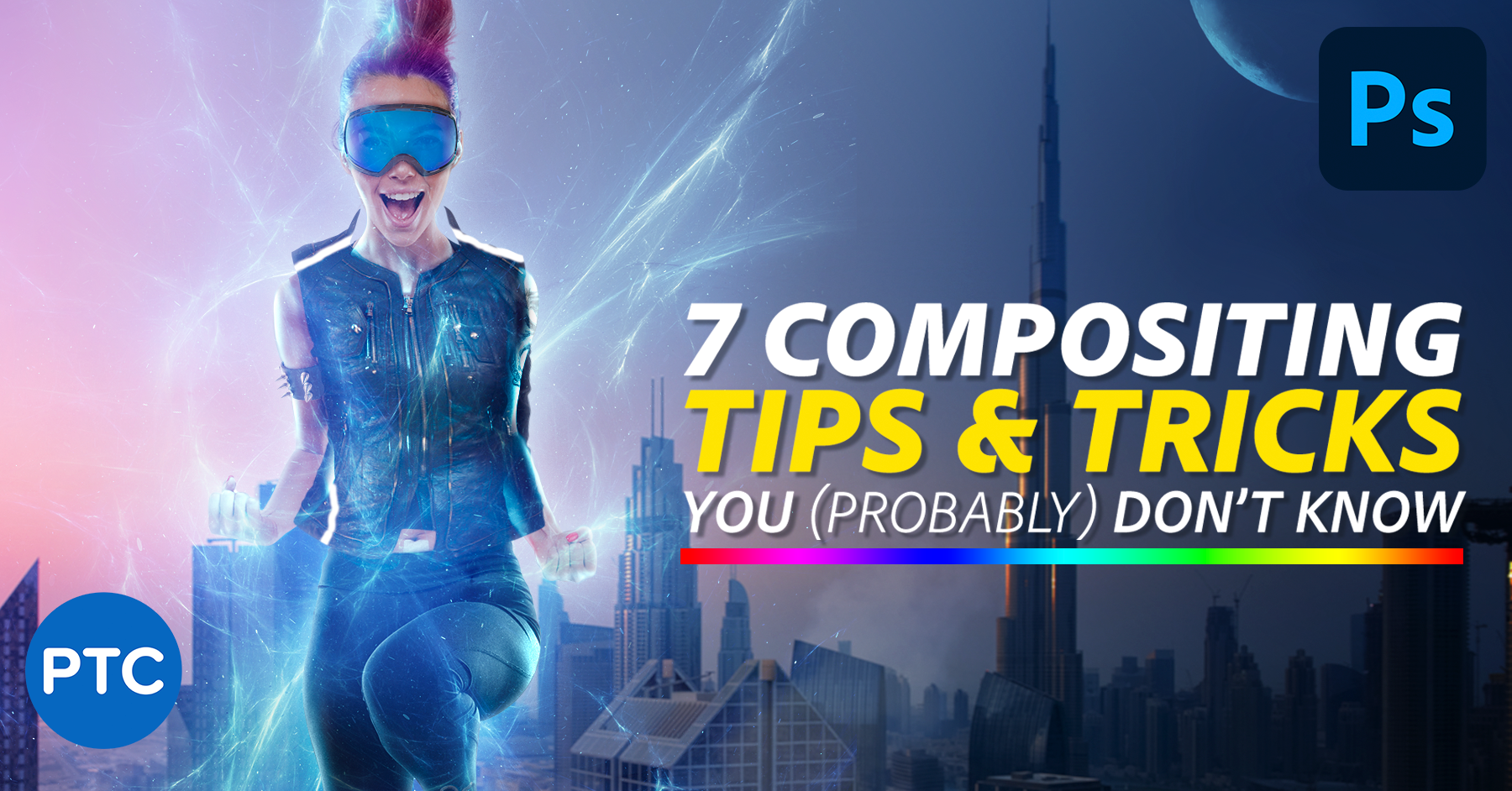
In this tutorial, you'll learn the 7 easy Photoshop tips to make your composites more realistic!

In this stream, Jesus Ramirez from @PhotoshopTrainingChannel will reveal art principals to help you master the art of compositing in Photoshop. These princip...
grizzled spade
hushed niche
What is the size of his image in the tutorial?
In the tutorial he has size at 3000x2500 pixels
Whereas I have it at 900x900 pixels
tame cape
grizzled spade
In the tutorial he has size at 3000x2500 pixels
Whereas I have it at 900x900 pix...
Try the tut again - with this image
 royal birch
viral palm
You can add a layer above> set its blend mode to "color"> paint the color you wa...
royal birch
viral palm
You can add a layer above> set its blend mode to "color"> paint the color you wa...
yea tyty<3
fast sorrel
hushed niche
Hi, besides for your Lightroom pictures, creative cloud was not a backup but a s...
In its new form, it is solely as a sync across multiple devices and when a true backup is needed, the files must be downloaded individually? For an non-enterprise user? I hope i am making sense. As it stands now, I do not see how i can use "place linked" in the creative cloud files.
Also, what does "Make available offline always" mean, now?
thank you for your knowlege here.
 finite oriole
Hey all. I’m fairly new to photoshop im very beginner, I’ve dabbled in it for years. Just not serious projects.
I have a question, I want to take 2 photos and have them kinda merge half and half with a slash in the middle like / kinda slash. I use iPad photoshop. Please help if possible! Thanks
finite oriole
finite oriole
Hey all. I’m fairly new to photoshop im very beginner, I’ve dabbled in it for ye...
Like this

 cosmic scroll
finite oriole
Like this
cosmic scroll
finite oriole
Like this
That's a pretty straightforward use of "masking". Basically a mask is how you tell photoshop what parts of the image to show vs hide. So say image 2's layer is above image 1. You'd select the part you want to show, then hit the mask button. It would create a mask that makes only the previously selected part visible.
I'm not sure how to do it on the ipad version specifically though, it looks like it might not have the polygonal lasso tool for example for selecting straight lines
gleaming ermine
Is there a "magic" selection tool? That selects the pixels of the color I click on and then I can adjust some tolerance for deviation from that color to include in the selection
nvm
I found it. It's W for magic wand
cosmic scroll
gleaming ermine
Is there a "magic" selection tool? That selects the pixels of the color I click ...
Yea there's the "magic wand" tool, but you might also want to be aware of the Select > Select Color Range menu
gleaming ermine
Now I want to delete the selected pixels, so I press Delete. But photoshop doesn't only delete the selected pixel, it also changes the transparency of some pixels outside of the selection? How do I completely disable that feature?
cosmic scroll
I believe behind the scenes a selection isn't simply yes/no selected per pixel, but a range. A selection of a pixel might be for example 50% selected, and if you hit delete, it would basically make it half transparent. And the 'marching ants' which shows what is selected will only show when it's above a certain threshold, so there might be some pixels that are only partly selected below whatever threshold (might be 50%), but still will be changed if you hit delete
gleaming ermine
?
what on earth
that can't be right. There has to be a way to just disable all of that
I have some pixel selected. I want to clear them. The end.
How to? 😁
 storm path
Any assistance with why the PSD looks like this?
 cosmic scroll
gleaming ermine
I have some pixel selected. I want to clear them. The end.
cosmic scroll
gleaming ermine
I have some pixel selected. I want to clear them. The end.
I would use Select Color Range and set the "Fuzziness" to zero, that would make it so anything that gets selected would be "fully" selected. You can hold shift to select multiple colors.
Actually you can also try unchecking "anti-alias" on the magic wand tool options
gleaming ermine
alright, so it was the "anti-aliasing" check that had to be cleared. It wasn't showing before because I had used W key to get to the tool. When you do that the magic wand tools toolbar is NOT displayed at the top, because it was actually another tool selected "object selection tool". All of the tools under the button has the "W" key assigned, so therefore the anti-aliasing check box wasn't shown because magix and wasn't chosen. After I right-clicked on the fourth button on the global left menu I could click directly on the Magic Wand tool, thereby making the Magic wand tools toolbar appear at the top of Photoshop, which causes the "anti-aliasing" check box to be exposed on the user interface.
 cosmic scroll
gleaming ermine
alright, so it was the "anti-aliasing" check that had to be cleared. It wasn't s...
cosmic scroll
gleaming ermine
alright, so it was the "anti-aliasing" check that had to be cleared. It wasn't s...
Ah ok good to know the anti-alias option worked. I realized it basically just as you posted that lol
gleaming ermine
cosmic scroll
Ah ok good to know the anti-alias option worked. I realized it basically just as...
yeah I also wasn't using the correct tool, since W key only activates the top-most tool in under the global button, which wasn't the magic wand, but instead the object selection tool.
Why nothing happens when I try to flip this?
I click on "Flip horizontal" and nothing happens, it is not flipped.


I first make select around the graphic. Then I right click and choose transform selection. Then I choose Flip Horizontal. Nothing happens though?
ok nevermind. it has to be done at a layer level. So with the layer selected choose Edit -> Transform -> Flip Horizontally
cosmic scroll
Oh yea turns out the "transform selection" > flip horizontal is literally flipping the selection box, not the pixels that are selected, if that makes sense. But since a rectangle is symmetrical it ends up being the same. If you were to hit the flip button while transforming a selection like this it would be more obvious:

 tidal olive
hey pretty new to photoshop, just wondering how does one do this effect


 storm path
Any assistance with why the PSD looks like this?
storm path
storm path
Any assistance with why the PSD looks like this?
Any assistance?
cosmic scroll
storm path
Any assistance with why the PSD looks like this?
You'll need to be more specific, not sure what you mean by "like this".
cosmic scroll
tidal olive
?
I'd try making a black and white adjustment layer first. Then make another 'levels' adjustment layer and play around with the sliders
tidal olive
ok
 young prairie
What is the brush used in these ink splatters? And are the faint background objects just images with under an overlay filter?
 storm path
cosmic scroll
You'll need to be more specific, not sure what you mean by "like this".
storm path
cosmic scroll
You'll need to be more specific, not sure what you mean by "like this".
The file is evidently corrupted. How do I rectify that?
 modest shale
Hey everyone.. So, I'm looking for someone expierenced in photoshop. I'm a real estate agent looking to have business cards designed. I am willing to pay for the designs if they come out good. If anyone is up for the challenege let me know!
 ebon plume
Anyone know how I can become better at digital drawings? Any free courses available? If so, please share. I am mainly interested in working in fresco but I know alot of people are also using procreate.
 misty moat
any one know how to change the white part of the feathers?

 devout bobcat
Does anyone know where I can find this pile of US cash or something very similar?
 viral palm
misty moat
any one know how to change the white part of the feathers?
viral palm
misty moat
any one know how to change the white part of the feathers?
Since your image is Black and white you can simply paint on a layer with its blending mode set to Multiply.
misty moat
thanks
viral palm
devout bobcat
Does anyone know where I can find this pile of US cash or something very similar...
You can try on Adobe stock, there is a free section.
https://stock.adobe.com/free
I had few interresting results with a "us bills pile" search...(If you have budget you also can search on regular adobe stock)

Adobe Stock
Stunning, diverse collection of free Adobe Stock photos, vectors and videos. Free to download, cleared for commercial-use, royalty-free, no credit card required.
devout bobcat
viral palm
You can try on Adobe stock, there is a free section.
https://stock.adobe.com/fr...
I will try it
river otter
Hi guys, I want to blend these images(get rid of the lines in between them) how do I do this?
 devout bobcat
river otter
Hi guys, I want to blend these images(get rid of the lines in between them) how ...
devout bobcat
river otter
Hi guys, I want to blend these images(get rid of the lines in between them) how ...
Mabey try generative fill?
river otter
devout bobcat
Mabey try generative fill?
what is that
devout bobcat
The AI feature in Adobe Photoshop
river otter
devout bobcat
The AI feature in Adobe Photoshop
ok where can i find it
devout bobcat
When u make a selection of the line you should see a dialog box with the word generative fill somewhere do you see it?
 surreal granite
why is the triangle shape larger than the others? they are all 250x250 pixels
 misty moat
any one know how to do an embroidery effect like on the first pic

 surreal granite
misty moat
any one know how to do an embroidery effect like on the first pic
surreal granite
misty moat
any one know how to do an embroidery effect like on the first pic
right click on layer -> blending options -> bevel & emboss
grizzled spade
tame cape
Try the tut again - with this image
okies
misty moat
surreal granite
right click on layer -> blending options -> bevel & emboss
it does not do the texture of the first pic its not the same
 viral palm
surreal granite
why is the triangle shape larger than the others? they are all 250x250 pixels
viral palm
surreal granite
why is the triangle shape larger than the others? they are all 250x250 pixels
That<s because of the sharp angle when the the "align" option of the stroke is set to "center" or "Outside"... If you set the align option to "inside" all 3 shapes will have the same height... If you want to keep the align option to "center' or "outside" you'll need to adjust your triangle.
surreal granite
viral palm
That<s because of the sharp angle when the the "align" option of the stroke is s...
in all the iterations of the shape variation of the logo, the circle is always closer to the triangle than the square

its weird fr
 reef fable
hey 
any one know how can reproduce the gradient of this pokemon card? i tried but it's trash
if anyone can do it for me or explain how to make it 

 river otter
can anyone here tell me how to blend images in PS?
 sweet field
river otter
can anyone here tell me how to blend images in PS?
sweet field
river otter
can anyone here tell me how to blend images in PS?
There's many ways to do it, so the exact way will depend on what exactly you need
sweet field
reef fable
hey <a:peepoheyy:847021316758175794>
any one know how can reproduce the grad...
I think you're just missing more colors in it. There's a bit of yellow and blue that you don't have in your gradient, for example.
river otter
sweet field
There's many ways to do it, so the exact way will depend on what exactly you nee...
just want the line between the pictures to be more of a blend/gradient between them.
reef fable
sweet field
I think you're just missing more colors in it. There's a bit of yellow and blue ...
thx ! yeah but where ?
i can't manage to get right
river otter
but yeah @sweet field can't quite figure it out, used the gradient tool, layer masks, generative fill. none of it seems to really work. tried to follow youtube tutorials as well

for context im trying to make a youtube banner.
sweet field
river otter
What you can try is merging the pictures together into one layer, then selecting the parts where they connect so there's a bit of an overlap, and then using blur on that selection. Either gausian or motion blur, depending on what you want out of it.
sweet field
reef fable
thx ! yeah but where ?
Just where they are in the original should work. Are you trying to do the background of the pokemon itself? Because the pokemon also has an effect that is more like a freeform gradient in Illustrator. I suggest maybe trying that? However the gradients in the illustration follow the shape of the pokemon, so I'm not sure what you would do in a flat image. Those seem to be done with a soft brush and selections, as well
reef fable
sweet field
Just where they are in the original should work. Are you trying to do the backgr...
thx again for the awesome help
but i changed my mind and made different since i can't get it right !
fluid craneBOT
Gave +1 Creative Carma to @sweet field (current: #23 - 98)
river otter
sweet field
What you can try is merging the pictures together into one layer, then selecting...
i suppose that works... i wanted more of a natural blend like this video https://www.youtube.com/watch?v=LkZNNU_47ng. sad part is it just paints the entire damn thing white.

In this quick tutorial I show you how to remove a line, seam, or crease between two images in photoshop. The first step is to load both images on separate layers. Create a mask on the top layer. Next, select a soft round brush with hardness set to 0. Decrease the flow to 20. Now paint between the two images to remove and reduce the seam / l...

idk how all these people are doing it and why it isnt working for me, i follow the stuff step by step.
 plain root
Hey, Im trying to find a way to seperate my project into four parts that intercect with a circle in the middle. can anyone help me with this?
coarse elm
I keep getting stuck in the sign in loop. I cant even install PS or CC since I can't sign in.
 bronze marsh
What's a good method to paint realistic highlights that aren't hazy? Currently using paintbrush and hue and saturation inverse coloriez trick
bronze marsh
coarse elm
I keep getting stuck in the sign in loop. I cant even install PS or CC since I c...
sign in on the creative cloud app itself
as well as the website
coarse elm
bronze marsh
sign in on the creative cloud app itself
The problem is that I can’t download the app
bronze marsh
huh weird
coarse elm
The installer requires you to sign in, which I can’t do
It’s whatever I canceled my sub and got a refund
 willow trench
attempting to resize a text box to fit the text results in the layer underneath being selected and the box staying the same size. Any idea why? (I should note that the direction in which I am resizing is horizontal)
Edit: Deleted the original message so I could add this gif that perfectly explains what I mean
 grizzled spade
tame cape
Try the tut again - with this image
grizzled spade
tame cape
Try the tut again - with this image
I tried the whole tut again, this is the result

Please help
grizzled spade
river otter
idk how all these people are doing it and why it isnt working for me, i follow t...
us moment 🫂
 buoyant sonnet
hey i’m new to photoshop but would love to learn more, im interested in making cover art for music but im unsure of how.. could someone help me learn?
vapid flume
buoyant sonnet
hey i’m new to photoshop but would love to learn more, im interested in making c...
You need to learn the software first to be honest, what you wnt to do later will depend on the foundations you have learned at first.
Best thing is to head over help>hands-on tutorials in Photoshop and start from there. You will learn all the basics such as selections, masks and colour correction.
Note that depending what you need to do it can take a while to learn it all (I'm still learning after more than 20 years) so patient and perseverance is key. Good luck!
grizzled spade
grizzled spade
I tried the whole tut again, this is the result
@vapid flume Help
vapid flume
grizzled spade
<@705735115434622987> Help <:awiCryBaby:1230821768919515177>
I saw yesterday that you got a lot of help from other people and you've been at it for quite a long time. I didn't follow the full conversation, so I will leave that to the people who know a bit more.
The only thing I can say in regards to the results you have is that following tutorials step by step can be a bit tricky unless you have exactly the same image dimensions, as some filters results depend on the size, so it could be your issue. When a tutorial is good they explain you why you get such results as well as how. If you keep following a tutorial to the letter and don't get the same results, then more often than not (and provided that you didn't skip any step) it means that you need to try a similar tutorial but better explained
You'd be astonished by the number of VERY BAD tutorials out there (and I'm not even talking about those who teach BS as well)
Being on YouTube isn't a licence to teach 🙂
vapid flume
willow trench
attempting to resize a text box to fit the text results in the layer underneath ...
Difficult to say but it looks more like you accidentally grab the shape underneath your text instead than your text box. Try to lock the shape layer to see if that's the issue. I can see the focus switching from your text layer to your shape at one point so that what gave me the hint. (Just throwing this here)
willow trench
vapid flume
Difficult to say but it looks more like you accidentally grab the shape undernea...
I ended up deleting the layer and using a point text layer instead. I'll try this next time I encounter this issue again (this is not the first time)
vapid flume
willow trench
I ended up deleting the layer and using a point text layer instead. I'll try thi...
Text boxes are best when you need to align to other design elements (in Photoshop, other software work differently) so that's a good switch.
TBH, text features in Photoshop lack a bit, so it can be tricky compared to, say, Illustrator
vapid flume
willow trench
I ended up deleting the layer and using a point text layer instead. I'll try thi...
You should be able to convert a text area to a point text layer though. Let me check
willow trench
I can do it from point text to paragraph but not vice versa from the amount of times I've right clicked the text layer lol
nvm, I see the option now
vapid flume
Should work with a right click
 willow trench
Just tried it with a layer in a nested group (4 groups deep) and the option isn't there. Take it out of the nested group and it can be converted. Very strange behavior tbh
Could it have to do with it being copy-pasted?
Just tested that theory
Yes it is
New text layers can be converted back and forth. Copy-pasted text layers cannot
grizzled spade
vapid flume
I saw yesterday that you got a lot of help from other people and you've been at ...
Hmm Someone helped me with the image dimension they changed it to as same as the tutorial but i still couldn't get the best results
This is my last piece that i did, From another tutorial
 willow trench
New text layers can be converted back and forth. Copy-pasted text layers cannot
willow trench
willow trench
New text layers can be converted back and forth. Copy-pasted text layers cannot
Very goofy (and kind of annoying) behavior
vapid flume
willow trench
Very goofy (and kind of annoying) behavior
That's new to me! You learn every day 🙂
But then I don't use that much the text features in Photoshop, so I might have overlooked it.
willow trench
vapid flume
That's new to me! You learn every day 🙂
But then I don't use that much the text...
glad I could inadvertently teach you something about PS :)
vapid flume
willow trench
glad I could inadvertently teach you something about PS :)
Don't worry, I learn a lot being here 🙂 That's one of the reason I'm here!
 distant hearth
Hello, I'm new to the server, and I'm a pretty experienced photoshop user, but as of late the program has had terrible perfomance problems that I have no idea how to fix, could someone help me?
willow trench
what kind of performance problems? FPS lag or slow file reading?
vapid flume
distant hearth
Hello, I'm new to the server, and I'm a pretty experienced photoshop user, but a...
Well difficult to say without more info, but having shared this link on numerous occasions here, I know it had helped a lot of people
https://helpx.adobe.com/uk/photoshop/kb/optimize-photoshop-cc-performance.html
distant hearth
fps lag most definitely, anything I do has changed nothing, I even went into a previous nvidia studio driver and still nothing
distant hearth
vapid flume
Well difficult to say without more info, but having shared this link on numerous...
I was on here earlier and nothing helped, I have an RTX 4070 with an Intel 13th gen i9 and 32 gb of ram
I doubt it's an issue with specs
vapid flume
distant hearth
I doubt it's an issue with specs
Yes, but there could be an issue about how the PS is set up, and that's explained in the link
I have a similar set up as yours and have no issues
distant hearth
I have never had issues with photoshop performance wise until now, it's only been a recent thing
vapid flume
distant hearth
I have never had issues with photoshop performance wise until now, it's only bee...
Maybe following an update?
distant hearth
vapid flume
Yes, but there could be an issue about how the PS is set up, and that's explaine...
I'll definitely check if I missed anything, thanks
vapid flume
things get changed and preferences can disapear
willow trench
@distant hearth Does your CPU have integrated graphics? If so, see if PS is set to use them instead of NVIDIA GPU
distant hearth
willow trench
<@313488430715764738> Does your CPU have integrated graphics? If so, see if PS i...
the first time I had this issue this was the solution, but this time it does seem to be using my nvidia gpu, so I have no idea what to do
vapid flume
First port of call is to check here if you haven't already

Edit>preferences>performance
distant hearth
I've messed with this menu all night, no changes
willow trench
how much RAM is allocated to PS?
 vapid flume
Have you considered a RAM issue? (I had one with my previous PC, Photoshop was the app most affected, I ended up changing one Ram bar)
willow trench
what do you have for the advanced GPU settings?
vapid flume
Nothing unusual
 willow trench
I meant Andy lol
vapid flume
willow trench
I meant Andy lol
OK
distant hearth
vapid flume
Nothing unusual
same as this
vapid flume
Also just one thing, I know it concerns 3D in the Nvidia settings panel (not the GEForce panel) but check how things are set up. I know I was easily carried away changing things here, and there are various contradictory advice on Youtube about what to do here
I'm not technical by any means and ended up resetting the whole thing.

You can check the settings by app (in the drop down menu) see if there isn't anything untowards
 distant hearth
although when opening my task manager
I'm noticing something
although photoshop says it's using my gpu
I think it's still using my integrated graphics
willow trench
relevant question: what size documents you working with?
distant hearth
1920x1080 300dpi
doesn't matter what you change it to tho, still performs the same
willow trench
distant hearth
I think it's still using my integrated graphics
what if you set the global setting to use the NVIDIA GPU in the NVIDIA Control Panel?
distant hearth
attempting that now
originally it was on auto select
for global
still the same unfortunately
should I restore?
willow trench
sounds like the only thing left to do at the moment. If that doesn't work, it might be a physical issue with a RAM stick
at that point, you'd have to do a memory test on your PC
if it comes to it, check the memory using the Windows Memory Diagnostic tool

when doing the RAM test, remove all but one of the sticks and run the diagnostic tool. After the test concludes, if there are no errors, swap the stick for another. Repeat until all have been tested (making a pile for the tested sticks and the faulty sticks if there any)
more details in testing for faulty RAM here
that link will take you to a help article from corsair
if you need the link for memtest86 as described in the help article, here it is
https://www.memtest86.com/

MemTest86 is the original self booting memory testing software for x86 and ARM computers. Supporting both BIOS and UEFI, with options to boot from USB.
distant hearth
oh my god
I figured it out
I was right
even though it said I was using the gpu
it was running on integrated graphics the entire time
willow trench
so switching it to global NVIDIA worked?
distant hearth
no, I had to change the power mode on my computer to basically turn off the integrated graphics
so photoshop would basically force itself to run on gpu
wow
willow trench
that was way too unnecessary of a fix lol
it should not have required that much effort
distant hearth
that's what I'm saying, not sure why it had to be taken so far
vapid flume
Good news in the end 🙂
vapid flume
THanks for the help @willow trench
fluid craneBOT
Gave +1 Creative Carma to @willow trench (current: #958 - 1)
willow trench
willow trench
it should not have required that much effort
I just set the NVIDIA control panel to use the RTX 3070 in global and that was good enough. I had slow reading issues and just had to assign the D: drive as the scratch disk
willow trench
vapid flume
THanks for the help <@340148473175474176>
np
distant hearth
willow trench
I just set the NVIDIA control panel to use the RTX 3070 in global and that was g...
I've had this issue before, and doing this was the fix, but for some reason, it wouldn't change this time around
I appreciate all the help from @willow trench and @vapid flume
thank you all so much!
 willow trench
completely random question for Sandrine lol
is the ine pronounced een or like pine?
grizzled spade
willow trench
completely random question for Sandrine lol
is the `ine` pronounced `een` or li...
 clever hollow
can someone help me in dms
vapid flume
grizzled spade
een 🙂
grizzled spade
vapid flume
een 🙂
@willow trench
vapid flume
and eeneuh if you're from the south 😁
grizzled spade
vapid flume
and eeneuh if you're from the south 😁
what south? Specify/Elaborate
vapid flume
It's one of those things that isn't really well rendered in English
vapid flume
grizzled spade
what south? Specify/Elaborate
Have you tried running a wikipedia search?
grizzled spade
vapid flume
It's one of those things that isn't really well rendered in English
renedred is a word?
grizzled spade
vapid flume
Have you tried running a wikipedia search?
😵💫
vapid flume
grizzled spade
renedred is a word?
Sorry babe, English isn't my first language and I type too fast. Edit is my friend
willow trench
corrected to rendered, meanwhile I thought she meant "remembered" lol
grizzled spade
vapid flume
Have you tried running a wikipedia search?

 grizzled spade
vapid flume
South of France? MAYBE?
grizzled spade
vapid flume
South of France? MAYBE?
That's better
All u had to do was specifiy what south u talking about
vapid flume
grizzled spade
That's better
Better than what? It could have been South America for all that you know? (which would have been kinda similar)
grizzled spade
vapid flume
🤦♂️ Please protect me (Protector of men)
willow trench
meanwhile I'm thinking the American south lol
grizzled spade
vapid flume
Better than what? It could have been South America for all that you know? (which...
💀 "South of france" is better than "South"
grizzled spade
willow trench
meanwhile I'm thinking the American south lol
us bro us, that's why i asked her to be specific
vapid flume
grizzled spade
💀 "South of france" is better than "South"
FFS, a quick search would have been better if you were so hyped up about it, I was trying to make a light hearted comment
grizzled spade
vapid flume
FFS, a quick search would have been better if you were so hyped up about it, I w...
🤫
Don't chat here
vapid flume
OK, I'm off for today anyway
grizzled spade
grizzled spade
Can someone help me on how i can recreate this digitally on Photoshop ☺️
.
vapid flume
Have a nice day everyone!
willow trench
you too!
grizzled spade
vapid flume
Have a nice day everyone!
 Thnx for all the help
grizzled spade
grizzled spade
Can someone help me on how i can recreate this digitally on Photoshop ☺️
Help please
grizzled spade
Repost :- I need help recreating this on Photoshop so that I can use it as a Wallpaper in My Bedroom please help and suggest i have no idea how to do it, also the image or the text in the left is in SVG format


 waxen crystal
can any experts help me with something very simple?
jus need help blending two colors together better
devansh whats with the emohis
gleaming ermine
I forgot how can I display the x,y position of the mouse cursor in the document?
ripe quest
@grizzled spade Yes. Please stop with the emojis.
ripe quest
gleaming ermine
I forgot how can I display the x,y position of the mouse cursor in the document?
Main menu: Window > Info
waxen crystal
@ripe quest any way u could help me out?
ripe quest
Maybe. Feel free to provide a better description of the issue.
waxen crystal
i need help blending two different colors with like a sharp edge
like its obvious that its not blended if that makes sense
ripe quest
waxen crystal
i need help blending two different colors with like a sharp edge
I don't know what this means.
 willow trench
waxen crystal
i want it to be a smooth blend
willow trench
waxen crystal
i want it to be a smooth blend
so a full gradient?
ripe quest
waxen crystal
You can make a selection of the area and try using a blur...
waxen crystal
willow trench
so a full gradient?
yes
ripe quest
Or you can create a Shape and assign a gradient to it.
waxen crystal
willow trench
so a full gradient?
it was originally a gradient but i didnt like the brightness so i selected an area and manually edited the color, but now u can clearly see the line
willow trench
so did you want to make it more transparent?
waxen crystal
no, just want to remove the line
like you can kinda see a clear line diving the colors
willow trench
undo the change you made to the middle
gleaming ermine
ripe quest
Main menu: Window > Info
Thank you. Is there any to ONLY show x,y position so that I can undock the window and make the window small and put it somewhere else? It takes up a lot of space just for me to see the coordinates...
fluid craneBOT
Gave +1 Creative Carma to @ripe quest (current: #3 - 2566)
waxen crystal
willow trench
undo the change you made to the middle
it was too long ago
willow trench
you'll have to remove the gradient effect then and make a new gradient of the same colors
if you straight up painted on the layer, you'll have to delete it and make it again
gleaming ermine
Size of coordinates is like 1% of the info window, I don't need anything else than the x,y coordinates
 waxen crystal
willow trench
if you straight up painted on the layer, you'll have to delete it and make it ag...
waxen crystal
willow trench
if you straight up painted on the layer, you'll have to delete it and make it ag...
didnt paint, just like selected a portion and adjusted the brightness and stuff
willow trench
waxen crystal
didnt paint, just like selected a portion and adjusted the brightness and stuff
did you try selecting the exact area again and messing with the brightness again?
waxen crystal
willow trench
did you try selecting the exact area again and messing with the brightness again...
yes, but the problem is that i want the brightness
like the brightness is what makes the color look better
gleaming ermine
Is there maybe a script to change the UI to display only cursor x,y in the bottom left corner for example right next to the zoom level? There's an unused bit of interface that it would fit in just perfectly
 ripe quest
gleaming ermine
Size of coordinates is like 1% of the info window, I don't need anything else th...
ripe quest
gleaming ermine
Size of coordinates is like 1% of the info window, I don't need anything else th...
I don't think there is any other way to conveniently display that. Maybe you could script your own plugin to do it. Not trivial and a lot of work since the Info Panel already does this.
ripe quest
gleaming ermine
Is there maybe a script to change the UI to display only cursor x,y in the botto...
You'd have to search for that online. I don't know of anything like that offhand.
gleaming ermine
Can I check what color is on a fully transparent pixel?
ripe quest
gleaming ermine
Can I check what color is on a fully transparent pixel?
"Check?" You can sample a color with the Eyedropper Tool and then look at its values.
gleaming ermine
No, that doesn't work. I use eyedropper tool on a fully transparent pixel and it gets nothing
ripe quest
gleaming ermine
No, that doesn't work. I use eyedropper tool on a fully transparent pixel and it...
A fully transparent pixel is transparent. There is no color value.
gleaming ermine
Maybe that is the case in the photoshop interface. But an image will have color channels. The alpha channel may be set to 0 so that you can't see the colors, but the color channels still have values
So Im looking how to check what color values photoshop will put into the transparent pixels when exporting an png for example
grizzled spade
grizzled spade
Repost :- I need help recreating this on Photoshop so that I can use it as a Wal...
hellpppp
gleaming ermine
Can you drag and drop svg into photoshop?
willow trench
waxen crystal
like the brightness is what makes the color look better
yeah so unless the whole thing is made brighter or whatever you did to that section, the line is going to be obvious. I was trying to figure out exactly what you did and from my own testing, the only way is to revert it by either removing and remaking the gradient or undoing (which you stated you can't do). Messing with only a portion of the gradient will lead to revealing the exact point where it transitions
 ripe quest
 ember sparrow
Why can't I pain with the brush here?
ember sparrow
Why can't I pain with the brush here?
The tool you have selected is the Eraser Tool.
gleaming ermine
ripe quest
A fully transparent pixel is transparent. There is no color value.
Seems that I will have to use GIMP on the export PNG
ember sparrow
ok, i'm blind actually
willow trench
ember sparrow
Why can't I pain with the brush here?
try clicking the icon under the eye dropper /j
ripe quest
gleaming ermine
Seems that I will have to use GIMP on the export PNG
OK. What am I supposed to take away from this video? Why are you posting it here?
waxen crystal
willow trench
yeah so unless the whole thing is made brighter or whatever you did to that sect...
hmm okay, so you cant really think of any ways to maybe make it less obvious?
willow trench
waxen crystal
hmm okay, so you cant really think of any ways to maybe make it less obvious?
not really, no
ripe quest
Please use #💬chat-general for project requests. @clever hollow
willow trench
willow trench
not really, no
at least other than messing with the brightness adjustment layer that should've been created if you did the way I did (under Adjustments)
gleaming ermine
ripe quest
OK. What am I supposed to take away from this video? Why are you posting it here...
GIMP can get the color of transparent pixels, but photoshop can't. (apparantly. maybe you knew of a way to do it in photoshop too. Or maybe photoshop just isn't capable of doing that).
clever hollow
ripe quest
Please use <#548276405151203338> for project requests. <@1145981287300091904>
sure
ripe quest
gleaming ermine
GIMP can get the color of transparent pixels, but photoshop can't. (apparantly. ...
OK. Good luck with Gimp then. Sorry we couldn't help you there.
gleaming ermine
ripe quest
OK. Good luck with Gimp then. Sorry we couldn't help you there.
hmm,, alright thanks for you honest wish of good luck for me. I wish you a nice day and good fortune with photoshop 🙂
fluid craneBOT
Gave +1 Creative Carma to @ripe quest (current: #3 - 2567)
tame cape
gleaming ermine
No, that doesn't work. I use eyedropper tool on a fully transparent pixel and it...
As D.Humann already said:
Photoshop shows you the color values down to 1% opacity. At 0% opacity it is completely transparent. This means that there is no color information.

 rancid shuttle
hello, I would like some help please to change the exact color however the base background is red and I would like to change the color in the hue/saturation in my slaps with a specific color, as you see the background color is different. Thank you in advance for your help

 wild spear
Can you tell me how it can be fixed?

 stark wharf
wild spear
Can you tell me how it can be fixed?
stark wharf
wild spear
Can you tell me how it can be fixed?
What are you referring to?
 tame cape
wild spear
How can I do that?)
tame cape
wild spear
How can I do that?)
This depends on your Photoshop version and your knowledge.
e.g.
Remove tool
Generative Fill
Clone Stamp
Combination of other retouching tools
But once again the question: What is it actually? Torn pants?
gleaming ermine
tame cape
As D.Humann already said:
Photoshop shows you the color values down to 1% opacit...
Actually a png has color values on the color channels also for fully transparent pixels (alpha channel with a value of 0). But photoshop seems to not display that information for pixels that are fully transparent. Gimp does. If photoshop does have a way to display the values of the color channels of transparent pixels that'd be wonderful. But so far it seems the program is designed to hide it.
wild spear
tame cape
This depends on your Photoshop version and your knowledge.
e.g.
Remove tool
Gen...
It's a torn jacket elbow.
ripe quest
gleaming ermine
Actually a png has color values on the color channels also for fully transparent...
Yes. Pixels can have R, G, B, A values. However, the Eyedropper Tool is a sampling tool. Its not "designed to hide it." The tool wasn't designed to interrogate pixels in a PNG file.
ripe quest
gleaming ermine
Actually a png has color values on the color channels also for fully transparent...
If you like, you can go onto the Ps Community Forum and make a feature request to add that capability to Photoshop. Maybe there will be enough interest to add it. In the meantime, you can write your own script or UXP plugin to enable that feature. The latter are not trivial endeavors.
ripe quest
wild spear
Can you tell me how it can be fixed?
I would try just painting over the area with the Remove Tool.
ripe quest
rancid shuttle
hello, I would like some help please to change the exact color however the base ...
I would try to completely remove the background. Then create a new one. Attemping to match semi-transparent pixels with a solid color fill might get tedious.
rancid shuttle
ripe quest
I would try to completely remove the background. Then create a new one. Attempin...
ok thank you, how do you change the shade of a color then?
fluid craneBOT
Gave +1 Creative Carma to @ripe quest (current: #3 - 2569)
gleaming ermine
ripe quest
Yes. Pixels can have R, G, B, A values. However, the Eyedropper Tool is a sampli...
interrogate pixels

Thanks for the suggestions D. Humann 🙏
 ivory panther
can anyone help me
indesign program
after i turn off the hpnenate the text is missing
 tame cape
ivory panther
after i turn off the hpnenate the text is missing
tame cape
ivory panther
after i turn off the hpnenate the text is missing
Hi @ivory panther
Use a standard dummy text **with spaces **or use wider frames.
Background:
If your typed number of characters exceeds the length of the frame, there are no spaces and hyphenation is switched off, then the whole “word” “disappears” in the overset text.
tame cape
ivory panther
help me bro
Did you read my post?
🤔
Also use spaces.
tame cape
ivory panther
pliss i dont understand😭🙏🏻
Why?
Do not enter overlong “meaningless words”. Use normal words separated by spaces.
Or use the dummy text function:
Menu: Type -> Placeholder text
 ivory panther
ouuu i got ittt
thank u very muchhh
🥹🥹🥹
sory my english is bad
thank uuu @tame cape
fluid craneBOT
Gave +1 Creative Carma to @tame cape (current: #20 - 110)
ivory panther
🙏🏻
finite oriole
cosmic scroll
That's a pretty straightforward use of "masking". Basically a mask is how you te...
Can someone explain how to do this for me. On iPad
 ripe quest
finite oriole
Can someone explain how to do this for me. On iPad
ripe quest
finite oriole
Can someone explain how to do this for me. On iPad
Make a new Layer and fill it with a Color. Then Transform and skew it on an angle. Then "clip" the image to the Color Fill Layer with the Clipping Mask.
ripe quest
I'll try to record the process if you want or can't figure out what I'm suggesting.
finite oriole
I’ve never seen it done like this before. That’s cool. I’ll try it out
ripe quest
finite oriole
I’ve never seen it done like this before. That’s cool. I’ll try it out
It's just a Clipping Mask. Given your use-case, this is probably the easiest method on iPad. :)
grizzled spade
How can i make smth of this sort of neon for this image?


 neon ridge
I need help removing a blur that overlays on an animal when I had taken the photograph I didnt see the blurred piece of grass overlaying on the animals chin
I know how to remove hard objects in the way most times, but it becomes a lot more difficult when its blurred

You can see the green blue over laying the SL
neon ridge
Additionally is there anyway to have two tabs of the same image up at the same time when working on something in my example:
I am zoomed up super removing tiny details on a bear I caught last week, but I also want to see the image as a whole on my second monitor both being updated in real time yk
Note: Figured it out nvm
tame cape
neon ridge
Additionally is there anyway to have two tabs of the same image up at the same t...
Note: Figured it out nvm
To answer this question for others as well:
Menu: Window -> Arrange -> New Window for ...
opens a second window in 100% view
 gloomy wadi
Hey id like to make something like the picture sent, i have a player pic and textures overlay but im new to such photoshop editing and i don't really understand how they did to blend the player picture so well with the overall color. I tried some lil tweaks like blending options but i just cant find a way to do something as clean as this
Thank you if anyone helps me :)
 floral umbra
can someone help me ?
How do I make this image, but with another flag ? (one th...
floral umbra
floral umbra
can someone help me ?
How do I make this image, but with another flag ? (one th...
can someone help pls
viral palm
gloomy wadi
Hey id like to make something like the picture sent, i have a player pic and tex...
I think the player picture has been made with a gradient map.
tidal olive
modest shale
Hey everyone.. So, I'm looking for someone expierenced in photoshop. I'm a real ...
dms
gloomy wadi
viral palm
I think the player picture has been made with a gradient map.
that's it! thank you so much for replying with a video as well, really again thank you 🙏
fluid craneBOT
Gave +1 Creative Carma to @viral palm (current: #9 - 666)
tame cape
gloomy wadi
that's it! thank you so much for replying with a video as well, really again tha...
In addition to the good tip from @viral palm:
Use a multicolored gradient and a few effects (or an overlaying pattern) to “refine” the result even more. @gloomy wadi

 neon ridge
I know how to remove backgrounds, but it becomes a struggle when its a super hairy subject. Any ideas/advice? tryna make a solid black background
for this photograph

I could probably cut out most of his top scruffy hair as its not needed
problem mostly lies around the neck area and sides


 serene coral
river otter
yo anyway I can blend these two layers so it looks natural?
serene coral
river otter
yo anyway I can blend these two layers so it looks natural?
Yes, use layer masks!
serene coral
neon ridge
problem mostly lies around the neck area and sides
Have you tried anything already? Can you share the results?
neon ridge
Not anymore sorry I didnt save because I got frustrated and moved onto to the next one hahah, I tried using quick selection, select subject and I also tried playing around with the lighting but I couldnt get anything accurate enough because of how hairy the guy is
 sour marsh
neon ridge
I know how to remove backgrounds, but it becomes a struggle when its a super hai...
sour marsh
neon ridge
I know how to remove backgrounds, but it becomes a struggle when its a super hai...
I'd recommend finding / making a hair brush. Very helpful for all sorts of things, not specifically limited to hair.
 pastel ermine
anyone know why this is grayed out? I've just noticed, not used it in a while. NO IDEA why it'd be disabled, doesn't light up for any of the text in my project
 ripe quest
pastel ermine
anyone know why this is grayed out? I've just noticed, not used it in a while. N...
ripe quest
pastel ermine
anyone know why this is grayed out? I've just noticed, not used it in a while. N...
Type has to be selected. Not just active in the Layer Panel...
pastel ermine
wow, thank you. Is that a new thing? I don't remember that being a thing before.
ripe quest
pastel ermine
wow, thank you. Is that a new thing? I don't remember that being a thing before.
You could also just transform it with the standard Transform(ers). Edit > Transform > Scale, Rotate, Warp, etc. However, if you go that route, I'd convert it to a Smart Object first.
pastel ermine
indeed, I wanted to scoop it up from the base, like the netflix logo, so needed the text transform to do it nicely. Thanks again 🙂
royal birch
HEY guys i wanna ask
How can I put edges on a picture or building like this picture?
 pastel ermine
the stroke function?
ripe quest
royal birch
HEY guys i wanna ask
How can I put edges on a picture or building like this pic...
Dbl-click on the Layer (an empty part of the layer) in the Layers Panel and add a Stroke Layer Style. Choose a Stroke Weight and Color.
royal birch
ripe quest
Dbl-click on the Layer (an empty part of the layer) in the Layers Panel and add ...
tysm <3<3
 thick zenith
Anyone know how to make a 2d vtuber avatar i'm trying to make my first one but im a beginer in need of assistance
I will be in vc to screen scare
pastel ermine
thick zenith
Anyone know how to make a 2d vtuber avatar i'm trying to make my first one but i...
better to use a software like animaze and figure out how to reskin the 2d avatars in that.
ripe quest
thick zenith
Anyone know how to make a 2d vtuber avatar i'm trying to make my first one but i...
There dozens of engines to generate something. Generate a character and tweak to suit your tastes/needs.
thick zenith
ripe quest
There dozens of engines to generate something. Generate a character and tweak to...
ooo! like what?
:D
ripe quest
thick zenith
ooo! like what?
Uh. Adobe Photoshop. Adobe Firefly. heh
thick zenith
ripe quest
Uh. Adobe Photoshop. Adobe Firefly. heh
im trying to use photoshop
ngl i've only used ilistrator for school
ripe quest
thick zenith
im trying to use photoshop
What sort of character are you trying to make?
thick zenith
ripe quest
What sort of character are you trying to make?
a human
:3
with brown eyes and brown hair
ripe quest
OK. Say more.
thick zenith
uh
ripe quest
Realistic, illustrated? What style?
ripe quest
So anime, you'll probably want to use something other than Adobe apps. Adobe doesn't scrape (steal) images from the Internet so their anime generation isn't great.
thick zenith
in the right corner of the shirt
ripe quest
I would generate the image witout the text and add that later with Photoshop.
young prairie
young prairie
What is the brush used in these ink splatters? And are the faint background obje...
Can anyone point me towards some good Youtube tutorials to replicate this type of artwork?
ripe quest
young prairie
Can anyone point me towards some good Youtube tutorials to replicate this type o...
Seems like this is just black and white illustrations with paint splatter underneath it... (?)
young prairie
omg they have to be b/w, no wonder mines look faded
royal birch
W moderators ngl 

ripe quest
thick zenith
in the right corner of the shirt
I whipped this up quick...
 thick zenith
Cute!!
ripe quest
thick zenith
Cute!!
I'm not sure what you're hoping to make but it shouldn't be that tough.
 ripe quest
thick zenith
See!
ripe quest
thick zenith
See!
 thick zenith
AWH :D
fallow folio
how do you think this youtuber turned this into this


 lime pebble
fallow folio
how do you think this youtuber turned this into this
lime pebble
fallow folio
how do you think this youtuber turned this into this
with good shaders, used a editor to blur the background, and made a glow effect over the tower
fallow folio
ok nice
ripe quest
fallow folio
how do you think this youtuber turned this into this
Generative AI
Or they actually modeled it with a 3d app like Blender. Probably this because it looks too good for generated pixels.
ripe quest
Please share to #💬chat-general . People who take on freelance and side gigs monitor that channel.
 last arrow
How can i get rid of the glare and smudges in the background object

 abstract eagle
How do you edit the corner curves on an object after its been skewed?
ripe quest
abstract eagle
How do you edit the corner curves on an object after its been skewed?
Create the rect using the Rectangle Tool in Shape Mode. Convert to Smart Object. Then add the Layer Styles. At that point everything is still editable, the base rectangle shape and the styles.
grizzled spade
grizzled spade
How can i make smth of this sort of neon for this image?
lil help
 novel hemlock
Hi, I need help with my PS, I can't get past this screen, any help?
 grizzled spade
How can i make smth of this sort of neon for this image?
grizzled spade
grizzled spade
How can i make smth of this sort of neon for this image?
Lilttle help please
Any way i can make the lips better?
 vapid flume
novel hemlock
Hi, I need help with my PS, I can't get past this screen, any help?
vapid flume
novel hemlock
Hi, I need help with my PS, I can't get past this screen, any help?
That's strange, this is not the latest version (It should be marked "Photoshop 20242 at the top)
2020 is an old version.
Try to download the latest version on the CC app.
tame cape
last arrow
How can i get rid of the glare and smudges in the background object
Hi @last arrow
You could mask the areas very carefully, then paint over them and stamp them. But without the glossy areas, it will probably look like it was just pasted in.
What makes me a bit suspicious - the shadows look very inconsistent. Did you edit the background? And accidentally removed some of the shadows?
Can you please show us the original image?
last arrow
tame cape
Hi <@409587446922215435>
You could mask the areas very carefully, then paint ov...
Heres the original image along with the image after lightroom edits. I content aware filled the other signs on the wall to remove them and then gaussian blurred the background.
Also would it be any easier to make it look matte instead of glossy? If so, how would I go about doing that?


 polar swallow
Please help me. When I apply any text style to any small text, it always looks distorted, for example, drop shadow and other effects. I need to make the text very large, then rasterize the layer type and make it small enough to look nice. Is there any way to make it look nice on small text? I saw in one of the YouTube videos that the exact same text style that I have looked nice on small text. Here is my video
vapid flume
Not sure you want me to help as well, but layer styles are dependant on the size, they aren't like graphic styles in illustrator that can be enlarged at the same time as the shape they are attached to. In Photoshop, you need to tweak the different elements to account for the new size (unless of course you rasterise or convert them to smart objects them before)
polar swallow
vapid flume
Not sure you want me to help as well, but layer styles are dependant on the size...
No man, I mentioned them because they often help me and I know them relatively well.❤️
np if you help me
<3
vapid flume
polar swallow
No man, I mentioned them because they often help me and I know them relatively w...
1st, not a man, but OK
second then, no worries, I'll let you wait until they can answer
polar swallow
vapid flume
1st, not a man, but OK
second then, no worries, I'll let you wait until they can...
amm... sry for 1st
(idk english well sorry)
vapid flume
Generally when you tag people, other might be willing to help but won't because they think you only want to talk to specific people
No worries 🙂
ripe quest
vapid flume
Generally when you tag people, other might be willing to help but won't because ...
I wouldn't mind if you can help them. Getting pinged at 4am is always so much fun. :)
 regal rock
Hey i made this thumbnail for a youtube video. What do you think? where could i improve? whaat could be done better?
 vapid flume
regal rock
Hey i made this thumbnail for a youtube video. What do you think? where could i ...
vapid flume
regal rock
Hey i made this thumbnail for a youtube video. What do you think? where could i ...
You can ask in #📝project-feedback !
regal rock
👍
 ripe quest
 plain cypress
Which gives you two colours
plain cypress
Which gives you two colours
Use two shapes. Convert to Smart Object. Apply a blur to each one.
Although, there might be more than blur applied. There could be some sort of Warp transform being applied.
vapid flume
I would try spin blur and/or path blur as well
 river otter
hey is there a way i could make a old style map from images from google earth?
or this
 viral palm
river otter
or this
viral palm
river otter
or this
you could add a vintage paper texture over and play with blend mode to blend the picures together.
river otter
yeah i think im going to print out a picture and draw over it then scan it into photoshop and go from there
viral palm
river otter
yeah i think im going to print out a picture and draw over it then scan it into ...
here is a short video
river otter
ahhh okay thanks
 sly hawk
viral palm
here is a short video
sly hawk
viral palm
here is a short video
I don't think that's what they meant did they?
I got the impression that @river otter wanted to use a google earth image as the basis, and end up with a style like they supplied.
river otter
yeah
sly hawk
river otter
yeah
There won't be a magic solution, but you can probably use google maps console/editor to get you a bit closer...

you could then probably apply a few filters to get you closer....
river otter
how do i get onto that page?
sly hawk
river otter
how do i get onto that page?
Google Cloud Platform lets you build, deploy, and scale applications, websites, and services on the same infrastructure as Google.
river otter
oh okay thanks!


 viral palm
sly hawk
I don't think that's what they meant did they?
viral palm
sly hawk
I don't think that's what they meant did they?
Oh! Ok...Sorry
sly hawk
The "dark Strokes" in the filter gallery seemed to work quite well
obviously not perfect, but might get you half way there
river otter
is there a way to get the photo zoomed out but where i can sill see the houses?
actually nvm i dont think houses would look good
sly hawk
I also previously used to use 'Mapbox' for stylised maps - I think there's a free tier, but I paid for it for work. - however it was years ago
again, my maps were more for magazine, brochures, websites etc, so I wasn't going for an old authentic style
 fickle phoenix
Hey evrry1. I'm a complete beginner so Would you please like to guide me in this tutorial which particular paint brush is he using because he didn't mention that as a beginner you've to tell us step by step in photoshop software 2021 version and if that brush is not there then how do I create this particular paint brush. Because in my case, my black color is coming combination of blurr black n bold black so how do I keep the color bold black in the rodgon sirs course beginner?
 viral palm
fickle phoenix
Hey evrry1. I'm a complete beginner so Would you please like to guide me in this...
viral palm
fickle phoenix
Hey evrry1. I'm a complete beginner so Would you please like to guide me in this...
If you want bold black on the whole brush stroke > set hardness to 100%
regal rock
Hey there! I tried to put the sword above the text but the Stroke kind of "bends" with it. how do i like leave the stroke to the original letter and not make it bend?

 ionic spoke
hello all, any possible way to restore my friend's face? I think it was overexposed but it wasn't taken in RAW, so I have less than what i would like to work with. I have tried a few things but can't seem to get it
 polar swallow
vapid flume
Not sure you want me to help as well, but layer styles are dependant on the size...
polar swallow
vapid flume
Not sure you want me to help as well, but layer styles are dependant on the size...
i changed ppi from 500 to 72 and it fixed
ty for help
viral palm
regal rock
Hey there! I tried to put the sword above the text but the Stroke kind of "bends...
In the Layer style menu, check the option : Layer Mask Hides Effects.
It looks like you used a layer mask on your text layer.
 viral palm
ionic spoke
hello all, any possible way to restore my friend's face? I think it was overexpo...
viral palm
ionic spoke
hello all, any possible way to restore my friend's face? I think it was overexpo...
TBH, I don't think you can recover this picture. Almost the whole face is burnt (looks like more than 90% of Face's pixels are full white).
ionic spoke
viral palm
TBH, I don't think you can recover this picture. Almost the whole face is burnt ...
that’s what i was thinking, thanks!
fluid craneBOT
Gave +1 Creative Carma to @viral palm (current: #9 - 667)
regal rock
viral palm
In the Layer style menu, check the option : Layer Mask Hides Effects.
It looks l...
thank you so much!
fluid craneBOT
Gave +1 Creative Carma to @viral palm (current: #9 - 668)
regal rock
Ive decided against using stroke still as i think it looks better without. i feel like theres a bit too much of the blue light on the characters face. How can i reduce the intensity of the blue lighting? just on the face.

Generally i want to make the face a bigger attention point so if you have any suggestions im open
with the blueg light i feel it kind of blends into the sword making it less visible
regal rock
another thing while we are at it. i accidentaly erased a bit of the dropshadow from the text and cant undo it anymore. how can i fix it? is there something like an inverse erase? normaly you would just brush over it again i guess but since its the dropshadow i kinda cant.

 shell meadow
How could one make something like this? Brushes don't seem efficient with the rotation. Or would I have to just CTRL+J my way through?

 near badger
does photoshop have an equivalent to the unsharpen mask and convert to lines and tones from csp ex?
storm path
Can someone just actually assist with how to rectify a corrupted PSD akin to this?

 rancid python
I know this image has terrible quality, but the "border" (?) around the middle logo, which fades into transparency at the top, how would you make such a shape and give it that effect?
 ripe quest
rancid python
I know this image has terrible quality, but the "border" (?) around the middle l...
ripe quest
rancid python
I know this image has terrible quality, but the "border" (?) around the middle l...
Draw a rectangle with the Rectangle Tool. Assign it a Stroke and no fill. Then you can use a Layer Mask with a gradient to make it fade out at the top.
hushed niche
storm path
Can someone just actually assist with how to rectify a corrupted PSD akin to thi...
Do you still have layers, or did you open a flattened copy by holding Ctrl+shift+alt?
ripe quest
rancid python
I know this image has terrible quality, but the "border" (?) around the middle l...
tame cape
last arrow
Heres the original image along with the image after lightroom edits. I content a...
Hi @last arrow
Sometimes less can be more ...
yours
original
Suggestion
What do you think about this?


 last arrow
tame cape
Hi <@409587446922215435>
Sometimes less can be more ...
yours
original
Suggesti...
last arrow
tame cape
Hi <@409587446922215435>
Sometimes less can be more ...
yours
original
Suggesti...
Yeah I really like how that looks. How were u able to clean up the sign ?
tame cape
last arrow
Yeah I really like how that looks. How were u able to clean up the sign ?
old-fashioned with clone stamp
I'm glad you like it.
last arrow
tame cape
old-fashioned with clone stamp
I'm glad you like it.
Thank you so much for your help !
fluid craneBOT
Gave +1 Creative Carma to @tame cape (current: #20 - 111)
storm path
hushed niche
Do you still have layers, or did you open a flattened copy by holding Ctrl+shift...
@hushed niche All the layers.
The corruption differs in CS8.
storm path
hushed niche
Do you still have layers, or did you open a flattened copy by holding Ctrl+shift...
Holding control, shift and alt opens a flattened copy from File Explorer?
shell meadow
shell meadow
How could one make something like this? Brushes don't seem efficient with the ro...
Guessing none knows how to approach this?
sweet field
river otter
i suppose that works... i wanted more of a natural blend like this video https:/...
That would happen if the top image layer is not overlapping the bottom image layer. The natural blend comes from those two images being the same, with the same colors and shapes, it would not look like that with two completely different images.
sweet field
shell meadow
How could one make something like this? Brushes don't seem efficient with the ro...
Yup, I'm thinking duplicate and rotate each one.
 molten solar
shell meadow
How could one make something like this? Brushes don't seem efficient with the ro...
molten solar
shell meadow
How could one make something like this? Brushes don't seem efficient with the ro...
That doesn't look like it was created in Photoshop. It would be straightforward in Illustrator, but if Ps is your only tool, then make a custom shape and put that down multiple times, following a temporary outline as a guide.
sweet field
molten solar
That doesn't look like it was created in Photoshop. It would be straightforward ...
Unfortunately that doesn't solve the problem of having to rotate each one manually. I suppose you could put down two of them, rotated to different degrees, then use object>blend and expand appearance, ungroup, then manually move them around a bit
Nevermind, that doesn't work, but I solved it a different way
@shell meadow In Illustrator create one pointer, then use effect>transform, create whatever amount of copies, and set an angle of rotation to whatever degree you wish for the variation between each piece to be. Then object>expand and you can move each one. It will be faster than doing it in Photoshop
 molten solar
sweet field
Unfortunately that doesn't solve the problem of having to rotate each one manual...
molten solar
sweet field
Unfortunately that doesn't solve the problem of having to rotate each one manual...
Why is that a problem? It's simple. I would definitely do it in Illustrator, though. I'd more likely create a custom brush with shapes oriented to the path. That seems more straightforward, and expanding still allows for adjustments.
sweet field
molten solar
Why is that a problem? It's simple. I would definitely do it in Illustrator, tho...
Because they said in their original message that they would like to not manually rotate each one.
Brushes don't seem efficient with the rotation.
Though I agree that it's simple enough, there doesn't appear to be that many objects. It would certainly be faster than spending hours trying to finding a different way to do it 🤣
molten solar
sweet field
Because they said in their original message that they would like to not manually...
I don't think we're talking about the same thing. It's going to be tedious in Photoshop any way you slice it (and I'm not a fan of "Give me an automated way to avoid doing the work"). What I meant about brushes was creating a custom brush in Illustrator, then you have all the control you need. I'd be willing to be that the original sample was done in Illustrator, probably using symbol sprayer and/or custom brushes.
 lapis hearth
I know it’s really bad quality but does anyone know what font the “Fire EMS” is?
 sweet field
lapis hearth
I know it’s really bad quality but does anyone know what font the “Fire EMS” is?
sweet field
lapis hearth
I know it’s really bad quality but does anyone know what font the “Fire EMS” is?
We won't be able to figure that out for you, but look through https://fonts.google.com and https://fonts.adobe.com and you'll find something similar!

Google Fonts
Making the web more beautiful, fast, and open through great typography
Adobe Fonts
Adobe Fonts partners with the world’s leading type foundries to bring thousands of beautiful fonts to designers every day. No need to worry about licensing, and you can use fonts from Adobe Fonts on the web or in desktop applications.
 stoic ore
I know you can do dithering using Export for Web. Is there no way to do this as a live / smart effect?
sweet field
stoic ore
I know you can do dithering using Export for Web. Is there no way to do this as ...
Maybe you're thinking of halftone patterns?
stoic ore
sweet field
Maybe you're thinking of halftone patterns?
i mean, with all due respect i know what i am thinking of because photoshop does perform dithering in the Export for Web (Legacy) process. But anyway, are you suggesting that one can use Halftones instead
dithering is essentially like a kind of combined posterize / pixelation effect , i am not sure the specific differences with halftones, havent done that before
sweet field
It's not exactly the same, but it is essentially just a pixel based aesthetic. Since you're not talking about dithering specifically for its intended purpose. You're sure to be able to recreate it with a halftone-like workflow
stoic ore
ok thanjs
i so much wish photoshop would allow you to do custom image manipulation effects like this with scripts or live effects, its such a powerful program but so limitated in this way, i might even just try learning Gimp for this reason
 fossil depot
Hi! How do I make it so the part of the png encircled in yellow is one with the background, but has a stroke on the outside portion without adding a stroke to the border of the background highlighted in the red line? If I include the png in the group where the background is, the stroke looks ugly (see second pic), so I want to avoid that.


I want it to look like the second picture without it making a border for the background, if it makes sense.
tame cape
fossil depot
Hi! How do I make it so the part of the png encircled in yellow is one with the ...
Are you using the Stroke layer effect?
- Either remove the parts that should not have a contour from this layer and insert them into another layer.
- Or create a layer mask and check the “Layer mask hides effects” box in the Blend Options. Mask the areas where the effect is not desired. @fossil depot
tame cape
stoic ore
i so much wish photoshop would allow you to do custom image manipulation effects...
Hi @stoic ore
Photoshop offers various types of dithering in bitmap mode. However, these are hardly used anymore. I never thought about using them as live effects because the manual way via a new file, grayscale, bitmap insertion into the old file is quite fast.
As @sweet field already said:
… You're sure to be able to recreate it with a halftone-like workflow …
 fossil depot
tame cape
Are you using the Stroke layer effect?
- Either remove the parts that should not...
fossil depot
tame cape
Are you using the Stroke layer effect?
- Either remove the parts that should not...
Thank you so much for this! I'll try those out!
The second option worked so far, thank you so much!
fluid craneBOT
Gave +1 Creative Carma to @tame cape (current: #20 - 112)
 worldly spoke

Hey guys, Why cant I use the hue and saturation adjustment?
Im trying to make the Skiis appear more green-ish, but No luck with that, it is just Gray, unable to select any adjustments...
I tried making a new layer, that also did pretty much nothing. No clue?
vapid flume
worldly spoke
Im trying to make the Skiis appear more green-ish, but No luck with that, it is ...
It would be great if you could include the whole interface there
There might be clues in other part of the screenshot that I can't see here
Also, imagine your skis are white or neutral grey (equal amount of all the colour elements, ie: Red, blue and green) then you can't change the hue when there is nothing to chnage it from
You have a "colorize" tick box you can use to bypass that

 misty moat
Anyone know how to make the texture look like this what tool do I use?
 shell meadow
molten solar
I don't think we're talking about the same thing. It's going to be tedious in Ph...
shell meadow
molten solar
I don't think we're talking about the same thing. It's going to be tedious in Ph...
@molten solar @sweet field Appreciate your input, thank you.
fluid craneBOT
Gave +1 Creative Carma to @molten solar (current: #186 - 9)
 cinder hare
Hi everyone i have a question
I'm trying to make custom skins for the sims 4 and the tutorial i am using relies on importing 3d object into photoshop to paint textures, but when i try to import .obj file to photoshop it says it can only be done in photoshop beta
vapid flume
misty moat
Anyone know how to make the texture look like this what tool do I use?
With a layer style you can get an option that's called "bevel and emboss"
Click on your text layer to highlight it, right click, choose "blending options" and you'll get this
 cinder hare
and when i try in photshop beta, its completely different and doesnt even let me rotate the model or anything. i'm familiar with blender bti dont understand this
vapid flume
tick "bevel and emboss" and play with the sliders
 misty moat
vapid flume
With a layer style you can get an option that's called "bevel and emboss"
misty moat
vapid flume
With a layer style you can get an option that's called "bevel and emboss"
It doesn’t come out as I want it to
It’s called embroidery but I don’t what tool to use
vapid flume
cinder hare
I'm trying to make custom skins for the sims 4 and the tutorial i am using relie...
Unless you have an older PS version, this won't work
They have been phased out a while ago
This might be an old tutorial!
You can now do that using the Substance suite from Adobe, particularly Substance painter
Apply textures, materials and masks or UV mapping onto 3D assets in real time with Adobe Substance 3D Painter, the industry-standard 3D painting software.
cinder hare
dang ok that makes sense its an older video
alright ill try that out instead thank you
vapid flume
cinder hare
dang ok that makes sense its an older video
Yes, that happens a lot. Honestly, unless it's very basic stuff, I never watch tutorials that are older than 2 years old
I tried with Blender tutorials and it's a disaster 🙂
vapid flume
@cinder hare if you're a student, the whole substance suite is free!
vapid flume
cinder hare
he always has updated videos
Believe me, not always! (TBH, I stopped updating Blender for that reason, it's a case of going mad)
cinder hare
i am a student but i am out of country right now on holiday so i will just be using the free trials
vapid flume
Sure! Let me get you the form to fill if I can find it
https://substance3d.adobe.com/education/
read the FAQ at the end to see if you're eligible

Substance 3D
tame cape
worldly spoke
Hi @worldly spoke
something like this?

 coral steeple
Hello