
#❓ask-a-question
1 messages · Page 82 of 1
 vapid flume
 tame cape
😅
you cannot reach me the water
my englisch is under all pig
vapid flume
It can help if you tell people which language you prefer. Sometimes a good soul is willing to help in a language other than English (I know I do for French, and we normally discuss in a #1223011682012369027 thread, so as not to clutter the main channel with another language...
 ember sparrow
How do I make the image editable?

 viral palm
ember sparrow
How do I make the image editable?
viral palm
ember sparrow
How do I make the image editable?
To change Smart object editable you must Rasterize it... Right click on thumbnail (in layer panel) then > Rasterize Layer.
Note this is a destructive way... I should suggest you to keep working with smart object as much as you can.
If you want to erase your selection It would better to use masking technique on a smart object (still editable) than erasing pixel of a rasterized layer.

 ripe quest
 rugged marlin
Your app is pirated. Cloud-based features like Gen Fill are only available to subscribers.
rugged marlin
ok
 lime pebble
☠️
 harsh void
hello i need help, i would like to crop only the middle photo, without croping the whole project, how can i do that please?
viral palm
harsh void
hello i need help, i would like to crop only the middle photo, without croping t...
Around 25sec on your video you have a selection of the area you want to keep. Click on the layer mask icon at the bottom of the layer panel.

You should get what you want...
harsh void
thanks !!!
 finite orbit
Hello everyone im doing some school work and i was wondering how do i do this text effect?

 midnight onyx
finite orbit
Hello everyone im doing some school work and i was wondering how do i do this te...
midnight onyx
finite orbit
Hello everyone im doing some school work and i was wondering how do i do this te...
The way I would go at this one is to get the text the size that you want it, rasterize the layer so that photoshop treats it like a regular image, then use the selection tool to grab the chunk that you want to move.
viral palm
finite orbit
Hello everyone im doing some school work and i was wondering how do i do this te...
Pretty simple effect. Two layers of the same text . One masked to reveal the inside of a triangle, the other with the same mask inverted to reveal the outside of the triangle. Then unlink mask from layers (click on links between mask and layer thumbnails. Then with move tooll selected (V) nudge one of the layer with arrow key to create the offset look.
 finite orbit
Thank you guys for the help!! could you also help me do the text repeating itself like in the image to add that "depth" effect if it wouldnt cause much trouble?
viral palm
finite orbit
Thank you guys for the help!! could you also help me do the text repeating itsel...
create a rectangle layer under your text layers then merge them inside a smart object. Then Ctrl+J (Cmd+J on Mac) to make a copy. Select the layer at the bottom of the pile then Ctrl+T (Cmd+T) to transform... Repeat as many times as your design needs.
finite orbit
viral palm
create a rectangle layer under your text layers then merge them inside a smart o...
Ill try that right now
 haughty storm
hey I want to learn how to make life size things bigger within a photo; like this: this isn't my photo and not taking credit for it and only showing it off as an example; could I do this with AI? The person who does this has a manual process and doesn't use AI so I'd like to know if either or both ways are possible?
 haughty storm
anybody know if Project Clever Composite ever made it to photoshop?
viral palm
haughty storm
anybody know if Project Clever Composite ever made it to photoshop?
Not yet but some of functions have been surely embeded in firefly... You know Adobe Max Sneaks don't always end up as shown in regular applications (like photoshop)
haughty storm
viral palm
Not yet but some of functions have been surely embeded in firefly... You know Ad...
I'm using PS Beta because I couldn't figure out how to find some of the features like firefly in the normal edition
So Clever Composite is part of firefly or it will be when its all done then?
ahhh I miss the old days of how to/tutorials on a page rather than in a video... I can't see to keep up even if my life depended on it
ripe quest
haughty storm
I'm using PS Beta because I couldn't figure out how to find some of the features...
Sneaks only show interesting things in R&D. There aren't any guarantees that they'll end up in the product.
ripe quest
haughty storm
I'm using PS Beta because I couldn't figure out how to find some of the features...
Photoshop General Release has Generate Image, Generative Fill, Generative Expand. Certain features, like Composition Reference, you'll have to use the Firefly web service.
viral palm
haughty storm
I'm using PS Beta because I couldn't figure out how to find some of the features...
@ripe quest is right and I'm sorry if you didn't quite understand what I was saying. I would say that some of the technologies presented in Sneaks are probably integrated into Photoshop Ai functions (using firefly), but not exactly as they are presented in Sneaks... I'm pretty sure that Photoshop's generative expand, image reference...etc. functions use some of the code developed for the Clever Composite project.
Sneaks are like concept cars... They rarely end up on the market as presented.
haughty storm
I see the composite feature on the firefly site, will have to give that a try and see what it does 🙂
haughty storm
ripe quest
Photoshop General Release has Generate Image, Generative Fill, Generative Expand...
is there an easy way to compare what is in the general release vs Beta? Even as they get updated, etc?
ripe quest
haughty storm
is there an easy way to compare what is in the general release vs Beta? Even as ...
I don't think there is a comparison chart.

 viral palm
 leaden tapir
Under exposed?
leaden tapir
Under exposed?
Yes, It looks like... You could fix it with Camera Raw Filter... Use "Auto" button as starting point then adjust cursors depending on your preferences.
Note: Don't forget to make your image a smart object before.

 cunning wren
is there anything i can improve?
 viral palm
 potent harness
Same technique used is well explained here https://www.youtube.com/watch?v=A7uSL_dPOVE
In your image the witch must be isolated (as the girl is in the video).
 midnight onyx
all the scales are pointing the same direction. On a real tail they'd rotate around the bends. Is there any way to do that without a bunch of fancy warping and rotating?
 potent harness
viral palm
Same technique used is well explained here https://www.youtube.com/watch?v=A7uSL...
potent harness
viral palm
Same technique used is well explained here https://www.youtube.com/watch?v=A7uSL...
awesome! just learned about Fill and its usage from this vid, thank u very much ❤️
viral palm
midnight onyx
all the scales are pointing the same direction. On a real tail they'd rotate aro...
Is your scales made with a photoshop pattern?
midnight onyx
viral palm
Is your scales made with a photoshop pattern?
I just typed something like "seamless tileable scales" into google and used whatever came up. Here's the one I used: https://www.vecteezy.com/vector-art/360869-fish-scales-seamless-pattern-mermaid-tail-texture-vector-illustration
viral palm
midnight onyx
I just typed something like "seamless tileable scales" into google and used what...
Try this technique... Make a long band of your pattern, Use Edit>Transform>Perspective to squeeze it on the end then turn it in smart object and use Edit>Puppet Warp to warp texture over your tale shape (add pins by clicking on the mesh where the texture must rotate)... I'm going to bed so if you're not familiar with puppet warp I suggest you to make a quick search for "puppet warp photoshop" on YT. Maybe someone else will have a better idea later but it's the first I have for now.
 midnight onyx
viral palm
Try this technique... Make a long band of your pattern, Use Edit>Transform>Persp...
midnight onyx
viral palm
Try this technique... Make a long band of your pattern, Use Edit>Transform>Persp...
that's perfect! I know how to do each of those steps, I just didn't think to do them in that order for this effect. Thanks and good night! 🙂
 fluid craneBOT
Gave +1 Creative Carma to @viral palm (current: #9 - 539)
haughty storm
viral palm
Yes, It looks like... You could fix it with Camera Raw Filter... Use "Auto" butt...
quick question, can that be done on JPGs without losing quality like with actual RAW photos (the whole point of using RAW format to begin with).
 short loom
how do i mimic this gold style?

 still verge
Bevel and Emboss
haughty storm
Hi I'm trying to figure out how to create a shadow on a curved surface (not flat) I know how to do flat shadows, easily done but can't figure out how to make it look like its following the curve on the ground
still verge
short loom
how do i mimic this gold style?
 still verge
haughty storm
Hi I'm trying to figure out how to create a shadow on a curved surface (not flat...
still verge
haughty storm
Hi I'm trying to figure out how to create a shadow on a curved surface (not flat...
do you have an example?
short loom
still verge
thanks!
haughty storm
still verge
do you have an example?
I kinda already did it, its ok; its close enough I think

 hazy galleon
Hello! I'm very new to Photoshop and I'm running into some issues when it comes to creating a mock-up of a menu that I'm making for a project. I've got two issues but let's just stick to one of them for now ;p
I've got this shape that I want to make semi-transparent, but thing is, when it overlaps with another shape it becomes less transparent. I want there to be no difference between the two shapes other than the outline. I was thinking that I could just do inverted beveling on the corner but not sure how to actually achieve that. Any help? :o
 still verge
hazy galleon
Hello! I'm very new to Photoshop and I'm running into some issues when it comes ...
still verge
hazy galleon
Hello! I'm very new to Photoshop and I'm running into some issues when it comes ...
You need to mask the shapes out from one another so they don't clip, OR add them together.
hazy galleon
still verge
You need to mask the shapes out from one another so they don't clip, OR add them...
Not sure I understand. If I don't make them clip then I get this gap in between them.

The closest thing I got was this using Layers > Combine Shapes > Unite Shapes but the outline is still there ;o
 still verge
Yes, you need to mask them out.

Discover what Layer Masks are and jump straight into real-world examples to learn the best ways to use them in Photoshop! Starting from basic concepts to fundamental techniques and best practices, this lesson covers every aspect of Layer Masking for beginners. I hope you enjoy this tutorial. Thank you so much for watching :)
► TIMESTAMPS:
00:00...
 lavish roost
How to get unbanned from ae discord?
haughty storm
pretty much can't
lavish roost
Welp, sucks. Gtg to forums ig.
haughty storm
how does one get the beta role?
 frozen magnet
Hello everyone! Sorry to disturb but i would like to make this pixelated map "dense"
since the colors overlap and not pixelated, does photoshop have a feature?
Currently outside so i'll respond when i can, need all the help i can get!
Thank You!

stuff like this happens
Thank you either way!
 hazy galleon
Is there a way to make it so that when you hide 1 group, it unhides another specific group? ;o
Like, I'm wondering if it's possible to set it up so that if I hide group 1, group 2 unhides and if I were to hide group 2, group 1 unhides again ;o
If that makes more sense.
 timid delta
Lets say i made a circle but its not a closed one but i want to fill it with the bucket tool with the colour blue how do i use close gaps like in adobe fresco? or do i manually have to close all gaps?
Basically an auto gap fill tool or smth like that : D
tame cape
hazy galleon
Not sure I understand. If I don't make them clip then I get this gap in between ...
Hi @hazy galleon
Are both paths in one shape layer? Then the overlapping of the contours should not happen. Unfortunately, I'm not at my computer, so I can't show anything. But select the respective paths individually with the path selection tool black arrow and check the calculation mode (add) of each path.
 proper folio
yo how can i get this effect
 hazy galleon
tame cape
Hi <@622942209200619579>
Are both paths in one shape layer? Then the overlappin...
hazy galleon
tame cape
Hi <@622942209200619579>
Are both paths in one shape layer? Then the overlappin...
No they were in separate layers, as they're suppose to act like "tabs" with their own set of layers linked to them. I managed to get it working using the masking guide that Micah provided :3
tame cape
hazy galleon
No they were in separate layers, as they're suppose to act like "tabs" with thei...
If you have time, you should try the method with both shapes in one shape layer in Add mode. This could save you masking in the future.
hazy galleon
tame cape
If you have time, you should try the method with both shapes in one shape layer ...
Does that allow me to move each shape individually using the move thingy? :o
tame cape
hazy galleon
Does that allow me to move each shape individually using the move thingy? :o
Naturally. You could also change the calculation mode of the individual shapes afterwards and edit the individual shapes. Absolutely flexible (my favourite)
hazy galleon
Hm yeah, I'll look into, thanks 
 ripe wasp
can someone teach me how to do like this tho?
 tame cape
ripe wasp
can someone teach me how to do like this tho?
tame cape
ripe wasp
can someone teach me how to do like this tho?
Create a new brown/dark brown gradient layer.
- Create a new white colour layer and mask it wavy.
- Create a yellow circle shape.
- Complete the speech bubble with the path tool.
- Write your black text and move it into the speech bubble.
- Add a cut-out cup.
Done
ripe wasp
tame cape
Create a new brown/dark brown gradient layer.
- Create a new white colour layer...
thanks
fluid craneBOT
Gave +1 Creative Carma to @tame cape (current: #42 - 45)
cunning wren
cunning wren
is there anything i can improve?
which is better?

 tepid frigate
cunning wren
which is better?
tepid frigate
cunning wren
which is better?
I think this
ripe quest
cunning wren
which is better?
Please use the #📝project-feedback channel to request advice/suggestions/feedback on projects.
 cinder leaf
what would be a good way to mask out the hair and get as much detial as I can
 midnight onyx
cinder leaf
what would be a good way to mask out the hair and get as much detial as I can
midnight onyx
cinder leaf
what would be a good way to mask out the hair and get as much detial as I can
https://www.youtube.com/watch?v=Oepd_o3FukE <-- This is the method that I usually use. There's a bazillion tutorials for other techniques on youtube if you want to experiment with other approaches. Just search for something like "select hair photoshop".

How to select difficult hair and cut out hair like curly, and remove or delete difficult background in Photoshop 2020 with advance hair masking. Simpler method to extract background is a subject selection that I have already discussed before But when we work with a picture of woman with curly hair or complicated hair then it is always a challen...
cinder leaf
midnight onyx
https://www.youtube.com/watch?v=Oepd_o3FukE <-- This is the method that I usuall...
thank you! I will look into it
fluid craneBOT
Gave +1 Creative Carma to @midnight onyx (current: #292 - 5)
 devout bough
Hi guys i've done this race week poster but it looks to me not completed yet.. Can you give me some advices about things i should add or change? Thanks

Then i have another question, the text, how can i make it have the same perspective as the colusseum?
 hoary locust
devout bough
Hi guys i've done this race week poster but it looks to me not completed yet.. C...
hoary locust
devout bough
Hi guys i've done this race week poster but it looks to me not completed yet.. C...
I would focus on color grading; making sure that the colors and lighting is consistent throughout all the images. Maybe add some shadows at the bottom of overlapping images just to add some depth to it
hoary locust
devout bough
Then i have another question, the text, how can i make it have the same perspect...
Try using warp to make the text wrap around the collusseum
I'm trying to work on the text for this advert but i can't figure out what layout i should go with. Here is what it currently looks like but to be it looks a bit weird. Any tips on what I can do with the text?

 safe violet
I made a circle and divided it into 6 triangles and cut each triangle out manually into their own images. My goal is to add a gradient to each triangle that goes from the top of the triangle to the bottom.
My problem with this is that since all of the triangles are cut out from one shape, all of them have 0 rotation. Is there anyway to calculate the rotation of each triangle instead of just guessing / and or is there a better and easier way to apply a gradient to all of them?
 tame cape
safe violet
I made a circle and divided it into 6 triangles and cut each triangle out manual...
tame cape
safe violet
I made a circle and divided it into 6 triangles and cut each triangle out manual...
360°/6 = 60°
Each part is added to the previous one.
The centre of the first part is therefore at 30°
safe violet
thanks 👍
viral palm
haughty storm
quick question, can that be done on JPGs without losing quality like with actual...
Not sure to understand your question but: You can open your jpg in Photoshop, right click beside the thumbnail in layer panel (not on the thumbnail) and choose « convert to smart object » > your image layer is now a smart object so if you apply a Camera Raw filter on it you’ll still able to remove it or change settings later… That’s a non destructive way to work.
Only bad side is if you want to save your file and keep it editable you have to save it as a psd or .tiff but file size will increase a lot (3Mb jpg can be around 140Mb in tif but keeps smart object filters)
You can also use Lightrroom classic (if you have a Creative cloudsubscription or a photography plan) you can keep your original and edit/devellop the image in new version you can edit afterward… I’m not a Lightroom user but there are some on this server (if you need help with it)
haughty storm
viral palm
Not sure to understand your question but: You can open your jpg in Photoshop, ri...
my point was, if you shoot in raw its easier to adjust the photo but if you're adjusting a JPG there's limits, was wondering if camera raw filter has the same limitations on a JPG?
But yeah, smart objects are the best ❤️
is there any way I can pivot a photo or something? I want to turn the black dog to the left but I think it would need to be a 3D object to do that?
 ripe quest
haughty storm
is there any way I can pivot a photo or something? I want to turn the black dog ...
ripe quest
haughty storm
is there any way I can pivot a photo or something? I want to turn the black dog ...
There is no way rotate it in 3D space. You would either need to take a new photo or try to create something new using Generate Image/Generative Fill.
haughty storm
I'd use the generate image maybe but I want to keep the same exact dog
ripe quest
haughty storm
I'd use the generate image maybe but I want to keep the same exact dog
Set a photo of the dog as a reference image to influence the Generative engine. (Note: its not exact science and may take several attempts.) You can also try it with the Firefly Web Service.
 haughty storm
so do I put a selection marquee around the dog I want to modify?
ripe quest
haughty storm
so do I put a selection marquee around the dog I want to modify?
I would hide that layer. Make a selection in that area and generate it.
tepid frigate
haughty storm
I'd use the generate image maybe but I want to keep the same exact dog
try to do free transform + left mouse click and reflect it, if you meant this
haughty storm
a reflection?
tepid frigate
haughty storm
a reflection?
ye
haughty storm
nah I don't want a reflection, just want to turn the dog to the left a bit more
ripe quest
If its your dog, it might be easier to just take a new photo.
haughty storm
it is, and I agree; but trying to learn this as if it weren't my dog
 placid sail
anyone know how to divide all these masks ( picture ) with the same proportion like this?
 ripe quest
haughty storm
it is, and I agree; but trying to learn this as if it weren't my dog
ripe quest
haughty storm
it is, and I agree; but trying to learn this as if it weren't my dog
OK. Just be aware that this Generative Tech is not an exact science and may not work like you hope/expect.
haughty storm
yeah I knew that; it didn't work 😦
next question: There's no light reference, I could add one maybe; the background photo looks like its high noon I'd like to adjust lighting for both dogs and the background to be similar; what tutorial would I look for on how to do this?
 haughty storm
thanks guys for answering all my questions 🙂
How do I generate soemthing like this with no outfit? (I'm being polite here, I need it blank for mockups please)
 ripe quest
haughty storm
thanks guys for answering all my questions 🙂
How do I generate soemthing like...
ripe quest
haughty storm
thanks guys for answering all my questions 🙂
How do I generate soemthing like...
Maybe that will give you some ideas and get you started. Play with the prompt.
 haughty storm
that'll work, but how did you do that?
ripe quest
haughty storm
that'll work, but how did you do that?
Photoshop > Generate Image...
haughty storm
ty for the help; I feel like I'm not creative enough... really have to think out of the box for stuff like this
midnight onyx
I've been getting really good at using the pen tool and paths and stuff. Any recommendations for cool projects/effects I can make using the pen tool or paths?
ripe quest
haughty storm
ty for the help; I feel like I'm not creative enough... really have to think out...
Play with the prompt. Practice. Try things out.
ripe quest
midnight onyx
I've been getting really good at using the pen tool and paths and stuff. Any rec...
Please stop posting the same question here. Perhaps make a post in the #1223011682012369027 and then it won't get lost in this chat.
midnight onyx
good call, yeah.
 limber patrol
does anyone know what the number font is?

 nocturne harness
For some strange reason, the brightness of colours in photoshop is reduced, as you can see the image on the left (photoshop) is more muted than the image on the right which is in a different app i need some way to revert this since before colours were equally as bright.
FYI this affects ALL Photoshop files, files created before the issue began and after, i also dont remember changing any colour settings and in fact i dont even know how to
Also this is adobe photoshop 2023, i dont use 2024 because its much slower


 vague bough
having some problem with the alt+shift+ctrl+t command, whenever i use it it copies the transformation, but doesn't copy it onto a new layer. Am i just being stupid?
 bold galleon
hoary locust
I'm trying to work on the text for this advert but i can't figure out what layou...
bold galleon
hoary locust
I'm trying to work on the text for this advert but i can't figure out what layou...
I feel like a clipping mask would be worth experimenting with on the text.
viral palm
nocturne harness
For some strange reason, the brightness of colours in photoshop is reduced, as y...
Check if Photoshop uses the same color space than your other app.
viral palm
vague bough
having some problem with the alt+shift+ctrl+t command, whenever i use it it copi...
Alt+shift+ctrl+T shortcut works well on my end (copying transformation on a new layer). Try to close and reopen Photoshop to see if it solves your problem.
haughty storm
limber patrol
does anyone know what the number font is?
there's a website that lets you upload images with text to recognize fonts... I forget what its called
limber patrol
haughty storm
there's a website that lets you upload images with text to recognize fonts... I ...
FindTheFont or smtg
i used it
didn;t really work
but i figured it out
haughty storm
yeah its not that great, but it gives you a better idea than guessing flat out
haughty storm
limber patrol
but i figured it out
how'd youd o it?
vague bough
viral palm
Alt+shift+ctrl+T shortcut works well on my end (copying transformation on a new ...
nope im still trying and it isn't working, i'm trying to do it on polygons to make the sunburst effect- and it only works if i convert it to as smart object. Which i don't want to do since i won't be able to alter the colour easily afterwards
haughty storm
I can't even see the difference in colors
I'm not sure, but I think you can duplicate smart objects and modify the duplicates if you want to duplicate the different colors?
vague bough
it's a bummer but i might just have to make them into smart objects
haughty storm
smart objects aren't a bad thing
vague bough
just sometimes when i colour smart objects through selection their edges look very grainy
viral palm
vague bough
it's a bummer but i might just have to make them into smart objects
You shouldn’t have to but if it solves your problem you can do it….
You can alter the color of a smart object too.
vague bough
what's the best way to colour a smart object?
proper folio
anyone know how i can get this effect on text
 ember sparrow
How can I reverse erase, not just with ctrl+z?
 ripe quest
ember sparrow
How can I reverse erase, not just with ctrl+z?
ripe quest
ember sparrow
How can I reverse erase, not just with ctrl+z?
Reverse erase? Generally, one would use a Layer Mask and paint with white to hide pixels that we don't want to see. Then we could "undo" that by painting with white on the mask to reveal the pixels again.
ember sparrow
ripe quest
Reverse erase? Generally, one would use a Layer Mask and paint with white to hid...
Yes, I have layer mask
 ripe quest
proper folio
anyone know how i can get this effect on text
ripe quest
proper folio
anyone know how i can get this effect on text
This looks like two layers. The "E" and some twirled item that have been assigned the same color.
ripe quest
ember sparrow
Yes, I have layer mask
Select the Layer Mask by clicking on it in the Layers Panel to activate it. Then paint on it. Black hides pixels. White reveals pixels.
viral palm
vague bough
what's the best way to colour a smart object?
It depends what your smart object is made from (live shapes, rasterized shapes), and what you want to do with your modified smart object...
Easiest way is to apply a layer FX>Color overlay (but it's limited if you want to apply blend mode to your smart object).
If your smart object is already colored and you want to change color you can clip a Hue and saturation adjustment layer to it... There are a lot of alternatives to change color of a smart object...
vague bough
i mostly go for the selection route, and just paint bucket it- not sure that's the best way though
viral palm
vague bough
i mostly go for the selection route, and just paint bucket it- not sure that's t...
Not sure... Most of processes using Paint Bucket in 2024 have a best alternative... Could you share a screen shot of the smart object you want to recolor?
vague bough


 zinc orchid
I am trying to color correct the bottom image to look like the top image and I am having troubles with simply getting it done via saturation sliders, any extra tips? thx

 flat wasp
ayo
how tf can i add a link to a pdf in ps?
i tried this https://www.youtube.com/watch?v=npfnput3MjA but it doesnt work

How to insert hyperlinks in Photoshop for PDF
Easy steps to hyperlink text for website or email using the Slice Tool in Photoshop. Great way to have customers contact you when sending online PDF Magazines.
Use Photoshop to Hyperlink your website or email for an Online PDF.
am i exporting it wrong?
haughty storm
didn't even know that was a thing
I know you can make an image clickable on a website if that's what your goal is, you'd need to use HTML code but the actual image itself with embedded links? IDK about that
haughty storm
oh in the PDF, yeah!
 hallow summit
I am getting lag with my tablet & photoshop that is hard to describe.
Its NOT brush lag, there's no brush lag. Its interface lag that only occurs when using a tablet pen.
Example of this lag: with the move tool if I click and drag on something, it immediately moves
If I do the same action with my tablet pen, it sits there and does nothing like 1/4th a second before suddenly leaping over .
Another place is any kind of slider does the same, if I try to scrub the Opacity slider it will do so smoothly with my mouse, but freeze and jerk suddenly if I use my tablet pen. Is there any way to fix this?

turning off 'Use Windows Ink' fixes this, except then I get no tablet pen pressure
haughty storm
soooo I'm trying to make life sized Giant dogs (or any critter really, not bugs though!) with normal sized people and I'm not sure how to porportionately size the various subjects with the background, etc etc any advice on how to do this?
 lucid umbra
haughty storm
soooo I'm trying to make life sized Giant dogs (or any critter really, not bugs ...
lucid umbra
haughty storm
soooo I'm trying to make life sized Giant dogs (or any critter really, not bugs ...
you can try to draw escape lines to see if they help with proportion. I myself am not an artist so I also struggle with that xD
haughty storm
"escape lines"? Not familiar, I'm not an artist either but here's an example and IMHO its not porportioned correctly either and its not my photo

but the concepts he uses, (yes the guy in the wagon is a pro photographer and does this kind of stuff all the time)
here's my project, I have no frame of reference of what's life sized 😦

I think the bear is too small, but if I make the bear bigger; the dogs need to be kinda bigger too
hazy galleon
nocturne harness
For some strange reason, the brightness of colours in photoshop is reduced, as y...
I don't see a difference other than the left image is more blurry whilst right is a bit more crisp, brightness looks fine though.
Seems like a blur issue.
haughty storm
yeah I said there was not really any difference in color, but the one image is blurry because they cropped it or something?
I didn't see the blur; glad you can see that
hazy galleon
Could just be that there's a difference in quality :o
haughty storm
for sure, the less data the image has the color is going to have some loss
hazy galleon
Yeah. It just looks like one is "lossless" quality and the other is "high" quality, y'know?
haughty storm
pretty neat discord profile you got there 😄
hazy galleon
Thanks :D
haughty storm
is that your custom emoji? 😉
hazy galleon
I'm an emoji master 
haughty storm
so you commission emojis? 😉
hazy galleon
Nah I just, join a lot of servers just for emoji's cx
Hey is there a way to scale down several layers at the same time?
I'm kind of blanking for some reason ;o
haughty storm
ah ok wasn't sure if they were yours or something, the info says the emoji is from an invite only server
group the layers together
hazy galleon
They're all grouped :o
haughty storm
they should scale together at the same time
hazy galleon
Ah right, wait I'm stupid ;p
haughty storm
are they linked?
haughty storm
oh yeah that'll do it
hazy galleon
Is there a way to completely replace an image with another? Like, same position, same effects, everything.
Without having to actually go through and place it at the same spot, scale it down to the same size, add all the effects, etc?
haughty storm
that, I'm not sure; I'm still learning some things
this might work for you @hazy galleon https://community.adobe.com/t5/photoshop-ecosystem-discussions/how-to-replace-image-photoshop/td-p/11066504
https://community.adobe.com
I created a flyer though photoshop with more than 20 tiny images. Now I want to change all those images with the same layout. I tried "replace content" in each image layer, but it didn't work as the new images replaced were either over size or under size, or just part of the image area was placed. ...


not sure that's the best way to do it, but its one way I suppose
hazy galleon
Where can I find "Replace Content"?
My images all use the same size and aspect ratio so this sounds the easiest.
haughty storm
idk, I've never done it but I would love to for future references
ripe quest
hazy galleon
Is there a way to completely replace an image with another? Like, same position,...
This is one of the many benefits of using Smart Objects.
You replace what is inside the Smart Object (basically an embedded Photoshop Document) and any Styles or Filters that were attached stay intact.
haughty storm
double click the smart object, delete, insert new content and save then bam?
ripe quest
Basically...
haughty storm
ah... so the first answer is NG... ah ok this is cool!
hazy galleon
Ah replace contents doesn't work since I've resized the image ;/
haughty storm
is it a smart object?
hazy galleon
Yeah I've now converted it.
haughty storm
haughty storm
double click the smart object, delete, insert new content and save then bam?
ok, do what I just said here (I answered my own question LOL)
it should leave everything intact, you're only editing the smart object the size and everything should be the same when you're done
hazy galleon
Oh does the entire group have to be a smart object?
Or only the image I want to edit?
haughty storm
nah just the image you want to edit
hazy galleon
Huh I'm a bit confused. When I delete I delete the entire layer, in other words the smart object.
haughty storm
it shouldn't... lemme try
nope it didn't delete the layer; I deleted the image, the layer is still there
hazy galleon
What are you using to select the image?
haughty storm
I just had it select the subject since I only had one thing on the layer
lemme see if I can make a quick vid
there's lots of ways to delete something but idk what you're working on so I can't really advise
I tend to work with subjects or whole images so its easy to delete for the most part
hope that helps 🙂
hazy galleon
Hm that seems to be different from what I wish to achieve 
haughty storm
you said you wanted to replace, so you gotta delete the image first ofc
basically delete what you don't want, put in the new image then save it and it should work
hazy galleon
This is what I've got.

I wish to replace the bottom icon with a different one, same size, same effects, everything
Just a new image (that also has the same original size as the previous image, 56x56).
haughty storm
hmm
I did image replace no problem
only problem I had was the image was not the same size as the smart object so there's that
hazy galleon
Yeah the issue I have is that it's just like a normal image. It's not too bad to just, redo the size and effects but, I'm going to have quite a lot of tabs :o
haughty storm
not sure how to do it, but I'd do the smart object replace method, you can open up the smart object, leave the original image there, drop in the new one on a new layer IN the smart object it will cover the original image; once satisfied you can delete the original image's layer and you're left with that layer, btw you can have more than one layer IN the smart object too 😉
that's how I'd do it, IDK of any other way other than that link but that seems to be not the best way anymore since smart objects are the way to go
viral palm
zinc orchid
I am trying to color correct the bottom image to look like the top image and I a...
You can get a pretty decent result with a channel mixer adjustment layer > adjusting Red/Green/Blue output channel (only Red shown on the printscreen below) > then apply a "Blend if" adjustment to exclude white and light greys. I share the psd file with the ajustment layer used for my printscreen... It could give you good idea.

 zinc orchid
viral palm
You can get a pretty decent result with a channel mixer adjustment layer > adjus...
zinc orchid
viral palm
You can get a pretty decent result with a channel mixer adjustment layer > adjus...
thank you so much!
fluid craneBOT
Gave +1 Creative Carma to @viral palm (current: #9 - 540)
viral palm
vague bough
if you double click on your "polygon 1" thumbnail (in layer panel) it should open your smart object in a new window. Is the triangle a live shape or a rasterized shape?
 tame cape
hazy galleon
This is what I've got.
tame cape
hazy galleon
This is what I've got.
Are the intelligent guides or the alignment panel not helping you? Simply drag all the images into the file and then align them ... ?
 haughty storm
I'm needing to make a noon shadow; after researching a bit, I noticed the shadow is basically 360, how would you implement this in photoshop? Generally the drop shadow is for behind or when edited, skewed off to the side, elongated, etc depending on the time of day, etc)
viral palm
haughty storm
I'm needing to make a noon shadow; after researching a bit, I noticed the shadow...
Noon shadow under your "pets on the beach"?
haughty storm
and the bear, yeah
I'll send new sample one sec

I still have a lot more questions as I progress with this project and I've learned a lot and remembered old techniques
hazy galleon
tame cape
Are the intelligent guides or the alignment panel not helping you? Simply drag a...
Sure but, I wanted to know if there was an easier way to simply replace the image for future references ;p
haughty storm
only way I can think of doing noon shadow is to make 4 shadows and squish them together at the same time?
viral palm
haughty storm
Best way is to paint the different type of shadows on seperate layers. Best blend mode to use is Multiply with a dark color (not black but a dark tone from your picture). Use a soft brush with low flow. Gif below show you an exemple. Hope it will help you.

 haughty storm
ah ok I'd need to find a tutorial on this method; everybody uses the drop shadow method which works for other basic shadows
haughty storm
nah... use outer glow!
 river otter
To create a border that is perfectly straight and level?
ripe quest
river otter
To create a border that is perfectly straight and level?
If you're asking how to create something like that then, you could try the Rectangle Tool in Shape Mode. Assign a Stroke and no Fill.
river otter
ripe quest
If you're asking how to create something like that then, you could try the Recta...
Thank you very much!
fluid craneBOT
Gave +1 Creative Carma to @ripe quest (current: #3 - 2420)
viral palm
haughty storm
nah... use outer glow!
Never use layer Fx to add shadows on a composite... Paint shadows and/or use techniques shown in the video below.
https://www.youtube.com/watch?v=686oc6CFZnY&t=294s


CHALLENGE: Discover new techniques to create the perfect shadow and combine it into your image seamlessly!
Get your starter files here: https://adobe.ly/41xD5jG
Join your host Paul Trani each morning at 9:00am PT to learn how to approach each challenge using Photoshop. Get your questions answered, see what the community is creating and get fee...
Technique shown in video doesn't really work for "noon" shadows... Better for long shadows
haughty storm
ah all the videos I've seen until now say to use layer fx
hazy galleon
Hello! I'm stuck on something.
Currently, I've got all of my tabs sorted out how I want them. The only thing is, when I unhide a tab from the [OUT] folder, I want anything below that to be hidden. So as you can see in the picture below, parts of "Fishing" (from my [IN] folder) and the [IN] variant of "Cooking", I want to be hidden behind the [OUT] version of "Cooking", if that makes any sense ;o
 hazy galleon
Nevermind, I've taken a design direction change
 daring quarry
I'm working with rpg maker mz how do I grab my tiles etc and make them bigger in this photo for a larger cutscene

But grabbing it from this map
haughty storm
is that photoshop?
daring quarry

No it from my a project I'm working on just need the photo full screen I will create a image then take it back to my project to fix it if I have to
The real question is how do you crab something small and Iarge it in photo shop
Grab I ment
haughty storm
I would presume a screenshot then crop it to what you need and then paste into photoshop
daring quarry
K now I will do that but I'm not used to the settings just yet just to let you know now I used to work with a older version of photoshop I just got into the new version but if someone can walk me through the basic I would appreciate it just on the new version
Here is my tools

I'm working on this


There is my settings and photo
haughty storm
I suggest you go through the PS tutorials for the beginning stuff as there's probably a bit of differences from the version you were using
daring quarry
Dam you guys are fixing new games not no 2d games .y bad
haughty storm
?
daring quarry
@haughty storm sorry I know I just got on I'm a cool person but can we talk it's way easier for me to talk and explain my issues please
haughty storm
<--- is Deaf, no voice
daring quarry
K I respect that then can you send me tutorials of how to please
How about a send you a sample then you send it back with a copyright image for me to see please

What do you mean deaf
Are you deaf
And I have been scrolling through them
Sorry did I start in the right page to talk to you
hazy galleon
haughty storm
<--- is Deaf, no voice
Oh hey :o
<--- Similar boat, not deaf but mute
haughty storm
hazy galleon
<--- Similar boat, not deaf but mute
nonverbal? Do you sign?
hazy galleon
I do, sometimes. I find it easier to write on a notepad ;p
Cuz then I don't have to expect others to sign, which is quite rare. But my mother and I sign all the time cuz she's a nurse ;p
haughty storm
eh I don't like writing back and forth I like to communicate in real time rather than wait, pass the buck (paper) back and forth
haughty storm
hazy galleon
Cuz then I don't have to expect others to sign, which is quite rare. But my moth...
that's a good point about expecting others to sign, interesting take! Now I have to ponder that thought...
haughty storm
ohhhh yeah still though I can't read handwriting very well so it has to be typed or I use ASL
plus I'm kinda leery of just letting someone handle my iPad/Phone and them then running off with it
most people aren't like that but just never know
hazy galleon
Yeah I guess it's different since you'd need them to actually sign back or write back ;o
I don't, I just show them what I wrote and they respond
Vocally :o
haughty storm
oh that's right, buh you can still hear 😉
hazy galleon
Yeh ;p
haughty storm
well technically I can hear too, with hearing aids, but it doesn't solve everything
but curious have you considered using an app on your iPad that lets you use communication cards, it will verbally say what you want it to say (its all preprogrammed)
hazy galleon
My digital notepad has that feature built in :o
hazy galleon
Only annoyance is switching language of the person talking depending on what language I write in.
haughty storm
oh yeah
hazy galleon
haughty storm
is it different than the iPad?
Yah it's way smaller, fits on your arm. I got it from my hospital :o
Like, they gave me one.
haughty storm
happy to hear your mom at least makes an effort to communicate with you in ASL or whatever other means ❤️
hazy galleon
You know old flip phones that had a keyboard? Like full size keyboard? It's essentially a phone like that but a bit bigger ;p
haughty storm
hazy galleon
Yah it's way smaller, fits on your arm. I got it from my hospital :o
I haven't seen that particular kind but there are dedicated communication card devices that are mounted to wheelchairs for those with mobility needs basically does the same thing
haughty storm
hazy galleon
You know old flip phones that had a keyboard? Like full size keyboard? It's esse...
sweet, err reminds me of that thing the PIPBoy thing in Fallout games
hazy galleon
Yeah kind of :D
haughty storm
sweet, ty for sharing
hazy galleon
I can only type on it though ;p
It isn't fit to surf/browse or play games etc. Only fit for typing c:
haughty storm
oh you can't touch a picture on it and it speaks?
hazy galleon
No only type, that's literally it's only function ;p
Well, it has a clock as well c:
haughty storm
interesting, the ones I was talking about is literally a communication card system, some are dedicated devices and some are in an app on an iPad like if you want to order a burger you can tap the picture and then tap the different ingredients, its pretty well thought out it doesn't have everything you could think of but the most common things you like or likely to want/need
hazy galleon
Ah that sounds neat :o
haughty storm
it is but its super expensive 😦
hazy galleon
Well, hey if you ever wanna talk more about stuff you could add me, probably best not to hog the #❓ask-a-question chat :D
And sorry moderators 
haughty storm
whoops I thought we were in general chat
lavish roost
hazy galleon
Well, hey if you ever wanna talk more about stuff you could add me, probably bes...
I need help.


 fading summit
Hey there, any photoshop experts who can help me on a question I have?
Was watching this tutorial. However, the YouTuber doesn't use a keyboard overlay, and I have absolutely no idea how they did what they did 😅
tame cape
fading summit
Was watching this tutorial. However, the YouTuber doesn't use a keyboard overlay...
Which tutorial? Which timecode?
🤔
fading summit
Could I sent you a message? Not sure if it allows me to send links
tame cape
fading summit
Could I sent you a message? Not sure if it allows me to send links
You may post links from tutorials. (But please include the time - nobody wants to watch 20 minute videos and guess which part of the video might be meant).
😉
fading summit
https://www.youtube.com/watch?v=yKS4HO4ylFo
Minute: 7:22
They seem to sort of merge the brightness layers into another one, not quite sure what keys to press haha
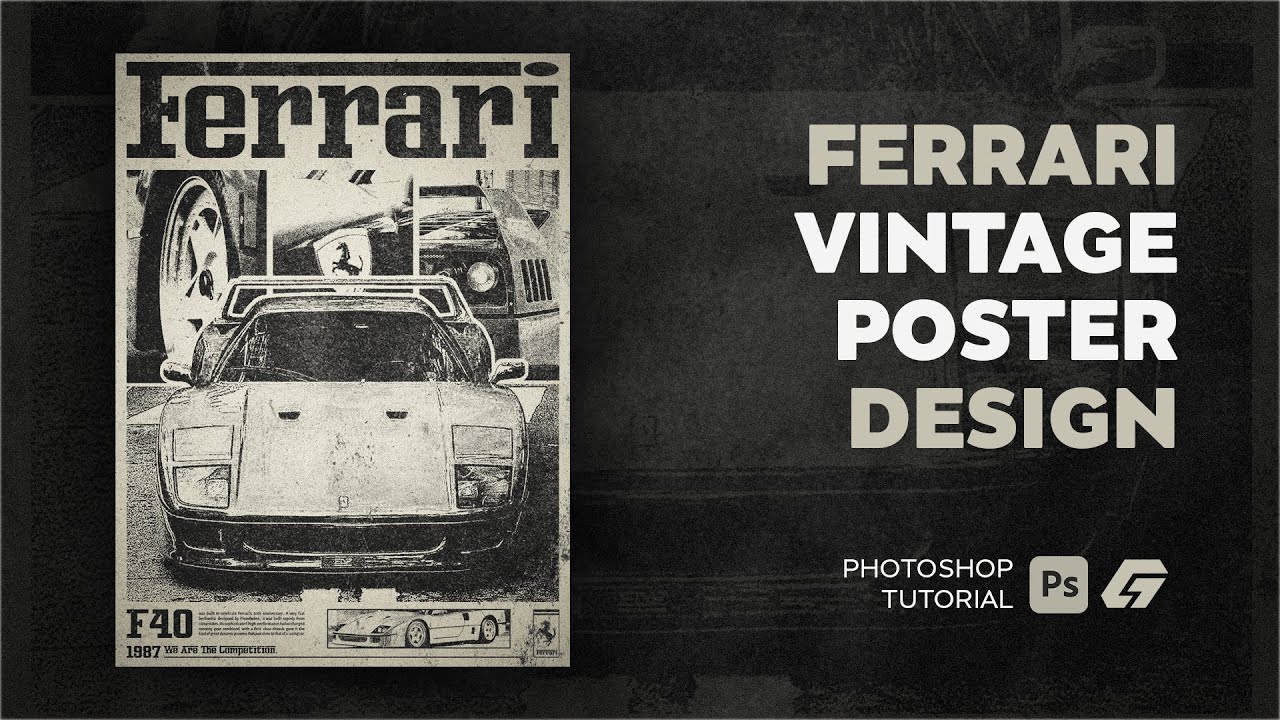
How To Make a Vintage Poster - Photoshop Tutorial
hey 👋
in this video i made a vintage poster about "Ferrari F40"
you can download this poster's psd from my discord server:
https://discord.gg/hKGKv3tpwt
#photoshop #design #vintage #retro #brutalism #texteffect #threshold #ThresholdPoster #freedownload #template #photoshoptutorials #photoshop...
tame cape
fading summit
https://www.youtube.com/watch?v=yKS4HO4ylFo
Minute: 7:22
They seem to sort of ...
Unfortunately difficult to see on a mobile phone ...
But it probably selects the content of the three layer masks one after the other.
First: Ctrl + click on the mask thumbnail
Second: Shift + Ctrl + click on the mask thumbnail
Third: Shift + Ctrl + click on the mask thumbnail
Then fill with foreground colour (Black): Alt + Backspace
fading summit
tame cape
Unfortunately difficult to see on a mobile phone ...
But it probably selects th...
Thank you that worked!
fluid craneBOT
Gave +1 Creative Carma to @tame cape (current: #41 - 47)
tame cape
Hi @last aurora
One possible variant:
Use the filter: other filters -> offset to shift your image horizontally by half the total number of pixels.
Then retouch the edges at the transition.
haughty storm
you can make an animation from a single picture? Neat...!
 woeful fjord
Hello people, I am trying to edit a mouth tape piece to peoples mouths. Yes that sound's odd but its for my business and whenever I add it on it never looks realistic as its not showing the realism of the mouth underneath. Ill send a photo to show what I mean.
 haughty storm
I'm not an expert at this kind of thing, nor have I done any kind of work but based on what I've learned recently you'll want to use the liquify tool to move the pixels so that it looks like its on somone's mouth; or do something really cool, find a photo of someone's mouth taped and cut that part out and then integrate it into your existing photos 😉
woeful fjord
Great idea thank you 🙂
haughty storm
yeah, I like to be creative; I try to think of ideas 😉 there's so many ways you can do this 😉
woeful fjord
Any better? Still feel like its not working 😦
 ripe quest
woeful fjord
Hello people, I am trying to edit a mouth tape piece to peoples mouths. Yes that...
ripe quest
woeful fjord
Hello people, I am trying to edit a mouth tape piece to peoples mouths. Yes that...
I would find an image of duct tape or whatever and composite that into the portrait...
 haughty storm
ripe quest
I would find an image of duct tape or whatever and composite that into the portr...
haughty storm
ripe quest
I would find an image of duct tape or whatever and composite that into the portr...
I kinda basically said this... yeah
woeful fjord
The product that I am trying to sell is the black material I am putting on the pictures, I appreciate your help 100% but am trying to get that black mouth tape on peoples lips
This is the product
 haughty storm
oh you're trying to put your product on it, interesting
woeful fjord
haughty storm
oh you're trying to put *your* product on it, interesting
Yeah 🙂
haughty storm
best thing I can suggest is to use liquify tool; I agree it does look weird but even the product image shows the tape looking super smooth
vapid flume
I would use either the warp tool, or liquify, and possibly the displace filter to have the lighting and shadow right

check in the online help for the displace filter (commonly called "displacement map") to learn how to use it because it's a bit not straightforward to use (but terribly powerful)
But I am assuming you got the product handy, so I would take a proper photo of the product on a friend's face in similar lighting conditions and angle as the model you chose, it will be easier to transfer from one photo to the other
I also hope you'll get a notice on your product for people with a Deviated septum (common cause of snoring) because otherwise it's a recipe for failure!
haughty storm
as in they can't breathe through their nose (Deviated septum)?
vapid flume
Yes, like me. I can breathe from my nose, but I wouldn't try to spend a whole night doing so 🙂
vapid flume
haughty storm
hopefully their tape is breathable
That's OK, we're not in North Korea 🙂 a little tangent is fine!
haughty storm
oh, lol err I didn't see u were a mod 😉 and ty ❤️
vapid flume
haughty storm
oh, lol err I didn't see u were a mod 😉 and ty ❤️
The rules apply to me too!
haughty storm
so while keeping within the rules, I do have a question about PDFs containing images, some people sell images inside of PDFs, can those images be imported into photoshop for further editing or use?
though I'm sure the quality of the images in the PDFs are also of concern
tame cape
haughty storm
so while keeping within the rules, I do have a question about PDFs containing im...
Try it.
Open a PDF in PS
ripe quest
woeful fjord
The product that I am trying to sell is the black material I am putting on the p...
Sorry. I didn't see that part.
haughty storm
oh? I didn't know you could even open PDF right in PS
vapid flume
haughty storm
oh? I didn't know you could even open PDF right in PS
You can really open PDFs in nearly 100% of the Adobe products, PS, Adobe Express, Illustrator, bizarrely not in InDesign for some obscure reasons...
haughty storm
good to know, TIL
vapid flume
Also because I can, I will also point out that you can use Adobe Bridge to wade through pages of a long PDF (a short one if you wish too! 😁)
That's something I use all the time, so I don't have to open it in ts entirety and only open the page I need.

This annoucement was posted by the Adobe Bridge lobbying group (only one member)
 wanton tartan
hi i need help
so i have two layers that i am working on
i wanna select then copy a place that evolve both layers but it is only selecting the current layer i am on
if i select both layers it will just copy the hole image
what to do ?
haughty storm
not sure I totally understand, you want to copy both layers? Just select those two layers, it shouldn't copy the whole image unless the 2nd layer has the whole image on it? Screenshot your sample?
wanton tartan
yes one of the layers have the image
haughty storm
show us what you see
wanton tartan
discord keep telling me upload failed
haughty storm
cuz its too big, you have nitro? If not, use imgur
vapid flume
Where do you need to copy these two layers?
wanton tartan
into a new layer
haughty storm
how many layers do you have altogether right now?
tbh if you just want to copy the contents from two layers, I'd hide all the layers you don't want, and merge visible or flatten visible, etc
 glossy nacelle
how do i invert a picture?
haughty storm
invert, like color negative invert?
wanton tartan
haughty storm
tbh if you just want to copy the contents from two layers, I'd hide all the laye...
it dose not help if i can have exactly what i need by doing this then why would i use the seclect to copy it?
wanton tartan
glossy nacelle
how do i invert a picture?
what dose that means?
haughty storm
wanton tartan
it dose not help if i can have exactly what i need by doing this then why would ...
can't really help if we can't visually see it
glossy nacelle
in mu picture there is a person who is looking at the left side
i want him to look at the right side
 vapid flume
wanton tartan
into a new layer
vapid flume
wanton tartan
into a new layer
Why don't you duplicate instead? Select layers or group, right click, "duplicate layers"
 wanton tartan
no idea why it worked
vapid flume
then it lets you choose where to duplicate it... Any open document or a new one
 wanton tartan
i do not want to duplicat the the hole layers
i juas t want a pace of the two
vapid flume
I never really "trust" copy and paste personnallly
wanton tartan
wanton tartan
the part in the dark is in different layer then the one up that is lite
i want to get both of them at the same time
i am just giving a example
haughty storm
glossy nacelle
i want him to look at the right side
free transform CTRL T and then right click and flip horizontal
do be aware flipping the image can have some unwanted effects if the person is wearing a graphic shirt
haughty storm
vapid flume
I never really "trust" copy and paste personnallly
I do it a lot, but how would you copy other than duplicating? Seems like they want to merge two layers and then copy the result for whatever reason they have.
vapid flume
haughty storm
I do it a lot, but how would you copy other than duplicating? Seems like they wa...
Yes difficult to say. I would say duplicate the two layers, merge the two duplicates and deal with the merge (so as not to touch the originals)
Or, I would turn them into a smart layer
I don't like copy and paste, except when I copy illustrator path to PS, it's the only way to have access to vector info easily
haughty storm
I now turn everything into a smart layer when it makes sense; I don't do it for shadows because transforming them gets weird
wanton tartan
i juast want to understand
why photoshop dose not have a sample all layers in the selection tools
specially marquee tool
wanton tartan
haughty storm
but idk how to use it
mind showing it to me?
the marquee tool specifically
haughty storm
let's see if I can, one sec
wanton tartan
tyt
haughty storm
it doesn't in marquee tool apparently, but it does with clone stamp, smudge, blur, sharpen, paint bucket, spot healing burhs and healing brush tools https://www.google.com/search?q=Sample+layers+in+photoshop&rlz=1C1VDKB_enUS1100US1100&oq=Sample+layers+in+photoshop&gs_lcrp=EgZjaHJvbWUyBggAEEUYOTIICAEQABgWGB4yCAgCEAAYFhgeMggIAxAAGBYYHjINCAQQABiGAxiABBiKBTINCAUQABiGAxiABBiKBTINCAYQABiGAxiABBiKBTIKCAcQABiABBiiBNIBCDQ0ODdqMGo3qAIAsAIA&sourceid=chrome&ie=UTF-8

www.google.com
this might be handy https://www.youtube.com/watch?v=GsyJxEbhTkc

In this episode of 60 Second Photoshop Tips I'll show you how to visually make adjustments for a more precise selection.
Stop by my website for more Photoshop, Lightroom, and Photography tutorials and tips: www.mattk.com
Connect with me on Social Media
Instagram: @mattkloskowski
Facebook: https://www.facebook.com/ThePhotoshop...
Twitter: @Matt...
wanton tartan
haughty storm
it doesn't in marquee tool apparently, but it does with clone stamp, smudge, blu...
witch i don`t care about
why dose they not have that ?
i found two way to pay around what i want
1- marge the two layers then select what i want ( a very bad idea most of the time)
2- select part of both layers induvial then marge both ( annoying way)
it would be easyer in they add sample all layers to marquee tool
haughty storm
wanton tartan
i found two way to pay around what i want
1- marge the two layers then select ...
its not a bad idea, but you could make two layers a smart object, does the same thing plus you don't lose quality
idk why they don't; but there's lots of ways to get around this
I don't like merge visible because losing transparency happens sometimes
wanton tartan
haughty storm
its not a bad idea, but you could make two layers a smart object, does the same ...
if i merged the two layer then it is one layer
means i can not change what i have on them let us say one of the layers are painting and the other is the background then i am stuck with the paint for ever
how can i suggest photoshop to add this future to photoshop?
i am surprise no one actually asked for it all the time
haughty storm
wanton tartan
if i merged the two layer then it is one layer
means i can not change what i hav...
no, you're not stuck but I don't recommend merging, just convert the two layers as a smart object and you can edit it even after that
haughty storm
even if you can't edit it, you can undo
but that's the nice thing about smart objects is you can edit several layers as one if that's how you want it
wanton tartan
well see
i will go eat i am starving
this photoshop problem took all my day
is it well or will i keep forgating
haughty storm
yeah it can take time to learn these things, I spent all day doing that yesterday 😄
now I'm learning more stuff
vapid flume
@wanton tartan When you select anything, with any selection tool (including with a brush based selection tool) you are acting on the pixel content of a particular layer. That's how Photoshop works, if you need a selection done of the pixel content of more than one layer, you need to merge those layer and have your selection act on that merged layer. That'sjust how photoshop is built (I don't know any software that would act like you'd want it too, but I don't know every software either)
All you do in photoshop, you are doing it on the layer you have selected.
If you want to apply a filter on more than one layer? same smart layer or merge
Want to apply a colour on a layer with a layer style? Same Smart layer, merge or group
haughty storm
and you can pick more than one layer; hide the ones you don't want to work with so you're not confused; its really very flexible
wanton tartan
vapid flume
<@755124602233159900> When you select anything, with any selection tool (includi...
it is very simple
just add sample all layers option just like it exist in clone stamp, smudge, blur, sharpen, paint bucket, spot healing burhs and healing brush tools
why not
vapid flume
Sometimes you can get away with groups, but not with selections
vapid flume
wanton tartan
it is very simple
just add sample all layers option just like it exist in clone...
File it as a feature request!
#1093156942647660615
wanton tartan
wanton tartan
i found two way to pay around what i want
1- marge the two layers then select ...
that how i play around it and it is sucks
haughty storm
how do you mean? if I pick two layers either merge or make smart object I can select everything, but you're right if I just select two layers I can't select everything
vapid flume
I am, unfortunately, not a Photoshop developper and I don't know the why of most things (Except that I probably never needed that option, since I would always merge if I needed to)
wanton tartan
vapid flume
File it as a feature request!
<#1093156942647660615>
i am seeing a lot of options
what to pick ?
vapid flume
wanton tartan
i am seeing a lot of options
what to pick ?
Create your own
wanton tartan
i see
haughty storm
there's no right/wrong way to do anything unless it doesn't achieve what you want 😛
vapid flume
haughty storm
there's no right/wrong way to do anything unless it doesn't achieve what you wan...
exactly!
vapid flume
wanton tartan
it is very simple
just add sample all layers option just like it exist in clone...
These used to not have that option of sampling all the layers (I'm talking olden days) When it was that way, we used to merge the layers. That's actually a keyboard shortcut that is burn in my mind (and probably in most power users brains!)
CTRL+SHIFT+ALT+E... Creates a copy of all the visible layers, merged in just one layer. That's probably one of the most used keyboard shortcut in Photoshop (and actually, weirdly, not part of a one-click menu entry)
haughty storm
I'm a long time hobby user of photoshop off and on, but yeah I remember a lot of features that we have no weren't there before, its getting to be a lot easier to use PS LOL we needed this stuff 20 years ago
wanton tartan
vapid flume
These used to not have that option of sampling all the layers (I'm talking olden...
god
thank god i was not in the old dayes XD
fluid craneBOT
Gave +1 Creative Carma to @vapid flume (current: #8 - 752)
wanton tartan
congratulations
haughty storm
no karma for moi? 😛
 woeful python
how do i edit a layer mask using a pen tool
not brush
it has to be pen tool
because brush is not precise enough
i already made a layer mask using one pen tool selection but idk how to edit it using the pen tool
someone help
vapid flume
Generally people tag moderators when there is something to moderate, is that the case?
vapid flume
If not, please avoid
vapid flume
woeful python
oh
No worries
woeful python
is there a tag i can use to ask for help
vapid flume
You can't edit directly with the pen tool, but you can use the pen tool to draw a precise path, right click on that path and choose "Make selection" and use that selection to fill your mask with black, white or grey
 grave spire
I want to add roman numerals around the circle but in the center of each kind of division. How would I do that?
 vapid flume
 woeful python
vapid flume
You can't edit directly with the pen tool, but you can use the pen tool to draw ...
woeful python
vapid flume
You can't edit directly with the pen tool, but you can use the pen tool to draw ...
let me try
vapid flume
woeful python
is there a tag i can use to ask for help
No tag, this is a community forum, ask your question and if someone can help they will do
Most of us do work on the side so it's not like you can ring a bell...
vapid flume
grave spire
I want to add roman numerals around the circle but in the center of each kind of...
You can do it with drawing a circle and "type on a path". The circle needs to vbe done with the vector tool though ("elipse"

That will helphttps://www.youtube.com/watch?v=N4oFdkSiAYc

Take this one step further by creating a circular text emblem here: https://www.youtube.com/watch?v=M0heqIPu7V0
In this Photoshop Tutorial, you'll learn a few different ways you can create paths, along with the technique to begin typing text on a path as well. Whether you cre...
grave spire
vapid flume
That will helphttps://www.youtube.com/watch?v=N4oFdkSiAYc
Thanks, but I'm not sure how i'd get them in the center
fluid craneBOT
Gave +1 Creative Carma to @vapid flume (current: #8 - 753)
 haughty storm
I believe the path option still applies, you'll need to make a vector path for each part it seems
woeful python
vapid flume
You can't edit directly with the pen tool, but you can use the pen tool to draw ...
bomboclaaaat it worked
haughty storm
idk... tbh, IMHO I'd just use the type tool and place the text there myself
 grave spire
haughty storm
I believe the path option still applies, you'll need to make a vector path for e...
grave spire
haughty storm
I believe the path option still applies, you'll need to make a vector path for e...
wdym
 tidal shard
how do i delete this fine line? its from the sword picture i imported
 haughty storm
grave spire
wdym
haughty storm
grave spire
wdym
Sandrine showed you a video of text along a path, you'll need to make a patch for each section, the video is for the whole circle, so it wouldn't work the way you intended
haughty storm
tidal shard
how do i delete this fine line? its from the sword picture i imported
what line, I see a red arrow
tidal shard
its barely visible hahahaha
the arrow is pointing to the fine greyish line

here, i zoomed in a bit more for you
grave spire
haughty storm
Sandrine showed you a video of text along a path, you'll need to make a patch fo...
I don't get it
woeful python
is it possible to increase canvas size on the project you're currently working on
tidal shard
woeful python
is it possible to increase canvas size on the project you're currently working o...
Crop Tool (C), try it out
tidal shard
hahahahahaha
haughty storm
wait, crop expands the canvas?
I'm used to doing it the old way by changing the canvas size tool
grave spire
grave spire
So is there no way to get the text aligned with each section?
haughty storm
grave spire
So is there no way to get the text aligned with each section?
TBH IDK, but there's more than one way to do this, personally JMO I'd use the text type tool, then use the move tool to move each roman numeral
that's probably inefficient, takes longer butif it works; why not
woeful python
haughty storm
wait, crop expands the canvas?
thats what im saying
wanton tartan
tidal shard
if you export that as jpg then reload it would it stay?
haughty storm
tidal shard
not sure what that line is, have you tried using the eraser tool? If nothing gets rid of it, you have some kind visual aid turned on
wanton tartan
tidal shard
i mean just erase it with the eraser tool
wanton tartan
haughty storm
not sure what that line is, have you tried using the eraser tool? If nothing get...
indeed
haughty storm
woeful python
how is it called crop if you can increase
seems to me they need to change the name of the tool then 😉
wanton tartan
if the easer tool not working make suer you are one the correct layer
tidal shard
wanton tartan
if the easer tool not working make suer you are one the correct layer
i've tried erasing, also i've made sure that im on the correct layer
but i think it doesnt work because of this small icon?
 wanton tartan
no it have nothing to do with the size of it
haughty storm
its possible, see if you can undo a few steps and see if it goes away?
you can always redo
wanton tartan
try to paint on it then erais maybe
no idea
tidal shard
damn
wanton tartan
how about this
Marge all layers then try to
you can undo ofc after that if you don't want that
tame cape
tidal shard
but i think it doesnt work because of this small icon?
This is a smart object.
Two possible ways:
double-click -> edit and then save OR
rasterise and then edit
haughty storm
not sure how rasterizing has anything to do with that line but hey it worked I guess
grave spire
haughty storm
TBH IDK, but there's more than one way to do this, personally JMO I'd use the te...
It needs to be in a circle though
haughty storm
woeful python
cant erase without rasterizing
hmm...
actually you can erease without rasterizing, I just checked; but all my layers are smart objects
haughty storm
grave spire
It needs to be in a circle though
I'm confused, I saw your sample, you want the roman numerals in each of those divided spots, right?
grave spire
haughty storm
I'm confused, I saw your sample, you want the roman numerals in each of those di...
yh
haughty storm
ok, easy; use the type tool, rotate the text and move tool and if you have one of the more recent PS the auto centering/snapping tools might be able to help
woeful python
haughty storm
actually you can erease without rasterizing, I just checked; but all my layers a...
nah
atleast not on my side
maybe using a layer mask technically you can "erase" but you're just masking
haughty storm
what PS version do you have?
woeful python
2024
haughty storm
woeful python
maybe using a layer mask technically you can "erase" but you're just masking
incorrect; its not masking otherwise it would show up as a mask
woeful python
yeah true
woeful python
haughty storm
incorrect; its not masking otherwise it would show up as a mask
wait huh
im confused
haughty storm
see for yourself

I literally erased ON the layer itself without rasterizing, the mask is unaffected, it doesn't even create a mask
the mask is there cuz I removed the background, has nothing to do with erasing, you def can erase without rasterizing first otherwise what would the point of non destructive editing be?
mind you, that layer isn't even a smart object
huh I can't convert it to smart object anymore 😦 LOL
oh, well you were right
but it doesn't create a mask though
 light tendon
ah thanks
haughty storm
glow them? Glow them how exactly? Radiating glow? You could do that with an outer glow for each piece on its own layer with the same colors
 vagrant stump
Installed the newest version of PS (was using 2023) & haven't played with any settings. The color picker is showing a different color than what I selected (in image: picking the darker pink - showing muted pink/almost tan color in preview ring)
How can u fix this?
 haughty storm
so use adjustments if they are on each layer you can make an adjustment layer for each to change brightness, etc
vapid flume
grave spire
I need the text to be in each section but in the middle of it
You will probably need to tweak it by hand, playing with the spacing and kerning (there is no automatic method for doing it exactly how you want it)
see the V/A options here
 haughty storm
vagrant stump
Installed the newest version of PS (was using 2023) & haven't played with any se...
haughty storm
vagrant stump
Installed the newest version of PS (was using 2023) & haven't played with any se...
are you working in a different color space?
 outer gyro
can someone do a simple task for me?
haughty storm
hey I'm trying to put the jack o lantern int he middle, I've done this with clipping masks before with text but this? How? it shows on the outside rather than the inside 😦
 vagrant stump
haughty storm
are you working in a different color space?
vagrant stump
haughty storm
are you working in a different color space?
I honestly have no idea - like I said, I didn't touch any settings, just updated & started using/noticed issue. Here are my current color settings (RGB is set to the same as my monitor) My opened image is RGB 8-bit
 vapid flume
haughty storm
hey I'm trying to put the jack o lantern int he middle, I've done this with clip...
vapid flume
haughty storm
hey I'm trying to put the jack o lantern int he middle, I've done this with clip...
That's because your "hole" is transparent. Clipping mask only register where there is a pixel content
haughty storm
eh I'm curious about this, sometimes I run into this too so would like to know
haughty storm
vapid flume
That's because your "hole" is transparent. Clipping mask only register where the...
hahah... well I didn't realize it was pixel based so that helps knowing that
I sorta accomplished it

I didn't clip it per se
its not what they want tho
vapid flume
Yes I was about to suggest that bit I didn't know if that's what you wanted to achive
haughty storm
its not mine, but its close but the thing is if what I think they want then the hole will be visible
vapid flume
Your only other -easy-solution is to fill the tranpsparency with white (fill a circle with white or any colour, put it underneat, merge the layers and clip the pumpkin on top of it
haughty storm
yeah I'll probably do that but I don't think it'll work exactly
vapid flume
I notice the edges around the empty space is VERY jagged, I think this won't look very neat
haughty storm
yeah it is jagged, not sure why; I'll try it again with just clipping it
vapid flume
Or try to mask the pumpkin with a mask in the shape of the planet? something around that?
I think I would recreate the planet with the pen tool, and make it a path, that could be used as a vector mask or something. And it will look smooth
when I say planet, I am thinking the shape of the transparent part
haughty storm
just trying to keep it simple gonna see if clipping would just be good enough but now I need to figure out how I can open the image in the planet shape without having to open it separately?
the resolution are vastly different
vapid flume
it looks like it was badly cut out too
Not much you can do if the pixel count isn't there
Anyhow, I will retreat as I still have some work to do 🙂
Bye!
haughty storm
🙂 ty for the help
vague bough
has anyone got any tips on getting rid of the visible lines when using the ai fill?
 haughty storm
tried to make a clipping mask, it works with the planet over the pumpkin but not the other way around but if I hide the image behind the pumpkin, the pumpkin disappears too
 haughty storm
vague bough
has anyone got any tips on getting rid of the visible lines when using the ai fi...
haughty storm
vague bough
has anyone got any tips on getting rid of the visible lines when using the ai fi...
where's the visible line?

 haughty storm
oh that vertical structure; you'll probably just need to mask it out with a brush/pen
vague bough
i have to mask out the entire pillar?
haughty storm
if that's what you don't want, that's one way to do it, IDK any other way
vague bough
i was able to make it a bit better
 haughty storm
ah blurring it works but its kind of out of place cuz nothing else is that blurred at speed but you also have a 2nd vertical line right above the front of the car too
vague bough
yeah it is out of place
haughty storm
for the 2nd line I'd just use athe spot/healing brush
err content aware fill brush
actually you could do that for the pillar too
well I'll be back once someone can help me with the clippming mask issue
vague bough
haughty storm
actually you could do that for the pillar too
oh alright thank you i'll give it a go
fluid craneBOT
Gave +1 Creative Carma to @haughty storm (current: #938 - 1)
haughty storm
yay ty! ❤️
 golden mauve
how do i export in photoshop just as it look? cuz when i export it merges the layers
the top one is a layer in overlay as blending mode
woeful python
golden mauve
how do i export in photoshop just as it look? cuz when i export it merges the la...
quick export as png
golden mauve
tried but it exports it differently
woeful python
send screenshot for comparison
grave spire
Anyone know a good AI image generator
haughty storm
firefly
grave spire
haughty storm
firefly
got a link?
haughty storm
golden mauve
woeful python
send screenshot for comparison
its in general
 hidden abyss
could someone pleas remove my facial hair from some pictures and maybe make my eyes blue? shouldnt be hard at all but i dont have photoshop 😦
so figured id come here and ask bc tried some other stuff but im just bad
like the facial hair is gone but not clean shaven yknow, want it to look like theres no hair at all, bc cosplayed griffith from berserk
if so pls dm id appreciate it allot
🙏
tame cape
Hi @last aurora
One possible variant:
Use the filter: other filters -> offset to shift your image horizontally by half the total number of pixels.
Then retouch the edges at the transition.
I have tried generative filling. After a few attempts, the result is relatively credible.


 slim cedar
is there a way to warp images? Because I want to make a photo of a cardboard (don't ask) look like a straight top down view?
haughty storm
slim cedar
is there a way to warp images? Because I want to make a photo of a cardboard (do...
go to edit, transform then warp
slim cedar
haughty storm
go to edit, transform then warp
oh ok thanks!
fluid craneBOT
Gave +1 Creative Carma to @haughty storm (current: #605 - 2)
woeful python
how would i go about making something like this

 novel jackal
Lately my PS started misbehaving like this , any preferences I can crank up to prevent this from happening ?

It would load only half of the layers (Usually top ones first) and then when you move anything around, it would click in the rest of the layers and remove the ones that were loaded to begin with, and would start just smudging the object all over the place as I move it
File isn't that heavy really, so not sure why it's behaving
viral palm
novel jackal
File isn't that heavy really, so not sure why it's behaving
Check your performance Preferences ... Do you use Graphic Processor (if yes try to uncheck it , if no try to check it and see if the problem goes away)
You could also be sure your graphic card driver is up to date. Let us know.
 viral palm
woeful python
how would i go about making something like this
viral palm
woeful python
how would i go about making something like this
https://firefly.adobe.com/ and type a prompt describing what you want... There are a lot of style references and effect you can add to give the same effect to the generated image.
 grizzled rain
hello friends, I'm new here. I would like to add a measuring tape to my pictures. How is that possible? Here is an example
 novel jackal
viral palm
Check your performance Preferences ... Do you use Graphic Processor (if yes try ...
novel jackal
viral palm
Check your performance Preferences ... Do you use Graphic Processor (if yes try ...
Nop, none of these helped sadly
Might be just some issues due to file made on newer version of PS
I'll try to open it on other machine with present version tomorrow and see how that goes
woeful python
bro how do you make something like tis
 woeful python
viral palm
https://firefly.adobe.com/ and type a prompt describing what you want... There a...
woeful python
viral palm
https://firefly.adobe.com/ and type a prompt describing what you want... There a...
wait what. youre saying i can just ai generate this image and not have to make it from scratch?
i dont know how i feel about that
kinda defeats the purpose of it all
haughty storm
AI is quite helpful, I use it for a lot of my stuff
novel jackal
woeful python
kinda defeats the purpose of it all
I mean if the result is as good and it saves time, I don't see reasons why not to

haughty storm
but you still have to edit/fine tune it even with AI
novel jackal
AI as helping hand is really great
woeful python
how would you make this without ai
haughty storm
without... I'm not that skilled LOL
haughty storm
grizzled rain
hello friends, I'm new here. I would like to add a measuring tape to my pictures...
so you want to add like a real meausring tape/ruler to this?
novel jackal
woeful python
bro how do you make something like tis
Something like this as in inserting travis scott onto a pretty scene or making a pretty scene to begin with 
woeful python
woeful python
how would you make this without ai
i feel like without having a solid foundation of how to do certain things without ai, your creativity is limited even with ai
grizzled rain
haughty storm
so you want to add like a real meausring tape/ruler to this?
Yeah right
haughty storm
woeful python
i feel like without having a solid foundation of how to do certain things withou...
for sure
woeful python
novel jackal
Something like this as in inserting travis scott onto a pretty scene or making a...
what about the colors
haughty storm
grizzled rain
Yeah right
so you want to do an image composition, grab a photo of a measuring tape or ruler that you like and mask out the background and place it where you want on the canvas 🙂
haughty storm
woeful python
what about the colors
Curves, Levels, HSL whatever just a matter of making the selection
woeful python
word
novel jackal
woeful python
what about the colors
If it's a person we talking about then you just can overlay colors onto it to blend it in
haughty storm
novel jackal
If it's a person we talking about then you just can overlay colors onto it to bl...
is there a quick/basic tutorial on doing color overlays on a subject? I've got a scene I want to use the colors from for a subject I need colored
novel jackal
haughty storm
is there a quick/basic tutorial on doing color overlays on a subject? I've got a...

A tutorial on changing the color of an object in photoshop.
grizzled rain
haughty storm
so you want to do an image composition, grab a photo of a measuring tape or rule...
I'll try that. Thanks 😉
fluid craneBOT
Gave +1 Creative Carma to @haughty storm (current: #450 - 3)
haughty storm
I'm working on this now; not sure what colors I'd use
 novel jackal
haughty storm
is there a quick/basic tutorial on doing color overlays on a subject? I've got a...
novel jackal
haughty storm
is there a quick/basic tutorial on doing color overlays on a subject? I've got a...
It's not ideal , but it's a good base to try and play with
viral palm
grizzled rain
hello friends, I'm new here. I would like to add a measuring tape to my pictures...
Line tool is a way to go... Group your lines (Mask the group) to leave white/transparent space behind the text.
 novel jackal
haughty storm
is there a quick/basic tutorial on doing color overlays on a subject? I've got a...
novel jackal
haughty storm
is there a quick/basic tutorial on doing color overlays on a subject? I've got a...
Instead of color overlay mode you can play around and try other modes to see what works better for you , but this usually did the job for me
haughty storm
novel jackal
It's not ideal , but it's a good base to try and play with
I've watched composition tutorials and it talks about using the HSL and using the dark/light range of colors to make the subject blend in
haughty storm
novel jackal
Instead of color overlay mode you can play around and try other modes to see wha...
true overlay is usually the easiest, can adjust opacity
haughty storm
viral palm
Line tool is a way to go... Group your lines (Mask the group) to leave white/tra...
they said they wanted a measuring tape, I didn't realize they actually wanted measure tick marks
grizzled rain
viral palm
Line tool is a way to go... Group your lines (Mask the group) to leave white/tra...
there is exactly what I was looking for 🙂 perfect 🙂 Thanks guys
novel jackal
haughty storm
I've watched composition tutorials and it talks about using the HSL and using th...
With this tutorial you essentially doing the same , but darken-lighten is done with brightness sliders in the second adjustment layer
But with that you can blend the object no less good
haughty storm
oh
so how do you know what colors to use, like in my example
the jack o lanterns aren't colored into the scene either (those were already there)
viral palm
haughty storm
I'm working on this now; not sure what colors I'd use
Colors to do what?
haughty storm
viral palm
Colors to do what?
to blend in the dog (yes that mop dog)
woeful python
haughty storm
to blend in the dog (yes that mop dog)
curves
you can detect color curves of one scene and apply it onto another
haughty storm
I plan to do that, just gotta figure out what colors to use
haughty storm
woeful python
you can detect color curves of one scene and apply it onto another
I saw a video on how to do that, using the dark/light and it'll pick up the colors based on that
woeful python
did it work
haughty storm
not yet, haven't done it yet I need to retrace the tutorial steps first
woeful python
can i self promote
fluid craneBOT
Gave +1 Creative Carma to @haughty storm (current: #358 - 4)
haughty storm
meh this mop dog doesn't have good edges 😦
I'd do it for you but idk how to do it on a box, I know what the tool does and I have limited experience with it at the moment
mop dog is making it hard to get rid of the background

 stiff trail
This is where CaptureOne AI selection gets you.
It just... works.
So if you have C1, load it into that and you're off to the races.
Otherwise just use your blue channel as the basis for an alpha mask
becaus that blue channel gonna have contrast for days.
stiff trail
Assuming you're in charge of MopDog, yes
haughty storm
😛 oh I wasn't sure you were talking to me cuz you mentioned something I wasn't expecting
stiff trail
If you want to isolate MopDog in PS, use the blue channel
haughty storm
errm is there a tutorial on this? I was looking for one but couldn't find one magic wand can actually select based on color but like you said the blue is going to go on for days
stiff trail
Copy the blue channel to an alpha channel, then just refine it with levels/curves/burn tool
Dan Margulis labours over channel selections in his book
haughty storm
ah idk how to do that
stiff trail
Moment.

For hair masking on complex backgrounds, try this tutorial: https://phlearn.com/tutorial/30-days-photoshop-cut-out-hair/
Today we show you how to use Channels to make detailed cutouts of hair in Photoshop! Learn how to quickly select people in a photo using Select Subject, and then use Channels to refine that selection, recovering all of the fi...
Oldschool Aaron coming in Clutch.
In this example the hair's black and the background is white, you kinda have an inverse of that, but the principles are the same.
haughty storm
is it easy?
stiff trail
However it's only a RAW editor, like LR, so if you want to use it to generate masks there are some... workflow issues.
haughty storm
ahh ok
I'll stick with PS then and use the vid
kinda surprised Adobe isn't there with that
stiff trail
I had to mask 60 animals for large format prints, and so I used the AI selections in C1 to make basically alpha masks as TIFFs, export those, then layer them back into the PS files to isolate the animals
haughty storm
I have no idea the comparison, just going off based on what you're saying
stiff trail
Yes, Adobe's "Select Subject" is consistently disappointing.
haughty storm
I've gotten good results mostly until now
stiff trail
Given their astronomic resources compared to Capture One's devteam.
The "Select Object" tool in marquee mode works a lot better for me than just hitting the "Select Subject" button, mind you.
haughty storm
but you're right select subject is still very hit/miss I don't quite need an advanced app like C1 but I would like to find similar tools like C1 that are as good as C1 tho
stiff trail
Presumably the additional shape context halps.
IDK, I use C1 for the majority of processing and PS for pixel retouching. I don't have much time or energy left to look elsewhere 😦
haughty storm
oh ok lemme try select obj
viral palm
haughty storm
to blend in the dog (yes that mop dog)
first easy thing to do: turn your mop dog in Smart object then use: filter>Neural filter>Harmonization then select your pumpkins background as reference image.
 haughty storm
yeah tried the select obj in the marquee tools; same thing as "select obj" I find no real difference between the two anymore
rn trying to get rid of the blue background that won't go
stiff trail
Franck might be onto something - the neural / AI tools might do an adequate job depending on where the image is destined to go. For my workflow theyr'e almost never suitable so I seldom think to use them :/
Bit of a dinosaur in that regard.
shoo's Blurple toward the Phlearn video
haughty storm
ty for the helps; I can't give carma, no perms
 limber jolt
is there a more accurate easier way to remove her blushing other than color replacement tool?
 stiff trail
I'd smack it with the remove tool to see where that gets you, then (personally) I'd just repaint it. It's anime, so there's little surface texture to worry about.
Mixer brush on a low frequency layer of a frequency separation if you wanna be careful about it.
haughty storm
so far this copying blue to Alpha channel isn't helping, he just copied the blue channel, darkend it and then brushed the mask some and made the selection get deeper into the darker pixels
the blue channel unfortunately is almost the same color as the dog as is the background
stiff trail
That sort of thing
 limber jolt
stiff trail
That sort of thing
limber jolt
stiff trail
That sort of thing
waw
so u removed and repainted?
haughty storm
see in his white vs black, blue channel seems to be interfering with the dog's fur @stiff trail
 stiff trail
That was a very crude selection with selective olour to smush it toward the right colour, then FS, low freq mixer brush to blend it in, then HF clonestamp to take the artifacts out.
Blurp can you post the original unaugmented dog?
limber jolt
stiff trail
That was a very crude selection with selective olour to smush it toward the righ...
uhhhhh seems like a lot of tools to me idk how they look like
haughty storm

I do see wehre blue is darkest in the center
its a real crappy background they used
wonder if replacing the color to black would be any better?
limber jolt
stiff trail
That sort of thing
also how can i fix her left eye and make it normally like the right one
stiff trail
Learn to draw instead of using genAI? 😄
BLurple in my tiredness I said Blue channel, I of course meant Red.
That gives you max contrast between dog and paper
haughty storm
stiff trail
BLurple in my tiredness I said Blue channel, I of course meant Red.
oh, haha... I would have figured that out
haughty storm
limber jolt
also how can i fix her left eye and make it normally like the right one
copy right eye and flip it and place it on her left eye?
haughty storm
stiff trail
Learn to draw instead of using genAI? 😄
drawing isn't my forte
stiff trail
That was for the anime guy
Not you

So copy the red channel out for a mo, levels it
Then use the dodge tool on the doggo
limber jolt
stiff trail
Learn to draw instead of using genAI? 😄
oh! right😅 well i used remove tool and it did the job
limber jolt
haughty storm
copy right eye and flip it and place it on her left eye?
hmmm ill try
stiff trail

You wanna end up somewhere like this
But it IS a heavily polluted image, that blue is strong through the white fuzz
so you're on a "worst case" kinda image.
Whatever BG you lay it onto you can then use generative fill to fix the roughly blended areas
I find it works really quite well for hairs, and is faster than painting in your own strays

THen you can copy that alpha to a layermask and use Select and Mask to "Decontaminate colours" with a bit of edge refinement
stiff trail
It's not gonna be fantastic because you've got depth of field blur mixing your BG into your fur
So expect some manual tidyup and artistic lisence.
licence
Again, whatever you're pasting it ONTO will dictate your success
as some things will hide your errors more than others.
haughty storm
ah ok I'll pass on this dog then 😦
thought it would fit great in the halloween scene, this is a real dog breed, never see them that way tho
this one any better @stiff trail ?
 stiff trail
Try it !
You only learn by doing
I'd soldier on with the white dog, you'll learn a lot.
haughty storm
I would but would take me a long time I'll keep it and poke at it later
haughty storm
hmm I still can't reveal the extra details like Phlearn says to do @stiff trail ; I'm revealing the detail through the layer mask but its not doing anything idk why
eh I think I know why
haughty storm
I gave up, left too many artifacts
 river dragon
Hello. HAs anyone experienced issues with trying to open a file in Photoshop causing a crash? Just File -> Open... crash. Don't even get to select a file. Or File -> Open -> "On Your Computer" ... crash. I've tried switching GPU processing on and off, changing my scratch disk, deleting my preferences. Opening it from the past files list, or dragging and dropping, both work. Just not File -> Open.

<crash exception="EXCEPTION_ACCESS_VIOLATION" exceptionCode="0xc0000005" instruction="0x00007FF65F856180">
haughty storm
viral palm
first easy thing to do: turn your mop dog in Smart object then use: filter>Neura...
isn't this supposed to do it automatically like AI sense of some sort?
nvm, it did make a change; its very sublte though
 lucid river
how do I unroll an eyeball? lol, I mean, I want to create a flat image to put onto a 3d model, using an eye texture I have, but the texture I have is round, and the morph/warp tool doesn't flatten it enough. Is there a better way than creating 100 strips to 'flatten' it ?
haughty storm
you need perms
haughty storm
lucid river
how do I unroll an eyeball? lol, I mean, I want to create a flat image to put on...
yer probably going to need to create a flat eyeball yourself or find one from the internet and just throw one in
been looking on the interwebs for info on how to make an ambiant reflective glow on the side of the dog the lighting is wrong on the dog too but I can't fix that I don't think
 lucid river
haughty storm
yer probably going to need to create a flat eyeball yourself or find one from th...
lucid river
haughty storm
yer probably going to need to create a flat eyeball yourself or find one from th...
thank you! But, I figured it out.
Better to not use photoshop for that. It's a 3d model problem, so I took it to Blender and stencilled it on there.
fluid craneBOT
Gave +1 Creative Carma to @haughty storm (current: #292 - 5)
ripe quest
hazy galleon
/giverep <@475843826662244387>
All you have to do is reply with "thanks" :)
ripe quest
hazy galleon
/giverep <@475843826662244387>
Thanks!
fluid craneBOT
Gave +1 Creative Carma to @hazy galleon (current: #939 - 1)
haughty storm
ahhh I see
haughty storm
ripe quest
Thanks!
Thanks!
fluid craneBOT
Gave +1 Creative Carma to @ripe quest (current: #3 - 2421)
haughty storm
weird, cuz I clicked on the bot's profile and it shows a few commands LOL
ripe quest
haughty storm
weird, cuz I clicked on the bot's profile and it shows a few commands LOL
Yeah. I think most of that is probably disabled due to abuse. :)
haughty storm
makes sense
 unreal agate
would anyone happen to know why liquify changes between projects, the first image is what the liquify looks on the second object, and the first image is what it looks like on the first project, everything i copied and pasted over is the same


first image: liquify in the second project, second image: liquify in the first project

 viral palm
haughty storm
been looking on the interwebs for info on how to make an ambiant reflective glow...
viral palm
haughty storm
been looking on the interwebs for info on how to make an ambiant reflective glow...
are you looking for something like this?
 hazy galleon
ripe quest
All you have to do is reply with "thanks" :)
hazy galleon
ripe quest
All you have to do is reply with "thanks" :)
Thanks!
fluid craneBOT
Gave +1 Creative Carma to @ripe quest (current: #3 - 2422)
viral palm
unreal agate
first image: liquify in the second project, second image: liquify in the first p...
Your text is placed inside a smart object and you've applied the Liquify filter to this smart object, haven't you?
if so your text need to be exactly at the same place inside the smart object... It doesn't seem to be the case here.
Could you share the two Liquify window at the same zoom ratio? (just to be sure I am not wrong)
 thick cairn

How do I make it so when I click this
It doesn't GRAB it and make me resize it
But instead just select the layer
Because every time I click it, it grabs it, as if I'm holding down left click
vapid flume
lucid river
thank you! But, I figured it out.
Better to not use photoshop for that. It's a ...
That what I would have suggested. There is a a add-on in blender that straightent unwraps from curved object which I think might help.
I just need to remember the name! 🙂 Bear with me
THe add on is called "UV Squares" apparently
vapid flume
thick cairn
Because every time I click it, it grabs it, as if I'm holding down left click
You need to grab inside the lines and not the node or the line
you'll have ddifferent states of the cursor and yours needs to be (the screenshot app I have won't pick up cursors)
But to decribe them, you need to see a big black arrow, slanted to one side, instead of a small double north/south arrow
see this little video to see the difference
videos pick up the cursor
assuming your talking about the transform controls of course, it could be the rectangle tool but we don't know here
It's always best to screenshot the whole window in order to give the best info as possible. Otherwise people who answer always shoot in the dark
thick cairn
vapid flume
You need to grab inside the lines and not the node or the line
I click the nodes

So I can get this menu
Is there a different method for this menu to pop up when selecting a layer?
It's so stupid that by default the cursor grabs the node as if I'm holding down left click though.. why would they design it like that?
vapid flume
thick cairn
I click the nodes
If you click the nodes, you'll resize
CTRL+T is the keyboard shortcut for the transform menu
otherwise edit>transform>choose your transformation
Or right click on the canvas, with your relevant layer highlighted
It's the layer selection that counts to trigger the transformation. If you just want to move it, click and drag inside, if you want to resize click on nodes or on lines.
vapid flume
thick cairn
It's so stupid that by default the cursor grabs the node as if I'm holding down ...
You are the one who chooses where you place the cursor 🙂
thick cairn
Yes I know, it just still doesn't make sense to me why it holds onto the node with a click, instead of holding down click which would be expected.
Thank you though
vapid flume
thick cairn
Thank you though
That might be something with your preferences, or your keyboard, if I need to move a node, I need to hold and drag.
Keyboard or tablet, my old wacom used to do that for some reason
thick cairn
Keyboard and Mouse yes.
thick cairn
vapid flume
That might be something with your preferences, or your keyboard, if I need to mo...
Another ridiculous thing is that once I've clicked it, and dragged it (against my wishes as I'm not holding the click) if I click the node again, it doesn't do anything, as expected.
vapid flume
thick cairn
Another ridiculous thing is that once I've clicked it, and dragged it (against m...
AS I said, there is something wrong either with your preferences or your mouse or keyboard
This is not the expected behaviour
thick cairn
I've not changed any settings though.
Well, other than 1000 states
I'll see what I can find in settings I guess. Thank you thus far.
vapid flume
Try resetting the prefernences, particularly if you have updated the software recently. Try to see in the CC app if you can update to a newer version as well. But Resetting preferences might do the trick
vapid flume
thick cairn
Well, other than 1000 states
You like to live dangerously 🙂


then quit Photoshop

 cobalt osprey
Hi everyone, is that a new thing or CTRL H is no longer working to hide a selection outline?
stiff trail
Oh I hope not.
Though they do seem to have veered into adding nonsense now.
Stares at Selection Brush Tool
nocturne harness
viral palm
Check if Photoshop uses the same color space than your other app.
It should because all the colours were fine and just as bright as the other app a week or two ago
wanton tartan
stiff trail
Though they do seem to have veered into adding nonsense now.
that is the why i never updated my photoshop from the old 2022 version
all the new "futures" are bad
stiff trail
Yeah I'm sticking a few versions behind HEAD for such reasons.
tame cape
cobalt osprey
Hi everyone, is that a new thing or CTRL H is no longer working to hide a select...
Mac or PC?
 half thicket
its ai generated so it botched the lettering for whatever reason, more than happy with the overall logo but cant understand why ai cant solve the simple task, even tried reprompting but it keeps shooting out random avatars etc, things I never wanted to change
ripe quest
half thicket
its ai generated so it botched the lettering for whatever reason, more than happ...
Delete the lettering and do it yourself in Photoshop. You're likely not going to be able to prompt that and make it work.
half thicket
ye thats the thing that I feared, dont have photoshop but I'll look into it, thanks for the help 😄
ripe quest
half thicket
ye thats the thing that I feared, dont have photoshop but I'll look into it, tha...
What made that? Ideogram?
half thicket
nah chatgpt 4.0
was really amazed with the result honesty, after that not so much, probably has to do with good prompt
noticed he has a really hard time focusing on adjusting things, even if you strictly say not to change things, listing them up it still does
ripe quest
AI is great at general tasks and it can produce some cool stuff. But the details get muddled.
ripe quest
half thicket
noticed he has a really hard time focusing on adjusting things, even if you stri...
Yeah. You can't talk to it and have it just make changes in certain areas. You'd need an AI tool that you can paint over and mask the areas that you want to change (leaving everything else untouched). And even that is difficult.
Lettering is always difficult, regardless and people should just do that with an art program.
half thicket
crazy to think that something that "simple" would be such a challenge
ripe quest
half thicket
crazy to think that something that "simple" would be such a challenge
Part of the problem is that you're assuming that its simple. heh
half thicket
thats what im saying thats why its "simple", its still a very complex topic if you include all of the features of lettering
ripe quest
Its possible when you have a similar font and know Photoshop. :)
half thicket
the second one is going to be a challenge😂
tame cape
half thicket
the second one is going to be a challenge😂
And the first one?
Do you know the name of the font used?
🤔
ripe quest
tame cape
And the first one?
Do you know the name of the font used?
🤔
That's all generated pixels. There is no "font"
half thicket
tame cape
And the first one?
Do you know the name of the font used?
🤔
well I used waht the font and found a few of them
that already is amazing, thanks for that
fluid craneBOT
Gave +1 Creative Carma to @ripe quest (current: #3 - 2423)
tame cape
half thicket
well I used waht the font and found a few of them
What would they be?
half thicket
 haughty storm
half thicket
noticed he has a really hard time focusing on adjusting things, even if you stri...
haughty storm
half thicket
noticed he has a really hard time focusing on adjusting things, even if you stri...
I noticed ChatGPT will go overboard with some prompts too! It does a pretty good job sometimes, but yeah!
wish I knew how to do that 😄
haughty storm
viral palm
are you looking for something like this?
yes! 😄 thank you!
woeful python
haughty storm
I'm working on this now; not sure what colors I'd use
did you mange
haughty storm
woeful python
did you mange
yep I sure did, I used the neural filter, it didn't do much on my project but it helped on another one 😄
Thanks!
fluid craneBOT
Gave +1 Creative Carma to @woeful python (current: #939 - 1)
half thicket
but now it looks kinda clean
haughty storm
did you get AI to do that?
chatgpt even
I'm curious how did you get ChatGPT to even do text correctly?
 sweet field
Sorry, this is inappropriate for this server.
half thicket
haughty storm
I'm curious how did you get ChatGPT to even do text correctly?
it didnt, I edited it myself hahahahha
light tendon
I often run 3d programs, stuff like zbrush, blender, substance painter, but photoshop for some reason lags like crazy when doing stuff like zooming in or panning camera, all I have in my project is a single 1080p image
haughty storm
half thicket
it didnt, I edited it myself hahahahha
oh... lol 😄 I like the editing from one of the mods here; yours is nice too but they all just disappeared
haughty storm
light tendon
I often run 3d programs, stuff like zbrush, blender, substance painter, but phot...
are you running other apps while doing this?
light tendon
nope
haughty storm
weird, I do know PS can be laggy sometimes; doesn't happen very often for me but wonderinfg if you rebooted your machine?
light tendon
yeah it happens every time 😭
ripe quest
haughty storm
wish I knew how to do that 😄
Not that difficult when you have a good command of Photoshop. Its just a lot of practice to get there.
 left oxide
hello guys good eves I just got my Illustrator~ and can someone help me do this pattern huhuh
 haughty storm
you'll probably want to do a trace, I think illustrator can do that, meaning you'll have to draw the lines
not sure; I don't really do illustrator
tame cape
left oxide
hello guys good eves I just got my Illustrator~ and can someone help me do this ...
Wrong server
It's probably better to go there: https://discord.com/channels/634884897185595412/637037500451258369
haughty storm
viral palm
are you looking for something like this?
how is that done? 😄 or at least can point me to the resources on moving the light, please 🙂
 weary heron
light tendon
I often run 3d programs, stuff like zbrush, blender, substance painter, but phot...
weary heron
light tendon
I often run 3d programs, stuff like zbrush, blender, substance painter, but phot...
usually happens to me when the size of the canvas is huge
 left jewel
@tight terrace hey hello, i want juste one question, how to export a selected area into a image png
 pallid umbra
hey guys it's been a while
i have some questions, lately i have been getting design gigs for my local burger tent.
I want to look up professional photos i can use for food.
for e.g.
Loaded frites cheese jalapenos
Loaded frites cheese tenders
Loaded frites homestyle tenders
Where can i look for pictures that have the same theme? e.g. on a plate or wooden plate or in a carton box etc.
haughty storm
left jewel
<@694933876824342569> hey hello, i want juste one question, how to export a sele...
you want to export certain layers, not the whole art project? Hide the layers you don't want shown, flatten visible or merge layers, then go to File>Export (or Save as a copy)
haughty storm
pallid umbra
i have some questions, lately i have been getting design gigs for my local burge...
stock photo websites
ripe quest
pallid umbra
i have some questions, lately i have been getting design gigs for my local burge...
Try Adobe Stock. https://stock.adobe.com

Adobe Stock
Search Adobe Stock for millions of royalty-free stock images, photos, graphics, vectors, video footage, illustrations, templates, 3d assets and high-quality premium content. Try risk-free today.
woeful python
haughty storm
yep I sure did, I used the neural filter, it didn't do much on my project but it...
help
left jewel
@haughty storm i just deleted the leyer i dont wanted to export and now how to resize the workespace to fite to the image size
ripe quest
left jewel
<@475843826662244387> i just deleted the leyer i dont wanted to export and now h...
Right-click on the Layer, choose Duplicate Layer. Choose New Document. Then export it. File > Export > Export As...
haughty storm
left jewel
<@475843826662244387> i just deleted the leyer i dont wanted to export and now h...
use the crop tool and you can expand the workspace 🙂
ripe quest
If you're trying to export just a specific layer, you're better off duplicating it to a new document and then exporting it. Don't bother trying to crop it.
haughty storm
good idea, it comes out much more "clean" and the dimensions are to the image rather than having to guess
glossy nacelle
how do i paste it? so it wont move when i move my mouse?
left jewel
@haughty storm @ripe quest i dont understand you guis im stile stuck. ther is a screenshote
 haughty storm
glossy nacelle
how do i paste it? so it wont move when i move my mouse?
haughty storm
glossy nacelle
how do i paste it? so it wont move when i move my mouse?
paste what? Its already on the canvas, if you want to move it around in a larger space; use the crop tool to make the canvas/work space larger
haughty storm
left jewel
<@475843826662244387> <@712015771596750931> i dont understand you guis im stile ...
not sure what you're trying to accomplish here
glossy nacelle
haughty storm
paste what? Its already on the canvas, if you want to move it around in a larger...
i dont want to move it around, but it moves thats the problem
i want it to be on the layer
how do i do it?
haughty storm
glossy nacelle
i dont want to move it around, but it moves thats the problem
tbh I would just duplicate that layer and export it to a new document that way you have a fresh layer your artwork doesn't move on?
its gonna move if you use the move tool no matter how big the workspace is
left jewel
@haughty storm dont be made its fixe, i just save them has a PNG insted of PSD
glossy nacelle
can you remind me how i duplicatw layer?
ripe quest
glossy nacelle
can you remind me how i duplicatw layer?
Select the Layer. Ctrl J
haughty storm
they beat me to it 😉
ripe quest
I'm a professional. Don't try this at home. heh
haughty storm
I tend to use the mouse, it crawls all over my screen 😛
ye I know the kb shortcuts can be faster haha
 haughty storm
 fallow berry
Why can't i click it?
fallow berry
Why can't i click it?
is your layer reasterized?
fallow berry
yeah
haughty storm
D Humann knows 😄
ripe quest
fallow berry
Why can't i click it?
It already seems to be desaturated so what are you hoping to accomplish?
fallow berry
ripe quest
It already seems to be desaturated so what are you hoping to accomplish?
I haven't done it, so I don't really know
ripe quest
Also, if you're still transforming the layer, finish that first.
fallow berry
I haven't changed the desaturated properties yet
ripe quest
There is a transformation box around the layer. Were you scaling it down?
fallow berry
No, why
haughty storm
you have to finish it or its not going to let you make any changes to the layer
fallow berry
But when i click on the layer i want to desaturate it doesn't allow me without those blue lines
I have tried ctrl+d to deselect but it doesnt workj
haughty storm
oh @ripe quest that's not the transform bounding box
I have the same thing, when I select a layer, I get the blue box too
ripe quest
fallow berry
I haven't changed the desaturated properties yet
You can accomplish the same thing by adding an Adjustment Layer above that one. Layer > New Adjustment Layer > Hue/Saturation... Then crank the saturation slider all the way down.
fallow berry
ripe quest
You can accomplish the same thing by adding an Adjustment Layer above that one. ...
It's just frustrating tough, why can't i do it this way it's way easier
It seems relativitly easy to fix so I am just at a confusion
ripe quest
fallow berry
It's just frustrating tough, why can't i do it this way it's way easier
First of all, I'm not sure what you're trying to accomplish. The layer already seems devoid of any color. So why "desaturate" the layer? Next, I would use a non-destructive workflow, like using an Adjustment Layer to modify the pixels without changing them permanently.
fallow berry
I was trying to make it sort of rainbow effect from top to bottom
ripe quest
fallow berry
I was trying to make it sort of rainbow effect from top to bottom
That isn't want desaturate does.
fallow berry
Get my editing packs on my website! https://kingtutspro.com
Easily create a rainbow effect to any pictures in Photoshop with three different colors and blend modes. Works best with black backgrounds!
TRY 30 DAYS OF ROYALTY FREE MUSIC! JOIN EPIDEMIC SOUND
https://goo.gl/wWTYWF
Instagram - https://www.instagram.com/kingtutspro
Disclaimer: Spon...
I was following this toturial
Never mind lol, he did brush strokes afterwards
ripe quest
fallow berry
https://www.youtube.com/watch?v=H5xyRGmSXro
Probably not the same as what they're doing in the tutorial. I didn't watch it. But Adjustment Layers are what I would do.
ripe quest
fallow berry
Aslo a small problem I can't click on the hue saturation either
Hit the Enter Key. Then try.

 buoyant valley
I am trying to make this type of logo for my friends game and dont know where to start any reccomandations on how to do this and what I should research to make this?
 ripe quest
fallow berry
ripe quest
fallow berry
There are Transform Handles around the Layer. If you're transforming it, you need to complete that FIRST.
fallow berry
I am not tough, but I found the problem
It seems the RGB type thing is only allowing me white and black
How do I change that?
ripe quest
fallow berry
It seems the RGB type thing is only allowing me white and black
The Image Color Mode is set to Grayscale. Change it to RGB. Main menu: Image > Mode > RGB Color
haughty storm
buoyant valley
I am trying to make this type of logo for my friends game and dont know where to...
looks really busy! But others might have ideas for you in #📝project-feedback
fallow berry
ripe quest
The Image Color Mode is set to Grayscale. Change it to RGB. Main menu: Image > M...
Ty!
ripe quest
haughty storm
looks really busy! But others might have ideas for you in <#601848427541692447>
No. They are asking how to create something like that. That is not the appropriate channel to ask.
ripe quest
wanton tartan
so with the clone tool can i copy a place but not let it move at all ?
Just make a selection around the area and hit Ctrl J
ripe quest
buoyant valley
I am trying to make this type of logo for my friends game and dont know where to...
There are a lot of templates for that sort of thing on stock sites like Freepik. There are probably YouTube tutorials that discuss how to do something similar. I would have to search for it myself. I might search for "Photoshop text effect" or "photoshop text fx"
Some of those examples look like they would have multiple different types of text effects.
 wise trench
Can someone tell me how to add life snow photoshop?
ripe quest
wise trench
Can someone tell me how to add life snow photoshop?
What do you mean by that exactly? You want to animte snow in Photoshop?