#✂challenges-feedback
1 messages · Page 104 of 1
 coral stone
Great job on challenge 9, @pliant comet! I loved the way you built the glow on the surface, the particles were a nice touch as well! 💯
Very cool textures going on in your project, @lunar halo! Yellow and blacks are colors that go very well together. I also like the metallic touch on the contours of each letter. Nicely done!
 vague swift
@hollow yarrow Thanks Franck, they were fun 🙂 i'm slowly working through the Zodiac signs
 nimble shardBOT
Gave +1 Creative Carma to @hollow yarrow
vague swift
coral stone
Excellent project, <@!631623062227386369>! Great and solid works as well, the on...
@coral stone thank you Valdair, appreciated it. Will do re - descriptions.
coral stone
Cool textures, @serene wave! About your doubt about the shadows, they would be placed behind the letters, if the light was coming from the top. there would be just an occlusion shadow and a very small cast shadow, and if it was coming from the back, there would be a little bit of a rim light, which is a strong and thin light that occurs on the contours, and then the shadow would be in front of the letters. Let me know if you have any questions. Well done! 🙂
Great improvement, @young karma! I like the way that each asset is interacting in the scene now, it really sells the effect. Nicely done!
Super cool approach, @trail field! Loved the psychedelic color palette that you chose, it suits very well with the levels of contrast and the effect on the hands. Great work!
 muted coral
Day 9 challenge

 candid cape
You really did a great job. I love how the textures stand out, and the "Rusty Nail" was a good idea!
Day 9 Challenge

 glacial minnow
Day #7 I haven't posted anything for ages

 worldly plaza
Thank you mate @hollow yarrow
nimble shardBOT
Gave +1 Creative Carma to @hollow yarrow
 trail field
coral stone
Super cool approach, <@!618864112100704257>! Loved the psychedelic color palette...
trail field
coral stone
Super cool approach, <@!618864112100704257>! Loved the psychedelic color palette...
@coral stone thankyou for the feed back
worldly plaza
@timid pier good work.
But I think the look become more like smokey powder/dust instead of fire.
And you missed the glow effect and the highlights on the hand
worldly plaza
candid cape
Day 9 Challenge
@candid cape Good try.
But it's look like a painting to me. And you added highlight while the glow is missing
worldly plaza
muted coral
Day 9 challenge
@muted coral the amout the sparks is too much I think. Which made it look like more dust. Also glow is missing
worldly plaza
muted coral
Day 9 challenge
But if there was some shine effect probably it would look good. It's kindda giving me magical spark vibes
 young karma
cool! thanks a lot
nimble shardBOT
Gave +1 Creative Carma to @eternal mica
 fluid wharf
day 9

 compact pecan
candid cape
You really did a great job. I love how the textures stand out, and the "Rusty N...
compact pecan
candid cape
You really did a great job. I love how the textures stand out, and the "Rusty N...
Thank you!
nimble shardBOT
Gave +1 Creative Carma to @candid cape
coral stone
fluid wharf
day 9
Very nice colors, @fluid wharf! I like that you played with some textures, and the layer mask on the hand looks very solid. Nicely done! 🙂


 fluid wharf
thank you valdair for feedback
 eternal mica
@trail field I yhink your original interpretation for challenge 7/8 is more interesting. The coloring you added hides the image, which I foubd to be very intriguing.
@trail field Your secnd re-do I like better than the original, for the same reason I guess. This one, the focal point is more defined. The message of the image is clearer.
@trail field For the third image, Im undecided. 😂
trail field
eternal mica
<@!618864112100704257> For the third image, Im undecided. 😂
Thankyou for the feed back @eternal mica I appreciate
 surreal oasis
text chalange
 candid cape
worldly plaza
<@658788253515776039> Good try.
But it's look like a painting to me. And you add...
candid cape
worldly plaza
<@658788253515776039> Good try.
But it's look like a painting to me. And you add...
Thanks for your feedback. I wasn't able to get the look I was trying for. I think I'll just throw this one out and start over. I'll try to remember to add a glow next time.
nimble shardBOT
Gave +1 Creative Carma to @worldly plaza
worldly plaza
candid cape
Thanks for your feedback. I wasn't able to get the look I was trying for. I th...
Yeah that wasn’t a easy task @candid cape but more practice definitely bring you to the perfect level. Good luck :)
coral stone
glacial minnow
Day #7 I haven't posted anything for ages
Hi @glacial minnow! Great to see you're back! 🙂 Loved the textures and the depth created for the mechanical pieces. The cracks and the background are looking great, I like how they create a visual story for the subject. Well done!!
 plain sable
Challenge #8

challenge #9 It's so nice to have time to participate in the DCC's again.

 timid pier

 lost helm
Ps DCC #8 with Sam. This one gave me quite a number of Layers, hard to keep track of them all. Learned a lot from it though 😄
 coral stone
lost helm
Ps DCC #8 with Sam. This one gave me quite a number of Layers, hard to keep trac...
coral stone
lost helm
Ps DCC #8 with Sam. This one gave me quite a number of Layers, hard to keep trac...
Hi @lost helm! Very nice choice of colors! I like the textures from the background and how the gradient allows the letters to stand out at the same time as it is a light source for the composition. The textures of the letters are also looking great as well, the different brush strokes on their fill made it look like there's really oxidation there. Well done!
coral stone
timid pier
Great job with the gradients, @timid pier! I loved the way you varied the size of the particles and the organic shape of the fire really sold the effect. Nicely done!
coral stone
plain sable
challenge #9 It's so nice to have time to participate in the DCC's again.
Beautiful color combinations for the glow, @plain sable! The palette gives that magical mood, if you want to take an extra step you might paint some glow to the hands as well. Very nice work on your challenge 8! I like the 3D style of the letters and the shading of the yellow stains!! 🙂
coral stone
surreal oasis
text chalange
Wow great work with the textures @surreal oasis! The red strokes give a cool neon look against the dark background, also, the highlights really make everything look metallic. Very well done!
coral stone
trail field
I have reworked some of my Photoshop daily creative challenges
Super cool works, @trail field! I like what you did with the lights on challenge 6, it looks like a futuristic movie poster. All the works have a nice signature style, and I like how they're related to each other either for the colors or textures. Nice and solid DCC! 💯
lost helm
coral stone
Hi <@!709089455457173547>! Very nice choice of colors! I like the textures from ...
Thank you @coral stone so nice to hear that you liked it.
nimble shardBOT
Gave +1 Creative Carma to @coral stone
eternal mica
@lost helm Adding to what @coral stone commented, it seems to me the light source is top/back and pretty even across the top edge of the image. I would think your forward shadow should be at more of a 12-6 angle than what you have. I also would expect a bit of highlight on the tops of the "oxidation" letters, similar to whats on "copper". What do you think? I tried to get a colorization similar to yours on my effort. Yours is better than mine. 👍 .

 nimble shardBOT
Gave +1 Creative Carma to @coral stone
lost helm
Thanks @eternal mica 🙂 I will go back at it and give it a try. I think I fully understand what you mean. Yes that green effect took my a many trials 🙂 but on the end I was satisfied 🙂
nimble shardBOT
Gave +1 Creative Carma to @eternal mica
coral stone
plain sable
Beautiful, @plain sable! I like the purple version, it has more presence on the hands and fits all the assets very well together! 🙂
plain sable
Thanks @coral stone I like the purple one better it was an after thought I was glad I had 🙂
 tropic garnet
Challenge two. I wish I had more time to work on it, but I have work to do.
 lost helm
Ps DCC #9 with @bleak fossil . So happy that I started and finished photoshop challenge. Thanks so much @bleak fossil , @coral stone , @eternal mica for all your help. You are Awesome!! Had real fun with this last one. 🙂
 nimble shardBOT
Gave +1 Creative Carma to @bleak fossil


 nova grail
2d-3d colored sep

 rocky reef
Magical Gradients
 eternal mica
@nova grail Very interesting post, but are you posting your work to the correct chat?? This chat is for the Ps DCC. Can we help you find the correct tab?
@lost helm Thank you for joining in. Your posts were wonderful. And your comments about other posts were very constructive. We hope youre back here again in two weeks for the next DCC.
nimble shardBOT
Gave +1 Creative Carma to @lost helm
eternal mica
For the newcomers (and even some of the not-so-newcomers) here's a tip about the 3rd leg of the 3 legged stool of Ps DCC / Discord chat / Behance.net portfolios. Since there was no Intro Day, and Sam's sessions were so time compressed, he never had the chance to introduce it. Anyone can create a free Behance home page and create portfolios to exhibit one's work. Adobe reviews the portfolios and selects some to be highlighted in the Behance Gallery. Its a great way to showcase one's work. Here, as an example, is my portfiolio from the last DCC with VooDoo Val, and the link to my portfiolios from all my previous DCCs. If anyone has questions about how to create/post to Behance, please just ask, or DM me. https://www.behance.net/gallery/119446837/Photoshop-DCC2021-05-Ap26-My07-VooDooVal


Behance


 eternal mica
Here is a quick start for Behance:
GO TO HTTP://WWW.BEHANCE.NET
Click create a project button in the upper right of screen
The below buttons can be accessed at any time, in any order.
Click Images to upload your images
Click Videos to upload your videos
Once you click either of these icons, you will be directed back to your own folder directory to select the picture(s)/video(s) you want to upload. You can upload multiple items at a time.
Click Text to create title text or other text
This icon will create a text box for your type. There are menus for font, color, size etc.
Click Photo Grid to create a photo grid
This icon will create a grid into which a number of photographs may be inserted.
Click Settings to create Title image and control other settings
Project Title: enter any text title you choose
Project Tags: enter #psdailychallenge in order to have your work reviewed by Adobe DCC panel to be displayed in Behance Gallery
Tools Used: enter the programs you used to create your work (Photoshop/Lightroom/After Effects/Illustrator
Click Styles to control certain portfolio wide style settings
@pliant comet Beautiful work masking the tree and the text. Your reflections look great too. The texture in the second image is a cool addition. It would be awesome to see the original elements you used in these images so we can better appreciate what you accomplished. One small suggestion, I may be wrong, but I think the way the letters are positioned below the water in image 2 is a bit off. I dont see why they would have a spread out perspective. But that may just be me. Excellent posts.
candid cape
I think I did a bit better this time.
 candid cape
worldly plaza
Yeah that wasn’t a easy task <@658788253515776039> but more practice definitely ...
candid cape
worldly plaza
Yeah that wasn’t a easy task <@658788253515776039> but more practice definitely ...
I'll keep practicing, thanks.
nimble shardBOT
Gave +1 Creative Carma to @worldly plaza
worldly plaza
candid cape
I think I did a bit better this time.
Yeah absolutely better. Looks more realistic. And I like the idea of fire inside of the eyes. That's nice. well done @candid cape
candid cape
worldly plaza
Yeah absolutely better. Looks more realistic. And I like the idea of fire inside...
Thanks @worldly plaza
nimble shardBOT
Gave +1 Creative Carma to @worldly plaza
worldly plaza
candid cape
Thanks <@!755784853865103443>
You are welcome 🤠
 sudden cove
Creative challenge - light and shadow :p
 surreal oasis
create some thing unique

 jade plover
Texture + magical effect...

 high mesa
3D text fx with materials
 timid pier
coral stone
Great job with the gradients, <@!715240176065970377>! I loved the way you varied...
timid pier
coral stone
Great job with the gradients, <@!715240176065970377>! I loved the way you varied...
Thanks ❤️
nimble shardBOT
Gave +1 Creative Carma to @coral stone
 sour pagoda
8 day 8 challenge

 rotund nacelle
hello
coral stone
sour pagoda
8 day 8 challenge
Great textures, @sour pagoda! I like the subtle bevel and how it's still able to give the 3D look for the letters. Well done! 🙂
 hollow yarrow
candid cape
I think I did a bit better this time.
hollow yarrow
candid cape
I think I did a bit better this time.
Awesome! Love the concept of fire trapped in the ice cube. I like the color reflection outside the cube. Well done!
coral stone
high mesa
3D text fx with materials
Excellent font choice, @high mesa! I loved the high contrast of the highlights and how the textures are looking. The subtle shadow gives the whole work a nice sense of hierarchy as well. Great job!
candid cape
hollow yarrow
Awesome! Love the concept of fire trapped in the ice cube. I like the color refl...
Thanks for the feedback, @hollow yarrow ! This challenge has been the hardest for me, had to try several times before I got it right.
nimble shardBOT
Gave +1 Creative Carma to @hollow yarrow
coral stone
jade plover
Texture + magical effect...
Hi @jade plover! Amazing work! I loved the way that the edges of the text are blending with the particles. Great job with the colors as well, I like that as the particles move away from the letters it gets more saturated and a touch darker. 💯
jade plover
coral stone
Hi <@!696338467621175337>! Amazing work! I loved the way that the edges of the t...
thank you Valdair, x It was a really interesting lesson and method to learn. Fab set of challenges, cheers to Sam for putting the series together!
nimble shardBOT
Gave +1 Creative Carma to @coral stone
coral stone
surreal oasis
create some thing unique
This is super cool @surreal oasis! I like that you used some colors of the animal on the text as well, if I'm not mistaken instead of I, it's Y in the word Beauty. The elements are combining very well together, my only suggestion would be that you might add a color balance adjustment layer to bring some color tones from the body to the head as well, just to help more on the blending. Well done! 🙂
surreal oasis
coral stone
This is super cool <@!721011484578283561>! I like that you used some colors of t...
thanks
nimble shardBOT
Gave +1 Creative Carma to @coral stone
eternal mica
@candid cape Awesome concept. Super execution. If "Fire in Ice" can look realistic, than this is what it would look like. The blurred edges add so much realism. And the soft fire glow outside the ice cube is a nice touch. Great job.
@sudden cove Nice effort. The pumpkin/basketball is a cool addition. Small tweak: how about adding a little glow in front of the basketball for the light cast from inside it? Also, you did a nice job creating the red glow on the model's shoulder. Maybe run it down the rest of his body in a slowly decreasing degree? Just a suggestion. Good work.
@surreal oasis I love your concept. In addition to @coral stone comment, I would soften the edges of where the tail and the head meet the body. The edges look a bit too hard cut and "digital" (Sam's phrase). Try adding a multiply layer with a gaussian blur shadow to the edges at the point they meet the body. Your cast shadow of the type seems to hold the colors of the text, as if the shadow is reflecting on water or a shiny material. If the shadow is cast on the ground, would those colors be accurate? But you may want that effect. Up to you. Really good job.
@high mesa I really like this. The coloring, texture and shadows came out so strong. One tweak: I would check the consistency of the highlights on the facets of the letters. A few are inconsistent. E.G. If the light source is the left edge, the highlight on the top of the M and Y is on the wrong side of the letter. And there should be a highlight on the inside of the legs of the K. (Compare the highlight on the K and the U). Just a thought.
@vague swift Great job with your Behance portfolio. You added quite a few images which werent posted here. Very interesting. The giant crab is awesome. Very strong work throughout the DCC. Thank you for participating.
nimble shardBOT
Gave +1 Creative Carma to @vague swift
nimble shardBOT
Gave +1 Creative Carma to @eternal mica
sudden cove
eternal mica
<@!777817357954973696> Nice effort. The pumpkin/basketball is a cool addition. ...
Yes, it looks more realistic, if the light coming out of the pumpkin, thanks :)
coral stone
 pliant comet
Beautiful colors, @pliant comet! I loved the way you managed the reflection, the contrast of each word is looking very spot on, even on the faded version providing a soft and calm atmosphere. Great job!
coral stone
rotund nacelle
hello
Hi @rotund nacelle 🙂
coral stone
rocky reef
Magical Gradients
The animation was an excellent idea, @rocky reef! The glow on the hands and the subtle color change on the background really helps to sell the effect. Very well done!
coral stone
tropic garnet
Challenge two. I wish I had more time to work on it, but I have work to do.
Super cool blending, @tropic garnet! I like that you kept the blue tones from the head and body consistent, also playing with scale really helped to build a personality to the character. Nicely done!
coral stone
lost helm
Ps DCC #9 with <@!96724675886850048> . So happy that I started and finished phot...
My pleasure, @lost helm! I loved the shape you built, it has a great sense of movement and the colors add an excellent depth to the magical context. Did you made the lighting on her face? It looks very cohesive. Awesome job!
hollow yarrow
pliant comet
PSDCC with Sam Peterson - Day 1 - Photoshop Basics
Wow! I really love the three concepts. Well executed. I have a little preference for the last two. I particularly like the idea of text rising up from the water on you 2nd image and the "depth effect " of text passing through the branches of the last one. Great job!👍
tropic garnet
coral stone
Super cool blending, <@!819647311528460300>! I like that you kept the blue tones...
Thanks
nimble shardBOT
Gave +1 Creative Carma to @coral stone
 deep mango
Hey guys, I finally did the magical gradients challenge and since I couldn't decide which one I like more, I made two versions 🙂 Here's version 1

And version 2
 coral stone
deep mango
Hey guys, I finally did the magical gradients challenge and since I couldn't dec...
coral stone
deep mango
Hey guys, I finally did the magical gradients challenge and since I couldn't dec...
Beautiful effects, @deep mango! Personally, I like the first one haha, the colors have more of a magical context and I like the depth of the fire. The second version worked out great too, I like that the glow preserved the original shading of the hand. Great works!
deep mango
Thanks @coral stone 🙂
nimble shardBOT
Gave +1 Creative Carma to @coral stone
eternal mica
@deep mango I like the first one. The white light along side the yellow in the second is too dominating. They wash each other out. You did a great job in both with the cast light on the hand and arm
candid cape
eternal mica
<@!658788253515776039> Awesome concept. Super execution. If "Fire in Ice" can ...
Thanks very much, @eternal mica . I'm glad you liked it.
nimble shardBOT
Gave +1 Creative Carma to @eternal mica
deep mango
Thank you @eternal mica 🙂
nimble shardBOT
Gave +1 Creative Carma to @eternal mica
deep mango
Also, I made some tweaks to my drawing for Day 5 🙂
 lost helm
deep mango
Also, I made some tweaks to my drawing for Day 5 🙂
lost helm
deep mango
Also, I made some tweaks to my drawing for Day 5 🙂
Good coloring @deep mango and fantastic shading. 👍
deep mango
Thanks @lost helm 🙂 I was just unsure about the eyes so I changed their color, do you find it better this way?
 nimble shardBOT
Gave +1 Creative Carma to @lost helm
lost helm
coral stone
My pleasure, <@!709089455457173547>! I loved the shape you built, it has a great...
Thanks @coral stone . Actually the photo had some lighting but I enhanced a bit 🙂
nimble shardBOT
Gave +1 Creative Carma to @coral stone
lost helm
deep mango
Thanks <@!709089455457173547> 🙂 I was just unsure about the eyes so I changed t...
I like the first one better may be a tone lighter 🙂 but you could give a little more in the eye. Having the black coming a little deeper in the eyes. But I like how she is pointing her eyes to the side. 🙂 fun 😄
 copper moss
Many thanks!
nimble shardBOT
Gave +1 Creative Carma to @coral stone
 astral stump
challenge02
 deep mango
And here's my cover for the DCC 🙂
 coral stone
astral stump
challenge02
coral stone
astral stump
challenge02
Great work blending the head to the body, @astral stump! I loved how smooth and natural the transition looks. I spotted some patterns in the background (near the front paw, and the tail), you can easily get rid of this with the patch tool on a copy merged layer, and if you still have these patterns you can refine them using the clone stamp tool, this way the removal will be less noticeable. 🙂
 wary swan
PSDCC 2021-6 Challenge #2 Hybrid Animals 5-25-2021 This 2 weeks will be PC and all fun challenges that Sam has constructed. Horse+Eagle+Chicken + owl and feather texture all free images.
 astral stump
thank you sooo much for the feedback 🙂... i will do the same as you suggested .. it was bit challenging for me but fun at the same time as it makes me learn something new everyday ...thanks again 🙂
coral stone
astral stump
thank you sooo much for the feedback 🙂... i will do the same as you suggested ....
No problem!! Feel free to tag me whenever you need help 🙂
astral stump
thank you sooo much for the help... very encouraging for me 👍...now i know where to go if i am stuck on something 🙂
deep mango
Here's the complete project 🙂 https://www.behance.net/gallery/121051803/PS-DCC_May-2021

Thank you @bleak fossil for these awesome challenges
nimble shardBOT
Gave +1 Creative Carma to @bleak fossil
 wet violet
This was my first time doing one of these challenges, but not my last.
 hollow yarrow
@wet violet : Welcome in! You did a great job on this hybrid animal. Progressive transition between snake skin and giraffe pattern is really well done. I can't wait your future challenges! 👍
eternal mica
@wary swan Very creative concept. The contrast in the textures you used is very striking. It made my eye stop and pay attention. The mosaic BG was also a neat effect. I would make one tweak. I would create a shadow layer to draw along the edge of the animal to soften and blur the edge a bit, to make it less digital. Great effort.
coral stone
wary swan
PSDCC 2021-6 Challenge #2 Hybrid Animals 5-25-2021 This 2 weeks will be PC and a...
This is looking super cool, @wary swan! I loved the way you combined the filters, the colors and make everything to look cohesive and my suggestion would be to smooth the transitions of the feathers and the eagle's head. Ted's idea of a shadow will really help to make everything part of a scene. Keep it up! 🙂
eternal mica
@deep mango Thank you so much for posting your Behance portfolio. As usual, the works are all top notch. You've set a wonderful example for others to follow.
nimble shardBOT
Gave +1 Creative Carma to @deep mango
coral stone
wet violet
This was my first time doing one of these challenges, but not my last.
That's an incredible image, @wet violet. Loved the way you matched the amount of blur among the assets, the only point of feedback I have would be to reduce the contrast of the snake just a touch, it will make the darker values match the ones present on the giraffe. Awesome work!
eternal mica
@wet violet Welcome into the group. We're happy to have you. We're all here to learn and have fun. Let us know how we can assist you to get acclimated. Feel free to reach out with any questions, comments, critiques of other works. You can follow the current DCC over the next 2 weeks at the http://www.behance.net/challenge/photoshop landing page. The next new challenge will be broadcast in 2 weeks. I really like the way you masked in the cobra. The coloring and texture blended beautifully. Good job.

Daily Creative Challenge
deep mango
Thank you so much for the kind words @eternal mica :) I'm looking forward to see everyone's portfolios
nimble shardBOT
Gave +1 Creative Carma to @eternal mica
wary swan
eternal mica
<@!637347217773953055> Very creative concept. The contrast in the textures you ...
Thanks for the feedback Ted, I did notice that light com from 2 directions from back of the horse and from the front head of the eagle. I will look in to that.
nimble shardBOT
Gave +1 Creative Carma to @eternal mica
eternal mica
@deep mango I posted mine from the VDV DCC. Im starting work on mine for this DCC tonight. I love creating the portfolios. I find to be so rewarding to see the works all together in one cohesive presentation.
wary swan
coral stone
This is looking super cool, <@!637347217773953055>! I loved the way you combined...
Thanks for the feedback Valdair, I had trouble with the head of the eagle , so I used the texture on the head and tail
nimble shardBOT
Gave +1 Creative Carma to @coral stone
coral stone
wary swan
Thanks for the feedback Valdair, I had trouble with the head of the eagle , so I...
No problem @wary swan! In this case, you can smooth the transition using a layer mask and a soft round brush with low flow, and slowly paint on the edges to create a transition between the layers, you can use a small/medium brush size for that, it will depend on the layers underneath. 🙂
wary swan
coral stone
No problem <@!637347217773953055>! In this case, you can smooth the transition u...
Thanks for the tip, I will look in the morning today . The clock is now 12:48 AM.
nimble shardBOT
Gave +1 Creative Carma to @coral stone
 cyan terrace
super rusted and broken texture for Challenge 8
 coral stone
cyan terrace
super rusted and broken texture for Challenge 8
coral stone
cyan terrace
super rusted and broken texture for Challenge 8
I like how sharp the textures on each letter is, @cyan terrace, it really gives that depth sense, especially when combined with the shadows inside the missing parts. The subtle bevel on the edges and the shadows are looking very spot on! Excellent work!
muted coral
coral stone
I like how sharp the textures on each letter is, <@!684075168951566416>, it real...
Thank you. This has been a fun set of challenges
nimble shardBOT
Gave +1 Creative Carma to @coral stone
vague swift
eternal mica
<@!631623062227386369> Great job with your Behance portfolio. You added quite ...
Thanks @eternal mica - been a pleasure to participate 🙂
nimble shardBOT
Gave +1 Creative Carma to @eternal mica
hollow yarrow
cyan terrace
super rusted and broken texture for Challenge 8
Really impressive work. Shadow looks so real! I really like how you applied rusty texture and how you played with lights and shadows to make the holes look realistic. You nailed it!💯
muted coral
hollow yarrow
Really impressive work. Shadow looks so real! I really like how you applied rust...
Thank you so much! I'm really enjoying this set of challenges. The shadows are 3 layers. A clipping mask of distorted type, a solid color with tilt shift blur and a very small hard shadow with gaussian blur underneath
nimble shardBOT
Gave +1 Creative Carma to @hollow yarrow
muted coral
@pliant comet I like the first option. Would you consider moving the text and reflection down until the bottom of the second line of text is near the pink horizon line?
hollow yarrow
 DCC Day 9 - Magical Gradients
 eternal mica
@hollow yarrow Oh My!!! Sensational. In the 1+ year that Ive seen your submissions here, this may be your best, and thats saying quite a lot. The energy generated by the image is palpable through the computer screen. There are so many aspects to compliment. The flame effects are beautiful. The flames and glows in the cracks of the stone floor are exceptional. The blending of the ice blue and red hot flames with the deep dark background work beautifully. Such a beautiful effort.
pliant comet
PSDCC with Sam Peterson - Day 2 - Hybrid Animals
The astronaut from Paul's Friday masterclass found this (hybrid) fish in space.
 pliant comet
muted coral
<@664897716173668363> I like the first option. Would you consider moving the te...
pliant comet
muted coral
<@664897716173668363> I like the first option. Would you consider moving the te...
Thank you @muted coral - I'll give your suggestion a try 🙂
nimble shardBOT
Gave +1 Creative Carma to @muted coral
wary swan
PSDCC 2021-6 Challenge #2 Hybrid Animals 5-25-2021 version 2

 glacial cairn
wary swan
PSDCC 2021-6 Challenge #2 Hybrid Animals 5-25-2021 version 2
glacial cairn
wary swan
PSDCC 2021-6 Challenge #2 Hybrid Animals 5-25-2021 version 2
wow.Cool background
wary swan
glacial cairn
wow.Cool background
thanks, it is original image from Sam there I mask out the horse, the add a filter over the background the bad is that I didn't remember what filter I used, after that I masked out the ground to get the grass back.
nimble shardBOT
Gave +1 Creative Carma to @glacial cairn
lost helm
hollow yarrow
<:Photoshop:722555441032200263> DCC Day 9 - Magical Gradients
This one is awezome @hollow yarrow
hollow yarrow
Thank you so much for your comments @lost helm and @eternal mica ! I really appreciate!😊
nimble shardBOT
Gave +1 Creative Carma to @lost helm
eternal mica
@pliant comet Well done. The contrast between the animal and the BG you created is very powerful, as is the merging of the orange and the red. The masking of the tail (I guess thats what I'd call it) to the fish is right on. The shadows in the tail add realism. One small tweak, I might increase the shadow along the edge of the fish just a bit to decrease the sharpness and to increase the realism. Beautiful work.
sour pagoda
9 day 9 challenge
 hollow yarrow
@sour pagoda : Great dragon's breath artwork! You did a great job with these flames shapes and the gradient effect gives a realistic fire look. I like the warm ambient glow around the flames. Great job!
sour pagoda
hollow yarrow
<@!846788484634640420> : Great dragon's breath artwork! You did a great job with...
Thank you very much for your feedback)
nimble shardBOT
Gave +1 Creative Carma to @hollow yarrow


 topaz rapids
If the light from the background is strong enough to create a shadow, you should also darken the body especially the face.
coral stone
 short mica
After...
short mica
After...
Very nice work with the shadow, @short mica! I like the way it blends with the background, you might also add an occlusion shadow between the feet and the ground, it's a dark, small and sharp shadow where there's almost, or no, light. You can easily create that using a layer between the subject and the ground and paint with the brush. Great improvement!
wary swan
PSDCC 2021-6 Challenge #3 Photo Manipulation. Images found with Free Stock Search Pro, Photoshop addon
 eternal mica
@sour pagoda Really well done. (How cool would it be if you moved the flames to the opposite side of the bubble wand so it would look like the flames are coming out of the wand!!!) Nice glow on the hair and body next to the flame.
@wary swan Nice image. The increasing fog adds good perspective. Having the gorilla lurking in the distance shrouded in fog is a cool look. Done very well.
sour pagoda
eternal mica
<@!846788484634640420> Really well done. (How cool would it be if you moved the...
You are right, great idea👍
eternal mica
@sour pagoda LOL, its YOUR great idea. I never would have thought of it. I just tweaked your idea. 👏
sour pagoda
eternal mica
<@!846788484634640420> LOL, its **YOUR** great idea. I never would have thought...
😇 😀
eternal mica
The other day I promoted the Behance.net portfolio process. I just finished mine for Sam's DCC. Here is the link. Id love to have you stop by and take a look at it (or any of my other portfolios there). I encourage you to comment The Good, The Bad, The Ugly. (I hope not too much Ugly.) I encourage you to give the process a try. I find it to be a lot of fun. You can also share the Behance link with friends and family to show off your work. https://www.behance.net/gallery/121077059/Ps-DCC-2021-06-May-24-June-04-2021-Sam-Peterson

Behance
Ps DCC 2021-06 May 24 - June 04, 2021 Sam Peterson
 dusky swallow
Day 9, finally I could do it! Thank you @bleak fossil for this amazing challenge, I think I could do it again and again so much is there to learn...
 nimble shardBOT
Gave +1 Creative Carma to @bleak fossil
coral stone
dusky swallow
Day 9, finally I could do it! Thank you <@!96724675886850048> for this amazing c...
Beautiful work, @dusky swallow! I like the particles that are coming from the fire and the way you managed the transparency, if you want to add a bit more depth to the particles you can apply a bit of a gaussian blur in some of them. Great job with the glow!
jade plover
@eternal mica I am much in agreement with your critique on Franck's image. I think someone has a competitive streak and is maxing on the whole concept of 'challenge', and might be vying for a job with Adobe? Lol.. great stuff though, hugely inspiring.
eternal mica
@dusky swallow Ugh, I look at your image and get frustrated. You drew the flames so beautifully!!! So realistically!! The flames and the sparkles are right on. Very nice glow on the hands. What brush did you use for the sparks? Ditto your comment about the DCC. Sam did a great job. Im pretty sure I'll be rewatching these episodes in the future.
@jade plover Competitive .... oh man, you dont know!!!!! Maxing on Challenge ...... Ive expressed myself here many times since I joined here in Mar 2020. I LOVE ADOBE!!! I LOVE DCC!!!! If they offered me a job, I'd work for free!!!! My frustration is Im not at that level yet. Thank you for your kind words. I sincerely appreciate it. And BTW, your work has been super.
nimble shardBOT
Gave +1 Creative Carma to @jade plover
jade plover
I love that this platform offers so much opportunity to shine, and polish that shine, and positively make it glow!
Have you got the mega pack of brushes by Kyle? I found those particularly good for the smudges.
jade plover
eternal mica
<@!696338467621175337> Competitive .... oh man, you dont know!!!!! Maxing on Ch...
I lack competitive, more team player. Happy to collaborate on a few challenges to see how we can build on stuff.. I am older, I love a little twisted humour (my wolf for cyborg, my vampire for painted effect).. been using ps for 30 years but while employed never had time to do more than required, I love team games.
 earnest forge
Followed everything Sam taught but somehow could not get the same effect. Let's just say the statue was white marble and it turned into the 'ice blue' group that I had created. Anyway I like it but it is not what I wanted.
 jade plover
@earnest forge Double check your gradient, and also what brushes you are using. Make sure it is the finger smudge tool. Kyle t. Webster's megapack brushes (available free on Behance) are pretty awesome too. I used his smudge brushes for my first effect. I had a good ol' faff about this morning and created some really interesting effects.
jade plover
If you screen shot your gradient, I would bet We can help you team it ;)
eternal mica
@earnest forge You need to make sure that your gradient starts with black and ends with white or the technique wont work
@earnest forge check the video at the 12:15 mark
young karma
Follow me on iG @theangeles1997
Follow for Follow or Graphics if you need any MAYBE video editing just because I don’t enjoy that but might be willing if your clips are good and good quality and you can send them to me organized. Follow me on YouTube to interact or just rate my videos thanks my YT is @souhxi E I’ll follow back just prove you did it for YT not iG and if you need photos of your car or selfies Color corrected I do that too. ✌🏻
 earnest forge
jade plover
<@847614226130141234> Double check your gradient, and also what brushes you are ...
earnest forge
jade plover
<@847614226130141234> Double check your gradient, and also what brushes you are ...
Thank Dizee, I did make a new gradient that starts in black as Sam explained. I also used the smudge tool, in the same settings as Sam's. Everthing was working fine until I duplicated the Red gradient, which I changed to the ice blue gradient. And then it went downhill.
nimble shardBOT
Gave +1 Creative Carma to @jade plover
earnest forge
eternal mica
<@!847614226130141234> You need to make sure that your gradient starts with blac...
Hi Ted, thanks for your input. Please see my reply to Dizee. I did create a gradient as you mentioned. Maybe my Photoshop is corrupted. I have been having issues with every assignment which is why I have not posted. I'm on a Mac, using Pshp 2021.
eternal mica
@earnest forge It sounds like a computer issue. As Sam explained, the smudge tool gobbles up memory. I would suggest saving your file under a different name, then restarting your Ps program. You may even need to reboot your computer. If the problem persists, post a question in the ask-a-question tab on the left. You will get more detailed personal attention to your issue there.
@young karma Is this a post for the current DCC? If not, please post in the appropriate tab on the left. Thank you.
nimble shardBOT
Gave +1 Creative Carma to @polar plover
coral stone
young karma
Follow me on iG @theangeles1997
Follow for Follow or Graphics if you need any MA...
Hi @young karma! Please don’t send the same message to all the channels, read the description on the #✋welcome to check what each one does and post it only on the best you might see your message to fit 😉
young karma
coral stone
Hi <@456226577798135808>! Please don’t send the same message to all the channels...
ok sorry
coral stone
young karma
ok sorry
No problem 😉 welcome once again 👋
short mica
@coral stone my 1st occlusion shadow...(on purpose ;)) How is it?
 wary swan
eternal mica
<@!637347217773953055> Nice image. The increasing fog adds good perspective. H...
wary swan
eternal mica
<@!637347217773953055> Nice image. The increasing fog adds good perspective. H...
Thanks for your feedback, I'm happy you like the comp.
nimble shardBOT
Gave +1 Creative Carma to @eternal mica
coral stone
short mica
<@!552334681631227914> my 1st occlusion shadow...(on purpose ;)) How is it?
Great job, @short mica! Looks very on point! 🙂
short mica
Great,. Thank you for all your time, expertise and patience it is much appreciated. 🕊️
coral stone
My pleasure! 🙂
wary swan
PSDCC 2021-6 Challenge #4 Brushes 5-27-2021
 dusky swallow
eternal mica
<@!760907049444835428> Ugh, I look at your image and get frustrated. You drew t...
dusky swallow
eternal mica
<@!760907049444835428> Ugh, I look at your image and get frustrated. You drew t...
I used Kyle´s Spater bot Tilt,I am glad you liked it, thank you for the feed back
nimble shardBOT
Gave +1 Creative Carma to @eternal mica
dusky swallow
coral stone
Beautiful work, <@!760907049444835428>! I like the particles that are coming fro...
Thank you for the feedback, actually I was so absorbed int he effect that didn-t even think of applying the blur, I guess I should have added a new layer. Thank you again.
coral stone
wary swan
PSDCC 2021-6 Challenge #4 Brushes 5-27-2021
@wary swan great work with the textures! I like the way you preserved the original warm mood of the image. My only suggestion would be to reduce the effect on her eyes and lips, just to recover some details in those areas, if you used a Smart Filter you can paint on the layer mask with a soft brush with low opacity. Well done!
wary swan
coral stone
<@!637347217773953055> great work with the textures! I like the way you preserve...
Thanks for the feedback Valdair, I agree with you I used separat layer so no problem.
nimble shardBOT
Gave +1 Creative Carma to @coral stone
dusky swallow
Gaussian Blur added, I had to change it a bit but I agree it looks better with the blur

 bleak fossil
@dusky swallow That looks great! The blur really helps give the sparks a more realistic look. The flame shape looks really good as well, nicely done!
@wary swan Very nice, I really like the softness in the skin and fur part of the coat in this one. The added canvas texture adds a nice element as well!
@short mica The addition of the shadow is looking really good! It definitely helps plant the character in the scene convincingly. Nice work with the color balancing, glows, and shadows on the character too!
@earnest forge This is for the Magical Gradient challenge, correct? If so, make sure your gradient starts with black and ends with white. Otherwise it will create a color tint over the whole image. Cool effect regardless!
Edit: Just noticed Ted already mentioned that detail
@sour pagoda Ooh, cool idea for the Day 9 Challenge! The fire works well with the intense lighting on the figure. Looks good!
@wary swan Really liking that illustrated look you got for the hybrid animals challenge! The sense of depth on the Day 3 challenge came out very nicely as well!
@pliant comet Cool idea! Great lighting on this. That along with the blending gives it a really cohesive look. If I had to nitpick perhaps the blend between the red tail and orange back top fin could be slightly softer? Nice work!
@hollow yarrow Super cool idea for this challenge! Really liking that strong color contrast. The blue vertical rays around the top are a really interesting effect as well. Very nice!
@cyan terrace I love the cracked texture on the Challenge 8 text. The bigger rusted out areas break up the text nicely and work well to make the text look hollow. Nice job!
@wet violet That's great to hear, welcome in! I love the cobra-giraffe, hah. A snake tail on a giraffe body really makes it suddenly scary looking. If I had any suggestion it might be to slightly lessen the contrast of the cobra head to match the more subdued contrast of the giraffe. Looks good!
short mica
@bleak fossil thank you really enjoyed the challenge provided quite a few "aha" moments. Well done!!
nimble shardBOT
Gave +1 Creative Carma to @bleak fossil
sour pagoda
bleak fossil
<@!846788484634640420> Ooh, cool idea for the Day 9 Challenge! The fire works we...
Thank you very much for your feedback)))
nimble shardBOT
Gave +1 Creative Carma to @bleak fossil
 jade plover
@eternal mica on phone, hard to see what I am doing, still planning our collaboration, just a long day today
wary swan
PSDCC 2021-6 Challenge #4 Brushes 5-27-2021 variant 2
 coral stone
wary swan
PSDCC 2021-6 Challenge #4 Brushes 5-27-2021 variant 2
coral stone
wary swan
PSDCC 2021-6 Challenge #4 Brushes 5-27-2021 variant 2
Very nice job recovering the details, @wary swan! Looks great! 💯
coral stone
jade plover
Excellent job with the colors and textures, @jade plover, they build a spooky and dark atmosphere! I also like the teeth and the blood and how they are fitting very well in the scene. Keep it up!
bleak fossil
@jade plover Very nice, the texture and brush strokes definitely give it a strong painted look. Perhaps a small boost to the overall brightness could look good? Nice job!
bleak fossil
@deep mango These are all looking really good! I didn't get to see some of these during the past couple weeks, they came out nicely. I especially like challenge 1 and 2. The reflection in challenge 1 came out great, and the blending between the body and tail on challenge 2 is flawless. Very nice work on all of these!
@astral stump Excellent blending between the horse body and eagle head. All the elements match really nicely in terms of color and contrast. Well done!
@sour pagoda Really cool idea for the text challenge! I really like all the texture that comes through and there's a nice sense of lighting and dimension. The border presentation is looking really good too!
@high mesa Great texture and lighting on the text challenge! I really like the hard shine from the left side to really make it pop from the background. Very cool!
@jade plover The fire text looks so good! I love how much the edges are sort of lost to the flame effect while still retaining a very clear read and structure. I'm sure the bold font style really helps with that. Loving the splashing spark effect coming off of it. Very nice!
@surreal oasis Super cool colors on the hybrid animal challenge! I really like how far you took this and the sort of magical feel of the glowing look you gave it. Really cool patterns too!
astral stump
bleak fossil
<@!816690187437604880> Excellent blending between the horse body and eagle head....
thank you so much for the appreciation 🙂.... it was so much fun ...thanks for creating these challenges 👍
nimble shardBOT
Gave +1 Creative Carma to @bleak fossil
vague swift
still having fun with these 🙂
 muted coral
bleak fossil
<@!684075168951566416> I love the cracked texture on the Challenge 8 text. The b...
muted coral
bleak fossil
<@!684075168951566416> I love the cracked texture on the Challenge 8 text. The b...
@bleak fossil Thank you. This has been a lot of fun. Great set of challenges . You are a great host! Thanks again to you and all the mentors
nimble shardBOT
Gave +1 Creative Carma to @bleak fossil
deep mango
Thanks @bleak fossil 🙂
nimble shardBOT
Gave +1 Creative Carma to @bleak fossil
wary swan
coral stone
Very nice job recovering the details, <@!637347217773953055>! Looks great! 💯
Thanks for the feedback Valdair
nimble shardBOT
Gave +1 Creative Carma to @coral stone
sudden cove

 eternal mica
@sudden cove Very creative concept. Color palette fits the image so well. The black shadow on the right side is really effective. The bokeh lights are nice addition. One small tweak I'd suggest is to blur them a bit more, maybe lower the brightness a bit, so theyre not quite as powerful and distracting from your main image. Very well done.
sudden cove
eternal mica
<@!777817357954973696> Very creative concept. Color palette fits the image so w...
Thank you, yup I'll work on that :)
nimble shardBOT
Gave +1 Creative Carma to @eternal mica
jade plover
@bleak fossil thank you. I learned something hugely valuable while creating this, one I must share: keep a note of what brushes you are using as you go! I cannot for the life of me remember which ones I used on this!!
nimble shardBOT
Gave +1 Creative Carma to @bleak fossil
worldly plaza
sudden cove
Thats awesome
surreal oasis
 short mica
 coral stone
short mica
coral stone
short mica
Super cool work, @short mica! Loved that you added some lightning in the background, it actually helps to tell a story and makes me wonder if it was the lightning that brought the robot to life 😂 Nice work with the shapes and masking.
coral stone
surreal oasis
Hi, @surreal oasis! Can you give us some context of the image? 🙂
coral stone
sudden cove
Great job with the colors, @surreal oasis! I like the way you used them to build a mood for your image. It blends very well with the skin texture, and I like the emphasis you applied to the eye, bringing some brighter cyan tones. Nicely done!
coral stone
vague swift
still having fun with these 🙂
This turned out amazing! The atmospheric perspective made everything come together really well, @vague swift! I really like the way you blended the chickens into the scene, both the contrast and colors are spot on. Excellent work!
sudden cove
coral stone
Great job with the colors, <@!721011484578283561>! I like the way you used them ...
Thank you so much :)
nimble shardBOT
Gave +1 Creative Carma to @coral stone
sudden cove
worldly plaza
Thats awesome
Thanks :)
wary swan
PSDCC 2021-6 Challenge 5 Drawing & Painting 5-28-2021 I add a photo from my own collection, the 2 boats in the background is replica of 2 Viking small boat, there is both sail and oars for 2 person to row the you at least sit 6 grownup person. I have self row the nearest boat a very stable and easy to row .
 eternal mica
@wary swan well done. The color palette you used blends well with the bg. You did cool job with the shadows throughout. Two tweaks I would suggest: 1. add an occlusion shadow around the bottom of the character's feet to make her stance more realistic; 2. how about adding a filter to the bg to make it look more like a drawing to blend the character and bg better.
wary swan
eternal mica
<@!637347217773953055> well done. The color palette you used blends well with t...
Thanks for the feedback Ted, I will look what I can do maybe a gradient will do it, background can be little tricky but not impossible
nimble shardBOT
Gave +1 Creative Carma to @eternal mica
eternal mica
For occlusion, make a new layer (try multiply to start out), draw the shadow on it, play with color/opacity to get the look you want. For BG, ctrl J to make a copy, convert to SO, then select some of the line drawing filters. You can add any or as many as you'd like. If you dont like the result, just delete layer. Its just my suggestion. Its your image/your choice.
wary swan
eternal mica
For occlusion, make a new layer (try multiply to start out), draw the shadow on ...
Thanks for the tip , I have try this I add blue color color dog layer on top of the boat and a overall photo warming filter 81 with a 70 dencity
 nimble shardBOT
Gave +1 Creative Carma to @eternal mica
wary swan
PSDCC 2021-6 Challenge 5 Drawing & Painting 5-28-2021 version 2 oilpainting
 hollow yarrow
DCC Day 4 - Brushes

Here's the starting point. Picture from Adobe Stock / Free section
 young karma
hollow yarrow
Here's the starting point. Picture from Adobe Stock / Free section
young karma
hollow yarrow
Here's the starting point. Picture from Adobe Stock / Free section
VERY NICE!!!!
hollow yarrow
young karma
VERY NICE!!!!
Thanks!
nimble shardBOT
Gave +1 Creative Carma to @upper ether
hollow yarrow
wary swan
PSDCC 2021-6 Challenge 5 Drawing & Painting 5-28-2021 version 2 oilpainting
Great work! Oil paint filter adds a nice touch!
hollow yarrow
sudden cove
Stunning artwork! Colors scheme adds a great futuristic feeling to your image. Love how you made the missing skin effect and how you played with contrast to make the eye pops. Impressive work!👍
eternal mica
@hollow yarrow Great job. I especially like how you blurred the edges of the model's head and neck to add realism to the hair and skin. The textures throughout are also very well done. Neat touch of realism in the splotches on the sweater. BG enhances effect significantly. Beautiful.
wary swan
hollow yarrow
Great work! Oil paint filter adds a nice touch!
Thank you Franck
nimble shardBOT
Gave +1 Creative Carma to @hollow yarrow
candid cape
Day 5 This has been such a fun 2 weeks. Thanks so much @bleak fossil . I've literally learned something new every day!
 nimble shardBOT
Gave +1 Creative Carma to @bleak fossil


 indigo salmon
Text Into An Environment
 cyan terrace
Please visit my finished project on Behance please feel free to comment and or like https://www.behance.net/gallery/120616851/Photoshop-Daily-Creative-Challenges
 sudden cove
hollow yarrow
Stunning artwork! Colors scheme adds a great futuristic feeling to your image. L...
sudden cove
hollow yarrow
Stunning artwork! Colors scheme adds a great futuristic feeling to your image. L...
Thank you :)
nimble shardBOT
Gave +1 Creative Carma to @hollow yarrow
dusky swallow
bleak fossil
<@!760907049444835428> That looks great! The blur really helps give the sparks a...
Thank you for the feedback. It has been a great challenge 😇
nimble shardBOT
Gave +1 Creative Carma to @bleak fossil
wary swan
PSDCC-6 Challenge #6 Light & Shadow 6-1-2021
 wary swan
After LR
 vague swift
coral stone
This turned out amazing! The atmospheric perspective made everything come togeth...
vague swift
coral stone
This turned out amazing! The atmospheric perspective made everything come togeth...
@coral stone thank you Valdair! 🙂
nimble shardBOT
Gave +1 Creative Carma to @coral stone
eternal mica
@candid cape Awesome that you enjoyed the DCC and learned so much. You've contributed some awesome work. Beautiful character for Day 5. It would be awesome to see the asset you used for the BG. The one slight tweak I would suggest is to increase the realism is create a cast shadow for the character. Based on the lighting of the BG, it seems like the light is coming from the front right.
@cyan terrace Cool interpretation. nice job inserting the metal objects into the model. I might make the "eye" a bit smaller so it doesnt appear so smoothly over the eyebrow. the cast shadow around the eye is a good touch. Im not sure where the red light on the hair comes from, but I like it. Its very striking. Creates an interesting focal point. Very nice work
@indigo salmon Nice work. It looks like you combined two different exercises. Did you intend that? Nice job with the masking and also with the reflection on the water. One small tweak: I would lessen the reflection more as it moves away from the text layer. It looks just a bit too consistent.
@cyan terrace I love your portfolio. Put together very nicely. Lots of beautiful work. I especially like the idea of inserting the project assets where appropriate. I believe it helps the viewer appreciate your effort that much more. One tweak you might consider. There is an option in Behance to shrink the images down to a bit smaller image size. I like doing that it my portfolios, as it makes the images easier for the viewer to see. (Theyre still too large, but they are a bit better.) You can click on the upper right corner of each image to see which size you like better. Strong effort.
@wary swan Very interesting interpretation. There are a couple areas of masking you need to tighten up. (crook of the elbow, the hand,, etc) I would make one structural suggestion. Bring the model forward in the image so as to increase the size of that image. And then I would look at the lighting to see where I could throw some golden lighting on the model so as to pick up the lighting/hue of the overall image.
muted coral
@eternal mica Ted thanks for the suggestions I will definitely give them a try.
nimble shardBOT
Gave +1 Creative Carma to @eternal mica
wary swan
eternal mica
<@!637347217773953055> Very interesting interpretation. There are a couple area...
Thanks for the feedback Ted, this challenge was not a easy one, but this time did I use the original background after I had ad color lookup Late sunset on it , then I export a it as PNG and open the backgound in PureRef a very nice little program to hold references in, it is a viewing program. I will put som more about it in #tips-and-tricks then I get time.
nimble shardBOT
Gave +1 Creative Carma to @eternal mica
wary swan
PSDCC-6 Challenge #6 Light & Shadow 6-1-2021 version 2 after Lr
 short mica
Pushed my machine.....

 lucid plover
wary swan
PSDCC-6 Challenge #6 Light & Shadow 6-1-2021 version 2 after Lr
lucid plover
wary swan
PSDCC-6 Challenge #6 Light & Shadow 6-1-2021 version 2 after Lr
I love the composition on this piece,but I think there is something that throws me off in this composite,you should make that subject dark and there will be no yellow light cast on that face because that area is the shadow area,also increase the contrast by making the black part blacker or darker
also remove the white fringes on the leg area
pliant comet
PSDCC with Sam Peterson - Day 5 Drawing and Painting
 eternal mica
@pliant comet Beautiful interpretation for day 5. The color palette for the character against the mountains as well as the deep blue sky works so nicely. The coloring of the character is well done. Your cast shadow matches the shadow effect on the character. The filter effects you applied to the mountains and the ground is spot on. Very well done.
coral stone
short mica
Pushed my machine.....
Very nice work, @short mica! Loved the colors that you chose the the transitions from white to purple and finally blue, the spread also gives that fire look, and I dig the glow you painted on the hands and fingers. Great job!
pliant comet
eternal mica
<@!664897716173668363> Beautiful interpretation for day 5. The color palette fo...
Thank you, Ted 🙂
nimble shardBOT
Gave +1 Creative Carma to @eternal mica
candid cape
eternal mica
<@!658788253515776039> Awesome that you enjoyed the DCC and learned so much. Yo...
Thanks, @eternal mica ! I just redid it with a different BG, adding a cast shadow.
nimble shardBOT
Gave +1 Creative Carma to @eternal mica
candid cape
Here's my 2nd try. I think this one looks better.
 eternal mica
@candid cape lol, Fascinating to see the same character in two such different settings. My dad always used to say "thats why they make Jello in 30 different flavors". I think I like the first version better. Although both BGs are very strong, I think the character stands out a bit more against the red palette. She is washed a way a bit too much in the blue. You might lower the brightness/contrast of the BG to allow the character to stand out more. Great work. (Side point: the reflection in the water looks really stark. Try lowering its opacity, maybe use the filter>ripple on it.)
candid cape
eternal mica
<@!658788253515776039> lol, Fascinating to see the same character in two such di...
Thanks very much for your suggestions, @eternal mica . You've really helped a lot !
nimble shardBOT
Gave +1 Creative Carma to @eternal mica
candid cape
My 3rd try at Day 5.
 wary swan
lucid plover
I love the composition on this piece,but I think there is something that throws ...
wary swan
lucid plover
I love the composition on this piece,but I think there is something that throws ...
Thanks for the feedback, the yellow com from the sharp lighting sign on the right side, and on the legs is it yellow lighting also. But I will look at your suggestions.
have look at it and I can move the man before the shadow in the floor, maybe.
nimble shardBOT
Gave +1 Creative Carma to @lucid plover
young karma
candid cape
My 3rd try at Day 5.
So Nice.....
candid cape
young karma
So Nice.....
Thanks!
nimble shardBOT
Gave +1 Creative Carma to @upper ether
young karma
You are welcome... @candid cape
wary swan
PSDCC-6 Challenge #6 Light & Shadow 6-1-2021 version 3 after Lr
 lucid plover
DCC Light and Shadow,this was my submissions on this challenge and I added some "hidden" assets to fit my sketches,it isn't the best work I worked on but ok for the first try

this is the second version with tighter composition
 lost helm
Finished uploading my challenge to Behance. Would love to have comment. 🙂 https://www.behance.net/gallery/121501133/Ps-Daily-Challenge-by-Sam-Peterson
 hollow yarrow
lucid plover
this is the second version with tighter composition
hollow yarrow
lucid plover
this is the second version with tighter composition
Two versions are solid but I prefer the second one. Love the intensity of lighting and shadows turned out great! Well done Fery!
hollow yarrow
lost helm
Finished uploading my challenge to Behance. Would love to have comment. 🙂 https...
Great bunch of artworks in your project and very neat presentation. Nice job!
lost helm
hollow yarrow
Great bunch of artworks in your project and very neat presentation. Nice job!
Thank you @hollow yarrow i had fun with this one.
nimble shardBOT
Gave +1 Creative Carma to @hollow yarrow
 primal fulcrum
shadows and light. I cut out the cat and added to another picture, trying to match the lighting and adding shadows.

cat after cutting out
 hollow yarrow
candid cape
My 3rd try at Day 5.
hollow yarrow
candid cape
My 3rd try at Day 5.
So cool! Nice tones and love the addition of textures on your subject! Really good job!
hollow yarrow
lost helm
Thank you <@!698155393649475695> i had fun with this one.
Yep! Me too but I struggle finding time to catch up... 3 challenges to finish🥵 ... It's easier to comment artworks of other members😅
lost helm
hollow yarrow
Yep! Me too but I struggle finding time to catch up... 3 challenges to finish🥵 ...
Hehe yes always. 🤣 good luck on finishing. I will keep my eyes open 😊
lucid plover
Thank you @hollow yarrow
nimble shardBOT
Gave +1 Creative Carma to @hollow yarrow
eternal mica
@lost helm I love your portfolio. The composition is wonderfully clean concise and comprehemsive. Your logo image is well done. The works themselves are beautiful. Congrats on a job well done from A to Z. Im looking forward to seeing your works in future DCCs.
*comprehensive
lost helm
eternal mica
<@!709089455457173547> I love your portfolio. The composition is wonderfully cl...
Awesome to hear @eternal mica I have been waiting to long to take my first step in Ps. I will continue doing DCC unless the next one because of holliday 😄 thanks for you mentoring 👍
nimble shardBOT
Gave +1 Creative Carma to @eternal mica
candid cape
hollow yarrow
So cool! Nice tones and love the addition of textures on your subject! Really go...
Thanks @hollow yarrow !
nimble shardBOT
Gave +1 Creative Carma to @hollow yarrow
eternal mica
@lucid plover you really upped the ante on these. Youve taken the image to a way higher level. The second one is super intense. How do you think it would effect your concept if you made the shading at the midpoint just a bit lighter so that the arms and hand could be a drop more visible? I think that is a very powerful part of the image, but its just a bit too hard to discern.
lucid plover
thank you @eternal mica I will work on that
nimble shardBOT
Gave +1 Creative Carma to @eternal mica
eternal mica
lost helm
Hehe yes always. 🤣 good luck on finishing. I will keep my eyes open 😊
@lost helm @hollow yarrow likes to tease us and then drop some sort of 100 megaton presentation on us like its just his slap dash run of the mill output. Im waiting with bated breath for his portfolio. Its going to be 💥 💥
lucid plover
@eternal mica I lighten the shadow up a little bit
 lost helm
eternal mica
<@709089455457173547> <@!698155393649475695> likes to tease us and then drop som...
lost helm
eternal mica
<@709089455457173547> <@!698155393649475695> likes to tease us and then drop som...
Hehe that is a fun way of doing it 😄. Exited tonsee
eternal mica
@lucid plover YESSSS I like that better. Even though the shadow is not as dark, the hands add a very spooky dimension to the story. Do you like it better???
lucid plover
Kinda @eternal mica maybe it is because the lighting is like a hard light,but I think I kinda like it a bit better because the detail is a bit stand out than the previous one not like absolute dark almost to black
spam Alert!
STOP IT! @somber stump
eternal mica
@lucid plover I agree. Even with the harsh light from the side, the corner would still not be as black as you had in your previous image. This is a super effort. Congrats on another terrific effort.
lucid plover
thank you @eternal mica
nimble shardBOT
Gave +1 Creative Carma to @eternal mica
lucid plover
I had a problem in shooting process
I shot the light directly and that makes a hard light
eternal mica
@lucid plover I like the harsh light effect. It adds so much drama and contrast. You handled the lighting very well.
lucid plover
Thank you @eternal mica
hollow yarrow
eternal mica
<@709089455457173547> <@!698155393649475695> likes to tease us and then drop som...
I'm not sure to be able to finish all challenges of Sam's serie.
So for the moment I'm really far to post a complete Behance project... 😅
eternal mica
@hollow yarrow I have faith in you!!!! If Les Habitantes can keep playing, you can keep going on your DCC!!!!
 bleak fossil
@lucid plover Really cool effect with the face and hands coming out of the wall, very creepy. The lighting looks great, my only nitpick might be that the back wall could maybe be darkened down ever so slightly where it meets the ceiling around the top left. Very nice work!
@primal fulcrum Very cool take on this challenge! I love the warmth of the lighting you got on the cat. It matching the lighting in the scene nicely. However I think perhaps the cat's shadow side could be darkened even more to match the deep shadow side we see on the lady and everything else in the scene. Maybe something kind of like this? Nice work!

@lost helm Really nice work on all these challenges! I especially like the Day 6 challenge, and the illustrated look to the Day 9 challenge looks really cool. The project presentation is looking very good too, well done!
@wary swan Very cool take on this challenge! Matching it with the bold style and contrast of the background works really well. Perhaps the overall contrast (especially the darks) of the figure could be increased slightly? Really nice work!
@candid cape Really nice coloring! I like how you added a background and made the light fit in with the scene so well. Great textures too!
Another example of the DAY 5 Technique
I just wanted to share some lighting variations I did last week on a really rough character sketch. Just to show an example of how much flexibility you can get with the techniques used in the DAY 5 challenge. Lots of cool lighting set ups, all with Multiply and Color Dodge layers on top of a normal layer with flat colors.
(Click the image, then Open Original for better quality)
 pliant comet
@bleak fossil I wanted to ask if you had any ideas as to how to make this image I did for day 1 better. I was thinking ripples or something around the base of the letters in the water, but when I tried - I think I tried the "ripple" filter - it definitely didn't look right.
 wary swan
bleak fossil
<@!637347217773953055> Very cool take on this challenge! Matching it with the bo...
wary swan
bleak fossil
<@!637347217773953055> Very cool take on this challenge! Matching it with the bo...
Thanks for the feedback, I will wait a little this image and see what I can do. Next challenge is rather complex so I will do that first. I have found some free images how will give the result maybe little against the extreme.
nimble shardBOT
Gave +1 Creative Carma to @bleak fossil
 paper shadow
First time with shadows
 bleak fossil
@pliant comet Perhaps by flipping the text and giving it the usual blur, and perhaps fade the bottom most part of the text with a mask and soft round brush. But besides that usual technique, I tried a vertical motion blur on the top one to match the kind of vertical looking effect on the reflection of the rest of the scene, or maybe even using the Liquify tool with a small brush and horizontal strokes before blurring the reflection text like I did on the bottom one. Not sure if either if these quite hit the mark you're going for.

@paper shadow Very cool! She definitely has that feeling like she's being lit from the left, kind of like she's standing halfway under an overhang. If you wanted to add even more depth you could put a bit of shadow on the underside of things, such as her arm on the left hand side of the image. Looks good!
paper shadow
thank you will go another direction with C2
pliant comet
bleak fossil
<@!664897716173668363> Perhaps by flipping the text and giving it the usual blur...
Thanks, Sam! I'll keep going at this one. Your suggestions definitely help get the image closer to what I was envisioning.
nimble shardBOT
Gave +1 Creative Carma to @bleak fossil
bleak fossil
@pliant comet Cool colors on the Day 5 challenge by the way! I like how you gave the background an illustrated look as well 👍
@short mica Very nice! The magic effect has a really cool look with how the gradient goes from white to purple, to a deep blue. Very nice shapes too!
 gaunt wagon

 compact pecan
I re-did my Day 7's Sci-Fi portrait.

 tacit condor
PS DCC #4 Brushes
 nimble shardBOT
Gave +1 Creative Carma to @bleak fossil
lucid plover
Thank you @bleak fossil
pliant comet
PSDCC with Sam Peterson-Day 4 - Brushes
My cat Luma loves to pose for photos.
 pliant comet
The original image ^
 lost helm
bleak fossil
<@!709089455457173547> Really nice work on all these challenges! I especially li...
lost helm
bleak fossil
<@!709089455457173547> Really nice work on all these challenges! I especially li...
Thank you @bleak fossil
nimble shardBOT
Gave +1 Creative Carma to @bleak fossil
short mica
@bleak fossil Thanks... Some luck involved machine was very laggy, stuck with the workflow took my time turned out to be a lot of fun!! 🙏
nimble shardBOT
Gave +1 Creative Carma to @bleak fossil
hollow yarrow
pliant comet
PSDCC with Sam Peterson-Day 4 - Brushes
My cat Luma loves to pose for photos.
Really nice strokes! I like how you made the whiskers and your background looks really painted! Maybe You might add a couple of dark gray paint strokes behind Luma to mimic cast shadow of the original picture... Just an idea. Great job!
hollow yarrow
compact pecan
I re-did my Day 7's Sci-Fi portrait.
Wow! You made a great job! The openings appear really convincing and cast shadows on mecchanical parts are on point. Cloudy Background adds a nice dramatic feeling! Well done!
compact pecan
hollow yarrow
Wow! You made a great job! The openings appear really convincing and cast shadow...
Thanks Frank! I should really make a habit of doing a challenge and then going back to it a day later or so.
nimble shardBOT
Gave +1 Creative Carma to @hollow yarrow
hollow yarrow
pliant comet
Thanks, Sam! I'll keep going at this one. Your suggestions definitely help get t...
You can also try "wave" filter (Filter/Distort/Wave)... I use this filter a lot to mimic water reflections. Preview window is very small and sometimes you need some try/error attempts but result could be realistic.
 hollow yarrow
Day 5 - Drawing and Painting
Finaly! I drew outlines in Illustrator and use some of Sam's techniques for colorization 🥵 My longuest challenge ever (I think)... Bad at drawing and new on Illustrator are my main excuses😅

Just to illustrate my bad drawing skills 😂
wary swan
PSDCC 2021-6 Challenge #7 Sci-Fi Portrait
 compact pecan
hollow yarrow
Day 5 - Drawing and Painting
Finaly! I drew outlines in Illustrator and use some...
compact pecan
hollow yarrow
Day 5 - Drawing and Painting
Finaly! I drew outlines in Illustrator and use some...
I think your English is a little off today - when you say, "Bad at drawing" I think you meant "GOOD at drawing" 😉
young karma
compact pecan
I think your English is a little off today - when you say, "Bad at drawing" I th...
 hollow yarrow
@compact pecan and @young karma : if you knew how long it took me to do the initial sketch, you would change your mind 🤣 🤣
young karma
hollow yarrow
<@!650118328848875521> and <@456226577798135808> : if you knew how long it took ...

 limber thistle
I am a bit late but here my challenge 1

my challenge 2 I take my time to follow the steps and here the result

here challenge 3 with my big mercat
 eternal mica
@hollow yarrow Your character has me smiling from ear to ear!!!! You made that drawing up from scratch!!!! And you think its bad!!! Hysterical!!! Like I said yesterday to @lost helm , your output never ceases to amaze me. And thanks for the GIF.
nimble shardBOT
Gave +1 Creative Carma to @hollow yarrow
lost helm
hollow yarrow
Day 5 - Drawing and Painting
Finaly! I drew outlines in Illustrator and use some...
I think it is awesome. fun coloring and really nice artwork @hollow yarrow 🙂 Well done!
compact pecan
hollow yarrow
<@!650118328848875521> and <@456226577798135808> : if you knew how long it took ...
It’s only been 2 weeks since Day 5 challenge!! Your image would take me 2 months. Just sayin.
candid cape
bleak fossil
____________________
**Another example of the DAY 5 Technique**
I just wanted to...
Thanks!
nimble shardBOT
Gave +1 Creative Carma to @bleak fossil
hollow yarrow
@eternal mica @lost helm and @compact pecan : Thank you so much I appreciate!
nimble shardBOT
Gave +1 Creative Carma to @eternal mica
pliant comet
hollow yarrow
You can also try "wave" filter (Filter/Distort/Wave)... I use this filter a lot ...
Thank you, Franck! I'll try this, too.
nimble shardBOT
Gave +1 Creative Carma to @hollow yarrow
 brazen basalt
Combining Sci-Fi and Gradient days into one weird post-apocalyptic photo I took of a friend out hiking. How'd I do? 🤣
 eternal mica
@brazen basalt I dont think your friend is going to like you too much after this!!! 😂 😂 I love the concept. A few tweaks to maybe sell the image more. 1. Add shadows/blur/multiply layer around the edges of the metal parts to enhance their blending into the skin. 2. The overall lighting is off.
How about using a color lookup to blend the purple from the lightning and the flame with the human image? Right now there is no unifying element between them. E.G. the rock is a shiny white. Just some suggestions.
brazen basalt
eternal mica
<@!846786164328235038> I dont think your friend is going to like you too much af...
I'll go back and rewatch the shadows and lighting video. I've been struggling with that area. Thank you Ted B!
nimble shardBOT
Gave +1 Creative Carma to @eternal mica
eternal mica
@brazen basalt Here's a quick example using the 3strip color lookup/multiply/50% opacity. You can see how much more the lighting blends together without losing your concept. Just a suggestion. Your image/your choices.

 queen aspen
Day 7: Sci-Fi portrait
 eternal mica
@young karma Well Done!!! The entire feel of the image is very cohesive. The BG, the color palette, and the shadow add a lot to the story. The shadow along the edges of the mechanical piece in the head is well done. The Red Eye and the glow along the edge of the rim of the eye is a cool touch. One small point: Im not sure if you intended it, but the edge along the metal piece in the cheek is blurry and the shadow is not as deep as the one in the head. Really nice work.
bleak fossil
@queen aspen Very cool! The Day 7 portrait is looking good, I really like what you did with the eye and the background. All the mechanical elements have a nice contrast to them and the lighting seems to match nicely. One small detail that could be done would be to rotate the circle shape on the left side of his forehead so that the highlight on the metal piece is more towards the left rather than straight up, to better match the lighting of the portrait. A small detail of course, but something I noticed. Looks good!
@brazen basalt Really cool to see you combining both of these challenges into one! I like how the sky and magical effect match each other. One small suggestion might be to use some things like an Exposure and Color Balance adjustment layer on the man to fit him in with the darker look/time of day that the sky implies. Maybe just make the figure and rock slightly darker and less warm. Nice work!
@limber thistle These are all looking really solid! Very nice work with getting a clean read and contrast with all these. My only suggestion might be to make the shadow on the meerkat a touch less purple to better match the lighting/color of the scene. Very nice work!
@wary swan Very nice! I like the idea of the full metal head, hah, it works well. The only thing I notice is the quality of the metal head seems to be noticeably more blurry than the face, which can happen if the asset image is too small. Perhaps trying a sharpening adjustment once or twice could help a little? Nice job!
@hollow yarrow Super cool! Especially neat to see you using your own drawing. I really like the background texture and graphic, it gives the whole thing a nice presentation. The color work nicely and the brain balloon is a great touch xD
hollow yarrow
bleak fossil
<@!698155393649475695> Super cool! Especially neat to see you using your own dra...
Thanks Sam!
nimble shardBOT
Gave +1 Creative Carma to @bleak fossil
wary swan
bleak fossil
<@!637347217773953055> Very nice! I like the idea of the full metal head, hah, i...
Thanks for the feedback, I don't think it will go to sharpen it, you get the size what you pay for and this was all free images, and I resized nearly 50% to get it to fit, and warping to get it to fit, but I will try it.
nimble shardBOT
Gave +1 Creative Carma to @bleak fossil
wary swan
PSDCC 2021-6 Challenge #7 Sci-Fi Portrait version sharpen max

 hallow bough
Challenge 2 - Hybrid Animal
 queen aspen
bleak fossil
<@!689532608899711140> Very cool! The Day 7 portrait is looking good, I really l...
queen aspen
bleak fossil
<@!689532608899711140> Very cool! The Day 7 portrait is looking good, I really l...
Thanks, @bleak fossil
nimble shardBOT
Gave +1 Creative Carma to @bleak fossil
eternal mica
@wary swan Well Done. You really bought into this exercise. The concept is great. Lots of really good elements in the design. BG adds so much. Shadows are well done. The red eye and deep red lips add interesting contrast. A couple of suggestions. You have the bottom of the image darkened out, but the light is strong from the right. Maybe shift the gradient a bit to be more dark side on the left. Second, Im not sure if you wanted a smooth transition or more of an "embedded in the skin" effect for your metal inserts. If its the second, the shadows on the edges of the metal can be increased to sell the look a bit more. Really strong effort.
@hallow bough Haha, you had me cleaning my glasses and doing a double take. I love the creation. I think youre the only one who shrunk a giraffe down rather used the full body for effect. The blending is wonderful. (It would be terrific if you posted the assets you used. It would enhance everyones appreciation in seeing what you created.) The giraffe neck fades right into the snails neck. (I think its a snail's neck, LOL) The color palette blends beautifully. The snail shell matches the texture in the table as if theyre one. I would make one tiny nit pick. The lighting on the left of the face is a bit too bright for the rest of the image. Perhaps lower the intensity just a drop. Great job.
lost helm
hallow bough
Challenge 2 - Hybrid Animal
What a fantastic job @hallow bough I agree with @eternal mica on perfect blending and you really need to look well to see that theses are two animals 🙂 Good job! 🙂
 tropic knoll
HAPPY BIRTHDAY, WHITNEY! I want to thank @bleak fossil for the DCC challenges. I learned quite alot! There are 93 designer (me) candles and flames in this .gif. For the shadows around the candles, I used mulitply layers. Color Dodge layers were used to flicker (highlight) the flames. I agree, these two techniques are quite powerful! Thank you for the amazing challenges!! And sharing your vast talents!! My friend burst into laughter. The white blobs simulates the heat rising. Now he gets to count the candles. 😄
 nimble shardBOT
Gave +1 Creative Carma to @bleak fossil
wary swan
eternal mica
<@!637347217773953055> Well Done. You really bought into this exercise. The c...
Thanks for the feedback Ted, thanks for the suggestions I look in to them later if I can for next week will i have a lot to do, I have about 1000 books that I shall put up fore sale have take photos of them all. So I will take 2 months of from the challenges.
nimble shardBOT
Gave +1 Creative Carma to @eternal mica
eternal mica
@wary swan Oh my. I'm happy you have a project that will be taking up so much of your time. I hope it will be a profitable venture for you. I, for one, will miss you in the DCC live stream, and in this chat. You've been a good friend and wonderful supporter of the program. Please drop in from time to time just to say hello.
wary swan
eternal mica
<@!637347217773953055> Oh my. I'm happy you have a project that will be taking ...
I will at least on Wednesdays then my friend Maddy streaming I drop in hear.
eternal mica
@tropic knoll Happy 93rd Birthday to Whitney!!! Somebody really loves you and put a ton of work into developing an awesome GIF birthday card!!!!
wary swan
tropic knoll
HAPPY BIRTHDAY, WHITNEY! I want to thank <@!96724675886850048> for the DCC chall...
Happy Birthday ,Witney
PSDCC 2021-6 Challenge #8 Materials & Textures 6-3-2021
 tropic knoll
Thank you, @eternal mica. That's so grand of you to say! I'll share the sentiment!
nimble shardBOT
Gave +1 Creative Carma to @eternal mica
tropic knoll
Thank you, @wary swan! I can already see his smile when I tell him of his birthday wishes!
nimble shardBOT
Gave +1 Creative Carma to @wary swan
eternal mica
@wary swan Nice job with the textures. Check the shadow on the gold textures. I believe the blend mode of the shadow or the opacity of the text has the shadow showing through to the front of the text.
hollow yarrow
wary swan
PSDCC 2021-6 Challenge #8 Materials & Textures 6-3-2021
Great Texture effect on top one and I like how you played with transparency on the bottom one! Great job!
pliant comet
PSDCC with Sam Peterson - Day 6 - Light and Shadow
One would think that this is for the hybrid animals challenge, perhaps it could be for both?

The images used
 pliant comet
hallow bough
Challenge 2 - Hybrid Animal
pliant comet
hallow bough
Challenge 2 - Hybrid Animal
I love this idea, so clever and well done!
hollow yarrow
pliant comet
PSDCC with Sam Peterson - Day 6 - Light and Shadow
One would think that this is...
Awesome! It could be for both challenges for sure! Great compositing work on your Pegasus Unicorn and the way you added lights according the background and the glowing horn is really on point! Impressive job!👍 (sharing your original files is a great idea)
pliant comet
hollow yarrow
Awesome! It could be for both challenges for sure! Great compositing work on you...
Thank you so much, Franck!
nimble shardBOT
Gave +1 Creative Carma to @hollow yarrow
astral stump
challenge#03#photo manipulation

 steep inlet
photo manipluation by me
 eternal mica
@pliant comet Beautiful piece. It tells a story so well. Your assets were chosen so intelligently. The sky image gave you a wonderful backdrop to work off. And using the unicorn horn as a light source gives such an ephemeral focal point. The rim light around the horse and the wings is done very nicely. Seeing the wing on your goose and how you manipulated it onto the horse adds to the appreciation of your work. One question. I searched and searched. Isnt there supposed to be a cat somewhere in here? 😉 Great job.
@astral stump Nice job getting your merkat into the image. And cool job doing the sky replacement. One tweak I'd suggest is to add realism by getting some of the color from the sky onto the other elements of the image. Good effort.
pliant comet
eternal mica
<@!664897716173668363> Beautiful piece. It tells a story so well. Your assets ...
LOL, thank you very much! Kitty cats are often integral to my work. but @ruby panther is working very hard at getting me to try new muses. He wants me to try Photoshopping an animal called a... "dog"? 😉 (Don't worry everyone, I love dogs, too!)
nimble shardBOT
Gave +1 Creative Carma to @eternal mica
astral stump
eternal mica
<@!816690187437604880> Nice job getting your merkat into the image. And cool jo...
thank you so much for the feedback and suggestion... learning something new everytime ...🙂 thanks again
nimble shardBOT
Gave +1 Creative Carma to @eternal mica
eternal mica
@steep inlet Hey is this your first post? If so, welcome. Very interesting composition. I really like your concept. One tweak I'd make is to rethink the trees. They seem to create a perspective that messes with the other elements. Having the moose as an outsized element works. But having the trees behind the clouds seems off. Might you add a bit of light cast by such a big bright moon onto the landscape? Just suggestions. Very strong effort.
brazen basalt
A little of 7 and little of 6 here. Tried to bump up the light on the text using a color dodge layer without washing out the texture. Not sure if it's quite right yet. Feedback would be awesome!
 steep inlet
eternal mica
<@!743539380018479105> Hey is this your first post? If so, welcome. Very inter...
steep inlet
eternal mica
<@!743539380018479105> Hey is this your first post? If so, welcome. Very inter...
hi 🙂 not my first post here but my first one in awhile yea, i think i see what you mean about the trees , imnot sure why i added it but maybe to fill the illustration more .. ill work on adjusting the lights okay, thanks alot for your suggestions and response. i appreciate it .
nimble shardBOT
Gave +1 Creative Carma to @eternal mica

 eternal mica
@steep inlet famous truism, sometimes less is more
eternal mica
@brazen basalt Really powerful work. We did an exercise last year with Jesus doing something very similar to what youre doing here. You may want to check it out. https://www.behance.net/live/videos/4949/Photoshop-Daily-Creative-Challenge-Compositing . I love the textures and coloration of the text. The effects you added to the hands are really good. The shadow on the body is so good. Maybe there should be a bit more light on the face, since the left part of the body has some light. Small nit picks: the light on the left of the barbell looks out of place. Shouldnt it be on the right? Im not sure the barbell between his legs adds to the image. The sneakers are a bit too bright. If you want to light them up, shouldnt they have some red glow from the hands? Great job.

Challenge: Create a superhero inspired photo composite using Blending Modes and Adjustment Layers.Get the starter file here: https://bit.ly/psdcc3-16-7Join your host each morning at 9:00am PT to learn how to approach each challenge using Photoshop. Complete 9 challenges by Friday, March 27th and you’ll be on your way to sharpening your skills. G...
limber thistle
Here my challenge 4

My challenge 5, I tried but I am not very comfortable with shadow/light contrast here the result

Here my challenge 8

and another version where I used the blend mode exclusion on the layer texture paint (by mistake)
 eternal mica
@limber thistle Day 4 came out very nice. The strokes in your BG really sell the "painted" effect. The edges are blurred nicely. Your shadows for 5 are fine. If you want, you can add occlusion shadow for the feet, and around the edges of the clothing. On your #8, by adding some texture to the face of the characters to sell the effect of the corrosion. Nice work across all the exercises.
hallow bough
Aww thanks @pliant comet , @lost helm and @eternal mica ☺️ This was a fun little guy to make! I'll change up that lighting a bit, but here are the assets I used:
 nimble shardBOT
Gave +1 Creative Carma to @pliant comet
hallow bough
 hallow bough
Challenge 3 - photo manipulation
 pliant comet
PS DCC with Sam Peterson - Day 8 - Materials and Texture
No cat in this image either... or is there?

 ruby panther
pliant comet
LOL, thank you very much! Kitty cats are often integral to my work. but <@!58077...
ruby panther
pliant comet
LOL, thank you very much! Kitty cats are often integral to my work. but <@!58077...
 wary swan
eternal mica
<@!637347217773953055> Nice job with the textures. Check the shadow on the gold...
wary swan
eternal mica
<@!637347217773953055> Nice job with the textures. Check the shadow on the gold...
Thanks for the feedback Ted, I will look in to your suggestion, I'm think I wasn't special alert then I did the shadow to the 2nd texture. That texture is a extreme closeup macro, nearly 0.3 inch distance, from the subject a crash cymbal in a drum set.
nimble shardBOT
Gave +1 Creative Carma to @eternal mica
wary swan
hollow yarrow
Great Texture effect on top one and I like how you played with transparency on ...
Thanks Franck appreciated your mention.
nimble shardBOT
Gave +1 Creative Carma to @hollow yarrow
 spiral quartz
my first challenge😅

 steep fjord
spiral quartz
my first challenge😅
steep fjord
spiral quartz
my first challenge😅
Pretty nice, BTW! 😎
Though it looks as if light comes from the left side of the opening, while it's better to move the source to the center of it.
Also, may be you's like to move the door a bit closer to the center and give it more breathing room. 💪
wary swan
PSDCC 2021-6 Challenge #8 Materials & Textures 6-3-2021 version 2 corrected shadow
 spiral quartz
@steep fjord I'm trying...
@steep fjord i just noticed now, th light looks different on the phone😫
brazen basalt
eternal mica
<@!846786164328235038> Really powerful work. We did an exercise last year with ...
@eternal mica you are so right, I totally did not notice that dumbbell back there. I got the image from Unsplash and was focused so hard on lighting. I'm going to cut that sucker out! I will DEFINITELY be watching that- bookmarking now. 🥰
eternal mica
@brazen basalt lol, amazing how we stare so intently at our work, we many times miss the obvious. Thats the benefit of a fresh set of eyes. Your piece is very well done. Have you seen any of Jesus' videos? He's an excellent leader. I strongly recommend watching his streams.
brazen basalt
eternal mica
<@846786164328235038> lol, amazing how we stare so intently at our work, we many...
I have not, I only recently discovered these challenges. I will have to check him out.
eternal mica
@brazen basalt I started participating in DCC last year. Im 100% all in on the process. I love it. Ive learned more than I could have ever dreamt of. All 4 of the main leaders are really wonderful. And having Sam expand that to 5 this past series has been awesome. If you have time, check out at least one of each of the streams by the various leaders. See whose style you like best. Then deep dive into that leader's streams in the archives. I think you'll be amazed by what you learn.
brazen basalt
eternal mica
<@!846786164328235038> I started participating in DCC last year. Im 100% all in...
Happy one-year anniversary! So far between what Sam has already taught me on Photoshop and Paul over on Illustrator, I've picked up many strategies to help me keep learning!
brazen basalt
eternal mica
<@!846786164328235038> I started participating in DCC last year. Im 100% all in...
You were so right. Taking out the background garbage helped push the focus on the weightlifter so much more!
 eternal mica
@brazen basalt Your tweaks worked beautifully. The improvement in moving the light to the right of the barbell works. I especially like the red glow on the sneakers and their lowered focus (and removing the dumbell, lol). Really well done.
brazen basalt
eternal mica
<@!846786164328235038> Your tweaks worked beautifully. The improvement in movin...
Thank you very much. Your feedback is always spot on!
nimble shardBOT
Gave +1 Creative Carma to @eternal mica
eternal mica
@brazen basalt Thank you for your encouragement. Im learning. This is my first time serving in this role.
nimble shardBOT
Gave +1 Creative Carma to @brazen basalt
queen aspen
Day 8: Textures
 primal fulcrum
@bleak fossil That does look better. I had it darker but thought I went too far to stay realistic. guess not 🙂 Thanks
nimble shardBOT
Gave +1 Creative Carma to @bleak fossil
eternal mica
@queen aspen Nice effort. I like the BG texture and shading. The drop shadow also looks cool. A few suggestions: the lighting on the X and R is from the right. The drop shadow has lighting coming from left. You might want to sync that. Try increasing the contrast between the text and the BG to allow the text to be more of the focal point. And for added realism, add a texture to the strokes added to the front of the letters. Good work.
queen aspen
Thanks, @eternal mica. I'll try to fix it
nimble shardBOT
Gave +1 Creative Carma to @eternal mica
queen aspen
Day 9 - Is it good?
 queen aspen
eternal mica
<@!689532608899711140> Nice effort. I like the BG texture and shading. The dro...
queen aspen
eternal mica
<@!689532608899711140> Nice effort. I like the BG texture and shading. The dro...
I tried this - corrected shadows and increased contrast a little
 eternal mica
@queen aspen Highlights and shadows are in sync. Do you like it better?
queen aspen
eternal mica
<@!689532608899711140> Highlights and shadows are in sync. Do you like it bette...
Yes, definitely
eternal mica
@queen aspen @coral stone has turned me into a "contrast" fanatic. He always reminds how important contrast is in getting the reader to focus on the "focal point". I would still increase the attention on TEXTURE a bit more to separate it from the BG. Easy fix. See ho you like it.
*how
queen aspen
eternal mica
<@!689532608899711140> <@!552334681631227914> has turned me into a "contrast" fa...
I don't know. Maybe it is easier to change the background?
eternal mica
You can try a number of different techniques. My first would be to increase the brightness/contrast on the TEXTURE layer. Lots of control and flexibility doing that. Plus I think it will add pop to the image. I would also lower the brightness and contrast on the BG layer, but probably very little. You have a nice lighting effect going there in the center of the image, and I'd want to keep that.
queen aspen
eternal mica
You can try a number of different techniques. My first would be to increase th...
Is this better? For example - I see the way to change it

My final project in this challenge: https://www.behance.net/gallery/120396427/PS-DCC-with-Sam-Peterson
 eternal mica
queen aspen
Is this better? For example - I see the way to change it
eternal mica
queen aspen
Is this better? For example - I see the way to change it
Youve made the BG brighter rather darker. Do what you did to the BG but instead do it to the text.
queen aspen
eternal mica
Youve made the BG brighter rather darker. Do what you did to the BG but instead...
With the brighter text, I lose the texture of the letters.
 eternal mica
queen aspen
With the brighter text, I lose the texture of the letters.
eternal mica
queen aspen
With the brighter text, I lose the texture of the letters.
Your choice. I like it better
queen aspen
eternal mica
Your choice. I like it better
OK, thanks for your help @eternal mica
nimble shardBOT
Gave +1 Creative Carma to @eternal mica
eternal mica
queen aspen
OK, thanks for your help <@!688853114035634184>
Fun working on it together
queen aspen
eternal mica
Fun working on it together
Yes
 split wasp
That looks so cool!
eternal mica
@young karma Very interesting approach to your Behance portfolio. It's very interesting to see you spell out each step from starting assets to finished product. Oh, and by the way, your images are really good, 😂😂😂
 royal niche
Follow me on Instagram @david.difie
 eternal mica
@royal niche David, this chat is for participants in the DCC program. If you'd like to post your other work, please find an appropriate tab on the left, like design other or portfolio review. Thank you.
nimble shardBOT
Gave +1 Creative Carma to @royal niche
 ornate spoke
eternal mica
<@587268511651332109> David, this chat is for participants in the DCC program. I...
ornate spoke
eternal mica
<@587268511651332109> David, this chat is for participants in the DCC program. I...
Whats the DCC program?
eternal mica
@ornate spoke it's the Daily Creative Challenge., a series of 9 exercises over 2 weeks to build up your Ps technical skills
ornate spoke
@eternal mica ill be sure to do the next one then!
eternal mica
@ornate spoke You still have time to do the current DCC. Its in replay time through Sunday. The next one starts on Monday. If you want to see the current DCC, here is the link https://www.behance.net/challenge/photoshop If you have any questions, just ask.

Daily Creative Challenge
hollow yarrow
Day 7 - Sci-Fi Portrait
 eternal mica
@hollow yarrow I hate repeating myself, but youre something else. The creativity in this image is absolutely off the charts. I mean, just to pick one small aspect, the wires that you have hanging down, how you hung them, the way they lead the eye around the image, its awesome. The way they conflict with the jigsaw puzzle look of the face, and the straight vertical lines in the BG. WOW. I need to stare so intently to figure out if all these lines are connected or not!!! The glow on the face. The rim lighting. I can point out so much more. I would have loved to watch a video of you creating this. Incredible. Thank you for posting this. 💯
nimble shardBOT
Gave +1 Creative Carma to @hollow yarrow
wary swan
PSDCC 2021-6 Challenge 9 Magical Gradients. I have use a different metod than Sam in this challenge because Sam metod will not work for me even I did exact as Sam. I did 2 layers paths on with a circle and with a couple of line paths, over the screen layer but I didn't use gradient map. I used flame filter under Render meny in, filter meny. Then I used Paul's favorit, Liquify and mess a round with the flames. Under screen layer I added gradient fill wit a mask of the hands. Then a layer with gray gradient with to make the blueish shadow under the hands. On the top I ad a photo filter, Color Lookup, and select color.
 compact pecan
wary swan
PSDCC 2021-6 Challenge 9 Magical Gradients. I have use a different metod than Sa...
compact pecan
wary swan
PSDCC 2021-6 Challenge 9 Magical Gradients. I have use a different metod than Sa...
There are always multiple ways of doing anything in PS - I struggled with this one as well. But I like the effect you created here and I think it’s awesome that you tapped into lessons from other challenges to do this one! What I might try is just adding a little blur and lighten up the bottom of the flame just a touch. I think the bottom should be a little less sharp.
lost helm
hollow yarrow
Day 7 - Sci-Fi Portrait
This one is fantastic @hollow yarrow. Such a good idea and well executed. Love the background as-well. many details 🙂
compact pecan
hollow yarrow
Day 7 - Sci-Fi Portrait
@hollow yarrow - can you post the original portrait you used? I’m curious where you started.
lost helm
steep inlet
photo manipluation by me
I really like this work @steep inlet , and tree are in perfect spot 🙂 Good job!
lost helm
steep inlet
here is another one
I like the upper one better. I express the world situation in depth. Maybe you could ad little more reflection from the fire to man and a child so they would be better visible. I really like this 🙂
 ember wave
Hi, I got to your company late. But I decided that it was not too late to start) Thank you☺️
 hollow yarrow
Thanks men ( @lost helm @compact pecan and @eternal mica ) I really appreciate your comments . Ted: a video would be too long to watch (even in high speed) and I would be too embarrassed to reveal the time I spent on it 😅 (more than the Sam's 25min)
nimble shardBOT
Gave +1 Creative Carma to @lost helm
hollow yarrow
compact pecan
<@!698155393649475695> - can you post the original portrait you used? I’m curiou...
Here's the starting point!

 quick marsh
my first Photoshop DCC challenge, it was a fun project to do, but it doesn't look very realistic 😅
 compact pecan
hollow yarrow
Here's the starting point!
compact pecan
hollow yarrow
Here's the starting point!
Outstanding work, @hollow yarrow!
wary swan
compact pecan
There are always multiple ways of doing anything in PS - I struggled with this o...
Thanks for the feedback Hugh, I will look in to that you suggest. This will be my last challenge for 2 month will be back September October I hope. I wish you all a wonderful summer, take care keep distance to people you not know.
nimble shardBOT
Gave +1 Creative Carma to @compact pecan
royal niche
eternal mica
<@587268511651332109> David, this chat is for participants in the DCC program. I...
Noted. Thank you
nimble shardBOT
Gave +1 Creative Carma to @eternal mica

 ornate spoke
eternal mica
<@!767949550056374312> You still have time to do the current DCC. Its in replay...
ornate spoke
eternal mica
<@!767949550056374312> You still have time to do the current DCC. Its in replay...
Thank you for the help!
nimble shardBOT
Gave +1 Creative Carma to @eternal mica
wary swan
This month's project PSDCC 2021-6 is up on Bêhance
https://www.behance.net/gallery/121492193/Ps-DCC-2021-6-with-Sam-Peterson-524-618?
 eternal mica
@quick marsh Welcome to the DCC chat. We're happy you decided to join in. This DCC is available through Sunday. Please fell free to post as many exercises as you choose. On Monday a new set of challlenges will be introduced by our new session leader. If you have any questions or need help with anything, please feel free to ask. Nice job on the compositing and the sky replacement. One tweak, you might want to reconsider the lighting in the lower right quadrant. It seems too bright for the rest of the image.
@ember wave Its never too late to start. This set of DCC exercises is available through Sunday. Monday we start a new set with a new leader. Interesting effort. I would suggest lowering the intensity of the white light in the center and enhancing the the purple light around the edges. I believe it will make the image more interesting. Your image/your choice.
compact pecan
wary swan
Thanks for the feedback Hugh, I will look in to that you suggest. This will be ...
We will all miss you, @wary swan!
@wary swan I really like the tweaks you made to your gradients image. I think it blends nicely but also keeps the technique you used intact. This kind of reminds me of a super-natural kind of fire superpower. Like it’s fire-lava. Definitely a technique that works.. Nicely done!! 👍🏼
compact pecan
ember wave
Hi, I got to your company late. But I decided that it was not too late to start)...
Welcome, @ember wave! It’s NEVER too late to start! @wary swan has been nice enough to not only track all previous DCCs, but also put them on a handy spreadsheet with links to starter files, etc. They are also available in the DCC page if you scroll down, but he has made it nice because you can search for specific topics, etc. https://docs.google.com/spreadsheets/d/18yZ97YFHwl-PZEIrMpLut-jqIqhyxR6hEERIrGhoCaM/edit?usp=sharing

Google Docs
2021
Date Host/chat live,Date R With live chat,Host,Creative Challenge,Starter File,To Do,#,Discord,Video Behance,YouTube ,Tools and technic, etc.
1/4/2021,1/18/2021,@VooDoo Val,Welcome Day,NO,Kick of PsDCC 2021-1,0,
steep inlet
@lost helm thanks alot , i appreciate your opinion and concern . 🙂
nimble shardBOT
Gave +1 Creative Carma to @lost helm
limber thistle
Here my last 3 challenges so here my challenge 6 "light & shadow"

My challenge 7

And last my challenge 9 one version with fire effect

and one version with ice effect

oh on my challenge 9 it's a flamme (I am not good at drawing so here the result)
eternal mica
@limber thistle Very nice job on light & shadow. The red reflection on the right of the model is well done. As is the phone glow on the left. A few tweaks you might want to try: 1 adding shadows to enhance realism. You can add an occlusion shadow to the bottom of the model's feet, and a cast shadow to the front of the model 2. Add a multiply layer with a soft edge all around the model to take away the hard "digital" look. 3. I think the red light on the left of the model is out of sync. Not sure where that would be coming from. Your Robo image is cool. The metal edges have a nice soft blended edge where they meet the skin. The flame looks real good. The cast glow on the arms and hand are well done, especially the orange one. Good work with the sparks. One small suggestion would be to lower the intensity of the central white so it doesnt overpower the rest of the image. But thats just me. Your image/your choice. Good work all around.
ornate spoke
My flame hand fire challenge submission - alot of smudging and overlays
 eternal mica
@ornate spoke Nice effort. I like the colors you went with. A few tweaks: perhaps a central origination point to the flame would help sell the image. Also a more random pattern on the arm would work better.
ornate spoke
@eternal mica agrees i was trying to make a “core” for the flame but couldn’t blend anything together, as for the pattern on the arm i was going for a charred burn look but ya i need more experience in that type of blending. Thanks for the tips!
nimble shardBOT
Gave +1 Creative Carma to @eternal mica
eternal mica
@ornate spoke for the flame shape, follow the steps Sam laid out in the lesson. Create the shape first then add the flame effect. For the pattern, you're experience will grow with time.
tropic garnet
Challenge 3. Trying to see if I can do the last six over the weekend. Lol
 ember wave
eternal mica
<@!760856454193610787> Its never too late to start. This set of DCC exercises i...
ember wave
eternal mica
<@!760856454193610787> Its never too late to start. This set of DCC exercises i...
huge thanks for your comments and advice🥰
nimble shardBOT
Gave +1 Creative Carma to @eternal mica
ember wave
compact pecan
Welcome, <@760856454193610787>! It’s NEVER too late to start! <@63734721777395...
Wow, super A very useful table! Thank you, it's good that everything is gathered in one place. I would probably add a small preview with the effect to the table🥰
 nimble shardBOT
Gave +1 Creative Carma to @compact pecan
ornate spoke
@young karma someone kick this begger
compact pecan
ember wave
Wow, super A very useful table! Thank you, it's good that everything is gather...
Very true! I made a spreadsheet based off this and included links to my final images on my HDD.
 umbral perch
Challenge 3. Photo Manipulation. PRIDE Mountain.
 eternal mica
@tropic garnet Cool effort. Beautiful result. Compositing looks awesome. The reflection on the water looks realistic. It would be cool to see the assets you used. One small tweak: since the mountains on the right are reflected so strongly in the water, should the building reflection be reflected a bit more than youve given it? Im not sure. Just curious what it would like. Good effort. I hope you get to do more submissions this weekend.
@umbral perch Nice job. The rainbow works nicely, especially the way youve faded it. Two tweaks I'd consider. The lighting is tricky. The monster and the sky have light from the left. The back mountains and the lower right have it coming from the right. You might want to sync both parts of the image. It might enhance the perspective if the front mountains had a blur added to them. Just a thought. Good job.
candid cape
Finally got my completed project up on Behance. https://www.behance.net/gallery/121887395/Ps-DCC-May-24-June-18?
tropic garnet
eternal mica
<@!819647311528460300> Cool effort. Beautiful result. Compositing looks awesom...
Thanks and I agree
nimble shardBOT
Gave +1 Creative Carma to @eternal mica
eternal mica
@candid cape Good job with your portfolio. So many beautiful works. Thanks for posting.
nimble shardBOT
Gave +1 Creative Carma to @candid cape
candid cape
eternal mica
<@658788253515776039> Good job with your portfolio. So many beautiful works. Tha...
Thank you @eternal mica
nimble shardBOT
Gave +1 Creative Carma to @eternal mica
hollow yarrow
candid cape
Finally got my completed project up on Behance. https://www.behance.net/gallery...
Great project!
hollow yarrow
I finally managed to complete my Behance project before the begining of the new serie of challenges 🥵
https://www.behance.net/gallery/121934287/PSDCC-MayJune-2021
Thanks for watching and hope you'll like it.
Thanks @bleak fossil ! You made a great job all along your first PSDCC streams!
 nimble shardBOT
Gave +1 Creative Carma to @bleak fossil


 steep inlet
hollow yarrow
Last One... Day 6 - Light and Shadow
steep inlet
hollow yarrow
Last One... Day 6 - Light and Shadow
GOOD work
hollow yarrow
steep inlet
GOOD work
thanks!
nimble shardBOT
Gave +1 Creative Carma to @steep inlet
lost helm
hollow yarrow
Last One... Day 6 - Light and Shadow
Good job @hollow yarrow
young karma
nice !
 sterile bane
How do we feel about day 0? Do we like the font choice?
 lost helm
sterile bane
How do we feel about day 0? Do we like the font choice?
lost helm
sterile bane
How do we feel about day 0? Do we like the font choice?
Will be fun to follow around 🙂
ruby panther
sterile bane
How do we feel about day 0? Do we like the font choice?
I want bubblegum now. 🤣
young karma
sterile bane
How do we feel about day 0? Do we like the font choice?
Funky! I also loved the version you made during the stream. The font is v nice.
sterile bane
@ruby panther me too!
young karma
Shameless bragging with my beer design but you asked for it @sterile bane 😆 It is a Dublin based brewery called Fat Walrus releasing their summer style IPA.
 lucid plover
DCC Cover

 dusky wave
My DCC Cover for the current challenge
 sterile bane
young karma
Shameless bragging with my beer design but you asked for it <@!44678814704572826...
sterile bane
young karma
Shameless bragging with my beer design but you asked for it <@!44678814704572826...
darya!!!! that's amazing! I'd love to hear about anything you learned during the process that's specific to label design. Did you have to keep space in mind for the barcode? Or was that already baked into a template that they gave you?
queen aspen
Is there the link to day 0? I missed it...
lost helm
Here it is @queen aspen 🙂 https://www.behance.net/live/videos/11867/Photoshop-Daily-Creative-Challenge-Welcome?tracking_source=to_replay&from_row=What's_New
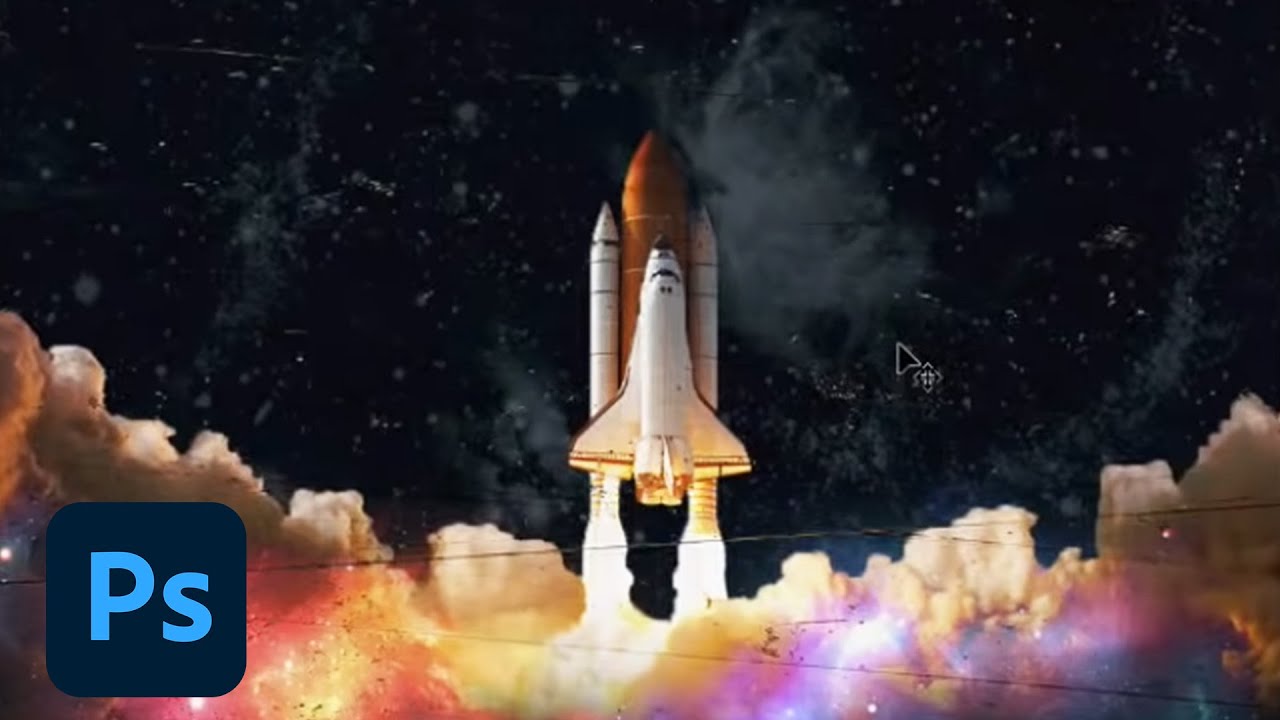
Join your host each morning at 9:00am PT to learn how to approach each challenge using Photoshop. Complete 9 challenges by Friday, July 2nd and you’ll be on your way to sharpening your skills. Get your questions answered, see what the community is creating and get feedback on your work!To sign up and get started, go to: https://www.behance.net/c...
queen aspen
Thanks, @lost helm
nimble shardBOT
Gave +1 Creative Carma to @lost helm
ornate spoke
Comic Sans - Daily Challenge

 gilded flame
Cover
 eternal mica
@hollow yarrow Your portfolio is superb. The presentation of the pieces is unique and mesmerizing. I am almost as amazed by the presentation as I am by the individual works. (I've already commented on most them, so I wont re-do that here, but I'll just give them an overall WOW.) Your creativity is fascinating to the Nth degree. You are an inspiration. Thank you so much for sharing it with us.
nimble shardBOT
Gave +1 Creative Carma to @hollow yarrow
 fringe wigeon
Check out my groovy Day 0 image.
 hollow yarrow
eternal mica
<@!698155393649475695> Your portfolio is superb. The presentation of the pieces...
hollow yarrow
eternal mica
<@!698155393649475695> Your portfolio is superb. The presentation of the pieces...
My pleasure to share with you when I can!
Good job on mentoring Ted!👍
eternal mica
@hollow yarrow Thank you. Its kind of you to say that. You know how much your support and encouragement mean to me.
nimble shardBOT
Gave +1 Creative Carma to @hollow yarrow
hollow yarrow
eternal mica
<@!698155393649475695> Thank you. Its kind of you to say that. You know how mu...
You deserve it!
 mental basin
Excelent !!! 👍
lost helm
Warm up for Ps DCC day #0
 candid cape
hollow yarrow
Great project!
candid cape
hollow yarrow
Great project!
Thanks @hollow yarrow
nimble shardBOT
Gave +1 Creative Carma to @hollow yarrow
paper shadow

 ripe quest
DCC Day 0?
 compact pecan
Welcome Day: I used Hothouse font and altered it a little.
 limber thistle
Thank you to Sam Peterson for this month challenge and thank for the feedback SamPetersonArt and Ted B here my Behance project finished https://www.behance.net/gallery/121989993/PSDCC-JUIN-2021
 eternal mica
Ps DCC 2021-07 Cover
 compact pecan
eternal mica
Ps DCC 2021-07 Cover
compact pecan
eternal mica
Ps DCC 2021-07 Cover
Fun, summer theme @eternal mica! I’d prefer the bottom type layer to be above the sun, though. (But that’s just me)
eternal mica
@lucid plover I really like the way you combined the fonts in June/July. Did you do that in Ai or Ps? I think the 21 - 03 looks great but its a bit too esoteric to figure out. And the combined shape isnt as clean as the lettering in the June/July. What do you think?
@compact pecan Thanks. I had it there first. I thought the image was a bit meh so I moved it. Maybe I'll move it back.
nimble shardBOT
Gave +1 Creative Carma to @compact pecan
compact pecan
eternal mica
<@!650118328848875521> Thanks. I had it there first. I thought the image was a...
I just think it’s a little hard to read. Maybe a different blending mode could help the rays be a little less over-powering?
eternal mica
@compact pecan which do you like better?
 compact pecan
eternal mica
<@!650118328848875521> which do you like better?
compact pecan
eternal mica
<@!650118328848875521> which do you like better?
I definitely like this one better.
 compact pecan
eternal mica
My text alignment got out of whack. Fixed it here.
compact pecan
eternal mica
My text alignment got out of whack. Fixed it here.
“Out of whack” is a bit hard on yourself!! I’d call it “just a tiny bit off-center”. It took me a minute or two to even see what you were referencing.
eternal mica
@dusky wave Any image with a baseball is fine by me!!! Nice neat cover. I think the stroke is a bit hard on the eyes because theres no contrast with the BG and the letters overlap. Perhaps try a different shade /kerning see how you like it???
 heavy ridge
 sterile bane
@heavy ridge getting fancy with the drip text! Did you use liquify for this effect?
eternal mica
@ornate spoke That cover explodes!!! The bevel emboss is cool. Did you intend for the stroke to go only around the blocks or the blocks and letters blended? One suggestion: give the blocks a bit different coloration to enhance the contrast with the text.
heavy ridge
sterile bane
<@!856651019094327337> getting fancy with the drip text! Did you use liquify for...
I did! I've been obsessed with the effect lately and I keep wanting to see how far I can push it.
eternal mica
@gilded flame Cool look and cool font. Whats the font name?? Its got some really interesting shapes in it.
@fringe wigeon Nice work. Funky font!!! The drop shadow works well with the the text, as does the texture.
 vagrant rapids
This is my trial for today. I chose Farmhand and Marker Felt - 2 fonts I never used yet. The color palette is linked to my theme...
 eternal mica
@lost helm I like your colors. The bevel emboss looks good. (I apologize in advance but ...) I'm a grammar/spelling nerd. "Challenge" should have a capital "C". 😊
@paper shadow Very "summer" colors. How about making the message easier to read by increasing the font size?
lost helm
Thanks @eternal mica and I sure know that. I my language this is totally disallowed so I keep to oversee 🙂 I will sure fix that. And no apologise need. Thanks for pointing it out!
nimble shardBOT
Gave +1 Creative Carma to @eternal mica
lost helm
Fixed @eternal mica 🙂 thanks again
 eternal mica
@ripe quest I like the shape you used for your background, the gradient, and the drop shadow. Nice work.
@lost helm Now the world is in balance!!! I can sleep tight tonight, 😂 😂 😂
@compact pecan Oooh I love that font. And the way you gave character to the "characters" is so cool. The kerning on the Daily Creative Challenge is unequal. Did you intend that? I would make one small tweak. I would shrink the spread of the drop shadow on the medium sized letters (Daily Creative Challenge) to allow the text to breathe a bit more and be more readable. Good job.
@limber thistle The portfolio came out great. All of your exercises look wonderful together. They have a noticeable consistency. They blend really well. Your theme and presentation support the works. Thank you for posting.
nimble shardBOT
Gave +1 Creative Carma to @limber thistle
eternal mica
@heavy ridge I guess the summer heat got to your text!!!
ornate spoke
eternal mica
<@!767949550056374312> That cover explodes!!! The bevel emboss is cool. Did yo...
I originally made the text first and then added/painted the blocks at the very end to create more depth to the text, text just seemed flat.
The blocks are on the same layer as the text so the effects transferred onto it.
compact pecan
eternal mica
<@!650118328848875521> Oooh I love that font. And the way you gave character to...
Yes, I intentionally used different kerning - going more for “fit” than consistency. Good tip on the drop shadow. I was using a PC laptop since I’m on vacation (in your neck of the woods), and it was difficult for me to see the effect very clearly.
eternal mica
@ornate spoke Invaluable lesson there. Layers.Layers.Layers. Also (I'm not sure but) the check boxes in the middle of the blend mode window effect how stroke reacts. You might want to see if it effects what you're doing.
ripe quest
DCC day 0 again
 ornate spoke
eternal mica
<@767949550056374312> Invaluable lesson there. Layers.Layers.Layers. Also (I'm n...
ornate spoke
eternal mica
<@767949550056374312> Invaluable lesson there. Layers.Layers.Layers. Also (I'm n...
Agreed, I got more techniques to refine when it comes to layers and more so organization as my timeline is as hectic as what was produced.
hollow yarrow
vagrant rapids
This is my trial for today. I chose Farmhand and Marker Felt - 2 fonts I never u...
Really neat! I like your color choice and the layer styles on the text turned out great! Well done!👍
tropic garnet
I used one of my original Fresco pieces as the background and blended it with a gradient.

Lol, just noticed the dates wrong, but 🤷🏻♂️
 knotty cosmos
 paper shadow
Ok
eternal mica
@hollow yarrow question for you: in @vagrant rapids piece, what do you think about the dots texture layer being on top of the text? Is it distracting? Do you think it would work better with that layer underneath the text? Just wondering out loud ....
@tropic garnet so is the spelling!!! Lol
@tropic garnet I really like the BG in your piece. I'm not sure what it is, but I love the texture and color palette. I would suggest when spacing your text to keep the hierarchy of the words together. It helps the reader.
@knotty cosmos Nice clean crisp image. The texture and gradient are cool.
tropic garnet
eternal mica
<@819647311528460300> I really like the BG in your piece. I'm not sure what it i...
Lol, the latest update changed the way type works I think. For some reason I was having issues getting the layers to act how they used to.
Most of my Fresco art is expressionist inspired. So, it’s not an “object” exactly, but more of a mood I was trying to express. But I used torn paper for the brushes. I’ve gotten really into crafting custom brushes for both Photoshop and Fresco. Here is the original piece (and I’m going to fix those typos, lol)
 eternal mica
@tropic garnet wow, that's very impressive. Thank you for posting that.
nimble shardBOT
Gave +1 Creative Carma to @tropic garnet
tropic garnet
eternal mica
<@819647311528460300> wow, that's very impressive. Thank you for posting that.
Thanks
nimble shardBOT
Gave +1 Creative Carma to @eternal mica
eternal mica
@tropic garnet did you try any blend modes with your gradient? I'll bet you can get some incredible results scrolling through the BMs.
tropic garnet
eternal mica
<@819647311528460300> wow, that's very impressive. Thank you for posting that.
I’ve been producing art in Fresco like a mad man. I’ve done well over 200 pieces since early April.
My plan is to release a Behance project at the start of every month and I’m going to provide a link to one of the brushes that corresponds to each piece.
I basically do at least one brush a day and use it on every Fresco piece.
tropic garnet
eternal mica
<@819647311528460300> wow, that's very impressive. Thank you for posting that.
I think I used difference, iirc. I tried out overlay and screen too, I think. I loooooove blend modes. I generally use then for my brushes, layers, and layer groups in Fresco.
eternal mica
@tropic garnet I also love BMs. Such a powerful tool. Pin light/hard light usually give results I love, colors I could not create on my own.
@tropic garnet your project sounds fascinating. I'm curious to see what you post.
tropic garnet
eternal mica
<@819647311528460300> I also love BMs. Such a powerful tool. Pin light/hard ligh...
Yeah, I like hard light a lot. I also like divide.
I was super stoked to learn @bleak fossil’s shadow/light trick with multiply and color dodge layers. I use it fairly frequently now
tropic garnet
eternal mica
<@819647311528460300> your project sounds fascinating. I'm curious to see what y...
I’ll post the link when my first one goes up. I’m in the process of sorting through them all. Lol.
I do a daily piece under a project I call “Mood :: Bored” too. It’s usually aimed at catching how I’m feeling or what I’m thinking about during the process of painting the piece. I’ll drop the link in the #📝project-feedback channel
hollow yarrow
eternal mica
<@698155393649475695> question for you: in <@703341359569961002> piece, what do ...
Honestly: I really like the effect of dots over the Pink text but if it was my artwork I think I would mask dot patterns over the green text... Just an idea🤔
eternal mica
@tropic garnet there are two great streams on shadows, one by Sam and one by Jesus Ramirez. If youre interested in them, DM me and I'll pass the links along to you.
pliant comet
Ps DCC with Kathleen Martin - Day 0
I like to make my cover page last, so I made a can mock-up to (hopefully) use for these projects, instead. I'll refine as I go, I'm sure.
 lucid plover
I did that purely in Ps,which combined shape? If you talk about the numbers yeah it was a bit clunky and it hards to figure it out @eternal mica
Thank you @eternal mica
nimble shardBOT
Gave +1 Creative Carma to @eternal mica
 toxic anchor
late submission😭
 vagrant rapids
hollow yarrow
Really neat! I like your color choice and the layer styles on the text turned ou...
vagrant rapids
hollow yarrow
Really neat! I like your color choice and the layer styles on the text turned ou...
Thanks for your feedback @hollow yarrow!
nimble shardBOT
Gave +1 Creative Carma to @hollow yarrow
vagrant rapids
hollow yarrow
Honestly: I really like the effect of dots over the Pink text but if it was my a...
@eternal mica @hollow yarrow : actually the pattern layer is under the text, and I used a multiply opacity on the text, that's what it is visible behind any color except white. I set a normal opacity on the green text and it is much better. Thanks again 🙂
nimble shardBOT
Gave +1 Creative Carma to @hollow yarrow
vagrant rapids
Here is my trial modified - I also played with the bevel and emboss gloss ... Much more dragon fruit now 😉
 ember wave

 buoyant nova
Cover Image
 nimble shardBOT
Gave +1 Creative Carma to @eternal mica
knotty cosmos
@eternal mica thanks 👍
hollow yarrow
vagrant rapids
Here is my trial modified - I also played with the bevel and emboss gloss ... Mu...
Nice! Green text is more readable without black dots. I really like the effect made by the dot pattern trough the pink letters. Definitely Dragon Fruit now!👍
hollow yarrow
buoyant nova
Cover Image
Clean and neat job! I like the textured background and your outline stroke effect makes your text easily readable. Well done!
hollow yarrow
ember wave
Lovely job! You made a great job with layer effect on your text. Contrast between Pink and Yellow really helps the text pops! I love the addition of 3 little dots (stars?) on the right and the pink soft cloudy background! Great job!
ornate spoke
vagrant rapids
Here is my trial modified - I also played with the bevel and emboss gloss ... Mu...
Reminds me of a watermelon
buoyant nova
Thanks @hollow yarrow
nimble shardBOT
Gave +1 Creative Carma to @hollow yarrow
vagrant rapids
ornate spoke
Reminds me of a watermelon
@ornate spoke absolutely, their pinkish colors are close - I hope the pattern I did on Ai will send our mind to dragon fruit!
quick marsh
eternal mica
<@!836320799035490314> Welcome to the DCC chat. We're happy you decided to join...
thank you @eternal mica for your welcome and your advice, I played with the color balance and vibrancy and added some extra shadows. Your advice was so welcome... you said I should work on the right front, there where I was working on the left back 🤓 🙏
 nimble shardBOT
Gave +1 Creative Carma to @eternal mica
eternal mica
@quick marsh Nice enhancement. I think its more consistent throughout. What do you think? Do you like it better?
quick marsh
Yes I surely like it better, thanks again @eternal mica
nimble shardBOT
Gave +1 Creative Carma to @eternal mica
hollow yarrow
lucid plover
DCC Cover
Great concept! I like how you played with letters to mix the dates June 21 and July 23. Gradient on text is on point and Yellow circle on warm background gives a great Hot feeling! Nice Summer vibes🏝️ ... Well done as always!
 sinful robin
You all are so creative. I'm stoked to be here with everyone and look forward to learning. Rather cookie cutter for now, but all the variations really inspire me to make it more my own moving forward. Thanks Kathleen!
 lucid plover
Thank you @hollow yarrow
nimble shardBOT
Gave +1 Creative Carma to @hollow yarrow
short mica
 eternal mica
@sinful robin Welcome. Is this your first DCC? You are dead on. The creatives in this group will blow you away with the projects they create. And then there are those of us who are learning and growing our skills, step by step. Wherever you fit on the spectrum, join in. Share your work. Comment on other submissions. Have fun. Today is challenge #1 at 12:00 EDST.
sinful robin
eternal mica
<@856314938820526080> Welcome. Is this your first DCC? You are dead on. The crea...
Thanks, Ted. This is my first foray into the DCC. I'm on the east coast with a day job so the time is perfect. I'll be spending my lunch hour far more productively... I'm excited to learn and grow with everyone.
nimble shardBOT
Gave +1 Creative Carma to @eternal mica
eternal mica
@sinful robin Great. Buckle up your seat belt. You're in for a fantastic ride. Every session is available on delay. If you miss any live, you can watch it at your leisure. The challenge is announced at about 11:00 each weekday. There is usually an asset file to download in case you want to follow the leader's steps. If you have any questions, or need any help, give a shout. We're here to help you.
 simple stirrup
Still tweaking, but wanted to use a beachy color theme.
 young karma
sterile bane
darya!!!! that's amazing! I'd love to hear about anything you learned during the...
young karma
sterile bane
darya!!!! that's amazing! I'd love to hear about anything you learned during the...
Thank you so much, @sterile bane! You are very kind ☺️ There was no template - I have created one for the future designs. The client has provided me with all the information that needs to be on the package. Yes, definitely needed to keep space for barcode, ingredients, description. It was the first time for me to design beer label so there were lots of learnings: picking general layout (e.g. i decided to keep all info at the back in one column), finding good location and size for the logo (readable but not dominating), selecting a font that will look good as mosaic 🙃 one of the tough bits was to make the background image match once the label is on the can. For this printing drafts and creating a mock up on a real can helped a lot.
nimble shardBOT
Gave +1 Creative Carma to @sterile bane
young karma
Day 0 here we go! Code name very berry frappuccino 🍇 Font I've used is Skla

 autumn granite
Here is my file from yesterday, Went with my favorite colors, blue and yellow.
 sterile bane
Nice job with your cover art, everyone!
sterile bane
young karma
Thank you so much, <@!446788147045728266>! You are very kind ☺️ There was no te...
it's awesome how much we can learn by diving into new projects with new objectives. thanks for sharing your learnings!
nimble shardBOT
Gave +1 Creative Carma to @cerulean brook
hollow yarrow
Day 0 - Here's my "Ice Breaker" cover
 tropic garnet
Updated my cover graphic
 sterile bane
Alright folks, what's the flavor here? It's a breakfast seltzer drink. Nothing is too strange. Go!
 ruby panther
sterile bane
Alright folks, what's the flavor here? It's a breakfast seltzer drink. Nothing i...
ruby panther
sterile bane
Alright folks, what's the flavor here? It's a breakfast seltzer drink. Nothing i...
🤢
 radiant rapids
ruby panther
🤢
radiant rapids
ruby panther
🤢
Coffee with a full English breakfast
ruby panther
radiant rapids
Coffee with a full English breakfast
So much food.... 😂
 snow shale
What do you think?
 trail field
this is my drinks can

cover for my DDC #✂challenges-feedback

my first drinks can design

 bold valley
Day 1 PLaying. I love mock-ups. I am trying to figure them out to make my own.
 sinful robin
sterile bane
Alright folks, what's the flavor here? It's a breakfast seltzer drink. Nothing i...
sinful robin
sterile bane
Alright folks, what's the flavor here? It's a breakfast seltzer drink. Nothing i...
Galactic Grapefruit. The perfect breakfast on the go.
 balmy drum
 lucid plover
DCC Day 1,Photoshop Drink
 ornate spoke
Sweet we doing soda can designs today, cant wait to get home
 misty prism
Here is my can design so far. Should I change the colors to be more peachy?

 median frost
Hello everyone! Here is my design for Day 1 🪐

 uneven kindle

 little sandal

 coral cloak
 autumn granite
Here is my can. Planet colors based on the AZ flag. Added some texture to via masks.
 bold valley
Day 1 Second edition. Loving the mock-up.
 lucid plover
uneven kindle
lucid plover
uneven kindle
really nice design! the thunder logo symbolized the brand itself! but to make that looks more 'realistic',I would suggest to add some highlights and shadow on the can and some cast shadows at the bottom or maybe some reflections (if you want to)
 split pier
Word art exercise from yesterday. Played with words for a business and portfolio. Thanks for the challenge.

Word art exercise from yesterday. Played with words for a business and portfolio.

Word art exercise from yesterday. Played with words for a business and portfolio.
 compact pecan
Day 1: Live Shapes. I did two "drinks" - I'm not sure which one I'll end up going with for my Behance project.


 muted quail
Hi, here's what I came up with for day 2
 ember wave
hollow yarrow
Lovely job! You made a great job with layer effect on your text. Contrast betwee...
ember wave
hollow yarrow
Lovely job! You made a great job with layer effect on your text. Contrast betwee...
thanks🥰
muted quail
Hi, I'm a day late but here is my cover image for day 1

 radiant tendon
Here is my title screen
 candid cape
compact pecan
candid cape
compact pecan
I like the 2nd one better.
 dusty karma
Day 1 - I made 2 options for today's challenge, one following the live (planets) and other using a pattern I made few days ago (butterflies) 🥰 What do you think?

 compact pecan
candid cape
I like the 2nd one better.
compact pecan
candid cape
I like the 2nd one better.
thanks!
nimble shardBOT
Gave +1 Creative Carma to @candid cape
 prisma stone
Here's my omega-3 enhanced beverage in radish flavor😝
 ember wave
space energy coffee
 copper moss
Challenge #01: My trusty dog. This time I am on mundane principles.
 median frost
muted quail
Hi, here's what I came up with for day 2
median frost
muted quail
Hi, here's what I came up with for day 2
I love your design and the color palette ...so pinky🌸
 safe flint
I'm working on a logo in illustrator I want to use for this project too so I hope to be caught up soon. i'll likely be a day behind.
 sinful robin
My first attempt.
 coral cloak
Day One
 nimble shardBOT
Gave +1 Creative Carma to @median frost
muted quail
median frost
I love your design and the color palette ...so pinky🌸
thank you! 🙂
radiant tendon
 sinful robin
little sandal
sinful robin
little sandal
That looks awesome. I was going for the energy vibe myself. Great job
buoyant nova
Day 1 - Can Mock-Up

 thorn geyser
Day 1 Intergalactic Apple Cider 🍎

 sharp zephyr
Day#1
 sterile bane
thorn geyser
Day 1 Intergalactic Apple Cider 🍎
sterile bane
thorn geyser
Day 1 Intergalactic Apple Cider 🍎
Genius!
@sharp zephyr love how you updated the mockup! How did you achieve that repeated line effect on the left side? Very cool
 frigid lotus
Here is my can mock up, beginner here. Enjoyed the challenge @sterile bane can't wait to catch you live tomorrow!

 open bane
I am a day behind, but here is my Day 0 challenge project.

 dreamy plume
I'm happy with my can but there's an odd halo left behind when I applied the mask. Any ideas? Loving this series.

 crisp arrow
My first challenge.
 sharp zephyr
sterile bane
<@!856465478306627615> love how you updated the mockup! How did you achieve that...
sharp zephyr
sterile bane
<@!856465478306627615> love how you updated the mockup! How did you achieve that...
Merge all the layers of the mockup, stroke by any color, turn fill to 0% and move + rotate as you wish. Set opacity 30-20-10%
queen aspen
Day - astro-drink; background credit to oleggankod
 young karma
Day 1

 umbral sapphire
Hiya, my day 1 challenge 🙂
 sterile bane
sharp zephyr
Merge all the layers of the mockup, stroke by any color, turn fill to 0% and mov...
sterile bane
sharp zephyr
Merge all the layers of the mockup, stroke by any color, turn fill to 0% and mov...
Very nice! It adds a great extra detail to your design
sinful robin
umbral sapphire
Hiya, my day 1 challenge 🙂
Very nice!
sterile bane
@queen aspen Love how you changed the wavy shape to be a stroke instead of a filled shape. The green color you chose has a great vintage feel to it as well!
@umbral sapphire Fantastic! How did you go about adding the texture to the text? clipping mask?
Subtle design choice with the slight gradient on the text and light texturing of the planet!
umbral sapphire
sterile bane
<@!181010006387326977> Fantastic! How did you go about adding the texture to the...
Yes - gotta love clipping masks 🙂
nimble shardBOT
Gave +1 Creative Carma to @sinful robin
umbral sapphire
sinful robin
Very nice!
Thank you!
ripe quest
Day 1
 fringe wigeon
Here is my day 1 challenge.
 sinful robin
fringe wigeon
Here is my day 1 challenge.
sinful robin
fringe wigeon
Here is my day 1 challenge.
Noice!
paper shadow
 dusty karma
buoyant nova
Day 1 - Can Mock-Up
dusty karma
buoyant nova
Day 1 - Can Mock-Up
Wow, love the aluminium color 🤩
candid cape
fringe wigeon
Here is my day 1 challenge.
Very creative. I love it!
 wispy compass
Day 1 - Live Shapes
 eternal mica
@bleak fossil Ps DCC 2021-07 01 Live Shapes

@trail field cool can. One tweak I would suggest to add "character" to the shapes is use the effects menu to add strokes/glows/etc.
@trail field I like the bg texture you used on your Day 0. I would suggest the word Challenge should be with a C not lower case, and Challenge is misspelled. Im not sure but it looks like some of the text is slanted and other letters are not. Is that intentional. Your second can looks like it should be called chocolate chip cookie!!! Cool design.
@bold valley Aha, I see we have another one of the Cat People joining the group. Youve got plenty of company here!!! Very cool design. I like the glow around the kittens. The object is cool, whatever it is. Your embossed text worked out well. I would make one tweak by making the the tag line text a bit more prominent. Good work.
@lucid plover Your can looks like a spooky magic potion. No description. Just take my chances drinking it!!! The design is well done, and the flowers add just enough color to break up the design. Im not drinking it until you tell me whats in it!!!
@misty prism Very nice coloration. The Planet and rings look really good. maybe peaches on Saturn are purple??? Who knows.
@median frost Nice job. Your ring around the planet has a very well done glow. I like that you extended your coloration to the complete can.
@uneven kindle Good job with the lightning bolt logo against the white BG. One tweak I'd think of is to bring the colors of the logo into the text as either solids or maybe the same shadings. Just an idea.
@little sandal Very well done design. The can has an almost fluid look to it, like its not really solid. Your manipulation of the ENERGY text is well done, especially on the "Y". One tweak Id suggest is to change the shade (darker??) of the BG just a drop to add a bit more contrast between it and the can. Good Job!!
@coral cloak I noticed the colors of your cover page match your icon photo. I love the look. Simple and elegant. Well done.
sinful robin
Clipping Mask for the space shuttle.
 eternal mica
@autumn granite Cool design and use of the colors. I like the different textures you added to the planets. (Why not add one to the Yellow planet in the center??) Your rings and the glow came out nice. Good job.
@bold valley Oh Wow, Day #2 really rocks!!! I love the gold effect on the earth. The highlights are well done. The textures on the other planets and the space objects are cool also. I dont get the dog, but I dont have to. Its your image!!! Nice Job!!
@split pier Interesting work with the texts. I like the one with shading differences. Its more readable. The last one is solid. The combination of all the elements really works. One modification Id try is to brighten up the horse image to make it easier to see. Its a bit too buried in the text. Not sure it would work. Just thinking out loud. Very well done.
@compact pecan (Kevin) I cant believe Im saying this, but I'll take the Tiger Blood!!!! The eye really dominates the image. A few suggestions: lower the opacity of the paws; increase the tag line font size; get rid of Kathleen's white line in the middle of your tag line. I'll pass on the Egg Seltzer, LOL
@muted quail Very summery. The logo is neat. I think you masked off the ring a bit short of the shape on both sides. Was that intentional?? I would suggest you change the color of the BG a bit to increase the contrast with the can. Im not sure if lighter or darker would work better. Play with it. See what you think.
@muted quail I just saw your text post. Nice work. We were chatting yesterday about the idea of having a texture like you added over or under the the text. We decided we couldn't decide!!!
muted quail
eternal mica
<@!797622210680061963> Very summery. The logo is neat. I think you masked off ...
thank you for the feedback, and yes, masking off the ring was intentional, but I'll see how it looks closer to the triangle...and I will try changing the background color. thanks again!
nimble shardBOT
Gave +1 Creative Carma to @eternal mica
eternal mica
@radiant tendon Nice cover. The colors work great together. And the BG texture adds interest.
bold valley
@eternal mica Thanks Ted. The object is a flower from my yard made golden.
nimble shardBOT
Gave +1 Creative Carma to @eternal mica
median frost
eternal mica
<@!829166723429171250> Nice job. Your ring around the planet has a very well do...
Thank you! 🪐
nimble shardBOT
Gave +1 Creative Carma to @eternal mica
bold valley
@eternal mica Thanks again. The dog is the constellation Canis Major.
nimble shardBOT
Gave +1 Creative Carma to @eternal mica
compact pecan
eternal mica
<@650118328848875521> (Kevin) I cant believe Im saying this, but I'll take the T...
Great tips. Thanks @eternal mica !
nimble shardBOT
Gave +1 Creative Carma to @eternal mica
knotty cosmos
Hello Designers 👋my participation in challenge #1
 muted quail
Here's the edited version
 bleak fossil
@knotty cosmos Solid work! The design has some really great contrast with the lemon/ring and the text popping out against the dark background. The green of the can's background and plant image make for a nice secondary read. The background texture is a great touch and really makes it look like an official ad. Well done!
@sinful robin The purple galaxy works really nicely as the background on this can design! I like the cohesive purple/blue color palette and how everything has a bit of a dark night feel to it. Looks good!
@eternal mica Very cool! I'm digging the sort of 80s/90s beach look to this one. The color palette looks nice and consistent. If I had any suggestions perhaps the Surfin Sunrise text could have a bit more contrast to really make it pop? The Hard Lemonade text has a nice clear read to it. Nice work!
@wispy compass Really cool and dramatic look to it with the dark black and red color scheme. That would definitely catch my eye in a store. Looks good!
eternal mica
@bleak fossil Thanks Sam. I'll work on creating some more contrast.
nimble shardBOT
Gave +1 Creative Carma to @bleak fossil
knotty cosmos
@bleak fossil Many Thanks 🌸
nimble shardBOT
Gave +1 Creative Carma to @bleak fossil
bleak fossil
@paper shadow Nice job, the glowing ring looks good, and I like how you repeated the blue and teal colors throughout the design!
@fringe wigeon Hah, great idea for this Day 1 challenge! I love the sort of retro font you chose with that old style looking robot. The design looks nice and cohesive!
@ripe quest Really cool shapes and designs in this Day 1 challenge! The rainbow text stands out really nicely against the blue. Maybe giving the mountains a bit more of a blue tint like we see on the right-most shape could balance out the colors a bit? Nice job!
@dusk wyvern The repetition of the pink tone in the planet and text works really well. Really cool texture too!
@umbral sapphire Really nice job on the planets! The texture and glow effect adds a lot of interest and came out well. I like how the color of the text mirrors the planets, perhaps making the white text the same light blue as the rings on the left could unify the color palette even more? Just personal preference of course. Looks good!
@young karma Ooh, great idea with sinking the planet into the black hole! Really nice job with the masking in this design. The color scheme is looking good as well!
@queen aspen Loving the colors in this design! They have a really great cohesive look to them. The spiral design in the can adds a lot of interest and I like how the text mirrors the color from the center of that spiral. The background adds a lot of character and makes it seem like a real ad. Nice work!
@muted quail Really nice design! I really like the monochromatic color scheme to this, which also makes the text stand out nicely. The way the gradients soften the bottom of the triangle makes for a really nice effect. Well done!
@crisp arrow Awesome, welcome in, glad you're joining us! Nice work on the graphic shapes on this design, the diagonal stripe across the middle adds some nice interest. Looking good!
@dreamy plume Looking good! The halo you're referring to is where it overlaps the planet when it's supposed to be masked? Try going over it a second time, it may not have masked it out fully. Sometimes the brush tool may not be at 100% opacity and flow which can leave a little behind if you only go over it once.
@open bane Nice work, the cover image is looking good! I really like the subtle gradient in the background. The color scheme works nicely as well!
wispy compass
bleak fossil
<@!552181059618471957> Really cool and dramatic look to it with the dark black a...
Thank you ... I think I could have been more creative... but of all people i appreciate your comments! Thanks!
nimble shardBOT
Gave +1 Creative Carma to @bleak fossil
bleak fossil
@frigid lotus Very cool, welcome in! Glad you joined us. Extra points for the drink name, hah. This is looking good! Perhaps making the text the same color as the planet's ring could give the design some nice unity? Looking good!
@sharp zephyr Loving this design! The alien image adds a lot of character and the galaxy behind the alien contrasts nicely with the dark can. Great font style for this design theme too!
sinful robin
bleak fossil
<@!856314938820526080> The purple galaxy works really nicely as the background o...
Thanks very much for the feedback. I really appreciate it.
nimble shardBOT
Gave +1 Creative Carma to @bleak fossil
bleak fossil
@thorn geyser Ooh, great color scheme! I really like how the top and bottom part of the can match the apple's color. The green/purple works nicely together in this design. Nice job with the masking!
@buoyant nova Nice job on the Day 1 design Susan! I like how clean and simple the red/black read is. The subtlety of the ring and background bubbles has a really interesting look. I wonder if making the planet a big larger and moving it up slightly could make it a bit more eye-catching/impactful? But it really just depends on what you're going for. Nicely done!
@radiant tendon Great textures in your Day 1 design! I really like the red/orange gradient in the sky, kind of gives it a Mars/otherworldly feel to it. I kind of wonder if just making the text the same color as the orange background might give the whole thing a nice unity to it, but of course that's just personal preference. Nice work!
@coral cloak Cool background! Really interesting effect with the can too, almost looks like it's glowing. The blue/orange color scheme works nicely. Did you use the can mock-up for this one? I only ask because it looks like the design lost the reflection/lighting info from the can mock up. Either way, it has a really cool effect!
fringe wigeon
bleak fossil
<@!552182249286664208> Hah, great idea for this Day 1 challenge! I love the sort...
Thanks very much for your kind words.
nimble shardBOT
Gave +1 Creative Carma to @bleak fossil
paper shadow
Thank you
muted quail
bleak fossil
<@!797622210680061963> Really nice design! I really like the monochromatic color...
thank you!
nimble shardBOT
Gave +1 Creative Carma to @bleak fossil
 dense mural
bleak fossil
<@!856564883381420093> Great textures in your Day 1 design! I really like the re...
dense mural
bleak fossil
<@!856564883381420093> Great textures in your Day 1 design! I really like the re...
Thanks for the feedback. I really appreciate it.
nimble shardBOT
Gave +1 Creative Carma to @bleak fossil
vague swift
day-01

the lighting on the can is a bit bizarre 🙂 i agree to who ever mentioned it in the live chat.
vagrant rapids
This is my trial for today! I wanted to tell that it is thirst-quenching when it's hot, and fun. As the dragon fruit comes from a cactus, I went into a kind of western theme in a girly way - I took the Beastly font. It's monochromatic again - color is a difficulty for me - I have to work on it 😉

 grave moss
I'm pretty new to Ps, this took me all day!
 candid cape
Day 1
 ornate spoke
DCC - Live Shapes

 burnt marten
can i just say that i love shrubs??

 cyan elbow
Can I mix up the Illustrator challenge prompts with the Photoshop challenge prompts?
 buoyant flax
This is my take on the challenge 😁
 grave moss
I'm pretty new to Ps, this took me all day!
grave moss
grave moss
I'm pretty new to Ps, this took me all day!
Here is my source photo, sorry didn't include it before.
h I took it in the Galapagos a few years ago.
ttps://discordapp.com/channels/547473772727238676/548226274645245952/857091087246950400
 ember wave
grave moss
Here is my source photo, sorry didn't include it before.
h I took it in the Gal...
ember wave
grave moss
Here is my source photo, sorry didn't include it before.
h I took it in the Gal...
😱
 faint beacon
Here's my take on the challenge, live shapes + a lot more things😀 🤞 👨💻 🪐 🚀

 cerulean creek
day 0 challenge
 pliant comet
Ps DCC with Kathleen Martin - Day 1 - Live Shapes
 toxic anchor
My day 2 concept for a malt drink
 queen aspen
sterile bane
<@!689532608899711140> Love how you changed the wavy shape to be a stroke instea...
queen aspen
sterile bane
<@!689532608899711140> Love how you changed the wavy shape to be a stroke instea...
Thanks, @sterile bane I wanted to separate these two parts - bottom and top
nimble shardBOT
Gave +1 Creative Carma to @sterile bane
queen aspen
bleak fossil
<@!689532608899711140> Loving the colors in this design! They have a really grea...
Thanks, @bleak fossil for your feedback!
 hasty lily
reto cumplido

 shrewd crane
I'm new to photoshop so kept it simple with the first challenge. Tried to make a raspberry instead of a planet but it didn't turn out to look like it, so went back to basics 😅 Hopefully by the end of next two weeks I will be able to play around with my own ideas 😇
 buoyant nova
Thanks @bleak fossil for your comments. Totally agree, I did think the planet should be larger and further up, will make amends, thanks
nimble shardBOT
Gave +1 Creative Carma to @bleak fossil
lucid plover
eternal mica
<@!353794772999340032> Your can looks like a spooky magic potion. No description...
Thank you @eternal mica I will tell you what's in it,and I will be sure you will drink it
nimble shardBOT
Gave +1 Creative Carma to @eternal mica
split pier
eternal mica
<@!650938405802344458> Interesting work with the texts. I like the one with shad...
@eternal mica, Thanks for the feedback.!! It's greatly appreciated.
nimble shardBOT
Gave +1 Creative Carma to @eternal mica
 shadow trellis

 candid chasm
Here goes mine 🙂
 candid cape
My cover
 sharp zephyr
bleak fossil
<@!856465478306627615> Loving this design! The alien image adds a lot of charact...
sharp zephyr
bleak fossil
<@!856465478306627615> Loving this design! The alien image adds a lot of charact...
Thanks for your feedback.
nimble shardBOT
Gave +1 Creative Carma to @bleak fossil
young karma
d1

 serene wave
Day 1 of Daily Creative Challenge. how's it?
 young karma
D0

 subtle lance
shadow trellis
subtle lance
shadow trellis
This one looks really cool!
serene wave
Rainforest -Day 1 with a Background
 subtle lance
Can you guys send me the link of this beverage can challenge? I'm quite new to this I couldn't find it on the website
sharp zephyr

Daily Creative Challenge
candid chasm
subtle lance
Can you guys send me the link of this beverage can challenge? I'm quite new to t...
You can find them easly in the creative-challenge part that is in the right side of discorde almost in the top... But here u are 🙂
Today's challenge is: Create an interstellar design using Live Shapes to combine images with objects.
Starter File: https://bit.ly/psdcc6-21-1
Subscribe for notifications & learn about the challenge here: https://www.behance.net/challenge/photoshop
Daily Creative Challenge
they post everyday the challenge of the day, so it makes it easy look it from here 🙂
subtle lance
candid chasm
You can find them easly in the creative-challenge part that is in the right side...
thank you so much for gathering these links for me!
nimble shardBOT
Gave +1 Creative Carma to @candid chasm
 outer lotus
crazy drink, maybe it's a kink of Pop🤪

 elfin thorn
Cover

 tranquil isle
Just want to make a "Savage soda" that consists of Fruits and Veggy juice 😜 (Topping Doodle pattern)


 lucid plover
DCC Day 1,Photoshop drink,I give you what's inside @eternal mica
 trail field
lucid plover
DCC Day 1,Photoshop drink,I give you what's inside <@!688853114035634184>
trail field
lucid plover
DCC Day 1,Photoshop drink,I give you what's inside <@!688853114035634184>
@lucid plover that looks epic
lucid plover
Thank you @trail field
nimble shardBOT
Gave +1 Creative Carma to @trail field
trail field
nimble shard
Gave +1 Creative Carma to **<@618864112100704257>**
Thankyou
trail field
lucid plover
Thank you <@!618864112100704257>
your welcome
 frosty monolith
Kept it very simple. Hope I'll learn to be creative gradually
 frigid lotus
v2 Day 1 challenge. @bleak fossil was spot on matching the text color with the ring. Took it a step farther and gave the sky some texture, and I really think it ties it all together! Thanks everyone
 nimble shardBOT
Gave +1 Creative Carma to @bleak fossil
trail field
this one is another mock up but I had the pattern that i have made and just thought 💭 I would see what it looks like on the can

pop tea Designs on drinks can
 eternal mica
@lucid plover I'll take all the creative blossom I can get!!!
short mica
 dusky wave
My result for challenge # 1 - live shapes
 elfin thorn
 tropic garnet
Forgot to post this last night
 young karma
I am trying to catch up and having trouble opening Day 1 starter pack - https://shared-assets.adobe.com/link/1fb9b762-2437-451c-6e54-2bcaa6cd74fd. Do you have the same? or is it on my side?
sinful robin
young karma
I am trying to catch up and having trouble opening Day 1 starter pack - https://...
I downloaded it yesterday and will forward you the files if you like
sinful robin
young karma
I am trying to catch up and having trouble opening Day 1 starter pack - https://...
Just provide me with an e-mail addy and I'll send them over.
 steel juniper
Hello I am new. I know it's not perfect but I hope to improve with this challenge.
 young karma
sinful robin
Just provide me with an e-mail addy and I'll send them over.
young karma
sinful robin
Just provide me with an e-mail addy and I'll send them over.
Super! thank you very much. Sent you my email in DM
nimble shardBOT
Gave +1 Creative Carma to @sinful robin
sinful robin
Ready to get my learning on. Looking forward to day two.
 lunar mango
Challenge 1
 coral cloak
bleak fossil
<@!663815677785669632> Cool background! Really interesting effect with the can t...
coral cloak
bleak fossil
<@!663815677785669632> Cool background! Really interesting effect with the can t...
Used a different mock up hat didnt have the lighting/reflection detail of Kathleens. Thanks for the feedback
nimble shardBOT
Gave +1 Creative Carma to @bleak fossil

 sterile bane
How do we feel about the checkerboard? I think I liked the liquified version a little more.
 sterile bane
outer lotus
crazy drink, maybe it's a kink of Pop🤪
sterile bane
outer lotus
crazy drink, maybe it's a kink of Pop🤪
Love how you changed the color of the can to match the mood!
 spare dust
Take a sip before go to bed and have a good night! 😆
 trail field
@spare dust looks amazing