#✂challenges-feedback
1 messages · Page 13 of 1
 bleak fossil
@urban berry Very nice! I like the red and gold, works well. Kind of a nitpick, but I think making the like red part of the gradient a little darker could give the gradient a more transition. Looks good though!
@tall quiver Awesome textures with those Rosie! I especially like the paint texture on the white background, really cool look to it.
 dapper basin
@jolly quest @bleak fossil @glacial path #📣creative-challenges #✂challenges-feedback 😅 😓 My Challenge 8 - Project Title 😰
bleak fossil
@tough rose Nice work, really like the wavy almost psychedelic pattern around the outside of the letters. Really fitting pattern inside the letters as well!
dapper basin
@crystal aurora @bleak fossil @glacial path Challenge 8 - Project Title - Halftone #📣creative-challenges #✂challenges-feedback 😰
bleak fossil
@dapper basin Very cool AG! I think maybe making the gradient shift from top to bottom instead of left to right could be interesting? I like the effect you currently have, like a fire is happening inside the letters, but the V seems strangely dark compared to the rest of the letters. Maybe match it to the brightness of the O next to it?
@proud isle Nice job on these! I like the cast shadow you added, and their facial expressions are a nice fit to the monsters being there, hah.
@pliant stone Wow, great job on the Rat Pack image, very convincing. Well done!
@young karma Nice work! I like how the brightness of the center of the text matches the brightness shift of the background gradient.
@rain monolith Very nice, I really like the pattern you chose. Very consistent effect throughout all the letter. Looks good!
@opal plume I really like the pattern a color effects on this one. Seems to fit the font choice nicely too. This is just a small suggestion that is really just personal preference, but it could be nice to try making the strip of light across the center a bit thinner. Almost like more of a strip of light through the center of the letters. Just an idea. Nice work!
@carmine musk Very well done Lenek! Really like the composition of the whole thing too, very nicely thought out. And of course the matching lighting really makes it work so well. Nice job!
@buoyant pendant Hah, very cool. Really nice work. If you want to push it even further I think some use of the multiply tool, as well as color correction to unify the whole image could really help. Here's a rough example. I mostly used a multiply layer to try and match the lighting a little more, and added more of a shadow to your left side. I also added a photo filter to unify the colors a bit. I also tried to soften yoda’s deep shadows with a hard light layer so they seemed less out of place with the rest of the lighting. Can be tricky to match photos when their lighting is too different like Yoda with all his hard black shadows on the left side. Hope that helps. Nice work!
 opal plume
@bleak fossil Thanks for the feedback! Nice call on the gradient. When I tried a smaller line I could see that the first version was kind of washed out. Here's the update.
 rain monolith
hehe thanks @bleak fossil 😊
 wild carbon
@jolly quest - Challenge 7: Again Thanks so much! super helpful - never used these techniques - Love the quick selection tool - awesome challenge - Defs worth making the time for!!
original
 magic rampart
@wild carbon Nice job on the skin tone matching, looks awesome 😃
 young karma
@glacial path yeah the orange part is the original photo, and thank you very much for the hint!
For the drop shadow on the text I'll surely try that! 😀
Yeah I added the grain, and gosh, I did't think about that, thank you again!!!!
@peak warren thank you very much, yeah I think I had to have that layer with less opacity... I shouldn't do those things at night 😅
young karma
@winged vault @bleak fossil i have removed the dropshadow which gave this glitch. I scaled the layer to remove the line. The dots are more pronounced . I added a b&e on the text to give it more contrast and depth. What do you think ? Need more tweaks or modifications ? Thank you for your advice.
 winged vault
@young karma what it looks like ?
winged vault
You picture inside the typography is still not readable, over all it's way better
young karma
@winged vault i’m afraid I don’t understand what you mean by readable. The clipping mask is a pattern. So what am I missing here? 🥴
winged vault
Check the visibility difference, what is more readable ?
young karma
@winged vault OkI have to remove the gradient then thx
wild carbon
@rotund lark Sick dude! 😎
young karma
THis should do the trick I think ??
 agile ruin
Amazing submission@rotund lark 😊👌
 rotund lark
@agile ruin Thanks
agile ruin
@rain monolith very nice 👍 the second version is definitely my favourite love the contrast 😊
winged vault
@young karma better and better, I see you removed the 2D stroke effect Well done !
rain monolith
hehehe yeaah really, so thanks for feedback 😄 @agile ruin
young karma
@winged vault thx, I'm going to let it rest a bit an get back to it later thaxnks heaps have a nice day
 loud zephyr
@peak warren I just did that photo quick and dirty before I went to bed. I'm fine tuning right now to get rid of the harsh edges. The lady is just a stock model.
 peak warren
@loud zephyr Understood.
@loud zephyr I am not up on celebrities, is why I mentioned it.
loud zephyr
@peak warren That makes two of us. I feel old cause I don't know who did what to what Jenner or Kardashian.
A little more refined.
Before and after
loud zephyr
One down and Last project to go...
magic rampart
@loud zephyr love this, so cool. Maybe turn down the saturation (I think this would be right) on the lady as she looks a little "poppy" compared to Deadpool.
loud zephyr
@magic rampart Okay changing now
magic rampart
Day 8 challenge, because it's been "on fire" 😃
 coral stone
Thanks for the feedback @bleak fossil!! I using this challenge to get out of my comfort zone using colors and fonts that I usually don't use 😂. I made the adjustments 😄
 left nebula
Challenge 7.. Original
Challenge 7. new "squad"! Tried to warp Elephant foot to be flat on her leg but just could not do it! 😳
 kindred kernel
😀
 neat shale
 dreamy sundial
 raven meadow
PSDAILYCHALLENGE Day 9 - My animated GIF
 buoyant pendant
@bleak fossil Thank you! great feedback and suggestions. Maybe I'll tinker with it a bit more this weekend, I'm trying to keep up with the challenges this week as best I can, which has been a challenge in itself!
dapper basin
@bleak fossil Thanks Sam 👌🏼 😅
 tame tusk
Didn't do any half tones but here is my version of challenge 8
magic rampart
Not sure if this is how Val will do it later, but here's my day 9
 dim brook
@glacial path Thanks for the feedback on my png and jpg versions... I will play with them during GIF time today.
buoyant pendant
I'm not sure if this will be the final result, but it's a start. Looking forward to seeing some animation ideas!
 glacial path
@buoyant pendant well done! I like the gold/purple color combo 😃 Don't hesitate playing around with different textures 😄
thank you for the awesome animation @magic rampart - you could lower the text slightly, to center it 😃
 wet thistle
Hi @glacial path @bleak fossil Thanks for the feedback! Is this better? I see left of him a little white edge. I merged the photo so I do not have a mask anymore. Could you tell me the best way to handle this?
glacial path
@wet thistle you nailed it! well done 🙌
@wet thistle but yeah, always try to keep the layers. I would only merge them if it is absolutely necessary
magic rampart
@glacial path Thank you 😊 Do you mean the April inspiration or the thanks for watching?
glacial path
oh sorry. yes. the "April Inspiration"
magic rampart
@glacial path thought so, just wanted to check. Will do, thank you.
glacial path
🙌 👍
glacial path
@raven meadow fancy fancy! I wish the pattern would move continuously 😃
raven meadow
@glacial path lemme see what i can do
wet thistle
@thanks @glacial path I learned my lesson.... no merging anymore!
young karma
alright, need some feedback on this. i want to turn it into a sticker for my sister, but i feel like something is missing. i think oogie boogie seems too flat, even with halftone added in some places for shading.i tried to add a texture layer, but then it seemed to overwhelm and then not blend with the txt.
glacial path
@surreal lichen this is fantastic! I'm a big fan of the green "drop shadow". But I would totally also make the "Let's get" slanted, just like the "CRAZY"
@young karma Look for reference images online! Of course I wouldn't copy them pixel by pixel, but they can certainly guide you
dim brook
My first ever GIF!
young karma
ohhh yea maybe highlights and smooth shading instead of halftone texture. 🤔 Going to try that. Thanks @glacial path
@glacial path that was the reference i was given LUL
peak warren
@young karma A Nightmare Before Christmas "Baby on Board" sticker. Hmm. You should be able to find some drawings online. I know Jack Skellington abounds. As for the sticker itself, I would put some room between the character top (head?) and the top of the sticker. And I may notice this more than most, but the display font you use looks weird when the B repeats in BABY. The hand-drawn effect is negated. Is there an alternate B in the character set?
young karma
@peak warren good points. ill move the character down a bit. there won't be a background, i plan to have this die-cut, the dark color is just to show what it would potentially look like over a tinted window. i don't think there was another option for the B, i'll look to be sure. BUT, i might be able to even try and manipulate the B to make it look different from the other. thank you!!!!!
raven meadow
@glacial path The animation I made longer. But it seemed to mess up the transitions . Any ideas?
@glacial path I did slow it to .05
 exotic swan
okay , I played around with the halftones, looking forward to animating it !🙌
coral stone
I loved the background @exotic swan!!
exotic swan
@coral stone Thank you!!
This is the other I wrestled with . I like the colors on the other one, but I like that halftone pattern on this one, still deciding which one to go with for the last challenge
dim brook
Very Fun 9 Day Challenges and I learned sooooo much! Thank you @jolly quest
exotic swan
Still Learning about Gifs. But here is my starter
 robust vector
Warming up by trying out the puppet warp tool for Day 9 because I have never used it. I like it. 😄
 proud isle
rustic textures
rustic
metal textures
And I finally found the Frame Tool ... 8 days later. Now I can do challenge one!!!!
dapper basin
@jolly quest @glacial path @bleak fossil #📣creative-challenges #✂challenges-feedback Upgrade Squad, It was a very difficult challenge for me. (Content-aware fill tool and others things) 😅
magic rampart
@glacial path AARRGGHH, I've left my master file at work, I'll have to go back to it on Monday 😦
young karma
 gilded bloom
glacial path
gilded bloom
glacial path
@robust vector wow! I am very impressed with your latest work 😃 This is a fantastic use of the Puppet warp tool 😄
@robust vector not sure about this part though, it is a bit too gray 🤔
@exotic swan it is really great to see all the different versions in one gif 🎉 ! The colors are super playful - love it 😃
@dapper basin lol. seems like someone is SUPER impressed with the things the other person is saying 😛 I think you matched the colors and the shadows very well 👍
dapper basin
glacial path
@dapper basin if you can perfect this part of her hair, the illusion would be seamless 😃
dapper basin
@glacial path Thanks Tim !!! @glacial path 🙈 😅
glacial path
@kindred gate hey Jackie! Now that's what I call a squad 😮 I would just take some more time with the selection around the hair (I know it can take some time). But it will be worth it!
@proud isle I really like it! Maybe you can fix the edges between the textures by blending them together or using the spot removal tool 😃
wet thistle
glacial path
@coral stone awesome job with the dented texture 😃 Just one quick tip: you can make it look even more real by using displacement maps (check the #🔨resources channel for a quick tutorial)!
coral stone
Amazing 😍 @glacial path. When I arrive home I’ll make the adjustment. 😄
glacial path
sweet!
coral stone
Thanks 😀
 latent lion
@robust vector Idiomatic and chilling metaphor framed for our times. Picasso would have heartily, strike that, lustily approved.
young karma
@upbeat laurel omg Wonderful
 kindred gate
@glacial path thanks Tim for the observation, I'll work on it.
 blazing wasp
 cold wasp
Original
cold wasp
New creation, Challenge 6
 acoustic rune
All done! See you guys next time! 😎
 unkempt field
 fallow bough
Needs work on timing but calling it quits for now. Also need to increase the pallet size. Reduced pallet to avoid 3MB file but lost most of the smoke color.
 mighty vessel
Ooh man i am gonna miss the challenge 😩
Thats my gif i put all the projects i made for the challenge in it and made it as a finish photo for the project hope you like it and please tell me if you have any feedback
PS : i am going to put it on a white BG any way so i made it transparent
The full behance project
https://www.behance.net/gallery/78403897/Photoshop-Daily-Creative-Challenge-1

Behance
My submissions for the Photoshop daily creative challenge from adobe live
coral stone
@glacial path here's my work with the Displacement Map effect
glacial path
@coral stone nice! I think you can reduce the displacement a bit
coral stone
Can I reduce using the smart filter mask?
glacial path
(Step 10)
glacial path
😛
glacial path
you could use that effect to do so 😃
coral stone
Great! Thanks for the tips @glacial path 😄
 main talon
Upgrade your squad challenge. This is a banner I made for my daughter's bball team, one player moved and one player moved up, so I had to replace the old girls head with the new one. Can you tell which one?
tame tusk
Just playing around.
 wispy compass
Day 9 project
agile ruin
@mighty vessel give me a shout on behance when you finish it off. @coral stone @rain monolith @fresh salmon @night isle @unkempt field @slate bramble @young karma @magic rampart @loud zephyr @peak warren As I received other few private messages please feel free to contact me on Behance.net/kladi or on social media @printmysoul if you need further feedback / tips or you want to work more on your challenges submissions ❣
coral stone
Thanks @agile ruin 😍😍 I’ll send you a message 😃
peak warren
@agile ruin Will do! Already following you on Twitter.
agile ruin
♥️
 indigo garnet
I'm new to this wonderful community and I've just followed you on Behance acc
rain monolith
alright 😃 @agile ruin i'll send my work to you 😄
opal plume
Day 9: Make a GIF
Super stoked to learn this! I didn't know Photoshop had this capability! 😄
 tender field
neat shale
tender field
neat shale
i think i figured it out!!!
young karma
Day 9 - Halftones GIF video
rain monolith
finally lastly 09 #✂challenges-feedback check this out 😄
 digital coral
Day #8 Behance Titles
kindred kernel
digital coral
young karma
@agile ruin thank you very much i most certainly will. Also thank you all for your marvelous and inspiring work you all do here. Have a nice weekend
@robust plank Stellar
 glossy crystal
digital coral
glossy crystal
digital coral
Final challenge!
 robust plank
@young karma Thank you.
young karma
Day 9 -Frame tool Gif
robust plank
@bleak fossil Thanks for the advise. Had a hard time finding a good picture to use.
young karma
@young karma nice. Almost seasonal
 strange bronze
@mighty vessel Hi, the gif is such an interesting way to present, how did you make it ?
My day 4😁
 tulip fern
And my entry for the final challenge. THanks @jolly quest for everything that you thaught me. Also thanks to all the people giving feedback in this channel 😃
mighty vessel
@strange bronze i put every design in a layer and followed what VooDoo did in the live yesterday
robust plank
Finally got this done. Not great but will keep trying
glacial path
Hey @robust plank A+ color matching! Just one thing: the dolphins look like the stop existing below the waterline. but as you can tell from the person, you can still see things even when they're underwater 😃
Hey @strange bronze I think you forgot to dye some hair there 😄
latent lion
Photoshop Daily Creative Challenge April 2019 windup.
robust plank
@glacial path here is the original picture. How would I add the tail under the water? I can't see the tail in the water here.
peak warren
@robust plank the angle of camera-to-sun is different in the two images. That makes the water more of a mirror in the dolphin photo. I don’t know how to make dolphin refractions with wave distortions, though. Maybe you could place the guy in the dolphin photo, and remove him below the waterline.
strange bronze
@glacial path Thanks for your feedback. I lighten the color for the edge of the hair to make it much natural.
glossy crystal
😊
strange bronze
09
strange bronze
!rank
 icy cargoBOT
ZHOU TING, this command is disabled in this channel. 
young karma
Thanks @young karma ! As I had not much time and certainly wanted to excersize, I’m not so pleased with the images I used, that can much better, or at least I hope I can 😄. But I thought better to do the excercize anyway, so I later can remember how it works (or have a better chance to remember after doing it once) 😄🤪
@tulip fern I like how you put your letters GO CREATE, special the title without background is great, it looks stronger without white background (I think). But may I ask you a question, how did you do to put your letters big-small-higher-down... did you do that letter per letter, or is there a filter to help you doing that?
robust plank
@peak warren Thanks,, I will try that.
 hidden sky
First time designing 😄
strange bronze
emmmm...should you upload it on Xd channel ? So there will be much more friends to give feedback.
hidden sky
oh, okay thanks 😄 @strange bronze
young karma
robust plank
@peak warren I tried it this way but not sure if it is going to work. but will keep trying
left nebula
Challenge 8.... I know the challenge is over 😳 but so excited I got them all done and learned so much. Thank you all, that was such fun!
Challenge 9 👏
young karma
glacial path
@robust plank ha! I guess the perspective is quite different. In that case, I underestimated the reflectiveness of the water 😮
glossy crystal
Paint over photo😀 😂
glossy crystal
coral stone
Great work @glossy crystal!
young karma
!rank
icy cargoBOT
transkis, this command is disabled in this channel.
tulip fern
@young karma thank you for your feedback 😃 I converted the text to shape. Not sure if I followed the right path but I selected the Text layer in my layers panel and than a right click to open the alternate menu. From that menu I selected "Convert to shape". Once you do that you can individually select the letters as shapes with the path selection tool (key A). However the Text tool will not work not the text anymore.
glossy crystal
Thank you brother!!!! @coral stone
 ember cairn
Hi guys! I'm so far away but here is my work for day 7 😋
Before:
After:
Before:
After:
robust plank
@peak warren How is this. I took the other animal out of the picture
 wet river
wondering about how convincing my photoshop editing skills are, can you guys tell what I changed in this photo? and also how do you think it looks? ^^
peak warren
@robust plank that looks good. Note: I am on a phone, so I’m not at super hi res.
@wet river looks like masking at the edge of the model’s hair. Or something else with a soft round brush, especially at the top of her head.
That said, I like this image a lot.
peak warren
@wet river Nice. I like the blue check on her dress, and the makeup changes. The stray hairs are the hardest to mask. Did you try “focus area?” Because this a shallow DOF image.
peak warren
Also, I know this is a PS thread & not fashion, but the blue check is a better look. 😂
wet river
I've made the layers so that I can change the dress and hair into any color with a few clicks!
I like this color scheme a lot too!
@peak warren what do you mean by "focus area"?
peak warren
@wet river The focus area is part of select menu. See below
It doesn't work that well on this image. I can't get her hair selected and the BG deselected.
wet river
oooh, right okay. I masked with a path!
I don't know if there might be a better way to get fly hairs when using a pen tool?
peak warren
@wet river The hair in that image is not very contrast-y vs the background. And the background has a repeating pattern, like a fence, plus bokeh. Makes it hard for me to think of a good way except pen work. Ugh.
wet river
I mean I was using the pen, haha. I think the issues of the edge can be fixed better with lighting and other tools though. ^^
peak warren
@wet river +1
latent lion
@magic rampart Day 9 challenge marred by vestiges of hair in trees and shoes on railroad ties, also misalignment of running rails. Liked concept overall. Could vertical narrow framing confining transition within gauge (distance between running rails) of the tracks and clever overlapping of a tie closer to the camera that is unoccupied by the shoes?🚇 ?
latent lion
@magic rampart Day 9 Character walking away
magic rampart
@latent lion Thank you for the advice, the animation was from my submission from day 1 (frames) which is below, and is supposed to be the transition between the frames, so the errors are supposed to be there. I like your suggestions though, so I'll do another one if I get chance, many thanks.
young karma
@wispy compass again lovely. Really really like it! 😊
young karma
Thank you so much @tulip fern ! I'll certainly will try that!
magic rampart
@latent lion Can I ask how you did the walking away figure? Was it puppet warp or some tool I've not seen yet (or wizardry?) 😁
@glacial path I've lowered the "April inspiration", hope this looks better. Had to re-do it, forgot to save it as layers 😦
glacial path
@magic rampart aw man... classic... - thanks for posting the improved update ^^ I like it
magic rampart
@glacial path Thank you 😃
 dense tinsel
 fresh salmon
 cerulean vale
Day 9 - Gif Animation #📣creative-challenges 🖖
there is little bit AE here, don`t mind it 😃
also this, This was Fun 😃
fallow bough
All Challenges
agile ruin
@fallow bough that’s a very cool recap!
fallow bough
Replaced with less compression. Color mapping sad in smaller file
fallow bough
@agile ruin Thanks. Wish Photoshop allowed more colors or at least more control of colors used in Legacy Web export. Years ago in the days of dial up connection I used to play with pallet in another program to get the best look with the smallest file.
winged vault
Hello everyone ! I didn't post any of my project I believe but I did most of the challenge (exept day 9) but I didn't have time to do the prez 😄 so if you want to give a look 😄 (take in consideration that i'm neither a graphic designer or an illustrator) https://www.behance.net/gallery/78403677/Daily-PS-Challenge
 blissful plume
These are from the IG template challenge. This is one template I came up with. What are your thoughts??
Any favorites?
agile ruin
Amazing stuff! @slate bramble I really think you have nailed Day 5 😍 1,3 my favourite
 slate bramble
@agile ruin Thanks for the feedback Kladi! Appreciate it!
 sterile bane
@slate bramble i love the textures and geometric shapes! so cool
young karma
@slate bramble I love them too, my favorite is the second one, but I like them all
winged vault
Drill waiting my feedback 😅
 uncut ginkgo
@winged vault thanks for sharing! For the frame tool challenge I'd love to see it without 'stormediting' on it - could be even more crisp! Bravo on the memes, epic Twitter banner (did you do the illustration?) and very nice symmetrical illustration!
you did a great job mastering those challenges 😃
 fair hollow
winged vault
fair hollow
winged vault
@uncut ginkgo Hey tbh I'm so bad at selecting fonts that's why I selected a random one and put my own name on it 😄 (yeah basically a helvetica guy)
For the twitter banner the character is from a game (but it's a skin hard to recognize it) and I did the rest, I may work on it later to really work with the typography (not just a rectangle)
For the symmetrical work, I spend 95% of the work doing the 3D (lol...)
What do you think about project title ? (I didn't do for each challenge cause it would require so much work lol)
cold wasp
#📣creative-challenges 9 Please comment. Thank you
magic rampart
My first 3D model walking the train tracks from an earlier submission. Thanks to @latent lion for putting me on the right "tracks" for this 😃
loud zephyr
@fair hollow Very partial to the Chicago frame, since that's my home town. Nice work!
latent lion
@magic rampart Good start. Videography 101. This old railroad worker found the broken rails disturbing on the before effort. Looking forward to forthcoming 3D tools in development by Adobe. Load it up on your Behance profile.🚇
loud zephyr
@glacial path @sterile bane I made all the changes you suggested, except the dress. I scoured google and adobe stock and every time I resized a dress it got blurry or didn't look right (I tried at least 10 before I gave up). I guess people don't upload high-rez dresses online.... @agile ruin What do you think?
 late rain
 vestal sinew

Behance
Website ui design for businesses, freelancers or any type of person or business who wants to show their (creative) work, apps, services or stories in an elegant, design-driven & professional way.
 hardy kayak
Hi all -
I did a small quick project on choosing a brand and creating a beauty branch out of it that they would release.
https://www.behance.net/gallery/79128105/What-if-Silk-had-beauty-products-Packaging

Behance
A quick small branding project were we have to choose a brand that would not think of releasing a beauty product since it already form a large target consumer. I choose Silk because I do enjoy milk alternative and was wondering what would they do with the…
sterile bane
what a cool exercise! this is a great example of a successful personal project 😄
hardy kayak
Thank you @sterile bane I also think it's a great exercise! The fun (& patient) part was white paint-spraying the products from the dollar store and taking pictures 😊
young karma
I started this Gif from these two photos
peak warren
@hardy kayak I like this idea. Nice mockups. That said, I think the font you choose is too contrasty. The "Almond" in Silk's Almond Milk is a very low contrast font. The one you chose starts to disappear when zoomed out. See, for example, the Ys in Body Spray. Me personally, I like contrasty fonts, but it doesn't work that well here. Also, it isn't similar to their typography on the milks.
@young karma Now I know how to say Happy Easter in Flemish. 😃
hardy kayak
@peak warren I truly appreciate your feedback, thank you so much! 😃
young karma
@peak warren yes Vrolijk Pasen to you and to everybody here! 😄
 remote nebula
Still not moving on from PS challenge. Try to complete all 9. So challenging.
peak warren
@remote nebula That’s quite good! I really like that.
remote nebula
thanx @peak warren
proud isle
This is how I spent my Easter afternoon. Finally getting to Day 9 of the Photoshop Creative Daily Challenge. It's not animated text ... but almost all the same steps were used to create this. Sit back and enjoy a cold one. The weekend is almost over and a new work week about to begin.
uncut ginkgo
@proud isle congratulations!! Happy (belated) Easter 😃
loud zephyr
@jolly quest @sterile bane @agile ruin I really tried hard to find a dress and this was the best I could do. I hope that this is an improvement from the last post... What do yo guys think?
uncut ginkgo
nicely done @loud zephyr ! for the dress, are you using a blending mode?
loud zephyr
@uncut ginkgo Thank you. I had to use a few things. Blend Mode Overlay, Hue/Sat, Levels adjustment masks because the dress was dark royal blue. I think I had to use color selection (mask) as well.
 vocal wind
Any tips on how I could make this bunny blend better?
coral stone
Hi @vocal wind you can use the dog as reference.
The light is coming from the right, so you can create a levels or curves adjustment layer to make that for the bunny and also for the shadows, you can use the layer mask to create the lights and shadows ponts.
I think the bunny's perspective is a little off , it seems to be a little up, above the ground, compared to the dog, maybe you can try to lower a little bit.
You can create a cast shadow to match the perspective and give a more realistic look, also you can use the dog's shadow as a reference.
I hope you can understand my English 😄
 last mortar
I am working on designing my twitter header. I came up with this idea to mimic the adobe premiere timeline. Thoughts? Feedback?
cerulean vale
@last mortar looks nice💯 , but your text/type shows pixelated, wouldn't it be better if you use vector base text?👍 😃
last mortar
Yeah. How do I use vector based text?
cerulean vale
right click the text layer and convert it to shape, try that way
last mortar
Whoa! That looks a lot better. Thanks
 sleek solar
Behance
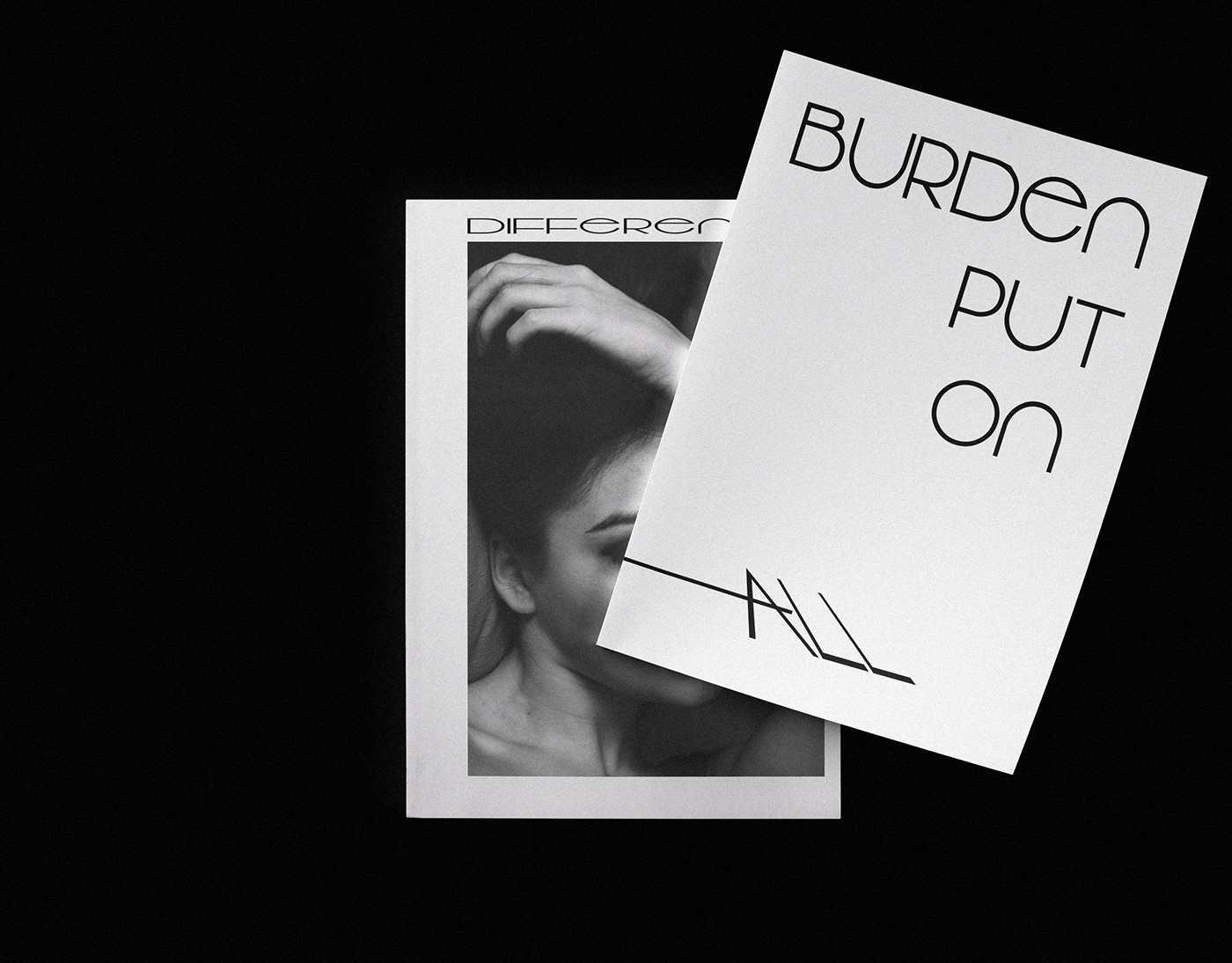
This project came to me because I have been wanting to work on my typography and layout skills. With limited resources, I was able to figure out the paragraph tool in ps to align my text within the page. Additionally, I tried having less in order to speak…
worked on formatting and type
mighty vessel
just finished my second packaging project please tell me if you have any feedback on it
https://www.behance.net/gallery/79498185/Autuman-products-Branding-packaging

Behance
Branding & packaging design for "autuman" a man products company
peak warren
Hi @mighty vessel I like the style. Nice presentation. Good colors throughout. Not sure I approve of "man products" as a title, but that's a comment about gender, not Photoshop.
My wife competed in Seattle Dance-o-Rama yesterday and today. I was photographer & videographer. This 4 panel view is shots of her feet during one dance heat. Matched the exposures with adjustment clipping layers, so all 4 views of her dress looked the same. (Lighting on the dance floor was ahem challenging.)
latent lion
@mighty vessel As branding it raises questions. "AUTU" would be interpreted by the brain as "AUTO." The mind automatically corrects any mistakes in its effort to comprehend. So why "AUTU"? Is the difference rooted in language as a composite of "au" and "tu"? Your usage of the Maple leaves in your letter A could be enhanced by lowering the leaf so the points of the leaves are not so close to the outer edges of the "A" - even spacing surrounding the leaves.🚇 @peak warren liked dance pix. As a grid it seems slightly off center maybe a flip horizontal of the lower left image would balance the grid.
 chrome atlas
What do you guys think about that color correction and the foto shooting in general?
 mental glade
im impressed by this in general. i just zoned out on it for a minute and i really like it. i dont know enough about to color correction to comment on that, but this is really eye catching for me
chrome atlas
Ty 😃
mental glade
yw 😃
peak warren
@chrome atlas I like the image. It has good detail in the darks. And I like the monochrome treatment, or nearly monochrome. I do wonder about two things. First, the tail is out of focus while the rest is in focus. Is that intentional? Second, the wing (?) overlaps with the tail, but just a bit. The negative space it forms is interesting, shaped kind of like a crown. But I'm not sure you want the overlap.
Also, is this your origami? I know this is a PS Discord, but that is nice paper folding.
chrome atlas
- No it was not on purpose, im not good at photographinh 😄 2. I guess not overlapping wouldve been better im not sure tho. i didnt even notice this
And sadly not my origami 😄 The school gave us few of these
peak warren
@chrome atlas Were you using a tripod? If so, you can set smaller aperture/ higher f-stop, for better depth of Field. But if that is not enough, you can take multiple images at slightly different focus settings, and do focus stacking in PS. It is a super feature, but it needs tripod to work so that the images align well.
 tepid sierra
this is from a while back..just have time now to complete it...challenge 8 last PS daily
tepid sierra
this was fun fun fun!!
loud zephyr
So I took Rufus's advice and I separated my Behance profile to personal (with Photoshop challenges) and a business profile where I only show my composite work. You can see all my composite work if you search for BlackCeriseDesignStudio. Here is my latest work inspired by the movie SHAZAM!
 weary pasture

 thick owl
an eye series 😃 @tepid sierra
neat shale
My take on the day 1 challenge before the live video
 versed bobcat
Created during today's session PSdailychallenge #✂challenges-feedback
 eager barn
hey, I really am trying to do more photo editing, but I usually post drawings like this!
 coarse abyss
that was so fun! I can't wait for movie poster day.
uncut ginkgo
@coarse abyss wow! amazing job!
@versed bobcat nice job! You picked up that skill super quick!
coarse abyss
thanks! I did it along with him.
bleak fossil
@neat shale Nice job! Could be really cool to combine that effect with the ones covered on todays stream. Would really push it into that comic look.
@versed bobcat Well done! If you're comfortable with other aspects of Photoshop it could be cool to see a more bold color replaced in the background to really give it more of that comic look.
@eager barn Very nice Poki, 99% of my work in Photoshop is drawing and painting too 😄
@coarse abyss Wow, very well done! Really cool look to this, I like the bold colors too, really fits with that comic/graphic novel look.
versed bobcat
Thank you for the feedback. I'm a beginner, so I'm uncertain how to modify the background color just yet.
 carmine musk
Thanks for sharing, this is a cool effect, thanks guys!
 undone sapphire
 proven barn
I'm completely new to all of this; this is my first time using photoshop. here is creative challenge #1. what do you think? how can I improve?
 timid pasture
First attempt... https://www.behance.net/gallery/79613289/PS-Daily-Challenge-May-2019
 young karma
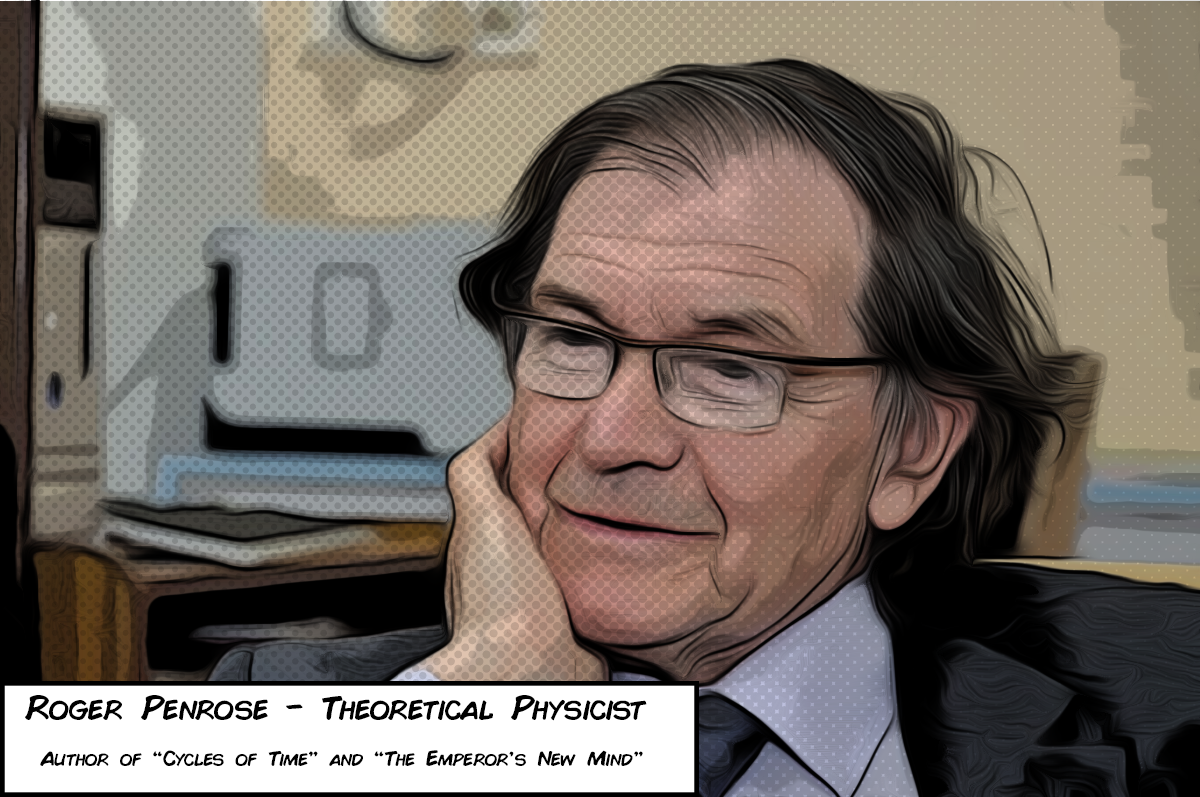
Roger Penrose, Comic Stylized, Halftone Brush Added
I'm sure there's a way to stagger the size of the dots with a gradient and a filter but this is the lazy version
 magic vapor
young karma
magic vapor
young karma
The filter is a combination of smart filters, it's Oil Painting, posterize to limit colors, and this is across 2 layers one set to multiply for the lines
@magic vapor
it was today's behance/photoshop daily project
 weary steeple
Think they wanted to know how you did the half-tone brush effect
magic vapor
@young karma very nice, I was wondering about the doted effect is that a filter?
young karma
No that's a halftone brush, Now I'm pretty sure there's a way I can jerry rig a radial gradient and apply the halftone effect that would stagger the size of the halftones to make it look more natural, i just havent gotten around
I made an extra layer, put the brush on top, lowered the opacity so it blended more naturally
 jolly quest
@magic vapor That's looking awesome! Have you thought about also experimenting with some background textures?
magic vapor
@young karma I see, I just need more exploration, I'm very new to PS
@jolly quest great idea I will try to play with BG
young karma
Yeah it takes a lot of experimenting, photoshop is large. Not After effects large, but still the big large.
jolly quest
@magic vapor I bet you could apply the same features to some cool textures and place it in the back!
Looking awesome so far
Is that you in the photo?
remote nebula
Day 1 : PS daily challenge ( first attempt after the stream)
jolly quest
@remote nebula Very nice!
 wispy kindle
PS Daily Challenge - Day 1
jolly quest
@wispy kindle Nice job! Very subtle texture but it has a nice feel!
young karma
Day 1 : Comics PSdailychallenge Hi everyone, i try with a composite image i made early this year ( french guy, so sorry for my english)
jolly quest
@young karma This is awesome!
I would also love to see the "Before" images so we can understand how transformed the image is
If you want to share, that is
magic vapor
@jolly quest yes it's me
magic vapor
the original image quality is not the best
jolly quest
@magic vapor That's okay! You don't have to share if you don't want to. I was just curious
magic vapor
hay 😀 thanks
No, I like to share my work, I used my image since I need to upload one to my behance profile. No I have a good one! thanks
 dreamy drift
Day01 PSdailychallenge #✂challenges-feedback .
Photo of my cat in the garden
remote nebula
Day 1 : PS daily challenge ( try to blend it with texture)
@dreamy drift cute. Looks like cut out art.
jolly quest
@remote nebula Yes I like the added texture!
@dreamy drift Very cool entry looks like a graphic novel/comic page for sure!
young karma
This is my exercise of the day. I think it could be even more comicy not?
remote nebula
thank @jolly quest ..:D
young karma
@jolly quest thanks,this is the composite and the components
jolly quest
@young karma WOW
remote nebula
@young karma like it. Look so cool.
 lofty falcon
fun little design
eager barn
Wow! All of these are so awesome!
young karma
@jolly quest i'm a beginner so thanks a lot
jolly quest
@young karma Nice! Is that you?
dreamy drift
thank you very much @remote nebula @jolly quest I do not know how I will integrate the whole movie theme of the challenge and my cat, but I will solve it😅
eager barn
Heyyy @jolly quest whats up!
timid pasture
This image is from a comic / graphic novel I've been working on for almost 10 years. It's called 'The Girls From T.N.A.' I'll put a link below. This scene is from the prologue for Chapter 6. The characters are created in an app Called Poser Pro 2014, and the forest in the background was created in Vue 10 Complete. Hope you don't mind my shameless plugs. LOL
The Girls From T.N.A. by Rod Shelley
I didn't take any 'detours' and used the same procedure as Jesus did. I like it a lot.
young karma
@timid pasture beautifull, and i love the light between the girls
coral stone
Hi everyone, here's my Super Dog 😄
eager barn
hahaha! That is so funny @coral stone
timid pasture
@young karma Thank you! That light is from her staff - the girl in the center is a Fae..
@coral stone Love the 'SuperDog!
coral stone
Thanks @timid pasture !!
jolly quest
@eager barn NICE
loud zephyr
This is for the First Day Challenge!
eager barn
wowowow that is awesome @loud zephyr
 tawdry glen
Hi, I´ve uploaded the project on Behance with the tag PSDailyChallenge and it is not appearing on the gallery, what should I do? Thanks a lot
 hallow agate
Here is my DCC submission. I have been obsessed with mushroom clouds lately 😄
loud zephyr
@eager barn Thanks. I had to find a work around for the oil filter which I don't have.
 fathom osprey
Thank you for your feedback! 😀
jolly quest
@fathom osprey Love it!
eager barn
cool @fathom osprey !
jolly quest
@loud zephyr Good to see you again! Loving your entry too!
fathom osprey
@jolly quest @eager barn Thank you!
timid pasture
@tawdry glen I've been having the same problem - over 2 previous challenges. Not sure what's up with that. Jesus said to make the PSD in uppercase, but Behance seems to insist on making all the letters upper case.. Any ideas out there??
loud zephyr
Full color Cyber Punk! Just in Time!
timid pasture
@loud zephyr NICE!!
young karma
For anyone who wants to add the halftone to their Project, Check out this Addon, it's extremely useful and very easy to use, give props to the creator, it's 100% free. https://www.adobeexchange.com/creativecloud.details.13159.html

Zoom Line, Speed Line, and Screen Patterns for Comic Artists
timid pasture
@jolly quest Have you seen the trailer for Ep - 9 yet? Looks like it's going to be epic.
young karma
@jolly quest thx, i’m afraid not
jolly quest
@timid pasture Yep! Paco put it on in the studio for me the day it came out haha
tawdry glen
@timid pasture I thought that this could be the problem, but behance converted everything on uppercase. Anyways I´ve wrote PSD in uppercase.
timid pasture
@jolly quest I'm going to send a link in a few - something you'll get a giggle out of..
@jolly quest I saw this on Renderosity yesterday and just about fell out of my chair: https://www.renderosity.com/mod/gallery/star-girls---the-price-to-be-a-skyhopper/2873322/?p

Renderosity
Star Girls - The price to be a Skyhopper by Edheldil. Renderosity - a digital art community for cg artists to buy and sell 2d and 3d content, cg news, free 3d models, 2d textures, backgrounds, and brushes
jolly quest
LOL
@timid pasture That is hilarious! We ought to move it over to the #💬chat-general channel though since this channel is for feedback on stream!
 bold valley
Tried a flower. My graphics card doesn't like Oil Paint.
jolly quest
@bold valley That looks awesome!
jolly quest
@dusk crown great! Also love the addition of the "Meanwhile" comic box!
totally feels like a comic!
 dusk crown
@jolly quest Thanks! 😄
tawdry glen
Cover with Illustratiomn
jolly quest
@tawdry glen I am really loving those colors!!!
tawdry glen
Thanks! I´ve added a gradient to my picture @jolly quest
jolly quest
Awesome!
young karma
@dusk crown what font is that?
fathom osprey
@dusk crown I like it!!
young karma
nvm i think i found it
 lethal mural
@versed bobcat great job! Tomorrow I'll talk about background replacement. Maybe you can add a different background and make it even cooler!!😊
jolly quest
@lethal mural I can't wait! It's gonna be awesome!
lethal mural
@coarse abyss OMG! I love cats! Lol great work! I love the details on the fur. Consider licensing the photo. Then you can remove the watermark and upload it to Behance! It's a really good piece!
timid pasture
@tawdry glen In watching the video again, he said to just make the PS uppercase and 'dailychallenge' in lowercase. But I still can't get Behance to stop making the whole thing uppercase. I'm going to post this in 'ask-a-quetion' and see if anyone has an answer.
 cold cedar
PSdailychallenge
lethal mural
@carmine musk Fantastic idea! I love how the fish is "breaking out" of the comic book effect. Not much to say besides great work! Make sure you upload it to Behance! 😊
carmine musk
thanks @lethal mural this challenge was so cool!
lethal mural
@undone sapphire good work Maria! My only suggestion would be to adjust the hand to get a few more dark lines in there. But the rest looks great! Let me know if you update it. I would love to see the results! 😊
tawdry glen
@timid pasture Yes! I saw on the video chat and I could change it, thanks for notifying me! 
young karma
Final Version https://mir-s3-cdn-cf.behance.net/project_modules/max_1200/b20fd379616849.5cc8b71452ec2.png
 loud zephyr
I don't have the oil painting filter in my gallery.....
lethal mural
@proven barn great job for the first using Photoshop! Definitely better than my first project. My only suggestion would be to keep adjusting the filter control sliders to improve on the result. Maybe add a bit more Treshold? Let me know if you update it! Thanks!
coral stone
Amazing @young karma!
 pastel spade
Wow, already so much awesome stuff!!! Great work everyone!
eager barn
kindred kernel
😀
pastel spade
@eager barn did you draw that yourself?
lethal mural
@timid pasture good job! I would suggest getting more dark outlines. In the Poster Edges filter make the lines darker. See if that helps!
fallow bough
My laptop crashes on the Oil Paint filter and doesn't show the Select Use Native Operating System GPU Acceleration option so have to live with the hard pixelated edges.
timid pasture
@lethal mural Thanks good sir! I'm loving playing with these effects.. Love your PTC channel!
lethal mural
@young karma fantastic work! I love how you added the halftone pattern to enhance the effect! It really makes it stand out. Not much to say besides great job!!!😊
eager barn
@pastel spade yes I did!
young karma
thank ye much, i think the halftone completes it
lethal mural
@magic vapor awesome work! I would suggest that you fine tune the poster Edges filter or the threshold to get more detail on the edges. The lines are a bit thick. Try it and see if it helps. Let me know if you update it. I would love to see the results. Thanks!
@remote nebula Great Job! My only suggestion would be to darken the white in the image to try to get more details in the comic effect. Much like I did in the final part of the stream with hair. Overall you did an amazing job!
 dull tangle
Day 1 - Not sure I got the dark lines prominent enough.
eager barn
I like this one better XD
lethal mural
@dreamy drift this one came out great! I love the grass! I don't have much to say but great job!!!
 turbid vapor
i ended up moving away from any color, but this is really fun.
eager barn
wow cool @turbid vapor !
kindred kernel
😀
lethal mural
@young karma awesome work! I love how the wings came out. Good idea on using a previous composite.
 mild karma
Okay, no idea if this looks cartoony or not, fun to mess about with though.
dreamy drift
Thanks @lethal mural
I already uploaded it to my behance 💪
 young karma
@lethal mural thanks, i try to cover a lot of fonctions in orer to improve myself
lethal mural
@MLuckett#6822 Nice job! One thing I would suggest would be to adjust the filters to decrease the details and get larger blocks of color. See how that looks! 😊
kindred kernel
😀
wet thistle
Father of a good friend of mine.
Although I am not so sure about the oil paint effect. Somehow I do something wrong I think.
mild karma
Had another dash, like this better and realise that finding a decent pic to begin with helps. 😃
timid pasture
Here, I effectively 'doubled' the effect giving this image an even more 'cartoony' feel. This is Ranpha descending a staircase in a very large yacht.
fallow bough
Removed some of the detail and increased line width on character. Original is composite of grandaughter's face on 3D character laid over an alien background.
timid pasture
@fallow bough NICE! Looking great - I'll bet your granddaughter loves it! Which 3D app are you using?
fallow bough
Not my own. 3D model from image I found online.
timid pasture
Well, you did a fantastic compositing job on it! 👍
fallow bough
Thanks. Can't wait to work on it on new PC when it comes in. Laptop crashes PS on the Oil Paint filter.
timid pasture
A new machine is always a treat! Congrats!
proven barn
@lethal mural thanks for the feedback!
 cedar radish
edited this for the daily challenge, any tips on how to make it look even more like an old pin up drawing?
 sharp pier
New to the Discord thing. Here's my comic art- I added the halftone filter to give the comic book dotted look, used Luminosity to blend. https://www.behance.net/gallery/79618839/2019-Photoshop-Daily-Challenge

 severe flame
challenged. I'm waiting for feedback!!
 knotty charm
Here is mine!
Messed up the chin area and in-front of the noise a bit but didn't have the time to fix it.
timid pasture
One last experiment for the day (or at least for now.. 😀 ) Another model from my archives with a little more aggressive lines in the poster edges filter.
@severe flame I think this looks perfect. Just the right amount of line work. Great job!
young karma
@wet thistle i like it a lot
timid pasture
@knotty charm NICE! Very intense and perfect for this GOT character!
 worldly wadi
 weary steeple
Here's my submission for the daily challenge. Really enjoyed it!
https://www.behance.net/gallery/79619613/Photoshop-Daily-Challenge
 upbeat laurel
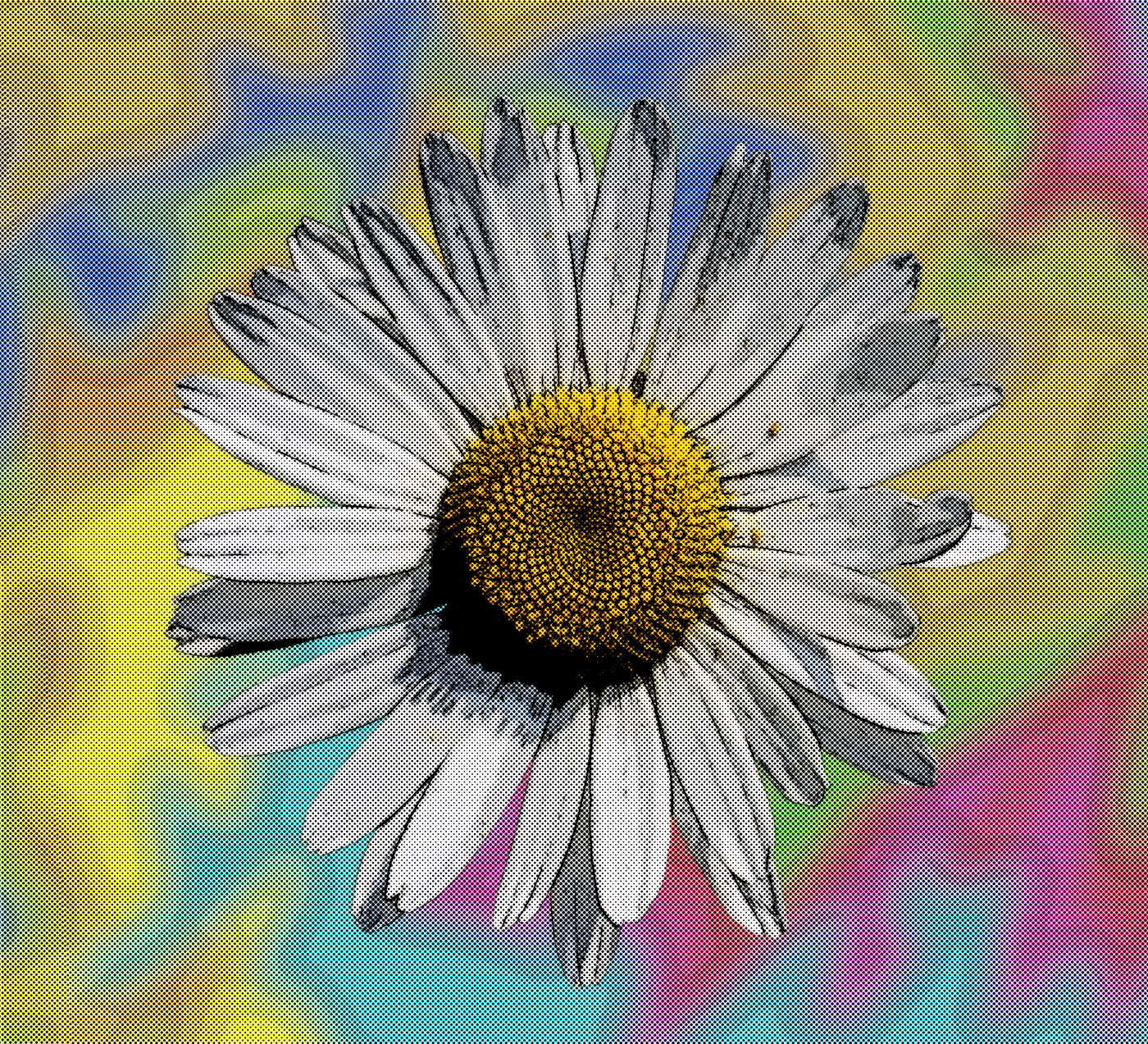
This really works well with my architectural window images.
I didn't like the oil paint filter on this one, so I used the graphic pen set to vertical for this line layer.
 upbeat cosmos
Some Amusement park photos I took, comic style
coral stone
Very cool @upbeat cosmos
knotty charm
That's really cool @upbeat cosmos. Do you mind sharing the original or a side by side? I'd love to see exactly how you changed it.
robust plank
 loud ferry
I worked on a few images today and this is my fave...i think. I don't like the backgrounds and it was hard to get a nice effect in the faces without wrecking the rest.
 red thunder
loud ferry
red thunder
loud ferry
And this is the one I had the hardest time with. The detail in the background trees gave me some serious grief so I just blurred them in the original...
 grim mantle
My take on day one
wispy compass
Day 1 - Miss Emma
upbeat cosmos
I can't remember where the sky came from, credit to the artist!
different dragon, guess I am on a theme today
mental glade
 snow palm
Here's a picture of my cat being a nut.
severe flame
@timid pasture thanks !!!
glacial path
@mental glade Nice execution of the effect 😃 Just one thing: If you like to credit an artist, I would make the watermark more subtle. right now it almost is the first thing I'm looking at. I thought the text was referencing something in the image and that I would have to read the text to understand the image. You know?
mental glade
@glacial path thank you 😃
bleak fossil
@snow palm Hah, cute cat. Nice work! Currently I almost get a painted feel from this one, I think if you tweaked the oil filter settings bit to make the stokes appear to have less dimension it might strengthen that comic colored feel a bit more.
@mental glade Cool effects on the texture of the Tiger! I think if you played around with the settings to make the edges a bit harder and more crisp, it might push it away from "painterly" and make it a bit more graphic and comic like. Either way it's got a cool look to it! Nice work.
@upbeat cosmos Really love the effect of your fire breathing dragon! Very nice use of the dot texture. The whole effect works really well on this image, especially the buildings, definitely gives of a sort of detailed inked/drawn feel.
snow palm
Thanks, I'll give it a try.
bleak fossil
@upbeat laurel Cool to see you applying your architectural window images to this challenge. Interesting effect. I think for the second one, and in general, pushing that line layer Jesús did is pretty crucial to give it that inked/line drawing look that really can push that comic book feel.
@weary steeple Oooh, nice effect on that. Very cool retro vibe, looks good! Also great avatar, hah. My girlfriend and I just finished watching through the entire series a few weeks back.
@worldly wadi You did a great job with that image, definitely feels more graphic and comic-like with the effects. The text boxes are a great touch as well!
@timid pasture Well done! I think the more aggressive lines can definitely help the overall comic effect for sure. I think adding a more colorful/bold gradient in the background could really help push that comic feel as well.
 midnight frigate
@upbeat cosmos GREAT effects! Im inspired! i will make another entry!
bleak fossil
@wispy compass Ooh, cool effect on this one! I kind of feel like some sort of color pass/photo filter on could be a good look at push the colors more towards something that feels like it's out of a comic. Maybe a cool color pass or something.... just an idea. Nice work!
proven barn
@cedar radish I am a beginner so maybe I don’t have any advice, but I just wanted to say how amazed I was when I saw this!! It looks so cool, just like an old fashioned flyer from the 50s or something!!!! I hope to be able to get this advanced at some point! Good job!
@midnight frigate this is awesome!!! We both used animals for our challenge!! Yours looks way better than mine though that’s for sure!!!
bleak fossil
@grim mantle Really great work on this one, very well applied effects. Really love what you did with the background and the dot texture. Well done!
proven barn
@snow palm lovin’ the cat!!!!! Good work 😃
bleak fossil
@loud ferry Nice work! I think (on the image with the little girl) simplifying the background in an image like that might be the best solution, keeps the focus at the front. Did you apply the oil painting filter to the lines at all? Currently they look a bit rough, that filter used like Jesús did can give them a nice hand drawn look. Nice job!
On the girl in the beanie: Nice! I think some images can definitely be tougher than others. I think a key to this effect is getting that nice outline around the subject of the image.
@red thunder Hah, great picture. Really cool look to this one! I love how the lizard looks, but I think if you masked out the background and blurred it or simplified it more somehow it could give the image less of a realistic look and push that comic look even more.
 cinder vessel
Hi @lethal mural /Everyone,
So glad PS challenges are back!
here's my submission for Day 1....please do provide your feedback. Cheers!
Original
bleak fossil
@robust plank Very cool! Nice strong outline around the figures in this one, looks great. I think if you were able to get rid of all the texture in the couch, and maybe even replace the white background with a stronger color if could push that comic look even more. Looks good!
@knotty charm Looks great! I think if you could simplify the colors even more with the Poster Edges effect, and make sure "lighting" is checked off when you run the oil filter over it the image might look less painted/detailed and more simple/comic looking. But even as it is right now it has a really cool look to it on its own. Nice job!
@severe flame Nice job! Some really cool effects going on here. One suggestion to push the comic look more would be to make sure the lines are crisp and hard edged. Sometimes when the edges (like it in the black area of the bird's head) get softer they can start to look more like a painting. Also if you're able to simplify the background more into areas of color without so much detail I think that could push the comic look as well. Looks good, nice work!
@sharp pier The half tone filter looks great! Did you use the line and color effects Jesús showed in the stream today? If not, I think those effects could push the effect even further. Nice work!
red thunder
@bleak fossil Thank you so much for the feedback!
bleak fossil
@cedar radish Ooh, great take on this challenge! Definitely gives it more of that vintage illustrated pin up look. Great job! The only thing I can think of to push it further (if you haven’t already) is to lightly apply that oil filter effect like Jesús did on the stream to soften up that edge shadows in her arm and legs… might help, but it looks solid as is to me.
@fallow bough Very cool! I think maybe simplifying the background somehow could help. All the crazy detail draws a lot of attention and comic backgrounds are usually more simple to let the characters pull the focus. For example, I think the far background on the right looks great. A simple shape with a simple outline, but the background closer behind her has a ton of detail I think could be simplified. Just an idea, nice work!
glacial path
@bleak fossil is on 🔥🔥
bleak fossil
😉
@mild karma Nice work David! I think righting the right images for the effect can definitely help a lot. I think the key to getting this comic effect to work is getting a nice inked looking outline to the image, and simplifying the colors like Jesús did with the effects he used on his two layers. Right now the man in the hat has a lot of complex detail in his face and beard and running the effect over that so simplify the colors, as well as add an outline could really push it to look more comic-like.
@wet thistle Looks good! I don't know if you mean the oil effect when applied to the lines? It looks pretty good to me, but did you make sure to have "lighting" checked off? I only wonder because the lines in the background have a bit of dimension, which make it look more painted. I also think simplifying the background so all the detail is in the person might make it look more comic-like.
@kindred kernel Hey Gerard! Good to see you in another DCC! Nice work, Maybe try playing with the saturation in the person's face (in the plane image)? Comics usually have fairly bold colors so that might help push the effect a bit if the colors a bit more saturated. You could also play with a levels adjustment on your photos to brighten up the image as a whole
@raven meadow Really cool effects on this, I really like how you pushed the colors as well! Also great subject choice, Hook was one of my favorite movies growing up 😄
wispy compass
@bleak fossil ....something like this?
bleak fossil
@young karma Very nice! Really well done blend of effects here. Great simplification of the background, lines around the character look awesome, and the texture and speech bubble add even more to it. Looks awesome!
lethal mural
@mild karma that's the point to have fun and mess around! Great job!
@raven meadow great job!
bleak fossil
Maybe something like this? @wispy compass I applied a "Cooling Filter (80)" at 25%, and a filter (Filter-pixelate-color halftone) and set it to 50% opacity. Just a suggestion, but gives it a bit more of a comic look to me.
lethal mural
@kindred kernel job job! I would add the Oil Paint filter to smooth it out a bit.
wispy compass
@bleak fossil ... ok..thanks !
bleak fossil
@turbid vapor Fantastic job, you really gave this one an illustrated look. Well done!
lethal mural
@wet thistle Great work! I would darken areas like the hand to make the fingers stand out. Much like I did at the end of the stream with the hair. But great job overall!
@mild karma yes it does help! Good job. Did you apply the Oil Paint filter? You don't have to if you don't want. But I was just wondering.
@timid pasture you certainly doubled the effect! It looks great!
@fallow bough looks great! Good job!!! 😊
@cedar radish excellent work! It looks great!
@sharp pier looks pretty good! Fantastic job;. I would maybe add a bit of the oil paint filter to make it looks less like a photo.
@severe flame I think you did a great job! My only suggestion would be to maybe adjust the width of the black lines. Just to see if you can get more detail on the bird.
@knotty charm great job! No spoilers!!!
@worldly wadi great job! Definitely a great photo for this effect!
@weary steeple great job! I like the pattern you added to it. It adds to the effect!
@upbeat laurel really good job! I love how the flowers look!!!
@upbeat laurel That's great! I'm glad you improvised with other filters!
@cinder vessel good job! I would maybe increase the threshold or the posterazation to make it look a bit less like a photo. But fantastic work overall!
 blissful wolf
I used a picture of my daughter.... 😀
 sonic ermine
 bitter cradle
sonic ermine
timid pasture
bitter cradle
sonic ermine
timid pasture
One more before bedtime! I used the overlay blending mode on the 'line' layer for a little different look...
peak warren
Day 1. With halftone applied to the central figures, and the background blurred & darkened.
 covert socket
Day 1: Just got home from work and remembered that this challenge was happening. I love this effect and I can't wait to learn more from you guys!
 tame juniper
This was not something I would have tried on my own. Definitely cool playing with these filters! Me looking like a wannabe tough guy...
 mossy spindle
young karma
mossy spindle
young karma
Day 1 - Comic Art. I use a picture of my friend I took a few years back.
 balmy fulcrum
First time trying this. Was able to learn something new very easily today and look forward to the rest of the challenges. Had some issues with too many lines on my subject's faces, but messed around a while and think I figured out how to minimize them. I lowered the threshold more until I was happy. Is that what you would have done? (adding the original in the next post...)
Original version for comparison.
 dark quiver
Whattaya think?
 leaden granite
Here is mine!
leaden granite
@dark quiver Thanks!
dark quiver
@sonic ermine Also love it. Nice incorporation of illustrations!
@leaden granite I give credit where it's due 😉
 thorn dove
liking yalls too ❤
dark quiver
Sure. It seems you
you're playing around with filters. Try "Filter Gallery" and play around a bit more with those. Especially Cutout.
Might be some cool effects there that'll boost the "comic book" effect.
Also just play around with the program, and TastyTuts' tutorial on Youtube is a great start to learn the program in and out.
Gotcha. TastyTuts' tutorials are great. If you have Skillshare, another awesome choice for Photoshop tutorials.
Dip your feet in as much as you can. Play around with ALL the tools!
 cerulean bay
My 23 year old Cat, passed away 5 years ago
severe flame
@bleak fossil thanks a lot for amazing opinion!!
 wooden knoll
PSchallenge #1
 kind heath
PSdailychallenge #1
 sour ingot
Hi Everyone, here we go again! #Nottoday #Gameofthrones #GOT #✂challenges-feedback #VixPS
 full topaz
cinder vessel
full topaz
cinder vessel
@cerulean bay Do cats live that long? 😯
cerulean bay
@cinder vessel normally no. Usually the get 16 years old
 jagged wyvern
Used a friend as a model and an image taken for another friend who make the skirt shout out to Zombie Designs. i would appreciate you feedback its my first time here.
 gentle siren
Hello from the Philippines 👋
Photo by Austin Wade on Unsplash
Photo by Christian Lunde on Unsplash
Photo by Ayo Ogunseinde on Unsplash
 vivid wadi
Tried it out on a scenic shot. The sky has gradations from the posterisation though. Could someone please recommend the best approach to remedy this? Thankyou for the challenge today. 😎
 obsidian smelt
Hello all , i want you to review my last project with #calarts and #coursera here is the Link https://www.behance.net/gallery/79551727/EGO-ON-BRAND-DEVELOPMENT
thanks in advance
kindred kernel
😀
magic vapor
@sour ingot cool effect loving it, did you use half tone and oil pain effect?
loud zephyr
@blazing quail I love the airplane photo. It really does look like something from a 1930's comic book! Great Job! Keepin' it 100
@severe flame Great job! The oil paint on feathers and fur looks fantastic! Great job!
turbid vapor
I'm pretty bad at staying the course.... but i highly recommend exploring the liquify filter..... here's where mine went (not exactly comic book, but WHOA the liquify tool is AMAZING!!!! possibly my new favorite thing!) https://www.behance.net/gallery/79615927/photoshop-daily-challenge-043019

 silk wigeon
@turbid vapor WOW, this one is cool. I like it! 😃
peak warren
@vivid wadi I think the gradations in the sky are a natural side effect of the posterization. If you want to minimize them, you have to do some alteration, like selecting the sky and filling it with a single shade of blue.
@vivid wadi I like how the poster-edges works on the white part of the dome. Really good effect. Is this the Duomo in Florence (Firenze)?
@gentle siren I think the edge effect is strongest on the first image. I like it a lot. The bottom image is good, but making a black edge on black hair or halter doesn't really show up. The image ends up just looking posterized. There are some subtle lines around her nails, but not as vivid as the other images.
@sour ingot Great image. So much that I like here, but especially the hair curls on the R side, the eyes, and the shading of the lips. Any idea why her (your?) t-shirt doesn't get a poster-edge on the shoulder?
 unique skiff
astronaut comic effect, hope you all like it
abstract astronaut comic effect
secret garden comic effect
wet thistle
Hi @lethal mural @bleak fossil Thanks for the feedback. I removed the background and used a gradient instead. I did not like the lines in the background either, I thought that was because of the oil effect @bleak fossil. I did try to darken the area, but I still need some more practice I think...;)
 blissful badge
 fast moth
Comic Art
 viscid eagle
Cartoon with adjusted levels...
Original Picture
This one has no level adjustments - not sure which looks more cartoon-ish.
 thick arrow
Comic Art. Fairytale.Thanks for the tutorial. @lethal mural
viscid eagle
Here is a different - one. I am having trouble making the shadow areas not look hairy or speckled. Any ideas?
Cartoon version
Original version
thick arrow
Comic Art. This is the princess in my comic, thanks for the tutorial !
Comic Art. She is the modern girl in my comic fairytale. Thanks for the tutorial!
young karma
Here is my first challenge. Thank you Jesus for your tutorial!!
 lone hare
Got the opportunity to learn something new! Thank you @lethal mural
turbid vapor
@lone hare NAILED IT!
lone hare
Thank you @turbid vapor It was fun
silk wigeon
@lone hare OMO! this looks superb!
Did you do it with the same technique Jesus learned?!
lone hare
@silk wigeon Yes with a few tweaks of my own
silk wigeon
Daebak! (cool!) Could you share those tweaks? I was planning on using this style for my new portfolio site. But never found the exact appearance
espesially with the background
 light nebula
Day 2 challenge Lets see where this goes.
lone hare
@silk wigeon I applied the same filter adjustments as @lethal mural did (you'll have to mess with the sliders until you get the style you want) I then you used blend modes and a gradient to change up the color. Then overlaid a falftone pattern. Its a whole lot of messing around with these details that got me to my end result.
silk wigeon
@lone hare ahhh! Thanks for the tips!
lone hare
@silk wigeon of course, once you can recognize what details need to be in your composition you mess around until it feels right. 😃
fallow bough
@bleak fossil Thanks for feedback. Tried a background with less detail. Have the problem of my laptop crashing PS on Oil Paint filter so had to do much work on outlines to make work.
 vale burrow
Thank you @lethal mural
 left token
My project for yesterday. Turns out my computer can't run the Oil Paint filter so I had find a workaround. Feedback greatly appreciated.
young karma
My first submission for PSDC'May19. Jesus thank you for making it fun. https://www.behance.net/gallery/79648705/Comic-Hero-Phantomish-look

 lunar mango
 tiny nest
Giving a selfie a new look.
 placid trout
quick one, some Feedback would be nice;-)
neat shale
https://www.behance.net/gallery/79649111/May-2019-Photoshop-Daily-Creative-Challenge-Day-1 So I made 3 because I found too many photos that would look great with this. Also mixed what I did before the live and what was taught in the live. Also oil paint doesn't work on my laptop sadly 😦 so I improvised and used fresco on the line layer and gaussian blur on the color layer

Behance
I did a bit more than what was in the live video oops except for the oil paint filter because it doesn't work on my laptop :( I used fresco filter on the line layer to replace oil paint and gaussian blur on the color layer.

 raven meadow
PSDailychallenge Day 2 https://www.behance.net/gallery/79649701/Album-Art-The-Cars-City-Limits
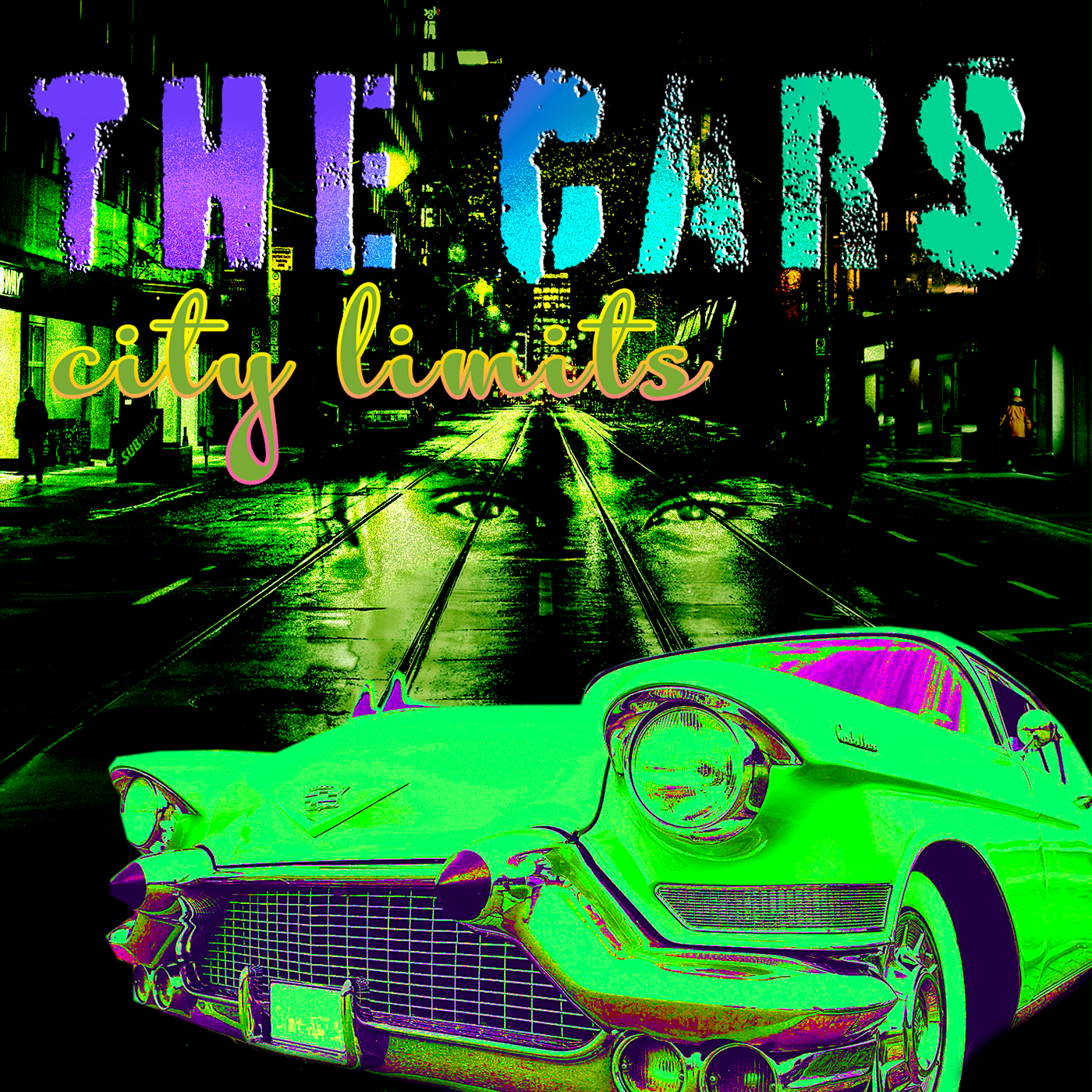
PSDailychallenge this is the image for your review
young karma
#PSDailyChalleng day #1
 cunning sail
 young karma
PSDailyChallenge 1
 warm kestrel
@lone hare very nice
 glossy trellis
Day 1
 stone flume
 young karma
Photoshop Daily Creative Challenge #01 https://www.behance.net/gallery/79650559/Photoshop-Daily-Creative-Challenge

Hi all! I'm new to Discord but have been watching Jesús Ramirez's YouTube channel for a couple of years. Here's is my rendering of the first challenge; it's the lead singer in my band, behind her is the bassist.
lone hare
Thank you! @warm kestrel
 obtuse haven
Did todays challenge. https://www.behance.net/gallery/79650899/May-2019-PS-Challenge-Day-1?share=1
 thick owl
@vale burrow Really love how you showed the before and after - great job.
thorn dove
photoshop challenger day 1
i was trying to follow along with the video but idk if i was able to get the same effect as he did
obtuse haven
I'm just having fun now!
wet thistle
Final....I'm getting addicted 😂
 brittle slate
These are looking great! what a fun effect!
dusk crown
I had a go at the Album Cover challenge before the stream: https://www.behance.net/gallery/79653269/PS-Daily-Creative-Challenge-Day-2-Album-Cover 😃 🤘

Behance
PS Daily Creative Challenge Day 2 - Album Cover
warm kestrel
Day-1 -Comic Art
glacial path
@warm kestrel oooh! I love how you've added the speech bubble in the lower right corner, even though there would be enough space right next to her. But since that would block the action, you did the right thing 😃 . I also like the font 😛
 deep mango
Hey, guys, just a day behind, here's my comic book art submission 😃
glacial path
@deep mango that's awesome! I really like the color contrast between the teal in the background and your shirt+hat in the foreground 😃
warm kestrel
Thanks TIM @glacial path
deep mango
Thanks @glacial path 😃
glacial path
@dusk crown woooah! That typography is really cool 😄 Great use of the 3d effect in Photoshop. Did you render the image? It looks like you took a screenshot of the preview version. There are still some aliased corners
@wet thistle great job combining the double exposure and comic book effect 👍 - I also like the overall look, the yellow and blue play nicely together. But maybe you can find an image, that has some connection to the instrument?
or music in general
@obtuse haven Now that's what I call a winning smile 😁 . I think you could make this image better by removing some of the distractions, like the two objects here
@obtuse haven you could crop the image or you could use content aware fill to remove them 😃
thorn dove
I could use some assistance on mine wasn't able to get the same effect in the image
dusk crown
@glacial path Thanks! No, I don’t think I did, it’s literally my first time with 3D stuff. I exported the whole image as a PNG, how do I render it? 😃
I think I found it: 3D > Render 3D Layer, right?
obtuse haven
Thanks @glacial path! Those are great tips!
dusk crown
Man, my CPU is not having a fun time rendering, haha. It’s at 97%. 😅 I’ve rendered a couple of things in Blender before though, so it’s not super disconcerting.
glacial path
@dusk crown yes! and yeah, it will take some time to render 😉
@thorn dove thank you for submitting, that's a very cool (and probably very emotional) photo 😄 - The effect is very subtle, I think you can easily increase it ^^
placid trout
 dusk crown
@glacial path It's rendered now, and I see what you mean, it does look smoother: https://www.behance.net/gallery/79653269/PS-Daily-Creative-Challenge-Day-2-Album-Cover

Behance
PS Daily Creative Challenge Day 2 - Album Cover
Thanks for the help 😄
 shy dirge
Comic Art - Savannah and Manda
obtuse haven
That's cute!
 plush marsh
Here's the result of today's daily challenge! Let me know your thoughts. 😄
placid trout
nice one @plush marsh
silk wigeon
@plush marsh Lovely design!
plush marsh
Thank you!
young karma
Day 2 #PSDailyChallenge
wet thistle
@glacial path You are right , I could not find a better photo yet....he plays a lot of campfire-ish songs, I will look further 😀 A lot of what I did could have been for day 2 also...haha...
sharp pier
My Album Art exercise. Very 90's feeling.https://www.behance.net/gallery/79655151/Photoshop-Daily-Challenge-Album-Art

This one is my favorite...
silk wigeon
@sharp pier pretty cool, Dit you use one gradient on the whole image (back + foreground) or did you play with multiple gradients for fore + background?
plush marsh
Ooh I love the colors @storm sierra
 storm sierra
thanks
timid pasture
Arawen is playing fashion model again.... And yes, she can sing! LOL
coral stone
I got a signed copy ❤
placid trout
silk wigeon
My first album cover. #PSdailychallenge.
coral stone
@silk wigeon Amazing! I like the way that the rose is integrated with the background
Maybe you could put the "Roses are fine" a little up
mental glade
i also really like the image of the flower and background, but the text is working against the design as is. I would suggest sticking to one font. and i agree with valdair, the "roses are fine" text could be pushed up to not cover up the flower petal. looks fantastic though. 😃
 lone kestrel
Im very new at this so be gentle please
sharp pier
@lone kestrel That looks great!
jolly quest
@sour ingot Loving the GoT theme! It's looking great. Nice adding the text in the back there!
@unique skiff Nice touch adding that nebula/galaxy to the astronaut helmet!
mental glade
i agree with nathanadains. great image. the second word over the figure is hard to read completely tho. i also really like the thin white halo around the figure.
sharp pier
@mental glade - I think that text is the Adobe Stock watermark.
lone kestrel
it is the adobe stock watermark
jolly quest
@fast moth I see that Stormtrooper and I approve! Might even be cool to mess with the Levels settings and make his armor a clearer stark white!
lone kestrel
or we can just go with "Ock"? sounds like a pretty hardcore rock name?
mental glade
lol
jolly quest
@vale burrow So great to get to see the before and after in your portrait piece! lookin good!
@wet thistle Very interesting piece, adding that second image into the shape of the man! Looks awesome with the filters! great work
@warm kestrel Nice Day 1 Challenge! the filters make it look totally like a painting. great job
@warm kestrel nice touch with the speech bubble too!
@coral stone DJ Grandma Rocks is my new favorite album
loud zephyr
Hippy Hits from the 1960's from Hit artist Flower Child. She's so hot right now LOL! Zoolander @brittle slate
sharp pier
@light nebula I love that album cover you did.
jolly quest
Nice @loud zephyr !
loud zephyr
@jolly quest Thanks!
coral stone
Thanks @jolly quest 😆
dreamy drift
Day 2-
I continue the challenge using my beloved cats as inspiration and models 😅
jolly quest
@dreamy drift Bonus Track: "He Screm"
dreamy drift
😂 @jolly quest I love!
jolly quest
hahaha yesss
lone kestrel
am i the only album with parental advisory? haha
jolly quest
@lone kestrel A very nice touch haha I noticed that!
young karma
My day2 inspiration- classic interpretation !
jolly quest
@young karma Very classy!
versed bobcat
This was a fun one. Thanks for the lesson. PSdailychallenge
jolly quest
Niceee!!!
storm sierra
what you think?
jolly quest
Looking great in the mock-up!
 blazing quail
My version of an Album Cover
coral stone
Awesome @storm sierra
jolly quest
@blazing quail Very nice!
lone kestrel
@storm sierra and @jolly quest i would be interested on learning how to do a mock up? can you point me in a good direction?
storm sierra
am first i am not good at english sorry
second there are a lot of free mockups on internet
jolly quest
@storm sierra Where did you find the file for the mockup?
storm sierra
Like plugins for photoshop or
jolly quest
I usually find free files
storm sierra
in my case
jolly quest
they are fun!
storm sierra
an image
because this mockup i think is paid

Envato Elements
Download Vinyl Record Album Mock-Ups Graphic Templates by Kheathrow. Subscribe to Envato Elements for unlimited Graphic Templates downloads for a single monthly fee. Subscribe and Download now!
young karma
@jolly quest thx! What can i do to make it better?
mild karma
@lethal mural Thanks for the feedback, appreciate it 😃 yes i used the oil paint filter, think i need to mess with the settings some more.
jolly quest
@young karma I think you could experiment with the font/text a little bit! I wonder what it would look like with white text?
mild karma
@bleak fossil Thanks for the feedback Sam, i will experiment with it, love these challenges 😃
young karma
jolly quest
@young karma GREAT
jolly quest
@young karma I would love even to see each of them in a different color just to have a variety
@young karma nice!
young karma
@jolly quest going try colors 😉
raven meadow
I posted this way early. PSDailychallenge Day 2 https://www.behance.net/gallery/79649701/Album-Art-The-Cars-City-Limits
like really early
mental glade
@raven meadow very cool 😃
 foggy sentinel
._.
coral stone
wow @foggy sentinel, this is great! I loved it ❤
mental glade
fantastic @foggy sentinel
jolly quest
@foggy sentinel Heeeyy! Very unique design! Loving it!
 native pebble
young karma
native pebble
young karma
Blue & Purple !! 😉
jolly quest
@native pebble Awesome!
jolly quest
@young karma Ah! love that color variation!
jolly quest
@young karma So cool! Is that you?
young karma
@jolly quest lol nope. that's the husband 😃
jolly quest
Awesome!
 storm rock

Behance
 jovial moss
Pls be kind, trying the daily challenge
timid pasture
Bringin' back the glitzy girl bands of the '80s.... 😉
@jovial moss Looks really good. Very professional layout.
latent lion
@placid trout on your Space Lord cover the pronounced blue in the eye socket makes the death masque asymmetrical/ On the maks the same blue at the nostril and neck could be toned down. Maybe puppet mask the corner of the mouth to make the "LORD" sneer enigmatically on the one side.🚇
young karma
hey everyone,this is mine !
kindred kernel
😀
young karma
@jolly quest Red version 😉
knotty charm
fallow bough
Too many drugs in the 60-s.
knotty charm
Here is mine. I feel like I just can't get the colors right
 granite junco
glacial path
granite junco
glacial path
@brittle slate Kristaul 4eva
tulip fern
My submission for challenge #1 - Comic Art
 main arch
PSdailychallenge #2
upbeat cosmos
PSdaily challenge 2
dusk crown
Posting mine again, as Paul & Kristine started just below mine when they started reviewing, so hopefully they'll see this. 😃
glacial path
@dusk crown awesome! the rendered version looks better 😃
dusk crown
@glacial path Yeah, thanks for that, it was my first time doing 3D text, so thanks for the tip! I agree it looks better. 😄
knotty charm
Modified it slightly. A bit happier with the colors but I'm still not convinced :/
light nebula
@sharp pier Thank you
upbeat cosmos
@dusk crown love the 3d!
jovial moss
@timid pasture Love the font
 glad hamlet
coral stone
glad hamlet
coral stone
Hi guys, I made the adjustments with the font and I also added some noise to give an old look. Please feel free to comment 😄
dusk crown
@glad hamlet I love your design! 😱
glad hamlet
thank you @dusk crown 😃
dusk crown
You're welcome! I also think we used a similar font. Great minds think alike. 😉
glad hamlet
Love your design as well @dusk crown yes great minds think alike.
dusk crown
Thank you! 😄
upbeat laurel
Day 2 album cover.
dull tangle
Day 2...liked the other examples with cover mock-up so tried that as well.
timid pasture
Going through my photo archives, I couldn't resist this one... I used a bit of the oil paint filter just for fun. 😁
mild karma
Went for an older moody look, using yesterdays cartoon 😃
fallow bough
@brittle slate Took your advice from live channel. This one's not as hard on the eyes.
coral stone
I changed the font. I think it's better 😆
lethal mural
@vale burrow Fantastic work! Looks amazing!!! Love the colors and details!!!
coral stone
I'm really struggling to find a perfect matching font lol
storm sierra
Am
coral stone
I'll try to find another one 😄
lethal mural
@warm kestrel great job in the speech bubble! I love the details on her jacket!
storm sierra
ok one moment
coral stone
I will find some references online
lethal mural
@placid trout great job! Definitely looks like an album cover!
lethal mural
@plush marsh I think that you did great! Love the color choices and the placing of the text is excellent! Not much I could suggest 😊
coral stone
Thanks @storm sierra 😃
lethal mural
@young karma great job! Very vibrant. I would suggest working on the text a bit. I feel like it might be a bit too thin and it gets lost. But overall I think that you did a fantastic job!
 arctic delta
Can I get some thoughts, feedback on this? It’s a school project I’m doing. I have to create a book cover. Many thanks !!
lethal mural
@sharp pier Nothing wrong with the 90s! Great job on the color choices. The text gets a little lost so I would suggest a larger font size or a different font.
storm sierra
@arctic delta so the margin of the text is too small
arctic delta
Thanks! I’m still playing around with font 😬
lethal mural
@silk wigeon great job! The rose and the effect look excellent! The placing of the text seems a bit off. Maybe move the top line up
@lone kestrel fantastic job! Thus is almost ready to print!
storm rock
Behance
silk wigeon
@lethal mural Thanks for the feedback, I will try this challenges again tomorrow. I''ll keep this advice in mind. 👍
coral stone
@storm sierra I made some changes, I chose Acumin, moved the text and added some quote lol, what do you think? 😃
silk wigeon
Good day or night to everyone! 🙃
storm sierra
am if this is for print there are problems with the text.
the bold text is too big and it can be cutted while printing. And for the light text there are no contrast. So try making the big text a little bit smaller, and put shadow to the light text or change it to regular idk
@coral stone
coral stone
Sure, thanks @storm sierra
coral stone
Exactly 😀
storm sierra
i like the grundge effect
coral stone
Thank you so much
storm sierra
hah i have to thank you
i am learning graphic design from 8 months and to give advices and to have somebody to listen to me is 😍
if you are interested here is my portfolio

Behance
storm sierra
here is my instagram where i started posting daily logo challange

143 Followers, 134 Following, 24 Posts - See Instagram photos and videos from Samuil Slavchev (@sami_slavchev)
And here is one of my web projects
I am interested in web design because i am programmer

A prototype made with Adobe XD
 buoyant fractal
all done.. my first work complete. feel free to comment
obtuse haven
that's nice!
buoyant fractal
@obtuse haven thank you
uncut ginkgo
@buoyant fractal that looks amazing! Nice work!
buoyant fractal
thanks @uncut ginkgo
bold valley
Album Cover Day 2
thorn dove
@glacial path thanks the picture was a photo I took of my dad for a previous school project any tips on what I can do to increase the effects?
undone sapphire
Day 2 – Album Cover
mental glade
glacial path
@jovial moss this is fantastic! Great use of the halftone overlay 😄 I would just reduce the saturation of the blue frames 😃
@mental glade Cool flare effect in the center 😄 How did you make that?
mental glade
lemme double check the name of the filters
glacial path
Plastic wrap?
mental glade
thats it
mental glade
no thats another filter to make the black in the center
lemme check those lol
i also used neon glow
and one other i cant remember
oh i used stained glass on another one that came out cool looking
jovial moss
@glacial path thanks for the feedback. Is this what you mean?
mental glade
woah that looks cool!
glacial path
yup! Now it's more balanced 😃
jovial moss
Thanks @glacial path , I see what you mean now 🙂
glacial path
@undone sapphire Hey! Inverting the colors, but only on the suit - that's super creative! The only problem is, the suit is now very saturated and bright. IMO it's fighting for my attention and distracts the eye from the face and text. So either you could add some POP to the face and text or you could tone down the suit (which I wouldn't do, because I like the flashy colors)
buoyant fractal
@jovial moss thats nice
 abstract crag
Didn't know this awsome place existed until today 😃 dropping off day 1 and 2 😋
And Day 1
obtuse haven
I have this so far, and still working through more of it.
abstract crag
@obtuse haven looking dope so far
obtuse haven
Thanks! I'm trying to get the font more legible. How does the darker green look?
abstract crag
looks better in my opinion
glacial path
@obtuse haven yeeees! I like the new version a lot 😄 - but the old one wasn't too bad either 👍
obtuse haven
Thanks! Got any suggestions?
weary steeple
If you're trying to make the text stand out more, why not try to add a drop shadow or stroke to your text?
glacial path
@abstract crag heya! Thank you for sending your work 😃 - I like the thin font and you did a great job with that comic book effect! Maybe you can move the "Fish & Stars" text slightly more up. currently it feels a bit too close to your (?) hair.
lone hare
lol for some reason discord is not letting me upload my image. Says im saying something explicit.
abstract crag
Ye I saw it later and moved it a bit higher
glacial path
@abstract crag and the white lights at the top feel somewhat out of place. I guess the light is leaking through the leaves?
abstract crag
@glacial path yep those are leaks through leaves i felt the top part was pretty empty and wanted to give it some texture
got any other idea?
glacial path
hm. I think you should connect the bottom image with the light at the top. then it could work. How about something like this ?
you would have to play around with blending modes
@obtuse haven yes, IMO the "another Font" is a bit too close to the right edge
obtuse haven
Thanks!
wispy compass
Day 2 - Album cover
obtuse haven
That’s nice @wispy compass
glacial path
nicely done, @wispy compass ! I like the gradient map you've used 😃
wispy compass
thanks!
obtuse haven
I live the guitar hero guitar!
glacial path
@wispy compass but take a closer look at the script font.
wispy compass
ok...what do you suggest?
glacial path
I feel like the letters should connect. They almost do:
wispy compass
aahh...ok
glacial path
@wispy compass to change this, tweak this number
lone hare
Day 2
abstract crag
tried to change it to something different (the other light leaks didn't look too good as well in my opinion) so tried a different approach