#🆘│community-support
1 messages · Page 415 of 1
 solid stream
Seems like you would benefit from a $transfer command mostly.
 solar yew
Literally I had a server where in my support channel I said "If you open a ticket about promos/collabs etc. you will be banned" and people still did it multiple times a day
solid stream
solid stream
Seems like you would benefit from a $transfer command mostly.
to send tickets to the correct category/panel after they've been created.
solar yew
solid stream
to send tickets to the correct category/panel after they've been created.
Hmm, that would be pretty cool too. I assume you mean that it doesn't just transfer them to a new category but basically associates them with a different panel and updates permissions etc. accordingly?
solid stream
solar yew
Hmm, that would be pretty cool too. I assume you mean that it doesn't just trans...
correct
 quasi cliff
solar yew
Literally I had a server where in my support channel I said "If you open a ticke...
quasi cliff
solar yew
Literally I had a server where in my support channel I said "If you open a ticke...
NFT users ikrr
solar yew
Yeah, that would be the next best solution to drop-down multipanel if I had to pick between the two, but also having them both would be nice.
So people with basic literacy can actually categorize their ticket correctly, and for people who can't read moderators can categorize their ticket after the fact
solid stream
solar yew
Yeah, that would be the next best solution to drop-down multipanel if I had to p...
The rebuild will have both, plus soo much more customization.. Almost too much... had to add a basic/advanced toggle to the dashboard to hide the extra options..
solar yew
I do think in terms of premium that the various customization options on the panels/ticket and automations are great. Those are things that are not vital but can make things more convenient for advanced use cases and can really let people add their own touch to the bot's branding. Multipanel I think most servers could use if it wasn't premium and servers that don't have premium are just using various workarounds.
Like me, lol
solid stream
Kinda what I was thinking with the thought of making it free.
solar yew
A great premium option for ticket tool would be if you could get a branded bot instance, similar to what MEE6 does. Obviously that's a hefty investment but IMO, servers that are going to pay for premium ticket tool are probably going to be business or otherwise "serious" servers that would likely get a lot of benefit being able to adjust the bot's branding, similar to how servers with modmail would name their modmail bot after the server.
solid stream
solar yew
A great premium option for ticket tool would be if you could get a branded bot i...
What label is something I've been wanting to add for awhile, though I'm not sure I'm ready to add that to the normal premium yet.
solar yew
Making it a separate premium tier would probably be appropriate anyway. I'm down for anything that lets you offer more core functionality for free though 👀
 slender kernel
I need to know how to make a button tovopen a ticket
 slender minnow
slender kernel
I need to know how to make a button tovopen a ticket
slender minnow
slender kernel
I need to know how to make a button tovopen a ticket
Hey, if you already sent the panel to a channel it will already have a button 🙂
 humble sequoiaBOT
━━ moved to ticket ━━
solar yew
Oh I have one other question (or I guess feedback).
Is it possible to include in the ticket logs who did what actions on a ticket? I get asked sometimes "who deleted this ticket?" but the logs don't actually log who deleted a ticket, it just says that the ticket was deleted.
solid stream
solar yew
Oh I have one other question (or I guess feedback).
Is it possible to include i...
iirc the author details are of the person who did the action (yeah.. my logs are pretty crap)
solar yew
solid stream
iirc the author details are of the person who did the action (yeah.. my logs are...
Oh ok that's not obvious at all, I thought the author was always the creator of the ticket lmao
I was thinking about something like this

 weary elk
Is ticket tool able to start a voice channel via tickets?
 high oyster
weary elk
Is ticket tool able to start a voice channel via tickets?
high oyster
weary elk
Is ticket tool able to start a voice channel via tickets?
Nope but that is a good suggestion go suggest it!
slender minnow
weary elk
Is ticket tool able to start a voice channel via tickets?
nope :(
solid stream
solar yew
Oh ok that's not obvious at all, I thought the author was always the creator of ...
Multi-panel, button text and button color have all been made free.
 short ledge
What could be the reason why members can’t see a “create ticket” tab?
solid stream
short ledge
What could be the reason why members can’t see a “create ticket” tab?
Message History permission on that channel maybe.
short ledge
solid stream
Message History permission on that channel maybe.
This was what one person saw

But this is what I set up
 solid stream
They might need to update discord.
Of they're running an old discord that doesn't have button's they won't show.
short ledge
solid stream
They might need to update discord.
They claimed they have everything updated on the app and cache is cleared
solid stream
otherwise I don't know of any reason.
short ledge
solid stream
Of they're running an old discord that doesn't have button's they won't show.
I thought that too
They tired to imply since they were android users, that androids users can’t see it
But I know others can so it’s not that too
high oyster
I doubt they did, people usually lie
short ledge
high oyster
I doubt they did, people usually lie
True, but I try to give them the benefit of the doubt
solid stream
I'm android and it's working fine, have them uninstall and re-install
short ledge
Ok 👌
solid stream
I don't see any options in discord to disable buttons visually.
high oyster
I joined your server, I can see it on android, iphone and pc
 iron nightBOT
Gave +1 Rep to @high oyster
short ledge
solid stream
I don't see any options in discord to disable buttons visually.
Ty
Rip sorry lol
 gilded verge
cooldown ~max 5 minutes
 short ledge
I’ll comeback in five then
high oyster
Anyway if you ping multiple people in one message it doesn't give them all reps
iron nightBOT
Gave +1 Rep to @solid stream
solid stream

short ledge
high oyster
Anyway if you ping multiple people in one message it doesn't give them all reps
Oh ok
high oyster
@short ledge Have an amazing rest of your day!
short ledge
Thanks! You as well! 🙂
 small grail
Hello, i need some help with lottocoins, can anyone help me?
humble sequoiaBOT

⚠️ You're in the wrong place
We provide support for @pseudo glen discord bot and cannot help you with whatever issue you have.
- We don't know which Support Team you should contact to get this issue resolved, and unfortunately we won't be able to accurately tell you.
If you don't have any further questions regarding our bot Ticket Tool, please close this ticket
solid stream
Yeah... close the ticket 🙂
 scenic plinth
$close
humble sequoiaBOT
Warning: This channel isn't a ticket
scenic plinth
I tried
 shut bolt
Lmao
slender minnow
lol

 jade topaz
high oyster
jade topaz
high oyster
Foe the first one.Does it mean that the bot can't have access to the emoji?.
For*
high oyster
jade topaz
Foe the first one.Does it mean that the bot can't have access to the emoji?.
Yes it does not have access meaning it is either deleted or in another server.
jade topaz
high oyster
Yes it does not have access meaning it is either deleted or in another server.
Something like this?
 humble sequoiaBOT
Update your discord App
Buttons are a relatively new addition to discord and don't work with some older versions of the app.
Please verify that you have the latest version of discord, by going to the app or play store.
Discord for the  App Store
Discord for the  Play Store
 nimble belfry

 bold roost
🇫🇷
Bonjour je n'ai pas compris comment on dois faire pour crée plusieurs bouton (comme #🎫│make-a-ticket ) avec la mise a jour free
humble sequoiaBOT
For a more convenient use of multipanels, you can now combine panels on the dashboard. This will allow you to directly send the multipanel from the dashboard or via the $panel ID command.
Where can I find this?
You can find this setting on the Dashboard -> Panel Configs -> Settings -> General Options
Note: if you're attaching all the panels to a panel called English, don't include English in the attached panels box (If you do this, it will create duplicate)
This will put all buttons from all of your panels on one message. The message is the panel message from the panel you're combining these panels in.

 Note: This is a premium feature
high oyster
Note: This is a premium feature
high oyster
@bold roost
high oyster
No but I can translate and you can make a french ticket in #🎫│make-a-ticket
bold roost
ok 🙂
 wraith jackal
i putted link In Image Url section in website ( panel config ) .. but when opening a ticket, it doesn't send image idk why ?
link https://media.discordapp.net/attachments/984706982030237746/984880144537776149/karasuma-chitose-girlish-number.gif
high oyster
Those are premium options @wraith jackal
wraith jackal
high oyster
Those are premium options <@746634918267846656>
i have 7d free trial
high oyster
Is it in Panel Options or Ticket Options?
wraith jackal
high oyster
Is it in Panel Options or Ticket Options?
Ticket Options ( under panel 1 )


 high oyster
wraith jackal
it is working
high oyster
wraith jackal
it is working
Is it working now?
high oyster
wraith jackal
it's working tysm <@922820920882626571>
Great! Have a amazing rest of your day.
 prime bridgeBOT
 Marlon pro animations#4276 has been warned!

 They were notified via dms.
high oyster
Stop lol
 sturdy wharf
Hello how do I invite @humble sequoia
humble sequoiaBOT
Ticket Tool Invite & Support
 covert swallow
You can invite it from your dashboard on a server with an active premium subscription
sturdy wharf
high oyster
https://discord.com/oauth2/authorize?client_id=722196398635745312&scope=bot&perm...
Thank you
iron nightBOT
Gave +1 Rep to @high oyster
high oyster
sturdy wharf
Thank you
No problem, have an amazing rest of your day.
 gaunt tinsel
Are you able to do like applications on the regular ticket tool?
humble sequoiaBOT
Don't see your server in the dashboard?
You will possibly need to relog. Look below to see steps on how to relog.
How to relog in the Dashboard.
First, you will need to go to the dashboard. Once your there, click on your avatar on the top right. after you clicked it, you will see button that says Logout. You must click that. Once you have logged out, you can log back in.
Note:
You need one of these 3 things to access the dashboard.
1. Server Owner (Level: 6)
2. Server Administrator (Level: 4)
3. Dashboard Role (Level: 2)
:warning: You can check your level using $level on your Discord Server
User permission level with Ticket Tool
@User is permission level: 0 (User)
```» *If it shows that your permission is **0**, you don't have any of the above **3 things** to manage the dashboard.*


**See the GIF below on how to relog:**
 thorn finch
Yea?
high oyster
@thorn finch read the above
jade topaz
how do i look at past ticket transcripts
high oyster
jade topaz
how do i look at past ticket transcripts
You can only look at transcripts if you have the transcript feature configured.
high oyster
gaunt tinsel
Are you able to do like applications on the regular ticket tool?
What do you mean by that?
thorn finch
high oyster
<@705205291406459031> read the above
So i need to have all access on to do it?

I mean this needs to be on?
gaunt tinsel
high oyster
What do you mean by that?
Nvm
high oyster
$perms
humble sequoiaBOT
ᅠ
@pseudo glen requires the following permissions:
Add Reactions
Read Channels
Send Messages
Manage Messages
Embed Links
Attach Files
Read History
Manage Roles
Manage Channels
To change the role permissions, you can go to your Discord Server ➞ Server Settings ➞ Roles ➞ @Ticket Tool
To change the channel permissions, you can go to your Channel Settings ➞ Permissions ➞ Ticket Tool
ᅠ
Note:
You can give Ticket Tool Administrative Permissions instead of all the permissions listed above, but it's entirely optional and NOT necessary.
 high oyster
@thorn finch
iron nightBOT
Gave +1 Rep to @high oyster
high oyster
No problem, have an amazing rest of your day!
high oyster
humble sequoia
Did you relog, you have to actually log out of the dashboard and log back in, refreshing won't work.
high oyster
Alright make a #🎫│make-a-ticket, that's the best I can assist you with 🙂
 vague basin
؟؟
 high wolf
The buttons in #📂│information are currently not working?
high oyster
@high wolf the bot (@obtuse kraken) is down.
high wolf
Ahh
iron nightBOT
Gave +1 Rep to @high oyster
high oyster
 fallow ingot
That's what I was about to say.
fallow ingot
That's what I was about to say.
lol i know sorry
@high wolf it is up now lol
high wolf
Thank you
jade topaz
for the claim button, i know you can have it sent to another "claim category" type thing so only the claiming person, the ticket opener, and anyone with admin can view the ticket.
however, is it possible to set it so that if a certain role claims the ticket, it will move to the "claim category" but not for other roles?
gaunt tinsel
jade topaz
for the claim button, i know you can have it sent to another "claim category" ty...
You need premium
jade topaz
yes i know that 1. but is it possible to do that even with premium
gaunt tinsel
jade topaz
yes i know that 1. but is it possible to do that even with premium
Yeah I’m pretty sure
I’ve seen a few servers have that
high oyster
jade topaz
for the claim button, i know you can have it sent to another "claim category" ty...
Dashboard -> Panel Configs -> Settings -> Button Options -> Claim Ticket

 pulsar grove
Hey i want to send the Panel to the Channel but it says i had to use debug but the bot dont respond at all even the help command doesnt work
high oyster
Does it respond to $debug?
pulsar grove
no
high oyster
Check the below.
humble sequoiaBOT
ᅠ
@pseudo glen requires the following permissions:
Add Reactions
Read Channels
Send Messages
Manage Messages
Embed Links
Attach Files
Read History
Manage Roles
Manage Channels
To change the role permissions, you can go to your Discord Server ➞ Server Settings ➞ Roles ➞ @Ticket Tool
To change the channel permissions, you can go to your Channel Settings ➞ Permissions ➞ Ticket Tool
ᅠ
Note:
You can give Ticket Tool Administrative Permissions instead of all the permissions listed above, but it's entirely optional and NOT necessary.
pulsar grove
done this already
high oyster
pulsar grove
done this already
Can you reload your discord application, maybe the bot is offline for you.
jade topaz
high oyster
Dashboard -> Panel Configs -> Settings -> Button Options -> ``Claim Ticket``
right, but thats for all roles that you put there. let me give an example, maybe that will make more sense:
there are 2 roles: "support role" and "owner role"
i wanted to have both roles able to claim the ticket. however, i wanted to have the "support role" so when it claims it DOESNT move the ticket to the "claim category". but i want it to do that for the "owner role" where it DOES move to a "claim category".
i wanted to see if that was possible, and how.
high oyster
jade topaz
right, but thats for all roles that you put there. let me give an example, maybe...
That is not possible from what I know
jade topaz
(i did look thru the dashboard btw, and i dont THINK i saw)
 stoic flame
As a non-premium user, can I set a custom emoji for the ticket panel? My hold for the button.
jade topaz
high oyster
That is not possible from what I know
ok cool. i didnt think so, but i wanted to check
gaunt tinsel
stoic flame
As a non-premium user, can I set a custom emoji for the ticket panel? My hold fo...
No
high oyster
stoic flame
As a non-premium user, can I set a custom emoji for the ticket panel? My hold fo...
No customising your emoji's button is a premium feature.
stoic flame
high oyster
No customising your emoji's button is a premium feature.
Hmm okay 👍
pulsar grove
high oyster
Can you reload your discord application, maybe the bot is offline for you.
still not
high oyster
pulsar grove
still not
To change the channel permissions, you can go to your Channel Settings ➞ Permissions ➞ Ticket Tool maybe the bot does not have permissions in that channel.
pulsar grove
Checkt too 😄
high oyster
pulsar grove
Checkt too 😄
#🎫│make-a-ticket they can see what is wrong.
pulsar grove
okay 😄
gilded verge
if I can throw in ... I recommend these bot permissions, they are the best because everything works fine: https://cdn.discordapp.com/attachments/979861967936290816/979875252433731605/Ticket_Tool_Discord_role_perms.mp4
high oyster
Actually @pulsar grove
Can you head over to your Dashboard -> Server Configs -> Blacklist Roles
You might have roles such as @everyone on there that prevents you from using commands.
high oyster
Ok then #🎫│make-a-ticket, your server may be blacklisted instead by the team🙂
stoic flame
Can I automatically rename the channels as soon as a new ticket is created? For example, with an emoji in front of it?
high oyster
stoic flame
Can I automatically rename the channels as soon as a new ticket is created? For ...
The best you can do is make it when you claim it changes the channel.
stoic flame
high oyster
The best you can do is make it when you claim it changes the channel.
Is claiming a premium command?
high oyster
stoic flame
Is claiming a premium command?
Yes it is
stoic flame
high oyster
Yes it is
So there is no other way to do it as a non-premium user?
high oyster
stoic flame
So there is no other way to do it as a non-premium user?
I mean maybe someone has another idea that is all I can think of right now
stoic flame
high oyster
I mean maybe someone has another idea that is all I can think of right now
ok, thanks
iron nightBOT
Gave +1 Rep to @high oyster
 humble sequoiaBOT
Don't see your server in the dashboard?
You will possibly need to relog. Look below to see steps on how to relog.
How to relog in the Dashboard.
First, you will need to go to the dashboard. Once your there, click on your avatar on the top right. after you clicked it, you will see button that says Logout. You must click that. Once you have logged out, you can log back in.
Note:
You need one of these 3 things to access the dashboard.
1. Server Owner (Level: 6)
2. Server Administrator (Level: 4)
3. Dashboard Role (Level: 2)
:warning: You can check your level using $level on your Discord Server
User permission level with Ticket Tool
@User is permission level: 0 (User)
```» *If it shows that your permission is **0**, you don't have any of the above **3 things** to manage the dashboard.*
**See the GIF below on how to relog:** naive cedar
thk
 rapid rune
why when I invited the bot to my server, it does not show the panel, and does not respond to mentions
gilded verge
rapid rune
why when I invited the bot to my server, it does not show the panel, and does no...
so you don't see your server in the dashboard or something else?
rapid rune
on the dashboard? I didn't understand. Look, I was told when I add this bot to the server there will be such a panel:
 gilded verge
*and the bot does not respond to the mention, only commands
rapid rune
but when I added it, I received a message that it came to the server and that's it, there were no panels
gilded verge
first you must create the panel...
humble sequoiaBOT

You can check our documentation here;
You can also check #📂│information for the basic setup;
You can also watch this video tutorial.
Our documentation contains all the info you need about the bot to be able to setup and configure the bot however you like.
 high oyster
rapid rune
where can I find such a bot?
high oyster
rapid rune
where can I find such a bot?
That is a custom bot you can invite it to your server but I am unsure if commands will work for you
rapid rune
and where can I find him to invite?
high oyster
It is not really safe inviting unverified bots like such so I won’t give you support on how to invite it.
 remote flax
Hey I’ve got a couple questions about separating out tickets is there a way I can make the names on the ticket change I’ve got him running in 3 channels on my server but when someone makes a ticket it just says ticket #0001 and so on I wanna be able to look at the list of tickets and see which one is coming from which channel
 ember dust
can anyone help me?
humble sequoiaBOT
You can check our documentation here;
You can also check #📂│information for the basic setup;
You can also watch this video tutorial.
Our documentation contains all the info you need about the bot to be able to setup and configure the bot however you like.
remote flax
I’m assuming that’s pointed towards me
gilded verge
~~yeap ~~
remote flax
Bet I’ll check it out here in a sec
 gilded verge
@ember dust, Please make sure the bot has channel permissions.
+required permissions:
humble sequoiaBOT
ᅠ
@pseudo glen requires the following permissions:
Add Reactions
Read Channels
Send Messages
Manage Messages
Embed Links
Attach Files
Read History
Manage Roles
Manage Channels
To change the role permissions, you can go to your Discord Server ➞ Server Settings ➞ Roles ➞ @Ticket Tool
To change the channel permissions, you can go to your Channel Settings ➞ Permissions ➞ Ticket Tool
ᅠ
Note:
You can give Ticket Tool Administrative Permissions instead of all the permissions listed above, but it's entirely optional and NOT necessary.
remote flax
Well I wasn’t able to find what I was looking for in the information section of this amazing library
gilded verge
mhm, I can see that I made a mistake, im sorry 😳
humble sequoiaBOT
The ticket name is the default channel name of all tickets. To edit it, go to your Dashboard > Panel Configs > Settings > Ticket Options. There you can edit the channel name of opened and closed tickets. You can also use variables in there.
 Note: This is a premium feature
gilded verge
Note: This is a premium feature
gilded verge
@remote flax, btw you can check variables, but from what I understood it will be useful to you:
 {ticket.user.name}
(and again sorry)

 restive merlin
Ms
ember dust
i cant figure it out to save my life
gilded verge
ember dust
i cant figure it out to save my life
I thought you checked the answer #🆘│community-support message 😳
ember dust
i tried that
gilded verge
hm... try my perms, maybe this can help you: https://cdn.discordapp.com/attachments/979861967936290816/979875252433731605/Ticket_Tool_Discord_role_perms.mp4
if that doesn't help either, please go to the dashboard in Server Configs and post a screenshot here, okay?
Example:
 remote flax
gilded verge
<@415142803169869824>,<:this:894279341108772914> btw you can check variables, bu...
remote flax
gilded verge
<@415142803169869824>,<:this:894279341108772914> btw you can check variables, bu...
Hey it’s all good bro I appreciate you responding to me and helping me out I think I have it figured out I just might have to be premium to do what I wanna do
I’ll work with it some more when I get home I’m at work rn
gilded verge
remote flax
I’ll work with it some more when I get home I’m at work rn
I am sorry that I did not manage to help you as you needed it, but I hope that someone else will help you when you need again 😊
jade topaz
ok so how do i set it up so when it makes a ticket, it just doesnt only say welcome as the default setting but i change it to include instructions
 humble sequoiaBOT
The Ticket Message is the first message sent by the bot in a new ticket. To customise it head over to your Dashboard ➞ Panel Configs ➞ Settings ➞ Ticket Options ➞ Edit Ticket Message
 quasi cliff
jade topaz
ok so how do i set it up so when it makes a ticket, it just doesnt only say welc...
quasi cliff
jade topaz
ok so how do i set it up so when it makes a ticket, it just doesnt only say welc...
^
 quick ridge
hi, i noticed that when a claimed ticket is closed, the claimer loses access to the ticket even though they are part of the support team role. Is there any way for a closed claimed ticket to be invisible to the ticket creator but remain visible to the claimer? This is to allow asynchronous processing where there are backend events that need to be performed by the claimer after a ticket has been closed, but before the ticket gets deleted by the claimer.
high oyster
quick ridge
hi, i noticed that when a claimed ticket is closed, the claimer loses access to ...
Dashboard -> Panel Configs -> Settings -> Permission Options
For the user who made the ticket
User Closed Permissions
They are set by default to the middle.
For the support team
Support Team Closed Permissions
 Read Messages
Send Messages
quick ridge
high oyster
Dashboard -> Panel Configs -> Settings -> Permission Options
For the user who ...
Ah. Thank you. This helped a lot. Can this be improved further: Support team cannot see the ticket when closed, but only the claimer? The claimer needs to withdraw a currency at a later date once a ticket has been concluded, and having the ticket remain visible to them is important to help with tracking the sum to be withdrawn. However, since this ticket is fulfilled by the claimer, it doesn't make sense for the rest of the support team to see the ticket when it's closed.
iron nightBOT
Gave +1 Rep to @high oyster
high oyster
quick ridge
Ah. Thank you. This helped a lot. Can this be improved further: Support team can...
No right now there is no way that I could think of, I have an idea to exclude any other support team member while the ticket is open when it has been claimed but that is not what you are asking 🙂
quasi cliff
quick ridge
Ah. Thank you. This helped a lot. Can this be improved further: Support team can...
Just adding up to what Winterr said,
There is another way for that, claimer can remove the support members by $remove @support role.
quick ridge
high oyster
No right now there is no way that I could think of, I have an idea to exclude an...
Guess I'll just have to adapt the process to shift the steps around so that it'll work seamlessly with the ticket tool. Thanks again!
iron nightBOT
Gave +1 Rep to @high oyster
quick ridge
quasi cliff
Just adding up to what Winterr said,
There is another way for that, claimer can ...
hmmm! Thanks, i'll look into that. Though I'm trying to avoid using commands so that I don't overload my users' neural network XD
high oyster
quick ridge
hmmm! Thanks, i'll look into that. Though I'm trying to avoid using commands so ...
Your staff team can use the command after the ticket has been closed so the user does not see it
quick ridge
high oyster
Your staff team can use the command after the ticket has been closed so the user...
ah okay. i'll check it out!
stoic flame
Is it a bug that you can sometimes change the embed color even without premium?
quasi cliff
stoic flame
Is it a bug that you can sometimes change the embed color even without premium?
Did you change it during Trial Premium?
high oyster
Yes I assume it is since it works for me either they removed it as a premium feature without updating the panel or it is just broken
quasi cliff
Oh yes it's marked premium but free
high oyster
So is the one in Ticket Message
stoic flame
quasi cliff
Did you change it during Trial Premium?
No, I mean if you don't have premium. The free version
high oyster
stoic flame
No, I mean if you don't have premium. The free version
Yes I am assuming that when they made button colours free it made every other colour feature free
stoic flame
high oyster
Yes I am assuming that when they made button colours free it made every other co...
Ah, that could also be the case. Of course it would be very cool
 craggy geyser
We are waiting for confirmation from the dev to see if it was accidental, or just the dashboard needs updating
stoic flame
craggy geyser
We are waiting for confirmation from the dev to see if it was accidental, or jus...
Ok, good thing it got forwarded. ;)
craggy geyser
Winterr opened a ticket to let us know earlier. But the dev is likely asleep
Seeing as it is 4am for him
stoic flame
craggy geyser
Seeing as it is 4am for him
oh ok If you have an answer, please ping me ;) (only if this is possible)
 languid wing
I cant invite the bot to any server Why ??
humble sequoiaBOT
Don't see your server in the dashboard?
You will possibly need to relog. Look below to see steps on how to relog.
How to relog in the Dashboard.
First, you will need to go to the dashboard. Once your there, click on your avatar on the top right. after you clicked it, you will see button that says Logout. You must click that. Once you have logged out, you can log back in.
Note:
You need one of these 3 things to access the dashboard.
1. Server Owner (Level: 6)
2. Server Administrator (Level: 4)
3. Dashboard Role (Level: 2)
:warning: You can check your level using $level on your Discord Server
User permission level with Ticket Tool
@User is permission level: 0 (User)
```» *If it shows that your permission is **0**, you don't have any of the above **3 things** to manage the dashboard.*


**See the GIF below on how to relog:**check your perms in the server first ^
quasi cliff
slender minnow
check your perms in the server first ^
Manage Server perms
 quasi cliff
Make sure that you are logged into the same account on browser
 ripe stratus
hello can anyone help me after updating my chat channel has disappeared does it need to ask for lvl and i don't know how to report an error to admin
 humble sequoiaBOT
ᅠ
@pseudo glen requires the following permissions:
Add Reactions
Read Channels
Send Messages
Manage Messages
Embed Links
Attach Files
Read History
Manage Roles
Manage Channels
To change the role permissions, you can go to your Discord Server ➞ Server Settings ➞ Roles ➞ @Ticket Tool
To change the channel permissions, you can go to your Channel Settings ➞ Permissions ➞ Ticket Tool
ᅠ
Note:
You can give Ticket Tool Administrative Permissions instead of all the permissions listed above, but it's entirely optional and NOT necessary.
 median knot
can someone explain how the attach panels function works and what it is intended to do?
 humble sequoiaBOT
For a more convenient use of multipanels, you can now combine panels on the dashboard. This will allow you to directly send the multipanel from the dashboard or via the $panel ID command.
Where can I find this?
You can find this setting on the Dashboard -> Panel Configs -> Settings -> General Options
Note: if you're attaching all the panels to a panel called English, don't include English in the attached panels box (If you do this, it will create duplicate)
This will put all buttons from all of your panels on one message. The message is the panel message from the panel you're combining these panels in.
Note: This is a premium feature
median knot
 urban sorrel
i need some help
urban sorrel
i need some help
you can also use the $debug command to see specifically what is missing - this is especially useful if you are running bots on slim local perms
slender minnow
humble sequoia
btw its not a premium feature, you can merge multiple panels into one panel
median knot
this is what i figured - but when i attached several panels, then sent the parent panel to a channel, it did not arrive with the attached panels?
do you have to send the parent panel via command for this to work, or am i just doing something wrong?
ah wait nvm
i see - its sends all the buttons
so - the use case here is to consolidate the buttons for opening tickets? Guess that means that it should be used in conjunction with a custom naming protocol for each "create ticket" button
slender minnow
median knot
so - the use case here is to consolidate the buttons for opening tickets? Guess...
its use is to include the button from other linked panel onto your parent panel (the one you linking the other panels to)
something like #🎫│make-a-ticket
where, the other panels are linked to the parent panel
median knot
I see - thanks! basically a way to send a single panel message with multiple ticket options and the accompanying custom ticket messages
 grand sand
How to allow or restrict ppl frm sending media in tickets?
median knot
now i have to rework my entire ticket panel schematic! lol 😅 But very cool feature
median knot
grand sand
How to allow or restrict ppl frm sending media in tickets?
ticket open perms

edit user opened perms
grand sand
where is this?

 slender minnow
median knot
I see - thanks! basically a way to send a single panel message with multiple ti...
slender minnow
median knot
I see - thanks! basically a way to send a single panel message with multiple ti...
yep 🙂
grand sand
oke but like where in this
Like there are many things in panel config
jade topaz
You press settings.
median knot

Permission options
here you can define permissions at select states for the ticket
 grand sand
oke ty
median knot
if you toggle off embed links and attach files, then the user who opened the ticket cannot add files or links
grand sand
aalr
median knot
once you save this, you will need to resend the ticket panel to the channel where it resides for the changes to take effect for tickets going forward - THIS will not change perms for tickets that already exist
stoic flame
@craggy geyser did you get a response from the dev?
high oyster
stoic flame
<@132147174212501504> did you get a response from the dev?
Yep they said enjoy the free colours. I am assuming they are going to fix it.
stoic flame
high oyster
Yep they said enjoy the free colours. I am assuming they are going to fix it.
Okay, then I have to be quick again xD 
 gaunt wedge
is there any way to have a command that moves a ticket to another category so other roles can deal with it?
quasi cliff
gaunt wedge
is there any way to have a command that moves a ticket to another category so ot...
Not yet but expected in upcoming update
gaunt wedge
gotcha thank u:)
 compact harness
Hello,
I now have the problem that I have set a category in the Ticket Tool Bot for the tickets that are opened, but the tickets do not go in there.
The tickets always go to the top.
quasi cliff
compact harness
Hello,
I now have the problem that I have set a category in the Ticket Tool Bot ...
Is the category full?
compact harness
No
quasi cliff
Categories have 50 channels limit
Or Bot does not have perms in the category (Manage Channel)
 wet oracle
The User Closed Permissions are all red, but when a ticket is closed the ticket submitter can continue to read and send messages in the closed ticket channel. The Additional Roles Closed Permissions and Everyone Roles Closed Permissions are also all red. The test user is not a member of the Support Team role. Is there another conflicting setting that would be causing this?
 scenic plinth
Can the bot manage the channel, and manage the channel permissions?
Also ensure you are selecting both the save buttons when you do this, the one on the permission select menu, and the save button in the category for the options.
wet oracle
scenic plinth
Can the bot manage the channel, and manage the channel permissions?
You have found the problem! The bot is not being given Manage Permissions when a new ticket channel is created. I confirmed that the bot has that permission in the category where the ticket channels are being created, so can't seem to figure out why it's not assigning it automatically...
scenic plinth
What permissions does it have, or did you seem to solve it?
wet oracle
scenic plinth
What permissions does it have, or did you seem to solve it?
No, not solved yet. Do you mean what permissions on the server level, or for the Open Tickets category where the channels get created?
scenic plinth
Server Level is usually the better option of the two.
wet oracle
scenic plinth
Server Level is usually the better option of the two.
View Channels
Manage Channels
Manage Roles
Send Messages
Embed Links
Attach Files
Add Reactions
Manage Messages
Read Message History
scenic plinth
Viewing the Server Audit Log, does the bot deny those permissions found in the user closed option when you close the ticket?
wet oracle
scenic plinth
Viewing the Server Audit Log, does the bot deny those permissions found in the u...
 scenic plinth
Does the user have any special permissions in the Server Level?
Administrator, Manage Server, etc.
wet oracle
scenic plinth
Administrator, Manage Server, etc.
No, they're actually a limited permissions user that I test with. Definitely no Admin or Manage Server permissions.
The permissions for that ticket channel shows the Manage Permissions off:

But on for the category where they get created:

If that helps troubleshoot.
wet oracle
Never mind - all fixed! I'm honestly not sure why, but it seems to be working as intended now. It may have been the Open Tickets category save that you mentioned above and I just got focused on the weird Manage Permissions missing. But all seems well, so I'm not going to linger over it. Thank you for the assist @scenic plinth!
iron nightBOT
Gave +1 Rep to @scenic plinth
jade topaz
so i try and setup the bot in the dashboard and i don't see the server that i'm trying to setup.
 celest swallow
Is there any guide to avoid online order cancellation
humble sequoiaBOT
Don't see your server in the dashboard?
You will possibly need to relog. Look below to see steps on how to relog.
How to relog in the Dashboard.
First, you will need to go to the dashboard. Once your there, click on your avatar on the top right. after you clicked it, you will see button that says Logout. You must click that. Once you have logged out, you can log back in.
Note:
You need one of these 3 things to access the dashboard.
1. Server Owner (Level: 6)
2. Server Administrator (Level: 4)
3. Dashboard Role (Level: 2)
:warning: You can check your level using $level on your Discord Server
User permission level with Ticket Tool
@User is permission level: 0 (User)
```» *If it shows that your permission is **0**, you don't have any of the above **3 things** to manage the dashboard.*


**See the GIF below on how to relog:**@jade topaz refer this ^
slender minnow
celest swallow
Is there any guide to avoid online order cancellation
Cancellation for?
 pure needle
How do I actually setup the bot?
humble sequoiaBOT
You can check our documentation here;
You can also check #📂│information for the basic setup;
You can also watch this video tutorial.
Our documentation contains all the info you need about the bot to be able to setup and configure the bot however you like.
 alpine cypress
how do i do the colur
like there is a chat to do colurs like i put number 1 its black
How do I actually setup the bot?
quasi cliff
humble sequoia
^
quasi cliff
alpine cypress
how do i do the colur
Can you describe more? Where do you want to add colors
alpine cypress
2 blue 3 yellow 4 purple 5 pink like that
 molten chasm
hello guys
i tried everything but the bot only shows ID instead of emote in my embed

any advice?
quasi cliff
molten chasm
i tried everything but the bot only shows ID instead of emote in my embed
You also need to mention the name of emoji, it's like 
$idcommand
humble sequoiaBOT
How do I get the ID of Roles/Channels/Emojis?
Ticket Tool has a useful command that helps you get the ID of various things like channels, roles, emojis and your server.
Just use the command $id <#channel/@role/:emoji:>. Now copy everything, including the brackets <...>, to your dashboard (or wherever you want it)
If you want the server ID, just use $id.
Examples:
Server ID: $id ➝
509192800865353738
Roles: $id @Role ➝@humble sequoia
Channel: $id #channel ➝#🤖│bot-spam
User: $id @user ➝@copper owl
Emoji: $id➝

 quasi cliff
Send ss from dashboard
alpine cypress
@quasi cliff can you help
quasi cliff
alpine cypress
2 blue 3 yellow 4 purple 5 pink like that
I still didn't get where you want to add colors
molten chasm
i uploaded it through zip file so the name is same as id
 quasi cliff
molten chasm
i uploaded it through zip file so the name is same as id
quasi cliff
molten chasm
i uploaded it through zip file so the name is same as id
Looks like bot doesn't have permissions in channel then
quasi cliff
Did you add in same server? Or external emojis
quasi cliff
Try changing emoji name from server settings
molten chasm
all right
alpine cypress
like if you type in a chat colour 1 they give you a role its black
quasi cliff
alpine cypress
like if you type in a chat colour 1 they give you a role its black
We provide support for @humble sequoia and there is no such command or feature to give roles
quasi cliff
molten chasm
i tried everything but the bot only shows ID instead of emote in my embed
Also, emojis don't work in Body Title and Footer
alpine cypress
no like this
 quasi cliff
This is Ticket Tool Support server!
alpine cypress
how do i do it
humble sequoiaBOT
⚠️ You're in the wrong place
We provide support for @pseudo glen discord bot and cannot help you with whatever issue you have.
- We don't know which Support Team you should contact to get this issue resolved, and unfortunately we won't be able to accurately tell you.
If you don't have any further questions regarding our bot Ticket Tool, please close this ticket
quasi cliff
Sorry but we cannot help with it.
celest swallow
slender minnow
Cancellation for?
When i place orders on Kohl's they just got cancelled after sometime don't know why?
quasi cliff
celest swallow
When i place orders on Kohl's they just got cancelled after sometime don't know ...
Hey anshul, this is Ticket Tool support and we can't help you with Kohl's issue!
slender minnow
This ^
molten chasm
quasi cliff
Also, emojis don't work in Body Title and Footer
it worked, i just had it bad because i didnt know about the \
thx 👏
quasi cliff

molten chasm
thanks @quasi cliff
iron nightBOT
Gave +1 Rep to @quasi cliff
 sick knot
كيف اسوي تكت في شات؟
quasi cliff
sick knot
كيف اسوي تكت في شات؟
#📂│information for tickets!
quasi cliff
عذرا، أنا لا أفهم اللغة العربية
 quasi cliff
For faster actions, make up a Report Ticket in #🎫│make-a-ticket
jade topaz
how to delete close??
slender minnow
jade topaz
Can you please open a report ticket from #🎫│make-a-ticket
slender minnow
jade topaz
how to delete close??
The button or the ticket itself?
jade topaz
slender minnow
The button or the ticket itself?
button in the ticket

@slender minnow
slender minnow
jade topaz
button in the ticket
Hi, yes its under the button option. You can disable the button from there.
Sorry was a bit occupied with something ^^;
quasi cliff
slender minnow
Hi, yes its under the button option. You can disable the button from there.
Steps:
Dashboard ➞ Panel Configs ➞ Settings ➞ Button Options ➞ Close Ticket Setting ➞  "Enable Button"
jade topaz
slender minnow
Hi, yes its under the button option. You can disable the button from there.
Example: Photo taking??
video
gilded verge
jade topaz
video
so you'd like to see it in video form, right?
 solid lake
How do we make sure that the open tickets do not see all of them?
jade topaz
$kv
humble sequoiaBOT
How to hide tickets from everyone
Head over to your Dashboard ➞ Panel Configs ➞ Settings ➞ Permission Options ➞ Edit Everyone Roles Opened Permissions

NOTE that @everyone can type aswell if it has permissions to send messages
jade topaz
@solid lake
solid lake
jade topaz
<@693563064095604756> <:this:894279341108772914>
Thanks, sorry for disturbing
iron nightBOT
Gave +1 Rep to @sleek bolt
jade topaz
:)
humble sequoiaBOT
Don't see your server in the dashboard?
You will possibly need to relog. Look below to see steps on how to relog.
How to relog in the Dashboard.
First, you will need to go to the dashboard. Once your there, click on your avatar on the top right. after you clicked it, you will see button that says Logout. You must click that. Once you have logged out, you can log back in.
Note:
You need one of these 3 things to access the dashboard.
1. Server Owner (Level: 6)
2. Server Administrator (Level: 4)
3. Dashboard Role (Level: 2)
:warning: You can check your level using $level on your Discord Server
User permission level with Ticket Tool
@User is permission level: 0 (User)
```» *If it shows that your permission is **0**, you don't have any of the above **3 things** to manage the dashboard.*
**See the GIF below on how to relog:** gritty mauve
I have all the necessary permission
quasi cliff
humble sequoia
^
gritty mauve
So how do I get the permission?
quasi cliff
Check your permissions with $level command
quasi cliff
So you are a member
quasi cliff
Do you administration perms?
You need one of these
- Server Owner (Level: 6)
- Server Administrator (Level: 4)
- Dashboard Role (Level: 2)
humble sequoiaBOT
You can check our documentation here;
You can also check #📂│information for the basic setup;
You can also watch this video tutorial.
Our documentation contains all the info you need about the bot to be able to setup and configure the bot however you like.
humble sequoiaBOT
The Ticket Message is the first message sent by the bot in a new ticket. To customise it head over to your Dashboard ➞ Panel Configs ➞ Settings ➞ Ticket Options ➞ Edit Ticket Message
quasi cliff
$idcommand
humble sequoiaBOT
How do I get the ID of Roles/Channels/Emojis?
Ticket Tool has a useful command that helps you get the ID of various things like channels, roles, emojis and your server.
Just use the command $id <#channel/@role/:emoji:>. Now copy everything, including the brackets <...>, to your dashboard (or wherever you want it)
If you want the server ID, just use $id.
Examples:
Server ID: $id ➝
509192800865353738
Roles: $id @Role ➝@humble sequoia
Channel: $id #channel ➝#🤖│bot-spam
User: $id @user ➝@copper owl
Emoji: $id
quasi cliff
 shut tapir
How do I make the bot ping support team role?
shut tapir
How do I make the bot ping support team role?
^
shut tapir
quasi cliff
^
Do I need the premium one?..
quasi cliff
shut tapir
Do I need the premium one?..
You can edit the content and description for free with 250 characters limit
shut tapir
quasi cliff
You can edit the content and description for free with 250 characters limit
Ok, but i dont understand how to i make the bot ping support team
humble sequoiaBOT
Within all the messages the bot's sends (both embeds and text) you can mention either channels, roles, or even users, these mentions will only send a notification to the user if they are used within a text field, e.g: a role mentioned in an embed won't ping at all the users who have that role.
For mentioning a role you can use one out of three options:
{@Role Name} ➞ Which is Case Sensitive.
{RoleID} ➞ Replace RoleId with the Id of the role you are trying to ping.
<@&RoleID> ➞ Discord's native syntax to ping roles.
<#ChannelID> ➞ Mention a channel by its ID.
<@UserID> ➞ Mention a user by its ID.
quasi cliff
humble sequoia
In the Message Text, use {RoleID}
shut tapir
Ok. Thanks.
quasi cliff
shut tapir
Ok. Thanks.
quasi cliff
Yes 
shut tapir
It's everything!
 quasi cliff
white diamonds are free
shut tapir
There is only 2 white diamons 😢
gilded verge
 -free
-free
-need premium
 -you have premium
quasi cliff
shut tapir
There is only 2 white diamons 😢
Color is free too for now
shut tapir
The ones?
quasi cliff
No, the embed color
high oyster
Who said it was free
shut tapir
Ok.
quasi cliff
high oyster
Who said it was free
Embed color
high oyster
quasi cliff
Embed color
Yeah I think they are patching it though
gilded verge
I thought only this color is free 😳
 quasi cliff
Not yet sure if it's a bug or free now
high oyster
gilded verge
I thought only this color is free 😳
Yeah the embed and ticket colours are a bug
quasi cliff
gilded verge
I thought only this color is free 😳
Ticket Message color is free too (don't know if bug)
 minor sleet
I can no longer create tickets because a staff deleted it as a channel instead of $close, what should I do?
It tells me that I have already reached the maximum number of tickets
quasi cliff
minor sleet
I can no longer create tickets because a staff deleted it as a channel instead o...
Hey leelou, it doesn't work like that. If staff deleted the channel without closing the ticket then also bot resets your ticket count. Looks like staff didn't delete and that's the reason you can't create more
minor sleet
quasi cliff
Hey leelou, it doesn't work like that. If staff deleted the channel without clos...
Hi, in fact, i put it in context, but i am part of the staff and the ticket is deleted but our player can no longer create it
quasi cliff
Did you guys reach maximum tickets?
scenic plinth
With respect to you offering your assistance rock, they are meaning the channel was deleted using Discords feature to delete, not the bot.
I have answered this for another person, and I believe this is another person that is looking to get your question answered. Since the ticket did not receive the $close or $delete options, the bot still believes there is a ticket opened by that user. The only direct solution I have to offer at the moment is the staff to raise the panel limit to 2, unless someone higher than myself can reset the count for you in some way.
I am sorry I do not have a more helpful option available at the moment.
quasi cliff
I just tried it myself, deleting with discord's Feature, and it allowed me to make new ticket (resetting count)
scenic plinth
That is interesting to hear, as that is usually something that "confuses" the bot if you may, but as I have mentioned I am looking to ensure that there is no other option, as based on my knowledge that is the only option I can offer.
shut tapir
Is there something to like claim a ticket?
quasi cliff
shut tapir
Is there something to like claim a ticket?
Yes! That's a premium feature.
shut tapir
minor sleet
@scenic plinth Do u know who i can refer to for this person to reset the count?
shut tapir
Was Dev the one who created ticket tool?
scenic plinth
minor sleet
<@615207454443044904> Do u know who i can refer to for this person to reset the ...
I am asking other support members to ensure there is not another option available to you. You can ask your server Administration to change the ticket limit, however there is no way at the moment to reset the count to allow you to create a ticket at the limit of one.
minor sleet
scenic plinth
I am asking other support members to ensure there is not another option availabl...
I’ll try to do it
quasi cliff
There is something which I do whenever such situations occur, I make ticket for them! Like create a ticket and then add them.
scenic plinth
That could work as well, however being its not the most ideal, "fix", for an issue like that.
 copper owl
minor sleet
<@615207454443044904> Do u know who i can refer to for this person to reset the ...
copper owl
minor sleet
<@615207454443044904> Do u know who i can refer to for this person to reset the ...
try resending the panel
worth a shot while Kenzy checks if someone is available to reset it via the DB
craggy geyser
shut tapir
Was Dev the one who created ticket tool?
No. BattleEye (Josiah) was
 plush mason
How can I make the syntax {user} but instead of tagging the user it tags a role instead?
 uncut valley
Can someone help me? When I create a ticket to send it to a channel, it says I don't have permission on something.
slender minnow
$mentions
humble sequoiaBOT
Within all the messages the bot's sends (both embeds and text) you can mention either channels, roles, or even users, these mentions will only send a notification to the user if they are used within a text field, e.g: a role mentioned in an embed won't ping at all the users who have that role.
For mentioning a role you can use one out of three options:
{@Role Name} ➞ Which is Case Sensitive.
{RoleID} ➞ Replace RoleId with the Id of the role you are trying to ping.
<@&RoleID> ➞ Discord's native syntax to ping roles.
<#ChannelID> ➞ Mention a channel by its ID.
<@UserID> ➞ Mention a user by its ID.
slender minnow
@plush mason
plush mason
slender minnow
<@844610649317048320> <:this:894279341108772914>
Thank u kindly ☺️
iron nightBOT
Gave +1 Rep to @slender minnow
slender minnow
uncut valley
Can someone help me? When I create a ticket to send it to a channel, it says I d...
Hey, can you please screenshot that and share it so that I can understand better
quasi cliff
uncut valley
Do I send you here?
Yes
 quasi cliff
Which language do you understand
uncut valley
Portuguese
slender minnow
uncut valley
can you run $debug in the channel you are trying to send that panel in?
and I can use a translator if you need help, otherwise we have a portugese support team whom you can reach out to 🙂
high oyster
We have some native Portuguese staff anyway
high oyster
slender minnow
and I can use a translator if you need help, otherwise we have a portugese suppo...
^ lol
uncut valley
slender minnow
and I can use a translator if you need help, otherwise we have a portugese suppo...
Yes
iron nightBOT
Gave +1 Rep to @slender minnow
quasi cliff
uncut valley
A Ferramenta de Bilhetes não tem permissão para visualizar ou enviar para este canal
Or
A Ticket Tool não tem permissão para ver ou enviar para este canal
quasi cliff
Portugese staff can help better, to contact them make a Portugese Support ticket in #🎫│make-a-ticket
 tulip shard
Anyone got bot issues as mine is showing as offline?
quasi cliff
https://status.tickettool.xyz
Looks fine to me
Welcome to Ticket Tool's home for real-time and historical data on system performance.
tulip shard
Guess its my server lol
shut bolt
tulip shard
Anyone got bot issues as mine is showing as offline?
Hey there
Can you please give me your server ID?
tulip shard
shut bolt
Can you please give me your server ID?
Bare with me, just making sure my yearly license has expired haha
shut bolt
No hurries :)
tulip shard
its active
tulip shard
shut bolt
Can you please give me your server ID?
Server ID is 733063375508078696
shut bolt
tulip shard
Server ID is 733063375508078696
Thanks, allow me a second I'll check rq the issue
iron nightBOT
Gave +1 Rep to @tulip shard
tulip shard
Thank you!
shut bolt
tulip shard
Thank you!
Hey there I'm back, just checked and there seems to be an outage within the shard your server is located in, sorry for the issue, I'll be notifying my higher ups about this
high oyster
Rip
 jade mauve
Afay
gilded verge
jade mauve
Afay
you need help with bot?
 gaunt stag
How can I add multiple buttons to the ticket panel?
humble sequoiaBOT
For a more convenient use of multipanels, you can now combine panels on the dashboard. This will allow you to directly send the multipanel from the dashboard or via the $panel ID command.
Where can I find this?
You can find this setting on the Dashboard -> Panel Configs -> Settings -> General Options
Note: if you're attaching all the panels to a panel called English, don't include English in the attached panels box (If you do this, it will create duplicate)
This will put all buttons from all of your panels on one message. The message is the panel message from the panel you're combining these panels in.
Note: This is a premium feature
shut bolt
Check this out 
gaunt stag
ty..
 mint wasp
Is there a way to change the color of the panel like the embed color
humble sequoiaBOT
━━ moved to ticket ━━
 finite chasm
it says warning that i dont have permission to use this can somebody assist me please?
quasi cliff
 cobalt bay
failed to send painel, run $debug in The channel to check for errors
cobalt bay
failed to send painel, run $debug in The channel to check for errors
do as it says, $debug in channel
quasi cliff
finite chasm
it says warning that i dont have permission to use this can somebody assist me p...
Can you send ss?
finite chasm
quasi cliff
Can you send ss?
no sadly because i use phone for that but it doesnt allow me to acces my ticket to send message
quasi cliff
Can you copy paste the warning message?
finite chasm
no clearly becuase i use alt only for testing the systems
quasi cliff
Did you add a blacklisted role to your alt?
finite chasm
blacklisted role added by me or bot?
quasi cliff
by you on dashboard
finite chasm
no i didnt blacklist anybody
quasi cliff
Did you make the ticket Allowed for particular role?

"Allowed roles"
or did you turn on "Support Team Only"
humble sequoiaBOT
Any role you assign as a blacklisted role won't be able to use commands or reactions.
Selecting a blacklisted role
Go to your Dashboard ➞ Server Configs. There you will find the option to select blacklisted roles.
Note: Don't forget to save.

 modern fox
 humble sequoiaBOT
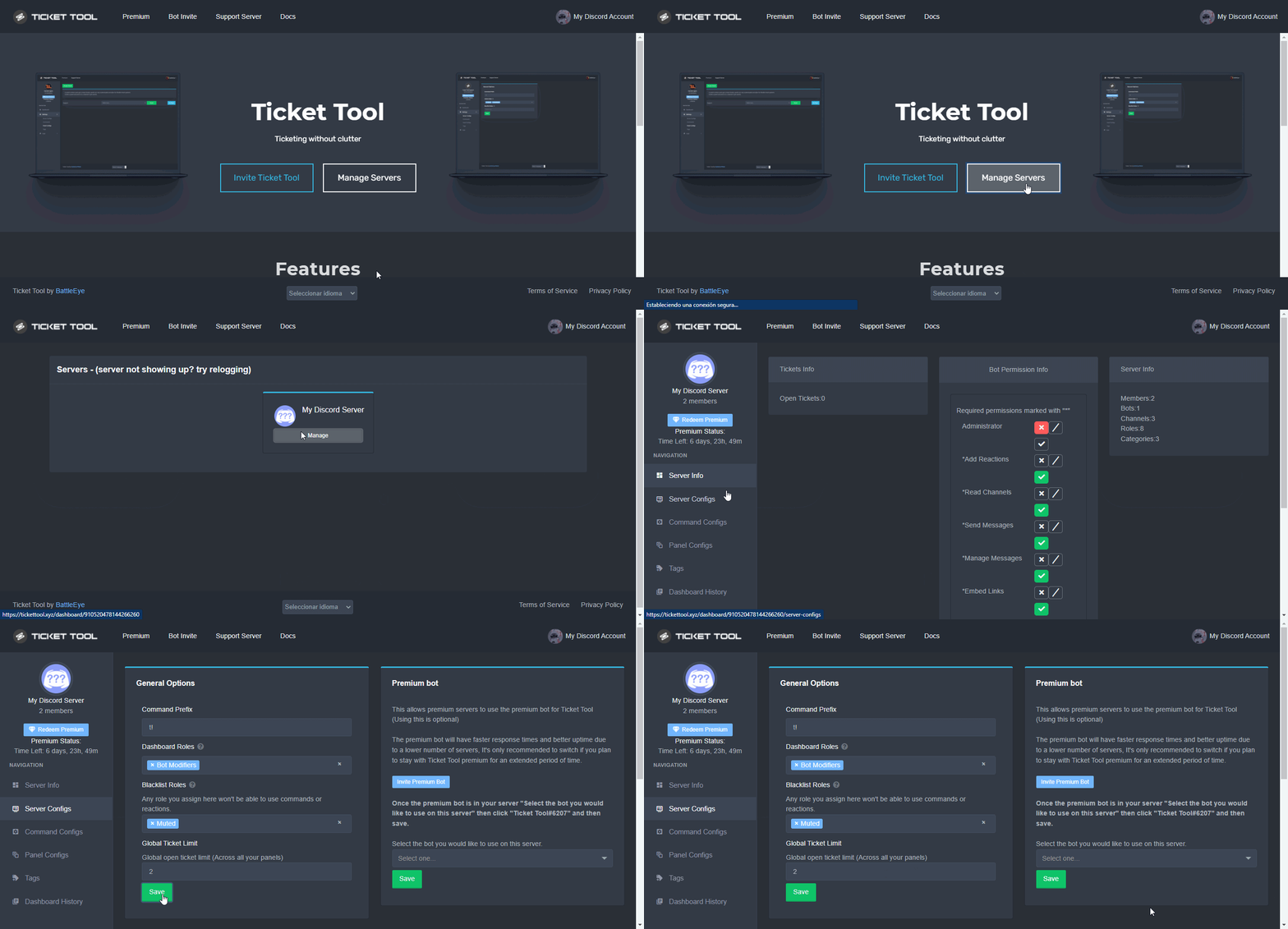
Unlike the regular Ticket Limit, the global limit will limit the amount of tickets a user can create at the same time for ALL Panels. When a ticket is closed again, the limit resets for that user.
To customize it head over to your Dashboard ➞ Server Configs ➞ Global Ticket Limit
Note:
This is not a limit for how many tickets a user can open at all times or how many tickets you can have open on the server in total. This is just a limit per user for open tickets.
 high oyster
@modern fox Read the above
finite chasm
quasi cliff
Did you make the ticket Allowed for particular role?
i think i didnt but ill try
 severe path
ping peng pong
 cobalt tangle
how can I somewhat retrieve data from a deleted ticket?
jade topaz
@quasi cliff can you please help him, i am going to sleep
quasi cliff
Ohk
quasi cliff
cobalt tangle
how can I somewhat retrieve data from a deleted ticket?
You can setup a transcript channel and use the command/button so that bot logs them. (Auto transcript feature available on premium)
$help transcript
humble sequoiaBOT
How do I save transcript to a channel?
To save transcripts to a channel go to the Dashboard -> Panel Configs -> Settings -> Logging Options -> Transcript Channel
 quasi cliff
cobalt tangle
how can I somewhat retrieve data from a deleted ticket?
quasi cliff
cobalt tangle
how can I somewhat retrieve data from a deleted ticket?
Also this will help you save messages inside the tickets for future tickets. (You won't get transcript of tickets which you already deleted by now)
cobalt tangle
quasi cliff
Also this will help you save messages inside the tickets for future tickets. (Yo...
ah ok thanks
iron nightBOT
Gave +1 Rep to @quasi cliff
quasi cliff
cobalt tangle
ah ok thanks
 iron herald
how do i make it so when someone open the ticket they can see it
because right now only the support role can see and not the person who opened it
shut bolt
iron herald
how do i make it so when someone open the ticket they can see it
because right n...
How are you testing that your users can't see the ticket?
Is it using the View As Role feature?
iron herald
yea
humble sequoiaBOT
Using the View as Role feature.
The View as Role discord feature will not work for testing ticket tool. Ticket Tool opens permissions with user permissions & not role permissions.
shut bolt
That's the issue
iron herald
so they can still see it
shut bolt
Yup, I suggest using an alt to test it
iron herald
okay thank you
shut bolt

 whole ridge
Im currently trying to figure out how to whitelist to atlas servers, may I get help
humble sequoiaBOT
⚠️ You're in the wrong place
We provide support for @pseudo glen discord bot and cannot help you with whatever issue you have.
- We don't know which Support Team you should contact to get this issue resolved, and unfortunately we won't be able to accurately tell you.
If you don't have any further questions regarding our bot Ticket Tool, please close this ticket
 versed garnet
For some reason, even though the ticket bot is in the server, it does not work. I tried it on another of my servers and it worked fine, don't know why it won't work on just that one.
 compact socket
I want to ask that is there any option by which we can see the users who can access a ticket ticket?
jade topaz
versed garnet
For some reason, even though the ticket bot is in the server, it does not work. ...
How exactly is it not working for you?
jade topaz
 worthy summit
how can I get a new ticket?
worthy summit
how can I get a new ticket?
In this server or in yours?
jade topaz
compact socket
I want to ask that is there any option by which we can see the users who can acc...
Yes, right click the channel, Edit Channel > Permissions > and it should say Private Channel, in that box you have a list of every user and role who is able to see the tickets.
versed garnet
I have it on the selected server, but when I look at the dashboard it does not show the bot on the server.
jade topaz
versed garnet
I have it on the selected server, but when I look at the dashboard it does not s...
Try to relog your panel.
humble sequoiaBOT
Don't see your server in the dashboard?
You will possibly need to relog. Look below to see steps on how to relog.
How to relog in the Dashboard.
First, you will need to go to the dashboard. Once your there, click on your avatar on the top right. after you clicked it, you will see button that says Logout. You must click that. Once you have logged out, you can log back in.
Note:
You need one of these 3 things to access the dashboard.
1. Server Owner (Level: 6)
2. Server Administrator (Level: 4)
3. Dashboard Role (Level: 2)
:warning: You can check your level using $level on your Discord Server
User permission level with Ticket Tool
@User is permission level: 0 (User)
```» *If it shows that your permission is **0**, you don't have any of the above **3 things** to manage the dashboard.*


**See the GIF below on how to relog:** shows you how.
jade topaz
versed garnet
I’ve already tried that but it doesn’t hurt to try again
Have you checked your level in the server using the command? $level
 autumn gate
please add a select box (e.g. between Paypal, and stripe) and enter email box (then sends a message stating the payment method and email they choose) on tickets that are opened
i want this feature to be added
versed garnet
jade topaz
Have you checked your level in the server using the command? `$level`
I guess that's it, how would I change my level, or could you tell me where something that could tell me how is?
jade topaz
versed garnet
I guess that's it, how would I change my level, or could you tell me where somet...
What level does it say you have?
versed garnet
Just 0
jade topaz
autumn gate
please add a select box (e.g. between Paypal, and stripe) and enter email box (t...
Want to make a suggestions towards the Ticket Tool Bot or the Ticket Tool Support Server?
- You can head to #🤖│bot-spam & do s!suggest <type suggestion here>.
- Once you send your suggestion, it will be posted in #💡│suggestions for everyone to vote on.
jade topaz
versed garnet
Just 0
This means you don't have a staff role, administrator perms or that you are not server owner.
The owners and administrators can however add you to the dashboard.
versed garnet
I am the rank just below owner
jade topaz
versed garnet
I am the rank just below owner
Do you have administrator permissions in discord tho?
jade topaz
versed garnet
I could ask the owner
Also, you can send the owner this video so he can add your role to the dashboard
humble sequoiaBOT
Any role you put there will have full access to the ticket tool dashboard. The server owner and users with admin permissions already have access to the dashboard.
Be careful of which roles to put here
 versed garnet
Thank you.
jade topaz
versed garnet
Thank you.
You are welcome!
autumn gate
is there a selection box feature in the ticket message when people create a ticket?
I heard this is something thats coming?
jade topaz
autumn gate
is there a selection box feature in the ticket message when people create a tick...
Hey! What exactly are you looking for/do you mean?
autumn gate
autumn gate
please add a select box (e.g. between Paypal, and stripe) and enter email box (t...
^^^
jade topaz
autumn gate
^^^
Yeah, I am not too sure about it aswell but making a suggestion never hurts.
Want to make a suggestions towards the Ticket Tool Bot or the Ticket Tool Support Server?
- You can head to #🤖│bot-spam & do s!suggest <type suggestion here>.
- Once you send your suggestion, it will be posted in #💡│suggestions for everyone to vote on.
explains how.
autumn gate
this
so im assuming its happening?
or is that only on panels
I want it in tickets
jade topaz
No, it's not exactly that that you are talking about.
You are talking about this right?
 jade topaz
autumn gate
nah im talking about a selection box inside a ticket
jade topaz
autumn gate
nah im talking about a selection box inside a ticket
Oh, inside a ticket, I am not too sure.
jade topaz
autumn gate
nah im talking about a selection box inside a ticket
You can always make a suggestion since I am not too sure if they are working on something like that.
jade topaz
what to do if the bot isnt responding
quasi cliff
jade topaz
what to do if the bot isnt responding
Is the bot online or offline for you?
 frosty jackal
I’ve added the bot to my server but it isn’t showing
quasi cliff
frosty jackal
I’ve added the bot to my server but it isn’t showing
Bot isn't showing or server isn't showing on dashboard?
frosty jackal
quasi cliff
Bot isn't showing or server isn't showing on dashboard?
Server it’s showing on dashboard
humble sequoiaBOT
Don't see your server in the dashboard?
You will possibly need to relog. Look below to see steps on how to relog.
How to relog in the Dashboard.
First, you will need to go to the dashboard. Once your there, click on your avatar on the top right. after you clicked it, you will see button that says Logout. You must click that. Once you have logged out, you can log back in.
Note:
You need one of these 3 things to access the dashboard.
1. Server Owner (Level: 6)
2. Server Administrator (Level: 4)
3. Dashboard Role (Level: 2)
:warning: You can check your level using $level on your Discord Server
User permission level with Ticket Tool
@User is permission level: 0 (User)
```» *If it shows that your permission is **0**, you don't have any of the above **3 things** to manage the dashboard.*


**See the GIF below on how to relog:**It’s not showing in my server
jade topaz
frosty jackal
It’s not showing in my server
How exactly do you mean?
You can try giving him a role with administrator permission maybe. Or put his role to be able to see every channel.
 indigo forge
yes
frosty jackal
jade topaz
How exactly do you mean?
So I’ve added the bot to the channel through the invite, but no commands showing/ it isn’t showing the bot in the channel
jade topaz
jade topaz
You can try giving him a role with administrator permission maybe. Or put his ro...
@frosty jackal
gilded verge
 harsh bough
<@902118564817948672>
harsh bough
<@902118564817948672>
Please don't ping random people
Check #📂│information in Setup Guide or check below:
humble sequoiaBOT
You can check our documentation here;
You can also check #📂│information for the basic setup;
You can also watch this video tutorial.
Our documentation contains all the info you need about the bot to be able to setup and configure the bot however you like.
solid lake
Why mine from this name? The server name is Final Costellation Community, where can it be changed?
 gilded verge
Try to log out and log back in, okay?
Like this:
humble sequoiaBOT
Don't see your server in the dashboard?
You will possibly need to relog. Look below to see steps on how to relog.
How to relog in the Dashboard.
First, you will need to go to the dashboard. Once your there, click on your avatar on the top right. after you clicked it, you will see button that says Logout. You must click that. Once you have logged out, you can log back in.
Note:
You need one of these 3 things to access the dashboard.
1. Server Owner (Level: 6)
2. Server Administrator (Level: 4)
3. Dashboard Role (Level: 2)
:warning: You can check your level using $level on your Discord Server
User permission level with Ticket Tool
@User is permission level: 0 (User)
```» *If it shows that your permission is **0**, you don't have any of the above **3 things** to manage the dashboard.*


**See the GIF below on how to relog:**Let us know if there is still this problem.
solid lake
Thank you very much @gilded verge , you are a very welcoming staff
gilded verge
I'm glad I could help 😊
solid lake
A question, if I eject the bot and re-add it to the server, the permissions I had remain saved?
gilded verge
but do you mean bot role permissions, channel bot permissions, or site configuration?
solid lake
gilded verge
but do you mean bot role permissions, channel bot permissions, or site configura...
I mean the permissions I had changed for him
gilded verge
in this place, right?
 solid lake
These:
 gilded verge
ah, site config... then everything will remain as it was 😊
solid lake
gilded verge
ah, site config... then everything will remain as it was 😊
You are very kind, thank @gilded verge
iron nightBOT
Gave +1 Rep to @gilded verge
gilded verge
you're welcome 😊
 pseudo umbra
Hi
dose there a arbic support
 solid lake
harsh bough
<@693563064095604756>
solid lake
harsh bough
<@693563064095604756>
Yes?
harsh bough
harsh bough
How can I edit it or change the written?
.
solid lake
harsh bough
.
I am not a staffer but I can help you anyway
By clicking on edit you will also find the option to change the name
 pseudo umbra
solid lake
By clicking on edit you will also find the option to change the name
pseudo umbra
solid lake
By clicking on edit you will also find the option to change the name
It didn’t work
With me
solid lake
You must postpone the message
pseudo umbra
I did it on ticket support role
But it didn’t work
pseudo umbra
solid lake
You must postpone the message
What ?
 iron nightBOT
Gave +1 Rep to @solid lake
solid lake
pseudo umbra
Thanks <@693563064095604756>
not at all
jade topaz
'-'
solid lake
Staff, sorry if I helped him and not you.
harsh bough
@pseudo umbra كشفتك عربي
harsh bough
jade topaz
<#956946297087197184>
ok
 faint current
hello is there any way to change the bot prefix on my server?
gilded verge
faint current
hello is there any way to change the bot prefix on my server?
Hey, go to Dashboard->Server Configs->Command Prefix
 pseudo umbra
harsh bough
<@871084157491642428> كشفتك عربي<:PabloTiphat:983791053842837624>
pseudo umbra
harsh bough
<@871084157491642428> كشفتك عربي<:PabloTiphat:983791053842837624>
يب عربي
faint current
Ok thanks
harsh bough
pseudo umbra
يب عربي
تعال خاض
pseudo umbra
harsh bough
<@871084157491642428> كشفتك عربي<:PabloTiphat:983791053842837624>
ونا مشفتك مصري 😂
harsh bough
pseudo umbra
ونا مشفتك مصري 😂
ليه مين قالك مصري😂
gilded verge
Guys, if you don't need help, please use channel #💬│gen-chat-multilingual
jade topaz
:/
gilded verge
harsh bough
موجودين عرب ابغا مساعدة عربي
للتواصل مع فريق الدعم العربي لدينا ، اضغط على زر 🇯🇴 #🎫│make-a-ticket
 dreamy sable
gilded verge
dreamy sable
gilded verge
$mentions
humble sequoiaBOT
Within all the messages the bot's sends (both embeds and text) you can mention either channels, roles, or even users, these mentions will only send a notification to the user if they are used within a text field, e.g: a role mentioned in an embed won't ping at all the users who have that role.
For mentioning a role you can use one out of three options:
{@Role Name} ➞ Which is Case Sensitive.
{RoleID} ➞ Replace RoleId with the Id of the role you are trying to ping.
<@&RoleID> ➞ Discord's native syntax to ping roles.
<#ChannelID> ➞ Mention a channel by its ID.
<@UserID> ➞ Mention a user by its ID.
gilded verge
$devmode
humble sequoiaBOT
How to turn on developer mode
To enable developer mode do the following:
[:desktop: PC] go to Settings ➞ Advanced ➞ Developer mode
[:mobile_phone: Mobile] go to Settings ➞ Appearance ➞ Developer mode
Developer Mode allows you to get the ID of any channel, user, role, or server.
VIA the ID, you can use them with <> alongside their corresponding format to mention a channel/role/user...
They're mostly used to mention channels, users, or roles in Embeds
Formats
Channels: <#ID> ➝ #🤖│bot-spam
Users: <@ID> ➝ @humble sequoia
Roles: <@&ID> ➝ <@&642118166243311646>
 gilded verge
you will need these two things
gilded verge
you need put this into Message Text
Dashboard->Panel Configs->Panel Settings->Expand Ticket Options->Edit Ticket Message
 gilded verge
you're welcome 😊
 severe cape
When you save a transcript does it save the conversation in the ticket please and if it doesn’t automatically is there a way you can make it
gilded verge
severe cape
When you save a transcript does it save the conversation in the ticket please an...
Sorry, but what's the final question? 😳
jade topaz
hey there my server isnt coming onto the server list on dashboard
plz help
humble sequoiaBOT
Don't see your server in the dashboard?
You will possibly need to relog. Look below to see steps on how to relog.
How to relog in the Dashboard.
First, you will need to go to the dashboard. Once your there, click on your avatar on the top right. after you clicked it, you will see button that says Logout. You must click that. Once you have logged out, you can log back in.
Note:
You need one of these 3 things to access the dashboard.
1. Server Owner (Level: 6)
2. Server Administrator (Level: 4)
3. Dashboard Role (Level: 2)
:warning: You can check your level using $level on your Discord Server
User permission level with Ticket Tool
@User is permission level: 0 (User)
```» *If it shows that your permission is **0**, you don't have any of the above **3 things** to manage the dashboard.*


**See the GIF below on how to relog:**check
iron nightBOT
Gave +1 Rep to @gilded verge
gilded verge
you're welcome 😊
jade topaz
yay
severe cape
gilded verge
Sorry, but what's the final question? 😳
I was asking if the transcript saves the messages within the ticket or if you have to set them up in a certain way to do that 😊
humble sequoiaBOT
How do I save transcript to a channel?
To save transcripts to a channel go to the Dashboard -> Panel Configs -> Settings -> Logging Options -> Transcript Channel
gilded verge
if u need auto-save, your server need premium
 severe cape
gilded verge
if u need auto-save, your server need premium
severe cape
gilded verge
if u need auto-save, your server need premium
We have premium thanks for your assistance 😊
iron nightBOT
Gave +1 Rep to @gilded verge
gilded verge
you're welcome 😊
severe cape
I have premium but I am not sure if I’ve set it up properly
humble sequoiaBOT
How to disable the premium bot
To disable the premium bot you will have to go to the Dashboard ➞ Server Configs ➞ Premium bot ➞ And on the right-hand side select the primary free bot in the drop down menu.
Premium features will still work on the normal bot.
 gilded verge
humble sequoia
gilded verge
humble sequoia
@tribal gulch, No, if premium expires then you would have to change the bot to free on Server Configs.
gilded verge
severe cape
I have premium but I am not sure if I’ve set it up properly
what you mean? do you have any error or something? 😳
severe cape
gilded verge
what you mean? do you have any error or something? 😳
I’m not sure weather you add the subscription to the server or to the bot in the dashboard
gilded verge
severe cape
I’m not sure weather you add the subscription to the server or to the bot in the...
I'm not sure what you mean ... So you'd like to buy a monthly or annual subscription or something else?
severe cape
gilded verge
I'm not sure what you mean ... So you'd like to buy a monthly or annual subscrip...
I’ve brought one but the it says on the invoice click to manage a discord server so I take it I add the subscription to the server I use ticket tool in?
gilded verge
If you want manage your premium server, go to Dashboard->click Active - Manage (like on screenshot)

and you can change server here:

or if u want to manage your subscription:

.... I'm sorry but I'm trying to understand how I can help you 🥺
humble sequoiaBOT
The first thing you will need to do is invite the premium bot, an invite can be found here
Once the bot is in your server we will head to the dashboard and manage your server. When you are managing your server, you want to head into "Server Configs" then click the drop down menu under "Select the bot you would like to use on this server" then click "Ticket Tool#6207" and then save.
 gilded verge
If you chose the server on which the subscription is to be active and you saved with the button Save subscriptions, then you have active, and if you want to add a premium bot to your server, check above
@severe cape, I'm not sure but maybe that's what you meant?
severe cape
Yes I haven’t had the redemption key for premium yet it wasn’t on the invoice
gilded verge
wait ... but you know code for premium is something other than a paid subscription? 😳
so you redeemed premium here, right?
 gilded verge
wait ... but you know code for premium is something other than a paid subscripti...
gilded verge
gilded verge
wait ... but you know code for premium is something other than a paid subscripti...
and if you redeemed premium with the $vote redeem, the bot sends you a private message with the code
but if what I wrote above is not the answer you are looking for, please let us know and then someone else will help you
severe cape
I haven't done either yet could it be because my paid subscription doesn't start for 6 days that i can't do it as we have the wks. trial at the minute
quasi cliff
I'll suggest you to make a Billing Ticket for faster and better answers.
jade topaz
Wtf is this don't tell it's my wifi problem
 high oyster
jade topaz
Wtf is this don't tell it's my wifi problem
high oyster
jade topaz
Wtf is this don't tell it's my wifi problem
Try relogging.
Not refreshing the page entirely relogging
jade topaz
high oyster
Try relogging.
okay lemme do
jade topaz
high oyster
Try relogging.
Still same + lagging asf
 high oyster
jade topaz
Still same + lagging asf
high oyster
jade topaz
Still same + lagging asf
It seems like some are attempting to load since the past screenshot you sent me, you will probably have to wait.
jade topaz
high oyster
It seems like some are attempting to load since the past screenshot you sent me,...
im trying from yesterday
high oyster
jade topaz
im trying from yesterday
If it is too laggy for you can make a ticket, they can help you set your desired emoji
jade topaz
high oyster
If it is too laggy for you can make a ticket, they can help you set your desired...
ahh
@craggy geyser you were typing?
craggy geyser
I was just going to say what Winterr said
jade topaz
craggy geyser
If you can't set it, managers can edit it for you
high oyster
@quick night what do you need help with?
jade topaz
craggy geyser
If you can't set it, managers can edit it for you
i want to setup it by myself 
what was so funny
Hello guys, does anyone know why ticket tool does not log pictures in the transcript correctly?
high oyster
jade topaz
Hello guys, does anyone know why ticket tool does not log pictures in the transc...
I had an amazing copy paste for this but I don't have it anymore
 quick night
high oyster
<@926143644732370955> what do you need help with?
quick night
high oyster
<@926143644732370955> what do you need help with?
i need one guys to help me to program the bot in my server i try but
high oyster
quick night
i need one guys to help me to program the bot in my server i try but
What is the problem exactly
jade topaz
quick night
i need one guys to help me to program the bot in my server i try but
Sorry, you can not ask questions which isn't related to ticket tool
craggy geyser
jade topaz
Hello guys, does anyone know why ticket tool does not log pictures in the transc...
Discord changed things. Ticket tool didn't store any messages, they are saved in discord servers. They then started clearing cache out quicker
Premium bot now saves a limited size of images on a trial mode to see how it copes. Might be rolled out to free too if it doesn't impact rate limits
quick night
high oyster
What is the problem exactly
i need to program the bot in my server for create ticket
jade topaz
jade topaz
i want to setup it by myself <a:xd:607657067787976719>
@craggy geyser can you do something!?🗿
high oyster
quick night
i need to program the bot in my server for create ticket
Are you using @pseudo glen or your own?
craggy geyser
jade topaz
<@132147174212501504> can you do something!?🗿
I can't edit dashboards as far as I'm aware. I'm only an intern manager. Making a ticket would be best for that
quick night
i think yes
high oyster
If you are using TicketTool refer to the Setup Guide in #📂│information it gives you all the information you need in setting up the bot @quick night
quick night
ok i try this
high oyster
Alright, come back here if you need anything else
 ebon cobalt
hi how do i do that with the donaiten on the new page have paid and now the payment is through but i didn't get a number or to register with the bot
 humble sequoiaBOT
The panel message is where people react to make a ticket. To customize it head over to your Dashboard --> Panel Configs -> Settings -> Panel Options -> Edit Panel Message
 jade topaz
should help you @valid vine
How can i have different text for the buttons (eg, Support, Report a user ect)
 humble sequoiaBOT

The new Discord Buttons allow for a much smoother and convenient experience. They reduce lag and work much better than emojis. With ticket tool you can edit all the buttons however you like! Buttons can show emojis, text and can have 4 different colors.
Where can I edit them?
Dashboard ➞ Panel Configs ➞ Settings ➞ Button Options ➞ Setting
 iron nightBOT
Gave +1 Rep to @next mist
jade topaz
jade topaz
<@456226577798135808> <:this:894279341108772914> should help you.
am i right for multipanels, Each indivdual pannel will keep its permissions and wont use permissions of the main pannel their attached too
jade topaz
jade topaz
am i right for multipanels, Each indivdual pannel will keep its permissions and ...
Yes, that's correct!
Alright nice
 brisk geyser
just wondering if someone can help me. im having a problem with people being able to access the tickets, just says "you do not have permissions for this"
jade topaz
brisk geyser
just wondering if someone can help me. im having a problem with people being abl...
You've probably prevented certian roles from opening tickets
brisk geyser
how do i check that?
quasi cliff
brisk geyser
how do i check that?
Check if you added "Allowed roles" and/or "Disabled Roles" and/or did you turn on "Support Team Only"

Dashboard ➞ Panel Configs ➞ Settings ➞ Button Options ➞ Create Ticket Settings
iron nightBOT
Gave +1 Rep to @quasi cliff
quasi cliff
brisk geyser
thanks <@924356699161231410>
brisk geyser
hmm, got someone to try again with the role selected in allowed roles.. same thing
jade topaz
quasi cliff
<:thumbsup:586226608302456859>
freaking emoji
 pale quarry
I bought fortnite tube hack but it doesn't work can i get information on how to run it
humble sequoiaBOT
⚠️ You're in the wrong place
We provide support for @pseudo glen discord bot and cannot help you with whatever issue you have.
- We don't know which Support Team you should contact to get this issue resolved, and unfortunately we won't be able to accurately tell you.
If you don't have any further questions regarding our bot Ticket Tool, please close this ticket
 tulip hare
Hello, Just discovered this fantastic bot. Is it possible when the bot create the new channel instead of having just the close button. Having another button created that launch a command for another bot ?
 valid vine
jade topaz
<:this:894279341108772914> should help you <@699031306629152840>
valid vine
jade topaz
<:this:894279341108772914> should help you <@699031306629152840>
Then how can I add the place where I put the bot message?
jade topaz
valid vine
Then how can I add the place where I put the bot message?
You mean the panel?
quasi cliff
tulip hare
Hello, Just discovered this fantastic bot. Is it possible when the bot create th...
Two bots can't have buttons on each other's message, that's how Discord works
 tulip hare
quasi cliff
Two bots can't have buttons on each other's message, *that's how Discord works*
tulip hare
quasi cliff
Two bots can't have buttons on each other's message, *that's how Discord works*
ok thanks
iron nightBOT
Gave +1 Rep to @quasi cliff
quasi cliff
valid vine
valid vine
I mean how can i add him there
@quasi cliff can answer please ?
quasi cliff
valid vine
<@924356699161231410> can answer please ?
Did you edit the panel message on dashboard?
valid vine
quasi cliff
Did you edit the panel message on dashboard?
yep
quasi cliff
Do you have only 1 panel?
valid vine
yes
quasi cliff
simply type $panel 1 and bot will post the embed in channel
jade topaz
Or || In the dashboard you can press the send button ||
high oyster
Depending on preference 🙂
valid vine
Ok thanks
quasi cliff
 valid vine
quasi cliff
simply type `$panel 1` and bot will post the embed in channel
valid vine
quasi cliff
simply type `$panel 1` and bot will post the embed in channel
ok thanks
iron nightBOT
Gave +1 Rep to @quasi cliff
quasi cliff
valid vine
ok thanks
jade topaz
Thank me also? || :uwu ||
valid vine
jade topaz
Thank me also? || :uwu ||
ok thanks
high oyster
Thanks @jade topaz
iron nightBOT
Gave +1 Rep to @next mist
quasi cliff
Thanks @jade topaz
iron nightBOT
Gave +1 Rep to @next mist
valid vine
valid vine
ok thanks
ok thanks
jade topaz
quasi cliff
Thanks <@456226577798135808>
I didn't help you xD, but thanks!
iron nightBOT
Gave +1 Rep to @quasi cliff
valid vine
quasi cliff
Thanks <@456226577798135808>
sorry but that didn’t work
 jade topaz
valid vine
sorry but that didn’t work
jade topaz
valid vine
sorry but that didn’t work
You can try sending it through the dashboard.
quasi cliff
quasi cliff
^
high oyster
valid vine
sorry but that didn’t work
Interesting how that did not work, most likely a permissions issue.
valid vine
 quasi cliff
high oyster
Interesting how that did not work, most likely a permissions issue.
quasi cliff
high oyster
Interesting how that did not work, most likely a permissions issue.
can be prefix too
iron nightBOT
Gave +1 Rep to @quasi cliff
 jade topaz
valid vine
Can I edit it too? <@924356699161231410>
jade topaz
valid vine
Can I edit it too? <@924356699161231410>
That is possible with a premium subscription.
valid vine
jade topaz
That is possible with a premium subscription.
I don't think so because I saw a server that modified it without subscribing to the premium
high oyster
jade topaz
That is possible with a premium subscription.
Those features are free.
humble sequoiaBOT
The Ticket Message is the first message sent by the bot in a new ticket. To customise it head over to your Dashboard ➞ Panel Configs ➞ Settings ➞ Ticket Options ➞ Edit Ticket Message
jade topaz
Oh! Apologies.
gilded verge
Forgive me to cut in, but I'd like to rectify ...
In the free version, you can have a maximum of 250 characters in both Message Text and Embed Message
 sand delta
Question realy stupid one how do i add the ticket to a chennel😭
high oyster
sand delta
Question realy stupid one how do i add the ticket to a chennel😭
Hey there, you can read the Setup Guide in #📂│information, it will give you instructions on how to setup the bot.
sand delta
Thank you
humble sequoiaBOT
You can check our documentation here;
You can also check #📂│information for the basic setup;
You can also watch this video tutorial.
Our documentation contains all the info you need about the bot to be able to setup and configure the bot however you like.
quasi cliff
humble sequoia
@obtuse kraken seems to be down, so^
 high oyster
@sand delta the bot is currently rebooting, give it about 1 minute and then try again. It should be up now.
gilded verge
No, @obtuse kraken works all the time. Please try again.
 obsidian mist
Eñe
high oyster
@obsidian mist ?
obsidian mist
Ñ
 humble sequoiaBOT
How does the claim command work?
Ticket Tool claiming is a premium only command that allows your support team to claim tickets and have the ticket renamed, changed permissions or moved to another category
Within all the messages the bot's sends (both embeds and text) you can mention either channels, roles, or even users, these mentions will only send a notification to the user if they are used within a text field, e.g: a role mentioned in an embed won't ping at all the users who have that role.
For mentioning a role you can use one out of three options:
{@Role Name} ➞ Which is Case Sensitive.
{RoleID} ➞ Replace RoleId with the Id of the role you are trying to ping.
<@&RoleID> ➞ Discord's native syntax to ping roles.
<#ChannelID> ➞ Mention a channel by its ID.
<@UserID> ➞ Mention a user by its ID.
jade topaz
My button keeps saying I don't have permission to use the button. However, I do not have it set to support only and do not have any blacklisted roles set.
humble sequoiaBOT
How to turn on developer mode
To enable developer mode do the following:
[:desktop: PC] go to Settings ➞ Advanced ➞ Developer mode
[:mobile_phone: Mobile] go to Settings ➞ Appearance ➞ Developer mode
Developer Mode allows you to get the ID of any channel, user, role, or server.
VIA the ID, you can use them with <> alongside their corresponding format to mention a channel/role/user...
They're mostly used to mention channels, users, or roles in Embeds
Formats
Channels: <#ID> ➝ #🤖│bot-spam
Users: <@ID> ➝ @humble sequoia
Roles: <@&ID> ➝ <@&642118166243311646>
gilded verge
humble sequoia
@valid vine 1
2. #🆘│community-support message
3. #🆘│community-support message
valid vine
gilded verge
<@699031306629152840> 1 <:this:894279341108772914>
2. https://discord.com/chan...
thanks
iron nightBOT
Gave +1 Rep to @gilded verge
gilded verge
jade topaz
My button keeps saying I don't have permission to use the button. However, I do ...
Which button? Can you show screenshot please?


 valid vine
gilded verge
<@699031306629152840> 1 <:this:894279341108772914>
2. https://discord.com/chan...
valid vine
gilded verge
<@699031306629152840> 1 <:this:894279341108772914>
2. https://discord.com/chan...
how can i make a Claimed botton here?
 gilded verge
@jade topaz would you please show me such a screenshot? (Server Configs)
 jade topaz
valid vine
how can i make a Claimed botton here?
jade topaz
valid vine
how can i make a Claimed botton here?
You would first have to have permium.
valid vine
jade topaz
You would first have to have permium.
are you sure?
jade topaz
 jade topaz
valid vine
are you sure?
jade topaz
valid vine
are you sure?
Yes, claiming features are only permitted on permium subscribers.
valid vine
jade topaz
Yes, claiming features are only permitted on permium subscribers.
ok thanks
iron nightBOT
Gave +1 Rep to @solemn ginkgo
gilded verge
yes, he has right, you need premium to claim
but Dashboard->Panel Configs->Panel Settings->Expand Button Options->Claim Ticket Settings->
 jade topaz
gilded verge
<@456226577798135808> would you please show me such a screenshot? (Server Config...
jade topaz
gilded verge
<@456226577798135808> would you please show me such a screenshot? (Server Config...
My apologies, I have it fixed. The enlisted, Government, and HICOM roles were assigned to 100's of people. But, now I have them taken off. Thank you!
iron nightBOT
Gave +1 Rep to @gilded verge
gilded verge
I'm glad you did it yourself because I wasn't sure what to answer 😅 😊
valid vine
gilded verge
I'm glad you did it yourself because I wasn't sure what to answer 😅 😊
can i talk arabic and you translate? because my english is not better
humble sequoiaBOT

فريق الدعم الفني العربي
عميلنا العزيز ان كنت تبحث عن مساعدة يرجى فتح تكت خاص بفريق الدعم الفني العربي
اذهب الى#🎫│make-a-ticket
ثم قم بلضغط على الايموجي الاتي (🇯🇴)
gilded verge
you can take
valid vine
i open it but there is not any Staff
gilded verge
oh... please wait for answer from Staff 😊
valid vine
gilded verge
oh... please wait for answer from Staff 😊
Ok thanks
iron nightBOT
Gave +1 Rep to @gilded verge
valid vine
gilded verge
oh... please wait for answer from Staff 😊
Your a good man
jade topaz
Why can everybody see the ticket? How do I fix this
gilded verge
jade topaz
Why can everybody see the ticket? How do I fix this
Dashboard->Panel Configs->Panel Settings->Expand Permission Options->Edit Everyone Role Opened Permissions->screenshot
 short ledge
So when I open a logged convo thru the ticket bot and click on an image file it gives me this:


gilded verge
short ledge
So when I open a logged convo thru the ticket bot and click on an image file it ...
This can help you: #🆘│community-support message
short ledge
gilded verge
This can help you: https://discord.com/channels/509192800865353738/7766806055177...
Ah ok, so I just need to add the premium bot lol. Ok thank you!
iron nightBOT
Gave +1 Rep to @gilded verge
short ledge
Once I add the bot, it can take over all the commands that the old bot did?
jade topaz
gilded verge
`Dashboard`->`Panel Configs`->`Panel Settings`->Expand `Permission Options`->`Ed...
Thank you so much!
iron nightBOT
Gave +1 Rep to @gilded verge
short ledge
short ledge
Once I add the bot, it can take over all the commands that the old bot did?
Don’t need to reconfigure?
gilded verge
yes, because it's the same ticket tool but I'm not sure, just ... I think you'll have to re-send the panel back to the channel (with premium bot)
humble sequoiaBOT
The first thing you will need to do is invite the premium bot, an invite can be found here
Once the bot is in your server we will head to the dashboard and manage your server. When you are managing your server, you want to head into "Server Configs" then click the drop down menu under "Select the bot you would like to use on this server" then click "Ticket Tool#6207" and then save.
quasi cliff
Actually switching bots shouldn't affect because the primary bot is going to work as premium for you
short ledge
gilded verge
yes, because it's the same ticket tool but I'm not sure, just ... I think you'll...
Ok makes sense
short ledge
quasi cliff
*Actually switching bots shouldn't affect because the primary bot is going to wo...
Ok ty as well
iron nightBOT
Gave +1 Rep to @quasi cliff
jade topaz
How can I make it that the staff team gets pinged when a ticket gets opened by a member?
humble sequoiaBOT
Within all the messages the bot's sends (both embeds and text) you can mention either channels, roles, or even users, these mentions will only send a notification to the user if they are used within a text field, e.g: a role mentioned in an embed won't ping at all the users who have that role.
For mentioning a role you can use one out of three options:
{@Role Name} ➞ Which is Case Sensitive.
{RoleID} ➞ Replace RoleId with the Id of the role you are trying to ping.
<@&RoleID> ➞ Discord's native syntax to ping roles.
<#ChannelID> ➞ Mention a channel by its ID.
<@UserID> ➞ Mention a user by its ID.
How to turn on developer mode
To enable developer mode do the following:
[:desktop: PC] go to Settings ➞ Advanced ➞ Developer mode
[:mobile_phone: Mobile] go to Settings ➞ Appearance ➞ Developer mode
Developer Mode allows you to get the ID of any channel, user, role, or server.
VIA the ID, you can use them with <> alongside their corresponding format to mention a channel/role/user...
They're mostly used to mention channels, users, or roles in Embeds
Formats
Channels: <#ID> ➝ #🤖│bot-spam
Users: <@ID> ➝ @humble sequoia
Roles: <@&ID> ➝ <@&642118166243311646>

 jade topaz
qwq premium feature

 frail dagger
hi
i need a help me
Your bot has commands that do not work and the site does not work
humble sequoiaBOT
We would love to help you, but if you don't tell us what you need help with we can't help you :(
frail dagger
Server Lech of these servers, where can I find it?
gilded verge
Probably some shards have a problem because on one of the servers I support, the Ticket Tool bot also does not respond there, but it works on others.
frail dagger
What's the solution?
quasi cliff
Server Lech?
frail dagger
quasi cliff
Server Lech?
I did not understand you?
quasi cliff
I didn't get your question
frail dagger
Your bot is not working on my server, but when I put it on another server, it worked 
quasi cliff
Oh it's shard issue, should be resolved soon
frail dagger
but i need it
 crystal canyon
For some reason after months of not having any issues with ticket tool for months it now no longer move closed tickets to the closed ticket category. Is anyone else having this problem?
quasi cliff
crystal canyon
For some reason after months of not having any issues with ticket tool for month...
Hey NateArcher, is the category full?
Discord has a limit of 50 channels per category
iron nightBOT
Gave +1 Rep to @quasi cliff
quasi cliff
You can simply add another category for closed so that after the limit it goes to second category instead of going to top (uncategorised)
quasi cliff
crystal canyon
thanks <@924356699161231410>
shut tapir
How do i make so members can't close tickets?
shut bolt
shut tapir
How do i make so members can't close tickets?
Make the button support team only and only your staff will be able to do it
$buttons
humble sequoiaBOT
The new Discord Buttons allow for a much smoother and convenient experience. They reduce lag and work much better than emojis. With ticket tool you can edit all the buttons however you like! Buttons can show emojis, text and can have 4 different colors.
Where can I edit them?
Dashboard ➞ Panel Configs ➞ Settings ➞ Button Options ➞ Setting
shut tapir
Thanks.
shut bolt
 slim night
How do I make it where my Staff Members can add anyone to tickets? The option isn't appearing for them.
shut bolt
slim night
How do I make it where my Staff Members can add anyone to tickets? The option is...
They can use the $add command
Are they having issues using it?
$help add
humble sequoiaBOT
How to add or remove users on tickets
To add a user to a ticket use $add <user>
To remove a user from a ticket use $remove <user>
slim night
shut bolt
Are they having issues using it?
That doesn't work.
 shadow ore
Hi? Why the changes i made in the dashboard didnt get to effect in my server?


 shadow ore
I tried changing the message in botton
shut bolt
slim night
That doesn't work.
What's your server's ID?
shut bolt
shadow ore
Hi? Why the changes i made in the dashboard didnt get to effect in my server?
You need to save changes and resend the message, if you changed something that's premium locked and don't have premium it won't work
slim night
shut bolt
What's your server's ID?
561533785909493760
shut bolt
slim night
561533785909493760
The user who creates the ticket can't use the command, it must be someone who has a support team role
 shadow ore
shut bolt
You need to save changes and resend the message, if you changed something that's...
shadow ore
shut bolt
You need to save changes and resend the message, if you changed something that's...
I did save it couple of times but the message didnt change
shut bolt
shadow ore
I did save it couple of times but the message didnt change
Did you resend it?
shadow ore
shut bolt
Did you resend it?
Yes and no how do you resend it? 😆
 rapid basin
Can someone send the link how to sethp this bot
shut bolt
shadow ore
Yes and no how do you resend it? 😆
What message did you edit?
rapid basin
Setup
humble sequoiaBOT
You can check our documentation here;
You can also check #📂│information for the basic setup;
You can also watch this video tutorial.
Our documentation contains all the info you need about the bot to be able to setup and configure the bot however you like.
shut bolt
There you go
shadow ore
shut bolt
What message did you edit?
The botton for creating new ticket
shut bolt
shadow ore
The botton for creating new ticket
Send a photo of it
shadow ore
shut bolt
Send a photo of it
Im pretty sure i saved it but the message and botton text is still the same
 shut bolt
shadow ore
Im pretty sure i saved it but the message and botton text is still the same
shut bolt
shadow ore
Im pretty sure i saved it but the message and botton text is still the same
$help send
Resend it
$help send
Hm
$ping
.-.
shadow ore
Okay thanks
shut bolt
Sure, just resend the panel and you are good
slim night
shut bolt
The user who creates the ticket can't use the command, it must be someone who ha...
I know. But when one of my Support Team member with the Support Team role opens a ticket and tries to add someone, they can't see the option to add a member and the command doesn't work. That's what I mean.
shut bolt
slim night
I know. But when one of my Support Team member with the Support Team role opens ...
What do you mean "they can't see the option to add a member", what option are you talking about?
slim night
shut bolt
What do you mean "they can't see the option to add a member", what option are yo...
This option.
 shut bolt
slim night
This option.
shut bolt
slim night
This option.
To make that option users would require to have the manage permissions option within that ticket, and it isn't a permission you can't set through the dashboard right as of now, the command should work as long as they have a support team role tho
slim night
Does Ticket Tool create an automatic Support Team role?
shut bolt
No, it's the ones you assign through the dashboard within the panel's settings
shut bolt
$help support