
#🆘│community-support
1 messages · Page 411 of 1
 quaint fractal
Non mais dans mon serveur
 robust sandalBOT
quaint fractal
Non mais dans mon serveur
robust sandalBOT
quaint fractal
Non mais dans mon serveur
 ayaan!!
No, but in my server
 French (fr) → English (en)
 humble sequoiaBOT

Vous pouvez consulter notre documentation ici.
Vous pouvez également vérifier #573205317870157855 pour les étapes générales.
Notre documentation contient toutes les informations dont vous avez besoin sur le bot pour pouvoir l'installer et le configurer comme vous le souhaitez.
 quick bone
@quaint fractal ^
quaint fractal
Merci
robust sandalBOT
quaint fractal
Merci
ayaan!!
Thank you
French (fr) → English (en)
quick bone
np :)
quaint fractal
On peut créé combien de ticket max ?
robust sandalBOT
quaint fractal
On peut créé combien de ticket max ?
ayaan!!
How many max tickets can be created?
French (fr) → English (en)
quick bone
10 tickets per minute
robust sandalBOT
quick bone
10 tickets per minute
ayaan!!
10 billets par minute
English (en) → French (fr)
quick bone
@quaint fractal ^
quaint fractal
Okey merci beaucoup 🙂
quick bone
np
humble sequoiaBOT
━━ moved to ticket ━━
 dull shadow
quick bone
dull shadow
<#573205317870157855>
dull shadow
quick bone
dull shadow
<#573205317870157855>
what's the issue?
dull shadow
No english sorry
quick bone
dull shadow
No english sorry
no worries just speak to me in your own language :)
/fr i can help you in any language
robust sandalBOT
Je peux vous aider dans n’importe quelle langue
English (en) → French (fr)
dull shadow
Sorry I do not understand
quick bone
what language do you speak?
robust sandalBOT
n’hésitez pas à parler dans Français alors
English (en) → French (fr)
avez-vous besoin d’aide pour quoi que ce soit?
English (en) → French (fr)
quick bone
@dull shadow ^
 calm agate
EPG down
humble sequoiaBOT

⚠️ You're in the wrong place
We provide support for @pseudo glen discord bot and cannot help you with whatever issue you have.
- We don't know which Support Team you should contact to get this issue resolved, and unfortunately we won't be able to accurately tell you.
If you don't have any further questions regarding our bot Ticket Tool, please close this ticket
quick bone
@calm agate
 jolly briar
hello is there anyone on to help with the bot ?
quick bone
yep just state your issue :)
jolly briar
so when a new ticket is created it opens the ticket at the top of the discord channels/chats is there a simple way to make it so when a new ticket is made its opened in the same scatergory
humble sequoiaBOT
Help Options
$help commands - Information on commands
$help setup - Information on bot setup
$help faq - Frequently asked questions
How to set the open category
To set a open category go to the Dashboard -> Panel Configs -> Settings -> Category Options -> Category Open
 jolly briar
i have this set , and it still opens out of the catergory
quick bone
jolly briar
so when a new ticket is created it opens the ticket at the top of the discord ch...
it's simple, head to the panel settings and it should be under open category and close category
jolly briar
just did it and pressed save again and it opens out of the category
quick bone
make sure you set that setting to the panel that youre opening the ticket from
 gilded verge
||forgive me ||@ayaan ||for interfering, but in this case it is worth checking if the bot has permission to the category||
[*I say nothing more :> *]
humble sequoiaBOT
ᅠ
@pseudo glen requires the following permissions:
Add Reactions
Read Channels
Send Messages
Manage Messages
Embed Links
Attach Files
Read History
Manage Roles
Manage Channels
To change the role permissions, you can go to your Discord Server ➞ Server Settings ➞ Roles ➞ @Ticket Tool
To change the channel permissions, you can go to your Channel Settings ➞ Permissions ➞ Ticket Tool
ᅠ
Note:
You can give Ticket Tool Administrative Permissions instead of all the permissions listed above, but it's entirely optional and NOT necessary.
 quick bone
@jolly briar make sure these perms are granted and ticket tool has access to the open category
jolly briar
it worked ^_^ thank you very much
 chilly crypt
Hi how do I make so a role can go to all tickets without permission (like going to settings and give the role permission)
gilded verge
Hi, probably you mean Support Team Roles 
humble sequoiaBOT
How to let support team see into a ticket
About support roles
A support role lets your support team see into tickets with out having to add them manually to each and every ticket.
You can add as many support roles as you like per panel.
NOTE that the way discord works all admins can see into tickets regardless of this.
How to set a support role
To set a Support role go to the Dashboard -> Panel Configs -> Settings -> General Options -> Support Team Roles.

NOTE that the support role will not be able to see into tickets that are already created..
chilly crypt
Thanks
quaint fractal
dull shadow
François
mdrrr on est les seuls français haha
 empty comet

I’m trying to set up the bot using the dashboard but it keeps saying this
and I’m currently in a server where I can manage the bot
humble sequoiaBOT
Don't see your server in the dashboard?
You will possibly need to relog. Look below to see steps on how to relog.
How to relog in the Dashboard.
First, you will need to go to the dashboard. Once your there, click on your avatar on the top right. after you clicked it, you will see button that says Logout. You must click that. Once you have logged out, you can log back in.
Note:
You need one of these 3 things to access the dashboard.
1. Server Owner (Level: 6)
2. Server Administrator (Level: 4)
3. Dashboard Role (Level: 2)
:warning: You can check your level using $level on your Discord Server
User permission level with Ticket Tool
@User is permission level: 0 (User)
```» *If it shows that your permission is **0**, you don't have any of the above **3 things** to manage the dashboard.*
**See the GIF below on how to relog:** gilded verge
@empty comet, please check 
empty comet
gilded verge
<@585578067917799484>, please check <:this:894279341108772914>
thank you it worked
 iron nightBOT
Gave +1 Rep to @gilded verge
 median knot
question - is there a limit to the # of tags you can make in premium?
median knot
lets say I want to point to images in a collection on opensea or another marketplace
is there a way to serialize tags?
or, is there a way to clone a tag?
 shut bolt
median knot
is there a way to serialize tags?
shut bolt
median knot
is there a way to serialize tags?
Right now it isn't possible to group tags but note that the dashboard is having a full rework 👀
#📣│bot-news message
shut bolt
median knot
or, is there a way to clone a tag?
Not possible either, but it's been suggested a couple times so it may be a thing
shut bolt
median knot
you made wick angry 😂
 wasn't me, I promise
 kind hawk
quaint fractal
mdrrr on est les seuls français haha
kind hawk
quaint fractal
mdrrr on est les seuls français haha
négatif, je suis la aussi 🙂
But this channel is english only.
Come in #💬│gen-chat-multilingual to speak french.
 sturdy lily
How do i add
 modern silo
Can I add more than one (1) button on the create a ticket embed?
 final night
what perms do I need for a certain role to open a ticket? Right now, they can see the support ticket channel and the ticket tool bot message. but there is no react option. I turned on reaction perms for the role, channel, and category?
 round ferry
Please how can I activate my ticket tool on my ticket channel
humble sequoiaBOT
━━ moved to ticket ━━
 slender minnow
modern silo
Can I add more than one (1) button on the create a ticket embed?
slender minnow
modern silo
Can I add more than one (1) button on the create a ticket embed?
Yes you can add more than one button to a ticket embed, but that's a premium feature ^^;
slender minnow
final night
what perms do I need for a certain role to open a ticket? Right now, they can se...
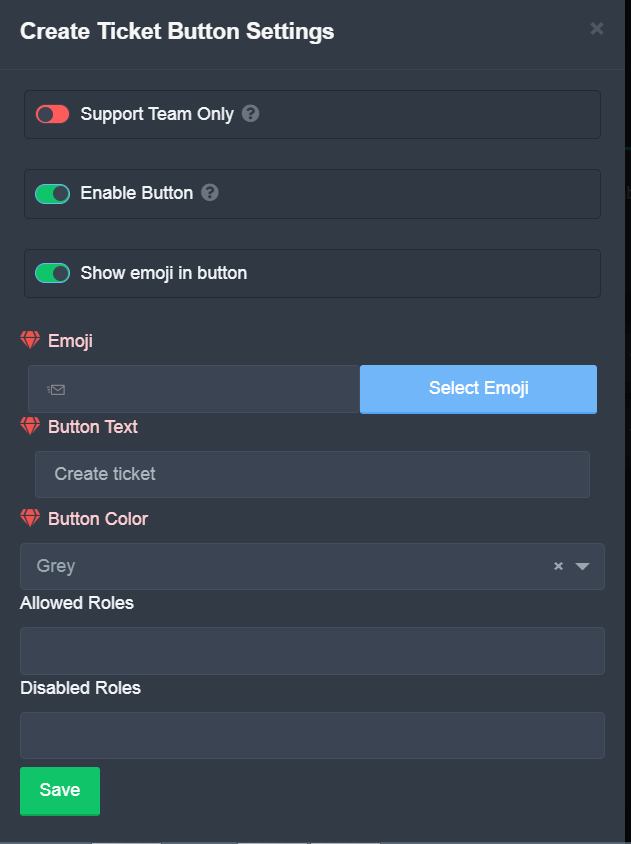
the open button need not be set to support only and should not have a blacklisted role in order for them to open a ticket
https://i.imgur.com/0UN1w8O.png
 jade topaz
can anyone help me🤦♀️🤦♀️
humble sequoiaBOT
We would love to help you, but if you don't tell us what you need help with we can't help you :(
jade topaz
@jade topaz ^^
jade topaz
humble sequoia
so when i first make a ticket it says: kayna-thenthenumbers.
how do i make my tickets in MY server say that?
humble sequoiaBOT
The ticket name is the default channel name of all tickets. To edit it, go to your Dashboard > Panel Configs > Settings > Ticket Options. There you can edit the channel name of opened and closed tickets. You can also use variables in there.

 Note: This is a premium feature
{server.name} ➞ Name of the server
{server.id} ➞ ID of the Server

[#🆘│community-support](/guild/509192800865353738/channel/776680605517742090/) = <#channel> ➞ Channel link of the current channel
{channel.name} ➞ Name of the current channel
{channel.id} ➞ ID of the current channel

{author} = <@user> ➞ Mention of the user triggering this message
{author.name} ➞ Name of the user triggering this message
{author.id} ➞ ID of the user triggering this message
{author.nickname} ➞ Nickname of the user triggering this message
{author.icon} ➞ Direct Url of the profile picture of the user triggering this message
{author.tag} ➞ 4 digit tag (discriminator) of the user triggering this message
{author.full} ➞ username + 4 digit discriminator of the user triggering this message

{panel.count} ➞ The current count number of the panel (Tickets only)
{panel.name} ➞ The name of the panel (Tickets Only)
{panel.ticketLimit} ➞ The current limit of the panel (Ticket Only)

{ticket} = <#channel> ➞ Channel mention of the ticket
{ticket.id} ➞ Channel ID of the ticket

{ticket.user} = <@user> ➞ User mention of the ticket user
{ticket.user.name} ➞ Name of the ticket user
{ticket.user.id} ➞ User ID of the ticket user
{ticket.user.nickname} ➞ Nickname of the ticket user
{ticket.user.icon} ➞ Direct Url of the profile picture of the ticket user
{ticket.user.tag} ➞ Tag / Discriminator of the ticket user
{ticket.user.full} ➞ Username + Discirimator of the ticket user```
Roles can be either
{@role name} or {role ID}
_ _
_ _
Additional variables
{reason}
» works on $close <reason>, $delete <reason>, $new <reason>, $claim <reason>
» displays the reason, you can optionally give with some commands
Transcript Variables
{ticket_name}➞ Name of the ticket
{panel_name}➞ Name of the panel
{transcript_url}➞ File link of the transcript
Hide Link under blue text:
[Click me](https://tickettool.xyz)➞ Click me
Time Variable
Sends the current unix time in seconds. Optinally add or remove seconds
<t:{!time+43200}:R>➞ <t:1653592066:R>
<t:{!time+43200}:R>➞ <t:1653505666:R>
<t:{!time+43200}:R>➞ <t:1653548866:R>
» Remove ! before time
_ _
<t:1641006000>➞ <t:1641006000>
<t:1641006000:f>➞ <t:1641006000:f>
<t:1641006000:F>➞ <t:1641006000:F>
<t:1641006000:D>➞ <t:1641006000:D>
<t:1641006000:d>➞ <t:1641006000:d>
<t:1641006000:t>➞ <t:1641006000:t>
<t:1641006000:T>➞ <t:1641006000:T>
<t:1641006000:R>➞ <t:1641006000:R>
» You can use https://hammertime.djdavid98.art/ to create custom dates/times
jade topaz
@jade topaz Those 2 can help you with what your looking for!
 solar rain
I NEED HELP
My server isn't showing on the dashboard.
I gave the bot the highest role on my server and also he has admin perms.
humble sequoiaBOT
Don't see your server in the dashboard?
You will possibly need to relog. Look below to see steps on how to relog.
How to relog in the Dashboard.
First, you will need to go to the dashboard. Once your there, click on your avatar on the top right. after you clicked it, you will see button that says Logout. You must click that. Once you have logged out, you can log back in.
Note:
You need one of these 3 things to access the dashboard.
1. Server Owner (Level: 6)
2. Server Administrator (Level: 4)
3. Dashboard Role (Level: 2)
:warning: You can check your level using $level on your Discord Server
User permission level with Ticket Tool
@User is permission level: 0 (User)
```» *If it shows that your permission is **0**, you don't have any of the above **3 things** to manage the dashboard.*


**See the GIF below on how to relog:**@solar rain Refer to
 left oxide
ك
robust sandalBOT
left oxide
ك
 2x2Master
as
Arabic (ar) → English (en)
ما الذي تحتاج إلى مساعدة بشأنه؟
English (en) → Arabic (ar)
 forest goblet
@left oxide ⬆️
 deep grotto
hey, how can i make that once somebody opened a ticket, that the ticket opens in a specific group?
 craggy geyser
$help category
humble sequoiaBOT
How to set the open category
To set a open category go to the Dashboard -> Panel Configs -> Settings -> Category Options -> Category Open
 pure needle
Hey how do I setup the bot to reply?
deep grotto
sorry to annoy but im totally lost so i did that, when i make now a multipanel is it possible to have more tickets in one panel which can still send into different groups?
humble sequoiaBOT
Multipanels are a premium feature  that allow for a single panel with multiple buttons to open different tickets.
How to create a Multipanel
Premium users can combine multiple panels into one multipanel.
First, find the IDs of each panel you wish to combine. You can find them in your Panel Configs in the Dashboard
Next, send the multipanel to a channel using $panel [id1] [id2] {id3} ....
e.g. $panel 1 2 4 17 35 to combine panels 1, 2, 4, 17 and 35.
Up to 25 panels may be combined.

 coarse wedge
deep grotto
sorry to annoy but im totally lost<:youkilledme:807674065513873439> so i did th...
coarse wedge
deep grotto
sorry to annoy but im totally lost<:youkilledme:807674065513873439> so i did th...
Basically you can have multiple different panels on one panel message.
Like #🎫│make-a-ticket
deep grotto
yes thank you! im currently in a ticket but thanks for the answer!
coarse wedge
deep grotto
yes thank you!<:CB_thumbsupcat:777818471462469642> im currently in a ticket but...
No problem 👍 Enjoy your day
coarse wedge
pure needle
Hey how do I setup the bot to reply?
What do you mean exactly?
If the bot does not reply to your commands etc make sure it has all required permissions see below:
$perms
humble sequoiaBOT
ᅠ
@pseudo glen requires the following permissions:
Add Reactions
Read Channels
Send Messages
Manage Messages
Embed Links
Attach Files
Read History
Manage Roles
Manage Channels
To change the role permissions, you can go to your Discord Server ➞ Server Settings ➞ Roles ➞ @Ticket Tool
To change the channel permissions, you can go to your Channel Settings ➞ Permissions ➞ Ticket Tool
ᅠ
Note:
You can give Ticket Tool Administrative Permissions instead of all the permissions listed above, but it's entirely optional and NOT necessary.
pure needle
I mean like it doesn't do tickets like when someone asks it sm it won't open a ticket
modern silo
slender minnow
Yes you can add more than one button to a ticket embed, but that's a premium fea...
I got premium
$buttons
humble sequoiaBOT

The new Discord Buttons allow for a much smoother and convenient experience. They reduce lag and work much better than emojis. With ticket tool you can edit all the buttons however you like! Buttons can show emojis, text and can have 4 different colors.
Where can I edit them?
Dashboard ➞ Panel Configs ➞ Settings ➞ Button Options ➞ Setting
 humble sequoiaBOT
For a more convenient use of multipanels, you can now combine panels on the dashboard. This will allow you to directly send the multipanel from the dashboard or via the $panel ID command.
Where can I find this?
You can find this setting on the Dashboard -> Panel Configs -> Settings -> General Options
Note: if you're attaching all the panels to a panel called English, don't include English in the attached panels box (If you do this, it will create duplicate)
This will put all buttons from all of your panels on one message. The message is the panel message from the panel you're combining these panels in.
 Note: This is a premium feature
slender minnow
Note: This is a premium feature
slender minnow
@modern silo refer above ^
modern silo
Oh okie
pure needle
pure needle
I mean like it doesn't do tickets like when someone asks it sm it won't open a t...
@slender minnow
 humble sequoiaBOT
For a more convenient use of multipanels, you can now combine panels on the dashboard. This will allow you to directly send the multipanel from the dashboard or via the $panel ID command.
Where can I find this?
You can find this setting on the Dashboard -> Panel Configs -> Settings -> General Options
Note: if you're attaching all the panels to a panel called English, don't include English in the attached panels box (If you do this, it will create duplicate)
This will put all buttons from all of your panels on one message. The message is the panel message from the panel you're combining these panels in.
Note: This is a premium feature
gilded verge
@indigo shard,
 indigo shard
Love
 rotund terrace
hi how can i buy a gift code?
gilded verge
rotund terrace
hi how can i buy a gift code?
Hey, do you mean how to get premium code for bot voting or do you mean how to buy premium? Sorry, I didn't understand what you were asking.
rotund terrace
Premium
humble sequoiaBOT
 Faster Premium Bot
Automatic Transcripts
Full Customization
Custom Buttons
Direct Messages
Ticket Automation
Multipanels
Premium Support
You can purchase premium here:
Price
$6 - Monthly
$66 - Yearly
 Premium
gilded verge
Premium
gilded verge
is this the answer you were expecting?
jade topaz
hey, we just bought premium but we cant find the invite for the premium bot
humble sequoiaBOT
The first thing you will need to do is invite the premium bot, an invite can be found here
Once the bot is in your server we will head to the dashboard and manage your server. When you are managing your server, you want to head into "Server Configs" then click the drop down menu under "Select the bot you would like to use on this server" then click "Ticket Tool#6207" and then save.
 rotund terrace
gilded verge
is this the answer you were expecting? <:this:894279341108772914>
rotund terrace
gilded verge
is this the answer you were expecting? <:this:894279341108772914>
but it's not for me I just have to buy the gift code
gilded verge
As far as I know you cannot buy the code but you can buy premium for a month for a given server 😳
and when it comes to free codes, you can get them by voting for the bot.
if i misled, i'm sorry
rotund terrace
A ok thx
coarse wedge
rotund terrace
but it's not for me I just have to buy the gift code
If you want to gift someone a code by purchasing you could also directly pay through paypal, cryptocurrency that would also be the option if you dont want a renwing subscription
humble sequoiaBOT
PayPal - DiscordTicketTool@gmail.com
BitCoin - 3HhKKAdb9eEvCe2tvzB8bAa8nebHY6qcPA
Ethereum - 0xF47a27D6a3225bB8e71fd03B5C14bbb374b41149
LiteCoin - MEQX3knLAuotrKnvk3HDNBK5gdRn6PZhHy

Prepay/Direct Payment
To prepay send the payment using your desired method - Available options listed bellow.
$18 per 3 months.
$66 per year.
(If using the direct payment option, you need to be paying for at-least 3+ months.)
Regular Prices when paying on our website:
$6/per month
$66/per year
Once your payment is sent let us know so we can confirm and get you your key.
<:paypal:924596360840372234> Paypal ("Goods and Services" or "Family and Friends")
DiscordTicketTool@gmail.com
<:bitcoin:924638849135689749> BTC - Bitcoin
3HhKKAdb9eEvCe2tvzB8bAa8nebHY6qcPA
<:Ethereum:972177326580301835> ETH - Ethereum
0xF47a27D6a3225bB8e71fd03B5C14bbb374b41149
<:Litecoin:972176945972383815> LTC - LiteCoin
MEQX3knLAuotrKnvk3HDNBK5gdRn6PZhHy
I sent the payment now what?
After you send the payment, please send a screenshot with proof of payment, our <@&615146349700186112> will verify your payment and will get you setup
All prices in USD
 white tulip
can I set ticket bot premium to notify me with an email when there's an open ticket?
 crimson void
humble sequoia
**PayPal** - `DiscordTicketTool@gmail.com`
**BitCoin** - `3HhKKAdb9eEvCe2tvzB8b...
crimson void
humble sequoia
**PayPal** - `DiscordTicketTool@gmail.com`
**BitCoin** - `3HhKKAdb9eEvCe2tvzB8b...
Let's make the billing issues in the ticket, please. whatever the reason is.
white tulip
would this be possible in the future?
We're using it as a company so it would help us a lot.
jade topaz
Is there a way to have multiple categiroes in one panel with premium??
kind hawk
white tulip
would this be possible in the future?
We're using it as a company so it would he...
You can make it a #💡│suggestions, just head in #🤖│bot-spam and use s!suggest <text>
But for now it's not possible no.
kind hawk
jade topaz
Is there a way to have multiple categiroes in one panel with premium??
yes with this below
humble sequoiaBOT
For a more convenient use of multipanels, you can now combine panels on the dashboard. This will allow you to directly send the multipanel from the dashboard or via the $panel ID command.
Where can I find this?
You can find this setting on the Dashboard -> Panel Configs -> Settings -> General Options
Note: if you're attaching all the panels to a panel called English, don't include English in the attached panels box (If you do this, it will create duplicate)
This will put all buttons from all of your panels on one message. The message is the panel message from the panel you're combining these panels in.
Note: This is a premium feature
slender minnow
pure needle
<@776084862728667156>
#546557408902905896 4. try not to ping for support ^^;
 dull escarp
$help category
humble sequoiaBOT
How to set the open category
To set a open category go to the Dashboard -> Panel Configs -> Settings -> Category Options -> Category Open
 zealous yew
Ayuda
cómo hago para añadir al bot a un server ?
Es que le doy a añadir o en el link y no se añade al servrr al que elijo
robust sandalBOT
how do I add the bot to a server?
Spanish (es) → English (en)
It is that I give it to add or in the link and it is not added to the servrr I choose
Spanish (es) → English (en)
jade topaz
Hey! You can add the bot using this link: https://tickettool.xyz/invite
robust sandalBOT
¡Eh! Puede agregar el bot usando este enlace: https://tickettool.xyz/invite
English (en) → Spanish (es)
robust sandalBOT
Not added
Spanish (es) → English (en)
¿Qué quieres decir?
English (en) → Spanish (es)
jade topaz
@zealous yew ^
zealous yew
It does not appear that the bot was added or added, shall I invite you?
robust sandalBOT
zealous yew
It does not appear that the bot was added or added, shall I invite you?
ayaan!!
That it does not appear that the bot was added or added, do I invite you ?
Spanish (es) → English (en)
robust sandalBOT
zealous yew
Ayuda
 bartosz
Help
Spanish (es) → English (en)
jade topaz
zealous yew
It does not appear that the bot was added or added, shall I invite you?
No, ensure you have the correct permissions to add the bot!
robust sandalBOT
jade topaz
No, ensure you have the correct permissions to add the bot!
bartosz
No, ¡asegúrese de tener los permisos correctos para agregar el bot!
English (en) → Spanish (es)
zealous yew
Ok..
humble sequoiaBOT

Equipo de Soporte Español
Querido usuario, si está buscando ayuda, por favor abra un ticket para contactar al Equipo de Soporte Español. Diríjase a #🎫│make-a-ticket y presione el botón :flag_es:.
jade topaz
hello
gilded verge
jade topaz
hello
Hi, do you need help?
jade topaz
hi i cant take my order
crimson void
jade topaz
hi i cant take my order
What do you mean?
jade topaz
i recieve an email who said that my purchace take time to being viewed
crimson void
jade topaz
i recieve an email who said that my purchace take time to being viewed
You mean from tickettool bot? Or...
Which product.?
jade topaz
from site mm2deals
humble sequoiaBOT
⚠️ You're in the wrong place
We provide support for @pseudo glen discord bot and cannot help you with whatever issue you have.
- We don't know which Support Team you should contact to get this issue resolved, and unfortunately we won't be able to accurately tell you.
If you don't have any further questions regarding our bot Ticket Tool, please close this ticket
crimson void
jade topaz
from site mm2deals
You're in the wrong place .
jade topaz
ooo ok sorry
crimson void
We are Ticket tool bot supporter
 sharp prawn
Hello
jade topaz
Hello! How may we help?
sharp prawn
How can I disable auto deletion of ticket when closed?
jade topaz
Enable Two Step Ticket In the general options on the panel settings.
sharp prawn
hmm.. let me find it quickly sorry
jade topaz
No worries! :D
 jade topaz
sharp prawn
which one should I enable?
jade topaz
sharp prawn
which one should I enable?
The one in the middle.
sharp prawn
allright
jade topaz
Two step ticket
sharp prawn
then should i disable any?
jade topaz
Nope
sharp prawn
Ok cool!
Thank you very much sirrr ❤️
jade topaz
No worries! :D
sharp prawn
thanks @jade topaz ❤️ ❤️ ❤️
iron nightBOT
Gave +1 Rep to @sleek bolt
jade topaz
:D
 last estuary
How can I set my bot so that the user that opens up a ticket is unable to close it?
I would like it so that only the admins can close a ticket
Hello?
If someone gets around to answering this, please ping me!
crimson void
last estuary
How can I set my bot so that the user that opens up a ticket is unable to close ...
Go to Dashboard > Panel Configs > Button Options > Close ticket settings and enable  Support team only
@last estuary^^
last estuary
crimson void
Go to Dashboard > Panel Configs > Button Options > Close ticket settings and ena...
Thank you, will apply this once I get time
iron nightBOT
Gave +1 Rep to @crimson void
last estuary
Appreciate the help!
last estuary
iron night
Gave +1 Rep to **<@971175151934775316>**
What’s this?
crimson void
Don't worry it's doesn't matter, at least you're happy that's enough ^
 stiff crest
@pseudo glen
dull shadow
Help (fr)
humble sequoiaBOT
We would love to help you, but if you don't tell us what you need help with we can't help you :(
jade topaz
@dull shadow ^
jade topaz
What do you mean?
robust sandalBOT
Nous serions ravis de vous aider, mais si vous ne nous dites pas ce pour quoi vous avez besoin d’aide, nous ne pouvons pas vous aider à :(
English (en) → French (fr)
dull shadow
What is the command to translate ?
/translate
@jade topaz
English (en) → French (fr)
jade topaz
You can use the slash commands!
robust sandalBOT
jade topaz
You can use the slash commands!
bartosz
Vous pouvez utiliser les commandes slash!
English (en) → French (fr)
 dull shadow
jade topaz
You can use the slash commands!
dull shadow
jade topaz
You can use the slash commands!
No I can't use the command
 ornate plinth
Why my server dosent show up here ¿
 humble sequoiaBOT
Don't see your server in the dashboard?
You will possibly need to relog. Look below to see steps on how to relog.
How to relog in the Dashboard.
First, you will need to go to the dashboard. Once your there, click on your avatar on the top right. after you clicked it, you will see button that says Logout. You must click that. Once you have logged out, you can log back in.
Note:
You need one of these 3 things to access the dashboard.
1. Server Owner (Level: 6)
2. Server Administrator (Level: 4)
3. Dashboard Role (Level: 2)
:warning: You can check your level using $level on your Discord Server
User permission level with Ticket Tool
@User is permission level: 0 (User)
```» *If it shows that your permission is **0**, you don't have any of the above **3 things** to manage the dashboard.*


**See the GIF below on how to relog:**@dull shadow come open a ticket en francais on #🎫│make-a-ticket ill help you
jade topaz
@ornate plinth
ornate plinth
jade topaz
<@613368397542981632> <:this:894279341108772914>
How can i get more level ?
Iam the owner
jade topaz
ornate plinth
How can i get more level ?
What do you mean?
jade topaz
Im not sure what you mean.
gilded verge
ornate plinth
Why my server dosent show up here ¿
Log out and back in.
jade topaz
gilded verge
Log out and back in.
I have already helped them..
ornate plinth
gilded verge
Log out and back in.
I did it
Oh and iam not whe owner its my friend but he give me a administrator role
pure needle
How I let the bot make rickets to people so that only certain roles can see it?
gilded verge
$help support
humble sequoiaBOT
How to let support team see into a ticket
About support roles
A support role lets your support team see into tickets with out having to add them manually to each and every ticket.
You can add as many support roles as you like per panel.
NOTE that the way discord works all admins can see into tickets regardless of this.
How to set a support role
To set a Support role go to the Dashboard -> Panel Configs -> Settings -> General Options -> Support Team Roles.
NOTE that the support role will not be able to see into tickets that are already created..
shut bolt

gilded verge
Why?
@glad shoal, Do not send me private messages, just write here about your problem with the Ticket Tool bot 😐
shut bolt
gilded verge
<@935208157653925960>, Do not send me private messages, just write here about yo...
What did they DM you? 
gilded verge
😐
 shut bolt
gilded verge
😐
shut bolt
gilded verge
😐
Thanks
iron nightBOT
Gave +1 Rep to @gilded verge
 prime bridgeBOT
 TwoinwardsoupYT#5476 has been warned!

 They were notified via dms.
shut bolt
 cloud valve
I cannot open dashboard on mobile help
cloud valve
I cannot open dashboard on mobile help
What's the issue?
shut bolt
That doesn't solve my doubt, I'll need you to be more specific
 shut bolt
cloud valve
<@518666147441278998> are u there sorry for ping
shut bolt
cloud valve
<@518666147441278998> are u there sorry for ping
You got warned already once for that, please don't do it
humble sequoiaBOT
Don't see your server in the dashboard?
You will possibly need to relog. Look below to see steps on how to relog.
How to relog in the Dashboard.
First, you will need to go to the dashboard. Once your there, click on your avatar on the top right. after you clicked it, you will see button that says Logout. You must click that. Once you have logged out, you can log back in.
Note:
You need one of these 3 things to access the dashboard.
1. Server Owner (Level: 6)
2. Server Administrator (Level: 4)
3. Dashboard Role (Level: 2)
:warning: You can check your level using $level on your Discord Server
User permission level with Ticket Tool
@User is permission level: 0 (User)
```» *If it shows that your permission is **0**, you don't have any of the above **3 things** to manage the dashboard.*


**See the GIF below on how to relog:**Relog
shut bolt
Sure
cloud valve
Ty @shut bolt
iron nightBOT
Gave +1 Rep to @shut bolt
shut bolt

 upper flower
$id 
humble sequoiaBOT
<:TicketTool:557318988783419453>
jade topaz
jade topaz
Is the Ticket bot currently down? Trying to setup on my server.
Its not down..
Can someone help me
robust sandalBOT
انها ليست أسفل..
English (en) → Arabic (ar)
humble sequoiaBOT
We would love to help you, but if you don't tell us what you need help with we can't help you :(
jade topaz
@jade topaz ^
robust sandalBOT
robust sandal
@jade topaz Trying to translate to English but detected as English.
Please don't waste translations by trying to translate to the same language.
 upper flower
its a tag
humble sequoiaBOT
Tags
Tags are used to send a predefined response to your channels using a command. Tags will only respond if the command itself is used, it will not function if you put the tag into a sentence. The prefix is not included.
To create tags, go to: Dashboard > Tags > Create Tag. After creating and naming one, tap on the response button, and you can edit the response.
 upper flower
here?
jade topaz
yes here
 tepid islandBOT
 Devツ#1234
To: Ticket Tool Community ( <@&571351015773831168> / <@&704865492749516820> )
From: Ticket Tool Management Team
RE: Support Server - Scheduled Temporary Shutdown
Hello,
The Ticket Tool Support Server will undergo a temporary shutdown from __May 26th, 2022 __19:00pm (EST) till May 30th, 2022 20:00pm (EST) to reconstruct the layout and format of this server.
All channels might still be visible, but the only channel members will be able to communicate in will be #🆘│community-support.
When the server maintenance is underway, the <@&540295656720302081> will be taking a "Support Team Vacation". Which will allow the support members to not be active within the Ticket Tool Support server as often as they currently are. They are still allowed to support the community, but are not required to. *Pings towards the support team (without permission) will force moderation action towards that member. *
If you need any billing support during the maintenance, feel free to email "support@tickettool.xyz"
Please open a ticket ( #🎫│make-a-ticket ) with any questions and/or concerns, thanks!
~
Dev
- Ticket Tool Management Team
- Team Lead
[Jump to message](#📣│server-news message)
Ticket Tool Support | #📣・server-news
·
jade topaz
oh sorry! didn't see that
 thorny blaze
Hello, can you tell me which button to click to make the ticket room was for support and the player who created the ticket?😅
 nova wharf
thorny blaze
Hello, can you tell me which button to click to make the ticket room was for sup...
nova wharf
thorny blaze
Hello, can you tell me which button to click to make the ticket room was for sup...
Do you mean choosing a server the panel should be sent to?
 robust sandalBOT
 sleek horizon
всем кусь кусь
sleek horizon
всем кусь кусь
 xDevoidx
all the kus kus
Russian (ru) → English (en)
nova wharf
$help panel
humble sequoiaBOT
Creating a panel
To create a panel we are going to need to head over to the panel configs on the dashboard
Once at the dashboard we will need to click Create Panel
Enter a panel name (Fill in any optional settings you want)
Click Create Panel and your ready to get started with configuring your panel
An example of a creating a panel is shown below.
 nova wharf
@thorny blaze do you mean that?
thorny blaze
sleek horizon
всем кусь кусь
Хаю хай!
thorny blaze
nova wharf
Do you mean choosing a server the panel should be sent to?
got it all, thanks
iron nightBOT
Gave +1 Rep to @nova wharf
nova wharf
thorny blaze
got it all, thanks
👍
robust sandalBOT
thorny blaze
Хаю хай!
xDevoidx
I'm shai!
Ukrainian (uk) → English (en)
 celest folio
Need help

 humble glacier
Bonjour
 weak oasis
 zealous vault
Why?
zealous vault
Why?
make sure that’s the bot have perms or run ~$debug command
 slender marlin
I can't manage the Dashboard and the commands don't work pqs
 fallow ingot
slender marlin
I can't manage the Dashboard and the commands don't work pqs
fallow ingot
slender marlin
I can't manage the Dashboard and the commands don't work pqs
log out and back in from the site
you've said it once, saying it twice won't speed things up. What exactly do you need help with?
zealous vault
weak oasis
make sure that’s the bot have perms or run ~$debug command
I have spam $debug and not doing the Bot
 zealous vault
weak oasis
make sure that’s the bot have perms or run ~$debug command
zealous vault
weak oasis
make sure that’s the bot have perms or run ~$debug command
and her
 fallow ingot
Are you using the correct prefix? @zealous vault
zealous vault
fallow ingot
Are you using the correct prefix? <@950396273930932255>
What is prefix?
 zealous vault
fallow ingot
zealous vault
fallow ingot
I dont using this.
fallow ingot
and the bot won't respond because you have premium bot enabled.
But with no premium.
humble sequoiaBOT
How to disable the premium bot
To disable the premium bot you will have to go to the Dashboard ➞ Server Configs ➞ Premium bot ➞ And on the right-hand side select the primary free bot in the drop down menu.
Premium features will still work on the normal bot.
 fallow ingot
Follow this ^
 scenic wigeon
does anyone know how to get the tickets up and running?
zealous vault
fallow ingot
But with no premium.
I dont have Premium bot
weak oasis
zealous vault
I dont have Premium bot
you have premium bot option enabled, just disable it
 cold moon
Why ticket bot is not logging transcripts ?
 static remnant
hey everyone
someone please help me set an universal limit to how many tickets can be open at once. I tried setting the global ticket limit, but it didn't work.
 crude hare
how do i use the ticket tool
humble sequoiaBOT
You can check our documentation here.
You can also check #573205317870157855 for the basic setup.
Our documentation contains all the info you need about the bot to be able to setup and configure the bot however you like.
 tepid summit
@weak oasis يالغالي كيف اغير الرسالة الي لما شخص يفتح تكت تطلع له داخل التكت
weak oasis
cold moon
Why ticket bot is not logging transcripts ?
did u set a transcript log channel?
weak oasis
static remnant
someone please help me set an universal limit to how many tickets can be open at...
General Options -> Ticket Limit and then set it to desired number
weak oasis
tepid summit
<@355579366991986688> يالغالي كيف اغير الرسالة الي لما شخص يفتح تكت تطلع له داخل...
تقدر تغير الرساله الي جوا الامبد فقط غير كذا ما تقدر تغير شي الا لو عندك اشتراك بريميوم
Ticket Options -> Ticket Message و بتلقى ذي

 torpid umbra
hi
tepid summit
زي كذا @weak oasis


 zealous vault
weak oasis
you have premium bot option enabled, just disable it
zealous vault
weak oasis
you have premium bot option enabled, just disable it
How can i do this?
weak oasis
zealous vault
How can i do this?
Server Configs -> Premium bot
then make sure about your prefix and choose the free bot over the premium here

 loud turtle
weak oasis
`Server Configs -> Premium bot`
then make sure about your prefix and choose the...
loud turtle
weak oasis
`Server Configs -> Premium bot`
then make sure about your prefix and choose the...
Former support team? I never heard of you
 short stump
loud turtle
Former support team? I never heard of you
short stump
loud turtle
Former support team? I never heard of you
Please refrain from typing here unless it’s ticket tool help related please.
 ocean pollen
guys I write $debug nothing happens
zealous vault
weak oasis
`Server Configs -> Premium bot`
then make sure about your prefix and choose the...
It works now, thanks for the nice support. Have a good time!
iron nightBOT
Gave +1 Rep to @weak oasis
 robust edge
how do i fix this?
 crimson void
robust edge
how do i fix this?
crimson void
robust edge
how do i fix this?
the panel is not available anymore in the dashboard.
robust edge
crimson void
the panel is not available anymore in the dashboard.
im confused?? i didn’t delete anything
still doesn’t work
crimson void
robust edge
how do i fix this?
This error only shows up when the panel is deleted .. make sure the panel is there in the dashboard if not make new one .
robust edge
crimson void
This error only shows up when the panel is deleted .. make sure the panel is the...
wait wdym panel on the dashboard ?? srry im not into this kind of stuff
humble sequoiaBOT
Creating a panel
To create a panel we are going to need to head over to the panel configs on the dashboard
Once at the dashboard we will need to click Create Panel
Enter a panel name (Fill in any optional settings you want)
Click Create Panel and your ready to get started with configuring your panel
An example of a creating a panel is shown below.
robust edge
oh i did that? ill try it again
crimson void
is this panel there? if nothing there then do same as the gif ^
robust edge
thank u i got it to work ^-^
crimson void
Glad to hear that !
tepid summit
كيف منشن عضوا داخل التكت يعني لما يفتح التكت يمنشن العضو كذا ولا كيف {user}
crimson void
اذا تبي تخليه يمنشن الشخص تلقائياً استخدم:
{user}
tepid summit
استتخدمت ما صار ممكن ترسلها وحدها عشان انسخه واحطها
crimson void
تقدر تصورلي الكلام اللي كاتبه بالضبط ؟
tepid summit
@crimson void @crimson void
 crimson void
tepid summit
<@971175151934775316> <@971175151934775316>
crimson void
tepid summit
<@971175151934775316> <@971175151934775316>
لا غلط الأقواس
انسخ هذي بالضبط
tepid summit
ممكن ترسلها لي
 tidal flume
Hey, how do i hand over a ticket?
gilded verge
tidal flume
Hey, how do i hand over a ticket?
Hey, uhm, what do you mean? 😳
tidal flume
Ive seen some people in discord give a ticket to someone else
tidal flume
gilded verge
Hey, uhm, what do you mean? 😳
Then it says 'your ticket will now be handled by X'
gilded verge
tidal flume
Then it says 'your ticket will now be handled by X'
oooooh, so you mean $claim 😅 wait for example...
gilded verge
 prime needle
just anything
prime needle
just anything
what?
iron nightBOT
Gave +1 Rep to @gilded verge
gilded verge
tidal flume
Then it says 'your ticket will now be handled by X'
Dashboard->Panel Configs->Panel Settings->Expand Claiming Options->Edit Claimed Message
There is example:


but remember that the claim is only available in the premium server
 tidal flume
thats not what i meant, its fine now ty
gilded verge
uhm, okay, then sorry for not being able to help you
jade topaz
How can i make only a rol can see the tickets?
humble sequoiaBOT
How to let support team see into a ticket
About support roles
A support role lets your support team see into tickets with out having to add them manually to each and every ticket.
You can add as many support roles as you like per panel.
NOTE that the way discord works all admins can see into tickets regardless of this.
How to set a support role
To set a Support role go to the Dashboard -> Panel Configs -> Settings -> General Options -> Support Team Roles.
NOTE that the support role will not be able to see into tickets that are already created..
gilded verge
can help you
 proper jasper
Is there anyway to make a ticket like this with Tickettool bot?


 ornate cedar
What does it take to become a moderator in Russian chat? I could become, and you are for me Sneakers smiley, I would explain new things and help
 barren gale
I need help, how do I get ticket bot in my discord it's not popping up in the panel.
humble sequoiaBOT
You can check our documentation here.
You can also check #573205317870157855 for the basic setup.
Our documentation contains all the info you need about the bot to be able to setup and configure the bot however you like.
quick bone
@barren gale ^
barren gale
quick bone
<@742612750034927670> ^
Ik that but It's not popping up in dashboard like my server isn't popping up
humble sequoiaBOT
Don't see your server in the dashboard?
You will possibly need to relog. Look below to see steps on how to relog.
How to relog in the Dashboard.
First, you will need to go to the dashboard. Once your there, click on your avatar on the top right. after you clicked it, you will see button that says Logout. You must click that. Once you have logged out, you can log back in.
Note:
You need one of these 3 things to access the dashboard.
1. Server Owner (Level: 6)
2. Server Administrator (Level: 4)
3. Dashboard Role (Level: 2)
:warning: You can check your level using $level on your Discord Server
User permission level with Ticket Tool
@User is permission level: 0 (User)
```» *If it shows that your permission is **0**, you don't have any of the above **3 things** to manage the dashboard.*


**See the GIF below on how to relog:**try that
 mild cargo
quick bone
try that
mild cargo
quick bone
try that
thanks
iron nightBOT
Gave +1 Rep to @quick bone
mild cargo
gilded verge
<:this:894279341108772914> can help you
thanks
 slender karma
Link to dashboard?
humble sequoiaBOT
slender karma
K
quick bone
np
 signal ice
Hi
quick bone
hello please state what you need help with!
 keen whale
I am owner of a server that I can't access from the dashboard to add ticket tool. I already refreshed the page and I have highest permissions, it is still not showing up
humble sequoiaBOT
Don't see your server in the dashboard?
You will possibly need to relog. Look below to see steps on how to relog.
How to relog in the Dashboard.
First, you will need to go to the dashboard. Once your there, click on your avatar on the top right. after you clicked it, you will see button that says Logout. You must click that. Once you have logged out, you can log back in.
Note:
You need one of these 3 things to access the dashboard.
1. Server Owner (Level: 6)
2. Server Administrator (Level: 4)
3. Dashboard Role (Level: 2)
:warning: You can check your level using $level on your Discord Server
User permission level with Ticket Tool
@User is permission level: 0 (User)
```» *If it shows that your permission is **0**, you don't have any of the above **3 things** to manage the dashboard.*


**See the GIF below on how to relog:**have you tried this? logging out and signing in again?
keen whale
yes I have
quick bone
do you already have ticket tool in your server?
keen whale
no, I am trying to invite it
humble sequoiaBOT
You can check our documentation here.
You can also check #573205317870157855 for the basic setup.
Our documentation contains all the info you need about the bot to be able to setup and configure the bot however you like.
quick bone
invite should be there @keen whale
 radiant moss
$invite
humble sequoiaBOT
Ticket Tool Invite & Support
keen whale
thank you
 noble nymph
I've had this issue for a while now, but Ticket Tool seems to require Administrator permissions in order to be able to edit permissions of a ticket. Is this a bug? Because even if it has all of the required permissions (except Administrator), it doesn't work.
quick bone
check the category or ticket opened/closed perms
 vernal gale
$help
humble sequoiaBOT
Help Options
$help commands - Information on commands
$help setup - Information on bot setup
$help faq - Frequently asked questions
vernal gale
$help setup
humble sequoiaBOT
Setting up Ticket Tool
Visit the docs for setup info
General Setup
noble nymph
quick bone
check the category or ticket opened/closed perms
Everything is set up correctly.
noble nymph
noble nymph
I've had this issue for a while now, but Ticket Tool seems to require Administra...
But when I want to edit permissions manually, it does work. It just doesn't edit the permissions when closing (or opening) a ticket. (It does set-up the correct permissions when the channel is created.)
 shy moss
is there ability to auto-open a ticket when a person joins the discord?
humble sequoiaBOT
If Ticket Tool support requested this debug give them this link:
https://discordapp.com/channels/509192800865353738/662692902245498910/979780844786950275
Bot Permissions ឵ ឵឵ ឵ ឵឵ ឵ ឵឵ ឵ ឵឵
✅ - Read Channels
✅ - Send Messages
✅ - Embed Links
✅ - Attach Files
✅ - Manage Roles
✅ - Manage Channels
✅ - Manage Messages
✅ - Read History
Channel Permissions ឵ ឵឵ ឵ ឵឵ ឵ ឵឵ ឵ ឵឵
✅ - Read Channels
✅ - Send Messages
✅ - Embed Links
✅ - Attach Files
✅ - Manage Roles
✅ - Manage Channels
✅ - Manage Messages
✅ - Read History
Server Information ឵ ឵឵ ឵ ឵឵ ឵ ឵឵ ឵ ឵឵ ឵ ឵឵
Channel name:
•community-support
Channel ID:
776680605517742090
Channel Count:
164/500
Server name:
Ticket Tool Support
Server ID:
509192800865353738
User Information ឵ ឵឵ ឵ ឵឵ ឵ ឵឵ ឵ ឵឵ ឵ ឵឵
User name:
!𓆩الكنق فايبر𓆪#0208
User ID:
710168597175205950
Permission Level:
0 - User ()
Bot Information ឵ ឵឵ ឵ ឵឵ ឵ ឵឵ ឵ ឵឵ ឵ ឵឵
Prefix:
$
Premium Status:
Lifetime - ["subV2","time"]
Current shard:
1
API Latency:
78
gilded verge
humble sequoia
If Ticket Tool support requested this debug give them this link:
<https://discor...
@ocean pollen, You need use $debug on your server (if bot didn't respond, check perms)
 plucky kite
Help me my will unlinked from the email. I was almost a year without playing, when I came back, my email was empty, I already tried for the game support and I couldn't. my account is in the same place I left it, in the same camp, on the same land. help me regain access please! I played in it for 3 years, I invested money, it has intens in it, construction part.
 humble sequoiaBOT
⚠️ You're in the wrong place
We provide support for @pseudo glen discord bot and cannot help you with whatever issue you have.
- We don't know which Support Team you should contact to get this issue resolved, and unfortunately we won't be able to accurately tell you.
If you don't have any further questions regarding our bot Ticket Tool, please close this ticket
jade topaz
@plucky kite ^
jade topaz
 pallid timber
<:IRface:567904915272237096>
pallid timber
<:IRface:567904915272237096>
This is support.
 olive tartan
how do i fix where its not letting anyone see or mssg in the ticket they made
gilded verge
olive tartan
how do i fix where its not letting anyone see or mssg in the ticket they made
Could you please show an example in the screenshot?
 teal verge
How do I get ticket tool to send the ticket message
olive tartan
gilded verge
Could you please show an example in the screenshot?
its not showing up when ppl create it
 gilded verge
it looks like panel permissions are not properly configured ...
this can help: https://cdn.discordapp.com/attachments/776680605517742090/957333296428224582/2022-03-24_18-11-242.mp4
shy moss
is there ability to auto-open a ticket when a person joins the discord?
gilded verge
No, the user has to click on the opening ticket button himself.
gilded verge
Currently no, reason: #📣│server-news message
 buoyant dirge
türk varmi
shy moss
thanks.
gilded verge
shy moss
thanks.
Actually, it would be a bit of a nuisance for the bot to open a ticket for each user who entered the server and therefore you have to enter the channel yourself to open the ticket. If there was such an option, it could be quite problems if you have an extensive server, someone raids it for many people and then you have an open ticket everywhere. 😕
shy moss
thanks @gilded verge
iron nightBOT
Gave +1 Rep to @gilded verge
robust sandalBOT
buoyant dirge
türk varmi
ayaan!!
is there a turk
Turkish (tr) → English (en)
buoyant dirge
?
shy moss
gilded verge
Actually, it would be a bit of a nuisance for the bot to open a ticket for each ...
good point
quick bone
don't ghost ping me please... @buoyant dirge
robust sandalBOT
quick bone
don't ghost ping me please... <@595333192332869634>
ayaan!!
hayalet bana ping atma lütfen... @buoyant dirge
English (en) → Turkish (tr)
gilded verge
Please don't ping random people
buoyant dirge
sorry i looked at something

some of the roles i have set up on my server cannot look at the ticket, how can i do it
robust sandalBOT
buoyant dirge
some of the roles i have set up on my server cannot look at the ticket, how can ...
 LxN | Flexnch
sunucumda kurduğum rollerden bazıları bilete bakamıyor, nasıl yapabilirim
English (en) → Turkish (tr)
buoyant dirge
👍
humble sequoiaBOT
How to let support team see into a ticket
About support roles
A support role lets your support team see into tickets with out having to add them manually to each and every ticket.
You can add as many support roles as you like per panel.
NOTE that the way discord works all admins can see into tickets regardless of this.
How to set a support role
To set a Support role go to the Dashboard -> Panel Configs -> Settings -> General Options -> Support Team Roles.
NOTE that the support role will not be able to see into tickets that are already created..
gilded verge
buoyant dirge
gilded verge
<:this:894279341108772914>
thanks
iron nightBOT
Gave +1 Rep to @gilded verge
jade topaz
lol
buoyant dirge
** lol **
 remote canyon
Hi, I wanted to know if it is possible to let users attach images/files in a private ticket ? They are allowed to do it while in normal chat, but not at the ticket private channel
robust sandalBOT
gilded verge
Actually, it would be a bit of a nuisance for the bot to open a ticket for each ...
LxN | Flexnch
Aslında, botun sunucuya giren her kullanıcı için bir bilet açması biraz sıkıntı verici olurdu ve bu nedenle bileti açmak için kanala kendiniz girmeniz gerekir. Böyle bir seçenek olsaydı, kapsamlı bir sunucunuz varsa, birisi birçok kişi için baskın yaparsa ve sonra her yerde açık bir biletiniz varsa oldukça sorun olabilir. 😕
English (en) → Turkish (tr)
quick bone
don't translate for no reason please!
 wind kelp
Hey
How to make that only 2-3 roles to close tickets
because everyone can close tickets in my server
NVM I fixed It
gilded verge
remote canyon
Hi, I wanted to know if it is possible to let users attach images/files in a pri...
Ofc, go to Dashboard->Panel Configs->Panel Settings->Expand Permission Options->User Opened Permissions->give them Attach Files to ✅
 jade topaz
Excuse me, I can’t close 2 tickets in my server? Why is that
gilded verge
Ofc you can. Sorry but can you show this problem?
 gilded verge
Do you have this view all the time?
jade topaz
it just started today
gilded verge
Are you the admin or the owner of the server on which you opened this ticket?
gilded verge
No no,
Okay, I'll try to help you. First: update the Discord application.
jade topaz
Ok
humble sequoiaBOT
Update your discord App
Buttons are a relatively new addition to discord and don't work with some older versions of the app.
Please verify that you have the latest version of discord, by going to the app or play store.
Discord for the  App Store
Discord for the  Play Store
 fallow ingot
Hi, this is a bug with Discord it only happens to mobile users and the channel just doesn't load. I've noticed it happens more frequent with tickets not sure why we don't can't help you sadly.
jade topaz
I closed it in my computer
iron nightBOT
Gave +1 Rep to @gilded verge
gilded verge
thanks @fallow ingot too 
iron nightBOT
Gave +1 Rep to @fallow ingot
remote canyon
gilded verge
Ofc, go to `Dashboard`->`Panel Configs`->`Panel Settings`->Expand `Permission Op...
Thank you very much!
iron nightBOT
Gave +1 Rep to @gilded verge
 alpine belfry
Hello guys
gilded verge
alpine belfry
Hello guys
Hello, how can we help you?
 safe prairie
Ping Pong
 smoky shoal
 oak raven
Hm. Who pinged me?
 eager cargo
Ignore the pings, some doofus mass pinged
oak raven
eager cargo
Ignore the pings, some doofus mass pinged
Roger
 static saddle
Hi! What user permissions are required for everyone who submits a ticket?
 west hinge
eager cargo
Ignore the pings, some doofus mass pinged
west hinge
eager cargo
Ignore the pings, some doofus mass pinged
Kk
gilded verge
static saddle
Hi! What user permissions are required for everyone who submits a ticket?
Hi, Required permissions for users opening the ticket are Read Messages, Send Messages, Read Message History.
I recommend these permissions, maybe they will help you additionally: https://cdn.discordapp.com/attachments/776680605517742090/957333296428224582/2022-03-24_18-11-242.mp4
static saddle
gilded verge
Hi, Required permissions for users opening the ticket are `Read Messages, Send M...
Which channel or category do those permissions need to be set?
gilded verge
gilded verge
Hi, Required permissions for users opening the ticket are `Read Messages, Send M...
@static saddle, I probably don't quite understand the question 😳 ...
uhm, you set these permissions when you go to Dashboard->Panel Configs->Panel Settings
humble sequoiaBOT
Any role you assign as a blacklisted role won't be able to use commands or reactions.
Selecting a blacklisted role
Go to your Dashboard ➞ Server Configs. There you will find the option to select blacklisted roles.
Note: Don't forget to save.
 shut bolt
Hey there @hearty portal, this is how to blacklist users from using Ticket Tool's buttons or commands 
shut bolt
As of now it isn't possible, sorry
Has been suggested in the suggestions channel though
gilded verge
Reason why we can't see suggestion channel: #📣│server-news message
shut bolt
 hearty portal
I'll suggest it
hearty portal
I'll suggest it
No need, it was already suggested
hearty portal
No, the role thing
shut bolt
What do you mean?
hearty portal
humble sequoia
^
gilded verge
There is Blacklist Roles 😐
 hearty portal
Oh.
shut bolt
hearty portal
^
And what's your suggestion exactly?
hearty portal
Sorry!
shut bolt
It's fine, no worries
static saddle
gilded verge
<@750178141598646394>, I probably don't quite understand the question 😳 ...
uhm...
In my server, what user permissions need to be set for general members so they can create a ticket, see it, and then type in the ticket?
hearty portal
shut bolt
And what's your suggestion exactly?
A user can be blacklisted without a role, a specific user can be placed
crimson void
hearty portal
A user can be blacklisted without a role, a specific user can be placed
There's no black list user only Roles atm.
shut bolt
hearty portal
A user can be blacklisted without a role, a specific user can be placed
And as I mentioned, it has already been suggested
hearty portal
Okay
gilded verge
gilded verge
Hi, Required permissions for users opening the ticket are `Read Messages, Send M...
here I mentioned about permissions
jade topaz
eager cargo
Ignore the pings, some doofus mass pinged
😭
 severe path
Ping
gilded verge
Pong
shut bolt
Peng
jade topaz
shut bolt
Peng

 shut bolt
Lmao wasn't aware of that jajaja, I just changed the vowel
jade topaz
HEHE
 glacial warren
hey, i need some help
dashboard isn't working right
im trying to manage a server im in, i have admin
humble sequoiaBOT
Don't see your server in the dashboard?
You will possibly need to relog. Look below to see steps on how to relog.
How to relog in the Dashboard.
First, you will need to go to the dashboard. Once your there, click on your avatar on the top right. after you clicked it, you will see button that says Logout. You must click that. Once you have logged out, you can log back in.
Note:
You need one of these 3 things to access the dashboard.
1. Server Owner (Level: 6)
2. Server Administrator (Level: 4)
3. Dashboard Role (Level: 2)
:warning: You can check your level using $level on your Discord Server
User permission level with Ticket Tool
@User is permission level: 0 (User)
```» *If it shows that your permission is **0**, you don't have any of the above **3 things** to manage the dashboard.*
**See the GIF below on how to relog:** prime slate
How do I request help
gilded verge
Hm?
prime slate
What do I do?
humble sequoiaBOT
We would love to help you, but if you don't tell us what you need help with we can't help you :(
prime slate
I need to talk to someone
jade topaz
prime slate
What do I do?
Just say what you need.
prime slate
jade topaz
Just say what you need.
I bought ticket tool premium but my acc and server got termed
And I was wondering if I can get a refund literally bought it today
And a few hours later I got termed
jade topaz
May want to open a billing ticket for that!
prime slate
Where’s that
jade topaz
hmm, they seem to of dissapeared.
jade topaz
Do not ping staff!
prime slate
Oops
gilded verge
#546557408902905896, rule 4
prime slate
Sorry
gilded verge
Wait, i'll try to help you
gilded verge
wait ... your account? I understood that something happened only to the server ... so forgive me for misunderstanding 😕
prime slate
My account and server are gone
After I paid for premium it got termed a few hours after
gilded verge
out of curiosity .. what was the reason Discord closed your account?
 azure zealot
Hi
prime slate
gilded verge
out of curiosity .. what was the reason Discord closed your account?
I have no idea
gilded verge
they always state the reason for closing the account, and send this information to the e-mail address. If you believe there has been a misunderstanding, please contact Discord Support
prime slate
Imma check
Fraud hacking and attempting to damage computer?
Which I never did any?
gilded verge
wha... ehm.. As I mentioned, please contact Discord Support
prime slate
I will
azure zealot
I have a problem with tiktool. I want to put a plate in a server and it says it does not exist
@gilded verge
gilded verge
uhm, can you show me this problem on screenshot please?
azure zealot
gilded verge
uhm, can you show me this problem on screenshot please?
This server

This not here
gilded verge
oooh, take this:
humble sequoiaBOT
Don't see your server in the dashboard?
You will possibly need to relog. Look below to see steps on how to relog.
How to relog in the Dashboard.
First, you will need to go to the dashboard. Once your there, click on your avatar on the top right. after you clicked it, you will see button that says Logout. You must click that. Once you have logged out, you can log back in.
Note:
You need one of these 3 things to access the dashboard.
1. Server Owner (Level: 6)
2. Server Administrator (Level: 4)
3. Dashboard Role (Level: 2)
:warning: You can check your level using $level on your Discord Server
User permission level with Ticket Tool
@User is permission level: 0 (User)
```» *If it shows that your permission is **0**, you don't have any of the above **3 things** to manage the dashboard.*


**See the GIF below on how to relog:**Me is onwer ship@gilded verge
gilded verge
I understand, but in the navigation panel you have to log out and log back in, that should fix your problem
azure zealot
Ok
 meager belfry
mass ping sadness 😦
 acoustic stone
hello! i need help with the ticket bot. i have admin in this server but when i go to the dashboard, it does not show the server. i have tried refreshing, kicking the bot and adding it back. it still does not work
humble sequoiaBOT
Don't see your server in the dashboard?
You will possibly need to relog. Look below to see steps on how to relog.
How to relog in the Dashboard.
First, you will need to go to the dashboard. Once your there, click on your avatar on the top right. after you clicked it, you will see button that says Logout. You must click that. Once you have logged out, you can log back in.
Note:
You need one of these 3 things to access the dashboard.
1. Server Owner (Level: 6)
2. Server Administrator (Level: 4)
3. Dashboard Role (Level: 2)
:warning: You can check your level using $level on your Discord Server
User permission level with Ticket Tool
@User is permission level: 0 (User)
```» *If it shows that your permission is **0**, you don't have any of the above **3 things** to manage the dashboard.*


**See the GIF below on how to relog:**Check
 worldly saffron
Hello~  is there a feature for Ticket Tool that once a ticket is close, It saves the Transcript in Channel because idk if I've setup the Settings for Ticket Tool to save to a Channel
I'm using the Free Ticket tool so, I'm Wondering if the transcript Feature is in the Free Version of the Bot 
gilded verge
worldly saffron
I'm using the Free Ticket tool so, I'm Wondering if the transcript Feature is in...
Hey, transcripts are a free option, you only need to use the $transcript command on the active ticket channel and then the bot sends it to the channel you specified in the panel settings, and if you want the bot to automatically send the transcript to a fixed channel, you need to have the premium version 
*Remember that the bot need permission to the transcription channel, otherwise it will not be able to send them there
worldly saffron
gilded verge
*Remember that the bot need permission to the transcription channel, otherwise i...
Thanks for the info kindly Appriciate  Another Question~ How do you Possibly set up so Only Opener of the Ticket sees the ticket and Others don't see it like this
 iron nightBOT
Gave +1 Rep to @gilded verge
gilded verge
hmm.. i recommend this permissions: https://cdn.discordapp.com/attachments/979861967936290816/979874986946875412/Panel_Permissions.mp4
this can help you
worldly saffron
gilded verge
this can help you <:peepoBlush:843212225208123412>
it Didn't fix it, Other People can still view the Ticket{img 1]
So i'm wondering if i Needed to do more about how the Roles are setup{imge2&3] 


 gilded verge
aa because I did not write about it .... give me a moment to rectify 
worldly saffron
gilded verge
aa because I did not write about it .... give me a moment to rectify <a:peepoShy...
Alright alright thanks~ all of these pepe emotes 
gilded verge
Create a new ticket, then you can be sure that the settings are correct
*I mean permissions 😄
If you change permissions in panel settings etc. they do not update on the tickets you currently have open. They will be active when a new ticket is created after saving the settings.
oof! I noticed that the @Survey role has access to the Dashboard (img 2)... did you know this means that this role will be able to change everything in the dashboard? Be careful
worldly saffron
gilded verge
oof! I noticed that the `@Survey` role has access to the Dashboard (img 2)... di...
I've Kinda guessed that might be the case, i just wasn't sure thanks for info about it I've fixed it now but the Problem is still there, to where others can see ticket. I've open the ticket on my third account, what My second accounts{img1] and what i see on my main{image2]

 gilded verge
hmm... Do your additional accounts have the @Survey role?
worldly saffron
gilded verge
hmm... Do your additional accounts have the `@Survey` role?
yes
 worldly saffron
gilded verge
ooh.... remove this role from another accounts xD
worldly saffron
gilded verge
ooh.... remove this role from another accounts xD
i- but how will they have permission to use ticket tho 
 gilded verge
oooo, then go to Panel settings->Expand Button Options->Create Ticket Settings->add everyone to Allowed Roles
Example:

and I ask for one thing ... to the Support Team Roles add the role of only moderators so that no one else has access to the tickets
 worldly saffron
gilded verge
and I ask for one thing ... to the `Support Team Roles` add the role of only mod...
worldly saffron
gilded verge
and I ask for one thing ... to the `Support Team Roles` add the role of only mod...
ahahahahahah I was so wrong bruuuhh WTH are those youtubes vids thanks info maynn omg, but yea it's fixed now to where the opener only see it. Thanks again 
iron nightBOT
Gave +1 Rep to @gilded verge
gilded verge
Can I help with anything else?
If no, I am very happy that I could help you
worldly saffron
gilded verge
Can I help with anything else? <a:peepoShy:936532698124652555>
If no, I am very ...
Aww~  I'll definitely come back when i need help, That is all the help i needed right now so thanks mayn
iron nightBOT
Gave +1 Rep to @gilded verge
 sullen urchin
How do I bold a panel's text? (The description)
 halcyon cove
Is there a way to make it so that only one mod responds to a ticket? I don't want every mod seeing a ticket at the same time. I want it to be possible for a user to privately talk to one mod.
Additionally, is there a way for tickets to be archived? Like once the ticket closes, it will be archived somewhere?
gilded verge
halcyon cove
Is there a way to make it so that only one mod responds to a ticket? I don't wan...
Of course. It is enough for a given moderator to use the $claim command and then only he (moderator) and the user who opened the ticket (+ people with administrator role and server owner) will see the ticket. After using the $claim command (or the button), other moderators will not be able to see the ticket. Just remember that $claim is only available for premium servers.
loud turtle
halcyon cove
Additionally, is there a way for tickets to be archived? Like once the ticket cl...
Nope
gilded verge
But you can check transcript to save the ticket messages:
humble sequoiaBOT
How do I save transcript to a channel?
To save transcripts to a channel go to the Dashboard -> Panel Configs -> Settings -> Logging Options -> Transcript Channel
 gilded verge
and then to save the transcript, just use the command $transcript on the ticket channel
halcyon cove
gilded verge
Of course. It is enough for a given moderator to use the `$claim` command and th...
Ah, so $claim is only for premium users then?
halcyon cove
humble sequoia
How does transcripting work? I had someone open, chat in, and close a ticket, but nothing appeared in the transcript channel.
gilded verge
for premium servers 😳
 gilded verge
halcyon cove
How does transcripting work? I had someone open, chat in, and close a ticket, bu...
gilded verge
halcyon cove
How does transcripting work? I had someone open, chat in, and close a ticket, bu...
Give me a few minutes, I'll try to make a video for you
jade topaz
Is there a way for tickets to be automatically placed within a category for better organization?
gilded verge
yep:
humble sequoiaBOT
How to set the open category
To set a open category go to the Dashboard -> Panel Configs -> Settings -> Category Options -> Category Open
jade topaz
is that a Premium feature?
gilded verge
ticket category? no
 iron nightBOT
Gave +1 Rep to @gilded verge
halcyon cove
gilded verge
Give me a few minutes, I'll try to make a video for you <:peepoBlush:84321222520...
I guess the issue I'm having is that nothing is happening?

I have it set to a channel and it's saved
gilded verge
There you go
halcyon cove
gilded verge
There you go
Ohhh, you use a command. That's interesting. Is there a way to make it so that it automatically saves a transcript at the end of every ticket?
So like, it'll push the $transcript command at the very end?
Also, do transcripts auto update as the conversation moves forward or must it specifically be at the very end of the conversation/ticket?
gilded verge
You can automatically transcript (if ticket deleted or closed) but this is for premium servers 😳
 halcyon cove
Also, do transcripts auto update as the conversation moves forward or must it sp...
halcyon cove
halcyon cove
Also, do transcripts auto update as the conversation moves forward or must it sp...
this ^ btw 
gilded verge
halcyon cove
So like, it'll push the $transcript command at the very end?
I always use this command when I have a closed ticket because I am sure that no one will write anything more and everything will be saved
specifically at the very end
 iron nightBOT
Gave +1 Rep to @gilded verge
jade topaz
Can we delete closed tickets automatically after a certain amount of time?
 fallow ingot
Planed ^
 pliant sphinx
في سبورت عرب ؟
robust sandalBOT
pliant sphinx
في سبورت عرب ؟
bartosz
In Sport Arab?
Arabic (ar) → English (en)
jade topaz
We can support you in arabic!
jade topaz
What is the problem?
pliant sphinx
 jade topaz
Do $debug
jade topaz
Are you sure your using the correct prefix?

 jade topaz
pliant sphinx
<@456226577798135808>
jade topaz
pliant sphinx
<@456226577798135808>
Select the free plan.

 jade topaz
You currently have the premium one enabled, thats why its not responding.
pliant sphinx
pliant sphinx
right ?
jade topaz
pliant sphinx
press SAVE
pliant sphinx
jade topaz
press `SAVE`
done
jade topaz
pliant sphinx
done
Working now?
pliant sphinx
Yes, thank you very much. If I encounter any problem, I will talk to you
jade topaz
:D
 thorny flicker
Hi @jade topaz
jade topaz
Hello! This is support, need anything?
humble sequoiaBOT
Votes
Current Votes: 8
Lifetime Votes: 8
Linked Votes: 0
Vote Links
Linking Info
Linked User: Not Linked
You can give your future votes to another user by linking with that user.
To link use $vote link (@user or userId)
To unlink use $vote unlink
Redeeming
Each vote is worth 12 hours of premium and can be redeemed once you have atleast 6 votes.
Your current votes are worth 4 days, 0h, 0m
To redeem your current votes use $vote redeem
thorny flicker
Bro @jade topaz
gilded verge
Please don't ping, wait patiently for someone to help you 😕
thorny flicker

jade topaz
thorny flicker
Bro <@456226577798135808>
Yes?
thorny flicker
thorny flicker
I have 8 Vote how can I use the premium ticket tool
..
thorny flicker
jade topaz
Yes?
I have 8 Vote how can I use the premium ticket tool
jade topaz
thorny flicker
I have 8 Vote how can I use the premium ticket tool
How can you use ticket tool?
forest goblet
thorny flicker
How can I buy it from votes
As stated in the embed, you need to use $vote redeem
jade topaz
forest goblet
As stated in the embed, you need to use `$vote redeem`
I was kinda helping and you interupted, which contradicts your own rules.
forest goblet
thorny flicker
$vote redeem
Please do that in another server, our commands channel is currently closed
thorny flicker
jade topaz
I was kinda helping and you interupted, which contradicts your own rules.
I love fights 😍😍
No problem guys u r all one. , I love you all @forest goblet @jade topaz ♥️
jade topaz
:)
thorny flicker
 forest goblet
jade topaz
I was kinda helping and you interupted, which contradicts your own rules.
forest goblet
jade topaz
I was kinda helping and you interupted, which contradicts your own rules.
- There is no need to make such remarks here. If you would like to file a complaint, this is not the right channel for it.
- I started typing before you did.
thorny flicker
I had the code what should I do now
jade topaz
forest goblet
1. There is no need to make such remarks here. If you would like to file a compl...
you didnt though.
 forest goblet
thorny flicker
I had the code what should I do now
forest goblet
thorny flicker
I had the code what should I do now
If you received a premium key, you can redeem it like this:
thorny flicker
Don't fight guys , now I will call you from athore account for help
humble sequoiaBOT
Redeeming premium on your server is really simple. Just head over to your Subscriptions Page. There you can select a server of your choice, which will get premium. You can change the server at any point.
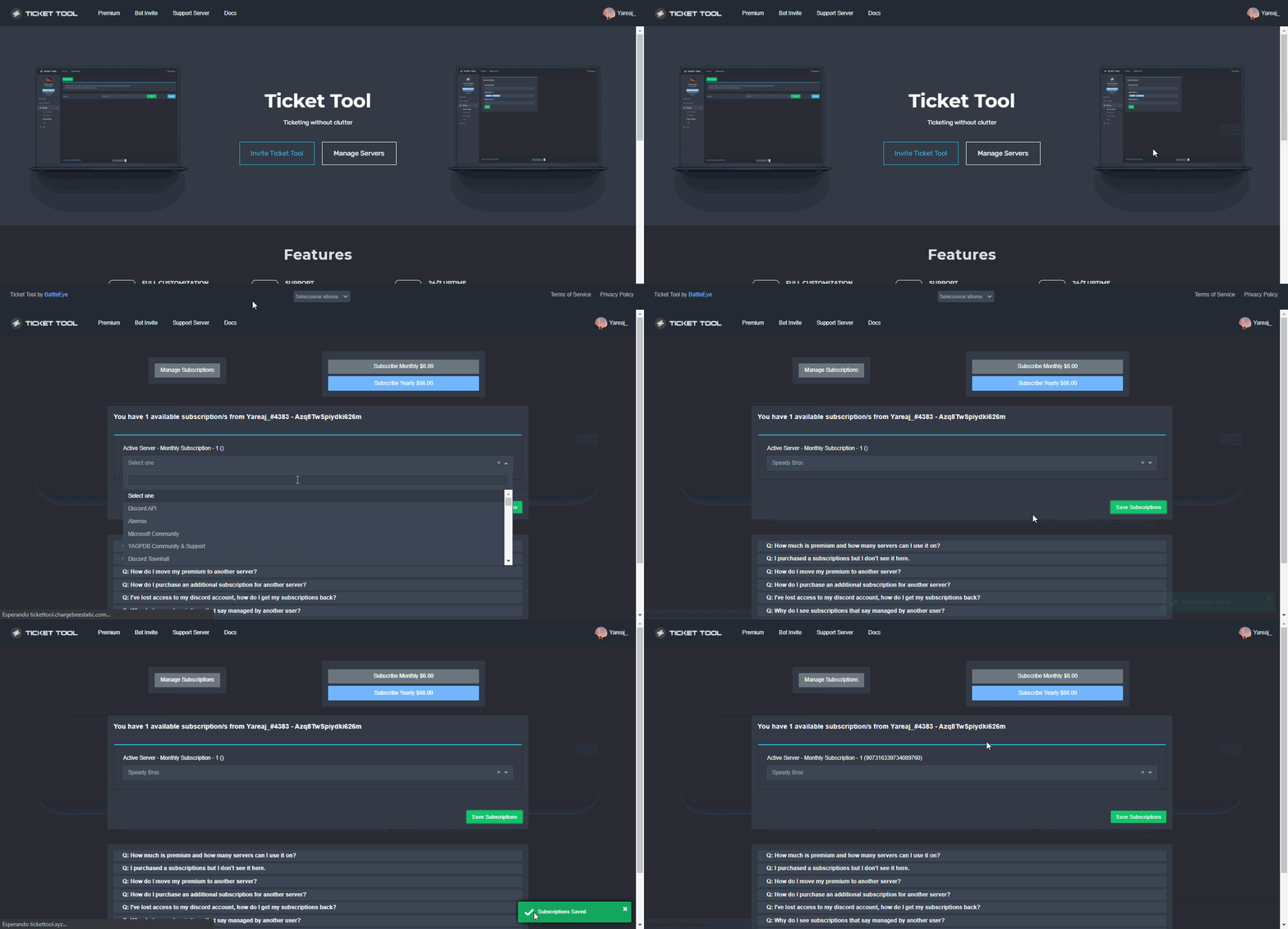 forest goblet
jade topaz
you didnt though.
forest goblet
jade topaz
you didnt though.
Stop arguing. This is the wrong channel for it.
 graceful igloo
is there a way to limit how many tickets can be made at a time
jade topaz
Yes!
humble sequoiaBOT
Unlike the regular Ticket Limit, the global limit will limit the amount of tickets a user can create at the same time for ALL Panels. When a ticket is closed again, the limit resets for that user.
To customize it head over to your Dashboard ➞ Server Configs ➞ Global Ticket Limit
Note:
This is not a limit for how many tickets a user can open at all times or how many tickets you can have open on the server in total. This is just a limit per user for open tickets.
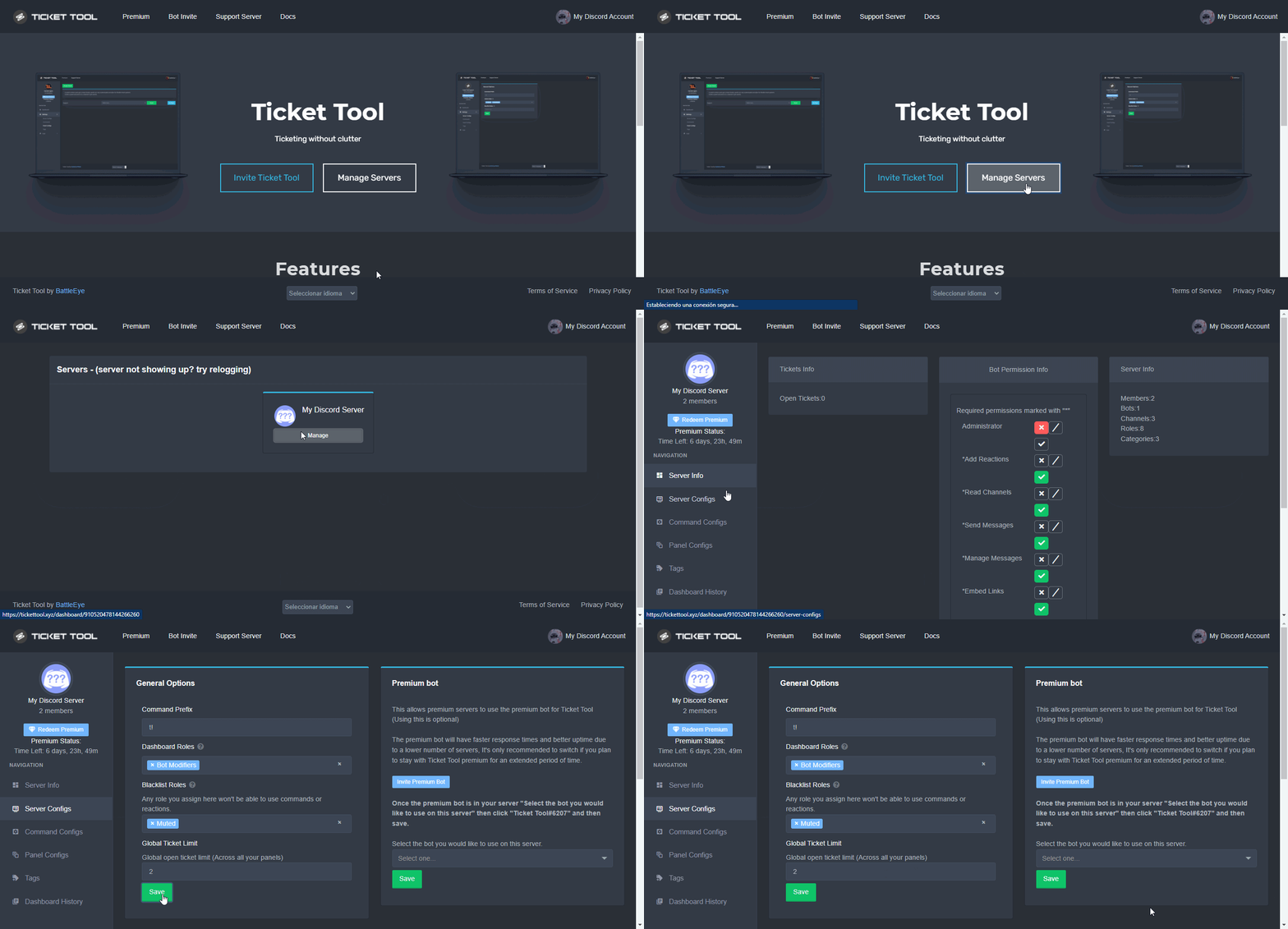
 graceful igloo
jade topaz
Yes!
graceful igloo
jade topaz
Yes!
lovely thx
iron nightBOT
Gave +1 Rep to @sleek bolt
jade topaz
:D
forest goblet
thorny flicker
If that doesn't work, please go to your server's dashboard and click the Redeem Premium button, you can enter your premium key there.
 gilded verge
there is Redeem Premium 😄
 thorny flicker
gilded verge
and when you click redeem premium, then paste your code there:
 thorny flicker
I would like to use premium in my server
This bot @humble sequoia , Not @pseudo glen
forest goblet
Did you receive a premium key via DMs?
thorny flicker
gilded verge
and when you click redeem premium, then paste your code there:
I did it
thorny flicker
forest goblet
Did you receive a premium key via DMs?
Yes

If I get athore votes , and I redeem code I will get 8d ?
forest goblet
thorny flicker
Yes, now you can activate premium like this:
humble sequoiaBOT
The first thing you will need to do is invite the premium bot, an invite can be found here
Once the bot is in your server we will head to the dashboard and manage your server. When you are managing your server, you want to head into "Server Configs" then click the drop down menu under "Select the bot you would like to use on this server" then click "Ticket Tool#6207" and then save.
forest goblet
thorny flicker
If I get athore votes , and I redeem code I will get 8d ?
Yes, you can do the same over and over whenever you reach 6 active votes.
gilded verge
2 votes = 1 day of premium
iron nightBOT
Gave +1 Rep to @forest goblet
forest goblet
You're welcome 🙂
gilded verge
5 minutes cooldown to thanks @user
thorny flicker
You are the best team
forest goblet
Thanks for the kind feedback!
 formal girder
thanks @gilded verge
iron nightBOT
Gave +1 Rep to @gilded verge
formal girder
I'm @thorny flicker 
 heavy umbra
Hello
Is there any option, in the "ticket message" where the Ticket-Tool can mention channels like, for example: #📣│bot-news ???
gilded verge
Hey, something like this?
 heavy umbra
yes
humble sequoiaBOT
Within all the messages the bot's sends (both embeds and text) you can mention either channels, roles, or even users, these mentions will only send a notification to the user if they are used within a text field, e.g: a role mentioned in an embed won't ping at all the users who have that role.
For mentioning a role you can use one out of three options:
{@Role Name} ➞ Which is Case Sensitive.
{RoleID} ➞ Replace RoleId with the Id of the role you are trying to ping.
<@&RoleID> ➞ Discord's native syntax to ping roles.
<#ChannelID> ➞ Mention a channel by its ID.
<@UserID> ➞ Mention a user by its ID.
graceful igloo
jade topaz
Yes!
also was jw, i added the limit yet it can still make more tickets
 gilded verge
*To take every ID, you need to enable developer mode

then, right click on the channel to copy its ID
 gilded verge
Hey, something like this?
gilded verge
gilded verge
Hey, something like this?
final example:Hey! First go to [#980028555343831120](/guild/509192800865353738/channel/980028555343831120/)
iron nightBOT
Gave +1 Rep to @gilded verge
gilded verge
yay! 
graceful igloo
How do I limit the amount of tickets that can be created in the server at a time, the panel didnt work for me for some reason

 high oyster
graceful igloo
How do I limit the amount of tickets that can be created in the server at a time...
high oyster
graceful igloo
How do I limit the amount of tickets that can be created in the server at a time...
Not possible, the global ticket limit applies to a user on a global panel scale.
graceful igloo
So i can't limit the amount of users doing that or is it not possible for that to be happening?
high oyster
graceful igloo
So i can't limit the amount of users doing that or is it not possible for that t...
You can only set limits per user.
graceful igloo
Ah aight thanks
high oyster
graceful igloo
Ah aight thanks

 cedar orchid
Where can i set tickets up??
high oyster
cedar orchid
Where can i set tickets up??
Hey there, please refer to the guide below.
humble sequoiaBOT
You can check our documentation here.
You can also check #573205317870157855 for the basic setup.
Our documentation contains all the info you need about the bot to be able to setup and configure the bot however you like.
jade topaz
ticket tool is not creating panel its showing failed to create pannel bot error
gilded verge
955190218162597908, You know about #546557408902905896, rule 4, right?
jade topaz
i checked perms of ticket tool to it has
gilded verge
Can you show me this error, please?
 gilded verge
uuuu, you need disable premium bot:
humble sequoiaBOT
How to disable the premium bot
To disable the premium bot you will have to go to the Dashboard ➞ Server Configs ➞ Premium bot ➞ And on the right-hand side select the primary free bot in the drop down menu.
Premium features will still work on the normal bot.
jade topaz
ohk
gilded verge
let me know if now it works
jade topaz
tyyyy it works ticket tool on top babe
jade topaz
hi! i wanna move my premium (NOT A SUBSCRIPTION) to a different server that i own. Is that possible? if so, how?
..
high oyster
Yeah I think I read that wrong
jade topaz
yeah
loud turtle
$transferacc
high oyster
Let me ask.
humble sequoiaBOT
How do I transfer my premium subscription from one account to another?
First, your subscription is not linked to your Discord account, but rather it is linked to the email that you purchased premium with.
However you will define which Discord account will be able to manage your subscription.
Go manage subscription and sign in using the email you purchased the premium with. Even if your account got disabled or deleted, you should still be able to sign in either way.
Next, head over to Account Details, and change the details there to match your new account details! Now, your subscription should be tied to your new account
See the GIF below the steps:
 jade topaz
Its not a subscription
loud turtle
jade topaz
hi! i wanna move my premium (NOT A SUBSCRIPTION) to a different server that i ow...
Nope
jade topaz
:/
gilded verge
jade topaz
hi! i wanna move my premium (NOT A SUBSCRIPTION) to a different server that i ow...
Hey, ofc you can.
Go to Dashboard->Server Configs->Config Backup & Restore (Server Owner Only)->Choose Move/Restore Premium to ✅ -> Generate New Key-> and you paste this copied key by going to the dashboard of the server to which you want to transfer premium, then to Server Configs and in the field Restore from backup key you paste the previously generated and copied -> click Restore Configs
 jade topaz
No, its just like- Pablo and some others dropped some free keys in general chat and i wanna move them to a new server
jade topaz
gilded verge
Hey, ofc you can.
Go to `Dashboard`->`Server Configs`->`Config Backup & Restore ...
ill try!
jade topaz
gilded verge
Hey, ofc you can.
Go to `Dashboard`->`Server Configs`->`Config Backup & Restore ...
Your honestly a life saver! Thanks so much! :D
iron nightBOT
Gave +1 Rep to @gilded verge
gilded verge
yay!
 celest lake
Is there anyone support voice?
gilded verge
I am but only in Polish, then sorry 
celest lake
I subscribed, but it does not appear that I subscribed, what should I do?
 wise crown
Hello. I've been having issues with setting up the bot. For some reason I cannot see the server I'm trying to manage on the website when I log in. The bots in the server, but I don't know whats up. The bot has admin privileges and everything..
 cinder badge
wise crown
Hello. I've been having issues with setting up the bot. For some reason I cannot...
cinder badge
wise crown
Hello. I've been having issues with setting up the bot. For some reason I cannot...
I’m not sure if this would solve it or not, but either log out and sign in again or try re-adding the bot
wise crown
cinder badge
I’m not sure if this would solve it or not, but either log out and sign in again...
Okay, I'll do that. Thank you. ^^
iron nightBOT
Gave +1 Rep to @cinder badge
gilded verge
celest lake
I subscribed, but it does not appear that I subscribed, what should I do?
Please don't send me Dm's. If you need help, ask here.
wise crown
I see it now, thank you so much! ❤️
cinder badge
np!
humble sequoiaBOT
Redeeming premium on your server is really simple. Just head over to your Subscriptions Page. There you can select a server of your choice, which will get premium. You can change the server at any point.
short stump
@celest lake ^
jade topaz
Hi, can you change the name and avatar of the bot to the premium version?
jade topaz
jade topaz
Hi, can you change the name and avatar of the bot to the premium version?
Nope!
jade topaz
jade topaz
Nope!
thank you
iron nightBOT
Gave +1 Rep to @sleek bolt
humble sequoiaBOT
Votes
Current Votes: 0
Lifetime Votes: 0
Linked Votes: 0
Vote Links
Linking Info
Linked User: Not Linked
You can give your future votes to another user by linking with that user.
To link use $vote link (@user or userId)
To unlink use $vote unlink
Redeeming
Each vote is worth 12 hours of premium and can be redeemed once you have atleast 6 votes.
Your current votes are worth 0m
To redeem your current votes use $vote redeem
high oyster
 soft tiger
I have 29 rn, and when I say `$vote redeem` nothing happens
soft tiger
I have 29 rn, and when I say `$vote redeem` nothing happens
Are you sure, maybe the bot does not have enough permissions in that channel.
soft tiger
high oyster
Are you sure, maybe the bot does not have enough permissions in that channel.
its like this

do i just give the bot administration ?
jade topaz
is it normal the ticket tool is down?
Hi, since I added ticket tool bot to my server its keep deleting discord invite links, also from de owner of the server. Does anybody know how to fix this?
soft tiger
soft tiger
do i just give the bot administration ?
nvm nothing happened when i did that lol
jade topaz
Can someone help me?
humble sequoiaBOT
⚠️ You're in the wrong place
We provide support for @pseudo glen discord bot and cannot help you with whatever issue you have.
- We don't know which Support Team you should contact to get this issue resolved, and unfortunately we won't be able to accurately tell you.
If you don't have any further questions regarding our bot Ticket Tool, please close this ticket
jade topaz
@jade topaz
jade topaz
jade topaz
is it normal the ticket tool is down?
Seems to be up!
jade topaz
jade topaz
Seems to be up!
hm
jade topaz
soft tiger
do i just give the bot administration ?
Run $debug
it says ticket tool is offline
jade topaz
jade topaz
<@456226577798135808> <:this:894279341108772914>
so I am fucked?
 urban bolt
سلام عليكم ورحمه الله وبركاته
radiant moss
jade topaz
<@456226577798135808> <:this:894279341108772914>
Not a $tts question
radiant moss
jade topaz
so I am fucked?
Are you sure it’s TicketTool? Ticket tool will no my delete invites and if it is can you send the audit logs?
jade topaz
radiant moss
Are you sure it’s TicketTool? Ticket tool will no my delete invites and if it is...
audit-log do not say anything
I can only see the logs from dyno that something deleted it
radiant moss
jade topaz
I can only see the logs from dyno that something deleted it
deleting the actual invite message?
If so it’s not Ticket tool as it will never delete other messages. Maybe it’s an automod feature from dyno?
worldly saffron
hello~ is there a Option/Feature for a Ticket to Have the UserTag instead of the amount Tickets opened?
 high oyster
@worldly saffron Yes there is go to the Dashboard -> Panel Configs -> Settings -> Ticket Options -> Ticket Opened Channel Name replace Ticket with {author.name} for example, you can see the rest of the Supported Variables at the bottom of each Panel Configs -> Settings list
worldly saffron
high oyster
<@695237423281471589> Yes there is go to the Dashboard -> Panel Configs -> Setti...
Ahh oke~ i forgot to mention that it was for Free Version Ticket Tool but thanks for the Info about it
iron nightBOT
Gave +1 Rep to @high oyster
 fair crescent
i want to go premium can any one show me some cool features for premium?
slender minnow
Yes you can, by adding their role as support and allowing the support role to view tickets from the panel config -> Permissions
slender minnow
fair crescent
i want to go premium can any one show me some cool features for premium?
refer to the response below
jade topaz
fair crescent
i want to go premium can any one show me some cool features for premium?
Get the free trial!
slender minnow
$perms
humble sequoiaBOT
ᅠ
@pseudo glen requires the following permissions:
Add Reactions
Read Channels
Send Messages
Manage Messages
Embed Links
Attach Files
Read History
Manage Roles
Manage Channels
To change the role permissions, you can go to your Discord Server ➞ Server Settings ➞ Roles ➞ @Ticket Tool
To change the channel permissions, you can go to your Channel Settings ➞ Permissions ➞ Ticket Tool
ᅠ
Note:
You can give Ticket Tool Administrative Permissions instead of all the permissions listed above, but it's entirely optional and NOT necessary.
fair crescent
can i join someones server that does have premium so i can visually see the cool options?
iron nightBOT
Gave +1 Rep to @slender minnow
slender minnow
fair crescent
can i join someones server that does have premium so i can visually see the cool...
You can have a 7 day trial period, you can start your trial period from your server dashboard 🙂
fair crescent
i enabled but i just wanted to see without doing any harm to my server

 radiant moss
Don't ping staff. And its a temporary rate limit usually lifted within an hour
 cedar orchid
How much time to wait
radiant moss
Usually less than an hour
cedar orchid
Ohh ok ty
radiant moss
 cyan rover
How to open ticket?
cyan rover
How to open ticket?
For support? Its closed right now
 plain sandal
hello
radiant moss
plain sandal
hello
hello need help with something?
plain sandal
yes
radiant moss
What do you need help with?
 vital crescent
Hello!
When a member closes a ticket many pop ups as shown appear. Does anyone know how to remove these on the dashboard for members? Thanks!
 plain sandal
I logged into the bot, but my server does not appear in the dashboard
humble sequoiaBOT
Don't see your server in the dashboard?
You will possibly need to relog. Look below to see steps on how to relog.
How to relog in the Dashboard.
First, you will need to go to the dashboard. Once your there, click on your avatar on the top right. after you clicked it, you will see button that says Logout. You must click that. Once you have logged out, you can log back in.
Note:
You need one of these 3 things to access the dashboard.
1. Server Owner (Level: 6)
2. Server Administrator (Level: 4)
3. Dashboard Role (Level: 2)
:warning: You can check your level using $level on your Discord Server
User permission level with Ticket Tool
@User is permission level: 0 (User)
```» *If it shows that your permission is **0**, you don't have any of the above **3 things** to manage the dashboard.*


**See the GIF below on how to relog:**@plain sandal please refer above ^
 turbid ivy
Hi there, is it possible for a certain role to only see tickets from one panel? I have 3 panels on my server - whitelist claim, support ticket and collab request. Admins and mods can see all the tickets, but I additionally want collab managers to see only collab request tickets. I put their role in the support team in that panel, but they can't see the tickets. How to fix this?
 peak wing
Please help me, i cant make a ticket again
slender minnow
turbid ivy
Hi there, is it possible for a certain role to only see tickets from one panel? ...
You can create a seperate panel for collab (assuming you havent made one yet) and add the collab manager role in the support role. You can manage their perms through Permission options while configuring the panel.
turbid ivy
slender minnow
You can create a seperate panel for collab (assuming you havent made one yet) an...
As I have stated before, I have a seperate panel for collab requests and collab managers are listed on the support team, but they can't see the tickets. Any ideas why and how to fix it?
The mods and admins can see them, just the collab managers can't
slender minnow
Can you screenshot me from panel config (of the collab panel) ---> Permission option ---> Support team permission
turbid ivy
slender minnow
Can you screenshot me from panel config (of the collab panel) ---> Permission op...
here you go

Seems to me it's a bug of some kind, because only one role out of three that are on the support team can't see the tickets
slender minnow
turbid ivy
Seems to me it's a bug of some kind, because only one role out of three that are...
were the perms changed after the ticket was made?
turbid ivy
you mean permissions in the panel? No, I haven't made any changes
ohhh give me a second, I might've figured it out
slender minnow
turbid ivy
ohhh give me a second, I might've figured it out
That's great :D
what went wrong, if you dont mind me asking :)
turbid ivy
slender minnow
That's great \:D
what went wrong, if you dont mind me asking \:)
Sure, it's not a bug, I just presumed that when I put the collab manager role in the support team, that they would be able to see the tickets that were already opened before I put them on the support team. That was a mistake - they'll only be able to see the tickets that will be opened after I put them on the support team
 reef temple
Kj
slender minnow
turbid ivy
Sure, it's not a bug, I just presumed that when I put the collab manager role in...
i see, its great that was fixed ^^
turbid ivy
slender minnow
i see, its great that was fixed ^^
Me too, thanks for the fast response either way!
iron nightBOT
Gave +1 Rep to @slender minnow
slender minnow
np
 dim schooner
Anyone know how i can set an channel category where ticket will be creating?
Or it will be creating every time on top
jade topaz
$help category
humble sequoiaBOT
How to set the open category
To set a open category go to the Dashboard -> Panel Configs -> Settings -> Category Options -> Category Open
dim schooner
ty
dim schooner
Thank you @jade topaz
iron nightBOT
Gave +1 Rep to @sleek bolt
jade topaz
:D
jade topaz
Failed: `Invalid Form Body
components[0].components[0].emoji.id: Invalid emoji can sumone help?
slender minnow
$sf
humble sequoiaBOT
FAQ: System Failure
- System Failure: @Ticket Tool Missing permission(s): PERMISSION(S)
+ Ticket Tool is missing permissions to work properly, check the mentioned permissions by the bot in the channel, in the category, and in the role. You can use $debug as a help tool.
- System Failure: Panel “XX” not found
+ The panel they are trying to interact with has been deleted.
- Failed: `Invalid Form Body components[X].components[X].emoji.id: Invalid emoji
+ The bot no longer has access to the emoji (external server) or the emoji has been deleted
- Failed: `Invalid Form Body components[X].components[X]: this is a required field
+ There is a certain necessary field you left blank. You will have to input a valid argument (most likely text) in the required field for ticket tool to continue functioning normally.
- System Failure: allMessages.users.sort is not a function
- System Failure: Unknown Webhook
- System failure: Service unavailable?
- System Failure: Internal Server Error
+ The bot has run into an issue, please try again as these are cases that tend to fail only once, if the problem is persistent, contact our support team
- Warning: Ticket Tool Failed to connect to it's database, please wait or try again.
+ There might be an issue with Ticket Tool, most likely a database issue, you'll have to wait a few minutes before creating another ticket. This is in place to prevent certain bugs to happen with tickets
@jade topaz please refer the response above ^
jade topaz
what emoji?
tho
 u mean sum like that?
or (external server)
but the bot is still in my server
@slender minnow
 slender minnow
jade topaz
<a:emoji_110:974261017745965066> u mean sum like that?
slender minnow
jade topaz
<a:emoji_110:974261017745965066> u mean sum like that?
either of those two, if you are using an external server as a source then make sure that ticket tool is still in the server
if you are using an emoji from your server, then make sure that the emoji is not deleted
humble sequoiaBOT
You can check our documentation here.
You can also check #573205317870157855 for the basic setup.
Our documentation contains all the info you need about the bot to be able to setup and configure the bot however you like.
weak oasis
 shell condor
bot is not responding to debug
shell condor
bot is not responding to debug
check your prefix or if you have premium enabled
jade topaz
jade topaz
it was working last night, then i got off and come on to this
^ @slender minnow
shell condor
weak oasis
check your prefix or if you have premium enabled
prefix $ premium off
forest goblet
jade topaz
The faulty emoji seems to be :8200verifygreen:. Are you sure Ticket Tool is in the server this emoji is from?
weak oasis
shell condor
prefix $ premium off
can you screenshot it?
jade topaz
:8200verifygreen:
shell condor
weak oasis
can you screenshot it?
what fragment
weak oasis
shell condor
what fragment
server config
shell condor
 jade topaz
forest goblet
The faulty emoji seems to be `:8200verifygreen:`. Are you sure Ticket Tool is in...
jade topaz
forest goblet
The faulty emoji seems to be `:8200verifygreen:`. Are you sure Ticket Tool is in...
ooh, i see now
slender minnow
jade topaz
it was working last night, then i got off and come on to this
can you check if the emoji is still in the server?
jade topaz
 slender minnow
was it from an external server?
jade topaz
yea i think
shell condor
THX
weak oasis
no problem buddy
slender minnow
jade topaz
yea i think
can you confirm if its still there?
and that tt is still in that server
jade topaz
idk what server it came from, i just clicked on custom, but i got it to work anyways thanks guys
upper flower
oi
forest goblet
Please calm down. You were asking how to set up the bot, and you were given a guide. What's the problem?
 abstract ether
Hi ! I have a problem.. When I want to open a ticket, it shows me this message:
 forest goblet
jade topaz
how do people put emojis in ticket panels?
forest goblet
jade topaz
how do people put emojis in ticket panels?
You can escape emojis by putting a \ before them and then sending the message. The output can be copy-pasted into the text field on the dashboard.
abstract ether
abstract ether
Hi ! I have a problem.. When I want to open a ticket, it shows me this message:
And when it creates the ticket for me, it deletes it instantly
forest goblet
abstract ether
Hi ! I have a problem.. When I want to open a ticket, it shows me this message:
Please make sure that
- Ticket Tool can access the channel that the panels are in.
- The ticket channel that was created was not deleted.
forest goblet
abstract ether
And when it creates the ticket for me, it deletes it instantly
If the channel is deleted instantly, that's most likely caused by another bot. Please check audit logs in your server.
abstract ether
forest goblet
Please make sure that
1. Ticket Tool can access the channel that the panels are ...
the bot has admin permission
cyan rover
@forest goblet how to I open a ticket?
forest goblet
cyan rover
<@765994339565699083> how to I open a ticket?
Hey, please don't ping for support. By "open a ticket", do you mean this server or your own server?
cyan rover
This server
forest goblet
cyan rover
This server
Tickets are currrently locked, please see #📣│server-news. If you need help with the bot, you can just ask here.
 rigid marlin
How do ?
 humble sequoiaBOT
Multipanels are a premium feature that allow for a single panel with multiple buttons to open different tickets.
How to create a Multipanel
Premium users can combine multiple panels into one multipanel.
First, find the IDs of each panel you wish to combine. You can find them in your Panel Configs in the Dashboard
Next, send the multipanel to a channel using $panel [id1] [id2] {id3} ....
e.g. $panel 1 2 4 17 35 to combine panels 1, 2, 4, 17 and 35.
Up to 25 panels may be combined.
radiant moss
@rigid marlin
rigid marlin
radiant moss
<@761127808411631617>
thx