#🆘│community-support
1 messages · Page 195 of 1
 strong turret
 pseudo ravine
Hey there! Please refer to the embed below!
 humble sequoiaBOT
Any role you put there will have full access to the ticket tool dashboard. The server owner and users with admin permissions already have access to the dashboard.
Be careful of which roles to put here

 dreamy agate
Is it possible to organize tickets into level or importance categories. Say I want to have an urgent category as well as non urgent. That I can assign to tickets after created.
 austere forge
dreamy agate
Is it possible to organize tickets into level or importance categories. Say I wa...
austere forge
dreamy agate
Is it possible to organize tickets into level or importance categories. Say I wa...
You can use our new feature in full development, escalate, to do this. Once the ticket has been created, move it to a specific category - Dashboard > Panel configs > Escalate
 dark minnow
@humble sequoia
 warm glacier
any reason why the tool wont add panels for me?

i deleted where the panel used to be cause i needed to move it to a different channel, but now it wont add a panel at all
austere forge
warm glacier
i deleted where the panel used to be cause i needed to move it to a different ch...
You have used the /setup command right ?
warm glacier
yes
i alr had a panel open
but i deleted it and needed to move it to a different channel
austere forge
Alright, for this to work properly, make sure you do it from your Dashboard please
humble sequoiaBOT

Ticket Tool - Ticketing without clutter - The #1 Discord support bot
austere forge
This is better than the /setup command
warm glacier
i still have no clue what im doing tbh
austere forge
All good, you can go to Panel configs > and use the button SEND and select the new channel for your panel
warm glacier
ty
 brisk panther
I need help setting up the ticket tool in my discord server. I'm trying but it's not working.
 high hamlet
Have russian moderator?
 edgy nymph
Quero abrir um ticket
 tranquil sun
hey
if a have 2000+ tickets can i close all in a row?
using only one button
for all?
 worldly helm
tranquil sun
if a have 2000+ tickets can i close all in a row?
worldly helm
tranquil sun
if a have 2000+ tickets can i close all in a row?
Hey 👋
Discord only allows up to 500 Channels, but you can use the /purge command.
austere forge
brisk panther
I need help setting up the ticket tool in my discord server. I'm trying but it's...
Refer to the embed below this is a quick easy guide to setup Ticket tool on your server ⬇️
 stark runeBOT
1. Invite Ticket Tool to your server
First you will want to invite the bot to your server. Once the bot is in your server, you can manage your server in the dashboard.

2. Create a Panel
To create a panel we are going to need to head over to the panel configs on the dashboard.
Once at the dashboard we will need to click Create Panel.
Enter a panel name (Fill in any optional settings you want).
Click Create Panel and your ready to get started with configuring your panel.
An example of a creating a panel is shown below.

3. Send the Panel to a Channel
Once you've created a panel on the dashboard you will need to send it to a channel using send on the dashboard.
Select the channel you want your panel to be created in and click send.
For other questions checkout $help faq.
An example of a sending a panel is shown below.
Having a Problem Sending the Panel?
Do $debug in a channel with Ticket Tool and make sure it has all the necessary Discord permissions.
 brisk panther
austere forge
Refer to the embed below this is a quick easy guide to setup Ticket tool on your...
brisk panther
austere forge
Refer to the embed below this is a quick easy guide to setup Ticket tool on your...
yeah im stuck on step one. the server isnt popping up in my dashboard
austere forge
brisk panther
yeah im stuck on step one. the server isnt popping up in my dashboard
Refer to the embed below for this ⬇️
humble sequoiaBOT
Don't see your server in the dashboard?
Try using the Sync Servers button on your top center of the Dashboard page
If this doesn't work
You should relog from the dashboard, you can do this by clicking here to log out immediately, and then log back in
Note:
You need one of these 3 things to access the dashboard.
1. Server Owner (Level: 6)
2. Server Administrator (Level: 4)
3. Dashboard Role (Level: 2)
:warning: You can check your level using the </permissionlevel:1029797400174399542> command on your Discord Server
If the bot's response is:
- @User is permission level: 0 (User)
You don't have any of the 3 levels required to access the server's dashboard
 austere forge
Glad to hear! let me know if you have any questions ;)
brisk panther
austere forge
Glad to hear! let me know if you have any questions ;)
k will do. i figured out the problem was i was on the wrong account
 slim veldt
I've got the free trial but I can't use any of the premium features. Is there a delay or limitation?
austere forge
slim veldt
I've got the free trial but I can't use any of the premium features. Is there a ...
Please use the  button above your server name in your Dashboard
austere forge
 versed galleon
Where to make a ticket
versed galleon
Where to make a ticket
if its related to Ticket tool > #🎫│make-a-ticket
tranquil sun
worldly helm
Hey 👋
Discord only allows up to 500 Channels, but you can use the /purge comma...
but im not the owner
 cold forge
Hey, how can i make that users can make unlimited tickets? So this doesnt pop up: Ticket limit reached, You already have 1 tickets open of the 1 allowed for this panel
worldly helm
tranquil sun
but im not the owner
It is not possible for you to do that then.
 hard radish
How do you create the thing that people use to make the ticket
 signal shadow
If Main Server got termed + Main Account, can transfer premium to another account I have?
 tight trellis
I’m trying to setup the ticket tool bot in my server, and it’s not working with any commands
(Nvm figured it out)
humble sequoiaBOT
━━ Conan [Online]'s inquiry has been moved to a ticket ━━
 karmic grove
cold forge
Hey, how can i make that users can make unlimited tickets? So this doesnt pop up...
karmic grove
cold forge
Hey, how can i make that users can make unlimited tickets? So this doesnt pop up...
On the dashboard, you should have a Limits button. Then you can add roles for which limits don't apply, including "everyone"
 restive condor
hard radish
How do you create the thing that people use to make the ticket
restive condor
hard radish
How do you create the thing that people use to make the ticket
Hey there! See below please
karmic grove
hard radish
How do you create the thing that people use to make the ticket
On TicketTool it is called a panel. You can set it up from the dashboard, then Send it to whichever chanel you like on the server.
stark runeBOT
1. Invite Ticket Tool to your server
First you will want to invite the bot to your server. Once the bot is in your server, you can manage your server in the dashboard.
2. Create a Panel
To create a panel we are going to need to head over to the panel configs on the dashboard.
Once at the dashboard we will need to click Create Panel.
Enter a panel name (Fill in any optional settings you want).
Click Create Panel and your ready to get started with configuring your panel.
An example of a creating a panel is shown below.
3. Send the Panel to a Channel
Once you've created a panel on the dashboard you will need to send it to a channel using send on the dashboard.
Select the channel you want your panel to be created in and click send.
For other questions checkout $help faq.
An example of a sending a panel is shown below.
Having a Problem Sending the Panel?
Do $debug in a channel with Ticket Tool and make sure it has all the necessary Discord permissions.
 lament pike
Why is it showing “the application did not respond.”?
pseudo ravine
Hey there! Please ensure Ticket Tool has the View Channel and Send Messages permissions in the channel
lament pike
pseudo ravine
Hey there! Please ensure Ticket Tool has the `View Channel` and `Send Messages` ...
I did.
pseudo ravine
What are you doing that Ticket Tool is sending this error?
lament pike
pseudo ravine
What are you doing that Ticket Tool is sending this error?
Nvm, I fixed it.
pseudo ravine
That's great! Thanks for choosing Ticket Tool!
 zenith sparrow
Can Somone tell me how to make the ticket so only I. The owner or staff can see it and no one else can type in in the ticket when it’s created
 static yarrow
Quick question, how do I make it so ticket tool will ping a certain role in the tickets? I’ve done it in the past but now it shows up as unknown user
 waxen widget
Guys how do you fix the “application did not respond” problem? Ive been trying every way possible and theres none
lament pike
waxen widget
Guys how do you fix the “application did not respond” problem? Ive been trying e...
Make sure it has view channel and send messages perms.
waxen widget
lament pike
Make sure it has view channel and send messages perms.
mkmk
 wintry lava
 mild barn
Hey guys, I need help with setting up a verification ticket tool. Where can I find a video or a step-by-step process?
humble sequoiaBOT

You can check our documentation here;
You can also check #📂│information for the basic setup, or run the </setup:1025379472167403530> command within #🤖│bot-spam to find information on how to setup Ticket Tool.
Alternatively, you can use the /setup command with Ticket Tool in your own server to setup the basics of Ticket Tool!
Our documentation contains all the info you need about the bot to be able to setup and configure the bot however you like.
 slender minnow
@mild barn see above for getting started 
 unkempt plank
 unkempt plank
unkempt plank
unkempt plank
Is it possible to add ticket creation in this voice channel text chat?
 drowsy axle
Hello, the bot works as advertised, but when I click on the button to generate a transcript it says that no transcript channel is set. On the dashboard, it shows that a channel is set. What could be causing this?
 jovial cobalt
Hello, how to find the history of a ticket's closure?
 timber kernel
drowsy axle
Hello, the bot works as advertised, but when I click on the button to generate a...
timber kernel
drowsy axle
Hello, the bot works as advertised, but when I click on the button to generate a...
Hello, please be sure you have set the transcript channel for the correct panel in case you have multiple. If this does not help, I would need your server name or id do have a look at your settings.
In case you want not share that here, please open a ticket -> #🎫│make-a-ticket
timber kernel
jovial cobalt
Hello, how to find the history of a ticket's closure?
Hello,
you need to enable logging for that. In case it is not enabled yet, you cannot see it for old tickets.
drowsy axle
timber kernel
Hello, please be sure you have set the transcript channel for the correct panel ...
that fixed it, thanks! I didn't even think to check
 iron nightBOT
Gave +1 Rep to @timber kernel (current: #24 - 265)
timber kernel

 night lotus
Is anyone else having a problem with purchased and already redeemed Gold Coins on Nutaku.net? Immediately after installing the update, I logged into my account and noticed that all purchased real-money content was gone. I can rebuy everything, but that's not the point? I looked at offgamers and the codes have already been redeemed. Where did my real-money content go? Please help.
humble sequoiaBOT

⚠️ You're in the wrong place
We provide support for Ticket Tool Discord bot and cannot help you with whatever issue you have.
- We don't know which Support Team you should contact to get this issue resolved, and unfortunately we won't be able to accurately tell you.
If you don't have any further questions regarding our bot Ticket Tool, please close this ticket
 agile lance
night lotus
Is anyone else having a problem with purchased and already redeemed Gold Coins o...
agile lance
night lotus
Is anyone else having a problem with purchased and already redeemed Gold Coins o...
I'm sorry, but we provide support for Ticket Tool bot. We cannot help with whatever issue you have, so unfortunately we cannot accurately tell you. Further information can be found here: #🆘│community-support message
agile lance
humble sequoia
Oh-
 grizzled summit
 lyric parrot
O meu painel não está pegando queria muito ajud
lyric parrot
O meu painel não está pegando queria muito ajud
Abra um chamado de suporte em #🎫│make-a-ticket. Nossa equipe de suporte em português poderá ajudar você quando estiver disponível.
 granite violet
The roles are not working
night lotus
Is anyone else having a problem with purchased and already redeemed Gold Coins on Nutaku.net? Immediately after installing the update, I logged into my account and noticed that all purchased real-money content was gone. I can rebuy everything, but that's not the point? I looked at offgamers and the codes have already been redeemed. Where did my real-money content go? Please help.
grizzled summit
night lotus
Is anyone else having a problem with purchased and already redeemed Gold Coins o...
You are in the wrong place. We cannot assist you here.
night lotus
Where iam right? 🙂
grizzled summit
night lotus
Where iam right? 🙂
We are not sure. We can not assist you here. Maybe the original server you were in.
night lotus
What means "original" Server?
grizzled summit
This is the wrong server. We are not sure where you can receive support. Sorry.
 icy needle
How many tickets can I store with the free version?
cold forge
karmic grove
On the dashboard, you should have a Limits button. Then you can add roles for wh...
Thanks
iron nightBOT
Gave +1 Rep to @karmic grove (current: #227 - 2)
cold forge
icy needle
How many tickets can I store with the free version?
Defenitly enough
 jade topaz
Where can I create a ticket?
 limber portal
jade topaz
limber portal
jade topaz
How does claiming work?
humble sequoiaBOT
Our claiming feature allows your support team to assign tickets to a support member. With this feature you will be able to change the ticket's name, it's category and permissions! We highly encourage you to explore this feature by checking our Claiming Options Documentation
Note: This is a 💎 Premium exclusive feature.
 agile lance
humble sequoia
agile lance
humble sequoia
@jade topaz Please see above.
 tranquil sun
how looks the thread style?
worldly helm
tranquil sun
how looks the thread style?
Hey! 👋
You can test at #demo-threads
tranquil sun
and can I make it so that when 5 hours pass without answering a ticket is automatically deleted?
@worldly helm
restive condor
 ebon gorge
Hey there! Could you try the /debug command please
tranquil sun
tranquil sun
and can I make it so that when 5 hours pass without answering a ticket is automa...
@restive condor srry for the ping but can you help me?
restive condor
tranquil sun
and can I make it so that when 5 hours pass without answering a ticket is automa...
Yep, you can use our Automations feature for that
humble sequoiaBOT
With Ticket Tool's automation, you'll be able to customize your ticket system workflow! Using the Automation Editor you can:
- Chose out of 6 different triggers
- Set a Message Watcher to wait for a message for a given time, or to wait for the absence of them
- Add delays on the execution of actions after the trigger or watcher finds a message!
Automation Command
Automations can be stopped, by running the /automation stop command inside the ticket you want it to stop in. Restart it with /automation start You'll also be able to view the current status of the automations with /automation.
__Important Notes__
- Automation is on ALPHA TESTING PHASE, things might work unexpectedly or not at all.
- Any automation will run for a maximum of 7 days or until the ticket is closed, afterward, it will stop checking
+ You can have 5 automations per panel

$auto
restive condor
See above ^
Use the "Check for Message Trigger"
Let me know if you have any questions🙏
 worldly helm
tranquil sun
thats right?
worldly helm
tranquil sun
thats right?
Correct
tranquil sun
worldly helm
Correct
okeyy
so if now my support team sends a message and in 6 hours they don't answer, it is deleted
 hidden pine
Hey so I’m trying to set up my discord with the ticket bot and for some reason it won’t let me do the very first set up to get the ball rolling does anyone have any idea what I’m doing wrong?
austere forge
hidden pine
Hey so I’m trying to set up my discord with the ticket bot and for some reason i...
Refer to the embed below this is a quick easy guide to setup Ticket tool on your server ⬇️
stark runeBOT
1. Invite Ticket Tool to your server
First you will want to invite the bot to your server. Once the bot is in your server, you can manage your server in the dashboard.
2. Create a Panel
To create a panel we are going to need to head over to the panel configs on the dashboard.
Once at the dashboard we will need to click Create Panel.
Enter a panel name (Fill in any optional settings you want).
Click Create Panel and your ready to get started with configuring your panel.
An example of a creating a panel is shown below.
3. Send the Panel to a Channel
Once you've created a panel on the dashboard you will need to send it to a channel using send on the dashboard.
Select the channel you want your panel to be created in and click send.
For other questions checkout $help faq.
An example of a sending a panel is shown below.
Having a Problem Sending the Panel?
Do $debug in a channel with Ticket Tool and make sure it has all the necessary Discord permissions.
hidden pine
Where do I find the send on the dashboard
austere forge
hidden pine
Where do I find the send on the dashboard
Dashboard > Panel config - button SEND on top
hidden pine
Thank you
 kind willow
Idk what to do from here:(
 austere forge
We can't tell you, we're not related to this server so we can't help you sorry
austere forge
You’re in the wrong place
 jade moth
bro my old acc is temred but i need an transcript thats send to my old acc but im still logged in on tickettol website with my old acc is there anyway i can see all my transcripts
austere forge
If you no longer have access to the server where the transcripts were stored, unfortunately there’s no way to retrieve them
jade moth
austere forge
If you no longer have access to the server where the transcripts were stored, un...
oh shiii
so the only fix is to get my acc unbanned?
austere forge
correct
 jade moth
austere forge
correct
jade moth
austere forge
correct
shii
austere forge
tranquil sun
hey that isnt working
please #premium-tickets
humble sequoiaBOT
Você está no lugar errado
Fornecemos suporte para Ticket Tool Discord bot e não podemos ajudá-lo com qualquer problema que você tenha.
- Não sabemos qual equipe de suporte você deve entrar em contato para resolver esse problema e, infelizmente, não poderemos informar com precisão.
Se você não tiver mais dúvidas sobre nossa ferramenta de ticket de bot, feche este ticket
limber portal
@uneven condor ^
austere forge
You've already been told that you're in the wrong place
We don't know, we can't help you here, you're on a Discord server to support the Ticket tool bot, nothing else
 solemn knoll
There was a [ button] under the ticket tool, but I can't see it all of a sudden. What should I do?
the button creatoe ticket is activated.😭
 austere forge
solemn knoll
There was a [ button] under the ticket tool, but I can't see it all of a sudden....
austere forge
solemn knoll
There was a [ button] under the ticket tool, but I can't see it all of a sudden....
Can you provide me your server ID please ?
solemn knoll
[ 1294625844664340481 ]
 austere forge
solemn knoll
[ 1294625844664340481 ]
austere forge
solemn knoll
[ 1294625844664340481 ]
Dashboard > Panel configs > Dropdown - You have enabled the dropdown option, without even adding the necessary elements, you need to disable it  or add the elements
 austere forge
 olive phoenix
how do i fix this
olive phoenix
how do i fix this
Can you provide me your server ID please ?
olive phoenix
1364041197944832010
austere forge
Alright so - you have selected the gold bot on your dashboard, but it doesn't seem to be on your server
You can refer to the embed below to invite him ⬇️
humble sequoiaBOT
The first thing you will need to do is invite the premium bot, an invite can be found here
Once the bot is in your server we will head to the dashboard and manage your server. When you are managing your server, you want to head into "Server Configs" then click the drop down menu under "Select the bot you would like to use on this server" then click "Ticket Tool#6207" and then save.
 austere forge
Simply click on "here" to invite him on your server
olive phoenix
ye ggs im sped 🙏
 nimble forum
Hello, when someone opens a ticket and after a period of time they don't see the context of the ticket. Is it a bug or easy fix?
 winged marsh
Need help closing the ticket won’t let me on the server though
jade topaz
Why when i click on my server dashboard it says that i dont have access to my own server
 marsh holly
When i do the /setup comand i says only and min or a person with dashboard and i cant invite my own server
restive condor
marsh holly
When i do the /setup comand i says only and min or a person with dashboard and i...
Hi there, you're most likely missing permissions to configure the bot
Please ask a server admin or the owner to set it up
restive condor
jade topaz
Why when i click on my server dashboard it says that i dont have access to my ow...
Hey there! Please try the steps below
humble sequoiaBOT
Don't see your server in the dashboard?
Try using the Sync Servers button on your top center of the Dashboard page
If this doesn't work
You should relog from the dashboard, you can do this by clicking here to log out immediately, and then log back in
Note:
You need one of these 3 things to access the dashboard.
1. Server Owner (Level: 6)
2. Server Administrator (Level: 4)
3. Dashboard Role (Level: 2)
:warning: You can check your level using the </permissionlevel:1029797400174399542> command on your Discord Server
If the bot's response is:
- @User is permission level: 0 (User)
You don't have any of the 3 levels required to access the server's dashboard
restive condor
nimble forum
Hello, when someone opens a ticket and after a period of time they don't see the...
Hey there!
Dashboard > Panel Configs > Permissions > Ticket Owner Permissions - Edit Opened >  Read Message History
 jade topaz
Thanks Dan im gonna try big brother
limber portal
 tender bobcat
Hey, make sure your account has a verified email
tender bobcat
limber portal
Hey, make sure your account has a verified email
Ok let me see
tender bobcat
limber portal
Hey, make sure your account has a verified email
I just checked it's already verified
pseudo ravine
Hey there! You’ve been given a guide to help fix your issue
pseudo ravine
humble sequoia
Please refer the guide that Dan sent
pseudo ravine
jade topaz
That shi didnt work it was basic af
How exactly did it not work? Just saying “it didn’t work” doesn’t help us fix the issue
pseudo ravine
I’m not an AI, I’m trying to get more information to help you
pseudo ravine
Please run the “/debug” command in your server
 mighty thistle
The Support team is allowed to ask logical questions to better understand your concern. 😄
jade topaz
Ok
jade topaz
mighty thistle
The Support team is allowed to ask logical questions to better understand your c...
😁
I did it but nothing changed
....am i the honored one
pseudo ravine
Please logout of the dashboard and relogin
jade topaz
Thanks...it worked
pseudo ravine
You’re welcome, glad I could help! Thanks for choosing Ticket Tool!
 worn vapor
hello how can i setup auto display raise tkt buttons
pseudo ravine
Hey there! Is this related to the Ticket Tool Discord bot?
pseudo ravine
How does that relate to Ticket Tool?
worn vapor
i m configuring ticket tool discord bot in server but unable to add auto button raise tkt , so that people can click and raise
pseudo ravine
So you need the message that lets your members create a ticket?
worn vapor
yesss
pseudo ravine
Please refer to the embeds below!
humble sequoiaBOT
First you will want to invite the bot to your server. Once the bot is in your server, you can manage your server in the dashboard.
To create a panel we are going to need to head over to the Panel Configs Tab on the Dashboard.
Once at the dashboard we will need to click Create Panel.
Enter a panel name (Fill in any optional settings you want).
Click Create Panel and you are ready to get started with configuring your panel.
An example of a creating a panel is shown below.
Once the panel has been created, use the blue Send button and select the channel you want the panel to be sent to.
The Panel wasn't send
Use the </debug:1029783024264564765> command to diagnose possible permission issues with the bot.
worn vapor
thanks
pseudo ravine
You’re welcome, glad I could help! Thanks for choosing Ticket Tool!
 low phoenix
jade topaz
low phoenix
jade topaz
In your server
tender bobcat
pseudo ravine
You’re welcome, glad I could help! Thanks for choosing Ticket Tool!
Whenever i opened ticket it's showing unknown role but it's not pinging the role


 flat cobalt
Help
tender bobcat
Please help
flat cobalt
I enabled the save transcript to Google drive feature, how do I mass save old transcripts too that were transcripted before enabling this feature?
@pseudo ravine
Sorry
restive condor
flat cobalt
**I enabled the save transcript to Google drive feature, how do I mass save old ...
Hi there, that wouldn't be possible unfortunately
I suppose you could manually download and upload each one individually to your drive
restive condor
tender bobcat
Whenever i opened ticket it's showing unknown role but it's not pinging the role
You're using the wrong format. It's <@&ID>
flat cobalt
restive condor
Hi there, that wouldn't be possible unfortunately
Could you make it a feature?
It would be a life saver
As in on the website “export transcripts to csv or so
Premium only of course
restive condor
We don't have access to transcripts in anyway unfortunately
But feel free to suggest it
humble sequoiaBOT

Suggestions for Ticket Tool
To make a suggestion use the s!suggest suggestion command in #🤖│bot-spam. Note that you'll suggestion will be first reviewed by our Support Team before it's posted into #💡│suggestions, channel in which you'll be able to vote for other suggestions!
flat cobalt
Alright, thanks.
flat cobalt
restive condor
We don't have access to transcripts in anyway unfortunately
The bot can read all the messages it sent in a certain channel (e.g transcripts channel) and export the transcripts?
 tender yacht
Soo how to make a thing so ppl can do click and get a ticket
karmic grove
tender yacht
Soo how to make a thing so ppl can do click and get a ticket
Hi, you mean create a panel?
tender yacht
karmic grove
Hi, you mean create a panel?
Nvm i found out but ty
iron nightBOT
Gave +1 Rep to @karmic grove (current: #178 - 3)
karmic grove
Hey all, is there a limit number of characters in the embed of the panel message?
austere forge
karmic grove
Hey all, is there a limit number of characters in the embed of the panel message...
There's a character limit of 250 with the free version
karmic grove
Thanks
And in the premium?
austere forge
no limits
karmic grove
austere forge
no limits
Thank you
iron nightBOT
Gave +1 Rep to @austere forge (current: #5 - 959)
 tame spoke
Hi guys. Is there a way I can make it so a role (members) in my server can view open tickets
without making part of support?
 neat ether
I got a question, does anyone know why it keeps sending a blank message after 😭

Okay I found out why but I don't know how to fix 🥲
nvm I fixed..
pseudo ravine
tender bobcat
Whenever i opened ticket it's showing unknown role but it's not pinging the role
Next time, please do not reply to the latest message of a support member. You can send your message and someone will assist you when they're avaiable
neat ether
But I got a question still
When I try to delete a custom command it says this, how do I fix it?

Or does there need to be 1 custom command at all times
 pale sluice
Bonjour je ne trouve plus le serveur reroll monopoly go
austere forge
neat ether
Or does there need to be 1 custom command at all times
Correct 👍
humble sequoiaBOT
@pale sluice
⚠️ Vous n'êtes pas au bon endroit
Nous offrons un support pour le bot Ticket Tool et nous ne pouvons pas vous aider avec d'autres problèmes hors du bot.
- Assurez-vous de contacter l'équipe d'assistance appropriée, s'il vous plaît.
S'il n'y a pas d'autres éléments en lien avec Ticket Tool en quoi nous pouvons vous être utiles, veuillez fermer le ticket.
iron nightBOT
Gave +1 Rep to @austere forge (current: #5 - 960)
 arctic parrot
Is there a way to add a pre confirm button after the ticket button? Many users just create tickets without writing anything in it
mighty thistle
That was recently brought up, as I recall. No, there is not. But a close alternative is opting for forms!
humble sequoiaBOT
A Discord Form lets the user answer individual questions in a pop-up Form, which then displays the answers in the ticket message. This can save time if you already know what you want to ask the user.
Setup Forms
Forms can be enabled under Panel Settings > Form Options > Edit Forms Options. In the new pop-up window, you can now enable and edit your own Form.
Form Options
You can add up to 5 questions in the Discord form. This is a Discord limitation. Each question can have a placeholder in the input field, a minimum and maximum input, multi-line, and also the option to have the answer required.
Options
Question Title ➞ Your Question goes here
Question Placeholder ➞ The placeholder text in the input field
Required ➞ If enabled, the user has to answer this question, to submit the form
Multi-Line Input ➞ Allows the user to input multiple lines
Minimum and Maximum Input ➞ Set a minimum and maximum input value for the user
Displaying the Answer
To display the answers from the user, you need to enable Auto display form results on the ticket message as an additional embed
If you don't want a second embed, go into your Panel Configs > Ticket Options > Edit Ticket Message. You use the variable {create.form.x} and replace x with the number of your question. For example, the response to Question 5 can be displayed with {create.form.5}.
 arctic parrot
mighty thistle
That was recently brought up, as I recall. No, there is not. But a close alterna...
arctic parrot
mighty thistle
That was recently brought up, as I recall. No, there is not. But a close alterna...
So the user has to fill out the forms before a ticket is being created?
mighty thistle
In that case, yes! The content of that form will then be included within the ticket.
arctic parrot
mighty thistle
In that case, yes! The content of that form will then be included within the tic...
Thank you!
iron nightBOT
Gave +1 Rep to @mighty thistle (current: #60 - 30)
mighty thistle

jade topaz
How do u @ ur mods for opened tickets ?
humble sequoiaBOT
1. Open your Panel Configs tab in your server's dashboard
2. Select the panel you want to ping your support team on
3. Open the Ticket options menu
4. Click on Edit Ticket Message
5. In the Message Content use one of the role mention syntax ({@Role Name}/{Role ID})
6. Save changes
Note: For this to work properly, Ticket Tool requires the Mention Everyone permission. Or the role must have the Allow anyone to @mention this role setting enabled 
 worldly helm
jade topaz
How do u @ ur mods for opened tickets ?
worldly helm
jade topaz
How do u @ ur mods for opened tickets ?
Please refer to this^
 indigo nacelle
mighty thistle
In that case, yes! The content of that form will then be included within the tic...
indigo nacelle
mighty thistle
In that case, yes! The content of that form will then be included within the tic...
How do I add a image to the panel
mighty thistle
That requires premium, and then you can edit the embeds!
@lost valley Can I have you #🎫│make-a-ticket?
 modest rune
my slot got wiped by a hacker what do i do
austere forge
You’re in the wrong place
modest rune
where do i go
austere forge
We don't know, we only provide help if you have a problem with Ticket Tool Discord bot
 wanton onyx
how do i make a ticket channel where the ticket bot goes in
austere forge
wanton onyx
how do i make a ticket channel where the ticket bot goes in
Refer to the embed below for this please ⬇️
stark runeBOT
1. Invite Ticket Tool to your server
First you will want to invite the bot to your server. Once the bot is in your server, you can manage your server in the dashboard.
2. Create a Panel
To create a panel we are going to need to head over to the panel configs on the dashboard.
Once at the dashboard we will need to click Create Panel.
Enter a panel name (Fill in any optional settings you want).
Click Create Panel and your ready to get started with configuring your panel.
An example of a creating a panel is shown below.
3. Send the Panel to a Channel
Once you've created a panel on the dashboard you will need to send it to a channel using send on the dashboard.
Select the channel you want your panel to be created in and click send.
For other questions checkout $help faq.
An example of a sending a panel is shown below.
Having a Problem Sending the Panel?
Do $debug in a channel with Ticket Tool and make sure it has all the necessary Discord permissions.
wanton onyx
your an amazing human being
 stable river
Hello, Mr. Support. I have a problem with the Roam app. My points haven't been converted into burner points. I hope you find a solution as soon as possible. Thank you.
did:metablox:solana:8XCTcVEEP7E71x5bU9efkymwwNKp5RLRnWYCqacatzT5
austere forge
You’re in the wrong place
 split scaffold
Is there a way I can add custom ticket name upon creaton?
For instance user presses inquiry button it names the ticket inquiry-23912
austere forge
Possible but this is a premium feature 
humble sequoiaBOT
The ticket name is the default channel name of all tickets. To edit it, go to your Dashboard > Panel Configs > Ticket. There you can edit the channel name of opened and closed tickets. You can also use variables in there.

 Note: This is a premium feature
split scaffold
split scaffold
austere forge
Possible but this is a premium feature <:Premium:1192403074157912144>
Note: This is a premium feature
split scaffold
split scaffold
austere forge
Possible but this is a premium feature <:Premium:1192403074157912144>
yes but what abt the actual ticket category this is just for the persons username
nvm i got it
 uncut escarp
/suporte
Pode me ajudar
Meu amigo comprou ou painel Android com você mais ele n sabe nem instalar nem nada
humble sequoiaBOT
Você está no lugar errado
Fornecemos suporte para Ticket Tool Discord bot e não podemos ajudá-lo com qualquer problema que você tenha.
- Não sabemos qual equipe de suporte você deve entrar em contato para resolver esse problema e, infelizmente, não poderemos informar com precisão.
Se você não tiver mais dúvidas sobre nossa ferramenta de ticket de bot, feche este ticket
 lean summit
Hey, I'm having an issue where the ticket tool isn't moving closed tickets to my selected closed ticket category
It stays in open tickets category. It was fine for a few weeks, now wont budge

 half hare
can anyone help me join, every time i try it says “network protocol error”
austere forge
lean summit
It stays in open tickets category. It was fine for a few weeks, now wont budge
Does the closed ticket category have more than 50 channels in it? If so, you've reached the discord limit of 50 channels per category, see below for details ⬇️
humble sequoiaBOT
Discord only allows to stack up to 50 channels per category, meaning that if you have already 50 tickets in one category, the bot won't be able to place a ticket in that category, for such reason Ticket Tool counts with overflow categories, meaning that if your main category is filled, the bot will go ahead and place the ticket on the next one available, simply choose a second category in the category pickers:
 austere forge
half hare
can anyone help me join, every time i try it says “network protocol error”
austere forge
half hare
can anyone help me join, every time i try it says “network protocol error”
Could you provide a screenshot of that please ?
 austere forge
half hare
austere forge
half hare
You’re in the wrong place - we only provide help if you have a problem with Ticket Tool Discord bot
 thorny mantle
how to setup a support ticket panel in my own server?
tender bobcat
Still the same issue not mentioning the role


 gilded ice
tender bobcat
Still the same issue not mentioning the role
gilded ice
tender bobcat
Still the same issue not mentioning the role
So basically i managed sapphire and ticket tool bot for ticket and ticket categories on my other server amd everything was fine until i add them on my main server, everything is good but the only problem is that when sapphire send the command ticket creation to the code.. channel it doesn't work, while when i send the same command at the same channel, it does work.
I gave both bots adminstrator perm and I've added sapphire id to ticket tool bot.. atill not working
And i got the same problem as this guy lol
tender bobcat
gilded ice
So basically i managed sapphire and ticket tool bot for ticket and ticket catego...
But in my own server it's worked properly but in my friends server it's didn't worked
gilded ice
tender bobcat
But in my own server it's worked properly but in my friends server it's didn't w...
Thats weird
tender bobcat
gilded ice
Thats weird
Yeah idk why it's happening
agile lance
I'm sorry, but we provide support for Ticket Tool bot. We cannot help with whatever issue you have, so unfortunately we cannot accurately tell you. Further information can be found here: #🆘│community-support message
No need to get disrespectful, just because we do not provide support for other than the Ticket Tool.
tender bobcat
tender bobcat
Still the same issue not mentioning the role
Please help
unkempt plank
unkempt plank
Is it possible to add ticket creation in this voice channel text chat?
help
timber kernel
If you bought ticket tool premium and have billing issues, please open a billing ticket via -> #🎫│make-a-ticket
timber kernel
tender bobcat
Please help
can you please do $id <role> -> <role> you replace by your actual role -> the bot should then give you the exact syntax you need to add to the config
timber kernel
unkempt plank
help
as far as i know, that is not possible atm
feel free to add a suggestion -> #💡│suggestions
 celest patrol
tender bobcat
timber kernel
can you please do `$id <role>` -> <role> you replace by your actual role -> the ...
celest patrol
tender bobcat
timber kernel
can you please do `$id <role>` -> <role> you replace by your actual role -> the ...
I didn't get it
timber kernel
tender bobcat
I didn't get it
Is the id command working for your or where is your issue atm?
tender bobcat
timber kernel
Is the id command working for your or where is your issue atm?
Ticket bot didn't mention the staff role when a ticket is opened
timber kernel
tender bobcat
Ticket bot didn't mention the staff role when a ticket is opened
have you followed my answer from above? step by step?
If you still have trouble, please open a ticket and we can investigate it further
tender bobcat
timber kernel
have you followed my answer from above? step by step?
I didn't get it the steps you told
Wait lemme try
tender bobcat
timber kernel
can you please do `$id <role>` -> <role> you replace by your actual role -> the ...
In which area i have to do it
timber kernel
tender bobcat
In which area i have to do it
the id command?
in any channel TT bot is available in your server
tender bobcat
Ok
tender bobcat
timber kernel
the id command?
in any channel TT bot is available in your server
Command is not working
Idk why
May be I am doing wrong
 timber kernel
tender bobcat
timber kernel
tender bobcat
you need to type $id @timber kernel
instead of my name, you ping your role
tender bobcat
timber kernel
you need to type $id <@153489496317493248>
instead of my name, you ping your r...
Ok
tender bobcat
timber kernel
you need to type $id <@153489496317493248>
instead of my name, you ping your r...
 timber kernel
tender bobcat
timber kernel
tender bobcat
do not write the id on your own, write $id
exactly like this $id
followd by your role
tender bobcat
timber kernel
do not write the id on your own, write $id
exactly like this $id
followd by you...
Ok
tender bobcat
timber kernel
do not write the id on your own, write $id
exactly like this $id
followd by you...
Thank you very much sir
iron nightBOT
Gave +1 Rep to @timber kernel (current: #24 - 266)
 celest patrol
timber kernel
celest patrol
timber kernel
 thorny herald
How can I join
thorny herald
How can I join
Wrong server. We are giving support for the tt discord bot here.
thorny herald
Oh ok
 tired hedge
How can I cancel subscribe?
 real perch
Hello - just inquiring as to if this tool was moonlighted or if this is a different one? Had read somewhere that this project was no longer being worked on, and if that would effect using it for our community down the road?
Appreciate any information!
limber portal
real perch
Hello - just inquiring as to if this tool was moonlighted or if this is a differ...
Hiya, a different tickets bot called tickets recently shut down - ticket tool has been around for years and is here to stay 
real perch
Thank you!
 muted remnant
how can i make it so only ppl with owner role can close a ticket and not the person who opened the ticket?
austere forge
muted remnant
how can i make it so only ppl with owner role can close a ticket and not the per...
Dashboard > Panel configs > Buttons - Close ticket - Enabled Support team only  or set a Disabled /Allowed roles
jade topaz
How do I use the ticket on my disk server?
muted remnant
austere forge
Dashboard > Panel configs > Buttons - Close ticket - Enabled Support team only <...
thank you!!
iron nightBOT
Gave +1 Rep to @austere forge (current: #5 - 962)
muted remnant
oh lol
austere forge
jade topaz
How do I use the ticket on my disk server?
Refer to the embed below this is a quick easy guide to setup Ticket tool on your server ⬇️
stark runeBOT
1. Invite Ticket Tool to your server
First you will want to invite the bot to your server. Once the bot is in your server, you can manage your server in the dashboard.
2. Create a Panel
To create a panel we are going to need to head over to the panel configs on the dashboard.
Once at the dashboard we will need to click Create Panel.
Enter a panel name (Fill in any optional settings you want).
Click Create Panel and your ready to get started with configuring your panel.
An example of a creating a panel is shown below.
3. Send the Panel to a Channel
Once you've created a panel on the dashboard you will need to send it to a channel using send on the dashboard.
Select the channel you want your panel to be created in and click send.
For other questions checkout $help faq.
An example of a sending a panel is shown below.
Having a Problem Sending the Panel?
Do $debug in a channel with Ticket Tool and make sure it has all the necessary Discord permissions.
jade topaz
austere forge
Refer to the embed below this is a quick easy guide to setup Ticket tool on your...
Thanks
iron nightBOT
Gave +1 Rep to @austere forge (current: #5 - 963)
 wheat solstice
I want a panel in which more than one type of ticket option is created
Like this

How to create this?
@austere forge
Sorry for ping
austere forge
Refer to the embed below please ⬇️
humble sequoiaBOT
The Drop-down menu or Select Menu replaces the buttons on your panel message and uses a drop-down menu with all of your panels. To set this up, go to your Panel Configs and select your main Panel.
<:Numbericons1:1018864164032225340> Enable Select Style
First you enable Select Style. Then you add an item in the Dropdown Editor. Now you can start editing your dropdown!
<:Numbericons2:1018864168041971712> Dropdown Editor
Each line in the dropdown editor represents a line in the drop down menu on discord. You can add more "Items", by clicking on 

First you select a panel. That's the panel this option will open a ticket for.  DONT select the same panel twice. Each option should have a different Panel
After that, you can put a Display. This is the title of this option and will appear in the drop down menu. The *Description can be set right after that, which will be below the title in grey.
Additionally you can select an emoji, that will be shown in front of each option. You can either manually input the ID of an emoji or select it in the selector.
Common Issues ⚠️
- Panel doesn't send? Make sure you have a valid emoji selected
- Option doesn't show up? Check if two options have the same panel in the DropDown Editor

$dropdown
 zealous igloo
Hi, I cant delete my support panel it keeps giving me an error.
 austere forge
zealous igloo
Hi, I cant delete my support panel it keeps giving me an error.
austere forge
zealous igloo
Hi, I cant delete my support panel it keeps giving me an error.
You need to have at least 1 panel, this is so you don't accidentally delete your whole configuration - you can create a new panel before deleting your other one
zealous igloo
austere forge
You need to have at least 1 panel, this is so you don't accidentally delete your...
Oh okay! Tysm!
 night siren
I need help.
How do you make it so when ever someone opens a ticket it pings a role.
humble sequoiaBOT
1. Open your Panel Configs tab in your server's dashboard
2. Select the panel you want to ping your support team on
3. Open the Ticket options menu
4. Click on Edit Ticket Message
5. In the Message Content use one of the role mention syntax ({@Role Name}/{Role ID})
6. Save changes
Note: For this to work properly, Ticket Tool requires the Mention Everyone permission. Or the role must have the Allow anyone to @mention this role setting enabled
austere forge
night siren
How do you make it so when ever someone opens a ticket it pings a role.
Refer to the embed above please
night siren
Thank you.
 rotund rapids
Why when a normal member opens a ticket it says they don't have permission. How do i fix this?
austere forge
rotund rapids
Why when a normal member opens a ticket it says they don't have permission. How ...
Could you provide your server ID /name please
rotund rapids
It's showing "You don't have permissions to use this."
rotund rapids
austere forge
Could you provide your server ID /name please
Oh uh, lemme check
1364068859677507616
admins can tho
uh
austere forge
rotund rapids
Oh uh, lemme check
Dashboard > Panel configs > Buttons - Create ticket, you have enabled SUPPORT TEAM ONLY wich mean only your staff can interact with the button, you need to disabled it.
rotund rapids
Tysm
rotund rapids
One more question, how do i make it where the tickets r private and only the members that make the ticket can see it.
humble sequoiaBOT
━━ User's inquiry has been moved to a ticket ━━
 regal brook
my command style doesn't work
regal brook
regal brook
my command style doesn't work

even putting the log channel, it does not read
austere forge
rotund rapids
One more question, how do i make it where the tickets r private and only the mem...
Dashboard > Panel configs > Permissions > Everyone Role Permissions - EDIT OPENED > View Channel
austere forge
regal brook
you already have an open ticket, please wait
regal brook
austere forge
you already have an open ticket, please wait
okay
 signal drum
How do I change my email infromation
austere forge
we only provide support related to Ticket tool Discord bot
signal drum
Yea why everytime I get sent there aint no one to help me
austere forge
Because your problem has nothing to do with Ticket tool
 mossy breach
how can you prevent someone from adding people to a certain ticket
 shut bolt
mossy breach
how can you prevent someone from adding people to a certain ticket
shut bolt
mossy breach
how can you prevent someone from adding people to a certain ticket
You can restrict the add command permissions via the dashboard > Command Configs
jade topaz
Hi there. I am trying to use the /setup command but it’s saying the bot isn’t responding
We already have it set up I just wanna change the role that has access to tickets
austere forge
jade topaz
Hi there. I am trying to use the /setup command but it’s saying the bot isn’t re...
Go to your Dashboard > Panel configs > General - and change from SUPPORT TEAM ROLES field
humble sequoiaBOT
Ticket Tool - Ticketing without clutter - The #1 Discord support bot
jade topaz
austere forge
Go to your Dashboard > Panel configs > General - and change from `SUPPORT TEAM R...
I don’t see the support team roles
 austere forge
jade topaz
I don’t see the support team roles
austere forge
jade topaz
I don’t see the support team roles
Click on the 3 side bars at top left > Panel configs > General
jade topaz
Perfect thank you!
 limber onyx
why does the ticket setups on the website always reset every time the app automatically refreshes? i always have to redo it all over again
or is it only for me…
 abstract sparrow
**Hi,
I'm experiencing an issue with the DropDown Style in the bot . I have created two separate tickets, each with its own distinct settings and assigned ticket. However, when I change the DropDown Style in one ticket, it automatically changes in the other ticket as well.
It seems like the style settings are linked, even though the tickets are meant to be independent. Could you please help me resolve this so that each ticket maintains its own DropDown Style?
Thanks in advance!**

 austere forge
limber onyx
why does the ticket setups on the website always reset every time the app automa...
austere forge
limber onyx
why does the ticket setups on the website always reset every time the app automa...
Please #🎫│make-a-ticket
austere forge
abstract sparrow
**Hi,
I'm experiencing an issue with the DropDown Style in the bot . I have crea...
Please #🎫│make-a-ticket
 turbid cosmos
Is there any particular reason a specific panel's ticket message might not match up with what I'm seeing in settings?
I have it set up as an embed with message text and one field containing form responses, I have a couple otherwise identical panels, all of them work fine, and this other panel doesn't
This panel works


And this one doesn't show the fields. First two paragraphs match the ticket message in panel settings, beyond that -- nada. The form is present on the ticket creation for the panel


To add onto this, both of these panels have "Auto display form results" toggled off for this demonstration, I know it's a thing but I'd prefer to show the results in the formatted embed.
 restive condor
turbid cosmos
And this one doesn't show the fields. First two paragraphs match the ticket mess...
restive condor
turbid cosmos
And this one doesn't show the fields. First two paragraphs match the ticket mess...
Hi there, did you answer the form questions when you were testing this out?
restive condor
 lucid canyon
Why did a ticket open outside the ticket category?
lucid canyon
Why did a ticket open outside the ticket category?
Hi there, how many channels are currently in your tickets category?
restive condor
 viral pivot
Why i can’t use itc
viral pivot
Why i can’t use itc
Hi there, please try the /debug command instead
turbid cosmos
restive condor
Hi there, did you answer the form questions when you were testing this out?
Yeah, I did, across multiple tests
Also, all fields are required in the form
restive condor
turbid cosmos
Yeah, I did, across multiple tests
Could you please open a ticket and post a server invite there so we can test it 😄
lucid canyon
restive condor
Hi there, how many channels are currently in your tickets category?
I fixed it :3
restive condor
Glad to hear!
lucid canyon
restive condor
Glad to hear! <:PabloTiphat:983791053842837624>
Thanks anyway :)
iron nightBOT
Gave +1 Rep to @restive condor (current: #1 - 2334)
restive condor
 daring bluff
{user} in the embed message on a ticket is not pinging the member, it just shows the ID, it is clickable but it doesnt actually ping the person creating it and I have to search our welcome tab to see who the ID is related to in order to ping them. is there something else that needs to be added beside {user}
from my end the ticket looks like this https://gyazo.com/edab90ae3ce5d5d115e6090c9735bce3.png

 graceful onyx
how do i find out the ID for my panel?
restive condor
daring bluff
{user} in the embed message on a ticket is not pinging the member, it just shows...
Hey there! You must use the variable outside the embed (in the Message Content) for the user to be actually pinged
(The fact that it shows its ID, is just a Discord cache issue - you're using the correct variable though)
daring bluff
Sorry unsure what you mean by the first portion with the ping and the variable
restive condor
You currently have the variable inside the embed
User mentions inside embeds dont ping
Please put the variable outside of the embed message
humble sequoiaBOT
The Ticket Message is the first message sent by the bot on a new ticket. To customize it head over to your Dashboard ➞ Panel Configs ➞ Ticket ➞ Edit Ticket Message
restive condor
In the "Message Content" field
iron nightBOT
Gave +1 Rep to @restive condor (current: #1 - 2335)
restive condor
daring bluff
mind if i run another Q by you real quick
restive condor
Of course, go ahead
daring bluff
https://gyazo.com/bea10b6ac98932b9c9c2facd84e723dd.png
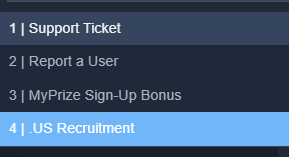
so here are my panels
https://gyazo.com/79ff199c916786f5447b6fe734c7ec4b.png
here are the buttons
The top panel "support" is the discord verification one just havent renamed yet.
But I cant seem to get the report a user button to appear. I edited it in the button tab like the others, color, emoji, text etc, and even resent the tool to the create a ticket channel but it never shows up
 restive condor
Go into the panel that currently has the buttons attached
Dashboard > Panel Configs > Panel
Make sure you have attached that report a user panel there too
daring bluff
Derp your right. Thanks again!
restive condor
 supple patrol
Anyone able to help
 lyric wraith
Yo hello
supple patrol
It says I've been banned I don't know ow what for
And it won't let me open a ticket in support atm
Due to channel limit
Was literally in my base then sever reset then tried logging back in with my pal he could I couldn't
@lyric wraith
worldly helm
supple patrol
Was literally in my base then sever reset then tried logging back in with my pal...
We can't help you. Sorry 🫡
 ancient swift
Yo I need help
 frail mural
Can somebody help me please?
humble sequoiaBOT
@ancient swift, @frail mural, we would love to help you, but if you don't tell us what you need help with we can't help you :(
frail mural
I just need help like understanding like the ticket
worldly helm
what exactly are you not understanding?
 urban stratus
i Need Hip too
worldly helm
how to set it up?
frail mural
It says like I have an error
worldly helm
frail mural
It says like I have an error
send the error
frail mural
A picture of it
worldly helm
Yes
frail mural
 worldly helm
urban stratus
i Need Hip too
worldly helm
urban stratus
i Need Hip too
what do u need help with? saying "i need help" is just wasted time, come to the point of your issue/question 😭😅
frail mural
I just need help understanding it
worldly helm
frail mural
You or Ticket tool are missing permissions. In that case the "ViewChannels" permission
worldly helm
Could you please #🎫│make-a-ticket , going to sleep now

 mighty glacier
Whenever I try to set up ticket Yooo it tells me that this application is not responding
What do u do???
ancient swift
Yo I need help but it’s a bit complicated to explain
 fiery dagger
how do you get a panels id?
humble sequoiaBOT
━━ NSC-Elitesportz's inquiry has been moved to a ticket ━━
━━ MWxKye's inquiry has been moved to a ticket ━━
 zenith drift
how to create a panel then the ticket selection is thru category form

 blissful totem
it doesent appear on the dashboard
i added it but it just doesent appear on the dashboard
timber kernel
zenith drift
how to create a panel then the ticket selection is thru category form
Here you go
humble sequoiaBOT
The Drop-down menu or Select Menu replaces the buttons on your panel message and uses a drop-down menu with all of your panels. To set this up, go to your Panel Configs and select your main Panel.
<:Numbericons1:1018864164032225340> Enable Select Style
First you enable Select Style. Then you add an item in the Dropdown Editor. Now you can start editing your dropdown!
<:Numbericons2:1018864168041971712> Dropdown Editor
Each line in the dropdown editor represents a line in the drop down menu on discord. You can add more "Items", by clicking on
First you select a panel. That's the panel this option will open a ticket for. DONT select the same panel twice. Each option should have a different Panel
After that, you can put a Display. This is the title of this option and will appear in the drop down menu. The *Description can be set right after that, which will be below the title in grey.
Additionally you can select an emoji, that will be shown in front of each option. You can either manually input the ID of an emoji or select it in the selector.
Common Issues ⚠️
- Panel doesn't send? Make sure you have a valid emoji selected
- Option doesn't show up? Check if two options have the same panel in the DropDown Editor
$dropdown
timber kernel
blissful totem
i added it but it just doesent appear on the dashboard
What exactly?
 sick mango
Hi! I’m having an issue with my Ticket Tool setup.
When a user opens a ticket, only the admins can see the channel, but the person who opened the ticket can’t see or access it.
I already checked the Ticket Owner Permissions and made sure they have:
✅ View Channel
✅ Send Messages
✅ Read Message History
I also assigned the correct category for opened tickets, and the permissions inside the category/channel seem correct.
Still, normal users can’t see the ticket they open.
Any help would be appreciated!
 woven flare
When I bought 07 with robux it gave me 01 can u help me fix it
humble sequoiaBOT
⚠️ You're in the wrong place
We provide support for Ticket Tool Discord bot and cannot help you with whatever issue you have.
- We don't know which Support Team you should contact to get this issue resolved, and unfortunately we won't be able to accurately tell you.
If you don't have any further questions regarding our bot Ticket Tool, please close this ticket
sick mango
anyone can help me?
celest patrol
@humble sequoia
timber kernel
celest patrol
<@722196398635745312>
Stop pinging people please.
timber kernel
sick mango
Hi! I’m having an issue with my Ticket Tool setup.
When a user opens a ticket, ...
Hello,
settings seems to be fine.
How do you test it atm? You using 2 different accounts for it, correct? One for support team / admin and one for ticket creator?
zenith drift
timber kernel
Here you go
thanks, one question is it possible that i can make a ticket system selection on my exising embed
 iron nightBOT
Gave +1 Rep to @timber kernel (current: #24 - 268)
timber kernel
zenith drift
thanks, one question is it possible that i can make a ticket system selection on...
What kind of app is this? I don't know it, sry.
zenith drift
timber kernel
What kind of app is this? I don't know it, sry.
embed from a webhook
sick mango
timber kernel
Hello,
settings seems to be fine.
How do you test it atm? You using 2 different...
yessir
timber kernel
sick mango
yessir
Just an idea, can you run /debuginside a ticket please?
 tranquil moss
For some reason tickets not moving to another discord chat section after being closed, could someone help please? fixed. was a 50 limit
 timid folio
how can i make a specific role be free to open as many ticket as they want. because i settled limit to 1
 tight steeple
what is problem here ?
 agile lance
Can you try to clear the cache and delete cookies of your browser please
tight steeple
I do but still some problem
agile lance
Could you show me a screenshot of the login page
worldly helm
zenith drift
embed from a webhook
Hii 👋
That's not possible.
tight steeple
agile lance
Could you show me a screenshot of the login page
there is
 sick mango
timber kernel
Just an idea, can you run `/debug`inside a ticket please?
sick mango
timber kernel
Just an idea, can you run `/debug`inside a ticket please?
but if i turn on this channel perms, all my members can see one only ticket
you can help me?
timid folio
timid folio
how can i make a specific role be free to open as many ticket as they want. beca...
Can someone help?
 dark kraken
timid folio
how can i make a specific role be free to open as many ticket as they want. beca...
dark kraken
timid folio
how can i make a specific role be free to open as many ticket as they want. beca...
Hey there, To set roles that bypass open limits , head over to:
- Dashboard
- Panel Configs
- Limits:
- Roles that bypass open limits:
Select roles
 timid folio
dope tx
 atomic leaf
Trying to view direct transcript but it says I found an empty page
limber portal
press the direct link button and try access again please
atomic leaf
limber portal
press the direct link button and try access again please
Same thing
limber portal
can you send a screen recording?
atomic leaf
After a certain time does it not work?
limber portal
URL's expire after 2 weeks, after which point you have to press the direct link button again.
atomic leaf
austere forge
It seems that these are very old transcripts and that these are the old ways of viewing them, unfortunately the only way of viewing them again will be to download the raw HTML file.
 rough goblet
my bot accidentally kicked ticket tool however when i try to bring it back in it wont let me ? and give me this message
 austere forge
rough goblet
my bot accidentally kicked ticket tool however when i try to bring it back in it...
austere forge
rough goblet
my bot accidentally kicked ticket tool however when i try to bring it back in it...
Refer to the embed below please ⬇️
humble sequoiaBOT
The first thing you will need to do is invite the premium bot, an invite can be found here
Once the bot is in your server we will head to the dashboard and manage your server. When you are managing your server, you want to head into "Server Configs" then click the drop down menu under "Select the bot you would like to use on this server" then click "Ticket Tool#6207" and then save.
austere forge
Simply click on "here" to invite him
 minor star
it shows this

 paper topaz
Help for adopt me
 willow ruin
How do I add a admin to the dashboard?
 lusty ravine
I have the same Problem
 minor star
lusty ravine
I have the same Problem
minor star
lusty ravine
I have the same Problem
#1364994081633341450 Ive opened thread there
austere forge
Issue reported to our developer, he's looking at what's wrong :)
 lyric quartz
 willow ruin
Im trying to get my friend to add me to it so I can add transcripts
minor star
willow ruin
Im trying to get my friend to add me to it so I can add transcripts
just get administartor role
and you get access
paper topaz

 weak hornet
 austere forge
This is a known issue that our developer is fixing at the moment, thank you for your patience
austere forge
austere forge
## This is a known issue that our developer is fixing at the moment, thank you f...
 grizzled shore
austere forge
## This is a known issue that our developer is fixing at the moment, thank you f...
grizzled shore
austere forge
## This is a known issue that our developer is fixing at the moment, thank you f...
thanks for the fast response time
iron nightBOT
Gave +1 Rep to @austere forge (current: #5 - 965)
 oblique owl
grizzled shore
thanks for the fast response time
oblique owl
grizzled shore
thanks for the fast response time
Dito
 north talon
İ need a help
 agile arrow
 oblique owl
austere forge
## This is a known issue that our developer is fixing at the moment, thank you f...
oblique owl
austere forge
## This is a known issue that our developer is fixing at the moment, thank you f...
.
mighty thistle
austere forge
## This is a known issue that our developer is fixing at the moment, thank you f...
oblique owl
Can yall read
willow ruin
minor star
just get administartor role
Doesn't work
 solid stream
Issue should be resolved.
 hot eagle
The bot not responding issue?
 night burrow
solid stream
Issue should be resolved.
night burrow
solid stream
Issue should be resolved.
Thankyou, it's fixed.
hot eagle
there is an issue with the bot, commands not responding
grizzled shore
solid stream
Issue should be resolved.
thanks dude
iron nightBOT
Gave +1 Rep to @solid stream (current: #11 - 661)
 covert swallow
hot eagle
there is an issue with the bot, commands not responding
covert swallow
hot eagle
there is an issue with the bot, commands not responding
Is the issues still ongoing or is it fixed?
 worthy shoal
Hey, i use the bot and config for the first time, one of my member sending me this, and i can’t interact with the bot too? Somebody can help me?
 hot eagle
fixed now
austere forge
worthy shoal
Hey, i use the bot and config for the first time, one of my member sending me th...
Re-try now please
worthy shoal
Global error?
solid stream
worthy shoal
Global error?
yes, it was a botched update.
worthy shoal
solid stream
yes, it was a botched update.
Cool, now it works, thanks for the help, i think that there was a global error not server error.
iron nightBOT
Gave +1 Rep to @solid stream (current: #11 - 662)
austere forge
worthy shoal
Cool, now it works, thanks for the help, i think that there was a global error n...
Now that the problem has been solved, members of your server can create a ticket again 👍
worthy shoal
austere forge
Now that the problem has been solved, members of your server can create a ticket...
Thanks!
iron nightBOT
Gave +1 Rep to @austere forge (current: #5 - 967)
 hushed trail
idk how to stop the bot messaging people when they open a ticket also is there a way I can restrict commands so that certain people cant close / delete tickets with a prefix
 austere forge
hushed trail
idk how to stop the bot messaging people when they open a ticket also is there a...
austere forge
hushed trail
idk how to stop the bot messaging people when they open a ticket also is there a...
Dashboard > Panel configs > Automation - Disabled Send Direct Message when ticket created
And you can go Command configs tab to restreins comands
austere forge
on the same thing as Panel configs on left
hushed trail
ty
Need help again, when doing "$delete [note]" it will add that note such as this example here, but if I just do "$delete" without adding any note how can I make it automatically say "None provided" where the note thingy is? @austere forge sorry for pings ur just really helpful
 limber portal
hushed trail
Need help again, when doing "$delete [note]" it will add that note such as this ...
limber portal
hushed trail
Need help again, when doing "$delete [note]" it will add that note such as this ...
Hey, in the variable, add ?fb=None Provided
hushed trail
?

 faint crypt
Oh god… I’ve no clue what I’m supposed to be… I’m not getting channels, I’ve cleared data and cache, now to sign in again and I can’t remember my password!!!
limber portal
hushed trail
?
Ah you have to do it inside the variable
For example, {claim.user?fb=Not Claimed} would return the username of the user who claimed the ticket, and if nobody claimed the ticket - the bot would output not claimed.
{delete.reason?fb=None Provided}🙂
hushed trail
wow tysm
limber portal
No problem
hushed trail
testing time haha
limber portal
Let us know if we can be of any more help
 chrome night
i have premium and im tryibng to make ticket tool dm the user a transcript and a mesage that the ticket was closed wheni close it, does anyone know why this is greyed out or how to do it ?
 hushed trail
wow it works thank you so much @limber portal
iron nightBOT
Gave +1 Rep to @limber portal (current: #10 - 689)
limber portal
chrome night
i have premium and im tryibng to make ticket tool dm the user a transcript and a...
Hi there, it looks like the server doesn’t have premium from that screenshot
chrome night
limber portal
Hi there, it looks like the server doesn’t have premium from that screenshot
wierd
the diamonds just turned blue does that mean i have premium
limber portal
Yes 🙂
chrome night
limber portal
Yes 🙂
is there a way i can make the ticket tool dm the user why the ticket was closed when i close a ticket?
my mods and i usually do /close reason, but maybe there is another way?
humble sequoiaBOT
limber portal
$pc <@809575270293700618>

Thank you
Thank you for purchasing Ticket Tool Premium @chrome night. You have now been given the <@&535595160189403136> role!
Found 4 servers in total and 1 with premium and permission
limber portal
There’s your premium role
iron nightBOT
Gave +1 Rep to @limber portal (current: #10 - 690)
chrome night
is there a way to make a ticket automatically close in like 24 hours from inactivity? like /closetimer or smtn idk

 austere lion
Hello, is this a glitch? I cannot edit any of the embed except the content. I cannot edit the title, author, or embed color etc. how do I fix this? Is this only for premium users
 austere forge
Some of the fields require a premium subscriptions
 tough sentinel
Hiii
austere lion
austere forge
Some of the fields require a premium subscriptions <:Premium:1192403074157912144...
So i also can’t change the thing that says {panel-name}?
austere forge
austere lion
So i also can’t change the thing that says {panel-name}?
You can on your Panel configs > and use the button RENAME
austere lion
austere forge
You can on your Panel configs > and use the button `RENAME`
I see, I’ve just made some touches to it. One more thing, is there a way I can change it to a channel. (When the ticket opens it creates a thread)
tough sentinel
Question = I want to see a deleted tickets chat , it's super important
I'm the server admin btw
austere forge
tough sentinel
Question = I want to see a deleted tickets chat , it's super important
I'm the...
You already have an open ticket, please ask your questions there.
tough sentinel
austere forge
You already have an open ticket, please ask your questions there.
Ohk
austere forge
austere lion
I see, I’ve just made some touches to it. One more thing, is there a way I can c...
You would need a premium subscription for this
austere lion
austere forge
You would need a premium subscription for this
Oh, okay
austere lion
austere forge
You would need a premium subscription for this
Is there a way I can make a form they can write in before the ticket opens? Or is this also a premium feature.
austere forge
austere lion
Is there a way I can make a form they can write in before the ticket opens? Or i...
Fully free for this, refer to the embed below please ⬇️
humble sequoiaBOT
A Discord Form lets the user answer individual questions in a pop-up Form, which then displays the answers in the ticket message. This can save time if you already know what you want to ask the user.
Setup Forms
Forms can be enabled under Panel Settings > Form Options > Edit Forms Options. In the new pop-up window, you can now enable and edit your own Form.
Form Options
You can add up to 5 questions in the Discord form. This is a Discord limitation. Each question can have a placeholder in the input field, a minimum and maximum input, multi-line, and also the option to have the answer required.
Options
Question Title ➞ Your Question goes here
Question Placeholder ➞ The placeholder text in the input field
Required ➞ If enabled, the user has to answer this question, to submit the form
Multi-Line Input ➞ Allows the user to input multiple lines
Minimum and Maximum Input ➞ Set a minimum and maximum input value for the user
Displaying the Answer
To display the answers from the user, you need to enable Auto display form results on the ticket message as an additional embed
If you don't want a second embed, go into your Panel Configs > Ticket Options > Edit Ticket Message. You use the variable {create.form.x} and replace x with the number of your question. For example, the response to Question 5 can be displayed with {create.form.5}.
hushed trail
Hey @limber portal how do I set up the escalate system?
and ty for your help earlier
austere forge
hushed trail
Hey <@1065295463089180763> how do I set up the escalate system?
Please don't ping for support, you can #premium-tickets if you still haven't figured out how to do it
hushed trail
okk
daring bluff
Is the ticket helper that we can +rep a person helping us a feature of the ticket tool or a separate bot we can subscribe to
iron nightBOT
Gave +1 Rep to @mighty thistle (current: #59 - 31)
mighty thistle
If you're referring to a hyperlink, that is not possible, I believe.
You can simply send the panel, which can have a button or dropdown menu, or you can activate command-style tickets!
$setup
Oh okay
😭
stark runeBOT
1. Invite Ticket Tool to your server
First you will want to invite the bot to your server. Once the bot is in your server, you can manage your server in the dashboard.
2. Create a Panel
To create a panel we are going to need to head over to the panel configs on the dashboard.
Once at the dashboard we will need to click Create Panel.
Enter a panel name (Fill in any optional settings you want).
Click Create Panel and your ready to get started with configuring your panel.
An example of a creating a panel is shown below.
3. Send the Panel to a Channel
Once you've created a panel on the dashboard you will need to send it to a channel using send on the dashboard.
Select the channel you want your panel to be created in and click send.
For other questions checkout $help faq.
An example of a sending a panel is shown below.
Having a Problem Sending the Panel?
Do $debug in a channel with Ticket Tool and make sure it has all the necessary Discord permissions.
 mellow canyon
bot back?
restive condor
mellow canyon
bot back?
Hi there! Yes, is something wrong?
mellow canyon
nah was just checking
frail mural
Yo can someone help m
restive condor
frail mural
Yo can someone help m
Hi there, how can I help?
restive condor
Could you screenshot the error please
 restive condor
Ticket Tool seems to be missing the VIEW CHANNELS permission for your tickets category
restive condor
Hold down on the category' name > Edit Category > Permissions > Add Ticket Tool > View Channel
restive condor
Do you have a screenshot please
frail mural
And then this afternoon I just noticed That I got timed out
Oh, wait, it’s in the MHG
restive condor
Right, is that related to Ticket Tool though?
restive condor
frail mural
Is this on a server you're staff in?
restive condor
Yep, reach out to server staff
frail mural
Have a good day or night
restive condor
Likewise!
 humble sequoiaBOT
The Drop-down menu or Select Menu replaces the buttons on your panel message and uses a drop-down menu with all of your panels. To set this up, go to your Panel Configs and select your main Panel.
<:Numbericons1:1018864164032225340> Enable Select Style
First you enable Select Style. Then you add an item in the Dropdown Editor. Now you can start editing your dropdown!
<:Numbericons2:1018864168041971712> Dropdown Editor
Each line in the dropdown editor represents a line in the drop down menu on discord. You can add more "Items", by clicking on
First you select a panel. That's the panel this option will open a ticket for. DONT select the same panel twice. Each option should have a different Panel
After that, you can put a Display. This is the title of this option and will appear in the drop down menu. The *Description can be set right after that, which will be below the title in grey.
Additionally you can select an emoji, that will be shown in front of each option. You can either manually input the ID of an emoji or select it in the selector.
Common Issues ⚠️
- Panel doesn't send? Make sure you have a valid emoji selected
- Option doesn't show up? Check if two options have the same panel in the DropDown Editor
$dropdown
restive condor
 dim canopy
Hi there, see above please ^
dim canopy
restive condor
Hi there, see above please ^
ye can i do multiple dropdown choices in 1 message?
restive condor
Yes, you can have up to 25 choices in one dropdown menu
restive condor
karmic grove
<@1084927927466086400> go to Automation on the dashboard
They were already helped
 mint veldt
hi i have a silly question, im trying to go to the dashboard on the site, but it pulls up a separate browser window to auth into discord, but i get this issue. normally i can get rid of if by hard reloading w/ dev tools open, but there's no reload button in which to do this. how can i get around this?

 worn ferry
mint veldt
hi i have a silly question, im trying to go to the dashboard on the site, but it...
worn ferry
mint veldt
hi i have a silly question, im trying to go to the dashboard on the site, but it...
go to discord on the website, like where you can chat, then it will give you whatever prompt is needed
 dim meteor
4f11290a-f4d3-11ed-a05b-0242ac120003
worldly helm
dim meteor
4f11290a-f4d3-11ed-a05b-0242ac120003
Hey 👋
Are you getting this error when trying to open a ticket?
 solar marsh
Hey
So, I tried to open a ticket (in a server i own by the way) and had one already open from the same panel and it said that I could only have one ticket open from that panel, how do I change this?
dim meteor
Yes
How i delete one ticket
They say i have 500 idk how i resolve this
How I resolve this error
4f11290a-f4d3-11ed-a05b-0242ac120003
mighty thistle
If you are not the staff member for that ticket, then you cannot delete their ticket usually.
 unreal palm
how do you make a ticket ping specific roles when a ticket is opened?
humble sequoiaBOT
1. Open your Panel Configs tab in your server's dashboard
2. Select the panel you want to ping your support team on
3. Open the Ticket options menu
4. Click on Edit Ticket Message
5. In the Message Content use one of the role mention syntax ({@Role Name}/{Role ID})
6. Save changes
Note: For this to work properly, Ticket Tool requires the Mention Everyone permission. Or the role must have the Allow anyone to @mention this role setting enabled
mighty thistle
That's how!! 😄
unreal palm
is that different with the non-premium bot?
 tame canyon
unreal palm
is that different with the non-premium bot?
tame canyon
unreal palm
is that different with the non-premium bot?
No
 paper mango
..
 ashen sable
Can I get it so when tickets are closed it pings the staff team or it renamed the ticket to closed?
 gentle moth
Having issues trying to access the dashboard, It says I need to verify my account?
 random dragon
is there a way to transfer premium to a new discord server ? mine was termed
jade topaz
Hi, my Discord has been deleted. How can I regain access to my premium account?
 patent oak

 toxic tapir
I need support
 hollow bane

 humble sequoiaBOT
⚠️ You're in the wrong place
We provide support for Ticket Tool Discord bot and cannot help you with whatever issue you have.
- We don't know which Support Team you should contact to get this issue resolved, and unfortunately we won't be able to accurately tell you.
If you don't have any further questions regarding our bot Ticket Tool, please close this ticket
 ruby brook
everytime I type the command
/setup
on both of the premium bot and the normal bot everytime it says this


nevermind i got
it fixed
karmic grove
solar marsh
So, I tried to open a ticket (in a server i own by the way) and had one already ...
On the dashboard, go to Limits. There you can either increase the limit of tickets (open and/or closed) or set roles that can bypass the limit (including everyone)
karmic grove
ashen sable
Can I get it so when tickets are closed it pings the staff team or it renamed th...
In the Close message, you should be able to add {@Role}
jade topaz
Hi, how do I switch all the panel info from normal ticket tool to premium?
I'd need the premium bot to send the button gui to the support channel but I'm unsure how
timber kernel
jade topaz
Hi, how do I switch all the panel info from normal ticket tool to premium?
You would need to resend all your panels with the premium bot.
jade topaz
I noticed
timber kernel
jade topaz
I'd need the premium bot to send the button gui to the support channel but I'm u...
button gui?
can you please explain?
jade topaz
timber kernel
button gui?
I figured it out
timber kernel
jade topaz
Is it normal for it to start again at 0001?
timber kernel
jade topaz
Is it normal for it to start again at 0001?
you an set the count manually back to what you want
jade topaz
I see
timber kernel
Panel configs -> set count button on top
jade topaz
Ok

 knotty elm
Coo
 misty anchor
why i cant setup my ticket tool and it says app did not respond?
 plucky sapphire
misty anchor
why i cant setup my ticket tool and it says **app did not respond**?
plucky sapphire
misty anchor
why i cant setup my ticket tool and it says **app did not respond**?
Does your app have all needed permissions?
View channel send messages embeds reactions etc?
 twin umbra
Hey, I want to make it like this. Once a member joins my server he should automatically get added to a ticket. I got ticket tool premium for this how does it work?
misty anchor
plucky sapphire
Does your app have all needed permissions?
i will check
i have done that and still does not work
humble sequoiaBOT
━━ Zack's inquiry has been moved to a ticket ━━
 opal basin
How can I make tickets go in an certain channel
 proper rover
u mean like in threads
 olive zodiac
 vapid sentinel
With the escalation thing in tickettool how do I get the reason to show up for when tickets are moved as at the moment it just says “This ticket has been escalated”
agile lance
misty anchor
i have done that and still does not work
Please run a /debug command then.
 tepid zephyr
Pls help I got banned from squid game unity rp for account sharing in justice department pls help me
humble sequoiaBOT
d
⚠️ You're in the wrong place
We provide support for Ticket Tool Discord bot and cannot help you with whatever issue you have.
- We don't know which Support Team you should contact to get this issue resolved, and unfortunately we won't be able to accurately tell you.
If you don't have any further questions regarding our bot Ticket Tool, please close this ticket
 brisk echo
Hey, where is the option to auto close ticket after X times ?
 humble sequoiaBOT
With Ticket Tool's automation, you'll be able to customize your ticket system workflow! Using the Automation Editor you can:
- Chose out of 6 different triggers
- Set a Message Watcher to wait for a message for a given time, or to wait for the absence of them
- Add delays on the execution of actions after the trigger or watcher finds a message!
Automation Command
Automations can be stopped, by running the /automation stop command inside the ticket you want it to stop in. Restart it with /automation start You'll also be able to view the current status of the automations with /automation.
__Important Notes__
- Automation is on ALPHA TESTING PHASE, things might work unexpectedly or not at all.
- Any automation will run for a maximum of 7 days or until the ticket is closed, afterward, it will stop checking
+ You can have 5 automations per panel
$auto
restive condor
brisk echo
Hey, where is the option to auto close ticket after X times ?
Hi there, see above please ^
 bright pike
does anyone know how to make ticket tool automatically delete the ticket once deleted?
 tepid geyser
how to ping again a role like idk how again but it was some like {&@1365321866285158407} ?
 pearl flame
Hi guys, how can I setup like this?

 ember bramble
Why do some players lose in the Sigma League but their rank and win streak don't go to zero? Isn't this cheating?😠
humble sequoiaBOT
⚠️ You're in the wrong place
We provide support for Ticket Tool Discord bot and cannot help you with whatever issue you have.
- We don't know which Support Team you should contact to get this issue resolved, and unfortunately we won't be able to accurately tell you.
If you don't have any further questions regarding our bot Ticket Tool, please close this ticket
proper rover
bright pike
does anyone know how to make ticket tool automatically delete the ticket once de...
do u mean once its closed?
restive condor
tepid geyser
how to ping again a role like idk how again but it was some like {&@136532186628...
Hey there! Use <@&roleID>
restive condor
pearl flame
Hi guys, how can I setup like this?
Hey there! See below please
humble sequoiaBOT
The Drop-down menu or Select Menu replaces the buttons on your panel message and uses a drop-down menu with all of your panels. To set this up, go to your Panel Configs and select your main Panel.
<:Numbericons1:1018864164032225340> Enable Select Style
First you enable Select Style. Then you add an item in the Dropdown Editor. Now you can start editing your dropdown!
<:Numbericons2:1018864168041971712> Dropdown Editor
Each line in the dropdown editor represents a line in the drop down menu on discord. You can add more "Items", by clicking on
First you select a panel. That's the panel this option will open a ticket for. DONT select the same panel twice. Each option should have a different Panel
After that, you can put a Display. This is the title of this option and will appear in the drop down menu. The *Description can be set right after that, which will be below the title in grey.
Additionally you can select an emoji, that will be shown in front of each option. You can either manually input the ID of an emoji or select it in the selector.
Common Issues ⚠️
- Panel doesn't send? Make sure you have a valid emoji selected
- Option doesn't show up? Check if two options have the same panel in the DropDown Editor
$dropdown
restive condor
bright pike
does anyone know how to make ticket tool automatically delete the ticket once de...
Hey there! Dashboard > Panel Configs > General > Please disable  Two Step Ticket
tepid geyser
restive condor
Hey there! Use ``<@&roleID>``
this is coming up for me ?
 restive condor
tepid geyser
this is coming up for me ?
restive condor
tepid geyser
this is coming up for me ?
Did you use the correct ID?
tepid geyser
restive condor
Did you use the correct ID?
yes
<@&13653218662851584079>
ye but there is a ID
restive condor
tepid geyser
ye but there is a ID
Is it the correct ID though?
You can use the $id command on your server to obtain it
$id <@&642118166243311646>
humble sequoiaBOT
restive condor
$id <@&642118166243311646>
<@&642118166243311646>
<@&642118166243311646>
<@&642118166243311646>
iron nightBOT
Gave +1 Rep to @restive condor (current: #1 - 2342)
 iron spade
Hi there, I just scrolled up and am also having issues with $dropdown. Am I able to create multiple dropdown options within the same panel? I want to give my members multiple different ticket options.
austere forge
iron spade
Hi there, I just scrolled up and am also having issues with $dropdown. Am I able...
the other drop-down menu options are attached panels, so you need to create others (panels) and attach them to your main panel
bright pike
restive condor
Hey there! ``Dashboard`` > ``Panel Configs`` > ``General`` > Please disable <:Sw...
ye its off but whenever it gets closed it doenst get deleted
iron spade
Ahhh understood
iron nightBOT
Gave +1 Rep to @restive condor (current: #1 - 2343)
pearl flame
restive condor
Hey there! See below please
Thanks!
iron nightBOT
Gave +1 Rep to @restive condor (current: #1 - 2344)
 bitter hill
Like the tickets get stayed open in one channel while im tryna put it in staff and rewards whileit only stays in one place
ashen sable
karmic grove
In the Close message, you should be able to add {@Role}
Y can't I interact with it?
vapid sentinel
vapid sentinel
With the escalation thing in tickettool how do I get the reason to show up for w...
ㅤ
austere forge
with the variable {escalate.reason}
vapid sentinel
Ok thank you
proper rover
thanks @austere forge
iron nightBOT
Gave +1 Rep to @austere forge (current: #5 - 968)
 crisp fiber
Why my ticket tool not showing something like this like tickety I completed all steps
 vapid sentinel
austere forge
with the variable `{escalate.reason}`
vapid sentinel
austere forge
with the variable `{escalate.reason}`
That isn’t working for mine. How do I run that command? Is it prefix {escalate.reason} or just {escalate.reason}
humble sequoiaBOT
━━ Joni U's inquiry has been moved to a ticket ━━
austere forge
vapid sentinel
That isn’t working for mine. How do I run that command? Is it *prefix {escalate....
This shows the reason for the escalate when you use the command /escalate with option reason
You can insert it in the escalate message
vapid sentinel
So I escalated the ticket to senior staff and put reason testing not. When the ticket got escalated into the senior staff section I have tried to run {escalate.reason} but it doesn’t respond
austere forge
The variable is placed in the Ticket tool message, it is not a command to show the reason, you must insert it in the escalate message to show the reason - Dashboard > Panel configs > Escalate - EDIT TICKET ESCALATE MESSAGE
 main nest
hello, is it possible to clone a ticket tool from another server (i made it) to antoher
humble sequoiaBOT
The Backup and Restore feature allows you to transfer your panels, tags, and all settings to a new server, even if the server the settings were created has been deleted! You will want to copy the whole key.
First, go to your server's Dashboard ➞ then Server Configs ➞ under Config Backup & Restore (Server Owner Only) click on Old version can be found here and generate a new backup key by pressing the green button. Now, a key should be generated in the box above. You may need to refresh the page to see this.
Once you have your backup key, navigate to the same page on the new server. Copy the key on the Restore from backup key field.
Now you can choose what you want to copy. Finally, press the green Restore Configs button.
IMPORTANT NOTE
- We suggest you keep this backup key somewhere safe, in case your server is deleted so you are able to recover your panel's settings.
- This feature is only usable by the server's owner
$backup
austere forge
main nest
hello, is it possible to clone a ticket tool from another server (i made it) to ...
Refer to the embed above please
 verbal agate
What can I do in this case?
 austere forge
There's nothing you can do about it. As you're a regular member, you have to inform the staff of the situation, but your ticket has been created, as shown by the first Ticket tool message (ticket-0108)
 jade topaz
Thats just a banner
 empty hound
Is shows a sunset.
jade topaz
That means night is young
empty hound
Bruh is confusing
timber kernel
What is your question?
empty hound
I was scared that my favourite ticket bot was being delisted
empty hound
timber kernel
What is your question?
Why the banner a sunset.
timber kernel
It looks nice 
empty hound
timber kernel
It looks nice <:RedPandaHype_FF:1036218851903406152>
Yes but I thought my favourite ticket tool was being deleted.
timber kernel
how so?
empty hound
Bc the technical term for a bot being deleted is is saying is going sunset.
jade topaz
that is a moon... 0_o
 ruby mantle
Hello.
How to fix this?
 timber kernel
ruby mantle
Hello.
How to fix this?
timber kernel
ruby mantle
Hello.
How to fix this?
Verify your discord account. That normally means, you need to add a mobile number you own to verify
ruby mantle
timber kernel
Verify your discord account. That normally means, you need to add a mobile numbe...
Mobile number is added and verified :/
timber kernel
ruby mantle
Mobile number is added and verified :/
mmmh.... Discord issue....
idk, but maybe this helps?
https://support.discord.com/hc/en-us/articles/6181726888215-How-to-Verify-Your-Discord-Account#docs-internal-guid-87f6cde3-7fff-adec-3c4b-a9462532ff3a
jade topaz
I don't need a verified phone number to use ticket tool
ruby mantle
Curious. Ill see if i can help him to fix this.
Maybe cleaning cache, cookies the usual.
austere forge
This is usually because your account is fairly new, you have suspicious activity... If it still doesn't work, I advise you to contact support directly
crisp fiber
Why my ticket tool not showing something like this like tickety I completed all steps
 humble sequoiaBOT
━━ User's inquiry has been moved to a ticket ━━
 iron nightBOT
Gave +1 Rep to @pseudo ravine (current: #3 - 1286)
 halcyon fiber
Hi
 vital jewel
How do I make it to where low ranks can manage the dash board and like only High ranks can, for context its a british army, I want people to be able to open tickets just not bypass the bot and raid with it
 pseudo ravine
Hey there! You’ve just made it so everyone in your server can access your dashboard
I highly recommend removing the “@everyone” role from “Dashboard Roles”
vital jewel
Okay tysm
vital jewel
pseudo ravine
I highly recommend removing the “@everyone” role from “Dashboard Roles”
So for the blacklist roles
which should I put
pseudo ravine
Only the roles that you don’t want to use any commands or buttons
vital jewel
Oh so
I want low ranks to be able to open tickets so in this case i should remove it huh
pseudo ravine
I’d recommend removing the role
 mighty hill
Does anyone know how I can be unbanned from a server?
 burnt pecan
Does anyone know how to change the footer as the server has been renamed

the field isnt editable
mighty thistle
mighty hill
Does anyone know how I can be unbanned from a server?
VV
humble sequoiaBOT
⚠️ You're in the wrong place
We provide support for Ticket Tool Discord bot and cannot help you with whatever issue you have.
- We don't know which Support Team you should contact to get this issue resolved, and unfortunately we won't be able to accurately tell you.
If you don't have any further questions regarding our bot Ticket Tool, please close this ticket
mighty thistle
burnt pecan
Does anyone know how to change the footer as the server has been renamed
It can only be edited with Premium. You'll have to purchase it again, or consider cloning the panel, perhaps!
mighty hill
mighty thistle
VV
?
mighty thistle
⚠️ You're in the wrong place
 remote hawk
hi @mighty thistle can you plz tell me whenever a user creates a ticket is it possible a notification sent automatically to the moderator or admin so that he resolve query asap
mighty thistle
Please don't edit mentions into your message! We don't allow staff members to be mentioned.
It is best to just post here and wait, or open a ticket!
humble sequoiaBOT
1. Open your Panel Configs tab in your server's dashboard
2. Select the panel you want to ping your support team on
3. Open the Ticket options menu
4. Click on Edit Ticket Message
5. In the Message Content use one of the role mention syntax ({@Role Name}/{Role ID})
6. Save changes
Note: For this to work properly, Ticket Tool requires the Mention Everyone permission. Or the role must have the Allow anyone to @mention this role setting enabled
mighty thistle
You can use this method to notify the support team when a ticket is created.
remote hawk
thanks a lot buddy
remote hawk
mighty thistle
You can use this method to notify the support team when a ticket is created.
we don't do this in free version do i need premium version
mighty thistle
You can edit the ticket's Message Content for free!
remote hawk
i am not using premium version but i tried in free version i am not able to add support team
 dusk quail
Please what do I need to do now I am kinda don't really get it..
mighty thistle
remote hawk
i am not using premium version but i tried in free version i am not able to add ...
When you edit the ticket's message, there's an option to edit the message content. It's like the photo in the embed above!
ashen sable
mighty thistle
When you edit the ticket's message, there's an option to edit the message conten...
Yo I'm trying to make it so that support team gets pinged when ticket gets closed but I can't edit close message, do u know y?
 serene bluff
How do I add when someone opens a ticket it opens with their name?
tranquil sun
hey I have problems with automation, when 12h pass they are not automatically deleted as I have it.

theres some wrong
?
ashen sable
How do I ping staff team when a ticket is closed
tranquil sun
tranquil sun
@lament prairie
 marsh quarry
how can I make this embed box

 north junco
when i try and click it to enable ticks

 rose yew
is the ticket tool down for anyone else?
unkempt plank
timber kernel
feel free to add a suggestion -> <#921732979586375690>
#🤖│bot-spam message dont work
grizzled summit
unkempt plank
https://discord.com/channels/509192800865353738/910978476536905738/1365450627030...
#🤖│bot-spam message
 hybrid hound
whenever i try to join a server that has ticket tool, it wont let me press the submit button to the rules D: ive joined multiple servers that use ticket tool and it doesnt work for any of them
north junco
grizzled summit
https://discord.com/channels/509192800865353738/910978476536905738/1365451471159...
why cant i enable tickets?

 sly glen
Gente tô tentando subir discord não tô canseguindo
 urban apex
How do you make it so certain roles can see the open tickets
Pls ping me if you know how
serene bluff
How do I add when someone opens a ticket it opens with their name?
 civic pasture
Hi
 weak pasture
Can anyone teach me how to put a picture on the ticket front?
agile lance
weak pasture
Can anyone teach me how to put a picture on the ticket front?
Dashboard --> Panel Configs --> Messages --> Panel Message --> Insert the Image URL at the embed editor for your wanted image.
marsh quarry
marsh quarry
how can I make this embed box
?
 verbal ether
Hi. Needing help for my friends account which is advising it has expired - due to expire October 26. Username is ian720. It was arranged via Johnny Walker. Thanks.
grizzled summit
You are pinging staff in violation of our rules. Please review them in #📂│information .
humble sequoiaBOT
@verbal ether
⚠️ You're in the wrong place
We provide support for Ticket Tool Discord bot and cannot help you with whatever issue you have.
- We don't know which Support Team you should contact to get this issue resolved, and unfortunately we won't be able to accurately tell you.
If you don't have any further questions regarding our bot Ticket Tool, please close this ticket
 pearl plinth
Guys I got a problem can someone help me
Why am I facing this problem

@lunar solar
karmic grove
pearl plinth
Why am I facing this problem
Hi
Don't ping the staff
Like the bot says, Ticket Tool must have permission to manage roles in the ticket channel. If you cannot do it, please refer it the the admins of your server and they will give the permission
pearl plinth
karmic grove
Hi
Don't ping the staff
Like the bot says, Ticket Tool must have permission to m...
Ok
pearl plinth
karmic grove
Hi
Don't ping the staff
Like the bot says, Ticket Tool must have permission to m...
Thanks
iron nightBOT
Gave +1 Rep to @karmic grove (current: #153 - 4)
 visual pendant
a customer services ticket is not opened
a customer services ticket is not opened
karmic grove
What do you mean? Are you sure you're in the right place? This server is here to bring support to ticket tool admins to set up the Tool in their own server.
 torpid hill
Guys why does it say application didn't respond?
 jovial bronze
 gloomy otter
why can't I file an appeal on the forsaken channel and fill it out so that I can be banned from the game, writes "Interaction error"
I need a ticket to file an appeal.
how do I delete a ticket?
how do i delete a ticket???
agile lance
gloomy otter
how do i delete a ticket???
You may delete a ticket channel by utilizing the command, or just simply press the delete button.
agile lance
torpid hill
Guys why does it say application didn't respond?
Have you tried giving following permissions to Ticket Tool bot; View Channel and Send Messages?
 swift thistle
I want to ping my support team when someone creates an ticket? How do i do that?
humble sequoiaBOT
1. Open your Panel Configs tab in your server's dashboard
2. Select the panel you want to ping your support team on
3. Open the Ticket options menu
4. Click on Edit Ticket Message
5. In the Message Content use one of the role mention syntax ({@Role Name}/{Role ID})
6. Save changes
Note: For this to work properly, Ticket Tool requires the Mention Everyone permission. Or the role must have the Allow anyone to @mention this role setting enabled
agile lance
@swift thistle Please read above.
agile lance
Try using role ID
dark kraken
swift thistle
How do i know the role id?
Hey there, You can use the command /id and select the role .
gloomy otter
agile lance
You may delete a ticket channel by utilizing the command, or just simply press t...
where can I find the button, he writes to me "you can use this command only on the server"
swift thistle
Huh?
ashen sable
ashen sable
How do I ping staff team when a ticket is closed
?????
 crude thorn
i need help
ashen sable
lol same, I've asked same question 3 times and have been ghosted lol
 fallen knoll
 rough orchid
How to make a ticket
marsh quarry
ashen sable
lol same, I've asked same question 3 times and have been ghosted lol
they answer easy questions
they didn't answer mine either
 coarse rune
How would i do this?

 karmic grove
ashen sable
How do I ping staff team when a ticket is closed
karmic grove
ashen sable
How do I ping staff team when a ticket is closed
Follow this guide #🆘│community-support message on the Close message
grizzled summit
Hey there. This channel is primarily for support provided by the community. If you are seeking direct support from our support team I am going to point you to #🎫│make-a-ticket @marsh quarry @ashen sable
ashen sable
grizzled summit
Hey there. This channel is primarily for support provided by the community. If y...
Oh lol I misunderstood the name then mb
marsh quarry
I got it all wrong thank you


 small coral
ابي دعم عربي
karmic grove
 timber drum
Does the "tickets" category still exist in your server? Has ticket tools permission to view and manage channels in this category?
Don't forget to sync the server from the dashboard so that all changes do your categories and channels are up to date.
timber drum
karmic grove
Does the "tickets" category still exist in your server? Has ticket tools permiss...
yes!
view and manage channels i
 small coral
لمن اسوي تكت واحط رتبت الدعم وشخص يفتح التكت الرتبه ماتظهر ليه؟
timber drum
small coral
لمن اسوي تكت واحط رتبت الدعم وشخص يفتح التكت الرتبه ماتظهر ليه؟
english pls?
small coral
Who should I create a ticket for and put the support rank for, and someone opens the ticket and the rank does not appear? Why?
I am an Arab, but translate this
karmic grove
timber drum
I'm not sure then. Most likely your category does not exist anymore, at least that's what your error message points to. Maybe it changed name
small coral
Who should I create a ticket for and put the support rank for, and someone opens the ticket and the rank does not appear? Why?
karmic grove
Is this related to another server or to the ticket tool system?
timber drum
karmic grove
I'm not sure then. Most likely your category does not exist anymore, at least th...
it does bruh.
timber drum
timber drum
pending help,
timber drum
karmic grove
I'm not sure then. Most likely your category does not exist anymore, at least th...
i deleted category, and re-done my config
karmic grove
And resynced your server?
 royal geyser
Somebody have idea how I can create a category with 2 options for open ticket? (Example: Report User, Report Bug)
How this

 deft kiln
Is it possible for the bot to assign a role for a person when they open a ticket?
jade topaz
Hello
Can anyone say how I can give access to my members for opening a ticket
As only my support team and moderators can access it
torpid hill
karmic grove
royal geyser
Somebody have idea how I can create a category with 2 options for open ticket? (...
Yes, it is the multipanel option. In the dashboard, create both separately then on any of them, in Panel, select all of the panels you'd like displayed on your page. Send back the panel to your chanel then
karmic grove
jade topaz
Hello
Can anyone say how I can give access to my members for opening a ticket
In Buttons, Create ticket, untick "Support team only"
jade topaz
karmic grove
In Buttons, Create ticket, untick "Support team only"
how to do that
humble sequoiaBOT
━━ Rex's inquiry has been moved to a ticket ━━
karmic grove
On the dashboard, go to Buttons then below Create ticket, click on Edit Button
 upper mason
hello, when my customer create private ticket, they can not upload attach files, how can i resolve this
humble sequoiaBOT
━━ User's inquiry has been moved to a ticket ━━
 thin sparrow
I tried to use /setup and It says the app does not answer pls help me😭
humble sequoiaBOT
━━ User's inquiry has been moved to a ticket ━━