#🆘│community-support
1 messages · Page 159 of 1
 full narwhal
 humble sequoiaBOT

⚠️ You're in the wrong place
We provide support for Ticket Tool Discord bot and cannot help you with whatever issue you have.
- We don't know which Support Team you should contact to get this issue resolved, and unfortunately we won't be able to accurately tell you.
If you don't have any further questions regarding our bot Ticket Tool, please close this ticket
 autumn fossil
Hii I had a question about setting my dropdown menu options into their own categories when the ticket is opened.
Ex. If I had a ticket about general questions opened it should go under a Discord Category titled General Question Tickets
 pseudo ravine
Hey there. Please refer to the embed below!
humble sequoiaBOT
1. Go into your Dashboard
2. Open your Panel Configs tab
3. Select the panel you want to grant access to
4. Open the Category options menu
5. Select the categories of your preference
6. Save changes
 autumn fossil
pseudo ravine
Hey there. Please refer to the embed below!
autumn fossil
pseudo ravine
Hey there. Please refer to the embed below!
I tried following that but this sets the category for my dropdown menu options all to the same section and not separate ones is there another solution?
pseudo ravine
Each option in the dropdown is it's own separate panel
autumn fossil
wdym?

 pseudo ravine
Setting the category in the General Question panel does not affect the Player Report Staff Report Survival Support panels
autumn fossil
pseudo ravine
Setting the category in the `General Question` panel does not affect the `Player...
do i have to manually create a panel for all my dropdown menu items? I forgot how i did the other ones but i just created a new dropdown option and it won't open in it's category. or how do i integrate it to react as a dropdown menu option and not its own entire pannel
pseudo ravine
What's the server ID? I would like to double check your dashboard quickly
autumn fossil
pseudo ravine
What's the server ID? I would like to double check your dashboard quickly
899873053708795975
autumn fossil
pseudo ravine
What's the server ID? I would like to double check your dashboard quickly
im testing the development & careers one to be specific
pseudo ravine
Please make sure Ticket Tool has the correct permissions in the Development & Careers category
autumn fossil
pseudo ravine
Please make sure Ticket Tool has the correct permissions in the `Development & C...
they do it still wont work >_>
 pseudo ravine
How exactly is it not working?
It's not being created?
Or it's just not going to the category?
 pseudo ravine
So the tickets are going to the top of the channel list?
autumn fossil
 autumn fossil
pseudo ravine
So the tickets are going to the top of the channel list?
autumn fossil
pseudo ravine
So the tickets are going to the top of the channel list?
yea tickets regardings development & careers
pseudo ravine
Please create a brand new channel in that category and run the /debug command
autumn fossil
_>

 pseudo ravine
Could I make a ticket for you in here?
autumn fossil
yea sure
 silk cove
Hi
a guy with nickname: LiamMason asked me if I had real money to buy his things, what should I do
humble sequoiaBOT
⚠️ You're in the wrong place
We provide support for Ticket Tool Discord bot and cannot help you with whatever issue you have.
- We don't know which Support Team you should contact to get this issue resolved, and unfortunately we won't be able to accurately tell you.
If you don't have any further questions regarding our bot Ticket Tool, please close this ticket
 stiff lantern
Is there any way to reset the ticket counter?
pseudo ravine
Hey there. You can go to the Dashboard > Set Count
 willow sequoia
Hello, is there a command to change the prefix of the bot?
pseudo ravine
Hey there. You can go to the Dashboard > Server Configs > General Options > Command Prefix
willow sequoia
Okay, thank you 💖
pseudo ravine
You're welcome, glad I could help! Thanks for choosing Ticket Tool!
 candid bobcat
Hey I do have a question, it possible to have multiple create a ticket button for each panel in different places?
Sorry if its a stupid question
pseudo ravine
Hey there. Yes, that's possible
candid bobcat
pseudo ravine
Hey there. Yes, that's possible
Yeah so I figured it out but now I have two buttons the first button opens a ticket for the first panel
Any way to fix that and just remove the first button
 humble sequoiaBOT
For more convenient use of multipanels, you can now combine panels on the dashboard. This will allow you to directly send the multipanel from the dashboard or via the $panel ID command.
Where can I find this?
You can find this setting on the Dashboard -> Panel Configs -> Panel -> Attached Panels
Note: if you're attaching all the panels to a panel called English, don't include English in the attached panel's box (If you do this, it will create a duplicate)
This will put all buttons from all of your panels on one message. The message is the panel message from the panel you're combining these panels in.
 pseudo ravine
Remove the panel that you attached
 finite sky
Hi is it possible to have only a particular role open a ticket rather than everyone? how do I confiq that?
 hallow jay
For some odd reason when I close a ticket then delete or transcript it it still creates another channel?
humble sequoiaBOT
━━ MrPandaPanda's inquiry has been moved to a ticket ━━
LightsOut's issue has been solved in another channel.
 silk raptor
any santa claus discounts? xD
 worldly helm
 feral heart
How can I create one myself?
feral heart
How can I create one myself?
just click the  Button at
Dashboard —> Panel configs
 craggy vault
It says application didnt respond help menplz
humble sequoiaBOT
━━ User's inquiry has been moved to a ticket ━━
 sturdy frost
@humble sequoia
worldly helm
sturdy frost
<@722196398635745312>
Heyyy!
Do you need help regarding ticket tool?
 worn stump
Hello !
On my server, the transcript of the ticket is sent in dm to the person who opened the ticket (the owner).
My issue is that sometimes, I need to open the ticket myself and bring someone in the ticket with the /add command. And because I opened the ticket, I am the owner of the ticket. But I would like to be able to put this person as owner of the ticket so the transcript is still sent to them.
So, is it possible ?
Thank you and I hope I'm clear on my issue
worldly helm
worn stump
Hello !
On my server, the transcript of the ticket is sent in dm to the person ...
Hello!
You can‘t give the "ownership" of a ticket to another person, but if you do not want to be spammed with the transcripts you could use a bot that you can create custom commands with, then use for example .newticket USERID which sends $new (your first argument) into a channel.
Dashboard —> Server Configs —> Bots —> add the bots ID
That way the bot sending $new (arg-1) is the "owner" of the ticket, then you could use /transcript and for the option choose the user, with that command you can send the transcript to who ever you want
worn stump
worldly helm
That way the bot sending `$new (arg-1)` is the "owner" of the ticket, then you c...
That's super helpful, thank you !
 iron nightBOT
Gave +1 Rep to @worldly helm (current: #13 - 433)
worldly helm
worn stump
That's super helpful, thank you !
No worries, glad i could help 
 lilac raft
There are other servers on my cashboard, what should I do?
help
There are other servers on my cashboard, what should I do?
humble sequoiaBOT
━━ User's inquiry has been moved to a ticket ━━
 quartz portal
Anyone knows how to see like logs of tickets like who opened which ticket and who closed which ticket?
 restive condor
quartz portal
Anyone knows how to see like logs of tickets like who opened which ticket and wh...
restive condor
quartz portal
Anyone knows how to see like logs of tickets like who opened which ticket and wh...
Hey there! If you didn't have logs or transcripts enabled, then it's not possible
Please enable them so you can see these things in the future
humble sequoiaBOT
With Ticket Tool, you can customize the behavior the bot takes when logging your tickets! For editing these options follow these steps:
Dashboard ➞ Panel Configs ➞ Logging Options
Logging Channel
Here you will define which channel @humble sequoia will save the Logs in (ticket created/deleted/closed, etc.)
Logs you can save:
➞ Ticket Created ➞ Logs when a ticket is created
➞ Ticket Closed ➞ Logs when a ticket is closed
➞ Ticket Opened ➞ Logs when a ticket is opened
➞ Ticket Renamed ➞ Logs when a ticket is renamed
➞ Ticket Deleted ➞ Logs when a ticket is deleted
➞ Transcript Saved ➞ Logs when a ticket is saved
Select with  (disable) or
  (enabled) which logs you would like
Below you can see an example of what the Logging Options will look like:

1. Go into your Dashboard
2. Open your Panel Configs tab
3. Select the panel you want to grant access to
4. Open the Transcript options menu
5. Using the Transcript Channel selector, pick the channel you want your transcripts to be sent to
6. Save changes

 near light
Is it possible to edit an existing panel message ?
restive condor
near light
Is it possible to edit an existing panel message ?
Hey there! 👋
Yes, Dashboard > Panel Configs > Messages > Edit Panel Message
near light
I went there but it was only letting me edit the message not the panel ill try again
restive condor
Isn't the message what you're trying to edit?
 restive condor
Click on 'Embed Editor - 1' to open the embed editor
restive condor
No problem!
 simple warren
Hello, i ordered AR Bulk cards 4x100 cards but I received only 1x100 AR cards can someone help me ? I created a ticket to the support but they cannot help me
I send an email and a msg by instagram but no response yet
humble sequoiaBOT
⚠️ You're in the wrong place
We provide support for Ticket Tool Discord bot and cannot help you with whatever issue you have.
- We don't know which Support Team you should contact to get this issue resolved, and unfortunately we won't be able to accurately tell you.
If you don't have any further questions regarding our bot Ticket Tool, please close this ticket
 spare hull
How do I go about changing the name of the ticket channels?
restive condor
spare hull
How do I go about changing the name of the ticket channels?
Hey there! 👋
You can use the /rename command to manually rename tickets. Automatic ticket names are a premium feature 
humble sequoiaBOT
The ticket name is the default channel name of all tickets. To edit it, go to your Dashboard > Panel Configs > Ticket. There you can edit the channel name of opened and closed tickets. You can also use variables in there.

 Note: This is a premium feature
spare hull
restive condor
Hey there! 👋
You can use the ``/rename`` command to manually rename tickets. A...
Note: This is a premium feature
spare hull
restive condor
Hey there! 👋
You can use the ``/rename`` command to manually rename tickets. A...
Aww ok thank you
iron nightBOT
Gave +1 Rep to @restive condor (current: #1 - 1799)
restive condor
No problem!
 ruby sonnet
Hi im the owner of the server and it keeps telling me this

and this

i got premium tho :/
worldly helm
ruby sonnet
and this
Hey. 👋
Is the premium bot in your Server?
ruby sonnet
i think so
worldly helm
Please check.
ruby sonnet
all good
worldly helm
So the the issue if fixed?
ruby sonnet
yup
 cursive totem
How do I make specific ranks that close the ticket?
worldly helm
cursive totem
How do I make specific ranks that close the ticket?
Hey there!
Dashboard --> Panel Configs --> Buttons --> Close Ticket --> Allowed roles
Dashboard --> Command Configs --> Close ticket --> Allowed roles
 hasty badger
Someone in my server deleted a panel, is it possible to see who did it? I dont see anything in dashboard history
restive condor
hasty badger
Someone in my server deleted a panel, is it possible to see who did it? I dont s...
Hey there! It should be logged in the Dashboard history
hasty badger
restive condor
Hey there! It should be logged in the Dashboard history
could this be it
 restive condor
How exactly did they delete it? If it doesn't show there, maybe they just deleted the message from Discord
hasty badger
the panel configs
restive condor
Possibly
cursive totem
worldly helm
Hey there!
Dashboard --> Panel Configs --> Buttons --> Close Ticket --> Allowed ...
Can you make a video of what I did but it didn't work?
worldly helm
cursive totem
Can you make a video of what I did but it didn't work?
Sure, there you go.
Let me know if you have any more questions!
 sudden pivot
Hello- how to make it so people can react and open a ticket? I just noticed the last few people who joined left right away, and then logged into alt account and got this

Womp womp
Sorry if this is a stupid question
 quartz nebula
What should I do if I can't add a bot?

 jade topaz
hi, how can i create a formulary like this

 polar vortex
Why does this happen?
 sudden pivot
Hello- how to make it so people can react and open a ticket? I just noticed the ...
sudden pivot
sudden pivot
Hello- how to make it so people can react and open a ticket? I just noticed the ...
Staff pls
worldly helm
sudden pivot
Hey there 🙂
__ «You don't have permissions to use this»__
Are your members seeing this message when they try to create a ticket?
You may have accidentally denied them permission to use the Create Ticket button.
Look in the following places in your server's dashboard ⬇️ ⬇️
Server Configs > Blacklist Roles
Any roles there will be unable to interact with the bot in any way, including creating tickets.
Panel Configs > Buttons > Create Ticket > Support team only
If this is enabled
Panel Configs > Buttons > Create Ticket > Disabled Roles
Any roles there will be unable to use the button.
worldly helm
polar vortex
Why does this happen?
Hey.
Please try using the /debug command.
worldly helm
jade topaz
hi, how can i create a formulary like this
Hello. Please refer to the embed below.
humble sequoiaBOT
A Discord Form lets the user answer individual questions in a pop-up Form, which then displays the answers in the ticket message. This can save time if you already know what you want to ask the user.
Setup Forms
Forms can be enabled under Panel Settings > Form Options > Edit Forms Options. In the new pop-up window, you can now enable and edit your own Form.
Form Options
You can add up to 5 questions in the Discord form. This is a Discord limitation. Each question can have a placeholder in the input field, a minimum and maximum input, multi-line, and also the option to have the answer required.
Options
Question Title ➞ Your Question goes here
Question Placeholder ➞ The placeholder text in the input field
Required ➞ If enabled, the user has to answer this question, to submit the form
Multi-Line Input ➞ Allows the user to input multiple lines
Minimum and Maximum Input ➞ Set a minimum and maximum input value for the user
Displaying the Answer
To display the answers from the user, you need to enable Auto display form results on the ticket message as an additional embed
If you don't want a second embed, go into your Panel Configs > Ticket Options > Edit Ticket Message. You use the variable {create.form.x} and replace x with the number of your question. For example, the response to Question 5 can be displayed with {create.form.5}.

 tender lily
Hey my staff team is reaching 10,000 tickets soon, is there any feature that counts the total amount of messages sent in all tickets or is that impossible to check?
 worldly helm
polar vortex
worldly helm
polar vortex
The bot is missing the Send Messages permission for that channel
Right click on the channel name (hold down instead, if on mobile) > Edit Channel > Permissions > Ticket Tool > 
SEND MESSAGES
polar vortex
worldly helm
The bot is missing the `Send Messages` permission for that channel
*Right clic...

 worldly helm
Make sure it is for the ticket tool role.
polar vortex
worldly helm
Make sure it is for the ticket tool role.
It is
polar vortex
worldly helm
Make sure it is for the ticket tool role.
Let me try again
polar vortex
worldly helm
Make sure it is for the ticket tool role.
It worked tysm! You should be mod ^^
sudden pivot
worldly helm
Hey there 🙂
__ **«You don't have permissions to use this»**__
> Are your memb...
Thank you so much
iron nightBOT
Gave +1 Rep to @worldly helm (current: #13 - 434)
sudden pivot
@worldly helm you really should be THANK YOU SO MUCH
worldly helm
polar vortex
It worked tysm! You should be mod ^^
No worries, glad i could help !
Ty for the positive feedback :)
 bold cairn
سلام عليكم عندي مشكله كل ما اسوي send panel يظهر ذي الرساله و أنا معطي البوت اونر
 humble sequoiaBOT

فريق الدعم الفني العربي
عميلنا العزيز ان كنت تبحث عن مساعدة يرجى فتح تكت خاص بفريق الدعم الفني العربي
اذهب الى#🎫│make-a-ticket
ثم قم بلضغط على الايموجي الاتي (🇯🇴)
worldly helm
bold cairn
سلام عليكم عندي مشكله كل ما اسوي send panel يظهر ذي الرساله و أنا معطي البوت اون...

bold cairn
worldly helm
<:this:894279341108772914>
Yes
Bro I will tell you
When I use order (send panel) this massage come why @worldly helm
 worldly helm
Please do not ping for support.
#🎫│make-a-ticket --> Arabic
bold cairn
K
polar vortex
worldly helm
Please do not ping for support.
<#571706435449257997> --> Arabic
I still can't make a panel sob where can I find the id
 rotund swan
Hello! Can I limit how much tickets can moderator claim? So for example, the moderator can't claim more than 2 tickets from the users
restive condor
rotund swan
Hello! Can I limit how much tickets can moderator claim? So for example, the mod...
Hey there! That wouldn't be possible unfortunately
rotund swan
restive condor
Hey there! That wouldn't be possible unfortunately
Oh, is there no way to achieve that?
restive condor
Not at this time sadly. You can make a suggestion though
humble sequoiaBOT

Suggestions for Ticket Tool
To make a suggestion use the s!suggest suggestion command in #🤖│bot-spam. Note that you'll suggestion will be first reviewed by our Support Team before it's posted into #💡│suggestions, channel in which you'll be able to vote for other suggestions!
worldly helm
polar vortex
I still can't make a panel sob where can I find the id
The Panel ID is the number next to the panels name on the dashboard.
 polar vortex
worldly helm
The Panel ID is the number next to the panels name on the dashboard.
polar vortex
worldly helm
The Panel ID is the number next to the panels name on the dashboard.
In mobile? And where do I find that
worldly helm
On the Dashboard --> Panel Configs --> The DropDown at the top
 jade topaz
Can I use the same panel in others channels?
worldly helm
polar vortex
Kinda, click on 1 | Support Tickets
worldly helm
jade topaz
Can I use the same panel in others channels?
Hey!
Yes you can, also https://tryitands.ee

 worldly helm
polar vortex
Now*
worldly helm
polar vortex
Now*
Now you have the dropdown on where you can see all the different panel IDs.
polar vortex
worldly helm
Now you have the dropdown on where you can see all the different panel IDs.
 worldly helm
You for example only have one panel. (1 | Support Tickets)
To send that panel simply just do /panel 1
 frosty monolith
Evening
I asked about this yesterday..
The highlighted boxes are set correctly
Theres 3 other panels attached to one
All have same limit options set
One type of ticket opening fine
Other showing out of hours message
Triple checked and cant see the issue 🤔
restive condor
frosty monolith
Evening
I asked about this yesterday..
The highlighted boxes are set correctly...
Hi there, go ahead and make a ticket #premium-tickets and we'll take a look
polar vortex
worldly helm
You for example only have one panel. (`1 | Support Tickets`)
To send that panel ...
Huh I don't get it
Where do I send it?
worldly helm
In the channel you want the panel to be in.
polar vortex
worldly helm
In the channel you want the panel to be in.
OMG TYSM
polar vortex
worldly helm
In the channel you want the panel to be in.
But how can I make 2 panels?
Wait nvm
Found it! Thanks for u help!
 versed vigil
Please helpppp

 gusty phoenix
versed vigil
Please helpppp
worldly helm
versed vigil
Please helpppp
gusty phoenix
versed vigil
Please helpppp
worldly helm
versed vigil
Please helpppp
Hey! 👋
Discord has a limit of 500 Channels at once,please tell their staff to delete some tickets in order to keep creating new ones.

 pseudo ravine
Hey there. You will need to wait until the ratelimit is done
pseudo ravine
You may need to wait a bit longer. As there's seemingly a lot of people trying to make a ticket in that server currently
 buoyant plover
Equipe toma nessescito de suporte pois não recebi meus tokens TOMA
humble sequoiaBOT
Você está no lugar errado
Fornecemos suporte para Ticket Tool Discord bot e não podemos ajudá-lo com qualquer problema que você tenha.
- Não sabemos qual equipe de suporte você deve entrar em contato para resolver esse problema e, infelizmente, não poderemos informar com precisão.
Se você não tiver mais dúvidas sobre nossa ferramenta de ticket de bot, feche este ticket
jade topaz
oi

ja fiz as integracoes com o saphire
mas quando eu clico em abrir ticket o formulario nao abre
deveria abrir isso
 restive condor
jade topaz
deveria abrir isso
restive condor
jade topaz
deveria abrir isso
Olá, boa tarde 👋
Nao é possível mostrar o formulario se voce está integrando Sapphire com Ticket Tool.
Ja que o usario nao interage com o Ticket Tool directamente em nenhum momento
restive condor
Desculpa 🙏
jade topaz
o jeito de contornar seria colocando o ticket clicavel mesmo ne
restive condor
Sim, ou remover o formulario
jade topaz
eu achei que dava pra mascarar o botao, exemplo: o botao de Abrir Ticket ali clicaria automaticamente no do ticket tool
jade topaz
restive condor
Sim, ou remover o formulario
pior q preciso por praticidade
restive condor
Eu entendo, mas é o único jeito

 still hatch
hello.. how to view closed tickets?
 crimson coral
still hatch
hello.. how to view closed tickets?
crimson coral
still hatch
hello.. how to view closed tickets?
Transcripts
 final rock
Hello why when I type commands it says application does not respond
pseudo ravine
Hey there. Please make sure Ticket Tool has the “View Channel” and “Send Messages” permissions in the channel
pseudo ravine
Have you used the “/debug” command yet?
 pseudo ravine
Ticket Tool is missing the “View Channel” permission for that channel
iron nightBOT
Gave +1 Rep to @pseudo ravine (current: #5 - 918)
pseudo ravine
You’re welcome, glad I could help! Thanks for choosing Ticket Tool!
stiff lantern
hello, can you replace the premium bot with your own custom bot?
 light flame
I have all the perms set up, The bot just refuses to send the ticket thingy
I've used debug and it says all should be fine
 cobalt sandal
How do I fix this

 light flame
light flame
light flame
Nevermind, I'm stupid
cobalt sandal
cobalt sandal
How do I fix this
Figured it out
humble sequoiaBOT
Integrating an External Bot x Ticket Tool <:TicketToolGold:1073948897673748490>
Integrating Ticket Tool with an external bot allows you to customize your server's Ticket System further!
- The external bot must output the
$newor$ticketcommands with the user's ID to start a ticket. Preferably in a private channel.
Eg.
$new 12345678901234567890
-
Your ticket panel must be Command Style enabled
-
You must whitelist that bot's ID in your Dashboard ➞ Server Configs ➞ Bot section.
Otherwise Ticket Tool will not react to the command and a ticket will not be created.
- If you'd like to include a reason in the command usage, feel free to do so after the user ID.
Eg.
$new 12345678901234567890 Your reason goes here
This reason can then be shown anywhere in the Ticket Message with the{create.reason}variable
**  Note:** If you have changed Ticket Tool's default prefix (
$) please ensure to amend the prefix for the $new or $ticket commands.
Eg. If your prefix is
-, then what you're looking for the bot to use is-newor-ticket

$botintegration
worldly helm
stiff lantern
hello, can you replace the premium bot with your own custom bot?
Hey 👋
 opaque panther
Did i buy premimum it will increase the channel can create like from 500 to 1000 tickets guys
restive condor
opaque panther
Did i buy premimum it will increase the channel can create like from 500 to 1000...
Hey there! 500 channels is the maximum amount of channels a server can have. This is set by Discord.
You would need to delete and save transcripts of closed tickets, with premium you can switch to threads instead of ticket channels, for which there's no limit
restive condor
cobalt sandal
How do I fix this
Hey there! Ticket Tool is missing the MANAGE CHANNELS permission for the support category
opaque panther
restive condor
Hey there! 500 channels is the maximum amount of channels a server can have. Thi...
There any tutorial for this after i buy premium ser
or it will set automatically
humble sequoiaBOT
Thread Style Tickets allow for the grouping of tickets into threads under a parent channel, as opposed to channels that are grouped under categories.
You can enable this feature by heading to your server's Dashboard➞ Panel Configs ➞ Thread Style Tickets and selecting a channel under which Ticket Tool will create threads.
For this feature to work properly, Ticket Tool will need these additional permissions,
Create Private Threads,Send Messages in Threads, andManage Threads.
Support Team roles will not be able to see newly created tickets by default, to make this the standard behavior, enable the
Auto add team to threadoption in the dashboard. This will ping your support team roles so the ticket shows up in their channel list.
:warning: Note: Claiming, granular permission settings and the ability to use the
/addand/removecommands are incompatible with Thread Style Tickets.
-# Please note that this is a premium  feature.
restive condor
opaque panther
There any tutorial for this after i buy premium ser
or it will set automatically
See above please ^
 gilded tusk
My Google mailbox can't log in to the app normally!
humble sequoiaBOT
⚠️ You're in the wrong place
We provide support for Ticket Tool Discord bot and cannot help you with whatever issue you have.
- We don't know which Support Team you should contact to get this issue resolved, and unfortunately we won't be able to accurately tell you.
If you don't have any further questions regarding our bot Ticket Tool, please close this ticket
 gusty lantern
I don't have panel access at the moment on a premium server to test this, but from what I'm reading, there is no way to limit the ability to open tickets, but rather you can just change the message that is sent? Or is there a way to prevent people from opening tickets in general during a specific time?
 worldly helm
gusty lantern
I don't have panel access at the moment on a premium server to test this, but fr...
worldly helm
gusty lantern
I don't have panel access at the moment on a premium server to test this, but fr...
Hey there!
With that feature you can prevent people from opening a ticket during a specific time.
 near viper
can i put a pictute on my ticket like this
 worldly helm
near viper
can i put a pictute on my ticket like this
worldly helm
near viper
can i put a pictute on my ticket like this
Hey, using ticket tool only with premium.
The screenshot you are showing is using a different bot.
 elfin coyote
P
humble sequoiaBOT
Hello, we would love to help you, but if you don't tell us what you need help with we can't help you :(
 worldly helm
 frail creek
no yellow ping thing
frail creek
no yellow ping thing
Hey! Please show the ticket message that is sent upon the action.
frail creek
worldly helm
Hey! Please show the ticket message that is sent upon the action.
it's korean ):

 worldly helm
Please give the bot the Ping everyone and every role permission.
worldly helm
You’re welcome, glad I could help! Thanks for choosing Ticket Tool!
 lusty hull
Where can I find my dashboard?
worldly helm
lusty hull
Where can I find my dashboard?
Hey, please refer to the link below.
humble sequoiaBOT

Ticket Tool - Ticketing without clutter - The #1 Discord support bot
lusty hull
worldly helm
Hey, please refer to the link below.
Thank you.
iron nightBOT
Gave +1 Rep to @worldly helm (current: #13 - 435)
lusty hull
I will access it in order to figure out some information.
I accessed the dashboard but it does not give me permissions to do anything in it.
 worldly helm
lusty hull
worldly helm
lusty hull
Please refer to the guide below.
humble sequoiaBOT
Don't see your server in the dashboard?
Try using the Sync Servers button on your top center of the Dashboard page
If this doesn't work
You should relog from the dashboard, you can do this by clicking here to log out immediately, and then log back in
Note:
You need one of these 3 things to access the dashboard.
1. Server Owner (Level: 6)
2. Server Administrator (Level: 4)
3. Dashboard Role (Level: 2)
:warning: You can check your level using the </permissionlevel:1029797400174399542> command on your Discord Server
If the bot's response is:
- @User is permission level: 0 (User)
You don't have any of the 3 levels required to access the server's dashboard

 versed orbit
how can i merge all of these into a dropdown panel?
 humble sequoiaBOT
The Drop-down menu or Select Menu replaces the buttons on your panel message and uses a drop-down menu with all of your panels. To set this up, go to your Panel Configs and select your main Panel.
<:Numbericons1:1018864164032225340> Enable Select Style
First you enable Select Style. Then you add an item in the Dropdown Editor. Now you can start editing your dropdown!
<:Numbericons2:1018864168041971712> Dropdown Editor
Each line in the dropdown editor represents a line in the drop down menu on discord. You can add more "Items", by clicking on 

First you select a panel. That's the panel this option will open a ticket for.  DONT select the same panel twice. Each option should have a different Panel
After that, you can put a Display. This is the title of this option and will appear in the drop down menu. The *Description can be set right after that, which will be below the title in grey.
Additionally you can select an emoji, that will be shown in front of each option. You can either manually input the ID of an emoji or select it in the selector.
Common Issues ⚠️
- Panel doesn't send? Make sure you have a valid emoji selected
- Option doesn't show up? Check if two options have the same panel in the DropDown Editor

$dropdown
restive condor
versed orbit
how can i merge all of these into a dropdown panel?
Hey there! See above please ^
iron nightBOT
Gave +1 Rep to @restive condor (current: #1 - 1802)
lusty hull
worldly helm
Please refer to the guide below.
Thank you.
iron nightBOT
Gave +1 Rep to @worldly helm (current: #13 - 436)
worldly helm
You're welcome, glad i could help
jade topaz
Bot is down for me pls help @restive condor
worldly helm
jade topaz
Bot is down for me pls help <@795710289425334303>
Hey! Please show the error message.
jade topaz

 red osprey
is there a way to restore a ticket or at least see a message log of a deleted ticket? my staff deleted it
jade topaz

@worldly helm u looking on it? https://cdn.discordapp.com/attachments/776680605517742090/1319701927231098951/image.png?ex=6766ebb2&is=67659a32&hm=0704017c7117d8e89988327c88ef0618fd6b53df09cffafa3b4c98f5ff6d19d5& https://cdn.discordapp.com/attachments/776680605517742090/1319702020030201997/image.png?ex=6766ebc8&is=67659a48&hm=27c6e8187d7bfdd9e668ce7b119859689737d5578ddfc95e00b5d76d2331d730&

 worldly helm
Please check if your premium subscription is still active.
jade topaz
okay
worldly helm
red osprey
is there a way to restore a ticket or at least see a message log of a deleted ti...
Hey, only if the transcript is saved!
red osprey
worldly helm
Hey, only if the transcript is saved!
where do i see that
or is it not savint automatically?
 undone jasper
jade topaz
undone jasper
jade topaz
How can i make it to add a picture, like this
worldly helm
undone jasper
How can i make it to add a picture, like this
Hey!
It is a premium only feature.
undone jasper
okay, thank you
red osprey
undone jasper
How can i make it to add a picture, like this
just use a webhook
its free lmao
worldly helm
red osprey
or is it not savint automatically?
In your transcript channel
red osprey
worldly helm
In your transcript channel
oh
jade topaz
red osprey
oh
if u got it made
humble sequoiaBOT
1. Go into your Dashboard
2. Open your Panel Configs tab
3. Select the panel you want to grant access to
4. Open the Transcript options menu
5. Using the Transcript Channel selector, pick the channel you want your transcripts to be sent to
6. Save changes
worldly helm
red osprey
just use a webhook
I'm already helping that user, lets keep it at 1 user to prevent confusion
 worldly helm
That is because i used the /help command, not you. If i click the button the embed changes.
jade topaz
okay thx for it
 dusky fossil
In custom commands, when making a command to DM a person a specific thing, for example "$dmuser" is there a way to assign a user ID, so the bot would DM a specific user, e.g. $dmuser [Discord ID]
pseudo ravine
Hey there. Unfortunately not
iron nightBOT
Gave +1 Rep to @pseudo ravine (current: #5 - 920)
pseudo ravine
You're welcome, glad I could help! Thanks for supporting Ticket Tool!
 vagrant geyser
how do i find my tickets
worldly helm
vagrant geyser
how do i find my tickets
Hello. Please elaborate.
 junior oxide
I purchased r6 credit and it have been 3 hours. When will I get it
humble sequoiaBOT
⚠️ You're in the wrong place
We provide support for Ticket Tool Discord bot and cannot help you with whatever issue you have.
- We don't know which Support Team you should contact to get this issue resolved, and unfortunately we won't be able to accurately tell you.
If you don't have any further questions regarding our bot Ticket Tool, please close this ticket
 eager gate
Does anyone know if it's possible to create a cooldown so users can only open 1 ticket every 2 weeks?
pseudo ravine
Hey there. Unfortunately not
eager gate
pseudo ravine
Hey there. Unfortunately not
Do you know if there's a bot that lets you?
pseudo ravine
No, I don't. Sorry
eager gate
alright
junior oxide
I need help with my ticket
humble sequoiaBOT
Hello, we would love to help you, but if you don't tell us what you need help with we can't help you :(
 stray yoke

humble sequoiaBOT
@stray yoke, we would love to help you, but if you don't tell us what you need help with we can't help you :(
junior oxide
humble sequoia
I need help with to know when yall can help me to put the things i ordered in my game from yall like 6 hours ago that I purchased
worldly helm
junior oxide
I need help with to know when yall can help me to put the things i ordered in m...
Hey! We can't help you with that. We only provide for the ticket tool discord bot.
junior oxide
Where do I go for that information then?
worldly helm
We do not know.
 gritty osprey
ticket
humble sequoiaBOT
Hello, we would love to help you, but if you don't tell us what you need help with we can't help you :(
 marsh pulsar
humble sequoiaBOT
marsh pulsar
humble sequoiaBOT
فريق الدعم الفني العربي
عميلنا العزيز ان كنت تبحث عن مساعدة يرجى فتح تكت خاص بفريق الدعم الفني العربي
اذهب الى#🎫│make-a-ticket
ثم قم بلضغط على الايموجي الاتي (🇯🇴)
 left mulch
hello tickets are down(
restive condor
left mulch
hello tickets are down(
Hey there! What exactly is the problem? Any errors?
left mulch
interaction failed
restive condor
Is that when using buttons or commands
left mulch
button
restive condor
Could you screenshot the entire message please
left mulch
yes
 torpid rune
Hey! We are experiencing the same difficulties with the bot ^^ Tickets cant be opened and from what other colleagues have told me we cant use commands such as renaming within tickets ^^ I will provide proof!!
left mulch
 restive condor
left mulch
restive condor
left mulch
Could I get your server name or ID
left mulch
yes
jade topaz
Hi
left mulch
1308798546350313502
restive condor
left mulch
1308798546350313502
I've notified our developer 🙏
left mulch
ok
jade topaz
Hi
left mulch
thank you tag me once all of good
jade topaz
A helper?
restive condor
How can I help?
jade topaz
I have a problem, it's the same as the previous user

We can't use the ticket
says: failed interaction
worldly helm
jade topaz
I have a problem, it's the same as the previous user
As disturBANce already said, he told the developer about that issue, please be patient.
 modern musk
Tickets don’t work… Seems it happens in all servers.
 deep echo
same having an issue, website isnt working either
jade topaz
Thanks for the help, dont worry
 covert swallow
We are aware of the issue please be patient
 ivory walrus
 covert swallow
We are aware of issues with the bot and dashboard, please be patient while we work to resolve the issue.
restive condor
Recovered.
 obtuse krakenBOT
 slim wharf
<@678344927997853742>
slim wharf
<@678344927997853742>
<:emote:865893025837350922> Available commands
Use
/help <command>to get more information
help
info
list
ping
report
warns
guildmembercount
searchdocumentation
setup
frsetup
desetup
essetup
 stoic depot
I keep getting warnings from ticket tool, 010 and 003. Waited the cool down and now can't even close or rename tickets...
The only thing pupping up is this...
 pseudo ravine
Hey there. Could I get both of your server IDs
stoic depot
Server: 969276558504243220
Mine: 1102542319334461510


 ocean spear
jade topaz
it's giving this error but I even have ticket tool premium
ocean spear
jade topaz
it's giving this error but I even have ticket tool premium
It's being rate limited. Give it a minute to catch up.
 sterile badge
 vital holly
jade topaz
it's giving this error but I even have ticket tool premium
vital holly
jade topaz
it's giving this error but I even have ticket tool premium
Also receiving this.
ocean spear
Not down, possibly having it's own little stroke
pseudo ravine
Could I get the server IDs?
 modest nimbus
I am so confused why is it doing this
 jade topaz
pseudo ravine
Could I get the server IDs?
jade topaz
pseudo ravine
Could I get the server IDs?
1222736329297629267 (rate limit)
ocean spear
Mine: 970839165921009734
(Getting the Response Failure)
 violet estuary
592427728498720772 Our Discord is having the same issue.
 strange gust
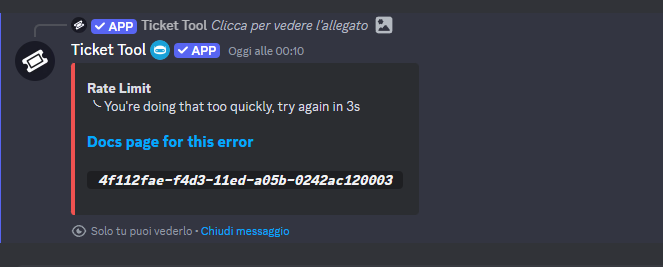
 oblique ermine
The site no longer works
strange gust
strange gust
https://imgur.com/9gPI9cI
I have this error but I have no other open tickets in my discord and no one is spamming
pseudo ravine
I've alerted the developer regarding this
 steady forge
oblique ermine
The site no longer works
steady forge
oblique ermine
The site no longer works
will we not be able to open tickets then?
oblique ermine
The website makes me fail the request
jade topaz
pseudo ravine
I've alerted the developer regarding this
i cant delete close tickets
pseudo ravine
The developer has been informed of these issues. Please be patient until everything is resolved
ocean spear
pseudo ravine
I've alerted the developer regarding this
Ah yes, Discord pulled the Rate Limit Attack Card 🤣
 little reef
Manes Gooner I have the same issue
ocean spear
Our move
oblique ermine
ok
restive condor
Rate Limit Errors, Interactions failing or Dashboard Timing Out?
Ticket Tool seems to be experiencing difficulties at this time on some servers.
Our developer has already been notified and is investigating the issue.
Your patience is appreciated 🙏
steady forge
restive condor
**Rate Limit Errors, Interactions failing or Dashboard Timing Out?**
Ticket Tool...
ty!
 rain grail
Bot timeout?
 next meteor
Hello, I'm trying to close this ticket (I clicked only once) and this comes up
 pseudo ravine
The developer has been informed of these issues. Please be patient until everything is resolved
 hushed patio
Our server is also having this issue. We also could not delete tickets via closing, so we manually deleted the channels.
Should we just wait it out?

 proper gale
Same problem
rain grail
pseudo ravine
The developer has been informed of these issues. Please be patient until everyth...
Ok thx
iron nightBOT
Gave +1 Rep to @pseudo ravine (current: #5 - 921)
next meteor
Oh, I see, it's an issue with the app, gotcha.
steady forge
hushed patio
Our server is also having this issue. We also could not delete tickets via closi...
developers r working on it currently so we'll have to see how long it takes
iron nightBOT
Gave +1 Rep to @steady forge (current: #354 - 1)
 fossil gale
Ticket Tool
APP
— Today at 6:18 PM
Warning: [001] You're doing that too quickly, try again in 5s
restive condor
Rate Limit Errors, Interactions failing or Dashboard Timing Out?
Ticket Tool seems to be experiencing difficulties at this time on some servers.
Our developer has already been notified and is investigating the issue.
Your patience is appreciated 🙏
restive condor
restive condor
**Rate Limit Errors, Interactions failing or Dashboard Timing Out?**
Ticket Tool...
jade topaz
 midnight bronze
ahm i cant create tickets in all servers
 pseudo ravine
The developer has been informed of these issues. Please be patient until everything is resolved
midnight bronze
oh ok sorry
 fleet sundial
can't delete tickets
 frosty loom
pseudo ravine
frosty loom
pseudo ravine
The developer has been informed of these issues. Please be patient until everything is resolved
pseudo ravine
 finite fable
Who deleted my comment
finite fable
Who deleted my comment
This channel is strictly for support regarding Ticket Tool
 glossy tusk
Help me
 finite fable
u right my fault gang
pseudo ravine
The developer has been informed of these issues. Please be patient until everything is resolved
glossy tusk
pseudo ravine
# The developer has been informed of these issues. Please be patient until every...
Thanks
iron nightBOT
Gave +1 Rep to @pseudo ravine (current: #5 - 922)
 dapper shuttle
hey, i need some help
so im trying to ping a specific role in a ticket, but it keeps saying undefined?

 echo lichen
Looks like my problem is already being worked on. Good luck guys!
dapper shuttle
pseudo ravine
Hey there. You will need to add a `&` after the `@` symbol
it worked
 kind spindle
(1257680623393443952)
dapper shuttle
thank you so much
 chilly garden
restive condor
chilly garden
restive condor

Rate Limit Errors, Interactions failing or Dashboard Timing Out?
Ticket Tool seems to be experiencing difficulties at this time on some servers.
Our developer has already been notified and is investigating the issue.
Your patience is appreciated 🙏
 visual belfry
I tried to create a ticket but this error appeared, I waited the necessary time and tried again, but it still didn't work😞
 humble sequoiaBOT
⚠️ Please read the messages previously sent by our team ⚠️
 harsh drum
glossy tusk
Help me
harsh drum
glossy tusk
Help me
We’re having the same issue too, hopefully they figure out what’s wrong 
echo lichen
They'll figure it out. That's why I joined the server was to bring it up.
restive condor
restive condor
# <a:sirena_animada:930084122565697566>
**Rate Limit Errors, Interactions faili...
 limber otter
visual belfry
I tried to create a ticket but this error appeared, I waited the necessary time ...
limber otter
visual belfry
I tried to create a ticket but this error appeared, I waited the necessary time ...
I just got the bot, set it all up, but yeah this is appearing for me aswell.
 cerulean frigate
Me 2
 fast jewel
Hello, how come I can’t submit a ticket in this discord server even though i have been waiting to submit one
restive condor
restive condor
# <a:sirena_animada:930084122565697566>
**Rate Limit Errors, Interactions faili...
 craggy sphinx
So, it's a Bot thing and not a me messing up thing?
restive condor
Correct
craggy sphinx
Glad I joined this server just now and solved that fast! Thank you!
 quasi socket
Ahmm guys bot is not responding
restive condor
Please see the latest pin
quasi socket
Oh i saw thx
 stoic river
 spiral zephyr
keeps showing this

 mighty thistle
My face when
pseudo ravine
The developer has been informed of these issues. Please be patient until everything is resolved
mighty thistle
We don't read
 vestal fjord
help me!
 pseudo ravine
The developer has been informed of these issues. Please be patient until everything is resolved
vestal fjord
I've tried opening the ticket several times and it doesn't work
 misty mural
bro cant read
vestal fjord
XD
pseudo ravine
You will need to be patient until everything is resolved
vestal fjord
sorry
 eternal dawn
why is the bot not working? I have been unable to close the ticket for an hour and users cannot open it
restive condor
Our developer has been notified of these issues
- Please see the latest pin for details (#🆘│community-support message)
 unique spindle
Thanks for the update boss 🫡
 outer sail
Why I get this problem when I use any command
Warning: [010] You're doing that too quickly, try again in 5s
restive condor
Our developer has been notified of these issues
- Please see the latest pin for details (#🆘│community-support message)
 indigo spade
bot have bug or what?
restive condor
Our developer has been notified of these issues
- Please see the latest pin for details (#🆘│community-support message)
 sour tulip
I’m trying to set up the ticket took and it keeps saying
Your doing that too quickly idk what I did wrong
restive condor
Our developer has been notified of these issues
- Please see the latest pin for details (#🆘│community-support message)
unique spindle
Love the people who arent reading at all.
 toxic flame
restive condor
**Rate Limit Errors, Interactions failing or Dashboard Timing Out?**
Ticket Tool...
toxic flame
restive condor
**Rate Limit Errors, Interactions failing or Dashboard Timing Out?**
Ticket Tool...
Lock this channel would you
 shut bolt

 hollow cosmos
restive condor
**Our developer has been notified of these issues**
- Please see the latest pin ...
hollow cosmos
restive condor
**Our developer has been notified of these issues**
- Please see the latest pin ...
why is the bot not working?
restive condor
Mate
hollow cosmos
mighty thistle
DAWG
 neon moth
Help me pls,
I've already waited 3 seconds, I've already placed another panel, but it's not going
 restive condor
Our developer has been notified of these issues
- Please see the latest pin for details (#🆘│community-support message)
 rustic robin
neon moth
Help me pls,
I've already waited 3 seconds, I've already placed another panel, ...
rustic robin
neon moth
Help me pls,
I've already waited 3 seconds, I've already placed another panel, ...
READ THE CHANNEL pls
 unborn cobalt
How do I make just the button blue?
 mighty thistle
shut bolt
https://media.discordapp.net/attachments/771887985931059200/813811437255393370/3...
neon moth
rustic robin
READ THE CHANNEL pls
mighty thistle
shut bolt
https://media.discordapp.net/attachments/771887985931059200/813811437255393370/3...
neon moth
rustic robin
READ THE CHANNEL pls
KKKKKKKKKKKKKKKKKK sorry
hollow cosmos
Just close the channel at the mod message lol
rustic robin
nah mb youre good
pseudo ravine
rustic robin
READ THE CHANNEL pls
Please be nice about it
rustic robin
my fault
 plush vortex
restive condor
**Our developer has been notified of these issues**
- Please see the latest pin ...
plush vortex
restive condor
**Our developer has been notified of these issues**
- Please see the latest pin ...
How many times have you had to paste that so far
shut bolt
cursive totem
I have a problem. Can anyone close the ticket? I want to make a specific rank do that. It closes.
pseudo ravine
Hey there. By default anyone can close the ticket, yes
 willow scarab
Does anyone know how I can contact or who can help me appeal a ban I received in Fortnite for no reason?
humble sequoiaBOT
⚠️ You're in the wrong place
We provide support for Ticket Tool Discord bot and cannot help you with whatever issue you have.
- We don't know which Support Team you should contact to get this issue resolved, and unfortunately we won't be able to accurately tell you.
If you don't have any further questions regarding our bot Ticket Tool, please close this ticket
 austere prism
How do I make all of these Dropdown items show up in the same panel if I can only choose the panel once?
 cursive totem
pseudo ravine
Hey there. By default anyone can close the ticket, yes
cursive totem
pseudo ravine
Hey there. By default anyone can close the ticket, yes
I want the admini only who can
pseudo ravine
You can go to the Dashboard > Buttons > Close Ticket > Support Team Only >
pseudo ravine
austere prism
How do I make all of these Dropdown items show up in the same panel if I can onl...
Hey there. Each option requires a different panel
austere prism
pseudo ravine
Hey there. Each option requires a different panel
Im sorry I'm just confused, a different panel for each option, wouldnt that defeat the purpose of having a drop down menu?
Ill give it a shot
pseudo ravine
No, that’s the entire purpose of the dropdown
It’s just a way to display multiple panels in a message
austere prism
So would I copy and paste this same embed into each panel?
 pseudo ravine
Nope, that’s not necessary. Just on the panel you’re sending
austere prism
pseudo ravine
Nope, that’s not necessary. Just on the panel you’re sending
Appreciate u it worked
pseudo ravine
You're welcome, glad I could help! Thanks for supporting Ticket Tool!
 haughty kelp
I need hel i have the error 267 my username is ELTROLEADOR_SC
humble sequoiaBOT
⚠️ You're in the wrong place
We provide support for Ticket Tool Discord bot and cannot help you with whatever issue you have.
- We don't know which Support Team you should contact to get this issue resolved, and unfortunately we won't be able to accurately tell you.
If you don't have any further questions regarding our bot Ticket Tool, please close this ticket
 round ether
 tender saffron
Como cria ticket?
 tired trench
Quem quiser criar ticket, por favor entre no meu servidor para eu tentar ajudar vcs.
Aqui está o link
haughty kelp
 clear flame
hi guys, I added the bot but it's showing 2 "Create a ticket" buttons instead of 1
 quasi path
is it possible to temp disable a button and send a ephemeral saying its temp disabled?
mighty thistle
@cobalt sandal
If you need more clarification on role mentions, this is the place to ask.
worldly helm
mighty thistle
Hey there 👋
Please elaborate and don‘t ping for support.
worldly helm
I asume you need help for ticket tool. Is that right?
worldly helm
What‘s the reason for talking in this channel then?
mighty thistle
They didn’t respond to my point, so I figured I’d make sure the rule was in place. I missed it in the pins.
At this point, please leave me alone. 😭
worldly helm
Okay, i didn‘t know that. As you can see I was just trying to help out. Sorry if that‘s the case.

 worldly helm
1: you did not use the right syntax.
2: Did you save the settings and opened a ticket at that exact panel
Use {ROLEID} or {@Role_name}
 tidal flicker
Hi everyone, noob here!🤤🫠 My having trouble with the basic dashboard UI server configs. It is not clear to me what any of these fields represent as someone that has never set it up before. How does allow channels work? Which ones should I be allowing? How does allow roles and disabled roles work? Allow roles as in allow them to open a ticket? Disable roles like what bots? Don't tell me to look at the documents cos I started there and it didn't help, just looking for some pointers, thanks in advance
 timber solar
Fam
 dusk wasp
i have made these 2 roles have access to see tickets but when i open a ticket they are not in the ticket?
 restive condor
dusk wasp
i have made these 2 roles have access to see tickets but when i open a ticket th...
restive condor
dusk wasp
i have made these 2 roles have access to see tickets but when i open a ticket th...
Hey there! Dashboard roles are roles with Dashboard access, not tickets
humble sequoiaBOT
1. Go into your Dashboard
2. Open your Panel Configs tab
3. Select the panel you want to grant access to
4. Open the General options menu
5. Select your Support Team Roles
6. Save changes
 restive condor
tidal flicker
Hi everyone, noob here!🤤🫠 My having trouble with the basic dashboard UI server...
restive condor
tidal flicker
Hi everyone, noob here!🤤🫠 My having trouble with the basic dashboard UI server...
Hey there! Allowed roles are roles allowed to use that command/button, disabled roles are roles not allowed to use that command/button.
Allowed roles override disabled roles
restive condor
 shadow lynx
can someone send the bot integration guide
shadow lynx
can someone send the bot integration guide
Hey there! See below please
humble sequoiaBOT
Integrating an External Bot x Ticket Tool <:TicketToolGold:1073948897673748490>
Integrating Ticket Tool with an external bot allows you to customize your server's Ticket System further!
- The external bot must output the
$newor$ticketcommands with the user's ID to start a ticket. Preferably in a private channel.
Eg.
$new 12345678901234567890
-
Your ticket panel must be Command Style enabled
-
You must whitelist that bot's ID in your Dashboard ➞ Server Configs ➞ Bot section.
Otherwise Ticket Tool will not react to the command and a ticket will not be created.
- If you'd like to include a reason in the command usage, feel free to do so after the user ID.
Eg.
$new 12345678901234567890 Your reason goes here
This reason can then be shown anywhere in the Ticket Message with the{create.reason}variable
** Note:** If you have changed Ticket Tool's default prefix ($) please ensure to amend the prefix for the $new or $ticket commands.
Eg. If your prefix is
-, then what you're looking for the bot to use is-newor-ticket
$botintegration
dusk wasp
restive condor
Hey there! Dashboard roles are roles with Dashboard access, not tickets
fixed it thank you so much!
iron nightBOT
Gave +1 Rep to @restive condor (current: #1 - 1808)
 stark runeBOT
1. Invite Ticket Tool to your server
First you will want to invite the bot to your server. Once the bot is in your server, you can manage your server in the dashboard.

2. Create a Panel
To create a panel we are going to need to head over to the panel configs on the dashboard.
Once at the dashboard we will need to click Create Panel.
Enter a panel name (Fill in any optional settings you want).
Click Create Panel and your ready to get started with configuring your panel.
An example of a creating a panel is shown below.

3. Send the Panel to a Channel
Once you've created a panel on the dashboard you will need to send it to a channel using send on the dashboard.
Select the channel you want your panel to be created in and click send.
For other questions checkout $help faq.
An example of a sending a panel is shown below.
Having a Problem Sending the Panel?
Do $debug in a channel with Ticket Tool and make sure it has all the necessary Discord permissions.

 crude copper
How to add bot ticket to my server
restive condor
See above please ^
crude copper
thanks man
tidal flicker
restive condor
Hey there! Allowed roles are roles allowed to use that command/button, disabled ...
When you say use that command/button, are you referring to the command that changes the setting? Meaning I would be setting this to admin role for example but blocking mods
restive condor
tidal flicker
When you say use that command/button, are you referring to the command that chan...
Im taking about the command or the button's settings you went in, to be prompted with a way of disabling or enabling roles
tidal flicker
Alright I think I got it, thank you
 acoustic sedge
Is there a lifetime 1 time purchase option
worldly helm
acoustic sedge
Is there a lifetime 1 time purchase option
Hey there!
Nope there isn't, you can buy it for 1 year tho.
 worldly helm
 opaque sapphire
How can i make tickets like this
opaque sapphire
How can i make tickets like this
Hello. Please refer to the embed below.
humble sequoiaBOT
A Discord Form lets the user answer individual questions in a pop-up Form, which then displays the answers in the ticket message. This can save time if you already know what you want to ask the user.
Setup Forms
Forms can be enabled under Panel Settings > Form Options > Edit Forms Options. In the new pop-up window, you can now enable and edit your own Form.
Form Options
You can add up to 5 questions in the Discord form. This is a Discord limitation. Each question can have a placeholder in the input field, a minimum and maximum input, multi-line, and also the option to have the answer required.
Options
Question Title ➞ Your Question goes here
Question Placeholder ➞ The placeholder text in the input field
Required ➞ If enabled, the user has to answer this question, to submit the form
Multi-Line Input ➞ Allows the user to input multiple lines
Minimum and Maximum Input ➞ Set a minimum and maximum input value for the user
Displaying the Answer
To display the answers from the user, you need to enable Auto display form results on the ticket message as an additional embed
If you don't want a second embed, go into your Panel Configs > Ticket Options > Edit Ticket Message. You use the variable {create.form.x} and replace x with the number of your question. For example, the response to Question 5 can be displayed with {create.form.5}.
opaque sapphire
worldly helm
Hello. Please refer to the embed below.
Thank you smm
iron nightBOT
Gave +1 Rep to @worldly helm (current: #12 - 437)
jade topaz
من وين اشتري العضوية؟
humble sequoiaBOT
فريق الدعم الفني العربي
عميلنا العزيز ان كنت تبحث عن مساعدة يرجى فتح تكت خاص بفريق الدعم الفني العربي
اذهب الى#🎫│make-a-ticket
ثم قم بلضغط على الايموجي الاتي (🇯🇴)
 coarse tulip
Hello. im here to ask why i cant create a ticket in the strongest battlegrounds discord server i wanna create a ticket to get a hacker banned but i cant somehow create a ticket.
 restive condor
coarse tulip
Hello. im here to ask why i cant create a ticket in the strongest battlegrounds ...
restive condor
coarse tulip
Hello. im here to ask why i cant create a ticket in the strongest battlegrounds ...
Hi there, that server seems to have been rate limited by Discord
Please try again later
There's nothing we can do sadly
coarse tulip
restive condor
There's nothing we can do sadly
oh okay
 wooden yacht
@humble sequoia @humble sequoia
How do I make a ticket to apeal my account in stfo?
humble sequoiaBOT
⚠️ You're in the wrong place
We provide support for Ticket Tool Discord bot and cannot help you with whatever issue you have.
- We don't know which Support Team you should contact to get this issue resolved, and unfortunately we won't be able to accurately tell you.
If you don't have any further questions regarding our bot Ticket Tool, please close this ticket
 humble sequoiaBOT
⚠️ You're in the wrong place
We provide support for Ticket Tool Discord bot and cannot help you with whatever issue you have.
- We don't know which Support Team you should contact to get this issue resolved, and unfortunately we won't be able to accurately tell you.
If you don't have any further questions regarding our bot Ticket Tool, please close this ticket
 north escarp
Hi can i make the form not in a embed like a regular message?
 worldly helm
north escarp
Hi can i make the form not in a embed like a regular message?
worldly helm
north escarp
Hi can i make the form not in a embed like a regular message?
Hey, yep!
You can use the {create.form.x} variable. Replace the x with the number of your form.
Then just use it in your ticket message.
north escarp
worldly helm
Hey, yep!
You can use the `{create.form.x}` variable. Replace the `x` with the ...
What is my form number
How do i know
worldly helm
north escarp
What is my form number
Here for example you have 3 forms enabled. If you want the 1st one to be displayed use {create.form.1} etc

 bitter ember
 unreal rock
 candid spire
bro stopped u ognna lost your money
worldly helm
unreal rock
bro stopped u ognna lost your money
Please dont talk in this channel unless you need support.
 worldly helm
Im already helping you in a different channel.
shadow lynx
$botintergration
 cold night
Is there a way to see who created a transcript in a ticket
worldly helm
shadow lynx
$botintergration
Hi, do you need help with ticket tool?
shadow lynx
$botintergration
humble sequoiaBOT
Integrating an External Bot x Ticket Tool <:TicketToolGold:1073948897673748490>
Integrating Ticket Tool with an external bot allows you to customize your server's Ticket System further!
- The external bot must output the
$newor$ticketcommands with the user's ID to start a ticket. Preferably in a private channel.
Eg.
$new 12345678901234567890
-
Your ticket panel must be Command Style enabled
-
You must whitelist that bot's ID in your Dashboard ➞ Server Configs ➞ Bot section.
Otherwise Ticket Tool will not react to the command and a ticket will not be created.
- If you'd like to include a reason in the command usage, feel free to do so after the user ID.
Eg.
$new 12345678901234567890 Your reason goes here
This reason can then be shown anywhere in the Ticket Message with the{create.reason}variable
** Note:** If you have changed Ticket Tool's default prefix ($) please ensure to amend the prefix for the $new or $ticket commands.
Eg. If your prefix is
-, then what you're looking for the bot to use is-newor-ticket
$botintegration
worldly helm
Please use commands in #premium-commands or #🤖│bot-spam .
cold night
Is there a way to see who created a transcript in a ticket
Someone's spamming it in our server and there's nothing we can do to check
(I'm being framed rn)
worldly helm
cold night
Is there a way to see who created a transcript in a ticket
Hey 👋
Inside the ticket it send an embed with the name of who saved the transcript upon the action.
cold night
worldly helm
Hey 👋
Inside the ticket it send an embed with the name of who saved the transc...
Can I have an example pls 😭

This is what we see rn @worldly helm :]
 worldly helm
cold night
This is what we see rn <@972202754212782080> :]
worldly helm
cold night
This is what we see rn <@972202754212782080> :]
Oh, sorry. You could use the logging feature
humble sequoiaBOT
With Ticket Tool, you can customize the behavior the bot takes when logging your tickets! For editing these options follow these steps:
Dashboard ➞ Panel Configs ➞ Logging Options
Logging Channel
Here you will define which channel @humble sequoia will save the Logs in (ticket created/deleted/closed, etc.)
Logs you can save:
➞ Ticket Created ➞ Logs when a ticket is created
➞ Ticket Closed ➞ Logs when a ticket is closed
➞ Ticket Opened ➞ Logs when a ticket is opened
➞ Ticket Renamed ➞ Logs when a ticket is renamed
➞ Ticket Deleted ➞ Logs when a ticket is deleted
➞ Transcript Saved ➞ Logs when a ticket is saved
Select with (disable) or (enabled) which logs you would like
Below you can see an example of what the Logging Options will look like:
cold night
worldly helm
Oh, sorry. You could use the logging feature
So we'd have to enable it?
We can't check the old ticket transcript?
worldly helm
Nope
cold night
Thank you kind sir
cold night
cold night
Thank you kind sir
You are a help!
shadow lynx
will turning off two step ticket remove the “support team” controls
 north escarp
I have a problem so the transcript like saving it to times

 worldly helm
north escarp
I have a problem so the transcript like saving it to times
worldly helm
north escarp
I have a problem so the transcript like saving it to times
Hey.
Dashboard —> Panel Configs —> Transcripts —> Auto save when Closed or deleted
You probably have that enabled and closed the ticket and then deleted that. Choose Close or Delete
jade topaz
Hello
humble sequoiaBOT
@outer sail, we would love to help you, but if you don't tell us what you need help with we can't help you :(
jade topaz
How i can ping admin role in the ticket
 humble sequoiaBOT
1. Go into your Dashboard
2. Open your Panel Configs tab
3. Select the panel you want to ping your support on
4. Open the Ticket options menu
5. Click on Edit Ticket Message
6. In the Message Content use one of the role mention syntax (**{@Role Name}**/**{Role ID}**)
7. Save changes
Note: For this to work properly, Ticket Tool requires the Mention Everyone permission. Or the role must have the Allow anyone to @mention this role setting enabled
 worldly helm
jade topaz
How i can ping admin role in the ticket
worldly helm
jade topaz
How i can ping admin role in the ticket
jade topaz
worldly helm
<:this:894279341108772914>
Ty lias
jade topaz
How i can add more button here

 iron remnant

humble sequoiaBOT
@gentle swallow
⚠️ You're in the wrong place
We provide support for Ticket Tool Discord bot and cannot help you with whatever issue you have.
- We don't know which Support Team you should contact to get this issue resolved, and unfortunately we won't be able to accurately tell you.
If you don't have any further questions regarding our bot Ticket Tool, please close this ticket
 marsh sierra
thhzimm Este usuário roubou uma fruta Leopard de mim, não é confiável para operar " thhzimm "
worldly helm
jade topaz
How i can add more button here
Hey. Please refer to the embed below.
humble sequoiaBOT
For more convenient use of multipanels, you can now combine panels on the dashboard. This will allow you to directly send the multipanel from the dashboard or via the $panel ID command.
Where can I find this?
You can find this setting on the Dashboard -> Panel Configs -> Panel -> Attached Panels
Note: if you're attaching all the panels to a panel called English, don't include English in the attached panel's box (If you do this, it will create a duplicate)
This will put all buttons from all of your panels on one message. The message is the panel message from the panel you're combining these panels in.
 rustic ginkgo
Help me, I had gotten a ticket and it disappeared and I can't get another one🇺🇸
me ajuda eu tinha pego um ticket e ele sumiu e nao consigo pegar outro🇧🇷 @pseudo glen
marsh sierra
thhzimm Este usuário roubou uma fruta Leopard de mim, não é confiável para operar " thhzimm "
humble sequoiaBOT
⚠️ You're in the wrong place
We provide support for Ticket Tool Discord bot and cannot help you with whatever issue you have.
- We don't know which Support Team you should contact to get this issue resolved, and unfortunately we won't be able to accurately tell you.
If you don't have any further questions regarding our bot Ticket Tool, please close this ticket
worldly helm
 neon solstice
me please?
neon solstice
me please?
Hey! What‘s up?
worldly helm
iron remnant
<a:okay:607657105666605067>
Hey. Do u need help regarding ticket tool?
marsh sierra
hey I need help "thhzimm" he stole my Leopard fruit and I don't know what to do or if they can get him banned because it was something very valuable and he just blocked me
worldly helm
marsh sierra
hey I need help "thhzimm" he stole my Leopard fruit and I don't know what to do ...
You already have been told you‘re in the wrong server.
marsh sierra
and I don't know how to report users on discord either but the truth is that I just want to get my Leopard back and I don't know if anyone can help me
worldly helm
We can‘t help you. Sorry!
marsh sierra
worldly helm
You already have been told you‘re in the wrong server.
So what is this server about?
worldly helm
About the discord bot "Ticket Tool"
A support server for that/these bot(s)
( @humble sequoia / @pseudo glen )
 turbid mountain
Can I somehow do it so that they can't open a ticket at a certain time? For example, I close it on the 23rd and reopen it on the 27th.
 simple iron
guys how to fix ticket tool in yielding arts not working
its says this
Failed to Create
╰ Failed to create a ticket channel
╰ Discord rate limited
Docs page for this error
5169a0fe-f50c-11ed-a05b-0242ac120003
pseudo ravine
turbid mountain
Can I somehow do it so that they can't open a ticket at a certain time? For exam...
Hey there. You can blacklist everyone from making a ticket for those few days. Is that something you're interested in?
pseudo ravine
simple iron
Failed to Create
╰ Failed to create a ticket channel
╰ Discord rate limited
Docs...
Hey there. You will have to wait until Ticket Tool is not ratelimited by Discord in that server
simple iron
pseudo ravine
Hey there. You will have to wait until Ticket Tool is not ratelimited by Discord...
how long do i need to wait?
normally
turbid mountain
pseudo ravine
Hey there. You can blacklist everyone from making a ticket for those few days. I...
Okay. Thank you
iron nightBOT
Gave +1 Rep to @pseudo ravine (current: #5 - 923)
pseudo ravine
simple iron
how long do i need to wait?
It depends on how long the ratelimit from Discord was
pseudo ravine
turbid mountain
Okay. Thank you
You're welcome, glad I could help! Thanks for choosing Ticket Tool!
iron nightBOT
Gave +1 Rep to @turbid mountain (current: #354 - 1)
simple iron
pseudo ravine
It depends on how long the ratelimit from Discord was
i made my first ticket in august till yesterday but they wont accept it even if i have proof
pseudo ravine
That itself won't affect anything. It's because of the amount of tickets that have been created within a short amount of time
pseudo ravine
That's not something we can control unfortunately
simple iron
ok
 inland lynx
inland lynx
inland lynx
Could someone answer?
Hi John, I asked you for clarification regarding the checkbox you mention in the screenshot message
 waxen dust
inland lynx
Hi John, I asked you for clarification regarding the checkbox you mention in the...
waxen dust
inland lynx
Hi John, I asked you for clarification regarding the checkbox you mention in the...
Let me check
waxen dust
inland lynx
Hi John, I asked you for clarification regarding the checkbox you mention in the...
Sorry I was a little cautious. I where in the wrong section when I went here on ticket dashboard on the web:
Dashboard —> Panel Configs —> Limits
I could change the options for the user to open 1 to several tickets.
inland lynx
waxen dust
Let me check
Don't you use ☐ and ☑ ?
Something preset that allows you to check off the various choices in a long list would be useful
waxen dust
inland lynx
Don't you use ☐ and ☑ ?
You can use something called forms to setup various things to check off
https://docs.tickettool.xyz/dashboard/panel-configs/form-options

Questionaries for ticket opening!
inland lynx
waxen dust
You can use something called forms to setup various things to check off
https:/...
Isn't it used to enter text?
I'm only interested in the check mark but I don't understand how the form can work with ☐ and ☑
waxen dust
inland lynx
I'm only interested in the check mark but I don't understand how the form can wo...
Don’t know but I think you need to be premium to be able to use it.
 clever iron
Hi
inland lynx
waxen dust
Don’t know but I think you need to be premium to be able to use it.
I don't understand. You inserted the square in the message

What were you referring to with this?
by clicking the ☐
 still rapids
hello, I was wondering if the ticket tool premium bot is free?
inland lynx
still rapids
hello, I was wondering if the ticket tool premium bot is free?
It isn't
still rapids
oh alright
 past quarry
How can I delete a panel? Whenever I try and delete it I get this error message.
 restive condor
past quarry
How can I delete a panel? Whenever I try and delete it I get this error message.
restive condor
past quarry
How can I delete a panel? Whenever I try and delete it I get this error message.
Hey there! 👋
That's just a security measure to prevent you from accidentally deleting all your panels.
If you'd like to delete your last/only panel, create a new one first 🙏
past quarry
Ahhh okay thank you
 woven skiff
I was unable to open a ticket so as to submit my address on particular discord. Please what can I do?
 astral pumice
i need help
how do i make it so someone has to claim the ticket from my ticket staff role and so the ticket tool bot auto roles the person that pressed creat ticket?
 valid gyro

 nocturne brook
Hi I'm a youtuber trying to set the bot up if someone where to help me i will reward them greatly
Pls dm me
past quarry
How would I remove/edit the second button on the embed?
 pseudo ravine
astral pumice
how do i make it so someone has to claim the ticket from my ticket staff role an...
pseudo ravine
astral pumice
how do i make it so someone has to claim the ticket from my ticket staff role an...
Hey there. Both of those require a premium subscription. Do you have one?
pseudo ravine
nocturne brook
Hi I'm a youtuber trying to set the bot up if someone where to help me i will re...
Hey there. Please do not offer rewards for someone to help you. And please do not take support into DMs
If you need support with Ticket Tool, you can ask in here or #🎫│make-a-ticket
pseudo ravine
past quarry
How would I remove/edit the second button on the embed?
Hey there. You can go to the Dashboard > Panel > Attached Panels > Remove the panel from the list
astral pumice
pseudo ravine
Hey there. Both of those require a premium subscription. Do you have one?
no i dont how much does it cost?
pseudo ravine
Please refer to the embed below!
humble sequoiaBOT
You can purchase Ticket Tool Premium here! Buying it on our website allows you to have full control over your subscription:
 Cancel your subscription at any time
Change your billing interval (yearly/monthly)
Change your payment method
Add or remove server slots to your subscription
 Transfer the subscription between servers
Note: This level of control is only available when purchasing the subscription from our website.
You can manage your current subscriptions here, any billing questions or concerns, feel free to create a Billing Ticket via #🎫│make-a-ticket
 pseudo ravine
Please note, that the price for a monthly subscription is now $8/month
past quarry
Am I only able to have a maximum of 5 questions on the form?
nocturne brook
pseudo ravine
Hey there. Please do not offer rewards for someone to help you. And please do no...
Sorry the reward was a Showed out but I'm sorry and it will not happen again 😔
past quarry
Damn I think you should give them a shoutout anyway
pseudo ravine
past quarry
Am I only able to have a maximum of 5 questions on the form?
Hey there. Yes, that’s a Discord limit
humble sequoiaBOT
━━ Vortexlive's inquiry has been moved to a ticket ━━
 dense arch
any reason why i cant click manage here? i have admin role in the server so i cant figure out why its greyed out. other members with the same roles as mine can click it

 fluid leaf
Hey there!
I'd like to ask what could be the reason that the ticket channels open on top of the server and not in the designated category.
The bot has every permission, the category was selected for both open and closed tickets and (from the dashboard and no error message) everything should work fine. We're just confused why it's not working lol
shadow lynx
fluid leaf
Hey there!
I'd like to ask what could be the reason that the ticket channels op...
Try saving then re sending panel
fluid leaf
Did that a couple of days ago and the issue still occurs (today at gmt +2 8am someone opened a ticket and the channel was still on the top)
humble sequoiaBOT
Identifiy the number of your question and select it using the menu at the end of the message
 - How do I create a panel?
 - How do I send a panel?
 - How can I grant my team access to tickets?
 - How do I add/remove users from a ticket?
 - How to automatically ping my support team on a ticket?
 - How do I set what category tickets are created in?
 - How does claiming work?
 - What is the prefix and how do I change it?
 - How do I limit the number of tickets a user can create?
 - How do I set a transcript channel?
 - How do I set permissions for tickets?
worldly helm
fluid leaf
Did that a couple of days ago and the issue still occurs (today at gmt +2 8am so...
Hey there!
Does the channel have 45 Tickets in it already?
fluid leaf
No not at all
worldly helm
Does the bot have permission to manage channels inside that category?
worldly helm
Please try giving the bot the administrator permission for testing. Then try open a ticket again.
If that works you can remove the administrator permission from the bot again, the bot is missing permissions.
fluid leaf
Alright I'll check that out
dense arch
dense arch
any reason why i cant click manage here? i have admin role in the server so i ca...
i even tried giving dashboard permissions to the admin role but nothing works :(
worldly helm
dense arch
i even tried giving dashboard permissions to the admin role but nothing works :(
Please #🎫│make-a-ticket for fast support.
dense arch
worldly helm
Please <#571706435449257997> for fast support.
ah i thought that was for like, more serious issues
worldly helm
Ohh no worries, if you need help regarding ticket tool (doesn't matter what it is about) you can ask in here or make a ticket ;)
 granite wind
help me, I was banned for nothing in the strongest battlefields, I was standing in afk, I was kicked, I went back in and there was a ban error 600 support woke me up in the game, I spent more than 1000 robux there
humble sequoiaBOT
⚠️ You're in the wrong place
We provide support for Ticket Tool Discord bot and cannot help you with whatever issue you have.
- We don't know which Support Team you should contact to get this issue resolved, and unfortunately we won't be able to accurately tell you.
If you don't have any further questions regarding our bot Ticket Tool, please close this ticket
granite wind
can I be banned?
shadow lynx
granite wind
can I be banned?
Your in the wrong place
granite wind
and where do I need to write to be banned?
worldly helm
We don‘t know.
granite wind
well okay
feral heart
Hey there
I'll just ask this question, since doing two items (dropdown items) in the same panel makes it so the other items don't show up in that panel, then how did this panel create multiple items in the same panel?

(this is from another server)
worldly helm
feral heart
Hey there
I'll just ask this question, since doing two items (dropdown items) in...
Hey! What exactly do you mean?
Could you maybe show a screenshot?
 knotty depot
worldly helm
Hey! What exactly do you mean?
knotty depot
worldly helm
Hey! What exactly do you mean?
Bro pls do ma ticket
worldly helm
Hey! What do you mean?
 worldly helm
I do not have access to tickets. Please be patient and wait.
knotty depot
ight
humble sequoiaBOT
The Drop-down menu or Select Menu replaces the buttons on your panel message and uses a drop-down menu with all of your panels. To set this up, go to your Panel Configs and select your main Panel.
<:Numbericons1:1018864164032225340> Enable Select Style
First you enable Select Style. Then you add an item in the Dropdown Editor. Now you can start editing your dropdown!
<:Numbericons2:1018864168041971712> Dropdown Editor
Each line in the dropdown editor represents a line in the drop down menu on discord. You can add more "Items", by clicking on
First you select a panel. That's the panel this option will open a ticket for. DONT select the same panel twice. Each option should have a different Panel
After that, you can put a Display. This is the title of this option and will appear in the drop down menu. The *Description can be set right after that, which will be below the title in grey.
Additionally you can select an emoji, that will be shown in front of each option. You can either manually input the ID of an emoji or select it in the selector.
Common Issues ⚠️
- Panel doesn't send? Make sure you have a valid emoji selected
- Option doesn't show up? Check if two options have the same panel in the DropDown Editor
$dropdown
shadow lynx
@feral heart ^
worldly helm
shadow lynx
<@1161217708822634496> ^
Hello. I am already helping the user. Please keep it at 1 user at a time.
To prevent confusion.
shadow lynx
Just tryna help…
worldly helm
I know but still i am already helping the user and i have a plan in mind that im going thru to help that person.
shadow lynx
sorry :(.
feral heart
worldly helm
Hey! What exactly do you mean?
I'm talking about how it's possible to have multiple items in one panel (the dropdown option one) since I saw it on another server. Also here's the screenshot

 worldly helm
humble sequoia
worldly helm
humble sequoia
Please refer to this guide.
humble sequoiaBOT
The Drop-down menu or Select Menu replaces the buttons on your panel message and uses a drop-down menu with all of your panels. To set this up, go to your Panel Configs and select your main Panel.
<:Numbericons1:1018864164032225340> Enable Select Style
First you enable Select Style. Then you add an item in the Dropdown Editor. Now you can start editing your dropdown!
<:Numbericons2:1018864168041971712> Dropdown Editor
Each line in the dropdown editor represents a line in the drop down menu on discord. You can add more "Items", by clicking on
First you select a panel. That's the panel this option will open a ticket for. DONT select the same panel twice. Each option should have a different Panel
After that, you can put a Display. This is the title of this option and will appear in the drop down menu. The *Description can be set right after that, which will be below the title in grey.
Additionally you can select an emoji, that will be shown in front of each option. You can either manually input the ID of an emoji or select it in the selector.
Common Issues ⚠️
- Panel doesn't send? Make sure you have a valid emoji selected
- Option doesn't show up? Check if two options have the same panel in the DropDown Editor
$dropdown
worldly helm
 errant belfry
How make the ticket choose
errant belfry
How make the ticket choose
Hello. Please refer to the embed above.
 vapid wave
Hello, how can I make it so that when a user opens a ticket, a specific role is notified? In my case, this is the "staff tag"
worldly helm
vapid wave
Hello, how can I make it so that when a user opens a ticket, a specific role is ...
Hello. Please refer to the embed below.
humble sequoiaBOT
1. Go into your Dashboard
2. Open your Panel Configs tab
3. Select the panel you want to ping your support on
4. Open the Ticket options menu
5. Click on Edit Ticket Message
6. In the Message Content use one of the role mention syntax (**{@Role Name}**/**{Role ID}**)
7. Save changes
Note: For this to work properly, Ticket Tool requires the Mention Everyone permission. Or the role must have the Allow anyone to @mention this role setting enabled
worldly helm
jade topaz
How can I create drop down style under “/ commands “ ?
Hey! What do you mean under "/commands" ?
 spiral wharf
My ticket has not create
worldly helm
spiral wharf
My ticket has not create
Hey there! What is the error message?
worldly helm
And what is the error message to that?
 obtuse star
worldly helm
And what is the error message to that?
obtuse star
worldly helm
And what is the error message to that?
Umm
humble sequoiaBOT
@obtuse star, we would love to help you, but if you don't tell us what you need help with we can't help you :(
obtuse star
humble sequoia
Is there any way I can Block a member to creat tickets
@worldly helm
humble sequoiaBOT
Any role you assign as a blacklisted role won't be able to use commands or buttons.
Selecting a blacklisted role
Go to your Dashboard ➞ Server Configs. There you will find the option to select blacklisted roles.
Note: Don't forget to save.
 worldly helm
obtuse star
Is there any way I can Block a member to creat tickets
<@972202754212782080>
worldly helm
obtuse star
Is there any way I can Block a member to creat tickets
<@972202754212782080>
Please refer to the embed above. It is only for roles.
vapid wave
worldly helm
Hello. Please refer to the embed below.
thanks
iron nightBOT
Gave +1 Rep to @worldly helm (current: #12 - 438)
 crisp pawn
i cant create ticket on one server 😭
jade topaz
worldly helm
Hey! What do you mean under "/commands" ?
How to add external website ?
 sinful jolt
the claim ticket button isnt showing up, i have it enabled


 molten creek
sinful jolt
the claim ticket button isnt showing up, i have it enabled
molten creek
sinful jolt
the claim ticket button isnt showing up, i have it enabled
i have this problem too
 dire trail
Hello sir please
Give me Invite Link
humble sequoiaBOT
Claiming allows you to change the ticket name, category and permissions. To use it you have to enable it first on your Dashboard > Panel Configs > Claiming

 Note: This is a premium feature
pseudo ravine
sinful jolt
the claim ticket button isnt showing up, i have it enabled
Note: This is a premium feature
pseudo ravine
sinful jolt
the claim ticket button isnt showing up, i have it enabled
@molten creek Please refer to the embed above!
 maiden ginkgo
How do I get a suggestion ticket
shadow lynx
maiden ginkgo
How do I get a suggestion ticket
do s!suggest in #🤖│bot-spam
worldly helm
jade topaz
How to add external website ?
Wdym?
worldly helm
dire trail
Hello sir please
Give me Invite Link
Hey! The invite of the bot?
maiden ginkgo
shadow lynx
do s!suggest in <#910978476536905738>
.
shadow lynx
maiden ginkgo
.
usage is s!suggest [suggestion]
maiden ginkgo
shadow lynx
usage is s!suggest [suggestion]
Ok
molten creek
is it possible to make it so that the admin can offer to close the ticket for free?
worldly helm
molten creek
is it possible to make it so that the admin can offer to close the ticket for fr...
Hey! As far as i know offering to close tickets does not cost money 😅
Please elaborate.
worldly helm
 fringe patio
Can you help me?
fringe patio
Can you help me?
Hii!
Sure what's up?
fringe patio
I was banned for Exploiter, but I didn't even have hacks
worldly helm
fringe patio
I was banned for Exploiter, but I didn't even have hacks
We only provide support regarding ticket tool.
molten creek
worldly helm
Hey! As far as i know offering to close tickets does not cost money 😅
Please e...
that the admin presses the button, he will give the reason why he wants to close, and the person who wants help can refuse or accept it
fringe patio
So this is not possible to solve?
worldly helm
Atleast not here.
fringe patio
Ok,But where is it?
worldly helm
molten creek
that the admin presses the button, he will give the reason why he wants to close...
You could make the close message ask if the issue is resolved, then the user can click the button Yes, it is resolved or No, it is not You can just rename those buttons.
worldly helm
fringe patio
Ok,But where is it?
We don't know sorry.
molten creek
worldly helm
You could make the close message ask if the issue is resolved, then the user can...
well, is it possible for the admin to write a reason there?
worldly helm
he could use the /closerequest command and choose a reason there, then use the {reason} variable inside your close-ask-message.
 harsh wing
what is the Variable for display name
 worldly helm
harsh wing
what is the Variable for display name
worldly helm
harsh wing
what is the Variable for display name
Hey there! 👋
It's {ticket.user.name}
https://docs.tickettool.xyz/dashboard/panel-configs/variables
harsh wing
worldly helm
Hey there! 👋
It's `{ticket.user.name}`
<https://docs.tickettool.xyz/dashboard/...
i want to put it for claim user but its put user the ticket opener not the ticket claimer
worldly helm

 outer python
Dont i get premium support if i buy premium bot, which i have?
harsh wing
worldly helm
its still get the id not the display name
 worldly helm
outer python
Dont i get premium support if i buy premium bot, which i have?
worldly helm
outer python
Dont i get premium support if i buy premium bot, which i have?
Hey, what exactly do you mean?
worldly helm
harsh wing
its still get the id not the display name
Well, what variable did u use?
outer python
worldly helm
Hey, what exactly do you mean?
I bought premium bot, so i expect to be able to make a premium ticket support here on support server.
iron nightBOT
Gave +1 Rep to @worldly helm (current: #12 - 440)
worldly helm
outer python
thanks <@972202754212782080>
No worries, glad i could help!
Thanks for supporting ticket tool!
harsh wing
worldly helm
Well, what variable did u use?
claim.user
worldly helm
Did you look at the marker in that picture?
harsh wing
worldly helm
Did you look at the marker in that picture?
wdym?
worldly helm
{ticket.user} gives the user ID, but {ticket.user.name} gives the user name.
{ticket.user.name} Is a sub variable of {ticket.user}. The same subvariables can be used in {claim.user}
worldly helm
harsh wing
wdym?
all together means you should use {claim.user.name} cuz that is a sub Command from {ticket.user}
 pseudo ravine
Hey there. Please refer to the embed below!
humble sequoiaBOT
1. Go into your Dashboard
2. Open your Panel Configs tab
3. Select the panel you want to ping your support on
4. Open the Ticket options menu
5. Click on Edit Ticket Message
6. In the Message Content use one of the role mention syntax (**{@Role Name}**/**{Role ID}**)
7. Save changes
Note: For this to work properly, Ticket Tool requires the Mention Everyone permission. Or the role must have the Allow anyone to @mention this role setting enabled
pseudo ravine
No
pseudo ravine
You're welcome, glad I could help! Thanks for choosing Ticket Tool!
 marsh hare
where do i go on the dashboard to change this text?
 pseudo ravine
Hey there. Please refer to the embed below!
humble sequoiaBOT
The panel message is where people react to make a ticket. To customize it head over to your Dashboard --> Panel Configs -> Panel -> Edit Panel Message
 marsh hare
oh its a premium feature
pseudo ravine
Nope, you don't need premium to edit the description of the Panel Message
marsh hare
Well it didn't allow me to do that, it's greyed out
pseudo ravine
The only thing that isn't greyed out is the description

 compact finch
Can I get some help

 nova hound
Idk what to do and its been like this after i kicked it and invited it back
 humble sequoiaBOT
━━ User's inquiry has been moved to a ticket ━━
nova hound
How do you add multiple tickets to one drop down pannel
humble sequoiaBOT
The Drop-down menu or Select Menu replaces the buttons on your panel message and uses a drop-down menu with all of your panels. To set this up, go to your Panel Configs and select your main Panel.
<:Numbericons1:1018864164032225340> Enable Select Style
First you enable Select Style. Then you add an item in the Dropdown Editor. Now you can start editing your dropdown!
<:Numbericons2:1018864168041971712> Dropdown Editor
Each line in the dropdown editor represents a line in the drop down menu on discord. You can add more "Items", by clicking on
First you select a panel. That's the panel this option will open a ticket for. DONT select the same panel twice. Each option should have a different Panel
After that, you can put a Display. This is the title of this option and will appear in the drop down menu. The *Description can be set right after that, which will be below the title in grey.
Additionally you can select an emoji, that will be shown in front of each option. You can either manually input the ID of an emoji or select it in the selector.
Common Issues ⚠️
- Panel doesn't send? Make sure you have a valid emoji selected
- Option doesn't show up? Check if two options have the same panel in the DropDown Editor
$dropdown
stark runeBOT
<:emote:1319996697467686912> Available commands
Use
/help <command>to get more information
help
info
list
ping
guildmembercount
searchdocumentation
report
warns
setup
frsetup
desetup
essetup
humble sequoiaBOT
━━ User's inquiry has been moved to a ticket ━━
 chrome radish
How do I get the code?
 crimson coral
chrome radish
How do I get the code?
crimson coral
chrome radish
How do I get the code?
It’s if you have a code for premium
quasi path
if you have multiple panel buttons, can you still put a limit so the limit affects all the panels
so like its a global limit on all instead of per button
 real valve
Why dose my Ticket tool delete my messages
jade topaz
is there any possibility to save form opening if tickets are opened via $new command sent by another bot? because as I noticed forms are opened only if you click on button or dropdown menu sent by ticket tool, via commands forms dont work for some reason
 idle flint
jade topaz
is there any possibility to save form opening if tickets are opened via `$new` c...
idle flint
jade topaz
is there any possibility to save form opening if tickets are opened via `$new` c...
Forms will only work if the ticket opening is directly initiated by the user, ie, I cant open a ticket for you and you get the form modal pop up on your screen
jade topaz
sad
idle flint
Discord limitation, not Ticket Tool limitation. Discord does not allow me to force a popup on your screen
 storm hearth
how do i make it so the transcript saves to a certain channel
humble sequoiaBOT
1. Go into your Dashboard
2. Open your Panel Configs tab
3. Select the panel you want to grant access to
4. Open the Transcript options menu
5. Using the Transcript Channel selector, pick the channel you want your transcripts to be sent to
6. Save changes
worldly helm
storm hearth
how do i make it so the transcript saves to a certain channel
Hiii!
storm hearth
worldly helm
Hiii!
<:this:894279341108772914>
tanks
 hollow ermine
How do i make it so if people have any problems they make private tickets with the bot that only them and i can see it and i can solve it?
worldly helm
hollow ermine
How do i make it so if people have any problems they make private tickets with t...
Hey! It only works if you‘re the server owner and no one on the server has the Administrator permission.
 stark runeBOT
1. Invite Ticket Tool to your server
First you will want to invite the bot to your server. Once the bot is in your server, you can manage your server in the dashboard.
2. Create a Panel
To create a panel we are going to need to head over to the panel configs on the dashboard.
Once at the dashboard we will need to click Create Panel.
Enter a panel name (Fill in any optional settings you want).
Click Create Panel and your ready to get started with configuring your panel.
An example of a creating a panel is shown below.
3. Send the Panel to a Channel
Once you've created a panel on the dashboard you will need to send it to a channel using send on the dashboard.
Select the channel you want your panel to be created in and click send.
For other questions checkout $help faq.
An example of a sending a panel is shown below.
Having a Problem Sending the Panel?
Do $debug in a channel with Ticket Tool and make sure it has all the necessary Discord permissions.
worldly helm
hollow ermine
Do i do /setup?
Just refer to the embed above ^^
worldly helm
hollow ermine
I tried but it says the application didnt respond
Sorry for the late reply, please #🎫│make-a-ticket for fast support.
 frozen badge
humble sequoiaBOT
frozen badge
humble sequoiaBOT
⚠️ You're in the wrong place
We provide support for Ticket Tool Discord bot and cannot help you with whatever issue you have.
- We don't know which Support Team you should contact to get this issue resolved, and unfortunately we won't be able to accurately tell you.
If you don't have any further questions regarding our bot Ticket Tool, please close this ticket
 green cairn
Hello
 vital kraken
hi! i used /setup and it's showing, the application did not respond..
what do i do?
 topaz rock
One of my servers aren't showing here what do i do.
 shadow lynx
topaz rock
One of my servers aren't showing here what do i do.
shadow lynx
topaz rock
One of my servers aren't showing here what do i do.
click sync serrvers
topaz rock
shadow lynx
click sync serrvers
Doesn't work.
shadow lynx
topaz rock
Doesn't work.
r u owner/admin role?
topaz rock
shadow lynx
r u owner/admin role?
Yeah, i have manage server permission.
 mint vigil
Patulong po di ako makapasok server
 humble sequoiaBOT
⚠️ You're in the wrong place
We provide support for Ticket Tool Discord bot and cannot help you with whatever issue you have.
- We don't know which Support Team you should contact to get this issue resolved, and unfortunately we won't be able to accurately tell you.
If you don't have any further questions regarding our bot Ticket Tool, please close this ticket
 hollow prairie
 worldly helm
hollow prairie
worldly helm
hollow prairie
Hiiiii! 👋
Please try using the /debug command.
 restive canopy
how do i allow only people like admins and HR's to close tickets and not casual members
worldly helm
Hey there! 👋
Dashboard --> Panel Configs --> Buttons --> Delete ticket --> Allowed roles --> Select a role that only you have.
Dashboard --> Command Configs --> Delete ticket --> Allowed roles --> Select a role that only you have.
worldly helm
restive canopy
how do i allow only people like admins and HR's to close tickets and not casual ...
Hey!
Dashboard --> Panel Configs --> Buttons --> Close ticket --> Allowed roles --> Select the roles that you want to have access to the button.
Dashboard --> Command Configs --> Close ticket --> Allowed roles --> Select the roles that you want to have access to the command
restive canopy
worldly helm
Hey!
`Dashboard` --> `Panel Configs` --> `Buttons` --> `Close ticket` --> `Allow...
God bless you, and thank you.
iron nightBOT
Gave +1 Rep to @worldly helm (current: #12 - 441)
worldly helm
restive canopy
God bless you, and thank you.
God bless you too. Have a nice day. Glad i could help
Nope, i only provide support here. Sorry! Feel free to ask anything in here as long as it is regarding ticket tool ;)
I am helping you, if you don't accept the help i provide, don't ask me 🤷
But lemme tell you, we can get everything figured out here.
 worldly helm
 neat orchid
Hey there! 👋
The bot is missing these following permissions for that channel. (Marked with ❌)
 neat orchid
worldly helm
Hey there! 👋
The bot is missing these following permissions for that channel. (...
neat orchid
worldly helm
Hey there! 👋
The bot is missing these following permissions for that channel. (...
Como eu ativo?
How do I activate?
worldly helm
Right click on the channel name (hold down instead, if on mobile) > Edit Channel > Permissions > Ticket Tool > enable the permissions marked with ❌
neat orchid
Clique com o botão direito do mouse no nome do canal (mantenha pressionado, se estiver no celular) > Editar canal > Permissões > Ferramenta de tickets > habilite as permissões marcadas com ❌
 quick widget
how do i ask a ticket?
worldly helm
quick widget
how do i ask a ticket?
Hey! Please elaborate.
quick widget
to ask for support
i have a problem with my nintendo switch
entering on atmosphere
worldly helm
We only provide support for Ticket Tool. Sorry!
neat orchid
worldly helm
Hey there! 👋
The bot is missing these following permissions for that channel. (...
Can you send me a video explaining?
@worldly helm
worldly helm
Yes i'm doing one right now. Please don't ping for support.
neat orchid
worldly helm
Yes i'm doing one right now. Please don't ping for support.
Ok tysm
worldly helm
There you go. Sorry that it took so long.
neat orchid
worldly helm
There you go. Sorry that it took so long.
Can you teach me how to put the boot in the channel?
Bot
worldly helm
You just have to give the bot the permission to view the channel. Then it is "added" to the channel.
neat orchid
worldly helm
You just have to give the bot the permission to view the channel. Then it is "ad...
Ok tysm
neat orchid
worldly helm
You just have to give the bot the permission to view the channel. Then it is "ad...

YESS
❤️
worldly helm
There you go
hollow prairie
worldly helm
Hiiiii! 👋
Please try using the /debug command.

I even kicked Ticket Tool and then added it again, still it no command works for some reason
worldly helm
The bot is missing some perms for that Channel
 hollow prairie
worldly helm
The bot is missing some perms for that Channel
hollow prairie
worldly helm
The bot is missing some perms for that Channel
Wait I will check them 🫡
hollow prairie
worldly helm
The bot is missing some perms for that Channel
nope still not working
worldly helm
Try using the command again
hollow prairie
worldly helm
Try using the command again
 worldly helm
The bot is still missing those permissions.

Right click on the channel name (hold down instead, if on mobile) > Edit Channel > Permissions > Ticket Tool > enable the permissions marked with ❌
hollow prairie
worldly helm
The bot is still missing those permissions.
worldly helm
Now the bot is only missing the Manage roles permission inside that channel.
Please try doing /setup again, it should work now
hollow prairie
worldly helm
Now the bot is only missing the `Manage roles` permission inside that channel. ...
Thank you so much 💗 Ticket tool is finally working for me now :))
 iron nightBOT
Gave +1 Rep to @worldly helm (current: #12 - 442)
 proud osprey
How to I change the ticket message
humble sequoiaBOT
The Ticket Message is the first message sent by the bot on a new ticket. To customize it head over to your Dashboard ➞ Panel Configs ➞ Ticket ➞ Edit Ticket Message
worldly helm
proud osprey
How to I change the ticket message
Hiiii!


 worldly helm
Yeah, that's what the guide is for
proud osprey
worldly helm
Yeah, that's what the guide is for
Yh but it is js changing the @krazy welcome message
worldly helm
Click on "Embed Editor"
proud osprey
Ok
Tnks
I did that it showed in the message preview and I saved it
But it doesn’t show when I show when I create a ticket
@worldly helm
worldly helm
1: Did you create a new ticket after saving settings?
2: Did you open a ticket at the correct panel?
proud osprey
worldly helm
1: Did you create a new ticket after saving settings?
2: Did you open a ticket a...
Yes and yes
worldly helm
Please check your dashboard if you saved the settings. Then open another ticket and check if it is the right panel.
proud osprey
worldly helm
Please check your dashboard if you saved the settings. Then open another ticket ...
It is the right panel but lemme recheck
Was I meant to put in the message in embed description
worldly helm
Yes.
worldly helm
What panel id does the panel have you edited?
proud osprey
worldly helm
What panel id does the panel have you edited?
Lost
worldly helm
Not the name, the ID
Standing left to the name of the panel
For example:
1 | Test
2 | Another test
proud osprey
Later I’m busy rn
 twilit stratus
can ticket do Multi-Panels
pseudo ravine
Hey there. Please refer to the embed below!
humble sequoiaBOT
For more convenient use of multipanels, you can now combine panels on the dashboard. This will allow you to directly send the multipanel from the dashboard or via the $panel ID command.
Where can I find this?
You can find this setting on the Dashboard -> Panel Configs -> Panel -> Attached Panels
Note: if you're attaching all the panels to a panel called English, don't include English in the attached panel's box (If you do this, it will create a duplicate)
This will put all buttons from all of your panels on one message. The message is the panel message from the panel you're combining these panels in.
twilit stratus
thx
pseudo ravine
You're welcome, glad I could help! Thanks for choosing Ticket Tool!
proud osprey
@worldly helm back
 barren cave
need help the following message pops up everytime i try to create a ticket Failed to Create
╰ Failed to create a ticket channel
╰ Discord rate limited
worldly helm
barren cave
need help the following message pops up everytime i try to create a ticket ...
Heyy! 👋
That server has been rate limited by Discord for an excessive amount of tickets created within 24h.
Please reach out to server staff so they switch to threads instead of channels, or try again tomorrow.
barren cave
worldly helm
Heyy! 👋
That server has been rate limited by Discord for an excessive amount of...
o tysm dude
 coral mantle
I can't add channel please help
 surreal wadi
need help with message that pops up when i try to create a ticket
 pseudo ravine
Hey there. You will need to find a different way to reach out to the staff of that server to inform them about the ticket system
surreal wadi
alr thx
pseudo ravine
You’re welcome, glad I could help!
 prisma verge
Is it possible to /add a user to threaded tickets?
past quarry
Is it possible to change the channel naming scheme?
So instead of it saying ticket-0001 it says application-0001
humble sequoiaBOT
The ticket name is the default channel name of all tickets. To edit it, go to your Dashboard > Panel Configs > Ticket. There you can edit the channel name of opened and closed tickets. You can also use variables in there.
Note: This is a premium feature
worldly helm
past quarry
So instead of it saying ticket-0001 it says application-0001
Hey! Please refer to the embed above
Note: It is premium only.
worldly helm
prisma verge
Is it possible to /add a user to threaded tickets?
Hey there! You just have to ping the user.
worldly helm
 desert kindle
Help me pls
desert kindle
Help me pls
Hii there!
You have already been told, you are in the wrong server.
desert kindle
Hi
Oh sorry
😦
I had the problem of wanting to retire my soul gun, and it was donated. And it was my only weapon 😦
worldly helm
As i said we can't help you.
desert kindle
Ok thanks 😦
 icy pumice
Hey, is there any way for links to be properly embedded after they were submitted via forms within a ticket?
Please tag me once you answer.