
#🆘│community-support
1 messages · Page 133 of 1
 dull meadow
 humble sequoiaBOT
The Ticket Message is the first message sent by the bot on a new ticket. To customize it head over to your Dashboard ➞ Panel Configs ➞ Ticket ➞ Edit Ticket Message

 flat mulch
how to solve this problem??

 restive condor
flat mulch
how to solve this problem??
restive condor
flat mulch
how to solve this problem??
Hey there! Could I get your server name or ID please
flat mulch
restive condor
Hey there! Could I get your server name or ID please
okay sure
restive condor
You have a bot error on the Dashboard. Your premium subscription seems to have expired.
You can simply re-subscribe on our website via the new payment provider https://tickettool.xyz/premium-purchase
See #📣│bot-news message for more information

Ticket Tool - Ticketing without clutter - The #1 Discord support bot
Or you can switch back to the free/white bot
flat mulch
restive condor
Or you can switch back to the free/white bot
how to switch to the free
restive condor
flat mulch
how to switch to the free
You can re-invite it from https://tickettool.xyz/invite
You should be able to access your Dashboard after that, then just select the white bot from the Server Configs tab
flat mulch
restive condor
You can re-invite it from <https://tickettool.xyz/invite>
okay thank you
 iron nightBOT
Gave +1 Rep to @restive condor (current: #2 - 1272)
 restive condor
You should be able to access your Dashboard after that, then just select the whi...
restive condor
restive condor
You should be able to access your Dashboard after that, then just select the whi...
^
flat mulch
restive condor
^
How to get access to dashboard?
restive condor
By clicking on the green manage button
If you still can't access it, please use /botswitcher on your server and enable the premium bot
flat mulch
restive condor
If you still can't access it, please use ``/botswitcher`` on your server and ena...
okay i think i have problem in premium bot
restive condor
Not sure what you mean by that, sorry. If there's anything else we can help you with please #🎫│make-a-ticket 
 candid cedar
Is there any way to grant a role access to the dashboard, but only to view the statistics?
Or in its defect, a way to grant a role a way to view statistics inside the server?
 lament prairie
candid cedar
Is there any way to grant a role access to the dashboard, but only to view the s...
lament prairie
candid cedar
Is there any way to grant a role access to the dashboard, but only to view the s...
Hey there! you can add a role to view the dashboard but you can't make it only view the statistics
 valid oracle
how can you copy a panel to a other server?
 muted mural
im lowk confused what to put here bcuz when i put the link to the channel it doesnt work

 loud barn
I am looking to have a video be sent with a ticket opening. Does anyone have any good advice for how to do that/what to use?
 charred crow
muted mural
im lowk confused what to put here bcuz when i put the link to the channel it doe...
charred crow
muted mural
im lowk confused what to put here bcuz when i put the link to the channel it doe...
Use /setup and sent pannel and use the good panel
 civic sand
I have everything done and it still doesn't appear to the admin, why?

I want to show the clam button to the administration. What is the solution?
humble sequoiaBOT
Claiming allows you to change the ticket name, category and permissions. To use it you have to enable it first on your Dashboard > Panel Configs > Claiming

 Note: This is a premium feature
 thorny mirage
yo how do I add options to my tickets
 random plume
how do i make this? where when i click a dropdown and that pops up
 humble sequoiaBOT
A Discord Form lets the user answer individual questions in a pop-up Form, which then displays the answers in the ticket message. This can save time if you already know what you want to ask the user.
Setup Forms
Forms can be enabled under Panel Settings > Form Options > Edit Forms Options. In the new pop-up window, you can now enable and edit your own Form.
Form Options
You can add up to 5 questions in the Discord form. This is a Discord limitation. Each question can have a placeholder in the input field, a minimum and maximum input, multi-line, and also the option to have the answer required.
Options
Question Title ➞ Your Question goes here
Question Placeholder ➞ The placeholder text in the input field
Required ➞ If enabled, the user has to answer this question, to submit the form
Multi-Line Input ➞ Allows the user to input multiple lines
Minimum and Maximum Input ➞ Set a minimum and maximum input value for the user
Displaying the Answer
To display the answers from the user, you need to enable Auto display form results on the ticket message as an additional embed
If you don't want a second embed, go into your Panel Configs > Ticket Options > Edit Ticket Message. You use the variable {create.form.x} and replace x with the number of your question. For example, the response to Question 5 can be displayed with {create.form.5}.

 timber kernel
random plume
how do i make this? where when i click a dropdown and that pops up
timber kernel
random plume
how do i make this? where when i click a dropdown and that pops up
There you go ^
timber kernel
random plume
how do i make it so a role will get mentioned when a ticket is opened?
humble sequoiaBOT
Within all the messages the bot sends (both embeds and text) you can mention either channels, roles, or even users, these mentions will only send a notification to the user if they are used within a text field, e.g: a role mentioned in an embed won't ping at all the users who have that role.
For mentioning a role you can use one out of three options:
{@Role Name} ➞ Which is Case Sensitive.
{RoleID} ➞ Replace RoleId with the Id of the role you are trying to ping.
<@&RoleID> ➞ Discord's native syntax to ping roles.
<#ChannelID> ➞ Mention a channel by its ID.
<@UserID> ➞ Mention a user by its ID.
timber kernel
And please go to:
Panel Configs -> Messages -> Edit Ticket Message via the Dashboard
 wicked hill
timber kernel
And please go to:
Panel Configs -> Messages -> Edit Ticket Message via the Dashb...
wicked hill
timber kernel
And please go to:
Panel Configs -> Messages -> Edit Ticket Message via the Dashb...
How do i make my ticket ping Staff?
humble sequoiaBOT
1. Go into your Dashboard
2. Open your Panel Configs tab
3. Select the panel you want to ping your support on
4. Open the Ticket options menu
5. Click on Edit Ticket Message
6. In the Message Content use one of the role mention syntax (**{@Role Name}**/**{Role ID}**)
7. Save changes
Note: For this to work properly, Ticket Tool requires the Mention Everyone permission. Or the role must have the Allow anyone to @mention this role setting enabled 
restive condor
wicked hill
How do i make my ticket ping Staff?
Hi there. See above ^
wicked hill
Thanks
valid oracle
how can you copy paste a panel to a other server?
humble sequoiaBOT
The Backup and Restore feature allows you to transfer your panels, tags, and all settings to a new server, even if the server the settings were created has been deleted! You will want to copy the whole key.
First, go to your server's Dashboard ➞ then Server Configs ➞ under Config Backup & Restore (Server Owner Only) click on Old version can be found here and generate a new backup key by pressing the green button. Now, a key should be generated in the box above. You may need to refresh the page to see this.
Once you have your backup key, navigate to the same page on the new server. Copy the key on the Restore from backup key field.
Now you can choose what you want to copy. Finally, press the green Restore Configs button.
IMPORTANT NOTE
- We suggest you keep this backup key somewhere safe, in case your server is deleted so you are able to recover your panel's settings.
- This feature is only usable by the server's owner
$backup
restive condor
valid oracle
how can you copy paste a panel to a other server?
Hey there! See above please ^
 jade topaz
can anyone help when i execeut the command /setup it says aplication did not respond
or smth like that
lament prairie
jade topaz
can anyone help when i execeut the command /setup it says aplication did not res...
Hello, could you run /debug command?
 lament prairie
jade topaz
it says the same thing
lament prairie
jade topaz
it says the same thing
the bot need Send Messages and View Messages perms
 sterile halo
Hi, this quesiton might be stupid, but i have configured a new drop down, and its not showing up in the drop-down message?
Any ideas?
Do i have to re-send the msg, or would it show up automaticly
?
lament prairie
sterile halo
Hi, this quesiton might be stupid, but i have configured a new drop down, and it...
Hey there! try to update/resend the panel
sterile halo
lament prairie
Hey there! try to update/resend the panel
Is there a cmd for this, or do i have to do it on the website?
lament prairie
sterile halo
Is there a cmd for this, or do i have to do it on the website?
from the dashboard
 jade topaz
lament prairie
the bot need `Send Messages` and `View Messages` perms
jade topaz
lament prairie
the bot need `Send Messages` and `View Messages` perms
do ineed any perms to use /debug?
lament prairie
jade topaz
do ineed any perms to use /debug?
no, but the bot need
jade topaz
lament prairie
no, but the bot need
k
https://discordapp.com/channels/509192800865353738/662692902245498910/1276117404585431121 it sayd to give them this
nvm
works now
lament prairie
jade topaz
works now
anything else to help with?
lament prairie
good!
jade topaz
lament prairie
good!
ty
iron nightBOT
Gave +1 Rep to @lament prairie (current: #75 - 16)
lament prairie
jade topaz
ty
yo're welcome, glad to help
 opal bane
Does anyone know how I can make the bot be in Spanish?
 gilded verge
change every text where you can and that's all you need
opal bane
that's fine thanks
 patent thunder
Hii
I have a question
I have a ticket panel that I worked hours on, in 1 server
How can I send it to my other server
Is this possible? 😭
humble sequoiaBOT
The Backup and Restore feature allows you to transfer your panels, tags, and all settings to a new server, even if the server the settings were created has been deleted! You will want to copy the whole key.
First, go to your server's Dashboard ➞ then Server Configs ➞ under Config Backup & Restore (Server Owner Only) click on Old version can be found here and generate a new backup key by pressing the green button. Now, a key should be generated in the box above. You may need to refresh the page to see this.
Once you have your backup key, navigate to the same page on the new server. Copy the key on the Restore from backup key field.
Now you can choose what you want to copy. Finally, press the green Restore Configs button.
IMPORTANT NOTE
- We suggest you keep this backup key somewhere safe, in case your server is deleted so you are able to recover your panel's settings.
- This feature is only usable by the server's owner
$backup
lament prairie
@patent thunder Hey there! check 
 wispy quarry
When will the bot open?
restive condor
The bot is online and working
loud barn
Has anyone tried adding a video to their ticket/when the ticket opens? I have a video I want members to watch when they open a certain ticket - any ideas?
 high lichen
I pressed the save button on dashboard to add drop downs but the panel is not updating
loud barn
high lichen
I pressed the save button on dashboard to add drop downs but the panel is not up...
Cant promise this is right but in the panel config there is this at the top. Maybe try the "Update" button?

 open kettle
what causes this kind of problem? help pls 😭
 high lichen
open kettle
what causes this kind of problem? help pls 😭
high lichen
open kettle
what causes this kind of problem? help pls 😭
I think you have too many channels
 trim zodiac
Hi, I would like to get this message in my ticket too, if someone writes anything to appear on my ticket (as you can see in the 2nd image nothing shows up)

 jade topaz
Hello
 iron vale
How to make html transcript to link
jade topaz
How can I verify ??
iron vale
What ?
jade topaz

 regal crater
need help
jade topaz
iron vale
Close browser
Same thing
open kettle
high lichen
I think you have too many channels
oh okay ty for ur help
lament prairie
trim zodiac
Hi, I would like to get this message in my ticket too, if someone writes anythin...
Hey there! make sure you have enable this option
 humble sequoiaBOT
1. Go into your Dashboard
2. Open your Panel Configs tab
3. Select the panel you want to grant access to
4. Open the Transcript options menu
5. Using the Transcript Channel selector, pick the channel you want your transcripts to be sent to
6. Save changes
 lament prairie
iron vale
How to make html transcript to link
lament prairie
iron vale
How to make html transcript to link
see above^
lament prairie
jade topaz
check your email
iron vale
lament prairie
see above^
Bro I need transcript link
I have transcript in html form I need in link
lament prairie
iron vale
I have transcript in html form I need in link
sorry I didn't understant, could you explain more?
 ionic path
regal crater
need help
ionic path
regal crater
need help
Hey there! What do you need help with?
 fierce viper
hello i want to make the tickets to be able to close by only owners of the tickets and if possible mods how can i do this?
i tried to make it but everybody can close anyone's ticket
humble sequoiaBOT
━━ GamerWei's inquiry has been moved to a ticket ━━
 austere forge
fierce viper
hello i want to make the tickets to be able to close by only owners of the ticke...
austere forge
fierce viper
hello i want to make the tickets to be able to close by only owners of the ticke...
Hey there 🙂
Go to Dashboard > Panel configs > Boutons - Close ticket and enabled support team only  and set allowed roles if you want
fierce viper
austere forge
Hey there 🙂
Go to Dashboard > Panel configs > Boutons - Close ticket and enable...
hello, i tried that one but whenever i enable support team only, this time owner of the ticket can not close their own ticket by themselves
austere forge
fierce viper
hello, i tried that one but whenever i enable support team only, this time owner...
alright,
you can disabled support team only  and set allowed role like your mods
fierce viper
i can not explain myself good so i'll give example
those who can close tickets:
only the user who created the ticket
who cant close tickets:
everyone except the ticket creator
i can not allow roles from support team since ticket creators are not a role but user
fierce viper
fierce viper
i can not explain myself good so i'll give example
those who can close tickets:
...
i just want to make this one
austere forge
fierce viper
i just want to make this one
okay, in your case
you can set disabled role and put your mods
fierce viper
that was not what i wanted but thanks for taking your time
austere forge
fierce viper
that was not what i wanted but thanks for taking your time
sorry if you didn't find what you were looking for - if you need help again #🎫│make-a-ticket 🙏
 still sandal
c'est ou pour faire un tickt ?
humble sequoiaBOT

L'équipe du support Français
Cher client,
Si vous avez besoin d'aide, ouvriez un ticket pour le support Français s'il vous plaît.
Allez au #🎫│make-a-ticket et tapez sur le bouton contenant l'emoji 🇫🇷
 narrow surge
Hello, I would be unsubscribed from CNFans and when I registered again, was my paid order gone? What can I do?
humble sequoiaBOT

⚠️ You're in the wrong place
We provide support for Ticket Tool Discord bot and cannot help you with whatever issue you have.
- We don't know which Support Team you should contact to get this issue resolved, and unfortunately we won't be able to accurately tell you.
If you don't have any further questions regarding our bot Ticket Tool, please close this ticket
ionic path
narrow surge
Hello, I would be unsubscribed from CNFans and when I registered again, was my p...
Hey there, check above ^^
narrow surge
ionic path
Hey there, check above ^^
I don't understand what to do
ionic path
You are in the wrong place, we can’t help you
 undone zealot
Anytime I try to use the bot it says my application failed, does anyone know how to fix that or why it's happening?
austere forge
undone zealot
Anytime I try to use the bot it says my application failed, does anyone know how...
Hey there 🙂
Make sure that the bot has: VIEW CHANNEL SEND MESSAGE and READ MESSAGE HISTORY perms in the channel
undone zealot
austere forge
Hey there 🙂
Make sure that the bot has: `VIEW CHANNEL` `SEND MESSAGE` and `READ...
Omg thank you the people who made the server I'm in made the channel private and didn't add the bot🤦♀️
iron nightBOT
Gave +1 Rep to @austere forge (current: #11 - 503)
austere forge
You're welcome, glad I could help ! 
jade topaz
humble sequoia
How?
humble sequoiaBOT
Ticket Tool Custom Avatar
As of now, you are not able to change Ticket Tool's profile picture, nonetheless, our Development Team is working on the release of white labels, this is your own custom bot!
For the time being, you can change the bot's nickname by right-clicking the bot in the user list on your server and clicking Change Nickname

$avatar
lament prairie
 tepid geyser
Can i change the profil picture from the bot
tepid geyser
Can i change the profil picture from the bot
check this^
tepid geyser
And profil pic
tepid geyser
lament prairie
check this^
I already change the name
jade topaz
i wanna buy ticket tool premium, but if my account via which i bought subscription gets terminated by discord then will i get back the subscription on the new account?
lament prairie
tepid geyser
I already change the name
**As of now, you are not able to change Ticket Tool's profile picture, nonetheless, our Development Team is working on the release of white labels, this is your own custom bot!
**
tepid geyser
lament prairie
**As of now, you are not able to change Ticket Tool's profile picture, nonethele...
Ohh ok thx @lament prairie
iron nightBOT
Gave +1 Rep to @lament prairie (current: #72 - 17)
lament prairie
jade topaz
i wanna buy ticket tool premium, but if my account via which i bought subscripti...
you will need to contact discord support team to refund
jade topaz
lament prairie
you will need to contact discord support team to refund
for ticket tool subscription??
why discord will refund
lament prairie
jade topaz
for ticket tool subscription??
did you get the subscription via discord?
jade topaz
via website
lament prairie
jade topaz
via website
try open a ticket #🎫│make-a-ticket and chose Billing
civic sand
Guys, look, I subscribed to the premium for a free week, and I still can't use the clam feature. Why?

 worldly helm
civic sand
Guys, look, I subscribed to the premium for a free week, and I still can't use t...
worldly helm
civic sand
Guys, look, I subscribed to the premium for a free week, and I still can't use t...
Hey there!
What exacly do you mean by that?
Does it show any errors, etc..?
jade topaz
civic sand
Guys, look, I subscribed to the premium for a free week, and I still can't use t...
If I take 7 Day free need I pay
worldly helm
jade topaz
If I take 7 Day free need I pay
Hey there!
If you activate the 7 day trail you can test out the premium bot for 7 days and check if its worth for u to buy.
jade topaz
worldly helm
Hey there!
If you activate the 7 day trail you can test out the premium bot for ...
Need I pay after 7 days?
worldly helm
nope, you don't.
jade topaz
So I will have only Trial
jade topaz
worldly helm
nope, you don't.
So should I try it
worldly helm
Sure :)
jade topaz
 jade topaz
worldly helm
Sure :)
jade topaz
worldly helm
Sure :)
I have it!
worldly helm
great!
Feel free to reach out if you have any questions :)
jade topaz
worldly helm
great!
Feel free to reach out if you have any questions :)
How to have a other profile photo
On the bot
worldly helm
Sadly you cannot. you can only change the name! You want a guide for that?
jade topaz
worldly helm
Sadly you cannot. you can only change the name! You want a guide for that?
I want guide to do the claim button
worldly helm
Dashboard-->Buttons-->Claim Button--> Claiming
humble sequoiaBOT
━━ GamerWei's inquiry has been moved to a ticket ━━
jade topaz
worldly helm
`Dashboard`-->`Buttons`-->`Claim Button`--> <:Switch_enabled:1041734627330625586...
I don’t have the claim button when I open a ticket..
austere forge
jade topaz
I don’t have the claim button when I open a ticket..
If you already have a ticket open, please reply to it.
jade topaz
austere forge
If you already have a ticket open, please reply to it.
I know
austere forge
and ask your questions in your ticket
civic sand
worldly helm
Hey there!
What exacly do you mean by that?
look i cant
 worldly helm
Click on the  button
jade topaz
civic sand
look i cant
Enable it
Same with me
It no work at the Webside
I needed to go on mobile to do it
worldly helm
jade topaz
Enable it
I am helping him/her. Let me help the person alone, we dont need 2 people to help one person.
jade topaz
worldly helm
I am helping him/her. Let me help the person alone, we dont need 2 people to hel...
Ok
civic sand
jade topaz
I needed to go on mobile to do it
Do I need to open this from my phone for it to activate?
humble sequoiaBOT
Claiming allows you to change the ticket name, category and permissions. To use it you have to enable it first on your Dashboard > Panel Configs > Claiming
Note: This is a premium feature
worldly helm
civic sand
Do I need to open this from my phone for it to activate?
You don't. Please click on the button or follow the guide send by a staff member above ^^ (ty 3volts)
civic sand
worldly helm
You don't. Please click on the <:Switch_disabled_neutral:1041734624163934299> bu...
I can't press the button
worldly helm
Can you please show me your whole Dashboard? Seems like you dont have an active subcribition
 worldly helm
Please #🎫│make-a-ticket or wait for staff to handle this issue. If you wait for a staff member in here, please send your server ID in chat so they can check your Dashboard. (I dont have access to that type of stuff.) Sorry!
civic sand
worldly helm
Please <#571706435449257997> or wait for staff to handle this issue. If you wai...
oky thx
worldly helm
civic sand
oky thx
you're welcome!
austere forge
civic sand
Hey there 🙂
Thank you @worldly helm for the help
@civic sand > Can i get your server ID or name pls
iron nightBOT
Gave +1 Rep to @civic sand (current: #332 - 1)
humble sequoiaBOT
━━ User's inquiry has been moved to a ticket ━━
civic sand
austere forge
Hey there 🙂
Thank you <@972202754212782080> for the help
<@905173353705386035>...
Of course
1269803321074520104
austere forge
civic sand
Of course
1269803321074520104
you've opened a ticket, we'll continue over there 😉
worldly helm
Sure, what's up?
 opal wasp
Why wouldn't you make claim a ticket doesn't require premium?
worldly helm
Sorry?
opal wasp
worldly helm
Sorry?
The claim a ticket command
worldly helm
أنت على حق، المطالبة هي ميزة مميزة فقط
opal wasp
يمكنك التكلم بالعربية؟
worldly helm
لا، أنا استخدم مترجم 👀
opal wasp
worldly helm
لا، أنا استخدم مترجم 👀
هل فهمت سؤالي في الاعلى؟
worldly helm
لا، آسف! هل يمكنك التوضيح من فضلك؟ يمكنك القيام بذلك باللغة العربية أيضًا :)
opal wasp
كنت اسأل لماذا لا تجعلو ميزة استلام التذاكر لا تتطلب اشتراك
worldly helm
حسنًا، لا أعرف. اسأل المدير :)
opal wasp
هل يمكنك ايصال اقتراحي له من فضلك؟
و هو ان يجعل ميزة استلام التذاكر لا تتطلب منك الاشتراك لانها اهم ميزة في الدعم الفني
worldly helm
إذا كنت تريد ذلك، يمكنك اقتراح ذلك بنفسك باستخدام s!suggest [suggestion]
opal wasp
worldly helm
إذا كنت تريد ذلك، يمكنك اقتراح ذلك بنفسك باستخدام `s!suggest [suggestion]`
Where?
worldly helm
#🤖│bot-spam
opal wasp
worldly helm
<#910978476536905738>
Thank you so much
iron nightBOT
Gave +1 Rep to @worldly helm (current: #30 - 116)
worldly helm
You're welcome
Feel free to reach out again if you need more help 🙏
 mortal cloud
where can i access my previous tickets and read them?
humble sequoiaBOT
1. Go into your Dashboard
2. Open your Panel Configs tab
3. Select the panel you want to grant access to
4. Open the Transcript options menu
5. Using the Transcript Channel selector, pick the channel you want your transcripts to be sent to
6. Save changes
lament prairie
mortal cloud
where can i access my previous tickets and read them?
Hello, check this^
mortal cloud
lament prairie
you're welcome
 marsh flint
Hi there, I'm having an issue with Sapphire and Ticketool integration using FORMS
Anyone?
humble sequoiaBOT
Hello, we would love to help you, but if you don't tell us what you need help with we can't help you :(
marsh flint
I just integrated Sapphire w TT, created a channel for them to talk. I used to have a form when a member was opening a ticket, so he could give me info beforehand. Now, as my sapph bot is opening the ticket privately, the form is been filled as blank and my member cannot give me info.
 shut bolt
marsh flint
I just integrated Sapphire w TT, created a channel for them to talk. I used to h...
shut bolt
marsh flint
I just integrated Sapphire w TT, created a channel for them to talk. I used to h...
The only way for a form to be filled is if you use Ticket Tool's native panels
 jade harness
why wont it let me setup the ticket tool? it just says: 'application is not responding' or something like that, any ideas of how to fix?
marsh flint
shut bolt
The only way for a form to be filled is if you use Ticket Tool's native panels
Thanks!
iron nightBOT
Gave +1 Rep to @shut bolt (current: #1 - 1405)
restive condor
jade harness
why wont it let me setup the ticket tool? it just says: 'application is not resp...
Hey there! Could you run the /debug command please?
 restive condor
jade harness
restive condor
jade harness
Ticket Tool is missing all the permissions marked with ❌ below for that channel
 restive condor
No problem!
marsh flint
Im back
 carmine whale
Anyone know How do I stop members from seeing tickets?
restive condor
carmine whale
Anyone know How do I stop members from seeing tickets?
Hey there! Yes, Dashboard > Panel Configs > Permissions > Everyone Role Permissions - Edit Opened > 
VIEW CHANNEL
carmine whale
restive condor
Hey there! Yes, ``Dashboard`` > ``Panel Configs`` > ``Permissions`` > ``Everyone...
I already did that and it still doesnt work
restive condor
carmine whale
I already did that and it still doesnt work
Are you testing this with a brand new ticket?
carmine whale
restive condor
Are you testing this with a brand new ticket?
yes
restive condor
Could I get your server name or ID please
carmine whale
Its also locked to HR being pinged
carmine whale
restive condor
Could I get your server name or ID please
sure one sec
1249018584131436555
restive condor
carmine whale
1249018584131436555
Looks good. How exactly are you testing this?
carmine whale
restive condor
Looks good. How exactly are you testing this?
Closing the old ticket after changing permission and then opening a new one, then using discords view server as role to test it
restive condor
carmine whale
Closing the old ticket after changing permission and then opening a new one, the...
Discord's View as Role isn't great for Ticket Tool testing sadly. Could you try using an alt or asking someone else to test it out please 🙏
humble sequoiaBOT
View As Role feature
Discord's integrated View As Role feature will allow you to see how different groups of roles will have access to your server's channels. Even though, this feature isn't reliable for thoroughly testing Ticket Tool considering that the tickets are created based on User roles, and that Roles permissions are only used for Support Team Roles, and Additional Roles.
For testing Ticket Tool as a user we suggest you ask a friend to open a ticket for you as a regular member would do, or use an alternative account to simulate the same process to make sure everything is set properly.
carmine whale
restive condor
Discord's View as Role isn't great for Ticket Tool testing sadly. Could you try ...
alright
carmine whale
Thanks @restive condor
iron nightBOT
Gave +1 Rep to @restive condor (current: #2 - 1275)
restive condor
No problem, glad I could help!
 hidden granite
How do I setup multi panels?
humble sequoiaBOT
For more convenient use of multipanels, you can now combine panels on the dashboard. This will allow you to directly send the multipanel from the dashboard or via the $panel ID command.
Where can I find this?
You can find this setting on the Dashboard -> Panel Configs -> Panel -> Attached Panels
Note: if you're attaching all the panels to a panel called English, don't include English in the attached panel's box (If you do this, it will create a duplicate)
This will put all buttons from all of your panels on one message. The message is the panel message from the panel you're combining these panels in.

 dark kraken
hidden granite
How do I setup multi panels?
dark kraken
hidden granite
How do I setup multi panels?
^^
 eager grotto
Hello guys can I ask for some help please ?
eager grotto
I've got 2 issues :
- When I create a ticket for someone and add him in, all the server can see the ticket how can I change that ?
- When a ticket is created, for some reasons the Member role shows up even though i have the founder role
loud barn
I am dying over here trying to figure out how to ping myself in tickets when they are created. I have tried pinging the founder role but it doesnt actually ping me. Any ideas?
worldly helm
loud barn
I am dying over here trying to figure out how to ping myself in tickets when the...
Hey there! You can either make a role that gets pinged that only you have or with your ID! Its the same as for the role Ping
 nocturne sierra
Hey is there a way to disable certain version bot that cna show up on the slash command index?
 plush stump
Как пофиксить??

 tardy jetty
Как поставить русский язык в боте?
hidden granite
I have 7d premium but cant use premium options
 idle flint
Try clicking the Sync button on the dashboard (just above and to the right of your server name, icon & member count)
hidden granite
thanks
 twilit summit
Hey supervisors! I made a couple tickets in make-a-ticket to test Ticket Tool out, before seeing the demo-tickets channel. So please ignore them if they went through. The channel disappeared for me until I clicked Show All Channels so hope my permissions didn't get removed or something lol
 unkempt ocean
i want to add emojis to my ticket emblem message how can i do that?
twilit summit
Hey just curious how does one make a suggestion in this server? I'm creating a server and think the suggestions voting system in [READ ONLY] is great just wondering where those suggestions are being submitted
 surreal osprey
why i don't see claim button for tickets
jade topaz
surreal osprey
why i don't see claim button for tickets
Because you don’t have premium
humble sequoiaBOT
Claiming allows you to change the ticket name, category and permissions. To use it you have to enable it first on your Dashboard > Panel Configs > Claiming
Note: This is a premium feature
surreal osprey
if you check at buttons it doesn't say claim is a premium feature
idle flint
surreal osprey
if you check at buttons it doesn't say claim is a premium feature
At the button option, it does not, but the button option is not where you enable claiming, you do that in the claiming menu, which indicates that it is a premium feature
the button menu just allows you to not have the claim button once you have enabled claiming in the claim menu
jade topaz
surreal osprey
it doesn't say premium if you just check it tho
If you saw either  /
/ /
/ means they requires premium
 livid kraken
Riki Marci если вам удалось поставить русский язык в боте дайте знать пожалуйста
Hi everyone 👋
surreal osprey
jade topaz
If you saw either <:premium_blue:880957870236127253>/<:premium_red:6620327179064...
i didn't saw that.
livid kraken
Dear support,i have a problem with logging in to my account nodepay , problem is still one week long or more , i ask the recovery link for my account,and after make a new password : dont work
hepl meplease with logging in to my account,it was registered at emil: dmklimovv@gmail.com
thank u very much 🙏
humble sequoiaBOT
⚠️ You're in the wrong place
We provide support for Ticket Tool Discord bot and cannot help you with whatever issue you have.
- We don't know which Support Team you should contact to get this issue resolved, and unfortunately we won't be able to accurately tell you.
If you don't have any further questions regarding our bot Ticket Tool, please close this ticket
livid kraken
How to close it ??? A do it ,tell me how
humble sequoiaBOT
⚠️ Please read the messages previously sent by our team ⚠️
 rapid perch
Dear suport im trying to open a ticket in a server to claim a reward and it shows me this Channel Limit
╰ Server at channel limit of 500
╰ Clear channels to continue creating tickets
What should i do?
restive condor
rapid perch
Dear suport im trying to open a ticket in a server to claim a reward and it show...
Hi there, Discord has a limit of 500 channels per server.
It appears that server has reached such limit
Please contact server staff for them to clear channels
rapid perch
There are these channels
 restive condor
It's a server limit. All channels count towards the limit, even the ones you cannot see
rapid perch
Ok i need to mesagge the staff and what do i tell them?
restive condor
Just let them know they have reached the maximum channels allowed by Discord and they need to delete channels to leave room for new tickets
iron nightBOT
Gave +1 Rep to @restive condor (current: #2 - 1278)
loud barn
worldly helm
Hey there! You can either make a role that gets pinged that only you have or wit...
Thanks @worldly helm
iron nightBOT
Gave +1 Rep to @worldly helm (current: #30 - 117)
worldly helm
You‘re Welcome!
Feel free to reach out again if u need any more help!
 tired inlet
Hello
plush stump
tardy jetty
Как поставить русский язык в боте?
Скорее всего никак
humble sequoiaBOT
Hello, we would love to help you, but if you don't tell us what you need help with we can't help you :(
jade topaz
Помогите как создать возможность создавать тикеты ?
 stark runeBOT
1. Invite Ticket Tool to your server
First you will want to invite the bot to your server. Once the bot is in your server, you can manage your server in the dashboard.

2. Create a Panel
To create a panel we are going to need to head over to the panel configs on the dashboard.
Once at the dashboard we will need to click Create Panel.
Enter a panel name (Fill in any optional settings you want).
Click Create Panel and your ready to get started with configuring your panel.
An example of a creating a panel is shown below.

3. Send the Panel to a Channel
Once you've created a panel on the dashboard you will need to send it to a channel using send on the dashboard.
Select the channel you want your panel to be created in and click send.
For other questions checkout $help faq.
An example of a sending a panel is shown below.
Having a Problem Sending the Panel?
Do $debug in a channel with Ticket Tool and make sure it has all the necessary Discord permissions.
 tired inlet
How many tickets that can be open by the members at the same time?
Please I need support
loud barn
What permission am I missing?
 restive condor
tired inlet
How many tickets that can be open by the members at the same time?
restive condor
tired inlet
How many tickets that can be open by the members at the same time?
Hey there! By default, one per panel. But this can be increased 😄
restive condor
loud barn
What permission am I missing?
Hey there! Could you run the /debug command in your transcript channel please
tired inlet
restive condor
Hey there! By default, one per panel. But this can be increased 😄
How ?
restive condor
tired inlet
How ?
Dashboard > Panel Configs > Limits
loud barn
restive condor
Hey there! Could you run the ``/debug`` command in your transcript channel pleas...
Thanks @restive condor
iron nightBOT
Gave +1 Rep to @restive condor (current: #2 - 1279)
tired inlet
restive condor
``Dashboard`` > ``Panel Configs`` > ``Limits``
Thanks
iron nightBOT
Gave +1 Rep to @restive condor (current: #2 - 1281)
tired inlet
restive condor
``Dashboard`` > ``Panel Configs`` > ``Limits``
What number can I increase it to cause we have reach 500
restive condor
tired inlet
What number can I increase it to cause we have reach 500
Is that in a server you're staff in?
tired inlet
 restive condor
tired inlet
restive condor
tired inlet
Are you a staff member at that server though?
tired inlet
restive condor
Are you a staff member at that server though?
Just member fam
restive condor
tired inlet
Just member fam
Discord has a limit of 500 channels per server.
It appears that server has reached such limit.
Please contact server staff for them to clear tickets, in order for new tickets be created
 opal quarry
I want to make the claim button in my ticket and the claim buttons isn’t showing unless I am not doing it correctly can someone tell me how to add a claim button
austere forge
opal quarry
I want to make the claim button in my ticket and the claim buttons isn’t showing...
Hey there 🙂
This is a premium feature 
humble sequoiaBOT
Claiming allows you to change the ticket name, category and permissions. To use it you have to enable it first on your Dashboard > Panel Configs > Claiming
Note: This is a premium feature
opal quarry
austere forge
Hey there 🙂
This is a premium feature <:Premium:1192403074157912144>
OHHH
tepid geyser
I give them all permissions in my server its not working and in the ticket channel 2
 austere forge
tepid geyser
I give them all permissions in my server its not working and in the ticket chann...
austere forge
tepid geyser
I give them all permissions in my server its not working and in the ticket chann...
Hey there 🙂
could you use /debug in ticket channel on your server pls
 austere forge
tepid geyser
Here
austere forge
tepid geyser
Here
alr, can i get your server ID or name pls
tepid geyser
austere forge
alr, can i get your server ID or name pls
Ok wait
Here 1256735910523961436
1256735910523961436
austere forge
ty, one moment
austere forge
tepid geyser
Ok wait
On your Dashboard > Panel configs > Dropdown
It looks like you're not using the correct format for adding custom emoji
In the emoji fields, use your custom emoji using the <:emojiname:emojiID> format. The easiest way to get this is using the id command

$id
humble sequoiaBOT
austere forge
$id <:3v_smile:1187282191630204958>
<:3v_smile:1187282191630204958>
tired inlet
restive condor
Discord has a limit of 500 channels per server.
It appears that server has reach...
Will premium users of ticket tool discord server have higher limit?
tepid geyser
austere forge
On your Dashboard > Panel configs > Dropdown
It looks like you're not using the...
Ohh okay thx 🙏 im gonna fix
iron nightBOT
Gave +1 Rep to @austere forge (current: #11 - 508)
austere forge
You're welcome, glad I could help !
restive condor
tired inlet
Will premium users of ticket tool discord server have higher limit?
No, as it's a Discord limit. But premium servers can bypass the limit by using thread syle tickets instead of regular text channels
tepid geyser
austere forge
You're welcome, glad I could help ! <a:catlove:1264643648130125885>
Yes it works thx really much
iron nightBOT
Gave +1 Rep to @austere forge (current: #11 - 509)
austere forge
with pleasure, glad it works 👍
tepid geyser
Question: what is the therad style ?
humble sequoiaBOT
Thread Style Tickets allow for the grouping of tickets into threads under a parent channel, as opposed to channels that are grouped under categories.
You can enable this feature by heading to your server's Dashboard➞ Panel Configs ➞ Thread Style Tickets and selecting a channel under which Ticket Tool will create threads.
For this feature to work properly, Ticket Tool will need these additional permissions,
Create Private Threads,Send Messages in Threads, andManage Threads.
Support Team roles will not be able to see newly created tickets by default, to make this the standard behavior, enable the
Auto add team to threadoption in the dashboard. This will ping your support team roles so the ticket shows up in their channel list.
:warning: Note: Claiming, granular permission settings and the ability to use the
/addand/removecommands are incompatible with Thread Style Tickets.
-# Please note that this is a premium feature.
austere forge
tepid geyser
Question: what is the therad style ?
see above ⬆️
tepid geyser
austere forge
see above ⬆️
Ok i see
I dont need this because i need the thing for make a selection
 kind axle
؟
 restive condor
kind axle
؟
restive condor
kind axle
؟
Hey there! Could you run the /debug command in the channel where you're trying to post this in please
kind axle
restive condor
Hey there! Could you run the ``/debug`` command in the channel where you're tryi...
Arabaic
restive condor
kind axle
Arabaic
مهلا هناك! هل يمكنك تشغيل الأمر /debug في القناة التي تحاول نشر هذا فيها من فضلك
kind axle
ok
kind axle
restive condor
مهلا هناك! هل يمكنك تشغيل الأمر ``/debug`` في القناة التي تحاول نشر هذا فيها من ...

 restive condor
kind axle
restive condor
kind axle
Dashboard -> Panel Configs -> Buttons -> Create Ticket Button
لديك نص في حقل "Button Emoji". يمكنك فقط الحصول على رمز تعبيري هناك. النص يذهب في الحقل أدناه

 arctic atlas
Does anyone know how to make it when someone joins they get @ on join Here is a example
 restive condor
arctic atlas
Does anyone know how to make it when someone joins they get @ on join Here is a ...
restive condor
arctic atlas
Does anyone know how to make it when someone joins they get @ on join Here is a ...
Hey there! You can use the {user} variable to ping the ticket owner in your ticket message
humble sequoiaBOT
The Ticket Message is the first message sent by the bot on a new ticket. To customize it head over to your Dashboard ➞ Panel Configs ➞ Ticket ➞ Edit Ticket Message
 high sable
if im second leader why cant i setup ticket
 fading barn
humble sequoiaBOT
fading barn
humble sequoiaBOT
⚠️ You're in the wrong place
We provide support for Ticket Tool Discord bot and cannot help you with whatever issue you have.
- We don't know which Support Team you should contact to get this issue resolved, and unfortunately we won't be able to accurately tell you.
If you don't have any further questions regarding our bot Ticket Tool, please close this ticket
restive condor
high sable
if im second leader why cant i setup ticket
Hi there. Please ensure you have administrator permissions enabled in your role to access the Dashboard
 high sable
Is that on discord or?
restive condor
Correct
high sable
Do you have a video for me i cant find it
restive condor
Server Settings > Roles > Your role > Permissions > Scroll all the way down
 charred valve
???
 high sable
DAN i cant find it
austere forge
charred valve
???
Hey there 🙂
Can i get your server ID or name pls
charred valve
austere forge
Hey there 🙂
Can i get your server ID or name pls
come privte
austere forge
charred valve
come privte
No, this is against the rules of this server, share here.
 austere forge
charred valve
austere forge
charred valve
Not an invite, just the server ID or name
high sable
@restive condor i found it but i cant turn it on ?
 wheat orchid
الو
charred valve
ارحب
wheat orchid
السلام عليكم
charred valve
وعليكم السلام
wheat orchid
أبي تكت جاهز في ؟
austere forge
charred valve
Moled9 : name server
On your Dashboard you have selected the bot gold even though it does not appear to be on your server
- you can use this link to invite bot gold on your server
@charred valve @wheat orchid
https://discord.com/channels/509192800865353738/956946297087197184 pls 🙏
charred valve
يقول سولفو في الشات العام
wheat orchid
طيب في Ticket جاهز؟
charred valve
ok man we are sorry
wheat orchid
wheat orchid
طيب في Ticket جاهز؟
.
charred valve
wheat orchid
طيب في Ticket جاهز؟
تعال خاص
 normal hollow
Hello, i created a custom command and i want to ask if it's possible to when i use the command !cmd bot will delete the currect ticket in like 24 hours?
austere forge
normal hollow
Hello, i created a custom command and i want to ask if it's possible to when i u...
Hey there 🙂
This is not possible because Ticket tool does not run its own commands, but you can use the Automation option
humble sequoiaBOT
With Ticket Tool's automation, you'll be able to customize your ticket system workflow! Using the Automation Editor you can:
- Chose out of 6 different triggers
- Set a Message Watcher to wait for a message for a given time, or to wait for the absence of them
- Add delays on the execution of actions after the trigger or watcher finds a message!
Automation Command
Automations can be stopped, by running the /automation stop command inside the ticket you want it to stop in. Restart it with /automation start You'll also be able to view the current status of the automations with /automation.
__Important Notes__
- Automation is on ALPHA TESTING PHASE, things might work unexpectedly or not at all.
- Any automation will run for a maximum of 7 days or until the ticket is closed, afterward, it will stop checking
+ You can have 5 automations per panel

$auto
restive condor
high sable
<@795710289425334303> i found it but i cant turn it on ?
Correct, please ask the server owner to enable it
high sable
Okay thx
 frozen turtle
hello, help me pls. Ticket-tool does not give the right to see channels with tickets to all roles that do not have moderator rights. (I've tried adding certain roles to support team Roles, IT DOESN'T HELP.)
normal hollow
austere forge
Hey there 🙂
This is not possible because Ticket tool does not run its own comma...
Hm, i'll look into it, thanks.
iron nightBOT
Gave +1 Rep to @austere forge (current: #11 - 510)
austere forge
frozen turtle
hello, help me pls. Ticket-tool does not give the right to see channels with tic...
Hey there, what do you mean, I didn't really understand your problem? 🤔
frozen turtle
austere forge
Hey there, what do you mean, I didn't really understand your problem? 🤔
I have specific roles in my server, who should see channels with Tickets, but they do not see them.
As shown in the screenshot, from the point of view of a certain role, there is no channel with tickets, although in theory there should be.
 humble sequoiaBOT
1. Go into your Dashboard
2. Open your Panel Configs tab
3. Select the panel you want to grant access to
4. Open the General options menu
5. Select your Support Team Roles
6. Save changes
 austere forge
frozen turtle
I have specific roles in my server, who should see channels with Tickets, but th...
austere forge
frozen turtle
I have specific roles in my server, who should see channels with Tickets, but th...
follow instructions above ⬆️
frozen turtle
i already do it, it doesn't work anyway.
austere forge
frozen turtle
i already do it, it doesn't work anyway.
The roles you have added - cannot access old tickets already created before you made the changes.
They will only have access to new created tickets
charred valve
please help
 austere forge
charred valve
please help
austere forge
charred valve
please help
On your Dashboard, go to Panel configs > Limits - scroll down and disabled Time Shedule
charred valve
I'm sorry I bothered you, but I don't know how to solve my problems
 austere forge
charred valve
I'm sorry I bothered you, but I don't know how to solve my problems
austere forge
charred valve
I'm sorry I bothered you, but I don't know how to solve my problems
On your Dashboard, go to Panel configs > Forms
you have enabled form, but you haven't added any questions
Disabled it or add questions
 charred valve
Hello my friends, they open a ticket but I do not see it. What is the solution?
lament prairie
charred valve
Hello my friends, they open a ticket but I do not see it. What is the solution?
اهلين، انت الأونر شيب او عندك ادمنستريتور؟
charred valve
لا والله
lament prairie
charred valve
لا والله
يعني اداري صحيح؟
charred valve
لا والله بس شاري زي البلس
lament prairie
charred valve
لا والله بس شاري زي البلس
طيب يقلبي دام ما عندك برمشن طبيعي ما تشوف التكتات
lament prairie
charred valve
انا الاورنر
اضغط Right Clcik على صورة السيرفر وفعل خيار Show All Channels
 subtle surge
Hi! Im having this issue after upgrading to premium... Anyone have any ideas? Thanks!
 charred valve
lament prairie
اضغط Right Clcik على صورة السيرفر وفعل خيار Show All Channels
charred valve
lament prairie
اضغط Right Clcik على صورة السيرفر وفعل خيار Show All Channels
ماعندي الخيار الي اطلع فيه كل الرومات
lament prairie
subtle surge
Hi! Im having this issue after upgrading to premium... Anyone have any ideas? Th...
try to logout and login again
 subtle surge
lament prairie
try to logout and login again
subtle surge
lament prairie
try to logout and login again
Tried that... No luck ):
charred valve
 charred valve
subtle surge
Tried that... No luck ):
charred valve
subtle surge
Tried that... No luck ):
invite the premium ticket tool
subtle surge
charred valve
invite the premium ticket tool
Stupid Question- How do I do that?
lament prairie
charred valve
فعل onboarding
charred valve
فين احصلها
humble sequoiaBOT
The first thing you will need to do is invite the premium bot, an invite can be found here
Once the bot is in your server we will head to the dashboard and manage your server. When you are managing your server, you want to head into "Server Configs" then click the drop down menu under "Select the bot you would like to use on this server" then click "Ticket Tool#6207" and then save.
 lament prairie
subtle surge
Stupid Question- How do I do that?
lament prairie
subtle surge
Stupid Question- How do I do that?
check this^
lament prairie
charred valve
فين احصلها
من إعدادات السيرفر
 untold flume
How do I add multiple create buttons
restive condor
untold flume
How do I add multiple create buttons
Hey there! You will need to create one panel per button option. You can then combine all your panels into one embed with multiple buttons using the instructions below
humble sequoiaBOT
For more convenient use of multipanels, you can now combine panels on the dashboard. This will allow you to directly send the multipanel from the dashboard or via the $panel ID command.
Where can I find this?
You can find this setting on the Dashboard -> Panel Configs -> Panel -> Attached Panels
Note: if you're attaching all the panels to a panel called English, don't include English in the attached panel's box (If you do this, it will create a duplicate)
This will put all buttons from all of your panels on one message. The message is the panel message from the panel you're combining these panels in.
untold flume
erm
subtle surge
Problem Solved! Thanks Everyone!
lament prairie
you're welcome, glad to help
untold flume
restive condor
Hey there! You will need to create one panel per button option. You can then com...
I don’t get it 😦
restive condor
untold flume
I don’t get it 😦
How many button options would you like?
untold flume
3
restive condor
Alright, then please create 3 different panels
untold flume
ok
untold flume
restive condor
Alright, then please create 3 different panels
done
restive condor
Now, go into the PANEL section in one of your panels
And attach the other two as shown on the embed above
untold flume
Some of my panels don’t show up.
restive condor
Please click the sync  button above your server name to refresh the Dashboard
They should appear then
restive condor
No problem!
untold flume
restive condor
No problem! <:PabloTiphat:983791053842837624>
sir
restive condor
Yes?
untold flume
everytime I send it in my discord the panel im on duplicates
restive condor
Could you screenshot please
untold flume
 restive condor
untold flume
restive condor
untold flume
Make sure you don't attach the internal affairs support panel if you're already in that panel
 fervent depot
I am sending this to the administrators. Today I came home from a trip and I wanted to log in and I was banned. I left the account in charge of my brother. Please, if you can solve this, the Roblox name is buvisito1235

User buvisito1235
 humble sequoiaBOT
⚠️ You're in the wrong place
We provide support for Ticket Tool Discord bot and cannot help you with whatever issue you have.
- We don't know which Support Team you should contact to get this issue resolved, and unfortunately we won't be able to accurately tell you.
If you don't have any further questions regarding our bot Ticket Tool, please close this ticket
twilit summit
Hi all! Is there any way to automatically send a message when a ticket is created? Like the highlighted text in my screenshot. The panel doesn't fit much text. Thanks!
 restive condor
twilit summit
Hi all! Is there any way to automatically send a message when a ticket is create...
restive condor
twilit summit
Hi all! Is there any way to automatically send a message when a ticket is create...
Hey there! Higher character limits on your messages and the ability to send automated messages are a premium feature unfortunately
twilit summit
Ah ok thanks @restive condor ! Great to know, will gladly pay for that
iron nightBOT
Gave +1 Rep to @restive condor (current: #2 - 1287)
restive condor
No problem, glad to hear!
 dusky venture
I just purchased Ticket Tool Premium via Discord and it seems to not be activating on the dashboard.
 restive condor
dusky venture
I just purchased Ticket Tool Premium via Discord and it seems to not be activat...
restive condor
dusky venture
I just purchased Ticket Tool Premium via Discord and it seems to not be activat...
Hey there! Here's a bot invite
humble sequoiaBOT
The first thing you will need to do is invite the premium bot, an invite can be found here
Once the bot is in your server we will head to the dashboard and manage your server. When you are managing your server, you want to head into "Server Configs" then click the drop down menu under "Select the bot you would like to use on this server" then click "Ticket Tool#6207" and then save.
dusky venture
I can't get onto our dashboard in the first place.
 restive condor
dusky venture
I can't get onto our dashboard in the first place.
restive condor
dusky venture
I can't get onto our dashboard in the first place.
That's most likely because you enabled the premium bot prior to inviting it. Click on 'here' in the embed above to get a direct invite
dusky venture
I'm on now, thanks!
restive condor
No problem, glad I could help!
 slim sail
yo my server got deleted i wanted to know if it was possible to get my old tickets cause i had memebers on there who had orders but never got their order finished and I don't wanna scam but wanted to know if i could get my old trasncipts from my old server
 worn glade
@lament sandal @pseudo ravine apologies for the ping, if i explain my issue will you be able to help me now?
humble sequoiaBOT
Hello, we would love to help you, but if you don't tell us what you need help with we can't help you :(
worn glade
is it possible to make a option that will take you to a website on the dropdown
Example:
https://cdn.discordapp.com/attachments/1222667497543696506/1276704361560412161/image.png?ex=66ca7f17&is=66c92d97&hm=03e508329bb75032265cff7e363842fcc6b5d546452bece832bbe228d6214443&
https://cdn.discordapp.com/attachments/1222667497543696506/1276709760691077212/image.png?ex=66ca841f&is=66c9329f&hm=c896ff0c0d7ba35517908c30b856e6e4aa234391bac32112531c3f47a8e925f8&


 upbeat quest
When someone opens a ticket, why don't they mention it?

And I wrote an order
@restive condor
 pseudo ravine
worn glade
is it possible to make a option that will take you to a website on the dropdown ...
pseudo ravine
worn glade
is it possible to make a option that will take you to a website on the dropdown ...
Not possible
upbeat quest
upbeat quest
When someone opens a ticket, why don't they mention it?
@pseudo ravine
pseudo ravine
Hey there. The variable needs to be in the Message Content
 white sentinel
is there a way to make it so only certian roles can open tickets?
pseudo ravine
Hey there. You can go to the Dashboard > Buttons > Create Ticket > Allowed Roles
white sentinel
ok thanks
pseudo ravine
You're welcome, glad I could help!
slim sail
@pseudo ravine my server got deleted by randoms and I wanted to know if it was possible to get my old tickets cause i had memebers on there who had orders but never got their order finished and I don't wanna scam but wanted to know if i could get my old trasncipts from my old server.
pseudo ravine
Hey there. Unfortunately this isn't possible
slim sail
mb for the ping
slim sail
pseudo ravine
Hey there. Unfortunately this isn't possible
thanks for the help either way
iron nightBOT
Gave +1 Rep to @pseudo ravine (current: #6 - 664)
pseudo ravine
You're welcome, glad I could help!
 humble sedge
Sorry if this is the wrong chat, just joined to fix this
How do I fix this? One of my members went to open a ticket and it says they don't have permissions (I dont have image perms to send a ss)
I set up the bot today, this if my first time working with it, some help soon would be greatly appreciated
worn glade
pseudo ravine
Not possible
not even with intergration?
pseudo ravine
No, Ticket Tool does not support it
iron nightBOT
Gave +1 Rep to @pseudo ravine (current: #6 - 665)
pseudo ravine
humble sedge
Sorry if this is the wrong chat, just joined to fix this
How do I fix this? On...
Hey there. You have permission to send images in here, could you send a screenshot of the exact error?
 pseudo ravine
What's the server ID? Not an invite, just the server ID
humble sedge
1213913433678807120
pseudo ravine
One moment
You have this for the Create Ticket button

Dashboard > Buttons > Create Ticket
humble sedge
What do I change?
pseudo ravine
Disable Support Team Only and remove the Admin role from Allowed Roles
humble sedge
Ok ill try it one moment
pseudo ravine
You'll need to do this for both panels
humble sedge
Do I need to resend the main ticket tool message for it to update?
pseudo ravine
Nope
humble sedge
I just tested it on my alt, it works, tysm your a lifesaver 🙏
thanks @pseudo ravine
iron nightBOT
Gave +1 Rep to @pseudo ravine (current: #6 - 666)
pseudo ravine
You're welcome, glad I could help!
 spring hare
is this an issue or should i just wait??
 pseudo ravine
Hey there. Are you a staff member of that server?
spring hare
umm not really its from a game support server and I want to create a ticket but it wont let me
pseudo ravine
You will have to find a different way to get in contact with the staff of that server, and inform them of the issues with the ticket system
spring hare
Oh ok thank u so much
pseudo ravine
You're welcome, glad I could help!
 brittle osprey
hi lol i haven’t used the bot in so long so i forgot how to use it how do i make it work for the people in my server like im on my alt and i can’t make a ticket im confused with the permissions 😭🙏
pseudo ravine
Hey there. Are you getting an error when your alt makes a ticket?
brittle osprey
pseudo ravine
Hey there. Are you getting an error when your alt makes a ticket?
yes
pseudo ravine
Could you send a screenshot of the error?
 tidal smelt
 pseudo ravine
What's the server ID? Not an invite, just the server ID
tidal smelt
i gotchu one sec
brittle osprey
1276229974008791082
pseudo ravine
One moment
brittle osprey
take ur time :)
pseudo ravine
You have the Create Ticket button set to Support Team Only

Dashboard > Buttons > Create Ticket
brittle osprey
ight lemme try now
tidal smelt
no not working
pseudo ravine
Same error?
tidal smelt
yes
pseudo ravine
This would also be why
 pseudo ravine
Dashboard > Server Configs
tidal smelt
ok it works now ty lol
pseudo ravine
You're welcome, glad I could help!
spring hare
So ive already messaged in the ticket messaging area but I see that theres a claim button, do I need to claim it so they can see my report or what??
 pseudo ravine
No, that’s for the staff of that server
untold flume
RAHHHHHHHH
 rocky vine
what do i do if stuck on this and my acc is verfied

like 110% verfied
it used to work now it wont
 little light
how i can do ticket like this?

 tepid geyser
Hello supporter team! I got a question can someone remove this because i dont like this when i send the tocket in my ticket channel and my free premium go away
 tepid geyser
little light
how i can do ticket like this?
tepid geyser
little light
how i can do ticket like this?
Dropdown style

 stark runeBOT
1. Invita a Ticket Tool a tu servidor
Primero querrás invitar al bot a tu servidor. Una vez el bot esté en tu servidor, puedes configurarlo en el dashboard.
2. Crear un panel
Para crear un panel deberás ir a la pestaña Panel Configs en el Dashboard.
Una vez en el dashboard, deberás dar click en Crear Panel
Ingresa el nombre del panel (Completa los demás ajustes de tu preferencia)
Haz click en Create Panel y ya estás listo para configurar el panel
Un ejemplo de como crear un panel es mostrado abajo
3. Envía el panel a un Canal
Una vez que hayas creado el panel, utiliza el botón azul Send y selecciona el canal al que quieres enviar dicho panel.
El panel no fue enviado
Utiliza el comando /debug para diagnosticar posibles problema de permisos con el bot.
tepid geyser
Sorry i wanna test
 worldly helm
tepid geyser
Sorry i wanna test
worldly helm
tepid geyser
Sorry i wanna test
Please do in #🤖│bot-spam
worldly helm
untold flume
Hey there! Claiming is an premium only feature
untold flume
worldly helm
Hey there! Claiming is an premium only feature <:Premium:1192403074157912144>
😡
worldly helm
lol
worldly helm
little light
how i can do ticket like this?
Hey there! This is called the dropdown menu. Look below
humble sequoiaBOT
The Drop-down menu or Select Menu replaces the buttons on your panel message and uses a drop-down menu with all of your panels. To set this up, go to your Panel Configs and select your main Panel.
<:Numbericons1:1018864164032225340> Enable Select Style
First you enable Select Style. Then you add an item in the Dropdown Editor. Now you can start editing your dropdown!
<:Numbericons2:1018864168041971712> Dropdown Editor
Each line in the dropdown editor represents a line in the drop down menu on discord. You can add more "Items", by clicking on 

First you select a panel. That's the panel this option will open a ticket for.  DONT select the same panel twice. Each option should have a different Panel
After that, you can put a Display. This is the title of this option and will appear in the drop down menu. The *Description can be set right after that, which will be below the title in grey.
Additionally you can select an emoji, that will be shown in front of each option. You can either manually input the ID of an emoji or select it in the selector.
Common Issues ⚠️
- Panel doesn't send? Make sure you have a valid emoji selected
- Option doesn't show up? Check if two options have the same panel in the DropDown Editor

$dropdown
worldly helm
 cobalt pawn
Hey there! The bot needs these following permissions
 tepid geyser
Hello can someone help me my premium go over and i dont want this {panel_name} can someone remove it id: 1252654945166164029
 foggy chasm
I can't access the application with my email anymore. When I enter my email I get "unknown error". What should I do?
I can't access the application(SNPIT) with my email anymore. When I enter my email I get "unknown error". What should I do?
worldly helm
foggy chasm
I can't access the application with my email anymore. When I enter my email I ge...
hey there! Can u provide a screenshot please?
foggy chasm
 humble sequoiaBOT
⚠️ You're in the wrong place
We provide support for Ticket Tool Discord bot and cannot help you with whatever issue you have.
- We don't know which Support Team you should contact to get this issue resolved, and unfortunately we won't be able to accurately tell you.
If you don't have any further questions regarding our bot Ticket Tool, please close this ticket
worldly helm
foggy chasm
^^^
opal quarry
How do I make it when they open a ticket it will say
Like the name of the ticket is ticket-there username
 brisk elbow
Delet
restive condor
opal quarry
How do I make it when they open a ticket it will say
Hey there! Custom ticket names are a premium feature
humble sequoiaBOT
The ticket name is the default channel name of all tickets. To edit it, go to your Dashboard > Panel Configs > Ticket. There you can edit the channel name of opened and closed tickets. You can also use variables in there.

 Note: This is a premium feature
jade topaz
Note: This is a premium feature
jade topaz
i wanted to know if bot devs can see images that are deleted within tickets if they're logged
restive condor
jade topaz
i wanted to know if bot devs can see images that are deleted within tickets if t...
Hey there! No, unfortunately once a ticket channel is deleted so is everything in it.
We store images for premium users up to 8MB
jade topaz
thank you!
 humble sequoiaBOT
When first invited to your server, Ticket Tool should have the permissions shown below in order to ensure an appropriate functioning:
When customizing permissions for the different ticket participants, you must make sure Ticket Tool has the permissions you want it to grant to others, you can learn more about this here.
Missing Permissions
This error is a direct outcome of the bot missing permissions as depicted above. When troubleshooting this error we suggest you go through these steps:
- Use the </debug:1029783024264564765> command to check if the bot is lacking core role or channel permissions.
- Compare the category/channel's overrides and contrast them with the bot's roles to identify any permission denial that is breaking the functioning
- If you can't still figure it out, let our <@&540295656720302081> know so they can guide you through
Additional Resources
- If you are a server administrator and would like to understand more how to set up your server's permissions, we suggest checking the Discord Support Knowledge Base
- If you are a bot developer and are interested in the internal permission hierarchy we suggest you this part of the Discord Developer Docs
Important Note
- Giving Administrator permissions is NOT required and we do NOT encourage you to do unless you are trying to troubleshoot your permissions setup.
 lament prairie
 severe oar
check this ^
tepid geyser
Hello staff team / supporter team my premium is over and i wanna ask if someone can make this away this {panel_name}? Because i domt want it there its dont look good

 gray flax
hey i want this panel to show when i close the ticket
it was ok until now
but now when i close the ticket it just deletes the ticket

i couldn't found the option
tepid geyser
gray flax
hey i want this panel to show when i close the ticket
it was ok until now
but ...
Note: this is a premium feature
kind axle
كيف احدد اشخاص يعطون !give-item
humble sequoiaBOT
⚠️ أنت في المكان الخطأ
نحن نقدم دعمًا لـTicket Tool ديسكورد بوت ولا يمكننا مساعدتك في المشكلة التي تواجهها.
- يرجى التأكد من الاتصال بفريق الدعم المناسب.
إذا لم يكن لديك أي أسئلة أخرى بخصوص بوت تيكت توول ، يرجى إغلاق هذه التذكرة
Ticket Tool Custom Avatar
As of now, you are not able to change Ticket Tool's profile picture, nonetheless, our Development Team is working on the release of white labels, this is your own custom bot!
For the time being, you can change the bot's nickname by right-clicking the bot in the user list on your server and clicking Change Nickname
$avatar
lament prairie
 west stag
i want to change bot icon and bot username, how i can do that?
west stag
i want to change bot icon and bot username, how i can do that?
Hey there! check this ^
 viscid silo
I wasn't able to create a ticket after following the steps shown what do I do
jade topaz
How do I do this? I have subscribed to the premium package.
 jade topaz
Hey guys quick question, I've just started my own discord server and Ive added the ticket tool function. On my end everything looks good. But when i test on another account when i go to my support ticket tab the option to create a ticket isnt there
any advice ? 😄
im quite new to it all
west stag
lament prairie
Hey there! check this ^
;-;
i want to change the bot avatar
and my premuim subscription will end soon
austere forge
west stag
i want to change the bot avatar
Hi there 🙂
This is not possible at the moment.
humble sequoiaBOT
First you will want to invite the bot to your server. Once the bot is in your server, you can manage your server in the dashboard.
To create a panel we are going to need to head over to the Panel Configs Tab on the Dashboard.
Once at the dashboard we will need to click Create Panel.
Enter a panel name (Fill in any optional settings you want).
Click Create Panel and you are ready to get started with configuring your panel.
An example of a creating a panel is shown below.
Once the panel has been created, use the blue Send button and select the channel you want the panel to be sent to.
The Panel wasn't send
Use the </debug:1029783024264564765> command to diagnose possible permission issues with the bot.
austere forge
viscid silo
I wasn't able to create a ticket after following the steps shown what do I do
Hi there 🙂
Follow instructions above ⬆️ to easy setup
austere forge
jade topaz
***How do I do this? I have subscribed to the premium package.***
Hi there 🙂
This doesn't look like the bot @pseudo glen
austere forge
jade topaz
Hey guys quick question, I've just started my own discord server and Ive added t...
Hi there 🙂
Can i get a screenshot of your entire channel?
viscid silo
austere forge
Hi there 🙂
Follow instructions above ⬆️ to easy setup
The bot said support will be with you shortly but it's been an hour
austere forge
viscid silo
The bot said support will be with you shortly but it's been an hour
Alr, so you've opened a ticket on a server - we won't be able to help you here because we're not related to that server.
you will have to wait 🙂
 pale igloo
My transcripts were working but now it’s prompting me to create somewhere for transcripts to go (already did that and it worked fine before).
When I try, it’s already there and nothing has changed 😬 haaalp please? 🙏🏻
wispy quarry
The bot is online but it is not working. What is the reason? If it is not resolved, I will urgently switch to another bot!
austere forge
wispy quarry
The bot is online but it is not working. What is the reason? If it is not resolv...
Hi there 🙂
What seems to be the problem, can you elaborate ?
austere forge
pale igloo
My transcripts were working but now it’s prompting me to create somewhere for tr...
Hi there, make a sure you set the channel transcript on all your tt panels
wispy quarry
austere forge
Hi there 🙂
What seems to be the problem, can you elaborate ?
bot becomes non-interactive but online
austere forge
Make sure that the bot has: VIEW CHANNEL SEND MESSAGE and READ MESSAGE HISTORY perms in the channel 🙂
wispy quarry
 wispy quarry
austere forge
Make sure that the bot has: `VIEW CHANNEL` `SEND MESSAGE` and `READ MESSAGE HIST...
wispy quarry
austere forge
Make sure that the bot has: `VIEW CHANNEL` `SEND MESSAGE` and `READ MESSAGE HIST...
wait
austere forge
wispy quarry
wait
can you moove #🎫│make-a-ticket to fix that pls
wispy quarry
austere forge
can you moove <#571706435449257997> to fix that pls
I can't even add it to the bot's channel permissions?
austere forge
wispy quarry
I can't even add it to the bot's channel permissions?
are you the owner of this server - or are you simply trying to create a ticket on a server?
wispy quarry
austere forge
are you the owner of this server - or are you simply trying to create a ticket o...
I solved it, thank you
iron nightBOT
Gave +1 Rep to @austere forge (current: #11 - 511)
austere forge
nice, glad it works 👍
wispy quarry
austere forge
nice, glad it works 👍
but $commands not working?
austere forge
austere forge
Make sure that the bot has: `VIEW CHANNEL` `SEND MESSAGE` and `READ MESSAGE HIST...
⬆️
west stag
i have a problem
i have the premium bot
but the dashboard is sending using the regular bot
humble sequoiaBOT
The first thing you will need to do is invite the premium bot, an invite can be found here
Once the bot is in your server we will head to the dashboard and manage your server. When you are managing your server, you want to head into "Server Configs" then click the drop down menu under "Select the bot you would like to use on this server" then click "Ticket Tool#6207" and then save.
austere forge
west stag
but the dashboard is sending using the regular bot
follow instructions above to enabled premium bot ⬆️
west stag
austere forge
follow instructions above to enabled premium bot ⬆️
okay
ty
thanks @austere forge :]
iron nightBOT
Gave +1 Rep to @austere forge (current: #11 - 512)
austere forge
You're welcome, glad I could help !
west stag
how to setup this?
 austere forge
west stag
how to setup this?
austere forge
west stag
how to setup this?
You must have your own bot
pale igloo
austere forge
Hi there, make a sure you set the channel transcript on all your tt panels
I believe I only have one panel active but I’ll double check 🙂
jade topaz
austere forge
Hi there 🙂
Can i get a screenshot of your entire channel?
hey! yes ill pm you!
austere forge
west stag
what this do?
Add the Bot's ID and TicketTool will listen to commands send by that bot
west stag
austere forge
Add the Bot's ID and TicketTool will listen to commands send by that bot
ok
austere forge
jade topaz
hey! yes ill pm you!
alr, i see
i'll create a ticket for you, we'll talk there 🙂
jade topaz
Não tô conseguindo configurar
humble sequoiaBOT
Equipa de Apoio Portuguesa
Se você está procurando ajuda, abra um ticket para entrar em contato com a equipe de suporte em português. Vá para #🎫│make-a-ticket e pressione o botão :flag_br:.
 hexed bay
hello
i opened a ticket the number is 66784
humble sequoiaBOT
━━ User's inquiry has been moved to a ticket ━━
 dense flame
It shows this when I tried to setup
 restive condor
dense flame
It shows this when I tried to setup
restive condor
dense flame
It shows this when I tried to setup
Hey there! Ticket Tool is missing the VIEW CHANNEL permission for that channel
dense flame
Ok
How do I add Customer service will be soon with you or support will soon help you like above when I open a ticket in my channel
 humble sequoiaBOT
The Ticket Message is the first message sent by the bot on a new ticket. To customize it head over to your Dashboard ➞ Panel Configs ➞ Ticket ➞ Edit Ticket Message
worldly helm
dense flame
How do I add Customer service will be soon with you or support will soon help yo...
Hello there!
See above ^^^
worn glade
is there a way you can block someone from creating tickets for a certain amount of time or when the ticket is closed they get blocked?
dense flame
worldly helm
Hello there!
See above ^^^
Thanks
iron nightBOT
Gave +1 Rep to @worldly helm (current: #30 - 118)
humble sequoiaBOT
Any role you assign as a blacklisted role won't be able to use commands or buttons.
Selecting a blacklisted role
Go to your Dashboard ➞ Server Configs. There you will find the option to select blacklisted roles.
Note: Don't forget to save.
 lament prairie
worn glade
is there a way you can block someone from creating tickets for a certain amount ...
lament prairie
worn glade
is there a way you can block someone from creating tickets for a certain amount ...
Hey there! check this ^
worldly helm
dense flame
Thanks
You're welcome
feel free to reach out again if you need anymore help 🙏
 plain stirrup
hii, quick question - i am trying to set up a ticket system, but i cant figure out how to customise the appearance like profile icon... does anyone know if and how that is possible ?
humble sequoiaBOT
Ticket Tool Custom Avatar
As of now, you are not able to change Ticket Tool's profile picture, nonetheless, our Development Team is working on the release of white labels, this is your own custom bot!
For the time being, you can change the bot's nickname by right-clicking the bot in the user list on your server and clicking Change Nickname
$avatar
plain stirrup
humble sequoia
nice, cant wait for that feature -thanks for your help
white sentinel
How to I embed text?
restive condor
 worldly lotus
مفعل تست اشتراك تجريبي لمدة 7 ايام ولم يتفعل للإن ؟
worldly lotus
مفعل تست اشتراك تجريبي لمدة 7 ايام ولم يتفعل للإن ؟
مرحبا أخي وعليكم السلام
يمكنك استخدام الزر أعلى اسم الخادم الخاص بك، في لوحة التحكم، لتحديث الصفحة من فضلك
restive condor
white sentinel
How to I embed text?
Hey there! Where exactly would you like to add embed text?
white sentinel
Just like personal things for my server
I have seen staff in this server do it so I was wondering how
restive condor
You mean like custom commands?
white sentinel
Like if there was a text command or smth
worldly lotus
restive condor
مرحبا أخي وعليكم السلام
يمكنك استخدام الزر <:sync:1265738463534387301> أعلى اسم...
للإن وانا اعاني من المشكلة
 white sentinel
restive condor
You mean like custom commands?
white sentinel
restive condor
You mean like custom commands?
Ya. Not directly related to ticket tool
restive condor
Ah, yes. You can do custom commands but adding an embed message would be a premium feature
humble sequoiaBOT
Custom Commands
Custom Commands are used to send a predefined response to your channels. Commands will only respond if the command itself is used, it will not function if you put the tag into a sentence.
To create commands, go to: Dashboard > Custom Commands > New. After creating and naming one, you can edit the command trigger and behaviors. Tap on the edit message button to edit the response of the command.
 white sentinel
restive condor
Ah, yes. You can do custom commands but adding an embed message would be a premi...
white sentinel
restive condor
Ah, yes. You can do custom commands but adding an embed message would be a premi...
But is there a way to send embed messege from me?
Not using the bot
restive condor
worldly lotus
للإن وانا اعاني من المشكلة
يرجى محاولة استخدام هذا الزر
 restive condor
white sentinel
Not using the bot
restive condor
white sentinel
Not using the bot
Nope, users can only send normal text messages
white sentinel
restive condor
Nope, users can only send normal text messages
K
worldly lotus
restive condor
يرجى محاولة استخدام هذا الزر
صحيح افعل شكرًا لك 🙏
restive condor
مرحباً بك
white sentinel
restive condor
Nope, users can only send normal text messages
Wait you can send embeds
restive condor
That's not really an embed
white sentinel
True ig
restive condor
But yes, you can use the different Discord markdown features for your messages
humble sequoiaBOT
Discord Markdown Text
Below cites basic Discord Text Markdown/Formatting. Replace the text below with your own!
See this Discord Help Article for other markdown questions and combining markdowns.
<:Numbericons1:1018864164032225340> Italics (Cntrl + I)
 *Copy me for italicized text!* -> Italicized text!
 _Copy me for italicized text!_ -> Italicized text!
<:Numbericons2:1018864168041971712> Bold (Cntrl + B)
**Copy me for bold text!** -> Bolded text!
<:Numbericons3:1018864171783303208> Underline (Cntrl + U)
You must add 2 underscores on both sides of your text to get the underline text
__Copy me for underlined text!__ -> Underlined Text!
<:Numbericons4:1018864175155519538> Strikethrough (Cntrl + S)
~~Copy me for strikethrough text!~~ -> Strikethrough text!
<:Numbericons5:1018864178632605786> Spoilers & Hidden Text
||Copy me for hidden text!|| -> ||Hidden text|| (Click to reveal)
<:Numbericons6:1018864182558466058> One Lined Codeblock
You can add 3 backticks instead to get multi lined codeblock.
`Copy me for codeblock text!` -> Codeblock Text!
<:Numbericons7:1018864186727604354> Hyperlinking and Hidden Links
[Copy me with your link](yourlinkforhidelinks.com) -> Ticket Tool!
<:Numbericons8:1018864190296961159> <:NewIcon1:1018858809541804124><:NewIcon2:1018858813266333706> <:beta1:1022173658610946182><:beta2:1022173656492810340> Headers!
Header markdowns may not work with ticket tool features.
# Largest header!
## Small header!
### Even smaller header!
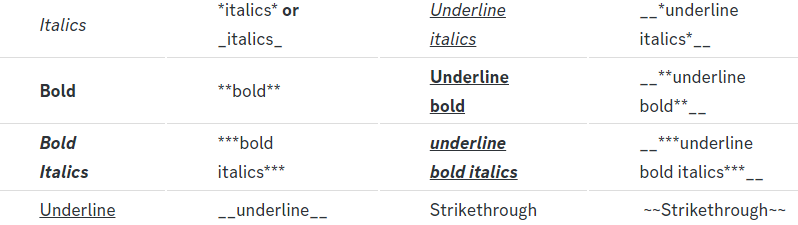
 vast goblet
how can I cancel a subscription from a deleted server?
pseudo ravine
Hey there. How did you subscribe to premium?
vast goblet
pseudo ravine
Hey there. How did you subscribe to premium?
I thin it was through the page
 pseudo ravine
Can you click on the Manage button?
 pseudo ravine
So you purchased it through Discord?
 pseudo ravine
You'll need to get in contact with Discords Billing Team
humble sequoiaBOT
If you have purchased a Premium Subscription of Ticket Tool through Discord and want to request a refund, you will have to contact Discord Support.
We unfortunately can't handle any of these cases.
Am I eligible for a refund?
Discords Refund Policy states that you can request a refund within 5 days of your initial purchase date.
A prorated refund (partial) can be requested if the bot has been removed by either Discord or the bot developer.
 Ticket Tool Premium Refund Request
pseudo ravine
Ticket Tool Premium Refund Request
pseudo ravine
Use the form above to get in contact ^
vast goblet
I dont want refund though just to cancel it so I dont get charged until I use it in another server
I do it therE?
pseudo ravine
It's just a link to their support form
vast goblet
Ok thank you!
pseudo ravine
You’re welcome, glad I could help!
tepid geyser
Does somebody know how to make a staff application?
humble sequoiaBOT
How do be I become a Support Member?
You can become a support member in 2 ways:
1. You can be really active in #🆘│community-support gain <@&799500225579712543> role and get chosen by a Manager
2. You can apply VIA our applications that would be sent in #📣│server-news
We currently have Support Teams for the following languages:
:flag_us: English
:flag_jo: Arabic
:flag_fr: French
:flag_de: German
:flag_es: Spanish
:flag_br: Portuguese
tepid geyser
In my server but thx
Whats @pseudo glen
Not this but tocket toll proficent
How can i make this giveaway ping ot announce ping ?
restive condor
tepid geyser
Not this but tocket toll proficent
That role is given to people who are experienced with Ticket Tool and actively provide support in this channel
restive condor
tepid geyser
How can i make this giveaway ping ot announce ping ?
You can get those roles from id:customize
tepid geyser
restive condor
That role is given to people who are experienced with Ticket Tool and actively p...
Ik but how i add this to my server ?
restive condor
It's not a bot, it's just a role for this server
worldly lotus
السلام عليكم @restive condor
tepid geyser
restive condor
It's not a bot, it's just a role for this server
How o make this to mine server ?
Is germany not a role?
restive condor
You can just create a similar role on your server
lament prairie
worldly lotus
السلام عليكم <@795710289425334303>
وعليكم السلام ، تفضل
tepid geyser
restive condor
You can just create a similar role on your server
Bit they then dont get pingend
restive condor
Pinged where sorry?
 versed orbit
bot currently not working for someone else?
worldly lotus
lament prairie
وعليكم السلام ، تفضل
كيف اسوي لما احد يفتح تيكت يطلع له ما سبب فتح التذكره
restive condor
versed orbit
bot currently not working for someone else?
Hi there, it's working for everyone. What seems to be the problem?
tepid geyser
restive condor
Pinged where sorry?
When they do maybe announce ping i want that when i create then a announcement then they get pinged when they get the role announcement ping
humble sequoiaBOT
تتيح نماذج الدسكورد للمستخدم الإجابة على الأسئلة الفردية في النموذج المنبثق، والذي يعرض بعد ذلك الإجابات في رسالة التذكرة. يمكن أن يوفر هذا الوقت إذا كنت تعرف بالضبط ماذا تريد أن تطلبه من المستخدم.
إعداد النماذج
يمكنك تفعيل النماذج ضمن Panel Configs > Form Option > Edit Forms Option. في النافذه التي ظهرت، يمكنك الآن تفعيل وتعديل النموذج الخاص بك.
خيارات النموذج
يمكنك إضافة 5 أسئلة كحد أقصى في النماذج، وهو حد من قبل الدسكورد. ولكل سؤال يمكن أن يملك وصف يظهر في خانة الإجابة، حد أقصى وحد أدنى لعدد الحروف، متعدد الأسطر، وأيضًا الخيار لجعل السؤال مطلوب.
الخيارات
Question Title ➞ سؤالك هنا
Question Placeholder ➞ الوصف الذي سيظهر على خانة الإجابة
Required ➞ في حالة التفعيل، سيتوجّب على المستخدم الإجابة على هذا السؤال لإرسال النموذج
Multi-Line Input ➞ للسماح للمستخدم بإدخال نص متعدد الأسطر
Minimum and Maximum Input ➞ تعيين حد أدنى وحد أقصى للنص المُدخل بواسطة المستخدم
عرض الجواب
لعرض الإجابات من المستخدم، تحتاج إلى تفعيل
Auto display form results on the ticket message as an additional embed
إذا كنت لا تريد Embed آخر في رسالة التذكرة، فإنتقل إلى Panel Configs > Ticket Options > Edit Ticket Message. هناك ستستخدم المتغيّر (variable) {create.form.x} وإستبدل x برقم سؤالك. على سبيل المثال، يمكن عرض إجابة سؤال 1 بإستخدام المتغير {create.form.1}. إذا لم تستخدم هذا المتغير، فستفقد إجابة المستخدم على النموذج.
lament prairie
worldly lotus
كيف اسوي لما احد يفتح تيكت يطلع له ما سبب فتح التذكره
شيك الي فوق ، ولو عندك اي سؤال ثاني او شي مو فاهمه خبرني
versed orbit
restive condor
Hi there, it's working for everyone. What seems to be the problem?
Hey, when i run a commands it wont work.
 restive condor
tepid geyser
When they do maybe announce ping i want that when i create then a announcement t...
restive condor
tepid geyser
When they do maybe announce ping i want that when i create then a announcement t...
You can just create those roles and ping the appropriate one when making announcements
restive condor
versed orbit
Hey, when i run a commands it wont work.
Ticket Tool seems to be missing the SEND MESSAGES permission for that channel
tepid geyser
restive condor
You can just create those roles and ping the appropriate one when making announc...
Ahh ok thx
iron nightBOT
Gave +1 Rep to @restive condor (current: #2 - 1288)
versed orbit
restive condor
Ticket Tool seems to be missing the ``SEND MESSAGES`` permission for that channe...
alr, ill check rq
restive condor
Yareaj - Operations Manager
You can use y!toprep in #🤖│bot-spam
versed orbit
restive condor
Ticket Tool seems to be missing the ``SEND MESSAGES`` permission for that channe...
It worked, Thanks Dan.
iron nightBOT
Gave +1 Rep to @restive condor (current: #2 - 1289)
restive condor
No problem!
 haughty peak
How do I set it up so that there is a channel with a button that people can tap to make a ticket?
Like
 wind narwhal
someone knows why i cany sync the ticket tool with my server?
 humble sequoiaBOT
First you will want to invite the bot to your server. Once the bot is in your server, you can manage your server in the dashboard.
To create a panel we are going to need to head over to the Panel Configs Tab on the Dashboard.
Once at the dashboard we will need to click Create Panel.
Enter a panel name (Fill in any optional settings you want).
Click Create Panel and you are ready to get started with configuring your panel.
An example of a creating a panel is shown below.
Once the panel has been created, use the blue Send button and select the channel you want the panel to be sent to.
The Panel wasn't send
Use the </debug:1029783024264564765> command to diagnose possible permission issues with the bot.
pseudo ravine
haughty peak
Please help
Please be patient
 desert gyro
how do i get ticket tool to use another roblox account?
 pseudo ravine
Hey there. Ticket Tool has an integration with Bloxlink, and how’s that it gets the information
desert gyro
so i would use bloxlink to change it?
pseudo ravine
Yep
desert gyro
alright
 coarse tartan
how do i put a button to open ticket?
stark runeBOT
1. Invite Ticket Tool to your server
First you will want to invite the bot to your server. Once the bot is in your server, you can manage your server in the dashboard.
2. Create a Panel
To create a panel we are going to need to head over to the panel configs on the dashboard.
Once at the dashboard we will need to click Create Panel.
Enter a panel name (Fill in any optional settings you want).
Click Create Panel and your ready to get started with configuring your panel.
An example of a creating a panel is shown below.
3. Send the Panel to a Channel
Once you've created a panel on the dashboard you will need to send it to a channel using send on the dashboard.
Select the channel you want your panel to be created in and click send.
For other questions checkout $help faq.
An example of a sending a panel is shown below.
Having a Problem Sending the Panel?
Do $debug in a channel with Ticket Tool and make sure it has all the necessary Discord permissions.
restive condor
coarse tartan
how do i put a button to open ticket?
Hey there! Here's a setup guide ^
Let me know if you have any questions 🙏
humble sequoiaBOT
For more convenient use of multipanels, you can now combine panels on the dashboard. This will allow you to directly send the multipanel from the dashboard or via the $panel ID command.
Where can I find this?
You can find this setting on the Dashboard -> Panel Configs -> Panel -> Attached Panels
Note: if you're attaching all the panels to a panel called English, don't include English in the attached panel's box (If you do this, it will create a duplicate)
This will put all buttons from all of your panels on one message. The message is the panel message from the panel you're combining these panels in.
worldly helm
coarse tartan
how do i put 2 buttons?
Hey there!
Look above ^^
worldly helm
Yeah, nws. That is why we are here! To help others :)
 rose night
Como cria ticket
humble sequoiaBOT
1. Convidando o Ticket Tool
A primeira coisa que você precisa fazer é convidar o bot, o convite pode ser encontrado aqui.
Quando o bot estiver no seu servidor, iremos para o painel e criaremos o painel
Um painel é usado para definir as configurações de cada ticket e as pessoas reagem para criar um ticket.
2. Criando um painel
Para criar um painel, precisaremos ir até as configurações do painel no painel
- Uma vez no painel, precisaremos clicar em Criar painel
- Digite o nome do painel (preencha as configurações opcionais que você deseja)
- Clique em Criar painel e você estará pronto para começar a configurar seu painel.
3. Enviando um painel
Depois de criar um painel no painel, você precisará enviá-lo para um canal usando enviar no painel
Selecione o canal em que você deseja criar seu painel e clique em enviar.
Para outras perguntas, consulte $help faq
Você está tendo problemas para enviar seu painel?
Use o comando $debug em um canal com o bot e certifique-se de que Ticket Tool tenha todas as permissões necessárias do Discord
 echo yacht
@rose night ⬆️
 feral mantle
Is there any way to change interactions to open tickets for specific support members? Like a way for the ticket maker to pick which specific admin they want to open a ticket with? Sorry if this is confusing
echo yacht
feral mantle
Is there any way to change interactions to open tickets for specific support mem...
You can make different panels for each of your admins. And use multipanels feature.
humble sequoiaBOT
For more convenient use of multipanels, you can now combine panels on the dashboard. This will allow you to directly send the multipanel from the dashboard or via the $panel ID command.
Where can I find this?
You can find this setting on the Dashboard -> Panel Configs -> Panel -> Attached Panels
Note: if you're attaching all the panels to a panel called English, don't include English in the attached panel's box (If you do this, it will create a duplicate)
This will put all buttons from all of your panels on one message. The message is the panel message from the panel you're combining these panels in.
feral mantle
Tysm! ❤️
 hushed slate
how do i make the ticket helper role make u see tickets?
worldly helm
hushed slate
how do i make the ticket helper role make u see tickets?
What exacly do you mean by that?
hushed slate
so like ticket helper role right?
 worldly helm
Ohh
humble sequoiaBOT
1. Go into your Dashboard
2. Open your Panel Configs tab
3. Select the panel you want to grant access to
4. Open the General options menu
5. Select your Support Team Roles
6. Save changes
worldly helm
See above!
 serene galleon
Is there a way to recover transcripts from a banned accout/ server
They were in their respective channels and I need them to do my accounting 😫,
 steady sphinx
instead of only having one button to press here is there a way to have more than 1?
 pseudo ravine
serene galleon
Is there a way to recover transcripts from a banned accout/ server
pseudo ravine
serene galleon
Is there a way to recover transcripts from a banned accout/ server
Hey there. Unfortunately not
humble sequoiaBOT
For more convenient use of multipanels, you can now combine panels on the dashboard. This will allow you to directly send the multipanel from the dashboard or via the $panel ID command.
Where can I find this?
You can find this setting on the Dashboard -> Panel Configs -> Panel -> Attached Panels
Note: if you're attaching all the panels to a panel called English, don't include English in the attached panel's box (If you do this, it will create a duplicate)
This will put all buttons from all of your panels on one message. The message is the panel message from the panel you're combining these panels in.
pseudo ravine
@steady sphinx Read this ^
steady sphinx
pseudo ravine
<@657931316326826014> Read this ^
thank you
iron nightBOT
Gave +1 Rep to @pseudo ravine (current: #6 - 670)
pseudo ravine
You're welcome, glad I could help!
serene galleon
pseudo ravine
Hey there. Unfortunately not
This is horrible news, thank you for your help
iron nightBOT
Gave +1 Rep to @pseudo ravine (current: #6 - 671)
pseudo ravine
Sorry about that, glad I could help though!
 restive condor
 gloomy glen
Hey there! Could I get your server name or ID please
gloomy glen
restive condor
Hey there! Could I get your server name or ID please
752049271502667878
Fixed
I have add the free ticket tool
restive condor
Alrighty, glad to hear you solved it
 random walrus
.
 random cosmos
how-

 white sentinel
Is there a way to make a command to auto close a ticket after a certain amount of time if it’s inactive
humble sequoiaBOT
━━ GLXRY_YT's inquiry has been moved to a ticket ━━
 gleaming mountain
@humble sequoia
 daring swallow
anyone know to make the bot auto add my staff team
 wild frost
How do I fix this the bot the role has have every single perm..

 fast merlin
Howdy, super easy fix but Dr.Google isnt giving me an answer, how do I go about giving other roles permission to view/edit opened tickets?
humble sequoiaBOT
━━ coldsolegit's inquiry has been moved to a ticket ━━
 surreal stream
Am I able to see all of my ticket’s transcripts after the ticket is closed.
 pure zinc
hi
Hi can you tell me how to add cooldown in tickets like that u can have next ticket in 1 week like for the people who have been trying to become staff are giving me again and again tickets so i want to set a duration for next ticket how to do it? @humble sequoia @mystic hound @scenic plinth
 elder heart
Need help plz, I don’t own any discord servers on this account, how do I fix this error. I clicked support and all 3 fixes mentioned deleting channel/tickets, enable storage mode or use thread style ticket which doesn’t apply to me
 pure zinc
Bro listen
Go on dashboard
Then do on limit then increase it easy ik it but I'm not helped here but I will help you
@elder heart
 prime dawn
Some of the users in my server are facing this error, whats causing it and how do they fix it?
 pure zinc
Bro there is no support 😭
prime dawn
Late at night I suppose
I'll try searching for an answer by scrolling up in this channel I guess
pure zinc
Ok
tepid geyser
wild frost
How do I fix this the bot the role has have every single perm..
Can you please do in community or where you want to send your server /debug
pure zinc
?
Hi can you tell me how to add cooldown in tickets like that u can have next ticket in 1 week like for the people who have been trying to become staff are giving me again and again tickets so i want to set a duration for next ticket how to do it? @humble sequoia @mystic hound @scenic plinth
tepid geyser
pure zinc
Hi can you tell me how to add cooldown in tickets like that u can have next tick...
Hello there, you cant do this you only can close the ticket and after 2 days or something you can delete it
 scenic plinth
pure zinc
Hi can you tell me how to add cooldown in tickets like that u can have next tick...
scenic plinth
pure zinc
Hi can you tell me how to add cooldown in tickets like that u can have next tick...
Quit pinging staff please
tepid geyser
scenic plinth
Quit pinging staff please
I got kicked from a server because i wanna edit the server i go on dashboard and the server where i wanna edit the ticket it says invite but i edit the ticket 1 times and it was in the ticket channel and then i do invite then i got kicked out
pure zinc
No i want to to set a limit of tickets per week which they can use?
jade topaz
There a spammer on my server he use plugin called betterdiscord he spam my last ticket he can see who opened the ticket is there a way to make him not see ?
humble sequoiaBOT
━━ 🆆🅰🅷🅴🅴🅳's inquiry has been moved to a ticket ━━
austere forge
jade topaz
There a spammer on my server he use plugin called betterdiscord he spam my last ...
Anyone see your tickets private and see the Discord users of these private tickets ? 
Unfortunately, there's not much we can do about this, as this user is probably using a modded Discord Client that allows him to display channels that are initially private, and to see the users who have access to these channels (like tickets). 🔒
No modifications on the Dashboard or anywhere with Ticket tool is possible 😕
- If you have the ID of this user who uses a modded Discord Client, feel free to report it to Discord Support
 Support Discord
 tribal plover
Hello i need help
humble sequoiaBOT
Hello, we would love to help you, but if you don't tell us what you need help with we can't help you :(
tribal plover
Ticket tool is not working properly
worldly helm
hey there!
Does it show any errors messages?
tribal plover
I have added it now only and setting up by watching in YouTube I done everything correctly but the result is coming different
worldly helm
Could you please show me a screenshot?
 worldly helm
Dashboard—>Buttons—>Create Ticket—> Show Button
tribal plover
Show button option is not there
worldly helm
Give me a second
tribal plover
Yes srry
Show button is there and it is on
I want like that make a selection option
worldly helm
Oh, like a dropdown?
tribal plover
Hm
worldly helm
See here
 tribal plover
Yes like this
humble sequoiaBOT
The Drop-down menu or Select Menu replaces the buttons on your panel message and uses a drop-down menu with all of your panels. To set this up, go to your Panel Configs and select your main Panel.
<:Numbericons1:1018864164032225340> Enable Select Style
First you enable Select Style. Then you add an item in the Dropdown Editor. Now you can start editing your dropdown!
<:Numbericons2:1018864168041971712> Dropdown Editor
Each line in the dropdown editor represents a line in the drop down menu on discord. You can add more "Items", by clicking on
First you select a panel. That's the panel this option will open a ticket for. DONT select the same panel twice. Each option should have a different Panel
After that, you can put a Display. This is the title of this option and will appear in the drop down menu. The *Description can be set right after that, which will be below the title in grey.
Additionally you can select an emoji, that will be shown in front of each option. You can either manually input the ID of an emoji or select it in the selector.
Common Issues ⚠️
- Panel doesn't send? Make sure you have a valid emoji selected
- Option doesn't show up? Check if two options have the same panel in the DropDown Editor
$dropdown
worldly helm
Follow the guide above me ^^^
 worldly helm
You have to select the panels
tribal plover
Which panel?
worldly helm
How many dropdowns do u want?
worldly helm
Okay. Well you need 8 panels then.
worldly helm
tribal plover
Where it says. "Select a panel (required)"
worldly helm
yes
 worldly helm
I mean at the dropdown category
worldly helm
tribal plover
Where it says. "Select a panel (required)"
tribal plover
I can't see that in drop-down category
worldly helm

 worldly helm
a panel name
For every dropdown, you need one panel. (For different settings like Support team, messages, etc)
tribal plover
I have put in only first option pannel name
tribal plover
tribal plover
I have put that same panel name
tepid geyser
Hello supporter team when i wanna edit my ticket it says invite but i already edit it 1 and ppl cant open tickrt thats why i wanna edit it it says invite then i klock on it i get kicked and the bot dont get invited
tribal plover
?
tepid geyser
tribal plover
?
Ye idk
tribal plover
worldly helm
For every dropdown, you need one panel. (For different settings like Support tea...
?
tepid geyser
tribal plover
?
Ahh when you wanna make a new dropdown you need a new panel
tribal plover
What did a pannel do
humble sequoiaBOT
The Drop-down menu or Select Menu replaces the buttons on your panel message and uses a drop-down menu with all of your panels. To set this up, go to your Panel Configs and select your main Panel.
<:Numbericons1:1018864164032225340> Enable Select Style
First you enable Select Style. Then you add an item in the Dropdown Editor. Now you can start editing your dropdown!
<:Numbericons2:1018864168041971712> Dropdown Editor
Each line in the dropdown editor represents a line in the drop down menu on discord. You can add more "Items", by clicking on
First you select a panel. That's the panel this option will open a ticket for. DONT select the same panel twice. Each option should have a different Panel
After that, you can put a Display. This is the title of this option and will appear in the drop down menu. The *Description can be set right after that, which will be below the title in grey.
Additionally you can select an emoji, that will be shown in front of each option. You can either manually input the ID of an emoji or select it in the selector.
Common Issues ⚠️
- Panel doesn't send? Make sure you have a valid emoji selected
- Option doesn't show up? Check if two options have the same panel in the DropDown Editor
$dropdown
tepid geyser
You only can make 1 emoji
worldly helm
humble sequoia
@tribal plover There is no need to ping reply to me. I will answer when i can! It doesn‘t go faster if u ping me.
Look above for the guide ^^
tribal plover
Ok
tribal plover
tepid geyser
You only can make 1 emoji
I put different emojis in different drops down items
worldly helm
Just…. follow the guide. But yes, you can make one emoji for every dropdown
worldly helm
It should work then. I am pretty sure you didn‘t read the guide tho
worldly helm
As i said above, you need more panels
For every dropdown, you need one panel. (For different settings like Support team, messages, etc)
tribal plover
How?
worldly helm
What do you mean how?
How to create a panel?
worldly helm
Click on the  and create a panel
tribal plover
I have seen in many server when I apply for partnership then the bot ask server id name etc how I do this?
 urban hull
Hello, I want to make whenever someone makes a ticket, it pings a support staff role, I just checked everywhere in the dashboard and cant seem to find it, is it an option somewhere and Have I missed anything?
humble sequoiaBOT
A Discord Form lets the user answer individual questions in a pop-up Form, which then displays the answers in the ticket message. This can save time if you already know what you want to ask the user.
Setup Forms
Forms can be enabled under Panel Settings > Form Options > Edit Forms Options. In the new pop-up window, you can now enable and edit your own Form.
Form Options
You can add up to 5 questions in the Discord form. This is a Discord limitation. Each question can have a placeholder in the input field, a minimum and maximum input, multi-line, and also the option to have the answer required.
Options
Question Title ➞ Your Question goes here
Question Placeholder ➞ The placeholder text in the input field
Required ➞ If enabled, the user has to answer this question, to submit the form
Multi-Line Input ➞ Allows the user to input multiple lines
Minimum and Maximum Input ➞ Set a minimum and maximum input value for the user
Displaying the Answer
To display the answers from the user, you need to enable Auto display form results on the ticket message as an additional embed
If you don't want a second embed, go into your Panel Configs > Ticket Options > Edit Ticket Message. You use the variable {create.form.x} and replace x with the number of your question. For example, the response to Question 5 can be displayed with {create.form.5}.
tribal plover
While adding a pannel i have to do everything again?
worldly helm
See above ^^
urban hull
urban hull
Hello, I want to make whenever someone makes a ticket, it pings a support staff ...
uh
humble sequoiaBOT
1. Go into your Dashboard
2. Open your Panel Configs tab
3. Select the panel you want to ping your support on
4. Open the Ticket options menu
5. Click on Edit Ticket Message
6. In the Message Content use one of the role mention syntax (**{@Role Name}**/**{Role ID}**)
7. Save changes
Note: For this to work properly, Ticket Tool requires the Mention Everyone permission. Or the role must have the Allow anyone to @mention this role setting enabled
worldly helm
See above ^^
tribal plover
tribal plover
While adding a pannel i have to do everything again?
?

I change pannel now I have to do everything again?
worldly helm
tribal plover
?
Yes you do
tribal plover
Like each pannel have one drop down option?
worldly helm
You have to CREATE 8 panels
urban hull
humble sequoia
Like this?
 worldly helm
tribal plover
Like each pannel have one drop down option?
worldly helm
tribal plover
Like each pannel have one drop down option?
No each dropdown option has its own panel
worldly helm
urban hull
Like this?
Yes sir!
tribal plover
Oh
worldly helm
Should lool smth like this
 tribal plover
How to set that anyone open ticket then the tickets come in a particular provided category?
worldly helm
Dashboard—>Category
 worldly helm
Okay, great!
Should work now.
note: You have to select it for every of ur panels
tribal plover
Oh
urban hull
worldly helm
Should lool smth like this
Uh I've done what you've said but then when I try to make the ticket it doesnt show
worldly helm
urban hull
Uh I've done what you've said but then when I try to make the ticket it doesnt s...
Uhm, that message was for the other person i‘m helping atm
urban hull
worldly helm
Uhm, that message was for the other person i‘m helping atm
oh yeah i know i just accidentally replied to the message
Just refering to what happened to me
worldly helm
ooohh, okay.
Try {**@**ID}


 worldly helm
Please show me your Settings.
 fresh shore
worldly helm
Please show me your Settings.
fresh shore
worldly helm
Please show me your Settings.
Is there a way to limit how a single person can claim tickets?
tribal plover
 urban hull
worldly helm
ooohh, okay.
Try {**@**ID}
urban hull
worldly helm
ooohh, okay.
Try {**@**ID}
Alright
But it doesn't even show it's editted even without the id
fresh shore
fresh shore
Is there a way to limit how a single person can claim tickets?
like i can put 2 and staff can only claim 2 tickets
worldly helm
fresh shore
like i can put 2 and staff can only claim 2 tickets
1: its premium only
2: nope
urban hull

 tribal plover
tribal plover
tribal plover
..?
worldly helm
urban hull
But it doesn't even show it's editted even without the id
Try this: {@63737485858}
The 63737485858 are just an example for an ID
worldly helm
urban hull
1: make suee its for the right panel
2: open a new ticket to test, don‘t use an old one
tribal plover
tribal plover
..?
Bro .
urban hull
worldly helm
1: make suee its for the right panel
2: open a new ticket to test, don‘t use an ...


Alright thanks for the help, I'll continue.
thanks @worldly helm
iron nightBOT
Gave +1 Rep to @worldly helm (current: #30 - 119)
ionic path
tribal plover
Bro .
Please be patient. You’re in community support, everyone helping here is a volunteer. You’ll get help as soon as he is available