
#🆘│community-support
1 messages · Page 118 of 1
 dry hollow
 frozen crypt
you need to do {role id}
 eager vapor
frozen crypt
you need to do {role id}
eager vapor
frozen crypt
you need to do {role id}
So like this?

 humble sequoiaBOT
Equipa de Apoio Portuguesa
Se você está procurando ajuda, abra um ticket para entrar em contato com a equipe de suporte em português. Vá para #🎫│make-a-ticket e pressione o botão :flag_br:.
eager vapor
frozen crypt
or do {@Role Name}
Like this?
 frozen crypt
ytu
eager vapor
frozen crypt
ytu
?
eager vapor
frozen crypt
my keyboard lagged
No worries lol
 charred jungle
Alguém me ajuda o ticket n está respondendo
eager vapor
Can somebody help me please,this is what it looked like

 marble nest
where is ticket massage??

 humble sequoiaBOT
1. Go into your Dashboard
2. Open your Panel Configs tab
3. Select the panel you want to ping your support on
4. Open the Ticket options menu
5. Click on Edit Ticket Message
6. In the Message Content use one of the role mention syntax (**{@Role Name}**/**{Role ID}**)
7. Save changes
Note: For this to work properly, Ticket Tool requires the Mention Everyone permission. Or the role must have the Allow anyone to @mention this role setting enabled 

 austere forge
marble nest
where is ticket massage??
austere forge
marble nest
where is ticket massage??
hey there : )
see above
austere forge
marble nest
where is ticket massage??
hey there : )
can i get your server id pls
marble nest
austere forge
hey there : )
can i get your server id pls
1179055974435278949
austere forge
marble nest
1179055974435278949
Which panel does this concern?
 wild raven
Hey, im trying to delete a ticket from my server but i cant, any idea or command to force it ?
austere forge
wild raven
Hey, im trying to delete a ticket from my server but i cant, any idea or command...
Hey there : )
you can use $delete
marble nest
austere forge
Which panel does this concern?
hmmm can i get arabic support?
I do not understand English very well
 eager vapor
austere forge
Hey there : )
you can use `$delete`
eager vapor
austere forge
Hey there : )
you can use `$delete`
Hey 3v,could you help me with this please,I @ the role I want to when somebody opens a ticket and this came up
 humble sequoiaBOT

فريق الدعم الفني العربي
عميلنا العزيز ان كنت تبحث عن مساعدة يرجى فتح تكت خاص بفريق الدعم الفني العربي
اذهب الى#🎫│make-a-ticket
ثم قم بلضغط على الايموجي الاتي (🇯🇴)
austere forge
marble nest
hmmm can i get arabic support?
I do not understand English very well
see above : )
marble nest
austere forge
see above : )
thx
 iron nightBOT
Gave +1 Rep to @austere forge (current: #16 - 335)
wild raven
austere forge
see above : )
Oh im sorry i pinged you 😦
austere forge
wild raven
can you use /debug on your ticket pls
wild raven
austere forge
can you use `/debug` on your ticket pls

Thats mean the app is not responding 😒
austere forge
eager vapor
Hey 3v,could you help me with this please,I @ the role I want to when somebody o...
the best way is to use the role id
austere forge
wild raven
Make sure that the bot has: VIEW CHANNEL SEND MESSAGE and READ MESSAGE HISTORY perms in the channel
eager vapor
austere forge
the best way is to use the role id
Wdym?like I just type
{@Role ID}
austere forge
eager vapor
Wdym?like I just type
{@Role ID}
remove @ and put role id
like : {123456789}
eager vapor
austere forge
remove @ and put role id
like : {123456789}
Like this?
 austere forge
eager vapor
Like this?
austere forge
eager vapor
Like this?
remove @ : )
eager vapor
austere forge
remove @ : )
Now?
 eager vapor
austere forge
sounds good
eager vapor
austere forge
sounds good
Yup,it worked,thanks for the help:)
austere forge
You're welcome, glad I could help ! 
eager vapor
austere forge
You're welcome, glad I could help ! <:3v_smile:1187282191630204958>
Also,I opened 2 tickets to test,how can I like remove the number of the ticket,so like it comes up as
#ticket-0001
And then when I open a 2nd test ticket the number comes as
#ticket-0002
How can I make it that the 3rd ticket opened has it written as
#ticket-0001
austere forge
eager vapor
Also,I opened 2 tickets to test,how can I like remove the number of the ticket,s...
Go to Dashboard > Panel configs - and use set count to set it to 1
 eager vapor
austere forge
Go to Dashboard > Panel configs - and use `set count` to set it to 1
eager vapor
austere forge
Go to Dashboard > Panel configs - and use `set count` to set it to 1
Like this?
 austere forge
eager vapor
Like this?
austere forge
eager vapor
Like this?
yes
wild raven
Im back again 3v with new questions 😄 how can i edit the name of ticket on any category like lets say : my category is 1 i want my ticket have the name like 1-324234432 then i create new category 2 and i want my ticket like 2-21334324
I dont know if you understand sorry xd
eager vapor
austere forge
yes
This happened now
 humble sequoiaBOT
The ticket name is the default channel name of all tickets. To edit it, go to your Dashboard > Panel Configs > Ticket. There you can edit the channel name of opened and closed tickets. You can also use variables in there.

 Note: This is a premium feature
austere forge
wild raven
Im back again 3v with new questions 😄 how can i edit the name of ticket on any ...
Note: This is a premium feature
austere forge
wild raven
Im back again 3v with new questions 😄 how can i edit the name of ticket on any ...
see above
austere forge
eager vapor
This happened now
set it to 0
wild raven
How can i do something like be patient someone gonna take the ticket then the support team click on something that make a message like (name) as been assigned to your ticket
humble sequoiaBOT
Claiming allows you to change the ticket name, category and permissions. To use it you have to enable it first on your Dashboard > Panel Configs > Claiming

 Note: This is a premium feature
austere forge
wild raven
How can i do something like be patient someone gonna take the ticket then the su...
Note: This is a premium feature
austere forge
wild raven
How can i do something like be patient someone gonna take the ticket then the su...
see above
Edit claimed message
 still bloom
please, how in the good god do i stop people that arent support team from closing tickets, thanks for the help if you do help
austere forge
still bloom
please, how in the good god do i stop people that arent support team from closin...
Hey there : )
Go to Dashboard > Panel configs > Buttons - close > Support Team Only
still bloom
THANK YOU
austere forge
You're welcome, glad I could help !
 coarse snow
guys what do i do

 restive condor
coarse snow
guys what do i do
restive condor
coarse snow
guys what do i do
Hey there! Could you run the /debug command please in the channel where you're trying to send this
coarse snow
/debug
coarse snow
restive condor
Hey there! Could you run the ``/debug`` command please in the channel where you'...
wdym ?
restive condor
Use the /debug slash command on your server. In the same channel where you're trying to post your panel message
coarse snow
 coarse snow
restive condor
Use the ``/debug`` slash command on your server. In the same channel where you'r...
coarse snow
restive condor
Use the ``/debug`` slash command on your server. In the same channel where you'r...
it says this
 sweet turtle
What's the problem?
 restive condor
coarse snow
what now
restive condor
coarse snow
what now
Your create ticket button is invalid. You can only have an emoji in the button emoji field. Text goes on the field below.
Dashboard > Panel Configs > Buttons > Create Ticket Button
 coarse snow
sweet turtle
What's the problem?
coarse snow
sweet turtle
What's the problem?
how do i fix that
restive condor
sweet turtle
What's the problem?
Hey there! Could you run the /debug command in the same channel where you're trying to post this in please
coarse snow
restive condor
Your create ticket button is invalid. You can only have an emoji in the button e...
k
thx
sweet turtle
restive condor
Hey there! Could you run the ``/debug`` command in the same channel where you're...
ok
sweet turtle
restive condor
Hey there! Could you run the ``/debug`` command in the same channel where you're...

What's the problem?
restive condor
sweet turtle
Ticket Tool is missing the SEND MESSAGES permission for that channel
sweet turtle
restive condor
Ticket Tool is missing the ``SEND MESSAGES`` permission for that channel
ok
sweet turtle
restive condor
Ticket Tool is missing the ``SEND MESSAGES`` permission for that channel
thx
iron nightBOT
Gave +1 Rep to @restive condor (current: #4 - 898)
restive condor
No problem 
 restive condor
 echo basalt
How do I change it?
echo basalt
How do I change it?
Hey there! Dashboard > Panel Configs > Messages > Edit Panel Message
humble sequoiaBOT
The panel message is where people react to make a ticket. To customize it head over to your Dashboard --> Panel Configs -> Panel -> Edit Panel Message
 echo basalt
restive condor
Hey there! ``Dashboard`` > ``Panel Configs`` > ``Messages`` > ``Edit Panel Messa...
echo basalt
restive condor
Hey there! ``Dashboard`` > ``Panel Configs`` > ``Messages`` > ``Edit Panel Messa...
Thank you but now I have been warned why
iron nightBOT
Gave +1 Rep to @restive condor (current: #4 - 899)
restive condor
echo basalt
Thank you but now I have been warned why
Pinging staff
echo basalt
humble sequoia
Is a subscription required?
restive condor
Nope, you can edit it for free up to 250 characters
 restive condor
echo basalt
<@795710289425334303> That?
restive condor
echo basalt
<@795710289425334303> That?
Yes, open up the embed editor
And you can edit the content inside it
echo basalt
Ok
 steel ember
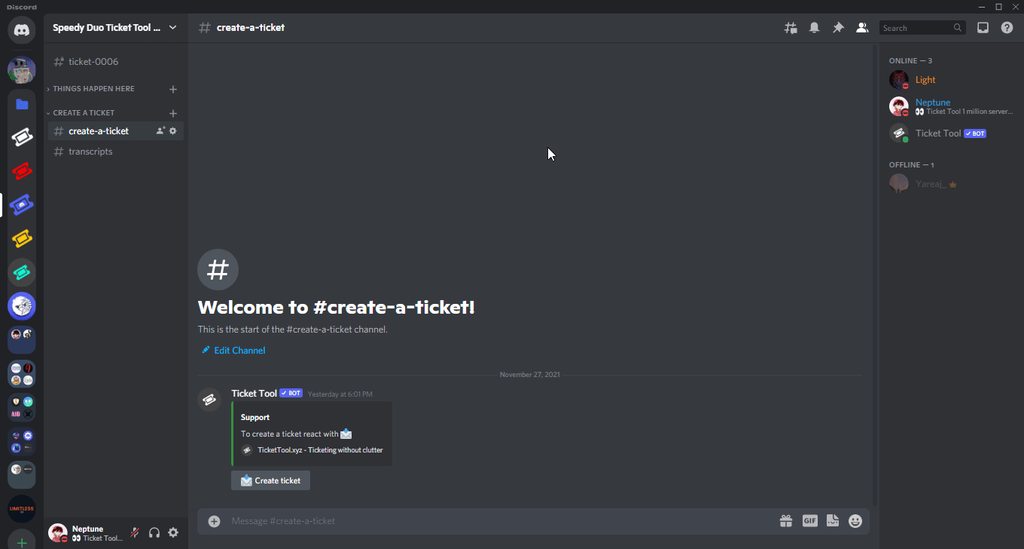
Hi there, I hope this is the right place to ask. Is there a quick way to locate tickets with a particular member? Whenever I need to locate one, I need to go down the list of all past tickets but maybe there’s an easier way to do it?
restive condor
steel ember
Hi there, I hope this is the right place to ask. Is there a quick way to locate ...
Hey there! You can use Discord's search feature to look up transcripts by user IDs https://i.imgur.com/zHkDsMf.gif
 steel ember
Ah, why didn’t I think of that! Thanks 🙏🏻
coarse snow
how do i attach a panel
coarse snow
restive condor
Hey there! You can use Discord's search feature to look up transcripts by user I...
pls help
@restive condor
 scenic plinth
Quit with pinging staff please.
coarse snow
scenic plinth
Quit with pinging staff please.
help me then
scenic plinth
Be patient and follow the rules. Stop pinging please.
humble sequoiaBOT
For more convenient use of multipanels, you can now combine panels on the dashboard. This will allow you to directly send the multipanel from the dashboard or via the $panel ID command.
Where can I find this?
You can find this setting on the Dashboard -> Panel Configs -> Panel -> Attached Panels
Note: if you're attaching all the panels to a panel called English, don't include English in the attached panel's box (If you do this, it will create a duplicate)
This will put all buttons from all of your panels on one message. The message is the panel message from the panel you're combining these panels in.
 restive condor
coarse snow
how do i attach a panel
restive condor
coarse snow
how do i attach a panel
See above please ^
 restive condor
 earnest sundial
Hey
earnest sundial
Hey
Hey there! What exactly are you trying to do?
 earnest sundial
restive condor
Hey there! What exactly are you trying to do?
earnest sundial
restive condor
Hey there! What exactly are you trying to do?
not sure what im doing wrong
restive condor
earnest sundial
send the panel
Alrighty, can I get your server name or ID, please?
earnest sundial
sure
earnest sundial
restive condor
Alrighty, can I get your server name or ID, please?
i sent you it
restive condor
earnest sundial
i sent you it
Please post it here
DMing staff is against the rules
earnest sundial
Oh
echo basalt
I have a question in some servers when you open a ticket a question appears to you i mean depending on the topic of the ticket how do I do it
earnest sundial
1201307812475719722
earnest sundial
restive condor
Please post it here
here
echo basalt
echo basalt
I have a question in some servers when you open a ticket a question appears to y...
@restive condor
restive condor
earnest sundial
1201307812475719722
Firstly, you seem to have a bot error on the Dashboard. Most likely because your premium expired
Please use /botswitcher to select the standard bot
restive condor
echo basalt
I have a question in some servers when you open a ticket a question appears to y...
Hey there! You mean a form appears?
earnest sundial
restive condor
Firstly, you seem to have a bot error on the Dashboard. Most likely because your...
oh
echo basalt
restive condor
Hey there! You mean a form appears?
This one
 restive condor
Yep, that's a form
humble sequoiaBOT
A Discord Form lets the user answer individual questions in a pop-up Form, which then displays the answers in the ticket message. This can save time if you already know what you want to ask the user.
Setup Forms
Forms can be enabled under Panel Settings > Form Options > Edit Forms Options. In the new pop-up window, you can now enable and edit your own Form.
Form Options
You can add up to 5 questions in the Discord form. This is a Discord limitation. Each question can have a placeholder in the input field, a minimum and maximum input, multi-line, and also the option to have the answer required.
Options
Question Title ➞ Your Question goes here
Question Placeholder ➞ The placeholder text in the input field
Required ➞ If enabled, the user has to answer this question, to submit the form
Multi-Line Input ➞ Allows the user to input multiple lines
Minimum and Maximum Input ➞ Set a minimum and maximum input value for the user
Displaying the Answer
To display the answers from the user, you need to enable Auto display form results on the ticket message as an additional embed
If you don't want a second embed, go into your Panel Configs > Ticket Options > Edit Ticket Message. You use the variable {create.form.x} and replace x with the number of your question. For example, the response to Question 5 can be displayed with {create.form.5}.
 echo basalt
restive condor
Let me know if you'd like the instructions in Arabic
echo basalt
restive condor
Let me know if you'd like the instructions in Arabic
Please
humble sequoiaBOT
تتيح نماذج الدسكورد للمستخدم الإجابة على الأسئلة الفردية في النموذج المنبثق، والذي يعرض بعد ذلك الإجابات في رسالة التذكرة. يمكن أن يوفر هذا الوقت إذا كنت تعرف بالضبط ماذا تريد أن تطلبه من المستخدم.
إعداد النماذج
يمكنك تفعيل النماذج ضمن Panel Configs > Form Option > Edit Forms Option. في النافذه التي ظهرت، يمكنك الآن تفعيل وتعديل النموذج الخاص بك.
خيارات النموذج
يمكنك إضافة 5 أسئلة كحد أقصى في النماذج، وهو حد من قبل الدسكورد. ولكل سؤال يمكن أن يملك وصف يظهر في خانة الإجابة، حد أقصى وحد أدنى لعدد الحروف، متعدد الأسطر، وأيضًا الخيار لجعل السؤال مطلوب.
الخيارات
Question Title ➞ سؤالك هنا
Question Placeholder ➞ الوصف الذي سيظهر على خانة الإجابة
Required ➞ في حالة التفعيل، سيتوجّب على المستخدم الإجابة على هذا السؤال لإرسال النموذج
Multi-Line Input ➞ للسماح للمستخدم بإدخال نص متعدد الأسطر
Minimum and Maximum Input ➞ تعيين حد أدنى وحد أقصى للنص المُدخل بواسطة المستخدم
عرض الجواب
لعرض الإجابات من المستخدم، تحتاج إلى تفعيل
Auto display form results on the ticket message as an additional embed
إذا كنت لا تريد Embed آخر في رسالة التذكرة، فإنتقل إلى Panel Configs > Ticket Options > Edit Ticket Message. هناك ستستخدم المتغيّر (variable) {create.form.x} وإستبدل x برقم سؤالك. على سبيل المثال، يمكن عرض إجابة سؤال 1 بإستخدام المتغير {create.form.1}. إذا لم تستخدم هذا المتغير، فستفقد إجابة المستخدم على النموذج.
restive condor
^^
echo basalt
Thank you, you are excellent.

 vapid gorge
How can I add more buttons?

 cedar ibex
Comment créer un système de tiquet et de concours pour un serveur ?
humble sequoiaBOT

L'équipe du support Français
Cher client,
Si vous avez besoin d'aide, ouvriez un ticket pour le support Français s'il vous plaît.
Allez au #🎫│make-a-ticket et tapez sur le bouton contenant l'emoji 🇫🇷
restive condor
vapid gorge
How can I add more buttons?
Hey there! Simply create more panels, one per button and combine them using the instructions below
humble sequoiaBOT
For more convenient use of multipanels, you can now combine panels on the dashboard. This will allow you to directly send the multipanel from the dashboard or via the $panel ID command.
Where can I find this?
You can find this setting on the Dashboard -> Panel Configs -> Panel -> Attached Panels
Note: if you're attaching all the panels to a panel called English, don't include English in the attached panel's box (If you do this, it will create a duplicate)
This will put all buttons from all of your panels on one message. The message is the panel message from the panel you're combining these panels in.
coarse snow
how do i type somth else here sorry for pinging u btw

 tough hill
How do I set up the bot in a server
humble sequoiaBOT
First you will want to invite the bot to your server. Once the bot is in your server, you can manage your server in the dashboard.

To create a panel we are going to need to head over to the Panel Configs Tab on the Dashboard.
Once at the dashboard we will need to click Create Panel.
Enter a panel name (Fill in any optional settings you want).
Click Create Panel and you are ready to get started with configuring your panel.
An example of a creating a panel is shown below.

Once the panel has been created, use the blue Send button and select the channel you want the panel to be sent to.
The Panel wasn't send
Use the </debug:ID> command to diagnose possible permission issues with the bot.
 coarse snow
how do i change it

 pseudo ravine
Dashboard > Rename

 humble sequoiaBOT
With Ticket Tool, you can customize the behavior the bot takes when logging your tickets! For editing these options follow these steps:
Dashboard ➞ Panel Configs ➞ Logging Options
Logging Channel
Here you will define which channel @humble sequoia will save the Logs in (ticket created/deleted/closed, etc.)
Logs you can save:
➞ Ticket Created ➞ Logs when a ticket is created
➞ Ticket Closed ➞ Logs when a ticket is closed
➞ Ticket Opened ➞ Logs when a ticket is opened
➞ Ticket Renamed ➞ Logs when a ticket is renamed
➞ Ticket Deleted ➞ Logs when a ticket is deleted
➞ Transcript Saved ➞ Logs when a ticket is saved
Select with  (disable) or (enabled) which logs you would like
Below you can see an example of what the Logging Options will look like:

 pseudo ravine
humble sequoia
pseudo ravine
humble sequoia
Please read through this
coarse snow
?
nvm
btw when i make a ticket it goes up there how do i fix it then it goes down not up
 humble sequoiaBOT
1. Go into your Dashboard
2. Open your Panel Configs tab
3. Select the panel you want to grant access to
4. Open the Category options menu
5. Select the categories of your preference
6. Save changes
 coarse snow
it doesint work look so i did this

when i open the ticket

it comes still up there while the ticket has to come under general support ticket
 formal tide
Could someone help it says the application did not respond
austere forge
formal tide
Could someone help it says the application did not respond
Hey there : )
Make sure that the bot has: VIEW CHANNEL SEND MESSAGE and READ MESSAGE HISTORY perms in the channel
 jade topaz
austere forge
Hey there : )
Make sure that the bot has: `VIEW CHANNEL` `SEND MESSAGE` and `RE...
jade topaz
austere forge
Hey there : )
Make sure that the bot has: `VIEW CHANNEL` `SEND MESSAGE` and `RE...
Is tickettool down?
I am getting the same on a panel that I’ve had working for a year
 steel basalt
She should be online, can you try again?
Okay, ticket tool may not have permission to interact within the channel
Can you run /debug?
Okie dokie. Let me know when you have run it.
Alright. Try the command one more time, in a channel you plan on sending a ticket panel to.
jade topaz
Same here @steel basalt
steel basalt
Okay, interesting.
pseudo ravine
jade topaz
Same here <@801839875305111563>
I'm assuming you have also ran the /debug command?
steel basalt
I’m going to see what I can do for you, but I believe this is an issue with your permissions.
@hybrid parrot @jade topaz
jade topaz
pseudo ravine
I'm assuming you have also ran the `/debug` command?
Correct
The bot has an administrator permission role
pseudo ravine
Was it ran on this account?
jade topaz
has for the last year, 0 issues
jade topaz
pseudo ravine
Was it ran on this account?
Yea
jade topaz
Fixed it. Went to dashboard, for some reason premium had expired even tho I had subscriptions for it
Either way, paid for it again. Thanks
pseudo ravine
You're welcome, glad I could help!
steel basalt
@hybrid parrot could I get your server id by chance?
 keen moon
What do I do when I try to create a ticket and it says there is an error?
steel basalt
keen moon
What do I do when I try to create a ticket and it says there is an error?
Could you share the error you’re getting?

 buoyant slate
Hi all, looking for a little bit of a walk through
I have a server with 3 different ticket needs. I’d like to consolidate all 3 of them into one panel with a dropdown, and each dropdown option having different staff permissions. Is that possible?
 dark haven

 tacit mica
how do i add a emoji from my discord server into the panel?
 final tiger
How do I make it where it pings roles when you make the tickeT?
humble sequoiaBOT
1. Go into your Dashboard
2. Open your Panel Configs tab
3. Select the panel you want to ping your support on
4. Open the Ticket options menu
5. Click on Edit Ticket Message
6. In the Message Content use one of the role mention syntax (**{@Role Name}**/**{Role ID}**)
7. Save changes
Note: For this to work properly, Ticket Tool requires the Mention Everyone permission. Or the role must have the Allow anyone to @mention this role setting enabled
 idle flint
final tiger
How do I make it where it pings roles when you make the tickeT?
idle flint
final tiger
How do I make it where it pings roles when you make the tickeT?
see above ^^
humble sequoiaBOT
This error indicates you have selected an invalid emoji, i.e. an emoji the bot isn't capable of using, in a button field
Which Emoji?
This depends upon which action the error is appearing, the most common cases are the Create Ticket button or one of your Dropdown emojis. You can visit your Button's List to find all available buttons and find the conflicting one by yourself.
Why doesn't the bot accept it as valid?
- You selected an emoji that doesn't exist anymore, i.e. that has been deleted
- You wrote text there, instead of an emoji (or in addition to an emoji)
- You entered a code for a custom emoji from a server that the bot is not a member of
- You entered a custom emoji code incorrectly
- You're on iPhone and entered an emoji using the phone's emoji pad (use the emoji selector in the website instead)
 idle flint
tacit mica
how do i add a emoji from my discord server into the panel?
idle flint
tacit mica
how do i add a emoji from my discord server into the panel?
see above (disregard the "error" part of the info)
idle flint
buoyant slate
I have a server with 3 different ticket needs. I’d like to consolidate all 3 of ...
Hello, each panel (ticket type) has its own settings, combining them into one drop down still maintains those separate settings/permissions.
humble sequoiaBOT
The Drop-down menu or Select Menu replaces the buttons on your panel message and uses a drop-down menu with all of your panels. To set this up, go to your Panel Configs and select your main Panel.
<:Numbericons1:1018864164032225340> Enable Select Style
First you enable Select Style. Then you add an item in the Dropdown Editor. Now you can start editing your dropdown!
<:Numbericons2:1018864168041971712> Dropdown Editor
Each line in the dropdown editor represents a line in the drop down menu on discord. You can add more "Items", by clicking on 

First you select a panel. That's the panel this option will open a ticket for.  DONT select the same panel twice. Each option should have a different Panel
After that, you can put a Display. This is the title of this option and will appear in the drop down menu. The *Description can be set right after that, which will be below the title in grey.
Additionally you can select an emoji, that will be shown in front of each option. You can either manually input the ID of an emoji or select it in the selector.
Common Issues ⚠️
- Panel doesn't send? Make sure you have a valid emoji selected
- Option doesn't show up? Check if two options have the same panel in the DropDown Editor

$dropdown
coarse snow
 jade topaz
 jovial dust
How can I Set up my ticket bot In my new server
jovial dust
How can I Set up my ticket bot In my new server

Instructions on setting up Ticket Tool in your server.
 brave sinew
My ticket
 worldly helm
how to delete a panel?
 abstract lance
can you put title text and image url and thumbnail url without premium
worldly helm
abstract lance
can you put title text and image url and thumbnail url without premium
I don't think so, no
austere forge
worldly helm
how to delete a panel?
Hey there : )
Go to Dashboard > Panel configs - select panel and press delete
 austere forge
abstract lance
can you put title text and image url and thumbnail url without premium
austere forge
abstract lance
can you put title text and image url and thumbnail url without premium
Hey there : )
Sadly no
iron nightBOT
Gave +1 Rep to @austere forge (current: #16 - 338)
austere forge
You're welcome, glad I could help !
worldly helm
:)
abstract lance
austere forge
Hey there : )
Sadly no
what about free premium
austere forge
we are offering a 7 day free trial, which you can find directly on your dashboard
jade topaz
How to do like this ticket select menu
 humble sequoiaBOT
The Drop-down menu or Select Menu replaces the buttons on your panel message and uses a drop-down menu with all of your panels. To set this up, go to your Panel Configs and select your main Panel.
<:Numbericons1:1018864164032225340> Enable Select Style
First you enable Select Style. Then you add an item in the Dropdown Editor. Now you can start editing your dropdown!
<:Numbericons2:1018864168041971712> Dropdown Editor
Each line in the dropdown editor represents a line in the drop down menu on discord. You can add more "Items", by clicking on
First you select a panel. That's the panel this option will open a ticket for. DONT select the same panel twice. Each option should have a different Panel
After that, you can put a Display. This is the title of this option and will appear in the drop down menu. The *Description can be set right after that, which will be below the title in grey.
Additionally you can select an emoji, that will be shown in front of each option. You can either manually input the ID of an emoji or select it in the selector.
Common Issues ⚠️
- Panel doesn't send? Make sure you have a valid emoji selected
- Option doesn't show up? Check if two options have the same panel in the DropDown Editor
$dropdown
austere forge
jade topaz
How to do like this ticket select menu
hey there ; )
see above
 glass lark
How To Mentions Roles In Tickets ?
jade topaz
How can I setup the ticket?
humble sequoiaBOT
1. Go into your Dashboard
2. Open your Panel Configs tab
3. Select the panel you want to ping your support on
4. Open the Ticket options menu
5. Click on Edit Ticket Message
6. In the Message Content use one of the role mention syntax (**{@Role Name}**/**{Role ID}**)
7. Save changes
Note: For this to work properly, Ticket Tool requires the Mention Everyone permission. Or the role must have the Allow anyone to @mention this role setting enabled
austere forge
glass lark
How To Mentions Roles In Tickets ?
Hey there : )
see above
humble sequoiaBOT
First you will want to invite the bot to your server. Once the bot is in your server, you can manage your server in the dashboard.
To create a panel we are going to need to head over to the Panel Configs Tab on the Dashboard.
Once at the dashboard we will need to click Create Panel.
Enter a panel name (Fill in any optional settings you want).
Click Create Panel and you are ready to get started with configuring your panel.
An example of a creating a panel is shown below.
Once the panel has been created, use the blue Send button and select the channel you want the panel to be sent to.
The Panel wasn't send
Use the </debug:ID> command to diagnose possible permission issues with the bot.
glass lark
austere forge
Hey there : )
see above
Thank you
iron nightBOT
Gave +1 Rep to @austere forge (current: #16 - 340)
austere forge
jade topaz
How can I setup the ticket?
Hey !
see above
jade topaz
austere forge
Hey !
see above
Thank you so much.
iron nightBOT
Gave +1 Rep to @austere forge (current: #16 - 341)
jade topaz
austere forge
hey there ; )
see above
Only premium that ?
austere forge
jade topaz
Only premium that ?
you can do it without premium
jade topaz
austere forge
you can do it without premium
Ok thanks
iron nightBOT
Gave +1 Rep to @austere forge (current: #16 - 342)
worldly helm
How to mention roles in a ticket? ( Support Ping, etc....)
humble sequoiaBOT
1. Go into your Dashboard
2. Open your Panel Configs tab
3. Select the panel you want to ping your support on
4. Open the Ticket options menu
5. Click on Edit Ticket Message
6. In the Message Content use one of the role mention syntax (**{@Role Name}**/**{Role ID}**)
7. Save changes
Note: For this to work properly, Ticket Tool requires the Mention Everyone permission. Or the role must have the Allow anyone to @mention this role setting enabled
austere forge
worldly helm
How to mention roles in a ticket? ( Support Ping, etc....)
 ^^
^^
worldly helm
thanks @austere forge
iron nightBOT
Gave +1 Rep to @austere forge (current: #16 - 343)
worldly helm
so i would have to do: **{Support Team} ??
austere forge
worldly helm
so i would have to do: ******{Support Team}**** ??
You forgot @, but the best way is to do it with the role id
like : {123456789}
worldly helm
How to see the role id?
worldly helm
vous pouvez??
austere forge
worldly helm
vous pouvez??
woops
iron nightBOT
Gave +1 Rep to @austere forge (current: #16 - 344)
austere forge
You're welcome, glad I could help !
 azure breach
Hi,how do I make it so that when someone clicks on a button he is added to a specific ticket?
steel basalt
azure breach
Hi,how do I make it so that when someone clicks on a button he is added to a spe...
What kind of “specific ticket” is it?
You could just set up a panel as usual, this would create a “specific” ticket between staff and the ticket creator (button user)
humble sequoiaBOT
First you will want to invite the bot to your server. Once the bot is in your server, you can manage your server in the dashboard.
To create a panel we are going to need to head over to the Panel Configs Tab on the Dashboard.
Once at the dashboard we will need to click Create Panel.
Enter a panel name (Fill in any optional settings you want).
Click Create Panel and you are ready to get started with configuring your panel.
An example of a creating a panel is shown below.
Once the panel has been created, use the blue Send button and select the channel you want the panel to be sent to.
The Panel wasn't send
Use the </debug:ID> command to diagnose possible permission issues with the bot.
━━ ᴀꜱʜᴀᴢ's inquiry has been moved to a ticket ━━
 rare maple
humble sequoiaBOT
rare maple
humble sequoiaBOT
فريق الدعم الفني العربي
عميلنا العزيز ان كنت تبحث عن مساعدة يرجى فتح تكت خاص بفريق الدعم الفني العربي
اذهب الى#🎫│make-a-ticket
ثم قم بلضغط على الايموجي الاتي (🇯🇴)
worldly helm
thanks @austere forge
iron nightBOT
Gave +1 Rep to @austere forge (current: #16 - 345)
jade topaz
where to buy with crypto
austere forge
jade topaz
where to buy with crypto
Hey there : )
pls #🎫│make-a-ticket for this
austere forge
 half coral
Because Tickets cant be closed
half coral
Because Tickets cant be closed
Hey there : )
What seems to be the problem?
half coral
austere forge
Hey there : )
What seems to be the problem?
tickets just cant be closed right now for the server im apart of
austere forge
half coral
tickets just cant be closed right now for the server im apart of
Is there an error message when you try to close tickets?
half coral
austere forge
Is there an error message when you try to close tickets?
Yes
Would you like me to post it here?
austere forge
half coral
Would you like me to post it here?
yeah sure, with a screenshot
half coral
austere forge
yeah sure, with a screenshot

This is what it shows everytime a support member of ours trys to close it
Keep in mind i dont have perms into the dashboard just trying to see if you guys have an answer
austere forge
half coral
Keep in mind i dont have perms into the dashboard just trying to see if you guys...
can you confirm that Ticket tool is on the server and online
half coral
It is
austere forge
half coral
It is
alright, can you run /debug command on your ticket
half coral
 austere forge
half coral
austere forge
half coral
Make sure that the bot has: VIEW CHANNEL SEND MESSAGE and READ MESSAGE HISTORY perms in the channel
half coral
austere forge
Make sure that the bot has: `VIEW CHANNEL` `SEND MESSAGE` and `READ MESSAGE HIST...
It does
austere forge
half coral
It does
I'm going to take you to a ticket to fix the problem
humble sequoiaBOT
━━ MackDaddyRon's inquiry has been moved to a ticket ━━
jade topaz
how to allow everyone to close ticket
austere forge
jade topaz
how to allow everyone to close ticket
Hey there : )
Go to Dashboard > command configs - close > Support team only 
jade topaz
okk, ty!
iron nightBOT
Gave +1 Rep to @austere forge (current: #16 - 349)
eager vapor
If I add multiple panels and I want to edit both ticket messages,I’ve edited one how can I edit the other?
worldly helm
eager vapor
If I add multiple panels and I want to edit both ticket messages,I’ve edited one...
You can switch between the different panels
eager vapor
worldly helm
You can switch between the different panels
Yeah but I added both into one like multi panels thing
And I want to edit both ticket message for both of them
 worldly helm
eager vapor
Yeah but I added both into one like multi panels thing
worldly helm
eager vapor
Yeah but I added both into one like multi panels thing
look dms, i can help you with that!
eager vapor
worldly helm
Yeah like,one of my panels in named”apply”and the other is “alliance apply”I have edited the “apply”one but idk how to edit the”alliance apply”one
eager vapor
worldly helm
look dms, i can help you with that!
Ok
pseudo ravine
worldly helm
look dms, i can help you with that!
Please keep all support in this channel
worldly helm
pseudo ravine
Please keep all support in this channel
I will, from now on. I just feel silly when i don't understand a question of someone or give the false answer. 🤣
pseudo ravine
No worries, if the information does happen to be incorrect, someone will correct it and you can learn from it
worldly helm
Okay! I will handle this issue in dms tho, because its pretty hard to explain to him/her.
(Only if that sounds good with you/the Support team.)
pseudo ravine
Please keep it in here
worldly helm
Okay, i will tell him to move the conversation in here.
jade topaz
i cannot edit pannel message i cannot click at it why

i want to edit the name
for the ticket
pseudo ravine
Hey there. That requires premium
jade topaz
me ?
pseudo ravine
Yes
 bitter heath
jade topaz
i cannot edit pannel message i cannot click at it why
bitter heath
jade topaz
i cannot edit pannel message i cannot click at it why
Hey there! in order for you to edit the ticket name, you need to have premium. With premium you can edit the Ticket name, you have a larger word count in the "Embed editor" and etc. Check the website for more details. You can also get a premium free trial!
jade topaz
bitter heath
Hey there! in order for you to edit the ticket name, you need to have premium. W...
i bought premium XD
bitter heath
jade topaz
i bought premium XD
That's great! Now you can use the Ticket Tool Premium bot, which has amazing perks. 
pseudo ravine
bitter heath
Hey there! in order for you to edit the ticket name, you need to have premium. W...
I appreciate you trying to help, but they were already helped
bitter heath
pseudo ravine
I appreciate you trying to help, but they were already helped
Oh, I'm sorry... I just like helping people, and helping them understand it better.
pseudo ravine
No worries
bitter heath
I would love to join the support team, how could I do that?
pseudo ravine
Just if you see if someone has already been helped, we prefer if you didn't also answer them
humble sequoiaBOT
How do be I become a Support Member?
You can become a support member in 2 ways:
1. You can be really active in #🆘│community-support gain <@&799500225579712543> role and get chosen by a Manager
2. You can apply VIA our applications that would be sent in #📣│server-news
We currently have Support Teams for the following languages:
:flag_us: English
:flag_jo: Arabic
:flag_fr: French
:flag_de: German
:flag_es: Spanish
bitter heath
pseudo ravine
Just if you see if someone has already been helped, we prefer if you didn't also...
Understood, sorry.
jade topaz
Hi! What are the differences between the two bots?
bitter heath
Differences between the Ticket Tool Premium bot and the normal bot?
jade topaz
Yes
bitter heath
jade topaz
Yes
With Premium monthly, you have access to:
- Unlimited Panels
- Generate Transcripts
- Support roles
- Unlimited Tickets
- Faster Premium Only Bot
- Automatic Transcripts
- Full Customization
- Custom reactions
9.** Direct Messages** - Ticket Automation
Etc...
bitter heath
bitter heath
With Premium monthly, you have access to:
1. **Unlimited Panels**
2. **Generate...
Ticket Claiming also which allows your support team to claim tickets for easy distribution and management of tickets.
jade topaz
Thanks! And if i buy premium, should i invite the premium only bot or the primary is also good?
bitter heath
jade topaz
Thanks! And if i buy premium, should i invite the premium only bot or the primar...
You can keep both in your server! Its up to you. I recommend you have the Premium bot in your server and use that bot as the main ticket tool since you know... psstt- its better.
#💬│general-chat message @azure breach Can you further explain your question?
jade topaz
Thanks! And what means full customization?
bitter heath
jade topaz
Thanks! And what means full customization?
Full Customization Can mean a lot! With Full customization you can remove the character limits and unlock full embed customization on all messages. The unlimited character limit is the best 🙏
#💬│general-chat message @keen moon I see you need help? Can you further explain your question?
jade topaz
Thanks! If I have already a lot of panels but i want the premium bot then I have to do all panels again?
bitter heath
jade topaz
Thanks! If I have already a lot of panels but i want the premium bot then I have...
The free version and the premium version do not communicate with each other, so you will have to manually recreate the panels. There is no way of automatically transferring. Sorry!
jade topaz
Its okay! Thanks a lot!
 finite scarab
I have premium ticket tool, how can I make the dropdown options go into a category?
bitter heath
finite scarab
I have premium ticket tool, how can I make the dropdown options go into a catego...
So you want to make a dropdown menu?
bitter heath
finite scarab
I have premium ticket tool, how can I make the dropdown options go into a catego...
For sure I can help you with that. If you are willing to give me some of your time.
finite scarab
bitter heath
So you want to make a dropdown menu?
I have one my friend made but he isn’t responded now and it got deleted
The categories
I just need to re add when people open a ticket using one of the options, it goes into a category
finite scarab
bitter heath
For sure I can help you with that. If you are willing to give me some of your ti...
Sure
bitter heath
So basically you have multiple ticket options and when someone opens it, it goes to a certain category. You want to change that correct?
@finite scarab
finite scarab
bitter heath
So basically you have multiple ticket options and when someone opens it, it goes...
No
Basically it was setup correctly, my server got nuked cause I gave someone perms like an idiot lol. Now I have the old saved settings, but need to add to new category where the tickets go and also where the transcripts go. I can’t figure out how to do them.
bitter heath
For sure I can help you with that give me a moment please.
First off for the category part. When you are on the dashboard click. Category > Category Created/Opened Then click on the box and choose which category you want your tickets to be opened in. For the Transcripts part. Scroll down to advanced setting on the dashboard then click. Transcript >Transcript Channel Then click on the box and choose which channel the transcripts should be saved to.
@finite scarab
 humble sundial
how do I add buttons to previous made messages?
humble sequoiaBOT
For more convenient use of multipanels, you can now combine panels on the dashboard. This will allow you to directly send the multipanel from the dashboard or via the $panel ID command.
Where can I find this?
You can find this setting on the Dashboard -> Panel Configs -> Panel -> Attached Panels
Note: if you're attaching all the panels to a panel called English, don't include English in the attached panel's box (If you do this, it will create a duplicate)
This will put all buttons from all of your panels on one message. The message is the panel message from the panel you're combining these panels in.
pseudo ravine
And then click on the blue Update button to update the panel message
finite scarab
bitter heath
First off for the category part. When you are on the dashboard click. `Category`...
What about for the different dropdown options? How can I make one of them go to 1 category, then another go to other category? Also for the transcript I assumed that and did it but still seems to bug out.


Am I missing something lol?
bitter heath
finite scarab
What about for the different dropdown options? How can I make one of them go to ...
You probably have different panels, example : I have 3 panels : General support, Staff member report, Report a player for general support I would head over to that panel and follow the instructions I sent .
finite scarab
bitter heath
You probably have different panels, example : I have 3 panels : General support,...
 bitter heath
Not the main panel, you put the transcript for the other ticket panels .
finite scarab
As in like that. So get support goes to 1 category then website service purchase goes to another.
finite scarab
bitter heath
Not the main panel, you put the transcript for the other ticket panels .
What do you mean
bitter heath
Do you want to join a call and I will screen share to to you?
No need to talk .
Join community support channel I will be waiting there .
@finite scarab
finite scarab
👍
 oak forge
how i can see my past ticket on sum discord server i was before someone want proof of purchase?
bitter heath
Give me a second.
 finite scarab
Ahhh
bitter heath
@finite scarab You see how I set categories for each support ticket panel.
bitter heath
finite scarab
I appreciate the help
For sure, no problem!
bitter heath
oak forge
Hello!
Can you further explain your question?
Is your question about ticket tool?
oak forge
some admin want me to show proof of purchase and this ticket thing can help but i don't see any view transcript
i need to see my old messages in the ticket that was deleted
just restore the ticket that already was closed
bitter heath
Did the Best Ticket tool bot send you a transcript through DM's?
 bitter heath
Did you follow the instruction in the message?
bitter heath
oak forge

Did you follow those instructions.
If you did follow those instructions, it could of have been a bot issue or the owners fault.
bitter heath
 peak briar
where is the view transcript button
peak briar
where is the view transcript button
Sorry?
 bitter heath
No it is suppose to DM you the transcript, but it did not. It is telling you to go to the bots messages and click on the Latest message and click "View Transcript"
To Direct Message a Transcript it requires Premium. There is many reasons on why this happened. I am out of control.
@upper flower You think it might be the owners fault or bot issue. Most likely owners ?
 harsh dune
how to make claim button and is that availlable for the free version or no?
 bitter heath
harsh dune
how to make claim button and is that availlable for the free version or no?
bitter heath
harsh dune
how to make claim button and is that availlable for the free version or no?
Claim button is a thing, but only for Premium members.
bitter heath
finite scarab
Head over to the Ticket tool Dashboard and scroll down till you find "Panel Settings" then click on Forms Then you can edit it by clicking Question Editor.
 bitter heath
 stable stream
Does it just automatically get deleted when opening a ticket?
stable stream
bitter heath
Does it just automatically get deleted when opening a ticket?
its automatically deleting
like weeks later, when we need them open
@bitter heath
bitter heath
So when you open a ticket, it deletes the ticket just randomly.
stable stream
bitter heath
So when you open a ticket, it deletes the ticket just randomly.
correct
bitter heath
Does Ticket Tool have permissions?
bitter heath
Ohhh I see.
I believe the bot probably has a automated setting that deletes the ticket after a certain period of time.
Not sure I never experienced this issue before.
 bright pewter
I have created a panel with drop down menu, but when i open a ticket through the dropdown menu it 1. doesnt apply the selected panel settings (supporter roles, category etc.) 2. ticket tool doesnt send a message. What am I missing here?
 naive stump
Hello! When i tried to close the ticket, this message appears. can someone help me?
 bitter heath
bright pewter
I have created a panel with drop down menu, but when i open a ticket through the...
bitter heath
bright pewter
I have created a panel with drop down menu, but when i open a ticket through the...
I will assist in a minute give me a second, can further explain your problem and show screenshots of the problem .
bright pewter
bitter heath
I will assist in a minute give me a second, can further explain your problem and...
Sure give me a moment
bitter heath
naive stump
Hello! When i tried to close the ticket, this message appears. can someone help ...
bright pewter
@bitter heath


 bitter heath
naive stump
Hello! When i tried to close the ticket, this message appears. can someone help ...
bitter heath
naive stump
Hello! When i tried to close the ticket, this message appears. can someone help ...
Run /debug in the same channel
bright pewter
it does not send the message
bitter heath
Alright.
Click On Embed Editor.
Can you do this in screen share.
Join Community support VC no need to talk.
bright pewter
bitter heath
Can you do this in screen share.
im on phone and in my bed
naive stump
bitter heath
Run `/debug` in the same channel

 simple pilot
hello, i am having issues opening tickets right now. is everything working on the bots end?

 bitter heath
simple pilot
hello, i am having issues opening tickets right now. is everything working on th...
bitter heath
simple pilot
hello, i am having issues opening tickets right now. is everything working on th...
No the bot is currently up and working fine, it is a problem with your guys setting.
I will help you guys one by one let me help the first person.
simple pilot
okay, no problem. but i was just opening tickets a few hours ago with no issue. 😅 we did not change settings.
bright pewter
bitter heath
No the bot is currently up and working fine, it is a problem with your guys sett...
ngl im on my old phone which basically falls apart when trying to stream
ik its crazy
bitter heath
😆
bright pewter
🫠
bitter heath
bright pewter
it does not send the message
Click Embed Editor
bright pewter
alright and then?
bitter heath
Take a screen shot of it and send it to me.
bright pewter
alright
bitter heath
I want to see what you put.
bright pewter
 bitter heath
Thats maybe the problem.
bright pewter
i used the ▬ symbol
which is most likely the problem. Let me try to run it without those emoji's.
bitter heath
Alright.
bright pewter
bitter heath
Alright.
still gives the same error
i can show you the error one more time
bitter heath
Alright
bright pewter
 bitter heath
Is it possible you can invite me to that server so I can test the ticket out?
bright pewter
something with button. I didnt add a button anywhere
bright pewter
bitter heath
Is it possible you can invite me to that server so I can test the ticket out?
surr
restive condor
Please do not offer to join servers nor join servers for support. Keep support to this channel
Rules: #📂│information
restive condor
bright pewter
surr
You seem to have an invalid emoji there, go ahead and #🎫│make-a-ticket and we'll take a look
bright pewter
restive condor
You seem to have an invalid emoji there, go ahead and <#571706435449257997> and ...
okidoki
bitter heath
restive condor
Please do not offer to join servers nor join servers for support. Keep support t...
My apologies just trying to get to help.
simple pilot
any thoughts on "The application did not respond" error messages for the gold ticket tool bot?
we did not change our settings. it was working, and now it's not.
restive condor
simple pilot
any thoughts on "The application did not respond" error messages for the gold ti...
Hey there! Can I get your server name or ID please?
restive condor
naive stump
Hey there! Can I get your server name or ID please
 rare walrus
Goodnight! I want to implement the premium ticket tool bot in the company I work for. I would like to have more information about. Who can I talk to?
restive condor
rare walrus
Goodnight! I want to implement the premium ticket tool bot in the company I work...
Hey there! Go ahead and #🎫│make-a-ticket / #premium-tickets and I'll help you 😄
simple pilot
restive condor
Hey there! Can I get your server name or ID please?
807914792508850186
Valyria Arks Servers
restive condor
simple pilot
807914792508850186
Valyria Arks Servers
You have a bot error on the Dashboard. Your premium subscription seems to have expired.
You can simply re-subscribe on our website via the new payment provider https://tickettool.xyz/premium-purchase
See #📣│bot-news message for more information

Ticket Tool - Ticketing without clutter - The #1 Discord support bot
simple pilot
thank you dan! appreciate it.
restive condor
No problem
naive stump
restive condor
Hey there! Can I get your server name or ID please
1115326388430454935
restive condor
naive stump
1115326388430454935
You have a bot error on the Dashboard. Your premium subscription seems to have expired.
You can simply re-subscribe on our website via the new payment provider https://tickettool.xyz/premium-purchase
See #📣│bot-news message for more information
Ticket Tool - Ticketing without clutter - The #1 Discord support bot
 limpid sapphire
how can i update the panel message?

i have a panel with some reactions, and i want to update, but if i resend, i will lost the reactions
bitter heath
limpid sapphire
i have a panel with some reactions, and i want to update, but if i resend, i wil...
On the dashboard on the main panel you have on the top it says “Update”
azure breach
What's the $ command for adding someone to the ticket?
bitter heath
You can update your nesssge .
azure breach
restive condor
You have a bot error on the Dashboard. Your premium subscription seems to have e...
What's the $ command for adding someone to the ticket?
restive condor
azure breach
What's the $ command for adding someone to the ticket?
$add
azure breach
restive condor
``$add``
Then what should l put next user.id?
And for the channel?
restive condor
azure breach
Then what should l put next user.id?
And for the channel?
User ID, yes
No channel required as you're running it in the ticket channel
azure breach
restive condor
User ID, yes
Then for the channel?
azure breach
restive condor
No channel required as you're running it in the ticket channel
If l run this command in another channel then?
restive condor
azure breach
If l run this command in another channel then?
You can only run that command in ticket channels
So what you'd like to do is start a ticket for another user? Just asking, as there's another command for that
azure breach
restive condor
So what you'd like to do is start a ticket for another user? Just asking, as the...
$new
restive condor
That one, yes
azure breach
restive condor
That one, yes
No, what l am doing is creating a bot
So,when a user clicks on a button he is added to a specific channel
Without getting any roles
azure breach
restive condor
That one, yes
I found it is
$add (user id) (channel id)
restive condor
azure breach
I found it is
``$add (user id) (channel id)``
That only works for ticket channels though
The channel ID, would have to be of a ticket created by Ticket Tool
azure breach
restive condor
That only works for ticket channels though
It works in normal channels ,l checked
 timber totem
azure breach
It works in normal channels ,l checked
timber totem
azure breach
It works in normal channels ,l checked
hi, im not a support team member but i can help u with using a bot.
restive condor
azure breach
It works in normal channels ,l checked
Yes, but the channel you're adding to must be a ticket
azure breach
restive condor
Yes, but the channel you're adding to must be a ticket
Yes, that is what l was asking
timber totem
if your using sapphire, type
$new ${userid} as a template
then go create a button, and send channel message to the channel you want the ticket to go to
then go to the ticket tool dashboard, and add the userid of sapphire there.
(I'll show u in a screenshot)

scroll to bots, and if you are using sapphire then add the id 678344927997853742
i hope I can help ^_^
or if you don't understand, watch a tutorial in the channel: Sapphire in a Nutshell
 tacit crypt
Is there a limit for how many buttons (support ticket options) you can have using the free version?
Also, is there like a tutorial or something I can find? I've never used this bot before and it looks a bit confusing.
 toxic thicket
I have an Admin Streeter and it appears to me like this, what is the solution?

@bitter heath
bitter heath
toxic thicket
<@1174921079756697602>
Yes?
bitter heath
toxic thicket
I have an Admin Streeter and it appears to me like this, what is the solution?
I recommend you open a ticket for this, the support team can further assist you . Are you sure you have admin ?
toxic thicket
bitter heath
I recommend you open a ticket for this, the support team can further assist you ...
yes
bitter heath
Weird just make a ticket I usually can’t solve things like this I help with the panels and tickets and all that .
humble sequoiaBOT
━━ SWYLH's inquiry has been moved to a ticket ━━
 jagged pawn
where do i got to give specific roles permission to make a ticker
humble sequoiaBOT
━━ User's inquiry has been moved to a ticket ━━
 hollow frigate
How to do this
 humble sequoiaBOT
El menú desplegable (dropdown) reemplaza los botones de tu mensaje de panel por un menú desplegable que contiene tus paneles. Para configurarlo, accede al menú Panel Configs y selecciona tu panel principal.
<:Numbericons1:1018864164032225340> Enable Select Style
Primero activas la opción Enable select style. Luego presionas Add Item en el Dropdown Editor para agregar un ítem al menú. ¡Ahora puedes empezar a editar el menú desplegable!
<:Numbericons2:1018864168041971712> Dropdown Editor
Cada ítem en el Dropdown Editor representa una opción en el menú desplegable en Discord. Puedes agregar más ítems presionando
Primero eliges un panel en select a panel. Ése es el panel que va a corresponder a la opción del menú. No elijas el mismo panel para dos opciones distintas. Cada ítem debe tener un panel diferente
Luego de eso, asigna un Display. Éste es el título de la opción y será visible en el menú desplegable. Luego puedes asignar una descripción en el campo *Description, que se verá en gris debajo del título.
Adicionalmente puedes escoger un emoji, que se mostrará junto a la opción en el menú. Puedes insertar el ID del emoji manualmente o bien escogerlo con el menú Select.
Problemas comunes ⚠️
- ¿El panel no se envía? Confirma que los emojis seleccionados sean válidos.
- ¿Una opción no aparece? Verifica que no hayas escogido paneles repetidos para ítems distintos en el Dropdown Editor.
$esdropdown
 rain lichen
hallo, i want to know how to create more buttons like this, can someone to help me about the problem?
 azure breach
hey
azure breach
rain lichen
hallo, i want to know how to create more buttons like this, can someone to help ...
you need premium i think
rain lichen
azure breach
you need premium i think
thanks for your answer, but i don't even know which function will meet my needs.😭
iron nightBOT
Gave +1 Rep to @azure breach (current: #323 - 1)
 livid gale
Hi is theer a problem with the ticket bot? Not able to close tickets.
 restive condor
rain lichen
hallo, i want to know how to create more buttons like this, can someone to help ...
restive condor
rain lichen
hallo, i want to know how to create more buttons like this, can someone to help ...
Hey there! No, that's not a premium feature
cc @azure breach
You will need to create one panel per button option and you can then combine them using the instructions below
humble sequoiaBOT
For more convenient use of multipanels, you can now combine panels on the dashboard. This will allow you to directly send the multipanel from the dashboard or via the $panel ID command.
Where can I find this?
You can find this setting on the Dashboard -> Panel Configs -> Panel -> Attached Panels
Note: if you're attaching all the panels to a panel called English, don't include English in the attached panel's box (If you do this, it will create a duplicate)
This will put all buttons from all of your panels on one message. The message is the panel message from the panel you're combining these panels in.
restive condor
livid gale
Hi is theer a problem with the ticket bot? Not able to close tickets.
Hey there! Can I get your server name or ID please?
 arctic palm
restive condor
Hey there! Can I get your server name or ID please?
arctic palm
restive condor
Hey there! Can I get your server name or ID please?
Were also experiencing problems
livid gale
restive condor
Hey there! Can I get your server name or ID please?
447331757885358081
restive condor
arctic palm
Were also experiencing problems
Kindly provide your server name or ID as well
 finite tiger
Hi when someone tries to open a ticket it says " you don't have permission to use this "
arctic palm
AxielPD | Fivem - 775442588604825602
restive condor
livid gale
447331757885358081
You have a bot error on the Dashboard. Your premium subscription seems to have expired.
You can simply re-subscribe on our website via the new payment provider https://tickettool.xyz/premium-purchase
See #📣│bot-news message for more information
Ticket Tool - Ticketing without clutter - The #1 Discord support bot
restive condor
arctic palm
AxielPD | Fivem - 775442588604825602
You have a bot error on the Dashboard as well. Your premium subscription seems to have expired.
You can simply re-subscribe on our website via the new payment provider https://tickettool.xyz/premium-purchase
See #📣│bot-news message for more information
Ticket Tool - Ticketing without clutter - The #1 Discord support bot
restive condor
finite tiger
Hi when someone tries to open a ticket it says " you don't have permission to us...
Hey there! Dashboard > Panel Configs > Buttons > Create Ticket Button - Make sure your allowed and disabled roles are correct and support team only is disabled
azure breach
restive condor
Hey there! No, that's not a premium feature
cc <@788260762736132126>
You will...
oh
rain lichen
dan can you answer my question? thank you so much
restive condor
rain lichen
dan can you answer my question? thank you so much
I did answer, see here #🆘│community-support message
rain lichen
thank you very much my dear!
Dan i have another question is
How do I get my ticket into the channel I want? let A button to channel A, let B button to the channel B
eager vapor
If I want to tag a role,is it done like this?

 drowsy vigil
Hello i'm in need of support
for some reason 2 Roles can see my tickets when they shouldnt be able to
and i cant find anywhere why
 raw mirage
How do you edit permissions on what role can delete a ticket after it’s closed
worldly helm
drowsy vigil
for some reason 2 Roles can see my tickets when they shouldnt be able to
Look at the additional roles aswell!
 wide tide

 warm skiff
drowsy vigil
for some reason 2 Roles can see my tickets when they shouldnt be able to
warm skiff
drowsy vigil
for some reason 2 Roles can see my tickets when they shouldnt be able to
do the roles have manage server / administrator permissions?
 tranquil girder
 limpid sapphire
hello, i'm with a problem
my ticket opening message had a writing error, I wrote #### (4 hashtags) instead of ### (3 hashtags), and it didn't mention the member, so I corrected it
i saved the changes, everything was correct, but on discord keeps sending the old message

 limpid sapphire
hello, i'm with a problem
my ticket opening message had a writing error, I wrot...
limpid sapphire
limpid sapphire
hello, i'm with a problem
my ticket opening message had a writing error, I wrot...
oh sorry, i commited a mistake
all right 🙂 👍
worldly helm
Hey!
Can anyone show me the "Thread panel"?
If it's good i'll buy the premium version of it!
 covert swallow
You can view a demo of it inb #demo-threads, it does also demonstrate our integrations with Bloxlink but that isn't relevent right now. You can also look below for more information
Editing the permissions for roles and users in tickets
iron nightBOT
Gave +1 Rep to @covert swallow (current: #19 - 311)
worldly helm
covert swallow
You can view a demo of it inb <#1031264402969735198>, it does also demonstrate o...
I dont see a difference lmao
covert swallow
That is demonstrating how the threads behave in the server, its basically a normal ticket but using a thread instead of a whole channel
 regal marten
Is something up with the bot? Hundreds of transcripts haven’t saved and the name of my tickets have just been reverted to “eg Ticket- 7688”
covert swallow
Could a member of your staff reverted any changes you may have made?
regal marten
covert swallow
Could a member of your staff reverted any changes you may have made?
They will get a firm slap if they messed about with it
So the bot it fine yeah, all I needed to know whether the bot was playing up . If it weren’t that someone’s been playing with things they shouldn’t
covert swallow
Whats the server ID? I'm not aware of anything that could have reverted any dashboard configurations
regal marten
covert swallow
Whats the server ID? I'm not aware of anything that could have reverted any dash...
871520582779420692
covert swallow
Looks like your premium subscription expired
covert swallow
You're welcome!
warm skiff
covert swallow
Looks like your premium subscription expired
just curious, i opened a ticket about this before as the bot randomly stopped working but i did find out the subscription ran out myself and renewed it not even half an hour ago, did the discord side of subscribing to the premium version of the bot get removed? i can’t see it anymore and had to do my new one through the dashboard
covert swallow
The discord side sub is still there, but if you want more money to go to the developers as opposed to Discord, buying through the dashboard is the better choice
If I had to guess the price change from $5.99 to $7.99 most likely cancelled subs, but I am not sure if that is something Discord did
 peak flare
Wher is code?

 vocal knot
Hello guys, for the last 3 days or so ticket took has been returning “This Interaction Failed” across all our panels for any users. It started randomly and we haven’t changed anything
covert swallow
peak flare
Wher is code?
That is only relevent for direct purchaes, if you purchased premium through Discord, click Sync on the righthand side of your dashboard.
covert swallow
vocal knot
Hello guys, for the last 3 days or so ticket took has been returning “This Inter...
Triple check all your permissions, especially channel side
 vital hull
How to make a Moderator Message Ticket Tool
How to make a Moderator Message Ticket Tool ?
@echo yacht
Ok
 echo yacht
What do you mean by “moderator message”
vital hull
Yes
humble sequoiaBOT
Hello, we would love to help you, but if you don't tell us what you need help with we can't help you :(
pseudo ravine
vital hull
How to make a Moderator Message Ticket Tool ?
Dashboard > Messages > Edit Moderator Message
vital hull
pseudo ravine
Dashboard > Messages > Edit Moderator Message
How to make a form where the moderator will enter the text that will be in the reasons for closing
How to make a button to take Ticket
Im SPEAK UKrainian
 crystal lintel
Can you add the ticket system to a existing message? or do it in like a reaction roles way with a reaction to an existing message?
vital hull
crystal lintel
Can you add the ticket system to a existing message? or do it in like a reaction...
I need that when the moderator presses the Close user button, a form appears where the reason must be entered (The question I will ask)
pseudo ravine
vital hull
How to make a form where the moderator will enter the text that will be in the r...
You don't, you can just add the reason after the command, like this $close Ticket is resolved
humble sequoiaBOT
For more convenient use of multipanels, you can now combine panels on the dashboard. This will allow you to directly send the multipanel from the dashboard or via the $panel ID command.
Where can I find this?
You can find this setting on the Dashboard -> Panel Configs -> Panel -> Attached Panels
Note: if you're attaching all the panels to a panel called English, don't include English in the attached panel's box (If you do this, it will create a duplicate)
This will put all buttons from all of your panels on one message. The message is the panel message from the panel you're combining these panels in.
pseudo ravine
@crystal lintel Read this ^ You'll also need to update the original Panel Message
crystal lintel
Ok thank you
pseudo ravine
You're welcome, glad I could help!
crystal lintel
Sorry but I mean, I made a embed message in my server, and I would like to add the button to create a ticket under the existing embed, instead of one by the ticket tool
pseudo ravine
Ah. Unfortunately that's not possible
crystal lintel
🥺 Ok, thanks a lot for your help ❤️
pseudo ravine

 foggy shadow
anyone know how to make this say the discord name of the person who opened the ticket?

or is it possible
humble sequoiaBOT
The ticket name is the default channel name of all tickets. To edit it, go to your Dashboard > Panel Configs > Ticket. There you can edit the channel name of opened and closed tickets. You can also use variables in there.
Note: This is a premium feature
austere forge
foggy shadow
anyone know how to make this say the discord name of the person who opened the t...
Hey there : )
see above
austere forge
foggy shadow
is it possible to buy with crypto
sure, can you create a ticket so that we can proceed : )
foggy shadow
austere forge
sure, can you create a ticket so that we can proceed : )
where's the channel
austere forge
foggy shadow
where's the channel
foggy shadow
im blind
austere forge
 eager yacht
how do i make it to where as soon as you open the channel the ticket is there
eager yacht
how do i make it to where as soon as you open the channel the ticket is there
Hey there : )
Do you want to setup Ticket tool on your server ?
eager yacht
yes
humble sequoiaBOT
First you will want to invite the bot to your server. Once the bot is in your server, you can manage your server in the dashboard.
To create a panel we are going to need to head over to the Panel Configs Tab on the Dashboard.
Once at the dashboard we will need to click Create Panel.
Enter a panel name (Fill in any optional settings you want).
Click Create Panel and you are ready to get started with configuring your panel.
An example of a creating a panel is shown below.
Once the panel has been created, use the blue Send button and select the channel you want the panel to be sent to.
The Panel wasn't send
Use the </debug:ID> command to diagnose possible permission issues with the bot.
austere forge
eager yacht
yes
follow embed above
jade topaz
https://i.imgur.com/NIjRAEc.png
My Tickets are getting permissions modified like 5x every time I close a ticket. Can anyone point out where these settings would be to change or fix?
No idea why it's spamming my logs.
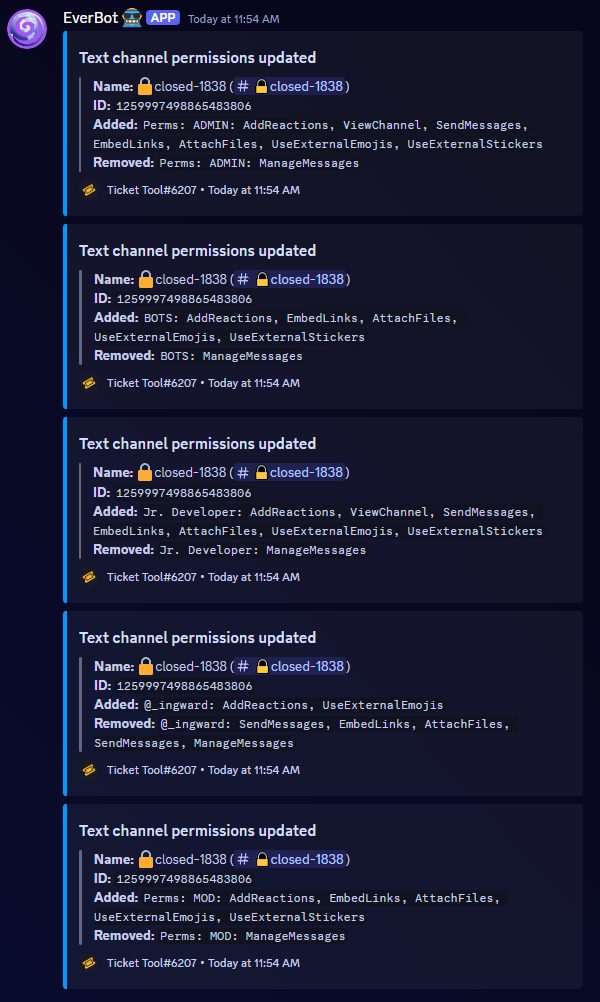 jade topaz
Ok
jade topaz
pseudo ravine
For all 4 options
Any way to just reset this back to default
So it's not spamming my logs
pseudo ravine
Unfortunately not
pseudo ravine
The default perms are still different than the Edit opened, so you'll still get logs for it
iron nightBOT
Gave +1 Rep to @pseudo ravine (current: #8 - 549)
pseudo ravine
You're welcome, glad I could help!
eager vapor
eager vapor
If I want to tag a role,is it done like this?
Can somebody please help me with this?
humble sequoiaBOT
1. Go into your Dashboard
2. Open your Panel Configs tab
3. Select the panel you want to ping your support on
4. Open the Ticket options menu
5. Click on Edit Ticket Message
6. In the Message Content use one of the role mention syntax (**{@Role Name}**/**{Role ID}**)
7. Save changes
Note: For this to work properly, Ticket Tool requires the Mention Everyone permission. Or the role must have the Allow anyone to @mention this role setting enabled
eager vapor
So,it’s meant to be like this?
 austere forge
eager vapor
So,it’s meant to be like this?
austere forge
eager vapor
So,it’s meant to be like this?
Hey there : )
remove > / < for Server recruiter
eager vapor
austere forge
Hey there : )
remove > / < for `Server recruiter`
But the role name has the >/<
eager vapor
austere forge
alright
So I leave it like that?
austere forge
eager vapor
So I leave it like that?
yep
eager vapor
austere forge
this must work
Ok,so it came like this now
 austere forge
eager vapor
Ok,so it came like this now
austere forge
eager vapor
Ok,so it came like this now
remove {@>Server Recruiter<}
eager vapor
austere forge
remove `{@>Server Recruiter<}`
Thank you so much,it worked
iron nightBOT
Gave +1 Rep to @austere forge (current: #16 - 351)
vocal knot
covert swallow
Triple check all your permissions, especially channel side
Hello! The bot has Admin on the server, we actually think that the issue is our previous (possibly legacy) lifetime subscription has somehow been lost?
covert swallow
Whats the server ID
vocal knot
covert swallow
Whats the server ID
898568341499838514
covert swallow
Your dashboard isnt 100% loading for me (server name and icon wont pop for some reason) but it does appear you lack premium
vocal knot
covert swallow
Your dashboard isnt 100% loading for me (server name and icon wont pop for some ...
Is there anything that could have caused this to happen, it has been a longstanding thing that we had, I can provide evidence of the TicketTool premium bot operating within the server and possibly try to track down proof of purchase (though this was years ago now). Or if there is somewhere we can go on our end of the dashboard to try and see past active premium things
covert swallow
We have had a few issues with premium dissappearing on some servers today, do you mind if I open a ticket for you so we can investigate further?
vocal knot
covert swallow
We have had a few issues with premium dissappearing on some servers today, do yo...
No problem, please do!
 sharp coral
مرحبا
 vital star
covert swallow
We have had a few issues with premium dissappearing on some servers today, do yo...
vital star
covert swallow
We have had a few issues with premium dissappearing on some servers today, do yo...
Hello, I'm having a similar issue where premium has disappeared from a server I manage. The server ID is 807721695745015879
covert swallow
Discord managed sub right?
vital star
covert swallow
Discord managed sub right?
Yes
covert swallow
Thanks for the info, you can just resub when you want to
 jade isle
How do you make ticket tool ask questions
pseudo ravine
jade isle
How do you make ticket tool ask questions
You were told in your ticket
jade isle
pseudo ravine
You were told in your ticket
It didnt work
restive condor
Hey there! Dashboard > Panel Configs > Category
Each dropdown option has their own panel, so each can go to the respective category
iron nightBOT
Gave +1 Rep to @restive condor (current: #4 - 908)
restive condor
You will need to edit them individually, yes
But the close button already has a default setup
Ah, yes. Those will need to be changed individually
iron nightBOT
Gave +1 Rep to @restive condor (current: #4 - 909)
restive condor
No problem!
restive condor
You'd like to disable that, correct?
Dashboard > Panel Configs > Buttons > Close Ticket Button > SUPPORT TEAM ONLY
Close ticket
Yes, that's correct
Does your friend have a support team role, moderation team role, management role, dashboard role or admin perms?
Make sure they have opened a ticket through this same panel
Glad to hear 😄
hollow frigate
How to add discord emojis like the other one?

 austere forge
hollow frigate
How to add discord emojis like the other one?
austere forge
hollow frigate
How to add discord emojis like the other one?
Hey there : )
use your custom emoji using the <:emojiname:emojiID> format. The easiest way to get this is using the id command
example :
$id
humble sequoiaBOT
austere forge
$id <:3v_smile:1187282191630204958>
<:3v_smile:1187282191630204958>
 stone roost
how do i set this bot up?
humble sequoiaBOT
First you will want to invite the bot to your server. Once the bot is in your server, you can manage your server in the dashboard.
To create a panel we are going to need to head over to the Panel Configs Tab on the Dashboard.
Once at the dashboard we will need to click Create Panel.
Enter a panel name (Fill in any optional settings you want).
Click Create Panel and you are ready to get started with configuring your panel.
An example of a creating a panel is shown below.
Once the panel has been created, use the blue Send button and select the channel you want the panel to be sent to.
The Panel wasn't send
Use the </debug:ID> command to diagnose possible permission issues with the bot.
austere forge
stone roost
how do i set this bot up?
hey there : )
follow guide above
stone roost
tyy
hollow frigate
austere forge
Hey there : )
use your custom emoji using the ``<:emojiname:emojiID>`` format. ...
Works thanks 
iron nightBOT
Gave +1 Rep to @austere forge (current: #16 - 352)
 slate oyster
The bot wont ping me when someone makes a ticket. I set everything right. Whats wrong?
 grand copper
I successfully invited the bot to my server but could not find the server in dashboard
humble sequoiaBOT
━━ Joshua's inquiry has been moved to a ticket ━━
austere forge
grand copper
I successfully invited the bot to my server but could not find the server in das...
Hey there : )
see below
humble sequoiaBOT
Don't see your server in the dashboard?
Try using the Sync Servers button on your top center of the Dashboard page
You will possibly need to relog. Look below to see the steps on how to relog.
If this doesn't work
You should relog from the dashboard, you can do this by clicking here to log out immediately, and then log back in
Note:
You need one of these 3 things to access the dashboard.
1. Server Owner (Level: 6)
2. Server Administrator (Level: 4)
3. Dashboard Role (Level: 2)
:warning: You can check your level using the </permissionlevel:1029797400174399542> command on your Discord Server
If the bot's response is:
- @User is permission level: 0 (User)
You don't have any of the 3 levels required to access the server's dashboard
 worldly helm
slate oyster
The bot wont ping me when someone makes a ticket. I set everything right. Whats ...
worldly helm
slate oyster
The bot wont ping me when someone makes a ticket. I set everything right. Whats ...
you have to edit the Ticket Message Then.
slate oyster
humble sequoia
━━ *Joshua's inquiry has been moved to a ticket* ━━
@worldly helm Sorry to disturb but very late timing, i thought you would've seen the bot's message.
It was fixed in a ticket
Also, Please dont respond to a very old question. It is most likely solved
 vivid oar
i am having issue on how to set ths bot
i am having issues adding to server, can anyone pls guide me through the process?
humble sequoiaBOT
━━ User's inquiry has been moved to a ticket ━━
eager vapor
I need help plz


I was told that if I want to @ a support team role I just do it like in the ss above
 willow orbit
Side note, idk if yall care about this type of stuff but ur bot is being used for scamming lol (the bot isnt doing the scamming but the last step, giving the scammer the "forgot password" code cause you're a 13-year-old who didn't know any better, does have you open a ticket


server ID is 1214194815604891680
again idrk if yall care about that sort of stuff
willow orbit
eager vapor
I need help plz
try just putting in "<@&(the role ID)>"
eager vapor
willow orbit
try just putting in "<@&(the role ID)>"
I did that,but it didn’t work
restive condor
willow orbit
Side note, idk if yall care about this type of stuff but ur bot is being used fo...
Hey there! We do, but they're not actually using our bot. It just happens to be in the server.
Sadly, there's nothing we can do if they're not using our bot
willow orbit
not like this tho
 willow orbit
restive condor
Hey there! We do, but they're not actually using our bot. It just happens to be ...
willow orbit
restive condor
Hey there! We do, but they're not actually using our bot. It just happens to be ...
Yeah that's fair
I reported everything else lmao
restive condor
eager vapor
I need help plz
Hey there! There's a character limit of 250 with the free version.
Please make sure to stay within those limits so the role mention fits
willow orbit
too bad discord support.. sucks (all of these are seperate bots doing the exact same scam 💀)
 eager vapor
restive condor
Hey there! There's a character limit of 250 with the free version.
Please make ...
eager vapor
restive condor
Hey there! There's a character limit of 250 with the free version.
Please make ...
Ah ok,so that’s why it won’t come up?
willow orbit
restive condor
Hey there! There's a character limit of 250 with the free version.
Please make ...
Oh that explains it lol
restive condor
eager vapor
Ah ok,so that’s why it won’t come up?
Correct
eager vapor
restive condor
Correct
But then why did it come up with the characters that weren’t even in the embed?
willow orbit
eager vapor
I need help plz
you can do that as a modal
not sure if its premium or not though
at least I think you can
restive condor
eager vapor
But then why did it come up with the characters that weren’t even in the embed?
The {ID} format is one we provide so it's easier for users, which converts into Discord's native syntax <@&roleID>
eager vapor
restive condor
The {ID} format is one we provide so it's easier for users, which converts into ...
Ah ok
Thx for the help both of you
willow orbit
willow orbit
you *can* do that as a modal

wait is that the same bot
nvm thats .net, not .xyz

oh well
restive condor
We do modal forms too 😄
willow orbit
Oh!
Then yeah you could put the questions there @eager vapor
To save character limit space
humble sequoiaBOT
A Discord Form lets the user answer individual questions in a pop-up Form, which then displays the answers in the ticket message. This can save time if you already know what you want to ask the user.
Setup Forms
Forms can be enabled under Panel Settings > Form Options > Edit Forms Options. In the new pop-up window, you can now enable and edit your own Form.
Form Options
You can add up to 5 questions in the Discord form. This is a Discord limitation. Each question can have a placeholder in the input field, a minimum and maximum input, multi-line, and also the option to have the answer required.
Options
Question Title ➞ Your Question goes here
Question Placeholder ➞ The placeholder text in the input field
Required ➞ If enabled, the user has to answer this question, to submit the form
Multi-Line Input ➞ Allows the user to input multiple lines
Minimum and Maximum Input ➞ Set a minimum and maximum input value for the user
Displaying the Answer
To display the answers from the user, you need to enable Auto display form results on the ticket message as an additional embed
If you don't want a second embed, go into your Panel Configs > Ticket Options > Edit Ticket Message. You use the variable {create.form.x} and replace x with the number of your question. For example, the response to Question 5 can be displayed with {create.form.5}.
willow orbit
eager vapor
Wdym?
these questions take up characters, right?
 eager vapor
willow orbit
these questions take up characters, right?
eager vapor
willow orbit
these questions take up characters, right?
Yes
willow orbit
humble sequoia
you can put those in one of these ^^
eager vapor
willow orbit
you can put those in one of these ^^
Oh yeah,I forgot I was wondering how I can do it.i thought it requires premium?
willow orbit
the user fills all of that out before they actually open the ticket in that case
unsure
I don't think so
Gl w setting it up either way 🙏
restive condor
It's free😄
willow orbit
Ah ^ @eager vapor
eager vapor
restive condor
It's free😄
Ah okay,thx,how can I set it up?
humble sequoiaBOT
A Discord Form lets the user answer individual questions in a pop-up Form, which then displays the answers in the ticket message. This can save time if you already know what you want to ask the user.
Setup Forms
Forms can be enabled under Panel Settings > Form Options > Edit Forms Options. In the new pop-up window, you can now enable and edit your own Form.
Form Options
You can add up to 5 questions in the Discord form. This is a Discord limitation. Each question can have a placeholder in the input field, a minimum and maximum input, multi-line, and also the option to have the answer required.
Options
Question Title ➞ Your Question goes here
Question Placeholder ➞ The placeholder text in the input field
Required ➞ If enabled, the user has to answer this question, to submit the form
Multi-Line Input ➞ Allows the user to input multiple lines
Minimum and Maximum Input ➞ Set a minimum and maximum input value for the user
Displaying the Answer
To display the answers from the user, you need to enable Auto display form results on the ticket message as an additional embed
If you don't want a second embed, go into your Panel Configs > Ticket Options > Edit Ticket Message. You use the variable {create.form.x} and replace x with the number of your question. For example, the response to Question 5 can be displayed with {create.form.5}.
 restive condor
eager vapor
So <@795710289425334303> it’s meant to be like this?
restive condor
eager vapor
So <@795710289425334303> it’s meant to be like this?
That's right
Just make sure to enable the two options at the top
eager vapor
restive condor
That's right
And what is the min required and max required thing for?
restive condor
eager vapor
And what is the min required and max required thing for?
It refers to character limits, so the shortest an answer can be and the longest it can be
eager vapor
restive condor
It refers to character limits, so the shortest an answer can be and the longest ...
So any means like unlimited characters?
restive condor
eager vapor
So any means like unlimited characters?
Yes, up to 4000 (Discord limit)
 last hill
how do i make it so like when someone opens a ticket it pings a specific role?
humble sequoiaBOT
1. Go into your Dashboard
2. Open your Panel Configs tab
3. Select the panel you want to ping your support on
4. Open the Ticket options menu
5. Click on Edit Ticket Message
6. In the Message Content use one of the role mention syntax (**{@Role Name}**/**{Role ID}**)
7. Save changes
Note: For this to work properly, Ticket Tool requires the Mention Everyone permission. Or the role must have the Allow anyone to @mention this role setting enabled
restive condor
last hill
how do i make it so like when someone opens a ticket it pings a specific role?
Hey there! See above ^^
last hill
restive condor
Hey there! See above ^^
do I have to use the ** thing as well?
restive condor
last hill
do I have to use the ** thing as well?
Nope
last hill
alrighty
willow orbit
restive condor
Hey there! We do, but they're not actually using our bot. It just happens to be ...
had some fun with it either way
there was 40 before
 last hill
restive condor
Nope
last hill
restive condor
Nope
i still cant do it
restive condor
last hill
i still cant do it
Screenshot what you've put please
last hill
 restive condor
last hill
restive condor
last hill
You can't ping a role in a form
Ping them in the ticket message once a ticket has been created
last hill
isnt this that?

 hard mortar
Why ı cant change the edit panel message
restive condor
last hill
isnt this that?
That's it
Ah, my bad. Thought you screenshotted something else
Yes, that's correct. Try creating a ticket in your server to test it
last hill
It doesnt ping I tried
restive condor
hard mortar
Why ı cant change the edit panel message
Hey there! You can only edit the content within the embed message up to 250 characters for free
hard mortar
restive condor
Hey there! You can only edit the content within the embed message up to 250 char...
I cant
restive condor
last hill
It doesnt ping I tried
Make sure Ticket Tool has mention everyone and all roles permissions
restive condor
hard mortar
I cant
What do you mean, you can't? Screenshot please
 limpid sapphire
can i send ticket transcripts to another server? 🤔
last hill
restive condor
Make sure Ticket Tool has mention everyone and all roles permissions
hey thanks it worked
iron nightBOT
Gave +1 Rep to @restive condor (current: #4 - 912)
limpid sapphire
i have a server for the team, i would send the transcripts to the team server
restive condor
hard mortar
That's not the embed message.
You can only edit the content inside the embed message for free
hard mortar
restive condor
That's not the embed message.
You can only edit the content inside the embed me...
I understand thnx
restive condor
limpid sapphire
can i send ticket transcripts to another server? 🤔
Hey there! Unless the servers are in the same shard, this wouldn't be possible but if you have the premium bot on both servers, the chances are greater of both servers being in the same one
You can check by doing $transcript ID
Replacing ID with the id of the channel in the other server
You must use $ commands not slash
eager vapor
restive condor
That's right
Is it done like this?
restive condor
eager vapor
Is it done like this?
Yep, that's right 😄
eager vapor
restive condor
Yep, that's right 😄
And now to ping a staff member once the form is filled out and the applicant is in the ticket channel,do I just do what you showed me before?
restive condor
That's correct
eager vapor
restive condor
That's correct
It’s like this right?to @ staff members(sorry I keep forgetting😅)

Or do I need to it {@Role ID} ?
restive condor
eager vapor
It’s like this right?to @ staff members(sorry I keep forgetting😅)
That's correct
restive condor
Nope
eager vapor
restive condor
Nope
Thank you so much!im all set with the bot now,i got everything done,tysm
iron nightBOT
Gave +1 Rep to @restive condor (current: #4 - 917)
restive condor
Glad to hear
 bronze compass
@restive condor hi, Yadda ake ƙara tikiti akan sabar ku
Oh, sorry, I got it wrong. How to add a Ticket on your server
 proven meadow
I used tickets in my srever
but the one who created the ticket are not able to see the channel
@restive condor
 craggy bridge
Hi Ticket Tool team! We are having an issue where whenever someone tries to open a ticket, they get "This interaction failed". Our subscription isn't expired yet either so I'm unsure on how to resolve this.
restive condor
bronze compass
Oh, sorry, I got it wrong. How to add a Ticket on your server
Hey there! See below
 stark runeBOT
1. Invite Ticket Tool to your server
First you will want to invite the bot to your server. Once the bot is in your server, you can manage your server in the dashboard.
2. Create a Panel
To create a panel we are going to need to head over to the panel configs on the dashboard.
Once at the dashboard we will need to click Create Panel.
Enter a panel name (Fill in any optional settings you want).
Click Create Panel and your ready to get started with configuring your panel.
An example of a creating a panel is shown below.
3. Send the Panel to a Channel
Once you've created a panel on the dashboard you will need to send it to a channel using send on the dashboard.
Select the channel you want your panel to be created in and click send.
For other questions checkout $help faq.
An example of a sending a panel is shown below.
Having a Problem Sending the Panel?
Do $debug in a channel with Ticket Tool and make sure it has all the necessary Discord permissions.
restive condor
Let me know if you have any questions 🙏
restive condor
proven meadow
but the one who created the ticket are not able to see the channel
Hey there! Dashboard > Panel Configs > Permissions > Ticket Owner Permissions - Edit Opened >  VIEW CHANNEL
restive condor
craggy bridge
Hi Ticket Tool team! We are having an issue where whenever someone tries to open...
Hey there! Could I get your server name or ID please
craggy bridge
restive condor
Hey there! Could I get your server name or ID please
Server name is "Kasagi"
restive condor
craggy bridge
Server name is "Kasagi"
You have a bot error on the Dashboard. Your premium subscribed seems to have expired. It's possibly the renewal payment failed, most likely due to a little mismatch we had on our side.
You can simply re-subscribe on our website via the new payment provider https://tickettool.xyz/premium-purchase
See #📣│bot-news message for more information
Ticket Tool - Ticketing without clutter - The #1 Discord support bot
craggy bridge
restive condor
You have a bot error on the Dashboard. Your premium subscribed seems to have exp...
We are currently subscribed to premium. Could I send you the screenshot in your DM?
restive condor
I'll bring you into a ticket as DMing staff is not allowed 😄
humble sequoiaBOT
━━ Evergreen's inquiry has been moved to a ticket ━━
 minor island
how to set up a bot to create tickets
stark runeBOT
1. Invite Ticket Tool to your server
First you will want to invite the bot to your server. Once the bot is in your server, you can manage your server in the dashboard.
2. Create a Panel
To create a panel we are going to need to head over to the panel configs on the dashboard.
Once at the dashboard we will need to click Create Panel.
Enter a panel name (Fill in any optional settings you want).
Click Create Panel and your ready to get started with configuring your panel.
An example of a creating a panel is shown below.
3. Send the Panel to a Channel
Once you've created a panel on the dashboard you will need to send it to a channel using send on the dashboard.
Select the channel you want your panel to be created in and click send.
For other questions checkout $help faq.
An example of a sending a panel is shown below.
Having a Problem Sending the Panel?
Do $debug in a channel with Ticket Tool and make sure it has all the necessary Discord permissions.
restive condor
minor island
how to set up a bot to create tickets
Hey there! There you go ^^
Let me know if you have any questions 🙏
minor island
restive condor
Let me know if you have any questions 🙏
Oh, thanks you so much!!!
iron nightBOT
Gave +1 Rep to @restive condor (current: #4 - 919)
 fossil goblet
 topaz shore
Como reciclar os ticket.
 silk mist
How I make a mention when a ticket open ?
silk mist
Thanks @covert swallow
iron nightBOT
Gave +1 Rep to @covert swallow (current: #18 - 313)
topaz shore
Como reciclar os ticket.
 ivory widget
some one now how to edit create ticket button and colour?
 restive condor
topaz shore
Como reciclar os ticket.
restive condor
topaz shore
Como reciclar os ticket.
Olá! O que voce quer dizer exatamente?
restive condor
ivory widget
some one now how to edit create ticket button and colour?
Hey there! Dashboard > Panel Configs > Buttons > Create Ticket Button
ivory widget
restive condor
Hey there! ``Dashboard`` > ``Panel Configs`` > ``Buttons`` > ``Create Ticket But...
i done this but still not update in my server?
restive condor
ivory widget
i done this but still not update in my server?
Please use the "SEND" or "UPDATE" buttons to resend or update your panel message
 ivory widget
restive condor
Please use the "SEND" or "UPDATE" buttons to resend or update your panel message
ivory widget
restive condor
Please use the "SEND" or "UPDATE" buttons to resend or update your panel message
ty
iron nightBOT
Gave +1 Rep to @restive condor (current: #4 - 921)
 lost nacelle
theres no claim button showing when i open a ticket
worldly helm
Hey there!
lost nacelle
.
worldly helm
let me get some screenshots and help you out
 worldly helm
yeah!
lost nacelle
yeah what
worldly helm
Click on Buttons
 lost nacelle
ok wait
worldly helm
Then on Claim Ticket
 lost nacelle
mhm
worldly helm
And the last step is to Click on Show this button
 lost nacelle
oh alright thanks
worldly helm
No problem!
lost nacelle
thanks @worldly helm
iron nightBOT
Gave +1 Rep to @worldly helm (current: #323 - 1)
worldly helm
yes?
lost nacelle
it doesnt work
worldly helm
You have to Send the "new" panel into your channel again
lost nacelle
oh ok
worldly helm
 lost nacelle
it still doesnt work
lost nacelle
 worldly helm
Do you have the role "ticket staff" ??
lost nacelle
yea
worldly helm
Remove the "Support Team only"
lost nacelle
ok
worldly helm
And then resend the panel again, if that doesnt work. Feel free to open a ticket due to me not knowing the bot 100%
 covert swallow
Your premium button should look like this if you are subscribed. If you subbed thru Discord you will need to click Sync on your dashboard

 rapid kernel
covert swallow
Your premium button should look like this if you are subscribed. If you subbed t...
rapid kernel
covert swallow
Your premium button should look like this if you are subscribed. If you subbed t...
How did I not understand?
 covert swallow
Top lefthand corner, to theright of the server icon
rapid kernel
covert swallow
Top lefthand corner, to theright of the server icon
support sever ?
covert swallow
 craggy bridge
Is it possible to remove the ticket limit for specifically admins or moderators in the server?
covert swallow
You can have those roles bypass limits per panel but not server wide
rapid kernel
covert swallow
Why did he bring me back to the same page?
covert swallow
Becuase it is just syncing stuff between Discord and the dashboard. Are you sure you purchased premium for this server?
craggy bridge
covert swallow
You can have those roles bypass limits per panel but not server wide
Is this in the dashboard?
covert swallow
craggy bridge
Is this in the dashboard?
Yes, limits on the bottom left
craggy bridge
covert swallow
Yes, limits on the bottom left
Got it, thank you! 😄
iron nightBOT
Gave +1 Rep to @covert swallow (current: #18 - 314)
rapid kernel
covert swallow
Becuase it is just syncing stuff between Discord and the dashboard. Are you sure...
I was buying a seven-day trial for free
just
Now you have downloaded an offer for seven days for free. I don't know how to use it
covert swallow
If your offer is redeemed you can use all functions of the bot, which is all done through your panel configurations
rapid kernel
covert swallow
If your offer is redeemed you can use all functions of the bot, which is all don...
It's a show
I am very sorry that I bothered you. Is there a video on how to use Premium my current replacement ?
covert swallow
Due to the vast quantity of features there is no specific video to show alof them at once
I do recommend looking at our documentaiton for more information
Ticketing without Clutter
jade topaz
i screwed up my perms and i cant remember what they were. my support tickets arent going under my mailbox catagory but my partnership tickets are?
 pseudo ravine
Hey there. Ticket Tool needs the Send Messages permission in the Mailbox category
 teal verge
So is Ticket tool down? Because we've got premium ticket tool in our server, and it's not responding at all. I'm checking all of it's perms now
jade topaz
thank you, it was weird because the second panel tickets went to the correct category but my supports werent.
pseudo ravine
teal verge
So is Ticket tool down? Because we've got premium ticket tool in our server, and...
Hey there. Can you send the server ID here? Not an invite, just the server ID
teal verge
For sure
pseudo ravine
jade topaz
thank you, it was weird because the second panel tickets went to the correct cat...
You're welcome, glad I could help!
teal verge
1016590587899695104
pseudo ravine
It seems like your subscription expired, you'll have to resubscribe on the dashboard
teal verge
on the dashboard, it says Bot Error. Lemme look at it and figure out the subscription RQ
pseudo ravine
The bot error is you have the gold bot selected, but don't have an active subscription
teal verge
Ok. Lemme see if that fixed it.
Yep, appears to be back up and running. Thank you sir.
thanks @pseudo ravine
iron nightBOT
Gave +1 Rep to @pseudo ravine (current: #8 - 551)
pseudo ravine
You're welcome, glad I could help!
teal verge
Easier fix than others, for sure.
 humble sequoiaBOT
The Drop-down menu or Select Menu replaces the buttons on your panel message and uses a drop-down menu with all of your panels. To set this up, go to your Panel Configs and select your main Panel.
<:Numbericons1:1018864164032225340> Enable Select Style
First you enable Select Style. Then you add an item in the Dropdown Editor. Now you can start editing your dropdown!
<:Numbericons2:1018864168041971712> Dropdown Editor
Each line in the dropdown editor represents a line in the drop down menu on discord. You can add more "Items", by clicking on
First you select a panel. That's the panel this option will open a ticket for. DONT select the same panel twice. Each option should have a different Panel
After that, you can put a Display. This is the title of this option and will appear in the drop down menu. The *Description can be set right after that, which will be below the title in grey.
Additionally you can select an emoji, that will be shown in front of each option. You can either manually input the ID of an emoji or select it in the selector.
Common Issues ⚠️
- Panel doesn't send? Make sure you have a valid emoji selected
- Option doesn't show up? Check if two options have the same panel in the DropDown Editor
$dropdown
 sweet nimbus
Can I do this through discord instead?
pseudo ravine
Unfortunately not
 dense granite
i forgot my password please help in login
covert swallow
Is this related to @pseudo glen
 mild jasper
Can I do auto delete channels like if he not text 1 day
austere forge
mild jasper
Can I do auto delete channels like if he not text 1 day
Hey there : )
This is a premium feature
jade topaz
The Bot always says "the application does not respond"
 smoky wharf
Is there a way I can change what what the ticket is called

 heady edge
Hello everyone, can you tell me how to make such a menu where you can choose?
 humble sequoiaBOT
The ticket name is the default channel name of all tickets. To edit it, go to your Dashboard > Panel Configs > Ticket. There you can edit the channel name of opened and closed tickets. You can also use variables in there.
Note: This is a premium feature
pseudo ravine
@smoky wharf Read this ^
humble sequoiaBOT
The Drop-down menu or Select Menu replaces the buttons on your panel message and uses a drop-down menu with all of your panels. To set this up, go to your Panel Configs and select your main Panel.
<:Numbericons1:1018864164032225340> Enable Select Style
First you enable Select Style. Then you add an item in the Dropdown Editor. Now you can start editing your dropdown!
<:Numbericons2:1018864168041971712> Dropdown Editor
Each line in the dropdown editor represents a line in the drop down menu on discord. You can add more "Items", by clicking on
First you select a panel. That's the panel this option will open a ticket for. DONT select the same panel twice. Each option should have a different Panel
After that, you can put a Display. This is the title of this option and will appear in the drop down menu. The *Description can be set right after that, which will be below the title in grey.
Additionally you can select an emoji, that will be shown in front of each option. You can either manually input the ID of an emoji or select it in the selector.
Common Issues ⚠️
- Panel doesn't send? Make sure you have a valid emoji selected
- Option doesn't show up? Check if two options have the same panel in the DropDown Editor
$dropdown
pseudo ravine
@heady edge Read this ^
pseudo ravine
jade topaz
The Bot always says "the application does not respond"
Hey there. Can you run the /debug command
jade topaz
pseudo ravine
Hey there. Can you run the `/debug` command
I did
But it still not working
smoky wharf
pseudo ravine
<@1061445198028230676> Read this ^
Ok thank you
iron nightBOT
Gave +1 Rep to @pseudo ravine (current: #8 - 552)
pseudo ravine
jade topaz
I did
When did you last do it?
jade topaz
10 min
pseudo ravine
smoky wharf
Ok thank you
You're welcome, glad I could help!
pseudo ravine
jade topaz
10 min
Can you run it again please?
jade topaz
pseudo ravine
Ticket Tool needs the Send Messages permission in that channel
jade topaz
Thank you!
 delicate moat
In this server I like the “━━ Name’s inquiry has been moved to a ticket ━━” how would I set that up as a custom command that would put the users name, I have tried and got the rest of the command sorted just not how to put the name. Unless that is not able to be done in another server as a custom command.
 grizzled mauve
Hi, I want to connect ticket tool bot with a telegram bot so that every person on telegram opening a ticket will open a ticket with ticket tool on discord. Someone already did that ?
restive condor
grizzled mauve
Hi, I want to connect ticket tool bot with a telegram bot so that every person o...
Hey there! How exactly does that work?
restive condor
delicate moat
In this server I like the “━━ *Name’s inquiry has been moved to a ticket* ━━” ho...
Hey there! We use custom command arguments so Ticket Tool copies everything after the command usage and a fallback so if there's no message provided, then it will just revert to that
━━ *{argument.1?fb=User}'s inquiry has been moved to a ticket* ━━
grizzled mauve
restive condor
Hey there! How exactly does that work?
I want to have my client on telegram. If they ask me question, they send a messages on my telegram bot, and then as I have a team with me responding messages, I want to connect my telegram bot on a ticket tool bot on discord so that my team can see all open tickets and answer. Is that clear ?
restive condor
grizzled mauve
I want to have my client on telegram. If they ask me question, they send a messa...
So they would DM the bot to contact you?
and that would trigger a ticket to be created within the server?
grizzled mauve
restive condor
and that would trigger a ticket to be created within the server?
Exactly
They DM the telegram bot and its trigger a new ticket on discord server
restive condor
Integrating Sapphire x Ticket Tool (or any external bot) 
1.Sapphire (or any bot) will need to output the$newor$ticketcommands with the user's ID in order to start a ticket. Eg.$new 1234567890123456789
So if you have some sort of Dropdown with Sapphire, the response should be the $new/$ticket commands, preferably in private channel.
2.Command Style Tickets must be enabled - See instructions below on how to do so.
3.You must add Sapphire's (or the bot's) ID as a bot Ticket Tool will react to under yourDashboard>Server Configs>Botsection.
Otherwise Ticket Tool will not react to the command and a ticket will not be created
4.[Optional] If you'd like to include a reason in the command usage, feel free to do so after the user ID. Eg.$new 1234567890123456789 Test reason
{create.reason}variable⚠️ Please make sure to ammend the $new or $ticket commmands' prefix if you have changed your prefix from default. So if your prefix is
-, then what you're looking for Sapphire (or the bot) to use is-newor-ticket
humble sequoiaBOT
Command Style Tickets allow you to open tickets VIA the $new or $ticket commands. This feature also allows you to open tickets for people, by using the aforementioned commands with the user's ping or ID.
You can enable this feature by heading over to your server's Dashboard➞ Panel Configs ➞ Command Style Tickets.
This section of the panel settings also contains the following features
- Bypass channel list and watch all of them → when you enable this option, Ticket Tool will create a ticket whenever someone uses the
$newor the$ticketcommand in a channel it can access.
- Channel to monitor for command $new and $ticket → This is the opposite of the previous option, you can select in which channels Ticket Tool should look for the
$newor$ticketcommand instead of looking at the whole server.
- Delete command after creating ticket → If enabled, Ticket Tool will delete the command (whether it's
$newor$ticket) a few seconds after you run it.
 restive condor
So essentially, you would need for the Telegram bot to run any of the $new or $ticket commands in the server once DMed
grizzled mauve
restive condor
So essentially, you would need for the Telegram bot to run any of the $new or $t...
And I guess I can set my telegram bot to send this $new or $ticket commands on the discord server when someone DM it right ?
Thanks for the tutorial with sapphire, I am not use to it so I will need to investigate a bit and try all that
restive condor
grizzled mauve
And I guess I can set my telegram bot to send this $new or $ticket commands on t...
That's right. Same process. I just have Sapphire there as it's the most common one 😄
grizzled mauve
restive condor
That's right. Same process. I just have Sapphire there as it's the most common o...
Okay I will look into it so 🙏
 odd cave

 rare wraith
Me too im here to repport the same issue
 glass narwhal
same
 hardy maple
why bot offline
rare wraith
hardy maple
why bot offline
rare wraith
there is a pin for that question
hardy maple
idk
rare wraith
that is what i send plus spamming is not a good thing
 eternal cypress

