#🆘│community-support
1 messages · Page 103 of 1
 gilded verge
 clever pebble
okay i used paypal
gilded verge
i replied to another user ^^
Please don't reply-ping Staff for the message you wasn't involved with.
answer for you: there is no way to make a custom instance in ticket tool but i believe that it's planned, no eta ofc but still, so currently not yet
Hey, could you describe what you mean by linking? I'd like to understand 🤔
clever pebble
nvm, i'll just call and have it canceled by my cc
 muted magnet
Hello, so I was on the premium trial and I added some premium things like the claim button and etc things, and then when a new ticket was made the claim button was removed (after the trial ended) is that normal?
gilded verge
Hey, claiming is a premium feature so if your premium expired, it won't be available
clever pebble
this is the way it says to pay and it doesn't give you anything
 gilded verge
hm...
 pseudo ravine
Hey there. Unfortunately that's not possible
 opal snow
pseudo ravine
Hey there. Unfortunately that's not possible
opal snow
pseudo ravine
Hey there. Unfortunately that's not possible
Okey, thanks!
 iron nightBOT
Gave +1 Rep to @pseudo ravine (current: #9 - 436)
pseudo ravine
opal snow
Okey, thanks!
You're welcome, glad I could help!
gilded verge
clever pebble
this is the way it says to pay and it doesn't give you anything
i don't know why discord changed it but i don't like this... okay so to get premium as you need, please go to the Dashboard -> Server Configs -> click on the button to Invite Premium Bot -> on your server click on the gold bot and pick option Store, that's a good way to buy premium
i hope i helped :3
 gilded verge
where exactly you want to add the image?
 hushed fulcrum
Yeah
gilded verge
?
 gilded verge
ah, then if just as a message, you can put it the image link into Message Content field ^^
gilded verge
could you show how you did it in the dashboard?
hushed fulcrum
No I can’t rec
gilded verge
screenshot would be enough
hushed fulcrum
Should i put’it here??
 gilded verge
if the field is gray, that means you can't use it
you can put this but as in panel message or ticket message
hushed fulcrum
Oh
gilded verge
so it will be Panel Configs -> Messages -> Edit Panel Message
or Panel Configs -> Messages -> Edit Ticket Message
 last kelp
hello, my friend was trying to get premium for a server, but it didn't work so she did a charge back
however, discord disabled her account right after, is this normal?
gilded verge
last kelp
hello, my friend was trying to get premium for a server, but it didn't work so s...
Hey, if the account has been disabled, then we can't do anything, please make a ticket with Discord on dis.gd/support
just to clarify, your friend has to do it
last kelp
gilded verge
Hey, if the account has been disabled, then we can't do anything, please make a ...
okay i just thought that she was disabled because of the charge back on your bot, that's why, but i'll definitely tell her to contact discord
gilded verge
i don't have a clue about the reason so yes, it would be better to contact them
gilded verge
 lunar solar
http://dis.gd/billing
lunar solar
http://dis.gd/billing
that's the better one so please also take it too @last kelp
i only provided the main since account has been disabled
last kelp
gilded verge
that's the better one so please also take it too <@690976501994094724>
i only pr...
okay tysm
 leaden spear
#help
 humble sequoiaBOT
Hello, we would love to help you, but if you don't tell us what you need help with we can't help you :(
leaden spear
hey
 smoky wharf
does anyone know how to make it where ticket tool pings a role upon opening a ticket, i looked it up on youtube and the video i found made no sense
humble sequoiaBOT
1. Go into your Dashboard
2. Open your Panel Configs tab
3. Select the panel you want to ping your support on
4. Open the Ticket options menu
5. Click on Edit Ticket Message
6. In the Message Content use one of the role mention syntax (**{@Role Name}**/**{Role ID}**)
7. Save changes
Note: For this to work properly, Ticket Tool requires the Mention Everyone permission. Or the role must have the Allow anyone to @mention this role setting enabled 

 idle flint
smoky wharf
does anyone know how to make it where ticket tool pings a role upon opening a ti...
idle flint
smoky wharf
does anyone know how to make it where ticket tool pings a role upon opening a ti...
This should help ^^
smoky wharf
idle flint
This should help ^^
Thank you
iron nightBOT
Gave +1 Rep to @idle flint (current: #20 - 264)
opal snow
Tell me, if a player creates a ticket, can it be done so that this ticket is closed immediately, so that the player cannot close it himself?
opal snow
opal snow
Tell me, if a player creates a ticket, can it be done so that this ticket is clo...
I have already found how to change this, can you tell me how to change the language of the message when it says that the player does not have access rights to close the ticket?
 tribal fox
How can I make a ticket panel like this?
 opal snow
tribal fox
How can I make a ticket panel like this?
opal snow
tribal fox
How can I make a ticket panel like this?
I think you should write the text and insert a link to the photo at the end, but I'm not sure
 dawn lake
tribal fox
How can I make a ticket panel like this?
dawn lake
tribal fox
How can I make a ticket panel like this?
Go to dashboard and setup your custom msg
 rugged lotus
Hey there, just curious was there a way to change (translate) message stating ticket limitation?
Or it's just built-in (hard coded) or discord side
nvm found the answer, maybe an option to add that to customization, as there is multiple language communities across 🙂
 hasty shale
How i enable claming in the ticket
 daring nest
.
humble sequoiaBOT
━━ Miner10049's inquiry has been moved to a ticket ━━
 misty fractal
How can I vote for the bot?
 ivory slate
I mean receiving the ticket and counting each person’s points because I want the administrators to show me who interacted with technical support and the number of their points so that I can calculate their salary for them.
daring nest
what does premium help with?
humble sequoiaBOT
 Faster Premium Bot
Automatic Transcripts
Full Customization
Direct Messages
Ticket Automation
Thread Style Ticketing
Premium Support
Scheduled Panel Availability
Integrations
Claiming
Advanced Ticket Statistics
You can purchase premium here:
Price
$6 - Monthly
$66 - Yearly (Open a billing ticket in #🎫│make-a-ticket to receive additional information on this matter)
 restive condor
daring nest
what does premium help with?
restive condor
daring nest
what does premium help with?
Hey there! See above ^^
daring nest
thanks.
restive condor
ivory slate
I mean receiving the ticket and counting each person’s points because I want the...
You can use the Statistics section of the Dashboard to see how many tickets each staff members has claimed.
Dashboard > Panel Configs (Left sidebar)
daring nest
ill think about it.
restive condor
misty fractal
How can I vote for the bot?
https://top.gg/bot/557628352828014614 - You can vote for the on top.gg
Please note this no longer gives you premium credits
Top.gg
Ticket Tool - Ticketing without clutter. Support, Sales or Suggestions Ticket Tool can do it all. Ticket Bot
restive condor
 wintry hawk
create ticket is not show to everyone
wintry hawk
create ticket is not show to everyone
Hey there! Could you screenshot what it shows?
 restive condor
wintry hawk
restive condor
wintry hawk
Hold down on the channel's name (from the channel list) > Edit Channel > Permissions > Find @everyone & 
READ MESSAGE HISTORY
 restive condor
wintry hawk
For
restive condor
wintry hawk
For
Perfect, that looks right. Please send the panel to the channel
wintry hawk
thank you sir..for solving my issues
 plush glen
How do I edit the ticket name via the panel? @austere forge
 humble sequoiaBOT
━━ mrblackmamba's inquiry has been moved to a ticket ━━
restive condor
 queen lion
Hey there! You seem to have an invalid emoji
Could I get your server name or ID, so I can take a look?
queen lion
874574123207106622
restive condor
queen lion
874574123207106622
And which panel is this for?
 restive condor
queen lion
checkout
restive condor
queen lion
checkout
You have text in the button emoji field; you can only have an emoji there.
Text goes on the field below.
(Dashboard > Panel Configs > Buttons > Create Ticket Button)
 iron nightBOT
Gave +1 Rep to @restive condor (current: #6 - 566)
misty fractal
restive condor
https://top.gg/bot/557628352828014614 - You can vote for the on top.gg
Please n...
How can I get the premium version? Without purchasing it
wintry hawk
everyone is able to close the ticket..i want only officres, owners to close the ticket..can i get help.
restive condor
misty fractal
How can I get the premium version? Without purchasing it
Right now, the only way to get premium for free would be to partake in giveaways and events
Or earn it from the economy shop #🤖│bot-spam
restive condor
wintry hawk
everyone is able to close the ticket..i want only officres, owners to close the ...
Hey there!
1. Dashboard > Panel Configs > Buttons > Close Ticket Button > Allowed/Disabled roles
2. Dashboard > Command Configs > CLOSE > Allowed/Disabled roles
misty fractal
restive condor
Or earn it from the economy shop <#910978476536905738>
how
restive condor
misty fractal
how
Use .shop to view the shop
 jaunty gate
hey guys i need help i have set up transcrip channel but bot says that it isnot what should i do?/
restive condor
jaunty gate
hey guys i need help i have set up transcrip channel but bot says that it isnot ...
Hey there! Make sure you selected a transcript channel for the correct panel and saved the changes
jaunty gate
restive condor
Hey there! Make sure you selected a transcript channel for the correct panel and...
i did
but same issue
restive condor
jaunty gate
i did
Could you screenshot what the bot says when you attempt to save a transcript?

 restive condor
jaunty gate
restive condor
jaunty gate
May you try creating a brand new ticket and testing on that one?
jaunty gate
 jaunty gate
restive condor
May you try creating a brand new ticket and testing on that one?
jaunty gate
restive condor
May you try creating a brand new ticket and testing on that one?
finnaly thanks
iron nightBOT
Gave +1 Rep to @restive condor (current: #6 - 567)
restive condor
No problem, have a nice day
smoky wharf
how do i make it where all the tickets are in the same message
 humble sequoiaBOT
For more convenient use of multipanels, you can now combine panels on the dashboard. This will allow you to directly send the multipanel from the dashboard or via the $panel ID command.
Where can I find this?
You can find this setting on the Dashboard -> Panel Configs -> Panel -> Attached Panels
Note: if you're attaching all the panels to a panel called English, don't include English in the attached panel's box (If you do this, it will create a duplicate)
This will put all buttons from all of your panels on one message. The message is the panel message from the panel you're combining these panels in.
 restive condor
smoky wharf
how do i make it where all the tickets are in the same message
restive condor
smoky wharf
how do i make it where all the tickets are in the same message
Hey there! See above how to combine panels ^^
smoky wharf
restive condor
Hey there! See above how to combine panels ^^
ok thank you
iron nightBOT
Gave +1 Rep to @restive condor (current: #6 - 569)
 mossy shoal
humble sequoiaBOT
mossy shoal
humble sequoiaBOT
Faster Premium Bot
Automatic Transcripts
Full Customization
Direct Messages
Ticket Automation
Thread Style Ticketing
Premium Support
Scheduled Panel Availability
Integrations
Claiming
Advanced Ticket Statistics
You can purchase premium here:
Price
$6 - Monthly
$66 - Yearly (Open a billing ticket in #🎫│make-a-ticket to receive additional information on this matter)
restive condor
 keen ridge
What does premium and gold ticket tool do
keen ridge
What does premium and gold ticket tool do
Hey there! Those are the premium perks ^^
keen ridge
restive condor
Hey there! Those are the premium perks ^^
Ur a bot
restive condor
I'm not
keen ridge
Automated response
restive condor
Nope
keen ridge
Ok thanks
keen ridge
restive condor
Nope
How do i apply for support team
misty fractal
How do I do something like this?
 humble sequoiaBOT
A Discord Form lets the user answer individual questions in a pop-up Form, which then displays the answers in the ticket message. This can save time if you already know what you want to ask the user.
Setup Forms
Forms can be enabled under Panel Settings > Form Options > Edit Forms Options. In the new pop-up window, you can now enable and edit your own Form.
Form Options
You can add up to 5 questions in the Discord form. This is a Discord limitation. Each question can have a placeholder in the input field, a minimum and maximum input, multi-line, and also the option to have the answer required.
Options
Question Title ➞ Your Question goes here
Question Placeholder ➞ The placeholder text in the input field
Required ➞ If enabled, the user has to answer this question, to submit the form
Multi-Line Input ➞Allows the user to input multiple lines
Minimum and Maximum Input ➞ Set a minimum and maximum input value for the user
Displaying the Answer
To display the answers from the user, you need to enable Auto display form results on the ticket message as an additional embed
If you don't want a second embed, go into your Panel Configs > Ticket Options > Edit Ticket Message. You use the variable {create.form.x} and replace x with the number of your question. For example, the response to Question 5 can be displayed with {create.form.5}.

 ionic path
misty fractal
How do I do something like this?
ionic path
misty fractal
How do I do something like this?
Hey there, see above ↑
humble sequoiaBOT
How do be I become a Support Member?
You can become a support member in 2 ways:
1. You can be really active in #🆘│community-support gain <@&799500225579712543> role and get chosen by a Manager
2. You can apply VIA our applications that would be sent in #📣│server-news
We currently have Support Teams for the following languages:
:flag_us: English
:flag_jo: Arabic
:flag_fr: French
:flag_de: German
:flag_es: Spanish
restive condor
keen ridge
How do i apply for support team
Applications are currently closed ^
keen ridge
Can i partner with you
restive condor
Partnerships are also closed at this time
humble sequoiaBOT

Partnership Program
Our partnership program is currently closed.
We appreciate you being interested in partnering with Ticket Tool! Unfortunately, the program for partnering is closed as of now. Nonetheless, make sure to keep an eye at #📣│server-news where we announce partner applications opening!
 TicketTool.xyz - Ticketing without clutter
misty fractal
ionic path
Hey there, see above ↑
TicketTool.xyz - Ticketing without clutter
misty fractal
ionic path
Hey there, see above ↑
Thanks
iron nightBOT
Gave +1 Rep to @ionic path (current: #45 - 40)
ionic path
No worries, have a good one!
keen ridge
ionic path
No worries, have a good one!
Thanks
iron nightBOT
Gave +1 Rep to @ionic path (current: #45 - 41)
keen ridge
ionic path
No worries, have a good one!
Thanks
keen ridge
ionic path
Hey there, see above ↑
Thanks
keen ridge
restive condor
Partnerships are also closed at this time
Thanks
ionic path
No need for those pings, the reputation already came through. :)
keen ridge
Ok
keen ridge
ionic path
No need for those pings, the reputation already came through. :)
Thanks
Why isnt it giving more reps
restive condor
There's a cooldown, so people who attempt to mass rep, can't
keen ridge
K
 gloomy cypress
how do i get tickettool to ping my support role upon a ticketr being opened
humble sequoiaBOT
1. Go into your Dashboard
2. Open your Panel Configs tab
3. Select the panel you want to ping your support on
4. Open the Ticket options menu
5. Click on Edit Ticket Message
6. In the Message Content use one of the role mention syntax (**{@Role Name}**/**{Role ID}**)
7. Save changes
Note: For this to work properly, Ticket Tool requires the Mention Everyone permission. Or the role must have the Allow anyone to @mention this role setting enabled
restive condor
gloomy cypress
how do i get tickettool to ping my support role upon a ticketr being opened
Hey there! See above ^^
 feral schooner
Is there anyway to customize the bot's name/pfp with premium?
humble sequoiaBOT
Ticket Tool Custom Avatar
As of now, you are not able to change Ticket Tool's profile picture, nonetheless, our Development Team is working on the release of white labels, this is your own custom bot!
For the time being, you can change the bot's nickname by right-clicking the bot in the user list on your server and clicking Change Nickname

$avatar
feral schooner
Thanks!
pseudo ravine
You're welcome, glad I could help!
 cold mica
i got banned for nothing
humble sequoiaBOT
@cold mica

⚠️ You're in the wrong place
We provide support for Ticket Tool Discord bot and cannot help you with whatever issue you have.
- We don't know which Support Team you should contact to get this issue resolved, and unfortunately we won't be able to accurately tell you.
If you don't have any further questions regarding our bot Ticket Tool, please close this ticket
 grizzled swan
in custom commands, if you tick on "Admin Only" who can use it? Only the support team in tickets or a certain role?
 restive condor
grizzled swan
in custom commands, if you tick on "Admin Only" who can use it? Only the support...
restive condor
grizzled swan
in custom commands, if you tick on "Admin Only" who can use it? Only the support...
Hey there! Only roles with Dashboard access can use it
- Owner (Level 6)
- Server Administrators (Level 4)
- Dashboard Roles (Level 2)
 spiral plume
Hey, when someone opens a ticket, everyone can see it. I can't seem to fix it.
I've already made sure view channel for everyone is off
 restive condor
spiral plume
Hey, when someone opens a ticket, everyone can see it. I can't seem to fix it.
...
restive condor
spiral plume
Hey, when someone opens a ticket, everyone can see it. I can't seem to fix it.
...
Hey there! Are you testing this with a brand new ticket?
Opened tickets won't have their permissions automatically updated
spiral plume
restive condor
Hey there! Are you testing this with a brand new ticket?
Opened tickets won't h...
yes, i'm creating a new ticket everytime
grizzled swan
restive condor
Hey there! Only roles with Dashboard access can use it
- Owner (Level 6)
- Serve...
do you know how i can give people access to the dashboard?
restive condor
spiral plume
yes, i'm creating a new ticket everytime
Could I get your server name or ID so I can take a look?
restive condor
grizzled swan
do you know how i can give people access to the dashboard?
Yep, see below
humble sequoiaBOT
Any role you put there will have full access to the ticket tool dashboard. The server owner and users with admin permissions already have access to the dashboard.
Be careful of which roles to put here
 spiral plume
restive condor
Could I get your server name or ID so I can take a look?
spiral plume
restive condor
Could I get your server name or ID so I can take a look?
sure
1036424401492660337
grizzled swan
restive condor
Yep, see below
thanks!
iron nightBOT
Gave +1 Rep to @restive condor (current: #6 - 571)
restive condor
spiral plume
1036424401492660337
Which panel is this for?
restive condor
spiral plume
panel 2
Should this role be here?
 restive condor
spiral plume
thats the support role
restive condor
spiral plume
thats the support role
Make sure you saved the changes. It doesn't show as  on my end
 spiral plume
oh really? I've saved changes quite a few times
ill reload the page
is it ticked now for you?
restive condor
Yep, all good now. Create a brand new ticket and give it a try
spiral plume
thanks a lot Dan, really helpful 🙂
 potent sequoia
how do i make it ping in the ticket?
humble sequoiaBOT
1. Go into your Dashboard
2. Open your Panel Configs tab
3. Select the panel you want to ping your support on
4. Open the Ticket options menu
5. Click on Edit Ticket Message
6. In the Message Content use one of the role mention syntax (**{@Role Name}**/**{Role ID}**)
7. Save changes
Note: For this to work properly, Ticket Tool requires the Mention Everyone permission. Or the role must have the Allow anyone to @mention this role setting enabled
 austere forge
potent sequoia
how do i make it ping in the ticket?
austere forge
potent sequoia
how do i make it ping in the ticket?
hi there, see above
potent sequoia
austere forge
hi there, see above
yea
austere forge
 jagged perch
there is any way to close all tickets in my server?
jagged perch
there is any way to close all tickets in my server?
Hi there, you can use /purge command
only if you are the owner of the server
austere forge
you're welcome
jagged perch
or all is deleted?
austere forge
no they will not have the transcript
jagged perch
okay

 shut bolt
 eager ibex

 ebon cloak
Merhaba
I don't know English, I'm using translation, I hope I'm not saying anything wrong.
Ticket tool has been deactivated for a long time, I wonder when it will work?
 tough flint
Question, some reason without changing anything the ticket tool is not moving closed tickets to the correct catagory after closed.
There any way i can troubleshoot this?
humble sequoiaBOT
━━ Sethos's inquiry has been moved to a ticket ━━
keen ridge
how do i show the ticket
 devout snow
@keen ridge
keen ridge
what
devout snow
Apsrved shools
keen ridge
?
 jade topaz
Did anyone ever saw this message?
Need help to fix it, can´t close tickets

 cunning stump
How can I make it so the channels that Ticket Tool creates have image perms enabled?
humble sequoiaBOT
━━ 🎩 Maki's inquiry has been moved to a ticket ━━
austere forge
cunning stump
How can I make it so the channels that Ticket Tool creates have image perms enab...
Hi there, go to Dashboard > Panel configs > Permissions > Everyone Role Permissions - Attach Files 

Ticket Tool - Ticketing without clutter - The #1 Discord support bot
 desert oasis
Please help me i cant ticke for cudis
cunning stump
austere forge
Hi there, go to [Dashboard](https://tickettool.xyz/) > Panel configs > Permissio...
Thank you so much!
iron nightBOT
Gave +1 Rep to @austere forge (current: #27 - 140)
austere forge
desert oasis
Please help me i cant ticke for cudis
Hi there, do you need help with Ticket tool?
 steady ridge
I need help please
It’s showing that I’ve already subscribed for the Premium but my server isn’t auto transcripting any tickets
 marsh walrus
How do I make a ticket ping a role when it is opened?
austere forge
steady ridge
It’s showing that I’ve already subscribed for the Premium but my server isn’t au...
Hi there, go to Dashboard > Panel configs > Transcript and make sure you have enabled Auto Save Trancript
Ticket Tool - Ticketing without clutter - The #1 Discord support bot
humble sequoiaBOT
1. Go into your Dashboard
2. Open your Panel Configs tab
3. Select the panel you want to ping your support on
4. Open the Ticket options menu
5. Click on Edit Ticket Message
6. In the Message Content use one of the role mention syntax (**{@Role Name}**/**{Role ID}**)
7. Save changes
Note: For this to work properly, Ticket Tool requires the Mention Everyone permission. Or the role must have the Allow anyone to @mention this role setting enabled
austere forge
marsh walrus
How do I make a ticket ping a role when it is opened?
hi there, see above ^^
marsh walrus
austere forge
hi there, see above ^^
Thank you.
iron nightBOT
Gave +1 Rep to @austere forge (current: #27 - 141)
 spark blade
hey is there a way to create reports on the tickets
 tranquil bison
spark blade
hey is there a way to create reports on the tickets
tranquil bison
spark blade
hey is there a way to create reports on the tickets
what does that even mean
spark blade
haha - i need to export all my tickets to analyse them
 proven narwhal
Is there any way to give an user a role when they open a ticket?
austere forge
proven narwhal
Is there any way to give an user a role when they open a ticket?
hi, sure go to Dashboard > Panel configs > Ticket - Ticket Opened Roles
Note: This is a premium feature 
Ticket Tool - Ticketing without clutter - The #1 Discord support bot
 proven narwhal
austere forge
hi, sure go to [Dashboard](https://tickettool.xyz/) > Panel configs > Ticket - T...
proven narwhal
austere forge
hi, sure go to [Dashboard](https://tickettool.xyz/) > Panel configs > Ticket - T...
Alright, thanks
iron nightBOT
Gave +1 Rep to @austere forge (current: #27 - 142)
 strong isle
How do I ping a role in tickets?
humble sequoiaBOT
1. Go into your Dashboard
2. Open your Panel Configs tab
3. Select the panel you want to ping your support on
4. Open the Ticket options menu
5. Click on Edit Ticket Message
6. In the Message Content use one of the role mention syntax (**{@Role Name}**/**{Role ID}**)
7. Save changes
Note: For this to work properly, Ticket Tool requires the Mention Everyone permission. Or the role must have the Allow anyone to @mention this role setting enabled
austere forge
strong isle
How do I ping a role in tickets?
hi there, follow guide above ^^
 loud barn
Hello, did a brief search of keywords for my questions and couldnt find anything but excuse my incompetence if this has been asked before lmao. Is there a way to automatically open a ticket when a member joins the discord? Sort of like an onboarding ticket?
 steel basalt
loud barn
Hello, did a brief search of keywords for my questions and couldnt find anything...
steel basalt
loud barn
Hello, did a brief search of keywords for my questions and couldnt find anything...
You can do this through the use of a third party bot. You would add the bot’s ID under the “SERVER CONFIGS” page and then scrolling down to “bot”
You would then need to configure the bot to send a message to your specified channel under “COMMAND STYLE” and ensure it followed the “$new [userid]” format.
For more assistance, feel free to open a ticket or ask here!
loud barn
Okay thank you, I am a little confused on how to configure that bot so I have opened a ticket
humble sequoiaBOT
━━ User's inquiry has been moved to a ticket ━━
 shut ginkgo
Can Admins of Servers add configure the ticket bot or ownly owner?
steel basalt
shut ginkgo
Can Admins of Servers add configure the ticket bot or ownly owner?
Admins can edit the bots functions through the dashboard, yes.
wintry hawk
tickets are public ...tickets are seen by anyone... please help
austere forge
wintry hawk
tickets are public ...tickets are seen by anyone... please help
Hi there, go to Dashboard > Panel configs > Permissions > Everyone Role Permissions - EDIT OPENED View Channel 
Ticket Tool - Ticketing without clutter - The #1 Discord support bot
the changes are applied to new tickets
shut ginkgo
Can i turn option of transcript off? I am using it for when ppeople want to talk about hardships open a ticket for chatting when they are down so want the option of transcript off
 blissful timber
Hi everyone
shut ginkgo
so that it is private and only those with adminal role and who opened the ticket can see it
spark blade
how to find closed ticket?
wintry hawk
austere forge
Hi there, go to [Dashboard](https://tickettool.xyz/) > Panel configs > Permissio...
thank you sir.
iron nightBOT
Gave +1 Rep to @austere forge (current: #27 - 144)
wintry hawk
strong isle
in the pannel
thanks
iron nightBOT
Gave +1 Rep to @strong isle (current: #308 - 1)
strong isle
wintry hawk
thanks
got u
@stark rune how do i make tickets fall into a category
@obtuse kraken how do i make my tickets go into a catetgory
 compact oasis
help
restive condor
compact oasis
help
Hey there! How can I help?
restive condor
strong isle
<@678344927997853742> how do i make my tickets go into a catetgory
Hey there! Dashboard > Panel Configs > Category
 merry hinge
hi, the bot is offline in a server (I am a mod)
 simple geode
merry hinge
hi, the bot is offline in a server (I am a mod)
simple geode
merry hinge
hi, the bot is offline in a server (I am a mod)
I WAST THE ONLY ONE
@lament sandal told u
👩❤️💋👩
restive condor
merry hinge
hi, the bot is offline in a server (I am a mod)
Hey there! It should be back now
merry hinge
restive condor
Hey there! It should be back now
ok, lemme check
yes
@restive condor ty
iron nightBOT
Gave +1 Rep to @restive condor (current: #6 - 574)
 frozen spade
humble sequoiaBOT
frozen spade
humble sequoiaBOT
━━ User's inquiry has been moved to a ticket ━━
 stuck skiff
Is there a variable I can use to ping the ticket owner in a custom command?
restive condor
stuck skiff
Is there a variable I can use to ping the ticket owner in a custom command?
Hey there! You can use {ticket.user}
stuck skiff
restive condor
Hey there! You can use ``{ticket.user}``
Awesome, thank you so much
iron nightBOT
Gave +1 Rep to @restive condor (current: #6 - 575)
 wary juniper
/add
humble sequoiaBOT
Hello, we would love to help you, but if you don't tell us what you need help with we can't help you :(
 acoustic dragon
@humble sequoia
 pseudo rivet
I wanted to put the ticket message and open a ticket but I literally don't know how to do that
humble sequoiaBOT

You can check our documentation here;
You can also check #📂│information for the basic setup, or run the </setup:1025379472167403530> command within #🤖│bot-spam to find information on how to setup Ticket Tool.
Alternatively, you can use the /setup command with Ticket Tool in your own server to setup the basics of Ticket Tool!
Our documentation contains all the info you need about the bot to be able to setup and configure the bot however you like.
 slender minnow
@pseudo rivet ^^^
jade topaz
how to fix
 humble sequoiaBOT
━━ dxve's inquiry has been moved to a ticket ━━
 topaz ocean
How to un-stake the BTC staked in B2? I can’t find the way to un-staked.
humble sequoiaBOT
⚠️ You're in the wrong place
We provide support for Ticket Tool Discord bot and cannot help you with whatever issue you have.
- We don't know which Support Team you should contact to get this issue resolved, and unfortunately we won't be able to accurately tell you.
If you don't have any further questions regarding our bot Ticket Tool, please close this ticket
 still needle
theres problem with ticket tool whenever i press save it takes 10 mins to save or just keeps going
@restive condor
restive condor
still needle
theres problem with ticket tool whenever i press save it takes 10 mins to save o...
Hey there! Could you screenshot ?
still needle
restive condor
Hey there! Could you screenshot ?
^^
restive condor
still needle
Interesting. Is this the first time this happens?
still needle
restive condor
Interesting. Is this the first time this happens?
Yes
restive condor
still needle
Yes
Could you please try logging out and back in?
still needle
restive condor
Could you please try logging out and back in?
Yes
still needle
restive condor
Could you please try logging out and back in?
Thx it’s working now I’ll let you know if it happened again
iron nightBOT
Gave +1 Rep to @restive condor (current: #6 - 576)
restive condor
Perfect 
shut ginkgo
shut ginkgo
Can i turn option of transcript off? I am using it for when ppeople want to talk...
Are roles that receive the tickets the only ones that can view the transcript?
 hearty vine
Hello everyone, can you tell me? When you click delete ticket, the ticket is not deleted, but is transferred to another channel that is not suitable for this category. The content is being deleted. And so every ticket repeats. What needs to be fixed? I apologize for the incorrect translation.
restive condor
shut ginkgo
Are roles that receive the tickets the only ones that can view the transcript?
Hey there! Anyone with access to the transcript channel can view trsnscripts, and potentially download and share them
shut ginkgo
How do I check who has access?
restive condor
hearty vine
Hello everyone, can you tell me? When you click delete ticket, the ticket is not...
Hey there! Please disable STORAGE MODE
Dashboard > Server Configs
shut ginkgo
Ok!
restive condor
shut ginkgo
How do I check who has access?
Anyone with administrator permissions has default access to all channels.
Then, anyone else you have added to the channel or category.
You can check by looking at the member list from within the channel or the channel/category permissions itself
shut ginkgo
Ok. So if I have a role of “therapist” and it’s 4 people that will be talking with the “members” the therapist will be the only one able to view that ticket and pull the transcript
hearty vine
restive condor
Hey there! Please disable <:Switch_disabled:1041734620770750474> ``STORAGE MODE...
I do not know if I understood my thought correctly, it turns out like this... The ticket itself saves the information that was written there. But, when deleted, it is automatically deleted and disappears from the server so that it is not flooded with channels with tickets. Did we understand each other correctly?))
restive condor
shut ginkgo
Ok. So if I have a role of “therapist” and it’s 4 people that will be talking wi...
If they have access to the transcript channel or admin perms then yes
restive condor
hearty vine
I do not know if I understood my thought correctly, it turns out like this... Th...
That's what you'd like for the bot to do, correct?
shut ginkgo
Ok! But if they open a ticket and they aren’t in the transcript channel they can’t see it or have the option to
restive condor
shut ginkgo
Ok! But if they open a ticket and they aren’t in the transcript channel they can...
As long as you don't have DM transcripts enabled (premium) or you give them access to the transcript command (not enabled to regular members, by default), no
hearty vine
restive condor
That's what you'd like for the bot to do, correct?
That's it, I got the idea. Thank you, thank you very much. I apologize for the crooked translation and a lot of flooding is possible. Thanks, good luck...
iron nightBOT
Gave +1 Rep to @restive condor (current: #6 - 578)
restive condor
No worries
 past idol
Hello. Can you set the name of the person who opened the ticket to be displayed instead of 00xxx? If yes how ?
restive condor
past idol
Hello. Can you set the name of the person who opened the ticket to be displayed ...
Hey there! Yes, you can use the {ticket.owner.name} variable in the ticket name
humble sequoiaBOT
The ticket name is the default channel name of all tickets. To edit it, go to your Dashboard > Panel Configs > Ticket. There you can edit the channel name of opened and closed tickets. You can also use variables in there.

 Note: This is a premium feature
past idol
restive condor
Hey there! Yes, you can use the ``{ticket.owner.name}`` variable in the ticket n...
Note: This is a premium feature
past idol
restive condor
Hey there! Yes, you can use the ``{ticket.owner.name}`` variable in the ticket n...
Thx 🙂
iron nightBOT
Gave +1 Rep to @restive condor (current: #6 - 579)
 quick siren
how i can fix that

 stray bobcat
Verify that the bot has all the required permissions. Usually this happens if the bot is lacking Read & Write to the channel.
humble sequoiaBOT
When first invited to your server, Ticket Tool should have the permissions shown below in order to ensure an appropriate functioning:
When customizing permissions for the different ticket participants, you must make sure Ticket Tool has the permissions you want it to grant to others, you can learn more about this here.
Missing Permissions
This error is a direct outcome of the bot missing permissions as depicted above. When troubleshooting this error we suggest you go through these steps:
- Use the </debug:1029783024264564765> command to check if the bot is lacking core role or channel permissions.
- Compare the category/channel's overrides and contrast them with the bot's roles to identify any permission denial that is breaking the functioning
- If you can't still figure it out, let our <@&540295656720302081> know so they can guide you through
Additional Resources
- If you are a server administrator and would like to understand more how to set up your server's permissions, we suggest checking the Discord Support Knowledge Base
- If you are a bot developer and are interested in the internal permission hierarchy we suggest you this part of the Discord Developer Docs
Important Note
- Giving Administrator permissions is NOT required and we do NOT encourage you to do unless you are trying to troubleshoot your permissions setup.

 muted pebble
How can I give custom command privileges to everyone with a support team role in a ticket? I don't want to have to give my entire support team dashboard permissions, as that's incredibly nuclear, but I don't want all of my server members to be able to do it.
For reference, I've checked documentation (https://docs.tickettool.xyz/dashboard/custom-commands#creating-a-custom-command) and I haven't seen anything that supports this

Adding predifined messages to your server
On that note, where do I make a suggestion?
 wraith jungle
Hi, I had a friend kick the ticket tool bot because I have premium but I got an email saying I cancelled my subscription but did not do this. Do I need both bots in the discord?
restive condor
muted pebble
On that note, where do I make a suggestion?
Hi, seems like you found your way
You're correct, it's currently not possible to limit custom commands, other than Dashbaord roles only
Is there anything else we can help you with?
restive condor
wraith jungle
Hi, I had a friend kick the ticket tool bot because I have premium but I got an ...
Hey there! If you subscribe via the white bot, yes. You must keep both bots in the server as the premium is linked to the white bot
If you'd like to kick the white bot, subscribe on the premium bot next month
wraith jungle
I see.
wraith jungle
restive condor
If you'd like to kick the white bot, subscribe on the premium bot next month
I will. thanks so much.
iron nightBOT
Gave +1 Rep to @restive condor (current: #6 - 580)
muted pebble
restive condor
Hi, seems like you found your way <:PabloTiphat:983791053842837624>
You're cor...
Not for now, appreciate the response :)
Actually, if my suggestion could be approved via #🤖│bot-spam that would be great. Would love to give this request more visibility as custom commands can potentially do a lot of good for a server's support team
restive condor
Only Supervisors+ may approve suggestions
 lament hull
Hey,
im not sure if Im overlooking a setting but im having the following issue:
When a Ticket Thread is deleted via right click in the Channel/Thread list instead of doing it from within the Ticket via the Buttons, the Ticket wont get transcripted and is lost.
Is there a way to prevent this from happening?
Auto Transcript is active on close and/or delete
restive condor
lament hull
Auto Transcript is active on close and/or delete
Hey there! You must close or delete the ticket via Ticket Tool
If you manually delete the channel (by right clicking), a transcript won't be automatically saved
iron nightBOT
Gave +1 Rep to @restive condor (current: #6 - 581)
smoky wharf
how do i make it so when you open a ticket there is a menu that asks like " why are you making this ticket?
humble sequoiaBOT
A Discord Form lets the user answer individual questions in a pop-up Form, which then displays the answers in the ticket message. This can save time if you already know what you want to ask the user.
Setup Forms
Forms can be enabled under Panel Settings > Form Options > Edit Forms Options. In the new pop-up window, you can now enable and edit your own Form.
Form Options
You can add up to 5 questions in the Discord form. This is a Discord limitation. Each question can have a placeholder in the input field, a minimum and maximum input, multi-line, and also the option to have the answer required.
Options
Question Title ➞ Your Question goes here
Question Placeholder ➞ The placeholder text in the input field
Required ➞ If enabled, the user has to answer this question, to submit the form
Multi-Line Input ➞Allows the user to input multiple lines
Minimum and Maximum Input ➞ Set a minimum and maximum input value for the user
Displaying the Answer
To display the answers from the user, you need to enable Auto display form results on the ticket message as an additional embed
If you don't want a second embed, go into your Panel Configs > Ticket Options > Edit Ticket Message. You use the variable {create.form.x} and replace x with the number of your question. For example, the response to Question 5 can be displayed with {create.form.5}.
shut bolt
Enable the form options as described above
smoky wharf
shut bolt
Enable the form options as described above
ok thank you
iron nightBOT
Gave +1 Rep to @shut bolt (current: #1 - 1317)
jade topaz
How do I setup the bot to look like this when u send the panel
 humble sequoiaBOT
The Drop-down menu or Select Menu replaces the buttons on your panel message and uses a drop-down menu with all of your panels. To set this up, go to your Panel Configs and select your main Panel.
<:Numbericons1:1018864164032225340> Enable Select Style
First you enable Select Style. Then you add an item in the Dropdown Editor. Now you can start editing your dropdown!
<:Numbericons2:1018864168041971712> Dropdown Editor
Each line in the dropdown editor represents a line in the drop down menu on discord. You can add more "Items", by clicking on 

First you select a panel. That's the panel this option will open a ticket for.  DONT select the same panel twice. Each option should have a different Panel
After that, you can put a Display. This is the title of this option and will appear in the drop down menu. The *Description can be set right after that, which will be below the title in grey.
Additionally you can select an emoji, that will be shown in front of each option. You can either manually input the ID of an emoji or select it in the selector.
Common Issues ⚠️
- Panel doesn't send? Make sure you have a valid emoji selected
- Option doesn't show up? Check if two options have the same panel in the DropDown Editor

$dropdown
austere forge
jade topaz
How do I setup the bot to look like this when u send the panel
Hey ! see above ^^
 fringe iron
restive condor
No worries <:PabloTiphat:983791053842837624>
fringe iron
restive condor
No worries <:PabloTiphat:983791053842837624>
bro there should be a "advanced support" role and u should get it bro
restive condor
fringe iron
bro there should be a "advanced support" role and u should get it bro
There's Experienced & Senior support already, it goes by how long you've been on the team though 
jade topaz
how to make a menu with many different options
fringe iron
oh
you are the most active one here though
everytime i check here ur the only one chatitng actively
jade topaz
how to make a menu with many different options?
humble sequoiaBOT
The Drop-down menu or Select Menu replaces the buttons on your panel message and uses a drop-down menu with all of your panels. To set this up, go to your Panel Configs and select your main Panel.
<:Numbericons1:1018864164032225340> Enable Select Style
First you enable Select Style. Then you add an item in the Dropdown Editor. Now you can start editing your dropdown!
<:Numbericons2:1018864168041971712> Dropdown Editor
Each line in the dropdown editor represents a line in the drop down menu on discord. You can add more "Items", by clicking on
First you select a panel. That's the panel this option will open a ticket for. DONT select the same panel twice. Each option should have a different Panel
After that, you can put a Display. This is the title of this option and will appear in the drop down menu. The *Description can be set right after that, which will be below the title in grey.
Additionally you can select an emoji, that will be shown in front of each option. You can either manually input the ID of an emoji or select it in the selector.
Common Issues ⚠️
- Panel doesn't send? Make sure you have a valid emoji selected
- Option doesn't show up? Check if two options have the same panel in the DropDown Editor
$dropdown
restive condor
jade topaz
how to make a menu with many different options?
Hey there! See above ^^
jade topaz
what is the placedown text
restive condor
jade topaz
what is the placedown text
The placeholder text is what's shown in the dropdown before it actually opens up
Could be like Click me! or something similar.
You can leave blank for the default text. ''Select one to open a ticket''
jade topaz
Thanks!
 tough warren
Boa tarde, como fasso paro o bot notificar os cargos que eu desejo?
humble sequoiaBOT

Equipo de Soporte Español
Querido usuario, si está buscando ayuda, por favor abra un ticket para contactar al Equipo de Soporte Español. Diríjase a #🎫│make-a-ticket y presione el botón :flag_es:.
 quick moat
что делать если не выдает тикет?
 scenic plinth
Что ты имеешь в виду?
 limber tendon
huh ¯_(ツ)_/¯
 zinc minnow
hello i have a problem
I added an emoji inside the discord server
Now, in the embed editor message section, I put an emoji code with :name: the message does not show emoji in Discord.
How to fix it?
austere forge
zinc minnow
How to fix it?
Hey ! you can use the variable $id emoji to get the id of the emoji you want to put in the message
$id 
humble sequoiaBOT
austere forge
$id <:3v_smile:1187282191630204958>
<:3v_smile:1187282191630204958>
austere forge
and paste this full text in your message
zinc minnow
austere forge
and paste this full text in your message
it's work thanks man ❤️
iron nightBOT
Gave +1 Rep to @austere forge (current: #27 - 145)
austere forge
zinc minnow
it's work thanks man ❤️
you're welcome
 cobalt oyster
is there any way to deactivate this reply?
 austere forge
cobalt oyster
is there any way to deactivate this reply?
austere forge
cobalt oyster
is there any way to deactivate this reply?
Hi there, unfortunately no
cobalt oyster
hmm okay sad, thank you for your fast reply though 🙂
 novel vortex
How do I see submitted forms.
humble sequoiaBOT
A Discord Form lets the user answer individual questions in a pop-up Form, which then displays the answers in the ticket message. This can save time if you already know what you want to ask the user.
Setup Forms
Forms can be enabled under Panel Settings > Form Options > Edit Forms Options. In the new pop-up window, you can now enable and edit your own Form.
Form Options
You can add up to 5 questions in the Discord form. This is a Discord limitation. Each question can have a placeholder in the input field, a minimum and maximum input, multi-line, and also the option to have the answer required.
Options
Question Title ➞ Your Question goes here
Question Placeholder ➞ The placeholder text in the input field
Required ➞ If enabled, the user has to answer this question, to submit the form
Multi-Line Input ➞Allows the user to input multiple lines
Minimum and Maximum Input ➞ Set a minimum and maximum input value for the user
Displaying the Answer
To display the answers from the user, you need to enable Auto display form results on the ticket message as an additional embed
If you don't want a second embed, go into your Panel Configs > Ticket Options > Edit Ticket Message. You use the variable {create.form.x} and replace x with the number of your question. For example, the response to Question 5 can be displayed with {create.form.5}.
novel vortex
thanks
pseudo ravine
You're welcome, glad I could help!
 unkempt lava
📩
 gloomy plume
How do I make members unable to close the ticket? I kind of forgot.
austere forge
gloomy plume
How do I make members unable to close the ticket? I kind of forgot.
Hey ! Go to Dashboard > Panel configs > Bouttons > Close ticket and Support Team Only
Ticket Tool - Ticketing without clutter - The #1 Discord support bot
gloomy plume
I tried that but it still says I can close the ticket.
 slate snow
im trying to start a ticket channal but it wont make one i already set everything up
gloomy plume
austere forge
Hey ! Go to [Dashboard](https://tickettool.xyz/) > Panel configs > Bouttons > Cl...
I also made the members role a disabled role too:
 austere forge
yp, that good, if it is you who closed it it is completely normal that you can close the ticket, as you are the owner of the server
Members of your server will therefore not be able to close tickets.
austere forge
slate snow
im trying to start a ticket channal but it wont make one i already set everythin...
hey can you tell more about your problem
gloomy plume
austere forge
yp, that good, if it is you who closed it it is completely normal that you can c...
I did a role view.
 shut bolt
 vivid ore
How to fix this
vivid ore
How to fix this
- Have you reviewed the permissions on the bot in the channel you are trying to send the panel to?
- Have you tried using the
$panelcommand to send the panel? - Have you used the
debugcommand to diagnose permissions?
grizzled swan
hi! does anyone know how to ping a user if you mention them using custom commands? ex: /custom command user5 - response: custom command fired, user5!
shut bolt
vivid ore
<@518666147441278998> help me
Also, please review the rules in #📂│information. Do not ping any support member for assistance
vivid ore
shut bolt
Also, please review the rules in <#509239005481664524>. Do not ping any support ...
Everytime it says this
 shut bolt
grizzled swan
hi! does anyone know how to ping a user if you mention them using custom command...
shut bolt
grizzled swan
hi! does anyone know how to ping a user if you mention them using custom command...
You can use argument variables but you would need to input their ID or a mention directly. I'm not sure if using the handle on it's own could work
grizzled swan
shut bolt
You can use argument variables but you would need to input their ID or a mention...
oh ok
shut bolt
vivid ore
Everytime it says this
 slate snow
austere forge
hey can you tell more about your problem
slate snow
austere forge
hey can you tell more about your problem
i set up everything but the ticket bot never texted in the category to open tickets
iron nightBOT
Gave +1 Rep to @shut bolt (current: #1 - 1318)
 jovial cedar
 humble sequoiaBOT
⚠️ You're in the wrong place
We provide support for Ticket Tool Discord bot and cannot help you with whatever issue you have.
- We don't know which Support Team you should contact to get this issue resolved, and unfortunately we won't be able to accurately tell you.
If you don't have any further questions regarding our bot Ticket Tool, please close this ticket
pseudo ravine
You've already been told multiple times we cannot help you
jovial cedar
Can some please help me
austere forge
gloomy plume
I did a role view.
TT doesn't know you're in "View as Role" mode.
members will therefore not be able to close the ticket
austere forge
slate snow
i set up everything but the ticket bot never texted in the category to open tick...
did you get an error when you tried to create a ticket?
slate snow
no
gloomy plume
austere forge
members will therefore not be able to close the ticket
So that means members can't close the ticket right?
austere forge
gloomy plume
So that means members can't close the ticket right?
exact 🙂
austere forge
slate snow
no
can you send me a screenshot of when you tried to create a ticket?
slate snow
austere forge
can you send me a screenshot of when you tried to create a ticket?
i dont got it but thats the proof everything set up


 jovial cedar
The login issue has been fixed. Thank you everybody!
austere forge
slate snow
i dont got it but thats the proof everything set up
screenshots don't really help me :/
Where are you going with this, how can I help you?
jovial cedar
pseudo ravine
You've already been told multiple times we cannot help you
Sorry about that. I appreciate your patience <3
slate snow
austere forge
screenshots don't really help me :/
Where are you going with this, how can I hel...
i just want the people in my server to be able to make a ticket for help
austere forge
slate snow
i just want the people in my server to be able to make a ticket for help
sure, press send button on Dashboard and select a channel
this is how members will be able to create tickets if you have it configured
slate snow
austere forge
sure, press `send` button on Dashboard and select a channel
im trying to get that
 austere forge
slate snow
im trying to get that
austere forge
slate snow
im trying to get that
yp, you just need to press the send button on the Dashboard and select a channel
slate snow
austere forge
yp, you just need to press the `send` button on the Dashboard and select a chann...
mb im new but is it dashboard history

 slate snow
austere forge
slate snow
austere forge
it work thx
iron nightBOT
Gave +1 Rep to @austere forge (current: #27 - 146)
austere forge
slate snow
it work thx
you're welcome dude
jade topaz
how do i create a ticket for support
austere forge
jade topaz
how do i create a ticket for support
hi there, #🎫│make-a-ticket 🙂
jade topaz
thank you
 untold fjord
Hello, i have categories in an existing server that i did not setup, how can i add addtional categories, ive logged into ticket tool but the categories page does not align with the ticket prefixes i see IE:
 pseudo ravine
Hey there. I'm a little confused when you refer to categories since the image you sent doesn't relate to categories
Are you referring to the name of the ticket when it gets created?
untold fjord
Yes
pseudo ravine
Could you send the server ID here
untold fjord
Sure
pseudo ravine
Thank you
pseudo ravine
Which panel was this happening on?
untold fjord
for FBI
im morso just trying to understand, what these prefix's are and how i can edit them
was overwhelmed by the UI, but did give it a small search
pseudo ravine
It's not really a "prefix", it's just some text in the ticket name
humble sequoiaBOT
The ticket name is the default channel name of all tickets. To edit it, go to your Dashboard > Panel Configs > Ticket. There you can edit the channel name of opened and closed tickets. You can also use variables in there.
Note: This is a premium feature
 novel steppe
I'm not sure if I'm just not doing it right but the ticket bot won't open a ticket for my server
humble sequoiaBOT
━━ User's inquiry has been moved to a ticket ━━
muted magnet
gilded verge
Hey, claiming is a premium feature so if your premium expired, it won't be avail...
alright.


 gilded verge
novel vortex
{create.form.x} won't work
gilded verge
novel vortex
{create.form.x} won't work
wherre is "x" ?
 gilded verge
novel vortex
transcripts wont save
gilded verge
novel vortex
transcripts wont save
"missing permissions" = bot has no access = no transcript
novel vortex
oh
gilded verge
ah, i forgot.. on your logging channel, could you run /debug ? let me knoe wonce you finish so we can check what is missing
novel vortex
itsays check on everythign thanks
gilded verge
on the screenshot with error it's trying to save into transcript channel, not logging channel 😳
check it once again
novel vortex
Sorry I left for a bit. I meant to say both transcript and logging channels werent working properly. Since I gave permissions it should work now. Thanks you so much for all your help.
Just checked and it works! Yippee! Have a nice day @gilded verge
lament hull
Hey,
we are having an issue with transcripts not being saved sometimes.
Auto Transcript is active and all.
Prior I was thinking someone just deleted Ticket Threads wrong but it turned out to be not even possible for them (no perms).
Yet we still lose 10-20% of transcripts or something along those numbers and im kinda lost how.
Is there like an obvious issue im unaware of?
 urban folio
Yo for 3 days I’m trying to make a ticket and it says chanel limit is there a glitch or something?
 wild vapor
Make sure the bot can post
 small radish
Hello so im not sure if its anything ive done but i have 2 tickets on my server but only 1 of them works. if tried like uh... looking at all my settings for the one that dosnt work and the one that works. and they are the exact same of what i can see. but the one that dosnt work continue to say "You dont have permissions for this " to my members
what do i do?
(please ping when you answer, when anyone answer)
austere forge
urban folio
Yo for 3 days I’m trying to make a ticket and it says chanel limit is there a gl...
Hi. Server staff needs to resolve this issue.
there are too many channels on the server you want to create a ticket
austere forge
small radish
Hello so im not sure if its anything ive done but i have 2 tickets on my server ...
__ «You don't have permissions to use this»__
Are your members seeing this message when they try to create a ticket?
You may have accidentally denied them permission to use the Create Ticket button.
Look in the following places in your server's dashboard:
👉 Server Configs -> Blacklist Roles
Any roles there will be unable to interact with the bot in any way, including creating tickets.👉 Panel Configs -> Buttons -> Create Ticket -> Support team only
If this is enabled👉 Panel Configs -> Buttons -> Create Ticket -> Disabled Roles
Any roles there will be unable to use the button.
austere forge
lament hull
Hey,
we are having an issue with transcripts not being saved sometimes.
Auto Tra...
Hey! pls open a ticket, so we can take a closer look
small radish
austere forge
__ **«You don't have permissions to use this»**__
> Are your members seeing thi...
Thank you it was the :
👉 Panel Configs -> Buttons -> Create Ticket -> Support team only
If this is enabled , only your staff will be able to use the button.
this one ^^
iron nightBOT
Gave +1 Rep to @austere forge (current: #27 - 148)
austere forge
You're welcome, glad I could help !
 little lion
Hey guys, how to enable picture permission on the tickets? ( I want to let our users post screenshots and video).
restive condor
little lion
Hey guys, how to enable picture permission on the tickets? ( I want to let our u...
Hey there! Dashboard > Panel Configs > Permissions > Ticket Owner Permissions - Edit Opened > ATTACH FILES
little lion
restive condor
Hey there! ``Dashboard`` > ``Panel Configs`` > ``Permissions`` > ``Ticket Owner ...
Thanks. How do you create buttons on the existing panels? and will I need a premium for it?
iron nightBOT
Gave +1 Rep to @restive condor (current: #6 - 582)
humble sequoiaBOT
For more convenient use of multipanels, you can now combine panels on the dashboard. This will allow you to directly send the multipanel from the dashboard or via the $panel ID command.
Where can I find this?
You can find this setting on the Dashboard -> Panel Configs -> Panel -> Attached Panels
Note: if you're attaching all the panels to a panel called English, don't include English in the attached panel's box (If you do this, it will create a duplicate)
This will put all buttons from all of your panels on one message. The message is the panel message from the panel you're combining these panels in.
restive condor
little lion
Thanks. How do you create buttons on the existing panels? and will I need a prem...
Nope, you don't ^^
little lion
The answer isn't clear to me 😭
restive condor
little lion
The answer isn't clear to me 😭
You were referring, to additional ticket buttons, correct? Example: #🎫│make-a-ticket
little lion
yes, exactly, with some text guide in it.
restive condor
little lion
yes, exactly, with some text guide in it.
You would need one panel per each button option, and then you can combine all panels into one, using the instructions above
little lion
Is there any video guide for the same? and it doesn't need a premium, right?
restive condor
little lion
Is there any video guide for the same? and it doesn't need a premium, right?
There's no video guides at the moment, no it doesn't require premium.
I can walk you through it if you'd like, just #🎫│make-a-ticket
little lion
restive condor
There's no video guides at the moment, no it doesn't require premium.
I can wal...
humble sequoiaBOT
━━ User's inquiry has been moved to a ticket ━━
little lion
restive condor
There's no video guides at the moment, no it doesn't require premium.
I can wal...
Hey, one more thing, having a button didn't change the name of the ticket ( like English- it should have the English name on the tag).
restive condor
little lion
Hey, one more thing, having a button didn't change the name of the ticket ( like...
Go into the english panel > Buttons > Create Ticket Button
 jade osprey
I need help
humble sequoiaBOT
@jade osprey, we would love to help you, but if you don't tell us what you need help with we can't help you :(
little lion
restive condor
Go into the english panel > Buttons > Create Ticket Button
I have done that.
 jade osprey
so im getting this error message in my server every time I try to send it
 little lion
 restive condor
little lion
I have done that.
restive condor
little lion
I have done that.
Ah, custom ticket names are a premium feature
little lion
But then the buttons aren't that useful, aren't they? or I'm missing something.
restive condor
jade osprey
so im getting this error message in my server every time I try to send it
Hey there! You seem to have an invalid emoji somewhere. Could I get your server name or ID, so I can take a look?
jade osprey
ok
restive condor
little lion
But then the buttons aren't that useful, aren't they? or I'm missing something.
Well, each button has it's own panel.
Each panel can have different support teams, categories, form questions, ticket messages...etc
restive condor
Just one, but we offer an 8% discount for yearly purchases
humble sequoiaBOT
Faster Premium Bot
Automatic Transcripts
Full Customization
Direct Messages
Ticket Automation
Thread Style Ticketing
Premium Support
Scheduled Panel Availability
Integrations
Claiming
Advanced Ticket Statistics
You can purchase premium here:
Price
$6 - Monthly
$66 - Yearly (Open a billing ticket in #🎫│make-a-ticket to receive additional information on this matter)
jade osprey
restive condor
Hey there! You seem to have an invalid emoji somewhere. Could I get your server ...
1226644313434226779
jade osprey
jade osprey
1226644313434226779
thats the id
the server same is FI5HY Clan
i can send an invite if u want
restive condor
jade osprey
1226644313434226779
Dashboard > Panel Configs > Dropdown Style
This emoji is invalid, please only select emojis from the emoji selector
 tribal fox
When I create a ticket, it is created as a subchannel. How can I change this?
 restive condor
tribal fox
When I create a ticket, it is created as a subchannel. How can I change this?
restive condor
tribal fox
When I create a ticket, it is created as a subchannel. How can I change this?
Hey there! Disabled Thread Style -> Dashboard > Panel Configs > Thread-Style
humble sequoiaBOT

Thank you
Thank you for purchasing Ticket Tool Premium @tribal fox. You have now been given the <@&535595160189403136> role!
Found 17 servers in total and 2 with premium and permission
 brisk scaffold
kann mir jemand de ticket channel pingen ich find den gar nirgends
restive condor
brisk scaffold
kann mir jemand de ticket channel pingen ich find den gar nirgends
Hallo, hier: #🎫│make-a-ticket
brisk scaffold
dankeschön
 dreamy walrus
I cant use the /panel command it just comes up with bot did not respond, anybody know why?
restive condor
dreamy walrus
I cant use the /panel command it just comes up with bot did not respond, anybody...
Hey there! Could you run the command /debug in the same channel?
dreamy walrus
I will try.
dreamy walrus
restive condor
Hey there! Could you run the command ``/debug`` in the same channel?
It says the application did not respond.
restive condor
dreamy walrus
It says the application did not respond.
Ticket Tool is missing the SEND MESSAGES permission for that channel
dreamy walrus
Thank you!
 calm agate
My Iptv is lagging and channels keeps repeating
humble sequoiaBOT
⚠️ You're in the wrong place
We provide support for Ticket Tool Discord bot and cannot help you with whatever issue you have.
- We don't know which Support Team you should contact to get this issue resolved, and unfortunately we won't be able to accurately tell you.
If you don't have any further questions regarding our bot Ticket Tool, please close this ticket
restive condor
You are in the wrong server unfortunately
 rugged pivot
Please help
I choose the drop down style and everything is linked to panel and ready but my ticket still has the button
And I disabled it
restive condor
rugged pivot
I choose the drop down style and everything is linked to panel and ready but my ...
Hey there! Did enable Dropdown Style?
rugged pivot
Yes
restive condor
rugged pivot
Yes
Did you update or resend your panel?
restive condor
You will need to either update it or resend, yes
 opal fjord
why is there no voting anymore
austere forge
opal fjord
why is there no voting anymore
Hey, it won’t be coming back
The developer wants to replace it with a different system, there’s no eta right now
 scenic aspen
I added ticket tool to my friends server and server isn' showing up in the ticket tool dashboard please help.
humble sequoiaBOT
Don't see your server in the dashboard?
Try using the Sync Servers button on your top center of the Dashboard page
You will possibly need to relog. Look below to see the steps on how to relog.
If this doesn't work
You should relog from the dashboard, you can do this by clicking here to log out immediately, and then log back in
Note:
You need one of these 3 things to access the dashboard.
1. Server Owner (Level: 6)
2. Server Administrator (Level: 4)
3. Dashboard Role (Level: 2)
:warning: You can check your level using the </permissionlevel:1029797400174399542> command on your Discord Server
If the bot's response is:
- @User is permission level: 0 (User)
You don't have any of the 3 levels required to access the server's dashboard
 restive condor
scenic aspen
I added ticket tool to my friends server and server isn' showing up in the ticke...
restive condor
scenic aspen
I added ticket tool to my friends server and server isn' showing up in the ticke...
Hey there! See above ^
 dark scaffold
hi help please ;-; i creating my reaction panel but after a few seconds it keeps disappearing and i have to press send again on the dashboard how to bypass this
jade osprey
is it possible so u can change the name of the ticket as it is created
austere forge
dark scaffold
hi help please ;-; i creating my reaction panel but after a few seconds it keeps...
Hi there, make sure to look in the audit log if one of the bots is not delete messages of Ticket tool
humble sequoiaBOT
The ticket name is the default channel name of all tickets. To edit it, go to your Dashboard > Panel Configs > Ticket. There you can edit the channel name of opened and closed tickets. You can also use variables in there.
Note: This is a premium feature
austere forge
jade osprey
is it possible so u can change the name of the ticket as it is created
Hey ! see above
austere forge
you're welcome
opal fjord
austere forge
Hey, it won’t be coming back
The developer wants to replace it with a different...
oh alright, which system? and when will it release cuz i already payed the 6€ lmao
austere forge
opal fjord
oh alright, which system? and when will it release cuz i already payed the 6€ lm...
did you buy premium ?
austere forge
perfect ! Thank you choising Ticket tool see below
humble sequoiaBOT
The first thing you will need to do is invite the premium bot, an invite can be found here
Once the bot is in your server we will head to the dashboard and manage your server. When you are managing your server, you want to head into "Server Configs" then click the drop down menu under "Select the bot you would like to use on this server" then click "Ticket Tool#6207" and then save.
 opal fjord
thank you @austere forge
iron nightBOT
Gave +1 Rep to @austere forge (current: #27 - 149)
austere forge
opal fjord
thank you <@225349654974431232>
you're welcome
 sour mica
/help
humble sequoiaBOT
Hello, we would love to help you, but if you don't tell us what you need help with we can't help you :(
sour mica
How can I unban a character?
 full dune
Guys, for some reason users cant sent attachments on the tickets
But if we look into the "personal-suport" (the bot click channel) they can send it
Is there a way to make it possible to send images ?
austere forge
Hi there, go to Dashboard > Panel configs > Permissions > Ticket Owner Permissions - Attach Files
Ticket Tool - Ticketing without clutter - The #1 Discord support bot
sour mica
sour mica
How can I unban a character?
???
austere forge
sour mica
???
Hey! Is your problem related to the Ticket tool bot?
 wanton wadi
How can i make the ticket where the person that opened the ticket can ONLY see it?
austere forge
wanton wadi
How can i make the ticket where the person that opened the ticket can ONLY see i...
Hi there, do you want to set up Ticket tool on your server to have the ticket system right?
wanton wadi
austere forge
Hi there, do you want to set up Ticket tool on your server to have the ticket sy...
Yes
humble sequoiaBOT
@sour mica
⚠️ You're in the wrong place
We provide support for Ticket Tool Discord bot and cannot help you with whatever issue you have.
- We don't know which Support Team you should contact to get this issue resolved, and unfortunately we won't be able to accurately tell you.
If you don't have any further questions regarding our bot Ticket Tool, please close this ticket
First you will want to invite the bot to your server. Once the bot is in your server, you can manage your server in the dashboard.

To create a panel we are going to need to head over to the Panel Configs Tab on the Dashboard.
Once at the dashboard we will need to click Create Panel.
Enter a panel name (Fill in any optional settings you want).
Click Create Panel and you are ready to get started with configuring your panel.
An example of a creating a panel is shown below.

Once the panel has been created, use the blue Send button and select the channel you want the panel to be sent to.
The Panel wasn't send
Use the </debug:ID> command to diagnose possible permission issues with the bot.
 sour mica
austere forge
Hey! Is your problem related to the Ticket tool bot?
sour mica
austere forge
Hey! Is your problem related to the Ticket tool bot?
Yo! I don't fully understand the steps of my actions
austere forge
wanton wadi
Yes
see above
wanton wadi
austere forge
see above
Im talking about everyone can see the ticket not just the person who opened the tick
austere forge
wanton wadi
Im talking about everyone can see the ticket not just the person who opened the ...
oh alright
Go to Dashboard > Panel configs > Permissions > Everyone Role Permissions EDIT OPENED View Channel
Ticket Tool - Ticketing without clutter - The #1 Discord support bot
 placid night
Hii! I can't access the transcript of the ticket.. when i try this shows up

 restive condor
placid night
Hii! I can't access the transcript of the ticket.. when i try this shows up
restive condor
placid night
Hii! I can't access the transcript of the ticket.. when i try this shows up
Hey there! Transcript links expire after a few days, please use the ''Direct Link'' button again to generate a new one
placid night
restive condor
Hey there! Transcript links expire after a few days, please use the ''Direct Lin...
well when i click direct link it says "this interaction failed"
restive condor
placid night
well when i click direct link it says "this interaction failed"
Can you screenshot the entire transcript message please?
placid night
restive condor
Can you screenshot the entire transcript message please?
sure
 restive condor
placid night
sure
restive condor
placid night
sure
Was this transcript saved with the premium bot and now you're using the white bot? (Or viceversa)
wanton wadi
austere forge
oh alright
Go to [Dashboard](https://tickettool.xyz/) > Panel configs > Permiss...
Didn’t work i dont think
austere forge
wanton wadi
Didn’t work i dont think
the changes are applied to new tickets and not old ones already opened.
wanton wadi
austere forge
the changes are applied to new tickets and not old ones already opened.
I made a new one and it didnt seem to work
austere forge
wanton wadi
I made a new one and it didnt seem to work
can I get your server ID?
placid night
restive condor
Was this transcript saved with the premium bot and now you're using the white bo...
no, we always used the non premium one
wanton wadi
austere forge
can I get your server ID?
Sure like an invite?
restive condor
placid night
no, we always used the non premium one
Does it work for anyone in the server at all?
humble sequoiaBOT
━━ Person's inquiry has been moved to a ticket ━━
placid night
restive condor
Does it work for anyone in the server at all?
No
 graceful iris
Hello does anyone know how I can get a bot that sends an automated message in a ticket once its open like 'Choose who you would like to talk to'
placid night
restive condor
Does it work for anyone in the server at all?
We also tried for multiple transcripts and none of them work..
restive condor
placid night
We also tried for multiple transcripts and none of them work..
Can you run /debug in your transcript channel?
placid night
restive condor
Can you run ``/debug`` in your transcript channel?
i’ll try now
restive condor
placid night
i’ll try now
Ticket Tool is missing the VIEW CHANNEL permission for that channel
placid night
restive condor
Ticket Tool is missing the ``VIEW CHANNEL`` permission for that channel
this was it😂 Thank you so much!🫶
iron nightBOT
Gave +1 Rep to @restive condor (current: #6 - 586)
placid night
restive condor
Ticket Tool is missing the ``VIEW CHANNEL`` permission for that channel
also one more question.. is there any way i can check who has access to the bot?
restive condor
placid night
also one more question.. is there any way i can check who has access to the bot?
Anyone with Administrator permissions has default access to the dashboard, along with any dashboard roles you have setup
humble sequoiaBOT
Any role you put there will have full access to the ticket tool dashboard. The server owner and users with admin permissions already have access to the dashboard.
Be careful of which roles to put here
placid night
restive condor
Anyone with Administrator permissions has default access to the dashboard, along...
ok thank you, but if one of the moderators invited the bot and they don’t have admin perms anymore, can they still access it?
iron nightBOT
Gave +1 Rep to @restive condor (current: #6 - 587)
restive condor
placid night
ok thank you, but if one of the moderators invited the bot and they don’t have a...
Nope, they cannot
placid night
restive condor
Nope, they cannot
thanks for the help!
 lyric umbra
ola
 humble iris
How do i @ a role everytime someone opens a ticket again?
please @ me thanks
humble sequoiaBOT
1. Go into your Dashboard
2. Open your Panel Configs tab
3. Select the panel you want to ping your support on
4. Open the Ticket options menu
5. Click on Edit Ticket Message
6. In the Message Content use one of the role mention syntax (**{@Role Name}**/**{Role ID}**)
7. Save changes
Note: For this to work properly, Ticket Tool requires the Mention Everyone permission. Or the role must have the Allow anyone to @mention this role setting enabled
shut bolt
@humble iris 
humble iris
thanks @shut bolt
iron nightBOT
Gave +1 Rep to @shut bolt (current: #1 - 1320)
 lament portal
Oi
shut bolt
humble iris
don't see it
Ah you said reopened, my bad head to the Reopened Message and place the mention there
Ticket Tool - Ticketing without clutter - The #1 discord Ticketing bot
humble iris
shut bolt
Ah you said reopened, my bad head to the [Reopened Message](https://tickettool.x...
nothing still...
just need a picture on where to add the role
shut bolt
humble iris
just need a picture on where to add the role

If you click the link I gave you it will redirect you to the message editor I indicated
humble iris
shut bolt
If you click the link I gave you it will redirect you to the message editor I in...
doesn't let me @
or type
shut bolt
humble iris
doesn't let me @
You'll need premium to edit that field
humble iris
shut bolt
You'll need premium to edit that field
so your saying i can't @ a role..
i need for when ppl open tickets
i have in my other groups
shut bolt
humble iris
i need for when ppl open tickets
Open != reopen
shut bolt
humble sequoia
The original information for the opening is here
 elder quartz
how do I setup something like this 😭

 stark runeBOT
1. Invite Ticket Tool to your server
First you will want to invite the bot to your server. Once the bot is in your server, you can manage your server in the dashboard.
2. Create a Panel
To create a panel we are going to need to head over to the panel configs on the dashboard.
Once at the dashboard we will need to click Create Panel.
Enter a panel name (Fill in any optional settings you want).
Click Create Panel and your ready to get started with configuring your panel.
An example of a creating a panel is shown below.
3. Send the Panel to a Channel
Once you've created a panel on the dashboard you will need to send it to a channel using send on the dashboard.
Select the channel you want your panel to be created in and click send.
For other questions checkout $help faq.
An example of a sending a panel is shown below.
Having a Problem Sending the Panel?
Do $debug in a channel with Ticket Tool and make sure it has all the necessary Discord permissions.
shut bolt
@elder quartz
humble iris
shut bolt
The original information for the opening is here
like i said, i need for when the ticket is opened already..
just need a picture where to put it
shut bolt
You've been provided the information on how to edit both the ticket message and the reopening message as well as a screnshot of the field you need to edit to achieve what you are looking for.
humble iris
n the Message Content use one of the role mention syntax ({@Role Name} / {Role ID})
you just told me i can't type here..
shut bolt
humble iris
n the Message Content use one of the role mention syntax (**{@Role Name}** / **{...
For the reopening message, you'll need premium to edit that field. For the Ticket Message aka the First Opening message you don't need premium and should follow the instructions you are quoting
humble iris
shut bolt
For the **reopening** message, you'll need premium to edit that field. For the *...
didn't work thanks tho
iron nightBOT
Gave +1 Rep to @shut bolt (current: #1 - 1321)
shut bolt
humble iris
didn't work thanks tho
What specific message are you looking to edit?
humble iris
shut bolt
What specific message are you looking to edit?
put the role ID
ticket message once opens should @ owner role
shut bolt
humble iris
put the role ID
Send a screenshot of what you have set on the dashboard
humble iris
shut bolt
Send a screenshot of what you have set on the dashboard
the role ID, can't send SS now.
was in the ticket message
shut bolt
Then copy and paste what you have set on the dashboard
humble iris
shut bolt
Then copy and paste what you have set on the dashboard
1167488520621936641 will be with you shortly!
Please put items you have for sale here!
Business Hours:
Sunday- Friday
Saturday: Nights Only
To close this ticket react with 🔒
shut bolt
humble iris
1167488520621936641 will be with you shortly!
Please put items you have for sa...
You missed the brackets
{1167488520621936641}
humble iris
shut bolt
You missed the brackets
nothing
shut bolt
humble iris
nothing
What's your server's ID?
humble iris
shut bolt
What's your server's ID?
I did on my own
shut bolt
Fantastic
 quiet pagoda
can you setup tickets on a specific message in your server or does ticket tool have to create the message specifically for the tickets?
 finite plume
 earnest slate
hi i am in a server which is invite to win a mcfa in which i accidently made a ticket and now it is not letting me close the ticket as i have more invites but it is not removing the acc now i tried rejoining the server but now the tab was also gone now i have nothing and i cant even make a ticket as it says i already have one ticket but there is no ticket
 fallen fiber
how do I cancel the 7 day trial on the website I’m so confused 😭
idle flint
fallen fiber
how do I cancel the 7 day trial on the website I’m so confused 😭
Once the trial has started, it cant be cancelled unfortunatley.
idle flint
earnest slate
hi i am in a server which is invite to win a mcfa in which i accidently made a t...
You will need to speak to the owner/admins of that server
fallen fiber
idle flint
Once the trial has started, it cant be cancelled unfortunatley.
Oh
I don’t exactly want to be charged that’s all so I was wondering if there was any way to cancel it before any charges could be made 😞
idle flint
fallen fiber
Oh
I don’t exactly want to be charged that’s all so I was wondering if there was...
The 7 day free trial is just that, a free trial, it wont then go on to charge you or anything like that, unless you have somehow also subscribed via your discord account
simply clicking the free trial button wont then follow on to any charge etc
fallen fiber
idle flint
The 7 day free trial is just that, a free trial, it wont then go on to charge yo...
Ohh okay! Ty for answering ! 
iron nightBOT
Gave +1 Rep to @idle flint (current: #20 - 265)
earnest slate
idle flint
You will need to speak to the owner/admins of that server
they are not awnsering
i have dmed them but they just dont answer
idle flint
Unfortunatley, we cant help you, you will just need to wait for them to help 🙂
 turbid saffron
Hi, does anyone know how I can add a normal member to be able to see when tickets are made?
dawn lake
turbid saffron
Hi, does anyone know how I can add a normal member to be able to see when ticket...
$add {user}
turbid saffron
dawn lake
`` $add {user} ``
Where do you type that? I tried using the /help command but it's not working
dawn lake
turbid saffron
Where do you type that? I tried using the /help command but it's not working
$help use it
humble sequoiaBOT
dawn lake
$help use it

Ticket Tool is the only ticketing bot you'll ever need! Explore its features and set the best ticket system for your server!
<:CommandIcon:1018980659064221746> Commands
Browse through Ticket Tool's commands list and find new utilities!
<:TextIcon:1018980662881030144> FAQ
Solutions for the most frequent questions our users have when implementing the bot on their server.
<:Setup:1034174646788030664> Setup
The steps to follow when setting the bot for the first time on any server
 digital sinew
no puedo recibir los mgls no funciona enlace. I cannot receive the mgls link does not work
humble sequoiaBOT
⚠️ You're in the wrong place
We provide support for Ticket Tool Discord bot and cannot help you with whatever issue you have.
- We don't know which Support Team you should contact to get this issue resolved, and unfortunately we won't be able to accurately tell you.
If you don't have any further questions regarding our bot Ticket Tool, please close this ticket
digital sinew
ok
 graceful kestrel
$help
humble sequoiaBOT
graceful kestrel
$help
Identifiy the number of your question and select it using the menu at the end of the message
 - How do I create a panel?
 - How do I send a panel?
 - How can I grant my team access to tickets?
 - How do I add/remove users from a ticket?
 - How to automatically ping my support team on a ticket?
 - How do I set what category tickets are created in?
 - How does claiming work?
 - What is the prefix and how do I change it?
 - How do I limit the number of tickets a user can create?
 - How do I set a transcript channel?
 - How do I set permissions for tickets?
graceful kestrel
How do I cancel my subscription
humble sequoiaBOT
<:TicketToolOffline:1018980643092312155> Cancel your subscription
We're sorry to see you go!
To cancel your Ticket Tool Premium Subscription, just head over to your User Settings in Discord, then Subscriptions. Look for Premium Apps and click on Manage Subscriptions. There you can cancel your subscription at the end of your billing cycle.

User Settings > Subscriptions > Premium Apps > Manage Subscriptions > Cancel
wanton wadi
Whats the difference between Premium and Normal?
humble sequoiaBOT
Faster Premium Bot
Automatic Transcripts
Full Customization
Direct Messages
Ticket Automation
Thread Style Ticketing
Premium Support
Scheduled Panel Availability
Integrations
Claiming
Advanced Ticket Statistics
You can purchase premium here:
Price
$6 - Monthly
$66 - Yearly (Open a billing ticket in #🎫│make-a-ticket to receive additional information on this matter)
 limber portal
wanton wadi
Whats the difference between Premium and Normal?
limber portal
wanton wadi
Whats the difference between Premium and Normal?
See above
wanton wadi
Ok 👍 ty
 solid cape
is it possible to change the color of this embed?

 zinc marlin
is there anyone who can help me add the bot to my discord i have tried multiple times
 charred gate
Hi, somehow users are not able to post attachements in tickets they open while persmissions are set such that they should be able to. What could I try to solve this?
 bitter shoal
Im having an issue where closed tickets still stay in our open ticket category instead of a closed ticket section we have. It was originally working but recently has stopped working.
 wicked ether
@humble sequoia Bhai please un ban kr do please bhai mai ab minus nhi krunga
Please bro help
 slate bronze
how to set a time limit for creating tickets at 1 HOUR
humble sequoiaBOT
━━ User's inquiry has been moved to a ticket ━━
austere forge
solid cape
is it possible to change the color of this embed?
Hey! Unfortunately no
humble sequoiaBOT
First you will want to invite the bot to your server. Once the bot is in your server, you can manage your server in the dashboard.
To create a panel we are going to need to head over to the Panel Configs Tab on the Dashboard.
Once at the dashboard we will need to click Create Panel.
Enter a panel name (Fill in any optional settings you want).
Click Create Panel and you are ready to get started with configuring your panel.
An example of a creating a panel is shown below.
Once the panel has been created, use the blue Send button and select the channel you want the panel to be sent to.
The Panel wasn't send
Use the </debug:ID> command to diagnose possible permission issues with the bot.
austere forge
zinc marlin
is there anyone who can help me add the bot to my discord i have tried multiple ...
hi there, see above
austere forge
charred gate
Hi, somehow users are not able to post attachements in tickets they open while p...
Hi there, Go to Dashboard > Panel configs > Permissions > Ticket Owner Permissions - Attach Files
Ticket Tool - Ticketing without clutter - The #1 Discord support bot
austere forge
bitter shoal
Im having an issue where closed tickets still stay in our open ticket category i...
Hi there, have you defined a Category closed on the Dashboard ?
 rustic pollen
how do I rename the ticket when it is opened eg ┇⋯➤-ticket#0001
humble sequoiaBOT
The ticket name is the default channel name of all tickets. To edit it, go to your Dashboard > Panel Configs > Ticket. There you can edit the channel name of opened and closed tickets. You can also use variables in there.
Note: This is a premium feature
austere forge
rustic pollen
how do I rename the ticket when it is opened eg ┇⋯➤-ticket#0001
hi see above ^^
rustic pollen
austere forge
hi see above ^^
oh ty
iron nightBOT
Gave +1 Rep to @austere forge (current: #27 - 150)
 charred kite
discord does not want to make a payment in any way (all card details, etc., everything is working). Is there any way to buy a code just by transfer? I already have a server for 10,000 people waiting for the second day.
 austere forge
charred kite
discord does not want to make a payment in any way (all card details, etc., ever...
austere forge
charred kite
discord does not want to make a payment in any way (all card details, etc., ever...
Hi there, pls open a ticket Billing Team they will help you
bitter shoal
austere forge
Hi there, have you defined a Category closed on the Dashboard ?
Yes. Ive checked the dashboard, Both open and close categorys are set correctly. Atleast what i can tell
 heady cosmos
When people try opening a ticket it doesnt work for them
a user said he doesn't have perms for it
bitter shoal
ohh
bitter shoal
austere forge
there is a limit of 50 channels in a category
That might explain it. I can set a timer for tickets to be deleted right?
rustic pollen
can you help please, how do I make different buttons eg, one for general support who all mods can see, another to report staff for only admins
austere forge
heady cosmos
a user said he doesn't have perms for it
__ «You don't have permissions to use this»__
Are your members seeing this message when they try to create a ticket?
You may have accidentally denied them permission to use the Create Ticket button.
Look in the following places in your server's dashboard:
👉 Server Configs -> Blacklist Roles
Any roles there will be unable to interact with the bot in any way, including creating tickets.👉 Panel Configs -> Buttons -> Create Ticket -> Support team only
If this is enabled👉 Panel Configs -> Buttons -> Create Ticket -> Disabled Roles
Any roles there will be unable to use the button.
humble sequoiaBOT
For more convenient use of multipanels, you can now combine panels on the dashboard. This will allow you to directly send the multipanel from the dashboard or via the $panel ID command.
Where can I find this?
You can find this setting on the Dashboard -> Panel Configs -> Panel -> Attached Panels
Note: if you're attaching all the panels to a panel called English, don't include English in the attached panel's box (If you do this, it will create a duplicate)
This will put all buttons from all of your panels on one message. The message is the panel message from the panel you're combining these panels in.
austere forge
rustic pollen
can you help please, how do I make different buttons eg, one for general support...
see above ^^
austere forge
bitter shoal
That might explain it. I can set a timer for tickets to be deleted right?
That's the reason 🙂
Exactly, you can use automation
humble sequoiaBOT
With Ticket Tool's automation, you'll be able to customize your ticket system workflow! Using the Automation Editor you can:
- Chose out of 6 different triggers
- Set a Message Watcher to wait for a message for a given time, or to wait for the absence of them
- Add delays on the execution of actions after the trigger or watcher finds a message!
Automation Command
Automations can be stopped, by running the /automation stop command inside the ticket you want it to stop in. Restart it with /automation start You'll also be able to view the current status of the automations with /automation.
__Important Notes__
- Automation is on ALPHA TESTING PHASE, things might work unexpectedly or not at all.
- Any automation will run for a maximum of 7 days or until the ticket is closed, afterward, it will stop checking
+ You can have 5 automations per panel

$auto
bitter shoal
austere forge
That's the reason 🙂
Exactly, you can use automation
Perfect. Thank you for the assistance
iron nightBOT
Gave +1 Rep to @austere forge (current: #27 - 151)
austere forge
bitter shoal
Perfect. Thank you for the assistance
you're welcome dude
 limpid flame
Hey, so I'm in the process of creating a proffesional discord for a game I play, and I need a player and staff report button. I have the buttons set up, but some little in depth problems are setting me back. How do staff claim/join tickets? How do I make a staff ticket only a certain head staff member can access, and a report player ticket that all staff can access? Why do I keep getting the error that U can't transcript tickets to a channel because it doesn't have the perms? I've spent hours perfecting what I can but am not able to understand these few things.
humble sequoiaBOT
Claiming allows you to change the ticket name, category and permissions. To use it you have to enable it first on your Dashboard > Panel Configs > Claiming

 Note: This is a premium feature
 lean marsh
heady cosmos
When people try opening a ticket it doesnt work for them
lean marsh
heady cosmos
When people try opening a ticket it doesnt work for them
I have same issue with this one, I already double checked permissions and everything is same as before. Did I miss something?
pseudo ravine
Hey there. Could I get the server ID
lean marsh
pseudo ravine
Hey there. Could I get the server ID
1214475663570894878
pseudo ravine
lean marsh
1214475663570894878
What error do they get?
lean marsh
pseudo ravine
What error do they get?
category permission issues
 pseudo ravine
Ticket Tool needs the View Channel permission in the #Applicants category
heady cosmos
austere forge
__ **«You don't have permissions to use this»**__
> Are your members seeing thi...
i cant find any support team only button
lean marsh
pseudo ravine
Ticket Tool needs the `View Channel` permission in the `#Applicants` category
fixed, but why do we need to override permission on role Ticket Tool if the role itself has already view channel permission?
charred gate
austere forge
Hi there, Go to [Dashboard](https://tickettool.xyz/) > Panel configs > Permissio...
Yeah I found this and turned this on already but it still isn’t working.
pseudo ravine
lean marsh
fixed, but why do we need to override permission on role Ticket Tool if the role...
More than likely, the @everyone role is denying the permission in the category
humble sequoiaBOT
━━ josh's inquiry has been moved to a ticket ━━
lean marsh
pseudo ravine
More than likely, the `@everyone` role is denying the permission in the category
weird. thanks for the support
iron nightBOT
Gave +1 Rep to @pseudo ravine (current: #9 - 443)
pseudo ravine
You're welcome, glad I could help!
heady cosmos
 humble sequoiaBOT
⚠️ You're in the wrong place
We provide support for Ticket Tool Discord bot and cannot help you with whatever issue you have.
- We don't know which Support Team you should contact to get this issue resolved, and unfortunately we won't be able to accurately tell you.
If you don't have any further questions regarding our bot Ticket Tool, please close this ticket
limpid flame
There's no way to claim tickets without paying premium? Then how are tickets supposed to work with the free version of ticket tool? Only the owner can see them?
bitter shoal
Just upgraded to the gold but it hasnt updated yet.
pseudo ravine
limpid flame
There's no way to claim tickets without paying premium? Then how are tickets sup...
Hey there. You'll need to add Support Team Roles so your staff can see the tickets
Regardless if you have premium or not
pseudo ravine
bitter shoal
Just upgraded to the gold but it hasnt updated yet.
Hey there. Have you clicked on the Sync button in your dashboard?
bitter shoal
Is it really that simple?
Ok apparently it is that simple. Thank you again for helping
rustic pollen
how do I change the embed message
bitter shoal
Thanks Jstitch
pseudo ravine
You're welcome, glad I could help!
pseudo ravine
rustic pollen
how do I change the embed message
Hey there. For which message specifically?
bitter shoal
Thanks @pseudo ravine Just making sure you get the credit
iron nightBOT
Gave +1 Rep to @pseudo ravine (current: #9 - 444)
rustic pollen
pseudo ravine
Hey there. For which message specifically?
that embed
 humble sequoiaBOT
The Ticket Message is the first message sent by the bot on a new ticket. To customize it head over to your Dashboard ➞ Panel Configs ➞ Ticket ➞ Edit Ticket Message
rustic pollen
oh do I need premiumm
jade topaz
hi i have the ticket tool all setup but all my members can see the the message that makes you see the ticket any tips?
restive condor
jade topaz
hi i have the ticket tool all setup but all my members can see the the message t...
Hey there! As in, all your members can see all the tickets?
jade topaz
i can see and other people with the owner roll can see
restive condor
jade topaz
i can see and other people with the owner roll can see
So you'd like for people with the owner role to not be able to view tickets, correct?
jade topaz
no sorry i want anyone to be able to open a ticket and use it but nobody except the member roll can use the ticket tool

this what it looks like to other members
restive condor
jade topaz
Hold down on the channel's name (from the channel list) > Edit Channel > Permissions > Go into the @everyone role and READ MESSAGE HISTORY
jade topaz
YES thanks it works tysm
heady cosmos
humble sequoia
tf
 amber schooner
؟

 karmic sable
 pseudo ravine
Could the both of you try refreshing the dashboard
 bleak flicker
for some reason its not showing me my server on the website even tho i invited it
humble sequoiaBOT
Don't see your server in the dashboard?
Try using the Sync Servers button on your top center of the Dashboard page
You will possibly need to relog. Look below to see the steps on how to relog.
If this doesn't work
You should relog from the dashboard, you can do this by clicking here to log out immediately, and then log back in
Note:
You need one of these 3 things to access the dashboard.
1. Server Owner (Level: 6)
2. Server Administrator (Level: 4)
3. Dashboard Role (Level: 2)
:warning: You can check your level using the </permissionlevel:1029797400174399542> command on your Discord Server
If the bot's response is:
- @User is permission level: 0 (User)
You don't have any of the 3 levels required to access the server's dashboard
bleak flicker
ty
pseudo ravine
You're welcome, glad I could help!
 austere stratus
Hello
Please my X account has been suspended.. though I had submitted an appeal but it hasn't been approved.
What do I do not to miss out on the airdrops
Secondly my game points have not been updating
Still showing Zero
Thank you
humble sequoiaBOT
⚠️ You're in the wrong place
We provide support for Ticket Tool Discord bot and cannot help you with whatever issue you have.
- We don't know which Support Team you should contact to get this issue resolved, and unfortunately we won't be able to accurately tell you.
If you don't have any further questions regarding our bot Ticket Tool, please close this ticket
strong isle
How do I add multiple categories to choose from when creating a ticket?
so I don’t gotta have multiple different channels
restive condor
strong isle
How do I add multiple categories to choose from when creating a ticket?
Hey there! Would you like for it to be as a dropdown menu or multiple buttons?
strong isle
Multiple buttons
Like new member/support/transfer/Q&A you click one you get access to a certain support team
restive condor
strong isle
Multiple buttons
You will need one different panel per button option, you can then combine them into one, using the instructions below
humble sequoiaBOT
For more convenient use of multipanels, you can now combine panels on the dashboard. This will allow you to directly send the multipanel from the dashboard or via the $panel ID command.
Where can I find this?
You can find this setting on the Dashboard -> Panel Configs -> Panel -> Attached Panels
Note: if you're attaching all the panels to a panel called English, don't include English in the attached panel's box (If you do this, it will create a duplicate)
This will put all buttons from all of your panels on one message. The message is the panel message from the panel you're combining these panels in.
strong isle
$panel ID
 desert lynx
Hey guys, I have a simple issue that I'm struggling with.
How do I make my ticket tool, have the name of the person who created the ticket as the name of that ticket? Currently they have 0001 etc, as the names.
restive condor
desert lynx
Hey guys, I have a simple issue that I'm struggling with.
How do I make my tic...
Hey there! You can use the {ticket.owner.name} variable in your ticket name
humble sequoiaBOT
The ticket name is the default channel name of all tickets. To edit it, go to your Dashboard > Panel Configs > Ticket. There you can edit the channel name of opened and closed tickets. You can also use variables in there.
Note: This is a premium feature
desert lynx
Thank you 🙂 @restive condor
 proper pond
Hi, I by mistake bought ticket tool premium for the wrong server, is there any way I could get my refund ?
restive condor
proper pond
Hi, I by mistake bought ticket tool premium for the wrong server, is there any w...
Hey there! Yes, see below
humble sequoiaBOT
If you have purchased a Premium Subscription of Ticket Tool through Discord and want to request a refund, you will have to contact Discord Support.
We unfortunately can't handle any of these cases.
Am I eligible for a refund?
Discords Refund Policy states that you can request a refund within 5 days of your initial purchase date.
A prorated refund (partial) can be requested if the bot has been removed by either Discord or the bot developer.
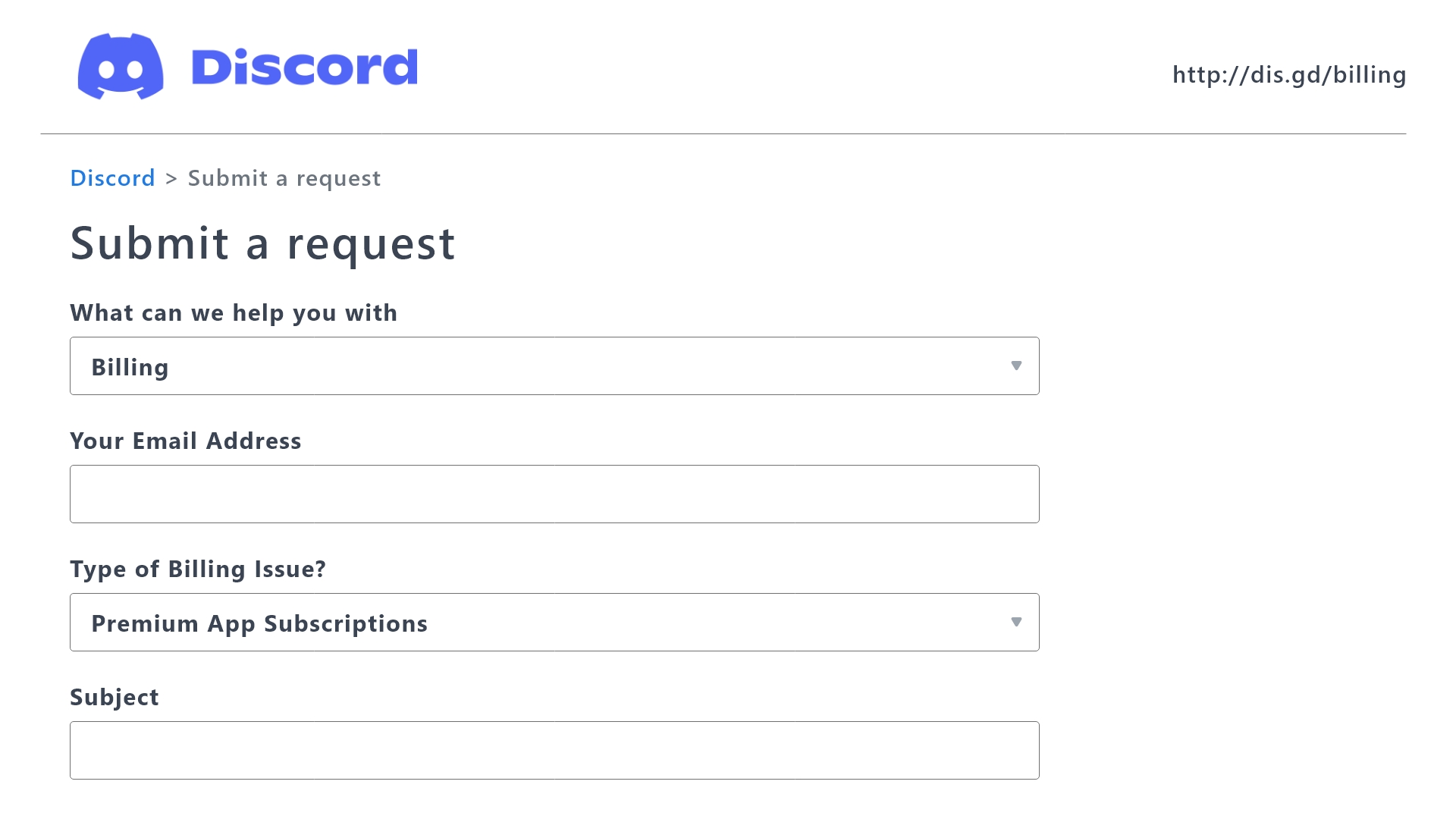
 Ticket Tool Premium Refund Request
proper pond
Ticket Tool Premium Refund Request
proper pond
I filled this form, it's been 2 days but I haven't received any reply from discord
restive condor
Unfortunately, only Discord can handle these requests, so you will have to wait on a response from them
proper pond
Alright, thanks
 sleek venture
How do i get the ticket tool to like make the make a ticket thing Like how do i get this thing in my server↓↓↓
 stark runeBOT
1. Invite Ticket Tool to your server
First you will want to invite the bot to your server. Once the bot is in your server, you can manage your server in the dashboard.
2. Create a Panel
To create a panel we are going to need to head over to the panel configs on the dashboard.
Once at the dashboard we will need to click Create Panel.
Enter a panel name (Fill in any optional settings you want).
Click Create Panel and your ready to get started with configuring your panel.
An example of a creating a panel is shown below.
3. Send the Panel to a Channel
Once you've created a panel on the dashboard you will need to send it to a channel using send on the dashboard.
Select the channel you want your panel to be created in and click send.
For other questions checkout $help faq.
An example of a sending a panel is shown below.
Having a Problem Sending the Panel?
Do $debug in a channel with Ticket Tool and make sure it has all the necessary Discord permissions.
restive condor
sleek venture
How do i get the ticket tool to like make the make a ticket thing Like how do i ...
Hey there! See above ^^
Let me know if you have any questions 🙏
sleek venture
Thank you😭
After you close a ticket does it auto delete or do you have to delete the chat on your own??
restive condor
sleek venture
After you close a ticket does it auto delete or do you have to delete the chat o...
By default, you must delete it on your own.
But you can have it auto-delete by disabling TWO STEP TICKET in the GENERAL tab
(Dashboard > Panel Configs > General)
 agile parrot
quick question - docs are deprecated and bot customization is yet unsupported, right?
(Gold enabled and active)
restive condor
agile parrot
quick question - docs are deprecated and bot customization is yet unsupported, r...
Hey there! No, docs are not deprecated, you can find them here https://docs.tickettool.xyz/
Bot customisation is not available yet, no
humble sequoiaBOT
Ticket Tool Custom Avatar
As of now, you are not able to change Ticket Tool's profile picture, nonetheless, our Development Team is working on the release of white labels, this is your own custom bot!
For the time being, you can change the bot's nickname by right-clicking the bot in the user list on your server and clicking Change Nickname
$avatar
agile parrot
@restive condor

sorry for the ping
Would you be able to provide me with a rough estimate as to when 'Ticket Tool' supports full customization? 😉
restive condor
agile parrot
<@795710289425334303>
Docs are still being used and are actively updated, the changelog hasn't been updated as there haven't been any major updates lately.
All development updates are announced in #📣│bot-news
restive condor
agile parrot
Would you be able to provide me with a rough estimate as to when 'Ticket Tool' s...
Unfortunately, I wouldn't know but it's something our development team is working on releasing, so as soon as possible 👀
Thanks for your interest though!
You can grab the development updates role from id:customize
iron nightBOT
Gave +1 Rep to @restive condor (current: #6 - 590)
agile parrot
😄
 flat vale
Lkod
 keen minnow
What happens when you reach the closed ticket limit? Does it stop creating tickets or does it start deleting the oldest ones?
 storm geyser

 hardy horizon
what url is it asking for

hey im jst wondering how i am able to add this gif as a url

please help me
humble sequoiaBOT
━━ Aura ; DM FOR MM's inquiry has been moved to a ticket ━━

 dawn lake
https://cdn.discordapp.com/attachments/776680605517742090/1237984518237847642/am...
dawn lake
dawn lake
https://cdn.discordapp.com/attachments/776680605517742090/1237984518237847642/am...
Copy the messages
 gloomy oxide
humble sequoia
gloomy oxide
humble sequoia
Dumb question lol I'm new to ticket tool but how you got this written out on ticket tool how do you do this? And not the nickname but write something and the bot posts it
digital sinew
puede alguen explicarme como abrir un tiket para reclamar mis mgls. Can someone explain to me how to open a ticket to claim my mgls?
 toxic bane
can someone help me when i try to close the ticket it says System Failure: Invalid Form Body
components[0].components[1].emoji.name[BUTTON_COMPONENT_INVALID_EMOJI]: Invalid emoji
idle flint
Transcripts can only be viewed if saved to a channel, they can’t be viewed on the website (we don’t store your transcripts anywhere)
idle flint
gloomy oxide
Dumb question lol I'm new to ticket tool but how you got this written out on tic...
Using custom commands:
humble sequoiaBOT
Custom Commands
Custom Commands are used to send a predefined response to your channels. Commands will only respond if the command itself is used, it will not function if you put the tag into a sentence.
To create commands, go to: Dashboard > Custom Commands > New. After creating and naming one, you can edit the command trigger and behaviors. Tap on the edit message button to edit the response of the command.
 idle flint
toxic bane
can someone help me when i try to close the ticket it says System Failure: Inval...
idle flint
toxic bane
can someone help me when i try to close the ticket it says System Failure: Inval...
Check your config, you have an invalid emoji somewhere, probably your buttons.
humble sequoiaBOT
This error indicates you have selected an invalid emoji, i.e. an emoji the bot isn't capable of using, in a button field
Which Emoji?
This depends upon which action the error is appearing, the most common cases are the Create Ticket button or one of your Dropdown emojis. You can visit your Button's List to find all available buttons and find the conflicting one by yourself.
Why doesn't the bot accept it as valid?
- You selected an emoji that doesn't exist anymore, i.e. that has been deleted
- You wrote text there, instead of an emoji (or in addition to an emoji)
- You entered a code for a custom emoji from a server that the bot is not a member of
- You entered a custom emoji code incorrectly
- You're on iPhone and entered an emoji using the phone's emoji pad (use the emoji selector in the website instead)
 toxic bane
idle flint
Check your config, you have an invalid emoji somewhere, probably your buttons.
toxic bane
idle flint
Check your config, you have an invalid emoji somewhere, probably your buttons.
can u join vc and help me pls
@idle flint
wont even take 2min
idle flint
Nope, but you can head to #🎫│make-a-ticket if you want some further support - we don’t do support in VCs
But, just take a look at the info, look at wherever you have changed your emojis and it should be easy to find your issue 🙂
idle flint
 idle flint
toxic bane
idk what to do
idle flint
toxic bane
idk what to do
The text next to the emoji cant be there
 royal elbow
Hello, do you need a marketing?
 rose light
Hello, how can I make it so only ticket owner can close tickets?
humble sequoiaBOT
Button Options
Enable Button
 Hide or show the button
Emoji
 Select an emoji to show on the button
You can either select one or use a valid Emoji ID
Button Text
Edit the text that's shown on the button
Button Color
Select one of four colors for the button. Grey, Green, Red, Blue.
Support Team Only
Enable this to only let your support team click that button
Allowed and disabled roles
Edit what roles can use or not use this button
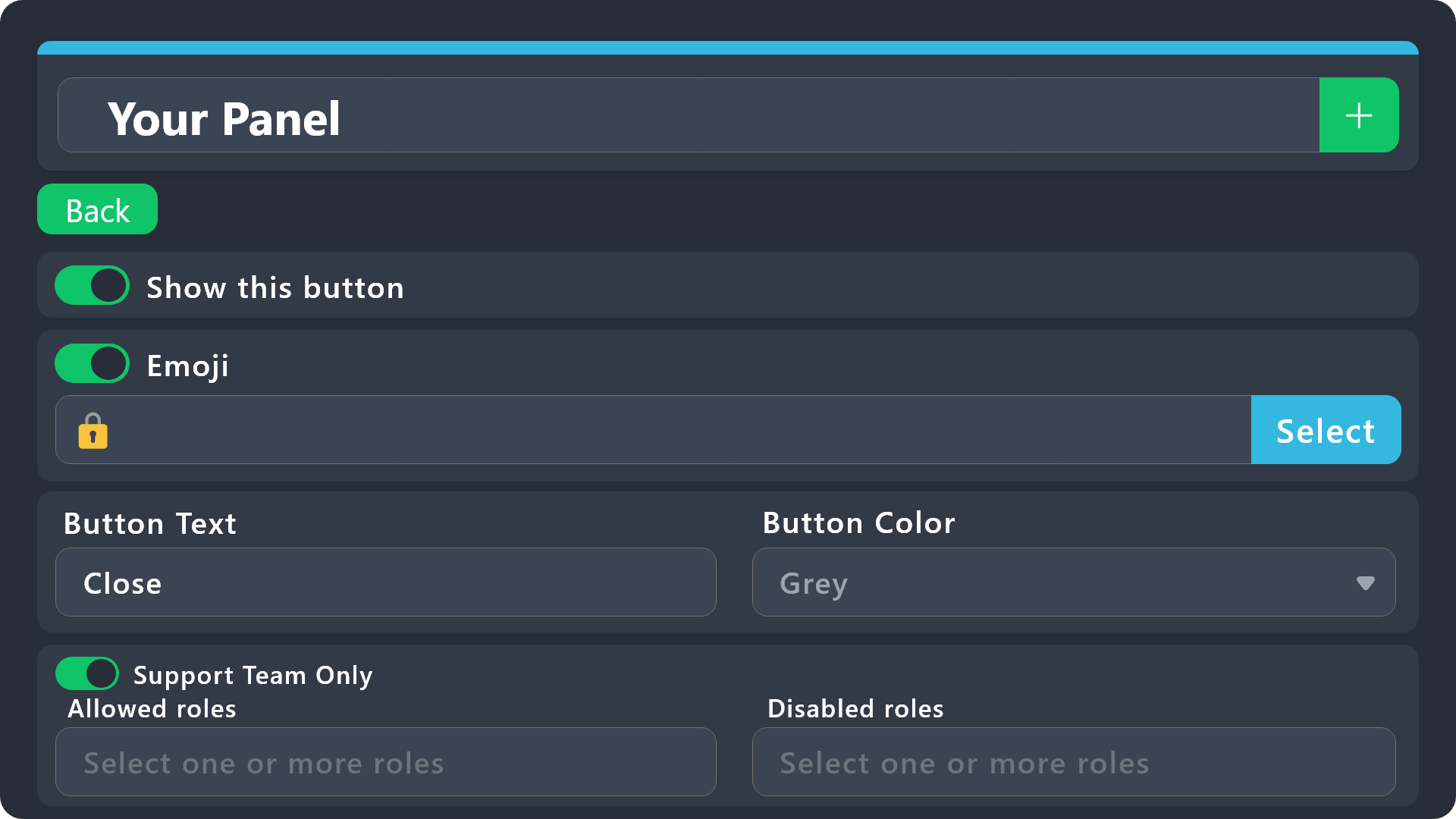
$buttonoptions
idle flint
rose light
Hello, how can I make it so only ticket owner can close tickets?
No specific way to only allow the ticket owner, but you could disable or enable specific roles to only be able to use the Close button (depending on how your roles are set up in your server, this should do the trick for you)
rose light
well the thing is, everyone should be able to create tickets. and only the owners should close own tickets
idle flint
Again, depending on how you have your server configured etc, if you have it default, only the ticket owner and your support team members should be able to see the ticket? Just disable your support team roles from using the close button?
royal elbow
royal elbow
Hello, do you need a marketing?
..
idle flint
if you have changed the configuration to make your tickets visible to everyone in your server, then unfortunatley, no real way to achieve what it is that you are looking to do
rose light
That's what I have. But also people with the support roles should be able to create their own tickets and only they should be able to close their tickets
idle flint
royal elbow
..
Do we need a marketing? no, sorry
idle flint
rose light
That's what I have. But also people with the support roles should be able to cre...
just tell your support members not to close the tickets ? Your support memebrs are obviously trusted members of your community, you should be able to trust them to not close the ticket if you tell them not to ?
royal elbow
idle flint
Do we need a marketing? no, sorry
There is no way to become a marketing
rose light
idle flint
just tell your support members not to close the tickets ? Your support memebrs a...
the thing is, these support members are like 300+ people, they aren't a moderators, but just assigned to specific tasks
if anyone of these 300+ people can close tickets, it's not good
idle flint
welp, I have given you all the options that are available to you - there is no selectable option of "only ticket owner can close ticket". You can always suggest it in #💡│suggestions
rose light
Understood
idle flint
For older transcripts (that dont have the button), click the Download button (the downwards arrow) - it will download a HTM< file that you can open in a browser
 digital sinew
no puedo recibir los mgls no funciona enlace
 lime cape
Is there anyway to get deleted tickets back
rose light
does it have own permission to click it?

like prevent specific roles from clicking on it
anyways, how it's called internally the button thingy, just to search more about it?
 digital lagoon
I want to run a bot to use ticket tool commands, is it possible?
limber portal
digital lagoon
I want to run a bot to use ticket tool commands, is it possible?
Yes - add the bots id in dashboard > server configs
limber portal
rose light
does it have own permission to click it?
Dashboard > panel configs > buttons > close ticket button > allowed / disabled roles
jade topaz
limber portal
Dashboard > panel configs > buttons > close ticket button > allowed / disabled r...
Bot aint workin?
limber portal
The bot is working ^^
rose light
limber portal
Dashboard > panel configs > buttons > close ticket button > allowed / disabled r...
Already looked into it, I'm more interested in the permission if it has a name or not
like there. if it's listed and if so, how it's called?
 limber portal
rose light
Already looked into it, I'm more interested in the permission if it has a name o...
limber portal
rose light
Already looked into it, I'm more interested in the permission if it has a name o...
Which permission do you mean?
limber portal
That screenshot you send lists discord permissions. There’s no direct discord permission that allows you to interact with buttons.
There’s also no way to hide a button. If they can see a channel, they can see the button.
rose light
Well, that's truly unfortunate for me then
limber portal
rose light
Well, that's truly unfortunate for me then
What were you looking to achieve?
rose light
Wanted to set it up so only ticket owner can close tickets
no other people can even close their tickes (except of admin)
limber portal
You can set the support team role as a disabled role
limber portal
limber portal
Dashboard > panel configs > buttons > close ticket button > allowed / disabled r...
^^
rose light
yeah, I'm aware
but I also don't want the support team role to close the tickets
my use case is a bit different than usual mod report services
what I want is the support team to view the tickets, but not close them
limber portal
rose light
but I also don't want the support team role to close the tickets
Not sure I understand, adding it as a disabled role would prevent the support team from closing tickets.
rose light
but also when a support team role member will make their own ticket, they won't be able to close it
as ticket owner
limber portal
Ah, you have support team members creating tickets as well!
rose light
that's right
limber portal
My advice would be to setup a different panel for staff.
turbid saffron
Is there a way for a message to automatically be sent in a ticket when it is created?
limber portal
This could go in a staff channel and could go straight to admins - you can also use additional roles to let other staff view if wanted
rose light
limber portal
My advice would be to setup a different panel for staff.
the thing is, there's no staff. the support role members are just regular users that are assigned to do specific tasks
as I said, my use case is a bit different
limber portal
turbid saffron
Is there a way for a message to automatically be sent in a ticket when it is cre...
There is already an automatic message sent. This is the ticket message and can be edited in dashboard > panel configs > messages > ticket message
limber portal
rose light
the thing is, there's no staff. the support role members are just regular users ...
Right - a second panel is still probably the way to go though. You can potentially set it so only users with that role can open a ticket under that panel
turbid saffron
limber portal
There is already an automatic message sent. This is the ticket message and can b...
Thanks 🫡
iron nightBOT
Gave +1 Rep to @limber portal (current: #10 - 432)
limber portal
You could use multpanels, and say if you have x role click button a, or x role click button b
rose light
limber portal
Right - a second panel is still probably the way to go though. You can potential...
what I need to do is the support team members creating their own tickets and then other team members reviewing them, but not closing them. if they all have the same roles, what does it solve?
limber portal
You are right - your use case is different.
I can potentially advise having a role of trusted ‘closers’ set up, who have permission to use the button. Or you may just have to accept that only the ownership / admin team can close them.
rustic pollen
this bot have sticky messages?
limber portal
Hey, no.
rustic pollen
do yk what bot does?
rose light
limber portal
You are right - your use case is different.
I can potentially advise having a r...
however the issue is that the ticket count would go in hundreds or so. it would be a chore to have to review each other and close them manually
limber portal
With premium, you could have automation enabled and have them closed after a certain amount of time
Apologies there isn’t a more concrete solution
rose light
well, a timer isn't a good solution, but probably makes sense to add a like 6 months timer
how much the premium costs? and how long does it last?
humble sequoiaBOT

Premium can now be purchased directly through discord! Either in the app directory (server settings) or directly from the bots profile.
<:TTWarning:1034178155872784494> Important Information <:TTWarning:1034178155872784494>
ONLY purchase premium through ONE of the two Ticket Tool Bots. If you purchased premium on the primary bot (White logo) and plan to use the premium bot, don't kick the primary bot!
What's different?
The Monthly price changed from $6.00 to $5.99

 Yearly subscriptions are not yet available
Don't kick the bot, otherwise, the subscription will be canceled automatically
You'll need to buy the subscription from a computer or on the Application Directory
You might need to run the /premium command on your server to sync the premium status with your dashboard
A subscription can not be transferred between Servers
 limber portal
Unfortunately there is a limit of 7 days on automations however
rose light
well, it won't work for me then
limber portal
Yep, not sure what else to offer in terms of advice.
rose light
Maybe it would be possible to make it a new feature?
to allow only ticket owners to close their tickets
limber portal
rose light
Maybe it would be possible to make it a new feature?
s!suggest in #🤖│bot-spam 
You may have to do some explaining however
rose light
well I have posted one already
limber portal
rose light
to allow only ticket owners to close their tickets
As this is theoretically possible, but not with your case
rose light
 limber portal
Gotcha - I will add an explanation for the manager who reviews it so they don’t deny it on the case it’s already possible
rose light
sounds good, thanks!
limber portal
No worries
digital lagoon
limber portal
Yes - add the bots id in dashboard > server configs
godamn, thats cool, thank you ❤️
iron nightBOT
Gave +1 Rep to @limber portal (current: #10 - 433)
small radish
I have a problem with the transcript feature. i have them saved in a chat and useally i can open the old chats and like read them. but now when i try it says "Invalid Request"

What do i do :c
please ping when answering ^^
humble sequoiaBOT
Due to an update Discord enforced on their API on December 15, the attachment URLs are valid only for a certain time. In order to ensure you can visualize your transcripts on our website Ticket Tool provides you a Direct Link button that will provide you with the last valid URL for you to see your tickets!

$transcripts
idle flint
small radish
I have a problem with the transcript feature. i have them saved in a chat and us...
Please see above - a discord update means that older links won’t work - you would need to use the download button on the transcript for those older ones
idle flint
idle flint
For older transcripts (that dont have the button), click the Download button (th...
This explains it too
small radish
idle flint
Please see above - a discord update means that older links won’t work - you woul...
but they arent over 14 days old
not even the first one are 14 days old.. and i could go into them alll yesterday
Wait!
i think i found the problem
thank you windy! ^^i think its solved!
idle flint
All good 👍
small radish

 dawn plume
What are the correct ticket tool variables that i can use here?
i cant find it anywhere and discord variables dont work
 austere forge
dawn plume
What are the correct ticket tool variables that i can use here?
i cant find it a...
austere forge
dawn plume
What are the correct ticket tool variables that i can use here?
i cant find it a...
Hi there, the Ticket tool bot is not designed to perform variables to know when a user joins a server or when they join Discord
dawn plume
austere forge
Hi there, the Ticket tool bot is not designed to perform variables to know when ...
☹️
alright thnx
austere forge
don't worries 🙂
 quaint citrus
What is the best premission settings for TikTok Tool as my members are having tough time to find the ticket open new channel
dawn plume
quaint citrus
What is the best premission settings for TikTok Tool as my members are having to...
ask them follow the ticket catergory from channels and roles
quaint citrus
dawn plume
ask them follow the ticket catergory from channels and roles
where should i ask?

here?
dawn plume
quaint citrus
where should i ask?
in your server
at the top of the channel list
 tall oyster
Heya! I've been struggeling with some of the persmissions for a while now. I've added all the correct roles to the right tickets in the supporters role box but still some of the admins can not see the tickets and I'm clueless what to do next. Does anyone have time to think along with me?
pseudo ravine
Hey there. Can you send the server ID here
pseudo ravine
Which panel was having this issue?
tall oyster
multiple actually
can you see the names of the pannels, so if I say which one you are aware?
pseudo ravine
I can see your whole dashboard, just to see what may be causing the issue