#🆘│community-support
1 messages · Page 95 of 1
 austere forge
 jade topaz
 austere forge
jade topaz
austere forge
jade topaz
Ticket Tool needs the “View Channel” permission inside that channel

 verbal plume
How can I change this?
 verbal plume
How can I change this?
verbal plume
verbal plume
How can I change this?
And this

 karmic bolt
Hi
 humble sequoiaBOT
The Ticket Message is the first message sent by the bot on a new ticket. To customize it head over to your Dashboard ➞ Panel Configs ➞ Ticket ➞ Edit Ticket Message

The panel message is where people react to make a ticket. To customize it head over to your Dashboard --> Panel Configs -> Panel -> Edit Panel Message

 atomic solstice
verbal plume
How can I change this?
atomic solstice
verbal plume
How can I change this?
here is how tou can change both of the things you asked ^^
 faint hinge
how/where do i get this?

 ionic path
faint hinge
how/where do i get this?
ionic path
faint hinge
how/where do i get this?
Hello there! When you hold down/right click on a message, it will show you an option called "Copy Message Link". That's what you're looking for
 stray locust
Bot wont see the channel i set it to. Its really frustrating because theres nothing else i can do


I made sure ticket tool specifically has access to that channel
ionic path
stray locust
Bot wont see the channel i set it to. Its really frustrating because theres noth...
Hello! Can you make sure you have selected the transcript channel to the correct panel in the dashboard?
faint hinge
ionic path
Hello there! When you hold down/right click on a message, it will show you an op...
but what message do i copy the link? I changed the color of embed of 3 messages, at least
stray locust
ionic path
Hello! Can you make sure you have selected the transcript channel to the correct...
You mean category?
ionic path
faint hinge
but what message do i copy the link? I changed the color of embed of 3 messages,...
The message you want to edit, that will most likely be the message where members select what ticket to open
ionic path
stray locust
You mean category?
No, panel in the dashboard. For example, what you are trying to transcript is a, let's say General Ticket. If you are trying to update the transcript channel in another panel it will only work for that selected panel.
stray locust
Ahh ic, huge mistake on my end. Ill change that rn
ionic path
That's completely fine, I can see how you got confused. If you still have any issues let us know :)
stray locust
Yep works fine now haha, thanks a bunch
ionic path
No worries! Have a nice day!
stray locust
Thanks @ionic path
 iron nightBOT
Gave +1 Rep to @ionic path (current: #46 - 38)
faint hinge
ionic path
The message you want to edit, that will most likely be the message where members...
thank you!!!
iron nightBOT
Gave +1 Rep to @ionic path (current: #46 - 39)
ionic path
faint hinge
thank you!!!
No problem! Have a wonderful day!
faint hinge
u2!
ionic path
 gleaming mauve
<@924197251880976414>
gleaming mauve
<@924197251880976414>
Hello! I apologize for the delay. Can I help you?
gleaming mauve
Nothing now since i figured it out
 blissful ridge
how many panels can you make without paying
 gilded verge
blissful ridge
how many panels can you make without paying
gilded verge
blissful ridge
how many panels can you make without paying
no limits
 gilded verge
this isn't ticket tool
 gilded verge
so i don't know if it's the same
blissful ridge
oh k
gilded verge
but if you can tell what this bot has, i can say if TT has these features 🤔 (even if i think that tt has a lot of useful things)
 faint hinge
how do i mention the ticket user on the ticket massage?
 gilded verge
blissful ridge
gilded verge
blissful ridge
without premium you can't add images into embed but you can have embed with text so there is no problem, also if i remember correctly... the text is limited to 250 characters but with premium there is no limits
blissful ridge
gilded verge
without premium you can't add images into embed but you can have embed with text...
bruh no images god damnit
gilded verge
faint hinge
how do i mention the ticket user on the ticket massage?
please look at the variables on https://docs.tickettool.xyz/dashboard/panel-configs/variables, then add the variable into Message Content
(it's {ticket.user} or {ticket.owner} - both are correct)
 fringe iris
I'm trying to make a new panel to create another ticket in a second channel. However, the dashboard isn't letting me type anything. I'm on Google Chrome on laptop (I've tried Firefox too).
On the Dashboard, I've gone to Panel Settings > Panel > + icon in top right corner > added Panel name > Create > Edit Panel Message > then the "Message Content" box simply cannot be typed in at all.
Same for Embed Editor > {panel_name}. That panel name cannot be typed in to change the Panel details either.
Someone please help. I just want to make a second ticket in a second channel
 inner cave
Hi guys
Is it possible to send a private message to the user after closing the ticket?
 restive condor
fringe iris
I'm trying to make a new panel to create another ticket in a second channel. How...
restive condor
fringe iris
I'm trying to make a new panel to create another ticket in a second channel. How...
Hey there! Both are premium features.
You can only edit the message within the embed message, but not the message content field.
To edit the field where the panel name variable is, simply rename your panel and it will be reflected there
restive condor
inner cave
Hi guys
Is it possible to send a private message to the user after closing the t...
Hey there! Yes, but it's a premium feature
inner cave
restive condor
Hey there! Yes, but it's a premium feature
where can I found it?
restive condor
inner cave
where can I found it?
Dashboard > Panel Configs > Automations
fringe iris
restive condor
Hey there! Both are premium features.
You can only edit the message within the ...
Thank you, Dan. I appreciate the fast reply. I've activated a 7 day trial and I'll be paying for full VIP once it ends
iron nightBOT
Gave +1 Rep to @restive condor (current: #8 - 401)
restive condor
Glad to hear, have a nice day! 
inner cave
restive condor
``Dashboard`` > ``Panel Configs`` > ``Automations``
thanks a lot!
iron nightBOT
Gave +1 Rep to @restive condor (current: #8 - 402)
 real lodge
Hello, I want to talk to support, it doesn't work when I open the game, I get an error all the time.
humble sequoiaBOT

⚠️ You're in the wrong place
We provide support for Ticket Tool Discord bot and cannot help you with whatever issue you have.
- We don't know which Support Team you should contact to get this issue resolved, and unfortunately we won't be able to accurately tell you.
If you don't have any further questions regarding our bot Ticket Tool, please close this ticket
 floral spade
help me i purchased zem but did not received
any please help me to receive my zem tha i purchased
gilded verge
humble sequoia
@floral spade, 
faint hinge
gilded verge
please look at the variables on <https://docs.tickettool.xyz/dashboard/panel-con...
i cant use the {ticket.use} on the title text? or the embed discription?
 visual kite
Why does every image url I want to use as a embed never work?
gilded verge
faint hinge
i cant use the {ticket.use} on the title text? or the embed discription?
you can in both, but if you want to ping them so they'll be notified, then it has to be in Message Content ^^
faint hinge
visual kite
Why does every image url I want to use as a embed never work?
does it show up like this?
 faint hinge
you just click on it
it shows your image
if you send the panel, it will show the image normally
dont worry
visual kite
Doubt lol. It has done this for like 5 different pictures.
How am I supposed to prank my server members without a troll face lmao
 fringe iris
Hi. How do I change which Category the ticket gets created into?
 fringe iris
faint hinge
fringe iris
faint hinge
Thank you 
iron nightBOT
Gave +1 Rep to @faint hinge (current: #302 - 1)
jade topaz
How do I add a role to the tickets
 sand tinsel
Hello 🙂
I just took over a server and I'm honestly not the most Discord savvy person. Can anyone support me in ~~1-Adding a new role and 2-~~turning on notifications for my Mod team?
humble sequoiaBOT
1. Go into your Dashboard
2. Open your Panel Configs tab
3. Select the panel you want to ping your support on
4. Open the Ticket options menu
5. Click on Edit Ticket Message
6. In the Message Content use one of the role mention syntax (**{@Role Name}**/**{Role ID}**)
7. Save changes
Note: For this to work properly, Ticket Tool requires the Mention Everyone permission. Or the role must have the Allow anyone to @mention this role setting enabled 
 civic wagon
sand tinsel
Hello 🙂
I just took over a server and I'm honestly not the most Discord savvy p...
civic wagon
sand tinsel
Hello 🙂
I just took over a server and I'm honestly not the most Discord savvy p...
Hey, please refer to the embed above
sand tinsel
i don't know what i did but i went into general and now it won't let me mod team see the tickets at all. 😦
humble sequoiaBOT
1. Go into your Dashboard
2. Open your Panel Configs tab
3. Select the panel you want to grant access to
4. Open the General options menu
5. Select your Support Team Roles
6. Save changes
 sand tinsel
yes i did that but it took everyone off
😦
i definitely don't understand this bot as well as i need to.
civic wagon
Please create a ticket from #🎫│make-a-ticket so that the Support Team can look into the bot's configuration and help you better
jade topaz
Thanks @civic wagon
iron nightBOT
Gave +1 Rep to @civic wagon (current: #32 - 106)
 velvet wyvern
how do i make my ticket panel input the user like this:

 ebon sun
Hey if a discord server is using ticket tool, is there any way for myself to view a previous ticket I had in that server?
 graceful iris
ebon sun
Hey if a discord server is using ticket tool, is there any way for myself to vie...
graceful iris
ebon sun
Hey if a discord server is using ticket tool, is there any way for myself to vie...
No if it got deleted
ebon sun
Dang ok, thanks
graceful iris
ebon sun
Dang ok, thanks
They're might be a transcript available though
Ask owner or admin
humble sequoiaBOT
A Discord Form lets the user answer individual questions in a pop-up Form, which then displays the answers in the ticket message. This can save time if you already know what you want to ask the user.
Setup Forms
Forms can be enabled under Panel Settings > Form Options > Edit Forms Options. In the new pop-up window, you can now enable and edit your own Form.
Form Options
You can add up to 5 questions in the Discord form. This is a Discord limitation. Each question can have a placeholder in the input field, a minimum and maximum input, multi-line, and also the option to have the answer required.
Options
Question Title ➞ Your Question goes here
Question Placeholder ➞ The placeholder text in the input field
Required ➞ If enabled, the user has to answer this question, to submit the form
Multi-Line Input ➞Allows the user to input multiple lines
Minimum and Maximum Input ➞ Set a minimum and maximum input value for the user
Displaying the Answer
To display the answers from the user, you need to enable Auto display form results on the ticket message as an additional embed
If you don't want a second embed, go into your Panel Configs > Ticket Options > Edit Ticket Message. You use the variable {create.form.x} and replace x with the number of your question. For example, the response to Question 5 can be displayed with {create.form.5}.
 austere forge
velvet wyvern
how do i make my ticket panel input the user like this:
austere forge
velvet wyvern
how do i make my ticket panel input the user like this:
hi there, see above ^
graceful iris
Hello everyone!
Does anyone know of a bot that will type an automated message once the ticket is opened?
 placid forum
Hi there, I bought "Ticket Tool Premium" for a server a few months ago. The only problem is that the Discord was deleted. Now I would like to transfer this premium feature (which I paid for after all). Is that possible? At least I can't find it.
austere forge
graceful iris
Hello everyone!
Does anyone know of a bot that will type an automated message on...
hi there , Ticket tool does this, when a ticket is created a message is sent by ticket tool 🙂
graceful iris
austere forge
hi there , Ticket tool does this, when a ticket is created a message is sent by ...
Yeah, but I need it to be a long message
austere forge
placid forum
Hi there, I bought "Ticket Tool Premium" for a server a few months ago. The only...
hi there, did you purchase your premium membership through Discord or other things?
austere forge
graceful iris
Yeah, but I need it to be a long message
In this case you will have to upgrade to the premium version, there is no character limit.
graceful iris
austere forge
In this case you will have to upgrade to the premium version, there is no charac...
Suppose I will just have to copy and paste then...
placid forum
austere forge
hi there, did you purchase your premium membership through Discord or other thin...
Discord.
austere forge
placid forum
Discord.
Unfortunately discord does not allow you to transfer your subscription to another server, you will have to cancel your subscription and resume on the correct discord server
humble sequoiaBOT
<:TicketToolOffline:1018980643092312155> Cancel your subscription
We're sorry to see you go!
To cancel your Ticket Tool Premium Subscription, just head over to your User Settings in Discord, then Subscriptions. Look for Premium Apps and click on Manage Subscriptions. There you can cancel your subscription at the end of your billing cycle.

User Settings > Subscriptions > Premium Apps > Manage Subscriptions > Cancel
austere forge
see above ^
austere forge
graceful iris
Suppose I will just have to copy and paste then...
If you use the non-premium versions of Ticket tool, you will get a character limit
graceful iris
Yeah understandable, might just buy premium
placid forum
Where i can Cancel it? Here is no "Cancel" Button.
 placid forum
humble sequoia
placid forum
humble sequoia
I dont see it like this here.
austere forge
placid forum
Where i can Cancel it? Here is no "Cancel" Button.
mmhh, refresh your client pls ?
CTRL + R
and tell me if you still don't see the cancel button
placid forum
I still don`t see it.
 tranquil rampart
Hello is there a link so I can refund my refund to get unbanned
austere forge
placid forum
I still don`t see it.
Unfortunately, you will have to reach out to Discord as it's them who handle these payments
humble sequoiaBOT
If you have purchased a Premium Subscription of Ticket Tool through Discord and want to request a refund, you will have to contact Discord Support.
We unfortunately can't handle any of these cases.
Am I eligible for a refund?
Discords Refund Policy states that you can request a refund within 5 days of your initial purchase date.
A prorated refund (partial) can be requested if the bot has been removed by either Discord or the bot developer.
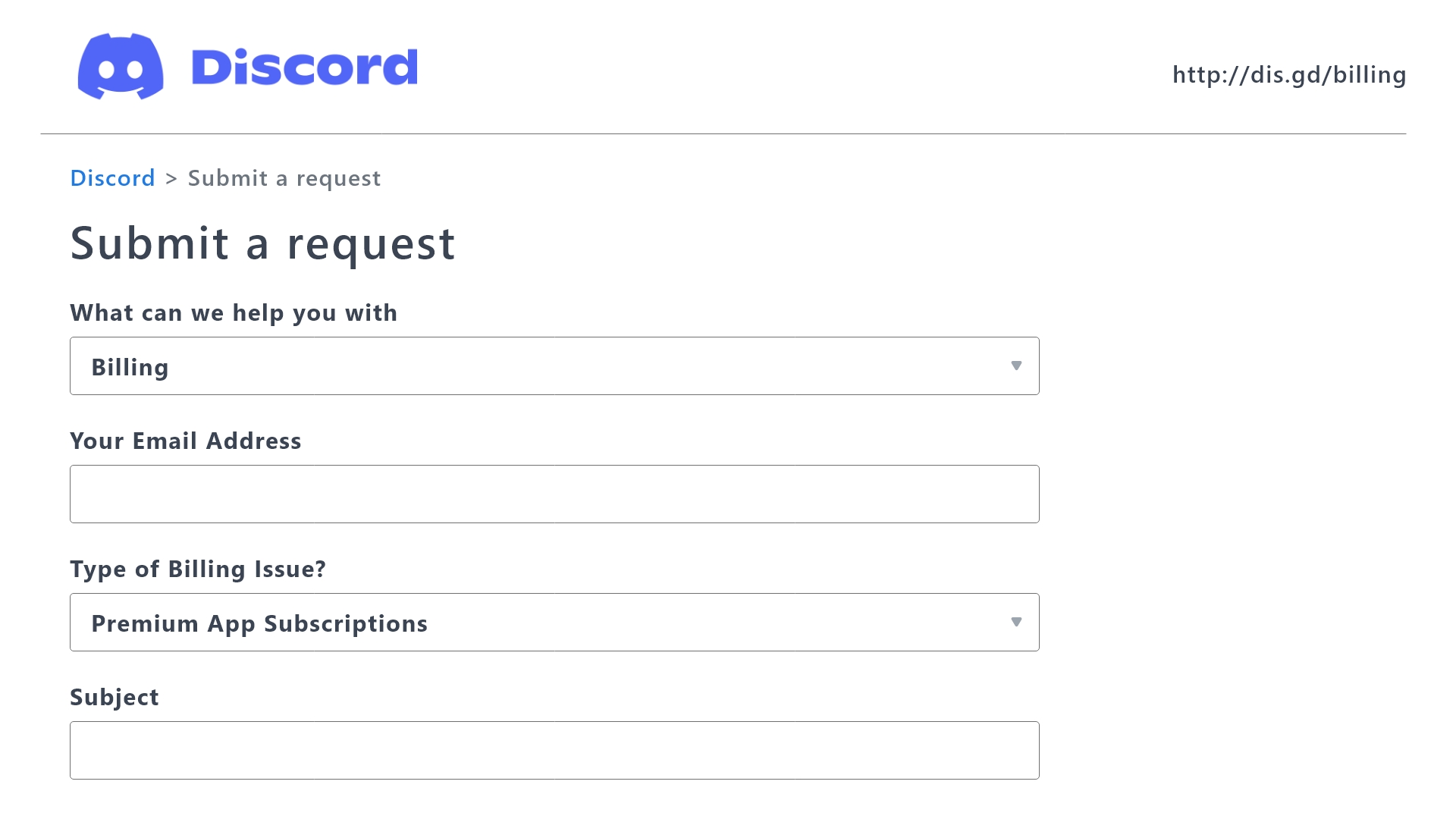
 Ticket Tool Premium Refund Request
austere forge
Ticket Tool Premium Refund Request
austere forge
see above ^
tranquil rampart
Not with discord but with the game
humble sequoiaBOT
⚠️ You're in the wrong place
We provide support for Ticket Tool Discord bot and cannot help you with whatever issue you have.
- We don't know which Support Team you should contact to get this issue resolved, and unfortunately we won't be able to accurately tell you.
If you don't have any further questions regarding our bot Ticket Tool, please close this ticket
tranquil rampart
Because my brother took packs in game but it was my card so I asked for refund but the acompte got ban from the game So was wondering how to repaye or whatever to get his mushroom unbanned.. sorry my English not the best
austere forge
tranquil rampart
Because my brother took packs in game but it was my card so I asked for refund b...
see above ^
tranquil rampart
@austere forge ok… thank can’t find one place to help me with this problem..
iron nightBOT
Gave +1 Rep to @austere forge (current: #37 - 76)
 dense plume
How can I add specific members to support without a role
 sweet aurora
How do i check ticket chat log?
 glossy ore
Tengo problemas con la app posmanager
fringe iris
Hello. How do I make the bot ping a specific role in the Ticket channel? I've tried <@role_id> in the dashboard and no luck. It types the full thing with the id numbers
humble sequoiaBOT
⚠️ Está en el lugar equivocado
Brindamos soporte para el bot de Discord Ticket Tool y no le podemos ayudar con el problema que presenta.
- No sabemos a que equipo de soporte debería contactar para solucionar este problema, y desafortunadamente no podremos ayudarle acertadamente.
Si no tiene alguna duda relacionada a nuestro bot, Ticket Tool, por favor cierre este ticket.
 scenic plinth
glossy ore
Tengo problemas con la app posmanager
scenic plinth
glossy ore
Tengo problemas con la app posmanager
No es algo en lo que podamos ayudarte.
fringe iris
fringe iris
Hello. How do I make the bot ping a specific role in the Ticket channel? I've tr...
Anyone know?
humble sequoiaBOT
1. Go into your Dashboard
2. Open your Panel Configs tab
3. Select the panel you want to ping your support on
4. Open the Ticket options menu
5. Click on Edit Ticket Message
6. In the Message Content use one of the role mention syntax (**{@Role Name}**/**{Role ID}**)
7. Save changes
Note: For this to work properly, Ticket Tool requires the Mention Everyone permission. Or the role must have the Allow anyone to @mention this role setting enabled
 cursive phoenix
@fringe iris
 vocal summit
how do i make it so when the creator of the ticket leaves the discord server, the ticket doesnt close
fringe iris
cursive phoenix
<@823801904844767263> <:this:894279341108772914>
Thank you so much
iron nightBOT
Gave +1 Rep to @cursive phoenix (current: #33 - 103)
 raw carbon
how to fix@solid stream

 next dirge
my members cant see open a ticket however i have the button showing
humble sequoiaBOT
━━ Fabss's inquiry has been moved to a ticket ━━
jade topaz
does this bot send the ticket creator the transcript when closed? ive only noticed it sends to a channel not the person
 idle flint
jade topaz
does this bot send the ticket creator the transcript when closed? ive only notic...
idle flint
jade topaz
does this bot send the ticket creator the transcript when closed? ive only notic...
It is an option that you can enable, it is a premium feature tho too
 cobalt tapir
does anyone know how i can do one of these

 humble sequoiaBOT
A Discord Form lets the user answer individual questions in a pop-up Form, which then displays the answers in the ticket message. This can save time if you already know what you want to ask the user.
Setup Forms
Forms can be enabled under Panel Settings > Form Options > Edit Forms Options. In the new pop-up window, you can now enable and edit your own Form.
Form Options
You can add up to 5 questions in the Discord form. This is a Discord limitation. Each question can have a placeholder in the input field, a minimum and maximum input, multi-line, and also the option to have the answer required.
Options
Question Title ➞ Your Question goes here
Question Placeholder ➞ The placeholder text in the input field
Required ➞ If enabled, the user has to answer this question, to submit the form
Multi-Line Input ➞Allows the user to input multiple lines
Minimum and Maximum Input ➞ Set a minimum and maximum input value for the user
Displaying the Answer
To display the answers from the user, you need to enable Auto display form results on the ticket message as an additional embed
If you don't want a second embed, go into your Panel Configs > Ticket Options > Edit Ticket Message. You use the variable {create.form.x} and replace x with the number of your question. For example, the response to Question 5 can be displayed with {create.form.5}.
For more convenient use of multipanels, you can now combine panels on the dashboard. This will allow you to directly send the multipanel from the dashboard or via the $panel ID command.
Where can I find this?
You can find this setting on the Dashboard -> Panel Configs -> Panel -> Attached Panels
Note: if you're attaching all the panels to a panel called English, don't include English in the attached panel's box (If you do this, it will create a duplicate)
This will put all buttons from all of your panels on one message. The message is the panel message from the panel you're combining these panels in.
 restive condor
cobalt tapir
does anyone know how i can do one of these
restive condor
cobalt tapir
does anyone know how i can do one of these
Hey there! See above
Let me know if you have any questions
1st Screenshot - 1st Embed (top)
2nd Screenshot - 2nd Embed (bottom)
cobalt tapir
restive condor
Hey there! See above
Let me know if you have any questions
1st Screenshot - 1st ...
is the first embed preneium?
restive condor
cobalt tapir
is the first embed preneium?
Nope, both are free
cobalt tapir
ah thank you
cobalt tapir
?
humble sequoiaBOT
The Drop-down menu or Select Menu replaces the buttons on your panel message and uses a drop-down menu with all of your panels. To set this up, go to your Panel Configs and select your main Panel.
<:Numbericons1:1018864164032225340> Enable Select Style
First you enable Select Style. Then you add an item in the Dropdown Editor. Now you can start editing your dropdown!
<:Numbericons2:1018864168041971712> Dropdown Editor
Each line in the dropdown editor represents a line in the drop down menu on discord. You can add more "Items", by clicking on 

First you select a panel. That's the panel this option will open a ticket for.  DONT select the same panel twice. Each option should have a different Panel
After that, you can put a Display. This is the title of this option and will appear in the drop down menu. The *Description can be set right after that, which will be below the title in grey.
Additionally you can select an emoji, that will be shown in front of each option. You can either manually input the ID of an emoji or select it in the selector.
Common Issues ⚠️
- Panel doesn't send? Make sure you have a valid emoji selected
- Option doesn't show up? Check if two options have the same panel in the DropDown Editor

$dropdown
cobalt tapir
ah alright
restive condor
That's the one you want for the 1st screenshot
cobalt tapir
thanks
yeah i'm looking to do the 1st one
thank you
what does it mean by selecting your main panel?
restive condor
cobalt tapir
what does it mean by selecting your main panel?
The main panel is the one with the dropdown attached.
So you won't have multiple panel message sent, just the main panel with the dropdown
cobalt tapir
restive condor
The main panel is the one with the dropdown attached.
So you won't have multipl...
Is it the one called Frequently used configs?
 chilly leaf
Question- what does ticket tool premium bill as?
restive condor
cobalt tapir
Is it the one called Frequently used configs?
Apologies, what exactly do you mean by that?
cobalt tapir
restive condor
Apologies, what exactly do you mean by that?
On ticket dashboard.
 humble socket

 amber gale
im trying to set three different ticket pulls for a channel, how do i actually create a tab for it?
 sharp pecan
 low skiff
just a question, what is Shard Info? and what is Primary & premium Shard?
 slender minnow
low skiff
just a question, what is Shard Info? and what is Primary & premium Shard?
slender minnow
low skiff
just a question, what is Shard Info? and what is Primary & premium Shard?
a shard comprises of multiple servers
this is used for effective utilization of available resources
primary shard is for @pseudo glen bot, which has more servers as compared to the @humble sequoia's premium shards
i would recommend looking more on what sharding is
low skiff
slender minnow
a shard comprises of multiple servers
ohh i thought it was use for per tickets open, thanks
iron nightBOT
Gave +1 Rep to @slender minnow (current: #14 - 373)
slender minnow
well its not used for opening tickets but its more related to how fast (or quickly) the bot responds to commands and opens tickets
dense plume
How can I add specific members to support without a role
 fiery brook
slender minnow
well its not used for opening tickets but its more related to how fast (or quick...
fiery brook
slender minnow
well its not used for opening tickets but its more related to how fast (or quick...
Help
 remote trellis

 humble sequoiaBOT
The Drop-down menu or Select Menu replaces the buttons on your panel message and uses a drop-down menu with all of your panels. To set this up, go to your Panel Configs and select your main Panel.
<:Numbericons1:1018864164032225340> Enable Select Style
First you enable Select Style. Then you add an item in the Dropdown Editor. Now you can start editing your dropdown!
<:Numbericons2:1018864168041971712> Dropdown Editor
Each line in the dropdown editor represents a line in the drop down menu on discord. You can add more "Items", by clicking on
First you select a panel. That's the panel this option will open a ticket for. DONT select the same panel twice. Each option should have a different Panel
After that, you can put a Display. This is the title of this option and will appear in the drop down menu. The *Description can be set right after that, which will be below the title in grey.
Additionally you can select an emoji, that will be shown in front of each option. You can either manually input the ID of an emoji or select it in the selector.
Common Issues ⚠️
- Panel doesn't send? Make sure you have a valid emoji selected
- Option doesn't show up? Check if two options have the same panel in the DropDown Editor
$dropdown
slender minnow
fiery brook
<@801839875305111563>
Firstly, please read our server rules from #📂│information which does not allow users to ping support team members. If you need help kindly wait for someone to respond, or open a ticket.
Regarding, the question asked... Refer to the embed response sent before this.
 small flare
Hello, can you please tell me what id should be specified to add a custom emoji to the button?

 cinder hollow
on mw3 once im at the home screen when i press insert, the menu dont come up?? anyone have a fix solution?
humble sequoiaBOT
⚠️ You're in the wrong place
We provide support for Ticket Tool Discord bot and cannot help you with whatever issue you have.
- We don't know which Support Team you should contact to get this issue resolved, and unfortunately we won't be able to accurately tell you.
If you don't have any further questions regarding our bot Ticket Tool, please close this ticket
 limber portal
small flare
Hello, can you please tell me what id should be specified to add a custom emoji ...
limber portal
small flare
Hello, can you please tell me what id should be specified to add a custom emoji ...
The emojis id.
$id
humble sequoiaBOT
limber portal
$id <:PabloTiphat:983791053842837624>
<:PabloTiphat:983791053842837624>
limber portal
You can find the id with that command
small flare
limber portal
The emojis id.
Thank you!
iron nightBOT
Gave +1 Rep to @limber portal (current: #10 - 394)
 frigid hazel
how to enable claiming on ticket tool
frigid hazel
limber portal
You can find the id with that command
how to enable claiming on ticket tool
humble sequoiaBOT
Claiming allows you to change the ticket name, category and permissions. To use it you have to enable it first on your Dashboard > Panel Configs > Claiming

 Note: This is a premium feature
limber portal
frigid hazel
how to enable claiming on ticket tool
Note: This is a premium feature
limber portal
frigid hazel
how to enable claiming on ticket tool
^
graceful iris
limber portal
^
Do you need premium for it?
limber portal
graceful iris
Do you need premium for it?
Yes.
jade topaz
How to have unlimitated tickets
restive condor
jade topaz
How to have unlimitated tickets
Hey there! What exactly do you mean by that?
jade topaz
restive condor
Hey there! What exactly do you mean by that?
Hey, I bought the premium version on ticket tool because i had a limited number of ticket in my servers (500) and it said premium has unlimitated tickets
but I bought it and I still have a limit of 500 tickets
 solid thistle
how do i add buttons to my ticket if anyone can help
restive condor
jade topaz
but I bought it and I still have a limit of 500 tickets
That's a Discord limit.
You cannot have more than 500 channels in a server at once
You can create unlimited tickets as long as you stay within that limit. So delete closed tickets or use threads instead of channels
restive condor
solid thistle
how do i add buttons to my ticket if anyone can help
Hey there! As in multiple buttons? Or just a single one?
jade topaz
restive condor
That's a Discord limit.
You cannot have more than 500 channels in a server at on...
Oh So i bought for nothing, it was written unlimitated...
 indigo rover
why cant i see my server that i manage
restive condor
jade topaz
Oh So i bought for nothing, it was written unlimitated...
You can have unlimited tickets as long as you don't have 500 tickets open at once, if you progressively delete closed tickets then no limits will be reached.
Alternatively, you can use threads instead of channels for tickets, which have no limits
solid thistle
restive condor
Hey there! As in multiple buttons? Or just a single one?
multiple buttons
humble sequoiaBOT
Don't see your server in the dashboard?
Try using the Sync Servers button on your top center of the Dashboard page
You will possibly need to relog. Look below to see the steps on how to relog.
If this doesn't work
You should relog from the dashboard, you can do this by clicking here to log out immediately, and then log back in
Note:
You need one of these 3 things to access the dashboard.
1. Server Owner (Level: 6)
2. Server Administrator (Level: 4)
3. Dashboard Role (Level: 2)
:warning: You can check your level using the </permissionlevel:1029797400174399542> command on your Discord Server
If the bot's response is:
- @User is permission level: 0 (User)
You don't have any of the 3 levels required to access the server's dashboard
 restive condor
indigo rover
why cant i see my server that i manage
restive condor
indigo rover
why cant i see my server that i manage
Hey there! See above
humble sequoiaBOT
For more convenient use of multipanels, you can now combine panels on the dashboard. This will allow you to directly send the multipanel from the dashboard or via the $panel ID command.
Where can I find this?
You can find this setting on the Dashboard -> Panel Configs -> Panel -> Attached Panels
Note: if you're attaching all the panels to a panel called English, don't include English in the attached panel's box (If you do this, it will create a duplicate)
This will put all buttons from all of your panels on one message. The message is the panel message from the panel you're combining these panels in.
restive condor
solid thistle
multiple buttons
^
indigo rover
humble sequoia
its still not showing i did both
solid thistle
restive condor
^
can we get in call rq
restive condor
indigo rover
its still not showing i did both
Could you run the /permissionlevel command in the server?
Let me know which level you are
restive condor
solid thistle
can we get in call rq
Unfortunately, we cannot. Support is highly discouraged in voice chats.
I'm happy to help here or in a ticket though 😄
indigo rover
it says level 0
jade topaz
I tried to change the panel name but it isn't showing on my server
restive condor
indigo rover
it says level 0
Level 0 is the one normal users have.
Do you have administrator permissions in the server?
 indigo rover
my friend added it to the server and it was working well until now and it starting to say error when opening a ticket and says No access. And when i try to see if i could fix it but its not showing the server up
solid thistle
restive condor
^
it still doesnt let me add the buttons
indigo rover
i can ask and check
restive condor
solid thistle
it still doesnt let me add the buttons
May I get your server name or ID please
solid thistle
restive condor
May I get your server name or ID please
Vbuck skins
restive condor
jade topaz
I tried to change the panel name but it isn't showing on my server
Hey there! Did you rename the panel using the "Rename" button?
jade topaz
Yes I did
 spice lantern
Guys im getting this error: > System Failure: Invalid Form Body
components[0].components[1].emoji.name[BUTTON_COMPONENT_INVALID_EMOJI]: Invalid emoji
what should i do?
restive condor
solid thistle
Vbuck skins
Looks good, please use the "UPDATE" button to update the panel message or resend it by using the "SEND" button
 solid thistle
restive condor
May I get your server name or ID please
solid thistle
restive condor
May I get your server name or ID please
i want to add buttons where people create a ticcket
restive condor
jade topaz
Yes I did
Perfect, please use the "UPDATE" button to update the panel message or resend it by using the "SEND" button

 still needle
How to do this ?
restive condor
spice lantern
Guys im getting this error: > **System Failure:** Invalid Form Body
components[0...
Hey there! You seem to have an invalid emoji somewhere. Could I get your server name or ID so I can check?
restive condor
still needle
How to do this ?
Hey there! See below
humble sequoiaBOT
The Drop-down menu or Select Menu replaces the buttons on your panel message and uses a drop-down menu with all of your panels. To set this up, go to your Panel Configs and select your main Panel.
<:Numbericons1:1018864164032225340> Enable Select Style
First you enable Select Style. Then you add an item in the Dropdown Editor. Now you can start editing your dropdown!
<:Numbericons2:1018864168041971712> Dropdown Editor
Each line in the dropdown editor represents a line in the drop down menu on discord. You can add more "Items", by clicking on
First you select a panel. That's the panel this option will open a ticket for. DONT select the same panel twice. Each option should have a different Panel
After that, you can put a Display. This is the title of this option and will appear in the drop down menu. The *Description can be set right after that, which will be below the title in grey.
Additionally you can select an emoji, that will be shown in front of each option. You can either manually input the ID of an emoji or select it in the selector.
Common Issues ⚠️
- Panel doesn't send? Make sure you have a valid emoji selected
- Option doesn't show up? Check if two options have the same panel in the DropDown Editor
$dropdown
solid thistle
still needle
How to do this ?
how do i do that
restive condor
Let me know if you have any questions 🙏
still needle
humble sequoia
Can u copy the text and send it to me in DMs ?
spice lantern
restive condor
Hey there! You seem to have an invalid emoji somewhere. Could I get your server ...
This message happens when i try close the ticket. I have 2 panels on my server and this error happens in second panel.
My Server ID: 817072861574332416
jade topaz
restive condor
Perfect, please use the "UPDATE" button to update the panel message or resend it...
I resent the message
so I did it
still needle
restive condor
Hey there! See below
Can u send it to me in DMs ?
solid thistle
how do i update my panel
restive condor
still needle
Can u send it to me in DMs ?
Brought you into a ticket as I'm unable to DM you per staff policy
restive condor
solid thistle
how do i update my panel
You can use the "update" button at the top of the Dashboard
 restive condor
spice lantern
This message happens when i try close the ticket. I have 2 panels on my server a...
restive condor
spice lantern
This message happens when i try close the ticket. I have 2 panels on my server a...
Perfect, checking now
spice lantern
OK, I'm waiting
indigo rover
Category Issues
╰ Failed to find a valid category.
╰ Ticket Tool is missing Manage Channels on "No Access"
╰ Fix the issues or remove the categories
╰ You can add additional categories
Docs page for this error
51699b5e-f50c-11ed-a05b-0242ac120003
thats what it says
solid thistle
@restive condor how do i add another button for the dropddooown iteem it wont lett me
restive condor
spice lantern
OK, I'm waiting
You seem to have an extra space in one of the emoji button fields
Dashboard > Panel Configs > Buttons > Cancel Close button
spice lantern
OK, im going to change and try. Thanks
solid thistle
@restive condor when i press add item and i try to select my panel it wont let me choose the one i want i adedd one and for the 2nd one it wont let me
when i press add item and i try to select my panel it wont let me choose the one i want i adedd one and for the 2nd one it wont let me
spice lantern
restive condor
You seem to have an extra space in one of the emoji button fields
``Dashboard``...
Yes, I left 1 extra space. I've fixed it now, but the problem I'm having now is this: I press the button on the channel where the panel message is, the channel is created, but this time the previous error message is sent to the panel channel. Additionally, the bot does not send messages to the created ticket channel.
Oh, the error message has changed to this:
System Failure: Invalid Form Body
components[0].components[0].emoji.name[BUTTON_COMPONENT_INVALID_EMOJI]: Invalid emoji
restive condor
solid thistle
when i press add item and i try to select my panel it wont let me choose the one...
You must have a different panel per dropdown option
restive condor
spice lantern
Oh, the error message has changed to this:
> **System Failure:** Invalid Form B...
Is this for the 2nd panel still?
spice lantern
yes
restive condor
indigo rover
Category Issues
╰ Failed to find a valid category.
╰ Ticket Tool is missing Mana...
Hey there! Ticket Tool is missing manage channels permission for that category where tickets are created under
indigo rover
is that where i could change in the server?
restive condor
indigo rover
is that where i could change in the server?
No, that's for the category settings
Right click on the category name > Edit category > Permissions > Add/Find Ticket Tool > Set Manage Channels permission to 
restive condor
spice lantern
yes
All your buttons seem ok.
I'm having trouble checking this on mobile though. So I kindly ask you to #🎫│make-a-ticket so another staff member can take a look.
Apologies 🙏
spice lantern
ok
solid thistle
restive condor
You must have a different panel per dropdown option
but how do i make them in the same dropdown
restive condor
solid thistle
but how do i make them in the same dropdown
Exactly how you are doing it.
You just need one different panel per option, so you can have different configs and permissions for each
solid thistle
i did it now how do i add them together
restive condor
solid thistle
i did it now how do i add them together
Once you have all the dropdown options made, update or resend the panel.
Just the one with the dropdown attached
indigo rover
i gave it permissions to manage channel but still doing the same thing
 cinder mirage
In my server people cant create a ticket cause the thingy isnt there to press
jade topaz
Is there any way to set permissions for custom commands?
humble sequoiaBOT
alex's issue has been solved in another channel.
First you will want to invite the bot to your server. Once the bot is in your server, you can manage your server in the dashboard.

To create a panel we are going to need to head over to the Panel Configs Tab on the Dashboard.
Once at the dashboard we will need to click Create Panel.
Enter a panel name (Fill in any optional settings you want).
Click Create Panel and you are ready to get started with configuring your panel.
An example of a creating a panel is shown below.

Once the panel has been created, use the blue Send button and select the channel you want the panel to be sent to.
The Panel wasn't send
Use the </debug:ID> command to diagnose possible permission issues with the bot.

 pseudo ravine
@jade topaz Read above
 dense linden
@humble sequoia
jade topaz
pseudo ravine
<@456226577798135808> Read above
no like i wanna put the #💡│suggestions something like this in my close message
what variable do i put for that
pseudo ravine
Ah, my apologies. You'll need to use <#channelId> inside the message - Replace channelId with the channels ID
You can find it by running the /id command
jade topaz
pseudo ravine
Ah, my apologies. You'll need to use `<#channelId>` inside the message - Replace...
alright thank you
iron nightBOT
Gave +1 Rep to @pseudo ravine (current: #11 - 389)
pseudo ravine
You're welcome, glad I could help!
dense linden
@iron night
austere forge
dense linden
<@204255221017214977>
Hi there, do you need help with Ticket tool?
 stoic scroll
how ican submit my answers ;-;?
austere forge
dense linden
<@225349654974431232>
yes ?
austere forge
stoic scroll
how ican submit my answers ;-;?
hi, can you say more?
humble sequoiaBOT

Equipo de Soporte Español
Querido usuario, si está buscando ayuda, por favor abra un ticket para contactar al Equipo de Soporte Español. Diríjase a #🎫│make-a-ticket y presione el botón :flag_es:.
austere forge
dense linden
<@225349654974431232> }}
see above ^
stoic scroll
austere forge
hi, can you say more?
like this
 austere forge
stoic scroll
like this
austere forge
stoic scroll
like this
you will need to inform yourself in the ticket that you opened on the server, unfortunately we cannot do anything. : )
 silent sparrow
hola uenas necesito ayuda tengo un problema
stoic scroll
austere forge
you will need to inform yourself in the ticket that you opened on the server, un...
Thanks 😄
iron nightBOT
Gave +1 Rep to @austere forge (current: #37 - 77)
silent sparrow
ya he sacado el ticket
alguien puede ayudarme?
#🆘│community-support no puedo abrir el juego me ponde debug mode
humble sequoiaBOT
⚠️ Está en el lugar equivocado
Brindamos soporte para el bot de Discord Ticket Tool y no le podemos ayudar con el problema que presenta.
- No sabemos a que equipo de soporte debería contactar para solucionar este problema, y desafortunadamente no podremos ayudarle acertadamente.
Si no tiene alguna duda relacionada a nuestro bot, Ticket Tool, por favor cierre este ticket.
austere forge
silent sparrow
<#776680605517742090> no puedo abrir el juego me ponde debug mode
see above ^
 upbeat needle
Hi
i need my closed ticket transcripts how i can get it from ticket tool?
pseudo ravine
Hey there. You'll have to ask the server staff from the server you had the ticket in
We don't store any transcripts
 wet grove
how can i fix "you don't have permission for open ticket"
 opaque wind
Category Permission Issues ╰ Missing required permissions for @humble sequoia: ╰ Category #Support is missing or blocking permissions ╰ ViewChannel ╰ skipping this category
Docs page for this error
ff941d18-0ee3-46fa-86d1-ebadb1ef0015
I am trying to find out what is missing for this to work
atomic solstice
opaque wind
I am trying to find out what is missing for this to work
Like it says in the error message, The bot is missing the View Channel permission in that category that it has assigned
once you add that permission to the bot in that category this error should be solved
opaque wind
atomic solstice
once you add that permission to the bot in that category this error should be so...
thank you..... I was adding in the wrong place.
iron nightBOT
Gave +1 Rep to @atomic solstice (current: #23 - 234)
atomic solstice
no problem
 short cave
Help me
 humble sequoiaBOT
⚠️ You're in the wrong place
We provide support for Ticket Tool Discord bot and cannot help you with whatever issue you have.
- We don't know which Support Team you should contact to get this issue resolved, and unfortunately we won't be able to accurately tell you.
If you don't have any further questions regarding our bot Ticket Tool, please close this ticket
austere forge
short cave
Help me
hi, see above ^
indigo rover
how can i fix this
 jade topaz
It's not letting me add the same panel.

for the dropdown
and isi it possible if they select bitcoin, the ticket name is bitcoin-{count} and so long for the others
ping me wth an answer 😄
 sick rapids
How do I add Ticket Tool to a channel?
austere forge
indigo rover
how can i fix this
Hi there, Like it says in the error message, The bot is missing the Manages message , Embed links, AttachFiles permission in that category that it has assigned
austere forge
jade topaz
It's not letting me add the same panel.
hi, it is necessary to create several panels beforehand, to select them from the drop-down list
humble sequoiaBOT
The ticket name is the default channel name of all tickets. To edit it, go to your Dashboard > Panel Configs > Ticket. There you can edit the channel name of opened and closed tickets. You can also use variables in there.

 Note: This is a premium feature
sick rapids
Note: This is a premium feature
sick rapids
i need help pls
 austere forge
jade topaz
and isi it possible if they select bitcoin, the ticket name is bitcoin-{count} a...
austere forge
jade topaz
and isi it possible if they select bitcoin, the ticket name is bitcoin-{count} a...
see above ^^
Note: This is a premium feature
indigo rover
austere forge
Hi there, Like it says in the error message, The bot is missing the `Manages mes...
it says it has it already
austere forge
sick rapids
i need help pls
hi there, pls run $debug command in same channel
humble sequoiaBOT
First you will want to invite the bot to your server. Once the bot is in your server, you can manage your server in the dashboard.
To create a panel we are going to need to head over to the Panel Configs Tab on the Dashboard.
Once at the dashboard we will need to click Create Panel.
Enter a panel name (Fill in any optional settings you want).
Click Create Panel and you are ready to get started with configuring your panel.
An example of a creating a panel is shown below.
Once the panel has been created, use the blue Send button and select the channel you want the panel to be sent to.
The Panel wasn't send
Use the </debug:ID> command to diagnose possible permission issues with the bot.
sick rapids
austere forge
hi there, pls run `$debug` command in same channel
its the same message
austere forge
sick rapids
How do I add Ticket Tool to a channel?
hi, see above
austere forge
sick rapids
oh, thanks you are god???
it is missing some permissions in the channel
 austere forge
sick rapids
thanks
austere forge
sick rapids
thanks
You're welcome, glad I could help ! 
 jade topaz
austere forge
hi, it is necessary to create several panels beforehand, to select them from the...
jade topaz
austere forge
hi, it is necessary to create several panels beforehand, to select them from the...
ugh alr
 snow depot
How to make this panel?
 humble sequoiaBOT
The Drop-down menu or Select Menu replaces the buttons on your panel message and uses a drop-down menu with all of your panels. To set this up, go to your Panel Configs and select your main Panel.
<:Numbericons1:1018864164032225340> Enable Select Style
First you enable Select Style. Then you add an item in the Dropdown Editor. Now you can start editing your dropdown!
<:Numbericons2:1018864168041971712> Dropdown Editor
Each line in the dropdown editor represents a line in the drop down menu on discord. You can add more "Items", by clicking on
First you select a panel. That's the panel this option will open a ticket for. DONT select the same panel twice. Each option should have a different Panel
After that, you can put a Display. This is the title of this option and will appear in the drop down menu. The *Description can be set right after that, which will be below the title in grey.
Additionally you can select an emoji, that will be shown in front of each option. You can either manually input the ID of an emoji or select it in the selector.
Common Issues ⚠️
- Panel doesn't send? Make sure you have a valid emoji selected
- Option doesn't show up? Check if two options have the same panel in the DropDown Editor
$dropdown
austere forge
snow depot
How to make this panel?
hi there, see above ^
austere forge
can I have a screenshot of the content of the message, and the name of your role that you would like to ping
 cold shuttle
hi in tickets, members arent allowed to send files like images. how can i make it so members can
austere forge
cold shuttle
hi in tickets, members arent allowed to send files like images. how can i make i...
Hi there, go to Dashboard > Panel configs > Permissions > Everyone Role Permissions - Attach Files 
 hidden cosmos
 austere forge
alr, your name role ?
hidden cosmos
@austere forge April Fools, righttt?
austere forge
okay, try with role id and removed @ on mention syntax
austere forge
hidden cosmos
<@225349654974431232> April Fools, righttt?
mmhh, I don't know, I'm bread I can't answer 🍞
indigo rover
this keeps popping up but the ticket is still opening
 cobalt tapir
humble sequoia
cobalt tapir
humble sequoia
hey anyone know where i go to create a drop down ticket
in dashboard

 grave plover
Trying to recreate this but I do not know how to add additional buttons

 dire mirage
hi i have trouble getting opened and closed tickets into their respective channels
it's all cluttering at the top of server

even though we have these

and specified these on the ticket-tool dashboard

can i get help troubleshooting this issue?
 timber kernel
grave plover
Trying to recreate this but I do not know how to add additional buttons
timber kernel
grave plover
Trying to recreate this but I do not know how to add additional buttons
Please have a look at the following guide:
humble sequoiaBOT
For more convenient use of multipanels, you can now combine panels on the dashboard. This will allow you to directly send the multipanel from the dashboard or via the $panel ID command.
Where can I find this?
You can find this setting on the Dashboard -> Panel Configs -> Panel -> Attached Panels
Note: if you're attaching all the panels to a panel called English, don't include English in the attached panel's box (If you do this, it will create a duplicate)
This will put all buttons from all of your panels on one message. The message is the panel message from the panel you're combining these panels in.
timber kernel
dire mirage
it's all cluttering at the top of server
Do you have more than 50 Tickets in one of the categories?
Did you changed something there recently? Or since when it is not working?
dire mirage
timber kernel
Do you have more than 50 Tickets in one of the categories?
Did you changed somet...
no we don't, it's 3 and 1 for opened and closed tickets
timber kernel
dire mirage
no we don't, it's 3 and 1 for opened and closed tickets
Do you renamed or changed your categories recenty? When did you saw the fist time that it is not working as expected?
dire mirage
does it have something to do with permissions given to "ticket tool" bot?
 timber kernel
dire mirage
does it have something to do with permissions given to "ticket tool" bot?
timber kernel
dire mirage
does it have something to do with permissions given to "ticket tool" bot?
It can. You can run/debug to check if the bot should have all perms needed.
dire mirage
timber kernel
Do you renamed or changed your categories recenty? When did you saw the fist tim...
stopped working one week ago
don't think we changed names of the channels
dire mirage
dire mirage
and specified these on the ticket-tool dashboard
reflects the same both on the dashboard as well as in our server
timber kernel
dire mirage
don't think there's an issue?
look good, yes
timber kernel
dire mirage
reflects the same both on the dashboard as well as in our server
I would suggest, you remove the categories from the config -> save -> add them again -> save -> try again
dire mirage
timber kernel
I would suggest, you remove the categories from the config -> save -> add them a...
does not seem to work
i removed the categories -> saved -> re-added them -> saved -> synced server
but still having same issue
timber kernel
dire mirage
i removed the categories -> saved -> re-added them -> saved -> synced server
then you opened a new ticket?
it will not move older tickets
these you need to move manually
dire mirage
i opened a new ticket
timber kernel
mmh
 timber kernel
i just see, that you added for panel 2 for opened and closed category the same category name (created tickets)
so closed tickets will not get moved
they will stay in created tickets category
 dire mirage
my bad
updated
but regardless, new ticket opened still doesn't appear in the created-ticket channel
it appears on top of server
how else might i be able to troubleshoot this issue? @timber kernel
when i manually shift opened tickets into the opened-tickets channel, members can no longer see their ticket
is the source of the issue then in the permission of these opened-ticket or closed-ticket channels?
access to these channels
timber kernel
dire mirage
access to these channels
How does Ticket Tool have access to this category?
jade topaz
Please how do I embed a link in a message? I want to embed my discord support link in a message.
dire mirage
timber kernel
How does Ticket Tool have access to this category?
nvm figured out
timber kernel
What was it?
dire mirage
the bot didn't have access to the closed and open ticket categories for some reason
i had to manually add it
dire mirage
works as intended now
timber kernel
perfect
dire mirage
cheers toast
timber kernel
 raven egret
How do I make it @ a certain role when the ticket is open?
ionic path
raven egret
How do I make it @ a certain role when the ticket is open?
Hello there! Please head to #📌│automated-support, press on 📙 FAQ, and on the Dropdown select the number 8. This will answer your question.
 dusky oar
how do i allow sending photos in ticket ?
jade topaz
Even if administrator privileges are given to Ticketbot, the Failed to send: Access Denied (Ticket Tool doesn't have permission to view or send into this channel) appears
 covert swallow
jade topaz
Even if administrator privileges are given to Ticketbot, the Failed to send: Acc...
covert swallow
jade topaz
Even if administrator privileges are given to Ticketbot, the Failed to send: Acc...
Server ID?
 wide dragon
 crisp crypt
Can I set a Custom command to delete the ticket after a specific word?
humble sequoiaBOT
━━ User's inquiry has been moved to a ticket ━━
 spring plover
Good afternoon, my account has been blocked due to a refund, how can I unblock it?
humble sequoiaBOT
⚠️ You're in the wrong place
We provide support for Ticket Tool Discord bot and cannot help you with whatever issue you have.
- We don't know which Support Team you should contact to get this issue resolved, and unfortunately we won't be able to accurately tell you.
If you don't have any further questions regarding our bot Ticket Tool, please close this ticket
 analog mauve
how do i set this up in my own server?
 pseudo ravine
Hey there. That's not something Ticket Tool does
analog mauve
pseudo ravine
Hey there. That's not something Ticket Tool does
That’s strange - my mate said it was using this bot
pseudo ravine
Nope, Ticket Tool does not create voice channels, nor edit the names of them
analog mauve
pseudo ravine
Nope, Ticket Tool does not create voice channels, nor edit the names of them
Alr thsnks
pseudo ravine
You're welcome, glad I could help!
analog mauve
🫡🫡❤️
 pale wagon
Hi, when I want to send my ticket panel to a salon, this one won’t. The bot has all the necessary permissions (see & talk in the room), if someone has already encountered this problem and will help me 🙂

@timber kernel ^^' ,
Oh sorry
 harsh cosmos
hey im setting up my discord server with the ticket tool bot and am having trouble getting it up and running. Any chance i could get some help?
restive condor
harsh cosmos
hey im setting up my discord server with the ticket tool bot and am having troub...
Hey there! Of course! What seems to be the problem?
restive condor
 rugged brook
i have done transition on omnibtc but it is not done yet
rugged brook
i have done transition on omnibtc but it is not done yet
Hey there, what exactly are you referring to?
harsh cosmos
I am trying to set up the ticket feature so I can give out paid users roles
restive condor
pale wagon
Hi, when I want to send my ticket panel to a salon, this one won’t. The bot has ...
Hey there! May you run the /debug command in the channel where you're trying to post this?
harsh cosmos
but I cant get the bot to start the ticket process
pale wagon
restive condor
Hey there! May you run the ``/debug`` command in the channel where you're trying...
Yes wait
restive condor
harsh cosmos
but I cant get the bot to start the ticket process
I see, how exactly would that work?
The user is interested in the paid role and you create a ticket on their behalf?
pale wagon
restive condor
Hey there! May you run the ``/debug`` command in the channel where you're trying...
" The application no longer responds" :c
 harsh cosmos
We are a free service that has a premium subscription. So i want the paid users to get their own role by sending payment conformation through the ticket bot
restive condor
pale wagon
" The application no longer responds" :c
The bot is missing the VIEW CHANNEL permission for that channel
restive condor
harsh cosmos
We are a free service that has a premium subscription. So i want the paid users ...
Perfect, but those users create their own ticket, correct?
And everyone is able to obtain that role by creating a ticket (and obviously paying)
harsh cosmos
yes they would create their own ticket. But there is no propt for them to do it
pale wagon
restive condor
The bot is missing the ``VIEW CHANNEL`` permission for that channel
Yet he has permission

:/
restive condor
harsh cosmos
yes they would create their own ticket. But there is no propt for them to do it
You can create a ticket panel using the instructions below
 stark runeBOT
1. Invite Ticket Tool to your server
First you will want to invite the bot to your server. Once the bot is in your server, you can manage your server in the dashboard.
2. Create a Panel
To create a panel we are going to need to head over to the panel configs on the dashboard.
Once at the dashboard we will need to click Create Panel.
Enter a panel name (Fill in any optional settings you want).
Click Create Panel and your ready to get started with configuring your panel.
An example of a creating a panel is shown below.
3. Send the Panel to a Channel
Once you've created a panel on the dashboard you will need to send it to a channel using send on the dashboard.
Select the channel you want your panel to be created in and click send.
For other questions checkout $help faq.
An example of a sending a panel is shown below.
Having a Problem Sending the Panel?
Do $debug in a channel with Ticket Tool and make sure it has all the necessary Discord permissions.
pale wagon
pale wagon
Yet he has permission
Toastiel ?
restive condor
pale wagon
Yet he has permission
Apologies, you ran the command in the #staff channel.
Please run the command in the same channel where you're trying to post your panel in
pale wagon
restive condor
Apologies, you ran the command in the #staff channel.
Please run the command in...
No :c
 restive condor
pale wagon
No :c
restive condor
pale wagon
No :c
The bot is missing SEND MESSAGES permission for that channel
pale wagon
i looking
pale wagon
restive condor
The bot is missing ``SEND MESSAGES`` permission for that channel
Not yet :/


the permissions checked are: "Send messages" and "See channel"
restive condor
pale wagon
Not yet :/
Wrong bot, that's "Invite Tracker", please add Ticket Tool there and Send Messages
restive condor
No worries, have a nice day
pale wagon
ty @restive condor x)
iron nightBOT
Gave +1 Rep to @restive condor (current: #8 - 410)
 mighty linden
is the bot down or smth?
 restive condor
mighty linden
is the bot down or smth?
restive condor
mighty linden
is the bot down or smth?
Hey there! No, may you run /debug please
 restive condor
mighty linden
eh
restive condor
mighty linden
eh
The bot is missing SEND MESSAGES & VIEW CHANNELS permissions for that channel
 pale wagon
mighty linden
eh
pale wagon
mighty linden
eh
Look my messages x)
iron nightBOT
Gave +1 Rep to @restive condor (current: #8 - 411)
harsh cosmos
how can i see the tickets that have been opened?
 native mango
Is there a Way to Transfer the Premium version to another Discord?
restive condor
harsh cosmos
how can i see the tickets that have been opened?
Hey there! What exactly do you mean?
Log every time someone opens a ticket?
Or get pinged in every ticket?
Or somethint different?
restive condor
native mango
Is there a Way to Transfer the Premium version to another Discord?
Hey there! Are you subscribed via Discord?
native mango
restive condor
Hey there! Are you subscribed via Discord?
Yea
its fine i just subscribed another time lmao
so i got a spare ticket premium if needed lol
restive condor
Perfect, because Discord doesn't currently have a way to transfer subscriptions
native mango
Discords Outdated!!!
sick rapids
anyone else is brazilian???
austere forge
sick rapids
anyone else is brazilian???
hi, use #💬│gen-chat-multilingual pls : )
 quiet rover
hey guys 😉 hope someone could help me... in my browser i the servers wont show up if i go to the manage server site on the dashboard...
does someone know how ticket tool will find the servers?
humble sequoiaBOT
Don't see your server in the dashboard?
Try using the Sync Servers button on your top center of the Dashboard page
You will possibly need to relog. Look below to see the steps on how to relog.
If this doesn't work
You should relog from the dashboard, you can do this by clicking here to log out immediately, and then log back in
Note:
You need one of these 3 things to access the dashboard.
1. Server Owner (Level: 6)
2. Server Administrator (Level: 4)
3. Dashboard Role (Level: 2)
:warning: You can check your level using the </permissionlevel:1029797400174399542> command on your Discord Server
If the bot's response is:
- @User is permission level: 0 (User)
You don't have any of the 3 levels required to access the server's dashboard
austere forge
quiet rover
hey guys 😉 hope someone could help me... in my browser i the servers wont show ...
hi there, see above ^^
 tame mist
I cant make myself a support team member, and Im the owner of the server
austere forge
tame mist
I cant make myself a support team member, and Im the owner of the server
hi, can you tell me more?
tame mist
I keep trying to add myself as a support team member by viewing roles and changing it, but my name doesnt pop up, and the search doesnt work when I look for name, but im the owner of the server
tame mist
austere forge
hi, can you tell me more?
I keep trying to add myself as a support team member by viewing roles and changing it, but my name doesnt pop up, and the search doesnt work when I look for name, but im the owner of the server
 static jewel
Where can I find the panels ID to replace my panel for the ticket tool? I already have one present and it’s asking me for my ID to add the second one
sick rapids
how can i make partnership
austere forge
static jewel
Where can I find the panels ID to replace my panel for the ticket tool? I alread...
panel ID is the number which appears in the dashboard next to the panel name
humble sequoiaBOT

Partnership Program
Our partnership program is currently closed.
We appreciate you being interested in partnering with Ticket Tool! Unfortunately, the program for partnering is closed as of now. Nonetheless, make sure to keep an eye at #📣│server-news where we announce partner applications opening!
 TicketTool.xyz - Ticketing without clutter
austere forge
sick rapids
how can i make partnership
TicketTool.xyz - Ticketing without clutter
austere forge
sick rapids
how can i make partnership
hi, see above ^
 amber bison
I'm looking to report usage of ToastTools on other servers? Would rather do so privately. Thanks!
restive condor
amber bison
I'm looking to report usage of ToastTools on other servers? Would rather do so p...
Hi, you can open a ticket #🎫│make-a-ticket
amber bison
restive condor
Hi, you can open a ticket <#571706435449257997>
Done! Thank you - https://discord.com/channels/509192800865353738/1224510391602647060
iron nightBOT
Gave +1 Rep to @restive condor (current: #8 - 412)
restive condor
I can't see that one.
Unless you're reporting a staff member or a user in this server, for breaking server rules...etc
You will need to make a support ticket (any language, preferably English)
scenic plinth
@marsh lake Votes are discontinued, which is why you're getting that message.
 marsh lake
scenic plinth
<@842499501192904766> Votes are discontinued, which is why you're getting that m...
marsh lake
scenic plinth
<@842499501192904766> Votes are discontinued, which is why you're getting that m...
Got it. Thanks!
iron nightBOT
Gave +1 Rep to @scenic plinth (current: #13 - 375)
 signal bane
How do I watch tv on my iPhone
humble sequoiaBOT
⚠️ You're in the wrong place
We provide support for Ticket Tool Discord bot and cannot help you with whatever issue you have.
- We don't know which Support Team you should contact to get this issue resolved, and unfortunately we won't be able to accurately tell you.
If you don't have any further questions regarding our bot Ticket Tool, please close this ticket
tame mist
how do i find my ticket tool id
 steel basalt
tame mist
how do i find my ticket tool id
steel basalt
tame mist
how do i find my ticket tool id
Run the /id command with the bot!
jade topaz
how can i make a ticket for help?
restive condor
jade topaz
how can i make a ticket for help?
Hi there, #🎫│make-a-ticket
restive condor
tame mist
that didnt work, cuz i dont know what id to look for
Hi there, what exactly are you tryint to achieve?
jade topaz
lol it doesnt appear
 restive condor
Some Discord bug, it doesn't show since it's in the Server Guide 🤷♂️
Unless you have Show All Channels enabled
restive condor
Perfect, a member from our German Support Team will reply as soon as possible
jade topaz
restive condor
Perfect, a member from our German Support Team will reply as soon as possible
i can speak english aswell
xD
restive condor
Then feel free to make an English one 😅, as responses are usually quicker
 restive condor
You can close your German one 😄
 restive condor
jade topaz
restive condor
jade topaz
So you have access to the ticket, correct?
What exactly can't you control?
As in, close the ticket?
jade topaz
restive condor
So you have access to the ticket, correct?
nope
without my consent, im getting added back to the ticket
jade topaz
restive condor
What exactly can't you control?
As in, close the ticket?
nothing
i keep getting added back to the server/ticket
restive condor
jade topaz
i keep getting added back to the server/ticket
So you're leaving the server and you're getting auto-rejoined?
restive condor
jade topaz
yes!
User Settings > Authorised Apps > Remove all the ones you don't know (ie. Unverified bots, and sketchy invite trackers)
 pallid geyser
I need to cancel my subscription, when I go to manage my subscriptions it asks me for a mail address
I enter my mail address and it says I don't have an account
I don't care about the tool or anything else I just don't want my card to be charged anymore or I'll just do a chargeback with my bank. can any dev go and cancel it right now?
idle flint
pallid geyser
I don't care about the tool or anything else I just don't want my card to be cha...
best bet is to head over to #🎫│make-a-ticket and open a Billing Ticket. This way we can look into how you are subscribed and give the best advice 🙂
 left viper
Hey
Pls help
If i want to create a tickets with more kategories like dc support ingmae support then this is a pther message
Or Panel idk
idle flint
for different ticket options, you need to create a new panel for each option
left viper
Ok
 winter brook
 granite merlin
how do i add pepole to ticket?
 earnest gust
Hello, I cannot manage or cancel my subscription. The server on which the premium was purchased has been deleted, and I cannot find on the website where I can cancel it.
I tried using https://tickettool.xyz/subscriptions but I didn't receive any return email. : )

 humble sequoiaBOT
━━ Pookie's inquiry has been moved to a ticket ━━
tame mist
i cant find which id to set my ticket counter panel to, which id do i do
 vague marsh
Can you kick the normal bot if you have the premium bot in your server?
tame mist
restive condor
Hi there, what exactly are you tryint to achieve?
im trying to put a supposrt ticket in one of my channels, but I don't know what ID it wants me to put in
humble sequoiaBOT
━━ User's inquiry has been moved to a ticket ━━
restive condor
vague marsh
Can you kick the normal bot if you have the premium bot in your server?
Hey there! Hos exactly did you subscribe to premium?
vague marsh
restive condor
Hey there! Hos exactly did you subscribe to premium?
Trough Discord
restive condor
vague marsh
Trough Discord
Through the white bot?
vague marsh
restive condor
Through the white bot?
Yes
restive condor
granite merlin
how do i add pepole to ticket?
Hi, you can use the /add command
restive condor
vague marsh
Yes
Then no. You cannot kick the white bot
vague marsh
If I happened to do so, can I just invite it back and subscribe to premium again? 😅 Do i get charged twice?
(I am kinda stupid)
restive condor
vague marsh
If I happened to do so, can I just invite it back and subscribe to premium again...
No, the subscription will still run for the month you've paid for but won't automatically renew
So you could subscribe on the gold bot then, so you can kick the white one
vague marsh
restive condor
So you could subscribe on the gold bot then, so you can kick the white one
I can subscribe to the gold bot when the sub on the white bot is finished then 👍
 dense bolt
how i add and choose in the one channel works ticket tool in my discord?
i need help for setting good the ticket tool please
humble sequoiaBOT
First you will want to invite the bot to your server. Once the bot is in your server, you can manage your server in the dashboard.
To create a panel we are going to need to head over to the Panel Configs Tab on the Dashboard.
Once at the dashboard we will need to click Create Panel.
Enter a panel name (Fill in any optional settings you want).
Click Create Panel and you are ready to get started with configuring your panel.
An example of a creating a panel is shown below.
Once the panel has been created, use the blue Send button and select the channel you want the panel to be sent to.
The Panel wasn't send
Use the </debug:ID> command to diagnose possible permission issues with the bot.
austere forge
dense bolt
how i add and choose in the one channel works ticket tool in my discord?
hi sir, see above ^^
austere forge
earnest gust
Hello, I cannot manage or cancel my subscription. The server on which the premiu...
Hi there, If the server has been deleted, you will need to go contact Discord support to cancel/refund your subscription : )
 marble fern
Other members on my server can't open support, it says interaction failed
humble sequoiaBOT
@nimble mauve, we would love to help you, but if you don't tell us what you need help with we can't help you :(
 nimble mauve
i have error on my ticket panel
austere forge
nimble mauve
i have error on my ticket panel
hi there, can i get a screenshot of your error?
 next holly
How do I create private threads when people join the server where only they can see it
Basically a private ticket with the persons name
 cedar relic
I have set Ticket Automation to check for a message from ticket owner within 36 hours, but it doesn't seem to close the ticket in a newly created ticket when that timer expires.
Does it not start as soon as the ticket is opened?
 daring moat
Is there a reason the pictures are not loading in saved transcripts?
 humble sequoiaBOT
━━ User's inquiry has been moved to a ticket ━━
 broken mulch
How do I fix this error
 atomic solstice
broken mulch
How do I fix this error
atomic solstice
broken mulch
How do I fix this error
by deleting some channels and tickets
broken mulch
I can't it's not my server
atomic solstice
well then you cannot do anything, the staff team in that server has to delete some of their chanels
it's a limit set by discord
if the server has 500 channels noone can create any more channels in that server
broken mulch
Ok thx for letting me know
atomic solstice
no problem
 austere forge
nimble mauve
Yes
austere forge
nimble mauve
Yes
pls run $debug command in same channel
nimble mauve
Okay
austere forge
nimble mauve
Okay
the bot does not have the necessary permissions to create the ticket channel : )

you have to put them
nimble mauve
Thanks its works now
austere forge
You're welcome
 austere forge
nimble mauve
austere forge
nimble mauve
the bot does not have the permissions on channel : )

 royal elbow
Hello you need supporter and team I’m active 12 hours in 1 days
humble sequoiaBOT
How do be I become a Support Member?
You can become a support member in 2 ways:
1. You can be really active in #🆘│community-support gain <@&799500225579712543> role and get chosen by a Manager
2. You can apply VIA our applications that would be sent in #📣│server-news
We currently have Support Teams for the following languages:
:flag_us: English
:flag_jo: Arabic
:flag_fr: French
:flag_de: German
:flag_es: Spanish
royal elbow
But I’m Kurdish
pseudo ravine
We don’t have a Kurdish Support Team
royal elbow
pseudo ravine
We don’t have a Kurdish Support Team
Why
austere forge
royal elbow
Why
not necessary
royal elbow
austere forge
not necessary
Why doesn't it have to be like other languages?
There are more than 10,000 Kurdish servers, but you still don't support us
pseudo ravine
There’s not enough people requiring kurdish support in order to need a full Kurdish Support Team
royal elbow
pseudo ravine
There’s not enough people requiring kurdish support in order to need a full Kurd...
You add I'm bringing Kurds
I am one of the most famous Kurds
pseudo ravine
If there gets to be a lot of kurdish support, there will probably be consideration
royal elbow
pseudo ravine
If there gets to be a lot of kurdish support, there will probably be considerati...
But you're saying it's a possibility🙂
pseudo ravine
If
royal elbow
I can support and partner you with 10 famous servers
pseudo ravine
That’s not how partnerships work with us, and they’re also closed
royal elbow
pseudo ravine
That’s not how partnerships work with us, and they’re also closed
Support?
pseudo ravine
Both support and partnership applications
royal elbow
pseudo ravine
Both support and partnership applications
If you give me a 100% chance, I can do that and partner with us
And I want to talk to the admin or manager
pseudo ravine
The applications are closed
royal elbow
pseudo ravine
The applications are closed
But they may open up for us
pseudo ravine
They’re closed
pseudo ravine
People who need support and speak kurdish can ask for support in this channel
royal elbow
pseudo ravine
People who need support and speak kurdish can ask for support in this channel
👍
You can make me a supporter for a test because if there is no supporter here, nobody will come to me
 pseudo ravine
You will not get the Support role unless you get accepted from applications, which are closed
royal elbow
royal elbow
2021 Kurdish language request spoken
pseudo ravine
That was 3 years ago
royal elbow
But you didn't increase it three years ago
pseudo ravine
That doesn’t mean anything
royal elbow
I hope an admin will answer me
pseudo ravine
If you don’t need anything regarding the bot, then there’s nothing else to talk about
royal elbow
pseudo ravine
That doesn’t mean anything
😶
royal elbow
pseudo ravine
If you don’t need anything regarding the bot, then there’s nothing else to talk ...
Ok thanks 🙏
iron nightBOT
Gave +1 Rep to @pseudo ravine (current: #11 - 390)
 robust pike
Hello 👋 Does anyone know how to have the bot send a DM to the participants of the ticket with the transcript once the ticket is closed?
austere forge
robust pike
Hello 👋 Does anyone know how to have the bot send a DM to the participants of t...
Hi there, go to Dashboard > Panel configs > Transcript - Direct Message Transcript : )
note : this is a premium feature 
 solar canopy
Trying to have a ticket include a channel for reference. Ive tried the {channel.id} format but it isn't working?
solar canopy
This is basically for a trader store for dayz. I want to link the store channel so they can reference the purchaseable items?
 karmic sorrel
solar canopy
Trying to have a ticket include a channel for reference. Ive tried the {channel....
karmic sorrel
solar canopy
Trying to have a ticket include a channel for reference. Ive tried the {channel....
try <channel_id>
If it doesn't work for you, take a screenshot of how the bot sends it and send me a screenshot of how you wrote it in the dashboard
 eager lily
I have been unable to GPU WORK for several days. How can I deal with this?
Below is a screenshot of the error.
 austere forge
eager lily
I have been unable to GPU WORK for several days. How can I deal with this?
Below...
austere forge
eager lily
I have been unable to GPU WORK for several days. How can I deal with this?
Below...
hi there, we have already told you in the ticket that you are in the wrong place and we cannot help you. : )
solar canopy
karmic sorrel
If it doesn't work for you, take a screenshot of how the bot sends it and send m...
I'd prefer the {channel.name} format but it also isn't working.


 cinder patio
how do i open it in my thing?
 supple oracle
humble sequoiaBOT
supple oracle
humble sequoiaBOT
━━ User's inquiry has been moved to a ticket ━━
steel basalt
 quaint zinc
idk why but i cant figure this out myself
quaint zinc
idk why but i cant figure this out myself
Have a look:
humble sequoiaBOT
If you have purchased a Premium Subscription of Ticket Tool through Discord and want to request a refund, you will have to contact Discord Support.
We unfortunately can't handle any of these cases.
Am I eligible for a refund?
Discords Refund Policy states that you can request a refund within 5 days of your initial purchase date.
A prorated refund (partial) can be requested if the bot has been removed by either Discord or the bot developer.
Ticket Tool Premium Refund Request
 fiery swallow
Trying to make a multi panel ticket and for some reason it wont let me pick one of my panels as an option
Also am paying for premium but dont have the role here to show that
unless thats somethin else
idle flint
fiery swallow
Also am paying for premium but dont have the role here to show that
role fixed
idle flint
fiery swallow
Trying to make a multi panel ticket and for some reason it wont let me pick one ...
can you see some but not all of your panels? If you are sure the panel exists, try to simply refresh your page, this might help
 fathom quiver
How do I make the bot send a specific message in the private thread it makes for a ticket?
Additionally doesn't look like I have the premium role
fiery swallow
idle flint
can you see some but not all of your panels? If you are sure the panel exists, t...
Yeah, it shows 7/8 of my panels, I’ll give it a refresh and let ya know if it fixes and ty !
iron nightBOT
Gave +1 Rep to @idle flint (current: #22 - 238)
 proper rose
for some reason the ticket tool bot shows up as offline in my discord server. what do i do
 slate token
Same here
 sweet stump
proper rose
for some reason the ticket tool bot shows up as offline in my discord server. wh...
sweet stump
proper rose
for some reason the ticket tool bot shows up as offline in my discord server. wh...
It’s been reported
slate token
I get this error for any action. Even when trying to close or deleting an existing ticket

 elfin bronze
Bot offline
 tiny perch
How long is gonna br offline for
sweet stump
No eta
slate token

 surreal notch
slate token
I get this error for any action. Even when trying to close or deleting an existi...
surreal notch
slate token
I get this error for any action. Even when trying to close or deleting an existi...
No ticket would work rn
 haughty bluff
Thats why I get this, right?
 slate token
surreal notch
No ticket would work rn
slate token
surreal notch
No ticket would work rn
I still get the same failure
surreal notch
haughty bluff
Thats why I get this, right?
Ticket bot offline that's why
surreal notch
slate token
I still get the same failure
You will keep getting it till bot comes online
 tribal steppe
My bot is offline
surreal notch
tribal steppe
My bot is offline
It's for everyone
 robust whale
tribal steppe
My bot is offline
robust whale
tribal steppe
My bot is offline
yeah
sweet stump
It’s been reported
 bronze spire
why bot is down???
 rotund skiff
bot is down
 pale pilot
We're on it
 plush eagle
pale pilot
We're on it
plush eagle
pale pilot
We're on it
🙏🏽 bluds quick wid it
stark runeBOT
**Ticket Tool - Restart Notice**
Shards within the Ticket Tool bot(s) are going through a restart at the moment of this notice, the Development Team is fully aware of the possible inconveniences this may cause, thanks for your patience!
To keep track of this restart keep an eye on #📣│bot-news, you can also visit our status page here.
Please do not spam tickets within the support server & do not keep asking in public channels.

 boreal cliff
Hello Why Ticket Tool And Inactive
atomic solstice
read the message above yours
jade topaz
How to renew our panel?
 grave panther
Hi
When I add the bot to the server, it shuts down
What is wrong ?
atomic solstice
atomic solstice
there is an outage at the moment
jade topaz
atomic solstice
there is an outage at the moment
👍
 graceful atlas
its up now for me, but i cant create tickets

ive given the bot all permissions its needed
sweet stump
It is rolling out due to a outage #📣│bot-news
graceful atlas
sweet stump
It is rolling out due to a outage <#571104498483986466>
still broken?
jade topaz
Invite tracker was also down
 sweet stump
graceful atlas
still broken?
sweet stump
graceful atlas
still broken?
It’s rolling out could take Upto 2 hours
sweet stump
jade topaz
Invite tracker was also down
I believe discord had a update and a lot of bots went down so discord reversed the update
graceful atlas
sweet stump
It’s rolling out could take Upto 2 hours
oh ok thanks!
iron nightBOT
Gave +1 Rep to @sweet stump (current: #303 - 1)
jade topaz
thanks
 crimson rock
Is the Bot off?
atomic solstice
stark rune
limber portal
crimson rock
Is the Bot off?
Please refer to the pinned message ^^
crimson rock
🤝
 sweet stump
 junior minnow
Help me please
limber portal
junior minnow
Hi there, is this on the premium bot?
 wanton sierra
the tool is down 😄
limber portal
wanton sierra
the tool is down 😄
Please read the pinned message
wanton sierra
read
junior minnow
limber portal
Hi there, is this on the premium bot?
Yess
 tired dragon
stark rune
tired dragon
stark rune
.
limber portal
junior minnow
Yess
Can you run /debug in the channel you are trying to send the panel to?
junior minnow
limber portal
Can you run `/debug` in the channel you are trying to send the panel to?
No
limber portal
Can you elaborate?
junior minnow
limber portal
Can you elaborate?
no the bot does not respond
limber portal
junior minnow
no the bot does not respond
Please ensure ticket tool has the View Channel and Send Messages permission inside the channel permissions settings
 solemn goblet
is it for everyone? tickets are not creating? what’s the issue pls
 rotund skiff
solemn goblet
is it for everyone? tickets are not creating? what’s the issue pls
rotund skiff
solemn goblet
is it for everyone? tickets are not creating? what’s the issue pls
same
sweet stump
Give it a moment discord have said they are reverting a update they did
junior minnow
limber portal
The free bot?
Premium
solemn goblet
free too
limber portal
The premium bot should not be offline, refer to my earlier instructions
limber portal
solemn goblet
free too
Please read the pinned message
junior minnow
limber portal
The premium bot should not be offline, refer to my earlier instructions
always the same
limber portal
It may be related to the main outage. Please keep an eye on #📣│bot-news to see when all ticket tool services are green again.
jade topaz
Noting that premium bot now also has the issues in my server. Checked all permissions and everything is valid
 storm fossil
solemn goblet
is it for everyone? tickets are not creating? what’s the issue pls
storm fossil
solemn goblet
is it for everyone? tickets are not creating? what’s the issue pls
same
jade topaz
Oh okay so I’m not the only one
jade topaz
solemn goblet
is it for everyone? tickets are not creating? what’s the issue pls
Same
These bots always shutting down😭
 olive eagle
When it comes back
jade topaz
Hey guys, im getting this error "Access to sending messages in guild channels has been limited for the user". Can't delete, close tickets etc. Is this related to the error from #📣│bot-news?
It’s always ticket tool and dyno 😭
No ticket creation/deletion
If anyone can confirm that my error is a part of the ongoing issue, that would be appreciated so I don't have to panic 😂
 torpid night
solemn goblet
is it for everyone? tickets are not creating? what’s the issue pls
torpid night
solemn goblet
is it for everyone? tickets are not creating? what’s the issue pls
Same, all good though, we got the same issues, the team will be flat out sorting for us 👊
 limber portal
Please refer to the pinned messages for everyone confused about the outage
 fallen scaffold
Please select a server you have access to manage to be redirected
jade topaz
Status page gives the all clear though
jade topaz
limber portal
Please refer to the pinned messages for everyone confused about the outage
I'm aware that there is an ongoing issue atm. Just wondering if this "Access to sending messages in guild channels has been limited for the user" error is a part of it.
fallen scaffold
what that mean
 icy ivy
Its most likely a Discord issue not bot issue anyway, all big bots got some issues
fallen scaffold
and i'm the owner ship of the server
limber portal
jade topaz
I'm aware that there is an ongoing issue atm. Just wondering if this "Access to ...
I currently believe so, if I receive further information on this I’ll let you know
jade topaz
 soft portal
Uh Ticket Tool on my server suddenly went offline
soft portal
Uh Ticket Tool on my server suddenly went offline
Yea its a bot problem, theyre working on it
jade topaz
soft portal
Uh Ticket Tool on my server suddenly went offline
same
jade topaz
Hi! A made many chanels in the past and i could everytime send a panel. But now I made a new panel and I can’t send it to chanels. It says: Access Denied Ticket tool doesnt have permisson to view or send message to a chanal. But to zhat chanel i sent many times a panel. Why is that?
jade topaz
limber portal
Please refer to the pinned messages for everyone confused about the outage
The status page gives the all systems operational despite that not being the case
 shrewd parcel
the bot is offline for me too gg
limber portal
Hi guys, please read the pinned message
limber portal
jade topaz
The status page gives the all systems operational despite that not being the cas...
This has been noticed and forwarded to team leads
 limber iron
.
jade topaz
limber portal
This has been noticed and forwarded to team leads
Thanks
iron nightBOT
Gave +1 Rep to @limber portal (current: #10 - 398)
 severe plaza
shrewd parcel
the bot is offline for me too gg
severe plaza
shrewd parcel
the bot is offline for me too gg
please look on #📣│bot-news , they're trying to fix it
 true harness
Hello
jade topaz
Oh thats an actual interaction lmao
solemn goblet
limber portal
Please read the pinned message
debug doesn’t work
 limber portal
Shards are slowly restarting,
Team leads estimate services should be fully green within an hour or 2
fiery swallow
Ticket Tool, Dyno & Arcane are down, might be a discord issue
 misty dust
jade topaz
misty dust
jade topaz
When will bot come online!?
limber portal
limber portal
Shards are slowly restarting,
Team leads estimate services should be fully gre...
@jade topaz
jade topaz
limber portal
<@456226577798135808>
Ok
misty dust
jade topaz
When will bot come online!?
I am unsure sorry
limber portal
Please keep this chat related to ticket tool
atomic solstice
first of all wrong server, second of all yes they are offline too
soft portal
Oh okay sorry
misty dust
I haven't personally expreienced it but have had multiple ppl tell me the same thing
 austere thorn
yes
jade topaz
anyone know when ticket tool will be back up?
limber portal
limber portal
Shards are slowly restarting,
Team leads estimate services should be fully gre...
@jade topaz
soft portal
limber portal
Shards are slowly restarting,
Team leads estimate services should be fully gre...
.
 ocean raven
jade topaz
anyone know when ticket tool will be back up?
ocean raven
jade topaz
anyone know when ticket tool will be back up?
probably in a bit
jade topaz
limber portal
<@456226577798135808>
ty
iron nightBOT
Gave +1 Rep to @limber portal (current: #10 - 399)
 dense quest
any news on the bot?
 hushed shell
dense quest
any news on the bot?
solemn goblet
limber portal
Please read the pinned message
hushed shell
dense quest
any news on the bot?
solemn goblet
limber portal
Please read the pinned message
i used the debug and it didn’t work. what do i do now?
limber portal
There is an outage and the bot will not respond.
hushed shell
dense quest
sorry
don't be sorry i'm a memeber like u LOL
hushed shell
limber portal
There is an outage and the bot will not respond.
i hope u guys fix that easily
dense quest
hushed shell
don't be sorry i'm a memeber like u LOL
what a coincidence xD, i use ticket tool for years, the day i need to update my tickets, the bot is down xD
hushed shell
dense quest
what a coincidence xD, i use ticket tool for years, the day i need to update my ...
LOL me too
limber portal
limber portal
Shards are slowly restarting,
Team leads estimate services should be fully gre...
Please refer to this message
dense quest
Sacrifice, in my opinion, if a server has the ticket tool bot, the admin of the server should've received an info saying bot is down, on your website the tool status says its all green
I've prob made some wrong changes thinking i was the one doing wrong, and not the bot being offline. is there any way to revert the changes made?
 west hill
hey guys, sorry for bothering you, but anyone can help me with is please? Is the first time I'm seeing this and I don't understand what it means and how can I fix this. Thank you very much for your time and understanding.
 atomic solstice
dense quest
I've prob made some wrong changes thinking i was the one doing wrong, and not th...
atomic solstice
dense quest
I've prob made some wrong changes thinking i was the one doing wrong, and not th...
The issue isn't on our side
looks like discord did some change which is still unannounced
 topaz wharf
а на чьей тогда?
solemn goblet
limber portal
There is an outage and the bot will not respond.
okay. when should i check back?
limber portal
dense quest
Sacrifice, in my opinion, if a server has the ticket tool bot, the admin of the ...
The status page is incorrect and this has been noted
atomic solstice
solemn goblet
okay. when should i check back?
just check #📣│bot-news sometimes and once the issue is fixed there will be an update there
topaz wharf
we are waiting
limber portal
limber portal
Shards are slowly restarting,
Team leads estimate services should be fully gre...
@discplus please read this
atomic solstice
topaz wharf
we are waiting
we are waiting too
limber portal
He left
topaz wharf
No
 inland solar
ребят тут русские есть?
inland solar
topaz wharf
No
привет
topaz wharf
да
inland solar
что с TT?
topaz wharf
есть))
inland solar
бот типа откис?
topaz wharf
ага
inland solar
жесть
topaz wharf
пишут, что дело не в них
 feral meteor
Как не в них если в них)
 vapid pine
اخ البوت مات ولا ايه
scenic plinth
inland solar
жесть
Мы работаем над исправлением, хотя, скорее всего, проблема в Discord, а это значит, что мы ничего не можем сделать, кроме как ждать, пока они исправят проблему.
inland solar
scenic plinth
Мы работаем над исправлением, хотя, скорее всего, проблема в Discord, а это знач...
переводчик?
vapid pine
scenic plinth
Мы работаем над исправлением, хотя, скорее всего, проблема в Discord, а это знач...
يسطا البوت امتى هيفتح
 nova flower
Hello! Any ETA for bot fix?
vapid pine
nova flower
Hello! Any ETA for bot fix?
Erorr
limber portal
limber portal
Shards are slowly restarting,
Team leads estimate services should be fully gre...
@nova flower
topaz wharf
понятно
nova flower
limber portal
<@481600946267226113>
Perfect, Thankyou!!
vapid pine
limber portal
<@481600946267226113>
يسطا البوت امتى هيفتح
scenic plinth
inland solar
переводчик?
Нет, хотя прошу прощения, если это не так. Я только что проснулся.
limber portal
vapid pine
يسطا البوت امتى هيفتح
يتم إعادة تشغيل Shards ببطء،
يجب أن تكون خدمات تقدير قادة الفريق خضراء بالكامل خلال ساعة أو ساعتين
vapid pine
limber portal
يتم إعادة تشغيل Shards ببطء،
يجب أن تكون خدمات تقدير قادة الفريق خضراء بالكامل ...
احا ده طويل بس تمام
 tardy panther
why is ticket tool off?
limber portal
vapid pine
احا ده طويل بس تمام
لسوء الحظ، إنها مشكلة خلافية، هذه المرة مطلوبة للتأكد من أنها تعمل بشكل صحيح
limber portal
tardy panther
why is ticket tool off?
Please read the pinned message
tardy panther
limber portal
Please read the pinned message
thx
iron nightBOT
Gave +1 Rep to @limber portal (current: #9 - 400)
 mint saddle
limber portal
Shards are slowly restarting,
Team leads estimate services should be fully gre...
mint saddle
limber portal
Shards are slowly restarting,
Team leads estimate services should be fully gre...
2 HOURS!?!
I'm switching bots
 gentle silo
ياخي ليه البوت طافي
limber portal
1 to 2 hours from the time of that message
mint saddle
I'm gonna switch
 civic echo
hello
limber portal
Unfortunately this issue was caused by a discord update we believe and so there’s nothing else we can do
mint saddle
to Tickets
atomic solstice
mint saddle
I'm switching bots
good luck finding a big bot that is not down
scenic plinth
mint saddle
I'm switching bots
Yes, because it is a Discord issue.
civic echo
the bot is bugged?
mint saddle
atomic solstice
good luck finding a big bot that is not down
Tickets bot its not down
 upbeat bronze
fuck discord
inland solar
problem in discord
limber portal
gentle silo
ياخي ليه البوت طافي
يتم إعادة تشغيل Shards ببطء،
يجب أن تكون خدمات تقدير قادة الفريق خضراء بالكامل خلال ساعة أو ساعتين
atomic solstice
mint saddle
Tickets bot its not down
well then they were lucky
mint saddle
Dyno?
scenic plinth
Listen, our bot has not been down for nearly half a year. The bot will go down, its not the end of the universe guys.
civic echo
Bot is not working or discord is not working? because i have people telling me the ticket is not working
 tribal lodge
Just curious, are the applications closed?
 vapid pine
limber portal
لسوء الحظ، إنها مشكلة خلافية، هذه المرة مطلوبة للتأكد من أنها تعمل بشكل صحيح
vapid pine
limber portal
لسوء الحظ، إنها مشكلة خلافية، هذه المرة مطلوبة للتأكد من أنها تعمل بشكل صحيح
للاسف طبع انا انا محتاج البوت بس تمام اصلا عادي 🥹 هل تعرف كيف اقدم ادارة ؟
limber portal
civic echo
Bot is not working or discord is not working? because i have people telling me t...
Please read the pinned message
scenic plinth
tribal lodge
Just curious, are the applications closed?
Yes, they are closed.
limber portal
tribal lodge
Just curious, are the applications closed?
Yes.
 scenic wren
mint saddle
Dyno?
scenic wren
mint saddle
Dyno?
go program your own ticketing bot then
limber portal
vapid pine
للاسف طبع انا انا محتاج البوت بس تمام اصلا عادي 🥹 هل تعرف كيف اقدم ادارة ؟
بمجرد انتهاء انقطاع الخدمة، سنكون سعداء بمساعدتك في إعداده
limber portal
Please try to keep this channel on topic
scenic wren
mint saddle
Why should I?
cause you're a complainer
 opal terrace
is anyone else getting this issue

 rocky basin
opal terrace
is anyone else getting this issue
rocky basin
opal terrace
is anyone else getting this issue
Yes
 frail maple
I had a working ticket then it stopped working and now I can't create a new ticket
limber portal
opal terrace
is anyone else getting this issue
Please read the pinned message
graceful iris
opal terrace
is anyone else getting this issue
The bot is down
 tired loom
Can no one read?
scenic wren
the bot isn't actually down
tribal lodge
Dang, I have a friend that would be perfect for it, who speaks english, dutch, german, afrikans and two other languages.
scenic wren
it's obviously a problem with the discord API
vapid pine
limber portal
بمجرد انتهاء انقطاع الخدمة، سنكون سعداء بمساعدتك في إعداده
يعني كيف اقدر اساعدكم ارد على اسأله الاعضاء ؟
frail maple
frail maple
I had a working ticket then it stopped working and now I can't create a new tick...
It always tells me the request was rejected
limber portal
vapid pine
يعني كيف اقدر اساعدكم ارد على اسأله الاعضاء ؟
نحن نقدر أي إجابات يمكنك تقديمها للأعضاء في هذه القناة 😊
tribal lodge
@limber portal is there a way they can apply an email or something? Or is it 100% closed
civic echo
normal?
 limber portal
tribal lodge
<@1065295463089180763> is there a way they can apply an email or something? Or i...
limber portal
tribal lodge
<@1065295463089180763> is there a way they can apply an email or something? Or i...
It’s closed. Please don’t ping staff.
 wintry sky
 scenic wren
downtime happens
opal terrace
wintry sky
bot dead
limber portal
wintry sky
Please read the pinned message
wintry sky
sry
tribal lodge
Okay
 tawdry bronze
has the $close request stopped working?
limber portal
Please read the pinned message
tawdry bronze
thanks
 stiff blaze
help pls

 dusty badge
The bot seems to be down?
tawdry bronze
stiff blaze
help pls
bots down
stiff blaze
dusty badge
The bot seems to be down?
it's not a server issue on my part?
dusty badge
stiff blaze
it's not a server issue on my part?
I think so, I've been trying to close a ticket for the past 10 mins
stiff blaze
damn I was worried lmao
dusty badge
I hope the team members are notified
limber portal
Please read the pinned message everyone
scenic wren
What I hope is this isn't a discord API change
 grand vale
Guys, we're all having the same problem, there's no point in being here spamming the chat when it won't do any good!! We will all hope that this is resolved as quickly as possible.
iron nightBOT
Gave +1 Rep to @grand vale (current: #303 - 1)
scenic wren
Cause the way this bot works with creating, renaming, and deleting channels it would suck if discord did something stupid with their API
dusty badge
thanks @limber portal
limber portal
limber portal
Shards are slowly restarting,
Team leads estimate services should be fully gre...
Just bumping this message for you all
limber portal
There’s a cooldown on it
dusty badge
ok i give up, sorry
 burnt herald
Famous, just read!!
dusty badge
ah, makes sense
limber portal
No problem
jade topaz
 limber portal
Please read the pinned message
scenic wren
jade topaz
that seems like an API error....
 edgy ocean
stiff blaze
grand vale
Guys, we're all having the same problem, there's no point in being here spamming...
edgy ocean
stiff blaze
grand vale
Guys, we're all having the same problem, there's no point in being here spamming...
I didn't know that haha. I thought I messed up something so came here looking for support
 stable raven
when its geting fixed ??
vapid pine
stable raven
when its geting fixed ??
Shards are slowly restarting,
Team leads estimate services should be fully green within an hour or 2
limber portal
limber portal
Shards are slowly restarting,
Team leads estimate services should be fully gre...
^^
 cedar copper
Bot down ?
limber portal
Please read the pinned message
jade topaz
oh okay ~
stable raven
limber portal
^^
big hope
junior minnow
my bot ticket tool appears offline on the discord and no longer responds to opening a ticket
 carmine bolt
junior minnow
my bot ticket tool appears offline on the discord and no longer responds to open...
carmine bolt
junior minnow
my bot ticket tool appears offline on the discord and no longer responds to open...
is offline
stable raven
Fix plz
 patent igloo
Hey im experiencing an error when trying to close my tickets in my server
vapid pine
patent igloo
Hey im experiencing an error when trying to close my tickets in my server
Shards are slowly restarting,
Team leads estimate services should be fully green within an hour or 2
patent igloo
How long will the bot be offline?
stable raven
patent igloo
Hey im experiencing an error when trying to close my tickets in my server
you also cant open it
vapid pine
vapid pine
Shards are slowly restarting,
Team leads estimate services should be fully gre...
@patent igloo
patent igloo
vapid pine
Shards are slowly restarting,
Team leads estimate services should be fully gre...
Heard, Ill come back if the issue persist
patent igloo
stable raven
you also cant open it
Looks like their working on a resolve and are aware of the matter
junior minnow
carmine bolt
is offline

 vapid pine
patent igloo
Heard, Ill come back if the issue persist
vapid pine
patent igloo
Heard, Ill come back if the issue persist
ok
vapid pine
junior minnow
Shards are slowly restarting,
Team leads estimate services should be fully green within an hour or 2
junior minnow
I don't understand where the problem comes from
jade topaz
Tiecket Tool Down ?
junior minnow
vapid pine
Shards are slowly restarting,
Team leads estimate services should be fully gre...
ok thanks you
iron nightBOT
Gave +1 Rep to @vapid pine (current: #303 - 1)
vapid pine
junior minnow
I don't understand where the problem comes from
The problem will be solved after 1 or 2 hours
vapid pine
jade topaz
Tiecket Tool Down ?
Shards are slowly restarting,
Team leads estimate services should be fully green within an hour or 2
vapid pine
junior minnow
ok thanks you
Welcome any time
mint saddle
I don't have all day LOL
vapid pine
mint saddle
I don't have all day LOL
ok ?
burnt herald
mint saddle
I don't have all day LOL
Keep wait
scenic wren
mint saddle
I don't have all day LOL
Just go use another bot.
scenic wren
mint saddle
I don't have all day LOL
You're complaining about something you get for free.
 rough bay
I have a problem; so I added the bot to my server and I can see him as a member,but on the dashboard it says the I still have to invite him. Does that count to the technical issues they are having at the moment?
upbeat bronze
mint saddle
I don't have all day LOL
sit and cry
tired loom
rough bay
I have a problem; so I added the bot to my server and I can see him as a member,...
yes
rough bay
Oh OK, didn't want to interrupt
scenic plinth
We're having issues just as other bots are having issues. We simply cannot fix this ourselves, so please quit complaining. Our bot has not been offline since November (6 months ago) and it went offline because of something we cannot control. All we are asking for is your patience and respect instead of taking it out here and using remarks that have been made.
 scenic plinth
We're having issues just as other bots are having issues. **We simply cannot fix...
scenic plinth
scenic plinth
We're having issues just as other bots are having issues. **We simply cannot fix...
 silent wasp
scenic plinth
We're having issues just as other bots are having issues. **We simply cannot fix...
silent wasp
scenic plinth
We're having issues just as other bots are having issues. **We simply cannot fix...
has there been any communication on this from Discord? trying to gauge what I can share with the people I manage the servers for