#🆘│community-support
1 messages · Page 88 of 1
 orchid ferry
 heavy crag
Attach a screenshot of the error
heavy crag
orchid ferry
.
Try cloning the panel. If that doesnt work, run /debug and then wait for a member of the support team.
@mystic hound
heavy crag
heavy crag
Try cloning the panel. If that doesnt work, run `/debug` and then wait for a mem...
As this seems to be an issue only they can assist with
 prime bridgeBOT
 Successful bans:
 1
 Unsuccessful bans:
 0
 Reason: No reason.
 Moderator: @mystic hound
heavy crag
Apologies Light, thank you however !
 mystic hound
No worries
 dusky crater
hi help me pls
ok so

how do i change the color
of the form
@heavy crag - sorry for ping
heavy crag
dusky crater
<@1086281889716912259> - sorry for ping
Settings > Ticket > Ticket_Name > Add/Edit Embed > Field Editor and then color
 dusky crater
ok thanks , give me 1 minute
heavy crag
Where the #afb8e6 is
 dusky crater
done
dusky crater
ive done that
heavy crag
Send the embed
dusky crater
dusky crater
ok so
im asking for the 2nd bit
heavy crag
Oh, you cant iirc
 heavy crag
I assume black
dusky crater
aight 1m lemme check
heavy crag
#000000
dusky crater
thanks also
is there a way to make it show the username instead of ticket number when created
without renaming the channel
 heavy crag
{ticket.owner.name}
dusky crater
where do i put that
heavy crag
 dusky crater
ok 1 min lemme test
heavy crag
Ofc
 iron nightBOT
Gave +1 Rep to @heavy crag (current: #130 - 4)
heavy crag
Anytime
 bright cargo
Where can open titcket
 restive condor
bright cargo
Where can open titcket
restive condor
bright cargo
Where can open titcket
 candid frigate
 languid sigil
Anyone know how to get this working?

Have it working on one server but not another 😅
 pseudo ravine
Hey there. Could I get the server ID
languid sigil
pseudo ravine
Hey there. Could I get the server ID
351428286800330754
languid sigil
Can you direct me where I can change please
pseudo ravine
Dashboard > Command Configs > Add > Support Team Only > 
languid sigil
perfect ty
pseudo ravine
You're welcome, glad I could help!
languid sigil
thanks @pseudo ravine
iron nightBOT
Gave +1 Rep to @pseudo ravine (current: #13 - 337)
 digital onyx
Help I don't understand Step 3/5 Select the ticket category
restive condor
digital onyx
Help I don't understand Step 3/5 Select the ticket category
Hi, the category where tickets will be created under
digital onyx
Yes but if i select for example text channels category what will happen
restive condor
Tickets will be created under the text channels category 😄
 humble sequoiaBOT

⚠️ You're in the wrong place
We provide support for Ticket Tool Discord bot and cannot help you with whatever issue you have.
- We don't know which Support Team you should contact to get this issue resolved, and unfortunately we won't be able to accurately tell you.
If you don't have any further questions regarding our bot Ticket Tool, please close this ticket
 austere forge
see above
 bitter cobalt
Ok
 toxic depot
Hello, how can I change the avatar and name of the bot?
humble sequoiaBOT
Ticket Tool Custom Avatar
As of now, you are not able to change Ticket Tool's profile picture, nonetheless, our Development Team is working on the release of white labels, this is your own custom bot!
For the time being, you can change the bot's nickname by right-clicking the bot in the user list on your server and clicking Change Nickname

$avatar
 indigo lance

 jade topaz
is there a way to add/remove roles to a user with ticket tool premium custom commands?
toxic depot
 idle flint
^^
idle flint
^^
thx 
iron nightBOT
Gave +1 Rep to @idle flint (current: #23 - 198)
restive condor
Hey there! Would that be when opening a ticket for the user?
/new or /ticket
 young wave
Can someone tell me why ticket tool wont send the ticket saying i haven't given it access despite i did
restive condor
Automatic names on opened are a premium feature but your staff can rename the ticket once it's opened using /rename
@jade topaz
restive condor
young wave
Can someone tell me why ticket tool wont send the ticket saying i haven't given ...
Hey there! Could you run /permissionlevel in the server and tell me which level you are?
restive condor
That's right, in your server
 restive condor
Yes, you are able to do it with tickettool premium
For the same panel?
You would need to purchase a monthly premium subscription from the bot's profile or buy directly from us for longer periods of time
Dashboard > Panel Configs > Limits - Increase the limit
The automatic one?
You would need a different a panel for "staff escalatations" and change the default name to whatever you'd like under Panel Configs > Ticket > Ticket Opened Name
restive condor
young wave
that wouldve been useful 30 minutes ago
Sorry about that 😅
All sorted now?
young wave
restive condor
Sorry about that 😅
All sorted now?
yeah thanks. and dont be. not your fault
iron nightBOT
Gave +1 Rep to @restive condor (current: #21 - 233)
humble sequoiaBOT
 Faster Premium Bot
Automatic Transcripts
Full Customization
Direct Messages
Ticket Automation
Thread Style Ticketing
Premium Support
Scheduled Panel Availability
Integrations
You can purchase premium here:
Price
$6 - Monthly
$66 - Yearly
 Premium
restive condor
Premium
restive condor
- Claiming
- Advanced Ticket Statistics
iron nightBOT
Gave +1 Rep to @restive condor (current: #21 - 234)
jade topaz
How can I make tickets automatically be NSFW channels? My server has a ticket system for reporting NSFW content and I need people to be able to send those images without discord preventing it
 lean perch
Where do I start to achieve this panel look, buttons etc. Have premium
 humble sequoiaBOT
For more convenient use of multipanels, you can now combine panels on the dashboard. This will allow you to directly send the multipanel from the dashboard or via the $panel ID command.
Where can I find this?
You can find this setting on the Dashboard -> Panel Configs -> Panel -> Attached Panels
Note: if you're attaching all the panels to a panel called English, don't include English in the attached panel's box (If you do this, it will create a duplicate)
This will put all buttons from all of your panels on one message. The message is the panel message from the panel you're combining these panels in.

 civic wagon
lean perch
Where do I start to achieve this panel look, buttons etc. Have premium
civic wagon
lean perch
Where do I start to achieve this panel look, buttons etc. Have premium
Refer to the embed above please. It'd help you with the setup of multiple buttons.
 glossy lynx
How do i make it so the ticket bot asks for a reason from the ticket creator before making a ticket?
(like in the image)
 humble sequoiaBOT
A Discord Form lets the user answer individual questions in a pop-up Form, which then displays the answers in the ticket message. This can save time if you already know what you want to ask the user.
Setup Forms
Forms can be enabled under Panel Settings > Form Options > Edit Forms Options. In the new pop-up window, you can now enable and edit your own Form.
Form Options
You can add up to 5 questions in the Discord form. This is a Discord limitation. Each question can have a placeholder in the input field, a minimum and maximum input, multi-line, and also the option to have the answer required.
Options
Question Title ➞ Your Question goes here
Question Placeholder ➞ The placeholder text in the input field
Required ➞ If enabled, the user has to answer this question, to submit the form
Multi-Line Input ➞Allows the user to input multiple lines
Minimum and Maximum Input ➞ Set a minimum and maximum input value for the user
Displaying the Answer
To display the answers from the user, you need to enable Auto display form results on the ticket message as an additional embed
If you don't want a second embed, go into your Panel Configs > Ticket Options > Edit Ticket Message. You use the variable {create.form.x} and replace x with the number of your question. For example, the response to Question 5 can be displayed with {create.form.5}.
 civic wagon
glossy lynx
How do i make it so the ticket bot asks for a reason from the ticket creator bef...
civic wagon
glossy lynx
How do i make it so the ticket bot asks for a reason from the ticket creator bef...
Refer to the embed above ^
glossy lynx
thank u
heavy crag
humble sequoia
Are these tags limited to the support team or are they able to be used by us members too?
civic wagon
heavy crag
Are these tags limited to the support team or are they able to be used by us mem...
You can use them as well! Ofcourse they're custom commands and only exist in this server. Run $commands in #🤖│bot-spam for complete list
heavy crag
civic wagon
You can use them as well! Ofcourse they're custom commands and only exist in thi...
Thank you !
iron nightBOT
Gave +1 Rep to @civic wagon (current: #32 - 99)
 ionic lily
how can i make ticket tool assing names to the user who open a ticket ? can anyone tell me pls
 dusky scaffold
Premium lets you change the name automatically
ionic lily
dusky scaffold
Premium lets you change the name automatically
k but the option to it
how its call, and should be my server at lv 2 ? right
dusky scaffold
It would be ticket>ticket created channel name
heavy crag
ionic lily
how can i make ticket tool assing names to the user who open a ticket ? can anyo...
If you mean change user nicknames, TicketTool cant do that
ionic lily
heavy crag
If you mean change user nicknames, TicketTool cant do that
ya
like for when users open a ticket, not to show the ticket number but user's id
i mean user name
heavy crag
The bot can't change nicknames, only ticket channel names
ionic lily
ya
so i want the bot to make the channel with the user name
sorry
thats what i want
ionic lily
thats in the ticket tool creator right
humble sequoiaBOT
The ticket name is the default channel name of all tickets. To edit it, go to your Dashboard > Panel Configs > Ticket. There you can edit the channel name of opened and closed tickets. You can also use variables in there.

 Note: This is a premium feature
ionic lily
Note: This is a premium feature
ionic lily
ty
 onyx furnace
im trying to create a new panel for ticket tool, and it does not respond
i also just added today
ionic lily
heavy crag
You do need premium however ^^
ya but i dont need lv 2 discord , right ?
heavy crag
ionic lily
ya but i dont need lv 2 discord , right ?
It's premium for tickettool.
ionic lily
heavy crag
It's premium for tickettool.
ya ty
humble sequoiaBOT

Premium can now be purchased directly through discord! Either in the app directory (server settings) or directly from the bots profile.
<:TTWarning:1034178155872784494> Important Information <:TTWarning:1034178155872784494>
ONLY purchase premium through ONE of the two Ticket Tool Bots. If you purchased premium on the primary bot (White logo) and plan to use the premium bot, don't kick the primary bot!
What's different?
 The Monthly price changed from
 $6.00 to $5.99

 Yearly subscriptions are not yet available
Don't kick the bot, otherwise, the subscription will be canceled automatically
You'll need to buy the subscription from a computer or on the Application Directory
You might need to run the /premium command on your server to sync the premium status with your dashboard
 A subscription can not be transferred between Servers
 iron nightBOT
Gave +1 Rep to @heavy crag (current: #121 - 5)
onyx furnace
im trying to create a new panel for ticket tool, and it does not respond
i also just added today
heavy crag
Can you explain what you mean by 'does not respond'?
 humble sequoiaBOT
When first invited to your server, Ticket Tool should have the permissions shown below in order to ensure an appropriate functioning:
When customizing permissions for the different ticket participants, you must make sure Ticket Tool has the permissions you want it to grant to others, you can learn more about this here.
Missing Permissions
This error is a direct outcome of the bot missing permissions as depicted above. When troubleshooting this error we suggest you go through these steps:
- Use the </debug:1029783024264564765> command to check if the bot is lacking core role or channel permissions.
- Compare the category/channel's overrides and contrast them with the bot's roles to identify any permission denial that is breaking the functioning
- If you can't still figure it out, let our <@&540295656720302081> know so they can guide you through
Additional Resources
- If you are a server administrator and would like to understand more how to set up your server's permissions, we suggest checking the Discord Support Knowledge Base
- If you are a bot developer and are interested in the internal permission hierarchy we suggest you this part of the Discord Developer Docs
Important Note
- Giving Administrator permissions is NOT required and we do NOT encourage you to do unless you are trying to troubleshoot your permissions setup.
 heavy crag
Read the above ^
heavy crag
Let me know if that works :)
heavy crag
Administrator is not required or encouraged fyi
But, trying editing via the dashboard
ionic lily
done ty @heavy crag
iron nightBOT
Gave +1 Rep to @heavy crag (current: #109 - 6)
dusky scaffold
I would even try to restart discord
heavy crag
Could be a client error ye
dusky scaffold
Also my ticket names are set to “{username} ticket” for both the open and closed channel name but I’ve noticed that when the channel is closed, it changes to the admin closing the tickets name. Do y’all know how to fix that at all 😭
heavy crag
dusky scaffold
Also my ticket names are set to “{username} ticket” for both the open and close...
{ticket.owner.name}
dusky scaffold
You’re a godsend thank you
heavy crag
That sets the channel name to the creators username
dusky scaffold
Thanks @heavy crag
iron nightBOT
Gave +1 Rep to @heavy crag (current: #97 - 7)
onyx furnace
can i fix a client error?
heavy crag
I advise you try to edit the setting via the dashboard
onyx furnace
im in dashboard
heavy crag
Have you created the panel etc?
 heavy crag
Okay. Once you have, send it to a channel and test it by opening a ticket. If it works, all is good
onyx furnace
onyx furnace
that a panel?
heavy crag
A panel is where you open the ticket, so for example the one in #🎫│make-a-ticket
If you're stuck, there are a few tutorials iirc
humble sequoiaBOT

You can check our documentation here;
You can also check #📂│information for the basic setup, or run the </setup:1025379472167403530> command within #🤖│bot-spam to find information on how to setup Ticket Tool.
Alternatively, you can use the /setup command with Ticket Tool in your own server to setup the basics of Ticket Tool!
Our documentation contains all the info you need about the bot to be able to setup and configure the bot however you like.
onyx furnace
 heavy crag
Press the setup guide button in #📂│information and also double check that TT has the following permissions enabled.

This is exactly what permissions are needed
 heavy crag
Perfect, that should work then!
onyx furnace
 heavy crag
This is exactly what permissions are needed
heavy crag
heavy crag
This is exactly what permissions are needed
Can you double check that Ticket Tool 100% has these permissions for the channel you want to send the panel in
As that's the only thing that could be incorrect.
onyx furnace
i got it finally
heavy crag
Was it the permissions?
onyx furnace
Thanks @heavy crag
iron nightBOT
Gave +1 Rep to @heavy crag (current: #90 - 8)
heavy crag
Perfect, glad its sorted
jade topaz
how do you make ticket tool dm user when ticket closed
restive condor
jade topaz
how do you make ticket tool dm user when ticket closed
Hey there! Dashboard > Panel Configs > Automations
Please note this a premium feature 
 azure berry
Hello, I've tried to use the command style option but for some reason it doesn't work
I gave the bot admin privileges to make sure it can read the command but still nothing
Nvm I figured out the reason "the prefix was set to (tt) instead of $"
 timber bloom
how do i make the dropdown style have more than one option because it wont let me use the same panel
 restive condor
timber bloom
how do i make the dropdown style have more than one option because it wont let m...
restive condor
timber bloom
how do i make the dropdown style have more than one option because it wont let m...
Hey there! You must have one separate panel per dropdown option

 heavy crag
timber bloom
im still confused i want it like this
heavy crag
timber bloom
im still confused i want it like this
You need to select a panel for each dropdown option, as Dan said.
iron nightBOT
Gave +1 Rep to @heavy crag (current: #88 - 9)
heavy crag
Ping Dan seperately for the rep ^^
heavy crag
Thanks @restive condor 🫶🏼
iron nightBOT
Gave +1 Rep to @restive condor (current: #21 - 236)
heavy crag
And no problem Euan 
timber bloom
👨❤️💋👨
 rancid kayak
Hello. It might be sleepy brain talking, But I haven't stumbled across the ability to specify where the tickets get dropped? I wanna tuck em into our mod Category but am not braining enough to figure it out
Assistance appreciated
heavy crag
You mean the category where opened tickets are located?
 muted thorn
hey guys why do members of my discord server get the following messages if they want to open a ticket: you dont have permission to do this. and what can i do to fix this
 tall crow
Hello, when I create a ticket on my server, the message enter here does not appear in the ticket creation. Is this normal?

 tall crow
muted thorn
hey guys why do members of my discord server get the following messages if they ...
tall crow
muted thorn
hey guys why do members of my discord server get the following messages if they ...
I advise you to check the bot's permissions in the category where it should create channels
heavy crag
tall crow
Hello, when I create a ticket on my server, the message enter here does not appe...
Enable both settings in the forms part
 tall crow
heavy crag
Enable both settings in the `forms` part
tall crow
heavy crag
Enable both settings in the `forms` part
thank you
iron nightBOT
Gave +1 Rep to @heavy crag (current: #83 - 10)
muted thorn
tall crow
I advise you to check the bot's permissions in the category where it should crea...
what exatly should i do in the permissons , so what should i allow or disallow
tall crow
in the category, I advise you to give all the permissions to the bot
jade topaz
restive condor
Hey there! ``Dashboard`` > ``Panel Configs`` > ``Automations``
Please note this ...
thanks bro
iron nightBOT
Gave +1 Rep to @restive condor (current: #21 - 237)
tall crow
in these 2 categories
 jade topaz
is there a premium lifetime i can buy
jade topaz
dam
tall crow

 modest tendon
jade topaz
modest tendon
jade topaz
Is there any way to copy and paste the ticket I set on the server as it is on the other server?
humble sequoiaBOT
The Backup and Restore feature allows you to transfer your panels, tags, and all settings to a new server, even if the server the settings were created has been deleted! You will want to copy the whole key.
First, go to your server's Dashboard ➞ then Server Configs ➞ under Config Backup & Restore (Server Owner Only) click on Old version can be found here and generate a new backup key by pressing the green button. Now, a key should be generated in the box above. You may need to refresh the page to see this.
Once you have your backup key, navigate to the same page on the new server. Copy the key on the Restore from backup key field.
Now you can choose what you want to copy. Finally, press the green Restore Configs button.
IMPORTANT NOTE
- We suggest you keep this backup key somewhere safe, in case your server is deleted so you are able to recover your panel's settings.
- This feature is only usable by the server's owner
$backup
 limber portal
jade topaz
Is there any way to copy and paste the ticket I set on the server as it is on th...
limber portal
jade topaz
Is there any way to copy and paste the ticket I set on the server as it is on th...
^^
jade topaz
humble sequoia
It is solution?
austere forge
jade topaz
It is solution?
yes
austere forge
I suggest you use Google translate, unless I am mistaken no support is of Korean origin to help you
humble sequoiaBOT
Premium can now be purchased directly through discord! Either in the app directory (server settings) or directly from the bots profile.
<:TTWarning:1034178155872784494> Important Information <:TTWarning:1034178155872784494>
ONLY purchase premium through ONE of the two Ticket Tool Bots. If you purchased premium on the primary bot (White logo) and plan to use the premium bot, don't kick the primary bot!
What's different?
The Monthly price changed from $6.00 to $5.99
Yearly subscriptions are not yet available
Don't kick the bot, otherwise, the subscription will be canceled automatically
You'll need to buy the subscription from a computer or on the Application Directory
You might need to run the /premium command on your server to sync the premium status with your dashboard
A subscription can not be transferred between Servers
limber portal
jade topaz
How Can I buy premium code
^^
iron nightBOT
Gave +1 Rep to @limber portal (current: #14 - 335)
 empty stream
how can i automatically put the created tickets in a specific channel? same for the closed tickets. Since we redesigned our server this wont work anymore.
humble sequoiaBOT
1. Go into your Dashboard
2. Open your Panel Configs tab
3. Select the panel you want to grant access to
4. Open the Category options menu
5. Select the categories of your preference
6. Save changes
 civic wagon
empty stream
how can i automatically put the created tickets in a specific channel? same for ...
civic wagon
empty stream
how can i automatically put the created tickets in a specific channel? same for ...
Refer to the embed above ^
 somber parcel
i need help
austere forge
somber parcel
i need help
hi, how can I help you?
somber parcel
austere forge
hi, how can I help you?
in my discord server idk how to set up the ticket tool
i need help with that
austere forge
Tell me more
somber parcel
i dont know how to set up the ticket tool
yk how there is a button where u press to create ticket?
idk how to set up that
humble sequoiaBOT
First you will want to invite the bot to your server. Once the bot is in your server, you can manage your server in the dashboard.

To create a panel we are going to need to head over to the Panel Configs Tab on the Dashboard.
Once at the dashboard we will need to click Create Panel.
Enter a panel name (Fill in any optional settings you want).
Click Create Panel and you are ready to get started with configuring your panel.
An example of a creating a panel is shown below.

Once the panel has been created, use the blue Send button and select the channel you want the panel to be sent to.
The Panel wasn't send
Use the </debug:ID> command to diagnose possible permission issues with the bot.
 austere forge
see above ^^
austere forge
yep
somber parcel
can u send me website link?
i think i got the wrong one https://tickettool.xyz/

Ticket Tool - Ticketing without clutter - The #1 Discord support bot
is it this?
austere forge
yes sir
iron nightBOT
Gave +1 Rep to @austere forge (current: #147 - 3)
austere forge
no worries dude 
somber parcel
wait do i create panel??
austere forge
somber parcel
whatshall i name it
As you wish : )
somber parcel
oh just tell me what i name it please
somber parcel
ok
 fierce lantern
Hey some channels are missing from my server is it possible ticket tool deletes random channels when there is no space? The channels were mostly inactive that were deleted but I didnt want delete them for emotional purposes, my server never had more than ~600 text channels i dont know if there is a limit from discord etc
or discord deleted them itself maybe not sure what happened yet
jade topaz
how do i buy premium with ltc?
humble sequoiaBOT
PayPal - paypal@tickettool.xyz
BitCoin - 3HhKKAdb9eEvCe2tvzB8bAa8nebHY6qcPA
LiteCoin - MEQX3knLAuotrKnvk3HDNBK5gdRn6PZhHy

Prepay/Direct Payment
To prepay send the payment using your desired method - Available options listed bellow.
⚠️ $18 per 3 months. ⚠️
$66 per year.
(If using the direct payment option, you need to be paying for at-least 3+ months.)
Regular Prices when paying within Discord:
$5.99/per month
Once your payment is sent let us know so we can confirm and get you your key.
- Purchases done with this method are non-refundable.
<:paypal:924596360840372234> Paypal ("Goods and Services" or "Family and Friends")
paypal@tickettool.xyz
<:bitcoin:924638849135689749> BTC - Bitcoin
3HhKKAdb9eEvCe2tvzB8bAa8nebHY6qcPA
<:Litecoin:972176945972383815> LTC - LiteCoin
MEQX3knLAuotrKnvk3HDNBK5gdRn6PZhHy
I sent the payment now what?
After you send the payment, please send a screenshot with proof of payment, our <@&615146349700186112> will verify your payment and will get you setup. For crypto payments, we are waiting for at least ONE verification.

All prices in USD - 3 months min for direct payment
After a successful payment
Provide us with your server ID, where you want your premium key to be redeemed. This has to do be done by us
austere forge
jade topaz
how do i buy premium with ltc?
see above ^^
 devout bay
What permissions does transcript need
dusky scaffold
How do I change the name of a ticket when claimed to “claimed by (user nickname)” and not “claimed by (user id)”
humble sequoiaBOT

فريق الدعم الفني العربي
عميلنا العزيز ان كنت تبحث عن مساعدة يرجى فتح تكت خاص بفريق الدعم الفني العربي
اذهب الى#🎫│make-a-ticket
ثم قم بلضغط على الايموجي الاتي (🇯🇴)
austere forge
@civic quartz 
restive condor
dusky scaffold
How do I change the name of a ticket when claimed to “claimed by (user nickname)...
Hey there! Use {author.name}
 civic quartz
austere forge
<@1097866033336942663> <:this:894279341108772914>
civic quartz
austere forge
<@1097866033336942663> <:this:894279341108772914>
يقول لي ان دعم مغلق حتي يوم17
dusky scaffold
restive condor
Hey there! Use ``{author.name}``
Thank you! And will author name be the name of the ticket opener or the admin/mod claiming the ticket?
iron nightBOT
Gave +1 Rep to @restive condor (current: #21 - 238)
austere forge
civic quartz
يقول لي ان دعم مغلق حتي يوم17
I don't speak Arabic, I couldn't help you
restive condor
devout bay
What permissions does transcript need
Hey there! All these:
 civic quartz
I will translate from Google okay?
@austere forge
restive condor
dusky scaffold
Thank you! And will author name be the name of the ticket opener or the admin/mo...
The one triggering the action, so the staff claiming
austere forge
civic quartz
I will translate from Google okay?
<@225349654974431232>
of course
why not : )
dusky scaffold
restive condor
The one triggering the action, so the staff claiming
Awesome!! Thank you sm 🙏
 valid jasper
So for my Discord Server, I have the Ticket Bot installed and set up on there. Everyone including my Staff team have access to the channel where you can create a ticket, but then when it branches off into the created ticket channel for that individual person, none of my staff team have access to it. How do I fix this?
 digital lagoon
I can use private threads without the need to have boost level 2 right?
restive condor
digital lagoon
I can use private threads without the need to have boost level 2 right?
Hey there! That's right
restive condor
valid jasper
So for my Discord Server, I have the Ticket Bot installed and set up on there. E...
Hey there! Did you add your staff role as a support team role under Dashboard > Panel Configs > General?
valid jasper
restive condor
Hey there! Did you add your staff role as a support team role under ``Dashboard`...
I just did, that worked! Thank you
iron nightBOT
Gave +1 Rep to @restive condor (current: #21 - 239)
jade topaz
Is it possible to implement a custom command that incorporates a time variable set for 24 hours after the message is sent? For example: Message sent: <t:1708126627:F> please respond by <t:1708213020:F>.
 red iron
Im struggiling to setup transcripts in a server, it says something about needs to select a channel, which I did on the dashboard but it still doesn't work.
humble sequoiaBOT
With Ticket Tool, you can customize the behavior the bot takes when logging your tickets! For editing these options follow these steps:
Dashboard ➞ Panel Configs ➞ Logging Options
Logging Channel
Here you will define which channel @humble sequoia will save the Logs in (ticket created/deleted/closed, etc.)
Logs you can save:
➞ Ticket Created ➞ Logs when a ticket is created
➞ Ticket Closed ➞ Logs when a ticket is closed
➞ Ticket Opened ➞ Logs when a ticket is opened
➞ Ticket Renamed ➞ Logs when a ticket is renamed
➞ Ticket Deleted ➞ Logs when a ticket is deleted
➞ Transcript Saved ➞ Logs when a ticket is saved
Select with  (disable) or
  (enabled) which logs you would like
Below you can see an example of what the Logging Options will look like:
 heavy crag
red iron
Im struggiling to setup transcripts in a server, it says something about needs t...
heavy crag
red iron
Im struggiling to setup transcripts in a server, it says something about needs t...
Also make sure TT has the correct perms
humble sequoiaBOT
When first invited to your server, Ticket Tool should have the permissions shown below in order to ensure an appropriate functioning:
When customizing permissions for the different ticket participants, you must make sure Ticket Tool has the permissions you want it to grant to others, you can learn more about this here.
Missing Permissions
This error is a direct outcome of the bot missing permissions as depicted above. When troubleshooting this error we suggest you go through these steps:
- Use the </debug:1029783024264564765> command to check if the bot is lacking core role or channel permissions.
- Compare the category/channel's overrides and contrast them with the bot's roles to identify any permission denial that is breaking the functioning
- If you can't still figure it out, let our <@&540295656720302081> know so they can guide you through
Additional Resources
- If you are a server administrator and would like to understand more how to set up your server's permissions, we suggest checking the Discord Support Knowledge Base
- If you are a bot developer and are interested in the internal permission hierarchy we suggest you this part of the Discord Developer Docs
Important Note
- Giving Administrator permissions is NOT required and we do NOT encourage you to do unless you are trying to troubleshoot your permissions setup.
Hey there! You can use the <t:{time+86400}:F> variable
jade topaz
restive condor
Hey there! You can use the **<t:{time+86400}:F>** variable
Thanks
iron nightBOT
Gave +1 Rep to @restive condor (current: #21 - 241)
red iron
heavy crag
Also make sure TT has the correct perms
Thankyou. ⭐
jade topaz
how do i make other roles see a ticket
humble sequoiaBOT
Any role you put there will have full access to the ticket tool dashboard. The server owner and users with admin permissions already have access to the dashboard.
Be careful of which roles to put here

1. Go into your Dashboard
2. Open your Panel Configs tab
3. Select the panel you want to grant access to
4. Open the General options menu
5. Select your Support Team Roles
6. Save changes
 pseudo ravine
@jade topaz Read above ^
iron nightBOT
Gave +1 Rep to @pseudo ravine (current: #13 - 338)
pseudo ravine
You're welcome, glad I could help!
 paper bear
how to create dropdown menus
humble sequoiaBOT
The Drop-down menu or Select Menu replaces the buttons on your panel message and uses a drop-down menu with all of your panels. To set this up, go to your Panel Configs and select your main Panel.
<:Numbericons1:1018864164032225340> Enable Select Style
First you enable Select Style. Then you add an item in the Dropdown Editor. Now you can start editing your dropdown!
<:Numbericons2:1018864168041971712> Dropdown Editor
Each line in the dropdown editor represents a line in the drop down menu on discord. You can add more "Items", by clicking on 

First you select a panel. That's the panel this option will open a ticket for.  DONT select the same panel twice. Each option should have a different Panel
After that, you can put a Display. This is the title of this option and will appear in the drop down menu. The *Description can be set right after that, which will be below the title in grey.
Additionally you can select an emoji, that will be shown in front of each option. You can either manually input the ID of an emoji or select it in the selector.
Common Issues ⚠️
- Panel doesn't send? Make sure you have a valid emoji selected
- Option doesn't show up? Check if two options have the same panel in the DropDown Editor

$dropdown
austere forge
paper bear
how to create dropdown menus
see above
paper bear
Thanks @austere forge
iron nightBOT
Gave +1 Rep to @austere forge (current: #122 - 5)
austere forge
You're welcome, glad I could help !
 civic shard
how do I disable the auto @ when a ticket is opened?
like it just @s the staff team and I dont want it to
humble sequoiaBOT
1. Go into your Dashboard
2. Open your Panel Configs tab
3. Select the panel you want to ping your support on
4. Open the Ticket options menu
5. Click on Edit Ticket Message
6. In the Message Content use one of the role mention syntax (**{@Role Name}**/**{Role ID}**)
7. Save changes
Note: For this to work properly, Ticket Tool requires the Mention Everyone permission. Or the role must have the Allow anyone to @mention this role setting enabled
 idle flint
civic shard
like it just @s the staff team and I dont want it to
idle flint
civic shard
like it just @s the staff team and I dont want it to
The above explains how to set it up, follow the steps and just remove the tag rather than adding it
jade topaz
how i can setup that if i click on close that the ticket instantly deletes?
 lunar solar
@fervent gate please do /debug in your Discord server
 fervent gate
lunar solar
fervent gate
lunar solar
So the reason you can't access the website is you are a user:
 fervent gate
What does that mean
lunar solar
Only gulid owner, guild admin or people with appointed dashboard roles can access the website
lunar solar
fervent gate
What does that mean
You don't have enough perms
fervent gate
Well I had ownership and I could access it but then I transferred the ownership and now I’m a admin but I can’t access it anymore
lunar solar
A role that says admin isn't admin
You need the Discord Administrator permission enabled to be a guild admin
Easiest solution is get the new owner to login to the website and add Dashboard roles
humble sequoiaBOT
Any role you put there will have full access to the ticket tool dashboard. The server owner and users with admin permissions already have access to the dashboard.
Be careful of which roles to put here
 hasty thicket
i wanna buy tt premium in ltc payment method

 heavy crag
humble sequoia
heavy crag
humble sequoia
Read this
hasty thicket
heavy crag
Read this
doesnt give buy option
jade topaz
I have two discord servers and pay for premium on one of them, can i use my sub on both or do i need another sub or to upgrade?
lunar solar
jade topaz
I have two discord servers and pay for premium on one of them, can i use my sub ...
one sub per server
 heavy crag
 frail goblet
how can i add more than dropdown item in the same panel ? <@892854649172946985>
frail goblet
how can i add more than dropdown item in the same panel ? <@892854649172946985>
'Add item'
humble sequoiaBOT
The Drop-down menu or Select Menu replaces the buttons on your panel message and uses a drop-down menu with all of your panels. To set this up, go to your Panel Configs and select your main Panel.
<:Numbericons1:1018864164032225340> Enable Select Style
First you enable Select Style. Then you add an item in the Dropdown Editor. Now you can start editing your dropdown!
<:Numbericons2:1018864168041971712> Dropdown Editor
Each line in the dropdown editor represents a line in the drop down menu on discord. You can add more "Items", by clicking on
First you select a panel. That's the panel this option will open a ticket for. DONT select the same panel twice. Each option should have a different Panel
After that, you can put a Display. This is the title of this option and will appear in the drop down menu. The *Description can be set right after that, which will be below the title in grey.
Additionally you can select an emoji, that will be shown in front of each option. You can either manually input the ID of an emoji or select it in the selector.
Common Issues ⚠️
- Panel doesn't send? Make sure you have a valid emoji selected
- Option doesn't show up? Check if two options have the same panel in the DropDown Editor
$dropdown
 pearl nimbus
so my customer made ticket, and i deleted it but i wanna get the transcript even tho they're not enabled
is it possible?
 slender minnow
pearl nimbus
so my customer made ticket, and i deleted it but i wanna get the transcript even...
slender minnow
pearl nimbus
so my customer made ticket, and i deleted it but i wanna get the transcript even...
nope
we don't store transcripts or any ticket data
 marble hill
If Auto add team to thread is disabled, how would the team know that there is a ticket created?

how did your discord know I'm premium 😮
lunar solar
marble hill
If `Auto add team to thread` is disabled, how would the team know that there is ...
Usually if this is disabled it just means the staff can add themselves if they want to privately talk about the ticket away from the user
But sometimes it’s not necessary therefore no need to auto add
When the hover over the channel it will show a thread attached to it
lunar solar
marble hill
how did your discord know I'm premium 😮
Your user ID has dashboard access so it auto assigns the premium role
marble hill
lunar solar
When the hover over the channel it will show a thread attached to it
so there's no dedicated channel that has like an embed which lists all channels right?
like this?

Doesn't it also mean that staff will need to be constantly monitoring the channel by hovering to it?
lunar solar
marble hill
Hi Lupus, nice to see you here ❤️
👋
lunar solar
marble hill
so there's no dedicated channel that has like an embed which lists all channels ...
No dedicated channel with a list no
lunar solar
marble hill
Doesn't it also mean that staff will need to be constantly monitoring the channe...
Once they join the thread it will appear under the channel for them
marble hill
But huge chance they will not notice a new ticket right?
lunar solar
Well depends how much the monitor Discord however you could just add a @ role mention that @s the staff team on ticket create
marble hill
lunar solar
Well depends how much the monitor Discord however you could just add a @ role me...
How do I do this?
humble sequoiaBOT
Within all the messages the bot sends (both embeds and text) you can mention either channels, roles, or even users, these mentions will only send a notification to the user if they are used within a text field, e.g: a role mentioned in an embed won't ping at all the users who have that role.
For mentioning a role you can use one out of three options:
{@Role Name} ➞ Which is Case Sensitive.
{RoleID} ➞ Replace RoleId with the Id of the role you are trying to ping.
<@&RoleID> ➞ Discord's native syntax to ping roles.
<#ChannelID> ➞ Mention a channel by its ID.
<@UserID> ➞ Mention a user by its ID.
lunar solar
Then just add the mention to the message content section:
Panel configs —> Ticket —> Edit Ticket Message —> add role mention to the top section outside the embed
marble hill
Isn't that the same with Auto add team to thread?
lunar solar
Yeah auto add team would @ the entire team in the thread instead of the ticket
marble hill
hmm by "ticket", what do you mean?
since this is on thread mode, which means the thread is the ticket itself right?
I think I forgot to mention that this is Thread Mode and not Private Threads 😅
jade topaz
It keeps on saying interaction fail
When I'm trying to set it up
Is bot down?
Anyone?
marble hill
marble hill
I think I forgot to mention that this is Thread Mode and not Private Threads 😅
ultimately I was trying to aim for a "claiming" alternative where staff will still be aware that tickets are created but allows them to choose which ticket they will join
 true gull
I have added the bot on my server it is also displayed under manage server but on my discord server the bot is not joint
civic quartz
How do I do this?
 restive condor
civic quartz
How do I do this?
restive condor
civic quartz
How do I do this?
Hey there! What exactly are you referring to?
restive condor
true gull
I have added the bot on my server it is also displayed under manage server but o...
Hey there! Make sure you gave the bot all required permissions.
If you have any verification in the server, check if the bot is in the server in a public channel
restive condor
jade topaz
Is bot down?
Hey there! No, are you still having this issue?
jade topaz
Let me check!
jade topaz
restive condor
Hey there! No, are you still having this issue?
Unfortunately yes!
It has permissions though
restive condor
jade topaz
Unfortunately yes!
May you run /debug in that channel?
jade topaz
Alright!
restive condor
jade topaz
Alright!
Ticket Tool is missing send messages permission for that channel
jade topaz
I gave it owner permissions, but it's still failing!
restive condor
jade topaz
I gave it owner permissions, but it's still failing!
It's still missing send messages permission for that channel
jade topaz
Let me have a closer look
restive condor
Channel permission override role permissions.
While it may have all required permissions in its role, it has send messages permission denied
jade topaz
Fixed it, tysm!
marble hill
What's the difference between Attach a private thread to each ticket compared to Enable thread style ticket creation?
If we are using Enable thread style ticket creation, we don't need the Attach a private thread to each ticket right
jade topaz
How long ticket tool need to update to premium, and how i can invite the gold tool
 restive condor
marble hill
What's the difference between `Attach a private thread to each ticket` compared ...
restive condor
marble hill
What's the difference between `Attach a private thread to each ticket` compared ...
Hey there! Enable thread style ticket creation, will make all new tickets be created as threads insted of channels. Particularly useful if you get many tickets at once so you don't hit channel limits.
Attach a private thread to each ticket, will attach a private thread to each ticket creation for your staff to discuss the contents of the ticket in a private thread (as per screenshot)
 restive condor
jade topaz
How long ticket tool need to update to premium, and how i can invite the gold to...
restive condor
jade topaz
How long ticket tool need to update to premium, and how i can invite the gold to...
Hey there! It should be instant, did you subscribe via Discord?
restive condor
 calm sapphire
https://gyazo.com/78ac4efb3a6c1b8a6a31a133f24e6e43
calm sapphire
https://gyazo.com/78ac4efb3a6c1b8a6a31a133f24e6e43
Hey there! Could I get your server name or ID?
calm sapphire
restive condor
Hey there! Could I get your server name or ID?
D0LL Society, its in my bio
967472629063749694
restive condor
jade topaz
yeah
Please use the SYNC button on your server Dashboard for it to update
 restive condor
calm sapphire
967472629063749694
restive condor
calm sapphire
967472629063749694
You have attached the 'create ticket to buy' panel to the panel itself, resulting in two buttons.
Please remove it and re-send/update your panel message
 calm sapphire
restive condor
You have attached the 'create ticket to buy' panel to the panel itself, resultin...
calm sapphire
restive condor
You have attached the 'create ticket to buy' panel to the panel itself, resultin...
great, fixed it but now im facing a new issue
the number starts from 1 when creating a ticket on the other channel
restive condor
calm sapphire
the number starts from 1 when creating a ticket on the other channel
That's right, you can't have 2 counts running simultaneously from different panels (Unless you manually rename the ticket every time)
iron nightBOT
Gave +1 Rep to @restive condor (current: #21 - 242)
 serene badge
how do i setup the bot
 stark runeBOT
1. Invite Ticket Tool to your server
First you will want to invite the bot to your server. Once the bot is in your server, you can manage your server in the dashboard.
2. Create a Panel
To create a panel we are going to need to head over to the panel configs on the dashboard.
Once at the dashboard we will need to click Create Panel.
Enter a panel name (Fill in any optional settings you want).
Click Create Panel and your ready to get started with configuring your panel.
An example of a creating a panel is shown below.
3. Send the Panel to a Channel
Once you've created a panel on the dashboard you will need to send it to a channel using send on the dashboard.
Select the channel you want your panel to be created in and click send.
For other questions checkout $help faq.
An example of a sending a panel is shown below.
Having a Problem Sending the Panel?
Do $debug in a channel with Ticket Tool and make sure it has all the necessary Discord permissions.
restive condor
serene badge
how do i setup the bot
Hey there! See above

 iron nightBOT
Gave +1 Rep to @restive condor (current: #21 - 243)
jade topaz
I need to give the rep
restive condor
No worries
jade topaz
jade topaz
anyone can help ?
restive condor
jade topaz
Hey there! TicketTool is probably missing permissions for that category
jade topaz
all other categorys are working
restive condor
May you create a brand new channel under that category and use /debug there?
jade topaz
how i can invite the gold premium tool ?
humble sequoiaBOT
The first thing you will need to do is invite the premium bot, an invite can be found here
Once the bot is in your server we will head to the dashboard and manage your server. When you are managing your server, you want to head into "Server Configs" then click the drop down menu under "Select the bot you would like to use on this server" then click "Ticket Tool#6207" and then save.
 jade topaz
ty
 worthy stag
Hello, how do I check a last year ticket ?
jade topaz
restive condor
May you create a brand new channel under that category and use ``/debug`` there?
still not working
restive condor
jade topaz
still not working
Hm, I'll bring you into a ticket as I'll need a server invite
marble hill
restive condor
Hey there! ``Enable thread style ticket creation``, will make all new tickets be...
If a use both, then it will create 2 threads right?
restive condor
worthy stag
Hello, how do I check a last year ticket ?
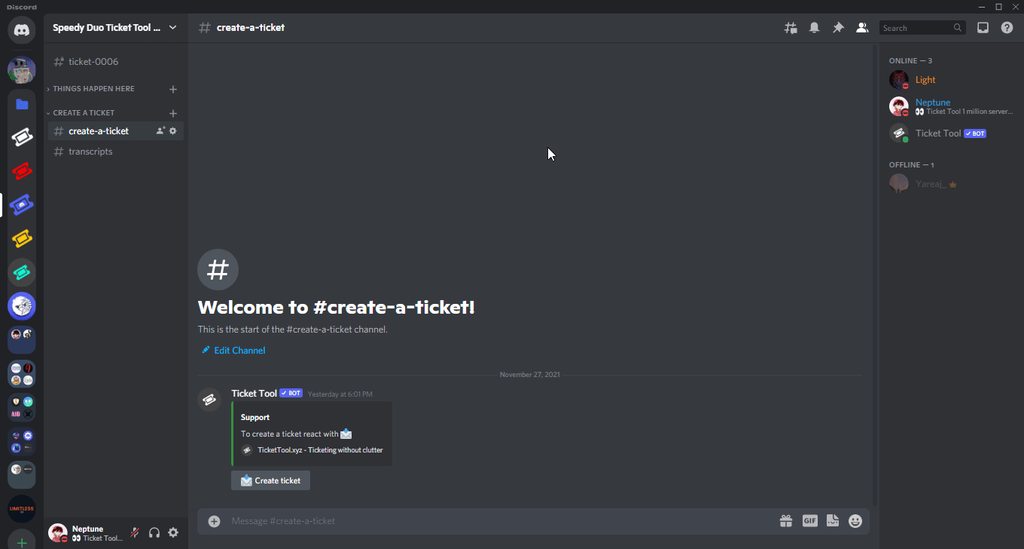
Hi, you can use Discord's search feature to look up old transcripts:
https://i.imgur.com/zHkDsMf.gif
 restive condor
marble hill
If a use both, then it will create 2 threads right?
restive condor
marble hill
If a use both, then it will create 2 threads right?
Nope, only works with normal ticket channels.
As the private thread is created from the ticket and you can't have a thread from a thread
worthy stag
restive condor
Hi, you can use Discord's search feature to look up old transcripts:
https://i.i...
Thank you, I appreciate it
iron nightBOT
Gave +1 Rep to @restive condor (current: #21 - 244)
 foggy flume
how do i make the ticket tool ping my support team when a ticket gets opened?
humble sequoiaBOT
1. Go into your Dashboard
2. Open your Panel Configs tab
3. Select the panel you want to ping your support on
4. Open the Ticket options menu
5. Click on Edit Ticket Message
6. In the Message Content use one of the role mention syntax (**{@Role Name}**/**{Role ID}**)
7. Save changes
Note: For this to work properly, Ticket Tool requires the Mention Everyone permission. Or the role must have the Allow anyone to @mention this role setting enabled
restive condor
foggy flume
how do i make the ticket tool ping my support team when a ticket gets opened?
Hey there! See above
foggy flume
restive condor
Hey there! See above <:this:894279341108772914>
thx im not rlly good with all the discord stuff 🤣
iron nightBOT
Gave +1 Rep to @restive condor (current: #21 - 245)
restive condor
Please let me know if you have any questions
foggy flume
restive condor
Please let me know if you have any questions
will do
 round crypt
Hello, can anyone tell me why new tickets are not given under crafting order but under suggestion? other people see it under the create a ticket category.
 jade topaz
How to add where when u cliked the ticket button mutiple questions appers so i can answer them
restive condor
round crypt
Hello, can anyone tell me why new tickets are not given under crafting order but...
Hey there! That's a Discord feature - If they don't follow the category, new channels will appear at the top as ''Suggested'' channels
restive condor
jade topaz
How to add where when u cliked the ticket button mutiple questions appers so i c...
Hey there! See below
humble sequoiaBOT
A Discord Form lets the user answer individual questions in a pop-up Form, which then displays the answers in the ticket message. This can save time if you already know what you want to ask the user.
Setup Forms
Forms can be enabled under Panel Settings > Form Options > Edit Forms Options. In the new pop-up window, you can now enable and edit your own Form.
Form Options
You can add up to 5 questions in the Discord form. This is a Discord limitation. Each question can have a placeholder in the input field, a minimum and maximum input, multi-line, and also the option to have the answer required.
Options
Question Title ➞ Your Question goes here
Question Placeholder ➞ The placeholder text in the input field
Required ➞ If enabled, the user has to answer this question, to submit the form
Multi-Line Input ➞Allows the user to input multiple lines
Minimum and Maximum Input ➞ Set a minimum and maximum input value for the user
Displaying the Answer
To display the answers from the user, you need to enable Auto display form results on the ticket message as an additional embed
If you don't want a second embed, go into your Panel Configs > Ticket Options > Edit Ticket Message. You use the variable {create.form.x} and replace x with the number of your question. For example, the response to Question 5 can be displayed with {create.form.5}.
round crypt
restive condor
Hey there! That's a Discord feature - If they don't follow the category, new cha...
thank you, now I realized that I didn't have a follow for the category
iron nightBOT
Gave +1 Rep to @restive condor (current: #21 - 246)
restive condor
No problem
 median cosmos
so the {reason} and {create.reason} variables didnt work and Dan told me something about fallback, I´m confused
 restive condor
median cosmos
so the {reason} and {create.reason} variables didnt work and Dan told me somethi...
restive condor
median cosmos
so the {reason} and {create.reason} variables didnt work and Dan told me somethi...
Hi again, could I get your server name or ID please 🙏
median cosmos
restive condor
Hi again, could I get your server name or ID please 🙏
1190426930495889528
restive condor
median cosmos
1190426930495889528
Hm, your setup looks good. It should work.
I'll bring you into a ticket as I'll need a server invite
jade topaz
is there a way i can transfer the premium of the bot to a different server?
jade topaz
restive condor
Hm, your setup looks good. It should work.
I'll bring you into a ticket as I'll ...
^
humble sequoiaBOT

Premium Transfer
If you would like to move premium, panels, & tags to another server, please provide your old servers ID and your new servers ID or you can use our transfer feature yourself, learn more here
How do I find my server ID.
Open your Discord server, right-click on the server name, then select Copy ID or you can do $id in your server.
Server deleted? Can’t find the server ID?
If the server is deleted, please go into your search history and find the last time you were managing that server. At the end of the website, it should show a ID. That is your server ID.
I can't find either of them
Please notify a Support Team member that you can not find any of your Server IDs & they will assist you.
heavy crag
jade topaz
is there a way i can transfer the premium of the bot to a different server?
Read the above
However, for premium purchased through Discord, you need to cancel and resubscribe on the new server.
 surreal trench
Hi, does the free version allow customizing panel content like the message Content, embed settings, fields, etc? When I'm on the screen Menu > Messages > Message Panel none of the areas there are editable. Only thing I can do is editing the Create Ticket button.
humble sequoiaBOT
Faster Premium Bot
Automatic Transcripts
Full Customization
Direct Messages
Ticket Automation
Thread Style Ticketing
Premium Support
Scheduled Panel Availability
Integrations
You can purchase premium here:
Price
$6 - Monthly
$66 - Yearly
Premium
heavy crag
surreal trench
Hi, does the free version allow customizing panel content like the message Conte...
The above embed should answer your question !
If not, then no. The free version does not give that level of customisation
surreal trench
ok
 cold grove
With premium, can I change discord bot name/avatar picture ?
humble sequoiaBOT
Ticket Tool Custom Avatar
As of now, you are not able to change Ticket Tool's profile picture, nonetheless, our Development Team is working on the release of white labels, this is your own custom bot!
For the time being, you can change the bot's nickname by right-clicking the bot in the user list on your server and clicking Change Nickname
$avatar
heavy crag
cold grove
With premium, can I change discord bot name/avatar picture ?
Read the above !
iron nightBOT
Gave +1 Rep to @heavy crag (current: #79 - 11)
 small summit
humble sequoiaBOT
small summit
humble sequoiaBOT
فريق الدعم الفني العربي
عميلنا العزيز ان كنت تبحث عن مساعدة يرجى فتح تكت خاص بفريق الدعم الفني العربي
اذهب الى#🎫│make-a-ticket
ثم قم بلضغط على الايموجي الاتي (🇯🇴)
 ionic path
@ruby owl
 cyan vault
how to add form channel
where the form is
?
plz tell me
plz @steel basalt
hi
plz help me
civic wagon
cyan vault
how to add form channel
What do you mean exactly? Also please refrain from pinging staff members.
Do you mean form as in this?

or a forum channel

 tropic bramble
how do i make a ticket like this

more than 1 option to open for how do i do that
so when u press create it says this
anyone??
humble sequoiaBOT
The Drop-down menu or Select Menu replaces the buttons on your panel message and uses a drop-down menu with all of your panels. To set this up, go to your Panel Configs and select your main Panel.
<:Numbericons1:1018864164032225340> Enable Select Style
First you enable Select Style. Then you add an item in the Dropdown Editor. Now you can start editing your dropdown!
<:Numbericons2:1018864168041971712> Dropdown Editor
Each line in the dropdown editor represents a line in the drop down menu on discord. You can add more "Items", by clicking on
First you select a panel. That's the panel this option will open a ticket for. DONT select the same panel twice. Each option should have a different Panel
After that, you can put a Display. This is the title of this option and will appear in the drop down menu. The *Description can be set right after that, which will be below the title in grey.
Additionally you can select an emoji, that will be shown in front of each option. You can either manually input the ID of an emoji or select it in the selector.
Common Issues ⚠️
- Panel doesn't send? Make sure you have a valid emoji selected
- Option doesn't show up? Check if two options have the same panel in the DropDown Editor
$dropdown
ionic path
@tropic bramble ↑
tropic bramble
can u please talk me through the steps ?
ionic path
tropic bramble
can u please talk me through the steps ?
Sure. In order to do that, you will need to log in to the dashboard through www.tickettool.xyz
tropic bramble
ionic path
Sure. In order to do that, you will need to log in to the dashboard through www....
ok i will do that now.
and then i’ll say when i have done tha
t
ionic path
tropic bramble
and then i’ll say when i have done tha
Alright 👍
 undone solstice
In my server not everyone is able to create a ticket. It shows people with the everyone role following image. So they can't create a ticket. But i want to have it in a way that they CAN create a ticket and i can't figure out how.

 scenic plinth
tropic bramble
anyone??
scenic plinth
tropic bramble
anyone??
We ask that you give volunteers more than 5 minutes to respond, especially when it is about 4 in the morning for our American volunteers 🙂
ionic path
undone solstice
In my server not everyone is able to create a ticket. It shows people with the e...
__ «You don't have permissions to use this»__
Are your members seeing this message when they try to create a ticket?
You may have accidentally denied them permission to use the Create Ticket button.
Look in the following places in your server's dashboard:
👉 Server Configs -> Blacklist Roles
Any roles there will be unable to interact with the bot in any way, including creating tickets.👉 Panel Configs -> Buttons -> Create Ticket -> Support team only
If this is enabled👉 Panel Configs -> Buttons -> Create Ticket -> Disabled Roles
Any roles there will be unable to use the button.
undone solstice
thanks i'll go check that out
ionic path
No problem :)
undone solstice
thanks @ionic path
iron nightBOT
Gave +1 Rep to @ionic path (current: #54 - 27)
tropic bramble
thanks @ionic path i am finishing it now tysm
iron nightBOT
Gave +1 Rep to @ionic path (current: #54 - 28)
ionic path
No worries!
cyan vault
civic wagon
What do you mean exactly? Also please refrain from pinging staff members.
yes
bro
jasvir bro yes
yes
bro
): plz ans me
):
civic wagon
cyan vault
): plz ans me
You still haven't told us what you want assistance with.
civic wagon
civic wagon
Do you mean form as in this?
If it's the forms
humble sequoiaBOT
A Discord Form lets the user answer individual questions in a pop-up Form, which then displays the answers in the ticket message. This can save time if you already know what you want to ask the user.
Setup Forms
Forms can be enabled under Panel Settings > Form Options > Edit Forms Options. In the new pop-up window, you can now enable and edit your own Form.
Form Options
You can add up to 5 questions in the Discord form. This is a Discord limitation. Each question can have a placeholder in the input field, a minimum and maximum input, multi-line, and also the option to have the answer required.
Options
Question Title ➞ Your Question goes here
Question Placeholder ➞ The placeholder text in the input field
Required ➞ If enabled, the user has to answer this question, to submit the form
Multi-Line Input ➞Allows the user to input multiple lines
Minimum and Maximum Input ➞ Set a minimum and maximum input value for the user
Displaying the Answer
To display the answers from the user, you need to enable Auto display form results on the ticket message as an additional embed
If you don't want a second embed, go into your Panel Configs > Ticket Options > Edit Ticket Message. You use the variable {create.form.x} and replace x with the number of your question. For example, the response to Question 5 can be displayed with {create.form.5}.
cyan vault
i mean that how can i add this form in any channel in my discord server
?
hello @ JASVIr
JASVIR
jasvir bro
)::::::::
civic wagon
humble sequoia
Please read this.
I don't understand what you mean by "form in any channel". Unless you can elaborate a bit more on that, or share some screenshot
cyan vault
i mean how can i add the form in channel like let me send me example
take the example how can we add the message
 civic wagon
cyan vault
take the example how can we add the message
civic wagon
cyan vault
take the example how can we add the message
- Kick Tickets
- Invite @pseudo glen from https://tickettool.xyz/invite
- Follow the steps below
humble sequoiaBOT
1. Go into your Dashboard
2. Open your Panel Configs tab
3. Select the panel you want to send
4. Indicate to which channel it should be sent to
5. Send the panel
limber portal
Hi there, this channel is for help related to ticket tool discord bot only - try asking in a different place
 buoyant skiff
I figured might be the wring place my apologies
scenic plinth
cyan vault
jasvir bro
Please remain patient with our volunteers. They have other things they do as well, and they sometimes cannot offer you a response within mere minutes of you posting. Please avoid spamming chat and repeatedly asking of a person to answer you immediately.
jade topaz
When someone raises a ticket is it possible to add a specific user to the ticket instead of using /add everytime? I want the ticket to be private between the user & user (obviously admin can view anyway)
iron nightBOT
Gave +1 Rep to @restive condor (current: #20 - 250)
heavy crag
jade topaz
When someone raises a ticket is it possible to add a specific user to the ticket...
/add achieves exactly what you are describing, so not too sure what the issue is?
jade topaz
heavy crag
`/add` achieves exactly what you are describing, so not too sure what the issue ...
Is there no way to automate it instead of manually adding them?
heavy crag
You can create a role and make it a ticket staff role, if that's what you mean?
jade topaz
Sort of, basically I have request services on my discord. Someone creates a ticket and chooses who does their services but I want the ticket between the user and the requested user instead of having the whole staff team able to see the ticket. If you understand what I'm saying (/add does the job but sometimes I might be offline for hours)
heavy crag
Ah, I get you now! You can allow the ticket owner to /add prople through the dashboard, so that they can do it themselves if you are offline. That's the closest thing to what you are asking, to the best of my knowledge.
jade topaz
heavy crag
Ah, I get you now! You can allow the ticket owner to `/add` prople through the d...
Ahh ok no worries, thanks anyway!
iron nightBOT
Gave +1 Rep to @heavy crag (current: #75 - 12)
heavy crag
Of course. I may be wrong with either however so do consult the support team if you have further questions that I cannot answer 🤍
This would be how you enable /add for everyone to use.

 mystic quest
I am facing a problem with ticket tool - Whenever I create a ticket in my server the bot automatically gets kicked
humble sequoiaBOT
━━ User's inquiry has been moved to a ticket ━━
 stark plinth
Wondering, is there a way to increase the amount of messages in a transcript past 1k messages on premium?
jade topaz
Hello, can i do server emojis in the embed message ( when you click on open ticket )
 north crag
How can I make a partnership
humble sequoiaBOT

Partnership Program
Our partnership program is currently closed.
We appreciate you being interested in partnering with Ticket Tool! Unfortunately, the program for partnering is closed as of now. Nonetheless, make sure to keep an eye at #📣│server-news where we announce partner applications opening!
 TicketTool.xyz - Ticketing without clutter
north crag
humble sequoia
TicketTool.xyz - Ticketing without clutter
north crag
humble sequoia
 vernal kindle
Are there discord integrations
vernal kindle
vernal kindle
Are there discord integrations
@restive condor
heavy crag
vernal kindle
Can I get a users Discord info in my ticket?
There is not a userinfo command/module within TicketTool.
heavy crag
jade topaz
Hello, can i do server emojis in the embed message ( when you click on open tick...
You can, yes.
This can be done by entering the emoji into the text box on Discord and then putting a backslash (\) before it, then pressing send. It should output something similar to " !PabloTiphat ".
Then simply paste that into the ticket message editor! There may be an easier way but this is the best one I know of.
jade topaz
heavy crag
You can, yes.
This can be done by entering the emoji into the text box on Disco...
Thanks, ill try
iron nightBOT
Gave +1 Rep to @heavy crag (current: #73 - 13)
restive condor
heavy crag
There is not a userinfo command/module within TicketTool.
If it's in the ticket message, you can have some information displayed. See below @vernal kindle
humble sequoiaBOT
Ticket Variables (2/5)
- Note: The variables below are meant to be used within ticket messages, or tags triggered within tickets
{panel.count} ➞ The current count number of the panel
{panel.name} ➞ The name of the panel
{panel.ticketLimit} ➞ The current limit of the panel
{ticket} ➞ <#channel> ➞ Channel mention of the ticket
{ticket.id} ➞ Channel ID of the ticket
{ticket.user} = <@user> ➞ User mention of the ticket user
{ticket.user.name} ➞ Name of the ticket user
{ticket.user.id} ➞ User ID of the ticket user
{ticket.user.nickname} ➞ Nickname of the ticket user
{ticket.user.icon} ➞ Direct Url of the profile picture of the ticket user
{ticket.user.tag} ➞ Tag / Discriminator of the ticket user
{ticket.user.full} ➞ Username + Discirimator of the ticket user
$variables2
heavy crag
restive condor
If it's in the ticket message, you can have some information displayed. See belo...

humble sequoiaBOT
PayPal - paypal@tickettool.xyz
BitCoin - 3HhKKAdb9eEvCe2tvzB8bAa8nebHY6qcPA
LiteCoin - MEQX3knLAuotrKnvk3HDNBK5gdRn6PZhHy
Prepay/Direct Payment
To prepay send the payment using your desired method - Available options listed bellow.
⚠️ $18 per 3 months. ⚠️
$66 per year.
(If using the direct payment option, you need to be paying for at-least 3+ months.)
Regular Prices when paying within Discord:
$5.99/per month
Once your payment is sent let us know so we can confirm and get you your key.
- Purchases done with this method are non-refundable.
<:paypal:924596360840372234> Paypal ("Goods and Services" or "Family and Friends")
paypal@tickettool.xyz
<:bitcoin:924638849135689749> BTC - Bitcoin
3HhKKAdb9eEvCe2tvzB8bAa8nebHY6qcPA
<:Litecoin:972176945972383815> LTC - LiteCoin
MEQX3knLAuotrKnvk3HDNBK5gdRn6PZhHy
I sent the payment now what?
After you send the payment, please send a screenshot with proof of payment, our <@&615146349700186112> will verify your payment and will get you setup. For crypto payments, we are waiting for at least ONE verification.
All prices in USD - 3 months min for direct payment
After a successful payment
Provide us with your server ID, where you want your premium key to be redeemed. This has to do be done by us
lunar solar
@dense plume see above, if you do purchase make a billing ticket --> #🎫│make-a-ticket
 pure anvil
does it take premium to automatically save transcripts?
limber portal
pure anvil
does it take premium to automatically save transcripts?
yes. auto transcription is premium.
pure anvil
limber portal
yes. auto transcription is premium.
oh okay
 void scroll
Hello I subscribed on premium but the problem I don’t know how to invite the golden ticket and I need help in the same time. I would like to open a ticket but I don’t know I am new on the server
humble sequoiaBOT
The first thing you will need to do is invite the premium bot, an invite can be found here
Once the bot is in your server we will head to the dashboard and manage your server. When you are managing your server, you want to head into "Server Configs" then click the drop down menu under "Select the bot you would like to use on this server" then click "Ticket Tool#6207" and then save.
restive condor
void scroll
Hello I subscribed on premium but the problem I don’t know how to invite the gol...
Hey there! See above
 toxic plinth
Como pega gamer passe
humble sequoiaBOT
⚠️ You're in the wrong place
We provide support for Ticket Tool Discord bot and cannot help you with whatever issue you have.
- We don't know which Support Team you should contact to get this issue resolved, and unfortunately we won't be able to accurately tell you.
If you don't have any further questions regarding our bot Ticket Tool, please close this ticket
 quiet portal
how can I make a ticket system with the dropdown low medium and high
humble sequoiaBOT
The Drop-down menu or Select Menu replaces the buttons on your panel message and uses a drop-down menu with all of your panels. To set this up, go to your Panel Configs and select your main Panel.
<:Numbericons1:1018864164032225340> Enable Select Style
First you enable Select Style. Then you add an item in the Dropdown Editor. Now you can start editing your dropdown!
<:Numbericons2:1018864168041971712> Dropdown Editor
Each line in the dropdown editor represents a line in the drop down menu on discord. You can add more "Items", by clicking on
First you select a panel. That's the panel this option will open a ticket for. DONT select the same panel twice. Each option should have a different Panel
After that, you can put a Display. This is the title of this option and will appear in the drop down menu. The *Description can be set right after that, which will be below the title in grey.
Additionally you can select an emoji, that will be shown in front of each option. You can either manually input the ID of an emoji or select it in the selector.
Common Issues ⚠️
- Panel doesn't send? Make sure you have a valid emoji selected
- Option doesn't show up? Check if two options have the same panel in the DropDown Editor
$dropdown
restive condor
quiet portal
how can I make a ticket system with the dropdown low medium and high
Hey there! See above
quiet portal
thx for what is this

also do I need to config only the main panel when using the dropdown
is this correct?
 restive condor
quiet portal
thx for what is this
restive condor
quiet portal
thx for what is this
That's for multipanels
quiet portal
restive condor
That's for multipanels
ah
restive condor
quiet portal
also do I need to config only the main panel when using the dropdown
That's right, except for the panel message (only the main one)
restive condor
quiet portal
is this correct?
Yep, just make sure you toggle on  the first option
quiet portal
restive condor
That's right, except for the panel message (only the main one)
which panel message u mean
quiet portal
restive condor
Yep, just make sure you toggle on <:Switch_enabled:1041734627330625586> the firs...
thx
iron nightBOT
Gave +1 Rep to @restive condor (current: #20 - 252)
restive condor
quiet portal
which panel message u mean
As in the message from which users can open tickets
quiet portal
restive condor
As in the message from which users can open tickets
this
 restive condor
Correct
quiet portal
what do I need to set here
restive condor
quiet portal
what do I need to set here
Whatever you'd like (you can leave it as default) - That's the message that will be displayed above the dropdown. Example: #🎫│make-a-ticket (but a dropdown instead of buttons)
quiet portal
restive condor
Whatever you'd like (you can leave it as default) - That's the message that will...
ah okay thx
iron nightBOT
Gave +1 Rep to @restive condor (current: #20 - 253)
quiet portal
and how to add buttons
restive condor
You either do dropdowns or buttons. Here's the information on buttons
humble sequoiaBOT
For more convenient use of multipanels, you can now combine panels on the dashboard. This will allow you to directly send the multipanel from the dashboard or via the $panel ID command.
Where can I find this?
You can find this setting on the Dashboard -> Panel Configs -> Panel -> Attached Panels
Note: if you're attaching all the panels to a panel called English, don't include English in the attached panel's box (If you do this, it will create a duplicate)
This will put all buttons from all of your panels on one message. The message is the panel message from the panel you're combining these panels in.
quiet portal
So I only need three panels?
quiet portal
and on which one should i attach them together
lunar solar
Whichever one you want to be the primary panel e.g. usually the one with the most edited panel message
quiet portal
thx
jade topaz
Hello, Ticket support Currently im having Issues with my Ticket Tool When i make a ticket it works for one Ticket but not the other so id like some assistances so if you would be so kind to help me id appriciate it .
pseudo ravine
Hey there. Could you elaborate on the issue?
jade topaz
my buddy pain will discuss it.
 obtuse lodge
Hey so I’m an admin in his server, the problem he having is everytime a member makes a ticket it says the user doesn’t have permission to use this. Now I’ve even copied the same permissions in my other server and it for some reason works just fine😭
pseudo ravine
Could I get the server ID
jade topaz
1183116482654257354
pseudo ravine
Thank you
jade topaz
np
pseudo ravine
Which panel is this happening on?
jade topaz
Xbox panel and Playstation Panel Drop downs

 obtuse lodge
Tyyy lmao
jade topaz
Well that might just fix the problem thank you!
pseudo ravine
Along with setting the Support Team Only for the PlayStation panel
pseudo ravine
jade topaz
Well that might just fix the problem thank you!
You're welcome, glad I could help!
jade topaz
hey, got another question on the playstation ticket all my members can see it is there a way to fix it where it's only my playstation and Ticket team that can see it.
 idle coral
hi so i made a ticket panel, and idk how to post it to my server so they can press the button and make a ticket
ok wai tno i figured out how to send it
why wont it send the edit message i made
heavy crag
idle coral
why wont it send the edit message i made
Try resending the panel once the edit has been made
valid jasper
Hey so I was hosting this event on my discord server, and if anyone was having trouble (which a lot of people were), I told them to make a support ticket. I guess the ticket didn't like the amount of poeple that were doing it, because eventually it just stopped taking them and it just shows this message. Our Wick bot also reported this issue, so I don't know if it has anything to do with this, or if it is something else. How do I fix this?
 quiet portal

this is strange
I changed every panel message
when I leave blank what happens then
 quiet portal
quiet portal
quiet portal
I fixed it. On the main panel I used all three panesl to attach them but I should only use the other two
quiet portal
how can I change this title to support without channging the panels

also how can I label a ticket based on the button
heavy crag
quiet portal
how can I change this title to support without channging the panels
Hello.
In order to edit the panel title, you will need premium. Which can be bought by reading the following embed.
humble sequoiaBOT
Premium can now be purchased directly through discord! Either in the app directory (server settings) or directly from the bots profile.
<:TTWarning:1034178155872784494> Important Information <:TTWarning:1034178155872784494>
ONLY purchase premium through ONE of the two Ticket Tool Bots. If you purchased premium on the primary bot (White logo) and plan to use the premium bot, don't kick the primary bot!
What's different?
The Monthly price changed from $6.00 to $5.99
Yearly subscriptions are not yet available
Don't kick the bot, otherwise, the subscription will be canceled automatically
You'll need to buy the subscription from a computer or on the Application Directory
You might need to run the /premium command on your server to sync the premium status with your dashboard
A subscription can not be transferred between Servers
quiet portal
quiet portal
also how can I label a ticket based on the button
and this
lunar solar
quiet portal
how can I change this title to support without channging the panels
Hi,
Simply rename the panel using the rename button
then
Send it to Discord again
quiet portal
lunar solar
Hi,
Simply rename the panel using the rename button
but then I need 4 panels
lunar solar
No you don't
Go to the panel that is titled Low
rename it using the button just under the dropdown at the top
lunar solar
You don't
quiet portal
lol
lunar solar

See the green rename button
Click that
call it support
then click Send
Pick the channel
Send
lunar solar
You mean when they open the ticket?
Do you want to change the channel name or the embed message that appears when the ticket opens?
quiet portal
the ticket when it opens
lunar solar
Panel Configs --> Ticket --> Edit Ticket Message --> Embed Editor --> Change description to your liking
lunar solar
We don't however I personally recommend Wick
 umbral karma
hey I had a ticket open on a server and it opened a specific channel for that ticket. I had to leave and rejoin the server for verification. after the re-join, the specific channel for that ticket no longer shows. tickets are limited to 1 for this server so cant open a new ticket. what can I do?
"Ticket limit reached, You already have 1 tickets open of the 1 allowed for this panel"
quiet portal
lunar solar
We don't however I personally recommend Wick
okay and what about pro bot, mee6, dyno, carl-bot etc idk which to choose
lunar solar
The best trio is:
Ticket Tool (Ticket System)
Sapphire (Embeds & Info)
Wick (Moderation)
In my opinion
quiet portal
okay thx a lot
lunar solar
No worries
lunar solar
umbral karma
hey I had a ticket open on a server and it opened a specific channel for that ti...
You will need to contact the server staff
Only they can resolve the issue for you
umbral karma
do tickets expire?
lunar solar
Depends on the server settings
Again you will just need to contact someone from that server
umbral karma
ok thank you
jade topaz
hey, got another question on the playstation ticket all my members can see it is there a way to fix it where it's only my playstation and Ticket team that can see it.
quiet portal
lunar solar
No worries
We have this Mewdeko Bot already
humble sequoiaBOT
How to edit `@everyone`'s permissions
Head over to your Dashboard ➞ Panel Configs ➞ Permission Options ➞ Everyone Role Opened/Closed and customize the base permissions for everyone in your tickets.
Note: This set of permissions may be affected by the overrides of Support Team, Additional Roles, and User permissions.
 limber portal
jade topaz
hey, got another question on the playstation ticket all my members can see it is...
limber portal
jade topaz
hey, got another question on the playstation ticket all my members can see it is...
^^
jade topaz
Ty
https://gyazo.com/ef1870873709d9c30186b25937ef02a1 Hello, im still having issues for my permissions and i don't have anything disabled for the roles.

it's for both xbox and playstation panels.
limber portal
jade topaz
https://gyazo.com/ef1870873709d9c30186b25937ef02a1 Hello, im still having issues...
__ «You don't have permissions to use this»__
Are your members seeing this message when they try to create a ticket?
You may have accidentally denied them permission to use the Create Ticket button.
Look in the following places in your server's dashboard:
👉 Server Configs -> Blacklist Roles
Any roles there will be unable to interact with the bot in any way, including creating tickets.👉 Panel Configs -> Buttons -> Create Ticket -> Support team only
If this is enabled👉 Panel Configs -> Buttons -> Create Ticket -> Disabled Roles
Any roles there will be unable to use the button.
jade topaz
im confused
can i get one of you guy's to help me out because i've been dealing with this problem since yesterday and nothing is working this is out of my hands.
ill give you admin but none of this is working.
 dark kraken
Hello , Can I give permition to a single role to open the ticket? (without hiding the room).
 edgy bluff
Hello i have a problems with attachments i can't see them when transcript how to fix this

@limber portal
limber portal
edgy bluff
Hello i have a problems with attachments i can't see them when transcript how to...
Hi there, without premium you currently can’t see images in transcripts. With premium up to 8MB can be embedded
limber portal
dark kraken
Hello , Can I give permition to a single role to open the ticket? (without hidin...
Hi there,
Dashboard > panel configs > buttons > create ticket > set allowed / disabled roles
 arctic pollen
hi! how do i add more buttons to this message? ive tried watching a tutorial but it doesnt really tackle it if that makes sense? i also cant find an add button on here and i may be blind,,
 humble sequoiaBOT
For more convenient use of multipanels, you can now combine panels on the dashboard. This will allow you to directly send the multipanel from the dashboard or via the $panel ID command.
Where can I find this?
You can find this setting on the Dashboard -> Panel Configs -> Panel -> Attached Panels
Note: if you're attaching all the panels to a panel called English, don't include English in the attached panel's box (If you do this, it will create a duplicate)
This will put all buttons from all of your panels on one message. The message is the panel message from the panel you're combining these panels in.
arctic pollen
thank youu
 median gull
what commands do i use to set up the ticket tool?
 plain dust
how to i make ticket tool ping suport
stark runeBOT
1. Invite Ticket Tool to your server
First you will want to invite the bot to your server. Once the bot is in your server, you can manage your server in the dashboard.
2. Create a Panel
To create a panel we are going to need to head over to the panel configs on the dashboard.
Once at the dashboard we will need to click Create Panel.
Enter a panel name (Fill in any optional settings you want).
Click Create Panel and your ready to get started with configuring your panel.
An example of a creating a panel is shown below.
3. Send the Panel to a Channel
Once you've created a panel on the dashboard you will need to send it to a channel using send on the dashboard.
Select the channel you want your panel to be created in and click send.
For other questions checkout $help faq.
An example of a sending a panel is shown below.
Having a Problem Sending the Panel?
Do $debug in a channel with Ticket Tool and make sure it has all the necessary Discord permissions.
limber portal
median gull
what commands do i use to set up the ticket tool?
^^
humble sequoiaBOT
1. Go into your Dashboard
2. Open your Panel Configs tab
3. Select the panel you want to ping your support on
4. Open the Ticket options menu
5. Click on Edit Ticket Message
6. In the Message Content use one of the role mention syntax (**{@Role Name}**/**{Role ID}**)
7. Save changes
Note: For this to work properly, Ticket Tool requires the Mention Everyone permission. Or the role must have the Allow anyone to @mention this role setting enabled
limber portal
plain dust
how to i make ticket tool ping suport
^^
 tall fiber
how do I create command styles for specific panels, when I do a command styles it creates it for one panel
quiet portal
arctic pollen
hi! how do i add more buttons to this message? ive tried watching a tutorial but...
you need to create multiple labels and then attach them
together

How can I invite someone else which have acces to the dashboard
Also is there an option to use this ticke tool for support forums
pseudo ravine
Hey there. Could I get the server ID?
restive condor
tall fiber
how do I create command styles for specific panels, when I do a command styles i...
Hi, you can't currently select which panel to use when using command style tickets so you would need a different channel per panel
tall fiber
restive condor
Hi, you can't currently select which panel to use when using command style ticke...
Can you emphasize what you mean
Because I current;y have the watch channel different for each command style yet it opens 1 panel
restive condor
tall fiber
Can you emphasize what you mean
Oh, I see. My apologies.
That's definitely not right, could I get your server ID?
 small sandal
 humble sequoiaBOT
━━ Anthony's inquiry has been moved to a ticket ━━
 tall fiber
restive condor
Oh, I see. My apologies.
That's definitely not right, could I get your server ID...
tall fiber
restive condor
Oh, I see. My apologies.
That's definitely not right, could I get your server ID...
1115729790650036374
humble sequoiaBOT
You can check our documentation here;
You can also check #📂│information for the basic setup, or run the </setup:1025379472167403530> command within #🤖│bot-spam to find information on how to setup Ticket Tool.
Alternatively, you can use the /setup command with Ticket Tool in your own server to setup the basics of Ticket Tool!
Our documentation contains all the info you need about the bot to be able to setup and configure the bot however you like.
heavy crag
 rapid depot
How add ticket system ?
rapid depot
How add ticket system ?
Read the above embed.
cyan vault
helo
rapid depot
ember ?
humble sequoiaBOT
⚠️ Please read the messages previously sent by our team ⚠️
heavy crag
cyan vault
how can i add a ticket with option and text
The prior embed explans
 coarse gyro
I need some help, I am setting up the ticket bot but in the panel message I want to do #(channel) so memebers can click onto that chanel how do I go about doing that?
limber portal
coarse gyro
I need some help, I am setting up the ticket bot but in the panel message I want...
Use the format <#channelid>
coarse gyro
limber portal
Use the format `<#channelid>`
I did and this happened:
 limber portal
coarse gyro
I did and this happened:
limber portal
coarse gyro
I did and this happened:
Are you sure you have a correct id?
 gloomy cedar
help?
 austere forge
gloomy cedar
help?
austere forge
gloomy cedar
help?
hi, pls run command /debug in the same channel
gloomy cedar
give me to sek
 austere forge
gloomy cedar
austere forge
gloomy cedar
Ticket Tool is missing send messages permission for that channel
humble sequoiaBOT
When first invited to your server, Ticket Tool should have the permissions shown below in order to ensure an appropriate functioning:
When customizing permissions for the different ticket participants, you must make sure Ticket Tool has the permissions you want it to grant to others, you can learn more about this here.
Missing Permissions
This error is a direct outcome of the bot missing permissions as depicted above. When troubleshooting this error we suggest you go through these steps:
- Use the </debug:1029783024264564765> command to check if the bot is lacking core role or channel permissions.
- Compare the category/channel's overrides and contrast them with the bot's roles to identify any permission denial that is breaking the functioning
- If you can't still figure it out, let our <@&540295656720302081> know so they can guide you through
Additional Resources
- If you are a server administrator and would like to understand more how to set up your server's permissions, we suggest checking the Discord Support Knowledge Base
- If you are a bot developer and are interested in the internal permission hierarchy we suggest you this part of the Discord Developer Docs
Important Note
- Giving Administrator permissions is NOT required and we do NOT encourage you to do unless you are trying to troubleshoot your permissions setup.
 spark kettle
austere forge
Ticket Tool is missing send messages permission for that channel
spark kettle
austere forge
Ticket Tool is missing send messages permission for that channel
Bro
I want to know how to make a tick button like this server
 humble sequoiaBOT
The Drop-down menu or Select Menu replaces the buttons on your panel message and uses a drop-down menu with all of your panels. To set this up, go to your Panel Configs and select your main Panel.
<:Numbericons1:1018864164032225340> Enable Select Style
First you enable Select Style. Then you add an item in the Dropdown Editor. Now you can start editing your dropdown!
<:Numbericons2:1018864168041971712> Dropdown Editor
Each line in the dropdown editor represents a line in the drop down menu on discord. You can add more "Items", by clicking on
First you select a panel. That's the panel this option will open a ticket for. DONT select the same panel twice. Each option should have a different Panel
After that, you can put a Display. This is the title of this option and will appear in the drop down menu. The *Description can be set right after that, which will be below the title in grey.
Additionally you can select an emoji, that will be shown in front of each option. You can either manually input the ID of an emoji or select it in the selector.
Common Issues ⚠️
- Panel doesn't send? Make sure you have a valid emoji selected
- Option doesn't show up? Check if two options have the same panel in the DropDown Editor
$dropdown
austere forge
spark kettle
Bro
hi, see above
austere forge
 magic trellis
how do i add like choices to make a ticket
magic trellis
how do i add like choices to make a ticket
check the message above
restive condor
tall fiber
1115729790650036374
Hi, apologies for the delayed response.
Your dashboard setup is all correct. I'll bring you into a ticket as I'll need a server invite, is that ok?
tall fiber
restive condor
Hi, apologies for the delayed response.
Your dashboard setup is all correct. I'l...
yes, that is ok
gloomy cedar
austere forge
Ticket Tool is missing send messages permission for that channel
But Idk How to
gloomy cedar
I dit but its not the first time i dit it Word but a upsi and deletet it and now its not doing the thing
 torn charm
How do I create a button to open tickets?
heavy crag
torn charm
How do I create a button to open tickets?
Read the below embed
humble sequoiaBOT
Buttons within Discord can have multiple functions and are used to control your tickets. With Ticket Tool, you can edit all the buttons however you like! Buttons can show emojis, text and can have 4 different colors.
Where can I edit them?
With the 
 Panel Config V2 Editor, buttons don't have their own place anymore. Now buttons can be found under the message settings for each message that has a button!
Example: The Close and Claim Buttons are on the Ticket Message. Therefore, you can edit the buttons under Ticket > Edit Ticket Message. The buttons are below the message editor.
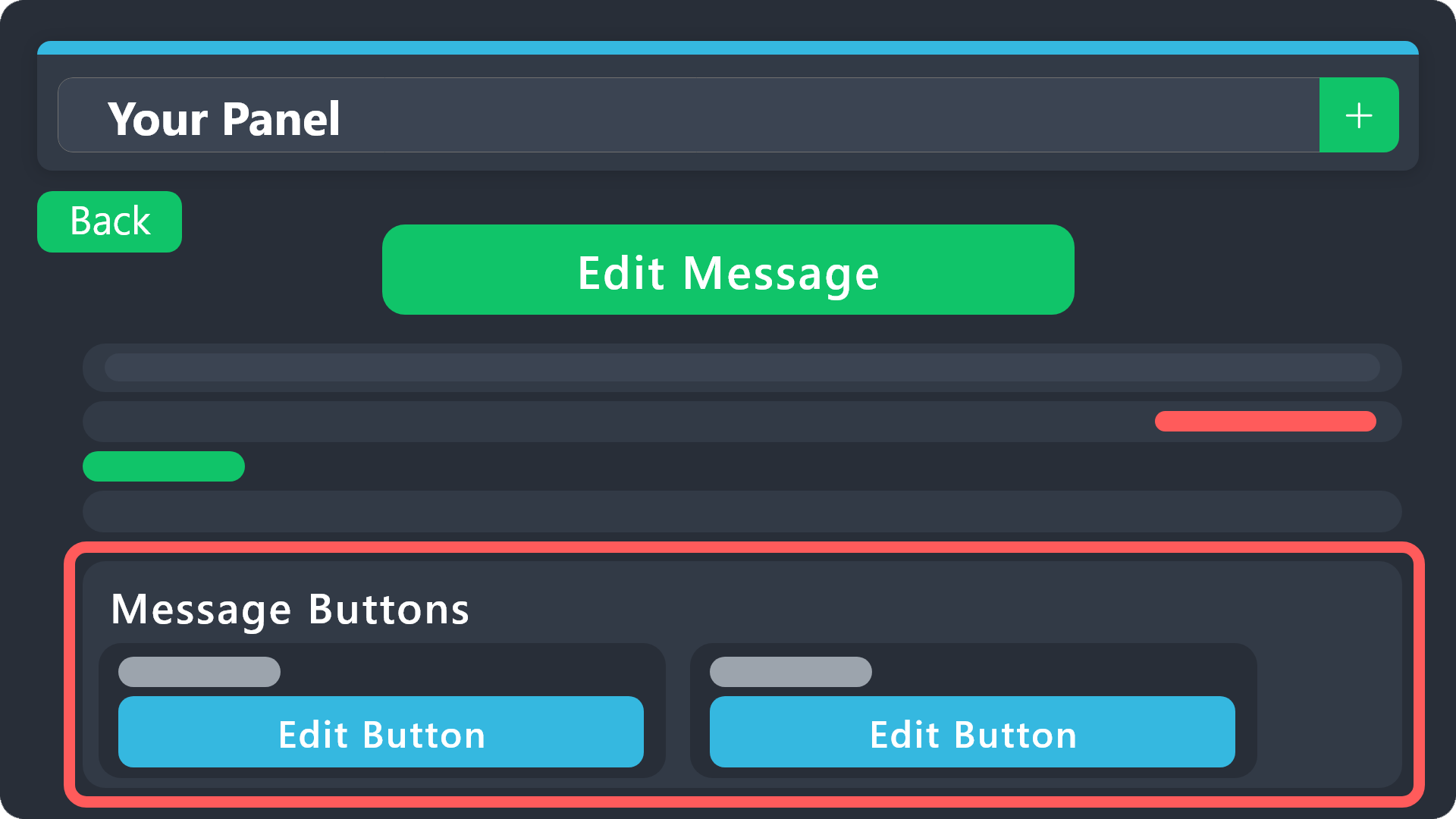 torn charm
I want to make these buttons, you know? @heavy crag
 heavy crag
humble sequoia
heavy crag
humble sequoia
_ _
humble sequoiaBOT
For more convenient use of multipanels, you can now combine panels on the dashboard. This will allow you to directly send the multipanel from the dashboard or via the $panel ID command.
Where can I find this?
You can find this setting on the Dashboard -> Panel Configs -> Panel -> Attached Panels
Note: if you're attaching all the panels to a panel called English, don't include English in the attached panel's box (If you do this, it will create a duplicate)
This will put all buttons from all of your panels on one message. The message is the panel message from the panel you're combining these panels in.
heavy crag
The above should help you futher ^^
tall fiber
how do you disable specific roles from creating tickets
 steel basalt
tall fiber
how do you disable specific roles from creating tickets
steel basalt
tall fiber
how do you disable specific roles from creating tickets
Panel Configs > Buttons > Create Button > Disabled Roles and set the roles you don't want creating tickets.
Alternatively, you can set the Blacklist Roles from the Server Configs and these users will have a global ticket creation blacklist.
 tall fiber
steel basalt
`Panel Configs > Buttons > Create Button > Disabled Roles` and set the roles you...
tall fiber
steel basalt
`Panel Configs > Buttons > Create Button > Disabled Roles` and set the roles you...
I want it for specific panels
but im using command styles for the panels
I want specific tickets to be created only if they have a specific role
steel basalt
tall fiber
I want specific tickets to be created only if they have a specific role
I see. In that case, use channels that only those roles can see.
humble sequoiaBOT
فريق الدعم الفني العربي
عميلنا العزيز ان كنت تبحث عن مساعدة يرجى فتح تكت خاص بفريق الدعم الفني العربي
اذهب الى#🎫│make-a-ticket
ثم قم بلضغط على الايموجي الاتي (🇯🇴)
steel basalt
modest tendon
وين الدعم الفني العربي؟
steel basalt
modest tendon
فتحت تيكت ومحد يرد
I unfortunately do not speak arabic, but someone should hopefully attend to your ticket soon.
modest tendon
steel basalt
I unfortunately do not speak arabic, but someone should hopefully attend to your...
Thanks
iron nightBOT
Gave +1 Rep to @steel basalt (current: #40 - 59)


 steel basalt
 wraith relic
it failed
wraith relic
it failed
Hi! You have set tickets to be created in a certain category, but that category does not exist!
 violet robin
 humble sequoiaBOT
⚠️ You're in the wrong place
We provide support for Ticket Tool Discord bot and cannot help you with whatever issue you have.
- We don't know which Support Team you should contact to get this issue resolved, and unfortunately we won't be able to accurately tell you.
If you don't have any further questions regarding our bot Ticket Tool, please close this ticket
 kind swallow
Why is my ticket automatically deleted when it is closed?
austere forge
kind swallow
Why is my ticket automatically deleted when it is closed?
Go to the Dashboard > Panel configs > settings > General options > Two step ticket
hi, do you need help?
 verbal bobcat
hey i have problem with ny key to acces to my looder jk king profile
humble sequoiaBOT
⚠️ You're in the wrong place
We provide support for Ticket Tool Discord bot and cannot help you with whatever issue you have.
- We don't know which Support Team you should contact to get this issue resolved, and unfortunately we won't be able to accurately tell you.
If you don't have any further questions regarding our bot Ticket Tool, please close this ticket
austere forge
verbal bobcat
hey i have problem with ny key to acces to my looder jk king profile
see above
verbal bobcat
i put my key in is not working now was fine a minute ago but now is not good
austere forge
verbal bobcat
i put my key in is not working now was fine a minute ago but now is not good
pls read above.
 brittle plover

Watch Untitled and millions of other Roblox videos on Medal, the largest Game Clip Platform.
i need a restore
i glitched off the map
humble sequoiaBOT
⚠️ You're in the wrong place
We provide support for Ticket Tool Discord bot and cannot help you with whatever issue you have.
- We don't know which Support Team you should contact to get this issue resolved, and unfortunately we won't be able to accurately tell you.
If you don't have any further questions regarding our bot Ticket Tool, please close this ticket
heavy crag
Read the above @brittle plover
jade topaz
i have premium sub, how many servers come with that?
also, ive always wondered what this does
 limber portal
jade topaz
i have premium sub, how many servers come with that?
limber portal
jade topaz
i have premium sub, how many servers come with that?
Hi there, you pay per server.
limber portal
jade topaz
also, ive always wondered what this does
This allows ticket tool to respond to other bots on your server, this typically is used with command style
iron nightBOT
Gave +1 Rep to @limber portal (current: #13 - 339)
 hexed magnet
Why do tickets channels do not automatic delete when i close them. I have to delete them all the time.
 south topaz
hexed magnet
Why do tickets channels do not automatic delete when i close them. I have to del...
south topaz
hexed magnet
Why do tickets channels do not automatic delete when i close them. I have to del...

Turn off That option
jade topaz
So I'm having issues with the Premium bot. It creates the channel, but then it won't send the embed or register as a ticket.
south topaz
jade topaz
So I'm having issues with the Premium bot. It creates the channel, but then it w...
Make sure your premium bot have all permissions in category/channel...
jade topaz
south topaz
Make sure your premium bot have all permissions in category/channel...
It has administrator permissions.
hexed magnet
south topaz
It was already off
jade topaz
jade topaz
It has administrator permissions.
 south topaz
hexed magnet
It was already off
south topaz
hexed magnet
It was already off
Check one more time.. Are you sure you have set it on the right panel?
south topaz
jade topaz
hexed magnet
 south topaz
hexed magnet
south topaz
hexed magnet
I'm sorry, I was in a hurry and made a mistake.
Disable "Two Step Ticket"
 hexed magnet
south topaz
I'm sorry, I was in a hurry and made a mistake.
hexed magnet
south topaz
I'm sorry, I was in a hurry and made a mistake.
Do i have to update anything or it does it autpmatic
 restive condor
 flint trail
Hi, may you run /debug
 restive condor
Ticket Tool is missing view channel permissions for that channel/category
 quartz vine
https://i.imgur.com/gt38HDc.png You know this thingy, is there a max amount you can add to the dropdown does anyone know?
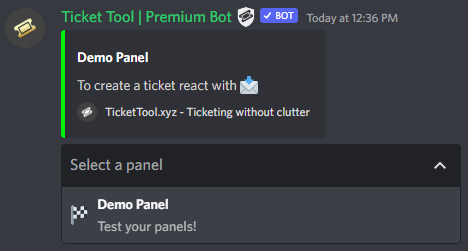 restive condor
quartz vine
https://i.imgur.com/gt38HDc.png You know this thingy, is there a max amount you ...
restive condor
quartz vine
https://i.imgur.com/gt38HDc.png You know this thingy, is there a max amount you ...
Hi, you can have up to 25 as per Discord's limits
restive condor
That's correct
restive condor
flint trail
where i can find that ?
Right click on the channel/category's name > permissions > Add/Find Ticket Tool >  the missing perms
quiet portal
Would be cool if its has AI in it

 humble sequoiaBOT
1. Go into your Dashboard
2. Open your Panel Configs tab
3. Select the panel you want to ping your support on
4. Open the Ticket options menu
5. Click on Edit Ticket Message
6. In the Message Content use one of the role mention syntax (**{@Role Name}**/**{Role ID}**)
7. Save changes
Note: For this to work properly, Ticket Tool requires the Mention Everyone permission. Or the role must have the Allow anyone to @mention this role setting enabled
restive condor
 leaden ocean
Hey there! See above
restive condor
quiet portal
Would be cool if its has AI in it
Hi, you can suggest this in #💡│suggestions
humble sequoiaBOT

Suggestions for Ticket Tool
To make a suggestion use the s!suggest suggestion command in #🤖│bot-spam. Note that you'll suggestion will be first reviewed by our Support Team before it's posted into #💡│suggestions, channel in which you'll be able to vote for other suggestions!
leaden ocean
your amazing Dan!
quiet portal
restive condor
Hi, you can suggest this in <#921732979586375690>
dont have access
restive condor
quiet portal
dont have access
You do 😄 - It's a public channel
quiet portal
missed the bot thing
restive condor
quiet portal
missed the bot thing
Oh, my apologies, yes. We got your suggestion it just needs to be verified by a supervisor+ before being sent to #💡│suggestions
quiet portal
restive condor
Oh, my apologies, yes. We got your suggestion it just needs to be verified by a ...
okay thx
iron nightBOT
Gave +1 Rep to @restive condor (current: #20 - 256)
 potent kernel
Can someone help me on here, I want to tag a role but how do I do that
 restive condor
potent kernel
Can someone help me on here, I want to tag a role but how do I do that
restive condor
potent kernel
Can someone help me on here, I want to tag a role but how do I do that
Hey there! See below
humble sequoiaBOT
Within all the messages the bot sends (both embeds and text) you can mention either channels, roles, or even users, these mentions will only send a notification to the user if they are used within a text field, e.g: a role mentioned in an embed won't ping at all the users who have that role.
For mentioning a role you can use one out of three options:
{@Role Name} ➞ Which is Case Sensitive.
{RoleID} ➞ Replace RoleId with the Id of the role you are trying to ping.
<@&RoleID> ➞ Discord's native syntax to ping roles.
<#ChannelID> ➞ Mention a channel by its ID.
<@UserID> ➞ Mention a user by its ID.
potent kernel
restive condor
Hey there! See below
tyty
whenever i test it, it doesnt work and i already saved it.


also ping me when you guys respond
restive condor
potent kernel
whenever i test it, it doesnt work and i already saved it.
Make sure you're doing the changes for the correct panel and saving them
potent kernel
restive condor
Make sure you're doing the changes for the correct panel and saving them
it is the correct panel and it is saved
restive condor
potent kernel
it is the correct panel and it is saved
It doesn't seem like it
One has no embed and the other one does
potent kernel
hm i'll get back to you
 pulsar flax
Help me
 restive condor
pulsar flax
Help me
restive condor
pulsar flax
Help me
Hi, may you run /debug
pulsar flax
restive condor
Hi, may you run ``/debug``

It was working flawlessly a short while ago.
restive condor
pulsar flax
Hm, may you create a brand new channel where tickets are supposed to be created under and use /debug there?
pulsar flax
restive condor
Hm, may you create a brand new channel where tickets are supposed to be created ...
Should I create a new channel for this category and write "debug" there?
 restive condor
pulsar flax
Should I create a new channel for this category and write "debug" there?
restive condor
pulsar flax
Should I create a new channel for this category and write "debug" there?
That's right
pulsar flax
Okay
I am also facing the same problem.

what should I do?
@restive condor Are you there?
restive condor
pulsar flax
<@795710289425334303> Are you there?
Yes, sorry. I was just checking your dashboard setup
Could you give Ticket Tool the ''Send Text to Speech'' (TTS Messages) permission in the role settings
pulsar flax
restive condor
Could you give Ticket Tool the ''Send Text to Speech'' (TTS Messages) permission...
It worked, thank you dan.
 iron nightBOT
Gave +1 Rep to @restive condor (current: #20 - 257)
restive condor
Glad to hear!
pulsar flax
👋🏻
quiet portal
restive condor
Oh, my apologies, yes. We got your suggestion it just needs to be verified by a ...
got denied
restive condor
Then there's your answer 😄
restive condor
Hi there! Discord has a limit of 500 channels per server.
It appears that server has reached such limit.
Please contact server staff for them to delete channels in order for new tickets to be created
 humble sequoiaBOT
For more convenient use of multipanels, you can now combine panels on the dashboard. This will allow you to directly send the multipanel from the dashboard or via the $panel ID command.
Where can I find this?
You can find this setting on the Dashboard -> Panel Configs -> Panel -> Attached Panels
Note: if you're attaching all the panels to a panel called English, don't include English in the attached panel's box (If you do this, it will create a duplicate)
This will put all buttons from all of your panels on one message. The message is the panel message from the panel you're combining these panels in.
restive condor
magic trellis
Hey there! See above
restive condor
Dashboard -> Panel Configs -> Panel -> Attached Panels
magic trellis
i forgot how to get to dashboard
humble sequoiaBOT
Ticket Tool - Ticketing without clutter - The #1 discord Ticketing bot
magic trellis
what do i do now?

 unreal temple
Hi, im having trouble setting up ticket to allow my mods to see tickets
It wont let me save the role to the permissioned people for the tickets.
restive condor
magic trellis
what do i do now?
Sorry for the wait, once you've created your different panels, you can combine them under the PANEL section
restive condor
unreal temple
Hi, im having trouble setting up ticket to allow my mods to see tickets
Hey there, are you adding this under Dashboard > Panel Configs > General > Support Team Roles ?
 restive condor
Hey there, are you adding this under ``Dashboard`` > ``Panel Configs`` > ``Gener...
restive condor
restive condor
Hey there, are you adding this under ``Dashboard`` > ``Panel Configs`` > ``Gener...
Try adding it from here
magic trellis
Dan can you please send me dashboard
humble sequoiaBOT
Ticket Tool - Ticketing without clutter - The #1 discord Ticketing bot
magic trellis
Thank you
unreal temple
restive condor
Try adding it from here
There is still no save option
restive condor
unreal temple
There is still no save option
No pop-up appears for you to save when making changes?
unreal temple
restive condor
No pop-up appears for you to save when making changes?
no, even if i disable my adblock.
quiet portal
restive condor
Then there's your answer 😄
why my suggestions got denied
ups sry for ping
restive condor
quiet portal
why my suggestions got denied
It's not up to me unfortunately, but if it was denied once, re-sending it won't make a difference
quiet portal
restive condor
It's not up to me unfortunately, but if it was denied once, re-sending it won't ...
okay
restive condor
unreal temple
no, even if i disable my adblock.
Interesting, is that for all changes or just that one specifically?
unreal temple
restive condor
Interesting, is that for all changes or just that one specifically?
all.
restive condor
unreal temple
all.
Could I get your server name or Id?
unreal temple
restive condor
Could I get your server name or Id?
1093741584417292342
Theres the ID
 pulsar light
how buy a purchase ticket tool premium key? @restive condor
 restive condor
unreal temple
1093741584417292342
restive condor
unreal temple
1093741584417292342
I was prompted with the save changes pop-up when making any changes...
Which browser or device are you using?
restive condor
pulsar light
how buy a purchase ticket tool premium key? <@795710289425334303>
Hi, you can either subscribe via Discord (no key required)
Or buy premium directly from us via PayPal or Crypto and a key will be generated & redeemed by staff
unreal temple
restive condor
I was prompted with the save changes pop-up when making any changes...
Which br...
Chrome on ChromeOS
pulsar light
restive condor
Hi, you can either subscribe via Discord (no key required)
Or buy premium direc...
can i purchase through paypal?
restive condor
unreal temple
Chrome on ChromeOS
Hm, do you have the zoom set too big or too small, which could hide the popup?
restive condor
pulsar light
can i purchase through paypal?
Directly from us?
pulsar light
yes
restive condor
Sure, I'll bring you into a ticket
pulsar light
ok
unreal temple
restive condor
Hm, do you have the zoom set too big or too small, which could hide the popup?
Doesnt seem likely. Im at a 90% zoom
restive condor
unreal temple
Doesnt seem likely. Im at a 90% zoom
And you said you have no ad blockers/pop up blockers/VPNs enabled?
unreal temple
restive condor
And you said you have no ad blockers/pop up blockers/VPNs enabled?
Nope.
restive condor
unreal temple
Nope.
Does it work for any of your staff members? Or is there another device/browser you could try?
unreal temple
I can ask them when they get online if they get online soon
 cobalt cliff
when someone in my server makes a ticket for some reason it gives them admin role
how can i change this
restive condor
cobalt cliff
when someone in my server makes a ticket for some reason it gives them admin rol...
Hey there! Dashboard > Panel Configs > Ticket > Ticket Opened Roles
cobalt cliff
there is nothing on there but its automatically giving it to them
restive condor
cobalt cliff
there is nothing on there but its automatically giving it to them
Hm, could I get your server name or ID?
cobalt cliff
1192290073752907866
restive condor
cobalt cliff
1192290073752907866
Which panel is this for? Or both?
cobalt cliff
restive condor
Which panel is this for? Or both?
just tried it its both panels, its whenever an admin claims the ticket it gives the ticket owner admin, founder and moderator role
cobalt cliff
restive condor
Which panel is this for? Or both?
think i fixed it 😅
restive condor
cobalt cliff
just tried it its both panels, its whenever an admin claims the ticket it gives ...
Yep, it's perfect now
cobalt cliff
yeah i added the roles to the claiming by mistake 😬 thanks for the help 🙏
scenic plinth
quiet portal
why my suggestions got denied
Because using AI to suggest AI does not make us want to implement AI
 elfin lodge
Hello, would you guys be kind enough to guide me on how to add buttons under the sent panel ?
 austere forge
hi, if I understood correctly you want the “create a ticket” button to be visible?
@elfin lodge
elfin lodge
austere forge
hi, if I understood correctly you want the “create a ticket” button to be visibl...
hi, indeed it's the issue
austere forge
elfin lodge
hi, indeed it's the issue
I understand for this, you should go to the dashboard -> Panel configs -> Button -> Create ticket Show this button
you will have to send the panel again in the same channel for the button to appear
humble sequoiaBOT
━━ Lael's inquiry has been moved to a ticket ━━
 urban trellis
Hello, so I recently made a drop down menu style ticket and it worked the first time. I decided to make another panel but this time this panel would be in a completly different channel. I followed every steps I even selected which catergory the ticket should go into however I keep getting this ^ I want the ticket to appear in Investigation cases.
 hexed magnet
Do i have to update anything or it does it autpmatic
hexed magnet
hexed magnet
Do i have to update anything or it does it autpmatic
?
Because it still not deleteing the old tickets

 clever falcon

 heavy crag
jade topaz
GUYS IDK WHY I CAN ADD PPL TO MY TICKET
heavy crag
jade topaz
GUYS IDK WHY I CAN ADD PPL TO MY TICKET
What exactly do you mean?
jade topaz
heavy crag
What exactly do you mean?
Hi i'm sorry
I'm trying to use the "$add (user)" command but it won't let me
@heavy crag
humble sequoiaBOT
━━ Eddi's inquiry has been moved to a ticket ━━